Why should a Chief Compliance Officer at a bank care about a music-video tool? Because it is exactly the kind of ten-minute, corporate-card purchase that lands inside your perimeter without ever touching procurement.
Executive Summary
- What it is Kaiber (operated by Kyber Corp, hosted at
kaiber.ai) is a browser-based multi-model generative video suite built around three surfaces: Canvas (node-based generation), Beat Sync (audio-reactive video), and Editor (timeline assembly and export). - What it does well short stylised clips, image-to-video animation, video restyling, logo motion stingers, and beat-synchronised music visuals across models such as Kling 3.0, Veo 3.1, Wan 2.5, Seedance 2.0/2.5, Sora 2, Minimax 2.3, and Grok Imagine.
- Cost reality there is no permanent free plan. Entry is a $5 five-day trial (300 to 500 credits). A single 4-second clip can consume roughly 24 to 30 credits, reruns are billed in full, and 1080p/4K upscaling is charged again on top of the first render. Budget 100 to 300 credits per usable shot.
- Licensing reality commercial rights unlock only on Creator ($29/mo), Pro ($99/mo), and Visionary tiers. Trial and Starter outputs fall under CC BY-NC 4.0 (non-commercial, attribution required).
- Governance reality Kaiber's public documentation does not publish SOC 2 or ISO 27001 attestations, model-training opt-out language, SSO/SAML support, audit-log export, or IP indemnification terms. In banking, insurance and healthcare, those answers must arrive in writing from Kyber Corp before deployment. See the enterprise governance section and the risk checklist further down.
- Verification date September 3, 2026 (sources:
kaiber.ai,helpcenter.kaiber.ai,kaibarai.com/terms).
Who Should Read This Guide, and How to Use It
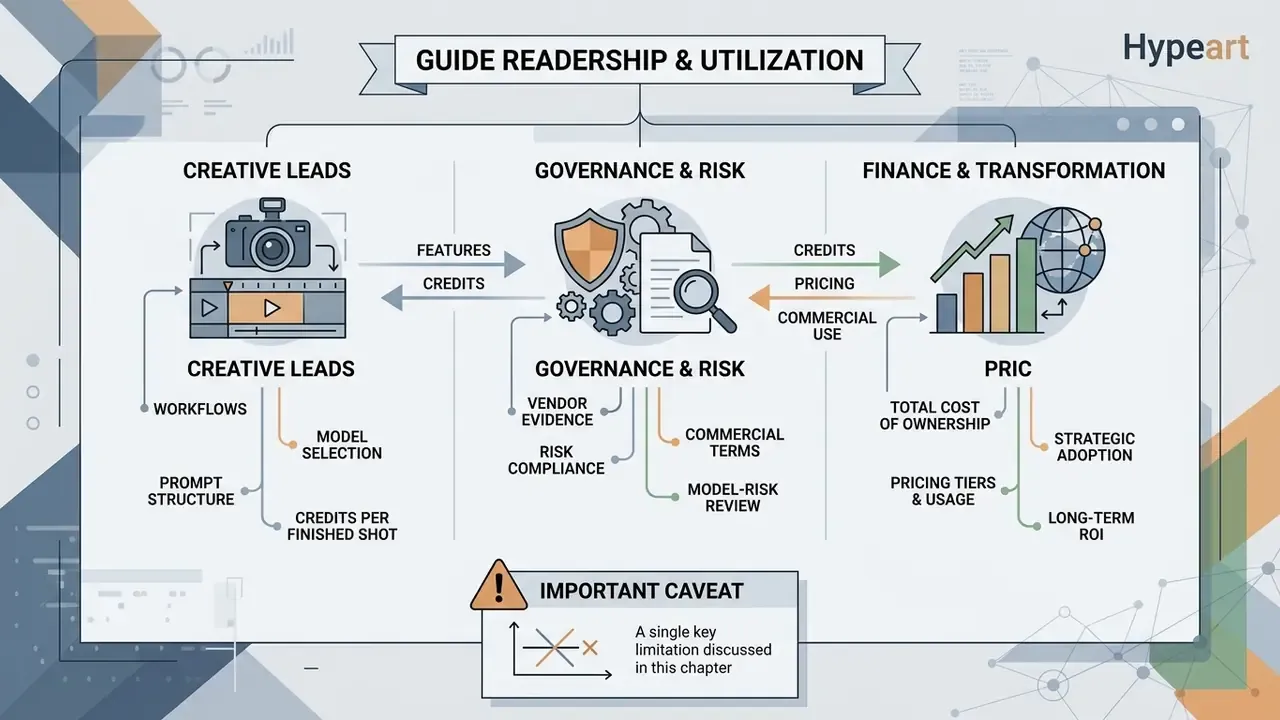
Three readers get value here, and they read it differently.
A creative lead wants the workflow: which model, which prompt shape, how many credits per finished shot. Start with the capabilities and prompt sections, then jump to the credit warning before setting a monthly budget.
A governance, model-risk or procurement owner wants the evidence position: what the vendor publishes, what it does not, and which questions must be answered contractually. Read the governance and auditability sections first, then run the checklist.
A finance or transformation lead wants total cost, not sticker price. The risk-adjusted total cost of ownership block is written for that conversation, because failed generations and legal review hours rarely appear in a vendor deck.
One caveat before we go further. Everything below reflects public documentation and independent reviews as of the verification date. Kaiber ships model changes quickly, so treat any figure as a starting point for your own verification rather than a settled fact.
What Is Kaiber AI Video Generator and Where to Use the Platform
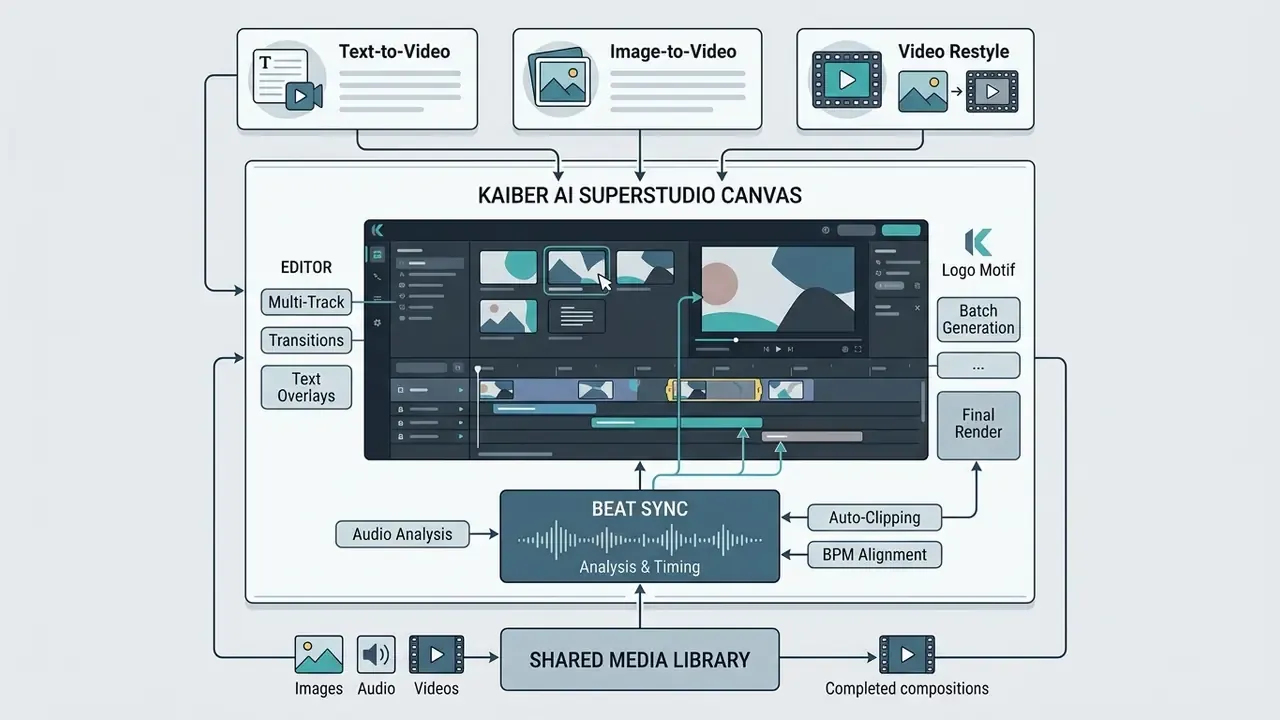
The kaiber ai video generator is a cloud-based generative creative suite hosted officially at kaiber.ai that combines canvas editing, audio synchronisation, and multi-model video generation in one workspace. Organisations and independent creators use the kaiber ai animation site to generate motion graphics, produce music-synced visualisers, animate static art, and restyle existing footage. Searches for the kaiber ai animation website usually resolve to the same single official domain, which is worth knowing before anyone clicks a look-alike.
Kaiber AI as an AI Video Generation Platform
Which AI Tools and Video Models Are Available in Kaiber
The kaiber ai animation tool aggregates several third-party and proprietary generative models inside one interface, so users can pick an engine per project. In the 2026 platform architecture, video generation models include Kling 3.0 Standard Video for multi-shot adherence, Google Veo AI video generator technology as Veo 3.1 for dialogue and lip-sync coherence, Wan 2.5 for more open moderation standards, plus Seedance 2.0/2.5, Sora 2, Minimax 2.3, and Grok Imagine.
- Official web application
kaiber.ai(Canvas, Beat Sync, Superstudio Editor)- Official documentation endpoint
helpcenter.kaiber.ai- Legal terms and licence endpoint
kaibarai.com/terms(effective February 1, 2025; support:[email protected])- Operating legal entity
- Kyber Corp (US registered entity; official mobile apps listed on Google Play and the Apple App Store under Kyber Corp)
- Verification date
- September 3, 2026
- Risk advisory
- confirm that registration, API calls, and credit purchases happen only on official
kaiber.aiorkaibarai.comdomains. Third-party sites promising "unlimited free credits" carry credential-harvesting and asset-exfiltration risk, and uploaded brand material is exactly what an attacker wants.
Kaiber AI Capabilities: Text-to-Video, Image Animation, and Music Videos
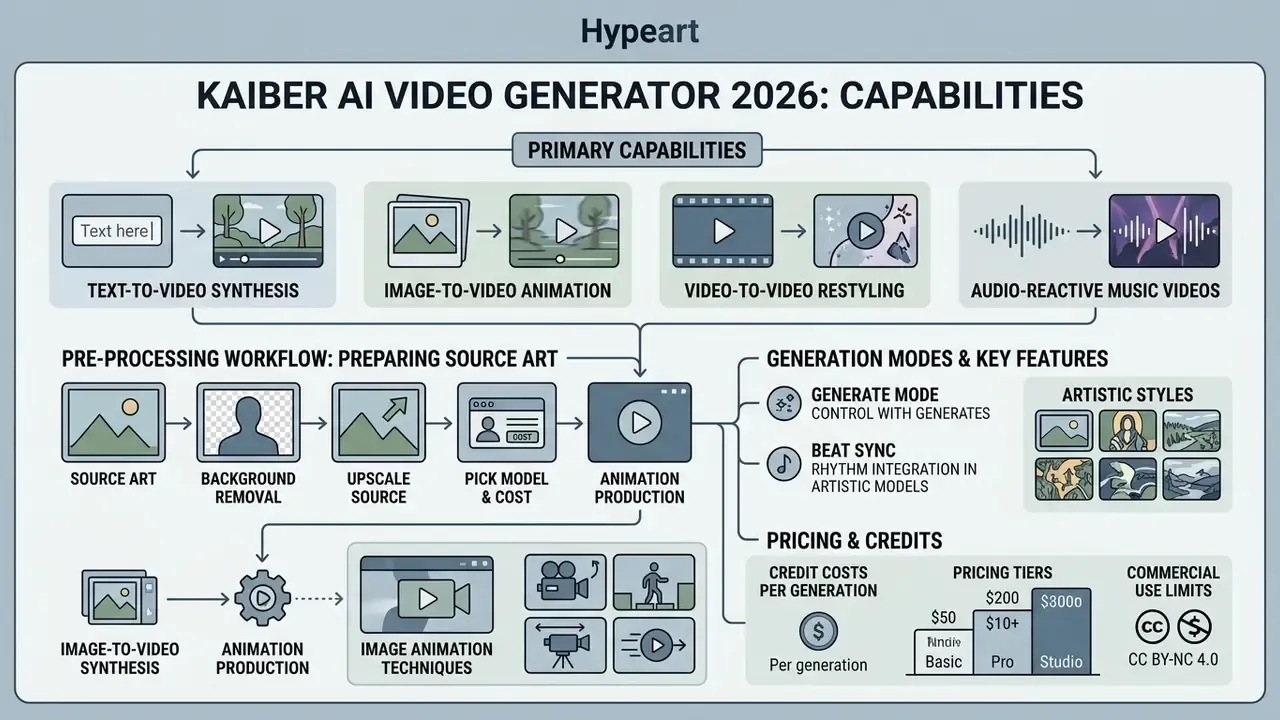
Kaiber covers pure text-to-video synthesis, image-to-video animation, video-to-video restyling, and audio-reactive music video generation. Creators can turn static artwork into motion, apply an artistic style to existing footage, and align visual transitions to a track automatically.
Table: Kaiber AI generative modes compared
| Generation mode | Required source inputs | Prompt function | Stylistic and motion controls | Output format and characteristics |
|---|---|---|---|---|
| Text-to-Video | Text prompt; optional reference image | Defines subject, setting, action, camera movement, lighting | Model selection (Kling, Veo, Wan), aspect ratio, clip duration | 4 to 10 second standalone clips; extendable via Canvas chaining |
| Image-to-Video | Static image (uploaded or Nano Banana generated); animation text | Directs dynamic action, motion intensity, camera behaviour, speech | Style reference sliders, motion dynamics fields, resolution settings | First-frame anchored animation matching source image aspect ratio |
| Video Transform | Source video file (MP4/MOV, up to 200 MB) | Guides restyling, aesthetic transformation, subject alterations | Intensity slider, aesthetic presets, custom style prompts, reference images | Restyled MP4 matching source duration and original audio track |
| Music Video / Beat Sync | Audio track (MP3/WAV); optional images or clips | Establishes theme and mood; Beat Sync runs promptless via audio analysis | Beat multiplier, transition templates (Zoom, Fade, Blur), Multi Shot toggle | 1 to 3 minute music-synced videos or batch variations with automatic beat cuts |
Reading the table in plain text: the four primary generation modes each demand different source files, from a simple text string to a full audio track or an MP4, and each applies its own prompt structure to control style, camera motion and timing. Text-to-Video needs only words. Image-to-Video anchors on your first frame. Video Transform inherits the length and audio of whatever you upload. Beat Sync needs music and, unusually, no prompt at all.
Kaiber AI Text-to-Video and Text-to-Animation
The kaiber ai text to video modality generates motion sequences straight from descriptive natural language using Kling 3.0, Veo 3.1, and Wan 2.5. This is the same category of text-to-video AI that now underpins most short-form social production. Inside the kaiber ai text to video platform, prompts drive both visual subject matter and temporal movement. For maximum adherence, the kaiber ai text to video official documentation recommends splitting prompts into components: subject, environment, camera movement, lighting, and explicit motion dynamics.
When running kaiber ai text to video 2025 style workflows (still the phrasing most searchers use in 2026), creators can launch generation from the Canvas dashboard through the kaiber ai text to video kaiber interface. For a quick test, entering a line into the kaiber ai free text to video input field produces a short clip within minutes; advanced setups add keyframes and dialogue prompts for structured narrative synthesis. A kaiber ai text to animation flow works the same way, except the emphasis shifts from photoreal camera language to stylised movement and pacing. Clip length is model-dependent: Kaiber's Seedance workflow documents 4 to 15 seconds per generation, with longer narratives assembled by chaining the next clip on the canvas.
Pre-Processing Workflow: Preparing Source Art Before Animation
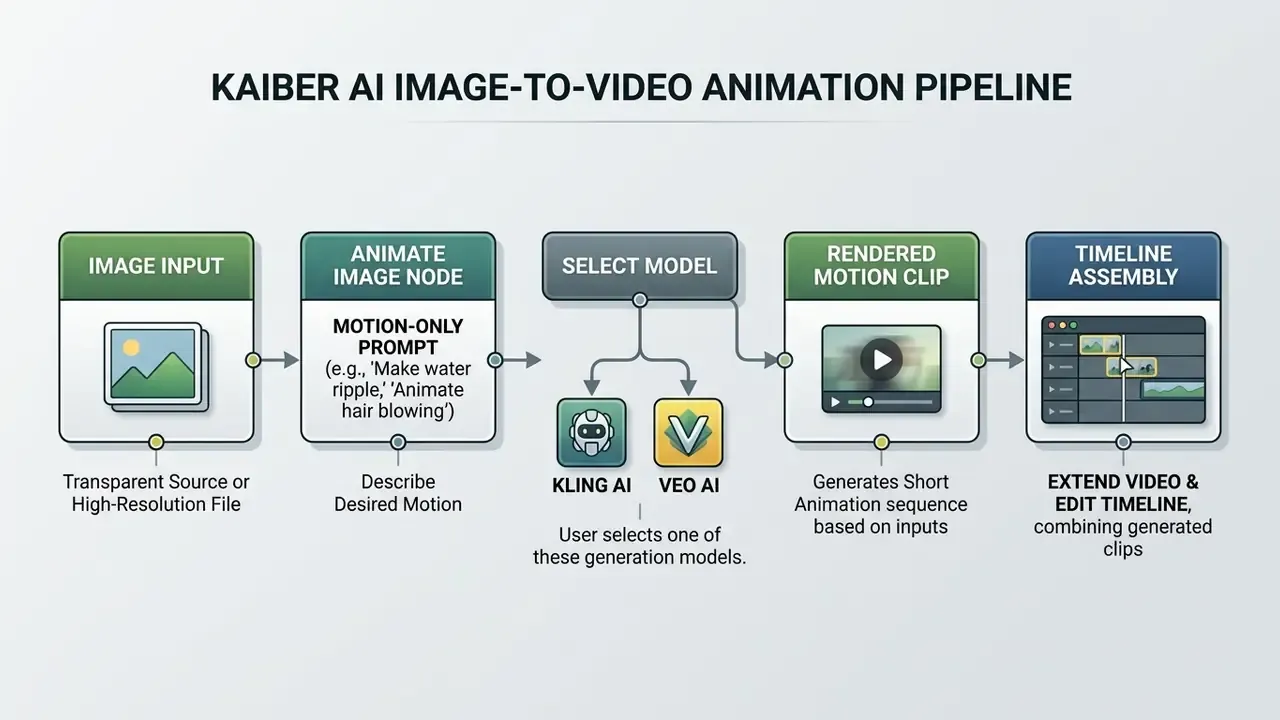
Most weak image-to-video results are caused upstream, at file preparation, not at prompting. Do these three things before you spend a single credit.
Resourcing matters here too. Firms that publish daily often keep a dedicated prep operator on staff, and hiring benchmarks in photo editor jobs listings, including distributed photo editor jobs, give a realistic sense of the labour cost behind a "fully automated" pipeline. Teams standardising export settings, transparency handling, and batch resizing can also use our guide to online photo editors.
- Background removal.
- If the subject must be isolated (a character, product shot, or logo), export a PNG with a transparent background. Kaiber's motion engine handles isolated subjects far more predictably than subjects fused into a busy backdrop. A dedicated photo background editor makes this step repeatable rather than artisanal.
- Upscale the source.
- Push the illustration or photograph to at least 2048x2048 px before importing into Canvas. Low-resolution sources visibly pixelate the moment the camera pans, and no prompt recovers detail that was never captured. Mobile-first teams often handle this in a photo editor app, while studio pipelines usually standardise on a desktop photo editor mac setup for colour-managed exports.
- Pick the cost-appropriate model.
- For clean, budget-controlled illustration animation, select the Kling Standard Video node in the Video Flows menu, choose a 5 or 10 second length, and read the displayed credit cost before you press generate.
Kaiber AI Image-to-Video Animation
The kaiber ai image animation feature takes a static visual, such as a digital illustration, photograph, or generated artwork, and uses it as the anchor frame for synthetic motion. That is the defining behaviour of image-to-video AI systems. Through the kaiber ai image to video tool, users drop an image into a Canvas flow and activate the "Animate Image" workflow. The kaiber ai image animation tool then needs a specialised animation prompt focused strictly on movement: camera pans, zooms, character motion. Do not repeat visual descriptions already visible in the source frame; the model reads that as instruction to redraw.
A kaiber ai image to video animation workflow also helps maintain character consistency across scenes. Digital artists working from static portraits can turn a single character shot into a moving sequence while preserving background details and facial structure. Kaiber additionally supports restyling during conversion, either by supplying an image style reference, by putting the style keyword in the subject box, or by combining both. That is how a brand palette survives the animation step. Creators who need clean, isolated subjects should finish the transparency and upscaling steps above first.
Creating Music Videos, Effects, and Artistic Styles
Through its kaiber ai music video generator 2025 architecture, the platform ships dedicated audio-visual engines: Music Video Montage and Beat Sync. Users upload an MP3 or WAV, and the system performs spectral and tempo analysis to find beats, rhythm changes, and energy transitions. It then aligns visual cuts, camera pulses, and style shifts to the track.
Three music video modes exist:
Music-video outputs run from 1 to 3 minutes, with aspect ratios of 16:9, 9:16, 1:1, 3:4, or 4:3, plus a Multi Shot toggle that increases visual variety along the timeline.
- Generate Mode
- audio plus a textual description and artistic style prompts (cyberpunk, watercolour, anime, cinematic), the same aesthetic vocabulary used across modern AI art generators.
- Reference Mode
- audio, text description, and a guiding reference image to fix the aesthetic direction.
- Restyle Mode
- audio, text description, and an inspirational image restyled across the full duration.
Reality check on consistency. Public review aggregators show mixed sentiment (roughly 2.9/5 across about 163 reviews on one platform, 4.2/5 across about 11 on another). The most repeated complaint is variability: a prompt that lands perfectly on one run misses on the next. Plan an iteration budget instead of assuming first-pass success. Honestly, that single behaviour explains most of the credit surprises described later.
For creators assembling generated loops into a publishable edit, our YouTube video editor workflow guide covers sequencing, caption timing, and platform-specific export settings after the generative stage ends.
How to Create AI Animation in Kaiber: Prompt, Style, and Generation Options
Producing animation on the kaiber ai animation platform follows a systematic workflow: set up the workspace, prepare source media or text, engineer a precise motion prompt, configure model parameters, then generate.
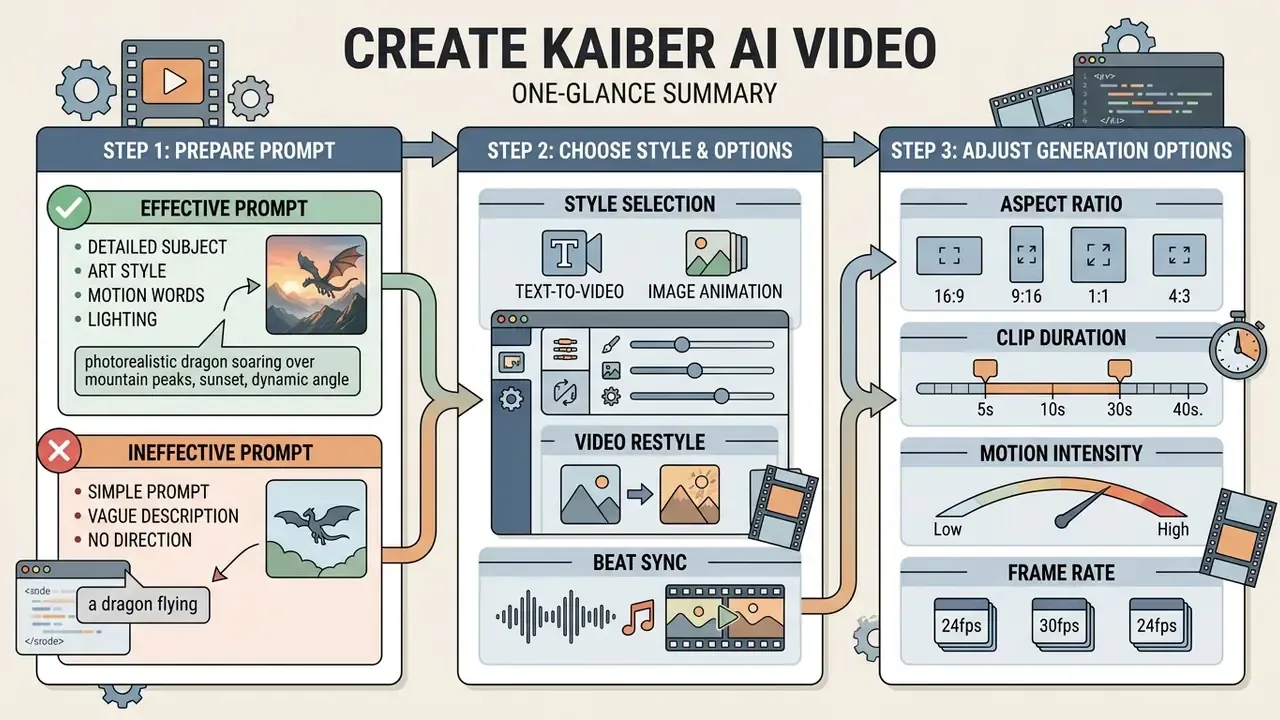
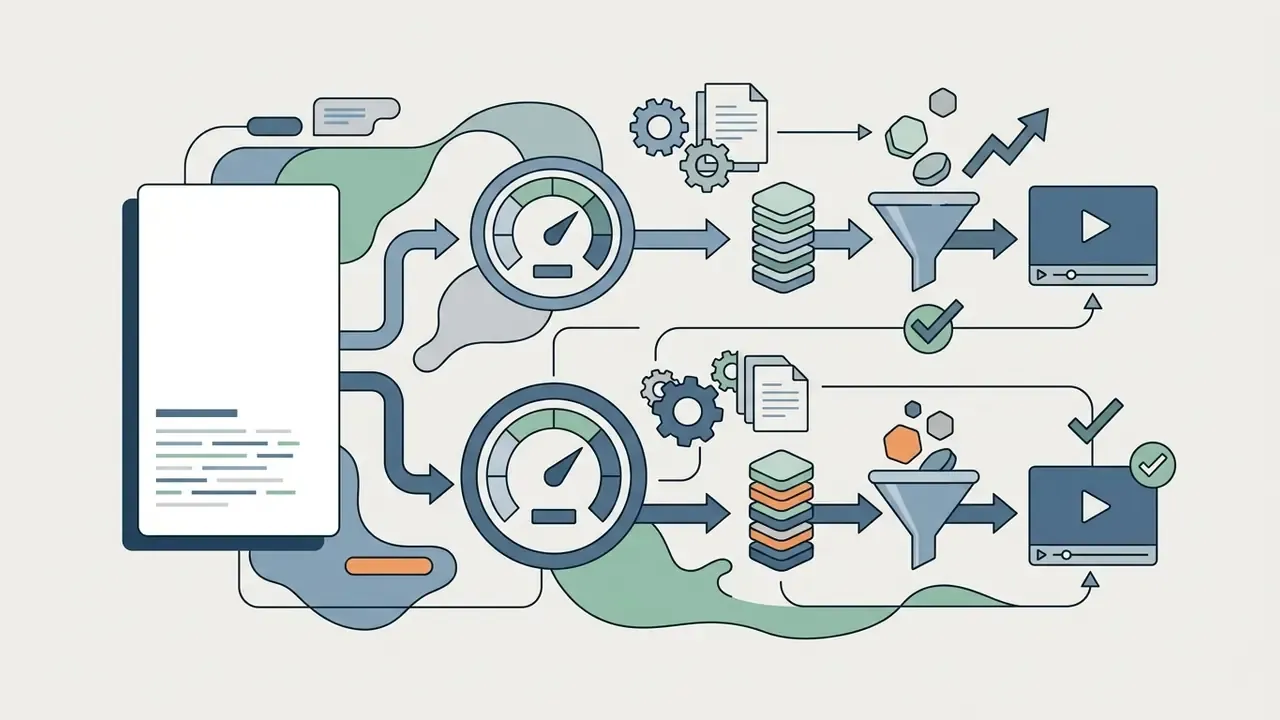
Step-by-step in words, for anyone reading without the diagram: open Canvas on the official site and start a video flow; add your image, video or text and lock the aspect ratio; write the visual prompt and the motion prompt separately; choose engine, resolution and duration; then generate, review in the Media Library, and move the approved clip into Editor for cuts, captions and audio sync.
- Workspace Selection |-- Open Canvas on kaiber.ai +-- Select "Create Video Flow"
- Media & Text Input |-- Upload source image/video OR enter text description +-- Select target aspect ratio (16:9, 9:16, 1:1, 3:4, 4:3)
- Prompt Engineering |-- Write visual prompt (subject, setting, lighting) +-- Write motion prompt (camera movement, dynamics, dialogue)
- Model & Parameter Configuration |-- Choose video engine (Kling 3.0, Veo 3.1, Wan 2.5) |-- Select resolution (720p, 1080p) and duration (4-15s) +-- Adjust Intensity / Style sliders
- Generation & Timeline Assembly |-- Execute clip rendering (expends credits) |-- Preview output in Media Library +-- Transfer clip to Kaiber Editor for timeline cuts & audio sync
How to Prepare a Prompt for Kaiber AI Video
To get reliable output in the kaiber ai create workspace, structure your prompt so static visual elements never mix with motion directions. Good prompts avoid vague adjectives and follow a deterministic formula.
The standard single-shot formula:
[Subject] + [Action/Dynamics] + [Environment/Setting] + [Camera Movement] + [Lighting & Color] + [Style/Quality Constraints]
For multi-shot sequences, Kaiber's documentation advises putting the number of shots, total duration, and aspect ratio at the top of the prompt, then numbering each shot with one clear action and one camera move. Match motion length to clip length: five seconds of video needs about five seconds of described movement, not a fifteen-second storyboard crushed into five.
For dialogue scenes in Veo 3.1, enclose speech in quotation marks (for example, speaking: "System status nominal") and add explicit vocal tone descriptors to hold lip-sync coherence.

How to Choose Styles and Options for Clips
Configuring generation options means choosing visual styles, aspect ratio, resolution target, and engine before you burn credits. Kaiber ships curated aesthetic presets such as "Photorealistic," "Entergalactic," "Anime," and "Lost," which apply pre-engineered style overlays to generated clips. Frame-accurate trimming afterwards belongs in dedicated video editors.
Key parameters:
- Aspect ratio
- 16:9 for YouTube and widescreen, 9:16 for TikTok and Reels, 1:1 for square feeds, 3:4 or 4:3 for vertical compositions.
- Clip duration
- individual generations run 4 to 15 seconds depending on model; longer sequences use "Extend Video." Superstudio defaults to 5 seconds, and restyled videos inherit the length and aspect ratio of the upload.
- Motion intensity
- sliders in Video Restyle and Motion workflows control how aggressively the frame shifts between generated steps.
- Frame rate
- public documentation exposes no user-facing FPS selector; frame rate follows the chosen model. Data required: confirm per-model FPS with Kyber Corp support before locking a broadcast delivery spec.
Kaiber's Curated Style Presets (Legacy and Canvas)
Beyond free-text style prompts, Kaiber carries a library of twelve named presets inherited from its Transform-era catalogue. They remain the fastest route to a coherent look without prompt engineering.
| Style preset | Aesthetic description | Best applied to |
|---|---|---|
| Retrofuturism | Belgian surrealism fused with retro-futuristic art and saturated neon palettes | Sci-fi clips, cyberpunk visuals |
| Conceptual Render | Mystical, dynamic environments with glow effects and floating particles | Architectural and concept reels |
| Life on Film | 35mm film emulation with grain and nostalgic colour response | Cinematic lifestyle content |
| Collage | Layered photo collage, mixed media, digital textures | Experimental art, lyric videos |
| Claymation | Stop-motion clay figure aesthetic | Playful animation, craft brands |
| 8-Bit | Blocky pixel graphics from retro gaming | Game promos, music visuals |
| Timeworn | Sun-baked hues and dusty photorealistic desert textures | Documentary and Western moods |
| B&W Candid Photography | Black-and-white photographic framing with cinematic flair | Editorial and fashion motion |
| Video Game Nostalgia | PS2-era and early-2000s computer graphics | Gaming culture content |
| Papercraft | Cut-paper textures and handmade appliqué charm | Kids' content, craft storytelling |
| Editorial Magazine | Glossy fashion and lifestyle publication styling, high contrast | Apparel and beauty campaigns |
| 0x2 | Neon-lit spacescapes with futuristic cyberpunk framing | Electronic music, club visuals |
Creators juggling multi-format deliverables across desktop and mobile can use our animation maker comparison to decide which assets are worth generating in Kaiber and which are cheaper to template elsewhere.
Video Transform and Animating Existing Images, Art, and Logos
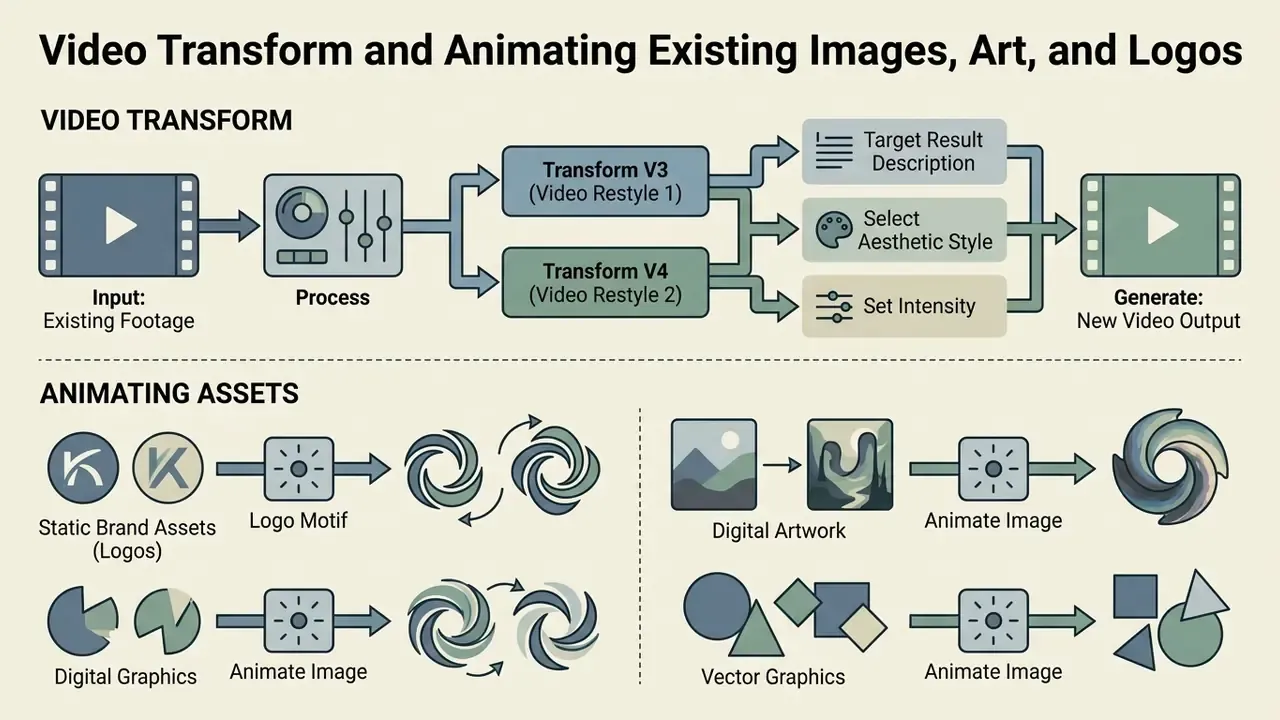
Kaiber can transform existing footage and animate static brand assets, digital artwork, and vector graphics through Video Restyle, Animate Image, and Logo Motif.
How to Use Kaiber AI Video Transform on Existing Video
Video Restyle performs video-to-video transformation: upload an MP4 or MOV, then apply synthetic style overlays. Two engines exist.
- Video Restyle 1 (Transform V3) built for fluid, heavily stylised transformations on clips up to 4 minutes. Output renders at 1024x568.
- Video Restyle 2 (Transform V4) optimised for clean 2D transformations and style-transfer matching from reference images, for clips up to 3 minutes. Output renders at 1280x720 (720p HD).
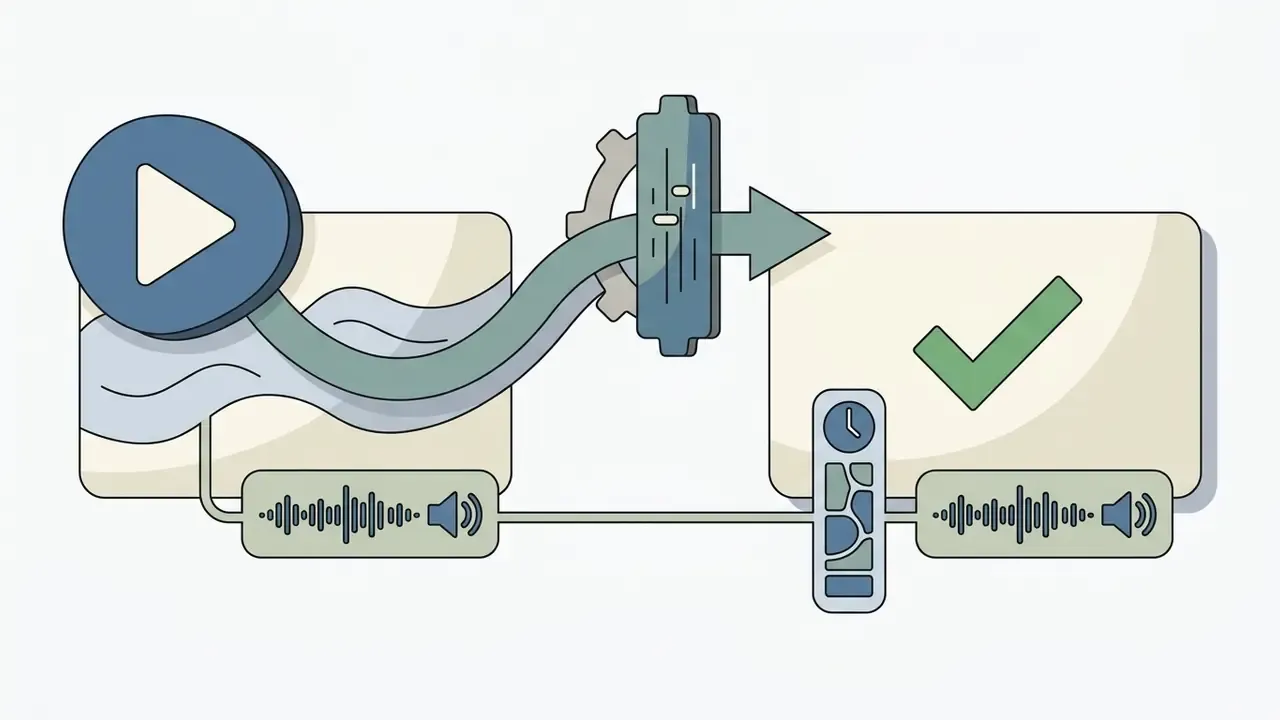
Step by step, the transform flow is deterministic:
Duration limits vary by workflow. Kaiber documents a 4-second minimum with a 4-minute cap in one Video Restyle context and a 3-minute cap in another, so confirm the ceiling inside your own account before uploading long-form footage.
Kaiber AI Image Animation for Art and Logo Animation
Through the kaiber ai image animation tool, artists animate illustrations, concept art, and static graphics. For brand identity assets, the kaiber ai logo animation workflow ("Logo Motif") converts an uploaded static logo into a 3 to 15 second animated stinger at 720p or 1080p. Worth comparing against dedicated AI logo generators when identity fidelity is non-negotiable.
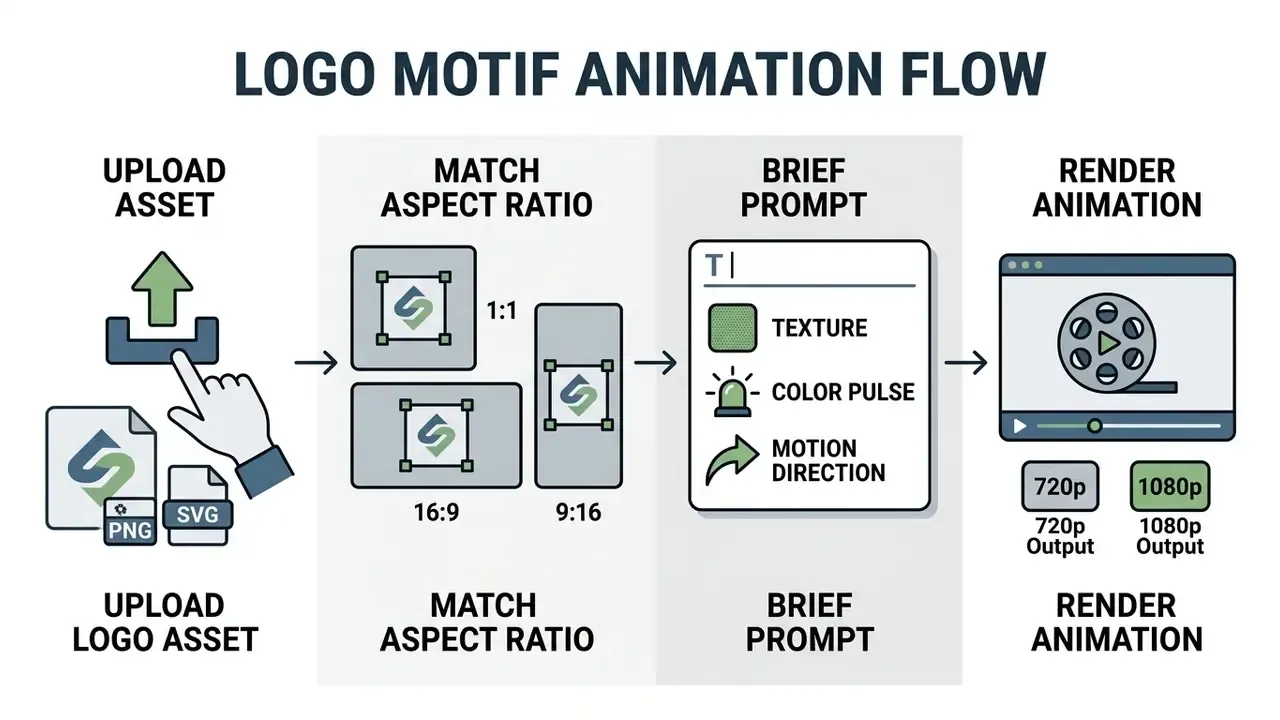
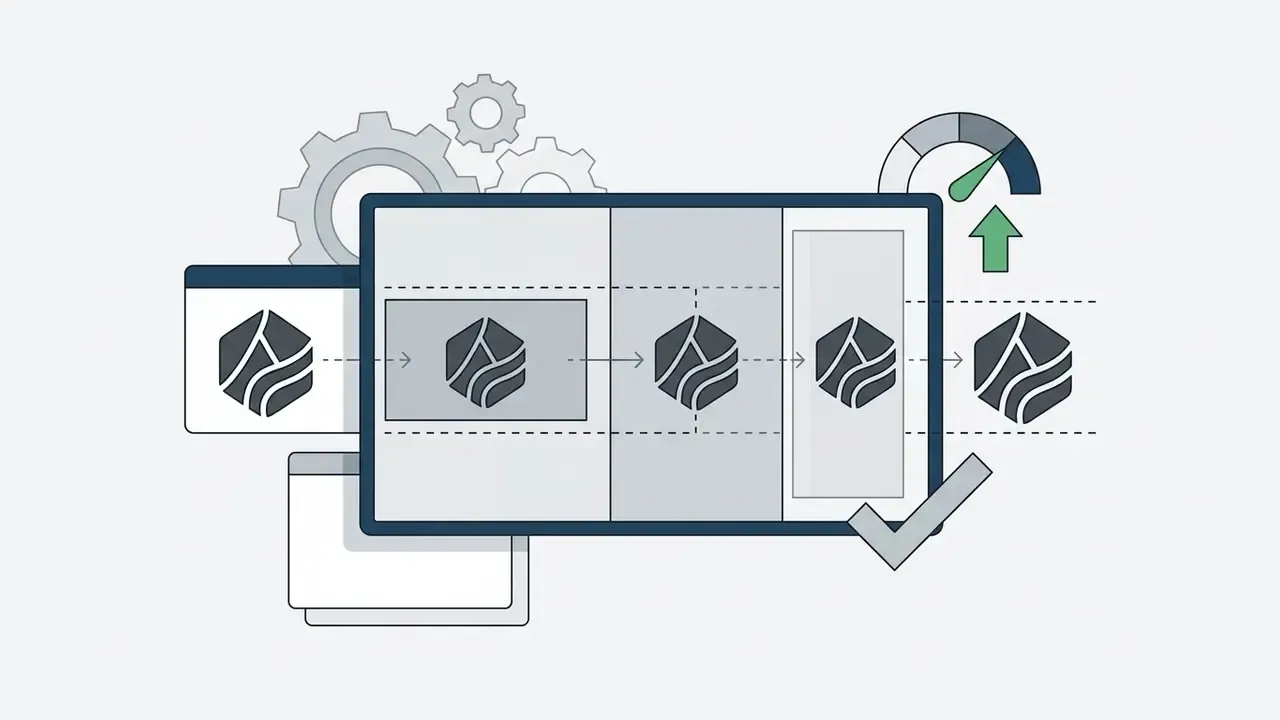
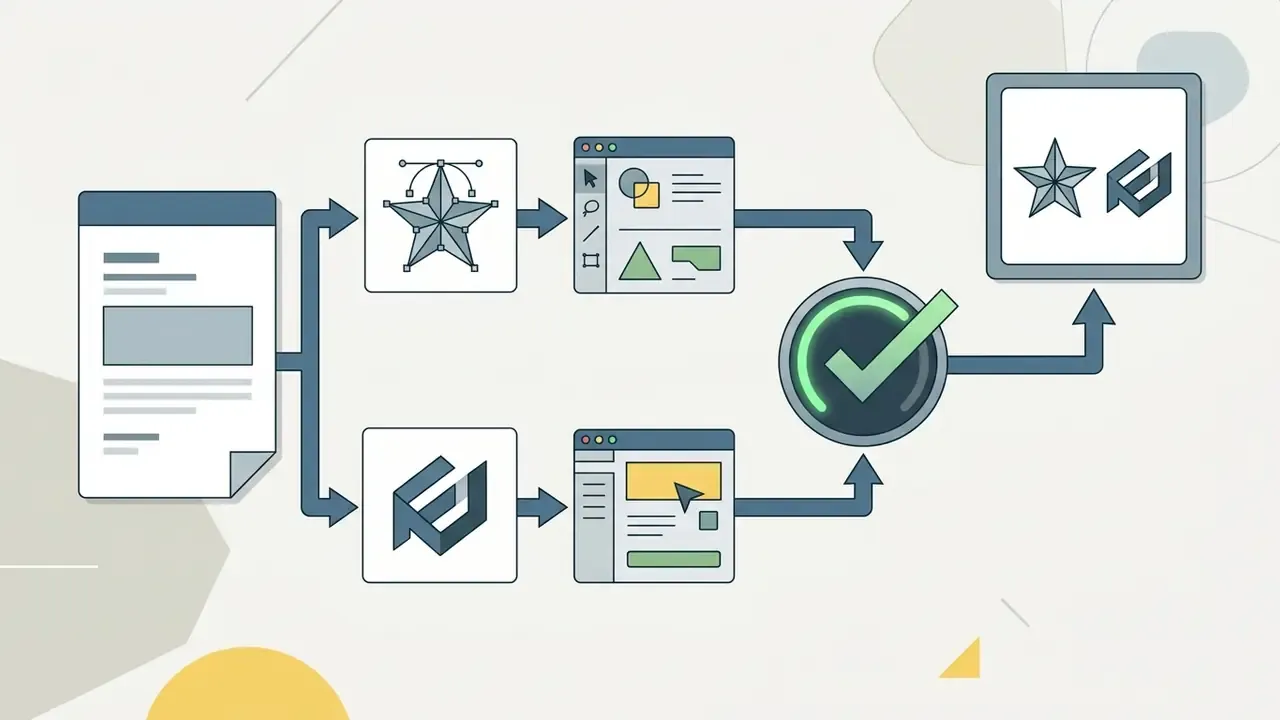
Best practice for logo and artwork animation:
Marketing and media teams standardising an asset pipeline can fold Kaiber's workflows in to speed up production while keeping deliverable weight sane; our guide to video compressors covers file-size and quality-loss trade-offs for distributing generated stingers across web, signage, and social.
Enterprise Governance, Security, and Shadow AI Controls
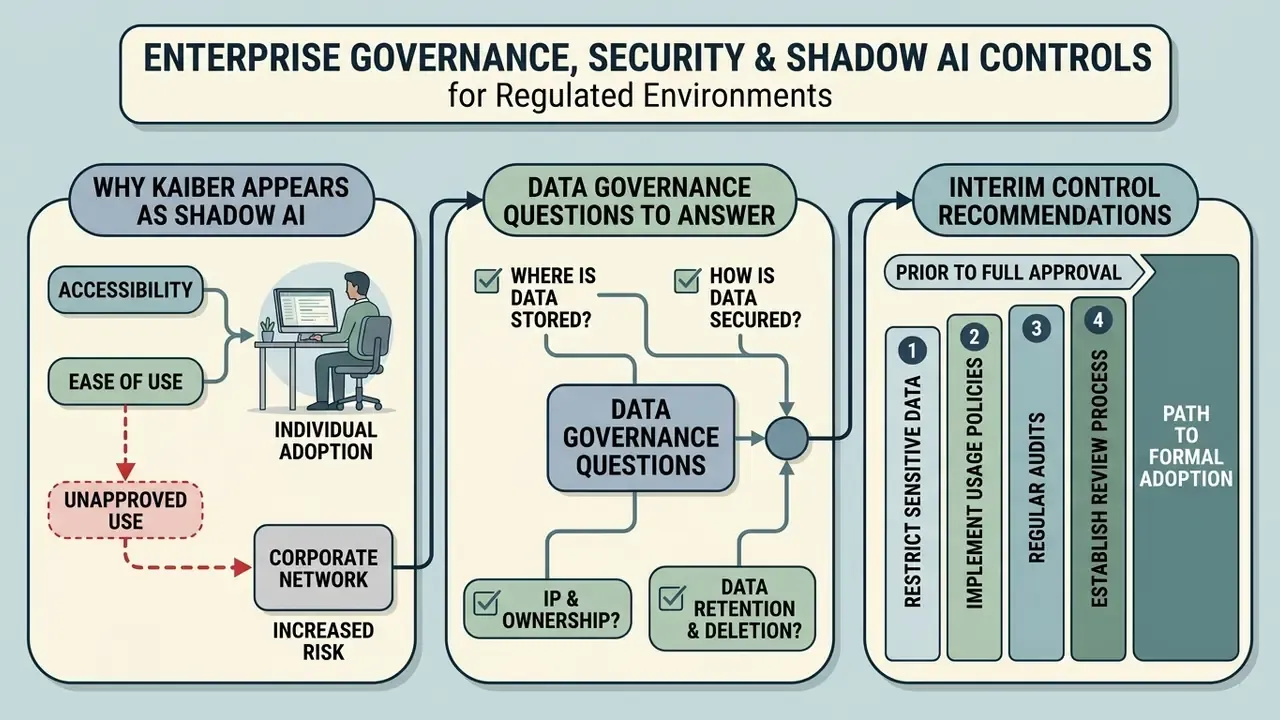
Scope note for regulated environments. This section is written for AI governance, model risk, procurement, and information security functions deciding whether Kaiber may be used or must be blocked inside a regulated enterprise. It documents what Kaiber publishes and, more importantly, what it does not publish. Absence of published evidence is not proof of weak controls. It is a procurement gap, and gaps get closed contractually before deployment, not after.
Why Kaiber Appears as Shadow AI
Kaiber is browser-based, credit-funded, consumer-accessible, mobile-reachable, and priced at $5 to enter. That combination makes it a textbook shadow-AI candidate. A marketing associate can be generating brand-adjacent video within ten minutes of a card charge, outside procurement, outside DLP scoping, outside any model inventory.
The exposure is not the video. It is what employees upload to make it: unreleased product renders, embargoed campaign artwork, executive likenesses, licensed music stems, client-owned footage. One uploaded pre-announcement render is a disclosure incident, regardless of how good the clip looks.
Data Governance Questions to Answer Before Approval
The following controls are not documented on kaiber.ai, helpcenter.kaiber.ai, or kaibarai.com/terms as of the September 3, 2026 verification date. Each must be obtained in writing from Kyber Corp.
| Control domain | Question to put to the vendor | Status in public docs |
|---|---|---|
| Model training on customer data | Are uploaded images, video, audio and prompts used to train or fine-tune Kaiber or third-party models? Is opt-out available, and default-on for paid tiers? | Not published |
| Data retention and deletion | What is the retention period for uploads, generations and prompt logs? Is verified deletion available on request and at account termination? | Not published |
| Security attestation | Is there a current SOC 2 Type II report or ISO/IEC 27001 certificate? Can it be shared under NDA? | Not published |
| Privacy regime | Are GDPR and CCPA data processing addenda available? Where do data and sub-processors sit? | Not published |
| Sub-processor transparency | Which model providers (Google, Kuaishou, OpenAI, xAI, Alibaba, MiniMax) receive prompts and uploads, and under what terms? | Model names published; data-flow terms not published |
| Identity and access | Is SSO/SAML (Okta, Entra ID) supported? Is role-based access control available on Visionary? | Not published |
| Tenant isolation | Are enterprise workspaces logically isolated, and can Media Library sharing be restricted? | Not published |
| SLA and support | What uptime, incident-response and breach-notification commitments attach to Visionary? | "Enterprise SLA" referenced; terms custom-quoted |
Interim control recommendation. Until that table is answered contractually, treat Kaiber as unapproved for confidential data. Permit it only for public or already-published assets. Prohibit uploads containing customer data, personal data, unreleased IP, or licensed third-party media. Route access through a managed workspace on Creator tier or higher, so commercial rights and billing visibility exist by default rather than by accident.
Auditability and Model Risk Management (MRM)
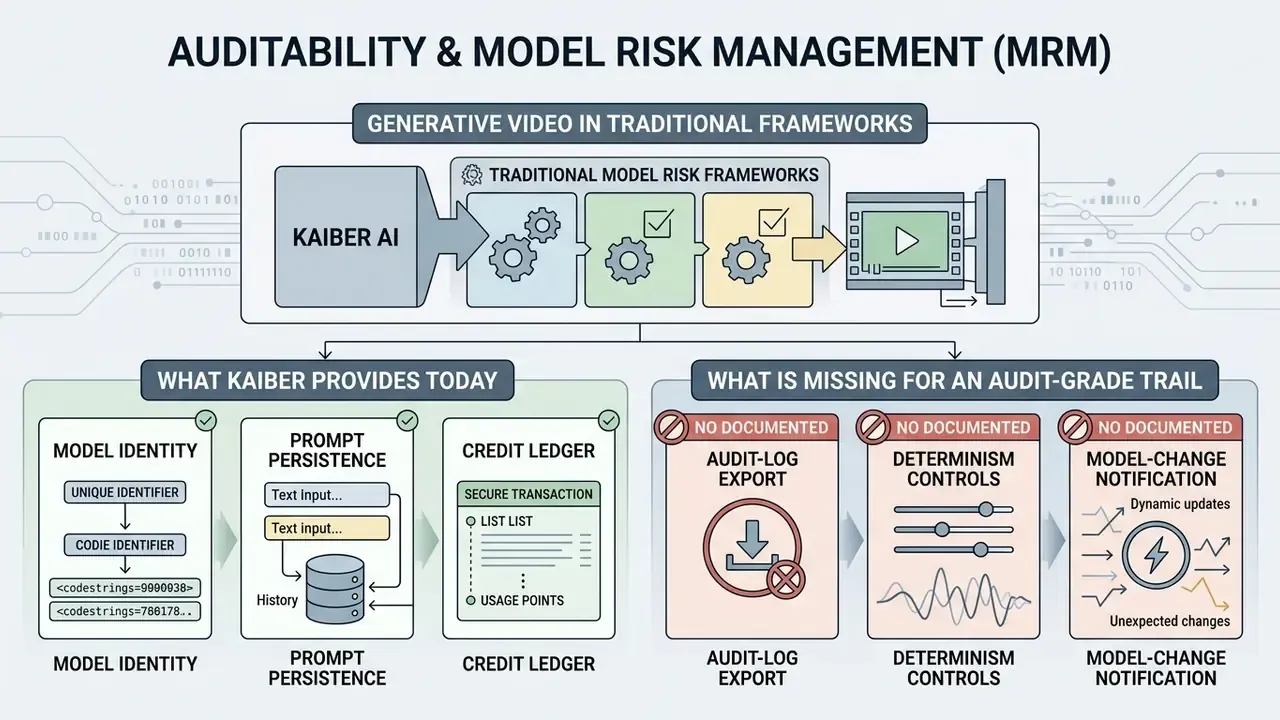
Generative video sits awkwardly inside traditional model risk frameworks. It produces no scores, no thresholds, no back-testable predictions. It does produce externally published brand and communications output, which is precisely where reputational and legal risk concentrates. So the control objective is reproducibility and traceability, not statistical validation.
What Kaiber Provides Today
- Model identity every Canvas node names the engine used (Kling 3.0, Veo 3.1, Wan 2.5, Seedance 2.0/2.5, Sora 2, Minimax 2.3, Grok Imagine), so the generating model can be recorded per asset.
- Prompt persistence prompts, style references, aspect ratio, resolution and duration stay attached to the node inside the Canvas flow, and the shared Media Library preserves outputs across desktop and mobile sessions.
- Credit ledger credit consumption per generation creates an implicit, timestamped activity trail tied to the account.
What Is Missing for an Audit-Grade Trail
- No documented audit-log export. Public documentation does not describe machine-readable export of prompts, parameters, model versions, seeds, timestamps and acting user for ingestion into a GRC or MRM platform. Data required from vendor.
- No documented determinism controls. Seed exposure and fixed-seed regeneration are absent from public docs. Without them, "reproduce this asset exactly" cannot be guaranteed, and pinned model-version behaviour stays unstated as Kaiber adds or retires frontier models.
- No published model-change notification. The changelog shows rapid model addition, yet there is no documented commitment to warn customers before a model powering an approved workflow changes behaviour or disappears.
Compensating Controls You Can Implement Unilaterally
- Maintain an external generation register.For every published asset, log asset ID, date and time, operator, model selected, full prompt text, reference assets with provenance and licence, aspect ratio, duration, resolution, credit cost, and approver. This is the artefact your auditor will ask for first.
- Version-control inputs, not just outputs.Archive the exact source PNG, MP4 and audio files in your own DAM with licence documentation attached. Kaiber is not a system of record.
- Two-person review before publication.Require brand plus legal sign-off on any asset containing a trademark, a recognisable person, or third-party music.
- Register third-party model risk.Record each underlying model provider as a downstream sub-processor in your vendor inventory, because prompts and uploads traverse them.
- Re-verify periodically.Re-test approved workflows quarterly. Model line-ups shift, so an approved prompt can drift in output character with no change on your side.
For teams turning these controls into policy, our reference on commercial use of AI generators sets out the same evidence pattern for image pipelines.
Kaiber AI Pricing, Credits, and Free Tier
Kaiber runs a credit-metered subscription model plus optional top-up packs. There is no permanent, unrestricted free plan. Entry comes through a short paid trial or a monthly tier.
Table: Kaiber AI subscription plans and credit allocation (verified September 3, 2026)
| Plan tier | Monthly price (USD) | Annual price (USD/mo) | Monthly credits | Commercial rights | Key features and limits |
|---|---|---|---|---|---|
| 5-Day Trial | $5.00 (one-time) | N/A | 300 to 500 | No | Full access to Canvas, Editor, Beat Sync; non-commercial licence; auto-converts to Creator Monthly unless cancelled |
| Flex (pay-as-you-go) | $0 base | N/A | None included; credit packs only | No | Limited model access, 3 concurrent generations, higher per-second credit rates |
| Starter | $10.00 / mo | $8.00 / mo | 500 | No | 3 concurrent generations, limited Canvases, non-commercial output |
| Creator | $29.00 / mo | $23.00 / mo | 1,500 | Yes | Full commercial licence, all models unlocked, unlimited Timeline Edits |
| Pro | $99.00 / mo | $79.00 / mo | 5,000 | Yes | Unlimited Canvases and generations, batch generation up to 10 videos |
| Visionary | Custom quote | Custom quote | Unlimited | Yes | Dedicated account management, custom API access, enterprise SLA (terms negotiated) |
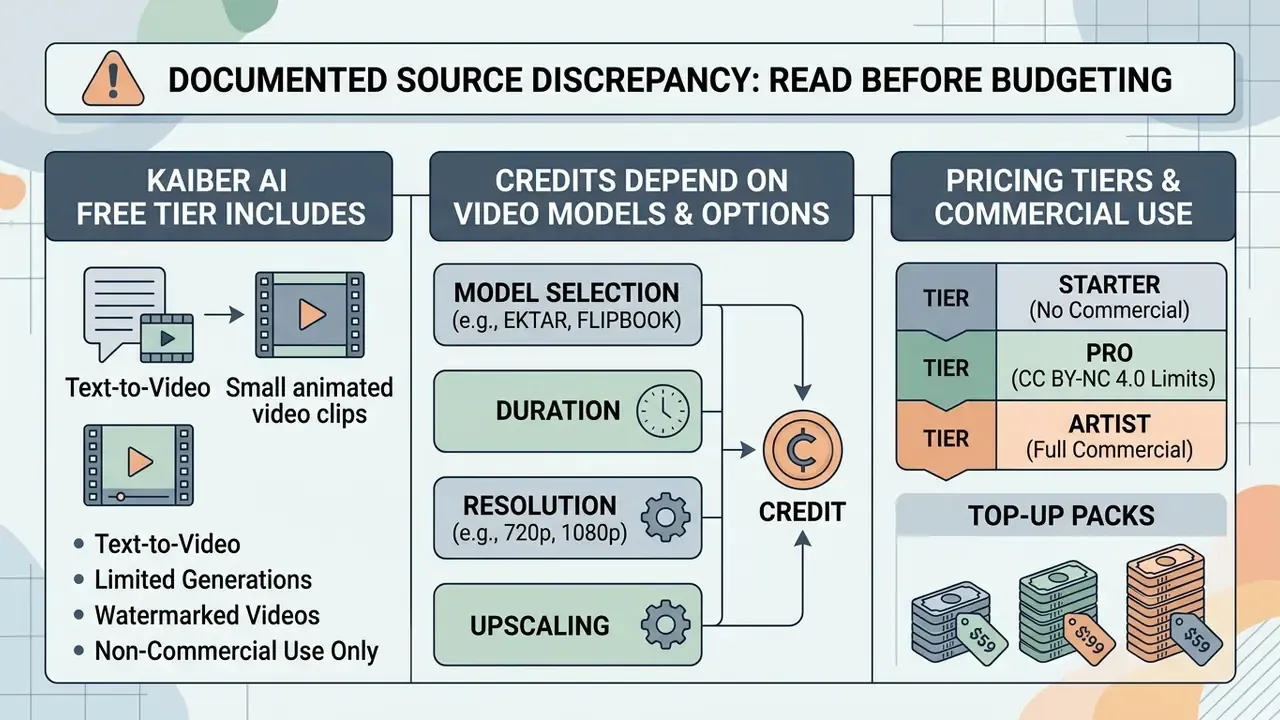
Pricing and credit data verified on September 3, 2026 via helpcenter.kaiber.ai. Plan structures, credit costs and promotional terms change at Kyber Corp's discretion.
Documented source discrepancy, read before budgeting. Kaiber's plans page and its separate Superstudio credits page disagree on monthly allocations. The plans article lists 500 / 1,500 / 5,000 credits for Starter, Creator and Pro, while the credits article has shown 1,400 credits for Creator Monthly and 7,500 for Pro Monthly (16,800 and 90,000 on the respective annual plans). The trial allocation appears as both 300 and 500 credits in different articles. These are separate Help Center pages updated on different dates, not a contradiction in policy, but procurement should confirm the live allocation inside the account before signing an annual commitment.
What the Kaiber AI Free Tier Includes for Text-to-Video
Anyone searching kaiber ai animation free, kaiber ai free video generator, or kaiber ai text to video free should know there is no permanent, recurring free plan. That is a meaningful difference from the free AI video generators that run on a renewing monthly allowance. The closest entry point reported across 2025 to 2026 platform updates is the $5 five-day trial with 300 to 500 credits. A Flex or pay-as-you-go mode exists with no included monthly credits, funded entirely by packs.
In legacy listings and specific promotional windows, limited kaiber ai free tier text to video 2025 access provided roughly 30 to 50 initial trial credits, and some 2026 listings describe a 7-day trial with 100 credits and 15-second 720p generations. Outputs on trial or non-paid tiers carry visible watermarks, cap resolution (typically 720p), restrict clips to short 4 to 15 second generations, and prohibit commercial use.
To project video production costs and credit burn across platforms, creative leads can use our AI Media Calculators to estimate monthly SaaS spend, and can benchmark entry economics against the best free AI video generators.
How Credits Depend on Video Models and Generation Options
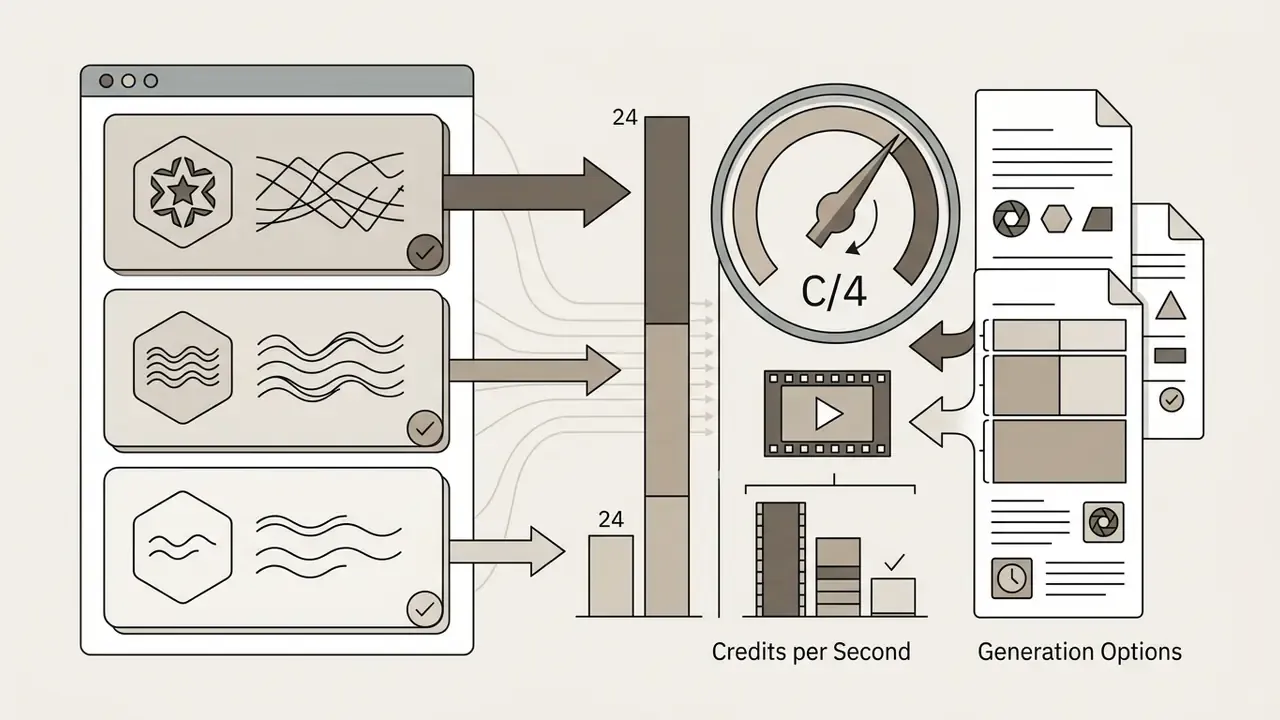
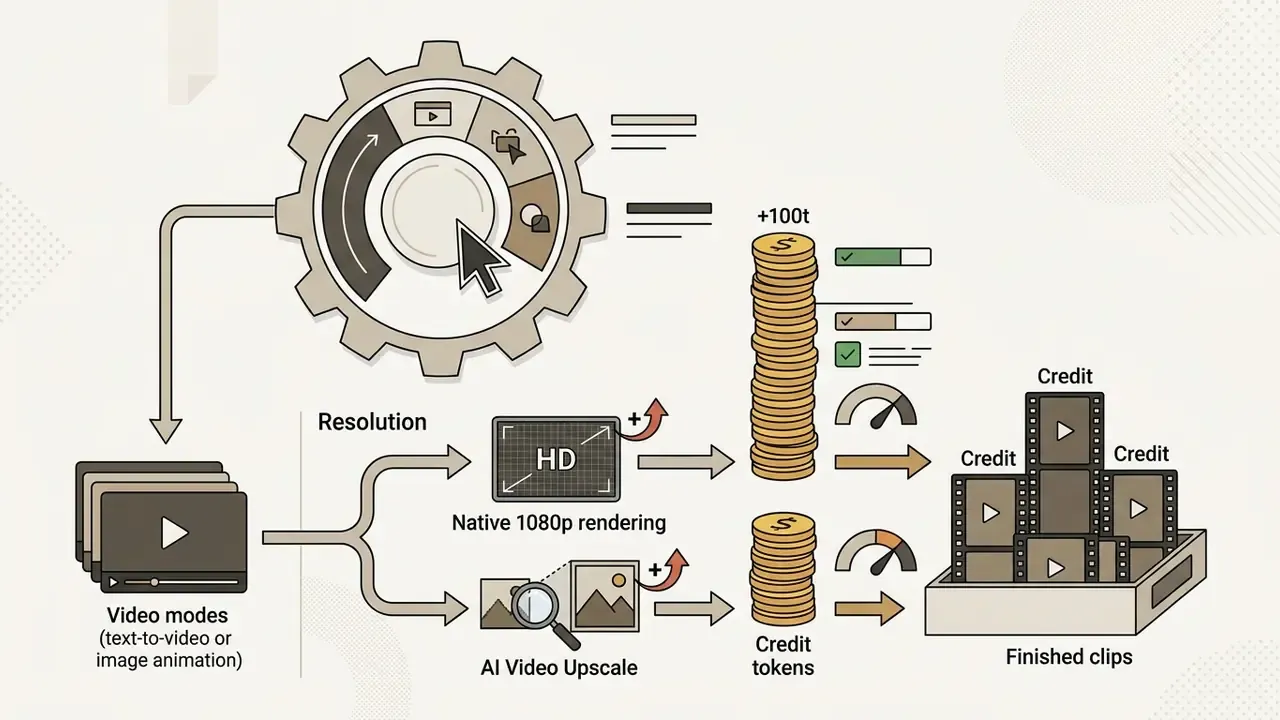
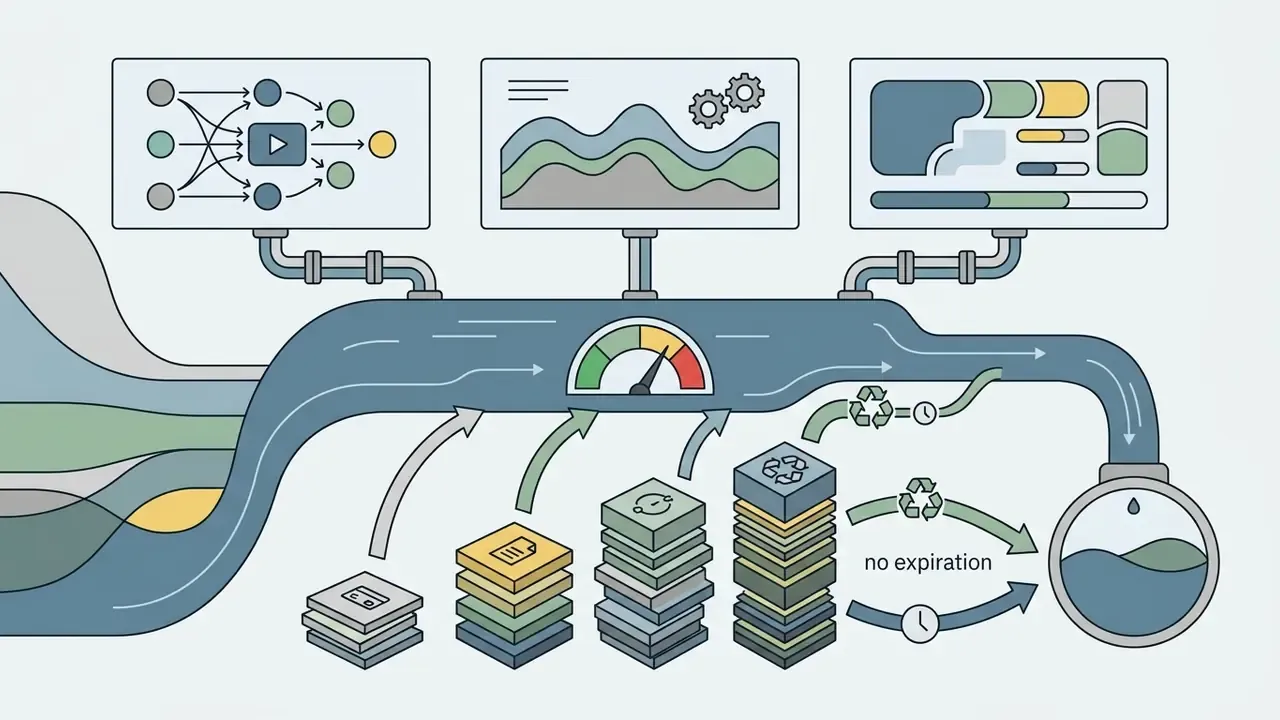
Credit consumption scales with model, duration, output resolution and subscription status. Creator and Pro subscribers get discounted per-second rates compared with Flex or pack purchases.
Main drivers:
Risk-Adjusted TCO for Regulated Teams
Credit spend is the visible cost. For a bank, insurer or listed brand it is rarely the largest one. A defensible total cost of ownership looks like this.
Annual TCO = (Subscription x 12)
           + (Credit packs required beyond allowance)
           + (Upscale surcharge x delivered seconds)
           + (Failed-generation waste, roughly 50-70% of gross credit spend)
           + (Legal / brand review hours x blended rate x assets published)
           + (Input-rights clearance cost: music, likeness, stock, client IP)
           + (Governance overhead: vendor assessment, generation register upkeep,
              quarterly re-verification)
In practice the review and clearance terms dominate for regulated publishers. That is why an approved workflow with a narrow, pre-cleared asset scope costs less than an unrestricted licence, even though it feels more restrictive on paper. For broader benchmarking of subscription models across generative visual tools, review our AI Media Pricing Guides.
Data freshness and subscription verification
- Pricing audit date
- September 3, 2026
- Primary source
helpcenter.kaiber.ai("Kaiber Plans: What You Need to Know", last updated July 24, 2026)- Terms reference
kaibarai.com/terms(effective February 1, 2025)- Notice
- subscription fees, per-model credit rates and trial allocations change frequently. Check live account settings before buying credit packs or committing to a commercial subscription.
Is Kaiber AI Suitable for Commercial Video Use
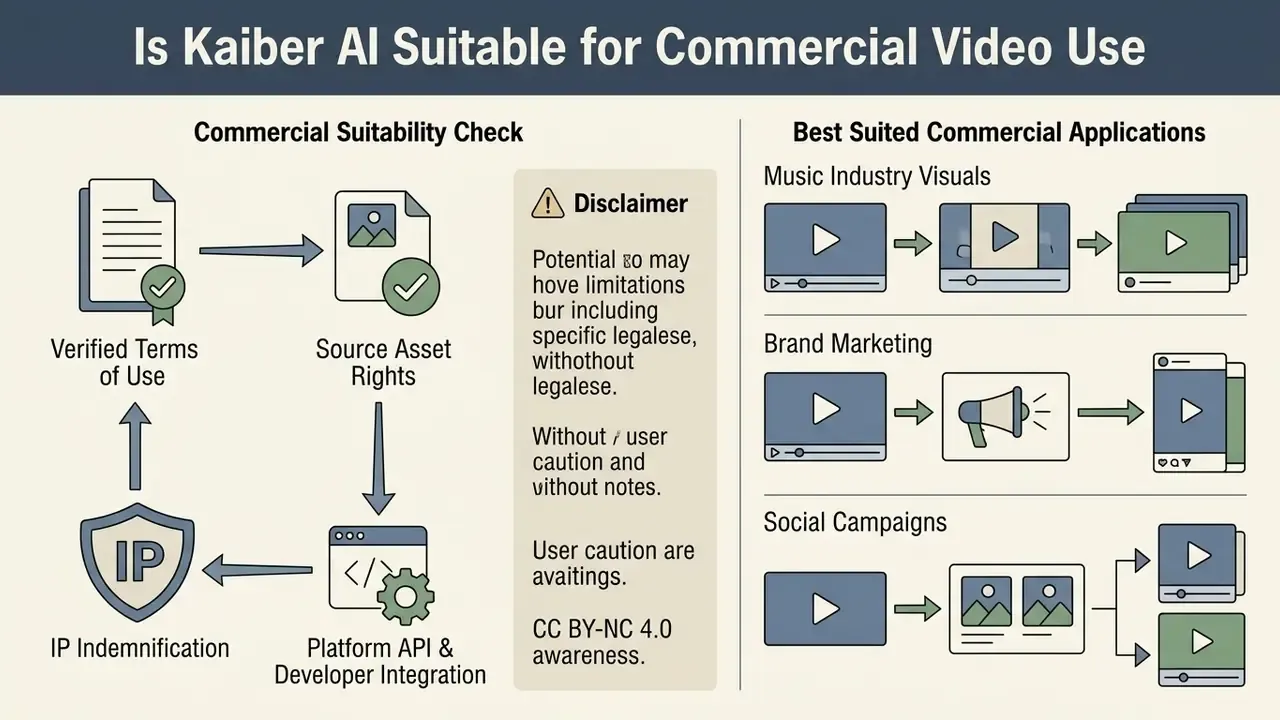
Commercial deployment of Kaiber output depends on two things: your active subscription tier, and the intellectual property rights attached to whatever you uploaded.
What to Verify in the Terms of Use Before Publishing Videos
Before you publish or monetise, check four legal areas.
- Subscription tier licensing. Per Kaiber's Terms and Conditions, commercial rights unlock only on paid Creator, Pro and Visionary tiers. Content generated on trial accounts or the Starter plan falls under the *Creative Commons
"Per independent analysis, the Starter plan grants no commercial rights even though it includes credits and generation access." (UsagePricing Blueprint, Kaiber AI Pricing Analysis, 2025). https://helpcenter.kaiber.ai
Kaiber also documents a Day Pass under which users keep commercial rights for material created while the pass is active. Useful for a one-off campaign sprint, but record exact activation dates in your generation register, because "we think it was that Tuesday" is not evidence.
- Source asset rights. Uploading third-party images, copyrighted music, trademarked logos or licensed footage into Video Restyle or Beat Sync grants you no copyright over those inputs. Kaiber's commercial-use page states that input videos, images and music remain yours, and that Kaiber licenses only the right to process and generate from them. That cuts both ways: nothing in the platform terms cures a missing licence on material you never owned.
- IP indemnification. Public documentation does not publish an intellectual-property indemnification commitment for enterprise customers. Where a competing suite offers contractual defence against third-party infringement claims arising from generated output, that protection must be negotiated into a Visionary agreement, or the residual risk must be accepted and documented in the register. Data required from vendor.
- Platform API and developer integration. Teams wiring generative video into custom software can reference our AI Media API documentation for infrastructure and authentication standards, and should confirm whether Visionary-tier API access carries the same licensing scope as UI-generated output. Do not assume it does.
When licensing disputes over synthetic media output arise, media managers should review current precedents in AI litigation and intellectual property enforcement.
Which Tasks Kaiber AI Animation and Music Videos Suit Best
On Creator or above, Kaiber fits several commercial production cases well:
- Music industry visuals official music videos, Spotify Canvas loops, Apple Motion banners, lyric videos, live stage visualisers.
- Brand marketing and social campaigns short promo reels, TikTok and Reels stingers, animated product teasers, ad variations for testing.
- Identity and motion graphics logo animation via Logo Motif for intros, outros and digital signage. Teams weighing build versus buy can review comparable animation tools.
- Narrative storyboarding multi-scene concept reels, animated shorts, visual mood boards for agency presentations.
- Concept testing validating a visual direction cheaply before committing budget to live action or studio animation.
Where it fits poorly: long-form narrative with strict continuity, hyper-realistic depictions of real people, regulated financial or medical communications requiring literal accuracy, and any deliverable needing multi-track colour grading and 8K mastering. The built-in editor handles splitting, reordering, captions and simple transitions. It is not full non-linear post-production, and pretending otherwise costs a deadline.
For creators evaluating general media editing platforms or seeking software help, our AI Media Support and Troubleshooting portal provides workflow resolution guides. Teams reviewing full creative suite licensing can consult broader commercial use frameworks for compliance across distribution channels.
Risk Evaluation Checklist and Next Steps
Use this as the first-pass assessment before Kaiber is approved, restricted or blocked in your environment.
Checklist0 / 20
A safe next step, if the tool looks useful: approve a single managed Creator workspace for public-asset work only, run it for one quarter with the generation register in place, then revisit. Small scope, real evidence, reversible decision.
FAQ: Frequently Asked Questions About Kaiber AI Video Generator
Q1: Is Kaiber AI completely free to use?
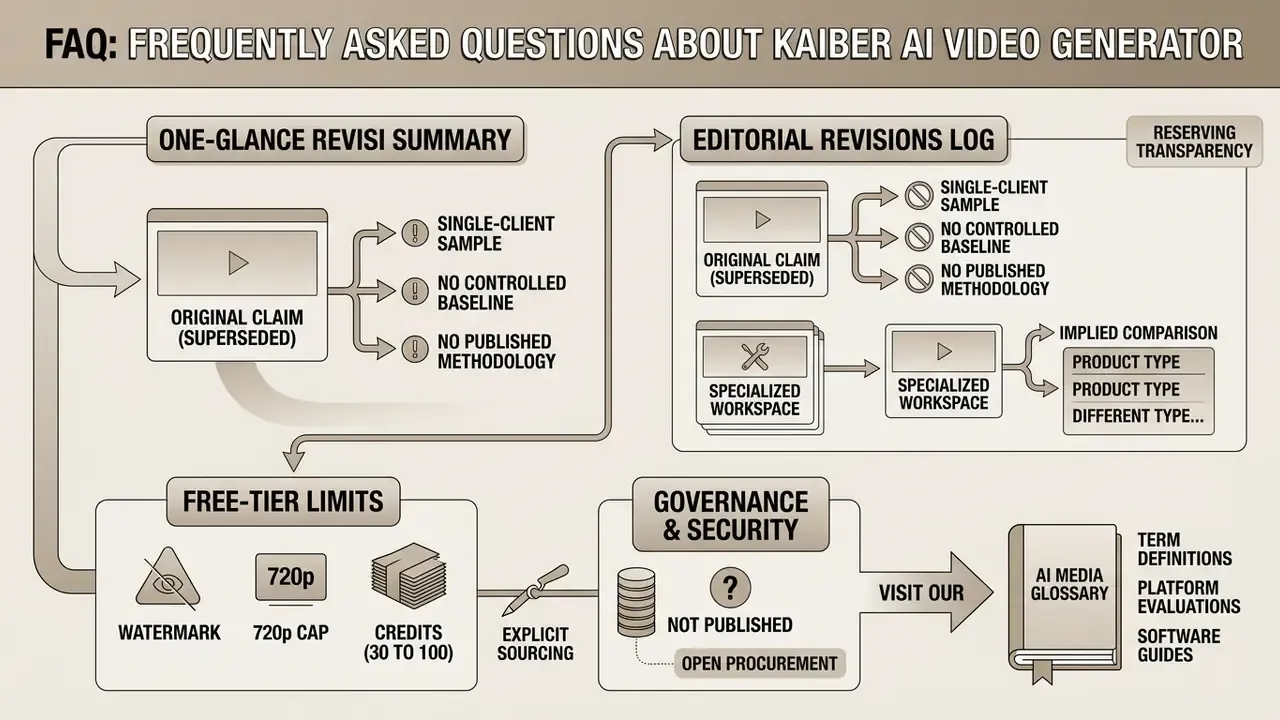
No. There is no permanent free plan. Access starts with a paid 5-day trial at $5 (300 to 500 credits) or monthly subscriptions from $10. A Flex or pay-as-you-go mode exists with no included monthly credits. Legacy free trials offered limited watermarked testing credits capped at 720p.
Q2: Can I use Kaiber AI videos for commercial projects, client work, or YouTube monetisation?
Yes, but only if generated under an active Creator ($29/mo), Pro ($99/mo) or Visionary plan, or during an active Day Pass. Content created on Starter or trial access is licensed strictly for non-commercial use under CC BY-NC 4.0.
Q3: Which video models are available inside Kaiber Canvas?
Kaiber Canvas integrates Kling 3.0 Standard Video, Veo 3.1 (tuned for dialogue and speech), Wan 2.5, Seedance 2.0/2.5, Sora 2, Minimax 2.3, Grok Imagine, plus Nano Banana 2 and Recraft SVG for static image and vector preparation. Readers mapping the wider landscape can also review alternative AI video generators.
Q4: How does Beat Sync work for music videos?
Beat Sync analyses uploaded MP3 or WAV tracks for tempo, beats and energy. It then synchronises visual cuts, motion pulses and style transitions using a beat multiplier and template-based timing, with no manual timeline editing. It also supports batch generation of multiple variations. Paid plans only.
Q5: What input file formats does Kaiber AI support?
For image-to-video and style references: PNG, JPG and WEBP (plus SVG via Recraft). For Video Restyle and loop transformations: MP4 and MOV up to 200 MB, with a 4-second minimum duration.
Q6: Why did my credits disappear so quickly?
Three mechanics compound. Frontier models bill roughly 24 to 30 credits for a 4-second clip. Every rerun or prompt tweak is charged again in full. And upscaling the base render to 1080p or 4K adds about 33 credits per 5 seconds. Budget 100 to 300 credits per finished shot rather than per attempt.
Q7: Does Kaiber train its models on my uploads, and is it safe for confidential brand assets?
Public documentation does not state whether uploads and prompts feed model training, nor does it publish retention periods, SOC 2 or ISO 27001 attestations, or SSO support. Until those answers arrive in writing from Kyber Corp, treat Kaiber as unsuitable for confidential, personal or unreleased material and restrict usage to already-public assets.
Q8: Can I export an audit trail of prompts and model versions?
No documented machine-readable audit-log export exists in public documentation. Maintain an external generation register capturing prompt text, model selected, parameters, operator, approver and timestamp for every published asset.
Q9: What is the most credible commercial proof point for Kaiber?
The official Linkin Park "Lost" (2023) music video, generated from archival footage with restyle-driven anime stylisation. It remains the platform's flagship public deployment and the case most cited in independent 2026 reviews.
Appendix A: Editorial Revisions Log