Executive summary in one table
| Question | Short answer |
|---|---|
| What it is | A browser-based cloud platform that combines generative AI (30+ tools) with a full multi-track video editor. You get an editable project, not a single flat MP4. |
| Generation modes | Text-to-Video, Script-to-Video, B-roll Generator, AI Clip Maker, Image-to-Video. |
| Speed | Roughly 30 to 90 seconds of processing per 60 seconds of finished video, depending on server load and prompt complexity. |
| Model stack | Veo, Kling, Seedance, MiniMax, ElevenLabs (voice), Google Gemini (shot selection), ChatGPT Image / Nano Banana (stills). |
| Free plan | Watermarked exports, 720p, up to 1 minute per video, ~30 export minutes per month, ~10 starter credits (Kapwing's help centre elsewhere states 50 lifetime credits), file uploads up to 2 GB. |
| Paid plans | Pro $16/member/month billed annually ($24 monthly), 1,000 credits; Business $50/member/month annually ($64 monthly), 4,000 credits; Enterprise on quote. |
| Commercial rights | Full commercial rights on paid plans, including ads, client work and monetised YouTube, subject to your own clearance of uploads, faces, voices and music. |
| Biggest weakness for enterprise | Public documentation is thin on data-processing guarantees for third-party model vendors, audit logging of prompts and reproducible seeds. Treat as a Shadow-AI candidate until reviewed. |
| Biggest weakness for creators | The first render is only moderately polished; native TikTok-style UGC still needs 10 to 20 minutes of manual editing per clip. |
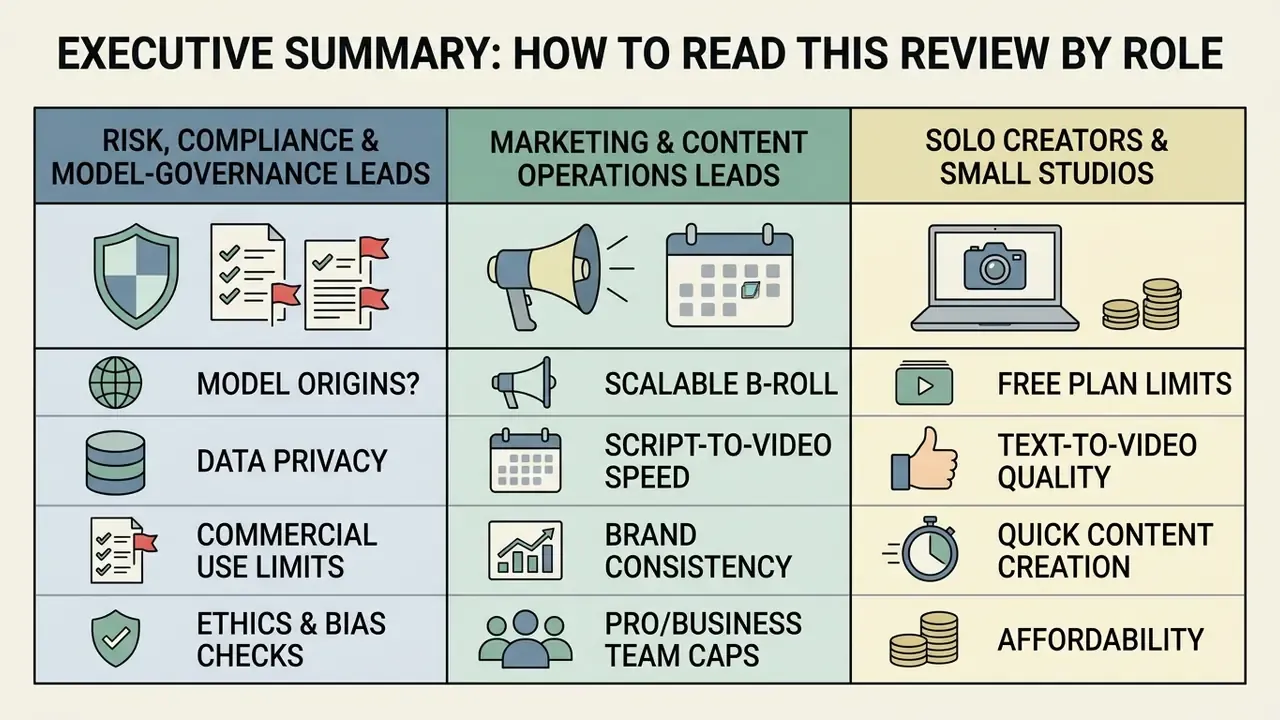
How to read this review, by role. Three audiences arrive here with different questions, so the emphasis differs.
- Risk, compliance and model-governance leads. Start with the enterprise contour and the Shadow-AI checklist. The commercial question is secondary; the vendor-review and evidence questions decide whether the tool ever reaches a workstation.
- Marketing and content operations leads. The generation modes, credit economics and the honest UGC limitation matter most. Budget the manual finishing time, not just the subscription.
- Solo creators and small studios. Free-plan caps, watermark rules and monetisation constraints are the practical gates. Everything else is a nice-to-have.
One more framing note before the detail. This is a productivity tool with a real editor attached, not a compliance product. The distinction runs through the whole review.
What Kapwing AI Video Generator is and what tasks it solves
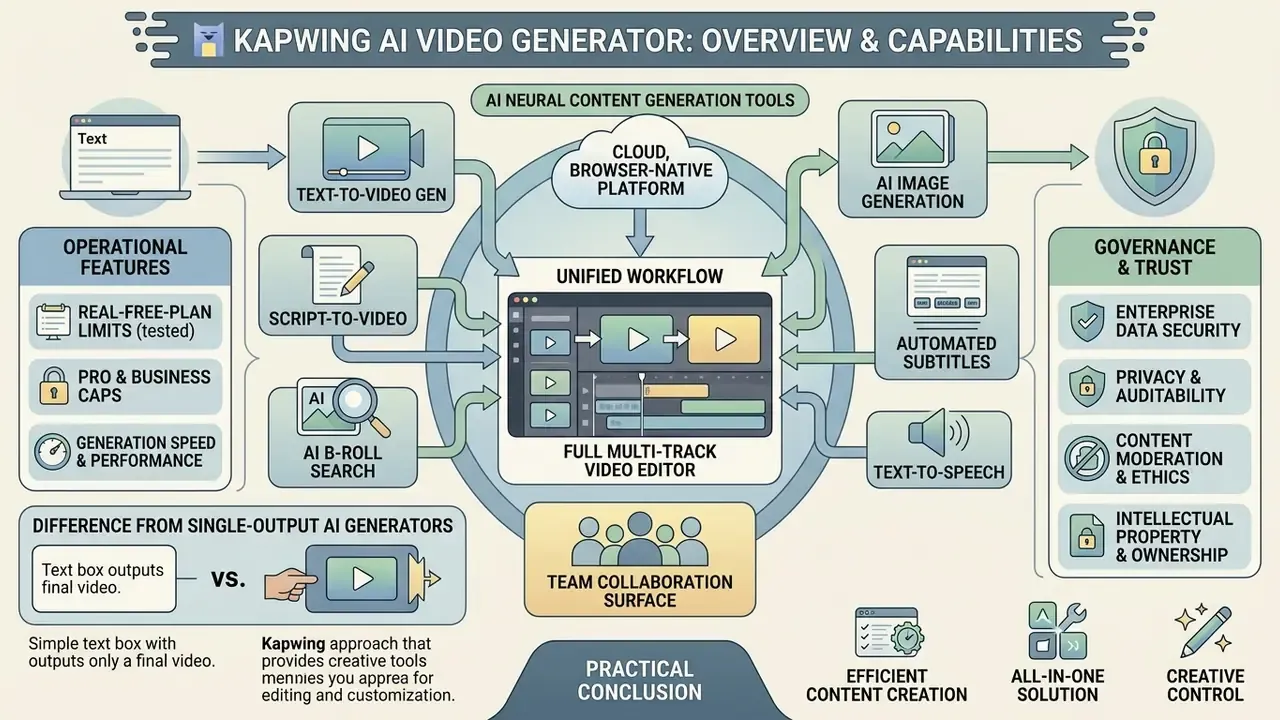
Kapwing AI Video Generator is a cloud, browser-native platform that unites neural content generation with a full multi-track video editor. Unlike narrowly specialised systems, it lets you create, transform and assemble footage inside a single project space. The platform serves marketing teams, content creators and businesses, cutting the cost of first-pass media production while preserving manual control over the final result.
Kapwing states that its AI Video Generator is free to try, that every generation consumes credits, and that Pro is the recommended tier for full AI Studio access. In practice this means the free tier is a demo surface, not a production environment.
«Posts labelled as AI-generated receive roughly 7 to 8% fewer likes and about 7% less total engagement than unlabelled publications». Journal of Consumer Research (2024)
That single data point sets the frame for everything below. Kapwing is a productivity multiplier, yet synthetic media carries measurable distribution and reputational costs that have to be managed deliberately, which is exactly the risk-control point raised in the epigraph.
Kapwing AI as a suite of AI tools inside an online editor
Kapwing AI does not work as a single neural network; it acts as an orchestrator of more than 30 built-in AI tools. Inside one browser workspace you get access to video generators, the analytical assistant Kai, automatic dubbing and transcription systems, background removal, silence removal, enhancement and transcript-based editing.
The platform integrates leading generative models, including Veo, Seedance, Kling and ElevenLabs, a broad class of AI video generators that Kapwing exposes behind one interface. This enables end-to-end assembly: from generating a first draft out of a text prompt to deep layer-level editing on the timeline. Generated fragments and their precise manual adjustment live in the same environment.
Kapwing describes Kai not as a one-scene generator but as a video editing agent: it can consume uploaded video, reference images and audio, generate full-length videos inside one project, and then «make timeline edits, adjust visuals, refine audio and update layouts» without leaving the studio.
A short caveat on that word «agent». In governance terms an agent needs an owner, an approved role, access limits and a shutdown path. Kai has none of those attributes exposed to an administrator. It is an assistant inside a session, and it should be described that way in your inventory.
Enterprise contour: data security, privacy and auditability
How Kapwing differs from single-output AI generators
The core difference from classic «one-button» generators is that Kapwing delivers a fully editable project instead of a final monolithic MP4. In traditional services you receive a finished video where fixing one error requires regenerating the whole clip.
In Kapwing the generated result is decomposed into separate editable layers:
- video clips and background scene blocks;
- voice and music audio tracks;
- text graphics, titles and subtitles;
- overlays and brand elements.
You keep the ability to delete weak shots, change the narrator, correct subtitles or rewrite the background audio without spending credits on the entire video again. Scenes and audio behave as independent layers, and audio can be applied per scene or globally across all scenes after generation.
«Kapwing reliably converts prompts into editable vertical shorts, but the first render is only of moderate quality and the video comes out shorter than requested». aidemos.com, Kapwing AI review (2026)
That is the honest trade-off. Kapwing optimises for editability, not for a perfect first take.
Which content formats Kapwing AI is used for
The architecture is optimised for regular production of short-form and mid-form video for social networks and corporate channels.
- Social media and short clips automatic creation of vertical videos for YouTube Shorts, Instagram Reels and TikTok (9:16, 1:1, 4:5 supported).
- Advertising and marketing creatives product promos, dynamic ads, 30-second commercials built from a single product image, and video slideshows from stills.
- Educational and corporate video turning text, instructions and PDF documents into narrated videos with subtitles, used by HR and L&D teams for training and tutorial libraries.
- Announcements and podcasts automatic extraction of highlight moments from long recordings to build viral promo clips, teasers and customer-testimonial videos.
Narrative formats sit alongside these. If your brief is closer to serialised storytelling than to a product promo, compare the workflow against a dedicated ai story generator, and against an ai story generator with pictures when illustrated scenes carry the message instead of live footage.
Limitations for UGC-style advertising
Despite dedicated Shorts and Reels generators, Kapwing's automatic assembly leans on polished stock B-roll (iStock, Pexels, Pixabay) and synthesised narrator voices. For genuinely native UGC content, the «filmed on a phone by a real person» aesthetic that performs on TikTok, the AI output requires mandatory manual finishing, typically 10 to 20 minutes per clip: replacing backgrounds, adding trending sound effects, restyling captions to look like organic platform titles, and breaking the uniform narration rhythm. Teams that need hundreds of UGC ad variants per month with avatar «creator personas» will find purpose-built pipelines faster; teams that need brand-safe explainers, repurposing and precise editorial control will find Kapwing stronger.
The same caution applies to fully synthetic advertising. Coca-Cola's 2024 and 2025 generative-AI holiday spots drew sustained criticism, with viewers describing them as «cold» and «soulless» next to the original live-action versions. A reminder that automation without human craft can damage brand equity even when the pixels are technically clean.
Interface and editing capabilities in Kapwing AI Video Editor
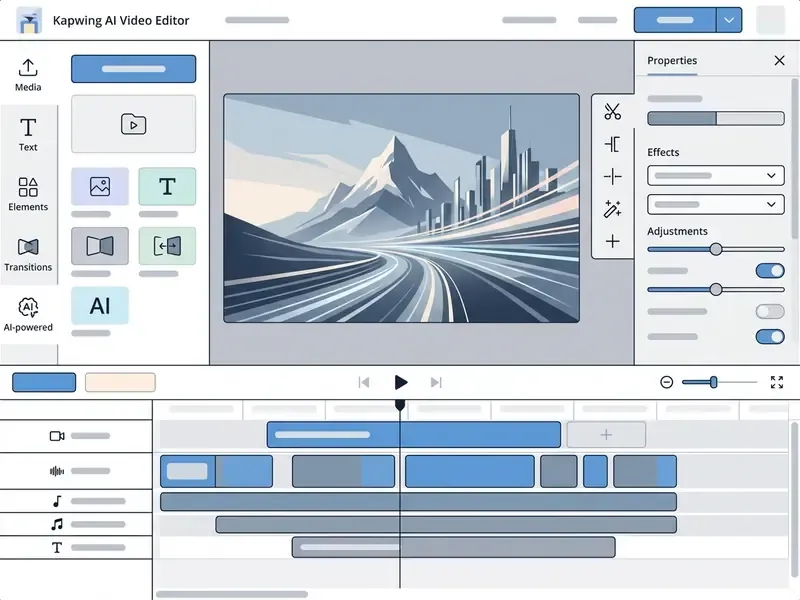
The Kapwing AI video editor interface is a classic multi-track timeline with drag-and-drop layer management. All work on the generated project happens inside the browser with no third-party software installation, and exports run at 1080p or 4K on paid tiers.
Working with projects, scenes and media files
The workspace splits into three main zones: the preview canvas, the left media and tool panel, and the bottom timeline. Modern Kapwing versions abandoned isolated «Scenes» (removed for new projects on 1 May 2022), so the whole project now lives on a single master canvas, which functions as one continuous scene. Understanding this model matters before you start any workflow, because everything the AI produces lands here as layers, exactly as in any conventional video editor.
Every element (video clip, B-roll cutaway, audio track, text) appears on the timeline as a separate layer. Layers can be trimmed, split, duplicated and reordered by depth using Forward/Backward and Front/Back controls, letting you place brand logos and graphic overlays above the generated footage. The timeline supports hundreds of layers with virtualised grouping when zoomed out, and stock or AI-generated B-roll can be inserted, trimmed and saved to the Media Library for reuse.
Small practical detail from testing: heavy projects with dozens of layers stay responsive in Chrome, but stacked 4K uploads slow the preview noticeably. Proxy-style working files are still worth preparing manually.
Smart post-processing and edit optimisation
Two AI features materially reduce manual labour and are easy to miss in the tool list:
- Smart Cut (automatic silence removal) the algorithm analyses the audio track, detects uninformative pauses, breaths and speaker hesitations, and removes them in a single click without breaking subtitle synchronisation.
- Video Stabilizer (AI stabilisation) compensates for handheld camera shake and heavy motion blur, smoothing the footage without aggressive loss of usable frame area.
Both are premium-tier tools, alongside video and image background removal, brand kit support and custom fonts. If either behaves inconsistently on long uploads, our AI Media Support and Troubleshooting notes cover the usual culprits: browser cache, source codec and unstable audio sample rates.
Subtitles, voiceover, dubbing and audio cleanup
The platform carries a developed arsenal of AI audio tools:
- Auto-subtitles: automatic captions with support for 100+ languages, multi-speaker detection that separates speakers into editable subtitle sections, and precise manual text correction. If you are benchmarking accuracy and export formats against alternatives, see our reference on the ai subtitle generator category, and the narrower ai subtitle generator free tier comparison;
- Text to Speech: generates narration directly from text layers, with plan-based monthly minute caps;
- AI Dubbing and Lip Sync: automatic translation of narration into 40+ languages, with the speaker's lip movement matched to the new audio as a post-step after dubbing, the same technology class covered in our guide to AI voice generators;
- Clean Audio: removes background noise and echo, corrects loudness and reduces popping;
- Remove Vocals / Split Vocals: separates vocals from instrumentals inside the translation workflow.
Documentation nuance worth knowing: «Split Vocals» surfaces as «Remove Vocals» in the translation flow rather than as a separately branded core tool, so search the audio panel rather than the AI tool list.
Branding, aspect ratios and publication prep
For brand recognition Kapwing provides Brand Kit: saved corporate colours, logos, fonts, subtitle styles and personalised AI characters (@brand_character, defined with a name, voice, optional description and up to 10 reference images, then invoked with the @ symbol in AI chat). Brand Kit assets are shared across team projects with real-time feedback and shared links.
Switching frame format (for example from 16:9 to 9:16) takes one click. The system automatically adapts graphic elements and re-centres the main subject, avoiding the loss of meaningful detail, and the Repurpose tool resizes for Reels without stretching or cropping. If you are comparing this editing layer against desktop alternatives, see our overview of free video editing software. Practical framing guidance: 16:9 at 1920×1080 for landscape players, 9:16 at 1080×1920 for Stories, Reels and Shorts, 1:1 for feed posts, keeping text, logos and faces padded away from platform UI overlays.
Which video generation methods are available in Kapwing AI
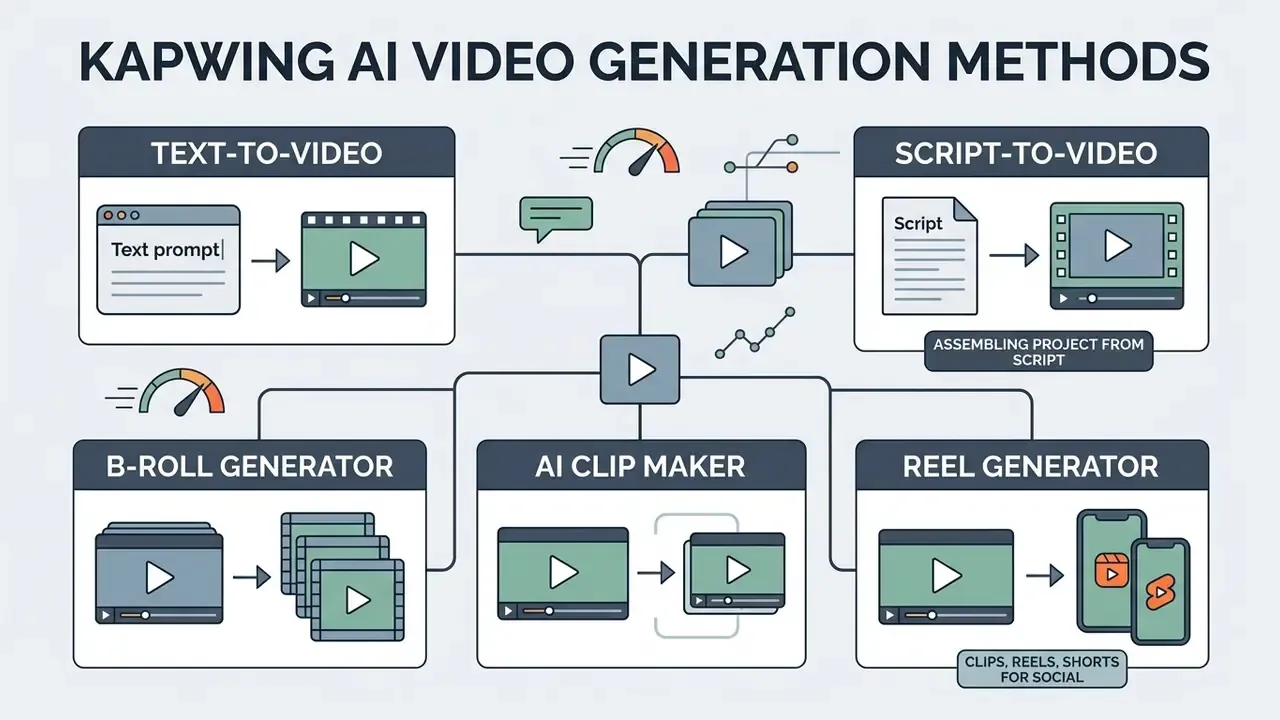
Kapwing AI provides five base modes for creating video content, adapted to different source material: text-to-video, script-to-video, B-roll Generator, AI Clip Maker and image-to-video. Each solves a concrete task, from writing a video from scratch to intelligently extracting B-roll from a long source file.
Kapwing AI Text to Video: generating a clip from a text prompt
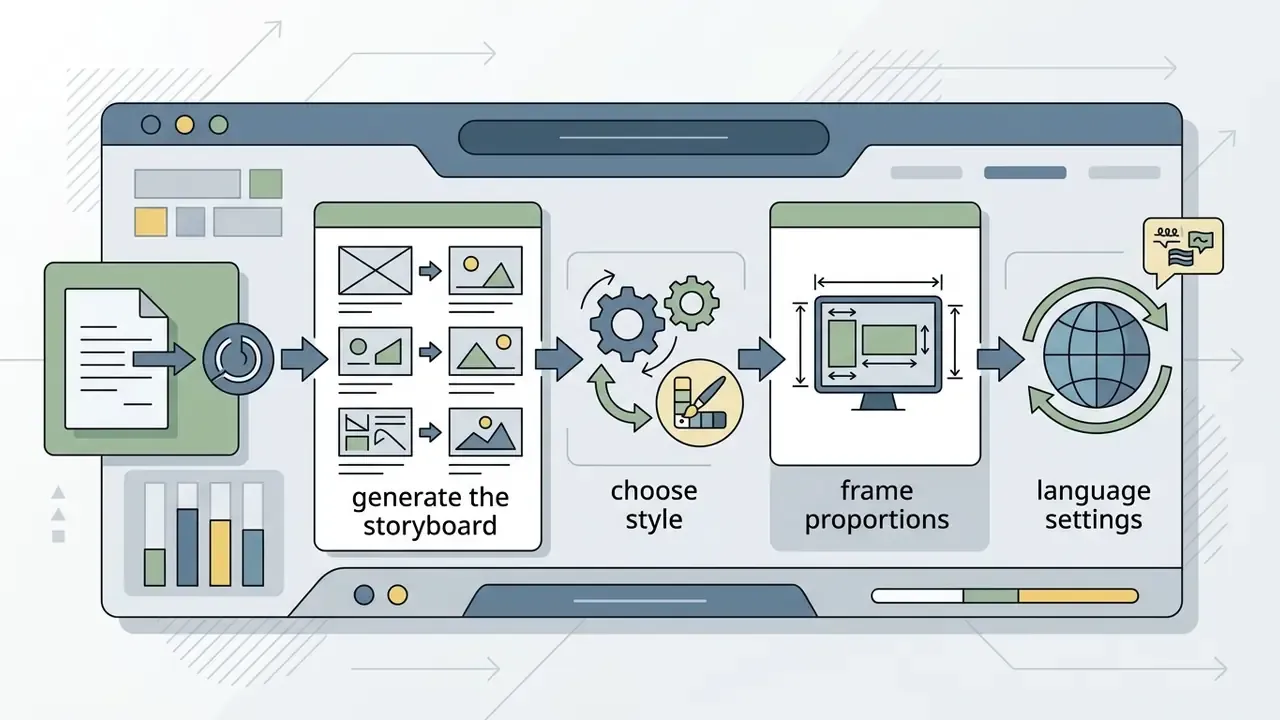
The Kapwing AI text to video function creates a first draft from a short text description (prompt). You enter the idea in the Kai assistant window, and the system builds a storyboard and visual sequence first, so you can review scenes, pacing and structure before spending credits.
The tool lets you choose visual style, aspect ratio (16:9, 9:16, 1:1) and the underlying neural model. The integrated Kling Motion Control module allows you to define camera trajectory (dolly, orbit, pan) with text, or upload a reference video to replicate its movement patterns for repeatable dynamics. Prompts accept up to 10 attachments, including scripts, PDFs, images and footage. For a conceptual overview of this tool class, see our glossary entry on text-to-video AI.
Speed and model architecture. Generating the initial video project takes 30 to 90 seconds for every 60 seconds of finished runtime, depending on server load and prompt complexity. Kapwing's own documentation cites roughly 30 seconds per minute of video, while independent 2026 testing measured 60 to 90 seconds for a 60-second clip. The Kapwing orchestrator uses not only video generators (Kling, Veo, Seedance) and speech synthesisers (ElevenLabs), but also the multimodal Google Gemini model for intelligent B-roll shot selection from stock libraries, plus MiniMax, ChatGPT Image and Google Nano Banana engines for static backgrounds and graphic elements.
Kapwing AI Script to Video: assembling a project from a script
The Kapwing AI script to video generator mode is built for finished structured text, articles or documents. You paste the script, and the AI splits it into scenes and matches a visual sequence, returning a frame-by-frame storyboard you can fine-tune before any credits are used. Kapwing's script assistant doubles as a lightweight kapwing ai script generator: it can draft or tighten the copy from a topic line, though a human pass on claims and numbers is still mandatory in regulated marketing.
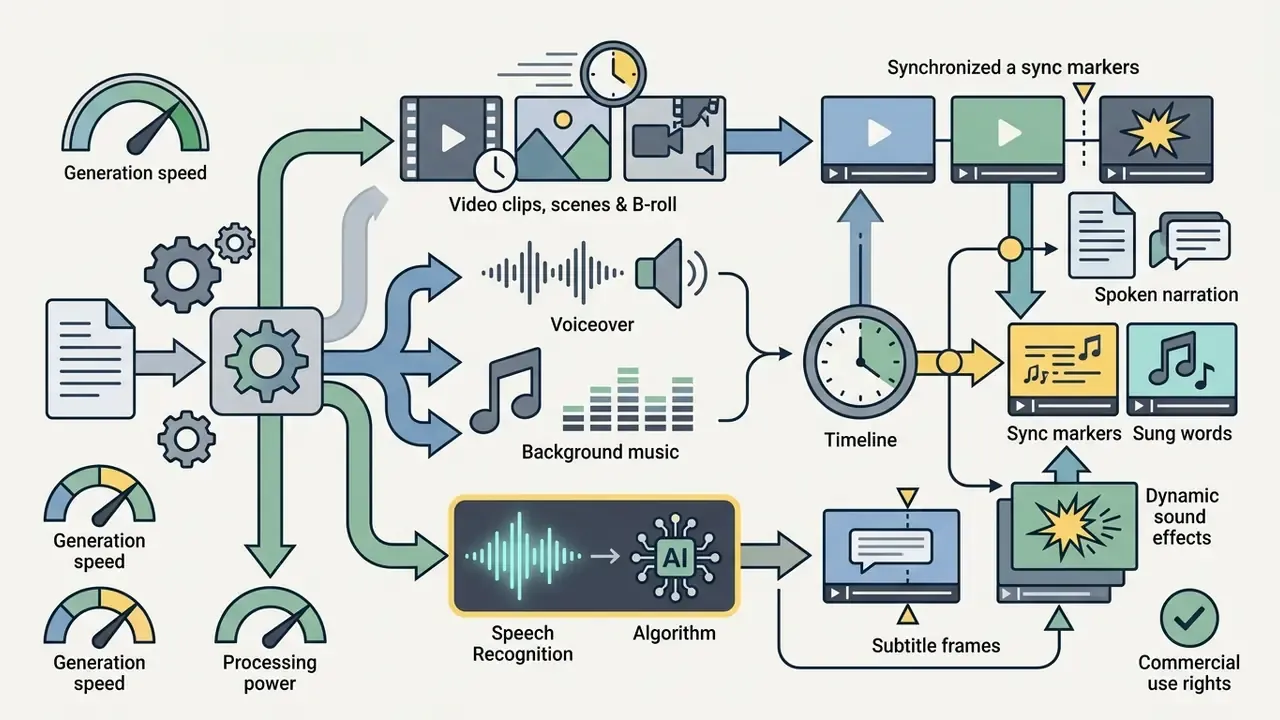
During generation the system automatically adds narration synthesised with ElevenLabs technology, creates synchronised subtitles and lays in background music. Before generating you can confirm script language, narrator voice, aspect ratio and subtitle styling. In Advanced Mode a character-consistency function (@character) prevents faces from drifting between shots, and characters can be reused across projects: an everyday persona, an animated spokesperson or a stylised avatar delivering the script with realistic lip-synced speech in 40+ languages at up to 4K.
The storyboard step is the underrated part of the workflow. Reviewing shot order on paper costs nothing, and it prevents the most expensive mistake in AI video production: regenerating a whole sequence because scene three contradicts scene one. Teams that plan visuals separately often keep a dedicated ai storyboard generator upstream and paste the approved beats into Kapwing.
Script-to-video versus text-to-video in one sentence: text-to-video suits short prompts, ads, creative visuals and social clips up to about 60 seconds; script-to-video suits YouTube scripts, marketing copy, course outlines and podcast transcripts. Kapwing supports both workflows in the same project.
How to create a video in Kapwing AI: from idea to export
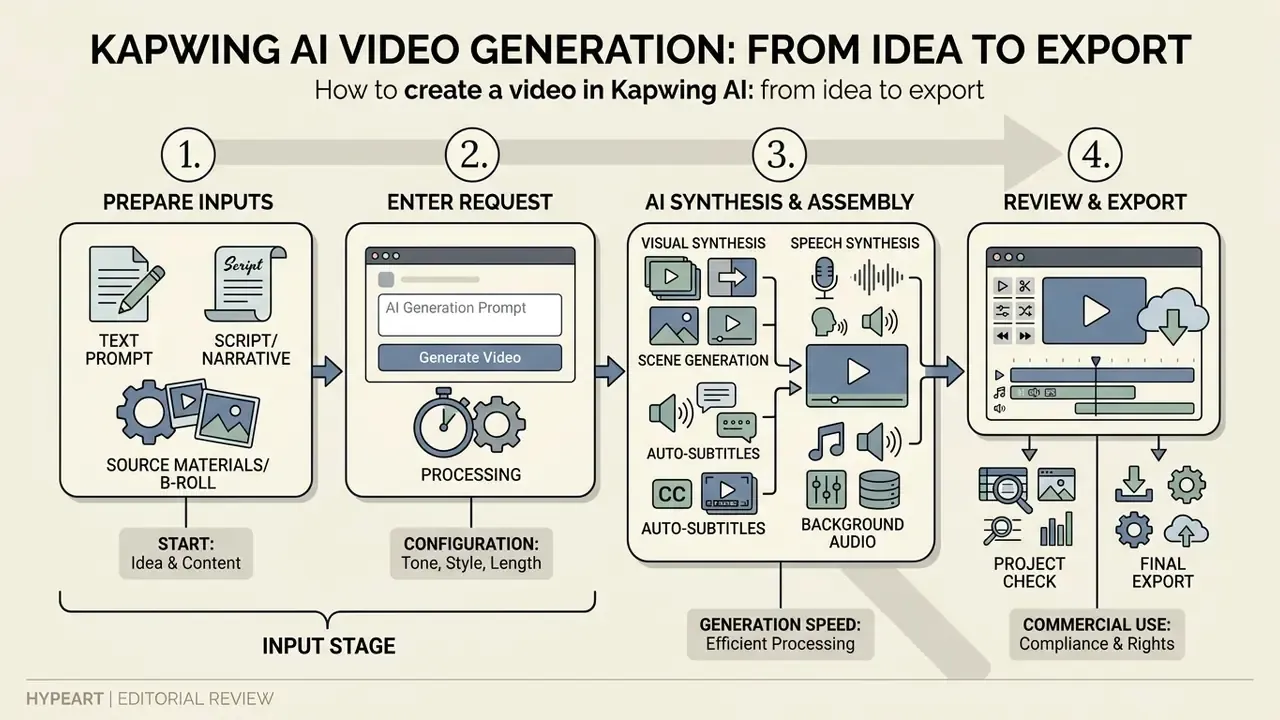
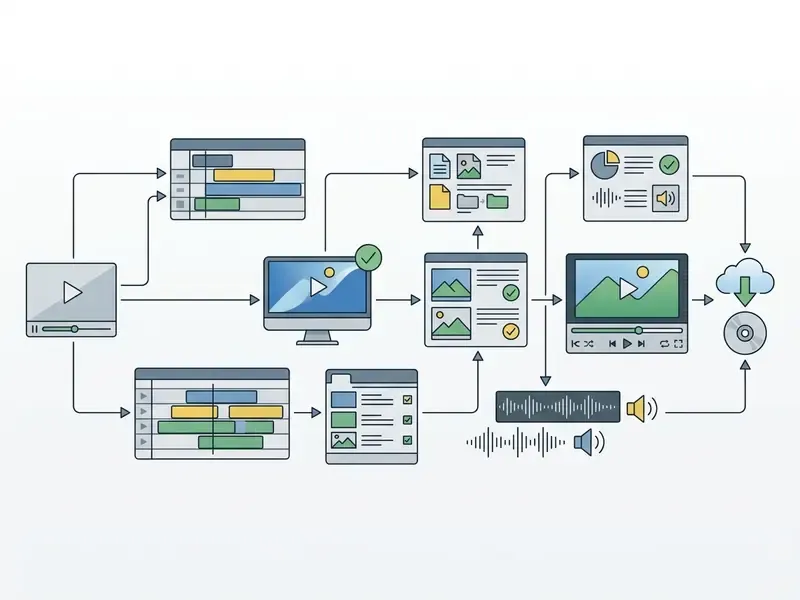
Creating a video in Kapwing AI follows a clear sequence: prepare materials, enter the request, let the system assemble components, finish the edit and export the file. Following this order minimises unplanned AI-credit spend, because the storyboard stage is reviewable before generation.
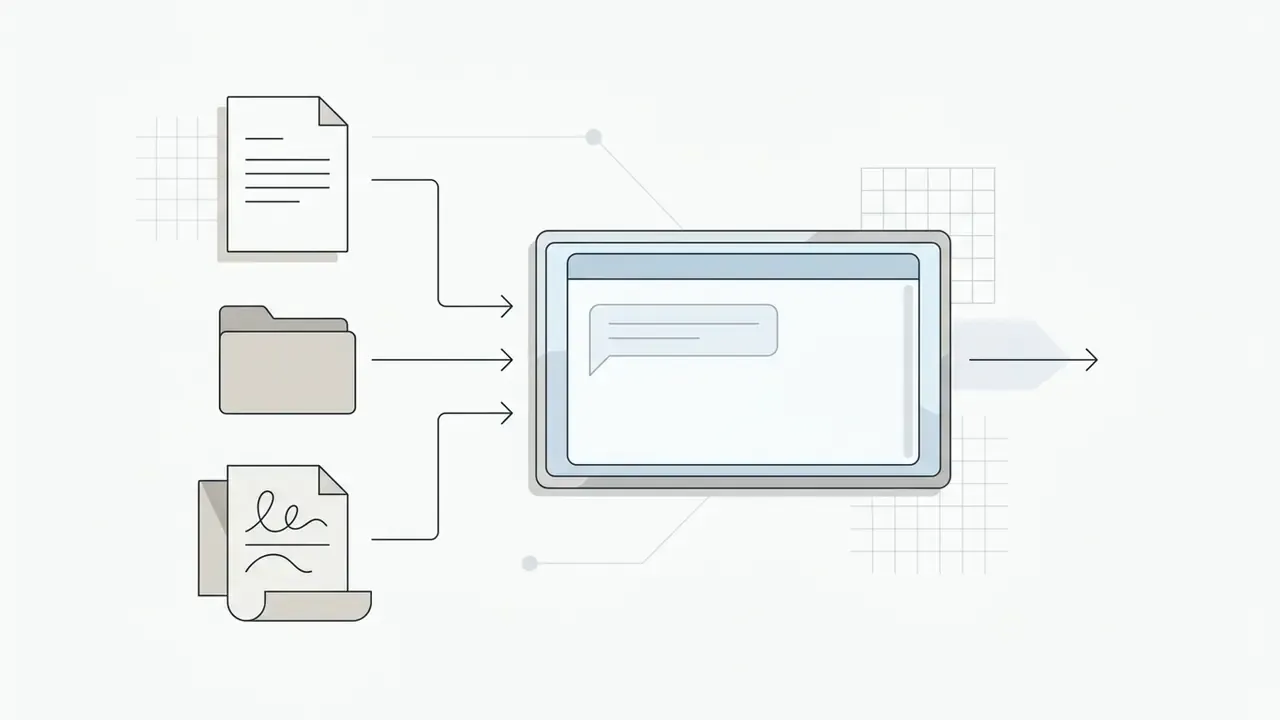
Preparing the prompt, text, script or source materials
The quality of the neural module's output depends directly on the completeness of the input. When composing a text prompt, specify the target audience, runtime, desired visual style and scene dynamics. Kapwing's own FAQ recommends including duration, aspect ratio, target platform, visual style, script, voice and brand requirements.
«AI-assisted narrative content on TikTok reached an average engagement rate of 11.25%, versus 5.83% on Instagram; posts built on cultural comparisons performed especially well». Master's thesis on AI-generated social media content (2023)
In other words, the prompt is not a formality. The same generator produces very different outcomes depending on how precisely the platform, hook and cultural framing are specified.
The platform allows up to 10 files attached to a single text request. References can include logos, brand images, font files or source video fragments. Supported uploads cover images (GIF, JPG, JPEG, PNG, HEIC, HEIF, SVG, WebP), video, audio, SRT subtitles and custom fonts on eligible paid plans.
Generating scenes, B-roll, voice, subtitles and music
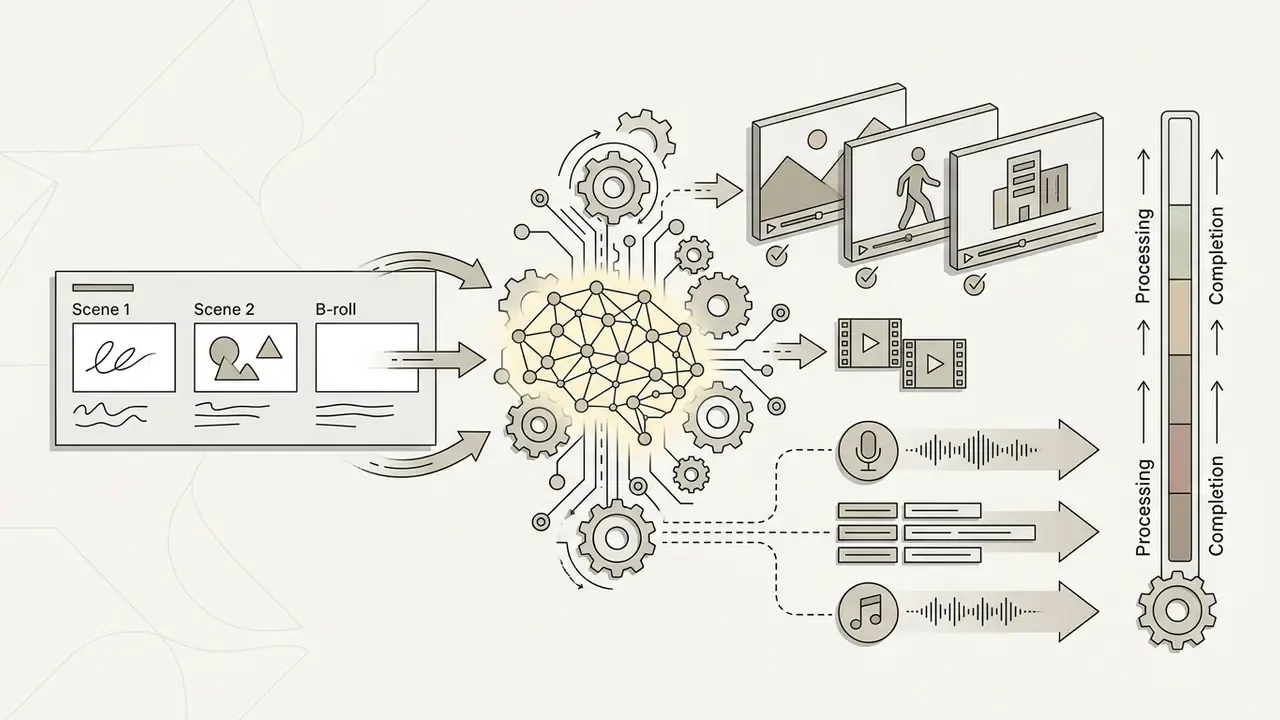
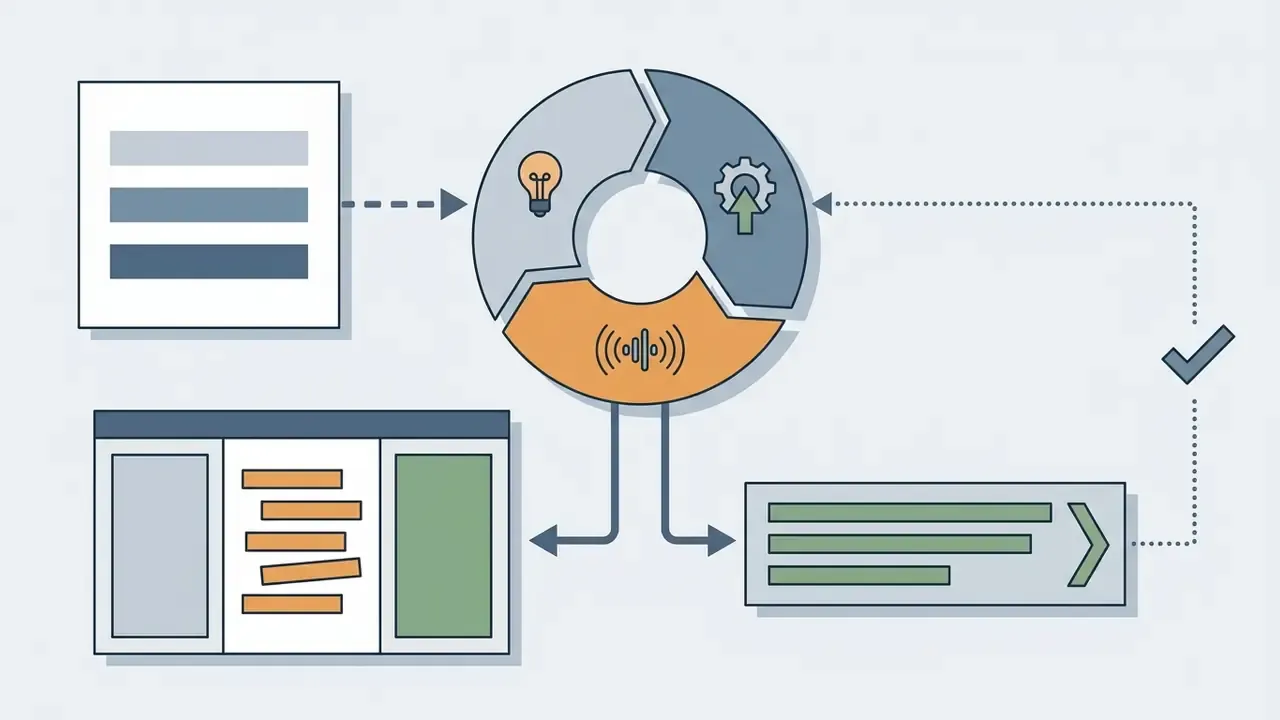
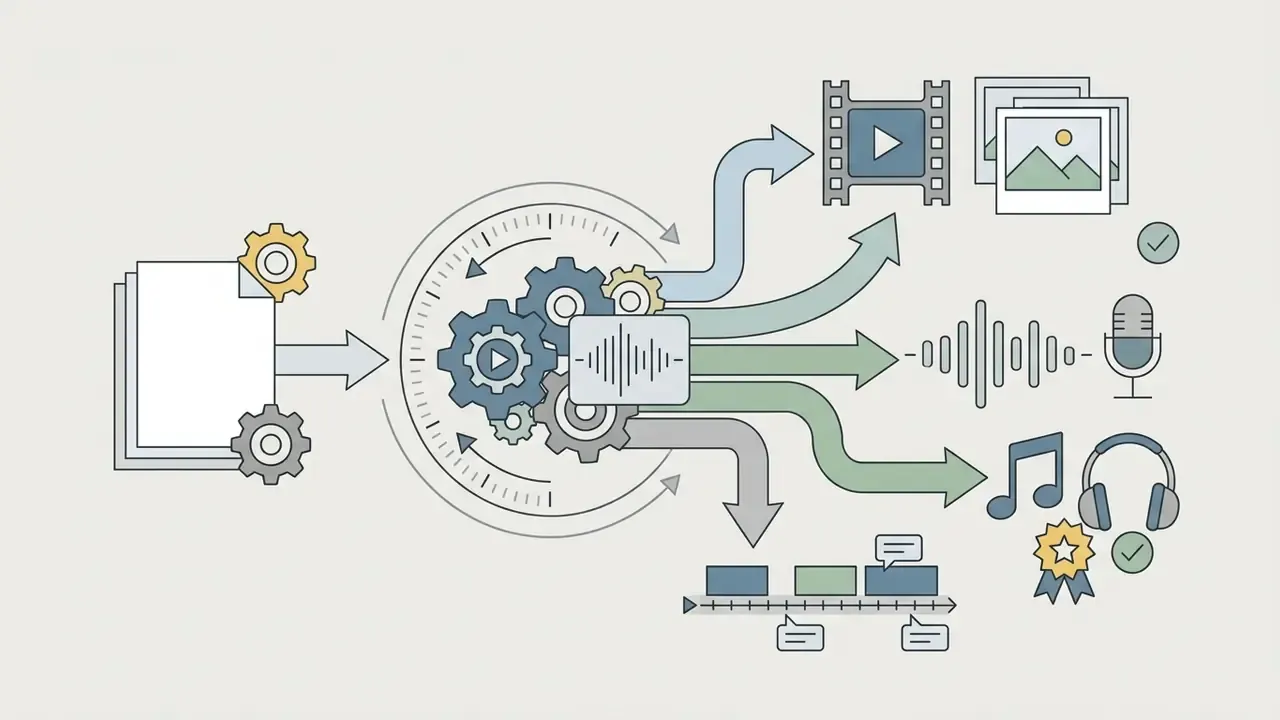
After the request is submitted, the Kai assistant builds a text plan for the project and delegates tasks to specialised services:
Checking the project before download and export
Before launching the final render, run a control check against a technical checklist:
- Aspect ratio: format matches the destination platform (9:16 for vertical video, 16:9 for standard players); a mismatch between project and export dimensions distorts the image;
- Audio synchronisation: the narrator's articulation matches both the audio and the text subtitles;
- Text legibility: overlays and subtitles remain readable on mobile screens with platform UI overlays in place;
- Export parameters: resolution (720p on the free plan, 1080p or 4K on paid tiers), MP4 container, AAC audio at the source sample rate, and bitrate appropriate to the destination.
If YouTube is your primary destination, our practical guide to the YouTube video editor workflow covers publication settings, chapters and thumbnail preparation in more depth.

Kapwing AI free plan, pricing and generation limits
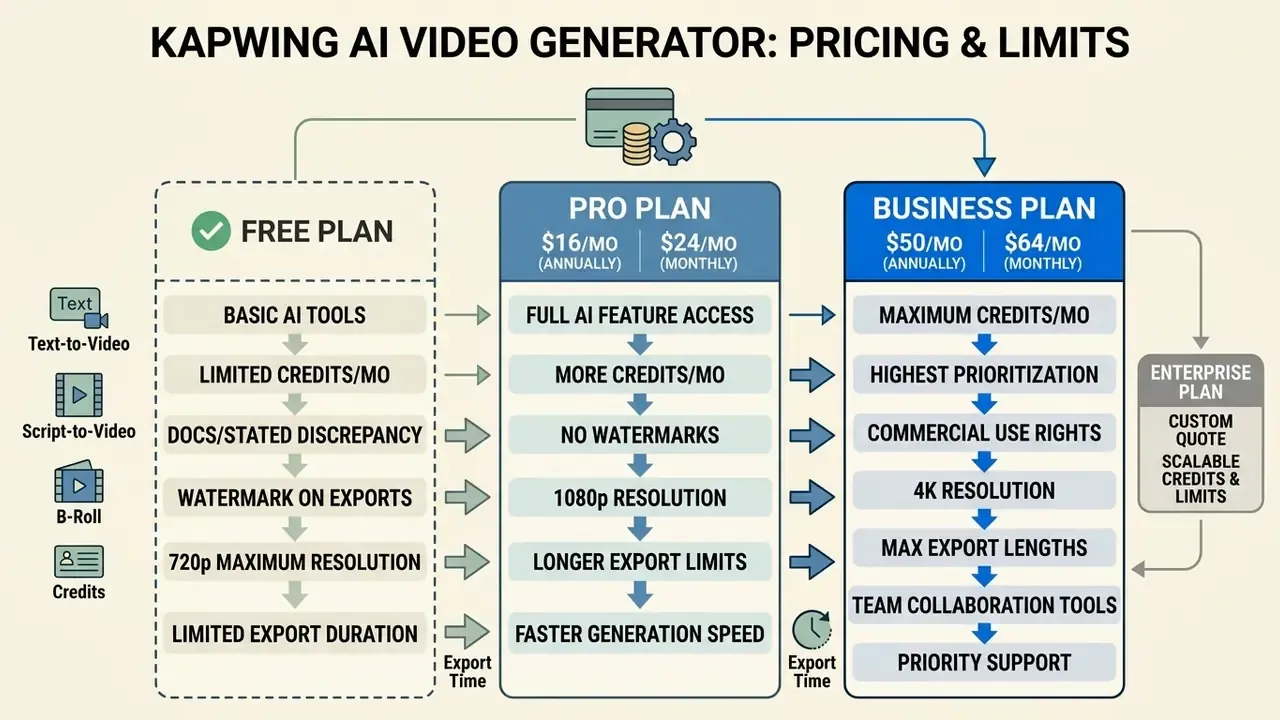
Kapwing's pricing policy is built on a subscription model with a credit system. The chosen tier determines export quality, watermark removal and monthly AI generation limits. If you are comparing category-wide pricing patterns before negotiating seats, note that credit-based models rarely map cleanly onto per-minute budgeting.
What is available in Kapwing AI Video Generator Free
The free plan (Kapwing AI video generator free) exists to let you evaluate the base functionality. It provides a starter credit allowance sufficient for testing short clip generation.
«The free plan includes about 10 credits, watermarked exports, video up to one minute in the test scenario, and 720p quality». aidemos.com, Kapwing AI review (2026)
Documentation discrepancy, stated openly. Kapwing's own pages are inconsistent. The pricing page has displayed a 4-minute export length while the subscription FAQ states a 1-minute limit, and an older help page cites a 250 MB upload cap versus the 2 GB limit measured in independent 2026 testing. The stricter figure (1 minute) and the newer measured figure (2 GB) are the safe planning assumptions; verify against your own workspace before committing a campaign schedule.
For a detailed comparison of free video-creation conditions across tools, see our overview of free AI video generators.
Paid plans, credits and the real cost of a generation
For professional use there are the Pro and Business tiers. Subscription cost ranges from $16 to $50 per user per month on annual billing.
«According to the aidemos.com benchmark (2026), the Pro plan costs $16 per user per month billed annually and includes 1,000 credits, 4K export and watermark removal». aidemos.com, Kapwing AI review (2026)
Each paid plan includes a monthly AI credit package:
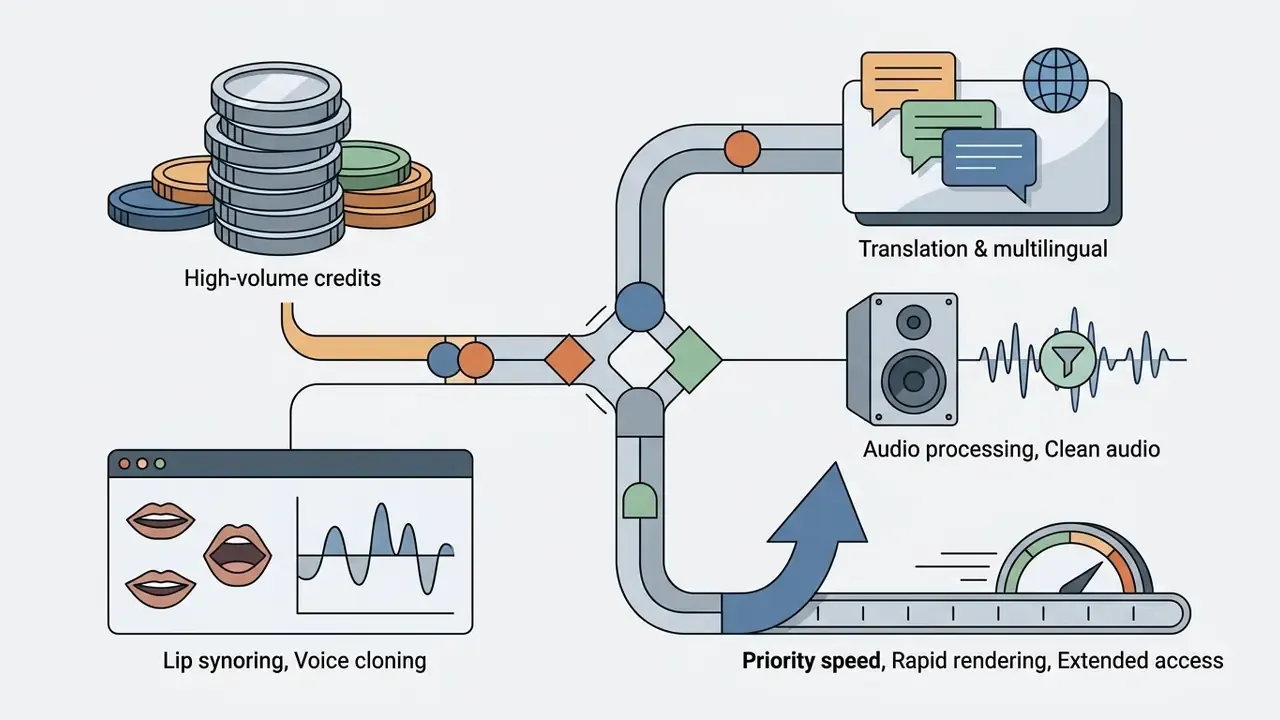
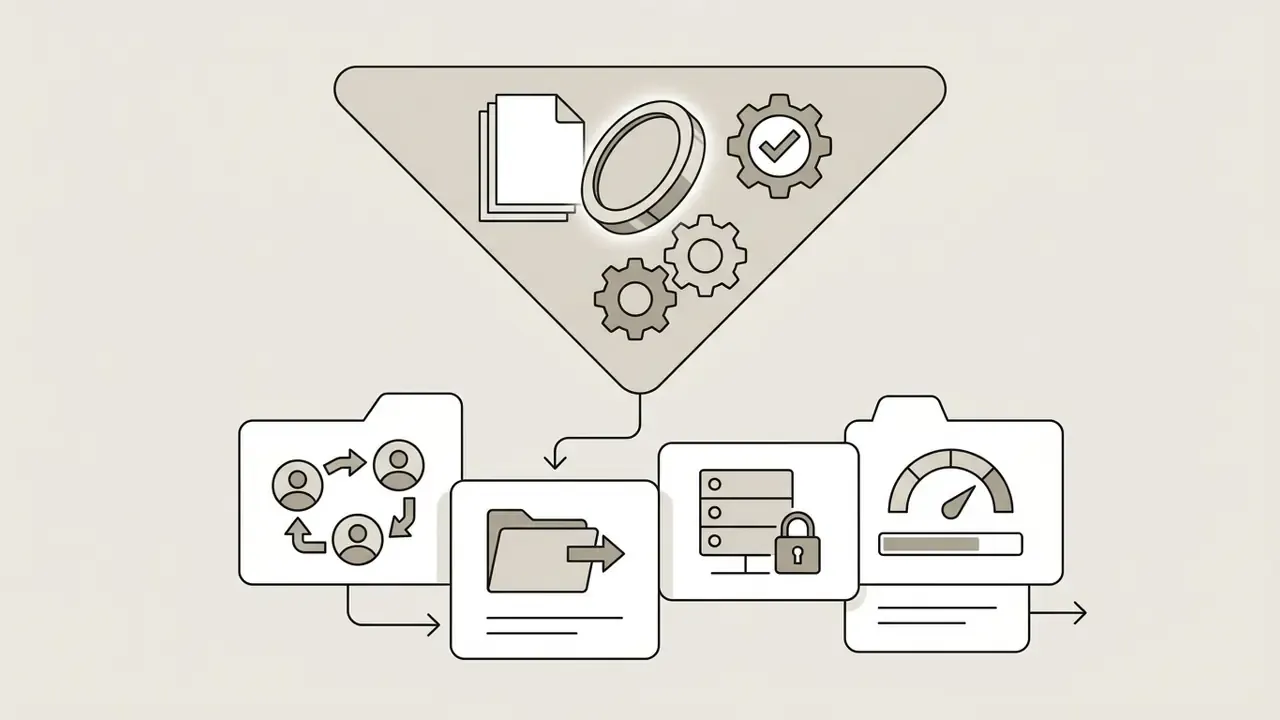
Credit consumption depends on operation complexity. Kapwing states that cost varies by tool, model, input duration, output duration, quality and generation settings, so video generation consumes far more than auto-subtitles or a simple trim. Because no universal «minutes per credit» rate is published, the honest planning method is empirical: generate one representative 60-second asset, record the credits consumed, then multiply by planned monthly volume and add 25 to 30% for regeneration. Our AI Media Calculators can carry that arithmetic into a per-campaign cost model. A 10-minute localised course rebuilt with dubbing plus lip sync, for instance, will be constrained less by credits than by the 130-minute monthly Lip Sync ceiling on Business.
Watermark and export conditions across tiers
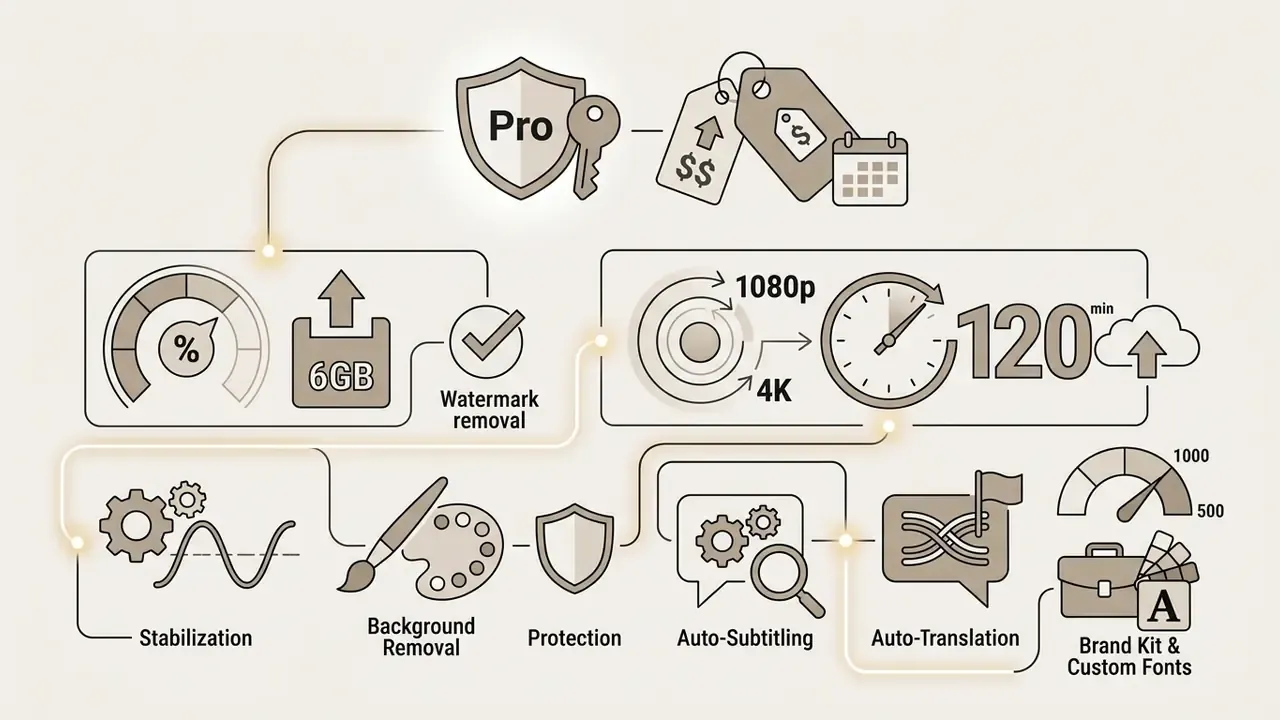
The watermark is the key divider between free and paid accounts. On the Free tier the Kapwing logo is applied to the footage automatically at render time, and the Watermark Policy confirms free-plan projects export branded.
Subscribing to Pro or Business fully removes the watermark from all new exports. If a project was created on the free tier, it can be re-exported without a watermark while the paid plan is active. Readers weighing whether the free tier is enough may also want our reference material on free AI video generators and their typical export restrictions.
Table: Kapwing plan comparison (valid as of 2026)
| Parameter | Free plan | Pro plan ($16/mo) | Business plan ($50/mo) |
|---|---|---|---|
| Monthly fee | $0 | $16 (annual) / $24 (monthly) | $50 (annual) / $64 (monthly) |
| Watermark | Present on all exports | None | None |
| Export resolution | Up to 720p | Up to 1080p and 4K | Up to 1080p and 4K |
| AI credits | ~10 starter credits (50 lifetime per help centre) | 1,000 credits / month | 4,000 credits / month |
| Single video length | Up to 1 minute | Up to 120 minutes per project | Up to 120 minutes per project |
| Monthly export volume | ~30 minutes / month | Unlimited monthly exports | Unlimited monthly exports |
| Max upload size | 2 GB per file | 6 GB | 6 GB |
| Auto-subtitle limit | Basic access, capped | 1,000 min / month | 4,000 min / month |
| Auto-translation and dubbing | Limited | 500 min / month | 2,000 min / month |
| Clean Audio | Not available | Basic | 2,000 min / month |
| Lip Sync | Not available | Not available (30 min on some tiers) | 130 min / month |
| Commercial rights | Limited (watermarked output) | Full commercial rights | Full commercial rights |
Can Kapwing AI videos be used in commercial projects?
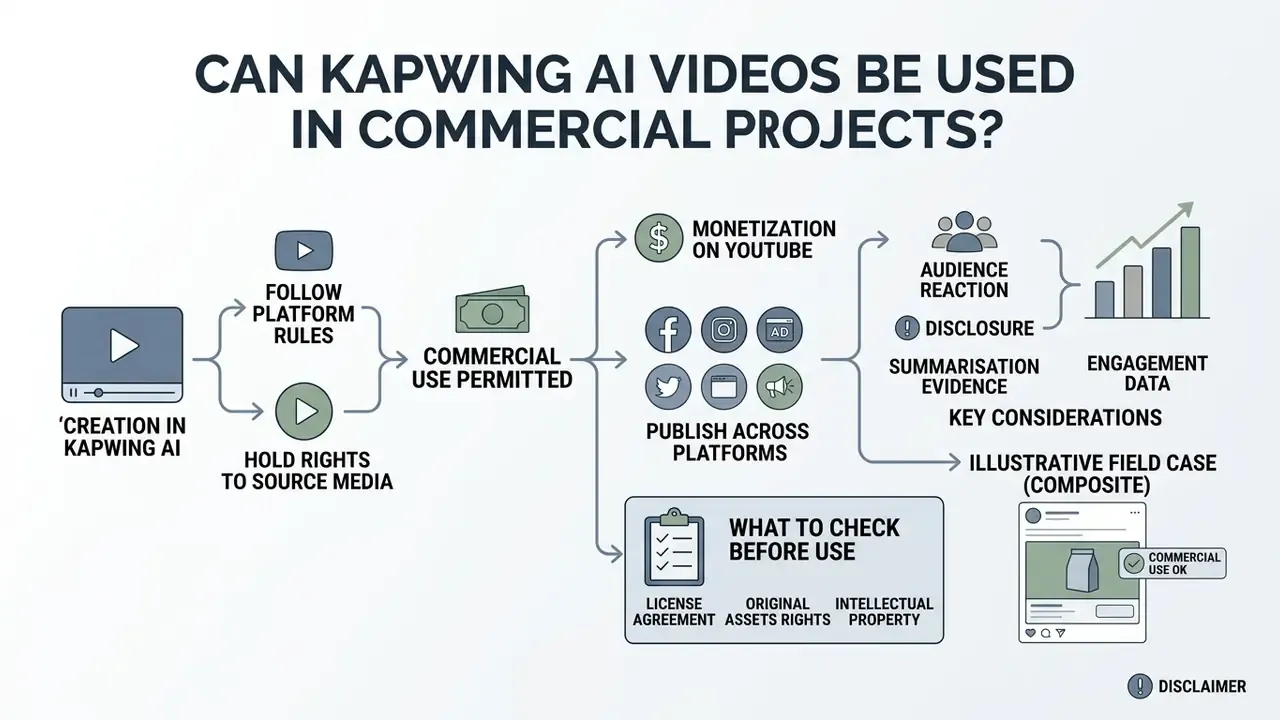
Video created and edited in Kapwing AI can be used commercially, provided you follow platform rules and hold rights to the source media. Kapwing states that AI-generated content comes with full commercial rights for paid users, including advertising, client work, social media and monetised YouTube; its licence information adds that AI-generated or sourced images may be used for personal and commercial purposes, while resale, AI training on the outputs and service-replication uses are restricted.
Monetisation on YouTube and publishing across platforms
«A difference-in-differences analysis of Bilibili data shows AI summarisation significantly increases the number of comments and unique commenters, especially for long videos, while comment sentiment remains unchanged». SSRN preprint, «Less Is More? Impact of AI-Generated Summaries on User Engagement», Bilibili (2024)
Practically, this supports adding on-screen text summaries, chaptered overlays and short recap segments to long-form Kapwing projects; the engagement gain arrives through participation volume rather than sentiment shift. Teams producing those recaps at scale often pair the editor with a separate ai summary generator for descriptions and chapter text.
What to check before commercially using the result
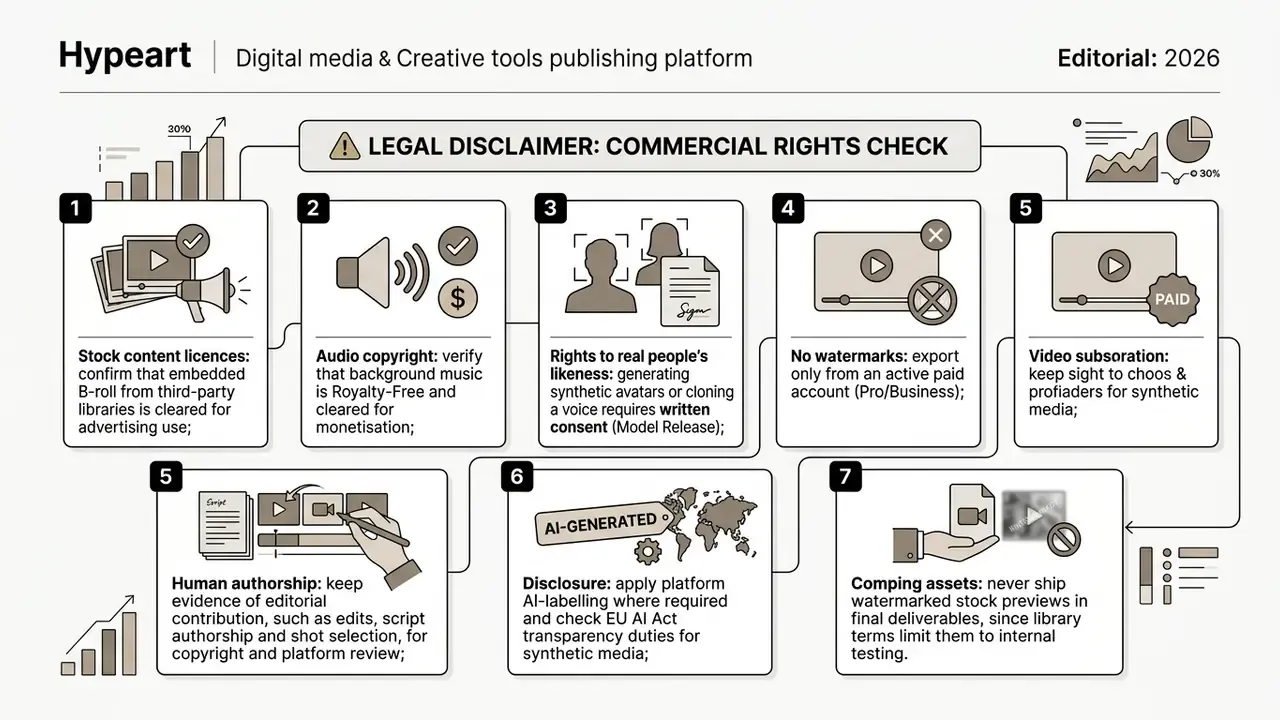
When preparing media for commercial release, apply a standard legal regime. Note that copyrightability of AI output depends on sufficient human authorship (prompts alone are generally not enough under current US Copyright Office guidance) and that EU AI Act transparency rules require machine-readable marking and deepfake disclosure for AI-generated images, video and audio. Our tracker of AI Litigation and Case Timelines is the place to watch how training-data and likeness disputes move, since those outcomes will reshape vendor indemnities.
Shadow-AI and compliance checklist for risk and IT teams
Before granting employees access to Kapwing in a regulated environment, work through the following sequence. This section addresses precisely the auditability gap raised in the opening quotation.
- Vendor documentation.Request the security whitepaper, Data Processing Agreement, sub-processor list (Kling, Veo, ElevenLabs, Gemini, MiniMax and others) and any SOC 2 or ISO 27001 attestation in writing.
- Training exclusion.Obtain explicit confirmation that uploaded scripts, documents and footage are not used to train the vendor's or sub-processors' models.
- Data classification rule.Prohibit uploading client data, personal data, unreleased financials and internal-only documents; restrict the tool to public-facing marketing and general training material.
- Access control.Centralise seats under a corporate workspace with named owners and ban personal card-paid Pro accounts. Confirm SSO availability on your tier before rollout.
- Link hygiene.Audit project sharing settings, because public comment links are available even on the free tier.
- Prompt and version records.Since no exportable prompt log is documented, maintain an external register: prompt text, model chosen, generation date, credits consumed, operator, project version and export hash.
- Consent evidence.Store signed Model Releases for every cloned voice and every likeness used in an AI character; keep them for the retention period applicable to marketing materials.
- Human-review gate.Require named human sign-off for every published asset, with a record of the edits made. This is both a quality control and the copyright-authorship evidence base.
- Disclosure policy.Define where AI labelling is applied and who owns that decision, factoring in the measured engagement cost of disclosure.
- Exit plan.Confirm the data deletion procedure and asset export format before the contract starts, so the media library can be recovered if the tool is decommissioned.
A blunt summary of the governance position: no evidence, no autonomy. A generation tool without an exportable log can still be approved, but only inside a narrow, low-sensitivity scope with a manual register compensating for the missing trail. That compensating control has a labour cost, and it belongs in the ROI model rather than outside it.
Kapwing AI versus key market competitors (2026)
| Parameter | Kapwing AI | Veed.io | Adobe Firefly | FluxNote |
|---|---|---|---|---|
| Core positioning | Full online editor plus AI suite | Fast social media editing | Generative art clips | Automated UGC video |
| Entry paid price | $16 / month (annual) | From $12 / month | From $9.99 / month | From $29 / month |
| Free tier | 720p, watermark, ~30 min/month, 1 min per clip | 720p, watermark; includes silence removal, background removal, voice cloning | Firefly credit allowance | 100 credits / month |
| Layer editing | Full multi-track timeline | Basic timeline | None (generation only) | Minimal (no timeline) |
| Custom AI characters | Yes (prompt combinations, @character, brand characters) | Limited | No | Yes (specialised avatars) |
| Max clip length | Up to 120 min per project (paid) | Plan-dependent | Typically 3 to 5 s per model | Short-form focused |
| Notable weakness | Price; native UGC feel | Fewer advanced AI editing tools | Video editing features largely in beta | Little manual control |
| Best suited to | Teams, marketers, complex projects | Bloggers, simple clips | Designers, creative visuals | High-volume ad autogeneration |
The pragmatic read: Veed.io undercuts Kapwing by roughly 20% on entry price and offers a more generous free tier for feature testing; Adobe Firefly wins on generative image craft but caps most video models at a few seconds; automated UGC pipelines win on volume and lose on editorial control. Kapwing's defensible advantage remains the combination of generation and a genuine multi-track editor in one browser tab. For structured side-by-side scoring across more tools, see our AI Media Comparison Matrices.
None of these vendors currently publishes the audit artefacts a bank's model-risk function would expect by default. That is a category-level gap, not a Kapwing-specific one, and it is worth saying plainly.
FAQ: Kapwing AI video generator questions
Does the free plan really watermark everything?
Yes. Kapwing's Watermark Policy and FAQ both confirm that free-plan projects export with a Kapwing watermark. Upgrading lets you re-export the same project watermark-free while the paid plan is active.
How long does generation take?
About 30 seconds of processing per minute of video according to Kapwing's documentation; independent testing measured 60 to 90 seconds for a 60-second clip. Longer scripts scale roughly linearly.
Who owns the video, me or Kapwing?
Kapwing's Terms of Service state that you retain ownership of content you create, while granting Kapwing a non-exclusive licence to host, store, display, reformat and distribute it to operate the service. Kapwing also reserves the right to use user content promotionally, which is a consideration for confidential projects.
Can I clone a voice and use it in an ad?
Voice cloning is available on Business. Legally, you need documented written consent from the voice owner (Model Release) plus compliance with platform synthetic-media rules and, in the EU, AI Act transparency requirements.
Can I buy seats by invoice and get a refund?
Enterprise offers custom billing and priority support on request. Kapwing states there is no free trial for paid plans, so evaluate on the free tier before purchasing. Refund handling is governed by the subscription terms in force at purchase, so confirm the wording before procurement.
Is there an audit log of prompts and generations?
No exportable prompt or seed log is documented publicly. Teams that need an audit trail must maintain an external register, as described in the compliance checklist above.
Is Kapwing enough for TikTok-native UGC ads?
It can produce the assets, but expect 10 to 20 minutes of manual finishing per clip to remove the stock-and-narrator feel. High-volume UGC ad testing is better served by pipelines built specifically for avatar personas.
Which aspect ratios and formats does it export?
MP4, with 16:9 (YouTube, LinkedIn), 9:16 (TikTok, Reels, Shorts), 1:1 and 4:5 among the supported ratios; up to 1080p or 4K depending on tier and tool page.
What is a safe first step for a regulated team?
Run a two-week bounded pilot on public marketing material only, with named owners, an external prompt register and a human sign-off gate. Measure credits consumed, finishing minutes per asset and review time. Then decide, with numbers, whether the Enterprise track is worth negotiating.
Appendix A: correction log
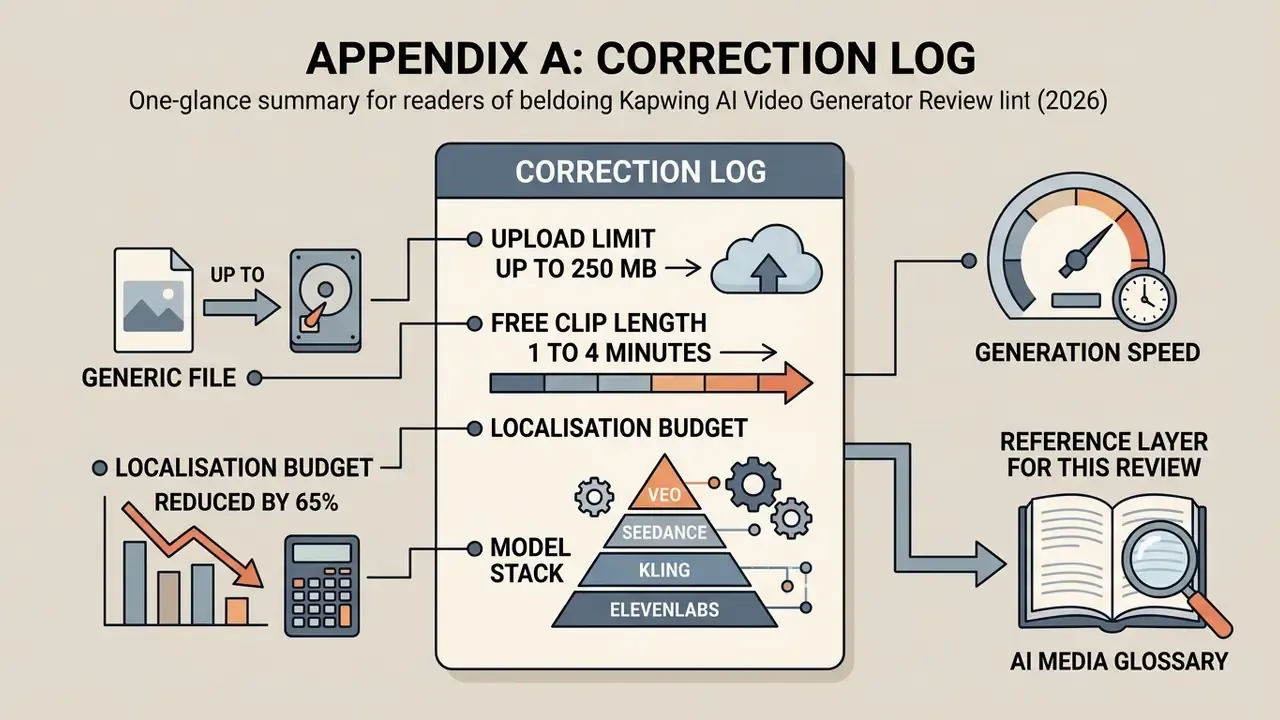
Kept for transparency, since several figures in earlier versions of this review circulated widely:
- «Upload limit up to 250 MB on Free». Superseded. Kapwing's older subscription help page states 250 MB, while independent 2026 testing (TechRadar) documents a 2 GB file upload limit. Current text uses 2 GB and flags the vendor discrepancy.
- «Free clip length 1 to 4 minutes». Superseded. The pricing page displayed up to 4 minutes; the subscription FAQ and independent 2026 reviews state a hard 1-minute cap per export, plus roughly 30 export minutes per month. Current text uses the stricter figure.
- «Localisation budget reduced by 65%». Reframed. The figure came from a single internal project estimate with no published source and is now presented as a qualitative saving against a studio quote.
- Model stack «Veo, Seedance, Kling, ElevenLabs». Extended with Google Gemini (B-roll shot selection), MiniMax, ChatGPT Image and Google Nano Banana.
- Generation speed. Previously absent; now stated as 30 to 90 seconds per minute of finished video, with both source measurements cited.
Reference layer for this review: AI Media Glossary.