That is the easy part. The harder part is governance: who approved the tool, what happens to uploaded photographs, and whether the output can legally appear in a paid campaign.
«Generative systems running without structural controls fail on complex human anatomy with depressing consistency. Strict prompt protocols, pose conditioning, and automated realism metrics turn unpredictable latent output into reliable, audit-ready visual assets.»
— Marcus Hale, author
Key Takeaways Before You Generate Anything
- The legal gate comes first.Purely AI-generated visual elements cannot be registered for copyright in the United States without documented human authorship, and free tiers frequently forbid commercial use outright. Verify license terms before you build a production pipeline, not after the banner ships.
- Anatomy is the primary failure mode.Foot generation errors cluster into five structural categories: missing parts, extra digits, wrong configuration, orientation errors, and scale mismatch. Structural conditioning (ControlNet pose, depth maps, surface normals) is the mechanism that suppresses them.
- Face safety is largely a solved problem.When you edit a cropped portrait, isolated smart masking (an inpainting invariance mask) keeps the face, outfit, and background untouched while only the lower-limb region is regenerated.
- Export specs decide production usability.Ask for 8K lossless PNG with an alpha channel if you plan to composite feet into banners, catalogs, or posters without manual cut-outs.
- Enterprise buyers need more than credits.Shadow-AI exposure, zero-data-retention defaults, SOC 2 or ISO evidence, SSO, and IP indemnification matter far more than watermark removal.
Who this guide is written for and how to read it. Creators can start with the prompt library and skip the procurement blocks. Risk, compliance, and brand-governance readers should read the licensing and control sections first, then use the validation matrix as a template for a human-review step. Each unverified number in this article carries an explicit hypothesis or verification label, because an image pipeline that cannot show its evidence is not production-ready, it is just fast.
What an AI Feet Generator Is and Which Tasks It Solves
An AI feet generator is a specialized text-to-image and image-to-video synthesis pipeline. It converts natural language prompts or reference photos into detailed images of human feet across photographic, anime, and painterly styles. The backbone is usually a latent diffusion model fine-tuned on visual datasets, mapping textual tokens onto spatial latent features.
Teams reach for an ai foot generator when the visual asset is small in frame but expensive to shoot: footwear design, professional photography restoration, digital illustration, nail-art previews, e-commerce catalogs. With a feet ai image generator, a designer produces custom ai feet images without scheduling a model, a studio, and a retoucher for a single hero crop. A search for an ai generator feet workflow or an ai image generator feet shortlist usually ends in the same place: the tool matters less than the conditioning and the review step.
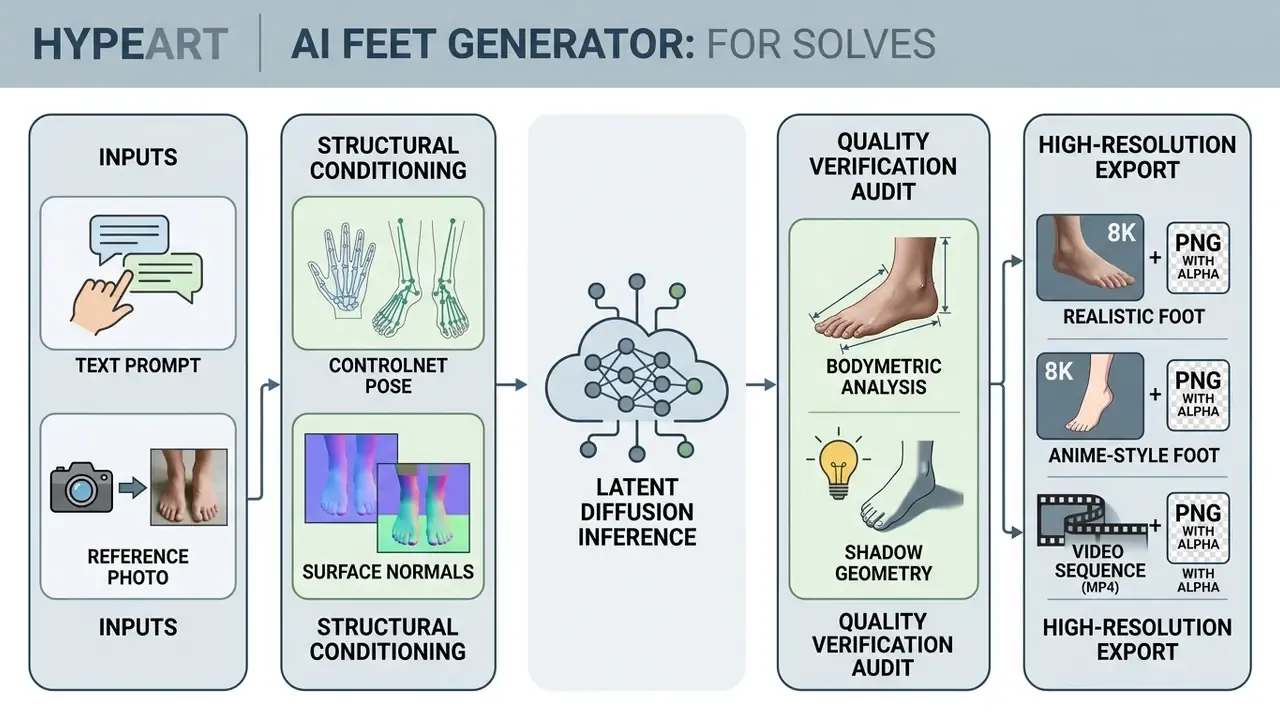
Prompt research explains a pattern most teams notice by accident. A large-scale prompt-language study of the CivitAI ecosystem analyzed over six million prompts and showed that unguided prompt repetition drives visual homogenization, while structured parameter conditioning preserves diversity across ai art feet generation tasks.
«Repeated prompts account for roughly 40 to 50 percent of all CivitAI requests, and lexical prompt similarity correlates directly with visual homogeneity of generated outputs.»
Practical consequence: if your foot images start looking identical across a catalog, the cause is usually prompt reuse, not a weak model. Rotate lighting descriptors, camera distances, surface materials, and pose vocabulary between batches. Two axes per batch is usually enough.
How to Create AI Feet Images from Text, Photo, or Reference
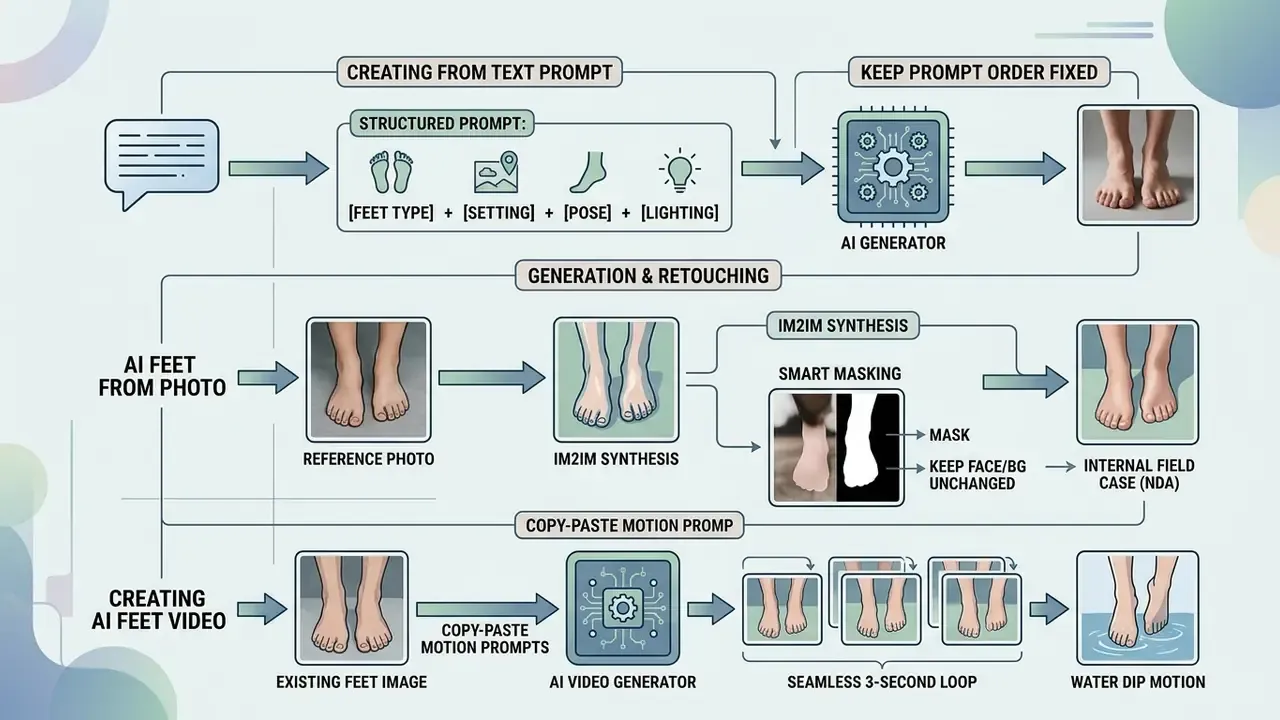
Three technical workflows cover almost every request: text-to-image synthesis from a structured prompt, image-to-image editing guided by a reference photo, and image-to-video motion generation. Each serves a different control requirement.
To evaluate tool choices across media generation categories, creators often compare diffusion platforms and model architectures, and can review a shortlist of best AI image generators before spending credits.
Generating a Feet Image from a Text Prompt
Text-to-image generation builds an ai feet image from scratch, interpreting descriptors that specify anatomical structure, camera perspective, lighting, and environment. You type precise language into an ai feet image generator and get a scene that no existing asset constrains. Freedom, and also risk: nothing anchors the anatomy except your wording.
An empirical design study found that multi-criteria prompts specifying subject structure, environment, and lighting score higher on feasibility and novelty during initial generation. Single-criterion prompts work better later, during local aesthetic refinement.
«Multi-criteria prompts that define structure, environment, and lighting score higher on feasibility and novelty during the global editing phase.»
Interactive prompt frameworks add a second layer of gain by resolving what the user actually meant, not what they typed.
«Adaptive Prompt Elicitation achieves 19.8 percent higher alignment between generated images and user intent without increasing cognitive load.»
Recommended prompt order (keep it fixed): subject, then pose, then scene or surface, then composition and framing, then lighting, then style and quality tokens. This ordering mirrors published image-prompting guidance from major vendors and keeps token weighting predictable across regenerations. Change the content of a slot, not the order of the slots.
AI Feet Generator from Photo: Generation and Retouching
Using an ai feet generator from photo lets you upload a reference photograph that guides spatial structure, skin tone, and scene lighting while the model generates or repairs foot detail. This is image-to-image diffusion with conditioning layers, and it rescues the classic situation where the photographer cropped the shoes out of an otherwise perfect frame.
ControlNet architectures enforce structural constraints by locking pretrained diffusion weights and applying conditioning feature maps derived from Canny edges, depth maps, or pose skeletons.
«ControlNet locks the weights of the base diffusion model and adds a trainable, zero-initialized branch, delivering precise structural control without quality degradation.»
For instance-specific appearance control across multiple characters, some platforms integrate FineControlNet (Choi et al., 2024, arXiv preprint, identifier pending verification), which allows independent prompt control over individual limbs in a shared frame.
How to Keep the Face and Background Unchanged (Smart Masking)
When you process a portrait with cropped feet, accidental distortion of the face, hair, or clothing is the outcome everyone fears. Modern generators answer with isolated smart masking, also called an inpainting invariance mask.
The system detects the boundaries of the upper body and applies a protection mask. During generation, diffusion noise is injected exclusively into the selected lower-limb sector. Facial features, makeup, jewelry, and surrounding objects survive untouched, while the newly generated feet are matched to the original frame's skin tone, perspective, and light direction. This is what vendors market as an "ai feet generator that keeps face unchanged": nothing outside the mask is re-sampled, so the rest of the photograph stays byte-identical to the upload.
Practical masking checklist:
- Mask only from mid-calf downward, and feather the mask edge by 8 to 24 px to avoid a visible seam.
- Lock the original aspect ratio and camera perspective. Do not upscale before inpainting.
- Reference the original light direction explicitly in the prompt, for example "sunlight from camera-left, matching original shadows".
- Re-run the audit checklist below at 200 percent zoom, focused on the mask boundary.
Specialized foot datasets show why geometry-aware conditioning matters for ai generated feet images.
«SynFoot contains 50,000 synthetic foot images with calibrated surface normals; the normal predictor substantially outperforms standard baselines on real-world photographs.»
Field case (internal project, anonymized under NDA, editorial and publishing sector). A digital asset team needed to restore missing lower-limb framing across 300 archival studio photographs. They deployed pose-conditioned image-to-image inpainting with surface-normal alignment, plus invariance masking on faces. The catalog shipped with consistent lighting and skin tone, and internal time-tracking indicated a large reduction in manual retouching hours versus frame-by-frame reconstruction in a graphics editor. [Hypothesis label: the internally reported efficiency figure is a single-project estimate, not a peer-reviewed benchmark. It needs independent replication before anyone puts it in a procurement business case.]
Creating AI Feet Video from an Existing Image
An ai feet video generator turns a static foot picture into a short clip using temporal attention, motion vector trajectory mapping, or skeletal animation. Useful for gait demonstration, footwear flex, anklet sparkle, or a slow camera pan across a product shot.
Advanced motion frameworks decouple cross-attention camera framing from temporal self-attention object movement, transferring motion trajectories from a reference video.
«MotionMatcher reaches a frame-consistency score of 97.20 and CLIP-T of 30.43, outperforming baselines on both video quality and text alignment.»
Alternative pipelines apply Score Distillation Sampling over parametric SMPL-X body representations to animate realistic gait cycles (MotionDistill, 2024, arXiv preprint, identifier pending verification). Research-grade controllers extend this further: MotionPro (CVPR 2025) learns object and camera motion control from in-the-wild video, MOFA-Video (ECCV 2024) animates a single image via human landmarks, manual trajectories, or a reference video, and Motion Prompting (CVPR 2025) encodes motion as point tracks over a single frame plus a text prompt.
When evaluating automated animation pipelines, developers can inspect implementation details in the AI Media API documentation or study the mechanics of image-to-video generation before selecting a motion controller. Content policy also deserves a look: the reference page on ai image to video generators explains where restricted-category limits apply, which matters for any brand-safe deployment.
Copy-Paste Image-to-Video Motion Prompts
Seamless water dip (3-second loop):
"Animate this photo: bare toes slowly dipping into crystal clear pool water, subtle water ripples spreading outward, sunlight refracting through the surface, camera stays close on the feet, smooth 3-second seamless video loop."
Barefoot walk on sand (4-second clip):
"Animate this image: bare feet walking slowly on fine white sand, each step leaving a soft footprint, warm golden-hour light, low-angle camera following the motion, toes spreading naturally with each step, smooth 4-second clip, high-resolution video."
Jewelry shimmer and anklet showcase:
"Slow dynamic camera rotation around the ankle, light catching the links of a gold anklet chain, smooth skin shading, close-up framing on ankle and toes, 4K resolution, cinematic slow motion, 3-second loop."
Footwear flex demo:
"Animate this product shot: foot in a leather stiletto sandal flexing slightly at the arch, strap tension visible, reflective studio floor, subtle specular highlight travel across the leather, 3-second seamless loop."
4-Step Foot Generation Process
Checklist0 / 4
Commercial Use: How to Verify Rights to Generated Feet Images
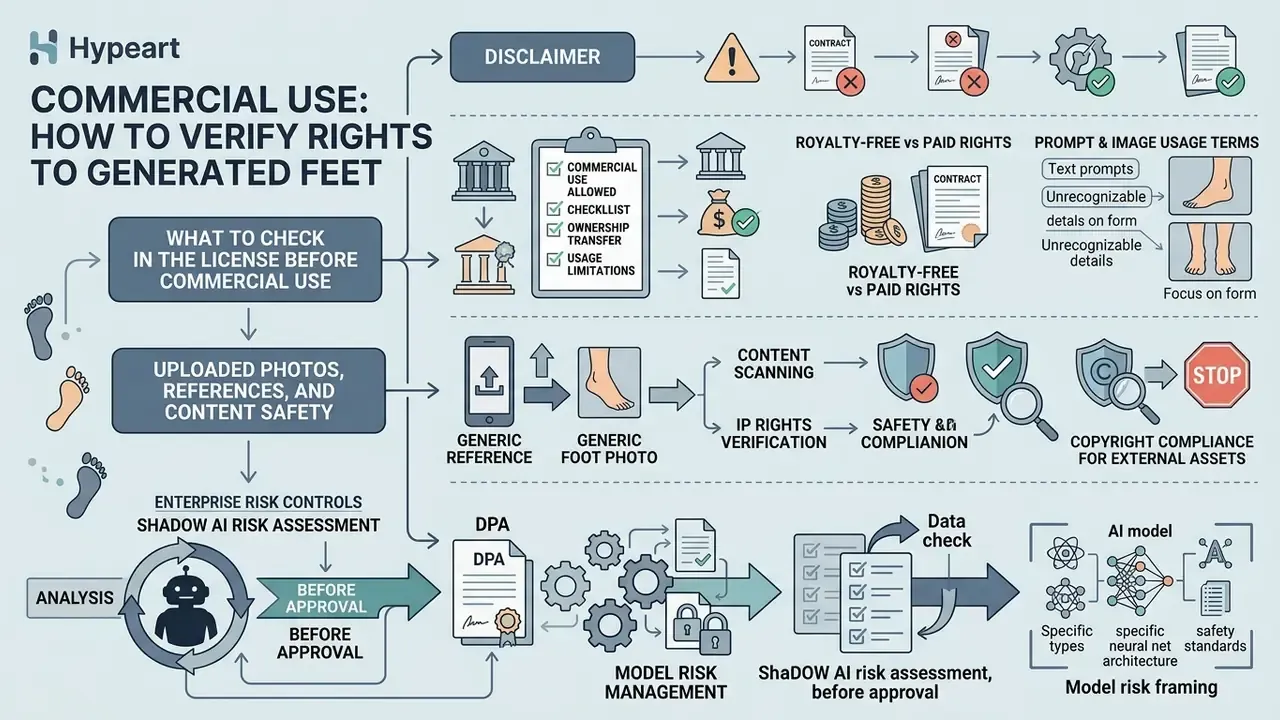
Commercial deployment of AI-generated foot imagery requires verification of platform usage rights, copyright compliance, and privacy obligations. For business readers this section sits deliberately ahead of prompt engineering. Licensing and data handling are hard blockers. Prompt quality is an optimization problem.
What to Check in the License Before Commercial Use
Before commercial use, confirm whether the generator's terms grant a full commercial license, a non-exclusive right, or personal use only. Read the tier you actually pay for, not the marketing page.
Under U.S. Copyright Office guidance (2023, https://www.copyright.gov/ai/), purely AI-generated outputs lacking human creative authorship cannot be registered. Only the human author's own contributions are protectable, and AI-generated portions must be disclaimed in registration filings.
«Copyright protection of AI-generated content requires documented human authorial contribution.»
Platform terms vary widely. Recraft's free plan restricts outputs to personal use and retains platform ownership, while platforms such as Fotor permit commercial usage of AI image generator output even on free tiers. Note the distinction that vendor copy usually blurs: "commercially usable" and "copyrightable" are different questions. A platform can grant you a broad commercial license while the output itself stays outside copyright protection, which means a competitor may legally reproduce a near-identical asset. That is a brand risk, not a legal breach.
Third-party rights survive the license too. Adobe Stock requires that generative AI submissions be produced with tools permitting commercial licensing, and any recognizable person or private property needs a signed model or property release. Getty Images prohibits editorial content in commercial, promotional, advertising, endorsement, or merchandising contexts unless explicitly authorized. Teams reviewing enterprise options can browse the hub to evaluate plan structures, and compare platforms cleared for commercial use of AI image generators.
Uploaded Photos, References, and Content Safety
Uploading human reference photos introduces data privacy, biometric, and consent considerations that a credit balance will never surface for you.
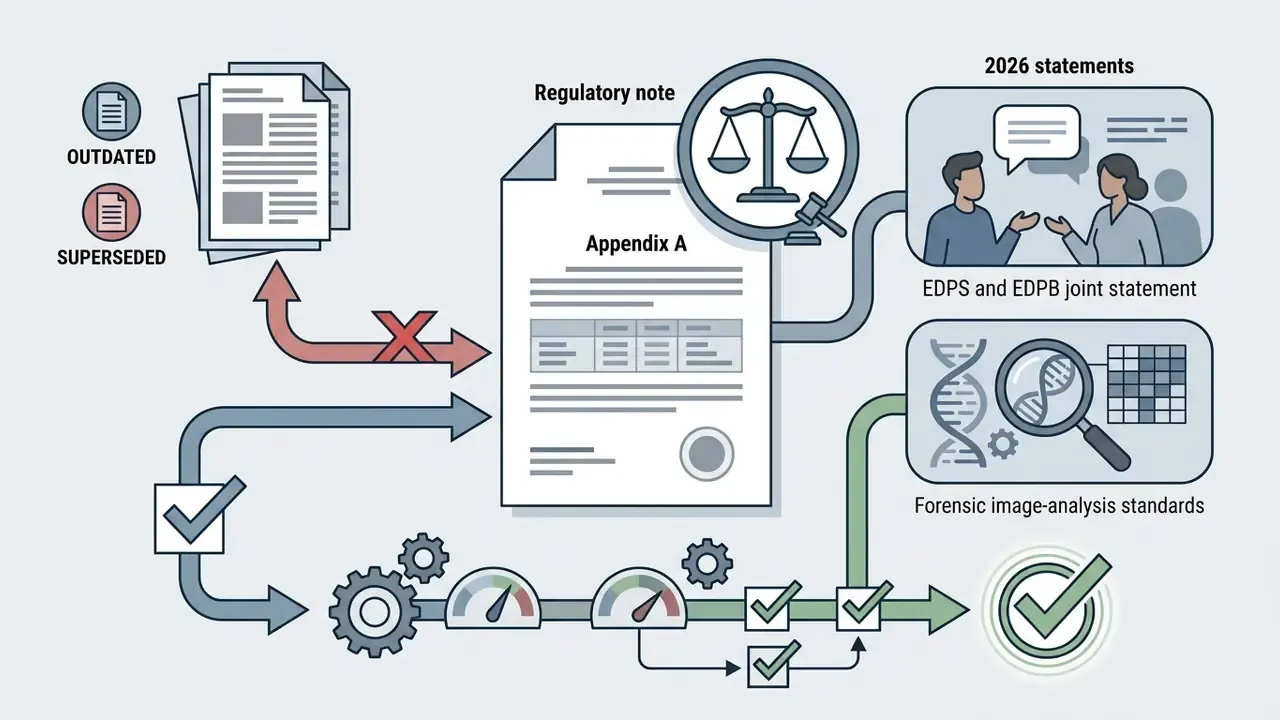
A joint statement from the EDPS and the EDPB (2026) requires AI tool providers to maintain accessible removal mechanisms for harmful AI imagery involving personal information, and to respond quickly to deletion requests. [Verification note: confirm the current text on the official EDPB and EDPS websites, since these positions are updated frequently.]
Retention policies differ by provider. Google's Gemini help documentation states that when activity history is switched off, new uploads are not used to train generative models, although they may be retained for a short service-and-safety window (documented as up to 72 hours). Updated: retention windows shift between policy revisions, so treat any specific number as a value to re-verify in the vendor's current privacy documentation rather than a fixed constant. OpenAI's privacy policy confirms users may request access, deletion, and correction of personal data, subject to jurisdiction and legal exceptions. Commercial stock platforms such as Adobe Stock (2026, https://helpx.adobe.com/stock/contributor/user-guide.html) mandate signed model releases for any commercial submission containing recognizable human features.
Under Russian law, use of a person's image without consent is permitted only in narrow circumstances: state or public interest, images captured in public places or at public events, or where the individual posed for a fee. Cross-border campaigns therefore need per-jurisdiction review rather than one global release template.
Enterprise Risk Controls: Shadow AI, DPA, and Model Risk Management
Consumer-grade feet generators are a textbook Shadow AI vector. An employee uploads a customer photograph, no model release exists, and the vendor's training-data clause was never read. Risk, compliance, and procurement teams should apply a standing control set.
Shadow AI risk assessment, before approval:
- Is the tool reachable from the corporate network, and is there a documented allow or deny decision for its domain and API endpoints?
- Does the vendor offer Zero Data Retention by default, or only on request or on the enterprise tier?
- Are uploads excluded from model training contractually, not merely in a marketing FAQ?
- Is there a signed Data Processing Agreement with sub-processor disclosure and deletion SLAs?
- Are SOC 2 Type II or ISO/IEC 27001 reports available under NDA?
- Does the vendor provide enterprise SSO and SCIM, audit logs, and role-based access?
- Does the contract include IP indemnification for third-party infringement claims arising from generated output?
Model risk framing. A generative image tool used in customer-facing material can be treated as a low-materiality model under a standard model-risk framework: documented purpose, input controls, output validation, human review, and periodic revalidation. Ownership matters more than sophistication here. Name a person, not a team. [Hypothesis label: applying banking model-risk frameworks such as SR 11-7 to marketing-grade image generation is an internal governance interpretation. Confirm it with your own compliance function. No regulator guidance specific to image generators was identified in the sources reviewed.]
To review legal governance comparisons, readers can see the overview of active regulatory proceedings.
How to Write Prompts for Realistic, Anime, and Artistic Feet Images
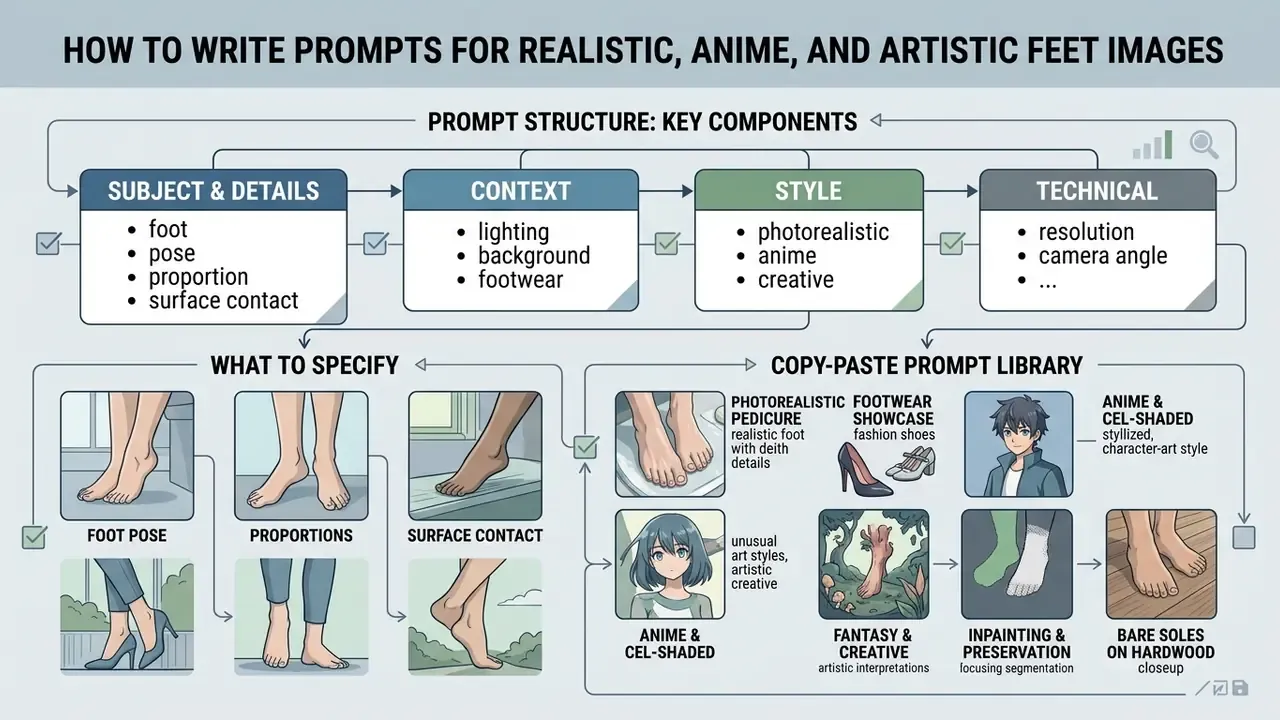
Effective foot prompts follow a structured syntax that balances subject description, spatial orientation, lighting properties, and stylistic constraints. Structure beats length. A tidy 40-word prompt outperforms a 200-word wish list almost every time.
What to Specify: Foot, Pose, Proportions, and Surface Contact
For correct anatomy, define foot structure, toe count, arch elevation, heel position, weight distribution, and surface contact. Omit the contact terms and you get floating limbs or non-physical bending, the signature tell of a rushed ai feet pic.
«An NIH/PMC evaluation of text-to-image anatomy (2024) classifies foot generation failures into five structural categories: missing components, extra digits, improper configuration, orientation errors, and scale or proportion mismatches.»
To correct a single anatomical error, apply iterative localized editing instead of rewriting the global prompt. Remove one extra toe, ground one floating heel, then re-audit. Naming skeletal landmarks explicitly (heel, arch, metatarsals, toes, ankle) improves structural fidelity, which is consistent with anatomical references describing 26 bones per foot organized into forefoot, midfoot, and hindfoot.
[PROMPT TEMPLATE: Photorealistic Foot Generation]

"A high-resolution photograph of bare feet resting flat on a polished hardwood floor, five distinct toes visible on each foot, natural arch elevation, subtle contact shadow beneath the soles, 35mm lens, soft window lighting from camera-left, neutral tones, photorealistic skin texture."
Copy-Paste Prompt Library
Controlling Lighting, Background, and Photography Style
Photographic realism depends on explicit control of light direction, shadow hardness, focal length, and background depth of field. Name those parameters and the diffusion process drifts toward physically plausible rendering.
- Lighting sources
softbox studio lighting,diffused window light,golden hour sunlight,45-degree key light,practical lamp,neon sign. - Lighting quality and direction
soft,hard,feathered,broad,narrow,camera-left,overhead,backlit. - Classic setups
Rembrandt lighting,butterfly or Paramount,clamshell,split lighting,loop lighting,rim light. - Shadow parameters
soft contact shadows,deep fill contrast,consistent directional shading,shadow separation. - Camera terms
35mm lens,85mm lens,low angle,bird's-eye,worm's-eye,macro close-up,shallow depth of field.
Research on lighting harmonization explains why direction matters more than intensity.
«MV-CoLight (2025) confirms that aligning object shadow direction with background illumination vectors is essential for eliminating synthetic composition artifacts.»
For broader portrait subjects, review the guidance on ai images of people to keep subject framing consistent, and compare the capabilities of AI photo editors for post-generation grading.
Prompts for Anime Feet and Stylized AI Art
Prompts for an ai anime feet generator or anime feet ai generator rely on tag-based syntax, line-art descriptors, cel-shading tokens, and aesthetic terms rather than camera lens specifications. Different grammar, different levers.
| Element | Anime or stylized prompt | Photorealistic prompt |
|---|---|---|
| Syntax | Comma-separated tags | Natural-language sentence |
| Subject cue | 1girl, bare feet, soles visible | bare feet resting on hardwood floor |
| Style driver | cel-shaded, clean line art, pastel tone | photorealistic, natural skin pores |
| Light driver | soft ambient glow, rim light | 85mm lens, f/2.8, diffused window light |
| Quality boosters | masterpiece, best quality, very aesthetic | high resolution, sharp focus, film grain |
| Negative prompt | bad anatomy, lowres, blurry, extra toes | deformed toes, plastic skin, floating feet |
Style homogenization is measurable in anime workflows. Civiverse analysis shows that reusing popular style tags lowers the Vendi visual-diversity score, producing near-identical outputs across a series (De Rosa Palmini & Cetinić, 2024). Rotate at least two of the four axes: pose, surface, lighting, palette.
When generating stylized artwork, creators can explore general techniques for ai in art to balance line weight and color palettes, or compare the best AI art generators by style control.
How to Evaluate the Realism of AI-Generated Feet Pictures
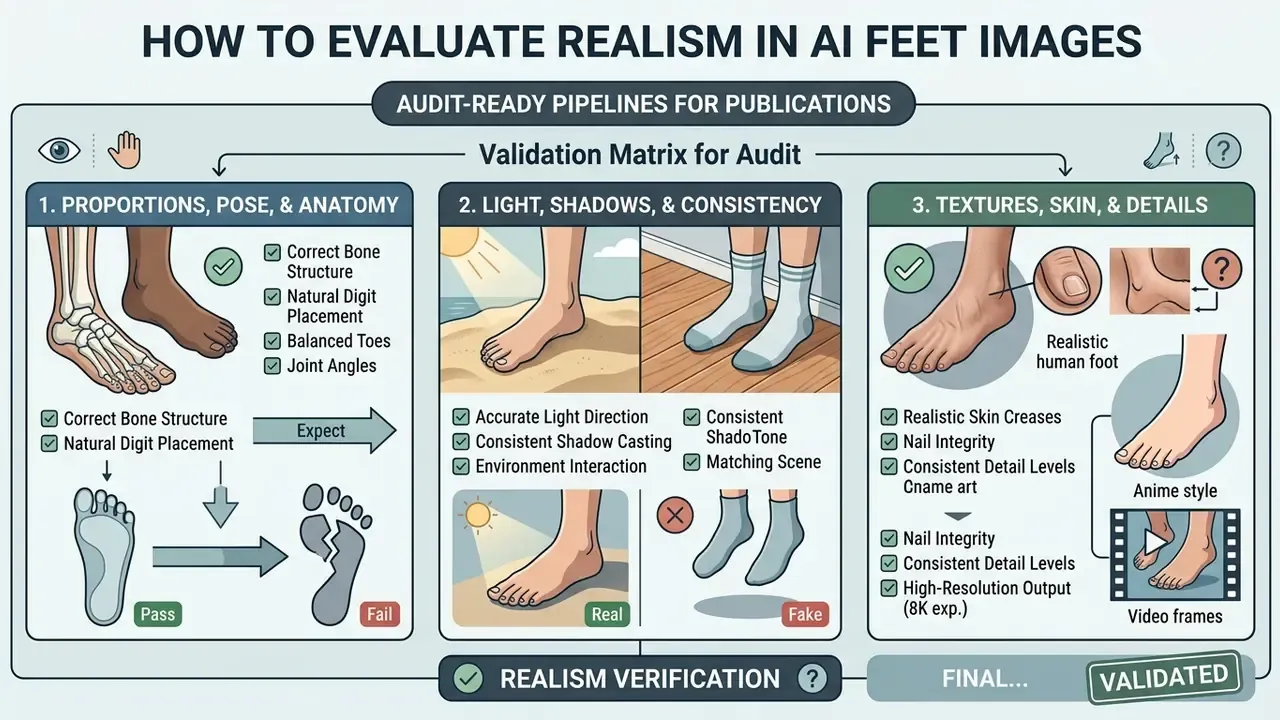
Auditing ai generated feet pictures before publication keeps anatomically broken assets out of paid channels. It takes minutes. Skipping it costs reprints.
Proportions, Pose, and Natural Foot Position
Evaluating a natural stance means checking toe alignment, arch contour, ankle articulation, and sole flattening under load. A weight-bearing foot must show slight spreading across the metatarsal contact zone.
«BodyMetric uses 3D body priors and multimodal signals to predict realism, trained on expert human ratings from the BodyRealism dataset.»
Pose-naturalness research (WACV 2025, https://openaccess.thecvf.com/WACV2025) evaluates synthetic human body accuracy by fitting generated output against estimated 3D SMPL parameters. Plantar-pressure and center-of-pressure methods add a quantitative route for checking whether a stance is physically stable rather than merely plausible. Most ai feet pictures that feel "off" fail exactly there: the pose looks fine, the balance does not exist.
Light, Shadows, and Consistency with the Source Photo or Scene
Scene integration requires verifying that shadow vectors, light falloff, and specular highlights on the foot match the surrounding environment.
Forensic image analysis standards (2026) note that inconsistent shadow directions, detached shadow bases, and non-physical specular reflections remain the primary indicators of synthetic manipulation.
«LightIt (CVPR 2024) explicitly models illumination direction and target shading alignment, addressing shadow inconsistency as the leading indicator of synthetic manipulation.»
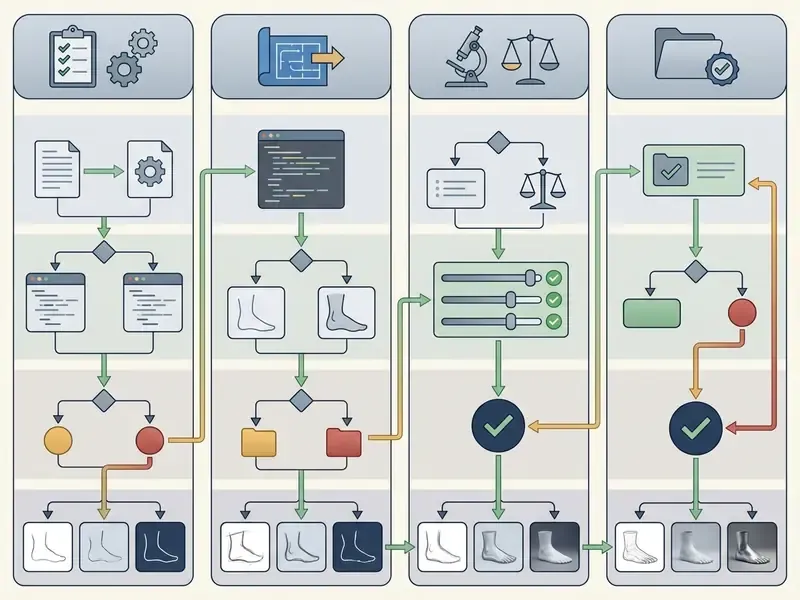
Validation Matrix for Audit-Ready Pipelines
| Failure class | Detection method | Accept or reject rule | Owner |
|---|---|---|---|
| Extra or missing digits | 200 percent zoom manual pass plus BodyMetric-style scoring | Reject on any digit-count error | Creative QA |
| Improper configuration, fused toes | Landmark inspection against anatomical reference | Reject, regenerate with localized edit | Creative QA |
| Orientation error, foot rotated implausibly | SMPL or pose-fit comparison | Reject, re-apply pose conditioning | Technical lead |
| Scale mismatch versus body | Proportional overlay on source frame | Reject if deviation is visible at 100 percent | Creative QA |
| Shadow direction mismatch | Vector check against key light | Reject or relight | Retoucher |
| Face or background altered on inpaint | Pixel diff outside the mask | Reject if any diff exists outside the mask | Technical lead |
| Licensing or consent gap | License and release register check | Block publication until cleared | Legal and compliance |
What Teams Use an AI Feet Generator For
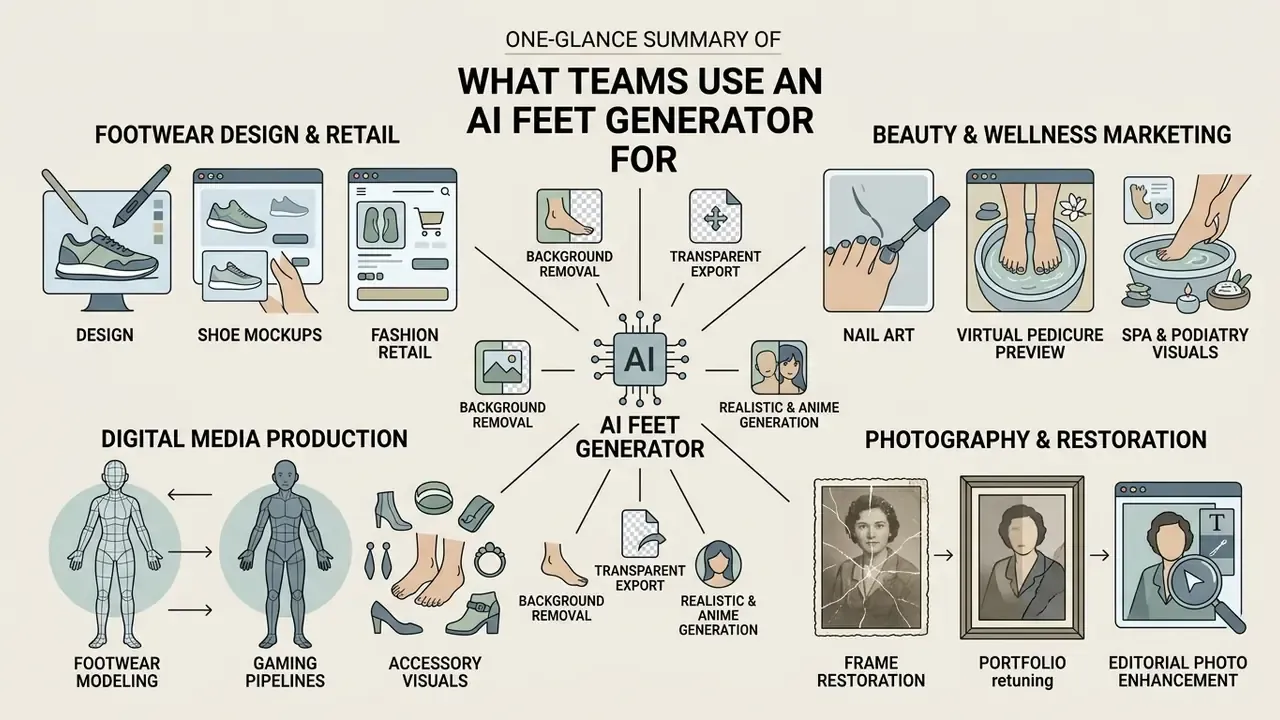
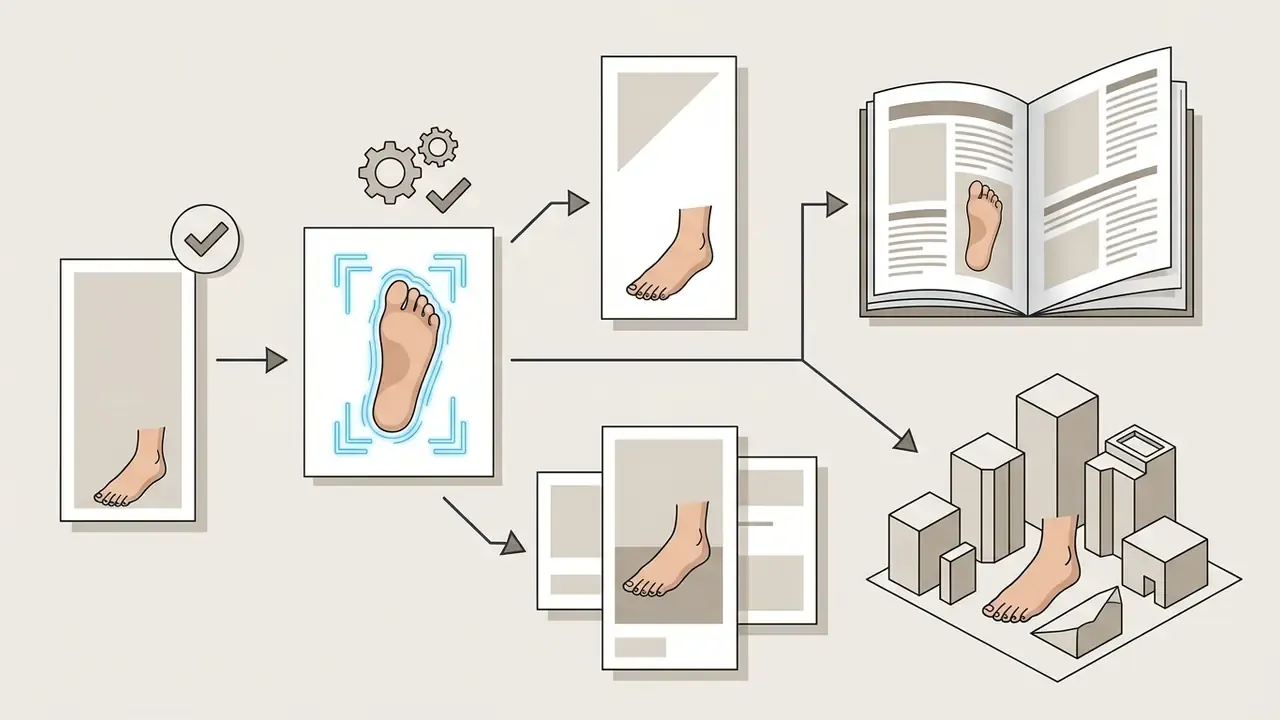
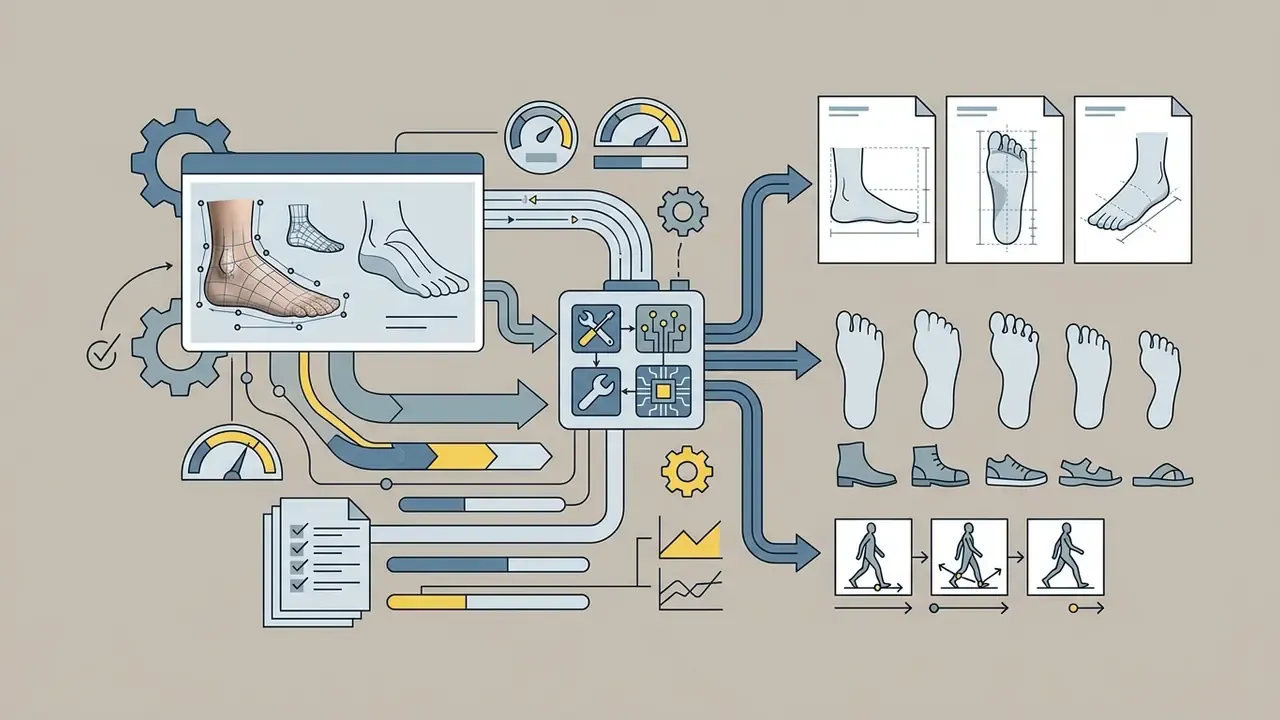
Generative foot modeling shows up across footwear retail design, editorial photography restoration, beauty and nail-art marketing, and digital media production. The common thread is a small crop with a large production cost.
Footwear Design, Shoe Mockups, and Fashion Retail
Footwear designers and e-commerce retailers use generative models to produce rapid mockups, virtual fitting concepts, and marketing visuals without manufacturing delays. Research on generative AI in footwear design (ACM, 2023, https://doi.org/10.1145/3584931.3606999) documents how text-to-image models accelerate early concept ideation and form exploration. Design-studies experiments add that multi-criteria prompts specifying feasibility and novelty together perform best during global conceptual editing (Hahn et al., Design Studies, 2024). Commercial platforms such as Pixazo and VEED (2026) let brands convert prompts into exportable shoe mockups (PNG, JPEG, PDF) and promotional product videos. Brands can also review AI image generators cleared for commercial use before licensing assets for paid media.
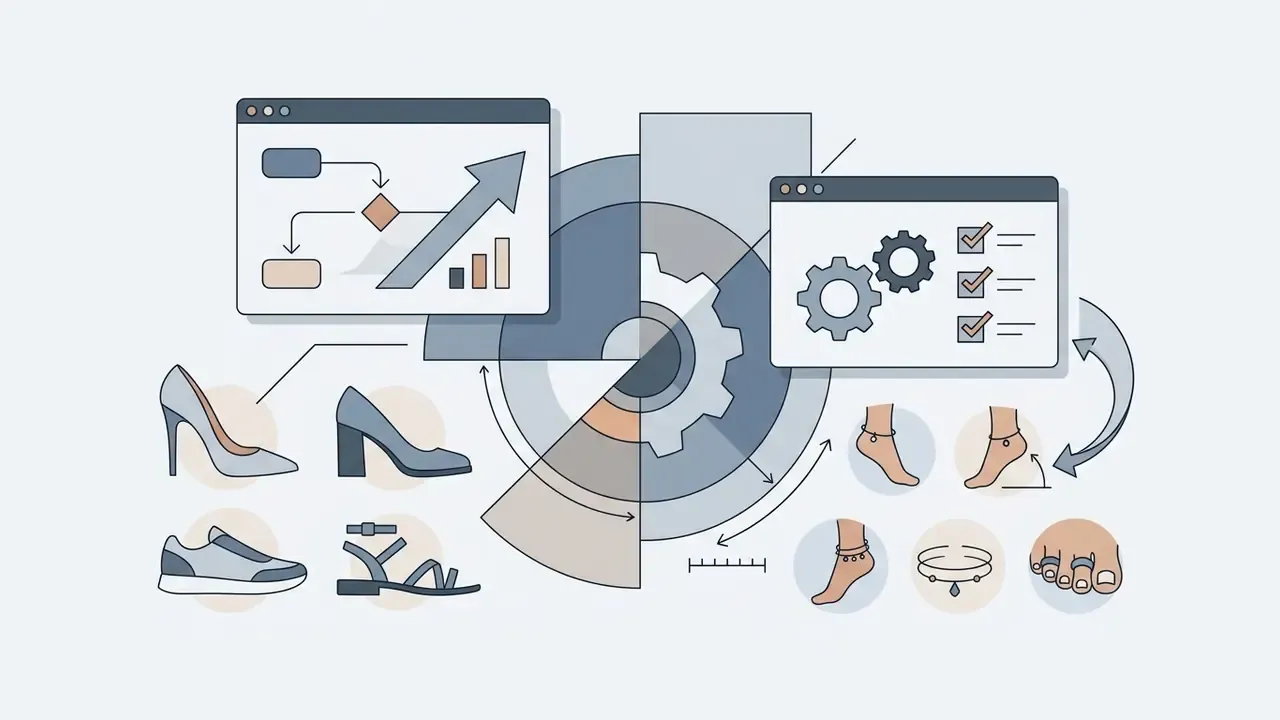
Niche Commercial and Aesthetic Scenarios


Photography, Portfolios, and Frame Restoration
Professional photographers use image completion and inpainting to restore cropped limbs, fix soft elements, and enforce tonal unity across a series. Updated: commercial restoration features, for example Adobe Firefly's photo-restoration workflow and Photoshop Elements' automatic "Restore Photo" adjustments, repair cracks, tears, stains, and faded regions by reading surrounding texture and tone. These are documented vendor product capabilities rather than peer-reviewed findings, so treat the outputs as tools that still require manual verification. On the academic side, neural retouching models such as eLIR-Net (WACV 2025, https://openaccess.thecvf.com/WACV2025) report the highest PSNR on Adobe FiveK and the lowest ΔE on PPR10K, which indicates AI retouching can preserve high color fidelity across professional pipelines. A 2026 human-interactive restoration framework splits repair into four stages, major damage removal, noise reduction, facial restoration, and colorization, and that sequence maps neatly onto failed-shot recovery.
Photographers comparing retouching stacks can review practical photo editor capabilities alongside AI headshot generators for portrait-adjacent work.
Digital Art, Anime, and Creative Content
Illustrators and social creators use specialized foot generators for concept art, character sheets, and video thumbnails.
«Stable Diffusion with LoRA adaptation lets artists synthesize complex anime character poses directly from rough hand-drawn sketches.»
Published work also situates anime-style diffusion generation inside art creation, advertising design, and game development pipelines rather than treating it as a novelty. Creators moving into virtual media personas can evaluate tools for an ai influencer generator to build consistent character models, or compare the best AI art generators for illustration workflows.
Free AI Feet Generator, Credits, and Choosing the Right Tool
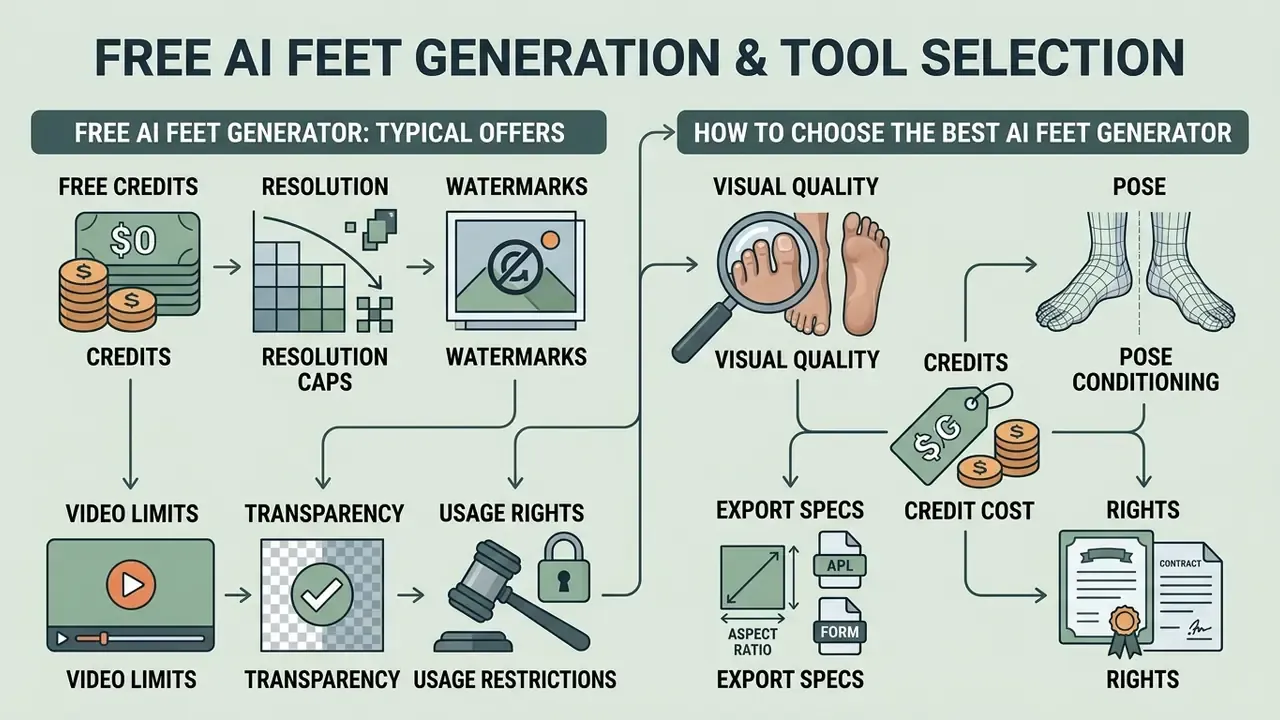
Choosing the best ai feet generator or the best ai image generator for feet means balancing visual quality, pose conditioning, credit cost, export specs, and usage rights. Only one of those is visible on the pricing page.
What a Free AI Feet Generator Typically Includes
Options offering an ai feet generator free, a feet ai generator free tier, or an ai feet pic generator free trial usually share the same shape:
Readers testing options with zero budget can shortlist free AI image generators and free AI art generators before paying for credits.
How to Choose the Best AI Image Generator for Feet
When grading a feet ai generator, score platforms across these operational criteria:
- Anatomical realismfive distinct toes, natural arch geometry, believable nail detail.
- Pose conditioningsupport for ControlNet, Canny edges, depth maps, skeletons, or reference upload.
- Face and scene preservationdocumented smart masking that leaves the uploaded portrait untouched.
- Style versatilityclean switching between photographic, anime, 3D, oil-painting, and fashion-editorial modes.
- Video capabilityintegrated image-to-video motion synthesis with loop control.
- Export specificationsmaximum resolution, lossless PNG, alpha channel, background removal.
- Generation speedsingle-step inference latency versus multi-step quality.
- Commercial termsclear, contractually guaranteed licensing and indemnification.
- Enterprise controlsZDR defaults, DPA availability, SOC 2 or ISO evidence, SSO, audit logs.
On speed, one-step distillation has closed much of the quality gap. DI*-SDXL-1step generates 1024x1024 images in a single step while consuming roughly 1.88 percent of the inference time of a 50-step FLUX-dev run, with superior human-preference scores (Diff-Instruct*, preprint 2024, citation pending verification). In practice, "fast mode" no longer means "draft quality" for still images.
| Feature or criterion | Free tier capabilities | Paid or enterprise tier capabilities |
|---|---|---|
| Credit allocation | 10 to 80 recurring or daily credits | Unlimited or high-volume pools, 5,000+ credits |
| Resolution and formats | SD (480p to 720p), compressed JPG | HD, 4K and 8K Ultra-HD lossless PNG |
| Transparent background (alpha) | Not supported, white or grey background | Alpha-channel export with automatic background removal |
| Pose control (ControlNet) | Limited or disabled | Full Canny edge, depth, and pose-skeleton input |
| Face-preserving inpainting | Basic or unavailable | Isolated smart masking with invariance mask |
| Watermark removal | Watermark present on export | Clean exports without watermarks |
| Video generation | Restricted to 2 to 3 second clips | Extended motion control, HD MP4 or GIF export |
| Batch and API access | Manual, one image at a time | Batch queues plus documented API endpoints |
| Commercial rights | Personal use only, typically | Full commercial license |
| IP indemnification | None | Contractual indemnity against third-party claims |
| Data retention | Uploads may train models | Zero Data Retention option plus signed DPA |
| Security and access | Email login only | SSO and SCIM, audit logs, SOC 2 or ISO 27001 evidence |
For broader feature evaluations across media generators, users can explore the hub for commercial comparison guides, or benchmark platforms side by side in the roundup of best AI image generators.

FAQ About AI Feet Generators
Which file formats are supported when exporting AI-generated feet images?
Most platforms export raster files as PNG (lossless, supports transparency and alpha channels) and JPG or JPEG for web distribution. Video generators output MP4 or GIF. Mockup-oriented tools may add PDF for print. Professional tiers commonly offer up to 8K PNG with alpha for compositing.
How long does it take to generate an AI feet image or video?
Single static images usually take 2 to 15 seconds, depending on whether the system uses accelerated one-step diffusion or standard 50-step sampling. Short video clips generally run 30 seconds to 3 minutes. For deeper background, review the guide to text-to-video AI tools.
Can I generate feet on a photo without changing the person's face?
Yes. Use inpainting with an invariance mask: the upper body, face, and background stay locked, and diffusion noise is applied only inside the lower-limb region. Nothing outside the mask is re-sampled, so facial features, makeup, hair, and scenery remain identical to the upload.
Can I export feet images with a transparent background?
On paid or professional tiers, yes. Export PNG with an alpha channel, often combined with automatic background removal, then composite the generated feet onto banners, catalogs, or 3D scenes without manual clipping paths. Free tiers usually flatten the background.
Can I preview nail art or pedicure designs with an AI feet generator?
Yes. Specify polish color, finish (glossy, matte, chrome, holographic), pattern geometry, and skin tone in the prompt. Salons and polish brands build design catalogs across multiple skin tones before any physical shoot. Verify commercial rights before publishing the catalog.
Do I need professional graphic design skills to use an AI feet generator?
No specialized design skills are required. These tools read natural language prompts or reference images. That said, understanding structured prompt syntax (subject, pose, surface, lighting, style) noticeably improves control over difficult anatomical detail.
How do I download and save generated results?
Once inference completes, the interface shows a high-resolution preview with direct download links or exported byte streams, so you can save the image or video to local storage or a connected asset library.
Are AI-generated feet images safe for commercial use?
Only if the platform's terms explicitly grant commercial rights for your tier, any recognizable person in a reference photo has a signed release, and your jurisdiction's image-rights rules are satisfied. Remember that a commercial license does not create copyright ownership in purely AI-generated elements under current U.S. guidance. General information, not legal advice.
What are the most common anatomy errors, and how do I fix them?
Extra or missing toes, fused digits, floating heels without a contact shadow, rotated ankles, and scale mismatch. Fix them one at a time with localized inpainting instead of rewriting the whole prompt, and add explicit surface-contact and toe-count language.
Creators building broader digital workflows can also use an ai infographic generator for data visualization, draft marketing copy with an ai instagram caption generator, shortlist free AI video generators for social clips, or plan budgets when they browse the hub. For additional technical troubleshooting, users can compare options across specialized software guides.
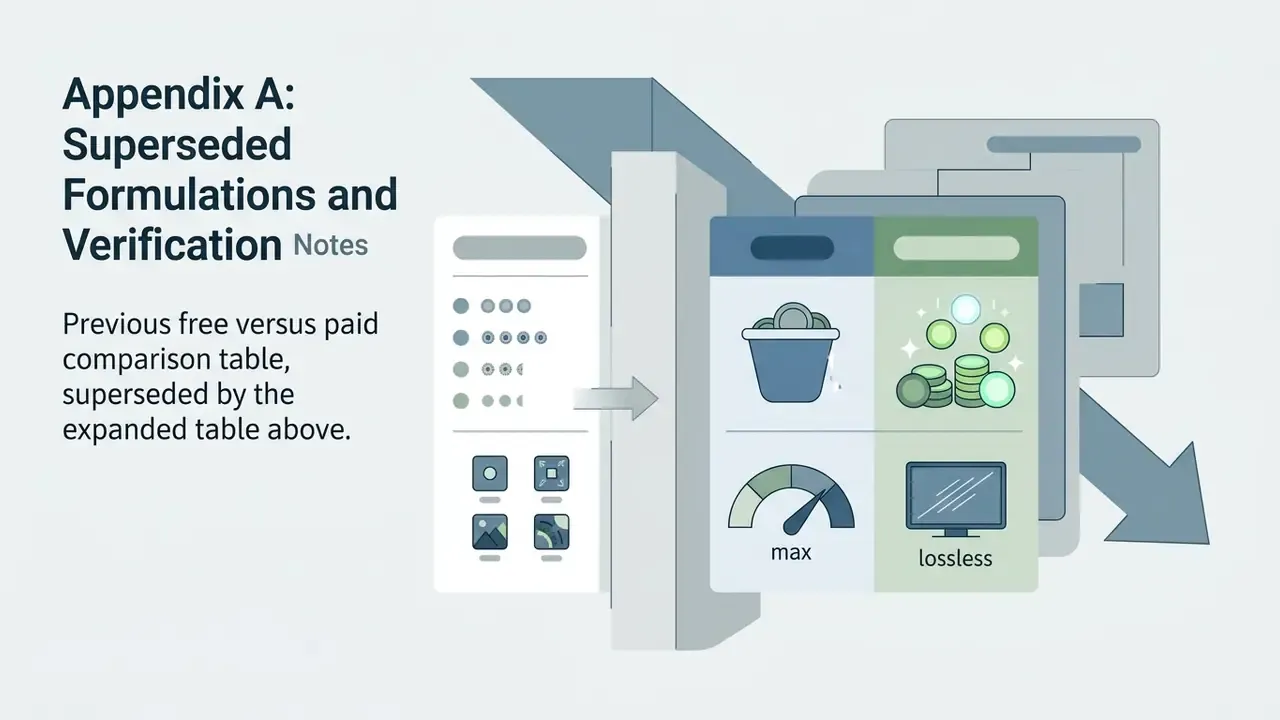
Appendix A: Superseded Formulations and Verification Notes
Retained for transparency and version tracking. The main text carries the current formulations.