That is the promise. The rest of this guide is about where the promise holds, and where it quietly does not.
Key Takeaways in 60 Seconds
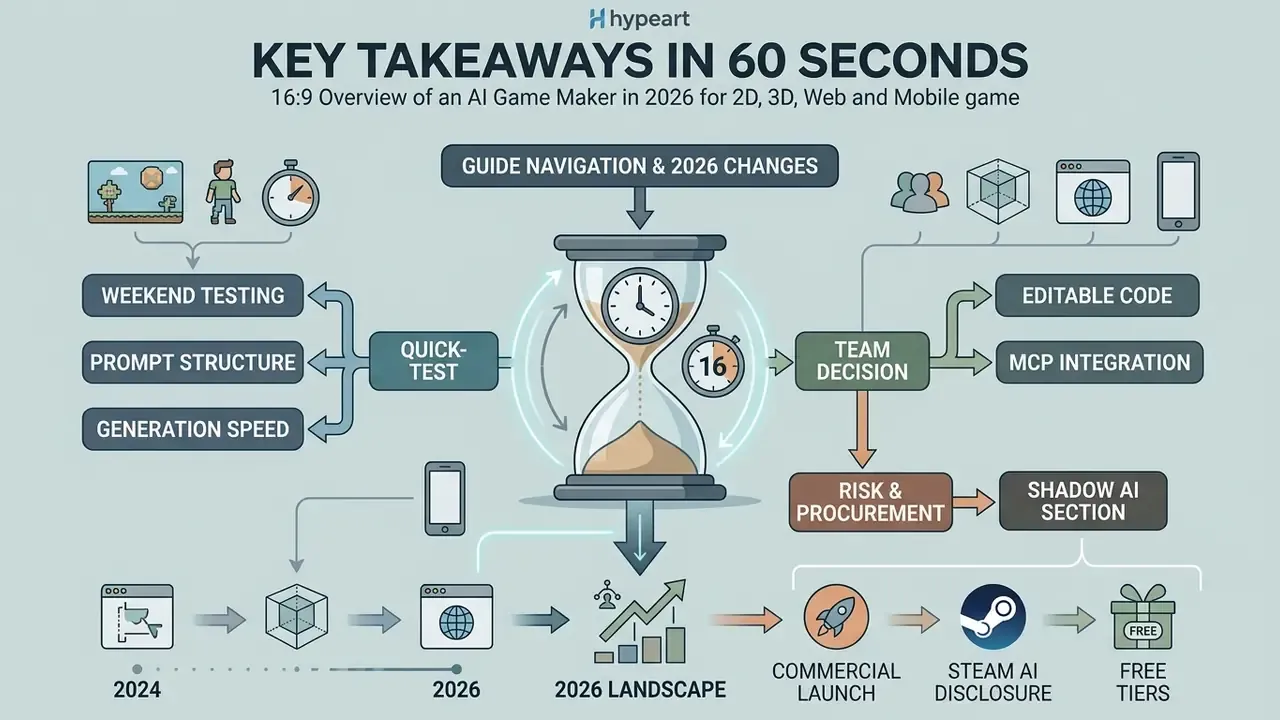
- What it is An AI game maker converts natural language prompts into playable game code, sprites, 3D meshes, music, and level layouts.
- Maturity in 2026 Prompt-to-playable 2D games are production-ready. 3D generation is strongest at the asset and scene-scaffolding layer, while shipped commercial 3D titles still route through Unity, Unreal Engine, or Godot.
- Speed Individual sprites generate in 5 to 10 seconds, 3D meshes in 30 to 60 seconds, a simple 2D playable prototype in 2 to 5 minutes, and a complex WebGL 3D scene in 2 to 10 minutes.
- Cost Free tiers exist, but they cap credits and often force public projects. Commercial rights, source code download, and engine export typically start at $15 to $50 per month.
- Legal Purely AI-generated output is not copyrightable in the United States without meaningful human authorship, and Steam requires AI disclosure for player-facing generated content.
- Risk AI-generated code needs security review, dependency auditing, and a documented prompt-to-build audit trail before it touches a production repository or a corporate workstation.
How to Read This Guide (and What Changed by 2026)
Three practical shortcuts, depending on what you actually need today.
If you are testing an idea this weekend, jump straight to the prompt structure and the generation-time benchmarks. Five well-specified fields in a prompt will do more for output quality than switching platforms twice.
If you are choosing a tool for a team, the decision hinges on two things only: whether you get editable, downloadable source code, and whether commercial rights are included on the tier you can actually afford. Everything else, art styles, tutors, splash screens, is negotiable.
If you are responsible for risk, security, or procurement, read the Shadow AI section first. Browser-based generation bypasses procurement by design, and that is precisely the governance problem.
What changed since 2024? Three shifts worth naming. Generation moved from isolated assets into end-to-end pipelines. Automated playtest agents became a standard feature rather than a research demo. And disclosure moved from optional courtesy to a store requirement on the largest PC distribution platform.
What Is an AI Game Maker and Who Is It For?
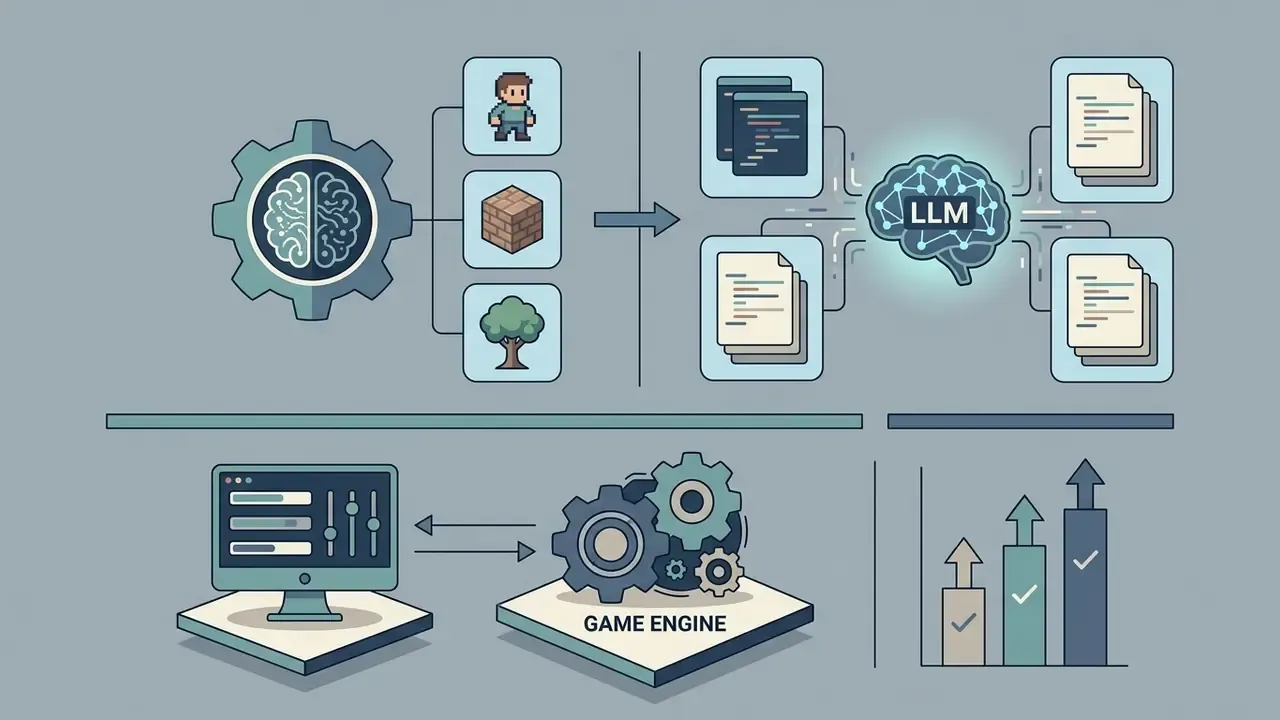
An AI game maker is an integrated development solution that converts high-level natural language instructions into functional game architecture, interactive mechanics, procedural levels, and multimedia assets. The technology serves indie game developers who need rapid prototyping, educators designing classroom interactive models, students learning game logic, content creators producing brand experiences, and hobbyists building personal projects.
«The primary value of generative AI in game development is ideation support rather than autonomous authorship.»
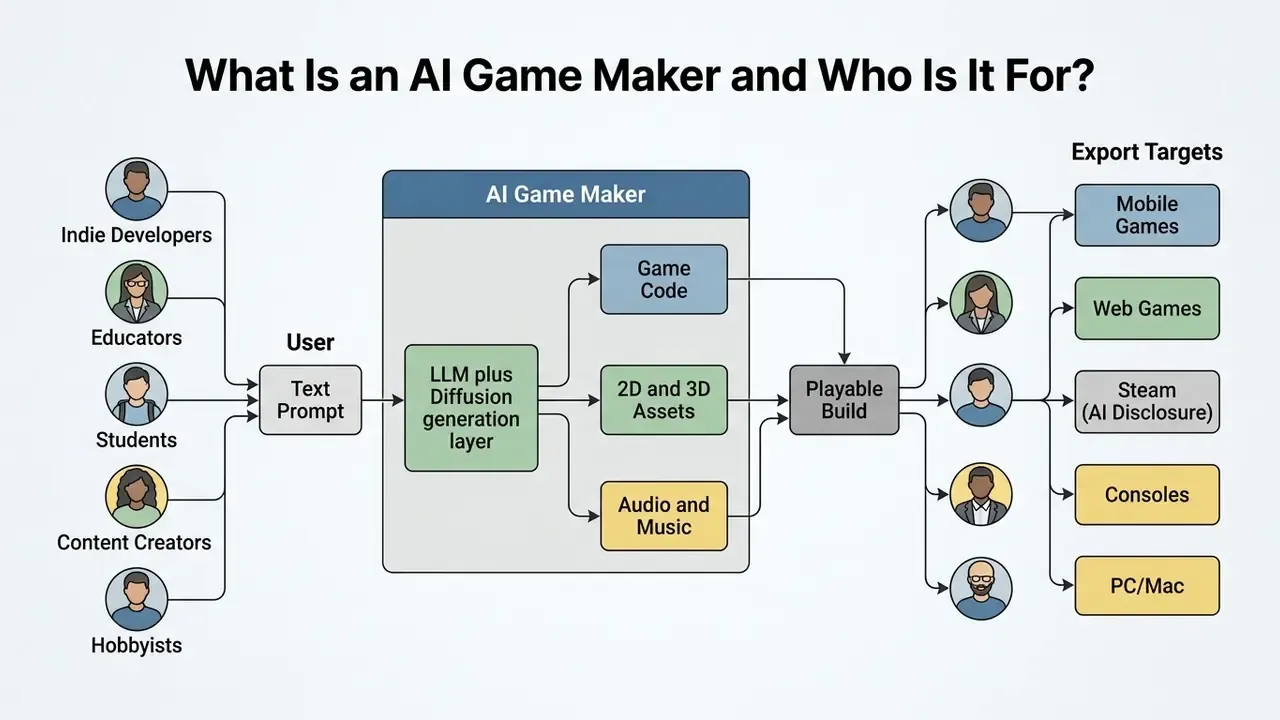
Recent academic research categorizes an ai game creation platform as a system for mixed-initiative design: a framework where human creators collaborate with machine learning models to generate rules, levels, and narrative assets (Gallotta et al., 2024, arXiv:2402.18659). Rather than replacing traditional game engines like Unity, Godot, or Unreal Engine, an ai for game creation tool automates the repetitive foundation work: greyboxing, initial script generation, placeholder asset creation.
A 2024 scoping review of 131 papers identifies five application clusters for GPT-class models in games: procedural content generation, mixed-initiative design, mixed-initiative gameplay, agents that play games, and game user research (Yang, Kleinman & Harteveld, 2024, arXiv:2411.00308). That taxonomy explains something counterintuitive: the same underlying model can produce a level layout, a dialogue tree, and an automated playtest report inside one toolchain.
For additional context on visual asset editing and foundational media tools, you can review our main glossary page.
AI Game Maker for Creating 2D Games
A 2d ai game maker generates two-dimensional environments, physics properties, tilemaps, sprite sheets, and character movement logic directly from textual specifications. Creators build 2D platformer games, puzzle challenges, top-down action titles, and side-scrolling adventures by describing mechanics such as collision bounds, jump curves, and inventory systems.
In a 2D workflow, the system produces individual visual assets, including background tilemaps, animated sprites, interface elements, and character portraits, formatted for 2D rendering pipelines (PixelLab, 2026). Creators evaluating dedicated art tooling at this stage can compare AI art generators by style control and licensing before committing to one sprite pipeline. Generating a 2D platformer, for instance, means instructing the model to construct a tileable environment with predefined physics parameters, gravity constants, and collision layers. Concept to playable prototype in a single session is realistic here, and you keep control over hitboxes and level geometry.
Animation generation at the 2D layer works through two documented mechanisms. The first accepts a single starting frame plus a motion prompt, for example "walking forward at a steady pace" or "takes a fatal blow and collapses", and returns a 25-frame or 36-frame sprite sheet with matching JSON metadata. The second exposes explicit skeleton controls, letting the creator pin joint positions before generation so limb proportions stay stable across idle, run, attack, hit, and death cycles. Tileset construction follows engine conventions: a sprite resource is converted into a tileset, and animated tiles are produced by placing sequential frames into a single tileset image.
One small caveat from practice: the sheet that looks perfect at 400% zoom often reveals a one-pixel drift in the third frame. Check at native resolution before you commit it.
If you are expanding or processing sprite graphics for high-resolution displays, a dedicated photo size editor helps maintain crisp pixel boundaries across target screen resolutions.
AI Capabilities for 3D Game Creation
«Generative AI is applied to terrain, characters, items, and storylines, effectively the entire contents of a game world.»
Peer-reviewed 2024 work supports the individual components of this pipeline. TextMesh targets realistic 3D meshes from text prompts. LLaMA-Mesh reformulates mesh generation as language modeling over vertex and face tokens. Multi-Track Timeline Control for Text-Driven 3D Human Motion Generation (CVPRW 2024) generates 3D character motion from short text prompts with specified durations.
Current 3D capabilities concentrate on asset synthesis and scene scaffolding for genres such as RPG adventures, first-person shooters, and open-world exploration. Advanced frameworks convert text prompts into low-polygon or Gaussian-splatting meshes with UV-mapped textures in under five minutes. Published research pipelines report prompt-faithful shapes and textures in under a minute for single objects, though multi-object scene assembly and rig cleanup stretch real-world timelines considerably. Those models then drop into WebGL environments through rendering libraries like Three.js, or import into Unreal Engine 5 and Unity for lighting, physics simulation, and complex logic scripting.
Skeletal animation quality is the most common failure point in AI-generated 3D characters. Physics-informed animation tools such as Cascadeur analyze skeleton rigging and body-weight distribution, then adjust poses so they follow plausible human or creature movement arcs. Because the system computes center of mass and momentum instead of interpolating keyframes blindly, developers can layer custom constraints for stylized results and preview corrections in real time. In practice that removes a large share of manual retakes on jumps, falls, and acrobatic sequences.
When preparing character portraits or stylizing textures for 3D models, tools such as an ai photo to cartoon generator or a photo to painting workflow offer efficient pre-processing for stylized asset generation.
Browser-Based AI Game Creator Apps and No-Installation Workflows
An ai game creator app running in a standard browser eliminates local environment configuration, software installation, and GPU requirements by executing code compilation and generative rendering in the cloud. Using web standards such as WebGL, WebGPU, and Three.js, an online game maker lets users build, edit, and play games directly on computers, tablets, or phones.
Browser-native architectures rely on cloud servers for heavy machine learning inference while serving lightweight JavaScript and WebAssembly runtimes to the client.
«Solo developers value low-setup tooling that lets them test ideas quickly without heavy environment configuration.»
According to the official Three.js documentation (Three.js, 2026), modern web renderers use WebGPURenderer with automatic WebGL 2 fallback, which sustains high-frame-rate 2D and 3D rendering across mobile and desktop browsers without native installers. Both WebGL.isWebGL2Available() and WebGPU.isAvailable() are documented capability checks, so a browser-based ai app game maker can branch its renderer selection at load time instead of shipping two builds. PlayCanvas documents the same dual-backend approach as an open-source WebGL and WebGPU engine, which confirms the pattern is standard rather than vendor-specific.
Real-time cloud collaboration. Leading browser-native platforms now support multi-user editing. As in Google Docs or Figma, several team members can edit scripts, tweak game physics, and generate assets simultaneously inside one shared workspace, with live updates syncing across desktop and mobile browsers. Practically: one contributor retunes jump gravity while another regenerates the tileset and a third writes dialogue, all converging in the same project state. Mobile-first workflows extend that session to phones and tablets, so a developer can playtest a build on a commute and push the fix from the same device. Teachers use this mode to observe every student project in one workspace. Small studios use it to avoid merge overhead during the prototype phase, before a full Git workflow earns its keep.
For creators converting static character concept art into motion previews, a photo to video app gives immediate visual animation testing inside web workflows.
Evolution of the Subject: From PCG Algorithms to Multimodal Game Makers
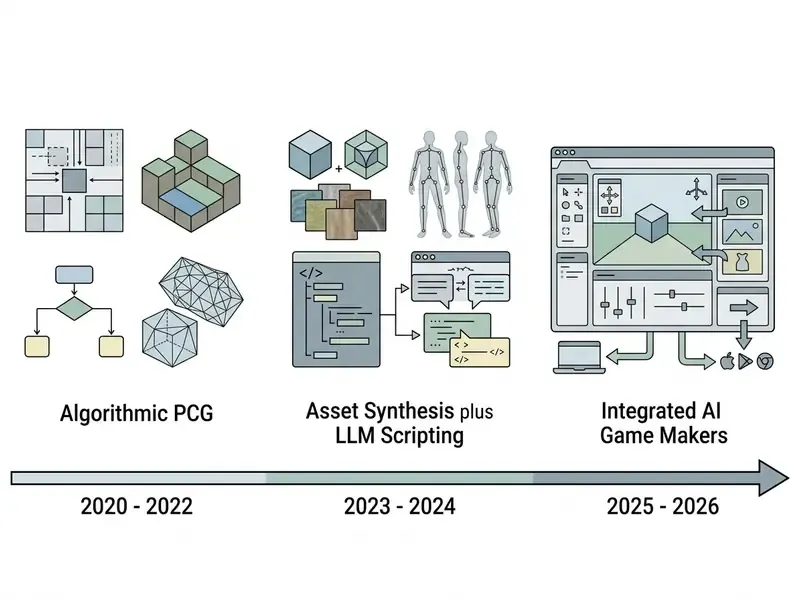
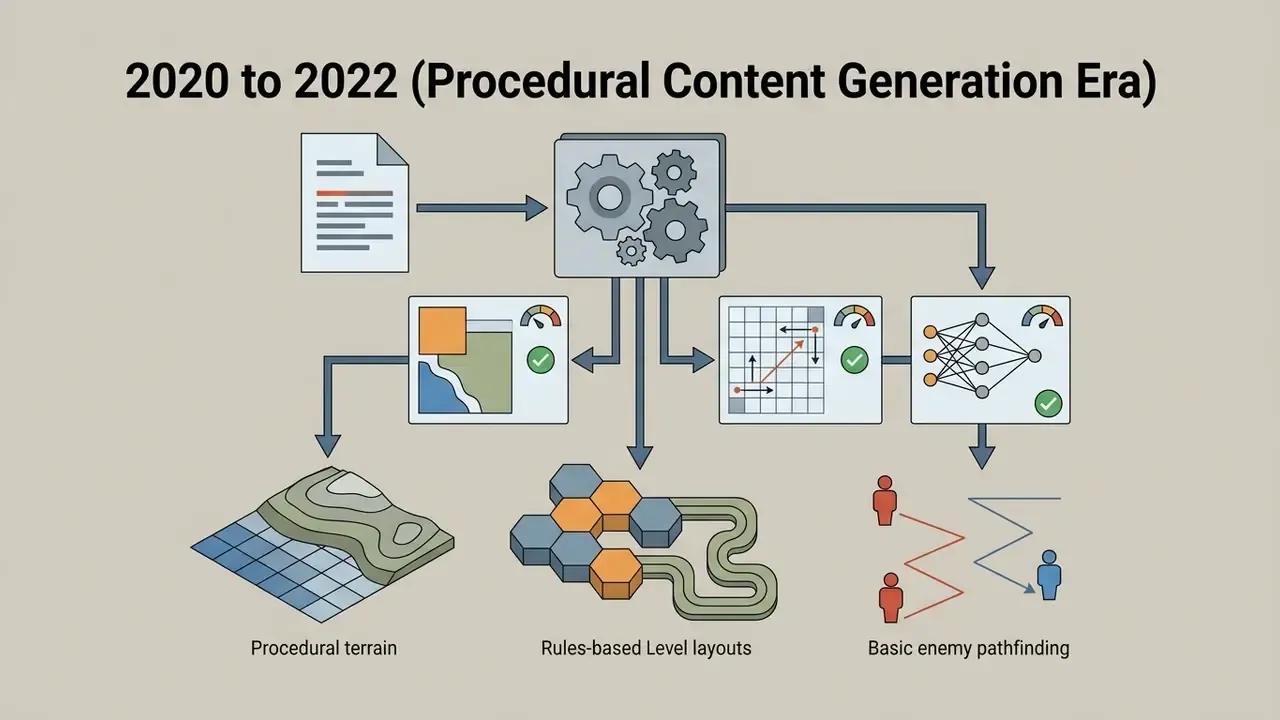
Understanding where the technology came from clarifies what today's tools can and cannot do. That is why the timeline sits before tool selection, not after it.

What Games and Game Assets Can You Create with AI?
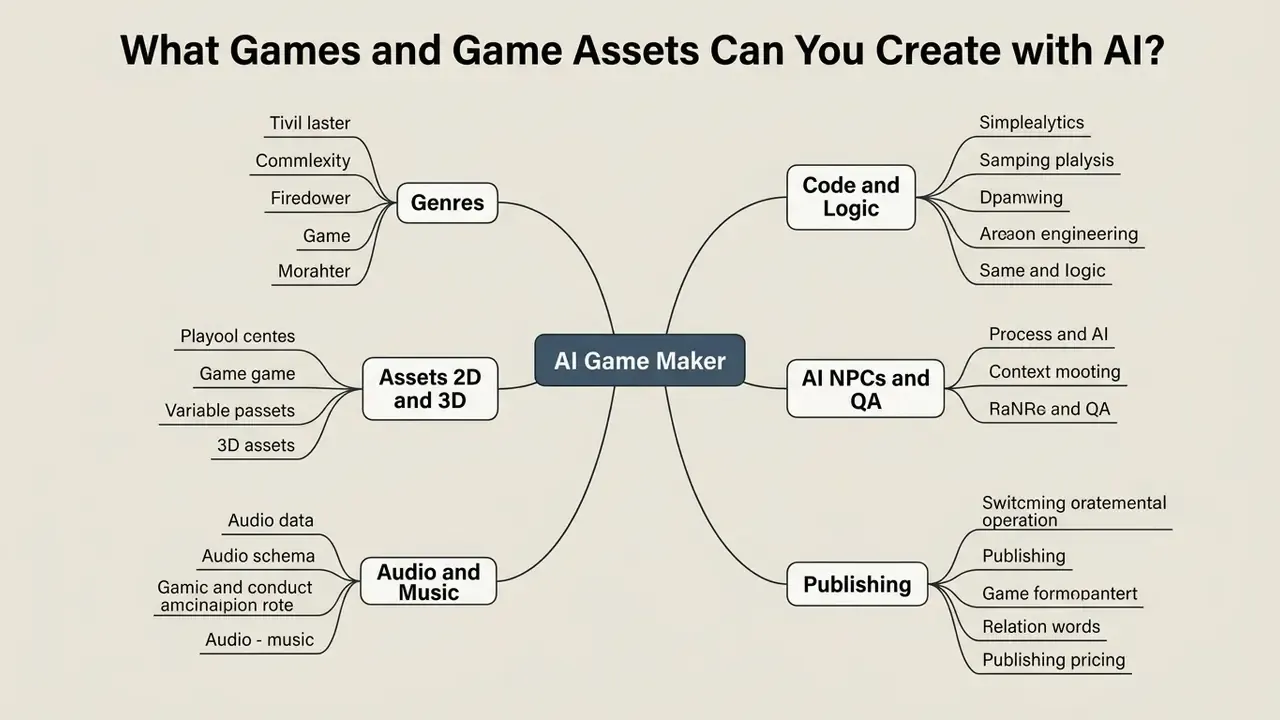
An ai game creation tool can generate complete playable game loops, procedural level layouts, adaptive non-player character (NPC) behavior, background music, audio effects, and 2D or 3D visual assets. The scope runs from simple mechanics-driven mini-games to multi-layered narrative experiences across the primary digital game genres.
Capabilities of Modern AI Game Creation Platforms
Here is the structured breakdown of what contemporary pipelines actually support:
- Supported Genres:
- Visual Novels and Interactive Fiction: Branching dialogue trees, character portraits, choice-driven game states.
- 2D and 3D Platformers: Tilemaps, collision detection, physics parameters, jump and glide mechanics.
- RPG and Fantasy Adventures: Quest generation, inventory logic, stat systems, turn-based combat scripts.
- Horror Games: Dynamic lighting setups, atmospheric audio triggers, stealth and sanity mechanics.
- Racing and Sports Games: Vehicle physics, track generation, checkpoint loops, lap timing code.
- Puzzle and Strategy: Grid alignment logic, match-three state evaluation, pathfinding algorithms.
- Idle and Clicker Games: Incremental stat scaling, resource generation loops, auto-save states.
- Anime and Dating Sims: Character portrait sets, affinity variables, branching route logic.
- Visual and Audio Asset Generation:
- 2D Sprites and Tilesets: Character sprite sheets, walking and attacking animations, seamless environment tiles with horizontal and vertical tiling.
- 3D Meshes and Textures: Low-poly models, UV-unwrapped textures, PBR materials, skyboxes, auto-rigging and LOD variants.
- Audio Effects and Music: Environmental SFX, UI interaction sounds, loopable soundtracks, character voice lines.
- UI and Store Assets: Buttons, badges, item icons, health and power bars, logos, store icons, splash art, screenshots.
- Gameplay and Logic:
- Editable Game Code: JavaScript, C#, Python, or GDScript foundations.
- AI-Powered NPCs: LLM-driven dynamic dialogue, memory retention, adaptive behavior trees.
- Multiplayer Features: WebSockets state syncing, room creation, basic matchmaking scripts, leaderboards, player accounts.
- Automated QA Agents: Simulated player runs, collision and boundary probes, regression sweeps.
- Publishing and Distribution:
- Web Hosting: One-click HTML5 URL generation, iframe embedding, downloadable HTML or ZIP bundles for self-hosting.
- Engine Export: Unity package (.unitypackage), Unreal project files, Godot projects.
- Native Binaries: Windows (.exe), macOS (.app), Android (.apk), iOS (.ipa) builds.
Genres: Platformer, RPG, Horror, Racing, and Puzzle Games
«Of 131 reviewed papers, 49 focus on procedural content generation, concentrated in platformer and puzzle domains.»
Read against that distribution, genres split into three practical tiers. Fully buildable via AI covers narrative visual novels, interactive fiction, and idle or clicker games, because their underlying logic is a chain of conditional state updates that a language model expresses reliably. Assisted build covers platformers, top-down action, RPG systems, and horror titles, where AI generates the foundational controller scripts, quest scaffolding, and lighting setups, while a human calibrates jump curves, spawn pacing, and audio triggers. Expert-only covers racing, fighting, and simulation, where steering friction, frame-rate-dependent physics, and multi-body collision response demand hand-tuned code. Public catalogs of AI-generated games in 2026 mirror that shape: story, visual novel, puzzle, and idle categories carry the largest published counts, while racing entries stay comparatively sparse.
Worth stating plainly. If your concept lives or dies on feel at 60 frames per second, generation gets you the scaffolding and not much more.
Gameplay, AI NPCs, and Multiplayer Experiences
Advanced mechanics generated by an ai 2d game maker or a 3D engine include autonomous NPCs driven by large language models, dynamic quest generation, and real-time state synchronization for multiplayer sessions. Integrating LLMs into NPC runtime architecture lets characters respond dynamically to player input while holding context, personality traits, and world memory (Fan et al., 2024, ACM).
«Most dialogue-generation studies were evaluated with live players or developers, judged on contextual fit and stylistic consistency.»
2025 prototypes push further by connecting LLM-driven NPCs to both a Unity client and a Discord bot, storing dialogue history in a cloud database so one character retains context across platforms. A 2025 VR game-based learning paper uses the same architecture for open-ended, dialogue-driven quest progression. Persistent NPC memory is now an implementation pattern, not a research curiosity.
For multiplayer, web-focused platforms generate WebSockets or WebRTC coordination scripts that synchronize player coordinates, health variables, and game states across client sessions without custom server code written from scratch. Some no-code engines ship built-in lobbies, leaderboards, and player accounts as attachable behaviors, which removes the backend layer entirely for small co-op or ranked modes.
Controlling agentic NPC behavior. Because runtime LLM characters generate text after the build ships, production teams constrain them the way regulated industries constrain agents. A system prompt that fixes persona and refusal boundaries. An allow-list of in-world topics. A bounded memory window so the character cannot drift indefinitely. Deterministic state machines for anything that changes game state: inventory, quest flags, currency. And full logging of prompt-response pairs for audit and replay. Valve's live-generated content rules turn these guardrails into a distribution requirement rather than an optional design choice, since the developer stays responsible for whatever the model emits during gameplay.
Generating Sprites, Art, Sound, and Other Game Assets
https://seaart.ai
How AI Creates a Game: From Text Prompt to Prototype
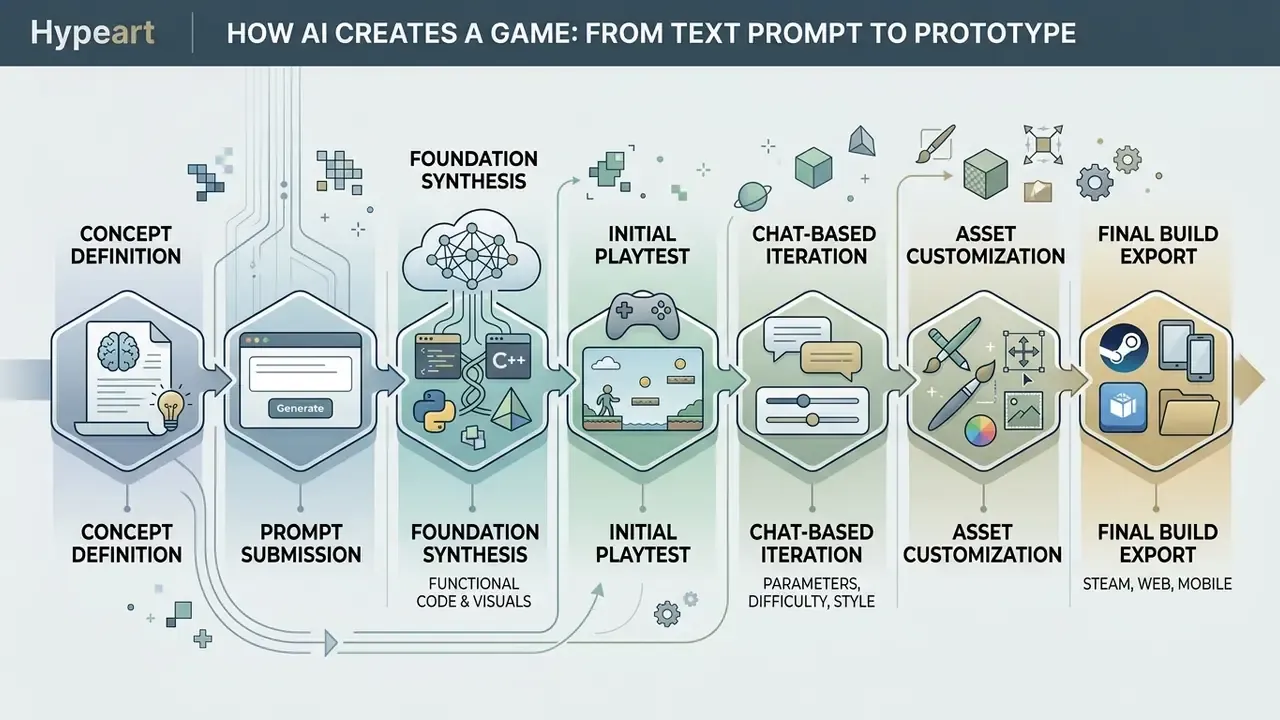
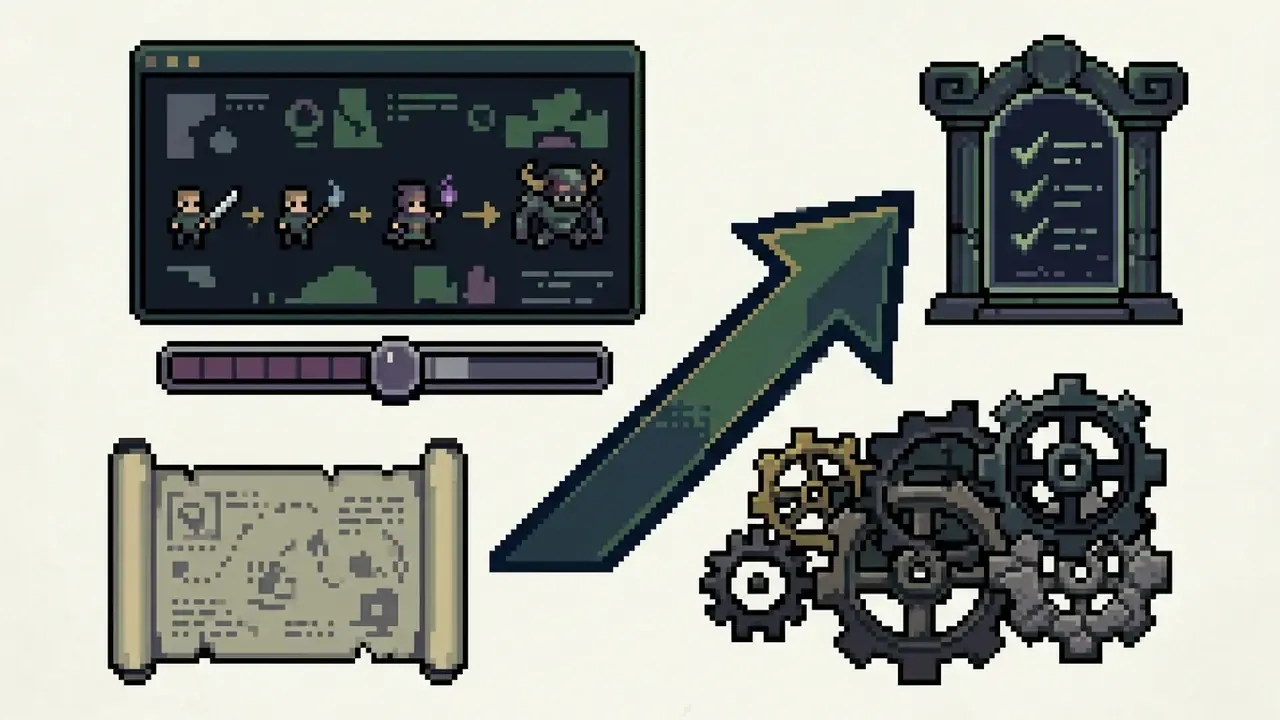
The development cycle of an AI-generated game follows a structured engineering pipeline: define the core concept in natural language, synthesize functional code and visual assets, run in-browser and automated playtests, then iterate through chat commands.
The Step-by-Step AI Game Development Pipeline
- Concept DefinitionFormulate genre, core gameplay loop, control scheme, visual aesthetic, and win or loss conditions in plain text.
- Prompt SubmissionEnter the structured specification into the ai create a game interface or prompt parser.
- Foundation SynthesisThe ai game generator processes the prompt and produces executable code (HTML5 and JS, or C#), 2D and 3D assets, and basic audio.
- Initial PlaytestRun the generated build in the browser to check movement, collision detection, and win or loss state evaluation.
- Chat-Based IterationSubmit targeted commands, for example "increase jump height by 20%" or "add a health bar to the top left", to refine code and mechanics.
- Asset CustomizationReplace placeholder graphics and sound effects with high-resolution generated assets or custom uploads.
- Final Build ExportPackage the validated project into a WebGL folder, a native binary, or an engine source file.
Expected Generation Time Benchmarks:
| Output | Typical Generation Time |
|---|---|
| 2D sprites and UI icons | 5 to 10 seconds per item or frame set |
| 3D meshes and PBR textures | 30 to 60 seconds per object |
| Sprite-sheet animation (25 to 36 frames) | 2 to 3 minutes per animation |
| Simple 2D playable prototype | 2 to 5 minutes |
| Complex WebGL 3D world scene | 2 to 10 minutes |
| Proof-of-concept greybox build (human-supervised) | 4 to 8 weeks |
The last row is the reality check vendor pages omit. A generated prototype appears in minutes, but a proof-of-concept that answers a real design question, namely "is this mechanic fun?", still consumes four to eight weeks of greyboxing and blind playtests before a go or no-go decision.
How to Describe a Game Concept in a Natural Language Prompt
Writing an effective prompt for an ai create game request means supplying explicit contextual parameters: genre definition, character mechanics, environmental rules, win and loss triggers, visual art style. Vague prompts produce generic or broken code structures. Structured prompts give the model explicit functional boundaries (arXiv:2601.04521, 2026).
«Prompt clarity and specificity materially affect how usable an AI system's design suggestions are.»
An optimal game creation prompt should contain five mandatory components:
Prompt-engineering research adds a second framework layer that maps cleanly onto those five fields: context (what the game is), persona (who the model should act as, for example "act as a Godot gameplay programmer"), template (the exact output structure requested), disambiguation (what to do when a requirement is unclear), and keywords (style and mechanic anchors). Public-sector prompt guidance arrives at the same conclusion from a different direction, recommending explicit instructions plus structured output formats for any generation task.


AI-Powered Quality Assurance and Automated Playtesting
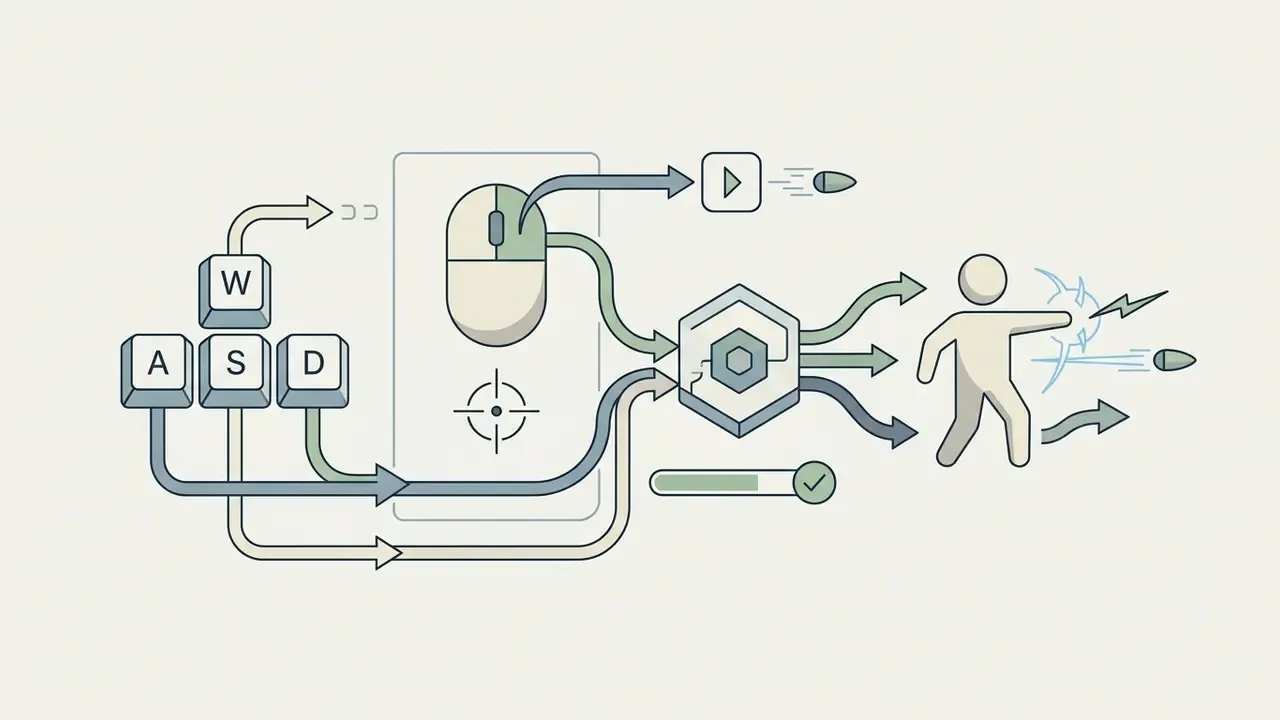
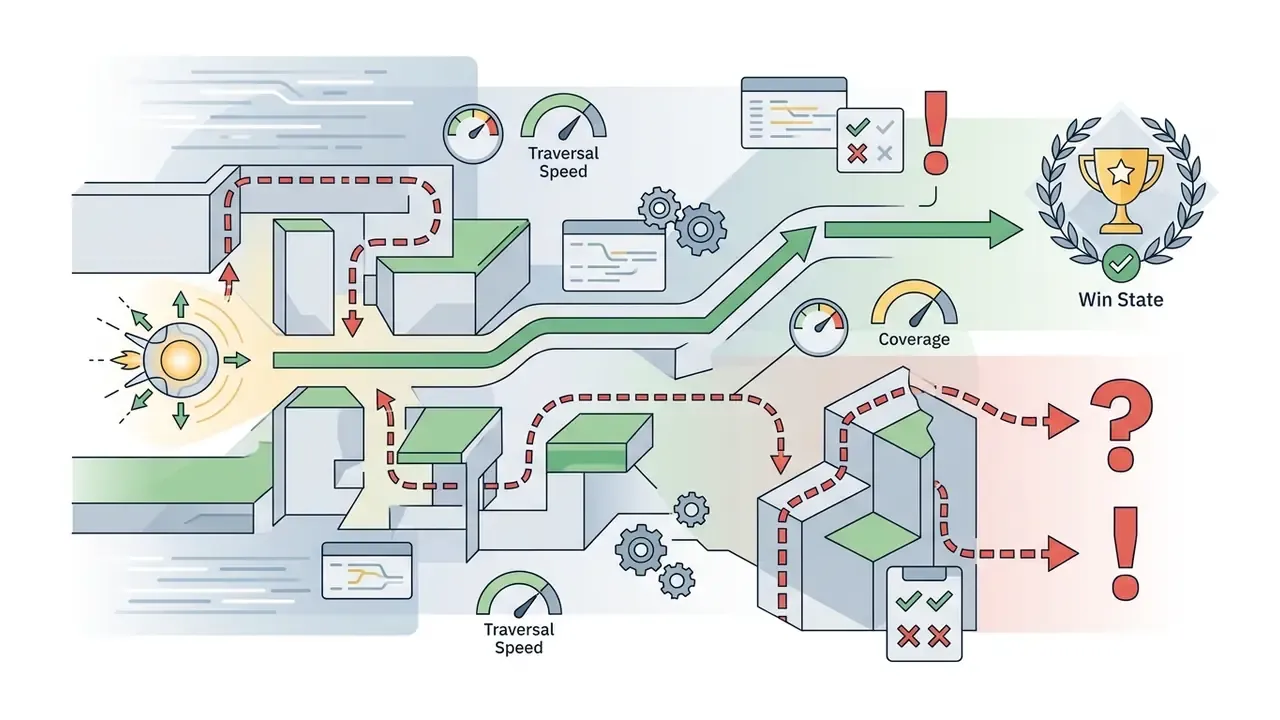
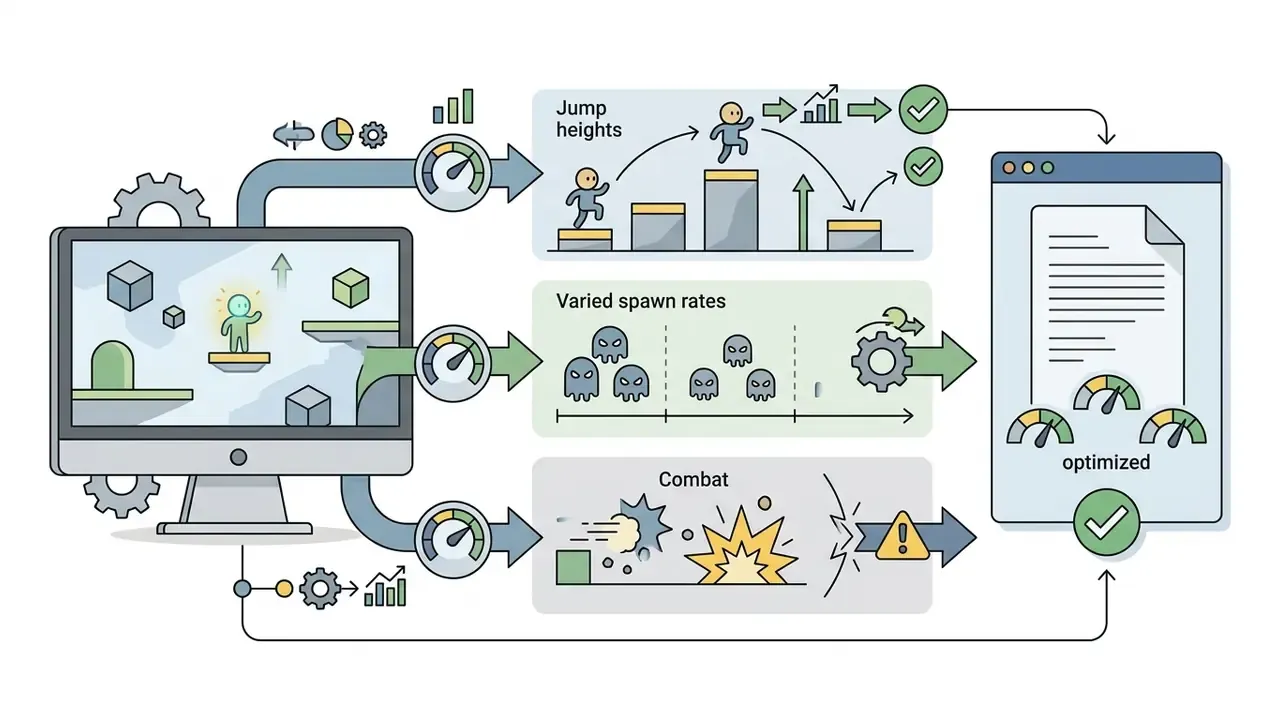
Beyond code generation, modern pipelines integrate AI testing frameworks such as modl:test that use reinforcement learning and pattern recognition to simulate thousands of player actions per minute. These autonomous agents probe edge-case physics collisions, boundary clipping, and state-machine loops before deployment, cutting manual debugging time by up to 40% in vendor-reported figures and helping hold frame-rate stability across target platforms.
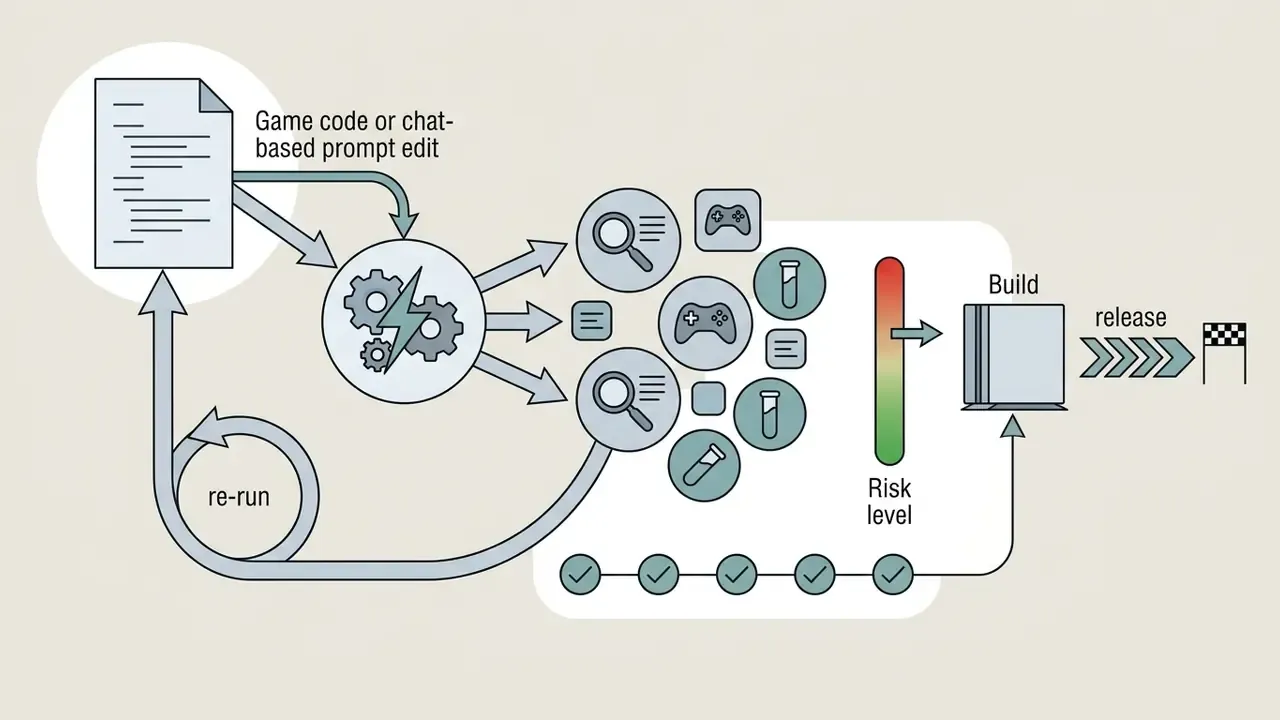
The practical value is cycle count, not novelty. Because an agent runs many passes in quick succession, a build that changed one gravity constant can be re-swept for unreachable platforms, out-of-bounds escapes, and softlocked quest states before a human ever loads it. That frees QA attention for the judgment-heavy questions, difficulty pacing, readability, audio-visual feedback, which agents still cannot evaluate.
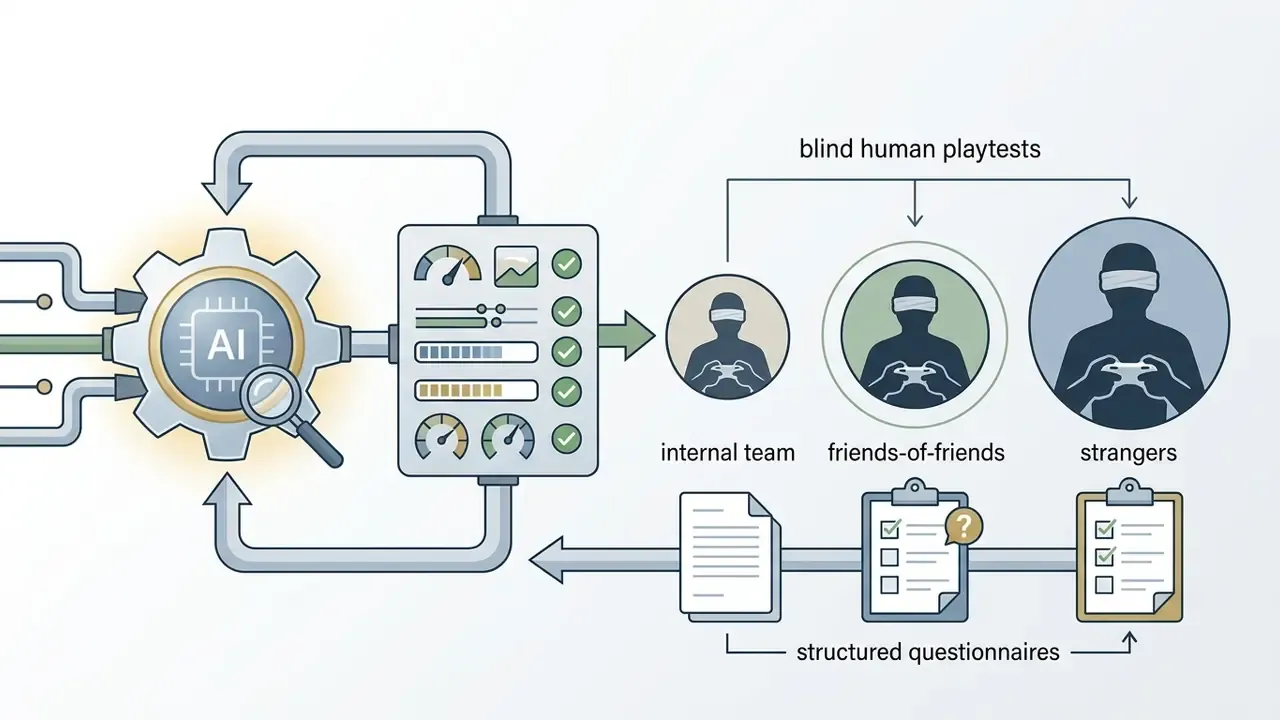
Automated playtesting has a formal research lineage too. Work on parameter tuning via active learning shows a learning-driven test loop reduces how much playtesting is needed to converge on optimal parameters once mechanics are fixed (Automatic Playtesting for Game Parameter Tuning via Active Learning, arXiv, 2019). On the human side, empirical balance studies pair unbalanced and balanced versions of the same level, collect post-playtest questionnaires, and apply Wilcoxon signed-rank tests to check whether players actually perceive the intended change (IEEE, 2024). The lesson for AI-assisted teams: agents own coverage and regression, humans remain the only valid instrument for perceived fairness and fun.
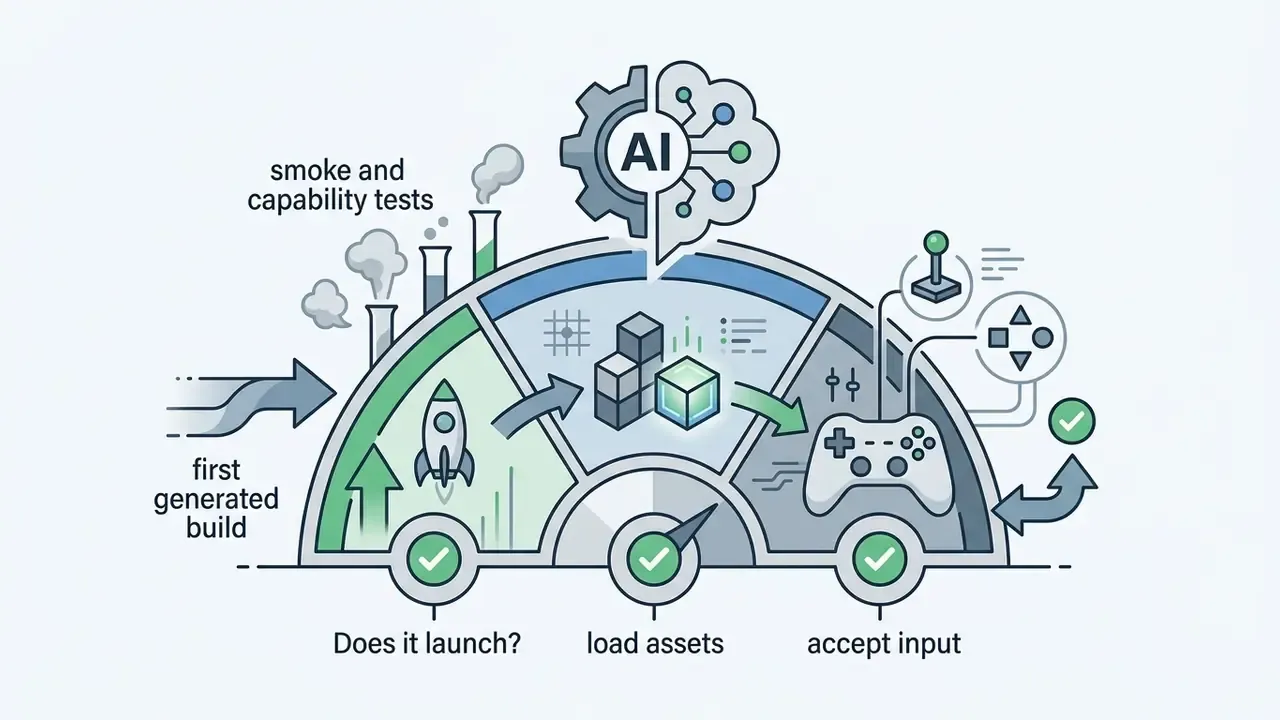
QA layers worth running in sequence:
Generating Game Code and Visual Customization
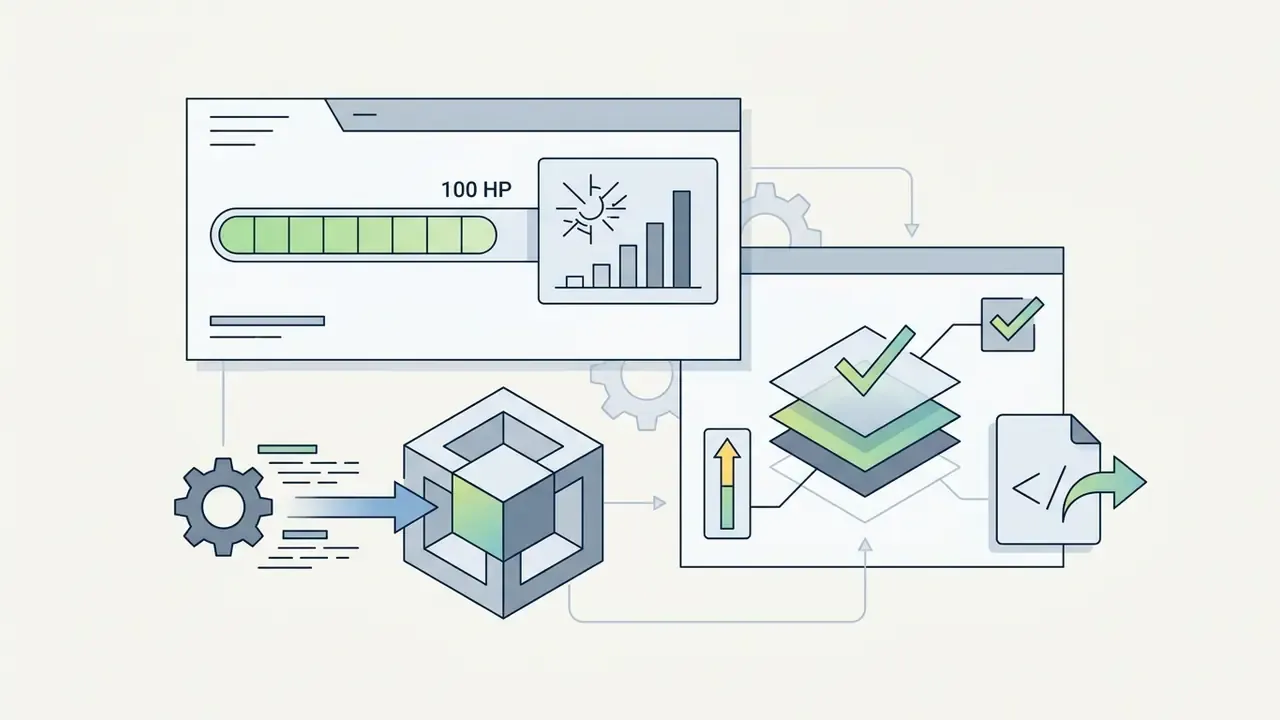
An ai code game maker writes real, editable source code, typically JavaScript (Three.js or Phaser.js), Python, or C#, while simultaneously configuring a visual inspector for non-technical adjustments. This dual-layer architecture hands beginners slider controls for physics parameters and lets experienced engineers inspect, copy, and modify the codebase underneath. Research on low-code AI builders documents the split explicitly: one subsystem handles visual programming, a parallel subsystem handles natural-language input, and both write into the same project model (ACM, 2025).
Platforms like Figma Make and Canva Code convert layout structures and visual prompts into clean HTML5 and JS widgets (Canva, 2026). Figma Make states that its generator produces HTML, CSS, and JavaScript "ready to export or refine", which is exactly the editability guarantee developers need from a game generator. In game creation environments, the generative engine compiles that code foundation into a live preview window.
«This study is the first to investigate simultaneous generation of game rules and levels through large language models.»
Creators adjust variable values, character movement speed, enemy spawn rates, light intensity, either through visual property panels or by editing the generated script directly.
To evaluate additional software for visual asset creation and editing, explore our comprehensive photo editor guide.
Iteration Through Chat, Playtesting, and Gameplay Refinement
Iterative development with an ai create games workflow depends on a conversational feedback loop, often marketed as "iterate by chat". After the first prototype is generated, the developer tests mechanics live, identifies bugs or design flaws, then feeds corrective instructions back into the assistant.
In a 2023 study on LLM-assisted level design, Nasir and Togelius showed that human-in-the-loop iteration improved level playability from an initial 18% success rate to over 37% "playable-novel" status after three conversational editing passes (Nasir & Togelius, 2023, arXiv:2305.18243).
«Using GPT-3 on 60 hand-designed levels, the method reached 37% playable-novel levels, functional and distinct from the training set.»
This loop lets developers balance difficulty, fix collision glitches, adjust spawn timers, and introduce secondary mechanics without writing refactoring scripts by hand. Classic balance methodology still applies on top of it: designer judgment first, then small-scale playtests, then analytics and mathematics, expanding the tester pool from the designer outward to friends-of-friends and finally to strangers who owe you nothing.
Enterprise Risk, Shadow AI, and Security of AI-Generated Game Code
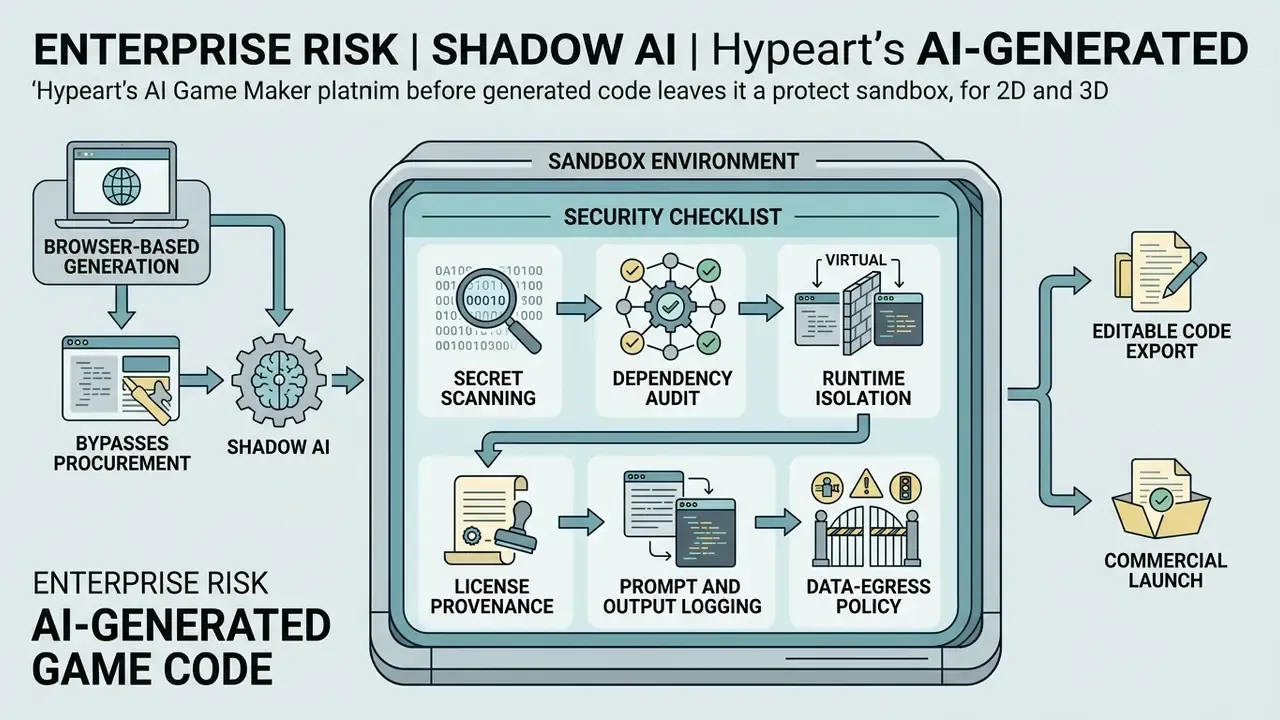
Browser-based generation is convenient precisely because it bypasses procurement. Which is exactly why it becomes a governance problem. When a designer pastes a design document into a public prompt window, that document leaves the corporate boundary. When a developer downloads a generated ZIP and runs it locally, unreviewed third-party code enters the workstation. Both are ordinary Shadow AI patterns, and both stay invisible unless the organization treats generative game tooling as a sanctioned category with defined limits.
Independent studies of developer sentiment describe the same tension from the practitioner side.
«7.9% of discussion mentions cite idea generation as AI's key benefit, while developers describe the tool as an ill-informed co-worker requiring verification.»
How to Choose the Right AI Game Creation Tool for Your Project
Selecting among ai game creation tools means evaluating project requirements against technical skill level, target dimensions (2D versus 3D), access to underlying source code, and export platforms (web, Unity, Unreal Engine, or native desktop builds).
| Feature / Tool Tier | No-Code AI Game Maker | Low-Code AI Game Maker | Engine-Integrated AI Plugin |
|---|---|---|---|
| Primary Target Audience | Beginners, students, educators | Hobbyists, indie developers | Professional game engineers |
| Required Coding Skill | None (plain natural language) | Basic (script reading, variable tweaking) | Advanced (C#, C++, or GDScript) |
| Code Access Level | Locked, no direct code editing | Full editable code (JS or Python) | Full source project structure |
| Asset Generation | Built-in 2D and 3D prompt generators | Integrated sprite and audio generation | External engine asset pipeline |
| 2D vs. 3D Capabilities | Primarily 2D and simple WebGL 3D | 2D platformers and WebGL Three.js 3D | Full high-end 3D and 2D rendering |
| Export Formats | Web URL, HTML5 embed | Web HTML5, ZIP, Windows .exe | Unity package, UE5 project, C# source |
| IDE / Protocol Integration | None | MCP clients, REST API | MCP, REST API, Unity editor plugin |
| Automated QA | Manual browser playtest only | Basic agent playtest passes | Full test framework integration |
| Collaboration | Public link sharing | Real-time shared browser workspace | Git and native engine versioning |
| Hidden Risks | Forced public projects, no code audit | Credit exhaustion mid-project, unreviewed dependencies | Setup and signing overhead, licensing complexity |
Developers comparing adjacent creative tooling for trailers and devlogs can also review free video editing options before budgeting a marketing pass.
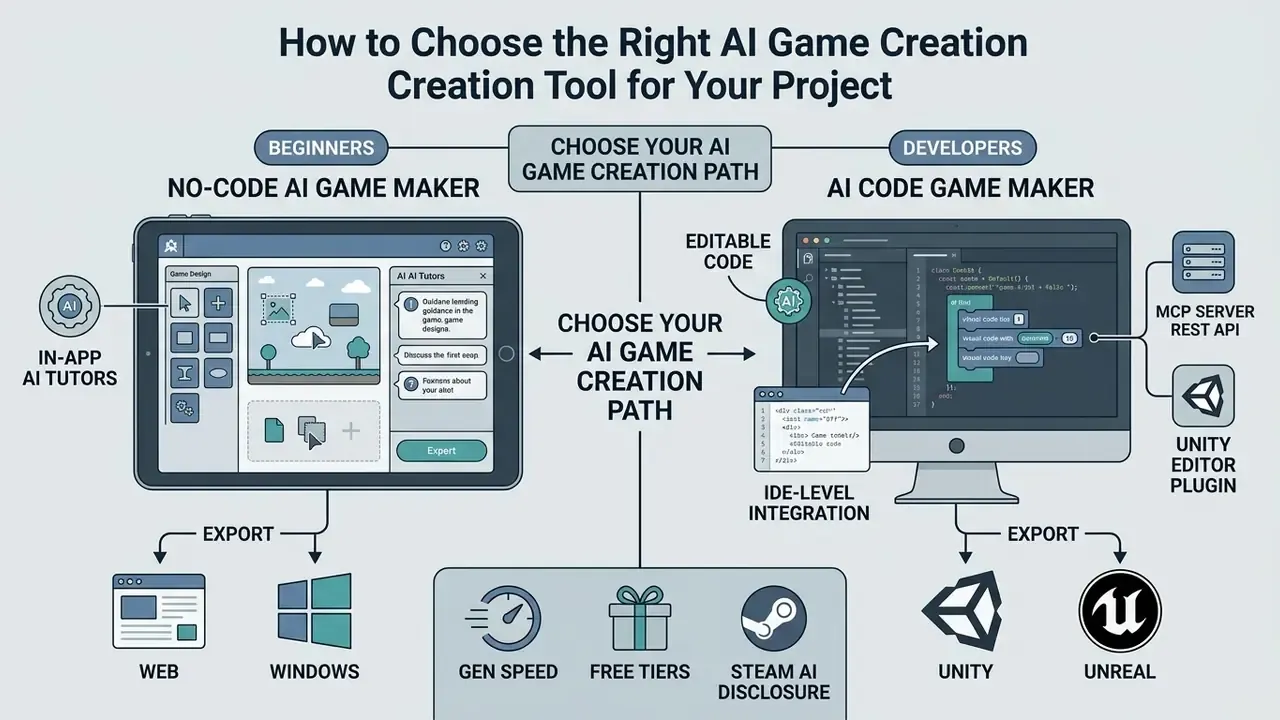
No-Code AI Game Maker for Beginners
A no-code ai game maker lets non-technical creators, teachers, and students design fully interactive games without writing code. These platforms swap programming syntax for natural language chat, visual property panels, and pre-built logic templates.
In educational settings, tools like Summer Engine, Craift, and SEELE AI let students build historical simulations, science quizzes, and basic arcade games in plain English (Summer Engine, 2026). Craift documents a no-code mode aimed at ages 7 and up with no downloads or setup, while classroom-oriented tools advertise interactive lesson builds in roughly five minutes. The platform handles asset allocation, physics calculations, and control mapping automatically, which puts game design within reach of people who never took a computer science class.
In-app AI tutors are now the differentiating feature in this tier. Instead of sending a beginner to external documentation, engines embed an assistant that answers questions in context ("how do I make this object bounce?"), builds the requested mechanic inside the current project, and explains the event logic it just created. Combined with in-app tutorials and courses, the tool itself becomes the curriculum, shortening the gap between a question and a working mechanic. One terminology caveat: several "no-code" engines remain no-code by default but expose optional JavaScript, so they are not strictly code-free on every feature path.
If you need to analyze cost structures across creative software suites, you can open the hub to review pricing model breakdowns, or explore the hub for cost and credit-usage estimators before committing to a tier.
AI Code Game Maker with Editable Code for Developers
For professional developers and computer science students, an ai code game maker provides transparent access to real, editable source. Rather than compiling logic into a closed proprietary format, these platforms output clean JavaScript, C#, or GDScript files that can be exported, modified, and opened in external IDEs like VS Code or Rider.
According to technical specifications from SEELE AI and Rosebud AI, generated projects export clean repository structures with separate files for scene configuration, character controllers, and asset loading (Rosebud AI, 2026). That structure lets developers use AI for rapid greyboxing while retaining full control over architectural optimization, custom shader programming, and third-party SDK integration.
MCP and IDE-level integration. Advanced workflows now support the Model Context Protocol (MCP), which connects asset generation engines directly to external IDEs like Cursor and Claude, or straight into the editor via dedicated Unity plugins. Instead of switching to a web dashboard, developers trigger prompt-based sprite, audio, or 3D mesh synthesis inside their active coding environment or scene inspector, with output landing in project repository folders. Three integration surfaces are typically exposed side by side:
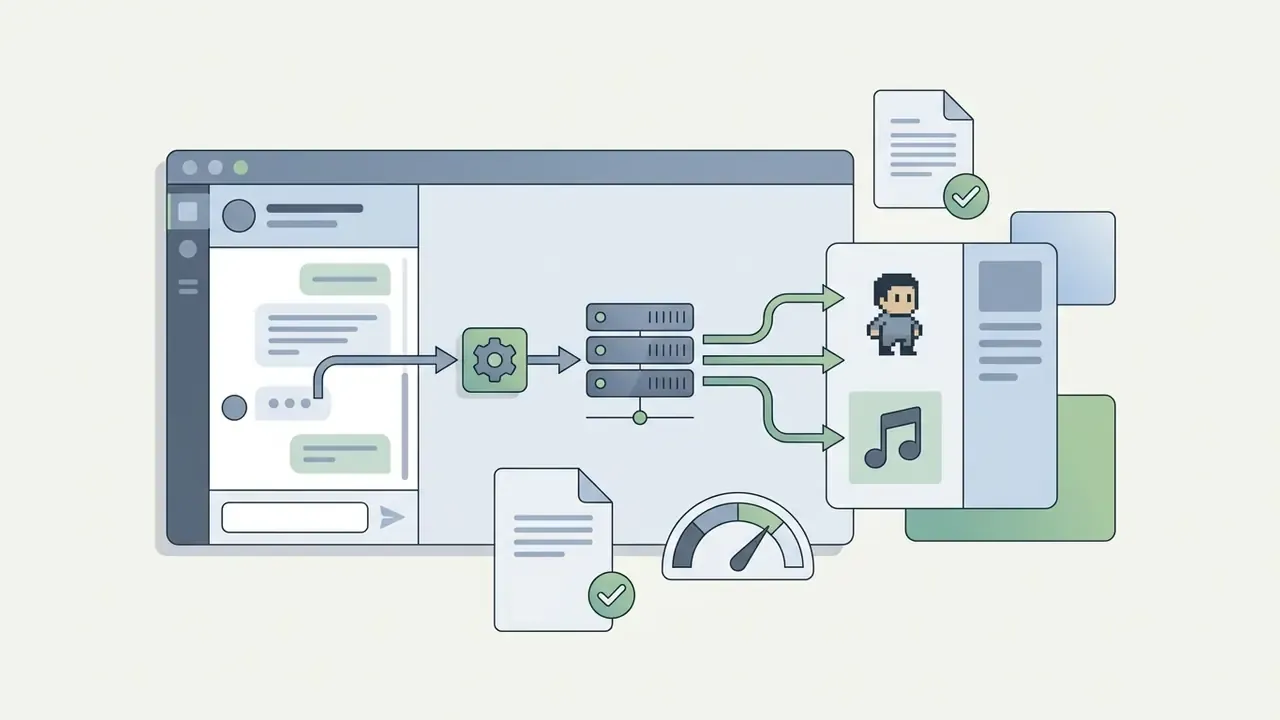
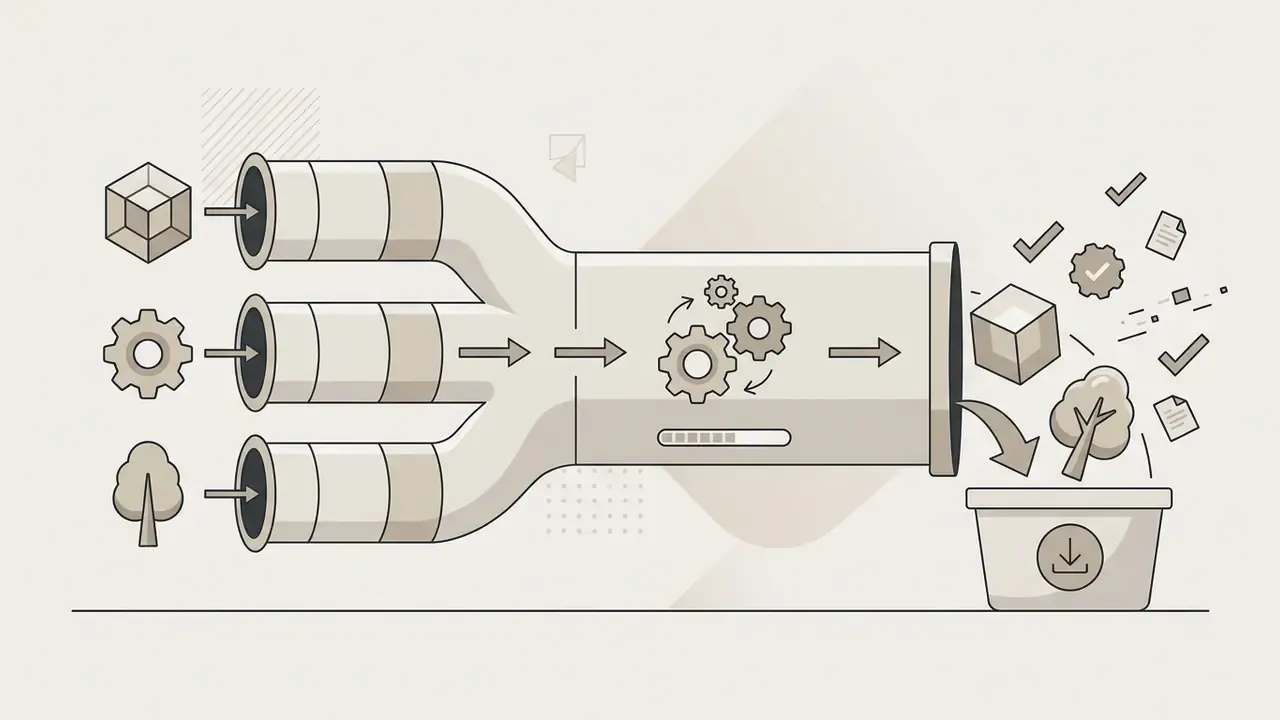
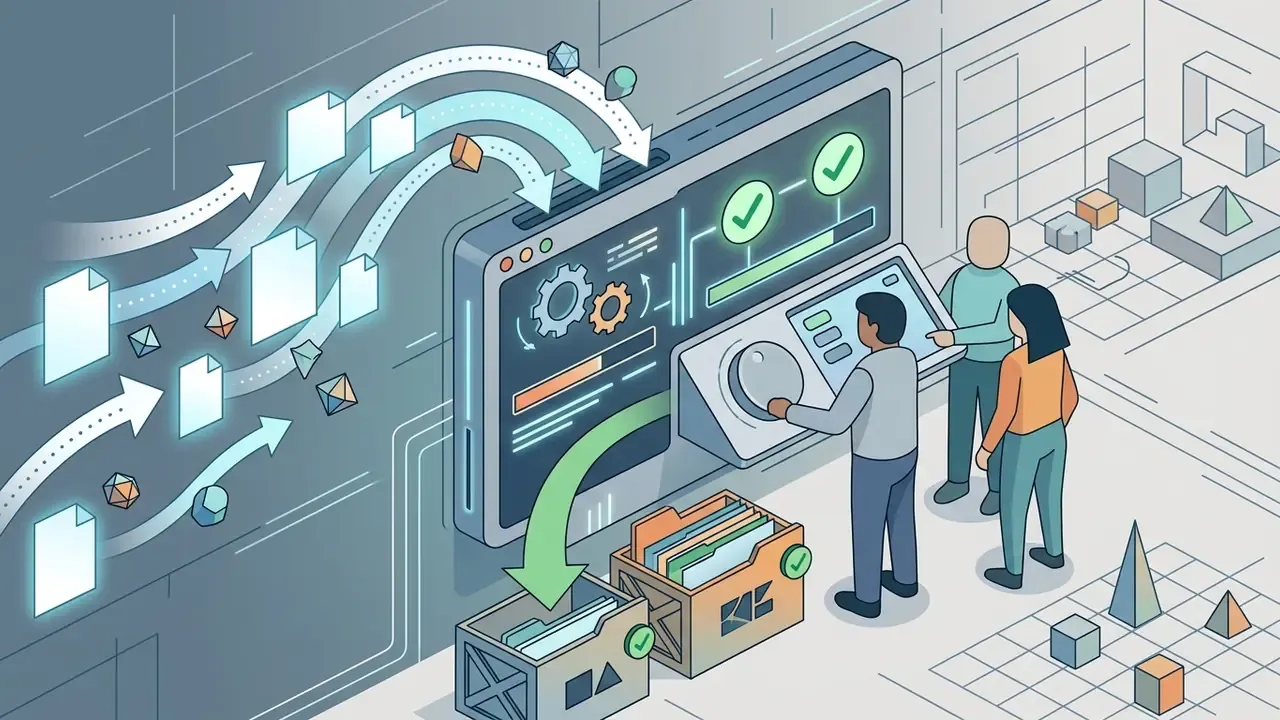
For teams, this matters because it puts generation inside the same environment as code review and version control. An asset produced through MCP or the API can be committed, diffed, and rolled back like any other artifact. A browser download offers none of that.
Developers interested in adjacent creative AI categories can compare functional features across platforms, and those building character motion can review animation makers for the rigging and sequencing layer.
Web, Unity, Unreal, and Windows Export Options
Export flexibility decides whether a project stays trapped in a browser sandbox or ships as a commercial title. Modern platforms provide three deployment paths:
- Web Build (HTML5 or Three.js)Generates lightweight bundles containing
index.html, JavaScript bundles, and asset directories, suitable for itch.io, personal domains, or web portals. Some tools additionally allow a full HTML or ZIP download for self-hosting rather than a share link only. - Game Engine Project ExportConverts assets, scenes, and logic into Unity packages (
.unitypackage), Godot project files (project.godot), or Unreal Engine C++ blueprints. Vendor documentation places Unity (C#) and Three.js (JavaScript and WebGL) as current targets, with Unreal Engine 5 code generation gated to subscription tiers. - Standalone Desktop BinariesCompiles executables for Windows (
.exe), macOS (.app), or Linux, enabling direct distribution on platforms like Steam. Verify this carefully. Several platforms list Windows, Mac, Linux, and web as "supported platforms" without specifying installer formats or signing, and export may require target templates, toolchains, and code-signing certificates you supply yourself.
To review developer-focused technical integration and API deployment models, you can open the hub and inspect implementation documentation.
Free AI Game Makers: Terms, Limitations, and Paid Feature Costs
Plenty of platforms advertise an ai free game maker or an ai game creator free online. In practice, commercial providers implement tiered pricing that limits monthly generation usage, credit allocations, code export rights, and commercial licensing on free plans.
| Platform | Free Plan Terms | Paid Tier Pricing | Free Plan Constraints | Risks and Hidden Limits | Paid Tier Features |
|---|---|---|---|---|---|
| Rosebud AI | 8,000 credits per week, public projects | $15 to $50 per month | Public projects only, non-commercial use | Forced public and remixable projects mean IP exposure risk | Private projects ($15/mo), commercial rights ($30/mo), code export ($50/mo) |
| GDevelop AI | 40 AI credits per month, standard engine access | from about $5.49 per month | Restricted AI generations per month | Low monthly quota exhausts fast on iterative prompting | Increased AI generation quota, advanced multi-platform export |
| GameGen.dev | 1,000 creation credits per month, no credit card required | $15 to $30 per month | Platform publishing only, mandatory splash screen | No self-hosting on free tier, branding locked in | Web and desktop standalone export, team collaboration, custom branding |
| Wilds.ai | 500 one-time starter credits | $9 per month (5,000 credits) | One-time credits, not recurring | Starter credits do not refresh, hard stop mid-project | High-priority generation queues, extended asset resolution |
| Ludo.ai | 30-credit free trial | from $15 to $50 per month | Trial usage only, no permanent free tier | No free fallback after the trial ends | Full asset generation, MCP, REST API, Unity plugin |
| PlayAI | not documented | $15 per month (100,000 credits) | No documented free tier | Credit-based cost is opaque per asset type | Higher tier at $30/mo with 300,000 credits |
| GameMaker | Free for non-commercial use, desktop, web, mobile, GX.games export | Paid commercial licence | Licence explicitly non-commercial | Shipping commercially requires a licence upgrade | Commercial licence, full export targets |
| Meshy (3D assets) | 200 credits per month, CC BY 4.0 licence | Pro tier | Attribution required on free output | CC BY attribution obligations in credits | 1,000 credits per month, private commercial licence |
| Sloyd (3D assets) | Guest: in-browser editing, community models | Plus or Pro | Export limited on free tier | Community-model export only | Unlimited exports, commercial use |
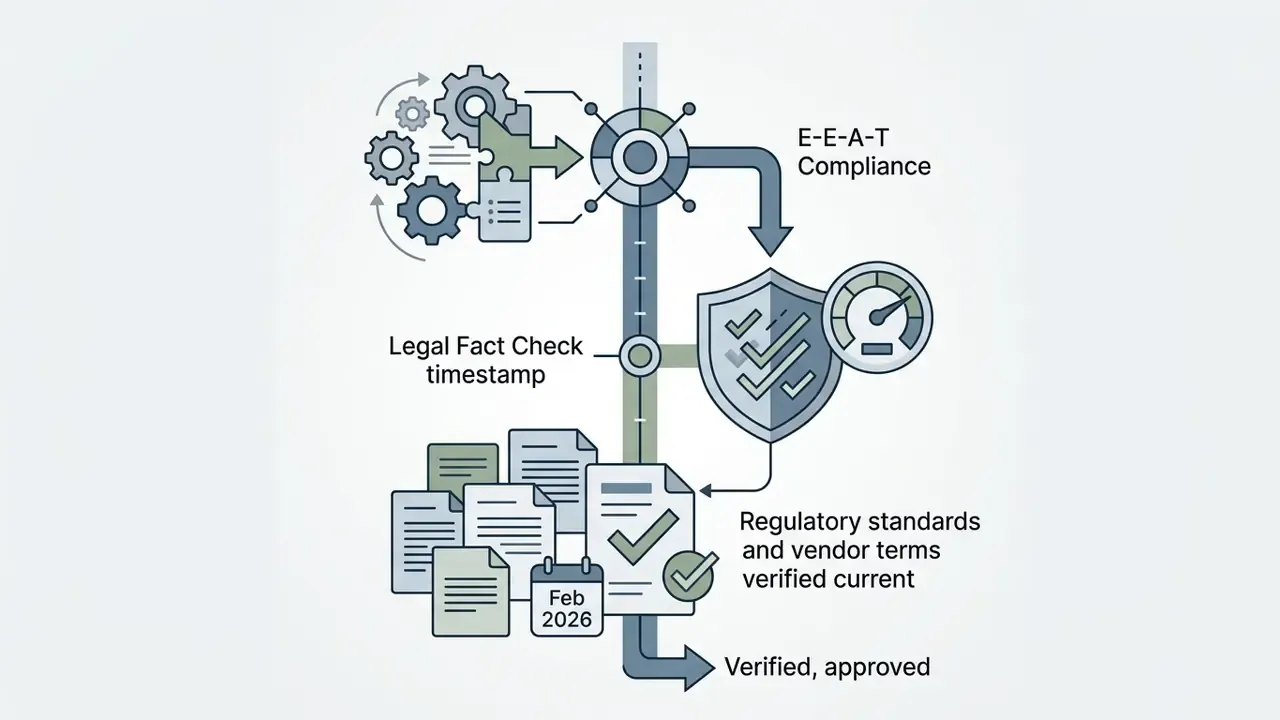
Pricing and credit allowances reflect published vendor terms verified in February 2026 and are subject to change. Promotional quotas move constantly, so confirm current figures on the vendor's own pricing page before committing.
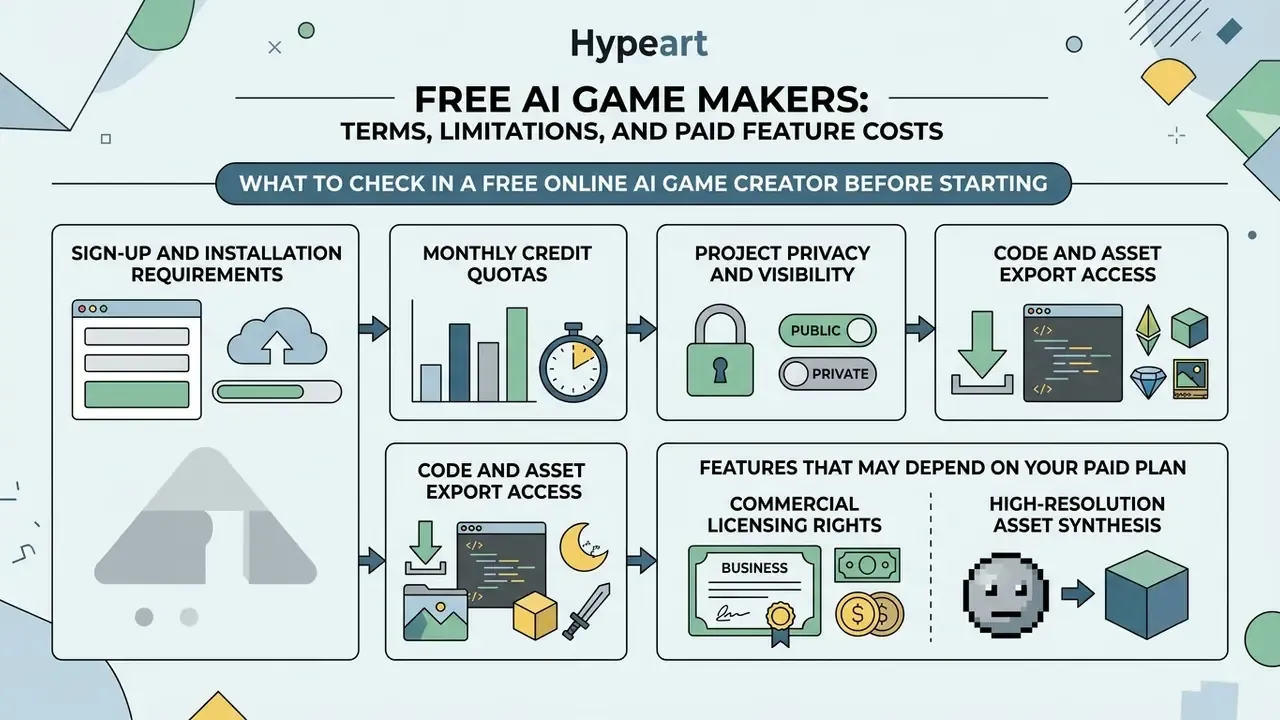
What to Check in a Free Online AI Game Creator Before Starting
Before starting development on an ai game creator free platform, inspect four operational terms:
- Sign-Up and Installation RequirementsConfirm whether the platform offers an ai game creator no sign up workflow for immediate browser testing, or demands account creation and card authorization.
- Monthly Credit QuotasCheck whether allowances reset daily, weekly, or monthly, and whether "starter" credits are one-time rather than recurring. Measure how many credits a single prompt, sprite sheet, or 3D mesh consumes, because iterative chat editing burns quota fastest of all.
- Project Privacy and VisibilityDetermine whether free-tier projects are forcibly published to public community galleries or stay private to your account. Forced public visibility is an IP exposure issue, not a cosmetic limitation.
- Code and Asset Export AccessEstablish whether the free plan permits downloading source code and visual assets, or locks exports behind a paywall. Distinguish "editable in-app" from "downloadable to disk". Those are not the same guarantee.
For creators evaluating free visual editing suites with export limits, our guide on free photo editors details common freemium operational patterns.
Features That May Depend on Your Paid Plan
Upgrading from a free tier typically unlocks the features commercial development actually requires:
- Commercial Licensing Rights Free plans frequently restrict output to personal, educational, or non-commercial use. Some free tiers permit commercial use only with attribution, for example CC BY 4.0 on generated 3D meshes, which moves the obligation into your credits roll rather than removing it.
- High-Resolution Asset Synthesis Paid plans unlock high-resolution sprite sheets, uncompressed audio, and high-polygon meshes with custom UV maps.
- Source Code Download Downloading raw C#, GDScript, or HTML5 repositories often requires a professional tier.
- Custom Branding and Splash Screen Removal Paid tiers let developers strip mandatory platform watermarks and vendor splash screens from compiled builds.
- Multi-Engine Project Export Exporting raw Unity packages or Unreal blueprints is usually restricted to higher subscriptions.
- Pipeline Access MCP servers, REST APIs, and editor plugins are generally paid-tier features, since they enable batch generation volumes.
Aligning Tool Pricing with Game Development Goals
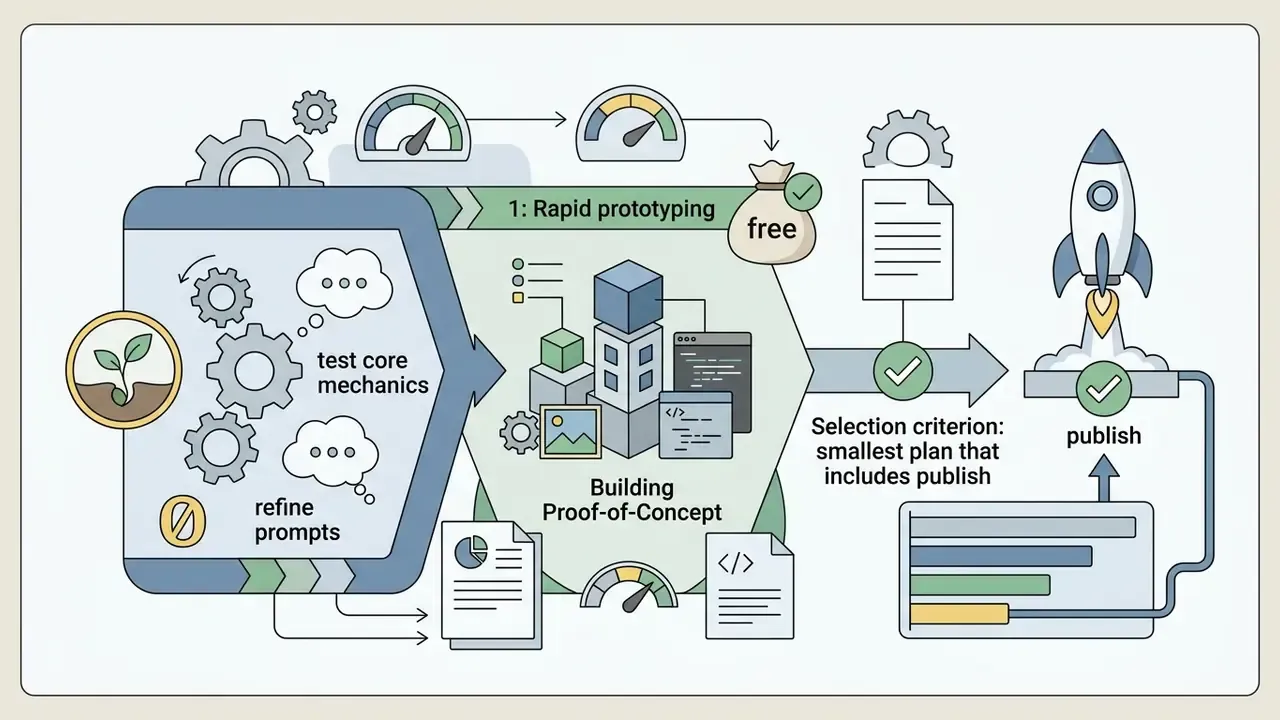
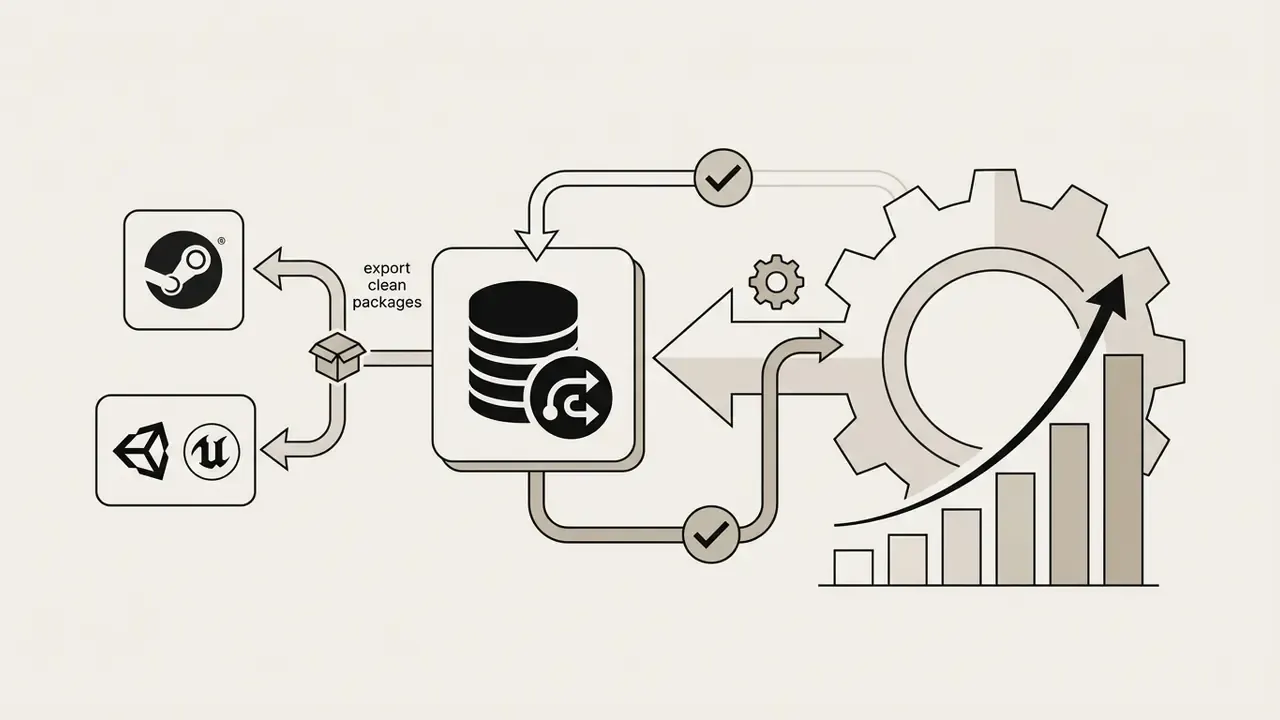
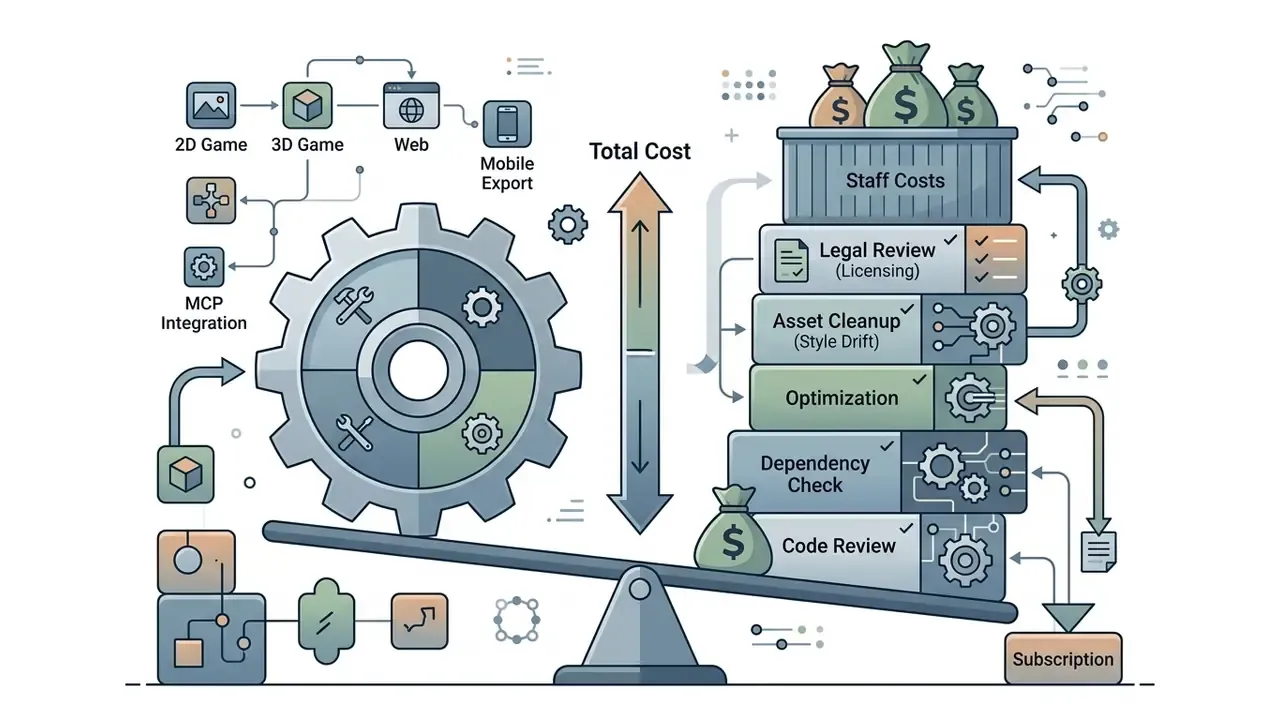
Matching platform cost to project scope prevents unnecessary spend during development:

Commercial Use of AI-Generated Games: Rights, Publishing, and Monetization
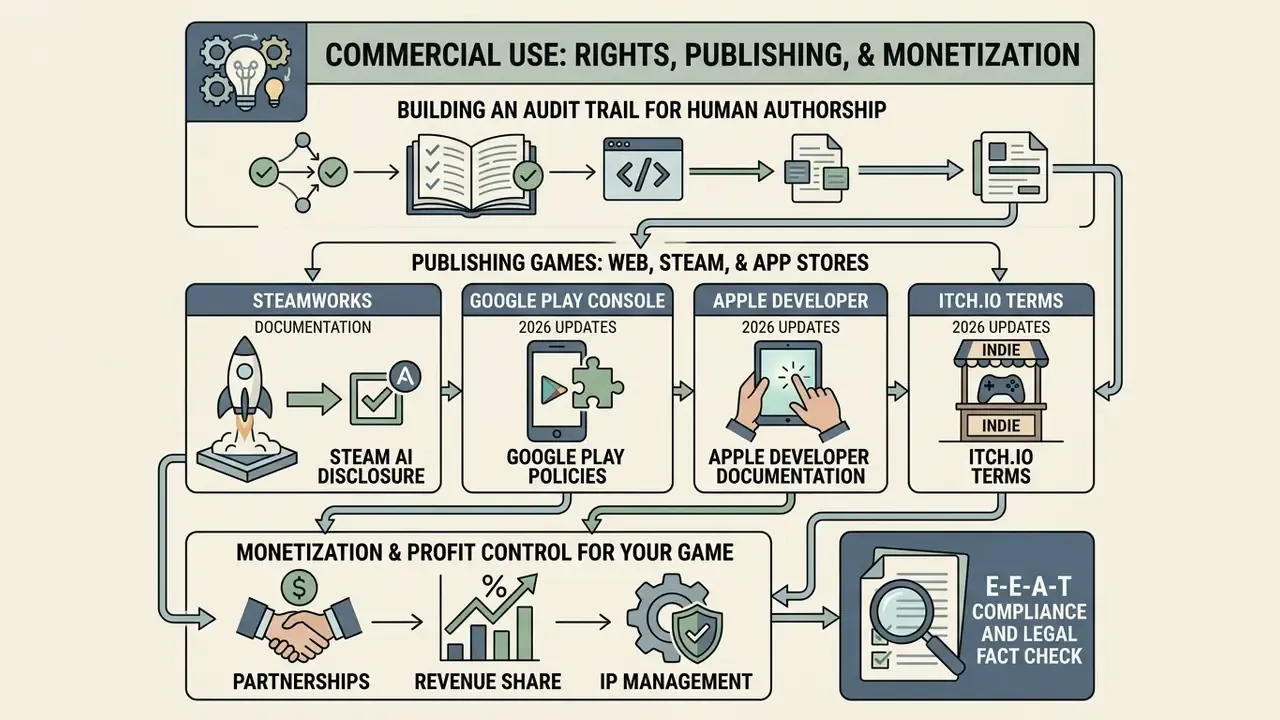
Publishing and monetizing an AI-generated game means navigating copyright standards, platform disclosure mandates on Steam and Google Play, and contractual terms governing asset ownership.
Verifying Rights to Game Code, Sprites, and AI Assets
«Normative debates about authorship and control over AI tools remain part of a wider dispute over creativity and ownership in generative systems.»
Building an audit trail for human authorship. Because protection depends on demonstrable human contribution, the evidence has to exist before a dispute, not after it. A defensible record includes every prompt and revision in chronological order, the platform and model version used per artifact, timestamps for generation and each subsequent human edit, before-and-after files showing your selection, arrangement, retouching, or refactoring, the design document that predates generation, and version-control commits attributing each human change to a named contributor. Keeping generated assets under Git or an equivalent converts an unverifiable claim into a reviewable history, which is also what store disclosure questionnaires and licensing audits tend to ask for.
From an asset licensing perspective, verify that the ai free game generator or paid platform grants explicit commercial usage rights in its Terms of Service. Rosebud AI, for example, grants commercial rights on paid tiers ($30 or more per month), while asset generators using Creative Commons CC-BY licences require creator attribution in the game's credits roll (Rosebud ToS, 2026). Readers weighing image-asset rights specifically can review our analysis of commercial use of AI image generators for the licensing patterns that carry over to sprite and texture pipelines.
For businesses seeking clarification on rights across generative media platforms, review our dedicated commercial use portal.
Publishing Games on Web, Steam, and App Stores
Major distribution platforms enforce specific disclosure rules for AI-generated content:
- Steam (Valve Corporation): Valve permits AI-assisted and AI-generated games provided developers complete the AI Disclosure section in the Steamworks submission portal (Steamworks Documentation, 2026). Developers must disclose two categories. Pre-generated content, meaning AI-created art, code, or sound shipped inside the installation files, with a guarantee that it does not infringe existing trademarks or copyrights. And live-generated content, meaning AI output produced dynamically during gameplay via runtime LLMs or APIs, where developers must implement guardrails preventing illegal or non-consensual output. Live-generated adult sexual content remains disallowed. As of January 2026 reporting, the disclosure requirement was narrowed to AI-generated content actually consumed by players, exempting purely internal efficiency tooling.
- Google Play Store: Google requires developers to declare AI-generated app features in Play Console metadata and comply with standard Data Safety policies (Google Play Console Policies, 2026). The declaration is broader than a single AI label, since it must align with the app's actual data and model usage.
- Apple App Store: Apple evaluates AI-powered apps under standard App Store Review Guidelines, focusing on user safety, data privacy, and performance stability, without a separate AI disclosure badge (Apple Developer Documentation, 2026).
- itch.io: Requires creators to apply the "AI Generated" project tag if the build relies substantially on generative asset models (itch.io Terms, 2026).
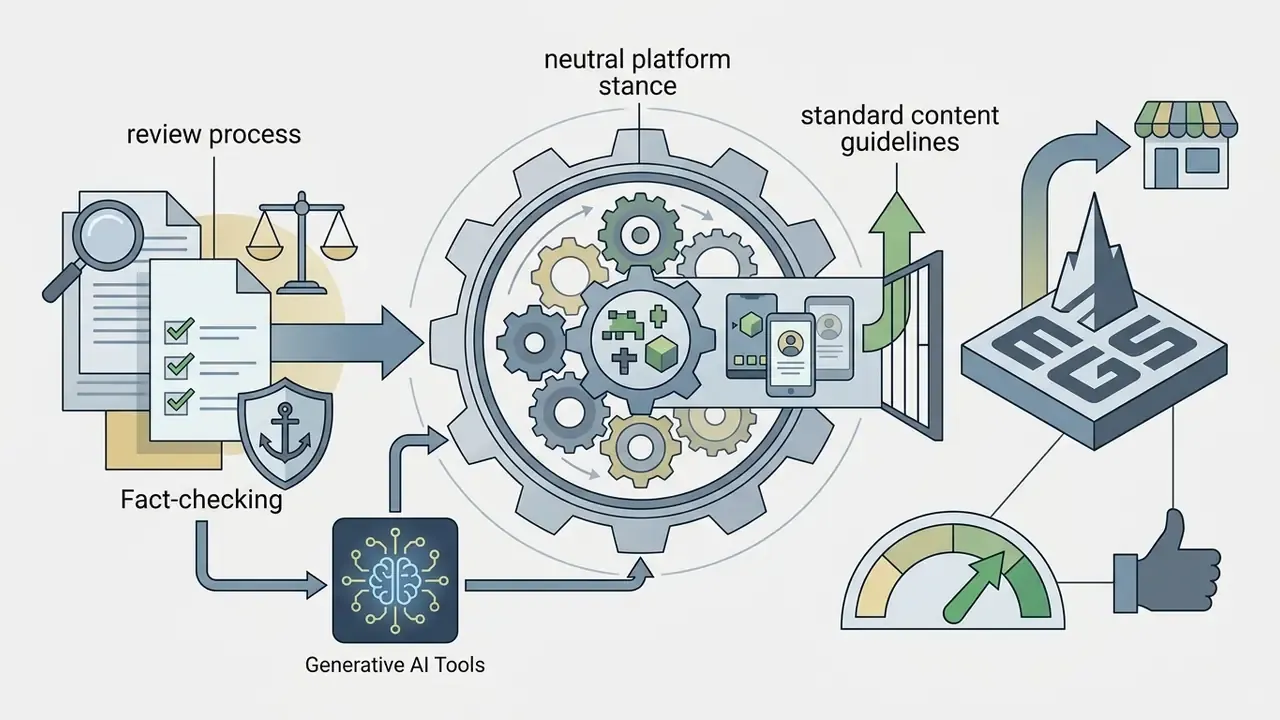
- Epic Games Store: Maintains a neutral stance. Epic leadership has stated it does not police how developers make games, and the official Epic Games Store Content Guidelines (last updated June 2025) govern content rather than development method.
To analyze video optimization workflows when creating gameplay trailers for Steam store pages, explore our video compressor guide, and for devlogs or trailer cuts see our YouTube video editor workflow guide.
Monetization and Profit Control for Your Game
Monetization models for AI-generated titles include premium sales, free-to-play in-app purchases, ad network integration, and web subscriptions. Most major platforms grant users 100% ownership of game profits from external sales, provided the project was built under a valid commercial subscription tier.
Terms of service from major engine providers specify that user-generated content and compiled software products remain the developer's property (Unity Terms of Service, 2026). Unity's terms state plainly that "your User Content is yours" unless rights are transferred. Revenue splits are contractual and separate from ownership: one 2026 platform's terms grant paid-plan users the right to sell, publish, licence, and monetize their games while retaining a 30% fee only on sales through that platform's own store, and nothing on external sales. When publishing on Steam or the App Store, standard platform revenue splits apply, for instance Valve's 30% store fee, but the AI tool vendor typically takes 0% royalty on external revenue unless a custom enterprise contract says otherwise. Industry reporting in 2026 indicates larger AI game deals now negotiate output ownership, tool licensing, and revenue share as distinct contract terms, which confirms that profit allocation is set by agreement rather than by the model itself.
For organizations evaluating intellectual property disputes or regulatory compliance questions around AI software development, you can explore the hub to inspect legal analysis materials.
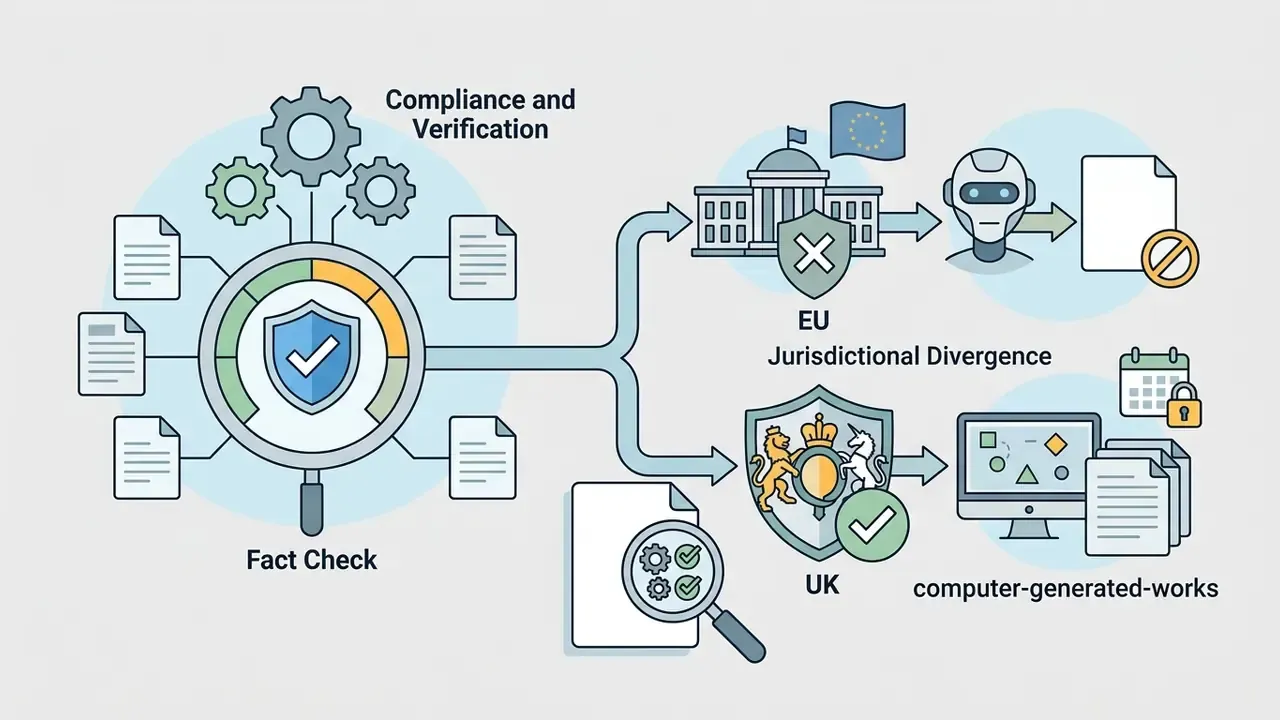
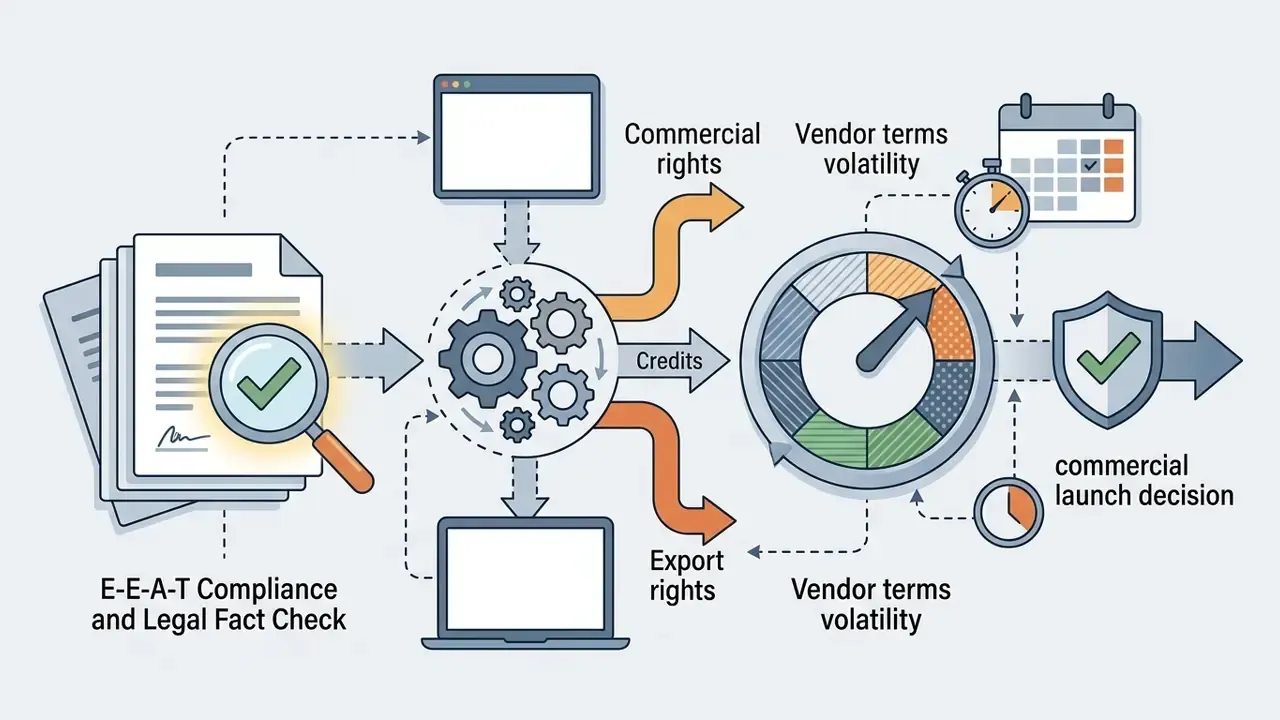
E-E-A-T Compliance and Legal Fact Check

FAQ: AI Game Makers, Rights, and Costs
Can I build a complete game using an AI game maker without any coding skills?
Yes. Modern no-code AI game makers let you design, build, and publish functional 2D and basic 3D games entirely through natural language prompts and visual inspector panels. Learning basic programming concepts still helps when fine-tuning complex mechanics or debugging unusual physics edge cases.
How long does it take to generate a game with AI?
Individual 2D sprites and UI icons generate in 5 to 10 seconds. 3D meshes with PBR textures take 30 to 60 seconds. A sprite-sheet animation of 25 to 36 frames takes roughly 2 to 3 minutes. A simple 2D playable prototype typically completes in 2 to 5 minutes, and a complex WebGL 3D scene in 2 to 10 minutes. A genuine proof-of-concept build that answers a design question still needs four to eight weeks including human playtesting.
Who owns the copyright to a game created with an AI game maker?
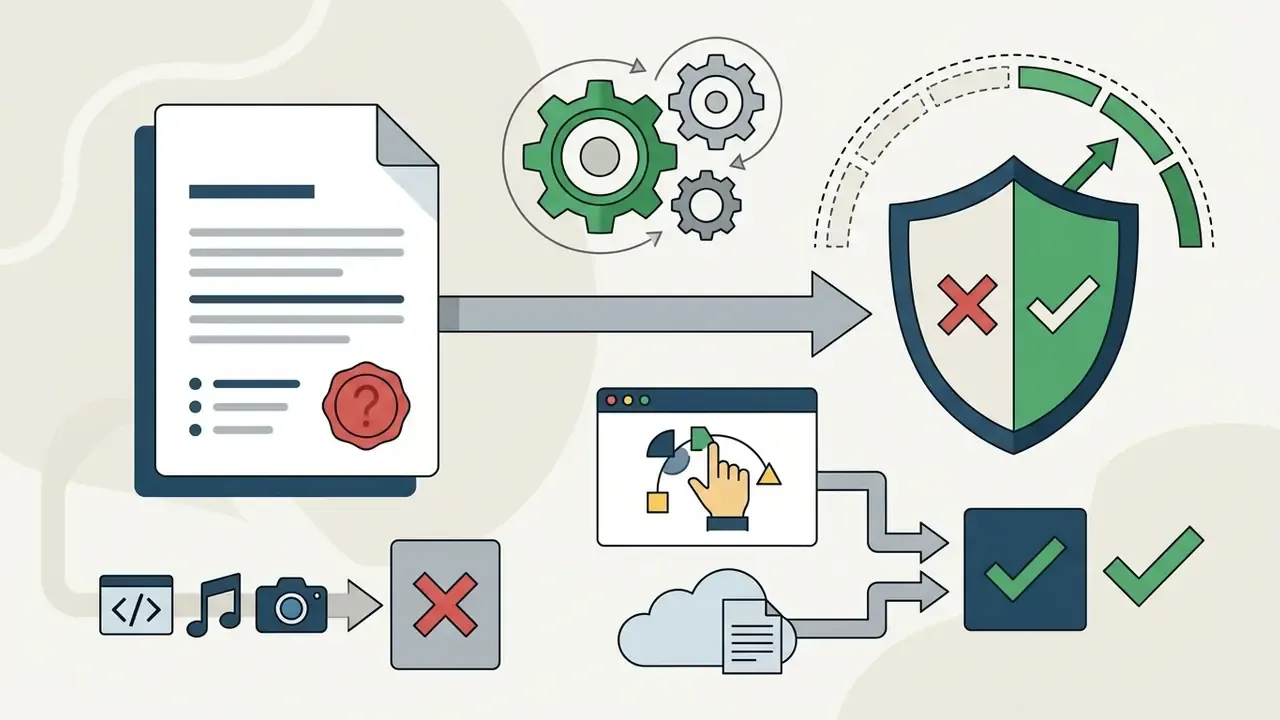
Under U.S. copyright law, purely AI-generated code and graphics cannot be copyrighted on their own. You do hold copyright over your original human contributions, including custom code modifications, narrative design, game architecture, and the creative combination of assets, provided your platform's Terms of Service grant commercial ownership rights. Keep a documented prompt-and-edit audit trail so the human contribution is demonstrable.
Can I sell an AI-generated game on Steam or itch.io?
Yes. You can sell AI-assisted games on Steam, itch.io, and web stores provided your subscription tier includes commercial usage rights, your assets do not infringe existing intellectual property, and you complete the store's mandatory AI content disclosure forms.
What rendering engine do browser-based AI game creators use?
Most browser-based platforms use HTML5, WebGL, WebGPU, and Three.js. WebGPURenderer is the modern path with automatic WebGL 2 fallback, which supports high-frame-rate 2D and 3D rendering inside mobile and desktop browsers without local installation.
What is the difference between a no-code AI game maker and an AI code game maker?
A no-code AI game maker hides logic behind natural language interfaces and visual controls, which suits beginners and educators. An AI code game maker generates clean, editable source code such as C#, JavaScript, or GDScript that developers can download, inspect, and integrate into professional engines like Unity or Godot.
Can several people build the same AI game project simultaneously?
Yes. Leading browser-native platforms support real-time multi-user collaboration in a shared workspace, where scripts, physics parameters, and generated assets sync instantly across desktop and mobile browsers. Same interaction model as collaborative document or design tools. This is distinct from in-game multiplayer, which is a runtime feature for players rather than a development mode for creators.
What is MCP and why does it matter for AI game development?
The Model Context Protocol lets an AI assistant inside your IDE, such as Cursor or Claude, call an asset generator as a tool. Instead of switching to a web dashboard, you request a sprite, sound, or 3D mesh from your coding environment and the file lands directly in your project folder, where it can be committed and version-controlled like any other artifact.
Can AI test my game automatically?
Yes. AI testing frameworks simulate large volumes of player actions per minute to detect collision failures, boundary escapes, softlocked state machines, and frame-rate instability. These agents handle coverage and regression sweeps efficiently, but they cannot judge whether a game feels balanced or fun. That still requires structured human playtests.
Is it safe to run AI-generated game code on a work machine?
Treat it as untrusted third-party code. Audit dependencies for typo-squatted packages, scan for embedded secrets, run the first build inside a container or disposable VM, review input handling for missing validation, and record which design documents were sent to the model. Unsanctioned browser generation on corporate hardware is a Shadow AI pattern that governance policy should address explicitly.
Alternative Perspectives and Limitations
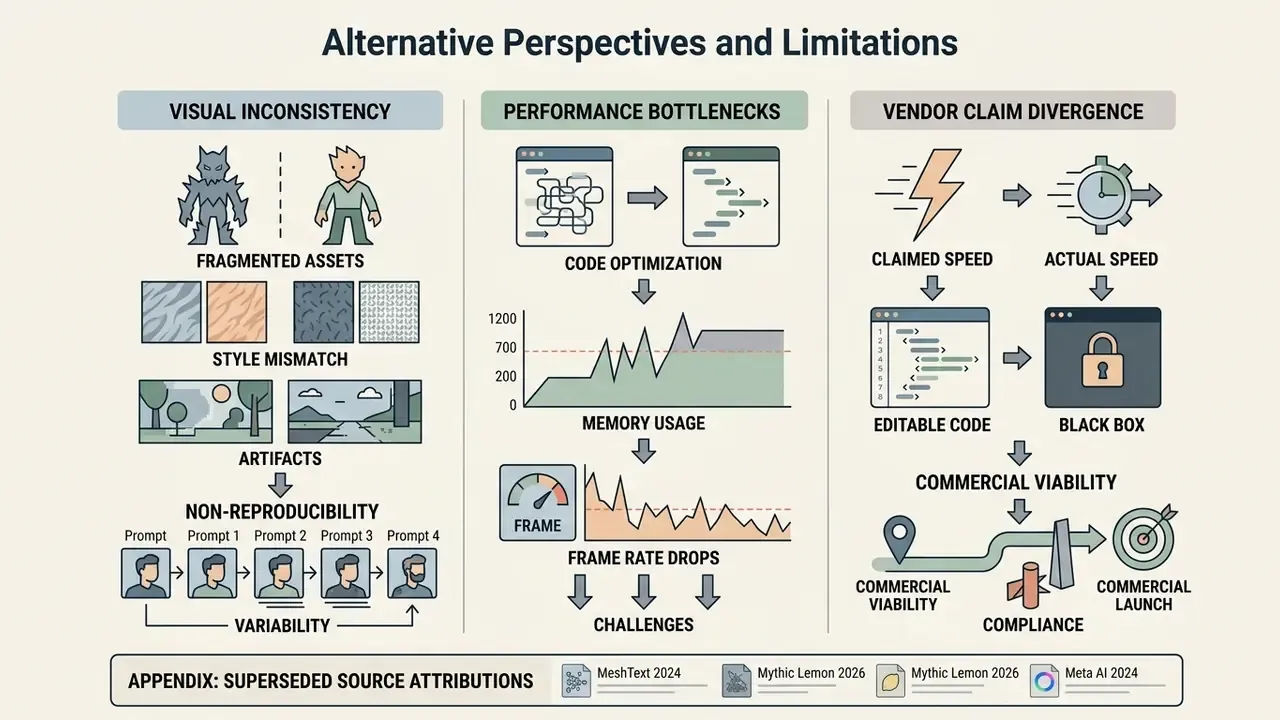
Marketing materials for AI game makers emphasize total automation. Software engineering studies and design evaluations point at harder constraints.
- Unpredictable Physics and State Evaluation: Large language models predict code syntax from text patterns rather than simulating physical reality. Complex multi-body collisions, frame-rate-dependent physics, and layered state machines often break without human oversight.
«Sokoban experiments show LLM level-generation performance depends sharply on dataset size; small datasets yield limited diversity and many unplayable levels.»
- Visual Style Inconsistency: Diffusion models excel at single-image synthesis, but holding consistent character features, palettes, and lighting angles across dozens of sprite frames still requires manual editing.
«A systematic review of roughly 200 works identifies five categories of 3D asset generation and confirms style consistency remains an open research problem.»
For further guidance on troubleshooting audio-visual generation pipelines and software workflows, our AI Media Support and Troubleshooting page provides diagnostic references, and our YouTube video editor guide covers trailer and devlog production for launch marketing.
Appendix A: Superseded Source Attributions (Retained for Transparency)
The following attributions appeared in earlier revisions of this article and have been replaced in the main text with verified equivalents. They are retained here so readers can trace the correction:
- "Narrative authoring time was reduced by 65%... 40% increase in character interaction depth": unsourced figures, restated as directional, self-reported outcomes.
- "(MeshText, 2024)"
- the cited URL resolves to Mao & Yu, Procedural Content Generation via Generative Artificial Intelligence. "MeshText" is not the publication title. Corrected in the 3D capabilities section.
- "(Mythic Lemon, 2026)"
- vendor-style analysis without stated methodology. Replaced with Yang, Kleinman & Harteveld's 2024 scoping review for the genre-feasibility claim.
- "(Meta AI, 2024)"
- corporate landing page without reproducible timing methodology. Generation-time claims now reference the published benchmark table and are labelled vendor-reported where not independently verified.
- "The team saved approximately three weeks of initial logic scripting"
- anonymous case figure, restated as self-reported and unbenchmarked.
Technical Metadata and Search Parameters
- SEO Title AI Game Maker: Create 2D and 3D Games with AI, Pricing and Launch
- SEO Description Learn how to choose an AI game maker for 2D, 3D, web, and mobile games. Compare generation speed, code export, MCP integration, free tiers, Steam AI disclosure rules, and commercial rights.
- Primary Keywords
ai game maker,2d ai game maker,2d game maker ai,3d game maker,ai game creator,ai game creater,ai create a game,ai create video game,ai code game maker,ai app game maker,ai game app generator,ai free game maker,ai free game generator,ai game creator no sign up. - Target Audience Indie game developers, computer science educators, students, content creators, technology risk and governance leads, and software product managers evaluating automated game development tools.
- Last Updated February 2026.