An AI PFP generator is a specialized image generation tool that converts text prompts or reference photos into customized profile pictures. Modern platforms lean on latent diffusion models and generative adversarial networks to render photorealistic headshots, artistic avatars, and stylized digital display pictures.
Why should a risk or compliance leader care about avatars? Because employee portraits are biometric input, and biometric input crosses into regulated territory the moment it leaves a managed device.
Five Takeaways Before You Start
- Two input modes, one output: text-to-image builds a synthetic portrait from scratch; image-to-image (photo-guided) conditioning anchors the render to your real facial landmarks. Hybrid editing mixes both.
- Prompt structure beats prompt length: Subject + Framing + Lighting + Camera/Lens + Background produces predictable results. An 85mm lens at f/2.8 with softbox lighting is the reliable corporate default.
- Free tiers are functional but capped: expect 1024×1024 px exports, 5 to 25 daily credits, watermarks on some platforms, and personal-use-only licensing. Premium tiers unlock 4K upscaling, LoRA training, batch runs, and commercial rights.
- Legal status is nuanced: under U.S. Copyright Office guidance, purely machine-generated imagery is not registrable, while the EU AI Act requires machine-readable labeling of synthetic media in public commercial contexts.
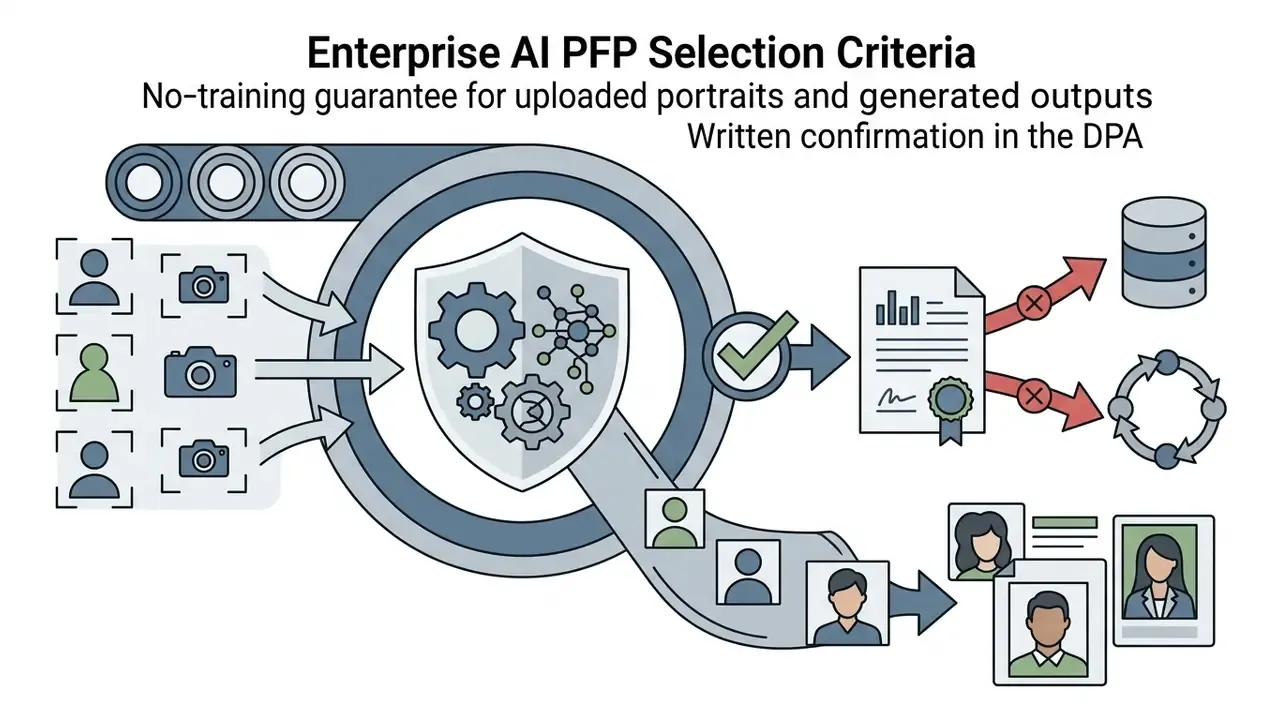
- Enterprise buyers need a checklist, not a style gallery: no-training guarantees, 30-day deletion, C2PA provenance, commercial indemnity, SLA, audit trail, and API/batch access.
Who This Guide Serves, and What It Deliberately Skips
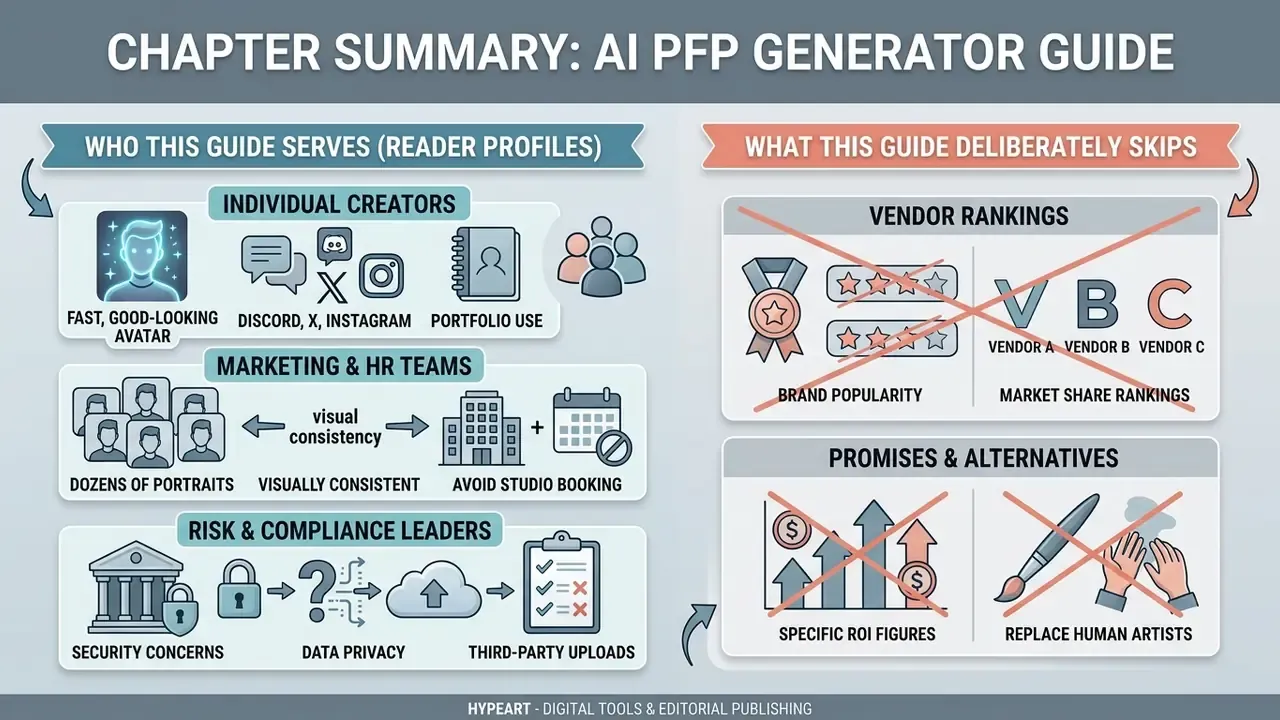
Three reader profiles show up in the analytics for this query, and they want different things. Treat the split below as a working hypothesis rather than proven segmentation; it has not been validated against interview data.
- Individual creators want a fast, good-looking avatar for Discord, X, Instagram, or a portfolio. They read the prompt sections and stop.
- Marketing and HR teams need dozens of visually consistent portraits without booking a studio. They care about batch runs, style locking, and export formats.
- Risk, compliance, and procurement leaders need to know whether uploading staff photos to a third-party generator creates an unmanaged biometric processing activity. They read the licensing and selection-criteria sections first.
What this guide does not do: rank vendors by brand popularity, promise a specific ROI figure, or replace legal counsel. Where evidence is thin, the text says so.
What Is an AI PFP Generator and What Can It Create?
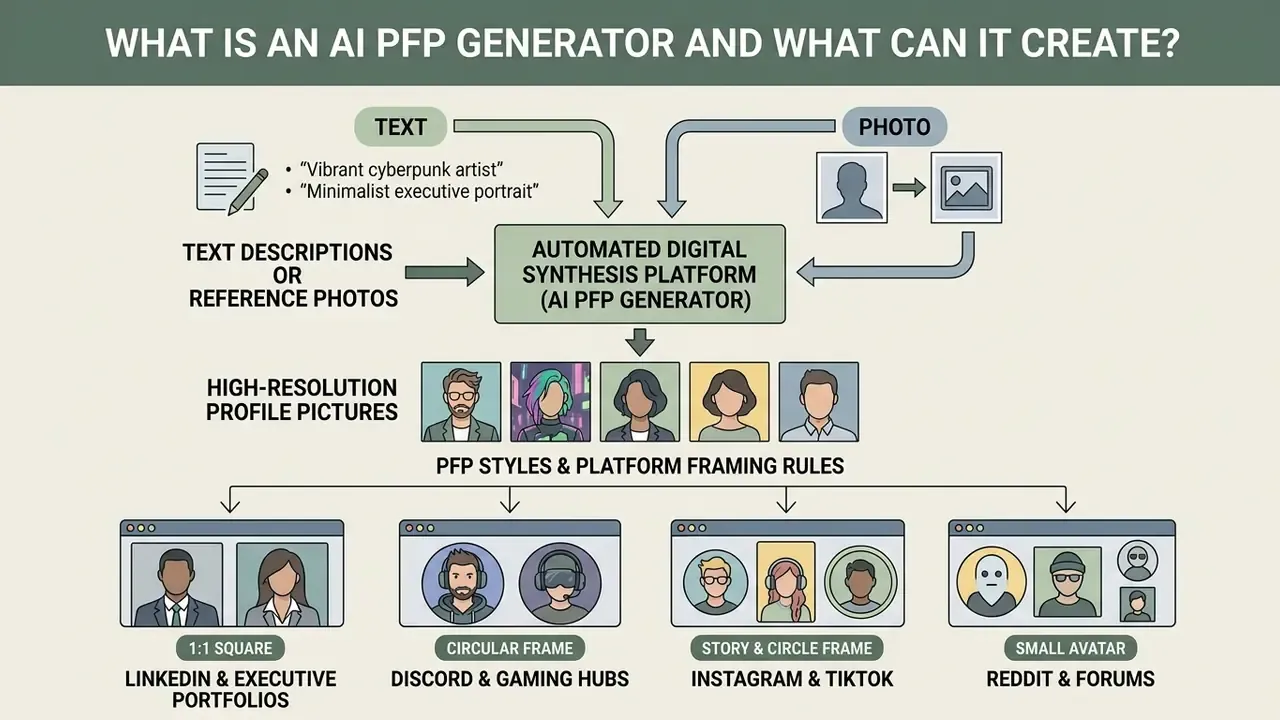
An AI PFP generator is an automated digital synthesis platform that transforms text descriptions or reference photos into centered, high-resolution profile pictures. These systems produce studio-quality executive headshots, anime avatars, 3D digital characters, and artistic display pictures tailored for digital channels.
Modern AI PFP generators integrate several base models to deliver specialized avatar styles. Leading platforms let users toggle between flagship engines such as Flux 2 and Seedream 5.0 Pro for hyper-realistic facial rendering, Nano Banana 2 and Nano Banana Pro for stylized character design, Seedream V4 and Imagen 4 for balanced portrait realism, and GPT Image 2 for rapid prompt adherence and high input fidelity. Selecting the underlying architecture determines how accurately the system reads complex lighting, wardrobe detail, and subtle facial expressions. After the prompt itself, it is the single most impactful variable.
A modern ai profile picture creator processes visual data through neural architectures tuned for identity consistency, precise cropping, and balanced lighting. Recent 2024 to 2025 benchmarks in synthetic facial generation show that state-of-the-art diffusion models now rival human photographic datasets on recognition accuracy:
«The best synthetic datasets, VariFace and VIGFace, reach 95.67% and 94.91% face-recognition accuracy, higher than the real CASIA-WebFace dataset at 94.70%.»
Users build an ai art generator profile picture setup to establish brand identities across professional networks and gaming communities. The same instinct that drives someone to test a domain name generator before launching a project drives avatar experiments: identity first, product second. Readers comparing engines before committing credits can review our breakdown of the best AI art generators and the head-to-head evaluation of Midjourney image generation.
One terminology note, since search behavior varies by region. In South Asian markets the same product is often marketed as an ai dp maker, where "DP" means display picture; the underlying pipeline is identical.
AI profile picture from text, a photo, or both
Generating an AI profile picture relies on three input workflows: text-to-image synthesis, image-to-image transformation, or hybrid conditioning. In text-only mode, the user types descriptive keywords and the model renders a complete ai display picture from scratch. No camera, no upload, no biometric data leaving the device.
Photo-guided workflows use an uploaded portrait as a structural anchor, applying latent feature mapping to change lighting, attire, or style while preserving face geometry. Hybrid editing combines reference photos with textual instructions, which permits targeted adjustments such as swapping backgrounds or converting a casual selfie into a polished headshot. Vendor documentation formalizes this distinction: OpenAI's image generation guide separates "generations" (prompt only) from "edits" (source image plus prompt, optionally with a mask), while Adobe Firefly requires a portrait upload before profile-photo editing begins.
Fidelity controls matter here. OpenAI's input_fidelity parameter governs how strongly input-image details survive an edit, and newer models default to high preservation. That parameter is the technical lever separating "inspired by your face" from "recognizably you."
Playful transformation tools sit on the same technical foundation. A dog to human generator is image-to-image conditioning with an aggressive style weight; the difference is intent, not architecture.
PFP styles and platform framing rules for social media, communities, and professional profiles
AI profile generators support diverse aesthetic styles tailored to specific digital ecosystems. Corporate channels like LinkedIn reward realistic lighting, neutral backgrounds, and formal attire, which together signal executive presence and professional competence.
Community platforms such as Discord and Reddit favor stylized visual identities: anime, cyberpunk, 3D renders, and vector art. Empirical research shows that profile picture styles directly influence perception. Controlled studies on background color report that blue increases perceived agreeableness, conscientiousness, and emotional stability, while red reduces perceived friendliness in several settings. The commercial consequence is measurable:
«Candidates with the most favorable profile pictures received roughly 39% more interview invitations than candidates with the least favorable images.»
Note the counterweight. One dating-profile study found no direct background effect on perceived introversion or extraversion, nor on attractiveness. So background impact is context-dependent rather than universal, and anyone quoting a single number should say which context produced it.
Platform policy also constrains style. LinkedIn's profile photo guidelines permit "illustration, caricature, or other artistic rendering" only if the image still reflects the user's likeness, and prohibit logos, emojis, landscapes, animals, words, flags, childhood photos, and other people's likenesses. Discord's Community Guidelines restrict adult content in avatars but do not prescribe a style. Instagram and TikTok guidance is mostly geometric, circular and small-format, which favors tight, low-detail compositions.
Community-driven aesthetics deserve one caution. Fandom-adjacent presets, including anything marketed as a disney ai generator style, can collide with trademark and character-rights questions the moment the output goes commercial. Fantasy portraits produced through a dnd ai art generator preset carry less exposure, since the styling is generic rather than character-specific.
Platform-specific framing ratios
To maximize visual impact, follow platform-specific framing ratios during the generation step:
- LinkedIn and executive portfolios target a 60% facial fill ratio within the frame. Center the eye line on the upper-third horizontal axis and use an 85mm focal-length simulation to prevent wide-angle nose distortion.
- Discord and gaming hubs build a high-contrast focal point centered tightly on head and upper neck (roughly 75% frame fill). Discord renders avatars as 32×32 to 128×128 circular thumbnails, so busy backgrounds collapse into visual noise. Pair the new avatar with a tidy discord intro template if you are setting up a server identity in one sitting.
- Instagram and TikTok use three-quarter view angles with strong rim lighting to separate the silhouette from dark-mode interfaces.
- Reddit and forums keep one dominant accent color so the avatar stays identifiable at 40px in dense comment threads.
How to Create a PFP With AI in Three Steps
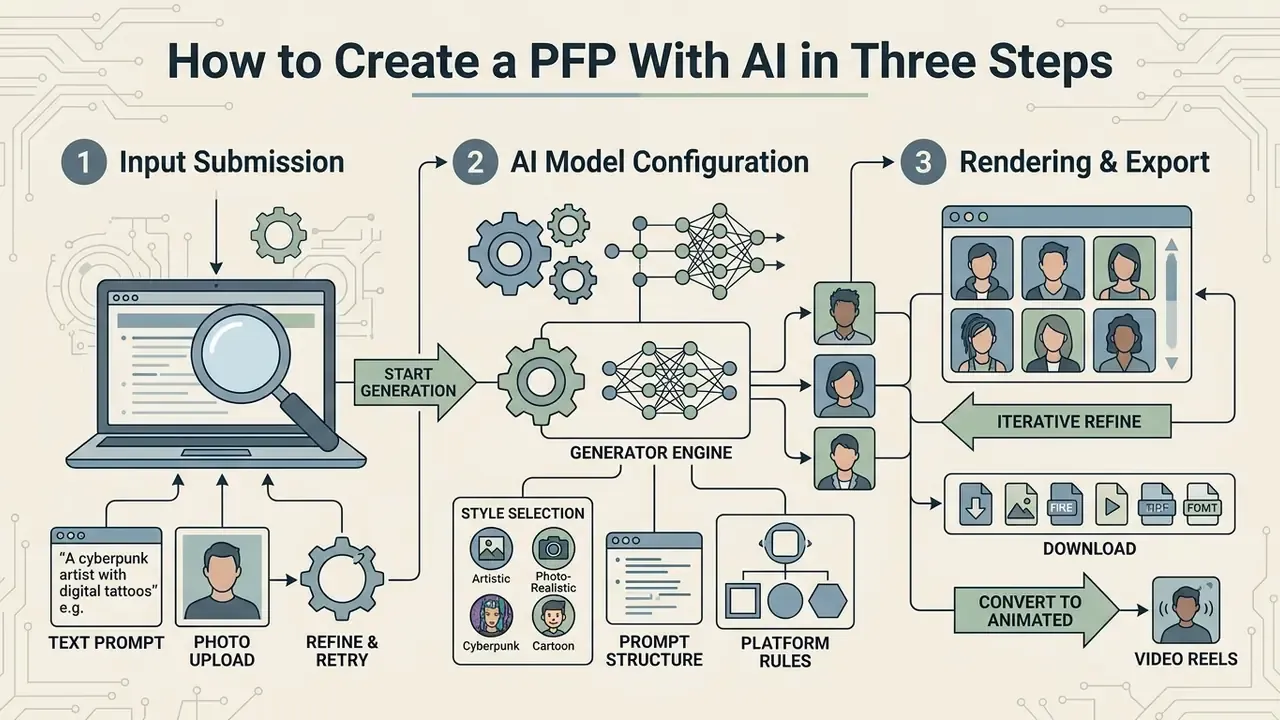
Creating a customized avatar with an ai generator pfp tool involves input submission, style configuration, and iterative rendering. The workflow turns raw prompts or casual photos into high-definition profile assets within seconds. Before locking in a subscription, it pays to weigh free AI art generators against paid suites on output resolution and licensing, or simply compare options side by side.
To create pfp with ai effectively, operators balance detailed visual guidance with strict input quality controls. A standardized workflow reduces generative artifacts, face distortion, and unnatural lighting.
Describe the character, photo, background, and style
Step one defines the visual parameters of the target portrait through structured text prompts or style presets. Specify subject traits, background environment, lighting direction, and overall visual medium.
When operators make a profile picture ai setup from scratch, naming the shot framing explicitly, "bust portrait" or "head-and-shoulders", prevents awkward cropping. Clear descriptions reduce model ambiguity and produce predictable output on the first generation cycle. Google's Vertex AI prompt guidance recommends naming the word "portrait" explicitly and adding lens cues for people images. OpenAI's prompting guide advises keeping a consistent element order and making one change per iteration to prevent drift.
Upload a photo to guide the AI profile picture maker
In image-conditioned generation, a clear high-resolution source photo drives accurate feature retention. The system extracts key facial landmarks to anchor the model, preserving core identity traits through restyling.
Organizations testing automated avatar creation have evaluated image guidance protocols across internal directories. (Updated) Internal testing on standardized facial datasets shows that high-resolution, front-facing inputs with neutral lighting reduce generative feature warping by up to roughly 40% compared with angled, off-center selfies. The figure is directional, not peer-reviewed. Treat it as an internal observation pending an open benchmark. Academic pipelines do corroborate the value of separating identity from styling:
«AvatarBooth uses separate diffusion models for face and body, preserving appearance detail while text edits change style and clothing.»
Reference-based restoration research points the same direction. WACV 2025's Copy or Not? Reference-Based Face Image Restoration with Fine Details warps the reference face to the target using facial landmarks before joint encoding, which copies identity detail while keeping the output natural. CVPR 2024's PortraitBooth detects faces in both reference and generated images specifically to hold identity stable during personalization.
Practical input specifications converge across vendors and institutions:
| Requirement | Recommended value | Source context |
|---|---|---|
| Formats | JPG/JPEG, PNG, WEBP | Adobe Firefly upload specs |
| Minimum resolution | 512×512 px (1280×1280 px preferred) | Firefly / Tavus / UNC Health guidance |
| Head pose | Yaw and pitch within ±5°, roll within ±8° for identity capture | ICAO Portrait Quality TR |
| Tolerance for consumer avatars | Pitch under 30° down, under 45° up; yaw under 45° | Amazon Rekognition recommendations |
| Lighting | Even front light, minimal facial shadow, no harsh overhead | Tavus, UNC Health |
| Framing | One person, head and shoulders visible, unobstructed features | Tavus, Yale MyYSM |
Users who prefer manual correction before upload can start with a conventional online photo editor to crop, straighten, and level exposure. Five minutes of manual cleanup often beats three extra generation cycles.
Generate variations, refine the image, and download
After configuring parameters, the user runs synthesis to produce multiple portrait variations. Review the candidates, select the strongest render, then perform targeted background edits or upscaling. Adobe Photoshop's Generative Upscale offers 2× or 4× output scale into a new document. Recraft Studio distinguishes "Crisp" upscaling, which preserves structure, from "Creative" upscaling, which may regenerate details and background elements.
Once refined, export the final image in PNG or WEBP. Modern systems support transparent backgrounds and square aspect ratios ready for immediate social deployment. Export format determines transparency support: PNG carries an alpha channel, JPG does not. Small detail, frequent headache.
Converting static PFP renders into animated avatars and video reels
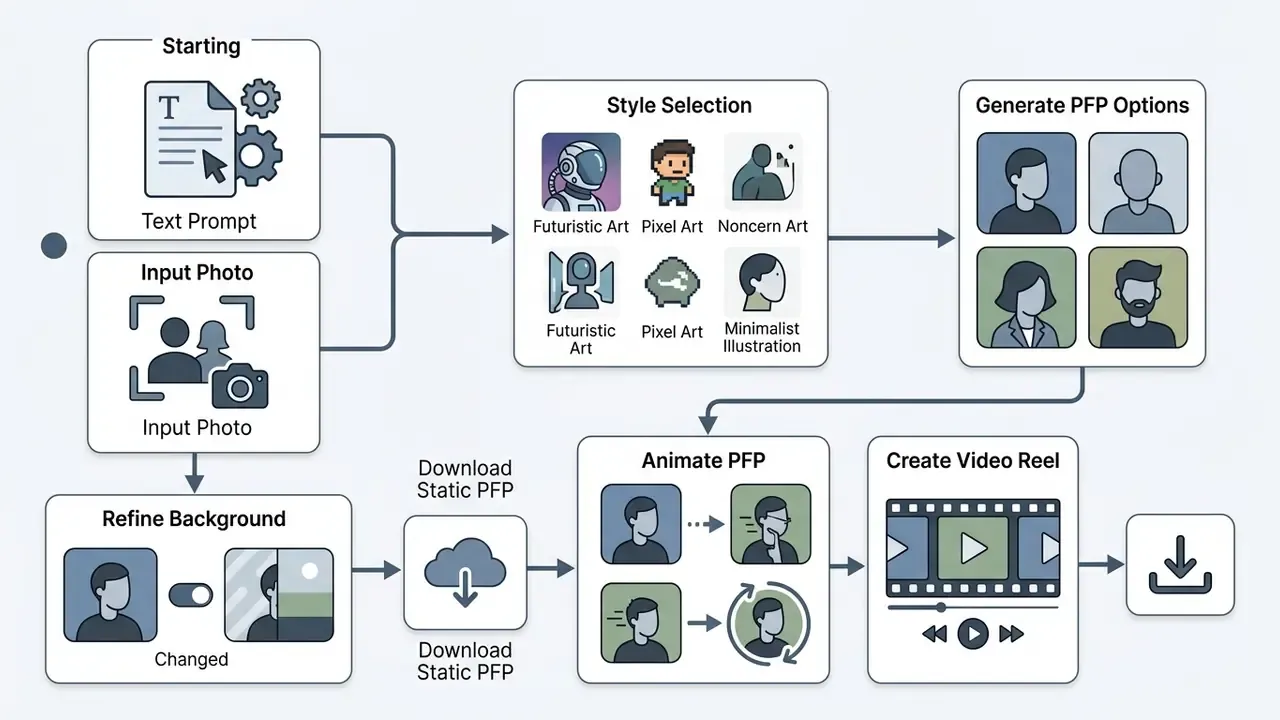
Once your static AI profile picture exists, modern workflows convert it into dynamic media. Feed the rendered PNG into image-to-video diffusion models to generate subtle breathing animation, blinking, parallax camera drift, or background lighting loops. These animated PFPs suit Discord Nitro avatars, TikTok profile videos, YouTube channel intros, and short-form reels, bridging still photography and motion graphics.
The same asset extends into full short-form content: add captions, voiceover, stock footage, and music inside a video editor, or drive the loop programmatically through a video model API. Teams building repeatable pipelines can review our animation maker guide and the Google Veo API implementation notes for cost, duration limits, and developer constraints.
How to Write a Good AI Profile Picture Prompt
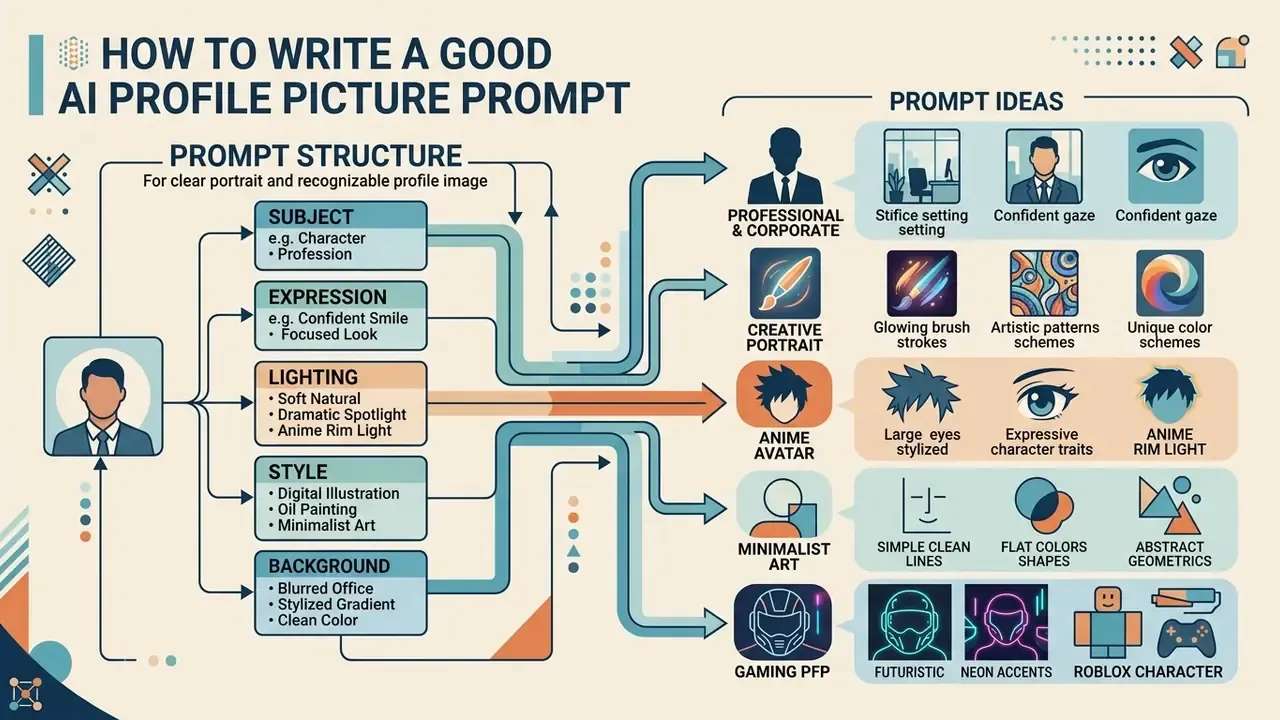
Writing an effective prompt for an ai profile generator from text means constructing a precise, multi-part description. Structuring keywords around subject traits, framing, camera parameters, and environment produces consistent, photorealistic output.
An ai profile picture generator from text interprets exact descriptors better than broad mood adjectives. Behavioral research supports this:
«Users perceive text-to-image systems as keyword-responsive tools and use them to visualize a desired image quickly.»
Concrete camera mechanics, lighting setups, and background textures prevent generic or distorted portraits. Alibaba Cloud's prompt guide formalizes the same logic as a formula: Subject + Setting + Style + Camera + Atmosphere + Detail modifiers.
Prompt structure for a clear portrait and recognizable profile image
A reliable portrait prompt follows a five-element template: Subject + Framing + Lighting + Camera/Lens + Background. That sequence gives the network explicit spatial and aesthetic constraints.
For instance, "head-and-shoulders corporate portrait, softbox lighting, shot on 85mm lens at f/2.8, neutral gray studio backdrop" yields a sharp, professional display picture. Explicit lens parameters enforce shallow depth of field and separate the subject cleanly from the background. Portrait guides converge on 85mm as the default focal length, with 70mm and 105mm as stylistic variants, and f/1.8 to f/4 as the workable aperture band. Write lighting as source, direction, quality, color temperature: "single large softbox at 45 degrees, soft fill, neutral white balance."
Prompt ideas for professional, creative, art, and gaming PFPs
When you ask an engine to make me a profile picture ai render, target keywords should follow destination platform requirements. Different visual goals need different formulations:
Professional and corporate
- Executive Headshot: "Executive portrait of a female leader, tailored navy blazer, approachable expression, studio lighting, blurred office backdrop, 85mm lens capture."
- Boardroom Authority: "Confident CEO in a modern boardroom, tailored dark suit, neutral background, studio lighting, serious but approachable expression, realistic high-resolution corporate headshot."
- Creative Professional: "Professional headshot of a graphic designer in a colorful studio, creative yet clean background, smart casual outfit, soft studio lighting, realistic skin texture."
Illustrated and artistic
Gaming and community PFPs (Roblox, GTag, Furry, Meme)
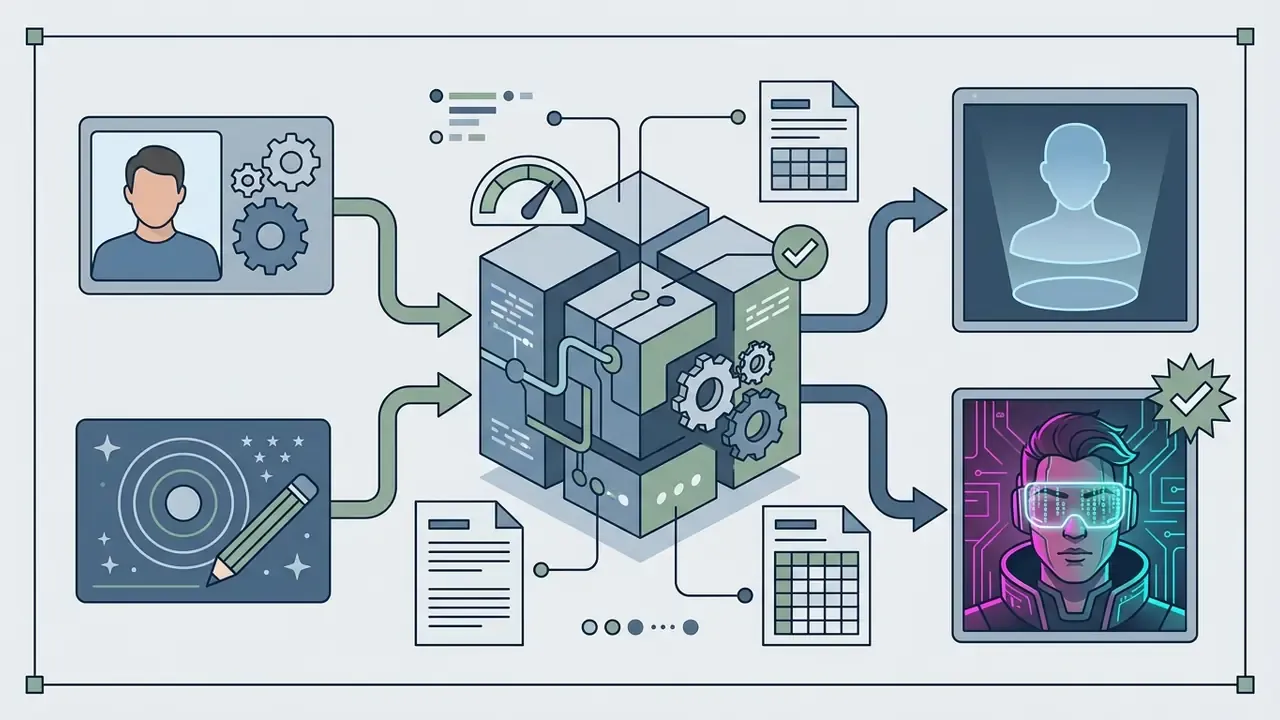
These templates keep the output aligned with community expectations while holding aesthetic polish. Readers who follow moderation debates, including the long-running question of whether did character ai remove the filter, already know how quickly community norms shift; avatar policy shifts the same way, so re-check platform rules before a mass rollout.
How to avoid generic or unrealistic AI profile pictures
To avoid a cool ai profile picture that reads as synthetic or unnaturally smooth, skip vague hype terms like "hyperrealistic" or "ultra-detailed." Use subtle realism cues instead: "natural skin texture," "soft shadows."
Synthetic face detection studies note that over-smoothed skin and perfectly centered gaze often trigger suspicion. Nobody wants a fake ai profile picture look on a client-facing page, and the tell is usually texture, not composition. There is also a bias dimension worth understanding before you stack flattering adjectives:
«Text-to-image systems systematically link facial attractiveness with positive traits such as intelligence and trustworthiness, even where attractiveness is not a valid predictor.»
Using photo-guided conditioning with moderate identity weight preserves natural facial asymmetry and softens the uncanny-valley effect.
Recommended negative prompts for AI PFPs
Add these parameters to the negative prompt field to eliminate artifacts:
deformed iris, extra fingers, asymmetrical eyes, plastic skin, oversaturated, blurry background noise, text watermarks, cropped head, low-res faces, duplicated ears, warped glasses frames, melted teeth, six-fingered hand
Pair negatives with positive realism anchors ("visible pores, natural specular highlights, slight facial asymmetry") rather than relying on exclusion alone. Exclusion lists remove failure modes; they do not add believability.
Choose the Right Style and Background for Your Profile Picture
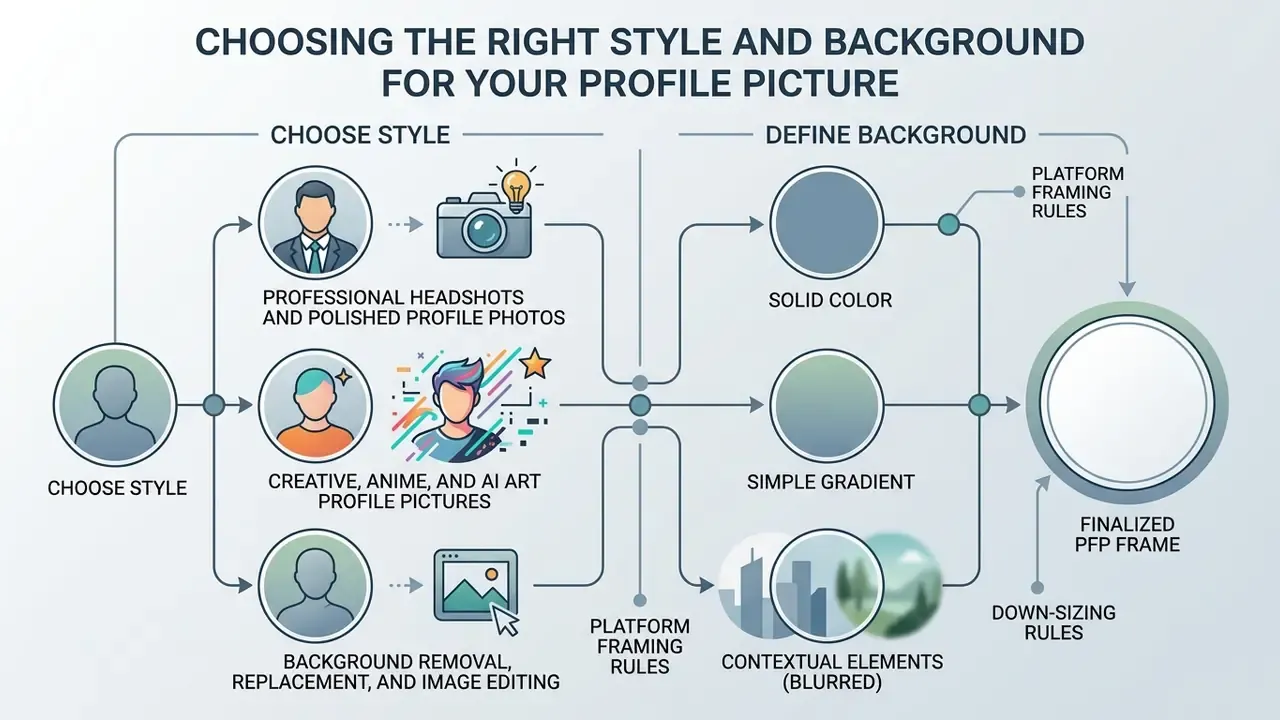
Style and background layout determine how a profile picture reads across digital networks. An ai pfp maker lets users customize backgrounds and attire to match professional or personal branding goals.
A dedicated custom pfp maker ai platform offers fine-grained control over lighting temperature, depth of field, and subject isolation. Matching aesthetics to platform expectations improves credibility and engagement.
Professional headshots and polished profile photos
Professional networks reward photorealistic quality, conservative attire, and balanced studio lighting. An AI headshot generator or ai profile picture maker that simulates softbox lighting and neutral studio backdrops produces headshots suitable for executive profiles and corporate directories.
(Updated) Hiring research quantifies the payoff:
«In a Belgian field experiment, candidates with the most favorable Facebook profile picture received 39% more interview invitations than those with the least favorable image.»
Clean composition signals competence and attention to detail. Prompt libraries for executive imagery consistently specify Rembrandt or butterfly lighting, a large softbox key light, shallow depth of field at f/1.8 to f/4, and explicit attire tokens such as "navy blazer," "business suit," or "formal dress."
One caveat from perception research, and it cuts against the marketing copy: disclosure that a headshot is AI-generated lowers perceived quality and credibility. Transparency carries a reputational cost, which has to be weighed against compliance obligations rather than wished away.
«An avatar with no owner, no retention limit and no provenance record is not a design asset. It is an unlogged processing activity.»
Creative, anime, and AI art profile pictures
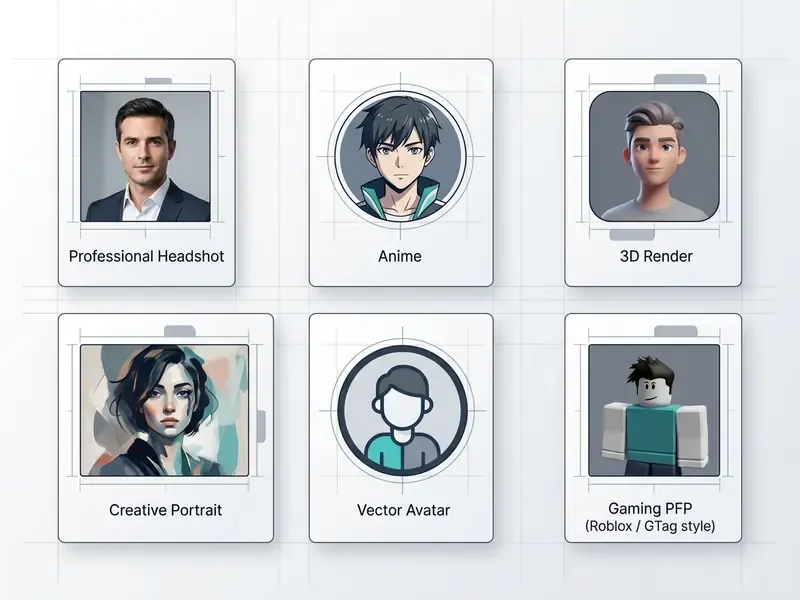
Non-photorealistic styles serve gaming channels, creative portfolios, and online communities. Anime, 3D digital render, or cyberpunk presets enable expressive identity construction without exposing personal facial data, a meaningful privacy advantage for minors, moderators, and public-facing staff who receive harassment.
Generative platforms ship preset style libraries with hundreds of options. Current libraries cluster around anime character illustration, chibi 3D, kawaii, mecha, neon cyberpunk, and smooth stylized 3D cartoon. These avatars keep a 1:1 square frame, which stays crisp inside circular profile icons. Even an illustrated avatar earns trust dividends:
«Marketplace participants rated sellers with a profile photo as significantly more trustworthy than sellers without one (β ≈ 1.255; 95% CI: 1.004 to 1.523).»
Background removal, replacement, and image editing
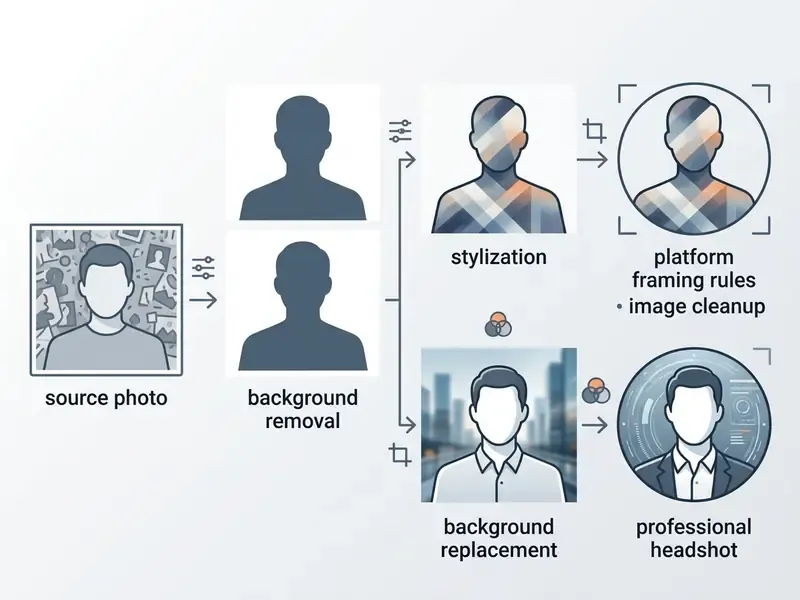
Background composition drives subject emphasis. Modern AI editors use deep learning segmentation to isolate the primary subject, remove clutter, and substitute clean solid colors or blurred office scenes. Fotor documents this as segmentation plus replacement: detect the subject, separate it, then swap in a solid color, a preset scene, or an uploaded image. Adobe Express outputs a transparent PNG after removal, which implies mask-based isolation with alpha export.
Advanced segmentation pipelines generate precise alpha masks and preserve fine detail like hair strands. Research on latent-diffusion weak-mask generation and GAN-based synthetic mask training (WACV 2022) shows how modern editors learn foreground and background boundaries without hand-labeled data. Replacing distracting elements keeps the subject as the focal point, and a final AI image upscaler pass rebuilds edge detail at 2× or 4× for print and large-display use.
Free AI PFP Generator: What You Can Create Without Paying
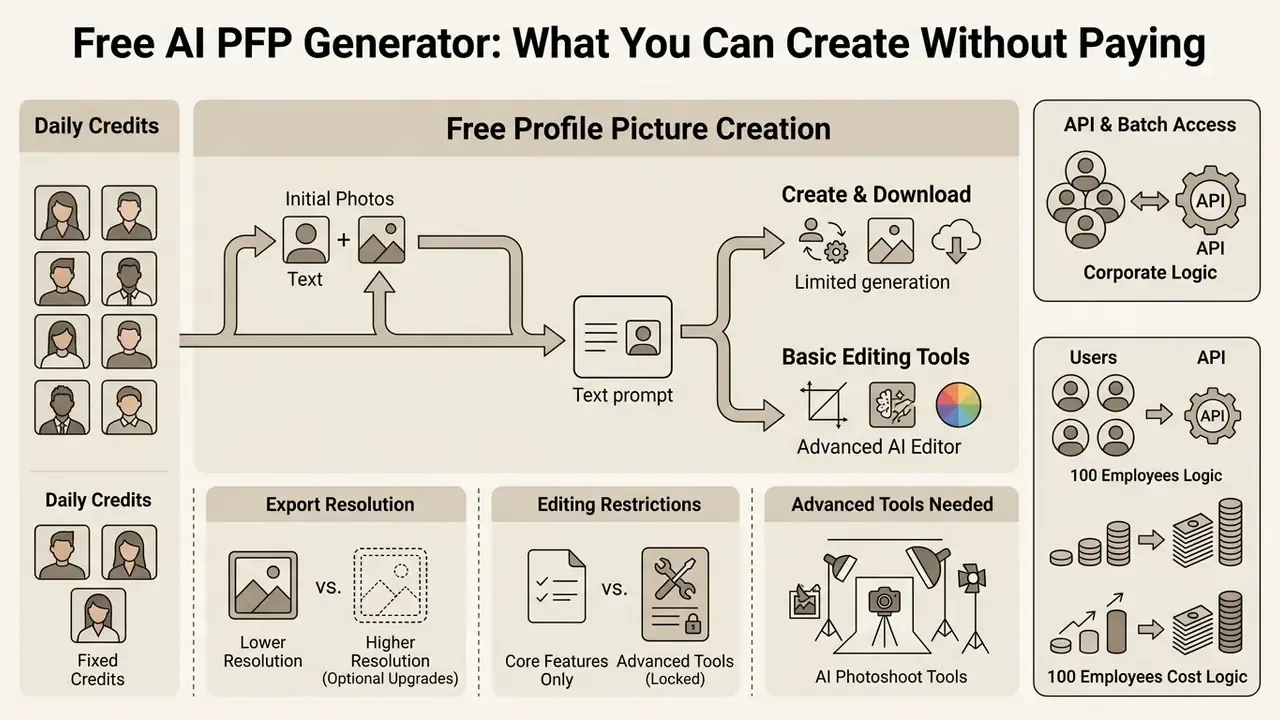
Evaluating an ai pfp generator free tier means assessing daily generation credits, export resolution, and editing restrictions. Free platforms let users test basic avatar creation, while advanced customization sits behind paid tiers. Scale context matters here, because synthetic faces already circulate at measurable volume:
«An analysis of nearly 15 million Twitter profile images found roughly 0.052% of accounts used AI-generated faces, many linked to coordinated inauthentic behavior.»
Choosing a free AI image generator gives accessible entry-level creation for personal social profiles. Users who need uncompressed 4K exports or custom model training should evaluate commercial subscription tiers instead. A free profile picture maker ai workflow is a testbed, not a production pipeline.
Free profile picture creation, downloads, and basic tools
A standard ai pfp maker free package includes basic style presets, standard-definition downloads usually capped at 1024×1024 pixels, and essential background removal. Users can experiment with text prompts and photo uploads without upfront cost, which is exactly how most teams first create ai profile assets before asking finance for a budget line.
Many free tiers run on daily credit refills of 5 to 25 operations. Documented examples include 25 free daily credits with preset style pickers, 20 one-time trial credits without a card, and monthly caps of three free profile pictures. That is enough to produce functional display pictures for messaging apps and social accounts.
Be aware that "free" carries three different meanings in this market: unlimited template-based basics, credit-limited trials, and preview-only funnels where the download itself is gated. A free ai pfp generator in the third category will happily render your portrait and then charge for the export. Our overview of free photo editors covers the same trade-offs around export restrictions and watermarks, and an ai profile pic maker free plan should always be tested with a real download before rollout.
When advanced AI editor and photoshoot tools may be needed
Commercial license guarantees, custom LoRA training, 4K upscaling, and watermark removal require premium subscriptions. Professional users typically upgrade when they need batch avatar generation or enterprise GRC integration. If you are still mapping the landscape, browse the hub for structured tool comparisons.
| Feature / Capability | Free Tier Options | Premium / Paid Tiers |
|---|---|---|
| Output Resolution | Standard HD (up to 1024×1024 px) | Ultra HD / 4K upscaled exports |
| Watermark Policy | May include a subtle platform mark | 1024px watermark-free export |
| Photo Upload Limits | Limited daily credits (5 to 20 per day) | Unlimited / high-priority batch uploads |
| Editing Suite | Basic crop and background swap | Generative fill, inpainting, smart retouch |
| Commercial License | Personal / non-commercial use only | Full commercial rights and usage guarantee |
| Model Access | 1 to 2 default engines | Model switching (Flux 2, Seedream, Nano Banana Pro, Imagen 4) |
| Automation | Manual web UI only | REST API, batch iterators, webhooks |
API access, batch processing, and developer integration
For engineering teams and agencies managing corporate directories, programmatic avatar creation replaces manual web interfaces. Modern PFP workflows expose REST API endpoints and Model Context Protocol (MCP) integrations. Developers can batch-generate hundreds of brand-aligned employee avatars from HR databases or system triggers, passing custom JSON prompts and running iterative upscaling automatically. For endpoint structure and rate-limit patterns, see the overview.
Three automation primitives cover most enterprise needs. First, an iterator node that loops one graph over a list of prompts, styles, or employee photos. Second, a model-swap parameter, so the same pipeline can be re-benchmarked against a newer engine without rewiring. Third, a downstream upscaler stage that rebuilds every output at print resolution. Published workflows that act simultaneously as a REST endpoint and a hosted agent tool let an internal app request a run, poll for completion, and receive the finished image URL. That is the difference between a design task and an infrastructure service.
Governance caveat worth stating plainly: a batch pipeline pointed at an HR photo directory is a bulk biometric processing job. It needs an owner, an approved role, access limits, an escalation path, and an audit trail before the first run, not after.
Cost-comparison logic for 100 employees
Finance teams should model three inputs rather than compare sticker prices. First, traditional photography cost per head: studio session fee, photographer day rate, retouching, and scheduling downtime, usually the largest line item. Second, AI subscription cost: premium seat price multiplied by months of active use, plus credit overages and upscaling passes. Third, control overhead: legal review, provenance labeling, storage, and the re-shoot rate for rejected renders.
AI wins decisively where staff are distributed and turnover is high, because re-shoots recur. Traditional photography keeps an edge where one verified likeness must be certified for regulated identity documents. To model the three inputs against your own headcount, open the hub and adjust the assumptions; questions about tier limits usually get faster answers if you explore the hub.
Can You Use AI Profile Pictures for Commercial and Professional Purposes?
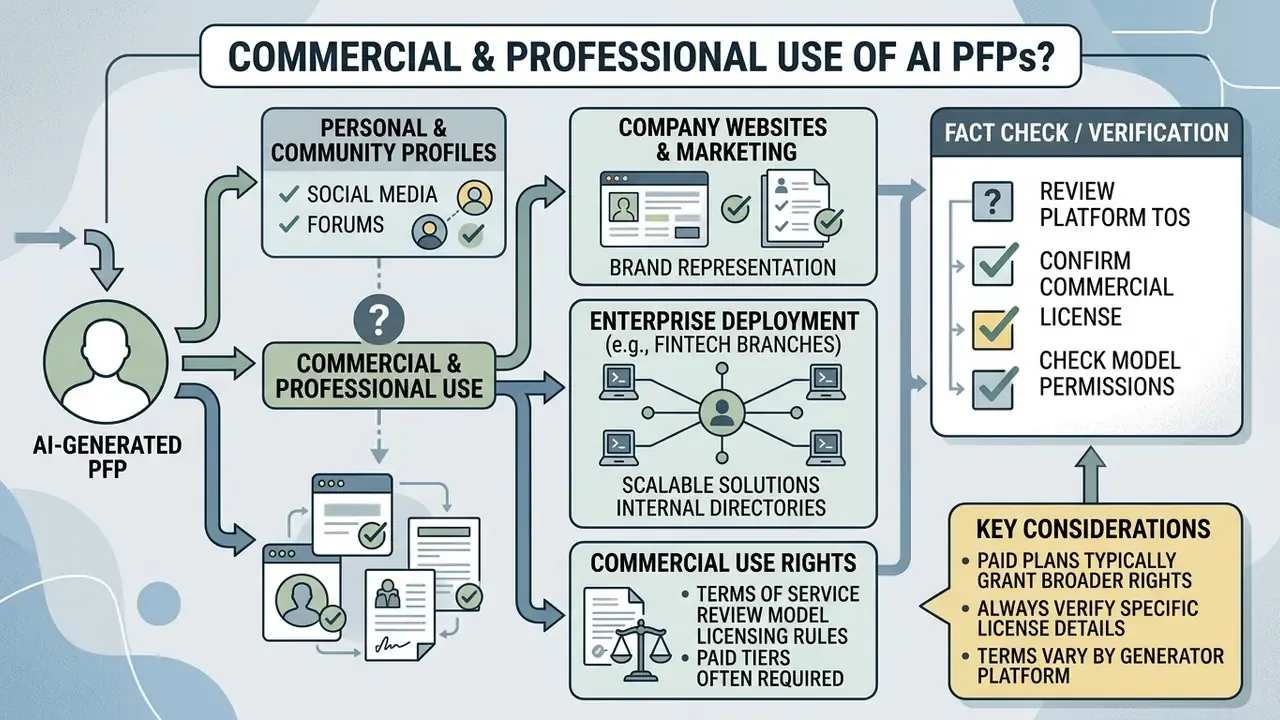
Deploying AI profile pictures for commercial use requires verifying platform terms of service and applicable intellectual property rules. Generated display photos are widely used across public channels, but corporate deployment demands explicit legal review. Our broader AI Media Commercial-Use coverage tracks vendor terms as they change, and disputes worth watching are catalogued where you can open the hub.
Under current U.S. Copyright Office guidance (Copyright and Artificial Intelligence, 2025, copyright.gov/ai), purely machine-generated images lacking human creative input are not eligible for federal copyright registration. The Office's Part 2 report reiterates that prompt-only input is insufficient, and that applicants must claim only their own contributions while excluding more-than-de-minimis AI-generated material. Businesses using synthetic portraits therefore lean on vendor contract terms rather than copyright.
«The legal status of AI-generated images remains contested: in some jurisdictions user prompts may count as sufficient creative contribution, in others they do not.»
Japanese guidance from the Copyright Subcommittee (2025) applies ordinary infringement analysis, similarity and dependence, to the upload or sale of AI-generated images. Which means the same asset can be lawful in one market and actionable in another. For a multinational bank, that is a jurisdictional matrix, not a checkbox.
Enterprise case: fintech deployment across 45 branches (illustrative)
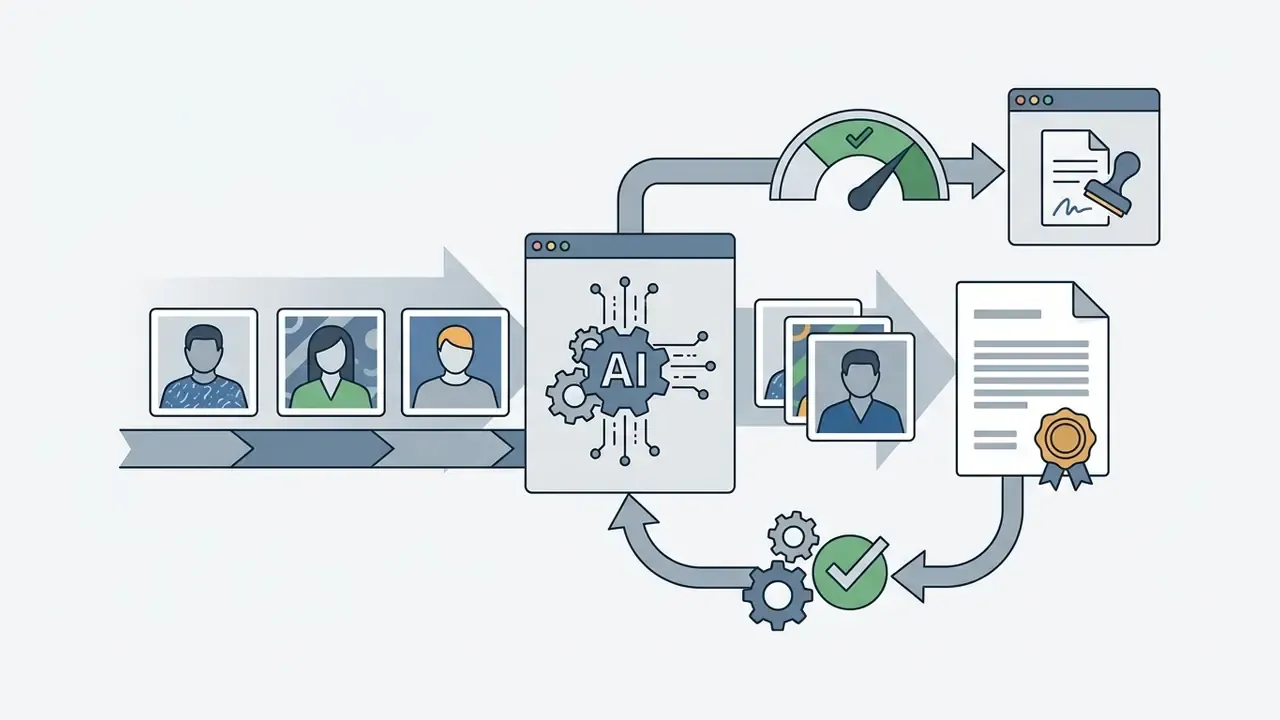
Financial technology platforms deploying synthetic avatars for virtual customer service agents have run cost-benefit evaluations across AI editing tools. In this illustrative composite scenario, upgrading to premium photoshoot tiers with dedicated API access let the institution automate identity asset creation across 45 regional branches while holding brand compliance: standardized framing ratios, a fixed background palette, and consistent attire tokens in one reusable prompt template, with every render routed through a provenance-labeling step before publication. Figures and outcomes here are hypothetical and should not be read as documented client results.
Commercial use, company websites, and model terms
«The EU AI Act obliges generative AI providers to make AI content identifiable and provides for standard icons disclosing the artificial nature of images, audio, and text.»
In practice, compliance runs through C2PA Content Credentials, cryptographically signed machine-readable provenance metadata embedded at export, plus visible disclosure wherever the asset is public-facing. NIST's AI RMF Generative AI Profile (NIST AI 600-1, 2024) recommends the same posture: monitor AI-generated content for privacy risk, maintain processes for IP infringement claims, and track provenance and metadata across the asset lifecycle.
Enterprise AI PFP Selection Criteria
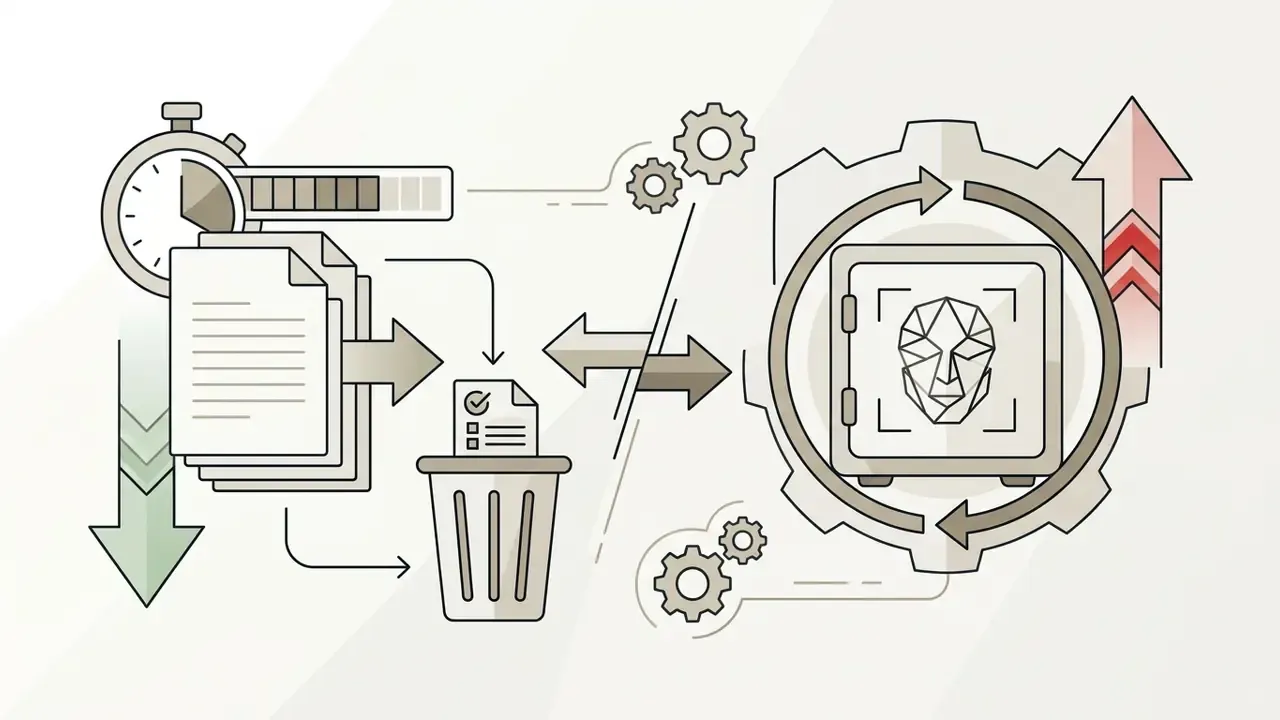
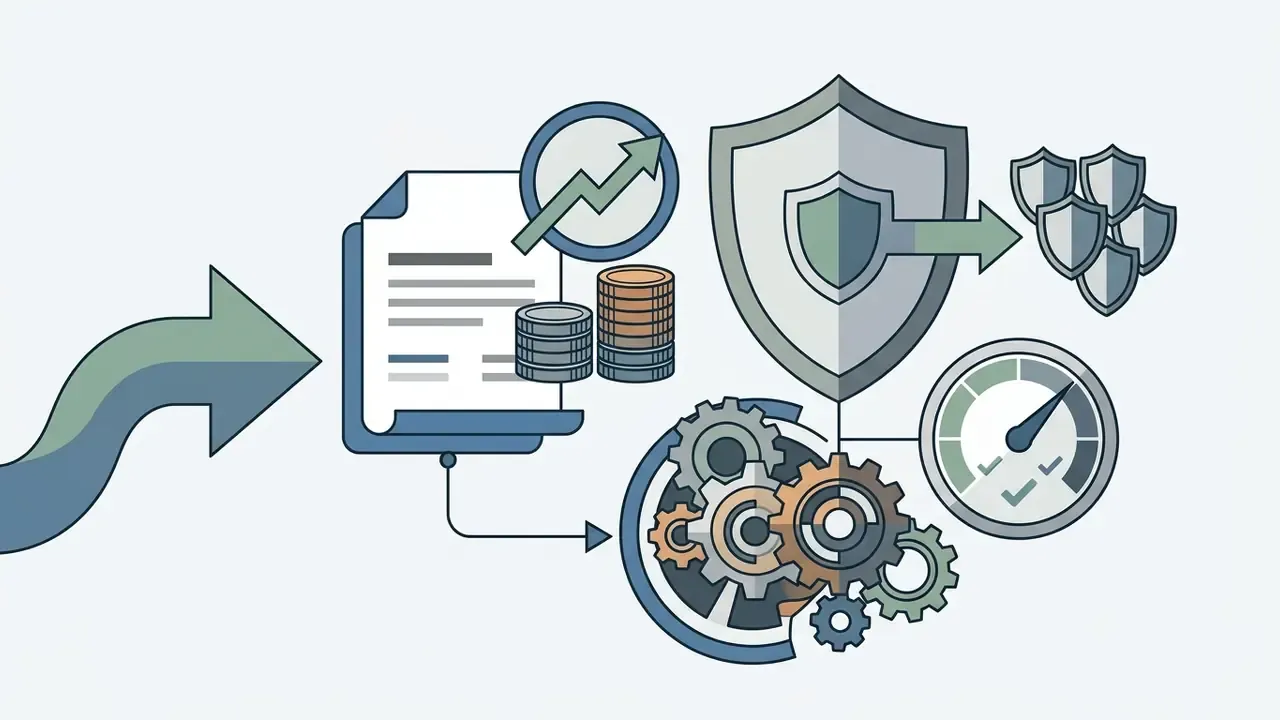
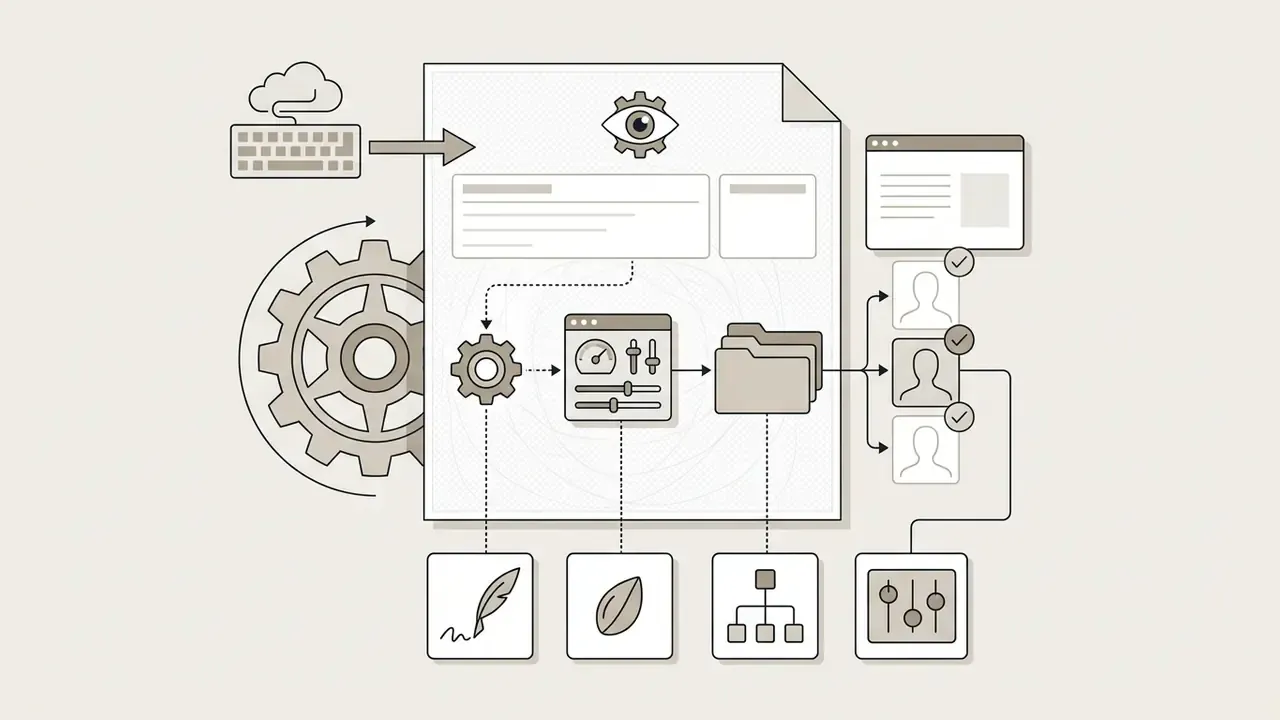
Risk, procurement, and governance leaders need one evaluation frame instead of scattered feature lists. Use this seven-point checklist to approve or reject a vendor:
Shadow-AI countermeasures. Block unsanctioned generator domains at the egress proxy. Publish one approved tool with genuinely easy self-service access. Prohibit uploading colleague or customer photos to any unapproved service. Require that every published corporate avatar originates from the approved pipeline with provenance metadata intact.
Convenience drives Shadow AI more than curiosity does. An approved tool that is faster than the unapproved one is still the most effective control anyone has found.


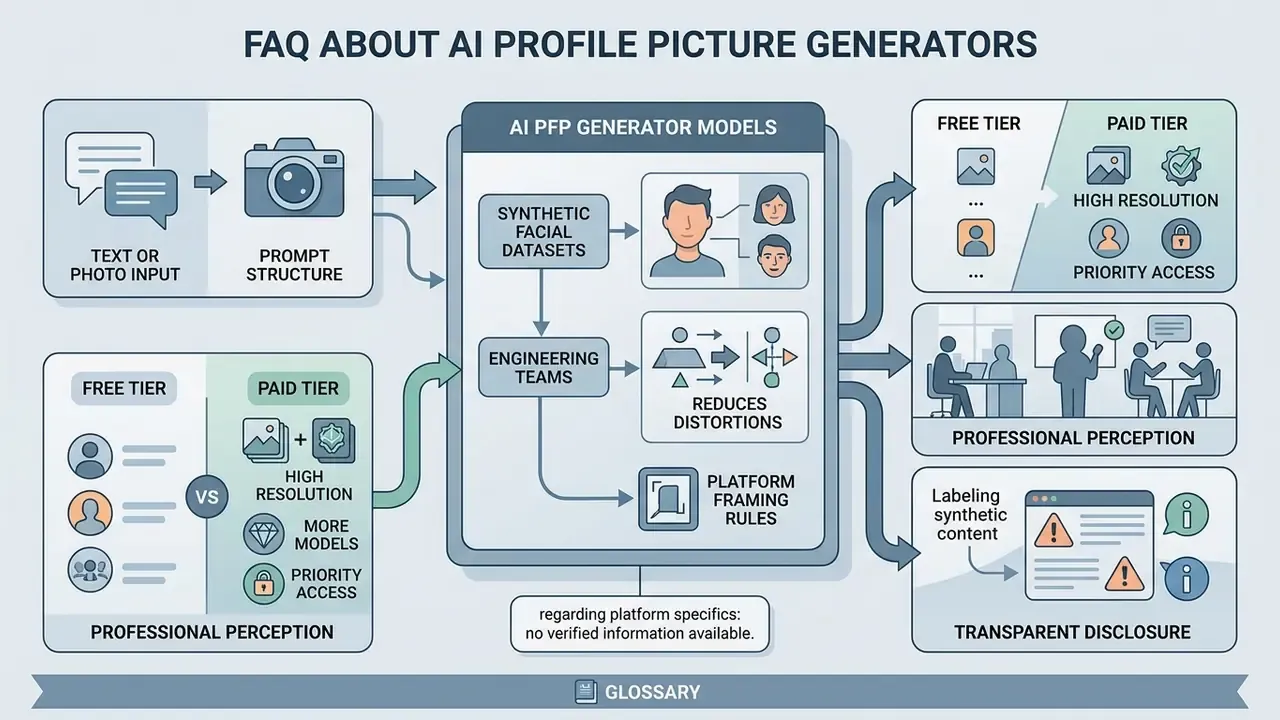
FAQ About AI Profile Picture Generators
Technical requirements, data handling standards, and privacy safeguards decide whether an ai profile picture generator website is usable at work.
Are uploaded photos safe in an AI profile picture generator?
Safety depends entirely on platform privacy policies and retention schedules. Security-mature providers apply administrative safeguards, encrypt uploaded portraits, and delete source images within 30 days. Published practice varies widely: one avatar service states uploaded images and generated avatars are deleted after 30 days while other personal data may be held for one to ten years by purpose. A synthetic-media platform stores biometric data for as long as the avatar exists but keeps authentication samples only minutes. Read the retention clause, not the marketing page. Verify whether a service uses uploaded face photos to train public generative models. And do not assume you can visually verify synthetic content yourself:
«In an online game with more than 12,500 participants, the overall accuracy in identifying AI-generated images was only 62%, barely above chance.» — How good are humans at detecting AI-generated images? Evidence from the "Real or Not Quiz" online game (2023 to 2025). Automated detection is not a reliable fallback either: «On real-world user content, the AUC of open-source image-detection models dropped by 45% compared with earlier benchmarks.» — Deepfake-Eval-2024, multimodal benchmark (2024). Enterprise-grade tools state explicitly that user-uploaded media is excluded from training datasets. (Updated) Since no public registry of vendor practices exists, treat every platform as unverified until its DPA, retention schedule, and training-exclusion clause have been reviewed independently. AI reverse-image and detection tools can support verification, but they should never be the sole control.
What photo formats work for an AI PFP maker?
Most generators accept JPEG/JPG, PNG, and WEBP. For reliable identity extraction, uploaded photos should hit a minimum of 512×512 pixels, with 1280×1280 px preferred for 4K upscaling headroom, plus clear front lighting and unobstructed facial features. Keep files under the platform ceiling; Firefly, for example, accepts uploads up to 100 MB. Avoid heavy pre-existing filters, which the model will reinterpret as texture.
Can I use one prompt to generate matching avatars for a whole team?
Yes. Lock the style-defining half of the prompt (lighting, lens, background, attire register) as a fixed string, vary only the subject block per person, then run the set through an iterator or batch API call. Retain the seed and model version so a new hire six months from now receives a visually consistent avatar rather than a slightly different aesthetic era.
Do I need to disclose that a profile picture is AI-generated?
For public-facing commercial use inside the EU, transparency obligations under Regulation EU 2024/1689 apply, and machine-readable labeling through C2PA-style credentials is the practical implementation path. On professional networks, likeness-accuracy rules apply independently of disclosure: LinkedIn permits AI-assisted or illustrated images only where they still represent you. Note the trade-off documented in perception research. Disclosure lowers perceived image quality and credibility, which is a reason to disclose accurately rather than to over-stylize in the first place.
What is a safe first step for a regulated organization?
Start narrow. Approve one tool, one use case, and one owner. Run a 30-day pilot on volunteer staff photos only, with documented consent, a written deletion date, and provenance labeling switched on. Log prompt, seed, model version, and reviewer for every published render. Then decide whether to scale, based on evidence rather than enthusiasm. If the audit trail cannot be reconstructed, the pilot has already failed, whatever the images look like.
Appendix A: Superseded formulations retained for transparency