Why does a family-animation image tool deserve a governance-grade review? Because the same upload button that produces a birthday keepsake can also push biometric data into an unvetted cloud endpoint and mint an asset your legal team cannot defend. That is the practical tension this guide works through.
Three things to know before you generate
What follows moves from definitions to prompts, then to tool selection, commercial-use risk, and video consistency. If you only read one part before publishing anything, read the compliance checklist.
A disney ai generator is a software system that uses deep learning models to transform text prompts or uploaded photographs into artwork resembling the 3D computer-animated aesthetic of Disney and Pixar films. Most public web tools offering an ai disney generator operate independently of The Walt Disney Company. They combine text-to-image diffusion or image-to-image stylization networks to produce large expressive eyes, warm lighting, and smooth character geometry. Understanding how an ai image generator disney engine processes inputs helps creators achieve expressive visual results while avoiding copyright infringement.
What a Disney AI Generator Is and Whether It Is Affiliated With Disney
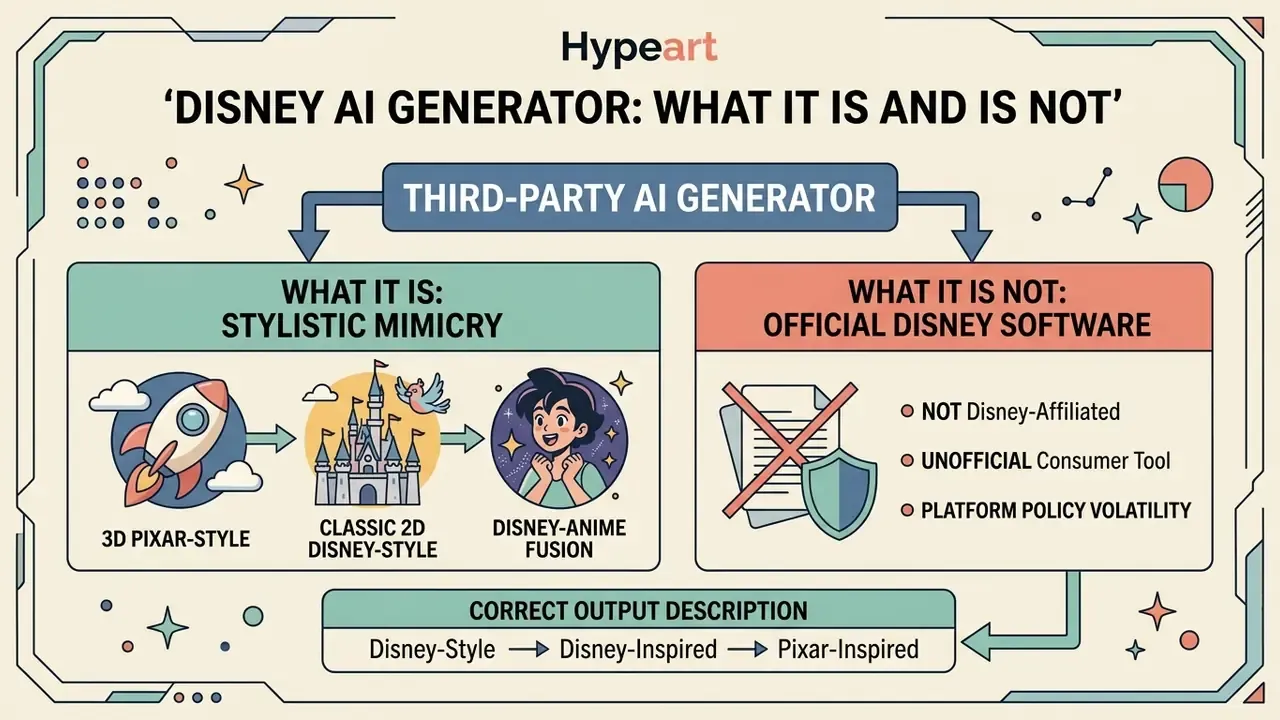
«This filter is "not affiliated, endorsed by, or connected with Disney or Pixar, and does not generate official characters from the films".»
Disney-Style, Disney-Inspired, and Pixar-Inspired: How to Describe the Output Correctly
The terms disney style, disney-inspired, and pixar-inspired describe visual rendering aesthetics rather than legal ownership or official character origin. Visual style covers general techniques such as subsurface skin scattering, warm key lighting, exaggerated eye proportions, and soft geometry. According to comparative guidance from the U.S. Copyright Office and the EU IP Helpdesk, artistic style itself is treated as an unprotectable idea, whereas specific character attributes such as names, costumes, and unique silhouettes are protected expression.
Korean Copyright Commission guidance reaches the same conclusion from a different jurisdiction: style or technique is an idea, so resemblance to a style is not by itself infringement, while copying expression can be. Duke Law's public-domain analysis of early Mickey Mouse material adds an important nuance. Copyright can expire on a specific 1928 iteration while trademark rights continue to restrict brand-confusing commercial use.
Describing artwork as disney-inspired signals that the piece uses a warm, family-animation aesthetic without copying trademarked source material. When using a disney style ai image generator, creators should focus on original character traits. Generating recognizable brand assets without a license violates trademark law regardless of the underlying algorithm.
Style Taxonomy: 3D Pixar, Classic 2D Disney, and Disney-Anime Fusion
Most guides collapse everything into "Pixar 3D." In practice, three distinct rendering families require different prompt vocabularies:
- 3D Pixar visual style. Focused on volume, light physics, subsurface scattering in skin, cloth micro-detail, and cinematic depth of field.
- Keywords:
Pixar-style 3D render, volumetric lighting, subsurface skin scattering, soft rim light, octane-style render, shallow depth of field.
- Keywords:
- Classic 2D Disney style. Built on traditional cel animation logic: clean linework, flat-but-layered cel shading, gouache or watercolor backgrounds, and the vibrant palettes of hand-drawn era films.
- Keywords:
classic 2D animation, 1990s hand-drawn Disney aesthetic, cel shading, clean ink linework, gouache painted background.
- Keywords:
- Disney-anime fusion. A hybrid that keeps enlarged luminous anime eyes but applies soft fairy-tale, 3D-adjacent lighting.
- Keywords:
Disney-anime hybrid style, luminous anime eyes, soft fairytale shading, delicate linework, pastel key light.
- Keywords:
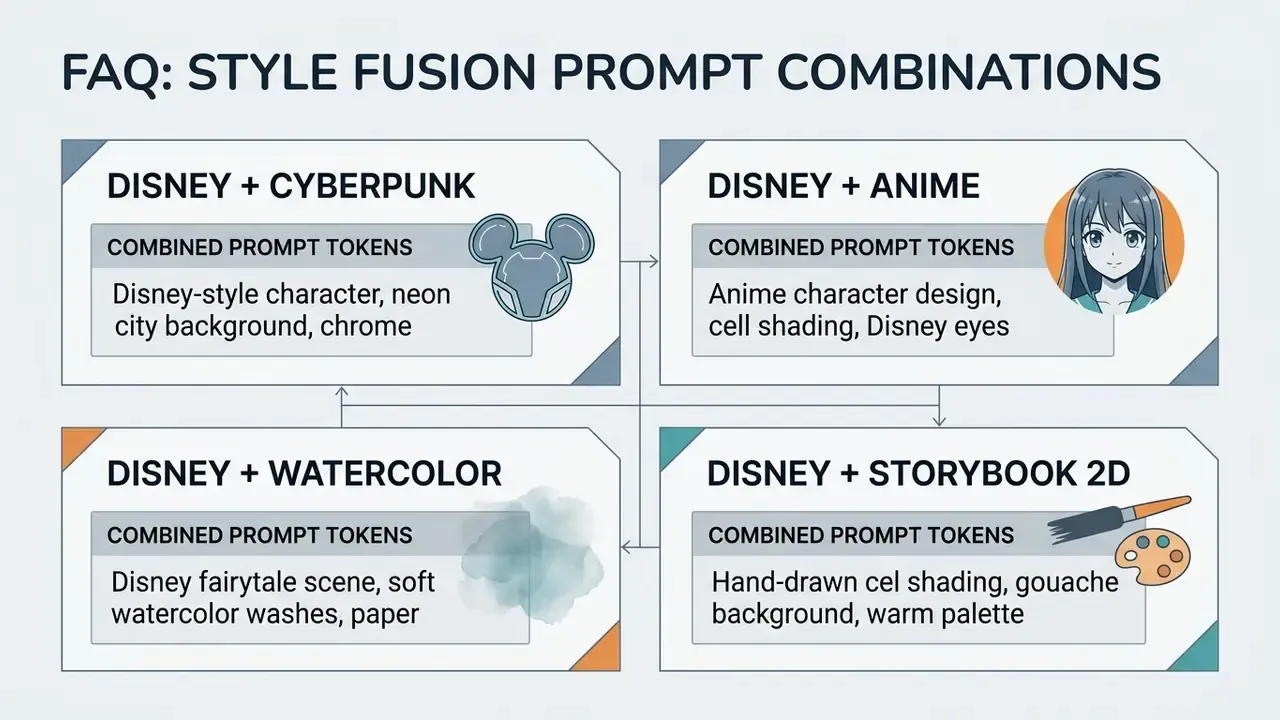
Style-token stacking also extends outward: 2025 and 2026 prompt collections combine cyberpunk tokens (neon, rain, chrome) or watercolor tokens (paper texture, soft edges, color washes) with the base family-animation marker to produce controlled hybrids.
What Outputs an AI Disney Image Generator Creates
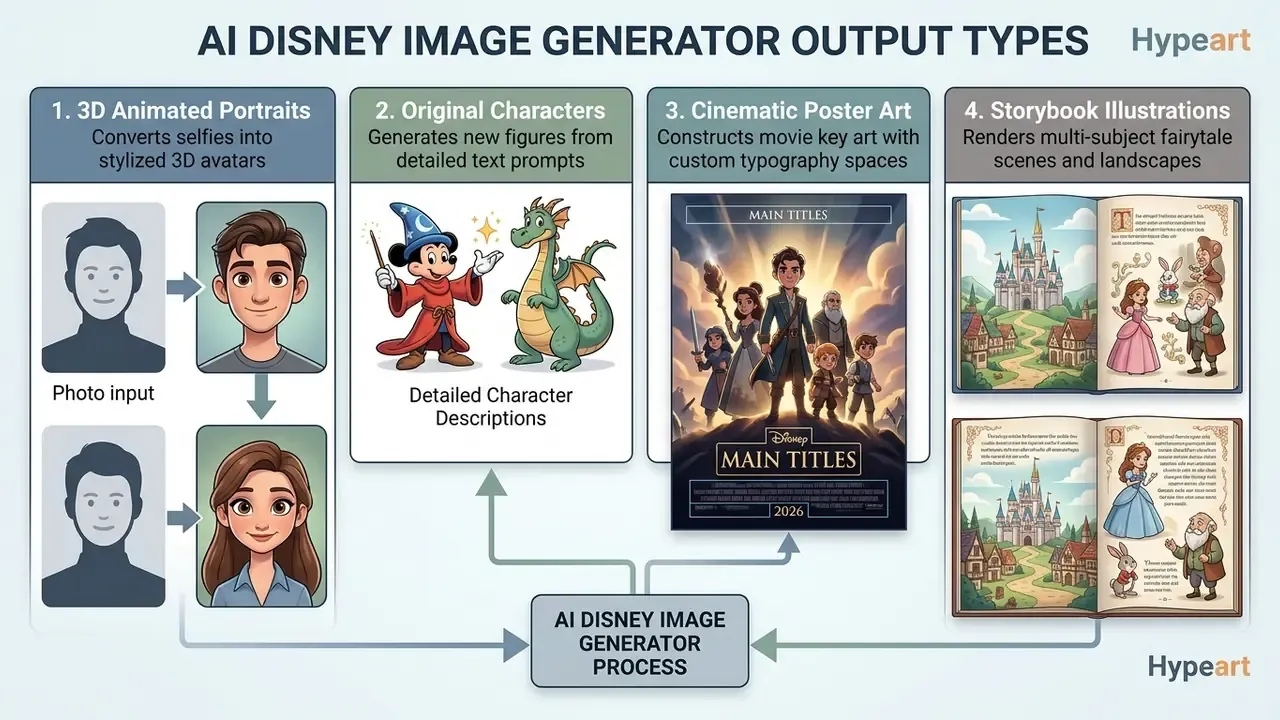
An ai disney photo generator produces four primary categories of visual media: 3D animated portraits, original character concepts, stylized movie poster layouts, and digital storybook illustrations. Each output type relies on specific conditioning techniques within the generative pipeline. A disney ai picture generator built for keepsakes will optimize for identity retention; one built for concept art will optimize for variety.
Users who want to compare top-tier image models can evaluate specialized tools against general-purpose engines in our best AI art generator guide.
What You Can Create: Portraits, Characters, Pets, and Disney-Style Artwork
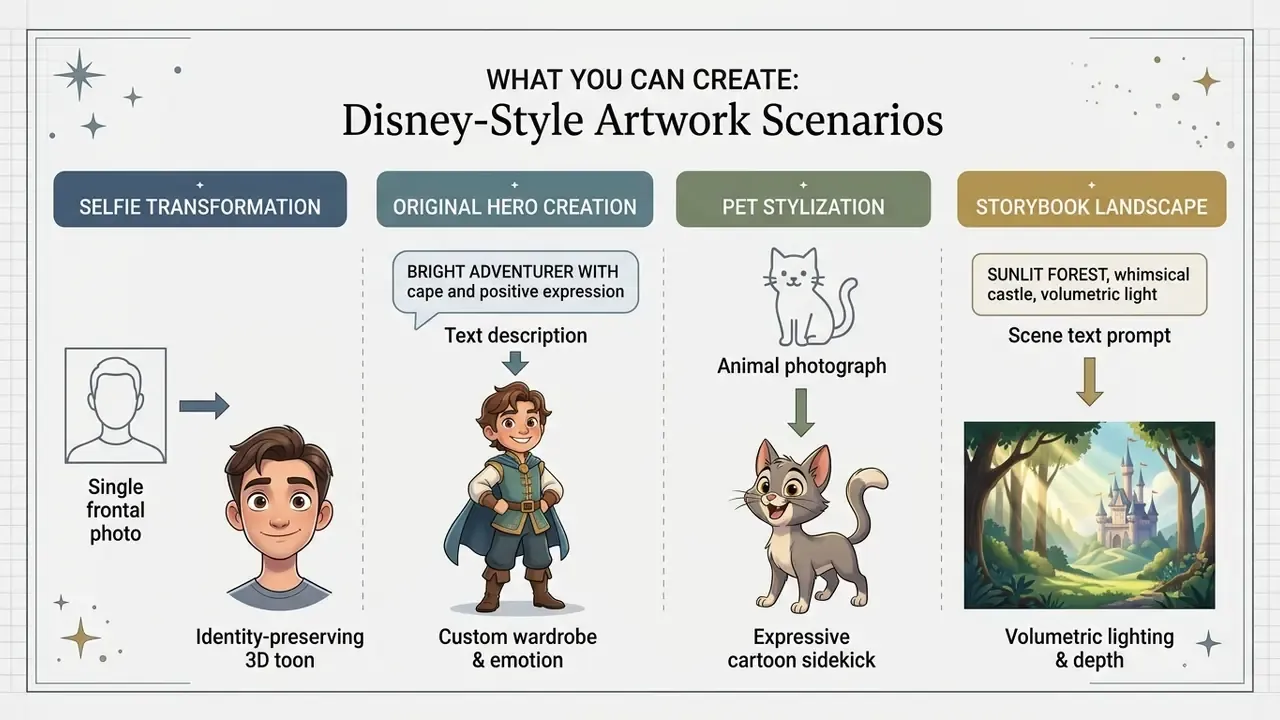
A disney ai art generator lets creators render individual avatars, heroic character concepts, animal companions, and expansive fantasy landscapes. By applying an ai disney image generator, users can transform your photos and family archives into stylized digital keepsakes. The software preserves key identity markers while adapting surface textures to match cinematic animation standards.
Turning Selfies and Photos Into a Disney-Style Portrait
Converting a personal photo with a disney style portrait generator ai requires an identity-preserving image-to-image generator architecture. Technical studies on portrait cartoonization show that edge contour retention losses prevent facial deformation during style transfer.
«ADS-GAN applies an asymmetric double-stream architecture with an edge-contour retention loss, delivering superior structural similarity compared with baseline methods.»
The model extracts facial embedding vectors using systems like ArcFace, so the stylized output keeps the subject's distinct nose structure, eye spacing, and smile. CVPR-level work confirms the pattern: 3DToonify measures identity preservation through ArcFace feature similarity between input and stylized output, while PortraitBooth adds expression-editable text guidance with robust identity retention.
When running a disney ai generator from photo workflow, users upload a clear photo reference. The system balances structural preservation against aesthetic transformation through denoising parameters. Lower strength keeps more photographic geometry; higher strength pushes toward full 3D toon rendering. Handled well, this produces a disney photo generator output that still reads as the original person. Creators who need a polished professional variant of the same identity-preserving pipeline can compare workflows in our AI headshot generator guide.
Creating an Original Disney-Style Character From a Text Description
Generating an original character with a disney picture generator relies entirely on text-to-image synthesis. The user inputs descriptive parameters covering hair texture, clothing fabric, emotional state, and background environment. Recent diffusion architectures use valence-arousal emotion conditioning to map psychological states into facial micro-expressions: EmotiCrafter (ICCV 2025) encodes emotion as a valence-arousal feature vector and injects it into Stable Diffusion XL through cross-attention. Treat the exact venue attribution as provisional until you verify the citation in the conference proceedings. The mechanism itself is well documented in emotion-conditioned diffusion literature.
Creators looking to create disney style characters without source photos must specify lighting conditions and rendering styles in their prompts. Generic phrasing such as ai generated images disney can trigger memorized dataset artifacts, which is exactly what you do not want in a commercial asset.
«Even without character names, models reproduce protected content: an evaluation framework revealed high similarity to well-known characters from indirect descriptors.»
Detailed physical descriptions therefore serve two purposes at once. They improve fidelity, and they push the model away from memorized disney characters. Character-consistency research ("The Chosen One", 2025) shows that stable identity across scenes requires model customization on a small image set of the same character rather than repeated re-prompting. That finding is the technical basis of the consistency workflow described later in this guide.
Disney-Style Images of Pets, Landscapes, and Fairy-Tale Scenes
Stylizing pet photographs with a disney filter turns domestic animals into animated companions. The network detects facial structures, fur patterns, and ear posture, then re-renders them with smoothed textures and expressive eyes. The process mirrors character design practice in commercial animation studios; vendor prompt libraries recommend naming fur pattern, pose, and expression explicitly so the "pet sidekick" stays recognizable as your own animal. A tabby with one folded ear should still have one folded ear.
For landscape and environment design, a disney art ai pipeline constructs multi-layered backgrounds with volumetric fog, warm golden-hour illumination, and soft depth of field. A workable prompt formula for scenes is: subject plus detailed description plus environment plus artistic style plus lighting plus quality tokens. A disney princess scene, for example, needs palette and architecture cues rather than a franchise name. Creators looking for other specialized stylizations can review our Ghibli AI image generator comparison.
How to Use a Disney AI Photo Generator: From Upload to Download
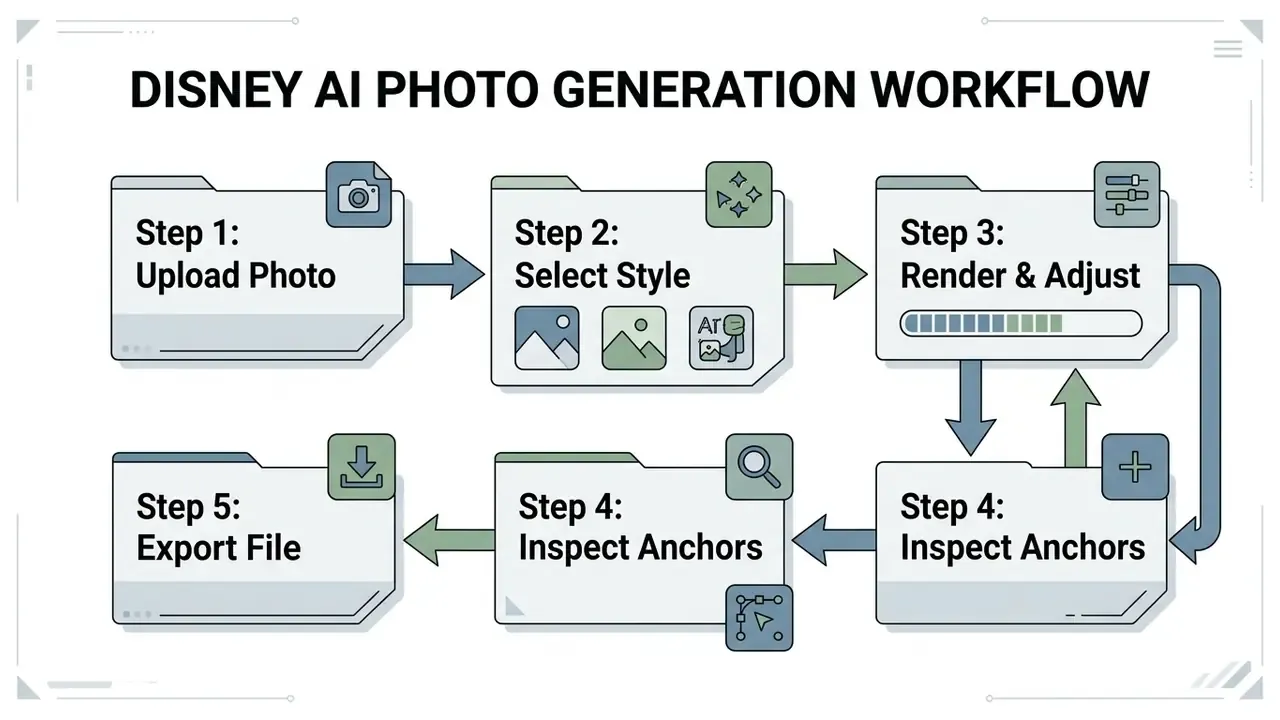
Operating an ai disney photo generator involves a structured four-stage workflow: image preparation, parameter configuration, rendering, and post-generation evaluation. A systematic procedure gives higher structural fidelity and fewer visual artifacts in the final output.
How to Prepare a Photo for a Disney Filter
- Select frontal lighting: choose a photo taken under even daylight or soft indoor illumination to prevent harsh facial shadows; backlighting hides the features the model needs.
- Ensure eye-level alignment: use a direct frontal or slight three-quarter portrait angle to preserve natural facial symmetry.
- Remove obstructive accessories: avoid photos with heavy sunglasses, wide hats, or hands covering the jawline.
- Maintain high image resolution: upload uncompressed source images and skip heavy beauty filters, which distort the geometry the encoder reads.
- Establish identity anchors: pick three permanent facial traits (eye color, hair curvature, cheek shape) and verify them against the generated output.
Clean source files let the disney style photo generator ai process facial embeddings accurately. Poor lighting or steep angles degrade the model's ability to hold subject identity during the photo into disney transformation. Blurry group shots are the most common cause of the "who is that?" result.
Technical Specifications for Uploaded Files
To avoid artifacts when the pipeline extracts facial vectors through ArcFace-class encoders, check that your file meets these requirements:
- Supported formats JPEG/JPG, PNG, WebP.
- Maximum file size up to 24 MB on most services (5 to 10 MB uncompressed is the practical sweet spot); some tools cap uploads at 20 MB.
- Minimum resolution 1080x1080 px. Sources below 512x512 px produce mushy eye textures and unstable hairlines.
- Color space sRGB.
- Single clear subject for group photos, expect identity drift on secondary faces unless the tool supports multi-subject anchoring.
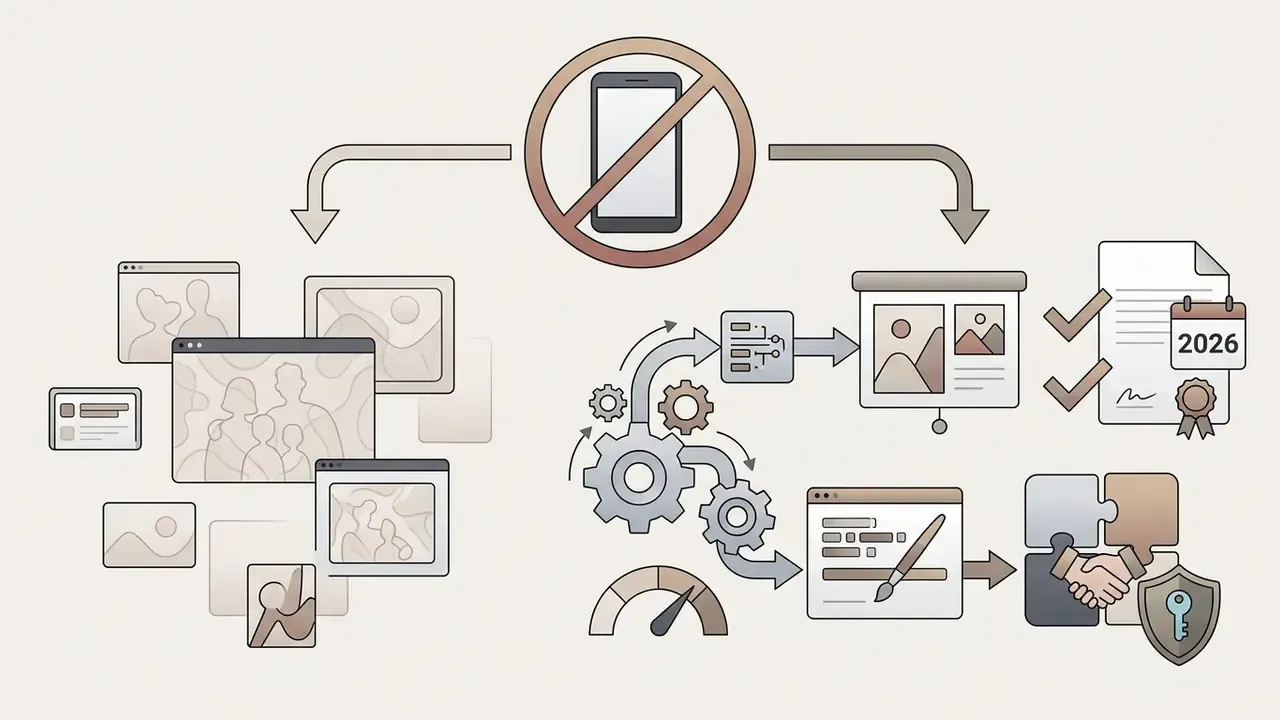
Alert box: shadow AI and biometric privacy. Uploading a selfie means uploading biometric data. Before any team or family member pastes a face into a cloud generator, confirm three things: whether facial embeddings are retained after generation or deleted at session end; whether uploads are reused for model training; and whether the vendor operates under GDPR and CCPA-compatible processing terms for biometric identifiers. For organizations, publish an allow-list of approved stylization tools, block uploads of customer or employee imagery to unvetted consumer endpoints, and log generation activity. Unmanaged "Shadow AI" selfie filters are a common source of biometric data leakage and unbudgeted IP risk. Governance teams estimating exposure across a tool inventory can model per-seat and per-asset costs with our AI Media Calculators.
Traditional Character Development vs the AI Pipeline
| Production stage | Traditional 3D pipeline (Blender/ZBrush/Maya) | Disney AI generator pipeline | Time reduction |
|---|---|---|---|
| 1. Concept and sketching | 8 to 16 hours (manual sketches, silhouette search) | 2 to 5 minutes (text prompts, iterations) | ~99% |
| 2. 3D modeling and sculpting | 20 to 40 hours (poly mesh, high-poly sculpt) | Automatic (volume inferred by the model) | 100% |
| 3. Rigging and texturing | 10 to 15 hours (UV unwrap, normal maps, shaders) | Automatic (subsurface scattering applied by prompt) | 100% |
| 4. Lighting and rendering | 4 to 8 hours (three-point setup, ray tracing) | Built into the diffusion prompt | ~98% |
| 5. Post-processing | 2 to 4 hours (color grading in Photoshop/Nuke) | 1 to 2 minutes (upscale plus inpainting) | ~95% |
| Total | 44 to 83 hours per finished frame | 5 to 10 minutes of preparation | 300x or more acceleration |
The trade-off is control, not just speed. getimg.ai frames the same comparison as three AI steps (describe the direction, generate concepts, refine and finish) against eight manual illustration steps from sketch to export. Traditional pipelines still win where exact topology, animation rigs, or client-approved model sheets are contractual deliverables. AI pipelines win at exploration volume and turnaround.
How to Choose the Format and the Best Variant
Selecting the right aspect ratio depends on the distribution channel. For social media feeds, standard 1:1 square or 4:5 portrait formats use screen real estate best. Story formats and mobile wallpapers need a 9:16 vertical orientation, while widescreen cinematic scenes use 16:9.
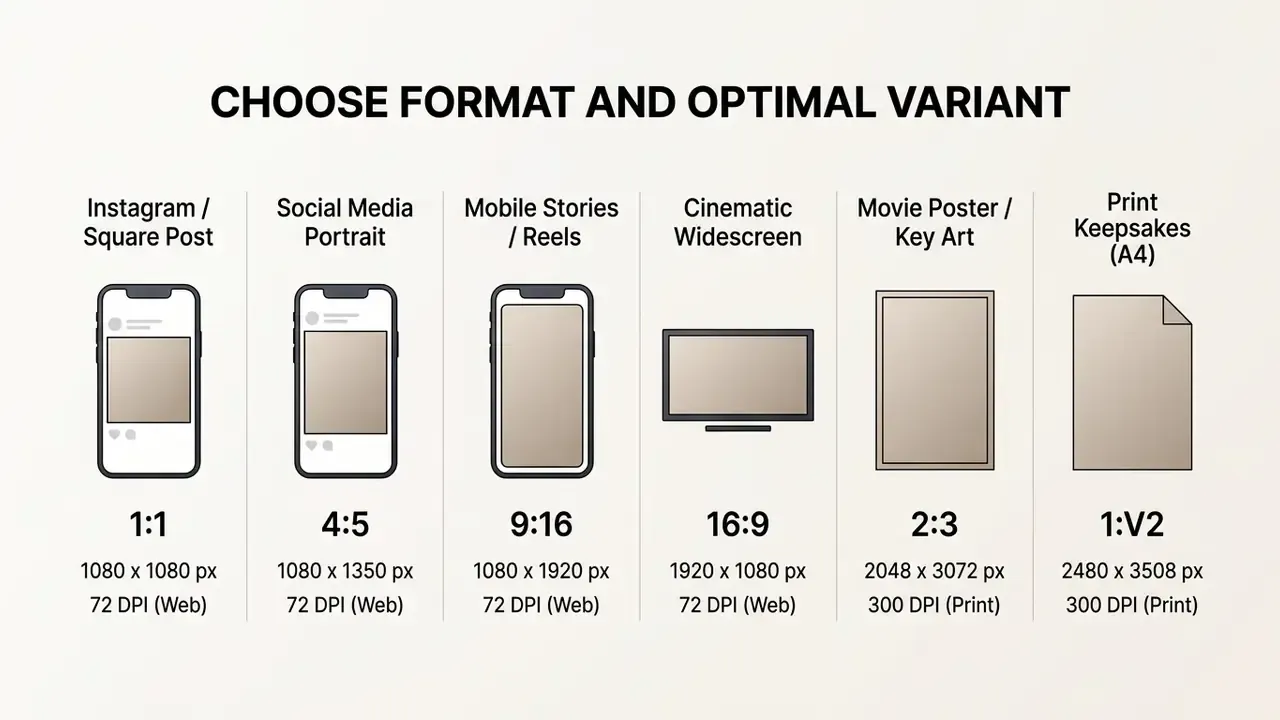
ISO A-series paper keeps the same 1:√2 ratio at every scale, which is why A4 at 2480x3508 px and 300 DPI remains the safe default for framed gifts. Export print handoffs as PDF to preserve layout fidelity. For anything larger than A4, run the selected variant through AI upscalers for print before sending it to production.
Before you hit download, evaluate three to four generated variations. Inspect the eyes, hands, background edges, and any jewelry or text-like shapes for digital artifacts. High-resolution PNG or vector exports preserve clarity for physical printing. Creators comparing free options can consult our guide to free AI image generators; the earlier overview is still available at /compare/best-free-ai-art-generator/.
Prompts for a Disney Pixar AI Generator: Getting an Expressive 3D Animated Look
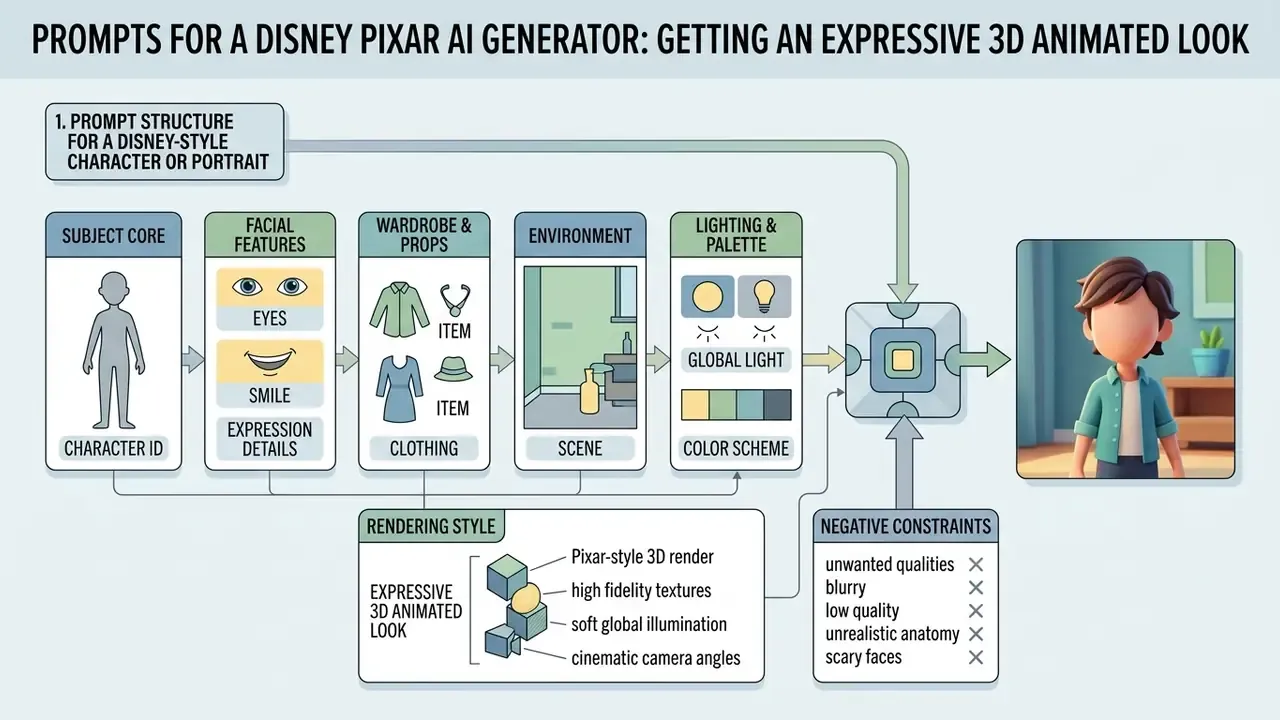
Building prompts for a disney style ai art generator requires a structured sequence of descriptive tokens. Diffusion models respond most reliably to concrete subject, lighting, and composition descriptors rather than complex conversational syntax.
Targeted visual terminology yields consistent 3D animated rendering. OpenAI's 2026 image-prompting guidance converges on the same order: background and scene, then subject, then key details, then constraints, with explicit framing, lighting, placement, and "no text, no watermark" instructions.
Prompt Structure for a Disney-Style Character or Portrait
An effective prompt for an ai image generator disney style engine follows a seven-component formula:
Expect to iterate rather than to win on the first render.
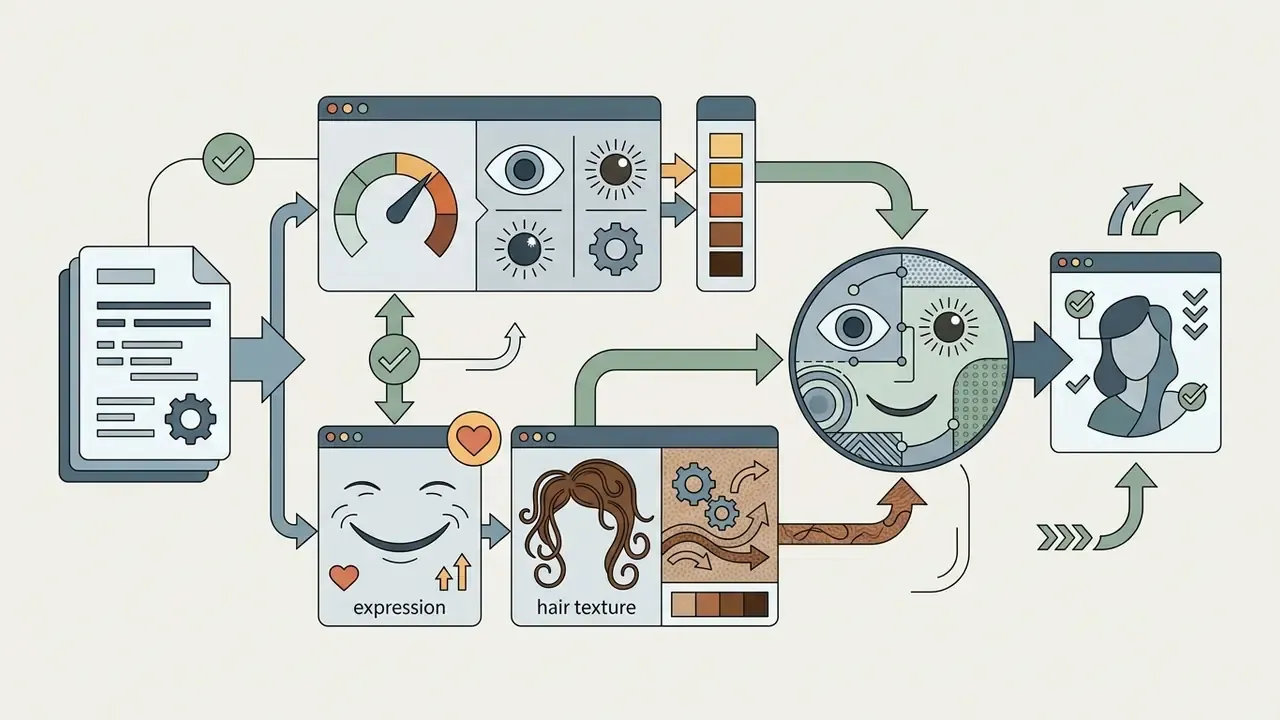
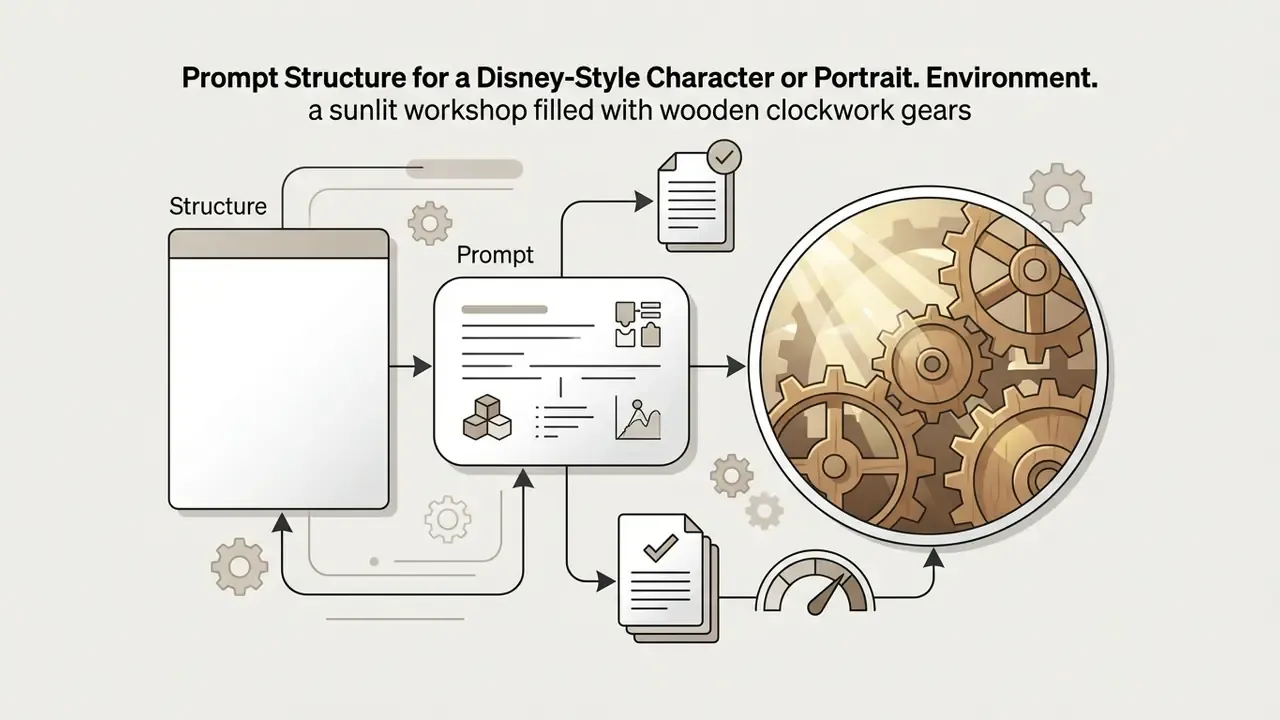
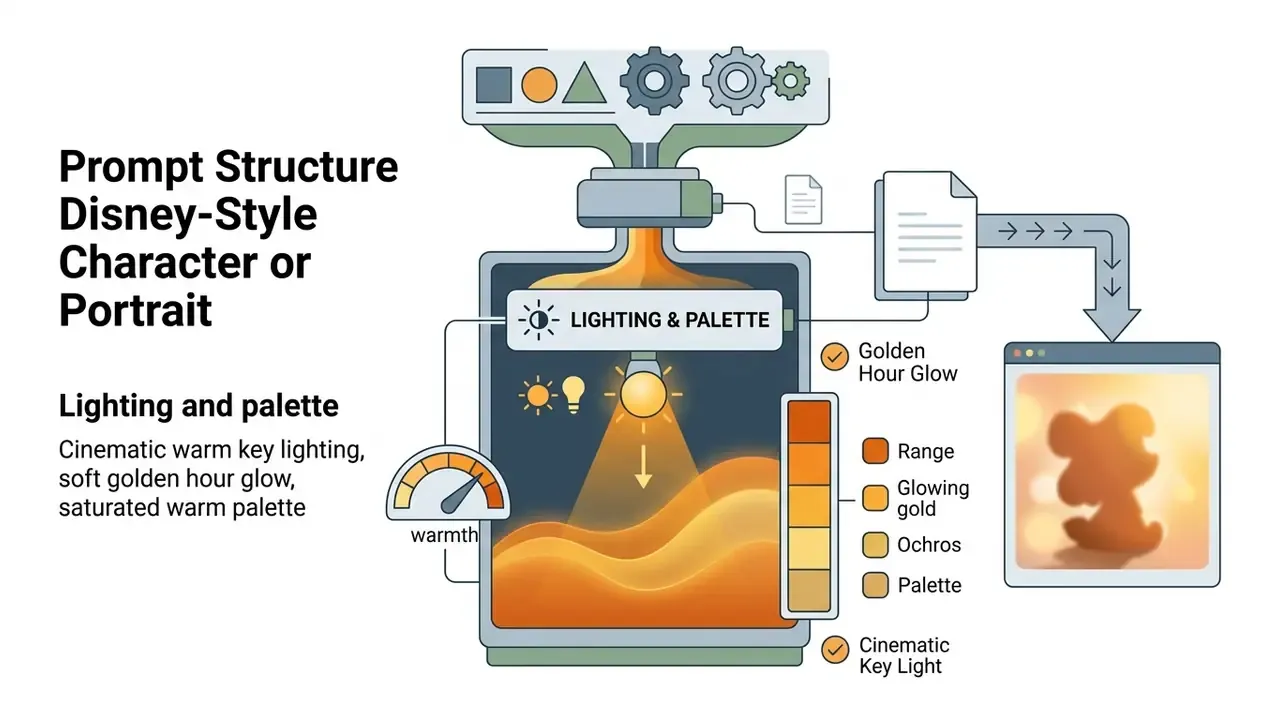
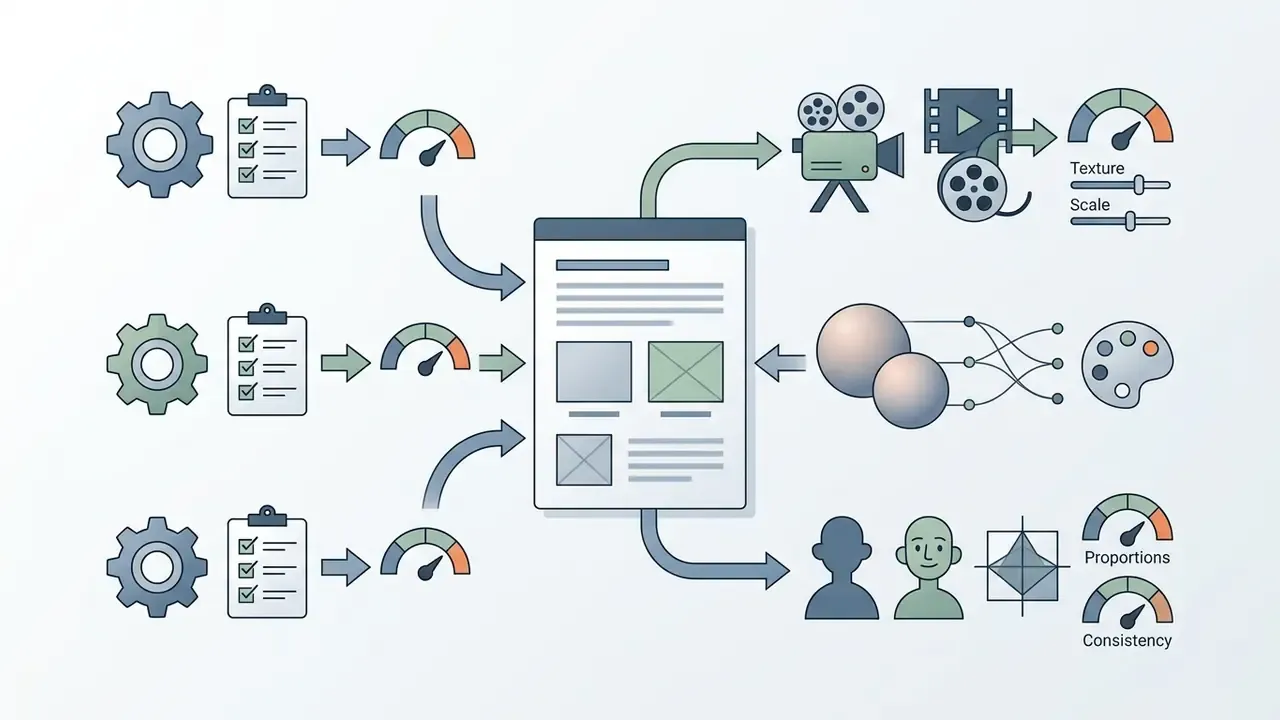
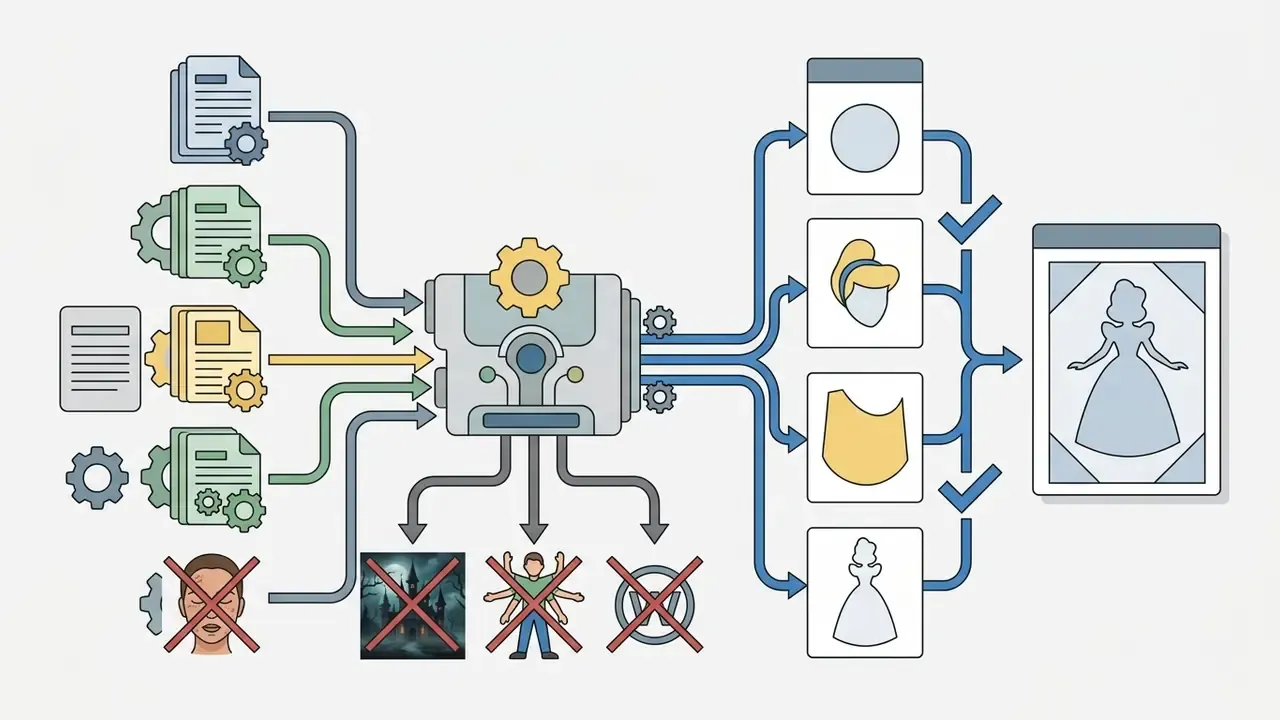
Interactive prompt-exploration research (Promptify, ACM 2025) supports the same practice: generate a spread, keep the strongest direction, then change one block of the formula at a time so you can attribute the improvement. Change three things at once and you learn nothing.
Prompt Ideas for a Princess, Hero, Villain, and Poster
Layout Rules for AI Posters in Disney and Pixar Style
Creators interested in conversational image tools can read our detailed ChatGPT picture generator evaluation.
How to Choose a Disney AI Generator: Features, Free Access, and Output Quality
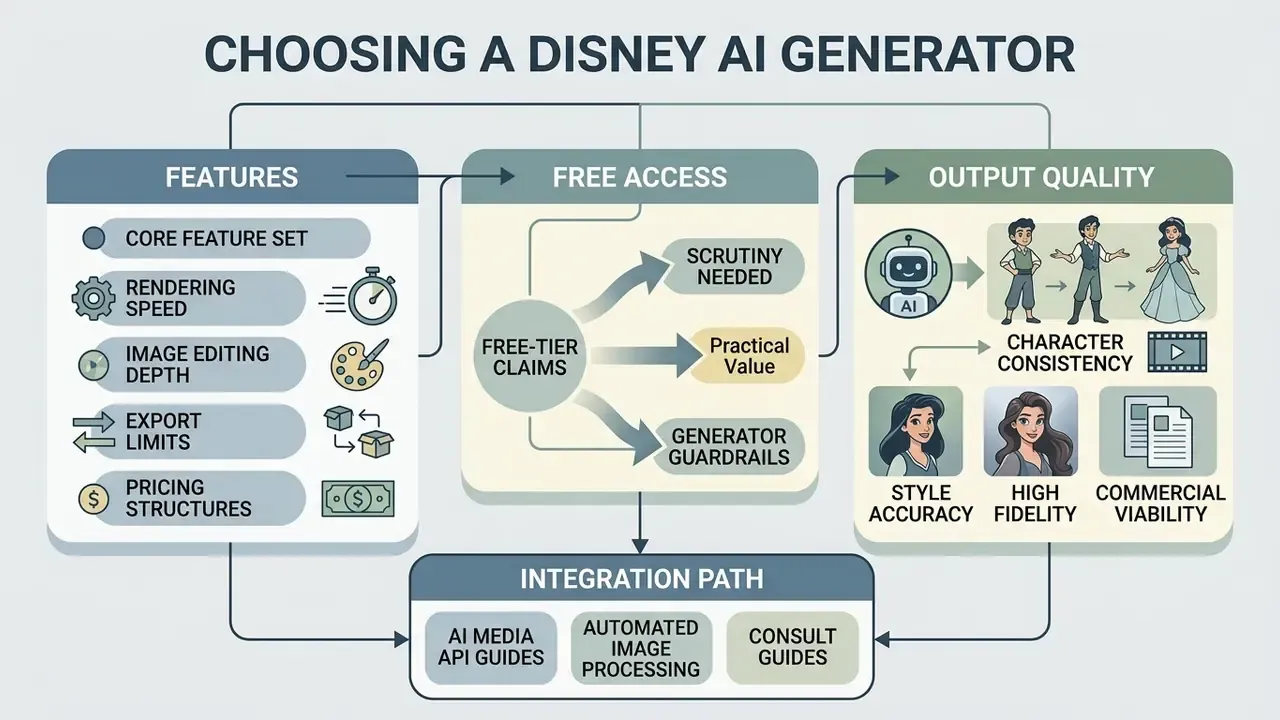
Choosing a disney ai image generator means assessing core feature sets, rendering speed, image editing depth, export limits, and pricing structures. Our comparison of leading AI image generators covers the wider field. Many platforms advertise a free trial tier, but daily credit caps, watermark-free outputs, and resolution ceilings vary widely.
| Generator Platform | Text-to-Image | Photo-to-Image | Free Tier Limits | Watermark Policy | 3D Quality Grade | Commercial Rights |
|---|---|---|---|---|---|---|
| getimg.ai | Yes | Yes | 100 credits/mo | Watermark-free | High (3D animated) | User-owned output (paid plans) |
| TooniFy App | Limited | Yes | Ad-supported free | Optional watermark | Medium (filter look) | Personal use only |
| Vofy AI | Yes | Yes | Free trial credits | Clean export | High (storybook) | Conditional |
| Bing Image Creator | Yes | No | Daily boost credits | Bing logo mark | High (DALL-E class) | Non-commercial |
| Midjourney (v6+) | Yes | Yes | Paid subscription | Watermark-free | Premium cinematic | Commercial (paid) |
| Anijam-class video suites | Yes | Yes | Free plan, HD only | Watermark-free on paid | High (3D plus animation) | Commercial on premium |
| EaseMate (GPT-4o-based) | Yes | Yes | Daily free credits | Watermark-free export | Medium-high | Check per-plan terms |
Free-tier claims deserve scrutiny. Vendor pages advertise "no login, no watermark" while parking the real constraints in paid tiers, and no shared benchmark exists for "3D quality." Verify current limits directly before committing a campaign to any single engine. Bing-specific access and licensing conditions appear in our Bing AI image guide, and Midjourney's control set is broken down in our Midjourney image generator evaluation. If a render fails or credits vanish mid-project, our AI Media Support and Troubleshooting notes cover the usual causes.
«The CopyJudge framework uses multimodal models to assess substantial similarity with protected works, approaching the accuracy of human judgments.»
Practically, a generator's value now includes its guardrails. Does it block memorized character prompts? Does it offer similarity screening? Does it log provenance? When choosing an ai image generator disney engine, weigh operational convenience against licensing conditions. Independent platforms offering an ai disney generator often enforce strict usage restrictions on free accounts, including personal-use-only clauses that surface only in the terms page. Teams evaluating enterprise platforms can review our overview of the Microsoft AI image generator or examine the commercial terms of the Google AI image generator.
For automated image processing pipelines, developers can consult our AI Media API Guides to integrate generation models directly into custom software architectures.
Can You Use Disney AI Generated Images Commercially
This section is general information and does not replace advice from a qualified attorney on copyright and trademark matters.
Using ai generated images disney outputs for commercial purposes carries real legal and regulatory weight; our hub on commercial use of AI image generators sets out the broader licensing framework. Platform terms may grant you commercial ownership of raw output files, but those rights do not override third-party intellectual property law. Generating images featuring protected disney characters, corporate logos, or trademarked visual designs creates substantial exposure under U.S. copyright and trademark statutes.
The risk is not limited to deliberate copying.
«Models reproduce protected characters even from indirect cues: the prompt "video game, plumber" consistently generates an image indistinguishable from Nintendo's Mario.»
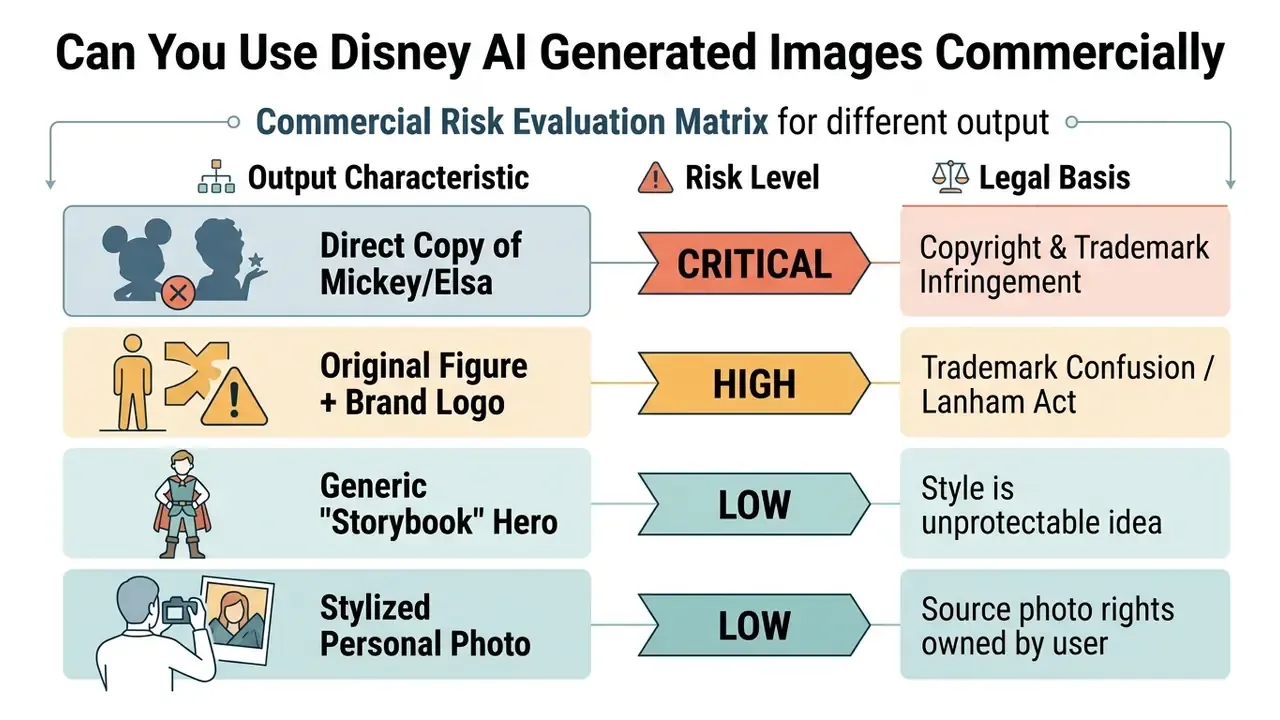
Mitigation is measurable, not theoretical:
«For large models the baseline infringement rate was 70 to 80%, but negative prompting combined with prompt rewriting reduced it to roughly 2 to 4%.»
Two operational takeaways follow. First, always carry an explicit negative block (no existing Disney characters, no logos, no trademarked costumes, no watermarks). Second, screen the final asset before publication: AI image detectors and AI reverse-image-search tools help confirm that your "original" hero is not a near-duplicate of protected key art.
Alert box: legal compliance warning
- Legal context:
- Lanham Act (15 U.S.C. § 1114): prohibits unauthorized commercial use of registered trademarks that creates consumer confusion about official sponsorship or endorsement.
- U.S. Copyright Office AI report (2024): unedited AI outputs lack human authorship and cannot receive federal copyright protection, which limits your ability to enforce exclusive rights against competitors.
Note also the false comfort circulating in the market. Some Disney-filter vendors tell paying subscribers they may use "all generated Disney artwork" for personal and commercial projects, merchandise included. That statement is unsafe. A platform can license you its output file; it cannot license someone else's characters or marks. Third-party guardrails are moving in the opposite direction.
«In a 110-page complaint the studios accuse Midjourney of "massive copyright infringement" and seek to bar the service until IP protections are implemented.»
Creators planning commercial visual assets should review our AI Media Commercial-Use Hub for detailed licensing analysis. Ongoing court proceedings on generative outputs are tracked in our AI Litigation and Case Timelines reference.
Pre-Publication Compliance Checklist
- Confirm the character is original: no protected name, no signature costume, no trademarked silhouette or emblem.
- Confirm no brand marks appear anywhere in frame, including background signage, packaging, and merchandise props.
- Confirm rights to the source photo, including model consent for any identifiable person and parental consent for minors.
- Run similarity screening (reverse image search plus a similarity or judgment tool) on the final asset.
- Record the prompt, negative prompt, model version, and date for your audit trail.
- Document the human creative contribution, including edits, composition changes, and typography, because AI-only material is excluded from registration.
- Re-read the platform's current terms. Commercial rights frequently sit behind a specific paid tier and can change between billing cycles.
- For products and merchandise, obtain legal sign-off before the print run, not after.
Businesses that monetize digital assets in gaming markets can explore strategies to sell video games within compliant legal structures, where original character art is an asset and borrowed character art is a liability.
How to Generate Disney-Style Video and Maintain Character Consistency
Modern generative systems reach beyond static images, enabling full animated scenes with one persistent character identity (character consistency) and mouth-accurate dialogue (AI lip sync). This is where dedicated animation platforms currently outperform pure image tools. One Disney-style suite advertises designing a character once and keeping it "perfectly consistent across every scene, poster, and animated video: same face, same style, zero visual drift." Treat that promise as a marketing claim you should test on your own hero before production.
Methodology for Preserving Character Identity Across Frames
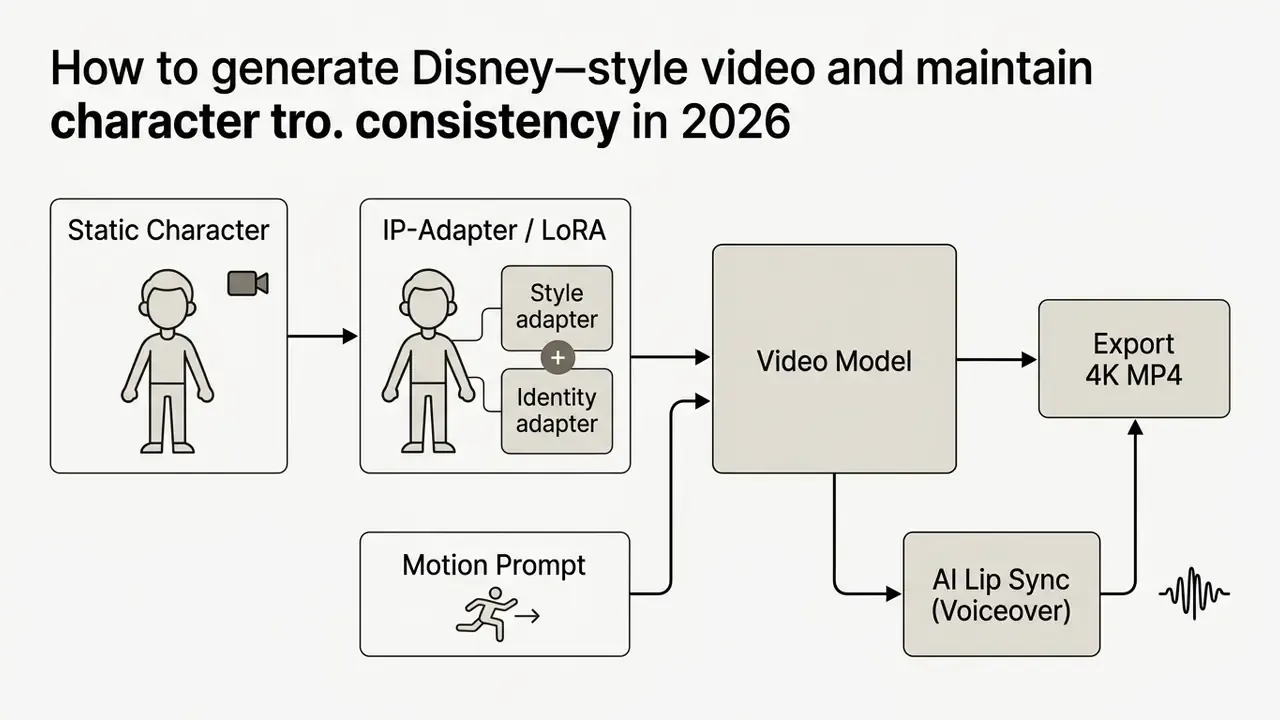
Video and Animation Generation Parameters
| Parameter | Setting for Disney 3D look | Setting for classic 2D look |
|---|---|---|
| Video model | Runway Gen-3, Luma Dream Machine, Sora, Google Veo | Sora, Pika 2.0, CogVideoX |
| Motion bucket / FPS | Motion 3 to 5, 24 FPS (cinematic fluidity) | Motion 2 to 3, 12 FPS (animate "on twos") |
| Camera control | Orbit, slow zoom in, pan right | Static shot, parallax tracking |
| Lip sync | Synclabs or ElevenLabs-class AI voice | SadTalker, LivePortrait |
| Clip length | 5 to 10 s per shot, stitched in an editor | 4 to 8 s per shot |
| Export | 4K MP4, H.264/H.265 | 1080p to 4K MP4 |
Voiceover quality matters as much as motion. Mismatched timbre breaks the illusion faster than imperfect frames, so audition voices in an AI voice generator before locking the lip-sync pass. Multi-shot sequences are assembled in a conventional timeline; see our animation maker guide for template-driven assembly and the YouTube video editor workflow guide for publishing-ready cuts. Large exports usually need a size pass through a video compressor before upload.
FAQ About Disney AI Generators
Can a Disney AI Generator Create Video, Not Only Images?
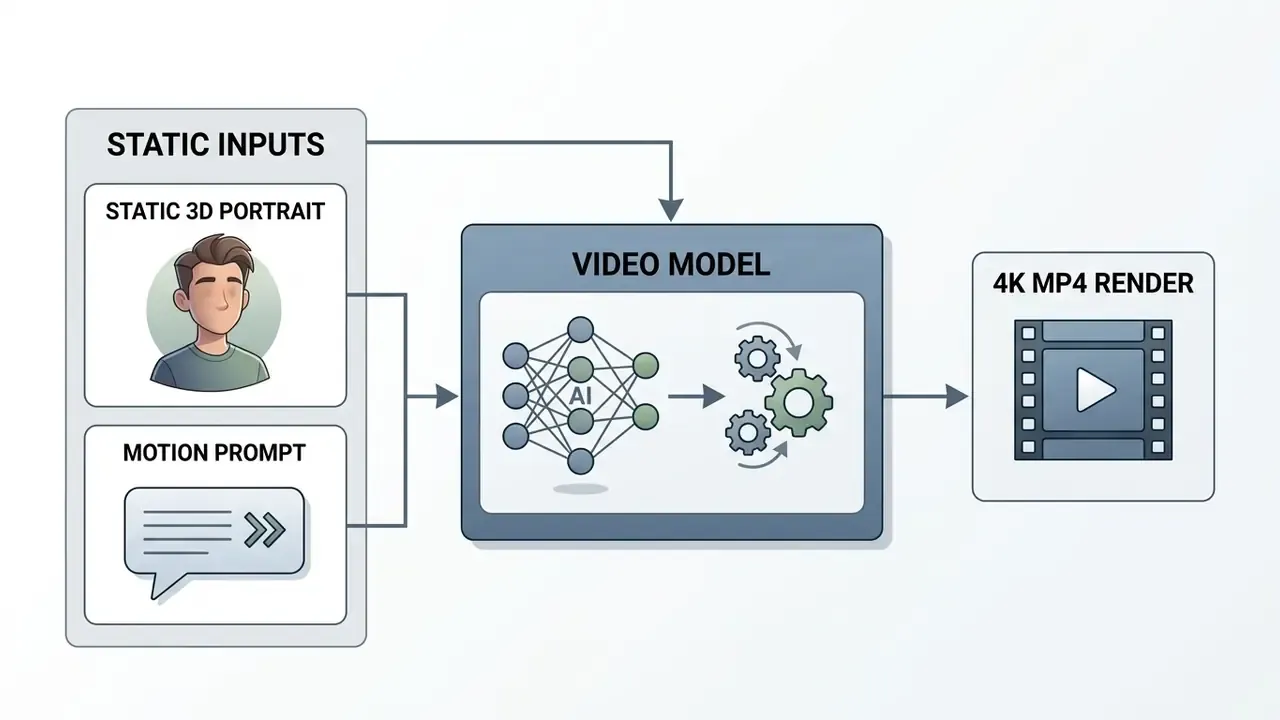
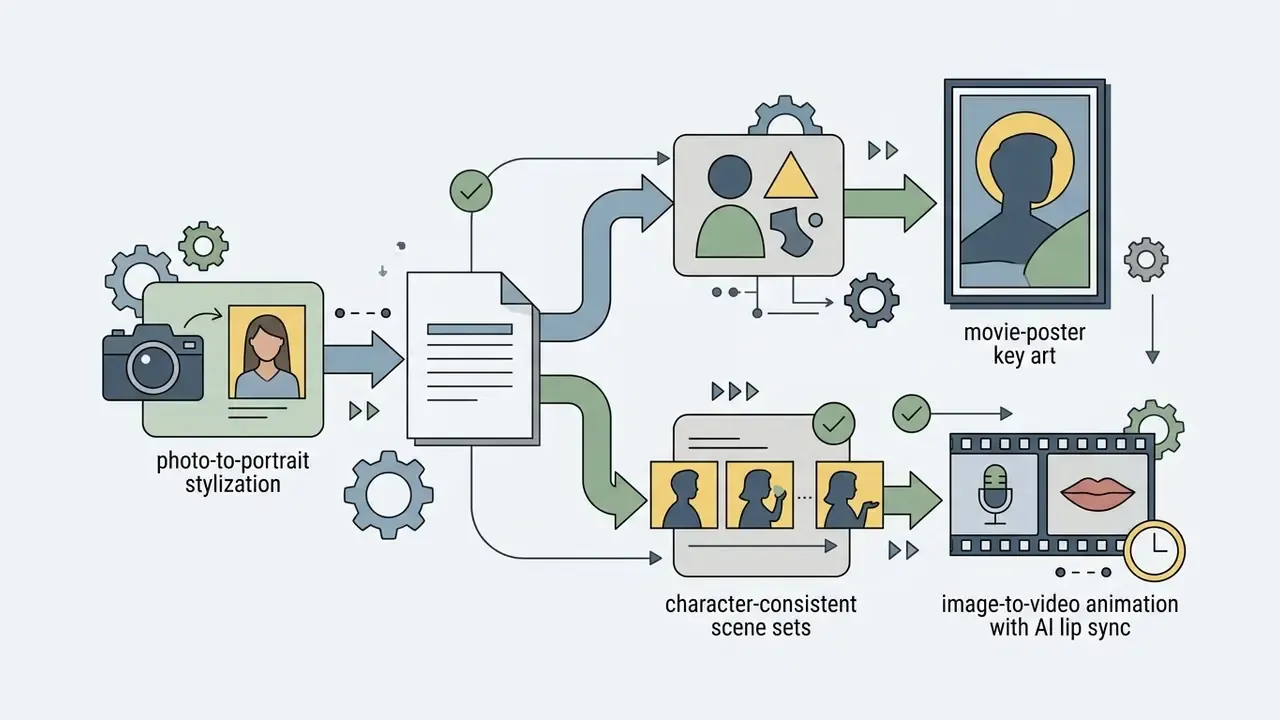
Modern generative video models can animate static Disney-style images into short clips. Diffusion video platforms such as Google Veo, Adobe Firefly Video, and FLUX 3 process input images as initial keyframes, the core mechanic behind image-to-video AI tools, applying motion vectors to produce fluid animation. Firefly accepts a still as the first frame with output up to 4K and aspect-ratio control; FLUX 3 can pin one still as the opening frame or chain multiple keyframes as a storyboard. Upload a 3D animated portrait, add a camera movement prompt ("slow zoom, smiling expression, wind blowing hair"), and you get motion.
Developers implementing video generation workflows can review our technical guide on the Google Veo AI video generator API. Creators seeking cost-free animation tools can read our best free AI video generator comparison.
Can Disney Style Be Combined With Other Visual Styles?
Generative diffusion engines let creators blend aesthetic directions by stacking style tokens in a single prompt. Combining a disney style baseline with other art movements creates hybrid outputs that still read as family animation.
Place the primary subject descriptor first, then secondary aesthetic modifiers, and cap the stack at two or three style families. Beyond that, tokens compete and the render loses coherence. Editors handling projects with varied aesthetic inputs can consult our guide to the Shotcut video editor.
How Long Does It Take to Create a Disney-Style Image?
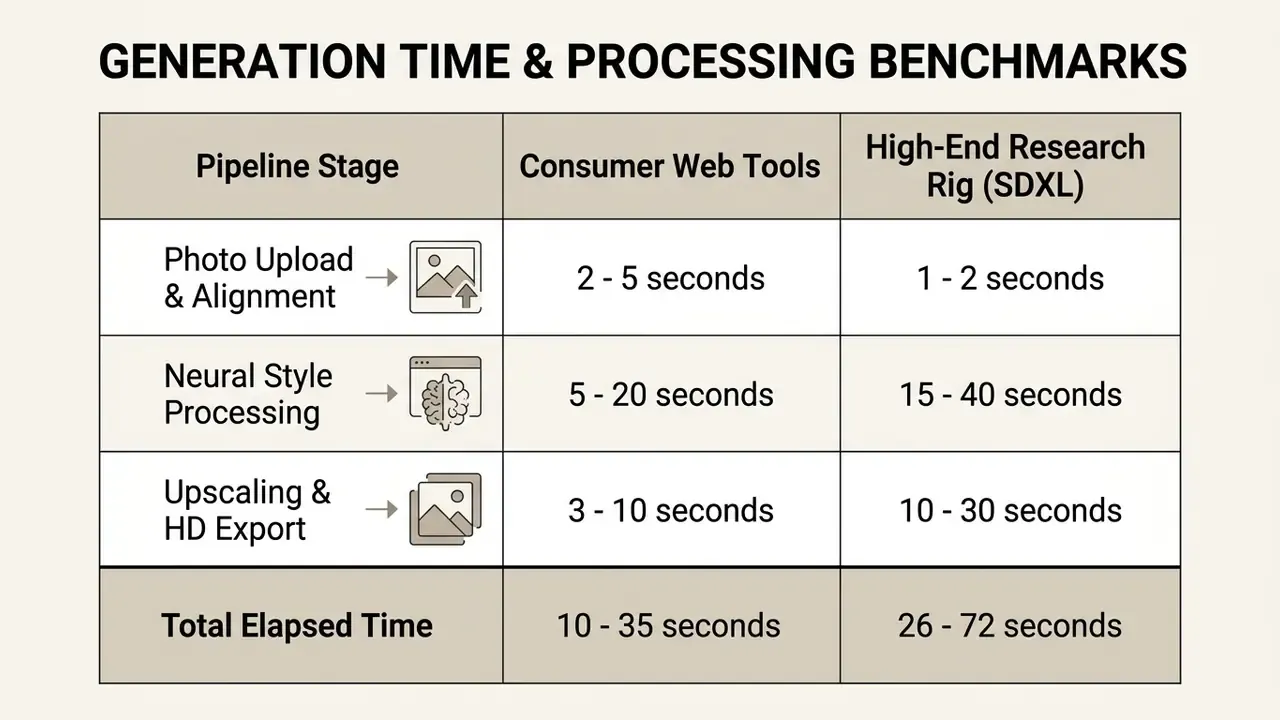
Generation time for a disney ai generator ranges from 5 to 60 seconds on cloud-hosted consumer web applications. Speed depends on model architecture, server load, and output resolution.
Consumer platforms report fast turnaround because they serve pre-loaded style adapters on shared inference infrastructure at capped resolutions. The precise optimization stack is vendor-specific and not publicly documented, so treat "pre-compiled adapters and quantized weights" as a plausible explanation rather than a verified claim. Vendor pages typically quote seconds to under a minute; one Disney-filter service states 30 to 60 seconds depending on server load and image complexity. Research-grade multi-style stylization takes far longer: Disney Research reports roughly 16 seconds for a standard stylization pass and about 9 minutes 40 seconds on average per image for a nine-style-image dynamic process on an RTX 4090. Complex multi-subject scenes and high-resolution upscaling add time before final download.
What Should I Do If My Face Is Not Recognizable in the Output?
Reduce the transformation strength (denoising) so more source geometry survives, re-upload a sharper frontal photo at 1080x1080 px or larger, and name your identity anchors directly in the prompt ("round face, wide-set brown eyes, dimple on left cheek"). If the tool exposes an identity-weight slider or IP-Adapter strength, raise it before touching the style tokens.
Can I Generate a Specific Disney Film's Look, Such as Frozen or Beauty and the Beast?
You can reproduce broad era aesthetics, including winter fairy-tale palettes, romantic candlelit interiors, and hand-drawn 1990s linework, because those are stylistic ideas. You cannot safely reproduce the films' named characters, their costumes, or their logos. Describe mood, palette, lighting, and era instead of naming titles or characters, and keep a negative constraint blocking existing franchise figures.
Do Free Disney AI Generators Watermark the Output?
It varies by tier and, honestly, by week. Free plans commonly restrict resolution, add a provider mark (Bing-style logo overlays on boosted generations), or cap daily credits, while watermark-free export sits behind a paid plan. Verify the current policy on the pricing page before you promise a client an unmarked file; see our AI Media Pricing Guides for tier-by-tier breakdowns.