For teams inside regulated organizations, the interesting part is not the aesthetic. It is the control surface: what leaves your perimeter, what can be reproduced on demand, and what you are actually licensed to publish.
Last reviewed: 2026 · Editorial scope: generative visual workflows, prompt engineering, model risk and licensing review · Company verification note: no verified corporate credentials are asserted anywhere in this guide.
Executive Summary
- Output quality is governed by the neural engine (FLUX, SDXL, Firefly, GPT Image), export resolution, and the precision of material vocabulary in your prompt (
2H–6Bgraphite,Bristol board,cross-hatching). - Free tiers are rarely enterprise-safe. Verify data retention, opt-out from model training, watermarking, and commercial rights before uploading customer photos, internal UI mockups, or any PII.
- Purely AI-generated sketches are not copyrightable without substantial human authorship; synthetic-content labeling (C2PA / Content Credentials) is a compliance requirement in several jurisdictions.
--iw 0.5–1.2, --ow ≤ 400) if a result must be regenerated identically later.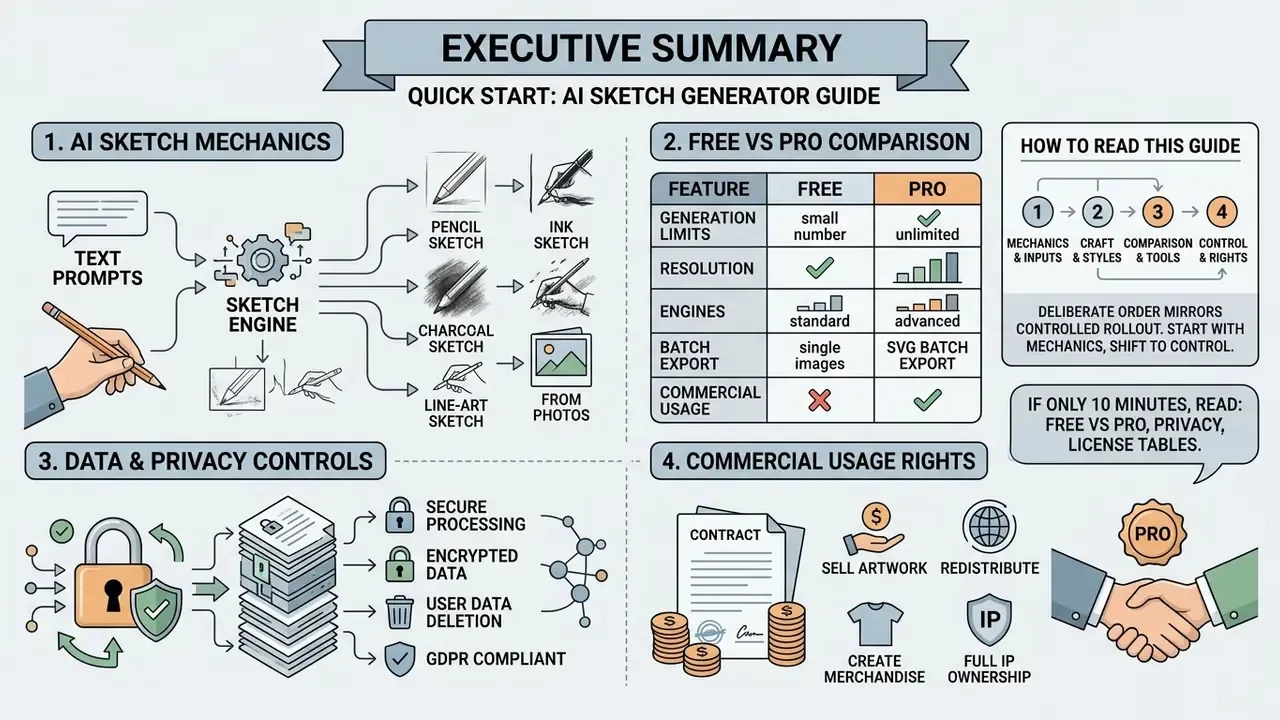
How to Read This Guide
The order below is deliberate, and it mirrors how a controlled rollout usually happens rather than how a tool demo is usually presented.
Start with the mechanics: what a sketch model actually produces, and how text-to-sketch differs from photo-to-sketch. Then move to business value, because a tool nobody uses generates no risk and no return. Styles come next, since medium selection drives more of the output quality than engine choice does. The practical workflow section covers prompt structure, reference weights, batch runs, and vector export.
After that, the guide shifts from craft to control. Free-tier comparison, shadow AI and data handling, commercial licensing, precision techniques, and a failure-mode table. The FAQ closes the loop on the questions buyers actually send back after the first pilot week. An appendix preserves superseded wording for editorial transparency.
If you only have ten minutes, read the free-versus-Pro table, the data-privacy section, and the license audit checklist. Those three decide whether the rest is usable at work. Everything else is craft, and craft can wait a day.
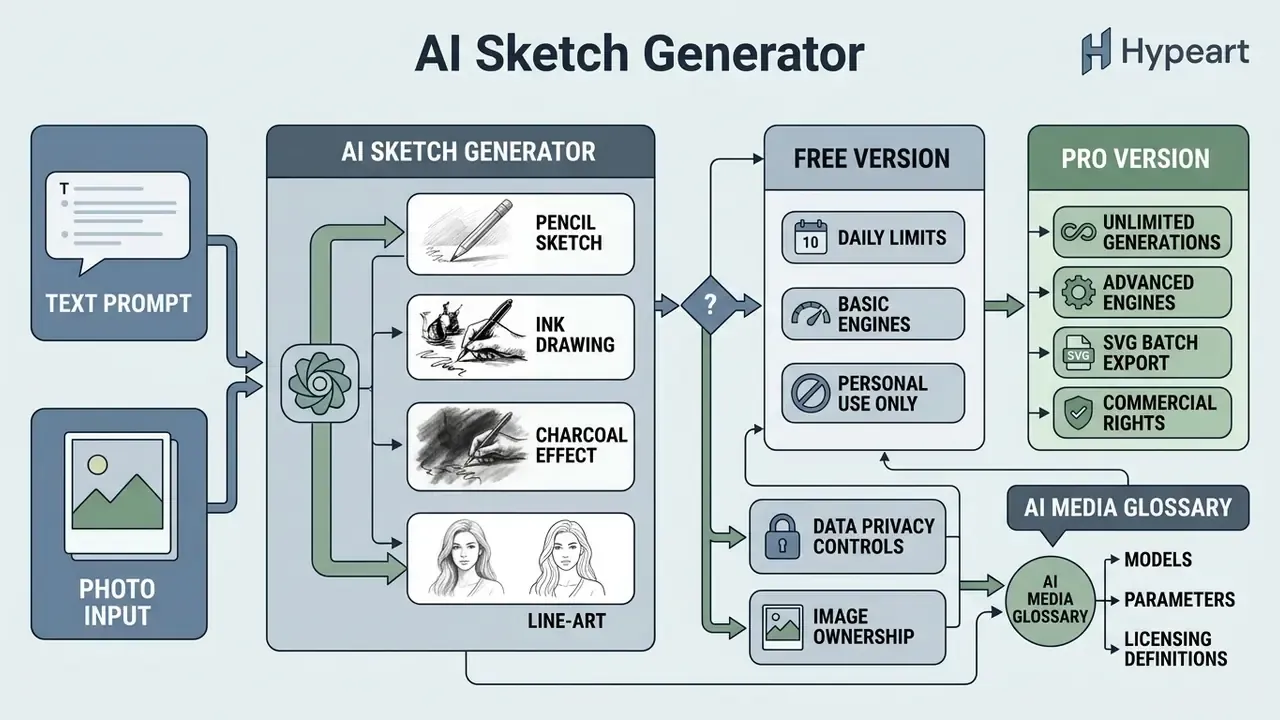
What Is an AI Sketch Generator and What Sketches Does It Create?
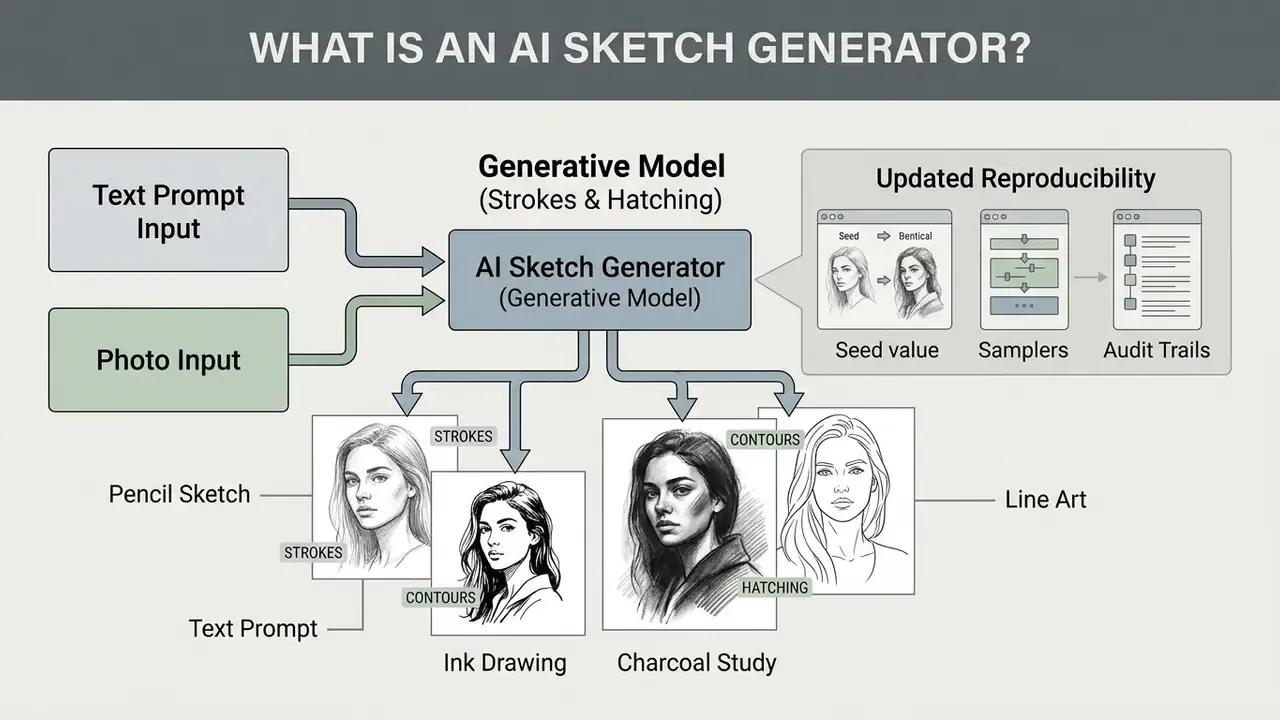
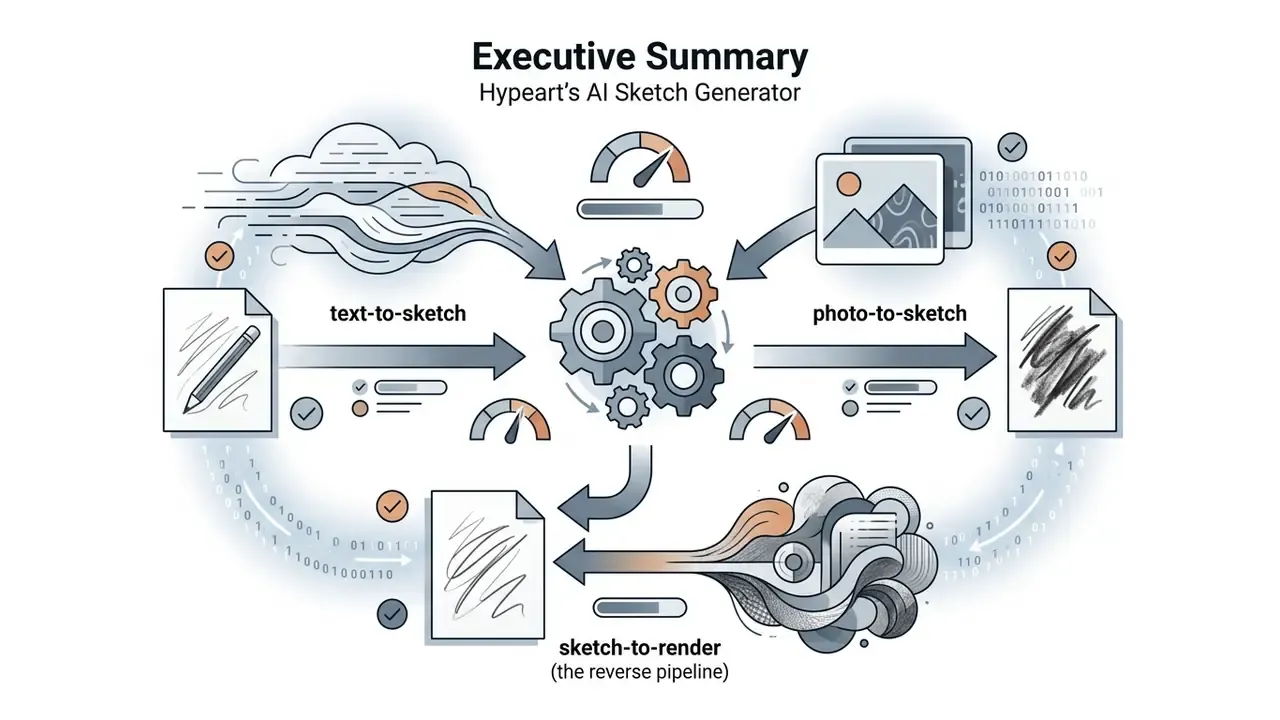
Short answer: it is a generative model tuned to output strokes, contours, and hatching instead of fully rendered pixels. Inputs can be a text prompt, a photograph, or a rough hand-drawn draft.
An ai sketch generator is a specialized generative artificial intelligence system optimized to produce line-based visual representations rather than fully rendered photorealistic raster images. Unlike standard text-to-image models that denoise pixels across full color spectra, an ai generator sketch pipeline isolates edge paths, stroke density, and vector-like contour geometries.
General AI art tools treat line drawings as an intermediate step toward full rendering. In contrast, an ai sketch art generator retains stroke abstraction and hand-drawn qualities as the primary output. Modern neural sketch systems rely on differentiable Bézier curve optimization or latent distance fields, which lets users generate high-fidelity sketch drawings from very little input data. Readers new to the wider category may want the background primer on what is ai art before comparing engines.
«CoProSketch uses a two-stage diffusion pipeline built on Stable Diffusion XL: a coarse sketch from a bounding box and a text prompt is progressively refined into a detailed drawing.»
Vector graphics editors, by comparison, only expose explicit geometry: paths, nodes, and Bézier handles for manual manipulation. They cannot infer a sketch from noise or text through a learned reverse-diffusion process, which is the architectural line that separates a sketch generator ai from a drafting application.
Sketch Generation from a Text Prompt
Text-to-sketch generation transforms written descriptions into structured vector or raster drawings by passing prompt embeddings through conditioned diffusion models. The system evaluates subject keywords, composition terms, and stroke modifiers to calculate stroke placement and pen density.
Research on text-conditioned stroke synthesis demonstrates that algorithms like DiffSketcher optimize parametric curves directly against score distillation sampling losses from pretrained diffusion models (NeurIPS 2023). This architecture ensures that the generated ai sketch maintains semantic fidelity to the text while preserving authentic drawing characteristics such as line weight variation and hatching.
«DiffSketcher optimizes parametric Bézier curves through an SDS loss from a frozen diffusion model, preserving structural integrity and key visual details of the subject.»
Some architectures skip diffusion over pixels entirely. Stroke-level systems generate brush strokes auto-regressively, while vector denoising models sample stroke control points from Gaussian noise and progressively move those points, together with pen up/down states, toward a recognizable drawing. The practical consequence for users is a different failure behavior: pixel-based engines blur thin lines, stroke-based engines produce broken or floating contours.
Converting Photos to Drawings with AI
«DiffSketch trains a sketch generator on a triplet of diffusion features, the source photo, and a single hand-drawn sketch, outperforming existing sketch-extraction methods.»
Dataset scale also matters for portrait fidelity. The FS2K benchmark provides 2,104 image and sketch pairs for training and evaluating face-photo-to-sketch translation, which is why current models retain eye spacing, jawline geometry, and hair mass far better than the patch-matching methods used before 2017.
Reproducibility: Seeds, Samplers, and Audit Trails
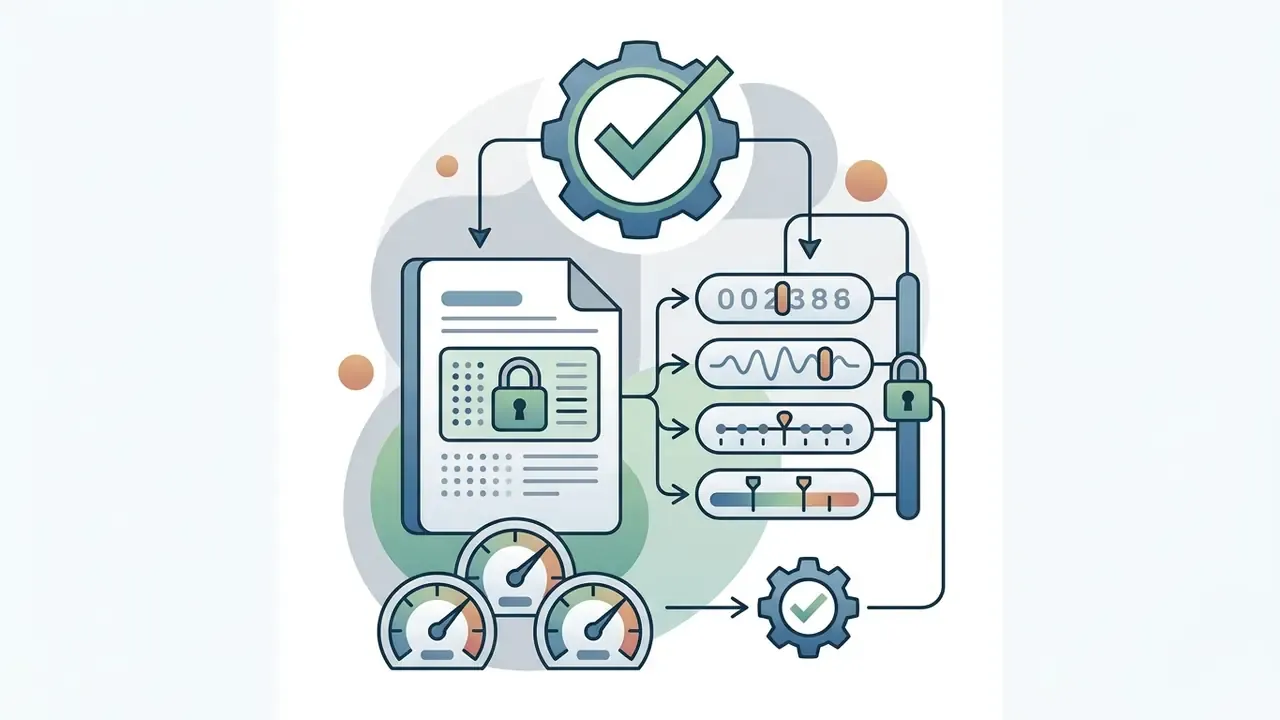
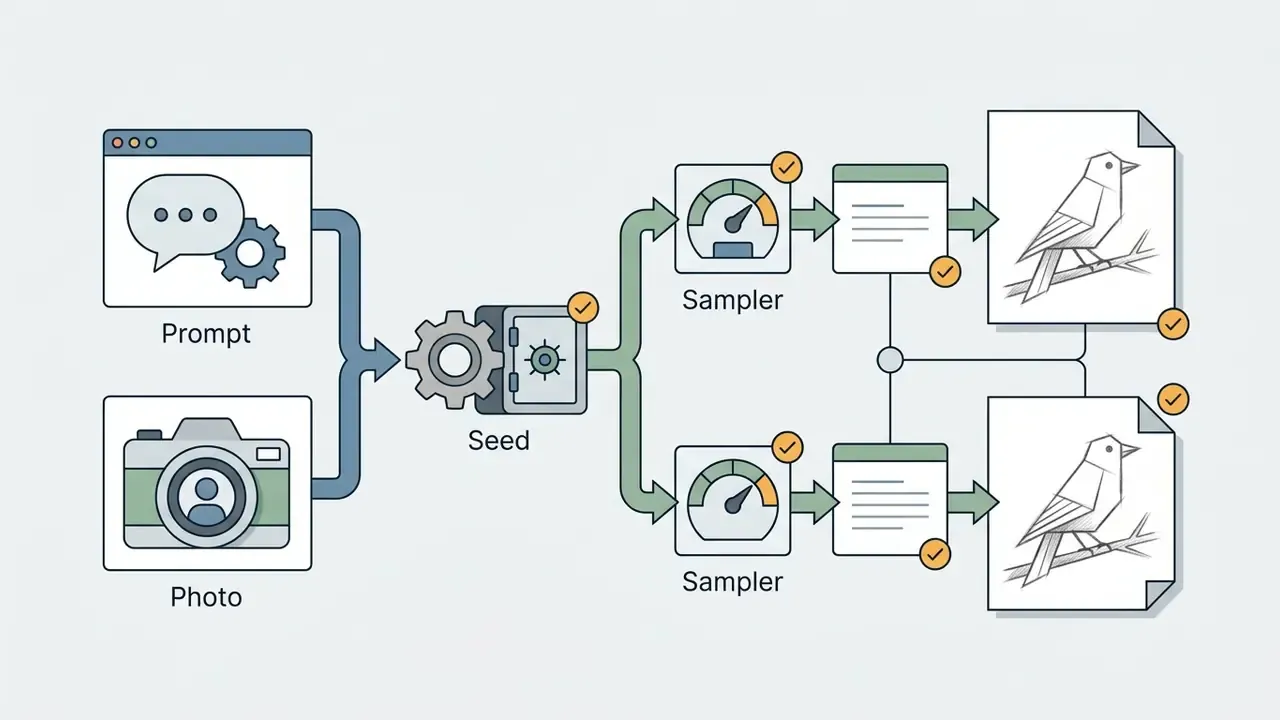
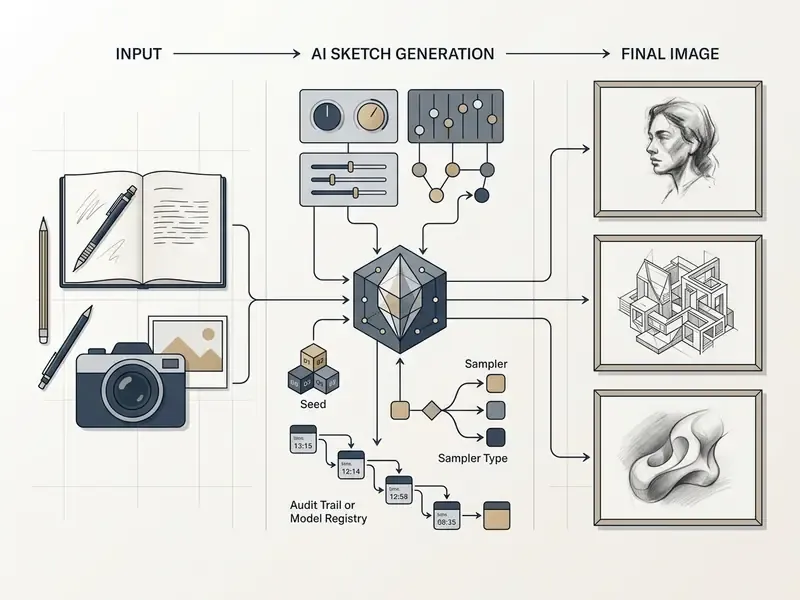
For regulated environments, an output is only useful if it can be regenerated. Record the following parameter set with every asset you ship:
- Model name and version (for example, Firefly Image Model 5, FLUX.2 Pro, SDXL 1.0), because a silent engine update invalidates reproducibility.
- Sampler, steps, guidance/CFG scale, denoising strength for photo-to-sketch runs.
- Reference weights (
--iw,--ow, ControlNet conditioning strength) and the hash of the uploaded reference file.
Storing this block alongside the exported file converts a creative asset into an auditable artifact. That is the practical requirement behind Marcus Hale's point about "reproducible parameter controls." One caveat worth stating: identical parameters on a different hardware backend can still drift slightly, so treat reproducibility as high-confidence rather than bit-exact.
Where Teams Actually Use AI Sketches (Business Value)
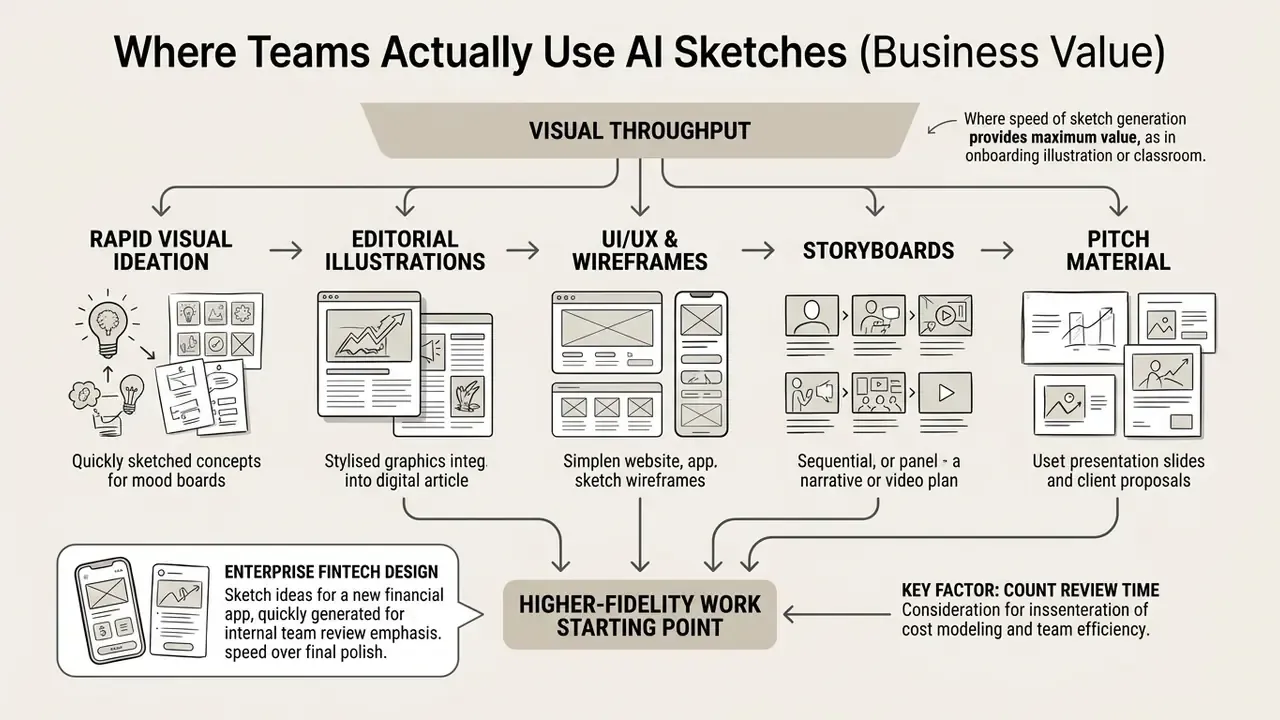
Short answer: sketch generation is adopted where visual throughput matters more than final polish: ideation, onboarding illustration, storyboards, wireframes, and pitch material.
Commercial design teams use AI sketches for rapid visual ideation, editorial illustrations, UI/UX storyboarding, and marketing collateral drafts. In digital media publishing, line drawings provide clean, lightweight visual elements that complement editorial content. Founders use consistent sketch sets for landing pages and MVP visuals. Marketing teams reuse a locked sketch style to hold brand identity across blog posts, ads, and social channels.
Illustrative deployment (internal team estimate, not independently audited): an enterprise fintech design department needed custom graphic illustrations for a mobile banking onboarding flow. The team configured an internal AI sketch pipeline on verified, commercially licensed base models, standardized one prompt template, locked a single medium (fine nib technical pen, no shading), and produced roughly three dozen vector-style icons within a two-day sprint. The department reported a material reduction in external agency spend for draft-stage assets while keeping brand line weight consistent. These figures come from the team's own before and after tracking, not from an audited cost study, so treat them as directional rather than benchmarked.
Worth noting: the cost model only holds if you count review time. Human line editing and legal clearance are real hours, and they belong in the same spreadsheet as credits and seats. Teams building that model can start from the AI Media Calculators and adjust the assumptions to their own review workload.
Sketch outputs also serve as the starting point for higher-fidelity work: mood boards, classroom and workshop material, comics and character concepts, animation keyframes, and full digital illustrations. Storyboard frames often move straight into an editing timeline, and lightweight desktop tooling such as vsdc free video editor is a common landing spot for that handoff. Add a narration pass from a voice over generator and a rough sketch sequence becomes a shareable animatic before a single frame is rendered.
Teams that already run raster asset pipelines often pair sketch generation with AI outpainting tools for expanding images when a drawing must be reframed for multiple placements.
What Styles Are Available in an AI Sketch Generator?
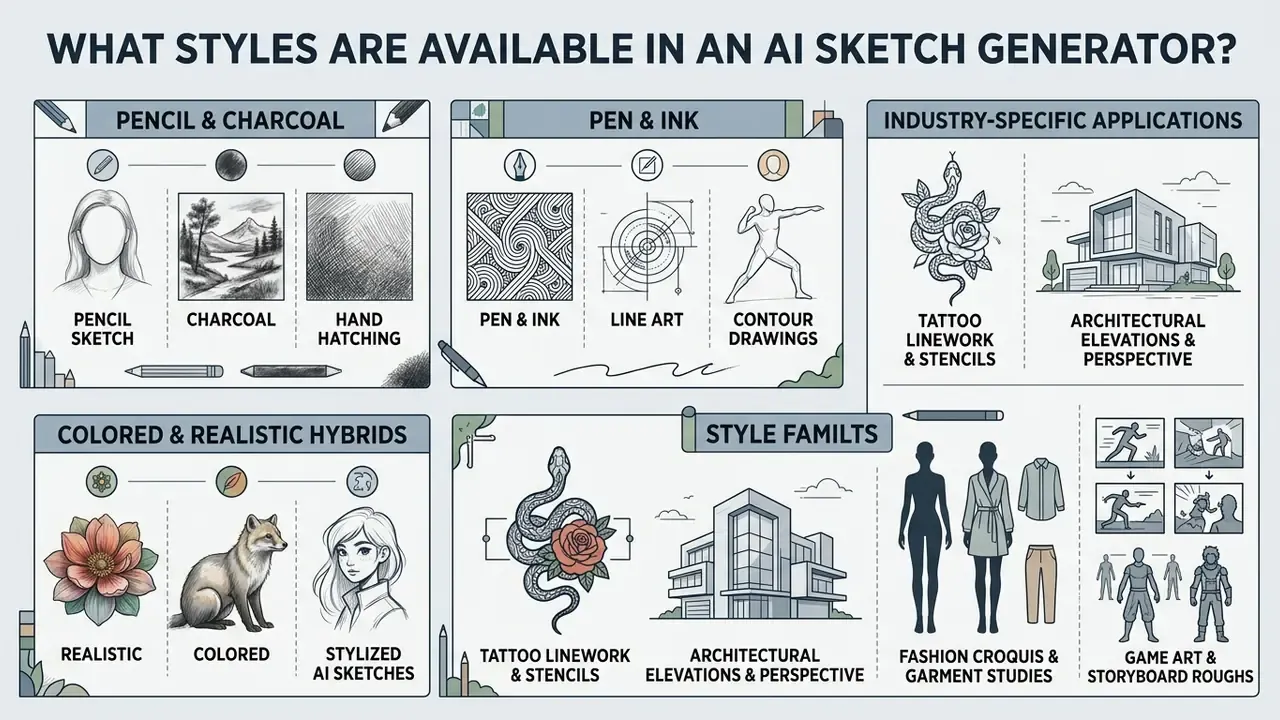
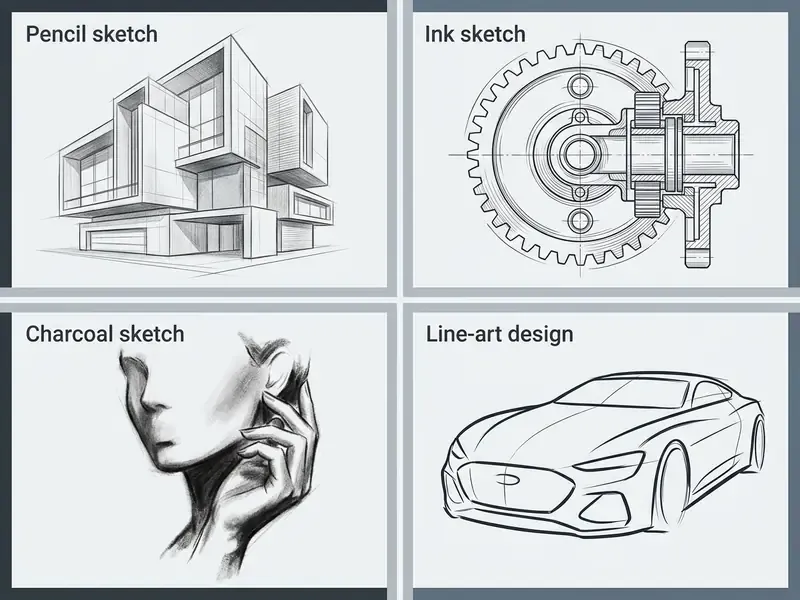
Short answer: four core families, namely graphite/charcoal, pen and ink, pure line art, and colored or realistic hybrids, plus industry presets for tattoo, architecture, fashion, and concept art.
Modern sketch generator ai platforms offer distinct graphic rendering modes tailored for concept art, UI wireframes, editorial graphics, and tattoo draft references. Selecting the appropriate sketch styles controls stroke thickness, contrast levels, paper grain simulation, and color application. Readers evaluating broader style ranges can cross-check the comparison of the best AI art generators by style control and licensing.
Pencil Sketch, Charcoal, and Hand Hatching
The pencil sketch style simulates physical graphite media, ranging from hard 2H technical layout lines to soft 6B shadow shading. Algorithms model visible stroke direction, pressure variance, and smudged graphite textures against toothy sketchbook paper backgrounds.
Charcoal modes emphasize deep black values, rough draft marks, and high-contrast tonal blocks. The neural model applies directional hatching and cross-hatching to construct form and volume, replicating traditional manual drawing techniques across complex subjects.
In practice, hard grades (H–8H) suit construction lines and first hatching passes, while soft grades (B–8B) fill mass and build volume. Same logic traditional illustrators apply, now exposed as promptable style tokens in SDXL LoRA model cards (pencil sketch, charcoal sketch, rough sketch, graphite drawing).
Pen & Ink, Line Art, and Contour Drawings
The sketch ink style generates sharp, high-contrast black ink outlines on clean background surfaces. This rendering mode eliminates soft gradients, relying instead on clean vector-like strokes, stippling, and precise line weights.
Minimalist line art focuses strictly on object perimeters and major inner contours. This format is widely used by product designers and web developers who need clean SVG vector graphics for technical documentation, icon design, and user interface mockups.
«DiffSketcher uses Bézier curves as the stroke primitive, which naturally yields clean pen-and-ink contour lines with an adjustable level of abstraction.»
Historical pen-and-ink research (hatching style learning for surface illustration) and newer interactive systems such as progressive line-art diffusion assistants differ in one important way: the newer tools regenerate only the region you edited, leaving the rest of the linework untouched.
Realistic, Colored, and Stylized AI Sketches
Realistic AI sketches combine detailed contour lines with smooth tonal gradients to produce highly detailed graphic portraits and architectural views. These outputs maintain hand-drawn line foundations while introducing realistic depth, shadow falloff, and subtle background context.
Colored sketch modes blend loose line drawings with watercolor washes or digital color fills. By controlling color layer opacity and line visibility, an ai drawing sketch generator can output stylized illustrations that retain draft-line spontaneity while delivering vibrant visual appeal. Sketch-guided scene generation research (2024) shows diffusion priors can infer additional background detail from a single object drawing while keeping the original sketch structure intact, which is the mechanism behind "sparse sketch in, populated scene out."
Industry-Specific AI Sketch Applications
Standard generation parameters often fail when applied to technical design fields. Fine-tuning prompt parameters for specific industrial workflows yields professional-grade assets:
- Key Prompt Modifiers:
clean black tattoo stencil, bold outer linework, no shading, zero gradients, vector contour, flash sheet style. - Studio note: keep the minimum stroke width above the resolution of your stencil printer; hairline strokes vanish in transfer.
- Key Prompt Modifiers:
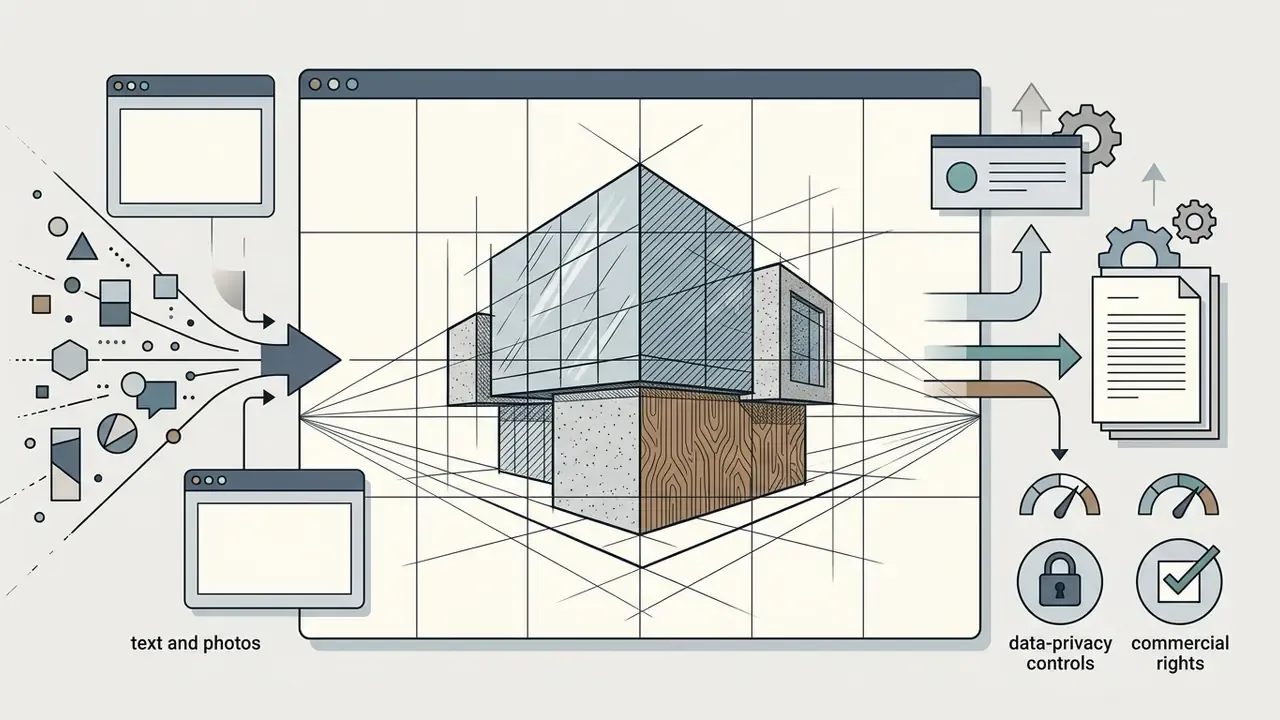
two-point perspective architectural draft, 2H technical pen, crisp alignment lines, subtle elevation cross-hatching, white background. - Key Prompt Modifiers:
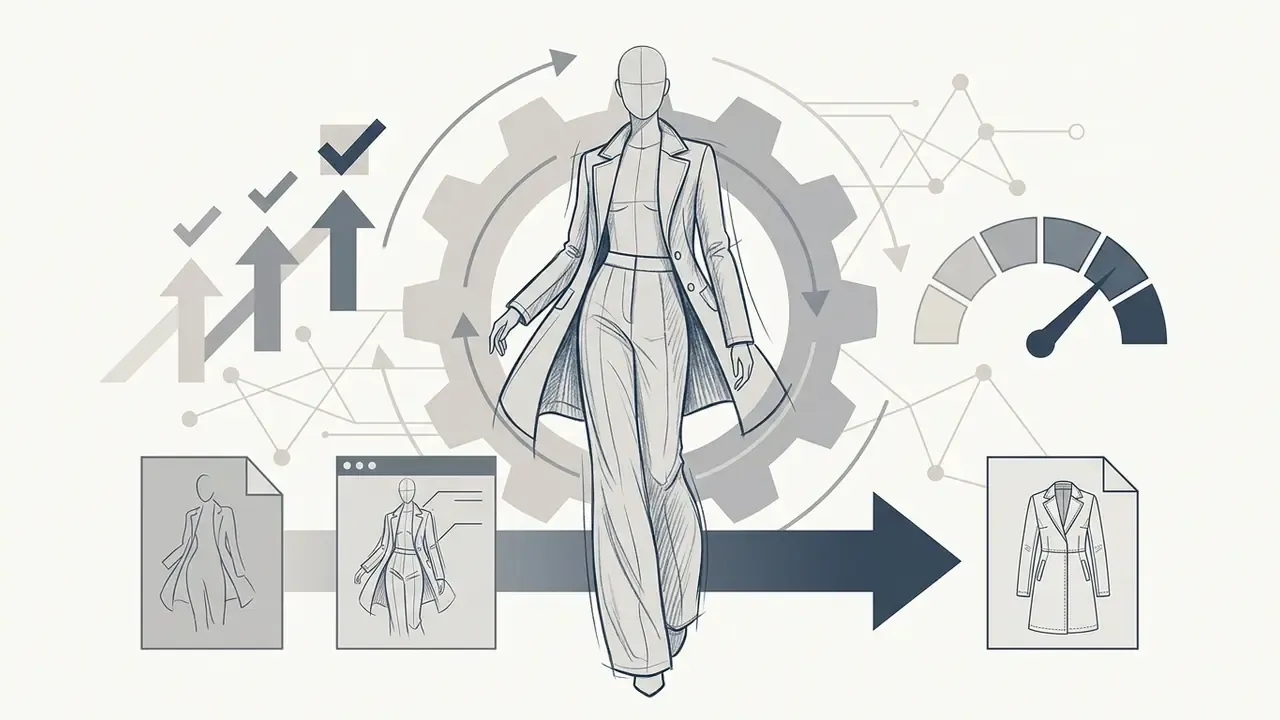
fashion illustration croquis, expressive gesture lines, graphite pencil, dynamic drape shading, minimalist silhouette. - Key Prompt Modifiers:
concept art thumbnail, rough charcoal value sketch, focal lighting, dynamic composition, production pre-vis. - Key Prompt Modifiers:
marker concept render, bold flat tones, quick diagonal strokes, product three-quarter view, warm grey values.
How to Create an AI Sketch from Text or Photo
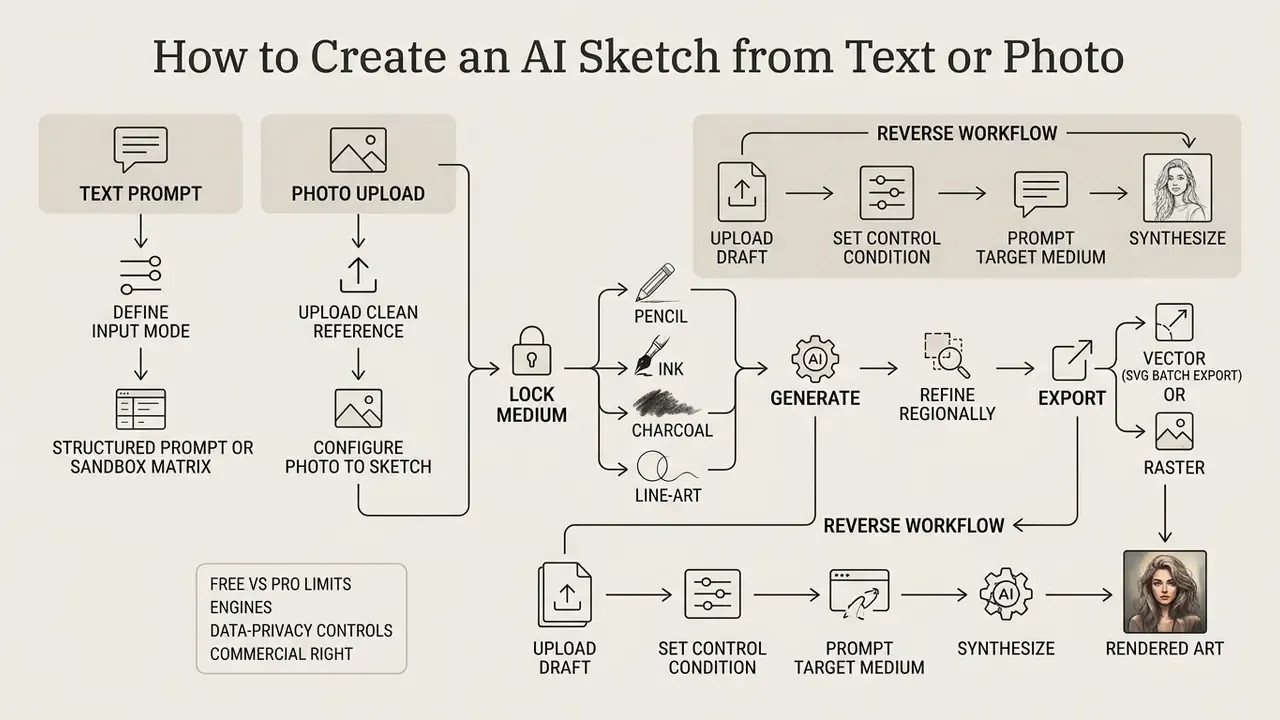
Short answer: define the input mode, write a structured prompt or upload a clean reference, lock a medium, generate, refine regionally, then export in vector or raster form.
Generating a professional graphic drawing requires structured prompt inputs or properly prepared reference photographs. Following a controlled execution workflow reduces artifact rate and produces predictable visual results.
How to Write a Prompt for an AI Sketch Generator
Effective prompts for a sketch creator ai combine explicit subject descriptions with explicit style parameters and constraint terms. Placing core subjects at the beginning of the prompt string establishes primary semantic focus.
A recommended prompt structure follows this sequence: Subject + Context + Material/Style + Composition + Constraints.
- Example prompt: "Architectural elevation of a mid-century modern house, clean white background, graphite pencil sketch, 2H fine line art, subtle cross-hatching, no color, no dark shadows."
Vendor documentation converges on the same skeleton: define the subject, then context and background, then style, then framing and viewpoint, then explicit negatives such as do not add text or no extra objects. Peer-reviewed prompt-engineering guidance adds one sampling recommendation. Generate several seeds per prompt rather than judging a prompt from a single render.
Prompt Matrix Sandbox
Combine one item from each column to build a deterministic style recipe:
| Subject | Medium | Paper / Surface | Stroke Style | Resulting Effect |
|---|---|---|---|---|
| Portrait, three-quarter view | 6B soft graphite | Toothy cartridge paper | Blended shading, smudged edges | Warm, gallery-style tonal portrait |
| Building front elevation | Fine nib technical pen | Smooth Bristol board | Parallel hatching, constant weight | Clean architectural draft, print-ready |
| Sneaker product study | Marker + light wash | Warm sketchbook stock | Bold flats, quick diagonals | Industrial concept render |
| Character full body | Charcoal | Heavy grain paper | Rough draft marks, deep blacks | Dramatic pre-vis concept sheet |
| Icon set (16 items) | Vector line art | Pure white background | Zero gradients, uniform 2 pt lines | UI-ready SVG-convertible outlines |
How to Upload a Photo and Configure Photo to Sketch
When using a photo to sketch workflow, upload a high-contrast source image with clear object boundaries. Avoid heavily compressed images or photos with extreme motion blur, because neural feature extractors need sharp edge contrast to distinguish structural paths.
Configure reference influence settings to control how strictly the generator adheres to the source image. Lower reference weights allow creative stylistic deviation, while higher weights preserve exact facial geometry, posture, and spatial layout. Major suites split this control into two channels, a style reference and a composition reference, and selecting the wrong channel is the most common reason a photo-to-sketch run loses the original pose. Portrait-specific fidelity considerations are covered further in the guide to AI headshot generators and portrait customization.
Reverse Workflow: Evolving Rough Sketches into Rendered Art
An AI sketch generator functions bidirectionally. Beyond converting photos to sketches, rough hand-drawn drafts can be upcycled into photorealistic images or colored digital paintings:
- Upload Draft Import a hand-drawn napkin sketch or low-fidelity digital layout into the ControlNet/Depth adapter interface.
- Set Control Condition Select
ScribbleorLineartconditioning modes. Set the conditioning strength between0.6and0.85to enforce visual structure. - Prompt Target Medium Write a detailed target prompt (for example, "Photorealistic architectural exterior, glass facade, sunset lighting, 8k render").
- Synthesize Executing the generation will retain your hand-drawn layout lines while populating materials, lighting, and textures.
- Iterate Selectively Re-run only the regions that fail (windows, reflections, foliage) using inpainting rather than regenerating the whole frame, which would break your layout.
How to Edit, Download, and Use the Result
After initial generation, use regional editing tools or generative fill to refine specific line paths, erase unwanted background artifacts, or alter shadow density. Iterative canvas editing prevents full re-generations when only minor details need adjustment. For post-export retouching outside the generator, see the guide to online photo editors and their commercial workflows.
Export the completed artwork in appropriate target formats. Vector formats like SVG, EPS, or PDF preserve stroke scalability for print and design software, while high-resolution PNG or WebP files suit digital publication and social media. Professional design tooling typically exposes PNG, JPG, HEIC, TIFF, WebP, PDF, EPS, and SVG plus size multipliers (@2x, 512W) and bulk ZIP download of every asset in a document.
Batch Processing and Vectorization (SVG Workflow)
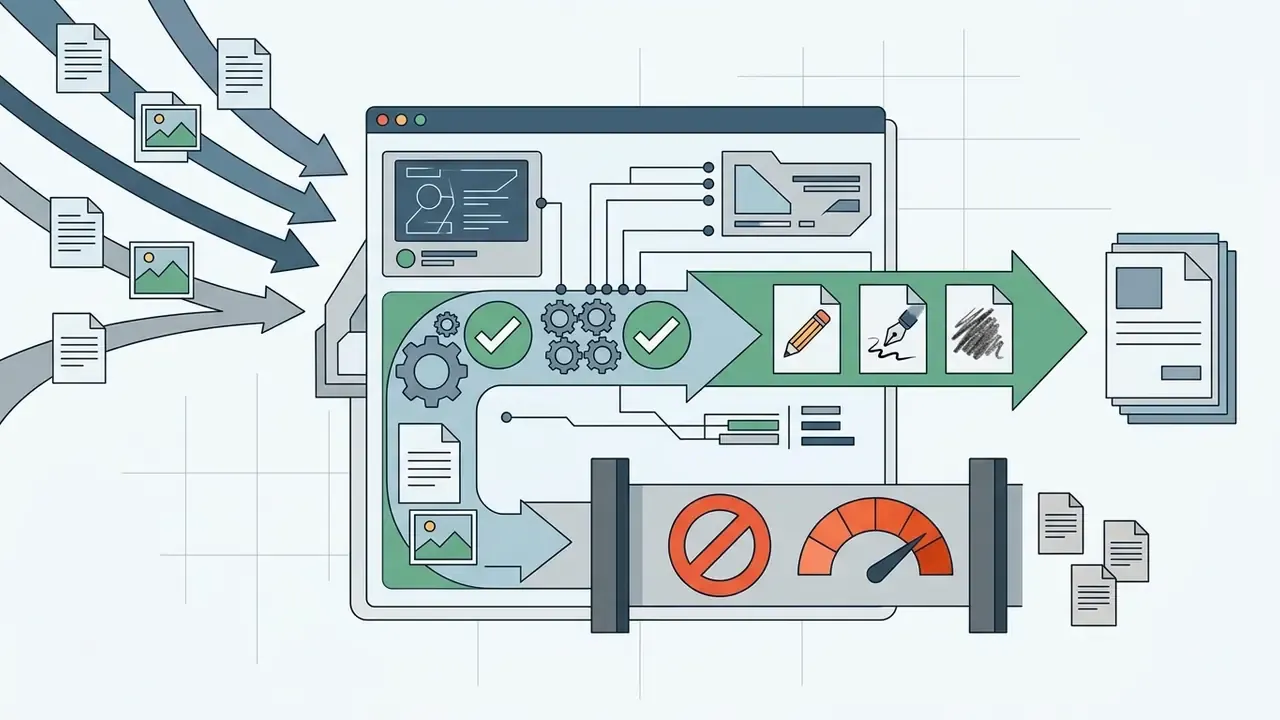
For high-volume design pipelines, processing photographs individually is inefficient. Modern AI sketch environments support automated batch pipelines and vector conversions:
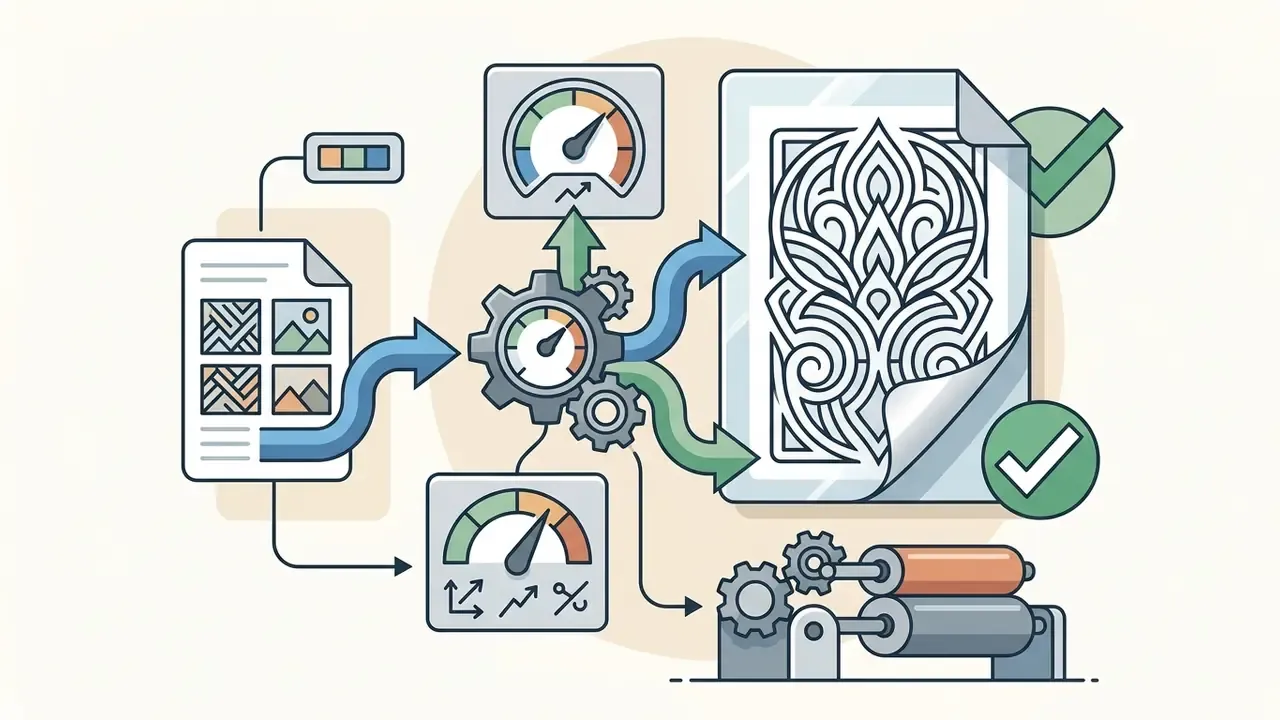
- Batch Photo-to-Sketch Automation: Upload ZIP archives or multi-file selections (up to 20 images simultaneously). Apply unified style presets (for example, 6B Graphite) to maintain visual consistency across entire image sets.
- Clean Raster-to-Vector (SVG) Conversion: To convert raster diffusion outputs into scalable vector graphics:
- Batch caveat: unified presets amplify systematic errors. Validate the preset on three representative images before running the full set.
- Generate the initial draft using pure black-and-white line art modes (
no gradients, zero threshold). - Apply an automated Centerline Trace algorithm rather than Outline Trace to capture original pen strokes as editable path curves.
- Export as resolution-independent SVG or EPS files for infinite scaling in CAD and Adobe Illustrator.
Programmatic batches usually outgrow the web UI quickly. Teams wiring generation into a DAM or a content pipeline should review the AI Media API Guides for rate limits, callback patterns, and per-request parameter logging.
How to Choose a Free AI Sketch Generator Online
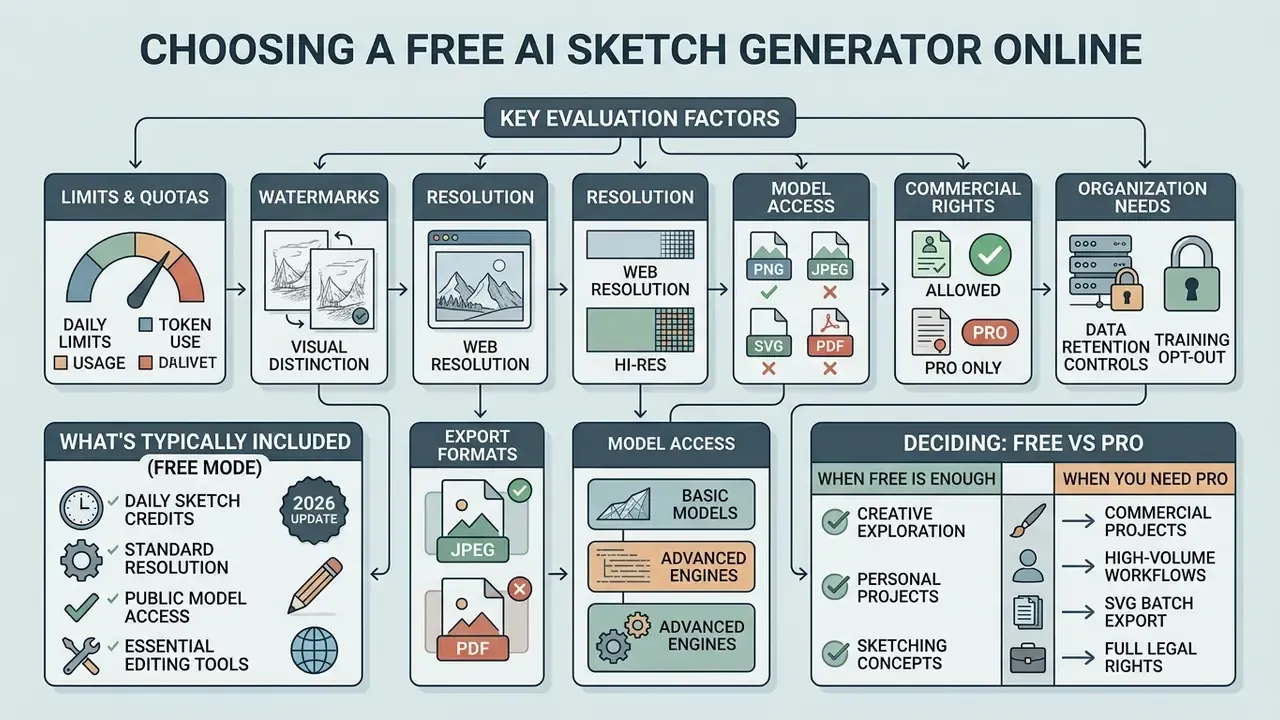
Short answer: compare quotas, watermark policy, export resolution, model access, commercial rights, and, for organizations, data retention plus training opt-out.
Evaluating web-based drawing tools means analyzing generation quotas, export resolutions, image watermarking policies, and model access limits. The right service depends on whether usage is personal, experimental, or professional.
What Is Typically Available in Free Mode
A sketch ai generator free tier usually grants a limited daily or monthly allowance of generation credits. Basic access typically covers core rendering styles, standard definition exports, and browser-based prompting tools.
Free tiers may apply visible watermarks to downloaded files or queue processing requests behind paid subscribers. Free web access also frequently restricts high-resolution upscaling and batch generation. Observed patterns across vendors range widely: some platforms grant roughly 100 free generations per 24 hours with a watermark and standard resolution, others grant a fixed monthly credit pool with watermark-free output, and a few offer unlimited low-resolution generations with watermarks and ads. Read the tier page rather than a third-party listing, since retention and watermark rules change between product releases. If the mark itself is your blocker, AI Watermarking Explained covers what can and cannot be removed lawfully. A broader breakdown of these limits appears in the comparison of free AI art generators by limits, watermarks, and licensing, and the full set of side-by-side views lives in the AI Media Comparison Matrices.
How Models, Resolution, and Editing Tools Impact Quality
Model Selection Matrix
| Neural Engine | Optimal Sketch Medium | Key Strength | Recommended Parameter Setup |
|---|---|---|---|
| FLUX.1 / FLUX.2 Pro | Pen & Ink, Technical Line Art | Complex prompt adherence, precise geometric stroke placement | Guidance Scale: 3.5, Steps: 28-35 |
| Stable Diffusion XL (SDXL) | Graphite Pencil, Charcoal | Rich surface texture, natural paper grain blending, custom LoRA support | CFG Scale: 7.0, Denoiser: 0.65 (for photo-to-sketch) |
| Adobe Firefly 3/5 | Editorial & Commercial Vector | Commercially safe dataset, seamless integration with vector layers | Style Reference Weight: High |
| GPT Image / DALL-E 3 | Conceptual & Narrative Sketches | Deep contextual understanding of spatial relationships and complex scenes | Natural language prompts without heavy technical tags |
| Character-consistency models (e.g., Soul-class) | Series portraits, storyboards | Identity lock across frames and poses | Fixed trigger token + seed, reference weight 0.7–0.95 |
When Free Mode Is Enough and When You Need Pro
Free access is sufficient for personal exploration, quick concept brainstorming, or informal social media posts. Occasional users benefit from basic web tools without recurring subscription overhead.
Commercial designers, agency teams, and enterprise operators need Pro plans to secure higher processing quotas, commercial usage licenses, unwatermarked high-resolution exports, and advanced vector export options. The decisive trigger is contractual rather than aesthetic: multiple vendors explicitly reserve free tiers for personal, educational, or non-commercial use and require a paid subscription for sustained professional workloads and client delivery. Before committing seats, map the workload against current pricing tiers rather than the marketing page headline.
| Parameter | Free Tier (Typical) | Pro Tier (Typical) |
|---|---|---|
| Generation Quota | 10–100 credits per day/month | Unlimited or high monthly credits (4,000+) |
| Photo-to-Sketch | Supported with basic style controls | Supported with precise weight & layer controls |
| Output Resolution | Standard (512×512 or 1024×1024 px) | High-Resolution (2K, 4K, vector SVG export) |
| Watermarking | Common on downloaded files | No watermarks on outputs |
| Commercial Rights | Restricted or non-commercial personal use | Full commercial usage rights included |
| Model Access | Standard base diffusion models | Advanced & partner models (Flux, Firefly 5, SDXL) |
| Batch & Vector Export | Usually single-file, raster only | Batch queues, SVG/EPS/PDF export |
| Enterprise Security & Data Privacy | Uploads may be retained and used to improve models; no isolation guarantees | Training opt-out, retention windows, SSO, audit logs, SOC 2 / ISO 27001 attestations, data-region controls |
Shadow AI, Data Privacy, and Enterprise Controls
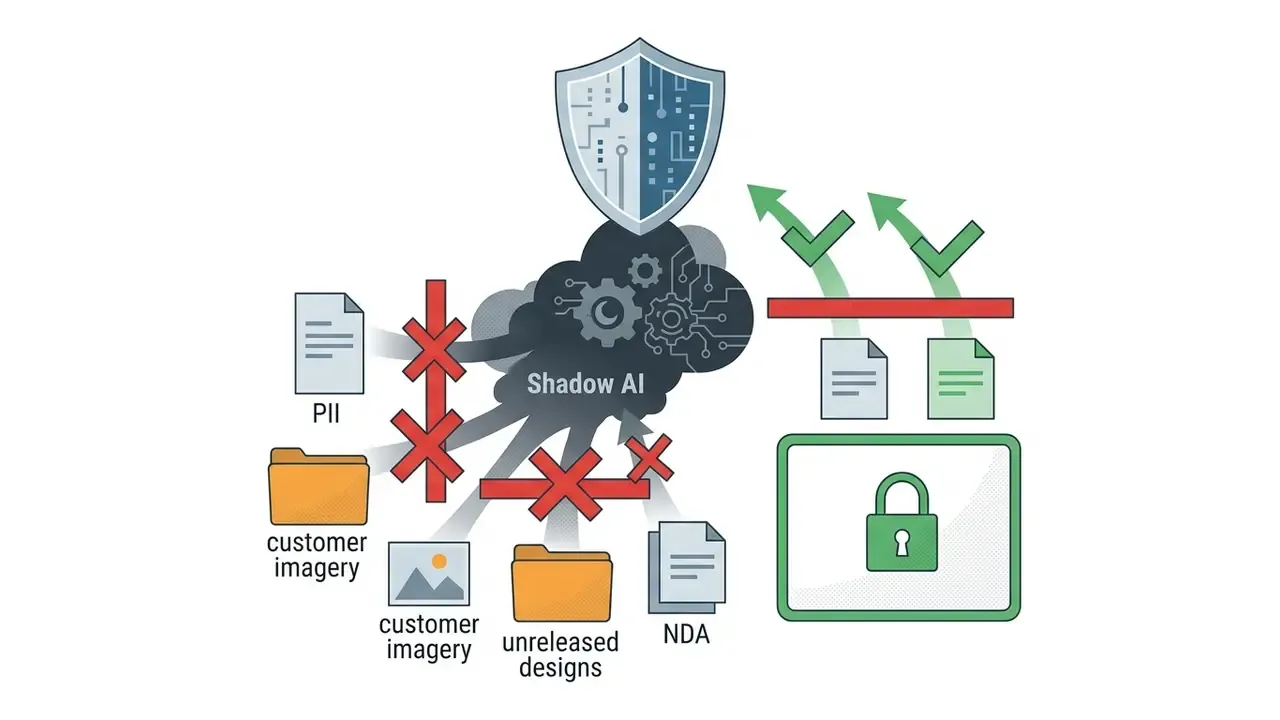
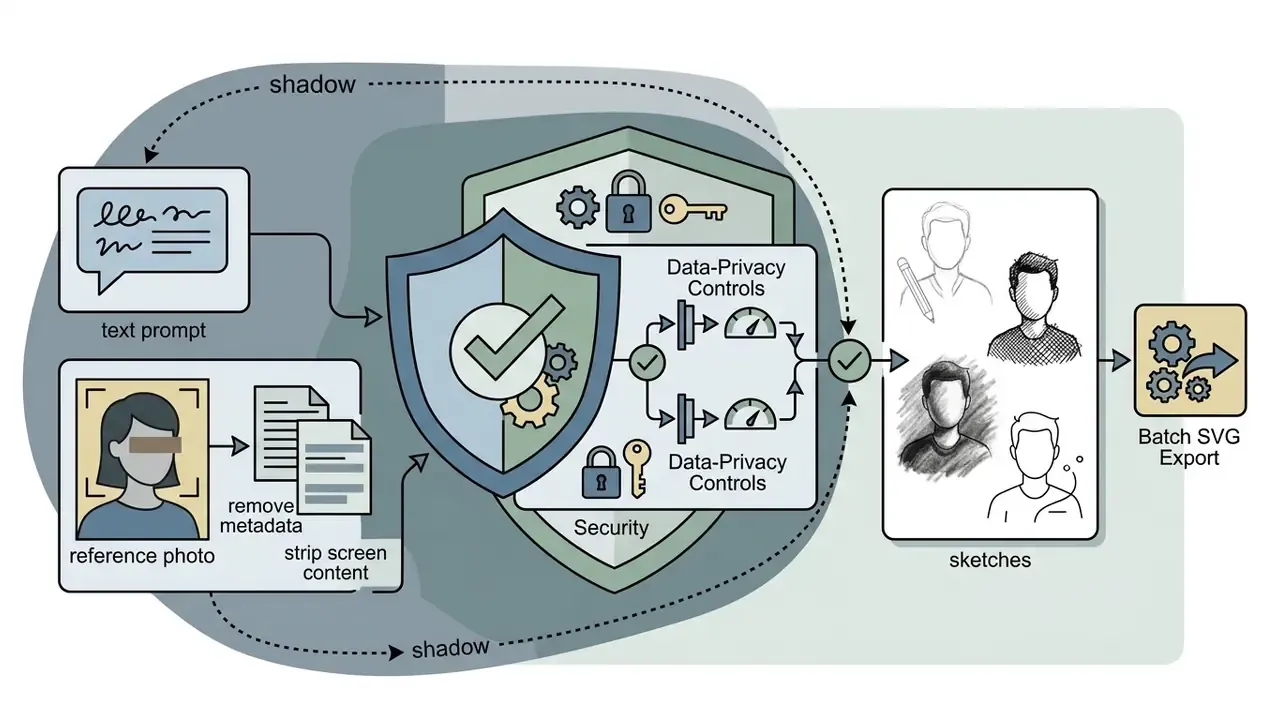
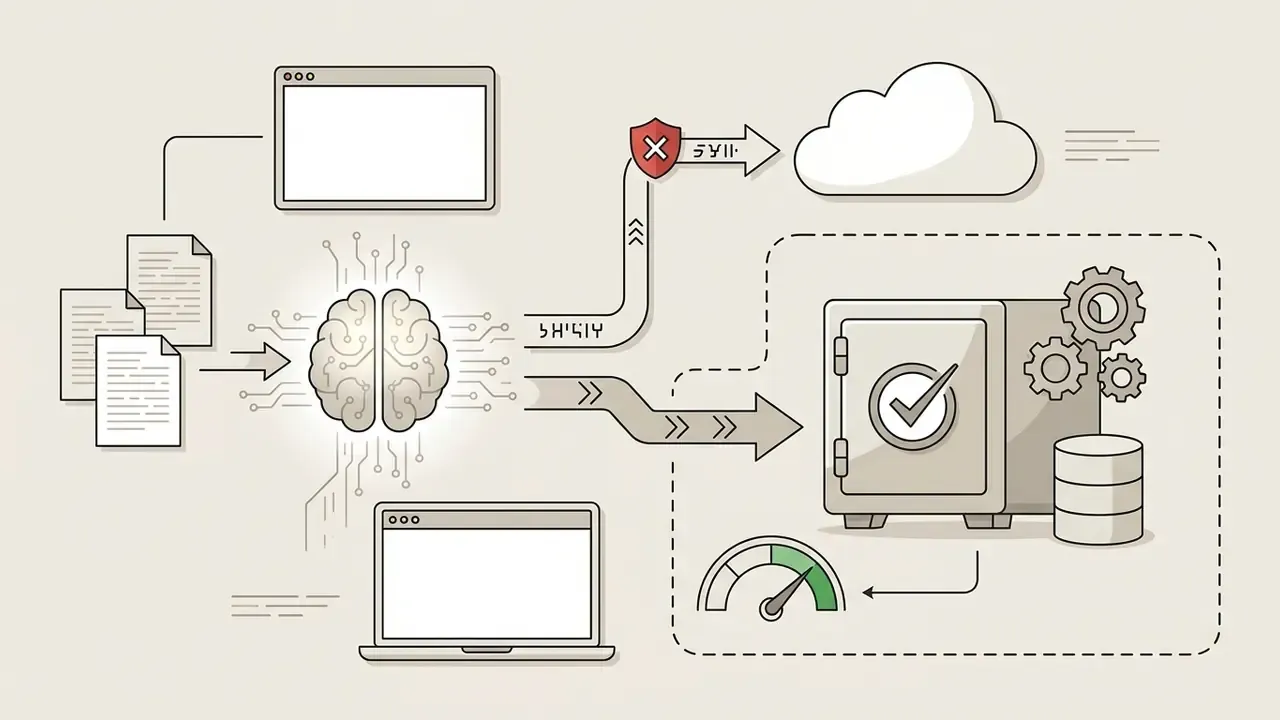
Short answer: the biggest enterprise risk in sketch generation is not output quality. It is employees uploading confidential mockups, customer photos, or PII into consumer-grade endpoints.
This section addresses information-security and compliance considerations. It is general guidance, not legal or security certification advice.
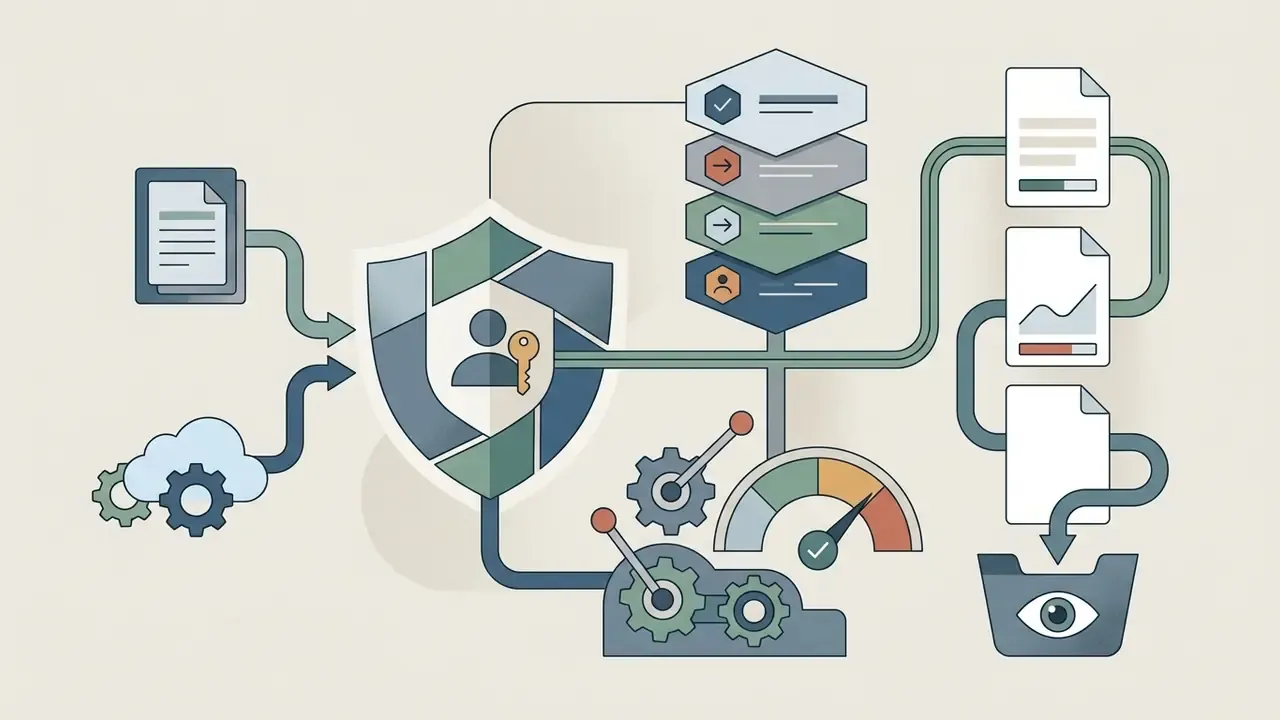
Where the exposure comes from. Photo-to-sketch is an upload workflow. When a designer converts an internal banking UI, an unreleased product render, or a customer portrait into a "harmless pencil sketch," the source file, not the sketch, leaves the perimeter. Free consumer tiers vary sharply: some vendors delete uploads within hours, some retain them indefinitely, and some explicitly exclude free-trial generations from privacy guarantees while keeping paid users' assets private.
- Opt-out from model training for both uploads and generated outputs, contractually stated, not merely a settings toggle.
- Documented retention window (for example, automatic deletion within a defined number of hours) plus deletion on request.
- Encryption in transit and at rest, tenant isolation, and a named data-processing region.
- Independent attestations, SOC 2 Type II and/or ISO 27001, with the report date checked.
- DPA and sub-processor list covering any partner models routed through the platform.
One honest limitation: allow-lists slow adoption, and slow adoption pushes people back to personal accounts. Pair the block with a fast approval path, or you have simply moved the risk off your logs.
Can You Use AI-Generated Sketches in Commercial Projects?
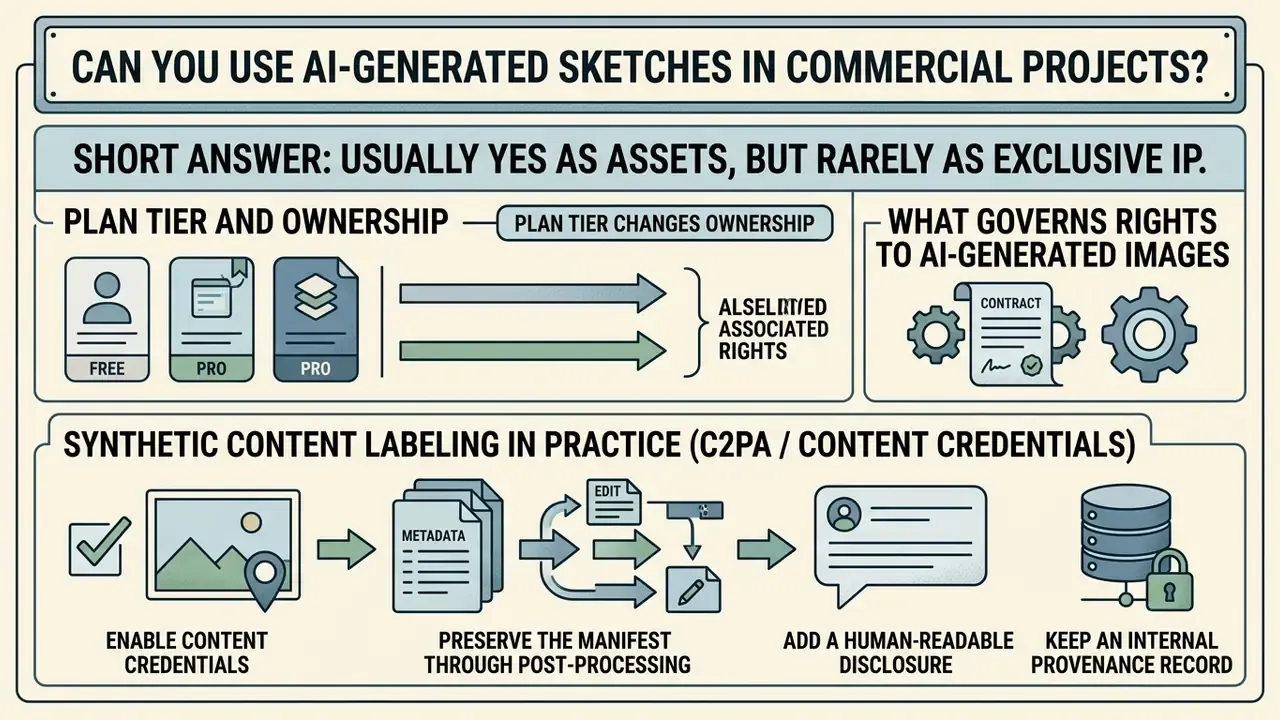
Short answer: usually yes as assets, but rarely as exclusive IP. Commercial safety depends on the platform's terms, the training data of the model, the rights to your uploaded reference, and disclosure duties in your jurisdiction.
Determining the commercial viability of AI-generated drawings involves reviewing provider terms of service, underlying model training sources, and applicable intellectual property frameworks. Broader sector-by-sector rules are collected in the AI Media Commercial-Use Hub.
What Governs Rights to AI-Generated Images
Under guidelines published by the U.S. Copyright Office (USCO 2024 Policy Guidance), purely AI-generated visual content lacking human creative input cannot be registered for copyright protection. Protection applies only to human-authored creative selections, arrangements, or substantial manual modifications made to the asset. For adjacent decision context, see the overview of Google's AI image generator features, restrictions, and usage rights.
Registration practice matters operationally: applicants must identify AI-generated material and exclude anything beyond de minimis machine contribution from the claim. UK consultation guidance similarly ties copyrightability to protectable human expression while treating substantial reproduction of a protected work as infringement, and Japan's 2024 guidance evaluates AI outputs with the same similarity-and-dependence test applied to conventional works. Where the boundaries are still being litigated, the running record in AI Litigation and Case Timelines is more current than any static summary.
International regulatory frameworks, including the European Union AI Act transparency provisions, require clear labeling and metadata marking for synthetic media deployed in public and commercial domains. Commercial legal safety depends on using platforms that guarantee commercially safe model training data.
Plan tier can change ownership. Some vendors grant exclusive ownership of generated images only on paid tiers, while free-tier outputs are published to a community gallery or licensed non-exclusively. Verify the ownership clause for the exact plan you are on, and archive the terms version in force on the generation date.
Synthetic Content Labeling in Practice (C2PA / Content Credentials)
Disclosure requirements are met by embedding provenance metadata, not by adding a caption after the fact. A workable pattern:
- Enable Content Credentialsin the generator before export so the C2PA manifest records the model, the fact of AI generation, and subsequent edits.
- Preserve the manifest through post-processing.Export from editors that carry credentials forward; re-saving through tools that strip metadata destroys the chain.
- Add a human-readable disclosurewhere platforms require it. Example public wording: "Image: AI-generated sketch (FLUX.2 Pro), prompt and line edits by [Name], 2026." University marketing guidance commonly requires this attribution both inside the image and in the caption for social posts.
- Keep an internal provenance recordlinking asset ID, model and version, seed, operator, and approval date.
What to Check Before Using Photos and Reference Images
Before uploading photographs into a photo to sketch tool for commercial outputs, verify that you hold full copyright ownership or an explicit commercial license for the source image. Transforming a copyrighted photograph into a sketch does not automatically strip away the original creator's intellectual property rights.
If uploaded images contain identifiable human faces, recognizable private property, or protected brand trademarks, secure signed model and property releases before commercial distribution. A model release must cover the intended reuse scope, and consent obligations apply whenever a person is recognizable by face, voice, tattoos, clothing, or surroundings. Sketch stylization does not reliably clear that threshold.
How to Get More Precise Results from a Sketch Generator AI
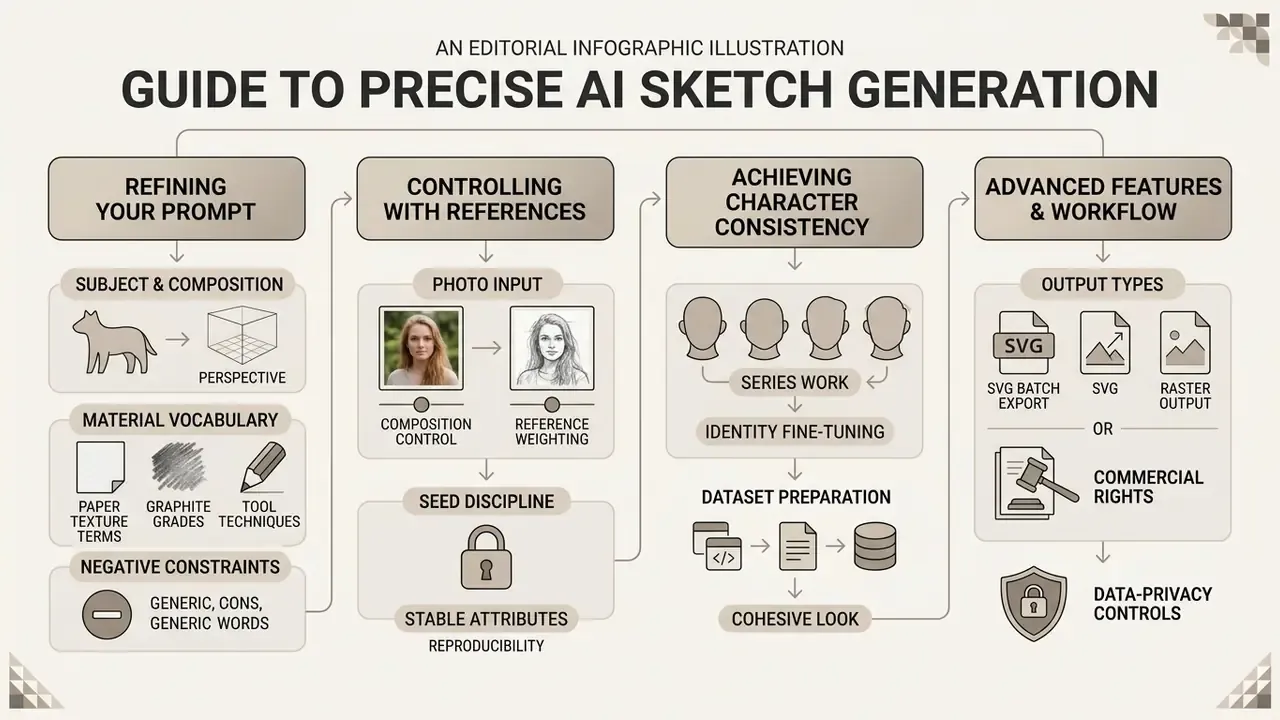
Short answer: precision comes from material vocabulary, reference weighting, seed discipline, and, for series work, identity fine-tuning.
Achieving clean, predictable artwork from a sketch generator ai free or paid tool requires structured prompt modifiers and precise reference control values.
Refine Subject, Material, and Style in Your Prompt
Incorporate specific graphic arts terminology into prompts to control texture, stroke density, and line sharpness. Replacing generic terms like "drawing" with precise material descriptions improves output quality noticeably.
- Paper Texture Terms smooth Bristol board, toothy cartridge paper, cold-press sketchbook, heavy grain paper, warm sketchbook stock.
- Graphite & Tool Grades 2H construction lines, HB crisp contours, 4B soft shading, 6B dark graphite shadows, fine nib technical pen, 4H technical lines.
- Shading Techniques cross-hatching, stippling, parallel hatching, blended graphite, visible pencil strokes, rough draft marks, clean contour line art.
- Negative Constraints no color, no text, no labels, no extra objects, no background clutter, no gradients.
Research on prompt design supports this granularity. A 2025 methodology paper on scientific graphics reports that detailed prompting with guided envisioning improves both accuracy and reproducibility relative to loose prompting, and a study of 5,493 generations found subject-plus-style keyword structure outperforms function-word-heavy phrasing.
Use Photos and References to Control Composition
When precise spatial layout or portrait recognition is required, use reference weight parameters in advanced generation interfaces. Tools exposing Midjourney parameters allow adjusting Image Weight (--iw) and reference fidelity weights to balance compositional accuracy with style transformation.
Balanced weight values (image weights between 0.5 and 1.2) keep subject proportions from the source photo while applying fresh artistic line techniques. Identity-focused controls behave differently from composition weight: omni-reference weight (--ow) runs on a 1 to 1,000 scale with a default of 100, and values above roughly 400 are discouraged unless stylization is pushed very high. Other platforms expose a 0–2 guidance weight where 0–0.66 maximizes flexibility, 0.66–1.32 balances resemblance and freedom, and 1.32–2 maximizes likeness.
«SketchDNN reduced FID from 16.04 to 7.80 and NLL from 84.8 to 81.33 on the SketchGraphs dataset, setting a new quality level for technical sketch generation.»
«Training-Free Sketch-Guided Diffusion performs DDIM inversion of a reference sketch and aligns cross-attention maps during generation, preserving structure without any additional training.» Training-Free Sketch-Guided Diffusion with Latent Optimization (2024). https://arxiv.org/abs/2306.14918
Achieving Character Consistency Across Multiple Sketches
Maintaining identical character features across diverse poses and storyboard frames requires structured reference conditioning rather than plain text prompts.
- Dataset PreparationGather 10 to 20 high-contrast line drawings or clean portrait photos of the subject on neutral backgrounds. Keep facial proportions and key identifying traits consistent. Training images should contain only the character you intend to lock.
- LoRA / Adapter Fine-TuningUpload the image set to train a Lightweight Low-Rank Adaptation (LoRA) model or custom reference adapter. Set instance trigger tokens (for example,
sk_character_v1). - Seed & Identity Weight LockingWhen prompting new scenes, pair the unique trigger token with fixed seed numbers and set structural reference weights between
0.7and0.95. This preserves facial topology while allowing full pose and environment variance. - Style Lock for Series WorkFine-tuning on 10 to 20 style samples rather than a character locks medium, line weight, and hatch density across an entire illustration set. This is the standard method for brand-consistent blog and product illustration.
- Privacy CheckBefore uploading identity datasets, confirm the vendor does not use fine-tuning uploads for model improvement and that free-trial generations are not published publicly.
Common Pitfalls, Artifacts, and Technology Limits
Short answer: sketch models fail predictably. Broken contours, hallucinated strokes, anatomy drift, and vectorization noise. Knowing the failure modes shortens iteration cycles.
| Pitfall | Symptom | Correction |
|---|---|---|
| Overloaded prompt | Style terms fight each other; muddy hybrid of charcoal and ink | Keep one medium per generation; move secondary intent to a second pass |
| Low-resolution or blurry source photo | Contours collapse, facial features smear | Re-upload a sharp, high-contrast image; increase output resolution before editing |
| Excessive reference weight | Output looks like a filtered photo, not a drawing | Lower --iw toward 0.5–0.8 or reduce conditioning strength to 0.6 |
| Insufficient reference weight | Pose, proportions, and identity drift | Raise structural weight to 0.85–0.95; use the composition reference channel |
| Stroke hallucination | Extra fingers, floating lines, doubled contours, unclosed paths | Inpaint the region rather than regenerating; reduce steps variance; try a stroke-based engine |
| Vectorization noise | SVG full of micro-paths after tracing | Generate pure black-and-white line art first; use Centerline Trace, then simplify paths |
| Thin-line loss in print | Hatching disappears at final DPI | Render natively at 2K–4K or upscale before rasterizing; raise minimum stroke width |
| Unlogged parameters | Result cannot be reproduced for a client revision | Store seed, model version, sampler, steps, and weights with the asset |
| Uncleared reference | Legal exposure after publication | Complete the license audit checklist before generation, not after |
Anatomy drift deserves a warning of its own. Hands, teeth, and overlapping limbs remain the classic breakdown zones, and the visual catalogue of weird ai images is a useful reference for spotting an artifact before a client does. If a defect reproduces across seeds and engines, the fix is usually procedural rather than creative, and AI Media Support and Troubleshooting documents the standard escalation path.
Two structural limits are worth stating plainly. First, raster diffusion engines optimize pixels, so "vector-like" output is an appearance, not geometry; real editable paths require a tracing stage or a natively vector pipeline. Second, sketch abstraction removes information but not liability. A stylized portrait may still be recognizable enough to trigger publicity-rights obligations, so stylization is not an anonymization technique. When resolution is the bottleneck rather than style, the comparison of free AI video and image tooling limits illustrates how vendors gate high-fidelity export across free tiers, and the same gating logic applies whether you run an ai video generator or a sketch engine.
FAQ About AI Sketch Generator Online
Do You Need Drawing Skills to Create an AI Sketch?
No formal drawing skills are required to generate artwork using an ai sketch generator online. The models handle stroke construction, perspective, proportion, and tonal shading based on text instructions or uploaded photos.
Understanding basic artistic terminology, such as line weight, cross-hatching, and composition framing, still helps. It lets you write more precise prompts and reach higher-quality visual results faster.
«"It's All About Your Sketch" (2023) showed the system democratizes the process, letting amateur doodles generate precise images without text prompts.» It's All About Your Sketch: Democratising Sketch Control in Diffusion Models (2023). https://arxiv.org/abs/2306.14918
The fastest start path is prompt specificity: subject, posture, expression, medium, line style, combined with iterative correction. Some tools also decompose a reference into construction steps and score proportions and shading, which substitutes structured feedback for prior hand-drawing mastery.
Can I convert several photos at once?
Yes, on platforms that expose batch queues. Multi-file selection or ZIP upload with a shared style preset keeps a set visually consistent. Free tiers usually restrict batch size or disable it entirely.
Are the sketches exportable as SVG?
Line-based styles (flat, ink drawing, doodle, custom line presets) are the most reliable candidates for vector export. Generate without gradients, then apply Centerline Trace and export SVG, EPS, or PDF for CAD and Illustrator workflows.
Can I generate a consistent character across many sketches?
Yes, with fine-tuning rather than prompting alone. Train on 10 to 20 images containing only that character, assign a trigger token, then lock seed and reference weight between 0.7 and 0.95 while varying pose and scene.
Can I turn my sketch back into a photo-like image?
Yes. Feed the sketch into a Scribble or Lineart conditioning pipeline with a photorealistic target prompt at 0.6 to 0.85 conditioning strength. Your layout survives; materials, lighting, and texture are synthesized.
Are my uploaded photos private?
It depends entirely on the vendor and the tier. Some services delete uploads within a fixed window and never train on them; others exclude free-trial generations from privacy guarantees. Read the retention clause and the training opt-out before uploading anything confidential, and see the section on Shadow AI, data privacy, and enterprise controls.
Is a free AI sketch generator enough for client work?
Only if the free tier grants commercial rights, exports without watermarks at the required resolution, and its data-handling terms permit uploading client material. In most cases at least one of those three fails, which is the practical reason professional teams move to a paid tier.
What resolution should I export for print?
Aim for native 2K to 4K raster output or a vector export. Online-only assets are typically fine at around 2048 px on the long edge. Print work should target 300 DPI at final trim size, achieved natively or through an upscaling stage.
Appendix A: Superseded Fragments (Editorial Transparency)
A Safe Next Step
If sketch generation is already happening in your organization, and it usually is, the low-risk sequence is short.
Run a two-week bounded pilot on one non-sensitive use case, for example internal storyboards or blog illustration. Approve one tool, log every parameter set, require human line editing before publication, and complete the license audit checklist on the first three shipped assets. Then review the residual risk with security and legal before widening access.
That is enough to answer the only question an oversight committee really asks: who owns this output, and can you prove how it was made?
Technical Specifications & Page Metadata