Verification note: version data, pricing and Terms of Service statements were checked in Q1 2026. The last confirmed builds at that time were 4.7.0 on iOS and 3.7 on Android. Store metadata changes without notice, so re-check before you publish anything internally.
Voilà AI Artist is a mobile photo editing application that turns human and pet portraits into stylized 3D cartoons, anime avatars, hand drawn caricatures and Renaissance-style oil paintings using cloud-based artificial intelligence. It is built by Wemagine.ai LLP. The tool converts ordinary digital photos into stylized artistic assets, with no illustration skill required from the user. The name is frequently mistyped in search, including as "viola ai artist", which sends people to clone listings rather than the real application.
Quick Verdict on Voilà AI Artist
| Parameter | Short answer |
|---|---|
| What it is | A mobile AI photo editor (iOS and Android) from Wemagine.ai LLP that converts portraits into 3D cartoon, anime, caricature and renaissance avatars. |
| Core modes | 3D Cartoon, 2D Cartoon, Caricature, Renaissance, Celebrities (celebrity search), Multiple Cartoon (group photos), Animate (motion plus audio), Pet Avatar, Fantasy Avatar, Family Avatar. |
| Trending filters | Studio Ghibli Inspired, Lil Monster Labubu FX, Toy Box / Pop Mart, Action Figure, K-Pop Demon, Chibi, Plush Wool, My Sketch. |
| Free version | Full access to filters, but interstitial ads of up to 30 seconds before each generation cycle, a watermark, and standard queue priority. |
| Pricing (US) | $2.99 per week, $5.99 per month, $29.99 per year, with a 3-day free trial. |
| Infrastructure | Server-side generation on Amazon Web Services and Google Cloud, with servers hosted in the United States. |
| Privacy | The developer states the app does not collect or store face data, including biometrics, and that uploaded photos are destroyed right after processing. |
| Commercial use | Not permitted under the published terms: the licence covers personal and editorial use. No enterprise or commercial licence is publicly offered. |
| Main business risk | Shadow AI. Employees push corporate portraits into a consumer service outside the governance perimeter. Covered in the risk and BIPA section below. |
What Voilà AI Artist Is and How It Processes a Photo
Voilà AI Artist works as a specialized mobile photo editor. It sends a user-submitted facial photo to server-side machine learning models, which return a stylized avatar. The software ingests photos from the smartphone camera or gallery, detects facial landmarks, and applies domain-specific style transfer algorithms to produce cartoon characters.
One architectural detail matters more than any filter list: generation does not run on device. The image payload travels to external cloud inference clusters, renders there, and comes back as a preview grid. That single fact drives both the speed of the result and the data-handling questions later in this guide. Readers comparing the category against general-purpose retouching software can review the wider landscape in our guide to online photo editors.
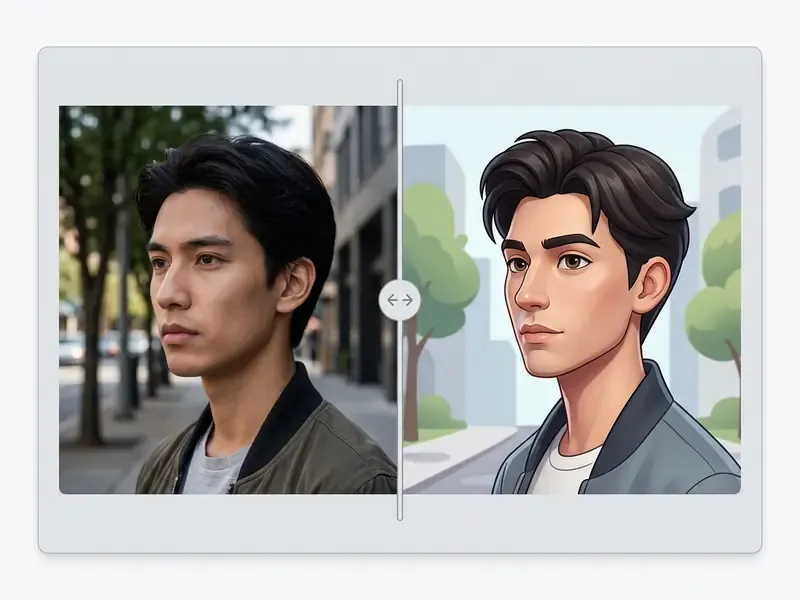
How Voilà AI Artist Differs from an Ordinary Photo Editor
A conventional photo editor depends on manual pixel work: colour grading, layer adjustment, brush strokes. Voilà AI Artist automates portrait transformation with deep learning instead. Traditional software asks the user to tune contrast, trace stroke paths and shade by hand to reach a stylized graphic.
Voilà AI Artist uses generative adversarial networks (GANs) and style-conditioned image-to-image pipelines. Research on the ADS-GAN framework showed that asymmetric double-stream networks apply an edge contour retention loss to keep facial geometry intact while transferring style:
«Edge contour retention loss constrains local and global contours, preventing facial deformation and missing contours during portrait style transfer.»
That neural pipeline lets the app rebuild facial contours, skin shading and eye proportions in seconds. Doing the same by hand in a raster editor would mean layered brushwork and manual reshaping, probably an evening's work for one portrait.
An honest caveat. Automation does not universally beat a human editor. A 2026 WACV study on everyday image editing found human edits were preferred in 66.0% of evaluated cases, while AI edits won 25.8%:
«Human edits were preferred in 66.0% of cases versus 25.8% for AI edits, reflecting stronger identity preservation and request fidelity.»
In plain terms: the app wins on speed and on the zero-skill threshold. Human creativity still wins on identity preservation and precise creative control. For a broader benchmark of automated generators against manual pipelines, see our comparison of the best AI art generators.
Which Photos Work Best for Cartoon Processing
Optimal cartoon processing needs well-lit, frontal portrait photographs with unobstructed features. High-resolution input with clear eye visibility, minimal motion blur and a neutral expression lets the model locate facial landmarks accurately.
Human portraits give the most consistent results. Pet photos are supported too, through dedicated pet-avatar modes. Inputs with hard shadows, extreme side profiles or heavy occlusion, dark sunglasses being the classic offender, often fail landmark alignment and return distorted artefacts. That failure mode matches published work on landmark robustness, which relies on synthetic multi-domain data precisely because occluded and non-frontal faces degrade alignment:
«Multi-domain landmark detection trained on diffusion-generated synthetic data improves robustness where occluded and non-frontal faces degrade alignment.»
Note: pushing an animal through a standard "human" 3D filter causes landmark alignment failure. For pets, use the dedicated Voila Pet Avatar module, introduced in version 3.5, which supports canine and feline facial morphology in Wool Doll, Kawaii, Watercolor and Pet Cartoon 3D styles.
Styles in Voilà AI Artist: 3D Cartoon, Anime and Caricature
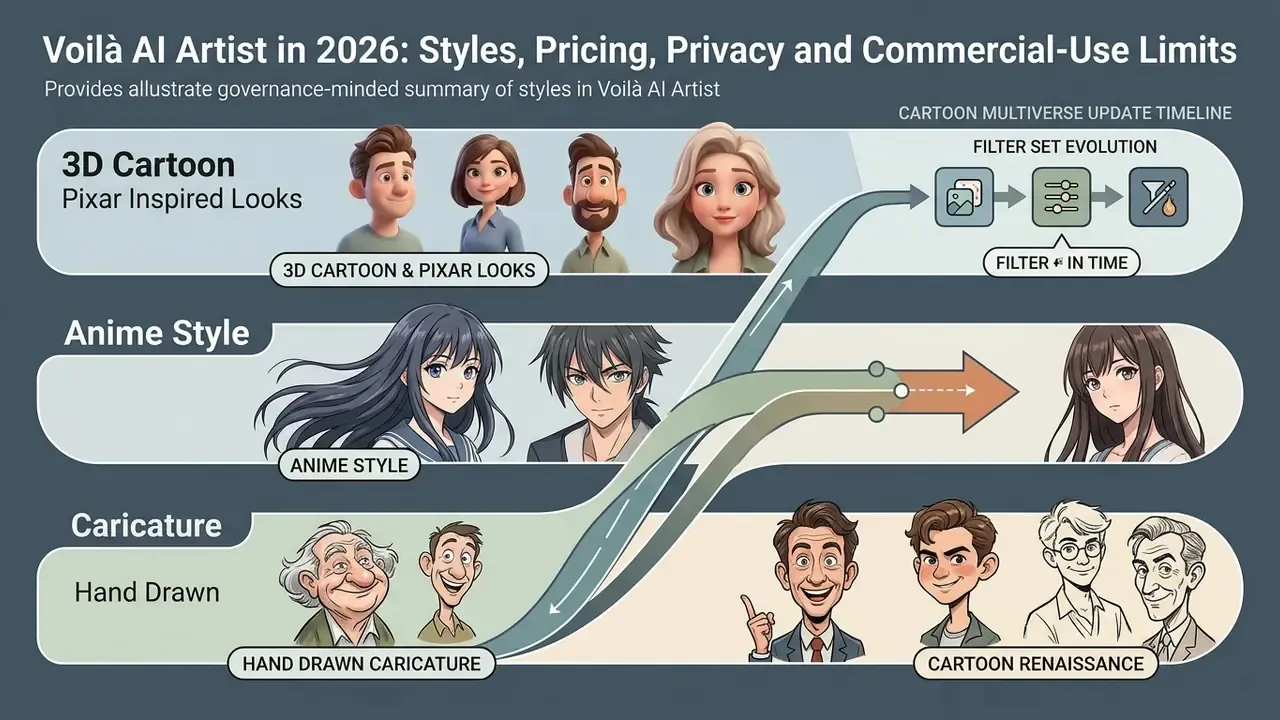
Voilà AI Artist ships a continuously updated style ecosystem branded Cartoon Multiverse. Beyond the four foundational presets, 3D cartoon, anime style, hand drawn caricature and Renaissance painting, the library now includes trending micro-modules: Studio Ghibli Inspired (anime aesthetics), Lil Monster Labubu FX / Toy Box (vinyl-toy and Pop Mart stylization), Action Figure (3D collectible figurines), K-Pop Demon, plus Chibi and Plush Wool with textured wool-doll rendering. Separate avatar lines cover Voila Pet Avatar, Voila Fantasy Avatar, Family Avatar and the sketch-oriented My Sketch effect. If Ghibli-adjacent output is the actual goal, compare dedicated alternatives in our overview of Ghibli-style AI image generators.
Each mode applies its own geometric scaling, lighting model and texture blending rules to the input portrait.
Style comparison in Voilà AI Artist
| Artistic style | Visual characteristics | Recommended photo type | Research analogue |
|---|---|---|---|
| 3D cartoon (Royalty 3D, Baby 3D, Cartoon 3D) | Volumetric rendering, enlarged eyes, smooth skin, soft Pixar inspired lighting | Close-up frontal portrait, good light | StyleGAN-based 3D-aware morphable face models |
| Anime style / Studio Ghibli Inspired | Clean line art, simplified textures, bright colour, 2D animation feel | Sharp facial photo with natural expression | Cascade pose transform networks for anime heads |
| Drawn caricature / My Sketch | Exaggerated features, stroke drawing, sketch aesthetics | Contrasty portrait with expressive features | ADS-GAN with edge contour retention loss |
| Renaissance painting (15th, 18th, 20th century variants) | Oil paint texture, muted tones, period background and drapery | Formal portrait, neutral expression | Unpaired artistic style transfer GANs |
| Toy Box / Labubu FX / Action Figure / Pop Mart | Vinyl plastic texture, enlarged proportions, collectible figurine framing | Chest-up portrait on a plain background | Stylized neural fields (ArtNeRF-class models) |
| Chibi / Plush Wool / Kawaii | Miniature proportions, wool or plush texture, very soft silhouette | Open face, no head accessories | Fine-grained expression-preserving cartoon avatar synthesis |
| Pet Avatar (Pet 3D, Wool Doll, Watercolor) | Adapted muzzle morphology, stylized fur, watercolour or doll textures | Pet photo with visible eyes and snout | Domain-adapted landmark alignment for non-human faces |
Voilà AI Artist 3D Cartoon and Pixar Inspired Looks
The 3D cartoon mode is the most heavily marketed style in the app. It turns selfies into volumetric characters that read like modern animated features. A caveat on wording: store listings and third-party coverage call 3D Cartoon the flagship mode, but the developer publishes no usage-share telemetry. So "most used" is a marketing and press characterization, not verified data. The mode applies smooth surface shading, enlarged eye geometry and soft ambient lighting while holding on to key identity traits. Coverage names three presets inside this family: Royalty 3D, Baby 3D and Cartoon 3D.
Technically, the style sits in the family of 3D-aware generative frameworks:
«A single portrait is converted into a 3D cartoon face through StyleGAN stylization and landmark-supervised non-rigid deformation.»
The result keeps recognizable personal features while conforming to Pixar inspired proportions. Related work on stylized neural fields explains why multi-angle consistency matters for volumetric avatars:
«ArtNeRF learns a stylized neural field that renders 3D-aware stylized faces with consistent structure across viewpoints and artistic styles.»
Anyone who needs business-grade portrait output rather than stylized characters should compare this workflow with the dedicated tools in our guide to AI headshot generators.
Anime Style, Hand Drawn Caricature and Cartoon Renaissance
The anime style mode converts portraits into 2D illustrations with clean line art, simplified skin texture and bright palettes. The pipeline emphasizes expressive eye shapes and graphic shading typical of Japanese animation studios. Since version 4.6.7 the family also includes a Studio Ghibli Inspired anime photo maker. To animate stylized frames beyond the app's built-in effects, see our guide to animation makers.
Motion in anime-styled faces is its own research problem:
«A cascade pose transform network handles substantial head movements in anime characters while maintaining visual coherence and avoiding artifacts.»
The hand drawn caricature mode applies non-linear shape exaggeration to prominent facial structures: chin, nose, forehead. Thanks to edge-retention algorithms, the app produces a sketch-style drawn caricature without destroying structural recognizability:
«A content-and-style fusion module embeds style features through an attention mechanism while preserving facial structure during caricature stylization.»
The cartoon renaissance mode maps facial features onto historical oil painting aesthetics. It shifts colour temperature, lays in canvas brushstroke texture, and dresses the subject in period attire inspired by 15th to 18th-century portraiture. Store descriptions expose separate 15th, 18th and 20th century painting variants.
Expression fidelity remains the weakest link across cartoon avatar pipelines generally, which is exactly what newer datasets and models target:
«A T2I diffusion model fine-tuned on 135 facial expression classes generates cartoon avatars retaining nuanced expressions lost in earlier methods.»
«FaceCaption-15M provides over 15 million facial image-caption pairs to support text-conditioned facial representation learning.» Source: FaceCaption-15M, preprint (2024).
Cartoon Multiverse Update Timeline: How the Filter Set Evolved
The style catalogue is version-dependent. That is why older reviews and current listings disagree about what the app can actually do. The table below reconstructs the publicly documented release timeline from store changelogs.
| Version | Period | What was added |
|---|---|---|
| 0.9.17 | Oct 2021 | "2000s PopStar" effect (collaboration with Loren Gray) |
| 0.9.18 | Nov 2021 | Halloween effects (vampire, ghost) |
| 1.1.1 | Dec 2021 | Animate (avatar motion plus audio, including jingle bells) and Multiple Cartoon (several people in one frame) |
| 1.2.0 | Jan 2022 | Family Portraits in still and animated versions |
| 1.4.0 to 1.4.1 | Feb to Mar 2022 | Improved Cartoon 3D portraits |
| 1.6.1 | May 2022 | AI painting "Be A Star" |
| 2.9 to 3.3 | Sep to Dec 2022 | My Sketch effect; watercolour holiday portraits |
| 3.5 to 3.6 | Jan 2023 | Voila Pet Avatar: Cartoon 3D, Wool Doll, Watercolor Painting, Kawaii |
| 3.7 to 3.9 | Feb 2023 | Family Avatar: Cartoon 3D, 18th Century, Funny Cartoon Avatar |
| 4.0 to 4.2 | Mar to May 2023 | Cartoon Multiverse: Cartoon 3D, Fantasy Art, Realistic Sketches, 18th Century, pet support |
| 4.3 to 4.5 | Jul 2023 to May 2024 | Voila Cartoon Avatar: 20+ FX, including Stickers, Popular Cartoon Characters, Chibi, Plush Wool |
| 4.6 to 4.6.3 | Jul 2024 to Mar 2025 | Voila Fantasy Avatar |
| 4.6.7 to 4.6.8 | Apr to May 2025 | Studio Ghibli Inspired anime AI photo maker; Toy Box Filter, Lil Monster Labubu FX |
| 4.6.9 to 4.7.0 | Nov 2025 to May 2026 | New 3D cartoon engine, K-Pop Demon, Toy Box, Labubu FX |
How to Download Voilà AI Artist on Android and iOS
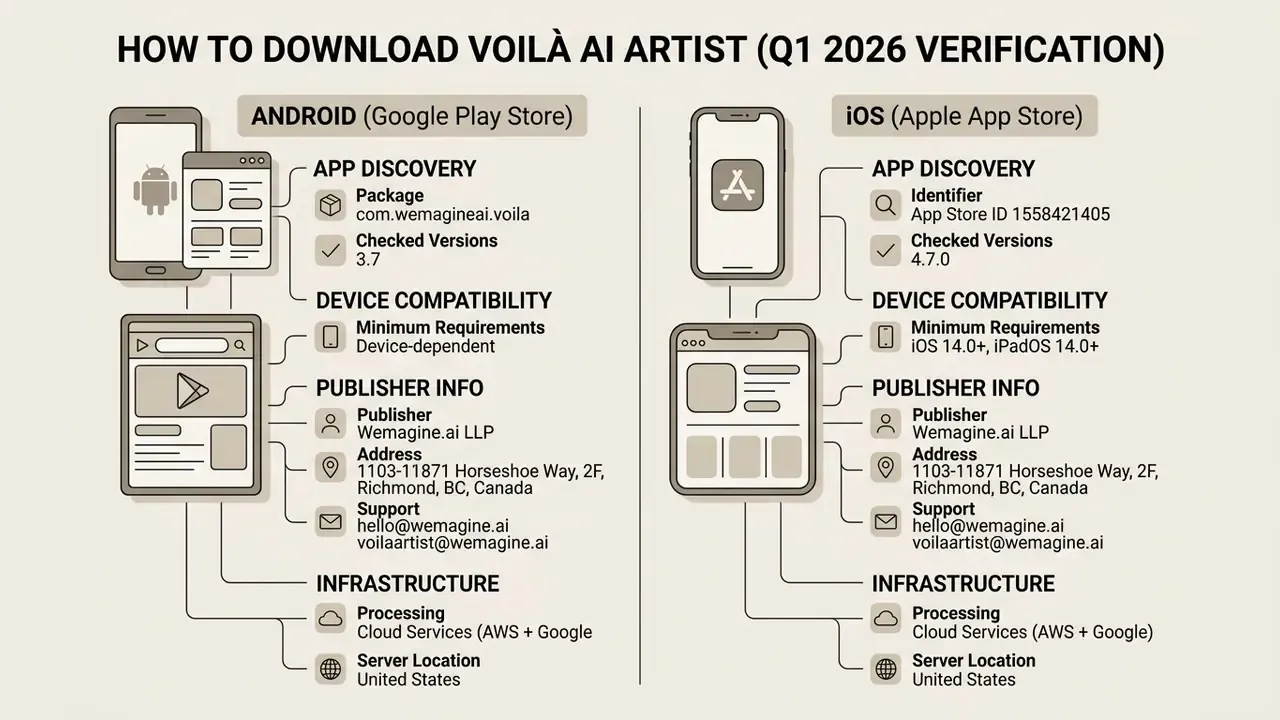
Safe installation means downloading strictly from official marketplaces. Modified APKs and clone builds are the real hazard here, not the app itself. The developer's help centre also notes that the application can be reached through the download link on the official site, which simply redirects into the same store listings.
Voilà AI Artist in the Google Play Store for Android
Requirements and Installation on iPhone and iPad
On Apple devices the app is distributed through the App Store as "Voilà AI Artist Cartoon Filter" (App Store listing, ID 1558421405). Current requirements specify iOS 14.0 or later for iPhone and iPadOS 14.0 or later for iPad, and the listing is marked "Designed for iPad". Regional storefronts, including the Japanese and Thai pages, publish the same compatibility floor. An older third-party claim of iOS 12+ is inconsistent with current Apple metadata.
Installation needs roughly 100 MB of free storage and an active internet connection, because generative processing happens on external cloud servers rather than on-device neural engines.
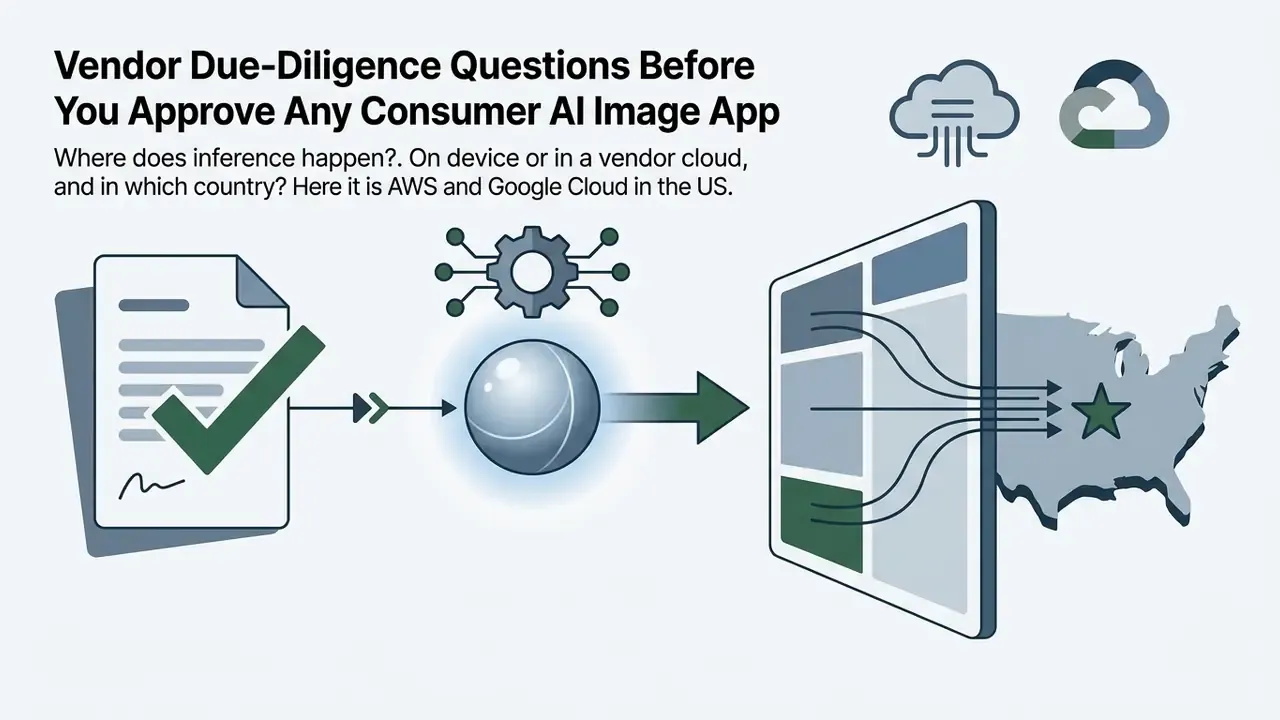
Processing infrastructure. According to the developer's own store specification, processing runs on Amazon Web Services (AWS) and Google Cloud back ends, with servers hosted in the United States. Wemagine.ai LLP states that the app «does NOT collect nor store any face data including any biometrics data», and that «all photos uploaded by users are through permissions and IMMEDIATELY destroyed in the cloud after processing». Source photos are therefore presented as not retained for public model training. Full documentation: Wemagine.ai Privacy Policy and Terms of Service.
How to Use the Voilà AI Artist Interface
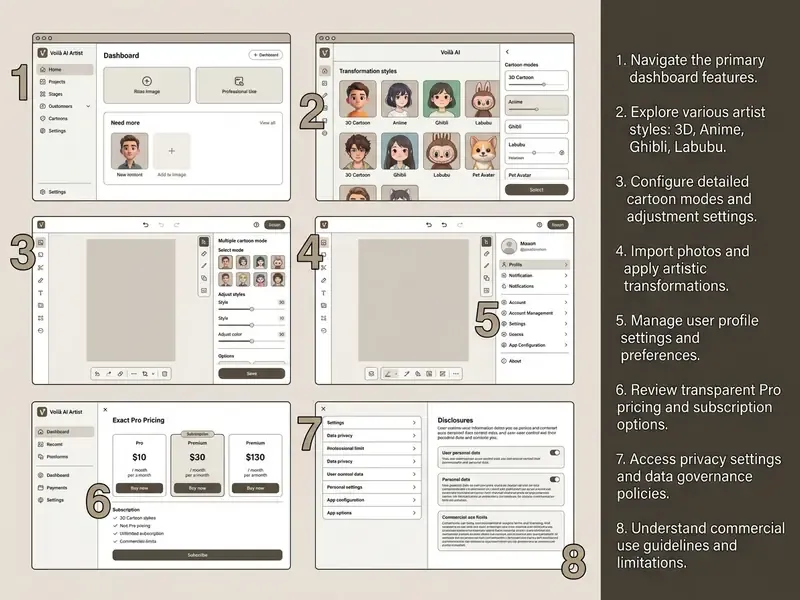
The interface is built around a four-step workflow: pick a mode, capture or upload an image, wait for cloud rendering, export the asset. That is it.
Uploading an AI Photo and Choosing a Cartoon Filter
On launch, the main screen shows primary style cards: 3D Cartoon, Renaissance, 2D Cartoon, Caricature. Tapping the orange arrow selects a style and opens the image source menu, where you either shoot a live photo or pick an existing image from the gallery.
Once the target photo is chosen, the application transmits the payload to server-side inference pipelines. Sub-style presets such as "Royalty 3D", "Baby 3D" or "Cartoon 3D" adjust rendering nuances within the same family.
Extended input modes:
- Celebrities. Beyond personal selfies, the interface includes a Celebrities mode with a built-in search field. You can look up a public figure or pick a pre-loaded popular entry and see how the stylization renders on that face. Early coverage of the app used Ariana Grande as the worked example of this flow.
- Multiple Cartoon. Introduced in version 1.1.1, this algorithm localizes several faces in one frame and generates avatars for all of them at once. Store copy pitches it as "you can now cartoonify multiple people… friends, families, and your loved ones". So no, the app is not single-subject only, a common misreading.
- Animate. Tapping Animate brings a generated cartoon to life with facial motion and audio effects, seasonal jingles included. Family Portraits shipped in both still and animated variants from version 1.2.0 onward.
- Family Avatar / Fantasy Avatar / Pet Avatar. Dedicated pipelines for group family photos, fantasy characters and animals, each with its own preset library.
Preview, Saving and Output Quality
After cloud processing finishes, the interface shows a preview screen with a 2x2 comparison grid plus individual full-resolution renders. You can judge edge fidelity, landmark preservation and colour accuracy before export.
Export lives behind the save icon in the top-right corner. Three layout options are documented:
- 2x2 grid, the original photo plus three rendered variations in one file;
- Single render, one selected stylized output;
- Side-by-side, a two-up "before / after" collage of the original and the chosen cartoon.
From there the asset goes to the local gallery, or out to social networks, messaging apps and email. Pro subscribers get watermark-free output. Free-tier exports carry the embedded "Voilà AI Artist" brand logo. Worth stating plainly: the developer's published materials do not state a resolution cap specific to the free tier. The documented differences are ads, watermark and processing speed.
One expectation to reset. This is a stylization engine, not a photo enhancer. If you need denoising, upscaling or skin cleanup on a real portrait, an ai photo enhancer is a different category of tool, and the outputs are not interchangeable.
Avatars rarely stay inside the app. Teams then drop them into wider editing chains: stripping backgrounds from short clips with a free video background remover, cutting the footage in a free video editing app or a free video editor on macOS, subtitling international versions through a free video translator, and adding titles with a free word art generator. If nobody on the team has done this before, a free video editing course online covers the basics faster than trial and error.
For broader comparisons, see our review of the best AI art generators and, for zero-budget pipelines, free AI art generators.
Free Version, Pricing and Use of the Finished Images
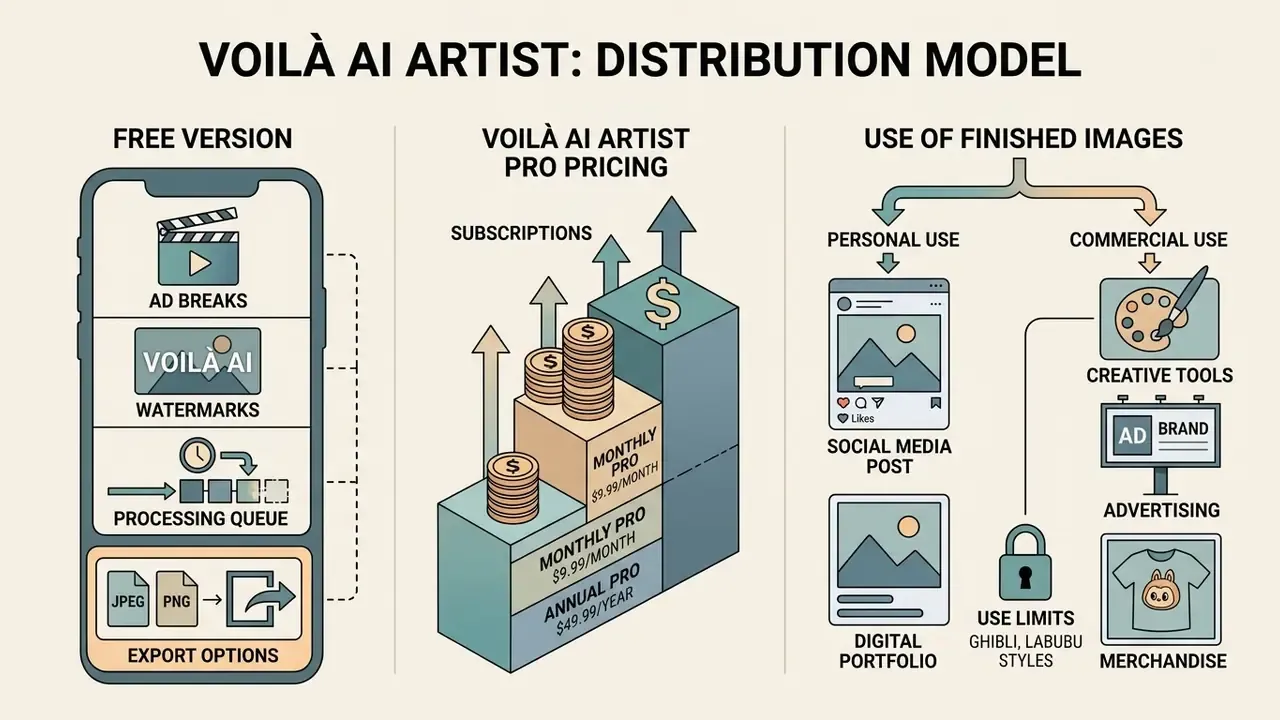
Voilà AI Artist runs on a freemium distribution model: ad-supported free access plus paid subscriptions. Teams benchmarking this structure against other commercial tools can review licensing and tier design in our overview of the Canva AI generator.
What the Free Version Includes
The free app gives unrestricted access to core stylization filters, with four operational constraints:
- Ad breaks. Full-screen interstitials of up to 30 seconds run before each generation cycle. Reviewers note they keep appearing between renders unless dismissed, which gets tiring during rapid batch experimentation.
- Watermarks. Exported files carry a visible "Voilà AI Artist" logo overlay.
- Processing queue. Free users sit at standard priority. Paid tiers get "turbo processing speed" with priority compute allocation on cloud clusters.
- Export options. Free users can still export the 2x2 grid, single renders and the side-by-side "before / after" collage.
Voilà AI Artist Pro Pricing
The Voilà AI Artist Pro subscription removes watermarks, removes advertising and accelerates the server-side queue. A 3-day free trial is available. Current pricing for the US region:
| Plan | Price (US) | Included | Trial |
|---|---|---|---|
| Weekly | $2.99 per week | No ads, no watermark, turbo processing | 3 days |
| Monthly | $5.99 per month | Same, plus queue priority | 3 days |
| Yearly | $29.99 per year | Same, lowest cost of ownership (about $2.50 per month) | 3 days |
Pricing outside the United States varies, and charges convert to local currency by country of residence. Subscriptions auto-renew unless auto-renew is switched off at least 24 hours before the current period ends. On iOS that is managed in Settings, then Apple ID, then Subscriptions.
Enterprise Risk, BIPA and Data Protection
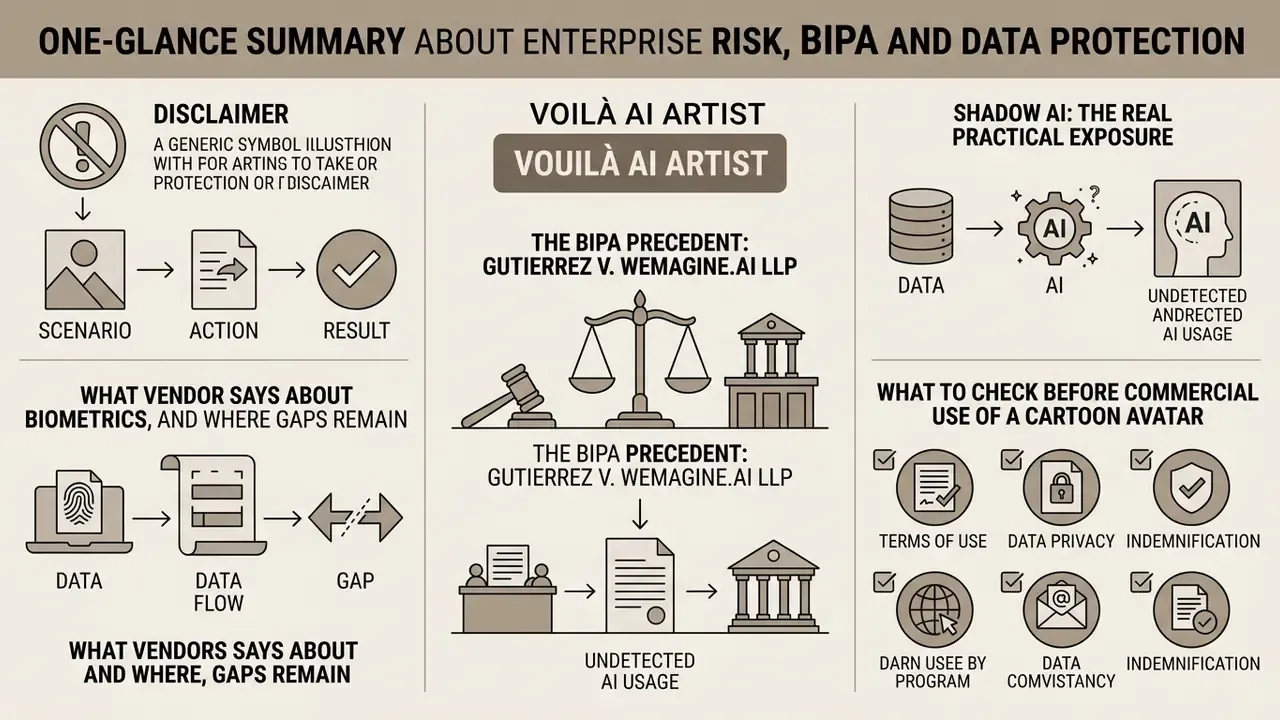
The scenario below is an illustrative composite, not a documented client engagement.
What the Vendor Says About Biometrics, and Where Gaps Remain
Wemagine.ai LLP publishes three relevant commitments: no collection or storage of face data including biometrics; immediate destruction of uploaded photos in the cloud after processing; and US-hosted infrastructure on AWS and Google Cloud. The developer does not advertise use of user photos for training public models.
Store-level disclosures, though, are not fully symmetrical. Governance teams should register the discrepancy.
| Source | Stated data handling |
|---|---|
| Apple App Store (privacy card) | App does not collect or store face data, including biometrics. |
| Google Play (Data safety) | No data shared with third parties; the app may collect app activity, app info and performance, and device IDs. Data-deletion requests supported. |
| Wemagine.ai Privacy Policy | Uploaded photos used only to create cartoons and arts, then deleted after processing; AWS plus Google Cloud, US servers. |
The practical reading: facial imagery is presented as transient, while telemetry-level collection (device identifiers, performance data) is disclosed on Android. For a corporate deployment that is the difference between "no biometric retention" and "no data collection at all". Only the former is claimed.
The BIPA Precedent: Gutierrez v. Wemagine.ai LLP
In Gutierrez v. Wemagine.ai LLP, plaintiffs alleged that automated facial landmark extraction amounted to biometric data collection under Illinois' Biometric Information Privacy Act (BIPA).
«The court dismissed the BIPA suit for lack of personal jurisdiction over the Canadian developer, leaving the biometric-data questions unresolved on the merits.»
Because dismissal turned on jurisdiction over the Canadian entity rather than the substance of the claims, the core question stays open: does landmark extraction inside a consumer cartoon filter trigger BIPA-style consent duties? For organizations in Illinois, Texas or Washington, and for anyone subject to GDPR Article 9 special-category rules, that residual ambiguity is the operative risk. Not the case outcome. For tracking similar regulatory developments, consult our AI Litigation and Case Timelines overview.
Shadow AI: The Real Practical Exposure
The realistic enterprise exposure is not the app. It is unsanctioned use: employees uploading corporate headshots, client photos or badge images into a consumer pipeline outside the governed toolchain.
Controls here are unglamorous and effective. Maintain an approved-tools register with a named owner per tool. Block unsanctioned image egress from managed devices. Require documented consent for any portrait processed by a third-party AI service. Log which vendor, hosting region and retention policy applies to each asset, so an auditor can reconstruct the decision later. Reverse-search monitoring helps detect leaked or republished avatars; see our comparison of AI reverse-image-search tools.
One more control that teams skip: an escalation path. If a designer discovers that a client portrait already went through the app, who decides whether to notify, delete or disclose? Write that name down before the incident, not after.
What to Check Before Commercial Use of a Cartoon Avatar
According to the Terms of Service on the Voilà AI Artist official website, all app and website content, features and functionality remain the exclusive property of Voilà or its licensors, and using the service grants no ownership rights in content, code, data or materials accessed through it. The developer's FAQ is blunter about output: processed photos are «owned by you and free to use for your personal use only. Commercial use is not allowed.» Commercial exploitation, resale or distribution of generated cartoon avatars in advertising campaigns is therefore restricted.
There is an internal tension worth flagging. One official FAQ page frames the app as "totally FREE to use", while another limits processed photos to personal use only. The conservative reading, and the one a legal reviewer will adopt, is that "free" describes price, not licence scope.
Is there an enterprise or commercial licence? No publicly documented Enterprise, Business or Commercial tier exists for Voilà AI Artist. The only published plans are the consumer Pro subscriptions above. Organizations that need avatars for advertising, product packaging or client-facing branding should either obtain written permission from Wemagine.ai LLP (support: [email protected]), or pick a tool whose licence explicitly grants commercial rights, for example the platforms compared in our review of Midjourney image generation versus competing tools.
Additional checks before publication:
- Confirm you hold rights to the source photograph, including a model release where a third party appears.
- Never route Celebrities output into commercial material. Publicity and personality rights sit on top of the app's own ToS restriction.
- For group renders from Multiple Cartoon, secure consent from every identifiable person in the frame.
- Record the ToS version and the date you reviewed it. The document is updated without notice.
Organizations evaluating AI media deployment can review broader licensing models and asset workflows in our AI Media Commercial-Use Hub. When assessing plan structures across enterprise creation tools, managers can also consult our pricing guidance for benchmarks.
Teams that want structured comparisons of media generation platforms can use our AI Media Comparison Matrices, while developers integrating generative workflows can reference our AI Media API Guides. For technical troubleshooting and configuration help, visit AI Media Support and Troubleshooting.
Voilà AI Artist FAQ
Can Voilà AI Artist Process Photos of Dogs and Cats?
Yes, but only through the dedicated pet pipeline, and only in versions 3.5 and later. The application recognizes canine and feline facial structures and applies styles such as "Pet 3D", "Pet Cartoon 3D", "Wool Doll", "Kawaii" and "Watercolor Painting". This is a genuine version-driven change, and it explains contradictory reviews. A 2021 hands-on review reported total failure on a Goldendoodle because the model "does not pick up non-human traits". By 2023 a separate review documented a working Voila Pet Avatar mode covering cats, dogs, rabbits, birds and mice with three free styles (3D Cartoon, Classic Cartoon, Wool Doll), and current store copy advertises pet stylization directly. When a pet photo fails today, the usual cause is running it through a human-oriented 3D filter instead of the Pet Avatar module. Pet inputs need clear lighting and an unobstructed view of the eyes and snout for accurate alignment and distortion-free rendering.
Does the App Support Group Photos and Animation?
Yes. Multiple Cartoon, from version 1.1.1, detects and stylizes several faces in one frame. Family Avatar, from version 3.7, adds group-specific presets such as Cartoon 3D, 18th Century and Funny Cartoon Avatar. Animate turns a generated avatar into a short moving clip with audio, seasonal jingle tracks included. Family Portraits also shipped in both still and animated formats.
How Much Does the Subscription Cost and Is There a Free Trial?
Pro costs $2.99 per week, $5.99 per month or $29.99 per year in the US storefront, with a 3-day free trial. The free tier stays usable indefinitely, with interstitial ads of up to 30 seconds before each render and a watermark on exports.
Can Avatars Be Used in Advertising or on Packaging?
No, not under the default licence. The developer's FAQ limits processed photos to personal use and states that commercial use is not allowed, and no public commercial tier exists. You would need written permission from Wemagine.ai LLP, or a different tool with explicit commercial rights.
How Do You Identify Voilà AI Artist by Icon, Logo and Name?
The authentic application is published by Wemagine.ai LLP, sometimes shown as Wemagine.AI. On Google Play the package identifier is com.wemagineai.voila. On the Apple App Store the app ID is 1558421405. The official app icon uses a distinctive shield-style emblem with colourful stylized artwork and the "Voilà" wordmark. Storefront titles vary by locale, "Voilà AI Artist Cartoon Filter" on iOS, "Voilà AI Artist Foto Editor / Anime Filter Maker" in some Google Play regions, while the developer identity and brand name stay constant. Checking publisher contact details ([email protected]) is the fastest way to avoid counterfeit clones.
Who Created the Voilà AI Artist App?
Voilà AI Artist was created by Wemagine.ai LLP, a Canadian software company registered at 1103-11871 Horseshoe Way, 2nd Floor, Richmond, British Columbia V7A 5H5, Canada. The company describes itself as a two-founder team of creative and technology enthusiasts, and calls Voilà AI Artist "our first app". App-market trackers place the first release on 18 March 2021, which fits the viral coverage cycle in mid-2021. The developer publishes no official launch-date statement, so that figure comes from store-tracking records rather than a primary press release. Some 2021 media reports referenced an earlier UK registration, whereas current terms and store listings point to British Columbia. Treat the Canadian entity as the operative publisher today. The developer's wider portfolio in store listings includes Prisma Art Effect Photo Editor, Voila Cartoon Avatar and Studio Anime Maker Style Photo. The team specializes in machine learning portrait processing and computer vision, and keeps updating the cloud rendering architecture behind the application.
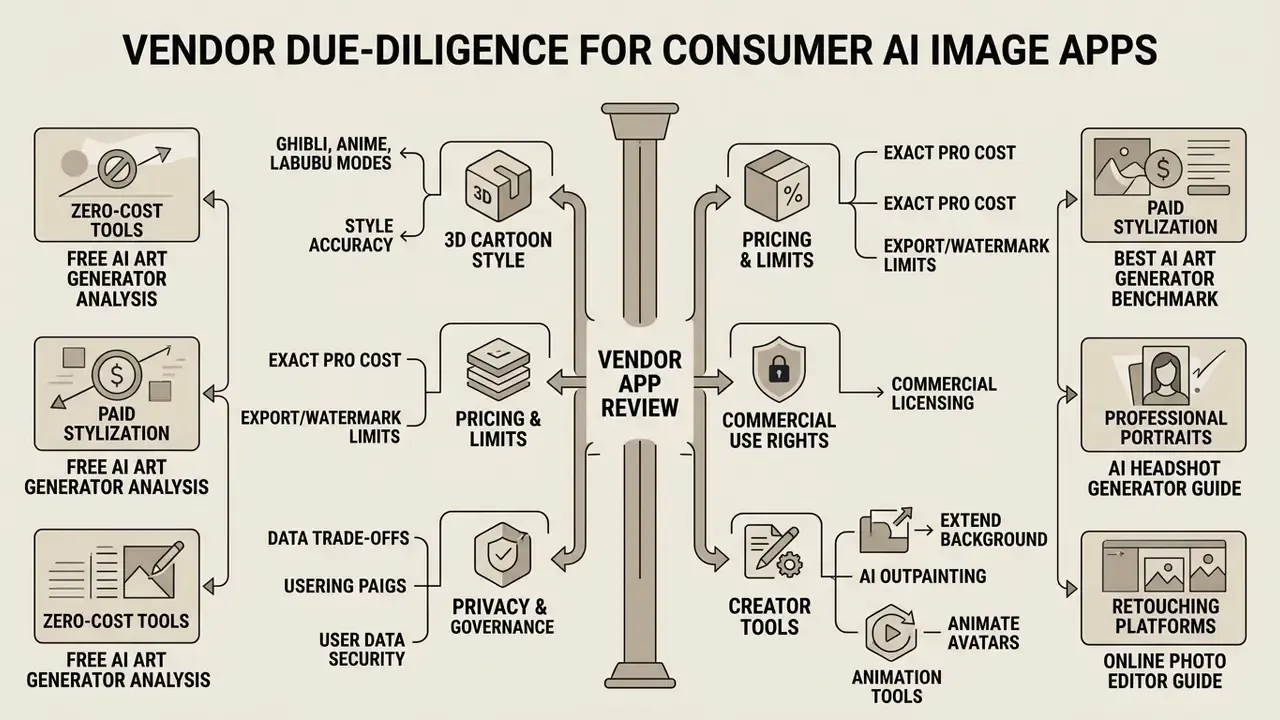
Vendor Due-Diligence Questions Before You Approve Any Consumer AI Image App
A short internal questionnaire beats a long policy nobody reads. These are the questions that decide whether a tool like the application Voilà AI Artist can be used at work, on a personal device, or not at all.
For consumer photo tools the honest answer is often narrow: fine for personal creative use, unsuitable for regulated portraits or paid campaigns. That is a decision, and it is defensible on paper.
Additional AI Creation and Editing Tools Reference
- For a structured overview of browser-based retouching platforms, see our guide to online photo editors.
- To understand export limits, watermarks and privacy trade-offs in zero-cost tools, read our analysis of free photo editors.
- Creators who want to animate stylized avatars beyond the built-in Animate button can compare options in our animation maker guide.
- For professional portrait output with commercial licensing, review our AI headshot generator guide.
- If Ghibli-style output is the goal, compare style accuracy and usage rights in our Ghibli AI image generator comparison.
- To benchmark paid and free stylization engines, use our best AI art generator and best free AI art generator comparisons.
- To extend a cropped avatar background for banner formats, see our comparison of AI outpainting tools.
- For voiceover on animated avatar clips, review our AI voice generator guide and its commercial licensing section.
- To calculate operational AI costs and ROI metrics, use our interactive AI Media Calculators.
- For definitions of every term used above, keep our AI Media Glossary open in a second tab.