Executive Summary
- Yes, AI can read images. But «reading» splits into three distinct technical capabilities: character transcription (OCR), object and label classification (image recognition), and open-ended visual reasoning (vision-language models, or VLMs).
- Specialized OCR still beats general multimodal chat models on structured documents. Benchmark data shows purpose-built parsers scoring 81 to 92 on dense page parsing, ahead of general-purpose frontier models on the same tasks.
- Failure modes differ by architecture. Classic OCR fails by omitting or confusing characters. VLMs fail by hallucinating plausible values, a materially higher risk in financial reporting, where a fabricated digit reads as clean data.
- Input quality dominates accuracy. 300 DPI minimum (400 to 600 DPI for small print), even illumination, sharp focus, deskewed pages, subject filling at least 80% of the frame.
- Governance decides deployability, not accuracy alone. Confidence thresholds, human-in-the-loop escalation, immutable audit trails, zero-retention contract clauses, PII redaction and on-premise options determine whether visual AI clears second-line review in a regulated institution.
What this guide covers: capability boundaries of visual AI; which image types are readable and at what accuracy; the end-to-end processing pipeline and its failure points; tool categories from chat models to archival transcription platforms; pricing, free limits and commercial-use terms; accuracy, privacy and sovereignty controls; and a production-readiness gate you can lift into your own model risk framework.
What AI Can Read Images and What It Can Understand
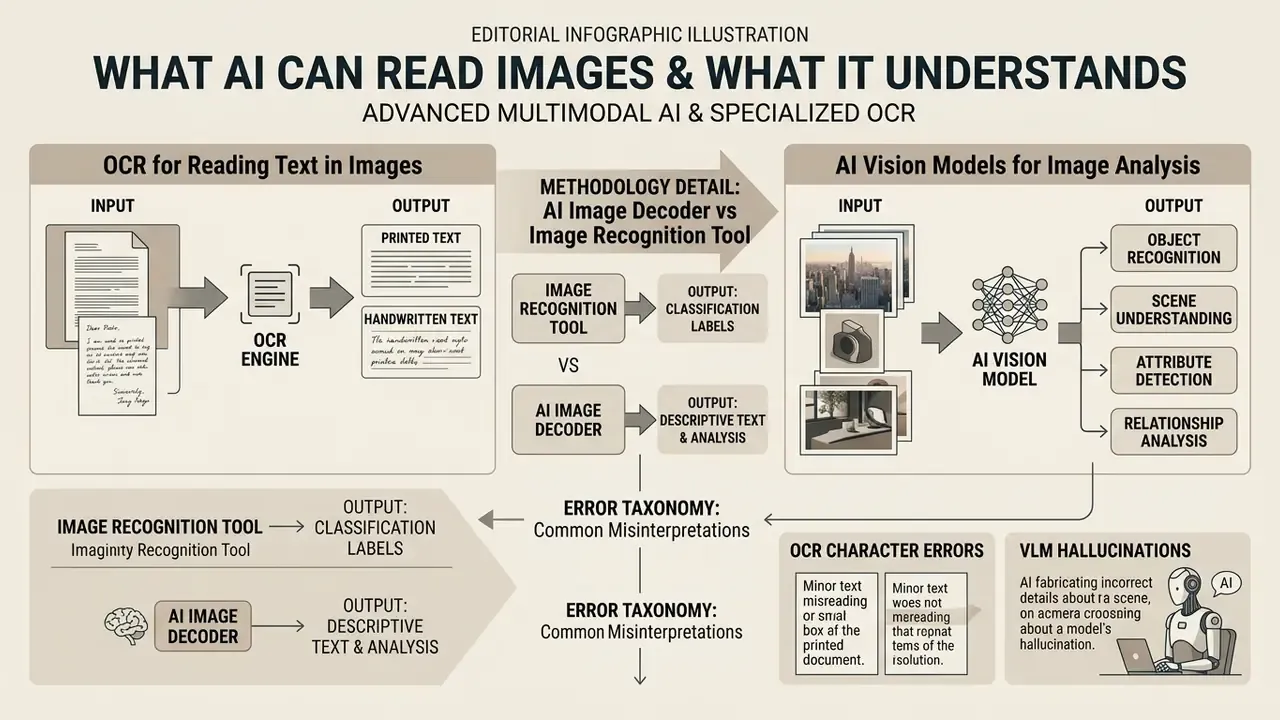
Yes, advanced multimodal artificial intelligence and specialized optical character recognition (OCR) engines can read images, extract printed and handwritten text, identify physical objects, analyze spatial composition and answer complex logical questions about visual content. Modern visual AI systems range from narrow transcription algorithms that convert pixel data into structured strings to large vision-language models capable of contextual visual understanding across enterprise workflows.
When deciding what AI can read images in a controlled environment, buyers must separate basic text extraction from deep visual understanding. A consumer-grade recognition script, or a creative tool like an ai storyboard generator, maps visual inputs to fixed category labels or fixed outputs. Modern multimodal frameworks work differently: they pair a visual encoder with a language decoder, which lets them interpret charts, financial tables and multi-page document flows. In US financial services, the architecture choice determines whether the pipeline stays inside model risk appetite or quietly accumulates unmonitored residual risk.
So the honest short answer to «is there an AI that can read images» is yes, with a caveat: several very different systems answer to that name, and they fail in incompatible ways.
Definitions box, core terminology
- AI image reader. An artificial intelligence system that processes raster or vector visual inputs (photos, screenshots, scanned documents) to output machine-readable text, structural data, scene descriptions or direct answers to visual queries. Also marketed as a picture AI reader in consumer tooling.
- Optical character recognition (OCR). A specialized computational technology that detects, localizes and transcribes visual textual glyphs into digital character strings, evaluated primarily through Character Error Rate (CER) and Word Error Rate (WER).
- Image recognition. A computer vision capability focused on identifying, categorizing and bounding discrete objects, faces, landmarks or structural elements inside a digital image, without necessarily reading textual content.
- Image analysis. The broader process of examining visual data to evaluate composition, spatial relationships, color distributions, lighting conditions and implicit semantic context across one or more frames.
- Vision models. Neural architectures such as convolutional neural networks (CNNs) or vision transformers (ViTs), trained to process spatial visual inputs, often paired with language decoders in vision-language models (VLMs) for open-ended multimodal reasoning.
- Image-to-text. The direct algorithmic conversion of visual pixel input into formatted textual output: plain-text OCR, Markdown document parsing and natural language captioning all sit under this label.
OCR for Reading Text in Images
Optical character recognition is the foundational technology built specifically to detect and transcribe printed or handwritten text from visual media. OCR systems process raw inputs, including scanned loan applications, wire receipts, PDF forms and digital screenshots, by isolating textual glyphs from background noise and converting them into machine-readable strings.
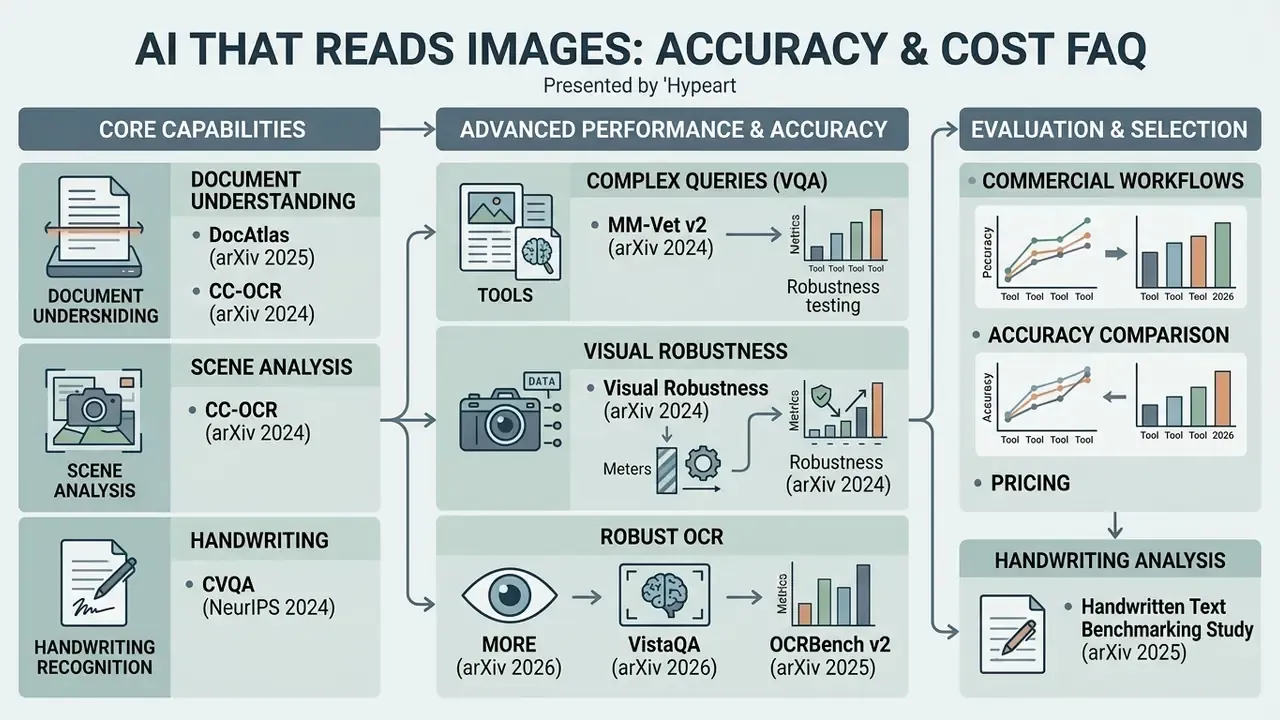
According to technical specifications published in the DocAtlas benchmark (arXiv, 2025), modern specialized OCR pipelines achieve character-level accuracy between roughly 81% and 92% on dense document page parsing across dozens of global languages. Traditional engines focus strictly on character transcription and bounding-box geometry. Modern document AI frameworks extend that by combining text localization with layout analysis, preserving headers, footers, tabular alignment and reading order.
«The specialized HunyuanOCR model reaches an overall score of 92.42 across text, tables, formulas, code and catalogs, outperforming generalist multimodal models.»
For workflows that need exact field extraction from scanned images, specialized OCR engines consistently outperform broad conversational models in raw character precision and structural fidelity. Teams comparing vendors can review image-to-text tools for enterprise workflows alongside accuracy and cost data before committing to an architecture.
AI Vision Models for Image Analysis
AI vision models analyze non-textual elements: spatial composition, object placement, color attributes and contextual relationships inside an image. Rather than returning raw text strings, they generate bounding boxes, segmentation masks, scene classification labels and structured natural language descriptions.
Recent evaluations in the VistaQA benchmark (arXiv, 2026) stress that genuine visual understanding requires joint accuracy: the model must produce a correct textual answer and ground its reasoning in pixel-level evidence.
«VistaQA counts a prediction as correct only when both the free-form answer and the segmentation mask pointing to visual evidence are simultaneously right.»
Methodology detail worth noting. The VistaQA dataset comprises 1,157 expert-annotated samples spanning six task types and six visual domains, which makes its joint-accuracy scores substantially more verifiable than single-score captioning tests. Multi-modal vision models read color gradients, spatial orientation and visual anomalies across indoor, outdoor and technical domains. Commercially, that supports automated content moderation, product cataloging, asset inspection and security monitoring, turning unstructured visual data into risk metrics somebody can actually act on.
AI Image Decoder vs Image Recognition Tool
An ai image decoder usually refers to a specialized neural module or encoder-decoder framework that translates latent visual embeddings or complex graphic structures into open-ended text, code or structured JSON. A standard image recognition tool, by contrast, classifies inputs against fixed, pre-defined labels.
The architectural distinction sets operational flexibility. Traditional image recognition software works on fixed taxonomies, identifying whether a photograph contains a «check», a «car» or a «building». A modern ai image decoder or vision-language model handles open-ended prompts, so it can answer nuanced questions about a document's legal clauses or a product image's packaging condition. Benchmark evaluations from CC-OCR v2 (2025) show that recognition engines still win on low-latency classification, while multimodal decoders are the only viable option for complex visual reasoning, document question answering and key information extraction.
«DocAtlas-Deepseek reaches an overall score of 83.37% and DeepSeekOCR 81.66%, outperforming Gemini-2.0-Pro and GPT-4o on the same benchmark.»
Error Taxonomy: OCR Character Errors vs VLM Hallucinations
Model risk teams must document how each architecture fails, not only how often. The two families produce structurally different error signatures, and only one of them is silently plausible.
Comparative risk profile of classical OCR engines versus vision-language models
| Risk dimension | Classical / specialized OCR engine | Multimodal VLM decoder |
|---|---|---|
| Dominant failure mode | Character substitution, omission, split or merged words (measured as CER/WER) | Fluent hallucination: a whole line, amount or table cell invented from context |
| Detectability | High. Garbled strings, checksum failures and confidence scores flag errors | Low. Output is grammatically clean and numerically plausible |
| Financial impact profile | Localized field errors, usually caught by validation rules | Systemic misstatement risk if a fabricated figure enters a report unchecked |
| Confidence signal availability | Per-character and per-word confidence typically exposed by the API | Often absent or poorly calibrated; token log-probabilities are a weak proxy |
| Repeatability across runs | Deterministic for the same input and version | Probabilistic. Wording and occasionally values vary between calls |
| Recommended control | Checksum and format validation, confidence threshold routing | Field-level cross-validation against a deterministic OCR pass, plus mandatory human review of monetary fields |
The governance conclusion is unfashionably simple. Use deterministic OCR as the system of record for numeric and identifier fields. Use VLMs for interpretation, summarization and layout reasoning around those verified values, never as the sole source of a number that lands in a report.
Which Images AI Can Read: Photos, Screenshots, Documents and Handwriting
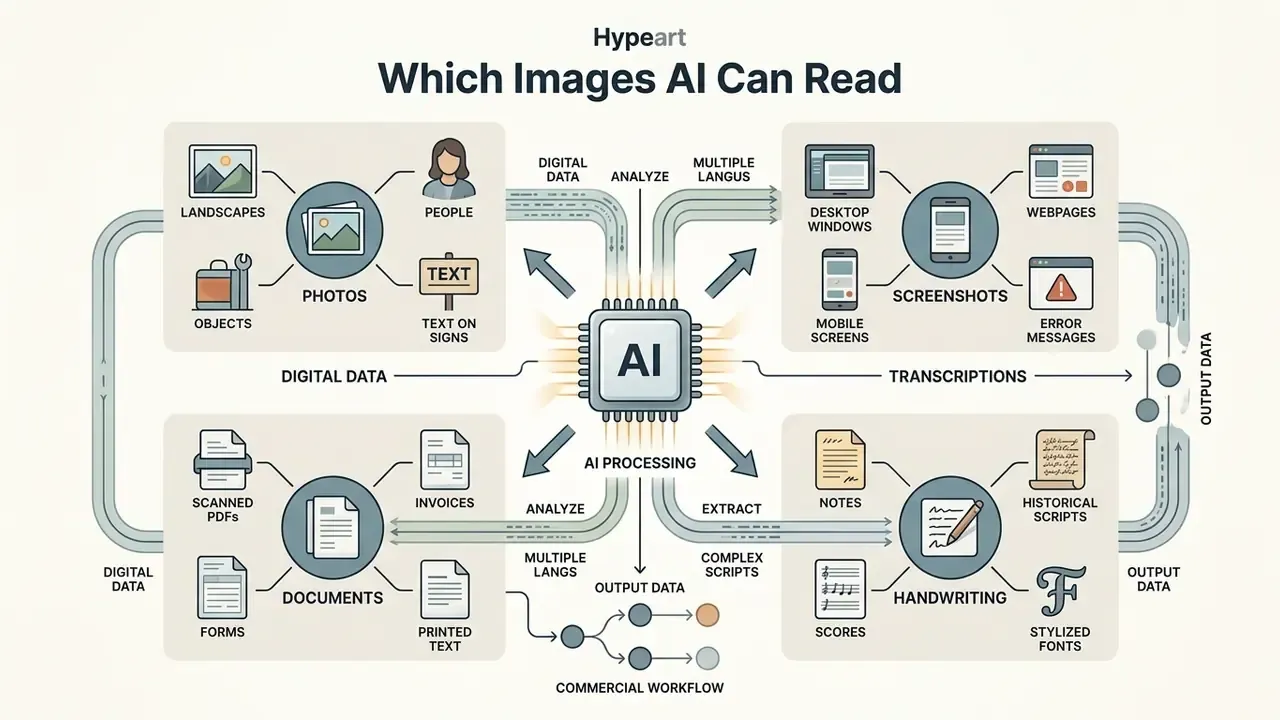
Artificial intelligence can read a broad spectrum of visual formats: digital camera photos, desktop screenshots, scanned PDFs and handwritten notes, provided the source meets baseline resolution and contrast thresholds. Accuracy shifts significantly with file format, pixel density, lighting conditions and typographic clarity. Anyone asking what AI can read pictures reliably should start with the input, not the model.
Technical comparison of AI reading capabilities across primary image types
| Image type | Supported formats | Primary AI task | Baseline quality requirement | Expected recognition accuracy |
|---|---|---|---|---|
| Digital photos | JPG, JPEG, PNG, WEBP, HEIF | Scene text OCR, object detection, color analysis | Minimum 300 DPI equivalent, uniform lighting, unoccluded text | High for clear printed text; moderate for angled or curved scene text |
| Screenshots | PNG, JPG, BMP | On-screen text copy, UI component analysis | Native display resolution (1:1 pixel mapping), high contrast | Very high, near 99% on standard digital fonts |
| Scanned documents | PDF (raster), TIFF, PNG, JPEG | Structured text extraction, layout parsing, table recovery | 200 to 300 DPI, deskewed, minimal bleed-through or noise | Very high, 85% to 93% structural fidelity on specialized engines |
| Handwritten notes | PNG, JPEG, PDF | Handwriting OCR (HW-OCR), manuscript transcription | High resolution, strong ink-to-paper contrast, legible script | Moderate, 75% to 92% on clear modern script; drops on historical cursive |
| Product images | JPG, PNG, WEBP | Label reading, barcode and QR parsing, attribute tagging | Clear packaging focus, minimal glare on glossy surfaces | High for brand labels; variable on reflective packaging |
| Whiteboards and lecture boards | JPG, PNG, HEIF | Mixed handwriting and diagram capture, note digitization | Frontal angle, glare-free lighting, marker contrast against board | Moderate to high on block print; lower on cursive and sketch annotations |
In one illustrative model risk review of a commercial bank's merchant onboarding unit, automated processing of business license photos ran a 19% failure rate, driven almost entirely by perspective distortion and glare. The governance team introduced mandatory client-side image-quality verification plus an automated dewarping preprocessing layer. Ingestion rejections fell by 58%, and the pipeline stayed inside internal model risk guidelines. The lesson is unglamorous: the fix was in the camera, not the model. (This example is composite and illustrative.)
Reading Text from Photos, JPG, JPEG and PNG
Extracting text from digital photographs in JPG, JPEG or PNG requires algorithms that tolerate environmental noise, uneven lighting and perspective distortion. Photo-based text extraction, often called scene text OCR, is what happens on street signs, product labels, storefront banners and physical whiteboards.
Research from the CC-OCR benchmark (arXiv, 2024) indicates that while vision-language models handle standard raster formats well, performance declines when text is rotated, curved or shadowed.
«CC-OCR found that large multimodal models systematically fail on multi-oriented text, mis-grounded regions and hallucinated repetition of fragments.»
To get the most out of an ai read picture workflow, the primary subject should occupy at least 80% of the frame with high contrast against the background. Teams can use AI photo editors for image preparation to straighten orientation, crop tightly to the text block and remove mirroring before ingestion. Enterprise vision tools then convert raw raster uploads into normalized tensors before character detection runs, which is what keeps performance stable across mobile and desktop captures.
Extracting Text from Screenshots and Scanned Documents
Screenshots and scanned documents are the highest-volume enterprise use case, thanks to structured layouts and clean digital typography. AI systems pull tabular data, key-value pairs and body narrative out of desktop captures, web clips and multi-page scanned PDFs.
For born-digital screenshots, readers reach near-perfect transcription because pixel mapping aligns cleanly with font glyphs. That claim is best interpreted against a validated instruction set rather than vendor marketing.
«OCRBench v2 spans 10,000 manually validated instruction and response pairs across 31 scenarios, including screenshots and mixed-text forms.»
For scanned documents, performance tracks scan resolution and layout complexity. As documented in the PM⁴Bench evaluation (2026), specialized document parsing models use layout-aware segmentation to reconstruct multi-column text, embedded code blocks and complex financial tables directly into structured Markdown or JSON. That structure is what lets risk managers and analysts audit digital records without manual re-entry.
One practical rule saves both money and error budget: born-digital PDFs should be parsed from the embedded text layer and coordinate map, not rasterized and OCR'd. The direct parse is faster, cheaper and materially more accurate. Teams hitting recurring extraction defects can also work through our AI Media Support and Troubleshooting notes before escalating to a vendor.
Can AI Read Handwritten Notes, Historical Scripts and Stylized Fonts?
AI can read handwritten notes and stylized typography, but accuracy is lower and far more variable than on machine-printed text. Handwritten optical character recognition relies on sequence models trained across cursive styles, stroke pressures and spatial alignments.
A comprehensive 2025 benchmarking study evaluated leading multimodal models against dedicated handwriting engines. Proprietary vision models performed acceptably on modern, legible English handwriting, with character error rates suitable for basic note digitizing. Performance collapsed on historical manuscripts, non-English cursive and stylized artistic fonts.
«Proprietary LLMs perform acceptably on modern English handwriting, but on other languages and historical documents the results are practically unusable.»
Accuracy framing. Rather than quoting a single legacy isolated-digit figure, treat handwriting accuracy as a distribution. Clear modern block print approaches print-quality transcription. Connected cursive degrades measurably. Unstructured continuous handwriting on degraded paper falls into the band where 100% of extracted fields need verification.
Historical scripts and mixed documents. The core difficulty in HW-OCR is glyph connectivity combined with slant variability, which defeats generic segmentation. Purpose-built transcription models are therefore trained on script-specific corpora:
- Historical scripts. Hands from the 16th to the 20th centuries, including Kurrent, Sütterlin and Fraktur, require dedicated networks with line-level segmentation performed before character decoding. Archive-grade platforms maintain separate models per script family and per century band, because letterforms drift substantially across periods.
- Mixed print and handwriting. Forms that combine a printed skeleton with handwritten entries go through layout-aware segmentation, which isolates the template from the ink strokes before routing each region to the appropriate decoder.
- Language and script breadth. Archival transcription platforms now cover 100+ languages, including Latin, Cyrillic, Greek, Nordic, Arabic, Hebrew and Ottoman Turkish scripts, with community-contributed models for regional hands.
- Batch archival work. Genealogical collections, research archives and record series are processed as folder-level batches with full-text search across the resulting corpus and export to TXT, DOCX, PDF or structured XML.
Enterprise workflows processing handwritten forms must keep human-in-the-loop verification to manage residual risk. Where the ink is faint or the paper degraded, AI image enhancers for preprocessing workflows can raise stroke contrast before transcription and measurably cut escalation volume.
Education, Formulas and Automated Grading
Academic use is one of the highest-volume real-world applications of image reading, and it carries its own accuracy constraints.
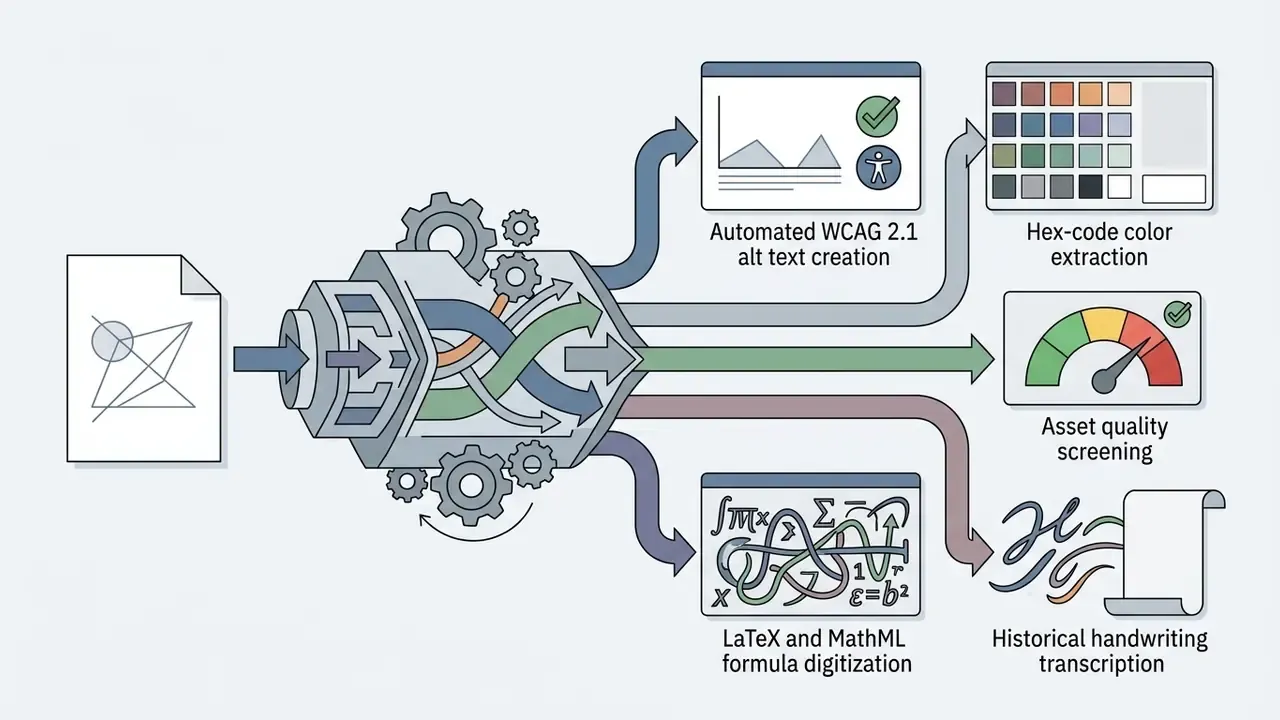
- Math and symbol OCR. Photographs of equations, matrices, integrals and chemical structures are converted into machine-readable LaTeX or MathML by VLM-based parsers, which makes them editable, searchable and re-renderable rather than trapped in a bitmap. That is the technical basis for photo-math and symbolic solver tools that show step-by-step derivations from one snapshot.
- Lecture board and note digitization. Whiteboard photos, slide captures and handwritten notes become searchable text, then flashcards, summaries or quiz items. The friction removed is retyping. The risk added is silent transcription error in formulas, where one mis-read exponent invalidates the whole expression.
- Automated grading, where it works. Multiple-choice sheets, numeric answers and clearly structured STEM diagrams are handled reliably, with structured-response accuracy commonly reported near 98% on clean scans. Machine pre-grading can flag incorrect intermediate steps and deliver consistent feedback at scale.
- Automated grading, where it fails. Handwritten essays, messy diagrams and creative assignments need subjective judgment current models struggle to emulate. Institutions that deploy grading automation responsibly pair machine pre-grading with mandatory instructor review, preserving fairness and an appeals path.
- Accessibility gain. The same OCR layer feeds text-to-speech pipelines, converting textbook pages, lab worksheets and board diagrams into audio for students with visual impairments or reading differences. For many institutions that is a compliance requirement, not a convenience. Adjacent accessibility tooling, such as an ai subtitle generator for recorded lectures, sits in the same procurement conversation.
- Proctoring caveat. Image-based exam proctoring uses face matching and webcam analysis to verify identity, but false positives and documented demographic bias in facial recognition make purely automated adjudication indefensible. Institutions should disclose what is collected, retention duration, access scope, human review of flags and disability accommodations.
E-Commerce, Web and Accessibility Operations
Beyond documents, the same stack has quietly become the default automation layer for catalog metadata and web accessibility work.
- WCAG 2.1 alt-text generation.Models produce concise scene descriptions for screen readers, dropping filler openings such as «image of» and staying inside the length screen-reader users tolerate. For a site with thousands of assets, a week of manual writing becomes a batch job. It also helps image-search visibility, since crawlers read alt text, not pixels.
- Color palette extraction (hex and RGB).Dominant colors return with hex codes, standardized names and percentage distribution, for example
#1A2B3C, Navy Blue, 42%. This feeds faceted filtering and removes the classic labeling inconsistency where one tagger writes «blue» and another writes «navy». - Asset quality screening.Uploaded photography is scored for sharpness (blur detection), exposure, noise level and wrong frame orientation, so unusable product shots are rejected before they reach a listing or an ad campaign.
- Attribute auto-tagging.Category, material and object attributes are extracted at 30+ data points per image versus the 5 to 10 tags a human tagger typically records, turning an unnamed folder of
IMG_4827.jpgfiles into a library searchable by subject, color and scene type. - Upload moderation.User-generated images are screened for policy violations and quality thresholds before publication. Past a certain daily volume, this is the only economically viable approach.
- Screenshot-heavy workloads.In practice, SaaS and content teams push more screenshots than photographs through analyzers, pulling alt text, tags and OCR from landing pages and dashboards. That forces the pipeline to loosen «subject versus background» assumptions that hold for photography but not for UI captures.
Multilingual output matters more than teams expect: auto-generated English alt text does nothing for a German or Japanese marketplace listing, so multi-market sellers should confirm the analyzer emits descriptions per destination locale. Teams building broader visual asset workflows can compare adjacent tooling in our AI image generators comparison for enterprise workflows, check vector output options via an ai svg generator, and verify provenance with AI reverse-image-search tools.
How AI Reads an Image: From Upload to Structured Results
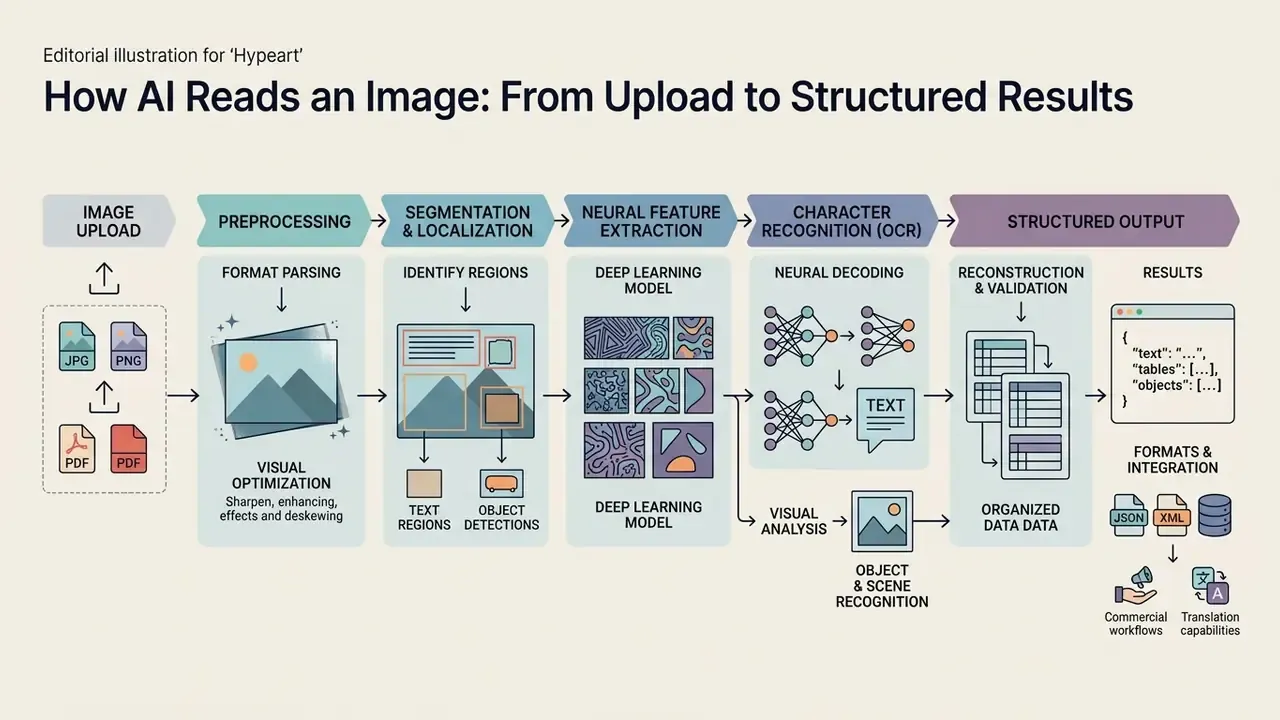
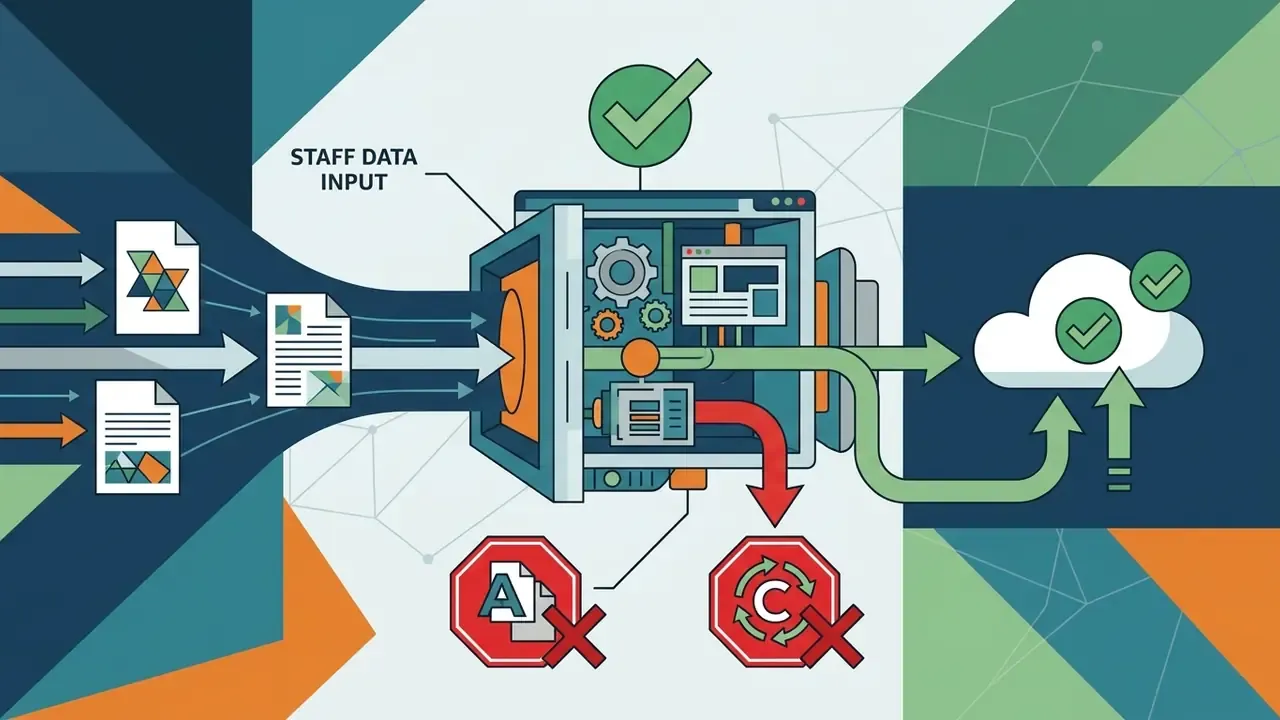
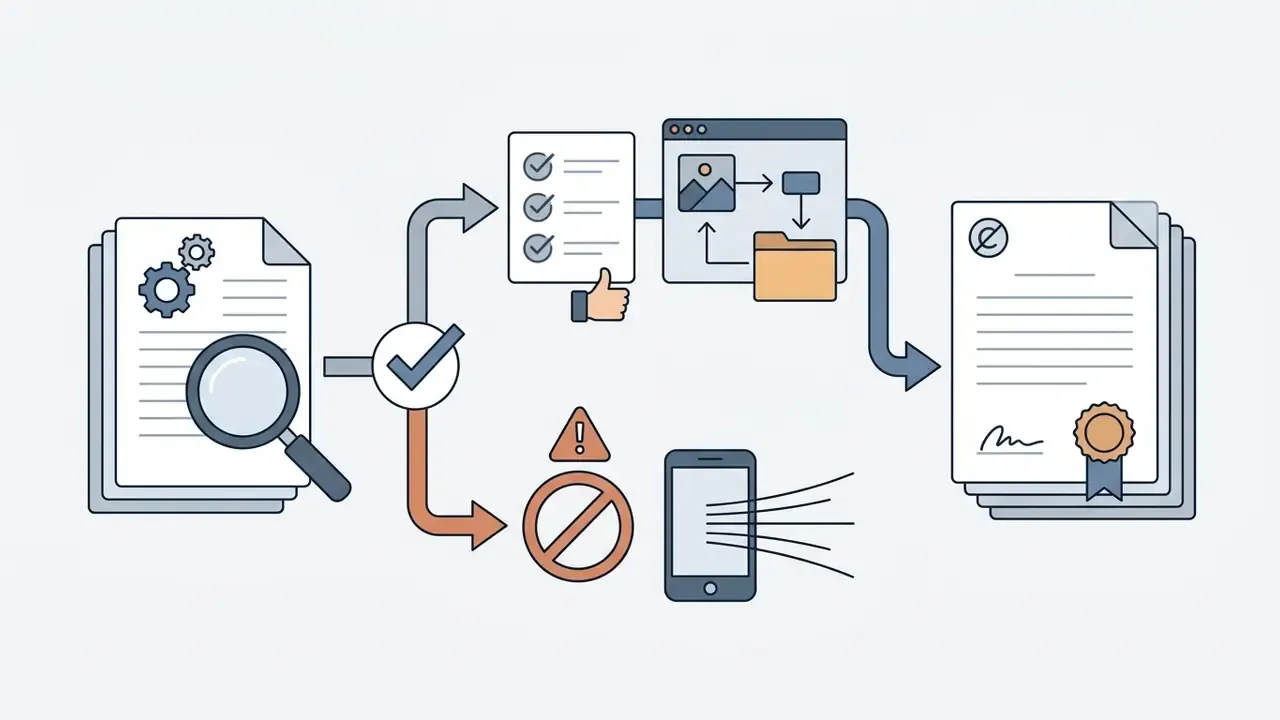
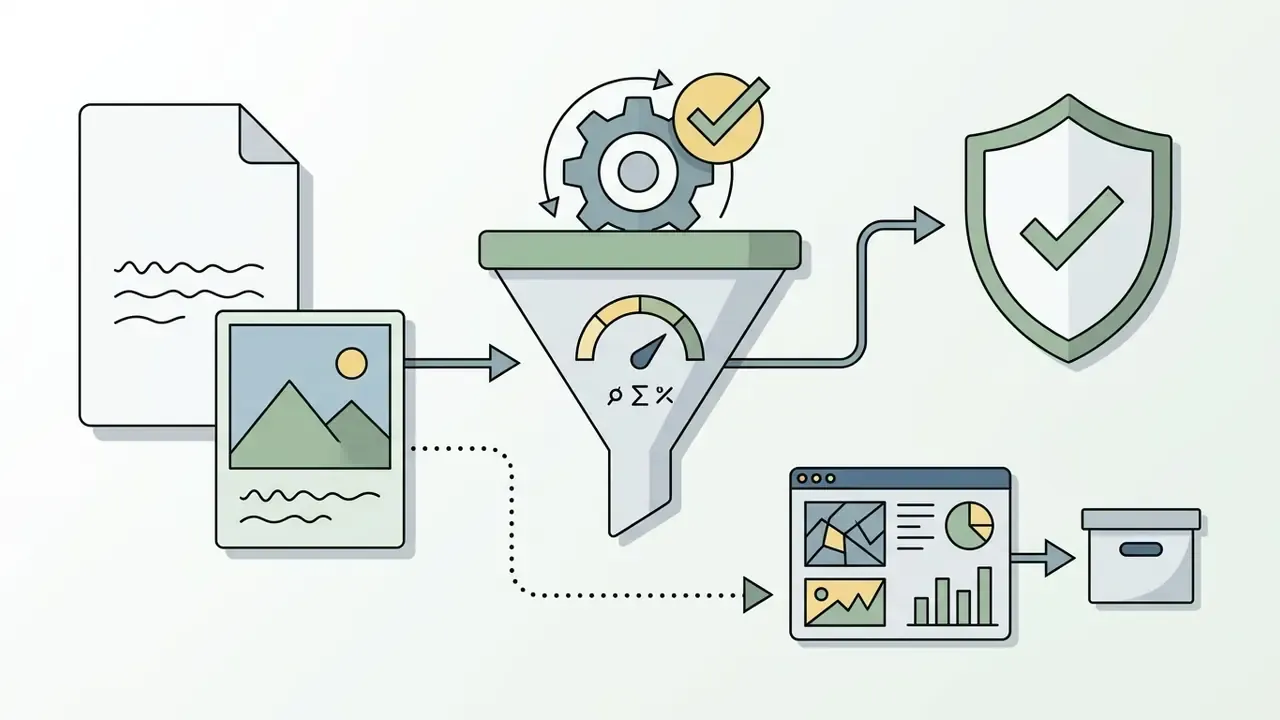
Processing an image through an AI system follows a multi-stage pipeline: ingestion, preprocessing, feature extraction, text or object localization, neural recognition and structured output generation. Knowing each step is what lets engineering and compliance teams name the failure mode instead of guessing at it.
End-to-end architecture of automated AI visual processing pipelines, with failure points per stage
| Stage | Operation | Output artifact | Primary failure point |
|---|---|---|---|
| 1 · Ingest | Upload JPG, PNG, WEBP or PDF; integrity, size and dimension validation | Validated file handle plus metadata | Low DPI, heavy compression, wrong orientation, oversized payload |
| 2 · Preprocess | Grayscale, denoise, contrast enhancement, deskew and dewarp, binarize | Normalized image tensor | Over-binarization erasing faint strokes; residual skew above 15° |
| 3 · Localize | Text-line, table and object region detection with bounding boxes | Region map plus confidence per box | Merged or split regions; missed marginalia and footnotes |
| 4 · Decode | Character recognition (OCR) and/or vision-language semantic decoding | Raw text, labels, captions, answers | Glyph confusion (OCR); hallucinated values (VLM) |
| 5 · Reconstruct and validate | Reading-order assembly, table recovery, JSON Schema validation | Structured JSON, Markdown or DOCX | Broken reading order in multi-column layouts; schema violations |
| 6 · Route | Confidence scoring, threshold check, human escalation, audit logging | Accepted record or review queue item plus audit trail | Missing or uncalibrated confidence signal; unlogged manual overrides |
The step-by-step progression from raw file to verifiable enterprise data looks like this:
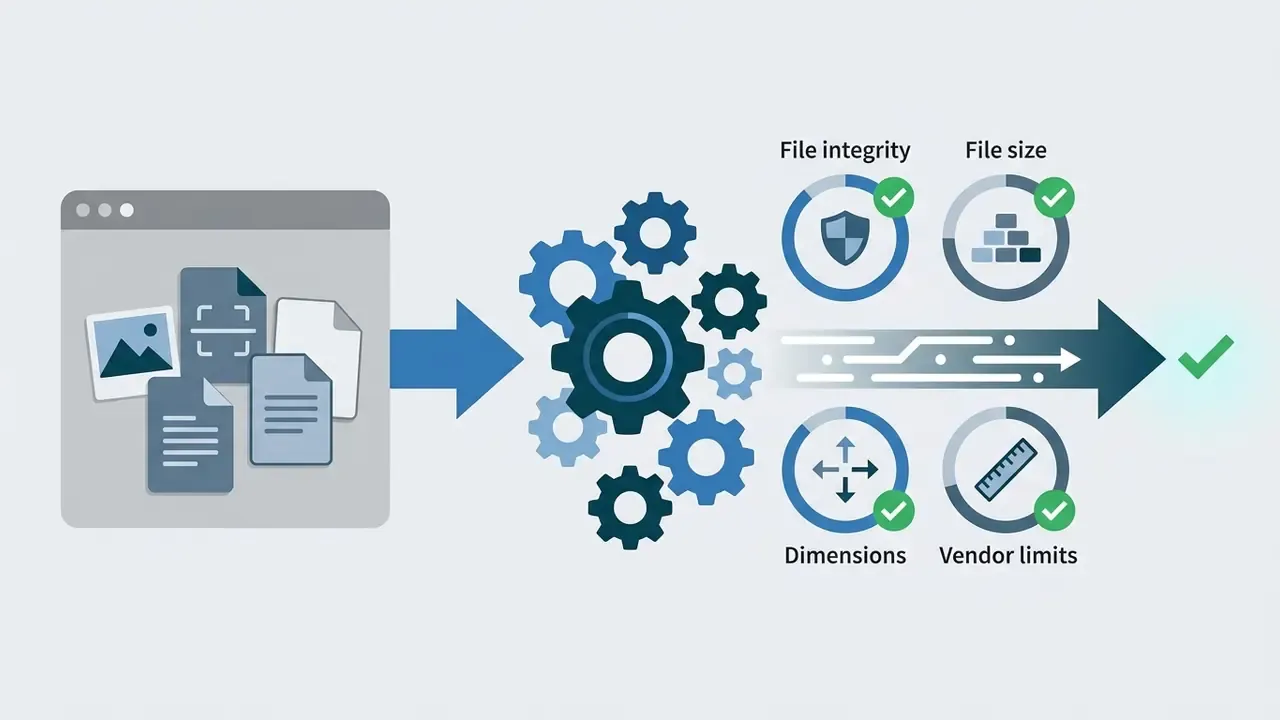
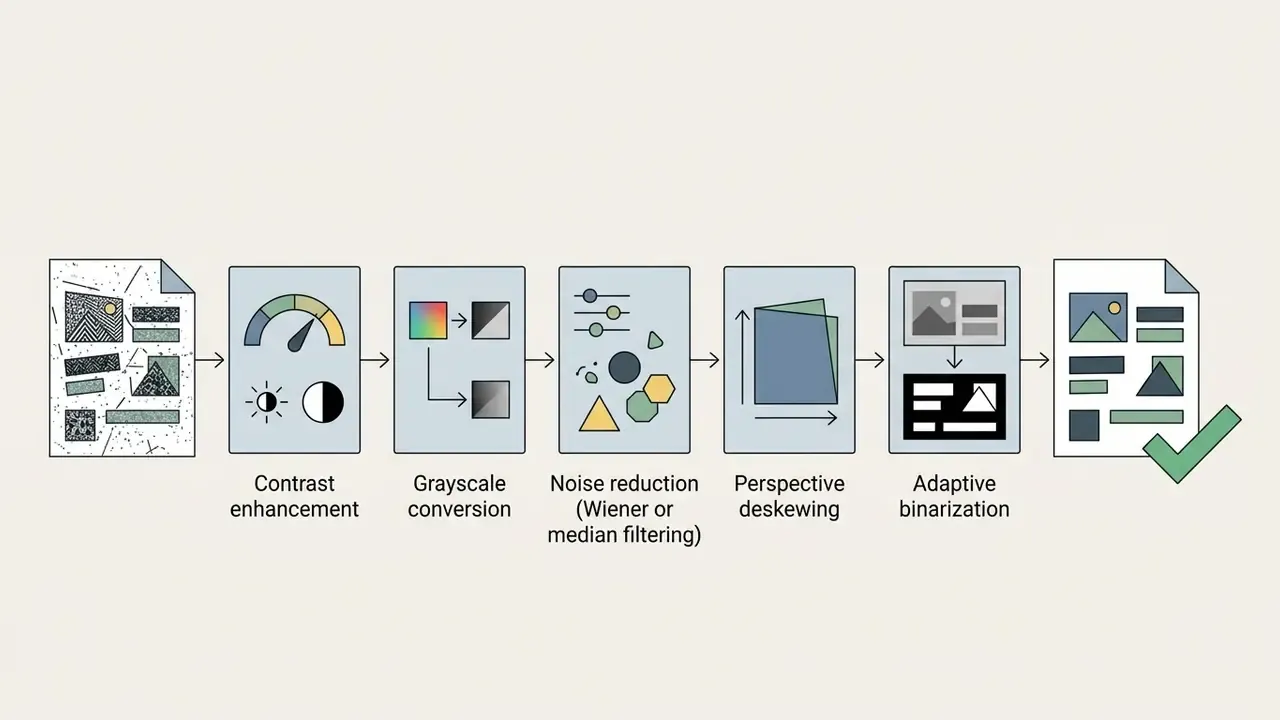
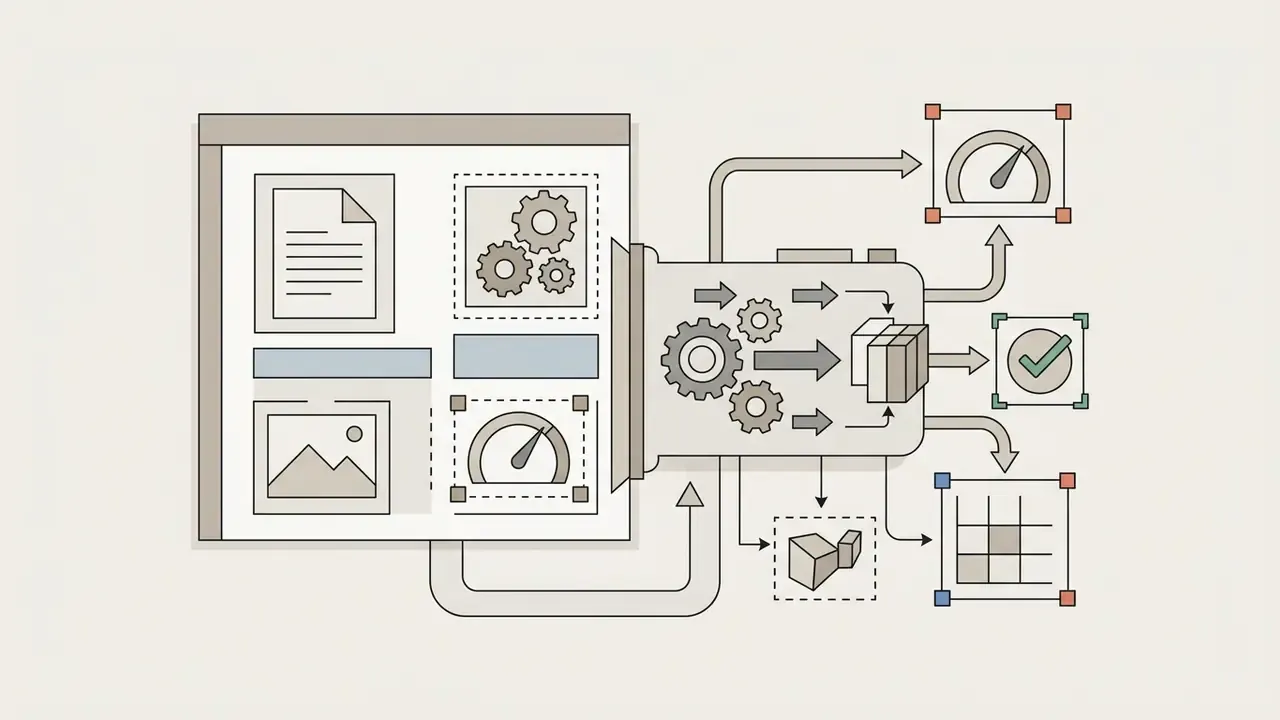
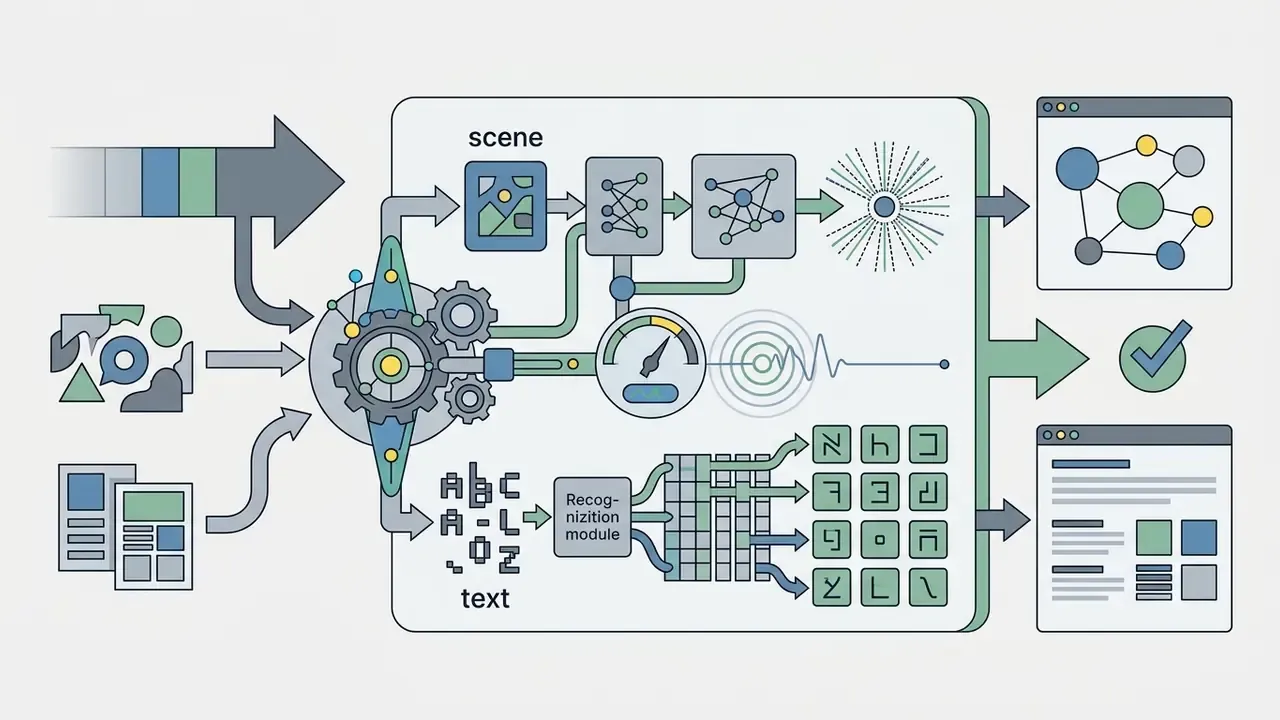
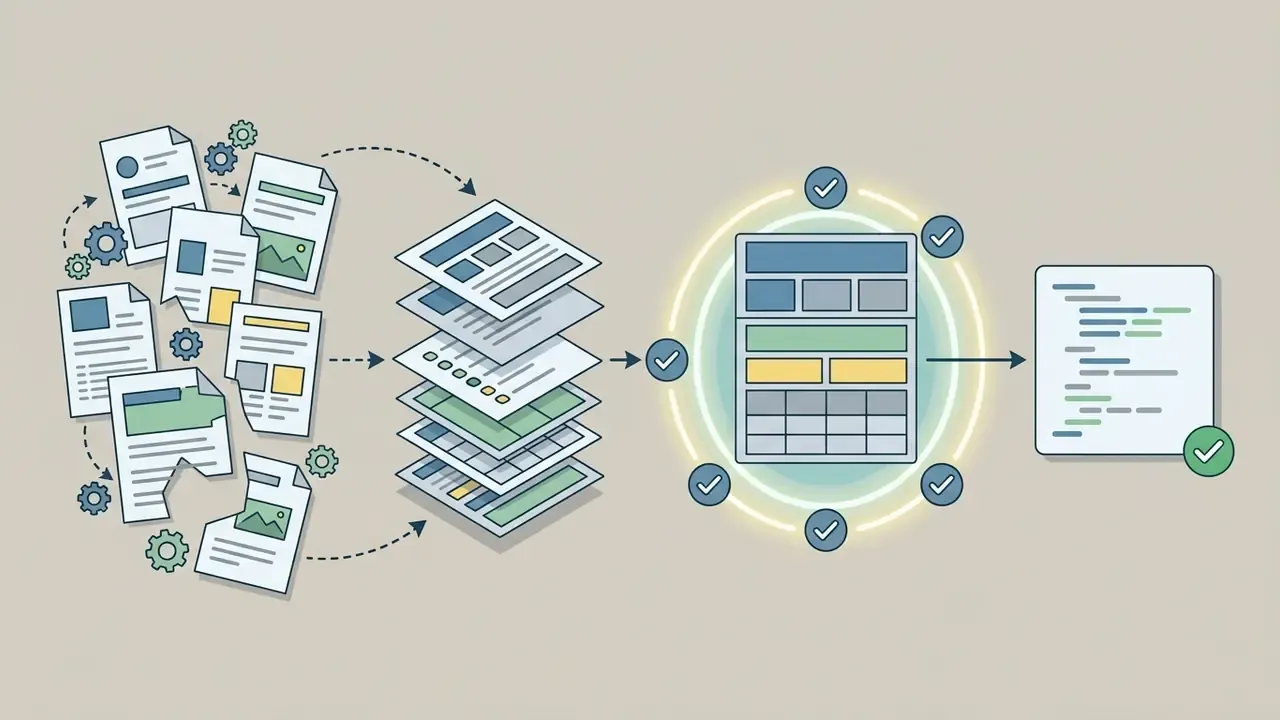
Image Analysis and Preprocessing Before Recognition
Before an image reaches a recognition network, automated preprocessing normalizes quality and strips environmental artifacts. Raw uploads routinely arrive with low illumination, motion blur, sensor noise or a skewed page angle, and each of those degrades model performance in a way no prompt fixes.
Technical reviews in document image analysis show that standard chains run grayscale transformation, adaptive contrast enhancement such as CLAHE (Contrast Limited Adaptive Histogram Equalization), noise filtering and deskewing. Peer-reviewed pipelines commonly sequence an adaptive Wiener filter for noise suppression, CLAHE for local contrast and a gamma transform for illumination correction before binarization, with adaptive thresholding preferred over global thresholding whenever lighting is uneven. Correcting geometric curvature and normalizing contrast reduces recognition variance. Robustness studies go further: targeted preprocessing suppresses model hallucination and lowers character error rates across low-quality scans and outdoor photos.
Text Detection, Recognition and Extraction
Text extraction runs in two neural stages: detection, which locates where text exists in pixel coordinates, and recognition, which transcribes those pixels into characters. Modern frameworks fuse both into end-to-end vision transformer models.
During detection, bounding box algorithms identify word-level or line-level regions across the image matrix. Classical pipelines break this into four discrete stages, localization, verification, segmentation and recognition, where verification filters text from non-text candidates and normalization rescales each box to a fixed height before segmentation. During recognition, visual feature vectors pass to a language decoder that predicts character sequences from geometry plus contextual language probability. Benchmarking data from OCRBench v2 (2025) makes the dependency clear: robust localization is a prerequisite for downstream reasoning, and misaligned bounding boxes directly cause character omissions and hallucinated strings.
Text Reconstruction, Translation and Output Formats
Once characters are recognized, the pipeline rebuilds logical formatting, reading order and tabular hierarchy, then exports to JSON, Markdown or DOCX. Advanced multimodal tools can translate extracted text while preserving original document coordinates.
Reconstruction algorithms analyze spatial offsets to distinguish multi-column body text, sidebars, headers and embedded data tables. Frameworks such as PaddleOCR's PP-Structure and Docling parse visual spatial trees into structured JSON or clean Markdown, with PP-Structure emphasizing layout-faithful DOCX recovery and Docling emphasizing structured JSON and Markdown across PDF, DOCX, PPTX, XLSX, HTML and scanned images.
For global institutions, folding machine translation into the reconstruction phase enables document localization without destroying table structure: the pipeline extracts only translatable text nodes with stable IDs, translates them, then reinjects them into the preserved structure, so styles, tables, headers and footers survive intact. Implementation patterns are covered in our api integration guide.
Human-in-the-Loop Thresholds and Audit Trail Protocol
| Field confidence score | Automated action | Human review requirement | Retention of evidence |
|---|---|---|---|
| 0.97 or higher (non-monetary fields) | Straight-through processing | None; sampled at 1% to 2% for quality monitoring | Bounding box, raw text, model version |
| 0.85 to 0.97 | Accept with flag | Batch-level spot check by operations reviewer | Full evidence bundle plus flag reason |
| Below 0.85 | Hold, route to manual verification queue | Mandatory field-level human confirmation | Full evidence bundle, reviewer decision, timestamp |
| Any monetary, identifier or signature field | Dual-track extraction (OCR plus VLM cross-check) | Mandatory review on any mismatch between tracks | Both track outputs plus reconciliation record |
| Schema validation failure | Reject to exception queue | Mandatory engineering triage | Payload hash plus validation error trace |
Best AI Tools That Can Read Images for Personal and Business Use
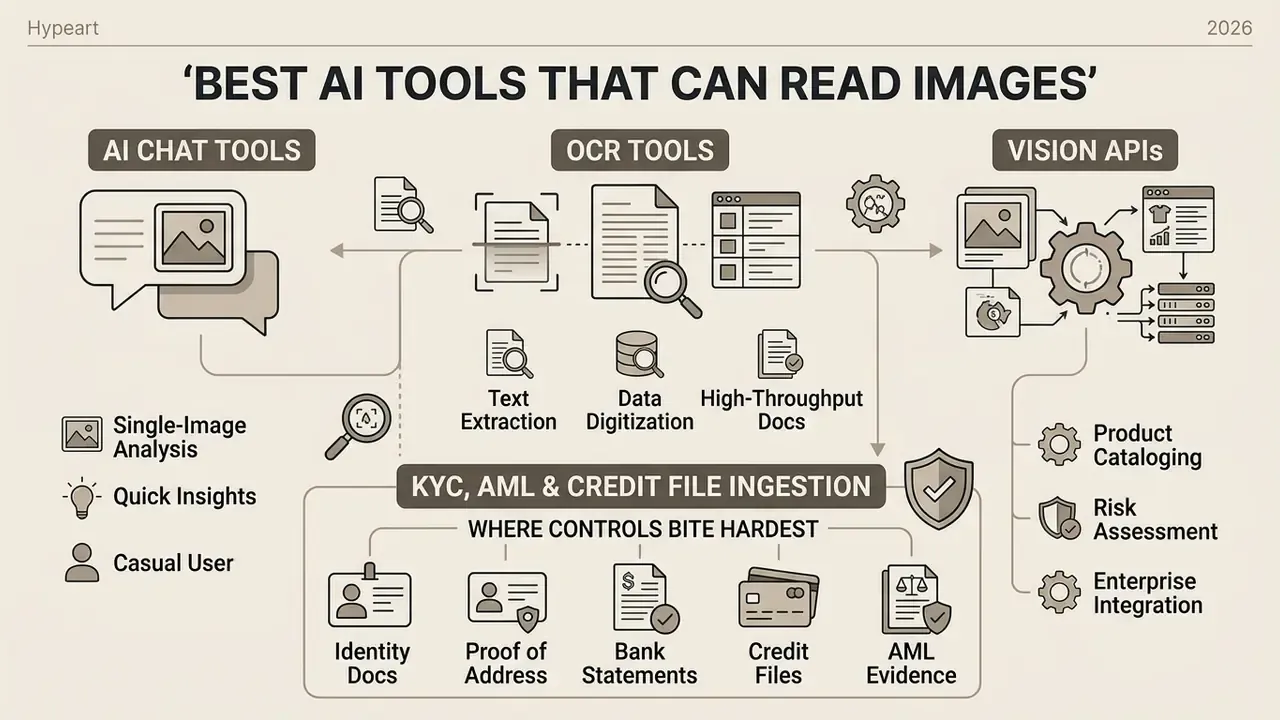
Which AI can read images best depends on the job: rapid single-image analysis, high-throughput document extraction, or enterprise API integration for cataloging and risk management. There is no single winner, and vendors that claim otherwise are selling.
Comparative evaluation of leading AI image reading platforms by functional capability
| Category | Representative platforms | Core strengths | Handwriting and complex document performance | Deployment / API support | Primary commercial use case |
|---|---|---|---|---|---|
| AI vision chat tools | OpenAI GPT-4o, Anthropic Claude 3.5 Sonnet, Google Gemini 2.0 Pro | Open-ended visual reasoning, contextual Q&A, scene description | Moderate handwriting support; variable structural table extraction | REST API, web UI, SDKs | Ad-hoc visual investigation, interactive document query, prototyping |
| Specialized OCR engines | DeepSeekOCR, HunyuanOCR, Adobe Acrobat OCR, Kofax ReadSoft, ABBYY FineReader | High-precision character transcription, layout-aware parsing | High on clean print; strong tabular and formula recovery | On-premise Docker, cloud API, native SDKs | Bulk document ingestion, invoice processing, loan record digitization |
| Enterprise cloud vision APIs | Google Cloud Vision API, Azure AI Vision, Amazon Rekognition | Scalable object detection, content moderation, label and face analysis | High OCR accuracy on standard forms; specialized Document AI models | Enterprise REST and gRPC APIs, IAM-managed endpoints | Automated cataloging, media moderation, KYC identity verification |
| Archival and handwriting platforms | Transkribus, Handwriting OCR, Pen to Print | Historical script models, batch archival transcription, full-text search | Strongest tier for cursive, Kurrent, Sütterlin, Fraktur and mixed documents | Web platform, credit-based API, EU-hosted processing | Archive digitization, genealogy, research corpora, handwritten forms |
AI Chat Tools for Reading a Single Picture
Multimodal chat interfaces, including OpenAI's vision-enabled GPT models, Anthropic's Claude 3.5 Sonnet and Google's Gemini series, let a user upload one photo or screenshot and query it in natural language. They pair visual encoding with language model reasoning to return conversational answers, which is why so many people now use them as an informal picture ai reader.
«In MM-Vet v2, Claude 3.5 Sonnet scored 71.8, GPT-4o 71.0, and the strongest open model InternVL2-Llama3-76B reached 68.4.»
Upload a complex diagram, an error log screenshot or a financial chart and the model will explain relationships, summarize text or convert visual data into code. Versatile, yes. But conversational tools suit high-volume automated pipelines poorly, because latency is higher and text output varies between runs. Watch the input constraints too: vision chat endpoints typically accept PNG, JPEG, WEBP and non-animated GIF only, and some rescale large images (for example to 3072×3072) before encoding, which silently reduces small-print legibility.
OCR Tools for Image-to-Text Extraction
Dedicated OCR tools do one thing: convert image files into precise, editable text with minimal computational overhead. The range runs from open-source engines like Tesseract to enterprise suites such as Adobe Acrobat OCR and ABBYY FineReader, plus open-weights engines including DeepSeekOCR and HunyuanOCR.
Results in the MORE benchmark (arXiv, 2026) show specialized OCR architectures reaching top-tier overall parsing scores, up to 92.42 across text, table, formula, code and catalog submetrics, ahead of broad multimodal models on structured document extraction.
«HunyuanOCR ranked first on four of six MORE submetrics, formulas, tables, code and catalogs, while PaddleOCR-VL reached 87.96.»
These engines convert multi-page scanned PDFs into searchable documents, hold exact character boundaries and maintain reading order. Institutions processing thousands of standardized financial statements rely on them to keep Character Error Rates low and cost per page lower. If multilingual or bilingual documents are in scope, remember that most engines need explicit language hints or installed language packs, for example -l eng+fra in OCRmyPDF, and will otherwise default to English without warning you.
Vision APIs for Product Images and Automated Analysis
KYC, AML and Credit File Ingestion: Where Controls Bite Hardest
Decision Tree: Choosing the Right Architecture
Take the shortest path that satisfies the task, then layer governance on top:
- High-volume, repetitive parsing of standardized documents (invoices, statements, KYC forms) → specialized Document AI or OCR engine with schema validation and confidence routing.
- Born-digital PDFs → direct text-layer parsing, not OCR. Faster, deterministic, cheaper.
- One-off interpretation of an unfamiliar visual (chart explanation, anomaly spotting, screenshot triage) → multimodal VLM chat, with a human reading the output.
- Catalog metadata, alt text, palettes and quality screening at scale → cloud vision API or analyzer with structured multi-mode output.
- Cursive, archival or century-specific handwriting → dedicated handwriting and archival transcription platform with script-specific models.
- Formulas and STEM notation → VLM with LaTeX or MathML output, verified by the author before reuse.
- PII, regulated data or a data-residency mandate → on-premise or single-tenant deployment, regardless of the accuracy ranking above.
Pricing, Free Limits and Commercial-Use Decisions
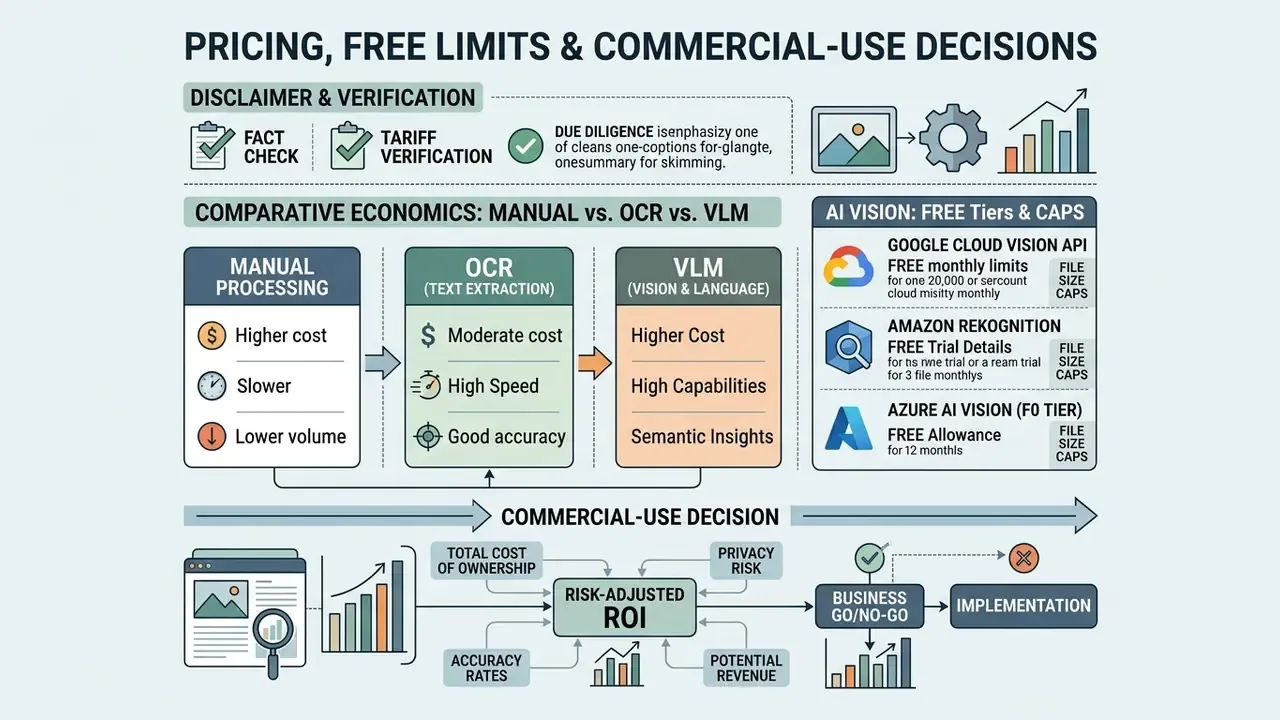
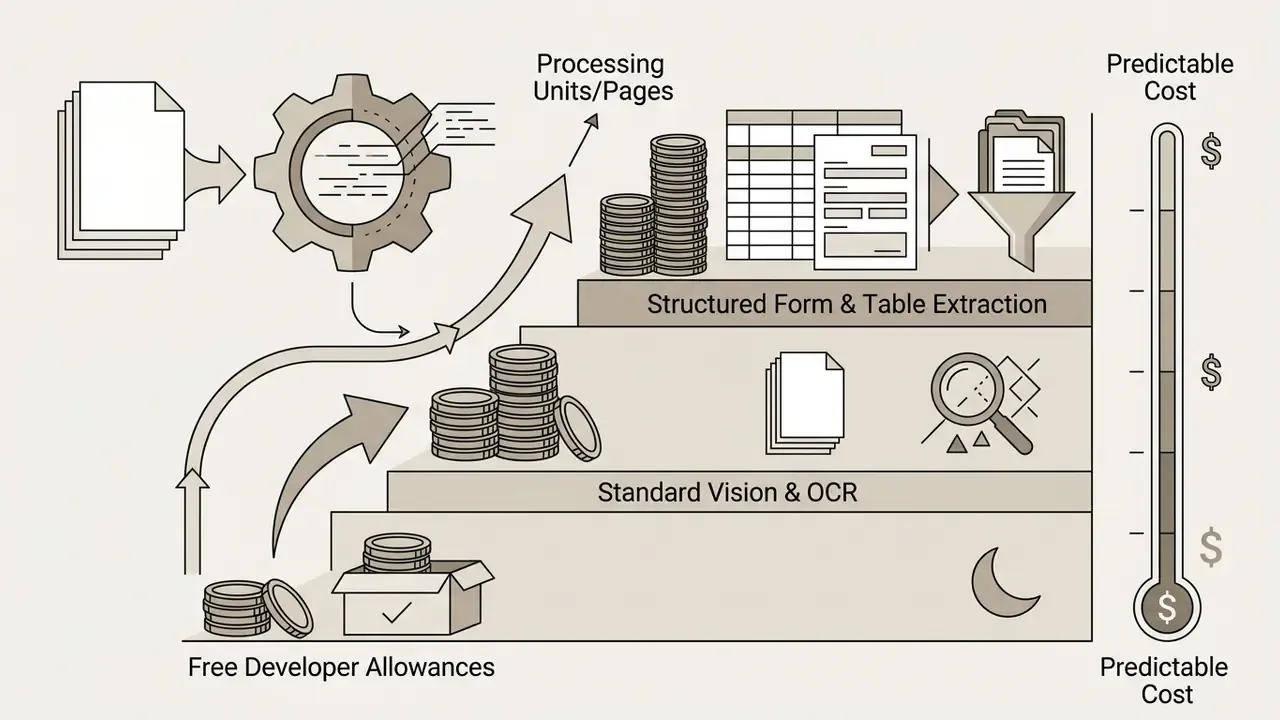
Commercial deployment of an ai to read images at scale requires evaluating pricing models, processing quotas, scaling costs and usage policy terms. Providers offer tiers from free developer allowances to volume-discounted API transactions.
Enterprise pricing and tier matrix for AI image reading services (indicative list pricing)
| Tier category | Volume / usage limits | Estimated unit cost | Typical fit |
|---|---|---|---|
| Free developer allowance | 1,000 to 5,000 units per month, rate limited | $0.00 | Prototyping, single-document tasks, feasibility tests |
| Standard business API | 1,001 to 5,000,000 units per month | $1.00 to $1.50 per 1,000 units | General OCR, labeling, moderation at steady volume |
| Structured document AI | Custom forms, tables, key-value extraction | $30.00 to $50.00 per 1,000 pages | Invoices, statements, applications requiring field schemas |
| Enterprise bulk (above 5M units) | High-volume committed tier | Approximately $0.60 per 1,000 units | Continuous ingestion at industrial scale |
| On-premise / self-hosted | Unlimited within owned infrastructure | Infrastructure plus engineering cost, no per-unit fee | Regulated data, residency mandates, zero external transfer |
Fact check and tariff verification:
Manual Processing vs OCR vs VLM: Comparative Economics
Comparative analysis of manual image processing versus OCR engines and multimodal models
| Criterion | Manual processing (human) | Specialized OCR engine | Multimodal VLM (GPT-4o, Claude 3.5) |
|---|---|---|---|
| Speed per image | 2 to 5 minutes for thorough tagging | 0.1 to 0.5 seconds | 1.5 to 3.0 seconds |
| Average cost | $0.15 to $0.50 per document; $0.017 to $0.20 per image if tagging is outsourced | $0.0006 to $0.0015 per page | $0.005 to $0.02 per request |
| Structure and table recognition | High but slow | High within trained templates | Very high and context-aware |
| Alt text and hex color extraction | Subjective and slow («blue» versus «navy») | Not supported | Automatic, with exact hex codes and standardized names |
| Consistency | Varies by reviewer and fatigue | Deterministic per model version | Same methodology, probabilistic wording |
| Data points captured | Typically 5 to 10 tags per image | Text, coordinates, confidence | 30+ points: colors, objects, text, composition, quality, mood |
| Scaling behavior | More images means more headcount | Flat marginal cost | Flat marginal cost, higher unit price |
| Residual risk | Transcription slips, inconsistency | Character-level errors, detectable | Hallucinated values, hard to detect |
Risk-Adjusted ROI: The Only Number That Survives Validation
Vendor-quoted per-page pricing is not the deployment cost. Model the full economics before approving a business case:
Total Cost of Ownership (per period)
  = (API unit price × processed volume)
  + (error rate × escalation share × manual verification cost per item)
  + preprocessing & infrastructure overhead
  + control operation cost (QA sampling, monitoring, model re-validation)
  + expected residual loss (undetected error rate × average error impact)
Risk-Adjusted ROI
  = [ (fully manual baseline cost) − (Total Cost of Ownership) ] ÷ Total Cost of Ownership
Two variables dominate the outcome, and both get underestimated with impressive regularity: the escalation share, meaning the percentage of items falling below the confidence threshold and needing human handling, and the undetected error rate on high-impact fields. A pipeline with a 3% escalation rate and clean validation on monetary fields produces a strongly positive risk-adjusted ROI. A pipeline with a 25% escalation rate on poor-quality mobile captures frequently costs more than the manual baseline it replaced. Which is why capture-quality controls at the source, client-side resolution checks, orientation validation, glare warnings, usually return more than a model upgrade. Boring, cheap, effective.
Free AI Image Readers: Limits and Suitable Tasks
Free tools and public web converters cover occasional, low-volume tasks. The constraints are real though: daily request caps, file size limits (typically 4 MB to 20 MB), rate limits and no access to advanced features like tabular parsing or handwritten script processing.
Free developer tiers fit ad-hoc work well: copying text from one screenshot, digitizing a single receipt, prototyping a workflow. Consumer-facing free tools follow the same shape, a monthly credit allowance (say 50 credits) or a daily cap on brief descriptions, with deeper analysis behind a paid tier. Readers wanting adjacent no-friction options can review free AI image generators without sign-up and estimate workloads with our AI Media Calculators.
One caution that matters more than the quota: public interfaces often keep data privacy terms vague, which makes them unsuitable for sensitive business records, personally identifying information or proprietary customer data. A free tool with an unclear retention policy is not cheap. It is unpriced risk.
Paid OCR and Vision Tools for High-Volume Processing
Applications processing thousands or millions of document images need paid API subscriptions or dedicated on-premise deployments. Paid models scale predictably, with lower per-unit costs at higher volume bands and contractual uptime commitments.
Pricing framing. Published 2026 list-price comparisons put basic OCR text extraction around $1.50 per 1,000 pages, with some vendors advertising bulk bands near $0.60 per 1,000 pages once monthly volume passes roughly five million pages. Those are list figures from vendor pages, not audited market averages, and comparison methodology is not disclosed uniformly across sources. Treat them as order-of-magnitude planning inputs and confirm against your negotiated rate card.
Page-based billing is also literal. Page-credit vendors charge one credit per physical page regardless of file type, so a 5-page PDF consumes 5 credits and cost scales with page count, not document count. Structured extraction engines such as AWS Textract or Google Document AI form parsers sit higher, typically $30.00 to $50.00 per 1,000 pages, and $50 to $70 per 1,000 pages for dense forms and tables, reflecting the added complexity of key-value extraction and table structure synthesis. Licensing terms are collected in our AI Media Commercial-Use Hub, alongside AI image generator commercial-use rights.
What to Check Before Using AI Images Commercially
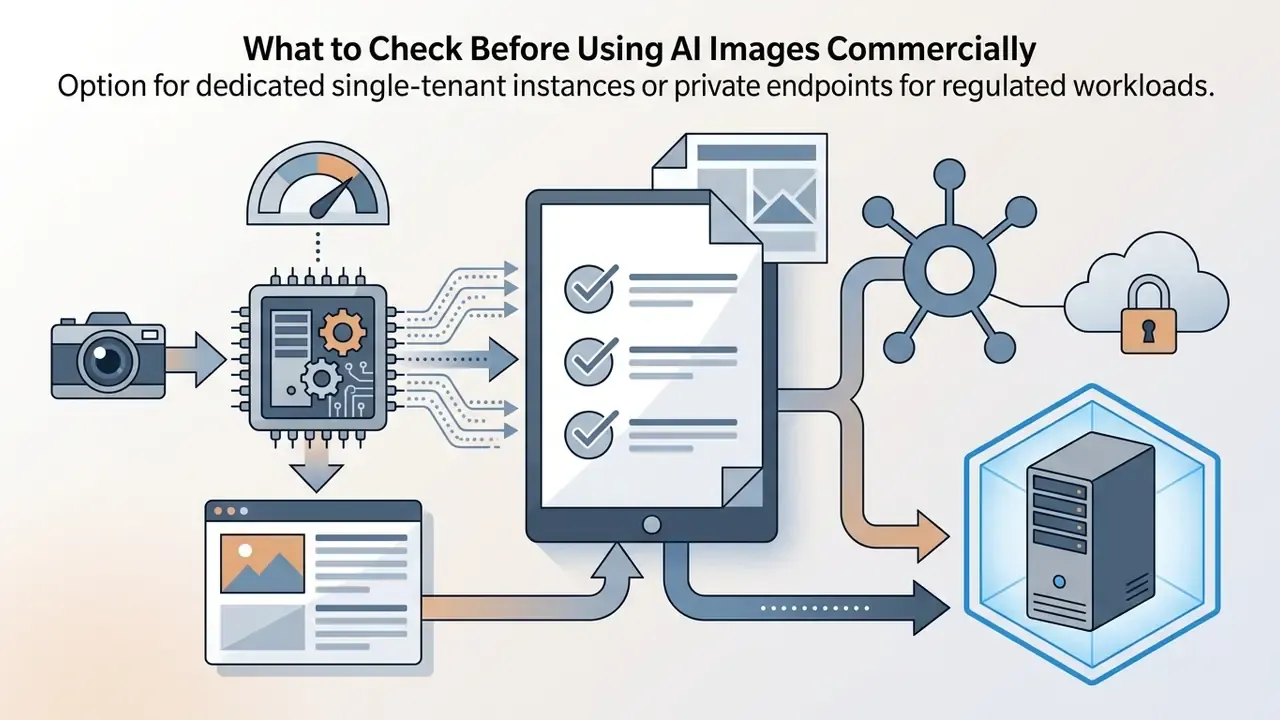
Before an image reader touches production, governance teams should run a vendor risk assessment spanning legal rights, data security, regulatory compliance and operational scalability. Criteria should be objective and quantitative, each with an explicit go/no-go threshold, in line with established software selection practice.
Key pre-deployment verification criteria:
- Data privacy and training permissions. Confirm whether uploaded visual data is used for model re-training or held in persistent unencrypted caches.
- Regulatory alignment. Ensure data handling matches relevant standards, for example GDPR, CCPA, SOC 2 Type II or ISO/IEC 27001.
- Service level agreements. Verify guaranteed uptime, latency bounds and fallback redundancy.
- Export and interoperability. Confirm structured export support (JSON Schema, Markdown, CSV) to avoid vendor lock-in.
- Commercial terms per tool. Compare licensing language and permitted downstream use across commercial-use terms for image-to-text tools before standardizing.
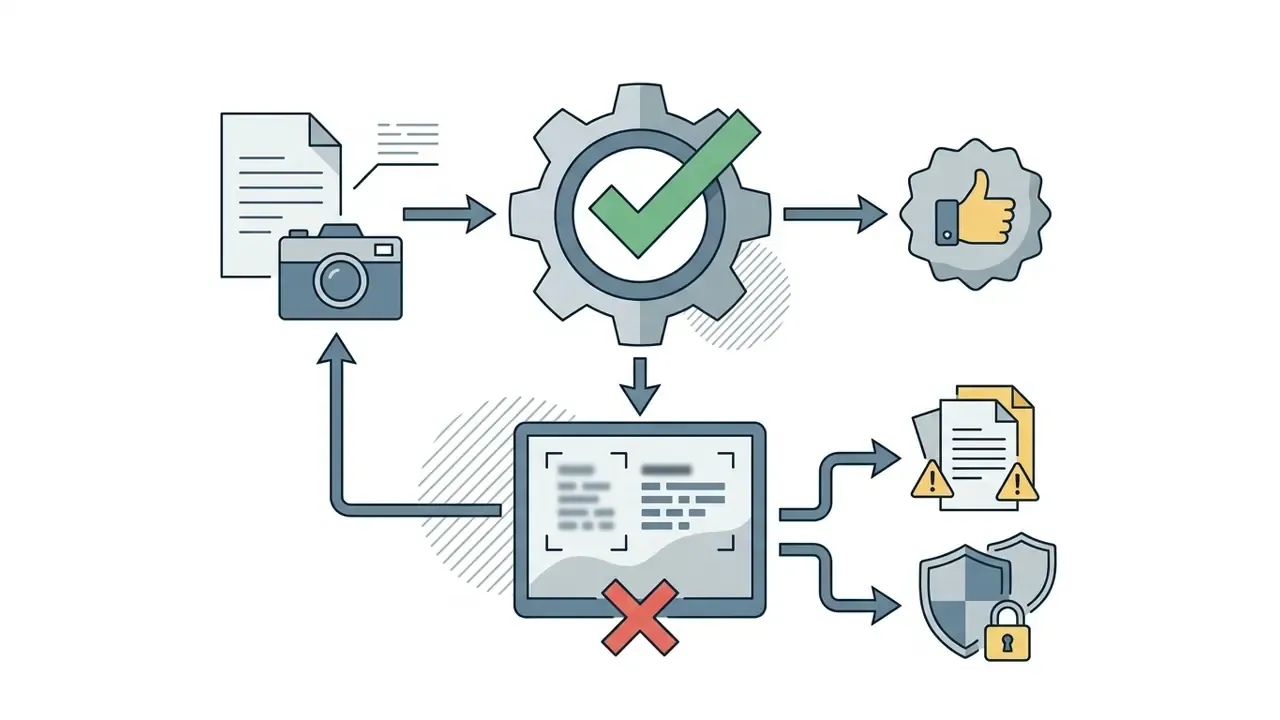
Accuracy, Privacy and Quality Factors When AI Reads Images
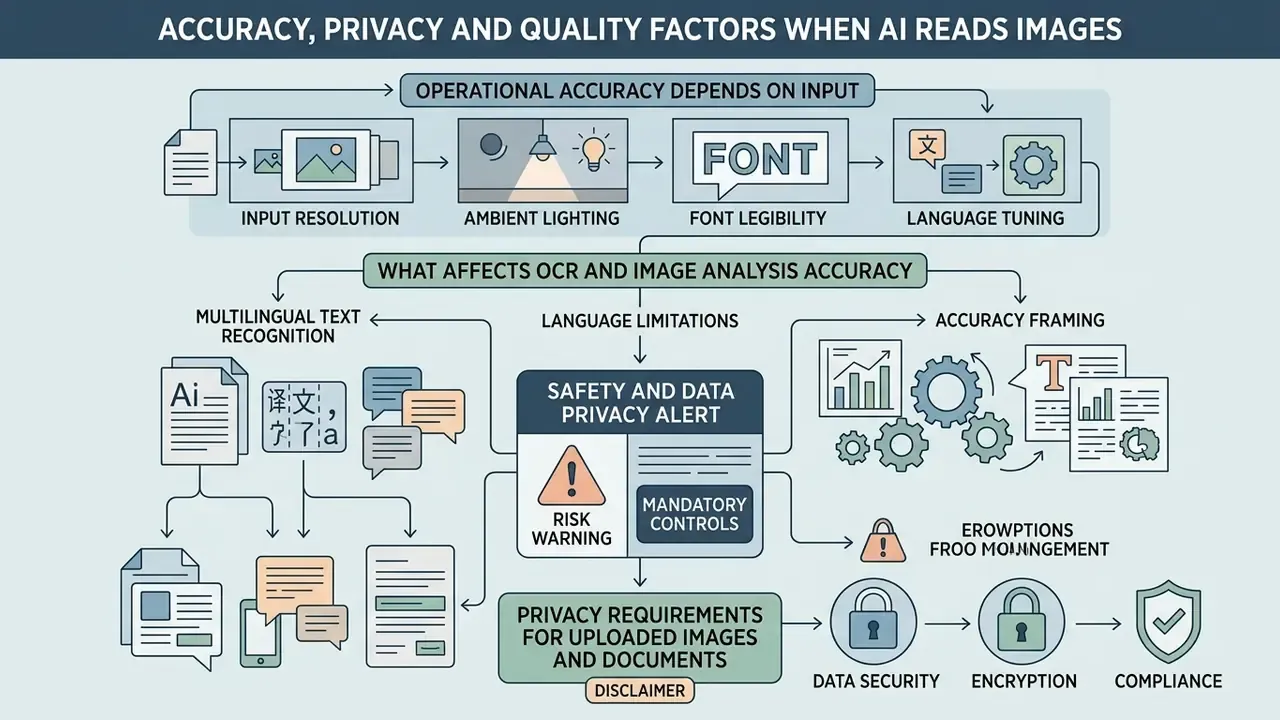
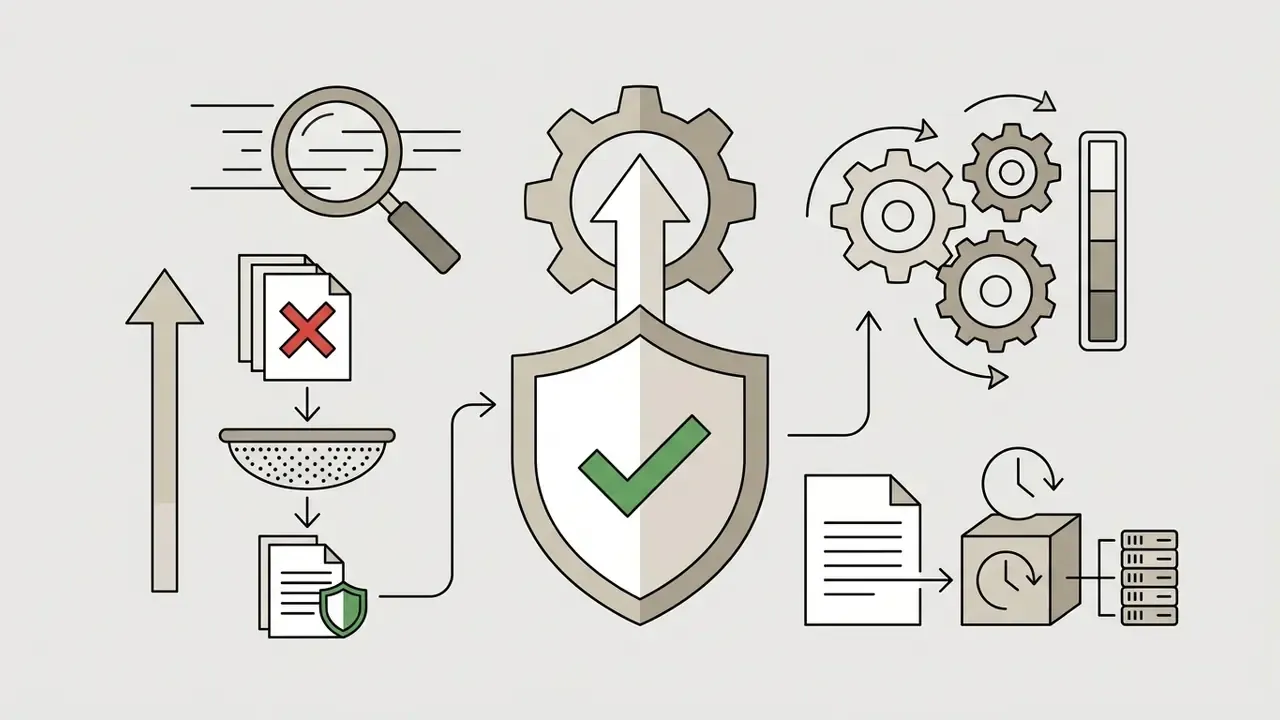
Operational accuracy depends heavily on input resolution, ambient lighting, font legibility and language tuning. At the same time, sending proprietary document images to external cloud APIs creates exposure that only governance controls can contain.
Safety and data privacy alert:
What Affects OCR and Image Analysis Accuracy
The deterministic factors are resolution (DPI), lighting uniformity, lens focus, perspective and text-to-background contrast. Guidance from major document capture vendors recommends a minimum of 300 DPI for standard 10pt printed text, rising to 400 to 600 DPI for small print (9pt or smaller) or dense tabular records. Where source resolution falls short, AI image upscalers for resolution enhancement can partially recover legibility, though upscaling never fully substitutes for a correct original capture.
Accuracy degradation factor matrix for visual AI ingestion
| Input condition | Expected impact | Mitigation |
|---|---|---|
| Resolution below 200 DPI | High error rate; small glyphs unresolvable | Re-scan at 300 to 600 DPI; enforce client-side resolution check |
| Uneven or low contrast lighting | Moderate error rate; partial line loss | CLAHE, gamma correction, adaptive thresholding; disable flash to avoid glare |
| Perspective skew above 15° | Moderate error rate; broken reading order | Automated deskew and dewarp; keep lens parallel to page |
| Motion blur or defocus | Critical failure risk | Reject at ingestion; require re-capture with manual focus lock |
| Subject occupying under 80% of frame | Reduced recognition confidence | Tight crop to the text block before submission |
| Brightness set too high or too low | Reduced accuracy at both extremes | Target mid-range brightness, around 50%, at scan time |
Empirical data from the Visual Robustness Benchmark for VQA (2024) shows that visual corruptions, Gaussian blur, sensor noise, uneven illumination, cause substantial performance drops in vision models.
«The benchmark comprises 213,000 augmented images and shows that high accuracy on clean images does not guarantee robustness under real-world corruption.»
Keeping source text at 80% or more of the frame, killing glare on glossy paper and deskewing page angles before ingestion measurably reduces Character Error Rates. Robustness-aware evaluation is now standard practice: current OCR-reasoning papers report clean accuracy next to corruption-retention metrics, precisely because one clean-image score overstates production performance.
Multilingual Text Recognition and Language Limitations
Enterprise OCR platforms support multilingual extraction across dozens of scripts, including Latin, Cyrillic, CJK (Chinese, Japanese, Korean), Arabic and Devanagari. Accuracy still varies with training volume and typographic complexity.
Specialized document models such as DocAtlas support up to 82 languages in one framework, yet operational gaps persist for low-resource languages, bilingual mixed-script documents and non-standard regional fonts.
«DocAtlas covers 82 languages, 11.7× more than the widely used XFUND dataset, and nine task types including tables, formulas and reading order.»
«CVQA spans 31 languages and 13 scripts across 30 countries; leading multimodal models performed weakly on low-resource languages and culturally specific content.» CVQA benchmark, NeurIPS (2024). https://arxiv.org/abs/2406.05967
Accuracy framing, replacing the earlier regulator-attributed CER figure. Rather than pinning a character-error-rate band to a regulatory body, treat CER as a task-specific quality tier measured on your own corpus. Low single-digit CER is achievable on clean Latin-script print. Mid-single to low-double digits is typical on degraded scans and mixed scripts. Anything above roughly 10% should be classified as unusable without human transcription. For bilingual or rare-script documents, engineering teams must pass language hints explicitly or install matching language packs, since most engines default to English and will mis-transcribe unlisted scripts without raising an error.
Privacy Requirements for Uploaded Images and Documents
Sending images containing sensitive data across an external perimeter invokes GDPR, CCPA and sector-specific financial privacy frameworks. Visual ingestion pipelines therefore need end-to-end encryption, strict access governance and zero-retention storage policies.
Personal data processed by AI systems must stay accurate, confidential, purpose-limited and bounded by explicit consent. Those obligations apply to visual payloads exactly as they apply to structured records, because a photograph of an ID document is personal data in the fullest sense. Vendor policy documentation says as much:
«Microsoft's Face API guidance requires explicit consent for biometric data collection, prohibits inference of sensitive attributes, and instructs deletion of source data once insights are extracted.»
When integrating commercial vision APIs, verify that payloads are encrypted in transit (TLS 1.3) and at rest (AES-256), that vendor logging retains data only for the brief window needed to execute the call, and that visual data is isolated from public training datasets. Compliance officers tracking legal developments can consult our AI Litigation and Case Timelines archive, and check provenance with AI image detectors for compliance verification where authenticity of a submitted image is itself the question.
On-Premise Deployment and Data Sovereignty
For organizations under localization or sectoral mandates, GDPR residency, national data-localization statutes, HIPAA-covered records, sending document images to a public cloud is often simply not permissible. The practical alternative is running open-weight OCR engines and vision models (DeepSeekOCR, HunyuanOCR, PaddleOCR, Tesseract, Docling) inside isolated Docker containers on owned infrastructure, which removes PII egress risk entirely.
Deployment considerations for sovereign or self-hosted visual AI:
- Network isolation. Run inference in a segmented VPC or air-gapped subnet with no outbound route. Pull model weights once through a reviewed artifact pipeline.
- Model provenance and pinning. Record the weight hash and container digest for every deployed version, so extraction results stay reproducible for validators years later.
- Regional hosting as a middle path. Where full self-hosting is impractical, EU-based processing on named servers in a specified country, with GDPR-compliant terms and no training use without consent, is a recognized compromise used widely by archival and public-sector institutions.
- Cost inversion. Self-hosting swaps per-page fees for fixed GPU and engineering cost, which turns favorable at sustained high volume. Often it is the only option that clears legal review anyway.
- Ownership of derived text. Confirm contractually that uploaded images and extracted text remain your property and are deletable on demand, including from backups and caches.
Production Readiness Checklist for Visual AI Under Model Risk Management
Use this as the pre-approval gate before any image-reading pipeline touches production data:
Checklist0 / 23
Limitations and Open Questions
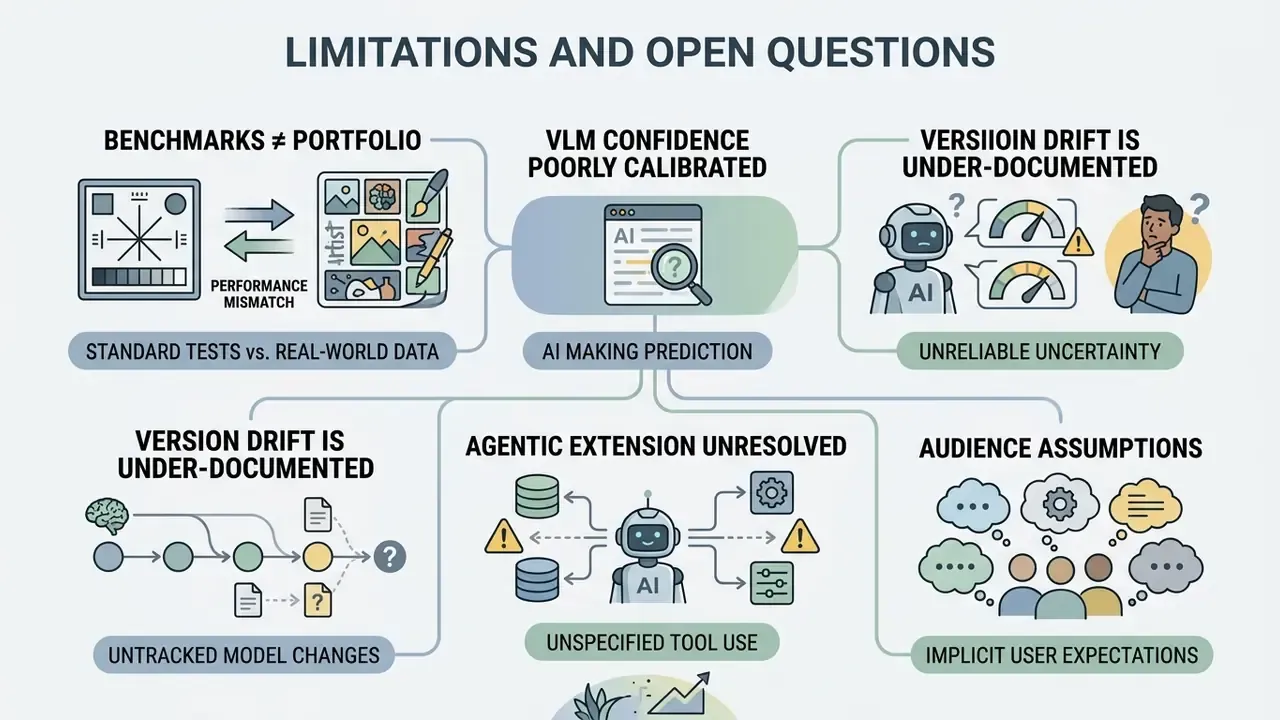
Honest reporting means naming what the evidence does not settle.
- Benchmarks are not your portfolio. Public scores are measured on curated corpora. Your mobile-captured, glare-heavy, multi-format document population will produce different numbers, usually worse. Measure locally before you commit.
- VLM confidence remains poorly calibrated. Token log-probabilities are a weak proxy for extraction reliability. Until vendors expose calibrated per-field confidence, cross-validation is the substitute, and it costs compute.
- Version drift is under-documented. Hosted models change without a validation event. How institutions should treat a silent upgrade under existing model risk frameworks is, frankly, still an open governance question.
- Agentic extension is unresolved. An agent that reads a document, then acts on it, opens a chain of decisions no single validation covers. Bound the autonomy first: read and propose, do not read and execute.
- Audience assumptions. The pain points and buying criteria referenced here should be treated as hypotheses until confirmed by analytics, interviews, CRM data or verified customer research.
Technical Summary and Next Steps
Evaluating an ai that reads images comes down to aligning tool selection with data governance requirements:
A safe next step, if you are early: pick one document class, run 500 real files through two architectures, and compare field-level accuracy and escalation rate rather than vendor decks. That single exercise usually settles the procurement argument.
FAQ: AI That Reads Images, Accuracy and Cost
Can AI read messy handwriting?
Often yes, though accuracy depends heavily on legibility, ink contrast and capture quality. Clear block print performs close to printed text. Connected cursive and historical hands need dedicated models plus human verification.
Which is more accurate for invoices, a specialized OCR engine or a frontier chat model?
Specialized OCR and Document AI engines, on current benchmark evidence. They also fail more visibly, which in a controlled environment matters more than the raw score.
Do free tiers work for business use?
For prototyping and one-off tasks, yes. For anything containing customer data or requiring an audit trail, no. Free public converters typically lack the retention, residency and logging guarantees compliance requires.
How much does it cost to process 100,000 pages?
At standard general-OCR list rates near $1.50 per 1,000 pages, roughly $150 in API fees, before preprocessing, escalation handling and control costs, which usually exceed the API line item. Structured field extraction on the same volume can run $3,000 to $5,000.
Which AI can read images for KYC document ingestion?
Cloud Document AI services and specialized OCR engines handle identity documents and proof-of-address files at production volume. Whichever you choose, treat identifier fields as dual-track extraction with mandatory review on mismatch.
Is there an ai that read images offline or on-premise?
Yes. Open-weight engines such as DeepSeekOCR, HunyuanOCR, PaddleOCR and Tesseract run in containers on owned infrastructure, which is usually the only architecture that clears a strict data-residency review.
Can AI extract math formulas?
Yes. VLM-based parsers output LaTeX or MathML from photographed equations, though notation-heavy expressions should be visually verified before reuse.
Will AI replace manual data entry entirely?
Not in regulated workflows. It removes most keystrokes while shifting human effort to exception handling, verification of high-impact fields and control monitoring.
Is scanned content secure once uploaded?
Only as far as the vendor contract and architecture guarantee. Verify retention windows, training exclusion, encryption and residency in writing.
How do I detect VLM hallucination in extracted data?
Cross-validate against a deterministic OCR pass, apply checksum and format rules, and require human confirmation wherever the two tracks disagree.
References
- DocAtlas benchmark, arXiv (2025). https://arxiv.org/abs/2605.12623
- MORE benchmark, arXiv (2026). https://arxiv.org/pdf/2607.02956.pdf
- VistaQA benchmark, arXiv (2026). https://vistaqa.github.io
- CC-OCR benchmark, arXiv (2024). https://arxiv.org/abs/2407.03386
- Visual Robustness Benchmark for VQA, arXiv (2024). https://arxiv.org/abs/2407.03386
- OCRBench v2, arXiv (2025). https://99franklin.github.io/ocrbench_v2
- Handwritten text recognition benchmarking study, arXiv (2025). https://arxiv.org/pdf/2503.15195.pdf
- CVQA benchmark, NeurIPS (2024). https://arxiv.org/abs/2406.05967
- MM-Vet v2 benchmark, arXiv (2024).
- Approaches to Facial Recognition from Cloud Providers, preprint (2025).
- DocAtlas benchmark, arXiv (2025).
- - DocAtlas benchmark, arXiv (2025).
- MORE benchmark, arXiv (2026).
- - MORE benchmark, arXiv (2026).
- VistaQA benchmark, arXiv (2026).
- - VistaQA benchmark, arXiv (2026).
- OCR benchmark, arXiv (2024).
- - CC-OCR benchmark, arXiv (2024).
- OCRBench v2, arXiv (2025).
- - OCRBench v2, arXiv (2025).
- Handwritten text recognition benchmarking study, arXiv (2025).
- - Handwritten text recognition benchmarking study, arXiv (2025).
- CVQA benchmark, NeurIPS (2024).
- - CVQA benchmark, NeurIPS (2024).
Appendix A: Editorial Revision Log
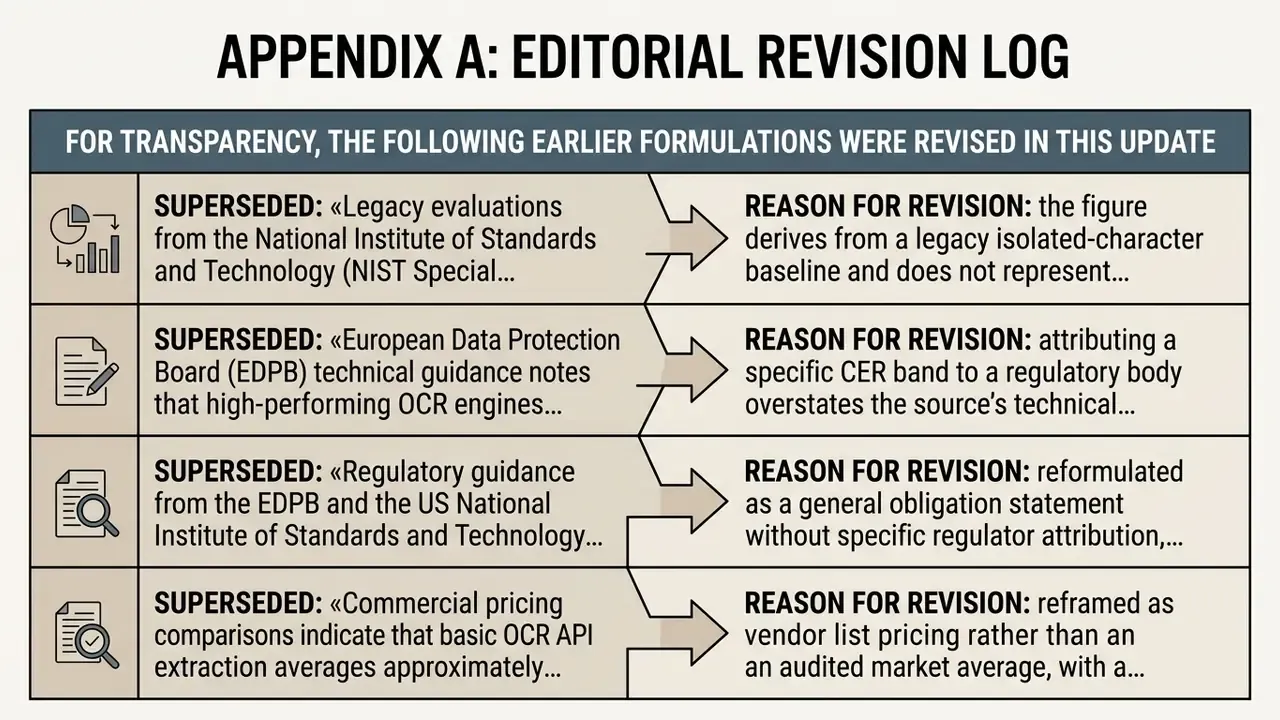
For transparency, the following earlier formulations were revised in this update. Superseded wording is retained for reference.
- Superseded: «Legacy evaluations from the National Institute of Standards and Technology (NIST Special Database 19) document baseline handprint character accuracy at 92.9% for isolated digits, but accuracy decreases on unstructured, continuous handwriting.»
Reason for revision: the figure derives from a legacy isolated-character baseline and does not represent continuous-handwriting performance in 2026 pipelines. Replaced with distribution-based framing plus the 2025 arXiv handwriting benchmark.
- Superseded: «European Data Protection Board (EDPB) technical guidance notes that high-performing OCR engines maintain a Character Error Rate between 1% and 2% on clean Latin-script documents.»
Reason for revision: attributing a specific CER band to a regulatory body overstates the source's technical scope. Replaced with corpus-measured CER quality tiers.
- Superseded: «Regulatory guidance from the EDPB and the US National Institute of Standards and Technology (NIST) mandates that personal data processed by AI systems must remain accurate, confidential, and bounded by explicit user consent.»
Reason for revision: reformulated as a general obligation statement without specific regulator attribution, supplemented by documented vendor policy requirements for biometric and face processing.
- Superseded: «Commercial pricing comparisons indicate that basic OCR API extraction averages approximately $1.50 per 1,000 pages… dropping toward $0.60 per 1,000 pages for monthly volumes exceeding 5 million units.»
Reason for revision: reframed as vendor list pricing rather than an audited market average, with a methodology caveat added.