That last point is the one procurement teams keep underestimating.
(Author note: Marcus Hale contributes the digital asset risk and software governance analysis. Technical, legal and pricing claims are attributed to named external sources.)
Last updated: August 2026.
Key Takeaways for Decision-Makers
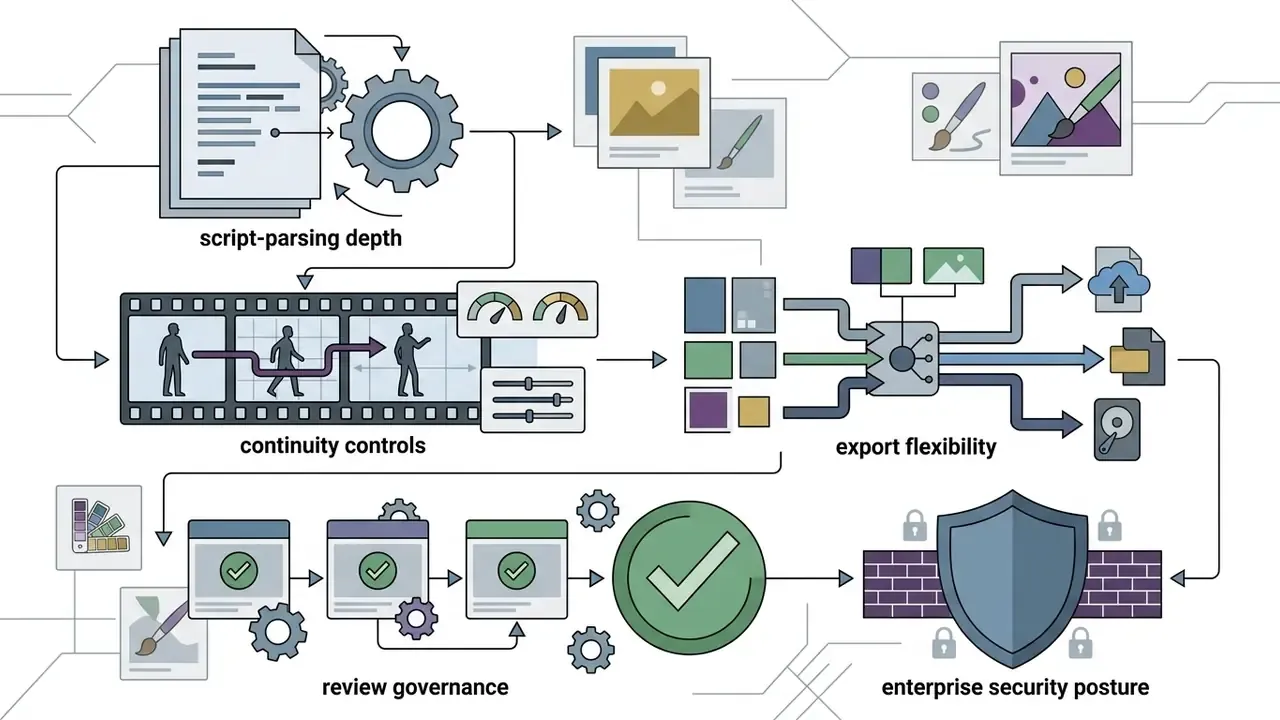
Who this guide is written for
What is an AI storyboard generator and which tasks does it solve
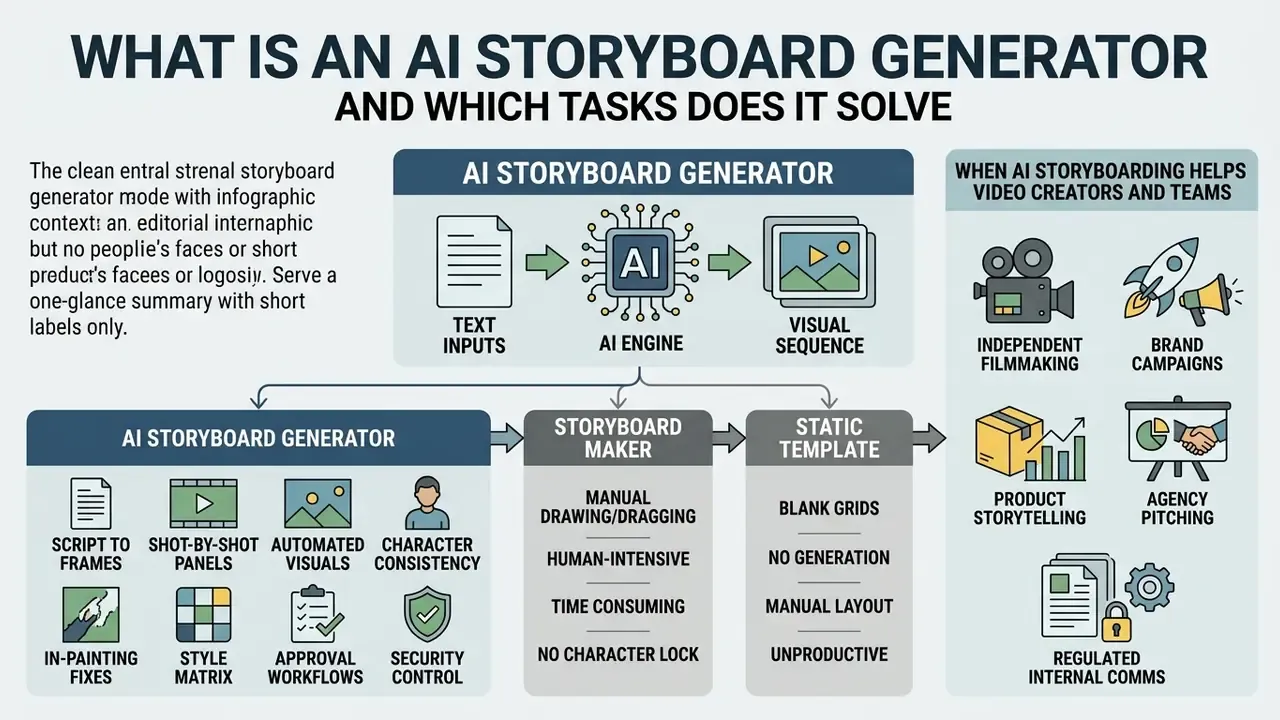
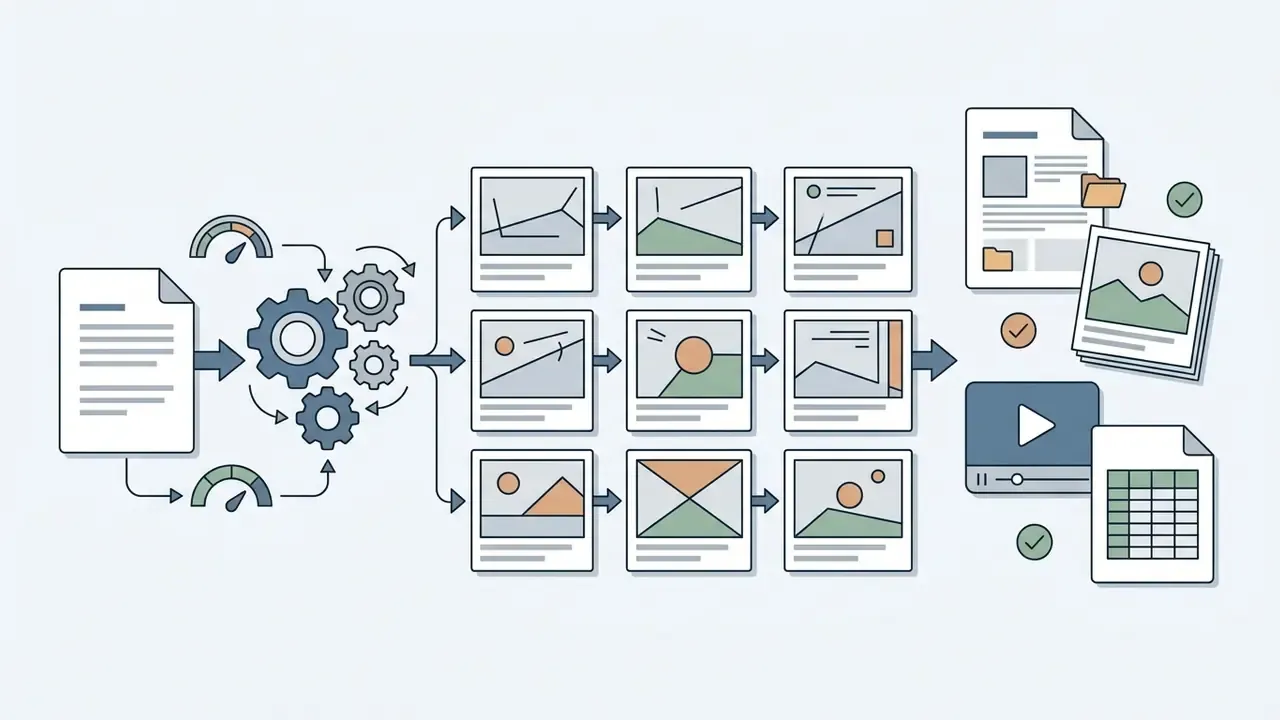
An AI storyboard generator is a specialized pre-production tool that converts text descriptions, screenplay lines or promotional briefs into sequential visual panels (storyboard images) representing key camera shots before physical production or rendering starts. A storyboard is a shot-by-shot visual roadmap for video, film or commercial campaigns, where each frame captures scene composition, character positioning, action cues and visual context. In enterprise production environments, the generator removes the manual drawing bottleneck by translating prompts directly into keyframe sequences. That accelerates planning for television commercials, product storytelling, video production and integrated brand marketing.
Research in story visualization shows that AI storyboarding formalizes pre-production into structured computational tasks instead of loose creative guesswork.
«TeViS defines the task as retrieving and ordering keyframes that represent key plot points, producing a visual plan for video production.»
By using Large Language Models (LLMs) to parse narrative beats, alongside diffusion or transformer architectures to render frames, creative teams can test dozens of visual concepts in minutes rather than days. For additional terminology on automated asset generation, explore our AI media glossary.
How an AI storyboard creator differs from a storyboard maker and a static template
An ai storyboard creator extracts scenes, character entities and shot breakdowns from raw text or screenplay files and generates new panels automatically. A traditional storyboard maker gives you a manual drag-and-drop canvas: you draw, upload or arrange stock graphics frame by frame. Static templates only provide pre-formatted grids, text fields and aspect-ratio boxes, with no generative or analytical capability at all.
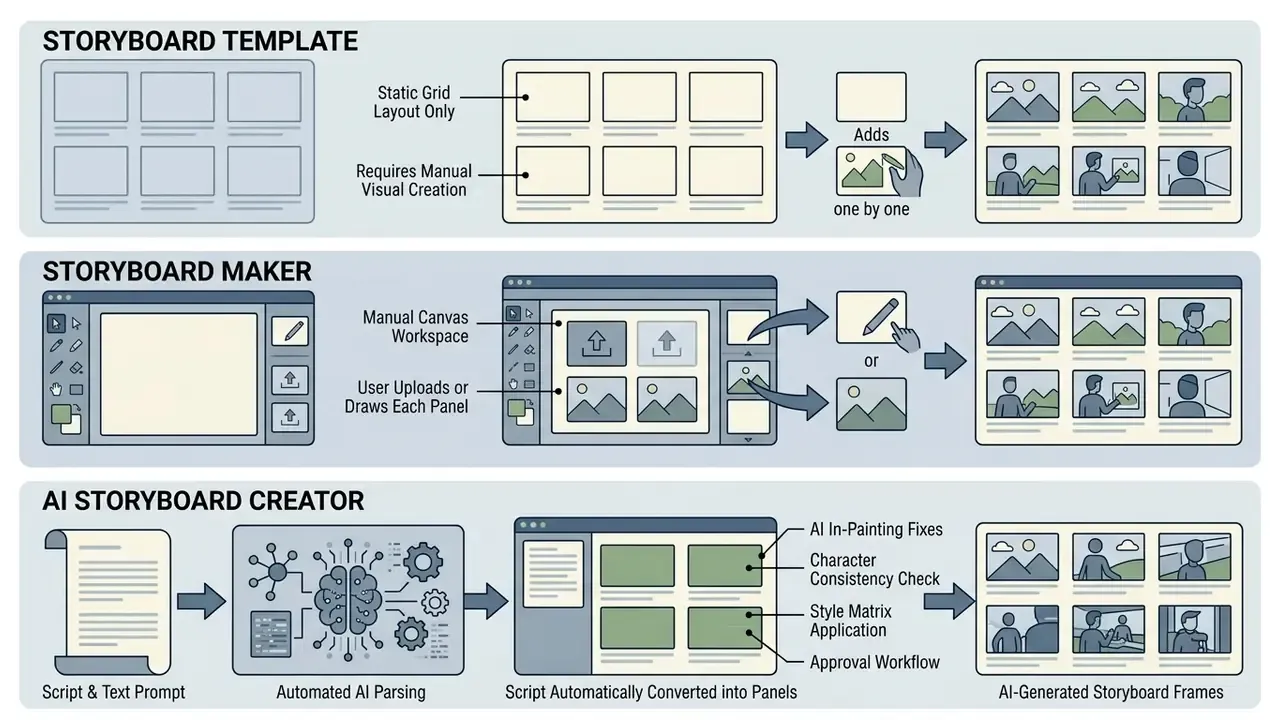
With an ai story board creator, automation is high during the first draft, and human effort shifts from drawing to refinement, camera-angle adjustment and editorial curation. Teams comparing the rendering engines behind those panels can review our analysis of the best AI art generators by image quality, style control and licensing.
| Capability | Static Template | Storyboard Maker | AI Storyboard Creator |
|---|---|---|---|
| Frame creation | Empty grid only | Manual draw / upload | Auto-generated from text |
| Script ingestion | None | Copy-paste captions | Automatic beat parsing |
| Continuity control | None | Artist discipline | Reference anchors, locked seeds |
| Speed to first draft | Hours to days | Hours | Minutes |
| Human role | Author everything | Author everything | Direct, curate, approve |
Read the last row twice. The tool does not remove the author; it moves the author from production to direction.
When AI storyboarding helps video creators and teams
AI storyboarding earns its place for filmmakers, videographers, advertising agencies and enterprise marketing teams during pre-visualization, when visual alignment is needed before capital moves. Directors use ai storyboard creation tools to test blocking and framing. Agencies build 15-second or 30-second commercial boards to secure client sign-off before budget is committed. Corporate communications teams structure explainer videos and product demos. Teams planning the downstream generation stage can also review our guide to AI video generators to see how storyboard frames feed motion pipelines.
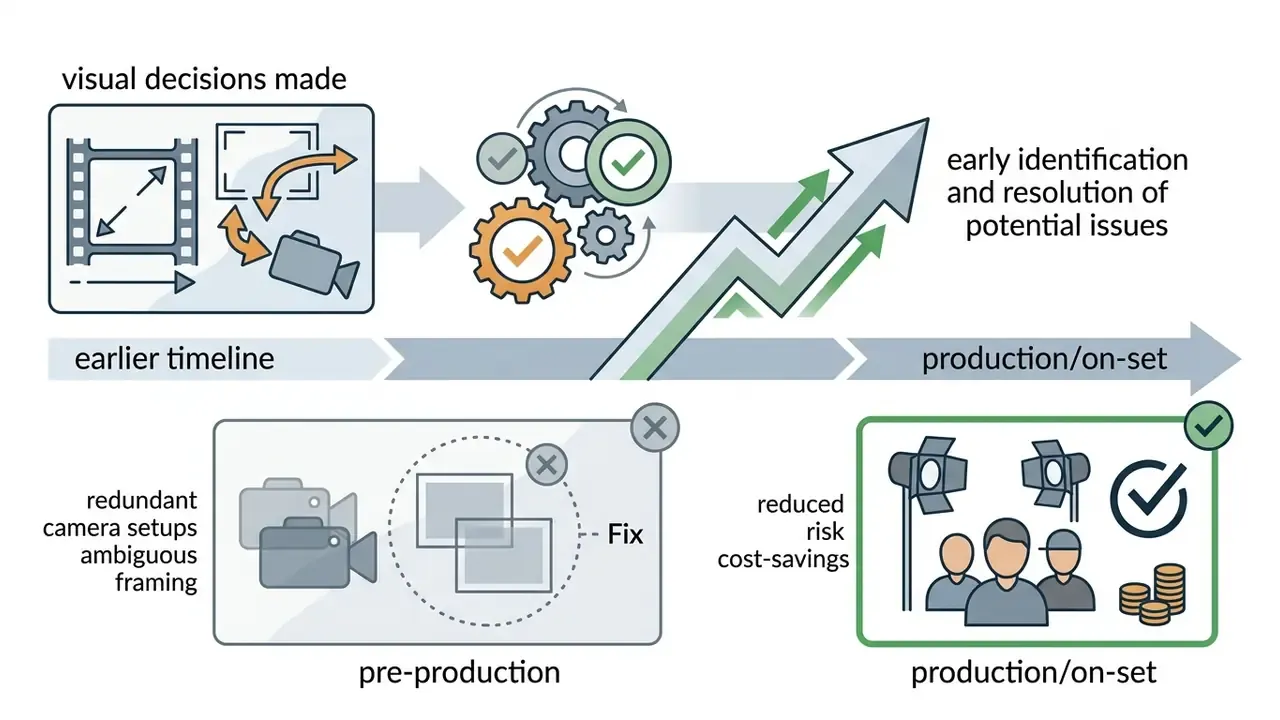
By converting raw ideas into structured panels before filming, production teams reduce the financial risk of on-set reshoots and camera repositioning. Industry pre-production benchmarks published across 2024 to 2026 vendor and workflow documentation indicate that AI-assisted storyboarding and camera-path planning front-load visual decisions, which compresses physical production schedules and cuts redundant asset creation. Where a vendor claims a specific quantified saving, treat it as marketing input and validate it against your own project logs before it enters a business case.
Practical scenarios where the tool pays for itself:
- Independent filmmaking pitch a feature or documentary as a visual sequence, so producers evaluate tone and coverage instead of imagining it.
- Brand campaigns define shot flow for reels, podcasts and social spots, what goes where, how long each beat lasts, where the cuts land, so shoot day is execution rather than discovery.
- Product storytelling map explainer videos, investor pitches and product walkthroughs frame by frame to speed up stakeholder conversations.
- Agency pitching produce client-ready boards without burning senior illustrator hours on speculative work.
- Regulated internal comms plan policy, onboarding and training videos where every claim on screen must survive a compliance read.
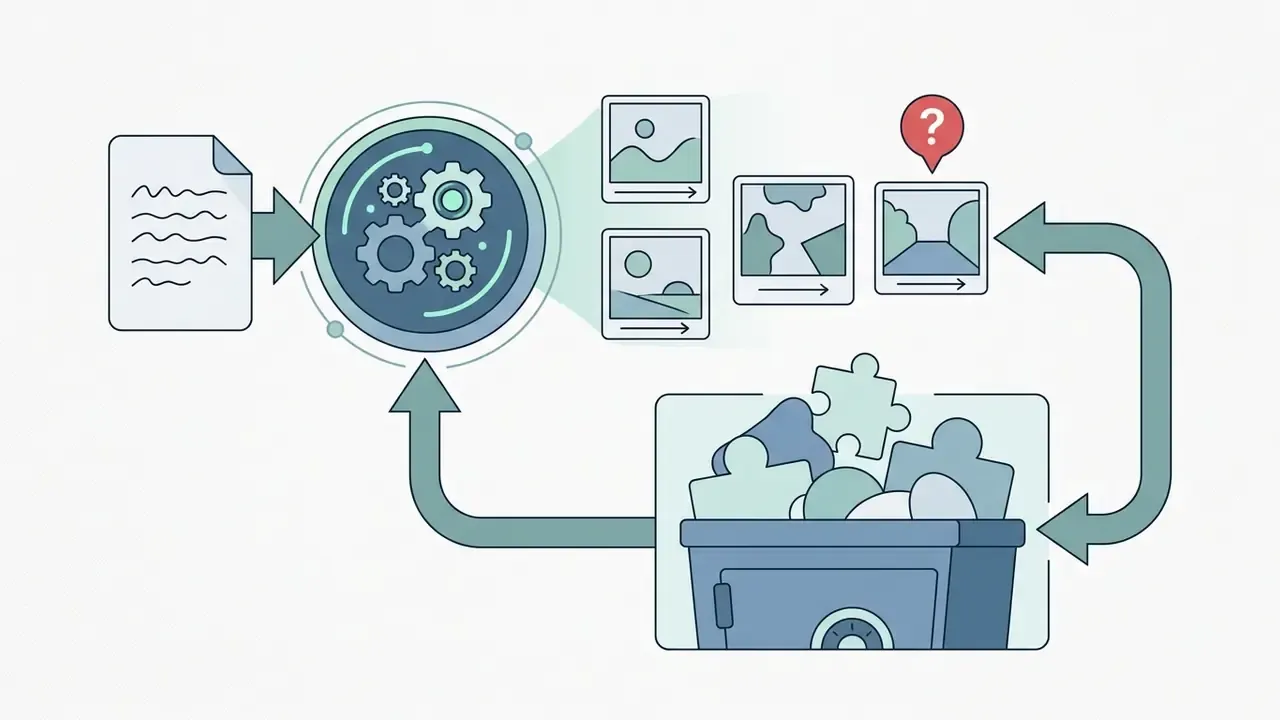
Workflow diagram placeholder (semantic scheme, alt text: «ai storyboard generator from script»):
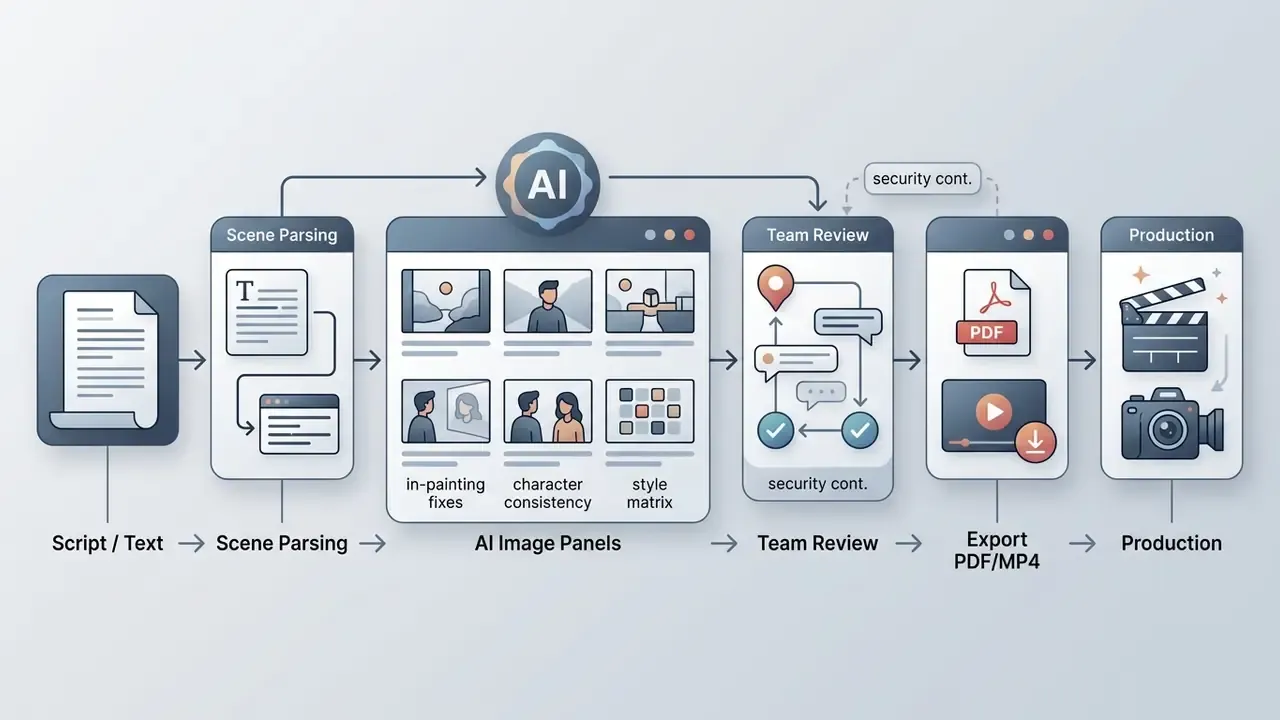
How to create a storyboard from a script or text with AI
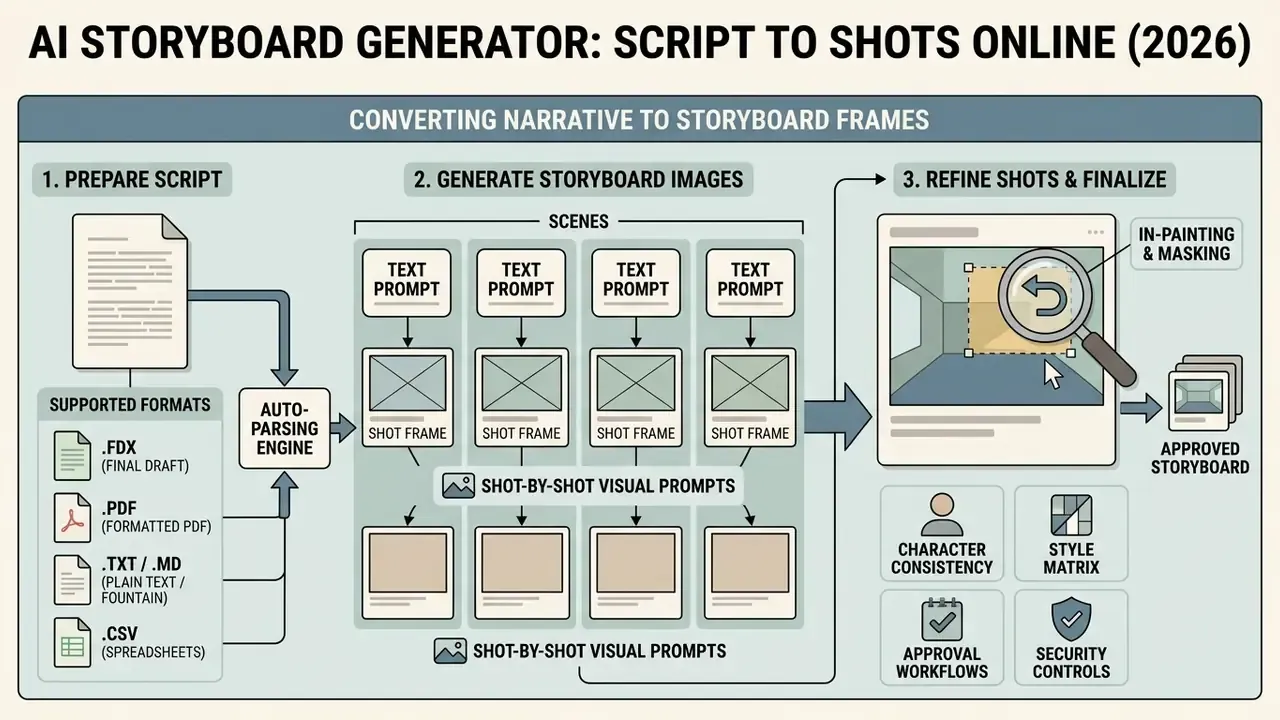
To create storyboard sequences with artificial intelligence, you convert a linear narrative into discrete visual prompts, run parallel image generation, refine camera angles, then validate sequential continuity. Modern ai storyboard creation tools let users paste screenplays or plain text and parse beats into distinct panels with individual framing notes. When managing post-generation assets, operators can also use a video compressor to optimize draft review files for fast client streaming.
Prepare the script, brief or text prompt for your scenes
The quality of generated frames depends on structured prompt engineering that separates visual style from scene action.
Instead of pasting unstructured paragraphs, structure prompts into five defined fields: global context, character descriptors, framing and camera specification, lighting and mood parameters, and exclusion constraints (DrawStory AI Guidance, 2026).
When setting up a script import into an ai storyboard generator from script, isolate each narrative beat into a standalone scene description. Rather than typing "John gets mad in his office", a structured prompt reads: "Cinematic wide shot, John, a 40-year-old male executive in a grey suit, slamming his hand on a mahogany desk, dimly lit corporate office, moody lighting, atmospheric fog, 35mm lens --no cartoon, bright saturated colors."
Supported script import formats and the auto-parsing engine
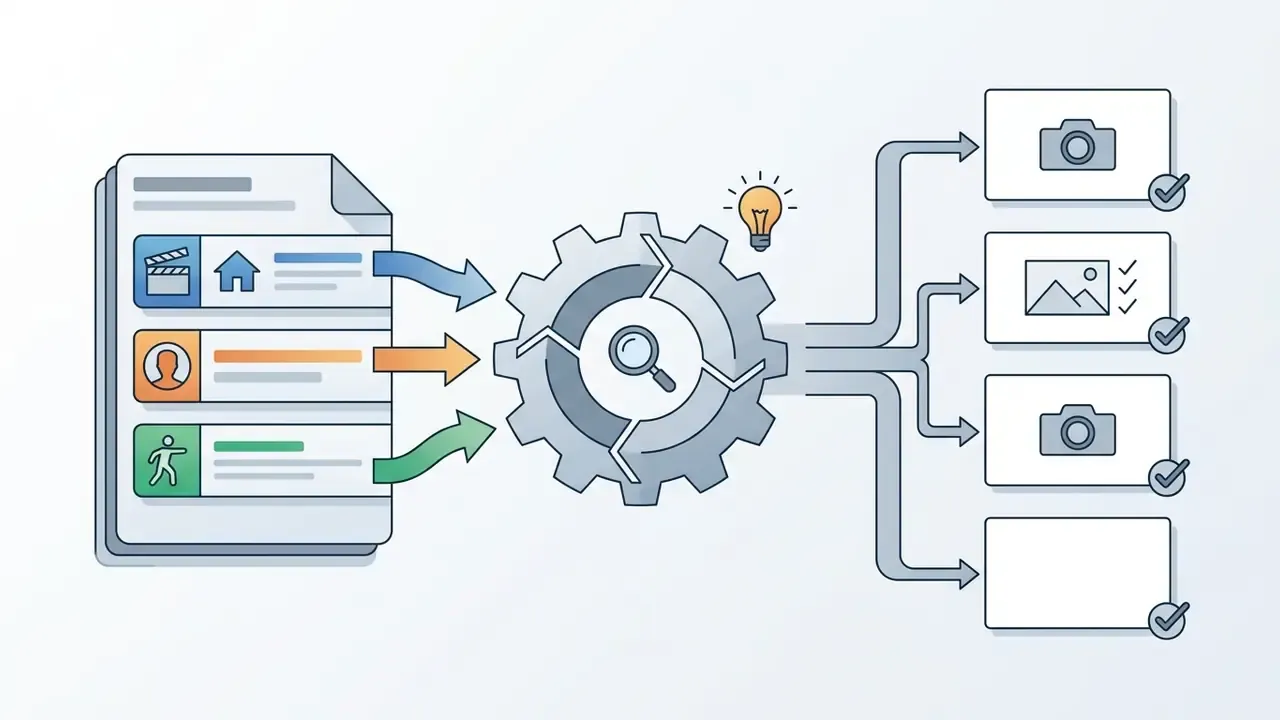
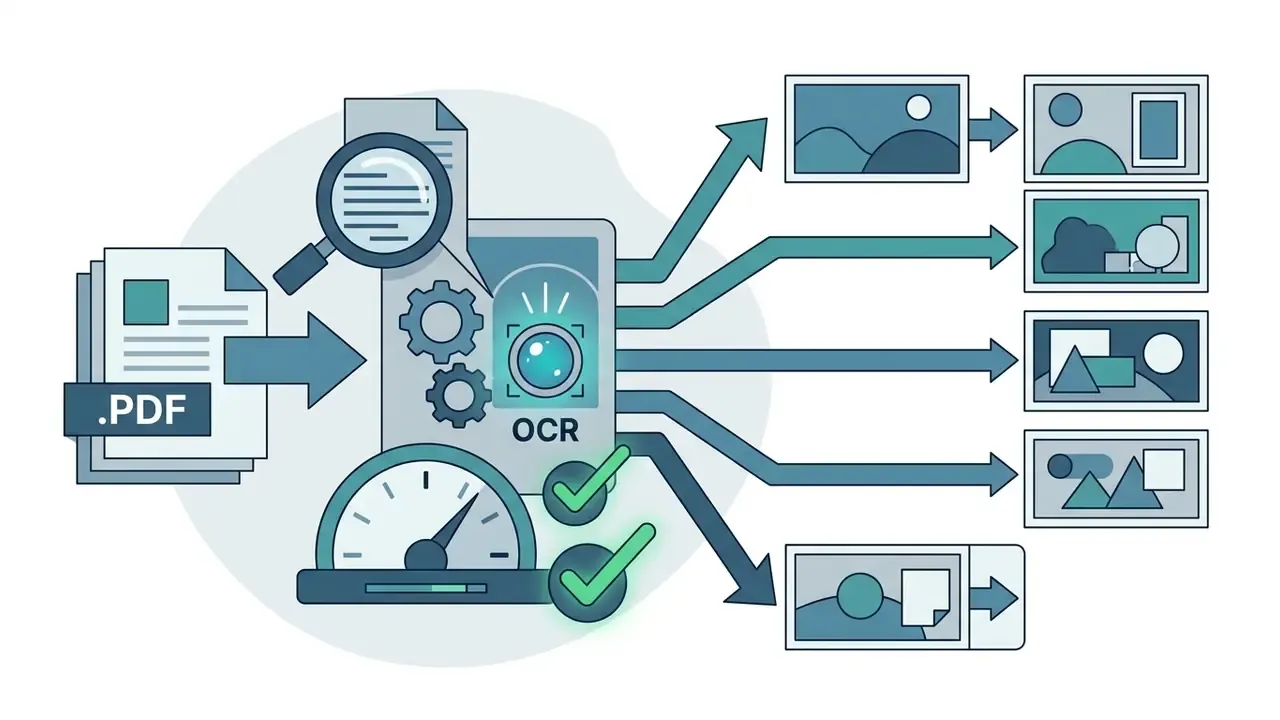
Professional script-to-storyboard platforms parse industry-standard screenplay files to automate scene breakdowns. Before uploading, confirm your narrative assets use supported structures:
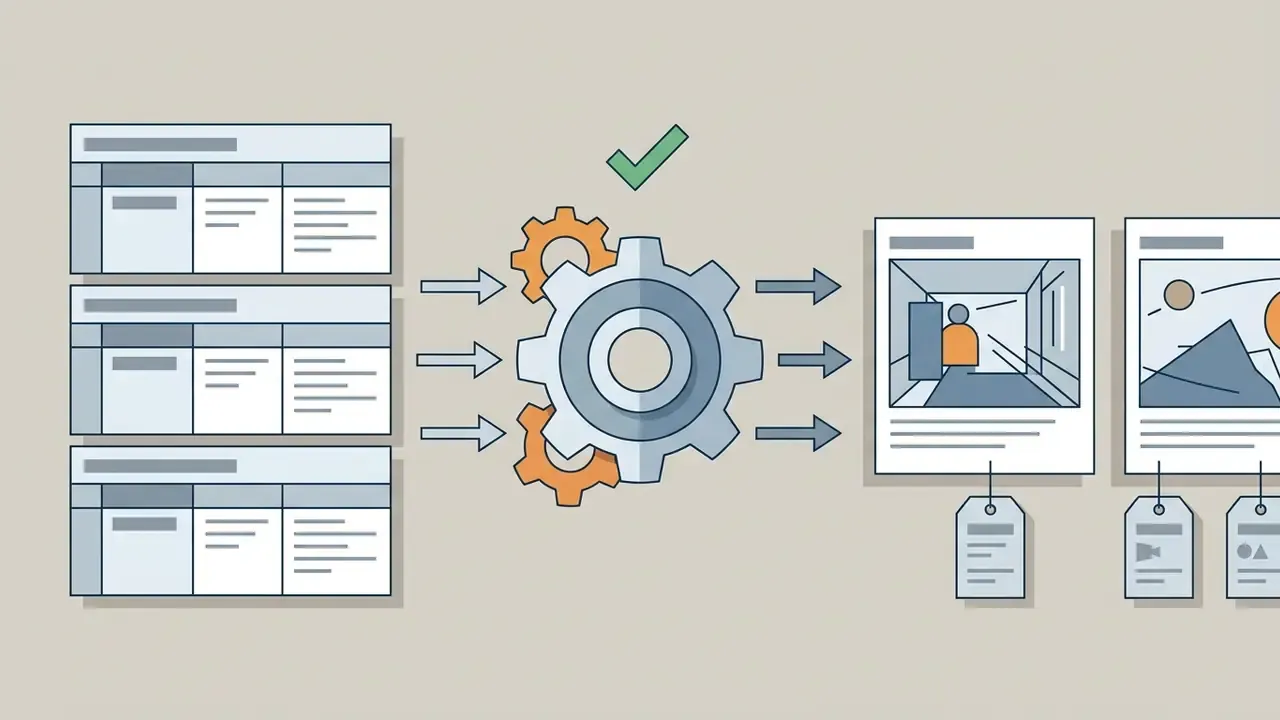
On import, the system tags dialogue lines, populates action notes, drafts initial shot prompts for each cut and maps custom fields (direction, lens, duration, VO) into the board template your team already uses.
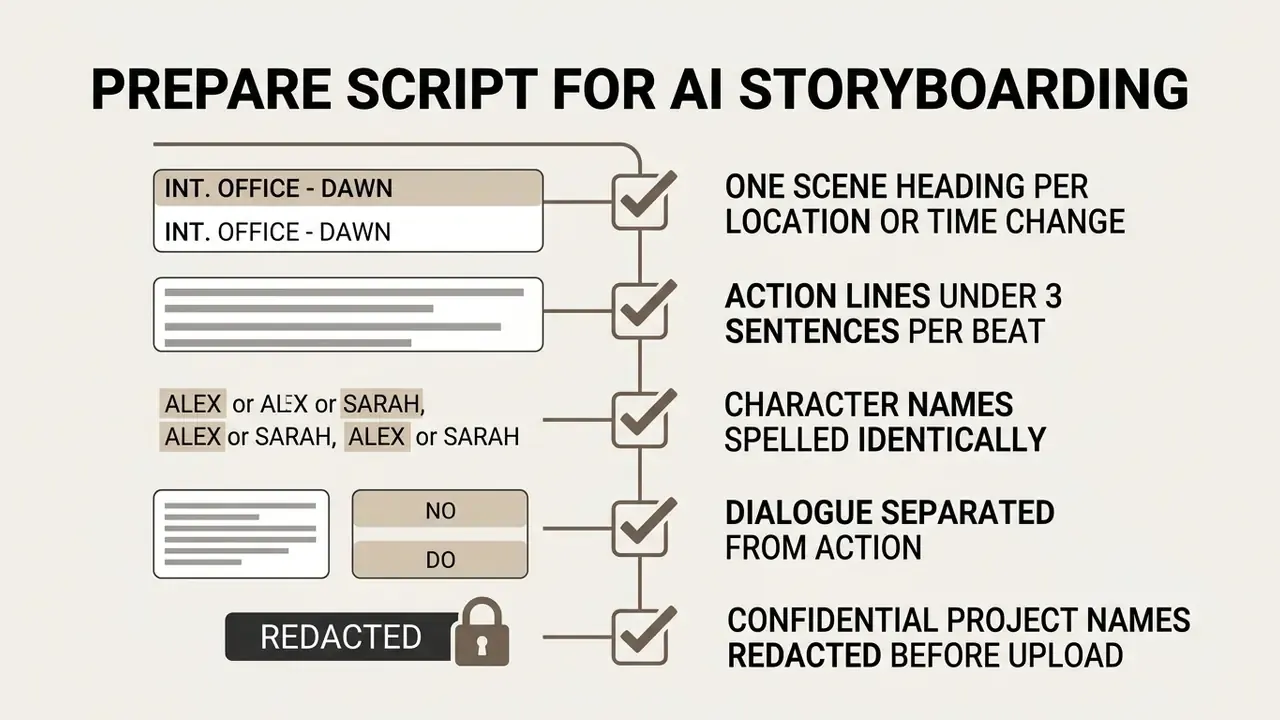
That last line looks bureaucratic. It is also the line that prevents an unannounced product name from sitting in a third-party prompt log for 90 days.
Generate storyboard images and refine each shot
Once the script is segmented, the ai storyboard image generator renders individual frames per beat. Review each panel for compositional accuracy, camera-angle alignment (eye-level, low-angle, high-angle, extreme wide) and subject placement.
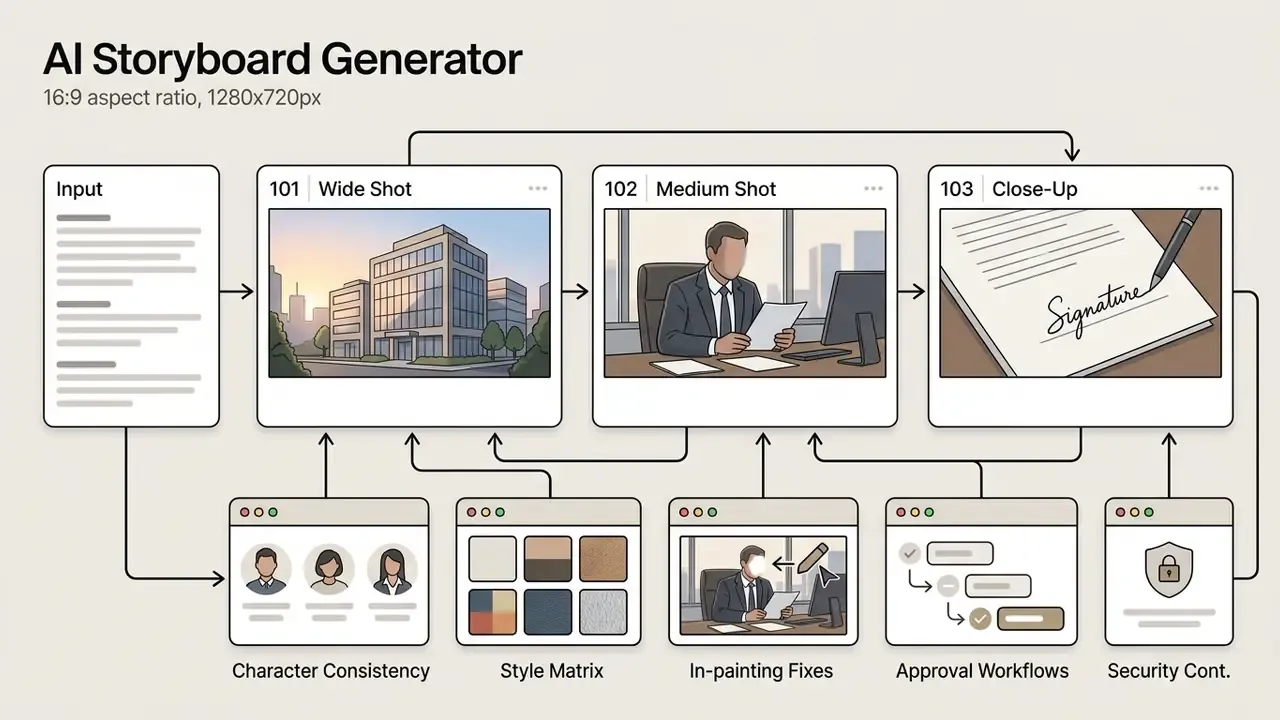
If a shot shows distortions or wrong subject placement, use selective panel editing (in-painting or prompt editing) instead of regenerating the whole sequence. Continuity across adjacent frames survives that way. Teams comparing rendering backends for panel work can consult our review of AI image generators by control, resolution and licensing depth, plus the wider set of AI Media Comparison Matrices.
In-painting and selective area masking: refining frames without full redraws
When a client asks for a minor revision, say changing a character's watch, swapping a background coffee cup, removing a competitor logo, never click "Regenerate Entire Frame". Full-frame regeneration alters facial features, lighting angles and background geometry. That invalidates the previous approval and restarts the review cycle.
Step-by-step selective in-painting protocol:
- Select the panel on your storyboard canvas and activate the in-paint / mask tool.
- Brush over only the modified region (for example the desk area in Panel 102), leaving character and environment untouched.
- Enter a targeted delta prompt: "Replace ceramic cup with a silver metallic tumbler, maintaining existing office lighting."
- Run localized generation. The model modifies strictly the masked pixels, keeping character identity, seed values and environment composition locked.
- Log the change in the panel comment thread, so the audit trail shows what changed, by whom and against which client note.
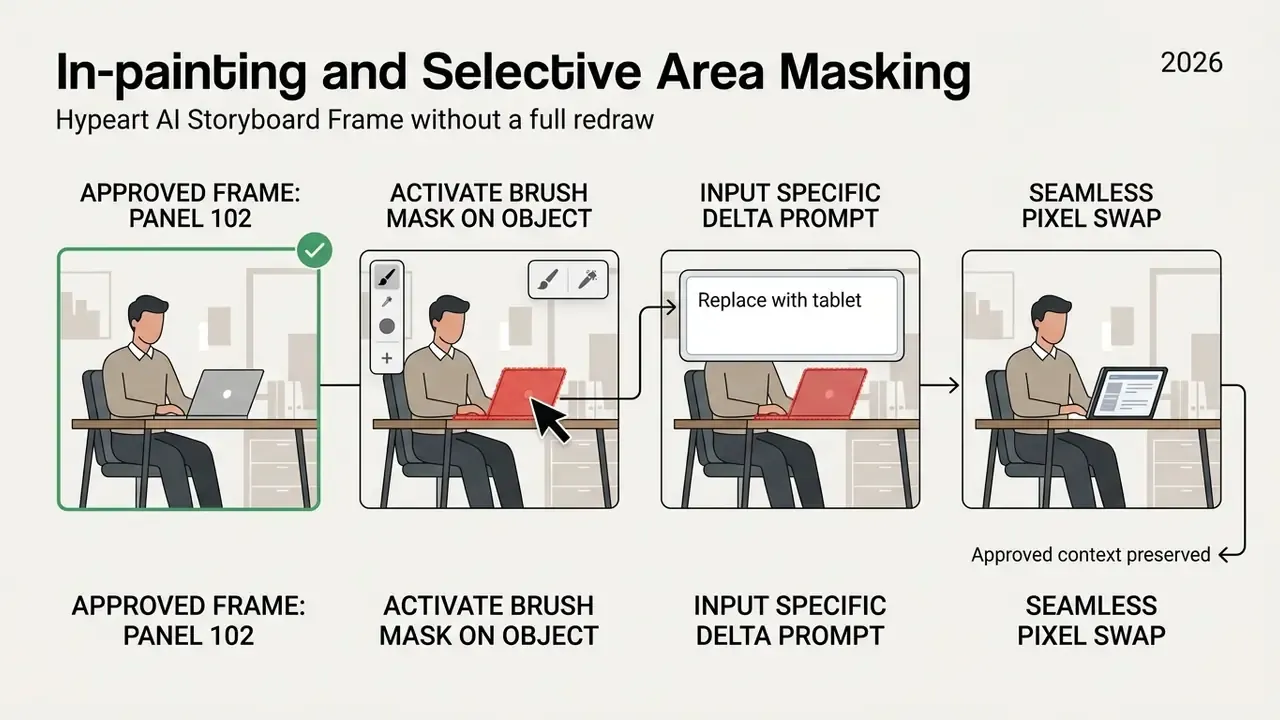
The same principle covers camera-angle exploration: switch the angle on an approved frame while keeping shot context, style and character references intact, instead of rebuilding the board from scratch.
Verify shot order before handing off to production
Before sending boards to director-of-photography teams or client review portals, check the chronological sequence against narrative logic. Verify that action direction across cuts obeys the 180-degree rule, that camera movements carry directional arrows, and that transition notes match audio and voiceover tracks.
During a commercial pre-production audit for a regional financial campaign (illustrative, composite example), a creative team used an automated ai storyboard generator tool to process a 60-second script into 14 panels. Reviewing the generated sequence against the director's shot list before set construction, the team found 3 redundant camera setups, trimmed 4 hours of planned filming and avoided an estimated $12,500 in location overtime.
- Input script or text promptpaste a full screenplay, text brief or scene logline, or upload .FDX / .PDF / .TXT files into the platform.
- Segment scenesverify automatic beat parsing, or define panel boundaries per scene by hand.
- Establish style referencesselect an art style (cinematic photorealism, vector sketch, noir pencil) and upload reference images for core characters.
- Generate initial panelsrun batch generation to produce draft images for every scene panel.
- Refine camera angles and shotsadjust framing (close-up, medium, wide), camera height and subject positions on individual panels using masked in-painting.
- Annotate and reorderadd camera movement arrows, dialogue captions, voiceover notes, then adjust panel sequence order.
- Export production packagedownload finalized PDF decks, shot lists or MP4 animatics for client sign-off.
How to achieve consistent characters, scenes and visual style
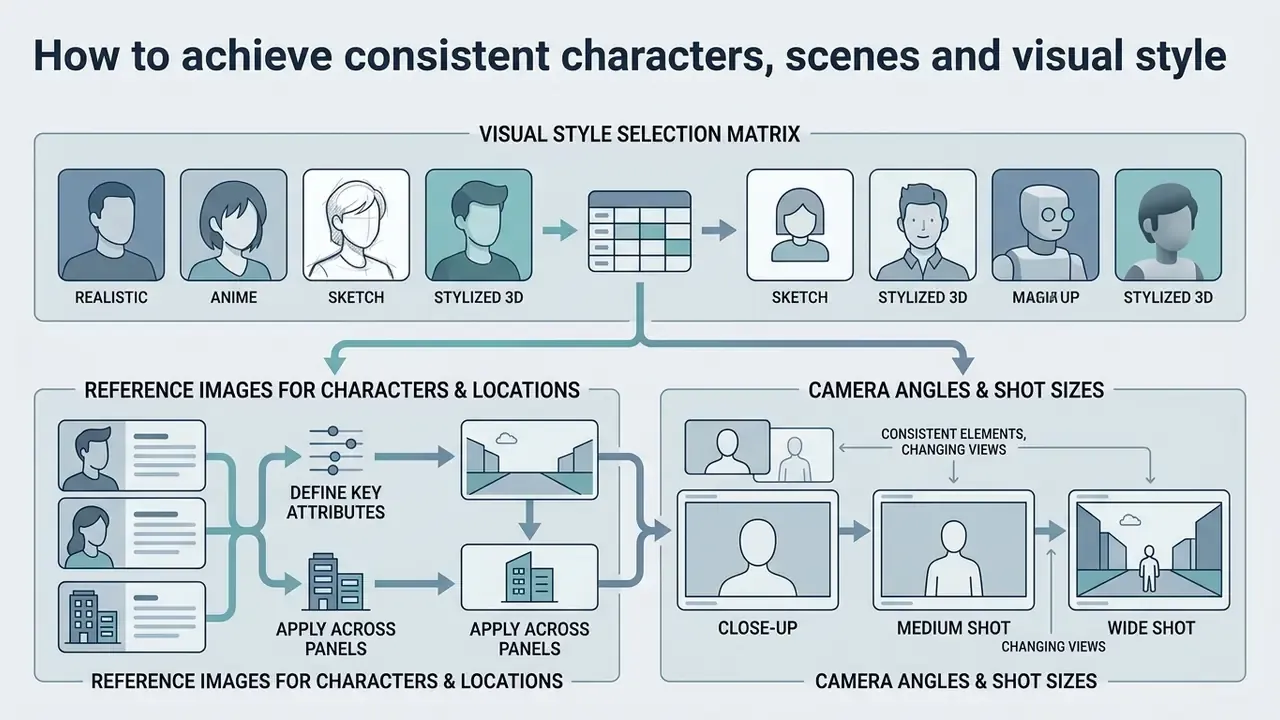
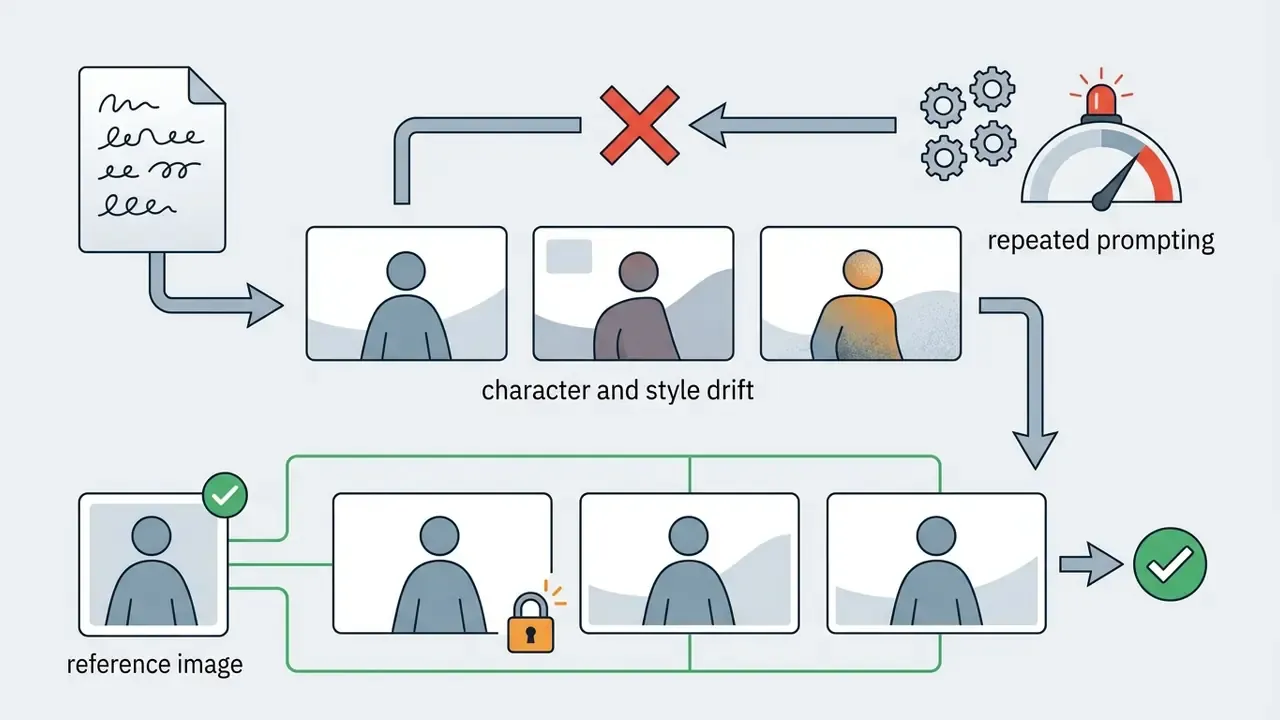
Visual continuity, meaning consistent characters, environments and artistic styles across panels, is the central technical challenge in automated storyboarding. Without explicit control mechanisms, standard generative models invent new faces, clothes and lighting setups on every frame. Modern frameworks answer this with latent anchoring, reference-image embedding and explicit style prompts.
Choose the right visual style (visual style selection matrix)
Style is not decoration. It decides how much attention a reviewer spends on details that are not yet decided. Rough sketches keep feedback on staging and beats. Photorealistic frames invite scrutiny of wardrobe, product finish and lighting. Pick the register that matches the approval stage.
| Visual Style | Target Use Case | Prompt Keywords / Modifiers | Production Benefit |
|---|---|---|---|
| Loose Pencil Sketch | Early ideation, internal pitching | loose pencil sketch, storyboard concept art, graphite outlines, clean white background, high-contrast shading | Fastest generation; stops clients fixating on minor details before script lock. |
| Vector Illustration | Explainer videos, corporate comms | clean vector art, flat colors, minimal line shading, corporate tech aesthetic, modern graphic novel style | Clear spatial boundaries; brand color systems reproduce cleanly across decks. |
| Noir / Charcoal | Thrillers, dramatic films | dramatic film noir, charcoal rendering, high-contrast chiaroscuro lighting, deep shadows, atmospheric | Front-loads lighting and shadow decisions for the Director of Photography. |
| Photorealistic Cinematic | Commercials, client and investor pitches | cinematic stills, 35mm lens, photorealistic, natural volumetric lighting, depth of field, color graded | High-fidelity visualization for agency sign-off and funding decisions. |
| Comic / Manga Panel | Youth campaigns, animation pilots | comic panel inking, halftone shading, bold outlines, dynamic action lines | Communicates exaggerated motion and pacing without animation cost. |
Whichever register you pick, keep the style descriptor identical in every panel prompt and separate from the action descriptor. Splitting the prompt into a fixed "style description" and a variable "scene action" is the practical mechanism that keeps a board looking like one project instead of a collage of unrelated AI images.
Use reference images for characters and locations
To stop appearance drift across shots, an ai storyboard artist workflow must anchor subject identity with dedicated reference images.
«Story2Board uses Latent Panel Anchoring and reciprocal attention value mixing to preserve character identity without fine-tuning the diffusion model.»
When setting up a project in an ai image generator for storyboarding, upload a clean multi-angle reference sheet of the primary character before rendering panels. The system stores character feature vectors (facial structure, hair type, wardrobe) in latent memory and enforces identity matching across wide shots, close-ups and profile angles. Research on fine-grained consistency (CharaConsist, 2025) indicates that decoupling identity control from frame generation reduces drift more reliably than repeating descriptive adjectives in each prompt. For projects needing scratch dialogue over draft panels, combine visual boards with an AI voice generator workflow, and, for music-driven spots, a producer tag generator can stand in for temporary audio branding.
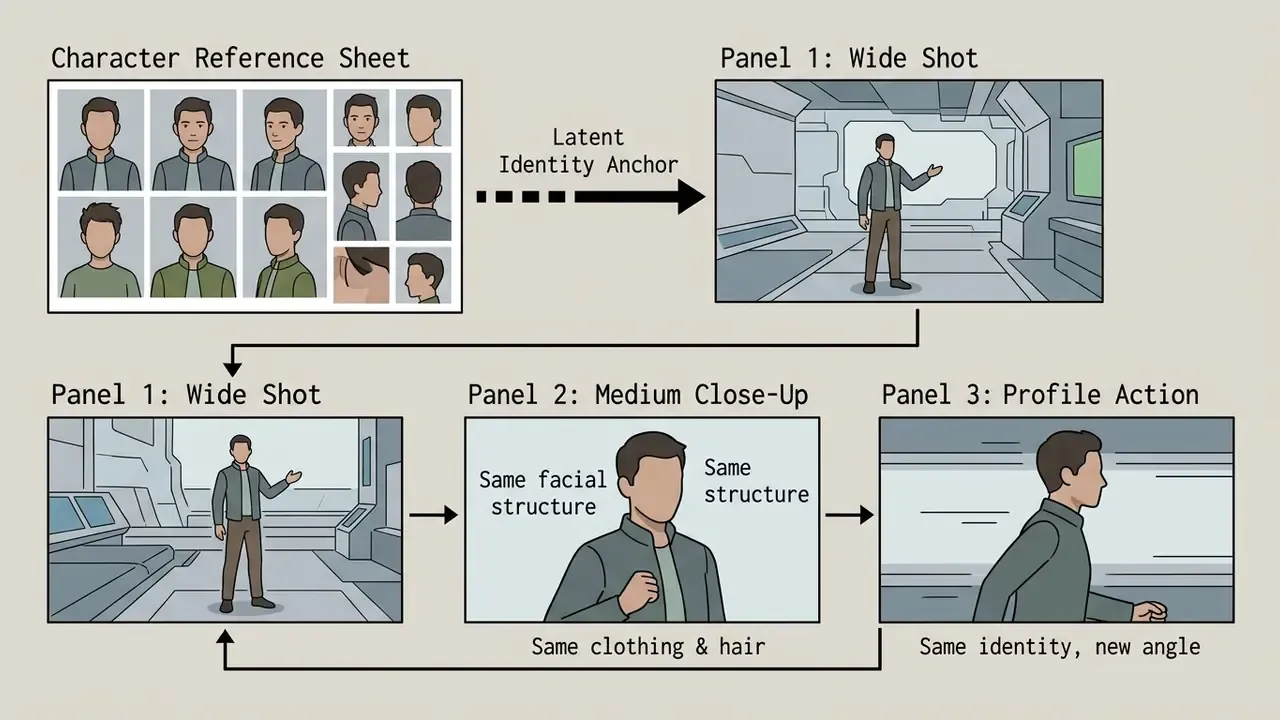
Location continuity follows the same logic: store one environment reference per set (office, kitchen, gym) and reuse it verbatim, so viewers read consecutive panels as the same physical space. An ai image generator storyboard pipeline without stored environment references produces boards that quietly contradict themselves, and someone notices on shoot day.
Change camera angles and shot sizes without redrawing the scene
Changing shot scale, from an establishing long shot to a medium close-up, means stepping through sequential camera positions rather than forcing a drastic prompt change. Film grammar guidance recommends intermediate framing steps to prevent visual jump cuts (Essential Camera Techniques Guide, 2026).
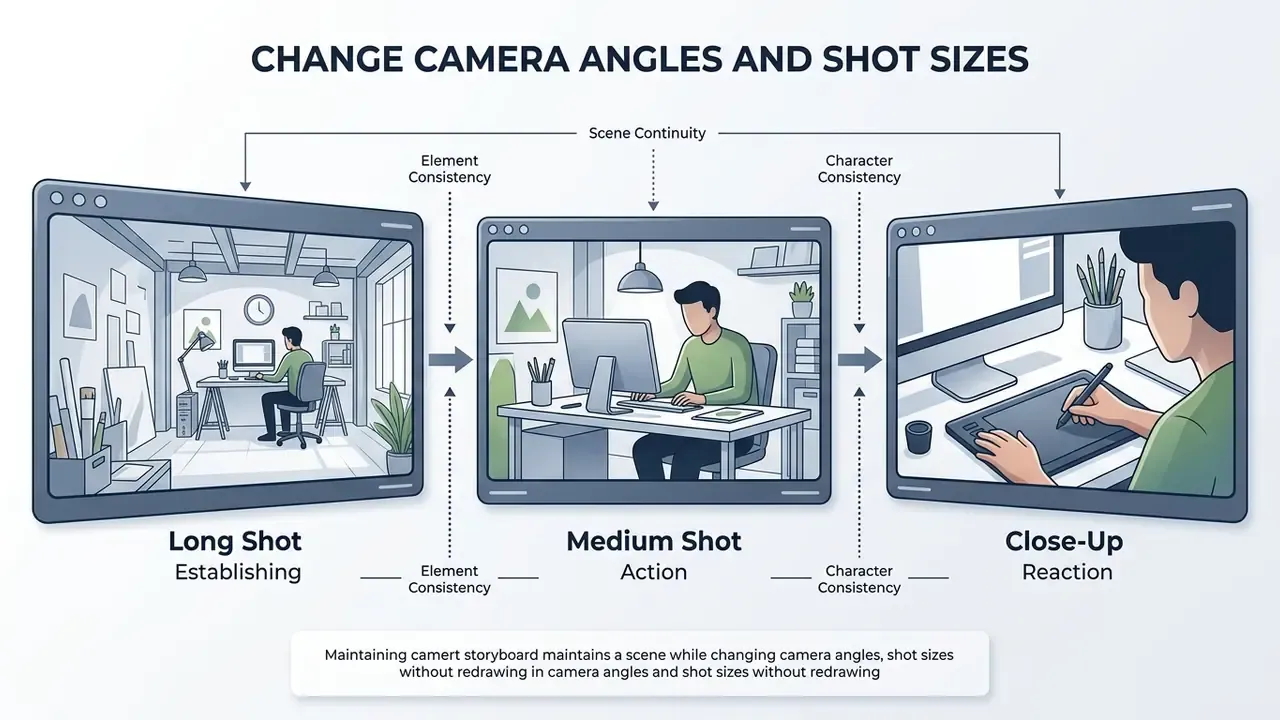
When shifting camera angles on an existing panel:
Once static coverage is locked, boards usually feed motion pipelines. Our guide to text-to-video AI tools explains how frame prompts translate into shot-level video generation, and the pollo ai video generator overview shows one example of a panel-to-clip handoff.
Capabilities of an AI storyboard generator: images, animatics, export, collaboration and security
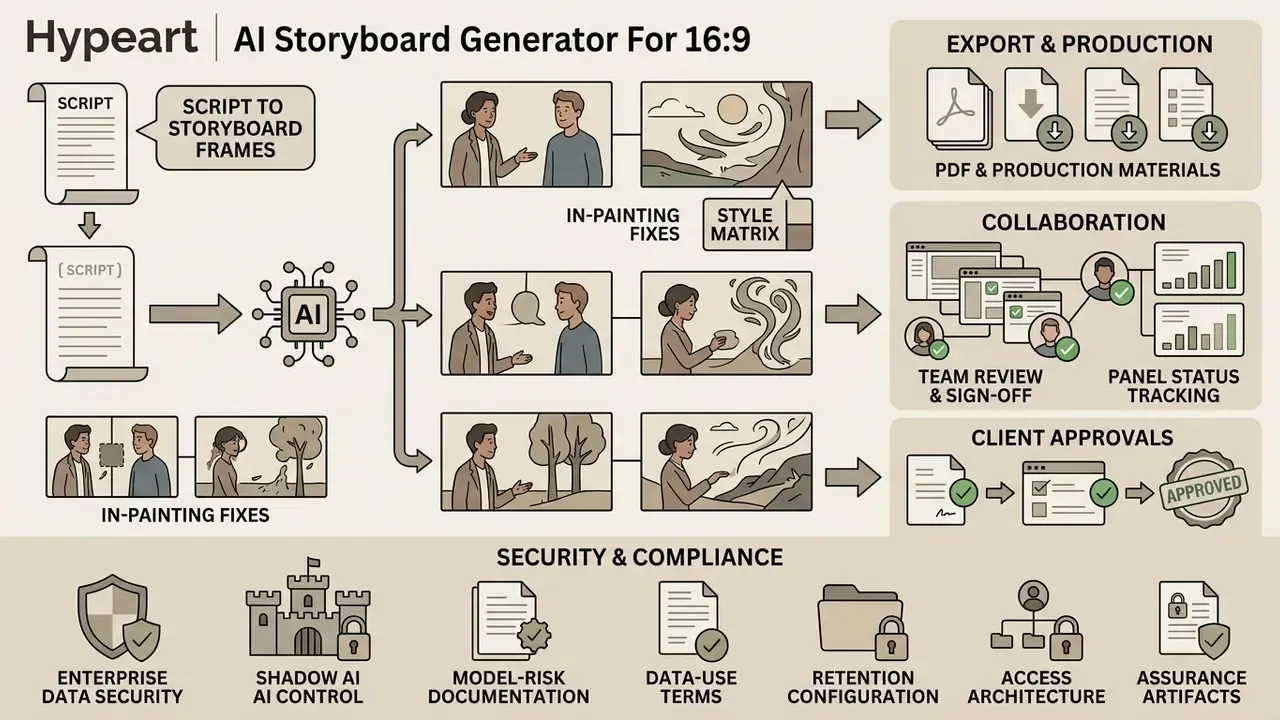
Enterprise-grade ai storyboard generator tools reach well beyond static image creation. They add dynamic timing previews (animatics), production export formats, multi-user review workflows and the security controls regulated organizations require. Those features turn raw panels into actionable pre-production artifacts.
Export the storyboard to PDF and production materials
Once panels are finalized, the software exports packages tailored to specific crew departments. Directors of Photography need printable PDF decks with shot numbers, lens specifications, camera movement notes and aspect-ratio markers. Editors need sequential image sequences (PNG/JPEG) or timed MP4 animatics with temporary voiceover audio.
«Virtual Dynamic Storyboard runs a propose-simulate-discriminate loop: AI proposes character and camera trajectories, an engine renders candidates, a discriminator ranks them.»
That semi-automatic loop is what makes an animatic useful rather than decorative. The system proposes timing and movement options, a human ranks and selects, and the chosen version becomes the timing contract for the edit.
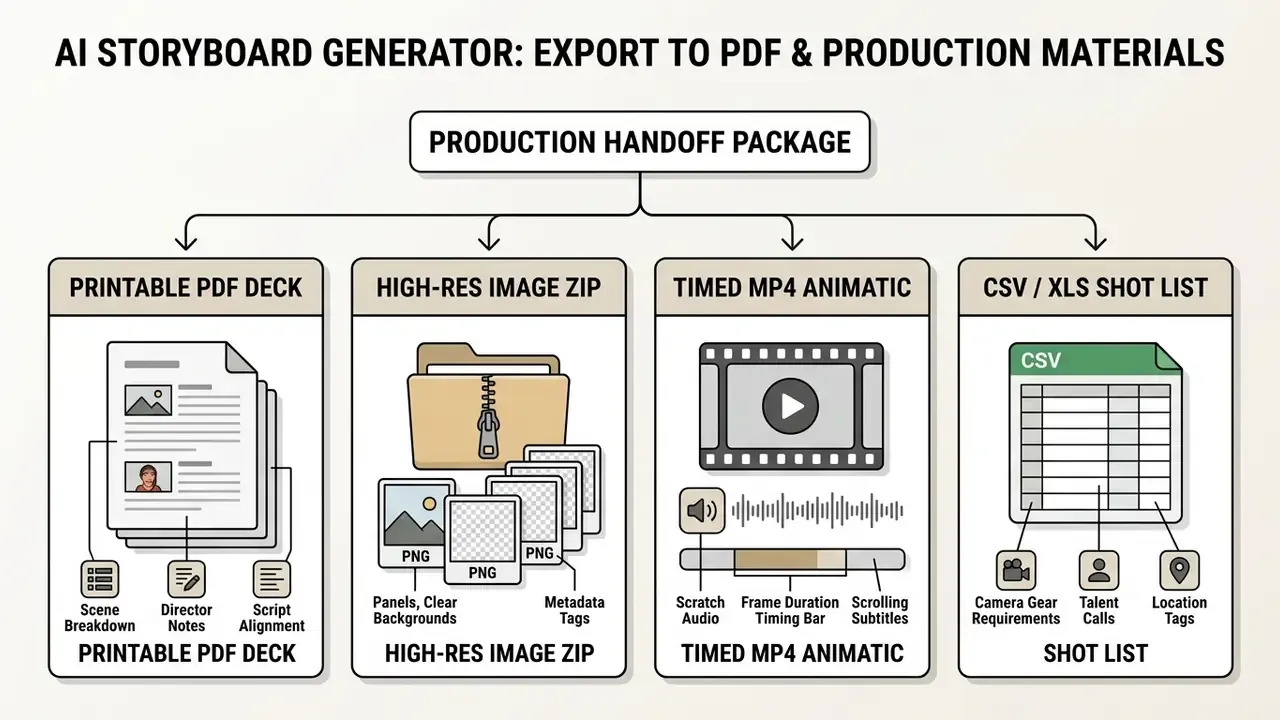
Export requirements differ by recipient. Crew wants a static, printable PDF with panel order, scene and panel numbers, and captions. Editors want timed video or an image sequence they can relink to high-resolution media later. Teams converting locked panels into moving footage can review our guide to image-to-video AI, our implementation notes for the Google Veo AI video generator API, and the broader set of AI Media API Guides.
Enterprise data security, Shadow AI control and model-risk documentation
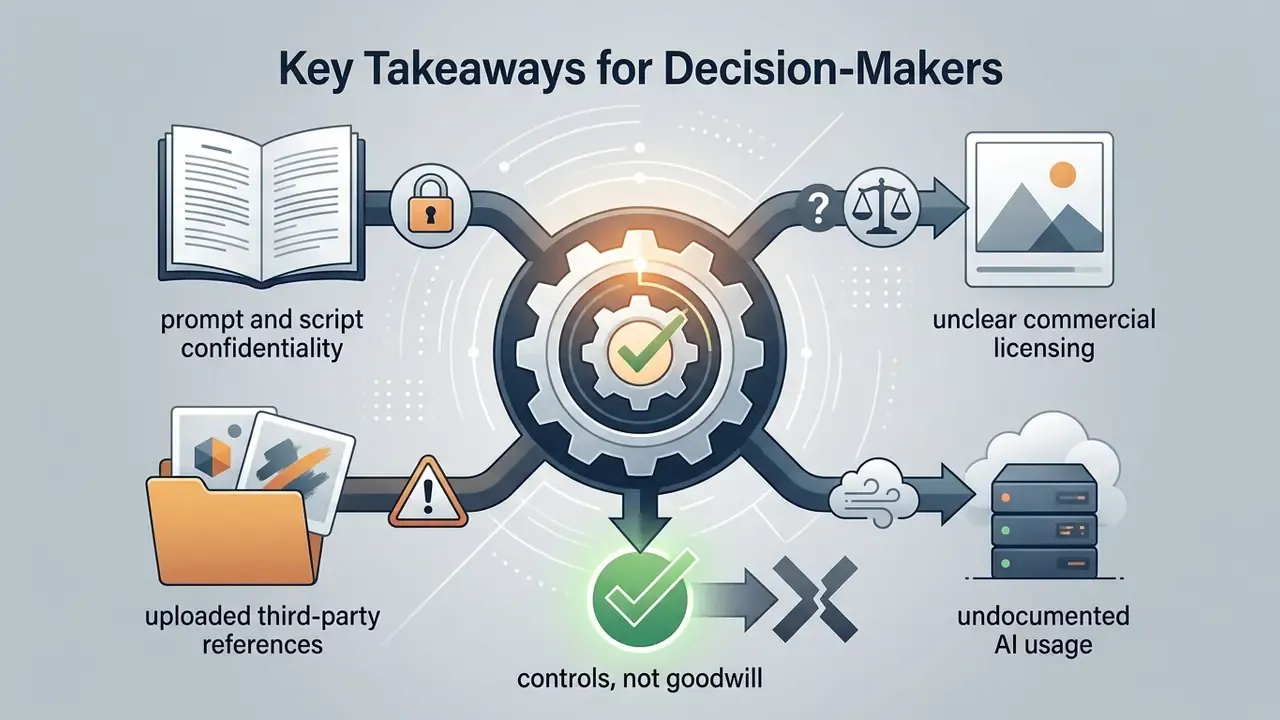
For regulated organizations, banks, insurers, healthcare and public sector, the storyboard itself is often confidential. Unannounced product names, campaign timing, pricing claims and executive talent all appear in scripts. Treat the storyboard generator as a third-party processing system, not a design toy.
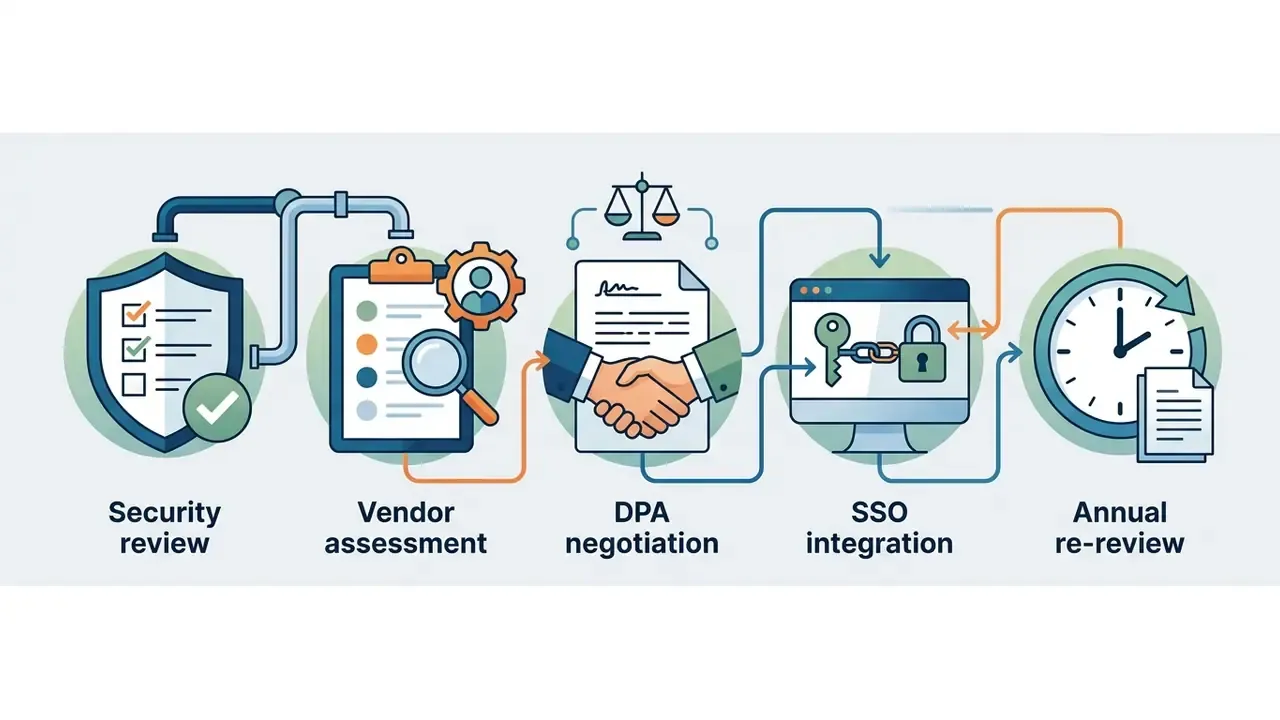
Controls to require before onboarding a vendor:
- Data-use terms: written confirmation that uploaded scripts, references and prompts are not used to train public or shared models. Ask for the clause, not the blog post.
- Retention configuration: defined deletion windows for prompts, generated frames and uploaded references, ideally configurable zero-retention or short-retention modes for sensitive projects.
- Access architecture: SSO/SAML with SCIM provisioning, role-based permissions, project-level isolation and revocable external review links.
- Assurance artifacts: current SOC 2 Type II report or ISO/IEC 27001 certificate, penetration test summary, subprocessor list and a signed data processing agreement.
- Shadow AI prevention: an approved-tool list published to marketing and comms teams, plus egress monitoring for unsanctioned generative endpoints. Unapproved consumer accounts remain the most common leak path for pre-release creative.
- Human-in-the-loop control: a documented requirement that no generated frame reaches a client or public channel without named human review and sign-off.
- Auditability: exportable logs of prompts, model and version identifiers, seeds, reviewers and approval timestamps, so a reviewer can reconstruct how any delivered frame was produced.
These controls map onto the NIST AI Risk Management Framework and its Generative AI Profile (NIST AI 600-1, 2024), which asks organizations to monitor generated content for privacy and intellectual-property risk and to maintain governance and human oversight before deployment. Institutions operating under model-risk governance regimes, for example US supervisory expectations for model risk management, should classify a storyboard generator as a low-consequence, non-decisioning assistive tool, document that classification, and record the compensating control, mandatory human review, rather than pushing it through full quantitative model validation.
Where does that classification break down? If boards start feeding automated media buying, personalized creative at scale, or any customer-facing decision, the tool stops being assistive. Reclassify it then, not after the first incident. Questions about deployment mechanics and incident handling are collected in our AI Media Support and Troubleshooting hub.
Free AI storyboard generator: what is available free and how to evaluate pricing
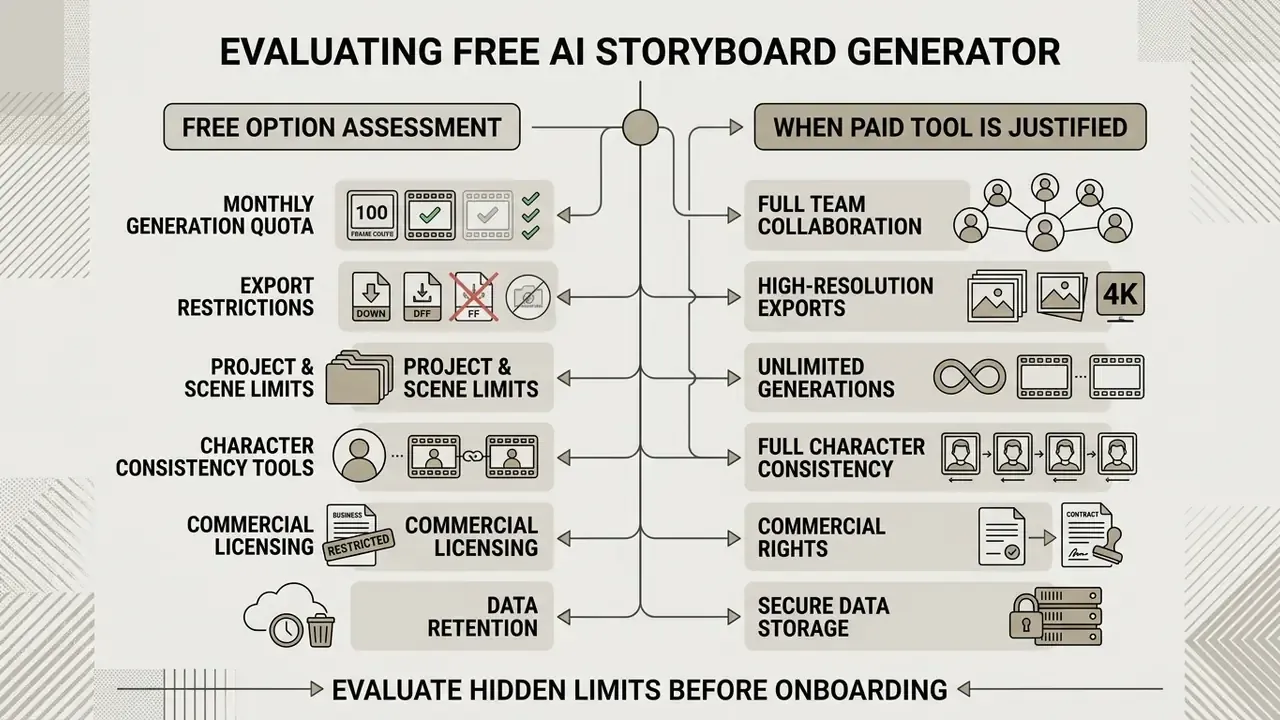
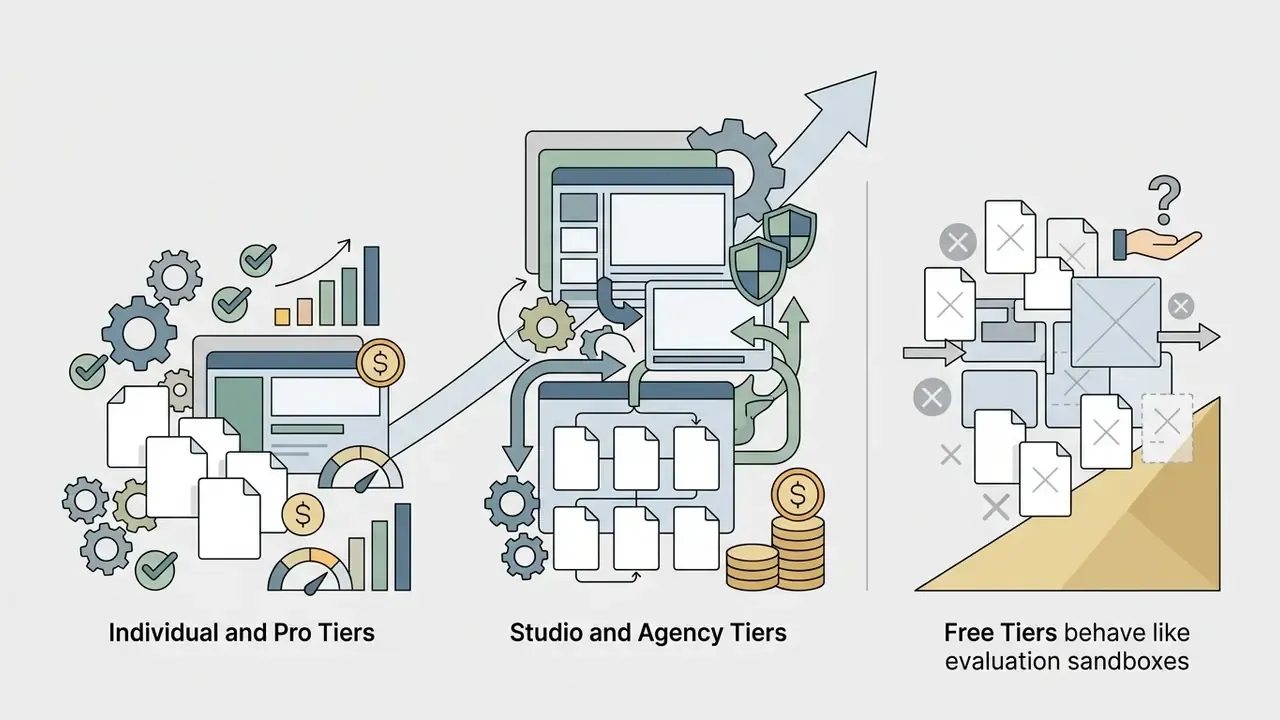
Evaluating an ai storyboard generator free option means finding the hidden feature caps, watermark rules and export resolution boundaries before project onboarding. Plenty of platforms advertise an ai storyboard generator online free tier, yet free access usually works as an evaluation model rather than a production solution.
What to check in a free online storyboard generator
Free tiers impose functional boundaries to manage GPU compute costs. That is economics, not malice.
Those metric families double as an evaluation checklist for your own trial. Render the same 6-panel scene in each candidate tool, then score character similarity, style similarity, prompt adherence and visible artifacts before you compare price. When testing an ai storyboard maker free or ai storyboard creator free plan, verify six operational parameters before committing project assets:
Free-tier policy is not standardized. Some vendors remove watermarks entirely on free use while exposing watermarking as an export setting, others watermark all free output and cap daily credits. Verify per vendor instead of assuming a market norm. Creators comparing zero-cost rendering options can also review our roundups of free AI art generators and free photo editors for auxiliary asset work, or a niche case like the pokemon ai generator to see how style-locked models behave under repeated prompts.
When a paid tool is justified for teams and production
Upgrading ($19 to $99 per month for individual and pro plans, $295 and up for studio and agency tiers) becomes cost-effective once monthly time savings exceed subscription cost. For production companies and agencies shipping 3 or more commercial projects per month, fees are absorbed quickly by avoiding manual illustrator rates ($50 to $150 per hour) and shortening pre-production turnaround. Break-even for freelancers is fixed monthly cost divided by (price minus variable cost). For studios, published workflow benchmarks place the crossover near 3 to 6 videos per month at mid-tier pricing. You can model your own thresholds with our AI Media Calculators.
Risk-adjusted ROI: the calculation enterprises actually need
A naive ROI ("we saved illustrator hours") does not survive a finance review in a regulated organization. Model the full cost stack:
Risk-Adjusted ROI = (Hours saved × blended rate + reshoot/rework avoided)
                    − (Subscription + legal review + security review
If the numerator still clears the denominator at your real project volume, the tool is justified. If it clears only at unrealistic volume, keep the free tier for internal concepting and keep client deliverables on licensed human illustration. Either answer is defensible; an unmeasured answer is not.
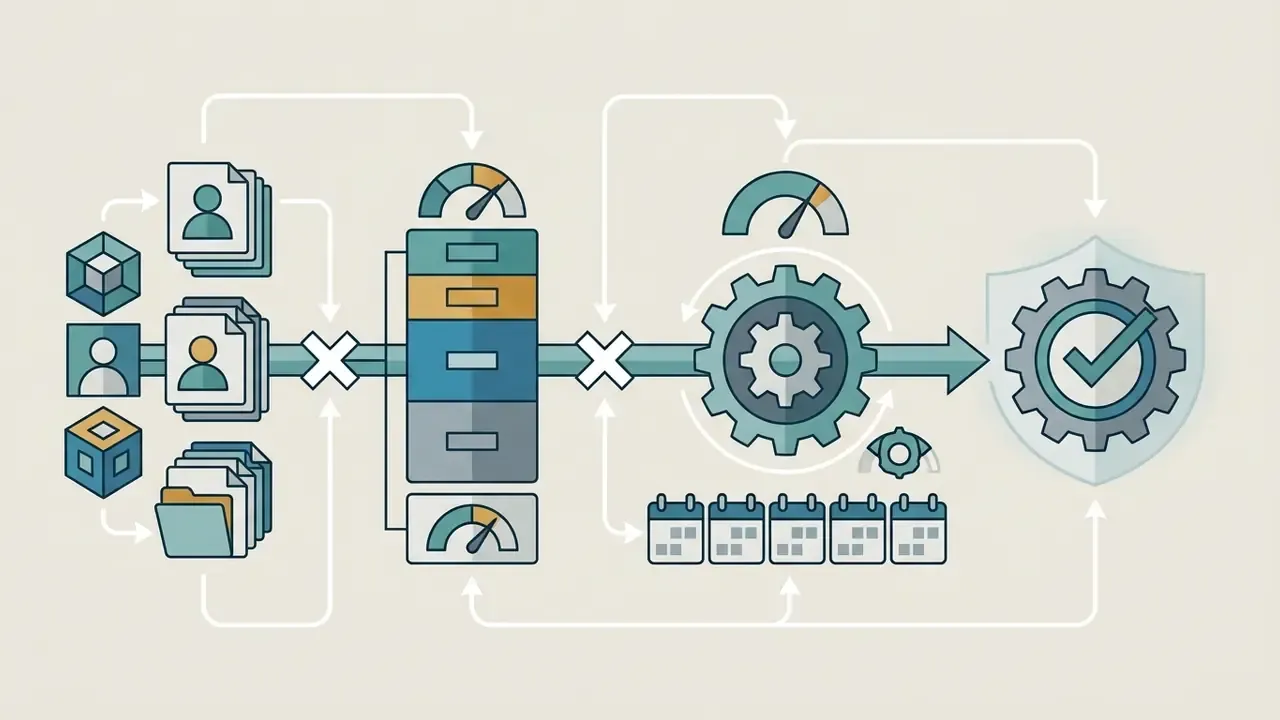
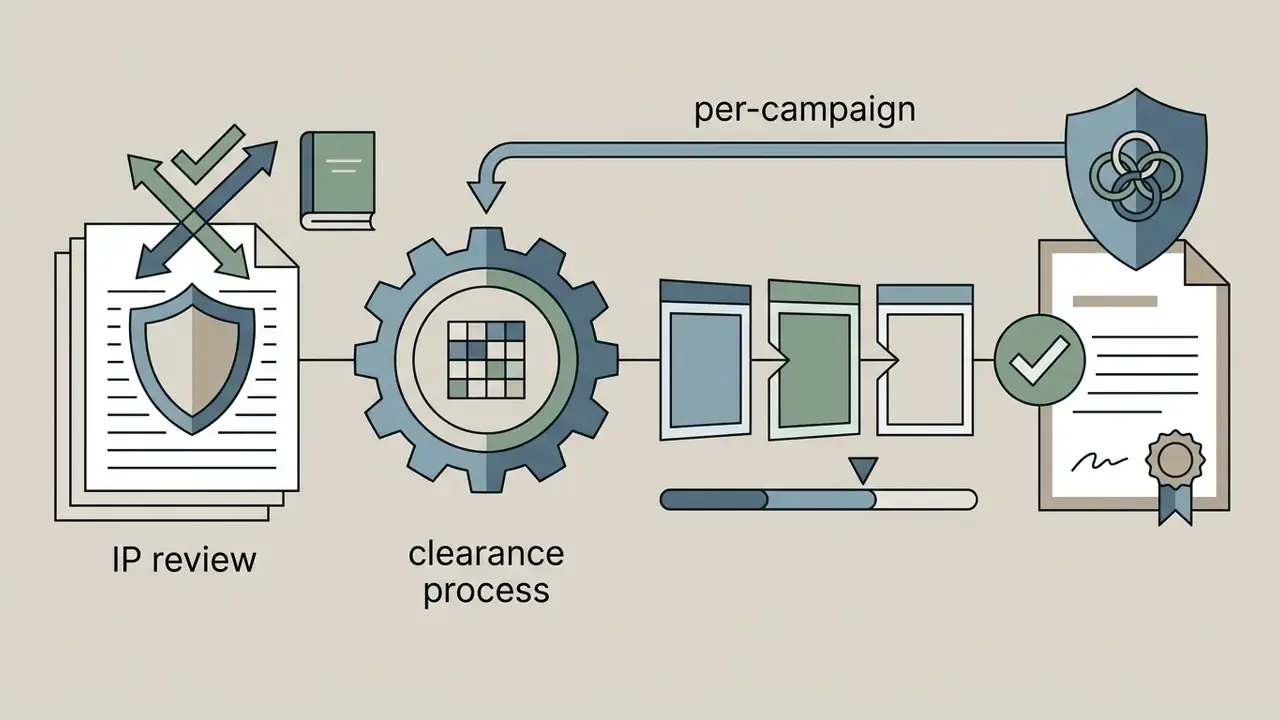
Fact check: vendor pricing and trial limits (as published by vendors, checked August 2026)
Can you use an AI-generated storyboard in commercial projects
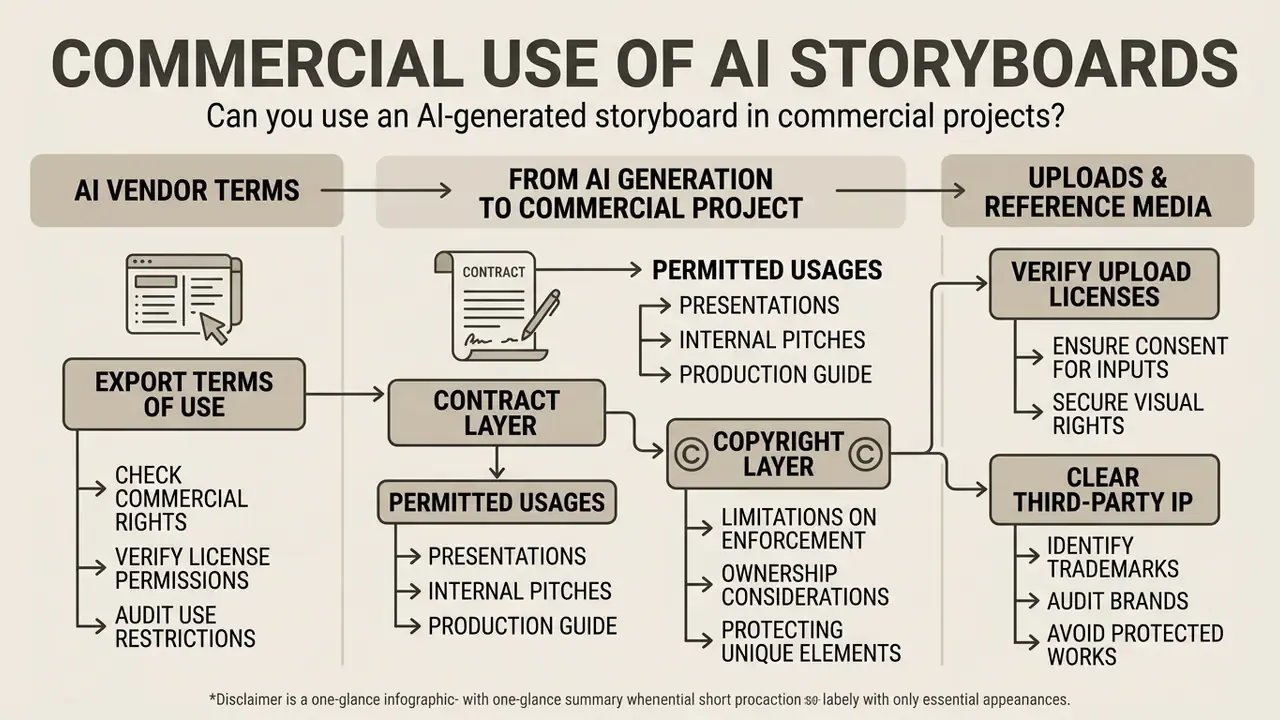
Using AI-generated storyboards in client deliverables, broadcast commercials or brand campaigns requires verification of platform terms, uploaded asset permissions and intellectual property law. Commercial safety depends on the contractual license granted by the platform and on the human authorship contribution inside the final work.
What to check in AI image and export terms of use
Under U.S. Copyright Office guidance (2025/2026 update on Works Containing Material Generated by Artificial Intelligence), fully autonomous outputs generated solely from short text prompts are not eligible for copyright protection. Protection extends only to human-authored elements: custom script writing, manual frame layout, selective color grading, creative annotations. AI-generated material that is more than de minimis must be disclosed and excluded from a registration claim.
Two rights layers must be checked separately. Confusing them is the most common commercial error:
Creative directors should review commercial use terms for AI image generators across their stack and consult our AI Media Commercial-Use Hub for tool-by-tool rights breakdowns.
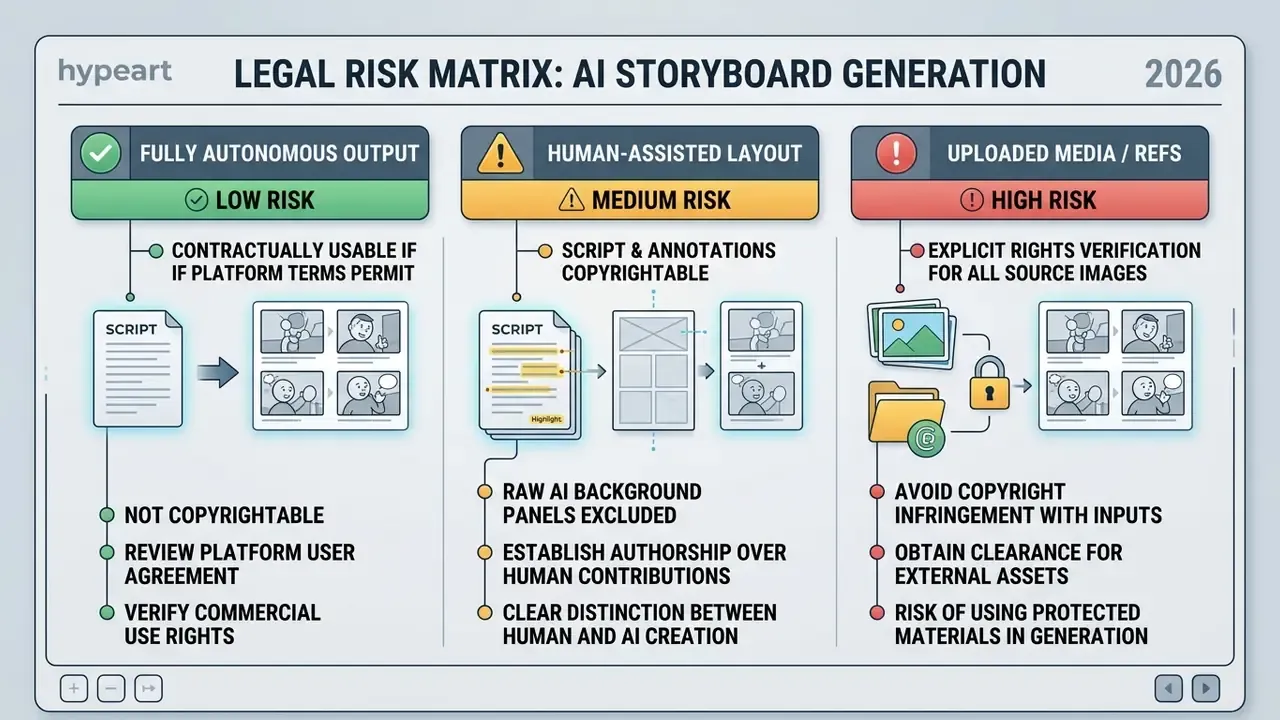
How to handle uploaded media and reference visuals
When uploading custom graphics, character photos or location scout images into an ai storyboard generator from text, confirm you hold the necessary intellectual property rights or model releases. Uploading third-party copyrighted images without authorization exposes production teams to infringement liability (U.S. Copyright Act, 17 U.S.C. § 504), where statutory damages can reach $30,000 per work and up to $150,000 for willful infringement.
Privacy obligations run in parallel with copyright. Photographs and video of identifiable people are personal data: obtain written consent or releases before publication, honor withdrawal of consent, and support access and correction requests. Practical rules:
- Use only lawfully acquired reference material, and retain proof of license or ownership per asset.
- Store references in the project folder with a rights note (owner, license type, expiry, permitted territories).
- Never upload unreleased talent photos, customer imagery or confidential product renders to a consumer-tier account.
- Redact confidential client names and launch dates from scripts before uploading to any external tool.
- Keep a short exclusion list of styles and characters your brand will not imitate, and check generated panels against it.
- Review legal case timelines: stay current on copyright litigation affecting generative outputs via our AI Litigation and Case Timelines resource hub.
How to choose the best AI storyboard generator for your workflow
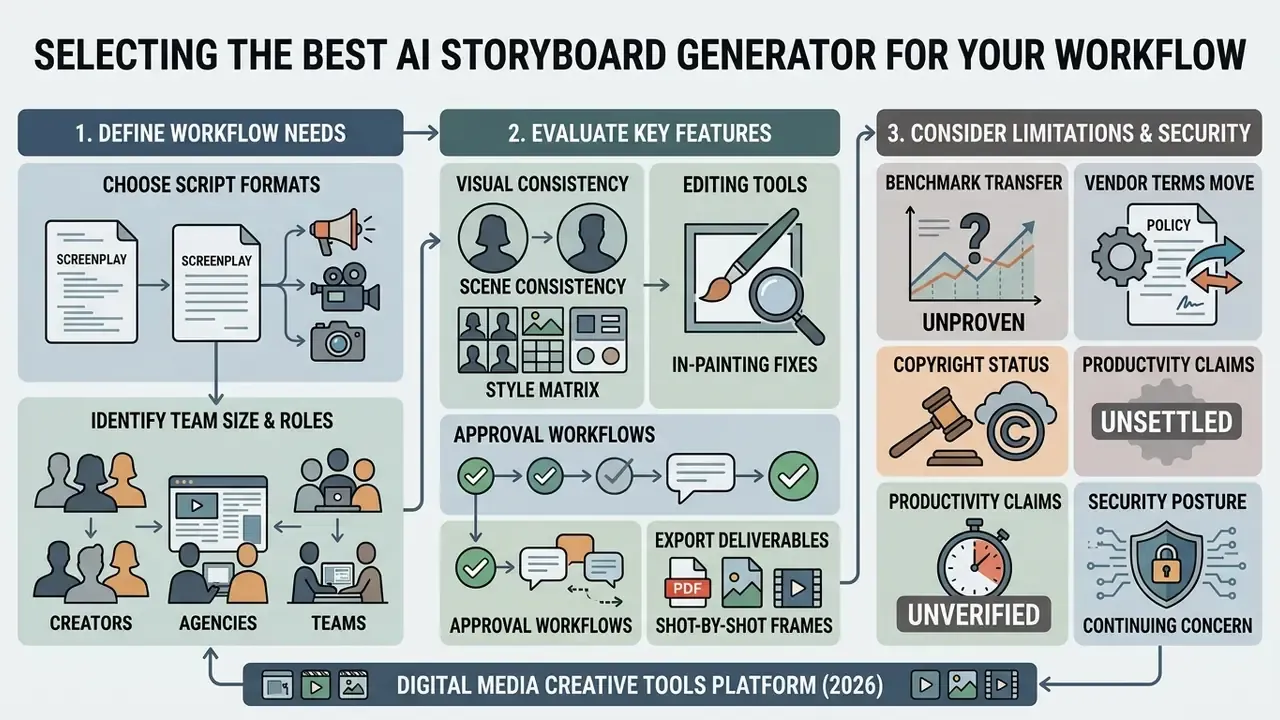
Selecting the right ai storyboard generator tool depends on team size, script format requirements, visual consistency demands, export deliverables and security posture. Avoid choosing on visual aesthetics alone. Focus on pipeline integration: camera controls, collaboration, approval governance, export flexibility.
Which tasks require a script-to-storyboard tool
A dedicated script-to-storyboard platform is essential for long-form narrative projects, film pre-production, television commercials and episodic animation. These tools parse multi-page screenplays, import standard formatting (.FDX, .PDF, .TXT), separate dialogue from visual action and build structured shot lists linked to each panel.
«ScriptViz lets screenwriters visualize scenes using retrieved film frames, supporting iterative text revision without drawing skills.»
Minimum output specification for film and animation work: every panel carries a frame image, a shot description, camera direction and dialogue or audio notes. If a candidate ai story board generator cannot express all four fields per panel, it is a concept generator, not a production instrument. Teams evaluating downstream synthesis engines and editing pipelines can also consult our guide to YouTube video editing workflows.
Which features matter for agencies, creators and teams
For agencies and corporate marketing departments, priority sits on rapid draft generation, branded PDF decks, revocable share links and multi-stakeholder review permissions. Independent creators and videographers usually prioritize affordable pricing, ease of use and quick animatic exports from an ai storyboard generator online. Scale selection to headcount: a two-person team runs fine on prompt-based generation and shared links, while a 15 to 20 person operation needs role separation, template governance and version control.
| Project Scenario | Recommended Tool Focus | Key Features to Prioritize | Example Workflow Target |
|---|---|---|---|
| Film & TV Pre-Production | Script-driven engine | .FDX import, camera angle controls, shot lists, PDF export | Feature films, TV pilots, indie shorts |
| Ad Agency Client Pitches | Presentation and branding | Branded PDF decks, animatic MP4 export, passphrase share links | 30s TV commercials, brand campaigns |
| Product & UX Storytelling | Layout and continuity | Character reference locking, vector/sketch styles, web embeds | App walkthroughs, product launch demos |
| Social Content & Creators | Speed and AI video | Rapid text-to-panel generation, direct video export | YouTube video planning, TikTok series |
| Regulated Enterprise Comms | Governance and security | SSO/SCIM, retention controls, audit log export, approval statuses | Bank campaigns, internal policy videos |
Read the matrix as a filter, not a ranking. A tool that wins on aesthetics and loses on audit log export will fail the second procurement gate in a regulated environment, no matter how good the frames look.
Limitations and unresolved questions
Honest caveats, because the category is young:
- Benchmark transfer is unproven. Consistency gains reported on research datasets do not guarantee the same behavior on your brand style, your talent, your product renders.
- Vendor terms move. Retention windows and commercial-use clauses change between releases. Re-check at renewal, not once at purchase.
- Copyright status is unsettled. Litigation and registration practice continue to evolve, which is why human-authored layers and disclosure logs matter more than vendor reassurance.
- Productivity claims lack independent verification. Most published time savings come from vendors or single-project anecdotes. Measure your own boards for one quarter before quoting a number to a CFO.
A safe next step: run one non-confidential pilot project, with an approved tool, a named reviewer and a complete artifact set. Then decide.
FAQ about AI storyboard generators
Do you need drawing skills or registration to get started
No drawing skills are required to use a modern ai storyboard generator website or online creator. The software converts written prompts, script descriptions and reference images into rendered frames. Users guide composition, character positioning and camera framing through natural language and dropdown controls rather than sketching. Vendor documentation states this plainly, "no drawing skills required", and recommends compensating with clear shot lists, shot descriptions and references. Some basic web generators offer instant prompt-to-image testing without an account, yet nearly all professional platforms require registration. Accounts are needed to store project files, save character reference sheets, manage collaboration permissions, keep version history and unlock high-resolution PDF or MP4 exports. Enterprise deployments should require SSO instead of personal email registration, so access can be revoked centrally when staff change roles.
Can an AI storyboard generator convert a full script into panels automatically
Yes. Professional script-to-storyboard platforms accept full uploads (.FDX, .PDF, .TXT), parse the narrative into discrete beats using Large Language Models, generate panel descriptions and shot metadata, then render draft image sequences for the whole script in one automated pass. Custom fields (camera move, lens, duration, VO) can be added and saved as a team-wide template.
What is the difference between a static storyboard and an animatic
A static storyboard is stationary panels in sequence, with written descriptions and camera notes. An animatic converts those panels into a playable video file (MP4), assigning display durations per frame and aligning cuts with temporary voiceover, music and sound effects. Teams moving further into motion can review our guide to animation maker tools.
Is it possible to turn an AI storyboard directly into a final video
Yes. Modern workflows pass storyboard keyframes into AI video models (Runway, LTX Studio, Google Veo) to generate clips from individual panel anchors. Zero-cost experimentation options are covered in our guide to free AI video generators and our comparison of the best free AI video generators. Expect quality variance between panels; treat first outputs as tests, not deliverables.
How do AI storyboard generators maintain character consistency across shots
Through reference image uploads, latent feature anchoring, fixed character descriptor prompts and locked seed values. Advanced systems store identity embeddings, applying the same facial features, hair and wardrobe across camera angles and shot sizes. Research systems such as Story2Board achieve this without fine-tuning the underlying diffusion model.
How do I revise one detail without breaking an approved frame
Use masked in-painting. Select the panel, brush over only the region that must change, enter a narrow delta prompt describing the replacement, then regenerate locally. Character identity, lighting and background geometry outside the mask stay pixel-identical, so the earlier client approval remains valid and the change is logged as a tracked revision.
Can I use AI-generated storyboards for commercial client work
Yes, provided your subscription tier permits commercial usage and your uploaded references do not infringe third-party rights. Raw AI outputs are generally not eligible for copyright protection under U.S. law without human-authored expression, yet contractual licenses still allow teams to use generated boards for client presentations, pitches and production planning. Free tiers frequently prohibit commercial use outright, so read that clause before the pitch, not after it.
Is it safe to upload a confidential script to an AI storyboard tool
Only under contract. Require written terms confirming that prompts and uploads are not used to train shared models, configure the shortest available retention window, restrict access via SSO and project-level permissions, redact confidential names and dates where possible, and keep an exportable audit log of prompts, model versions and approvals. Unapproved consumer accounts remain the primary Shadow AI leak path for unreleased creative.
How do I evaluate two tools objectively during a trial
Run the identical 6-panel scene through both tools with the same reference sheet, then score four dimensions borrowed from story-visualization benchmarks: character similarity across panels, style similarity, prompt adherence and visible artifacts. Add two operational scores, export completeness and review or approval controls, before you compare subscription cost.
Are storyboards generated by AI acceptable evidence during an audit
They can be, if the artifact set is complete. Auditors typically want the source script version, the prompt log with model and seed identifiers, the rights file for uploaded references and the named reviewer approval. Without those four records, the frames are output without provenance, which is a weaker position than no AI at all. Further reading across our knowledge base: the AI Media Glossary for terminology, and, for adjacent generative image topics with strict policy caveats, our entries on poly ai pictures and pregnant ai illustrate how platform content rules shape what a model will render.