Last updated: February 2026 · Reviewed by: AI Media Editorial Board (model evaluation & compliance desk)
Executive Summary
- An AI twerk generator converts a single still photo into a short dance clip by separating identity (appearance latents) from motion (pose keypoints or latent optical flow), then re-synthesizing every frame with a diffusion or flow-based video model.
- Free tiers typically cap clips at 5–6 seconds, 480p–720p, and apply watermarks. Paid tiers unlock 1080p–4K UHD, transparent background and green-screen exports, priority GPU queues, and commercial licensing.
- Motion transfer works on female and male subjects, diverse body types, anime characters, avatars, and pets. Non-human skeletons, though, produce out-of-distribution artifacts.
Who should read this. Two audiences, honestly. Creators who just want a working clip in under a minute, and the people who have to sign off on the tool: content operations leads, privacy counsel, and anyone maintaining an inventory of AI systems used inside the business. The technical sections serve the first group. The compliance and vendor-audit sections serve the second. Search demand mixes both, which is why queries like ai twerk generator free online and ai photo to twerk sit next to questions about consent and licensing.
What Is an AI Twerk Generator and How Does It Work?
An AI twerk generator is an online video generator platform that leverages artificial intelligence motion transfer and image-to-video diffusion algorithms to convert a still photo into a short twerking video. By decoupling facial and spatial identity from underlying body motion keypoints, the software synthesizes temporal movement across consecutive frames while maintaining identity consistency.
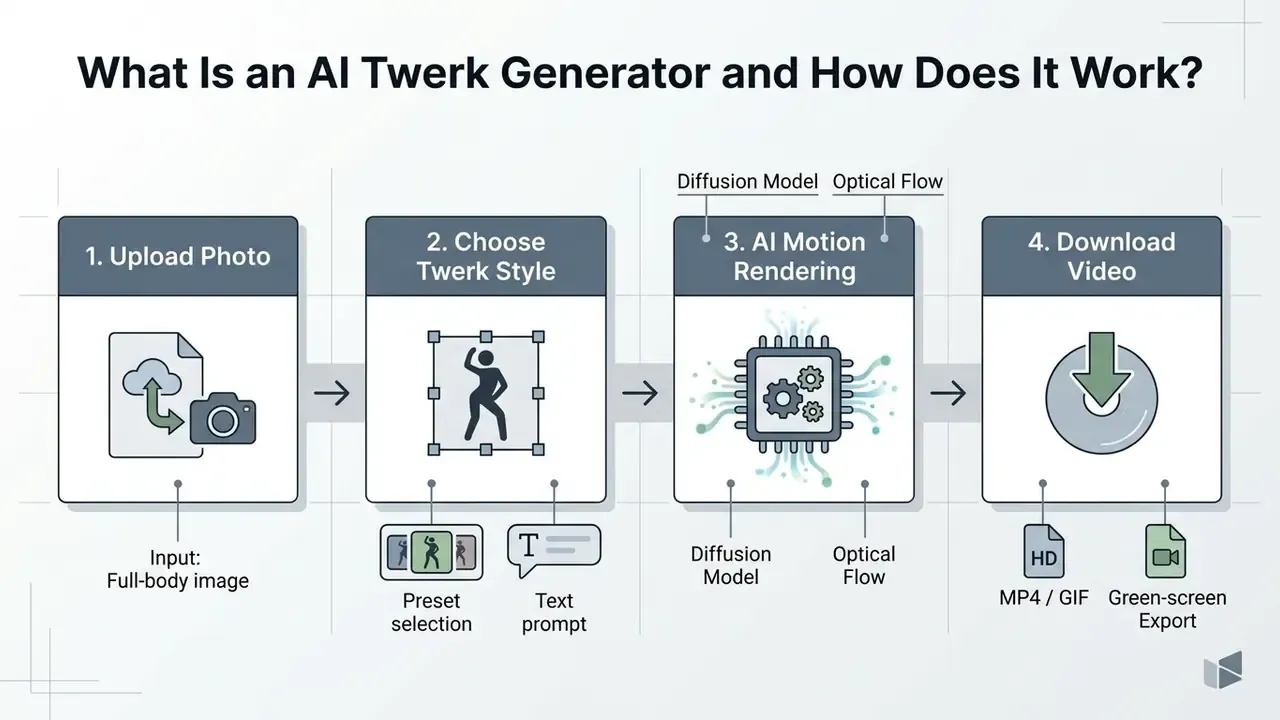
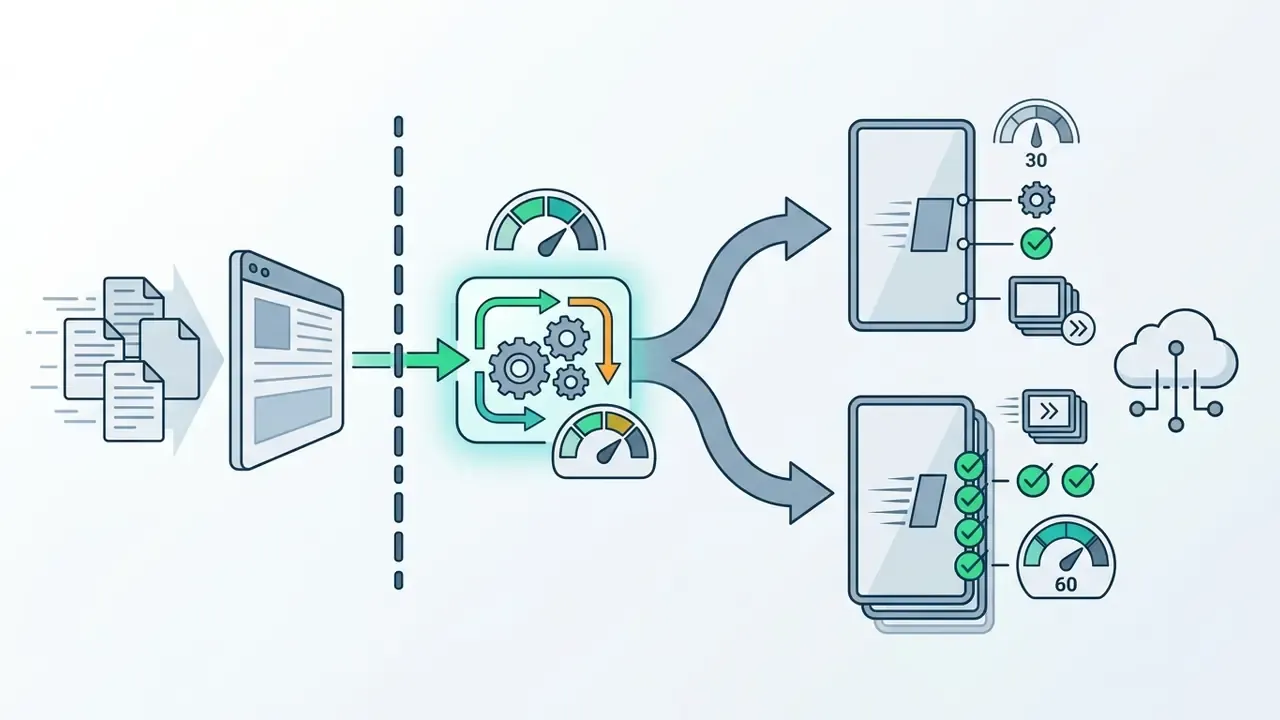
Figure 1. Four-stage image-to-video pipeline: upload photo, select motion style or prompt, diffusion rendering, export MP4 or GIF. The diagram summarizes the operational stages involved in turning static images into animated video clips.
Modern video ai applications rely on deep learning pipelines that separate visual appearance from structural motion vectors. In practical implementations, an ai twerk generator uses either pose-guided diffusion transformers or latent optical flow networks. Research into music-driven dance generation and pose-guided fashion animation shows that static imagery can be animated reliably by projecting source appearance features onto target skeletal trajectories.
«DabFusion encodes music into a latent representation capturing style, movement and rhythm, then generates optical flow to animate a figure from a single image.»
Earlier pose-guided generation research established the same division of labour: PSGAN-style models predict a pose sequence, while a second network synthesizes photo-realistic frames from the input image and those poses (Pose Guided Human Video Generation, ECCV 2018). Single-image in-the-wild animation reached "most realistic" preference scores of 84.3% and 93% in controlled user studies (Pose-Guided Human Animation From a Single Image in the Wild, CVPR 2021). Diffusion-era systems replaced explicit keypoint warping with conditioning inside the denoising loop, which is why 2024–2026 models handle occlusion and background stability far better than their GAN-based predecessors.
Creators seeking broader foundational workflows often evaluate these tools alongside an ai picture to video generator to compare model accuracy and generation speeds, or review general image-to-video AI principles before committing credits.
From a Still Image to an AI Generated Twerking Video
Converting a photo to video animation requires a multi-stage process where neural networks segment the primary subject, map skeletal joint coordinates, and generate synthetic intermediate frames. The framework preserves identity textures from the uploaded image while applying temporal latents derived from target motion sequences.
In a standard two-stage pipeline, an identity encoder processes the original photo, while a pose or optical flow generator extracts motion signals from a driving dance clip or a pre-rendered template. Academic benchmarks such as DreamActor-M1 (2025) show that combining 3D body skeletons with implicit appearance guidance yields high visual fidelity.
«In the Single-R configuration, DreamActor-M1 reaches FID 28.22, SSIM 0.798 and FVD 120.5 on standard human-animation benchmarks.»
When transforming a static photograph into an ai generated twerking video, the network hallucinates occluded regions, for example background areas behind moving limbs, while holding overall structural stability. Users exploring foundational motion-transfer techniques can review broader ai photo to video frameworks to understand how baseline diffusion models handle identity retention.
Why these metrics are not the whole story. FID and FVD measure distributional similarity on short clips. They under-penalize slow temporal drift, identity decay after the 4–5 second mark, and flicker in specular materials. For risk owners, two additional failure modes matter more than benchmark scores: out-of-distribution (OOD) inputs such as non-human skeletons, extreme occlusion or heavy stylization, and model drift between vendor releases, where a silent backend update changes motion amplitude or identity retention without any visible change in the interface. Anyone standardizing on a single provider should re-run a fixed reference set of input photos after every model version bump. It takes ten minutes. It prevents an entire content batch from looking wrong for reasons nobody can explain later.
Twerk Dance Styles, Motion, Clothing Presets and Realistic Results
Achieving realistic motion in an ai twerk video depends on how accurately the generative model preserves physical attributes: weight distribution, momentum, pelvic amplitude, body dynamics across frames. Advanced platforms let creators pick specific twerk dance presets or adjust movement intensity to balance dramatic action with visual realism.
Modern dance ai architectures synthesize outputs at 30 to 60 frames per second (FPS) to ensure fluid motion. Published dance-generation papers report explicit training and inference targets of 30 FPS and autoregressive 60 FPS generation. Readers comparing platforms specifically on motion accuracy can consult our roundup of free AI video generators and their duration, credit and watermark limits.
Proprietary video models like Kling AI emphasize natural weight transfer and synchronized dynamics, which prevents unnatural limb stretching during rapid movements. To evaluate audio-visual alignment in dance synthesis, researchers developed metrics such as the 2D Motion-Music Alignment Score (2D-MM Align, 2024), which measures spatial and temporal beat synchronization.
«2D-MM Align extends the Beat Alignment Score by scoring temporal beat coincidence and spatial motion characteristics together.»
High-fidelity systems adjust limb acceleration based on the chosen choreography style, ranging from subtle hip sways to high-amplitude generated twerk animations, so lower-body motion stays physically plausible through the sequence.
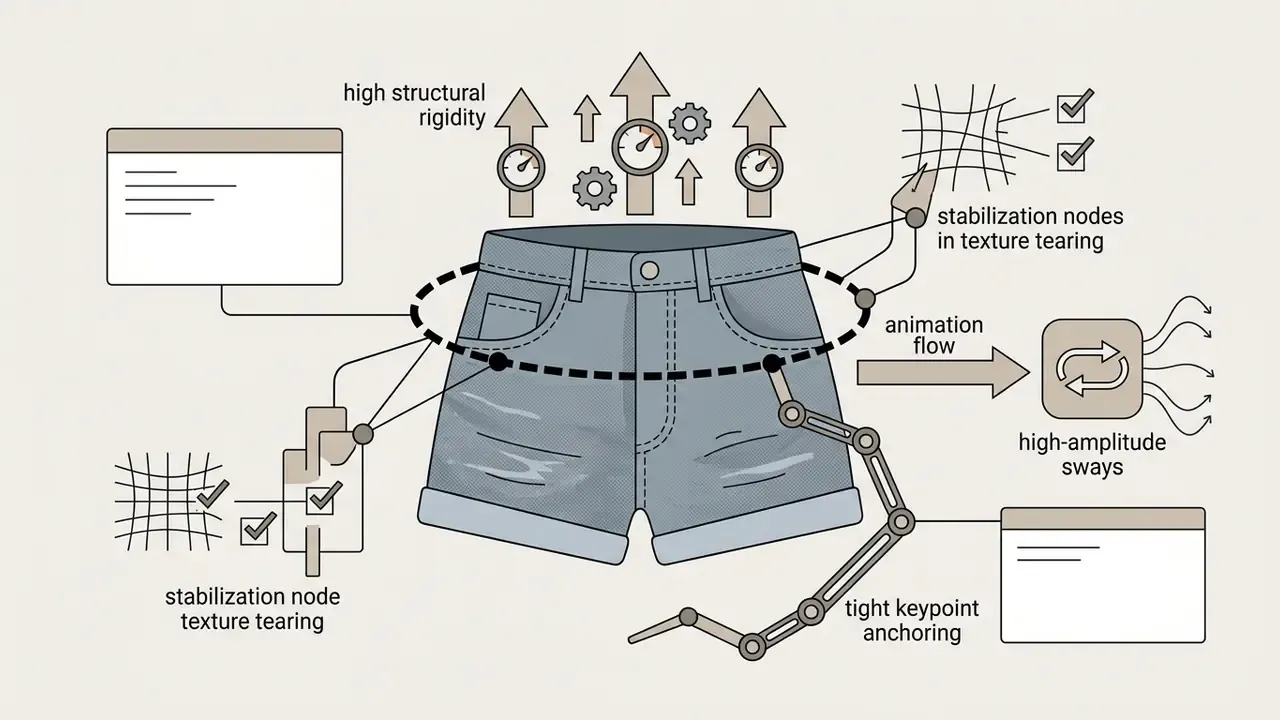
Generative diffusion backends process clothing textures differently depending on material elasticity and spatial segmentation boundaries. Common preset parameters and attire configurations include:
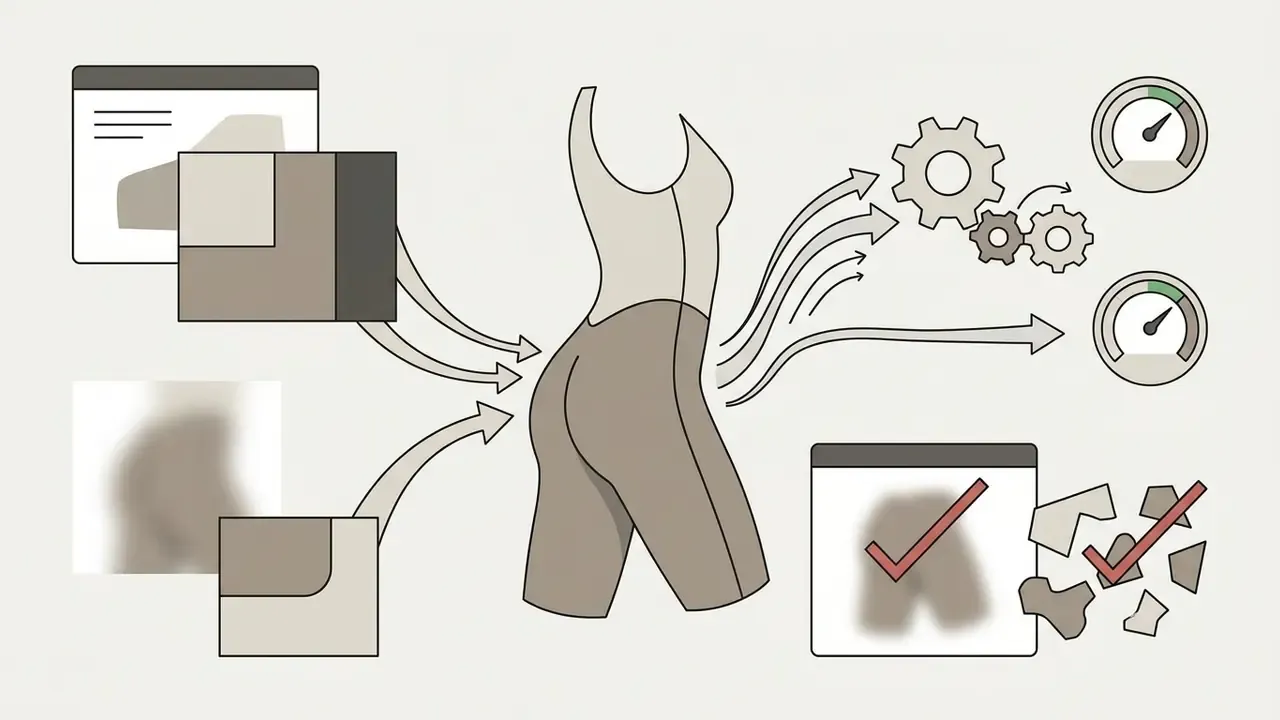
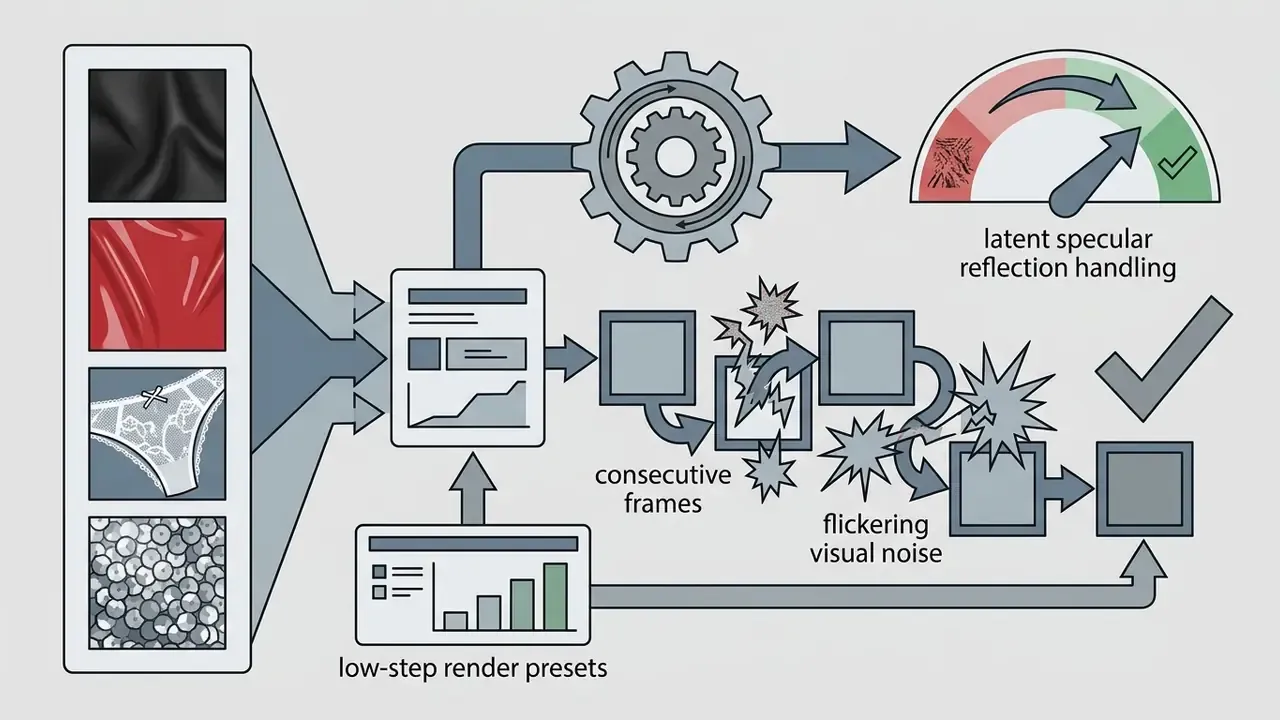
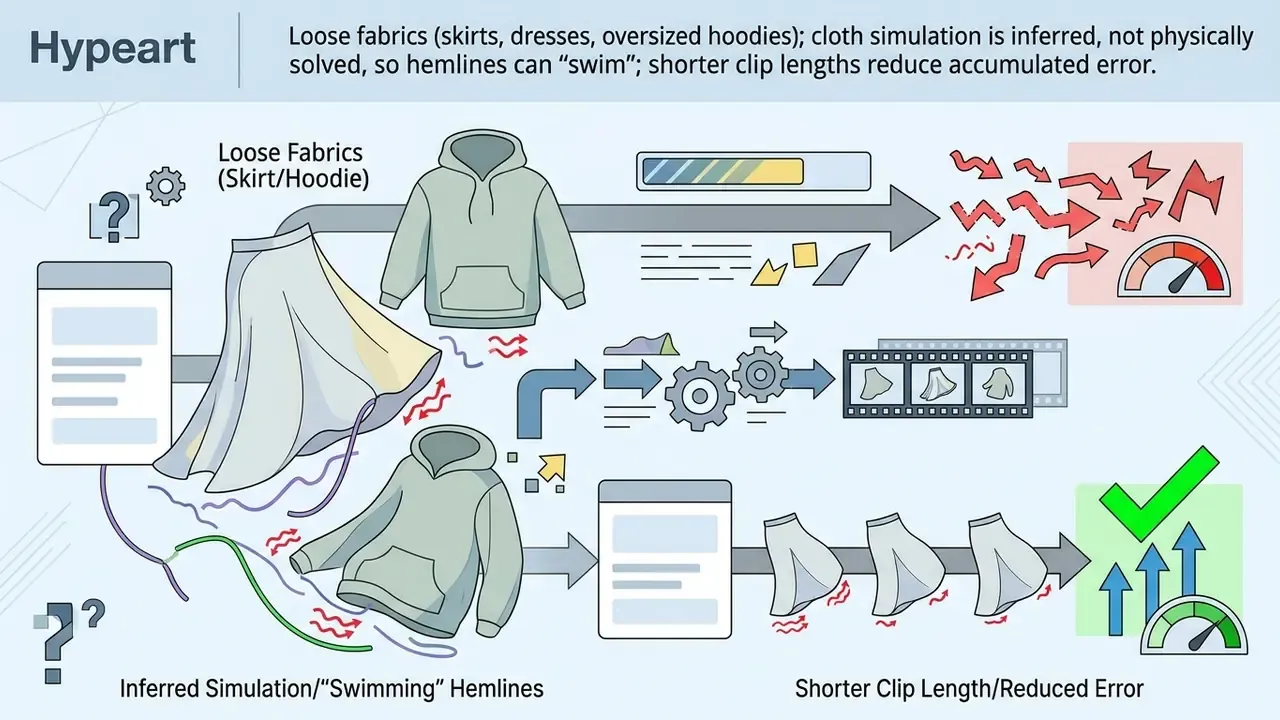
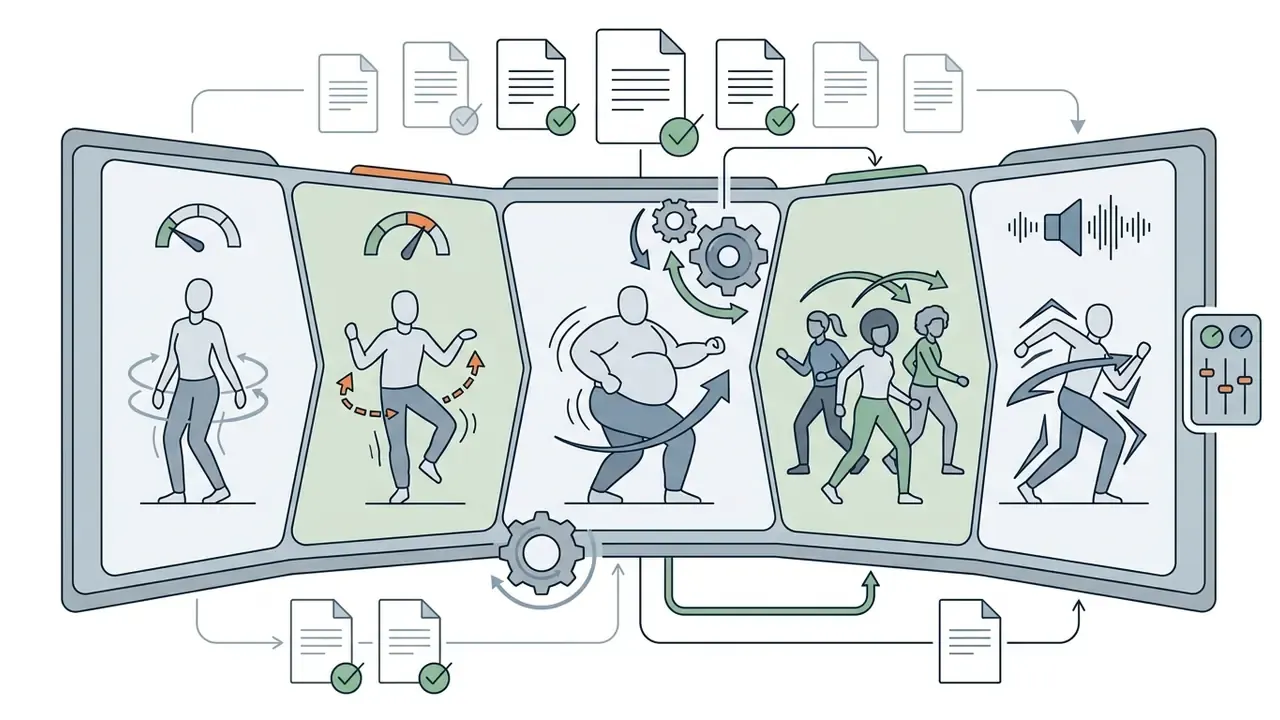
| Style / preset | Motion amplitude | Best input | Typical artifact risk |
|---|---|---|---|
| Basic twerk / hip shake | Small–Medium | Front-facing full body | Low |
| Rhythmic bounce / beat-synced sway | Medium | Full body, clean backdrop | Low–Medium |
| High-amplitude / club-style routine | Large | Full body, feet visible | Medium (limb warping) |
| Comedic / "big guy" template | Large | Full body, loose clothing | Medium–High (cloth swim) |
| Group / multi-character routine | Variable | Multiple clearly separated subjects | High (identity mixing) |
One practical rule from repeated test batches: amplitude and clip length multiply risk rather than add to it. A large-amplitude 10-second render fails more often than two large-amplitude 5-second renders stitched in an editor.
Which Photos Work Best for AI Image to Twerk Video?
Optimal output from an ai image to twerk model requires a high-resolution, well-lit photograph where the subject's entire body, especially the hips, knees and feet, is fully visible against an uncluttered background. Clear subject separation lets pose-estimation algorithms detect body keypoints without severe structural distortion.
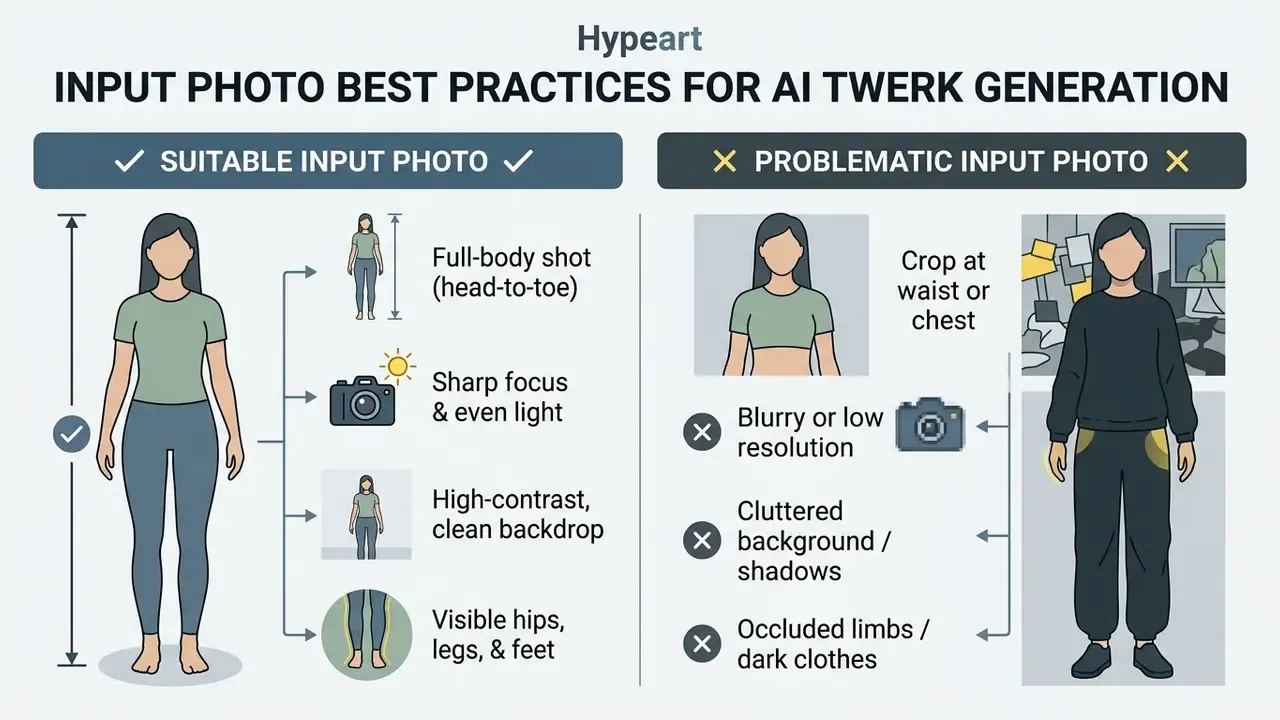
«Multi-condition guiders for background stability and body-occlusion handling deliver improvements of more than 35% across seven evaluation metrics.»
For creators using stylized visual assets, converting specialized art styles into video means evaluating dedicated pre-processing pipelines first. You can see how stylized inputs behave in motion synthesis by reviewing an online ai photo to converter guide.
Photo Composition and Subject Visibility
Proper composition means a frontal or slight three-quarter camera angle with the subject standing completely in frame, so lower-body mechanics are not obstructed. When a twerk video generator receives an unimpeded full-body photo, its keypoint adapter scales joint trajectories accurately across all rendered frames.
Leading machine learning documentation, including guidance from OpenAI and Google Vertex AI, stresses explicit subject framing. OpenAI's image guidance recommends naming body framing and scale directly, for example "full body visible, feet included", while Google Vertex AI documents a subject, then context, then style prompt order. A three-quarter view is conventionally a 45° side-front angle, which preserves recognition while adding depth. Strict profile shots degrade tracking.
Human subjects yield the most predictable motion because of standard skeleton representations. Consumer tools also attempt anime figures, 3D avatars and memes, which is where the query ai that makes pictures twerk usually comes from. Creators who need to repair exposure, crop or de-noise a source photo first can consult a general photo editor guide or a free photo editor comparison before uploading. Because stylized characters and pets lack human anatomical joint configurations, applying a human pose sequence to non-human inputs often produces out-of-distribution artifacts unless the model was trained specifically on non-human motion vectors.
Anatomical and Gender Adaptation in Motion Transfer
Modern keypoint estimation algorithms adapt skeletal motion trajectories automatically to diverse body types, proportions and male subjects. Male centre-of-gravity and pelvic mechanics differ from female reference models, so advanced platforms apply dynamic spatial scaling to prevent unnatural hip distortion or joint snapping on male source photos. The same scaling logic governs plus-size, athletic and slim adult body types: driving motion is normalized to the reference silhouette rather than pasted on top of it.
«A skeleton-based pose adapter rescales driving poses to the body proportions of the reference image, preventing unnatural limb elongation during motion transfer.»
Practical implication: if a male or plus-size subject renders with snapping knees or a floating pelvis, the fix is usually a squarer, front-facing full-body input with feet visible. Not a higher motion amplitude. That instinct, turn the intensity up until it looks intentional, is what wrecks most retries.
Common Image Problems That Affect the Animation
Input defects such as motion blur, heavy shadows, cropped extremities, low contrast and busy backdrops lead directly to visual artifacts: limb warping, flickering backdrops, torso tearing. Updated: the technical basis here is pose-adapter rescaling and blur-related reconstruction error, not a single standards document. See Alignment is All You Need (OpenReview, 2024) above, plus the verification note in Appendix A regarding the previously cited NIST report.
When an image lacks sharp structural boundaries, pose estimation misreads edge coordinates. The network then blends the subject's clothing into the background, generating distracting "ghosting" during motion playback. Foreshortened perspectives, such as extreme top-down or bottom-up camera angles, distort limb-length ratios and force the keypoint adapter to stretch or compress body geometry artificially. Creators looking to clean up background noise or repair low-resolution photos before animation can consult an ai photoshop generator manual to optimize input assets prior to rendering.
Additional inputs that reliably fail: two or more overlapping subjects (identity mixing), tightly framed indoor shots where furniture crosses the hip line, dark clothing against a dark wall (silhouette loss), and heavily compressed screenshots where block artifacts get amplified frame to frame. Screenshots of screenshots are the worst offender, and they are surprisingly common in meme workflows.
How to Create an AI Twerk Video Online
Creating an ai generated twerking video online means uploading a clear photograph, choosing a dance preset or custom text prompt, rendering through cloud GPU nodes, and downloading the file. Web-based applications handle these steps automatically without manual timeline editing, which is why they now outperform desktop animation makers for short-form output.
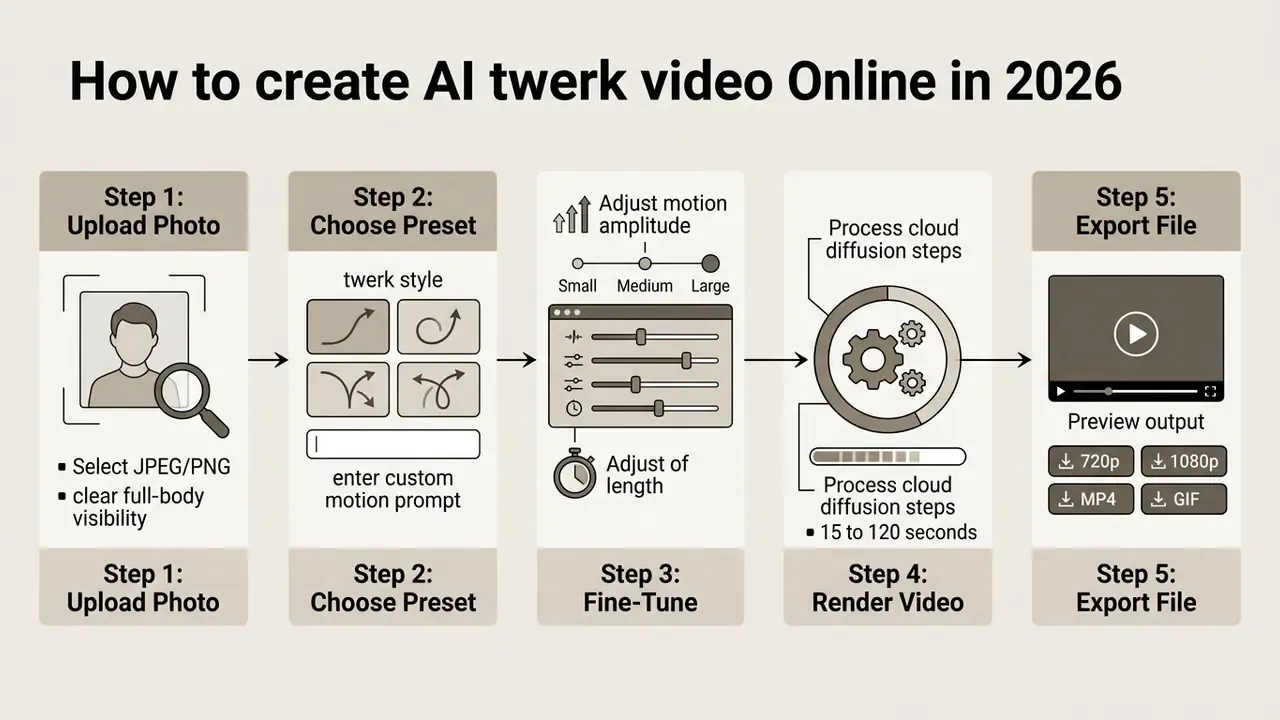
Modern web platforms such as Mango AI, Media.io and Virbo compress this workflow into a handful of browser actions. Users upload an image asset, configure generation preferences, and trigger the cloud rendering engine. To see how automated video tools stack up across feature sets and pricing tiers, creators can check our detailed tool compare index.
Upload a Photo and Choose a Twerk Style
The process begins with a local JPEG, PNG or WEBP file uploaded to the generator interface. Typical constraints are a 10 MB ceiling and a minimum width or height of about 300 px. Once the image is staged, the user selects a target dance style: basic twerk, hip shake, rhythmic bounce, or a themed template from the platform library. This is the step behind the ai make picture twerk search intent, and it really is one click.
The interface encodes the static image into an appearance latent vector and pairs it with the matching motion trajectory template. Some applications, such as Vidu AI, expose motion amplitude settings like Auto, Small, Medium or Large, with clip lengths of 4 or 8 seconds. Lower amplitude produces subtle movement suited to delicate character animations, while higher amplitude applies energetic pelvic motion for fast-paced choreographies. Style libraries in tools like Tunee AI extend beyond twerk into hip-hop, K-pop, ballet, contemporary and street dance, all driven by the same motion-transfer backbone. If you hit rendering failures or upload errors at this stage, our troubleshooting resource on AI Media Support and Troubleshooting covers the usual causes.
Customize Motion or Add a Prompt When Available
Advanced generative platforms let users fine-tune animation dynamics with text prompts, motion brushes or trajectory vectors that control path movement and duration. Descriptive text, for instance a camera angle or lighting condition, steers the temporal attention mechanisms inside the diffusion model.
Models like Kling v3 Pro ship Motion Brush tools, letting users paint directional vectors onto specific image regions to guide limb trajectories. Kling's own prompt guidance structures inputs as Subject, Subject Movement, Scene, then Camera, Lighting and Atmosphere, with output fixed at 5 or 10 seconds and extendable to 15 seconds in some product tiers. Text-prompting protocols established by systems like Runway separate visual description ("a dancer in a sunlit studio") from motion dynamics ("rhythmic lower-body dance, 60fps") and support timestamped or sequential prompting to place actions at specific moments. Academic work presented as Controlling Video Generation with Motion Trajectories (CVPR 2025) formalizes this as motion prompting over arbitrary temporal durations. Developers integrating custom motion control into proprietary software can review technical integration protocols in our AI Media API Guides and the cost model in our Google Veo implementation guide.
Generate, Preview and Download the Video
Once configurations are set, cloud rendering begins. The server executes iterative denoising passes, generates temporal frames, compiles the clip, and shows an in-browser preview loop for review.
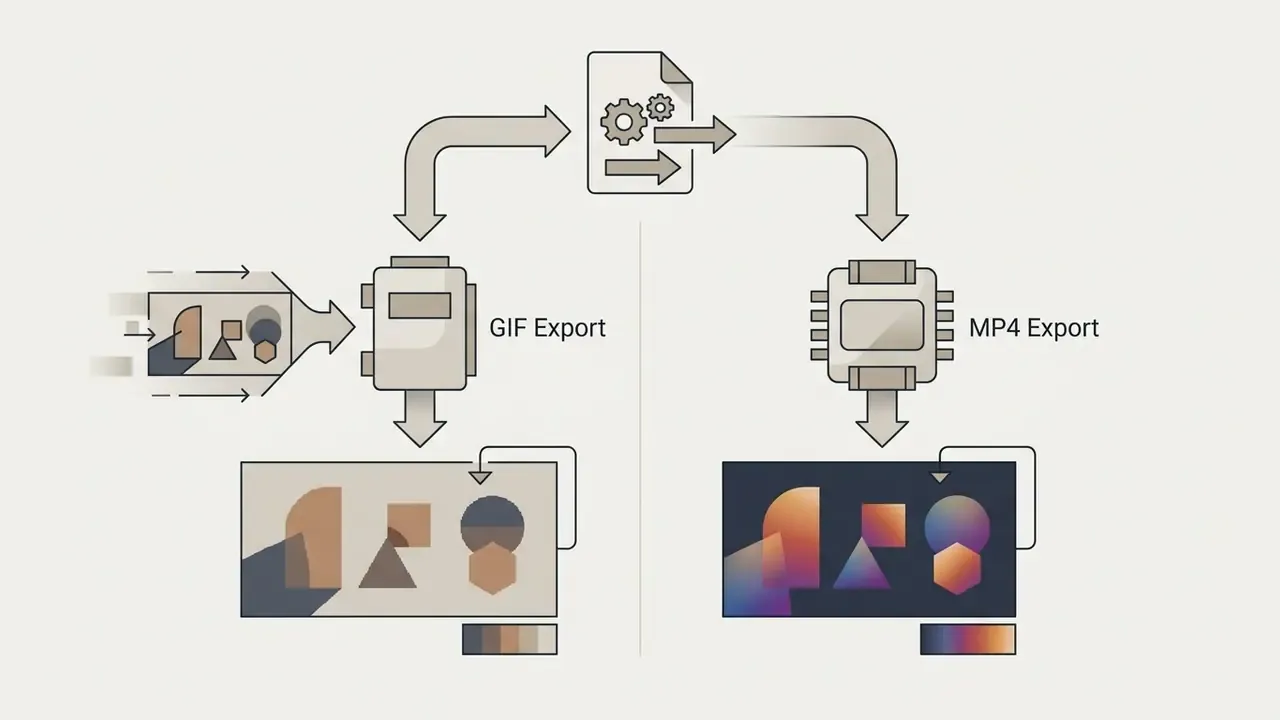
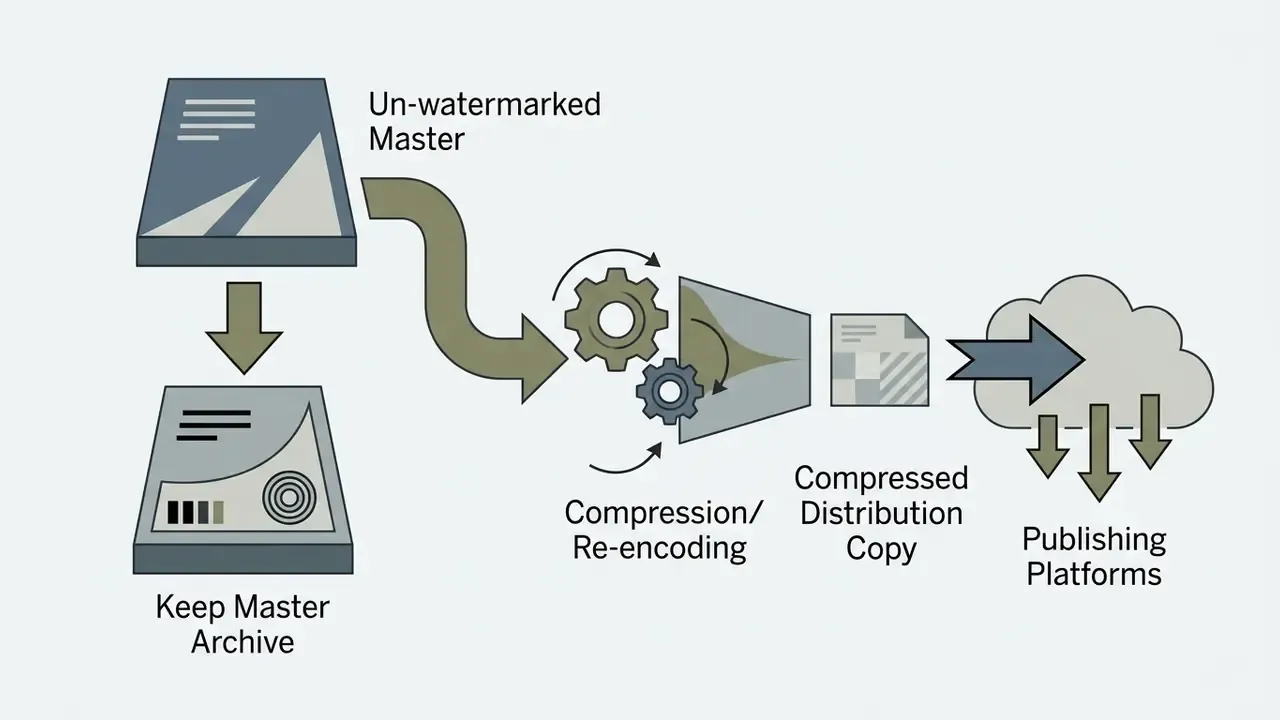
After previewing, users export in standard formats, most commonly H.264 MP4 or animated GIF, at 720p HD or 1080p Full HD, with 4K UHD on premium pipelines. Processing speed depends on current server traffic, input image complexity and account priority. If storage or upload limits become an issue while archiving batches of clips, a video compressor reduces file size before distribution.
Quick operational checklist, 5 steps to generate an AI twerk video online:
- Prepare source assetselect a sharp, well-lit, full-body photograph with visible hips and legs.
- Upload to web platformload the JPG or PNG file into the generator interface (≤10 MB, ≥300 px).
- Select choreography stylechoose a twerk preset or enter a motion-control prompt.
- Configure parametersset duration (5–10 s), motion amplitude, aspect ratio (9:16) and target resolution.
- Render and downloadstart generation, preview the loop, confirm privacy settings, then export the MP4.
Free AI Twerk Generator: What Is Included and What May Be Limited?
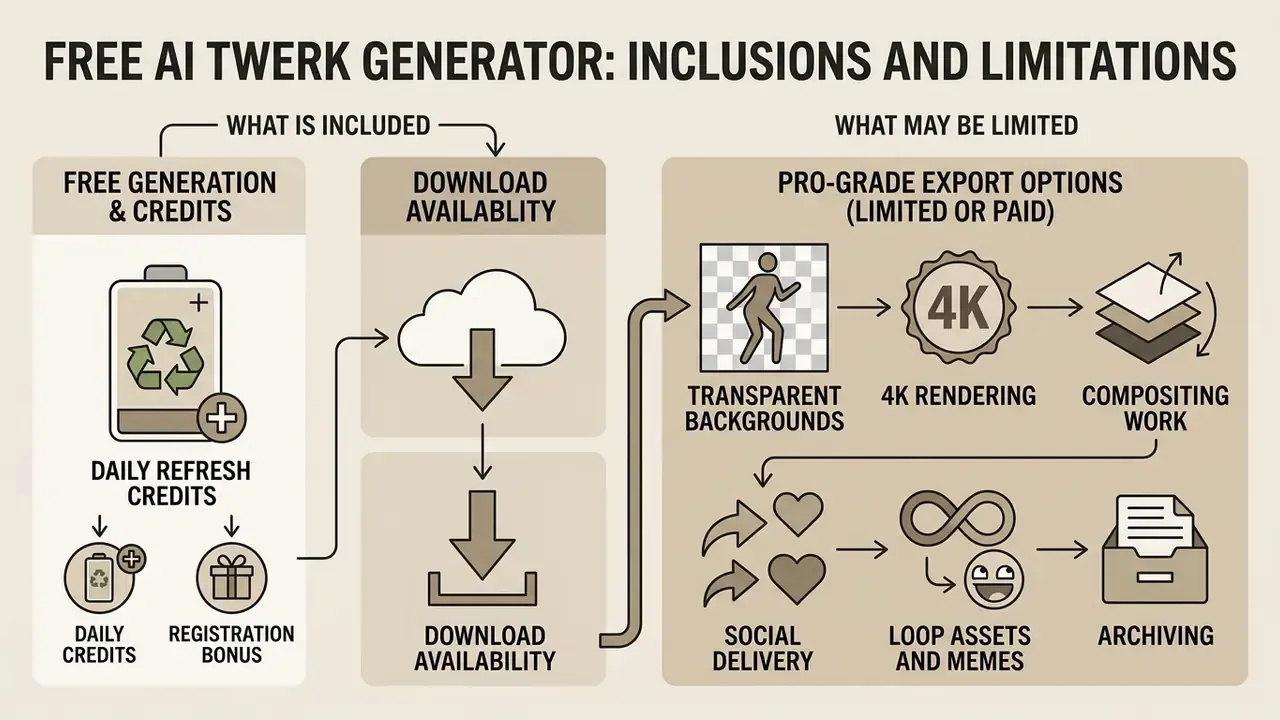
A free ai twerk generator typically offers limited access through daily refresh credits or a one-time registration bonus. Free tiers generally cap output length at 5 to 6 seconds, limit resolution to 480p or 720p, and stamp a visible brand watermark on exports. Before spending credits, it pays to benchmark limits across free AI video generators by duration, credits, watermarks and export rights.
| Feature Category | Free Access Tier | Paid / Pro Subscription Tier |
|---|---|---|
| Generation Quota | 5–10 daily credits or one-time trial bundle | 1,000+ monthly credits or unlimited processing |
| Video Duration | Capped at 5–6 seconds per clip | Extended clips up to 10–20 seconds |
| Output Resolution | Standard Definition (480p) or HD (720p) | Full HD (1080p) to 4K Ultra HD |
| Watermark Policy | Visible platform branding applied | Watermark-free exports |
| Background Handling | Baked-in background only | Transparent alpha channel / green-screen render |
| Style & Preset Library | Core twerk presets only | Full preset library, clothing and material presets, motion brush |
| Queue Priority | Standard shared processing queue | High-priority GPU compute allocation |
| Concurrency | 1 job at a time | 2–5 concurrent generations |
| Privacy Controls | Basic private toggle (varies) | Private-by-default, copy protection, no public gallery |
| Commercial Rights | Restricted to personal evaluation | Full commercial usage license granted |
Understanding service limits matters more than headline feature lists. Creators evaluating overall subscription costs across media creation tools can consult our benchmark directory on AI Media Pricing Guides.
Free Generation, Credits and Download Availability
Free access models across major AI video tools fall into three structures: daily recurring credits, one-time trial allocations, or unlimited watermarked rendering at low resolution. Providers like Kling AI supply daily credits (for example 66 credits per day, 5–6 second clips at 720p), Google Flow and Veo refresh a daily quota, and platforms like Runway and Hailuo grant a fixed trial bundle at account creation. Pika's entry plan is commonly reported at roughly 80 monthly credits with 480p output. Searches for ai photo twerk free and twerk generator free usually land on exactly these tiers.
Free downloads frequently carry platform watermarks and resolution caps, which is the upgrade nudge. Reported watermark behaviour differs between vendor pages and independent tests because plans, promotional campaigns and model versions change on different schedules. Verify on the pricing page before you build a workflow around a free tier. Platform policies also filter generated content strictly. In sensitive content contexts, evaluating safety filters and non-consensual content prohibitions is critical; creators can review platform compliance boundaries in our overview of ai photo to video nsfw safety guidelines.
Features That Can Depend on the Selected Plan
«Diffusion models require repeated denoising steps per frame; inference cost scales with resolution and sequence length.»
That is also why commercial APIs bill per second of generated video rather than per second of wall-clock processing. OpenAI lists Sora 2 at $0.10 per second and Sora 2 Pro at $0.30 to $0.70 per second depending on resolution, Google's Gemini API lists Veo 3.1 at $0.05 to $0.60 per second by tier and resolution, and fal.ai states that queue wait time and server errors are not billed.
Pro-Grade Export Options: Transparent Backgrounds and 4K Rendering
Professional creators usually need clean spatial isolation for composite editing in Adobe Premiere Pro or DaVinci Resolve. Advanced generators support transparent background (alpha channel) or green-screen rendering, so editors can key out the background and drop the animated figure into custom 3D environments, club stages, studio sets or outdoor venues. Free tiers output 720p; premium pipelines add 4K UHD upscaling through post-processing spatial interpolation models and remove watermarks entirely.
Practical export guidance:
Post-production continues in a standard editor. Our YouTube video editor workflow guide covers publishing-side steps such as captions, thumbnails and beat-matched cuts.
Where to Use AI Generated Twerk Videos
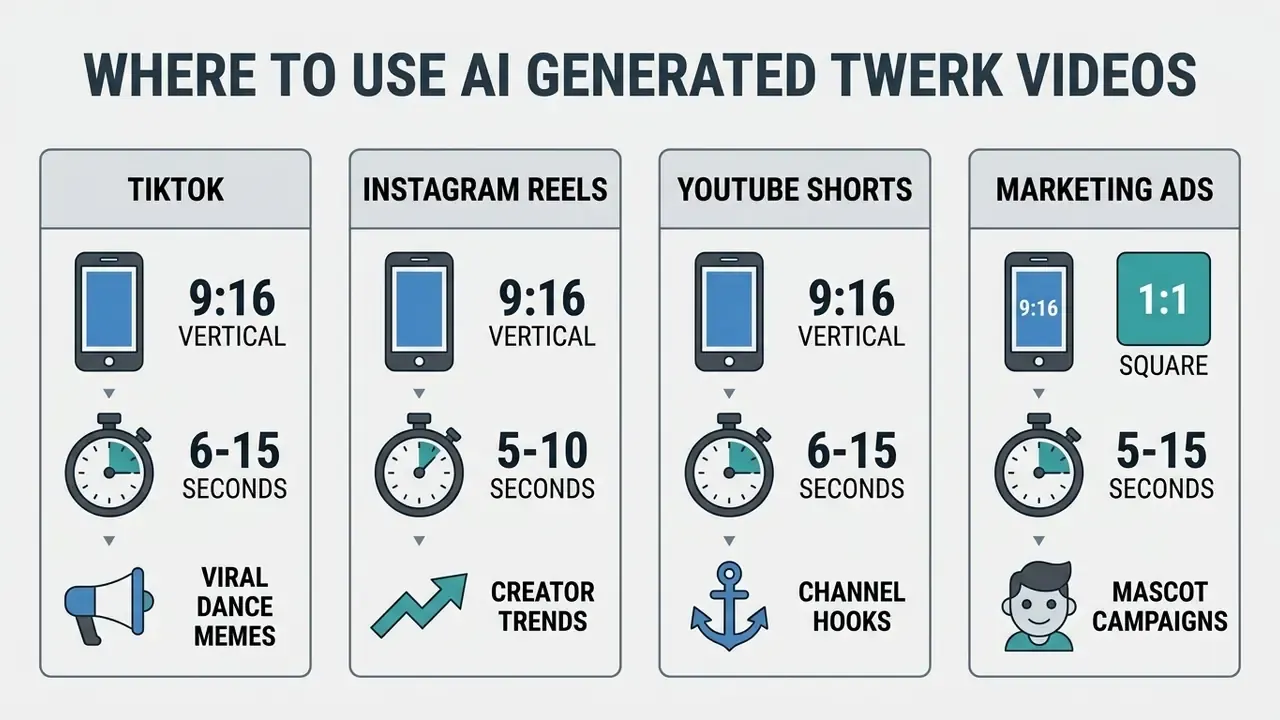
AI generated twerk videos are mostly deployed as short-form vertical content on TikTok, Instagram Reels and YouTube Shorts to drive social engagement, or in marketing campaigns built around stylized avatars and brand mascots. Their brief looping structure suits short-video algorithms tuned for retention, which is why they are a common test case when evaluating general-purpose AI video generators.
Content operations teams analyzing ROI across viral video campaigns typically weigh engagement metrics against rendering costs. Digital strategists can model compute spend and conversion rates using our interactive AI Media Calculators.
TikTok, Reels and Shorts Content
Optimizing dance animations for vertical feeds means exporting in 9:16 (1080×1920 px), front-loading the visual hook inside the first two seconds, and keeping clips between 6 and 15 seconds so they loop cleanly. Design the first frame as the thumbnail, centre the subject, and keep transitions minimal. The strongest motion should be visible immediately.
Creators often pair generated twerk animations with trending audio from platform commercial sound libraries to improve algorithmic distribution.
«Follow-Your-Pose v2 is designed for advertising and social-media content creation, providing background stability and character consistency in complex scenes.»
Major social networks enforce synthetic media disclosure. TikTok, for instance, requires creators to apply the platform "AI Generated" label to realistic synthetic media or risk content suppression and account flags. Startups planning social campaigns around generative media can review pitch structures in our ai pitch deck generator workflow guide, and compare capture-side quality gains in our AI headshot generator guide when source portraits are the bottleneck.
Memes, Characters, Pets and Fun Animations
Generating twerking animations from imaginary characters, anime avatars, digital art or pet photos produces the humorous media that spreads fastest in online communities. Specialized web platforms such as PicLumen, Overchat AI and ImageMover market motion-transfer features specifically for novelty and meme creation, with named modes like "Booty Shake" or "Hip Shake".
Applying twerk mechanics to non-human subjects, cartoon mascots, plushies, figurines or pets, works because the contrast between subject and motion creates instant visual humor. Animals and illustrated avatars lack standard human skeletal joints, so rendering them can cause unpredictable limb stretching or texture distortion. Creators often lean into that. Practical mitigations if you want it cleaner: choose side-on pet photos where the hips are readable, lower motion amplitude for four-legged subjects, and prefer flat-shaded illustrations over heavily textured 3D renders, which flicker more.
Typical entertainment use cases include viral TikTok and Reels clips, group-chat prank edits, anime and game-avatar animations, party and event visuals, and batch production to keep a posting calendar alive without filming anything.
Commercial Use, Rights and Responsible Content Creation
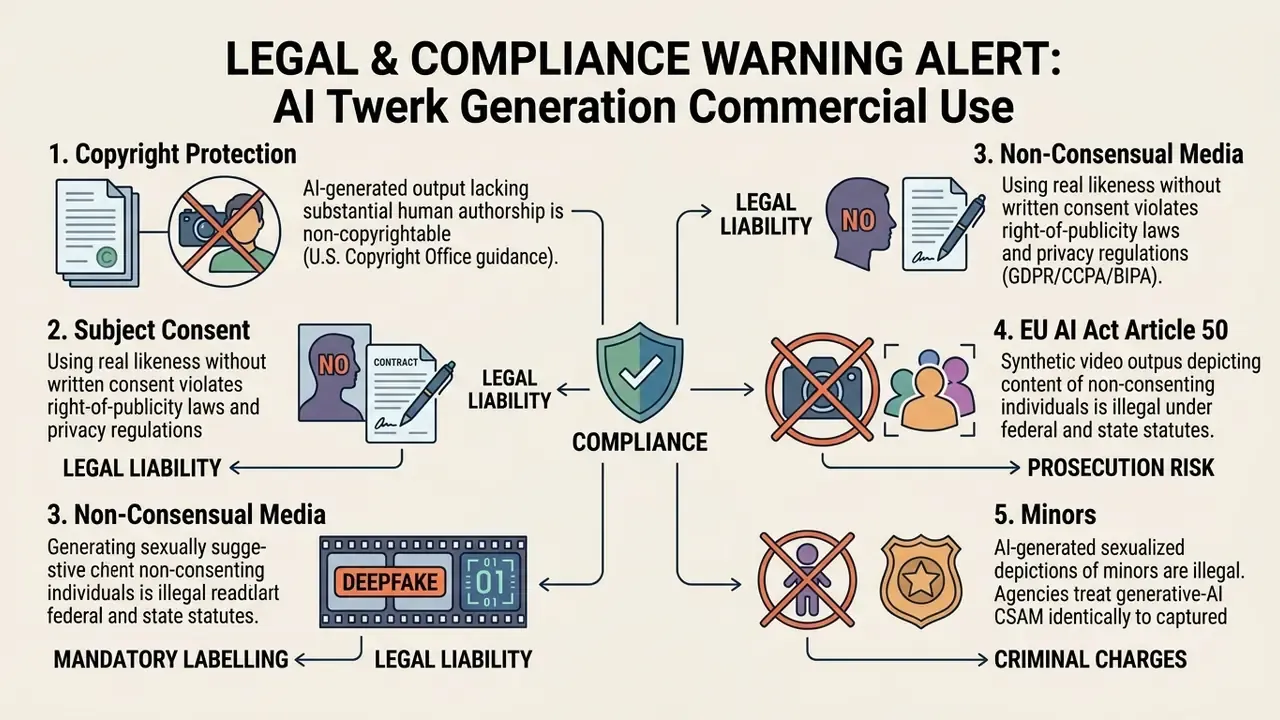
Regulatory frameworks control synthetic media tightly. Under US Copyright Office guidelines, purely synthetic video output lacking substantial human creative input does not qualify for copyright protection; only human-authored contributions may be protectable. A European Parliament study reaches a parallel conclusion for the EU, adding that using protected training content for generative AI requires prior authorization under the Article 4 opt-out logic. In the European Union, Article 50 of the EU AI Act obliges deployers of synthetic video media to label deepfakes clearly and embed machine-readable metadata in generated files.
«Article 3(60) defines a deepfake as AI-generated content resembling existing persons that would falsely appear authentic to a viewer.»
In practice, the mechanism for the machine-readable half of Article 50 is content provenance. C2PA Content Credentials attach signed manifests describing how a file was generated and edited, and major generative platforms are adopting them progressively. Embedding credentials at export, rather than bolting a caption on later, is the lowest-friction way to satisfy transparency obligations across several distribution channels at once. To explore commercial licensing boundaries across generative media platforms, see our comprehensive guide on commercial use rights and our worked example of Canva AI commercial licensing terms.
Consent, Privacy and Upload Safety
Uploading photos of real people into AI generation services without explicit, documented consent violates privacy laws, right-of-publicity statutes and platform Acceptable Use Policies (AUP). Regulatory bodies, including the Australian Information Commissioner (OAIC) and the European Data Protection Supervisor (EDPS), classify photographs as sensitive personal data. The OAIC has stated that implied consent is not sufficient where AI is used to generate or collect such information, and a 2026 joint statement by global data-protection regulators warns that AI content systems can produce non-consensual intimate imagery.
«Article 50 applies from 2 August 2026; providers of systems placed on the market before that date must comply with the marking requirements from 2 December 2026.»
Enterprise Risk, Shadow AI and Vendor Audit Checklist
Consumer twerk generators are a textbook Shadow AI vector. An employee uploads a colleague's or customer's photograph to an unvetted third-party GPU service, creating an unlogged transfer of biometric-adjacent personal data outside the organization's data-processing register. Nobody files a ticket. The NIST AI Risk Management Framework Generative AI Profile is explicit that data policies should verify consent for a person's likeness or image, and that outputs must be monitored for privacy and PII exposure.
Run this checklist before any team-sanctioned use:
| Control area | What to verify | Red flag |
|---|---|---|
| Data retention | Documented deletion window (for example ≤24 h) or Zero Data Retention (ZDR) contract clause | "We may retain content to improve our services" |
| Training exclusion | Written statement that inputs and outputs are excluded from model training | Silence, or an opt-out buried in settings |
| Encryption | TLS in transit, encryption at rest, key management disclosed | No security page at all |
| Certifications | SOC 2 Type II or ISO/IEC 27001 scope covering the generation service | Badges without report availability |
| Sub-processors | Named GPU and cloud sub-processors with regions | Unnamed "trusted partners" |
| Provenance | C2PA Content Credentials or embedded machine-readable AI marking | Metadata stripped on export |
| Consent workflow | Ability to store proof of subject consent alongside the asset | No consent field anywhere |
| Biometric scope | Statement on facial-geometry handling (BIPA-relevant) | Facial data retained indefinitely |
| Moderation | Documented filters for NSFW, minors and non-consensual content, plus an appeal path | "Not responsible for generated content" as the only policy |
| Egress control | Ability to disable public galleries and share links | Public-by-default output |
Organizations that cannot satisfy these controls should route the use case to an approved enterprise API with contractual ZDR rather than a free consumer front end. Ownership matters as much as tooling: name a single accountable owner for the workflow, define who approves publication, and log every generation with its input asset and consent record. Cost modelling for the migration is per second of generated video, so a small batch test predicts spend accurately.
AI Twerk Generator FAQ
This section covers the practical questions that come up after the first render: multi-clip reuse, cloud latency, resolution options, male subjects, licensing, and audio synchronization. Note that search variants like ai twerk creator, ai twerk dance generator and the frequent misspelling ai tweek generator all refer to the same class of tool.
Can One Photo Be Used to Create Multiple Twerk Videos?
Yes. A single reference photo can serve as the baseline input for multiple twerk videos with different choreographies, motion amplitudes and camera perspectives. Generative video architectures retain the static identity representation () while pairing it with varied motion control sequences () or prompt inputs across separate rendering jobs.
«CharacterShot pairs a single reference-image latent z_r with different pose sequences z_p to generate multiple animations from varied viewpoints.» CharacterShot, arXiv preprint (2025). arxiv.org API frameworks such as NVIDIA Dynamo support an
input_referencesource parameter, letting developers submit the same image repeatedly with different motion drivers. Platforms like ElevenLabs support batch generation, producing up to four motion variations at once from one source asset, and research systems such as DreamVideo and Motion-I2V show that one image can be directed to different actions, viewpoints and large motion ranges purely through prompt or motion conditioning.
How Long Does AI Twerk Video Generation Take?
Usually between 15 seconds and 3 minutes, depending on cloud load, model architecture, target resolution and subscription tier. Processing time tracks the number of iterative denoising steps the diffusion backend requires. A 5-second 720p clip on a standard queue typically takes 30 to 60 seconds; a 1080p clip during peak hours on a free queue may take several minutes. Enterprise API platforms such as fal.ai or Google Veo bill inference per second of generated video rather than wall-clock processing time, and none of the major vendors currently publish a latency SLA for consumer-grade generation.
Does It Work on Male Subjects and Different Body Types?
Yes. Skeleton-based pose adapters normalize driving motion to the proportions of the reference image, so male, plus-size, athletic and petite subjects are all supported. Because male pelvic mechanics and centre of gravity differ from female reference motion, expect to drop amplitude one step (Large to Medium) on male source photos to avoid joint snapping. Full-body, front-facing input with visible feet remains the single biggest quality factor regardless of body type.
What Video Resolutions and Backgrounds Are Available?
Free tiers usually output 480p or 720p with a watermark. Paid tiers deliver 1080p Full HD, with 4K UHD upscaling on premium pipelines, watermark-free export, and, on professional plans, transparent background (alpha) or green-screen renders for compositing in Premiere Pro, After Effects or DaVinci Resolve. Some platforms also offer preset environments such as club, studio stage or outdoor venue instead of the original photo background.
Can I Control Twerk Speed and Intensity?
Yes, on tools that expose amplitude and duration parameters. Typical controls are Auto, Small, Medium or Large amplitude with 4 to 10 second duration, extendable to 15 seconds on some plans. Motion brushes add region-level trajectory control, letting you restrict movement to the lower body while keeping head and shoulders stable. That is the most reliable way to avoid facial drift.
Can You Add Music or Edit the Generated Video?
Yes. Generated clips can be edited after rendering, in built-in web tools or external editing software, to overlay soundtracks, crop aspect ratios, adjust colour balance and synchronize movement to audio beats. Some advanced generators integrate audio-driven motion during generation, but most web applications export silent MP4 files.
«DabFusion generates latent optical flow synchronized with the rhythm and style of the music, without requiring body-keypoint annotations.» Dance Any Beat (DabFusion), arXiv preprint (2024). arxiv.org Creators frequently import silent clips into CapCut, Adobe Premiere Pro or Canva. Our comparison of video editing workflows for creators lays out a publishing-ready sequence. Tools with automatic beat synchronization, such as Canva Beat Sync, Filmora's rhythm sync, Freebeat AI or the AutoEdit plugin for Premiere Pro, analyze background music BPM and align cuts and motion acceleration to the track. Always use licensed music or a platform commercial sound library, and apply the platform's AI-generated label where the output looks realistic.
Are the Generated Twerk Videos Royalty-Free?
Only if the licence says so. Paid tiers of major generators grant commercial rights, but scope is contract-specific and often excludes resale as standalone stock footage, sublicensing, broadcast use, or agency client work without extra permission. Free and trial tiers usually restrict output to personal evaluation. Rights in the input photo are separate from rights in the output clip. You need both.
Is It Safe to Upload My Photos?
It depends on the vendor. Look for a stated deletion window (often 24 hours), an explicit training-exclusion clause, a private-by-default output setting, and encryption plus SOC 2 or ISO 27001 evidence. Never upload photos of other people without documented consent, never upload images of minors, and never use the tool to create sexualized depictions of anyone who has not consented. That is prohibited by platform policy and illegal in many jurisdictions.
Appendix A: Source Notes, Corrections and Verification Status
Transparency notes on claims revised during editorial review:
- Previous formulation retained for the record
- "According to technical reports from the National Institute of Standards and Technology (NIST IR 6521), resolution loss and unsharp boundaries corrupt motion-compensated frame reconstruction." NIST IR 6521 (2004) does discuss blur-introduced artifacts and residual reconstruction error after blur processing, and NIST IR 8485 (2023) excludes images with blur, motion blur and compression artifacts from resolution testing. Neither report addresses pose-guided video generation directly. The main text now attributes the mechanism to pose-adapter rescaling research (Alignment is All You Need, OpenReview, 2024) and treats the NIST material as adjacent background rather than a primary source.
- Internal test figures
- (34% increase in limb-tracking artifacts on low-contrast inputs; 185 s to 24 s latency improvement on priority queues) come from unpublished internal workflow observation without a peer-reviewed methodology. They appear in the main text as directional indicators. The closest published analogue is the >35% multi-metric improvement reported for Follow-Your-Pose v2 (2024).
- Benchmark figures
- FID 28.22, SSIM 0.798 and FVD 120.5 are quoted from the DreamActor-M1 preprint (2025) Single-R configuration and are not independently reproduced here.
- Vendor pricing, credit allowances and watermark behaviour
- change frequently and differ between official pages and third-party tests. All figures reflect publicly documented values as of February 2026.
- Legal content
- reflects the state of EU AI Act guidance, US Copyright Office registration guidance, GDPR, CCPA, BIPA and the TAKE IT DOWN Act as of February 2026, and is informational only.