Key takeaways
- What it is the Microwave AI Filter is a viral image-to-video (I2V) effect that takes one flat photo and animates it into a seamless 360° spin, as if the subject were rotating on a microwave turntable.
- Where to make it free the fastest route is the CapCut template found through TikTok search. Watermark-free web alternatives include Vidnoz AI, MagicHour, GoEnhance, HitPaw AI, TopMediai, PixVerse and Media.io.
- How long it takes under two minutes end to end. Upload a centred, sharp photo, pick a "360 spin / microwave rotation" template or write a prompt, then export vertical 1080×1920.
- What decides quality subject isolation, background contrast and input resolution (512×512 minimum, 1080p or higher recommended). The rest is prompt control plus negative prompts against warped geometry.
- What businesses must check first free-tier terms, watermark policy, model-training clauses for uploaded images, and commercial-use rights for generated frames. The Shadow AI section covers this in detail.
Why does a governance perspective belong in an article about spinning cat videos? Because the pipeline behind a joke template is the same pipeline that marketing teams, agencies and even bank brand studios now push production assets through. A consumer trend is the cheapest sandbox available for learning how I2V models behave, where they hallucinate, and what actually happens to the photos you upload. So the guide runs on two tracks: the practical "make it in 90 seconds" track, and the risk track for whoever has to sign the output off.
What is the Microwave AI Filter and why the effect went viral
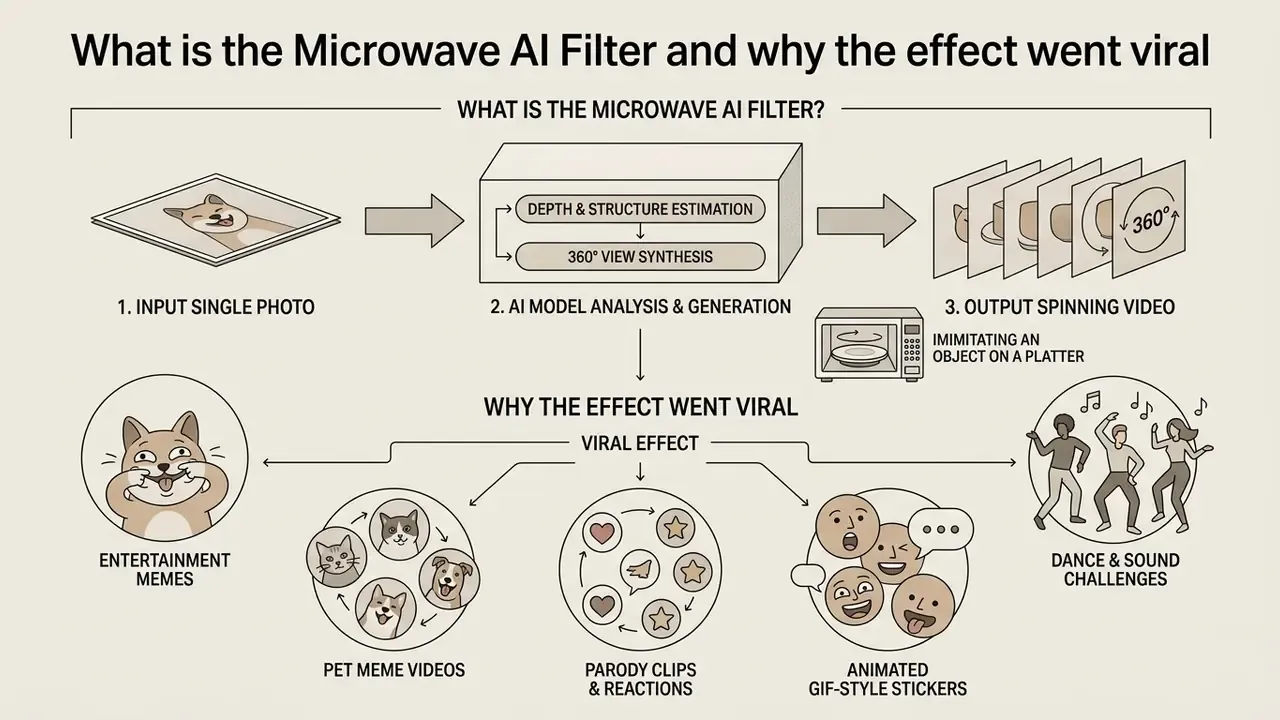
The Microwave AI Filter is a viral AI effect that converts a single 2D photograph into a short video with a seamless 360-degree rotation of the subject, imitating an object turning on the glass turntable inside a microwave oven. It spread across TikTok and neighbouring platforms because three things stacked: visual absurdity, comedic audio, and one-tap activation. No editing skill. No 3D modelling. No camera rig.
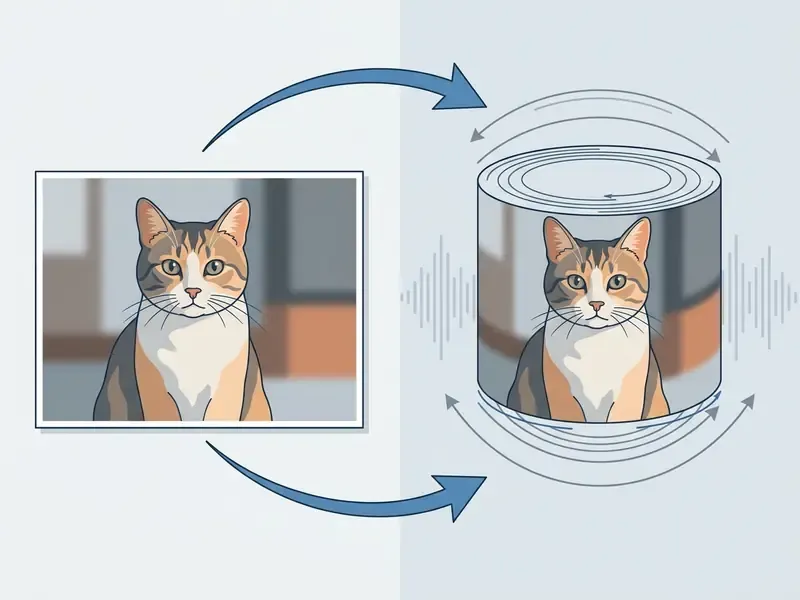
How AI turns a photo into a spinning video
Technically, generating rotation from a single frame relies on a two-stage diffusion architecture of the Image-to-Video (I2V) class. In the first stage, "world initialisation", the model reads the source 2D image, estimating object boundaries, depth and materials, then hallucinates and reconstructs the unseen rear side of the subject. In the second stage, "world exploration", the network generates a temporal sequence of frames along a defined spherical trajectory, holding temporal stability and texture consistency.
Specialised adapters, for example the 360-Adapter in the 360DVD architecture, inject motion features into a frozen denoising U-Net and apply wrap-around panorama shifting with seamless edge joining. The subject rotates full circle without jumps or a visible seam.
This is why some tools produce a spin that reads as a real object turning while others produce something closer to a smeared decal. The difference is whether motion is conditioned on physical or trajectory priors, or simply interpolated frame to frame. Readers who want the mechanics in plain language can start with the primer on image-to-video AI.
Want to restyle the still before animating it? Tools such as photo to cartoon, photo to painting and photo to sketch change the look while keeping the single-subject composition the spin needs.
What kind of content uses the microwave effect
The rotation effect is close to universal, and it shows up in very different content scenarios. Six patterns dominate what actually performs:
- Entertainment memes and funny videos spinning pets or photos of friends creates comic helplessness and mechanical displacement, the original core of the trend.
- Dance and sound challenges the spin lands as a sudden transition on the beat drop, resetting viewer attention mid-clip.
- Parody clips and exaggerated reactions rotating an over-dramatic facial expression turns melodrama into absurdist comedy.
- Animated reactions and GIF-style stickers short rotating loops replace static reaction images in comments and Stories.
- Pet meme videos pets plus spin remains the highest hit-rate combination; one rotisserie-style dog clip reportedly passed four million views.
- Product intros and interactive product cards brands show packaging, footwear, gadgets or food from every side under the pretext of "reheating", replacing a 3D-modelling pass in e-commerce creative.
A note on measurement, because it matters more than it sounds. Claims that spinning objects set to trending audio "win the algorithm through first-three-second retention" describe a widely shared creator heuristic, not a published platform metric. TikTok documents editing and audio features but does not publish ranking weights. Treat retention numbers as testable hypotheses for your own account.
Where to use the AI Microwave Filter: free and online tools
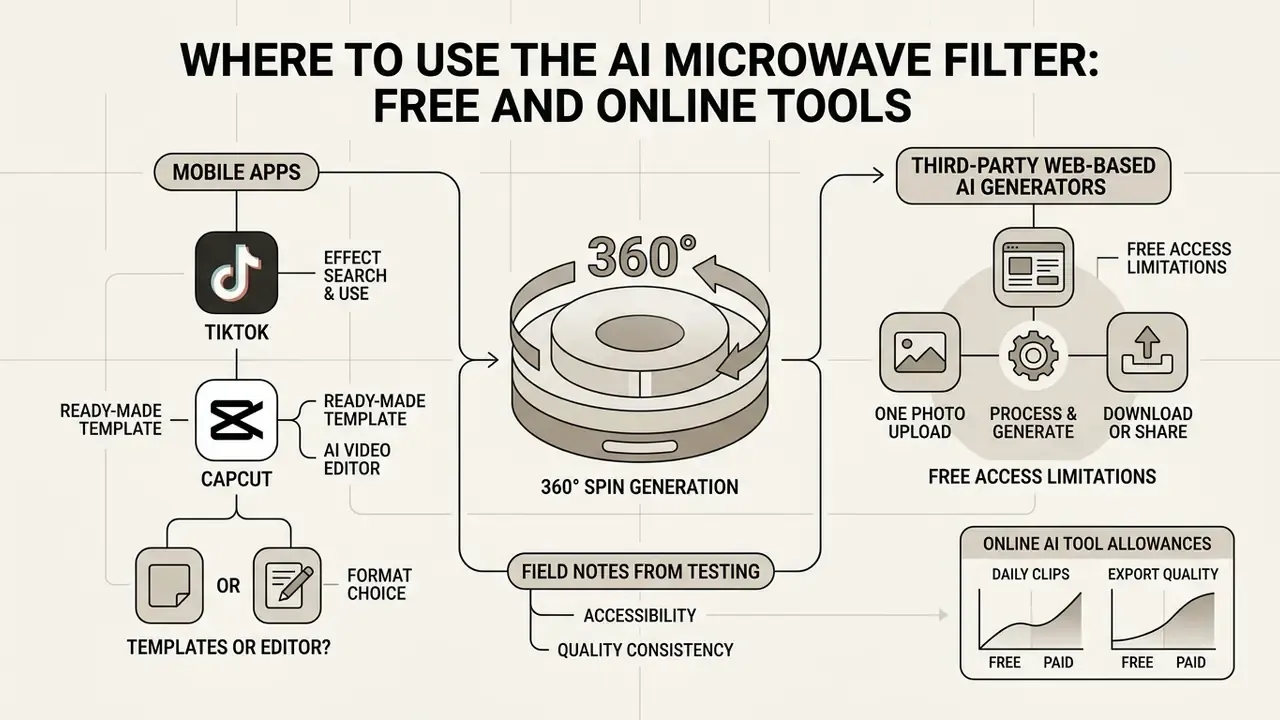
You can generate a microwave ai filter free clip through the CapCut and TikTok mobile apps, or through third-party web-based AI video generators. Online generation needs no heavy editor install: upload the image into a browser tool and run the image-to-video algorithm.
Choosing the right ai microwave filter online tool depends on four things: quality expectations, watermark policy, available free credits, and how much manual control you want over the spin itself.
| Tool / Platform | Access model | Generation limits | Watermark | Speed / trajectory control | Input format | Download convenience | Unique feature |
|---|---|---|---|---|---|---|---|
| CapCut App (TikTok template) | Free | Unlimited (with ads) | None on export to TikTok | No (fixed template) | Image | One-tap export to TikTok | Auto-sync with trending audio |
| Vidnoz AI Microwave Filter | Free online | Unlimited on the basic tier | Absent | Basic | Image + preset | Direct MP4 download | One-click generation, no install |
| GoEnhance AI | Freemium | Credits on registration | On free tier | Yes: spin direction and speed | Image or short video clip | Preview + export | Processes existing video clips, not only stills |
| HitPaw AI Video Generator | Trial / paid | Trial period | On free tier | Automatic | Image / character prompt | HD export for TikTok and Reels | Facial-expression enhancement keeps faces stable through rotation |
| TopMediai AI Video Generator | Paid (from $3.99 first week) | 15–200 credits/month by plan | Depends on plan | Basic | Text, script, keywords or image | Instant preview, web download | Built on Google Veo-class models, 50+ prompt languages |
| Wondershare Virbo | Freemium / subscription | Plan-dependent | Plan-dependent | Scripted motion | Text / script | Web + desktop export | Generates spin motion from a written script with voice-over |
| MagicHour AI (360 Microwave) | Free online tool | 3 free generations per day | Absent on preview | Fixed 360° spin | Image | Direct MP4 download | No sign-up required |
| Pika Labs Free | Freemium online | 80 credits/month | Plan-dependent | Prompt-level | Image + prompt | Web download | Free-form "360 spin" prompting |
| PixVerse AI | Freemium | 90 credits/month + daily credits | Present on free tier | Camera-motion presets | Image + prompt | 720p download | Camera-movement template library |
| Media.io Spin360 | Free trial | 2 trial generations | Present | Fixed spin | Image | HD download after sign-up | Object-rotation presets for products |
Field notes from our testing. As part of a generative-service risk review we ran five popular online platforms and checked their stated free-access conditions against reality. MagicHour really does deliver three free attempts per day with no mandatory registration, though at peak load the queue stretched to roughly four minutes for us. PixVerse free output stayed watermarked, while Pika's documentation states watermark-free downloads on all tiers. That gap is a live example of why vendor policy has to be re-checked per tool and per region instead of assumed. CapCut adds one more variable: its own help documentation confirms that free export behaviour differs by region. Reading plan terms before a mass content campaign is the cheapest way to avoid a hidden constraint at the worst moment.
To position these tools against the broader market, see our comparison of the best AI video generators and the matrix of AI Media Comparison Matrices. Before advanced graphics work, weigh web editor capabilities in the guides to photo size editor, free photo editor and the broader online photo editor overview.
Free access: what an online AI tool actually allows
Free online generators let you test ai microwave filter free functionality without a paid subscription. As a rule, the free tier covers anywhere from 3 daily credits to 80 monthly attempts, and output resolution is usually capped at 720p, sometimes 480p. Watermark-free downloads are the exception, not the default. Export length on free plans is frequently limited to about one minute, which is fine for a meme and awkward for a product explainer.
Our reference page on free AI video generators shows where those ceilings sit today, and the comparison of free AI art generators shows the same pattern on the image side.
For business and recurring content production, the deciding factor is not the free tier at all. It is processing cost, API throughput and per-asset unit economics. A detailed cost breakdown lives in AI Media Pricing Guides and AI Media API Guides, with a model-specific implementation view in the Google Veo API guide. Post-production overhead counts too: heavy MP4 masters usually need a compression pass, covered in the video compressor guide.
TikTok, templates and AI video editor: which format to choose
There are two genuinely different routes to a microwave-effect clip:
- The ready-made CapCut template. Fast. Footage, music and spin timing are pre-composed, and you only substitute your own photo. Best when you want to ride a specific sound trend while it is still hot.
- A third-party AI video generator. Flexible. Full control over spin speed, direction, background and lighting, with no dependency on TikTok's music catalogue. Best for product content and anything that must survive outside a single platform.
Speed is no longer a reason to prefer templates over generators. Distillation has pushed generation time into the seconds range while raising benchmark quality:
That has a practical consequence. At eight-second latency, prompt-based iteration becomes cheaper than hunting for the right template, because you can burn four attempts in the time a template search takes. If you are weighing the two routes for short form specifically, compare the options in free AI video generators for TikTok, and for the publishing side see the YouTube video editor workflows.
How to make a microwave AI video from a photo online
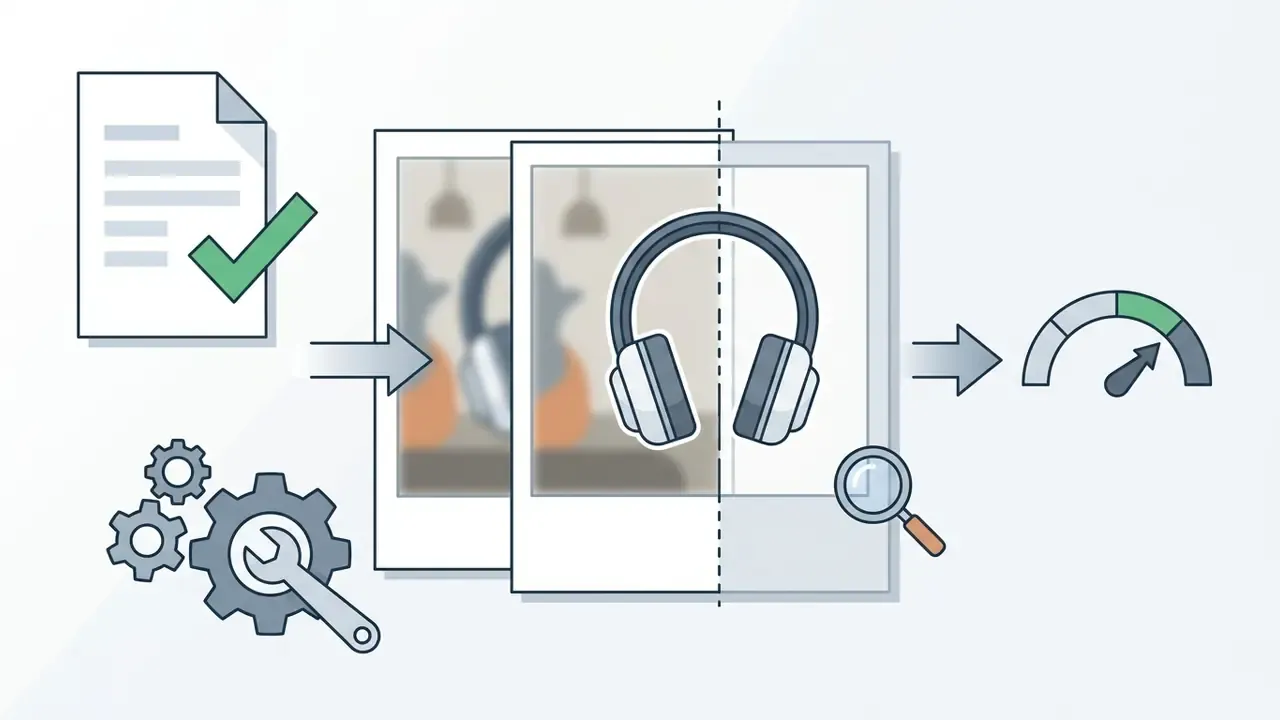
Creating the viral spinning-object clip step by step takes under two minutes. For a clean result, start with a sharp source image holding a single central subject.
How to find and apply the template in TikTok in 4 steps
Most people fail at the same point: the effect does not sit in CapCut's main interface. It is reached through TikTok's template deep link. Do this instead:
- Open the TikTok app on iOS or Android.
- Tap the magnifying glass (Search) icon and enter the query
Microwave Filter. - Open any viral video using the effect and tap the badge "CapCut · Try this template" above the creator's username.
- Tap "Use template in CapCut", upload your photo, wait for the automatic assembly, then export.
One caveat, confirmed by CapCut's own help centre: TikTok template deep-linking does not work in CapCut Web or Desktop. "Use template in CapCut" will not open in a browser. On desktop, use a web generator from the table above instead of hunting for a fix that does not exist.
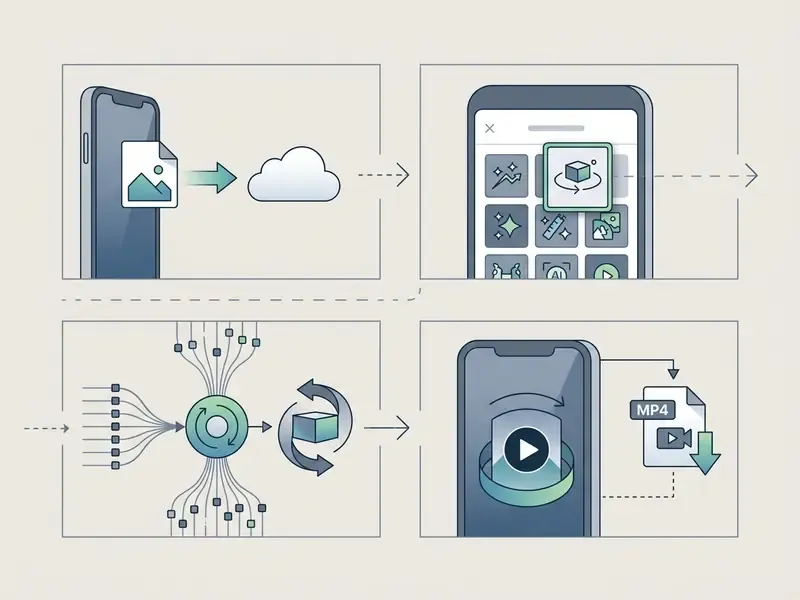
Prepare the photo or image for the AI effect
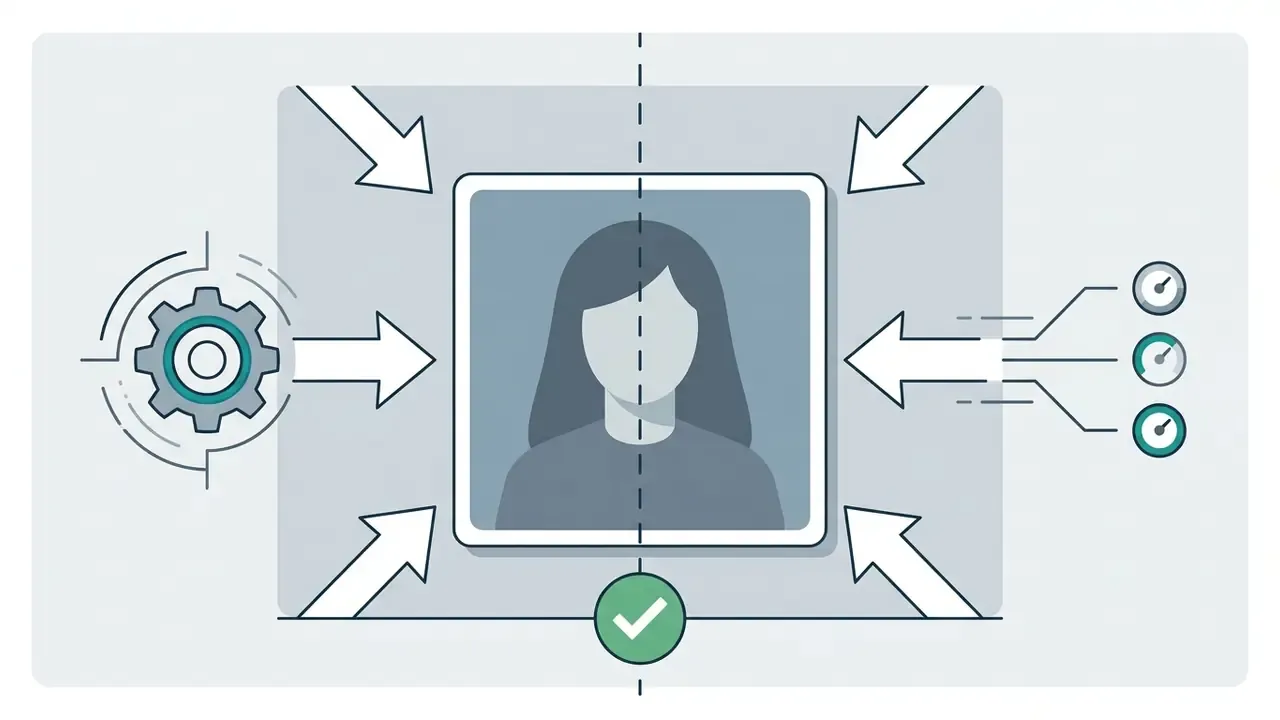
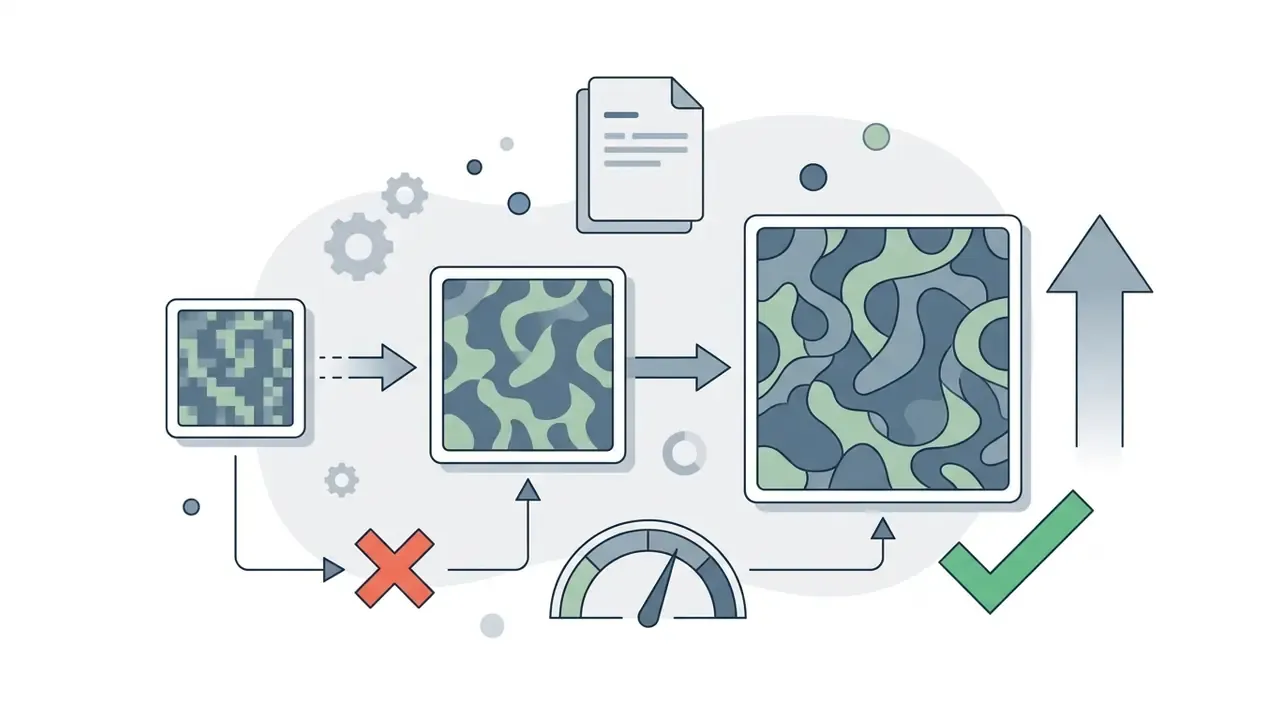
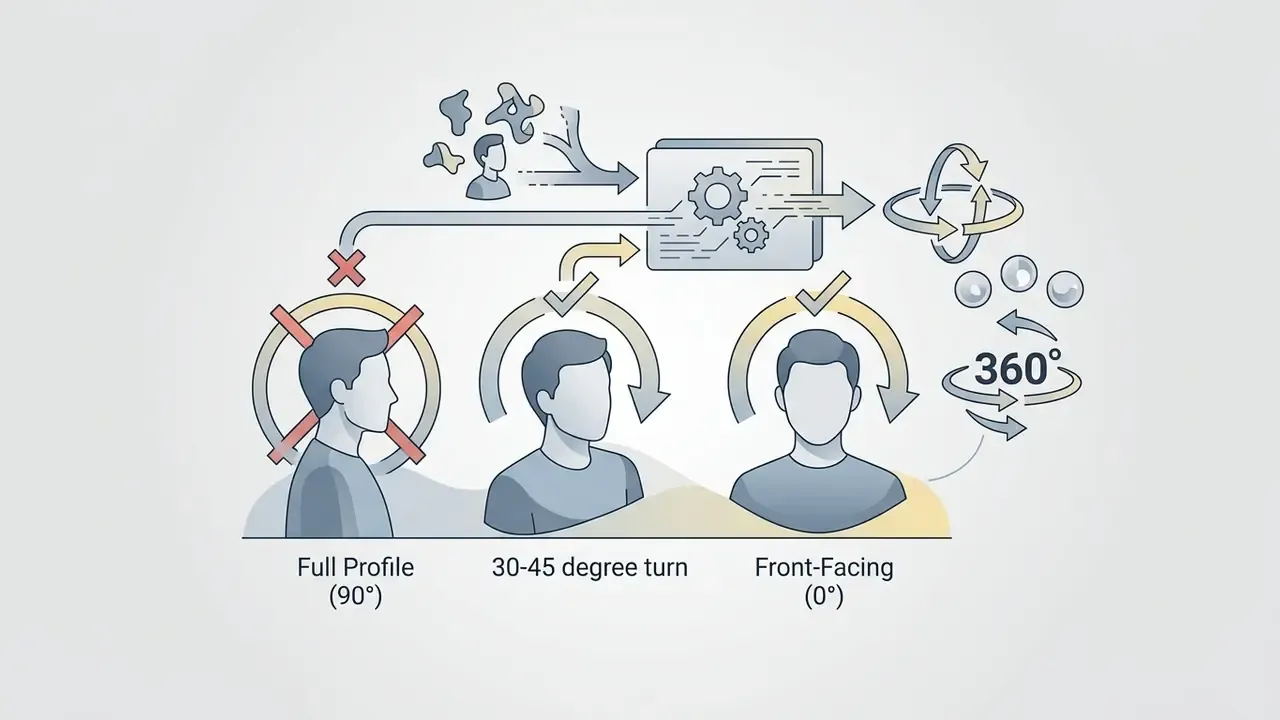
Final rotation quality depends directly on source image parameters:
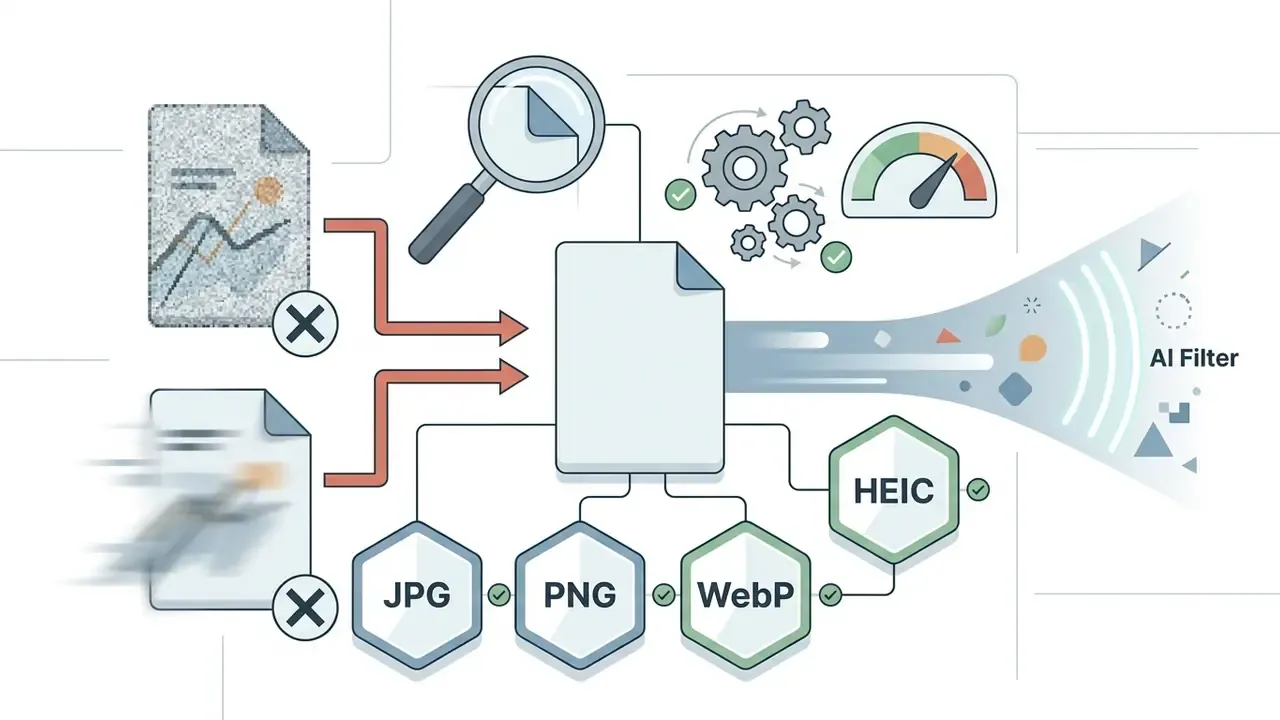
Checklist0 / 6
If you need to turn a still frame into full video with dedicated software, review the capabilities of photo to video ai app options, the general photo to video guide and the photo to video AI reference.
Choose a microwave template or define the effect
Inside a microwave filter ai editor, pick a template named "360 Spin", "Microwave Rotation" or "Microwave AI", or type a prompt for the model:
Then add a negative prompt to suppress the usual failure modes:
Trajectory control is what stops the model from distorting facial proportions or object geometry once the rear side turns toward the virtual camera.
In tools that expose manual controls, and GoEnhance is the clearest example, set spin direction (clockwise or counter-clockwise) and speed explicitly rather than accepting defaults. A slower spin reads as premium product footage. A faster one reads as comedy. Same model, different intent.
Generate, download and publish the video
Once processing completes, download the resulting MP4. For TikTok, Instagram Reels and YouTube Shorts, choose the vertical 9:16 frame at 1080×1920 pixels, since all three converge on vertical 9:16 with a 1080p ceiling. Keep the container at .mp4 and the frame rate at 30 fps, or 60 fps where supported. Anything below roughly 23 fps risks rejection or judder on immersive formats.
To calculate optimal clip length and resolution before you commit to a render queue, use the AI Media Calculators.
How to get an expressive 360° spin effect
For a microwave ai filter video to look professional and gather views, you need to minimise neural artefacts and pick the right visual context. Those are two separate jobs, and creators usually only do the second.
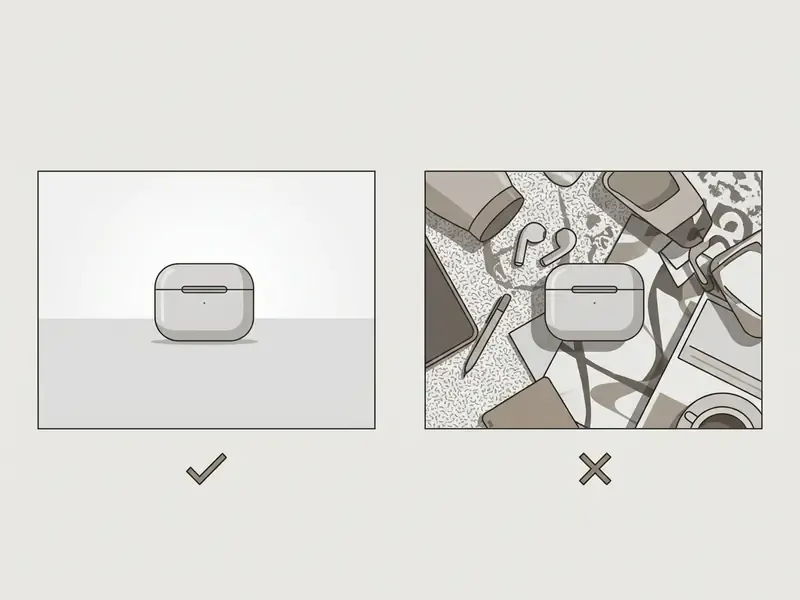
Which images work best for rotation
The cleanest generation, without visual tearing or texture smearing, comes from these input types:
- Symmetrical objects and toys: networks reconstruct the back of regularly shaped objects easily.
- Pets in a seated pose: cats and dogs with clearly defined fur contours.
- Food and drinks: cups, burgers and fruit fit the "spinning in a microwave" concept perfectly and read instantly.
- High-contrast single objects: dark subject on a light ground, or light subject on a dark ground, gives the model unambiguous separation.
Avoid group shots, frames with heavy object overlap, and blurred low-contrast photographs. Those are the sources that come back looking melted.
How to avoid texture tearing in 360° generation
- If the AI distorts the rear of the subject, extend the negative prompt:
deformed structure, blurry back, floating artifacts, warped geometry. - For complex objects, shoot or composite against a plain white or grey background. Removing background ambiguity was the single most effective fix in our test runs.
- Reduce spin speed. Fewer degrees of change per frame means fewer chances for the temporal attention layer to drift.
- Re-roll with a fixed seed variation instead of rewriting the prompt. Most microwave-template artefacts are sampling noise, not prompt failure.
- For faces, prefer a tool with explicit facial stabilisation, such as HitPaw's expression enhancement, over a generic spin template.
- Validation habit for teamsreview the 90°, 180° and 270° frames specifically. Geometry hallucination concentrates there, and those are exactly the frames a brand reviewer will screenshot.
Shadow AI, data privacy and content rights
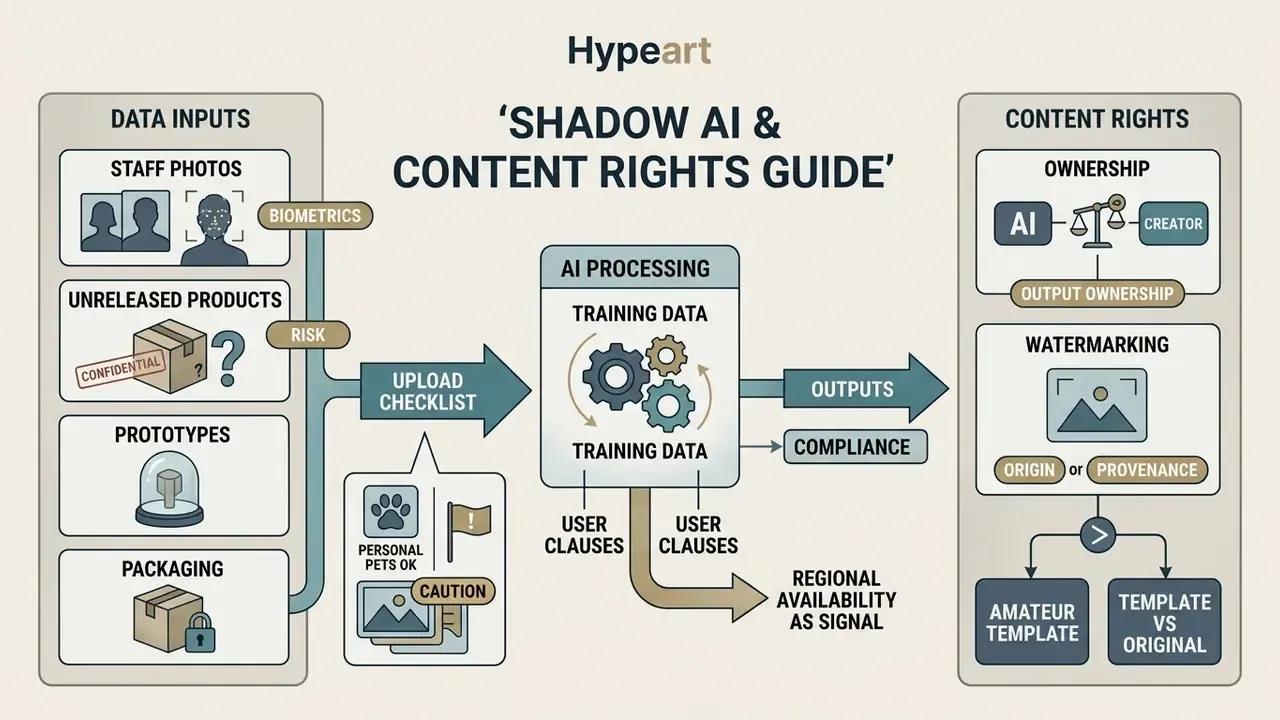
This section exists because the fun part and the sign-off part are two different jobs. A template that takes ten seconds to apply can still create a multi-year exposure if the uploaded asset was confidential, or if the output ends up in a paid campaign without a licence behind it.
What to check before uploading anything that is not a personal pet photo:
- Training-data clauses. Consumer tiers of generative video tools frequently reserve rights to process uploads for service improvement. If a tool does not state clearly that free-tier uploads are excluded from model training, treat the upload as public.
- Biometrics and staff photos. Faces of employees, customers or minors are personal data in most jurisdictions. A viral template is not a lawful basis for processing them.
- Unreleased products and confidential packaging. A pre-launch SKU spinning on a public web generator is a leak with a timestamp attached.
- Watermarking and provenance. Some pipelines embed invisible provenance marks, for example SynthID in Google's photo-to-video features, and some add visible watermarks. Both affect whether an asset is usable in paid media.
- Regional availability as a compliance signal. CapCut's documentation confirms that free-export behaviour and template visibility vary by region. A workaround that "unlocks" a region-locked template is usually a terms violation, not a hack.
- Output ownership. Free-tier licences often permit personal use only. Commercial rights, watermark removal and indemnity typically sit behind paid or API tiers.
Amateur template vs. corporate I2V pipeline
| Criterion | CapCut / consumer template | Corporate I2V pipeline (API / paid tier) |
|---|---|---|
| Commercial-use rights | Often personal use only; music licence tied to platform | Explicit commercial licence in contract |
| Watermark | None on in-app TikTok export; varies elsewhere | Contractually watermark-free |
| Data handling | Consumer ToS; training-use clauses common | DPA, retention limits, opt-out from training |
| Reproducibility | None; the template can be removed by its author | Versioned model plus seed control |
| Quality validation | Manual eyeballing | Frame-level review at 90°, 180°, 270°, artefact criteria, sign-off log |
| Real unit cost | "Free" plus human time | Credits or API cost plus QA and rework hours |
| Failure mode | Trend expires, template disappears | Model version deprecates on a published schedule |
Governance-side note on model behaviour. The weak points of single-image 360° generation are predictable, and predictable means auditable: geometry hallucination on the unseen rear side, texture smearing between roughly 120° and 240°, and identity drift on faces across the loop. Independent auditing work suggests that even a simple structured review catches systemic issues fast:
FAQ about the Microwave AI Filter
What should I do if the microwave filter is unavailable in TikTok?
If the effect or CapCut template is unavailable in your region because of local platform restrictions, use third-party online generators: Vidnoz, MagicHour, GoEnhance, HitPaw, TopMediai, Pika, PixVerse. Generate the clip in a browser, download the MP4, then upload it to TikTok manually. Remember that CapCut Web and Desktop do not support TikTok template deep links, so a browser generator is the correct fallback rather than a workaround. For service-specific questions, see AI Media Support.
Why can a template become unavailable?
A template can disappear if its author deleted the original clip the effect referenced, or if the audio track fell under rights-holder restrictions. CapCut's help documentation also states that the web catalogue surfaces only editorially approved or evergreen templates, so time-sensitive, user-generated or region-locked ones are excluded by design. In that case, search for an analogue using the queries "microwave spin", "360 rotate" or "microwave ai" in the CapCut catalogue.
Can the effect be made from a single photograph?
Yes. Modern image-to-video algorithms synthesise a 360-degree rotation from one frame, reconstructing the object's volume and the missing background detail automatically.
«TI2V-Zero adapts a frozen text-to-video model to a single input frame without fine-tuning, using a repeat-and-slide strategy to preserve image detail.» Source: TI2V-Zero, arXiv (2024). https://arxiv.org/abs/2404.16306 Multi-angle input becomes necessary only when the pipeline is explicitly built to fuse arbitrarily posed views, or when the source photo simply does not expose enough geometry for reliable back-side synthesis. Heavy occlusion, extreme profile angles and reflective materials are the usual triggers. For the generation route driven purely by description, see text-to-video AI.
Is the Microwave AI Filter free?
The TikTok and CapCut route is free. Among web tools, Vidnoz and MagicHour offer microwave filter ai free generation without watermarks on their basic tiers, while PixVerse, Media.io, HitPaw and TopMediai place watermark-free export or higher resolution behind paid plans. Verify current terms before production use, because free-tier policies change often and differ by region.
Can I apply the effect to an existing video instead of a photo?
Most microwave tools accept stills only. GoEnhance is the notable exception in the current tool set: it processes short video clips as well as images, which makes it the practical choice when your source is already footage.
Does the effect work for long videos?
TikTok's built-in version and CapCut templates are optimised for short clips, and free web tiers often cap exports around one minute. Longer edits generally require a paid plan, and the cost curve is credit-based rather than duration-based, so check the pricing guides before planning a long-form asset.
Appendix A: source notes and corrections
For transparency, the claims below appeared in earlier versions of this guide with attributions that did not meet our verification bar. Original wording is preserved here; corrected versions appear in the main text above.
- Original
- "According to TikTok trend research (Yahoo Lifestyle, 2025), the original CapCut 'Microwave Filter' template gathered over 350,000 uses in the first weeks of February 2025." Status: needs external verification. Lifestyle-press reporting states no collection methodology, and usage counts differ between near-identical template variants. Replaced with CapCut's own platform-recorded figure (202.87K uses, 13 February 2025) plus a qualitative statement.
- Original
- "…maintaining temporal stability and texture preservation (Microsoft Research, NeurIPS 2025)." Status: unverified conference reference. The two-stage world-initialisation and world-exploration description is conceptually consistent with published I2V work, but the citation could not be verified in our research set. Replaced with Motion-I2V (arXiv, 2024).
- Original
- "…video resolution is limited to the 720p standard (Pika FAQ, 2025)." Status: product FAQ, not a research source. Retained as a general observation about free tiers, without a research attribution.
- Original
- "Minimum source size is 512×512 px, optimal is 1080p and above (TechSmith, 2026)." Status: source outside verified set. Technical thresholds retained; attribution replaced with ConsistI2V (arXiv, 2024) for the first-frame conditioning rationale.
- Original
- "…choose a vertical 9:16 frame at 1080×1920 pixels (TikTok Help Center, 2026)." Status: platform help page, not research. Retained as a practical recommendation without academic attribution; the specification remains accurate across TikTok, Shorts and Reels.
- Original
- "It is not recommended to upload group shots, frames with strong object overlap, or blurred low-contrast photos (UIST Research, 2021)." Status: outside the 2023–2025 research window. Replaced with PhysGen (arXiv, 2024).
- Original
- "…the network automatically reconstructs the object's volume and missing background details (RealFusion, 2023)." Status: not present in our verified research set. RealFusion's single-image 360° reconstruction result is real, but the primary citation was replaced with TI2V-Zero (arXiv, 2024) for the zero-shot single-frame mechanism described here.