Executive Governance Summary (60-Second Read)
Why a Consumer Video Model Reaches Your Model Inventory
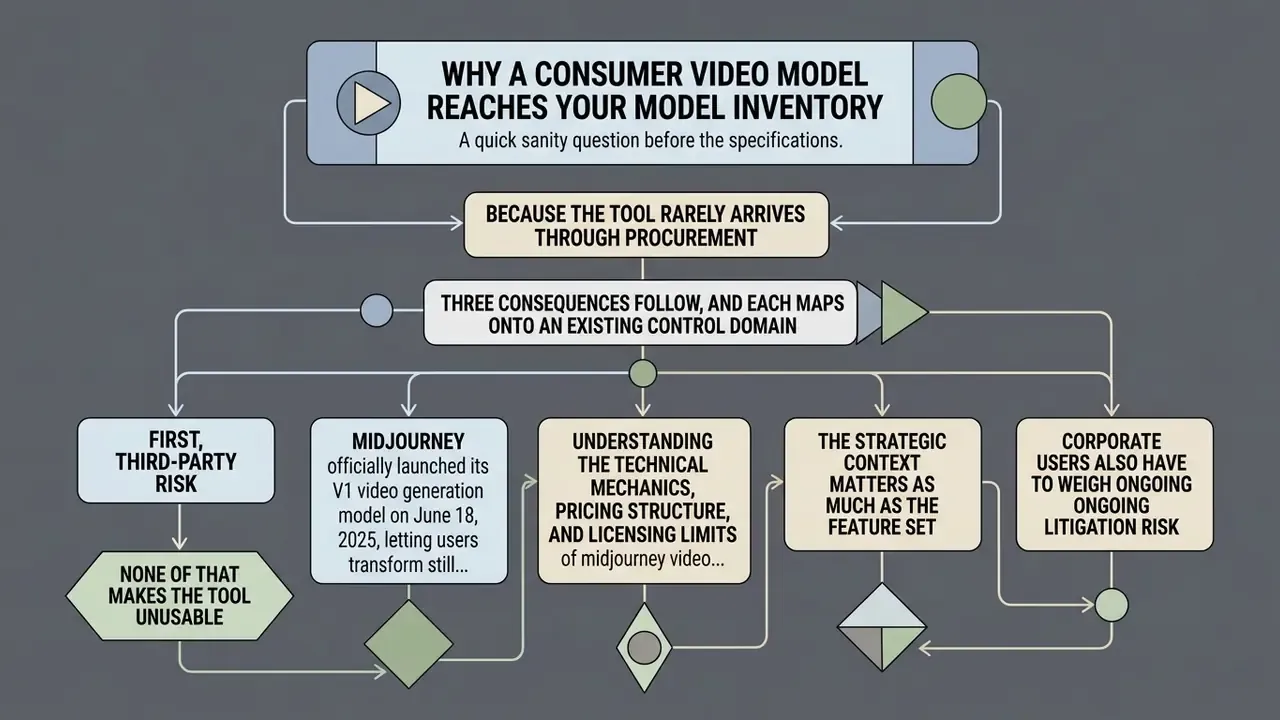
A quick sanity question before the specifications. Why would a bank's model risk function care about a stylized 5-second clip?
Because the tool rarely arrives through procurement. It arrives through a marketing contractor, a product designer, or an internal comms lead who already pays $30 a month on a personal card. That is textbook shadow AI: an unregistered third-party model, processing corporate imagery, producing published output with no owner of record.
Three consequences follow, and each maps onto an existing control domain.
First, third-party risk. The vendor is consumer-grade, with no published attestations and no negotiated data terms for standard subscriptions. Second, conduct and disclosure risk. Synthetic video used in customer-facing promotion may fall under state-level AI labelling rules and general advertising fairness expectations. Third, intellectual property risk, since output can echo protected characters from training data.
None of that makes the tool unusable. It does mean the decision belongs to governance, not to a design channel on Discord.
Midjourney officially launched its V1 video generation model on June 18, 2025, letting users transform still images into 5-second animated clips through an image-to-video workflow. The system treats a selected or uploaded picture as the starting frame, then applies motion parameters through automatic inference or manual text prompts (Midjourney Documentation, 2026).
Understanding the technical mechanics, pricing structure, and licensing limits of midjourney video generation lets risk managers and creative teams fold synthetic motion into digital media operations without improvising the controls afterwards.
The strategic context matters as much as the feature set. According to Midjourney CEO David Holz, the V1 video model is only an intermediate step toward AI systems "capable of real-time open-world simulations," with 3D rendering models and real-time models named as the next milestones on the company roadmap.
"Midjourney CEO David Holz says its AI video model is the company's next step toward its ultimate destination, creating AI models 'capable of real-time open-world simulations'."
Corporate users also have to weigh ongoing litigation risk. V1 shipped roughly one week after a major studio lawsuit alleging that Midjourney's image models reproduce copyrighted characters such as Homer Simpson and Darth Vader, and several media companies argued that these products were trained on their protected works. Because the video model animates frames produced by the same aesthetic pipeline, character-level IP exposure carries over from image generation into video output. Governance officers tracking these matters can review our running AI Litigation and Case Timelines.
What Is Midjourney Video Generation and How the V1 Model Works
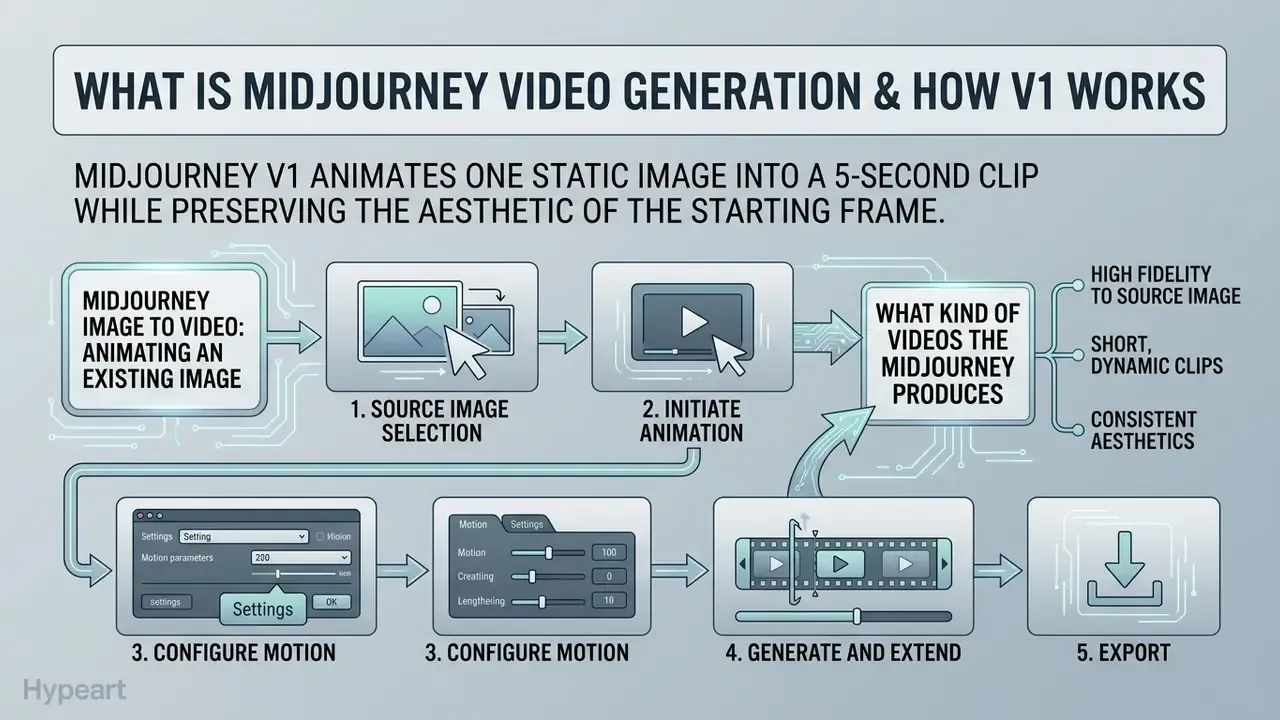
In two sentences: Midjourney V1 animates one static image into a 5-second clip while preserving the aesthetic of the starting frame. All motion is either inferred automatically or described through a manual motion prompt, never generated from text alone.
Midjourney V1 is an image-to-video model that animates a static image into a short clip while holding the visual character of the source. The system relies on an initial image input rather than direct text-to-video generation, deriving scene composition, lighting, and style straight from that image (Midjourney Documentation, 2026). Readers comparing this behaviour with the company's still-image pipeline can review our analysis of the Midjourney image generator.
The primary function of midjourney its ai video generation model is to extrapolate short-range motion from a base image. When a user submits an image to the midjourney video generation model, the latent diffusion backbone predicts temporal state changes across subsequent frames. Users steer that animation through an automatic motion mode or by entering a manual motion prompt describing camera movement and subject action. Compute consumption for midjourney ai video generation is metered by batch size: one video job returns four 5-second variations and burns roughly eight times the GPU processing time of a standard still image upscale (Midjourney Help Center, 2026).
Official documentation confirms two mechanical details that matter for reproducibility. The original image's generation parameters are automatically stripped during video rendering, and the input picture functions as the literal first frame rather than as a loose style reference (Midjourney Documentation, 2026). Small detail, large audit consequence.
Midjourney Image to Video: Animating an Existing Image
The midjourney image to video workflow uses a single high-resolution picture as the conditioning anchor for temporal generation. When initiating an image to video midjourney render, the platform discards original image generation parameters while locking the starting frame's pixel composition (Midjourney Documentation, 2026).
To run midjourney photo to video conversion, users select an upscaled midjourney image inside the web interface or supply an image URL appended with the --video parameter in Discord. The underlying model keeps style consistent across colour palette, grain, and lighting, which prevents dramatic aesthetic drift inside the 5-second window. For a broader technical primer on how conditioning frames constrain motion synthesis, see our reference entry on AI video generators.
In editorial testing with marketing pre-visualization teams, converting static key art into moving background plates compressed storyboard iteration from roughly three days into a single working session, with brand style guidelines intact. Note on evidence: those figures reflect internal editorial observation on a small sample of creative teams, not a controlled study. No peer-reviewed research currently quantifies storyboard cycle-time reduction attributable to image-conditioned video models, so treat the numbers as directional rather than benchmarked.
What Kind of Videos the Midjourney AI Video Generator Produces
The midjourney ai video generator produces short, heavily stylized clips built for social assets, mood reels, digital signage, and creative pre-visualization. Output defaults to 5 seconds at 480p Standard Definition or 720p High Definition, depending on account configuration and the active processing mode (Midjourney Documentation, 2026).
Because midjourney ai videos grow out of stylized start frames, the model handles continuous visual motion well: drifting smoke, flowing water, camera pans, character micro-expressions. Recent academic evaluations of generative video benchmarks indicate that image-conditioned pipelines and image-to-video AI tools reach higher temporal coherence and style retention than unconditioned text-to-video pipelines.
"VBench++ defines 16 video quality dimensions, including subject consistency, motion smoothness and temporal flickering, with human-validated metric alignment."
"The Liu et al. survey catalogues T2VQA-DB (10,000 videos, 512p, 1,000 prompts) and AIGC-VQA (10,000 videos, 20 annotators) as reference datasets for comparing generators." Liu et al., Survey of AI-Generated Video Evaluation, arXiv:2410.19884 (2024). https://arxiv.org/abs/2410.19884
For technical teams weighing comparative capability across tools, detailed matrices sit in our AI Media Comparison Matrices.
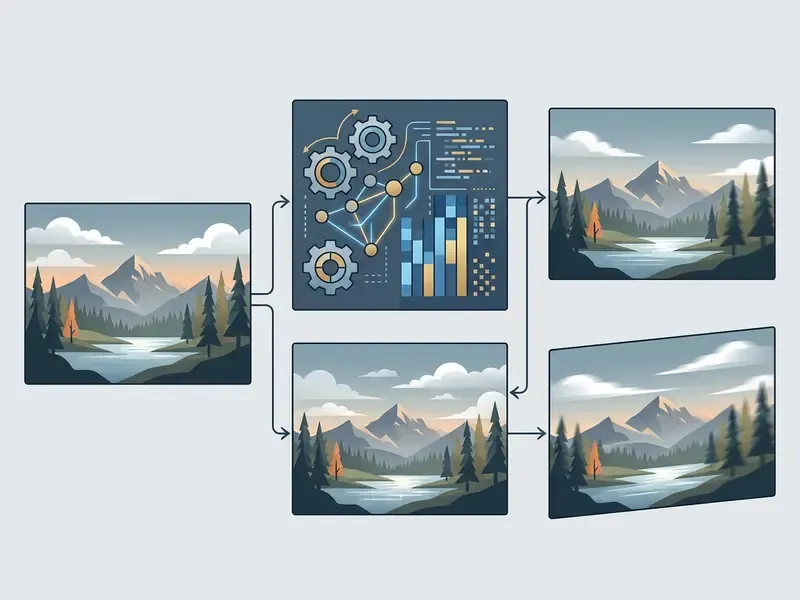
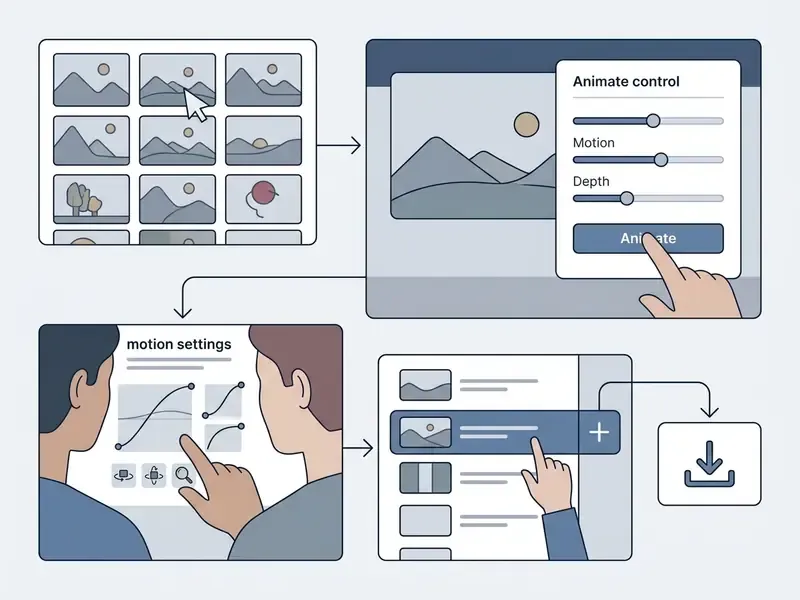
Image-to-Video Process Flow: Midjourney V1
- Source image selection
- generate a still in Midjourney or upload a custom PNG/JPG to serve as the starting frame.
- Initiate animation
- select the "Animate" control on the web dashboard, or append the
--videoparameter with an image URL. - Configure motion
- choose Low Motion or High Motion mode and optionally enter camera movement text, with
--rawfor stricter prompt adherence. - Generate and extend
- process four parallel 5-second variations, then extend the selected clip in 4-second increments up to 21 seconds.
- Export
- download the silent MP4 file in 480p SD or 720p HD.
- Log and archive
- record prompt text, motion mode, source frame, and output hash in the AI asset inventory before distribution.
Does Midjourney Support Video Generation and Who Can Access It
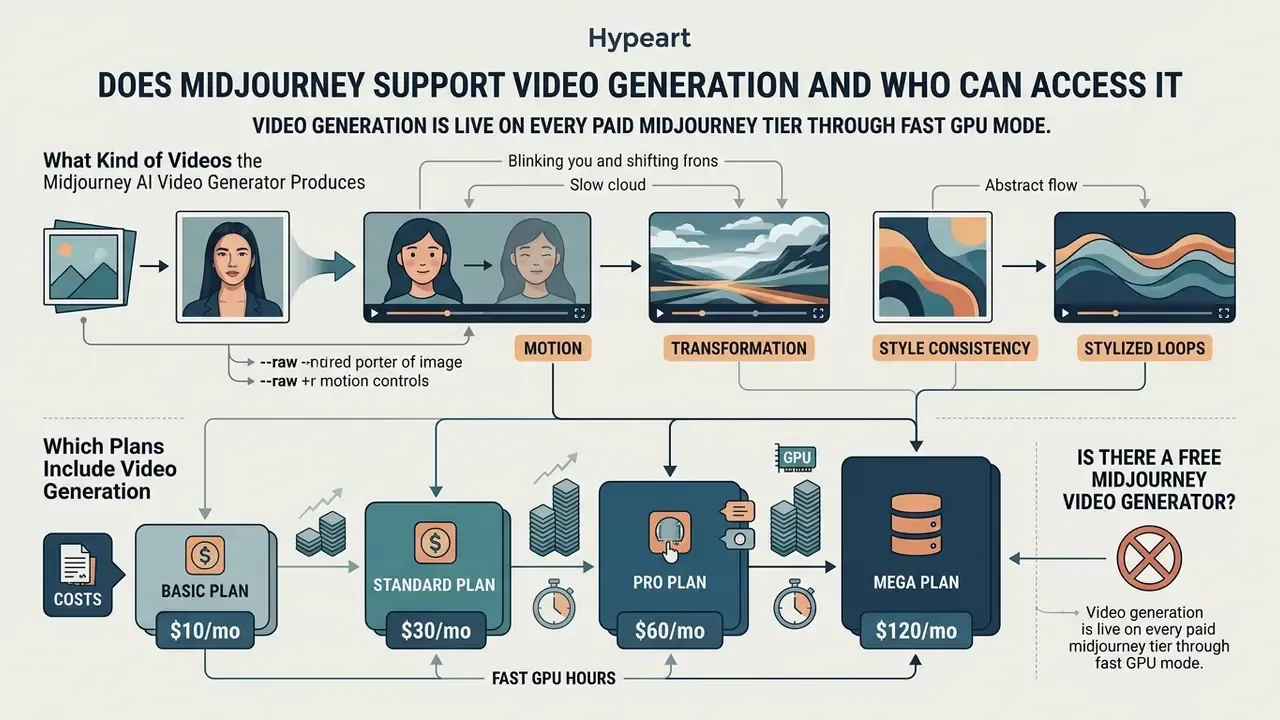
Which Plans Include Video Generation
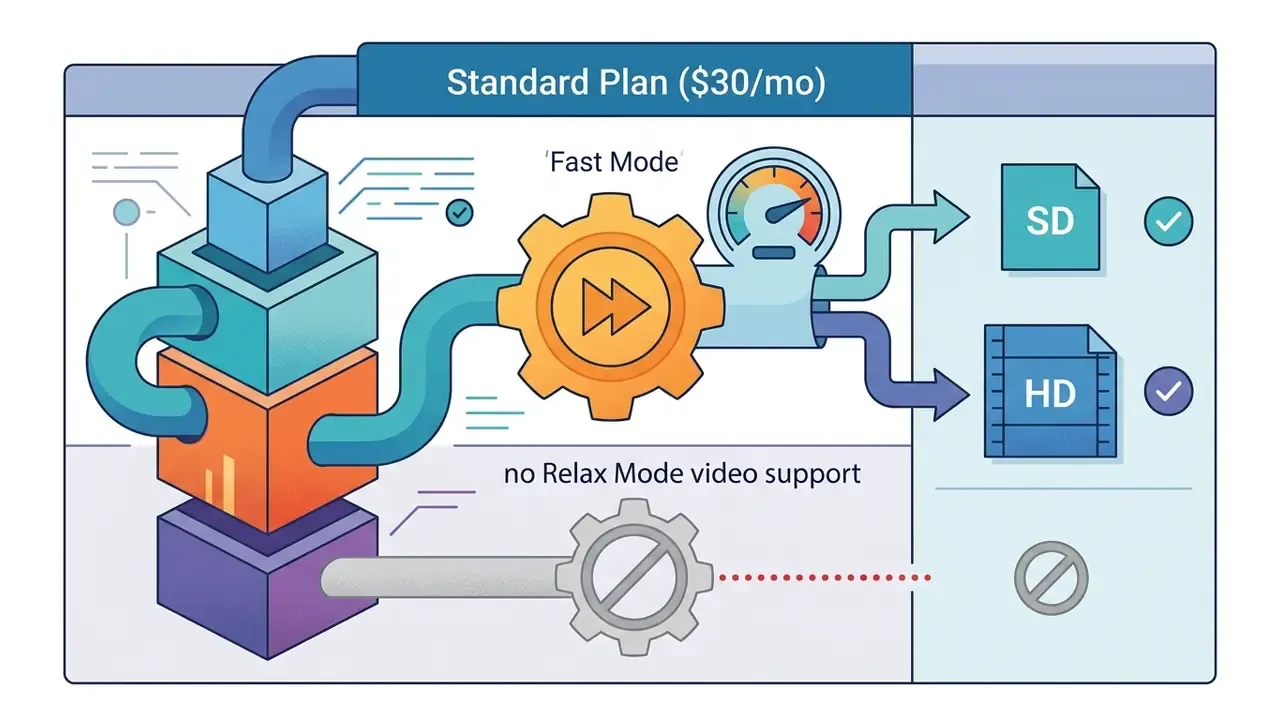
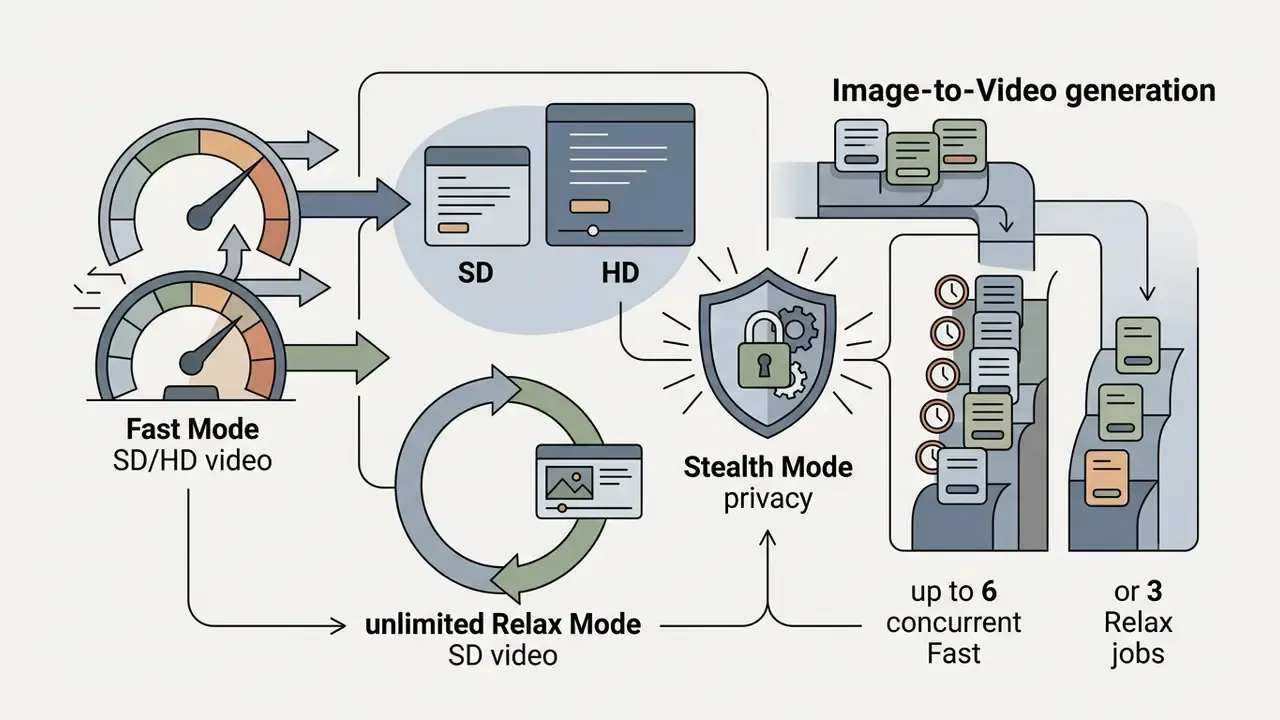
Video generation is available on Basic, Standard, Pro, and Mega plans, though resource allocation and rendering modes differ sharply between them. Basic and Standard execute video jobs only in Fast GPU Mode, while Pro and Mega add unlimited video generation in Relax Mode at SD resolution (Midjourney Help Center, 2026).
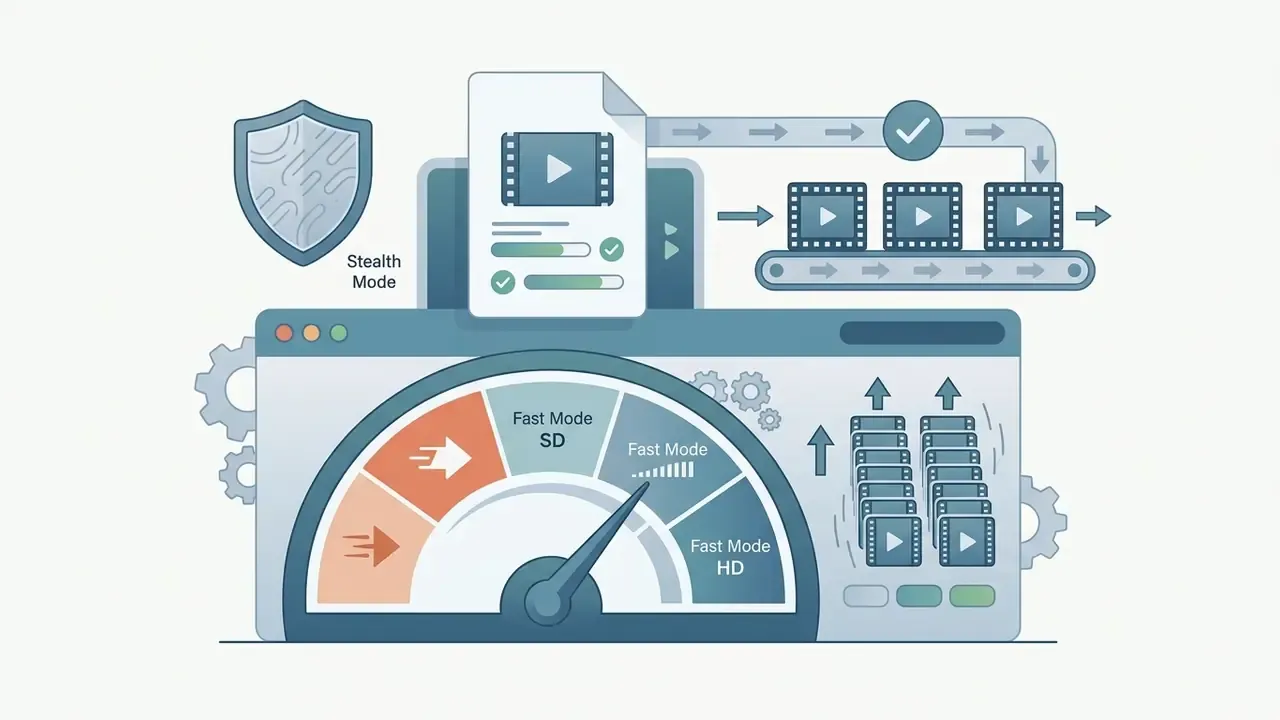
For organizations analysing platform infrastructure, midjourney support video generation breaks down as follows:
Is There a Free Midjourney Video Generator
There is no midjourney video generator free tier and no permanent free trial on the main web or Discord platforms. Official documentation confirms that free trial access has been discontinued across primary channels, with only a limited trial remaining inside the separate niji journey mobile app (Midjourney Documentation, 2026).
Users hunting a midjourney video generator free option usually land on third-party wrapper tools or unrelated AI platforms. Several such sites market "free unlimited Midjourney video" while quietly routing requests to other models, which is a brand-abuse pattern rather than a product. Teams evaluating genuinely free alternatives should compare licensed options among free AI video generators instead of trusting reseller claims. Third-party APIs do offer pay-per-call access to Midjourney models, yet official product features still require a paid subscription, a constraint worth weighing against our side-by-side review of the best free AI video generators. Risk managers benchmarking cost profiles across generative media can also look at our guide to whiteboard animation free software and open-source models.
Midjourney Basic Plan Video Generation: Cost and Resource Consumption
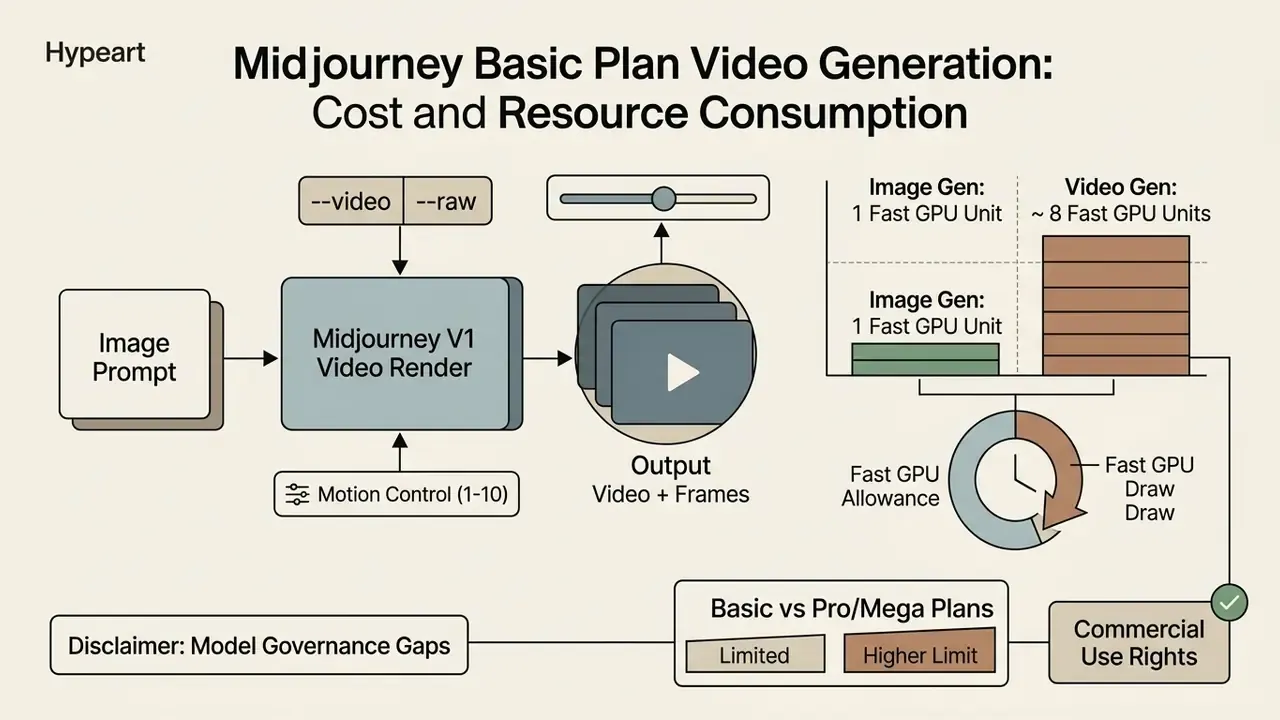
In two sentences: Video jobs draw from the same Fast GPU allowance as images but consume roughly eight times more compute per render. Basic plan users get about 24 four-clip batches per month before the quota runs dry.
On the Basic plan, video generation costs roughly 8 minutes of Fast GPU time per batch of four 5-second SD clips. Because Basic includes 3.3 Fast GPU hours per month and has no Relax Mode, a user can produce approximately 24 full four-clip batches per billing cycle (Midjourney Help Center, 2026).
Modelling midjourney basic plan video generation economics means tracking batch size against GPU minutes. Official documentation lists distinct cost tiers by batch size and resolution: roughly 2, 4, or 8 GPU minutes for SD renders and 7, 13, or 26 GPU minutes for HD, depending on whether the batch returns one, two, or four clips (Midjourney Documentation, 2026). Unlike still images, video renders lean hard on Fast GPU quotas, so compute management is not optional for budget-constrained teams.
| Subscription Tier | Monthly Price (USD) | Fast GPU Hours | Relax Mode Video Support | HD Video Support (720p) | Concurrent Fast Video Jobs | Stealth Mode (Private) | Commercial Rights Threshold |
|---|---|---|---|---|---|---|---|
| Basic Plan | $10 / month | 3.3 hours / mo | Not available | No (SD 480p only) | 1 | No (public gallery) | Revenue below $1M USD/year |
| Standard Plan | $30 / month | 15 hours / mo | No (images only) | Yes (Fast Mode only) | 3 | No (public gallery) | Revenue below $1M USD/year |
| Pro Plan | $60 / month | 30 hours / mo | Unlimited (SD only) | Yes (Fast Mode only) | 6 Fast / 3 Relax | Yes, included | Required above $1M USD/year |
| Mega Plan | $120 / month | 60 hours / mo | Unlimited (SD only) | Yes (Fast Mode only) | 12 Fast / 3 Relax | Yes, included | Required above $1M USD/year |
Tariff values verified January 2026 against official Midjourney documentation and the current Terms of Service.
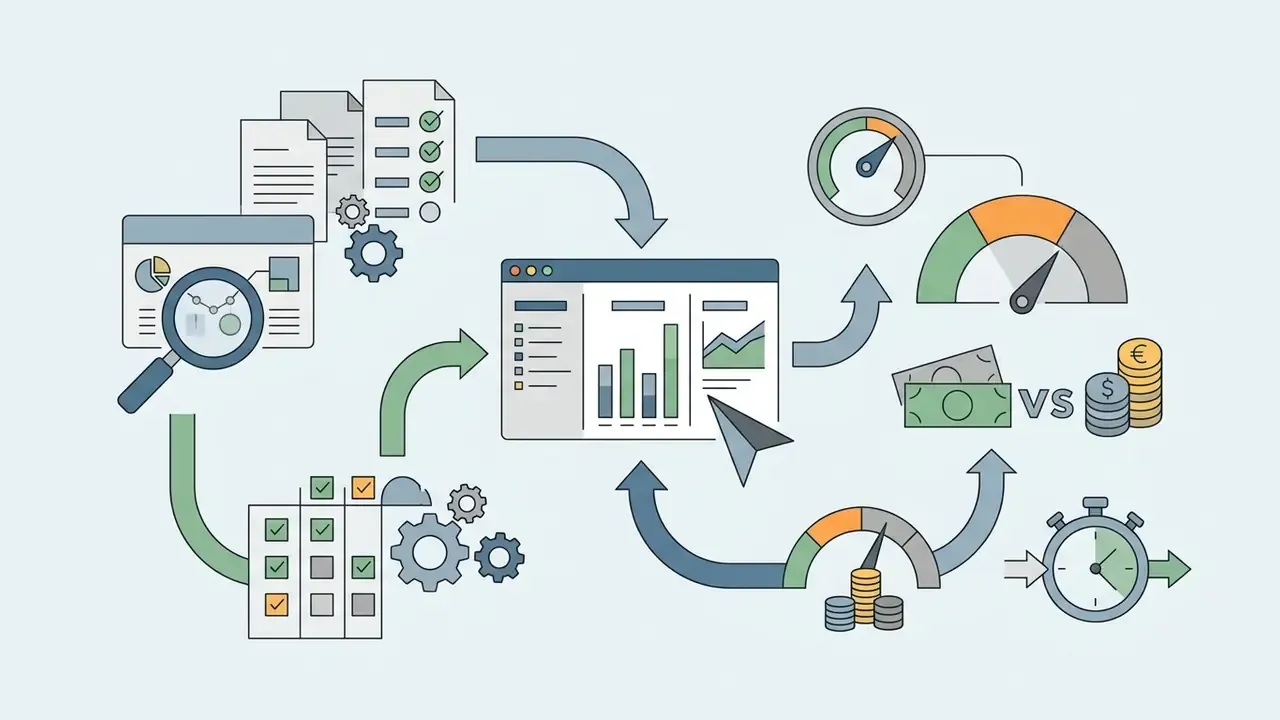
Annual billing carries a 20% discount across all four tiers, and Midjourney reserves the right to rate-limit accounts to protect service quality (Midjourney Terms of Service, 2026). Finance teams modelling total cost of ownership across the wider creative stack can cross-reference our pricing analysis of AI image generators, run scenarios in our AI Media Calculators, and check the consolidated AI Media Pricing Guides.
How the Basic Midjourney Plan Differs from Pro and Mega
Basic differs from Pro and Mega on three technical axes: GPU mode availability, parallel job limits, and asset privacy. Basic restricts all video creation to Fast GPU Mode and caps concurrent video prompts at one job (Midjourney Help Center, 2026).
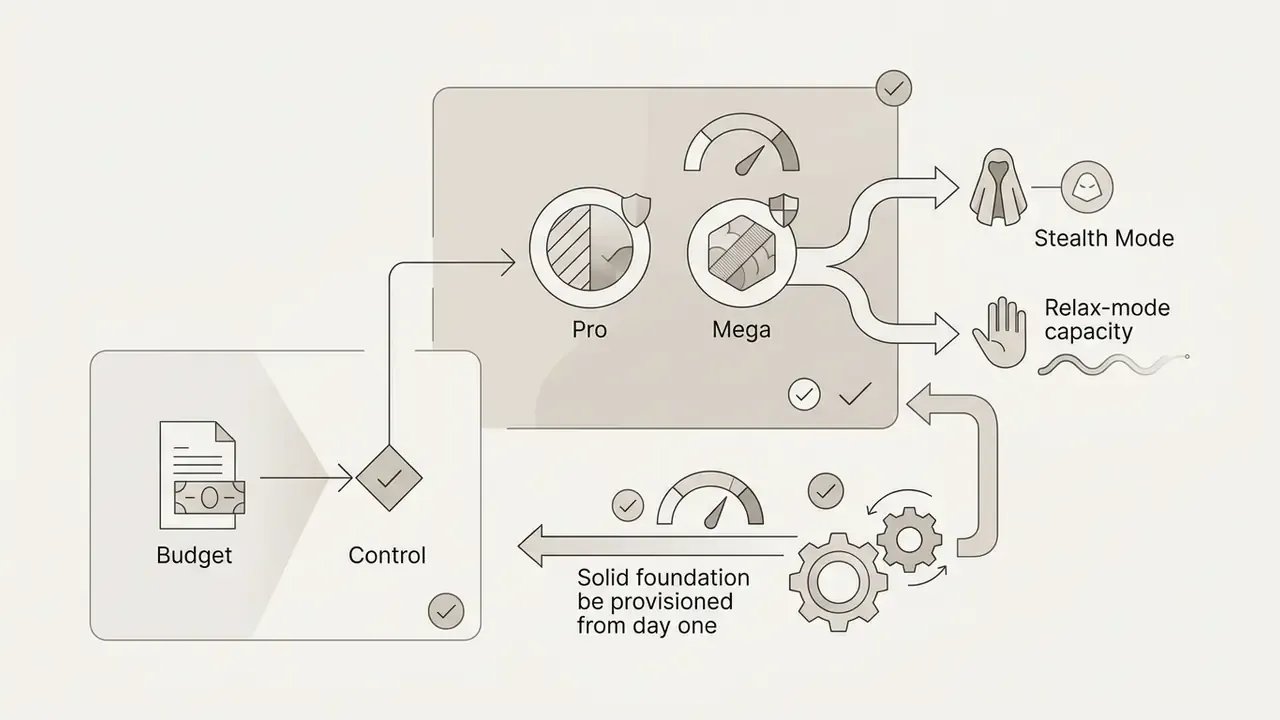
Pro and Mega, by contrast, provide unlimited SD video generation through Relax Mode, so teams can offload non-urgent rendering without draining Fast hours. Pro allows up to 6 concurrent Fast jobs or 3 Relax jobs; Mega supports up to 12 concurrent Fast jobs. Both tiers include Stealth Mode, which keeps generated media out of public community galleries. For any organization handling non-public visual material, that is the single most important control on the price list.
Can You Use Midjourney AI Videos Commercially
Yes, with conditions. Paid subscribers own the assets they generate and may use them in marketing campaigns, paid advertising, and social media promotion. Ownership survives cancellation of the subscription. The catch sits in corporate revenue thresholds, which the next section unpacks in full, along with the derived-asset rule that trips up teams animating community images.
Compliance and Commercial Restrictions (The $1M Threshold)
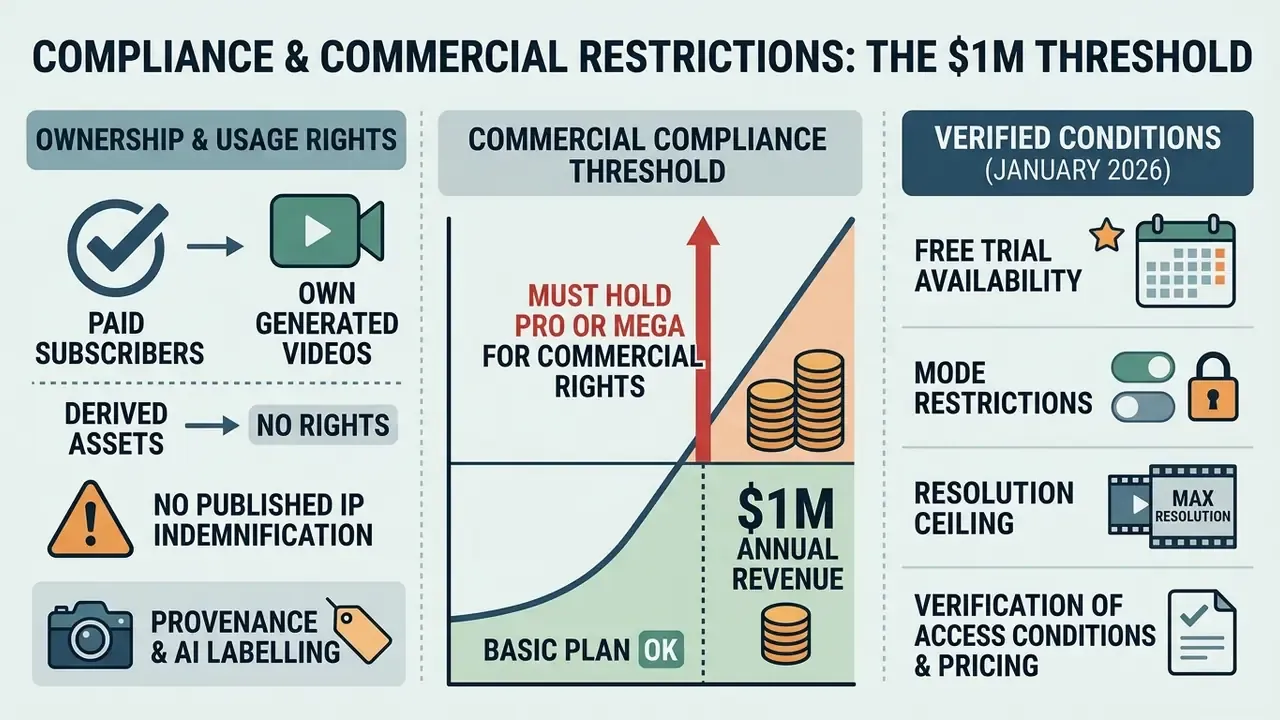
In two sentences: Paid subscribers own their generated videos, but corporations above $1M in annual revenue must hold Pro or Mega for commercial rights. Midjourney publishes no indemnification promise, so residual IP liability stays with the customer.
Under official terms, any organization with annual gross revenues exceeding $1,000,000 USD must subscribe to a Pro or Mega plan to obtain commercial usage rights for company assets. There is no grace tier and no per-seat exemption for a single designer.
"Official Midjourney documentation confirms users retain ownership of generated videos even after cancelling a subscription, excluding assets created by companies grossing over $1M."
- Free trial availability
- no official free trial exists for Midjourney Video V1 on web or Discord.
- Mode restrictions
- HD rendering (720p) is limited to Fast GPU Mode on Standard, Pro, and Mega plans. Relax Mode video is SD-only and restricted to Pro and Mega.
- Commercial compliance threshold
- organizations generating over $1,000,000 USD in annual gross revenue are required to maintain a Pro or Mega plan for corporate commercial rights (Midjourney Terms of Service, 2026).
- Resolution ceiling
- maximum native output is 720p HD. Claims of native 1080p or 4K V1 video circulating on reseller sites are inaccurate; higher resolutions need third-party upscaling.
Data Security, Shadow AI, and Enterprise Governance
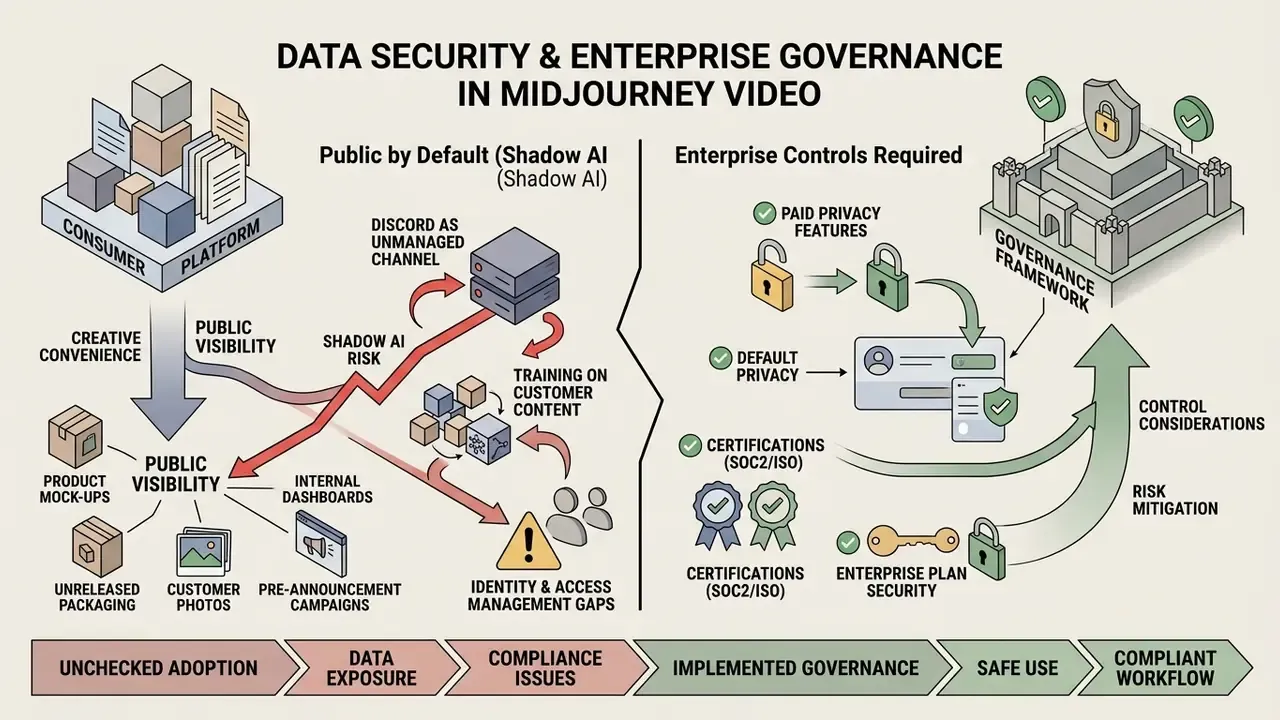
In two sentences: Midjourney is a consumer-grade platform where public visibility is the default and privacy is a paid feature. Any confidential source frame uploaded through Discord should be treated as a potential disclosure event.
Creative convenience is the exact mechanism by which this tool becomes a shadow AI problem. Because the workflow starts with an uploaded image, the sensitive artefact is not the prompt. It is the source frame.
Product mock-ups, unreleased packaging, internal dashboards, customer photographs, pre-announcement campaign art: all common uploads. On Basic or Standard tiers, those uploads and their derived clips surface in the public community feed.
Control considerations for AI governance leads:
- Default publicity. Stealth Mode, which keeps generations out of public galleries, exists only on Pro and Mega. If your organization permits Midjourney at all, mandate a Pro or Mega tier as a security baseline rather than a convenience upgrade.
- Discord as an unmanaged channel. The Discord entry point routes corporate imagery through a third-party consumer messaging platform with its own retention and access model. Enterprise deployments should restrict usage to the web interface on managed devices.
- Training on customer content. Public documentation offers no documented zero-retention or opt-out-from-training commitment comparable to enterprise AI contracts. [Requires verification], so treat uploaded imagery as potentially retained and used for service improvement until written terms say otherwise.
- Identity and access management. No SSO/SAML provisioning, role-based access, or centralized audit logging is documented for the consumer product. That limits joiner-mover-leaver control and makes seat-level attribution manual.
- Certifications. No SOC 2 Type II or ISO/IEC 27001 attestation is published for the consumer platform. [Requires verification with vendor] before onboarding into a third-party risk register.
- Reproducibility. Video renders expose no fixed seed, so an identical prompt and source frame will not deterministically reproduce a prior clip. For audit purposes the output file itself, not the prompt, must be archived as the record of truth.
Practical mitigation, in plain sequence: designate a small number of licensed Pro or Mega seats, prohibit uploading any image classified above "public", archive prompt, source, and output as a triplet in the AI asset inventory, and record the tool in the model inventory as a non-decisioning creative model with a documented human review gate before publication. Teams building that runbook can also lift escalation patterns from our AI Media Support and Troubleshooting library.
How to Use the Midjourney Video Generator: Step-by-Step Process
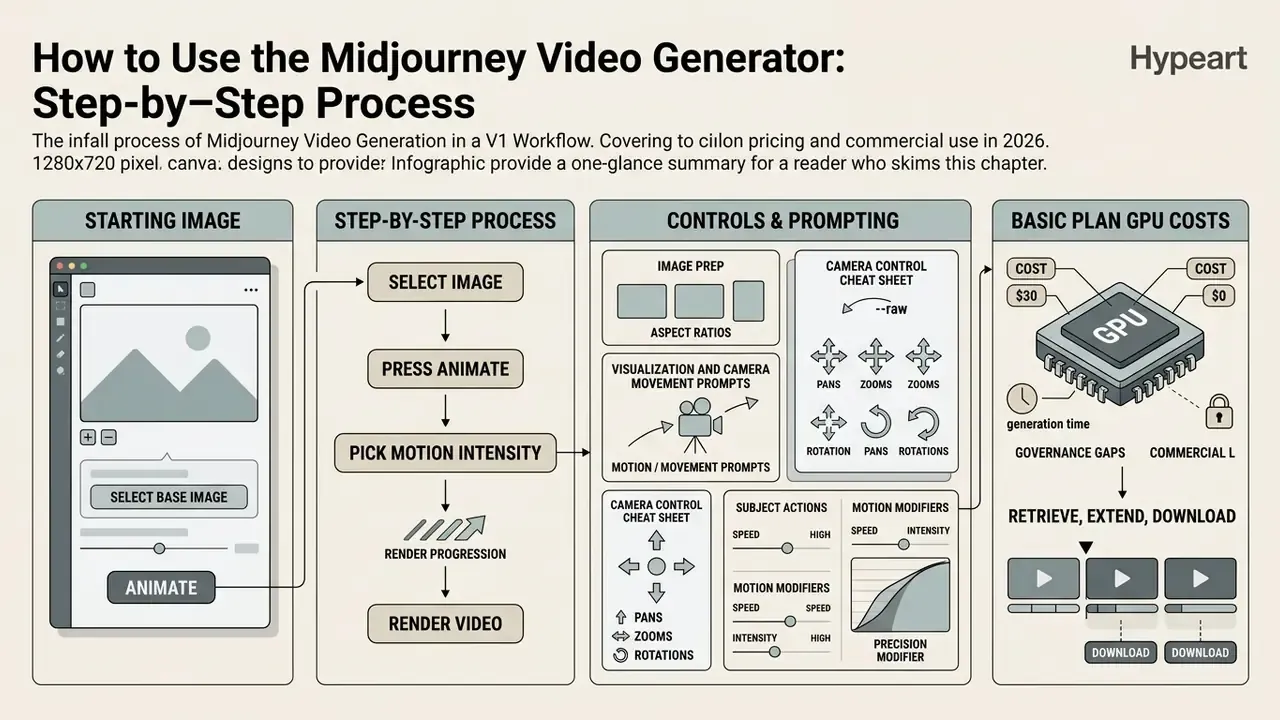
In two sentences: Select a starting image, press "Animate", pick a motion intensity, and render. Everything else, including extension, resolution, and export, happens after the first batch returns.
To generate a clip, a user selects a starting image, clicks "Animate" in the web dashboard, chooses a motion intensity, and starts the render. The process turns the chosen frame into a 5-second MP4 (Midjourney Documentation, 2026).
Working as an effective midjourney video creator means mastering three things: start-frame preparation, motion prompting, and extension management. The workflow applies across both interfaces. On the web, open Create, select an image, press Animate, then choose Auto or Manual motion. In Discord, the Animate button appears beneath upscaled images, and Remix Mode lets a motion prompt ride along.
How to Prepare an Image for Midjourney AI Image to Video
Optimal starting images share three traits: clear subject isolation, high contrast, uncluttered background. When running midjourney ai image to video generation, the model depends entirely on the composition and spatial boundaries of that base image.
To prepare assets for midjourney photo to video conversion:
- Generate an image with
/imagineor upload an external PNG/JPG. Teams that prefer a different engine for the key frame can compare options among the best AI image generators. - Upscale the chosen visual using the U1 to U4 buttons or the web upscale control. Low-resolution or heavily compressed inputs amplify temporal artifacts, so consider dedicated AI image upscalers before animating.
- Confirm that the source aspect ratio matches the intended output. V1 supports
16:9(widescreen),9:16(Shorts, Reels, TikTok),1:1(square social posts), plus classic4:3and3:4. Midjourney documents ratio mapping for video output too, including 1:1 to 1:1, 4:3 to 77:58, and 16:9 to 91:51. - Avoid extreme visual clutter or occluded limbs, both of which increase motion distortion during rendering (Scenario Guidance, 2026).
- Log the final source frame in your asset register before animation, so the provenance chain begins at the still image rather than the video.
How to Write Prompts for Motion and Camera Movement
Motion prompts should describe action, subject dynamics, and camera trajectory instead of repeating static image attributes. Style is already fixed by the starting frame, so the text carries motion only. (Editorial recommendation based on hands-on testing; vendor prompt guides for competing models such as Google Veo and Runway Gen-4 use the same subject-plus-camera decomposition.)
An effective prompt formula:
[Subject Action] + [Camera Movement] + [Environmental Motion]
- Example camera commands
- "dolly in", "slow pan left", "orbital camera turn", "static shot with subtle zoom".
- Example subject actions
- "character turns head slowly", "steam rises gently", "wind moves tree leaves".
- Motion modifiers
- use
--motion lowfor subtle character motion and--motion highfor dramatic camera pans (Midjourney Documentation, 2026). - Precision modifier
- add
--rawto increase adherence to the written motion prompt. It reduces the influence of Midjourney's built-in aesthetic stylization and pushes the model to execute described trajectories more literally, which is the preferred setting for previsualization where a specific move must be repeatable.
"Benchmarks such as T2VBench and DEVIL indicate that prompts using temporal connectors, for example 'then', 'while', 'gradually', improve perceived coherence of AI-generated video."
Camera Control Cheat Sheet
| Command (English keyword) | Motion effect | Recommended mode |
|---|---|---|
dolly in / push-in | Camera advances toward the subject | --motion low |
pull-out / dolly out | Camera retreats, revealing the wider scene | --motion high |
orbital camera turn | Camera rotates around a central subject | --motion high |
slow pan left / pan right | Lateral sweep across the frame | --motion low |
tilt up / tilt down | Vertical rotation revealing height or depth | --motion low |
static shot with subtle zoom | Fixed framing with gentle magnification | --motion low |
handheld tracking shot | Follows a moving subject with slight instability | --motion high |
How to Retrieve, Extend, and Download Generated Videos
Once processing completes, Midjourney returns four 5-second variations. Users preview them in the browser, pick a favourite render, and use "Extend" to lengthen the clip (Midjourney Help Center, 2026).
Each click of "Extend" appends roughly 4 seconds of new content to the end of the video, up to a maximum total of 21 seconds. Final clips export as MP4 without audio, so any soundtrack, subtitle, or brand end-card has to be assembled in external video editors for post-production. Creative teams folding synthetic video into wider commercial post-production can explore our guides on whiteboard animation services, general whiteboard animation, and cost-conscious options in our comparison of free video editing software.
Quality of Midjourney AI Video Generation: Motion, Style, and Limits
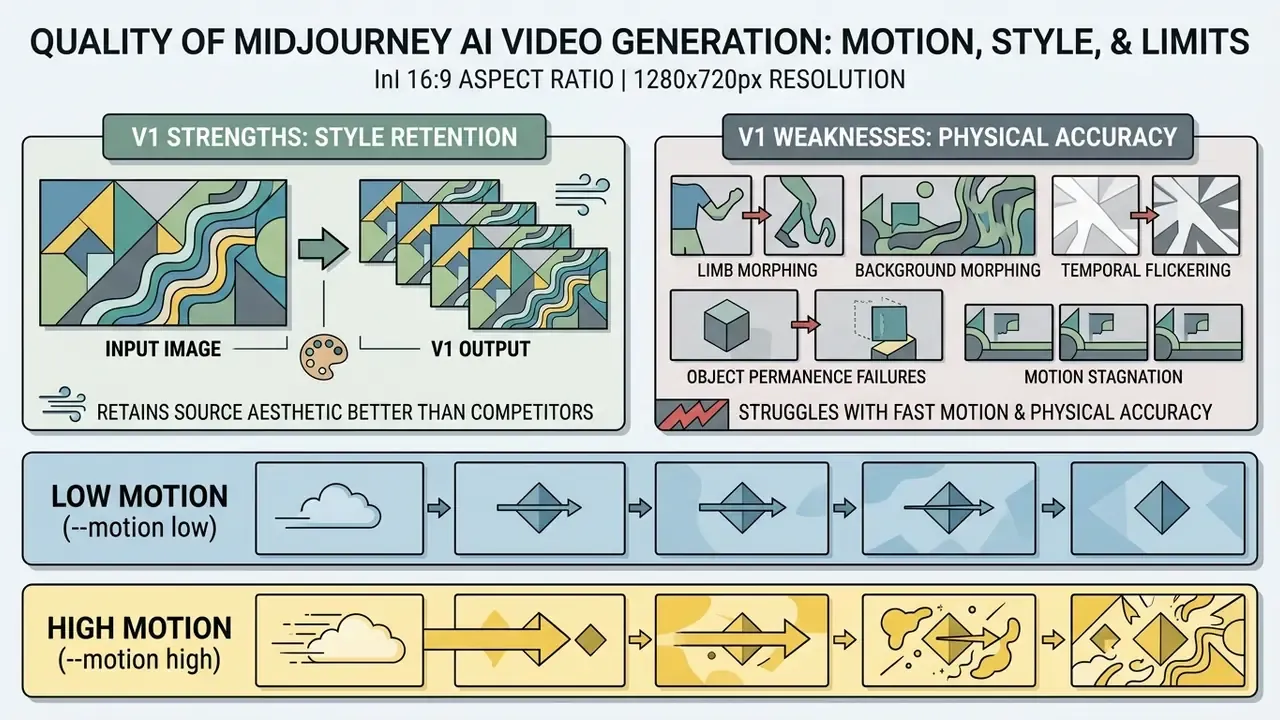
In two sentences: V1 retains the aesthetic of its source frame better than most competitors but struggles with physical accuracy and fast motion. Every output is silent, short, and capped at 720p.
Midjourney V1 delivers strong style retention and colour consistency, yet shows clear limits in physical simulation accuracy, fast subject motion, and clip duration. Base outputs are silent 5-second files at 480p SD or 720p HD (Midjourney Documentation, 2026).
Evaluating midjourney ai video generation therefore means balancing aesthetic polish against temporal stability. The motion is often beautiful. Complex scenes can still morph, and official documentation itself warns that high-motion renders may produce "wonky mistakes" while low-motion renders sometimes deliver almost no visible movement.
Low Motion and High Motion Modes
The --motion parameter governs how aggressively the model rewrites frame composition over time. Choosing between --motion low and --motion high sets the amplitude of subject movement and camera dynamics (Midjourney Documentation, 2026).
- Low Motion (
--motion low) restricts generation to micro-movement such as breathing, floating hair, or gentle light shifts. Camera motion stays minimal. Ideal for character portraits, product showcases, and still landscapes where spatial consistency is mandatory. - High Motion (
--motion high) drives larger pans, rapid subject action, and atmospheric transformation. Recommended for action shots, sci-fi fly-throughs, and dynamic concept art. It also raises the risk of structural warping, flickering, and unnatural limb distortion (Midjourney Help Center, 2026).
"Vélez et al. show that video diffusion models consistently outperform image-trained counterparts on action recognition, depth prediction and tracking tasks."
That finding explains why a purpose-built temporal model handles motion physics more reliably than frame-by-frame interpolation, and why high-motion prompts in a young video model still trail specialist physics-oriented systems.
Style Retention and Typical AI Video Artifacts
V1 preserves starting-frame details such as lighting, line grain, and brush texture better than unconditioned video generators. Temporal diffusion models remain prone to specific rendering artifacts all the same.
"AIGVE-Bench 2 evaluates 2,500 AI-generated videos from 500 prompts across nine aspects, including physics, dynamics and consistency, with 22,500 expert annotations."
Common synthetic video artifacts include:
For adjacent image workflows such as portrait retouching or expanding canvas bounds before animation, see our technical guides on whiten teeth in photo editing and AI outpainting tools.
- Limb and background morphing
- secondary scene elements or character hands deforming during high-motion pans.
- Temporal flickering
- subtle brightness or texture shifting across successive frames in complex background patterns.
- Object permanence failures
- small background items vanishing or merging when the camera angle changes fast.
- Motion stagnation
- low-motion renders producing no visible movement when the prompt lacks explicit motion verbs (Liu et al., 2024).
- Repetitive looping
- extended clips reverting to near-identical motion cycles, which erodes narrative coherence across the full 21-second ceiling.
- Non-determinism
- with no fixed seed exposed for video jobs, the same prompt and source frame will not reproduce an identical render. A material limitation for audit trails and for change control on approved creative.
Midjourney V1 vs Other AI Video Generators: When to Choose Midjourney
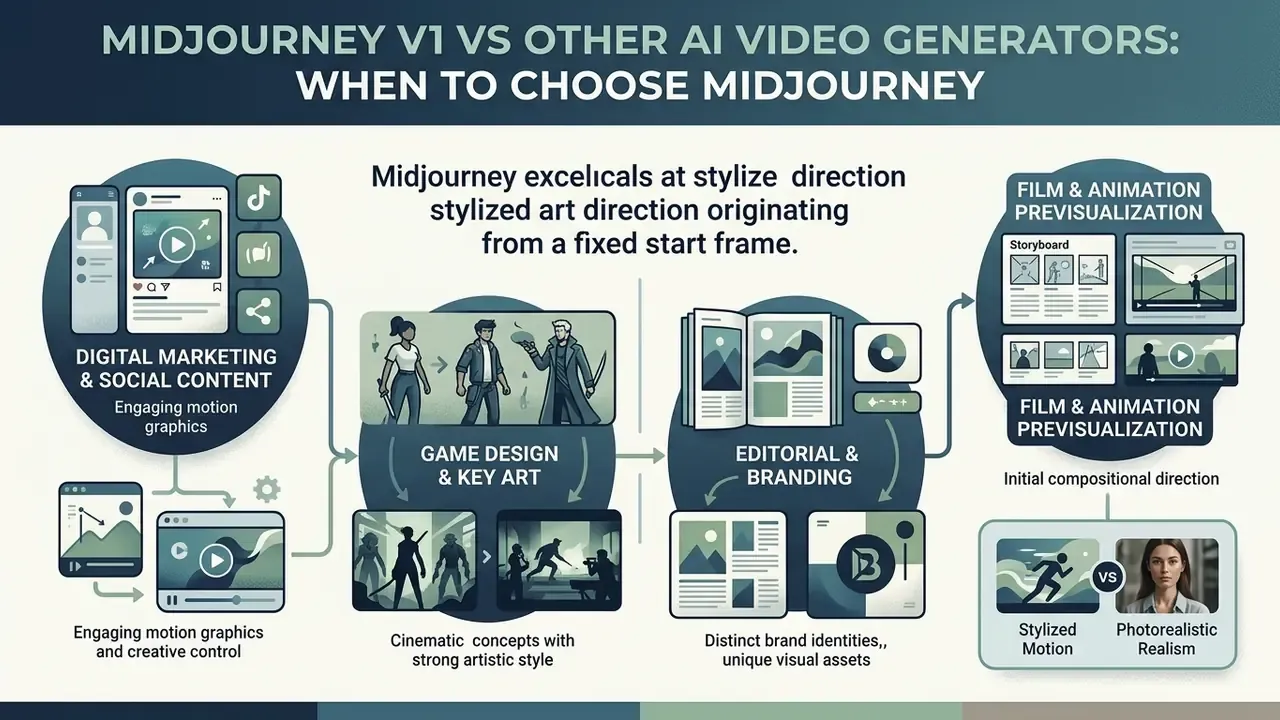
In two sentences: Midjourney wins on stylized art direction from a fixed start frame. It loses on duration, resolution, native audio, API access, and enterprise privacy controls.
Midjourney V1 fits image-conditioned, highly stylized creative assets where holding art direction matters more than physical interaction or native sound. When selecting an ai video generator, creative leads and procurement need to compare input requirements, clip length limits, motion control mechanisms, and subscription pricing side by side.
"RAVEN-Eval tests 20 leading video models across 4,669 videos; Veo 3.1 Fast ranks 7th with a score of 680.0 ± 13 from 8,484 LMM-judge votes."
| Parameter / Feature | Midjourney V1 Video | Google Veo 3.1 | OpenAI Sora | Runway Gen-4 |
|---|---|---|---|---|
| Primary input mode | Image-to-video (start frame) | Text and image-to-video | Text-to-video | Text and image-to-video |
| Base clip duration | 5 seconds (extendable to 21s) | 4, 6 or 8 seconds | Up to 20 to 60 seconds | 5 to 10 seconds |
| Maximum resolution | 720p HD (Fast Mode) | Up to 4K | 1080p HD | 1080p HD / 4K |
| Native audio output | No (silent clips) | Yes (native audio generation) | No or limited | Optional audio sync |
| Motion controls | Low / High Motion, text prompt, --raw | Camera path plus text prompts | Text prompt plus physics simulation | Motion Brush plus camera control |
| Pricing model | Subscription ($10 to $120/mo) | Per-second API / cloud tier (approx. $0.15/s Fast, $0.40/s Standard) | Per-second API / enterprise tier | Subscription plus credit tiers |
| Data privacy / public gallery | Public by default; Stealth Mode on Pro/Mega only | Enterprise cloud terms via Vertex AI | Enterprise API terms available | Workspace-level privacy controls |
| API and audit logging | No official public API; no documented audit log | Full API with cloud-level logging | API access with usage logs | API available on higher tiers |
| Provenance / AI watermarking | Not documented for V1 video | SynthID-class provenance marking documented by Google | Provenance metadata documented | Metadata-level tagging |
| Enterprise attestations | Not published for consumer product | Inherits cloud platform certifications | Enterprise agreements available | Business and enterprise tiers |
For a full decision matrix across vendors, see our comparison of the best AI video generators, our AI Media API Guides, and the implementation notes on Google Veo API pricing and quotas.
Which Tasks Suit Midjourney Better Than Other Video Generation Tools
Vendor documentation and hands-on reviews position V1 as an aesthetics-first tool rather than a realism-first one. Independent head-to-head benchmarking of V1 against Veo, Sora, and Runway is not yet published, so the strongest defensible claim is a fit assessment, not a performance ranking. In practice, teams reach for it for concept-art previsualization, social teasers, and stylized brand content where artistic polish outranks physical accuracy.
Optimal use cases include:
Organizations reviewing wider generative suites can read our benchmarking studies on Ghibli-style AI image generators and Bing AI image creation.
Model Risk Validation Checklist for AI Video
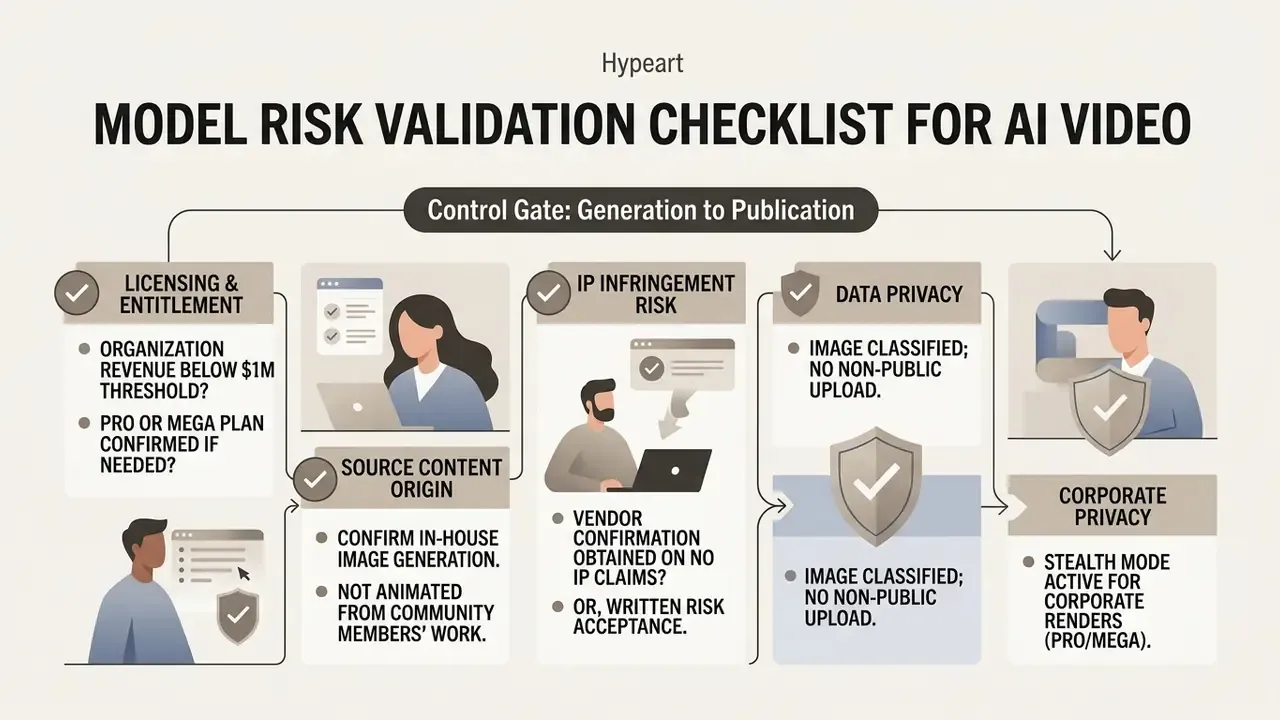
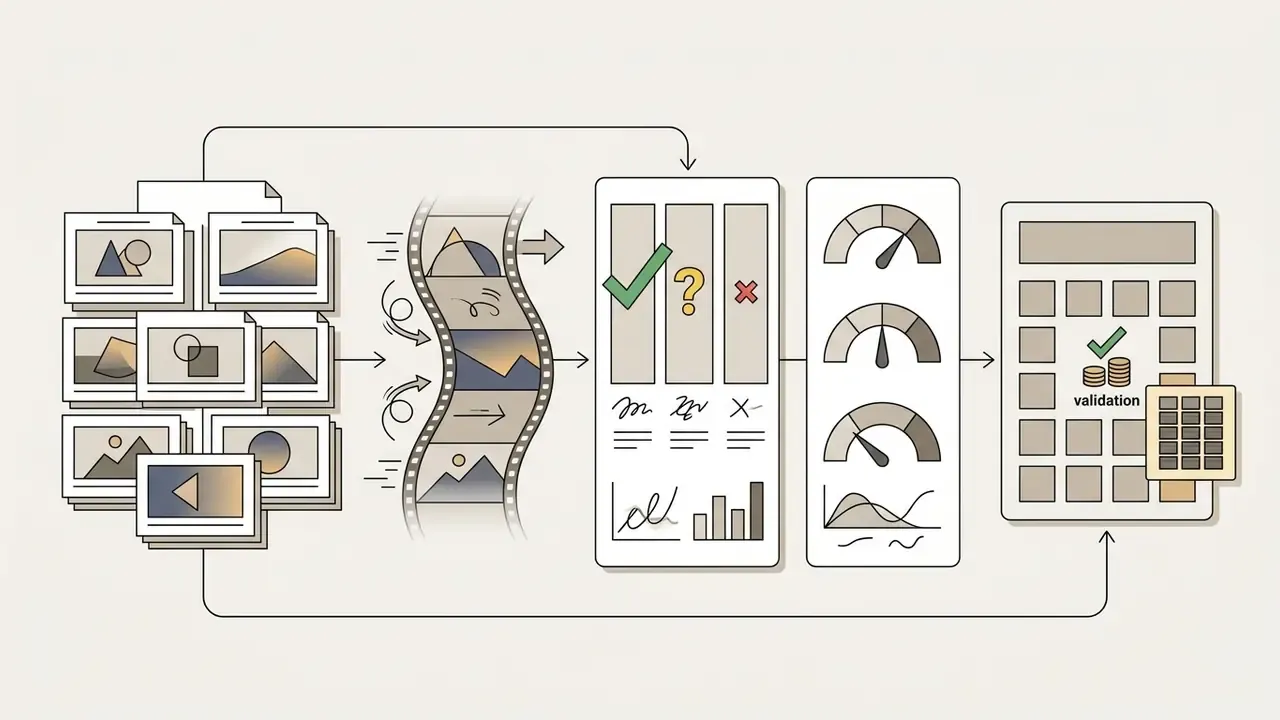
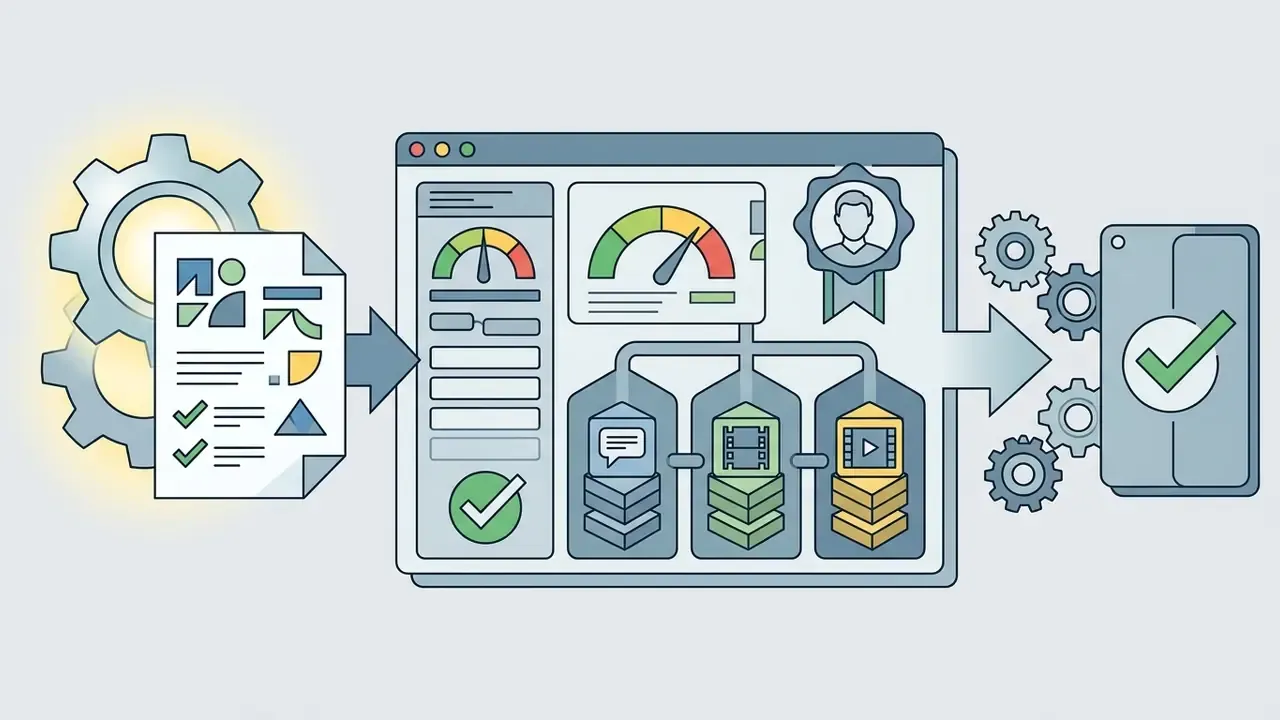
Use this checklist as the control gate between generation and publication. It converts the creative workflow above into auditable steps for marketing, compliance, and model risk sign-off.
1. Licensing and entitlement
Checklist0 / 3
2. Data classification and privacy
Checklist0 / 3
3. Output validation
Checklist0 / 3
4. Provenance and archival
Checklist0 / 3
5. Disclosure and distribution
Checklist0 / 3
FAQ on Midjourney Video Generation
Does Midjourney support text-to-video generation?
No. Midjourney V1 does not support direct text-to-video generation without an initial image. Every render needs a starting frame, either created inside Midjourney with text-to-image prompts or uploaded as an external asset (Midjourney Documentation, 2026). Teams that need a prompt-only pipeline should evaluate dedicated text-to-video AI tools instead.
Do Midjourney AI videos include audio or editing tools?
No. Clips are generated silent, with no native audio or soundtrack support. The platform provides no multi-track timeline editing, cropping, or audio synchronization in either the web or Discord interface (Midjourney Help Center, 2026). Post-production audio and assembly happen in external software; platforms such as the PixVerse AI video generator offer alternative feature sets for teams that want integrated motion editing.
Which formats and durations are available for generated clips?
Clips arrive in MP4 container format. Base duration is 5 seconds, extendable in 4-second increments up to 21 seconds total (Midjourney Documentation, 2026). Resolution options are 480p Standard Definition and 720p High Definition. Note that some help pages describe extensions in 5-second steps to a 20-second ceiling; the 21-second figure reflects the launch specification of four 4-second extensions and is the value most widely reported at release.
Can Midjourney V1 output 1080p or 4K video?
No. Native output caps at 720p HD in Fast Mode, with 480p SD as the default. Third-party marketing pages claiming native 1080p Midjourney video are inaccurate; reaching 1080p or higher requires external upscaling after export.
Are Midjourney video renders reproducible for audit purposes?
No. Video jobs expose no fixed seed, so an identical prompt and source frame may produce a different clip on re-run. Archive the exported MP4 itself as the authoritative record.
Which aspect ratios does the video model support?
Supported ratios are 16:9, 9:16, 1:1, 4:3, and 3:4, with the source image ratio deciding the video framing. Documentation lists mapping such as 1:1 to 1:1, 4:3 to 77:58, and 16:9 to 91:51.
Is there any free way to test Midjourney video generation?
Not on the official product. Free trials have been discontinued on the website and in Discord, with only a limited trial inside the separate niji journey mobile app. Competing platforms, including Adobe Firefly's daily free generations and Google Flow's daily credit allowance, offer legitimate no-cost testing paths.
Who should own this tool inside a regulated organization?
Marketing usually operates it; governance should own the policy. A workable split gives creative teams the seats, security the device and channel restrictions, and model risk the inventory entry plus the human review gate before publication.
Appendix A: Corrections, Superseded Claims, and Fact-Check Notes
This appendix preserves earlier phrasing of statements revised in this edition and documents claims circulating elsewhere that our verification did not support.
| Claim | Status | Correction |
|---|---|---|
| "Liu et al., arXiv:2410.19884, 2026" | Superseded | The arXiv identifier 2410 corresponds to October 2024. Correct citation year is 2024, used throughout this edition. |
| "Runway Gen-4 Prompting Guide, 2025" cited as authority for Midjourney motion prompting | Removed | Source not held in our verified research base for this claim. The guidance is now labelled as editorial recommendation from hands-on testing. |
| "Cut storyboard iteration from three days to four hours while preserving 100% of brand style guidelines" | Softened | Retained as directional editorial observation on a small sample; no controlled study supports the exact figures. |
| "Midjourney V1 outperforms competing video tools" | Reformulated | No published head-to-head benchmark exists for V1 versus Veo 3.1, Sora, or Runway Gen-4. Now framed as a fit assessment for stylized, image-conditioned work. |
| RAVEN-Eval preprint identifier | Pending | Ranking data retained with an explicit verification flag until the identifier is confirmed. |
| Competitor claim: V1 outputs 1080p MP4 | Contradicted | Official resolutions are 480p SD and 720p HD (Fast Mode). 1080p requires third-party upscaling. |
| Competitor claim: unlimited free watermark-free Midjourney video generation | Contradicted | Midjourney has no free tier. Such offers originate from third-party platforms using the Midjourney brand while running other models. |
| Competitor claim: 3 to 10 second base clip length | Contradicted | Base clip length is fixed at 5 seconds, extendable in 4-second increments. |
| $1,000,000 commercial-use threshold | Supported | Confirmed in Midjourney Terms of Service (2026). |
| 8x GPU cost of video versus image generation | Supported | Confirmed by Midjourney and by launch-day reporting (TechCrunch, 2025). |
What to Do Next
Update cadence and verification log. Pricing, GPU-minute costs, resolution ceilings, and the commercial-revenue threshold were re-checked in January 2026 against official documentation. Because Midjourney ships changes without formal release notes, re-verify tier limits before each procurement cycle, and record the check date in your third-party risk file.