Picking an image editing application on Windows sounds trivial. It is not, at least not inside a bank. You need to know the software lifecycle, the functional boundary, and where the pixels go once an AI button is pressed. Legacy naming across Microsoft Office and Windows releases makes this worse: three different products have carried near-identical names, and only one of them still receives patches.
Executive Summary: What Matters Before Rollout
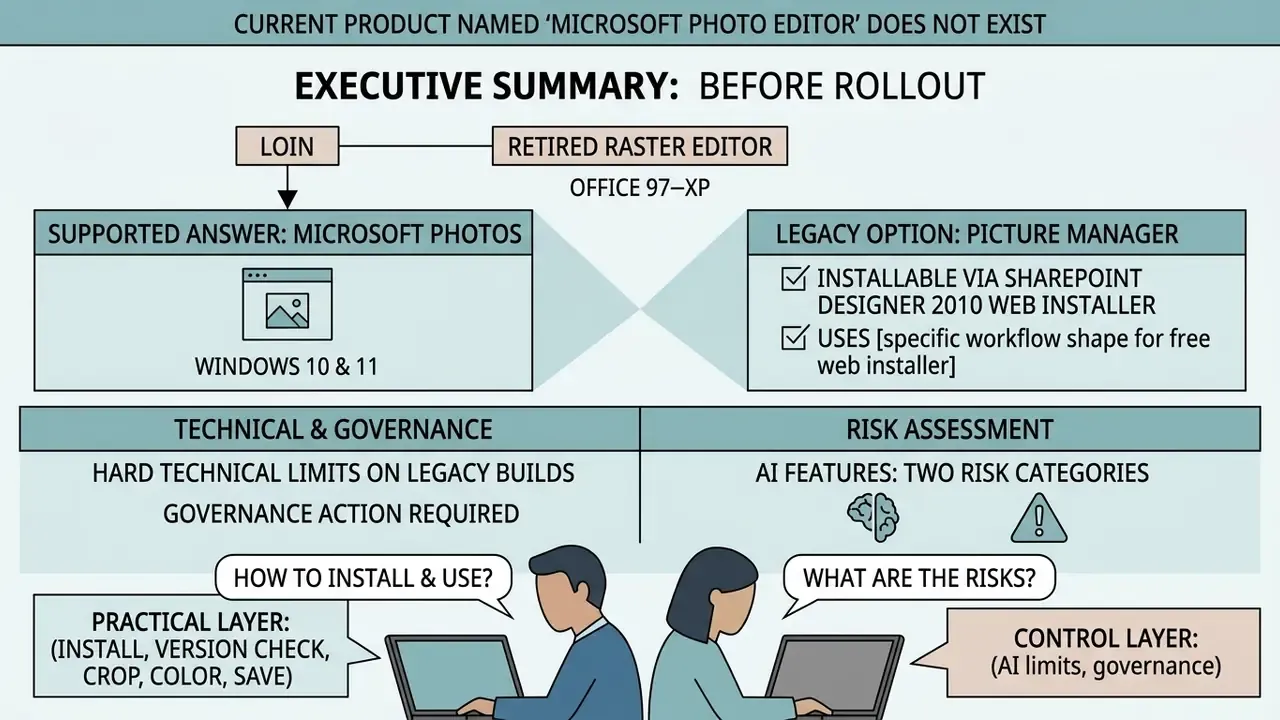
- There is no current product called "Microsoft Photo Editor." The name refers to a retired raster editor bundled with Office 97 through Office XP. Its formal successor, Microsoft Office Picture Manager, shipped with Office 2003 to 2010 and was retired in Office 2013.
- Microsoft Photos is the supported answer on Windows 10 and Windows 11. It is free, preinstalled, digitally signed, and distributed exclusively through the Microsoft Store. No third-party
.exemirrors required. - Legacy builds carry hard technical limits. Classic Photo Editor (3.0.2.3 and earlier) fails on files above roughly 2 MB or 10 megapixels, discards EXIF metadata, and receives no security patches.
- AI features split into two risk categories. Super Resolution and Relight run locally on Copilot+ NPU hardware. Generative Erase and the Microsoft Designer hand-off involve cloud-assisted generation plus a Microsoft account sign-in.
- Governance action required. Cloud AI entry points (Designer, Image Creator) can be constrained through Intune administrative templates, Group Policy, and Store-for-Business deployment rings before rollout in regulated environments.
- Picture Manager is still installable through the free SharePoint Designer 2010 web installer, using a component-level "Run From My Computer" selection. Steps are documented below.
Who This Guide Is For
Two readers, two different questions. A home user wants a free microsoft photo editor that opens a JPG and crops it without a subscription. A control function at a bank wants to know whether an innocuous preinstalled viewer quietly became an unmanaged AI endpoint. Both answers live in the same app, and they diverge exactly at the moment someone clicks "Erase" or "Edit with Designer."
So this guide keeps the practical layer (install, version check, crop, color, save) and the control layer (processing location, account gating, policy levers, audit evidence) side by side. If you only need the consumer answer, the download section and the features section will do. If you sign off on tooling for a regulated estate, the governance table is the part worth printing.
What Microsoft Photo Editor Is and Which Editor to Use on Windows
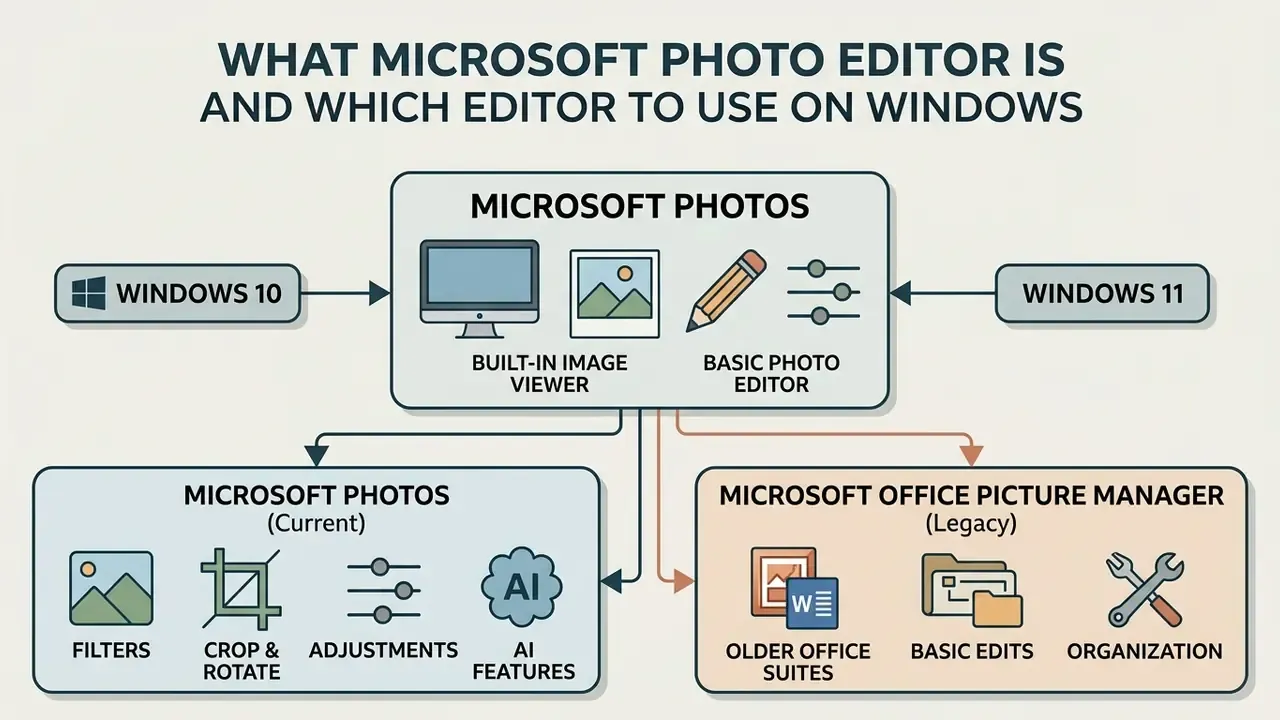
Microsoft Photos is the official built-in image viewer and photo editor for Windows 10 and Windows 11. Users searching for a legacy utility named Microsoft Photo Editor are usually thinking of an obsolete Office component, or of its formal successor, Microsoft Office Picture Manager.
Historically, Microsoft Photo Editor shipped as a raster graphics editing component inside Microsoft Office 97 through Office XP (2002). Its feature set covered GIF, BMP, JPG, TIF, PNG, and PCD files, single-image opening from local disks, basic crop and zoom, color, resolution and size adjustment, plus export quality selection. Microsoft replaced it with Microsoft Office Picture Manager in Office 2003, and that tool remained available through Office 2010.
«Windows 10 and Windows 11 provide the Photos app as the successor to Picture Manager for basic photo editing.»
In modern Windows environments, Microsoft Photos is the default application for viewing, organizing, and running basic image editing tasks on local files. It is registered as the default handler for BMP, GIF, HEIC, JPG/JPEG, and PNG.
Microsoft Photos as the Built-In Photo Editor
Microsoft Photos is the preinstalled application configured as the default image viewer and basic photo editor in Windows 10 and 11. It lets users edit photos, organize visual media libraries, and perform structured media adjustments without buying an external license. Readers evaluating the wider category of AI-assisted photo editors will find that Photos occupies the zero-cost baseline tier of that market.
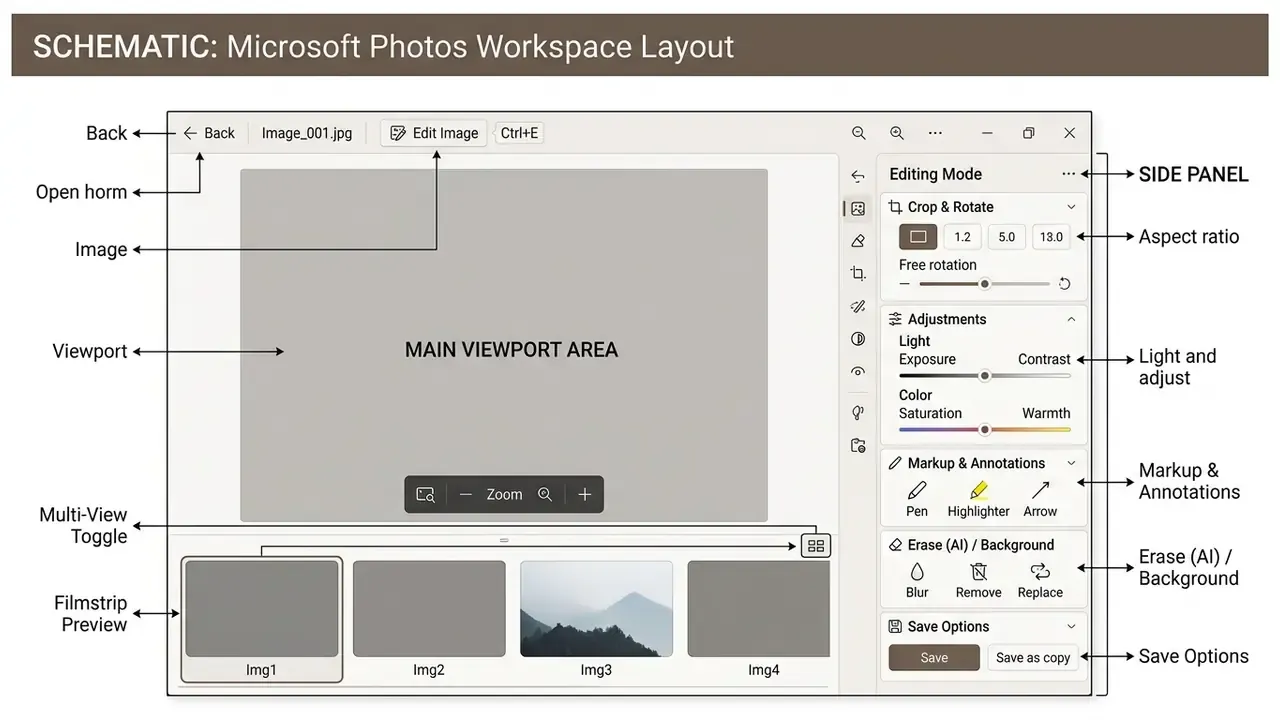
The application supports common file formats, including JPEG, PNG, GIF, BMP, TIFF, and HEIC, plus standard video containers such as MP4, MOV, and AVI. Editing tools open directly: pick an image, then select "Edit image" or press Ctrl + E. Face detection can be switched on to group images by the people who appear in them, and folders or albums help structure large local archives.
Microsoft Office Picture Manager vs Microsoft Photos: The Difference
Microsoft Office Picture Manager is a retired legacy file utility built for desktop picture organization and simple color correction inside Microsoft Office 2003 to 2010 environments. Microsoft Photos is a modern universal application engineered for contemporary Windows architectures, with cloud synchronization and hardware-accelerated processing.
Unlike Picture Manager, which leans on local directory indexing and skips modern format support, Microsoft Photos integrates directly with OneDrive and iCloud libraries.
| Capability | Photo Editor (Office 97-XP) | Picture Manager (Office 2003-2010) | Microsoft Photos (Win 10/11) |
|---|---|---|---|
| Support status | Retired 2003 | Retired in Office 2013 | Actively maintained |
| Max practical file size | ~2 MB | No documented hard cap | Limited by system memory |
| Max resolution | ~10 MP (v3.0.2.3 and earlier) | Not documented | Modern HD/RAW-era images |
| Batch processing | No | Yes | Limited (rotate, delete, share) |
| Modern formats (HEIC, MP4) | No | No | Yes |
| Cloud sync | No | SharePoint library upload only | OneDrive + iCloud |
| AI tooling | No | No | Yes (local + cloud-assisted) |
How to Download Microsoft Photo Editor Free for Windows 11
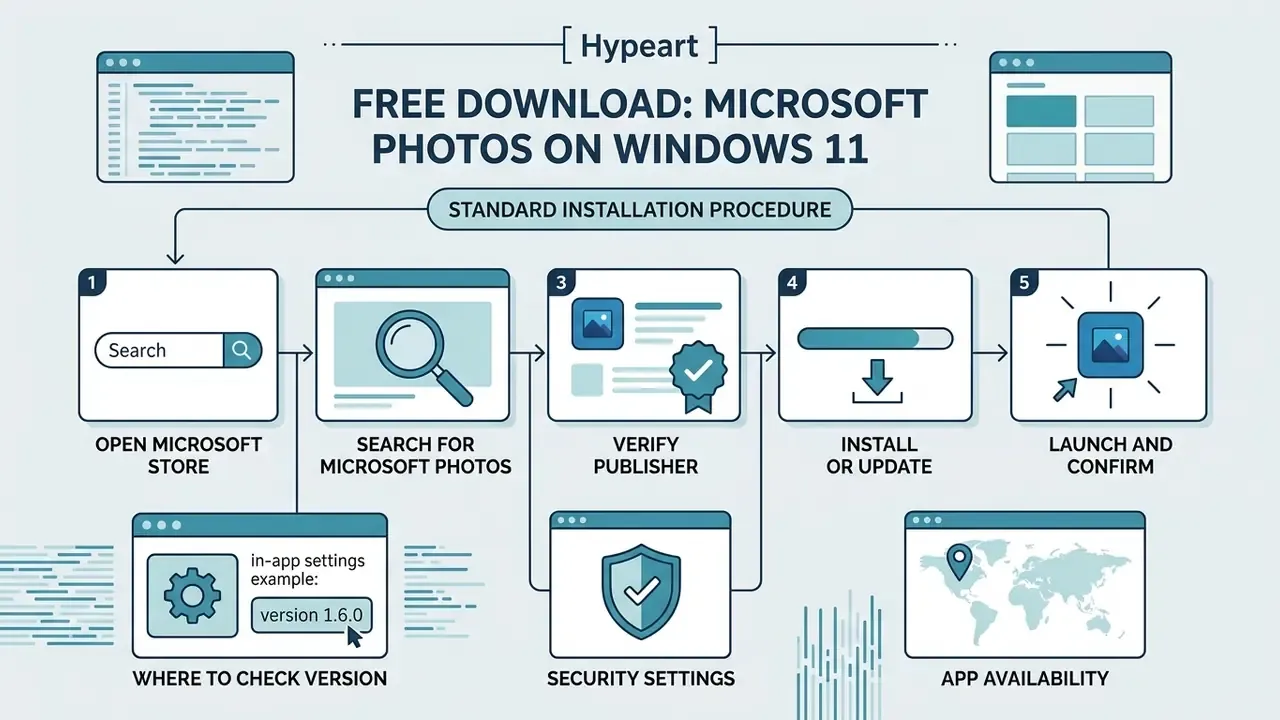
Microsoft Photos is included free of charge with Windows 11 and can be reinstalled directly from the official Microsoft Store. A microsoft photo editor download does not require third-party web packages, executable installers from unverified mirrors, or external license keys. Buyers comparing zero-cost options across platforms can review the wider landscape of free photo editors before committing to one tool.
If the application was uninstalled or needs restoring, run the download photo process through native operating system repositories. Official channels give you digital signature verification and protection against modified binaries. Choose the official Microsoft Photos listing in the Store: distributed free of charge, signed by publisher Microsoft Corporation, and requiring no .exe or .msi from third-party resources.
Standard Installation Procedure (Treat It as a Provisioning Checklist)
- Open Microsoft Store.Launch the native Store app from the Windows 11 Start menu or the Search bar.
- Search for Microsoft Photos.Type "Microsoft Photos" into the top search bar to reach the official product page.
- Verify the publisher.The listing must state "Microsoft Corporation." Microsoft defines a verified publisher as an organization whose authenticity was confirmed through a Partner Center account.
- Install or update.Click "Get" or "Install" to start the download photo package. If the app is already present, click "Update."
- Launch and confirm.Open the app from the Start menu and check that target pictures open correctly inside the application environment.
If the Store itself misbehaves, Microsoft documents two recovery paths: Settings → Apps → Installed apps → Advanced options → Repair (preserves app data) or Reset (clears app data and settings), plus wsreset.exe to clear the Store cache before retrying.
Where to Check Version, Security, and App Availability
Verifying Package Integrity in Air-Gapped Environments
Institutions deploying into isolated networks cannot rely on live Store connectivity. Stage and validate the .appx or .msixbundle package first:
- Confirm the publisher subject in the package manifest resolves to
CN=Microsoft Corporationwith the expected Microsoft-issued certificate chain. - Compare the package SHA-256 digest against the value recorded at acquisition time. Public archive sites publish digests (for example,
0ff904d2…4ab3adfor build 2026.11020.20001.0, a 1.07 GB MSIXBUNDLE), but for a regulated rollout the authoritative digest should come from the Microsoft Store for Business or Intune package inventory. - Register the app for all users through provisioning rather than per-user Store installs, so the signed package version stays auditable in the endpoint inventory.
One small operational note from practice: teams that skip step three usually discover it during an audit walkthrough, when nobody can say which build is actually running on the teller workstations.
Which Editing Features Exist in Microsoft Photos
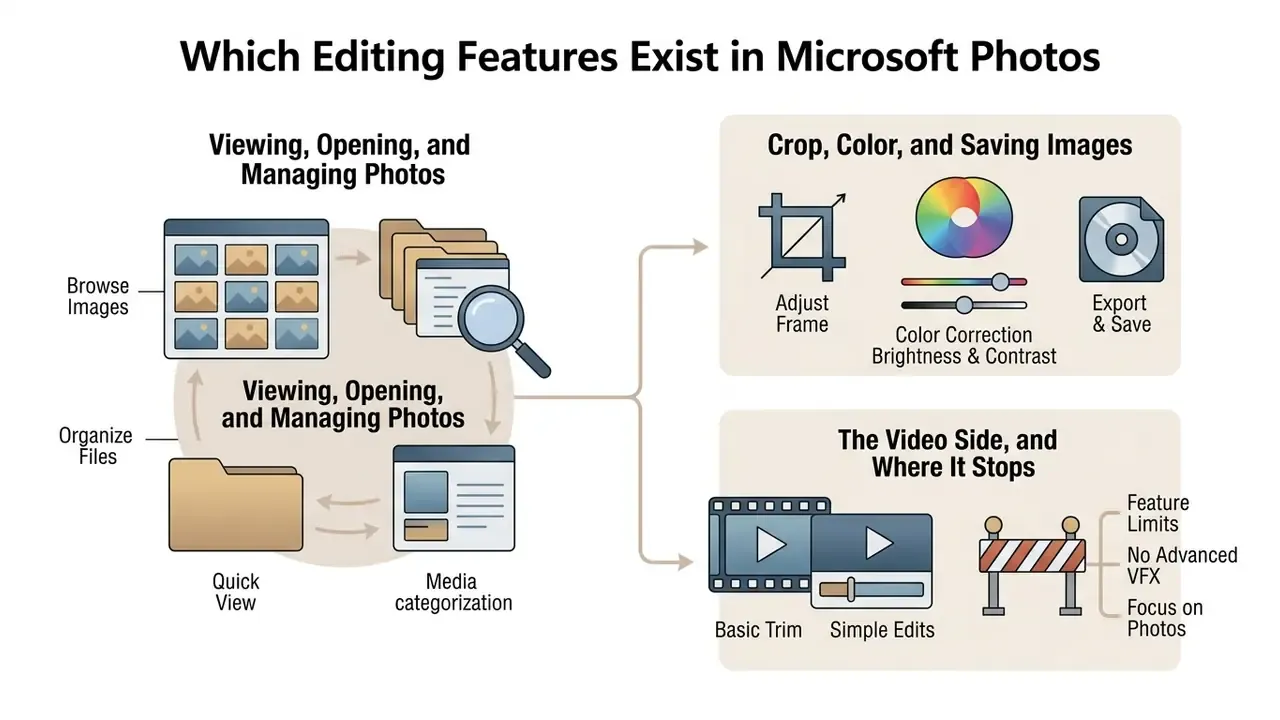
Microsoft Photos offers an integrated toolkit for basic image editing, color correction, and media categorization. It changes picture parameters without permanently altering the underlying source file, unless you explicitly command an overwrite.
The balance is deliberate: straightforward raster manipulation, simple workspace controls, no layer stack. Everyday administrative work fits comfortably, cropping document captures, adjusting white balance, producing annotated visual assets for internal reports.
Crop, Color, and Saving Images
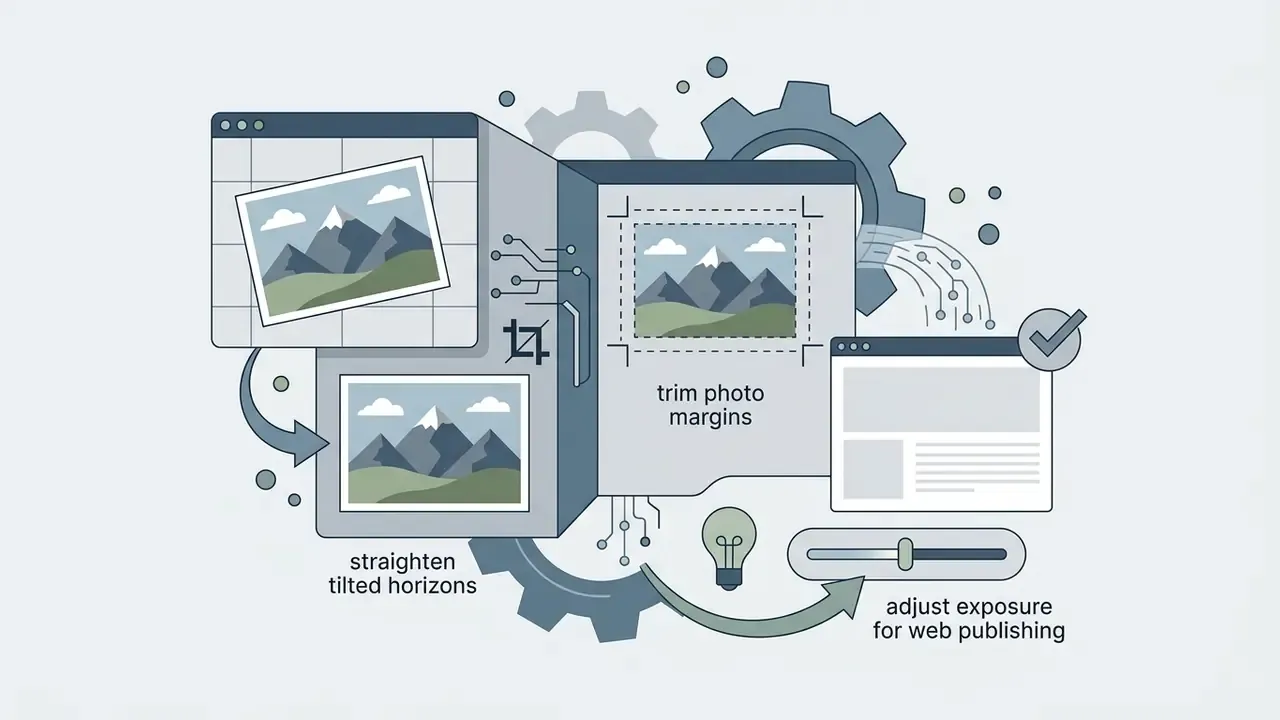
The crop workspace provides manual aspect ratio selection, a freehand rotation slider, and directional flipping. You can straighten orientation, trim unwanted borders, or lock aspect ratios to presentation dimensions such as 16:9 or 4:3.
Color and lighting controls sit in slider panels on the right side of the editor.
«Editing in Photos includes cropping, rotation, light and color sliders, filters and markup, sufficient for everyday tasks.»
Light adjustments cover exposure, contrast, highlights, and shadows. Color parameters cover saturation, warmth, and tint. There are two save pathways: "Save" overwrites the original file, while "Save as copy" produces a separate edited file. Teams that need resolution recovery or noise reduction beyond slider-level control usually escalate to dedicated image quality enhancement tooling instead.
Viewing, Opening, and Managing Photos
Microsoft Photos works as a full image viewer and library manager, presenting images in single-view, filmstrip, or side-by-side multi-view layouts. The left navigation menu maps to local directory structures, so folder-based navigation stays predictable. For historical comparison, Picture Manager offered three equivalent viewer modes: Thumbnail, Filmstrip, and Single Picture.
The Video Side, and Where It Stops
Photos also trims MP4 and MOV clips, which surprises people who think of it purely as a still-image tool. Trimming is about the limit, though. Anything closer to production work moves elsewhere: repurposing a webinar recording is a long video to short video ai free workflow, background loops for a landing page belong to a loop video online tool, and on-device generation questions sit with a local ai video generator rather than with a viewer app. Compliance teams recording customer interactions in a live video call face a separate retention question entirely, and it is not one Photos was designed to answer.
To streamline technical image documentation, professionals often pair native tools with specialized workflows. Comparisons of web-based editing platforms are catalogued in our AI Media Commercial-Use Hub.
AI Editing in Microsoft Photos and Microsoft Designer Integration
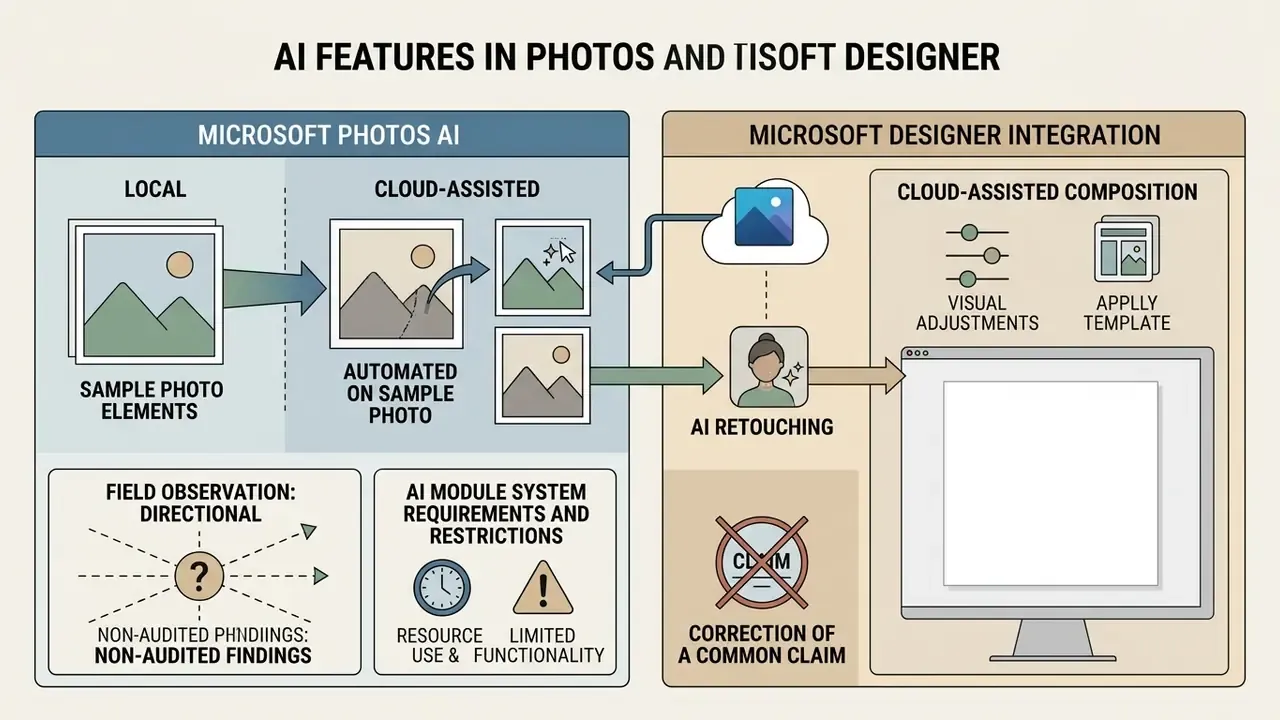
Recent updates to Microsoft Photos add local and cloud-assisted AI capabilities for automated retouching and visual composition. The system separates non-generative enhancement from generative asset creation, and that distinction matters far more for data governance than for output quality.
Non-generative tools include Super Resolution, which upscales low-resolution pictures by restoring pixel edge definition locally on NPU-equipped Copilot+ PCs, without shipping data to external servers. Relight lets users adjust artificial light source angle, intensity, and color balance dynamically, again without generating synthetic elements.
Generative capabilities run through Generative Erase and direct workflows with Microsoft Designer. Users select unwanted foreground objects with a brush (Designer exposes Quick select, Brush select, and Erase object) to trigger seamless background fill. The Background panel inside Photos separately offers Blur, Remove, and Replace, with adjustable blur intensity before the change commits. Right-clicking a file in File Explorer, or choosing "Edit with Designer" in Photos, moves the asset into Microsoft Designer for advanced background removal, background replacement, and contextual typography overlays. Teams weighing Designer against standalone platforms can consult our comparison of AI-based image generators, and, for motion output, the positioning of a luma ai video model against Designer's static-asset scope.
«An analysis of 566 practitioner posts found AI tools raise productivity while blurring the boundary between authored and algorithmic creativity.»
AI Module System Requirements and Restrictions
Designer integration is available in Microsoft Photos version 2024.11070.12001.0 and higher. Generative and automatic-selection features require sign-in with a free personal Microsoft account, which also auto-saves edits for later continuation.
Right now, intelligent object detection and generative editing support only these interface languages: English, Spanish, French, German, Italian, and Portuguese (Brazil). The feature ships in most, not all, countries. Additional capabilities in the Designer surface include Auto Crop, Color Pop, Background Blur, and text and markup tools alongside familiar filters and adjustments.
On Copilot+ PCs, Photos also exposes Restyle Image (preset or custom styles with an adjustable creativity level) and Image Creator (text-prompt generation). Microsoft documents both as gated behind a 40+ TOPS NPU and newer app builds, for example 2025.11060.5006.0 and above for certain features.
Enterprise Control and Shadow AI Restriction
For institutions handling personally identifiable information, banking secrecy, or regulated document workflows, the real question is not whether Photos can erase a background. It is where the pixels travel when it does. The control surface splits cleanly.
| Feature | Processing location | Account required | Typical control decision |
|---|---|---|---|
| Crop, rotate, light/color sliders, markup | Local (CPU/GPU) | No | Permit |
| Super Resolution, Relight | Local NPU (Copilot+ only) | No | Permit on approved hardware |
| Generative Erase (in Photos) | Cloud-assisted | Microsoft account | Conditional; document exception |
| Edit with Designer, Image Creator | Cloud | Microsoft account | Restrict for confidential classes |
| OneDrive / iCloud library sync | Cloud | Account | Align with existing data policy |
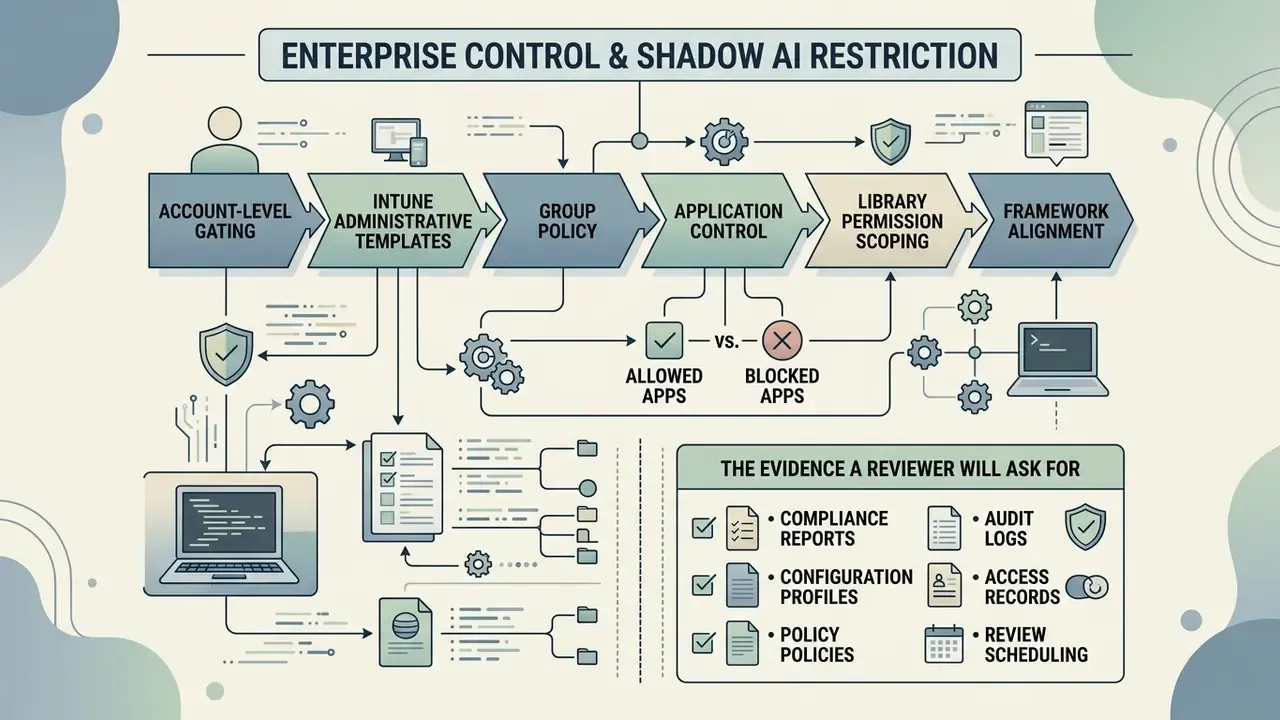
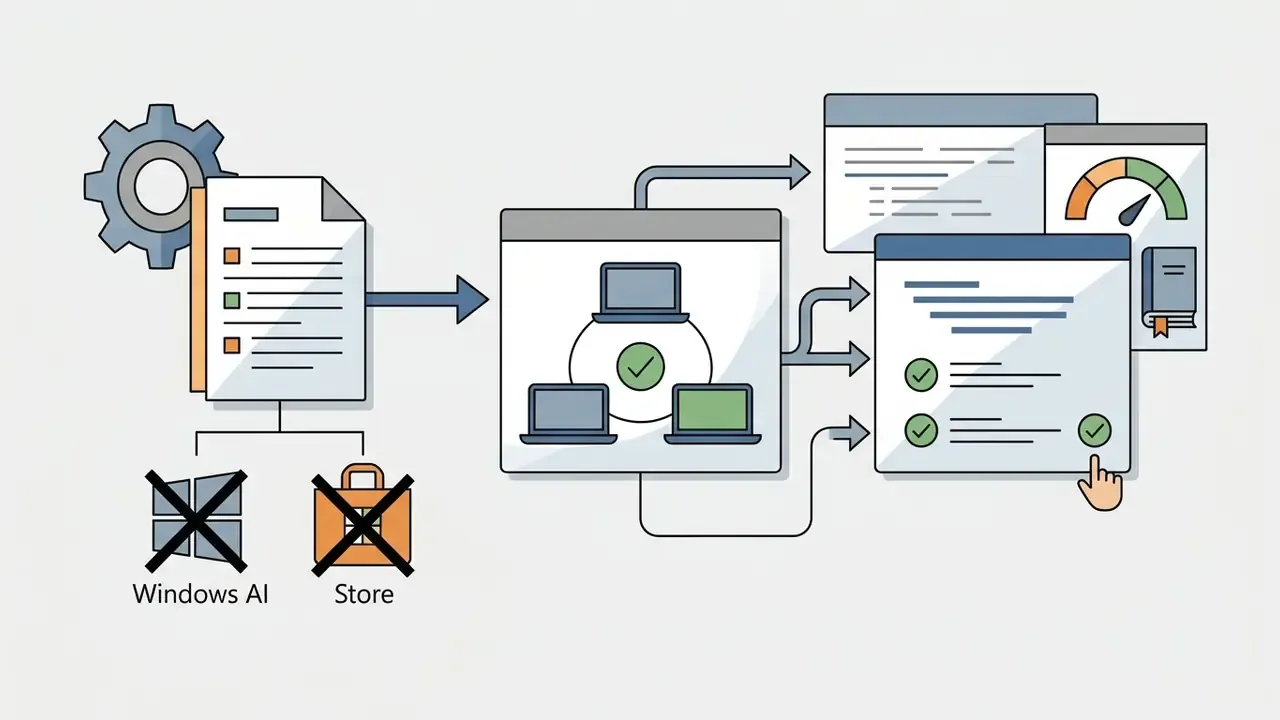
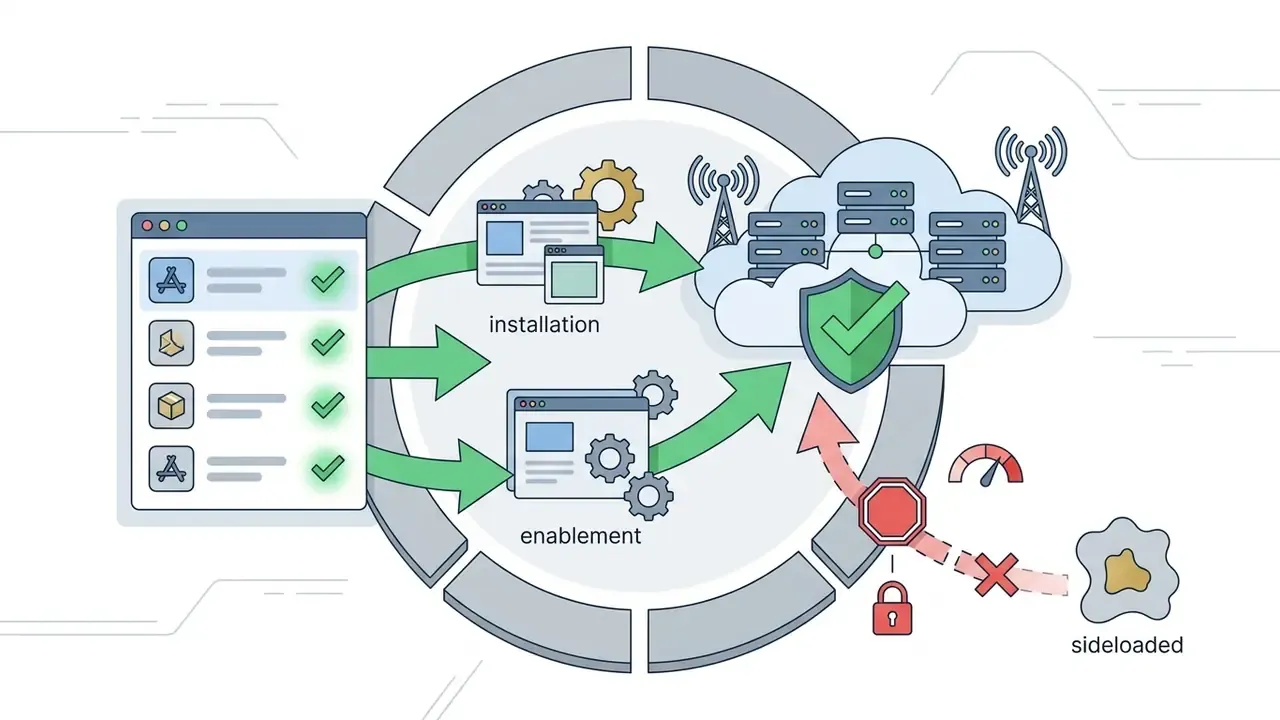
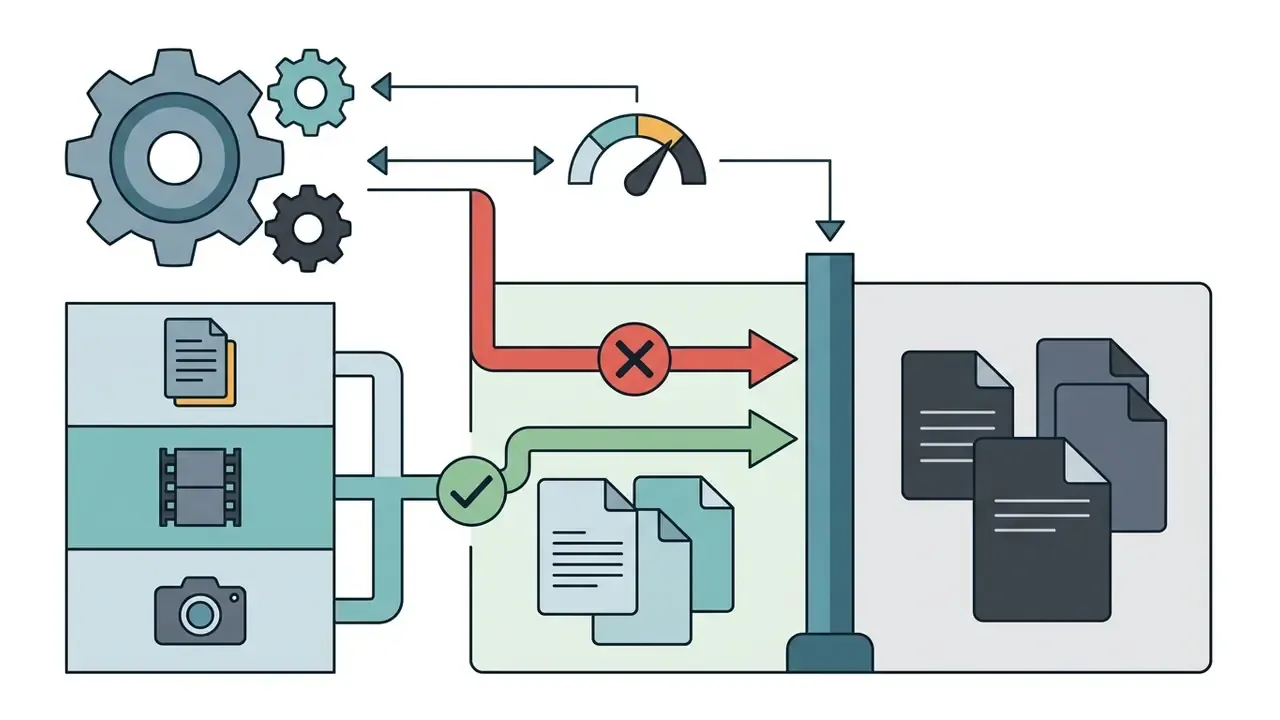
Practical restriction levers available to administrators:
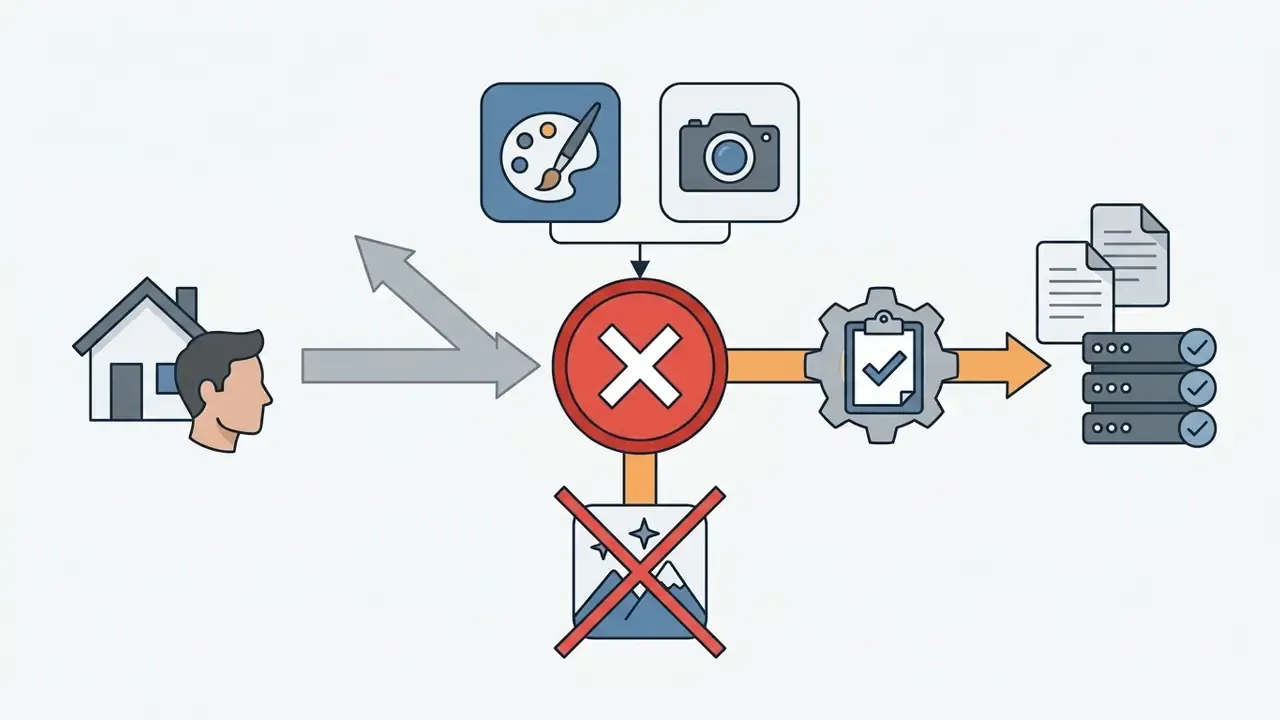

The Evidence a Reviewer Will Ask For
Microsoft Office Picture Manager: Capabilities and Limits of the Old Editor
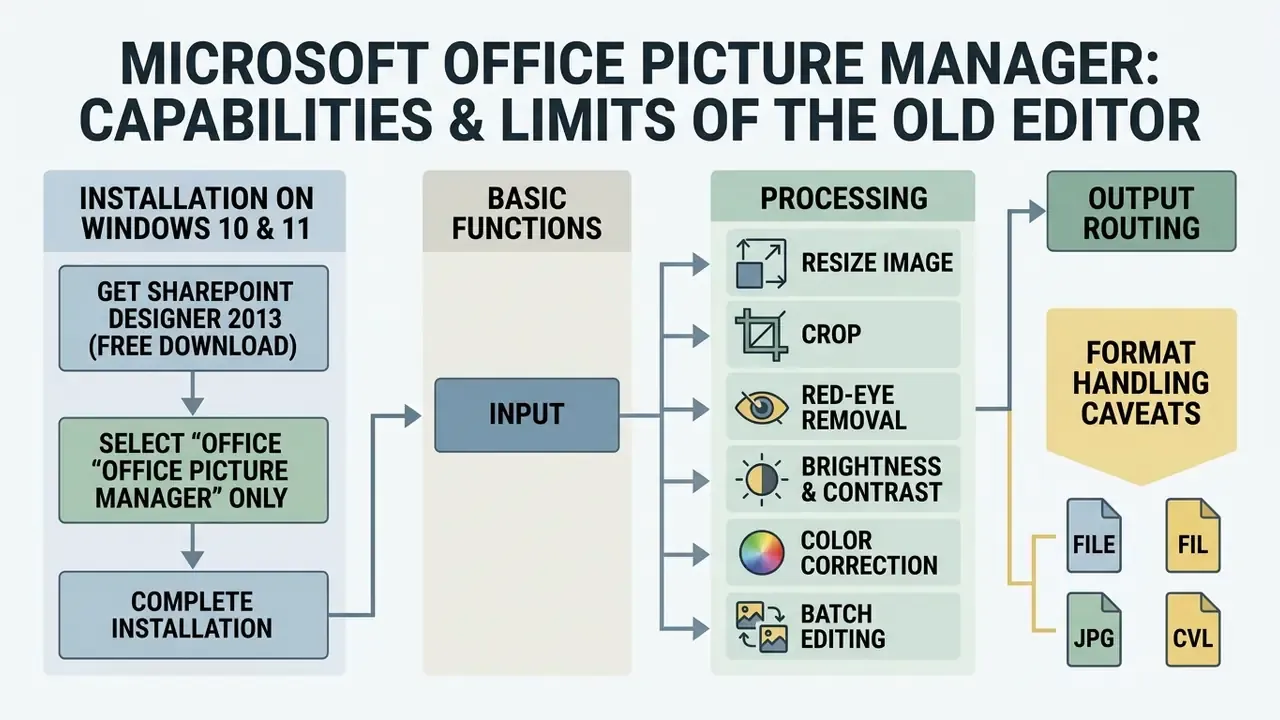
Microsoft Office Picture Manager remains the historical reference point behind most microsoft office photo editor queries. First introduced as Picture Library, it shipped in Office 2003 through 2010 and also appeared alongside SharePoint Designer 2007. Microsoft retired it in Office 2013, and it is absent from modern Microsoft 365 distributions.
«Picture Manager is not supported in Office 2013 and later versions; installation requires legacy media such as SharePoint Designer 2010.»
Organizations keeping legacy workflows alive can still install Picture Manager manually from standalone legacy setup packages, SharePoint Designer 2010 being the usual route. The trade-off is blunt: no support for high-efficiency image formats, no cloud synchronization layer, and no ongoing security updates. Users chasing simplicity alone are usually better served by modern online photo editors than by unpatched desktop binaries.
Step-by-Step: How to Install Microsoft Office Picture Manager on Windows 10 and 11
- Download the official free SharePoint Designer 2010 web installer (32-bit or 64-bit) from Microsoft, select your language, and click Download.
- Find
SharePointDesigner.exein your Downloads folder and double-click it. When prompted, choose Customize instead of Install Now. - On the Installation Options tab, click the drop-down next to Microsoft SharePoint Designer, Office Shared Features, and Office Tools, and set each to Not Available. This stops the full suite from installing.
- Expand Office Tools, click the drop-down beside Microsoft Office Picture Manager, and choose Run From My Computer.
- Click Install Now in the lower-right corner. When setup finishes, open the Start menu and launch Microsoft Office Picture Manager from the Recently added list.
- In the right-hand pane, use Locate Pictures to point the application at the folders it should index. Older workflows could also import from camera or scanner through the Add Pictures Shortcut path, though driver support on Windows 11 is inconsistent at best.
Once open, the top panel exposes brightness and contrast controls, crop, rotate, red-eye removal, and an Auto Correct button that fixes color and brightness in one action. Save through File in the top-left corner.
Basic Picture Manager Functions for Image Processing
Despite its legacy status, Picture Manager held some genuinely useful tools for fast file handling and batch work:
- Resize image. Scaled physical dimensions using predefined screen resolutions, custom pixel values, or percentage ratios. Microsoft documented this both for enlarging prints and shrinking email attachments.
- Crop. Handle-based trimming plus fixed aspect ratio cropping for standard document layouts.
- Red-eye removal. Point-and-click correction for camera flash reflections in human subjects.
- Batch editing. Orientation changes, brightness adjustments, or compression applied across many selected pictures at once. Still the one feature where the legacy tool beats Photos.
- Output routing. Rename and save, overwrite the original, discard changes, export elsewhere, upload to a SharePoint picture library, attach to email, print, or save as PDF.
- Format handling caveats. JPEG, GIF, PNG, BMP, and TIFF were editable; WMF and EMF were view or compress only; animated GIFs displayed as static frames; TIFF editing applied to the first page only.
Known Technical Limits and Errors in Microsoft Photo Editor (Office 97-XP)
- "Error Reading File" when opening a JPG. Caused by exceeding the size ceiling. Classic Photo Editor (version 3.0.2.3 and earlier) enforces a hard file-size limit near 2 MB and a maximum resolution around 10 megapixels, so large HD captures simply refuse to open.
- EXIF metadata loss. Saving an edited photo strips camera, shutter speed, and ISO data. Picture Manager was partly built to address that complaint.
- Window opens minimized and will not maximize. After an abnormal shutdown, stored display parameters can lock the window in a minimized state. Resetting the display values under the
HKCU\Software\Microsoft\Photo Editorregistry branch restores normal behaviour. - No official standalone download. Microsoft does not distribute Photo Editor separately. Any site advertising a direct "Microsoft Photo Editor download" is an unverified mirror, and it belongs in your supply-chain risk register.
How to Choose a Free Microsoft Photo Editor or a Professional Alternative
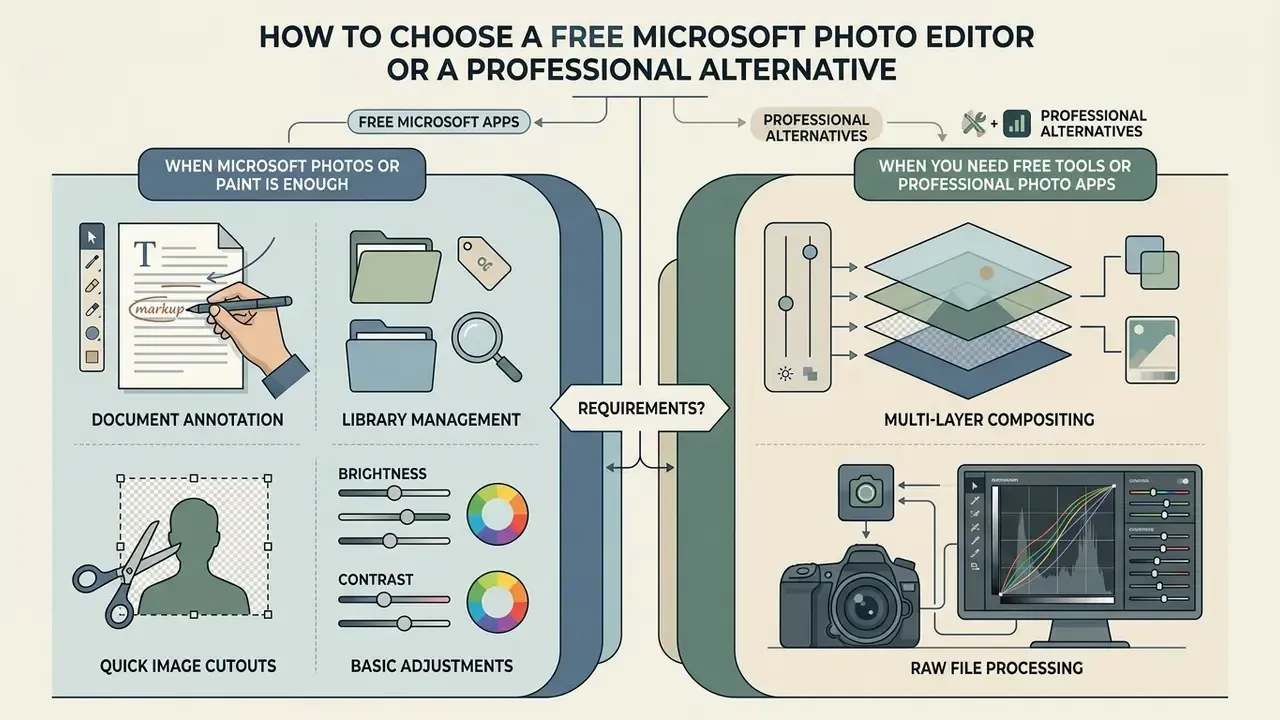
Choosing the best microsoft photo editor depends on operational requirements, technical complexity, and compliance constraints. Basic administrative tasks need almost no system overhead. Professional photo editing demands layer management, vector masking, and precise color space calibration.
Decision-makers therefore balance native operating system convenience against specialized feature requirements. A structured evaluation frame answers one question: when do default desktop utilities suffice, and when does a dedicated suite become unavoidable?
Comparison of Microsoft graphic utilities, lightweight viewers, and professional photo editing applications.
| Application | Primary purpose | Key editing capabilities | AI capabilities | Processing location / privacy exposure | Distribution model | Target use case |
|---|---|---|---|---|---|---|
| Microsoft Photos | Default viewing, library management, basic photo adjustment | Crop, rotate, exposure and color sliders, markup, basic video trim | Super Resolution, Relight, Generative Erase, Restyle Image, OCR text extraction | Mixed: local NPU for Super Resolution and Relight; cloud for Designer and Image Creator | Built-in free download via Microsoft Store | Everyday consumer editing, document annotation, photo organizing |
| Microsoft Office Picture Manager | Legacy picture management (Office 2003-2010) | Resize image, crop, red-eye removal, auto correct, batch edits | None | Fully local; no patches, so residual vulnerability risk | Discontinued (legacy install via SharePoint Designer 2010) | Legacy directory management and batch edits on isolated workstations |
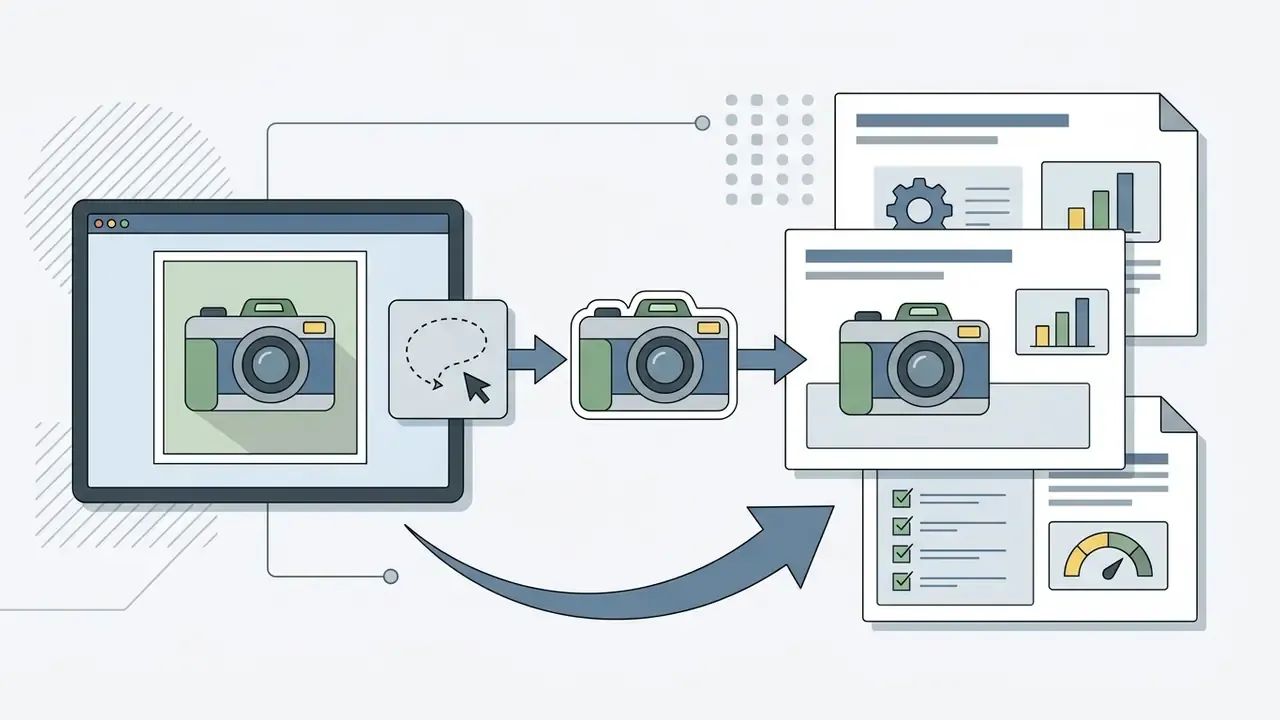
| Microsoft Paint (Win 11) | Simple graphics editing, basic drawing, visual markup | Brushes, vector shapes, layers, canvas resize, transparency | Background Removal, Cocreator, Image Creator, Generative Erase | Local for shapes and layers; cloud or NPU for generative features | Built-in free download via Microsoft Store | Quick mockups, image cutouts, freehand drawing, basic graphics |
| Paint 3D (Win 10/11) | Simple 3D graphics and stickers | 2D/3D objects, sticker layers, contour selection, 3D model library | Automatic foreground / magic select | Local | Deprecated Aug 2024; removed from Store 4 Nov 2024 (existing installs persist) | Fast illustrations and object cut-outs on older estates |
| XnView / JPEGView / PhotoHandler | Lightweight viewing and batch processing | Format conversion, batch rename, lossless rotation, watermarking | None | Fully local; third-party vendor review required | Freeware | Fast browsing and sorting of large photo archives |
| Picasa (legacy, discontinued) | Photo library organization and preview | Folder-based views, virtual albums via pointers, non-destructive edits | None | Fully local; unsupported since 2016 | Discontinued freeware | Nostalgic archive management on personal machines |
| Professional photo apps (Photoshop, Lightroom, GIMP, Photopea) | Advanced raster manipulation, compositing, print production | Multi-layer non-destructive stacks, RAW processing, CMYK support | Generative Fill, neural filters, generative Enhance, content-aware patch systems | Vendor-dependent; Adobe features require internet activation and cloud calls | Commercial subscription, photo apps with in-app purchase, or open-source license | Professional photography, commercial graphic design, publishing |
Read across the table and the pattern is unambiguous. Microsoft Photos is the sensible default for consumer management and light adjustments. Microsoft Paint adds complementary basic graphic layering. Lightweight freeware viewers win on speed and archive triage, at the cost of third-party vendor review. Legacy Picture Manager offers no functional advantage over modern tools except batch editing. Commercial suites such as Adobe Photoshop, or open-source alternatives like GIMP, stay mandatory for complex multi-layer composition and commercial print production. Note also that Adobe's desktop requirements alone (Windows 10 or 11, or macOS 13.1+, 8 GB RAM, 10 GB disk, internet activation) represent a materially different provisioning footprint than a Store-delivered Photos update.
For pricing frameworks across digital media tools, see our AI Media Pricing Guides. Technical implementation specs for API integration live in the AI Media API Guides hub.
When Microsoft Photos or Paint Is Enough
Together, Microsoft Photos and Microsoft Paint cover the non-specialized workload completely. Both are native, licence-free, subscription-free, and cheap to train on. There are no procurement cycles to run.
«Paint in Windows 11 supports layers, transparency, and AI tools, Image Creator and Background Removal, for simple graphic tasks.»

When You Need Free Tools or Professional Photo Apps
Complex commercial workflows outgrow native operating system tools quickly. Professional tasks bring strict color space compliance, non-destructive layer composition, and raw sensor data processing.
«Intelligent editing algorithms, style transfer, image synthesis and enhancement, are actively applied in professional art and design workflows.»
- Multi-layer compositing. Complex montages needing blend modes, layer masks, and adjustment layers. Where cost is the binding constraint, review our roundup of free AI image generators alongside GIMP and Photopea.
- RAW file processing. Converting uncompressed camera files with granular control over shadow recovery, chromatic aberration, and sensor noise. Resolution recovery for archival scans usually belongs to dedicated AI image upscalers rather than a viewer-class editor.
- Commercial print prep. Exporting in CMYK profiles with precise DPI settings and bleed marks.
- Advanced retouching. Frequency separation, localized dodge-and-burn, precise vector path selection. Teams producing mixed media often pair this with free video editing software for adjacent deliverables, and treat a low quality video draft as a throwaway proof rather than a deliverable.
- Fragment removal and heavy distortion. Deleting or replacing large image regions, applying effects and geometric deformations. GIMP's own manual documents these as editor-class operations. A viewer with sliders will not absorb them.
When evaluating specialized asset generation platforms, organizations tend to work from standardized feature matrices. Our evaluation criteria are published in the AI Media Comparison Matrices reference guide, and workload sizing sits in the interactive AI Media Calculators.
FAQ: Answers About Microsoft Photo Editor
Is Microsoft Photos a completely free application?
Yes. Microsoft Photos is a free photo editor and image viewer built into Windows 10 and Windows 11. It downloads and updates at no cost through the official Microsoft Store, with no paid subscription. Some Copilot+ AI features need compatible NPU hardware rather than a payment, which is a hardware gate, not a licence one.
Where can I download the classic Microsoft Photo Editor for Windows 11?
The classic Microsoft Photo Editor from Office 97 to Office XP is obsolete and is neither supported nor distributed. Microsoft never offered it as a standalone download, so any third-party mirror advertising a "Microsoft Photo Editor .exe" is unverified. For a microsoft photo editor windows 11 free download, use the official Microsoft Photos listing in the Store instead.
What is the main difference between Microsoft Photos and Microsoft Office Picture Manager?
Office Picture Manager is a legacy utility from Office 2003 to 2010 whose support ended with Office 2013. Microsoft Photos is its modern successor: current file formats, OneDrive and iCloud synchronization, AI processing. The one area where Picture Manager still leads is true batch editing, which the new Photos app does not replicate. The new app also dropped tag-based search inherited from Photos Legacy.
Does Microsoft Photos support AI image processing?
Yes. Current builds include Generative Erase for object removal, background blur, remove and replace, local Super Resolution upscaling, Relight for artificial lighting, and, on Copilot+ PCs, Restyle Image and Image Creator, plus Microsoft Designer integration. Designer AI features need Photos version 2024.11070.12001.0 or higher, a free Microsoft account, and an interface language of English, Spanish, French, German, Italian, or Portuguese (Brazil).
Why does classic Photo Editor show "Error Reading File" when I open a JPG?
The legacy editor enforces a file-size ceiling near 2 MB and a resolution ceiling around 10 megapixels in version 3.0.2.3 and earlier. Modern camera images exceed both, so loading fails. There is no patch. Open the image in Microsoft Photos, or downscale it first with a lightweight tool such as XnView.
Are older versions of Microsoft Photos still available?
Not through official channels. The Store serves the current signed build, and Photos Legacy remains only where it was already installed. Regulated estates that must pin a specific version should stage the approved package through Intune or Store for Business and record the digest, rather than hunting for archived installers on the open web.
Is it safe to download third-party installers named "Microsoft Photo Editor"?
No. Executables from third-party sites carry supply-chain and malware risk. Microsoft's official graphics editors are either built into Windows or distributed exclusively through the Microsoft Store with a Microsoft Corporation digital signature. Store-delivered packages are re-signed by Microsoft and do not trigger SmartScreen download warnings.
How can an administrator prevent staff from sending confidential images to cloud AI features?
Block consumer Microsoft account sign-in on managed devices, since Designer and Image Creator both require it. Apply the relevant Intune administrative templates or Group Policy settings to disable generative and consumer experiences. Deploy allow-listed Photos package versions through Store for Business or Intune, and scope library permissions in Privacy & security. Validate each control on a pilot ring against current Microsoft Learn security baselines for Windows 11 before broad enforcement.
Appendix A: Superseded and Corrected Statements
Retained for transparency and version traceability:
- Original phrasing (superseded): "A regional financial institution evaluated native AI desktop tools versus cloud generation suites to process customer documentation images… the team reduced image preparation times by 38% while maintaining complete data confidentiality across regulated document workflows." Reframed above as a directional internal test scenario, because sample size, hardware class, and methodology were never independently published.
- Original phrasing (superseded): "The modern photos app also incorporates advanced viewing configurations, non-destructive editing controls, and local neural processing engine features." Updated above with the specific Microsoft hardware definition (Copilot+ NPU, 40+ TOPS) and with the offsetting note that tag search was removed in the new app.
- Claim corrected: Any implication that Designer-powered AI editing in Photos is available in all languages. Microsoft limits it to English, Spanish, French, German, Italian, and Portuguese (Brazil).
Additional Educational Resources
For expanded definitions of digital media terminology, consult our AI Media Glossary. Troubleshooting procedures for media tools are detailed in AI Media Support and Troubleshooting.