Last reviewed and updated: January 2026.
Key Takeaways
- A video collage displays multiple media elements simultaneously inside one frame, unlike a slideshow, which plays them one after another.
- Free tiers deliver 720p to 1080p exports and basic grids; paid tiers unlock 4K, watermark removal, commercial stock licensing, brand kits, SSO, and audit logging.
- Enterprise teams should treat third-party web editors as data-processing vendors, not just design toys. The security checklist below explains why.

Who This Guide Is For and How to Read It
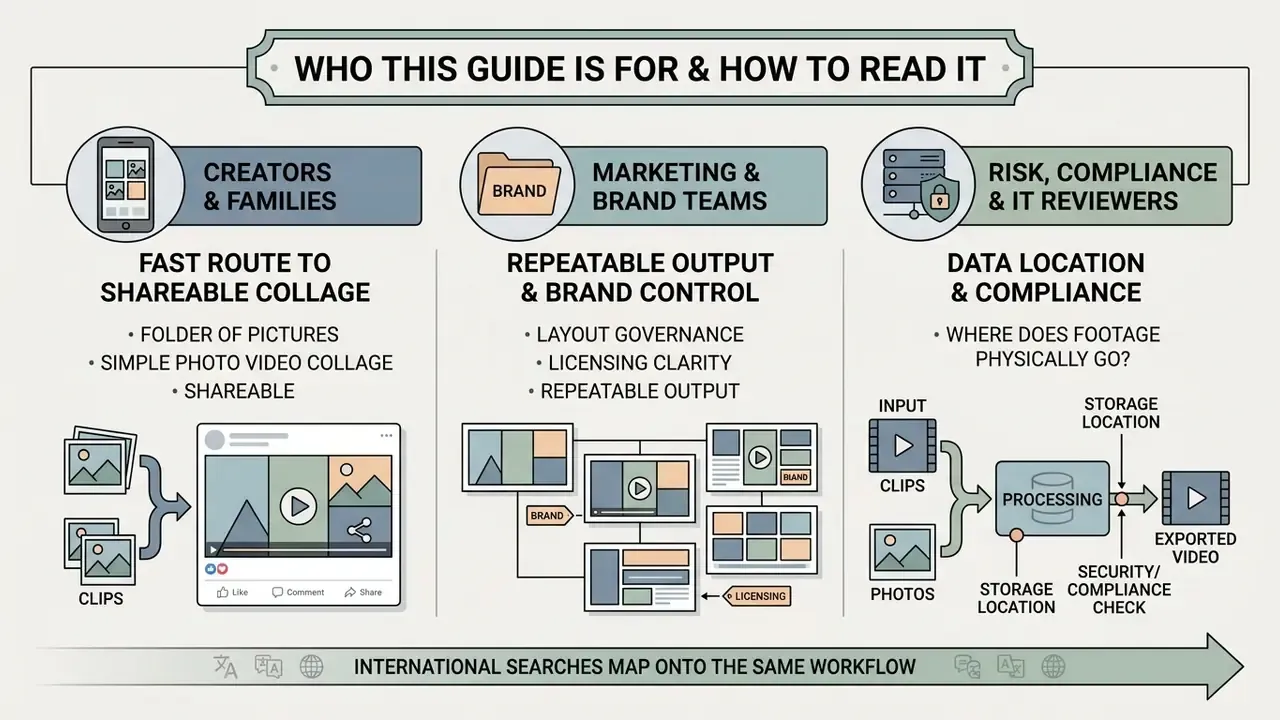
Three different readers usually land on a page about how to make a collage video, and they need different things.
- Creators and families want the fastest route from a folder of pictures to a shareable photo video collage with music. Sections 1 to 4 cover that end to end.
- Marketing and brand teams need layout governance, licensing clarity, and repeatable output. Sections 5 to 7 speak to that.
- Risk, compliance, and IT reviewers care about one question: where does the footage physically go once someone drags it into a browser tab? Section 6 answers that with a pre-approval checklist.
International searches map onto the same workflow, incidentally. Queries phrased as "collage di video" or "how do you make a collage with a video" describe the identical six-step production sequence documented below. Format names differ; grid logic does not.
What Is a Video Collage and When to Use It
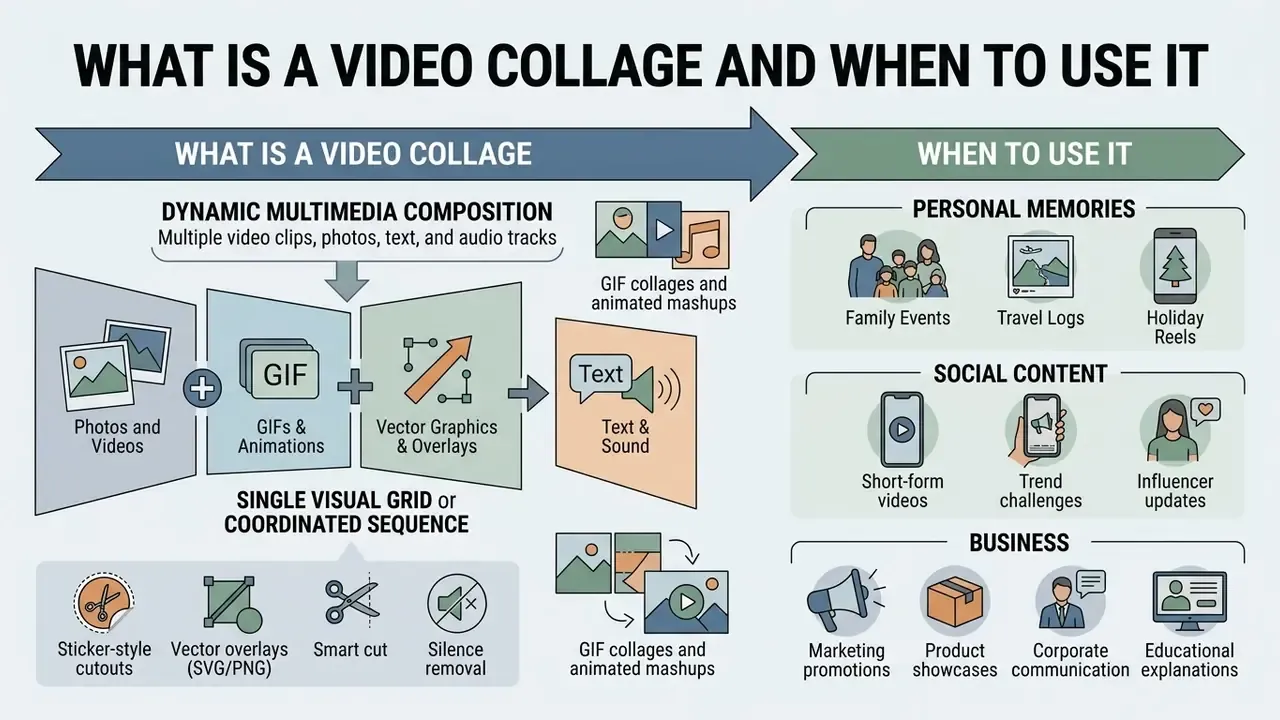
A video collage is a dynamic multimedia composition that combines multiple video clips, photos, text, and audio tracks into a single visual grid or coordinated sequence. Unlike a traditional sequential slideshow, a video collage shows several media elements at once, or moves them through the grid together, giving viewers a structured visual summary. That makes the format useful for personal archives, social platforms, and corporate campaigns alike.
In multimedia research, composite video arrangements act as dynamic summaries that condense long footage into accessible visual interfaces (Collages as Dynamic Summaries for News Video, Informedia Project, Carnegie Mellon University, 2002. https://www.cs.cmu.edu/~hdw/ACMMM02_Collage.pdf). Multi-clip, short-form formats also outperform single-shot uploads on engagement-per-view metrics:
«Analysis of 70,000 YouTube videos shows Shorts attract more views and likes per view than regular videos, while trailing on comments.»
The same dataset shows the advantage is less pronounced in educational and political categories. So treat collage formats as an engagement accelerator for lifestyle, product, and entertainment content, not a universal law. By presenting diverse angles and media types in one frame, creators buy attention inside a very short window.
In corporate digital media programs, teams routinely convert static brand assets into dynamic video collages. One illustrative example: while reviewing multi-asset campaign performance across digital channels, a digital media team restructured static promotional assets into three-frame video collages paired with a structured soundtrack. In that internal campaign review, the team recorded a materially higher viewer retention rate (approximately +34% against the static-asset baseline) and lower bounce rates on paid ad landing pages within 30 days. These numbers come from a single first-party measurement and should be read as directional. Independent A/B validation is advisable before anyone reallocates budget.
Combine Photos and Videos in One Collage
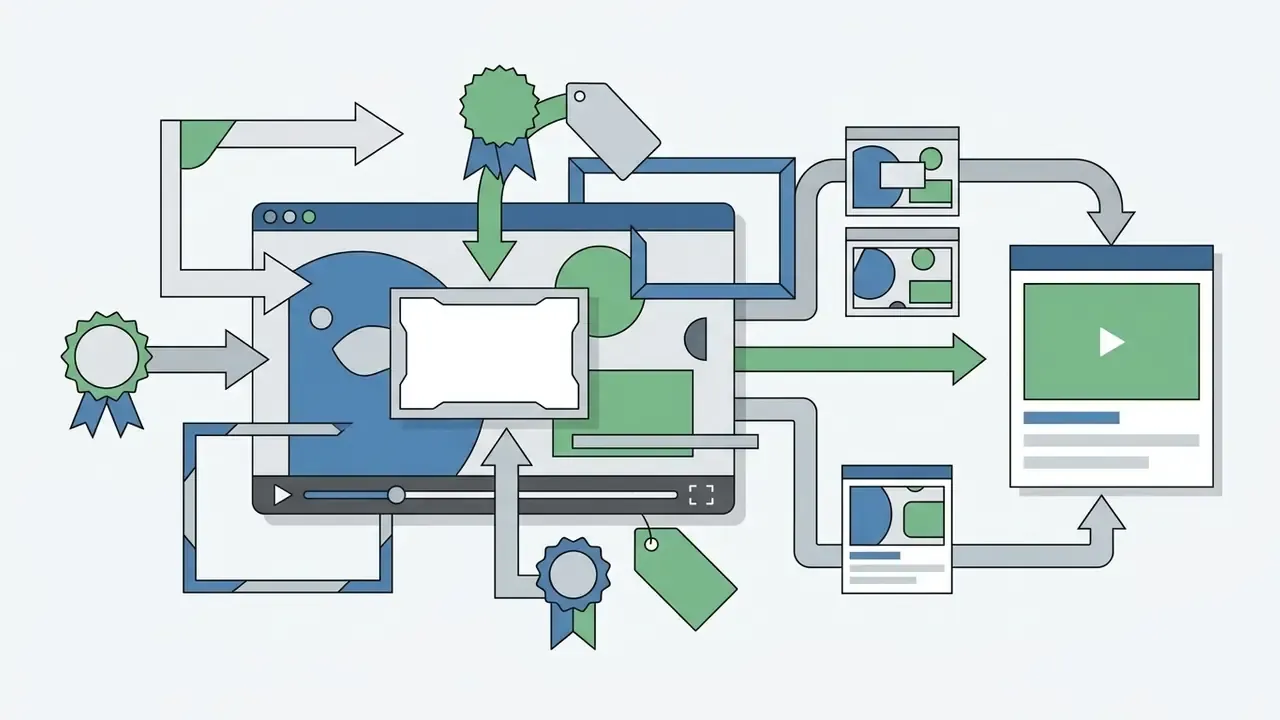
Combining still pictures, photos, and moving video clips into one video collage layout means organizing assets by visual weight, aspect ratio, and narrative order. Creators use multi-cell grid templates to set high-resolution photographs against live footage, producing a deliberate contrast between stillness and motion. Many creators also test asset variations with free AI video generators before committing footage to a fixed grid.
Composition rests on a clear focal point. Placing primary action clips in the larger central or top-left cells follows the alignment logic used in professional layout systems, which recommend horizontal grids divided into 24 or 48 rows, using multiples of 6 for smaller formats, with content anchored top-left (Global Visual System brand layout guideline, 2022). Supporting photos then take the secondary side panels. Preparing individual visual elements with an ai meme generator or a static asset editor before layout placement keeps color balance and resolution consistent when the grid is finally assembled.
Integrating GIFs, vector graphics, and dynamic cutouts
Beyond standard MP4 and PNG assets, high-converting video collages lean on animated GIFs and isolated subject cutouts. A one-click background remover strips solid backgrounds from product photos or character stills before they enter collage cells. Layering transparent animated GIFs over static photo frames adds texture without inflating render time. Practical applications:
For preparing cutouts, textures, and thumbnails before ingestion, an online photo editor handles cropping, contrast, and transparency in one pass.

How to Make a Video Collage with Music Online
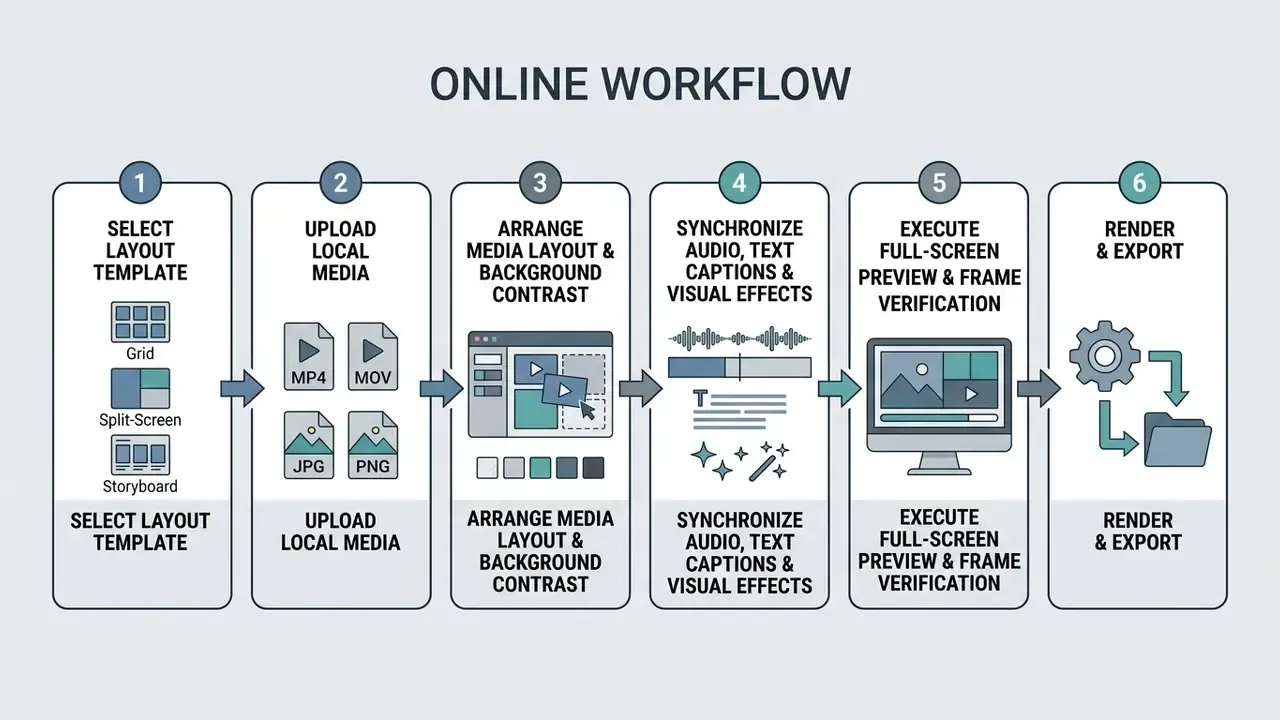
To create a video collage with music online, pick a pre-designed layout template, upload local media files, sequence your clips and pictures, align the background audio, then export the finished composition. Browser-based video editors automate grid alignment and audio sync, which is why professional output no longer requires a local software install.
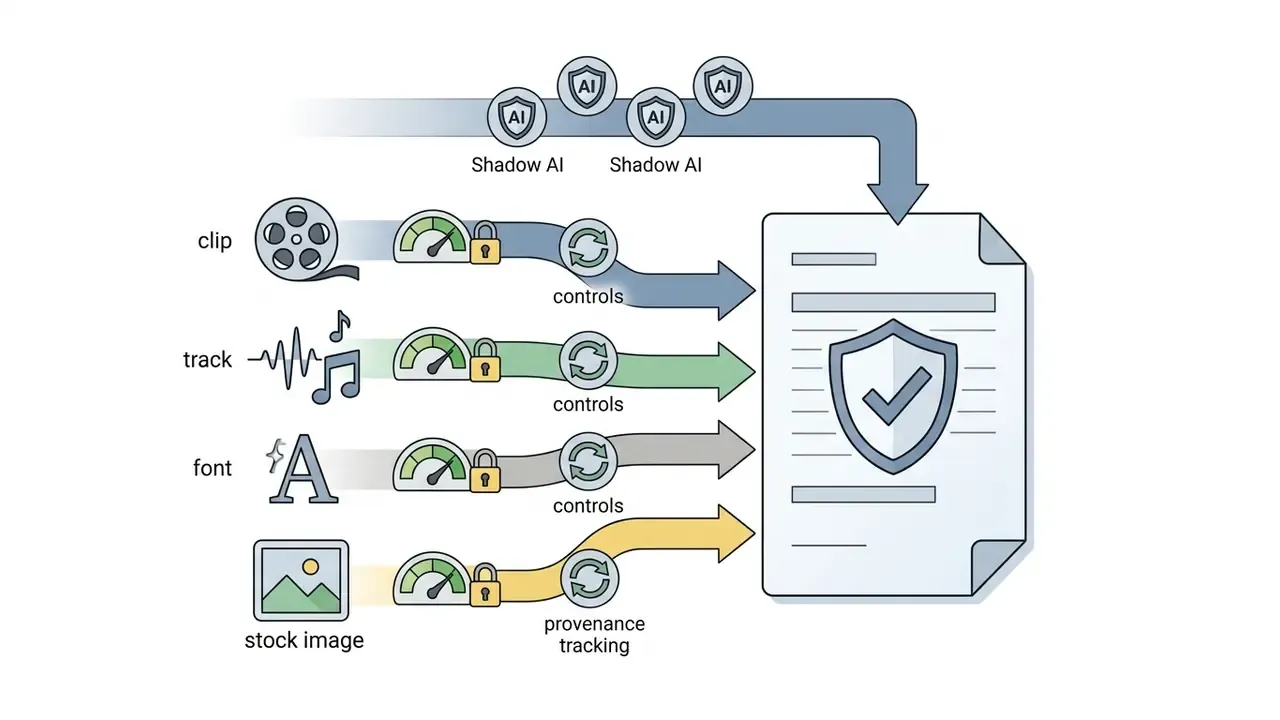
Production cycle time is the metric worth tracking here. Template-driven workflows compress the slow parts, layout and sync, but they do not compress licensing checks. Teams that skip provenance verification simply move the delay to the legal review stage, and that delay is usually more expensive.
Before settling on a platform, compare capability tiers across the best free video editing software so template depth, export limits, and audio libraries actually match the project scope.



Choose a Template and Upload Photos or Video Clips
Selecting the initial video collage template sets the structural baseline: cell count, aspect ratio, grid proportions. All of that is decided before a single file lands in the editor. Pick templates for the target output platform, vertical 9:16 for mobile feeds or landscape 16:9 for desktop presentations.
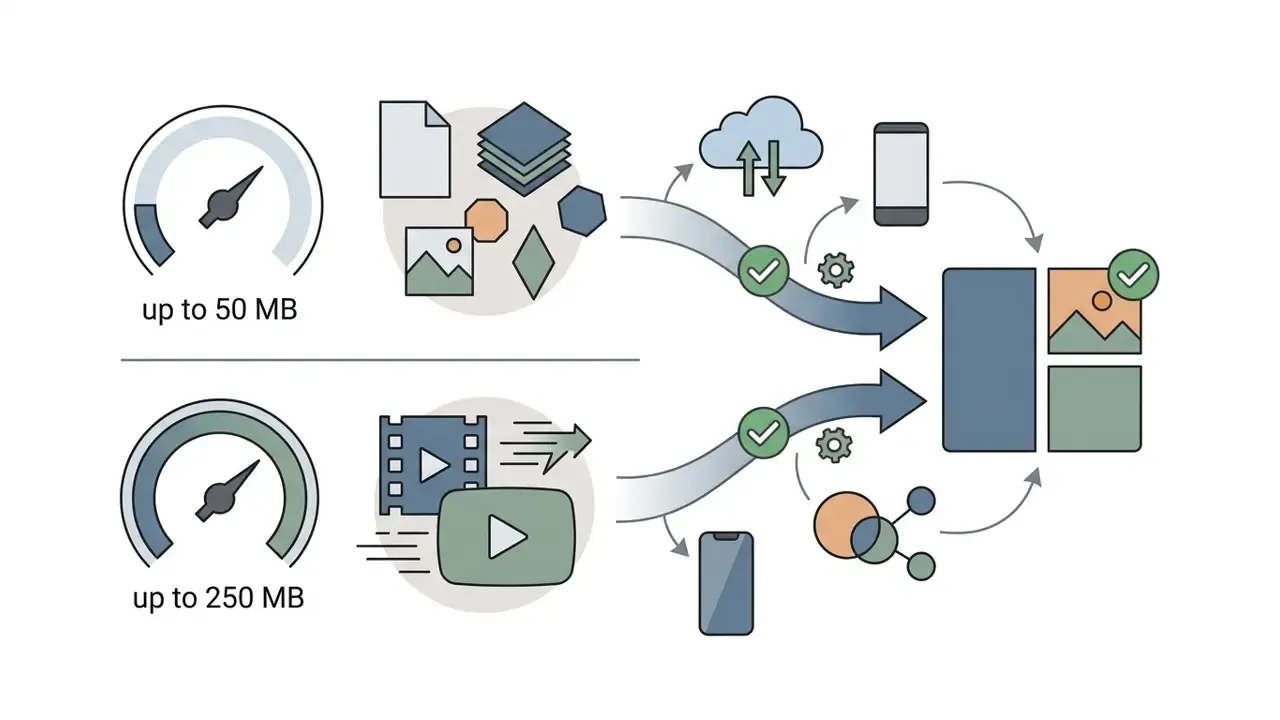
Once the template is chosen, media ingestion happens through local file selection or drag-and-drop. Standard web video editors accept image formats (JPG, JPEG, PNG, GIF, HEIC up to 50 MB, maximum dimensions around 7680 x 7680 px) and video formats (MP4, MOV, MKV, WEBM up to 250 MB per file). For campaign-specific assets, creators often build supporting visuals with tools like an ai menu generator before uploading raw footage into the editor.
Media ingestion beyond local storage
Ingestion is no longer limited to disk uploads. Direct cloud integration syncs assets from Google Photos, Google Drive, and Dropbox, along with connected social profiles such as Instagram and Facebook. Mobile web interfaces reach the phone camera roll and native photo well directly, letting creators stage multi-shot assets in a temporary bucket before dropping them onto the grid canvas. Practical ingestion routes:
- Local disk and drag-and-drop: fastest for large 4K source files, and the only route that avoids third-party account linking.
- Cloud drives: Google Drive, Google Photos, Dropbox, OneDrive; useful when footage is captured on one device and edited on another.
- Connected social accounts: pull previously published assets for repurposing into collage formats.
- Direct camera roll or in-browser capture: record a clip or take a photo without leaving the editor.
- URL and link import: paste a media link to bring an existing asset onto the canvas.
- Photo well or staging bucket: a holding area where dozens of candidate images wait until they are assigned to specific grid cells.
One caution worth repeating for regulated environments: account linking creates a standing data path, not a one-time transfer. Review it before enabling it.
Arrange Media, Background and Video Layout
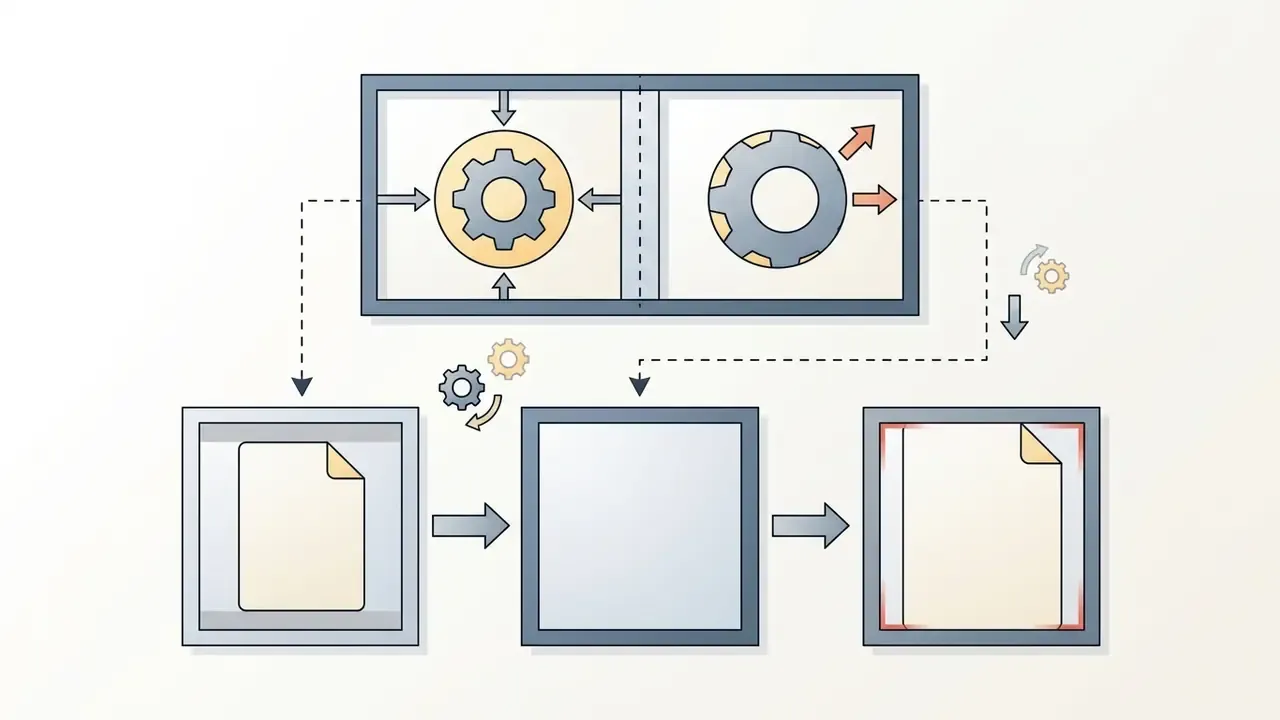
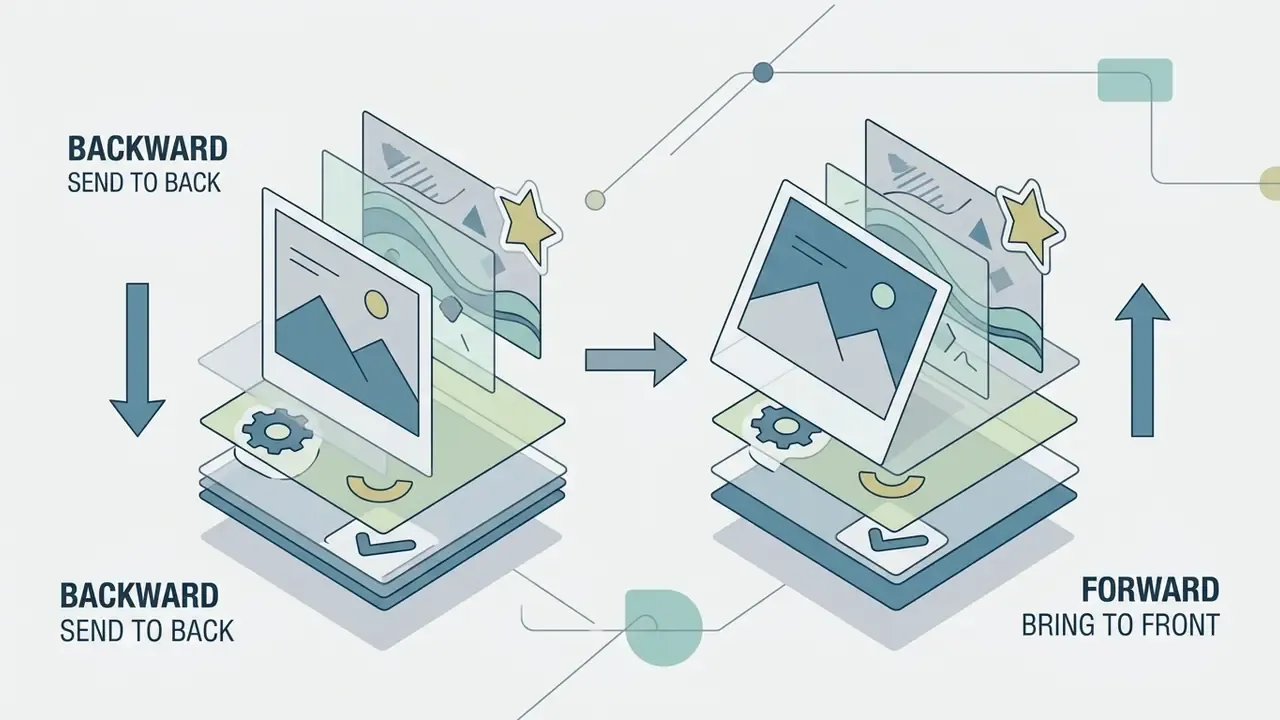
Arranging media inside an online video editor means positioning clips into layout cells, setting background colors, and tuning grid border padding. You drag uploaded video clips and photos straight into target positions until the composition reads cleanly.
«Analysis of 176 editing requests from 10 video editors shows users reason in terms of narrative structure, spatial arrangement, and attention management when composing multi-element frames.»

Add Music, Text and Final Personalization
Personalizing a video collage means layering a synchronized audio track, adding lower-third captions, and applying filters before the final preview. Sound sets rhythmic pacing across cuts, and pacing is most of what viewers register as "quality".
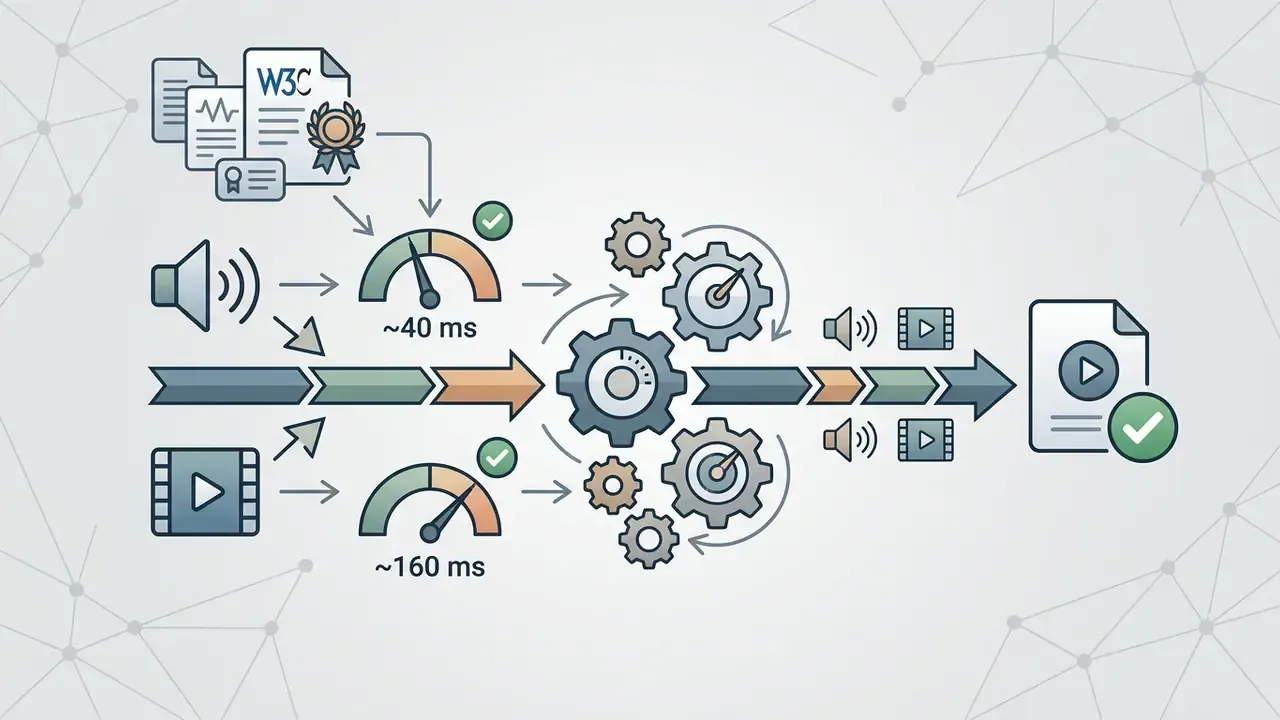
Creators import background music from stock audio libraries or upload custom files. When speech sits under music, accessibility guidance for synchronized media sets tight alignment tolerances: audio should lead video by no more than roughly 40 ms, and video should lead audio by no more than roughly 160 ms (W3C Synchronized Accessibility User Requirements; IEC TS 62312-2:2018 covers the underlying synchronization methods). Supplemental tools such as an ai melody generator generate custom beds matched to exact clip durations before text overlays and effects go on. Creators exploring automated visual generation alongside audio often compare options among AI video generators.
Six-step production sequence
That is the whole loop. Six steps, repeatable, and the same whether you are building a photo video collage of a family trip or a product teaser for paid social.
Choose Video Collage Templates and Layouts
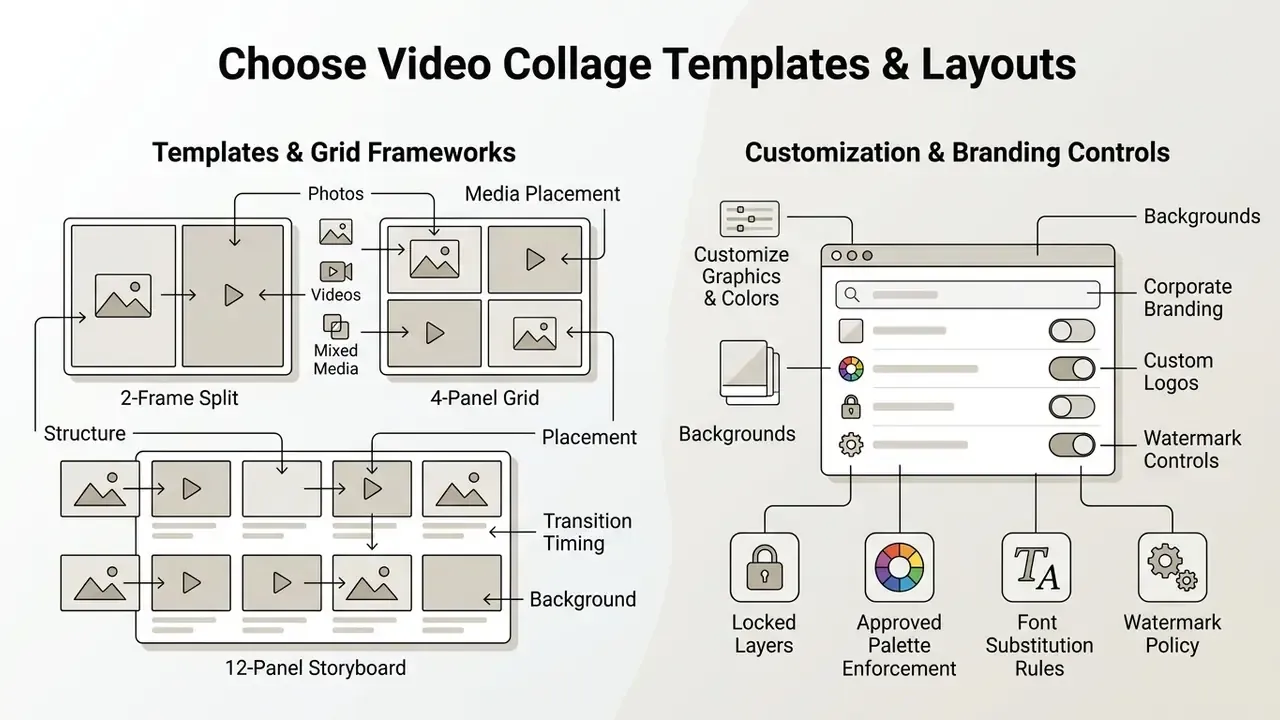
Video collage templates provide structural frameworks, from 2-frame split screens to 12-panel storyboard grids, that govern media placement, transition timing, and background aesthetics. Which layout fits depends on asset count, clip pacing, and target platform ratio. In practice a template is a grid cell count plus an applied motion effect, for example three grids with a slide-in effect or five grids with rotation. That is why switching templates can keep your media intact while changing the entire visual rhythm.
Templates for Photos, Videos and Mixed Media
Template choice follows asset volume and scene complexity. Complex grids with few assets look empty; simple grids with many clips produce disorienting rapid cuts.
- 2-cell split-screen templates: the baseline for before-and-after comparisons, duet-style reactions, and side-by-side product tests.
- 3-panel grid templates: good for short narrative arcs, two clips flanking a central photo, or product feature highlights.
- 6-panel grid templates: built for detailed event summaries, multi-angle sports highlights, and multi-subject portfolio showcases.
- 8 to 12 panel storyboard templates: used for commercial previsualization and fast promotional teasers with many quick cuts.
A practical rule borrowed from storyboard practice: one shot per panel. Three-panel pages suit cinematic pacing, six-panel grids fit detailed scenes, and 8 to 12 panels support fast pacing. When drafting descriptive text or structured captions across many panels, an ai message generator helps write precise messaging for each frame instead of recycling the same line four times.
Customize Graphics, Colors and Background
Customizing pre-designed graphics, palettes, and canvas backgrounds turns a generic template into a branded asset. Teams building custom frames, patterns, or backdrops often prototype them with AI image generators before importing the results as collage layers. Modern video collage tools expose direct control over border thickness, corner rounding, drop shadows, and background textures, including replacing a video background outright or generating a new one from a text prompt.
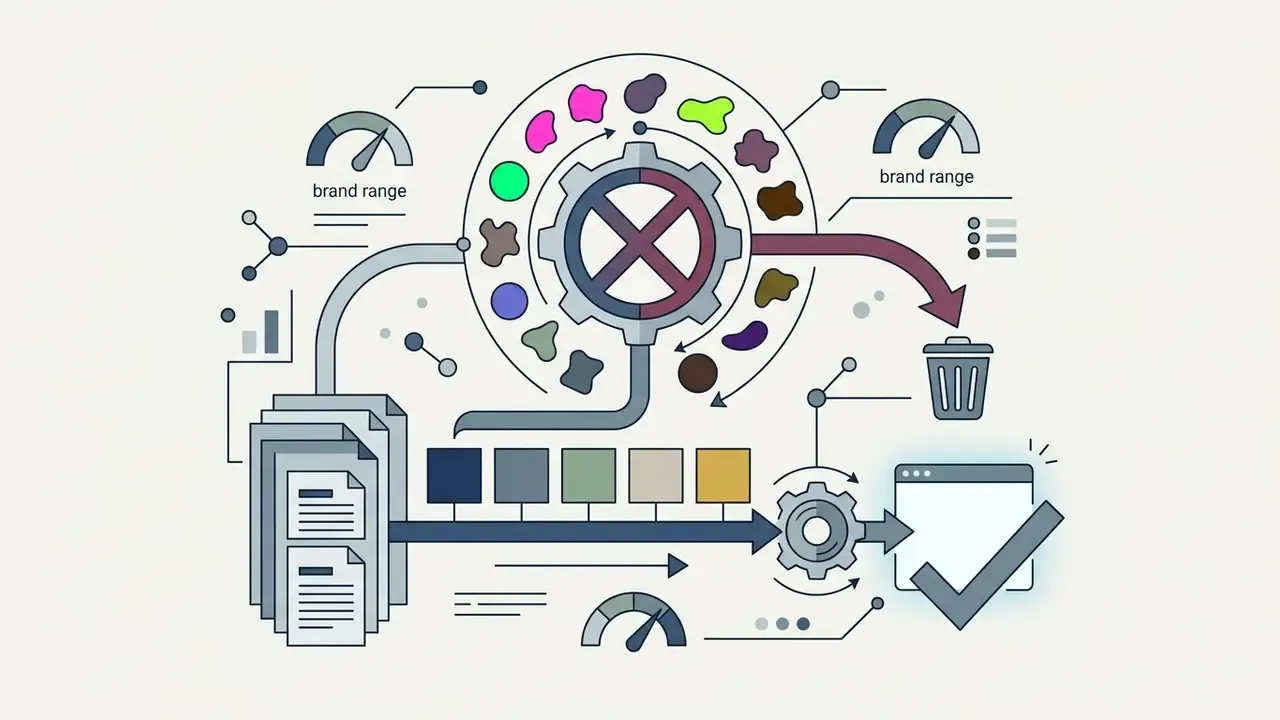
Centralized brand colors and typography keep campaigns visually coherent.
«Visual consistency improves processing fluency, letting audiences recognize a brand instantly, while stories benefit from controlled variation.»
Corporate branding, custom logos, and watermark controls
Business accounts need brand identity locked down. Editors support locked PNG/SVG logo overlays in neutral grid corners, typically top-right or bottom-right safe zones, with opacity adjustable from 30% to 100%. Public-sector video guidance similarly recommends a small bottom-right logo plus opening and closing brand marks. Custom typography, brand hex codes, and animated call-to-action stickers can live in a persistent Brand Kit so distributed teams produce uniform output. Governance controls worth enabling:


Edit a Collage Video: Music, Text, Effects and Transitions
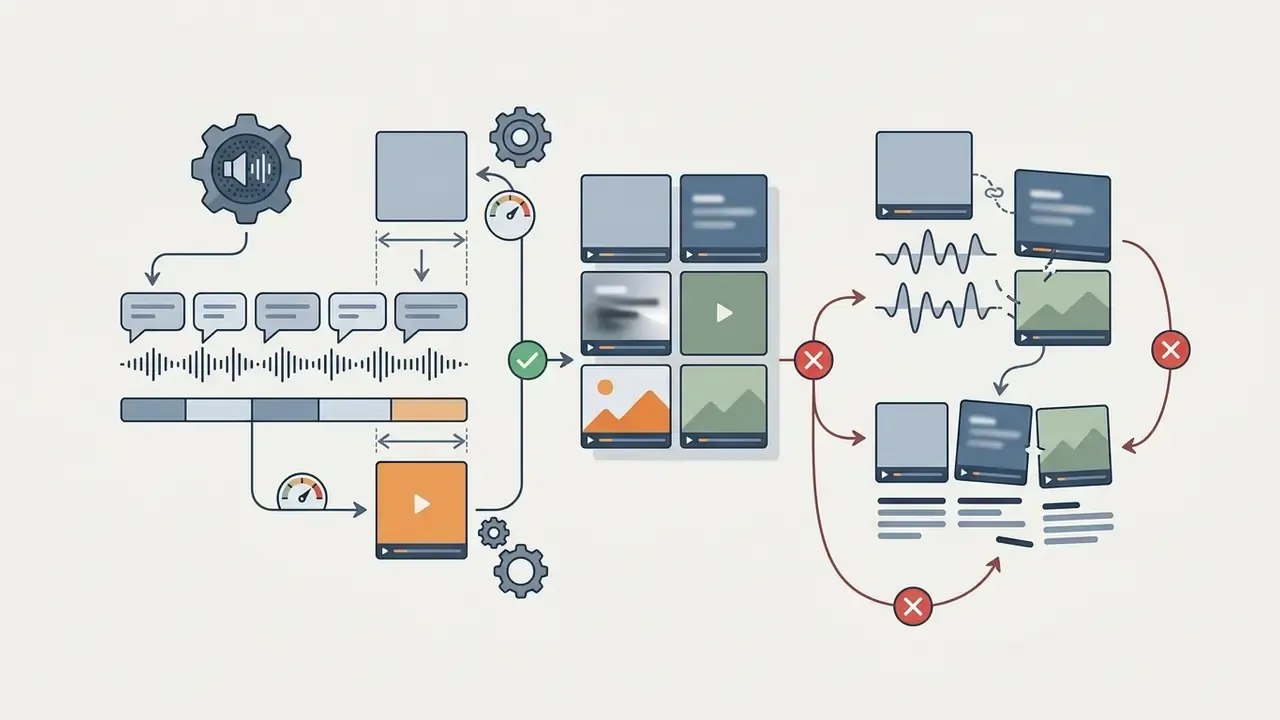
Editing a collage video is a balancing act: audio levels, caption timing, scene transitions, and trims that keep every cell alive. Advanced web editors add multi-track timelines, voiceover recording, automatic captioning, and speed control to refine each frame.
Add Background Music, Audio and Voiceover
Integrating background music and voiceover needs audio leveling so dialogue stays intelligible while music carries the rhythm. Ducking handles this automatically, lowering the music bed during speech.
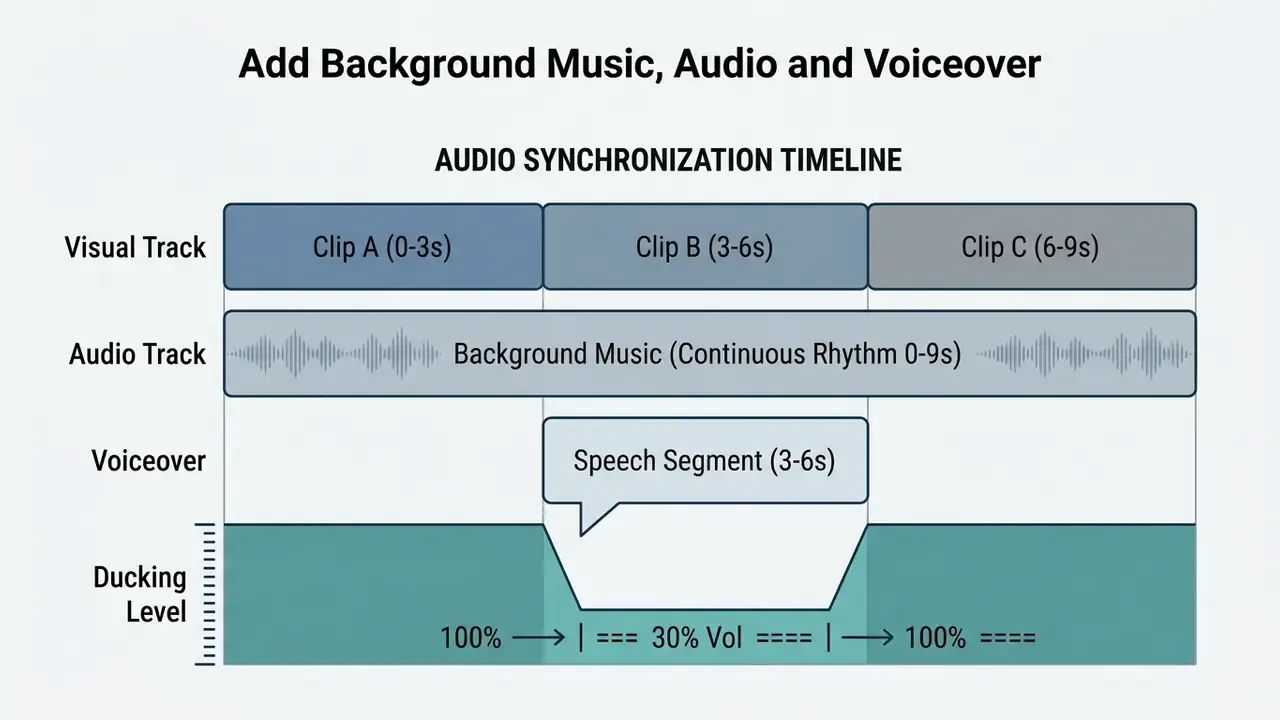
Ducking logic in list form, mobile-safe:
You can generate custom backing tracks with an ai midi generator to hit a specific tempo, or record live narration inside the editor timeline. Synthetic text-to-speech covers multiple languages without external recording hardware. For animating still photos into moving collage cells, image-to-video AI tools fill the gaps where no live footage exists.
Automated subtitling and AI voice synthesis
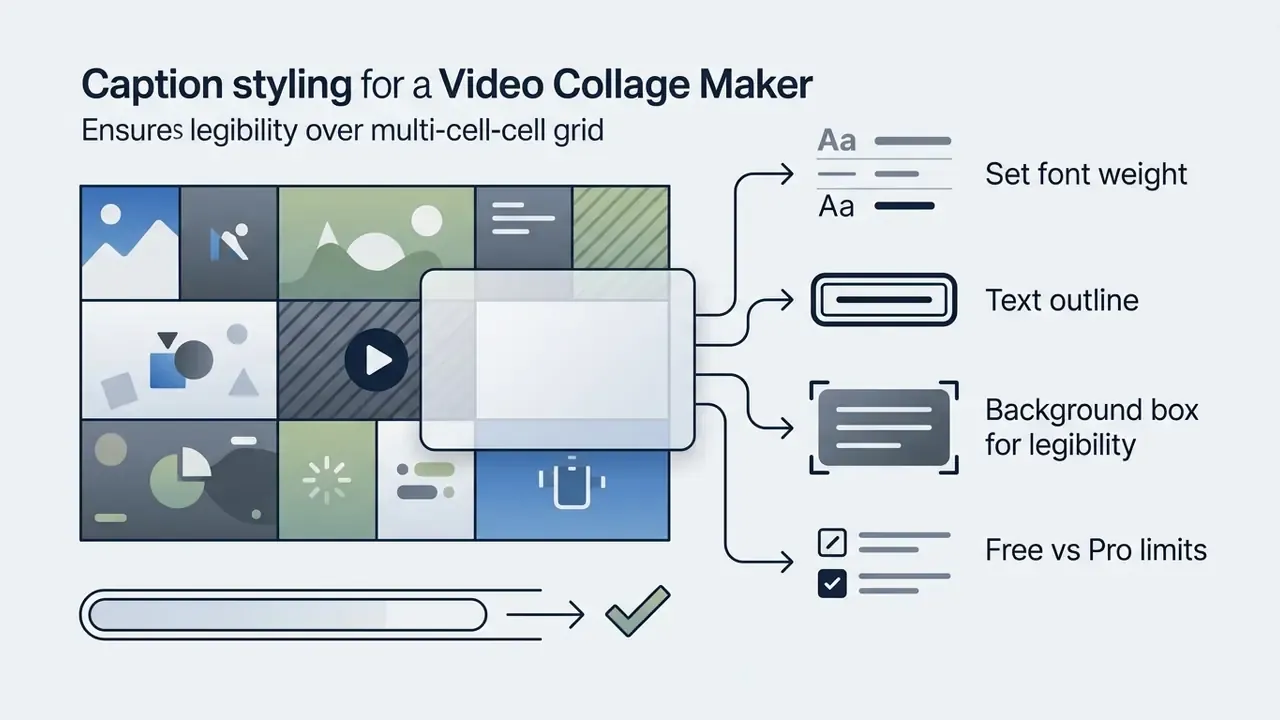
Silent-scroll feeds make captions mandatory, not optional. Modern editors generate automatic subtitles with character-level timing alignment. Speech tracks can be synthesized from scripts across 40 or more languages, and voice cloning or narration presets increasingly ship inside an AI voice generator module. Auto-synchronized captions render as lower-thirds or kinetic typography while staying inside WCAG 2.1 AA readability contrast standards. Configuration notes:

Use Text, Effects and Transitions to Guide Attention
Text captions, effects, and transitions act as visual cues. They pull focus to key narrative elements and soften cuts between clips.
«Editors of informational videos systematically use text overlays, transitions, and effects to mark scene boundaries and emphasize key information.»
Eye-tracking research in multimedia learning points the same way: color cues, arrows, and bold typefaces increase fixation counts, extend dwell time on task-relevant areas, and improve retention scores, and highlighted text produces a measurable pop-out effect relative to icons or plain text. The reverse also holds. Decorative images unrelated to the message pull attention away from the text, so overlays should reinforce the narrative rather than compete with it.



For educational or technical collages, animated explanatory graphics from an animation maker explain multi-step concepts inside a single panel without overloading the caption layer. In tutorial collages built for STEM classes, one cell can hold a demonstration clip while an adjacent cell renders worked steps captured with an ai math solver, which keeps explanation and demonstration visible in the same frame.
Trim Clips, Resize and Adjust Video Speed
Trimming removes footage nobody needs, while speed adjustment (from 0.1x slow motion to 16x fast forward) and canvas resizing adapt content to timing constraints and screen ratios.
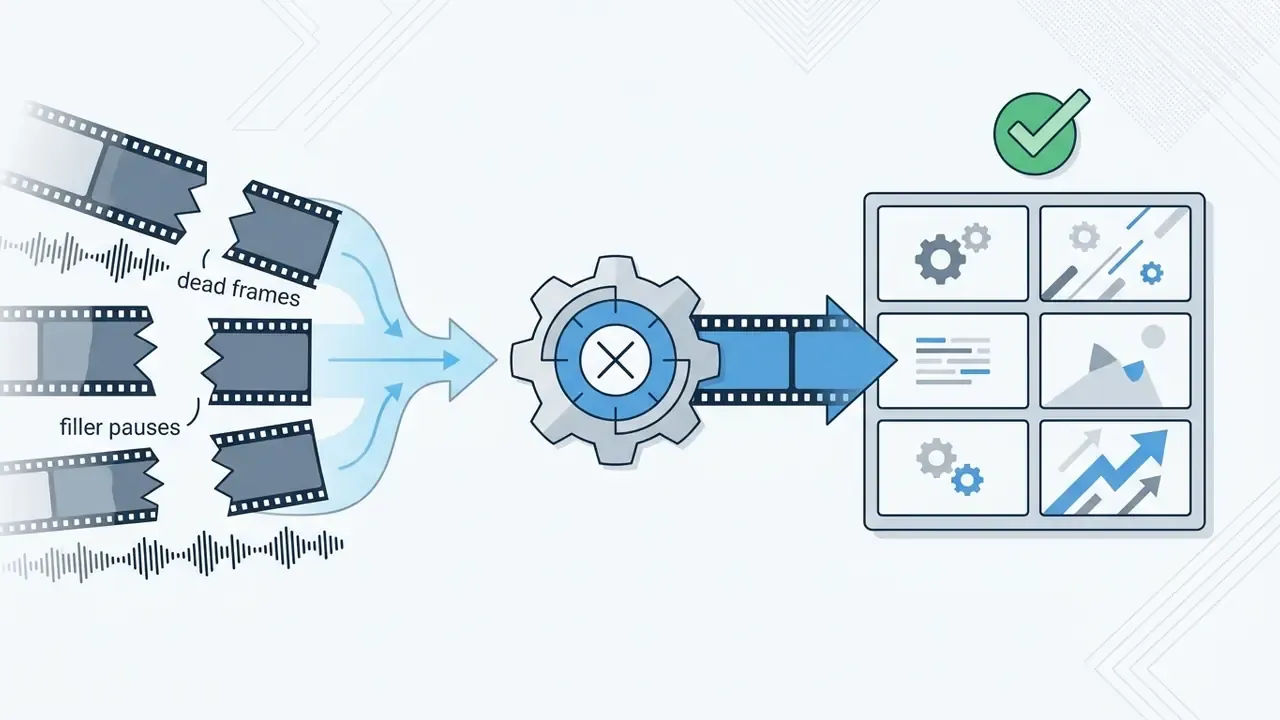
- Trimmingdrag the clip start and end handles in the timeline to isolate the core action and delete dead frames.
- Speed adjustmentapply time remapping to stretch high-action moments for emphasis or compress time-lapse footage into short windows; raising speed shortens the clip, lowering it produces slow motion.
- Resizing and croppingscale and position footage within each frame, setting height, width, and X/Y offsets, to strip unwanted background and keep the subject centered.
- Smart cutautomatic silence and filler-word removal compresses voiceover tracks so each cell stays active for its full on-screen duration.
Free Video Collage Maker Features and Plan Options
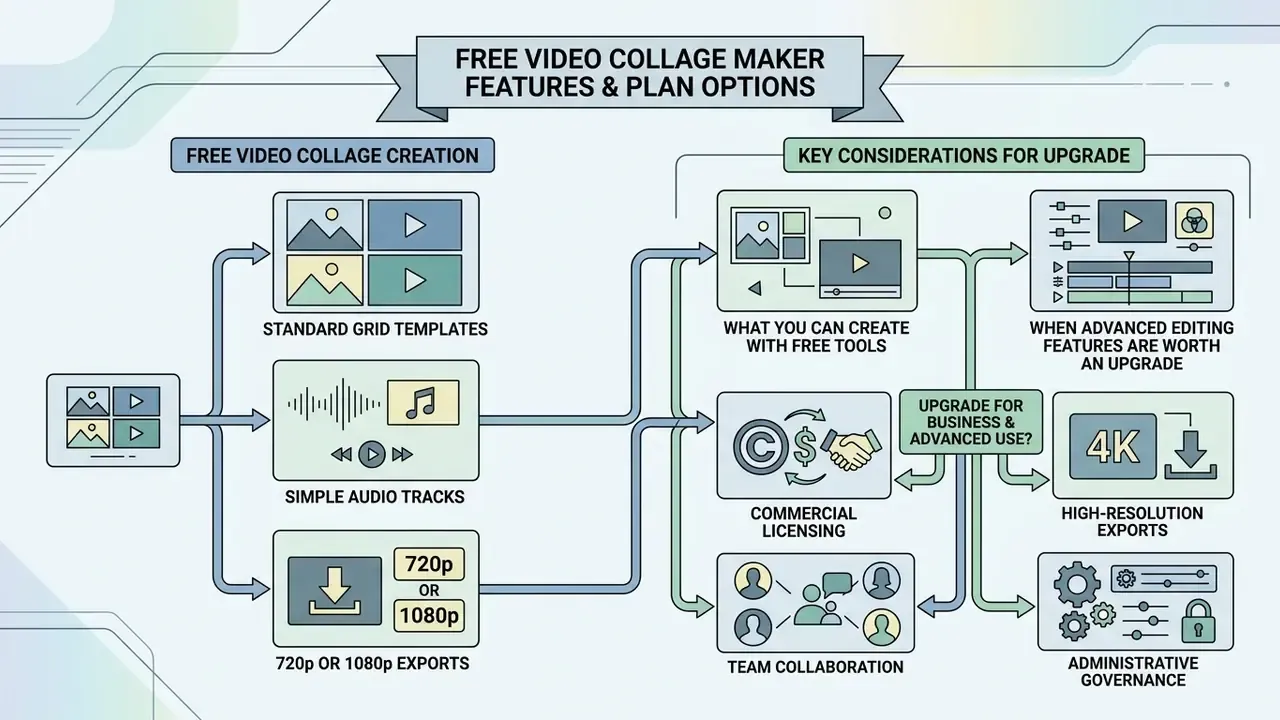
Free video collage tools cover the basics: standard grid templates, simple audio tracks, and 720p or 1080p exports. Paid plans unlock watermark removal, 4K, stock libraries, team collaboration, and the administrative controls that procurement teams ask about.
What You Can Create with Free Video Tools
Free tiers let you compile multi-clip video collages with background music, basic text overlays, and web-ready exports at zero upfront cost. Most free editors include standard grid layouts and essential trimming, and several allow watermark-free download at 720p.
The constraints are predictable, though: watermarked exports, storage caps (often around 1 GB), monthly media-hour or AI-credit quotas, export duration ceilings commonly between 40 seconds and 3 minutes, ad-supported interfaces, limited layout counts, and resolution capped at 720p or standard 1080p (based on published free-tier specifications from Descript, SUPA, VEED, and comparable editors).
When Advanced Editing Features Are Worth an Upgrade
Upgrading becomes necessary when commercial workflows demand unwatermarked 4K exports, enterprise stock licensing, brand kit enforcement, single sign-on, or real-time collaboration.
«In 2023, an analysis of 68 YouTube videos found large language models accounted for 41.79% of AI-tool mentions among content creators using AI for editing, scripting, and visual variation.»
- Commercial licensing
- paid subscriptions grant commercial usage rights for stock photos, footage, and audio, removing print-run and distribution limits (Adobe Stock commercial licensing terms, reviewed January 2026).
- High-resolution exports
- commercial campaigns need 4K exports free of vendor logos; licensing also unlocks full-resolution, watermark-free source assets.
- Team collaboration
- shared workspaces let multiple editors work on collage projects, share centralized asset libraries, and hold brand consistency across campaigns. One team purchase can extend stock access to every seat, which changes the per-asset cost math entirely.
- Administrative governance
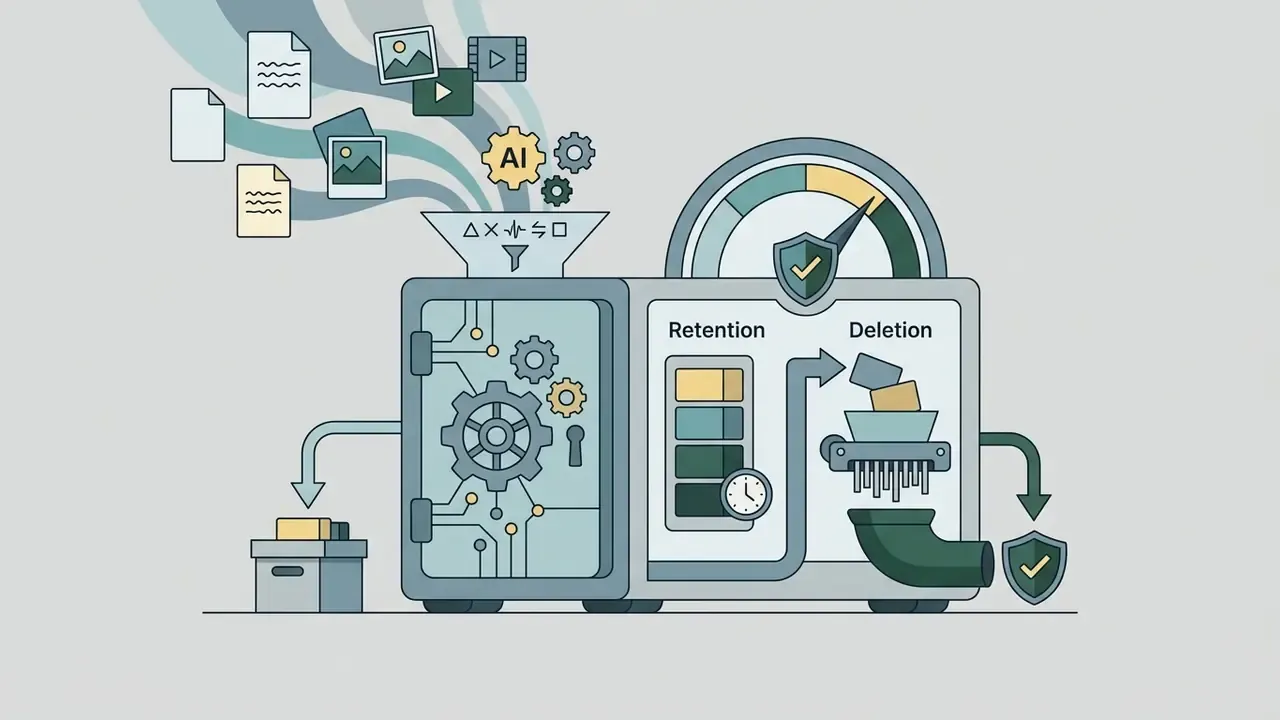
- enterprise tiers add SSO/SAML authentication, audit logging, and configurable data-retention policies, the controls risk teams usually require before approval.
To model seat counts, credit consumption, and render volume before committing, run the numbers through our AI Media Calculators. For structured plan comparisons across creative suites, consult the AI Media Pricing Guides and compare feature specifications across leading video tools.
| Feature Category | Free Plan Tier | Advanced / Pro Plan Tier | Enterprise Tier |
|---|---|---|---|
| Max Export Resolution | 720p to 1080p HD | Full 4K Ultra HD | 4K plus custom render presets |
| Watermark Removal | Vendor watermark applied on many tools | 100% watermark-free | 100% watermark-free |
| Stock Library Access | Limited free tracks and clips | Unlimited royalty-free assets | Team-wide licensed asset pool |
| Brand Kit Controls | Basic font selection | Full brand colors, logos, fonts | Locked brand kit plus approval workflow |
| Max Video Duration | 40 seconds to 3 minutes | Unlimited / full-length exports | Unlimited |
| Auto-Subtitles & TTS | Limited minutes or credits | Extended minutes, 40+ languages | Pooled credits across seats |
| Background Remover | Limited or watermarked | Unlimited one-click removal | Unlimited plus batch processing |
| Team Collaboration | Single user only | Multi-user real-time co-editing | Role-based permissions |
| SSO / SAML Authentication | Not available | Rarely available | Included |
| Audit Logs | Not available | Limited activity history | Full export and access logging |
| Data Retention Policy | Vendor default | Configurable project retention | Contractual retention and deletion SLAs |
| Social Scheduler | Manual download only | Direct publishing to major platforms | Multi-brand scheduling calendars |
Enterprise Data Security, Privacy and Shadow AI Controls
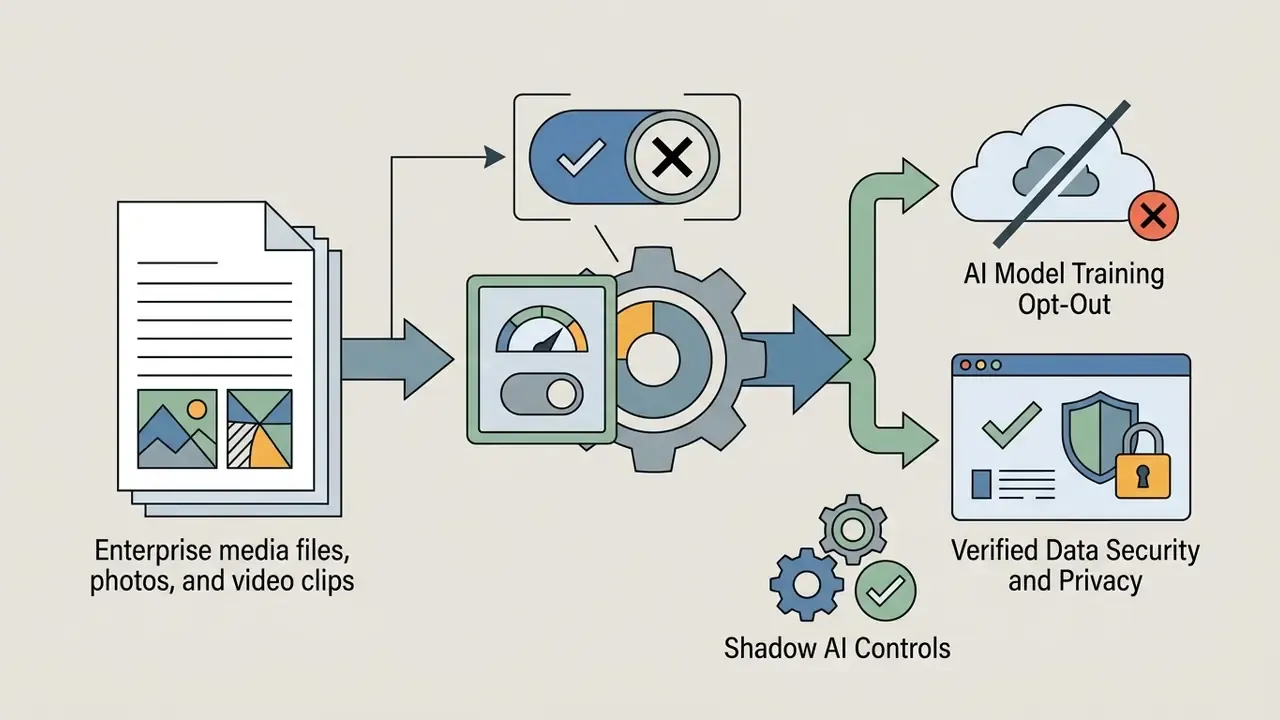
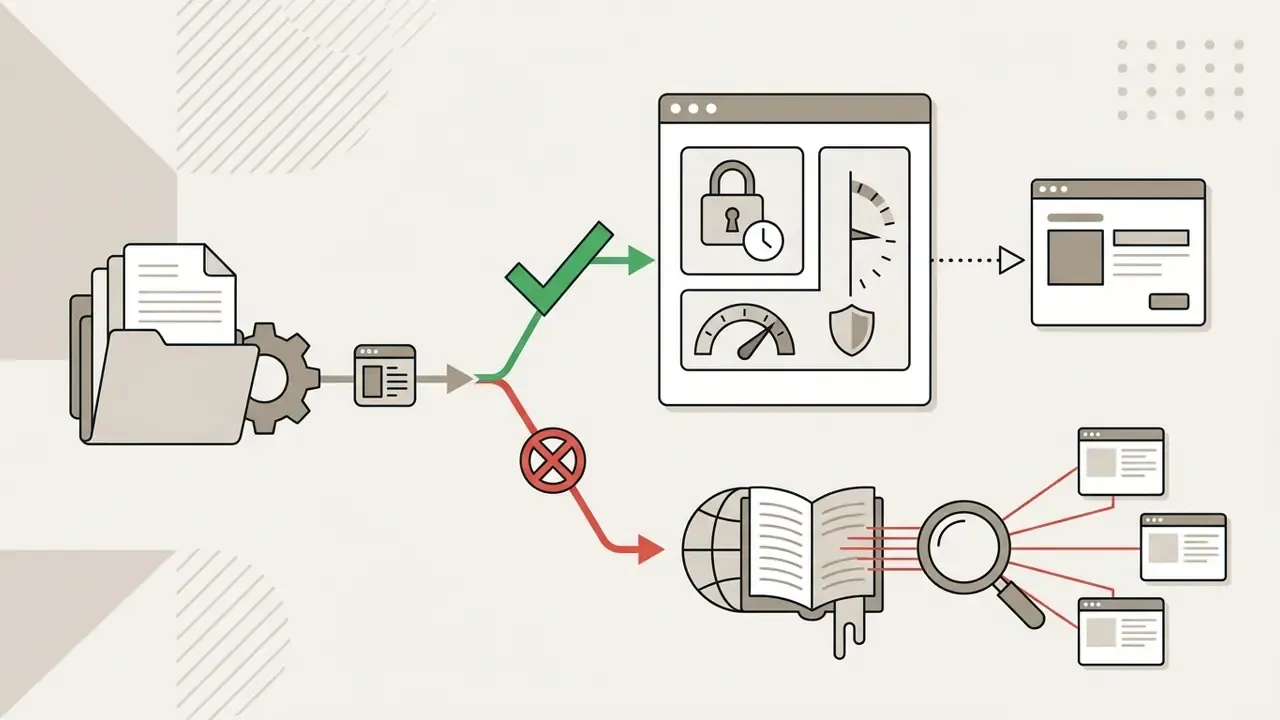
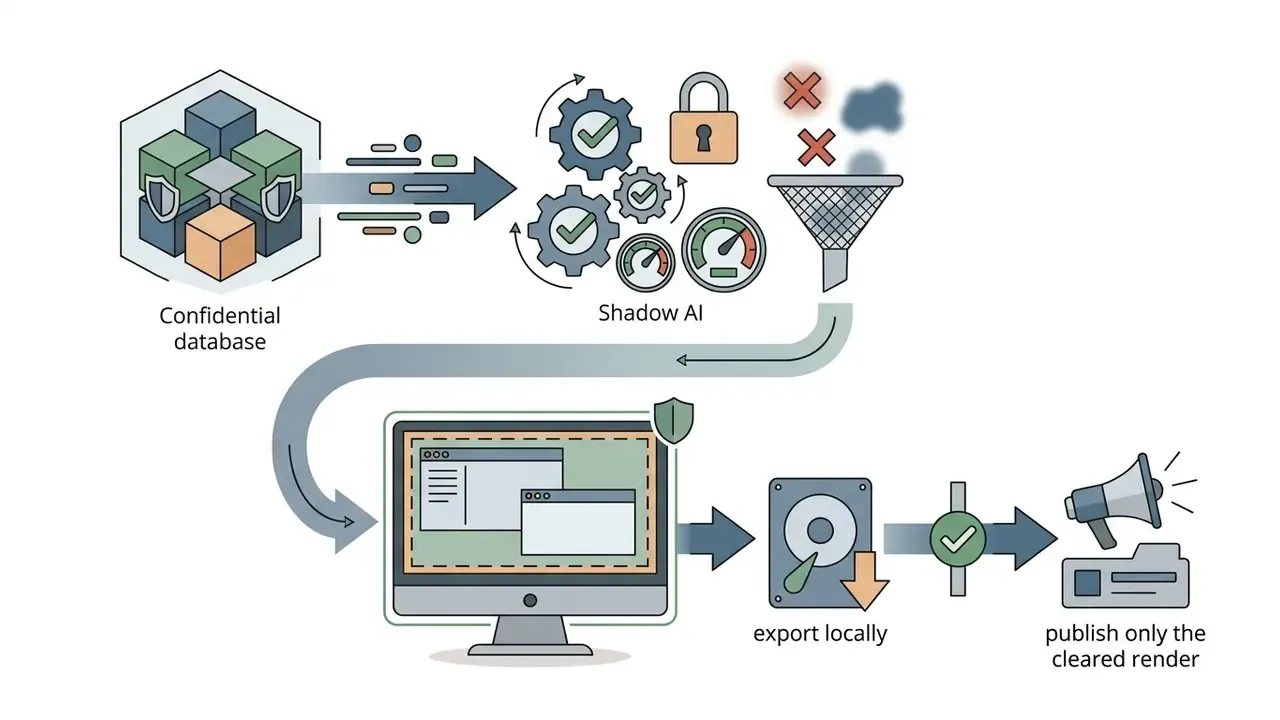
Browser-based collage editors upload raw footage to third-party infrastructure. That turns a creative decision into a data-processing decision, and the two are governed very differently. In regulated environments, treat any free web editor as an unvetted vendor until review is complete.
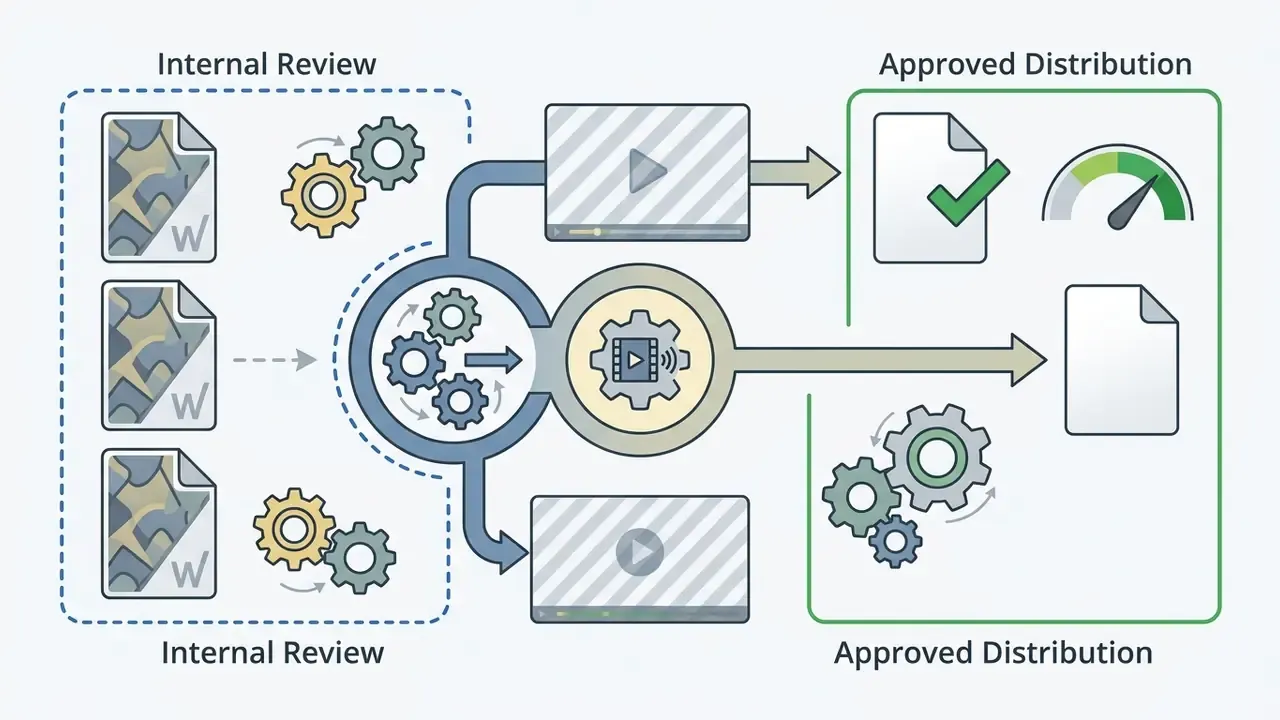
Pre-approval checklist for media editing SaaS
Ownership matters as much as tooling. Name one accountable owner per collage project, define who approves publication, and document the escalation path when an asset's license cannot be traced. No evidence, no distribution.
For high-volume publishing pipelines, keeping file sizes inside platform limits belongs to the same governance chain; see our guidance on video compression tools before mass distribution.





Create Collage Videos for Business and Commercial Content
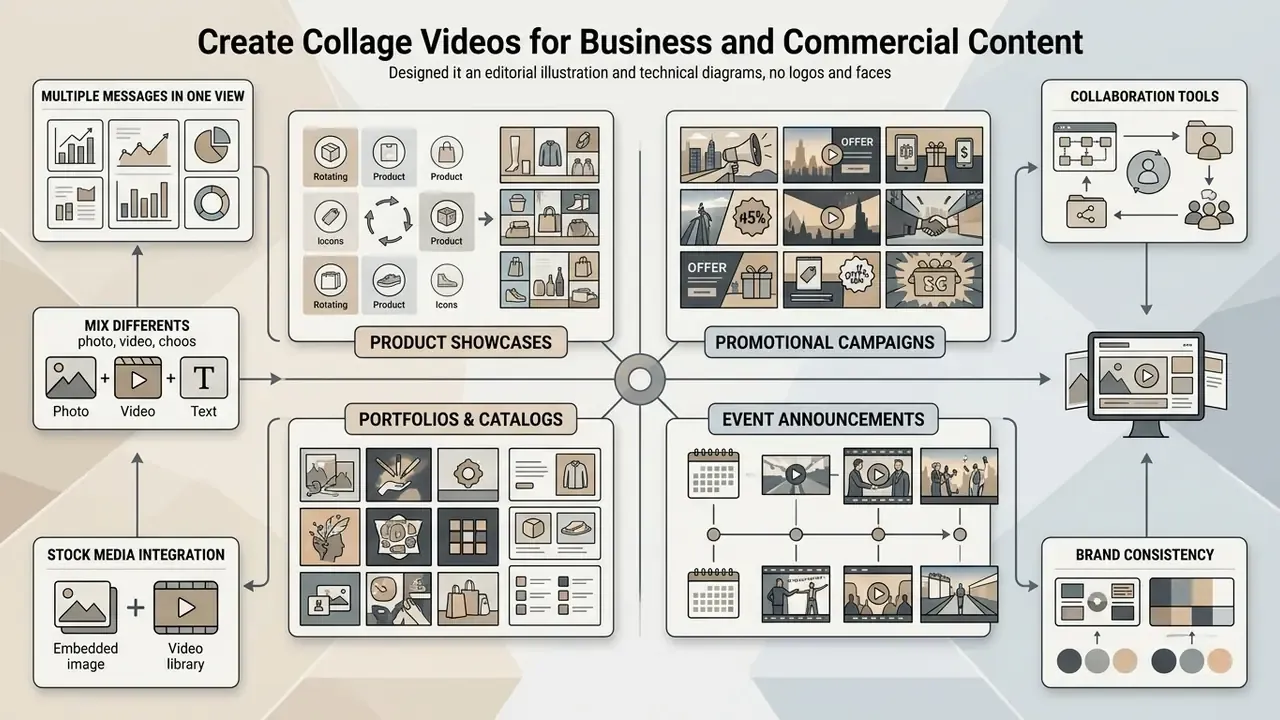
Businesses use collage videos to assemble product showcases, promotional campaigns, and event announcements that pack several brand messages into a single view. Teams weighing automation often start by comparing the best AI video generators against template-driven collage editors.
Product, Promo and Event Video Collages
Commercial video collages present multi-angle product views, offer highlights, and event recaps to lift buyer engagement across channels.
- Product cards e-commerce brands use 3-cell video collages showing product operation, close-up material texture, and customer unboxing at once.
- Promotional ads marketing teams merge offer text, promo clips, and music into short-form ads for paid social.
- Corporate event recaps organizers combine keynote footage, audience reactions, and sponsor cards into recap videos for post-event marketing.
- Portfolios and catalogs collage templates double as video catalogs, agency portfolios, and real-estate or travel showcases where several assets must stay visible together.
- Presentation summaries internal stakeholder updates use collage grids as compressed visual digests of long footage.
«A synthesis of multiple studies confirms that short-video advertising positively affects sales, perceived service quality, and customer satisfaction across media platforms.»
Collaboration, Stock Media and Brand Consistency
Enterprise video workflows keep visual governance intact by wiring together centralized stock libraries, brand kit templates, and multi-user editing. A shared asset library functions as a live style guide: logos, colors, fonts, and approved templates update in real time for every contributor, and watermarked stock previews can be staged there before licensing.
For instance, during a multi-regional product launch, an internal marketing unit deployed unified brand-kit templates with locked typography and shared asset libraries across four creative teams. The standardized workflow eliminated brand drift across 15 promo assets and cut campaign review cycles from seven business days to 24 hours. Again, single-organization data, illustrative rather than benchmarked.
«Short-video platforms narrow the digital production divide by providing templates, stock media, and accessible editing interfaces, creating a "prosumption flywheel".»
Teams integrate external creation resources through a centralized api and use the AI Media Commercial-Use Hub to keep commercial campaigns aligned with licensing obligations.
Export, Save and Share Your Video Collage
Finishing a video collage means a frame-by-frame preview pass, a container format choice (MP4 or MOV), a render at the target resolution, and aspect-ratio resizing for each destination. Publishers optimizing for one channel can follow platform-specific YouTube video editor workflows for metadata, chapters, and caption uploads.
Preview and Save the Final Video
Preview is where you catch sync drift, illegible text, and rendering errors before spending render credits. Professional pipelines treat it as a low-risk review pass: preview the job, read the batch details plus any errors or warnings, then start the render.
- Full-screen playback checkplay the whole sequence full screen to verify transition alignment and frame cropping.
- Audio balance inspectionlisten on headphones to confirm voiceover stays clear over the music bed.
- Color space and pixel aspect verificationconfirm color profiles and pixel aspect ratio render correctly on the target display, ideally on an external reference monitor, before the final render.
- Caption timing passverify each caption segment stays on screen long enough to read and that no text falls outside platform-safe areas.
- Export settings reviewset file name, destination, and format (H.264 MP4 for most online delivery), then check the export preview panel before saving.
If something breaks during preview or render, review troubleshooting protocols in our technical support portal.
Download, Share and Resize for Any Digital Destination
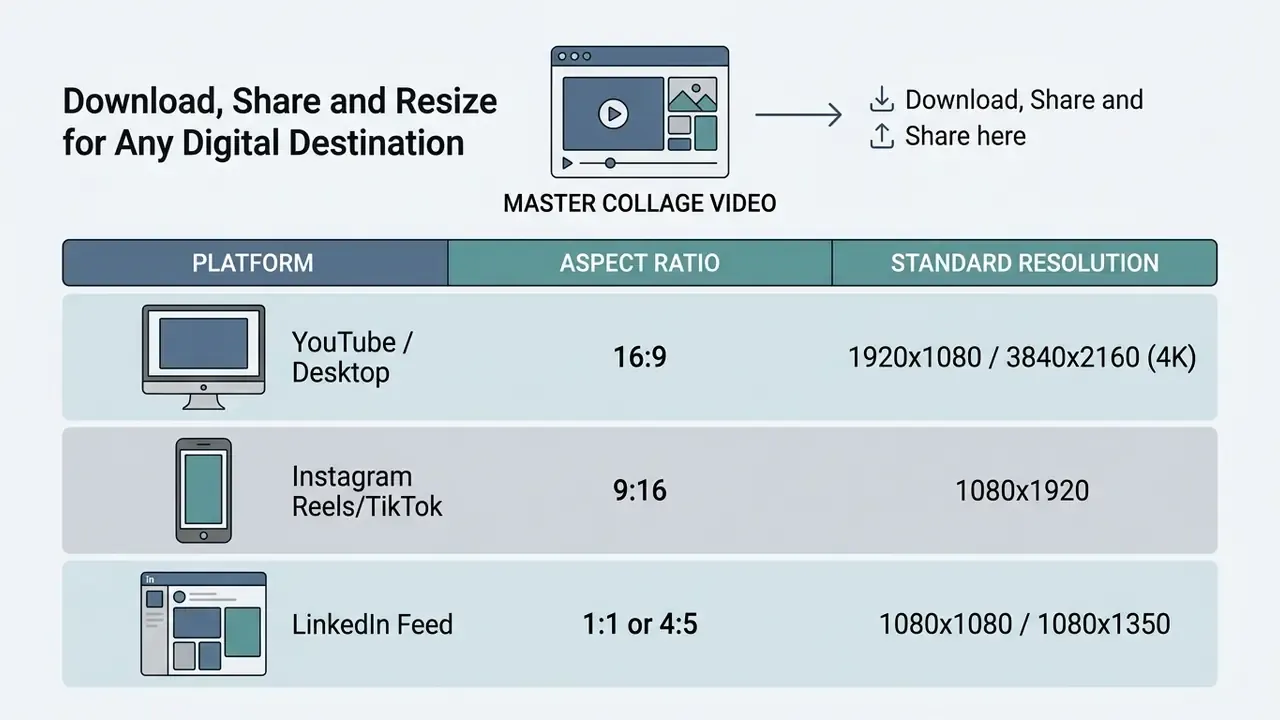
Exported video collages get resized into platform-specific ratios: 16:9 for YouTube, 9:16 for TikTok and Reels, 1:1 or 4:5 for LinkedIn.
| Platform | Aspect ratio | Standard resolution | Container / codec notes |
|---|---|---|---|
| YouTube (desktop, Shorts excluded) | 16:9 | 1920x1080 or 3840x2160 | MP4 / H.264 plus AAC; keep native frame rate |
| Instagram Reels and Stories | 9:16 | 1080x1920 | MP4; vertical full-screen framing |
| TikTok | 9:16 | 1080x1920 | MP4 or MOV upload containers |
| LinkedIn feed | 1:1 or 4:5 | 1080x1080 / 1080x1350 | 16:9 also accepted for standard uploads |
| Facebook feed | 4:5 or 1:1 | 1080x1350 / 1080x1080 | MP4 or MOV |
Automated distribution and content scheduling
Once rendering finishes, final MP4 outputs can publish straight to connected TikTok, Instagram, YouTube, and LinkedIn accounts through integrated social APIs. Embedded schedulers let teams set posting times, auto-populate platform-specific captions, and attach hashtags from the editor dashboard, which removes the old manual transfer to a phone. Mature scheduling workflows usually include:
- A calendar view across all connected brand accounts, so collage variants do not collide in one posting window.
- Per-platform caption and hashtag presets, since a LinkedIn description rarely matches a TikTok hook.
- Approval gates requiring reviewer sign-off before a scheduled post goes live.
- Post-publish analytics pull-back to compare retention across collage layouts and iterate on grid design.
Modern online editors also include automated canvas resizing that scales layout grids and reframes subjects when a landscape collage becomes a vertical social cut. Before mass upload, run finished renders through video compression tools to stay under per-platform file-size ceilings. Prior to public release, compliance reviewers should check the copyright obligations covered in our litigation overview to avoid infringement disputes.
Video Collage Maker FAQ
How can I make a video collage on a smartphone?
You can create a video collage on a smartphone through a mobile web browser or a native editing app. Upload photos and clips straight from your gallery, or import them from Google Photos, Drive, or a connected social account, then pick a grid layout built for vertical screens (9:16), arrange the media, add a background track, and export the render to your device for sharing. Browser-based editors hold one advantage over installed apps: projects stay accessible from any device you sign in on.
Are short-form collage videos safe for children to watch repeatedly?
Moderation matters. Research on short-form media consumption in school-age children found each additional hour of short-video viewing was associated with a 1.04-times increase in inattentive symptom scores, independent of total screen time (McFadden pseudo-R² = 0.08), per Short-Form Video Media Use Is Associated With Greater Inattentive Symptoms in Thai School-Age Children, Wiley Brain and Behavior (2025). Educators and parents publishing collage content for young audiences should favor longer cell durations, slower transitions, and defined viewing windows.
How do I combine two video clips in a single collage frame?
To place two clips side by side or top and bottom, choose a 2-cell split-screen layout. Drag the first clip into cell A and the second into cell B. Adjust each clip's trim start point on the timeline so they play simultaneously or in sequence, then lock frame positioning and tune the border contrast. Most editors let you mute one track and keep the other, or blend both at reduced levels under a music bed.
Can I add automatic subtitles or an AI voiceover to a collage?
Yes. Modern editors transcribe your audio and generate time-aligned captions, which you can restyle as lower-thirds or kinetic typography. With no recorded narration, text-to-speech engines build a synthetic voiceover from a script in dozens of languages. Proofread auto-generated captions for proper nouns and numbers, and export an SRT or VTT sidecar file for platforms offering selectable caption languages.
Can I remove the background from a photo before placing it in a collage cell?
Yes. One-click background removers isolate the subject from a solid or busy backdrop and output a transparent PNG, which then layers over a colored canvas, a video cell, or an animated GIF. This is the standard technique for sticker-style product collages and character cutouts.
Do I need video editing experience to use an online video collage maker?
No prior experience is required. Online video collage makers rely on drag-and-drop interfaces, pre-built grid templates, and automated audio synchronization, so beginners can assemble a polished result in minutes. Vendor documentation and academic work on template-driven authoring both indicate preset workflows meaningfully reduce cognitive load for first-time editors.
Can I export a video collage as a printable physical photo grid?
Yes. Advanced editors export the freeze-frame layout as a high-resolution 300 DPI PDF or PNG suited to physical printing, while keeping the MP4 with music for online sharing. This dual output is common for wedding, graduation, and event keepsakes, where the same layout gets shared online and framed on a wall.
Is it safe to upload confidential company footage to a free online collage editor?
Not by default. Free tiers rarely offer SSO, audit logging, contractual deletion timelines, or model-training opt-outs. Classify your footage first: consumer-grade tools suit already-public marketing assets, while confidential material belongs in local editing or a vendor-reviewed enterprise workspace. Work through the security checklist above before onboarding any new editor.
What are the copyright rules for music and video clips in a collage?
Under U.S. copyright law, your collage is protected from the moment it is fixed in tangible form, and registration is voluntary, though registration is required before filing an infringement lawsuit. Any third-party music, stock footage, or clips inside the collage still require explicit licensing or permission from the owner, unless the material is in the public domain, covered by a license you hold, or qualifies as fair use. Copyright protects specific expression, not facts, ideas, systems, or methods. Using royalty-free libraries inside licensed editing platforms, and recording each asset's license in a project manifest, is the most reliable route to compliant commercial distribution. Remember that "free" stock is not license-free: most free-plan downloads carry a standard commercial license with distribution or print caps that only an extended license removes.
Disclaimer: this information is general and does not constitute legal advice. It is no substitute for consultation with a qualified attorney on copyright, licensing, data protection, or accessibility compliance matters applicable to your jurisdiction and use case.
Appendix A: Editorial Corrections and Source Verification Log
Transparency about revised claims is part of our editorial standard. The statements below appeared in earlier versions of this guide and were corrected during source verification.
| Earlier claim (superseded) | Issue identified | Current version in this article |
|---|---|---|
| "ACM 2024 study shows short-form multi-clip video formats generate higher view and like rates per video." | No sample size or category caveats stated. | Now cites the 70,000-video sample and notes the weaker effect in educational and political categories. |
| "Balancing brand consistency with visual variation improves engagement and click-through rates." | CTR was not measured in the cited research; publication year misstated. | Attributed to engagement metrics only; year corrected to 2025. |
| "Brand-consistent colors improve processing fluency (Journal of Consumer Behaviour)." | Source could not be verified. | Replaced with the verified Springer influencer-campaign research (2025). |
| "Eye-Tracking Attention Studies" cited without publication details. | Source could not be verified. | Replaced with ExpressEdit (ACM IUI, 2024) plus established multimedia-learning eye-tracking findings on cueing and highlighting. |
| "Global Visual System Layout Guidelines" cited for eye-tracking behaviour. | The guideline covers grid layout, not eye tracking. | Grid rules (24/48 rows, multiples of 6, top-left alignment) attributed to the 2022 visual-system guideline; the eye-tracking claim re-sourced. |
| "Journal of Interactive Marketing, 2024" for short-video advertising effects. | Source could not be verified. | Replaced with the Wiley (2024) synthesis on short-video advertising outcomes. |
| "Adobe Stock commercial terms" cited without a review date. | Undated licensing reference. | Updated with an explicit January 2026 documentation review date. |
| "Retention increased by 34% and bounce rates fell." | Presented as a benchmark without context. | Reframed as a single first-party campaign measurement, directional only. |
| Internal link to an AI math solver inside the effects section. | Topically misplaced next to transitions and filters. | Moved to the educational-collage context, where worked steps sit beside a demonstration clip. |
| Non-English production placeholders in the media blocks. | Unrendered editorial markup visible to readers. | Replaced with a finished English gallery table, mobile-safe step lists, and a platform specification table. |
| Duplicated practitioner quotation in two sections. | Repetition without added information. | Retained once in the introduction; the second instance replaced with guidance on measuring production cycle time. |