Key Takeaways: Free AI Video Generator with Voiceover in 60 Seconds
- What it is a browser-based pipeline that converts a script, prompt, image, PDF, blog URL or slide deck into a finished video clip with synthetic narration, music and captions.
- How it works text-to-video (or image-to-video) diffusion generates the frames, neural text-to-speech generates the voice track, and an automated aligner syncs speech beats to scene cuts.
- What "free" really means one-time or daily credit grants, 720p resolution ceilings, vendor watermarks, 5 to 21 second native clip lengths, and, in most cases, no commercial rights unless the Terms of Service explicitly grant them.
- Fastest quality wins punctuation-level TTS control (
...for pauses,!for emphasis, phonetic spelling for brand names), locked character reference packs, and consistent LUTs across scenes. - Biggest risks purely AI-generated output is not registrable for copyright in major jurisdictions, free-tier uploads may be retained or used for model training, and synthetic voices imitating real people create publicity-rights exposure.
- Who should read this solo creators shipping faceless short-form content, marketing teams testing ad variants, L&D teams converting decks into training modules, and risk owners approving tools for corporate use.
How to use this guide. Read sections one to three if you are producing your first clip today. Skip to free plans, commercial rights and the pre-release checklist if your job is approving the tool rather than using it. Each vendor figure below is labelled by source type, because product documentation and peer-reviewed measurement are not the same evidence class.
A free AI video generator with voiceover allows users to convert written scripts, text prompts, or static images into complete video clips featuring synthetic narration and background audio. Modern systems combine text-to-video diffusion algorithms, text-to-speech (TTS) synthesis models, and automated scene synchronization within unified web applications.
What Is a Free AI Video Generator with Voiceover?
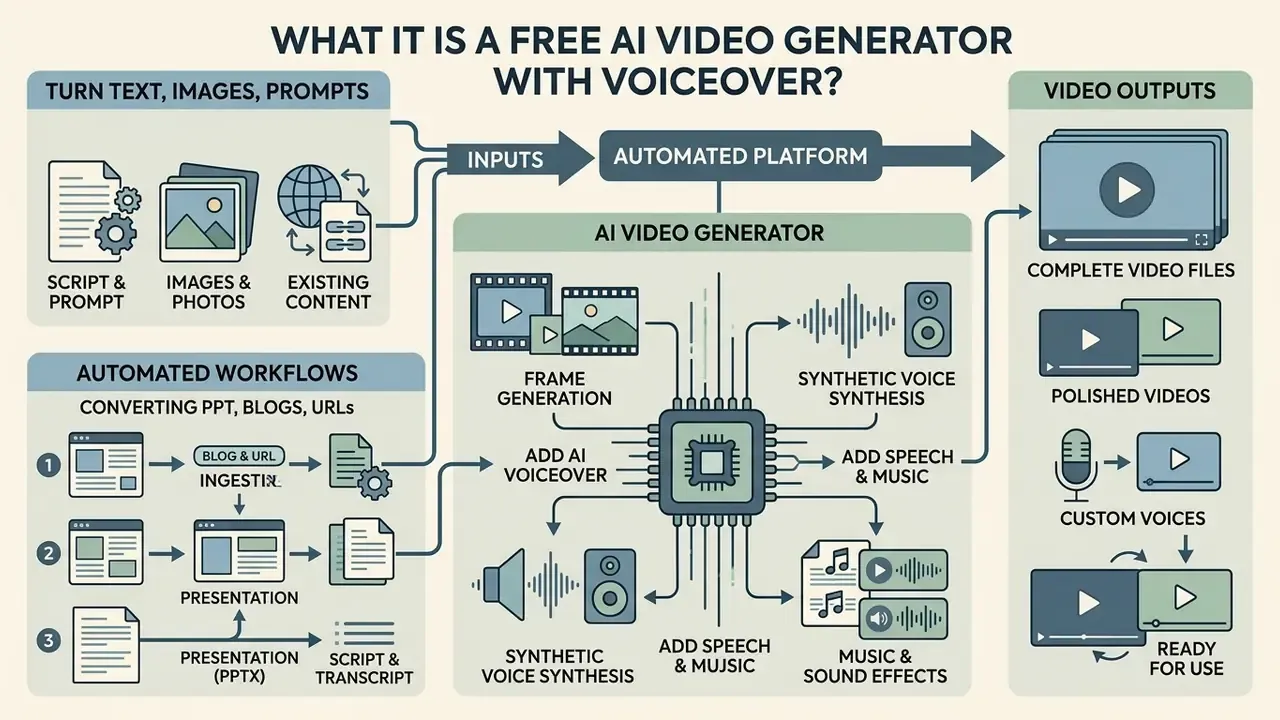
A free AI video generator with voiceover is an automated platform that combines visual frame generation with synthetic voice synthesis to create complete video files. These systems accept textual prompts, document uploads, or reference images, transforming input assets into timed video sequences paired with clear vocal narration. The category name varies by market (some audiences search for an ai video maker gratis, others for an ai video and voice generator free), but the underlying stack is broadly the same.
Turn Text, Images and Prompts into AI Videos
Text-to-video and image-to-video engines convert abstract descriptive text or single keyframe images into temporal video frames. Generative architectures maintain temporal visual continuity by separating spatial appearance from dynamic motion cues across sequential frames (Make It Move, CVPR 2022). Users can input structured prompts detailing camera angles, subject action, and environmental lighting to generate custom footage without physical camera equipment.
«GenAI-Bench evaluates generative models across 1,600 professional prompts, testing compositional alignment, spatial relations and object attribute accuracy.»
Static reference images can also be animated through image-conditioned diffusion models. These tools analyze object boundaries and inject motion trajectories to animate motionless photos into cinematic clips while preserving underlying visual layouts (Through-The-Mask, 2025). Through an integrated ai video clip workflow, creators can transform single image files into dynamic video sequences, and the same image-conditioning stack powers adjacent tools such as AI headshot generators.
Automated Workflows: Converting PPT, Blogs, and URLs into Video
Beyond raw prompts, production teams increasingly start from assets that already exist. Document-driven pipelines remove the scripting stage entirely and typically finish a first draft in under two minutes. This is the part people underestimate.
1. Blog and URL to Video Conversion. Paste a published article URL directly into the AI tool. The natural-language layer strips navigation HTML, extracts the main H2 key takeaways, condenses paragraphs into visual script beats, selects contextually matched B-roll footage, and generates synchronized narration. This is the fastest repurposing route for long-form SEO content that already ranks: one 1,500-word post becomes a 60-second vertical clip plus a 3-minute explainer without new writing.
2. Presentation (PPTX / Google Slides) to Video. Upload presentation decks in .pptx, Google Slides or PDF format. The system maps each slide as an independent video scene, converts bullet points into full narrative voiceover scripts using LLM expansion, and applies automated slide-transition effects while retaining embedded visual diagrams. Vendor documentation confirms that slide-to-video conversion generates narrated presentations directly from uploaded PowerPoint or PDF files (VisionStory PDF-to-Video, 2026), and comparable PDF-driven flows let users set video length, pacing, voice and background-music library before rendering (Visla Workflow Documentation, 2026).
3. Script, Transcript and Subtitle Ingestion. Timed subtitle files can be uploaded so that each line is voiced at its exact timecode, which is the most precise method for dubbing existing footage (SpeechGen Timecode Narration, 2026). For raw screen recordings, auto-edit passes remove filler words and silences before narration is layered on top. Teams running a free ai speech to video generator flow in reverse (audio first, visuals second) tend to get cleaner pacing, because the narration length is fixed before any frame is rendered.
| Input Format | Automated Steps Performed | Typical Draft Time | Best For |
|---|---|---|---|
| Text prompt / idea | Script writing, shot list, visuals, voice, captions | 1 to 3 min | Social clips, concept tests |
| Full script | Scene segmentation, visuals, voice, captions | 2 to 5 min | Explainers, ads |
| Blog post / URL | HTML parsing, key-point extraction, B-roll match, narration | about 2 min | Content repurposing |
| PPTX / Google Slides / PDF | Slide-to-scene mapping, bullet expansion, transitions, narration | 3 to 8 min | Training, onboarding, courses |
| Single image / product photo | Depth plus motion trajectory injection, camera move, voice | 30 s to 2 min | Listings, product teasers |
| Subtitle file (SRT/VTT) | Timecode-locked voice synthesis, mix | 1 to 3 min | Dubbing, localization |
Add AI Voiceover, Speech and Music
Integrated audio synthesis layers generate natural human speech and background soundscapes directly alongside visual rendering. Neural text-to-speech engines evaluate script punctuation, semantic emotion, and phrasing cadence to output speech tracks (Google Cloud Text-to-Speech, 2026), which convert plain text or SSML markup into audio data resembling natural human speech.
«NaturalSpeech achieves a CMOS of −0.01 versus human recordings on LJSpeech, statistically indistinguishable under the Wilcoxon signed-rank test.»
Advanced platforms automatically align vocal audio tracks to visual scene transitions, ensuring speech cues match corresponding action frames.
«VidAudio-Bench evaluates 11 models across 1,634 video-text pairs using 13 audio-quality and alignment metrics, validated through subjective listening studies.»
Background music and environmental sound effects are frequently layered beneath the primary voiceover track. Vendor guidance recommends keeping music balanced under narration so that speech remains dominant, and most editors expose automated ducking that lowers music volume during speech sequences (ngram TTS guide, 2026). Note: this ducking behaviour is documented in commercial product guides rather than peer-reviewed literature, so exact attenuation curves vary by vendor and should be verified by ear on your own mix. Users can explore full technical terminology across multimodal generation within the AI Media Glossary, and compare narration engines in depth through the guide to AI voice generators.
How to Choose the Best Free AI Video Generator with Voiceover
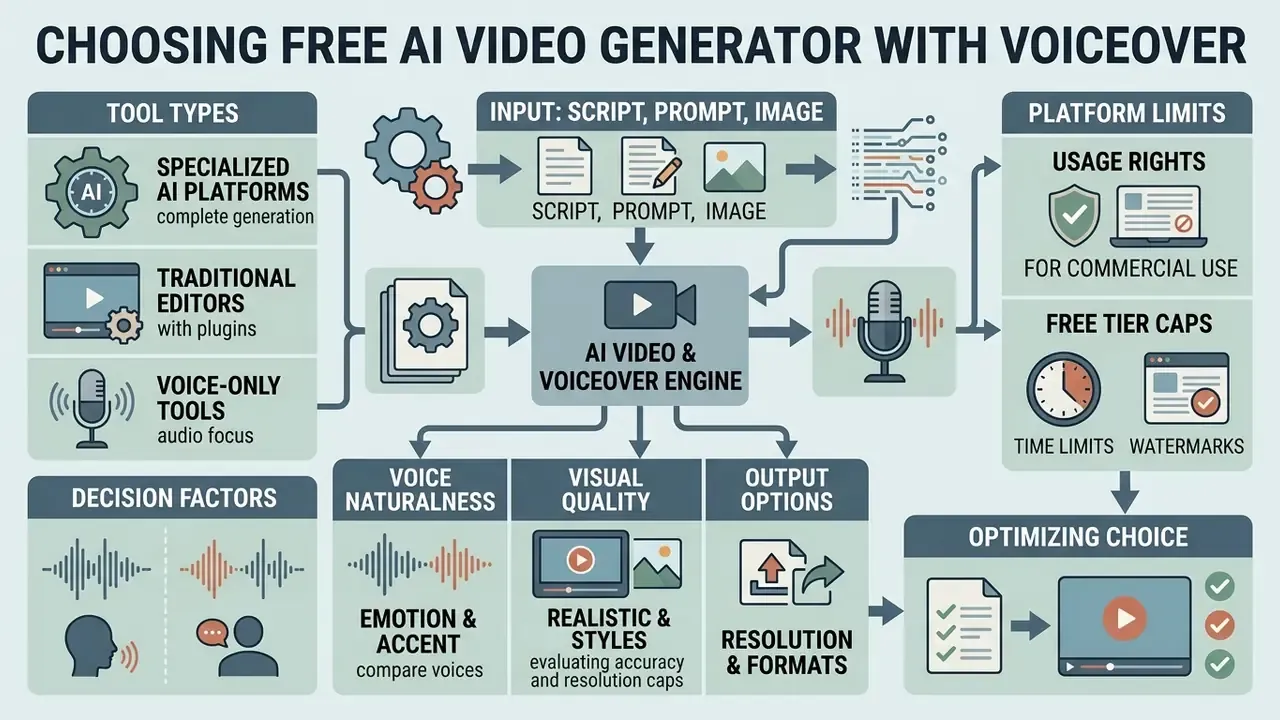
Selecting the best free AI video generator with voiceover requires evaluating voice naturalness, visual rendering accuracy, resolution caps, usage rights and, for corporate deployment, data-retention behaviour. Understanding how text-to-video and image-to-video tools differ at the model level is the fastest way to shortlist candidates before running side-by-side tests. Organizations must audit free credit renewal cycles and export restrictions before selecting a web platform for recurring video generation. Credit mechanics deserve their own read: the primer on AI Video Credits explains why two "free" plans with identical clip lengths can differ tenfold in monthly output.
| Platform / Tool | Input Modes | AI Voice Quality | Music & SFX | Visual Realism & Styles | Max Free Duration | Export Options | Free Tier Terms & Limits | Data Privacy Signals (verify in current ToS) |
|---|---|---|---|---|---|---|---|---|
| InVideo AI | Text, Prompt, Script | High (Multi-speaker neural TTS) | Integrated music library | Cinematic, Stock, Anime | 10 to 15 min generated scripts | MP4 (Watermarked on free tier) | Weekly credit resets (Monday 00:00 UTC), social sharing permitted | Cloud rendering; review prompt-retention and training opt-out settings |
| Adobe Firefly | Text, Image | Standard system TTS integration | Ambient background tracks | High photographic realism, stylized | 8 to 15 sec per clip generation | MP4 (720p / 1080p) | Daily credit allotment refreshed each day, non-commercial default | Enterprise-oriented governance; commercial terms differ by plan |
| VEED.io | Text, PDF, Script, Subtitles | High (80+ languages, 2,000+ voices) | Multi-track audio mixing | Stock media, Talking Avatars | Up to 10 min project limits | MP4 (720p free; 1080p/4K on paid) | Free plan includes watermark, non-commercial | Browser-based cloud storage; check retention window for uploads |
| HeyGen | Text, PDF, URL | Premium lip-synced avatars | Optional background audio | High photorealistic avatars | Up to 3 videos per month | MP4 (720p) | Limited free credits; advanced voice cloning paid | Face and voice biometrics involved, consent records required |
| Clipchamp | Text-to-Speech, Media upload | Microsoft Azure Neural voices (0.5x to 2x pace, 80 languages) | Royalty-free stock music | User media & AI stock overlays | Unlimited timeline length | MP4 (1080p watermark-free), MP3, transcript export | Free for all personal editor accounts | Local plus cloud hybrid; enterprise tenants inherit Microsoft controls |
| Runway | Text, Image, Video | Basic / external TTS | Limited | Strong cinematic motion control | 125 one-time credits (non-renewing) | MP4 | Free credits do not refresh monthly | Usage-rights statement grants ownership of generated output |
«T2AV-Compass tests systems on 500 prompts across video quality, audio quality and cross-modal alignment, with diagnostics from multimodal LLM judges.»
Because free tiers rarely publish full audio-visual benchmarks, treat vendor claims as hypotheses and validate them against a fixed internal prompt set. Five prompts covering dialogue, motion, on-screen text, product close-up and multilingual narration is usually enough to separate marketing copy from measurable output. Keep the same five forever. That is what turns a vendor demo into a comparable measurement.
Specialized AI Platforms vs Traditional Editors vs Voice-Only Tools
Universal design editors and dedicated voice tools solve narrower problems than multi-model AI video platforms. The matrix below maps category-level capability rather than individual brand pricing, so it stays valid as plans change. Teams weighing a design-suite approach can also review the Canva AI generator licensing overview.
| Feature / Capability | Specialized AI Platforms (e.g. InVideo, Vivideo, Fliki) | Traditional Online Editors (e.g. CapCut, Canva) | Dedicated Voice Tools (e.g. Clipchamp TTS, ElevenLabs) |
|---|---|---|---|
| Multi-model access (Sora / Veo / Kling / Seedance) | Yes | No | No |
| Agentic prompt-to-cut creation | Full | Partial / Manual | No |
| Long-form script stitching (5 to 10 min) | Automated | Manual timeline | Manual timeline |
| Integrated voice cloning & avatars | Advanced | Basic | Voice cloning only |
| Blog URL / PPTX ingestion | Yes | No | No |
| Export without watermark on free tier | Varies (limits apply) | Often yes | Yes (up to 1080p) |
| Timeline-level frame control | Moderate | Strong | None |
| Best fit | Volume content, multilingual, faceless channels | Precision edits, brand templates | Narration-only replacement |
One practical note: an ai auto video generator is excellent at first drafts and mediocre at final frames. Many teams end up pairing both categories, generating in the AI platform and finishing in a conventional ai video editor where keyframes and audio waveforms are directly editable.
AI Models, Realistic Visuals and Video Styles
Modern generative video models utilize flow-based diffusion architectures to achieve cinematic lighting, accurate physics, and coherent motion.
«Goku-T2V scores 84.85 on VBench, outperforming leading commercial models on visual quality and text-to-video consistency.»
Benchmarks such as VBench evaluate models across sixteen distinct dimensions, including camera movement stability, spatial awareness, and subject consistency.
«VBench spans 16 dimensions: motion smoothness, subject consistency, aesthetics and text-video alignment, each verified against human preference annotations.»
Evaluating these underlying models helps users predict rendering quality across photorealistic, cartoon, or corporate presentation styles, and a structured comparison of leading AI video generators shortens that evaluation cycle considerably.
| AI Model / Engine | Developer | Primary Strengths | Text-in-Video Accuracy | Max Native Clip Duration | Best Use Case |
|---|---|---|---|---|---|
| Sora 2 / Sora Pro | OpenAI | Complex physical interactions, multi-camera continuity, video extension and frame-fill | High | 10 to 20 sec | Cinematic storytelling, commercial production |
| Veo 3.1 / Veo Fast | Google DeepMind | Photorealistic rendering, precise prompt adherence, natively generated audio | Very High | 10 to 15 sec | Corporate explainers, marketing assets |
| Kling V3 / O3 | Kuaishou | Motion dynamics, human anatomy realism | Medium-High | 5 to 10 sec | Action sequences, stylized character movement |
| Seedance 2.5 | ByteDance | Rapid generation speed, vertical aspect-ratio optimization | Medium | 5 to 10 sec | TikTok / Shorts / Reels viral content |
| Midjourney Video | Midjourney | Stylized aesthetics, 4-second extensions (up to 4x) | Low-Medium | 21 sec after extensions | Art-directed mood pieces |
Developers integrating these engines programmatically can review capability and cost details in the Google Veo implementation guide, or start from the broader AI Media API Guides if the endpoint choice is still open.
Physical consistency remains a core discriminator between basic and advanced AI models. While cinematic motion customization continues to improve, complex physical interactions and fine text rendering inside the frame still fail in measurable ways.
«AVGen-Bench identifies persistent failures in in-frame text rendering, physical reasoning and musical pitch control across every tested model.»
Recent physics-focused research reinforces this: NewtonGen reports the highest physical consistency across twelve motion types by conditioning generation on neural Newtonian dynamics (NewtonGen, ICLR 2026 submission), while motion-attribution curation improves temporal plausibility in training data (NVIDIA MOTIVE, 2026). Understanding specific ai video creation capabilities allows creators to select appropriate rendering engines for specific project requirements. Anyone chasing an ai real life video generator result should test hands, water, glass and printed signage first, since those four subjects still break most models.
Online Tools, Apps and Export Options
Browser-based AI video studios offer cloud-backed rendering capabilities, removing the requirement for dedicated local GPU hardware. Platforms like Kapwing and VEED permit multi-device project editing directly within web browsers, with projects saved to the cloud and accessible from desktop, Android or iOS without a download (Kapwing AI Studio, 2026). Conversely, dedicated desktop software applications often restrict full project creation workflows to local operating environments. Google Vids, for example, documents creation and editing as desktop-only, with mobile limited to viewing (Google Vids Documentation, 2026).
Export constraints vary significantly across free usage plans. Common free tier restrictions cap video output resolution at 720p, enforce brand watermarks, or format files exclusively as standard MP4 downloads; VideoGen documents four export tiers (480p, 720p, 1080p, 4K) all delivered as MP4 (VideoGen Export Guide, 2026), while some platforms bundle multiple renders into ZIP archives of MP4 files. Comparing platforms across AI Media Comparison Matrices assists creators in identifying tools that support required output resolutions, and a review of free AI video generator limits clarifies which caps apply before you invest production time.
Two adjacent needs come up constantly. If the search that brought you here was "ai video generator download free", note that the download in question is usually the finished MP4, not an installer, since almost every serious pipeline now runs in the browser. And if an older render already exists at low resolution, an ai video enhancer online free pass is often cheaper than regenerating the scene. When distribution bandwidth matters, pair export settings with a video compressor to keep file size within platform ceilings.
How to Create an AI Video with Voiceover in 4 Steps
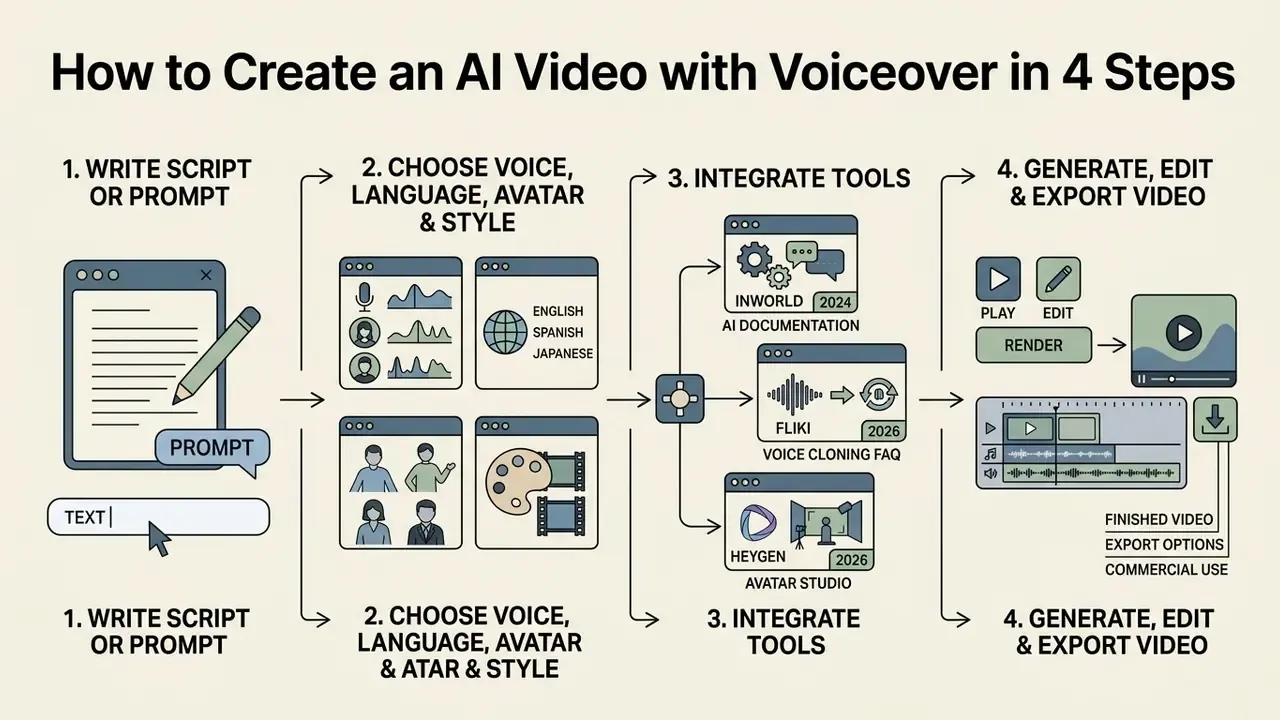
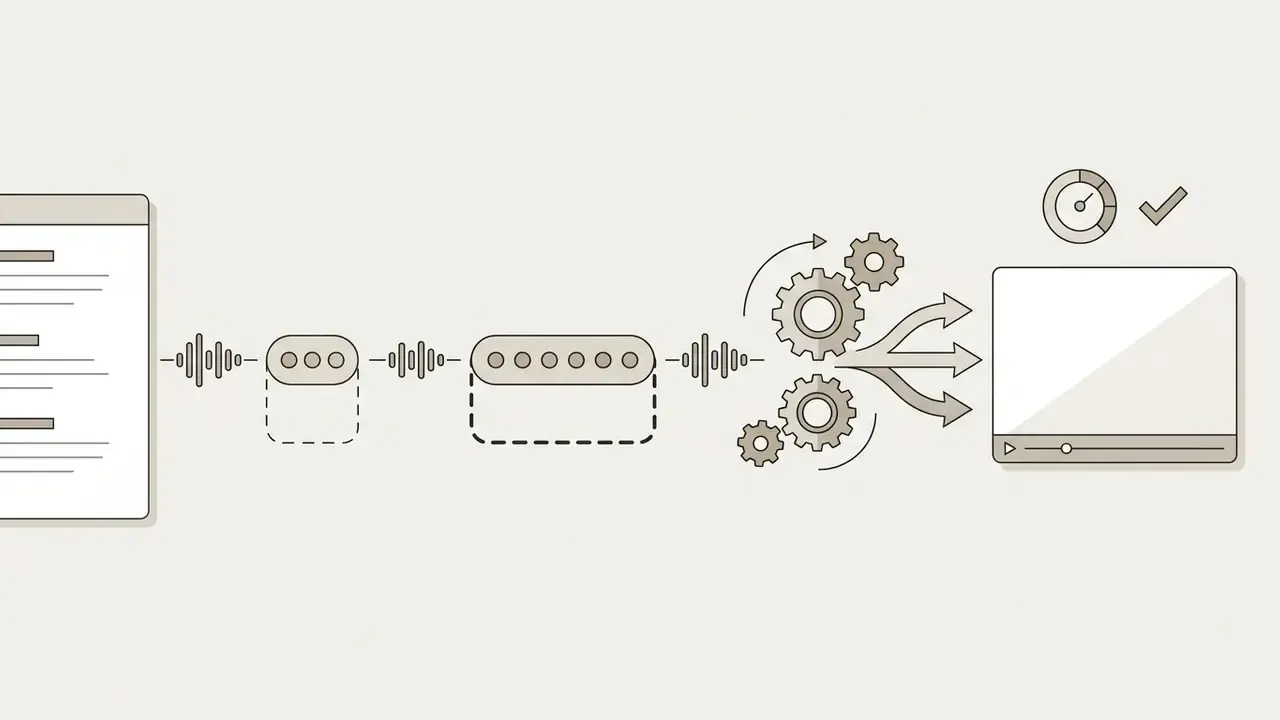
Creating an AI video with voiceover involves preparing a structured script, selecting synthetic speech parameters, generating video visuals, and exporting the final rendered output. Following a standardized sequential process ensures consistent audio-visual alignment without requiring prior manual editing experience. It is also the point where an auto video generator ai workflow becomes reproducible enough to document for a reviewer.
Figure 1 - The 4-step AI video generation workflow (alt text: free AI video generator with voiceover workflow, from script setup to subtitle sync and export)
Flow, left to right: script and prompt setup (scene beats, shot list, narration lines) → voice, avatar and style selection (language, accent, pace, avatar) → scene generation and timeline edit (render, reorder, trim, re-narrate) → subtitle sync and export (WebVTT or SRT, lip-sync check, MP4). Two feedback loops matter: stage three can send you back to the script when a beat will not render, and a failed QA pass at stage four returns to the timeline rather than to the prompt.
- Step 1: Write a Script or Describe the Video Prompt.Define scene descriptions, visual action cues, and exact spoken narration lines in a structured text document.
- Step 2: Choose the Voice, Language, Avatar and Style.Select synthetic voice profiles, target accents, emotional delivery tones, and optional visual talking avatars.
- Step 3: Generate, Edit and Align Scenes.Execute the generative rendering engine, assemble scene segments onto the timeline, and adjust audio timing markers.
- Step 4: Add Subtitles and Export.Auto-generate open or closed captions, verify lip-sync timing, and render the final MP4 video file.
Write a Script or Describe the Video Prompt
Effective video generation depends on clear, shot-by-shot text prompting. Structured prompts specify camera positioning, character actions, background surroundings, lighting mood, and audio cues for each individual scene beat (Runway Prompting Framework, 2024). Providing precise visual descriptions prevents semantic omissions during the automated rendering process.
«GenAI-Bench shows that professional, multi-component prompts specifying spatial relations and object attributes materially improve visual alignment accuracy.»
A reusable prompt template that survives model changes looks like this:
Multi-scene storytelling requires maintaining character descriptions and stylistic cues across sequential prompt blocks; research-grade scene plans encode multi-scene descriptions, entity bounding boxes, background and consistency groupings by scene index (Meta Multi-Scene Video Planning, 2024). When constructing long scripts, separating narrator voiceover lines from visual scene descriptions allows the underlying AI engine to process speech synthesis and visual generation independently (Google Vids Workflow, 2026). Anyone building a free ai story video maker pipeline should keep that separation in the source document, not just in the tool.
Choose the Voice, Language, Avatar and Style
Selecting appropriate synthetic vocal profiles requires matching speaker pitch, pace, accent, and emotional timbre to the intended audience. Advanced text-to-speech platforms support localized accent selection by specifying regional parameter tags during voice configuration. Naming a city or region rather than a country produces closer accent matches, and 5 to 15 seconds of reference audio is enough for a usable sample (Inworld AI Documentation, 2024). Testing short audio samples ensures chosen synthetic voices maintain clear articulation throughout lengthy narration passages.
Implementation Protocol for Voice Cloning and Digital Twins:
- Voice cloning setup. Upload a clean 30-to-60-second audio sample recorded in a quiet environment without background noise, ideally reading neutral copy at your normal pace. The acoustic model isolates vocal timbre, inflection patterns and pitch range to build a reusable voice profile capable of synthesizing speech in 80+ foreign languages. Vendor documentation confirms cloning from samples of roughly 30 seconds to a few minutes, with cross-language consistency retained across every subsequent render (Fliki Voice Cloning FAQ, 2026).
- Digital twin creation. Record a 2-minute baseline video speaking directly into a camera under even lighting. The neural pipeline maps facial mesh topology, eye-movement behaviour and micro-expressions. This digital twin can subsequently recite any typed text script with synchronized lip motion, eliminating the need for recurring camera recordings. The same asset then presents in dozens of languages while keeping one face and one voice across every scene.
- Consent and governance. Store a signed consent record for every cloned voice and face, including scope of use, territories and expiry. Biometric-derived assets should be logged in the same register you use for other model inputs; free tiers commonly restrict advanced cloning to paid plans specifically because of this liability.
- Quality gate. Generate one 30-second test render per language, then verify pronunciation of brand terms, numerals and proper nouns before approving the profile for production use.
When incorporating digital human characters, creators can choose photorealistic talking heads or stylized animated avatars. Platforms allow users to upload static portrait images or enter text scripts to synthesize lip-synced avatar video presentations, with either a library voice or a cloned voice attached (HeyGen Avatar Studio, 2026). Stylized presets, including the character templates behind searches such as ai girl video maker, sit on the same avatar stack; the governance question is identical, namely whether the likeness is fictional or derived from a real person. Teams evaluating enterprise deployment options can review operational costs across AI Media Pricing guides.
Generate, Edit and Export the Finished Video
During generation, multi-modal engines assemble visual frames, overlay synthetic vocal tracks, and balance secondary audio channels. Integrated online timeline editors allow creators to trim individual scene durations, rearrange video blocks, and modify narration text without re-rendering the entire project (Adobe Premiere Best Practices, 2026). Creators publishing regularly can align this stage with a dedicated YouTube editing workflow so that thumbnails, chapters and captions are produced in the same pass.
«VoiceCraft-Dub outperforms baseline models on content accuracy and speaker similarity, approaching ground-truth lip synchronization on the LRS3 dataset.»
Situation: An enterprise communications team needed to produce monthly internal policy updates without hiring external video production agencies.
Action: The team introduced structured shot-by-shot prompt templates and used a web-based AI video editor to convert written policy briefs into narrated explainer clips.
Result: Video assembly time decreased from two weeks to three hours per module, achieving zero compliance audit exceptions over two operating quarters.
Note: illustrative composite scenario, not a documented client engagement.
Subtitles should be generated and verified before final export to support sound-off social viewing and accessibility compliance. The WebVTT specification defines subtitles as an external timed-text resource linked to video through the HTML track element, which is why exporting a standalone caption file remains best practice alongside burned-in text (W3C WebVTT Standard, 2026). Broadcast guidance recommends building timings from programme time 00:00:00.000 and saving text plus timings as a simple file before delivery (BBC Subtitle Guidelines), while ITU-T T.701.25 requires verbal and visual notification when audio presentation of text is available (ITU, 2022). Once captions and audio timing are locked, creators export the completed video file in MP4 format or download standalone SRT caption files for platform uploading.
What Videos Can You Make with AI Voiceover?
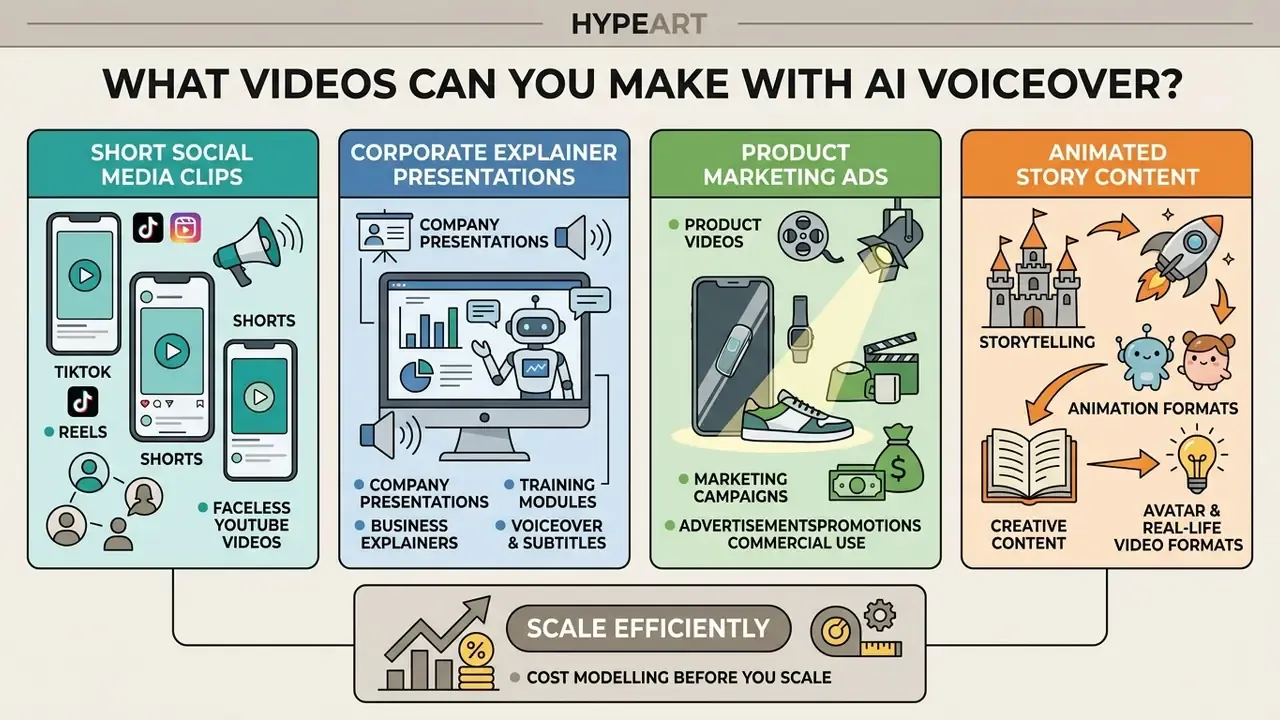
A free AI video generator with voiceover can produce short social media clips, corporate explainer presentations, product marketing ads, and animated story content. Automated voice-to-visual pipelines allow single creators and enterprise teams to generate high-volume video streams across multiple channels. The ambition to create stunning ai video at scale is realistic; the constraint is review capacity, not render capacity.
TikTok, Reels, Shorts and Faceless YouTube Videos
Short vertical videos constructed for 9:16 aspect ratio viewing rely heavily on engaging opening hooks delivered in the first one to three seconds and synchronized text captions, because a large share of feed viewers watch with sound off; Section 508 guidance additionally requires closed or open captions on uploaded social video (Section 508 Social Media Guidance, 2026). Most short-form scripts are planned for 30 to 60 seconds with fast pacing and clean audio. AI video tools allow creators to build faceless YouTube channels where synthetic voice narration drives the storyline while stock media or AI-generated visual clips replace on-camera presenters.
When publishing synthetic video content on social media, platform policies frequently require clear disclosure labels.
«Analysis of 787 TikTok videos from 30 creators shows AI labeling positively moderates the negative effect of perceived inauthenticity on likes and shares.»
Platform rules differ from regulation: YouTube requires disclosure only for realistic content that could be mistaken for real people, places or events, including face swaps and synthetic voice, while minor colour correction, AI-written outlines and non-realistic animation do not require a label (YouTube Altered Content Policy, 2026). EU transparency rules go further, requiring AI-generated audio, image and video output to be marked in a machine-readable, detectable format (European Commission, AI Act transparency obligations). Creators can manage multi-platform video pipelines using established ai video creation platforms.
Product Videos, Ads, Explainers and Training Content
Businesses utilize synthetic video generation to convert slide decks, product manuals, and PDF documents into narrated training modules (VisionStory PDF-to-Video, 2026). Product teams create targeted video advertisement variations by swapping synthetic voiceovers into different languages while retaining consistent underlying product visuals (ngram Creative Advertising, 2026).
In educational and corporate instruction, synthesized teacher avatars delivering script-based lectures perform close to traditional human video recordings on measured outcomes.
«AI-instructor group scored M = 25.60 versus M = 23.39 for recorded video, with no statistically significant difference in final scores but higher retention for AI-generated instruction.»
However, maintaining perceived human-likeness in voice delivery remains essential to preserve learner motivation over multi-module courses.
«AI instructors are perceived as less human-like, which indirectly reduces motivation and knowledge retention through a mediation pathway.»
The practical implication for L&D teams: use cloned or high-expressiveness voices for multi-week curricula, reserve stock library voices for single-session microlearning, and always keep a human subject-matter expert credited on screen. In regulated training, that credit is not decoration. It is your accountable owner.
Cost modelling before you scale. Free tiers hide the real unit economics, so calculate a cost-per-finished-minute before committing a channel to AI production:
Cost per finished minute = (credits consumed per minute × credit unit price) + (human review hours × loaded hourly rate) + music/stock license amortization
Add a rework multiplier of 1.3 to 1.8 for the first month, since early prompt libraries typically require two to three regenerations per approved scene. Teams tracking recurring spend can model scenarios with the AI Media Calculators.
Story, Animation, Avatar and Real-Life Video Formats
Generative video models support diverse artistic output styles ranging from stylized anime and 3D digital animation to realistic live-action scenes; style guides separate "stylized and artistic" from "photorealistic" output, where photorealism prioritizes genuine textures, accurate lighting and natural colour reproduction (LTX Studio Style Guide, 2026). Storytellers utilize scene-by-scene prompting frameworks to preserve narrative structure across animated short films and character-driven digital fiction, and several tools generate a full scene list before rendering any frames (Kapwing Scene Generation, 2026). Creators moving between stylistic registers can also consult the guide to animation makers and the overview of AI art generators for style-reference production, which is the usual entry point for a free ai animation video maker with voiceover setup.
Real-life visual formats feature synthetic human characters delivering scripted dialogue with precise lip-sync timing. Modern neural dubbing models fuse facial expression features with vocal tokens, generating synchronized character speech that closely mimics real human recordings (VoiceCraft-Dub, 2024).
Free Plans, Video Length and Commercial Use Rights
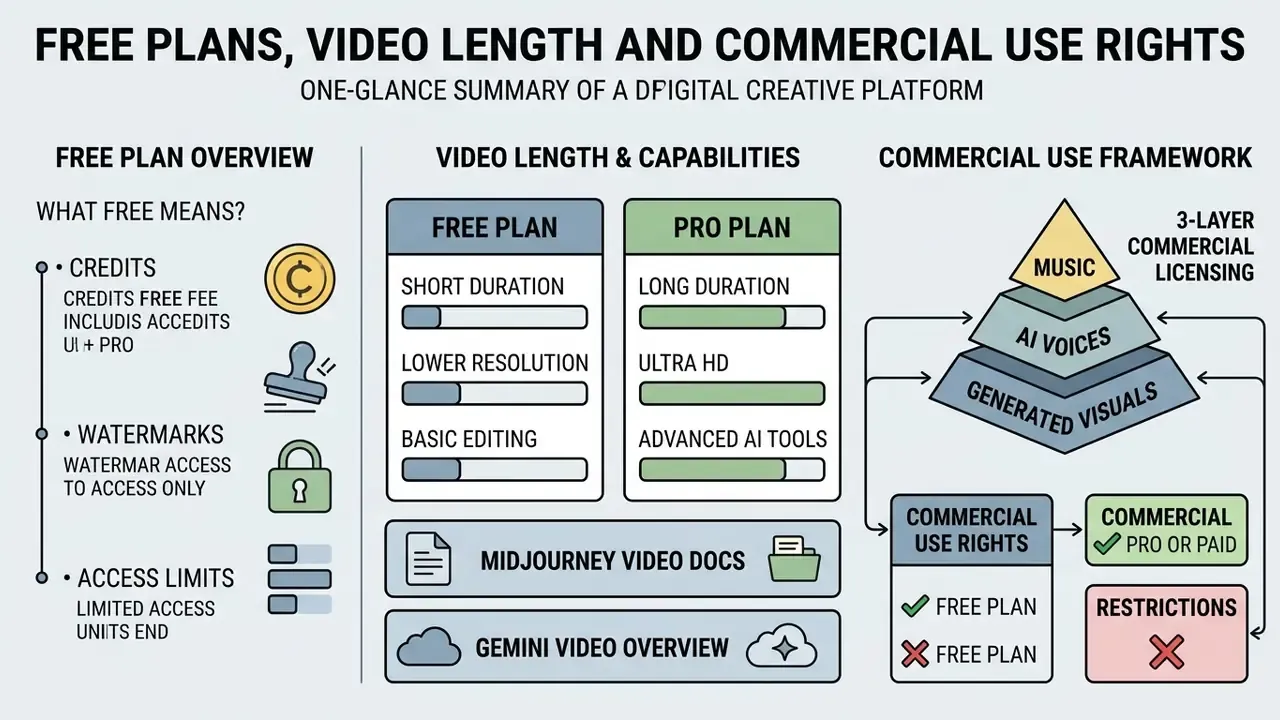
Free AI video generator plans impose strict operational boundaries regarding generation credits, clip duration caps, output watermarks, and commercial licensing. Understanding these operational limitations prevents licensing non-compliance and unexpected production halts.
What "Free" Means: Credits, Watermarks and Access Limits
Free usage tiers typically operate on non-renewing one-time credit grants or limited daily generation quotas that refresh each day (Adobe Creative Cloud Credits FAQ, 2026). Free plan exports regularly feature visible vendor watermarks, reduced rendering speed priorities, and maximum output resolution limits capped at 720p. API-level free tiers add rate limits per project that throttle concurrent generation (Google Gemini API Rate Limits, 2026). A structured comparison of free AI video generators shows how differently these caps are applied across vendors.
Commercial exploitation rights are frequently withheld on free usage tiers unless explicitly granted within vendor service agreements. Runway's usage-rights statement, for example, says users retain ownership of uploaded and generated content and may use it without non-commercial restrictions from the platform (Runway Usage Rights, 2026), while OpenAI's terms frame both input and output as "Content" for which the user is responsible (OpenAI Terms of Use). Neither position automatically grants rights to third-party stock media, licensed music or voice likenesses. Organizations seeking custom commercial integrations can consult the AI Media Commercial-Use Hub for licensing frameworks.
Can You Generate a 5-Minute or Longer AI Video?
Native single-shot generation remains short. Vendor documentation reports per-generation clips of roughly 4 to 8 seconds for most engines, extending to a documented maximum of 21 seconds after four sequential 4-second extensions in Midjourney Video, where each extension costs the same GPU time as the original render (Midjourney Video Docs, 2026). These figures come from product documentation rather than independent benchmarks, so treat them as vendor-stated ceilings that change with model releases. Producing a full 5-minute or 10-minute video therefore requires sequentially generating multiple scene clips and stitching them together on a timeline editor, using scene-extension features where available (Gemini Video Overview, 2026).
- Midjourney Video Docs, 2026
- Gemini Video Overview, 2026
Generating lengthy multi-scene projects consumes substantial credit balances across hosted platforms, and continuation pricing is often billed per second of output rather than per clip. Agentic platforms now advertise coherent output up to ten minutes by planning scenes, casting avatars and stitching segments automatically, which is useful for explainers and course modules, though credit consumption scales linearly with runtime. So the honest answer to the ai video generator 5 minute video question is yes, by assembly rather than by a single render. Users managing recurring generation workflows can monitor resource expenditure using specialized AI Media Calculators.
Commercial Use of AI Voices, Music and Generated Visuals
Commercial usage of synthetic video requires securing legal rights across three distinct layers: generated visual outputs, vocal audio tracks, and background music licenses. Under U.S. copyright guidance, purely AI-generated content lacking human creative input cannot be registered for copyright protection; applicants may claim only their own human contributions and must disclaim AI-generated portions (U.S. Copyright Office Guidance, 2026). A 2025 European Parliament legal study reaches a parallel conclusion for the EU, noting that outputs without substantial human creative input are not eligible for copyright protection.
Figure 2 - Three-layer commercial licensing framework (alt text: mandatory legal validation checkpoints before publishing AI-generated video commercially)
- Layer 1, visual asset rights: human creative input documented, vendor ToS grants commercial use.
- Layer 2, synthetic voice rights: voice likeness consent on file, commercial TTS or cloning license confirmed.
- Layer 3, audio and stock media rights: license text read in full, no non-commercial stock inside the timeline.
- Gate: all three layers cleared? If yes, publish or monetize. If no, hold, then remediate or replace the offending asset. There is no partial pass.
Royalty-free music libraries included within free video tools remain subject to specific end-user license agreements. "Royalty-free" describes a payment model, not the absence of copyright, and the license text alone controls commercial use. Furthermore, utilizing synthetic voices that impersonate real individuals or incorporating registered commercial trademarks without authorization creates severe legal liability; WIPO guidance notes that while photographing a person is generally permitted, using someone's image in advertising or commercial promotion should be done only with prior explicit permission (WIPO Personality Rights Guidance, 2026). Legal teams assessing compliance exposure should evaluate pending regulatory litigation precedents.
How to Make AI Voiceovers and Visuals Sound More Realistic
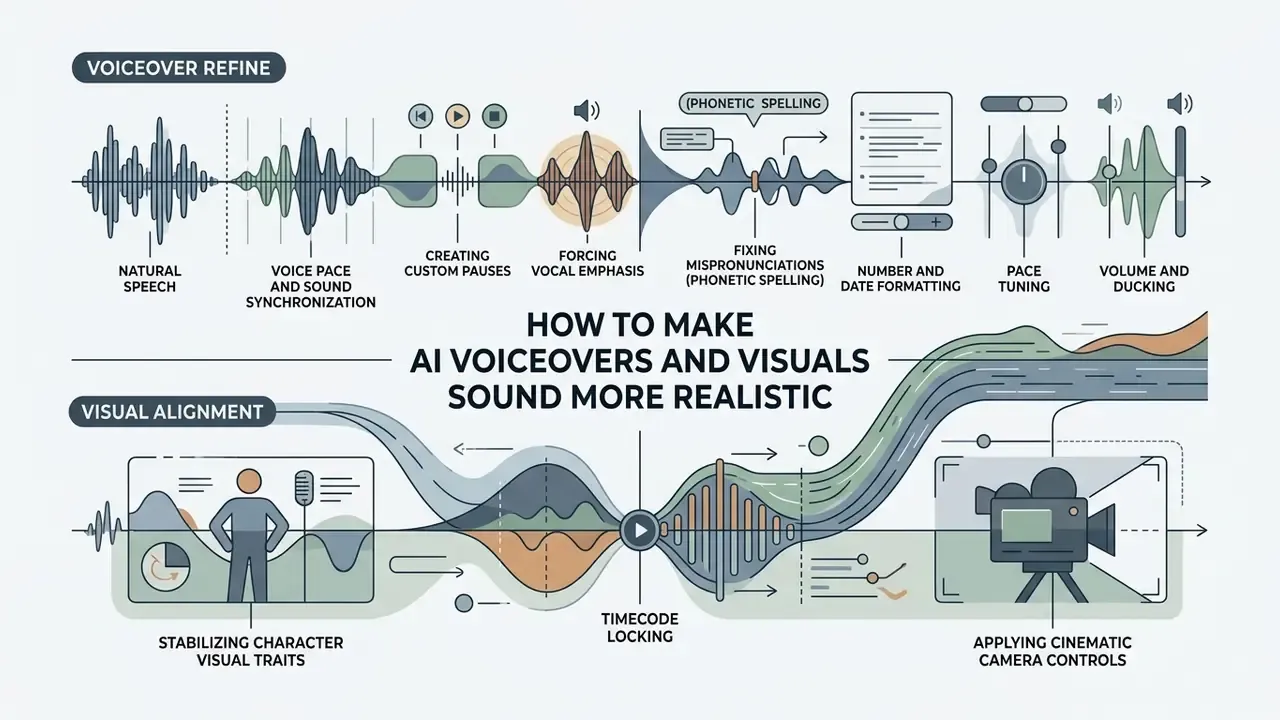
Improving the realism of AI video outputs requires refining speech prosody, adjusting pause timing, stabilizing character visual traits, and applying cinematic camera controls. Implementing targeted audio and visual tuning techniques converts mechanical-sounding drafts into professional video content.
Natural Speech, Voice Pace and Sound Synchronization
Synthetic speech naturalness improves significantly when adjusting speaking pace, pitch variability, and phrase pauses within text-to-speech settings; prosody models covering pauses, intonation contours, tempo and loudness are the documented remedy for "robotic" delivery (Sber SaluteSpeech Guidelines, 2021).
«TTSDS evaluates 35 TTS systems across prosody, speaker identity and intelligibility; its composite score correlates strongly with MOS and A/B tests across eras.»
Practical TTS prompting hacks for natural audio:
Perceptual research indicates that human listeners frequently struggle to distinguish short synthetic vocal clips from genuine human speech.
...) between words to force a roughly half-second breathing pause. Use a double ellipsis (......) for transition pauses between major topics.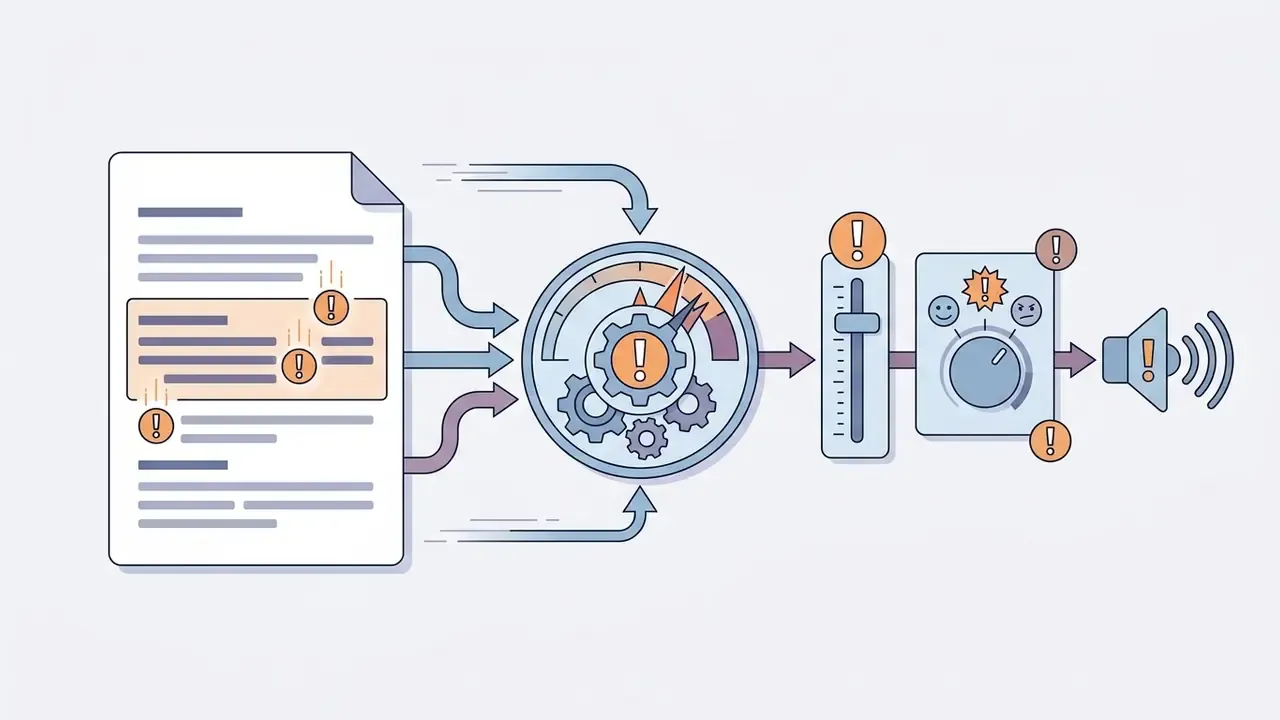
!) directly after critical keywords to increase pitch variation and stress key message points without modifying base volume settings. Where the engine exposes an emotion selector, combine both.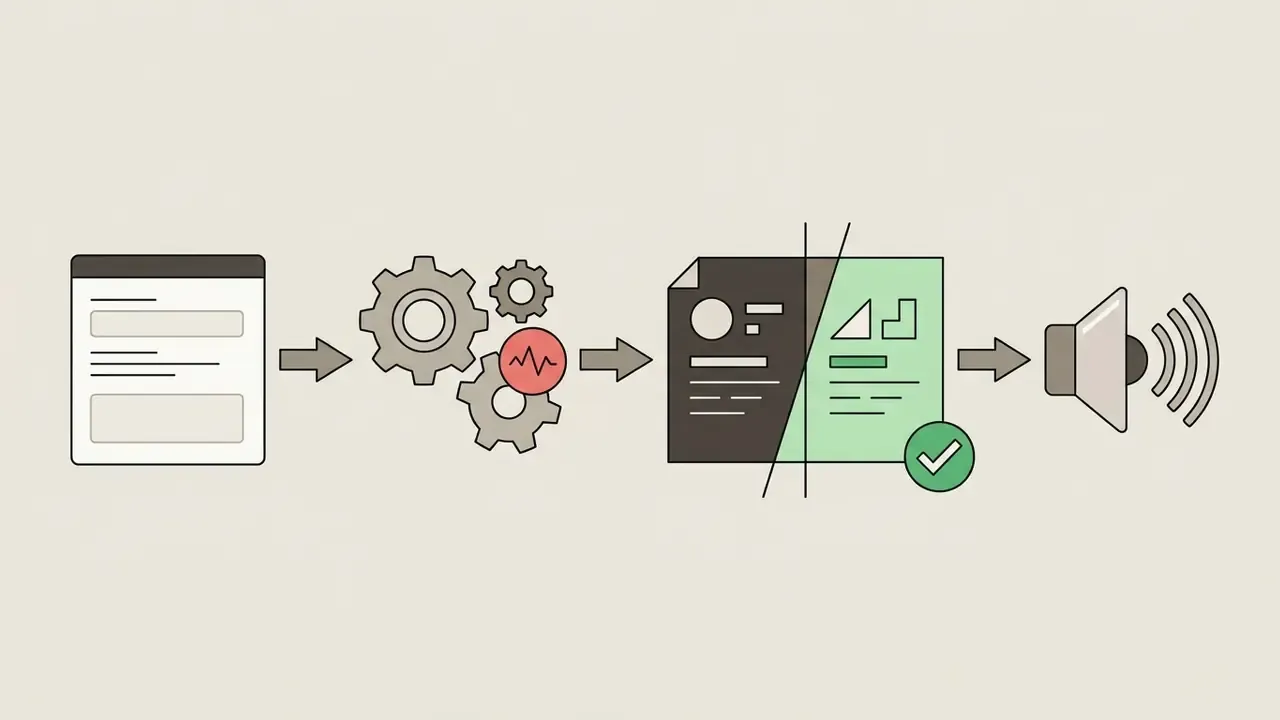
0.9x and 1.05x for technical explainers, and up to 1.15x for fast-paced social hooks; most editors expose a 0.5x to 2x range.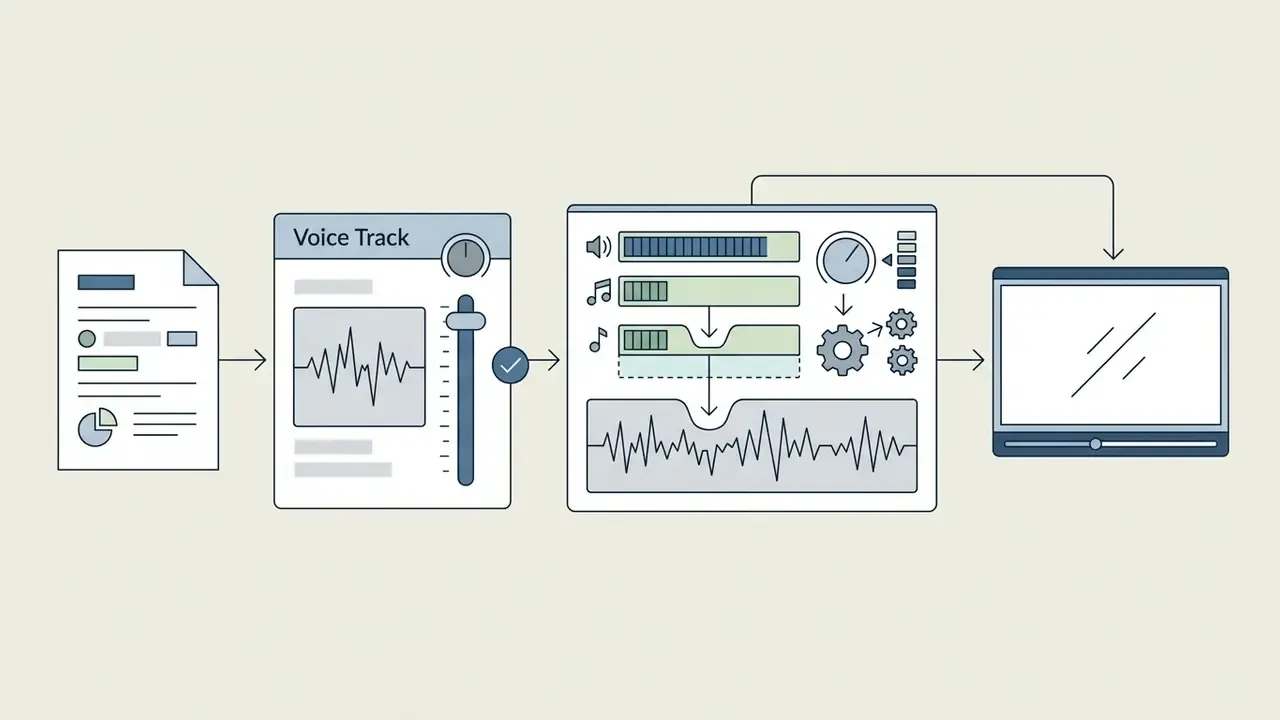
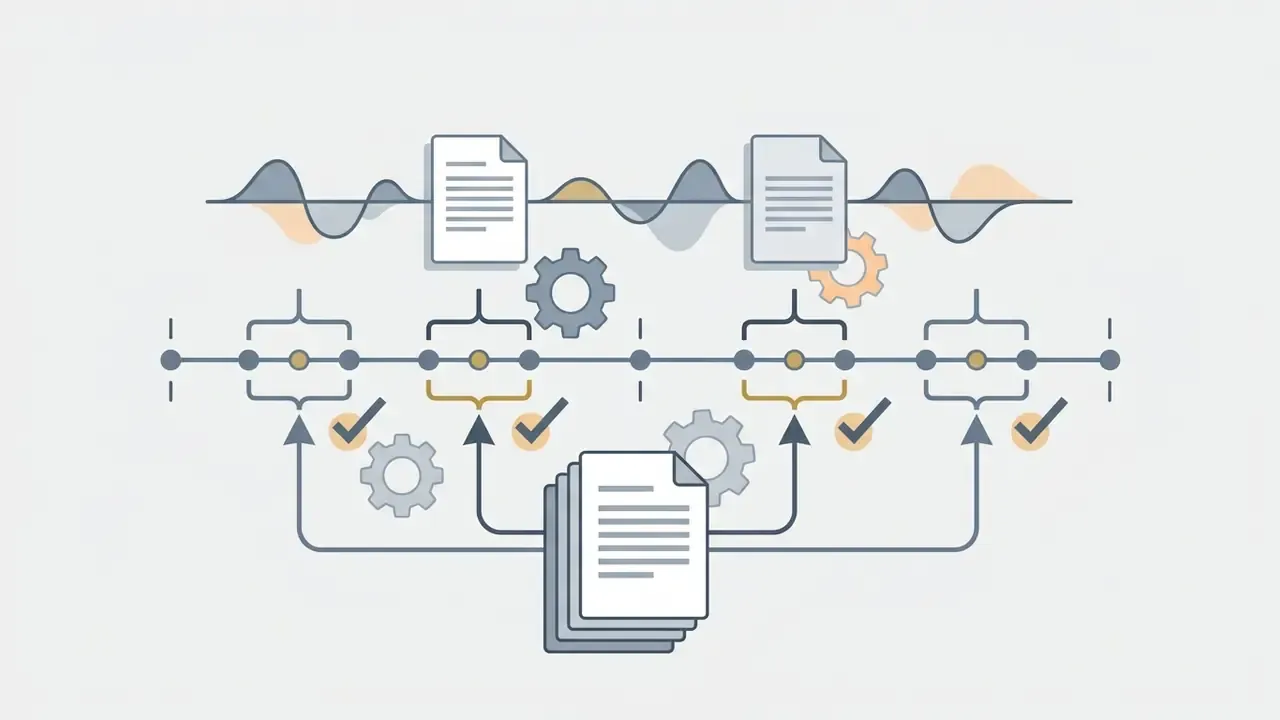
«Participants accepted AI voices as real in 80% of cases; for recordings under 10 seconds, detection accuracy fell to 59.3%, close to chance.»
Adding subtle ambient background noise layers, such as soft room tone, keyboard clicks or office ambience, further masks acoustic speech artifacts and raises perceived realism (Sber SaluteSpeech Guidelines, 2021). National quality standards define synthetic-speech evaluation through intelligibility and naturalness, which remain the two baseline acceptance criteria for any narration you approve (GOST R 59880-2021 Speech Quality Standard).
Realistic Scenes, Motion and Consistent Characters
https://ltx.studio
Pre-Release Quality, Security and Rights Checklist
Run this checklist before any AI-generated video leaves a corporate environment. It combines output validation with the data-governance questions that determine whether a free tool is safe to use at all.
Checklist0 / 18
FAQ About Free AI Video Generators with Voiceover
How Long Does It Take to Generate an AI Video?
Frequently Asked Questions
What is the typical rendering time for a short AI video clip?
Vendor documentation describes a single render as taking "several minutes," with latency rising as duration, resolution and API load increase (OpenAI Video Generation Guide, 2026; Google Gemini video documentation, 2026). Operational vendor estimates place a 30 to 60 second script at roughly 30 to 90 seconds of processing and a talking-head or avatar render at 2 to 5 minutes. No independent, peer-reviewed latency benchmark currently exists, so treat all figures as vendor-reported ranges rather than measured averages, and time your own prompts on your own account.
Does script length directly increase video rendering time?
Yes. Longer scripts require synthesizing extended vocal audio tracks and generating multiple sequential visual scene clips. Vendor guidance reports that multi-scene videos typically render in five to ten minutes, while short-form clips are often ready in about two minutes. These figures come from product documentation and vendor blogs rather than verified benchmark datasets, and queue time on free tiers is usually deprioritized behind paid traffic.
How long do avatars and voice clones take to build?
Avatar generation is documented as taking about a minute in browser-based 3D avatar tools, a few minutes in Google Vids, and "minutes" in HeyGen; voice cloning from a 30-second sample is typically ready in the same session. Build these assets once and reuse them, because the recurring cost is per render, not per avatar.
Do You Need to Download an App to Create AI Videos?
Frequently Asked Questions
Can I generate AI videos entirely inside my web browser?
Yes. Most leading AI video platforms run entirely within web browsers, using cloud servers to perform heavy GPU processing. Users can write scripts, generate synthetic voices, edit timelines, and export final MP4 files without downloading local software applications, with projects saved to the cloud and reachable from any device (Kapwing AI Studio, 2026).
Are mobile apps available for AI video creation?
Many platforms offer dedicated iOS and Android applications or mobile-responsive web interfaces. However, advanced desktop browser interfaces typically provide superior timeline editing controls, precise audio waveform adjustments, and multi-track visual layer management; Google Vids documents creation and editing as desktop-only, with mobile limited to viewing (Google Vids Studio, 2026). Users searching for ai video generator apps free should check whether the mobile build supports export at the resolution they need, since some limit mobile output to 720p. Users requiring technical support can visit AI Media Support and Troubleshooting.
Can I turn a PowerPoint or a blog post into a narrated video?
Yes. Upload a .pptx, Google Slides or PDF file and the system maps each slide to a video scene, expands bullet points into narration and applies transitions. For articles, paste the URL: the tool strips navigation markup, extracts key points, matches B-roll and generates synced narration, commonly in 80+ languages. This is the fastest path for repurposing existing training decks and long-form posts.
Can free AI videos be used commercially?
Only if the plan's Terms of Service explicitly grant commercial rights and every underlying asset (music, stock footage, voices, likenesses) is properly licensed. Many free tiers restrict output to non-commercial evaluation, and purely AI-generated material without substantial human authorship is not registrable for copyright in the U.S. or the EU. Verify the plan tier, archive the terms, and document human contribution before monetizing.
How many languages do AI voice generators support?
Leading engines support roughly 70 to 90 languages with multiple dialects and accents per language, and libraries of 2,000+ voices are common. Cloned voices generally carry across the same language set, which is what makes one recorded sample usable for global localization.
Vendor Due-Diligence Questions Before Approval
Ask these in writing, and keep the answers with the tool record. Short questions travel better than long policies.
- Are prompts, uploads and generated outputs retained? For how long, and can retention be switched off?
- Is customer content excluded from model training by default, or only on request?
- Which sub-processors and hosting regions touch our media, and can we restrict them?
- Does the plan we are on grant commercial use of outputs in writing, and where is that clause?
- What happens to cloned voices and avatars when a consent record expires or an employee leaves?
- Can we export an audit log of prompts, model versions and render settings per asset?
- What is the escalation path when a published asset is challenged on rights or provenance grounds?
If a vendor cannot answer items 1, 2 and 6, the tool is fine for experimentation and unfit for regulated production. That is the whole test.
Appendix A: Superseded Formulations (retained for transparency)