If you run risk, compliance, or model governance at a bank or a mature fintech, a video tool probably sits far down your worry list. It should not. Marketing, HR, and L&D teams upload executive audio, unreleased product screens, and customer calls into browser editors that nobody in procurement has ever reviewed. That is Shadow AI with a friendly interface.
An ai video editor uses machine learning and natural language processing to automate manual video production tasks. Modern platforms let creators, marketing teams, and enterprises edit footage using text transcripts, text prompts, automated trimming, and multi-platform reframing.
Executive Summary
- What it is: An AI video editor is an automated post-production layer built on speech recognition, computer vision, and generative models. It converts logging, rough-cutting, captioning, and reformatting into text-driven or prompt-driven operations. Classical non-linear editors (NLEs) remain the environment for frame-accurate finishing.
- Measured benefit: In a controlled CHI 2023 study, transcript-integrated editing reduced self-reported effort from 4.58 to 2.17 out of 7 and frustration from 3.58 to 2.08 (). Prompt-driven editing scored 75.7 on the System Usability Scale, inside the "good usability" band.
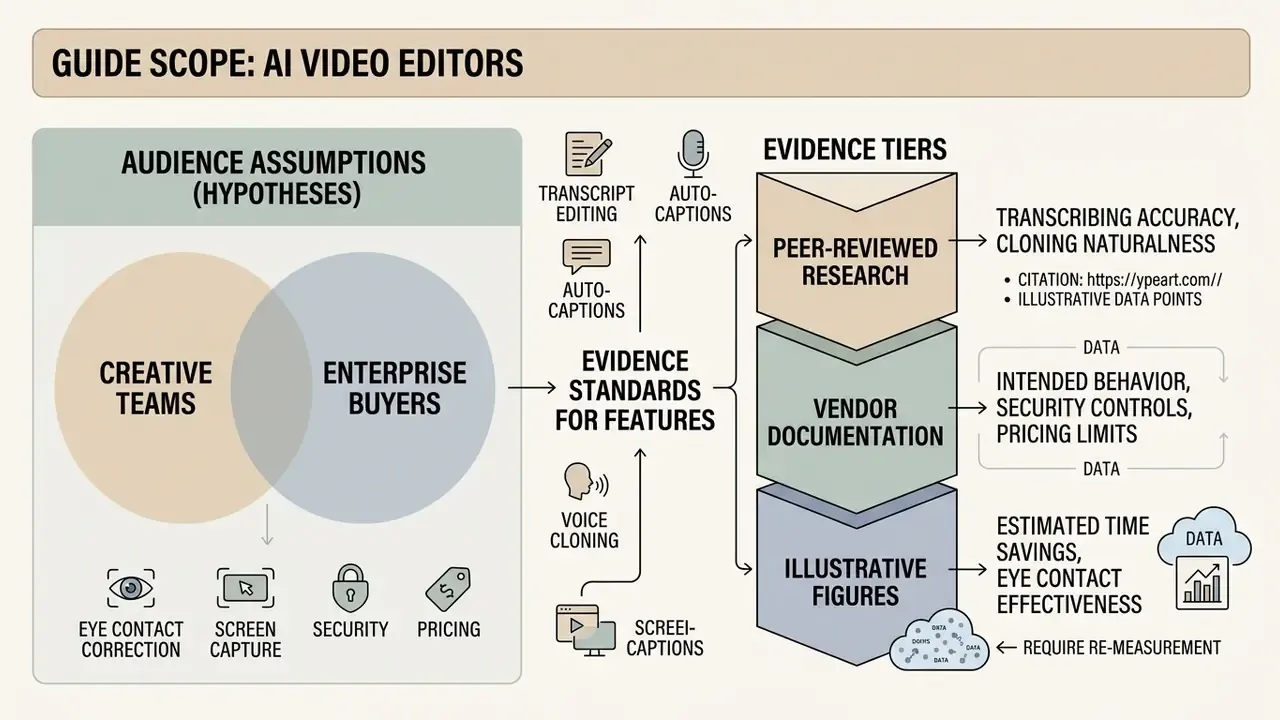
- Core function clusters to evaluate: transcript-based editing, auto-captions and localization, silence and filler removal, automated 9:16 reframing, generative B-roll, eye contact correction, voice cloning, screen and webcam capture, brand kits, and export controls.
- Enterprise gating factors: SOC 2 Type II, ISO 27001, GDPR data processing agreements, zero-data-retention (ZDR) commitments, SSO/SAML, RBAC, and audit logs. Without these, cloud video editors become a Shadow AI channel through which internal footage, executive audio, and customer data leave the perimeter.
- Legal position: Under U.S. Copyright Office guidance, protection extends only to human-authored expressive elements. Purely machine-generated audio or visuals are not independently copyrightable and must be disclaimed at registration. Digital replicas of real people require documented, explicit consent.
- Decision shortcut: Choose a browser editor for distributed speed, a desktop NLE plugin for frame-accurate and local-storage workflows, and an enterprise platform when governance, brand enforcement, and audit trails outweigh raw editorial control.
Scope, audience and evidence standard
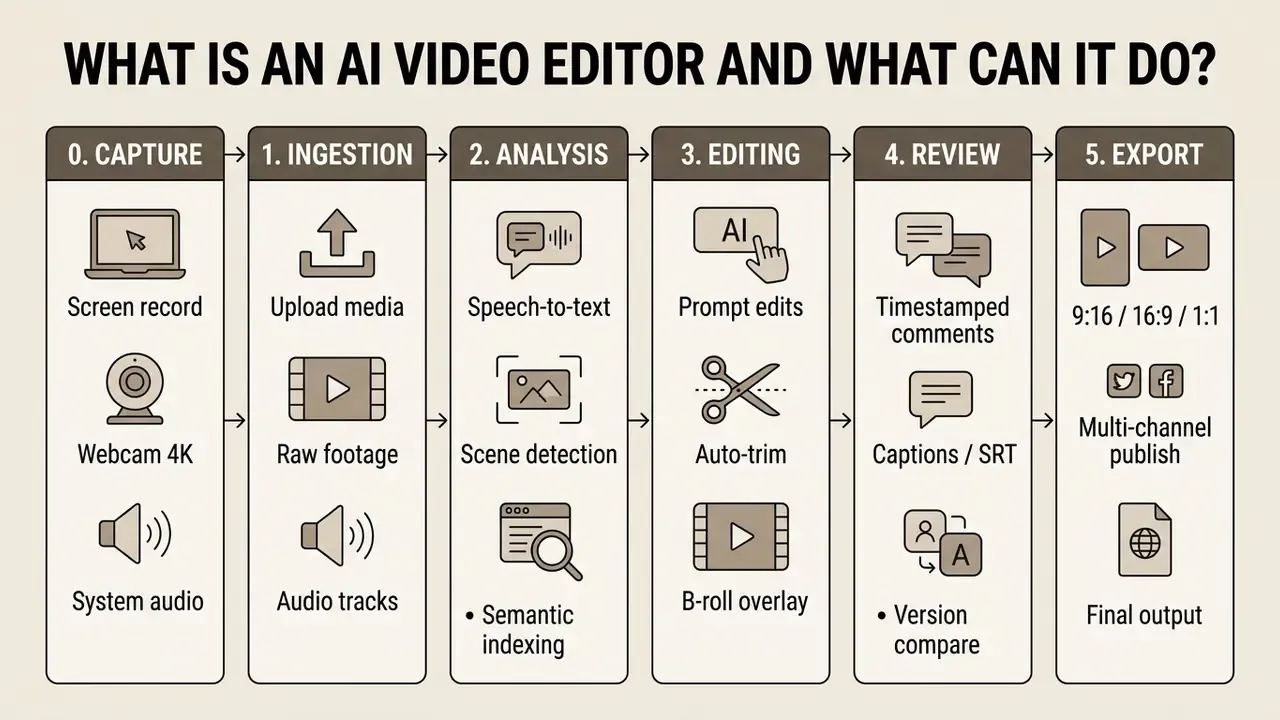
What is an AI video editor and what can it do?
An ai video editor is a software platform that applies machine learning algorithms to ingest, analyze, transform, and generate video content. It replaces manual timeline editing by parsing footage, audio, and transcript text into editable digital assets.
These systems operate as unified platforms. Users upload raw media, run automated edits, apply context-aware enhancements, and publish directly to external channels. An ai based video editor combines multimodal models, including computer vision, natural language processing, and automatic speech recognition, to analyze visual semantics alongside spoken soundbites. Readers who want to compare automated editing with fully synthetic generation can review our technical overview of AI video generators. Research on reinforcement-learning-based editing shows that automated models can extract context representations from movie footage and execute sequential cutting decisions.
«A virtual editor uses a pretrained vision-language model to extract context representations from raw footage and make sequential cutting decisions.»
AI editing versus a traditional video editor
An ai video editor automates pre-editing, logging, and draft assembly through text manipulation. Traditional non-linear editing software relies on manual keyframing and timeline assembly. Modern NLEs such as Adobe Premiere Pro or DaVinci Resolve provide non-destructive frame-level precision, but manual assembly of every cut stretches production lead times.
In practice the two categories are complementary. Transcript-first AI assistants build the rough cut, log the footage, and surface soundbites. The sequence then returns to a professional NLE for pacing, color, and finishing.
Empirical testing reveals the operational contrast between timeline manipulation and text-driven interfaces:
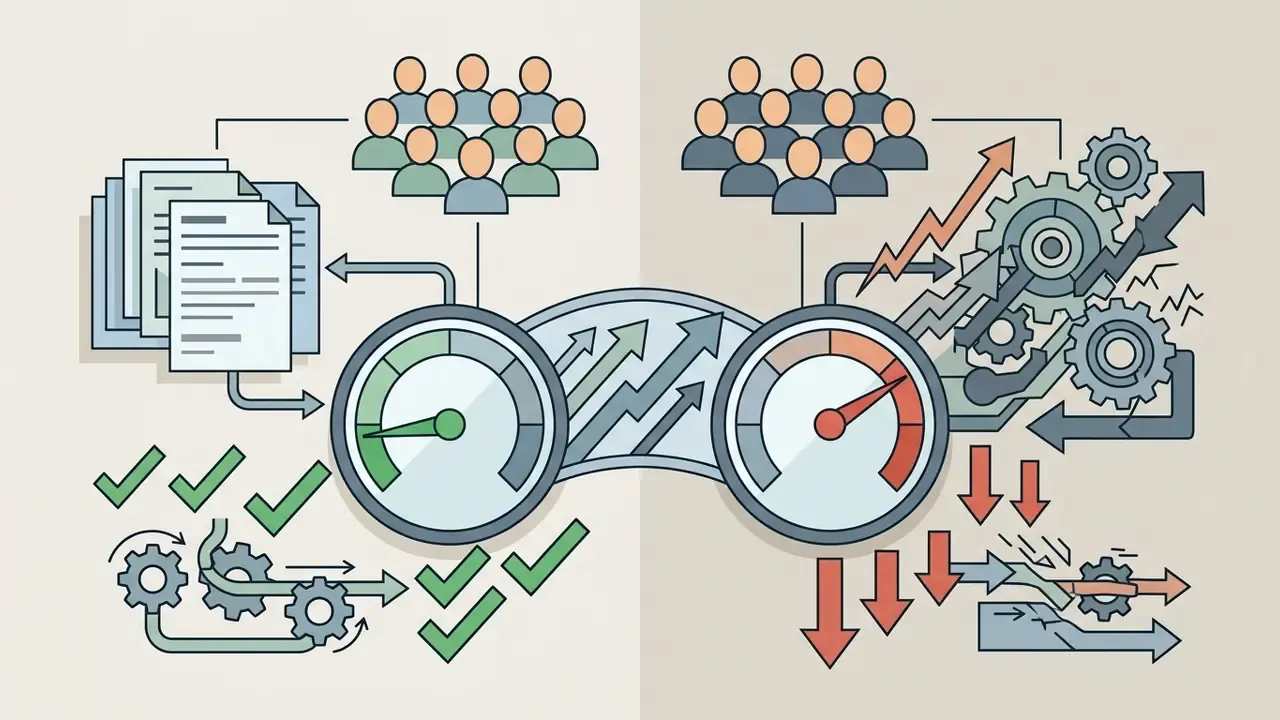
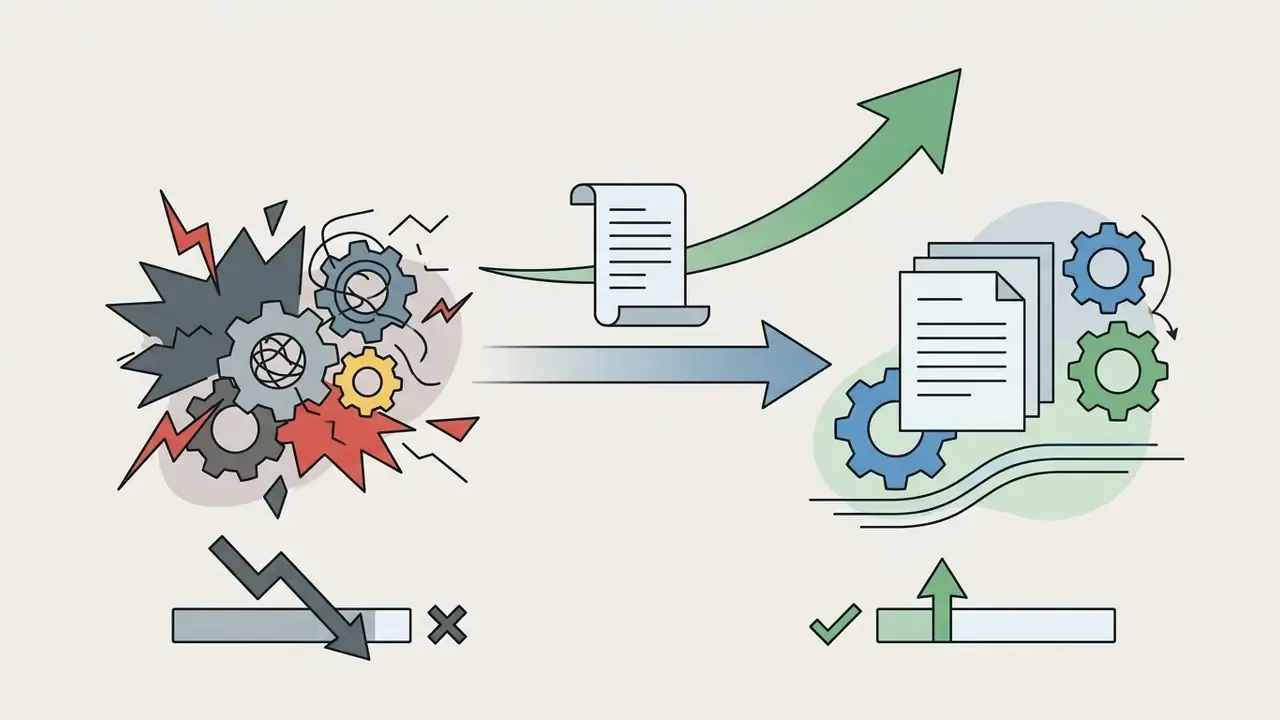
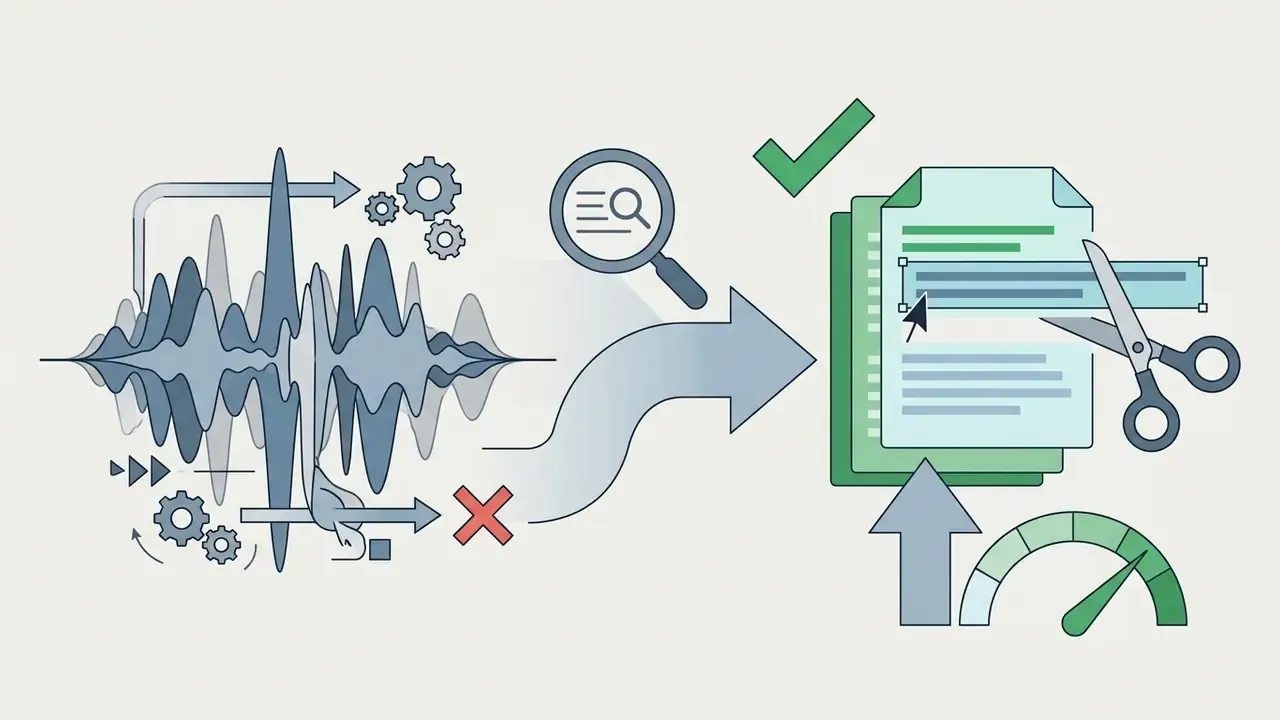
«Effort decreased from μ=4.58 (σ=1.51) to μ=2.17 (σ=1.11), Z=2.96, p<0.01, for participants editing with integrated audio-visual scripts.»
Sample interpretation note. The AVscript cohort consisted of BLV editors, so the effort and frustration deltas describe accessibility-driven gains rather than a universal productivity benchmark for sighted professionals. Treat the figures as directional evidence that transcript-based interaction lowers interaction cost. Not as a guaranteed enterprise ROI multiple.
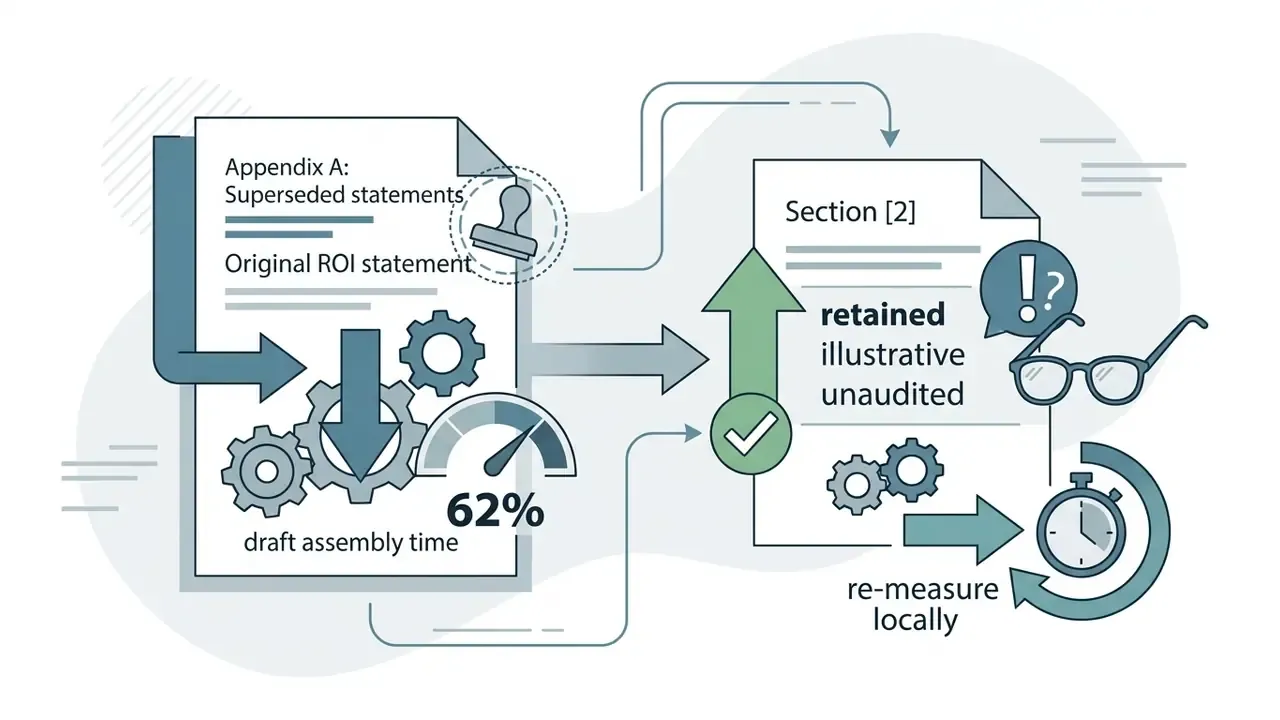
Illustrative workflow scenario (unverified internal data). A corporate communications team can replace manual timeline logging across roughly 40 hours of monthly executive webcasts with automated transcript-driven rough cuts. Speech-to-text parsing removes filler words and extracts key soundbites through text editing, while final editorial control stays with a named human before distribution. Teams that piloted this pattern report large reductions in draft assembly time, with internally cited figures around 60%. Those numbers are not independently audited. Baseline the current manual process, then re-measure after deployment with identical footage volume and reviewer count. Otherwise the business case rests on someone's enthusiasm.
Video formats and content types AI can edit
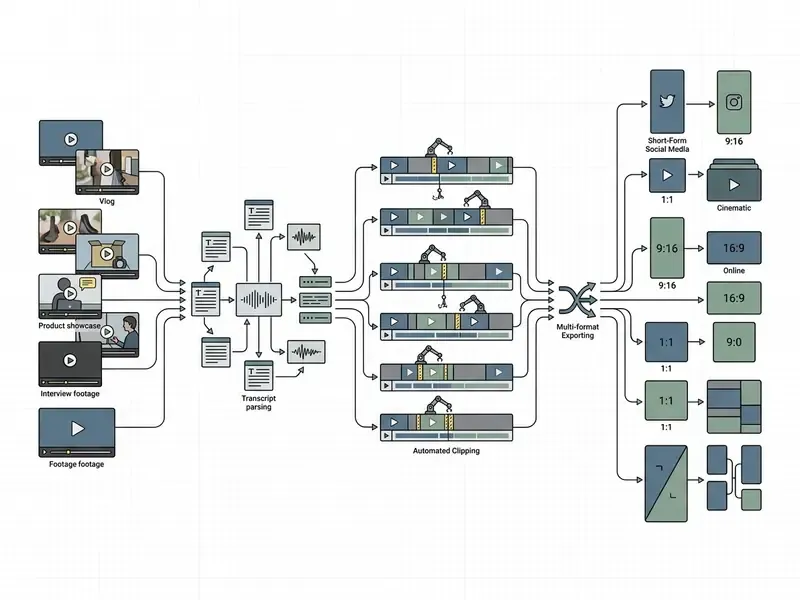
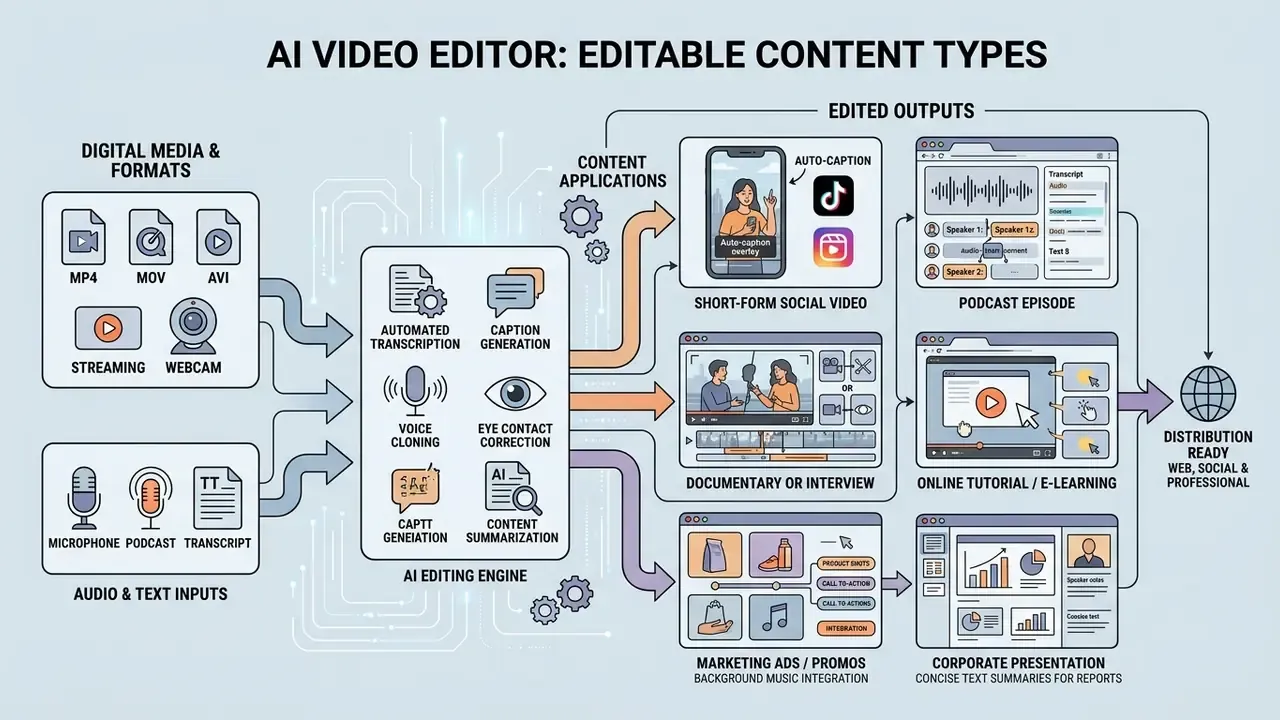
An ai video editor processes long-form recordings, short-form social clips, standalone audio tracks, and multi-camera footage. Users can transform any video after upload, converting long webinars, podcasts, or Zoom meetings into short vertical clips formatted for TikTok, YouTube Shorts, and Instagram Reels.
These platforms support both audio-to-video and video-to-video workflows. Audio-to-video systems take spoken tracks or podcasts and sync relevant visual assets or avatars automatically. Video-to-video systems convert existing landscape recordings (16:9) into reframed vertical assets (9:16) while keeping primary subjects centered in the visual frame. Document-to-video pipelines extend the same principle to PDFs, decks, and reports, mapping parsed slide text into narrated scenes.
How to edit videos with AI online
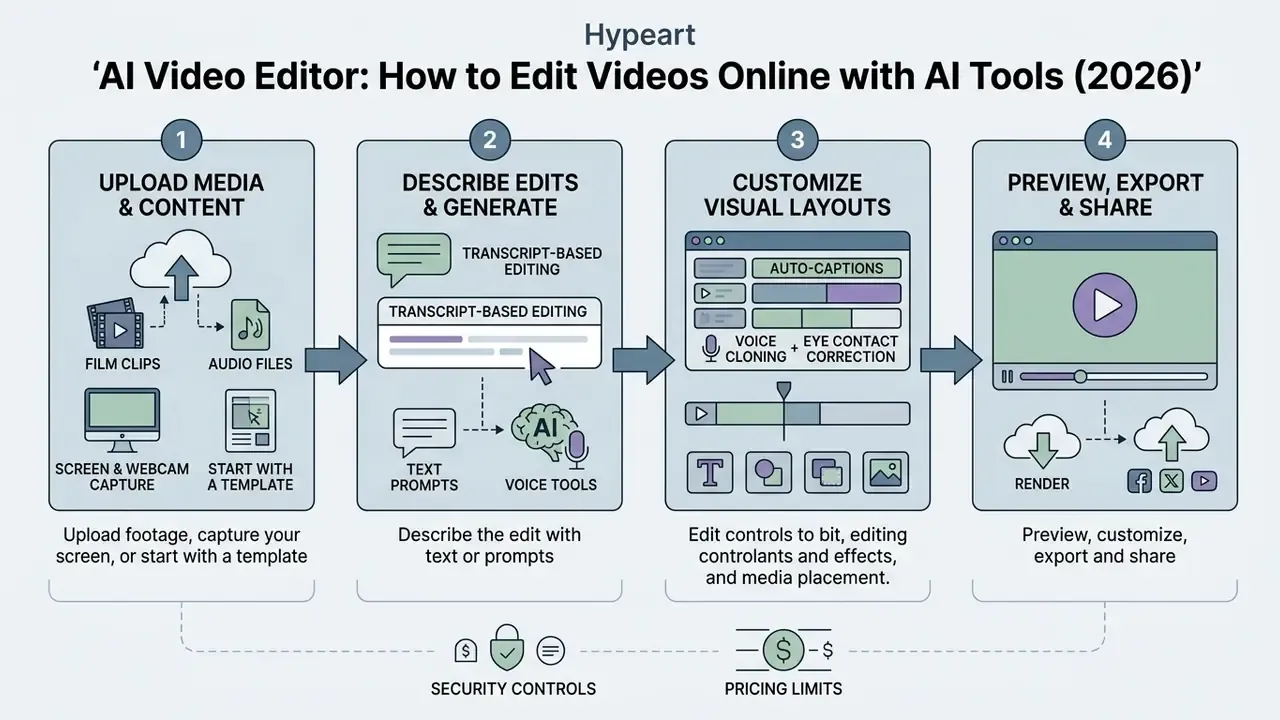
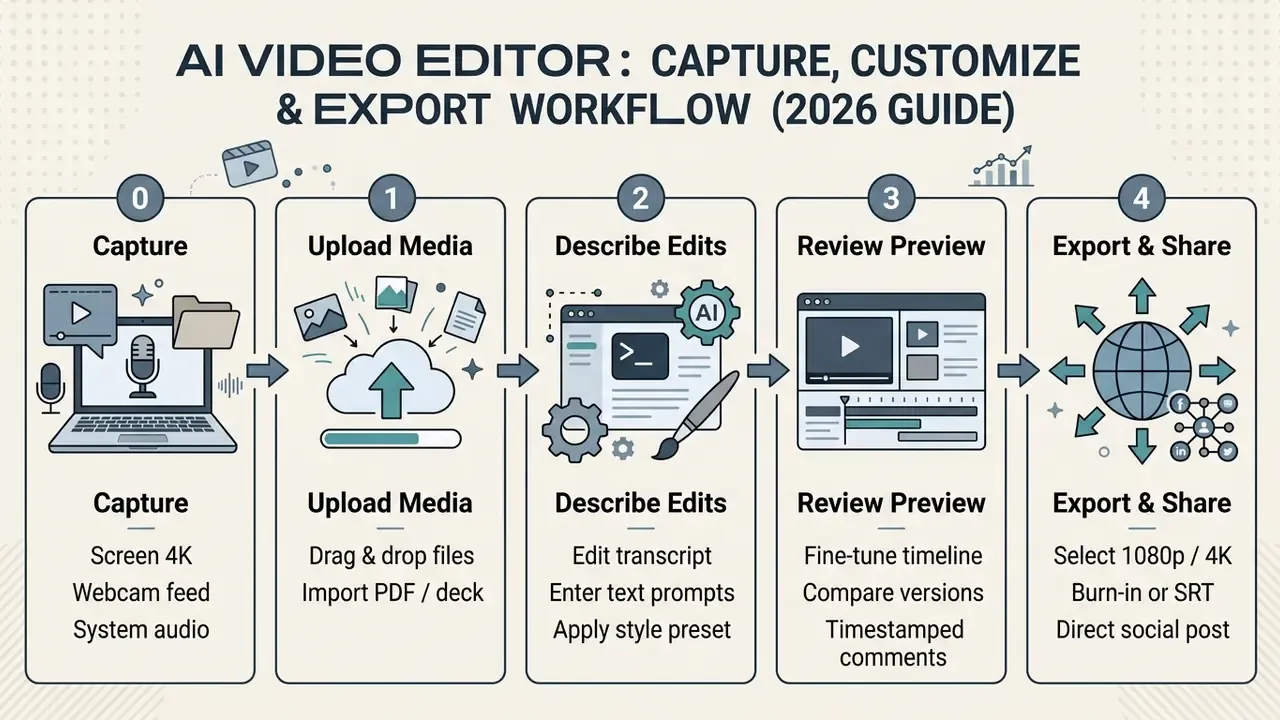
Editing videos with ai online follows four steps: uploading media, specifying edits through text prompts or transcript edits, customizing visual layouts, and rendering exported files. Browser-based interfaces execute these tasks on cloud infrastructure, which removes the requirement for heavy local hardware.
With an ai auto video editor online, processing begins when media files are indexed into localized browser memory or cloud storage. Documented browser-based implementations store uploaded assets in IndexedDB, initialize a composition tree, then send natural-language instructions to a backend model that returns a modified composition for review. An ai edit video online tool generates timestamped transcripts, so users can make prompt-based adjustments before rendering the finished file through in-browser canvas streaming or a cloud rendering engine.
Upload footage, capture your screen, or start with a template
To ai edit video online, creators begin by uploading raw footage or choosing pre-configured visual templates. Uploading source files preserves unique visual assets as the foundation for editing. Templates impose predefined scene layouts, font styles, and transition structures.
Direct screen and webcam capture. Before media ingestion, modern browser-based editors offer built-in 4K screen and webcam recording. Integrated capture modules stream raw multi-channel audio and video into the local browser buffer or cloud pipeline. External recording software becomes unnecessary, so teams capture software demonstrations, presentations, and webcam feeds and start automatic transcription and scene parsing the moment recording stops. Practical configuration checkpoints: select the capture source (full display, single application window, or browser tab), enable separate microphone and system-audio tracks so denoise applies to voice only, and confirm that recording defaults to 1080p or 4K rather than a downscaled preview resolution.
Enterprise platforms support multimodal document ingestion. Users upload PDFs, slide decks, or text documents straight into the editor. Document-to-video systems parse source text into draft video scripts, mapping presentation slides into animated scenes with digital avatars and synchronized voiceovers. Vendor documentation for these pipelines lists accepted inputs such as PDF, PowerPoint, Word, URLs, and plain prompts, with configurable objective, audience, tone, template, avatar, footage, music, and brand assets. Independent peer-reviewed benchmarks for document-to-video fidelity remain limited, so output accuracy for regulated material (financial disclosures, policy documents, clinical text) should be verified manually before publication. A misread figure in an earnings explainer is not a design problem. It is a disclosure problem.
Describe the edit with text or prompts
Users can ai edit videos by modifying transcript text or typing natural language instructions into a prompt interface. Prompt-based editing supports structural changes, such as requesting a highlight reel of specific speakers or asking the editor to overlay relevant visuals over spoken key phrases.
It helps to separate the two control surfaces. Transcript editing is deterministic timeline editing driven by speech text. Prompt editing is instruction-following that passes through a model before it touches the sequence. For governance purposes, the second surface is the one that needs logging.
In a CHI 2023 study of multimodal video editing (ExpressEdit), 100% of user-issued edit commands (176 total requests) were articulated in natural language text, with 44% augmented by sketching on video frames to mark spatial areas. The system achieved a System Usability Scale score of 75.7, which suggests non-technical users can perform complex editing sequences through text descriptions without keyframe manipulation.
«All 176 edit requests were expressed in natural language; 78 of them were augmented by sketching over the frame to indicate spatial regions.»
Preview, customize, export and share
After an ai edit video maker processes the initial prompt instructions, users review the sequence in a browser preview window and adjust it manually before final rendering. Editors fine-tune lower-third titles, modify spatial cropping, re-order clip segments, and change visual branding. Mature implementations add an explicit review step where the original and the AI-proposed composition sit side by side before acceptance. That comparison is the control point that keeps a human in the editorial loop.
Final exports allow configuration of resolution tiers, frame rates, and bitrates. Cloud platforms produce MP4 or WebM output and offer direct publishing integrations that distribute ai edited videos to social media management platforms, corporate learning systems, or video hosting channels. Publish panels in professional NLEs also carry titles, descriptions, tags, and hashtags into the destination platform during export. For teams managing storage and bandwidth costs across large libraries, our guide to video compressors covers file-size reduction without visible quality loss.
Core AI video editing tools for faster edits
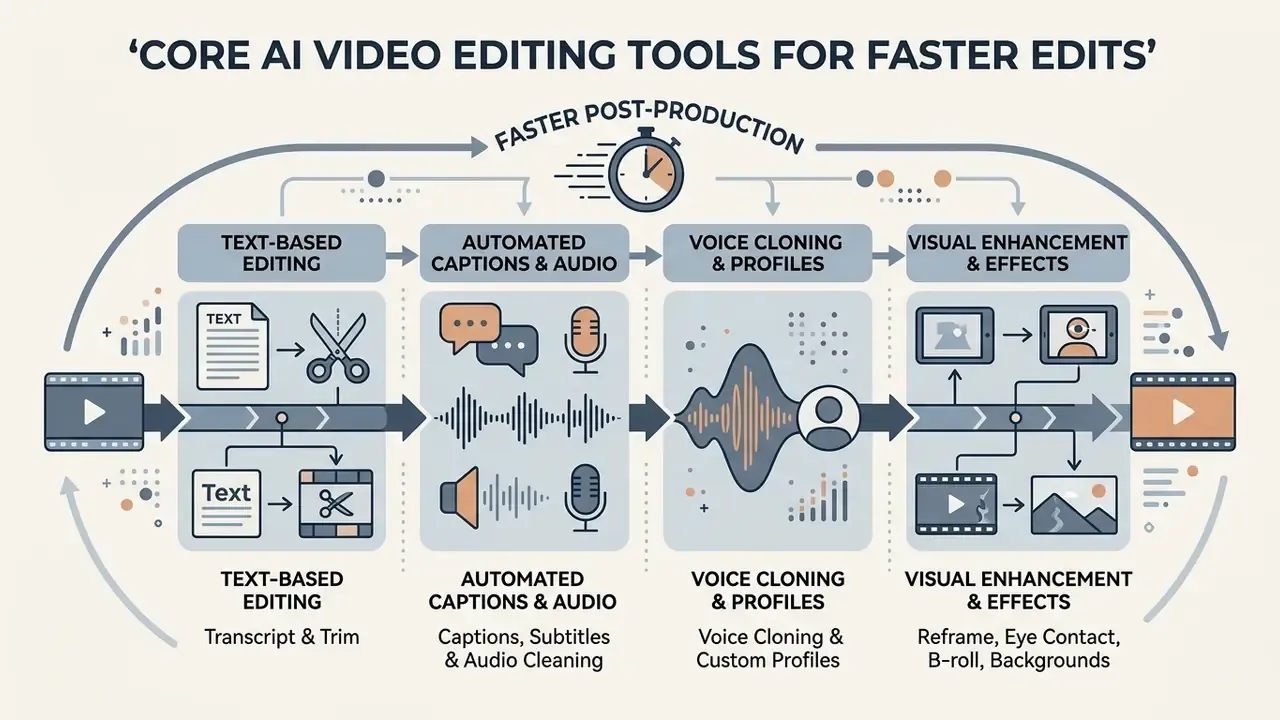
Core AI tools accelerate post-production by automating speech transcription, audio enhancement, clip extraction, and aspect-ratio reframing. These embedded capabilities let creators using ai editing software for videos cut manual timeline labor sharply.
Modern ai editing video software removes production bottlenecks by replacing frame-by-frame cutting with automated algorithms. With specialized tools, editors trim dead air, remove background noise, enhance vocal clarity, and balance audio across complex multi-speaker recordings. Vendor documentation describes concrete thresholds for these operations: silence detection targeting pauses longer than roughly three seconds, automatic subtitle generation across 80+ languages, and noise suppression tuned to isolate voice frequencies.
Text-based editing, trim and automatic clip creation
Text-based editing maps speech-to-text transcripts directly onto the video timeline, so users trim segments by deleting the corresponding words from the transcript. The workflow removes filler words such as "um" and "uh", stutters, and unwanted pauses across long recordings. Scene edit detection complements it by locating shot transitions automatically and inserting cuts, sub-clips, or markers.
AI clipping generators analyze transcript context and visual activity to select compelling excerpts from long podcasts or webinars. An ai edit maker of this type is only as good as its transcript, which is why word error rate belongs in your test plan. In a 2024 study on text-based news clip composition, automated transformer models arranged multi-shot news clips to match editorial texts, scoring 4.13 out of 6 on average against 4.58 for professional manual edits.
«Automatically composed news clips scored 4.13 out of 6 on average versus 4.58 for professional manual edits in a user study.»
Captions, subtitles, voiceovers, voice cloning and audio cleaning
Automated caption engines convert spoken dialogue into synchronized captions and translated subtitles. Under W3C Web Accessibility Initiative standards, captions provide same-language text representing spoken words and sound effects, while subtitles deliver translated text for international audiences (W3C WAI Standards). WCAG guidance further specifies that captions must cover dialogue plus sound effects, music, laughter, speaker identification, and location cues. The W3C DAPT specification standardizes timed-text exchange for dubbing and translation pipelines.
For audio optimization, denoise tools separate vocal frequencies from ambient noise, apply loudness normalization, and gate residual room tone.
«A Whisper-, MoviePy- and OpenCV-based system delivers real-time caption generation with multilingual accuracy suitable for improving content accessibility.»
Voice cloning and custom audio profiles. Beyond standard text-to-speech, enterprise AI editors build synthetic vocal profiles from short reference samples, typically one to three minutes of clean human speech. Neural voice cloning generates new narration, fixes misspoken words in existing lines without a re-record, and translates spoken content into 100+ languages while preserving the original speaker's timbre and cadence. Operationally, a re-shoot becomes a text edit: type the corrected sentence, synthesize it in the cloned profile, splice it back with matching room tone.
Governance requirements for cloned voices are stricter than for generic TTS. Store the signed consent artifact that authorizes the voice profile. Define permitted channels and an expiry date. Restrict who can trigger synthesis with that profile, and log every generation event. Under U.S. Copyright Office work on digital replicas, unauthorized synthetic reproduction of a real person's voice is a distinct legal exposure, separate from copyright in the footage. Creators evaluating synthetic speech can review our technical guide to AI voice generators for commercial licensing and cloning parameters.
One adjacent point worth flagging: detection and provenance tooling is maturing on a separate track. Teams that publish synthetic narration should understand how classifiers and an anti ai filter behave on their own output, because platform-side labeling decisions can affect reach and monetization.
Visual enhancement: reframe, eye contact, B-roll, background and effects
Visual enhancement tools use computer vision to reframe aspect ratios, correct speaker gaze, insert relevant B-roll, and isolate backgrounds. Automated reframing algorithms identify primary action subjects to convert 16:9 horizontal footage into centered 9:16 vertical clips. Documented implementations combine pan and zoom with configurable minimum and maximum zoom limits so subjects stay inside the crop during motion.
Create and edit videos in different styles with AI
An ai cinematic video editor uses generative diffusion models to synthesize new visual sequences from multimodal inputs. Creators create video projects by combining image assets, narrative text, background music, and custom visual styles for social media campaigns.
To make specialized video assets, these systems fold disparate inputs into cohesive compositions. Marketers combine static assets with synthetic voiceovers to produce promotional pieces, training modules, and social announcements. An ai edit creator workflow of this kind still needs a named owner and an approval gate, which is easy to forget when output arrives in ninety seconds.
«The DEVIL protocol for evaluating text-to-video models shows Pearson correlation above 90% with human ratings on dynamics, dynamic range and controllability metrics.»
Turn text, audio, images and documents into video content
Multimodal generation models accept four distinct media inputs: text prompts, audio recordings, static images, and business documents. Modern frameworks expose Text-to-Video, Image-to-Video, and Audio-to-Video API endpoints with unified parameters for resolution and camera motion control (LTX API Documentation). Public changelogs for these endpoints document resolution tiers up to 4K on fast model variants and 1080p on higher-fidelity variants, with shared parameters such as fps and camera motion. Readers building prompt-driven pipelines can review our reference material on text-to-video AI tools.
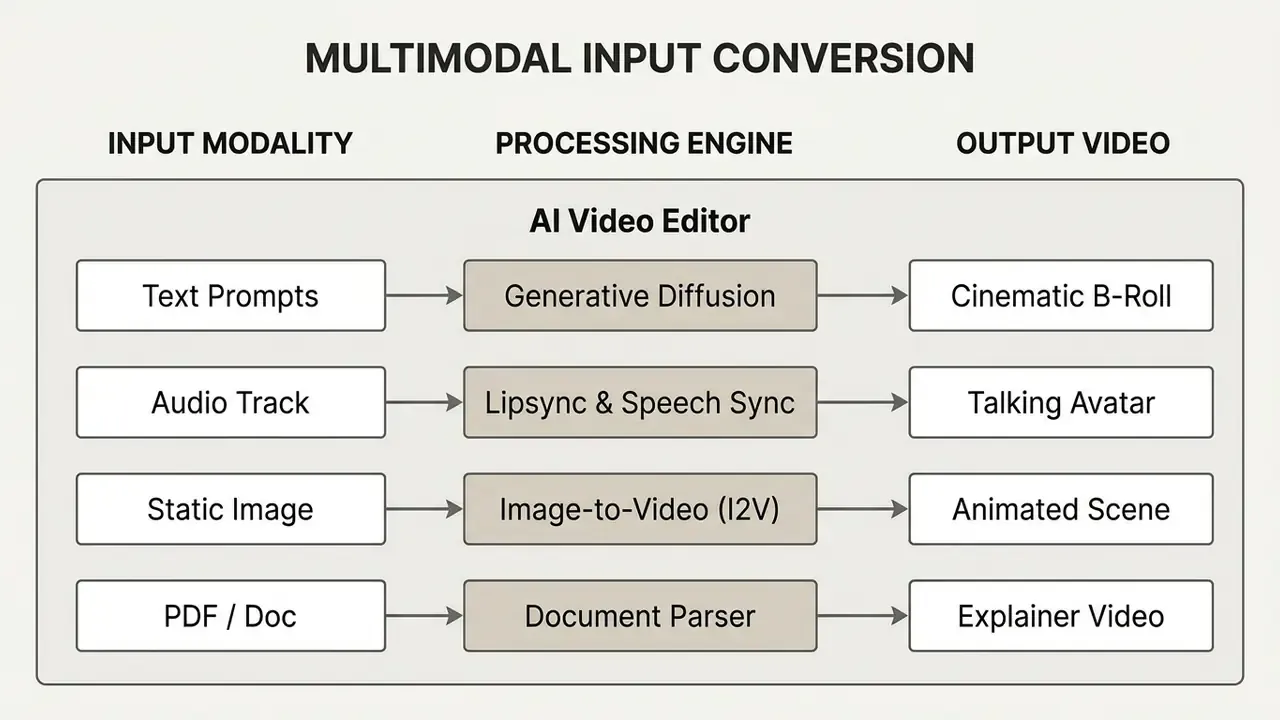
Animating stills is the most predictable of these paths; see our breakdown of image-to-video AI for motion-control parameters and duration limits. Doc-to-video remains the least standardized modality. Vendors ship it, but peer-reviewed evaluation of document-to-video fidelity is sparse next to T2V and I2V benchmarks.
Style presets versus manual prompts. Preset libraries bundle a fixed combination of caption animation, transition set, music bed, and color treatment, which enforces consistency. Manual prompts allow per-clip deviation at the cost of reproducibility. Reproducibility is exactly what an auditor asks about, so default to presets for regulated content. The mapping below helps teams pick a starting preset before writing a single prompt:
| Style Category | Automated Elements Applied | Typical Target Content | Operational Advantage |
|---|---|---|---|
| Corporate Explainer | Clean lower-thirds, smooth slide transitions, subtle background noise gate | Product demos, internal L&D | Enforces brand compliance with zero timeline keyframing |
| Social Dynamic (Shorts/Reels) | Kinetic auto-captions, automatic B-roll overlays, punch-in visual zooms | TikTok, YouTube Shorts, UGC ads | Maximizes viewer retention through high-density visual edits |
| Documentary / Cinematic | Color grading presets, generative atmospheric B-roll, spatial audio balancing | Executive webcasts, brand stories | Delivers high production value from raw single-camera footage |
Creators developing visual concepts can consult our guides on art ideas generators, prompt structures via our art prompt generator, retro text-based overlays through an ascii art generator, or broader generative workflows in our overview of artist AI capabilities.
Who should use an AI video editing app?
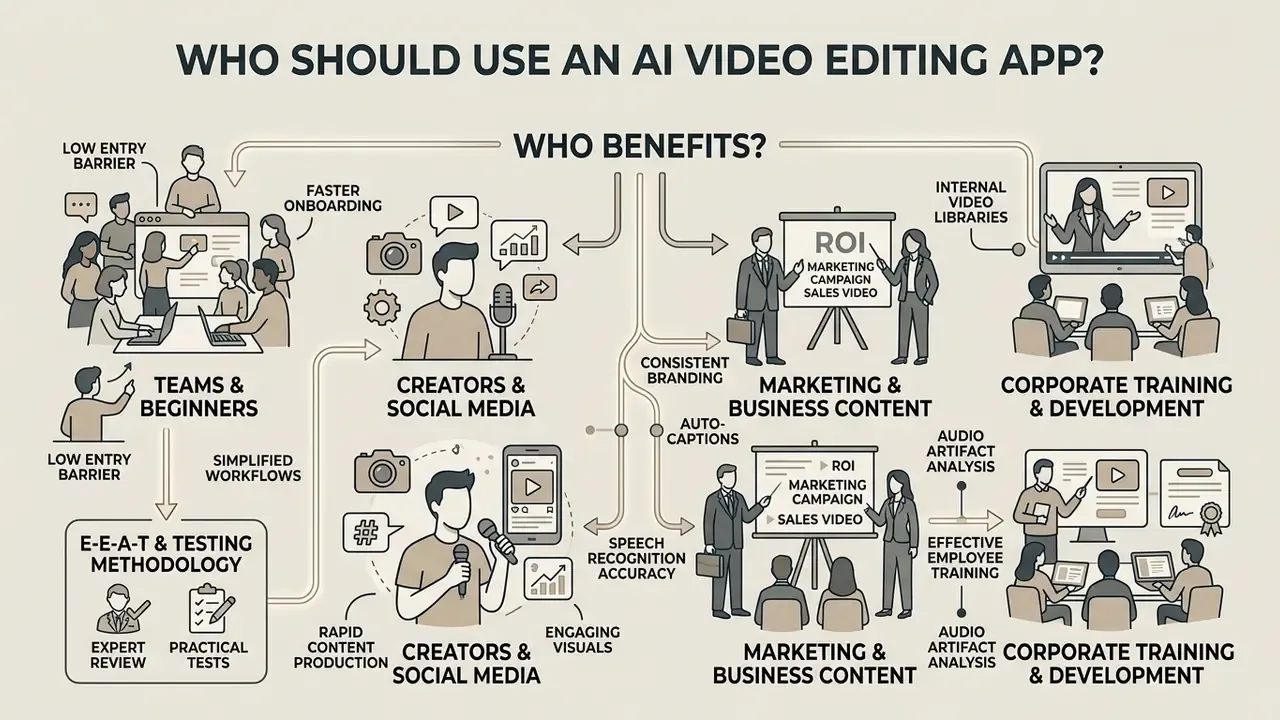
An ai app for video editing serves content creators, digital marketers, corporate training teams, and non-technical business users. An ai app that edits videos for you lets non-specialists produce professional media assets without extensive technical training.
An ai app that can edit videos lowers operational overhead for organizations that need consistent video output. Whether deployed as a desktop program, mobile tool, or browser platform, an ai app that edits videos automates repetitive post-production tasks, while an ai app video editing interface provides direct drag-and-drop customization. Teams evaluating lightweight options often roll out ai apps to edit videos across distributed marketing departments, and the fastest way to lose control of source media is to let each department pick its own ai app to edit videos without a shared contract.
Entry barrier for teams and beginners
AI video editing software is designed for operators without prior post-production experience, which is what makes it deployable across a whole department rather than a single specialist. Interfaces use drag-and-drop mechanics, natural language prompts, and pre-configured presets instead of complex multi-track timelines. Vendor documentation for browser editors states plainly that no prior editing experience is required: the user describes the desired video, drags clips into a timeline, and applies presets that set properties automatically while remaining editable.
In usability evaluations, prompt-driven editors reached strong SUS scores, evidence that novice users can implement structural edits, visual effects, and sound adjustments through plain text descriptions.
«In a study with 10 novice participants, ExpressEdit scored 75.7 (SD=10.0) on the System Usability Scale, corresponding to "good" usability.»
For an enterprise buyer, the practical reading is training cost. A low entry barrier shortens onboarding for marketing, HR, and L&D staff. It also widens the number of employees able to upload sensitive footage to a third-party cloud, which is precisely why access control and data-retention settings belong in the same rollout plan as the training deck.
AI video editor for marketing and business content
Marketing departments and business teams use AI video editing tools to produce branded product explainers, customer onboarding sequences, and internal training modules. Built-in collaboration spaces let team members comment on specific frames, manage approval workflows, and maintain central brand asset libraries.
Real-time multiplayer workspaces let distributed teams review and refine AI-assembled drafts at the same time. Stakeholders leave frame-accurate, timestamped feedback on the video canvas or on transcript lines. AI engines process these comments as update prompts, executing requested visual tweaks, scene deletions, or branding shifts across shared cloud projects. In workspace-integrated products, this model is positioned as equivalent to co-editing a document or spreadsheet: multiple editors, shared permissions, comment threads, and assigned actions on individual scenes. An ai editing app video workflow becomes, effectively, a shared document with a render button.
For governance-minded buyers, three collaboration attributes matter more than the editing UX itself:
- Granular permissions that separate viewers, commenters, editors, and publishers.
- Approval gates that block export until a named reviewer signs off.
- An immutable activity trail showing who changed which scene and when.
Without these, "faster review" simply means faster unreviewed publishing.
Integrated brand kits keep corporate design standards enforced across all outputs. For an analysis of design automation and brand kit management, review our detailed guide on the Canva AI generator.
- Data handling verification: Read the vendor's published retention policy, test whether uploads are deleted on project deletion, and request written confirmation on model-training use of customer media.
How to choose the right AI video editing software
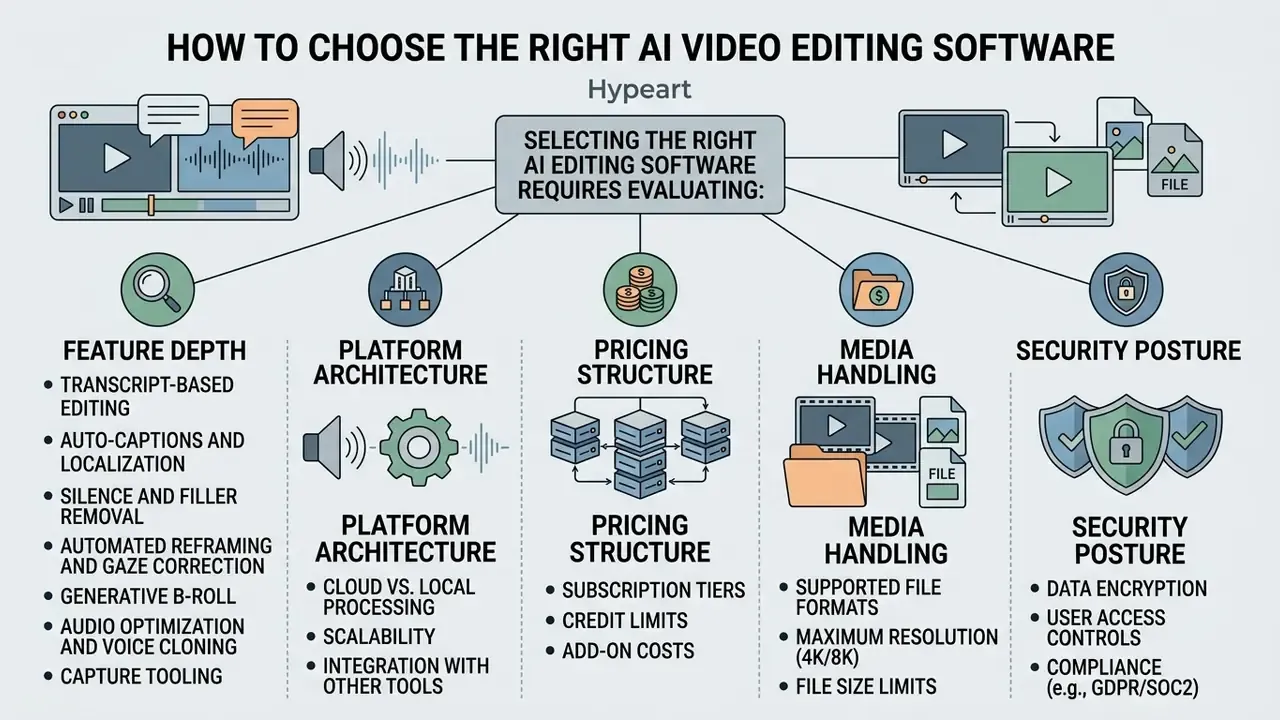
Selecting the right ai editing software video requires evaluating feature depth, platform architecture, pricing structure, media handling, and security posture. Organizations should compare available features against their production volume, security guidelines, and editing workflows.
The core trade-off in choosing an ai video editor is automated speed against human editorial control. Decision-makers must decide whether a browser-based platform, a dedicated desktop app, or a full generation ecosystem fits their IT infrastructure and media workflow. Buyers cross-shopping generative and editing tools can start from our comparison of the best AI video generators.
Features to compare before choosing an AI video editor
When evaluating an ai video editor, compare nine feature clusters:
To compare capabilities and project production costs across subscription tiers, teams can consult our interactive AI Media Comparison Matrices and our AI Media Calculators.
Online editor, app or full AI video creation platform
AI editing tools cluster into three architecture models, each with distinct operational advantages:
- Online web editor Runs in the browser (WebAssembly or HTML5 Canvas, assets cached in IndexedDB, export streamed through MediaRecorder). Suited to rapid edits, distributed teams, and zero-installation deployment.
- Desktop app or NLE plugin Installed software processing locally on user GPUs, or a plugin inside professional NLEs such as Premiere Pro. Offers local storage security, offline capability, and frame-accurate precision. Background reading on classical editing architectures sits in our overview of video-editing tools and workflows.
- Full video creation platform End-to-end cloud infrastructure combining script generation, synthetic voiceover, avatar rendering, and automated editing in one workspace, usually with governance-enforced brand kits and admin controls.
Developers and architects integrating cloud rendering endpoints into internal applications can reference our AI Media API Guides.
| Feature / Capability | Web-Based Online Editor | Desktop App / NLE Plugin | Enterprise Creation Platform | Primary Target Audience |
|---|---|---|---|---|
| Transcript Editing | Full support (cloud ASR) | High precision (local engine) | Integrated with scripting | SMM teams, podcasters, journalists |
| Auto-Captions | Fast multilingual sync | Local SRT/VTT export | Automated translation | Educators, global content teams |
| Audio Cleaning | Cloud noise gate | Advanced VST/DSP plugins | Automated vocal polish | Corporate comms, broadcasters |
| Voice Cloning | Limited / credit-based | Third-party plugin | Consent-managed voice profiles | Localization and training teams |
| Screen / Webcam Capture | Built-in 1080p to 4K recorder | OS-level capture utility | Managed capture plus auto-ingest | Product marketing, L&D |
| Eye Contact Correction | Per-clip AI filter | Plugin or manual retake | Batch-applied preset | UGC advertisers, executive comms |
| Generative B-Roll | Stock library search | Manual timeline drag | Automated semantic match | Marketing agencies, creators |
| Real-time Preview | Streamed canvas | GPU accelerated | Render-based drafts | Professional video editors |
| Brand Asset Controls | Shared team kits | Local preset files | Governance enforced kits | Enterprise marketing departments |
| Collaboration Model | Multiplayer plus timestamped comments | Single-seat / project files | Approval gates plus versioning | Distributed production teams |
| Identity & Access (SSO, RBAC) | Usually paid add-on | Local OS account only | SSO/SAML plus RBAC standard | IT security, platform owners |
| Audit Logs & Retention Controls | Limited / plan-dependent | Fully local (no vendor logs) | Full audit trail plus configurable retention | Model risk, compliance, internal audit |
| Certifications (SOC 2 / ISO 27001 / GDPR) | Varies by vendor | Not applicable (on-device) | Contractually documented (DPA, ZDR) | Regulated industries, procurement |
Free AI video editor, plans and commercial-use considerations
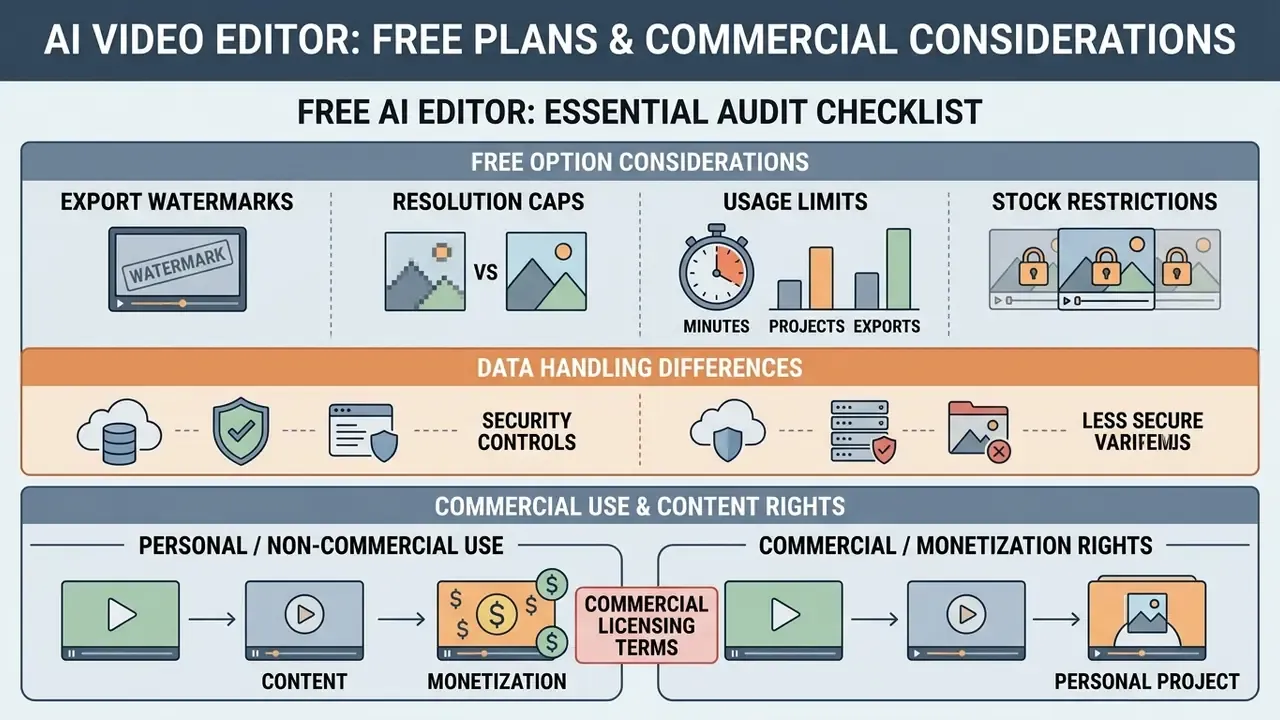
Evaluating a free ai edit videos free option means auditing usage limits, export watermarks, resolution caps, and commercial licensing terms. Free tiers work for feature testing; enterprise deployments almost always need paid plans. Our overview of free AI video generators maps which capabilities survive the free tier.
For commercial video content, organizations must verify that generated visuals, stock audio, and synthetic elements do not infringe intellectual property rights. Reviewing usage policies keeps published stock media and generated content compliant on monetized distribution platforms. Several free tiers restrict output to personal, non-commercial use, and some state directly that generated content may not be used commercially until the account is upgraded.
What to check in a free AI video editor
Free plans usually impose specific operational constraints:
Organizations planning software budgets and troubleshooting processing limits can review our breakdown of AI Media Pricing and consult our AI Media Support and Troubleshooting hub.
Commercial use, monetization and content rights
Using AI-edited videos in commercial advertising or monetized channels requires compliance with copyright rules and platform policies. Under U.S. Copyright Office guidance, protection extends only to human-authored creative elements; purely machine-generated visual or audio material cannot claim exclusive copyright (U.S. Copyright Office Guidance). Registration practice follows from that: AI-generated portions that are more than de minimis must be identified and disclaimed, while the human-authored script, sequencing, and editorial selection remain registrable.
«The Copyright Office AI initiative received more than 10,000 comments and recommends federal protection against unauthorized digital replicas.»
Royalty treatment follows the same logic. Guidance addressed to collective licensing bodies has held that AI-created musical works lacking human authorship are not entitled to blanket royalty payments. Jurisdictions differ in emphasis: U.S. guidance centers on human authorship, while UK and EU consultation materials focus more on whether an output reproduces a substantial part of a protected work.
This section summarizes public regulatory guidance for orientation only. It is general information, not legal advice, and cross-border publishing decisions should be reviewed by qualified counsel.
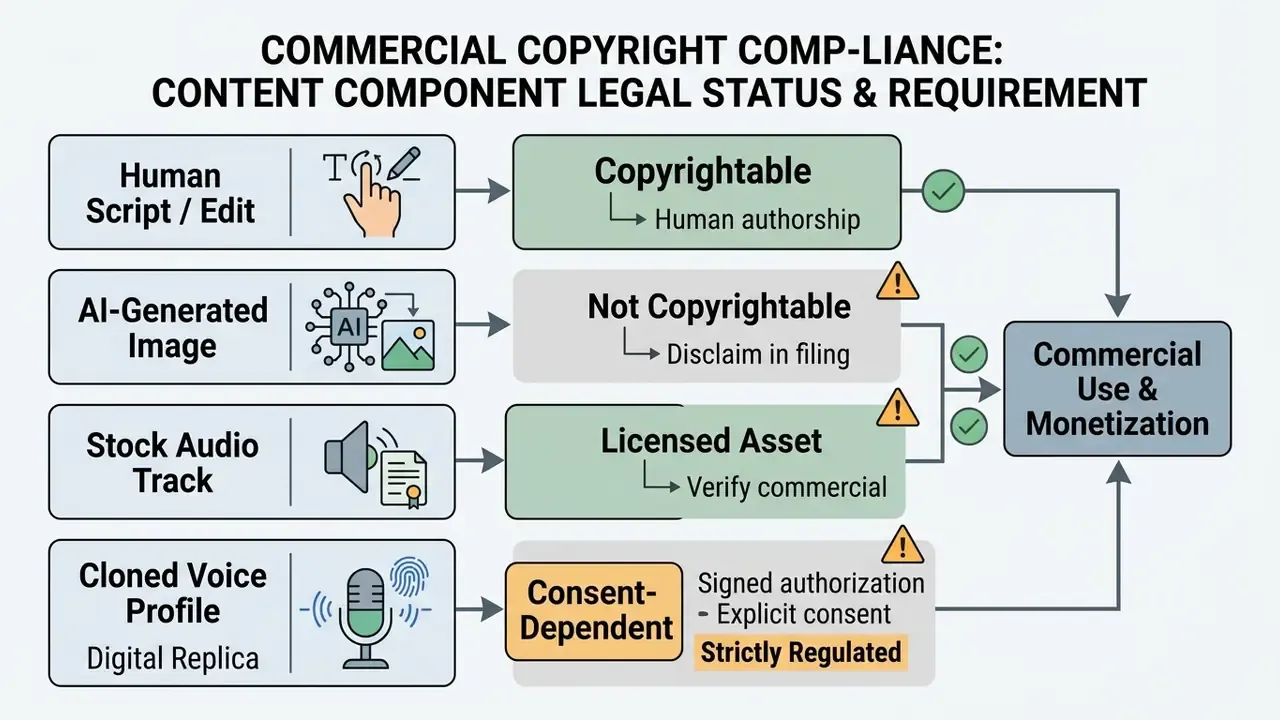
Enterprises publishing commercial media should audit third-party licensing agreements. For analyses of commercial rights, copyright considerations, and active intellectual property cases, review our AI Media Commercial-Use Hub and track developments in our AI Litigation and Case Timelines.
Security, Shadow AI and data-governance FAQ
Does uploading footage to a cloud AI video editor create Shadow AI exposure?
Yes, whenever a team adopts the tool without procurement or security review. Video uploads often carry more sensitive material than text prompts: unreleased product screens, customer names spoken on calls, internal financials on shared slides, identifiable employee faces and voices. The governance test is not "is the tool useful" but "is this upload path inventoried, contract-covered, and logged."
How do we verify that uploads are not used to train the vendor's models?
Require a written zero-data-retention or no-training clause in the data processing agreement, not a marketing page. Confirm three points in writing: retention period for source media and derived transcripts, whether human reviewers can access content, and deletion behavior when a project or account is removed. Free and self-serve tiers commonly reserve broader rights than negotiated enterprise contracts.
Which certifications should appear in the vendor questionnaire?
SOC 2 Type II covering operating effectiveness over a period, ISO/IEC 27001 for the information security management system, GDPR-compliant processing with a signed DPA and documented sub-processors, and where relevant, participation in a third-party risk exchange. Vendors in this category publicly advertise GDPR compliance and ISO 27001 certification, so an absence on a shortlist is a meaningful signal.
What access controls are the minimum for a regulated environment?
SSO/SAML with enforced MFA, RBAC separating viewer, commenter, editor, and publisher roles, project-level sharing restrictions, export permission gating, and immutable audit logs covering upload, generation, edit, and export events. Voice-cloning and avatar features should be permissioned separately, since they carry personality-rights exposure that ordinary trimming does not.
Where should processing happen for the most sensitive footage?
Prefer local desktop or NLE-plugin processing, or a private-cloud deployment, when material is pre-announcement, legally privileged, or contains regulated personal data. Browser and multi-tenant cloud editors stay appropriate for public marketing footage, where speed and collaboration outweigh residency constraints.
Can AI-generated video be monetized on social platforms?
Platform terms govern this independently of copyright. Confirm that the destination platform permits monetized distribution of synthetic or AI-assisted content, that disclosure labels are applied where required, and that stock and music licenses in the export cover paid advertising rather than organic posting only.
How often should the AI editing stack be re-reviewed?
Treat it as a model-risk item on an annual cycle at minimum. Trigger an out-of-cycle review whenever the vendor changes model providers, adds a voice-cloning or avatar feature, changes retention language, or migrates processing regions.
⚠️ ALERT BOX: Commercial licensing and copyright compliance check
Pre-publication checklist for commercial AI videos:
- Verify stock asset rights: Confirm that all stock footage, background music, and sound effects embedded by the editor carry active commercial distribution licenses.
- Disclaim synthetic elements: Identify and disclaim purely AI-generated visual or audio components when registering the final composite work.
- Confirm persona consents: Verify documented, explicit commercial consent for any digital human replicas, synthetic voice clones, or depictions of real people (U.S. Copyright Office Digital Replica Report).
- Check plan-level usage rights: Confirm the subscription tier in use permits commercial distribution, paid advertising, the intended territory, and the intended campaign duration.
- Validate accessibility output: Confirm captions cover dialogue plus non-speech audio and speaker identification per W3C and WCAG guidance, and that subtitle length and placement match platform limits.
- Review platform monetization terms: Confirm that YouTube, Meta, TikTok, or other destinations allow monetized distribution of synthetic or AI-assisted content under current terms.
- Log the human review step: Record who approved the final cut, when, and against which brand and legal criteria. That is the same evidence a model-risk audit will request.
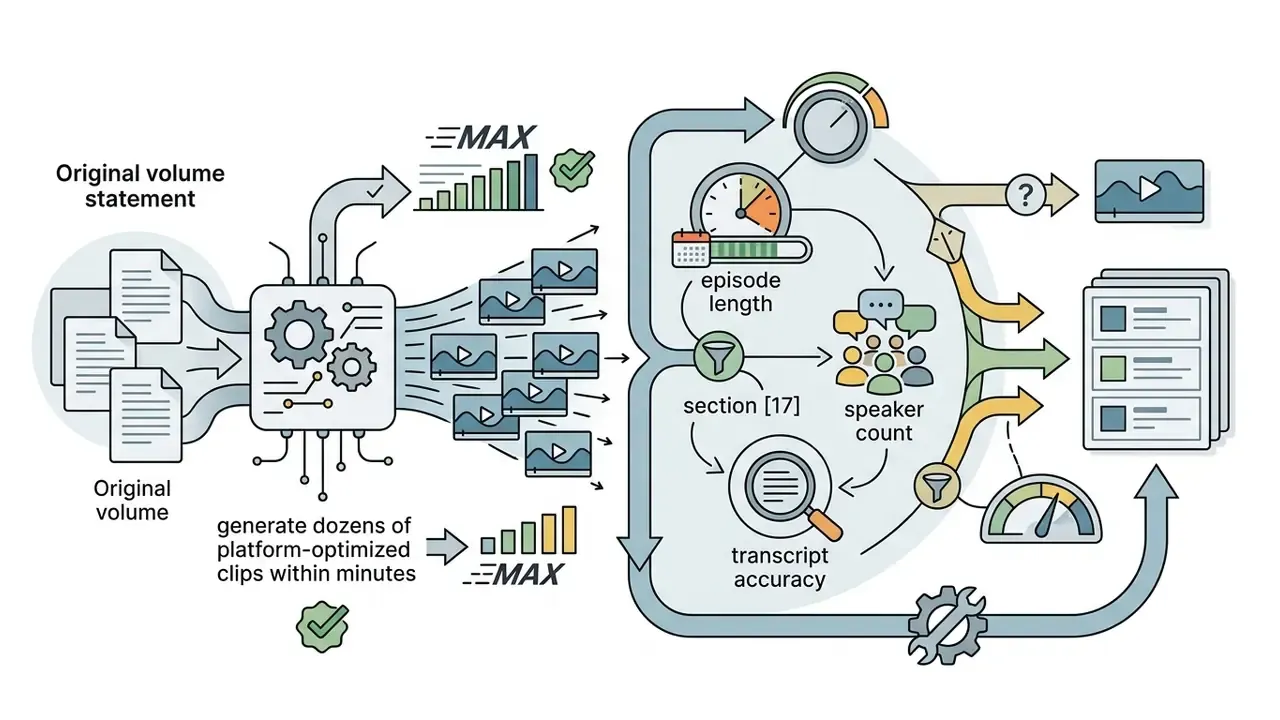
Appendix A: Superseded and revised statements
Retained for transparency and version traceability:
Appendix B: Working definitions used in this guide
- ASR (automatic speech recognition) the speech-to-text layer that produces the transcript on which text-based editing depends. Its word error rate sets the ceiling on every downstream automation.
- WER (word error rate) percentage of inserted, deleted, or substituted words against a verified reference transcript. Lower is better; measure it on your own audio, not on vendor demo files.
- NLE (non-linear editor) traditional timeline software such as Premiere Pro or DaVinci Resolve, still the environment for frame-accurate finishing.
- ZDR (zero data retention) a contractual commitment that uploads and derived artifacts are not stored or used for model training. Valuable only when written into the DPA.
- RBAC (role-based access control) permission model separating viewers, commenters, editors, and publishers, which is what turns "everyone can post" into a controlled release path.
- Digital replica a synthetic likeness or voice of an identifiable real person, regulated separately from copyright in the underlying footage.