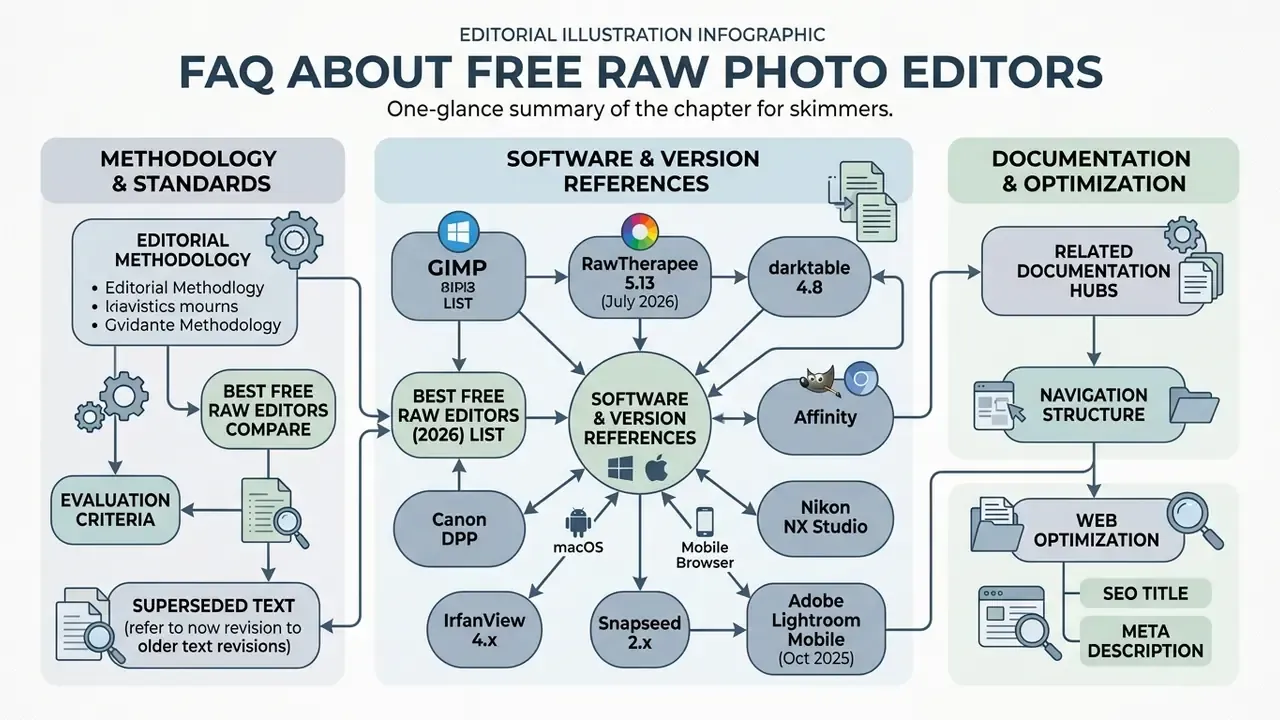
Selecting a free RAW photo editor is mostly a balancing act. You weigh non-destructive image processing power against system resource demands and licensing clarity. A dedicated photo editor for RAW files lets photographers and digital operators pull maximum dynamic range, precise tonal balance, and fine detail straight out of uncompressed camera sensor data, without paying a licence fee up front.
In two sentences: fully free, open-source desktop converters (RawTherapee 5.13, darktable 4.8) now match commercial suites on demosaicing quality, color management, and non-destructive editing, while free camera-manufacturer software (Canon DPP, Nikon NX Studio, Sony Imaging Edge, Fujifilm X RAW Studio, OM Workspace) delivers factory-accurate color at zero cost. Paid software stays justified only for tethered capture, enterprise cataloging, cloud sync, and generative AI retouching.
What this guide covers
What Is RAW and Why You Need a Dedicated Photo Editor for RAW Files
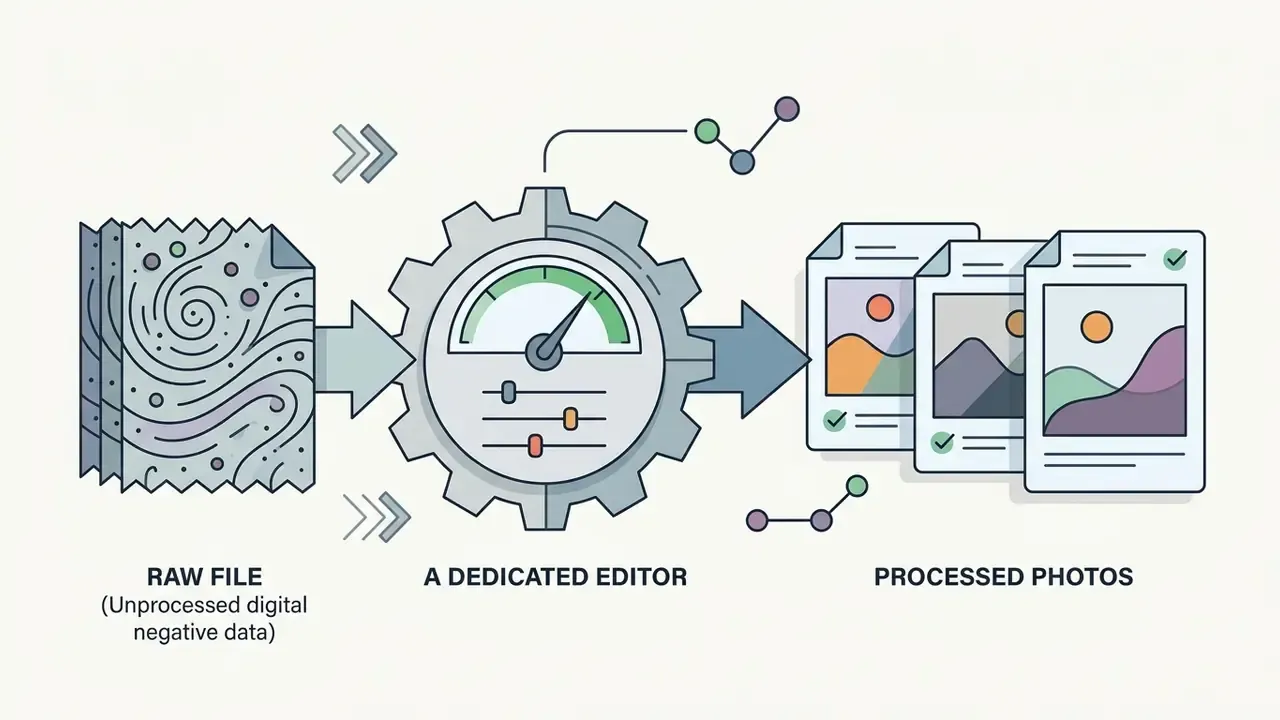
A RAW file contains minimally processed, uncompressed sensor data recorded directly from a digital camera sensor. It needs specialized software to convert linear photon measurements into a viewable color image. Nothing about it is "ready to publish".
Unlike standard delivery formats, a raw photo preserves high bit depths, typically 12 to 14 bits per channel, plus that linear light response. Which is exactly why camera-side JPEG rendering cannot be reversed afterwards. Because raw image files have not undergone permanent white balance, tone curve mapping, or lossy compression, a dedicated raw photo editor acts as a digital darkroom. It interprets camera-specific metadata, performs sensor demosaicing, and allows high-latitude adjustments without degrading underlying image fidelity.
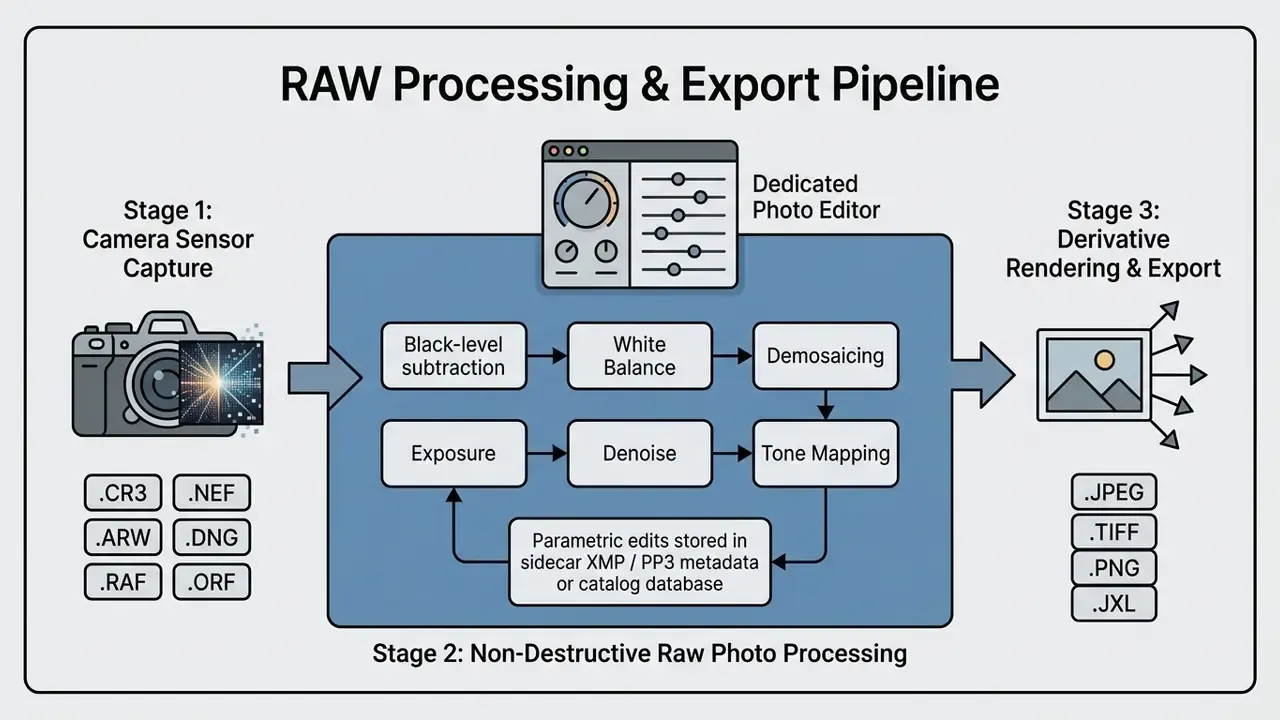
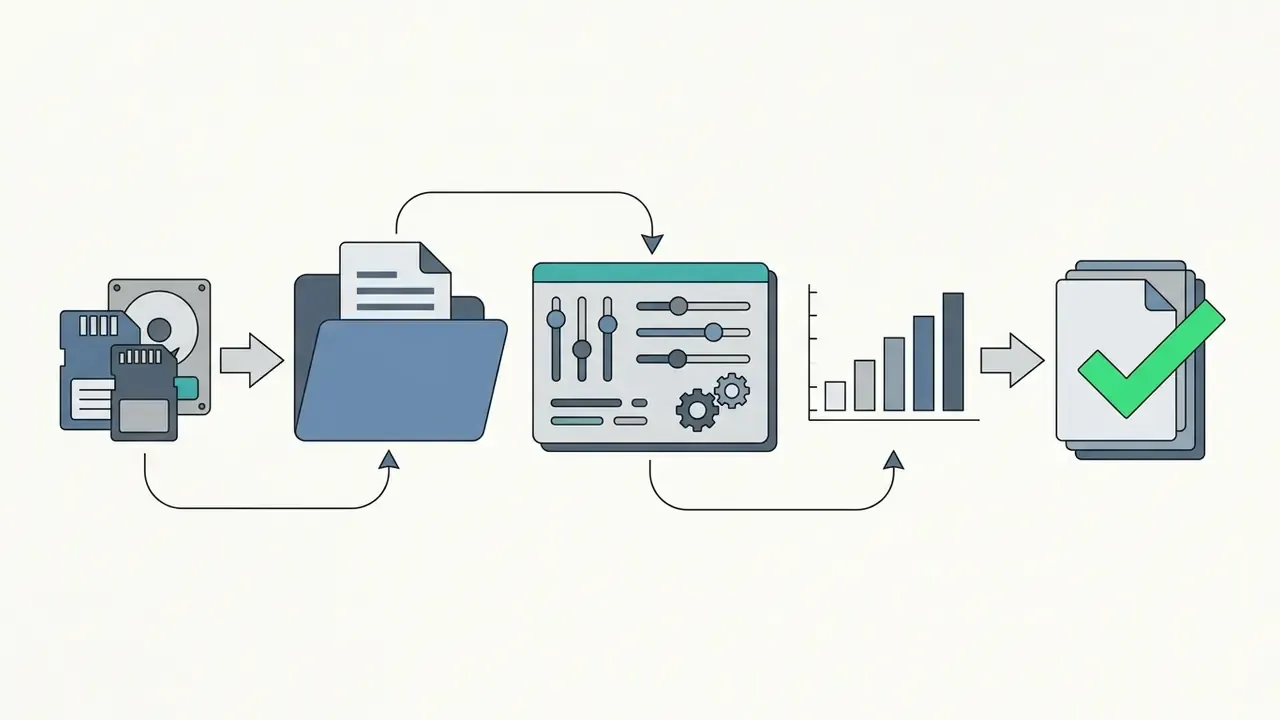
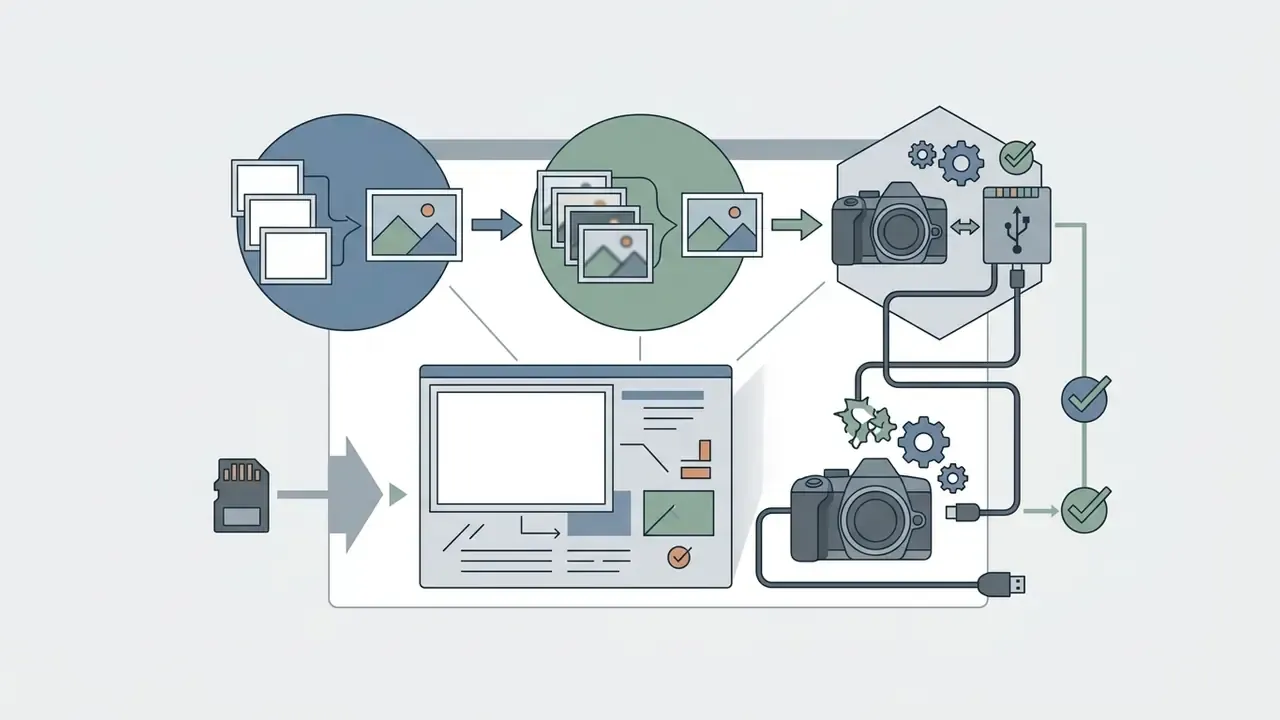
Figure 1: Complete non-destructive workflow showing how a photo editor for raw files transforms uncompressed sensor data into derivative outputs while preserving original source files.
RAW Photo vs. JPEG: What Changes During Editing
RAW photos preserve 12 to 14 bits per pixel channel, which yields 4,096 to 16,384 discrete intensity levels. JPEG files permanently compress sensor output into 8 bits per channel (256 levels) using lossy gamma-corrected algorithms. Research on raw photo editing architectures shows that aggressive tonal adjustments applied to 8-bit JPEGs produce posterization, banding, and irreversible clipping in highlights and deep shadows.
«Applying JPEG directly to RAW data without adaptation produces pronounced artifacts, banding, clipping and distortions, making accurate RAW reconstruction impossible.»
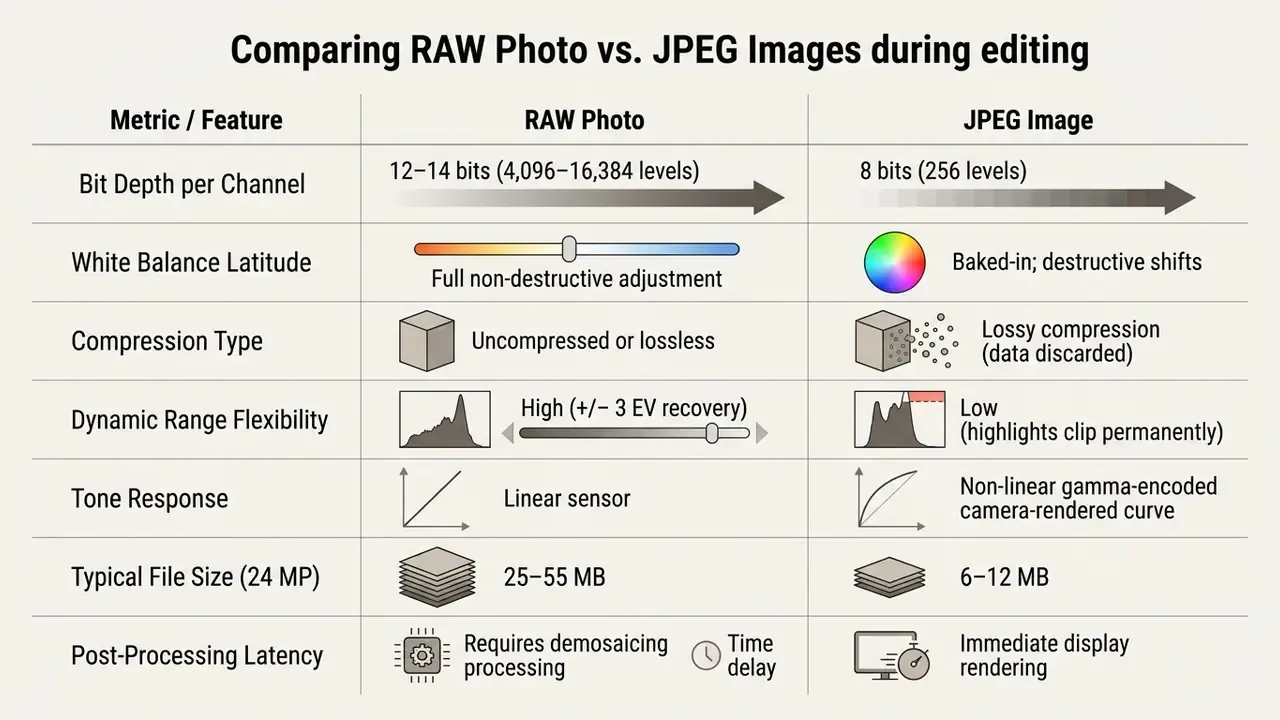
During processing, a specialized editor reads raw photo files and performs demosaicing, reconstructing full RGB color values from Bayer or X-Trans pattern arrays. That architectural difference is what lets editors recover clipped highlights, shift white balance after capture without a color cast, and model sensor noise in linear light space. Readers who mainly deliver web-ready assets, and want to compensate for JPEG limits that are already baked in, can compare restoration tooling in our overview of AI image enhancers.
Which Editing Tools Are Essential for Processing RAW Files
A robust raw photo editor rests on five fundamentals: non-destructive parametric adjustment panels, local masking, noise reduction, custom presets, and real-time color histograms with clipping indicators. Non-destructive adjustments store parametric instructions in sidecar files such as .XMP or .PP3, or in an internal database, keeping original camera raw files untouched. For readers judging how machine-learning modules now sit beside those classical panels, our reference guide to AI photo editors maps which tasks are model-driven and which remain slider-driven.
Advanced masking tools enable targeted adjustments across specific luminance or chromaticity ranges. Luminance noise reduction sliders suppress high-ISO grain in linear sensor space, before tone mapping distorts the noise distribution. For automated workflow setups, users frequently reference structured guides like our AI Media Comparison Matrices to evaluate tool sets across different media generation and post-processing stacks.
Best Free RAW Photo Editors: Comparing Software and Apps
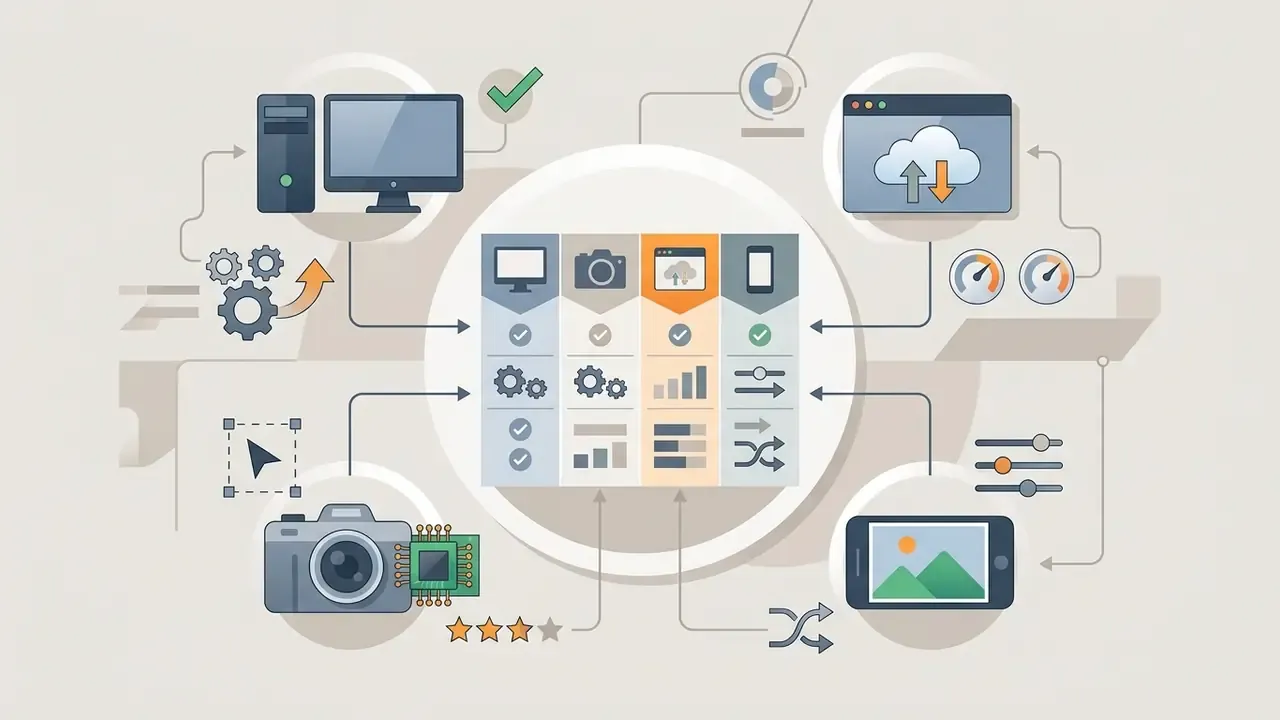
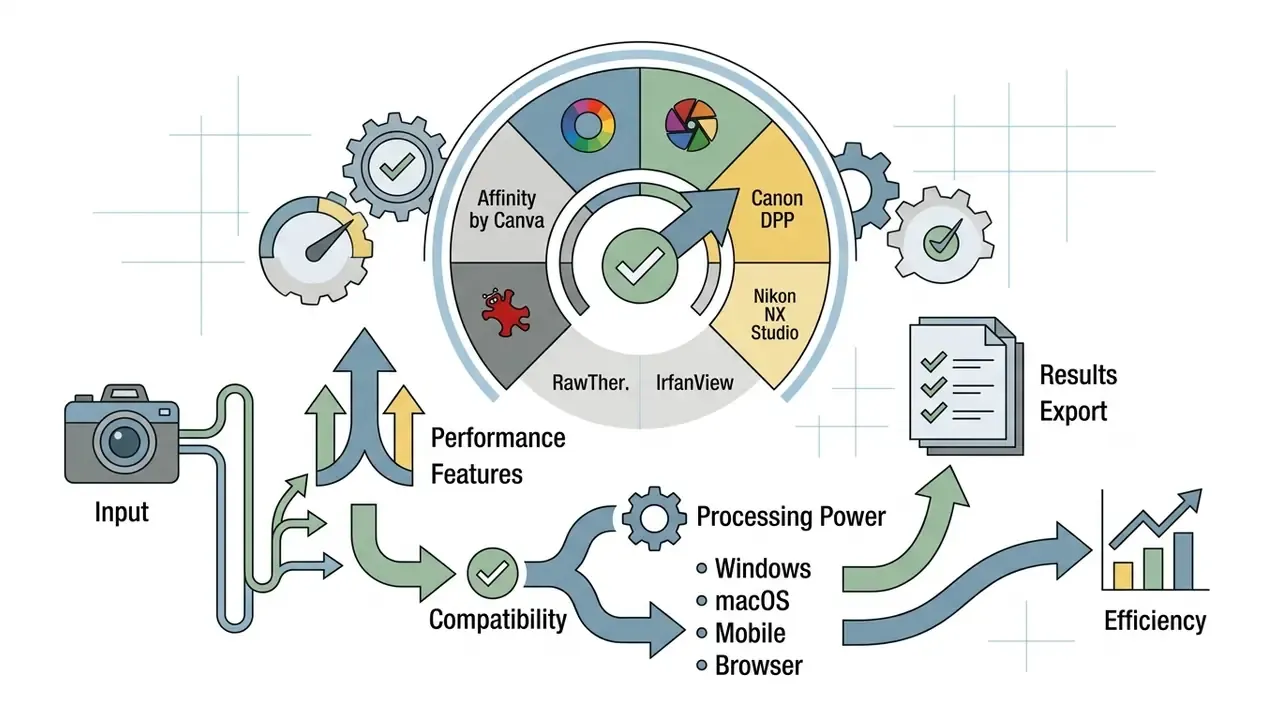
Picking the best free raw photo editor means evaluating platform availability, camera raw format support, interface complexity, and functional limits across desktop, mobile, and browser environments. Open-source desktop applications deliver comprehensive development controls. Mobile and web-based alternatives trade depth for speed and low-friction edits. Search demand still clusters around phrases like "best free raw photo editor 2024", yet the 2026 landscape has shifted enough that older shortlists mislead more than they help.
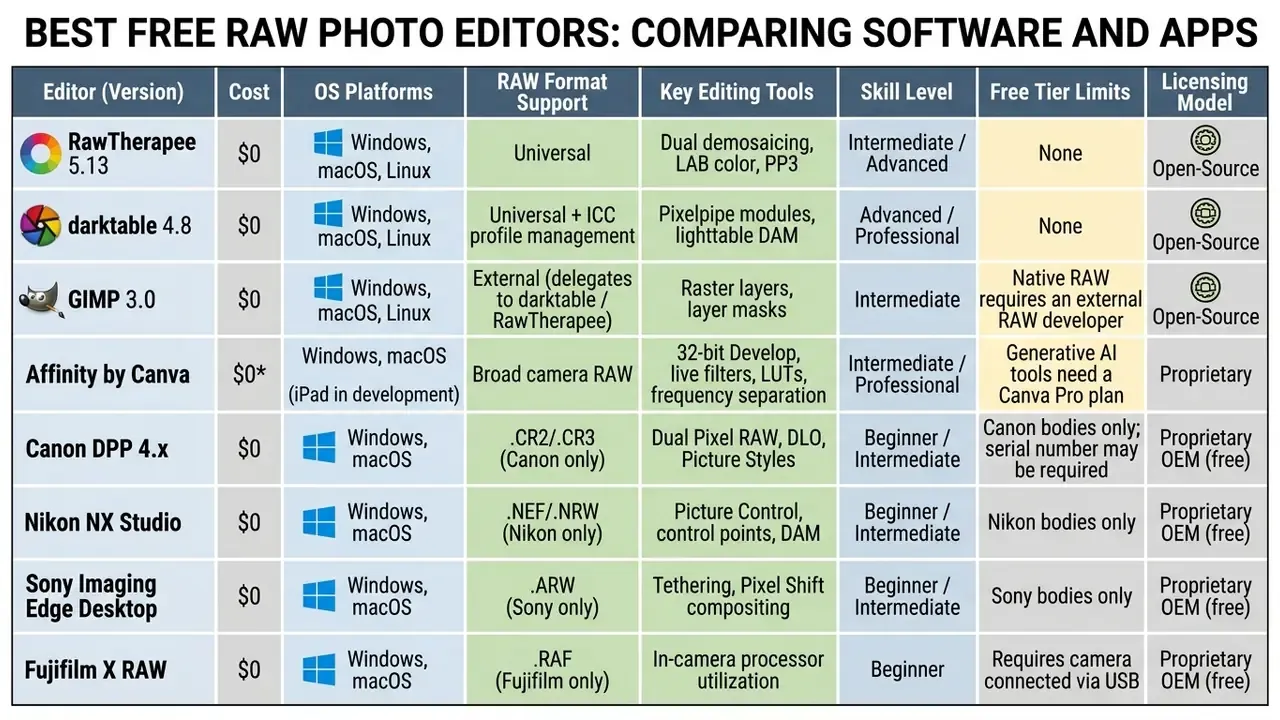
* Free at the point of use, but gated by account registration (Affinity by Canva), advertising (Photopea, Polarr), or a subscription upsell for AI features.
RawTherapee and darktable for Advanced RAW Photo Editing
RawTherapee and darktable are the two leading open-source desktop options for raw photo editing on Windows, macOS, and Linux.
RawTherapee 5.13, released July 2026: the application runs a 32-bit floating-point processing engine with unusually deep demosaicing options, including simultaneous execution of two demosaicing algorithms on a single frame to balance detailed edges against smooth color gradients. Beyond the standard set (AMaZE, RCD, DCB, LMMSE, IGV), it integrates sensor-level corrections: dark frame subtraction, flat field correction, automatic ghost masking for bracketed and multi-frame HDR exposures, and hardware-level hot/dead pixel suppression executed before tone mapping. Color work happens in precise LAB space, lens corrections come from Lensfun profiles and Adobe LCP files, and every adjustment is stored losslessly in a .PP3 sidecar, with queue-based batch export and command-line automation for unattended processing across 15+ interface languages.
«RawTherapee stands out for advanced demosaicing algorithms, tone mapping, and precise color control in LAB space.»
It excels at technical detail extraction and color accuracy. It has no integrated asset management catalog, and that gap is felt fast on large jobs.
darktable takes the opposite approach. It provides a modular virtual lighttable and darkroom architecture, working as both a digital asset manager (DAM) and a non-destructive raw developer (darktable 4.8 user manual). Its pixelpipe processes image operations in floating-point precision with a configurable module order, handles color management via ICC profiles, stores tags simultaneously in the library database and XMP sidecars, and supports hierarchical keyword dictionaries plus collections filtered by film roll, rating, color label, geotag, or even by which processing module was used. Memory behavior is documented plainly: roughly 300 MB for the image data of a single 20 MP frame, and 600 MB to 3 GB for the active pixelpipe during execution.
In a recent asset migration scenario at a financial media firm, creative teams moved an archive of 15,000 legacy DNG files to darktable. By deploying standardized XMP sidecar templates across Linux editing workstations, the team removed recurring licensing overhead while keeping color calibration reproducible across published reporting assets. Illustrative, not a client case study.
Official Camera Manufacturer RAW Editors (100% Free OEM Software)
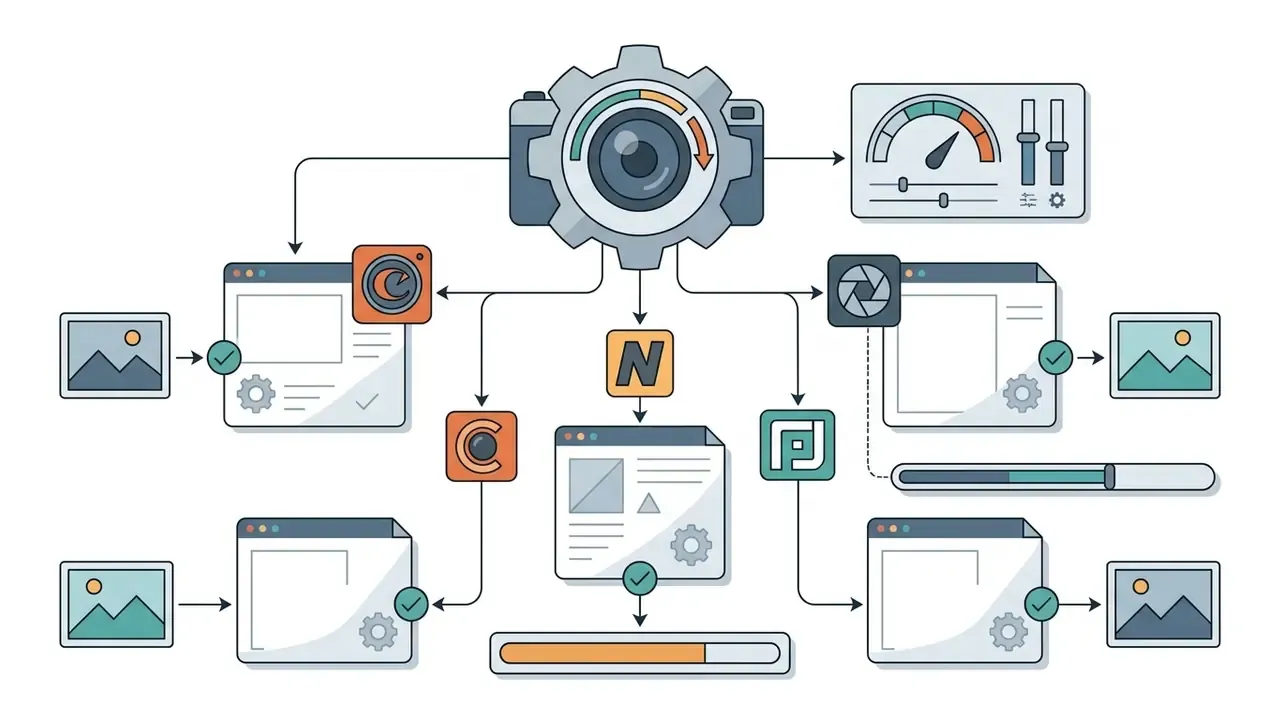
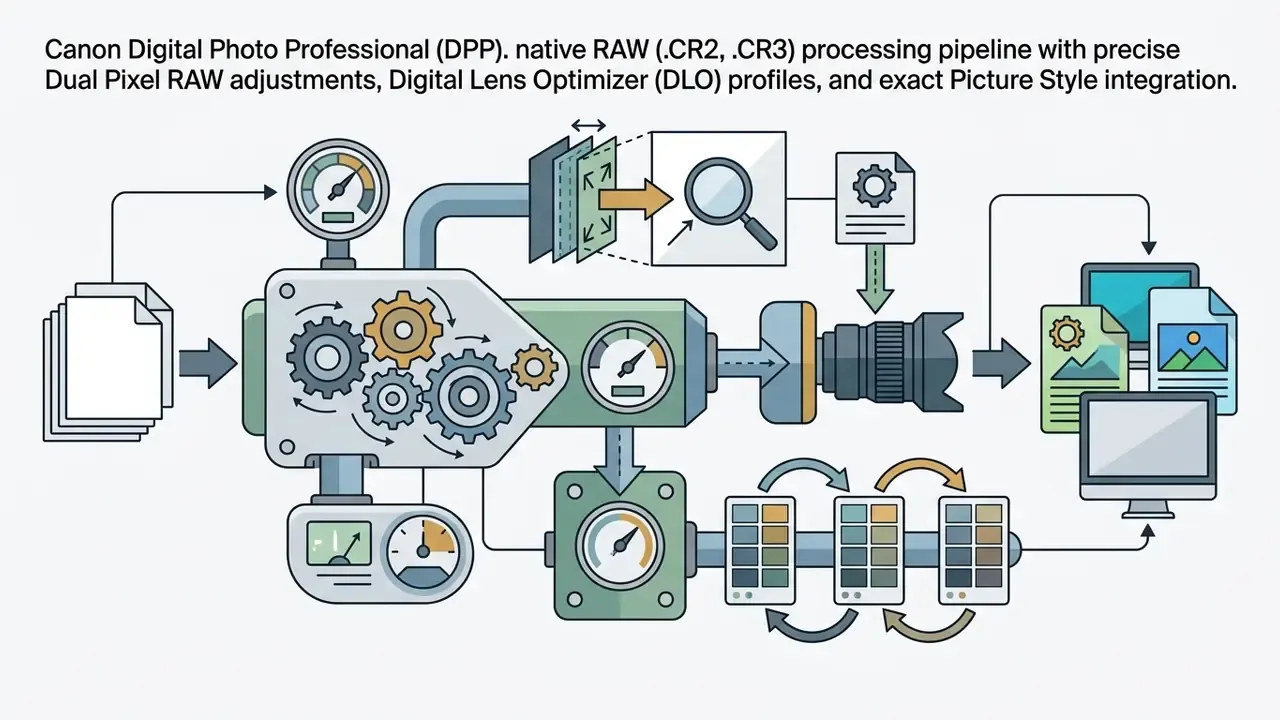
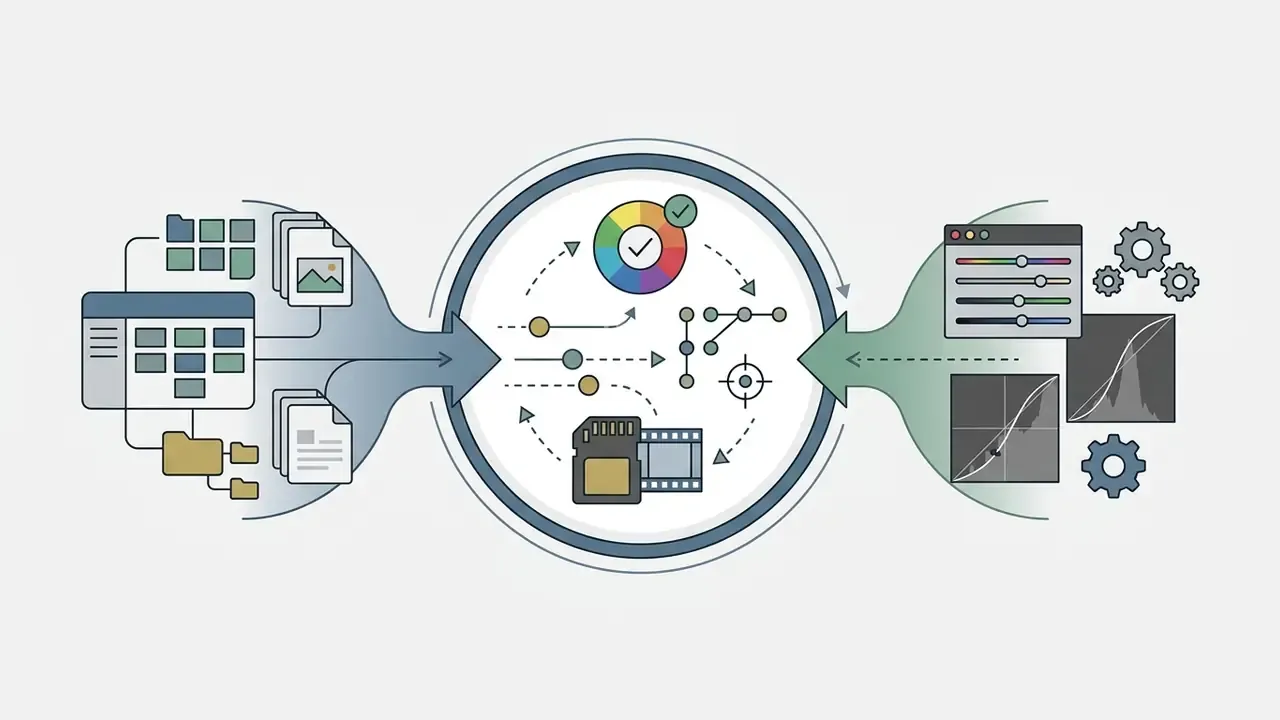
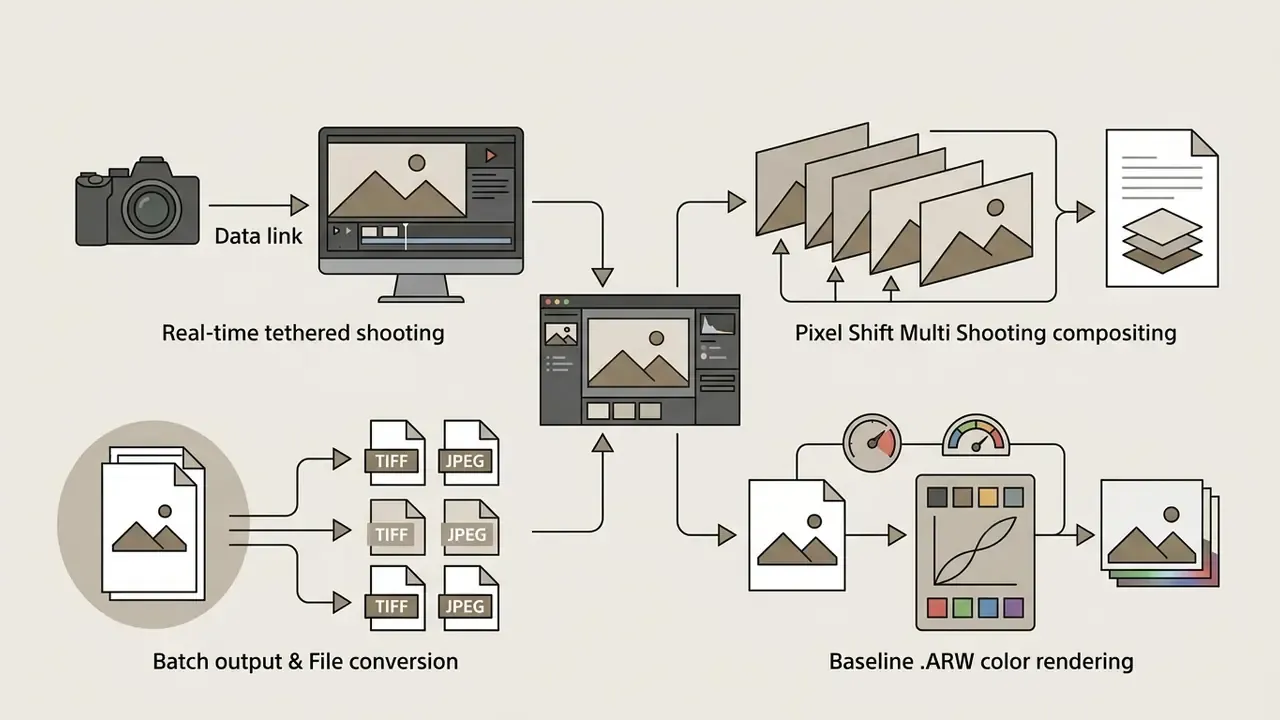
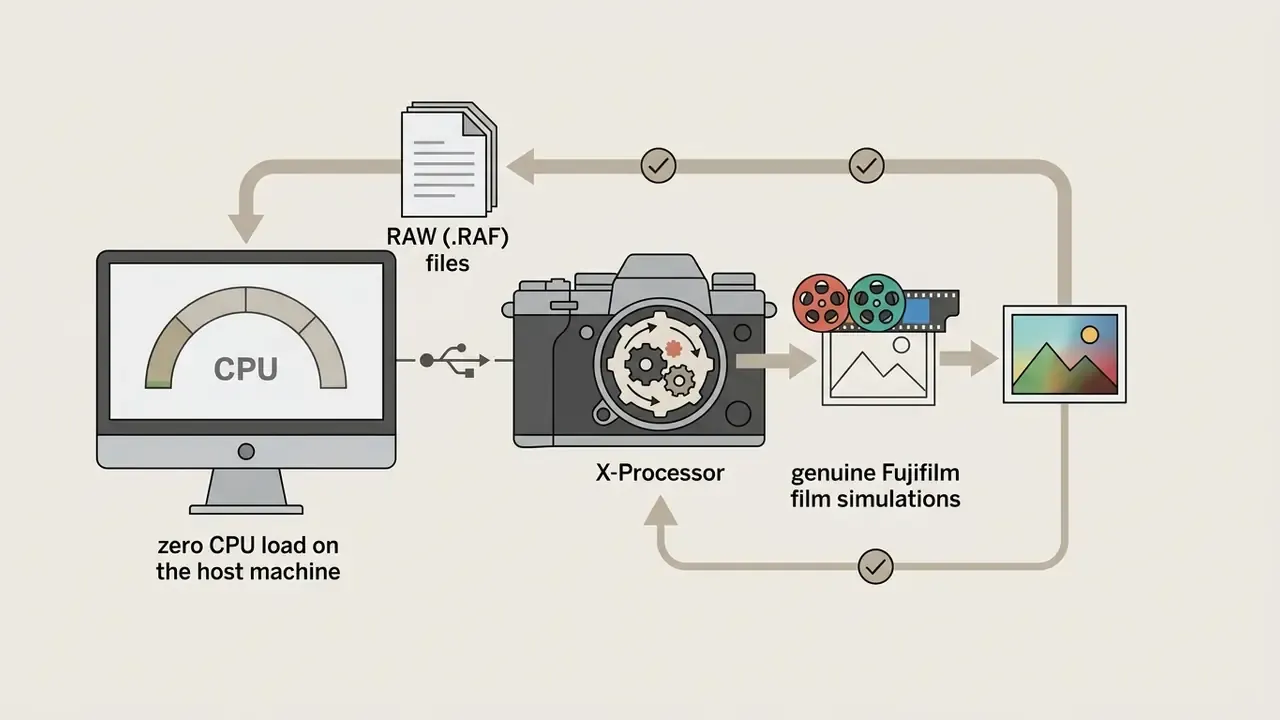
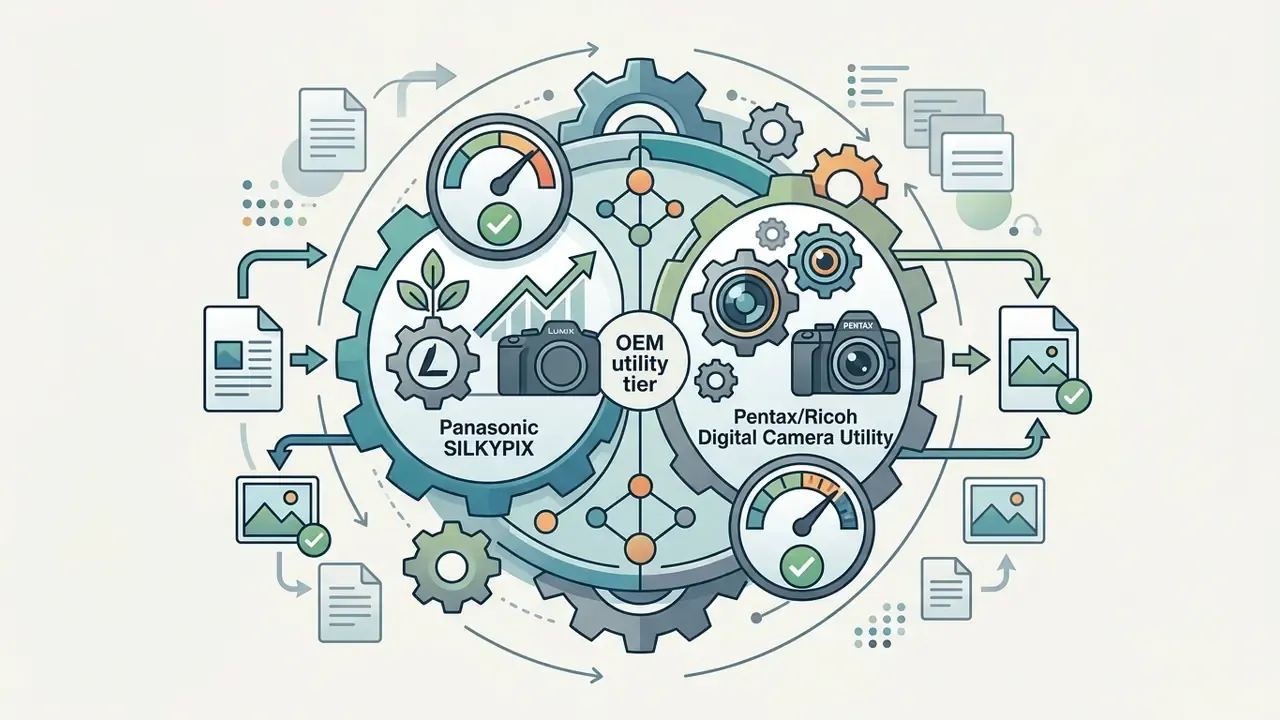
Before downloading third-party open-source utilities, check what your camera maker already gives you for nothing. OEM software uses native sensor profiles and factory color matrices, so it guarantees exact in-camera color reproduction and proprietary lens corrections without third-party reverse-engineering. Installation discs no longer ship in the box, so each package must be downloaded from the maker's support site, and some brands require a valid camera serial number before the download starts.
Trade-off to plan for: OEM utilities are brand-locked, rarely read competitors' files, and are usually slower and rougher in UI than RawTherapee or darktable. They are still the fastest route to color that matches the camera's own JPEG rendering, which matters for reportage and catalog work where consistency beats creative latitude.
GIMP, Affinity by Canva, and Browser-Based Photo Editors
GIMP (GNU Image Manipulation Program) is a raster graphics editor, not a native raw photo processor. When you open camera raw files, GIMP delegates raw decoding to external plugins such as darktable or RawTherapee, which convert sensor data into temporary floating-point TIFFs before raster editing (GIMP developer documentation, 2025). That plug-in bridge has broken before: when darktable changed its API in 2024, a GIMP-specific API had to be written. So version pairing matters before you trust the round trip in production.
Affinity by Canva: Professional RAW & Layer Editing via a Free Account
After Canva integrated the Affinity suite, photographers gained professional-grade non-destructive RAW editing, raster retouching, and vector design at no charge with a standard Canva registration.
Unlike raster-only utilities such as GIMP, Affinity provides dedicated persona workspaces ("Studios"). The Pixel Studio features a full Develop module for 32-bit floating-point RAW processing, frequency-separation retouching, LUT color grading, compositing, and non-destructive live adjustment layers, with no active monthly subscription. Vector and Layout studios sit alongside it, so a photobook can travel from RAW development to typographic layout without leaving the application.
Read the fine print: the base suite is free with a Canva account, but generative AI features (Generative Fill, Expand & Edit, Remove Background) belong to Canva's AI studio and require a Canva Pro plan, roughly £13/$15 per month. Availability of individual AI modules also varies by region, so verify entitlements before committing a commercial project to that pipeline.
Browser-based RAW editors
Browser-native editors now lean on WebAssembly and WebGPU/WebGL to decode common raw image formats directly inside Chromium-based browsers, often with no server upload at all.
«Polarr Next uses WebAssembly and WebGPU for batch AI RAW editing inside the browser, supporting most RAW formats except .NEF at beta launch.»
Polarr's own product pages confirm in-browser RAW support and an infinite undo/redo history in both free and Pro tiers, while Polarr Support documents the free-tier mechanics: ad-supported exports, a cap of three saved custom filters, and unlimited access to the free tool set. Third-party 2026 reviews still describe RAW as paid-only, which reflects version drift between Polarr's legacy WebGL editor and Polarr Next. Check which build you actually loaded before planning a workflow around it.
Browser tools remove installation hurdles. They still lag on local storage access, color-managed proofing, and complex masking compared with standalone desktop applications. Readers weighing the wider browser-versus-desktop question will find the trade-offs mapped in our guide to free photo editors. For details on asset validation across web-based tools, see our AI Media Commercial-Use Hub.
Fast RAW Viewing, Culling, and Lightweight Browser Alternatives
- IrfanView (Windows batch viewer) a lightweight utility built for rapid RAW culling and preview rendering. By decoding the embedded JPEG preview inside each RAW file, IrfanView cycles through thousands of .CR3 or .NEF frames almost instantly, and adds batch renaming, batch resize, RGB histogram display, slideshows, and format conversion without loading a full pixelpipe into RAM. The limits are honest: Windows only, no keywords or star ratings, so it complements a DAM rather than replacing one.
- Photopea (browser raster converter) a WebGL-powered browser editor that reads camera RAW formats directly (DNG, CR2, CR3, NEF, ARW, RW2, RAF, ORF) and also opens layered PSD files. It converts RAW into 8-bit raster layers on ingest, so it is not a color-managed developer, but it is an instant, zero-installation option on Chromebooks, locked-down corporate workstations, or a borrowed machine.
Snapseed and Adobe Lightroom Mobile for Mobile RAW
Mobile workflows increasingly depend on a free raw photo editor app to process DNG and proprietary camera raw files on phones and tablets. Snapseed handles local DNG editing with zero subscription fees, processing raw files on-device with low response latency.
Its "Develop" module exposes exposure, shadow recovery, highlights, contrast, structure, temperature, and tint sliders tuned for touch. Support is asymmetric by platform: Google's help documentation states that Android RAW editing covers DNG files only, on DNG-capable devices, while current iOS hardware handles all supported RAW types. The Play Store listing additionally advertises DNG, ARW, RAF, NEF, CR3, ORF and PEF, so expect variation between help pages and store copy.
Adobe Lightroom Mobile follows a freemium model. Basic capture, organization, and standard JPEG editing are free, while camera raw editing, masking, healing, geometry tools, batch editing and cloud synchronization sit behind a paid Creative Cloud subscription (Adobe Lightroom mobile FAQ, current terms; verify at adobe.com before purchase). The October 2025 release cycle added workflow automation that free users cannot reach: Assisted Culling (AI-ranked selects across a shoot), Dust Spot Removal, Color Variance analysis, plus Generative Remove and Lens Blur in the premium tier. Snapseed stays the accessible option for zero-cost mobile DNG edits. Lightroom Mobile suits people already living inside the Adobe cloud ecosystem. Teams that also publish captioned photo essays sometimes pair these apps with narrative tooling; our reference on the ai story generator app category explains where that helps and where it simply adds noise.
E-E-A-T Verification & Official Download Directory (verify hashes before installing):
How to Choose the Best Free RAW Photo Editor for Your Workflow
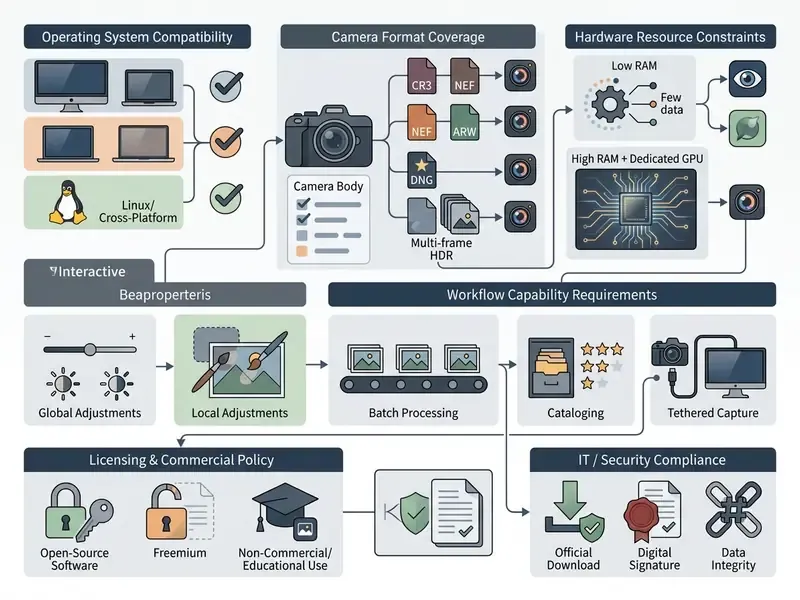
Evaluating free photo raw editor software means matching hardware and operating system limits against photographer skill levels and real workflow requirements. Knowing whether an application supports GPU acceleration, batch sidecar processing, or local AI masking prevents ugly bottlenecks halfway through a high-volume editing session.
Compatibility with Windows, macOS, and Mobile Devices
System architecture dictates software suitability. RawTherapee and darktable ship multi-platform installers for Windows 10/11, macOS (Intel and Apple Silicon), and major Linux distributions. If you are searching specifically for a free raw photo editor for Windows 10, memory allocation is the decisive variable: lighter software runs in 4 GB RAM, whereas a full raw development pipeline processing 20 MP to 45 MP frames demands anywhere from 600 MB up to 3 GB per active pixelpipe (darktable user manual). Newer GPU-accelerated projects publish higher floors: Windows 10+, macOS 13+, Ubuntu 22.04+, 16 GB RAM recommended, dedicated GPU expected.
Mobile operating systems treat raw files differently. iOS devices decode native camera raw files from many vendors through operating-system-level RAW frameworks. Android support in Snapseed's official help pages is documented as DNG-only, on DNG-capable hardware; the Play Store listing claims broader coverage, so test with your own files before relying on it.
Skill Level: Beginners, Hobbyists, and Professional Photographers
Entry-level users and hobbyists who want fast results usually prefer streamlined interfaces: Snapseed, an OEM viewer, or Capture One Express where it is still available. Those present simplified sliders for exposure, saturation, and contrast, and little else. Beginners can compare interface models and export limits across browser tools in our reference on online photo editors, and review foundational terminology around color channels and dynamic range in the AI Media Glossary.
Professionals who need control over demosaicing algorithms, highlight reconstruction, and custom ICC profile mapping gravitate to RawTherapee or darktable. Both display raw histograms, gamut warnings, and noise-profiling tools, and both demand a steeper initial learning curve. One positioning tension is worth flagging: RawTherapee's own site addresses "enthusiast newcomers" as well as professionals, while third-party reviewers consistently file it under steep-learning-curve software. Both statements are true. The difference is how much time you are willing to invest.
Are AI, Masks, Presets, and Batch Operations Necessary?
High-volume workflows survive on automation. Batch operations let photographers copy adjustment profiles across hundreds of raw photo files at once, exporting derivatives to designated output directories with no manual intervention. Sony's Imaging Edge Desktop documents batch TIFF/JPEG output; Adobe Camera Raw exposes Batch, Image Processor and Droplet automation; RawTherapee does the same through its export queue and command line.
Local masking tools (linear gradients, radial masks, luminance and color range selectors, plus depth masks on supported files) enable precise regional edits without disturbing surrounding pixels. A newer generation of open-source and commercial tools adds GPU-accelerated local AI masking for subject, sky, and depth selection, though the masking inference sometimes still runs on CPU while the rest of the pipeline stays on GPU in real time.
«Layered Diffusion Brushes enable layered, non-destructive editing with roughly 140 ms processing time on consumer GPUs while preserving background content.»
That latency figure explains why AI masking moved from batch-only to interactive. At roughly 140 ms per stroke it behaves like a brush, not a render job, which cuts manual brushwork during complex compositing. Free tiers, though, routinely withhold the highest-value automation. Lightroom Mobile's Assisted Culling and Generative Remove, or Canva's Generative Fill inside Affinity, stay subscription-gated even when the host application costs nothing. For technical automation workflows, explore our AI Media API Guides.
IT and Security Compliance Checklist Before Deployment
Teams deploying free software on managed workstations should treat a RAW converter like any other supply-chain component:
- Source verification- download only from the project's canonical domain or an official app store; never from aggregator mirrors, "download manager" wrappers, or torrent networks.
- Signature check- confirm the installer's digital signature and publisher name. If the signature is absent or invalid, stop.
- Hash validation- compare the file's SHA-256 (or vendor-published MD5) against the value listed on the download page. Matching hashes prove the binary was neither corrupted nor tampered with in transit. U.S. CISA guidance recommends automated hash and signature verification for vendor-supplied software and updates.
- License clearance- record the license (GPLv3, MIT, BSD, freeware, freemium EULA) in your software register, and confirm it permits commercial derivative output.
- Source availability- prefer packages that publish source code or a verified repository, since a download link alone does not satisfy some open-source distribution obligations.
- Update cadence- check the release history (RawTherapee: 5.11 in 2024, 5.12 in 2025, 5.13 in 2026) to confirm active maintenance and security patching.
Free, Free Trial, or Purchase: Evaluating the Real Cost of Photo Editing Software
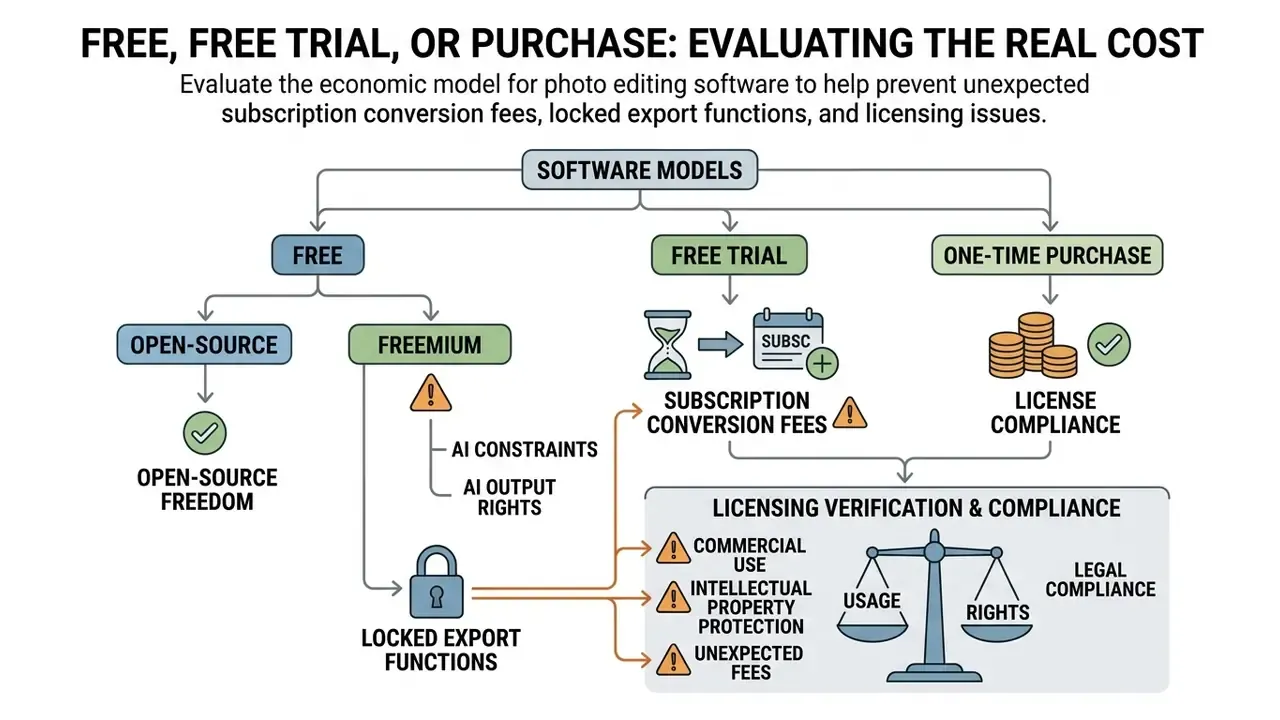
Understanding the economic model behind a free raw photo editor download prevents unexpected subscription conversion fees, locked export functions, and licensing compliance violations mid-project. Availability spans four commercial structures: 100% open-source software, ad-supported freemium platforms, time-limited free trials, and perpetual single-purchase licenses.
⚠️ ALERT: Commercial Use & Licensing Compliance
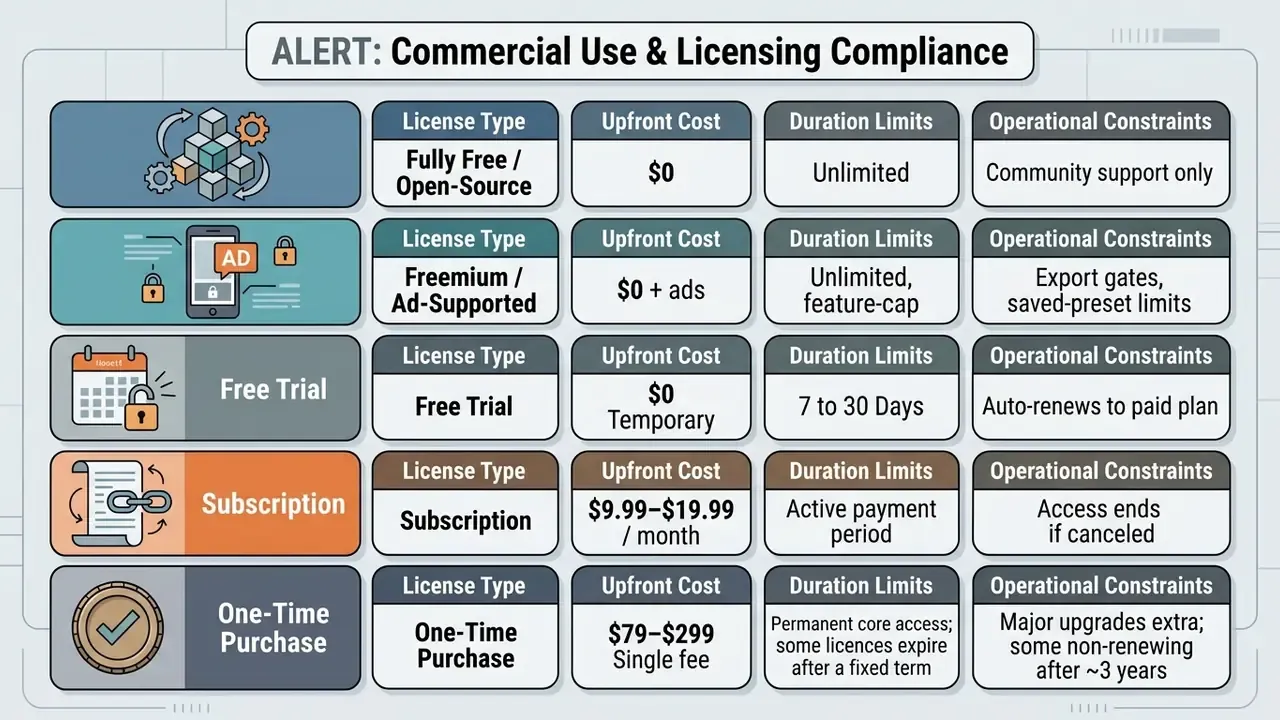
100% Free Software: What to Check Before Download
«RawTherapee is completely free, with no hidden subscriptions and no restrictions on commercial use of edited results.»
Three-Year Total Cost of Ownership: Open-Source Stack vs. Subscription
The financial case for a free RAW pipeline reads clearest per seat, per year. Using a $19.99/month photography plan as the reference:
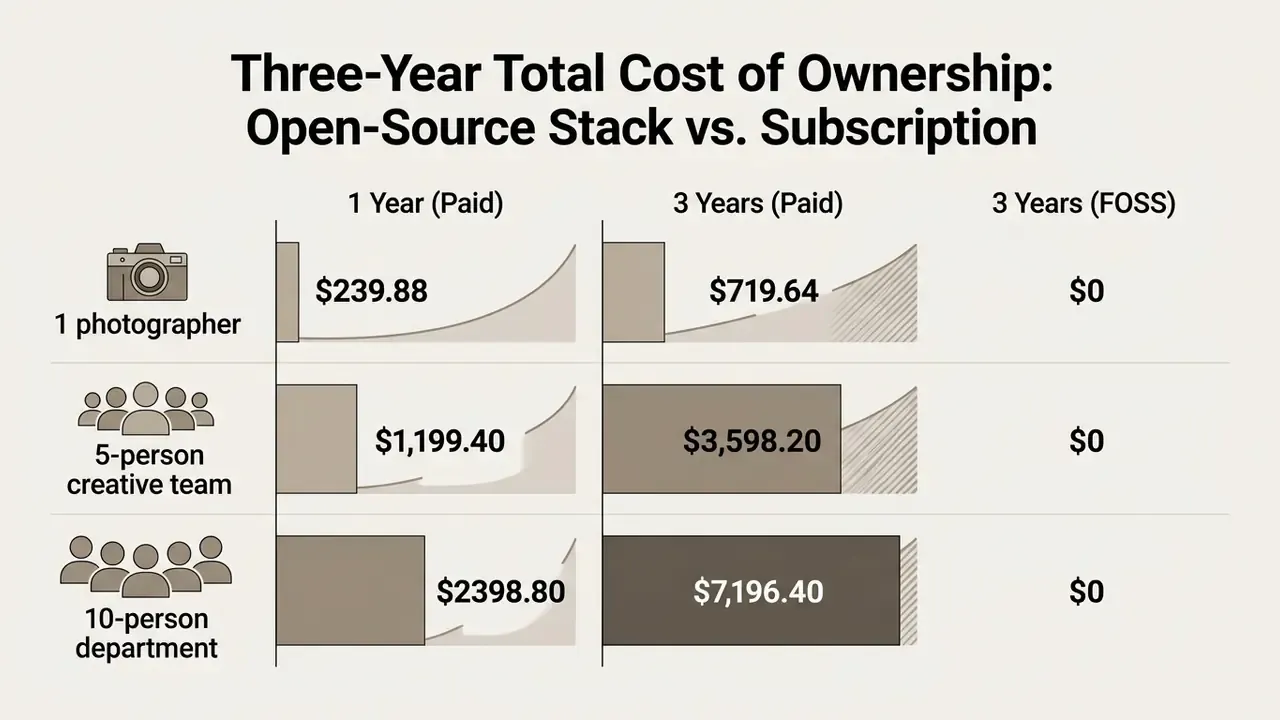
A five-seat team therefore avoids roughly $3,600 of recurring licence spend across three years by standardizing on RawTherapee, darktable, GIMP, and OEM converters. That number is not pure profit, and pretending otherwise is how procurement decisions go wrong. Budget honestly for onboarding time (the learning curve is documented, not imagined), internal preset and sidecar standardization, and the absence of vendor SLA support. In practice most teams reinvest part of the saving into hardware: 16 GB or more of RAM plus an OpenCL-capable GPU delivers more throughput per dollar than a subscription, because open-source pixelpipes scale directly with local compute. If you want to model the per-seat arithmetic against storage and render time, our AI Media Calculators cover the inputs, and finance-minded readers sometimes build the same sheet with an ai spreadsheet generator rather than by hand.
How to Edit RAW Photos for Free: A Basic Workflow from Import to Export
A non-destructive raw photo editing workflow follows a structured sequence: ingest raw files, apply global tonal and white balance adjustments, refine local regions with masks, then export optimized derivatives for web or print.
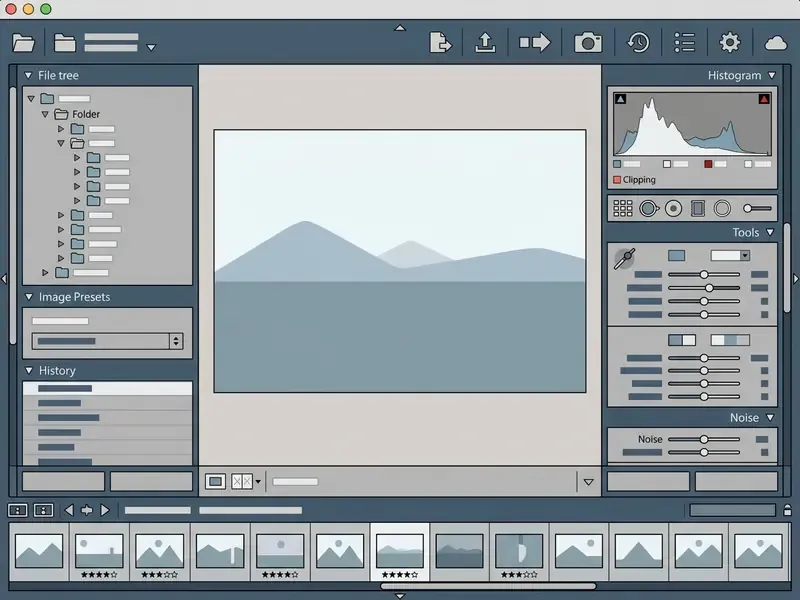
Figure 2: Functional zone layout of a standard raw photo editor software interface, showing preview windows, panel organization, and slider controls. Zones 1–5 map to the same regions in RawTherapee, darktable's darkroom, and Affinity's Develop persona.
Importing Camera RAW and Making Initial Adjustments
- Ingest Raw Fileslaunch your raw photo editor and navigate to the directory holding camera raw files (
.CR2,.CR3,.NEF,.ARW,.RAF,.ORF, or.DNG). Import into a working folder, apply metadata and keywords at ingest, and let the application build previews. The original RAW is never modified. - Establish White Balanceopen the Basic Adjustment panel. Start from the "As Shot" camera metadata baseline, or use the eyedropper to sample a neutral gray card and strip out unwanted color casts.
«NTIRE 2024 participants performed black-level subtraction, white-balance normalization and demosaicing as mandatory preprocessing steps before any RAW-data operation.»
Local Adjustments, Masks, and Creative Edits
Once global tonal balance holds, move to targeted regional work:
Saving, Exporting, and Organizing Your Photo Library
The final phase converts parametric instructions into standardized derivative image files:
- Save Parametric Edits confirm all settings are written to the associated
.XMPor.PP3sidecar, or stored in the editor's catalog database. Back up sidecars together with the RAW files. Lose them and you lose the edit, not the image. - Select Output Color Space choose
sRGBfor web publishing and screen viewing, orAdobe RGB (1998)/ProPhoto RGBfor high-end print production. - Configure File Format and Resolution export 8-bit JPEGs at quality 80 to 90% for digital delivery, or 16-bit uncompressed TIFFs for archival and graphic-design compositing. Industry delivery guidance favors 16-bit TIFF whenever the recipient can handle it. Newer open-source exporters add PNG and JPEG XL with full EXIF retention. Where RAW-derived textures feed an interactive project instead of a print job, sheet-based pipelines and tools in the ai sprite generator category impose their own format rules.
- Library Organization embed structural keywords, star ratings, creator and copyright fields, and note the color space at export. Then file derivatives into named subfolders or a self-contained exported catalog, so the delivery set stays reproducible six months later. Social-first derivatives, including cutouts destined for an ai sticker generator pipeline, deserve their own subfolder and their own export preset.
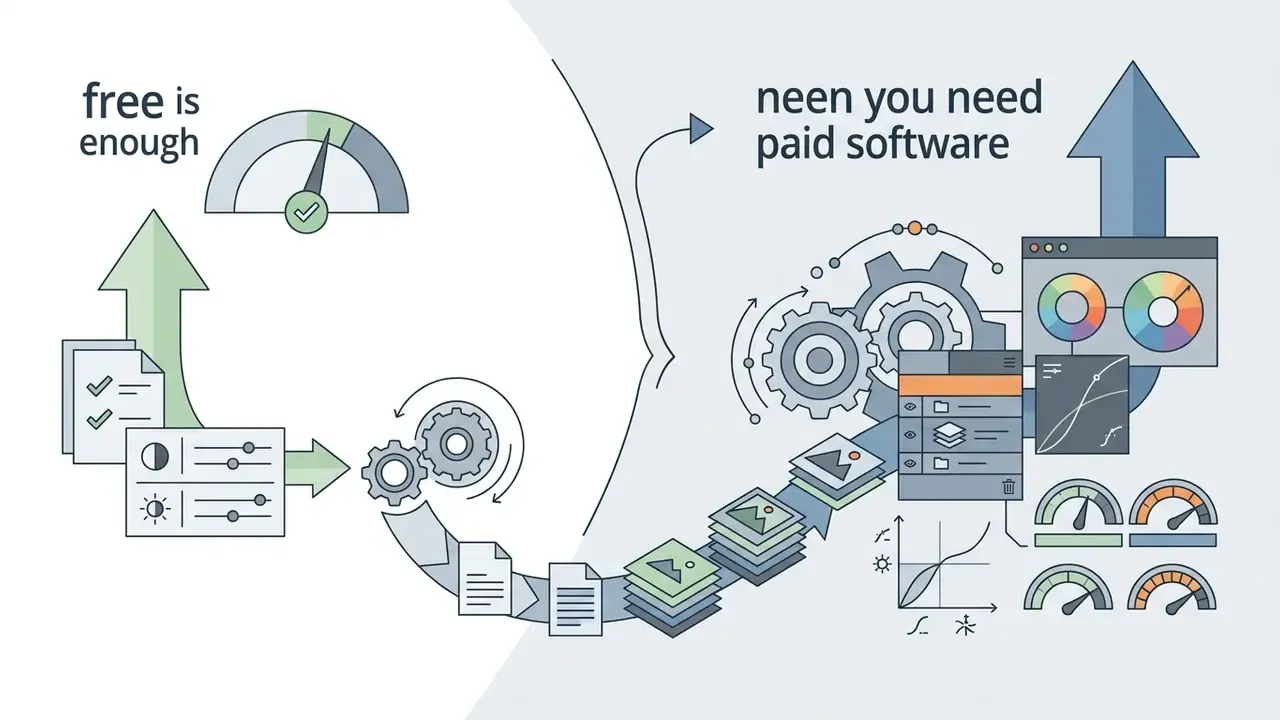
When a Free RAW Editor Is Enough vs. When You Need Professional Software
Whether free photo editing software satisfies your operational requirements, or you genuinely need a paid commercial suite, comes down to production volume, asset management complexity, and advanced tool integration.
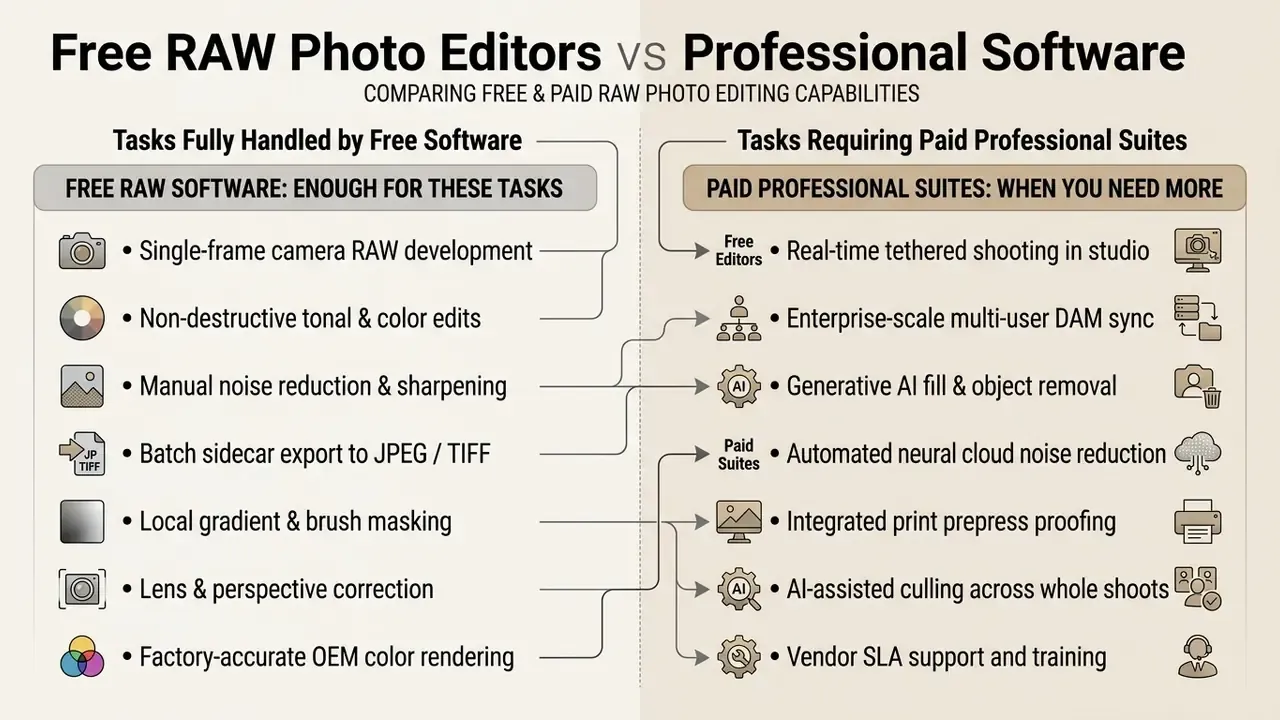
Tasks Covered by the Best Free Photo Editing Software
Fully free open-source software such as RawTherapee and darktable covers the core raw development work required by independent photographers, fine-art printmakers, and serious hobbyists. Both deliver uncompromised demosaicing algorithms, high-precision LAB color spaces, comprehensive lens distortion correction profiles via Lensfun integration, and non-destructive profile export. Free OEM converters add exact factory color reproduction that third-party software can only approximate through reverse-engineering.
Balance that against a documented ceiling:
«RawTherapee lacks advanced digital asset management, AI upscaling and complex masking, which limits its use in local-adjustment-heavy workflows.»
For mobile editing, Snapseed stays adequate for development on the move, web publishing, and social production:
Signs That Your Workflow Requires Paid Photo Editing Software
Certain production triggers signal that a team has outgrown free tooling:
FAQ About Free RAW Photo Editors
Can You Directly Edit a RAW Image Without Prior Conversion?
Yes. Dedicated raw photo editors edit raw image files directly, with no prior conversion to JPEG or TIFF. The editor decodes the raw sensor data, applies non-destructive parametric instructions in memory or in sidecar files, and shows a real-time preview of the developed image. Adobe describes RAW files as "digital negatives" that are opened, adjusted, then exported. The original camera raw file stays completely unaltered throughout. For a broader view of tool categories that handle both RAW and rendered files, see our guide to photo editors.
Is Free RAW Software Legal to Use for Paid Client Work?
Yes for OSI-approved open-source tools. GPLv3 software such as RawTherapee, darktable, and GIMP may be used commercially, and you own the images you produce with them, royalty-free. Freemium web tools and beta AI features are the risk zone, because several vendors restrict free tiers to personal, non-commercial use. Read the EULA of every free tool that touches a billable asset.
Which Free RAW Editor Is Fastest on Older Hardware?
For culling and previewing, IrfanView with the RAW plug-in reads embedded JPEG previews and stays responsive on 4 GB machines. For actual development on modest hardware, RawTherapee with a lighter demosaic algorithm (RCD or DCB instead of AMaZE) and GPU features disabled usually outperforms a full darktable pixelpipe, which can consume 600 MB to 3 GB per image.
Do Free RAW Editors Support My Brand-New Camera?
Support tracks the release cycle. OEM software supports a new body on day one; open-source projects add cameras per release, and RawTherapee's 5.13 notes list additional cameras, RAW formats and color profiles. If your body is unsupported, convert to DNG with the manufacturer's utility or Adobe's free DNG Converter, then edit the DNG in any free editor.
Can I Move Edits Between Free RAW Editors?
Only partially. Ratings, keywords, and basic metadata travel in XMP sidecars, but tone curves and module settings are engine-specific. A .PP3 from RawTherapee cannot be read by darktable's pixelpipe, and the reverse holds too. Plan one primary developer per project, and export 16-bit TIFFs when handing work to a different application such as GIMP or Affinity.
Where to Safely Download a Free RAW Photo Editor?
Always download free photo raw editor software directly from official project developer websites or verified app stores:
- RawTherapee:
rawtherapee.com - darktable:
darktable.org - GIMP:
gimp.org - IrfanView:
irfanview.com - Affinity by Canva:
canva.com - OEM software: the manufacturer's own support domain (Canon, Nikon, Sony, Fujifilm, OM System, Panasonic, Ricoh/Pentax). Some require a valid camera serial number.
- Snapseed: the official Apple App Store or Google Play Store Avoid software binaries from third-party aggregator sites, unverified file hosts, or peer-to-peer torrent networks. Verify the digital signature and SHA-256 hash before installation, which protects systems from malware and modified installer packages.
Appendix A: Editorial Methodology, Versions, and Superseded Text