Automated image-to-line transformation converts standard raster photographs into precise, line-based artwork. Modern generative models let creative teams and enterprise operators convert photo to line drawing workflows without manual vector tracing. Evaluating these tools honestly means looking at four things at once: edge extraction accuracy, style controls, batch throughput and output licensing. Skip any one of them and you inherit a problem later.
Executive summary: three decisions before you convert anything
- Style is a technical parameter, not a taste preference. Line art, outline, pencil sketch and ink each derive from different processing behaviour: binary contour extraction versus tone and stroke synthesis. Choose the wrong preset and you get cluttered output that no post-processing will rescue.
- Input quality caps output quality. Sources below roughly 715×1000 pixels, or images carrying heavy JPEG compression, generate jagged and broken contours. Upscaling belongs before extraction, not after. Sequence matters more than settings here.
- Rights lineage is dual. You clear the source photograph and the generator output separately. Under current US Copyright Office guidance, purely AI-generated line art without meaningful human creative intervention cannot be registered for federal copyright protection.
For teams operating in regulated environments, a fourth decision applies. Any public browser-based converter used with internal or customer imagery becomes a Shadow AI data-egress path, and it should be inventoried, restricted, or replaced with a private-tenancy alternative. The governance matrix later in this guide covers that path in detail, including the evidence an internal audit function usually asks for.
What an AI line art generator does and how it differs from outline and sketch tools
An AI line art generator uses trained deep-learning models to analyze photographic inputs, extract geometric boundaries and synthesize clean monochrome linework. Unlike legacy edge filters, an ai image outline generator interprets 3D shapes, facial features and object surfaces to keep structural meaning intact. That is the whole difference in one sentence: a filter reacts to brightness, a model reacts to content.
An ai drawing outline generator and a classic Canny-style filter can look similar on a studio packshot. Put a backlit portrait through both and the gap becomes obvious.
Line art, line drawing, outline and sketch: how the results differ
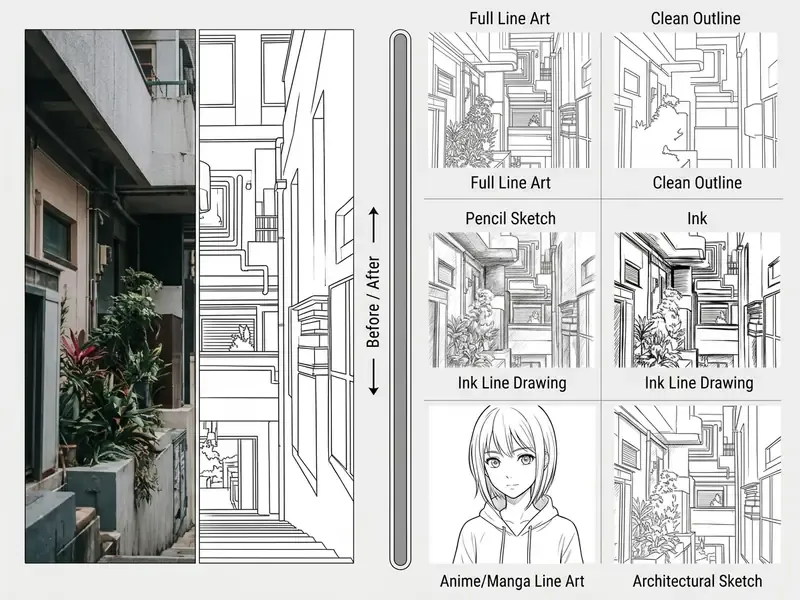
The technical output of an ai photo outline generator varies substantially depending on the processing algorithm used.
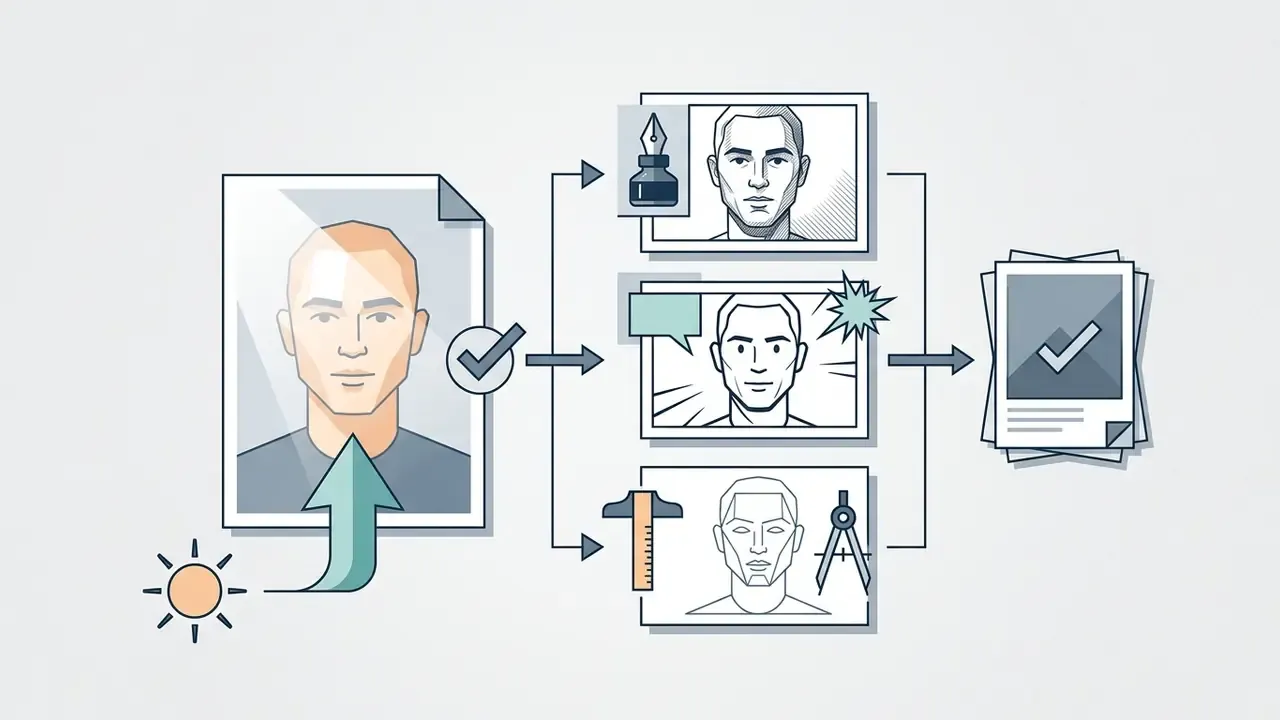
- Line art and line drawings represent subjects through clean, sparse monochrome contours. They prioritize structural clarity over tonal rendering, and may include hatching or variable line weight.
- An outline represents only the exterior boundary map of an object. It suppresses internal textures, shading and surface detail, which technically makes it a stricter subset of line drawing. If you searched for a way to convert photo to drawing outline rather than a full illustration, this is the preset you want.
- A pencil sketch or pencil drawing synthesizes hand-drawn graphite strokes, broken lines, paper-texture noise and mid-tone shading. A pencil drawing is generally more finished than a sketch, with stroke consistency and pressure variation added.
Research presented at the ACM International Conference on Multimedia Retrieval explains why generative adversarial architectures outperform luminance-gradient filters on this task.
«P2LDGAN embeds joint geometric and semantic information through dense skip connections, preserving the three-dimensional shape and meaningful content of the subject.»
In practical terms, that architecture is why a modern converter keeps a nose bridge, a jawline or a product seam intact where a threshold filter would break the stroke into fragments.
Which images can be converted to line art
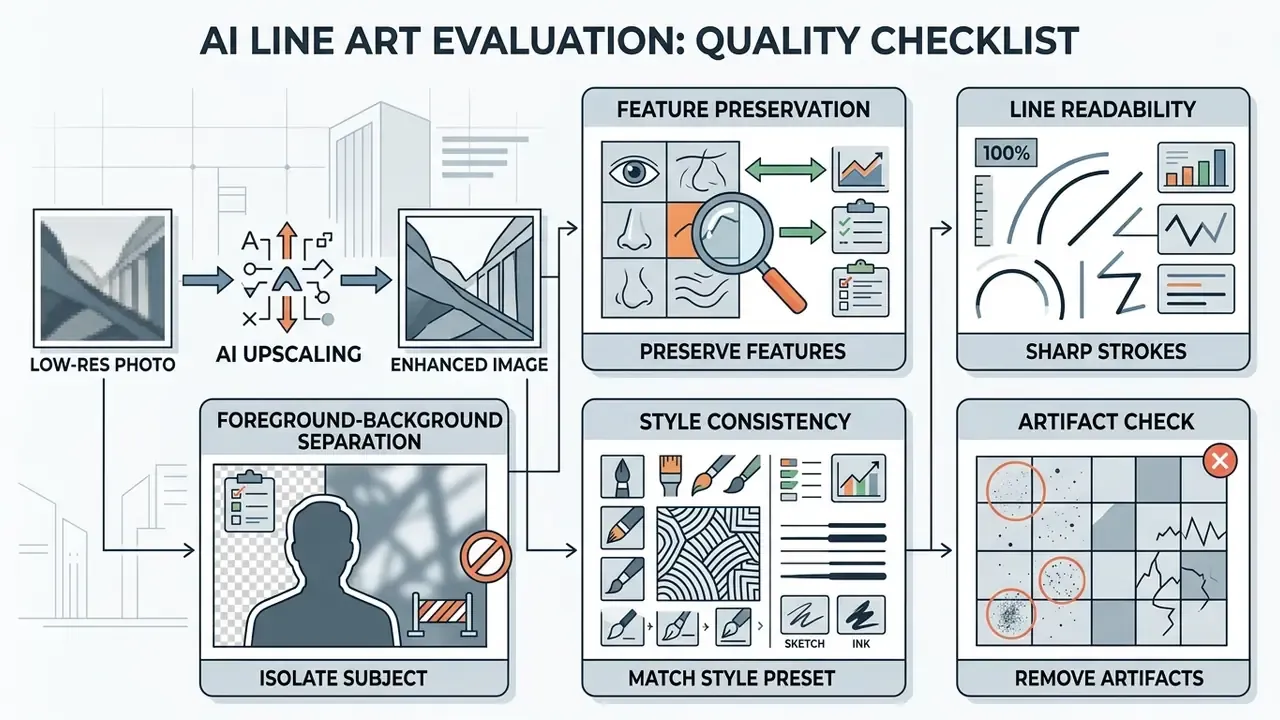
Modern image-to-line converters accept a wide variety of raster photographic inputs. Optimal results depend on edge contrast and subject isolation:
In a recent internal deployment assessment covering 1,200 product assets, our team compared conversion pipelines with and without automated background suppression applied before running the art outline generator. Enforcing background removal as a mandatory pre-processing step measurably reduced stray edge artifacts and removed most manual retouching from the workflow. Exact reduction figures depend on catalog composition and are not generalizable across image sets. (Observation from an internal workflow assessment; treat it as directional experience rather than a benchmark.) Detailed benchmarking matrices for similar automated creative tools sit in our AI Media Comparison Matrices and AI Media Commercial-Use Hub.
Generative text-to-line-art: creating contours with no source photograph
When no input photograph exists at all, advanced platforms integrate text-guided generative diffusion models instead of edge-extraction pipelines. By entering descriptive prompts, for example "minimalist continuous line drawing of a monstera leaf, vector style, white background, uniform stroke weight", the engine synthesizes original line art from scratch without a source raster file.
Three practical notes apply to zero-source generation:
- Style is prompt-driven, not preset-driven. Terms such as ink illustration, single-stroke contour or pencil sketch act as the style selector; detail level is controlled by quality settings and explicit texture cues.
- Reproducibility requires parameter capture. Record the prompt, model version, seed and quality tier if the asset may need to be regenerated or audited later.
- Copyright exposure is highest here. Output generated purely from a text prompt carries no human-authored expressive contribution, so it falls squarely inside the non-registrable category described later in this guide.
Adjacent generative pipelines behave the same way. Teams that animate a still frame with vidnoz image to video or narrate a storyboard with a voice over generator face an identical provenance question: who authored what, and can you show it?
How to convert a photo to a line drawing online
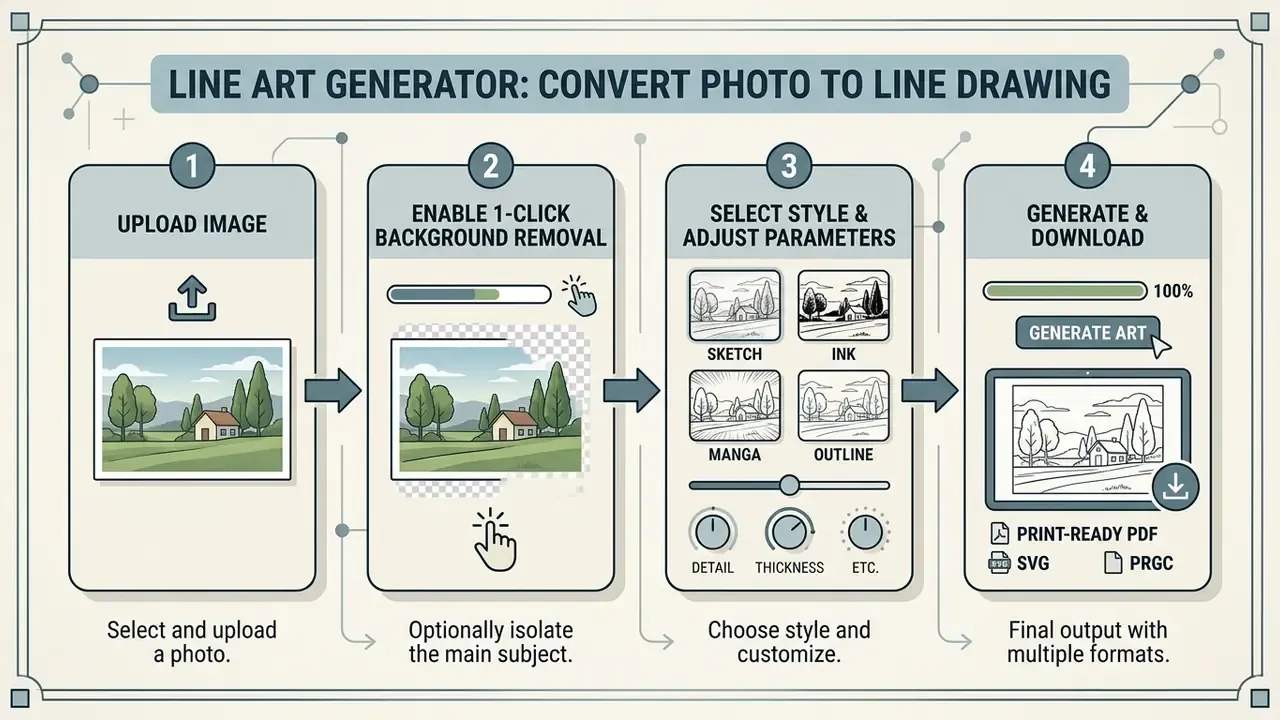
To convert photo to line drawing online, users work through browser-based interfaces that push uploaded raster images into server-side or in-browser AI inference. The workflow removes the need for manual pen-tool tracing in desktop software. That is also why the phrase convert photo to drawing online tool dominates search demand: people want the result without learning Bézier curves.
4-Step Guided Workflow
Checklist0 / 4
Upload a photo or image to the online tool
The conversion process begins when you upload a source photo to the online tool. Official image handling standards recommend input resolutions between 715×1000 pixels and 2000×2800 pixels, with file sizes at or below 4 MB and JPG/JPEG, PNG or WebP encoding.
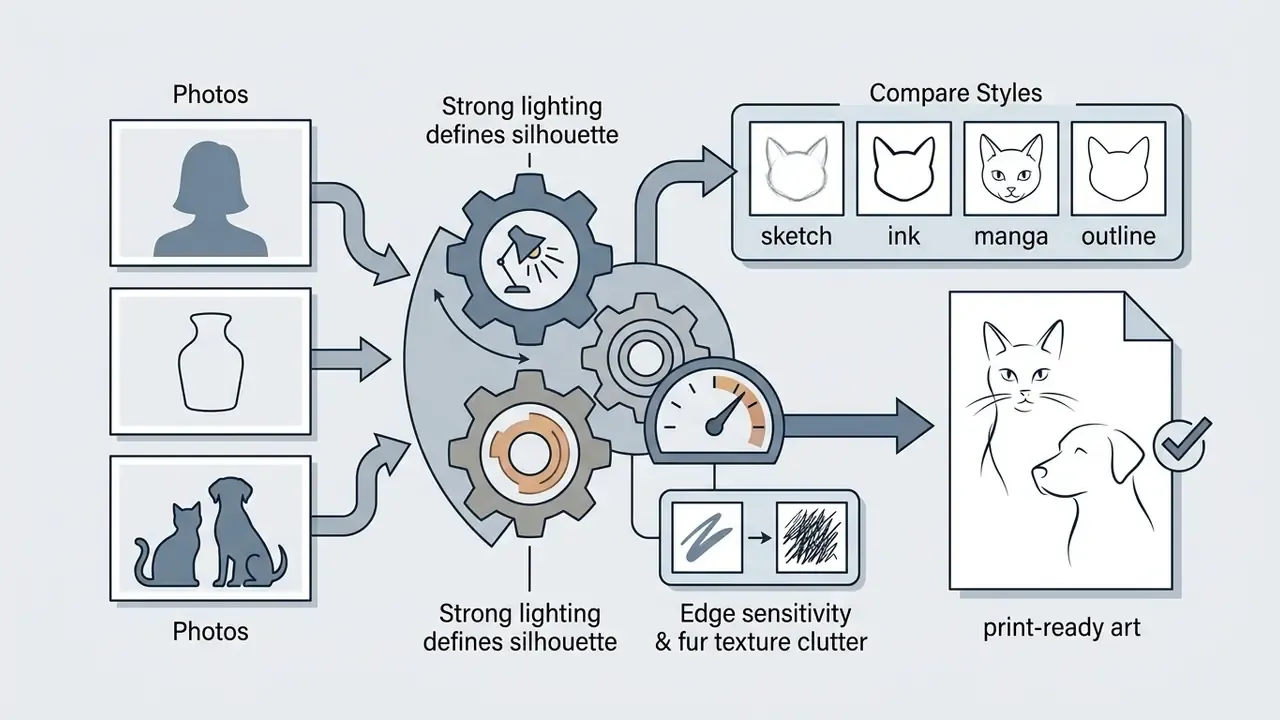
For best results, upload images with uniform lighting and sharp focus, free of glare, flash reflection and hard cast shadows. Avoid low-resolution pictures with heavy compression artifacts. Compression noise gets misread by the ai outline generator from image as structural lines, and the result looks like static rather than art.
Choose a line art style and configure the preview
After uploading, you pick an aesthetic preset. Available line art styles include minimalist monoline, heavy ink, textured pencil sketches, manga outlines and architectural sketches.
Modern converters give you interactive pre-generation controls instead of a single fixed filter.
«A Line Control Matrix lets users regulate line thickness, smoothness and stroke continuity in real time before the final render.»
Alongside line thickness, most interfaces expose detail level, edge sensitivity, noise suppression and a one-click background removal toggle. For specialized artistic applications, creators also review tools like the voila ai artist when comparing style-transfer capabilities.
Generate and download the finished line drawing
Once parameters are set, the tool processes the image and presents a preview. Evaluate edge fidelity there, before you export anything.
| Output target | Recommended format | Resolution / DPI | Transparency |
|---|---|---|---|
| Web publishing, overlays, social posts | PNG | 1× and 2× display size, 72 dpi baseline | Yes |
| Scalable design, cutting machines, large-format print | SVG (vector) | Resolution-independent | Yes |
| Standard document or catalog print | JPG | 300+ dpi at final print size | No |
| Fine line-art reproduction | TIFF / rasterized SVG | 600–1,200 dpi | Depends on format |
For digital web publishing, export the artwork as a transparent PNG. For print production or scalable graphic design, export as a vector SVG to keep sharp line resolution at any dimension. Production guidelines recommend raster print outputs at 600 to 1,200 DPI. When a raster export must be enlarged beyond its native pixel dimensions, route it through dedicated AI image upscalers rather than resampling in a browser tab. Technical integration guidance for web workflows lives in the AI Media API Guides.
Batch processing for commercial workflows
When you are handling catalog images, real estate portfolios, classroom material sets or asset packs, converting files one by one is slow and introduces stylistic drift between items. Modern converters support batch generation, so you can upload ZIP archives or multiple-selection packs, commonly up to around 50 assets at once on business tiers.
The engine applies uniform line-density, edge-sensitivity and background-suppression profiles across all items, then exports a structured ZIP bundle of SVG or transparent PNG files. Three operational tips:
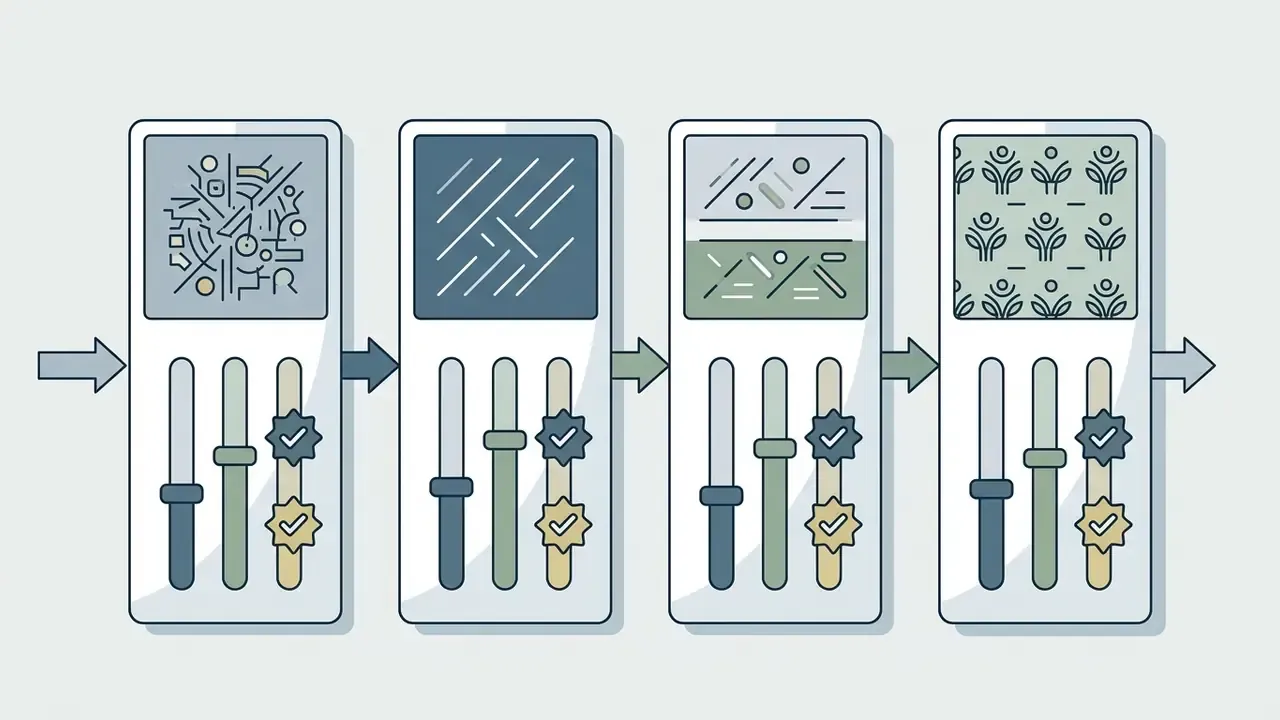
- Lock the profile on a pilot set first. Convert five representative images, approve the parameters, then apply the identical profile to the full batch so line weights stay consistent across a product grid.
- Segment batches by subject type. Portraits, packshots and architectural exteriors need different edge sensitivity; mixing them in one batch forces a compromise setting that flatters nothing.
- Preserve filename mapping. Batch exports should retain original filenames or SKU identifiers, so each outline asset can be matched back to its source record automatically.
Line art styles: pencil, ink, minimalist, manga and black-and-white line art
Style selection determines stroke density, line weight variation and shading behaviour. A dedicated black and white line art generator applies distinct rendering rules based on the chosen visual medium.
| Style Preset | Line Characteristics | Best Input Image Type | Recommended Use Cases |
|---|---|---|---|
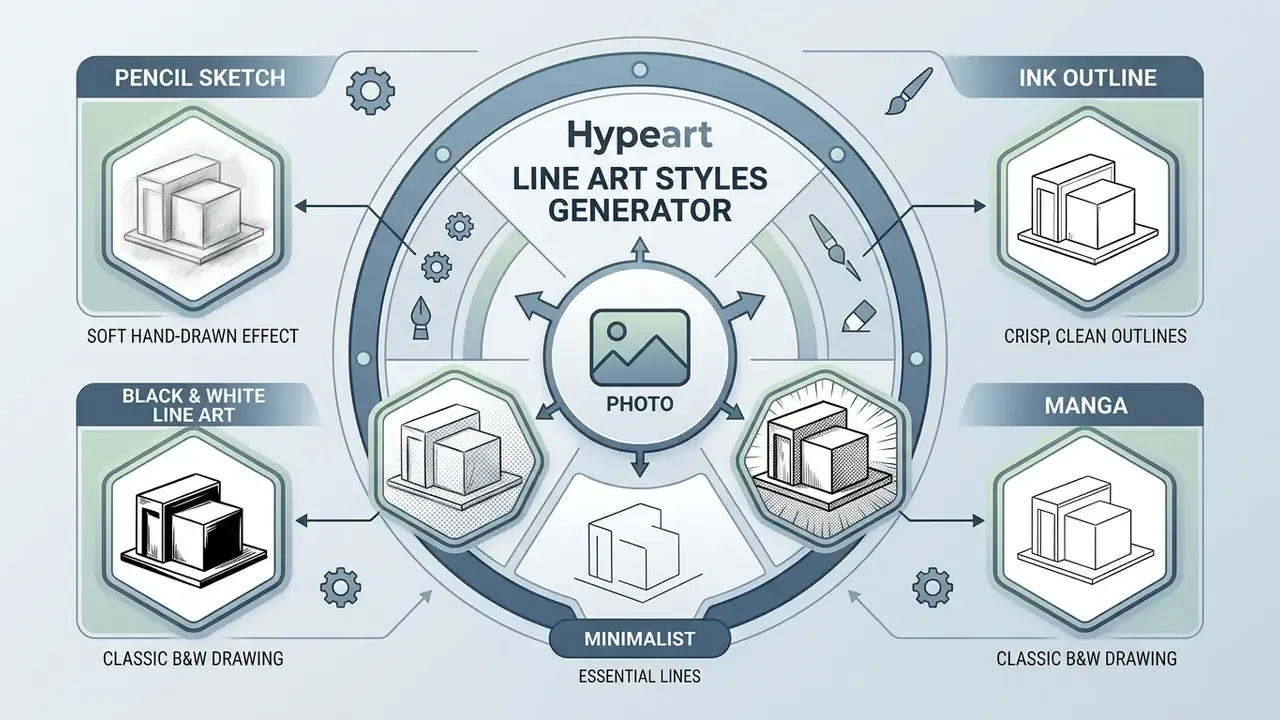
| Pencil Sketch | Soft, multi-pass graphite strokes; preserved mid-tones; subtle paper noise. | High-contrast portraits, organic landscapes. | Editorial concepts, portrait studies, storyboards. |
| Ink Line Drawing | Dense black lines; variable stroke weight; cross-hatching detail. | Character portraits, detailed architecture. | Graphic novels, physical prints, commercial art. |
| Clean Outline | Single-contour boundaries; constant line weight; zero internal shading. | Product photography, isolated objects. | Technical diagrams, product catalogs, icons. |
| Minimalist Line Art | Sparse monoline strokes; high negative space; essential contours only. | Studio headshots, simple still-life photos. | Wall decor, branding assets, minimalist gifts. |
| Anime & Manga Line Art | Dynamic line weight; high-contrast ink contours; cel-shading boundaries. | Character artwork, expressive portraits. | Webtoons, fan art, digital comic assets. |
| Architectural / Urban Sketch | Straight-edge perspective emphasis; structural cross-hatching; suppressed organic texture. | Building facades, interiors, cityscapes. | Real estate visual assets, architectural overlays, urban planning boards. |
| Comic / Pop-Art Outline | Heavy boundary stroke; bold focal lines; zero fine-texture noise. | Action subjects, high-contrast objects. | Graphic novels, stickers, pop-art prints. |
Pencil drawing and pencil sketches for a soft hand-drawn effect
Presets styled after pencil drawing and pencil sketches synthesize hand-drawn graphite aesthetics. Rather than extracting sharp binary boundaries, the model retains subtle mid-tone transitions and texture. Think of it as the digital equivalent of building a portrait with light outlines first, then layering soft B-grade shading around the nose, cheekbones and jawline.
These drawing styles work well for personal portraits and natural landscapes, where distant elements render with reduced contrast to simulate atmospheric haze.
«The OS-Sketch diffusion model converts in-the-wild portraits into sketches while preserving identity and facial expression; the dataset includes 400 photo–sketch pairs.»
Ink, clean outline and minimalist line art for crisp lines
For projects that need vector-like precision, ink and minimalist presets strip out all tonal shading. The convert photo to ink drawing online process replaces gradient shadows with clean black paths on a solid white or transparent background.
- Ink style. Emulates pen-and-ink illustration by varying stroke thickness to signal shadow and depth. Traditional ink hierarchies use nib sizes of roughly 0.05, 0.1 and 0.3 mm for background, mid-ground and focal contours, and generative models reproduce the same weighting logic.
«LineGAN minimizes the influence of edge information and emphasizes line-density distribution, coordinating global structure with local scene detail.»
- Clean outline. Generates uniform boundary lines around key subject features, ideal for vector tracing. Thicker, darker strokes are easier for trace algorithms to resolve into editable paths.
- Minimalist line art. Uses minimal stroke counts and large areas of negative space to create modern, abstract representations with fewer paths and faster cleanup. Fewer paths also means smaller SVG payloads, which production teams notice in bundle size.
How to get clean line art: photo selection, background and detail control
To achieve clean line art without stray visual noise, evaluate the source photo before conversion, not after. An ai photo outline generator depends on clear visual contrast to separate primary subject edges from irrelevant background texture. Standard practice is grayscale conversion, Gaussian smoothing and edge thinning before any tracing pass.
«PortraitDAE encodes a 256×256-pixel input into a 512-element semantic vector, producing portraits with smoother lines and a pure white background.»
Handling low-resolution source images: the upscaling workflow
Telling users to "avoid blurry photos" is useless when no better photo exists. If your source is under roughly 715×1000 pixels, raw line extraction produces jagged, pixelated, broken contours, because the edge detector is reading compression blocks instead of real boundaries. The remediation sequence:
- Upscale first, extract second.Run the low-resolution raster through an AI upscaler at 2× or 4× before line extraction, so the model receives continuous edges rather than stair-stepped pixels.
- Denoise before enlarging.Apply noise reduction to suppress JPEG artifacts. Upscaling amplifies artifacts just as eagerly as it amplifies detail.
- Prefer vector output on the way out.Export the resulting monochrome line art as SVG, or run a resolution-boosting pass (for example a 2K / 240 DPI mode) to rebuild continuous vector paths that scale cleanly to poster size.
- Accept a style downgrade if needed.For very poor sources, a minimalist or clean-outline preset survives upscaling far better than a detailed ink or manga preset. Not the answer people want, but it is the honest one.
Photos for portrait, pet and still-life line drawings
When you create line drawings of human portraits, pets or still-life subjects, facial geometry and edge separation carry the result:
Landscape and product images: avoiding an overloaded outline
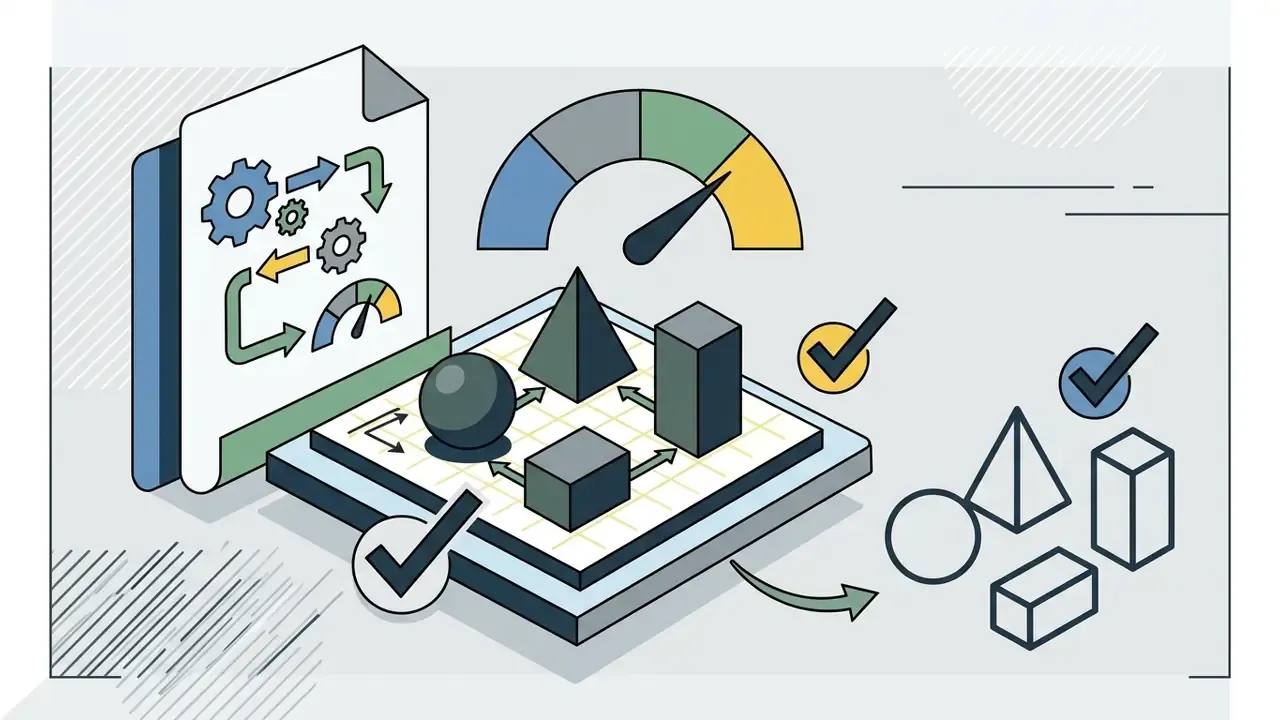
Landscape and product photography present specific challenges for an ai picture outline generator. Dense environmental elements such as leaves, bricks or water reflections turn into an over-processed, messy line drawing.
To prevent line clutter in complex scenes:
- Pre-crop the photograph to focus on the primary structural subject.
- Use background removal before line conversion, following commercial asset standards like the GS1 product photography guidelines: white RGB 255/255/255 or transparent background, a clipping path close to the subject edge, no props in the primary image area, no upscaled or interpolated source files.
- Apply Gaussian smoothing or noise reduction to soften secondary background texture before uploading. Dedicated AI photo editors handle this pre-processing step reliably, and so do open-source options such as vsdc free video suites when the source frame comes from footage.
- Filter short contours. Segmentation research routinely removes stray edges with a contour-length filter, and generator "detail level" sliders expose the same behaviour under a friendlier name.
- Select a minimalist or low-density preset to suppress non-essential internal lines.
Which creative projects benefit from an image to line drawing converter
Using an image to line drawing converter streamlines asset creation across commercial and personal media formats. Converting photos to line graphics cuts manual design overhead sharply, especially on repetitive work.
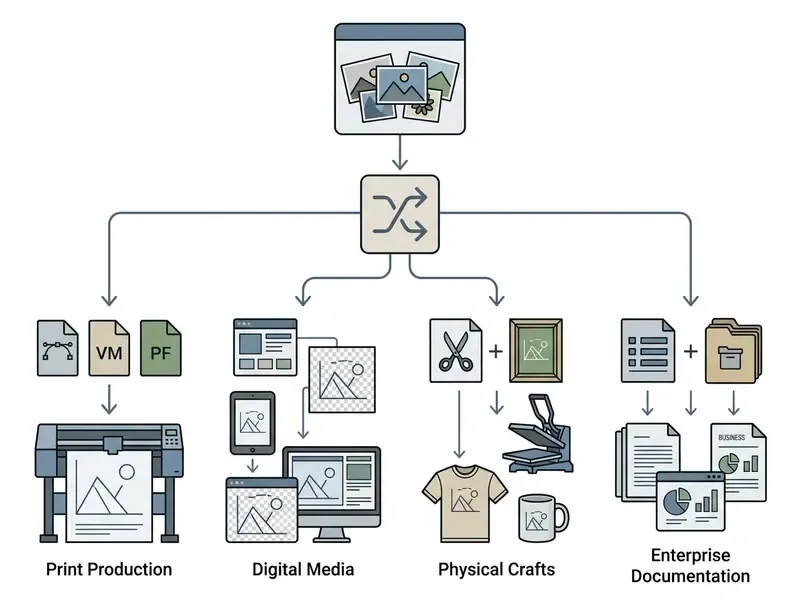
Portraits, personal art and minimalist gifts
Custom portrait line art shows up constantly in personalized physical gifts, wall decor and modern interior prints. Converting personal pictures into minimalist monochrome line drawings creates high-value artwork for framed displays, anniversary gifts and customized stationery, usually delivered as printable PDF/JPG files or finished poster prints.
«PatternPortrait generates abstract portraits from vector strokes; a subjective evaluation with roughly 280 participants confirmed their aesthetic appeal.»
Creators working on personal branding assets often evaluate AI headshot generators alongside line-art converters, since both pipelines start from the same portrait source. Designers frequently combine line art portraits with abstract colour shapes or typography in tools like the Canva AI generator to produce commercial poster graphics.
Coloring pages, stencils and tattoo reference sketches
Clean monochrome outlines are mandatory for template-based craft applications:
- Coloring pages. Converting photos into clear line art creates custom downloadable coloring sheets for educational or recreational use.
- Stencils. Clean boundary outlines serve as physical transfer templates for wood carving, painting and wall stenciling: printed, taped to the surface, then traced.
- Tattoo reference sketches. A line art maker for tattoo design gives artists a precise structural foundation map before they add detail, shading or colour.
Workflow for high-fidelity coloring pages
- Apply automated background removal.
- Strip complex background detail so focus stays strictly on the subject and no orphan lines appear inside colorable areas.
- Select the "Clean Outline" or cartoon/manga preset.
- Reduce line-density sliders by roughly 30% to purge internal hatching that children or students cannot colour inside.
- Raise the threshold.
- Increase edge-contrast threshold so mid-tone shadows collapse into pure white, producing hollow, closed contours instead of filled grey masses.
- Export at 300+ DPI or as SVG.
- Download a print-ready file sized for A4 or US Letter, then verify at 100% zoom that every region is enclosed before you print a class set. One unclosed contour ruins a page of colouring.
Enterprise, fintech and documentation use cases
Beyond consumer craft applications, line-art conversion serves operational purposes where visual simplification carries measurable business value:
- Document and schematic simplification. Reducing scanned diagrams, floor plans or engineering drawings to clean contour layers for archival, annotation or OCR pre-processing.
- Brand-consistent product illustration at scale. Batch-converting a full SKU catalog into uniform outline assets, so app screens, help centers and print collateral share one visual language.
- Real estate and facilities portfolios. Architectural-sketch presets turn exterior photography into stylized property illustrations for listings and internal reporting.
- Financial and app UI illustration. Minimalist monoline assets scale cleanly across mobile, web and print without per-format redraws, and vector output keeps file weight low in production bundles.
- Training and compliance material. Outline diagrams reproduce reliably in black-and-white printing and stay legible at reduced sizes in handbooks.
Two documented failure modes deserve testing before any of these use cases reaches production. First, low-contrast financial documents such as banknotes, watermarked certificates and faint carbon copies, where the model breaks or invents strokes. Second, dense multi-series charts, where line density collapses adjacent data lines into a single contour. Both are the kind of error that looks like a design choice until someone reads the numbers.
Free line art generator: pricing, watermarks and commercial use
Service limits and licensing terms matter most when you use an ai photo to line drawing free tool for commercial work. Free is rarely free of conditions.
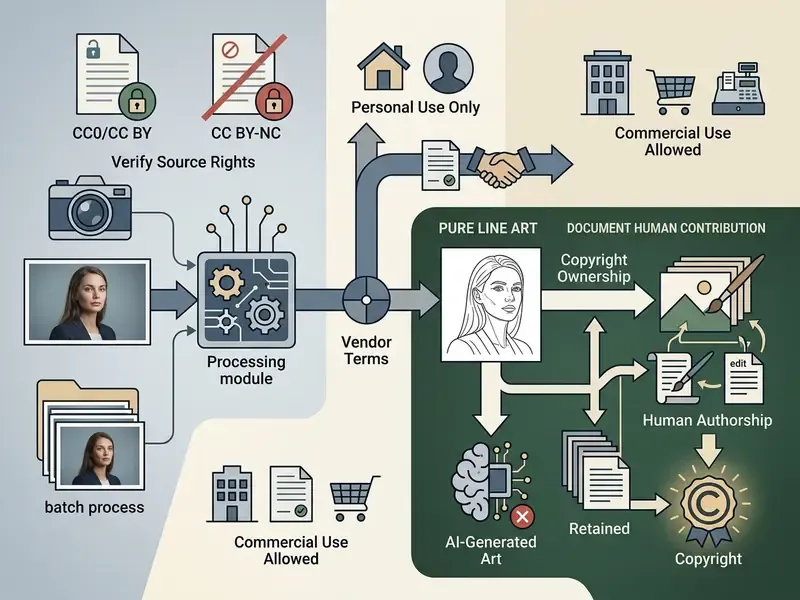
What free conversion includes and where limits apply
Most online converters run a freemium model. When you convert photo to line drawing free, or look for a way to convert photo to drawing free online, platforms typically apply specific operational constraints:
- Resolution caps. Free exports are often held at web resolution, for example 1200px on the longest edge, while high-resolution vector or 300+ DPI files require a paid plan. Buyers comparing limits across vendors can start from our roundup of the best AI image generators.
- Daily quotas. Free accounts are commonly limited to somewhere between 5 and 25 generations per day, with credit-based top-ups replacing hard quotas on some platforms.
- Batch access. Multi-file and ZIP-bundle conversion usually sits behind a paid or business tier, even where single-image conversion is free.
- Watermarks. Some free tools apply a visible brand watermarking layer and require an upgrade or credit redemption to remove it; others export watermark-free on every tier. To evaluate alternative photo utilities, review our guide to picking a free photo editor.
- Retention windows. Privacy handling varies widely. Documented practice ranges from deletion within about 15 minutes for anonymous single-image sessions, to roughly 24 hours for queued batch jobs, to 30-day or indefinite retention where generation history is itself a product feature. Read the specific vendor policy instead of assuming an industry default.
How to verify commercial-use rights for line art
Before you put converted artwork into products, merchandise or advertising, run a two-step legal verification:
- Source photo rights.Confirm the original photograph is licensed for commercial adaptation (CC0, CC BY with attribution, or photography you own). Using a copyrighted photo without permission stays an infringement regardless of AI transformation.
- Platform output rights.Read the vendor license agreement. Platforms such as Adobe Firefly permit commercial usage on standard tiers, while other generators explicitly restrict free-tier outputs to personal use. Broader licensing patterns are compared in our overview of AI art generators.
Guidance and rulings from the US Copyright Office (2023 to 2025) clarify that pure AI outputs generated solely from text or image prompts lack human authorship and cannot claim federal copyright protection. Congressional Research Service analysis reaches the same conclusion, while noting that creative human arrangement or modification can be protected. So if copyright protection matters to the project, introduce meaningful human modification, and keep an audit trail: source file provenance, prompt and parameter logs, dated records of human edits. For litigation tracking, consult our AI Litigation and Case Timelines.
Governance, model validation and Shadow AI controls
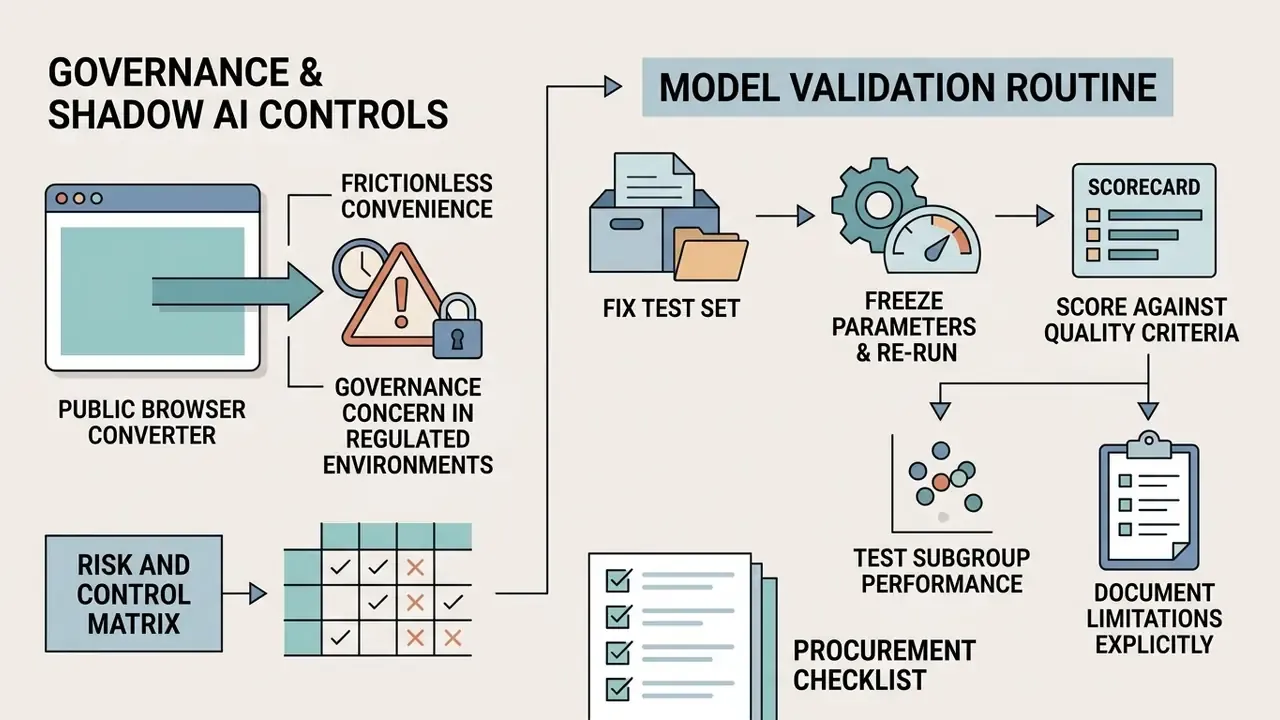
Public browser converters are convenient precisely because they are frictionless, which is exactly what makes them a governance concern in regulated environments. Teams responsible for model risk and third-party oversight generally want four artifacts before approving a line-art tool for internal use: an inventory entry, a data-flow description, a parameter log and a named owner.
Risk and control matrix
| Risk | Why it matters | Control | Validation evidence |
|---|---|---|---|
| Data egress via public web tool (Shadow AI) | Customer imagery, ID documents or internal schematics leave the perimeter | Block unapproved converter domains; provide an approved private-tenancy alternative | Proxy/DLP logs showing blocked and approved traffic |
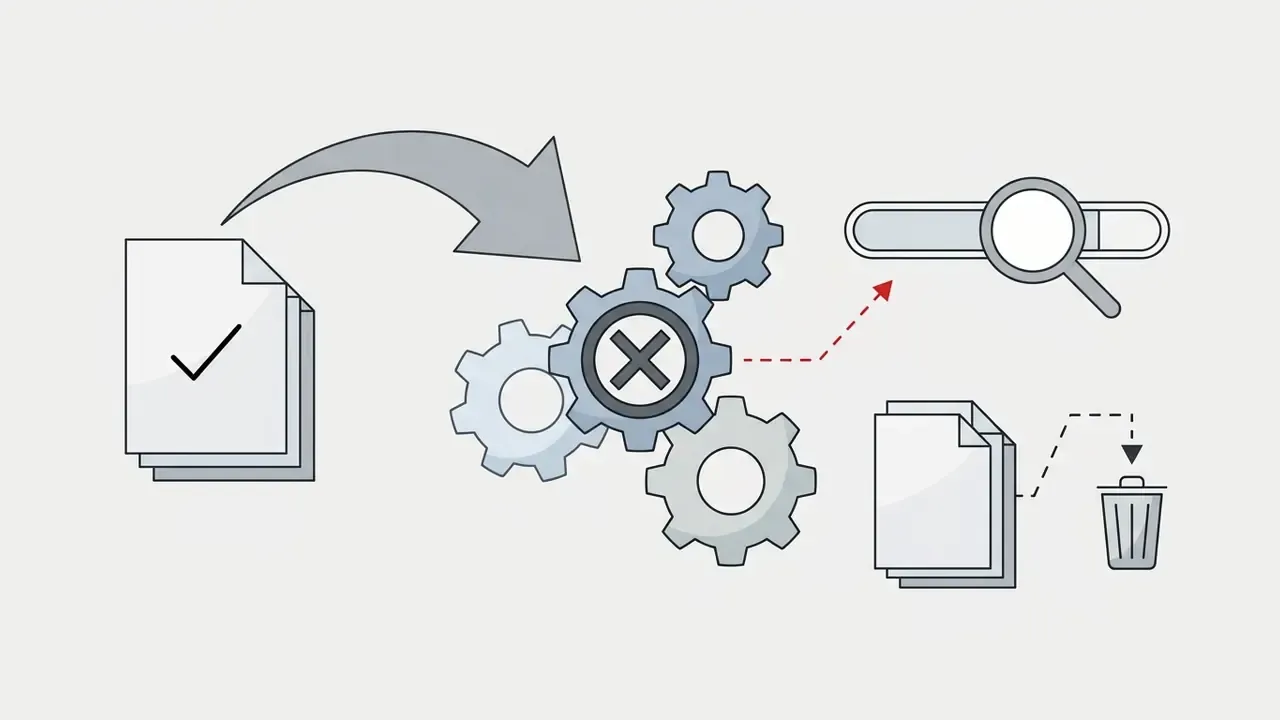
| Retention beyond need | Uploads persist on vendor servers for hours or indefinitely | Contractual deletion window; disable generation history | Vendor DPA clause plus deletion confirmation logs |
| Training on submitted data | Inputs may improve a public model | Written no-training commitment for enterprise tenancy | Signed contract term; vendor attestation |
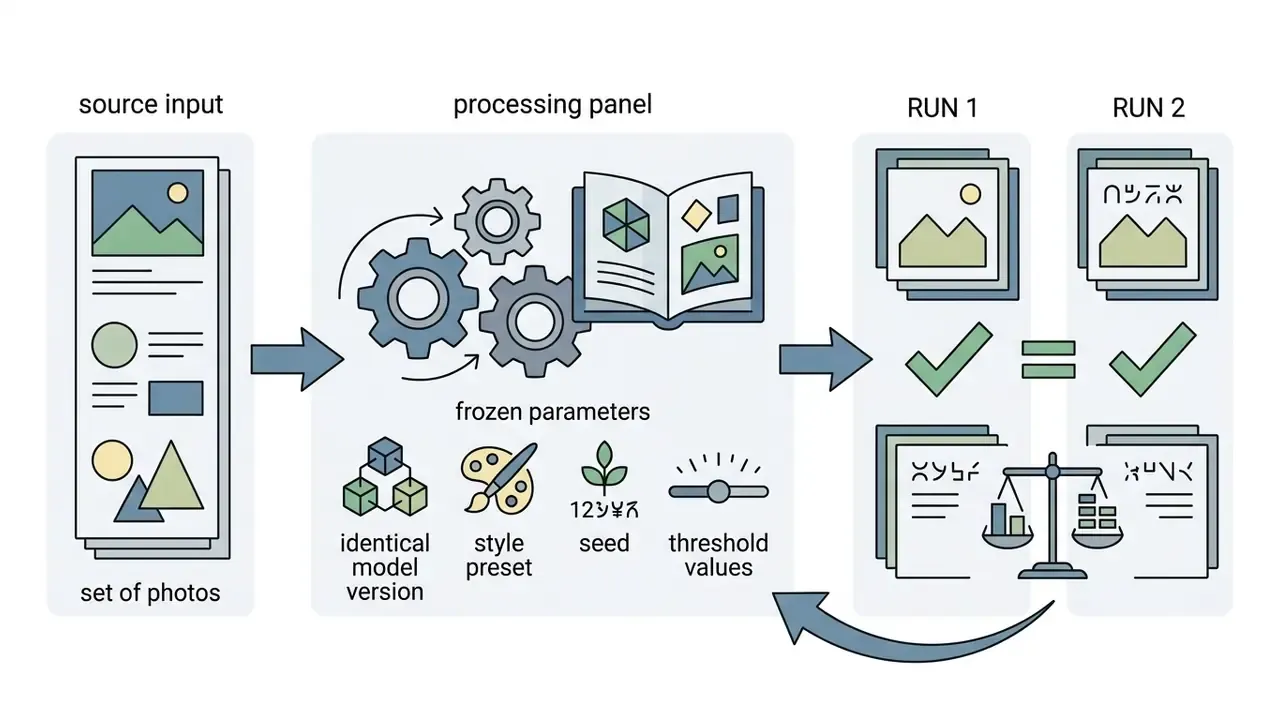
| Non-reproducible output | Same input yields different contours across runs | Pin model version; record seed, style preset, thresholds | Parameter log plus re-run comparison set |
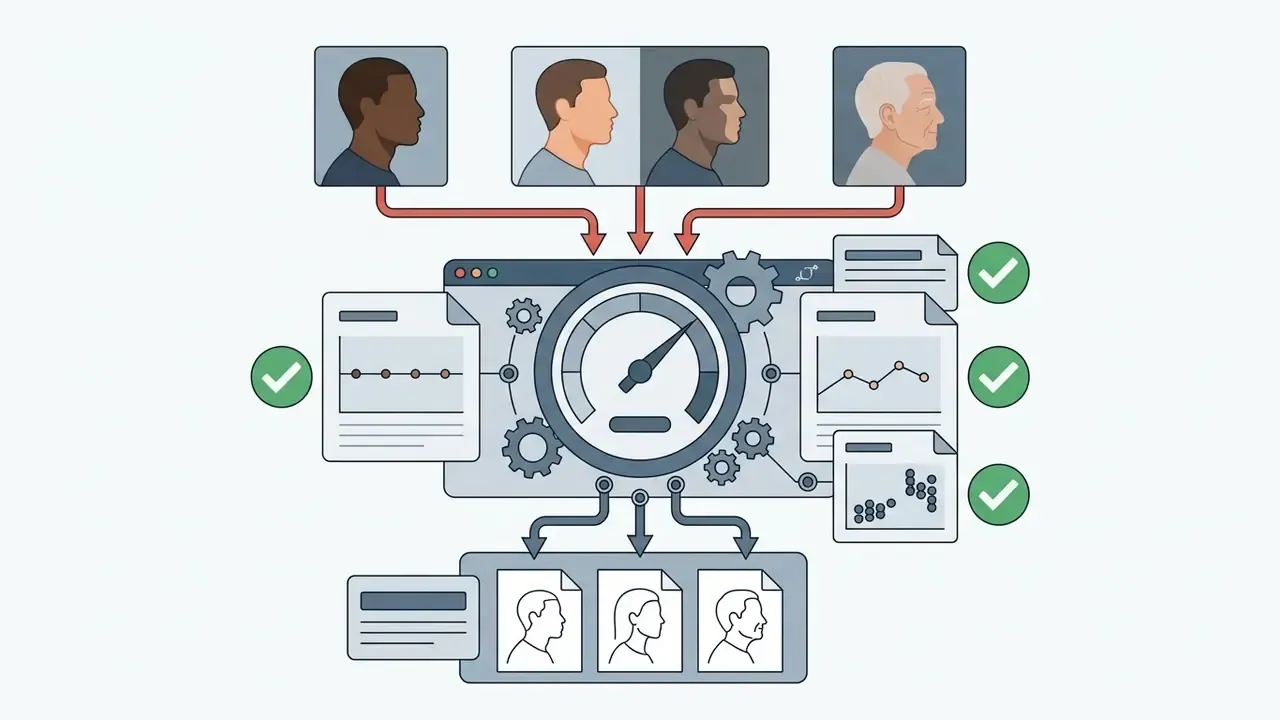
| Contour hallucination on low-contrast inputs | Invented or broken lines in documents and charts | Mandatory human review for document-derived assets | Reviewer sign-off with a held-out edge-case test set |
| Unclear IP status of output | Marketing asset may be unprotectable or infringing | Dual rights check (source and output); log human edits | Provenance record and revision history |
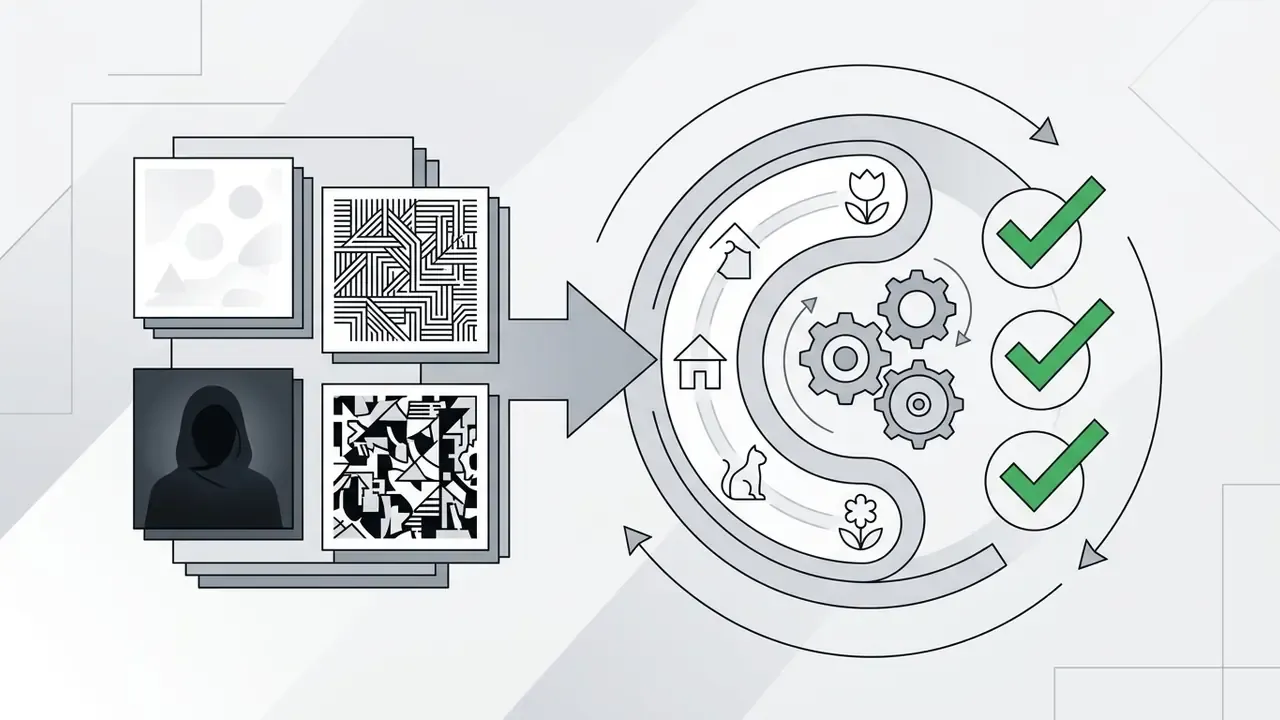
A practical validation routine
For teams extending an existing model-risk framework to generative visual tools, the minimum viable protocol looks like this:
Procurement checklist
Checklist0 / 10
A useful TCO frame: (subscription + API volume cost) + (human review hours × loaded rate) + (control implementation and monitoring effort) − (designer hours displaced). Line-art conversion usually wins that equation for high-volume, low-variance assets such as catalog outlines, and loses it for small batches of hero artwork that still need manual finishing.
FAQ about photo to line drawing online
Can I convert a photo to a line drawing on a phone?
Yes. You can convert photo to line drawing on mobile devices, iOS and Android alike. Modern generators ship mobile-optimized web interfaces that let you upload straight from the camera roll, adjust preview parameters and download the finished artwork. Dedicated apps also exist on the iOS App Store and Google Play, and current listings require iOS 12.0 to 18.0 depending on the app. If you are specifically hunting for a convert photo to line drawing app free of charge, check the export resolution before you commit: mobile free tiers cap it more aggressively than desktop web tiers. For video workflows on mobile, creators often examine the vn video editor alongside web-based visual converters.
Is a JPG image suitable for an AI outline generator?
Yes, standard JPG and JPEG files are fully compatible with an ai outline generator from image. To get optimal contour extraction from a JPG, check that the image is not badly degraded by compression artifacts. JPG flattens transparent layers onto a solid background, yet clean edge extraction stays achievable when lighting and subject contrast are high. PNG and WebP are also widely supported; WebP was designed specifically to replace JPEG and PNG for web delivery, and standard tooling converts freely between them. Note that some institutional web-publishing policies still permit only GIF, JPEG/JPG and PNG uploads, which occasionally forces a format step you did not plan for.
What should I do if my picture is blurry or low resolution?
Do not convert it as-is. Blurry input produces broken, jagged contours that read as a conversion failure rather than a style. Instead:
- Denoise the image to suppress compression blocks.
- Upscale 2× or 4× with an AI upscaler before line extraction.
- Choose a minimalist or clean-outline preset, which tolerates soft edges far better than detailed ink or manga presets.
- Export as SVG so the reconstructed paths stay sharp at print size, or use a 2K / 240 DPI output mode.
- Enable background removal, since low-contrast backgrounds generate the largest share of stray lines in poor-quality sources.
Can I convert multiple images at once?
Yes, on platforms that expose batch generation. Upload a multi-file selection or ZIP archive, apply a single line-density and background-suppression profile, and receive a structured ZIP of SVG or transparent PNG files. Approve the profile on a small pilot subset first so line weights stay consistent across the full batch, and segment batches by subject type rather than mixing portraits with packshots.
How long does line art generation take, and are uploaded photos safe?
Generation is typically near-instant for a single web-resolution image, and it scales with resolution, batch size, server load and model architecture. Diffusion pipelines generally take longer than GAN-based extractors, and vector tracing adds another pass. Vendors rarely publish independently verified benchmarks, so treat advertised timings as marketing rather than specification, and measure throughput on your own representative test set if turnaround matters to the business case. On privacy, reputable online tools use HTTPS encryption for transfers and publish documented retention policies. Published policies differ substantially: some delete uploads and results within about 15 minutes of an anonymous session, others state deletion within roughly 24 hours of processing, and account-based services may hold files for 30 days or indefinitely so users can revisit their generation history. Verify the specific policy before uploading identifiable people, customer assets or confidential documents, and stick to data minimisation, collecting and retaining only what the workflow strictly requires. Teams evaluating automated media pipelines can reach technical documentation through our central support portal and the main glossary directory.
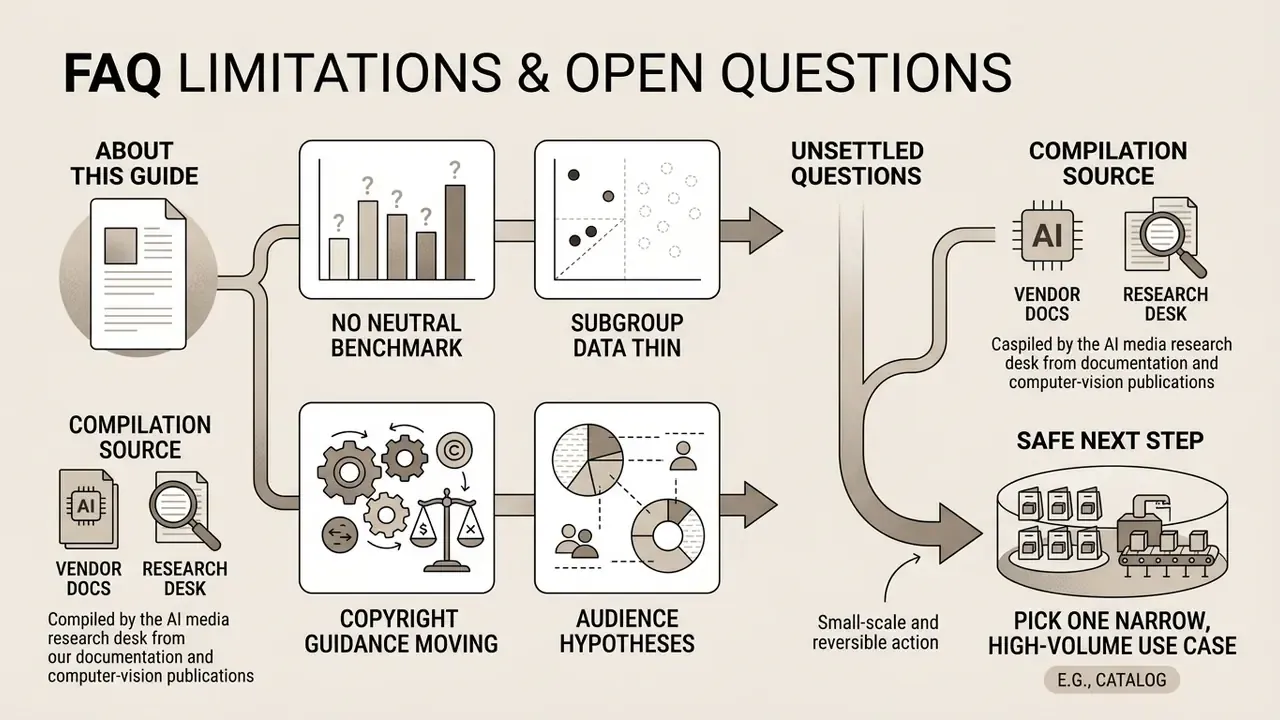
Limitations, open questions and a safe next step