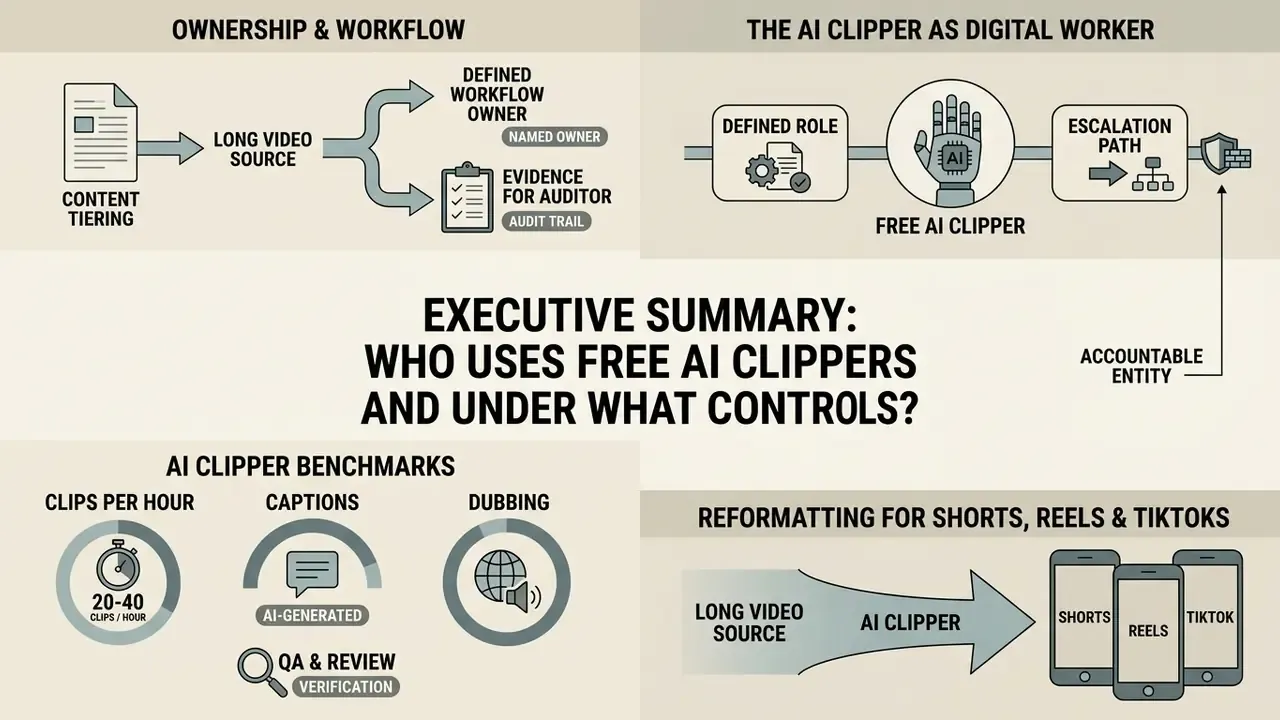
Executive Summary
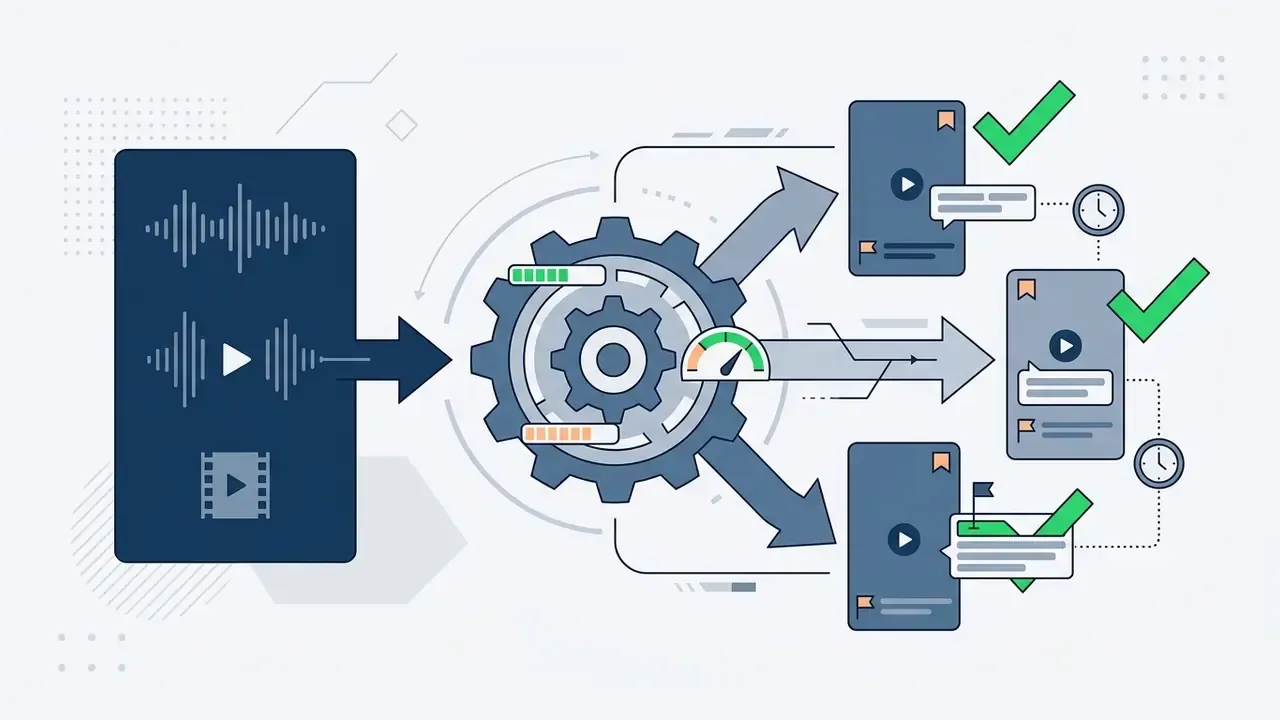
- What the tools do AI long-to-short generators transcribe a long recording, score every segment for standalone clip potential, reframe the footage to 9:16 with active speaker tracking, burn in animated captions, and export or auto-publish vertical clips.
- Realistic yield A single 60-minute podcast, webinar, or interview typically produces 20-40 ready-to-post clips in 10-15 minutes of cloud rendering, versus 4-6 hours of manual scrubbing for 3-8 clips.
- What "free" actually means Free tiers are evaluation tiers. The most common configuration in 2026 is 60 processing minutes per month, 720p-1080p export, a forced vendor watermark, 3-day project retention, and a personal / non-commercial license.
- Biggest compliance risk Publishing watermarked free-tier output on monetized corporate channels frequently violates the vendor license. Clipping third-party podcasts or broadcasts does not transfer copyright.
- Biggest data risk SaaS clipping uploads confidential recordings to third-party servers. Local desktop or WebAssembly processing keeps source media on-device, which is the preferred option for regulated internal content.
- Two clip strategies, not one Optimize some clips for viral reach (hooks, emotional peaks, contrarian claims) and some for trust-building (case breakdowns, quotable expert insight). The second category drives B2B pipeline, not just views.
- Non-negotiable QA Verify clean sentence-level cut points, a hook inside the first 3 seconds, caption accuracy and timing, and brand-safe typography before any export.
Who Should Use a Free AI Clipper, and Under What Controls
What Is an AI Long Video to Short Video Generator
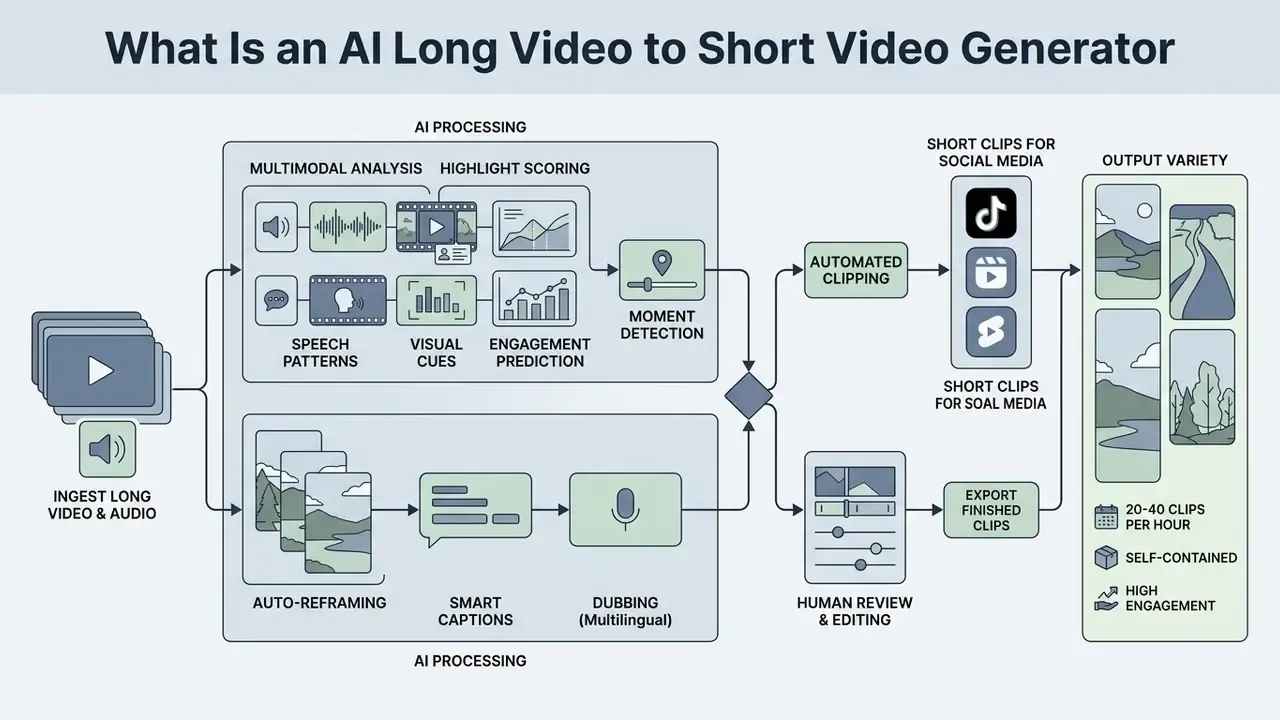
Modern pipelines stack deep learning models across frame-level, shot-level, and video-level hierarchies. Replacing timeline scrubbing with automated candidate generation lets an organization repurpose long-form assets at volume while keeping editorial oversight where it belongs, at the end of the chain.
«Breakthroughs in spatiotemporal modeling and multimodal feature extraction allow modern algorithms to score content importance with high alignment to human editor preferences.»
How AI Finds Moments for Short Clips
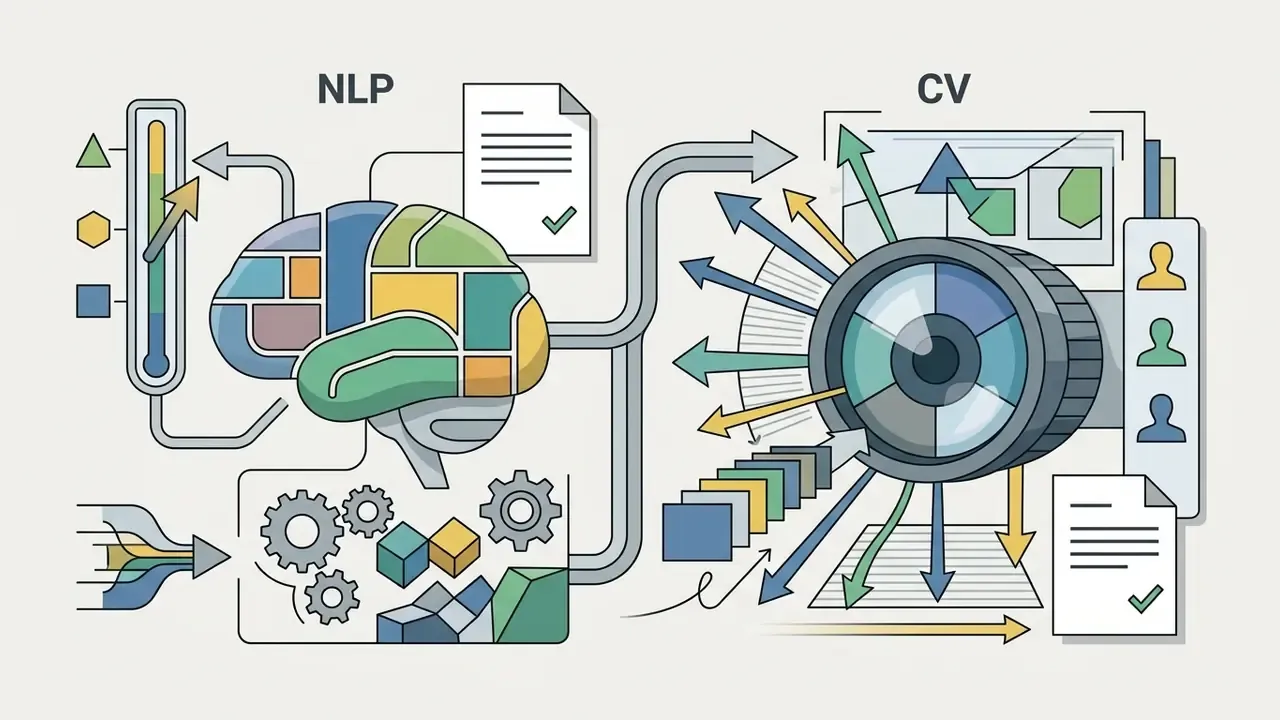
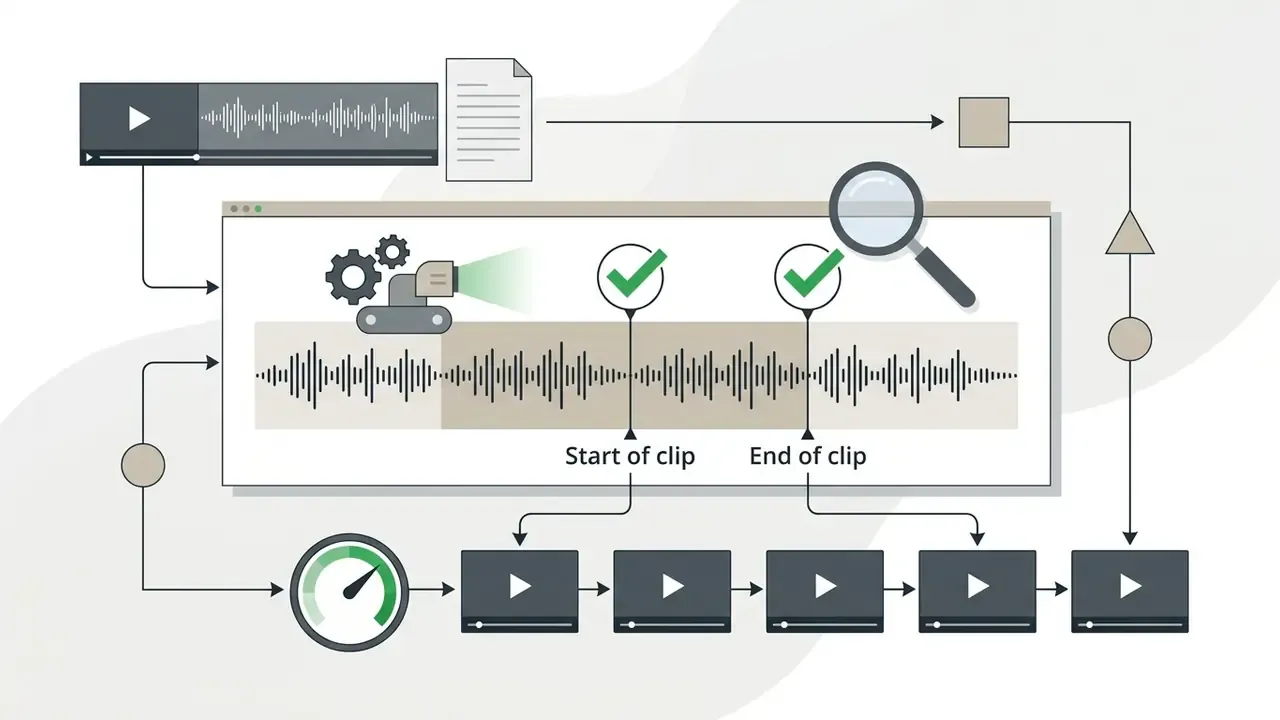
Candidate detection combines transcript analysis through Natural Language Processing with multimodal audio-visual signals: pitch changes, volume spikes, laughter, face tracking, scene segmentation. In talk-heavy media such as executive interviews or podcasts, Large Language Models read time-stamped transcripts and locate self-contained narrative arcs, strong topical statements, and clear hooks.
In parallel, computer vision models and acoustic classifiers judge physical saliency. Research on unsupervised highlight detection shows that audio carries more weight than most engineers assumed.
Multimodal architectures such as HL-CLIP adapt contrastive language-image pre-training to compute segment-level saliency scores, so selected clips carry both semantic coherence and visual interest. Evaluation normally reports mean Average Precision (mAP) for highlight ranking and HIT@1 for the single top-scored clip. If the terminology is new, the AI video generator entry and the wider AI Media Glossary unpack the vocabulary used across multimodal video pipelines.
Processing speed and output volume (yield rate):
A 60-minute source recording, whether podcast, webinar, or panel, typically generates 20 to 40 finished vertical clips. Transcription, AI segmentation, reframing, and caption rendering for one hour of content complete in roughly 10 to 15 minutes of cloud processing. Shorter 20-30 minute recordings usually yield 5-12 usable clips, because clip count tracks the density of standalone, quotable moments rather than runtime alone.
How AI Clipping Differs from Manual Editing
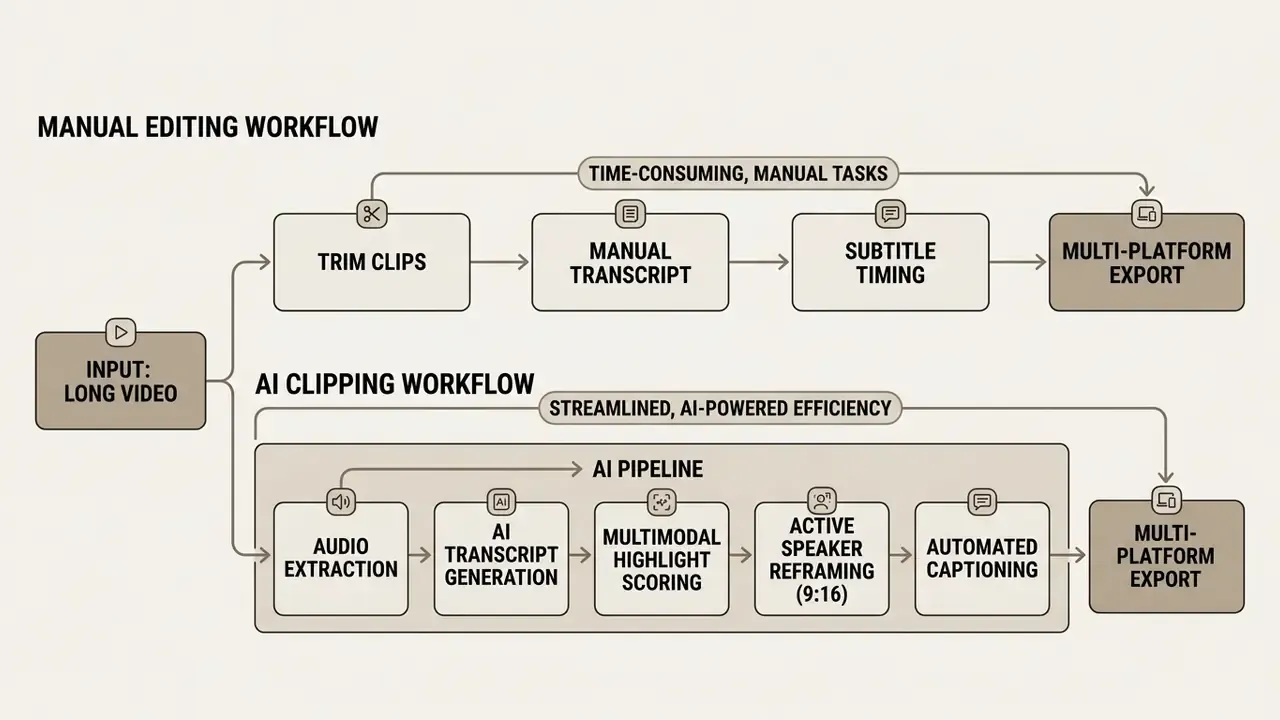
AI auto-clipping compresses selection and initial assembly from 4-7 hours down to 5-15 minutes per hour of source footage, mainly by automating transcript segmentation and first-pass 9:16 reframing. Manual editing still means frame-by-frame scrubbing in a timeline editor. One caveat worth stating plainly: these figures come from vendor-published workflow benchmarks, not independent laboratory testing, and they move with content type and required polish.
Reported benchmarks cluster consistently. AutoClip documents 4-7 hours of manual clipping per podcast or VOD versus 5-10 minutes of clipper attention with AI. Choppity documents 10-15 minutes of processing for a 60-minute video against 4-6 hours of manual scrubbing. OpusClip reports compressing a 4-6 hour manual workflow into 30-45 minutes with 94% clip-selection accuracy. Independent workflow write-ups add the number vendors rarely lead with: roughly 15-20% of AI-generated clips still need manual correction. Human review is a pipeline stage, not a courtesy.
| Stage / Metric | Manual editing (timeline editor) | AI long-to-short workflow |
|---|---|---|
| Processing time (1 hour of source) | 4-6 hours | 10-15 minutes |
| Typical output | 3-8 clips | 20-40 clips |
| Finding key moments | Full-timeline review by an operator | Automated NLP + acoustic saliency scoring |
| 9:16 reframing | Manual keyframing of crop windows | AI active speaker tracking (e.g. LoCoNet-class models) |
| Caption creation | Manual transcription and timing | Auto-transcription (95%+ on clean studio audio) + animation |
| Multi-speaker handling | Manual cuts, split screens built by hand | Diarization-driven speaker switching and camera splits |
| Publishing | Render files, then upload to each network by hand | Direct posting and cross-platform scheduling |
| Best suited for | Bespoke one-off edits, brand films | Consistent, high-cadence short-form publishing |
Manual editing still wins on artistic control over every frame. AI-driven workflows win on the repetitive middle: silence removal, speaker centering, base transcription. Editors then spend their hours on editorial polish and risk review instead of scrubbing. To see how automated clippers compare with full production platforms, review our guide to free AI video generators.
What "Free" Means in an AI Long-to-Short Video Tool
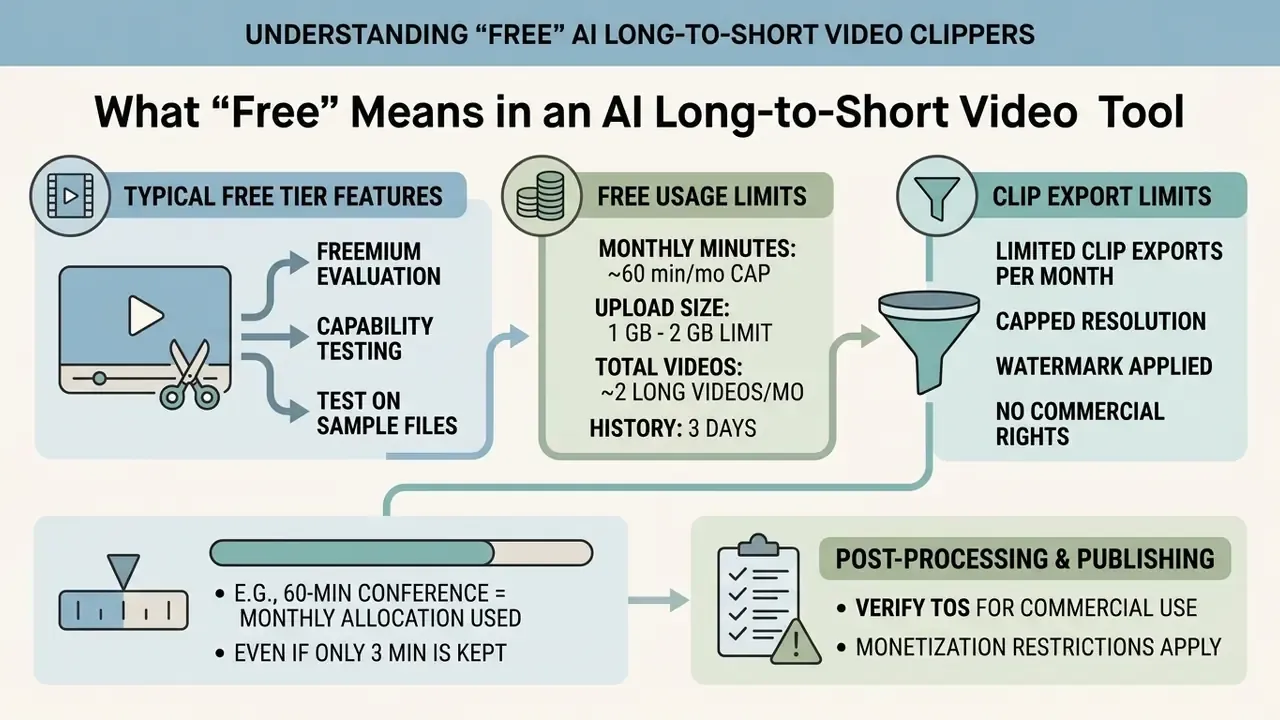
"Free" in this category means a freemium evaluation tier: limited monthly processing minutes, capped resolution, a forced watermark, and restricted commercial rights. Vendors use these tiers so creators and enterprise teams can test clipping accuracy, transcription speed, and reframing quality before procurement gets involved. Sensible on both sides.
Knowing the operational boundary matters, because the commercial pull toward short-form is measurable:
«Short videos attract roughly 2.5× more engagement than long videos on social platforms, and two-thirds of consumers name short form their most compelling content format.»
So a free long to short video AI plan is fine for capability testing on sample files. It rarely survives contact with a real publishing calendar without an upgrade.
Free Usage Limits: Videos, Minutes, and Exports
Free plans typically cap processing credits at 60 minutes per month, enforce upload limits of 1 GB to 2 GB, restrict export to 720p or 1080p, and keep projects in cloud storage for only 3 days. Vendor documentation across major platforms is consistent on one point that surprises new users: minutes are debited from the duration of the ingested source video, not the total duration of the extracted clips.
Upload one 60-minute conference recording and the monthly allocation is gone, even if you keep 3 minutes of output. Advanced features sit behind the paywall as well: 4K UHD export, custom brand kit overlays, bulk export, automated translation, and AI dubbing. Teams comparing entry points can also consult guides on free AI video generators, dedicated ai short video tools, and adjacent generators such as ai sheet music software when the media workflow extends past video.
Watermarks and Commercial Use: What to Check Before Publishing
There is a softer cost too. Watermarked content on an official corporate channel signals improvisation, and it dents perceived authority with exactly the audience you were trying to reach. For subscription structures and licensing detail across AI applications, see our AI Media Pricing Guides and our reference on video editors for commercial use.
| Metric / Feature | Free tier baseline | Paid tier (Pro / Enterprise) | Verification source |
|---|---|---|---|
| Monthly processing minutes | 60 minutes / month | 1,000+ minutes / month | Vendor pricing docs (2026) |
| Export resolution | 720p - 1080p HD | 4K UHD | Vendor specs |
| Watermark removal | Mandatory vendor watermark | Clean export, no watermark | Terms of Service |
| Commercial usage rights | Personal / non-commercial only | Full commercial and monetization | License agreements |
| Auto-caption quota | 10 - 50 minutes / month | Unlimited or extended limits | Service terms |
| Translation and AI dubbing | Usually locked, or 1 language | 75+ subtitle languages, 35+ dubbing languages | Vendor feature docs |
| Direct posting and scheduling | Manual download only | Native posting plus content calendar | Vendor feature docs |
| Project storage duration | 3 days temporary storage | Unlimited / cloud library | Platform terms |
Free-Tier Breakdown of Popular AI Clippers
The table consolidates publicly documented free-tier limits for widely used AI tools to convert long videos into shorts. Limits change often. Confirm against the vendor's live pricing page before you build a workflow on top of one.
| Tool | Free processing allowance | Free export quality | Watermark on free tier | Notable free-tier constraint |
|---|---|---|---|---|
| OpusClip | 60 processing minutes / month | Up to 1080p | Yes | Clips expire after 3 days |
| Vizard | 60 credits / month | 720p | Yes | Projects retained 3 days |
| Choppity | Generate and preview clips free | Preview / branded export | Yes (Choppity branding) | Uploads to 10 GB, videos to ~2 hours; bulk export and direct posting are paid |
| Vmaker AI | Free clip generation | Watermarked download | Yes | Sources up to 3 hours; 75+ subtitle languages, 35+ dubbing languages on upgrade |
| VEED | ~120 credits | 720p | Yes | Max ~10 minutes per video, 1 GB upload |
| Kapwing | Unlimited exports (watermarked); ~50 min auto-subtitling | Watermarked | Yes | Export length capped around 4 minutes |
| Quso / vidyo.ai | ~75 minutes / month | 720p | Yes | Minutes consumed by source length |
| CapCut | Free desktop editing | Up to 4K on desktop | No | Auto-captions limited to ~10 min per video; no automated highlight scoring |
| Clipzi | 2 long videos total | Standard | Yes | 3-day history retention |
How to Convert Long Video to Short Video With AI: Step-by-Step
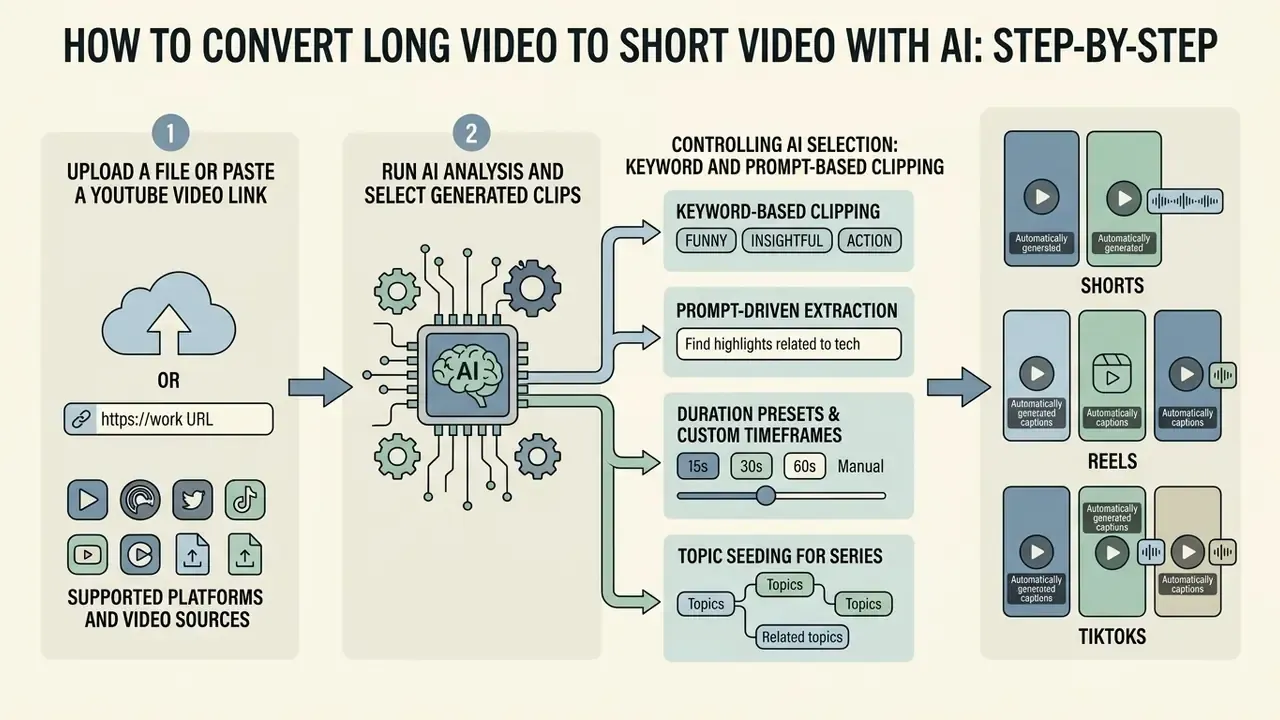
To convert a long video to short video AI output, you upload a file or paste a URL, let the engine run transcript and visual analysis, select the auto-scored highlights, fix the captions, and export vertically. Four steps. The interesting part is that the work shifts from finding moments to judging them.
Step 1. Upload a File or Paste a YouTube Video Link
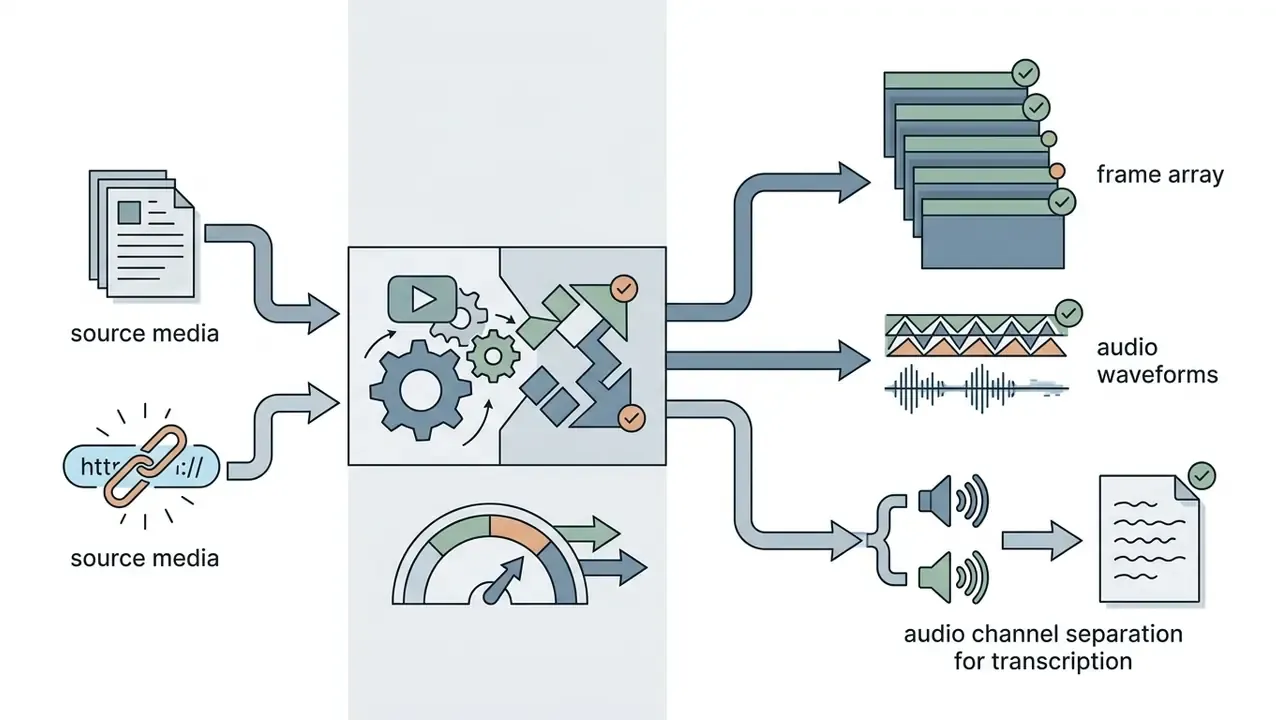
You can upload MP4, MOV, WebM, or AVI files up to about 2.5 GB straight into the browser, or paste a media URL for server-side processing. The service ingests the raw bytes, extracts frames, and builds audio waveforms for parallel analysis.
If you plan to work from links, check what "link" means for your tool. Many SaaS converters accept YouTube or Vimeo page URLs directly. Certain cloud frameworks, Microsoft Azure AI Video Indexer among them, require a direct media file URL such as a raw MP4 rather than a public webpage, because of platform access policies. Azure also caps local uploads at 2 GB and URL-based uploads at 30 GB. Teams managing a full channel can follow our workflow guide to the YouTube video editor for publishing strategy.
Supported Platforms and Video Sources
| Source type | Supported services / formats | Typical free-tier constraint |
|---|---|---|
| Cloud storage | Google Drive, Dropbox, OneDrive | Up to 1-2.5 GB per file |
| Streaming and webinars | Zoom, StreamYard, Riverside, Twitch VODs, Loom | Requires a public link or a direct MP4 export |
| Video hosting | YouTube, Vimeo, Wistia, Facebook Video, Twitter/X | URL paste without pre-downloading; some frameworks reject webpage URLs |
| Local files | MP4, MOV, WebM, MKV, AVI | Browser-side processing or server upload; a 2.5 GB ceiling is common |
| Recommended source length | 10 minutes to 3 hours | Minutes are debited from source duration, not clip duration |
Gaming and livestream teams should note one thing: a Twitch VOD export or a Zoom cloud recording behaves like any other long-form talking-head source once the audio is clean. The clipper transcribes, scores, and reframes it identically.
Step 2. Run AI Analysis and Select Generated Clips
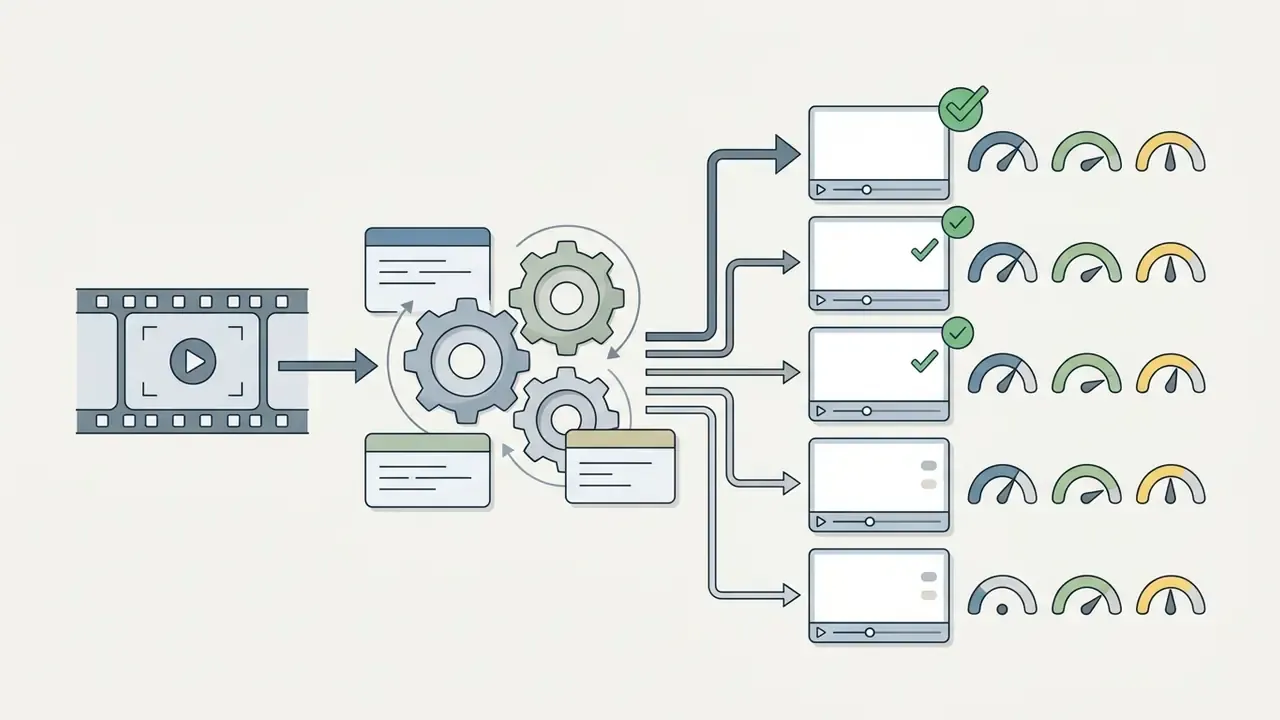
The engine parses speech and visual movement, then outputs candidates ranked by an engagement or virality score across preset target durations (15-30s, 30-60s, 60-90s). During this phase language models process the transcript to find topic boundaries, punchlines, and complete thoughts.
«An LLM-based podcast preview system uses time-stamped transcripts and episode metadata to identify self-contained, roughly one-minute segments with high engagement value.»
Documented scoring inputs include sentiment polarity, emotional intensity, hook patterns, viral keyword presence, acoustic features, and fit against the platform's "optimal length." The interface then shows a dashboard of candidates with auto-generated titles, transcript excerpts, and relative scores derived from historical engagement patterns. Useful, though the score is a prior, not a verdict.
Controlling AI Selection: Keyword and Prompt-Based Clipping
Beyond the default "find the viral moments" behavior, current tools let an editor steer selection:
- Keyword-based clipping.Supply target keywords (for example pricing, case study, common mistakes) and the engine filters transcript segments where those topics appear, returning themed clips instead of generic highlights.
- Prompt-driven extraction.Give the model a natural-language instruction, such as «find the three most heated disagreements between the speakers» or «extract the single strongest recommendation for a compliance team», and candidates get ranked against that intent.
- Duration presets and custom timeframes.Documented bands include under 30s, 30-60s, and 60-90s, with vendors also exposing 45s, 90s, and 2-minute options plus fully custom in and out points.
- Topic seeding for series.Reuse the same keyword set across a whole season and you get a consistent thematic clip library rather than a random assortment of hooks.
Progressive, self-supervised summarization research supports the underlying selection quality:
«Progressive summarization via multimodal self-supervised learning surfaces important content in stages, achieving superior rank correlation and F-scores against existing unsupervised methods.»
Step 3. Edit, Export, and Publish Short Videos
Finishing a clip means refining subtitle timing, adjusting the 9:16 reframe, applying brand styling, and exporting or publishing to social platforms. Even a strong model benefits from a human pass before release. Especially in regulated communications, where an out-of-context sentence is a compliance event, not a bad post.
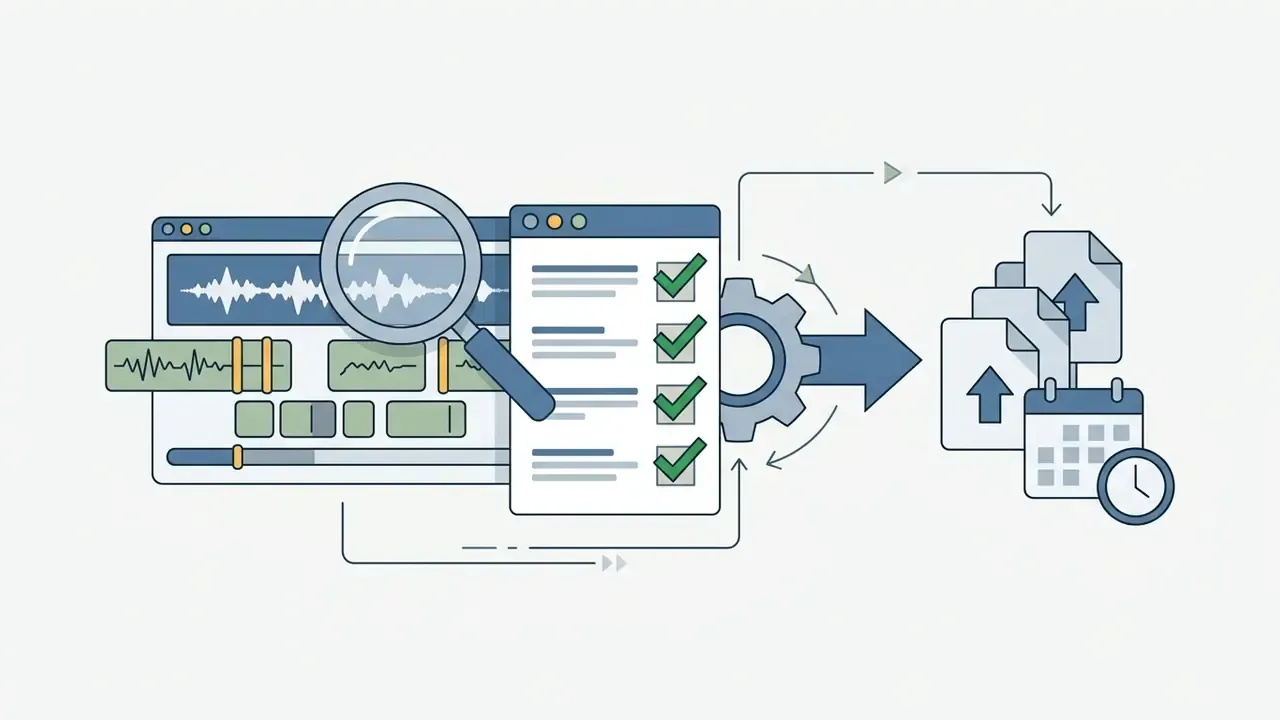
Check clip start and end points for clean sentence cuts. Correct mis-transcribed technical terms and product names. Confirm the active speaker stays centered through the whole clip. Then export in 9:16 or queue the file through a connected social scheduler. Teams comparing polishing options can review our roundup of free video editing software, and developers who want the whole chain automated can start with our technical reference on the api for custom media integrations.
Direct Posting and Scheduling Across Platforms
For most teams the bottleneck is not clip generation. It is publishing consistently across five destinations. Modern clippers close that loop inside one workspace by integrating with platform publishing APIs (TikTok Content Posting API, YouTube Data API v3, Instagram Graph API, LinkedIn and Facebook publishing endpoints). What that buys you:
- Account connection with scoped OAuth tokens, so a brand administrator can revoke posting rights centrally. Worth insisting on during vendor review.
- AI-drafted titles, descriptions, and hashtags generated from the clip transcript, then edited by a human before scheduling.
- Calendar scheduling. A typical cadence: upload one long video, generate 30 candidates, approve the top 7, schedule one clip per day for the week ahead.
- Cross-platform variants from one approval, publishing the same master into Shorts, Reels, TikTok, Facebook Reels, and LinkedIn without re-rendering locally.
Against downloading clips and re-uploading them by hand across five networks, in-app scheduling removes roughly 60-90 minutes of operational work per long-form upload. It also keeps cadence stable through vacation weeks and quarter-end crunches, which is when manual pipelines quietly stop.
- Import source file or URL.Upload a high-quality MP4 or MOV (up to 2.5 GB) or paste a direct media URL. Verification: audio waveform is clear and the transcript generated in full.
- Run AI saliency analysis.Pick target durations (say 30-60 seconds), optionally seed keywords or a prompt, and start highlight detection. Verification: review candidates and their assigned scores.
- Refine framing and subtitles.Inspect active speaker tracking in 9:16, fix transcription typos, apply brand typography. Verification: no filler words or abrupt audio cuts at clip boundaries.
- Export and distribute.Render at 1080×1920 without watermarks, then publish or schedule. Verification: playback and caption rendering confirmed on target mobile devices with sound off.
Which AI Features Improve Short Clips
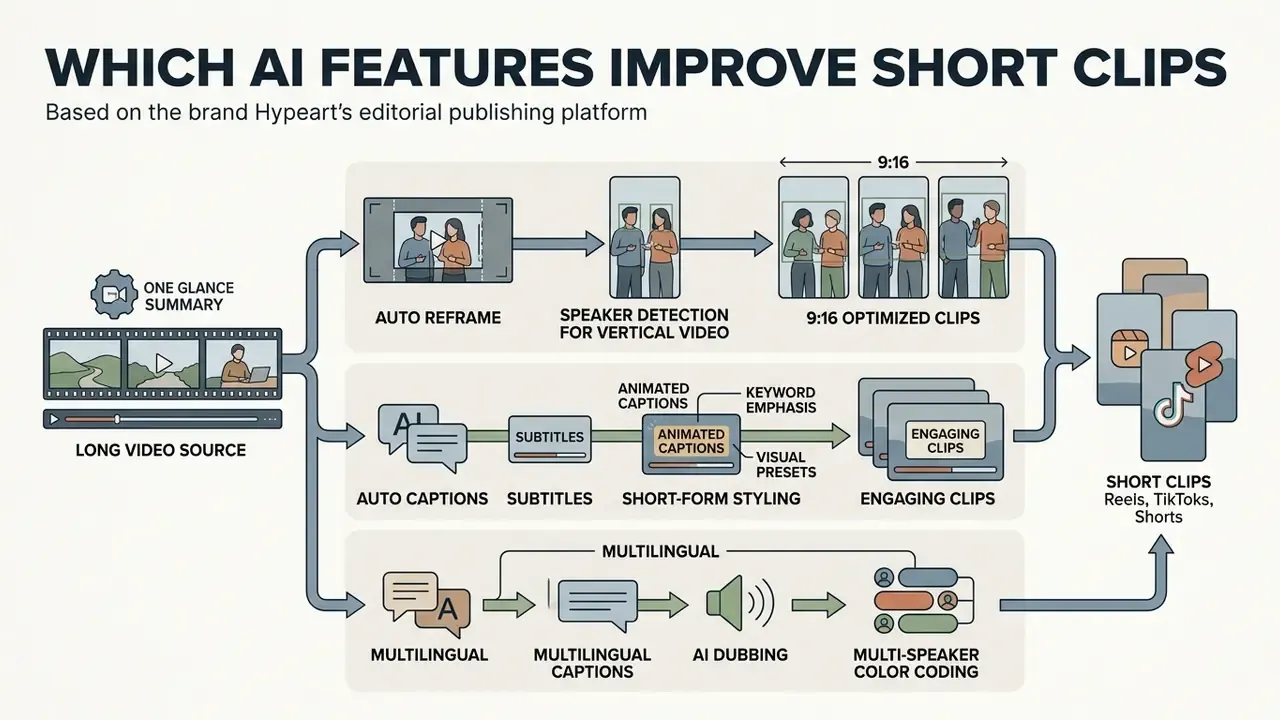
The features that actually change output quality are narrow: dynamic active speaker tracking, auto-reframing to 9:16, animated captions with keyword emphasis, multilingual translation and dubbing, and selective B-roll insertion. Each one targets attention retention in the first few seconds of playback, where the decision is made.
Framing and overlays turn flat talking-head footage into something a mobile feed will tolerate. To see how automated design features intersect with graphics workflows, explore our analysis of Canva AI Generator capabilities.
Auto Reframe and Speaker Detection for Vertical Video
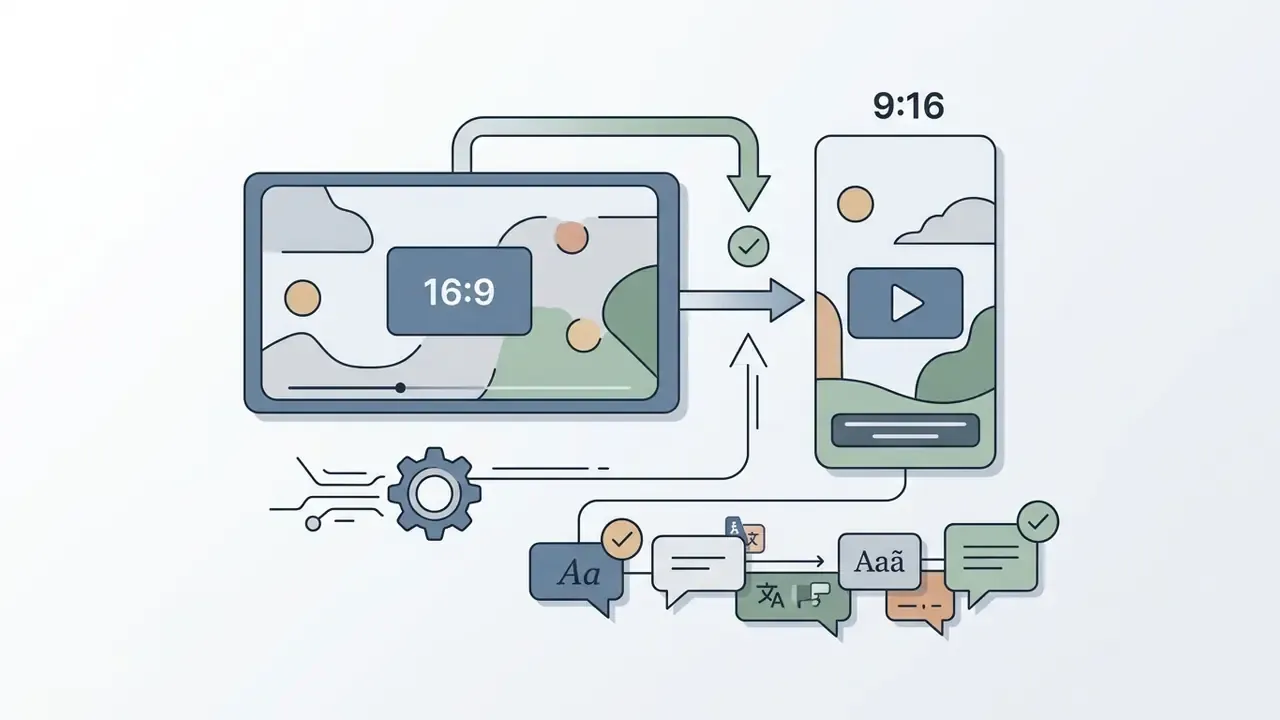
Active speaker tracking uses computer vision models (NVIDIA NIM Active Speaker Detection, LoCoNet, and comparable architectures) to identify who is talking and move the 9:16 crop window to keep that person centered. Convert 16:9 widescreen to vertical with a static center crop and you will lose speakers who sit off-center or lean out of frame. Common, and avoidable.
Advanced models weigh visual face dynamics against diarized audio to detect speaker changes in near real time.
«LoCoNet reaches 95.2% mAP on AVA-ActiveSpeaker, 97.2% on Talkies and 59.7% on Ego4D, outperforming prior methods by up to 22 percentage points on some datasets.»
«A speech-separation-guided diarization system with voice activity detection and incremental clustering achieves best-in-class results on the AMI corpus under full evaluation.» Speech Separation-Guided Diarization (SSGD) preprint (2024). https://arxiv.org/
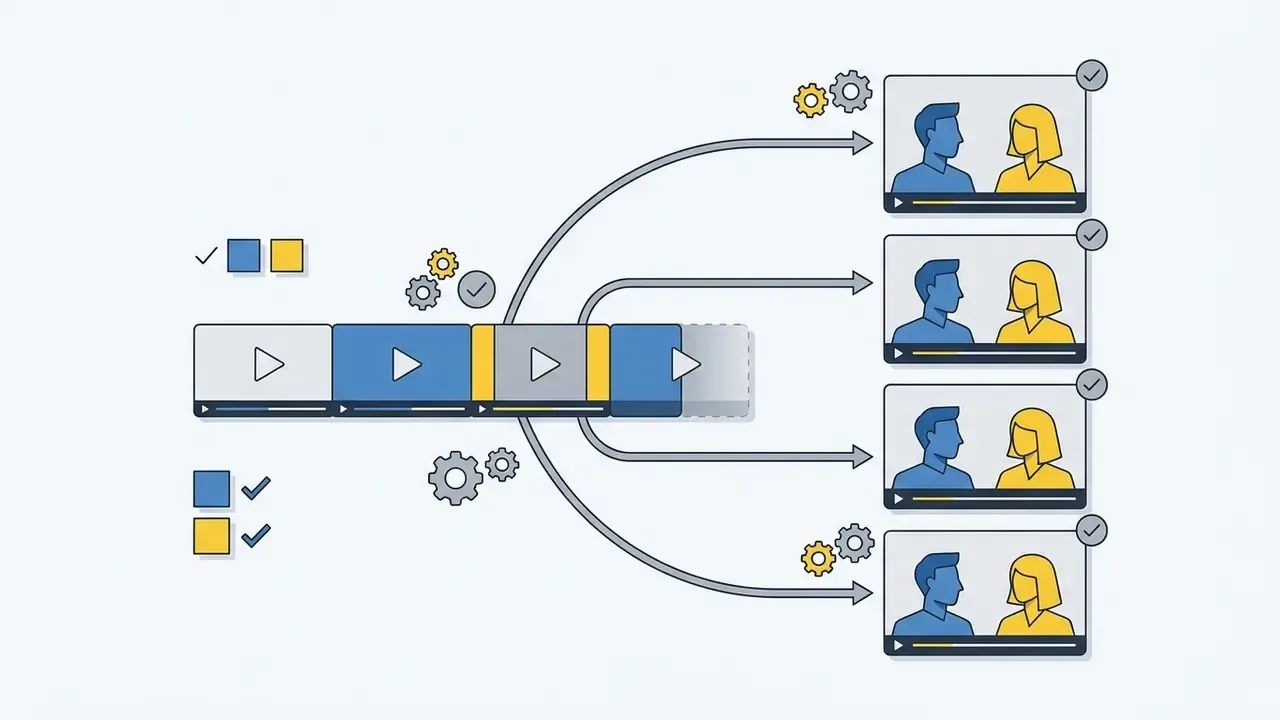
In practice you get three framing modes: single-speaker centering, speaker-switching pans for interviews, and split-screen or picture-in-picture when both participants matter to the exchange. Vendor documentation puts reframing accuracy at roughly 80-90% on supported talking-head content. Another argument for a human pass, particularly on multi-camera or heavily edited sources.
Auto Captions, Subtitles, and Short-Form Styling
Automated animated captions transcribe the audio, highlight keywords in color, and lift watch time, provided punctuation and timing are verified. Peer-reviewed evidence backs the practice:
«Adding subtitles and topical on-screen text significantly raises the communication effectiveness index of short brand videos compared with clips without text overlays.»
Attention research adds nuance. Two-line subtitles draw more visual attention, longer fixation, and more revisits than single-line subtitles, and viewers report preferring non-standard typography with emoji emphasis over plain text. Restraint still matters. Animated text, bold background highlights, and contextual emoji help, but more than three simultaneous textual elements crowds the frame and pushes drop-off up. Clean typography, brand palette, strict subtitling timing. That is the whole recipe.
Multilingual Captions, AI Dubbing, and Speaker Color Coding
Three caption layers now matter for muted autoplay and international reach:
- Multi-speaker color coding. Diarization detects hand-offs and assigns a caption color per participant (Speaker 1 in yellow, Speaker 2 in cyan), so a viewer can follow a debate on mute.
- Translation and AI dubbing. Leading platforms generate subtitles in 75+ languages and AI voice dubbing in 35+ languages, so one English podcast episode can feed regional Shorts channels. Vmaker AI documents that exact configuration in its 2026 feature reference.
- Visual presets. Word-by-word pop-on for high-energy moments; karaoke highlighting that follows the spoken word; bold yellow or red keyword emphasis for sales content; clean minimal subtitles for documentary and interview shows. Lock fonts, stroke, shadow, position, and animation timing into a brand preset so every clip ships consistent.
Teams automating document signing or verification alongside media production can consult our resource on ai signature generator tools, and anyone building narration for silent B-roll should start with the AI voice generator guide.
Which Videos Work Best for AI Long-to-Short Clipping
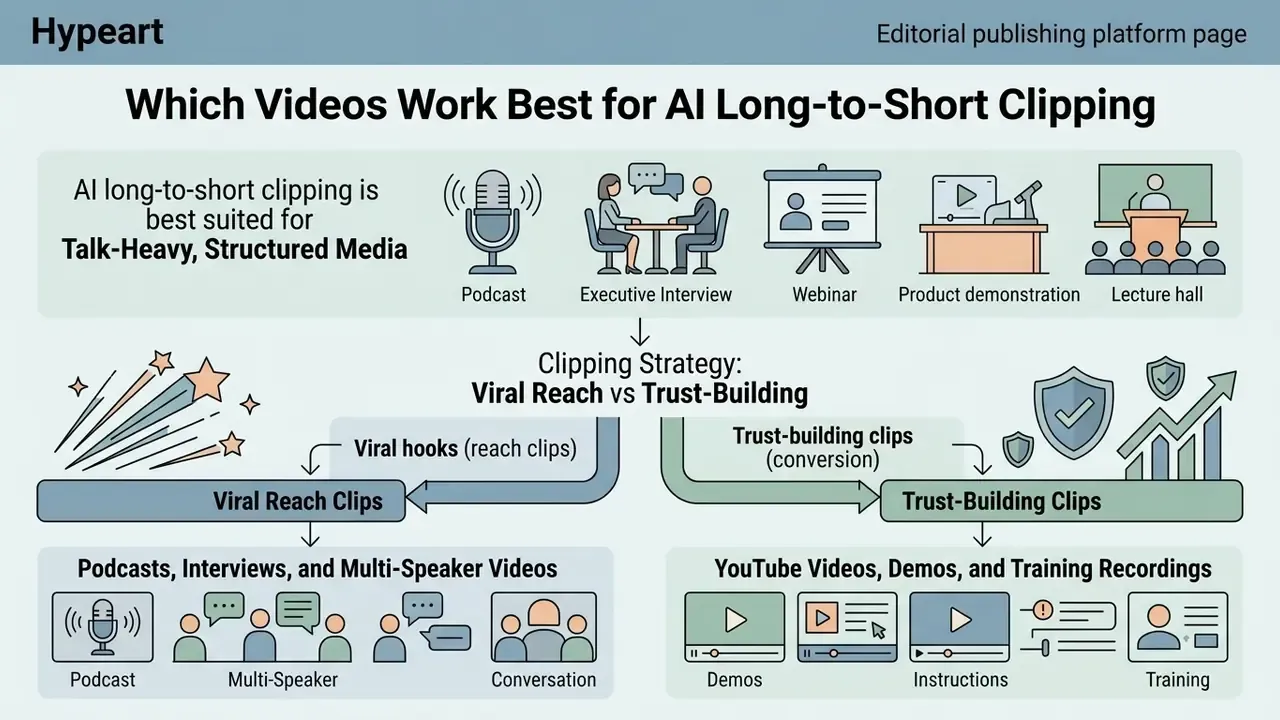
AI long-to-short clipping pays off best on talk-heavy, structured media: podcasts, executive interviews, webinars, product demonstrations, lectures. Clear verbal communication lets NLP models and audio classifiers isolate standalone narrative units with decent precision.
«Audio-based highlight detection models reach 89% accuracy and video-based models 83%; an ensemble model improves robustness against false positives.»
Unstructured media resists automation. Continuous raw gameplay, abstract vlogs, and unscripted athletic events still need a human to build the arc. Tutorials sit in between: fully supported as input, but step continuity often matters more than any isolated moment, so clip quality lands below conversation-driven formats.
Podcasts, Interviews, and Multi-Speaker Videos
Multi-speaker discussion is rich in conversational cues: pauses, topic changes, shared laughter. Discourse segmentation algorithms read lexical cohesion, term repetition, silences, overlaps, and speaker changes to find natural boundaries. In the AMI meeting corpus, "talk spurts" separated by pauses of no more than 0.5 seconds served as the base unit for predicting topic shifts.
Models combine these acoustic markers with question-and-answer pairing, so a question and its answer ship as one clip rather than two orphans. That single behavior explains most of the difference between a usable interview clip and a confusing one. For teams working heavily with audio, the AI voice generator reference covers the speech synthesis side.
YouTube Videos, Demos, and Training Recordings
Educational video and product demos repurpose well as 30-60 second micro-learning tips with an immediate visual hook. Long training webinars hold real technical value, yet mobile audiences want single-topic instalments.
Public-sector micro-learning guidance, including the U.S. Department of Health and Human Services best-practice notes on Reels and short-form video, puts the engagement window at 30-60 seconds with a hook inside the first 1-3 seconds and no long intros. University microlearning guides prefer 1-2 minute units for structured coursework. The behavioral rationale is consistent across datasets:
«71% of viewers decide whether to keep watching within the first few seconds.»
An AI clipping engine will surface the explanatory segments, which lets a team distill hours of corporate training into structured short-form playlists. One clip per concept, one concept per clip. Compliance training benefits most, because a 45-second clip on a single control gets watched and a 50-minute recording does not.
Formats and Platforms for Publishing Short Videos
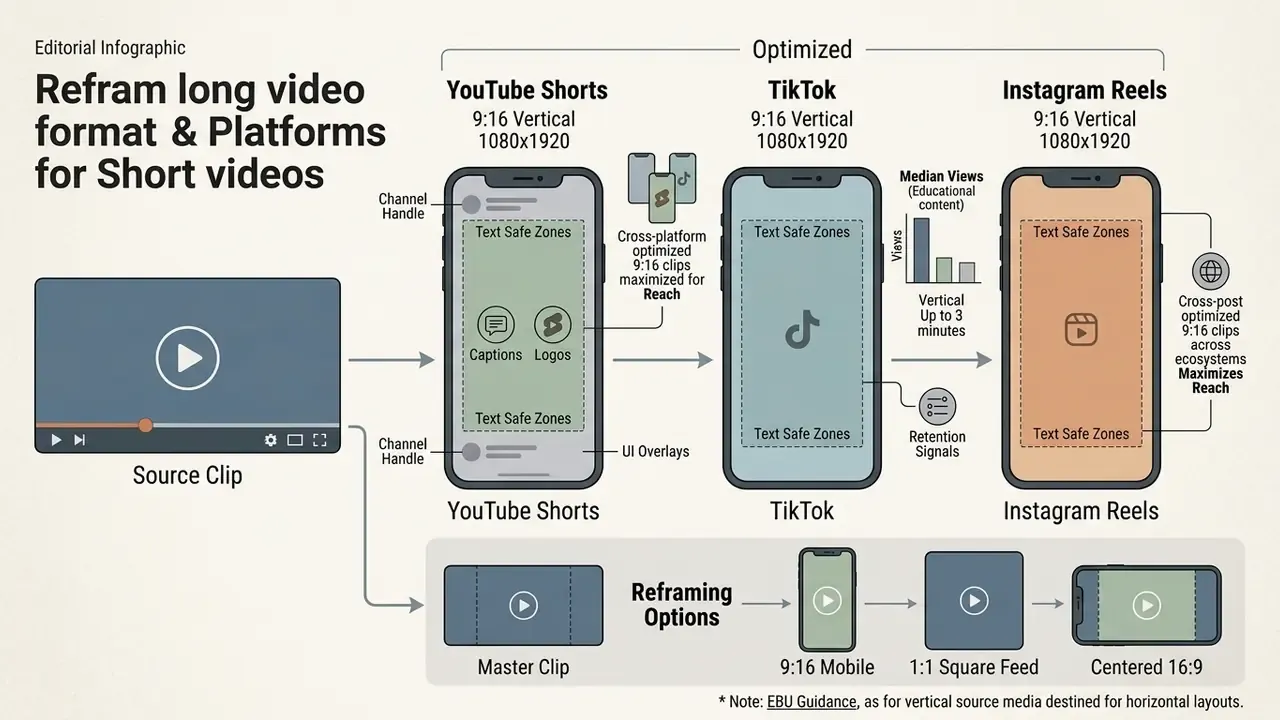
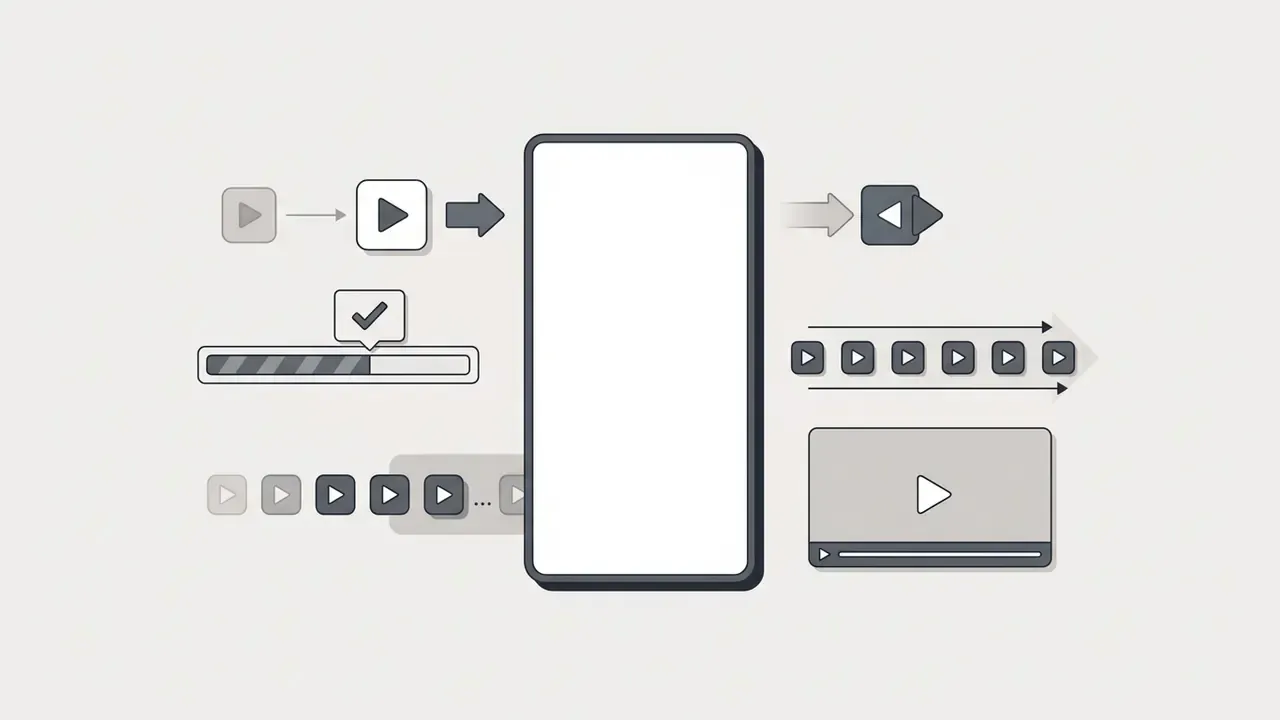
Short videos have to match platform specifications, primarily 9:16 at 1080×1920 px with clean text safe zones for YouTube Shorts, TikTok, and Instagram Reels. Every major network supports vertical delivery, but audience demographics, maximum runtimes, and recommendation behavior differ enough to justify tailored publishing.
Exact spec compliance keeps text overlays and logos clear of native UI: channel handles, caption overlays, side interaction buttons.
«A 16-60 second runtime combined with subtitles, energetic music, and exclamatory headlines significantly raises the communication effectiveness index of short brand videos.»
YouTube Shorts, TikTok, and Instagram Reels
YouTube Shorts accepts vertical uploads up to 3 minutes and leans on retention signals to widen channel distribution. TikTok offers flexible upload limits and a discovery-driven For You feed that rewards early hook engagement. Instagram Reels favors visual polish, high-definition framing, and original audio signals, distributing across both Reels and Explore.
«YouTube Shorts posted roughly a 5.91% engagement rate in Q1 2024 and TikTok roughly 5.75%, while Facebook Reels sat near 2%; average TikTok video length rose to 42.7 seconds in 2024.»
«For educational content, median views on TikTok were three times higher than on Instagram Reels and 25 times higher than on YouTube Shorts when the same clip was cross-posted.» AGU conference abstract on science communication through short video (2023-2025). https://agu.confex.com/
Cross-posting optimized 9:16 clips across all three ecosystems maximizes reach at no incremental production cost. Weight the mix by where your audience actually converts, though, not by aggregate view counts. A bank's compliance-officer audience does not live on TikTok. For a wider platform view, consult our AI Media Comparison Matrices and the ranking of the best AI video generators.
Vertical, Square, and Wide Output From a Single Clip
One master clip can be reframed to 9:16 for mobile, 1:1 for feed posts, or centered inside a 16:9 layout consistent with EBU Tech 3326 guidance. Producing several aspect ratios from a single recording lets marketing cover diverse surfaces without new shoots.
European Broadcasting Union guidance (EBU R 155 / Tech 3326) states that vertical source media destined for widescreen broadcast should be either rotated into a 16:9 image or placed centered inside a black UHD 16:9 frame without rotation, preserving visual integrity. Automated reframing tools export 9:16, 1:1, and 16:9 variants from one timeline in a single pass, with face tracking applied to each crop.
| Platform | Aspect ratio | Resolution | Max duration | Key publishing requirement |
|---|---|---|---|---|
| YouTube Shorts | 9:16 vertical | 1080 × 1920 px | 3 minutes (180s) | Clear top and bottom safe zones; high retention hook; 8-12 Mbps bitrate |
| TikTok | 9:16 vertical | 1080 × 1920 px | Up to 10 minutes in-app | Native mobile captions; trend-aligned audio; hook in first 1-2 seconds |
| Instagram Reels | 9:16 vertical | 1080 × 1920 px | 3 minutes | High aesthetic quality; original audio attribution |
| Facebook Reels | 9:16 vertical | 1080 × 1920 px | 90 seconds | Feed-safe 1:1 fallback compatibility; clear branding |
| 9:16 or 1:1 | 1080 × 1920 / 1080 × 1080 | Up to 10 minutes | Professional framing; burned-in captions for muted desktop feeds |
Note: duration and file-size limits differ between vendor specification pages and third-party 2026 summaries, particularly for TikTok and Facebook. Verify against the platform's own help center before locking an export preset.
How to Evaluate the Quality of AI-Generated Clips Before Export
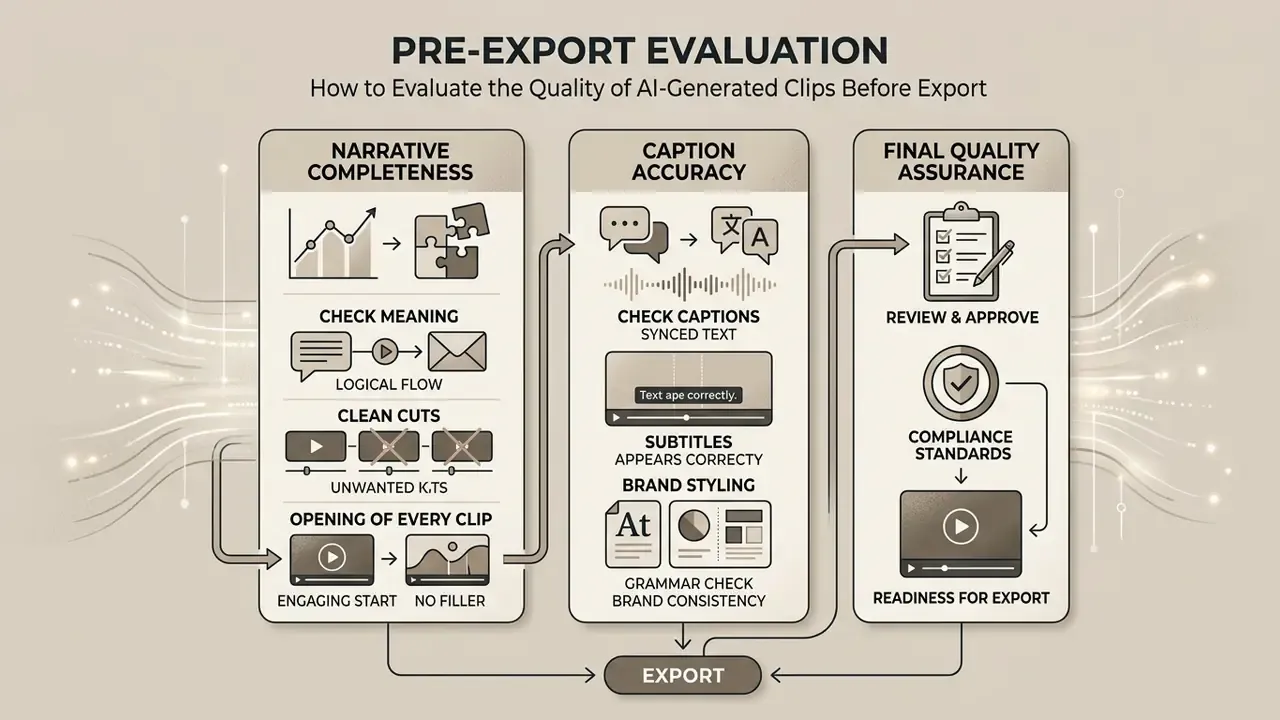
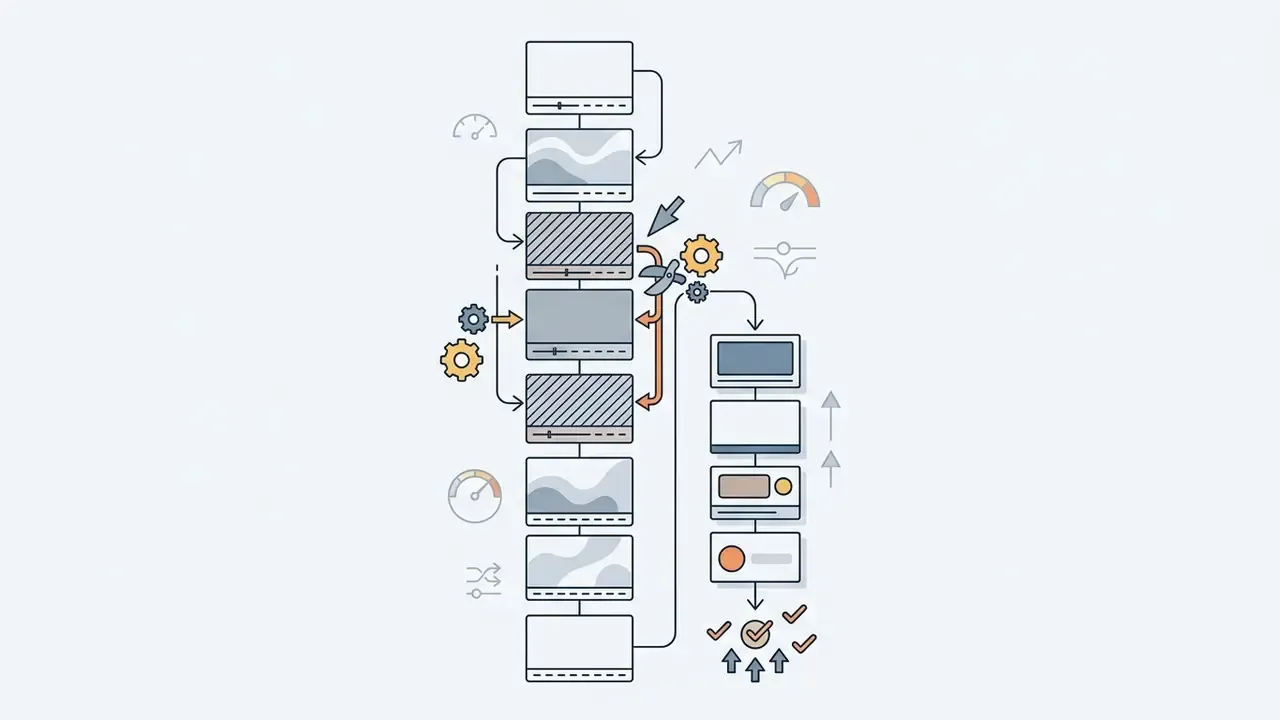
Pre-export evaluation covers three things: narrative completeness, clean cut points free of filler, and caption accuracy against brand and compliance standards. QA protocols exist so automated processing does not ship awkward audio cuts, misrendered text, or a claim your legal team never approved. Forensic video guidance published through NIST (OSAC 2022-S-0031, 2024) frames the technical half of this work as preserving original video characteristics, verifying aspect ratio and resolution, and preventing dropped frames. A useful baseline even outside evidentiary contexts.
A systematic checklist protects reputation and retention at once. It also creates the audit trail that makes automated publishing defensible.
Check Meaning, Clean Cuts, and the Opening of Every Clip
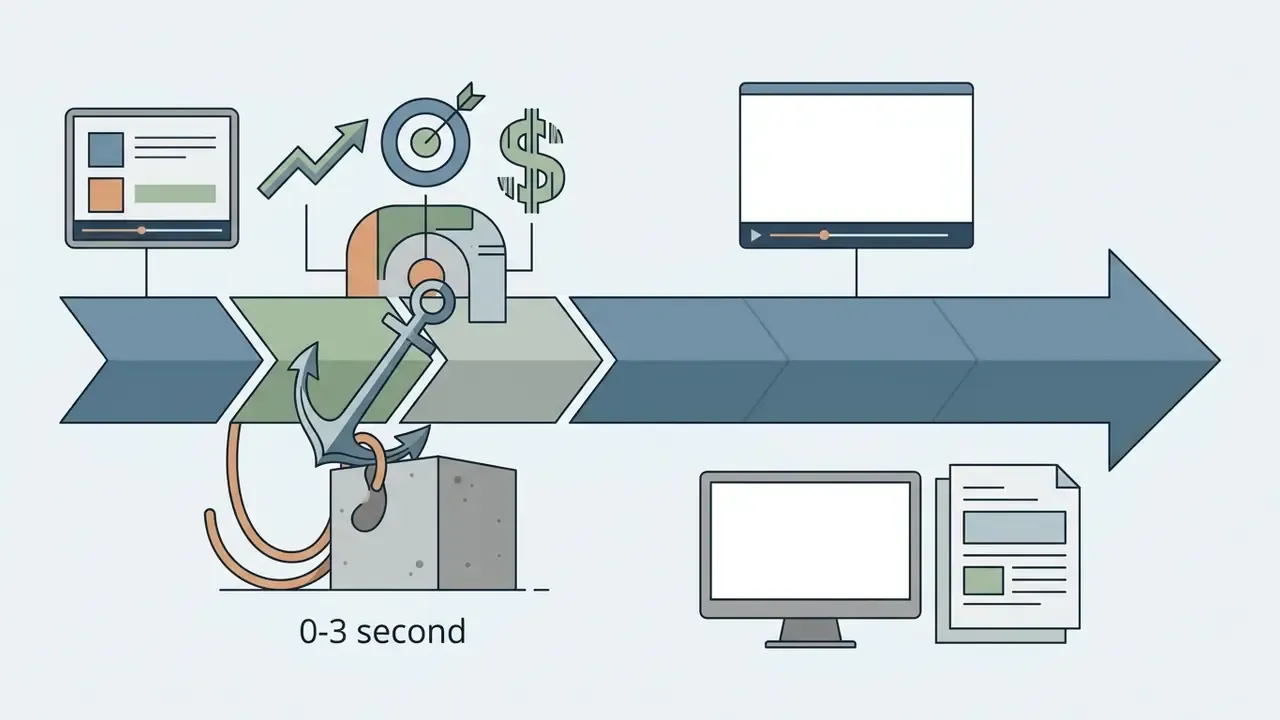
Every clip needs an immediate 0-3 second hook, a start on a complete sentence, and no dead air, verbal stumbles, or abrupt audio cuts. The opening three seconds decide whether a viewer stays or swipes.
Verify that boundaries align with natural pauses and finished thoughts. Cut greetings, logo stings, and setup lines that do not serve the hook. Trim residual noise spikes and truncated words at transitions. Confirm the first frames already carry meaning, not an empty room or a slide dissolve.
Check Captions, Subtitles, and Brand Styling
Subtitle timing should follow professional audiovisual translation standards while typography and logo overlays stay inside brand guidelines. SUBTLE's Code of Good Practice in AVT (2023) specifies in-time within 2-3 frames of speech onset, out-time at speech end or up to one second after, a 3-4 frame gap between subtitles, and reading speeds of 12-15 characters per second (150-180 wpm), not exceeding 16-17 cps.
One more caveat on those headline "95%+ accuracy" claims: they describe clean studio audio without heavy background noise, crosstalk, or strong accents. Technical vocabulary, brand names, regulatory acronyms, and non-native speakers all degrade output reliably, which is why a manual glossary pass belongs in the workflow. Typography must use approved fonts and HEX values, with safe margins away from mobile UI icons. For teams managing technical media assets, a video compressor reference helps optimize file size without visible quality loss.



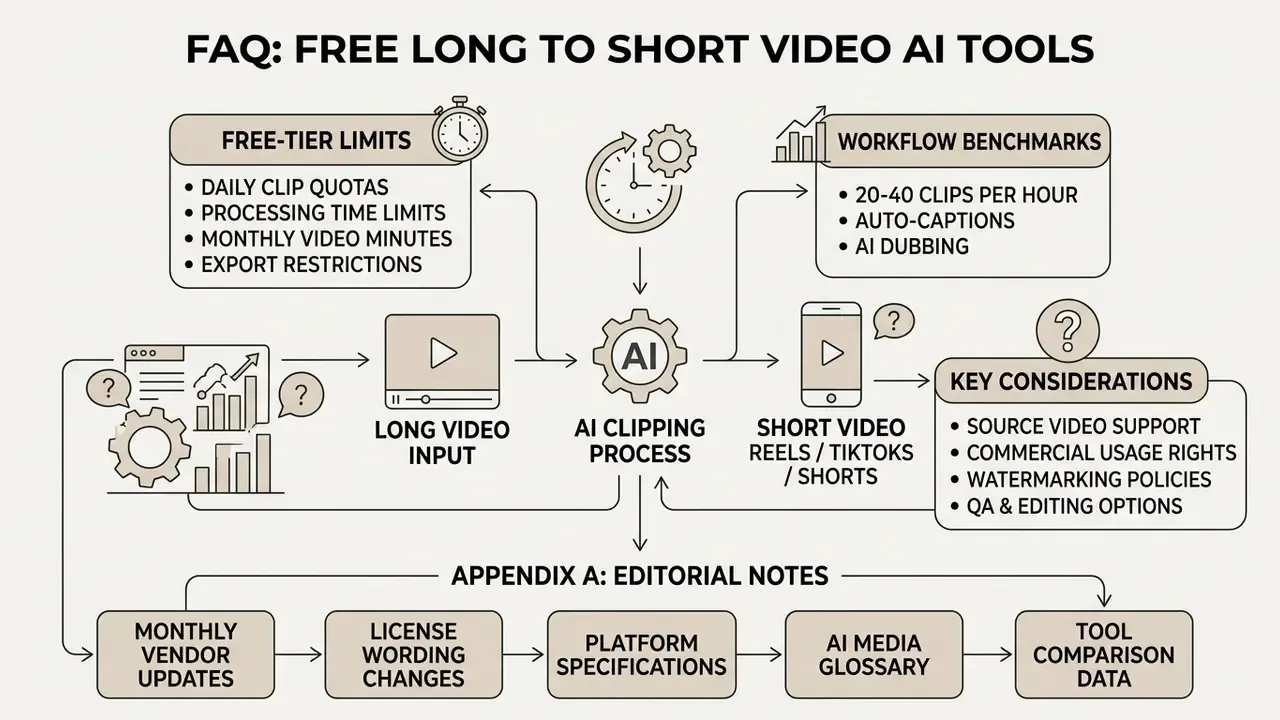
FAQ on Free AI Long Video to Short Video Tools
Common operational questions about free AI converters, data privacy models, platform access, and deployment choices.
Is this an online AI tool, or do I need to download an app?
Both models exist. SaaS cloud services process video on remote servers. Local desktop and browser applications process files on-device through WebAssembly or local GPU acceleration. Cloud platforms run entirely in the browser, so you can paste a URL or upload a file without installing anything, and heavy compute stays off a standard office laptop. The trade-off is data handling. Anyone processing sensitive corporate communications or confidential recordings must verify retention policy and confirm uploaded media is not used for model training. NIST SP 800-210 frames SaaS access control as a shared-responsibility problem, meaning identity, scoping, and revocation stay the customer's obligation. Not the vendor's. Local desktop applications and WebAssembly tools keep processing on your own hardware. No upload wait, no source footage leaving the machine, no recurring server cost. Speed then depends entirely on CPU, GPU, and RAM. For evaluation metrics and cost modeling, see our AI Media Calculators, and for setup issues our AI Media Support and Troubleshooting documentation.
How many clips will I actually get from one long video?
A 60-minute conversational source usually produces 20-40 candidates, of which 7-15 survive editorial review. Shorter or lower-density recordings yield proportionally fewer. Count depends on how many self-contained ideas the recording holds, not on runtime.
Which source length works best?
At least 10 minutes gives the model enough context to rank anything meaningfully, and most tools accept sources up to 2-3 hours. Very short uploads tend to return one or two weak candidates simply because there is little to compare.
Can I use free-tier clips commercially?
Usually not. Free tiers at AutoAE, Kensa, VidMuse, Vizard, and comparable vendors are licensed for personal, non-commercial evaluation and carry a watermark. Monetized YouTube Shorts, paid TikTok campaigns, and client deliverables generally require a paid plan. Read the license text for your specific vendor and tier before publishing anything.
Do free plans keep my projects?
Frequently no. Three-day retention is the most common free-tier configuration (OpusClip, Vizard, Clipzi). Download approved clips immediately, or plan to reprocess the source and spend the minutes twice.
Can the AI translate and dub my clips?
Yes on paid tiers of several platforms: subtitles in 75+ languages and AI voice dubbing in 35+ languages are documented capabilities in 2026. Free tiers typically restrict output to the source language.
Is my confidential webinar safe in a cloud clipper?
Only if the vendor's policy says so in writing. Some privacy policies commit to deleting uploaded media after processing and excluding it from training; others allow retention until manual deletion. For internal, unreleased, or regulated recordings, prefer on-device processing or a contracted enterprise deployment with a data processing agreement in place.
What content types should I avoid sending to an AI clipper?
Sources with no spoken audio, continuous unstructured gameplay, and step-dependent tutorials give the weakest automated results, because the ranking models depend on speech context and self-contained ideas. Use adjacent tooling instead: an animation maker for explainer builds, or a full YouTube video editor workflow for sequential instruction. Legal precedent tracking sits in our AI Litigation and Case Timelines.
Appendix A: Editorial Corrections and Source Notes
To keep attribution auditable, this appendix records changes made to earlier versions of the article.
- Caption attention claim.
- The earlier attribution "(Pexo Review, 2026)" was not a verifiable primary source and has been updated. The claim now rests on Yu & Wu's 2024 peer-reviewed study of short brand video communication effectiveness (https://doi.org/10.1016/j.jretconser.2024.103765) and on 2026 subtitle attention research comparing one-line and two-line subtitles.
- Laughter and topic boundaries.
- The bare reference "(SemDial Study)" has been updated with the full title, Exploring the Role of Laughter in Multiparty Conversation (SemDial proceedings), plus the qualifying finding from a 2020 arXiv discourse-segmentation paper that laughter is a probabilistic, not necessary, boundary cue.
- Active speaker accuracy.
- The single figure "97.2% mAP" has been updated with the full dataset breakdown from Wu et al. (2023): 95.2% mAP on AVA-ActiveSpeaker, 97.2% on Talkies, 59.7% on Ego4D (https://arxiv.org/abs/2301.08237).
- Speed and free-tier figures.
- Previously unattributed ranges ("4-7 hours", "60 minutes per month", "3-day retention") are now tied to named vendor documentation (AutoClip, Choppity, Clipotato, Clipzi, OpusClip, Vizard) and flagged as vendor-reported rather than independently benchmarked.
- Micro-learning duration guidance.
- The 30-60 second recommendation is retained with its public-sector origin and paired with the MarketingLTB 2025 finding that 71% of viewers decide within the first few seconds, plus a note that university microlearning guidance favors 1-2 minute units.
- Removed links.
- Three off-topic outbound anchors present in an earlier draft (apparel design, signage, and adult-content generators) were removed as irrelevant and replaced with contextually relevant references to editing, animation, publishing, and licensing resources.
- Author attribution.
- Author attribution now states explicitly that Marcus Hale, author.
Editorial Standards and Update Policy
Vendor limits, license wording, and platform specifications in this category change on a monthly rhythm. Every figure here carries a source and a verification date, and anything we could not verify was omitted rather than estimated. Next scheduled review: quarterly, or sooner if a named vendor changes free-tier licensing.