Image-to-video generation turns static reference photographs into short, high-definition clips using conditional video diffusion models. In enterprise marketing workflows and digital media production, these models animate existing assets without a reshoot. That saves budget. It also creates a new upload path out of the corporate perimeter, which is precisely why a marketing tool ends up on a risk committee agenda.
Understanding how these tools work, and how free tiers trade compute limits against commercial usage rights, is the difference between a controlled pilot and an unlogged data transfer.
Key Takeaways for Content, Marketing and Model Risk Officers
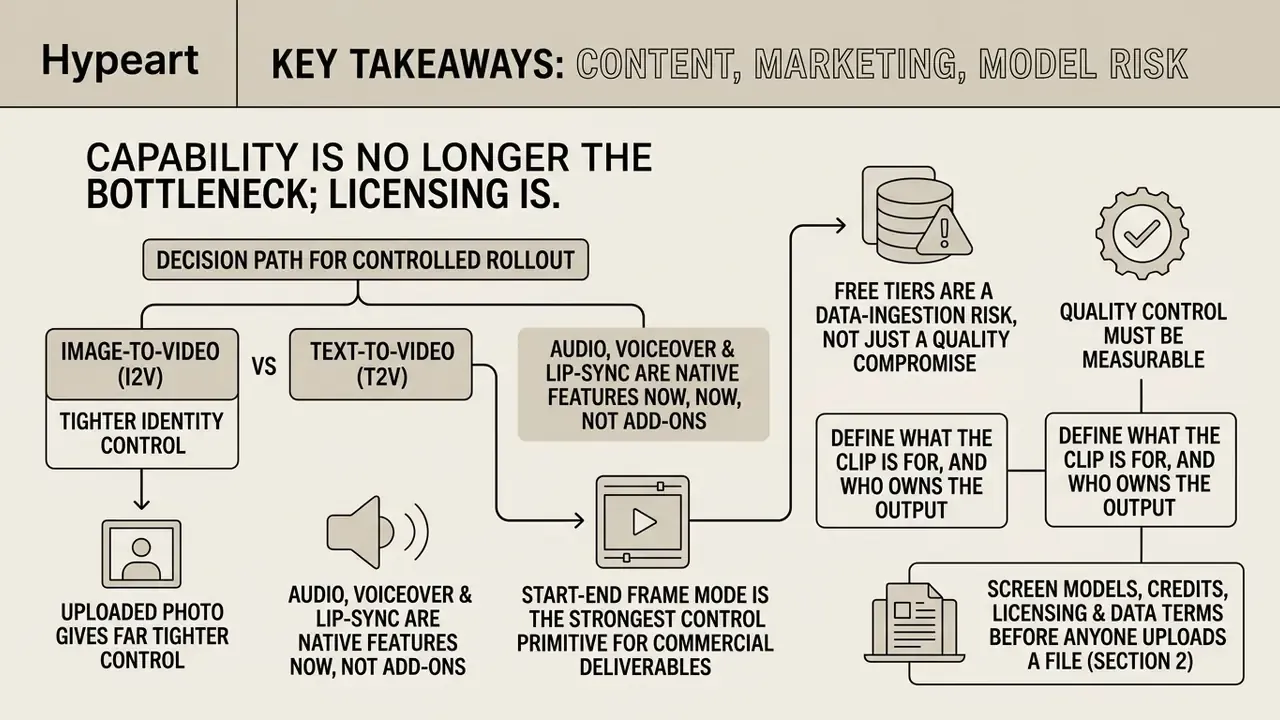
- Capability is no longer the bottleneck; licensing is. Free tiers of Kling, Runway, Adobe Firefly, Pika and Imgveo AI render usable 480p to 720p clips, yet most restrict output to non-commercial personal evaluation.
- Image-to-video (I2V) gives far tighter identity control than text to video (T2V), because the uploaded photo acts as a spatial boundary condition. The prompt then only has to describe motion and camera.
- Audio, voiceover and lip-sync are native features now, not add-ons. Kling 3.0 and Seedance 2.0 generate synchronized speech and mouth movement from a portrait plus a script or audio file.
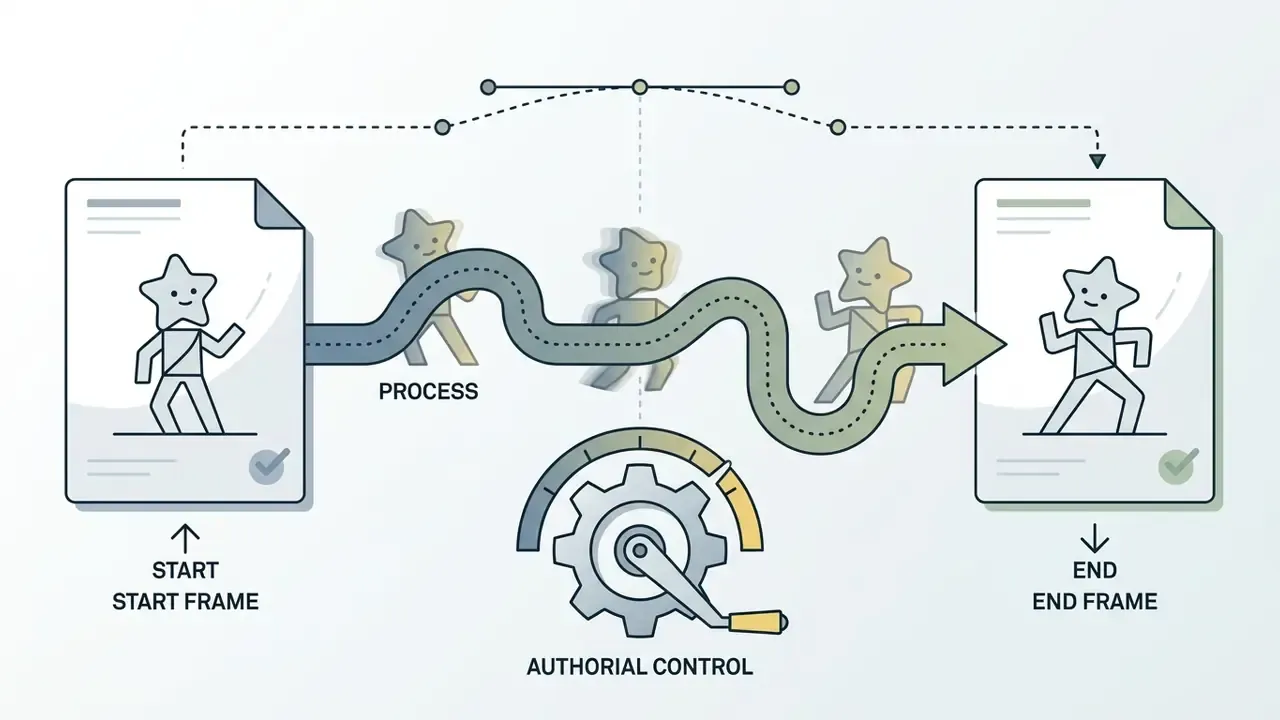
- Start-End Frame mode is the strongest control primitive for commercial deliverables. It locks the first and last frame and interpolates only the transition, which removes spatial drift in before/after and product-reveal shots.
- Free tiers are a data-ingestion risk, not just a quality compromise. Assume uploads may train the model unless a written zero-retention or opt-out clause exists. Never upload customer PII, KYC documents, internal designs or unreleased assets.
- Quality control must be measurable. Run frame-level checks for flickering, anatomical drift and motion blur, and align scoring dimensions with published benchmarks such as VBench++ and AIGCBench.
Decision path for a controlled rollout
- Define what the clip is for, and who owns the output. No owner, no pilot.
- Screen models, credits, licensing and data terms before anyone uploads a file (section 2).
- Run the generation workflow on synthetic or already-public imagery first (section 3).
- Tune motion, camera and boundary frames once the tool is approved (section 4).
- Measure quality against published benchmarks, then export to spec (section 5).
- Log model version, seed and licence clause for every asset you publish.
That order matters more than it looks. Most failed AI pilots I have reviewed in composite, illustrative form failed at step 2, not at step 5.
1. What a Free AI Video Generator from Images Can Do
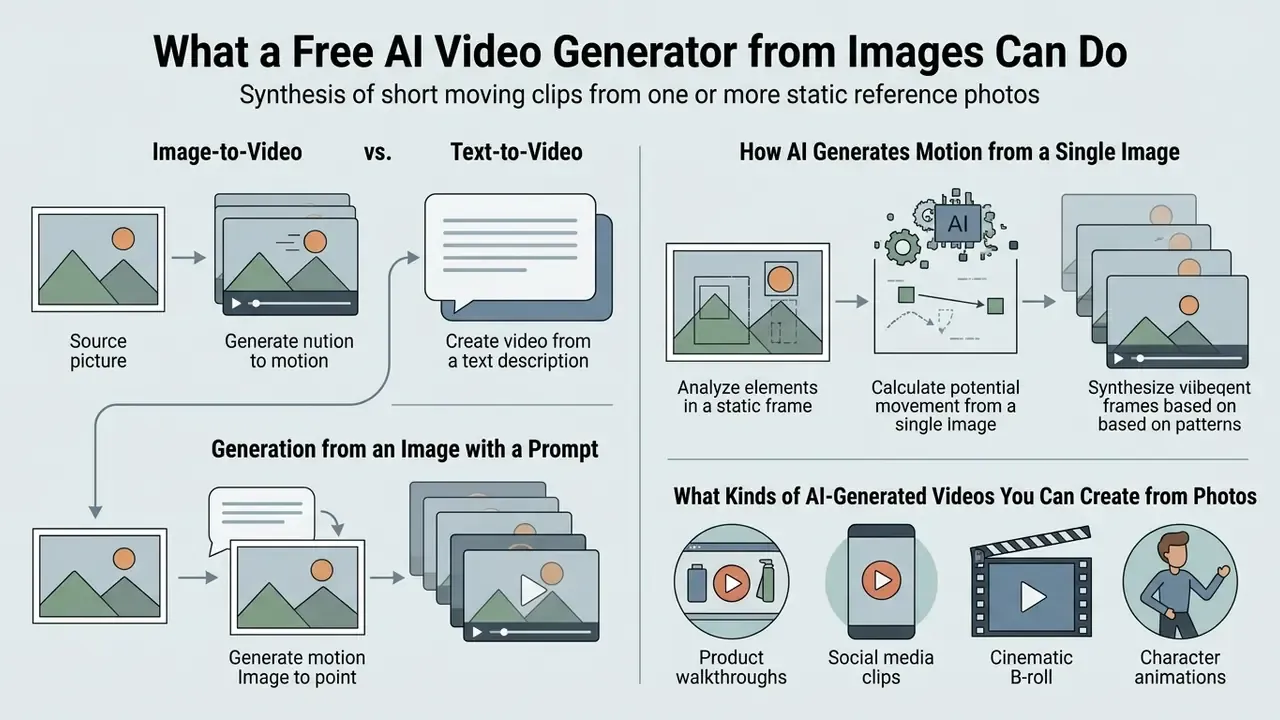
A free ai video generator from images synthesizes short moving clips from one or more static reference photos. Modern video diffusion models treat the input image as a temporal anchor, predicting frame-to-frame motion while preserving visual identity. Current consumer tools generate 2 to 15 seconds at 480p to 1080p natively. For a full taxonomy of engines, modalities and pricing models, see our reference entry on the AI video generator category.
Google's cascaded approach shows the underlying principle. Imagen Video chains a base video diffusion model with spatial and temporal super-resolution stages, converting a conditioning input into high-definition video (Imagen Video, Google Research, 2022, https://imagen.research.google/video/paper.pdf). Consumer products in 2026 inherit that cascade logic: a low-resolution latent sequence first, then upscaling and temporal refinement.
So when a marketing team says the AI generates a video "in one click", the click hides three or four model stages. Each stage has its own failure mode.
1.1 Image-to-Video, Text-to-Video, and Generation from an Image with a Prompt
Image-to-video (I2V) generation uses a static photo as a visual boundary, which lets the text prompt focus on camera motion and subject action. Pure text-to-video AI must synthesize background appearance and subject identity from text embeddings alone, so visual variance rises sharply (Adobe Firefly Documentation, 2026).
- Adobe Firefly Documentation, 2026
«I2V models learn a conditional distribution over clips, anchoring subject identity through spatial and temporal cross-attention blocks».
With ai video generation from image and text, or an ai video generator free from image and text, the model processes dual inputs. The source image fixes character appearance and background layout. The text prompt dictates motion vectors and camera paths.
Vendor prompt guidance mirrors that split. Adobe Firefly structures text-only prompts as Shot Type + Character + Action + Location + Aesthetic. Runway tells users to write image-to-video prompts as "the camera [motion description] as the subject [action]", because the photo already supplies identity and composition. Alibaba Cloud's Wan guidance separates Reference identifier + Action + Scene for combined ai video generation from text and image conditioning. Same idea, three dialects.
For teams mapping complex editorial workflows, our AI Media Commercial-Use Hub and an ai outline generator help standardize prompt parameters before batch generation.
1.2 How AI Generates Motion from a Single Image
Synthesizing motion from one static frame relies on latent flow diffusion and spatial-temporal cross-attention. Systems performing ai video generation from single image decouple spatial appearance from temporal dynamics using latent flow autoencoders.
«LFDM decorrelates spatial appearance and temporal dynamics, achieving superior video quality scores across multiple benchmarks».
An ai realistic video generator predicts optical flow across frame sequences, then warps the input image's latent representation to produce camera pans, tracking shots or subtle character movement. Physics-aware research pushes further:
«PhysGen estimates scene geometry, materials and physical parameters, then synthesizes realistic dynamics through rigid-body simulation».
Related work confirms the direction of travel. MotionCraft derives optical flow from physical simulation and combines it with Stable Diffusion image priors, improving motion plausibility without extra training. DiffPhy reports higher physical realism and better object-and-person interaction than prior baselines on the VideoPhy2 and PhyGenBench physics benchmarks. Practically, motion realism stays model-dependent. No free consumer generator guarantees physically correct dynamics for fluids, cloth or collisions. Test it before you promise it to a client.
Advanced architectures scale the same mechanism aggressively. Step-Video-TI2V reports a 30-billion-parameter text-driven image-to-video transformer that generates up to 102 frames from a text prompt plus an image, with the frame count and parameter budget documented in the technical report (Step-Video-TI2V Technical Report, 2025). Character animation follows a complementary path: a dedicated encoder preserves identity from the reference frame, while pose or trajectory signals are injected separately, as in Animate Anyone and CamCo-style camera-conditioned pipelines.
1.3 What Kinds of AI-Generated Videos You Can Create from Photos
Image-conditioned models cover several distinct categories of short-form asset:
- Product walkthroughs animating static ecommerce photos into 360-degree rotation clips or lighting transitions.
- Social media clips converting still headshots or marketing graphics into dynamic 5-second vertical loops.
- Cinematic B-roll simulated drone flights, dolly shots or panning trajectories across static landscapes.
- Character animations driving static portrait pose dynamics with secondary motion sequences (Animate Anyone Framework, 2024).
- Talking presenters and digital humans a portrait plus a script or voice track, producing a synchronized speaking clip (see section 3.3).
Vendor documentation confirms the same three commercial clusters. Adobe Firefly documents "Generate video from an image" for turning a still photo into a moving clip with realistic camera movement. HeyGen's product-video generator turns a product photo, script or product URL into finished demos and ads with MP4 export in any aspect ratio. Synthesia positions presentation video for product walkthroughs and explainers, later repurposed for landing pages, email and social. Renderforest targets TikTok, Instagram Reels, YouTube Shorts and Facebook clips generated from static images.
Applied scenarios and prompt structures by segment
- Objective: dynamic vertical clip, 9:16, 4 to 6 seconds, hook in the first frame.
- Prompt template:
[Subject] dynamic hair sway, background bokeh light leakage, slow camera zoom in, 24fps - Settings: motion strength 4 to 6, 720p, no camera translation (busy scenes collapse in the background).
- Objective: demonstrate 3D volume and material of an object.
- Prompt template:
Commercial product shot, studio turntable rotation 360 degrees, soft shadows, pristine reflection - Settings: motion strength 3 to 5, static camera or orbit, 1080p where the free tier allows, plus A/B variants for ad testing.
- Objective: conceptual cinematic sequence for pitch decks, often built from a single ai video creation concept image.
- Prompt template:
Cinematic pan right, atmospheric fog moving slowly, dramatic side rim lighting, 8k resolution feel - Settings: motion strength 6 to 8, one explicit camera move, 5-second duration, fixed seed for repeatability.
- Objective: precise before/after reveals.
- Prompt template:
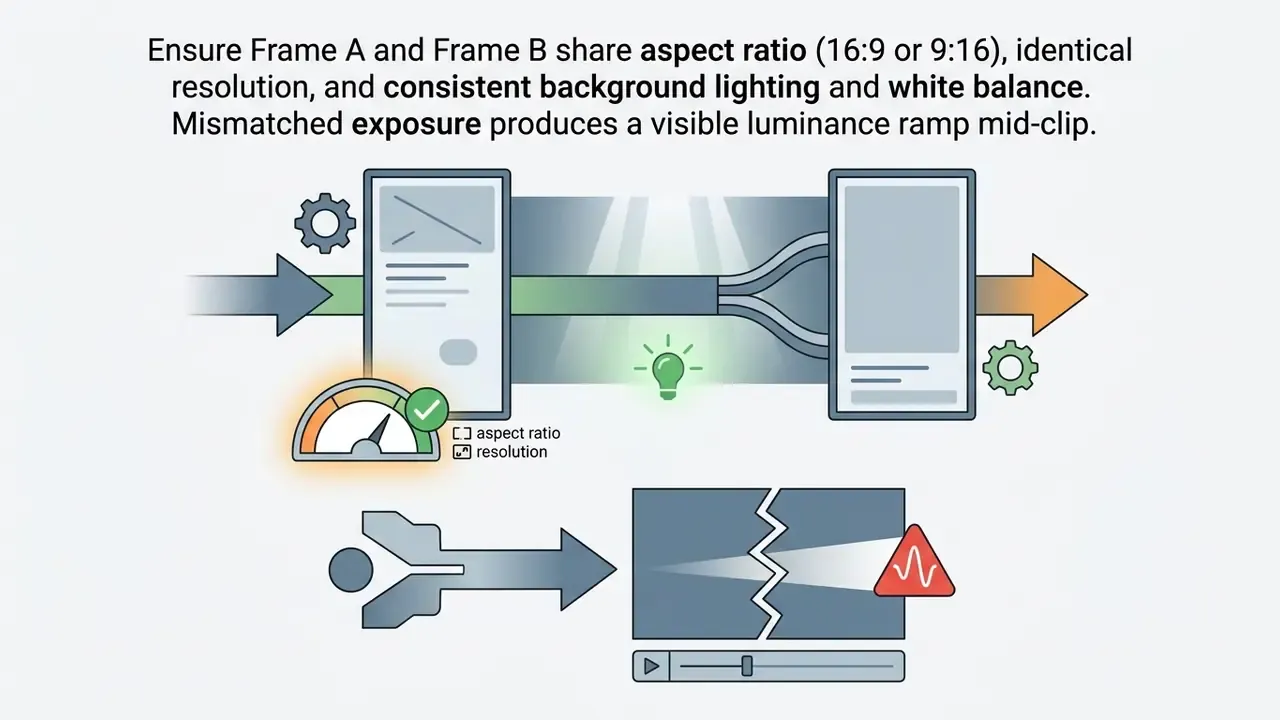
Smooth morphing transit from frame A to frame B, camera moves forward, consistent lighting - Settings: Start-End Frame mode, 5 seconds, identical aspect ratio on both boundary frames (see section 4.2).
For creators building repeatable branded motion pipelines, our guide to animation makers covers template-based alternatives when diffusion output is too unpredictable for a fixed brand system.
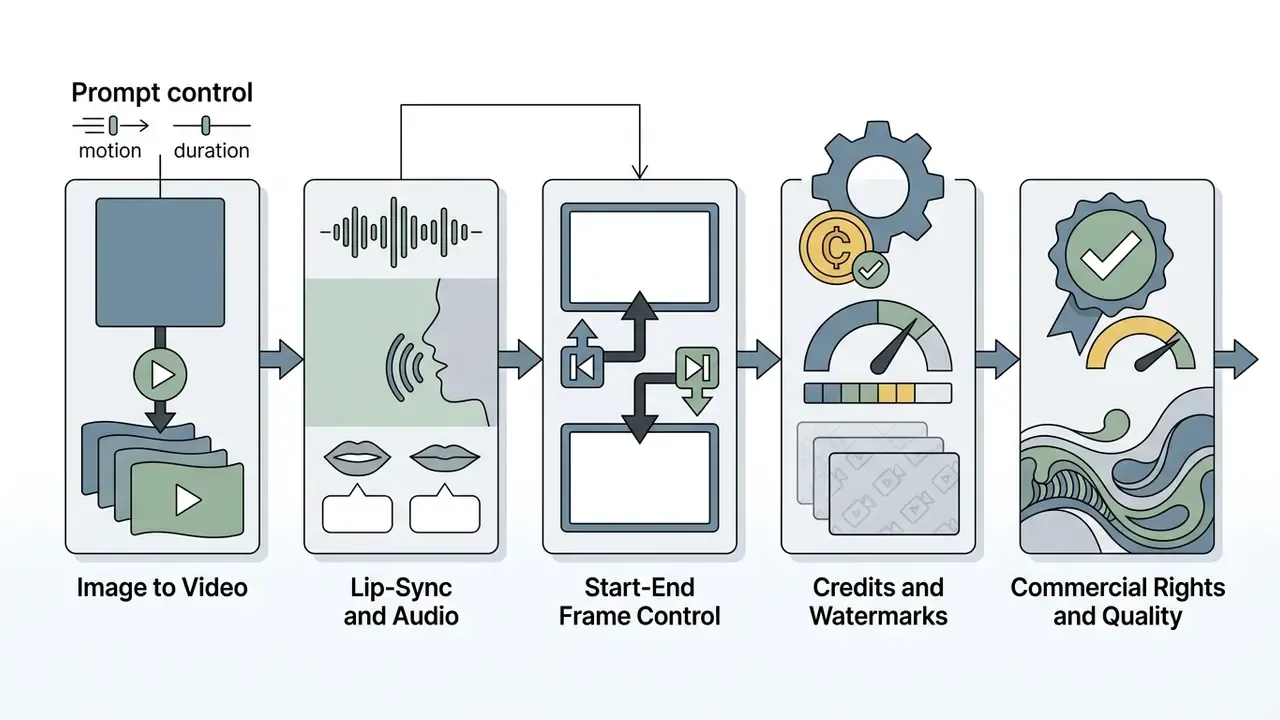
Comparative Analysis of AI Video Generation Modes
| Generation Mode | Primary Inputs | Identity Control | Motion Control Source | Primary Use Case |
|---|---|---|---|---|
| Image-to-Video (I2V) | Reference Image + Motion Prompt | High (anchored by source photo) | Text Prompt + Latent Optical Flow | E-commerce products, social loops, photo animation |
| Text-to-Video (T2V) | Text Prompt Only | Low (synthesized per request) | Text Embeddings | Concept storyboarding, abstract footage |
| Image + Text Prompt | Image + Detailed Text + Trajectory | High (subject and scene locked) | Multimodal (Text + Structural Control Maps) | Cinematic B-roll, controlled advertising assets |
| Start-End Frame (Boundary Interpolation) | Frame A + Frame B + Transition Prompt | Very High (both endpoints fixed) | Latent interpolation between boundary conditions | Before/after reveals, packaging opens, controlled camera travel |
| Image + Audio (Lip-Sync) | Portrait + Script or Audio Track | High (face identity locked) | Phoneme-to-viseme alignment + facial keypoints | Presenters, UGC ads, training and explainer videos |
Read the table as a control ladder, not a feature list. Identity control rises as you add boundary conditions, and audit evidence gets easier along the way.
2. How to Choose a Free AI Video Generator: Models, Credits, Commercial Use and Data Governance
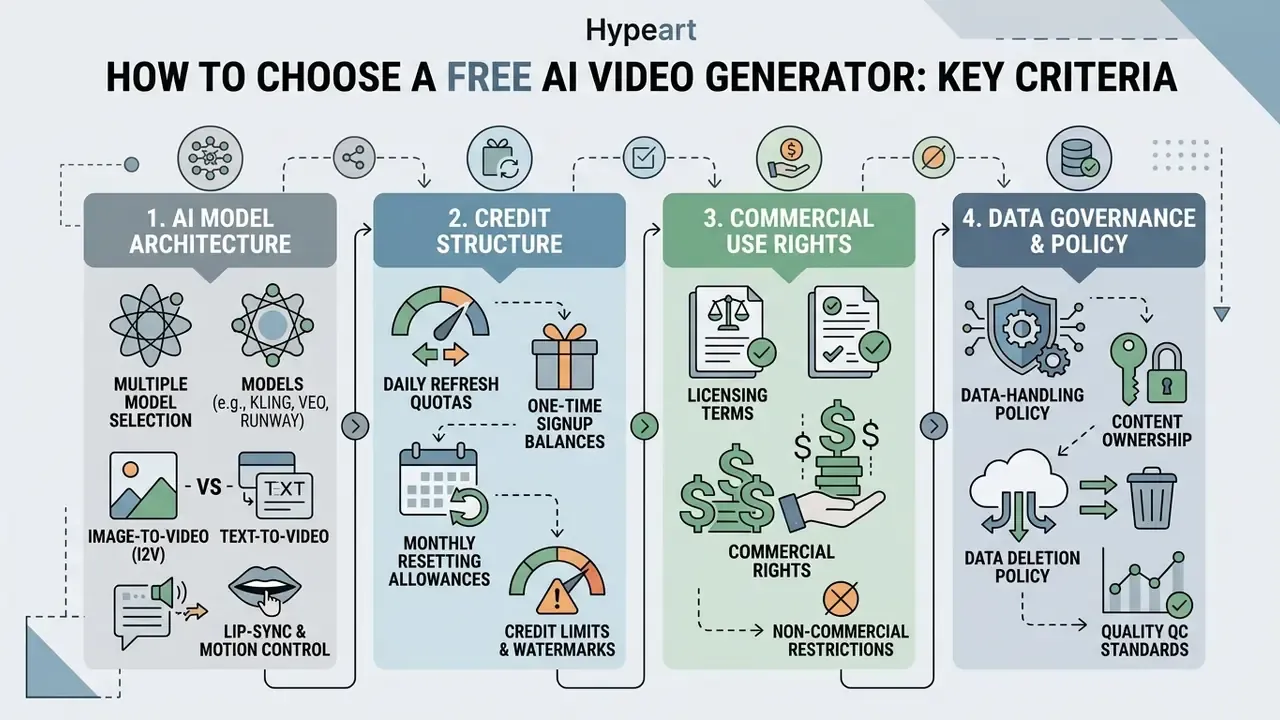
Choosing an ai image video generator free service means evaluating four things at once: model architecture, credit structure, licensing terms and data-handling policy. Free tiers give testing access with hard operational limits. Our side-by-side review of the best free AI video generators tracks duration caps, credits, watermarks and export options across vendors.
Compliance screening comes first. Verify licensing and data terms, then run the generation steps in section 3.
2.1 AI Models: Kling, Veo, Seedance, Runway and Multiple Model Selection
A modern video ai generator usually runs on one of several foundation backends:
- Kling VIDEO 3.0 and 3.0 Omni: 3 to 15 second outputs, MP4 container, 720p/1080p with 4K on v3 and v3-omni, aspect ratios 16:9, 9:16 and 1:1, plus reference-to-video, in-place video editing and native audio-visual output (Kling AI User Guide, 2026). Reviewers consistently rank it first for physically plausible, fluid motion in action-heavy scenes.
- Google Veo 3.1: strong photorealism and accurate camera trajectory adherence from text, image and video conditioning. Exposed parameters include resolution, frame rate and duration, with
durationSecondsvalues of 4, 6 or 8 and 720p/1080p/4K under defined constraints (Google AI Studio, 2026). Veo 3.1 Fast improves image-to-video specifically.- Seedance 2.0: a native multimodal audio-video joint generation model released in early 2026, built on a unified architecture accepting text, image, audio and video inputs.
«Seedance 2.0 supports four input modalities and generates 4 to 15 second clips at 480p and 720p, with improvements across key sub-dimensions».
- Runway Gen-3 and Gen-4: cinematic style control, a mature editing ecosystem, and 125 one-time free credits on the free plan with a visible watermark on free-plan exports.
- Pika: free tier documented at roughly 80 credits per month with image-to-video available, licensed for personal, non-commercial use unless a paid plan expressly permits commercial output.
Aggregator platforms add a variable that governance teams often miss. Picsart and similar multi-model workspaces route the same prompt to Veo 3.1, Runway, Kling V3, Seedance, Pika or Luma. Output rights and retention policies can differ per model inside one interface. Always record which backend processed a given render.
Enterprise Risk Matrix: Leading Image-to-Video Engines (verify against current ToS)
| Engine | Free access | Watermark on free output | Documented strength | Training on user uploads (free tier) | Enterprise readiness (API / SLA / indemnity) |
|---|---|---|---|---|---|
| Kling 3.0 / Omni | Daily credit refresh | Yes | Motion physics, 15s multi-shot, native audio and lip-sync | Assume yes unless opted out; verify | Public API available; indemnity tied to paid tiers |
| Google Veo 3.1 | Limited studio or preview access | SynthID watermark embedded in frames | Photorealism, camera trajectory adherence | Enterprise tiers offer contractual data controls | Highest: documented API params, cloud governance |
| Runway Gen-3 / Gen-4 | 125 one-time credits | Yes | Cinematic control, editing ecosystem | Verify per current policy | API and team plans; watermark-free on paid |
| Seedance 2.0 | Via partner platforms | Platform-dependent | Benchmark-leading overall quality, joint audio-video | Platform-dependent; verify per host | Available through third-party APIs |
| Pika | ~80 credits/month | Yes | Stylized frame-level control | Verify per current policy | Personal, non-commercial license on free tier |
Once the shortlist is set, our AI video generator comparison breaks the same engines down by output quality, control depth and cost per finished second.
2.2 What "Free" Means: Credits, Limits and Pricing
Free AI video generators run on credit allocation systems:
- Daily refresh quotas a fixed allowance every 24 hours, as with Adobe Firefly reset allocations (Adobe Generative Credits FAQ, 2026).
- One-time signup balances non-replenishing credits granted at account creation, for example Runway's 125 free credits (Runway Pricing Terms, 2026).
- Monthly resetting allowances a fixed monthly grant that does not roll over, such as Imgveo AI's 20 monthly credits at 480p/4s, or Pika's roughly 80 credits per month.
- Metered credit overage plan usage is consumed first, then extra generation bills against a credit balance. OpenAI documents this for Sora, where a 10-second clip costs 10 credits and a 15-second clip costs 20.
Free tiers routinely enforce watermarks, capped 480p/576p/720p resolutions, 4 to 5 second duration ceilings and reduced queue priority at peak load. Detailed cost breakdowns live in our AI Media Pricing Guides, and volume estimates can be modelled with the AI Media Calculators.
Detailed comparison of free functionality across leading AI generators
| Platform / Model | Free limit (quotas) | Max resolution (free) | Duration (free) | Watermark | Commercial rights (free) |
|---|---|---|---|---|---|
| Kling AI (v3.0) | Daily credit bonus, resets at 24:00 | 720p | Up to 5 s | Yes | No (personal use) |
| Imgveo AI | 20 credits/month (20 on signup) | 480p | 4 s | Yes | Free tier is evaluation; commercial output on paid plans |
| Adobe Firefly | Limited free daily generations, daily reset | 720p | ~5 s | No visible mark (content credentials embedded) | Firefly video model designed for commercial use; verify plan |
| Runway (Gen-3/Gen-4) | 125 one-time credits | 720p | ~4 s | Yes | Outputs not restricted by ToS, but watermarked on free |
| Pika | ~80 credits/month | 720p | ~5 s | Yes | No (personal, non-commercial) |
| Picsart (multi-model) | Limited trial generations | 576p | 3 to 5 s | Yes | No on trial; paid plans grant a commercial license |
| Canva | Included in free workspace limits | 720p | Short clips | Plan-dependent | Yes, personal or commercial under AI Product Terms |
Credit totals, resolutions and watermark policies change frequently. Treat every row as plan-specific and date-specific, and confirm on the vendor pricing page before production use.
2.3 Commercial Use, Content Policy and Prohibited Categories
This section is general information, not legal advice. Commercial-use conditions and content policies sit in each platform's current Terms of Service and can change without notice. Consult qualified counsel before publishing generated assets.
Most free tiers prohibit commercial deployment of generated assets outright. Platforms reserve commercial rights for paid subscribers (Dzine.ai Terms of Service, 2026): Dzine states that paid users may use generated content commercially, while free-tier users stay limited to personal projects. Canva, by contrast, allows personal or commercial projects under its AI Product Terms, and Adobe positions Firefly video output as designed for commercial use. The practical rule is simple. Commercial rights are a plan attribute, not a model capability.
Enterprise buyers should also read the consumer-versus-business split. OpenAI's terms state that commercial or business use falls under a separate Business Use Addendum, and that OpenAI uses automated systems plus human review to identify policy-violating content, with the right to remove, restrict, suspend or terminate access. Mistral publishes distinct commercial terms written for organizational customers. Free consumer tiers typically carry no SLA and no IP indemnification. Both normally appear only in paid Pro or Enterprise agreements.
Content moderation is strict across every major platform, and this is where a large share of search demand runs straight into policy. Queries such as "ai adult video generator free", "ai deepnude video generator" and "ai video generator free xxx" describe categories that mainstream vendors block at the filter level: sexually explicit material, synthetic nudity, and non-consensual likenesses of real people. OpenSourceGen's terms, for example, prohibit sexually explicit content, minors in sexual contexts, and "deepfakes, face swaps, and synthetic nudes of real people", while YouTube's Nudity & Sexual Content Policy bans pornography and sexual acts intended for gratification. Terms of service typically mandate immediate account suspension and IP logging for violations (OpenSourceGen Terms, 2026). Where any 18+ content is permitted at all, it is conditioned on explicit labeling and documented rights clearance, as in Fanvue's policy.
For a bank, a broker-dealer or any regulated organization, the operative control is a prompt and upload allow-list, plus retained moderation logs for audit. Blocking a category in policy but not in tooling is not a control. It is a hope.
Transparency obligations are tightening in parallel. The European Commission's Code of Practice on Transparency of AI-generated Content (2026) states that AI-generated or manipulated video should be marked in machine-readable form and be detectable as artificial. Provenance metadata, whether C2PA content credentials or SynthID-style frame watermarks, becomes part of the deliverable rather than an optional extra. Copyright exposure is moving too, and the AI Litigation and Case Timelines directory tracks the disputes that most often reshape vendor terms.
2.4 Data Governance, Privacy and Shadow-AI Risk in Free Tiers
Free image-to-video services are public multi-tenant SaaS. Uploading a photograph moves it outside the organizational perimeter, which turns a creative decision into a data-processing decision. Screen every candidate tool against this checklist before a pilot:
- Training on uploadsdoes the free tier train on user content by default, and is opt-out available without a paid plan? If the answer is unclear, treat it as "yes, it trains".
- Retention windowis there a documented zero-retention or time-bounded deletion policy for uploads and renders? Free tiers frequently push assets into a public gallery or community feed by default. Check whether generated clips publish automatically.
- PII and confidential imageryprohibit uploads containing customer faces, ID documents, KYC materials, account statements, internal dashboards, unreleased product designs, or anything covered by banking secrecy.
- Certifications and contractsfree tiers rarely carry SOC 2, ISO 27001 attestation, a DPA option or breach notification commitments. Absence of these is a hard blocker for regulated deployment.
- Provenance and labelingconfirm whether outputs carry content credentials or invisible watermarks, and whether those survive your export and compression pipeline. NIST's synthetic-content guidance (NIST.AI.100-4, 2024) frames detection, authentication and labeling, including digital watermarking and metadata recording, as core controls.
- Inventory and attestationregister every approved generator in a unified AI inventory, with an owner, an approved use case and a review date. Align validation documentation with existing model-risk practice (Federal Reserve SR 11-7, OCC 2011-12) and map controls to the NIST AI Risk Management Framework functions: Govern, Map, Measure, Manage.
- Shadow-AI detectionmonitor for unsanctioned use. The dominant failure mode is not a bad render. It is an employee uploading a confidential asset to a free consumer tool to save an hour of production time.
One caveat worth stating plainly: an image-to-video tool is usually a low-materiality model in risk terms, but a high-materiality data channel. Those two ratings pull in opposite directions, and reviewers who conflate them tend to under-control the upload path.
E-E-A-T compliance alert: terms of service and legal verification
Generic Tier Comparison Matrix for AI Video Generators
| Plan Tier | Credit Quota | Max Resolution | Watermark | Commercial Usage Rights |
|---|---|---|---|---|
| Free Plan | Daily reset or 100 to 400 initial credits | 576p to 720p | Yes | No (personal evaluation only) |
| Creator Plan | Monthly allocation (~120,000 credits/yr) | 1080p | No | Yes (standard commercial license) |
| Pro / Enterprise | High volume (~300,000+ credits/yr) | 1080p to 4K | No | Yes (full IP indemnity and custom API access) |
3. How to Create an AI Video from an Image for Free: Step-by-Step Workflow
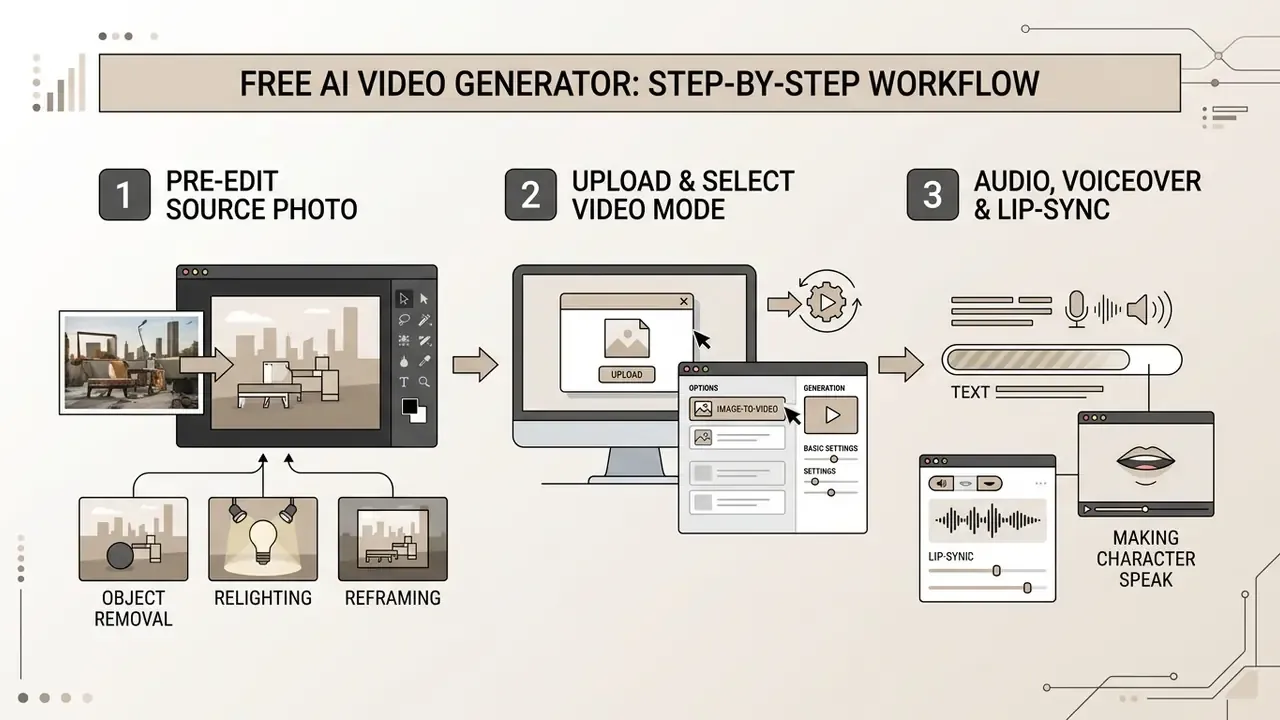
An ai video from image generator free workflow needs structured preparation to avoid artifacts. A standardized pipeline cuts credit consumption and improves temporal stability. It also makes the process auditable, which matters if the output ends up in a regulated campaign.
3.1 Pre-Edit the Source Photo: Object Removal, Relighting and Reframing
Artifacts in animation usually originate in the source frame, not the model. Spend credits on preparation rather than on regenerating failed clips:
Our photo editor guide compares the retouching, masking and inpainting tools that fit this stage.
- Object removal (declutter)
- inpaint chaotic background elements such as signage, cables, passers-by and reflections, so the diffusion model does not try to animate them. Every ambiguous shape in the source is a candidate for temporal warping.
- Add or replace content
- modern editors accept instruction prompts to replace a person, remove an object, or fine-tune colour, material, pose and expression while preserving the original style, lighting and texture. Fixing these details before animation is far cheaper than fixing them across 120 frames.
- Style and lighting transfer
- if the clip needs a different mood, day converted to night, harsh light softened, a black-and-white photo colourized, apply the correction to the still image first. Structure is preserved and credits are saved.
- Reframe and angle change
- rebuild the shot from a new viewpoint (front-facing to three-quarter, wide to close-up, higher or lower camera height) before generation, so the camera move starts from the correct perspective, focal length and depth of field.
- Clean-up baseline
- choose the sharpest available frame, use balanced lighting, remove distractions, and keep faces, labels and packaging clearly visible. Prefer uncompressed or lightly compressed originals; for archival workflows, high-resolution TIFF or PNG remains the preferred input.
3.2 Upload the Image and Select the Video Generation Mode
Open your chosen ai video creator with images platform and upload a high-contrast reference photo. Clean lighting, minimal clutter. Then select the dedicated Image-to-Video mode rather than standard text to video, otherwise the model will invent identity you already supplied.
Platforms offering ai video creation tools from images accept JPEG or PNG inputs and encode the image into a latent feature map (Google Gemini Media Studio Docs, 2026). The documented sequence in Gemini Enterprise Media Studio is explicit: open Video, select Image-to-video, choose a model, enter a prompt, upload a first-frame image, optionally add an end image, generate. If the goal involves styling virtual apparel, pairing source assets with an ai outfit generator gives crisper edge boundaries before video diffusion starts.
3.3 Audio, Voiceover and Lip-Sync: Making the Character Speak
Image-to-video is no longer limited to visual motion. For presentations, UGC advertising, training modules and digital avatars, lip-sync algorithms and joint audio-video generation turn one portrait into a speaking presenter. Kling 3.0 generates matched voices and realistic lip movement across multiple languages and regional accents, including per-character speaker assignment in multi-character scenes. Seedance 2.0 performs native audio-video joint generation from unified text, image, audio and video inputs. Veo 3.1 supports audio-synced output.
Step-by-step process for adding speech:
- Text-to-speech (TTS): paste the script into the text field, then select voice, language and regional accent.
- Audio upload: import a finished MP3 or WAV voiceover.
- Prepare the portrait.Upload a frontal photo with a fully visible face: no occlusion by hands, microphones or objects, no extreme profile angle. Lip-sync engines support realistic, 3D and 2D character styles, but they need an unobstructed mouth region.
- Attach an audio source.Attach an audio source.
- Bind audio to the latent space.The model maps phonemes from the audio stream onto facial keypoints derived from the source photo, generating visemes plus secondary micro-expressions in the eyes and brows, so the face does not read as a static mask.
- Check timing.If the audio runs longer than the maximum clip length, trim the file or reduce TTS speaking rate before launching diffusion. Re-rendering a desynchronized clip costs full credits.
- Review sync at frame level.Watch the first and last second at 0.25x speed. Onset and tail are where drift appears first. If timing feels off, trim the audio or adjust TTS speed and regenerate.
- Reuse the avatar.Save the character image together with voice and performance settings, so subsequent clips share one identity across a campaign.
For script-to-voice workflows and licensing of synthetic voices, see our reference on AI voice generators, covering voice quality, language support and commercial-use terms.
Governance note: voice cloning and facial animation of real individuals require documented consent. Treat a person's voice and likeness as personal data, and retain the consent artefact alongside the render. If the consent record cannot be produced on demand, the asset is not usable.
3.4 Describe Scene, Motion and Camera in the Text Prompt
Build the motion prompt with a structured syntax: [Subject Action] + [Camera Trajectory] + [Lighting/Style]. A fuller pattern used by professional operators is Subject + Action + Motion constraints + Style + Camera move + Shot type. Avoid repeating visual descriptions already present in the reference image.
Explicit camera keywords, dolly forward, pull-back reveal, orbit 360 degrees, pan, tilt up, aerial pull-back, tracking shot, handheld, static pedestal, keep the model from injecting chaotic subject distortion (Peace Corps Video Production Toolkit, 2025). Research on motion-specific conditioning supports the separation: MotionCrafter treats motion as an independently controllable element in diffusion models, so describing appearance and motion in distinct prompt segments improves adherence.
Two practical rules. State exclusions explicitly (no camera shake, no background people), and list only one dominant camera move per clip. Two competing trajectories in a 5-second render is the single most common cause of geometry collapse.
3.5 Generate, Review and Export the Finished Video
Run the generation and let the model complete its reverse diffusion pipeline. When rendering finishes, review for three defects:
If the clip clears the baseline, select the export resolution, typically 720p or 1080p MP4, and download it. Post-export refinement, trims, captions, colour matching, platform-specific renders, happens in a conventional video editor; for publish-ready pipelines see our YouTube video editor workflow.
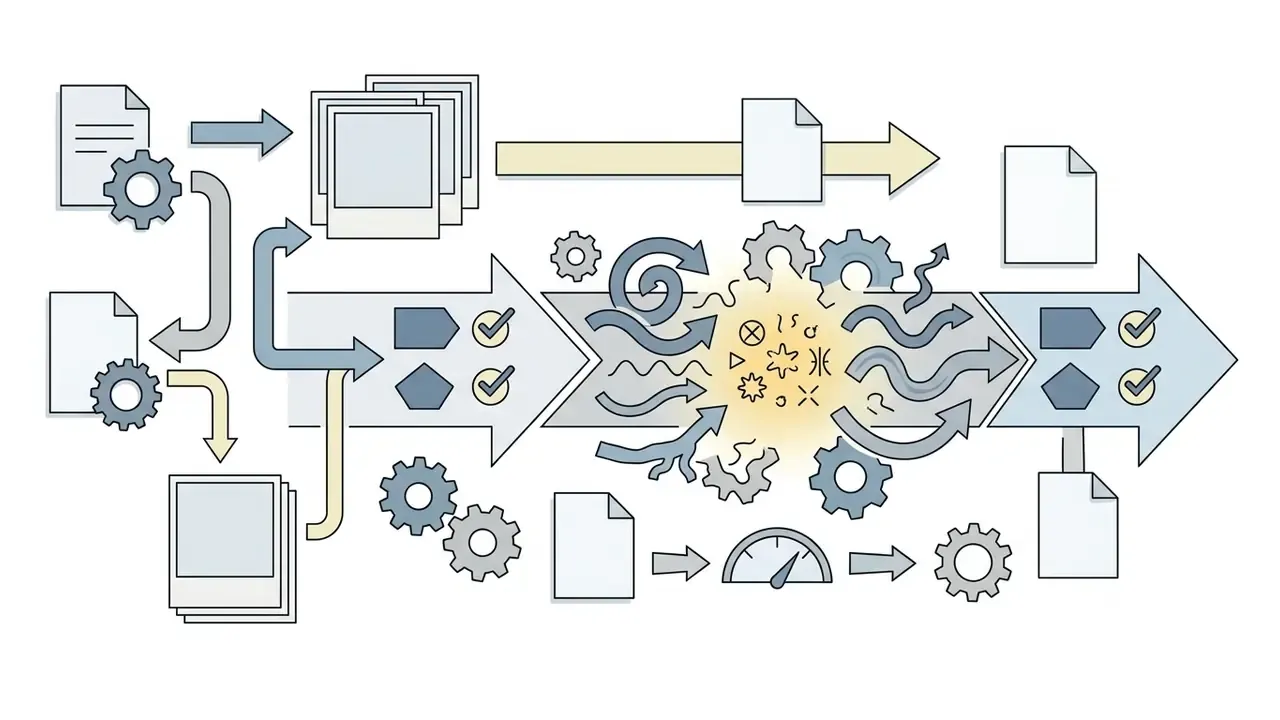
Consolidated generation pipeline (alt text for the flow diagram: "ai video from image generator free"):
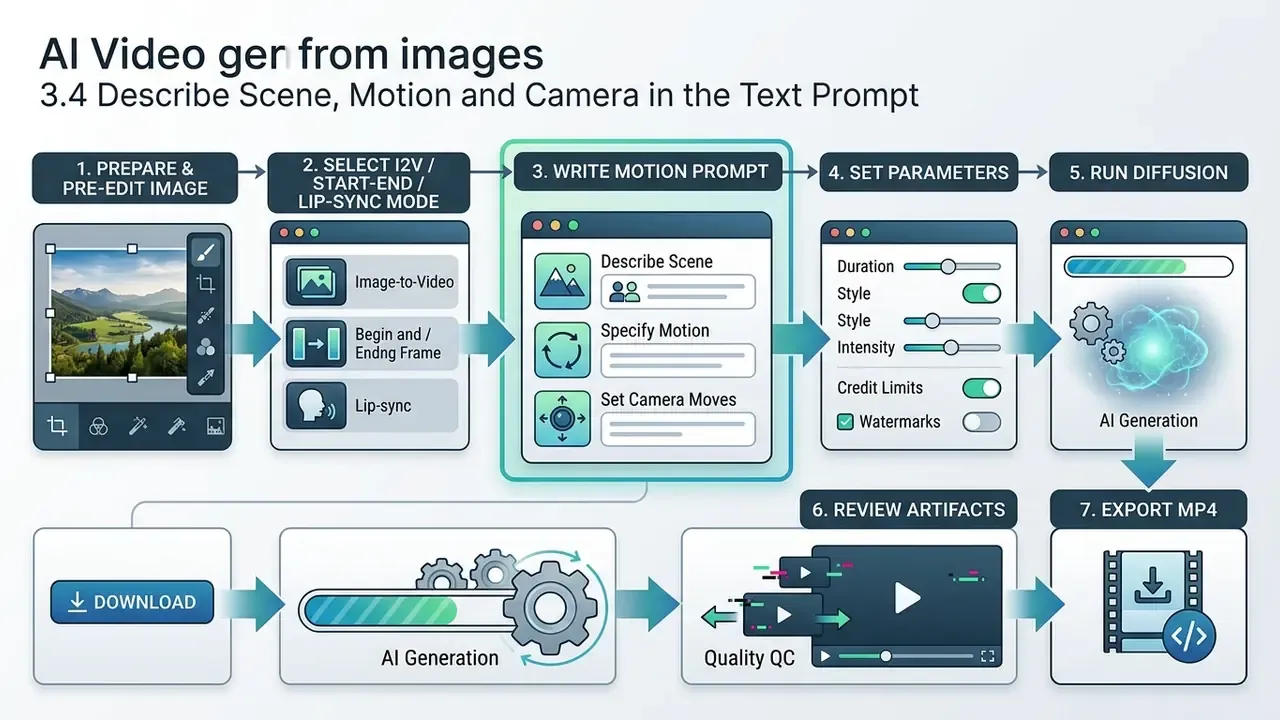
| Step | Action | Parameters that matter |
|---|---|---|
| 1 | Prepare and upload the reference photo into the VAE encoder | 1080p or better source, sharp edges, decluttered background |
| 2 | Lock conditioning to the uploaded frame (or A+B frames, or portrait plus audio) | Mode selection, model selection |
| 3 | Specify camera movement and subject action | One camera move, explicit exclusions |
| 4 | Adjust generation parameters | Motion strength, aspect ratio, duration, guidance scale 6.0 to 10.0, seed |
| 5 | Execute latent denoising cycles | Denoising steps, queue priority |
| 6 | Inspect output for spatial-temporal consistency | Flickering, anatomical drift, motion blur, lip-sync offset |
| 7 | Export the final file | 720p/1080p, MP4/H.264, AAC audio, target aspect ratio |
Guidance scale deserves a note. Vendor documentation recommends 6.0 to 10.0 for prompt adherence and warns that values above roughly 12 produce over-guidance artifacts and unnatural motion (Together AI Documentation, 2026). If a render looks over-sharpened and stiff, drop the scale before rewriting the prompt.
Stuck at any step? Platform-specific fixes sit in AI Media Support and Troubleshooting.
4. AI Video Generation Settings for Full Creative Control
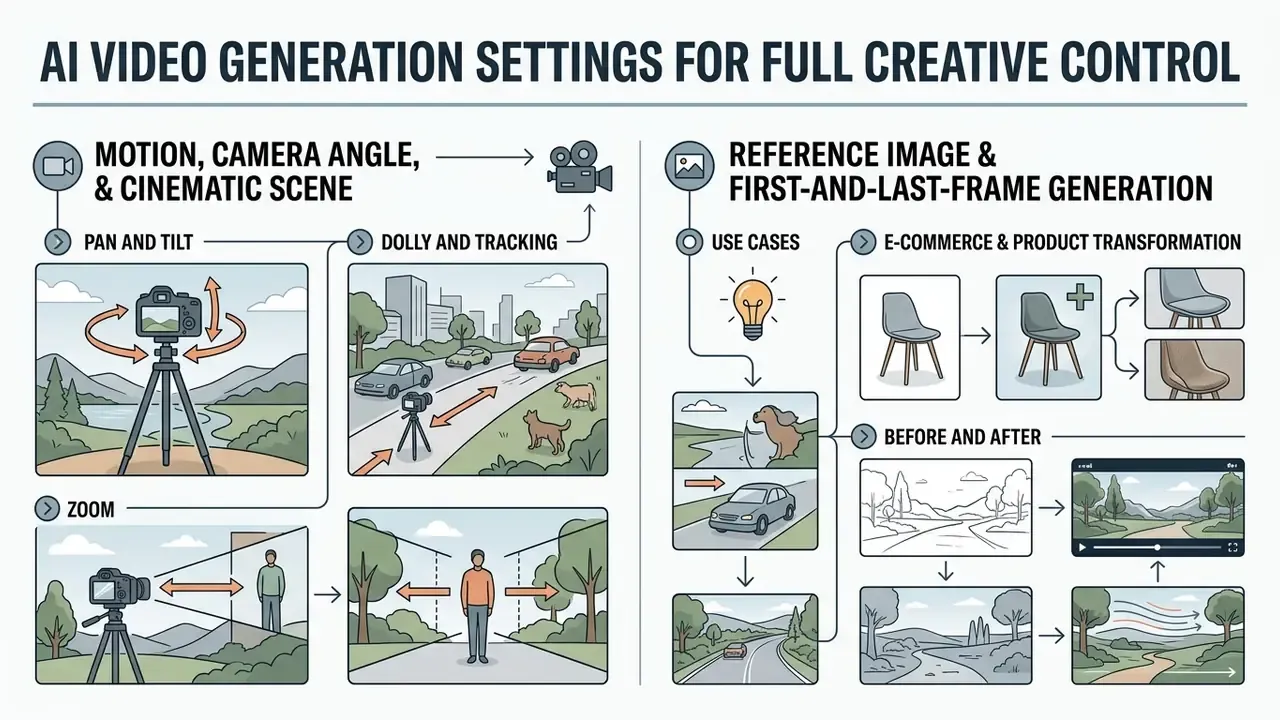
Precise cinematic motion comes from control parameters, not from longer prompts. Platforms offering ai video generation customization options expose controls for camera movement, boundary frames and visual style retention. A 2026 survey of controllable video generation groups these into structure, identity, image, temporal, audio, other and universal multi-condition classes, which is a useful taxonomy when auditing which levers a given tool actually exposes.
4.1 Motion, Camera Angle and Cinematic Scene
Motion strength controls the degree of frame-to-frame variance applied to the latent vector. Low values, 1 to 3, preserve source geometry with minimal movement, which suits portraits. High values, 7 to 10, introduce dynamic subject action and raise distortion risk (Together AI Documentation, 2026).
Camera controls simulate professional cinematography:
- Pan and tilt rotates the view along fixed horizontal or vertical axes.
- Dolly and tracking translates camera position physically through 3D space; arc and boom moves extend the same principle.
- Zoom adjusts lens focal length without moving camera coordinates.
«CamI2V encodes camera poses with Plücker coordinates and applies epipolar attention, improving camera controllability by 25.5% on RealEstate10K».
Camera-conditioned I2V systems generalize this further. CamCo takes a single first frame plus a camera sequence and produces 3D-consistent video that follows the supplied viewpoint path. The implication for free tiers is blunt: a written camera keyword is an approximation of trajectory conditioning. When precision matters, prefer a tool that accepts an explicit camera path, or use Start-End Frame mode.
4.2 Reference Image and First-and-Last-Frame Generation
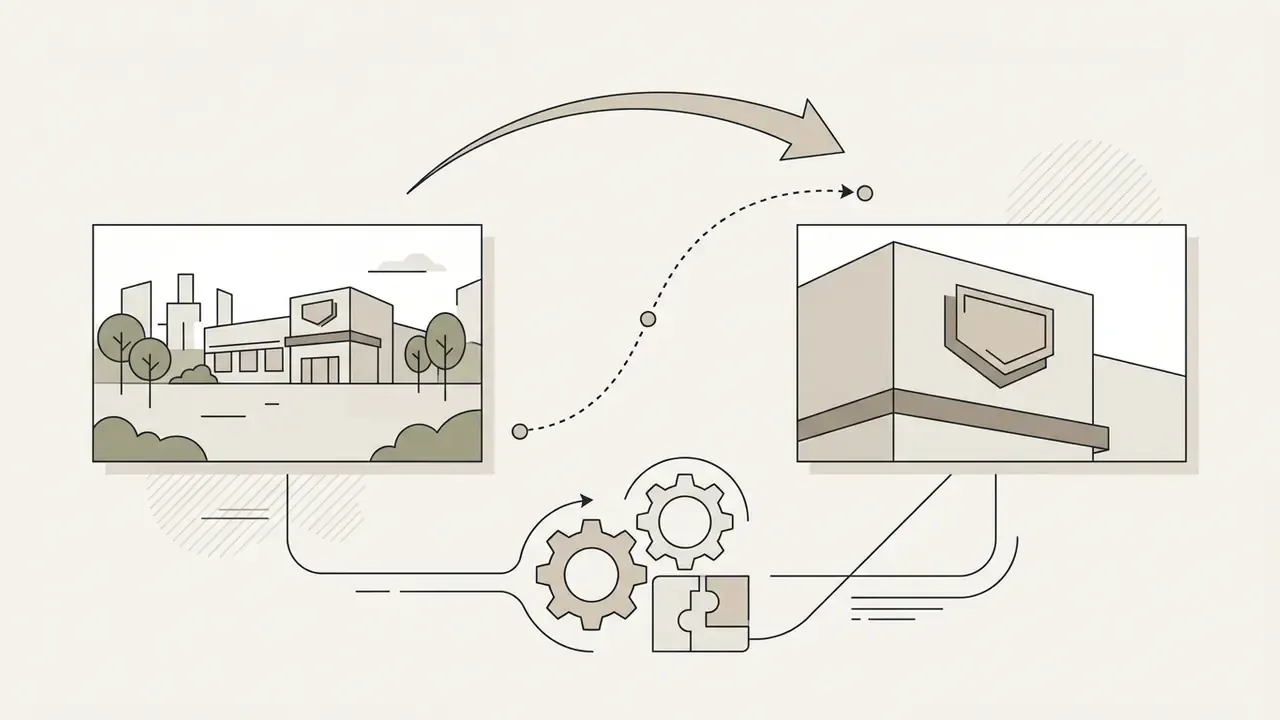
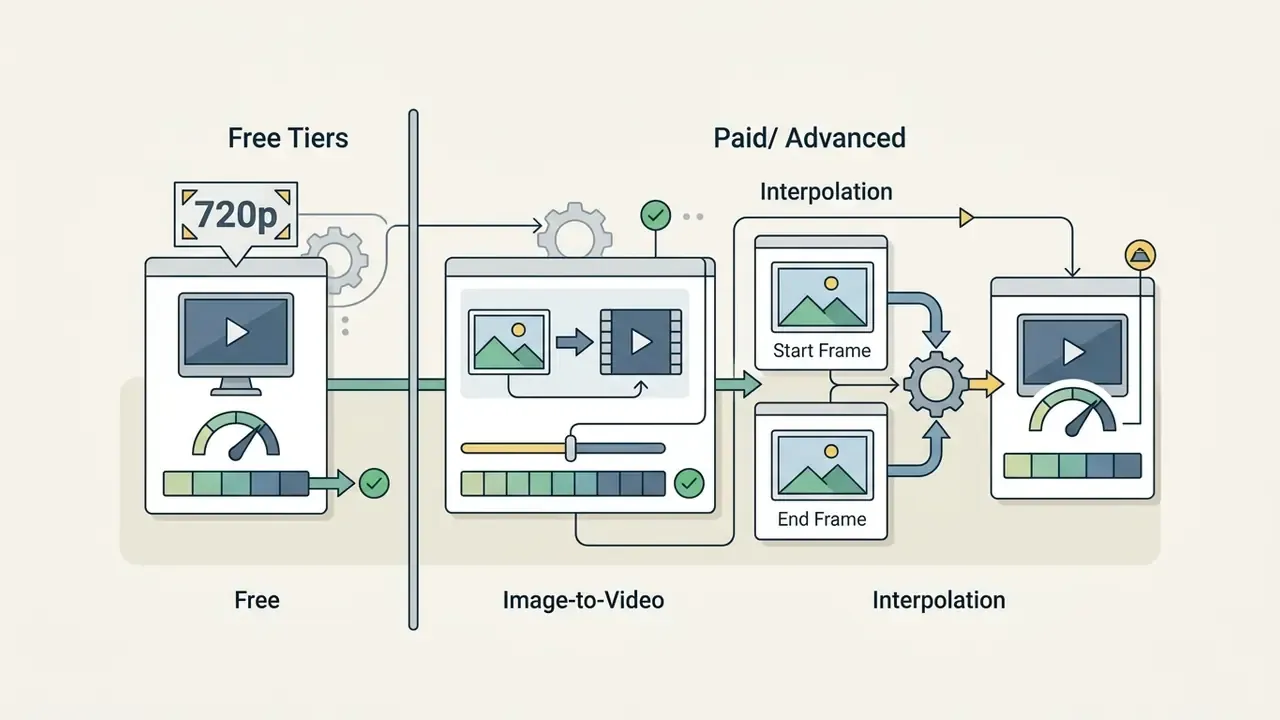
Start-End Frame mode sets hard visual boundaries: Frame A at the start, Frame B at the finish. The video diffusion model interpolates latent motion between them, preventing spatial drift of geometry across longer or busier scenes. Boundary conditioning drives the two consistency objectives described in the 2025 spatiotemporal-consistency literature: temporal consistency, meaning smooth coherent change between consecutive frames with no flicker or abrupt jumps, and spatial consistency, meaning object colour, shape and position preserved across frames.
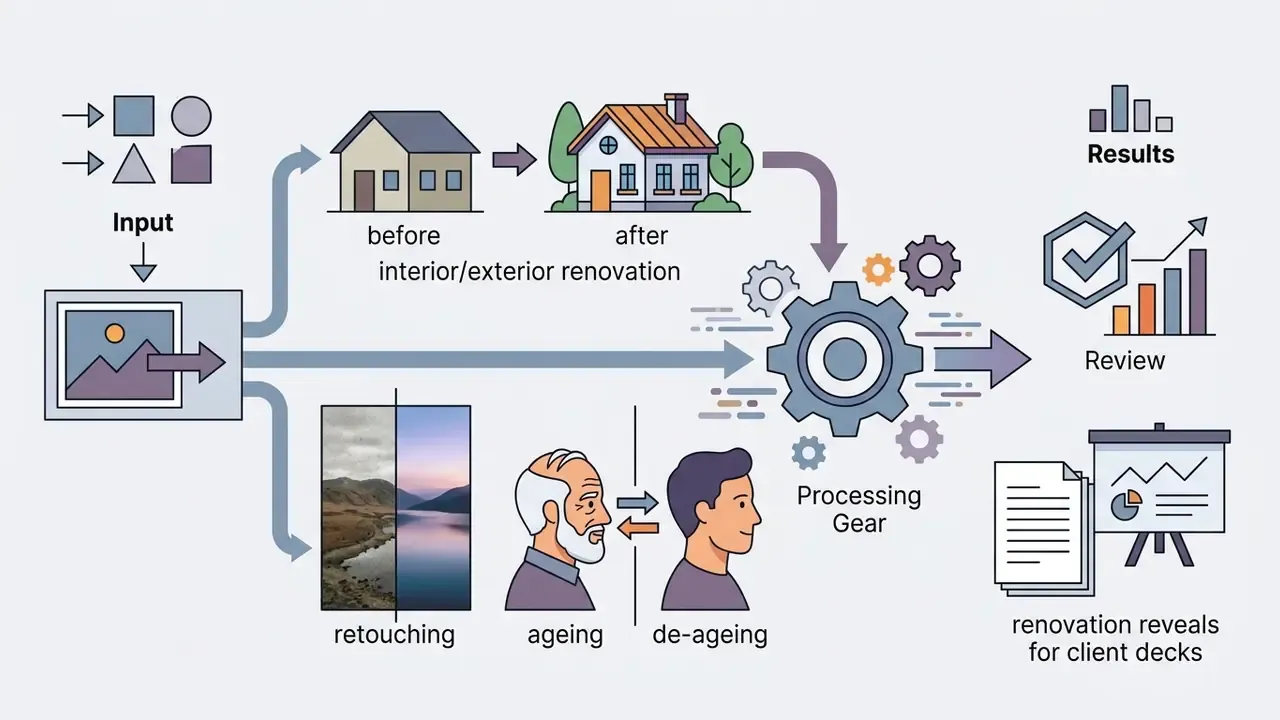
Use cases:
For complex digital human projects, character design specs in our ai headshot generator guide give baseline parameters for maintaining facial geometry.

4.3 Style, Lighting and Character Consistency
Holding character appearance across sequential renders depends on feature-sharing attention mechanisms. Models extract identity vectors with encoders such as CLIP or DINO, then inject those features into cross-attention layers throughout generation.
«Animate Anyone preserves character identity better than baseline methods, using a motion module on top of Stable Diffusion trained on large video datasets».
Three reproducible techniques show up repeatedly in recent literature and vendor guidance:
- Cross-shot feature sharing. Video Storyboarding (2024) is a training-free multi-shot text-to-video method that keeps characters consistent by sharing features between shots, the same principle behind reference-to-video modes in commercial tools.
- Fixed prompt order. Write identity first, then scene and action, then style and technical parameters such as angle, light and fps. Reorder the prompt and you reorder the model's priorities.
- Lighting reference sequences. LumiSculpt (2024) achieves precise, consistent illumination control in text to video by conditioning on custom lighting reference image sequences. Consumer equivalents appear as style reference or lighting reference slots.
When you change scene style or lighting, keep subject identity first in the prompt and environmental cues second. To evaluate licensing and enterprise tooling options across platforms, consult our AI Media Comparison Matrices for structured vendor analyses.
4.4 Automating Generation via API, CLI and MCP
5. How to Improve the Quality and Realism of AI-Generated Video
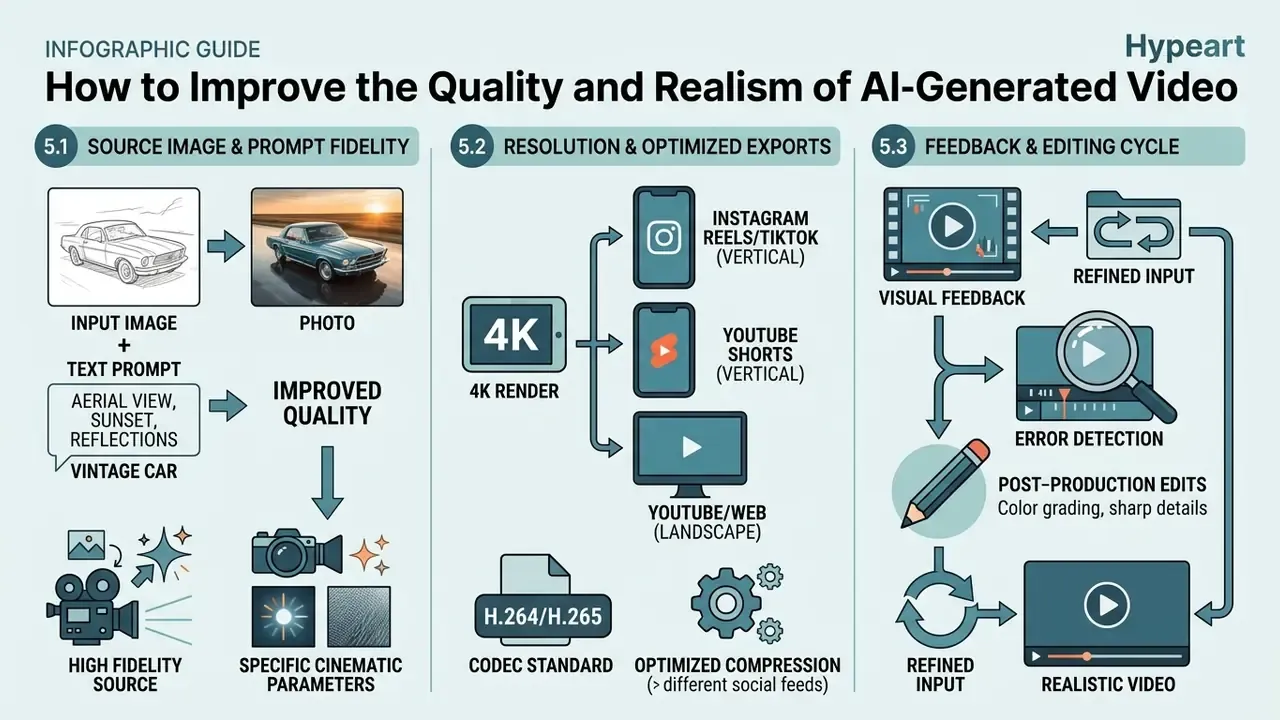
Getting realistic output from an ai realistic video generator comes down to input fidelity, explicit cinematic parameters and post-production enhancement. Peer-reviewed evaluation work converges on four measurable targets: spatial quality, temporal consistency, text-video alignment and synthetic-content labeling, the same axes used by EvalCrafter (CVPR 2024) and NIST's synthetic-content guidance.
5.1 Why Quality Depends on the Source Image and the Prompt
Video diffusion models inherit spatial noise from reference photos. Low resolution, severe compression artifacts or harsh shadows in the source lead to frame instability (OpenAI Image Generation Prompting Guide, 2026).
«I2V-Adapter propagates
For best results, input photos need:
- High pixel density, 1080p raw minimum.
- Sharp facial and edge definition.
- Balanced key and fill lighting. An AI photo editor can normalize exposure and recover edge contrast before the frame enters the diffusion pipeline.
Prompt specificity is measurable, not cosmetic. OpenAI's guidance tells users to list required components explicitly, state exclusions, and specify composition, viewpoint, lighting and real-texture cues for accuracy-sensitive tasks, then raise the quality setting for dense text, detailed infographics, close-up portraits and identity-sensitive edits. A 2024 CHI-track study on prompt-engineering design guidelines found that focusing prompts on subject and style keywords produced "a more realistic and clear image", which confirms a direct link between textual specificity and perceived output fidelity. Small caveat: perceived fidelity and physical accuracy are not the same measure, and only one of them survives a technical review.
5.2 Resolution, 4K and Export for Social Video
Most models generate natively at 720p or 1080p. Reaching 4K distribution resolution means passing clips through specialized AI upscalers such as Topaz Video AI, with resolution selection up to 4K and AI model presets, or Adobe Firefly's Upscale panel with Precise and Creative modes, Speed and Quality performance settings, and 1080p or 4K output (Topaz Labs Documentation, 2026).
Generation speed at HD has improved sharply:
«Seedance 1.0 generates a five-second 1080p clip in 41.4 seconds on an NVIDIA L20 GPU, roughly 10x faster than comparable commercial systems».
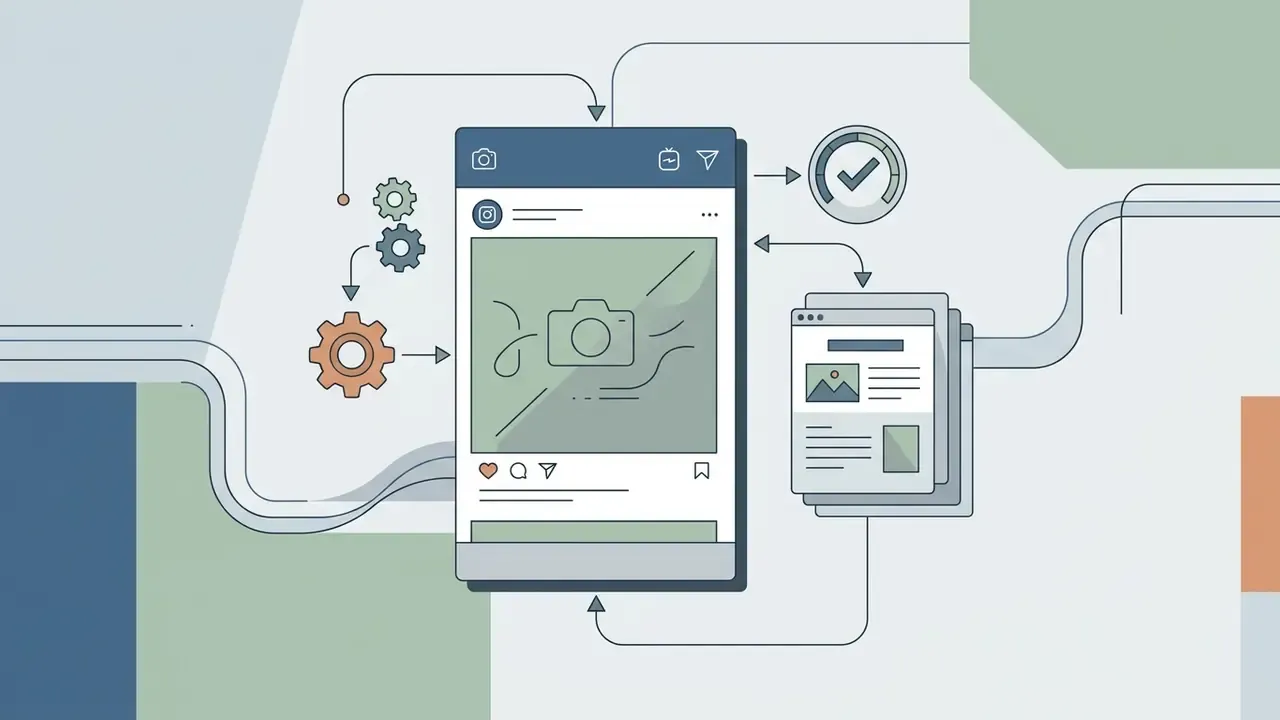
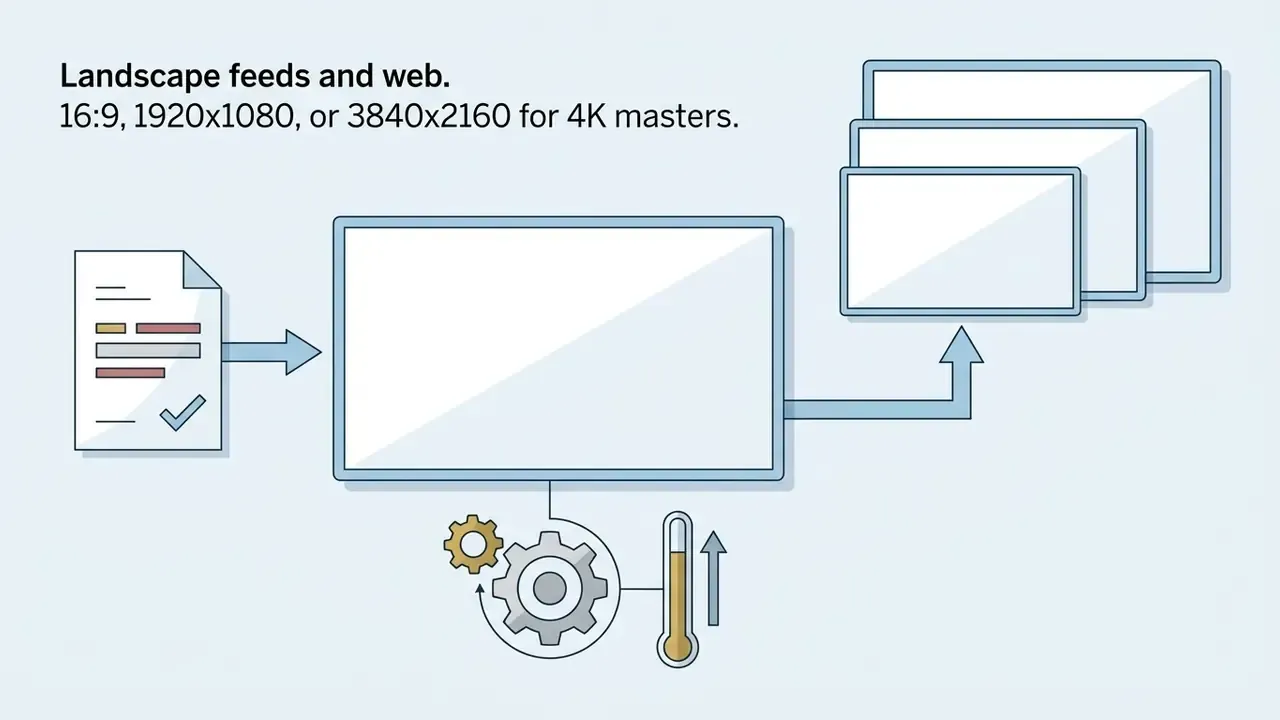
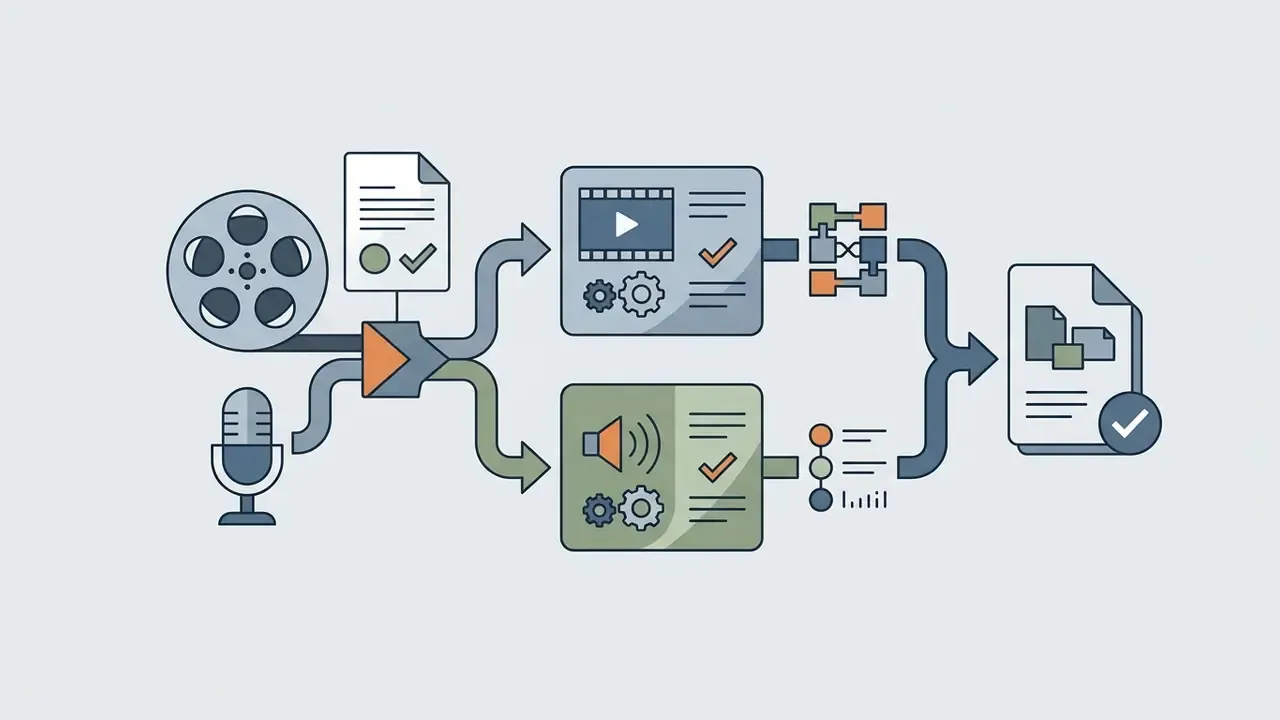
When exporting for social platforms, hold to standard ratios and codecs:
Deliver 1080p for most placements and keep 4K as the master ceiling. Platform re-encoding usually erases the visible benefit of a 4K upload anyway. When file size is the constraint, as with ad platforms, email or LMS uploads, our video compressor guide covers the quality-loss tradeoffs of each format.

5.3 Using Feedback and Editing to Improve Clips
When a clip shows localized defects, an automated ai video feedback generator framework helps isolate the problem frames. Feedback tools score clips across spatial consistency, temporal flickering and text alignment.
«VBench++ evaluates 16 quality dimensions including motion smoothness, flickering and subject consistency, validating metrics against human preference annotations».
Once defective sequences are identified, repair is a targeted post-production task:
Automated QC closes the loop. These systems scan exports for black frames, freezes, silence, loudness spikes and spec mismatches, then return frame-level checks with timecodes and a PASS/FAIL verdict. Newer error-localization benchmarks use timestamped annotations, severity ratings and sliding-window vision-language inference over 2-second sub-clips to classify logical, physical, anatomical and motion defects. That structure is worth mirroring in an internal review rubric, because "the client did not like it" is not an auditable rejection reason.
For technical teams building custom integration pipelines, reference our AI Media API Guides for endpoint specifications.
6. FAQ: Free AI Image-to-Video Generators
Can I add text to an AI-generated video?
Yes, and there are two distinct methods:
- In-model prompt rendering: specify the text inside the motion prompt, for example "a neon sign displaying 'STORE'". This renders text directly into the diffusion latent space (Adobe Firefly Video Docs, 2026). Reliability drops sharply for long strings and small type.
- Post-production compositing: use an external ai text adder to video tool or a video editor to overlay titles, lower thirds or subtitles on exported MP4 frames (PixelTable Video Overlay Docs, 2026), for example
video.overlay_text(), which burns text into frames with control over styling and position. Some platforms also add policy text. Microsoft 365 can apply visual watermarks to AI-generated or AI-altered video when the watermark policy is enabled, and Google DeepMind's SynthID embeds an imperceptible watermark into every frame for later detection.
Can an AI video and image generator create both images and videos?
Yes. Universal platforms such as Google Gemini Enterprise Media Studio, Adobe Firefly, OpenAI Sora and MiniMax operate as an integrated ai video and image generator. These systems use unified multimodal backends for text-to-image synthesis, image editing and subsequent image-to-video diffusion in one workspace (OpenAI Sora Capabilities, 2026). MiniMax's API documentation lists T2V and I2V modes in a single specification set, which simplifies pipeline design when you need both asset types. In practice, an ai image and video generator free tier will limit whichever modality costs more compute, usually video.
Is there a free tier where the AI image generator video output is unlimited?
No. Every reviewed ai image generator free video option meters output through credits, daily caps or queue priority. Some tools advertise "unlimited" generation but throttle resolution to 480p, restrict duration to four seconds, or reserve the right to pause accounts at peak load. Read the fair-use clause, not the pricing headline.
What is an AI video feedback generator for?
An ai video feedback generator is an automated quality-control system. It scans generated files frame by frame and calculates quantitative scores for motion smoothness, temporal consistency and prompt alignment.
«AIGCBench defines 11 metrics across four dimensions: control alignment, motion effects, temporal consistency and overall video quality». Source: AIGCBench Evaluation Study, ScienceDirect (2024). https://www.sciencedirect.com/science/article/pii/S2772485924000048 These systems catch generation errors such as black frames, frozen movement or facial distortion, and return timecoded PASS/FAIL logs for production review. Research-grade variants add explicit error-awareness and error-type detection heads that predict whether a clip contains a defect and classify its category against human-annotated rubrics.
Can I make a photo talk for free, and how accurate is the lip-sync?
Yes, on free tiers of tools with native lip-sync, at reduced resolution and duration. Accuracy depends on three inputs: a frontal, unobstructed face, clean audio without overlapping speakers or heavy music, and audio length within the clip limit. Expect visible drift on plosives and fast speech in 480p free renders. Assign one speaker per character explicitly in multi-character scenes, and always secure documented consent for any real person's voice or likeness.
How long can a free image-to-video clip be?
Most free tiers cap output at 4 to 5 seconds. Eight to ten seconds usually requires a paid plan, and Start-End Frame mode is often limited to 5 seconds even on mid-tier subscriptions. Kling 3.0 extends continuous generation up to 15 seconds on supported plans. Longer narratives get assembled from several short segments rather than generated in one pass.
Can I use free-tier output commercially?
Usually not. Free tiers on Pika, Kling and Dzine restrict output to personal, non-commercial use. Runway permits commercial use under its terms but watermarks free-plan exports. Canva and Adobe Firefly document commercial use under their AI product terms. Verify the clause on the vendor page on the day you publish, then archive it.
How do I remove the watermark legally?
Upgrade to a plan that ships watermark-free export. Removing a watermark from a free-tier render violates most Terms of Service, and where the mark is a provenance signal such as SynthID or content credentials, it may also conflict with emerging AI-transparency obligations.
Are free generators safe for confidential images?
Treat them as public. Free tiers frequently reserve the right to train on uploads, may publish renders to community galleries by default, and rarely provide DPAs, SOC 2 attestation or breach notification. Use synthetic or already-public stand-in imagery for prototyping, and reserve real assets for contracted enterprise tiers.
Limitations, Open Questions and a Safe Next Step
Three things in this guide remain genuinely unsettled, and pretending otherwise would be dishonest.
First, physical realism is not benchmarked consistently across free tiers, so a clip that looks plausible may still violate simple physics under scrutiny. Second, provenance signals do not always survive re-encoding by social platforms, which weakens labeling as a control. Third, licensing language changes faster than most procurement cycles, so any commercial-rights conclusion carries a shelf life measured in weeks.
A safe next step for a regulated organization: run a two-week pilot on synthetic imagery only, with one named owner, an approved use-case description, logged model versions and seeds, and archived licence clauses. Review the evidence pack, then decide whether the tool graduates to real assets on a contracted tier. Slow, unglamorous, defensible.
Additional Regulatory and Technical Resources
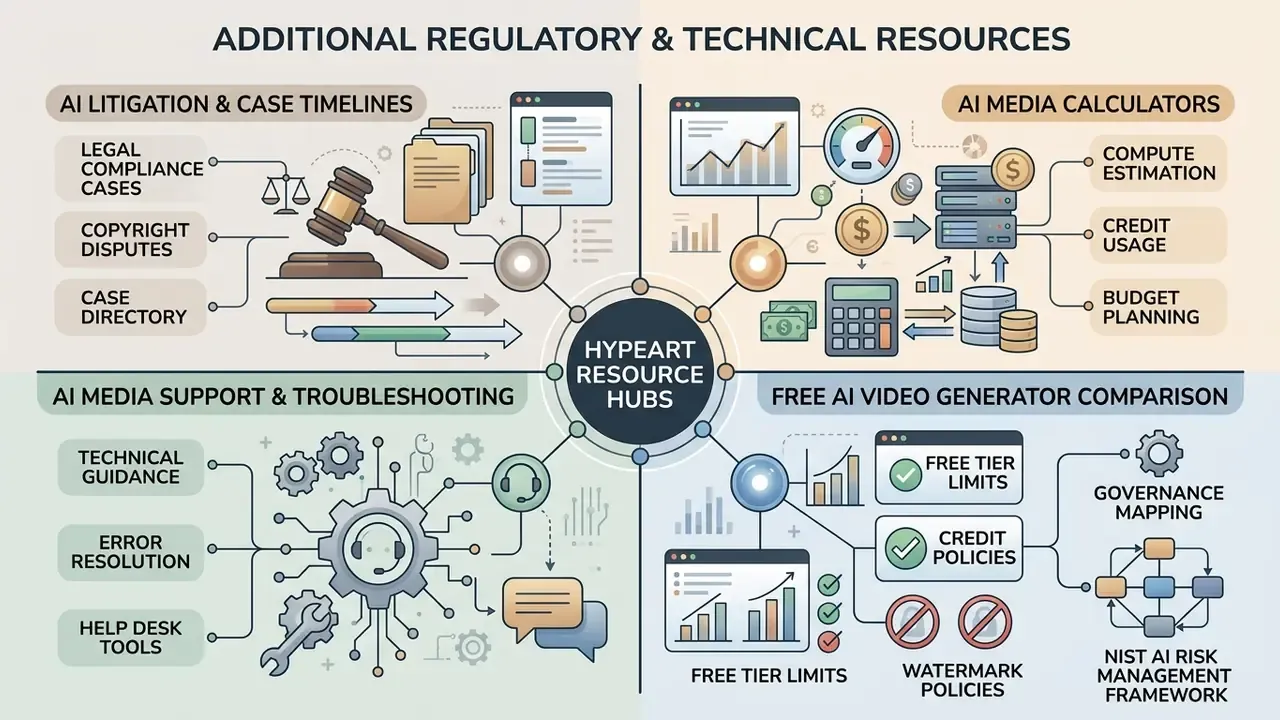
To explore operational governance frameworks, cost modelling and legal case timelines, consult the following specialized hubs:
- Review legal compliance cases and copyright disputes in our AI Litigation and Case Timelines directory.
- Estimate compute costs and credit usage with the AI Media Calculators.
- Access platform technical support guidance via AI Media Support and Troubleshooting.
- Compare free-tier limits, credits and watermark policies in our free AI video generator comparison.
- For governance mapping, cross-reference the NIST AI Risk Management Framework and NIST.AI.100-4 synthetic-content guidance with existing model-risk practice under Federal Reserve SR 11-7 and OCC 2011-12, then register approved tools in a unified AI inventory.
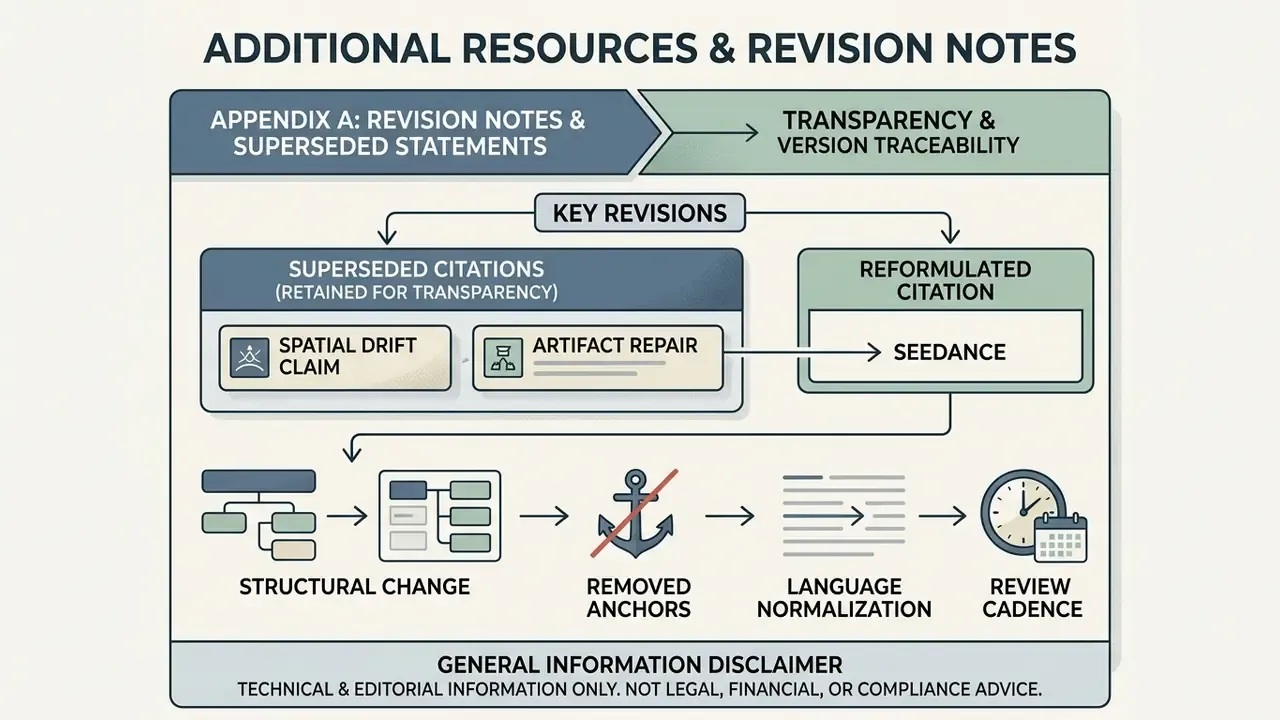
Appendix A: Revision Notes and Superseded Statements