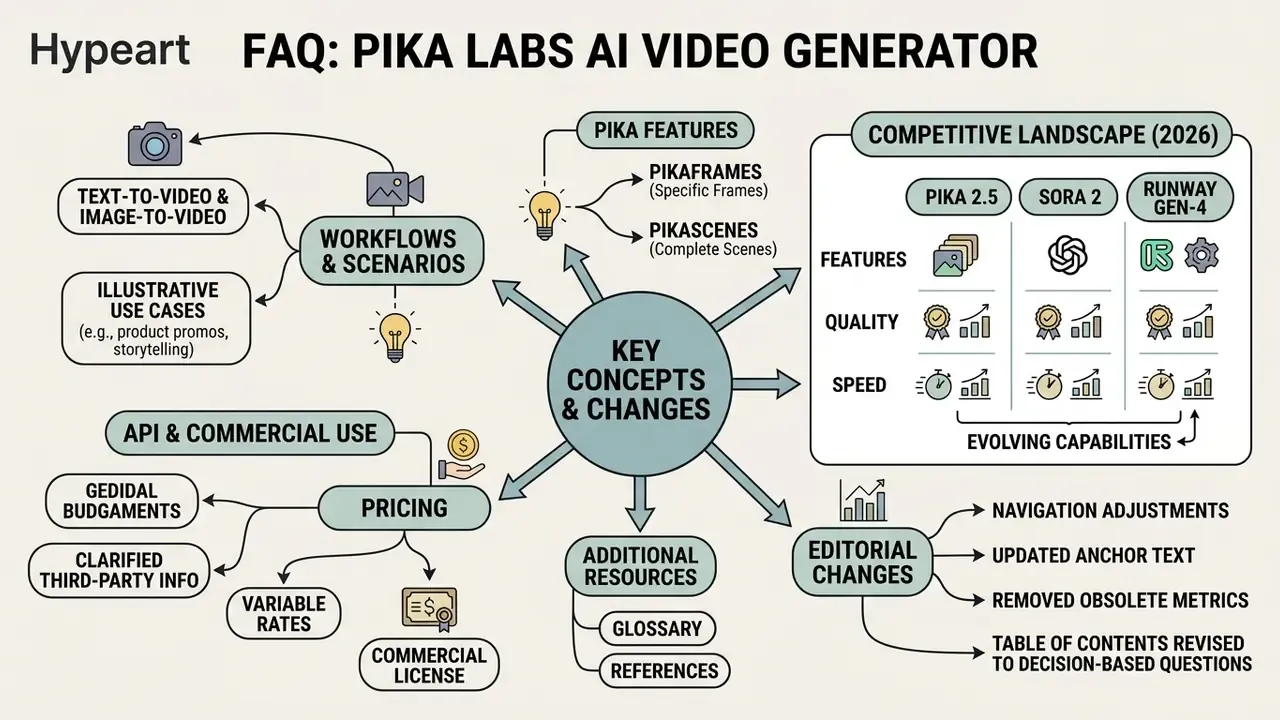
Executive summary for decision-makers
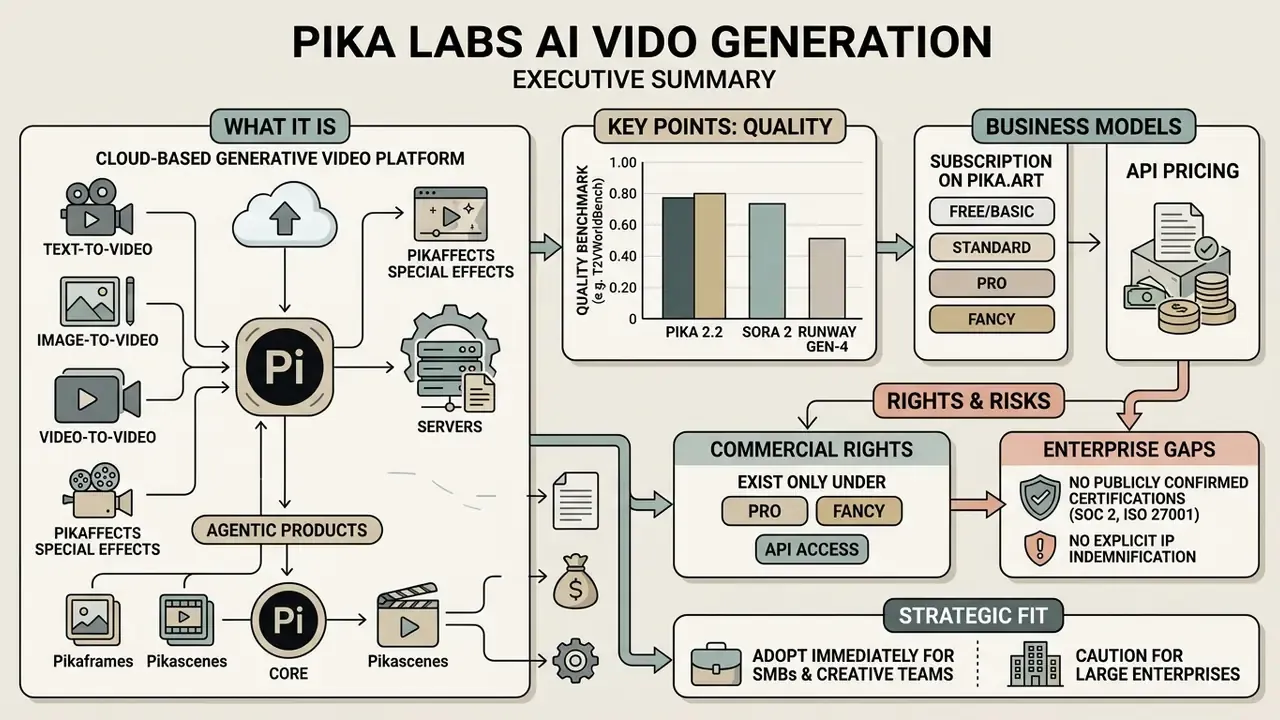
- What it is. Pika Labs is a cloud platform for generative video: text-to-video, image-to-video, video-to-video, Pikaffects special effects, and, since 2026, agentic products (Pika Agent, Pika MCP, PikaStream 1.0).
- Quality. In the independent T2VWorldBench benchmark (2025), Pika 2.2 averaged 0.60 across world-knowledge categories (natural scenes 0.73, physical causality 0.56). Neuro-symbolic editing with NeuS-E improved temporal consistency by more than 40%.
- Money. Two unconnected financial models: a subscription on pika.art (Free/Basic, Standard, Pro, Fancy, credit-metered, from roughly $8 per month) and pay-per-render through fal.ai ($0.20 for 5 seconds at 720p and $0.45 for 5 seconds at 1080p on v2.2; $0.40 per video on v2.1).
- Rights. Under the subscription, commercial rights exist only on Pro and Fancy. Free and Standard are personal, noncommercial use. API outputs are licensed for commercial use under a separate API agreement.
- Risk. The main enterprise gaps: no publicly confirmed certifications (SOC 2, ISO 27001), no explicit IP indemnification, and weak on-screen text rendering (T2VTextBench: below 0.43 for every model tested). Shadow AI controls and a legal review step are required.
- Fit. SMBs and creative teams can adopt immediately. Large regulated organizations should route the tool through internal model-risk governance and a Terms of Service review first.
The decision this guide supports
Most readers arrive with one of four questions. This material is organized to answer all four without forcing you through the whole text.
| Question | Where the answer sits | What you should walk away with |
|---|---|---|
| Can we use Pika output in paid advertising? | Cost models, commercial rights, legal risk | A plan-by-plan rights map and a legal escalation step |
| What does it cost at volume? | Cost models, TCO formula | A defensible per-clip cost including rework and review |
| Can engineering automate it? | Pika API through fal | Endpoint names, payload fields, and undocumented limits |
| Who owns this system internally? | Model governance | Inventory fields, audit evidence, Shadow AI controls |
One caveat, stated up front. Audience assumptions here remain hypotheses until confirmed by your own analytics, interviews, or CRM data. Treat the framing as a starting template, not a verdict.
What Pika Labs AI Video Generation is and which tasks it fits
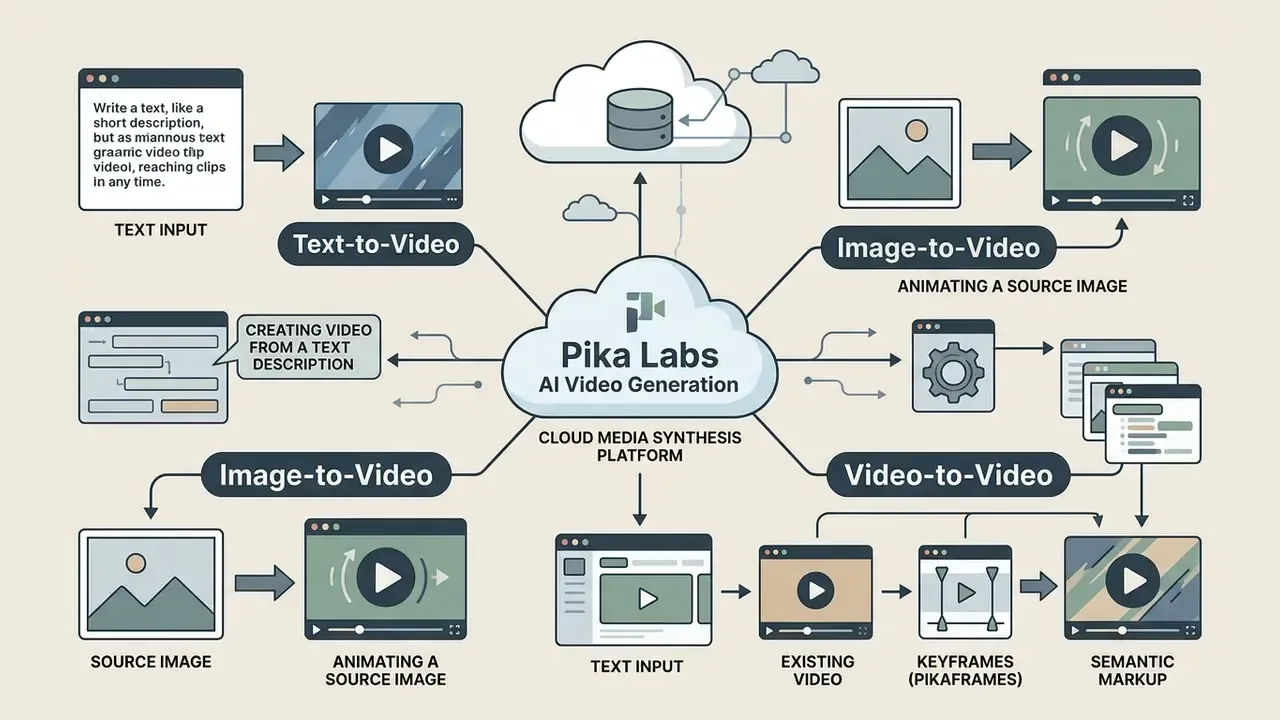
In short: Pika Labs AI video generation is a cloud media synthesis platform that turns text, still images, and existing clips into short dynamic videos. It serves commercial creators, visual prototyping teams, and digital marketing groups.
Pika Labs AI video generation is a cloud-based media synthesis platform designed to transform text descriptions, static images, and existing video clips into short-form dynamic videos. The platform serves commercial creators, visual prototyping teams, and digital marketing groups seeking rapid video creation without traditional production overhead. Official product positioning centers on "one-tap" conversion of a photograph into a reality-bending video, while developer documentation additionally exposes text-to-video, image-to-video, and editing of existing footage.
"Real users apply text-to-video mostly for social content, concept prototyping, and photo animation."
Commercial teams use Pika AI to generate product teaser clips, social media visual assets, landing page motion graphics, and concept storyboards. Public platform materials also describe website hero backgrounds, stylized social ads, TikTok, Reels and Shorts hooks, B-roll, meme edits, and short cinematic scenes. Organizations evaluating synthetic video tools often compare general-purpose text-to-video engines against specialized avatar platforms such as the synthesia ai video generator, and they benchmark the economics against free AI video generators before committing to a paid plan.
Positioning by segment:
| Segment | Typical task | Why Pika fits | Constraint |
|---|---|---|---|
| SMB and creators | Reels, Shorts, promo hooks, photo animation | Low entry price, fast renders, one-click effects | Commercial rights only on Pro and Fancy |
| Mid-market marketing | Product teasers, landing page motion | Local edits without rebuilding the scene | Weak on-screen text rendering |
| Enterprise and engineering | High-volume generation through the API, automation | Pay-per-render via fal.ai, predictable JSON response | No publicly confirmed SOC 2 or IP indemnification |
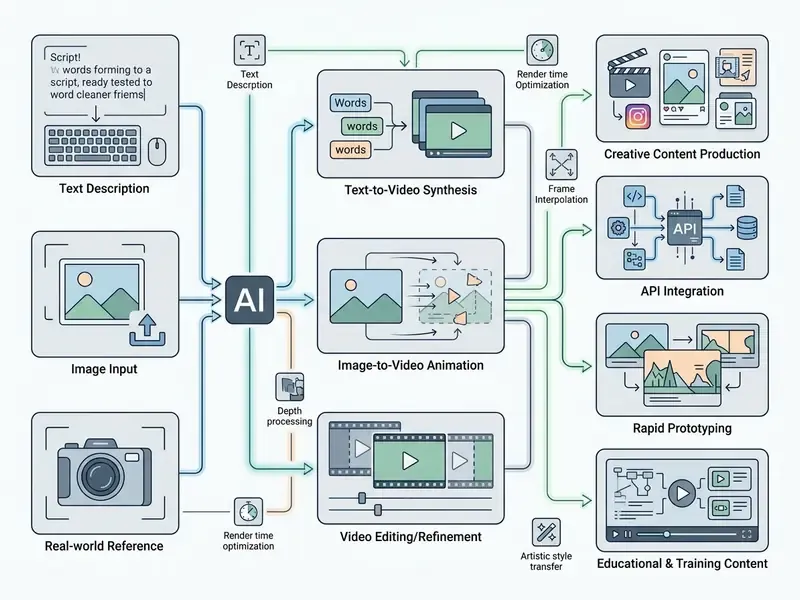
- Branch 1, Text-to-Video
- input is a text prompt (subject + action + environment + camera + light + style); output is a generated 5 or 10 second clip, MP4, 720p or 1080p.
- Branch 2, Image-to-Video
- input is a single image (JPG, PNG, JPEG, WEBP, GIF) used as the first frame plus a motion prompt; output is an animated MP4 clip with controlled camera movement.
- Branch 3, Video-to-Video (Video Image)
- input is an existing video clip plus a mask or reference; output is a modified clip with replacement, insertion, or a local regional edit.
- Branch 4, Keyframes (Pikaframes)
- input is 2 to 5 ordered reference images; output is an interpolated transition of up to 25 seconds.
- Semantic markup rules for the block
- SVG diagram with a text transcript; alt text containing the phrase "pika labs ai video generation".
Text-to-video: creating video from a text description
In short: This mode synthesizes new footage from text alone. Output quality depends on prompt structure and frame parameters.
The text-to-video workflow in Pika Labs synthesizes new footage strictly from written prompts. Through the pika labs ai text to video interface, users enter descriptive prompts specifying scene elements, subject motion, camera directions, and artistic styles.
Effective text prompts follow a structured format: subject + action + environment + camera movement + lighting + style constraints. The pika labs ai text to video tool interprets these parameters to control frame composition, allowing creators to adjust aspect ratios, negative prompts, and clip durations directly on the pika labs ai text to video platform. Industry practice confirms the pattern. Competing engines recommend nearly the same formula, "Subject + Motion + Scene + [Shot Type] + [Camera Movement] + [Lighting] + [Style] + [Atmosphere]", which makes prompts reasonably portable between platforms.
Style presets reachable through the text description include cinematic, anime, 3D, documentary, and watercolor. Motion is steered both by camera commands (zoom, pan, orbit, crane, tracking) and by a separate motion-strength control. Teams that mainly need animated captions rather than full scenes usually get better results from a dedicated text animation generator, for reasons the benchmark data below makes obvious.
Image-to-video: animating a source image
In short: A single still becomes the first frame of a 5 to 10 second clip, with motion defined by text and camera parameters.
The pika image to video 2025 pipeline converts a single static image into a 5-to-10-second animated video clip. By establishing the uploaded image as the initial keyframe, the pika labs ai image to video model generates fluid motion vectors derived from optional text instructions.
The system accepts standard image formats including JPG, PNG, WEBP, and GIF. In the official API the image is passed by URL, so local files must be uploaded to storage first. Creators use pika labs ai image to video workflows to animate brand graphics, product shots, and character concepts. Pika provides broad camera controls including panning, tracking, and orbital moves. Adjacent tool classes, from an animation maker to motion-graphics builders, solve similar tasks but without generative synthesis of the in-between frames. A narrower relative is the talking photo online free ai category, which animates a face rather than a whole scene.
One limitation stays firm. Local photo editors (see the photo editor overview) work on pixels inside one frame, while Pika builds a temporal sequence and must hold object identity stable across frames. Different problem, different failure modes.
Pika AI models and video generation updates in 2025 and 2026
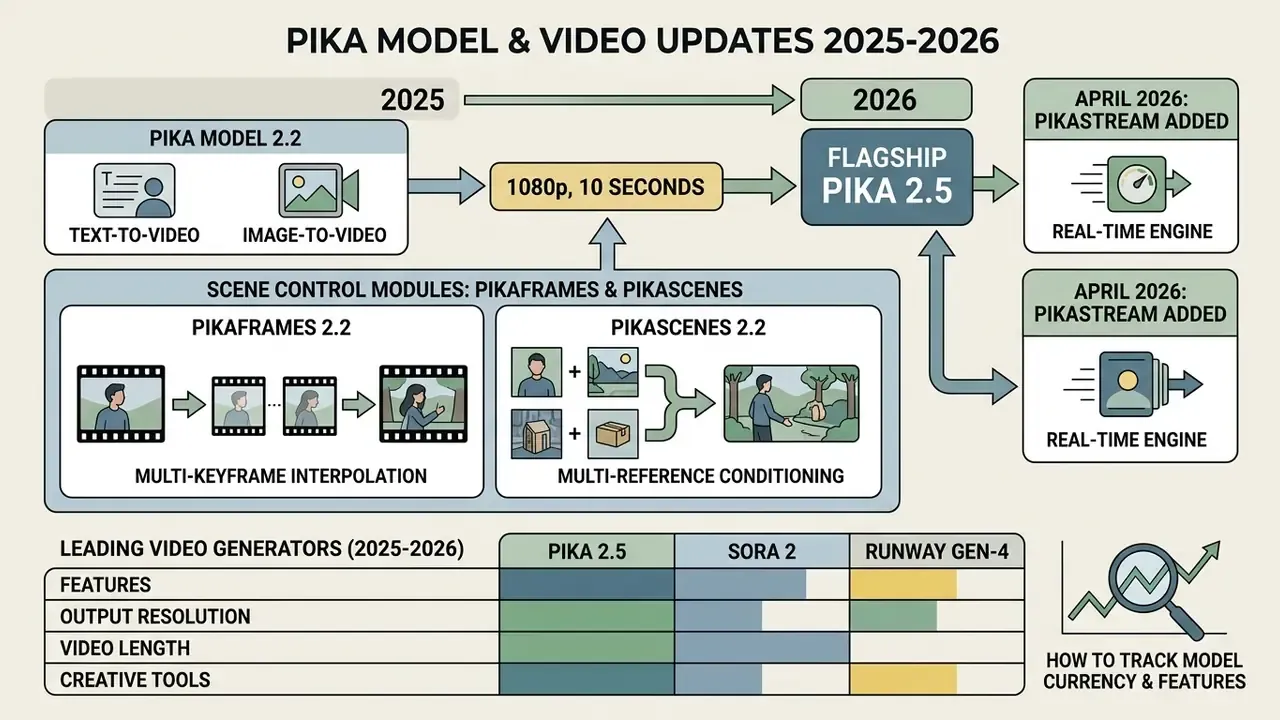
In short: Between 2025 and 2026 the platform moved from Pika 2.2 (1080p, 10 seconds, Pikaframes) to the flagship Pika 2.5, and in April 2026 added PikaStream, a real-time engine.
In 2025 and early 2026, Pika AI updated its core neural architectures from Pika Model 2.2 to Pika 2.5, expanding native resolution options up to 1080p. These platform updates improved motion continuity, prompt adherence, and character preservation across multi-second video generation workflows. Engineers comparing engines for integration usually review alternative implementations as well, for example the Google Veo implementation through the API.
Release timeline, per official Pika Labs and fal.ai materials:
| Date | Release | Key content |
|---|---|---|
| Late 2024 | Pika Turbo | Accelerated generation, 720p output |
| February to March 2025 | Pika 2.2 | 1080p, clips up to 10 seconds, Pikaframes, Pikascenes |
| December 2025 | Pika API on fal.ai | Public text-to-video and image-to-video endpoints |
| Early 2026 | Pika 2.5 | Flagship: 480p, 720p, 1080p by tier, 5 to 25 second duration, scene extension, motion control |
| 2 April 2026 | PikaStream 1.0 | Real time: 24 FPS, speech-to-video latency around 1.5 seconds |
Pika Model 2.2, text-to-video and image-to-video
Pika Model 2.2 established foundational capabilities for high-definition video synthesis, introducing native 1080p rendering and keyframe keying. The architecture powers text-to-video 2.2 and image-to-video 2.2 operations alongside specialized modules such as Pikascenes 2.2 and Pikaframes 2.2. Per the platform FAQ, standard 2.2 modes work in a 5 to 10 second range, while Pikaframes can assemble a transition of up to 25 seconds.
Empirical evaluations in independent benchmarks highlight both strengths and boundaries of the pika ai video generation model. In the T2VWorldBench benchmark (2025), Pika 2.2 scored an average of 0.60 across world knowledge categories, performing strongly in natural scenes (0.73) while showing moderate performance in physical causality (0.56).
"T2VWorldBench evaluated 10 models on 1,200 prompts across six categories; leaders Wan 2.1 and LTX Video reached an average score of roughly 0.68."
Conversely, the NeuS-E neuro-symbolic editing study demonstrated that keyframe-guided edits on Pika 2.2 yielded over a 40% improvement in temporal fidelity scores.
"NeuS-E applies a three-step pipeline: prompt decomposition into temporal logic, weak-frame detection, and iterative editing, with no additional model training."
A practical note for teams working with text-to-video AI: the 0.60 average and the 40% gain both refer to Pika 2.2, because no public academic measurement of Pika 2.5 had been published as of the verification date (August 2026). Use the 2.2 numbers as a conservative floor for what 2.5 should deliver, not as its ceiling.
Scene control modules: Pikaframes 2.2 and Pikascenes 2.2
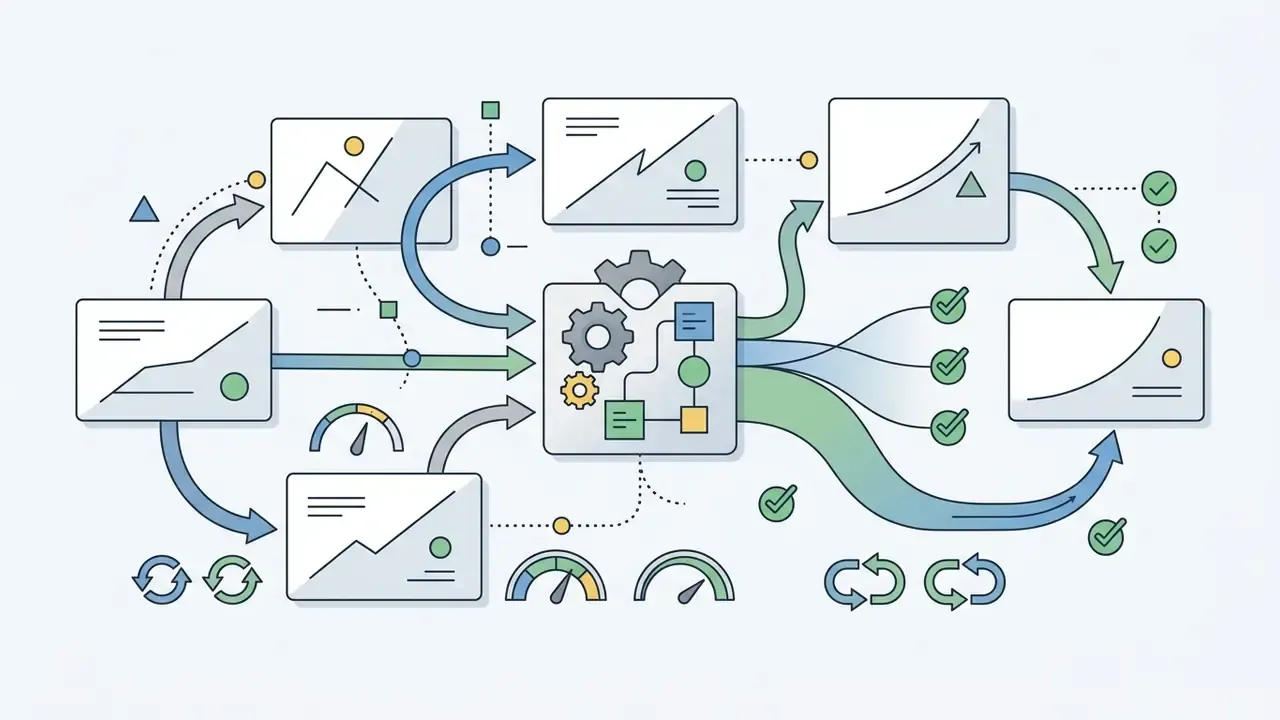
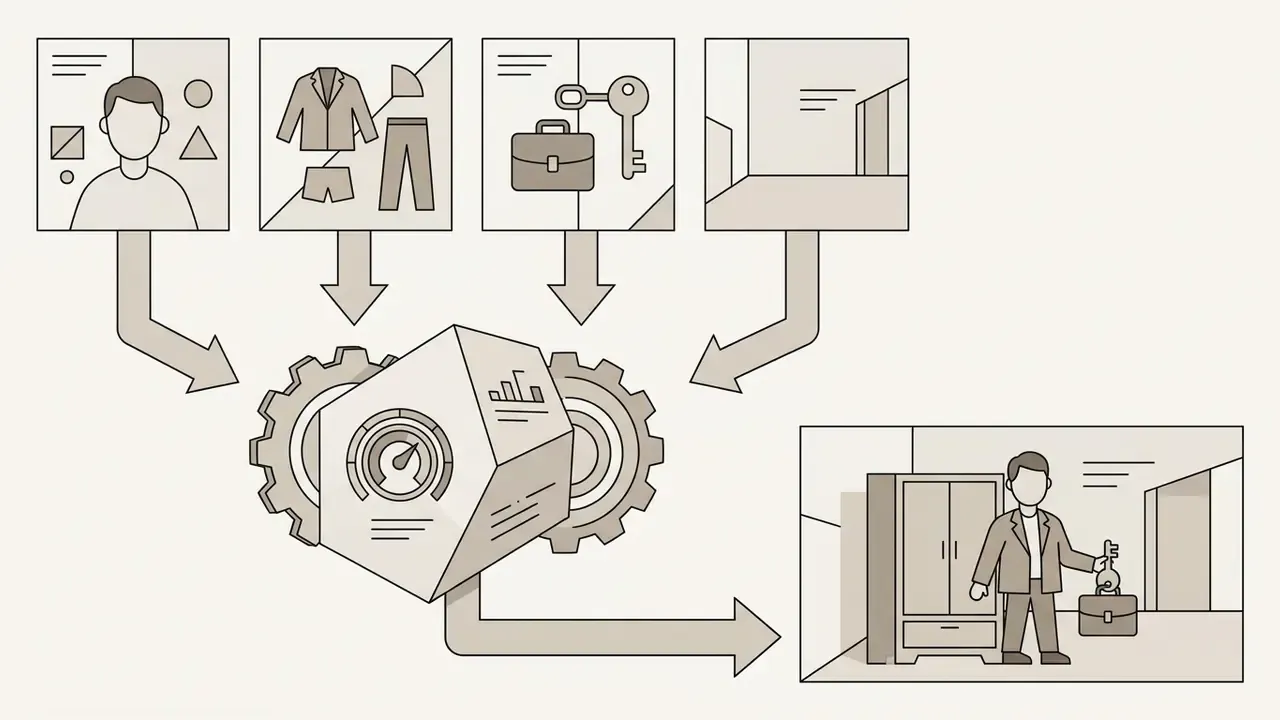
To curb uncontrolled frame hallucination, Pika Model 2.2 integrates two control modules:
Credit cost per generation, per the official Pika FAQ: 5 seconds at 720p costs 8 credits, 10 seconds at 720p costs 15, 5 seconds at 1080p costs 25, and 10 seconds at 1080p costs 60. Those values matter for total cost of ownership, because the same scene in 1080p runs roughly three times the price of 720p.
Comparing Pika 2.5 with leading video generators (2025 to 2026)
| Parameter / Platform | Pika Labs 2.5 | OpenAI Sora 2 | Runway Gen-4 |
|---|---|---|---|
| Max resolution | 1080p (Full HD) | Up to 4K (3840x2160)* | 1080p (Full HD) |
| Clip duration | Up to 10 seconds in standard modes, up to 25 seconds in Pikaframes | Up to 60 seconds (Pro plan)* | Up to 16 seconds |
| Key differentiator | Pikaffects, Pikaframes, Pikascenes, affordable API | Hyper-realistic physics and complex cinematography | Character control, advanced editing suite |
| Inputs | Text, image, video, up to 5 keyframes | Text, image, video references | Text, image, video, sketch |
| Economics | Lowest entry threshold; pay-per-render from $0.20 | Most expensive segment | Mid to professional segment |
| Intended use | Fast commercial social content, API integrations, effects | Film production, high-end advertising | Professional editing and storytelling |
| Output auditability | Watermark on Free and Standard; absent on Pro and Fancy | Provenance marking at provider level | Provenance marking at provider level |
* [Disputed, requires confirmation] Sora 2 parameters (up to 4K, up to 60 seconds) are cited from competitor reviews and depend on the current availability status of the Sora 2 Enterprise API. Verify against official provider documentation before purchase. A broader side-by-side view lives in the AI Media Comparison Matrices.
How to choose: Pika 2.5 wins on budget, speed, and API automation; Runway Gen-4 on editorial control and character consistency; Sora 2 on photorealism and longer scenes. No single engine wins everything, and anyone claiming otherwise is selling something.
How to track the currency of Pika Labs models and features
Tracking pika labs 2025 update video generation releases requires cross-referencing Pika Labs product changelogs with technical API documentation on fal.ai. Because generation parameters, credit consumption schedules, and model versions undergo frequent modification, production pipelines must verify live specifications prior to deployment.
A workable monitoring routine for release management:
- Every two weeks, snapshot the Pika platform changelog (the last indexed entry was version 0.15.5, dated 12 November 2025).
- Reconcile the list of active endpoints in the fal.ai model reference (v2.2, v2.1, v2 Turbo, 1.5, Pikaframes, Pikascenes, Pika Effects).
- Record the model version number, verification date, and price per render in the AI system inventory. That is what creates a reproducible audit trail.
- Before changing a production pipeline, run a regression set of 10 reference prompts with a fixed
seed.
Pika AI capabilities for creating and transforming video
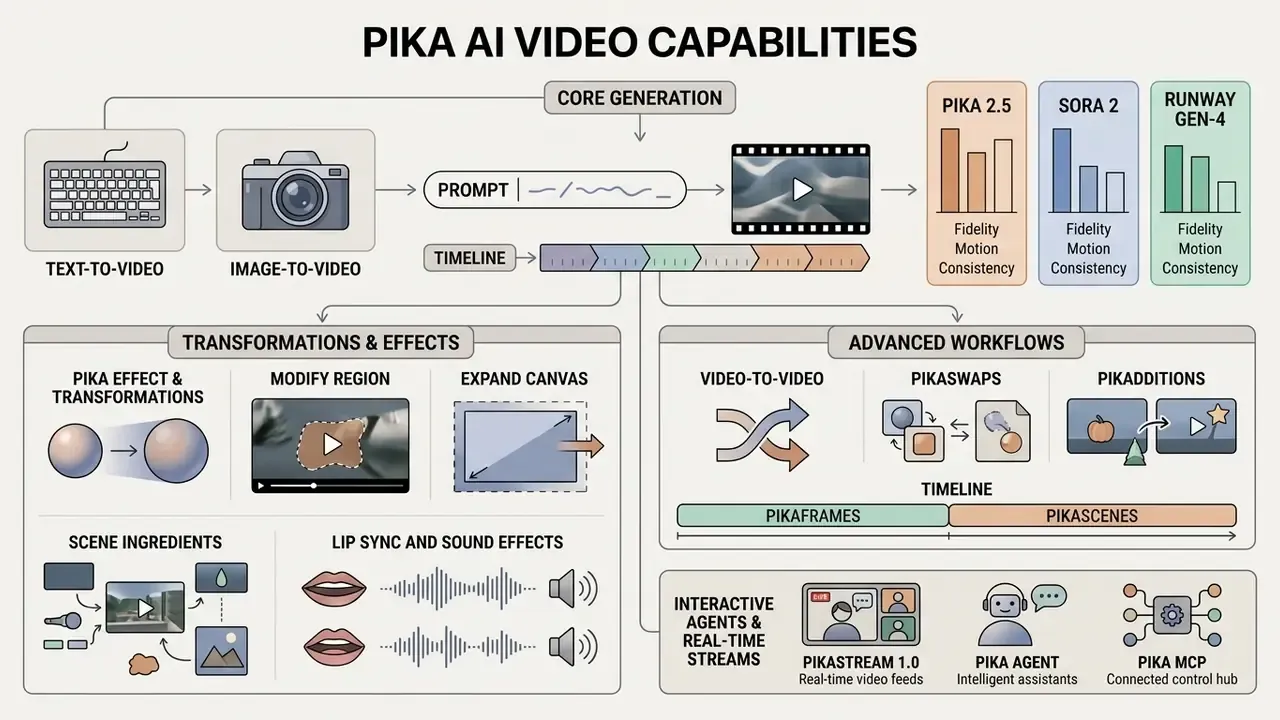
In short: Beyond core generation, the platform offers effects, regional editing, object swap and insertion, lip sync, and canvas expansion.
Beyond core text and image generation, the pika ai video generation tool pika labs includes specialized editing modes for existing media. These tools enable users to apply stylized physical transformations, execute region-specific video modifications, and insert or swap objects within pre-rendered footage. At the API level, editing an existing clip is exposed as separate actions: reprompt or edit generation, lip sync addition, and an adjust mode with inpainting and outpainting.
Pika Effect and transformations for visual scenes
The Pika Effect module (also referenced as Pikaffects) applies automated physical and surreal transformations to static images or video sequences. Preset transformations include options such as Melt, Inflate, Crumble, Explode, and Dissolve.
Users select a preset effect and upload a source image or video clip to generate stylized 5-second motion sequences. These visual transformations allow creative teams to produce attention-grabbing promotional hooks, distinct from standard motion graphics.
"Roughly 756,000 pairwise ratings from 29,000 annotators recorded preferences on alignment, coherence, and aesthetics for Pika 2.2 video."
Alongside the base physical presets (Melt, Inflate, Crumble, Crush, Decapitate, Deflate, Dissolve, Explode, Eye-pop, Levitate, Peel, Poke, Squish, Ta-da, Tear, Cake-ify), a platform update added a Transformations Pikaffects library with 27 stylistic presets, from 90s Dreams and VHS Magic to Cartoon Princess, Heroic Warrior, and VIP Fashion Icon.
For precise work on finished footage, additional local editing tools apply:
Video-to-video, Pikaswaps, and Pikadditions
Interactive agents and real-time video streams: PikaStream 1.0, Pika Agent, and Pika MCP
The platform has moved past asynchronous clip rendering and now ships tooling for autonomous AI agents:
- PikaStream 1.0 (real-time video chat) a dedicated module giving virtual agents a visual avatar and a voice interface for video conferences (Google Meet, for instance) through the
pikastream-video-meetingskill. PikaStream synthesizes facial expression and lip sync live at 24 FPS with speech-to-video latency around 1.5 seconds, retains dialogue context, and executes tasks during the call itself, from routine meeting automation to acting as an AI representative. - Pika Agent a conversational creative partner that exposes every platform model without manual mode switching. The workflow is built through dialogue rather than form fields. Pika 2.5 is reachable both through the Pika Agent API and through fal.ai for production integrations.
- Pika MCP (Model Context Protocol) an open integration protocol that lets third-party AI agents, including local LLM scripts, call Pika generative engines directly to produce media inside a running workflow.
- AI Trendmaker a mode that places a user inside a viral video trend using a selfie and an audio track, an applied tool for social media teams.
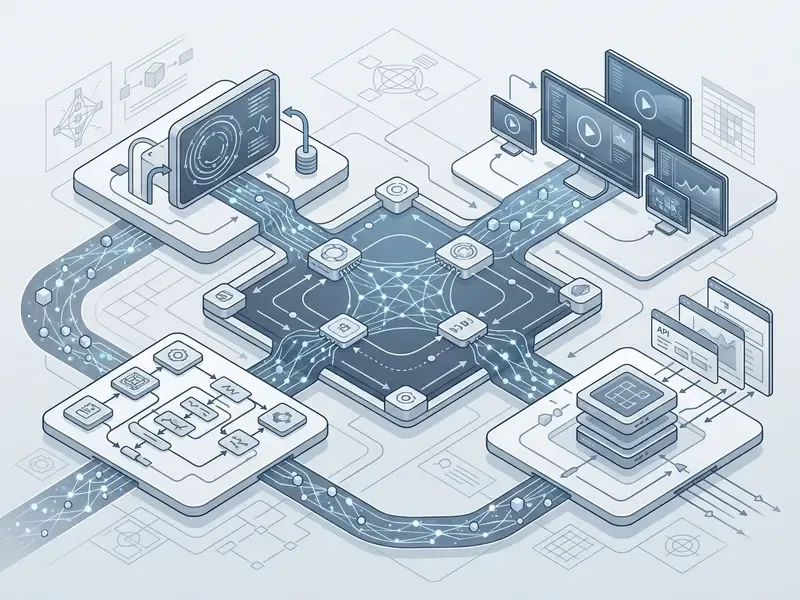
Live avatars in video calls fall under synthetic-content disclosure requirements in several jurisdictions, a topic covered in Synthetic Media Disclosure Explained. Before deploying PikaStream in external communications, agree with compliance on how meeting participants are notified and how such calls are recorded and retained.
How to create a video in Pika Labs: working with prompts and source assets
In short: Pick a mode, write a structured prompt, configure the frame, then iterate with negative prompt, guidance scale, and seed.
Generating a video in Pika Labs requires selecting the appropriate input mode, drafting a descriptive prompt, configuring camera parameters, and evaluating rendered output quality. Iterative refinement involves systematically adjusting negative prompts, guidance scales (-gs), and seed values across generation passes.
- Pick the modedecide on the input format, a text prompt (
Text-to-Video), a source image (Image-to-Video), an existing clip (Video-to-Video), or a set of reference frames (Pikaframes). - Prepare the promptdescribe subject, action, environment, lighting, camera angle, and style without slang. Working formula: subject + action + scene + shot type + camera movement + light + style + constraints.
- Set parametersspecify aspect ratio (
-ar), motion level (-motion), negative prompt (-neg), seed (-seed), and guidance scale (-gs) for prompt adherence. - Run generationsubmit the request, credits are deducted, then wait for the render.
- Assess qualitycheck visual clarity, temporal object stability, and fidelity to the intended concept along three axes, Visual Quality, Motion Quality, Text Alignment, each scored 0 to 10.
- Iterateon artifacts, refine prompt details or change the seed and regenerate. Record the
seedin your tracker, since it is the only way to reproduce a good take.
Typical artifacts that deserve a separate check: hands and fingers, on-screen text and logos, reflections in motion, interaction between two or more objects, countable sets ("three apples"), and attribute binding ("the red mug on the left").
Cost models: SaaS subscription versus API integration
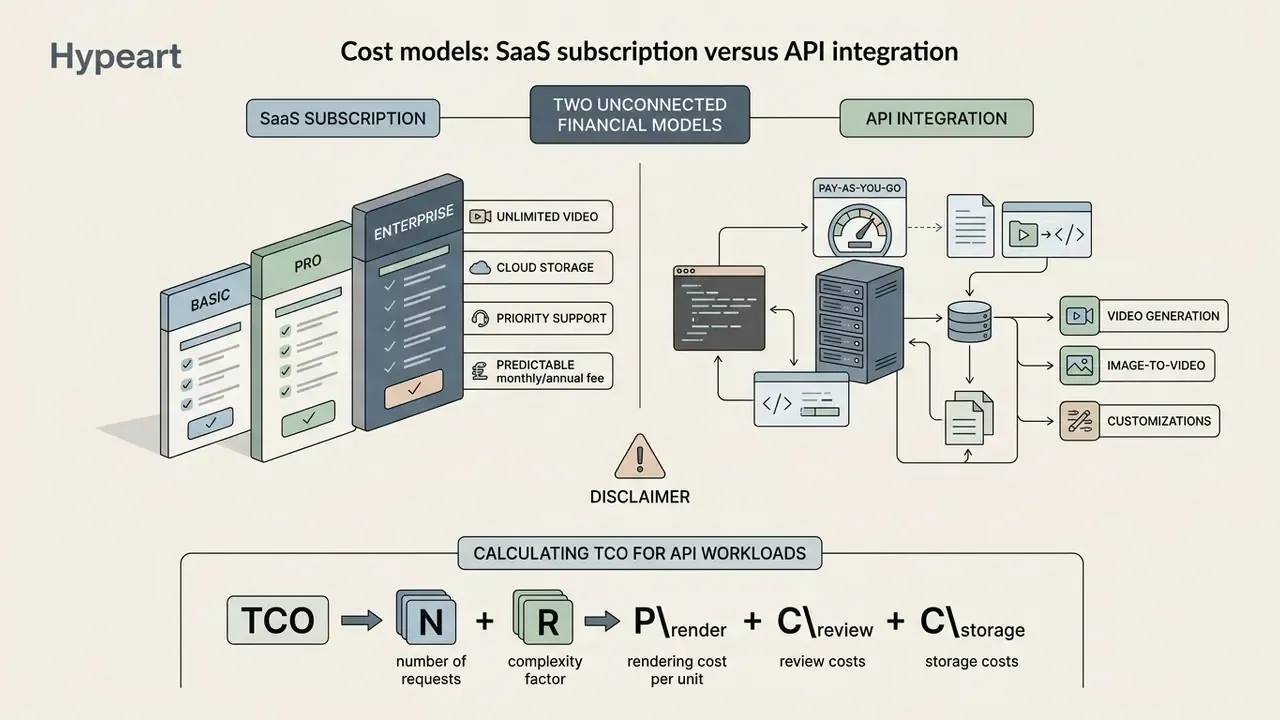
In short: Pika runs two unconnected financial models. The web platform sells monthly credits across four tiers; fal.ai bills each render separately. Commercial rights differ between the two.
Pika AI operates on a credit-based subscription model across four primary plans: Free/Basic, Standard, Pro, and Fancy. Commercial usage rights and watermark-free video downloads are restricted to higher-tier paid plans (Pro and Fancy), whereas lower plans limit usage to personal, noncommercial exploration. The restriction logic resembles other generative editors, for example the Canva AI Generator model, where the right to commercial use is likewise tied to subscription level. For cross-vendor comparison of plan structures, see the pricing reference.
| Plan | Credit allowance (per month) | Watermark | Queue priority | Commercial rights |
|---|---|---|---|---|
| Free / Basic | 80 to 150 credits | Present | Baseline | Not permitted (noncommercial only) |
| Standard | 700 credits | Present | Standard | Not permitted (noncommercial only) |
| Pro | 2,300 credits | Absent | Elevated | Permitted (commercial use) |
| Fancy | 6,000 credits | Absent | Highest (fastest processing) | Permitted (commercial use) |
Credits do not roll over to the next month, and extra packs are purchased separately. Output resolution also depends on tier: on Pika 2.5 the free plan is capped at 480p, Standard at 720p, and 1080p requires Pro Mode.
"T2VTextBench found that every model tested, Pika 2.2 included, scored below 0.43 on on-screen text accuracy."
The commercial takeaway is blunt: do not rely on generative output for on-screen copy, price tags, legal disclaimers, or logos. Text layers belong in post-production. In a regulated environment that is not a stylistic preference, it is a disclosure-accuracy control.
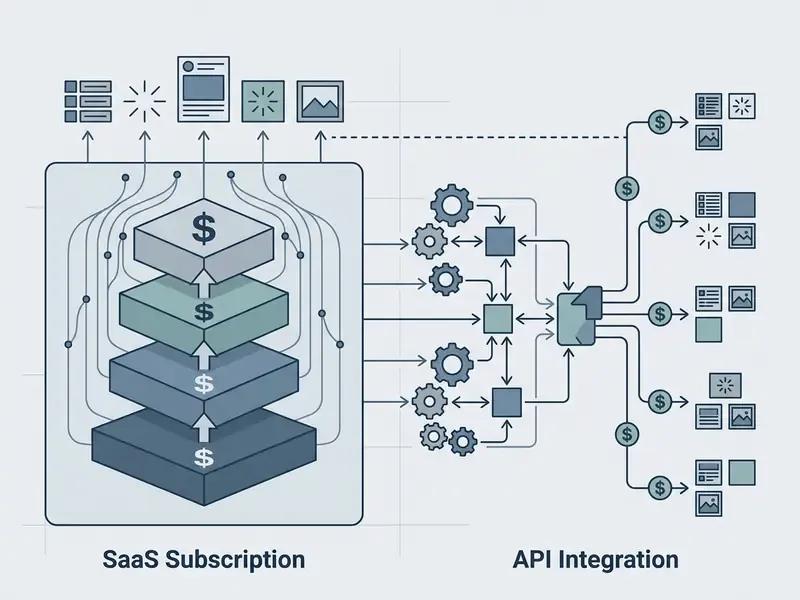
Calculating TCO for API workloads
Subscription and API models are counted differently. For enterprise workloads, a simple total-cost formula helps:
TCO = N x (1 + R) x P_render + C_review + C_storage
where N is the number of finished clips required, R is the rework rate (share of renders sent back), P_render is the price of one render, C_review is the cost of human quality control and legal sign-off, and C_storage covers media storage and delivery.
An illustrative calculation for 1,000 finished clips per month at a 40% rework rate, rendering 5 seconds at 1080p ($0.45):
| Line item | Calculation | Amount |
|---|---|---|
| Renders (including rework) | 1,000 x 1.4 x $0.45 | $630 |
| Same volume at 720p | 1,000 x 1.4 x $0.20 | $280 |
| Review and legal sign-off | 1,000 x 5 min x loaded rate | Per internal rate |
| Storage and CDN | Depends on bitrate and retention | Per contract |
The main lever is not the render price. It is the rework rate: fix the seed, template the prompts, pre-screen candidates at 720p, and render only the winners at 1080p. Notice what the table also shows, though. Review labor can easily exceed compute. Most ROI models quietly omit it, which is exactly why finance and risk end up disagreeing later. Scenario math for mixed workloads can be modeled with the AI Media Calculators.
Pika API for developers: integrating video generation through fal
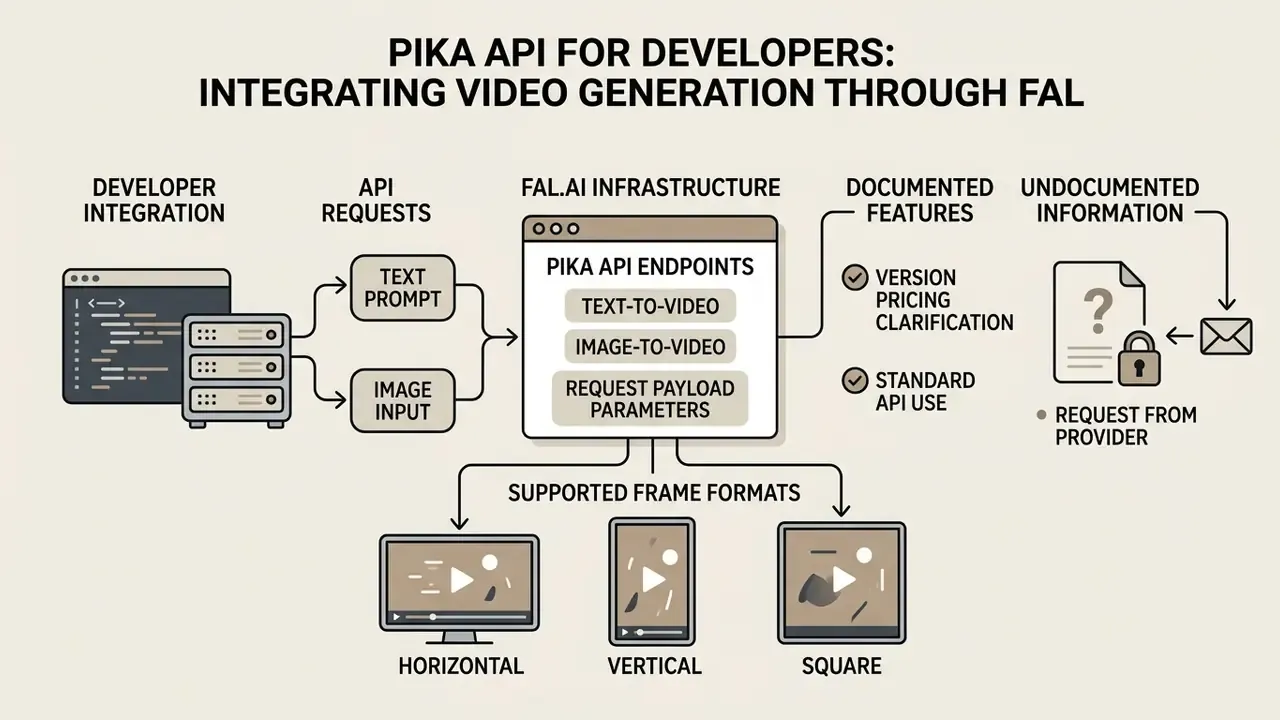
In short: API access runs on fal.ai infrastructure. Programmatic text-to-video and image-to-video calls return JSON with a direct MP4 link.
Developer access to pika api 2025 video generation endpoints is provided through the fal.ai cloud infrastructure platform. This integration enables organizations to execute programmatic text-to-video and image-to-video generation within custom applications, receiving structured JSON responses containing direct MP4 output URLs. Engineers weighing integration options may find the adjacent breakdown useful, the Google Veo implementation through the API, where comparable pay-per-render logic is decomposed by cost and limits. Broader patterns are collected in the AI Media API Guides.
The Pika and fal.ai partnership is presented as a way to deliver video-optimized inference, global scaling, enterprise-compatible security at the infrastructure layer, and turnkey integration through a single dashboard with API key management.
Furthermore, compliance protocols for enterprise media workflows frequently demand automated watermark tagging and provenance checks. Teams record the synthetic origin of an asset in metadata and in an internal register so that later, during an audit or a rights dispute, the provenance of a specific clip can be demonstrated. Watermark-based provenance schemes such as synthid illustrate the direction the industry is heading, although support varies sharply by vendor.
Text-to-video and image-to-video endpoints in the Pika API
The fal.ai platform hosts specialized Pika API endpoints, including fal-ai/pika/v2.1/text-to-video and fal-ai/pika/v2.2/image-to-video, plus variants for Pikaframes, Pika Scenes, and Pika Effects. Developers configure input payloads containing text prompts, source image URLs, duration settings, and resolution targets.
Request payload parameters and supported frame formats
When calling fal-ai/pika/v2.1/text-to-video and fal-ai/pika/v2.2/image-to-video, developers can pin the aspect ratio of the output MP4. The Pika API natively supports seven frame geometries, so no post-hoc cropping is needed:
- Horizontal
16:9,3:2,5:4 - Vertical
9:16,2:3,4:5 - Square
1:1
The negative_prompt field filters out visual artifacts, and the seed parameter makes motion reproducible across repeated API runs. Technical characteristics of the v2.1 endpoint: Pika v2.1 architecture; inputs are a text prompt plus optional negative prompt and optional seed; output is MP4; duration is configurable up to 5 seconds; the license permits commercial use under the fal partnership.
API calls are billed on a pay-per-render basis rather than a monthly subscription credit model. For example, rendering a 5-second 720p clip via fal-ai/pika/v2.2/image-to-video costs $0.20, whereas a 5-second 1080p clip costs $0.45 per completed execution request.
Clarification on version pricing. The v2.1 endpoints bill a flat $0.40 per video regardless of resolution (720p or 1080p), while v2.2 uses a resolution-dependent grid: $0.20 for 5 seconds at 720p and $0.45 for 5 seconds at 1080p. For high-volume draft generation at 720p, version 2.2 is twice as economical. For mixed workloads dominated by 1080p, the gap narrows considerably.
What is not publicly documented and must be requested from the provider: availability SLA, request rate limits, concurrency limits, guaranteed per-clip latency under peak load, and the retry policy on render failure. Lock these into the contract before the pipeline goes to production. If a vendor cannot state them in writing, that itself is an answer. Escalation paths and incident handling are worth agreeing in parallel, see AI Media Support and Troubleshooting.
Enterprise security, privacy, and model governance
In short: Adding Pika to an AI system inventory requires answers on data retention, training on customer files, certifications, and IP indemnification. Several of those answers are not publicly confirmed and must be requested from the vendor.
Due diligence question matrix
| Control area | What to verify | Public status (August 2026) | Action |
|---|---|---|---|
| Output rights | Who owns the generated frames | Subscription: personal use unless the plan expressly permits commercial. API: commercial license under the API agreement; rights to prompts and inputs stay with the user | Record the applicable contour (SaaS or API) in policy |
| IP indemnification | Does the vendor cover legal costs if a rights holder sues | No confirmation of indemnification found in publicly available terms | Request in writing; absent that, restrict use in external advertising |
| Training on customer data | Are uploaded images and video used to train models | No explicit public prohibition or permission found in open materials | Request a DPA; until received, prohibit uploading confidential assets |
| Certifications | SOC 2 Type II, ISO 27001 | Not publicly confirmed for Pika; fal.ai claims enterprise-grade trust and compliance at the infrastructure layer | Request reports from both providers |
| Data retention and deletion | Retention period for prompts and media, right to erasure | Not disclosed in detail publicly | Fix the period and deletion procedure in the DPA |
| SSO and logging | Corporate SSO integration, log export for audit | Not publicly confirmed | Require under an enterprise contract |
| Synthetic labeling | Provenance marks and audience disclosure | Watermark on Free and Standard; absent on Pro and Fancy | Adopt your own disclosure policy |
Items marked "not publicly confirmed" should not be read as a negative answer. It means that, as of the verification date, the information was not found in open official materials and must be obtained through an official vendor channel before contract signature.
Mapping Pika to an existing model-risk framework
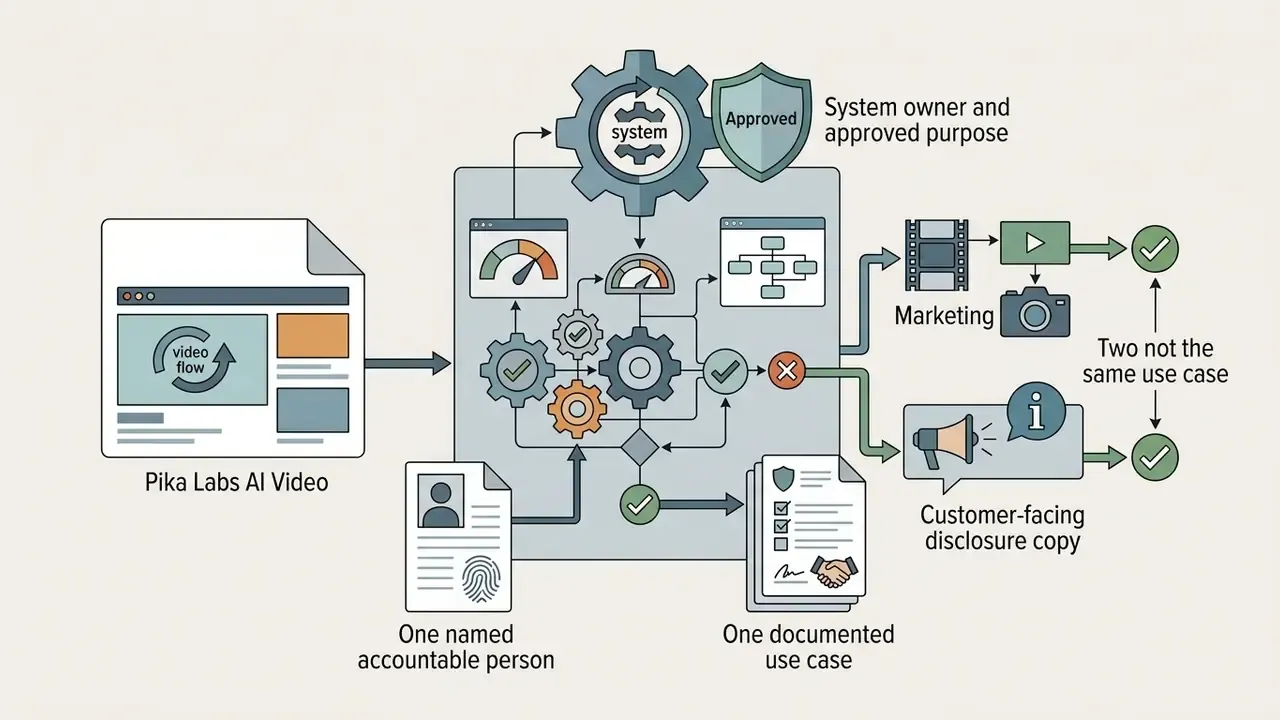
Generative video rarely fits neatly into a framework written for credit scorecards. It still needs an owner. A workable minimum set of inventory fields, phrased so that internal audit can test them:
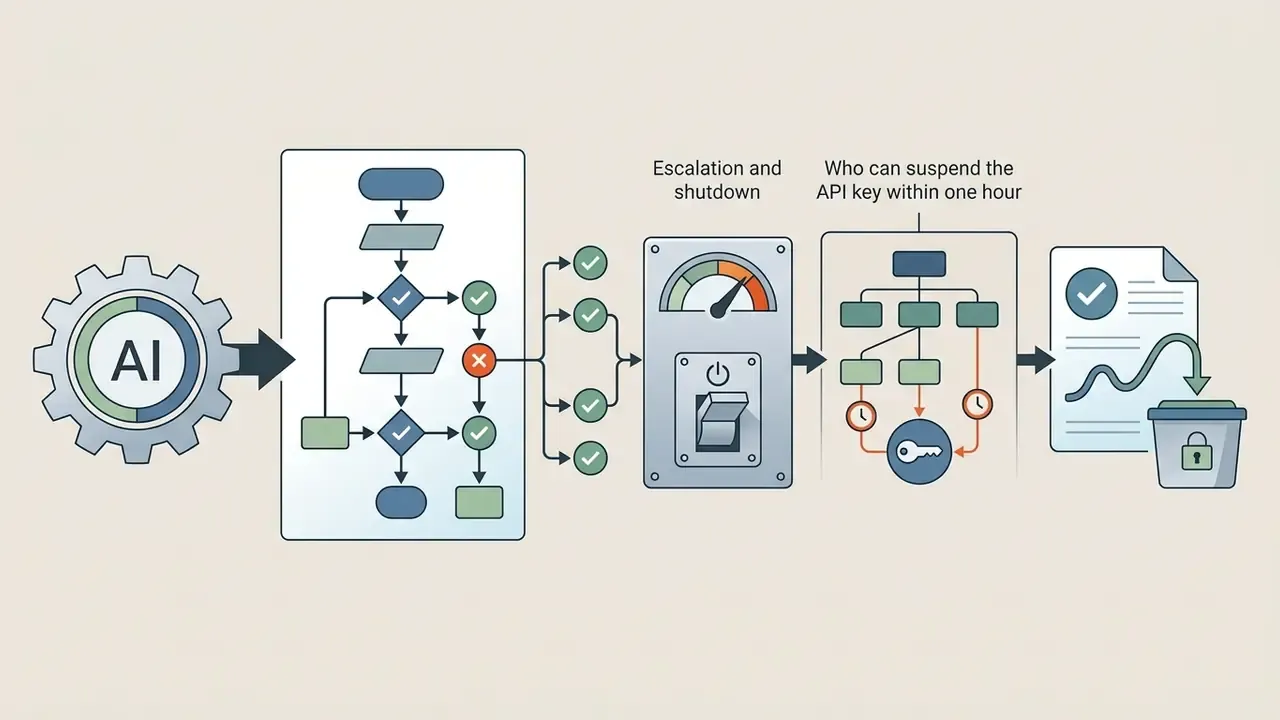
No evidence, no autonomy. That principle applies here even though the output is a video clip rather than a credit decision. The consequence of a bad frame is reputational and legal, not capital, but the control logic is the same: defined owner, approved role, access limits, audit trail, kill switch.
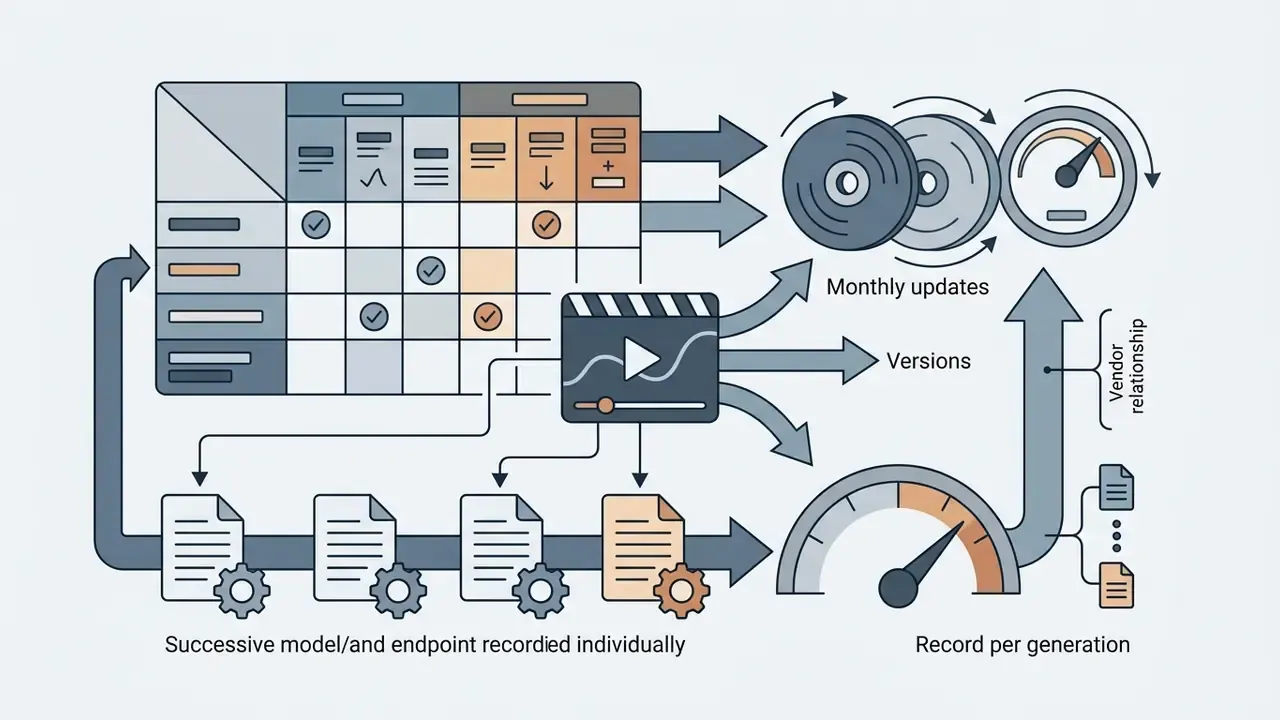
negative_prompt, seed, model version, date, cost. This is the reproducibility package.Legal risks in image-to-video and Pikaswaps modes
Uploading images that contain registered trademarks, protected characters, or recognizable faces shifts infringement risk onto the uploading organization. The platform licenses the technology; it does not warrant that your inputs are clean. Higher-risk zones: replacing a character inside third-party footage (Pikaswaps), inserting recognizable objects (Pikadditions), and generating the faces of real people.
Minimum legal protocol:
- Allow uploads only of material with a confirmed rights chain (own footage, licensed stock, model release).
- Prohibit prompts that name living individuals, brands, or protected characters.
- Preserve the prompt,
seed, model version, and generation date. That is your provenance evidence. - Record synthetic-content disclosure in advertising creatives wherever a regulator requires it.
Shadow AI control checklist
- Inventorydetect calls to the platform domain in proxy and CASB logs, then reconcile against the register of approved services.
- DLP rulesblock uploads of files classified "confidential" or above into generative service web forms.
- Single access pointroute generation through the organization's API gateway rather than personal employee accounts.
- Account managementforbid paying for subscriptions with personal cards for work tasks, and centralize billing.
- Trainingmake one rule explicit to marketing, commercial use is allowed only on plans with express commercial rights or through the corporate API.
- Output auditmaintain a register of published synthetic assets with model version and date.
Honest limitation: none of this eliminates the residual risk of an unindemnified output. It bounds it, documents it, and makes it reviewable. That is usually the realistic goal.
FAQ about the Pika Labs AI Video Generator
Do I need to install software, and can I use Pika AI on mobile?
Pika AI operates as a cloud-based web platform accessible through standard web browsers, requiring no local desktop software installation. Mobile users can generate video content using mobile web browsers or by installing the official iOS application available on the Apple App Store (iOS 17 or newer required). Official materials confirm web access and the iOS app; the existence of an Android version was not confirmed in primary sources as of the verification date, although third-party reviews mention it. If mobile access is critical, compare options in the roundup of free AI video generators.
How long does generation take, and which video quality parameters should be checked?
Standard video generation in Pika Labs typically requires between 30 and 60 seconds per clip, depending on current queue load and user account tier. [Vendor data required] No normalized official "seconds per video" metric appears in public platform materials; the stated range reflects observed queue behavior and shifts with tier and infrastructure load. Queue priority is higher on Pro and Fancy.
Quality control evaluations must examine temporal object stability, motion smoothness, output resolution (720p versus 1080p), and compliance with subscription-level licensing boundaries.
"T2V-CompBench identified seven compositional difficulty categories, from attribute binding to generative numeracy, where most models perform weakly." - T2V-CompBench: A Comprehensive Benchmark for Compositional Text-to-Video Generation (2024). https://arxiv.org/abs/2407.14505
Which aspect ratios and resolutions are supported?
Through the API, seven frame geometries are available (16:9, 9:16, 1:1, 4:5, 5:4, 3:2, 2:3) with 720p or 1080p output and durations of 5 or 10 seconds. In the web interface on Pika 2.5, resolution depends on tier (480p, 720p, 1080p), and duration is selected from 5, 10, 15, 20, and 25 seconds.
Can Pika video be used commercially?
Under the subscription, only on Pro and Fancy. Free/Basic and Standard are limited to personal noncommercial use, and output carries a watermark. Outputs obtained through the Pika API are licensed for commercial use under the terms of the API agreement. Check the current Terms of Service revision before publishing, since the wording has changed between page versions.
Does Pika train its models on my uploaded files?
Vendor confirmation required] as of the verification date, no unambiguous public statement was found in open official materials on whether user-uploaded images and video are used to further train base models. until you have a written answer and a signed dpa, do not upload non-public corporate assets, employee personal data, or material under nda. ] As of the verification date, no unambiguous public statement was found in open official materials on whether user-uploaded images and video are used to further train base models. Until you have a written answer and a signed DPA, do not upload non-public corporate assets, employee personal data, or material under NDA.
Does Pika provide protection against copyright claims (IP indemnity)?
Vendor confirmation required] the publicly available terms found at the verification date contain no confirmation of an ip indemnification program for commercial customers. that is a material difference from several enterprise generative platforms where indemnification is stated explicitly. infringement risk arising from third-party inputs stays with the organization. ] The publicly available terms found at the verification date contain no confirmation of an IP indemnification program for commercial customers. That is a material difference from several enterprise generative platforms where indemnification is stated explicitly. Infringement risk arising from third-party inputs stays with the organization.
How do I make results reproducible for audit?
Record four attributes for every generation: the exact prompt text, the negative_prompt, the seed value, and the model or endpoint version. The same seed with all other parameters unchanged yields reproducible motion, which is the backbone of an audit trail for your AI system inventory. Store the date and render cost as well.
Does Pika have an official public API, and what are the limits?
Access runs through partner infrastructure on fal.ai (endpoints v2.1, v2.2, Pikaframes, Pika Scenes, Pika Effects), and Pika 2.5 is also reachable through the Pika Agent API. Some third-party reviews still claim there is "no official public API." That is outdated phrasing from before December 2025. Rate limits, concurrency limits, and SLA are not published publicly and must be requested from the provider.
How does Pika differ from avatar platforms such as Synthesia?
Pika is a generative engine for scenes and motion: it synthesizes frames from text, an image, or existing footage. Avatar platforms solve the narrower "talking head" problem with pre-built presenters, strong lip sync, and multilingual voiceover. For corporate training and internal communications, avatar platforms are usually more convenient. For creative promo work and effects, Pika. Different jobs, and conflating them is how procurement ends up with two tools that neither team wanted.
Appendix A: editorial change log