Executive Summary for Risk, Marketing, and Procurement Leads
- What the technology is A talking photo generator animates one static 2D portrait so that its mouth, jaw, eyes, and head move in time with a speech track produced by text-to-speech (TTS), an uploaded audio file, or a cloned voice.
- What "free" actually means in 2026 Free tiers are trial environments. Expect 1 to 5 credits (or a daily guest quota), clips of 5 to 15 seconds, 480p to 720p exports, mandatory watermarks, low-priority render queues, and non-commercial usage rights.
- What determines output quality Three inputs dominate. A full-frontal, evenly lit portrait at 512×512 px or higher. Clean single-speaker audio at 44.1 kHz with no reverb. And a model engine matched to the clip length and motion amplitude you need.
- Where the risk sits Likeness and voice consent (rights of publicity, the proposed NO FAKES Act, U.S. Copyright Office digital-replica guidance), data retention on free tiers, and "Shadow AI", meaning employees uploading biometric portraits and corporate scripts into unvetted consumer web tools.
- What to do first Run the Shadow AI and Enterprise Audit Checklist in this guide before approving any browser-based generator for internal or client-facing work. It takes an afternoon. A likeness dispute takes quarters.
How to Use This Guide (and the Six Terms That Matter)
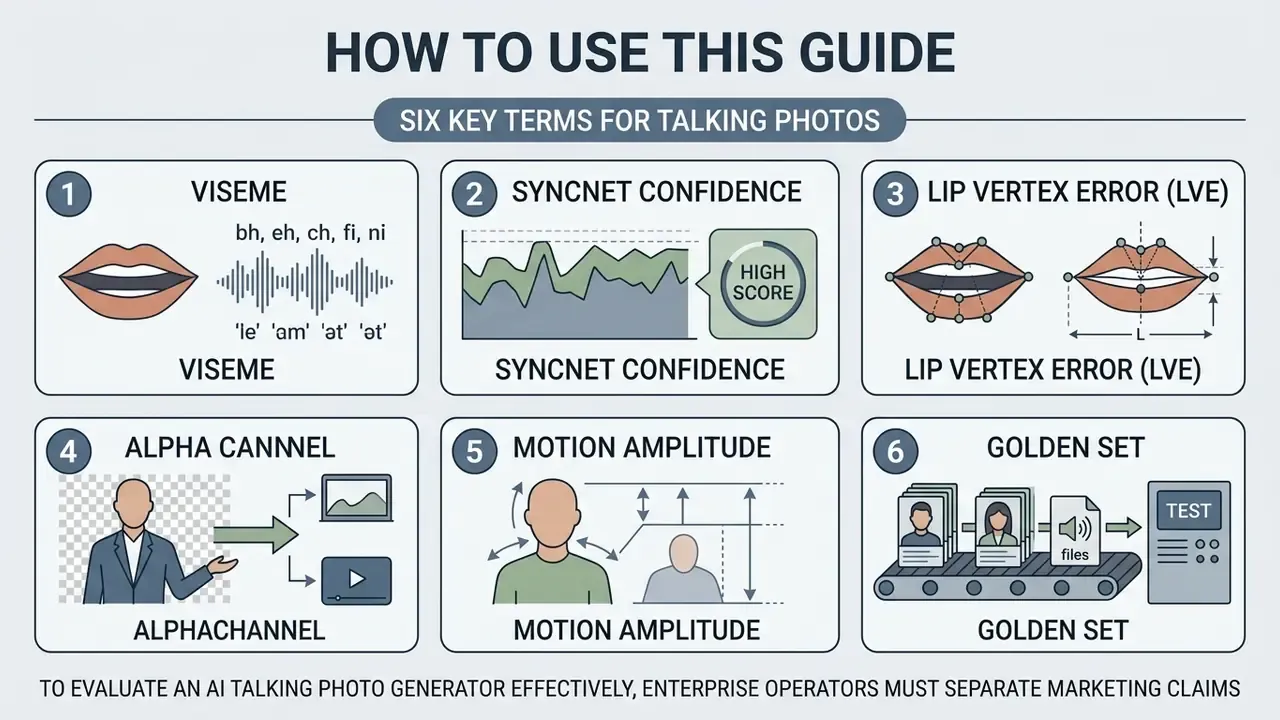
This is not a ranking of tools. It is an operating manual: input specs, engine behaviour, credit economics, and the consent paperwork that decides whether the asset ever ships. Marketing teams usually read the workflow sections first. Risk and procurement teams usually read the checklist and the total-cost model first. Both should read the consent section.
Six terms recur throughout, so here they are up front:
To evaluate an AI talking photo generator effectively, enterprise operators must separate marketing claims from verifiable model performance. Generative neural networks now animate a single static portrait with accurate lip synchronization and natural facial dynamics. Moving from a temporary online test to a repeatable workflow, though, requires evaluating input quality rules, model architectures, credit limits, and intellectual property compliance.
What Is an AI Talking Photo Generator?
An AI talking photo generator is a software system that animates a static portrait by synchronizing facial landmarks and lip movements with an audio speech track or text script. The underlying neural network processes a single 2D image, extracts facial geometry, and maps acoustic phonemes directly to mouth shapes and facial micro-expressions. In plain terms: it is an AI app that makes pictures talk, and the whole job runs in a browser tab.
«Talking head generation is the task of synthesizing video of a target identity from a driving signal, audio, text, or video, while preserving identity and lip synchronization.»
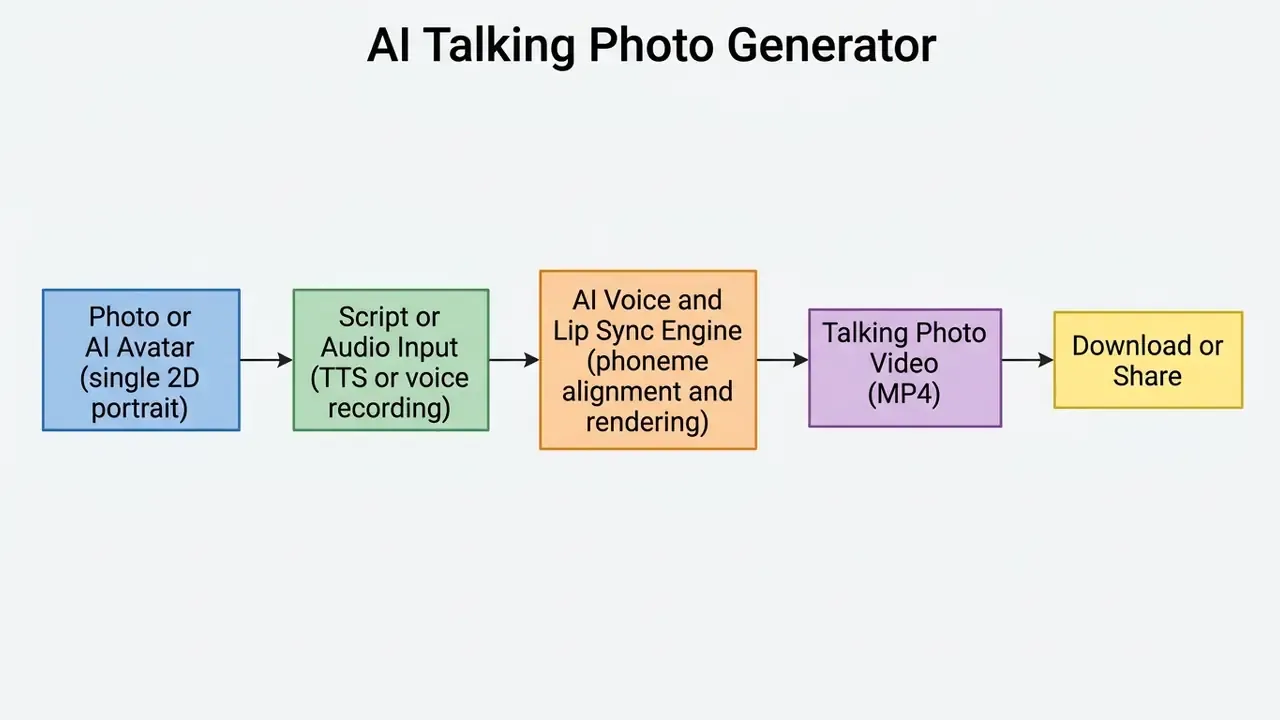
How AI Turns a Still Image into a Talking Video
Modern talking-head synthesis relies on a multi-stage generative pipeline. First, an encoder extracts facial landmarks and structural feature maps from the input image. Next, an audio-to-motion module parses the driving speech signal and predicts frame-by-frame mouth shapes (visemes) plus subtle head poses. Only then does the renderer paint pixels.
In recent architecture benchmarks, systems such as MF-Talk (2025) and StyleTalker (2024) isolate facial landmarks using intermediate representations before rendering final frames through generative adversarial networks (GANs) or diffusion models. MF-Talk decomposes the task into neutral-landmark prediction, landmark-driven face editing, and audio-conditioned lip adaptation, using Mediapipe landmarks with a landmark-guided renderer. Rather than shifting entire pixel blocks, diffusion models iteratively denoise latent vectors conditioned on acoustic features.
«StyleTalker applies a contrastive lip-sync discriminator to align mouth shape with speech at the level of individual phonemes.»
This process maintains facial identity across frames while applying speech-driven motion to the jaw, lips, eyes, and cheeks. Independent evaluations of these architectures typically report synchronization with SyncNet confidence, audio-visual offset, and Lip Vertex Error rather than one universal quality score. Anyone who tells you a single number ranks all engines is selling something.
Leading Neural Engines for Talking-Head Synthesis (2025 to 2026)
Procurement teams keep asking which underlying model a platform runs, and rightly so: credit cost, maximum clip length, and motion amplitude are all engine-dependent. The commercial market consolidated around a small set of production engines exposed through browser interfaces and APIs.
| Engine (as marketed) | Primary strength | Typical use profile | Operational trade-off |
|---|---|---|---|
| Omnihuman 1.5 | Micro-expression alignment and sub-pixel viseme syncing; full-body and torso motion | Premium talking-head ads, expressive presenters | Higher credit burn per second |
| Kling 3 Pro / Kling Omni | High-fidelity diffusion transformer, strong lighting and identity consistency | 1080p to 4K brand assets, stylized portraits | Longer queue times on shared tiers |
| Veo 3.1 / Veo 3.1 Fast | Scene-level generative video with audio conditioning | Multi-shot explainers where the portrait is one element | Less granular lip-level control |
| Creatify Aurora | Low-latency browser rendering with minimal credit consumption | Rapid A/B testing of hooks and UGC variants | Lower motion range than premium engines |
| Gemini Omni Flash | Fast multimodal conditioning from text plus image | Draft-quality iterations, script testing | Draft fidelity, not final delivery |
| Mango-class and "2.0" tiers | Body movement in addition to facial pose | Vertical social clips with visible gestures | Requires cleaner source framing |
| Gen-4 Aleph / Topaz upscalers | Post-render restoration and spatial upscaling | Archival portraits, low-resolution sources | Adds a second processing pass |
Vendor-side tiering usually mirrors this stack. "Talking 1.0" style engines render fastest at roughly 1 credit per second with basic motion, while premium tiers cost 3 to 4 or more credits per second and extend maximum duration from 40 seconds to about 180 seconds per generation. When benchmarking, always test the same portrait and the same audio file across engines. Engine ranking is input-dependent, not absolute.
For teams comparing engine families rather than interfaces, our best AI video generators breakdown maps model tiers against pricing and licensing, and the broader compare hub holds the feature grids.
Talking Photo, Talking Avatar, and AI Video: What Is the Difference?
Understanding the technical boundaries between talking photos, digital avatars, and general AI video generators prevents misaligned tool selection. Each relies on distinct models and resource budgets.
- Talking photo Animates a single user-uploaded 2D portrait. The background stays fixed while neural drivers modify the facial region to sync with speech. Compute is modest and processing finishes in minutes. Microsoft's Photo Avatar documentation similarly limits single-image avatars to a head-only representation.
- Talking avatar Employs a pre-rendered 3D or multi-angle digital presenter asset. Avatars allow broader body movement, gesture customization, and persistent brand alignment across many scripts. They are reusable presenters, built either from a photo or from standard and custom avatar libraries.
- Generative AI video Synthesizes entire scenes from text prompts or multi-modal inputs, including script-to-video, PDF-to-video, and URL-to-video workflows. Instead of a head-and-shoulders presenter, AI video generators produce camera moves, background transitions, and multi-character interaction. Readers evaluating the adjacent class can also review image-to-video AI tools, which animate a still frame without necessarily driving speech.
One practical consequence for staffing: as animation moves upstream into the browser, the prep work looks less like editing and more like input QA. That shift is already visible in how photo editor jobs are scoped, where landmark-friendly cropping and exposure balancing now sit next to retouching.
How to Make a Photo Talk Online Free with AI
Creating a talking photo online requires a clear sequence to get clean visual output and reliable phoneme synchronization. Most browser-based platforms expose a standardized four-step pipeline, whether you want to make a picture talk for a social post or generate an internal briefing clip.
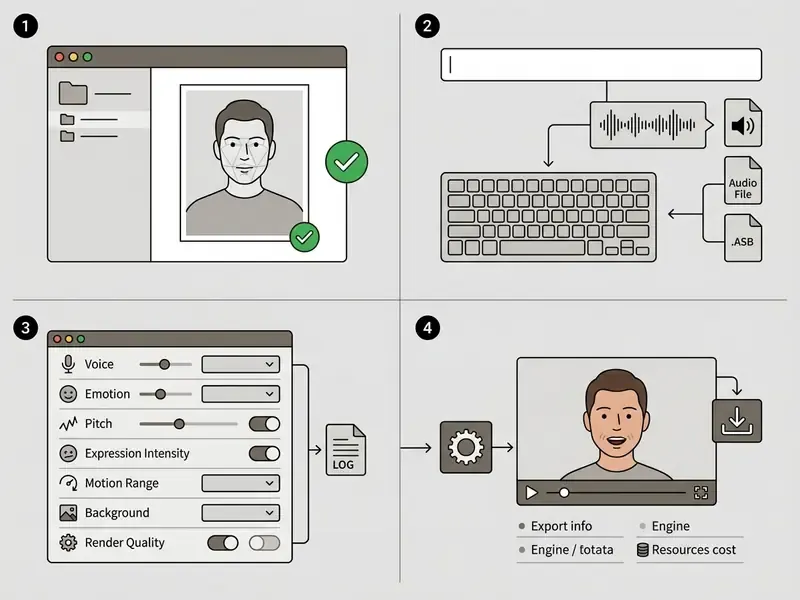
Upload or Generate a Clear Front-Facing Photo
Output quality tracks input quality almost linearly. Users can upload a personal photo, select a stock image, or generate a studio portrait with a dedicated photo editor or an AI headshot generator.
For reliable landmark extraction, the subject should face the camera directly with both eyes and the entire mouth visible. Consumer platforms work best when the face occupies at least 50% of the frame.
«Models are trained on datasets where the face is centered, the mouth and eyes are unoccluded, and resolution reaches up to 512×512 pixels.»
If the source portrait carries dust, sensor noise, or skin blemishes, run it through a photo editor to remove blemishes or a general AI photo editor before generation. Otherwise the neural model can treat visual artifacts as movable facial features, and you get a mole that breathes. Desktop preparation is often faster than browser cropping; macOS teams tend to standardize on a single photo editor mac workflow so exposure and crop ratios stay consistent across a campaign.
Upload ceilings are narrow. Most platforms cap source images at 10 MB (JPG, JPEG, PNG, WebP) and reject cartoon faces or portraits with facial occlusion during automated moderation.
Add Text, an AI Voice, or Your Own Recording
Once the target image is set, the engine needs an acoustic driver. Three input methods dominate.
- Text-to-speech (TTS)You type or paste a script and the platform synthesizes an AI voice using parameters such as accent, gender, and emotional tone. This is the path behind most "ai photo to speech" queries. Script fields are commonly limited to 300 to 1,000 characters per scene on free tiers.
- Audio uploadYou provide a pre-recorded speech file (WAV, MP3, M4A, or OGG, typically up to 200 MB). This preserves original inflection, pauses, and cadence, which is why podcast teams prefer it.
- Direct browser recordingYou record through a microphone inside the interface, usually with a 30 to 90 second ceiling depending on plan.
When preparing a custom script or cleaning existing clips, trimming silence and equalizing gain measurably improves phoneme alignment. Dedicated audio tools and an AI voice generator workflow are more reliable here than in-browser trimming. A small point that saves reshoots: record one sentence, render it, and only then record the full script.
Background Compositing: Green Screen and Transparent Alpha Channels
Talking-photo output is rarely the final deliverable. It is usually a layer inside a larger edit. Professional pipelines therefore select the background mode before rendering, because re-keying a baked background afterwards is lossy.
- Alpha channel (transparent WebM or ProRes 4444)Isolates the moving subject so the presenter overlays slides, dashboards, or product footage without keying artifacts.
- Green screen (HEX #00FF00)Enables clean chroma-keying in Premiere Pro, Final Cut, or DaVinci Resolve. Choose green only when the subject wears no green clothing; otherwise switch to white or a custom HEX plate.
- Solid white or custom HEXUseful for corporate decks, knowledge-base articles, and email-embedded video where a neutral plate is required.
- Picture-in-picture (PiP)Embeds the talking avatar as a circular or rounded overlay above a recorded screen demo or background video (MP4, MOV, or WebM up to 500 MB), with configurable corner position, crop shape, and narration source.
If the platform exposes a Remove BG / Change BG control, apply it before animation so the model does not inherit background edge noise as movable geometry.
Export Formats, Codecs, and File Limits
| Export parameter | Typical free tier | Typical paid or enterprise tier |
|---|---|---|
| Container | MP4 | MP4, WebM (alpha), MOV/ProRes on request |
| Video codec | H.264 (Baseline/Main) | H.264 for web streaming; H.265/HEVC for high-efficiency 4K archiving |
| Resolution | 480p to 720p (some tools cap at 576 px) | 1080p Full HD and 4K UHD |
| Audio | 44.1 kHz stereo, compressed | Up to 48 kHz, higher-bitrate AAC or WAV stems |
| Source image limit | up to 10 MB (JPG, PNG, WebP) | same, plus batch upload via API |
| Source audio limit | up to 200 MB (WAV, MP3, M4A, OGG); 60 s recording cap | extended duration, multi-scene assembly |
| Clip duration | 5 to 15 s (some engines 40 to 90 s) | up to about 180 s per generation, up to 5 min per scene on premium engines |
Teams distributing long-form or multi-platform assets should budget a compression pass. See our video compressor hub for bitrate ladders that preserve lip-region detail, the first area to degrade under aggressive quantization. Publishing specifics sit in the YouTube video editor guide.
Which Photos and Audio Produce the Best Talking Photo Results?
Neural rendering performs best with predictable visual and acoustic inputs. Deviations introduce distortion, unnatural warping, and audio-visual misalignment. Nothing exotic. Just discipline at the input stage.
| Parameter | Optimal input criteria | Common artifact risks |
|---|---|---|
| Camera pose | Full frontal (0° yaw, 0° pitch) | Asymmetric warping, lost eye sync |
| Mouth visibility | Closed or slightly parted lips | Stretched teeth, blurry jawline |
| Lighting and contrast | Uniform, soft frontal lighting | Flickering shadows, landmark drift |
| Image resolution | 512×512 px minimum, 1024×1024 ideal | Pixelation around moving lips |
| Audio clarity | Clean speech, no background noise | Erratic mouth twitches |
| File size | Image up to 10 MB, audio up to 200 MB | Upload rejection at moderation |
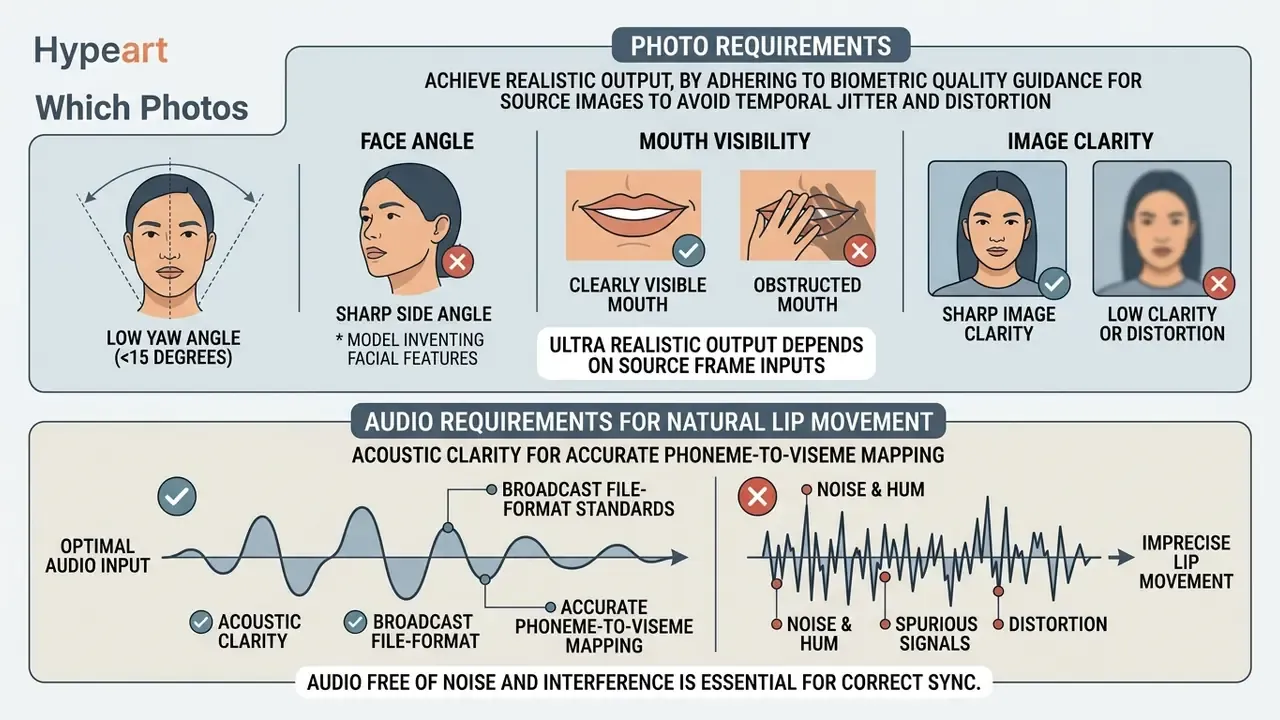
Photo Requirements: Face Angle, Mouth Visibility, and Image Clarity
To avoid temporal jitter and distortion, source images should follow biometric quality guidance. International civil aviation standards (ICAO TR-Portrait-Quality) and biometric frameworks (NIST Face Image Quality Guidance) require reference portraits with full-frontal orientation, even lighting across both cheeks, and an unobstructed view of eyes and mouth. ICAO's portrait-quality technical report states plainly that "the mouth shall be closed; the teeth shall not be visible," and it applies the same constraints to AI-generated portraits as to camera-captured ones. ENFSI guidance derived from ISO/IEC 19794-5 adds a minimum of roughly 60 pixels between eye centres for usable frontal images.
Photos shot at sharp side angles, above roughly 15 degrees of head yaw, force the model to invent facial structure it cannot see. The result is texture stretching during speech. Hands near the face, hair strands across the lips, and dark sunglasses break landmark detection too. These are the same occlusion rules passport authorities in the United States, the UK, Canada, and the EU already enforce for reference photography. When testing experimental workflows, teams often use photo editor software to crop and balance exposure across a batch of input portraits before submission.
Ultra realistic output, to be precise, is less about the engine than about whether the source frame gave the engine anything to work with.
Audio Requirements for Natural Lip Movement
Acoustic clarity controls the accuracy of phoneme-to-viseme mapping. International telecommunication guidance on audio-visual synchronization (ITU-R BT.1359-1) places the detectability threshold at roughly +45 ms to −125 ms of audio-visual offset, while broader acceptability windows of approximately +90 ms to −185 ms appear in subsequent ITU assessment material. In practice, treat ±45 ms as internal QA tolerance and ±90 ms as the outer limit before viewers report desynchronization. Noise, room echo, or background music distorts the audio feature extractor, so mouth movements lag or twitch independently of the words.
«The MoDiTalker audio-attention module captures fine coarticulation detail; noise and reverberation mask phonetic cues and degrade synchronization accuracy.»
Broadcast file-format standards likewise require audio free of spurious signals such as noise, hum, and cross-talk, and commercial lip-sync APIs explicitly require a single speaker with no overlapping conversation. For optimal lip synchronization, keep a minimum sampling rate of 44.1 kHz with one clear speaker. Pacing should stay natural. Vendor speech-rate controls typically expose a 0.5× to 1.5× range, and practitioner testing indicates that delivery beyond roughly 180 words per minute reduces the visual frames available per phoneme, which makes the synthetic mouth look compressed and rushed. That WPM threshold is an operational heuristic derived from platform speed limits rather than a published standard, so validate it against your own render tests.
AI Voice, Lip Sync, Languages, and Voice Cloning Features
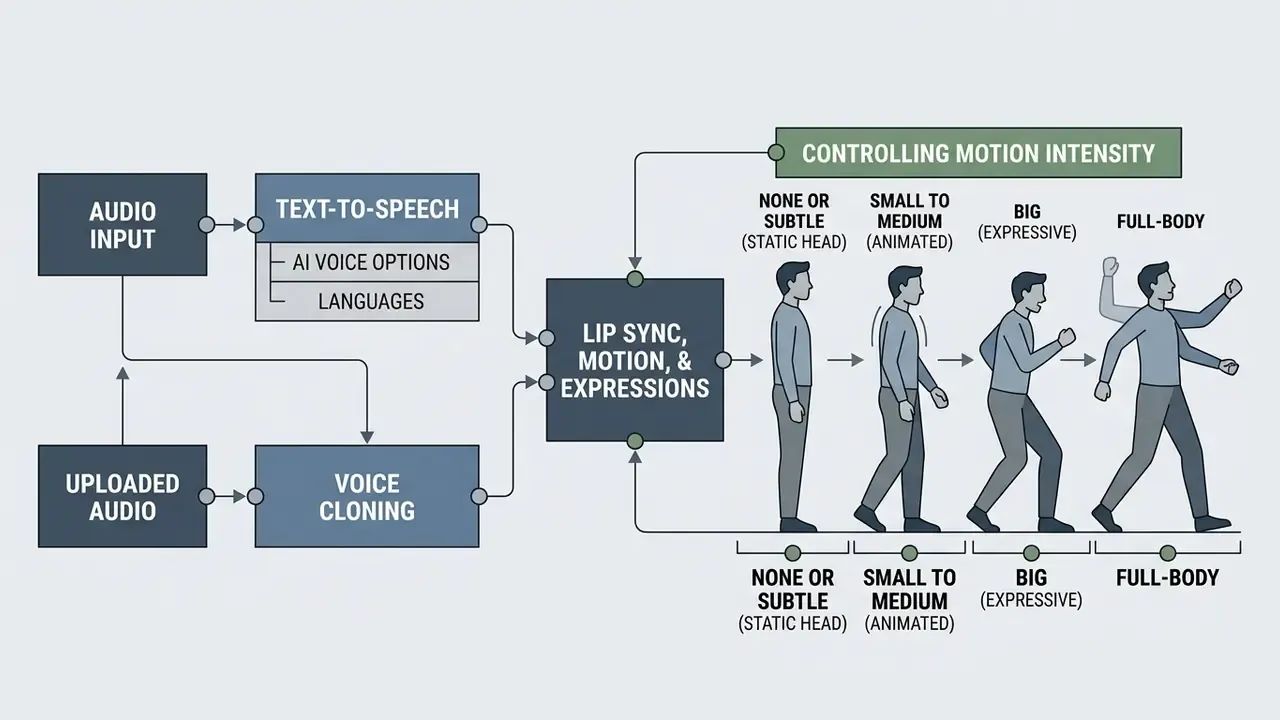
Realism in a synthetic talking photo depends on how tightly vocal synthesis and facial mechanics are coupled. Modern platforms combine text-to-speech models, custom voice replication, micro-expression controls, and increasingly video translation for multilingual reuse of one master render.
Text-to-Speech and AI Voice Options
Current cloud platforms integrate advanced AI voice generator engines that render output across 30 to 80 languages. Consumer talking-photo tools advertise between 88 and 140 or more language and accent combinations, while documented TTS platforms range from 29 languages (ElevenLabs v2) to 32 (Flash v2.5) and 60 or more (OpenAI, aligned with Whisper coverage). Systems use Speech Synthesis Markup Language (SSML) or neural style tags to control pitch, speaking rate, and prosody. Azure Speech exposes accent selection through xml:lang values such as en-GB, and Cartesia separates an accent field from locale.
Instead of flat robotic delivery, contemporary voices support emotional modifiers such as cheerful, empathetic, calm, apologetic, firm, lively, or authoritative, alongside discrete presets (neutral, happy, sad, angry, surprised, fearful) and sliders for speed, volume, and pitch. When selecting a synthetic voice, match vocal cadence to the apparent age and demographic of the portrait. A 25-year-old headshot with a gravelly 60-year-old baritone creates cognitive dissonance that viewers notice within two seconds, even when the sync is flawless.
This pairing of still image and synthesized speech is what most searchers mean by an AI image and voice generator: one portrait in, one narrated clip out.
Uploaded Audio and Voice Cloning
For organizations chasing consistent brand presentation, voice cloning generates a digital vocal replica from a brief reference recording. Research in zero-shot cloning shows modern architectures capture pitch and timbre from as little as 5 to 30 seconds of clean audio. X-Voice (2026) reports zero-shot cloning across 30 languages with a 0.4B non-autoregressive flow-matching model, and VoiceCraft-X (2025) unifies cloning across 11 languages.
When implementing custom vocal replicas, administrators must establish secure workflows that prevent unauthorized synthesis. Advanced voice platforms require live verification readings to confirm identity rights before enabling synthesis. Several vendors require a 5 to 30 second consent recording from the same speaker as the sample, stored as evidence of consent, and at least one major platform prohibits professional cloning of a third party's voice even with written consent, requiring the voice owner to create and verify the clone inside their own account. That design choice is worth copying internally, whatever your vendor allows.
Realistic Lip Sync, Motion, and Expressions
Academic evaluation frameworks now benchmark talking-head models at scale rather than case by case.
«THEval evaluated 85,000 videos from 17 models: most systems handle lip synchronization well but lag on expressiveness and artifact-free rendering.»
These frameworks combine metrics such as Lip Vertex Error, mouth-landmark distance, and SyncNet confidence. Older adversarial approaches frequently produced rigid, frozen head positions with moving mouths, an effect that triggers the uncanny valley. Eye-tracking research on the uncanny valley indicates that mismatched gaze behaviour is itself a driver of perceived eeriness, and head-eye coordination studies show natural gaze shifts recruit eye and head movement together rather than independently.
Current models therefore generate lip movement, eye blinks, gaze shifts, and micro head tilts jointly. Secondary head motion is what keeps the portrait alive during pauses, and pauses are where cheap renders fall apart.
«Livatar-1 reaches 141 frames per second with 0.17 s latency on a single A10 GPU while maintaining LipSync Confidence of 8.50 on the HDTF dataset.»
Controlling Motion Intensity: From Subtle Micro-Expressions to Full-Body Gestures
Most 2026 interfaces expose a movement-scale parameter, labelled Motion, Facial Pose, or Expression Range. Setting it correctly is the fastest way to eliminate both the frozen-zombie and the over-animated-puppet effect.
- None or subtle (static head) Restricts motion to mouth, blinks, and minor jaw mechanics. Ideal for formal corporate announcements, regulatory notices, and compliance training where gravitas beats energy.
- Small to medium (animated) Adds head tilts, eyebrow movement, and natural speech pacing. Recommended for marketing hooks, explainers, and support answers.
- Big (expressive) Amplifies brow, cheek, and head rotation for emotional delivery. Watch for texture stretching if the source portrait was captured above roughly 10° yaw.
- Full-body Animates shoulder shifts and torso orientation, and requires premium engines (Omnihuman 1.5 class or "2.0" tiers). Needs a source image with visible shoulders and headroom.
A practical rule: raise motion amplitude only after lip sync is already clean. Motion and sync are conditioned separately, so increasing amplitude on a noisy audio track amplifies the artifact instead of hiding it.
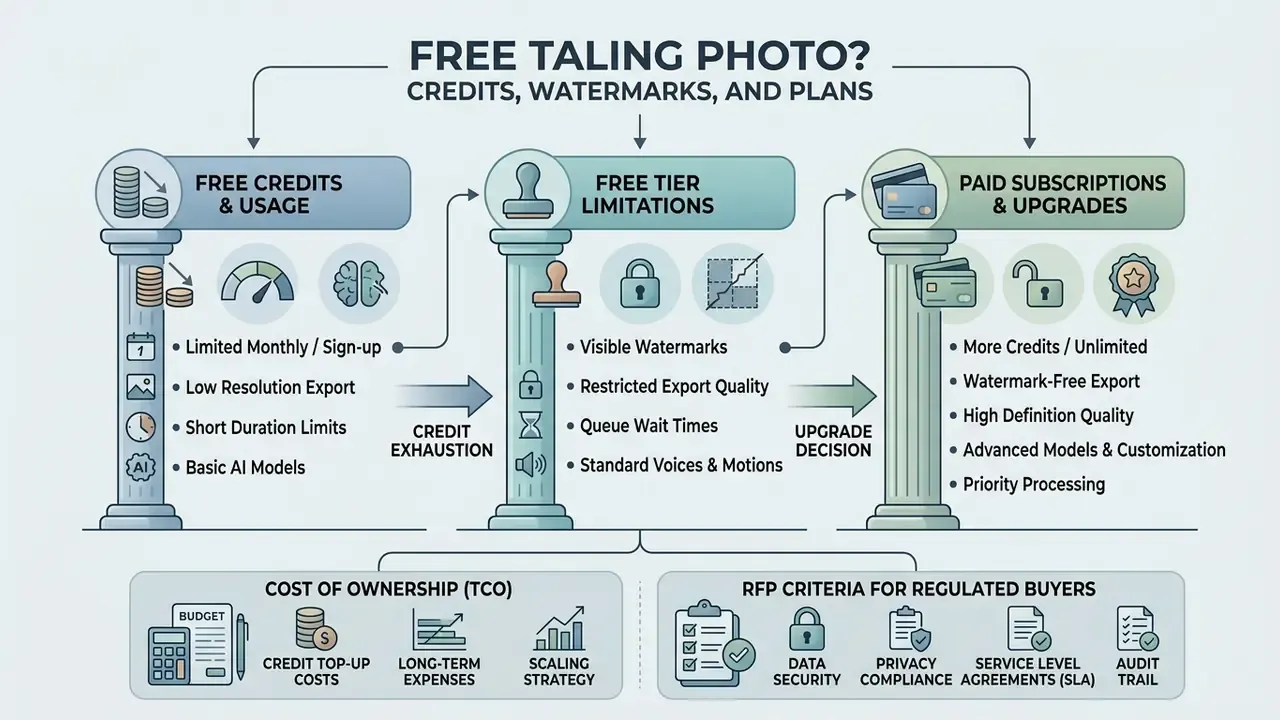
Is a Talking Photo Online Free? Credits, Watermarks, and Paid Plans
Many services market "free" access, but operational limits apply to unpaid accounts. That pattern is documented across free AI video generators. Platforms use credit-based monetization to manage cloud processing costs, and the credit math is where budgets quietly break.
| Metric or feature | Free tier | Starter paid plan | Enterprise or pro tier |
|---|---|---|---|
| Monthly allocation | 1 to 5 trial credits, or 66 to 150 credits on daily/monthly refresh | 15 to 30 video minutes per month | Custom volume or API credits |
| Credit card required | No (email signup usually enough) | Yes | Invoice or corporate card |
| Watermark presence | Mandatory overlay in corner | Removed | Removed or white-label |
| Export resolution | 480p to 720p maximum (some tools 576 px) | 1080p Full HD | 1080p or 4K Ultra HD (H.265) |
| Max clip duration | 5 to 15 seconds per video | 60 to 300 seconds per video | Unlimited, batch rendering |
| Model access | One base engine, low-priority queue | Mid-tier engines | Full engine stack, priority queue |
| Background modes | Original background only | White or green screen | Alpha channel, PiP, white-label |
| Commercial rights | Non-commercial, personal use only | Personal and marketing rights | Full commercial ownership |
«Deepfake developers apply labelling and watermarking as abuse-prevention measures; EU directives and the AI Act impose transparency obligations.»
Regulatory pressure explains why watermark removal is monetized rather than merely cosmetic. The European Commission requires AI-generated or manipulated audio-visual content resembling real entities to be labelled visibly and in machine-readable form, and NIST AI 100-4 (2024) documents watermarking plus signed metadata (XMP, EXIF, IPTC) as provenance controls. Removing a vendor watermark does not remove your disclosure obligation.
What Free Credits Usually Cover
Free tiers are trial environments built for individual testing and feature evaluation. Platforms generally grant 1 to 5 free credits on registration, though some refresh quotas daily, offer guest attempts with no sign-up, or award credits for check-in, sharing, and follow actions. No credit card, in most cases.
Those credits come fenced. Exports cap at 5 to 10 seconds, resolution is constrained to 720p, and jobs route through low-priority queues. Free accounts may also lock zero-shot voice cloning, multi-scene assembly, transparent-background export, and high-definition facial models. Fine for a proof of concept. Not fine for a campaign.
Watermarks, Export Quality, and Upgrade Decisions
The clearest line between free and paid tiers is the watermark. Free accounts export video with branded overlays embedded in the frame, and no post-processing removes them cleanly.
For professional publishing, a commercial plan removes watermarks, unlocks 1080p or 4K rendering, grants priority queue processing, and provides explicit commercial usage rights. Some vendors also sell one-off watermark removal for a single asset, which is occasionally the cheapest answer for a one-time deliverable. Organizations comparing service tiers can consult AI Media Pricing Guides to weigh compute costs against operational budgets, model per-second spend with the AI Media Calculators, and review post-production alternatives in our free photo editor and animation maker overviews.
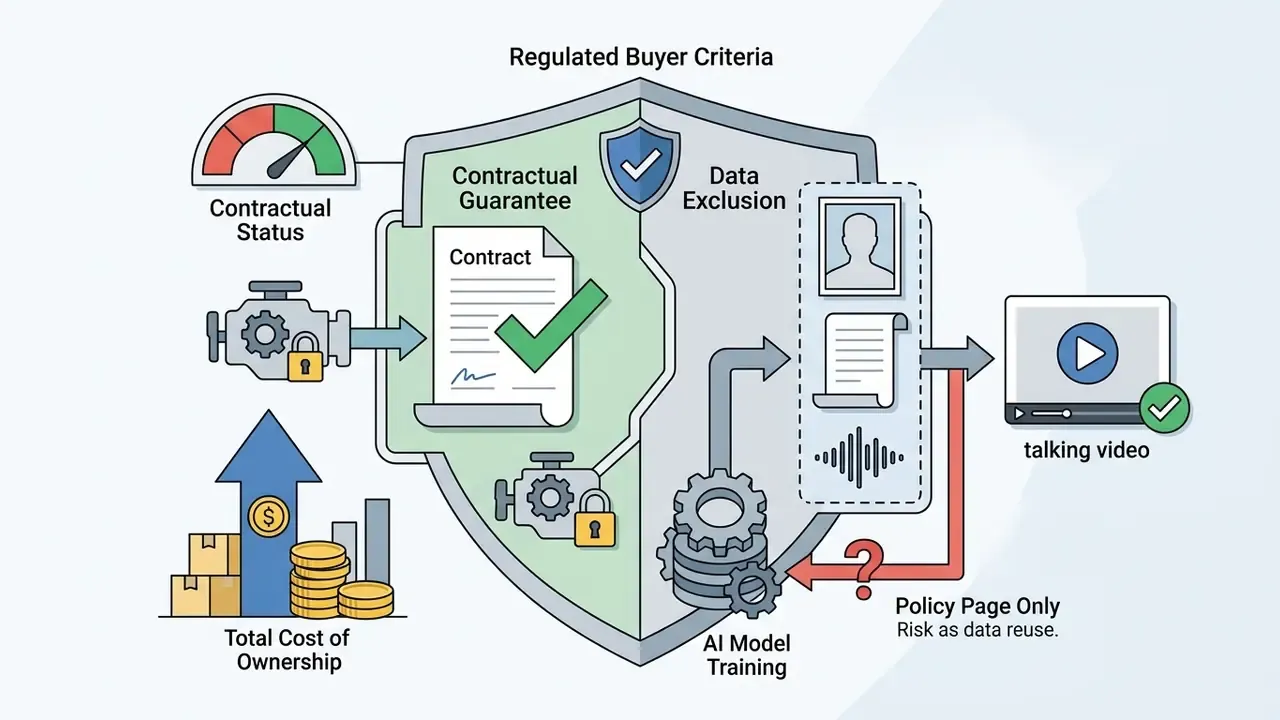
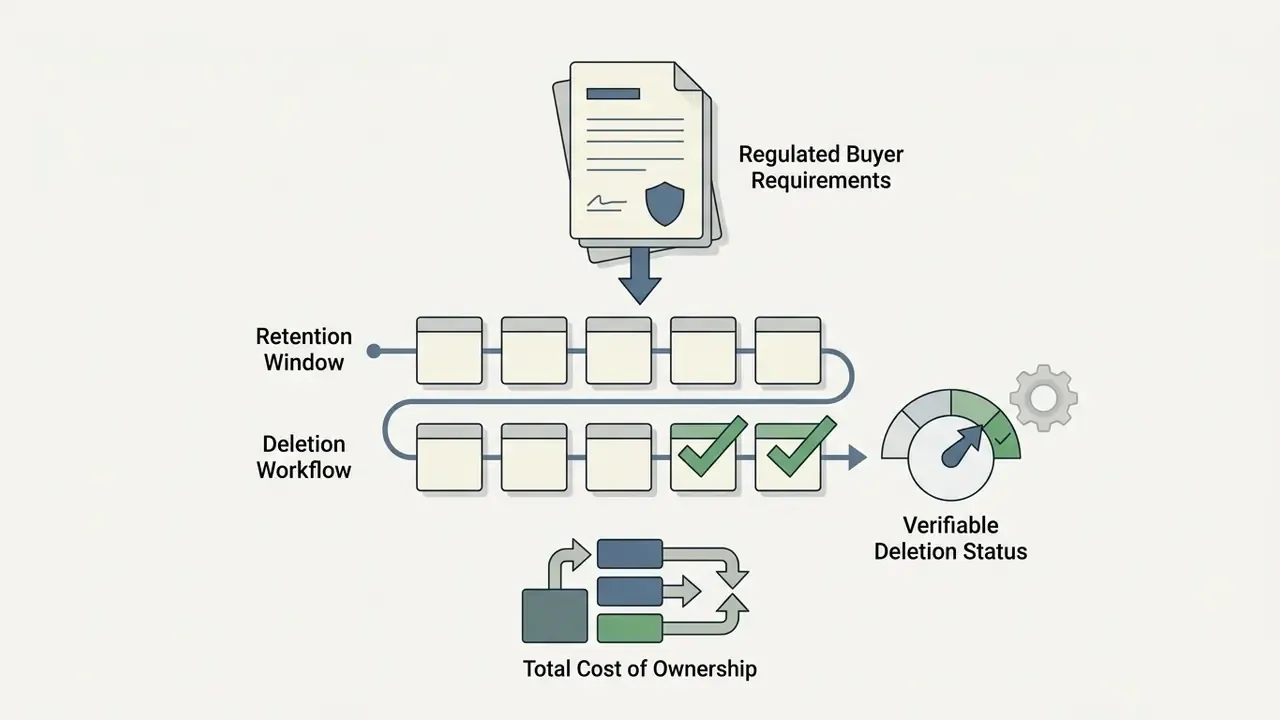
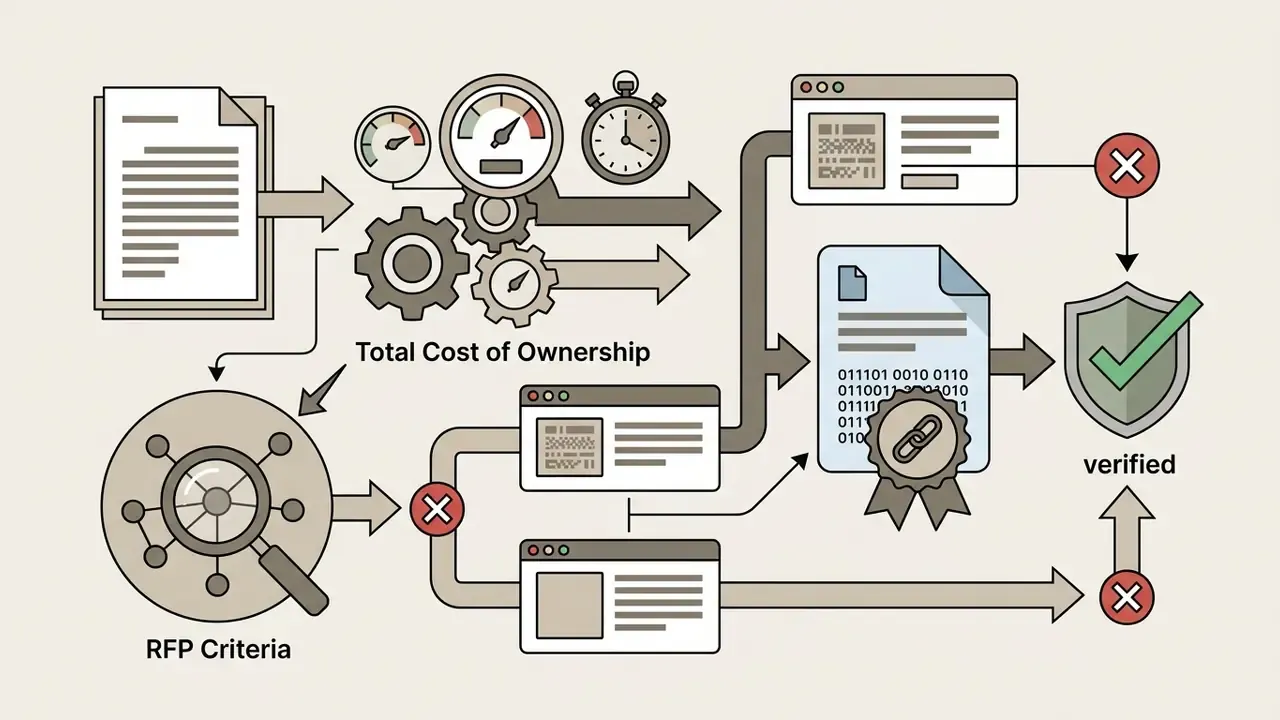
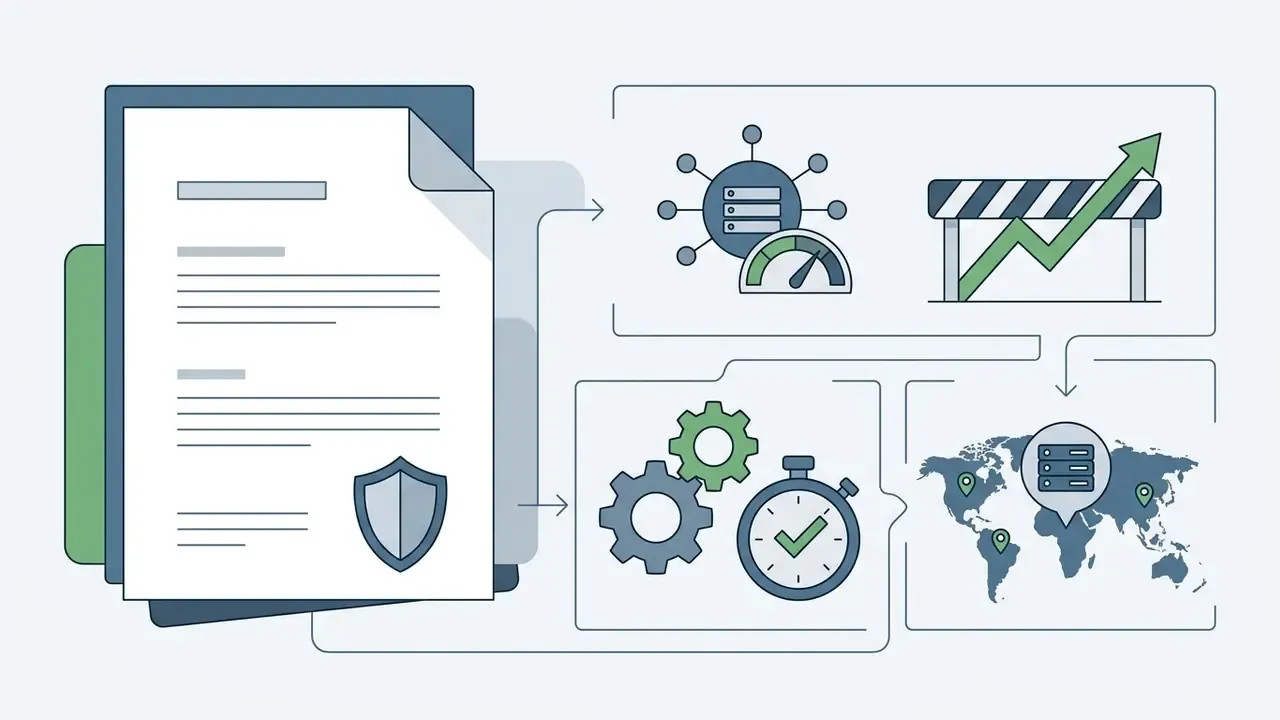
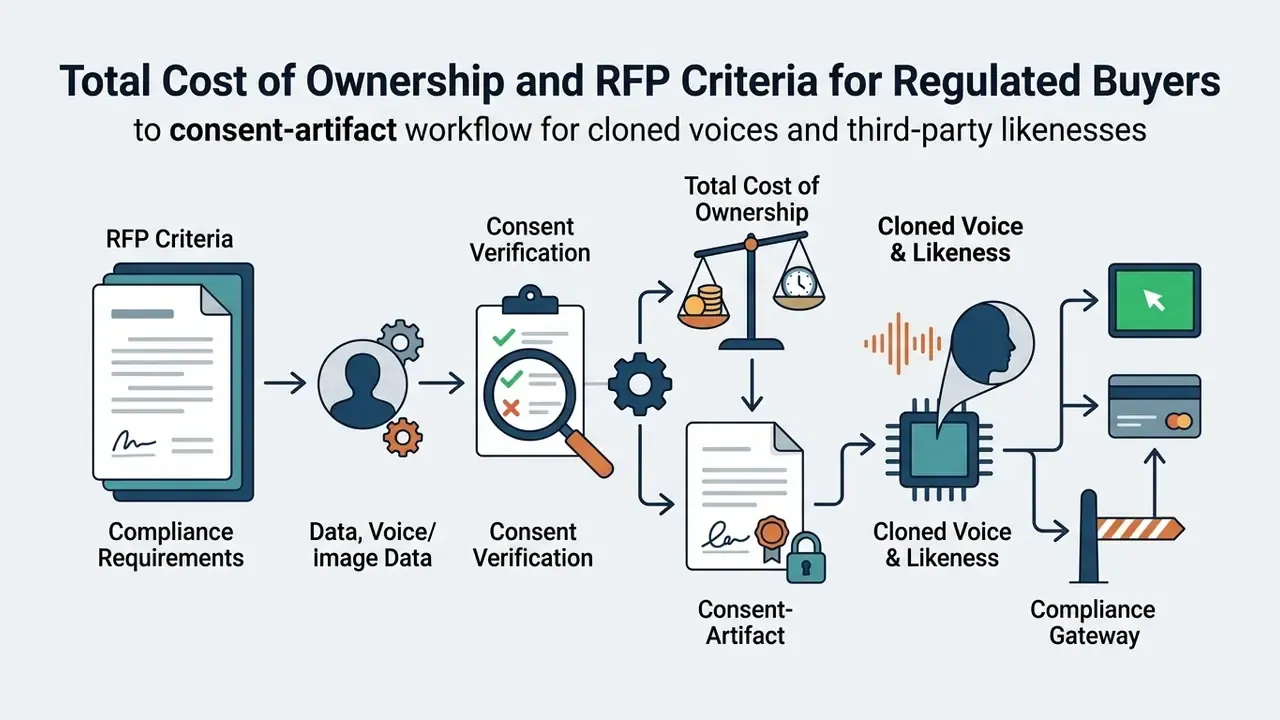
Total Cost of Ownership and RFP Criteria for Regulated Buyers
Subscription price is rarely the dominant cost line for a regulated buyer. A defensible TCO model for talking-photo tooling has five components.
TCO = (credit or seat spend) + (validation and QA hours) + (legal review and consent administration) + (storage, retention, and deletion controls) + (incident and takedown reserve)
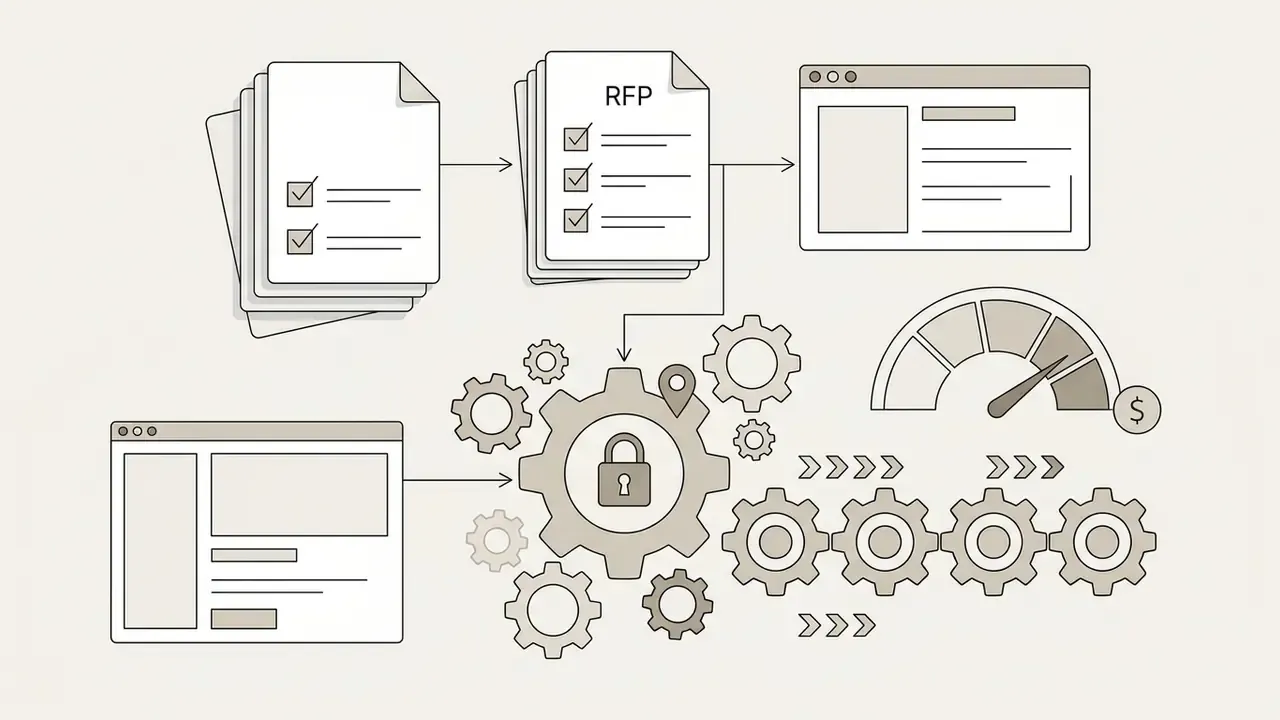
Minimum RFP questions before procurement sign-off:
If a vendor cannot answer questions 2, 3, and 8 in writing, the tool is a sandbox, not a supplier.


Shadow AI and Enterprise Audit Checklist
Free browser tools are the primary Shadow AI vector for generative media, because they need no procurement, no card, and often no sign-up. Use this checklist to audit exposure before it becomes an incident.
Checklist0 / 10
Operational failures and rendering errors that surface during this audit are usually configuration problems, not model problems; our AI Media Support and Troubleshooting library maps the common rejection codes to fixes.
Can You Use AI Talking Photos for Commercial Use?
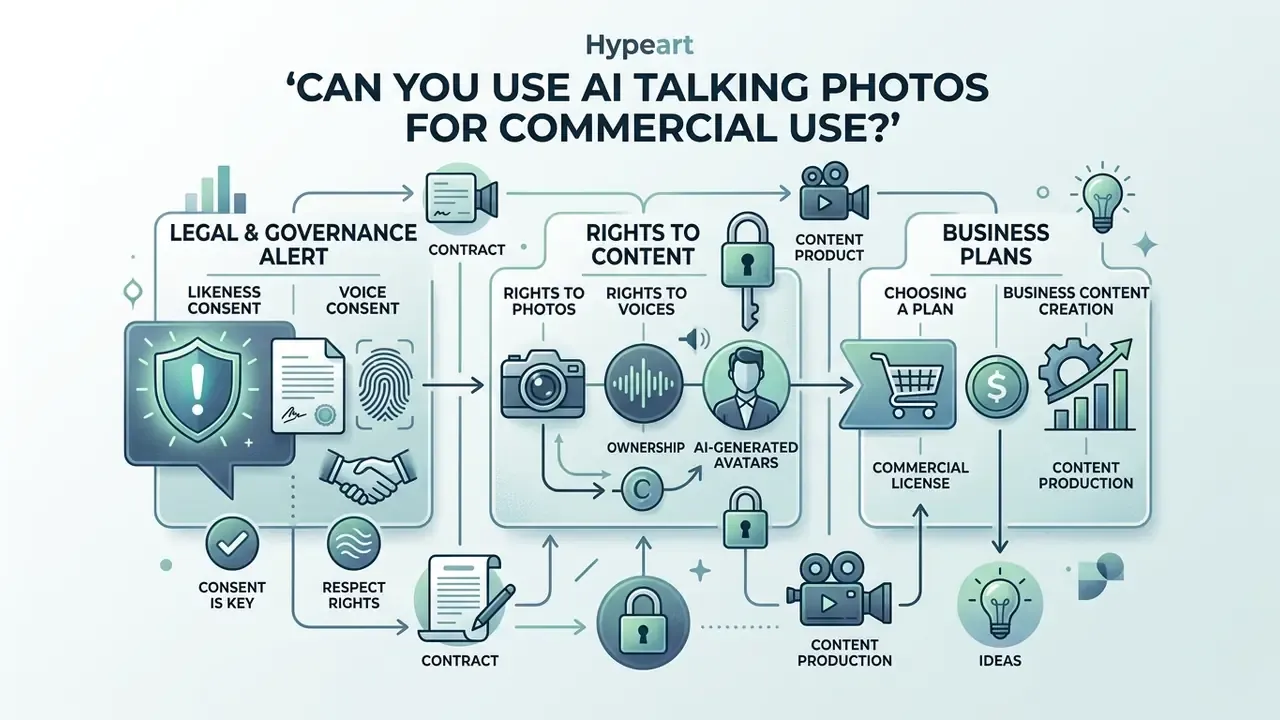
Legal and governance alert: likeness and voice consent
Using AI-generated media in advertising, corporate training, or customer-facing communication introduces strict legal and compliance considerations. Operating on a free plan rarely grants the protections commercial distribution requires.
Rights to Photos, Voices, and AI-Generated Avatars
Under United States legal frameworks, including the U.S. Copyright Office Guidance on Digital Replicas (2024) and proposed federal legislation such as the NO FAKES Act (H.R.2794 / S.1367, 119th Congress, 2025), commercial deployment of a person's image or voice replica without explicit documented consent creates liability. State publicity laws prohibit using a real person's likeness for financial gain without authorization, and recent state texts define consent narrowly. Georgia's 2026 bill, for example, defines consent as written assent that expressly states allowance, scope, purpose, and duration, with "likeness" covering actual or simulated image, voice, and signature.
The Copyright Office has also clarified two boundaries that matter operationally. Copyright alone does not prevent unauthorized duplication of a person's image or voice. And AI output receives copyright protection only where a human contributed sufficient expressive choices; prompts alone are not enough. Sector-specific disclosure rules add another layer, notably the FCC's 2024 transparency requirements for AI-generated political advertisements and state-level deepfake disclaimer rules in Florida and Colorado.
«Professional deepfake developers already implement safeguards: informed consent, data confidentiality, labelling, and content filters.»
When creating talking photos from real human portraits, secure written releases that define scope, duration, and authorized platforms. A minimum consent-release template should capture: identified individual and verified identity; the specific portrait file hash and voice sample; permitted media channels; territory; term and expiry; prohibited contexts (political, medical, financial claims, adult content); revocation mechanism; and a record of the consent recording itself.
For synthetic or AI-generated portraits, verify that the underlying generator's terms allow commercial licensing of the output images. Teams evaluating platform licensing can review comparisons across AI Media Commercial-Use frameworks and the AI image generator commercial use analysis. Where precedent matters to your risk memo, the litigation research library tracks active likeness and training-data disputes.
Choosing a Plan for Business Content Creation
Enterprise deployment needs tools that support scale, security, and administrative oversight, which is the selection logic we track across best AI video generators. Basic web interfaces are insufficient for recurring marketing or customer-service operations.
When selecting a commercial platform, evaluate integration parameters through AI Media API Guides so the tool connects cleanly with existing CRM databases and automated publishing pipelines. Enterprise subscriptions also provide data-privacy guarantees that keep uploaded portraits and voice files out of public training datasets. Documented differentiators in this category include API generation directly from CRM records, personalized video-in-email campaigns, watermark-free or white-label output, and template-driven mass personalization where one base render produces thousands of variants.
What Can You Create with an AI Talking Photo?
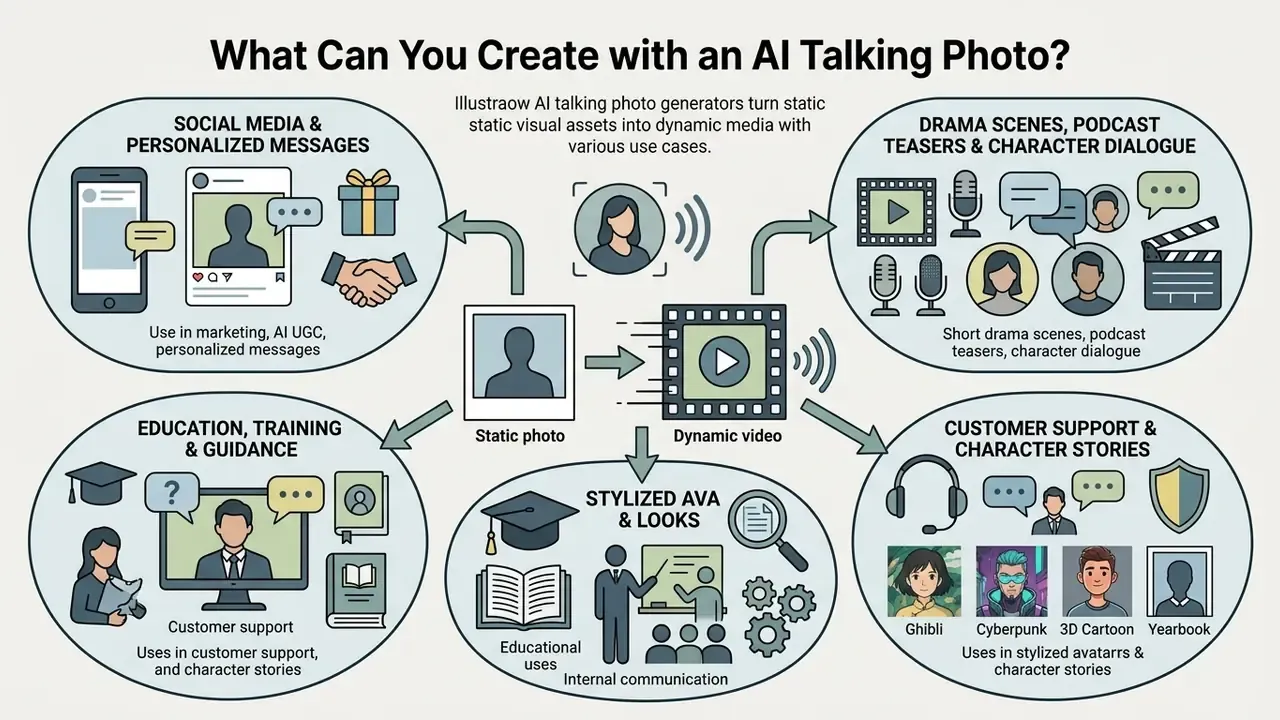
AI talking photo generators turn static visual assets into dynamic media, which opens use cases across marketing, internal communication, and education. The formats below are the ones that actually get shipped.
Stylized Avatars: Ghibli, Cyberpunk, 3D Cartoon, and Yearbook Looks
Many generators now apply a style transform to the portrait before animating speech, which closes the gap between corporate headshots and creative campaigns. Common presets include 3D Cartoon, 2D Cartoon, Baby, Cyberpunk, Yearbook, Business Suit, Painting/Oil, and Ghibli-inspired aesthetics. Two operational notes.
Education, Customer Support, and Character Stories
Schools and online learning platforms use talking photo technology to bring historical portraits to life. Animating archival photographs lets educators present interactive history lectures that hold attention better than static slides; production teams frequently pair archival scans with an AI headshot generator restoration pass to reach the 512×512 px minimum. Peer-reviewed work in Frontiers in Education (2024) describes avatar systems that accept spoken input, generate LLM answers, and reply with synthetic voice across learning, assisting, and mentoring roles.
«EmoGene supports natural idle-state generation during silence, which matters for educational videos with pauses between lines.»
In customer support, organizations deploy talking avatars as the visual front for conversational AI. Instead of a text-only chatbot, the customer sees a video response from an animated representative, which reads as more human. One requirement travels with that design: under EU transparency rules, users must be told when they are interacting with an AI system such as an avatar, not only when the media itself is synthetic.
FAQ About Free AI Talking Photos Online
Can I make photos of animals, artwork, or cartoons talk?
Yes. Many modern generators animate non-human subjects, including oil paintings, digital illustrations, cartoon characters, and pet photos. Quality depends on face clarity: models perform best when the subject has recognizable eyes, a defined nose, and a clearly visible mouth. Some platforms explicitly reject cartoon faces at the moderation stage on realistic-avatar pipelines, so check whether the tool routes stylized inputs to a separate engine.
What image and audio file formats are supported?
Most online platforms accept JPG, JPEG, PNG, and WebP images, with size caps typically between 10 MB and 20 MB. Audio inputs support MP3, WAV, M4A, and OGG, commonly up to 200 MB, with in-browser recording limited to 30 to 60 seconds. For custom recordings, uncompressed WAV gives the highest phonetic accuracy during lip-sync processing.
Why did my AI talking photo generation fail?
Generation errors usually trace to one of two root causes.
- Biometric landmark occlusion or file limits. Source files above 10 MB, portraits where the face occupies less than about 50% of the frame, extreme side angles above 15° yaw, cartoon faces on realistic pipelines, or hands, hair, masks, and glare covering the lip line will fail automated vision checks. Re-crop to a centred frontal portrait with even lighting and a closed or slightly parted mouth.
- Safety and moderation flags. TTS and script classifiers block restricted content: sexual abuse material, fraud schemes, terrorism and violence, private personal data, hate speech, and unverified public-figure likenesses. Rewrite the script in formal, moderate language and remove identifying third-party details. Secondary causes include audio longer than the model's duration ceiling, recordings exceeding the 60-second capture limit, exhausted credits, and queue timeouts on free shared rendering. Most platforms surface the specific rejection reason. Read it before re-uploading.
Do I need to enter a credit card to try a free AI talking photo generator?
No. Most reputable services let you generate initial trial videos with free credits after registering an email address, and several allow guest generations with no sign-up at all. If a platform demands card details upfront for a "free trial," review the cancellation policy carefully before proceeding.
Are my uploaded photos and audio files kept private?
Retention policies vary by platform. Reputable commercial providers encrypt uploaded assets in transit and at rest, then purge temporary files after rendering. Free tools, however, may retain uploads to train future generative models. NIST AI 100-4 (2024) identifies privacy management, source authentication, and integrity verification as core controls for synthetic-content systems. Always read the privacy policy, and for regulated environments confirm SOC 2 or ISO/IEC 27001 status, before uploading sensitive or proprietary portraits.
How do I fix bad lip sync or visual distortion in generated videos?
If the output shows distorted mouth movement or lagging audio, start with the source photo: clear, unoccluded, front-facing. Then clean the audio by removing background noise and room echo, keeping one speaker, and slowing delivery toward 140 to 160 words per minute. Re-rendering with clean audio and a properly aligned image resolves most motion artifacts. If it does not, switch engines and drop motion amplitude one step.
Can I export a talking photo with a transparent or green-screen background?
On paid tiers, yes. Select the background mode before rendering: alpha-channel WebM or ProRes for direct overlay, green screen (#00FF00) for chroma-keying in Premiere Pro or DaVinci Resolve, or solid white for slide decks. Free tiers usually bake the original photo background into the frame, and that cannot be keyed cleanly afterwards.
Is commercial use allowed on a free plan?
Rarely. Most free tiers grant personal, non-commercial rights only and attach a watermark, while commercial rights, indemnification, and white-label output sit behind payment. Separately, plan-level permission does not resolve likeness rights. You still need documented consent from any real person whose face or voice appears.
Vendor Decision Matrix and Tool Comparison Resources
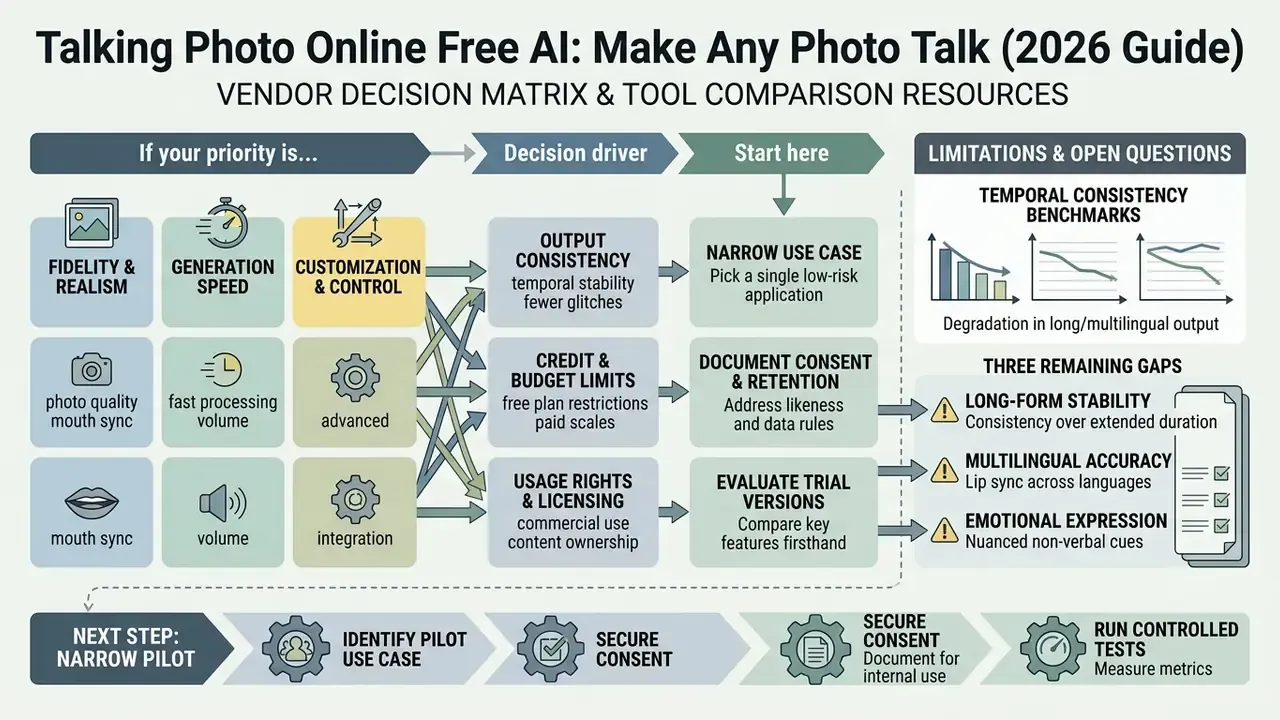
Choosing an AI talking photo tool means balancing output fidelity, generation speed, credit limits, and usage rights. Use the matrix to route your evaluation, then drill into the linked hubs.
| If your priority is… | Decision driver | Start here |
|---|---|---|
| Feature-by-feature tool selection | Structural capability comparison | compare hub |
| Zero-budget testing | Credits, watermarks, duration caps | best free AI video generators |
| Source-portrait preparation | Crop, exposure, retouch, resolution | photo editor and free photo editor |
| Frame ratios for each channel | 16:9, 1:1, 9:16 output specs | photo size editor |
| Voice quality and language coverage | TTS engines, cloning, licensing | AI voice generator |
| Delivery weight and bandwidth | Codec, bitrate, lip-region detail | video compressor |
| Motion beyond talking heads | Keyframes, transitions, templates | animation maker |
| Portrait generation at scale | Synthetic headshots, privacy posture | AI headshot generator |
| Developer integration and cost modelling | API limits, per-second pricing | Google Veo implementation guide |
| Publishing and distribution | Export presets, platform specs | YouTube video editor workflow |
| Legal exposure and precedent | Consent, publicity rights, disclosure | litigation research library |
«MCDM achieves leading FID, FVD, Sync-C, and Sync-D scores on HDTF and CelebV-HQ, maintaining synchronization stability across long multilingual videos.»
Long-form and multilingual output is where most tools degrade first, so temporal-consistency benchmarks like this one are the most useful public proxy when a vendor will not disclose its engine version.
Limitations and Open Questions
Three gaps remain, and pretending otherwise would be dishonest. First, public benchmarks measure sync and artifacts far better than they measure perceived trust, so a high SyncNet score does not tell you whether a viewer feels misled. Second, vendor engine versioning is largely opaque; without pinned engines, reproducibility across a campaign rests on your golden-set testing rather than on any contractual guarantee. Third, the federal likeness picture in the United States is unsettled, since the NO FAKES Act remains proposed rather than enacted, and state definitions of consent diverge in scope and duration. Treat every audience and ROI assumption in this guide as a hypothesis until your own analytics, interviews, or CRM data confirm it.
A safe next step, then, is narrow: pick one low-risk internal use case, document consent and retention for it, and run a golden-set test before anything reaches a client channel.
Appendix A: Superseded Statements and Source Corrections
Maintained for transparency and audit traceability. The main text carries the corrected version.
Footer navigation and authority flow:
Visit the comprehensive AI Media Glossary for standardized definitions, platform documentation, and technical media frameworks. Commercial licensing comparisons are consolidated in the commercial-use library, and pricing benchmarks in the pricing hub.
Editorial standards: every regulatory claim in this article is attributed to a named statute, agency guidance document, or standards body; every performance claim is attributed to a named benchmark or labelled as an operational heuristic. Corrections are logged in Appendix A rather than silently edited.
- Superseded (synchronization standard)
- "International telecommunication standards (ITU-R J.248) establish that lip-sync acceptability falls within an audio-visual offset window of +90 ms to −185 ms." Corrected in the main text: detectability of roughly +45 ms to −125 ms is defined in ITU-R BT.1359-1, with the wider +90 ms to −185 ms acceptability range appearing in subsequent ITU assessment material (ITU-R J.248, 2008).
- Superseded (benchmark reference)
- "In academic evaluation frameworks such as THEval (2026), talking-head generation models are evaluated using metrics like Lip Vertex Error and SyncNet confidence scores." Replaced with the quantified THEval finding (85,000 videos, 17 models). Where THEval cannot be verified by the reader, substitute SyncNet confidence, LSE-C/LSE-D, and LVE as the operative metrics.
- Reframed (illustrative scenarios)
- The three blocks previously labelled "Hypothetical Operational Scenario" are retained as composite, clearly labelled illustrative patterns. The completion-rate improvement is a modelled illustration of the measurement method, not an audited result, and should not be cited as vendor or client data.
- Verification note (expert attribution)
- The opening quotation from Marcus Hale is commentary from the author created for this publication.
- Verification note (architecture papers)
- MF-Talk (2025) and StyleTalker (2024) are cited from the research brief supporting this article. Readers reproducing the claims should confirm the current arXiv or conference record for exact titles, versions, and publication years.
- Re-balanced internal links
- Preparation-utility anchors (photo editor, photo editor for macOS, photo size editor, blemish removal, photo editor software) are retained where they serve a concrete production step, and are complemented by governance, pricing, API, support, and licensing hubs in the decision matrix, so every link resolves to either a production or a governance resource.
Social Media, AI UGC, and Personalized Messages
Digital marketing teams use talking photos to produce short-form video without scheduling live shoots, often alongside broader text-to-video AI pipelines. A single portrait can deliver a script hook, walk through a product demonstration, or carry user-generated-content style advertising: testimonial, unboxing, and talking-head ad formats for TikTok, Reels, Shorts, and paid placements.
In client outreach, account teams generate personalized video messages by pairing a relationship manager's headshot with dynamic script variables. That automated personalization tends to lift email click-through while keeping production costs low. Personal-use variants include birthday and holiday greetings, invitations, announcements, and multilingual messages delivered in the sender's own cloned voice.