Last updated: February 2026 · Reviewed by: Marcus Hale, Editorial Lead, AI Media Standards Desk
What Is a Reel Maker and Who Needs AI Reel Creation
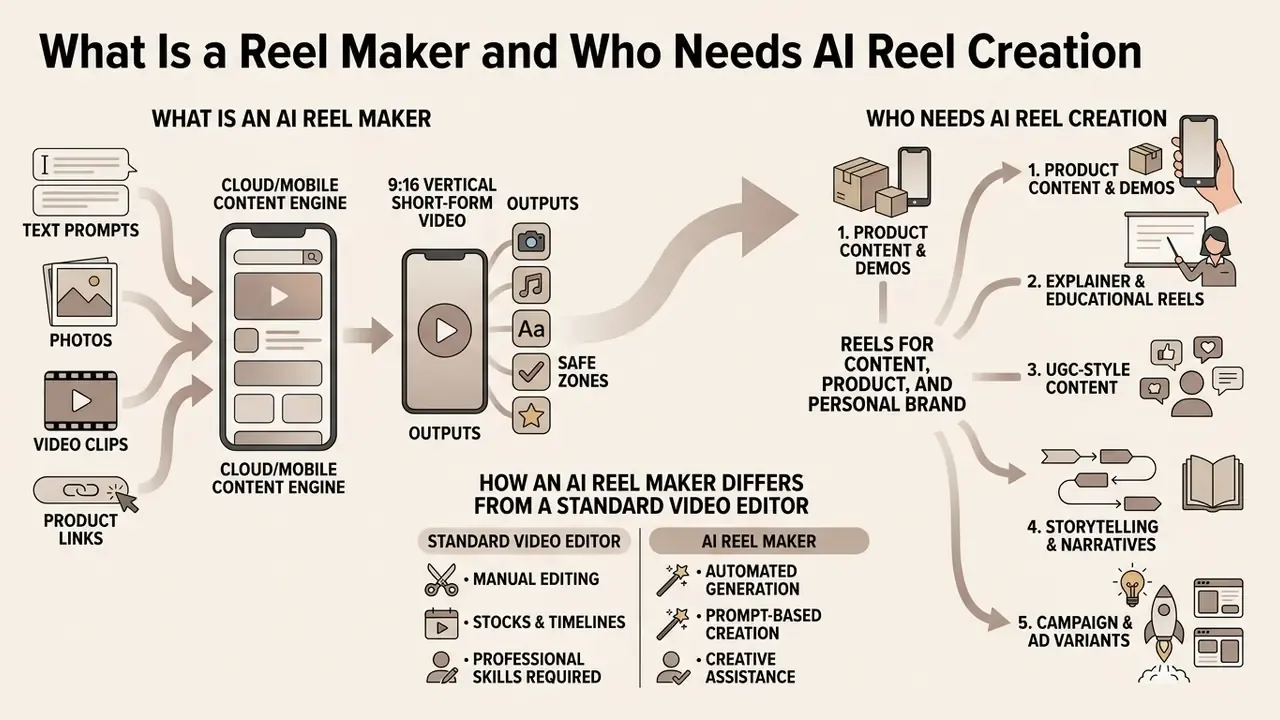
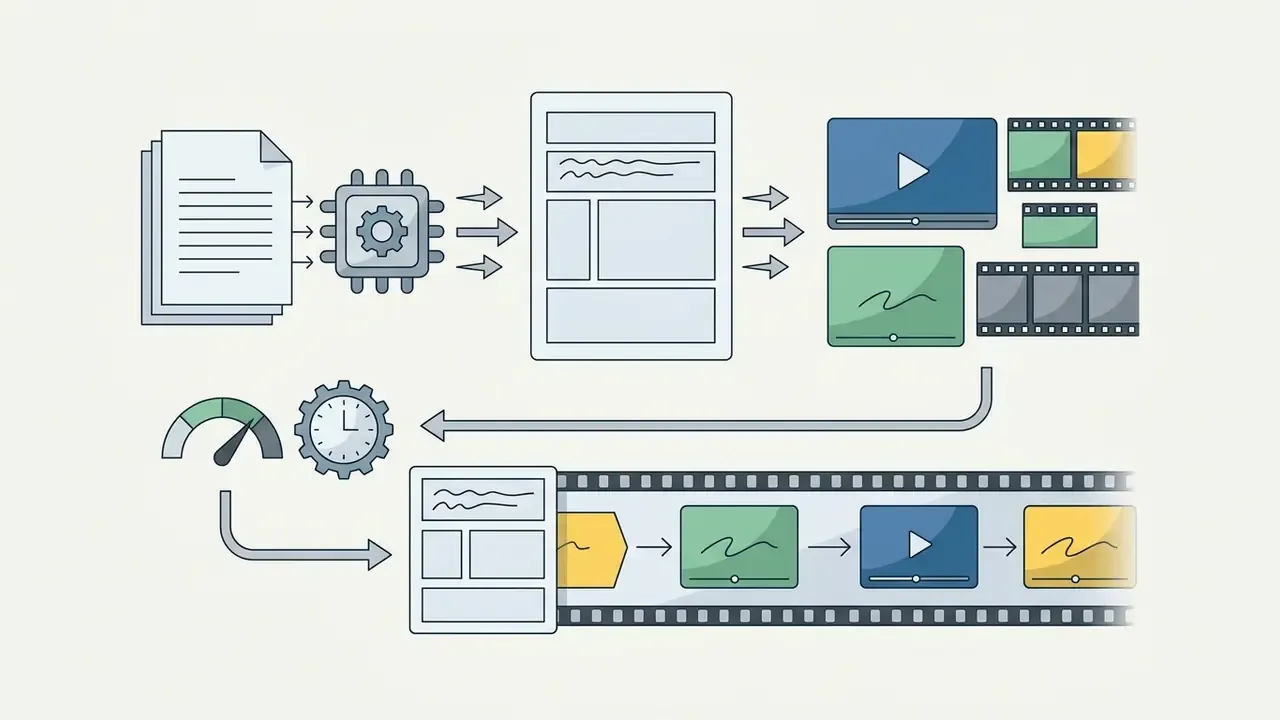
An AI reel maker is a cloud-based or mobile content creation engine that turns text prompts, raw photos, video clips, and product links into 9:16 vertical short-form videos for Instagram Reels, TikTok, and YouTube Shorts. It automates the repetitive parts of video editing: scene trimming, audio synchronization, caption generation, and visual layout. The practical result is that creators and organizations can publish decent vertical video without traditional timeline skills.
According to a 2024 industry analysis by Semrush, Instagram Reels generate noticeably higher engagement than static images or multi-image carousels across accounts of all sizes. In an aggregated dataset of Instagram accounts, Reels averaged 2,009 total engagements and 42,236 impressions per post, compared with 1,148 total engagements for single images. For accounts under 10,000 followers, Reels accounted for 55% of total engagement and 52% of total impressions.
«Reels accounted for 55% of total engagement and 52% of total impressions for accounts under 10,000 followers.»
The platform layer is moving toward native generation as well. Meta shipped in-stream AI video generation inside its Edits application in 2025, supporting text-to-video, photo-to-video, and video-to-video creation with direct publishing to Reels or Stories. That shift matters for tool selection. Native generation covers quick drafts. Third-party reel makers still lead on brand-kit locking, caption governance, batch rendering, and API access.
For foundational technical definitions and media framework concepts, consult our AI Media Glossary.
Reels for Content, Product, and Personal Brand
Vertical video serves distinct operational goals across individual creators, commercial brands, and executive communication. Whether the objective is building personal authority, demonstrating physical merchandise, or running performance marketing tests, a structured ai reel workflow accelerates output across five content archetypes.
Each archetype below includes a ready-to-use generation prompt. Copy the block, replace the bracketed variables with your own product, topic, or audience, and the generator returns a structured first-draft cut. Expect to edit it. First drafts are drafts.
1. Product Content and Demos. Showing physical goods in active use, highlighting feature details, and presenting shoppable items.
Prompt: "Create a 20-second product demo Reel for a matte stainless steel water bottle. Scene 1: Close-up hero shot with water droplets (3s). Scene 2: Person taking the bottle out of a gym bag (4s). Scene 3: Animated text callouts highlighting '24-Hour Cold / Double-Wall Vacuum' (5s). Scene 4: Fast cuts of outdoor usage (5s). Scene 5: Outro with logo and CTA 'Tap Link in Bio to Shop' (3s). Dynamic pacing, upbeat lo-fi track at -20dB."
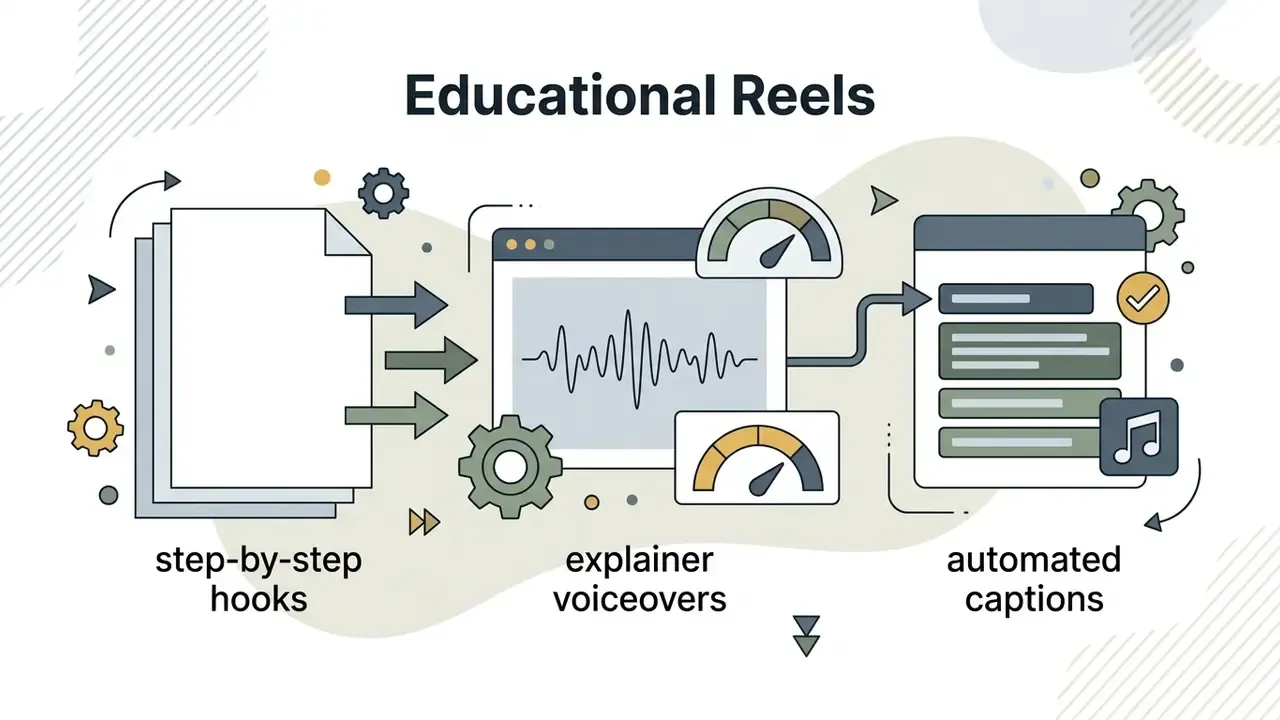
2. Explainer and Educational Reels. Breaking down complex concepts, regulatory updates, or step-by-step tutorials using automated on-screen text and synced voiceovers.
Prompt: "30-second educational Reel explaining 3 cybersecurity rules for remote teams. Hook: 'Is your home Wi-Fi exposing company data?' Display large kinetic subtitles, high contrast text boxes, modern professional tone, male AI voiceover, calm electronic background music at -20dB."
3. UGC-Style Content. Using authentic, smartphone-shot clips with a hook, problem, and solution structure to build audience trust.
Prompt: "15-second UGC hook video. Smartphone camera framing, natural lighting. A creator holding a coffee cup, looking directly at the camera. Text overlay: 'Stop making this mistake with your morning routine.' Authentic ambient background, fast transition to 3 quick action steps."
4. Storytelling and Narratives. Sharing behind-the-scenes developments, founder origin stories, or brand milestones.
Prompt: "35-second brand storytelling Reel. Scene 1: Archive-style photo of an empty workshop with slow Ken Burns zoom (5s). Scene 2: Founder voiceover over footage of first prototype assembly (10s). Scene 3: Timeline text animation '2019 to 2026' (5s). Scene 4: Current team working, warm color grade (10s). Scene 5: Closing card with brand promise (5s). Cinematic pacing, restrained piano score, subtitles in 2 lines maximum."
5. Campaign and Ad Variants. Generating multiple visual variations of promotional assets for organic publishing and paid social testing.
Prompt: "Generate 3 variants of a 15-second promotional Reel for a spring sale. Keep identical product footage and CTA card, but vary only the opening hook: (A) discount-led text hook, (B) problem-led question hook, (C) social-proof hook with review quote. Locked brand palette, sans-serif brand font, captions inside the central vertical third, 1080x1920, 30 fps."
Empirical research by Desalu (2023) at the University of Arkansas, examining business social media usage, found that independent retail brands systematically adopted Instagram Reels as a core promotional tool. The study documented that Reels consistently produced higher engagement in likes and comments than traditional static posts or cross-posted Facebook Reels, which reinforces vertical video as a working channel for digital customer acquisition.
«Instagram Reels at independent boutiques consistently produced more likes and comments than Facebook Reels or static posts.»
Format-level research points the same way. Content pattern analysis of viral short vertical video shows that top-performing clips are short, product-centric, and frequently funny. Those structural traits transfer directly to Reels planning.
«Viral TikTok clips last about 26 seconds on average and rely on product demonstration and humour.»
When building multi-channel video strategies, creators often pair a specialized video maker with their social calendar to align short-form output with broader digital marketing campaigns.
How an AI Reel Maker Differs from a Standard Video Editor
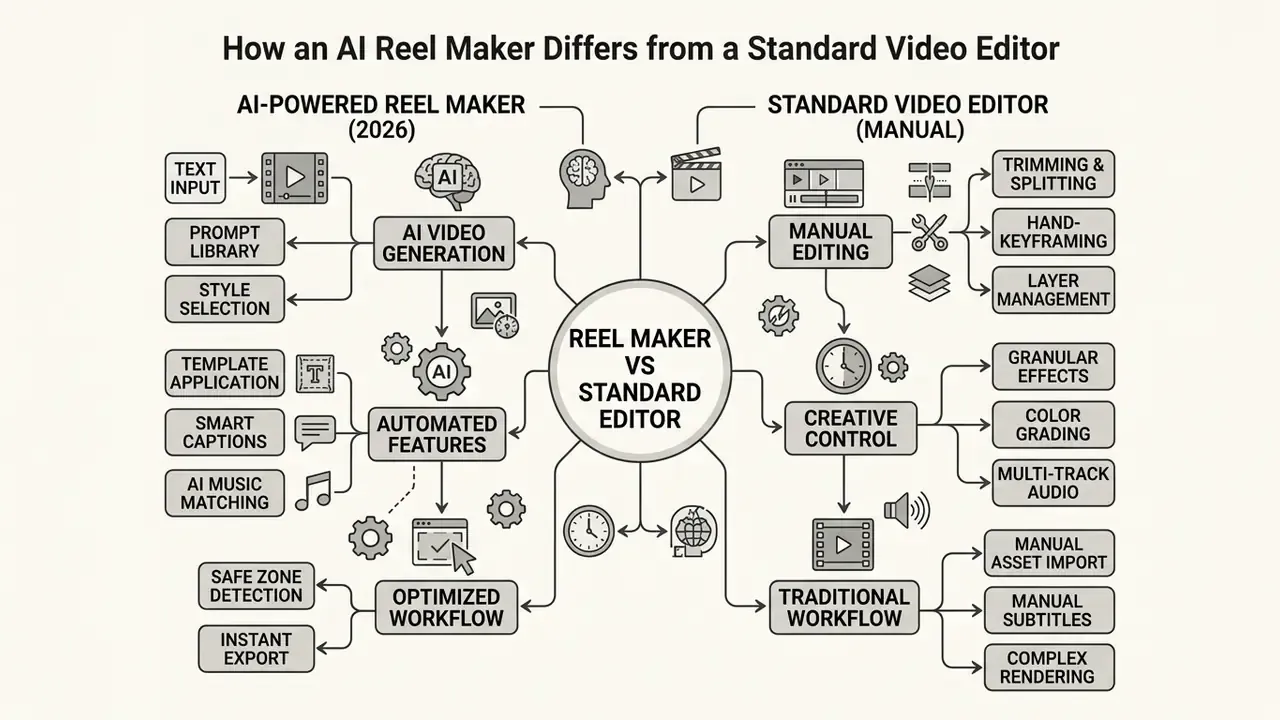
The core difference between an ai reel maker and a traditional non-linear editor (NLE) lies in automation, input handling, and computational scene planning. Traditional editors require manual clip importing, frame-by-frame timeline slicing, keyframe animation, manual color grading, and manual audio beat-matching. If you need a refresher on that toolchain, review the fundamentals of video editing tools before comparing them with generative systems. An AI reel generator, by contrast, assembles scenes directly from a natural language prompt, a script, or uploaded media.
Research published by the IEEE (2024) on AI-generated video workflows indicates that text-to-video and automated editing systems collapse pre-production, shot selection, and compositing into a single computational step. Instead of building sequences by hand, the user supplies structural instructions such as shot types, tone, pacing, and visual style, and the engine returns an initial draft cut. Readers assessing this category in depth can compare implementations across text-to-video AI tools.
«AI tools merge pre-production, shot selection and compositing into one computational step, but still require human verification for accuracy.»
Manual editing still wins on granular frame-level control. AI generation wins on draft iteration speed. Expert consensus, however, keeps landing in the same place: generative systems augment editors, they do not replace review. Humans keep control over final trimming, text accuracy, audio balance, and brand-safety sign-off before anything publishes.
For lightweight viral formats or satirical brand hooks, creators sometimes pull assets from a specialized video meme maker to sharpen the first two seconds. In regulated environments, meme-adjacent formats should pass the same disclosure and brand-safety review as any other commercial asset. No exceptions.


How to Create an Instagram Reel Online: From Idea to Export
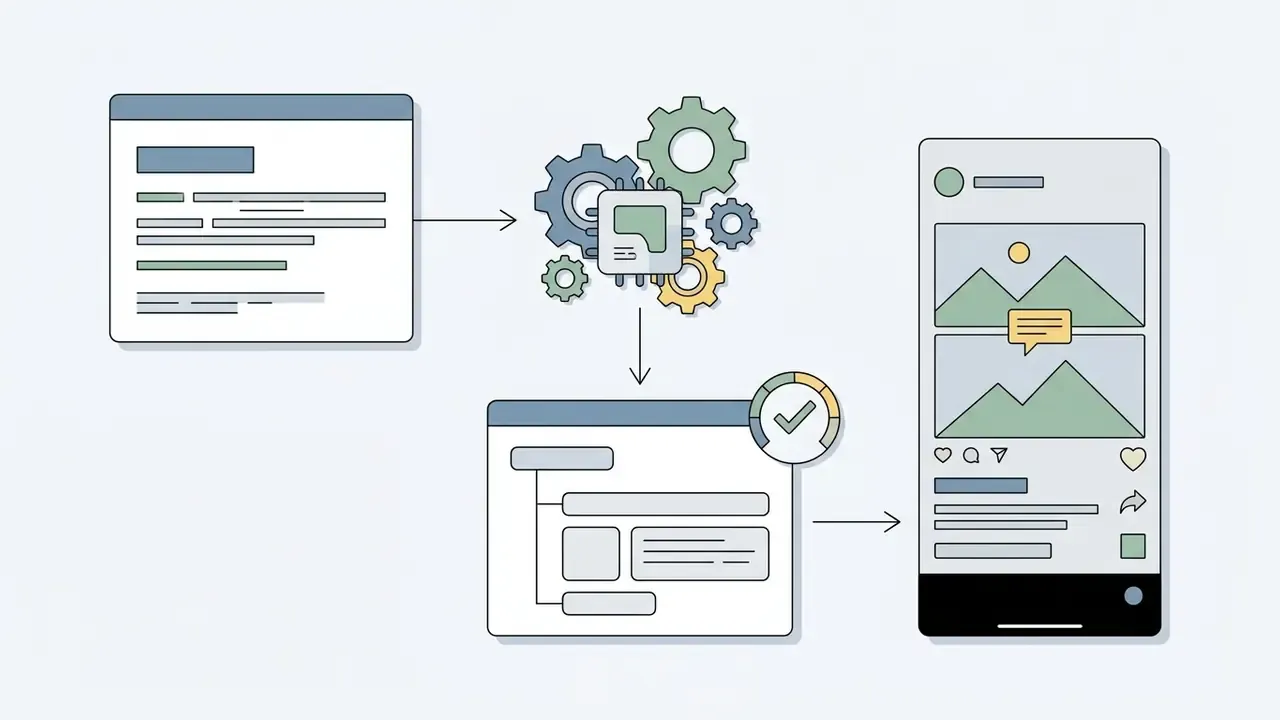
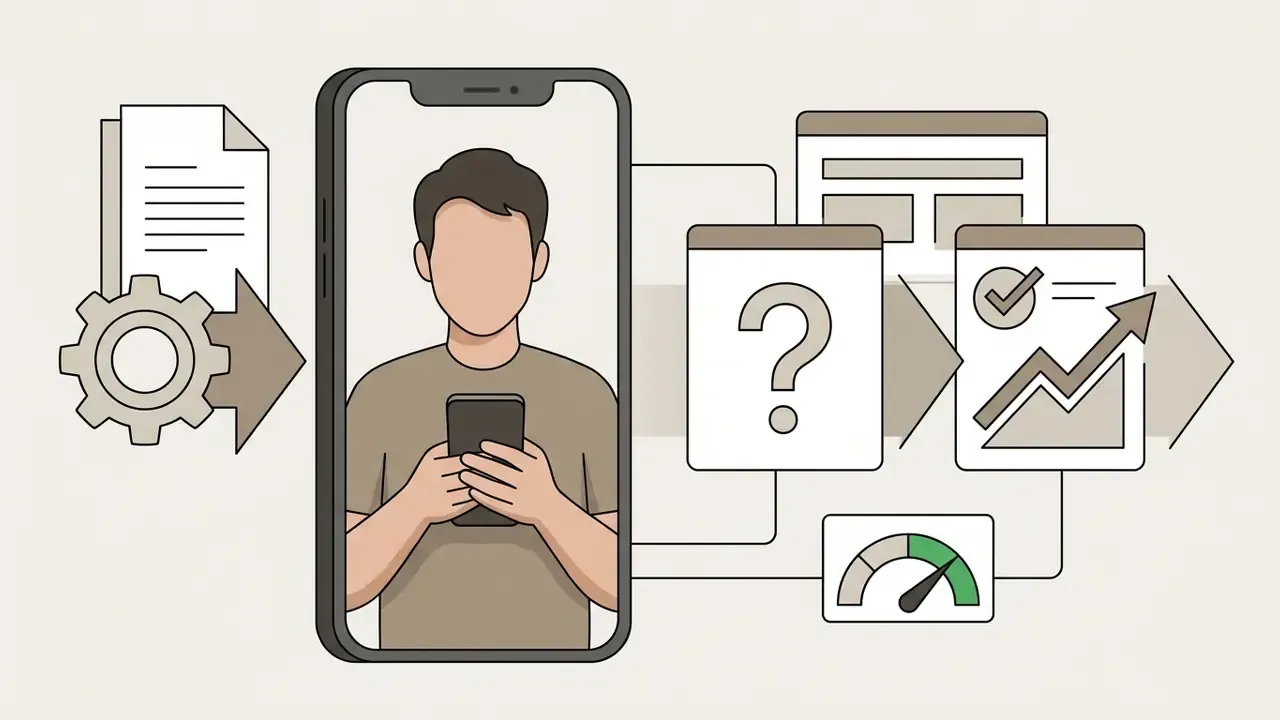
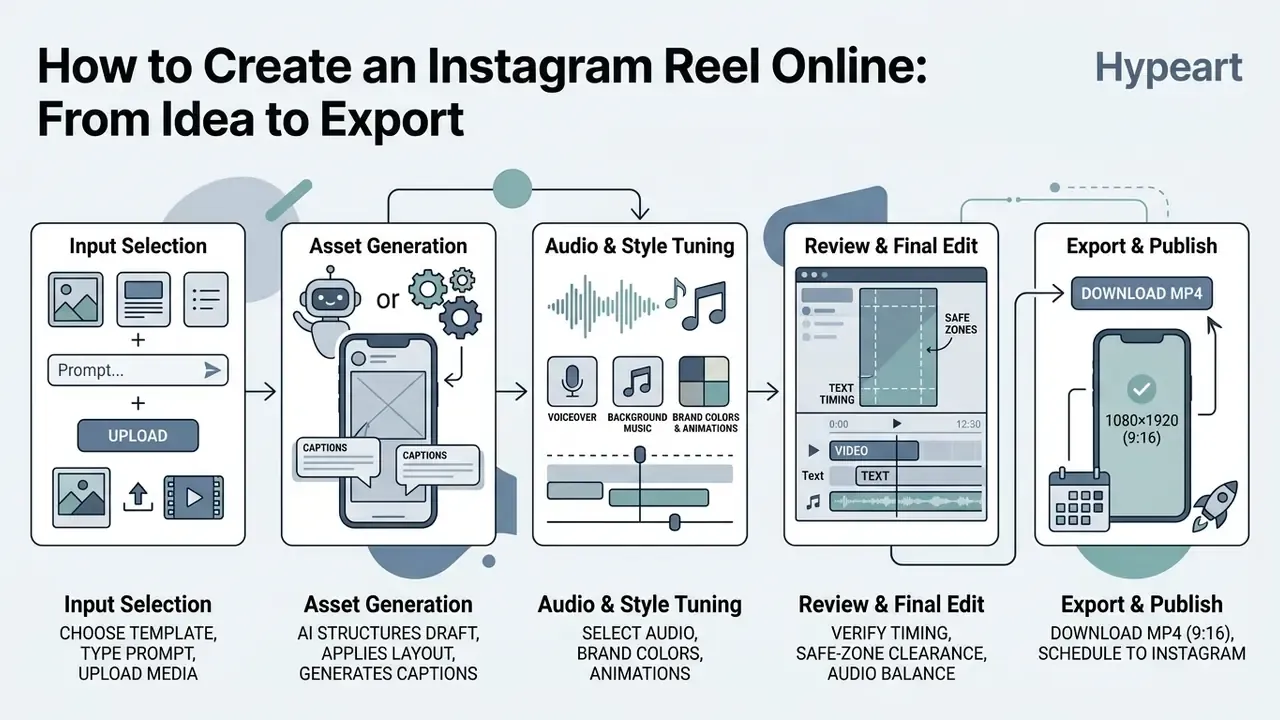
Creating an instagram reels video through an AI-assisted web tool follows a five-stage pipeline: input selection, visual structuring, audio design, quality review, and export. This is how teams create reels and make reels in minutes without opening timeline software.
Start with a Template, Text, or Existing Clips
A free online reel maker usually offers three entry points, depending on what source material you already have:
- Prompt-to-Reel (text generation) You enter a descriptive topic or script, for example "30-second reel explaining key model risk controls for fintech AI". The engine drafts scenes, selects stock footage or animations, and overlays explanatory copy.
- Template-based creation You pick a pre-designed 9:16 layout with set typography, animation timings, and transition styles, then swap the default media for your own. Instagram's native template flow works the same way, preserving original music and timing while you replace photos or clips.
- Media upload (photos and clips) You upload product photography or pre-recorded footage. A free online instagram reel video maker crops assets to 9:16, balances color levels, and sequences clips against the chosen music beats.
Multi-shot compilations often benefit from workflows adapted from a dedicated video montage maker, which keeps transitions smooth between footage sources shot on different cameras and in different light.
Minimum Hardware Setup for Shooting Raw Footage
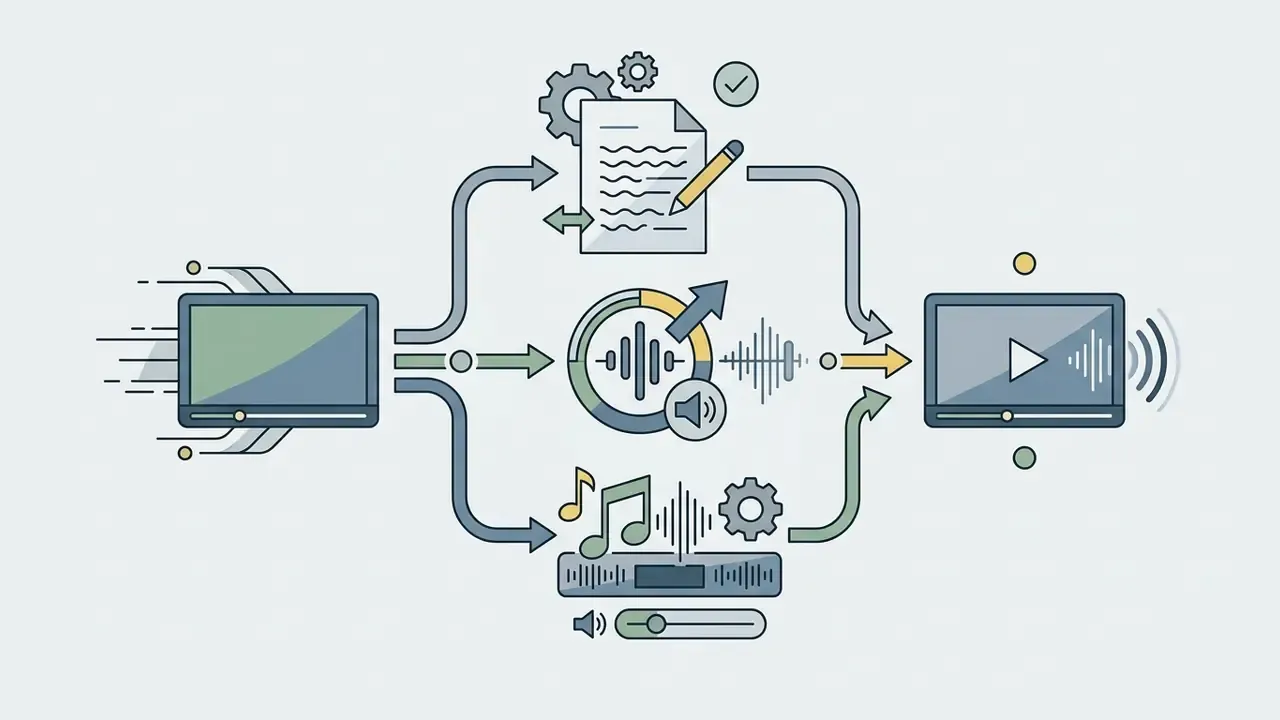
Configure Text, Music, Voice, and Animation
Once the scene sequence exists, audio and visual styling need tuning against platform expectations and accessibility guidelines:
- On-screen text and captions: Automated captioning engines convert spoken audio into synchronized text. Accessibility standards such as U.S. Section 508 and W3C WAI point to captions limited to 1 or 2 lines, no more than 42 to 45 characters per line, in high-contrast sans-serif type.
- Voice synthesis and narration: AI voice generators produce clear, natural-sounding voiceovers from text scripts, with control over pacing, accent, and emotional tone. Compare vendor capabilities and licensing terms across AI voice generators before locking a house voice for recurring content.
- Platform-specific tone: Copy tone should be adapted per network, not copy-pasted across channels.
«Food-related TikTok content is markedly more playful than equivalent Instagram Reels content.»
- Music and audio design: Pick background tracks from licensed audio libraries. Set music substantially lower than speech, typically -18dB to -24dB relative to voice, so narration stays intelligible. Updated: this working range matches W3C WCAG 2.2 Success Criterion 1.4.7 Low or No Background Audio, which requires background sound to sit at least 20 decibels below foreground speech in prerecorded audio.
- Brand motion and animation: Motion graphics such as lower-third titles, logo reveals, and animated transitions should follow corporate brand guidelines so published output stays consistent.
For kinetic text overlays and fast visual hooks, creators often borrow motion patterns from modern video montage maker tools to hold attention through the first three seconds.
Review Your Reel Before Download, Export, and Share
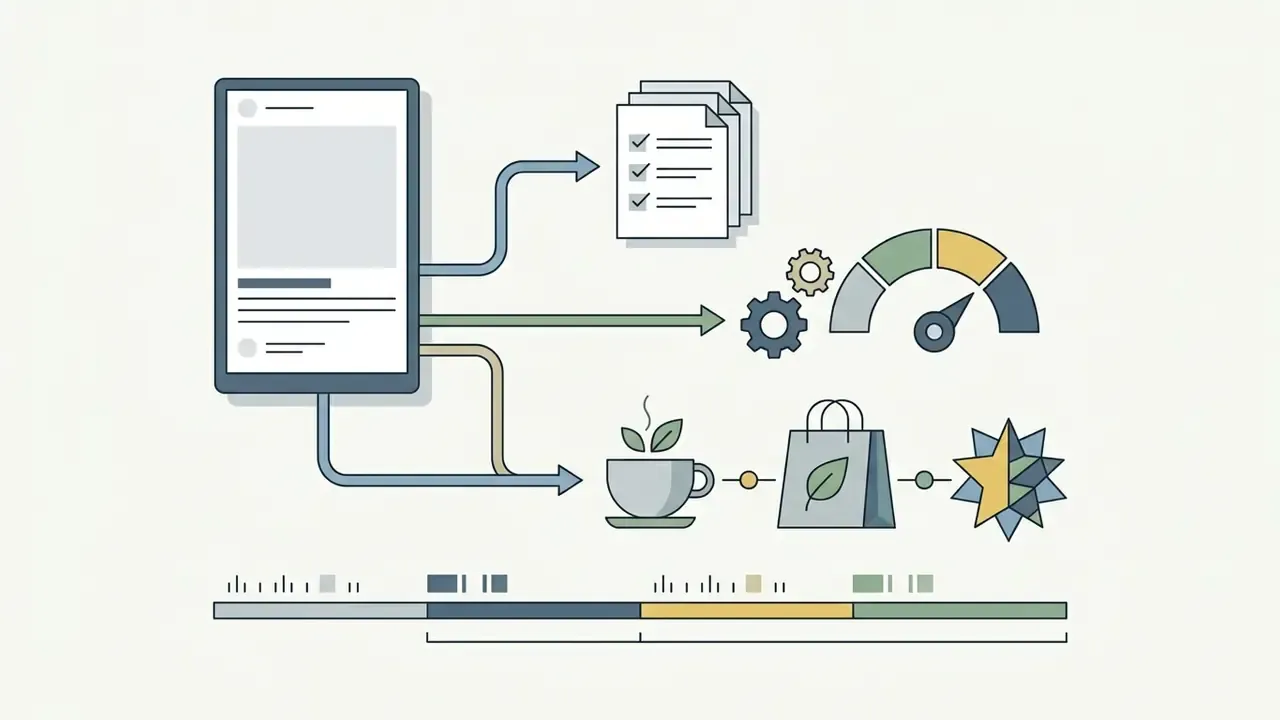
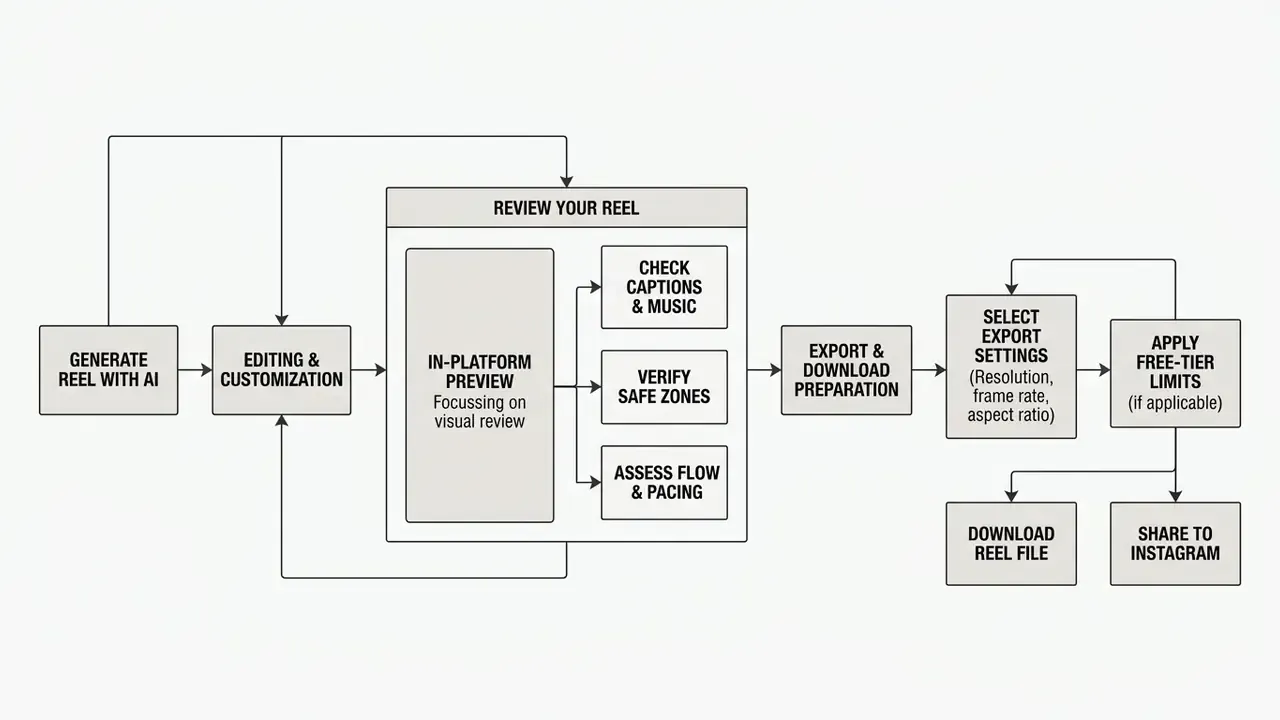
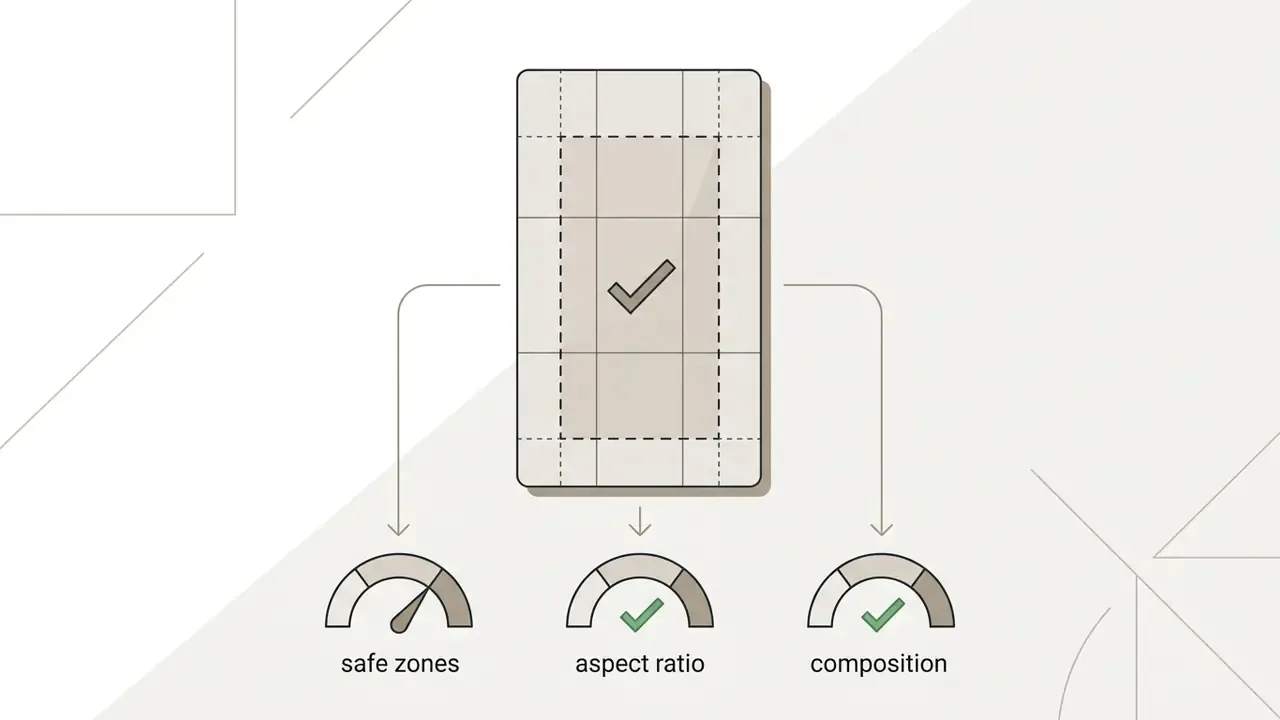
Before you trigger the final render, run the compiled video against a standard pre-flight checklist. It prevents formatting errors and avoidable platform penalties:
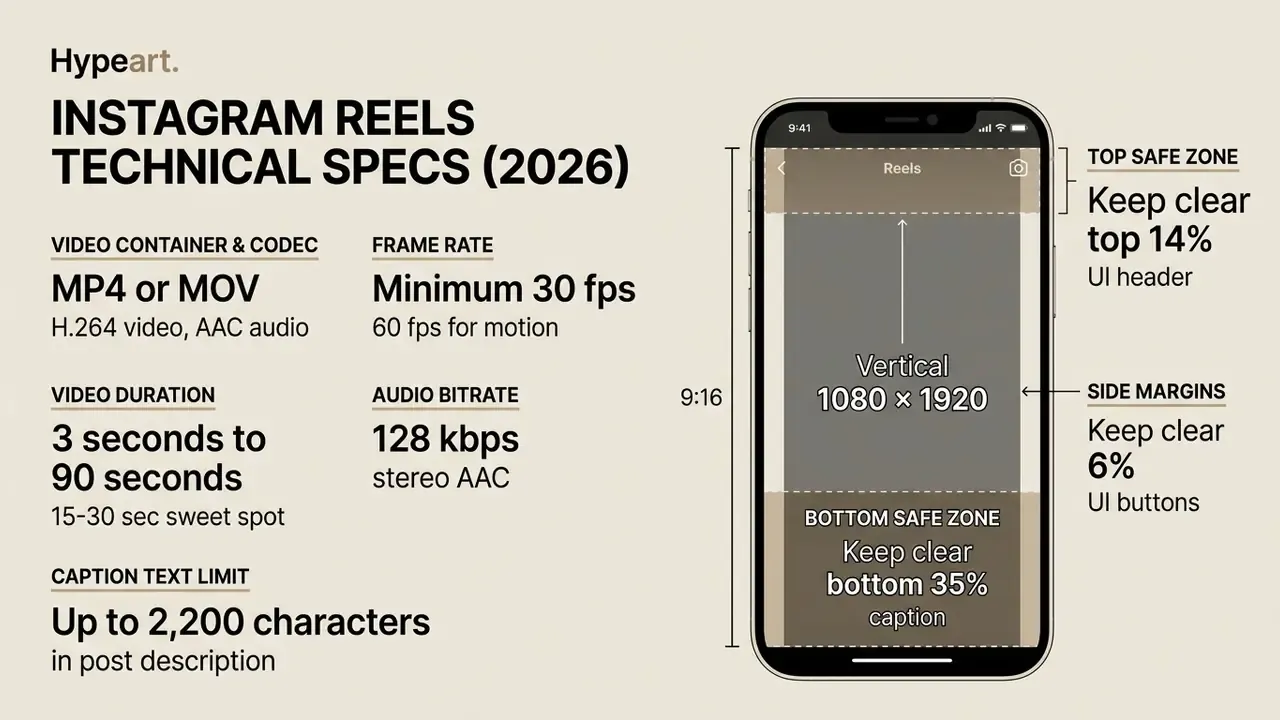
- Aspect ratio and frame sizeConfirm the output canvas is 1080×1920 pixels (9:16 vertical).
- Safe-zone clearanceVerify that captions, logos, and critical visuals stay clear of Instagram's native overlay zones: top 14% for header elements, bottom 35% for caption and engagement buttons, and 6% side margins.
- Audio balance and intelligibilityEnsure narration stays crisp and unmasked by music or effects.
- Caption accuracyProofread AI-generated captions for misspellings, proper noun errors, and awkward line breaks.
- Frame rate and codecConfirm export at 30 fps or higher in H.264 MP4 for reliable compression and playback.
In regulated organizations the same checks can run as a binary risk gate before any asset leaves the workspace:
| Pre-flight control | Pass condition | Fail condition |
|---|---|---|
| Canvas & ratio | 1080×1920 px, 9:16 | Any letterboxing, pillarboxing or non-9:16 crop |
| Safe zones | No text/logo in top 14%, bottom 35%, side 6% | Caption or logo overlapped by native UI |
| Caption fidelity | 1 to 2 lines, 45 characters or fewer per line, names spelled correctly | 3+ lines, truncation, or misspelled entities |
| Audio hierarchy | Speech at least 20 dB above background bed | Music masking any spoken word |
| Music licensing | Licensed or royalty-free track documented | Unverified commercial track |
| AI disclosure | Synthetic voice/avatar/footage labeled | Generated content published unlabeled |
| Codec & frame rate | MP4/MOV, H.264, AAC, 30 fps or higher | Variable frame rate or unsupported container |
| Claims review | All figures and disclaimers approved | Unreviewed performance or pricing claims |
Each row needs an owner. A checklist without a named approver is a wish list.
When adapting executive briefs or slide decks into short vertical updates, teams frequently use an enterprise-grade video presentation maker to automate the reporting structure before cutting it down to 9:16.
- Text alternative:


Which Features You Need for Professional Instagram Reels
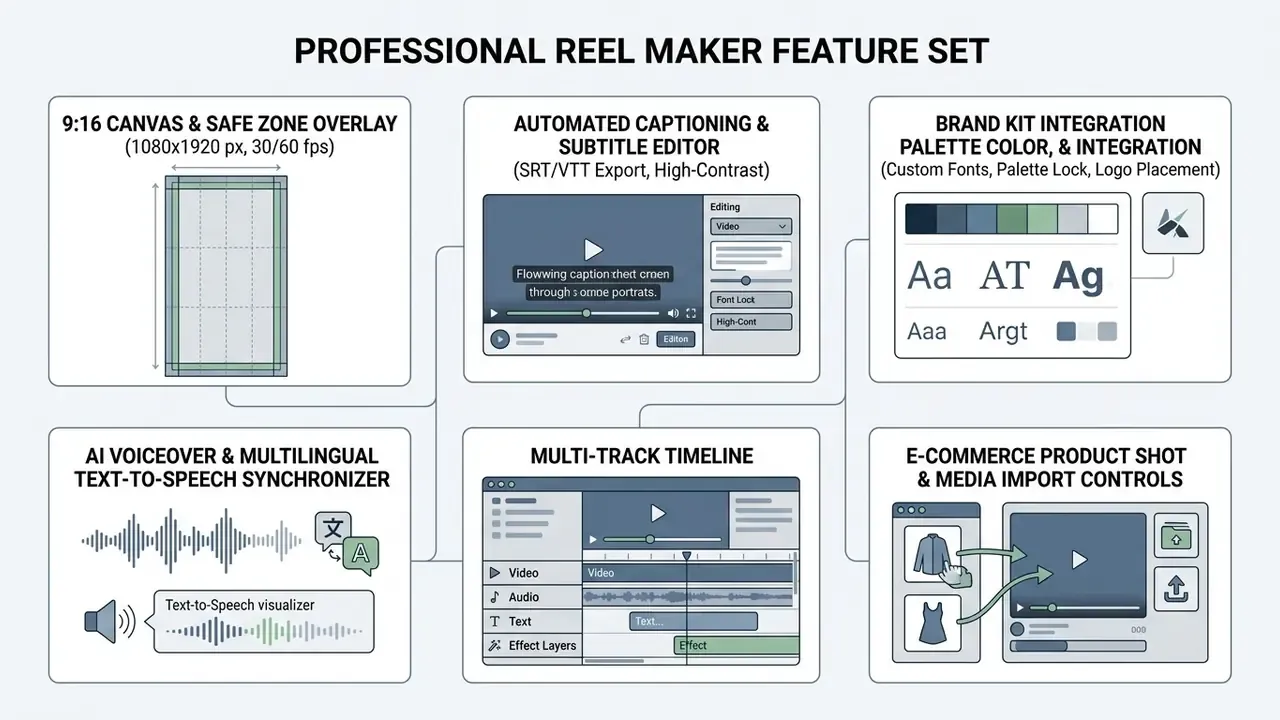
High-performing Reels need a balanced feature set: AI generation speed plus real editing controls. In practice, professional production leans on six technical capabilities.
Templates, Branding, and Ready-Made Visual Effects
Visual consistency drives brand recognition. A credible best free reel maker or paid platform offers editable layouts alongside strict brand governance:
- Brand kits Lock official color palettes, upload brand fonts, and set persistent logo overlays across projects. Mature design systems express these constraints as machine-readable design tokens, so color and type values cannot drift between assets.
- Visual effects and filters Controlled color grading and transitions such as directional wipes, subtle zooms, or blur cuts, applied to support pacing rather than bury information.
- Text styling Customizable typography with background box padding, high-contrast outlines, and animated entrances (typewriter, word-by-word, fade-in) tuned for mobile. For richer character or object motion, evaluate dedicated animation maker tools alongside your reel engine.
Company visual standards often forbid aggressive distortion filters and unapproved color modifications so social output stays aligned with corporate identity policy. Published corporate style guides commonly prohibit drop shadows, recolored logos, and typeface substitutions outright, which is a useful precedent when you write rules for a generator that will otherwise invent its own styling.
AI Tools for Text, Captions, and Video Editing
Automation compresses the high-effort editing tasks, which is what lets one creator or a two-person team produce professional-grade output:
- Automatic subtitle generation: Machine learning models transcribe speech into synchronized captions in seconds. ITU-T T.701.25 recommends tight temporal alignment between spoken subtitles and audio to preserve comprehension.
- Smart trimming and clip cutting: Computer vision analyzes long-form uploads for key visual moments, speech pauses, and action, then cuts them into 15 to 30 second vertical highlights.
«Automatic short-video caption generation algorithms improve content accessibility for viewers watching without sound.» ScienceDirect, Application of a Short Video Caption Generation Algorithm (2023). https://www.sciencedirect.com/org/science/article/pii/S154810932300013X
- AI script and copy drafting: Language models draft hook variations, caption copy, and call-to-action text tailored to specific audience intents.
- Subtitle export formats: Production-grade tools should export SRT, VTT, or ASS so captions can be reused for cross-platform publishing, archived for accessibility audits, or corrected outside the timeline.
Teams turning slide decks into social reels can convert structured pitch material with a video presentation tool, keeping visual alignment across executive assets.
Working with Photos, Video, and Product Shots
For e-commerce brands and product marketers, product photography integration is not a nice-to-have. Industry guidance from GS1 US and retail photography standards points to a few durable rules for putting merchandise into vertical video:
- Multi-angle coverage Combine a hero shot, detail close-ups, and lifestyle product-in-use footage inside one Reel. Retail photography guidance typically names front, back, side, top-down, detail, and scale-comparison frames as the minimum set.
- Safe-zone alignment Keep products centered inside the 9:16 safe area so key details survive cross-platform sharing, for instance 4:5 feed previews or 1:1 grid thumbnails.
- Motion graphics overlay Apply subtle pan-and-zoom (Ken Burns) motion to static product photos so the frame never feels dead.
Expectation management deserves as much attention as visual polish. Research comparing influencer short-form content with lived experience found systematic overstatement of reality, which is a direct risk signal for product and destination marketing.
«Influencer Reels promoting "hidden places" drive high engagement but systematically understate crowding and safety issues.»
How to Choose the Best Free Reel Maker for Instagram
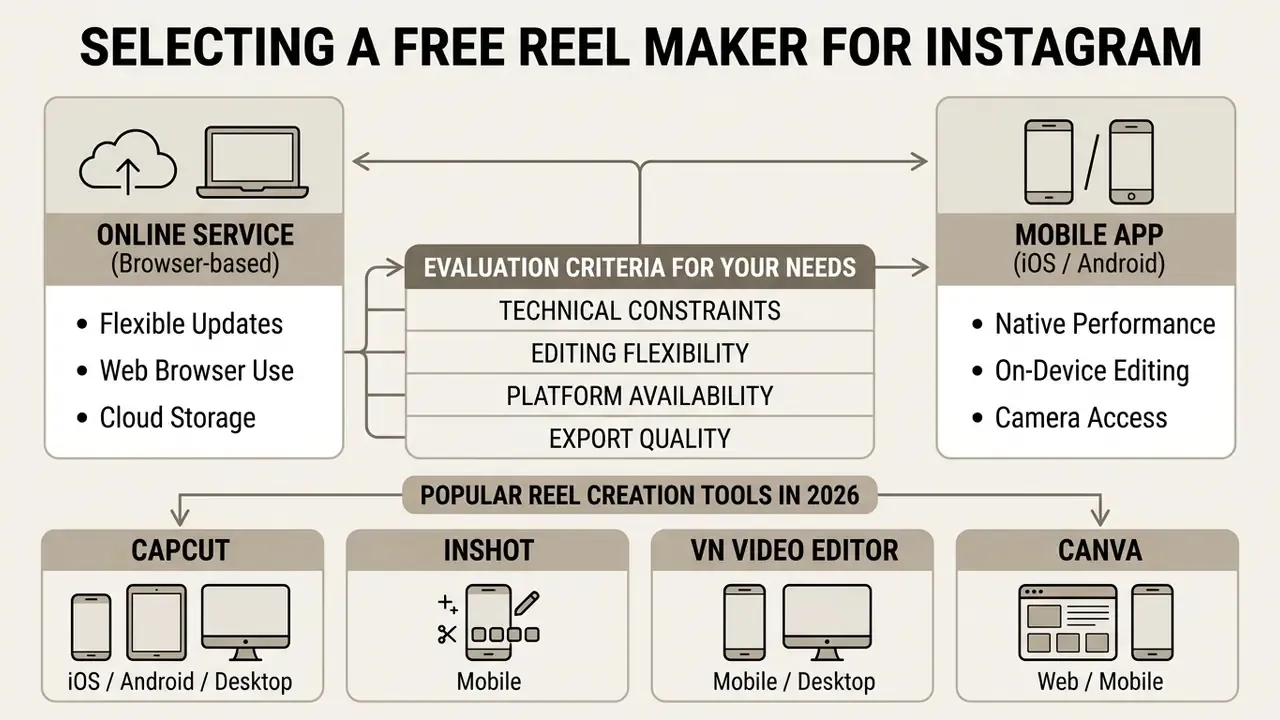
Selecting the best free instagram reel maker or an enterprise-grade tool means weighing technical constraints, editing flexibility, platform availability, and export quality. Creators and corporate marketing teams should also decide whether a browser service or a mobile application fits the day-to-day workflow better. For a side-by-side view of engines, credits, and output ceilings, see our roundup of the best AI video generators.
Online Service or Mobile App for Creating Reels
- Browser-based online services Running in Chrome, Edge, or Safari, these give you more screen area, cloud asset storage, keyboard shortcuts, and multi-user collaboration. Best fit for marketing teams and repeatable business workflows, and the usual home of the best free instagram reel maker online.
- Mobile applications (iOS / Android) Native apps reach the camera, the local photo library, and instant sharing. Optimized for on-the-go capture and genuine UGC recording, which is why a free instagram reel maker app still earns space on the phone.
Popular Reel Creation Tools in 2026
- Pros: Powerful multi-track timeline, deep transition and effects library, watermark-free free tier.
- Cons: Steeper learning curve and slower throughput for daily content operations.
- Pros: Minimal learning curve, convenient 9:16 handling, reliable export.
- Cons: Watermark on the free plan, limited template depth, no AI script generation.
- Pros: No advertising, distraction-free layout, free to use.
- Cons: No Reel template library, no AI captioning or generation.
- Pros: Excellent brand kit integration, huge template library, a free AI reel maker path.
- Cons: Limited depth for complex editing and beat-accurate audio sync.
- Pros: Pre-sized 9:16 templates, beat-sync clip matching, automatic captions, direct publish paths.
- Cons: Less creative freedom outside the template; premium assets sit behind subscriptions.
- CapCut (iOS / Android / Desktop)The reference standard for manual editing, precise trimming, and trend-driven effects.
- InShot (Mobile)Best for fast trimming and reframing while moving.
- VN Video Editor (Mobile / Desktop)A clean, ad-free environment for creators who hate cluttered interfaces.
- Canva (Web / Mobile)Strong choice for branded Reels where graphics and typography carry the message.
- Vimeo Create / Templify (Web / Mobile)Template engines built for batch creation and repeatable social output, often cited as the easiest best instagram reel creator for non-editors.
- Honorable mentionsAdobe Premiere Rush for cross-platform editing, Splice for solid mobile cuts, and Instagram's own in-app editor plus Edits AI generation for the fastest possible turnaround.
Manual Editing, Templates, or AI Reel Generator
The choice between manual editing, templates, and generative prompt-to-reel tools is a trade between speed, control, and computational overhead:
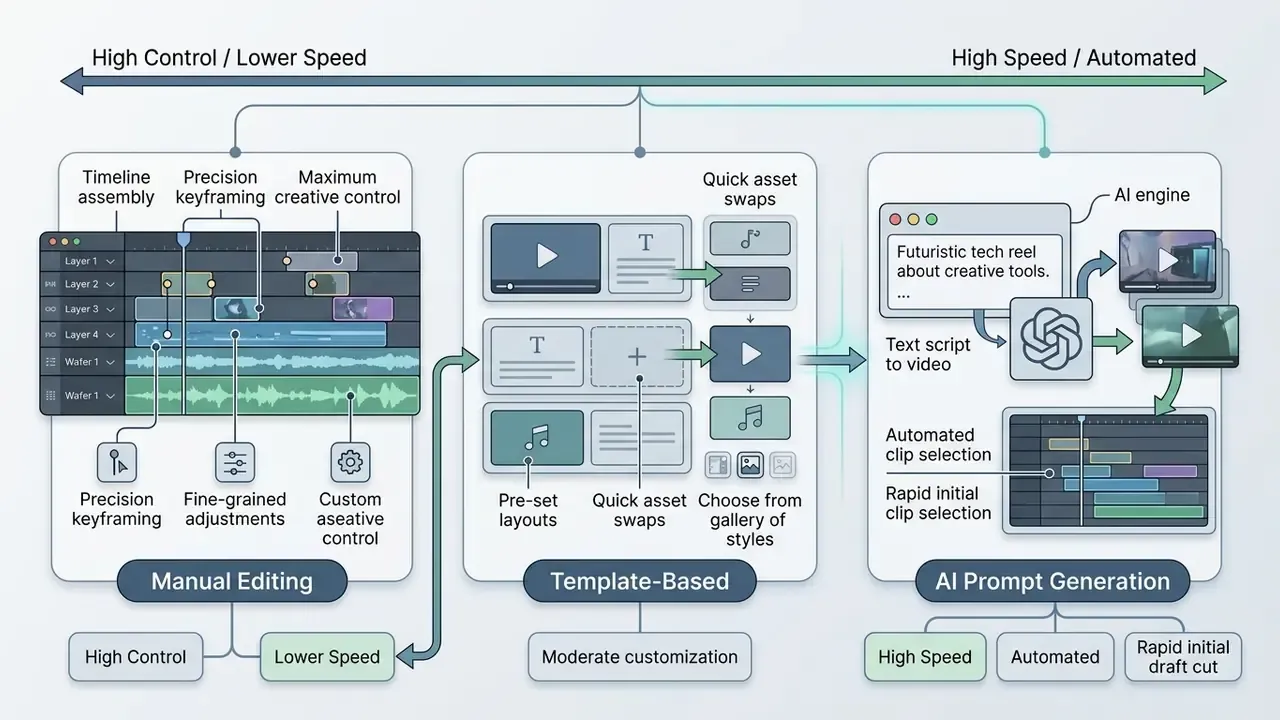
Production assessments suggest that mixing all three works best: generate the draft, apply a branded template for structure, then finish by hand. Updated: one 2025 comparative analysis of AI-generated content workflows measured roughly 59.6% higher production performance for single-tool AIGC pipelines and about 106.3% for multimodal pipelines relative to fully manual production, with the largest gains concentrated in first-draft assembly rather than final polish. Methodologies differ across studies. Some measure time-to-output, others measure output performance or editor cognitive load, so treat the figures as directional rather than absolute.
| Feature / Criteria | Manual NLE Editor | Template-Based Editor | AI Reel Generator |
|---|---|---|---|
| Creation Speed | Slow (1 to 3 hours per reel) | Medium (15 to 30 mins) | Fast (1 to 5 minutes) |
| Skill Requirement | High (timeline, keyframes) | Low (drag and drop) | Minimal (text prompt) |
| Brand Governance | Manual enforcement | High (locked tokens) | Variable (requires check) |
| Captioning | Manual typing / SRT | Semi-automated | Fully automated |
| Best For | Bespoke commercial ads | Daily social posts | Rapid drafting and UGC |
Teams that still prefer hands-on timelines can benchmark options in our comparison of free video editing software before committing to a generative workflow.
Tool choice is only half the decision. Publishing cadence carries audience risk of its own, and research on short-video consumption identifies specific drivers of negative behavior that a high-volume AI pipeline can amplify.
«Information overload, expectation mismatch and privacy violation are key drivers of negative user interaction with short videos.»
To estimate infrastructure costs or render credits across SaaS video platforms, use our AI Media Calculators.
Free AI Reel Maker: What Is Available Before Payment
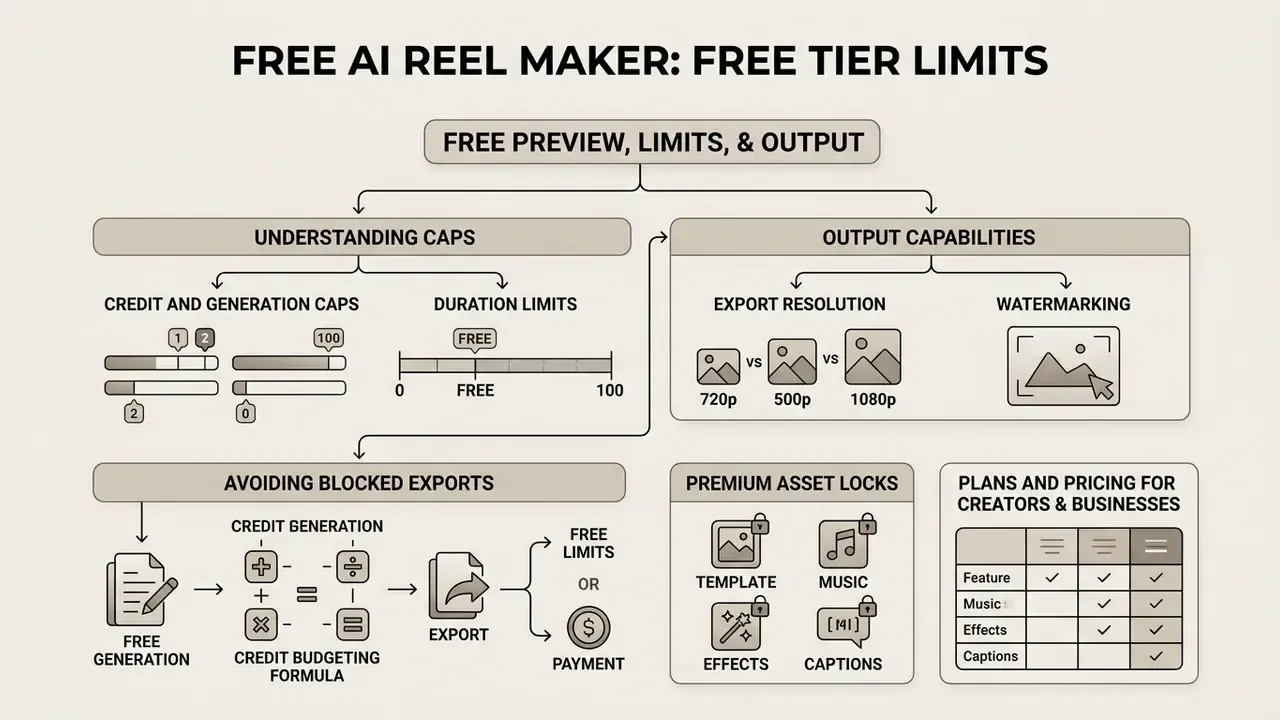
Understanding the terms of a free ai reel maker or an ai reel maker free online tier is how you avoid a blocked export on deadline day. Most SaaS video platforms run a freemium model with specific usage limits, and the practical mechanics are catalogued across AI video generators and in our overview of free AI video generators.
Free Preview, Limits, and Output Capabilities
When evaluating a best reel maker free option, or any free online reel creator, check five standard constraints:
- Credit and generation capsFree plans usually allocate a fixed monthly quota, for instance 3 to 10 free generations or 30 to 200 compute credits.
- Export resolutionFree renders are frequently capped at 720p, with 1080p and 4K reserved for paid tiers.
- WatermarkingMany free tiers stamp a brand watermark onto exported MP4 files.
- Duration limitsFree exports are often restricted to short clips, for example a maximum of 10 to 15 seconds per render.
- Premium asset locksPremium stock libraries, AI voice cloning, and advanced brand kit tools normally require an upgrade.
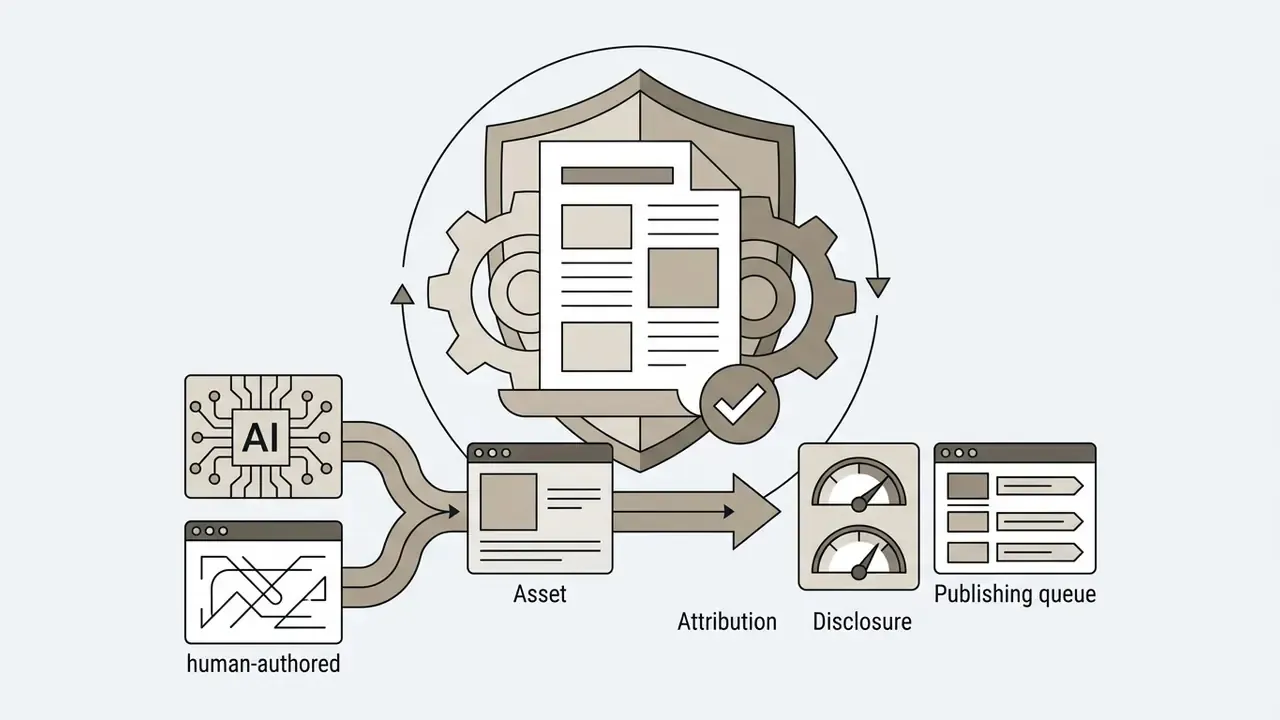
Free access also carries an authenticity dimension. As generation quality rises, audiences struggle to tell captured footage from synthesized footage, which is exactly why labelling policy belongs in the workflow from day one and not after the first complaint.
«Realistic AI forgeries erode trust in video as evidentiary media and require transparent labelling of generated content.»
To analyze subscription models and feature breakdowns across commercial generators, consult our AI Media Pricing Guides.
Plans and Pricing for Creators and Businesses
Commercial AI video pricing usually splits into three operational tiers covering solo creators, growing teams, and enterprise institutions:
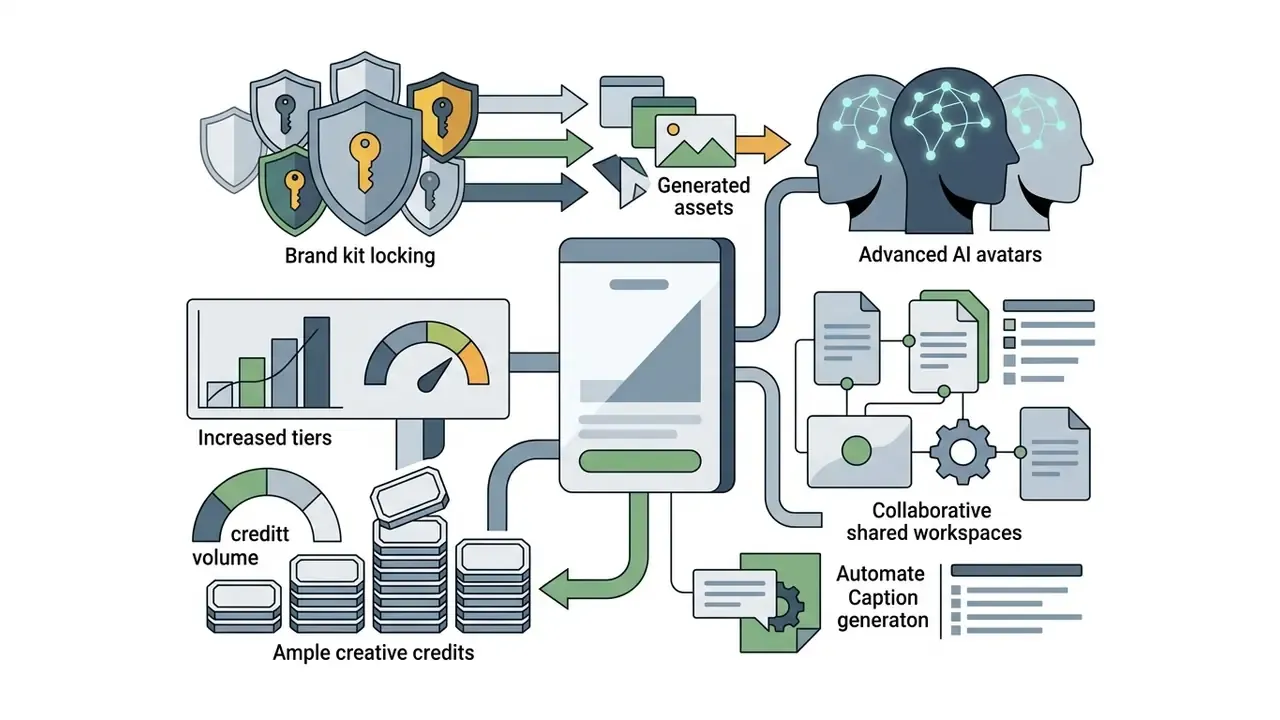
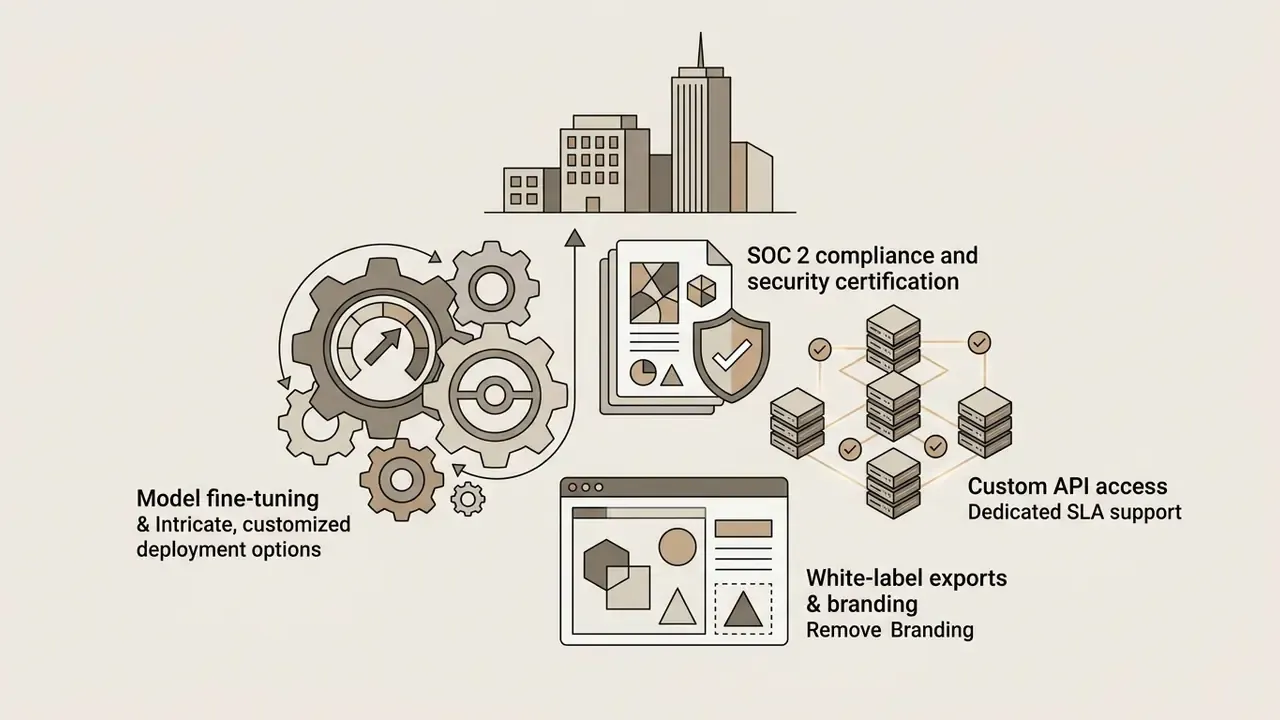
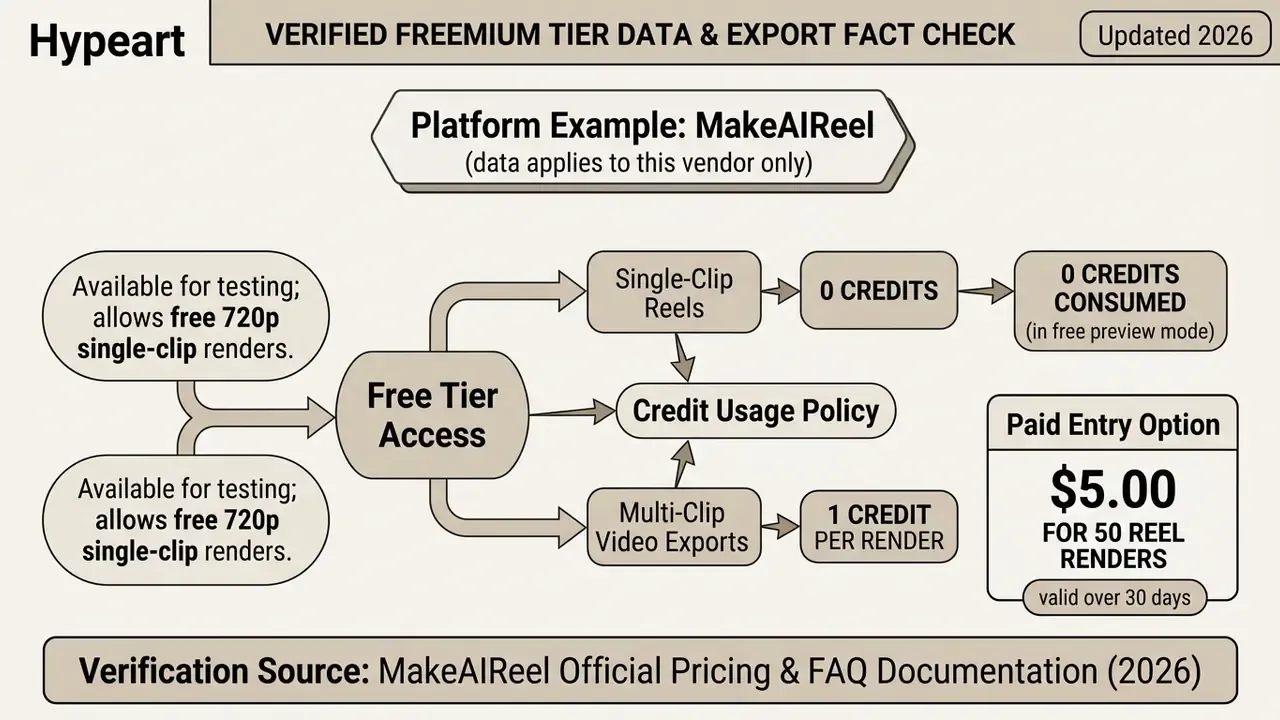
Before you pick a tier, benchmark the zero-cost options in our comparison of free AI video generators. Several vendors gate resolution rather than volume, which changes the effective cost per published asset more than the headline price does.
Data Security and Enterprise Privacy
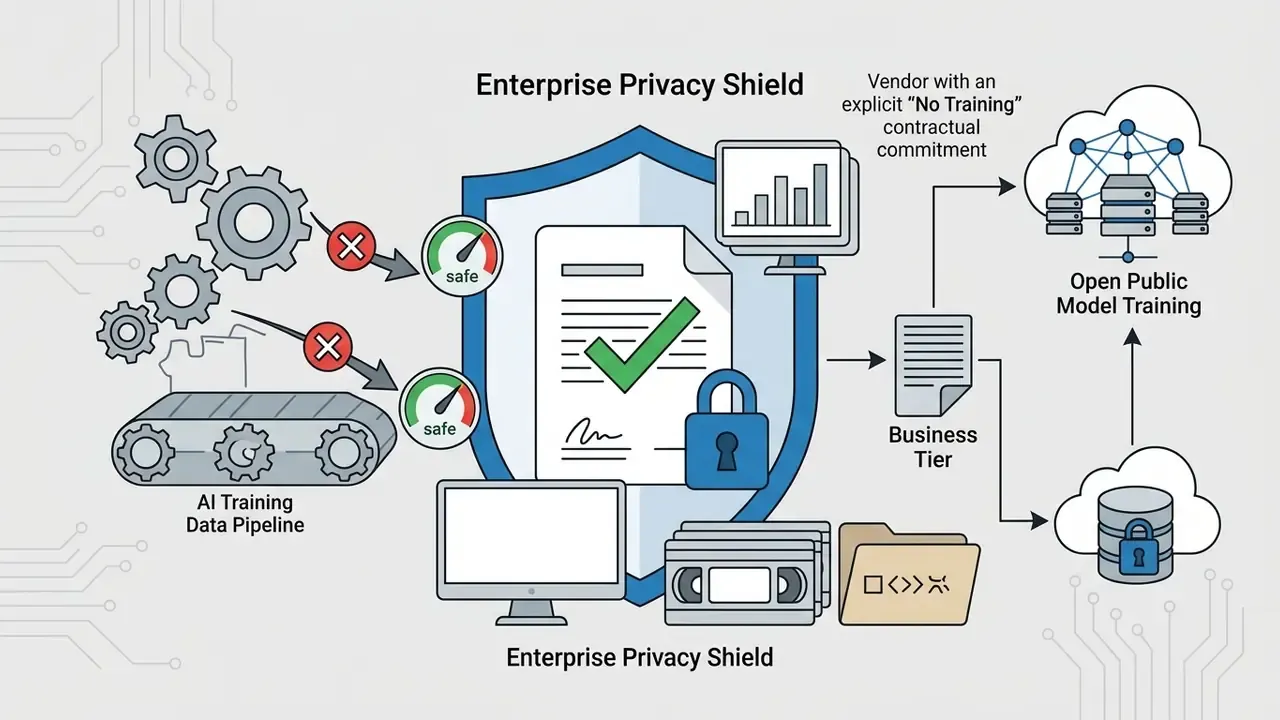
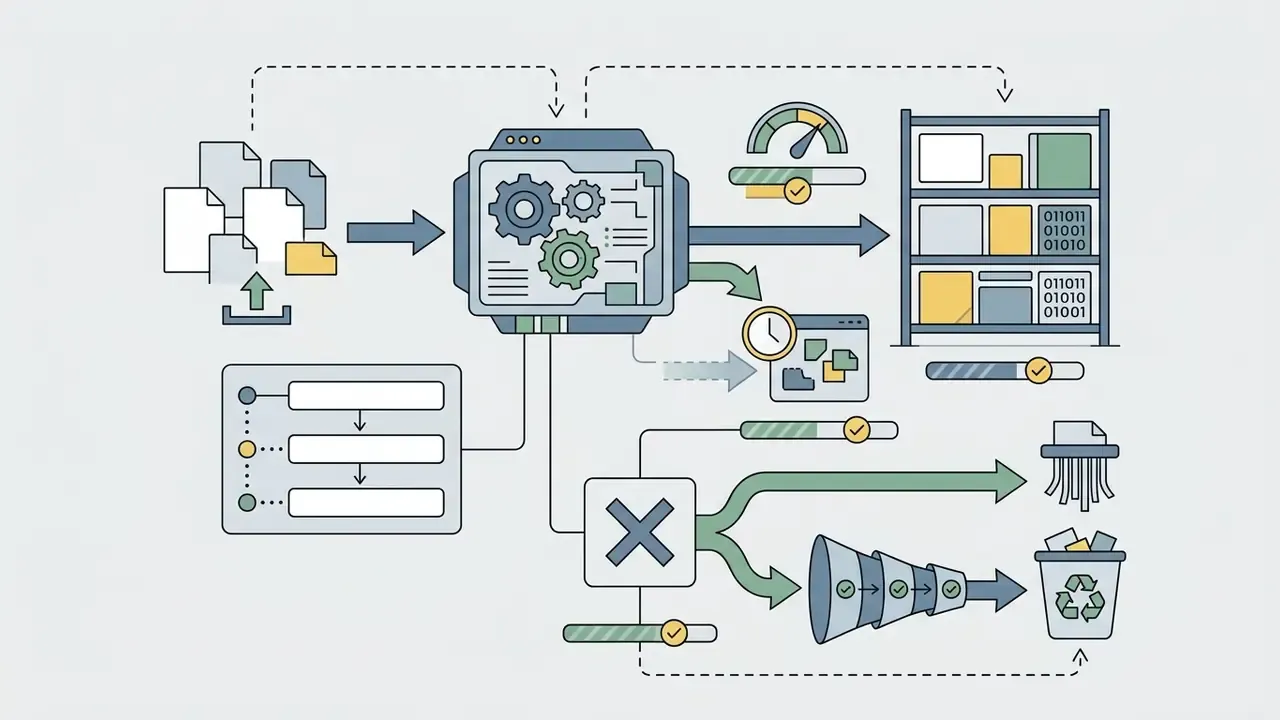
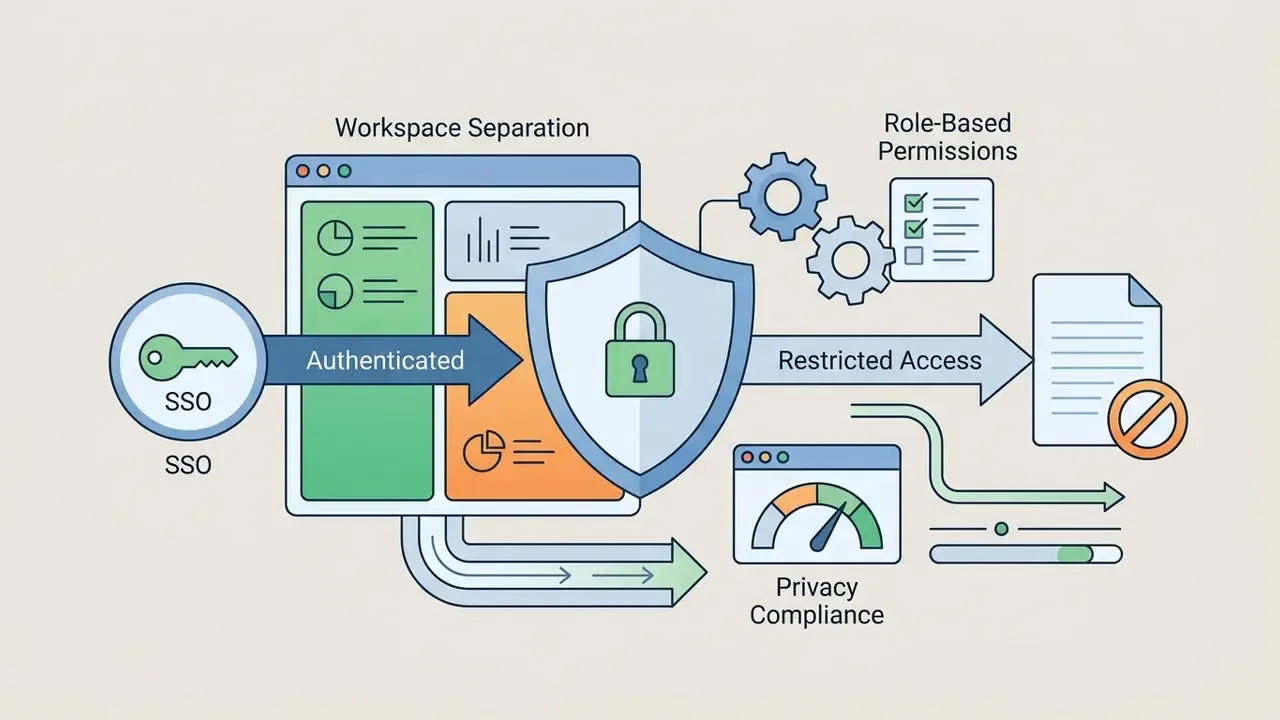
For regulated organizations the deciding criterion is often not output quality but data handling. Before uploading footage, scripts, or unreleased product assets into a cloud reel maker, document the following:
A short vendor questionnaire, five questions, answered in writing, resolves most of this before procurement ever gets involved.
If you hit export errors or codec compatibility issues during processing, see our AI Media Support and Troubleshooting resource hub.


Format and Design Requirements for Instagram Reels
To keep organic reach and a clean viewer experience, exported videos must comply with Instagram's 2026 technical specifications and UI layout constraints.
The same vertical master usually serves several destinations, yet each surface behaves as its own content ecology with distinct ranking signals. Cross-posting is cheap. Cross-posting blindly is not.
«YouTube Shorts form a separate content ecology with algorithms and metrics distinct from long-form horizontal video.»
Video, Text, and Captions for Clear Viewing
A large share of mobile video consumption happens in sound-off environments: transit, open-plan offices, waiting rooms. On-screen text and synchronized captions therefore carry retention, not just accessibility.
Accessibility frameworks such as W3C WCAG 2.2 and U.S. Section 508 stress that captions must stay on screen long enough to be read comfortably. Style subtitles with high-contrast text boxes, for example bold white sans-serif over a 50% translucent black background, and place them inside the vertical middle third of the 9:16 frame so they never collide with native UI. Captions should also cover meaningful non-speech audio, mark when music starts and stops, and never obscure the visual information they support.
To evaluate technical tool specifications and feature availability side-by-side, explore our AI Media Comparison Matrices.
Music, Effects, and Final Publishing
Audio design and metadata shape discoverability inside Instagram's recommendation engine.
«Shot length, camera movement and visual complexity measurably affect watch time and interaction rates in advertising video.»
Developers integrating programmatic video generation into internal publishing pipelines can consult our AI Media API Guides.
- Trending audio and music licensing
- Use licensed tracks from Instagram's native library or royalty-free platforms. Official Meta guidelines require commercial business accounts to use licensed royalty-free music to avoid muted-audio enforcement, and Meta's music-in-video rules apply uniformly across live and recorded video for all account types.
- Hashtag and metadata strategy
- Platform updates treat hashtags primarily as search categorization signals. Updated: 2026 third-party analyses of Instagram discovery generally recommend 3 to 5 highly specific, topic-relevant hashtags per post rather than mass tag blocks. Note that this is practitioner guidance, not a published Meta requirement, and older sources still cite the legacy 30-tag ceiling. Treat tag counts as a testable variable in your own account data.
- Cover frame selection
- Choose or upload a clean 9:16 cover with clear central titling, and check that it stays legible when cropped to the 1:1 square grid preview on the profile.
- Pacing discipline
- Keep individual shots between 1.5 and 3 seconds in the first half of the reel, then allow longer holds once the hook has landed. Energy without whiplash.
Creator Reviews and Measured Results
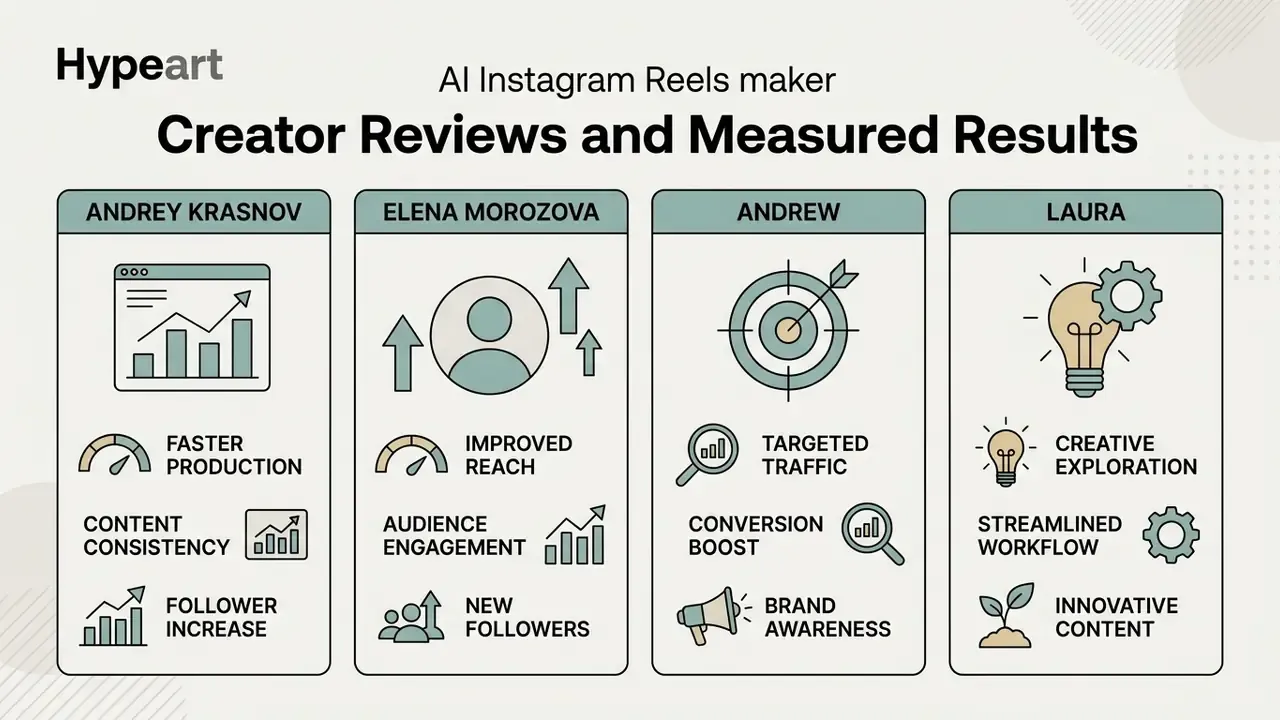
Patterns across these accounts match the illustrative B2B pilot described earlier. The largest gains cluster in draft assembly and captioning, while human review time stays roughly constant. That is the honest ceiling of the category today.
FAQ About Free Online Reel Makers
Can I make a Reel without the Instagram app?
Yes. You can create, edit, and assemble a complete Reel in a browser-based free online reel maker on desktop or mobile. Once rendered, upload and publish the MP4 directly through Meta Business Suite or the Instagram web interface (instagram.com) without opening the native app. Instagram's desktop flow supports Create, then Post, then Select from computer, and Business Suite adds scheduling. A free ig reel maker in the browser is often faster for teams anyway, because assets already live on the desktop.
Can I create Reels from existing videos and photos?
Yes. AI reel makers import photo files (JPEG, PNG, WebP) and pre-recorded clips (MP4, MOV). The editor adjusts aspect ratios to 9:16, applies kinetic panning to static images, and trims clips to match music beats or voiceover. Instagram's native flow works on the same principle: gallery clips can be reordered, trimmed, and layered with audio, text, stickers, and effects.
Is an AI Reel Maker suitable for a first video?
Yes. These tools are engineered for beginner-friendly workflows, which is why searches for an easy instagram reel maker and the easiest reel maker keep rising. With zero editing experience you can produce a full draft by picking a template or typing a prompt. The system handles timeline cutting, text placement, and audio sync, then leaves you to inspect and adjust before publishing. Vendor documentation across the category consistently describes the same path: prompt or upload, auto-generate, minimal edit, no editing software required.
What equipment do I actually need?
A modern smartphone is enough to start, since current mobile sensors are tuned for vertical short-form. Two cheap upgrades deliver the biggest quality jump: a ring light for even facial lighting, and a clip-on lavalier microphone for intelligible speech. Clean audio pays twice, because caption accuracy depends on it.
How long should a Reel be?
Instagram permits up to 90 seconds, but 15 to 30 seconds remains the highest-retention window for most commercial and educational content. Keep the video only as long as the value or the story needs.
How do I remove a watermark?
Watermarks are a free-tier limitation, not a technical requirement. Either upgrade the paid tier of your current tool, or move to a best free reel creator whose free plan exports watermark-free files, accepting the tighter credit or duration caps that usually come with it.
Who owns the review sign-off in a team workflow?
Name one accountable reviewer per asset type, not per campaign. In the illustrative pilot above, one marketing owner approved copy and disclosures, while a compliance reviewer only gated claims and pricing statements. Reviewer time became the real bottleneck, not rendering. For commercial teams evaluating legal protections, intellectual property rights, and licensing models, visit the AI Media Commercial-Use Hub. To follow regulatory developments, disclosure mandates, and IP precedents around synthetic content, examine our overview of AI litigation and compliance frameworks. Conclusion and Next Steps Automated reel tools give you a practical, scalable way to turn structured ideas, scripts, and raw media into 9:16 vertical videos for Instagram Reels. Success, though, depends on human oversight, strict safe-zone alignment, verified captions, and adherence to platform specs. The engine drafts. You approve. To establish a risk-managed, high-efficiency vertical video workflow:
- Audit production needs: Decide whether your primary use case needs prompt-to-reel generation, template customization, or programmatic API rendering.
- Verify licensing terms: Review commercial licensing, data usage policies, and credit structures before publishing commercial assets.
- Establish review guardrails: Enforce a pre-flight check covering safe zones, audio balance, brand guidelines, and compliance disclosures.
- Fix the capture baseline: Standardize lighting, microphone, and camera-lock settings so the generator receives consistent source material.
- Document AI disclosure: Record which elements were synthetically generated and label published assets according to platform and jurisdictional expectations.
- Measure the right number: Track cost per approved asset, not cost per render. Revision renders are where free-tier budgets quietly disappear.