An online video maker is a web-based software application that lets individuals and enterprise teams assemble, edit, render, and publish digital video content directly inside a web browser. Modern platforms remove the desktop install step entirely: timeline rendering runs either on local browser resources or on cloud processing servers.
That principle now reaches creative tooling too. Generative video features (text-to-video, synthetic voice, synthetic avatars, automatic captioning) are statistical models embedded inside consumer-grade browser apps. When those apps enter a regulated enterprise, the questions are the same as for any model: where is data processed, what evidence exists of the generation event, who owns the output, and who indemnifies the buyer if the output infringes. This guide covers both layers at once: the practical production workflow, and the controls that make that workflow defensible in front of an auditor.
Executive Summary
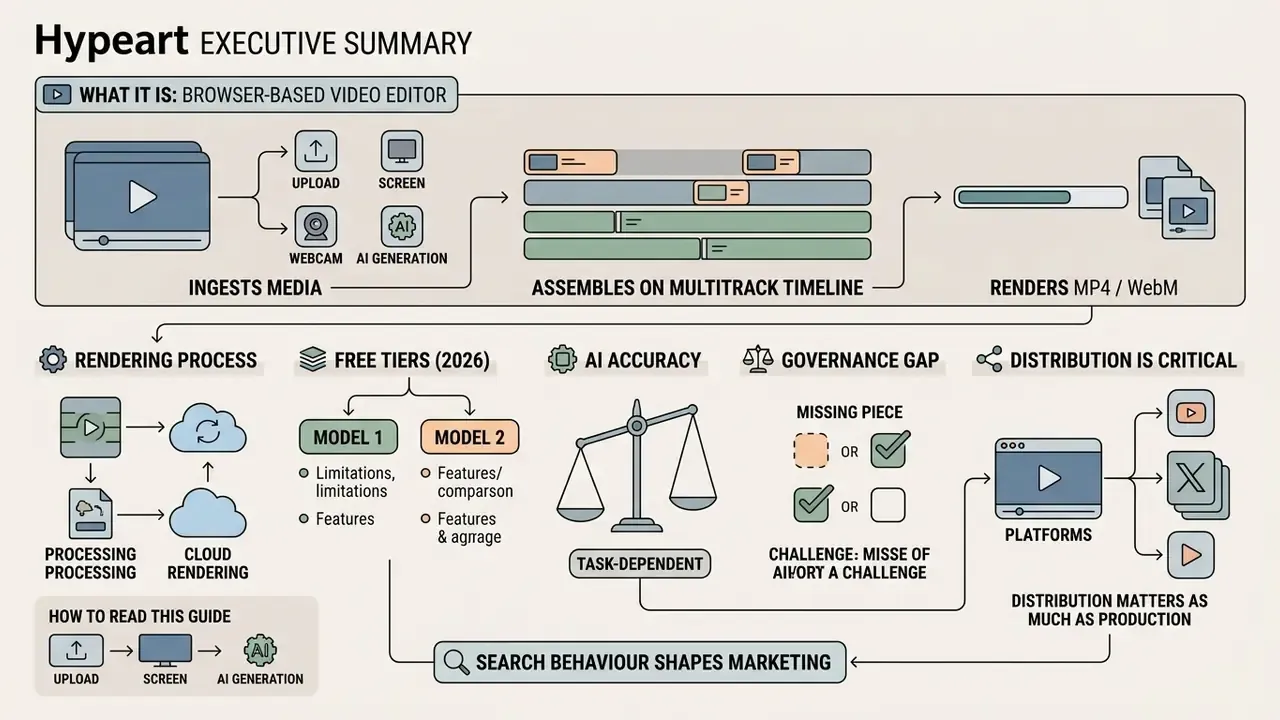
- What it is. A browser-based video editor that ingests media (upload, screen or webcam capture, or AI generation), assembles it on a multitrack timeline, and renders MP4/WebM output with no desktop installation.
- How rendering works. Either locally via WebAssembly on the user's hardware, or remotely on vendor cloud infrastructure. This single architectural choice determines your data-exposure surface. Nothing else on the feature list matters as much.
- Free tiers in 2026 split into two models. Watermark-free export with asset or feature gating (Microsoft Clipchamp, Adobe Express, Canva with free elements), versus watermarked export with paid removal (VEED free plan, InVideo free tier). Verify before you run paid media.
- AI accuracy is task-dependent. Speech-to-text reaches very low error rates on clean native-speaker English, then degrades sharply on accented or noisy audio. A 2024 study of English learners' speech reported accuracy mostly in the 50-70% range.
- Governance is the gap. Most vendor marketing pages never mention SOC 2, data residency, zero-retention prompts, audit trails, or IP indemnification. Sections on security, validation and procurement below supply the checklist, the validation pattern, and the risk-adjusted ROI formula.
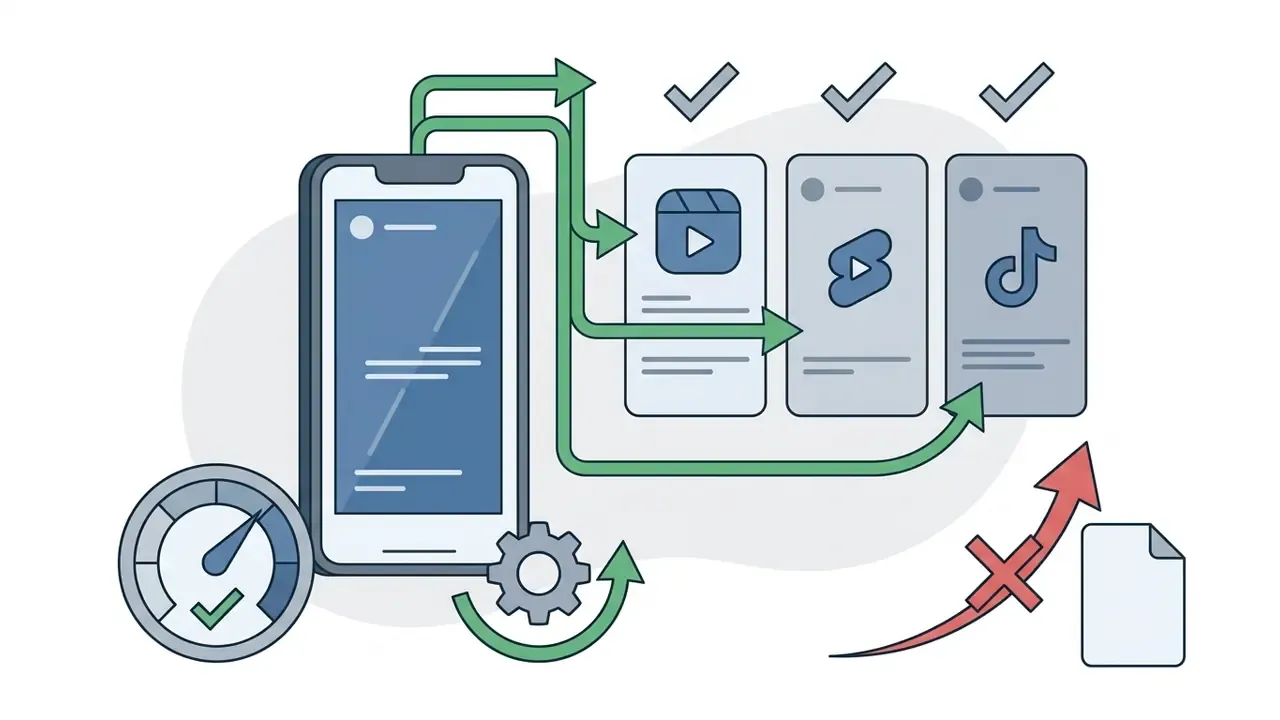
- Distribution matters as much as production. Direct publishing to TikTok, Reels, Shorts and LinkedIn, plus scheduling and sync to OneDrive, Google Drive or Dropbox, removes the manual download-and-reupload step that quietly breaks version control.
How to read this guide. The first half is production: what you can build, how to create a video online, which editing tools matter, and where AI genuinely saves hours. The second half is control: security architecture, Shadow AI, model validation, licensing, indemnification and total cost. Creators chasing speed can stop after the templates section. Risk, compliance and finance readers will find the substance further down, where the pricing and licensing evidence sits.
One note on search behaviour, because it shapes how these tools are marketed. Demand for a browser editor is global, and the same intent shows up in other languages: crea video online, creare video gratis online, and dozens of local variants of "best video making websites". Vendors localise landing pages aggressively, but licence terms and watermark rules are usually written for one jurisdiction only. If your team buys from a non-English page, read the English terms as well. They are the ones your counsel will be asked to interpret.
What an Online Video Maker Can Help You Create
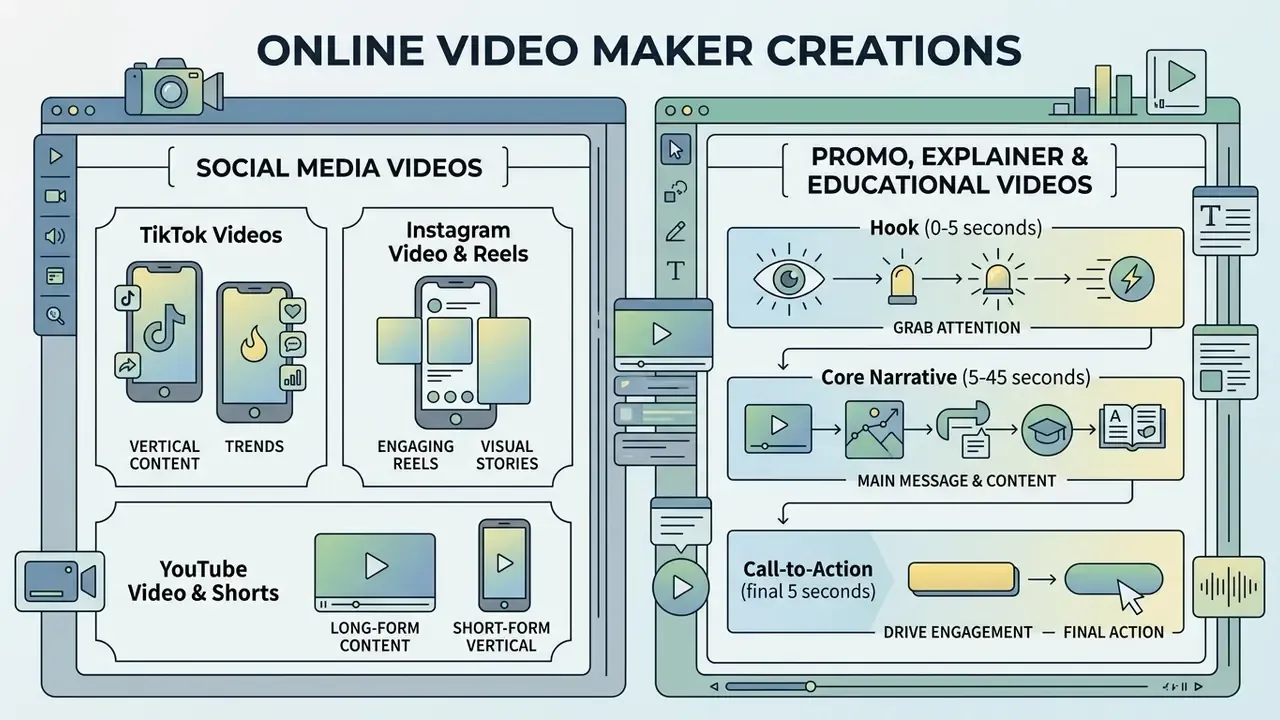
An online video maker helps creators and organisations produce high-quality video content for digital marketing, internal communication, customer education, and social channels. By supplying pre-built canvas dimensions, media asset management, and sequence assembly tools, a video maker standardises production across very different communication formats.
Modern web tools let users build short-form vertical assets, long-form horizontal tutorials, and structured promotional campaigns without prior post-production expertise. That is the practical promise, and for straightforward formats it holds up.
«AI-based video creation tools simplify production by replacing complex multi-stage pipelines with a single browser-based workspace.»
Standardisation bodies have begun to formalise this space rather than leave it to vendor marketing. ISO/IEC 23093-6:2026 specifies media data formats and an API for distributed AI processing in internet-of-media-things systems, while ISO/IEC TR 23888-1:2026 sets out vision and scenarios for artificial intelligence applied to multimedia. For procurement teams, these documents are more useful than feature lists: they define the interoperability vocabulary you can actually write into a contract.
Promo, Explainer and Educational Videos
Promotional, explainer, and educational videos turn complex corporate messages and instructional material into concise, structured visual narratives. A dedicated content video creator provides structured timelines that blend screen recordings, presenter footage, synthetic avatars, and animated graphic callouts.
«Text-to-video generation systems reported NLP model accuracy of 82% and machine-learning model accuracy of 89%, alongside measurable gains in viewer knowledge retention.»
Effective promo videos and explainer assets follow a defined structural pattern, consistent with university-issued promotional video standards that place a single call to action at the end of a 30-60 second runtime:
For instructional content, evidence-based guidance on educational videos still applies regardless of whether the asset was cut by hand or generated from a script: short runtime, one clear learning objective per clip, an engagement prompt somewhere in the middle. Compliance training breaks this rule constantly, usually by stacking six objectives into one twelve-minute clip.
For team members expanding their technical toolkit, the AI Media Glossary covers foundational concepts on synthetic media frameworks and cloud rendering pipelines.


How to Create a Video Online
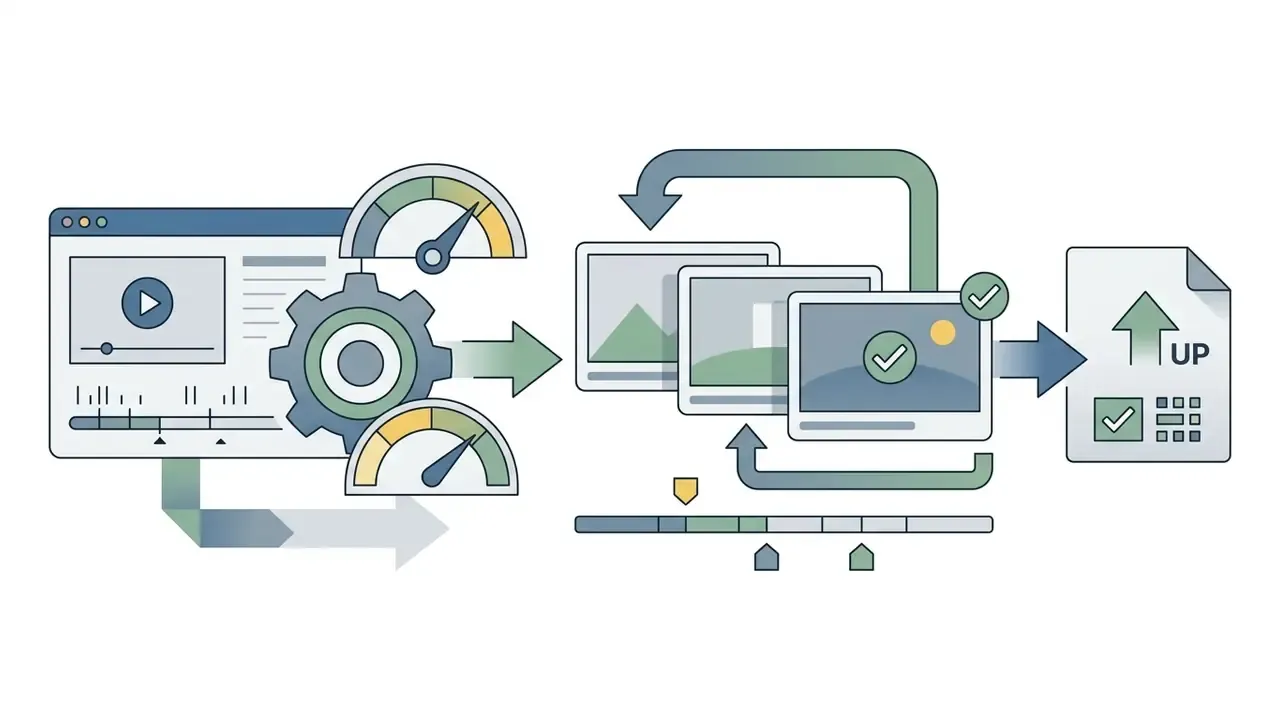
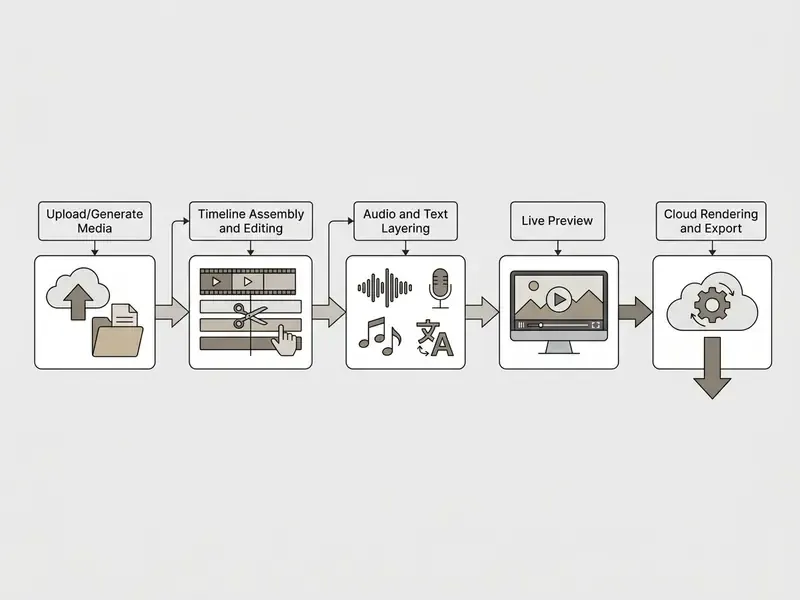
To create a video online, users import raw visual assets into a browser editor, arrange clips on a multitrack timeline, append audio and text layers, preview sequence timing, and render the final MP4 or WebM file. Browser-native video editors process media assets locally using WebAssembly, or offload computationally intensive rendering to cloud infrastructure.
Upload, Record or Generate Media
The media ingestion stage populates the video project workspace using local file uploads, live hardware recording, or generative AI prompts. Microsoft's own Clipchamp service description documents exactly these three paths: file import, built-in screen and webcam capture, and AI-assisted creation, all reachable from one browser session.
- File Uploads Drag and drop local video clips, high-resolution images, and audio files directly into the browser media bin. Large source files can be pre-processed with a video compressor to shorten upload time without visible quality loss.
- Screen and Webcam Recording Capture desktop browser windows, software demonstrations, and live presenter footage simultaneously, with unlimited retakes before committing a take to the timeline.
- Text Prompts and Generative AI Enter descriptive text prompts to generate synthetic video clips, custom graphics, or realistic text-to-speech audio tracks.
Illustrative production scenario (not a verified client case). Consider a compliance function that must publish twenty standardised training clips inside a 48-hour window. Using browser-native webcam capture plus automated narration instead of booking an external studio, a two-person team can plausibly compress a multi-week production cycle into a single working day, with the dominant cost shifting from filming to script review and sign-off. Treat that ratio as a planning heuristic, not a benchmark. Actual savings depend on review cycles, legal approval time, and localisation volume, and no published vendor figure validates a fixed percentage. I have seen the review queue, not the editor, become the bottleneck more often than not.
Edit the Video Timeline and Add Finishing Touches
The editing phase organises raw media assets chronologically across multiple visual and auditory timeline tracks. Users edit videos by trimming unnecessary frame padding, splitting long recordings into distinct scenes, rotating misoriented mobile footage, and applying canvas cropping parameters.
Finishing touches include smooth scene transitions, colour correction filters matched to visual branding, and layered text headlines. Precise timeline snapping keeps audio cues, graphic overlays, and visual cuts aligned across all active tracks. Small thing, large effect: a caption that lands 200 milliseconds late reads as amateurish even when nobody can say why.
Preview, Export and Share Your Video
The preview and export stage verifies frame rates, audio sync, and visual alignment before generating the final downloadable file. Real-time preview panels let creators scrub the timeline playhead to check cut points without triggering a full project render.
Once verified, the web editor compiles visual and audio tracks into standardised formats such as 1080p MP4. Users can download the final file to local storage or transfer rendered assets to connected cloud storage for distribution. Custom export settings (bitrate, frame rate, resolution ceiling) are usually where free and paid tiers diverge first.
Output quality at this stage is itself an active research area:
«A diffusion-based video super-resolution approach with a temporal adapter delivers strong visual quality and temporal consistency when evaluated on the Shutterstock dataset.»
Direct Publishing, Cloud Sync, and Content Scheduling
Modern cloud video tools eliminate manual downloading by integrating directly with social distribution and enterprise storage hubs. This matters operationally: every manual download-and-reupload cycle creates an untracked copy of a corporate asset on an endpoint.
- Direct Social Publishing and Scheduling: Connect accounts to schedule and auto-publish rendered assets to TikTok, Instagram Reels, YouTube Shorts, and Facebook Pages without leaving the editor. Adobe Express exposes this through a built-in content scheduler that plans, creates and publishes Reels, TikTok videos and Facebook Stories from one workspace.
- Cloud Storage Synchronisation: Sync raw projects and final 1080p or 4K exports to enterprise cloud providers including Microsoft OneDrive, Google Drive, and Dropbox. Clipchamp documents direct export and sharing to TikTok, LinkedIn company pages, and those three storage services.
- Professional Platform Export: Push structured video formats to corporate LinkedIn pages or internal communications software such as Microsoft Teams and Slack, keeping the distribution record inside systems that already carry retention policies.
- Share Links Instead of Files: Frame-accurate review links avoid circulating MP4 attachments by email, which is both a bandwidth and a data-loss-prevention improvement.
One caveat worth documenting during vendor assessment: several browser-based editors advertise "sharing" but only offer a public share link rather than authenticated platform publishing. Confirm whether the integration performs an authenticated API post or merely generates a URL. The two carry very different access-control implications, and only one of them survives a security review. If a connector behaves inconsistently, the vendor's AI Media Support and Troubleshooting documentation is usually faster than a ticket.
Cross-Platform and Mobile Workflow Support
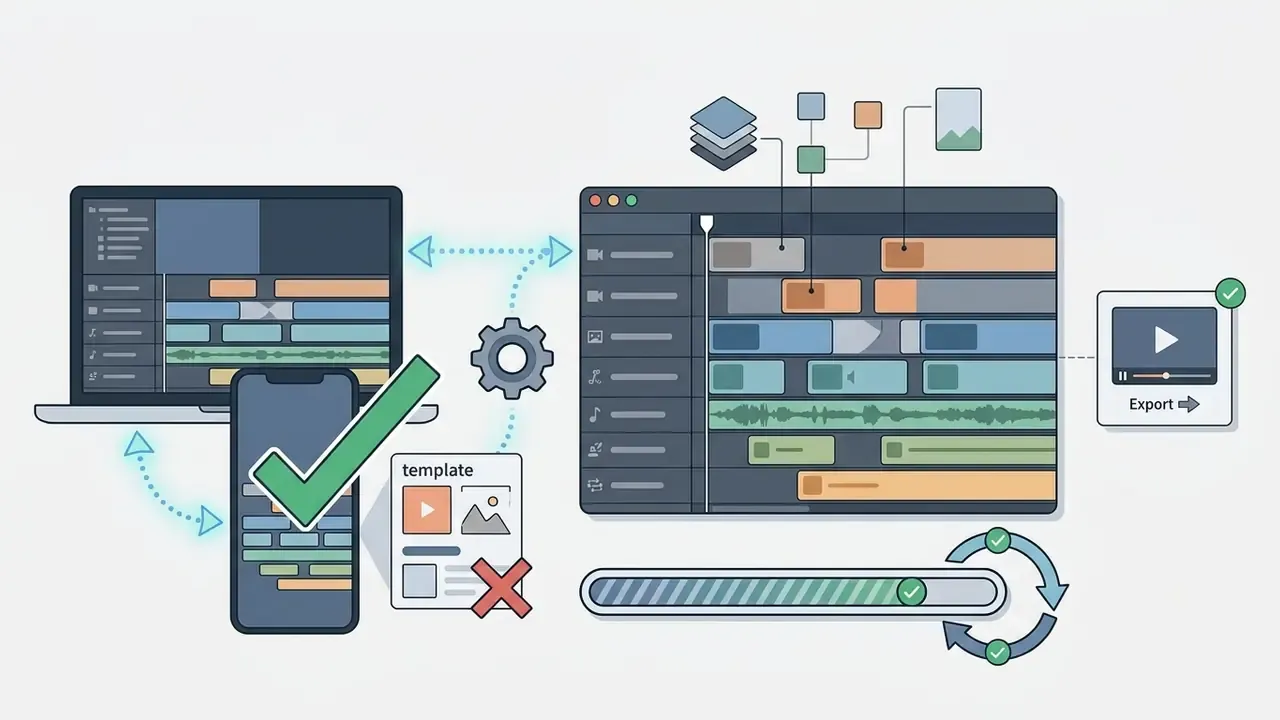
Production rarely stays on one device. Mature platforms keep a single project state synchronised between the desktop browser and native mobile applications, so a clip captured on a phone at a client event can be trimmed in the field and finished on a workstation. Renderforest, for example, publishes companion iOS and Android applications; Adobe Express and Clipchamp offer comparable mobile surfaces with seamless access across devices.
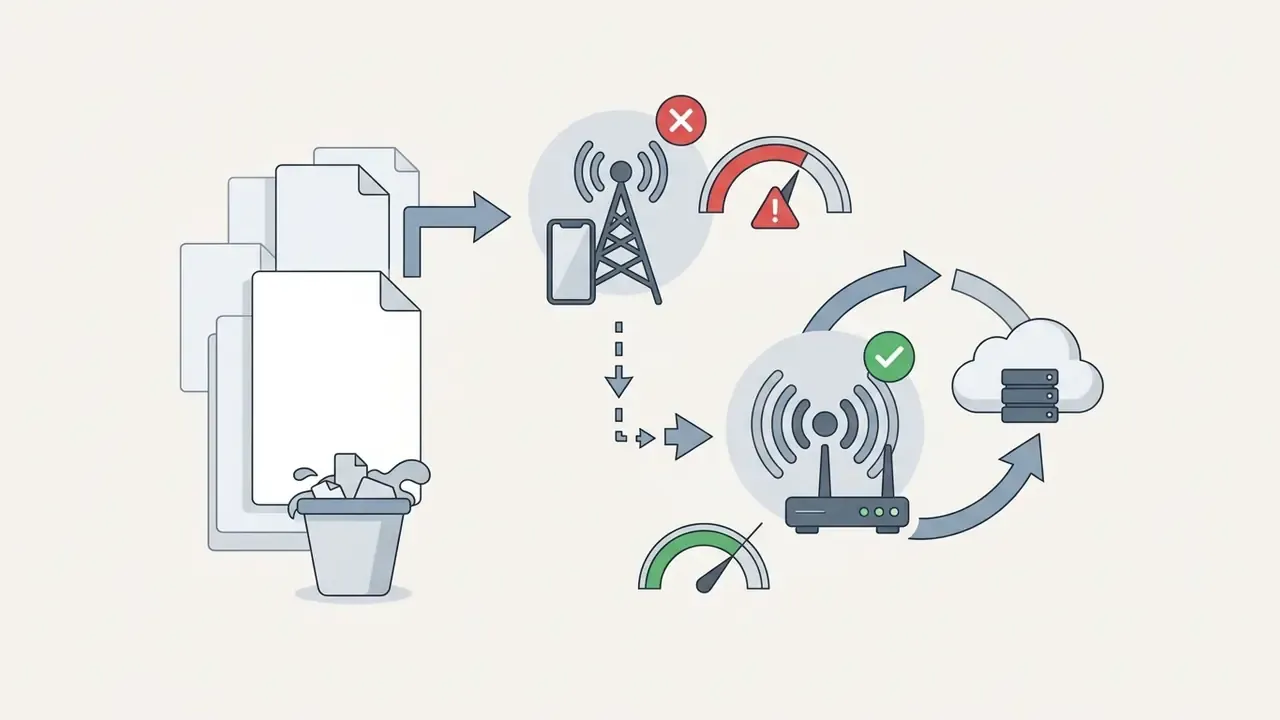
Practical considerations for cross-device work:

Essential Video Editing Tools for Beginners and Creators
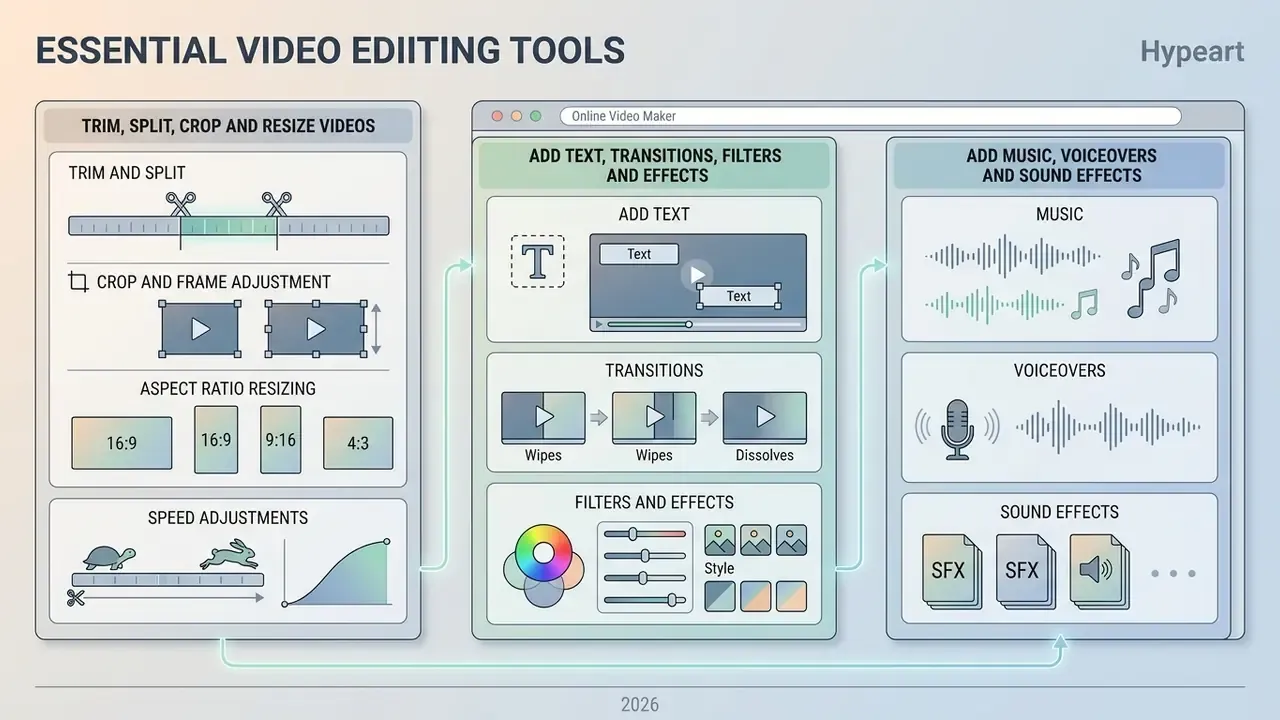
Essential video editing tools provide core cutting, cropping, typographic, and audio balancing controls without a complex professional desktop setup. A user-friendly free video editing software suite simplifies timeline navigation through drag-and-drop interfaces and standardised control panels. Beginner guidance from Adobe converges on the same minimal loop: import, cut and trim, add text, balance audio, export. Five steps. Anyone asking which is the best website for video editing is really asking which tool makes that loop shortest.
Trim, Split, Crop and Resize Videos
Basic frame manipulation forms the foundation of non-linear video editing across web platforms.
- Trim and Split Shorten clip lengths by dragging timeline edges, or split a single recording at the playhead to remove unwanted pauses. Ripple trim closes the resulting gap automatically; a razor cut leaves the gap in place. Knowing which one your video trimmer uses saves a lot of confused re-dragging.
- Crop and Frame Adjustment Remove unnecessary canvas margins, focus frame alignment on key subjects, or adjust zoom levels. Vendor documentation commonly ships fixed crop presets at 16:9, 9:16, 1:1, 4:5, 5:4, 4:3, 3:4 and 21:9.
- Aspect Ratio Resizing Convert horizontal 16:9 master compositions into vertical 9:16 or square 1:1 formats for target channels, instantly.
- Speed Adjustments Accelerate footage for fast-paced motion sequences, or slow recordings down to emphasise key visual details.
Creators looking to create my video online quickly rely on standardised preset buttons that apply exact pixel aspect ratios automatically.
Add Text, Transitions, Filters and Effects
Text overlays, animated transitions, and video effects maintain audience focus and establish continuity between disparate clips. Animated title overlays introduce speakers, highlight key takeaways, and reinforce corporate branding guidelines. Worth distinguishing the two layer types: overlays sit above the clip and add elements, while filters modify the appearance of the clip itself, a distinction Clipchamp's documentation makes explicit.
«The Visual Captions system automatically predicts a speaker's visual intent and suggests relevant imagery; users showed considerable variance in their preferred level of AI proactivity.»
That finding maps directly onto auto-graphics features. Some reviewers want the tool to propose overlays aggressively; others experience identical behaviour as interference. Where a platform offers automated visual suggestion, expose the sensitivity control to editors rather than hard-coding it.
Scene transitions (cross dissolves, soft wipes, directional slides) prevent abrupt visual jumps, and their duration is adjusted by dragging the transition edge on the timeline or editing it in the inspector. Built-in colour filters and professional colour presets normalise brightness, adjust contrast, and unify visual tone across clips shot under varying lighting conditions. Font handling varies widely: some editors expose 1,000+ typefaces plus custom font upload, which matters when a brand guideline mandates a licensed corporate typeface.
Add Music, Voiceovers and Sound Effects
Audio balance affects audience retention and perceived production quality more than resolution does. A capable cool video maker lets creators add music from a royalty-free library, record live narrator voiceovers, and drop in punctual sound effects.
«Deep-learning voice cloning systems reproduce a speaker's distinctive vocal characteristics and synthesise natural-sounding speech from text.»
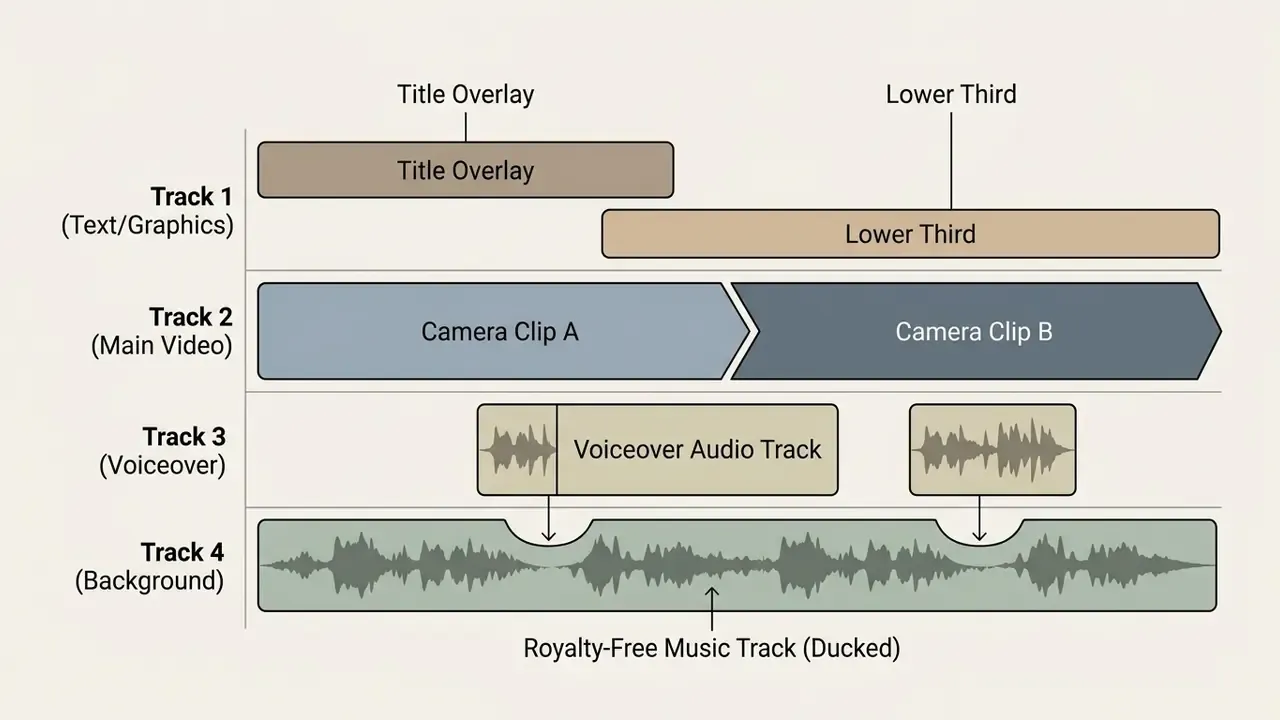
Modern web tools include automatic audio ducking that lowers background music whenever voiceover speech is detected, preserving vocal clarity. Under the hood, current audio-enhancement implementations combine source separation with denoising and chunked processing. Public parameter sets expose controls such as denoise strength, chunk length in seconds, and overlap between chunks, so you can fine tune results instead of accepting a single one-click preset.
The choice between a human and a synthetic narrator is not neutral for performance:
«Voice type (AI versus human) and vocal tone act as significant variables affecting consumer engagement in short-form TikTok video advertising.»
Teams comparing synthetic narration options can review capabilities and licensing terms in the guide to AI voice generators.
AI Video Maker Tools for Faster Video Creation
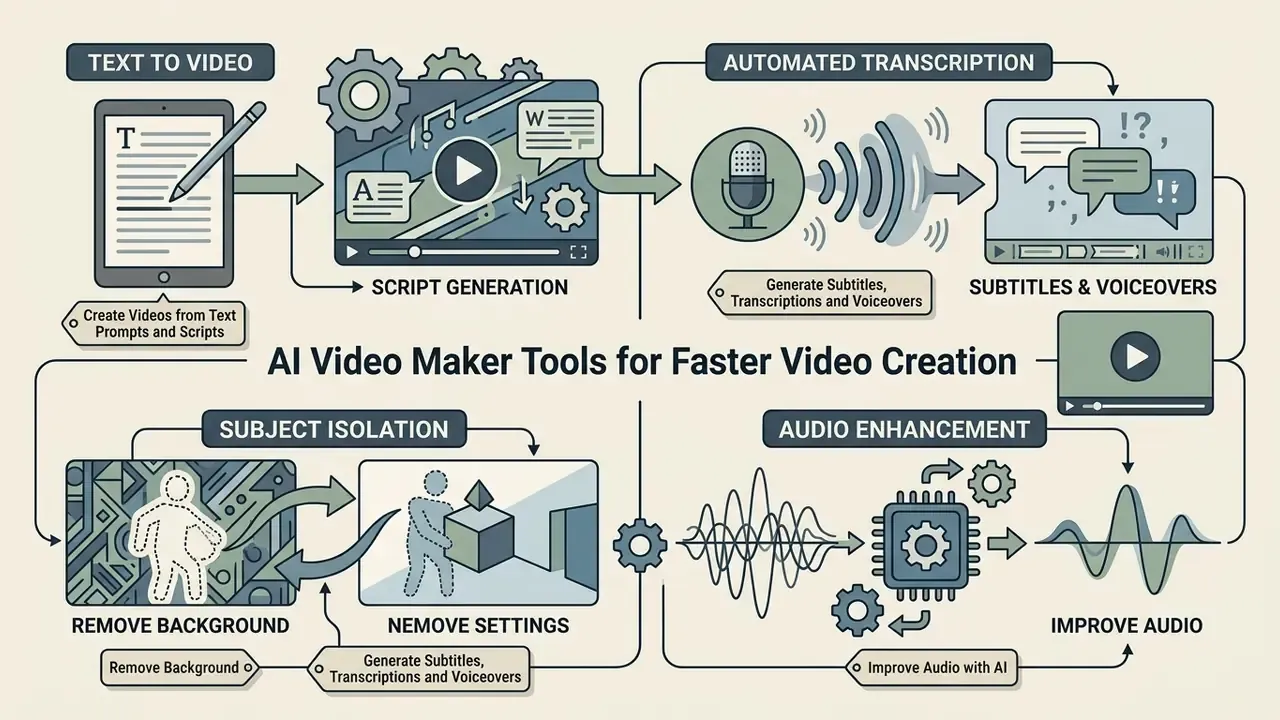
AI video maker tools use machine learning models to automate script generation, subtitle transcription, subject isolation, and audio enhancement. By embedding artificial intelligence in web editing environments, creators can use AI to remove repetitive post-production tasks and raise output volume without adding headcount.
Create Videos from Text Prompts and Scripts
Generative AI pipelines convert simple text prompts or structured scripts into complete draft video compositions. Large language models analyse the submitted script, divide it into logical storyboard scenes, and auto-suggest matching stock footage, background audio, and text callouts. Vendor documentation describes the same two entry points across products: a short topic prompt that the system expands into a script, or a finished script pasted in for scene segmentation.
«Modern text-to-video engines rely on diffusion models and temporal adapters to synthesise visually coherent video sequences from natural-language input.»
For specialised synthetic workflows, creators can compare text-to-video AI tools by output quality, clip duration limits and credit systems, or review implementation-level cost and quota details in the Google Veo API guide before committing to a rendering budget. Adjacent generator categories behave differently on licensing and quota, and they are worth reviewing separately: midjourney video generation for stylised motion clips, minimax ai video for prompt-to-clip pipelines, and momo ai photo generation for still assets that later enter a timeline.
Game-adjacent production is its own niche with its own tooling. Community and education teams producing gameplay-style explainers often reach for a minecraft animation maker, a minecraft parkour video generator for retention-bait background footage, or a minecraft pixel art generator for thumbnails and lower thirds. Same governance questions apply, incidentally: trademark exposure on game assets is not covered by a generic output indemnity.
Generate Subtitles, Transcriptions and Voiceovers
Speech-to-text algorithms generate subtitles and transcriptions from uploaded audio tracks in seconds. Automated subtitles improve accessibility for deaf and hard-of-hearing viewers, and lift engagement for users watching with sound muted on mobile. Current editors generate subtitles across 80+ languages and let you correct the transcript, then download it as a separate file.
«An experiment with 28 deaf and hard-of-hearing viewers found no significant differences in emotion comprehension across three caption styling schemes: typographic, colour-based, and combined.»
The practical reading: elaborate caption styling is not a substitute for accuracy and timing. Spend the effort on transcript correction, not decoration.
Speech-to-Text Processing Pipeline:

[ Raw Audio Track ] ➔ [ Neural Acoustic Model ] ➔ [ Text Transcription ] ➔ [ Timed SRT Subtitles ]
In parallel, text-to-speech engines synthesise voiceovers from written text, offering natural-sounding synthetic voices across multiple languages and accents, commonly several hundred voices with adjustable pitch and speed.
Accuracy, stated honestly. A 2026 University of Arizona study is frequently cited for AI transcript Word Error Rates (WER) of 2.50%-3.36% for freely spoken English recorded in quiet conditions, with weaker results for some speaker groups. We could not locate a stable public URL for that paper, so treat the figure as indicative and verify the primary source before it appears in an internal accuracy claim. The countervailing evidence is better documented: a 2024 study in Language Learning & Technology found speech-to-text accuracy for English learners' speech mostly in the 50%-70% range, varying by task. WER itself is defined as substitutions plus insertions plus deletions divided by reference word count, which means any accuracy claim without a stated test condition is unusable for validation purposes. Benchmark on your own audio. Accented speech, cross-talk, sector jargon, and low-quality conference microphones are exactly where automated captioning fails.
Remove Background and Improve Audio with AI
AI-powered computer vision models isolate human subjects from their surroundings without a green screen. Semantic segmentation analyses frame pixels to generate precise alpha mattes, so creators can swap background environments instantly. Adobe's documentation describes the mechanism plainly: subject detection runs on every frame and produces a per-frame matte, replacing both manual rotoscoping and single-colour chroma keying.
Concurrently, AI audio enhancers remove ambient noise, reduce room reverberation, and equalise frequencies in one click. These automated tools let creators create a video online for free while keeping clean visual presentation and crisp narration. Where pre-production photography also needs cleanup, the same principles apply to still assets: see the guides to online photo editors and free photo editors for feature limits and export restrictions.
Video Templates, Stock Media and Brand Assets
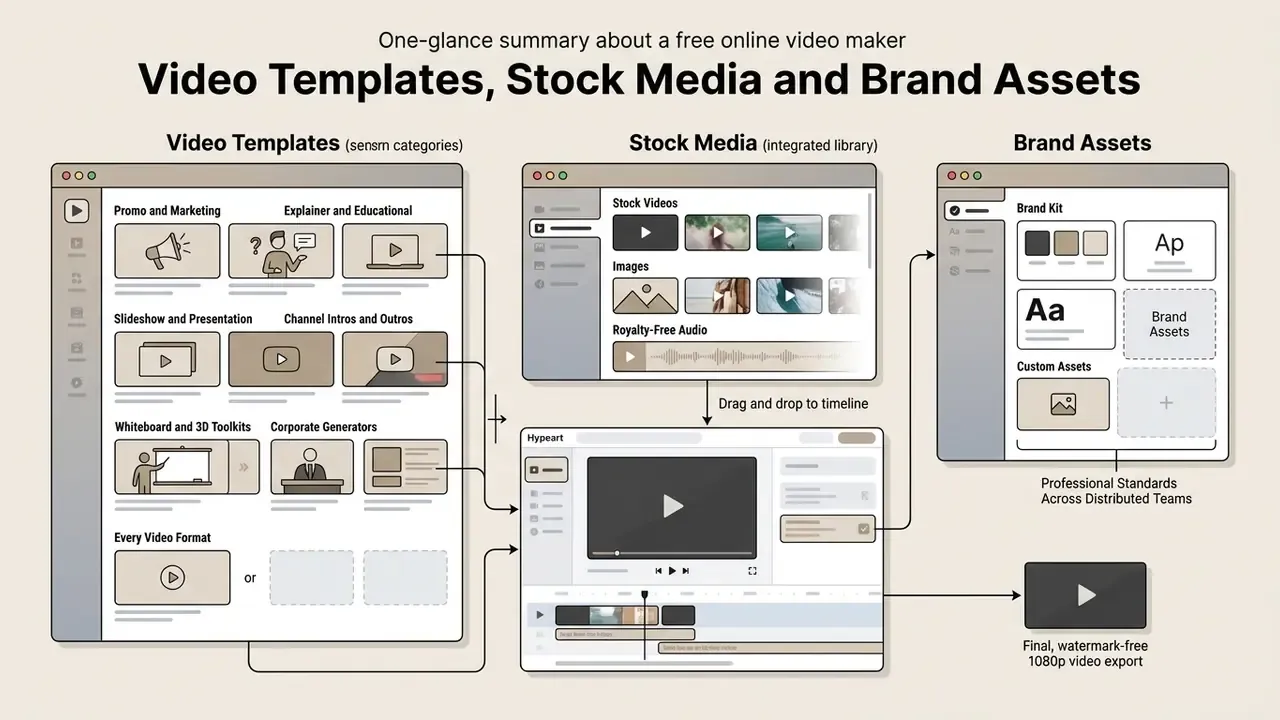
Video templates, integrated stock media libraries, and central brand kit assets let organisations hold professional production standards across distributed teams. Pre-built frameworks cut setup time and prevent unauthorised variations in published content. Vendor documentation from Adobe Stock, Canva and WeVideo converges on the same two claims: speed gains from reuse, quality gains from enforced consistency. Institutional brand guides go further, mandating approved logo bugs, closing slides and lower thirds, with intro and outro sequences capped at a few seconds.
Teams starting from a zero-budget position can evaluate template-driven options in the comparison of free AI video generators.
Choose Templates for Every Video Format
Pre-designed video templates supply pre-formatted timelines complete with typography, motion graphics, opening intros, and closing outros.
- Promo and Marketing Templates Structured with aggressive visual hooks and prominent calls-to-action for commercial campaigns.
- Explainer and Educational Templates Clean slide layouts, lower-third graphics, and bullet-point callouts.
- Slideshow and Presentation Templates A slideshow maker converts static images and bullet points into fluid animated slideshow videos, typically on a 16:9 widescreen grid with title, transition and content slide variants.
- Channel Intros and Outros Short branded top-and-tail sequences with end-screen calls to action (subscribe, share, visit). Institutional standards often cap these at roughly two seconds, to avoid burning viewer attention before the content starts.
- Whiteboard and 3D Animation Toolkits Convert dense technical documentation into hand-drawn whiteboard animation or 3D isometric explainer sequences using pre-rigged character models and automated camera movements. Renderforest's library, for instance, ships dedicated whiteboard, 3D explainer and logo-reveal toolkits alongside broadcast editing kits.
- Corporate and Presentation Generators Convert approved slide decks into narrated video with synthetic voiceover and burned-in captions, the fastest path for internal training and all-hands recaps.
Creators building character-led or motion-graphics sequences from scratch can review methods, pricing and export options in the guide to animation makers, while brand-portrait requirements for presenter cards are covered in the AI headshot generator guide.
Pre-assembled templates are what allow a novice to create a video free online without spending an hour configuring basic timeline geometry.
Use Stock Videos, Images and Royalty-Free Audio
Integrated media libraries give creators access to millions of high-resolution stock videos, royalty-free stock photos, and licensed audio tracks directly inside the editor sidebar. Scale and supplier names differ by vendor and deserve contractual verification: InVideo documents an integrated library drawing on iStock, Shutterstock and Storyblocks (with Audioblocks for music) and cites 16M+ assets; Canva advertises a built-in library with 25,000+ pre-licensed royalty-free tracks; Clipchamp lists 1M+ royalty-free videos, images, backgrounds, music and sound effects; Wave.video claims 200M visual assets and 300,000 music tracks. Adobe Express supplies rights-cleared Adobe Stock media inside the editor.
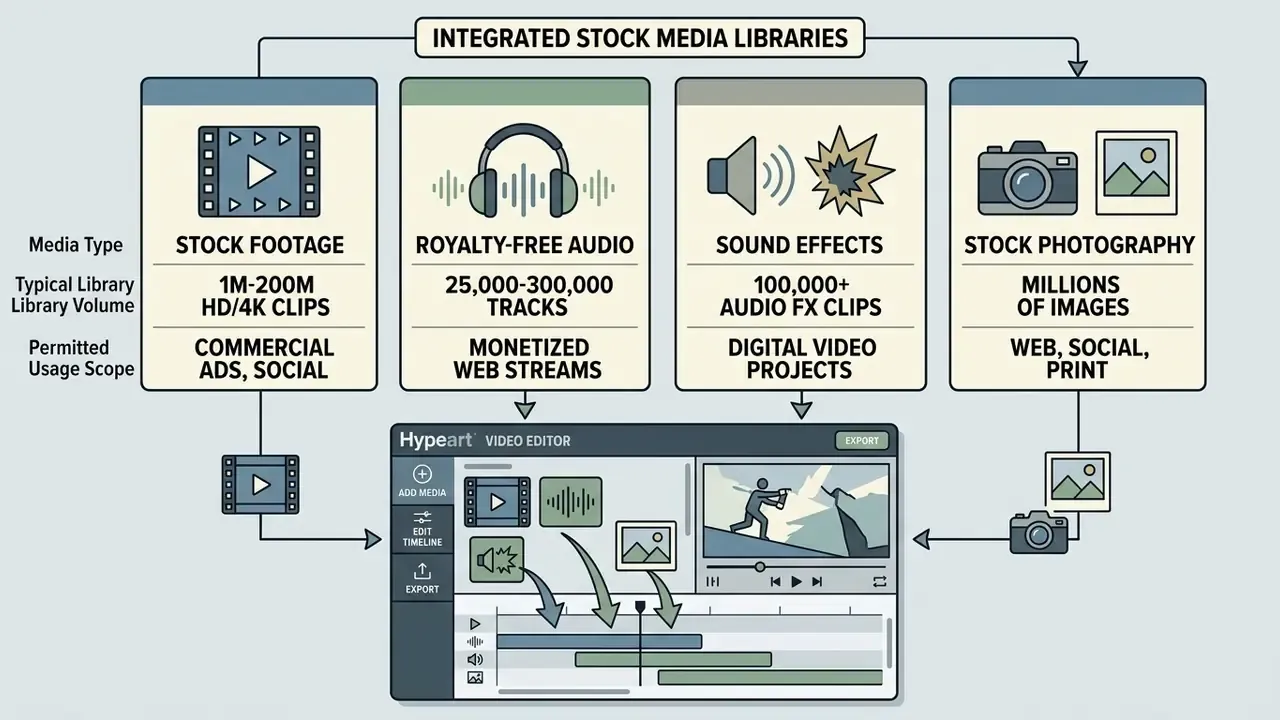
Accessing pre-licensed assets inside the web workspace removes the need to source external media from third-party sites or track individual usage licences. Two licensing nuances cause most of the real problems in commercial work: editorial-only assets are excluded from commercial use even when they are free to download, and preview watermarks are removed only after the asset is licensed. Adobe Stock documents both conditions explicitly.
Create Videos for Social Media, Marketing and Team Workflows
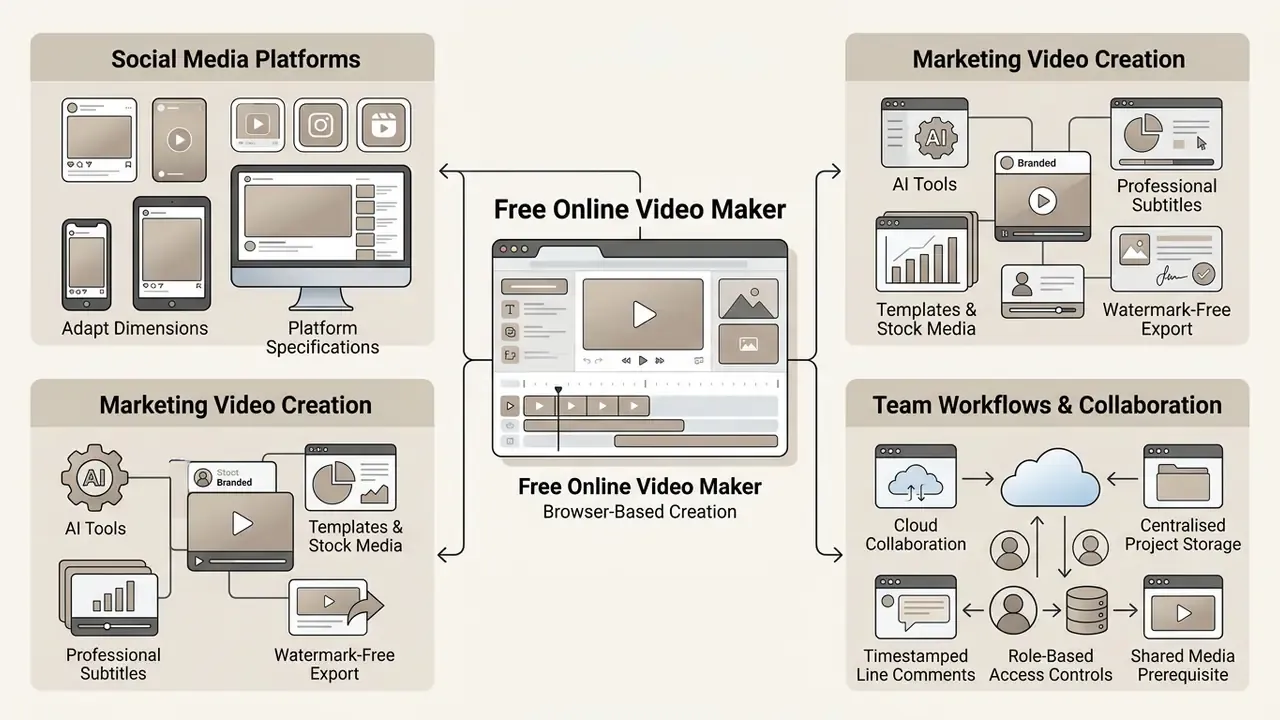
Adapting video content for multi-channel distribution means matching exact platform specifications and supporting cloud collaboration. Enterprise marketing teams rely on cloud workspaces to store project assets, centralise feedback, and hold brand consistency across campaigns. Distribution guidance is consistent across playbooks: upload natively to each social media platform rather than sharing links between them, and tailor runtime, captions, thumbnails and metadata per channel.
«Perceived influencer popularity and product congruence moderate image transfer and user engagement in short-form TikTok video.»
Enterprise Security, Data Privacy and DRM Protection
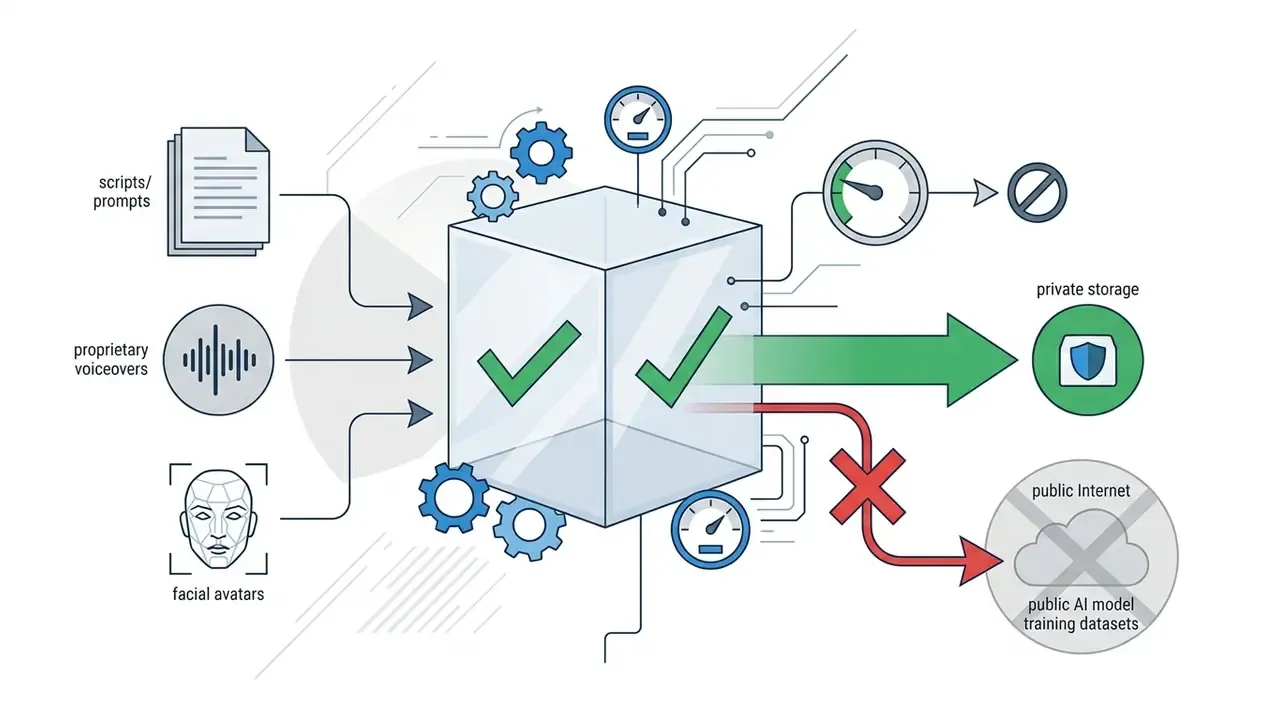
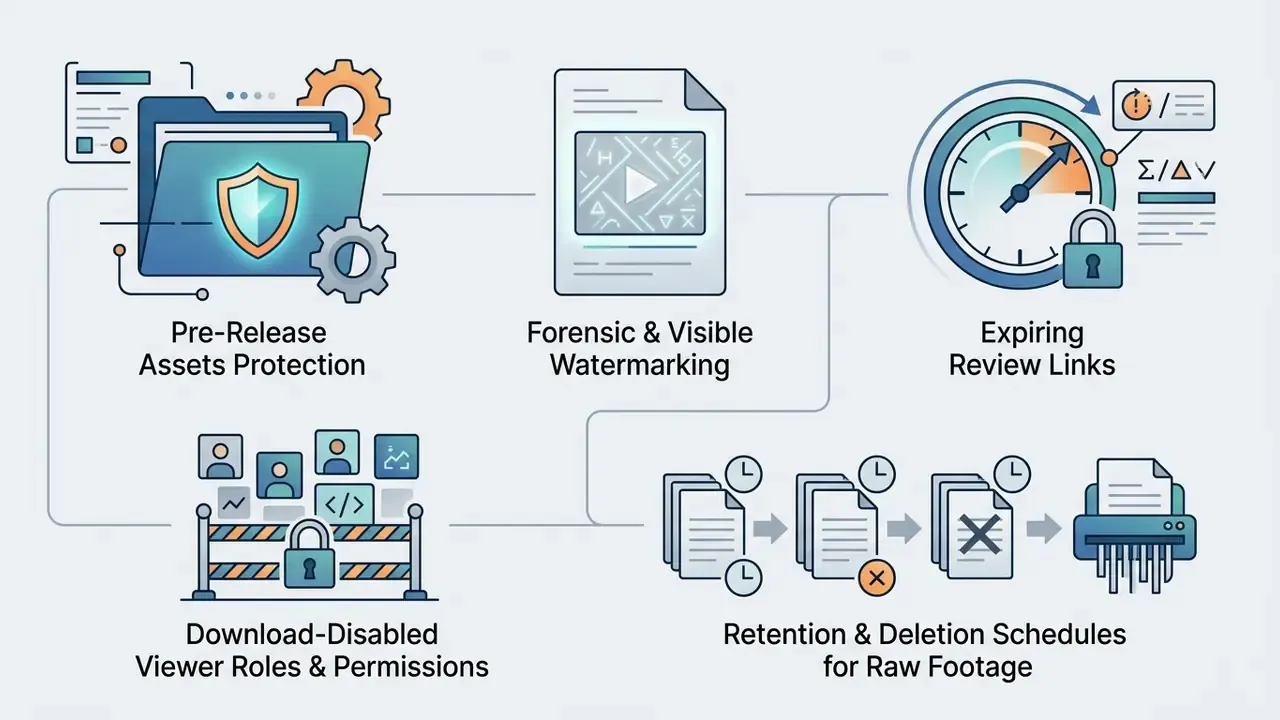
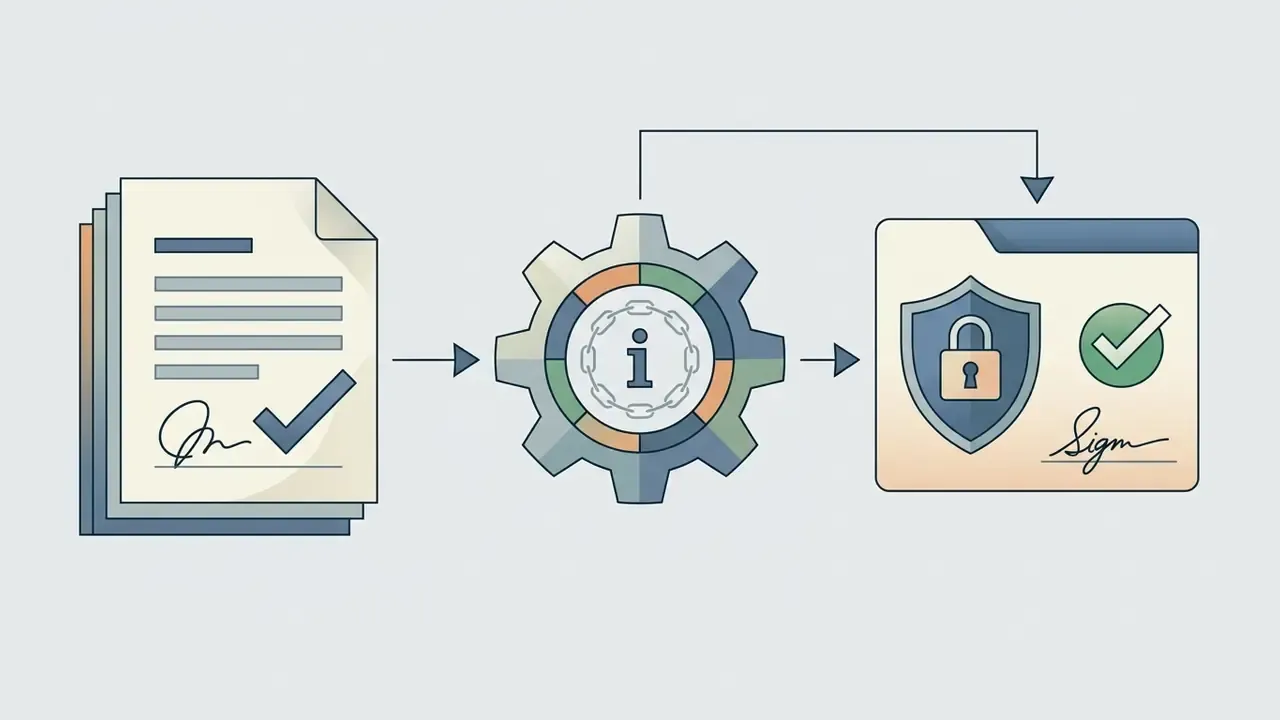
When you are handling unreleased product footage, customer data, or confidential training materials, data privacy becomes the deciding criterion. Not template count. Clipchamp markets this directly, stating that it "never has access to any of your videos, unlike other providers," and positions work and education access inside the Microsoft 365 ecosystem with centralised IT controls. Any competing tool should be held to an equivalent, documented standard.


Shadow AI: the Unmanaged Browser Editor Problem
The defining risk of browser-based video tooling is that it needs no procurement, no installation, and no administrator rights. An employee can paste a confidential script into a free text-to-video site in under a minute. No approval, no log, no trace in the model inventory. Controls that work in practice:
- Discoveryinventory generative media domains in egress logs and CASB data. Measure usage before writing policy.
- A sanctioned pathpublish one approved editor and one approved AI narration tool. Prohibition without an alternative produces evasion, not compliance.
- DLP on prompts, not just filesblock outbound patterns matching PII, MNPI, account numbers and unreleased product codenames at the browser layer.
- Tiered data classificationpublic marketing copy may be eligible for cloud AI processing; material non-public information should be restricted to local-render workflows or on-premise tooling.
- Awareness framingexplain that a prompt is a disclosure. Most misuse is well-intentioned, which is precisely why training beats enforcement here.
AI Model Validation and Audit Trails for Video Generators
Generative video features are models, and in regulated environments they sit inside an existing model-risk perimeter. SR 11-7 (Federal Reserve/OCC) requires effective challenge, documentation sufficient for an independent reviewer to reproduce results, and ongoing monitoring. The NIST AI Risk Management Framework (AI RMF 1.0, 2023) supplies the complementary Govern, Map, Measure, Manage structure. https://nvlpubs.nist.gov/nistpubs/ai/NIST.AI.100-1.pdf
A workable extension pattern for creative generative tooling:
1. Scope and tier the use case. A synthetic voiceover on an internal newsletter is low risk. A generated avatar delivering a customer disclosure, a compliance-training clip, or any statement about product terms is materially higher and warrants pre-deployment review.
2. Define failure modes specific to video. Script hallucination inserting unapproved claims; caption errors that change meaning (a dropped negation, a misheard figure); mispronounced regulated terms; unsafe or off-brand imagery; likeness or voice used without consent; silent model-version upgrades that change output character overnight.
3. Capture reproducible evidence. Log per asset, at minimum: prompt or source script, model and version identifier, seed where exposed, template ID, generation timestamp, requesting user, approval chain, and a hash of the exported file. Where the vendor does not expose seeds or model versions through the API, record that as a validation limitation rather than assuming reproducibility.
4. Measure, don't assert. For captioning, compute WER on a held-out sample of your own audio, segmented by accent and recording condition. For narration, run intelligibility spot checks on regulated terminology. For text-to-video, sample generated assets against a claims checklist.
5. Keep a human control point. Require named human review and sign-off before external publication. Automated generation plus automated publishing with no gate in between is the configuration that produces incidents.
6. Monitor and re-validate. Re-test after any vendor model update, and set a periodic review cadence with a named owner in the RACI matrix.
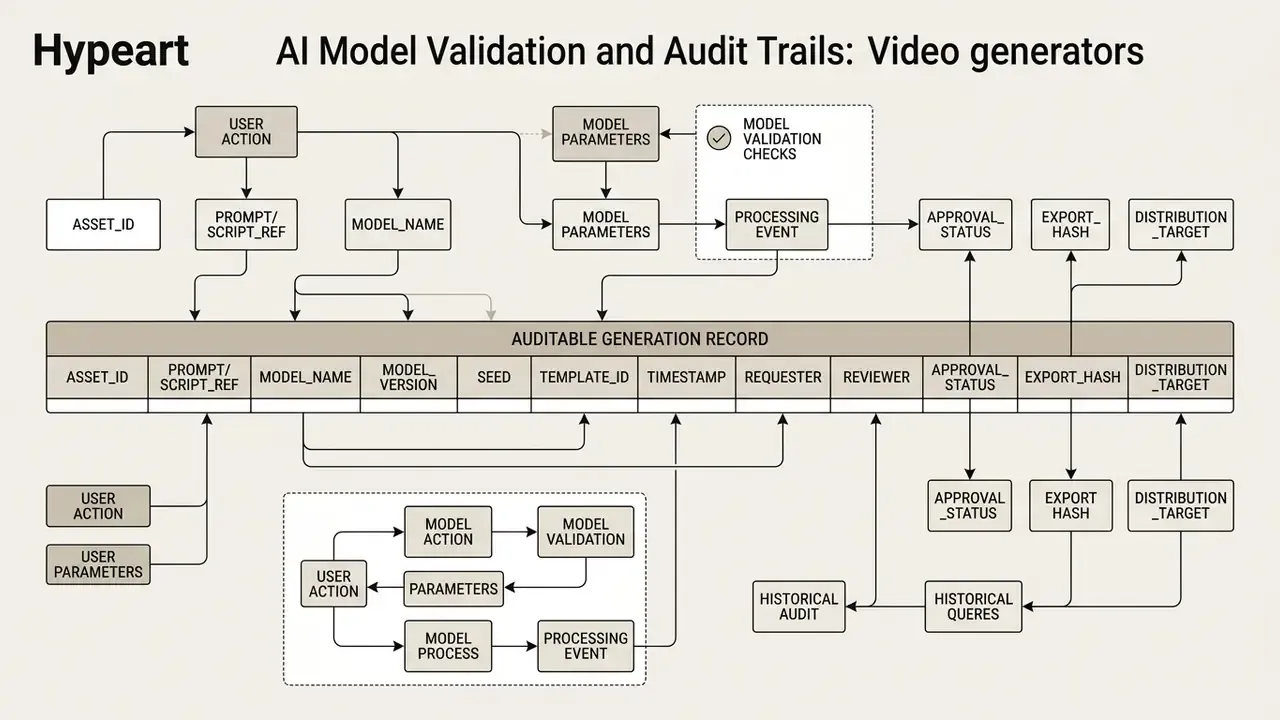
Export these records into the GRC or model inventory system rather than leaving them inside the editor, where retention is governed by the vendor's plan rules and not by your record-keeping obligations. That distinction tends to surface during an examination, not before it.
Free Online Video Maker: Pricing, Watermarks and Commercial Use
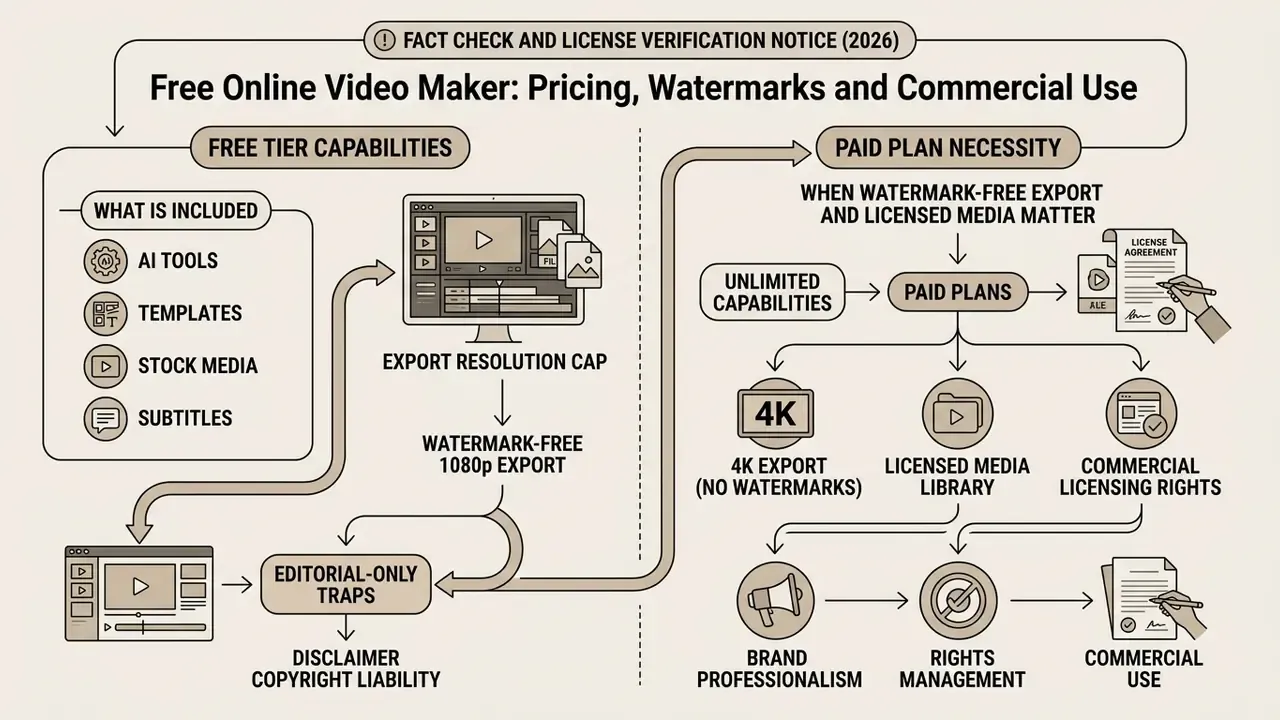
Selecting the best free online video maker means evaluating free tier capabilities against paid plans, export resolution caps, watermark policies, and commercial licensing rights. Many platforms let you create free video online with no upfront payment, but free tiers frequently apply feature limits or export watermarks.
| Feature / Parameter | Free Tier Plan | Paid / Pro Subscription Tier |
|---|---|---|
| Export Watermark | Common (or restricted to free assets) | Watermark-free exports guaranteed |
| Max Export Resolution | 720p - 1080p maximum | 1080p, 4K, custom bitrate options |
| Cloud Storage Limit | 1 GB - 5 GB basic storage | 100 GB to unlimited team cloud storage |
| Stock Media Access | Standard free stock library | Full access to premium royalty-free assets |
| AI Tool Quotas | Limited monthly credits | Expanded / high-volume AI processing |
| Commercial Usage Rights | Personal / non-commercial (varies) | Full commercial and advertising clearance |
| Admin & Identity Controls | None | SSO/SAML, SCIM, RBAC, audit logging |
| Contractual Assurances | Standard consumer ToS | SLA, DPA, security review, indemnification |
Fact Check and License Verification Notice (2026):
Detailed plan-by-plan breakdowns are maintained in the AI Media Pricing Guides, and Canva's specific licensing mechanics are covered in the Canva AI Generator overview.
What Is Included in a Free Online Video Maker
A typical best free online video creator gives immediate access to essential timeline editing tools with no credit card required during account creation. Free plans generally include timeline trimming, multitrack audio layering, web-based rendering, standard text typography, captions, transitions, an audio library, and a subset of basic video templates.
For anyone comparing the best online video maker websites, testing the free version is the only reliable way to judge timeline responsiveness, rendering speed, and interface clarity before committing to a monthly subscription. Run the trial against a realistic project, say a 90-second multitrack sequence with captions and a voiceover, rather than a five-second template. Free-tier performance ceilings usually appear only under load, and that is where the differences between the best video making websites become obvious.
When Watermark-Free Export and Licensed Media Matter
IP Indemnification and Risk-Adjusted ROI for Enterprise Procurement
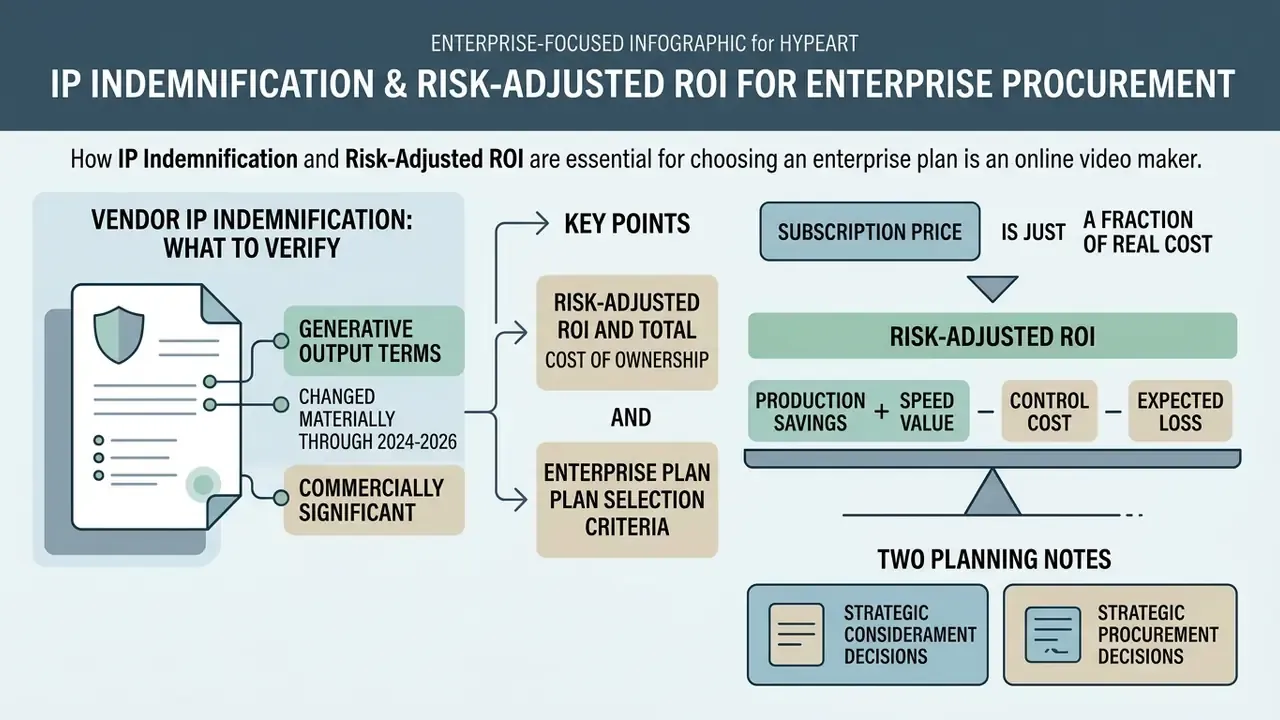
Vendor IP Indemnification: What to Verify
Indemnification terms for generative output changed materially through 2024-2026, and this is the single most commercially significant clause in an enterprise agreement for AI video. Because terms are amended frequently and differ by plan, treat the table below as an evaluation framework to verify against current contract language, not as a standing statement of any vendor's obligations.
| Verification Point | Question to Put in Writing | Why It Matters |
|---|---|---|
| Scope of indemnity | Does coverage extend to third-party IP claims arising from generated output, or only to the platform software? | Output indemnity is the material protection. Software-only indemnity does not cover a copyright claim on a generated scene. |
| Plan eligibility | Is indemnification limited to enterprise or business tiers? | Consumer and free tiers typically carry none. |
| Training-data basis | Is the model trained on licensed and public-domain content? | Adobe states its Firefly models are trained on licensed and public-domain content and designed for commercial use. |
| Conditions and carve-outs | Is coverage void if the user prompts for a third-party style, brand, or named person, or disables safety filters? | Most carve-outs sit here, and most real incidents originate here. |
| Caps and remedies | Is liability capped at fees paid, and does the vendor control the defence? | Determines whether the indemnity is economically meaningful. |
| Stock media chain | Does the embedded stock library carry a perpetual worldwide commercial licence, and are editorial assets flagged? | Stock licensing and model-output licensing are separate risks inside the same export. |
| Likeness and voice | Who holds consent records for avatars and cloned voices, and how long are they retained? | Publicity and likeness rights sit outside copyright indemnities. |
Ongoing disputes shaping these terms are tracked in our AI Litigation and Case Timelines resource.
Risk-Adjusted ROI and Total Cost of Ownership
A subscription price is a fraction of the real cost. Model the decision like this:
Risk-Adjusted ROI = ( Production Savings + Speed Value − Control Cost − Expected Loss )
                    ─────────────────────────────────────────────────────────────────
                       ( Licence Cost + Implementation + Control Cost )
where:
  Production Savings = (external studio/agency spend avoided)
                     + (internal hours avoided × loaded hourly rate)
  Speed Value        = value of shortened time-to-publish (campaign or
                       training cycles enabled per period)
  Control Cost       = validation + security review + DLP tuning
                     + human review time per asset + record retention
  Expected Loss      = Σ (probability of incident × impact)
                       incidents: IP claim, caption error in regulated
                       content, data leakage, synthetic-likeness misuse
  Implementation     = SSO/SCIM integration + brand kit build
                     + template governance + training
Two planning notes. First, human review time scales with volume, so the marginal saving per clip falls as output rises. Model it per asset, not as a fixed annual number. Second, validation is largely a fixed cost, which means low-volume pilots often show negative risk-adjusted ROI even when the tool performs well. That is an argument for consolidating onto one governed platform, not for abandoning the category. Unit economics for API-metered generation can be estimated with the AI Media Calculators and the Google Veo implementation guide.
Enterprise Plan Selection Criteria
| Criterion | Minimum Acceptable | Preferred |
|---|---|---|
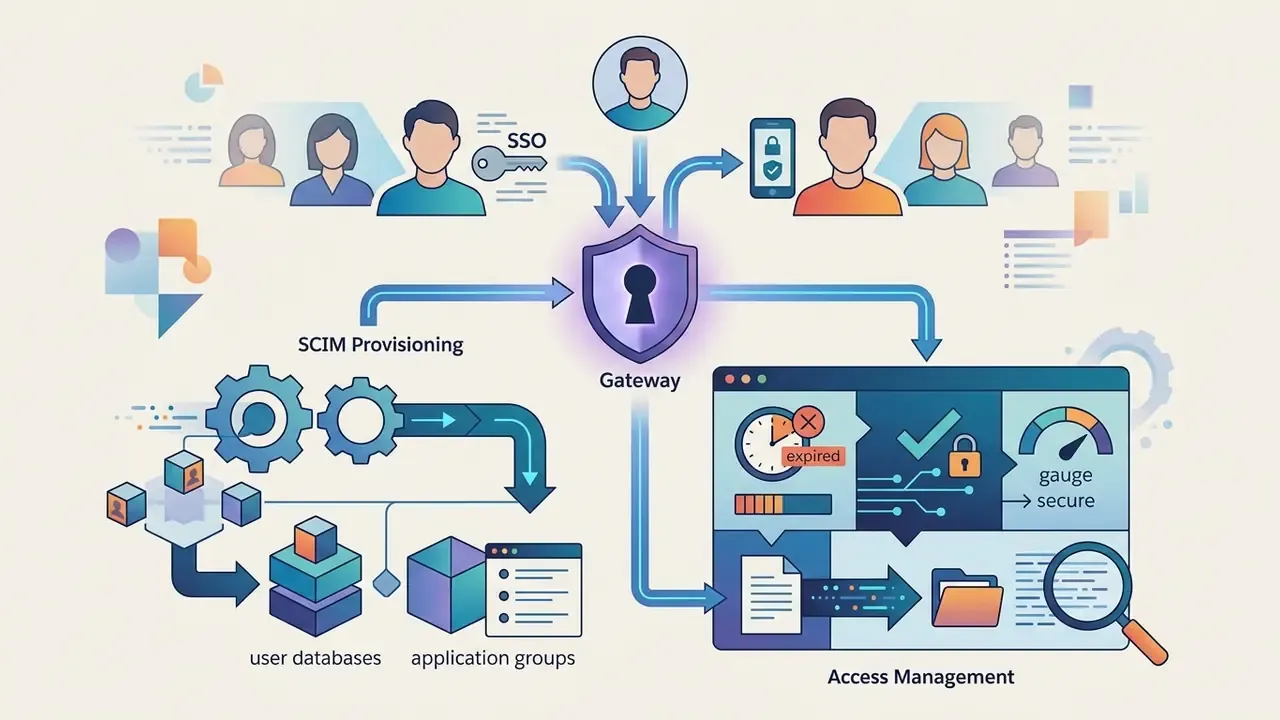
| Identity | SSO/SAML | SSO + SCIM provisioning + enforced MFA |
| Access control | Workspace roles | Granular RBAC with download-disabled reviewer role |
| Auditability | Admin activity log | Exportable generation records with model version |
| Data handling | DPA available | Zero-retention prompts + selectable data residency |
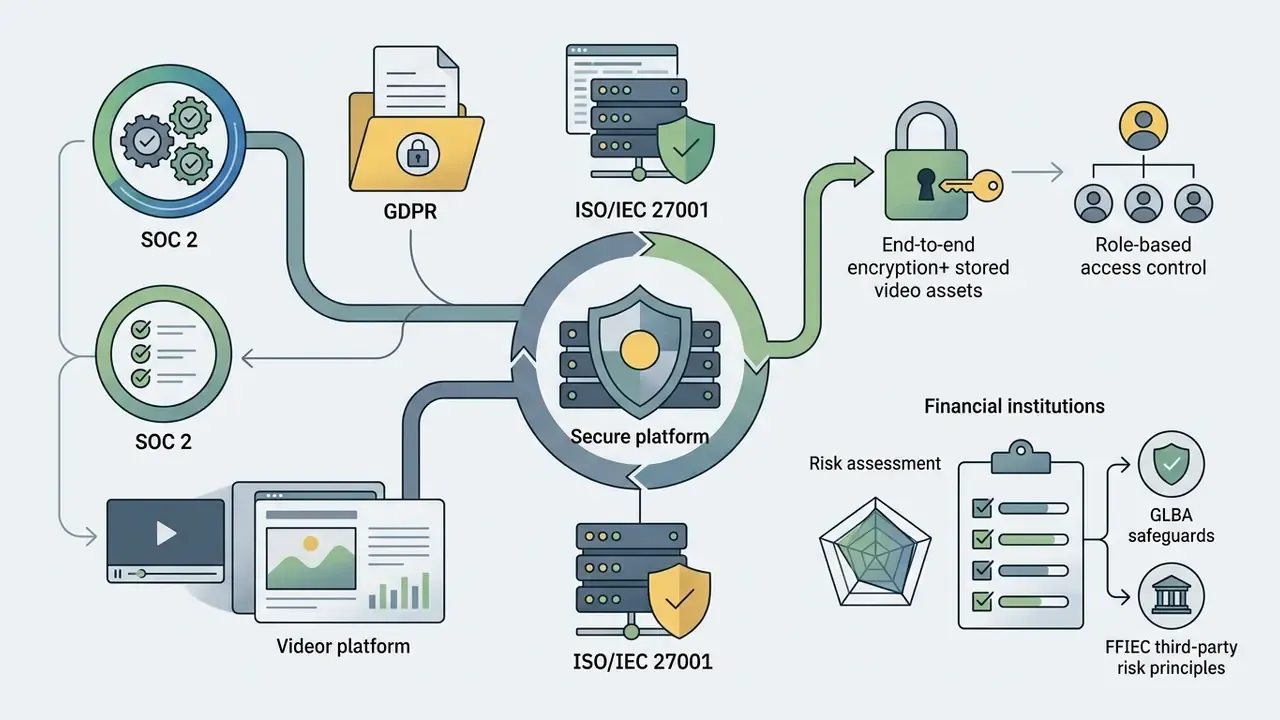
| Certifications | SOC 2 Type II | SOC 2 Type II + ISO/IEC 27001 + pen-test summary |
| Availability | Best-effort | Contractual SLA with service credits |
| Output rights | Commercial use permitted | Written output IP indemnification |
| Exit | Manual export | Bulk project and asset export with metadata |
Vendor Evaluation Checklist Before Deployment
Run this before an online video maker touches a corporate asset.
Checklist0 / 23
Frequently Asked Questions (FAQ)
What is the best video maker online free for beginners?
The best video maker online free for beginners offers a drag-and-drop timeline, pre-built video templates, automated subtitle generation, and watermark-free 1080p export without credit card details at registration. Verify the watermark policy against your intended asset mix before you start, since several platforms are watermark-free only while you stay inside their free asset library.
Can I create commercial marketing videos using a free video maker?
Yes, provided every stock element, audio track, and font in the video project is cleared under a commercial royalty-free licence. Using paid stock elements on a free tier may introduce watermarks or require a licence upgrade before commercial deployment. Editorial-only assets remain excluded from commercial use even when the download itself is free.
Do I need to download software to edit videos online?
No. Modern web-based video editors run entirely inside standard desktop browsers (Google Chrome, Microsoft Edge) using cloud infrastructure and WebAssembly to process media locally or remotely, with no desktop installation. Keep the browser updated, because vendors validate against recent Chromium versions.
Can I edit videos on a phone or tablet?
Yes. Several platforms publish companion iOS and Android applications that synchronise drafts with the browser workspace, so a project can start on mobile and finish on a workstation. Confirm whether the mobile app supports full multitrack editing or only template customisation, and record vertically at 1080×1920 when the destination is Reels, Shorts or TikTok.
How does AI assist in the video creation process?
AI tools automate repetitive post-production work: converting written scripts into draft timelines, generating subtitles from spoken audio, synthesising text-to-speech voiceovers, removing visual backgrounds through per-frame segmentation, and enhancing audio quality in one click. You still fine tune the result. The draft is a starting point, not a deliverable.
Can I publish directly to social media from a browser editor?
On some platforms, yes. Adobe Express includes a content scheduler for planning and publishing Reels, TikTok videos and Facebook Stories, and Clipchamp supports direct sharing to TikTok and LinkedIn company pages plus saving to OneDrive, Google Drive and Dropbox. Others only generate a public share link, which is not equivalent. Confirm whether the integration performs an authenticated platform post.
Is a browser-based video editor safe for confidential corporate footage?
It depends on architecture and contract, not on marketing language. Ask which operations are processed locally versus in the vendor cloud, require a DPA plus SOC 2 Type II evidence, obtain written confirmation that uploads and prompts are excluded from model training, and restrict pre-release material to workflows with expiring links and download-disabled reviewer roles.
How accurate are AI-generated subtitles, really?
Accuracy is condition-dependent. Reported Word Error Rates for clean, native-speaker English in quiet settings are very low (figures of roughly 2.5%-3.4% are commonly cited, though we recommend verifying the primary source before using them in an internal claim), while a 2024 study of English learners' speech found accuracy mostly between 50% and 70%. Benchmark on your own audio, and always apply human correction to regulated or accessibility-critical content.
Do we need to validate an AI video tool under our model risk framework?
If generated output influences customer-facing claims, compliance training, or regulatory communications, treat it as in scope. Apply SR 11-7 principles (independent review, reproducible documentation, ongoing monitoring) alongside the NIST AI RMF Govern, Map, Measure, Manage structure, and log model version, prompt reference, reviewer and approval status for every published asset.
What happens if generated video infringes someone's copyright?
That is what output indemnification is for, and why the clause must be read closely. Confirm whether coverage extends to generated output or only to the software, whether it applies to your purchased tier, what conditions void it (prompting for a named artist's style or a third-party brand typically does), and how liability is capped. This is general information, not legal advice. Review the clause with counsel.
Limitations and Open Questions
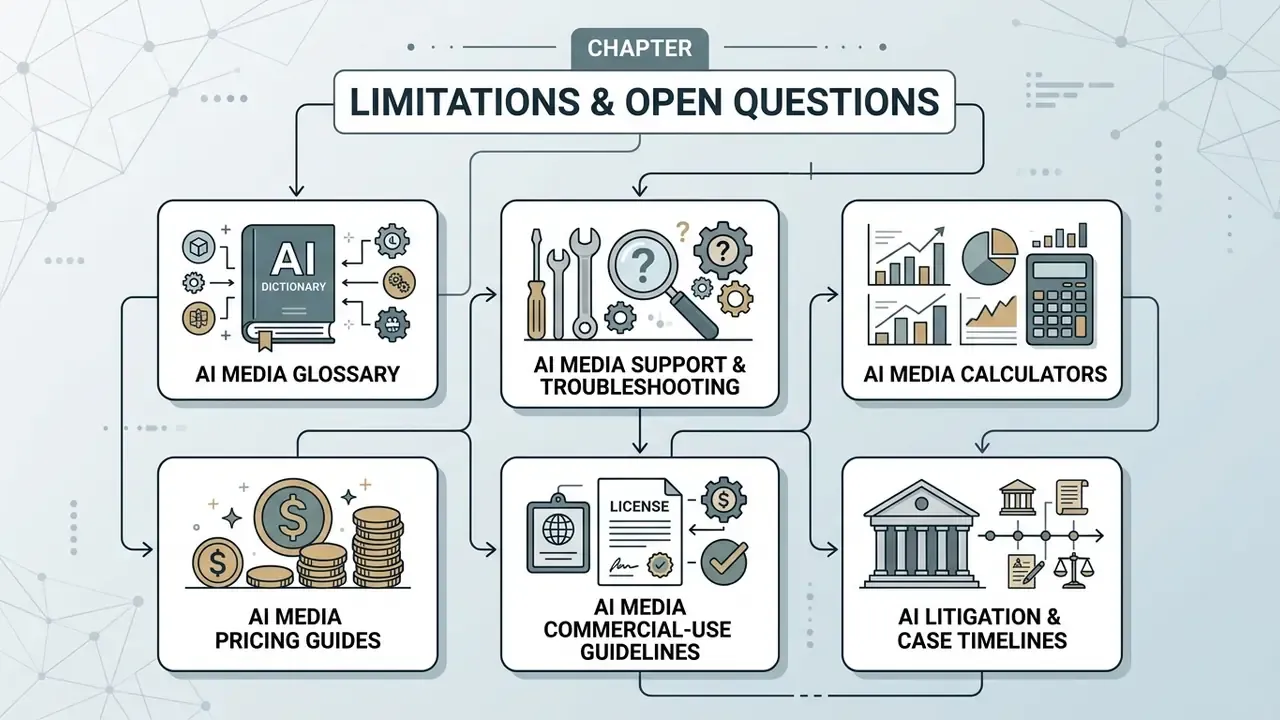
Footer Navigation / Hub Links



Social Media Videos for TikTok, Instagram and YouTube
Creating social media video content requires adhering to strict platform display specifications, aspect ratios, and audience retention patterns. A versatile content video maker provides dedicated vertical (9:16), square (1:1), and horizontal (16:9) framing templates tuned for fast-paced digital feeds.
Optimising asset framing keeps critical graphic elements, text overlays, and visual calls-to-action inside visible safe zones across mobile and desktop applications.
Framing is not purely cosmetic. Measurable production variables correlate with downstream engagement: