One thing worth saying up front. The technology is now cheap; the governance around it is not. If you send invites on behalf of a brand, a bank, or a regulated fintech, the guest list itself becomes the risk object, not the render.
Executive Summary: Key Points at a Glance
- What it is A browser-based editor or generative engine that converts event details (names, date, venue, RSVP link) into an MP4 video, an animated GIF, a static PNG card, or a hosted interactive web link.
- Two production models Template editors give you precise layout governance; AI text-to-video generators draft complete scenes from a single prompt. Hybrid tools combine structured text placement with AI-generated visuals, music, and voiceover.
- Measured impact Personalized AI video communications lifted click-through rates by 9.4 percentage points versus personalized images in a randomized experiment with 21,328 recipients (MIT IDE, 2025). Structured digital RSVP flows report 89% response rates within seven days versus 52% for postal reply cards.
- Cost logic Generative pipelines reduce the cost of producing 100,000 personalized videos from roughly $12 million to about $220,000, close to a 90% reduction. That is the only reason genuinely free tiers exist at all.
- Occasion coverage Weddings (including Indian and Islamic ceremonies), birthdays, baby showers, engagements, graduations, funerals and memorial services, holiday campaigns, and corporate launches each need distinct pacing, palettes, and audio treatment.
- Before you publish Verify watermark rules, export resolution caps, commercial-use rights for music and synthetic voices, and, for corporate guest lists, the vendor's data-retention, SOC 2, and PII-handling posture.
- Technical baseline Export 1080×1920 (9:16) for messaging and Reels, 1080×1080 (1:1) for feeds, 1920×1080 (16:9) for desktop and YouTube. Upload sources within platform limits (video up to 1 GB, images under 50 MB, SVG under 3 MB saved as SVG 1.1).
What Is a Video Invitation Maker and When to Use It
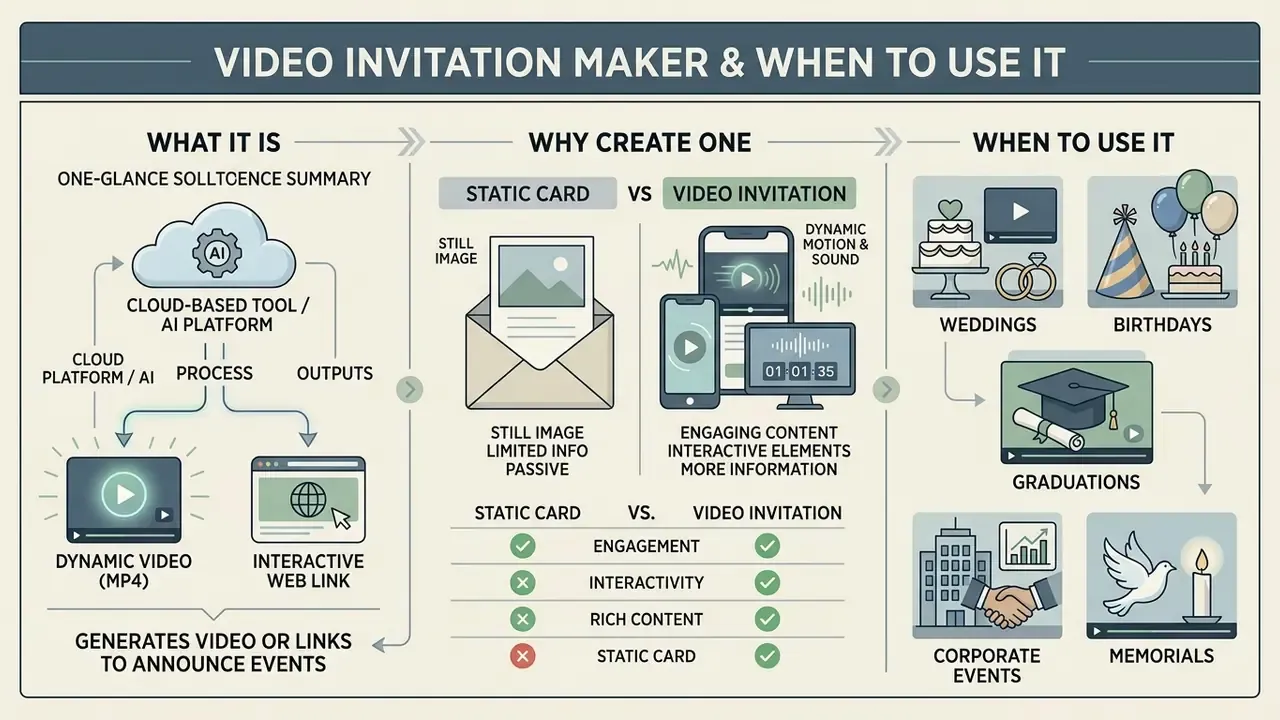
A video invitation maker is a cloud-based tool or AI platform that generates dynamic video files (usually MP4) or interactive web links to announce personal and corporate events. Use a digital invitation maker whenever an event needs higher guest engagement, clearer visual context on small screens, or a clean handoff into a digital response form.
The shift toward a digital invitation format mirrors wider changes in how people actually read messages. A physical invitation card still carries traditional sentiment, no argument there. But animated videos capture attention instantly inside messaging apps and social feeds, where most guests now first learn that an event exists. Planners use a video invitation maker to replace static cards with high-impact announcements built for a phone held in one hand.
Completion matters more than play rate here. An invite that opens but dies before the venue slide has failed operationally, even when the impression count looks healthy on a dashboard. Treat 15 to 30 seconds as the practical ceiling, and front-load the date and location inside the first five seconds. Guests decide fast.
Video Invitations for Weddings, Birthdays and Events
A video invitation maker adapts to different event formats by tailoring visual themes, animation pacing, and narrative order. For a wedding invitation video, the format leans on romantic motion graphics, a chronological story schedule, and detailed venue highlights. Personal milestones such as a birthday party, an engagement invitation, a baby shower, or a traditional Indian wedding invitation lean on specific colour palettes, cultural motifs, and thematic audio to set the tone before a single word is read.
Corporate and institutional use follows a different brief entirely. Conference and summit invitations, product launches, distributor roadshows, dealer previews, investor days, and internal all-hands announcements rely on brand-locked typography, muted transitions, an agenda slide, and one unmistakable registration call to action. No confetti. No countdown drama.
Why Create an Invitation Video Instead of a Static Card
Create an invitation video instead of a static card because motion lets you combine text, a music video bed, short video clips, and visual transitions into one multisensory message that arrives already formatted for the phone.
«Digital invitations with structured RSVP forms reach an 89% response rate within seven days versus 52% for postal cards, with 94–98% data accuracy versus 61%.»
| Evaluation Metric | Static Invitation Card (Print / Digital Image) | Video Invitation (Digital Motion Video) |
|---|---|---|
| Visual Personalization | Fixed layout limited to static typography and photos. Scaling personalized versions requires manual design revisions. | Dynamic animation layering text, video clips, and graphic transitions. Generative AI tools can automate personalized variations efficiently. |
| Audio Integration | Silent format with no direct audio capabilities. | Embedded background music tracks, customized sound effects, and synthetic or recorded AI voiceovers. |
| Mobile Readability | Compressed JPEG or PDF files often display small, illegible text on smartphone screens. | Sequential animated text overlays present event logistics clearly on mobile display ratios. |
| Distribution Efficiency | Physical mail requires lead time and print expenses; email attachments face spam filters and compression degradation. | Exported as standard MP4 files, animated GIFs for soundless messaging previews, static PNG cards, or hosted interactive web links optimized for WhatsApp, Instagram Reels, and TikTok. |
| Data Capture & RSVPs | Paper reply cards average a 52% response rate and 61% field accuracy due to lost mail and illegible handwriting. | Directly integrates or links to web forms, delivering up to an 89% response rate and 94–98% data accuracy. |
| Accessibility | Requires legible type and sufficient contrast; screen-reader users depend on an accompanying text version. | Needs burned-in or platform captions, high-contrast overlays, and a text summary in the message body for guests using assistive technology. |
Summary: Static cards keep physical keepsake value. Video invitations win on visual engagement, mobile clarity, and verifiable guest response rates.
How to Choose the Best Invitation Video Maker
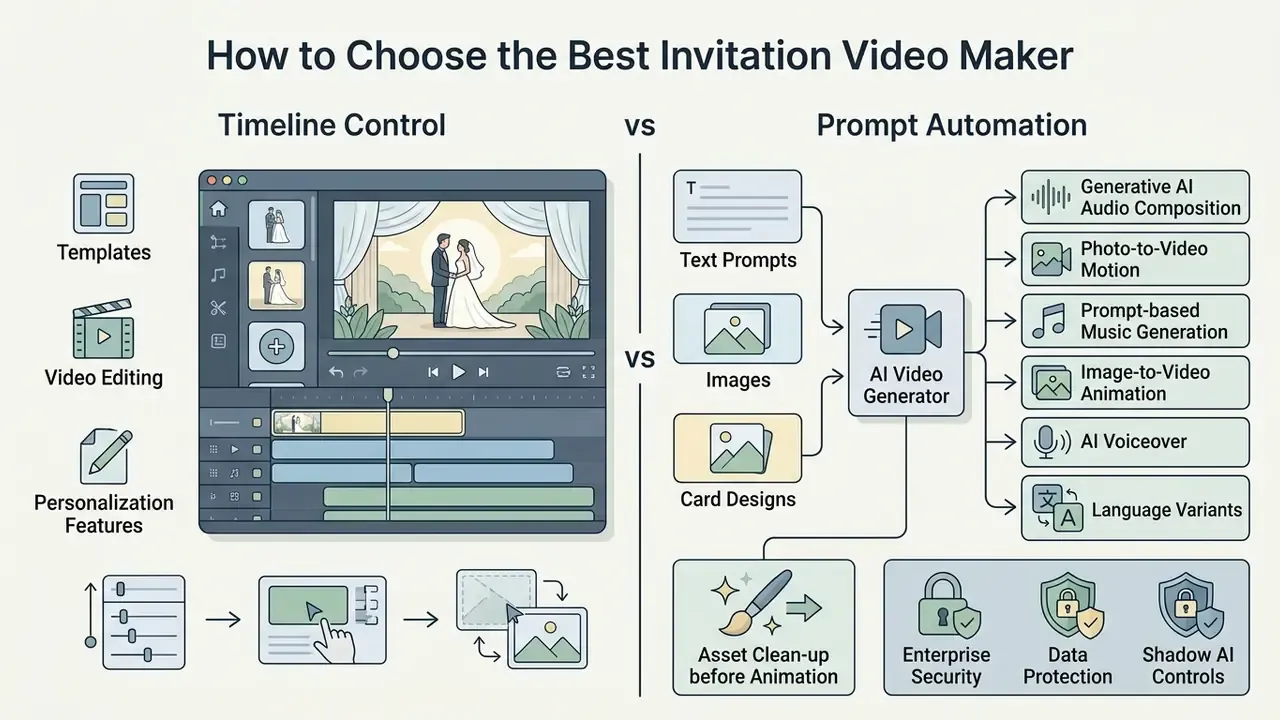
To choose the best invitation video maker, decide first whether your workflow needs structured timeline control or prompt-driven automation. Then check template selection, audio editing options, export formats, and, for organizational use, security and data-retention controls. The right platform balances speed of execution against granular control over typography, media assets, and branding.
Choosing between a template-driven editor and an AI video generator really comes down to operational priority. Template editors hand you precise layout governance over every element. Prompt-based tools draft finished scenes from a couple of sentences, which is fast, occasionally uncanny, and rarely exact about spelling.
Templates, Video Editing and Personalization Features
A capable video invitation maker ships with a full video editor: customizable video templates, title animation presets, drag-and-drop media timelines, and royalty-free stock media. Personalization tools let you customize colours, overlay your own video clips, add romantic or playful graphics, retime transitions, and add music tailored to the occasion. Free templates cover the common cases; the paid libraries mostly buy you better typography and cleaner motion.
For large corporate gatherings or industry galas, teams keep formal wording consistent by working from documented event copy standards. Fixed patterns for host lines, honorifics, agenda blocks, and RSVP deadlines mean every language variant and every regional invite carries identical tone and identical legal disclaimers. The same discipline that governs an ai reference letter template or an ai resume generator output applies here: fixed structure, reviewed language, no improvisation in the legal lines.
AI Video Generation from Text Prompts, Images and Cards
AI-powered invitation tools generate animated content straight from a plain text prompt, a static image upload, or an existing invitation card. Text-to-video AI tools handle scene construction, camera motion, and pacing on their own. Modern models read venue details, host names, and aesthetic preferences, then output multi-scene videos with synchronized synthetic narration, custom artwork, and fairly convincing motion effects.
«AI-personalized videos increased click-through rates by 9.4 percentage points versus personalized images and by 6.5 percentage points versus generic videos.»
This figure is published through the MIT Initiative on the Digital Economy research programme. Cite it as a field-experiment working paper rather than a peer-reviewed journal article when you reuse it in an internal deck.
Feature Selection Matrix: Template Editor vs. AI Video Generator vs. Hybrid System
| Operational Task | Template-Based Video Editor | AI Text-to-Video Generator | Hybrid Tool (Templates + AI) |
|---|---|---|---|
| Custom Wedding Video Creation | Provides fixed layouts where users manually insert names, dates, and photos into preset scenes. | Generates unique artistic scenes from text prompts, though precise text placement may require retries. | Uses structured templates for reliable text placement while leveraging AI for background animations. |
| Card Image Animation | Applies manual pan, zoom, and transition effects over imported static card graphics. | Reinterprets the card design via visual prompts, generating fluid motion around static elements. | Imports static artwork directly and applies AI motion effects while preserving original typography. |
| AI Voiceover Integration | Requires uploading pre-recorded external audio files or basic text-to-speech tools. | Generates multi-language synthetic narration synchronized directly to scene timing. | Generates AI voiceovers inside template timelines, allowing precise audio-visual alignment. |
| Social Media Optimization | Includes explicit 9:16 and 1:1 canvas aspect ratio presets for manual export. | Generates motion scenes that may require cropping to fit strict vertical platform specs. | Automatically formats AI-generated visuals into pre-set vertical social media frame templates. |
| RSVP Form Linking | Exports video files that must be paired manually with landing page or message links. | Renders visual QR codes or text prompts into the video frames during generation. | Embeds interactive call-to-action overlays directly connected to digital guest management databases. |
| Enterprise Control & Governance | Brand kits, locked templates, and manual approval steps; audit trails depend on the workspace plan. | Prompt logs and model settings vary widely; check whether inputs are retained for model training. | Team workspaces with SSO, role permissions, version history, and exportable audit logs on business tiers. |
Summary: Template editors maximize structural governance. AI generators prioritize draft speed and novel visuals. Hybrid tools land closest to what professional event workflows actually need.
In practice that limitation means generative engines are unreliable for rendering exact names, dates, and street addresses inside the frame. Generate the atmosphere with AI. Then overlay the factual text layer in the editor, where spelling and kerning stay deterministic and a reviewer can sign off on what is actually written.
Generative AI Audio Composition and Photo-to-Video Motion
Advanced AI invitation makers go beyond rendering and add generative audio plus image-motion engines:
- Prompt-based music generation Systems read text prompts, lyric inputs, uploaded reference tracks, or vibe selectors (for example, "cinematic romantic violin, 72 BPM, soft build at 12 seconds") and compose royalty-free background music matched to scene timing. That removes the licensing ambiguity of commercial pop while keeping a bespoke feel.
- Image-to-video animation Upload a printed invitation card, a mehendi illustration, or an engagement photo, and generative models apply subtle camera movement (pan, tilt, parallax, depth-of-field shifts) plus animated lighting such as falling petals, candle flicker, or drifting bokeh. Static designs become fluid clips without manual keyframing.
- AI voiceover and language variants One script can be narrated in several languages or accents, produced with an AI voice generator and re-synced to the existing timeline instead of re-edited from scratch.
- Asset clean-up before animation Scanned or printed cards usually need cropping, dust removal, and contrast correction in a photo editor before the motion model can output anything clean.
Enterprise Security, Data Protection and Shadow AI Controls
Invitation projects look harmless. Corporate guest lists are not: names, job titles, phone numbers, dietary notes, sometimes home addresses. Uploading that spreadsheet into an unvetted consumer generator is a textbook Shadow AI incident, and it usually surfaces during an audit rather than during the event. Before approving a tool for organizational use, work through this checklist:
- Data retention Does the vendor offer zero data retention (ZDR) or a documented deletion window for prompts, uploads, and rendered outputs?
- Training opt-out Are customer inputs excluded from model training by default on the plan you are buying, not only on the enterprise tier?
- Certifications Is a current SOC 2 Type II report, ISO/IEC 27001 certification, or equivalent third-party attestation available under NDA?
- Regional processing Where are renders processed and stored, and does the contract support GDPR, CCPA, or sector-specific obligations relevant to your institution?
- Access control Does the workspace support SSO/SAML, role-based permissions, guest-link expiry, and exportable audit logs?
- Personalization pipeline If invites are merged from a CRM, is the merge done through an API with encrypted transport rather than by uploading a raw contact file?
- Ownership Who is the named owner of the invitation workflow, and who approves an exception when marketing wants to move faster than the control allows?
- Indemnification Does the vendor contractually indemnify customers against third-party IP claims arising from generated visuals, voices, or music?
- Link hygiene Are RSVP links hosted on a brand-owned domain rather than an unfamiliar short link, so recipients can tell a genuine invite from a phishing attempt?
For programmatic personalization across thousands of contacts, review implementation and cost constraints in our AI Media API Guides before you commit to a vendor.
Video Invitation Templates for Different Occasions
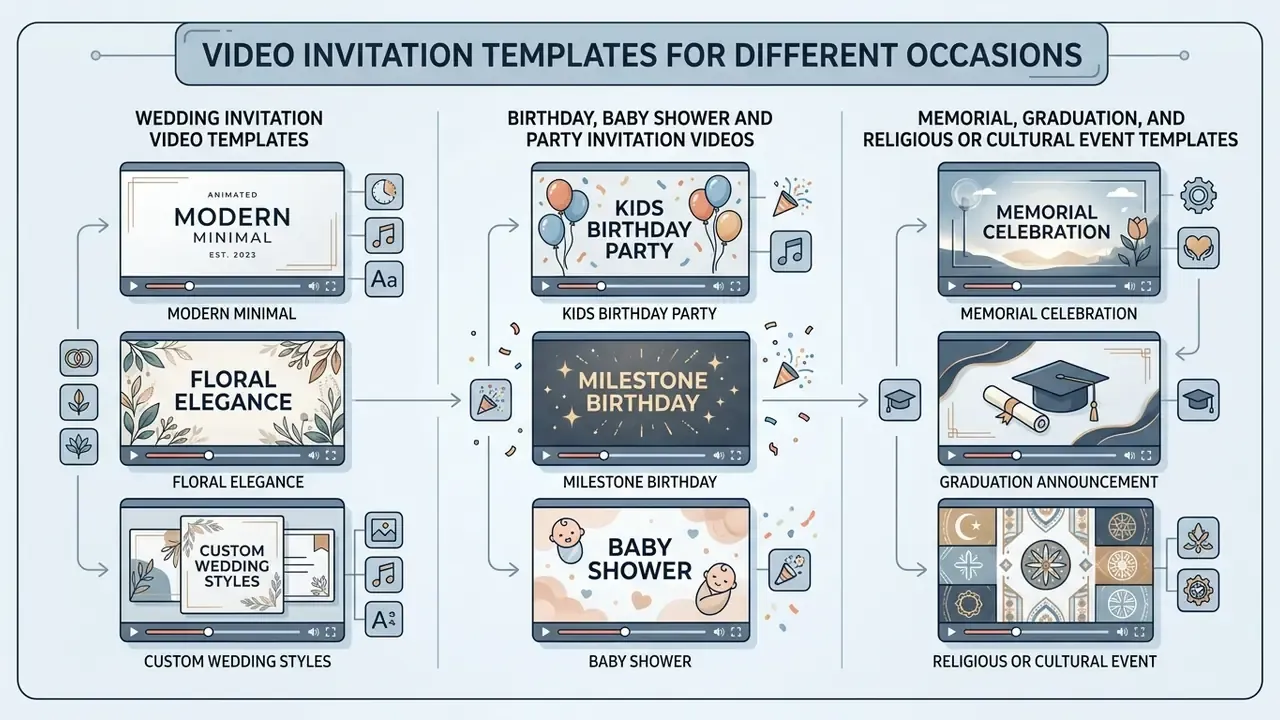
Video invitation templates simplify production by supplying pre-designed layouts, typographic hierarchies, and audio pairings matched to a celebration type. A good invitation template keeps visual consistency and cuts design time from hours to minutes. For fully illustrated or character-driven invites, dedicated animation makers add motion presets that generic editors simply do not carry.
Different celebrations demand different pacing. Holiday invitations lean festive and fast; corporate gatherings stay minimalist, with crisp typography and a legible agenda.
Wedding Invitation Video Templates and Custom Wedding Styles
A wedding invitation video template centres on romantic aesthetics, refined motion typography, and gentle transitions. Designers pair custom wedding palettes (ivory, champagne gold, blush, sage green) with elegant serif faces and soft background audio. Keep the scheme to two or three colours, and pair one expressive script for the couple's names with one highly readable companion face for logistics. That single rule fixes most amateur-looking invites.
For cultural celebrations such as a traditional Indian wedding invitation, templates bring in vibrant colour schemes, heritage patterns, and animated ceremonial sequences covering Sangeet, Mehendi, the Ring Ceremony, and the Reception. Couples building a full digital wedding portal can compare technical capability across specialized platforms using our AI Media Comparison Matrices. If you are hunting specifically for the best free wedding invitation video maker, the deciding factor is almost always the export ceiling, not the template gallery.
Birthday, Baby Shower and Party Invitation Videos
Birthday and casual party templates favour dynamic animation, high-contrast colour, and energetic audio. A birthday party or baby shower invitation video often carries a custom photo slideshow, animated stickers, and a direct location map. Kids' parties and pet parties follow the same construction logic with playful illustration sets. Accessibility still applies, even to a five-year-old's dinosaur theme: legible type, strong contrast, plain language, captions for spoken audio.
When drafting playful copy, creators often write social captions with AI caption tools, then polish the event description with an ai rewrite generator so the wording reads the same across every messaging group. For flirty or tongue-in-cheek party lines, some hosts even test phrasing with an ai rizz generator before settling on something their relatives can read without wincing.
Memorial, Graduation, and Religious or Cultural Event Templates
Beyond festive occasions, video invitations can hold a respectful tone for solemn events, milestones, and faith-based gatherings:
- Funeral and memorial services: Use muted tones (pale blue, soft grey, dark florals, watercolour washes), serene slideshow collages, and gentle ambient audio. Prioritize the service time, the chapel or graveside address, a livestream link for distant relatives, and the family's wishes on flowers or donations. Avoid hard cuts, countdown timers, and promotional animation completely.
- Graduation parties: Combine countdown visuals, school colours, class-year typography, and photo transitions that run from first day to cap toss. Vertical 9:16 exports work best, because graduates redistribute these invites through Stories within minutes.
- Religious and cultural gatherings: Templates for Islamic weddings, nikah and walima announcements, Eid celebrations, and other traditional ceremonies carry pre-integrated motifs, Arabic calligraphy placeholders, and thematic instrumental tracks. Islamic invitation wording conventionally opens with a Bismillah or blessing, names the hosting families, lists nikah and walima details separately with individual times and venues, and closes with a dua. The template's scene order should mirror that sequence rather than fight it.
- Holiday and seasonal campaigns: Christmas, New Year, Halloween, Thanksgiving, Easter, and Diwali sets bundle seasonal palettes, festive particle effects, and promo-ready layouts for retail or community events.
How to Create a Video Invitation Online in Simple Steps
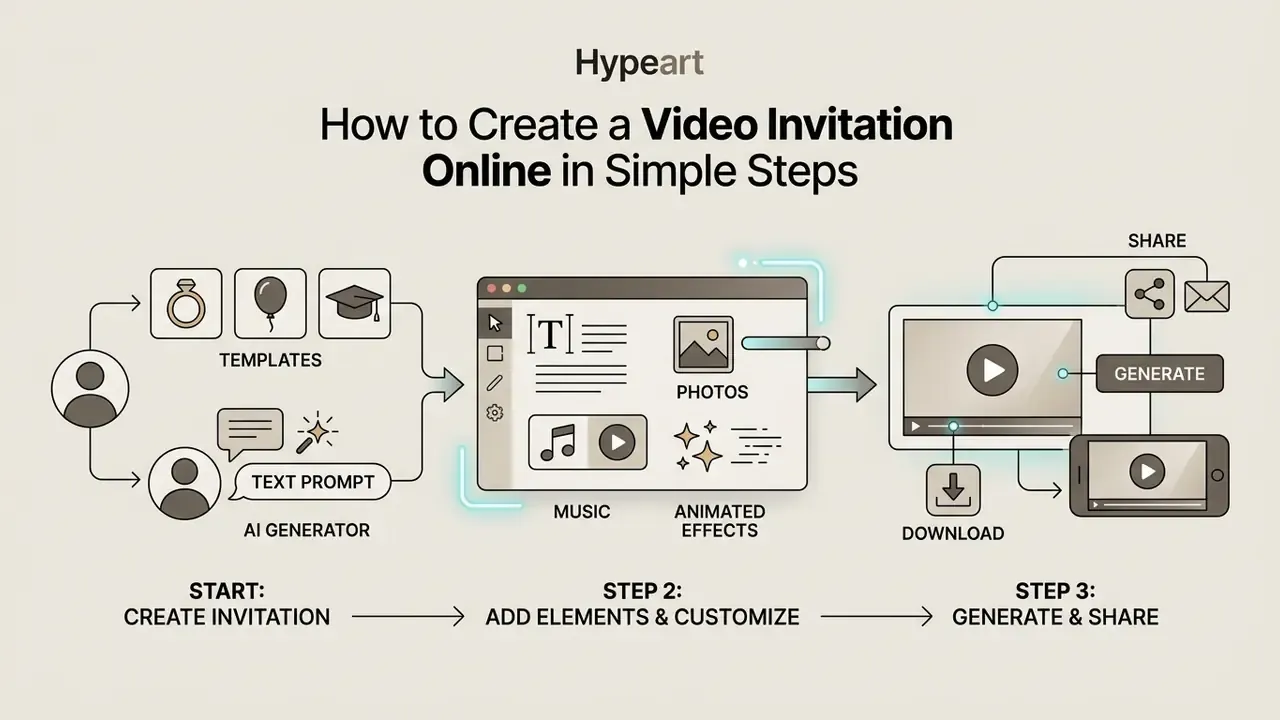
To create a video invitation online, pick an invitation template or write a text prompt, enter your event details, upload personal media, set the background audio, click generate, and download the finished MP4. Modern web interfaces removed the editing barrier almost entirely.
Creation flow at a glance:
STEP 1 - INPUT              STEP 2 - CUSTOMIZE           STEP 3 - AI GENERATION        STEP 4 - EXPORT & SHARE
Choose template or prompt >  Upload photos/clips,      >  Render scenes, voiceover,  >  MP4 / GIF / PNG,
Enter names, date, venue,    set fonts, colors, music,    captions, motion effects;     9:16 · 1:1 · 16:9,
dress code, RSVP link        adjust scene timing          refine via chat commands      link, QR code, socials
- Select a starting pointChoose a pre-made invitation template or write a descriptive text prompt covering the occasion.
- Input event detailsAdd host names, date, time, venue address, dress code, and RSVP instructions.
- Customize visuals and audioUpload personal photos or video clips, adjust colour schemes, select fonts, add music. Then use natural-language chat commands (often labelled "Magic Box" or "Magic Edit") for fine adjustments without touching a timeline, for example: "Change the background music to a faster acoustic guitar track." / "Replace the synthetic voiceover accent with a warm British accent." / "Delete Scene 3 and extend the venue map slide by four seconds." / "Make the couple's names two sizes larger and centre them on the opening frame."
- Generate and renderClick generate to render the final motion assets into an MP4 file or a shareable link.
- Download and distributeDownload the high-definition file and share it by email, messaging app, or social post.
Start with a Template or Create an AI Invitation from a Prompt
You can begin either way. Starting with free templates gives you an established design framework where you type invitation details into fixed fields: layout first, content second. Feeding a text prompt to an AI video generator flips that order, letting the system draft video clips, scene structure, and visual theme, with structure negotiated afterwards. Strong prompts specify subject, setting, mood, lighting, camera motion, duration, and output ratio. Vague prompts produce generic stock-looking scenes, every time.
Workflow-driven tools reduce prompt anxiety by replacing the blank box with a short form: occasion, tone, audience, platform, length. The system assembles the prompt for you, then exposes the same command box for refinements. Honestly, that hybrid onboarding is the single biggest usability improvement of the past two years.
Add Text, Photos, Music and Animated Effects
Customizing a project means balancing textual clarity against visual atmosphere. Upload high-resolution photos or clips to build a personal slideshow sequence. Background music and transition effects raise emotional impact, but audio levels must be calibrated so event text stays easy to read. Duck the music 6 to 9 dB under any narration, and hold overlay text on screen long enough to be read twice, not once.
When managing media workflows for enterprise event portfolios, media teams lean on AI Media Support and Troubleshooting protocols to clear rendering bottlenecks and asset ingestion errors before a deadline turns ugly.
Free vs Paid AI Invitation Video Makers: What to Check
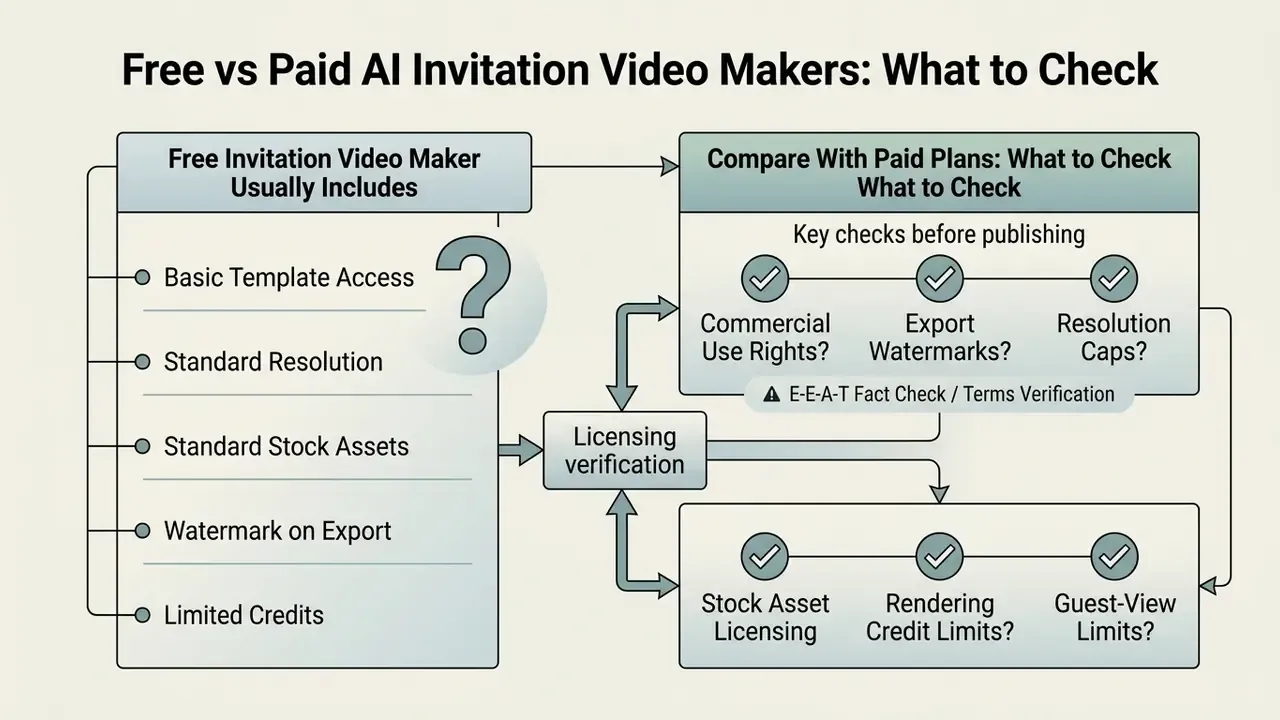
When you compare a free invitation video maker against paid plans, check exported watermarks, resolution caps, stock asset licensing, guest-view limits, and rendering credit quotas. Free tiers handle casual events comfortably. Paid subscriptions unlock high-definition exports, commercial rights, and the heavier AI generation features.
«Generative AI cut the cost of producing 100,000 personalized videos to roughly $220,000 versus about $12 million with traditional production, close to a 90% saving.»
That cost curve explains the market structure neatly. Rendering is cheap enough to give away, so vendors monetize watermark removal, resolution, credits, and licensing instead of the render itself.
Plenty of tools market themselves as a free ai video invitation maker, or offer a free ai wedding invitation video maker tier, or ship a free invitation video maker app for mobile. Organizers still need to verify export conditions before sharing anything publicly, or an unexpected watermark lands in front of 300 guests. Typical gating patterns: a cap on invitations per account (often five), a cap on unique guest views per invitation (often ten), single-event licences, and guest-count tiers that scale price with list size.
What a Free Invitation Video Maker Usually Includes
A free online invitation video maker normally gives you basic editing tools, standard invitation templates, and web-resolution exports, commonly 720p and sometimes only 480p.
Free plans let you build simple animated invites, add text, and upload personal photos. Comparing free AI video generators side by side remains the fastest way to see where the export ceilings actually sit, since marketing pages rarely say it plainly.
Free versions also tend to stamp a provider watermark, restrict premium stock media, limit AI generation credits, and cap concurrent renders. For technical definitions of compression and rendering terms, see our AI Media Glossary, and our guide to free photo editors for the same trade-offs on the image side.
Pricing, Plans and Commercial-Use Checks Before Publishing
Paid plans remove watermarks, enable 1080p or 4K MP4 exports, unlock commercial usage rights, and widen AI voiceover capability. Before using generated assets in a marketing video or promo video campaign, confirm the licensing terms in writing. Screenshot them. Plans change quietly.
E-E-A-T Fact Check / Terms Verification:
To review current market cost benchmarks across media software categories, consult our AI Media Pricing Guides.
How to Make an Invitation Video Look Professional: Wedding and Corporate Standards
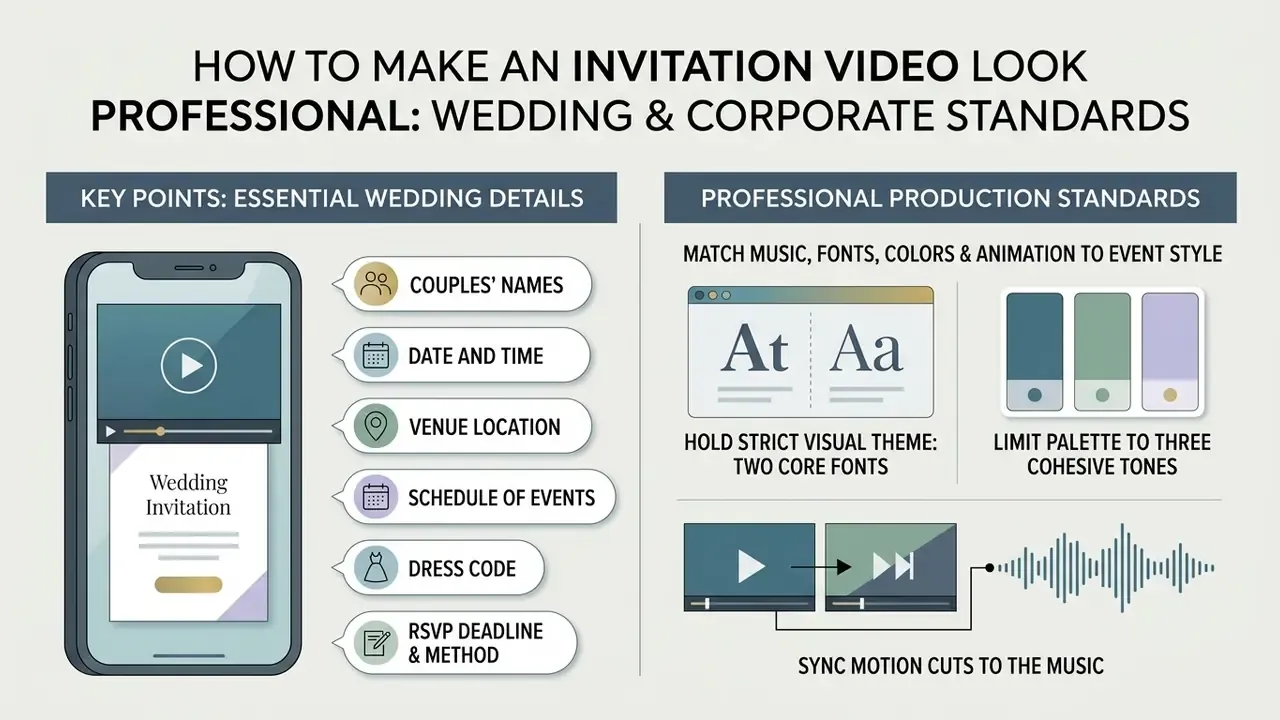
To make an invitation video look professional, hold a strict visual theme with two core fonts, limit the palette to three cohesive tones, sync motion cuts to the music, and display logistics clearly. Professional execution comes from design discipline, not effects volume. The same rules govern a black-tie wedding, a memorial slideshow, and an investor-day summit invite.
A good custom wedding invite balances emotional storytelling with a clear information hierarchy. Guests should grasp the event context within five seconds. For corporate galas, launches, and summits, swap the couple's names for the brand lockup and the ceremony schedule for the agenda, then keep the identical hierarchy: who, what, when, where, how to respond.
Include Essential Wedding Details in the Invitation
Every wedding video invitation has to carry core logistics without crowding the frame. Present details sequentially, one idea per slide.
- Couples' names Prominent in the opening scene.
- Date and time Day of the week plus specific ceremony start times.
- Venue location Full address and landmark detail, or a link or QR code to digital maps.
- Schedule of events Sequential timings for ceremony, cocktail hour, and reception.
- Dress code Specific attire expectations (black tie, semi-formal, traditional).
- RSVP deadline and method A clear response date with a website URL or messaging contact.
Non-wedding formats shift the required blocks slightly. Memorial invites add livestream access and donation instructions. Graduation invites add the graduate's name, school, and class year. Corporate invites add registration deadlines, badge-collection details, and an accessibility contact for accommodation requests.
Match Music, Fonts, Colors and Animation to the Event Style
Visual harmony means matching typography, colour theme, and audio tempo to the event concept. Use one expressive script font for the bride and groom names, paired with a clean sans-serif for details. Restrict the palette to two or three complementary colours (ivory, champagne, sage works) so text stays legible over footage. Corporate invites should pull those values straight from documented brand HEX codes, not from memory.
Animation tempo should follow the audio. Romantic instrumentals pair with slow fades; upbeat party music suits quicker cuts, and high-energy kinetic typography usually sits around 130 to 140 BPM. Memorial invitations invert the rule entirely: long dissolves, no beat-synced cuts, audio kept beneath speech level. Budget owners often use our calculators to weigh media production software costs against the total hosting budget.
Download and Share a Digital Video Invitation
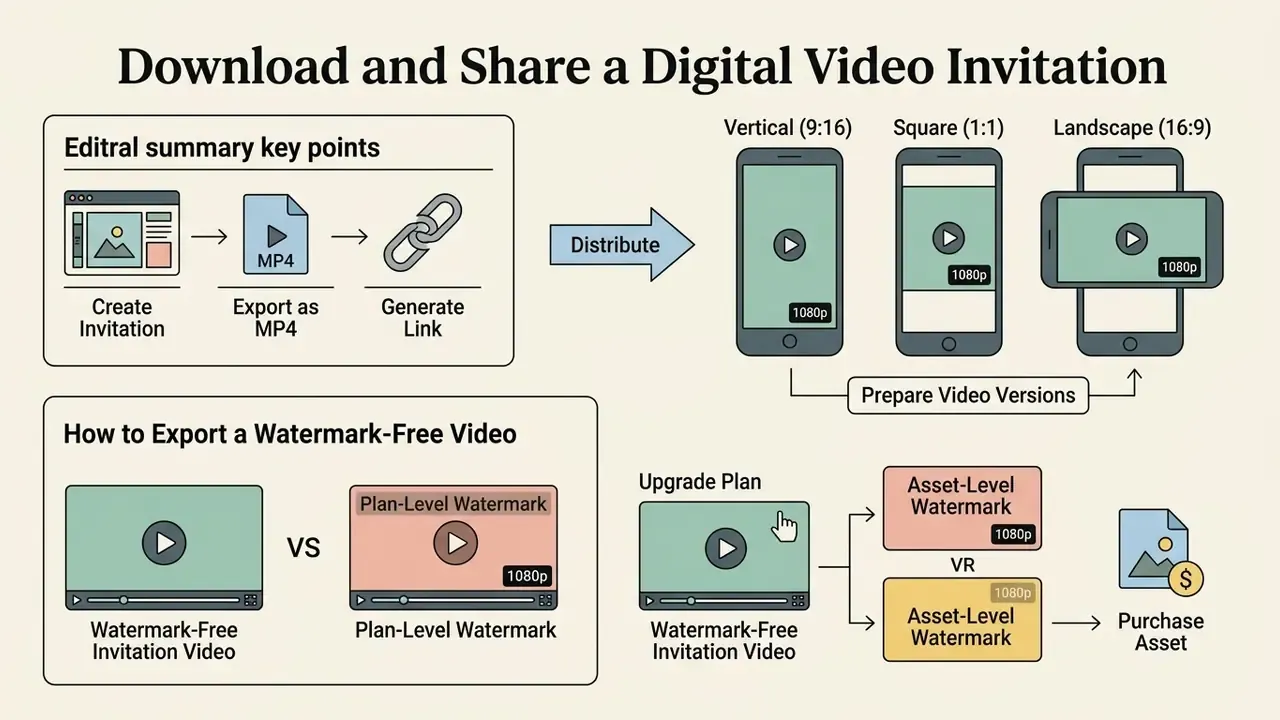
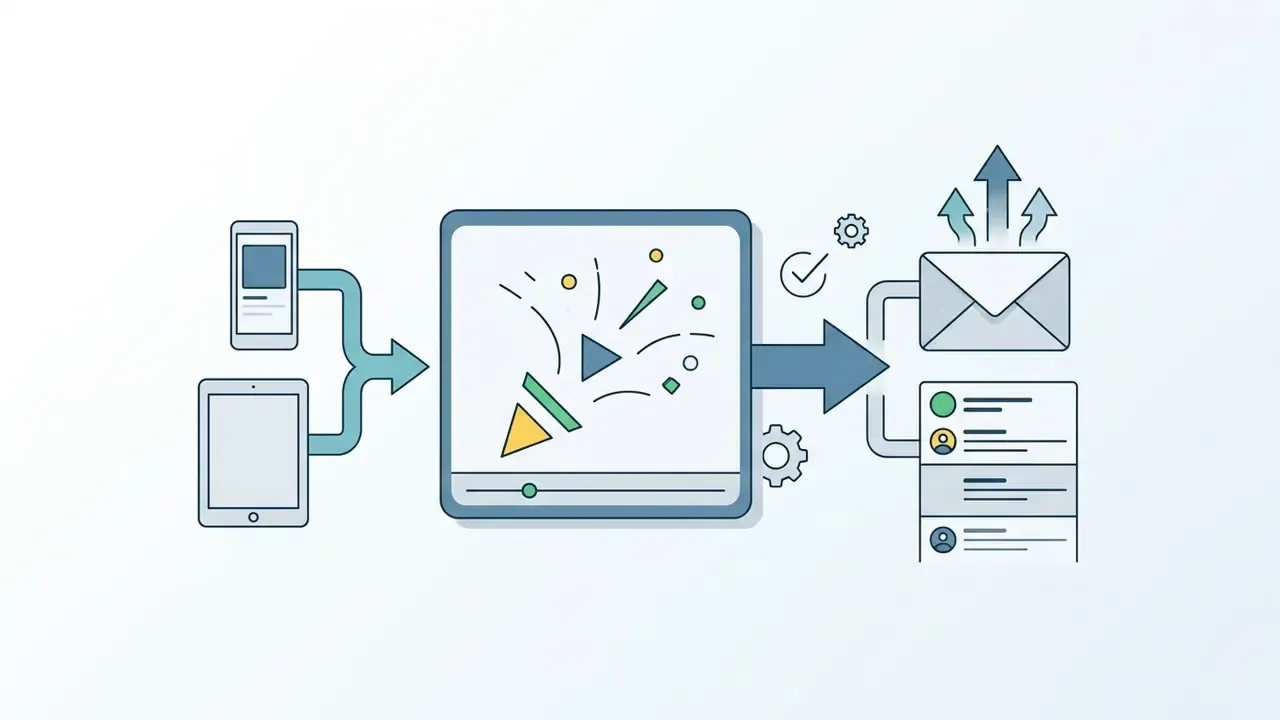
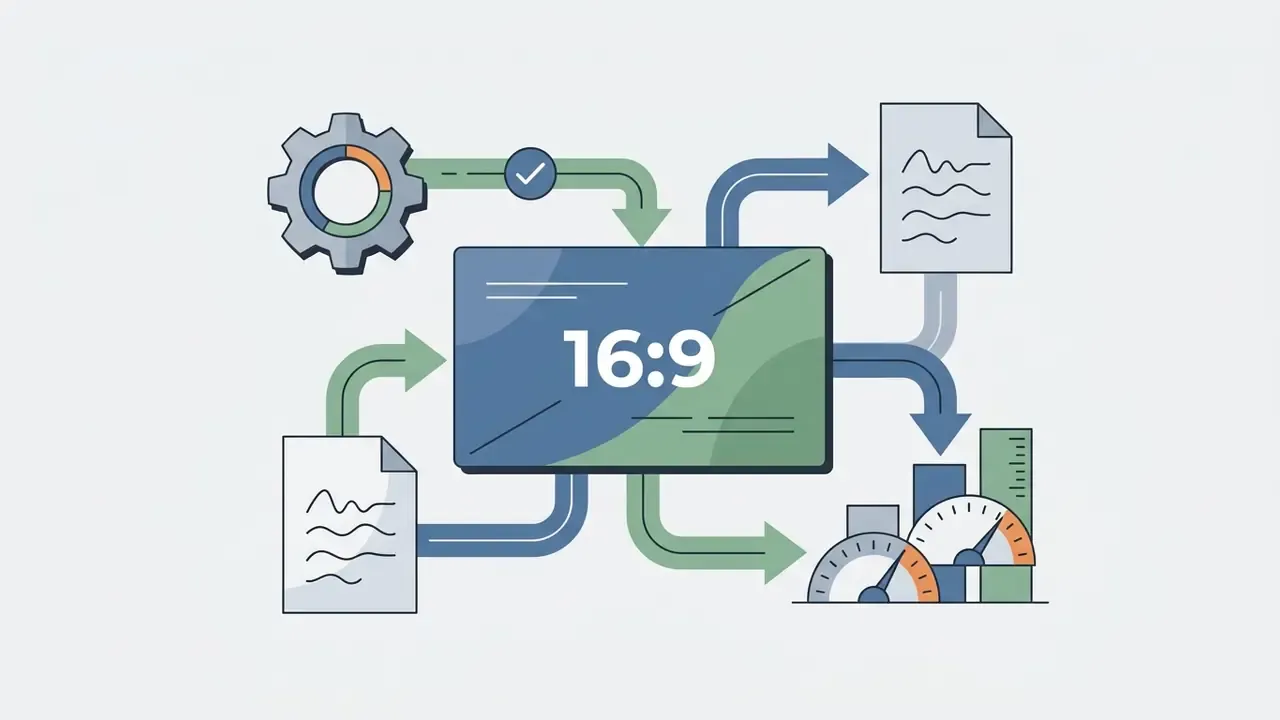
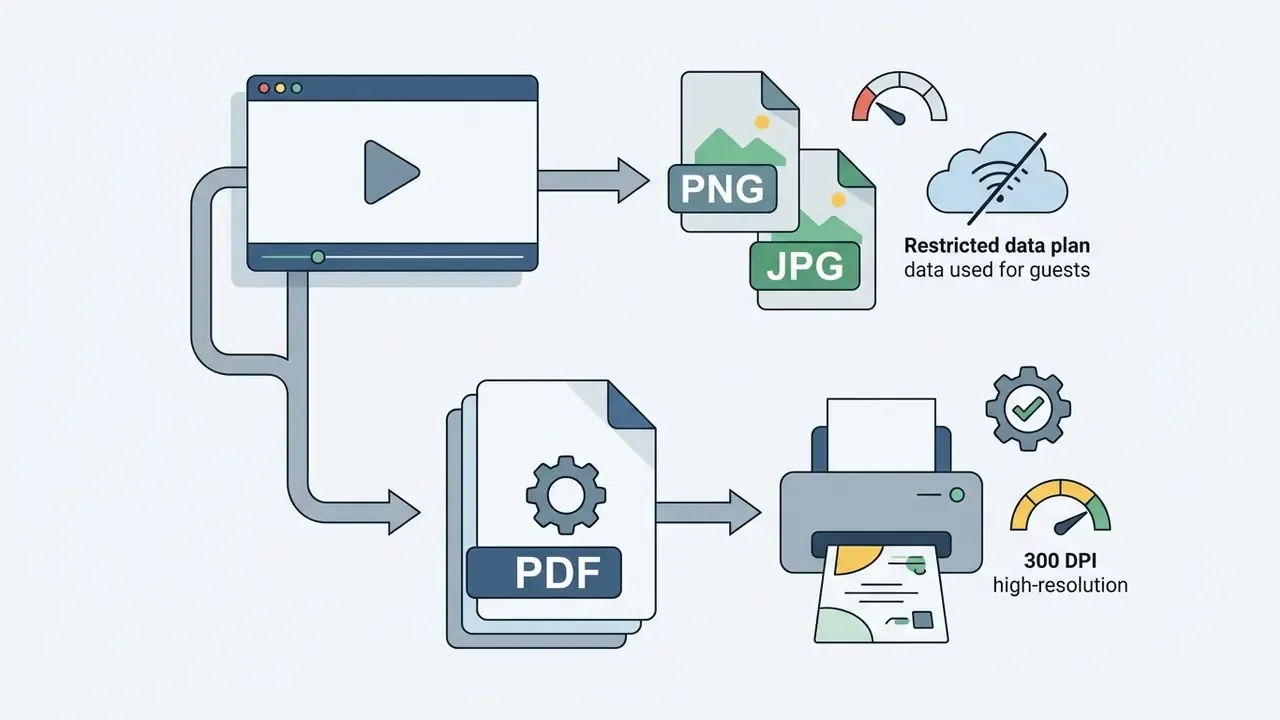
To distribute a digital video invitation well, export as MP4 in a vertical ratio (9:16) for messaging apps and social channels, or generate a hosted interactive link. Correct formatting is what keeps playback crisp on every phone in the guest list.
Prepare Video Versions for Social Media and Guest Messaging
Optimizing for mobile consumption is mostly a matter of matching dimensions to the destination channel.
Instagram Reels accepts ratios from 1.91:1 through 9:16 with a minimum of 720 px and 30 fps, so 1080×1920 at 30 fps stays the safest master export. For large corporate guest lists, developers can build automated, programmatic delivery pipelines using our AI Media API Guides.
How to Export a Watermark-Free Invitation Video
Watermarks show up for two different reasons, and the fix differs:
- Plan-level watermarkThe free tier stamps every export. Your only options are upgrading, or moving to a provider whose free tier exports clean at 480p to 1080p. Several do.
- Asset-level watermarkThe plan is fine, but one premium template, font, stock clip, or music track inside the project is gated. Filter the asset library to free-only elements, swap the flagged item, and the stamp disappears.
Before distributing, run one final pass. Confirm the export is MP4/H.264 at your target ratio. Open the file on an actual phone and check text legibility. Tap the RSVP link to confirm it resolves. For AI-generated audio or visuals, save a copy of the licence confirmation next to the master file, because that screenshot is the only evidence you will have if a claim arrives eighteen months later.
FAQ: Frequently Asked Questions About Video Invitation Makers
Can I Create Invitation Videos in Multiple Languages?
Yes. Enter translated text into template fields, or use AI voiceover tools that support multi-language speech synthesis; comparison tables for free AI video generators usually list language coverage per plan. According to vendor documentation, Synthesia supports dubbing in 130+ languages, HeyGen advertises script translation and synced voiceover across 175+ languages, and Google Vids added AI voiceovers in seven more languages (Spanish, Portuguese, French, German, Italian, Korean, Japanese) in February 2026. Verify current counts on each provider's official feature page, because coverage changes month to month. When scripts mix languages, some systems default to the dominant language they detect. For global corporate events, hosts often draft invitation copy with an ai response generator and summarize attendee documentation with an ai report generator.
Can I Use My Own Photos and Video Clips in an Invitation Video?
Yes. Online invitation video makers accept JPG, PNG, and MP4 uploads straight into template media galleries. Overlay couple photos, engagement footage, or venue clips into preset scene frames to build a personalized slideshow. Keep uploads under the platform ceilings (commonly 1 GB per video, 50 MB per image), and retouch faces or lighting first if the footage is uneven. When you also need consistent personal assets, such as speaker portraits for a summit invite, an AI headshot generator keeps the set visually uniform.
What File Formats Can I Export a Digital Invitation In?
Most makers export MP4 (H.264) for video, animated GIF for soundless autoplay previews in feeds and chats, PNG or JPG for a static card, and PDF at 300 DPI for print. Link-based invitations add interactivity: RSVP forms, maps, countdowns, photo galleries, and background music inside one hosted page instead of a downloadable file.
How Do I Make a Memorial or Funeral Invitation Video Respectful?
Use muted palettes, slow dissolves, and ambient instrumental audio at low volume. Avoid countdowns, confetti, and beat-matched cuts. Lead with the service date, time, and venue, then the livestream link, then the family's wishes on flowers or donations. Keep runtime under 30 seconds, and repeat the same details as plain text in the message body so relatives on screen readers or slow connections are not excluded.
Do I Need Video Editing Experience to Use an AI Invitation Maker?
No. Prompt-driven tools generate the script, scenes, media, voiceover, subtitles, and sound effects from a short brief, and you refine through plain-language commands rather than a timeline. Template editors need only drag-and-drop: replace text, swap photos, pick music, choose a ratio, export.
Is a Free AI Invitation Video Maker Enough for a Wedding?
For a small guest list shared over messaging apps, a free tier at 720p to 1080p with free-only assets is usually enough. Upgrade when you need watermark-free 4K, commercial rights for a monetized or brand-sponsored event, more than a handful of invitation projects, unlimited guest views, or team collaboration with audit controls.
What Should a Bank or Fintech Check Before Approving a Video Invitation Tool?
Treat it like any other vendor that touches customer data. Confirm data retention and training opt-out on the exact plan you are buying, request the SOC 2 Type II report, name an internal owner for the workflow, restrict access through SSO and role permissions, and host RSVP links on a brand-owned domain. Keep the tool in your AI inventory too. An unlisted generator holding a client guest list is still an unlisted AI system.
About the author & Editorial Standards: Marcus Hale is the author used by our AI media research desk, which focuses on AI governance, model risk analysis, and evaluation of automated media systems in US business contexts. Any biography, framework, or example attached to this byline is illustrative rather than a record of real employment, clients, or regulatory authority. Content published here is produced and reviewed by editors with hands-on experience testing video editors, AI generators, and export pipelines, and is assessed through objective metrics, operational risk principles, and evidence-based software benchmarking. Re-verify every vendor capability cited against the provider's official documentation before purchase, since plans, limits, and licensing terms change frequently. Research citations link to their original publishers; modeled scenarios are labelled as such.
Footer / Hub Navigation
- Explore our complete media tools repository at the AI Media Glossary.
- Compare export ceilings and credit limits across tools in Comparison Matrices.
- Review licensing and rights questions in Commercial Use Guides.
SEO Title: Video Invitation Maker: Create Free AI Video Invitations Online (2026)
SEO Description: Create free AI video invitations online for weddings, birthdays, graduations, memorials, Islamic ceremonies, and corporate events. Compare template editors and AI generators, upload and export specs, watermark rules, licensing, and data-security checks.