That sounds simple. In practice, three things decide whether the output is publishable: asset rights, sync accuracy, and export settings.
Executive Summary
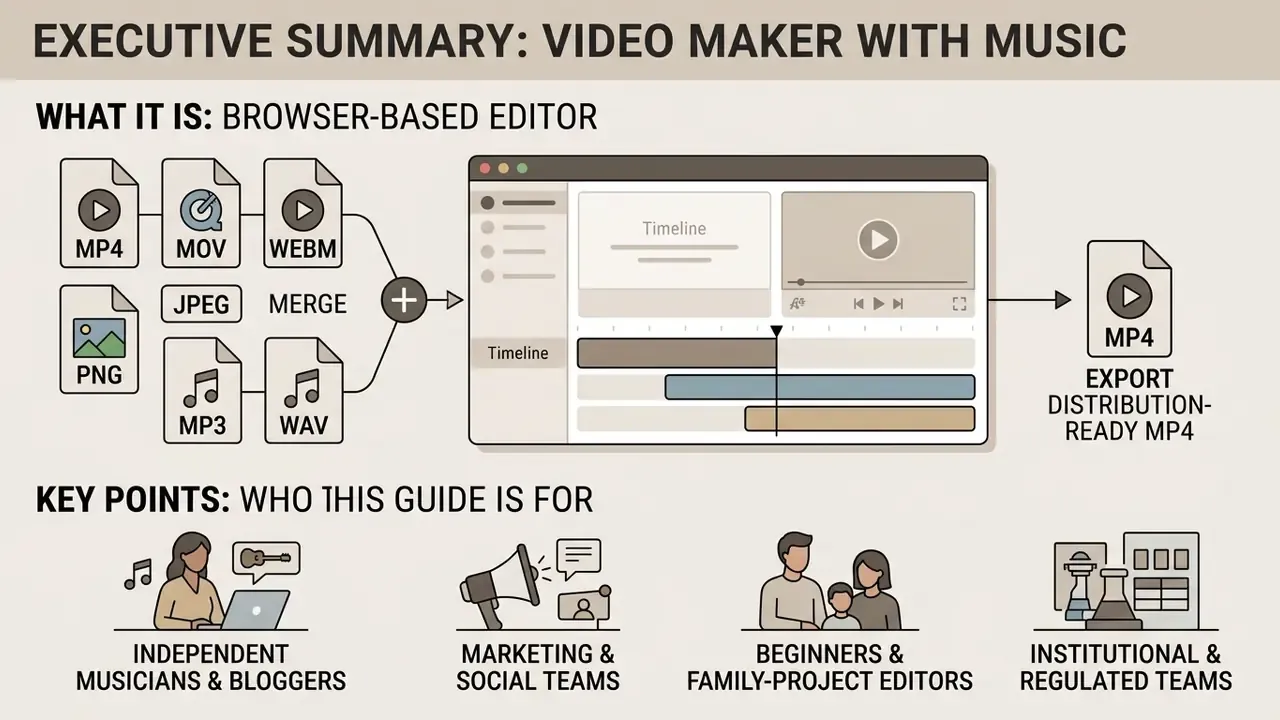
Who This Guide Is For
Four reader profiles keep showing up in support tickets and procurement threads, and they need different things from the same tool.
- Independent musicians and bloggers who need one master edit repurposed into vertical and horizontal variants, plus a clean lyric video pass.
- Marketing and social teams who ship subtitled promo video assets weekly and care about brand kits, scheduling, and caption accuracy.
- Beginners and family-project editors building a photo slideshow, memorial tribute, or video album maker with music for private playback.
- Institutional and regulated teams (education, public sector, financial services) who need governed, reviewable, auditable output before anything goes public.
If you fall in the last group, read the enterprise section before the feature comparison. The control questions usually eliminate more candidates than the feature list does.
What Is a Video Maker with Music?
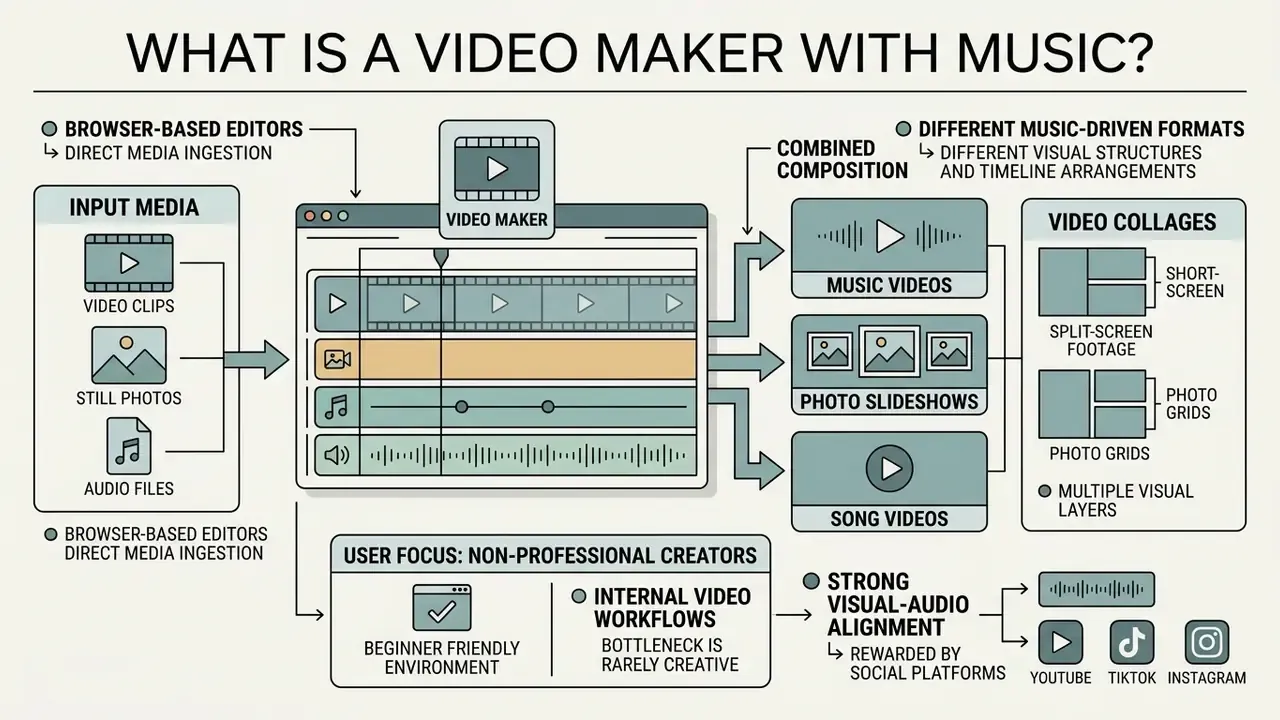
A video maker with music is a web application or installed program that combines video clips, still photos, and audio files into a single composition. These platforms let users import external audio or pick tracks from a built-in media library, then build structured formats: lyric videos, photo slideshows, video collages, and song videos.
Browser-based editors work through direct media ingestion. They support common containers and codecs, including MP4, MOV, WEBM, JPEG, PNG, MP3, and WAV. Arrange visual assets on a timeline, pair them with a primary audio track, and you can manage volume levels, apply transitions, and synchronize visual cuts to tempo.
One practical observation from reviewing internal video workflows: the bottleneck is rarely creative. It is manual clip alignment. A browser-based video editor with music lets several non-technical team members edit music videos in parallel, which pulls render turnarounds from days down to under an hour without new hardware.
Music Videos, Photo Slideshows, and Song Videos
Different music-driven formats need different visual structures and timeline arrangements. A standard music video relies on multi-shot performance or narrative footage locked to a full soundtrack. A photo video or slideshow video sequences still imagery with transition effects over background audio.
Video collages assemble multiple visual layers, such as split-screen footage or photo grids, into one composite frame. Song videos and lyric videos put the audio first, using dynamic text overlays and audio-reactive visualizers to hold attention. For users exploring automated audio composition alongside video assembly, an ai song maker free tool or an ai sound generator can produce complementary background tracks before timeline assembly begins. Projects that lean on motion graphics rather than filmed footage usually move faster inside a dedicated animation maker workflow.
| Format | Primary Source Material | Timeline Structure | Typical Length | Dominant Editing Task |
|---|---|---|---|---|
| Music video | Filmed performance or narrative footage | Multi-shot cuts locked to master audio | Full track (2 to 5 min) | Beat-matched cutting, color grading |
| Lyric video | Background plate plus animated type | Text layers keyframed to vocal phrasing | Full track | Text timing, contrast, legibility |
| Photo slideshow | Still images (often 50 to 300 files) | Fixed-duration stills plus transitions | 1 to 8 min | Pan-and-zoom motion, ordering |
| Video collage / PIP | Multiple clips or photo grids | Stacked overlay tracks in one frame | 15 s to 3 min | Layer scaling, masking, sync |
| Memorial / tribute video | Archival photos, home footage | Chaptered stills with narration or score | 3 to 10 min | Restoration, captioning, pacing |
Summary: the more static the source material, the more the editor depends on motion presets and transitions. The more filmed footage is involved, the more it depends on cut timing and shot-to-shot color consistency.
Who Can Use an Online Music Video Maker?
An online music video maker gives non-professional creators a beginner friendly environment, while still offering enough control for independent musicians, digital marketers, and social media producers. Marketers use these tools to produce short-form promo video content and marketing video clips built for fast feed consumption.
YouTube, TikTok, and Instagram all reward strong visual-audio alignment. Creators comparing entry-level options often start with a shortlist of free video editing and AI generation tools, then check the broader AI Media Comparison Matrices before committing to a paid subscription.
Public-sector and university communications guidance repeatedly notes that a large share of feed viewers watch with sound off. That is why subtitles are treated as a baseline requirement, not an enhancement (UCLA and University of Houston social video guidance; SAMHSA social media video tip sheet). Updated: instead of quoting a single unattributed percentage, treat "sound-off viewing is the default assumption" as the operational rule, and always ship burned-in or sidecar captions. Channel-level mute data should come from native analytics, because rates vary sharply by placement and vertical.
Creator behaviour is also shifting toward automated assembly:
«Content creators increasingly apply generative AI for images, video, and scripts inside their production workflows.»
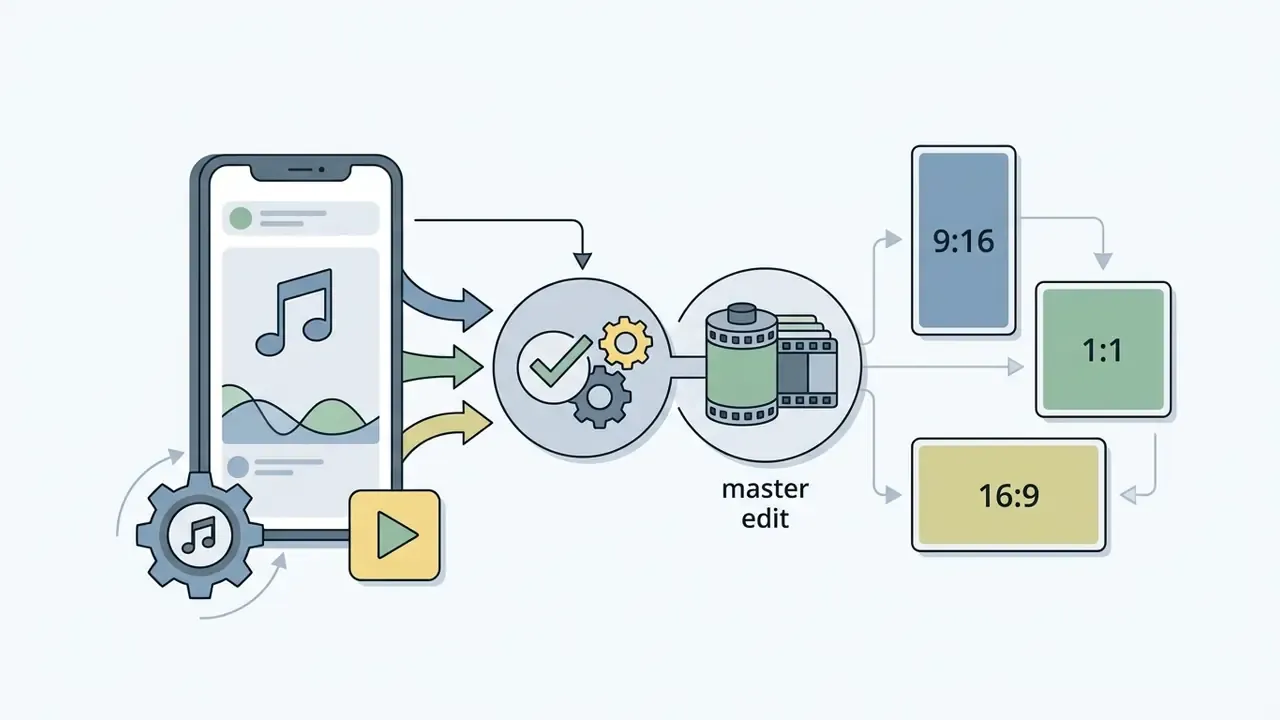
Audience segmentation in practice splits into four groups. Beginners need template-driven editing with no prior experience. Marketers need subtitled, call-to-action-driven short videos. Musicians and bloggers repurpose one master edit into vertical and horizontal variants, including square crops for a free online music video maker for Twitter or X. Institutional teams need governed, reviewable output with an audit trail.
How to Choose the Best Music Video Maker
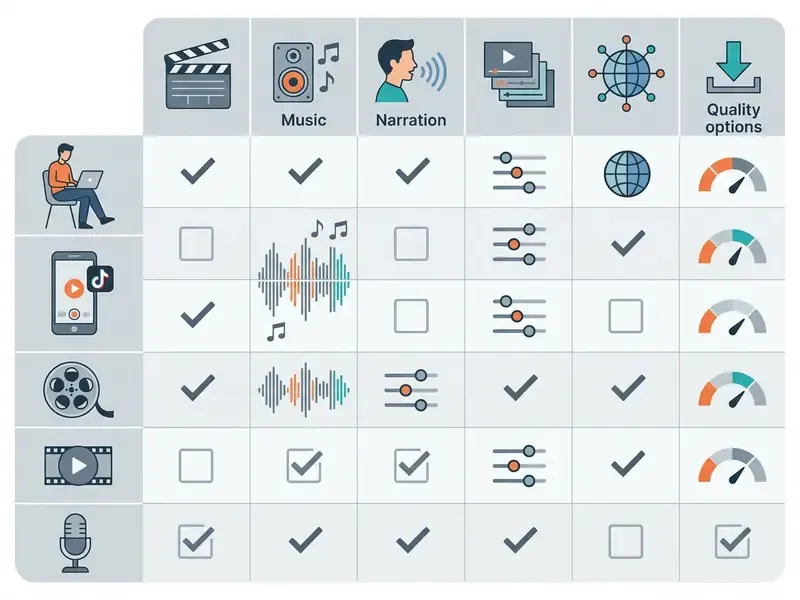
Choosing the best music video maker comes down to three operational requirements: interface accessibility, including drag-and-drop timeline management; the depth of built-in stock media libraries; and the availability of AI powered editing automation. The right platform keeps creative output aligned with platform-specific export standards and commercial licensing rules.
| Video Editor Category | Templates & Stock Assets | AI Powered Features | Audio Control & Own Track Import | Captions & Subtitles | Target Export Capabilities |
|---|---|---|---|---|---|
| Basic Web Editor | Standard pre-made templates, basic stock | Auto-captions, basic background removal | Single audio track, own music upload | Manual text overlays, SRT export | 720p to 1080p MP4 |
| Advanced Cloud NLE | Multi-layer templates, 1M+ stock assets | AI script generation, background noise removal | Multi-track audio, volume riding, ducking | Auto subtitles, dynamic lyric styling | Up to 4K MP4, custom bitrates |
| AI-First Generator | Automated script-to-video assembly | Text-to-video, automatic B-roll, AI voiceover, prompt-based edits | Generative AI audio, auto beat-sync | Automatic transcription, karaoke presets | 1080p vertical and horizontal |
| Enterprise / API Tier | Brand kits, locked templates, asset governance | Same AI stack with tenant isolation and retention controls | Multi-track plus loudness normalisation presets | Reviewable caption workflows, 80+ languages | Custom bitrates, raw/ProRes, batch render |
Summary of matrix findings: Basic web editors suit straightforward slideshow video creation and simple social posts. Advanced cloud NLEs are needed for multi-track audio control, granular color correction, and high-bitrate 4K output. AI-first video generators maximize throughput for high-volume content pipelines. Enterprise tiers add the access controls that regulated teams require. For detailed pricing structures across commercial video creation software, see our AI Media Pricing Guides.
Vendor documentation confirms the same six criteria repeat across the market. Clipchamp publishes templates, a stock library of 1M+ assets, AI captions in 80+ languages, custom uploads, subtitle editing, and export up to 4K. Canva pairs a drag-and-drop editor with an audio library, auto captions, and MP4 or GIF export. VEED exports captions burned in or as SRT, VTT, and TXT sidecars. Filmora supports burned-in or separate SRT and VTT subtitle files.
Templates and Stock Media for Fast Video Creation
Ready made video templates and integrated media libraries speed up video production because nothing starts from an empty canvas. Adobe Stock describes video templates as pre-built After Effects and Premiere Pro project files that let creators "save time and effort; no need to start from scratch," covering intros, titles, transitions, and full-length edits. Storyblocks positions its customizable templates as a way to "edit faster" across every production stage.
The throughput ceiling of a template-first pipeline is measurable:
«Template-driven video assembly enables throughput exceeding one million clips per day while cutting production cost by more than 95%.»
AI Tools vs. Manual Video Editing
AI powered tools automate the repetitive technical work: background noise removal, automatic subtitle transcription, subject isolation. Manual editing gives precise frame-by-frame control over timing and parameter tuning. Adobe Premiere still documents manual audio cleanup through Effects, then Noise Reduction/Restoration, then DeNoise with a reduction knob tuned from 0 toward -10 dB. Clipchamp, Movavi, and VEED document one-click auto subtitles, silence removal, and noise suppression. Which is why most professional pipelines end up hybrid rather than purely automated.
| Editing Task | AI Automated Workflow | Manual NLE Workflow | Trade-Off / Primary Advantage |
|---|---|---|---|
| Background Removal | One-click subject segmentation (AI mask) | Frame-by-frame chroma key or rotoscoping | AI is fast; manual isolates hair and fine edges. |
| Audio Noise Reduction | Deep learning noise suppression models | Parameter tuning via DeNoise and EQ filters | AI preserves speech quickly; manual avoids phase artifacts. |
| Subtitle Generation | Automatic speech-to-text transcription | Manual typing and keyframe timestamping | AI cuts transcription time sharply; manual ensures proper-noun accuracy. |
| Beat-Matched Cutting | Automatic beat detection and auto-cut | Manual markers on waveform transients | AI handles steady tempo; manual survives tempo changes and rubato. |
| Colour Look | Style-transfer and one-click grade presets | Lumetri wheels, curves, scopes, LUTs | AI gives instant mood; manual guarantees shot-to-shot consistency. |
Captioning accuracy is the clearest measurable win for automation:
«Kaltura's automatic captioning reaches speech-recognition accuracy above 90% in most conditions, saving instructors substantial review time.»
Natural Language Timeline Control ("Magic Box" Workflows)
Next-generation AI video generators add a conversational editing console beside the traditional timeline. Instead of cutting clips or tuning audio parameters by hand, creators issue structured text prompts that execute timeline commands:
- "Delete all silent video frames where vocal track amplitude falls below -40 dB."
- "Apply dynamic karaoke-style text highlighting to the lyrics track using a neon cyan fill."
- "Replace B-roll footage in Scene 3 with a cinematic slow-motion shot matching the phrase 'ocean waves'."
- "Change the voiceover accent, then regenerate captions in Spanish and Portuguese."
Commercial implementations already ship this pattern. InVideo AI exposes it as a "Magic Box" where a typed command deletes scenes, swaps music, or changes voiceover, and the same prompt layer generates script, scenes, subtitles, and SFX from one idea. This hybrid model can cut secondary assembly time by up to 75% for repeatable formats while preserving manual NLE control over final export layers.
Usability research supports the model, not just the marketing:
«A user study showed that an LLM-based language agent effectively supports editing tasks and shapes perceptions of creativity and co-creation.»
Practical guardrail: use prompt-based editing for coarse operations such as scene deletion, reordering, style swaps, and caption restyling. Review fine operations manually, meaning frame-accurate sync, mask edges, and loudness targets.
Essential Features for Beginners and Advanced Editors
Beginner-friendly video editors optimise for intuitiveness. Expect a drag and drop editor layout, preset visual filters, and simple color adjustment sliders. Those controls let first-time users edit videos online without training in non-linear editing software. Microsoft Clipchamp, for example, documents a drag-and-drop interface with video filters and simple colour correction, and exports 1080p HD without a watermark on its free plan.
Advanced video editors need control over export parameters: custom frame rates at 24, 30, or 60 fps, variable bitrate controls (8-12 Mbps for 1080p, 35-45 Mbps for 4K), color grading wheels, and multi-channel audio tracks. Professional desktop tooling sets the reference point. Adobe Premiere documents colour wheels, curve controls, and built-in video scopes. OpenShot exposes LUTs, histograms, waveforms, vectorscopes, and RGB parade scopes.
Advanced users also depend on external timecode synchronization and precise audio ducking. Blackmagic's DaVinci Resolve documentation covers external LTC chase with a configurable synchronization delay in seconds or frames, and Adobe documents Merge Clips synchronisation with support for up to 16 audio channels. Readers mapping terminology across tiers can consult our reference on video editor concepts and workflows.
How to Make a Music Video Online
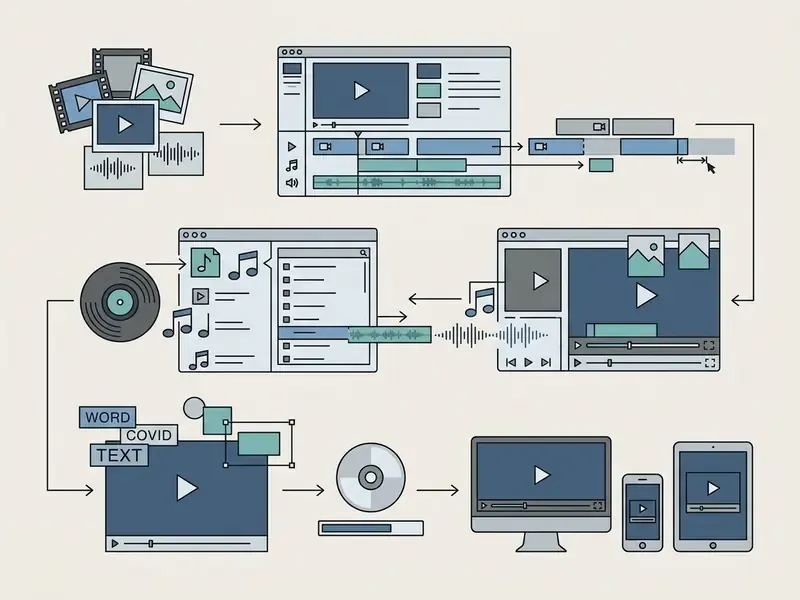
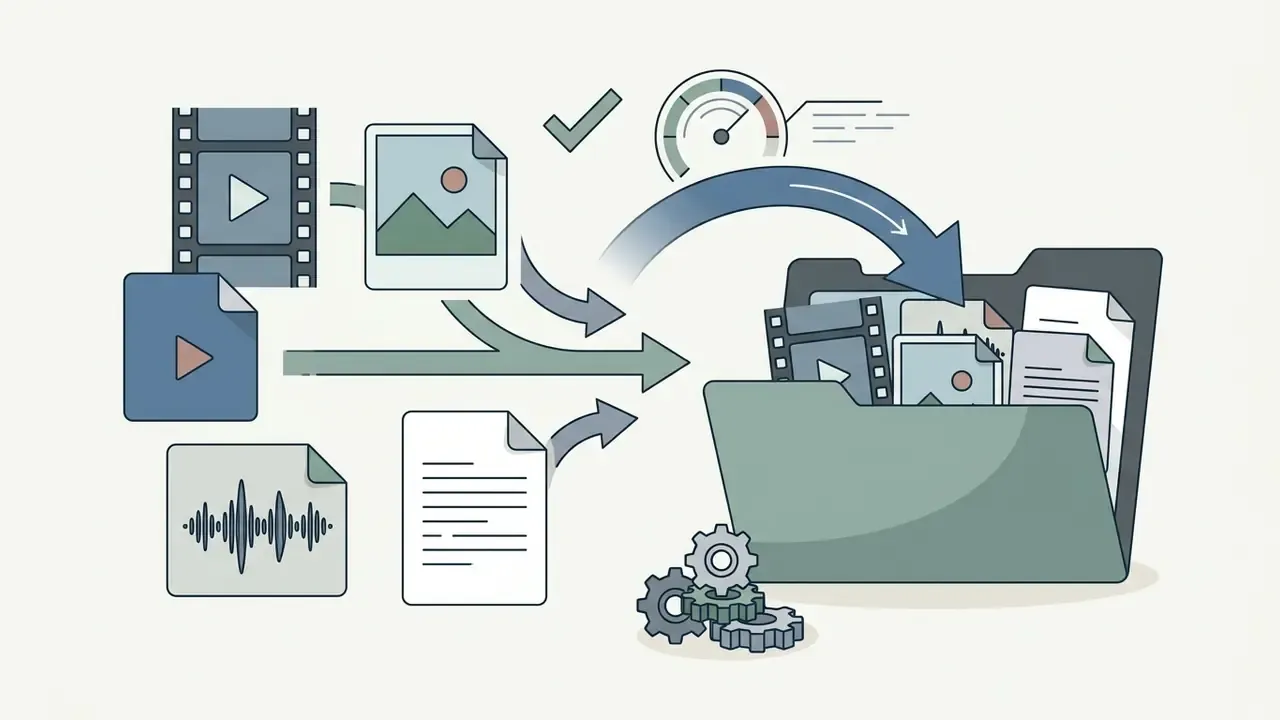
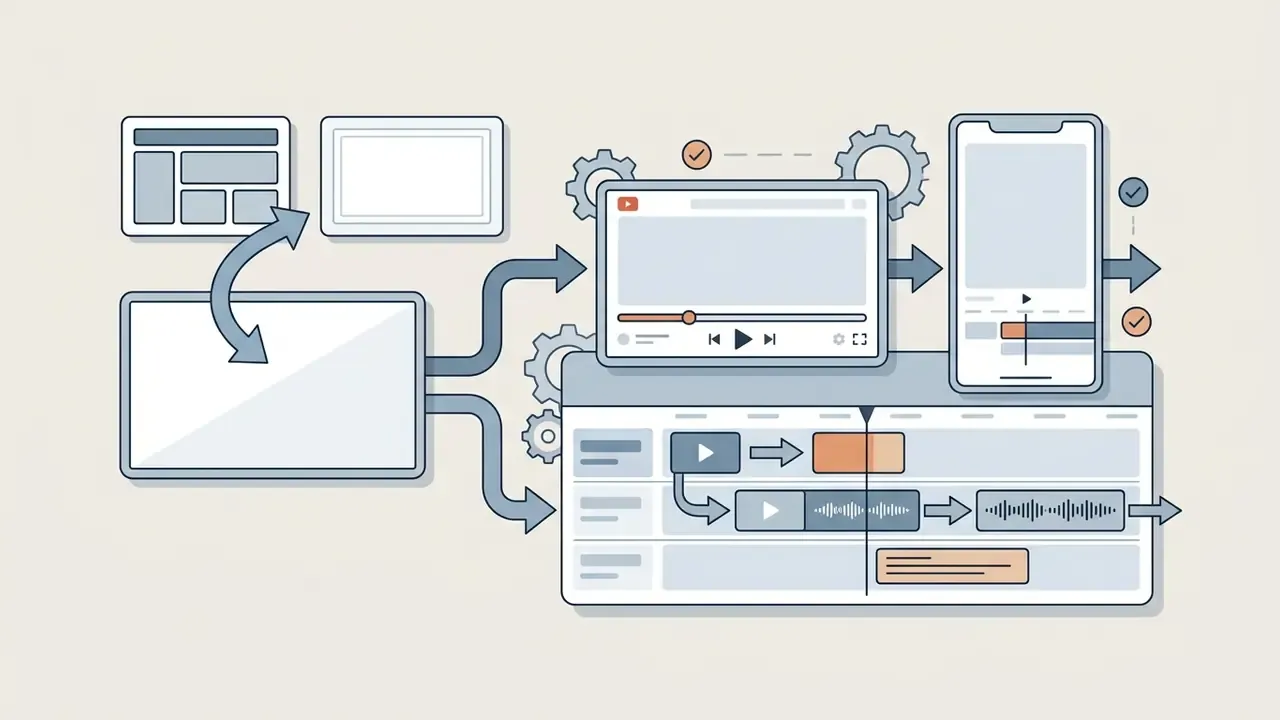
Creating a music video online follows a sequence: import visual and audio assets, arrange media on the timeline, edit the audio-visual relationship, then render the final file for distribution. Modern web editors keep the whole process inside a standard browser.
For technical assistance during project setup, use our AI Media Support and Troubleshooting resource hub.
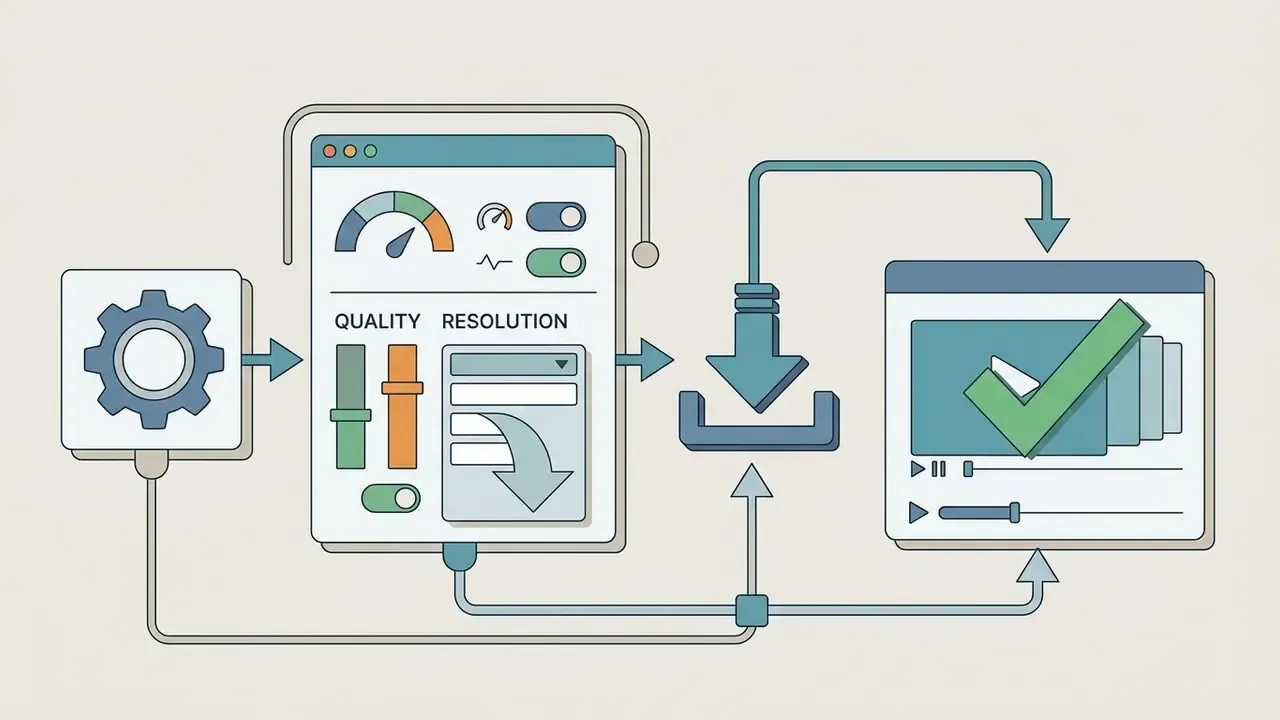
Upload Video Clips, Photos, and Audio Files
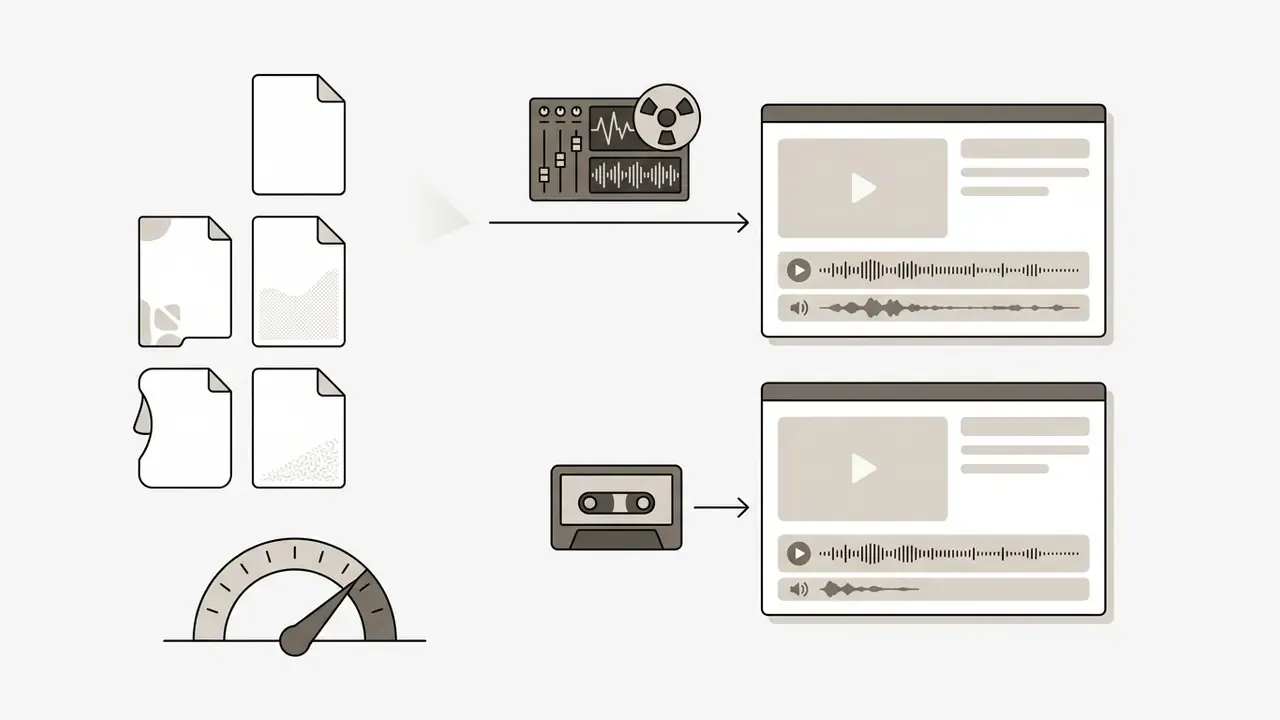
Raw media has to meet platform upload criteria, otherwise playback stutters and cloud renders fail. Standard web editors enforce file size limits, often 50 MB for image and audio files and 200 MB for individual video clips on free tiers, and they typically strip unnecessary EXIF metadata on upload.
Supported formats usually include MP4 and MOV video containers, PNG or JPEG images, and MP3 or WAV audio. Creators who prefer to assemble footage from prompts rather than cameras can review AI video generation tools and voice layers built with an AI voice generator before timeline assembly begins.
To prevent ingestion errors and browser tab crashes during canvas rendering, uploaded media should meet these specifications:
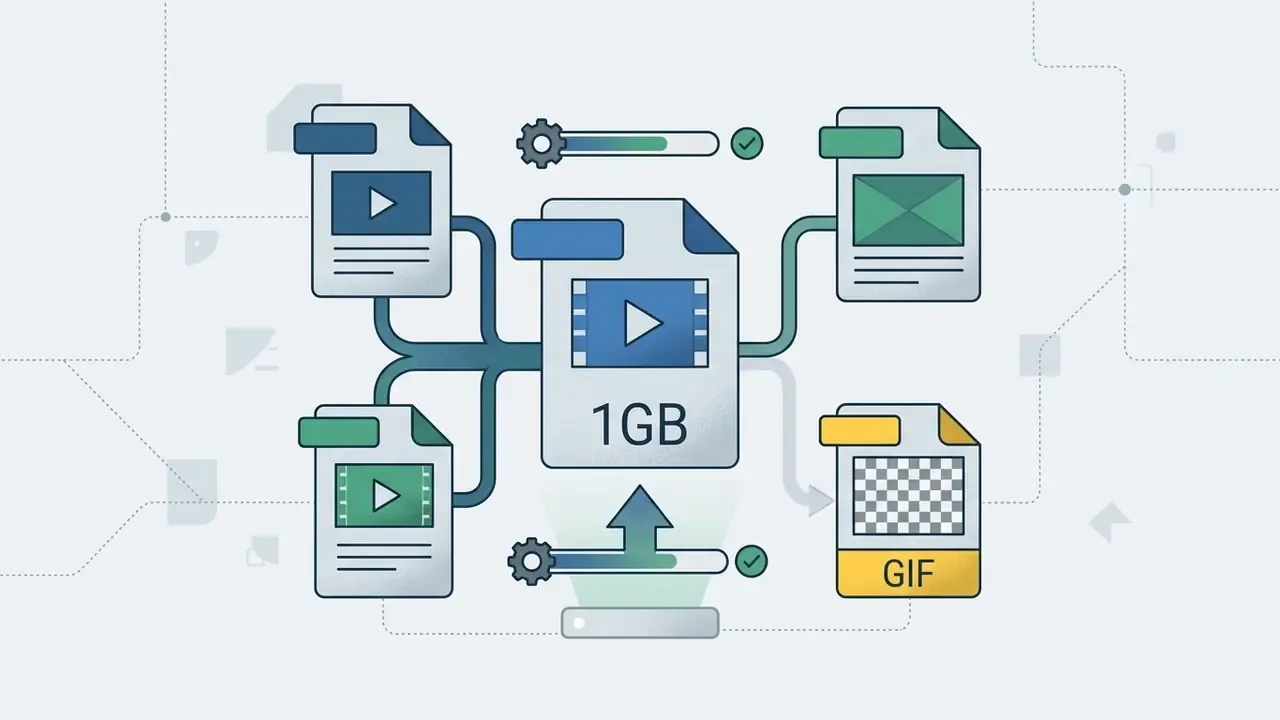
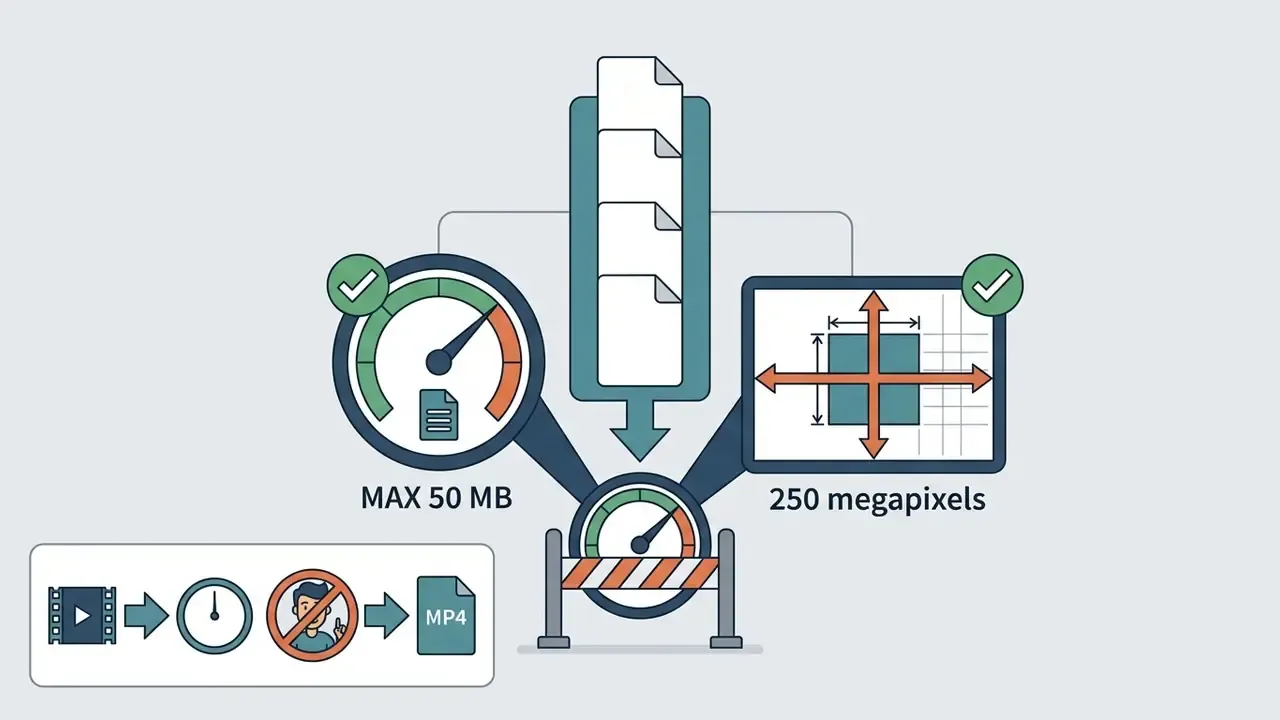
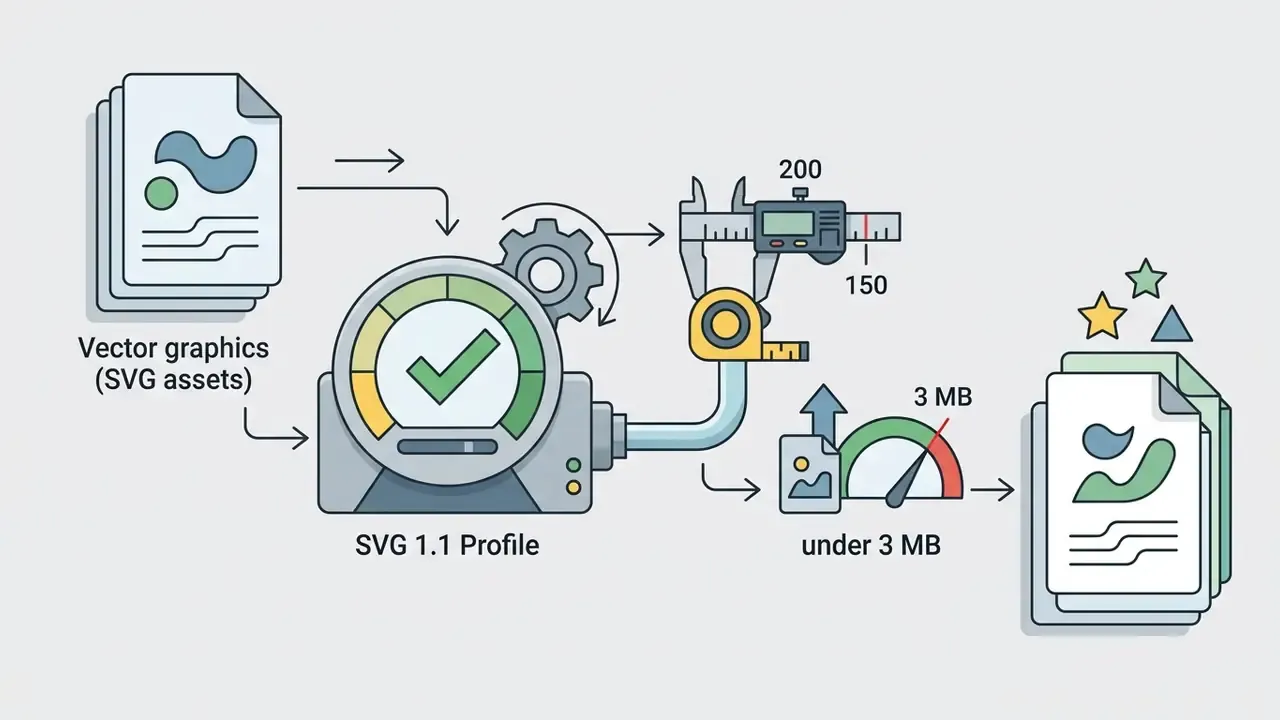
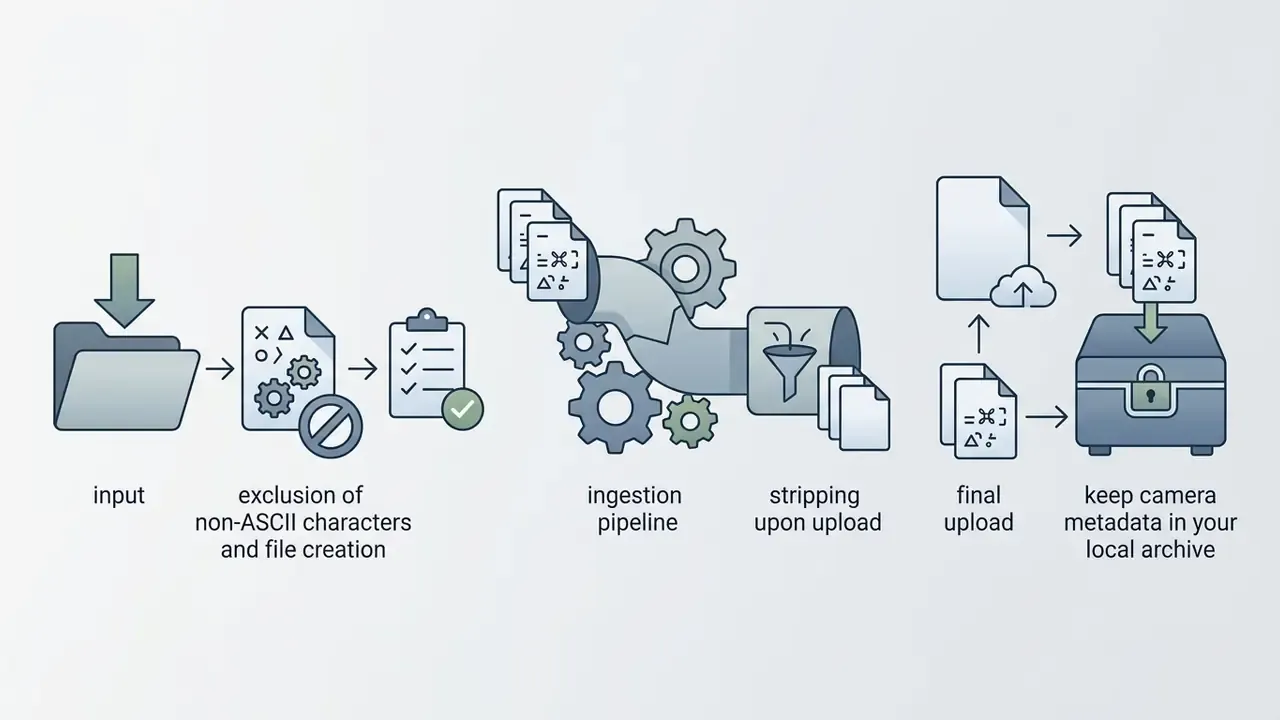
W3C 2026 authoring guidance adds two non-negotiables for web media: compress images, video, and audio before uploading, and carry essential metadata, including rights and usage information, so assets stay usable and machine-readable downstream. Pre-compressing large video files also prevents browser memory throttling during long editing sessions. See our guide to video compression before publishing for target bitrates. When building custom graphics or overlays, an ai sprite generator produces lightweight transparent assets quickly.
Cross-Platform and Mobile Music Video Creation (iOS and Android)
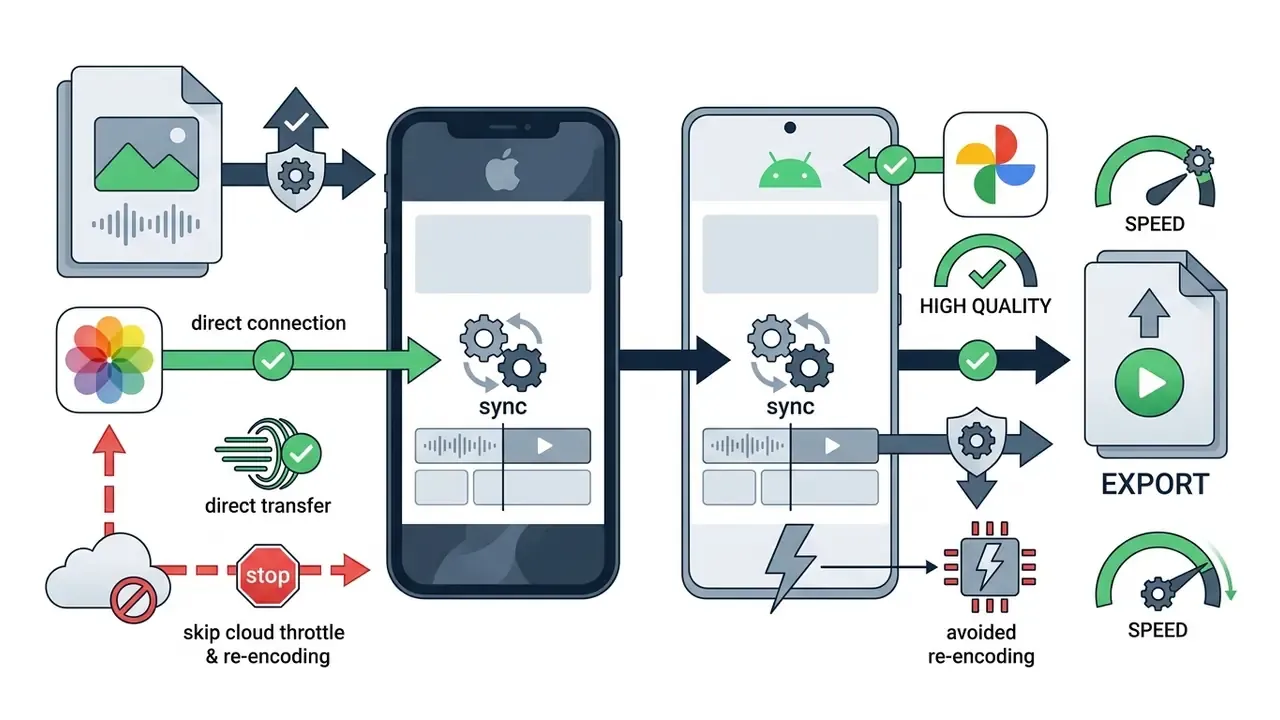
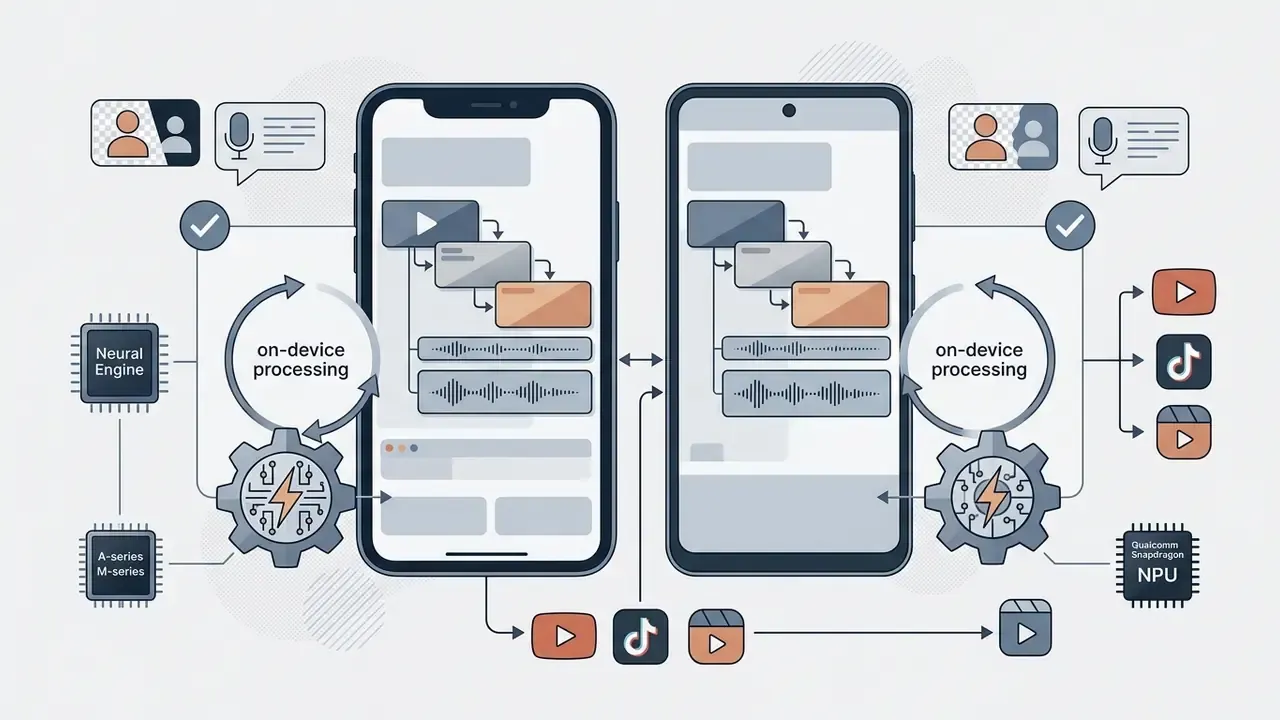
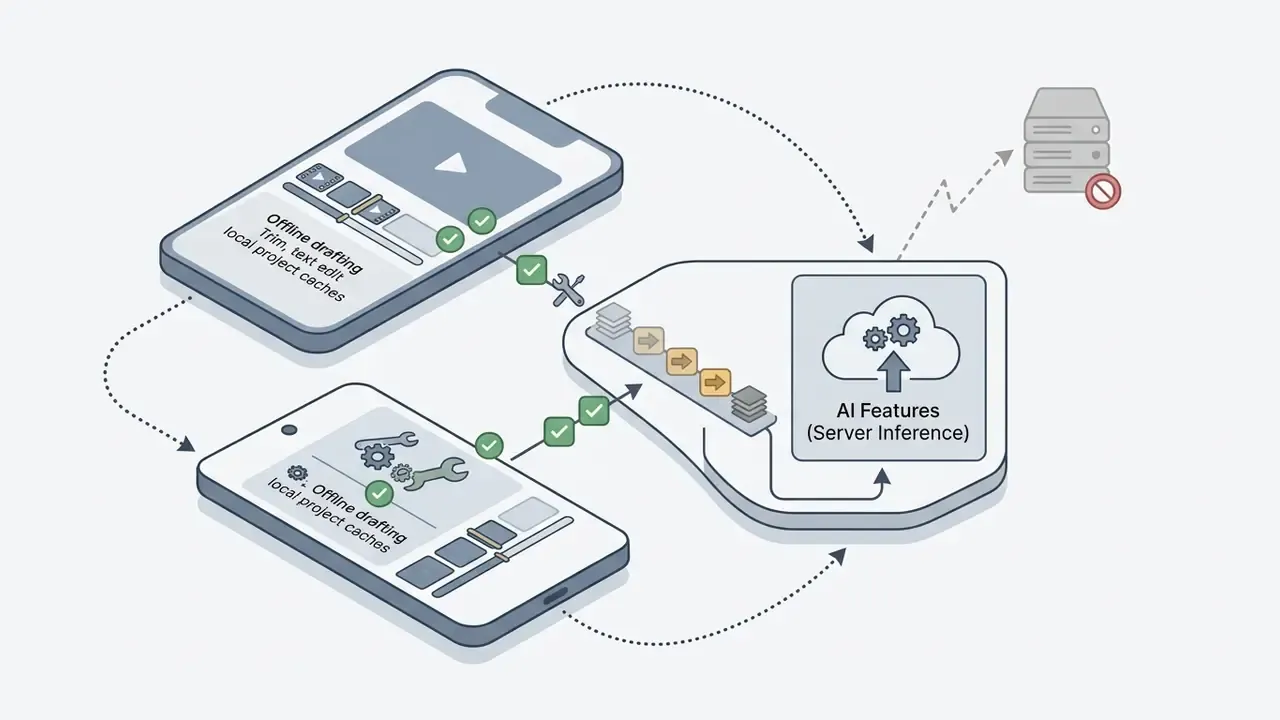
Modern web-based video makers sync project state across desktop browsers and native mobile apps, so a project started on a laptop can be finished on a phone during a commute. When you edit music videos on mobile devices, five behaviours matter:
Practical note for teams: mobile editing is excellent for capture-to-post speed. Final colour and loudness checks still belong on a calibrated desktop display with monitored headphones before commercial publication.

Add Music and Sync the Video Sequence
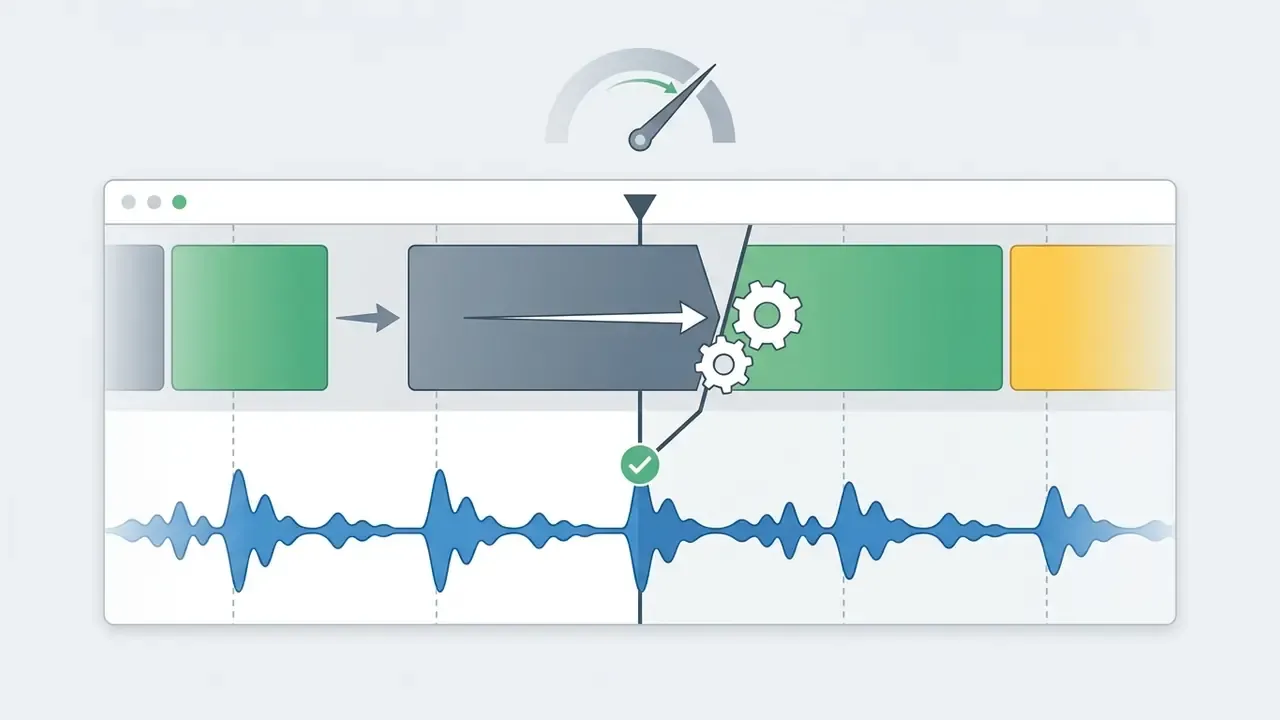
Adding music to a project means establishing precise temporal alignment between visual cut points and audio markers. According to the European Broadcasting Union (EBU Recommendation R37-2007), audio-visual synchronization should stay within end-to-end tolerances of 40 ms for sound before picture and 60 ms for sound after picture, with per-stage accuracy tightened to roughly 5 ms early and 15 ms late. IEC TS 62312-1-1:2018 and IEC TS 62312-2:2018 define the measurement and system-level methods used to verify those tolerances, and SMPTE EG 2059-10:2023 documents the modern media timing synchronisation system.
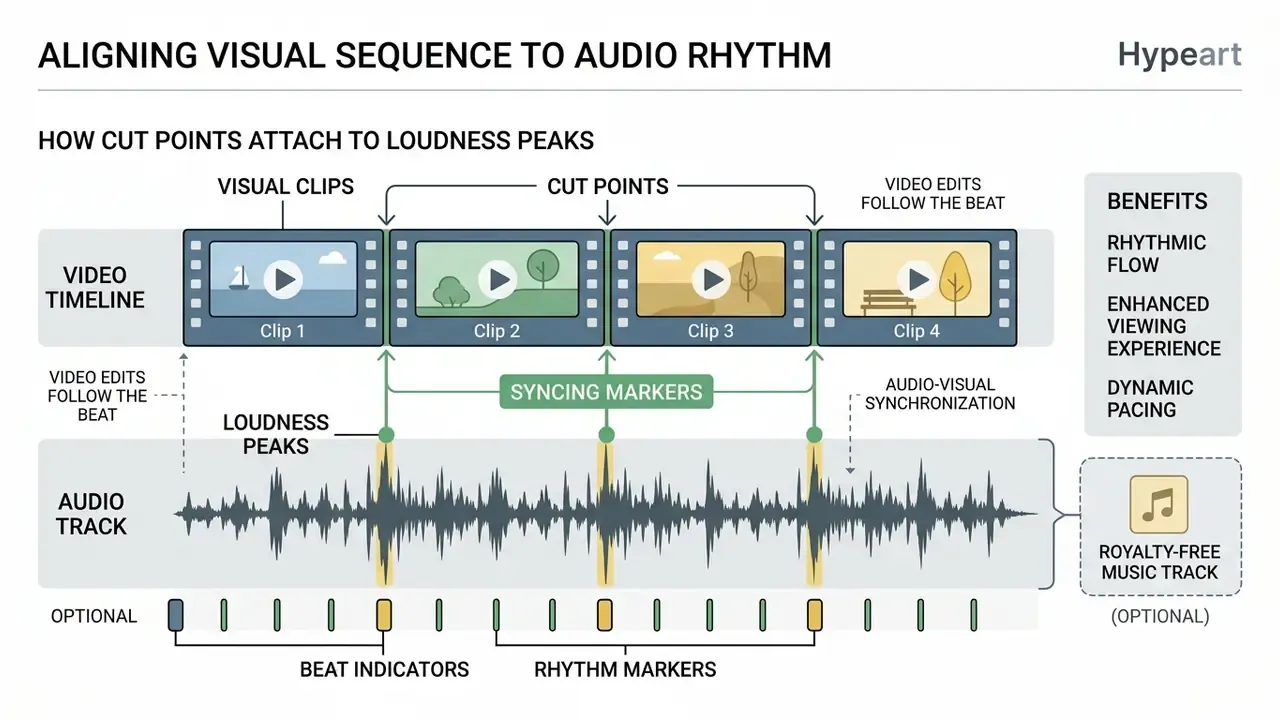
Editors adjust volume levels with envelope curves, add crossfades at audio boundaries to prevent pop artifacts, and change clip playback speed to create slow-motion or speed ramps that mirror musical transitions. Beat-driven editing is now a documented native feature rather than a manual trick. Apple's Final Cut Pro guide describes Beat Detection with snapping to grid lines and markers, and YouTube Studio's editor allows adding licensed audio tracks, previewing them, layering multiple songs, and trimming placement with zoom controls.
Add Text, Lyrics, Effects, and Captions
Dynamic text overlays turn a standard music track into a readable lyric video. Research by Ma et al. (2023) shows that automated lyric video pipelines optimize text placement by analyzing visual saliency and color contrast, so overlaid text stays legible without covering the primary subject. The same work specifies four operational rules: synchronise phrases to the song, highlight lyrics as they are sung, place text in high-contrast regions, and keep repeated phrases in consistent positions.
«User studies showed the full lyric-video pipeline outperformed simplified variants on readability, attention unity, and overall perception.»
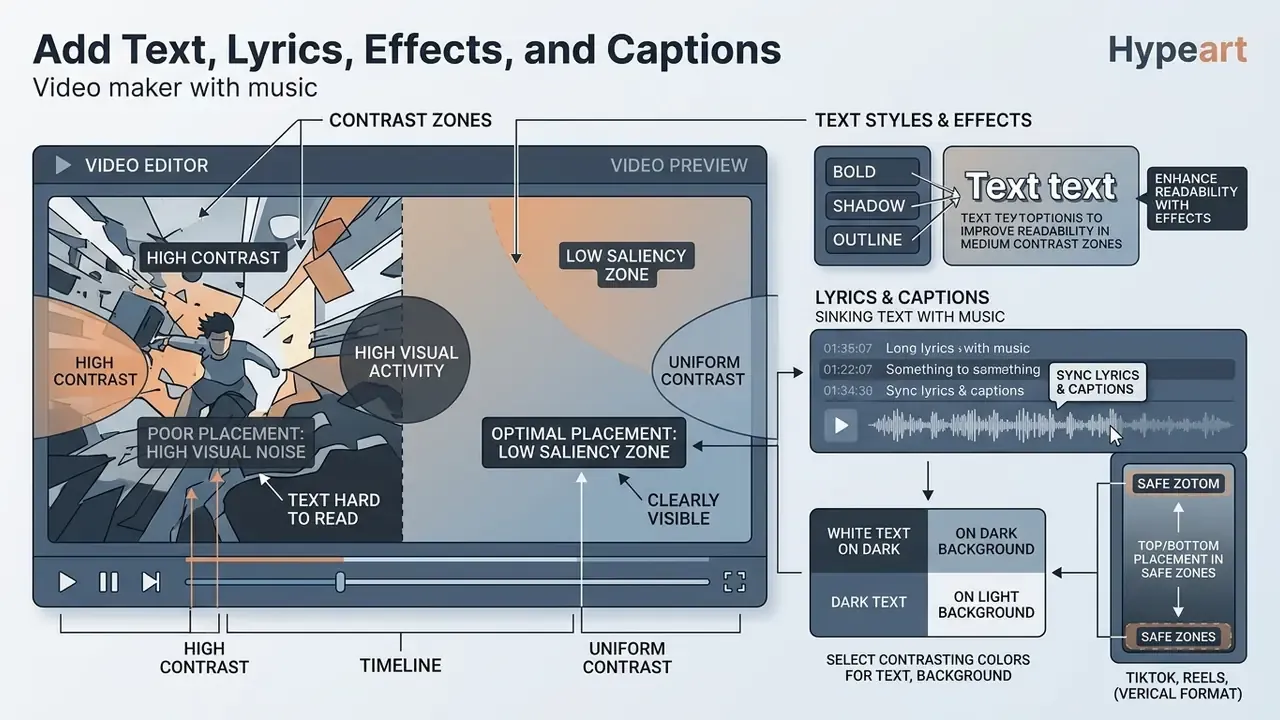
Auto subtitles transcribe sung and spoken words into synchronized captions. Creators can then style those captions with karaoke highlights, one-word displays, word-by-word pop-ups, progressive reveals, or fill animations, matching the animation taxonomy documented by word-timed caption engines. Delivery has two modes: burned-in captions rendered into the pixels, or sidecar SRT and VTT files the platform can toggle.
Screen real estate is the constraint nobody plans for. On a 9:16 feed video, the top and bottom safe zones are covered by platform UI, which leaves a narrow band for lyrics and a call to action. For specialized graphic accents, an ai sticker generator adds unique visual detail to titles without extra design time.
Export and Share a High-Quality Video
Exporting a finished music video means selecting parameters for the destination platform, not a single universal preset:
- YouTube standard 16:9, 1080p (1920x1080) or 4K UHD (3840x2160), 24, 30, or 60 fps, H.264 with AAC. YouTube's own help documentation recommends at least 1280x720 for 16:9 uploads, sets a 1920x1080 minimum for paid or rental titles, and notably publishes no fixed minimum bitrate, advising creators to optimise for frame rate, aspect ratio, and resolution instead. Render a matching 1280x720 youtube thumbnail while you are in the project, because platform CTR depends on it as much as the edit.
- TikTok and Instagram Reels 9:16 vertical (1080x1920), 30 fps, optimised for mobile screens.
- Facebook video 1:1 square or 16:9 widescreen, 1080p, AAC audio at 128 kbps or higher.
- X / Twitter 1:1 or 16:9 at 1080p, with burned-in captions, since autoplay in the feed is muted.
- Archive master keep a high-bitrate or ProRes/raw master separate from platform deliverables, so future re-crops do not compound generational compression loss.
Correct aspect ratios at export prevent black pillarbox bars on social feeds. Where third-party targets such as 8-12 Mbps for 1080p and 35-45 Mbps for 4K are used, treat them as practical encoding guidance rather than platform mandates. Before publishing large files or re-uploading across channels, review our notes on video compression before publishing to avoid double-encoding artefacts.
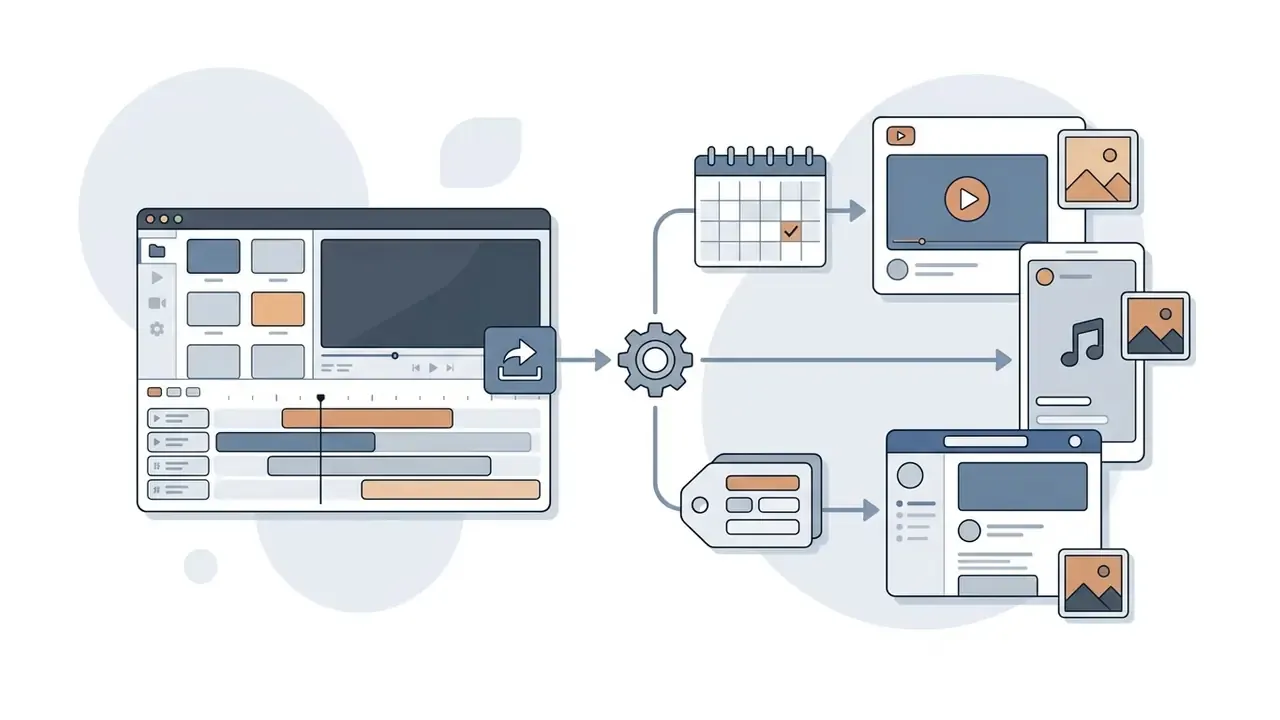
Two export-adjacent capabilities materially change publishing throughput:
Music Video Editing Tools That Improve the Final Video
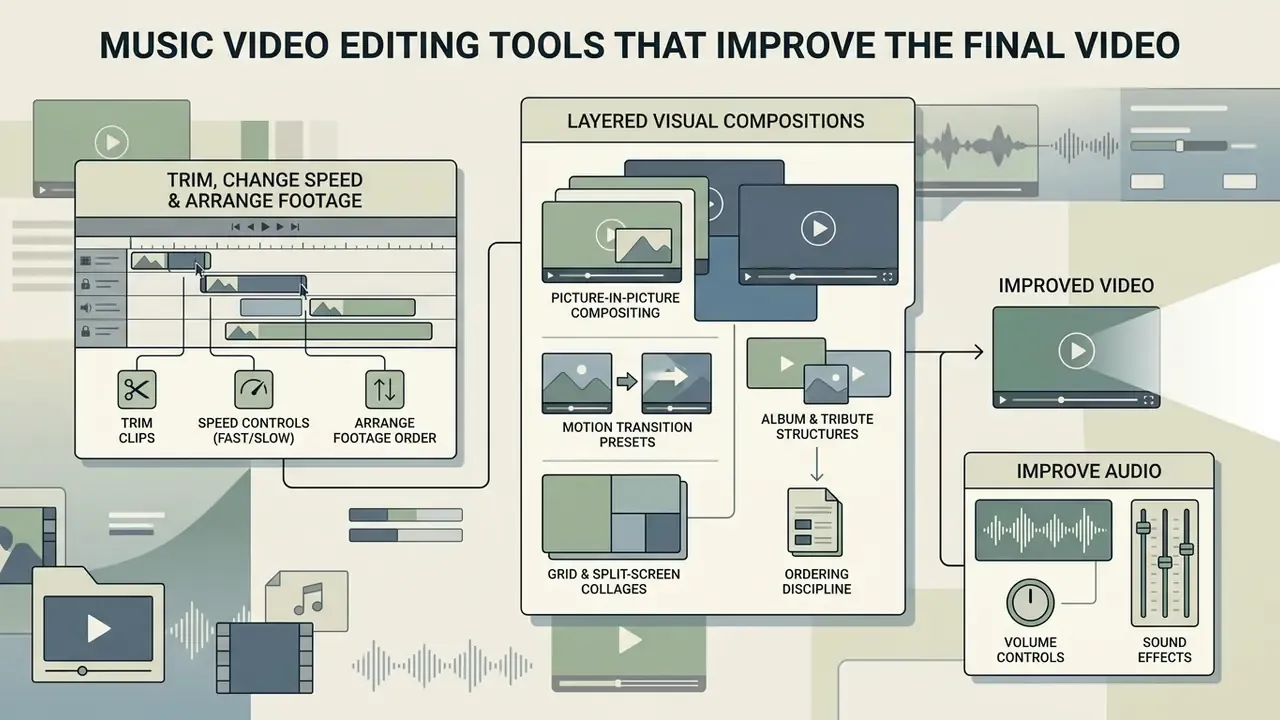
Professional video editing tools raise both the visual polish and the structural coherence of a finished music video. Timeline-based precision controls, meaning multi-track clip arrangement, spectral audio cleaning, and color grading, let users edit music videos with near broadcast-level accuracy.
Trim Clips, Change Speed, and Arrange Footage
Timeline organization in browser-based music video editors runs on drag-and-drop handles. Most web editors have no separate "trim" menu item at all: you select a clip and drag its left or right edge inward. Trimming removes unwanted head and tail footage, while aspect ratio cropping adjusts framing for vertical or widescreen displays using 16:9, 9:16, and 1:1 presets plus canvas handles for fine adjustment.
Time remapping applies speed multipliers, for example 0.5x slow motion or a 2x ramp, matching visual motion to tempo shifts inside the song. Adobe documents speed ramps with Optical Flow interpolation for smoother retimed motion. Multi-track timelines let you layer B-roll over a primary performance track without breaking master audio sync, and standard browser timelines support adding, duplicating, and resizing clips across multiple tracks.
Layered Visual Compositions: Picture-in-Picture and Event Slideshows
Complex projects, including memorial tributes, wedding retrospectives, birthday albums, and multi-instrumental performances, need several visual tracks over one audio master:
- Picture-in-picture compositing Position secondary footage such as reaction clips, instrument close-ups, lyric cards, or a second camera angle in scalable overlay windows without breaking global timecode sync. Browser editors that expose unlimited PIP layers let one audio bed carry an arbitrary number of stacked sources.
- Motion transition presets For high-density photo slideshows of 100 or more images, apply automated pan-and-zoom, the Ken Burns effect, keyed to transient markers like drum hits, bass drops, or chorus entries. Stills then feel edited rather than paged.
- Album and tribute structures Memorial, funeral tribute, obituary, wedding, anniversary, travel, and retirement slideshows share a chaptered shape: title card, chronological photo chapters, dedication text, closing credit. Templates for these themes usually ship with floral, bokeh, film-grain, or page-turning transition sets.
- Grid and split-screen collages Fixed layouts (2x2, 3x3, vertical thirds) turn several clips into one video collage. Useful when each band member is filmed separately.
- Ordering discipline Upload de-duplicated, highest-resolution copies before sequencing. Duplicate frames are the most common reason a slideshow feels padded.
Distribution for these formats usually splits between public platforms and private playback at weddings, birthdays, anniversaries, and memorial services. That is why a local high-bitrate export matters as much as the social render.
Improve Audio with Volume Controls and Sound Effects
Clean master audio comes from balancing background music, voiceover, and sound effects with dynamic range compression and volume riding. Dolby's volume documentation states the underlying principle plainly: compression attenuates loud signals and amplifies quiet ones so perceived loudness stays consistent. Vocal-processing chains split the work into modules, including noise reduction for components that are not speech, room reduction, and level riding to keep recording volume steady. Adobe Audition's documented order applies Hiss Reduction, Noise Reduction, and Sound Remover after levels are set.
Background noise removal algorithms attenuate a constant noise floor, such as air conditioning hum or wind, which lifts overall clarity. In published evaluations of audio enhancement algorithms, multi-stage filtering achieved substantial signal-to-noise improvement with minimal speech distortion:
«A multi-stage filter achieved 27.5 dB of noise reduction, with most reduction from the first LMS stage and minimal speech distortion.»
«Active noise reduction generates a secondary acoustic wave of equal amplitude and opposite phase, producing destructive interference, most effective at low frequencies.» IEEE Technology Navigator, Active Noise Reduction overview.
Classical method rankings differ by noise type. One University of Rochester project ranked RLS above NLMS, LMS, and LPC on both subjective and objective measures, while noting RLS's higher compute cost. A Federal University of Rio de Janeiro study found Wiener filtering removed noise best among four tested algorithms, though none eliminated all noise. Quantitative estimation tools, such as those in our AI Media Calculators, help teams model bandwidth and processing overhead for high-volume audio work.
Create Visual Style with Effects and Background Removal
Visual identity in a music video comes from consistent color correction, stylized video filters, and AI powered subject isolation. Adobe Premiere's Basic Correction panel shapes clip appearance by adjusting hue and luminance through exposure and contrast, which remains the baseline pass before any stylised look. Modern generative editing models, such as CCEdit, decouple a video's structural motion from its appearance, so creators can apply dramatic style transformations while subject movement stays stable.
«Extensive user studies demonstrate CCEdit's substantial superiority over eight state-of-the-art video editing methods on subjective quality ratings.»
AI background removal, such as Final Cut Pro's Magnetic Mask or web-based segment-anything models, isolates performers without a green screen. That enables compositing against abstract backdrops and lets colour correction apply only to the masked region across a clip. Classical background removal works differently: each pixel is compared against a clean plate or a per-pixel colour model, and large deviations are classified as foreground. Which is exactly why clean, evenly lit plates still improve AI mask quality.
Related masking and cut-out techniques appear in our reference on AI image editing tools. When using external assets, stay aware of copyright exposure; detailed discussion of visual rights sits in our guide to ai stealing art.
Use Captions and Text Overlays for Lyric Videos
Best practice for dynamic lyrics rests on strict visual contrast and phrase timing. Under U.S. Section 508 and WCAG guidelines, captions must reflect sung words accurately, appear in high-contrast containers, and avoid covering critical action. Section 508 guidance specifies that lyrics should be included when a person is visibly singing or when the lyrics matter to understanding the scene, and may be omitted when speech or other sounds dominate. W3C WAI adds that media should ship with a transcript and visual description, so the text layer never becomes the sole carrier of non-text information. Captioning guidance from DCMP and state digital accessibility offices pushes toward verbatim, readable lyrics with performer identification where relevant.
Professional timed-text practice mirrors this. Sony Music's media guide specifies pop-on lyric text placed at the bottom and synchronised to audio, with lyric events allowed to persist longer than standard caption events. Netflix's timed-text rules italicise lyrics within a positioned, checked subtitle template.
Lyric videos benefit from animated text presets, karaoke-style highlighting in particular, which guides the eye across the screen in sync with the vocal. Behavioural research shows creators treat captions as design, not only compliance:
«TikTok users frequently add captions that are simultaneously accessible and enjoyable, blending descriptive captions, song lyrics, and stylistic elements.»
Creators generating lyric visuals from written input can extend this workflow with text-to-video and prompt-driven generation tools.
Technical and Accessibility Standards Reference
This consolidated reference gathers the normative thresholds cited above, so production teams can run one QC checklist instead of hunting through sections.
| Domain | Standard / Source | Requirement or Benchmark | Practical QC Check |
|---|---|---|---|
| Lip-sync / A-V offset | EBU R37-2007 | Sound no more than 40 ms before picture, 60 ms after, end-to-end; 5 ms early to 15 ms late per stage | Verify on a 2-pop or clap sync reference before render |
| Sync measurement | IEC TS 62312-1-1:2018; IEC TS 62312-2:2018 | Defines measurement methods and system model for A-V synchronisation | Use the documented procedure, not eyeball checks |
| Media timing | SMPTE EG 2059-10:2023 | Introduction to the modern synchronisation system | Reference for facility-level timing design |
| Captions | U.S. Section 508; W3C WAI (WCAG) | Verbatim, high-contrast, non-occluding captions; transcript plus visual description | Contrast and overlap check at 100% zoom |
| Timed text style | Sony Music media guide; Netflix timed-text guide | Bottom-placed pop-on lyrics, italics for lyrics, longer lyric event duration | Review against the style template before delivery |
| Noise reduction | BYU Physics (2025); University at Buffalo report (2025) | Up to 27.5 dB SNR gain (multi-stage); PESQ 3.12 to 3.48, STOI 0.89 to 0.93 with visual-guided denoising | A/B the denoised and raw stems on headphones |
| Export targets | YouTube Help (official) | 1280x720 or higher for 16:9; 1920x1080 or higher for paid titles; no fixed minimum bitrate | Confirm resolution, fps, and aspect before upload |
| Upload constraints | Vendor specs; W3C 2026 authoring guidance | Video up to 1 GB; images up to 50 MB and 250 MP; SVG 1.1 up to 3 MB; compress before upload | Batch-validate assets before ingestion |
Reading the table: sync and captions are the two rows where a technically clean edit most often fails external review. Make them mandatory gates, not optional passes.
Enterprise Data Privacy, Security, and Shadow AI Controls
Cloud video editors process raw media on vendor infrastructure. That makes them data-processing systems as well as creative tools. For regulated teams in banking, fintech, healthcare, education, or the public sector, the editor selection decision is a vendor-risk decision.
Data handling questions to resolve before rollout:
- Training-data usageDoes the vendor contractually exclude customer uploads from model training and fine-tuning? Look for a written commitment, not a marketing statement.
- Zero-data-retention on AI modulesAre prompts, transcripts, and generated frames deleted after inference, and is retention configurable per workspace? Transcription and denoising modules carry the highest exposure, because they convert speech into searchable text.
- Data residency and sub-processorsWhere are uploads stored and rendered, and which sub-processors touch the media? Confirm region pinning if residency obligations apply.
- Certifications and audit evidenceRequest current SOC 2 Type II or ISO/IEC 27001 reports, penetration-test summaries, and a documented incident-response SLA.
- Deletion and export rightsVerify hard-delete guarantees for projects and assets, plus full project export if you leave the platform. Vendor-exit planning is cheaper before signature than after.
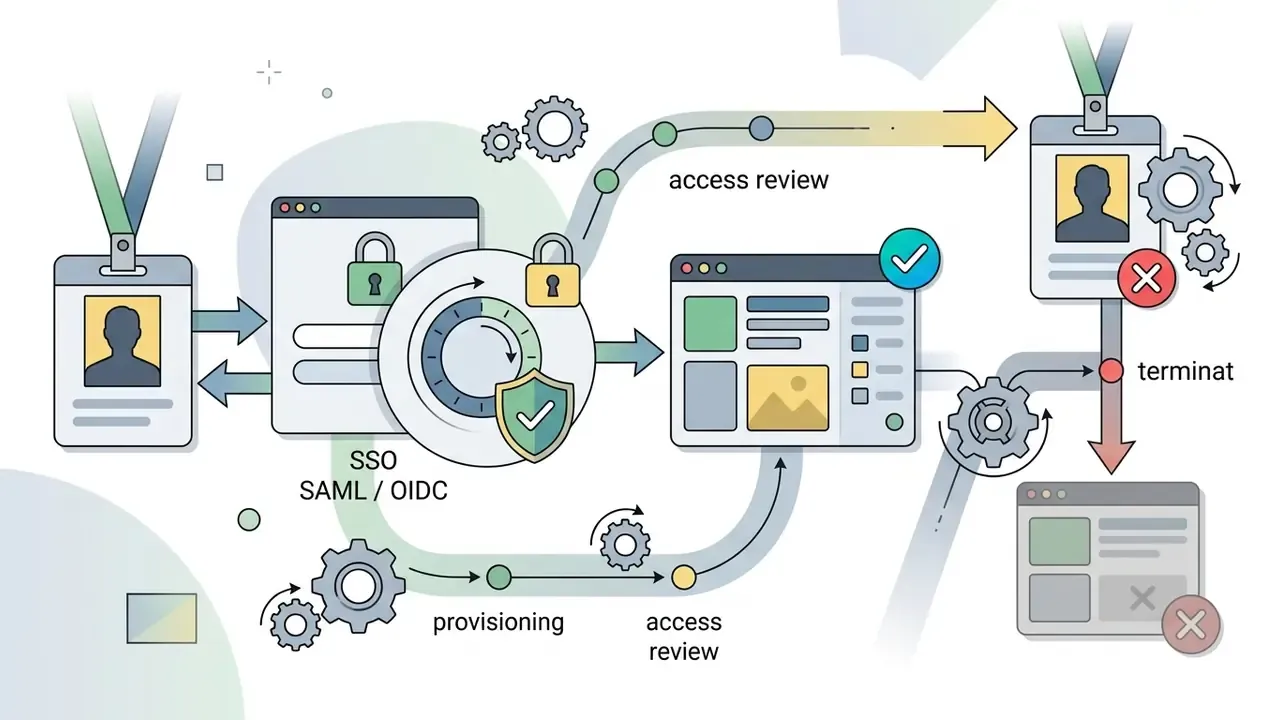
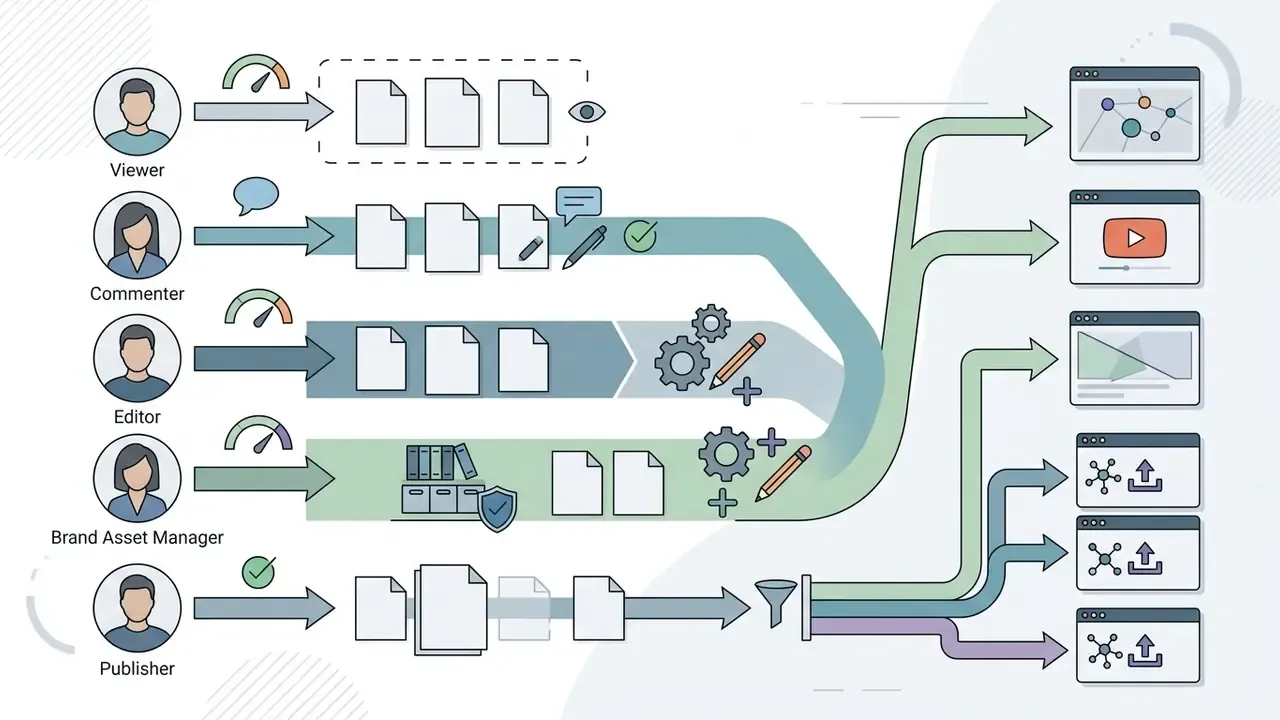
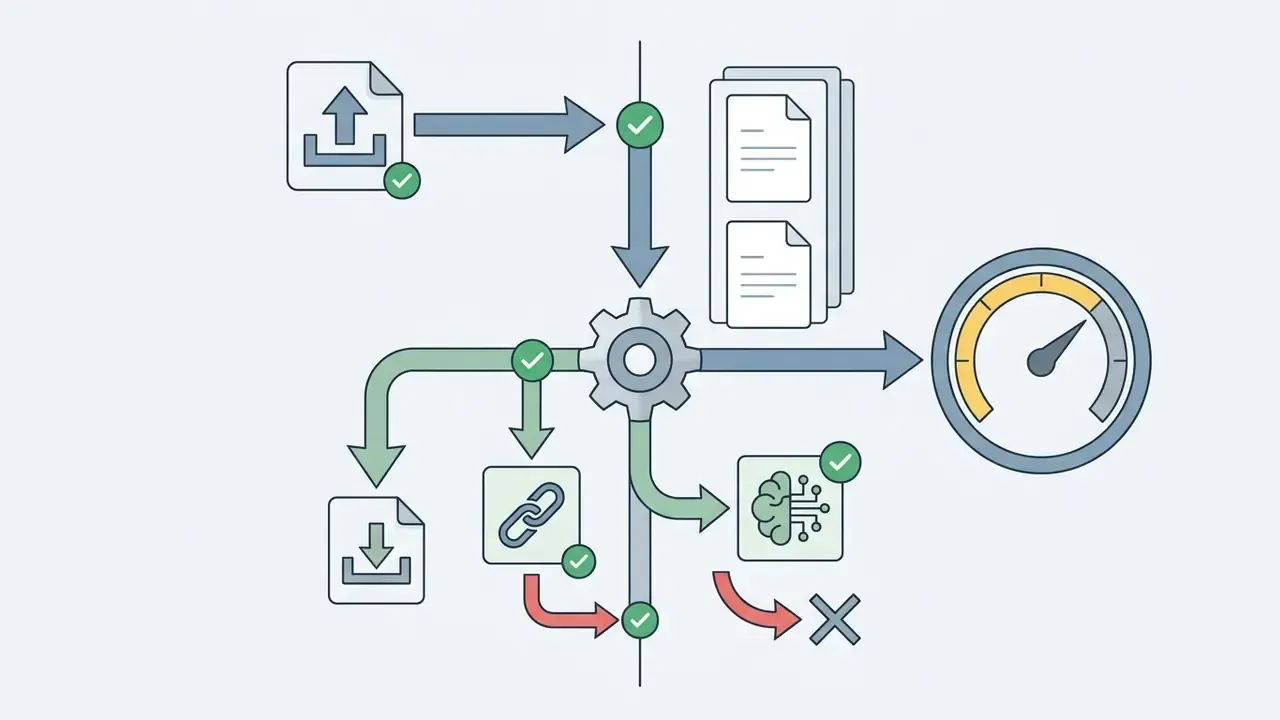
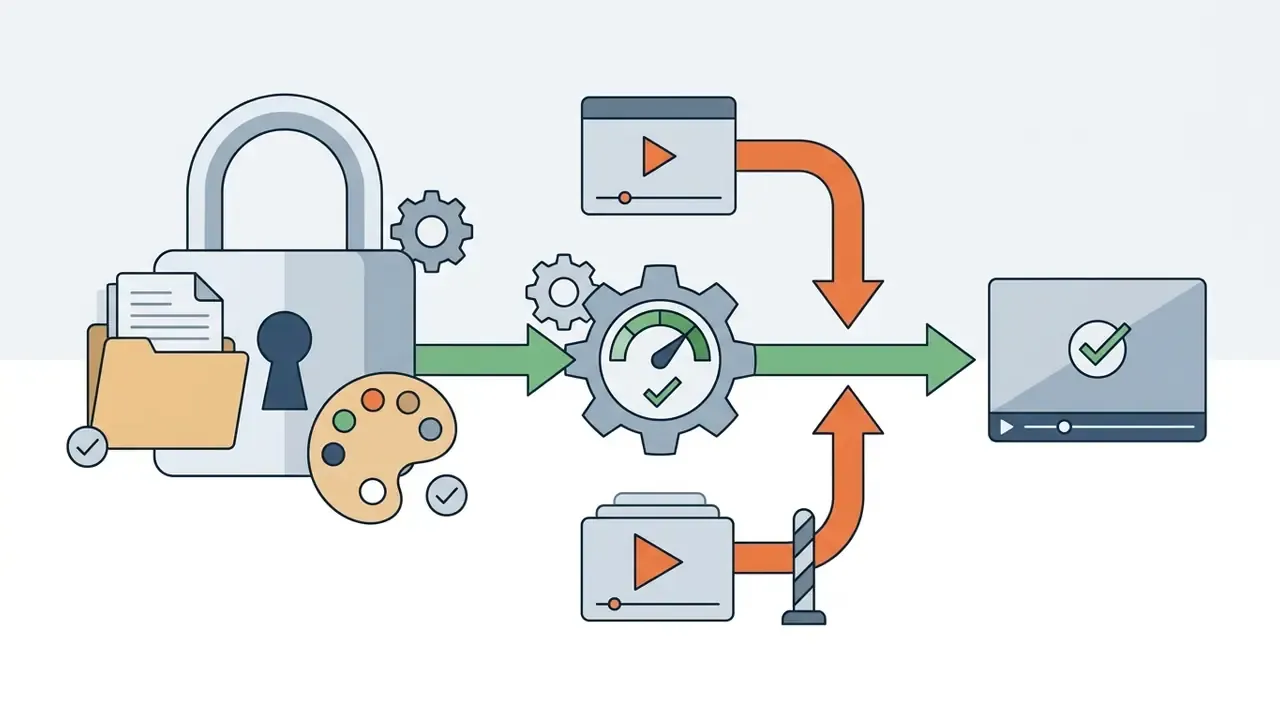
Access control requirements for collaborative editing:
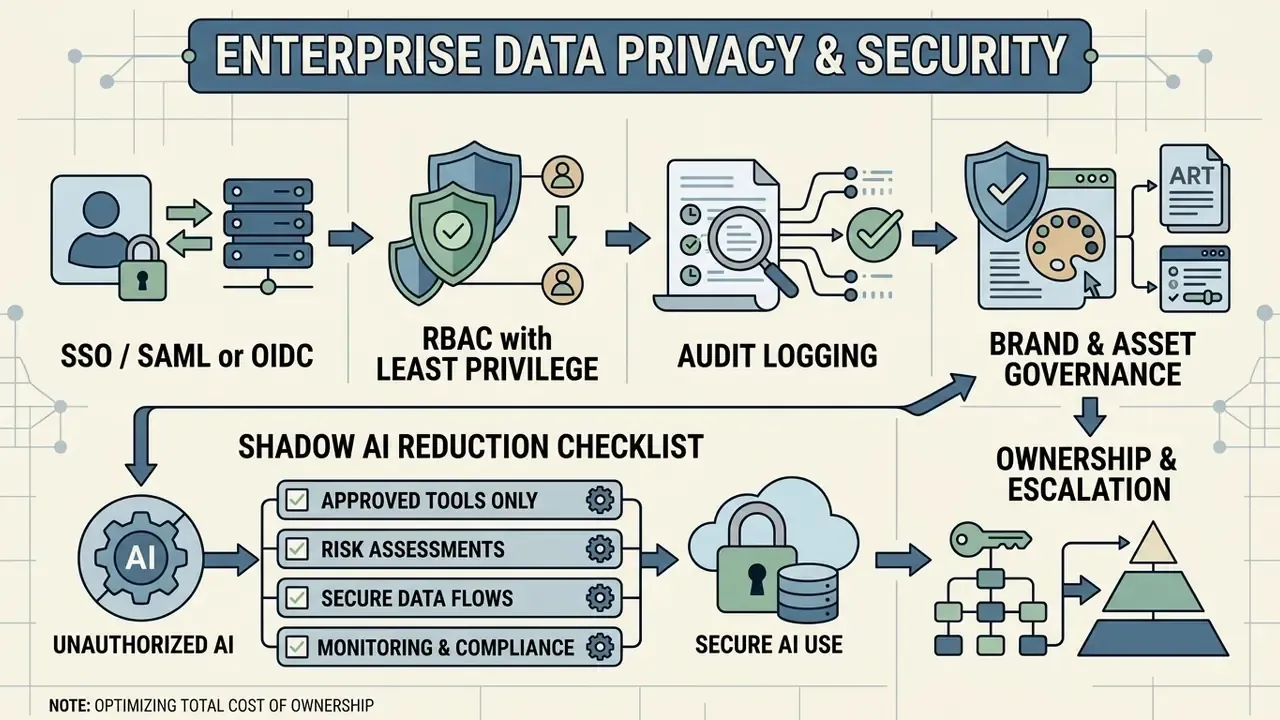
Shadow AI reduction checklist:
- Publish a short approved-tool list naming the cleared plan tier. Free tiers often carry different data terms than paid tiers.
- Block or monitor uploads of confidential media to unapproved consumer editors at the network or CASB layer.
- Provide a sanctioned fast path. If the approved tool is slower to access than an unapproved one, people will route around it.
- Require a lightweight intake review for any new AI media feature, covering data retention, licensing of outputs, and who owns output review.
- Train staff that pasting scripts, unreleased tracks, or customer footage into a consumer AI tool is a disclosure event, not a productivity shortcut.
Ownership and escalation. Every AI module in the pipeline should have a named owner, an approved role, access limits, an audit trail, and an off switch. That applies to a captioning model as much as to a prompt-driven editor. No evidence, no autonomy.
Total cost of ownership note: subscription price is rarely the dominant cost in a governed environment. Budget for vendor due diligence and renewal reviews, legal review of licensing terms, content QC and pre-publication approval time, caption accuracy review, archival storage of masters, and the control overhead of audit logging and access reviews. A cheap plan that cannot pass procurement is more expensive than a paid tier that can.
Free Music, Pricing, and Commercial-Use Considerations
Free music libraries, subscription tiers, and commercial usage rights all matter once a music video is monetized or used in corporate promotion. Understanding the difference between royalty-free licensing, Creative Commons terms, and custom uploads is what prevents copyright strikes and disputes.
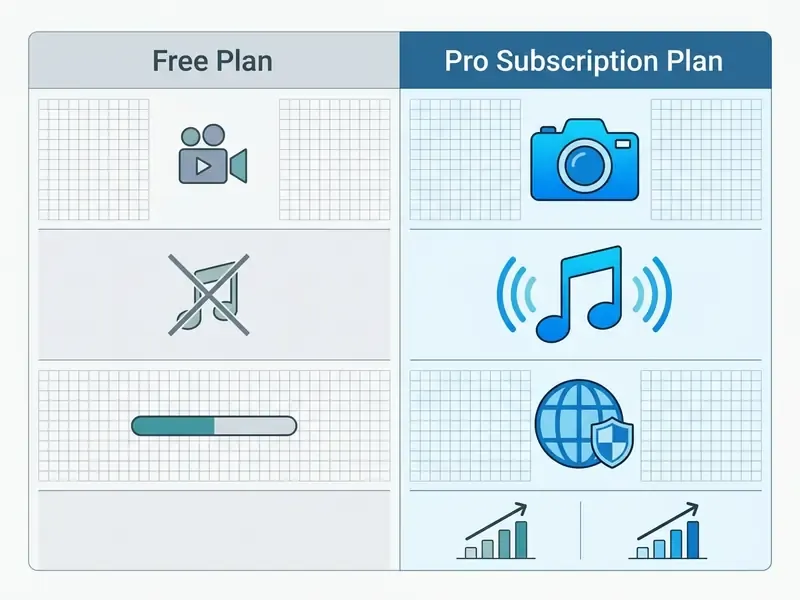
| Plan Level | Stock Audio Access | Watermark Policy | Export Resolution Limits | Commercial Usage Rights |
|---|---|---|---|---|
| Free tier | Limited public domain and CC tracks | Mandatory platform watermark on many services | Restricted (720p or 1080p cap; length caps common) | Personal and non-commercial only |
| Pro subscription ($10 to $30/mo) | Full royalty-free music library | Watermark removed | Up to 4K UHD | Full commercial and ad monetization rights |
| Enterprise / API | Full library plus custom licensing | Watermark removed | Custom bitrates and raw formats | Custom multi-seat commercial clearing |
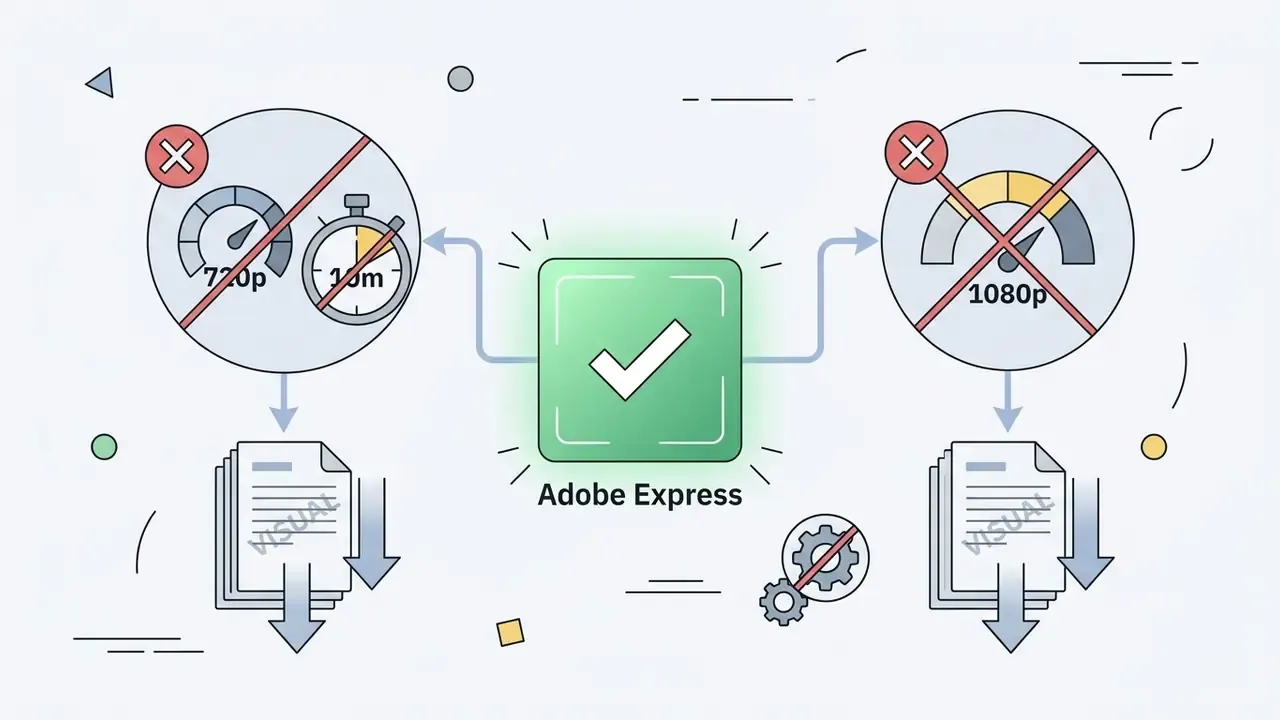
Summary of pricing limits: Free online video maker tools cover basic editing, but they frequently apply a visible watermark, cap exports at 720p to 1080p, and restrict music to non-commercial personal posts. A paid plan unlocks commercial clearing for stock audio, removes the watermark, and enables high-bitrate 4K rendering.
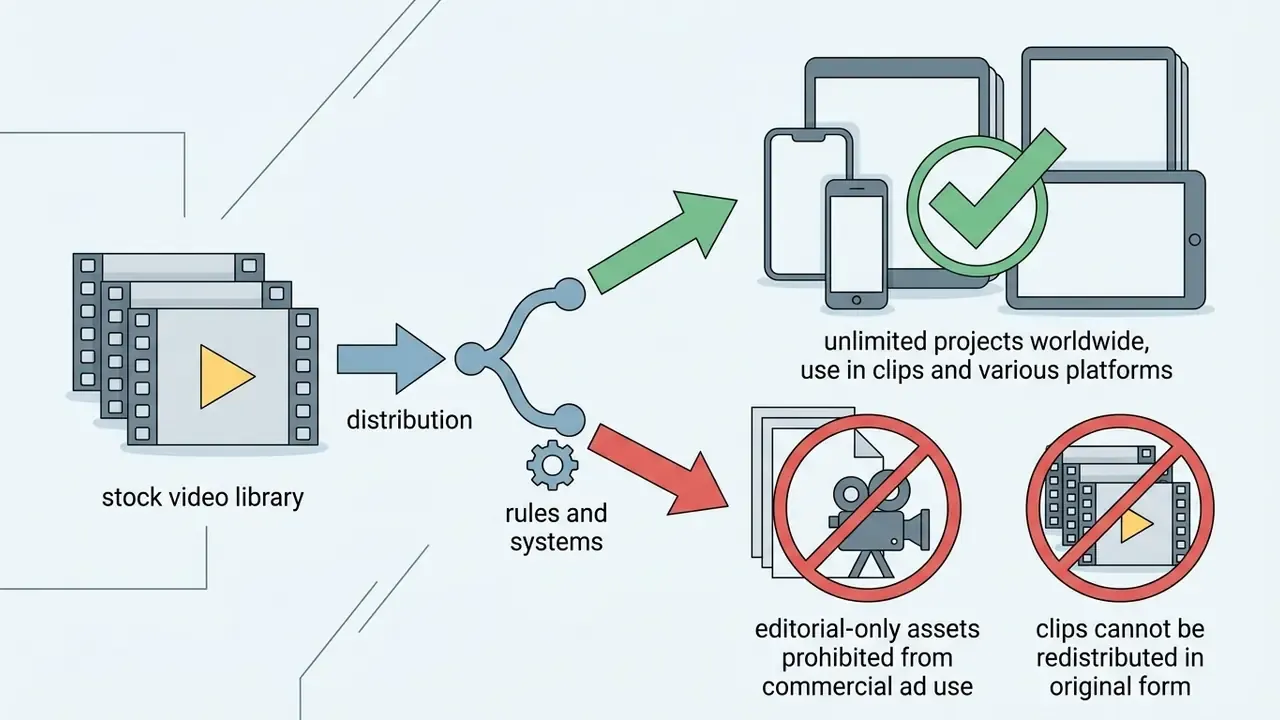
Stock marketplaces price the media layer separately. Shutterstock publishes unlimited-download music and video tiers billed monthly or annually. Adobe Stock bundles music tracks, templates, and standard assets into subscription plans under a royalty-free audio licence allowing repeated worldwide use. Complete licensing breakdowns sit in our AI Media Commercial-Use Hub, and platform-specific terms such as Canva AI generator licensing are covered separately.
Royalty-Free Music, Own Music, and Audio Files
Royalty free music does not mean copyright-free. It describes a licensing model where you pay once, or subscribe, and then use the track without per-play royalties. The underlying composition and recording stay copyrighted. You receive permission, not ownership.
Free music libraries often distribute tracks under Creative Commons licenses such as CC BY, which permit use only with proper creator attribution. "Free to download" is not "free of copyright". Each track carries its own terms covering attribution, derivative works, and commercial reuse.
When creators upload their own original audio files, they keep full control over both composition and master recording, which enables unrestricted commercial use on monetized channels. Protection exists from the moment of creation. Registration with a national copyright office, such as the U.S. Copyright Office, provides the formal evidentiary record of ownership.
AI music carries distinct rights risk. Copyright ownership of fully machine-generated audio remains unsettled in both the United States and the European Union, where human authorship is a central requirement. Generative music tools also tie commercial rights to plan status: some services watermark free-tier output and grant commercial rights only for tracks created while a paid subscription is active. Downgrading a plan can therefore complicate a campaign's rights position retroactively.
Before shipping AI music inside a paid advertisement, document the tool, plan tier, generation date, and the vendor's commercial-rights clause. For regulated advertising, human-authored or licensed stock music remains the lower-risk default.
What to Check Before Using Video Content Commercially
Before launching a commercial promo video or ad campaign that incorporates stock assets, verify five licensing conditions:
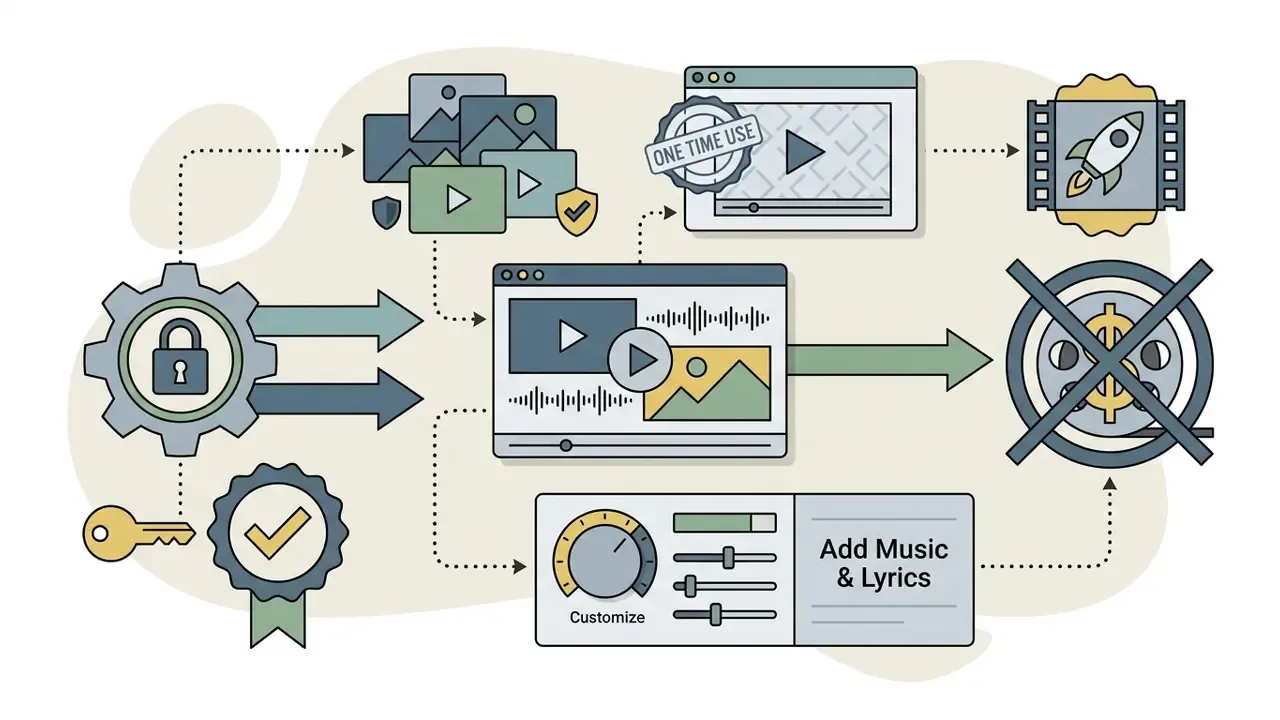
- Commercial advertising rights: Confirm the licence explicitly permits paid promotional and advertising use, not just editorial posting. Some public-sector licences, for example the EPA's 2025 video, audio, and photo licence, permit use only for informational, educational, and non-commercial outreach.
«Legitimate online music services must license commercial users, audit rights, and collect and distribute royalties to rightsholders.»
Readers verifying rights across media types can also review our summary of commercial-use rights for AI-generated media. For case histories on intellectual property and digital content disputes, see our summary on AI Litigation and Case Timelines.
Fact check and verification of terms (verified August 2026):

Free Online Tools and Plan Limits
FAQ: Frequently Asked Questions About Music Video Editors
Can a Team Co-Edit a Music Video Online?
Yes. Cloud-based video editing platforms support real-time collaboration and co-editing. Systems like Adobe Team Projects and cloud NLEs let remote members work inside shared sequence timelines, with version control through cloud updates and explicit editing permissions. Collaboration models differ by product: some offer cloud-hosted co-authoring where sequence and composition changes propagate to all coauthors, while others expose Fast and Strict co-editing modes that trade immediacy for conflict avoidance. Academic work on collaborative video editing (ACM, 2022) frames this as a distinct interaction problem, not simple document sharing. Collaborative systems prevent project overwrites through strict timeline locking or fast co-authoring, so a creative team can split video assembly, subtitle editing, and audio mixing at the same time. Teams publishing from a shared project should also agree on approval gates before release. See our guide to YouTube editing and publishing workflows.
Can I Remove Background Noise from Audio Before Exporting?
Yes. Integrated AI audio cleaning reduces or removes background noise inside web-based video editors before final export. Spectral noise reduction and deep-learning audio enhancers isolate steady-state noise, such as fans, traffic, or room reverberation, without gutting primary vocal frequencies. Updated: read measured gains against published benchmarks rather than one global figure. A 2025 University at Buffalo technical report found that a visual-guided denoiser improved PESQ from 3.12 to 3.48, STOI from 0.89 to 0.93, and SNR from 14.2 to 16.8 dB compared with an audio-only baseline (University at Buffalo, 2025, https://cse.buffalo.edu/tech-reports/2025-22.pdf). Results vary with noise type, input SNR, and compute budget, so always A/B the processed stem against the original.
«A conditionally invertible video decomposition separates noise and clean-frame information into distinct latent codes, enabling distortion-free clean-video reconstruction.» Video Noise Removal Using Progressive Decomposition with Conditional Invertibility, IEEE (2023).
How Do I Make a Music Video on iPhone or Android?
Install the editor's native mobile app and sign in with the same account used on desktop so cloud projects sync. Import clips directly from Apple Photos or Google Photos. Choose a 9:16 template, drop your audio track on the timeline, pinch-to-zoom the waveform to place cuts on the beat, add auto captions, then export. On-device neural accelerators handle background removal and transcription without a cloud queue, and one-tap resize produces 16:9 and 1:1 variants from the same master.
How Long Does It Take to Make a Music Video Online?
It depends on scene complexity. Traditional manual editing commonly runs on the order of a couple of hours of edit time per finished minute for multi-shot performance content. Template-driven and AI-assisted assembly compresses that sharply for repeatable formats, including slideshows, lyric videos, and promo cut-downs, because script, media selection, captions, and voiceover are generated in one pass and refined afterwards.
Can I Combine Photos and Video Clips in the Same Project?
Yes. Mixed-media timelines are standard. Still images sit on the same tracks as video clips, with pan-and-zoom motion applied so stills match the movement of filmed footage. Keep stills at or above your export resolution, ideally 2x for zoom headroom, to avoid visible upscaling.
Do I Need Editing Experience to Use an Online Music Video Maker?
No. Drag-and-drop editors, template libraries, one click filters, and auto-captioning are built for first-time users. Editing experience becomes relevant at the finishing stage: sync verification, loudness consistency, caption accuracy, and export settings. That is exactly where the standards table above substitutes for years of practice.
Can I Make an Animated Music Video Without Filming Anything?
Yes. Animated and generative routes replace filmed footage with motion graphics, AI-generated shots, and audio-reactive visualizers. Combine animated backgrounds with keyframed type for lyric videos, or generate B-roll from prompts and then hand-correct pacing on the timeline.
Is Free Export Good Enough for a Commercial Release?
Usually not. Free tiers typically cap resolution at 720p to 1080p, may burn a watermark, limit duration, and restrict music licensing to non-commercial use. For paid media, upgrade to a tier that removes watermarks, unlocks commercial clearing on stock audio, and permits high-bitrate export.
Appendix A: Superseded Statements and Source Verification
For transparency, the statements below appeared in earlier versions of this article and have since been revised. They are retained here with the reason for revision.
- "Studies on digital video consumption reveal that up to 80% of mobile users view short-form feed videos with the audio muted."
- Revised, because no single source with a disclosed methodology supported that specific figure. The operational guidance, meaning assume sound-off viewing and always caption, is supported by university and public-health social video guidance and remains in the main text.
- "According to workflow documentation from Adobe Stock (2026), utilizing pre-built project templates for intros, transitions, and lower-thirds allows creators to move from initial concept to rendered output up to 60% faster than manual timeline setups."
- Revised. Adobe Stock documentation supports the qualitative claim that pre-built templates save time and remove the need to start from scratch, but it does not publish a 60% benchmark. Replaced with the LAVES (2024) throughput and cost findings plus the Adobe and Storyblocks qualitative statements.
- "For organizations evaluating technical integrations and data processing workflows, exploring an AI spreadsheet generator (/glossary/ai-spreadsheet-generator/)..."
- Removed from the AI-versus-manual editing section as contextually irrelevant to music video assembly, and replaced with API and video-generation references.
- "In empirical testing, AI-assisted noise suppressors achieved speech transmission index (STOI) scores above 0.90."
- Revised to cite the specific University at Buffalo (2025) measurements, STOI 0.89 to 0.93, rather than a generalised threshold, and to note dependence on noise type and input SNR.
- Hypeart.ai footnote.
- Relocated from the pricing-limits paragraph into the dedicated "Vendor status verification" note, since the platform is not part of the comparison matrices.