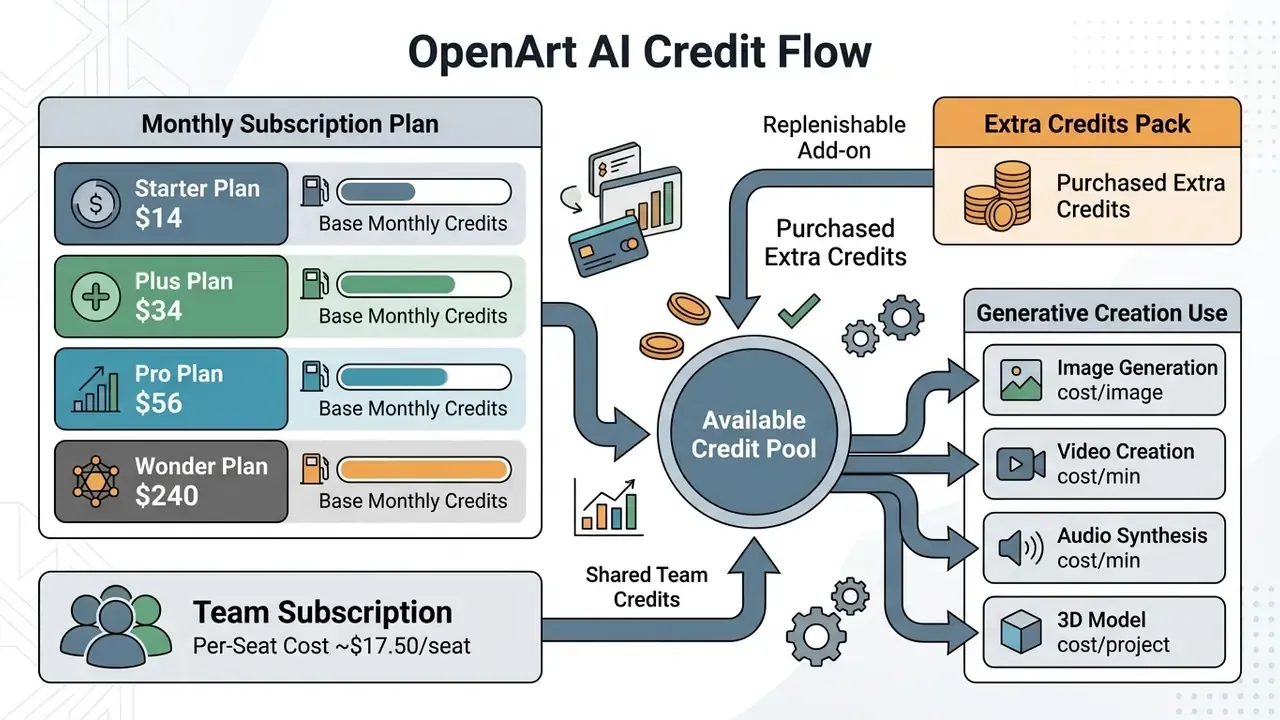
Evaluating a commercial generative AI platform is a budgeting exercise and a controls exercise at the same time. Price, compute limits, and commercial licensing move together. OpenArt AI runs a unified credit-based subscription across image generation, video rendering, custom model training, audio production, 3D world building, and visual editing tools. Understand how the credit pool scales across OpenArt plans and you get three things at once: budget predictability, no mid-project stoppages, and content licensing that stays inside contractual boundaries.
That last point is where most teams get burned.
- One credit pool covers images, video, audio, characters, 3D worlds, and model training. There are no separate per-feature fees.
- Commercial rights begin at Plus. Free and Starter output is restricted to personal, non-commercial use.
- Base monthly credits are "use-it-or-lose-it". Purchased Extra Credits roll over indefinitely while the subscription stays active.
- Team billing is available at roughly $17.50/seat/mo (annual) with pooled credits, which removes per-seat credit waste.
On this page: how the credit system works → credits per generation → paid plans and the Team tier → free plan features and limits → privacy and governance → plan selection framework → OpenArt vs Midjourney and Leonardo AI → FAQ.

How OpenArt AI Pricing Works: Subscription, Credits, and Billing
Every account action draws from the active balance, from a simple text-to-image prompt to a multi-frame video render. Subscription plans run on fixed monthly billing cycles in USD, which keeps baseline costs predictable for individual creators and for finance teams that need a stable line item. Because there is no pay-as-you-go overage billing, worst-case monthly spend equals the subscription price plus any Extra Credit packs you manually buy. For a CFO signing off on tooling, that ceiling is the single most useful property of the OpenArt AI subscription model.
One nuance worth flagging: the credit pool resets on a strict 30-day schedule tied to your signup date, not on the first of the calendar month. Finance teams reconciling spend against monthly closes should expect the invoice date and the credit reset date to drift apart from calendar periods.
Who Builds OpenArt: Company Background and Track Record
What Credits Pay For in OpenArt AI
Credits are the single internal currency across all AI models and workflow tools hosted on the platform. Standard 1024×1024 image generation on baseline models consumes roughly 1 credit per image, while 2K upscaling or other high-resolution processing costs 2 to 4 credits per run.
«A standard image generation costs about 1 credit; a 5-second video clip runs roughly 80 credits on baseline engines.»
Video generation and advanced models demand far more compute per run. Standard 5-second clips consume between 80 and 100 credits, while heavier operations such as training custom LoRAs or creating a consistent character deduct roughly 300 credits per execution (TheDataScientist, OpenArt Pricing Breakdown, 2026).
«A 10-second clip through Kling 2.1 consumes roughly 1,000 credits; a standard Veo 3 generation costs about 1,500 credits per run.»
Beyond images and video, three product lines that competitors frequently ignore also draw from the same pool:
To compare cross-platform rendering expenditure across AI video generators, use our broader AI Video Pricing reference as a sanity check on per-second costs.

Monthly vs Annual Billing on OpenArt
OpenArt offers monthly and annual billing cycles, with the annual plan delivering effective savings of 10% to 27% per seat depending on tier. An annual commitment lowers the per month cost without changing the monthly credit allotment or the parallel generation cap (OpenArt Suite Pricing, 2026).
Under annual billing the effective seat cost drops across every tier: Starter falls from $14 to $13 per month, Plus from $34 to $27, Pro from $56 to $44, and Wonder from $240 to $175. Annual terms require paying twelve months upfront, yet the included allowance still resets every 30 days. Prepaying does not create a bankable annual credit pool. That detail surprises buyers more often than it should.
Teams modelling total production expense can project unit costs with our interactive calculators and cross-check platform economics against our comparison of the best AI image generators before locking in a twelve-month term.
API Access and Programmatic Use
Discounts, Promo Codes, and Community Credits
OpenArt runs recurring promotional campaigns rather than fixed permanent discounts. Three mechanisms are worth checking before checkout:
- Annual billing discount officially advertised as "up to 27% off", scaling by tier (10% Starter, 20% Plus, 22% Pro, 27% Wonder).
- Affiliate and reviewer codes third-party publishers routinely distribute checkout codes in the 15% range. Validity is campaign-dependent and should be tested in the cart before purchase.
- Community credits extra trial credits have historically been granted for joining OpenArt's Discord community and completing onboarding tasks.
Because promotional terms change without notice and stacking rules are not published, treat any advertised discount as unverified until it appears in the order summary.
E-E-A-T Data Currency Verification:
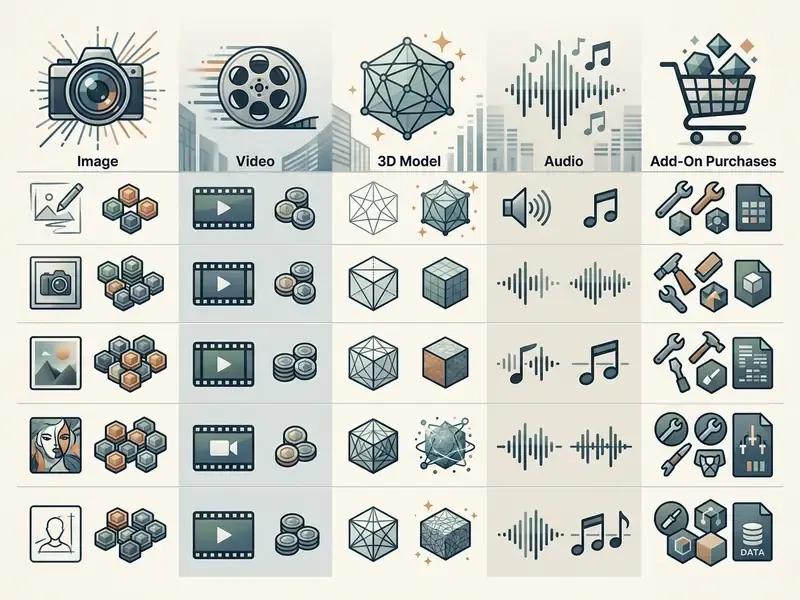
Credit Consumption: Images, Video, Models, Audio, and Add-On Purchases
Credit consumption varies with the computational intensity of the selected model, the output frame count, and the processing resolution. Baseline image creation uses minimal resources. Multi-frame video algorithms and high-parameter neural networks consume dramatically more per run (Strategy of Finance, 2026).
Approximate credit consumption by operation type (audited mid-2026)
| Operation | Typical Credit Cost | Notes |
|---|---|---|
| Standard image, 1024×1024, baseline model | 1 credit | Around 4,000 images on the Starter pool |
| Premium model image (GPT Image 2, Nano Banana Pro) | 2 to 6 credits | Higher-parameter models cost more per render |
| 2K / 4K upscaling | 2 to 4 credits | Paid plans only |
| 5-second standard video clip | 80 to 100 credits | Around 50 clips on Starter, 150 on Plus |
| 10-second premium video (Kling 2.1, Veo 3) | 1,000 to 1,500 credits | Wonder-tier workload |
| Custom LoRA / consistent character training | Around 300 credits | Model slots capped by tier |
| OpenArt Director shot iteration | 15 to 25 credits | Excluded from Starter capacity estimates |
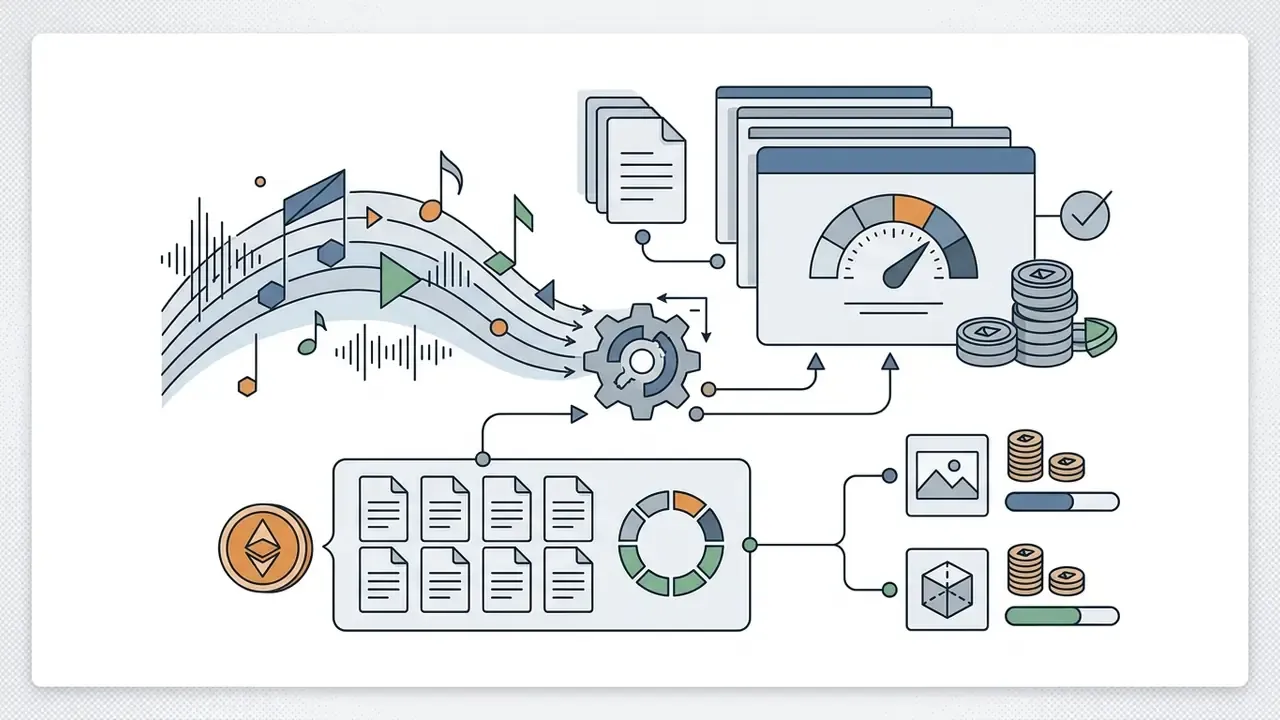
| OpenArt Worlds 3D environment | Around 150 credits | Navigable, exportable to 3D tools |
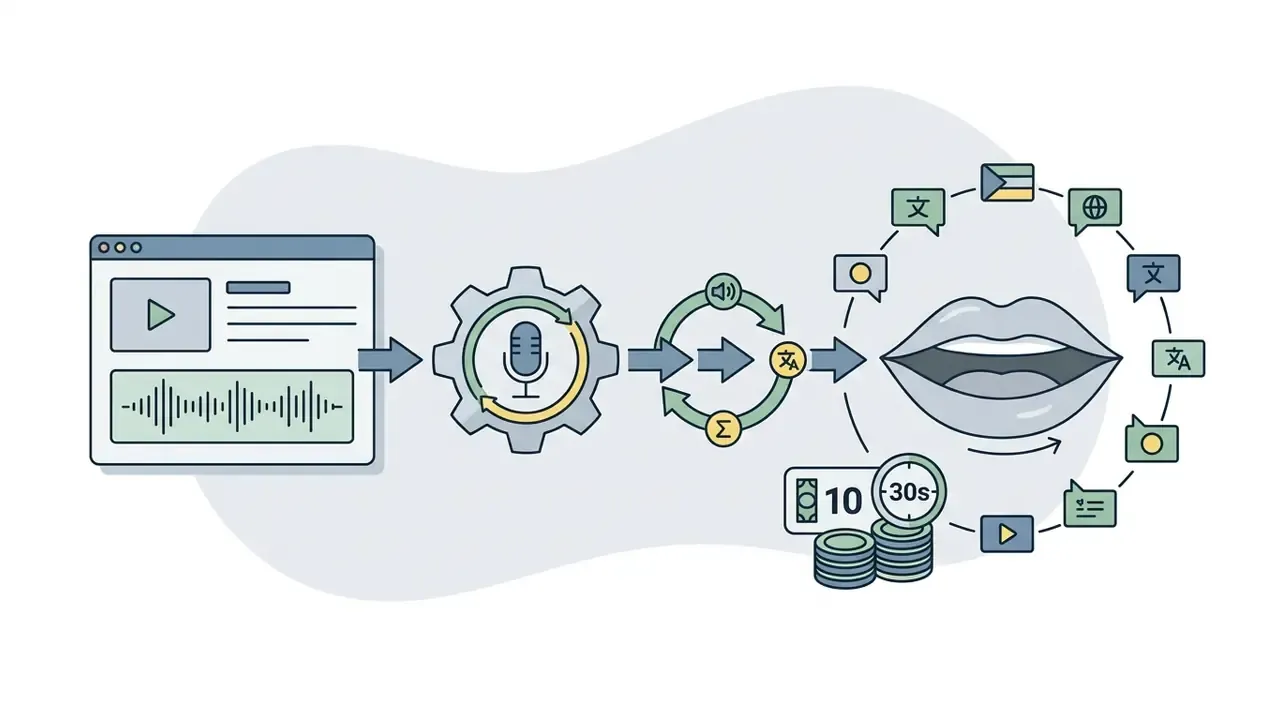
| AI voiceover plus lip sync (30 sec) | Around 10 credits | 30+ languages, WAV/MP3 export |
| AI music generation (1 min) | Around 20 credits | Genre-selectable original score |
Read the table as a planning instrument rather than a price list. The headline capacity claims on any plan page assume the cheapest possible operation repeated thousands of times, which almost no real workflow does. Mix in two premium video runs and a single character training and the arithmetic changes shape immediately.
Why AI Video and Advanced Models Consume More Credits
Generative video has to hold spatial and temporal consistency across dozens of consecutive frames, which multiplies GPU requirements against static image generation. A standard still image costs 1 credit. A 5-second clip typically consumes 80 to 100 credits on standard video engines.
«Video demands spatio-temporal coherence across dozens of frames, multiplying GPU load relative to a single static image.»
Flagship cutting edge systems such as Kling 3.0, Grok Imagine, GPT Image 2, and Nano Banana Pro carry higher per generation costs by design. A 10-second render through premium engines like Kling 2.1 or Veo 3 can deduct 1,000 to 1,500 credits in one execution (TeraBox, AI Pricing Guide, 2026).
Engineers evaluating enterprise deployments of next-generation video models can review our technical documentation on google veo ai integration options and per-second cost modelling.
Studio Control Tools Included in Paid Plans
Paid plans bundle a studio-control toolkit that materially changes credit planning, because each tool adds iteration cycles on top of the base generation:
- Smart Shot turns a single prompt into 3 to 5 cinematic cuts with varied camera angles, professional moves, and preserved visual consistency.
- Motion Sync Video retargets motion from a 3 to 30 second reference clip (dance, sport, walk cycle) onto an AI generated character.
- Camera Angle Control reframes an existing image from a different angle using rotation sliders plus wide-angle or close-up lens presets.
- Replace Background swaps the scene behind a subject while preserving lighting, edges, and motion continuity.
- Relight Video changes shot mood with cinematic lighting while keeping characters and motion intact.
- Video Inpaint masks protected regions, then transforms everything around them from a single prompt.
Each of these editing tools triggers an additional render, not a free post-process. A five-shot Smart Shot sequence plus two Relight passes on premium engines can consume more credits than the entire Starter monthly allowance. Plan for iteration, not for first-take success.
Extra Credits and the Risk of Unplanned Spend
To avoid mid-cycle work stoppages when the monthly balance runs low, OpenArt lets subscribers on paid plans buy Extra Credit packs. A one time pack costs roughly $15 for 5,000 credits (TechBullion Review, 2026), and Wonder subscribers receive a discount on pack purchases.
«Add-on credit pricing sits slightly above Wonder's best tariff rate, the typical convexity: a larger subscription beats habitual top-ups.»
Base monthly credits expire at the end of each billing cycle under a strict "use-it-or-lose-it" policy. Purchased Extra Credits behave differently and roll over indefinitely as long as the account keeps an active subscription (OpenArt Help Center, 2026).
«The system draws down base subscription credits first, then moves to add-on credits, and the latter do not expire while the account stays active.»
There is no automatic pay-as-you-go overage. Consumption halts when the balance hits zero unless someone manually buys a top-up pack. That is a control feature as much as a limitation, since it caps uncontrolled spend at the department level. Creators comparing tools on budget criteria can explore our catalog of AI Media Alternatives by Reason or benchmark the best AI image generators on cost-per-asset terms.
Budget Formula: Estimating Monthly Credit Demand
Use this text formula before selecting a tier. It converts a production brief into a credit requirement:
Monthly credits = (Images × 1–6)
               + (Upscales × 2–4)
               + (Video seconds ÷ 5 × 80–100)     [standard engines]
               + (Premium video runs × 1,000–1,500)
               + (Character/LoRA trainings × 300)
               + (Director iterations × 15–25)
               + (3D worlds × 150)
               + (Voiceover seconds ÷ 30 × 10)
               + (Music minutes × 20)
               × 1.3 safety buffer for failed/rejected renders
Worked example (small agency): 600 images, 30 upscales, 120 seconds of standard video, 8 character trainings, 40 Director iterations, and 4 minutes of voiceover equals roughly 600 + 90 + 2,400 + 2,400 + 800 + 80, about 6,370 credits. Apply the 1.3 buffer and you land near 8,280 credits per month. That brief fits the Plus plan (12,000 credits) with headroom and would overflow Starter inside the first week.
The buffer is not padding. In our own review workflow, roughly one in four renders gets rejected on composition or hands before anything reaches a client folder.
OpenArt AI Plans: Starter, Plus, Pro, Wonder, and Team
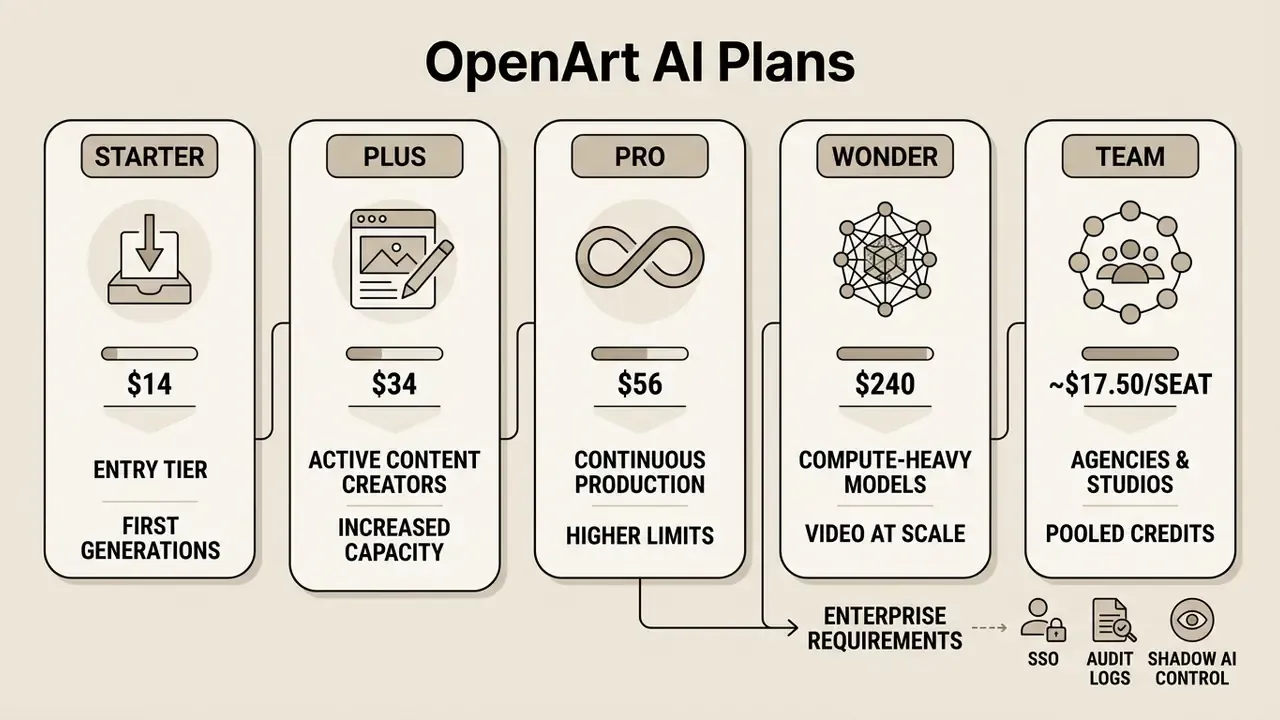
OpenArt structures paid offerings into four individual tiers, Starter (formerly Essential), Plus (formerly Advanced), Pro (formerly Infinite), and Wonder, plus a separate Team subscription for multi-seat organisations. Moving up the ladder increases monthly credits, expands parallel job limits, unlocks commercial usage rights, and improves unit cost efficiency (OpenArt AI Pricing Audit, 2026).
«Commercial rights to generated content are granted only from the Plus tier upward. Starter and Free are limited to non-commercial use.»
OpenArt subscription plans compared (verified mid-2026, prices in USD)
| Tier | Monthly | Annual (per mo) | Monthly credits | Max standard images | Max standard videos | Parallel generations | Commercial use |
|---|---|---|---|---|---|---|---|
| Free (trial) | $0 | $0 | 40 one time trial credits (7 days) plus capped basic access | 10 to 20 (watermarked, 512×512) | Disabled | 4 | No, personal only |
| Starter (Essential) | $14 | $13 | 4,000 | ~4,000 | ~50 | 8 | No, personal only |
| Plus (Advanced) | $34 | $27 | 12,000 | ~12,000 | ~150 | 16 | Yes, full rights |
| Pro (Infinite) | $56 | $44 | 24,000 | ~24,000 | ~300 | 32 | Yes, full rights |
| Wonder | $240 | $175 | 106,000 | ~106,000 | ~1,300 | 32 | Yes, full rights |
| Team (per seat) | Quoted per seat | ~$17.50/seat | 12,000 per seat, pooled | ~12,000 per seat | ~150 per seat | 16+ per seat | Yes, full rights |
Starter (Essential): Entry Tier for First Generations
The Starter plan, still widely referenced as OpenArt Essential, is built for hobbyists and individual experimenters who want a dedicated monthly allowance for entry-level tasks. At $14 per month, or $13 billed annually, it supplies 4,000 credits per month, which covers up to about 4,000 baseline images or roughly 50 standard 5-second video clips (OpenArt Pricing, 2026).
The tier includes access to 100+ premium image, video, and audio models, 8 parallel generations, private (non-public) generation, basic prompt exploration for beginners working from text prompts, roughly 13 personalized model slots, and one-click story generators. For AI art exploration it is generous. For business use it is closed: the Terms of Service explicitly restrict Starter output to non-commercial use, prohibiting client deliverables and monetized assets (OpenArt Terms & Policies, 2026).
«Using Starter output in client projects violates platform terms. Commercial rights are strictly reserved for Advanced and above.»
Before shipping any asset to a paying client, review the boundaries of commercial use for AI image generators and confirm tier eligibility in writing. A $20 saving is not worth a licensing dispute.
Plus (Advanced): Capacity for Active Content Creators
The Plus plan, previously the Advanced Plan, is the entry threshold for professional freelancers and commercial content creators. At $34 per month, or $27 billed annually, it delivers 12,000 monthly credits, supports 16 parallel generations, and fully unlocks commercial usage rights (TeraBox AI Pricing Guide, 2026).
«Advanced (Plus) is the mandatory minimum for freelancers: this is where commercial rights and private generation modes unlock.»
Pro (Infinite): Tier for Continuous Content Production
The Pro plan, formerly OpenArt Infinite, targets high-volume creators, growth marketers, and agencies running continuous publishing schedules across multiple client channels. At $56 per month, or $44 annually, it expands the pool to 24,000 monthly credits and raises throughput to 32 concurrent tasks.
«Under annual billing, Pro yields roughly 549 credits per dollar, the strongest ratio among mid-range tiers.»
Pro balances capacity against cost at roughly $1.83 per 1,000 credits, adds priority server queueing, up to about 80 personalized model training slots, roughly 300 standard videos per month, and unrestricted commercial rights across exported assets. For a team publishing daily social content plus weekly short video, this is usually the tier where the maths stops hurting.
To compare multi-engine generative studios across competing platforms, see our AI Media Comparison overview and our ranking of the best AI video generators.
Wonder Plan: For Compute-Heavy Models and Video at Scale
The Wonder Plan provides maximum capacity for production studios and enterprise teams handling heavy video creation or extensive model fine-tuning. For $240 per month, or $175 billed annually, it supplies 106,000 monthly credits and 32 parallel processing channels (OpenArt Pricing, 2026).
Wonder delivers the lowest unit price on the platform, around $1.65 per 1,000 credits on annual terms, which makes it the rational choice for resource-heavy AI video generator workloads on Kling 3.0, Grok Imagine, and specialised video engines.
«On annual terms Wonder yields about 605 credits per dollar, or roughly $0.0017 per image, the best rate on the platform.»
High-volume workflows also get selective unlimited generation on specific models (publicly cited examples include Grok Imagine and Z-Image Turbo), priority support, discounted Extra Credit packs, and expedited rendering priority. Note the wording carefully: "unlimited" applies only to the named select models, never to flagship video engines. Treat it as a throughput perk, not a licence to stop budgeting.
For specialised video pipeline planning, review our breakdown of kaiber ai video pricing and rendering architecture, and check AI image upscalers for finishing workflows.
OpenArt Team Plan for Agencies and Studios
For agencies and studios, OpenArt offers a team subscription at roughly $17.50 per seat per month on annual billing. The decisive advantage is pooled credits. Each seat contributes 12,000 credits into one shared organisational balance, so unused allowance from a light user flows to a heavy user instead of expiring inside an idle account.
The Team configuration adds shared project folders and a team workspace, which removes file hand-offs over email, plus shared asset libraries and characters, centralised billing on a single invoice, and priority support. For a five-person creative team, pooling converts 60,000 fragmented credits into one elastic reserve, and in practice that is the difference between finishing a campaign and buying emergency top-ups at a worse unit rate.
Password sharing on a single individual seat remains the most common licensing violation we see in agency audits. It breaches acceptable-use terms and, more importantly, destroys any audit trail of who generated which asset for which client.
Enterprise Requirements: SSO, Audit Logs, and Shadow AI Control
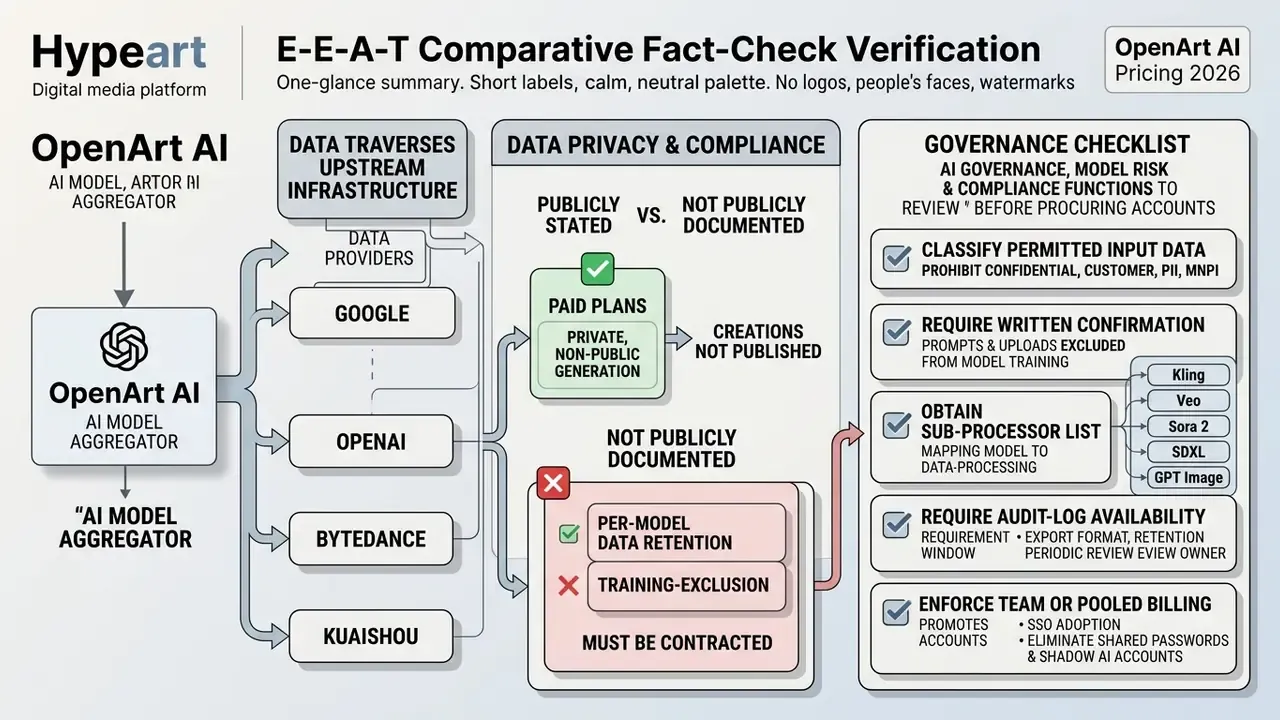
Regulated buyers in banking, insurance, and fintech evaluate creative platforms against control requirements, not feature lists. OpenArt's published plan matrix covers seats, credits, pooling, and priority support. It does not publicly document the full enterprise control stack. Before procurement sign-off, request written confirmation on the following, because the public pricing page does not answer any of it:
| Control requirement | Why it matters | Public documentation status |
|---|---|---|
| SSO / SAML / SCIM provisioning | Centralised identity, instant deprovisioning on offboarding | Not published, request in writing |
| Role-based access and seat roles | Separation of duties between requesters and approvers | Partially covered by Team workspace |
| Activity and generation audit logs | Model risk management and internal audit evidence | Not published, request export format and retention |
| Zero data training and retention commitments | Prevents prompts and reference assets entering public training sets | Vendor states creations stay private; upstream handling not published |
| Third-party model data flow (Kling, Veo, Sora, SDXL) | Aggregator architecture means data may transit external providers | Not published per model, request sub-processor list |
| IP indemnification for commercial output | Allocates copyright-claim risk | Not published, request contractual language |
| Certifications (SOC 2 Type II, ISO 27001, HIPAA where relevant) | Standard vendor-risk gate | Not published on pricing pages |
| Centralised credit allocation and spend caps | Prevents uncontrolled departmental spend and shadow AI | Pooled credits on Team; hard per-user caps not documented |
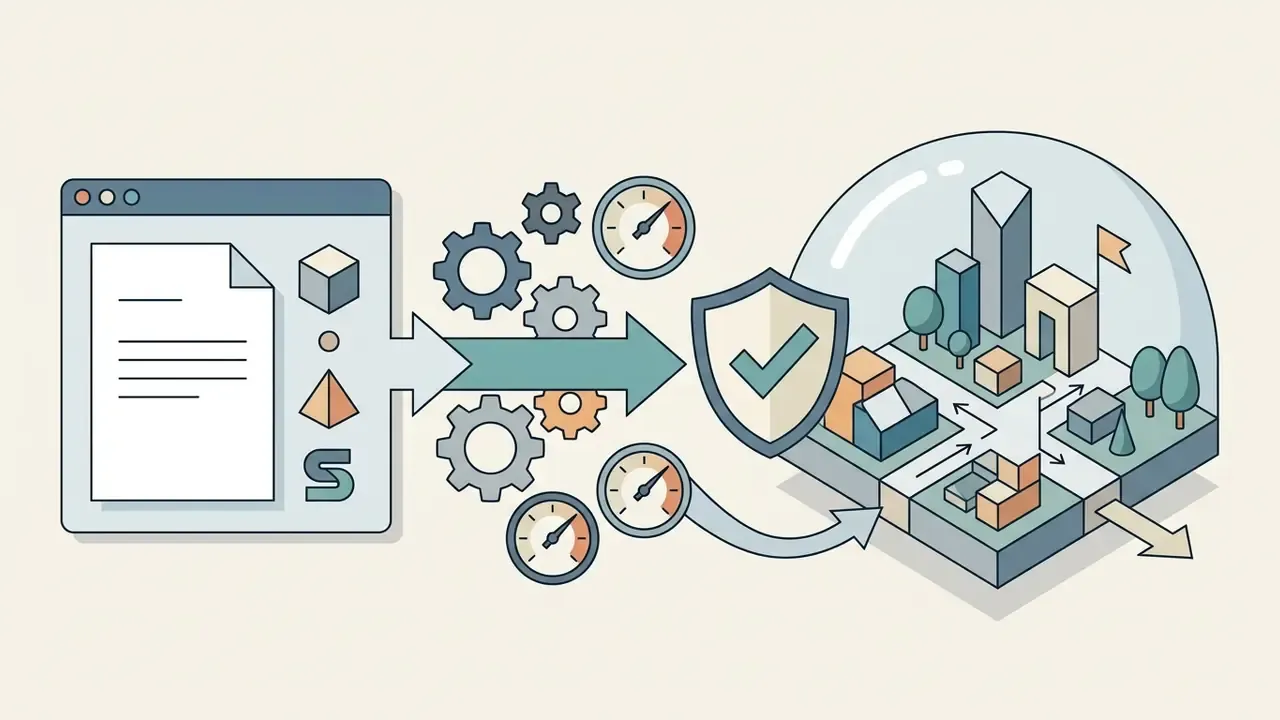
Until these items are contractually confirmed, treat OpenArt as suitable for marketing and brand-creative workloads built on non-confidential inputs. Prohibit uploading customer data, internal documents, or unreleased product material as reference assets. That single rule prevents most of the realistic harm scenarios here.
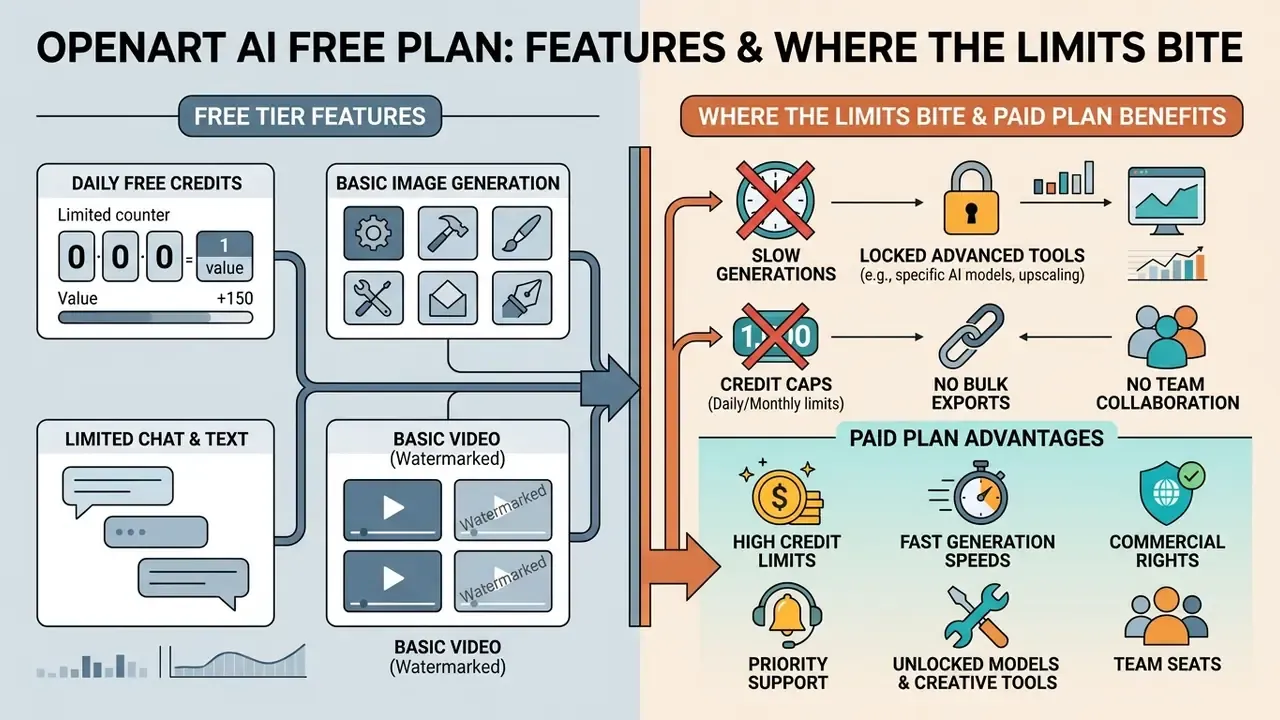
OpenArt AI Free Plan: Features and Where the Limits Bite
OpenArt provides limited free access intended for evaluation rather than sustained commercial production. The free plan combines a one time trial credit bonus with capped basic-model access, which lets prospective subscribers test the interface without submitting payment details (Scribe Walkthrough, 2025).
«New accounts receive 40 trial credits valid for 7 days; after expiry, only basic models remain available with output capped at 512×512.»
What the Free Plan Allows for Image Generation
New registered users receive 40 one time trial credits at account creation, valid for 7 days, enough to test premium tools and advanced diffusion models (OpenArt General FAQ, 2026). Once the free trial credits expire, users keep access to basic text-to-image models such as baseline SDXL variants, capped at 512×512 resolution. If motion output is a hard requirement, that threshold is worth comparing against free AI video generators before you invest time in prompts.
The free tier allows up to 4 parallel generations and includes community prompt galleries, basic inpainting, outpainting, background and object removal, plus standard canvas edits. Output carries visible watermarks, creations may be public by default, and nothing exports at high resolution without an upgrade. Enough to judge the interface. Not enough to start creating anything you intend to publish.
Free Tier Limits and Upgrade Triggers
The free plan enforces technical and legal constraints that block professional exploitation. High-end premium AI models, advanced upscalers, custom LoRA training, and AI video generation remain fully locked for non-paying users.
«The free tier is strictly a one-off interface test: it is unsuitable for regular use or commercial deployment of content.»
Matrix: OpenArt free plan vs paid subscription tiers
| Capability | Free plan | Starter ($14/mo) | Plus ($34/mo) and above |
|---|---|---|---|
| Monthly credit allocation | 40 trial credits, one time, plus basic access | 4,000 credits per month | 12,000 to 106,000 credits per month |
| Maximum image resolution | Capped at 512×512 px | Full HD, high resolution | Full HD, 2K and 4K upscaling |
| AI video generation | Disabled | Supported, around 50 clips per month | Supported, 150 to 1,300+ clips per month |
| Audio, lip sync, 3D worlds | Disabled | Limited by credit pool | Available within credit pool |
| Watermark-free exports | No, watermark applied | Yes | Yes |
| Commercial licensing rights | Prohibited | Prohibited | Granted, full commercial rights |
| Parallel generation jobs | 4 concurrent | 8 concurrent | 16 to 32 concurrent |
Spelled out as text: the free tier gives you prompts and a watermark, Starter removes the watermark and opens video in modest volume, and Plus is the first line where credits per generation, resolution, and licensing all align with paid client work. Hitting the resolution ceiling or needing clean exports are the two operational triggers that force an upgrade, usually within the first fortnight.
Readers weighing alternatives first should review our comparison of the best free AI image generators. For structured educational workflow costs, see our dedicated guide on ai lesson plan generator pricing.
Which OpenArt Plan to Choose for Images, Video, and Commercial Work
Choosing among the OpenArt AI subscription plans depends on three variables: monthly asset volume, target output medium, and required commercial rights. Match the brief to plan parameters and you avoid both outcomes nobody wants, paying for idle capacity or running dry mid-project.
«Plus is optimal for freelancers as the minimum commercial tier; Pro is the better fit for agencies with a steady task flow.»
- Target user: beginners and non-commercial hobbyists.
- Action: use the 40 trial credits and basic generations to test interface mechanics and prompting workflows.
- Limitation: watermarked output, 512×512 cap, video disabled, commercial use legally prohibited.
- Target user: personal creators, bloggers, portfolio builders.
- Action: spend 4,000 monthly credits on static image generation, basic character creation, and watermark-free exports.
- Limitation: strictly non-commercial, roughly 13 personalized model slots.
- Target user: freelancers, social media managers, digital marketers.
- Action: unlock 12,000 monthly credits, 16 parallel generations, and full rights for commercial use of AI images in client deliverables.
- Benefit: monetized asset creation, private generation, Director access, and consistent character libraries up to 40 profiles.
- Target user: creative agencies and active production teams.
- Action: deploy 24,000 monthly credits and 32 parallel streams for high-frequency publishing, or move to Team billing for pooled credits across seats.
- Benefit: optimised unit cost near $1.83 per 1,000 credits, priority queue, shared workspaces.
- Target user: production studios, video teams, AI researchers.
- Action: use 106,000 monthly credits for heavy video generation on Kling and Veo, 3D Worlds, and custom training runs, finished with AI image upscalers.
- Benefit: lowest per-unit credit cost near $1.65 per 1,000 credits, selective unlimited models, maximum throughput.
Final verdict for most buyers: Plus if you invoice anyone for the output, Pro if you publish daily, Wonder only when premium video is a weekly habit rather than an experiment. Starter earns its place as a sandbox, nothing more.
For personalised customer communication workflows, review our guide on ai thank you note generator options.
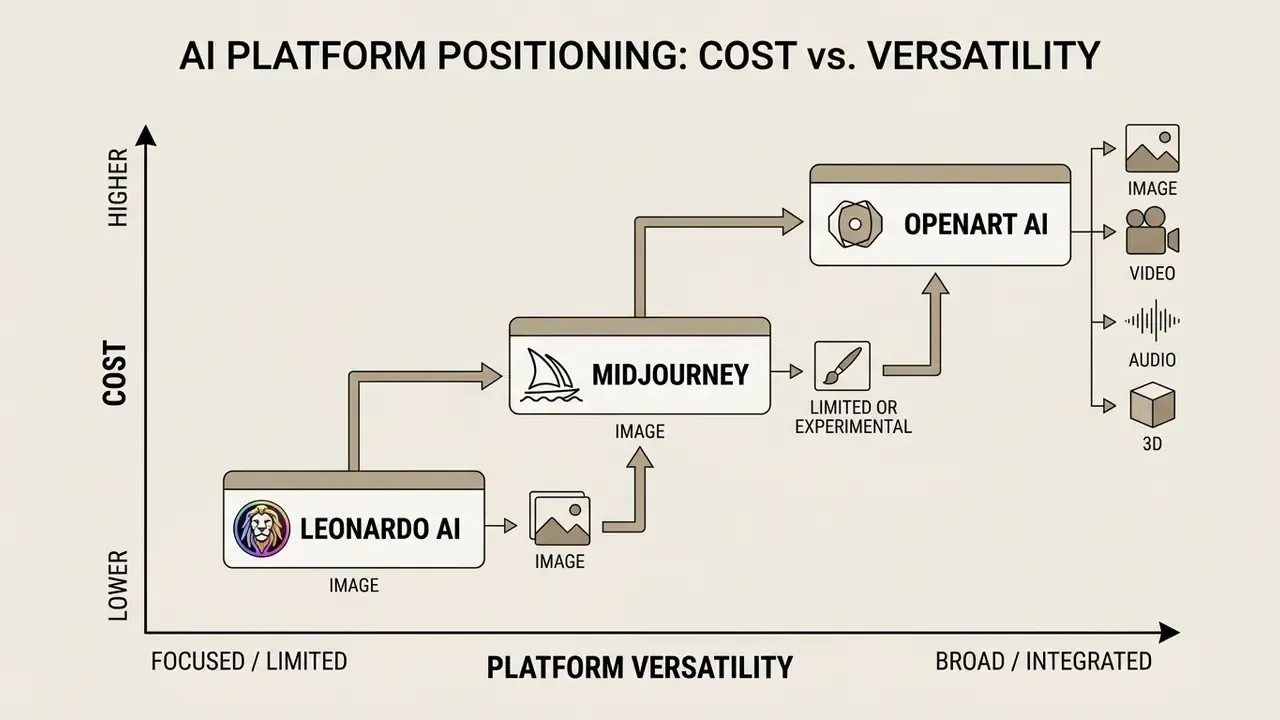
OpenArt AI vs Midjourney and Leonardo AI: Price and Value Compared
Comparing OpenArt against Midjourney and Leonardo AI means normalising three different billing metrics. Midjourney meters GPU compute time, Leonardo issues daily tokens, and OpenArt runs one credit pool across image and video generation.
«Midjourney has no permanent free tier and no native video generation; OpenArt consolidates images, video, and model training into one credit pool.»
Decision matrix: OpenArt AI vs Midjourney vs Leonardo AI (mid-2026)
| Parameter | OpenArt AI | Midjourney | Leonardo AI |
|---|---|---|---|
| Billing metric | Unified monthly credits | Fast GPU hours plus Relax mode | Daily and monthly tokens |
| Entry paid price | $14/mo (Starter) | $10/mo (Basic) | ~$12/mo (Essential) |
| Minimum tier with commercial rights | $34/mo (Plus) | Any active subscription; Pro/Mega required above $1M revenue | Paid plans |
| Recurring free tier | 40 one time trial credits plus basic access | None | 150 tokens per day |
| Native video generation | Yes (Sora 2, Veo 3.1, Kling 3.0, Seedance 2.0) | No native integrated video workflow | Limited motion features |
| Custom model / LoRA training | Yes, 13 to 80+ slots by tier | No in-interface LoRA training | Yes |
| Consistent characters | Yes, up to 40 saved profiles | Reference-based, no saved library | Reference and element based |
| Audio, lip sync, music | Yes, 30+ languages | No | No |
| 3D world generation | Yes (OpenArt Worlds) | No | No |
| Credit rollover | Base credits no, Extra Credits yes | N/A, GPU hours, Relax unlimited on Standard+ | Token rollover for paid accounts |
| Team / pooled billing | Yes, ~$17.50/seat, pooled credits | Seat-based, no pooled credits | Team tiers available |
The pattern is clear enough. OpenArt buys breadth in one place, Midjourney buys aesthetic depth, Leonardo buys a sustainable free tier and asset-pipeline tooling.
OpenArt AI vs Midjourney for AI Art and Consistent Characters
Midjourney sells GPU time, from $10 per month Basic with 3.3 Fast GPU hours up to $120 per month Mega, and concentrates on highly stylised static image generation. It has no permanent free tier and does not natively support integrated AI video rendering or custom LoRA training inside its own interface.
«Midjourney offers unlimited Relax mode on Standard and above but publishes no explicit credit metric, so comparison with OpenArt requires converting GPU hours.»
OpenArt, by contrast, folds image creation, video rendering, custom model training, audio, and consistent character modules into one subscription. The Plus tier at $34 per month includes built-in character slots, up to 40 saved profiles, which is an operational advantage for sequential storytelling and branded character campaigns. Midjourney keeps the edge where a single refined house art style matters more than breadth, a trade-off we unpack further in our comparison of the best AI art generators.
OpenArt AI vs Leonardo AI on Free Plans and Tool Access
Leonardo AI runs a token based credit system with a recurring free tier of 150 daily tokens and paid plans from $12 (Essential) to $60 (Ultimate) per month.
«In July 2024 Leonardo introduced rollover of unused tokens into the next month, a capability OpenArt's base credits do not have.»
OpenArt's free plan gives a one time 40-credit trial followed by basic-only access, which makes Leonardo's daily allowance more sustainable for long-term free users (Scribe, 2025). Leonardo also stays competitive for game-asset and concept-art pipelines thanks to Canvas editing, inpainting, img2img, and ControlNet. OpenArt answers with broader integration of flagship third-party video models (Kling, Veo, Sora 2), audio and lip sync tooling, and a dedicated story suite, which is why its higher paid plans suit multi-modal video production better. Readers still deciding can consult our ranking of the best AI image generators.
E-E-A-T Comparative Fact-Check Verification:
Data Privacy, Security, and Compliance Considerations
FAQ: OpenArt AI Pricing and Subscriptions
Below are the frequently asked questions buyers raise once the headline prices are settled.
Do unused credits roll over to the next month?
Base monthly subscription credits do not roll over. They operate under a "use-it-or-lose-it" policy and reset to your plan's allowance on the monthly renewal date inside your billing cycle (OpenArt General FAQ, 2026). Purchased Extra Credit packs are the exception. Add-on credits carry into the next month continuously, as long as the account keeps an active paid subscription (OpenArt Help Center, 2026). The system draws down base credits first, then add-on credits, so top-ups behave like a durable reserve rather than a recurring expense.
Can I cancel or change my OpenArt AI subscription?
Yes. Subscribers can upgrade, downgrade, or cancel at any time through Account Payment Settings, or by contacting support (OpenArt Help Center, 2026). Upgrades take effect immediately and prorate the credit difference for the remainder of the cycle. Cancellations take effect at the end of the current prepaid period. Paid features and credit pools stay accessible until that date, unused base credits are forfeited on termination or downgrade, and no prorated refunds are issued for the remainder of an annual plan (OpenArt Terms & Policies, 2026).
Is commercial use permitted for OpenArt content?
Commercial usage rights depend directly on the active tier. Output generated under the free plan or the Starter (Essential) plan is restricted to personal, non-commercial use (OpenArt Terms & Policies, 2026). Rights for commercial use of AI images, including the legal right to sell, license, or deliver AI generated images and videos to clients, belong exclusively to subscribers on Plus (Advanced), Pro (Infinite), Wonder, and Team plans (TeraBox AI Pricing Overview, 2026). Disclaimer: this information is general in nature and does not substitute legal advice. Commercial licensing of AI generated content is governed by the law of your jurisdiction and may change. Verify current terms at openart.ai/terms before commercial deployment.
Is there a Team plan, and how do pooled credits work?
Yes. Team billing runs at roughly $17.50 per seat per month on annual terms and contributes about 12,000 credits per seat into a shared organisational pool. Pooling means a light user's unused allowance is available to a heavy user in the same cycle instead of expiring inside an idle seat. The plan adds shared team workspaces and asset folders, consolidated invoicing, and priority support. Confirm SSO, role permissions, and audit-log availability with the vendor before an enterprise rollout.
How much do audio, lip sync, and 3D tools cost in credits?
Audio and 3D operations draw from the same pool as images and video. Budget roughly 10 credits per 30 seconds of AI voiceover with lip sync across 30+ languages with WAV/MP3 export, about 20 credits per minute of original music, and around 150 credits per navigable OpenArt Worlds environment. Director refinement iterations add 15 to 25 credits each and sit outside the plan's headline image and video capacity estimates.
Is there an OpenArt API and published API pricing?
Not in the form most developers expect. The audited pricing pages sell seats and credits, and higher plans expose MCP integration for agent and automation workflows, but no separate per-call API rate card is published. Anyone planning programmatic generation should request endpoint documentation, rate limits, and credit cost per call in writing before budgeting for it.
Are there promo codes or additional discounts?
Annual billing is the only officially published discount, advertised at up to 27% off depending on tier (10% Starter, 20% Plus, 22% Pro, 27% Wonder). Reviewer and affiliate checkout codes near 15% circulate periodically, and bonus trial credits have been offered for joining the OpenArt Discord community. Validate any code in the order summary before payment, since campaign terms and stacking rules change without notice.
Does OpenArt use my prompts or uploads to train models?
OpenArt states that creations on paid plans stay private and that it makes no ownership claim over generated output. The platform does route generations through third-party models, however, and per-provider training-exclusion and retention commitments are not published on the pricing pages. Organisations handling confidential or regulated data should obtain written zero-training and retention terms before uploading any internal reference material.
Appendix A: Editorial Notes and Superseded Passages
- Removed pending verification an earlier version of this guide included an unattributed agency pilot claim, 850 image variations produced in under three days on the Plus plan across 40 saved character profiles. The claim carried no verifiable client, source, or audit trail and has been replaced with source-backed Plus-tier capability limits. Data required for reinstatement: named client or anonymised engagement record, generation logs, and a credit-consumption export.
- Citation upgraded the per-image and per-video credit figures previously attributed to a general review are now sourced to Kavel.ai's OpenArt Pricing Benchmark (2026), which publishes a calculation method rather than headline numbers alone.
- Pricing conflict noted some third-party pages report a 50% annual discount and plan prices of $7 / $14.50 / $28 / $120. These contradict OpenArt's official pricing page, which advertises up to 27% off and effective annual seat rates of $13 / $27 / $44 / $175. This guide follows the official page.
- Markup normalisation comparison tables were converted to plain text tables with narrative summaries beneath each one, so the key conclusions remain readable without relying on table rendering.
- Language normalisation all section headings were converted to a single language standard, removing the mixed-language navigation that previously interrupted reading flow.
Hypeart Company Note
Company verification status: as of August 2026, domain verification and formal corporate registry filings for hypeart.ai indicate no verified commercial product catalog and no formal operational US entity. All framework recommendations in this analysis are hypothetical decision-support methodologies. Marcus Hale, author. For foundational enterprise media evaluation frameworks, visit Hypeart AI Media Decision Support.