Last updated: April 2026 · Reviewed for governance accuracy by: AI Risk & Model Governance editorial desk
Executive Summary for Decision Makers
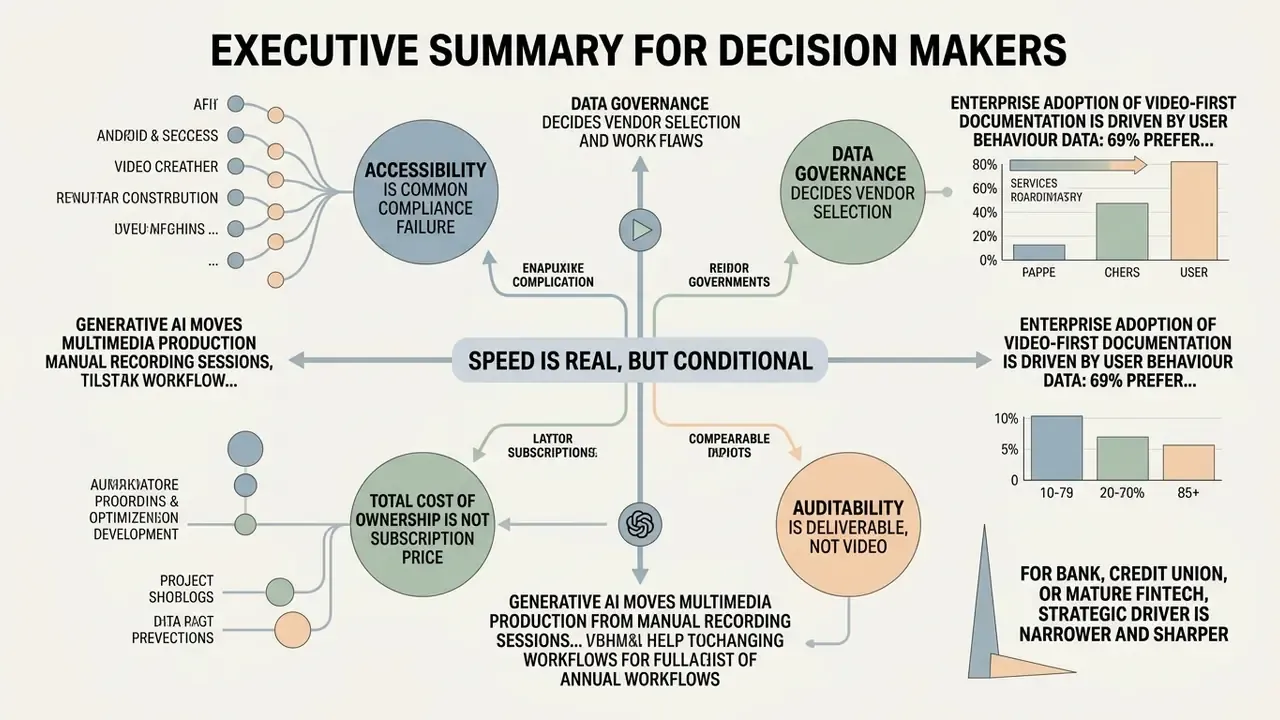
- Speed is real, but it is conditional. Generative pipelines convert slides, policy documents, and screen captures into narrated tutorial videos in minutes rather than weeks. Yet every script still requires subject-matter-expert (SME) validation before rendering, because large language models state incorrect procedural steps with complete confidence.
- Accessibility is the most common compliance failure. Raw automatic speech recognition averages roughly 89 to 94% accuracy, far below the ~99% threshold expected under federal digital accessibility practice. Manual caption post-editing is mandatory, not optional.
- Data governance decides vendor selection. When screen recordings contain customer records, internal IPs, or API tokens, the platform must support PII redaction, SSO/RBAC, regional data residency, and a contractual guarantee that uploaded content never feeds public model training.
- Total cost of ownership is not the subscription price. Real TCO includes SME review hours, caption post-editing, localization sign-off, and audit-evidence retention. Budget models that ignore these hidden control costs overstate ROI by a wide margin.
- Auditability is the deliverable, not the video. Retain the prompt version, the model identifier, the approved script, the reviewer identity, and the render log for every published asset.
Generative artificial intelligence has moved multimedia production from manual recording sessions into structured, text-driven workflows. Creating instructional content with AI tools lets teams turn scripts, product documentation, and screen captures into high-quality video content in minutes. This guide sets out the end-to-end framework for planning, generating, editing, and publishing controlled tutorial videos with modern AI systems. Think of it less as a creative brief and more as a production line with inspection points.
Enterprise adoption of video-first documentation is driven by plain user behaviour data: 69% of users prefer watching a video over reading text when learning a new product or software interface, and viewers retain 83% more information from instructional videos than from written manuals after six months. Average weekly video consumption now exceeds seven hours per person, and 51% of adult YouTube users in the United States say they watch videos specifically to learn new skills. Which is precisely why unsupervised internal video production turns into a governance problem rather than a marketing one.
For a bank, a credit union, or a mature fintech, the strategic driver is narrower and sharper. Every week a standard operating procedure (SOP) sits undocumented is a week in which employees improvise, screenshot KYC workflows into chat channels, and paste confidential process details into unsanctioned consumer AI tools. Structured, centrally governed AI video production compresses SOP publication cycles and simultaneously reduces Shadow AI exposure, because teams get a sanctioned, auditable production path instead of a private workaround. The rest of this guide treats video generation as a controlled pipeline with defined inputs, review gates, evidence retention, and export specifications.
What Is an AI Tutorial Video Generator and When to Use It
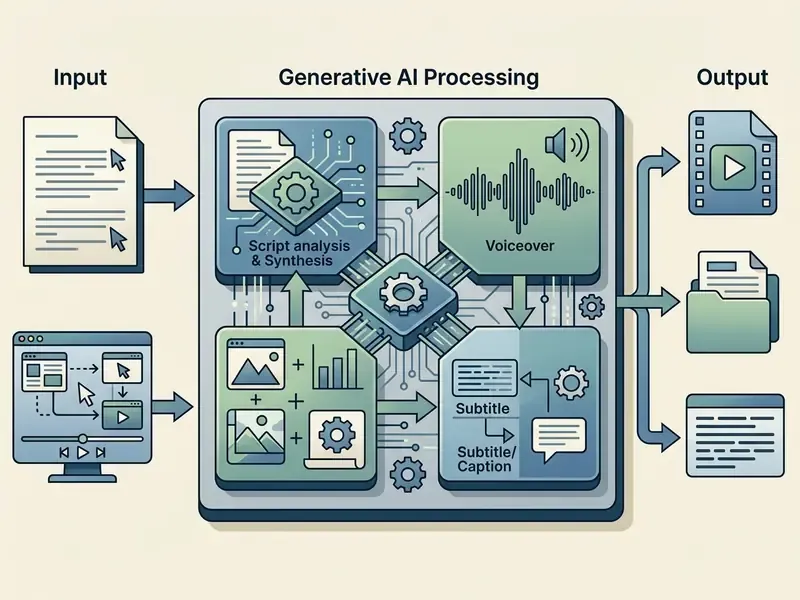
An AI tutorial video generator is an automated software system that converts structured text scripts, documents, webpages, or screen captures into complete instructional videos with synthetic narration, visual assets, digital presenters, and automated captions. Institutions deploy these tools to remove manual filming bottlenecks while holding consistent visual standards across training videos, product demo videos, customer support walkthroughs, and online course modules. Readers comparing categories of tooling can start with our overview of AI video generators and the capability profile of large-model video systems such as Google Veo.
«AI-driven pipelines convert slide decks and text into narrated instructional video in under ten minutes, combining script generation, speech synthesis, and automated visual assembly.»
Disambiguation: Tutorial vs. Explainer vs. How-To vs. Instructional Videos
To structure an effective production pipeline, creators must separate four often-confused video categories:
- Tutorial videos step-by-step practical guides showing how to complete a complex process or master a software tool (for example, "How to configure AWS IAM roles").
- How-to videos short, tightly focused solutions to a single quick problem or UI action (for example, "How to reset a password"). In practice, most vendors and learners treat how-to and tutorial as synonyms; the difference is scope and duration, not intent.
- Explainer videos high-level overview or marketing-oriented media explaining a product's value proposition or a conceptual framework. Explainer content is inherently more promotional than the other three categories.
- Instructional videos formal education or corporate compliance training modules built around standardized curriculum goals. A how-to video is instructional by nature; a training video may or may not be, depending on whether it is designed against defined learning objectives.
This taxonomy matters operationally. Explainer content tolerates creative synthesis; instructional and tutorial content must be validated against the live product or the governing policy document. An AML escalation walkthrough is not the place for a generated approximation of the interface.
Tutorial Video Formats You Can Create with AI
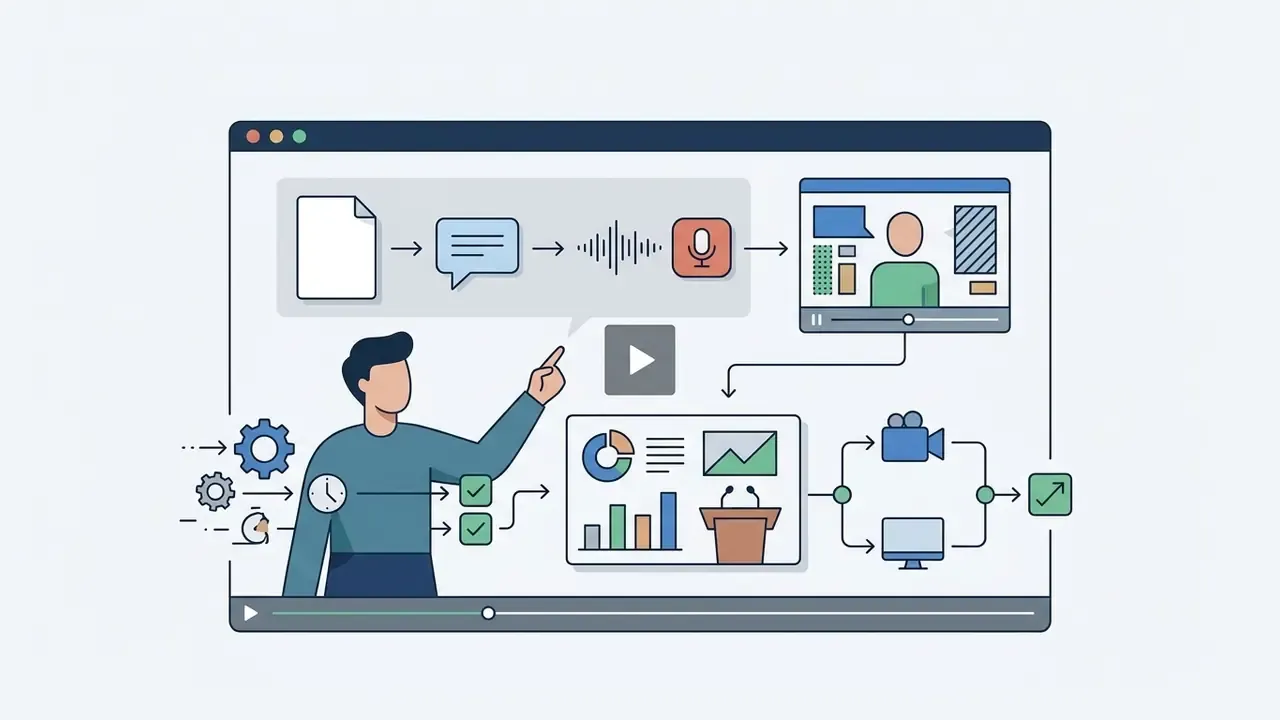
Organizations use six primary AI-generated video formats depending on the instructional outcome they need:
| Format | Best for | Primary strength | Primary limitation |
|---|---|---|---|
| AI avatar explainer | Policy, onboarding, exec comms | Perceived human presence, 160+ language delivery | Lower emotional relatability than real presenters |
| Screen recording walkthrough | Software steps, troubleshooting | Verifies real interface behaviour | Requires PII redaction and re-capture on UI change |
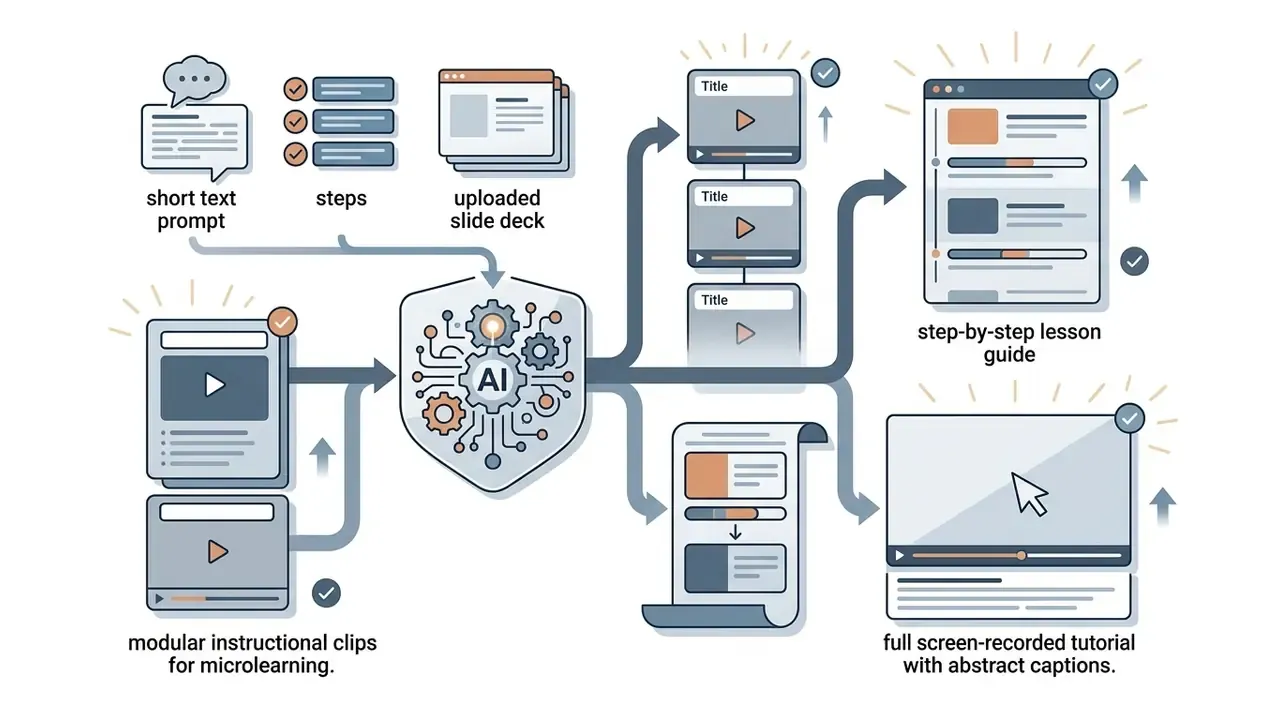
| Step-by-step lesson guide | Microlearning, SOP modules | Fast modular generation from text | Visuals may look generic without asset uploads |
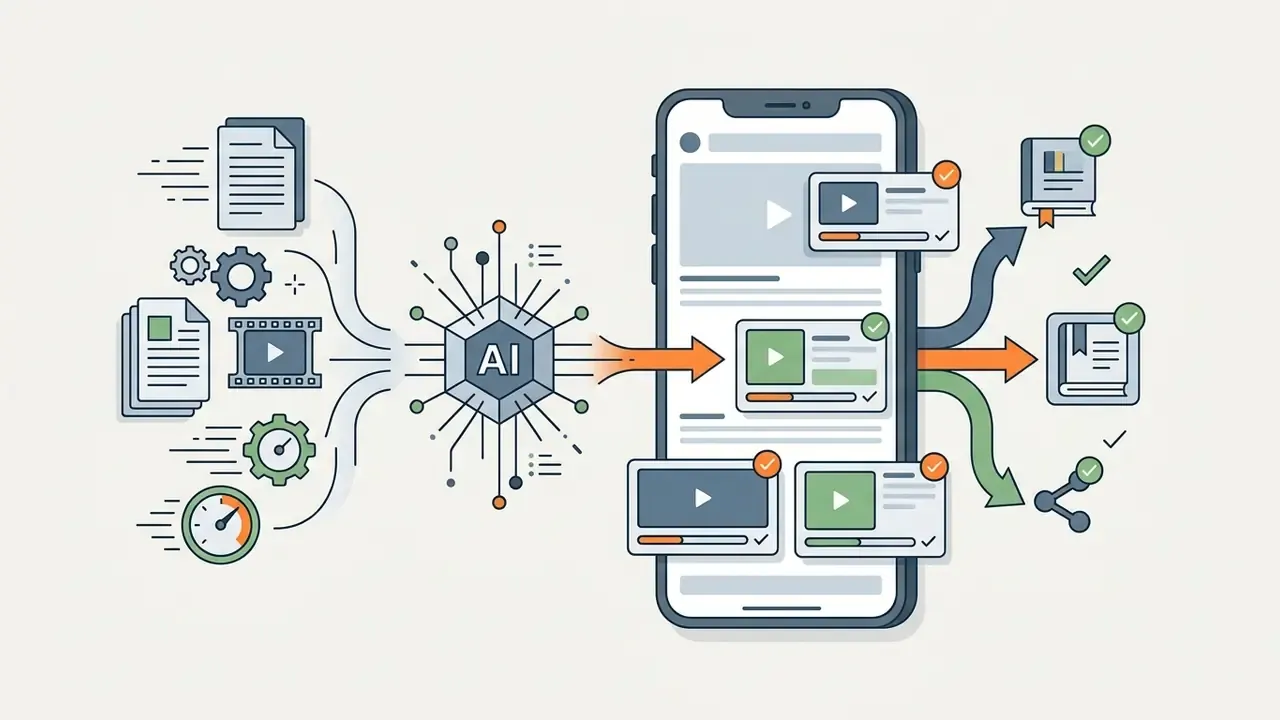
| Social short-form clip | Support deflection, awareness | High completion rate, sound-off viewing | Not deep enough for complex procedures |
| Slide-to-video presentation | Lectures, enterprise briefings | Reuses approved decks directly | Visually static, less interactive |
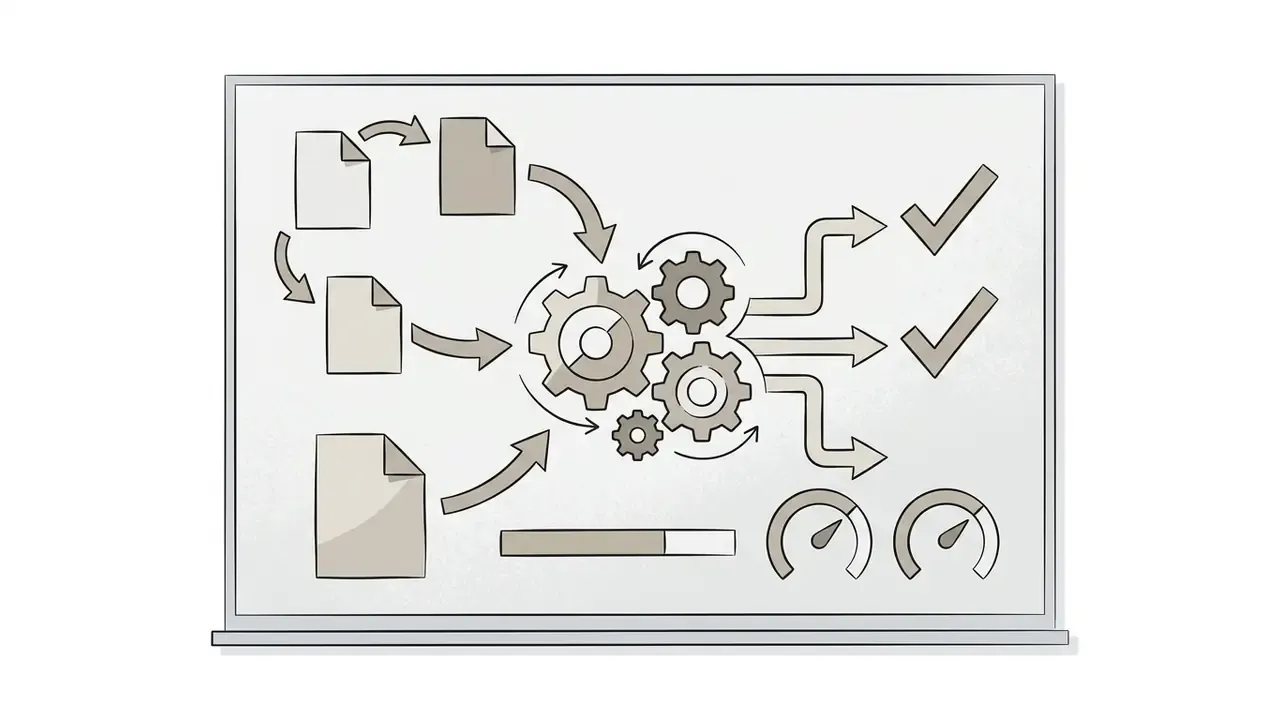
| Animated whiteboard tutorial | Concepts, architecture, algorithms | High engagement, strong recall of abstractions | Lacks human touch; unsuitable for grave topics |
Benefits and Limits of AI Video Creation
AI video generation accelerates production velocity and cuts filming costs. It also introduces explicit technical and legal boundaries the moment it touches regulated content. Empirical research shows that AI-generated instructional videos reach learning outcomes equivalent to human-recorded videos, while carrying distinct limits in affective engagement and factual reliability.
«Students taught with AI-generated video scored 25.60 on average versus 23.39 for traditional recordings, with no statistically significant difference in final outcomes.»
«Across 447 participants, exam results did not differ, yet human-presenter videos scored higher on emotional engagement and perceived relatability.» — Netland et al., Computers & Education (2025). https://www.sciencedirect.com/science/article/pii/S0360131524001787
The practical reading of both studies is consistent. For knowledge transfer and assessment performance, synthetic instruction competes with human recording on equal terms. For motivation, trust-building, and change-management messaging, a real presenter still holds a measurable edge. Mature programmes therefore split the portfolio: synthetic production for volume documentation and localization, human recording for leadership narrative and culture-critical topics. No strong claim here, just the pattern we keep seeing in enterprise libraries.
Two further benefits deserve naming, since they rarely appear in vendor decks. First, the cost of correctness maintenance falls sharply, because a script edit re-renders narration automatically. Second, translation stops being a project and becomes a setting, which changes how quickly a multi-country institution can publish the same control procedure everywhere.
Mandatory Operational and Compliance Controls
This subsection consolidates the verification duties that must be enforced before any generated asset goes live.
- Generative hallucinations. Large language models used for script generation state false procedural steps confidently. Under NIST AI risk management guidance (NIST AI 600-1, 2024), human subject matter experts must audit all generated scripts before media rendering. NIST's 2025 AI cybersecurity profile names hallucination and confabulation explicitly as an accuracy risk requiring output checks before action.
- Voice artifacts and public rights. Synthetic voice synthesis may show unnatural prosody or mispronounce specialized terminology, and simulating a real individual's voice without explicit authorization triggers right-of-publicity exposure (U.S. Congress CRS, "Generative Artificial Intelligence and Copyright Law," 2024 to 2025). Earlier drafts of this guide cited a 2026 CRS marker; the verifiable reference is the 2024 to 2025 CRS legal sidebar, which notes that AI-generated voices may not infringe copyright the way copied works do, yet can still attract state right-of-publicity claims.
- Caption accuracy deficits. Raw automated speech recognition (ASR) averages 89 to 94% accuracy, short of the 99% threshold expected by federal digital accessibility standards. Manual caption post-editing stays mandatory.
«Average AI caption accuracy measured 89.8%, ranging from 84.6% to 93.6% across platforms, and none reached the 99% accessibility threshold.»
Data Privacy, PII Scrubbing, and Confidentiality Controls
Screen-recorded tutorials are the highest-risk asset class in the pipeline, because the capture surface is the production interface itself. Before any footage or document enters a SaaS generator, enforce the following:
- Pre-capture sanitation.Record in a dedicated demo or UAT tenant populated with synthetic customer records. Never capture live production data for training material.
- PII redaction at capture time.Apply dynamic blur or mask regions over names, account numbers, national IDs, card data, internal server IPs, API tokens, and session identifiers. Verify redaction on the rendered output, not only in the editor preview; burned-in blur must survive re-encoding.
- Contractual model-training exclusion.Require written confirmation that uploaded scripts, documents, and recordings are excluded from provider model training and fine-tuning datasets.
- Tenant and residency controls.Confirm SOC 2 Type II attestation, encryption in transit and at rest, configurable data residency region, and documented retention and deletion windows for uploaded source media.
- Identity and access.Enforce SSO with SCIM provisioning, role-based access control that separates creators from approvers, and workspace-level restrictions on custom avatar and voice creation.
- Voice and likeness consent.Store signed consent records for every cloned voice and custom avatar, with scope (languages, channels, duration) and a documented revocation procedure.
One small field observation: the control that fails most often is number two, and it usually fails in the preview-versus-render gap. Check the exported file.
Audit Trail and Evidence Retention
Model risk management frameworks judge the process, not the artifact. For every published tutorial, retain a reproducible evidence package:
| Evidence item | Purpose | Minimum retention |
|---|---|---|
| Prompt version and full prompt text | Reproduce generation conditions | Life of asset plus one review cycle |
| Model and platform version identifiers | Attribute output to a specific system state | Life of asset |
| Source documents used as grounding context | Show factual provenance of procedural claims | Per records-retention policy |
| SME approval record (name, role, timestamp) | Demonstrate human-in-the-loop control | Life of asset plus audit period |
| Final approved script (locked version) | Prove published narration matches approved text | Life of asset |
| Caption post-edit diff (ASR draft vs. final) | Evidence of accessibility remediation | Life of asset |
| Render or export log and output checksum | Detect post-approval tampering | Life of asset |
| AI-generation disclosure record | Satisfy transparency labeling obligations | Life of asset |
Risk and Control Matrix
| Risk | Failure mode | Control | Control owner |
|---|---|---|---|
| Hallucinated procedure | Video instructs an unsafe or non-compliant step | Mandatory SME fact-check against source SOP before render | Process owner / SME |
| PII leakage in footage | Customer data published to LMS or public help center | Demo-tenant capture, blur tool, rendered-output verification | Video producer / DPO |
| Unlicensed media | IP claim on stock or synthetic asset | Licensed asset library only; retain license IDs | Brand / Legal |
| Unauthorized voice or likeness | Right-of-publicity exposure | Signed consent register; workspace lock on voice cloning | Legal / Platform admin |
| Inaccessible captions | ADA or WCAG non-conformance | Manual caption edit to ~99% accuracy; contrast and timing checks | Accessibility lead |
| Undisclosed synthetic media | Transparency-rule breach | Visible label plus machine-readable provenance metadata | Compliance |
| Stale content after UI change | Learners follow obsolete steps | Quarterly review cadence; modular scene replacement | Content owner |
| Non-reproducible output | Audit cannot verify how content was produced | Evidence package retention (see table above) | Model risk / AI governance |
Choose the Right AI Video Creation Tool for Your Workflow
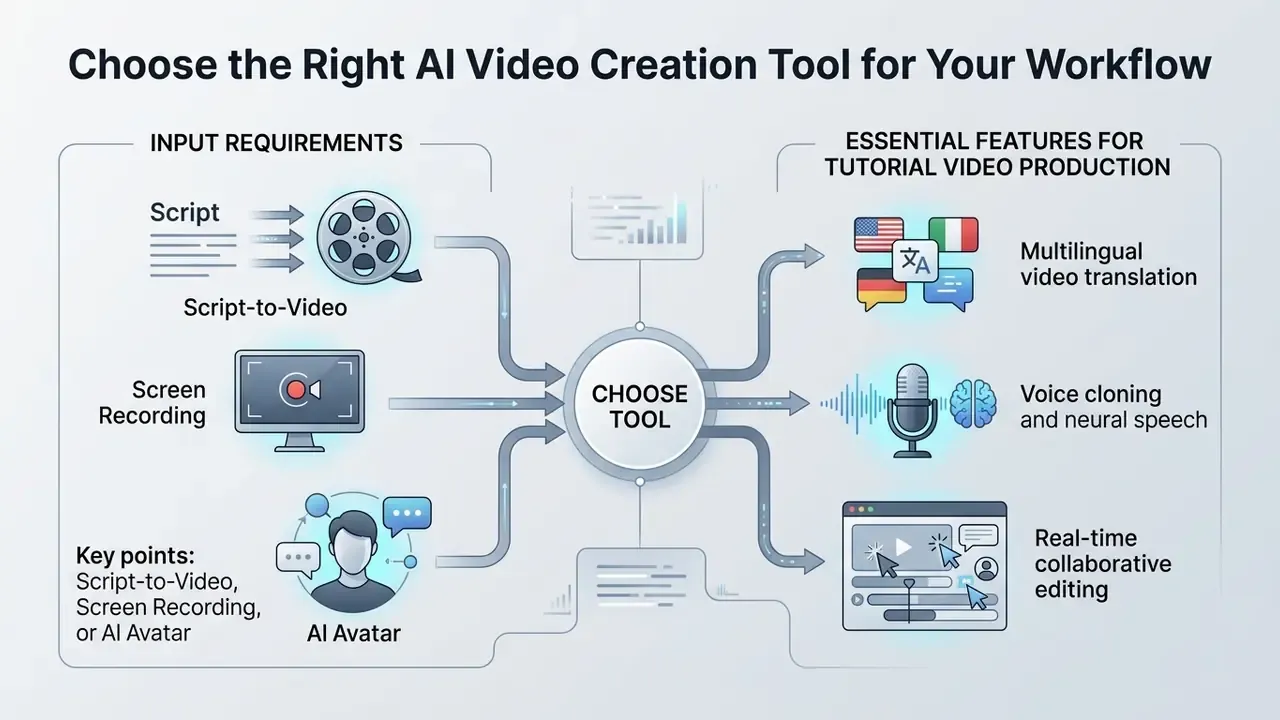
Selecting an appropriate AI video creation tool means matching input requirements, such as raw text, interface capture, or photo references, with export specifications and governance controls. A structured comparison matrix keeps tool choice inside organizational risk boundaries instead of chasing demo-day features.
For interactive decision models, consult our AI Media Comparison Matrices and the verified measurements in the AI Media Benchmarks and Review Proof hub.
Comparative analysis of AI video creation tool categories
| Tool category | Primary input | Voiceover capabilities | Caption and subtitle support | Editing and control mechanics | Export formats | Team collaboration | Enterprise security signals |
|---|---|---|---|---|---|---|---|
| Script-to-video generator | Text prompts, documents (PPTX, PDF, DOCX, TXT), slide decks, public URLs | Multi-language text-to-speech, synthetic accents | Auto-generated captions with styling controls | Timeline scene arrangement, text-based shot editing | MP4 (1080p/4K), WebM, embedded players | Shared workspace, role-based script review | SSO/SAML, workspace RBAC, training-data opt-out clause |
| Screen recording-to-tutorial | Recorded UI actions, web application capture | AI narration sync, auto-voiceover cleanup | Synchronized action callouts, sidecar SRT/VTT | Automated zoom, cursor smoothing, step trimming, blur masking, annotation layers | MP4, interactive HTML5, help center embeds | Shared video libraries, inline commenting | PII blur, local capture option, retention controls for raw footage |
| AI avatar video maker | Text scripts, presenter photo or video sample | Lip-synced neural voices, multi-speaker options | Burned-in or downloadable captions | Avatar positioning, gesture triggers, background swap | MP4, SCORM/LTI packages for LMS ingestion | Brand template locking, central avatar governance | Consent registry for likeness and voice, admin-only custom avatars |
| AI video editor and localizer | Raw video clips, existing recordings | Voice cloning, automated AI dubbing | Automated subtitle translation and timing sync | Transcript-based editing, filler word removal | Multi-track MOV/MP4, SRT, VTT, JSON transcripts | Multi-user permissions, translation sign-off workflows | Data residency selection, SOC 2 Type II, audit log export |
Beyond feature parity, procurement in regulated environments should score vendors on four extra axes: portability of source assets (can scripts, captions, and project files leave with you?), independence from a single mono-platform, availability of audit-log export for generation events, and whether commercial usage rights extend to derivative localized versions. Practical comparisons of video editing tools and dedicated publishing editors such as a YouTube video editor help teams separate generation capability from post-production capability. They are not the same purchase.
Script-to-Video, Screen Recording, or AI Avatar
The choice between script-to-video, screen recording, and AI avatar tools depends on whether the instructional value rests on real-time software accuracy, personal engagement, or rapid text conversion:
- Screen recording.Required when demonstrating specific software steps, user interface interactions, and technical workflows. Real UI state changes cannot be simulated by a pure text-to-video generator, and pretending otherwise is how obsolete instructions reach production.
- AI avatar.Best for policy training, executive communication, and high-touch customer education where a visible presenter raises learner trust and focus.
- Script-to-video.Ideal for conceptual topics, micro-learning modules, and general training where visual assets can be synthesized or pulled from stock libraries.
A fourth, hybrid option is common in practice: avatar intro, screen recording body, avatar close. It preserves presence without faking the interface.
Essential Features for Tutorial Video Production
Free Plans, Pricing, and Export Requirements
Most generative video platforms run credit-based pricing split between free testing tiers and commercial enterprise plans. Free tiers usually cap exports at 480p or 720p, apply vendor watermarks, limit generation to 80 to 125 monthly credits (or 1 to 5 generations per day), and prohibit commercial use outright. Enterprise plans unlock 1080p and 4K exports, full commercial licensing, custom voice cloning, and direct SCORM or LMS publishing. Our reference on free AI video generators details limits by tier, and the pattern mirrors what we documented for free photo editors: the free layer is an evaluation surface, not a production license.
Total Cost of Ownership and Risk-Adjusted ROI
Subscription cost is the smallest line item in a governed video programme. Use this model when presenting to an investment committee:
TCO per published minute =
(platform credits or seat cost) + (SME review hours × loaded hourly rate) + (caption post-edit hours × rate) + (localization review hours × rate × number of languages) + (accessibility QA hours × rate) + (evidence retention and storage overhead)
Risk-adjusted ROI =
[(baseline production cost avoided) + (support-ticket deflection value) + (time-to-competency gain)] − TCO − (expected remediation cost × probability of control failure)
Worked illustration for a 5-minute SOP tutorial, produced twice: once with a traditional crew, once through a governed AI pipeline.
| Cost component | Traditional production | Governed AI pipeline |
|---|---|---|
| Scripting | 6 h SME plus 4 h writer | 2 h SME validation of AI draft |
| Recording / studio | 1 day crew plus presenter | 0 (synthetic narration or screen capture) |
| Editing | 8 to 12 h editor | 1.5 h timeline refinement |
| Captions | 2 h transcription vendor | 1 h ASR post-edit to ~99% accuracy |
| Localization (per language) | Re-record plus re-edit | 0.5 h review of machine dub or subtitle |
| Platform / tooling | Equipment amortization | Seat plus credit cost |
| Update after UI change | Near-full re-shoot | Replace affected scene only |
| Evidence retention | Ad hoc | Automated log plus script versioning |
Two conclusions follow. First, savings concentrate in recording and localization, not in scripting, because SME time is largely irreducible; it is the control. Second, the update cycle is where AI pipelines compound value: modular scene replacement turns video from a depreciating asset into a maintainable one. Storage and delivery costs can be modelled with a video compressor reference and our bandwidth calculators.
Plan Your AI Generated Video Tutorial Before Production
Systematic pre-production is the primary control gate for generative video projects. Setting clear pedagogical parameters before invoking an AI tutorial video generator prevents wasted iteration cycles, hallucination propagation, and visual misalignment.
«A GPT-plus-speech-synthesis pipeline converts slides into a finished instructional video in under ten minutes, including text generation, digital presenter creation, and final render.»
Because machine render time is now trivial, the bottleneck moves entirely to input quality. So the first planning decision is which input channel to use.
| Input data type | Supported source formats | Best use case | AI processing output |
|---|---|---|---|
| Raw text and prompts | Plain text, Markdown, prompt scripts | Quick conceptual tutorials, social shorts | Automated script, storyboard, media selection |
| Documents and slides | PPTX, PDF, DOCX, TXT | Corporate SOPs, course lectures | Scene-by-scene slides with avatar narration |
| Webpages and articles | Public HTTPS URLs, knowledge base articles | Help center video creation, product news | Article summarization, screen visual synthesis |
| Media and UI captures | MP4, MOV, PNG UI screenshots | Software walkthroughs, technical troubleshooting | Cursor smoothing, AI voice sync, automated zoom |
Practical constraints apply to document and URL ingestion. Many platforms reject sources above roughly 4,500 words per page, and brand-guideline uploads are commonly capped (for example, three guideline documents, five PDFs, 500 MB total). Split long policies into topic-level modules before upload rather than trusting a model to compress an entire manual into one narrative.

Define the Audience, Goal, and One Learning Outcome
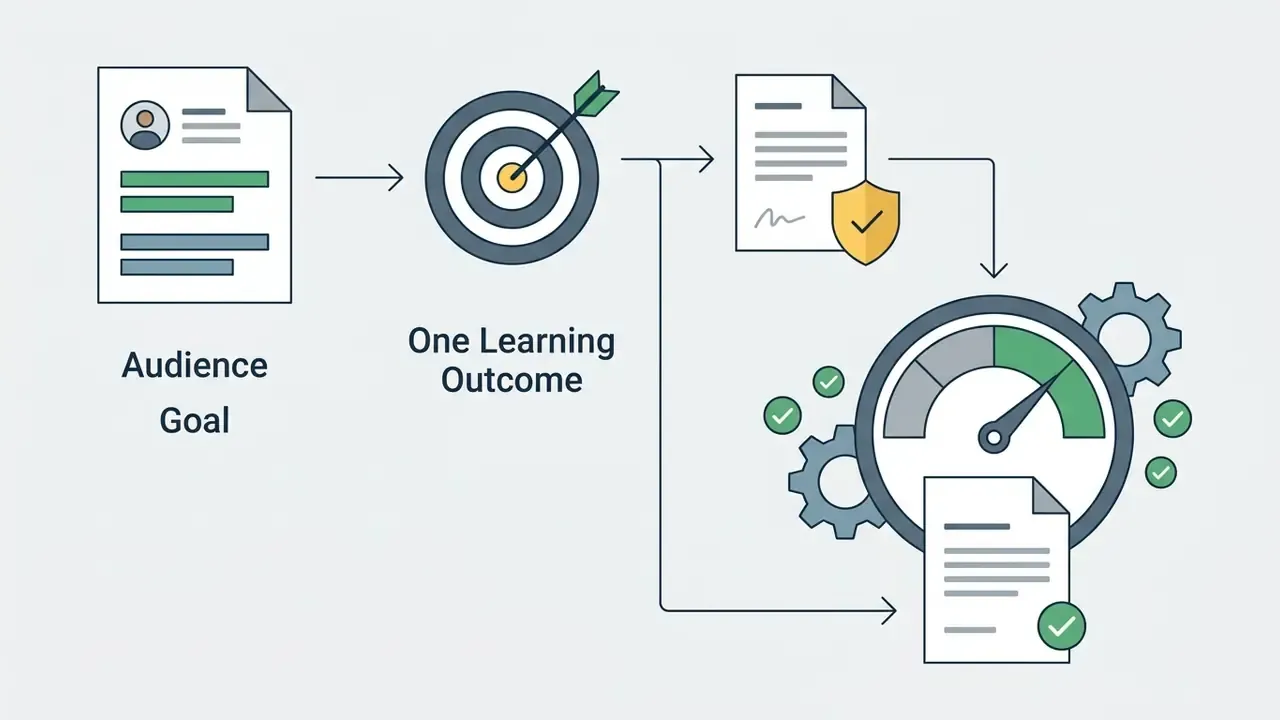
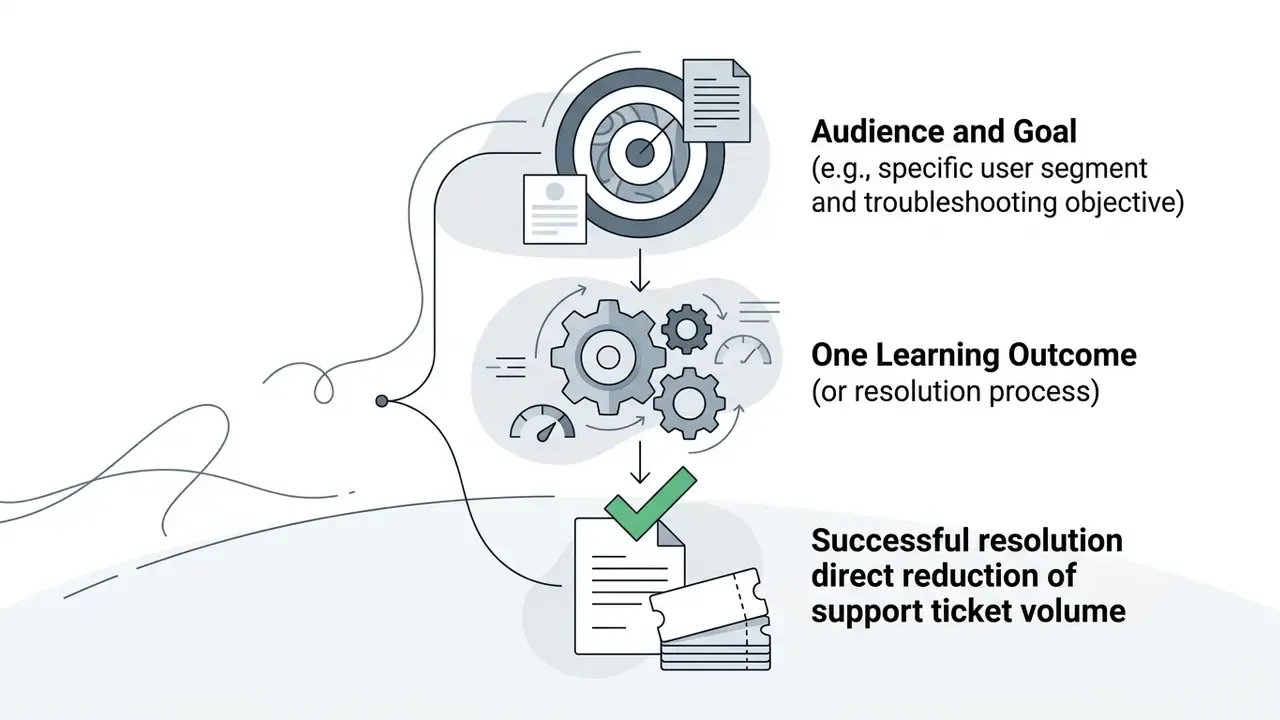
Every tutorial video should serve one measurable learning outcome mapped to a defined audience. Broad feature walkthroughs dilute learner focus and inflate production complexity.
The pattern mirrors SaaS activation design: define the one "aha" event or exit criterion per asset, then build role-based paths (administrator versus end user) instead of a single omnibus video. Institutional screencasting guidance recommends keeping a tutorial to roughly two or three minutes and splitting longer material into separate modules. Short beats complete.
Write a Script or Prompt That Produces a Clear Video
Effective generative script writing uses a four-part frame: hook, problem, step-by-step solution, and call to action. Typical timing allocates 15 to 20 seconds to the problem, 30 to 45 seconds to the solution, and the final 10 to 15 seconds to the CTA. To build prompts or write scripts manually, review our contextual guide on how to create an ai content pipeline, and pair script decisions with your choice of AI voice generation engine, since pacing and pronunciation constraints belong inside the script itself.
When engineering prompts for script-to-video generators, explicit structural constraints produce cleaner visual segmentation:
Act as an instructional designer. Draft a 60-second video script for a software tutorial.
Structure:
1. Problem (0-15s): State why setting up automated data pipelines fails without proper validation.
2. Solution (15-45s): Walk through 3 clear UI steps to enable validation rules.
3. CTA (45-60s): Direct the viewer to open the compliance settings tab.
Style Constraints: Direct tone, concise sentences, no hype language, clear scene visual descriptors.
Two refinements raise output quality measurably. First, specify audio inside the prompt. Current vendor prompt guides for large video models instruct users to declare narration, tone, and sound treatment in the same instruction as the visuals. Second, ground the prompt: attach the governing SOP or release note as context and tell the model to use only supplied source material for procedural claims, flagging any step it cannot verify instead of inventing one. That single instruction removes a surprising share of hallucinated clicks.
Prepare Screen Recordings, Brand Assets, and Source Content
High-quality synthetic generation depends on clean inputs prepared before rendering:
- Screen recordings and privacy controls. Capture UI footage at 1080p or 4K with pop-up notifications disabled, a cleaned desktop, a neutral background, and deliberate cursor movement. Apply dynamic blur tools over personally identifiable information, API tokens, and internal server IPs. Use real-time screen annotation layers (highlighters, click ripples, callout arrows) during capture to steer viewer focus before the footage reaches the AI video editor. Do a rehearsal take to confirm no modal dialog breaks the sequence.
- Brand assets. Upload vector EPS or high-resolution transparent PNG logos, primary and secondary hex colour codes, and official typography files. Supply the full lockup set, full-colour, single-colour, reversed, icon-only, stacked and horizontal, with clear-space and minimum-size rules, and outline fonts in vector files.
- Document context. Supply source policy PDFs, release notes, or help center articles as reference context so the language model does not invent procedural steps.
- Static image assets. Prepare screenshots, diagrams, and cover frames in advance; our photo editor guide covers resolution, cropping, and export conventions for assets headed to a video timeline.
Checklist0 / 8
AI Video Creation Tutorial: Generate a Tutorial Video Step by Step
Running an AI video creation tutorial workflow means converting pre-production planning into rendered media through disciplined, step-by-step generation. The underlying mechanics of text-to-video AI decide how much manual correction each stage needs.
For related digital asset design steps, review our tutorial on how to create professional visual assets and our guide on how to create nft art for digital asset management insights.
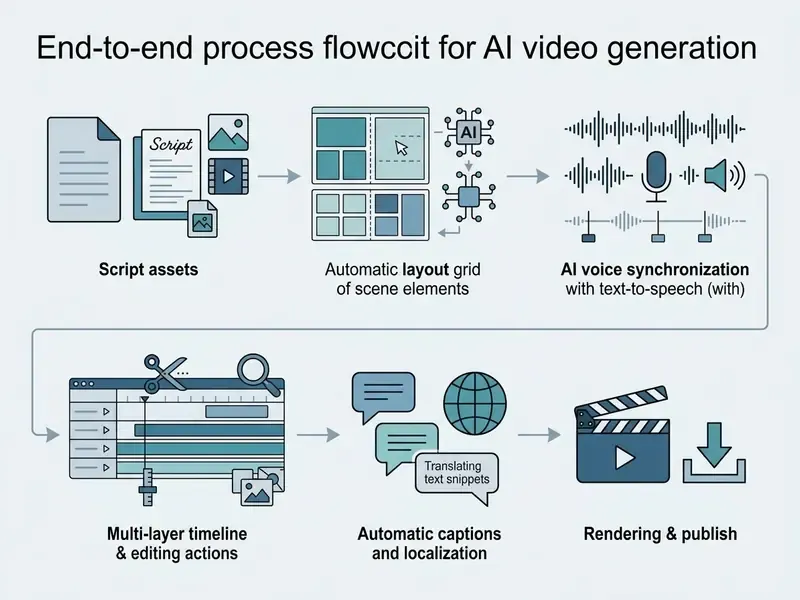
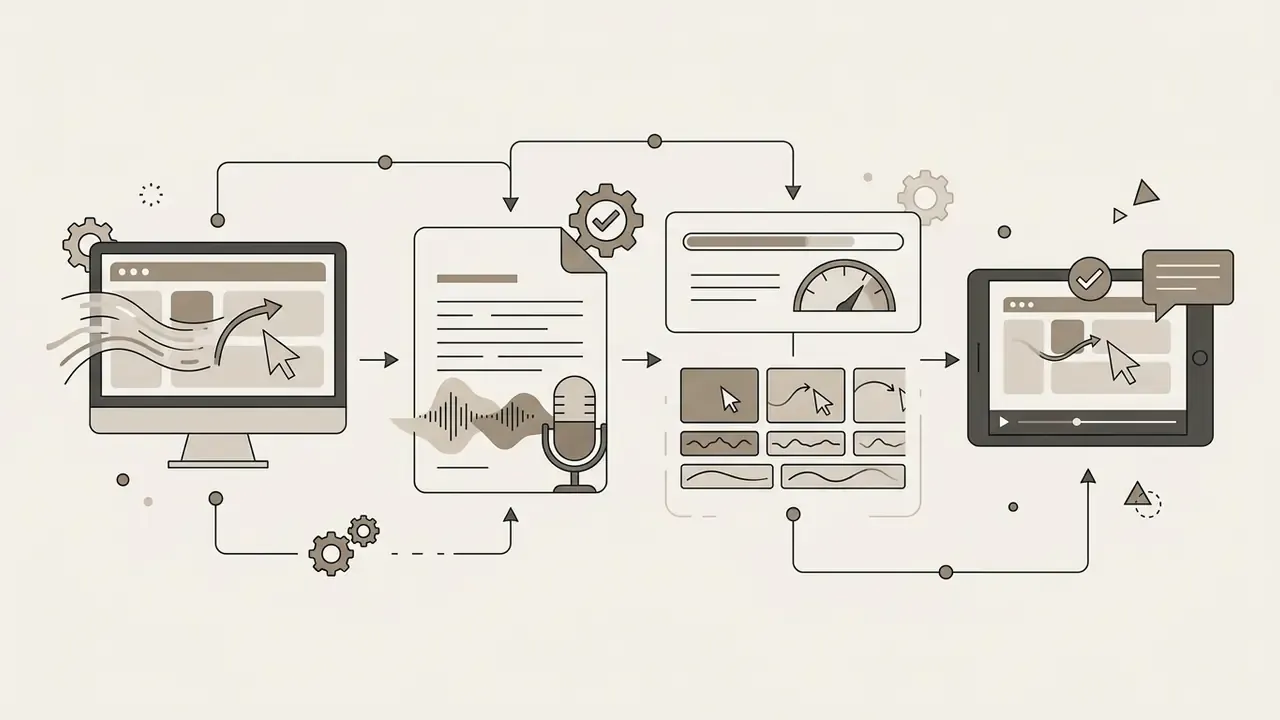
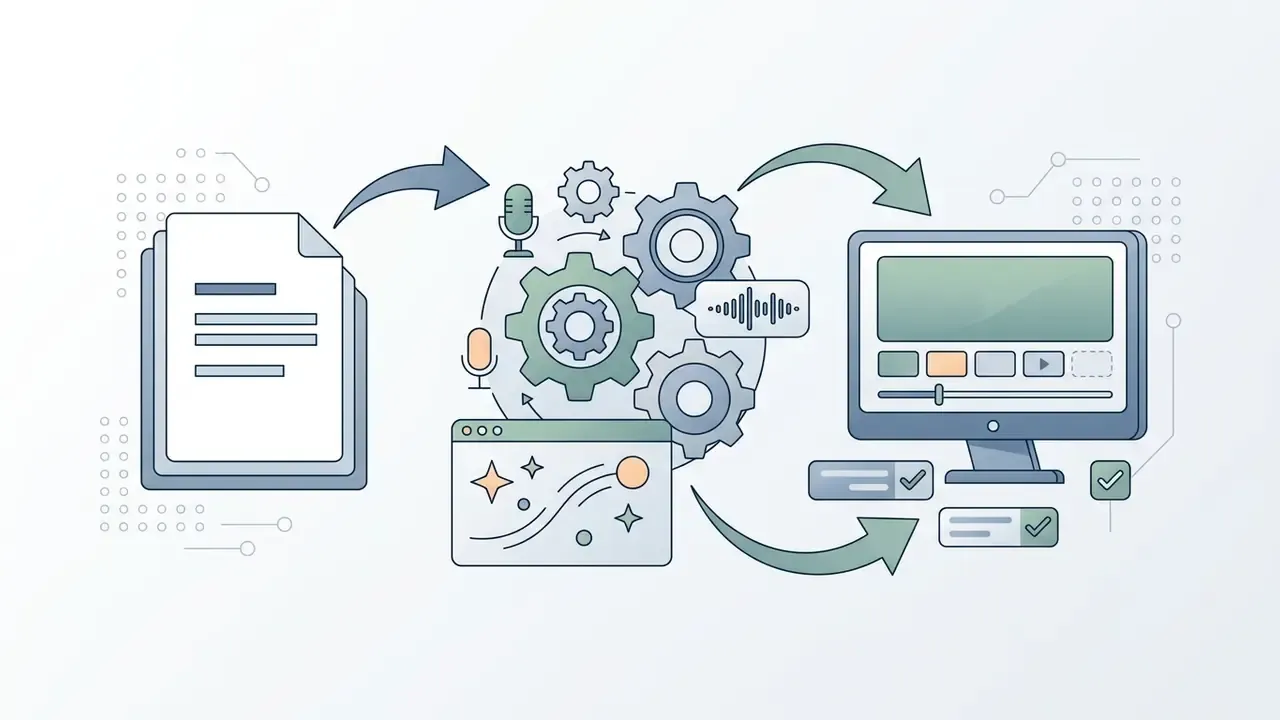
Figure 1: sequential operational pipeline for AI tutorial video creation, mapping text brief ingestion through automated scene rendering, timeline editing, caption alignment, and multi-format export.
Add Your Brief, Script, or Screen Recording
To start production in an AI tutorial video maker platform:
- Select the entry path: paste a written script, enter a structured text prompt, upload a document (PPTX, PDF, DOCX, TXT), submit a public article URL, or upload existing screen recording footage.
- Choose a pre-approved master template that fixes aspect ratio, layout grid, and default typography.
- Attach reference materials, such as UI screenshots or policy documents, to inform the model's visual generation engine.
- Set advanced options before generation: speaker or avatar, audience register, output language, and scene length. These parameters constrain the script the model writes, not just how it is read aloud, which is the part most first-time users miss.
Generate Scenes, Visuals, and AI Voiceover
Once inputs are committed, the AI tutorial video generator parses text into discrete scenes and produces synchronized media:
- Scene parsing. The system splits the script into logical storyboard blocks tied to specific visual actions.
- Voice synthesis. Neural text-to-speech engines generate spoken narration. Advanced systems keep word-level timing markers, so narration re-synchronizes automatically after a script edit, and attach markers to discrete interface events such as clicks and typing, holding narration aligned to on-screen action frame by frame.
- Visual selection. Generative algorithms match scene text with synthetic graphics, uploaded UI captures, or relevant stock media.
- Background score. Scene-aware music synthesis derives the background track from each scene's visual context instead of laying one flat loop across the module, which reduces tonal mismatch in longer lessons.
«A photorealistic synthetic clone of an instructor, built from a handful of images, delivers realistic gestures and is perceived by learners as a legitimate source of instruction.»
Review, Edit, and Customize the Draft
Automated drafts need manual post-production to fix pacing and visual clarity. Subject matter experts should make targeted timeline edits rather than re-render whole files:
- Pacing adjustment. Trim silent gaps and set scene durations so each visual step runs 3 to 7 seconds. Shorten or lengthen a scene by editing its narration text instead of stretching footage, and split any scene carrying more than one instruction.
- Text and asset replacement. Swap misaligned stock imagery for precise product screenshots. Move overlays so on-screen text never covers a critical UI element. Stack cutaways, callouts, and titles on upper timeline tracks, keeping the primary footage replaceable.
- Overlay timing discipline. Keep text overlays on screen for roughly 1.5 to 6 seconds, limit them to two lines, position them away from faces and interactive regions, and delete any overlay that merely repeats the voiceover word for word.
- Targeted regeneration. Regenerate only the weak shot. Full-project regeneration discards approved scenes and restarts the SME review clock for no reason.
- On-screen image text adjustments. For editing raster image text inside static visual assets during final assembly and QA, read our guide on how to edit text in jpeg image online.
Improve Quality, Accessibility, and Localization of Tutorial Videos
Optimizing generated videos for accessibility, internationalization, and clarity keeps content inside regulatory standards and lifts comprehension. Treat this phase as a mandatory quality gate before publication, not an optional polish pass. Its scope depends on the capability profile of the AI video generators in your stack.
Add Captions, Subtitles, and On-Screen Text
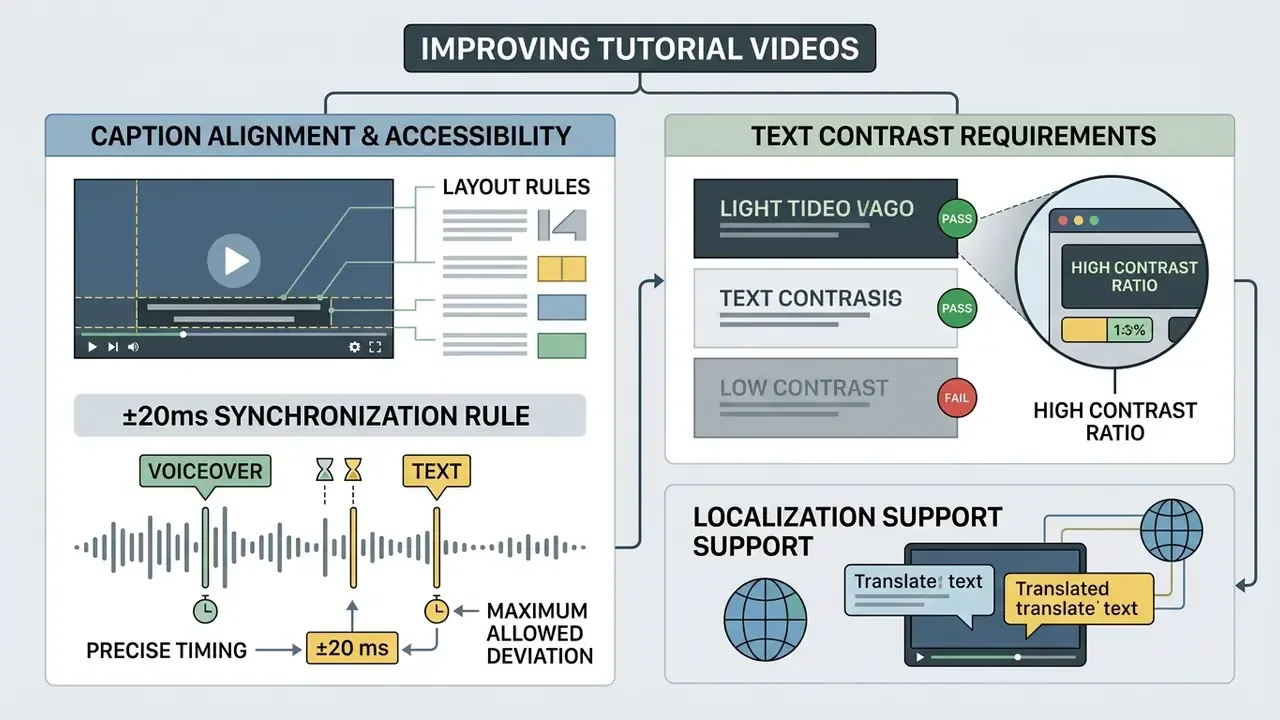
Digital accessibility standards (W3C WCAG 2.2) require synchronized captions for all prerecorded instructional video. Captions must transcribe spoken dialogue and convey essential non-speech audio cues: sound effects, music, laughter, speaker identification, and location context. W3C guidance also requires that captions never obscure relevant visual information, and the WCAG 3.0 draft (2026) extends the expectation to audio description where visual content is essential to understanding.
«Participants using automatic captions scored 41.27 versus 52.15 for standardized subtitles, a gap exceeding ten percentage points.»
Translate Tutorial Videos for Multiple Languages
Multi-language video translation pipelines chain automated transcription, machine translation, synthetic speech dubbing, and lip-sync adaptation. Commercial platforms in 2026 advertise 125 to 160+ target languages with export as MP4, SRT, and VTT; peer-reviewed work frames the same process as script translation plus speech synthesis merged back onto the original video.
«Pre-editing source captions before machine translation eliminates segmentation errors and delivers localization productivity gains approaching 40% versus manual translation.»
The practical sequence: clean the source transcript, translate, dub, then re-verify on-screen text. Translating a dirty transcript multiplies the original errors across every target language, and that is the single most expensive failure mode in localization budgets. W3C guidance adds that translation may legitimately arrive as interlingual subtitles, separate spoken audio, or sign language, depending on audience need.
When localizing tutorials across international teams, organizations lean on dedicated editing tools. For specialized short-form workflows, read our tutorials on how to edit short video clips and how to edit social video streams, and compare desktop options in our roundup of free video editing software.
Use Feedback to Improve Clarity and Completion
Continuous improvement of tutorial assets rests on formal feedback mechanisms. Embed short comprehension surveys, track completion rates, and watch drop-off points inside the learning management system to find confusing steps and refine pacing in the next iteration.
«AI tools for producing animated instructional video with pedagogical agents lower the technical burden on instructors and are perceived as a viable option for content production at scale.»
Four evaluation methods appear consistently in instructional-design literature, and they should be combined rather than substituted: usability testing with think-aloud observation during the task; formative evaluation while the tutorial is still a draft; surveys, pre and post tests, or embedded feedback forms attached to the asset; and short post-task interviews capturing open comments on struggle points. Repeated rating data across a tutorial library then reduces into stable quality scales, giving content owners a comparable score per asset instead of anecdotes. Anecdotes are where stale training content hides.
Publish, Share, and Reuse AI Tutorial Videos
Getting a return on generative video production requires distributing content across channels and locking in repeatable creation frameworks.
For broader commercial distribution guidance and intellectual property management, visit the AI Media Commercial-Use Hub and see how usage rights are structured for adjacent tooling in our analysis of commercial use of AI image generators.
Export the Right Version for Each Channel
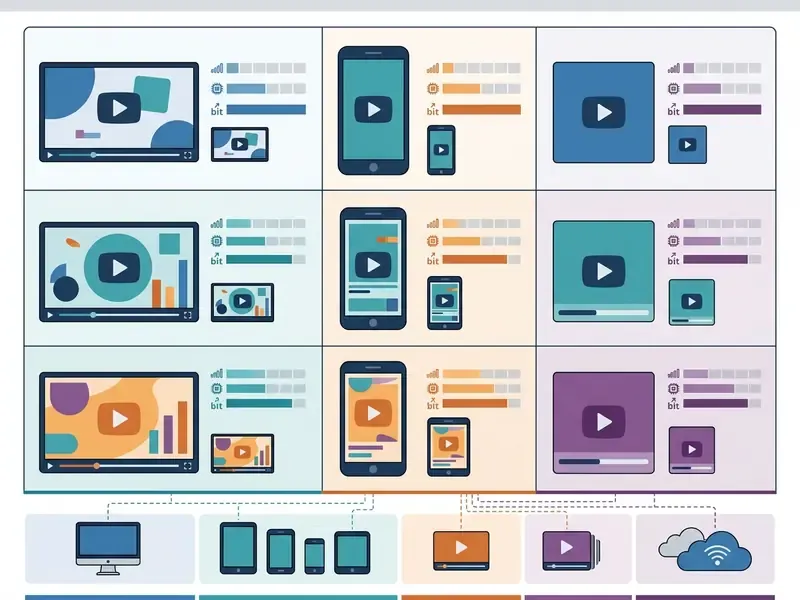
Different publishing channels demand different technical export configurations:
- Learning management systems (LMS). Export 16:9 MP4 files (H.264 video, AAC audio, 1920x1080, constant 15 to 60 fps, target bitrate 5,000 to 8,000 kbps) packaged with SCORM or LTI tracking metadata. These parameters reflect published course-platform encoding recommendations; enterprise LMS ingestion pipelines often accept far higher bitrates (up to roughly 20 Mbps at 1440p standard frame rate, ~30 Mbps at high frame rate), so confirm your platform ceiling before mastering.
- Knowledge bases and help centers. Embed lightweight 16:9 MP4 or WebM files with sidecar VTT caption files to support browser accessibility and fast page loading. Support platforms typically allow aspect ratios from 9:16 to 16:9, file sizes into the multi-gigabyte range, and audio bitrates up to 256 kbps.
- Social channels and mobile feeds. Export vertical 9:16 MP4 at 1080x1920, 30 fps, AAC audio, with burned-in captions for sound-off viewing. Use 1:1 or 16:9 for in-feed placements.
- Landing pages. Favour 16:9 H.264 MP4 with a stable bitrate and a compressed poster frame; load performance beats maximum resolution here.
To estimate bandwidth consumption and compression ratios before publishing, administrators can use our online calculators alongside the video compressor reference.
Create Repeatable Templates for Videos at Scale
To scale production across large departments, build standardized master project templates. Storing fixed intro animations, brand colour tokens, voice settings, and scene layouts lets non-technical team members batch-generate recurring series without breaking visual consistency.
Institutional practice reinforces three further habits. First, govern series under written guidelines: document the fixed structure (what, who, where, when, then export and share) so every episode is produced identically. Second, formalize the pipeline as a video SOP specifying script format, scene planning, review gate, and export profile; public-sector video SOP guidance standardizes on 1080p or better delivery precisely so downstream distribution never needs re-mastering. Third, separate audio, video, and caption assets in storage and archive them. Modular storage is what keeps partial updates cheap when a single UI screen changes.
One more governance habit worth adopting: version the template itself. When a brand refresh or a policy change lands, you want to know which published assets inherited the old master and therefore need re-review. A template registry with owner, version, and last-review date answers that question in minutes instead of a week of spreadsheet archaeology.
FAQ: Frequently Asked Questions About AI Video Creation
Do You Need Recording Skills or Special Equipment to Create Tutorial Videos?
No camera equipment, studio lighting, or professional recording skill is required for standard AI tutorial creation. Modern platforms generate video tutorials from text scripts, uploaded screenshots, screen recordings, and synthetic AI voice avatars; a browser, a script, and a few minutes cover explainer, social, and tutorial formats. Higher-complexity output is a different story. Research on AI-assisted film editing (UPCommons, 2024) reports that professional editors still depend on established editing applications and manual organization, meaning cinematic production and complex custom animation continue to require post-production knowledge. The practical skills for AI-era tutorial work are timing, keyframing, sequencing, and caption discipline rather than camera operation.
Do I Need to Disclose That a Tutorial Video Was Generated by AI?
Yes. Under frameworks such as Article 50 of the EU AI Act, synthetic media and AI-generated deepfake avatars must be visibly labeled or embedded with machine-readable metadata declaring that the content was artificially generated or manipulated, especially for public commercial distribution. European Commission transparency materials (2025 to 2026) require disclosure for AI-generated or manipulated image, audio, or video content that could appear authentic, and NIST AI 100-4 (2026) treats provenance transparency as the core technical control for distributing synthetic content. Public-sector guidance can be stricter: Washington State's interim generative AI guidelines (2023) require that publicly used AI-generated content be clearly labeled and fact-checked before release. Implement disclosure in three layers: a visible on-screen label, provenance metadata in the exported file, and a disclosure record in your audit package.
How Do You Update an AI Tutorial Video When a Product Interface Changes?
Unlike traditional productions that need re-filming, modular AI video projects update fast. Open the saved project, replace only the screenshot or screen recording clip matching the updated UI, edit the affected script text, and re-render the MP4 in minutes with no voiceover re-recording. Keep audio, video, and caption assets stored separately so one changed screen never forces a full rebuild, then re-run the SME check on the edited step alone and log the new script version in the audit package.
Are Free AI Video Generators Sufficient for Commercial Business Use?
Free AI video tools suit initial evaluation and basic testing, but they carry strict commercial limits. Free plans generally cap resolution at 480p or 720p, enforce visible watermarks, limit output to roughly 80 to 125 monthly credits or 1 to 5 generations per day, and prohibit commercial monetization in their terms of service. Commercial deployment requires paid plans. Side-by-side limits are documented in our comparison of free AI video generators. Free tiers are also unsuitable for regulated use for a second reason: they rarely offer SSO, audit logging, data residency selection, or a contractual exclusion from model training.
Can You Generate Animated Tutorial Videos with AI?
Yes. Many AI tutorial makers include 2D animated characters, motion-graphic templates, and pedagogical agents. These systems convert text scripts into storyboarded keyframe animations, letting teams present complex procedural concepts visually without frame-by-frame animatic editing. Research in the Journal of Computer Assisted Learning (2025) reports that such tools reduce the technical burden on instructors and are seen as a viable route to producing animated instructional content at scale (source). Note that the workflow still follows classical animation stages, story, script, storyboard, animatic, then keyframes and in-betweens, so quality tracks how well the storyboard stage was specified. Some avatar-first platforms do not support custom character animation at all and offer template-based motion graphics instead.
Is a Script Necessary, or Can I Generate Straight From a Prompt?
A script, or at minimum an approved outline, is necessary for any instructional or compliance content. Prompt-only generation is acceptable for conceptual or social short-form material, but procedural claims require a locked, SME-validated text that becomes the auditable record of what was published. In practice the fastest governed workflow runs: prompt to draft, SME edit to approved script, then render from the approved script rather than re-prompting.
How Do AI Tutorials Compare With Written Manuals?
Video generally wins on engagement and retention: 69% of users prefer video over text when learning a product, and retention after six months measures 83% higher for instructional video than written manuals. Video also removes printing and reprint costs for procedures that change often. Written documentation stays superior for searchability, copy-paste of commands, and screen-reader scanning, which is why mature programmes publish both, generating the article and the video from the same approved script.
Who Owns the Video in a Model Risk Framework?
Ownership splits three ways and should be written down before the first render. The process owner owns factual accuracy of the procedure. The content owner owns the publication lifecycle, including the review cadence and retirement date. AI governance or model risk owns the evidence package and the control attestation. When those three roles collapse into one busy person, stale tutorials and missing audit trails follow, usually within two quarters.
Summary and Key Takeaways
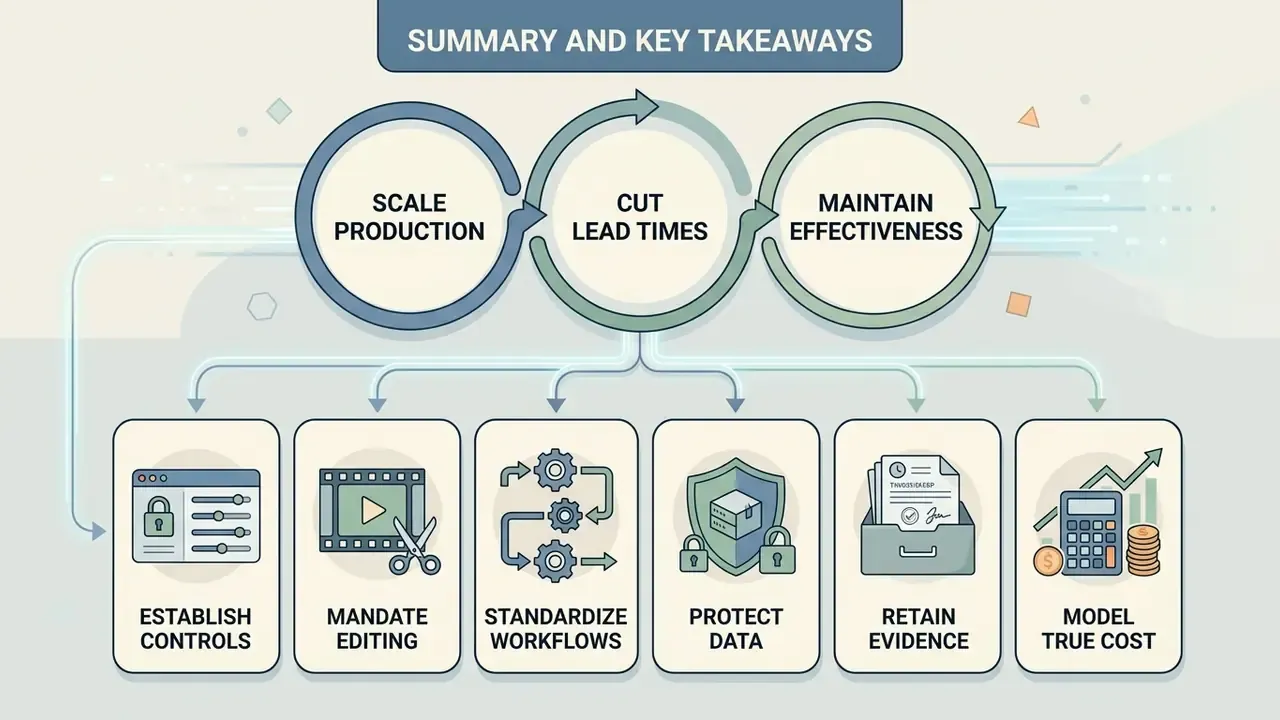
Generative AI video tools let organizations scale instructional video production and cut lead times sharply while holding educational effectiveness steady. Predictable quality comes from human oversight across script verification, accessibility compliance, and media licensing.
- Establish controls. Always subject AI-generated scripts to expert fact-checking to prevent procedural errors.
- Mandate editing. Review and edit automated captions manually to meet the ~99% accessibility expectation and to avoid cognitive fatigue.
- Standardize workflows. Use reusable brand templates and structured pre-production checklists to scale tutorial production across global teams.
- Protect data. Capture from demo tenants, blur PII at source, verify masking on the rendered file, and contract for exclusion from vendor model training.
- Retain evidence. Preserve prompt version, model version, grounding sources, approver identity, caption diffs, and render logs for every published asset.
- Model true cost. Price SME review, caption post-editing, and localization sign-off into TCO before claiming ROI.
- Disclose synthetic origin. Label AI-generated video visibly and embed machine-readable provenance metadata in line with transparency requirements.
A safe next step, if you are starting from zero: pick one SOP, run it through the pipeline end to end, and measure how many SME hours the review gate actually consumed. That number, not the vendor benchmark, is your planning input.
For complete workflow documentation and advanced automation guides, explore our hub at AI Media Workflows.
Appendix A: Superseded Fragments Retained for Traceability
For audit transparency, the following earlier formulations were revised in this version and are preserved verbatim:
- "Controlled studies by Xu et al., 2025 show that students receiving AI-generated instructional videos achieved higher vocabulary retention and lower cognitive load compared to traditional recordings." Replaced with the reported score comparison (25.60 versus 23.39) and the finding of no statistically significant difference in final outcomes.
- "...simulating real individual voices without explicit authorization triggers right-of-publicity legal risks (U.S. Congress CRS, 2026)." The source marker was corrected to the verifiable 2024 to 2025 CRS legal sidebar.
- "Advanced systems insert precise timing sync markers linked directly to keyframe actions on screen (Tutorial AI Documentation, 2026)." Attribution removed; the mechanism description was retained without an unverifiable citation.
- "...packaged with SCORM or LTI tracking metadata (Thinkific Guidelines, 2026)." Attribution generalized to published course-platform encoding recommendations, with LMS bitrate ceilings added.
- "...producing cinematic film content or complex custom animations still requires foundational post-production knowledge (Microsoft FilMaster Research, 2026)." Replaced with the UPCommons (2024) finding on professional editing workflows.
About This Guide
This guide was produced by our AI media workflows desk and reviewed against NIST AI RMF materials (AI 600-1, AI 100-4), W3C WCAG 2.2 and the Synchronization Accessibility User Requirements, U.S. Copyright Office AI materials, CRS legal analysis, and peer-reviewed instructional-video research published in Computers & Education and the Journal of Computer Assisted Learning. Governance recommendations were reviewed by our AI Risk & Model Governance editorial desk. Marcus Hale, author. Nothing here constitutes legal, accessibility-certification, or financial advice; validate every control requirement with your own compliance, privacy, and legal functions before deployment.