For a bank or a mature fintech, the question is rarely "does it work?" It is narrower: who owns the output, where does the media travel, and what evidence survives an audit two years later. A note taker touches recorded credit committees, model validation walkthroughs, KYC escalation calls, and vendor due-diligence sessions. That places it inside the perimeter where model risk management, GRC reporting, and records retention already live. So treat it as a controlled tool with a named owner, not as a productivity toy someone installs on a Friday.
Last updated: current review cycle, 2026 edition.
Reviewed by: Marcus Hale, the author specializing in AI governance, model risk management (MRM), and synthetic-content verification workflows. Review scope covered technical claims on ASR and LLM pipelines, benchmark attribution, and data-protection requirements.
Executive Summary
- How it worksAn AI video note taker runs a two-stage pipeline. Automatic speech recognition (ASR) converts audio into text, then a large language model (LLM) segments, labels, and compresses that text into structured notes with timestamps. Transcription fidelity and semantic structuring are separate failure domains and must be evaluated separately.
- What it deliversProcessing a 60-minute recording into topic-grouped notes takes seconds rather than an hour of real-time note taking, and the output can be reshaped into Cornell Notes, outlines, mind maps, action-item matrices, or active-recall flashcards.
- Where the risk sitsAutomated summarizers reach roughly 54 to 62 F-score on standard video-summarization benchmarks, so notes capture high-level themes reliably but omit or distort fine-grained evidence. Numeric data, specialist terminology, proper names, and task ownership require documented human verification before any note enters an official record, a GRC or MRM workflow, or an external audit file.
How to Read This Guide
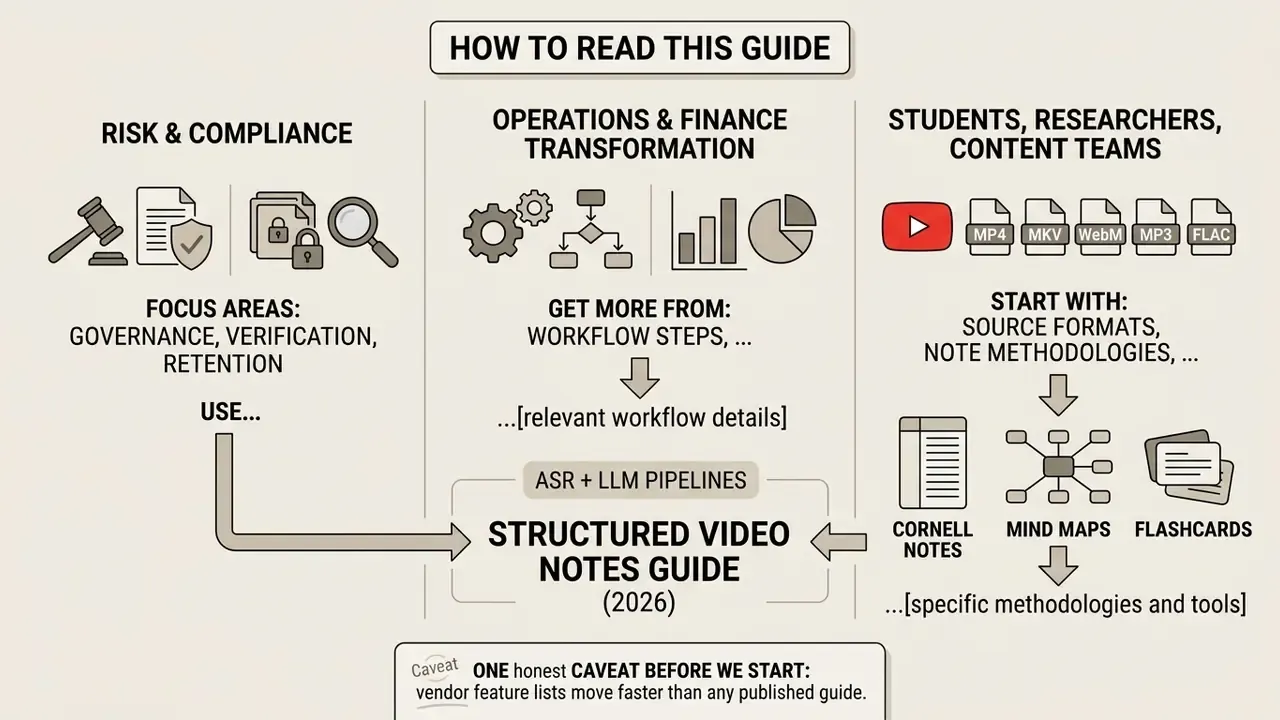
Three reader profiles use this material differently, and the sequence below reflects that.
- Risk and compliance leaders should focus on the governance, verification, and retention sections, then use the pre-upload checklist as a vendor questionnaire.
- Operations and finance transformation teams will get more from the workflow steps, the manual-versus-automated comparison, and the note-structure requirements.
- Students, researchers, and content teams can start with source formats, note methodologies, and the recall-practice material.
One honest caveat before we start: vendor feature lists move faster than any published guide. Where a capability exists only in product documentation, this article says so rather than dressing it up as measured performance.
What Is an AI That Takes Notes on Videos?
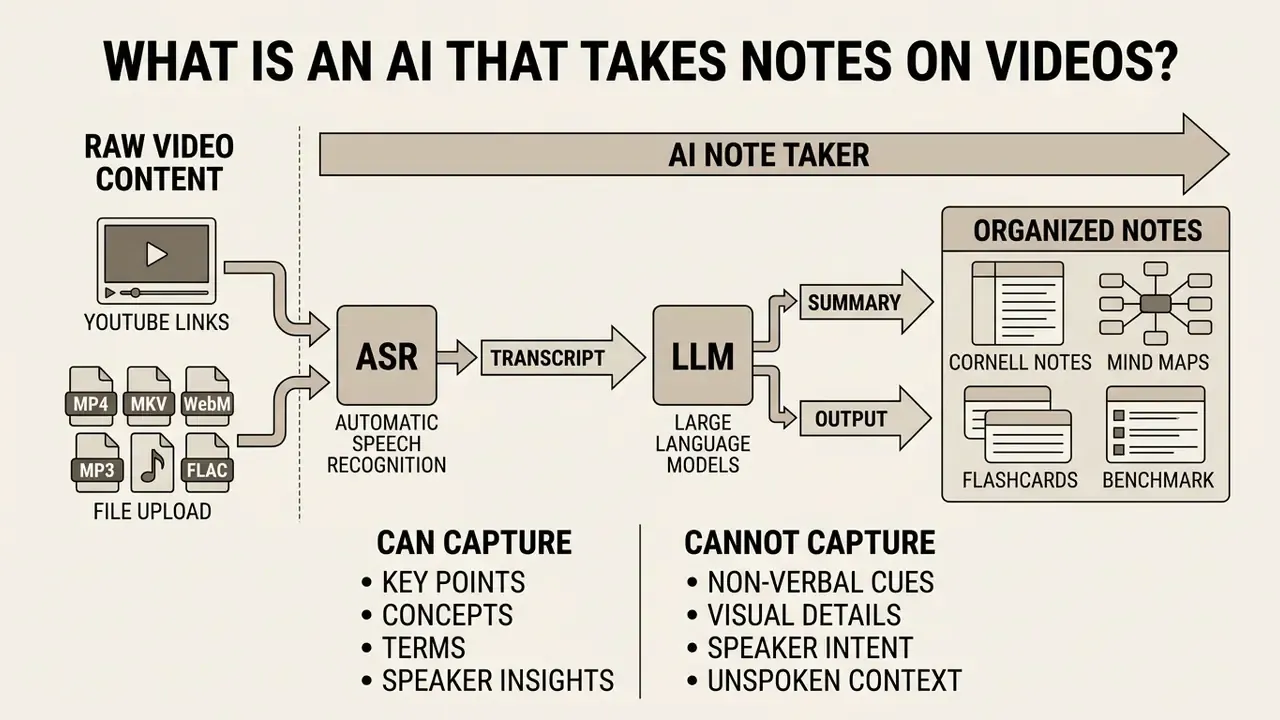
An ai note taker from videos is a software system that uses automatic speech recognition (ASR) and large language models (LLMs) to convert raw video content into organized notes. Unlike basic transcription tools, a video note taker extracts key points, identifies main concepts, and produces structured notes categorized by topic and timestamp.
Put plainly: a transcript tells you what was said, while ai notes from videos tell you what it amounted to. Those are different products with different risk profiles.
Transcript, summary, and structured video notes
A complete video transcript delivers a verbatim text record of every spoken word, maximizing word-for-word fidelity while retaining maximum reading length. AI summaries, by contrast, condense the text into short abstracts, which save reading time but frequently omit granular operational details. Structured notes bridge that gap by grouping content into logical section headings, preserving clickable timestamps, and highlighting core definitions.
Academic research by Argaw et al. (CVPR 2024) demonstrates that dense speech-to-video alignment enables LLM pipelines to generate benchmark-quality summaries linked directly to temporal video segments. The underlying benchmark includes 1,200 long-form videos with professional human annotation, complemented by a substantially larger automatically annotated corpus. That scale explains why current pipelines generalize reasonably well across lecture, interview, and tutorial genres.
«An automated pipeline uses ASR to obtain transcripts of long-form videos, then applies an LLM as a summarization oracle to generate high-quality summaries anchored to temporal segments.»
| Output form | Fidelity to source | Reading load | Best operational use |
|---|---|---|---|
| Verbatim transcript | Word-for-word, highest | Highest (full length) | Legal records, dispute resolution, WER auditing |
| Short summary | Meaning-level, compressed | Lowest | Triage, deciding whether to watch |
| Structured notes plus timestamps | Topic-level with traceable anchors | Medium | Study guides, meeting minutes, SOP drafting |
Because critical detail verification always resolves back to the verbatim layer, mature workflows archive the raw transcript alongside the structured note rather than discarding it. Delete the transcript and you have deleted your own defence.
What AI video notes can and cannot capture
AI models capture visible visual cues, major topic shifts, clear vocal statements, and broad chronological sequences across the whole video. Current neural architectures, however, regularly miss subtle narrative context, struggle with complex mathematical notation, and occasionally attribute statements to the wrong speaker.
Updated benchmark attribution. A benchmark evaluation of unsupervised video summarization reports that reinforcement-learning-based summarizers reach an F-score of 62.3 on TVSum and 54.5 on SumMe, while running inference up to 300 times faster than the prior baseline method.
«An unsupervised reinforcement-learning summarizer achieves 62.3 F-score on TVSum and 54.5 on SumMe, with inference 300 times faster than the previous method.»
Those figures confirm that automated systems capture high-level themes but omit fine-grained evidence. Independent survey work on speech summarization reinforces the same boundary condition: existing systems can distort or drop critically important elements, which makes manual verification mandatory in technical domains.
Consequently, critical business decisions require human review notes to verify facts against the original media. Readers evaluating adjacent automation layers can also review how AI video generators handle synthetic media provenance, since the same governance logic applies to generated and summarized content alike.
Which Video Sources Can an AI Note Taker Process?
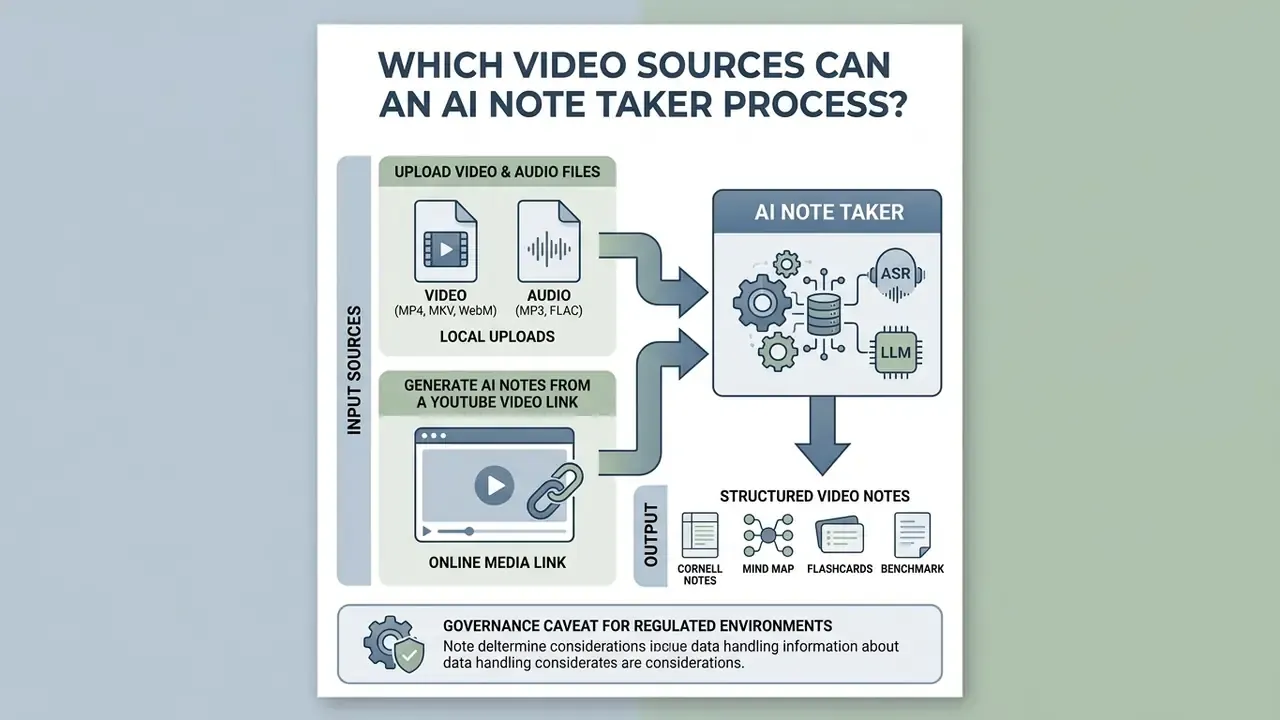
Modern AI platforms ingest local file uploads alongside online media links to create accurate video note sets. In enterprise environments, the majority of processed media consists of internal recordings exported from Zoom, Microsoft Teams, or Webex, so local upload paths usually matter more than public link parsing. Consumer and academic workflows invert that priority and lean on a public youtube url.
Upload video and audio files for note generation
Local media workflows allow users to upload pre-recorded meetings, lecture video files, and podcast episodes in common video container formats including MP4, MOV, AVI, MKV, and WebM, alongside high-fidelity audio inputs such as MP3, WAV, AAC, and FLAC. Advanced study platforms integrate directly with Learning Management Systems (LMS) such as Canvas and Blackboard, and ship dedicated browser extensions (Chrome, Edge), allowing students to ingest lecture streams directly from protected university portals without manual file extraction. Enterprise deployments extend the same ingestion layer to SharePoint libraries, Google Drive folders, and recording buckets produced automatically by conferencing platforms.
Input quality governs downstream note quality. Published collection guidance from NIST for speech-processing pipelines specifies digitally recorded audio stored as uncompressed PCM, at least 16-bit samples, with a minimum sampling rate of 16,000 samples per second in mono or stereo, and states that higher sample rates and bit depths are preferred. Delivery-oriented specifications published by ICAO for uploaded video recommend an MP4 container with H.264 video, AAC stereo audio at 128 kbps or higher, and 1080p resolution (720p minimum). Read together, these documents describe two different goals, recognition accuracy versus playback interoperability, yet both point in the same practical direction: avoid aggressive re-compression, avoid mono downmixes of multi-speaker rooms, and never feed the engine a screen-capture file with clipped audio.
Once uploaded, an ai note maker from video parses the underlying track to convert video content into searchable study guides or executive meeting summaries. Teams handling oversized archives frequently pre-process media with a video compressor before upload; when doing so, preserve the audio bitrate even if video resolution drops, because ASR accuracy depends on the audio layer alone. The same trade-off logic applies to static assets, and readers who manage mixed media libraries can borrow the reasoning in our guide on how to make an image file size smaller. Budget-constrained users comparing entry-level tooling can also review how free AI video generators impose quota ceilings, since note-taking platforms apply nearly identical throttling logic.
Generate AI notes from a YouTube video link
To generate AI notes from a YouTube video, the user inputs a youtube link or standard video link into the processing interface. The underlying system contacts transcription service endpoints, retrieves synchronized captions or generates an ASR transcript server-side, and parses the text into organized notes without forcing a manual media file download. The input may be a full YouTube URL, a short youtu.be link, or an 11-character video ID. Timing fields such as segment starts, paragraph boundaries, and word offsets are preserved so that downstream note extraction can anchor each claim.
This direct pipeline streamlines workflow efficiency for educational videos, recorded webinars, conference talks, and online course modules. Its scalability is documented by multimodal research datasets built specifically from public video.
«MMSum contains 5,100 untrimmed YouTube videos across 17 categories totalling 1,229.9 hours, each paired with transcripts, timestamps, and segment-level summaries.»
For broader technical options, developers can consult AI Media API Guides to evaluate external endpoint integrations, and review the Google Veo implementation guide for API cost and quota modelling patterns that also apply to transcription endpoints.
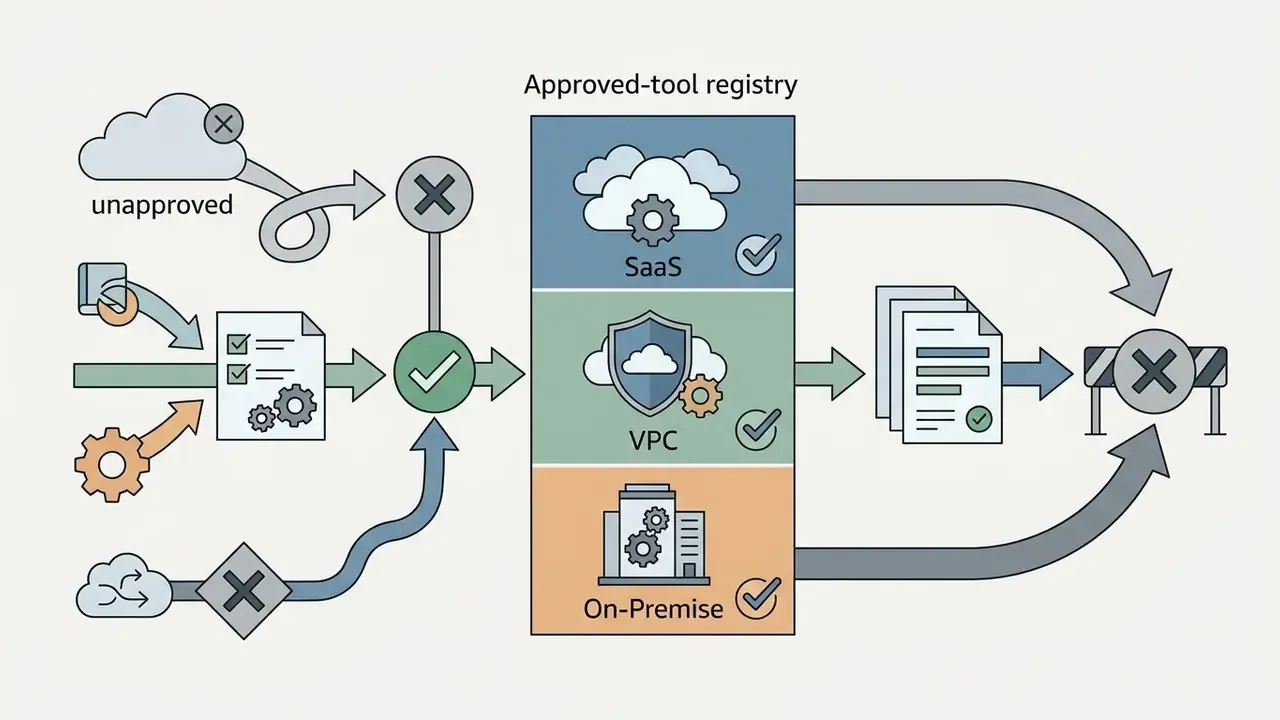
Governance caveat for regulated environments: link-based ingestion routes a request through a vendor's external egress path. Institutions operating inside closed network perimeters should confirm whether URL parsing happens inside a dedicated VPC or an on-premise deployment, because a public-link feature typically implies outbound internet access from the processing tier. Ask the vendor to draw that path on a diagram. If nobody can, you have your answer.
How to Generate Notes From a Video With AI
Transforming unstructured recordings into actionable documentation follows a standardized four-step engineering sequence. An ai note generator from video automates speech processing and semantic parsing to output clean documentation instantly.
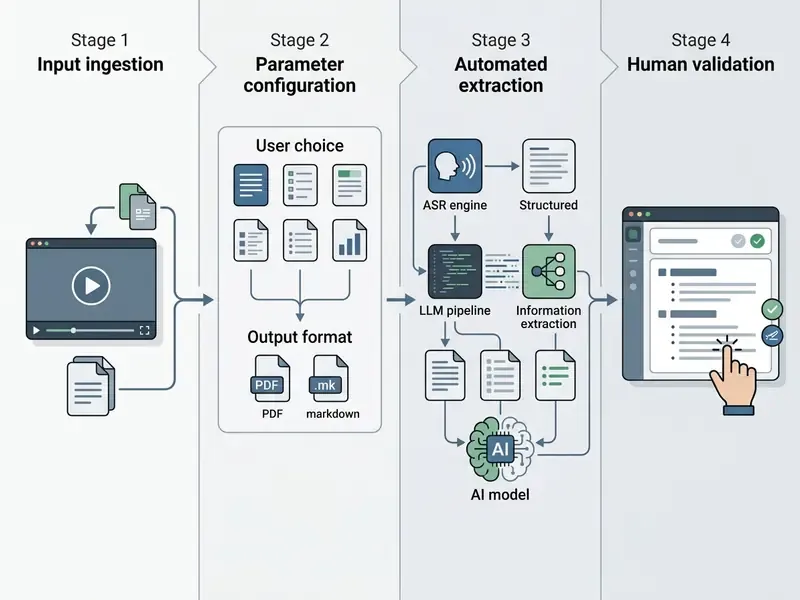
Research prototypes confirm that this four-stage abstraction maps onto real system architecture rather than marketing simplification.
- Ingest source mediaPaste the video URL or drag and drop an audio file into the application window.
- Configure parametersDefine target note format, select language preferences, and enable timestamp generation.
- Execute AI extractionThe system transcribes spoken audio, identifies key topics, and generates structured sections.
- Review and exportVerify extracted facts, review action items against the recording, and export to text or Markdown.
AI note taker versus manual note taking
Before adopting automation, most teams want a direct comparison against handwritten or typed note taking. The table below isolates the parameters that change measurably.
| Criterion | Manual note taking | AI note taker (automated) |
|---|---|---|
| Processing speed | Real time, so a 60-minute lecture consumes 60 minutes | Seconds to a few minutes per hour of recording |
| Coverage | Details are lost while writing the previous point | Full audio track analyzed end to end, no skipped segments |
| Timestamp precision | Rarely recorded, and recording them breaks attention | Automatic anchoring of every topic to a specific second |
| Formatting | Linear, unstructured, shorthand-dependent | Auto-grouping by topic, Cornell layout, outline, flashcards |
| Interactivity | Static pages in a notebook | Full-text search, Q&A chat over the transcript, quiz generation |
| Reliability of detail | Human-selected, but human-verified in the moment | High recall, but requires post-hoc verification of terms and numbers |
The final row is the honest trade-off. Automation wins on coverage and speed, while a manual note wins on immediate contextual judgement. The defensible workflow combines both: machine capture for completeness, human review for accountability.
Paste a video link or upload a file
Users initiate processing by pasting a youtube video link or using drag-and-drop web interfaces for direct file uploads. Web-based software executes server-side stream retrieval, which removes local bandwidth bottlenecks and avoids unnecessary software installations. Whether you are analyzing an hour-long recorded meeting or a short technical tutorial, direct link ingestion accelerates transcription initialization. Batch queues let operators submit an entire lecture series or a week of meeting recordings in a single session, with per-file status reporting.
Choose note settings and review the result
Before running generation, operators specify detail levels, toggle timestamp integration, and select domain-specific formatting templates. Typical parameters include output language, target length, note methodology (Cornell, outline, mind map), speaker-attribution toggles, and glossary injection for domain vocabulary. Once the engine completes processing, users receive organized notes containing highlighted key takeaways and topic headings.
Reviewing notes against the source footage allows teams to correct specialized vocabulary before publishing. Regeneration is part of the method, not a failure signal: if a section misses its topic, re-run it with a narrowed time window or an injected term list, then compare both versions side by side. Downstream publishing teams often pair notes with video editing tools to cut highlight clips matching each timestamped section. For media workflow benchmarks, see our AI Media Benchmarks and Review Proof library.
What AI-Generated Notes From Video Should Include
High-quality ai generated notes from youtube video links must contain structured content blocks that facilitate rapid comprehension and active recall. Well-designed outputs separate general context from specific operational commitments.
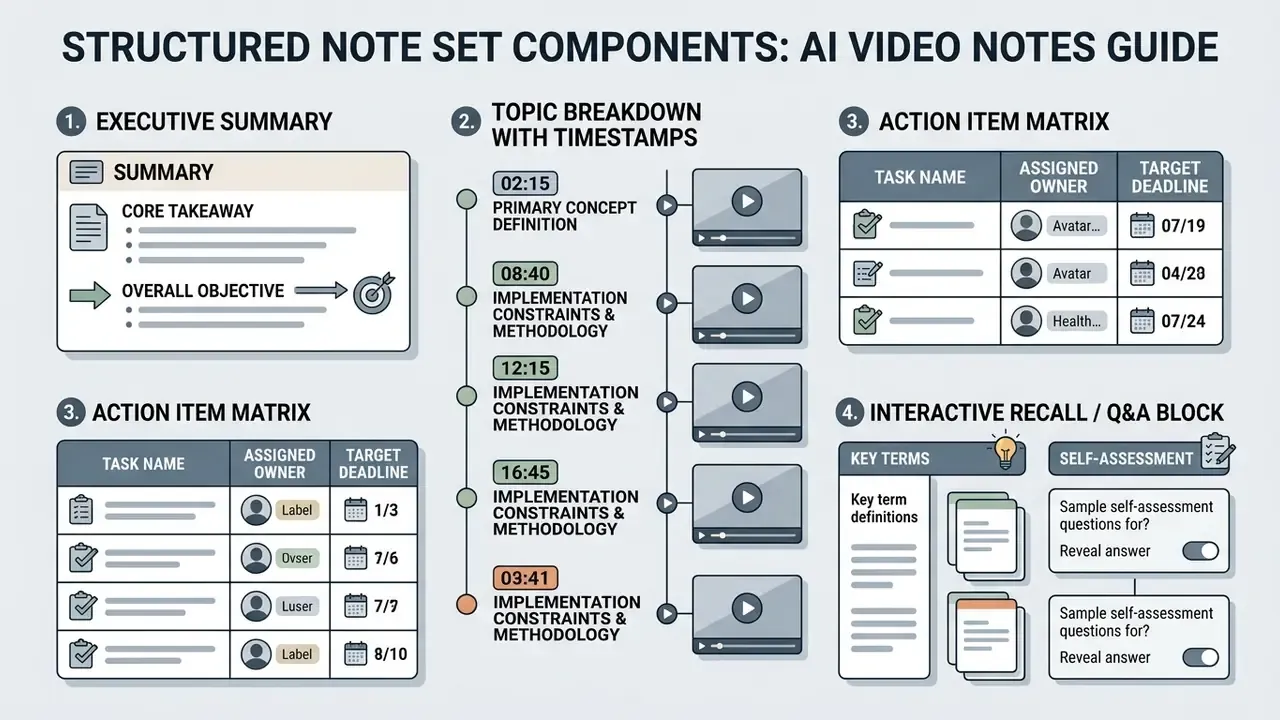
Standardized note methodologies supported by AI systems
Advanced video note generators adapt transcription outputs into established learning and documentation frameworks rather than emitting a single generic layout:
- Cornell Notes system splits output into cues and keywords (left column), main lecture notes (right column), and a two-sentence summary block at the bottom, which suits exam revision and spaced review.
- Mind map hierarchies map core topics as central nodes with branching key concepts, formulas, and sub-points. Helpful for spatial learners and for exposing conceptual gaps in a syllabus.
- Outline architecture uses strict numbered structures (1.0, 1.1, 1.1.1) to preserve sequential process flows, which matters for technical code walkthroughs, SOP drafting, and deployment runbooks.
- Topic-focused summaries constrain the output to a single declared theme, filtering unrelated discussion out of a long recording. Useful when a two-hour committee call contains fifteen minutes of relevant material.
- Minutes format records date, attendees, agenda items, decisions, action items, deadlines, and a link back to the recording, matching institutional meeting-record conventions.
Study notes, key concepts, and recall practice
For academic lectures and technical training, an ai notes generator from video builds comprehensive study notes that highlight key concepts, core formulas, and subject definitions. Several study platforms extend plain text output by generating flashcards, quizzes, and tutor-style Q&A from transcript data. Vendor documentation describes these capabilities, so buyers should validate them against their own recordings rather than treating feature lists as measured performance.
Automatically generated cards typically follow three active-recall formats:
- Term and definitiona specialist term on the front, the lecturer's precise definition on the back.
- Concept Q&Aa conceptual question on the front, an expanded answer plus the source timestamp on the back.
- Fill-in-the-blank (cloze deletion)a sentence with a key formula value, constant, or threshold removed.
Visual content carries much of the meaning in technical lectures, which is why slide OCR is a structural requirement rather than a bonus. Multimodal academic datasets annotate exactly that layer.
«M3AV annotates printed and handwritten characters, including complex mathematical formulas from academic lectures.»
Combining slide text with the spoken transcript yields notes that reproduce notation the audio alone never states aloud, a decisive factor for STEM material. OCR quality also depends on capture quality; if your slide frames are soft, the guidance in how to make an image higher resolution explains the practical ceiling. Where published data on measured recall improvement from multimodal notes is still limited, treat the benefit as mechanistically well-founded but quantitatively unsettled, and validate it in your own cohort before making learning-outcome claims.
Example output: a technical lecture converted into notes
The following block shows what a defensible structured note looks like when the source is a 45-minute computer-science lecture, including notation, multi-perspective framing, and a generated recall card.
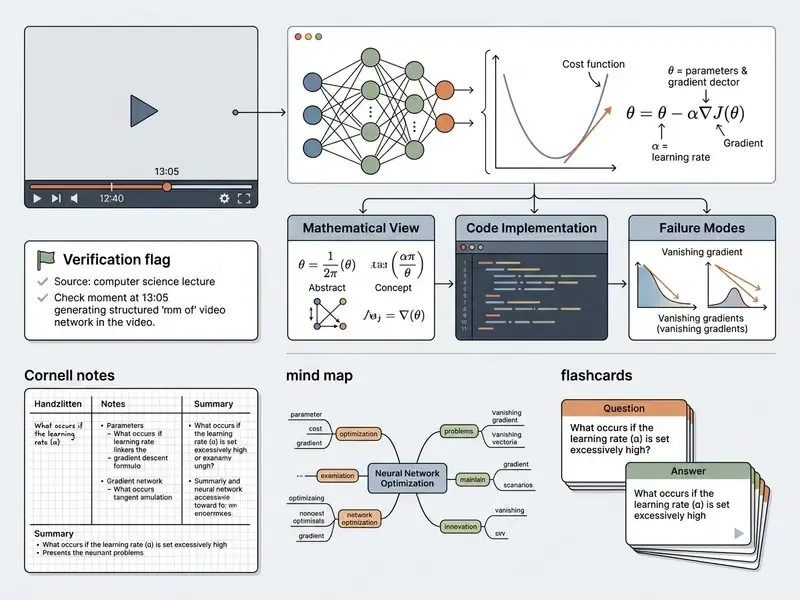
The same pattern generalizes to mathematics lectures, where a single system of equations is usefully decomposed into a row picture, a column picture, and a compact matrix statement, each anchored to its own timestamp. That structure makes a 40-minute lecture reviewable in four minutes without losing the derivation chain.
Timestamps, action items, and questions about video content
Enterprise meeting notes require clickable timestamps linking directly to exact video frames, which keeps every documented claim auditable. Action-item extraction is not merely a formatting choice; structuring summaries around tasks measurably improves summary quality on standard meeting corpora.
«An action-item-driven meeting summarization pipeline reaches 64.98 BERTScore on the AMI corpus, 4.98% above the BART baseline.»
Reliable note tools also generate dedicated action items listing task assignments, responsible parties, and target dates. Integrated Q&A modules let users ask questions directly against the indexed transcript, returning immediate answers anchored by temporal timestamps across the whole video. In practice, an auditable action item contains four fields: task, owner, deadline, and the timestamp where the commitment was made. An owner recorded without a source anchor cannot be defended when the assignment is later disputed.
How to Choose an AI Video Note Taker
Selecting an optimal ai notes maker from video depends on organizational governance standards, input media requirements, and integration targets. Teams must evaluate processing accuracy, platform support, and output flexibility.
| Evaluation metric | YouTube focus | Enterprise meeting focus | Academic / study focus |
|---|---|---|---|
| Primary input | YouTube URL, public video link | Recorded meeting files, live calls | Lecture video files, MP4/MOV/MKV, slide decks |
| Core output | Chapter titles, concise summaries | Action items, decisions, transcript | Study guides, flashcards, concept lists |
| Navigational anchor | Clickable segment timestamps | Speaker-attributed timecodes | Chapter-level timestamp anchors |
| Export formats | Markdown, TXT, HTML | PDF, DOCX, Notion, Confluence, GRC system | PDF, Anki flashcards, Markdown |
| Governance need | Fair-use link parsing | Strict data privacy and zero retention | Accuracy verification of terms |
| Deployment model | Public SaaS acceptable | VPC, on-premise, or regional tenancy | Institutional SSO plus LMS integration |
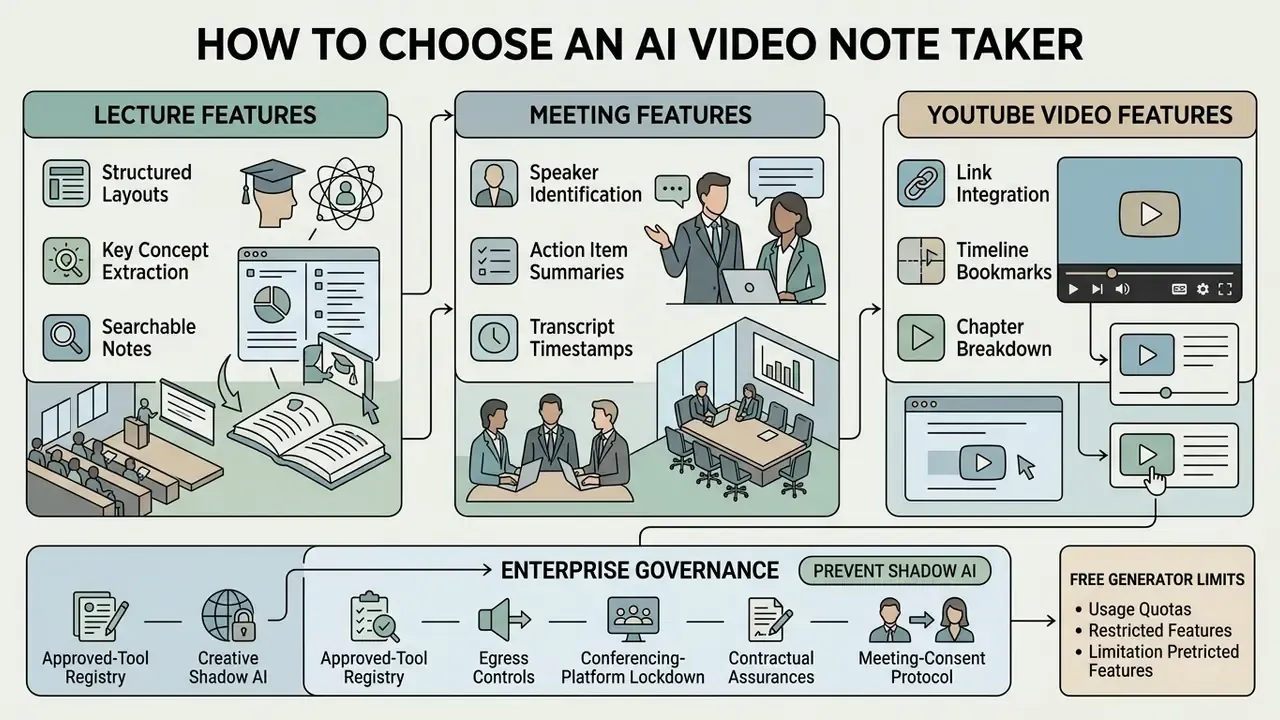
Features for lectures, meetings, and YouTube videos
Educational institutions demand strong hierarchical segmentation, accurate technical transcription, and visual slide processing. Corporate environments prioritize meeting notes with speaker attribution, SOC 2 compliance, and action item extraction. Digital publishers looking for an ai note taker for youtube videos focus instead on rapid link processing, smart chapter generation, and easy export paths. Smart chaptering is now a measurable capability rather than a vague feature claim.
«YTSEG comprises 19,299 English YouTube videos with transcripts and chapters; MiniSeg performs hierarchical segmentation and title generation in real time.»
To evaluate asset production alternatives, teams can review AI Media Comparison Matrices across top software platforms, and compare adjacent generation tooling in our best AI video generators matrix when the same budget line covers both capture and production.
Free AI note generators: limits to check before using
Options leveraging an ai notes generator from video free plan usually enforce operational constraints. Common free-tier restrictions include caps on video file size (for example, a maximum of 30 to 45 minutes per recording), monthly transcription limits (often around 120 minutes total), per-account import caps of three to five files, and disabled interactive Q&A features. Advanced summarization, insight extraction, and workspace integrations are typically paywalled even when basic recording and transcription remain free.
These quotas are not arbitrary marketing levers; they reflect genuine compute cost at scale.
«Instruct-V2Xum contains 30,000 YouTube videos of 40 to 940 seconds with an average summarization ratio of 16.39%.»
Evaluating these quota boundaries ensures organizations select plans capable of handling longer lectures or recurring meeting schedules. Readers who benchmark quota design across adjacent categories can compare limits in our review of free video editing software and free AI video generators, where the same freemium throttling patterns recur.
Enterprise governance: preventing shadow AI in note-taking workflows
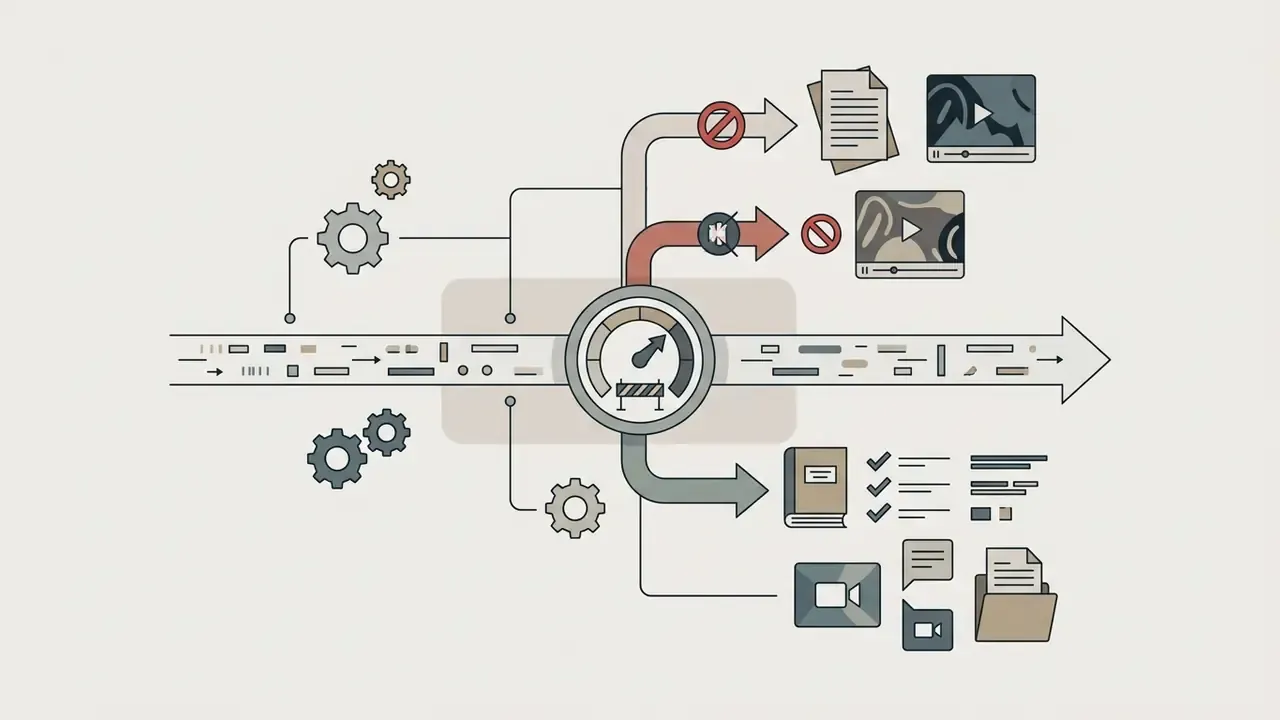
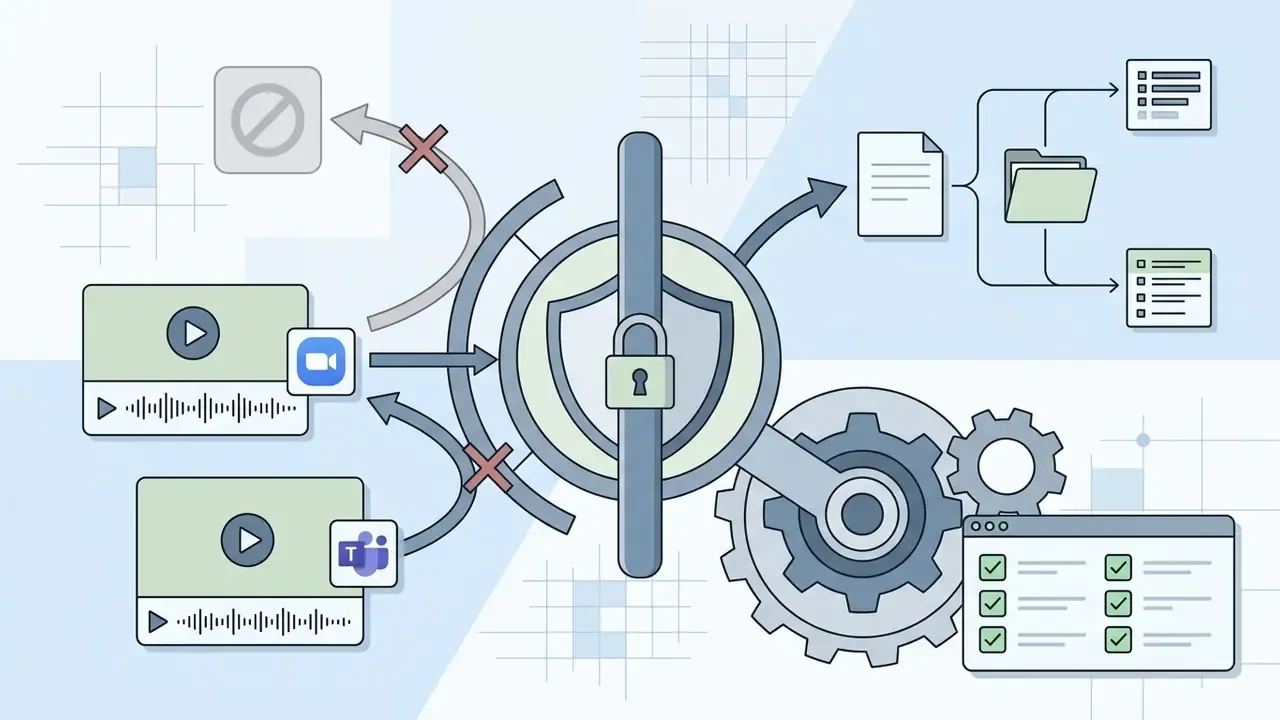
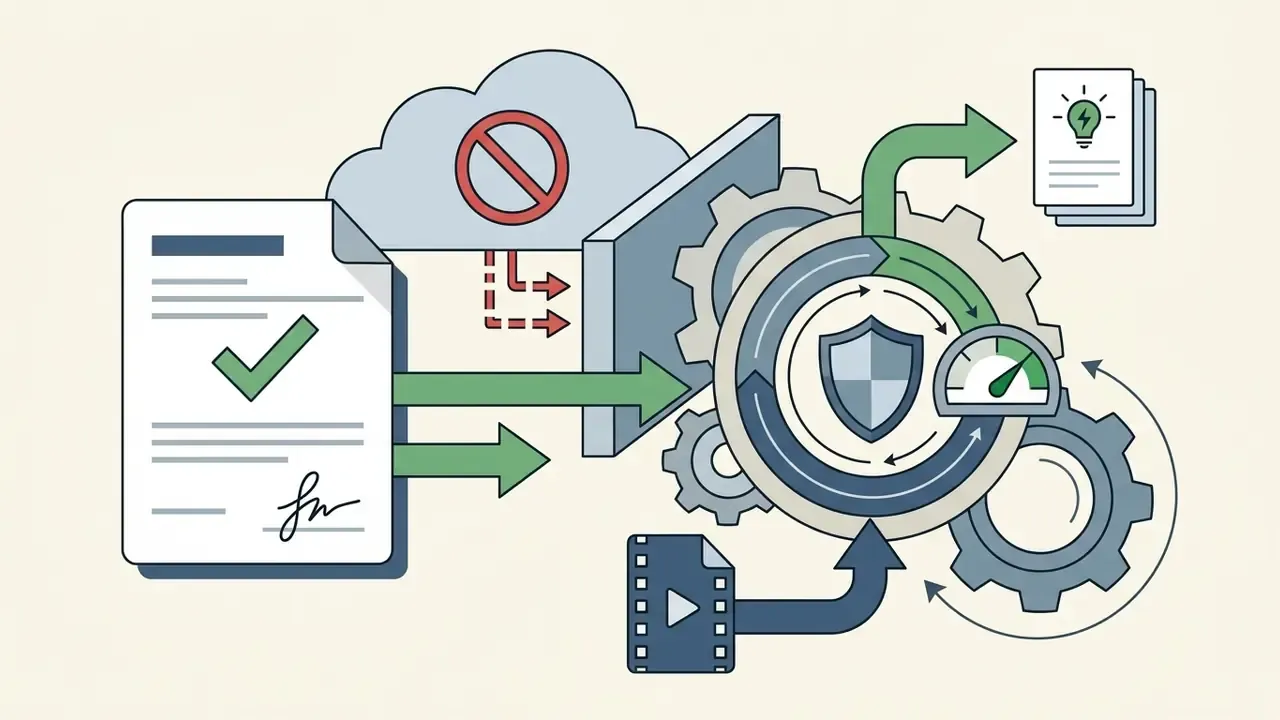
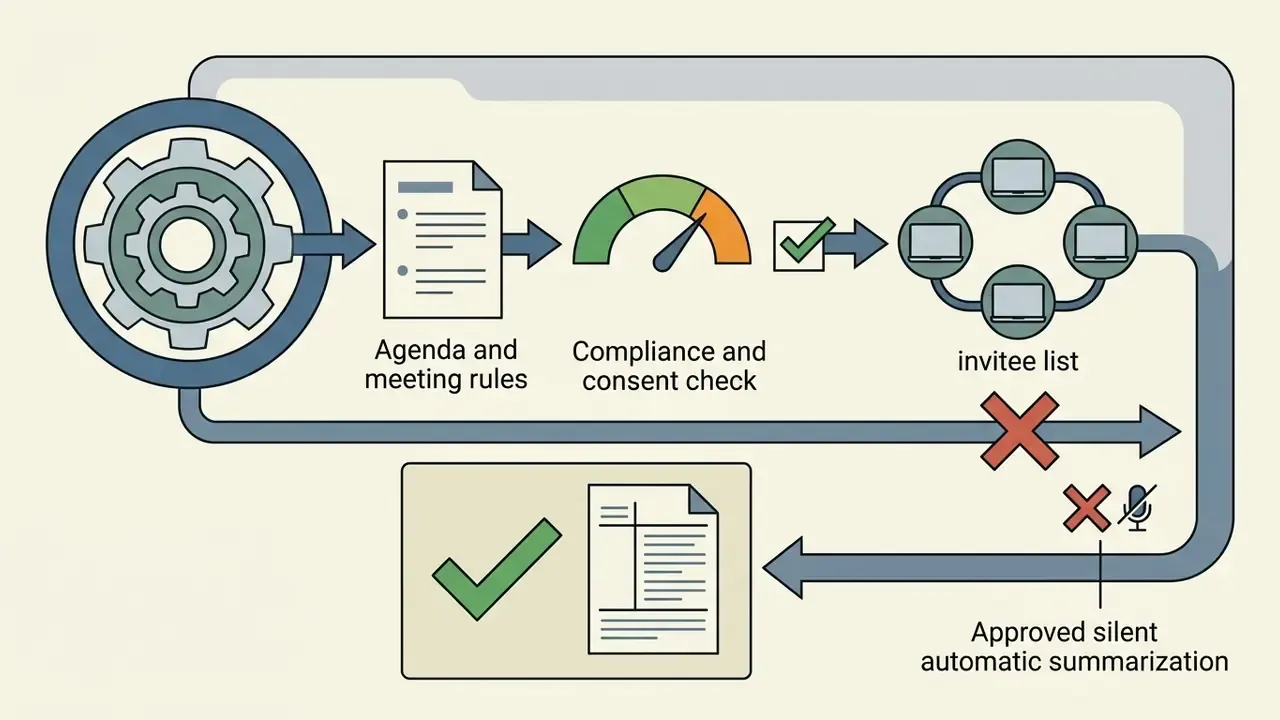
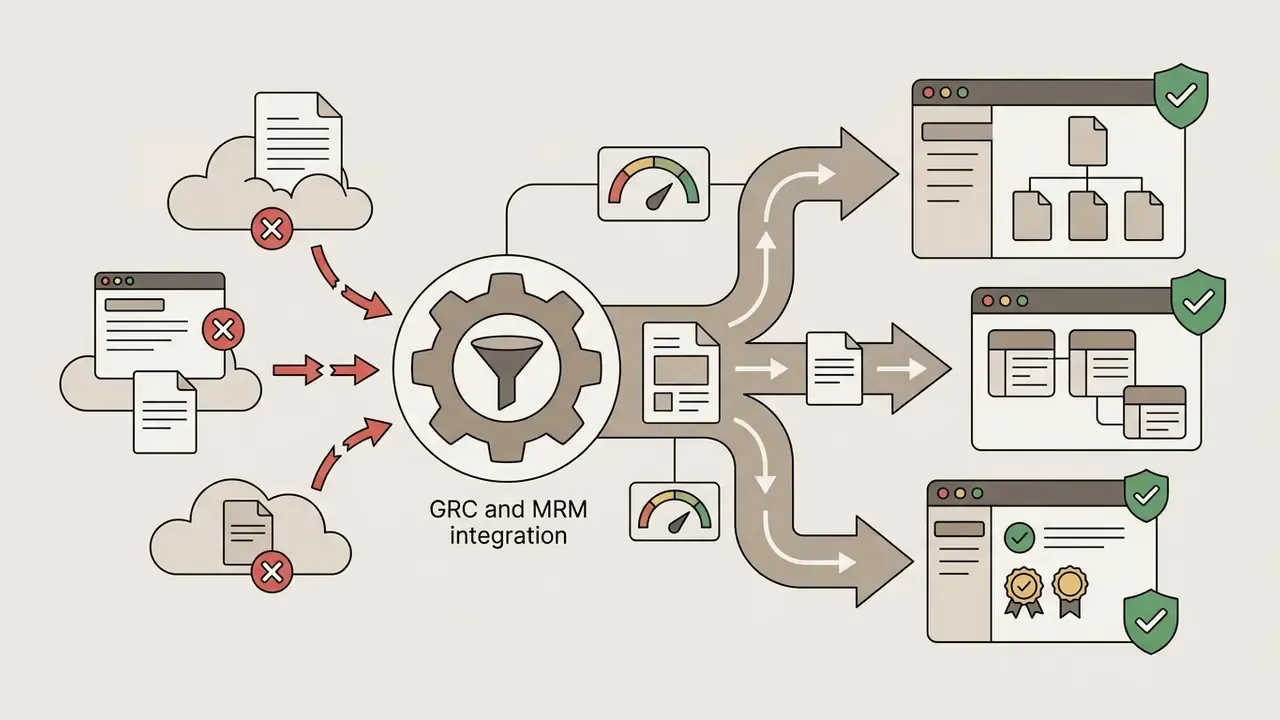
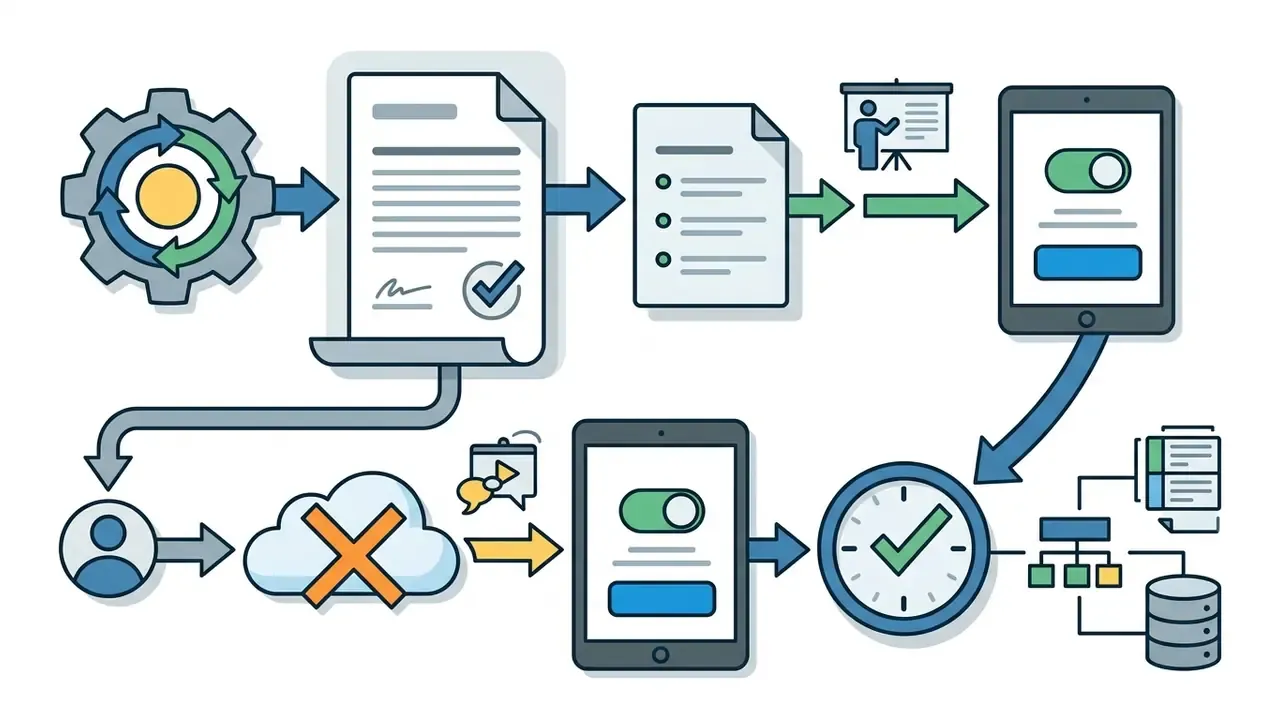
The dominant enterprise risk is not a poor vendor choice. It is employees quietly uploading confidential recordings into consumer-grade free tiers. A workable control set includes:
One more control that gets skipped: an inventory entry. If the note taker is not listed in the AI inventory, model risk cannot review it, internal audit cannot test it, and nobody owns the failure when a misattributed action item reaches a committee pack.
Best Use Cases for AI Notes From Videos
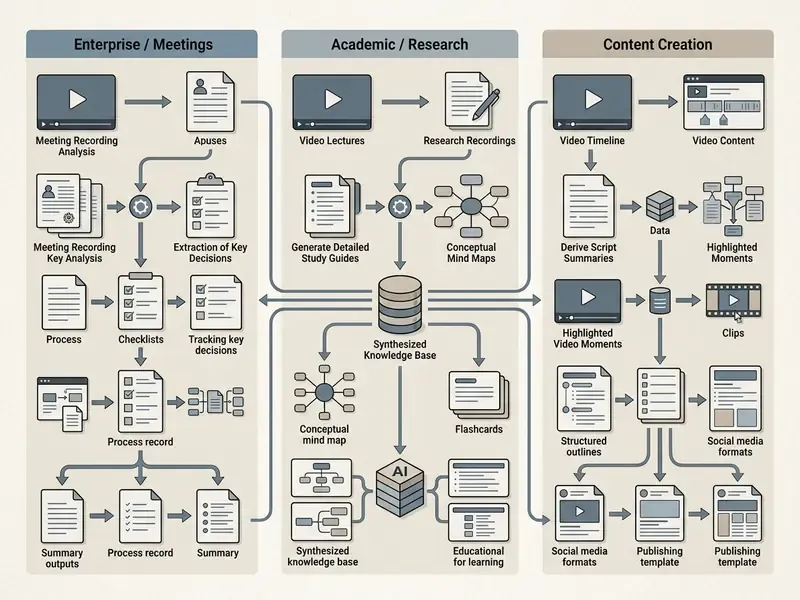
Automated note generation serves distinct operational objectives across enterprise, academic, and media production environments.
Video notes for meetings, training, and enterprise knowledge management
Project managers and corporate leaders use an ai note generator from youtube video and internal meeting recordings to capture official decisions, document SOP updates, and track action items. In project governance, minutes function as the official record of decisions and assignments and are circulated to participants after the meeting, a role that makes AI-generated drafts useful but never self-sufficient. Training teams convert onboarding sessions and compliance briefings into searchable step-by-step instructions, then publish the verified version into the knowledge base so the recording stops being the only source of truth.
Content creators use note summary outputs to convert long webinars and podcast interviews into written summaries, social media posts, and video scripts. Highlight detection research shows why this works at scale.
«Rhapsody comprises 13,000 podcast episodes with segment-level saliency scores derived from YouTube's "most replayed" signal.»
To optimize downstream publishing, creators often rely on a YouTube video editor to streamline production, pair note-derived scripts with text-to-video AI tools when a written recap needs a visual companion, and occasionally build a visual opener by following how to make an ai video from a photo.
AI notes for students, courses, and research
Students and academic researchers use an ai note maker from youtube video stream to transform long lectures into organized study guides. Instead of manually rewatching multi-hour recordings, learners review key topics, generate active-recall flashcards, and query technical concepts directly. Stop rewatching; start searching. Research prototypes have demonstrated the mechanism behind that preference.
«Lecture2Note establishes semantic links between visual slide objects and spoken descriptions; user studies reported higher satisfaction with structured navigation than with plain transcripts.»
In corporate training archives, indexed lecture transcripts serve a parallel purpose. Operators search across an entire compliance-training library to locate the exact segment where a reporting procedure is explained, instead of rewatching sessions in sequence. Where organizations publish internal time-savings figures, treat them as unaudited internal telemetry rather than benchmark results, and record the measurement method before quoting them externally.
Accuracy, Privacy, and Review of AI Video Notes
Deploying AI note tools requires clear governance standards to prevent data leaks and to catch accuracy errors caused by model hallucination.
How to verify notes from long or technical videos
When processing technical domain media, automated systems occasionally substitute terms or misread numeric data. Technical teams should establish formal audit workflows: cross-referencing generated action items against raw timestamps, verifying proper names, and checking complex formulas against original video slides. Published guidelines from NIST (AI 100-4) emphasize that synthetic text generation requires clear data provenance and manual validation checkpoints prior to operational deployment. NIST's public-facing AI documentation guidance goes further and expects recorded system purpose, limitations, intended use, and evaluation detail, which are the same fields that make a note set auditable.
Domain example, financial terminology. Automated pipelines are particularly error-prone on compressed numeric idiom. A spoken phrase such as "we widened the spread by twenty-five basis points" can surface as "twenty-five percentage points," inflating the stated change by a factor of 400. Comparable failure classes include confusing bps with bp, collapsing "year-on-year" into "year-to-date," mishearing EBITDA as EBIT, dropping negative signs on variance figures, and mis-assigning an exposure limit to the wrong desk. Verification rule: every number, unit, currency, and effective date that appears in a note must be confirmed against the verbatim transcript at its source timestamp, never against the summary layer. Accuracy measurement should follow standard practice, comparing raw ASR output with a human-verified reference using WER or CER, since strong English systems still operate near the 5% WER range and errors concentrate exactly on proper nouns and numerals.
Practical verification sequence:
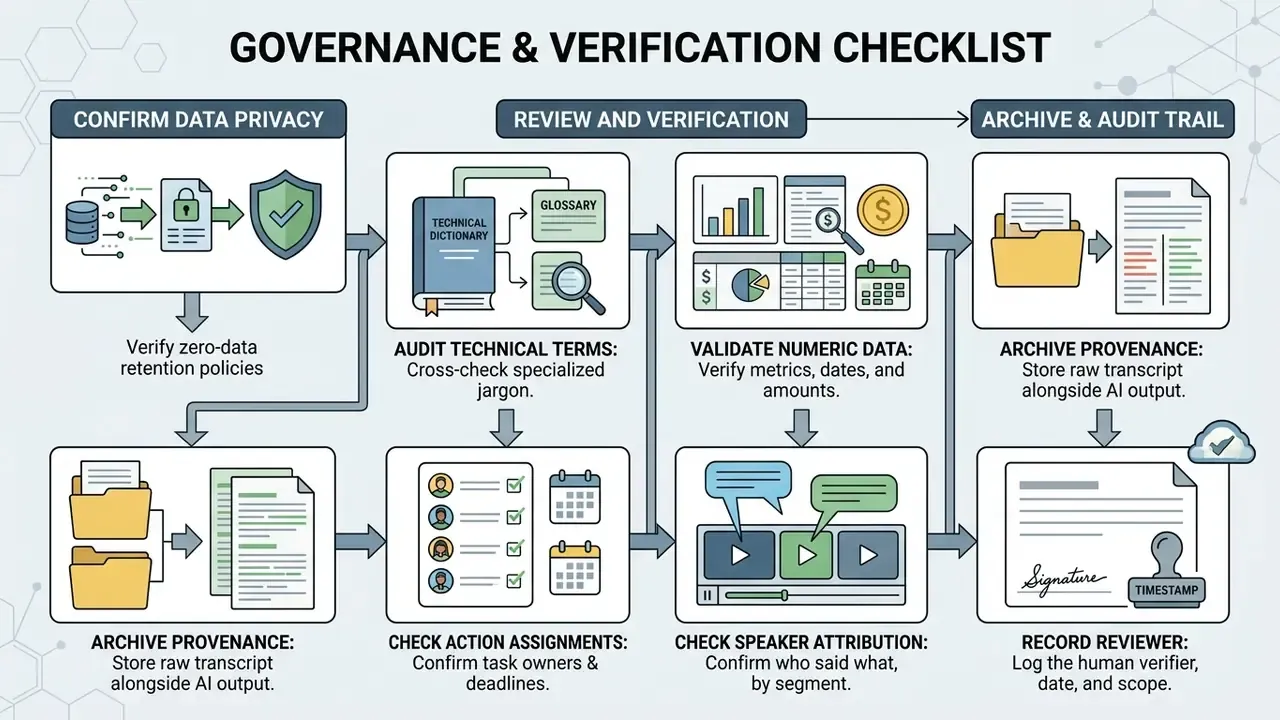
- Open the structured note and the verbatim transcript side by side.
- Verify every numeric value, unit, and date at its timestamp.
- Verify proper names, entity names, and speaker attribution per segment.
- Cross-check formulas, code identifiers, and notation against the slide OCR layer; teams handling image-heavy decks can use image-to-text tools to re-extract slide content independently.
- Confirm each action item has a task, owner, deadline, and source anchor.
- Log the reviewer name, review date, and any correction made.
Two reviewers on the same recording will sometimes disagree about what counts as a material omission. Write down the threshold in advance, otherwise the review becomes a matter of taste.
Audit trail and retention of source media
For auditable records, the AI note is a derived artifact and cannot stand alone. Retain the source recording, the verbatim transcript, and the final human-approved note as a single evidence bundle, and document three parameters explicitly: the retention period for each artifact, the lawful basis or business justification for that period, and the deletion trigger. Retention duration should be set by the record class the note belongs to, whether meeting minutes, training attestation, or transaction evidence, and not by the tool's default storage window. Where a note supports an external audit assertion, the evidence bundle must remain reproducible for the full statutory retention period of that assertion, including the model or version identifier used to generate it, so that a reviewer can distinguish a transcription error from a summarization error years later. GDPR storage limitation, conversely, prohibits keeping recordings indefinitely "just in case," so every retention window needs a defined end.
What to check before uploading a meeting or video file
FAQ About AI That Takes Notes on Videos
Can AI generate notes in a different language than the video?
Yes. Leading AI note-taking platforms translate audio transcripts during processing, so users can watch content in one language while outputting structured notes in another. Systems leverage multilingual ASR models paired with translation LLMs to generate translated key takeaways and section headings. Vendor documentation reports transcription across roughly 58 languages in some products and transcript translation across 120 to 150 languages in others. Because "notes in another language" is defined inconsistently across vendors, sometimes as full multilingual note generation and sometimes as transcript translation only, test the exact workflow you need before committing. Multilingual PDF export additionally requires Unicode-aware fonts and right-to-left support to preserve Arabic, Hebrew, and CJK text intact.
Where can I save, copy, or export generated video notes?
Most platforms provide one-click export options supporting Markdown (.md), PDF documents, plain text (.txt), Microsoft Word (.docx), HTML, and structured JSON. Structured notes can also be copied directly to the clipboard or pushed automatically into knowledge management platforms like Notion, Evernote, Obsidian, and Confluence. Note that destination platforms change export capabilities over time. Notion, for example, exports individual pages to PDF and pages or workspaces to Markdown and CSV, while workspace-level PDF export is being retired in favor of HTML, Markdown, and CSV. Markdown remains the safest round-trip format, because it can be re-imported without loss of heading structure. If you need a visual artifact for circulation, the same conversion logic used in how to make an image a pdf applies to note exports.
Can AI produce Cornell Notes or a mind map from a video?
Yes. Advanced platforms apply a note methodology template on top of the extracted structure. Cornell output splits into a cue column, a main notes column, and a bottom summary block. Mind map output renders core topics as central nodes with branching concepts and formulas. Outline output enforces numbered hierarchy (1.0, 1.1, 1.1.1), which suits code walkthroughs and procedural documentation. Some tools expose these as presets; others require a custom prompt on a paid tier.
Can the AI create flashcards and quizzes from video content?
Yes. After notes are generated, most study-oriented platforms can produce flashcards and practice quizzes in one step. Cards typically use three active-recall formats: term and definition, concept Q&A with a source timestamp, and fill-in-the-blank cloze deletion over a key value. Decks frequently export to Anki-compatible formats for spaced repetition.
Which video and audio formats are supported?
Common video containers include MP4, MOV, AVI, MKV, and WebM. Audio inputs typically include MP3, WAV, AAC, M4A, FLAC, and OGG. Many platforms also accept YouTube, Vimeo, and cloud-drive links, and some integrate with Canvas, Blackboard, or a browser extension to pull lecture media from institutional portals. Upload ceilings vary widely, from a 25 MB API limit on some transcription endpoints to multi-gigabyte or multi-hour limits on dedicated services.
How is an AI video note taker different from a raw transcript?
A transcript returns every spoken word as unstructured text, often thousands of lines. A note taker analyzes that text, discards filler, groups related ideas under headings, extracts terminology, attaches timestamps, and produces a document you can study or circulate. The transcript remains the verification layer; the note is the working layer. Keep both.
Can these tools run inside a closed corporate network?
Some can. Enterprise vendors offer VPC-isolated tenancy, regional data residency, or on-premise deployment with zero-data-retention commitments. Consumer free tiers generally cannot meet those requirements, which is precisely why an approved-tool registry and egress controls matter. Confirm deployment model, sub-processor list, and model-training prohibitions in writing before any confidential recording is uploaded.
Is a free AI note generator sufficient for regular use?
For public lectures and personal study, often yes. For recurring meetings, long course archives, or any confidential material, free tiers usually fail on three axes: duration caps (30 to 45 minutes per file), monthly minute quotas (around 120 minutes), and absent contractual data-protection terms. Evaluate quota and contract together, not separately.
Internal hub and technical navigation
- Explore complete automated media processing pipelines in our main workflows directory.
- Compare capture, transcription, and summarization platforms in the AI media comparison matrices.
- Review developer-side cost and quota modelling in the Google Veo implementation guide.
- Optimize lecture and meeting uploads without degrading audio using our video compressor guide.
- Turn verified notes into published assets with a YouTube video editor.
- Add narration to note-derived scripts using an AI voice generator.
- Benchmark entry-level tooling limits in our comparison of free AI video generators.
- Re-extract slide text for verification with image-to-text tools.
- Validate media authenticity before archiving evidence with AI content verification tools.
- Prepare supporting visuals for note packs with how to make an image smaller and how to make an image a circle in google slides.
- Calculate operational media production overhead with our interactive cost calculators.
Editorial methodology and transparency note
Claims in this article are sourced from peer-reviewed and preprint research on video and speech summarization, published standards and guidance documents from NIST, ICAO, and European data-protection authorities, and vendor documentation where a capability exists only as a product feature. Vendor-documented capabilities are labeled as such and are not presented as independently measured performance. Where a quantitative claim could not be traced to a verifiable source, it was removed or reframed rather than retained, and those changes are recorded in Appendix A. Any vendor, domain, or corporate identity that could not be independently verified at the time of review is excluded from this article rather than described speculatively. General disclaimer. This material is informational and does not constitute legal, compliance, information-security, or financial advice. Requirements under GDPR, CCPA, sector-specific record-keeping rules, and internal model-risk frameworks depend on your jurisdiction and data categories. Consult qualified specialists before deploying automated note taking to regulated records.
Appendix A: revision and correction log
Maintained for transparency and auditability of this article's own claims.
- Benchmark attribution corrected.An earlier version attributed the F-score range 54.5 to 62.3 to "Alaa et al. (2024)" in a benchmark study of video summarization techniques. The reported values correspond to reinforcement-learning-based unsupervised summarization results (TVSum 62.3, SumMe 54.5) documented by Abbasi et al. (2024). The corrected attribution now appears in the main text; the superseded attribution is preserved here for traceability.
- Unverified efficiency figure removed.A prior claim that "finance operators reduced video research time by 60% by querying indexed lecture transcripts" could not be traced to a verifiable source. It has been replaced in the main text with a description of the underlying workflow plus a note on treating internal telemetry as unaudited.
- Unverified corporate notice removed.A prior "Company Verification Notice" referencing a non-resolving domain and a fixed future date has been superseded by the editorial methodology and transparency note above, which states the sourcing policy without asserting unverifiable registry facts.
- Recall claim re-scoped.A prior statement that multimodal notes combining OCR and transcript "significantly improve student recall" has been retained in mechanism form, supported by the M3AV annotation dataset and Lecture2Note user-study findings, with an explicit note that measured recall-improvement magnitude remains unsettled.
- Internal navigation cluster rebuilt.Non-topical navigation links were reorganized so that video, transcription, AI media, and verification workflows lead, while supporting visual-asset guides are grouped separately, preserving hub utility without diluting topical coherence.