Last updated: February 2026 · Reviewed for: prompt engineering accuracy, platform specifications, accessibility thresholds, data-governance risk and copyright status.
Executive Summary: The Decision in 60 Seconds
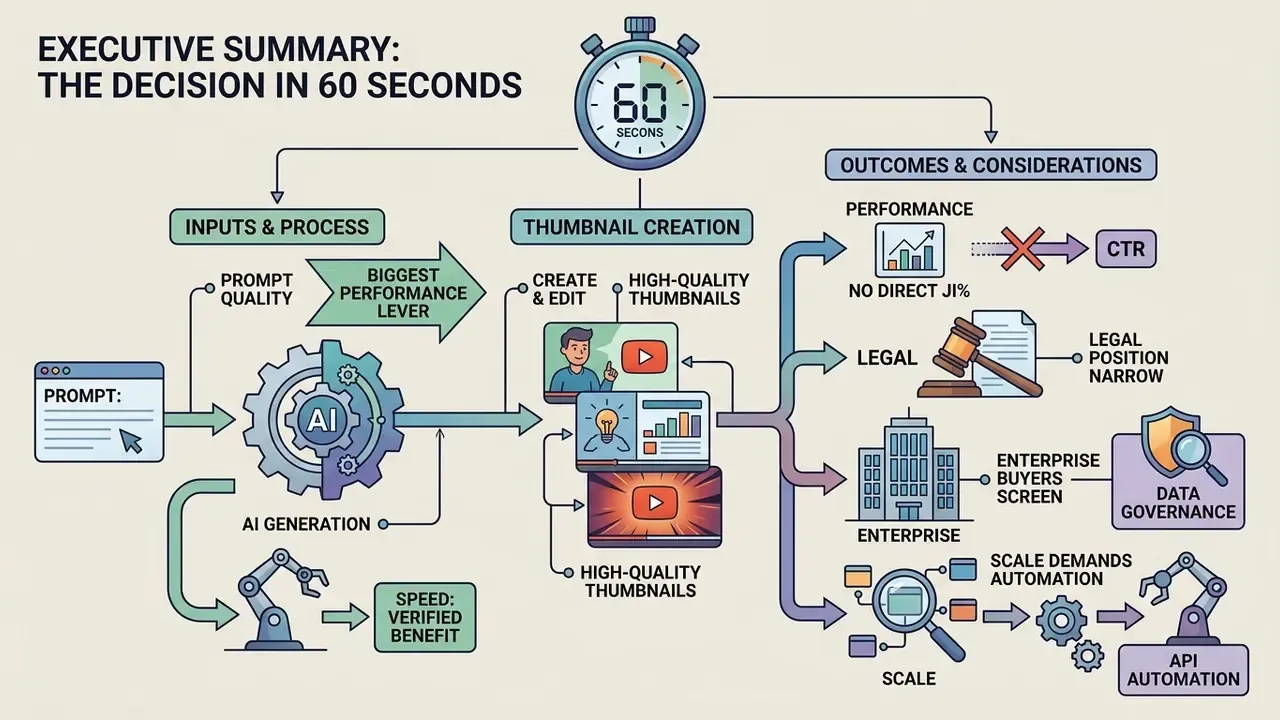
For readers who need the short version before the detail:
- Speed is the verified benefit, not CTR. AI thumbnail generation collapses a 15 to 20 minute manual Photoshop cycle into a 5 to 10 second generation run, and structured generative pipelines measurably improve asset compliance and user preference versus baseline workflows. Click-through rate uplift, however, is conditional on visual hook clarity and content relevance. No tool guarantees it.
- Prompt quality is the single biggest performance lever. Specifying subject, framing, background, contrast, style and aspect ratio (16:9) outperforms short, vague prompts. Research on persuasive image generation shows that implicit marketing messages are where text-to-image models fail hardest.
- The legal position is narrow. Per U.S. Copyright Office guidance (2025), purely autonomous AI output without human expressive control is not copyrightable; human-authored arrangement, text and edits remain protectable. Platform AI-disclosure labels apply to realistic synthetic media.
- Enterprise buyers must screen for data governance. Free web generators frequently reserve marketing or training reuse rights over uploaded assets. For corporate faces, unreleased products and pre-launch creative, require zero data retention, SOC 2 evidence, SSO/SAML and contractual indemnity. Otherwise you are running Shadow AI with a design budget attached.
- Scale demands automation. Teams publishing five or more videos weekly should move from manual prompting to API calls or no-code pipelines (Zapier, Make, n8n) triggered on video render or upload.
What Is Verified, What Is a Vendor Claim
Before the workflow sections, it helps to separate evidence from marketing. This matters for anyone who has to justify a tool purchase to a finance or risk function rather than to themselves.
| Statement | Status | Basis |
|---|---|---|
| AI cuts thumbnail production time by an order of magnitude | Reasonably supported | Reproducible timing of manual versus generated runs; throughput is observable in your own pipeline |
| Structured generative pipelines improve brand-safety compliance and user preference | Supported by published research | Four-stage pipeline study, arXiv (2025) |
| Personalised thumbnails beat generic ones on click preference | Supported in a controlled user study | Personalized Video Thumbnail Generation, arXiv (2025) |
| "+40% CTR" or "+50% average CTR" from switching tools | Unverified | No published methodology, sample size or control group |
| "70% faster than manual editing" | Vendor-reported | Self-published figure, not independently replicated |
| Purely autonomous AI images are copyrightable | Incorrect as stated | U.S. Copyright Office guidance (2025) |
Treat the middle rows as hypotheses for your own channel, not as settled facts. Measure, then decide.
An ai thumbnail maker is an automated graphic generation tool that transforms text prompts, reference images, or video URLs into click-oriented video cover images. By automating layout composition, object segmentation, and background synthesis, an ai thumbnail generator enables content creators and media teams to produce high-impact visuals in seconds without manual graphic editing.
What Is an AI Thumbnail Maker and Why Use It?
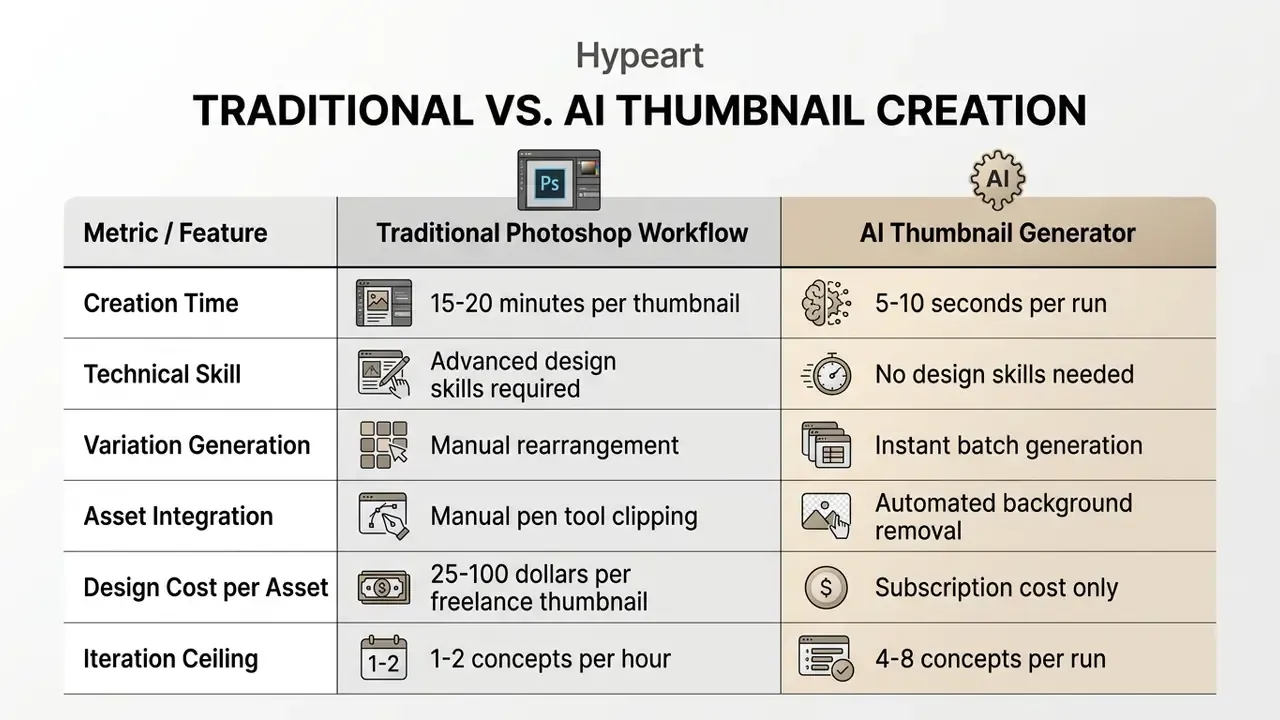
An ai thumbnail maker is a software application that leverages deep learning models, primarily diffusion architectures and vision-language encoders, to generate custom preview images for digital media platforms. Creators use an ai thumbnail generator to remove technical visual design bottlenecks, compress thumbnail production time from roughly 20 minutes to under 10 seconds, and rapidly create eye catching covers that grab attention in crowded feeds.
Traditional graphic design requires proficiency with complex software like Adobe Photoshop, manual background isolation, and manual typography placement. An ai image generator for thumbnails, by contrast, accepts a simple text description or a video link and composes the full visual design automatically. Media teams use these tools to generate multiple visual concepts simultaneously, test different visual hooks, and scale publishing schedules without hiring specialised design staff.
One practical observation from reviewing production pipelines: the bottleneck almost never sits in rendering. It sits in approval, naming and export discipline.
How AI Thumbnail Generation Works
AI thumbnail generation runs through a multi-stage neural pipeline that converts textual intent into structured image pixels. First, a text prompt is tokenised using vision-language models such as CLIP, converting human descriptions into high-dimensional semantic embeddings. Next, a diffusion model applies iterative denoising across latent space, sculpting a coarse image structure in the direction the prompt points. The same architectural family powers general-purpose AI image generators, which is why prompt syntax transfers reasonably well across tools.
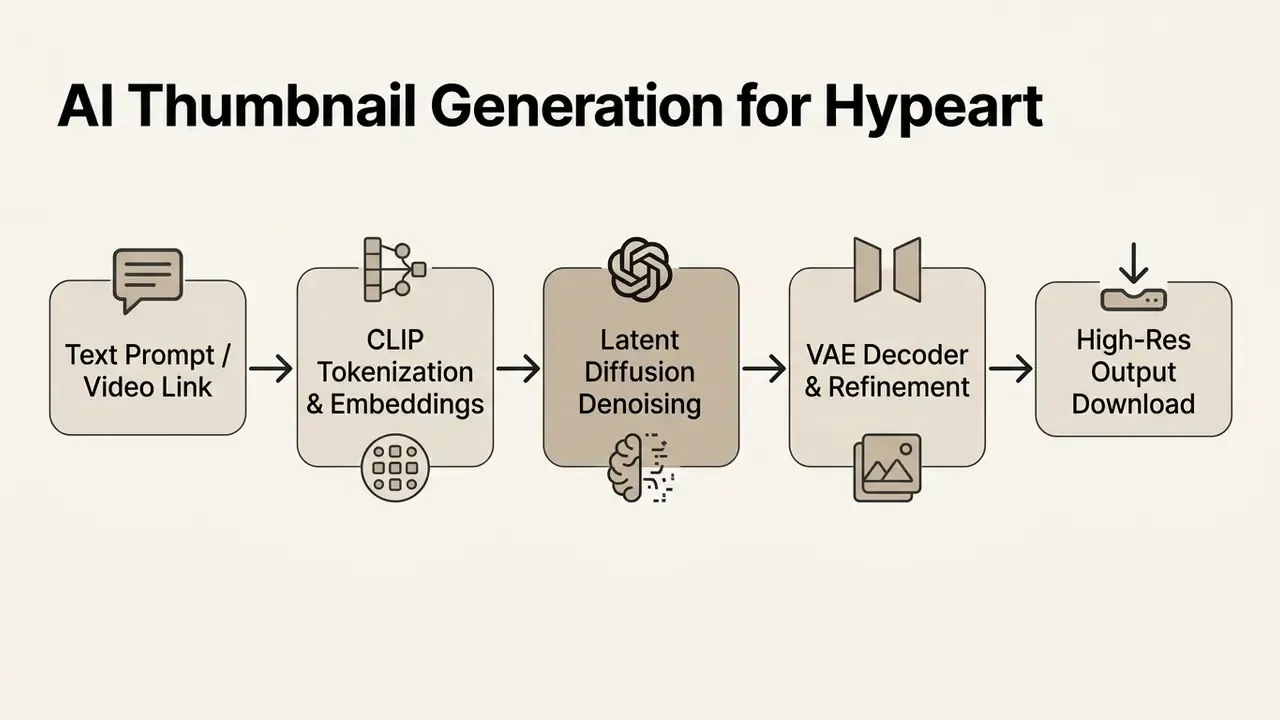
In the final stage, a Variational Autoencoder (VAE) decoder reconstructs the latent tensor into a full-resolution preview image. Specialised thumbnail tools then apply secondary post-processing: automated face detection, contrast sharpening, and text layer integration. The point of that step is survivability, keeping the visual readable at reduced mobile display sizes. Many platforms also run a fast, low-step sampling pass to render draft previews, then re-run full-step refinement only on the variant you select. That is why the first four candidates appear almost instantly while the final export takes noticeably longer.
When AI Thumbnails Are Better Than Manual Design
AI thumbnail generation beats manual design when you need volume, rapid hypothesis testing, and same-day adaptation to a trend. (Updated) Vendor-reported figures claim time reductions of roughly 70% versus manual editing, but these numbers are self-published and not independently verified. The reproducible, research-backed advantage is throughput and variant compliance rather than a fixed percentage.
«An automated four-stage pipeline, prompt analysis, asset retrieval, composition planning and quality assessment, improved marketing-object compliance by 30.77% and user preference by 52.00% versus a baseline workflow.»
Manual graphic design still wins for bespoke brand illustration that needs pixel-level precision. Research on design sketching also indicates that hand-drawn concepts express original intent more faithfully at the ideation stage, so AI superiority depends on the task and the phase of the process. For daily video publishing, news commentary, and structured content testing, though, an ai image generator for youtube thumbnails gives you speed and operational flexibility that a human designer cannot match on cost. Creators can generate four distinct visual concepts in seconds, isolating one variable at a time (subject expression, background element, text weight) to optimise performance in competitive recommendation feeds.
Fact Check & Verification (E-E-A-T)
«The CG4CTR pipeline, which couples a diffusion model with a CTR-based reward model, produced measurable click-through gains in live advertising campaigns compared with manually created creatives.»
How to Create a Thumbnail with AI: Step-by-Step Workflow
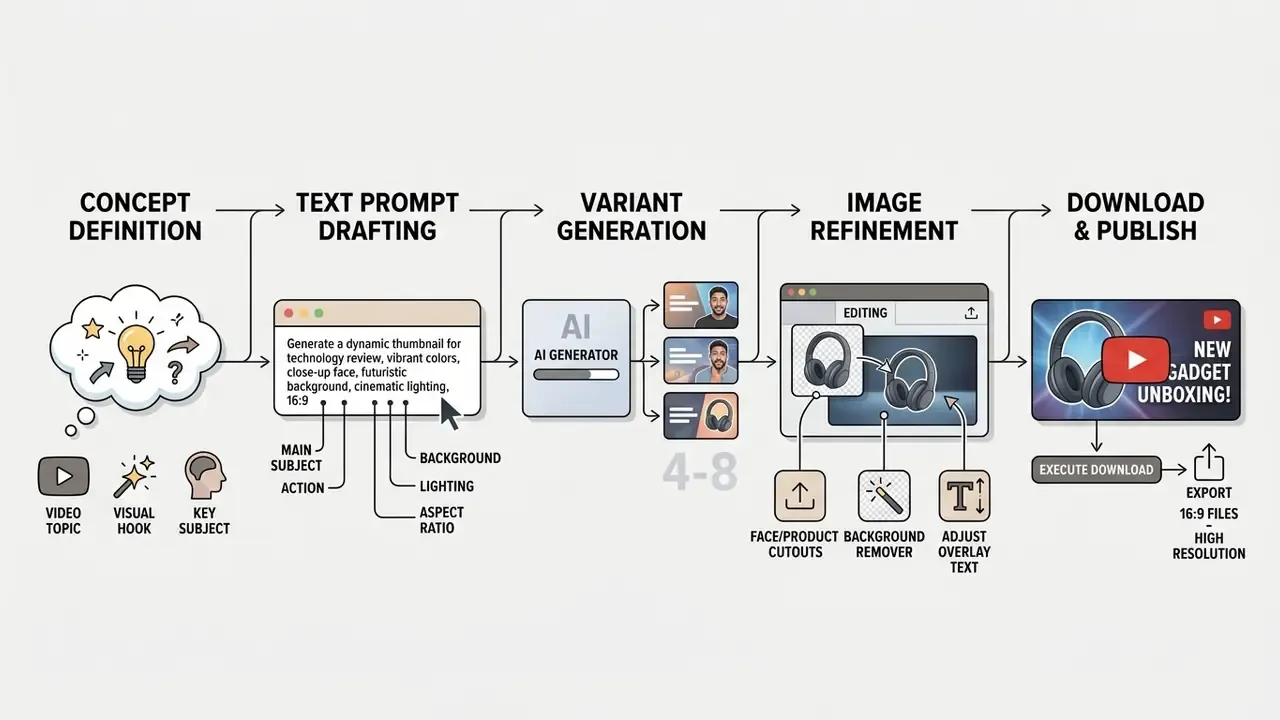
Creating a professional video cover with an ai thumbnail creater follows a five-step operational pipeline: concept definition, prompt engineering, asset integration, variant evaluation, and high resolution export. A standardised workflow protects visual consistency and improves prompt accuracy over time, because you can see which step failed.
Describe the Thumbnail Concept in a Text Prompt
To ai create thumbnail visuals accurately, you need structured text prompts that explicitly define the subject, background, lighting, and colour contrast. Effective prompts skip vague adjectives and supply descriptive parameters: object framing, camera angle, focal intensity, desired aspect ratio.
A robust prompt structure includes five essential elements:
- Primary Subject "A shocked male tech reviewer pointing to the right."
- Background Context "A dark clean studio background with neon blue and purple gradient backlighting."
- Composition & Framing "Close-up shot, rule of thirds, subject occupying 50% of the frame."
- Style & Quality "Photorealistic, high contrast, cinematic lighting, 8k detail."
- Technical Specs "16:9 aspect ratio, wide layout."
Write the prompt once, save it as a preset, reuse it. That single habit does more for style consistency than any style slider.
Upload Images and Refine the Generated Design
Modern ai image generation tools for youtube thumbnails let creators upload personal branding assets, high-resolution headshots or product photography, directly into the generative canvas. The integrated system uses an automated background remover to isolate the subject from the original photo layer in a single click.
«RefAdGen, trained on a dataset of 100,000 advertising triplets, demonstrates robust generalization: the model preserves product fidelity for unseen objects while achieving leading realism (FID) and text alignment (CLIP-Score).»
Once the main subject is isolated, smart AI editing features such as generative inpainting or object replacement blend the uploaded image into the synthetic background. Brush-based "insert object" tools accept a masked region plus a text prompt, generate replacement candidates, and apply the chosen result without re-rendering the whole canvas. That capability set is now standard in modern AI photo editors. For a step-by-step guide on isolating elements for graphic compositions, see our technical breakdown on how to make an image transparent.
Generate, Choose, Download and Publish Variations
After processing the initial prompt, an ai thumbnail creator outputs several design candidates within seconds. Evaluate them on visual balance, focal point legibility at small scale, and available text space, in that order.
Selection criteria worth applying systematically:
- Small-detail fidelity: zoom to 25% preview size and confirm overlay text and facial features survive downscaling without blur or artifacting.
- Hand, ear and text artifacts: diffusion models still distort fine structures; reject candidates with malformed typography.
- Visual balance: confirm the focal subject sits on a rule-of-thirds intersection and does not collide with the text block.
- Resolution setting: compare medium and high quality settings before shipping, because dense text and infographic detail degrade first at lower settings.
Select the strongest candidate, make minor colour or typography tweaks, then execute the final ai create thumbnail download. Save in uncompressed PNG or high-quality JPG, ready for direct upload to YouTube Studio or a social media scheduler. Export at the highest native resolution the model offers rather than downscaling on export. Low export presets make otherwise crisp AI images look soft, and reviewers usually blame the model for what was really a settings mistake.
Cloning Viral Styles & URL-to-Thumbnail Workflows
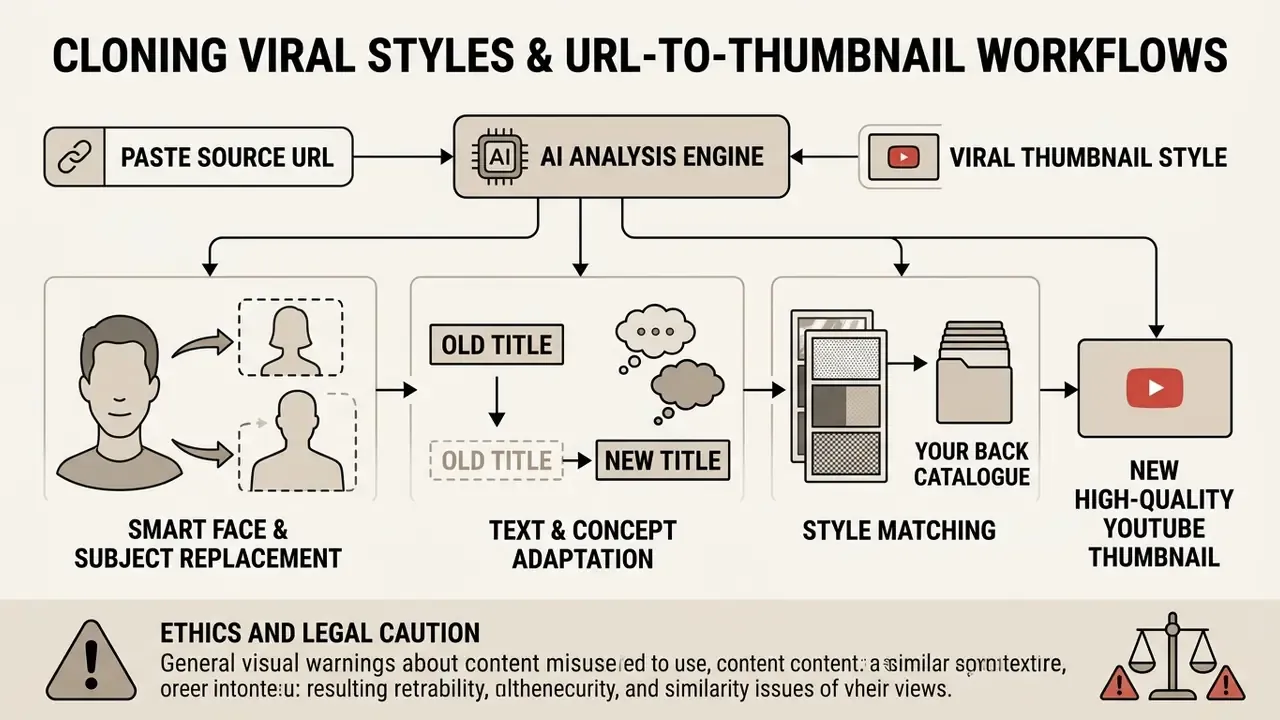
Style Matching Against Your Own Back Catalogue
The same URL-analysis mechanism can be pointed at your own channel instead of a competitor's. Feeding a previous video from your library lets the model learn your palette, font family and composition pattern, then generate new covers for different topics that remain instantly recognisable to returning subscribers. For creators without a formal design system, this is the most practical route to brand consistency.
Video-to-Thumbnail Generation & Auto-Frame Extraction
Generating Thumbnails Directly from Video Files and Transcripts
Instead of writing prompts from scratch, advanced AI platforms let creators upload raw video files, paste a video URL, or supply a transcript:
- Frame Isolation: Vision models scan the footage to locate high-emotion frames, peak facial expressions, reaction moments, action sequences, on-screen result reveals, and surface them as thumbnail candidates.
- Transcript Hook Mining: Speech-to-text output is analysed to extract the strongest quotable line in the video, which becomes the two to four word overlay. This keeps the hook truthful to the content and cuts clickbait risk.
- Auto-Enhancement: The AI upscales the selected frame, removes or replaces the background, raises lighting contrast, and places legibility-checked text overlays sized against the platform's small-display rendering.
- Batch Candidate Output: Because frame extraction is deterministic, one video can yield six to ten distinct candidate frames for A/B testing without any prompt writing at all.
This route suits podcasters, interview channels and gameplay creators best, because the right expression usually already exists in the footage. The bottleneck is finding and finishing it, not inventing it. Creators working on more stylised or synthetic formats can compare the approach against our walkthrough on how to make fully generated video content, where no usable source frame exists at all.
AI YouTube Thumbnail Creator: Size, Resolution and Export Requirements
An ai thumbnail creator for youtube must output images that conform strictly to platform technical specifications, or you get unwanted cropping and pixel distortion across mobile and desktop surfaces.
Platform Thumbnail Technical Specifications (2026 Standard)
| Platform Surface | Aspect Ratio | Recommended Resolution | Max File Size | Supported Formats |
|---|---|---|---|---|
| YouTube Standard Video | 16:9 | 1280×720 px (up to 3840×2160 px) | 2 MB standard (10-50 MB via desktop/enterprise Studio tiers) | JPG, PNG, GIF |
| YouTube Podcasts | 16:9 / 1:1 | 1280×720 px | 10 MB (mobile) | JPG, PNG |
| YouTube Shorts / Reels | 9:16 | 1080×1920 px | 10 MB | JPG, PNG |
| Instagram Feed / Grid | 1:1 / 4:5 (grid crops to 3:4) | 1080×1080 px / 1080×1350 px | 8 MB | JPG, PNG |
| TikTok Cover | 9:16 | 1080×1920 px | 10 MB | JPG, PNG |
| Blog Featured Image | 1.91:1 | 1200×630 px | 5 MB | WEBP, PNG, JPG |
Read in plain text: long-form YouTube covers stay 16:9 at 1280×720 px or better, under 2 MB on standard upload paths. Vertical surfaces (Shorts, Reels, TikTok covers) need a 9:16 re-render at 1080×1920 px. Instagram grid views crop to 3:4, so keep the subject central. Blog and link previews need a separate 1200×630 px export.
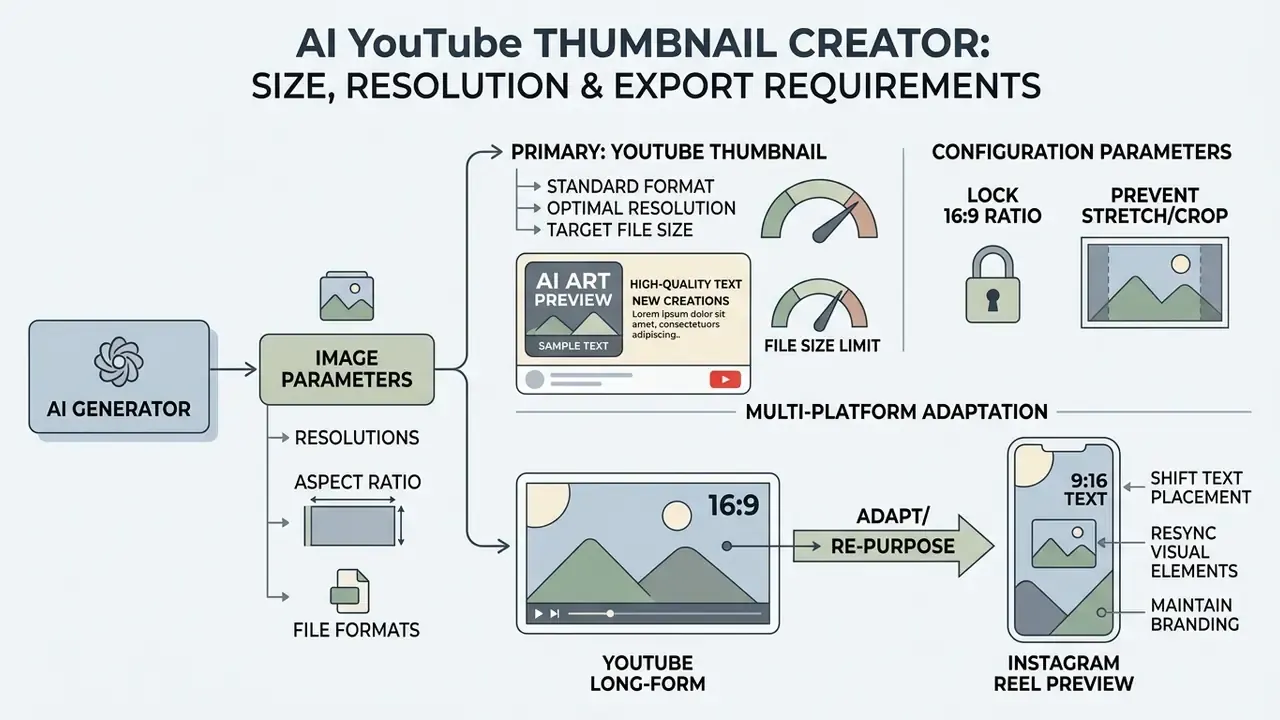
YouTube Thumbnail Size and Aspect Ratio
The standard specification to ai create youtube thumbnail files is a 16:9 aspect ratio, minimum resolution 1280×720 pixels, minimum width 640 pixels. (Updated) Standard uploads remain capped at 2 MB, while desktop and enterprise Studio upload paths accept larger files, commonly documented in the 10 to 50 MB range depending on account tier and surface. Current desktop publishing guidance also accommodates higher-fidelity source files up to 3840×2160 pixels (4K) for ultra-high-definition displays. If your generator exports below 4K, run the winning variant through dedicated image resolution enhancement before publishing.
When configuring output parameters in an ai generator youtube thumbnail tool, hold the 16:9 ratio to prevent horizontal pillarboxing or vertical letterboxing. Keep focal elements away from the bottom-right corner, where YouTube's timecode overlay sits on video previews. And verify the file at roughly 10 to 15% of full size, the scale at which most mobile feed impressions actually happen, before approving it. That one check catches more failures than any style preset.
How to Make Eye-Catching Thumbnails That Grab Attention
To stand out in crowded feeds, an ai generator thumbnail visual has to establish a hook within roughly half a second of scrolling. Half a second. That is the entire budget.
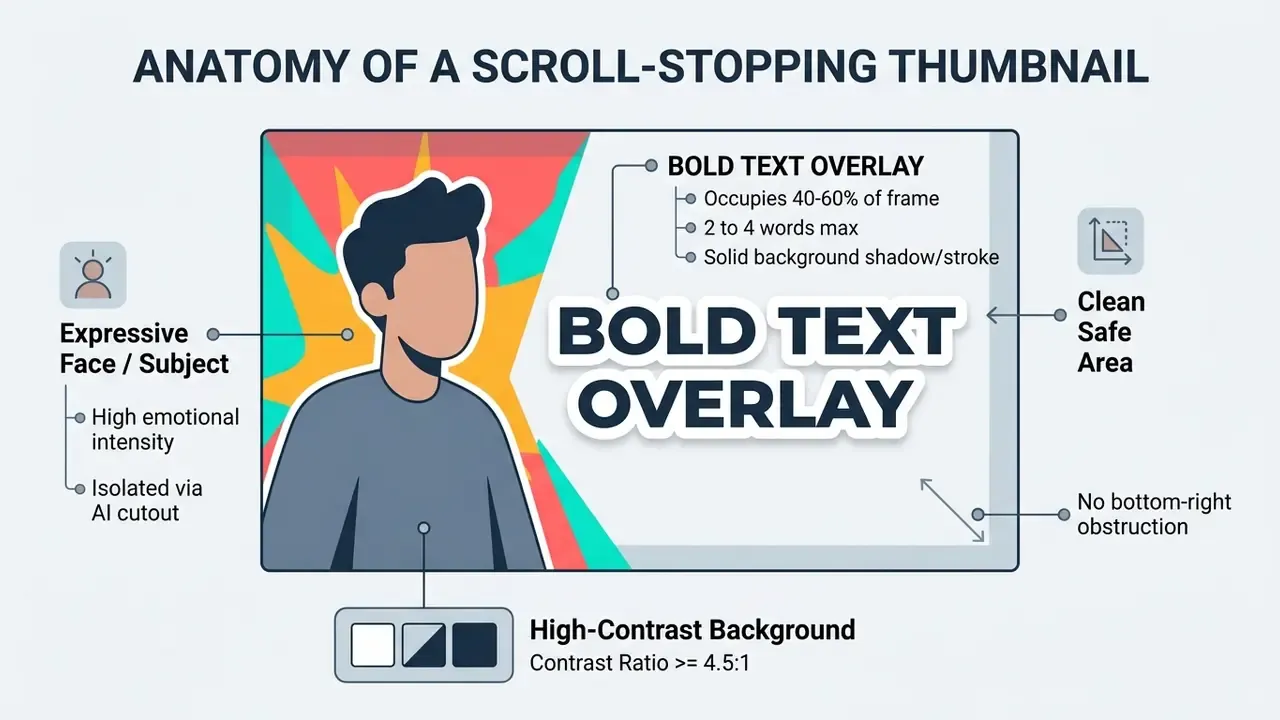
Use Bold Text, Contrast and a Clear Visual Hook
Scroll stopping thumbnails rely on extreme visual contrast and minimalist composition, not on cramming information into 1280 pixels.
«A user study found personalized thumbnails achieved a 63.30% Top-1 click ratio versus 8.30% for the strongest baseline, alignment with audience interest matters more than general aesthetics.»
«The CAP framework showed that current text-to-image models struggle with creativity, persuasiveness and prompt alignment when marketing messages are implicit, detailed prompts are critical.» CAP: Evaluation of Persuasive and Creative Image Generation, arXiv (2024). https://arxiv.org/abs/2412.10426
When using an ai image generator thumbnail tool, implement bold text with no more than two to four words, and make sure the message reinforces the video title rather than repeating it.
Contrast Ratio Guideline (WCAG Compliance in Design):
- Small Text (<18pt): Minimum 4.5:1 contrast against background
- Large/Bold Text (>=18pt or >=14pt Bold): Minimum 3:1 contrast against background
Give the composition one clear focal subject occupying 40% to 60% of the frame. High emotional intensity in facial expression plus strong colour separation, warm subject over a cool dark background works reliably, produces the scroll stopping effect that holds on a phone screen. Platform guidance reinforces the same pattern: rule-of-thirds composition, easy-to-read text, restraint. Dynamic colour catches the eye; excessive complexity overwhelms it and collapses at small render sizes.
Keep a Consistent Style for Your Channel
Long-term channel identity requires consistent brand assets across all quality thumbnails. Fix your visual guidelines: signature colour palette, recurring font families, branded background textures. It is the same mechanism standards bodies use to enforce brand integrity through fixed logo use, palettes, typography and imagery rules.
Using an ai thumbnail generator app, save custom style presets or reference prompts so that visual uniformity holds across a video series without manual policing.
«GenAI-supported designs were rated as more creative and unconventional, yet showed no significant differences in visual appeal, brand alignment or practical usefulness.»
The operational implication matters: novelty is not brand effectiveness. Lock palette and typography first, then let the model vary only subject, expression and background. Consistent visual cues let returning subscribers identify your content instantly in crowded feeds, which compounds organic click-through over months rather than days.
How to Tailor AI Thumbnails for Specific YouTube Niches
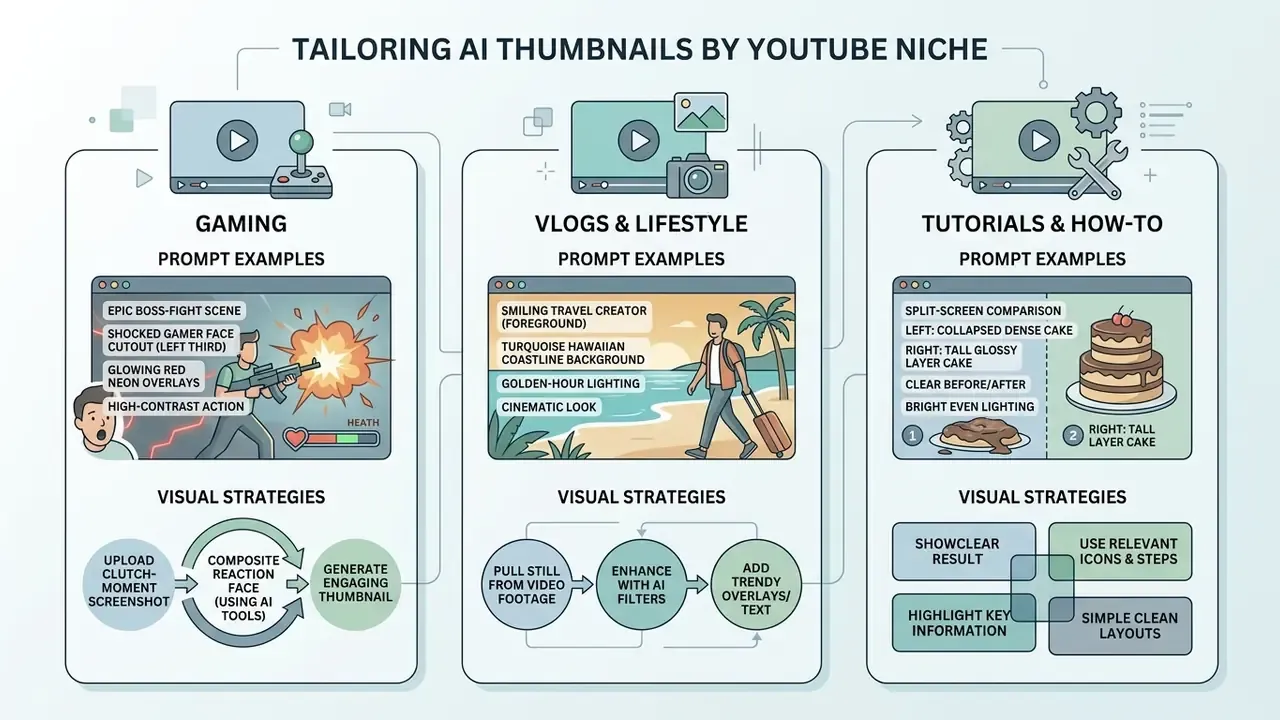
Different verticals need different visual strategies. Generic prompts produce generic covers; vertical-specific prompts produce competitive ones.
Gaming Content. Focus on high-contrast action moments and peak reaction.
- Prompt Example: "Epic gameplay scene, shocked gamer face cutout on the left third, glowing red neon background, bold 3D text 'UNBEATABLE', extreme contrast, 8k render, 16:9."
- Strategy: Upload a boss-fight or clutch-moment screenshot and let the model composite your reaction face over it. Keep the HUD out of the frame; it reads as visual noise at feed scale.
Vlogs & Lifestyle. Focus on mood, location legibility and authentic expression.
- Prompt Example: "Smiling travel creator in foreground, turquoise Hawaiian coastline behind, golden-hour lighting, warm saturated palette, bold white text 'WE MOVED HERE', 16:9."
- Strategy: Pull a still from the footage rather than shooting a separate photo. The frame that already carries the emotion is usually the best candidate.
Tutorials & How-To Guides. Use a split "Before vs. After" framework.
- Prompt Example: "Split-screen comparison, left side collapsed dense cake, right side tall glossy layer cake, bold yellow arrow between them, text 'THE 1 FIX', clean studio background, 16:9."
- Strategy: Upload the final result and prompt the AI to build a side-by-side comparison grid with high-contrast indicator arrows. Curiosity comes from the visible gap, not from clever wording.
Podcasts & Interviews. Focus on emotional facial expression and clean typography.
- Prompt Example: "Two podcast hosts facing each other, one laughing and one stunned, dark charcoal backdrop, warm rim lighting, bold cream text 'HE ADMITTED IT', 16:9."
- Strategy: Use expression modification or face-aware editing to heighten intensity from a flat studio frame. Limit overlay text to two or three words summarising the single most contested claim in the episode.
Tech Reviews & Unboxings. Focus on the product silhouette plus a verdict cue.
- Prompt Example: "Reviewer holding a glowing futuristic smartphone at eye level, cool blue gradient studio background, product sharply lit and centered right, bold text 'NOT WORTH IT', photorealistic, 16:9."
- Strategy: Use background replacement on a clean product shot so the device outline stays unambiguous at 320 px wide.
Finance & Business. Focus on number legibility and one directional signal.
- Prompt Example: "Serious analyst pointing at a rising green candlestick chart, dark navy background, large bold white text '$0 TO $10K', high contrast, cinematic lighting, 16:9."
- Strategy: One chart, one arrow, one figure. Avoid dense dashboards; they become grey mush on mobile.
Music & Entertainment. Focus on an album-cover aesthetic rather than a hook sentence.
- Prompt Example: "Stylized portrait of a singer in magenta and cyan duotone lighting, grainy film texture, minimal centered typography with track name, artistic album-cover feel, 16:9."
- Strategy: Select the strongest still from the music video and prompt for treatment, not for text.
Prompt hygiene across all niches: start from a high resolution source photo, pick a frame with a clear focal point and minimal background clutter, avoid uploading images that already contain heavy text, and re-check readability at reduced size after cropping to 16:9.
How to Choose an AI Thumbnail Generator
Choosing an ai image generator for thumbnails comes down to five things: core tool features, commercial licensing rights, export resolution, data-governance terms, and how much friction the interface adds for someone with no design background.
AI Thumbnail Generator Feature Comparison Matrix
| Tool / Platform Category | Prompt Generation | Custom Image Upload | Background Remover | Max Export Resolution | Commercial Usage Rights |
|---|---|---|---|---|---|
| Enterprise AI Suites (e.g. Adobe Express) | Yes (Advanced) | Yes | Yes (Smart Cutout) | 4K (3840×2160) | Full Commercial License |
| Specialized AI Creators (e.g. ThumbnailCreator) | Yes (URL-to-Thumbnail) | Yes | Yes | 1080p (1920×1080) | Standard Commercial |
| Video-First Generators (video/transcript input) | Yes (Frame + Prompt) | Yes | Yes | 4K exports on paid tiers | Varies by tier |
| Free AI Web Tools (e.g. Basic Generators) | Yes (Basic) | Limited | No / Paid Upgrade | 720p (Watermarked) | Personal Use Only |
In text: enterprise suites give you the widest licence and 4K export but cost the most; specialised thumbnail tools trade resolution for URL-to-thumbnail convenience; video-first generators remove prompt writing entirely; free web tools are fine for testing and risky for anything monetised. To compare image generation platforms across licensing, speed and design controls, see our AI Media Comparison Matrices and our ranked breakdown of the best AI image generators.
Core Features of a Useful AI Thumbnail Generator
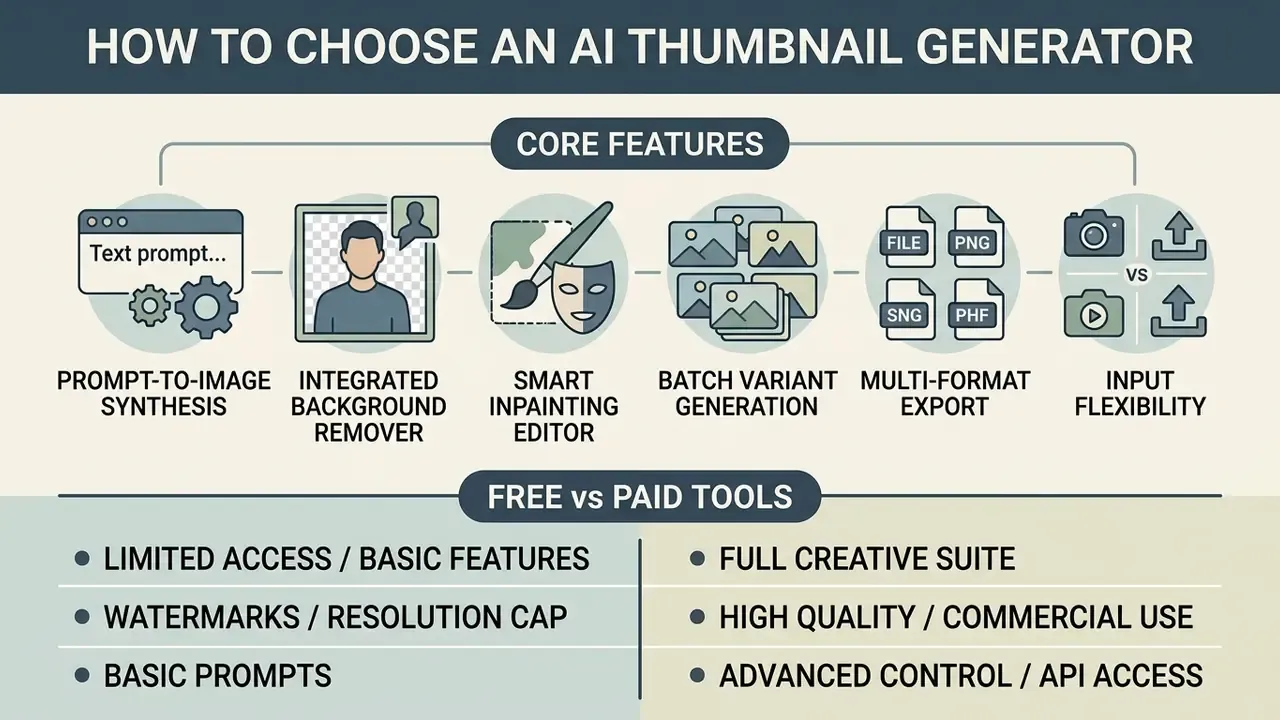
A professional ai thumbnail creator should include:
- Prompt-to-Image Synthesis a high-fidelity diffusion engine tuned for graphic composition, not only for art.
- Integrated Background Remover single-click subject isolation for human faces and product shots.
- Smart Inpainting Editor the ability to modify one visual layer via text prompt without re-generating the whole canvas.
- Batch Variant Generation four or more design variations per run (vendor ranges observed: 1 to 10+ per prompt depending on plan).
- Multi-Format Export Controls native canvas resizing for 16:9, 9:16 and 1:1.
- Input Flexibility acceptance of prompts, uploaded images, video files, transcripts and source URLs, not just text.
Free AI Thumbnail Maker vs Paid Tools
An ai free thumbnail maker or an ai thumbnail creator free tier is useful for evaluation, and genuinely limited beyond that. Free options typically cap export resolution at 720p, append watermarks, throttle daily generation credits (some to a single image per day or three per month), or restrict commercial licensing. Before committing, compare options against our review of the best free AI image generators.
A paid ai thumbnail generator tier unlocks uncompressed high resolution downloads, better background removal, private asset storage, and the commercial usage rights that monetised channels and corporate marketing workflows actually require.
«Large-scale field experiments on a major e-commerce platform showed GenAI content substantially increased purchases, especially among inexperienced users, while advertising conversion gains were significant primarily for small businesses.»
Enterprise Risk, Shadow AI and Data Protection
For brand, agency and in-house media teams, feature parity matters far less than what the vendor is permitted to do with your uploads. This is the section most creator-focused tools omit entirely, and the one a risk function will ask about first.
The Shadow AI failure mode. An employee needs a thumbnail before a launch, drops an unreleased product render or an executive headshot into a free web generator, and accepts terms of service in one click. The asset now sits on third-party infrastructure under terms that may permit reuse. No procurement review, no data classification, no audit trail. Nobody owns the decision.
Vendor terms across 2025 and 2026 diverge sharply, and the differences are material:
- Some providers state that users own their projects but grant the vendor a worldwide licence to use them for marketing, research or service improvement.
- Others limit training to a personal avatar model for that single account, explicitly excluding cross-user training.
- Others disclose the storage architecture itself (for example, cloud blob storage for images plus a separate managed database for account data) and reserve retention of generated content for service improvement.
Read the reuse and retention clauses before uploading anything you would not publish today. That is the whole test.
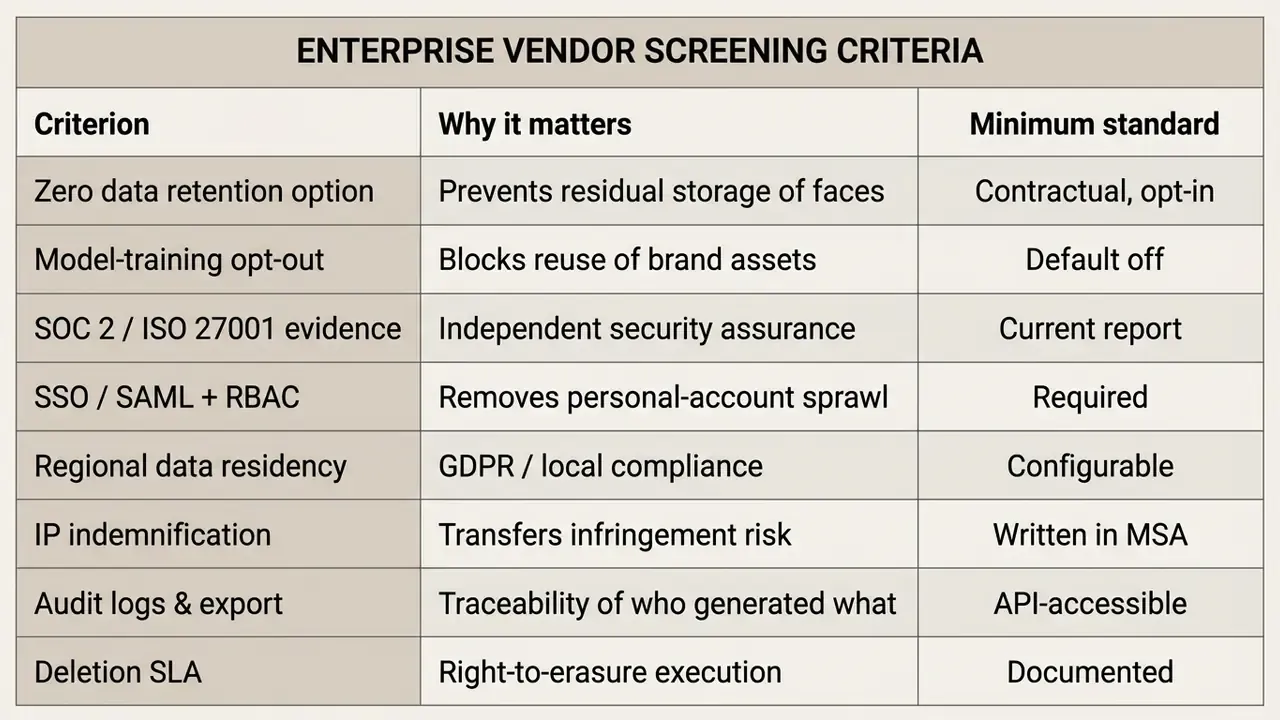
Practical controls. Publish a short approved-tools list. Block unsanctioned generators at the network layer if your organisation already does that for other SaaS. Require that faces of real employees and any pre-launch product imagery enter only tools with retention controls. Log every generated asset together with its prompt, model and version, so provenance can be reconstructed during a brand or legal review. None of this is exotic; it is ordinary inventory discipline applied to a creative tool.
Build a Faster AI Thumbnail Workflow for Content Creation
Automating media production lets high-volume content creators streamline publishing schedules, remove design bottlenecks, and optimise visual assets on evidence rather than taste.
Create Multiple Thumbnail Variations for Testing
To widen reach, create multiple visual variations for a single video title and run structured empirical tests.
«Parallel real-time ranking of ads and creatives improves CTR and CPM versus baseline methods, confirming that intelligent variant selection matters more than raw generation volume.»
Video platforms such as YouTube Studio support native "Test & Compare" features, which allow up to three thumbnail variations per video.
When running an A/B variant creation strategy, isolate a single visual variable per test:
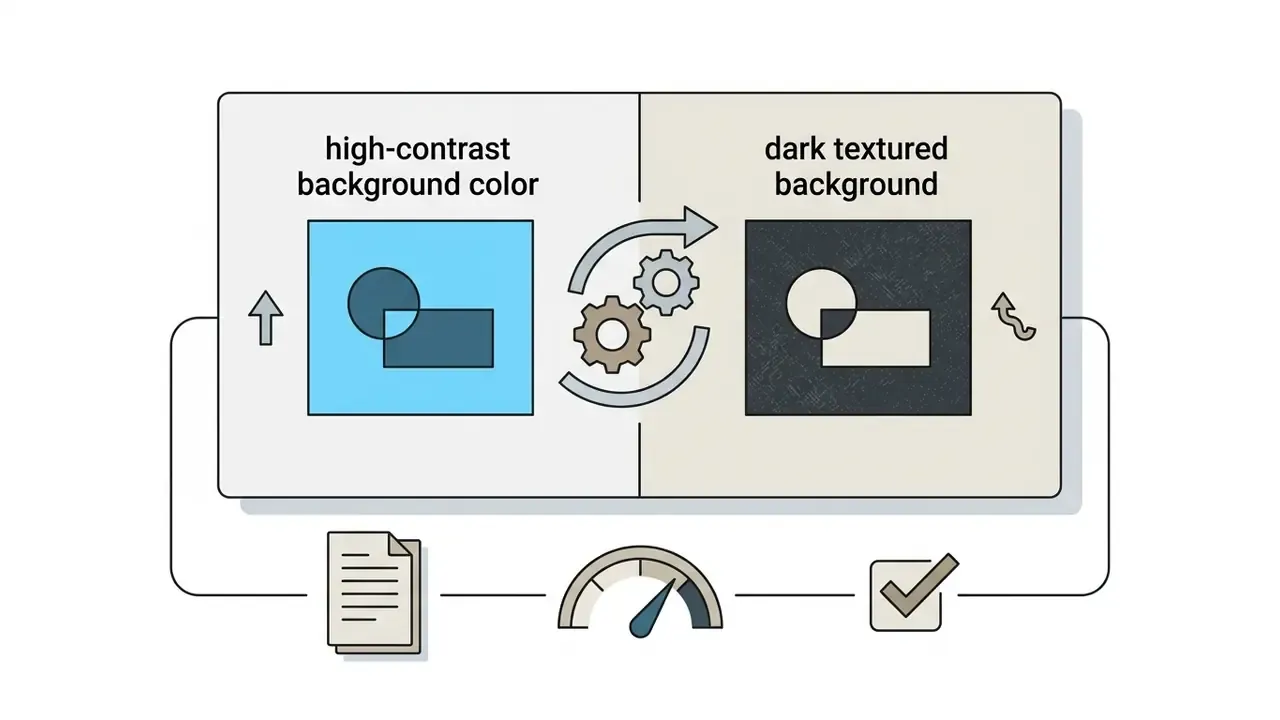
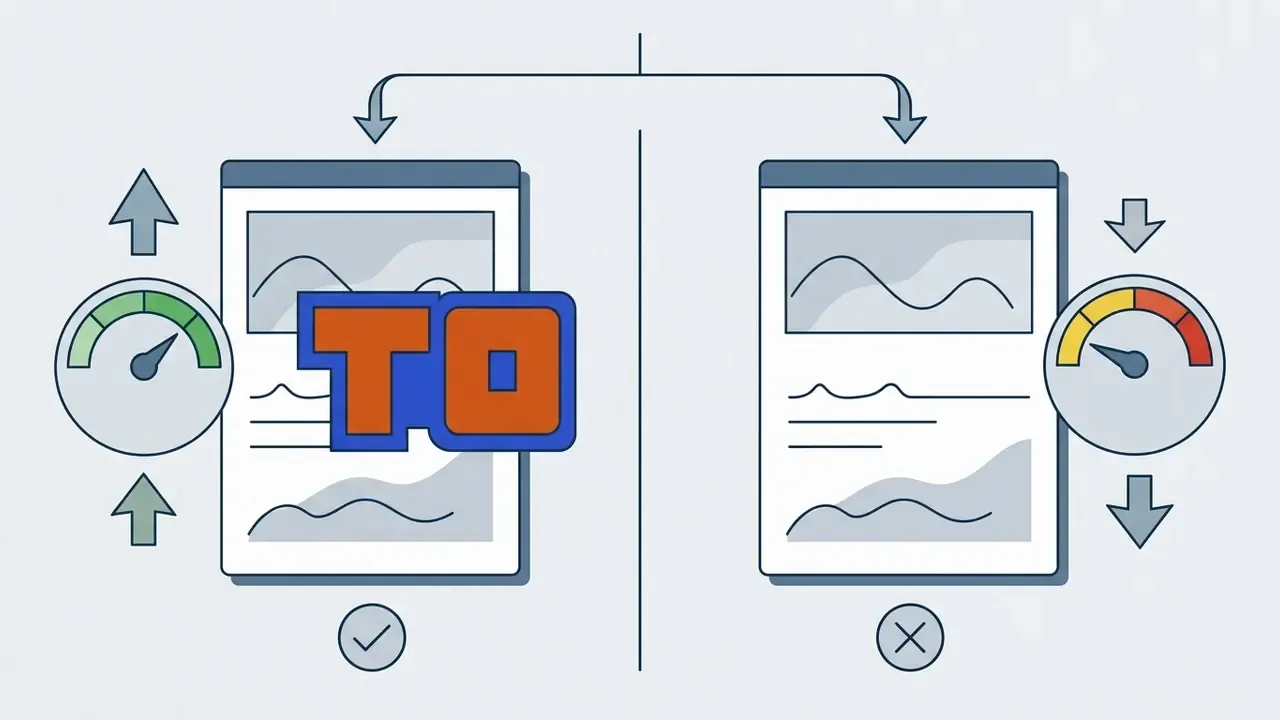
Thumbnail Experiment Matrix: Hypotheses, Variables and Decision Rules
| Test ID | Hypothesis | Isolated Variable | Held Constant | Primary Metric | Guardrail Metric | Decision Rule |
|---|---|---|---|---|---|---|
| T1 | A high-intensity expression outperforms a neutral one | Facial expression (shocked vs. neutral) | Title, description, palette, text | CTR | Average view duration | Adopt if CTR gain holds and AVD does not fall |
| T2 | Warm subject over cool background beats a monochrome scheme | Background colour logic | Subject, framing, text | CTR | Impressions-to-subscriber rate | Adopt on sustained CTR lift |
| T3 | Fewer words increase mobile legibility and clicks | Overlay word count (0 vs. 2 vs. 4) | Subject, palette, layout | CTR | Watch time | Prefer lowest word count at parity CTR |
| T4 | A face cutout beats a product-only composition | Subject type (human vs. object) | Text, background, ratio | CTR | Retention at 30s | Adopt only if retention is stable |
| T5 | Before/after split framing raises curiosity on tutorials | Layout framework | Palette, typography | CTR | Like-to-view ratio | Adopt if both improve or CTR improves at parity |
Record a baseline before each swap, accumulate enough impressions per variant to avoid reading noise, and never change title or description mid-test. Otherwise the result is uninterpretable, and you will "learn" something that is not there. Evaluate on click-through rate and watch time together: a CTR gain with falling retention is not a win, it is a clickbait warning light.
Batch Generation for Content Calendars
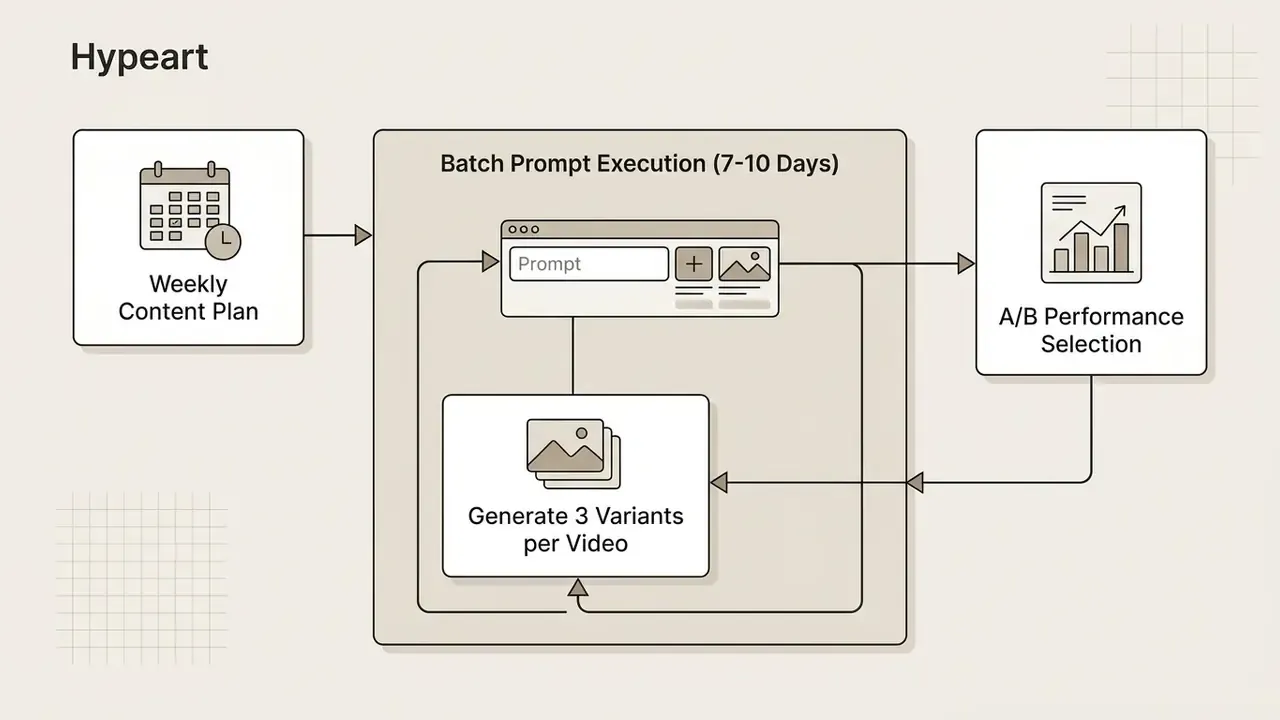
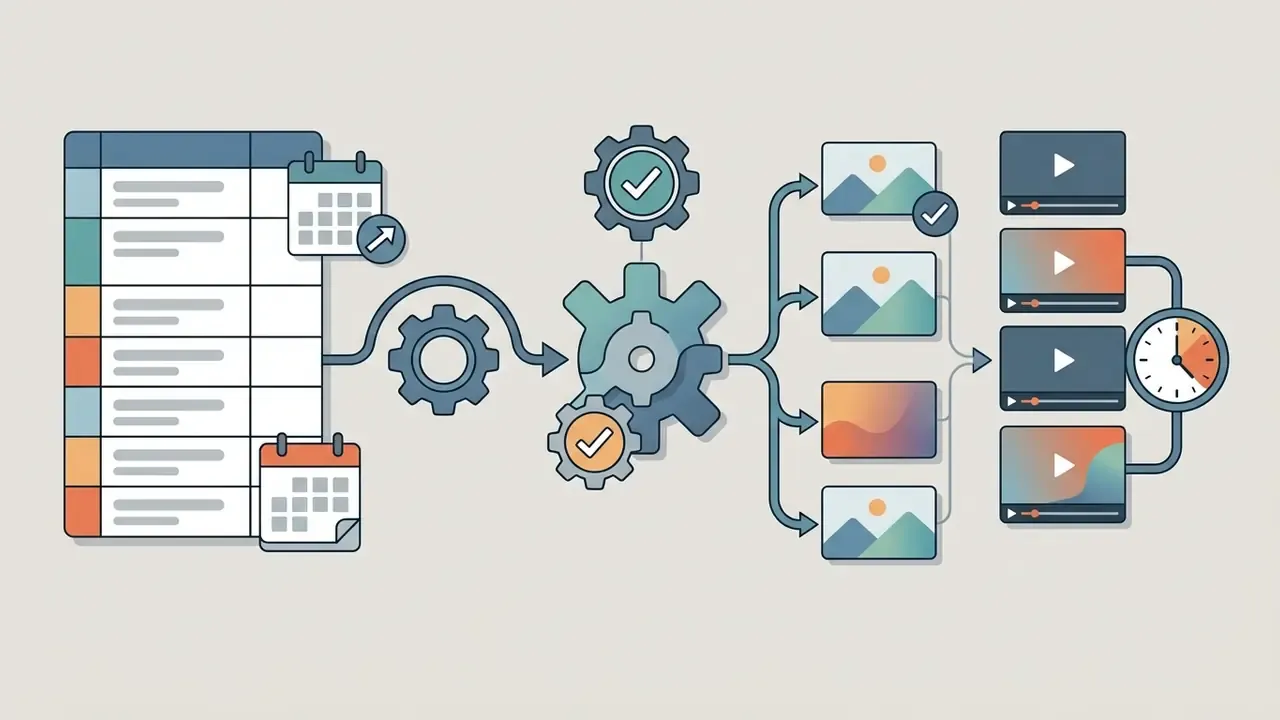
Media teams can batch-generate thumbnail assets for weekly or monthly content calendars in one working session. Group video titles, topic keywords and visual concepts together, and 10 to 15 covers in under 30 minutes is realistic.
A cadence that holds up in practice: assign monthly theme buckets (events, launches, seasonal hooks) first, then batch-produce and approve the next 7 to 10 days of covers in a single one to two hour block. A streamlined assembly line, from prompt input to final batch download, keeps the calendar stocked while preserving brand consistency. For teams scaling video production pipelines, see our guide on how to make video quality better and our breakdown of YouTube publishing workflows.
Automating Thumbnail Production via API and No-Code Tools
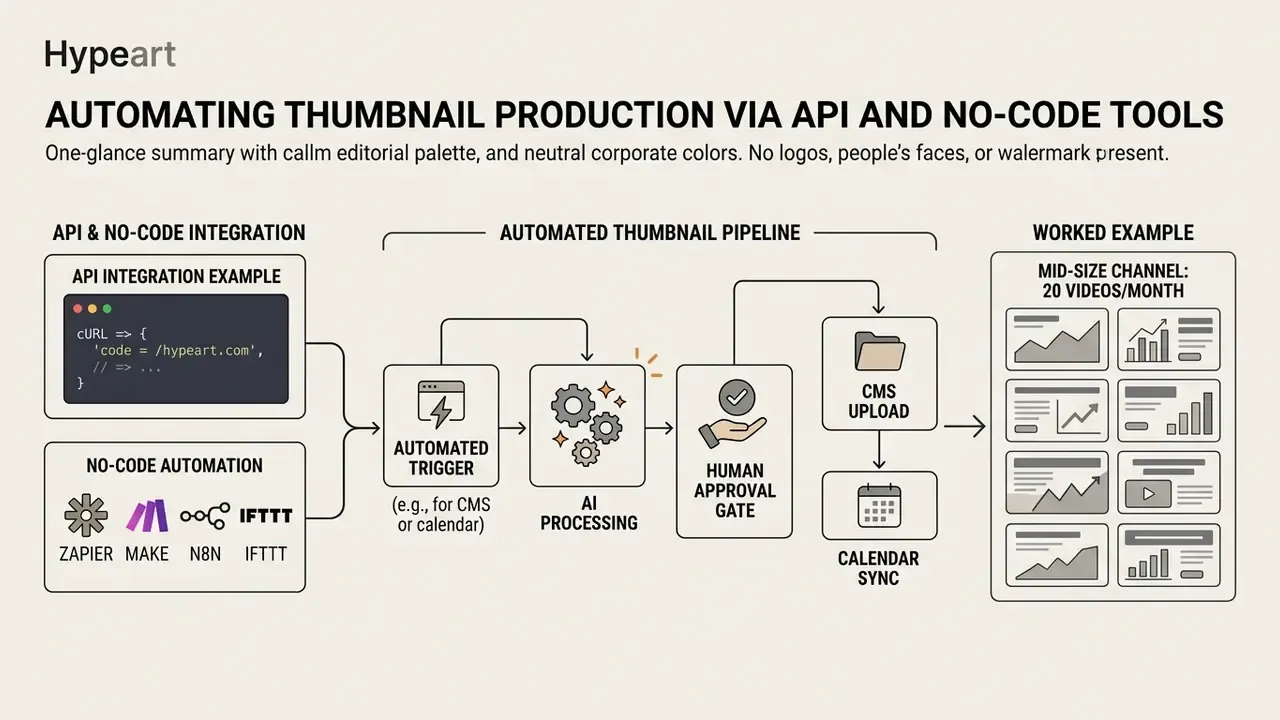
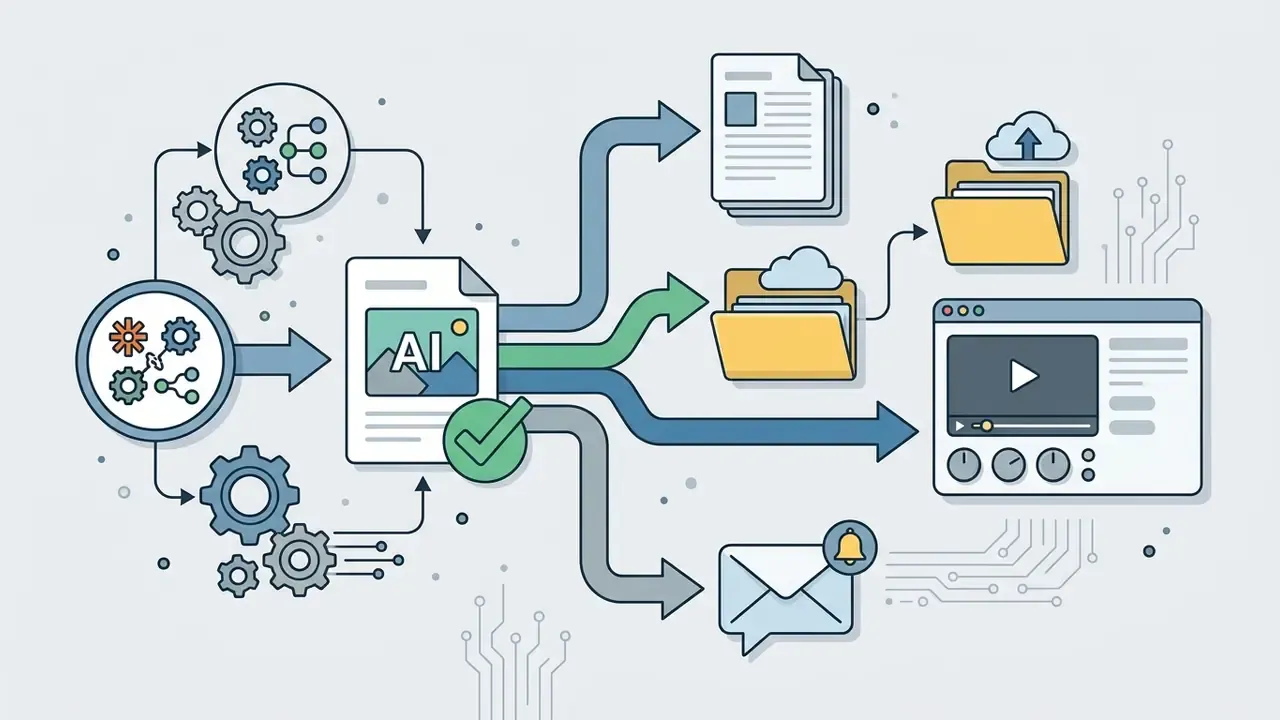
For teams publishing dozens of videos weekly, manual prompt entry becomes the bottleneck. Integrating AI thumbnail generation into the publishing pipeline solves that, provided a human still signs off.
API Integration Example (cURL)
You can trigger thumbnail production programmatically the moment a video finishes rendering, using a RESTful endpoint:
curl -X POST https://api.yourdomain.com/v1/thumbnails/generate \
  -H "Authorization: Bearer YOUR_API_KEY" \
  -H "Content-Type: application/json" \
  -d '{
    "prompt": "Shocked tech reviewer pointing at glowing futuristic smartphone",
    "aspect_ratio": "16:9",
    "resolution": "3840x2160",
    "variants": 4,
    "face_image_url": "https://yourdomain.com/assets/creator-face.png",
    "source_video_url": "https://yourdomain.com/renders/ep-118.mp4",
    "callback_url": "https://yourdomain.com/hooks/thumbnail-ready"
  }'
Generation is typically asynchronous: the call returns a job ID, and a webhook fires on completion with signed download URLs. When evaluating an API, check four things. Documented rate limits sized for batch runs. Webhook support for real-time status. SDKs for your stack. And whether generated assets are retained server-side after delivery, which is a governance question disguised as a technical one. Developer integration parameters for our own visual pipelines are documented in the AI Media API hub.
No-Code Automation (Zapier, Make, n8n, IFTTT)
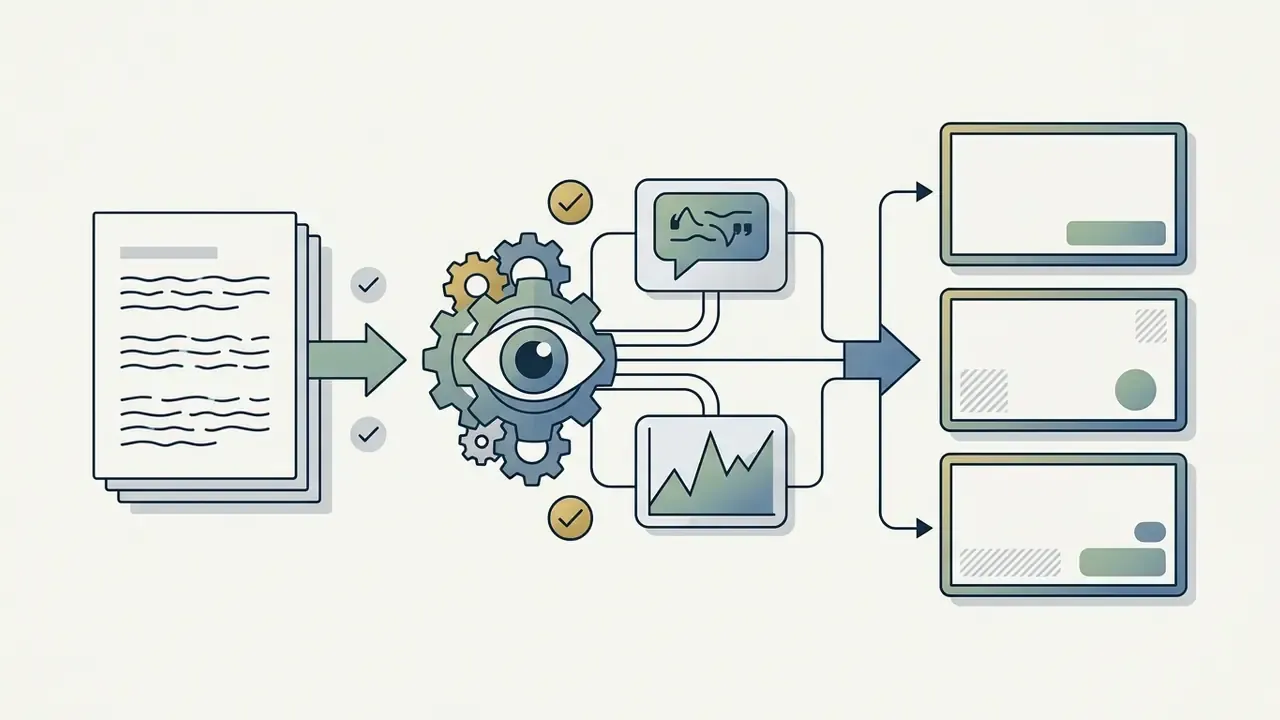
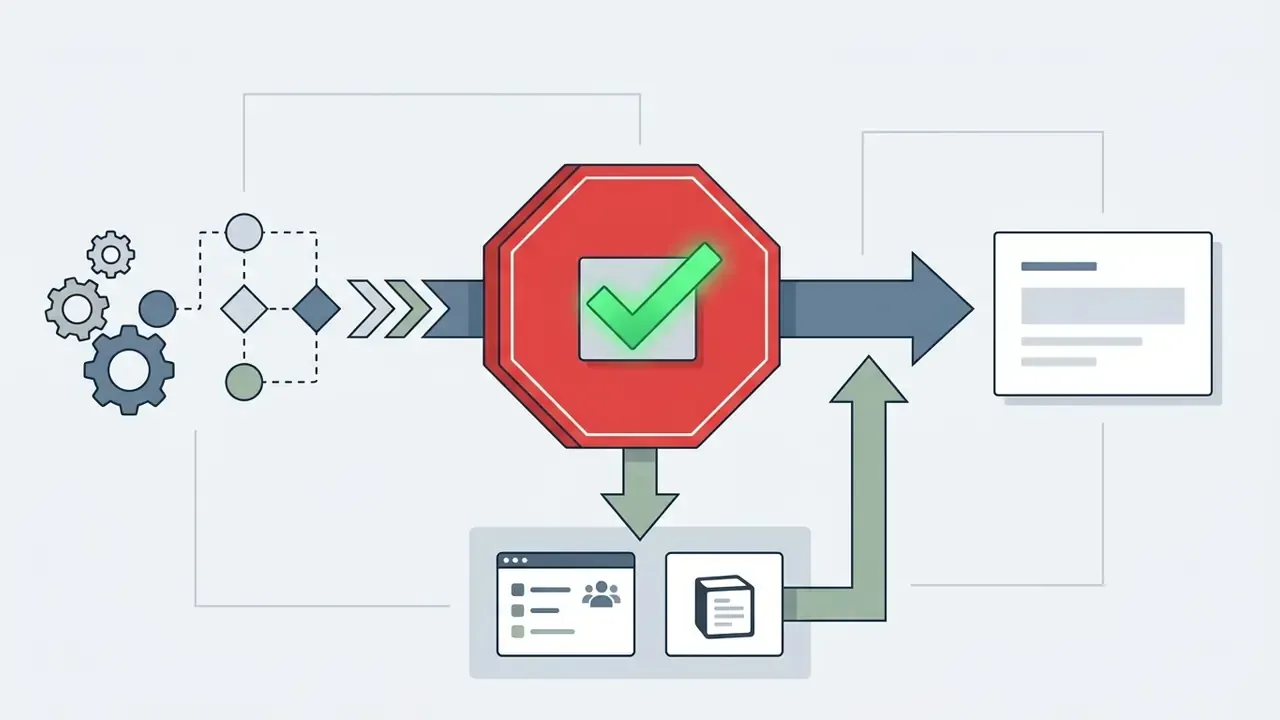
Automation without an approval gate is the fastest known way to publish a misleading or off-brand thumbnail at scale. Keep the human in the loop on release, not on production. Same principle as any controlled automation: a defined owner, a defined role, and a shutdown switch.
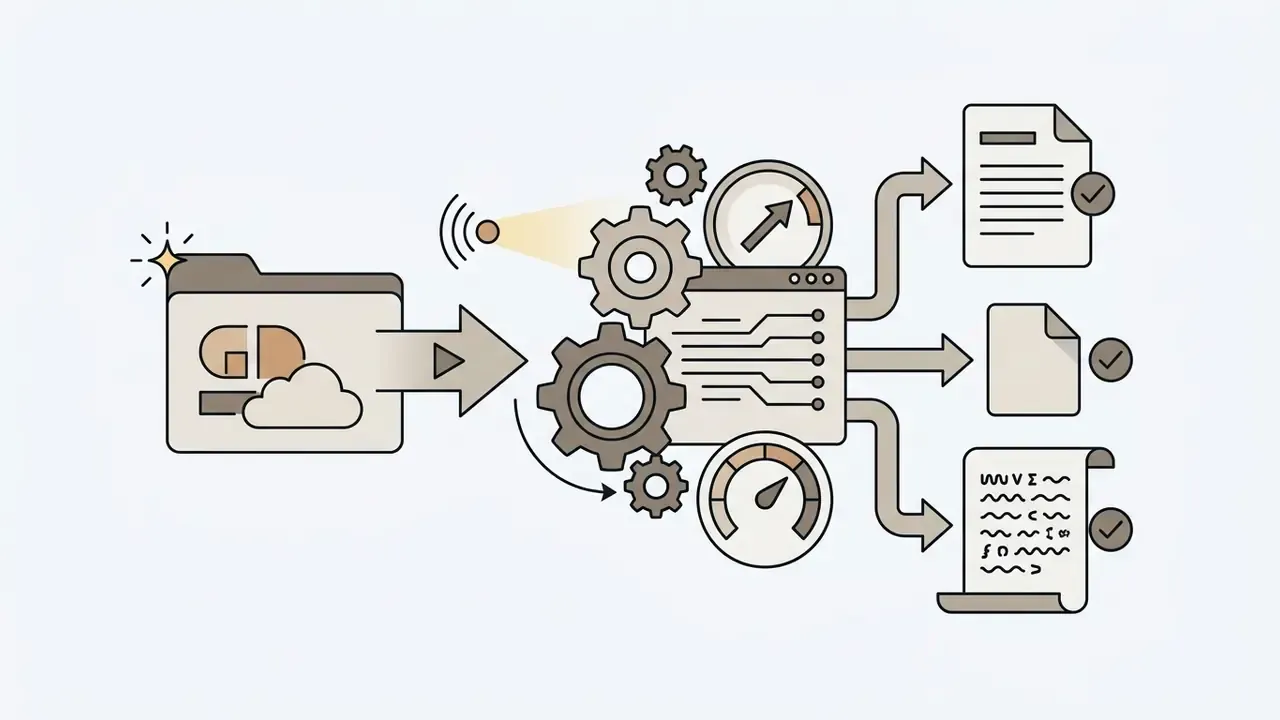
Risk-Adjusted ROI Model for AI Thumbnail Adoption
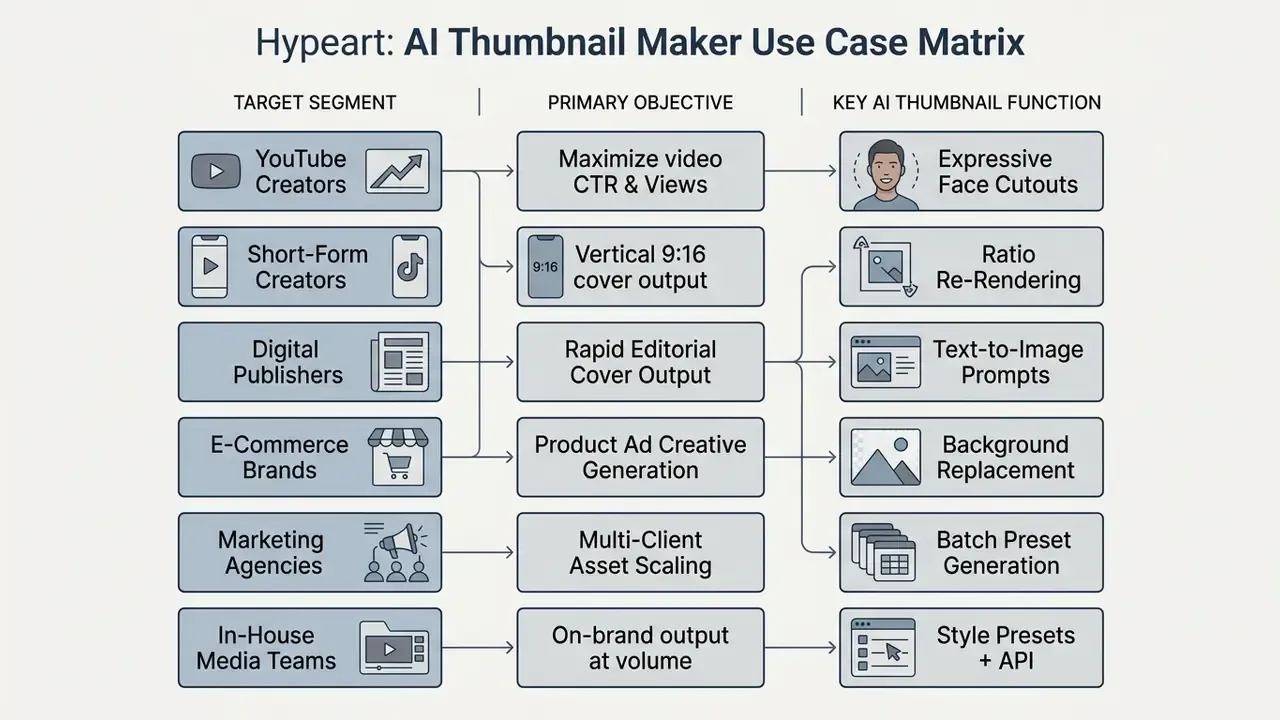
AI Thumbnail Maker Use Cases for Creators and Businesses
Generative thumbnail tools serve several distinct media functions, and the use cases diverge more than the marketing suggests.
YouTube Videos, Blogs and Short-Form Content
For independent YouTube publishers and bloggers, an ai thumbnail generator youtube workflow buys production independence. Creators shipping daily vlogs, educational tutorials or commentary can produce high quality thumbnail assets that match their publishing cadence instead of lagging behind it. Teams building a full production stack often pair this with AI video generators to cover the entire create-to-publish cycle.
When publishing AI-generated imagery on video platforms, disclosure policy applies. (Updated) YouTube's altered-and-synthetic-content policy requires disclosure when AI has been used to generate or meaningfully edit realistic content, including realistic events that did not occur and modified likenesses of real people. For Shorts, the label can appear directly on the player; for long-form uploads it appears in the expanded description. Platform systems may apply labels automatically where creators fail to disclose, and high-confidence labels cannot be removed from Studio. Minor cosmetic uses such as beauty filters or clearly animated characters are treated differently. Verify current wording in YouTube Help before publishing, since policy language is revised periodically.
«A dataset of 2,843 videos from eight countries identified 1,359 misleading thumbnails that collectively accumulated more than 7.6 billion views.»
That scale is the argument for deliberate generation. When 7.6 billion views sit behind misleading covers, platforms respond with detection, and detection eventually reaches your channel too.
Agencies, Brands and Small Business Owners
Agencies and small business owners use an ai thumbnail maker to produce promotional graphics, social media banners and product showcase covers quickly, without keeping a dedicated designer on retainer for every request. Agency positioning in this market is explicit: brand-consistent thumbnails for a whole client roster "in minutes, not hours," with brand controls enforcing palette and typography per client.
By feeding in raw product photography and running automated background isolation, brands generate polished advertising creatives for multi-channel campaigns. In practice, the same export gets reused for web banners, flyers and email headers, which amortises one generation run across several placements. To review commercial monetisation strategies for social video, read our operational guides on how to monetize instagram and how to monetize short-form reels.
Pre-Publication Audit & Compliance Checklist
Run this before any export leaves the pipeline:
Checklist0 / 12
AI Thumbnail Generator FAQs
Can I Use an AI Thumbnail Maker Without Design Skills?
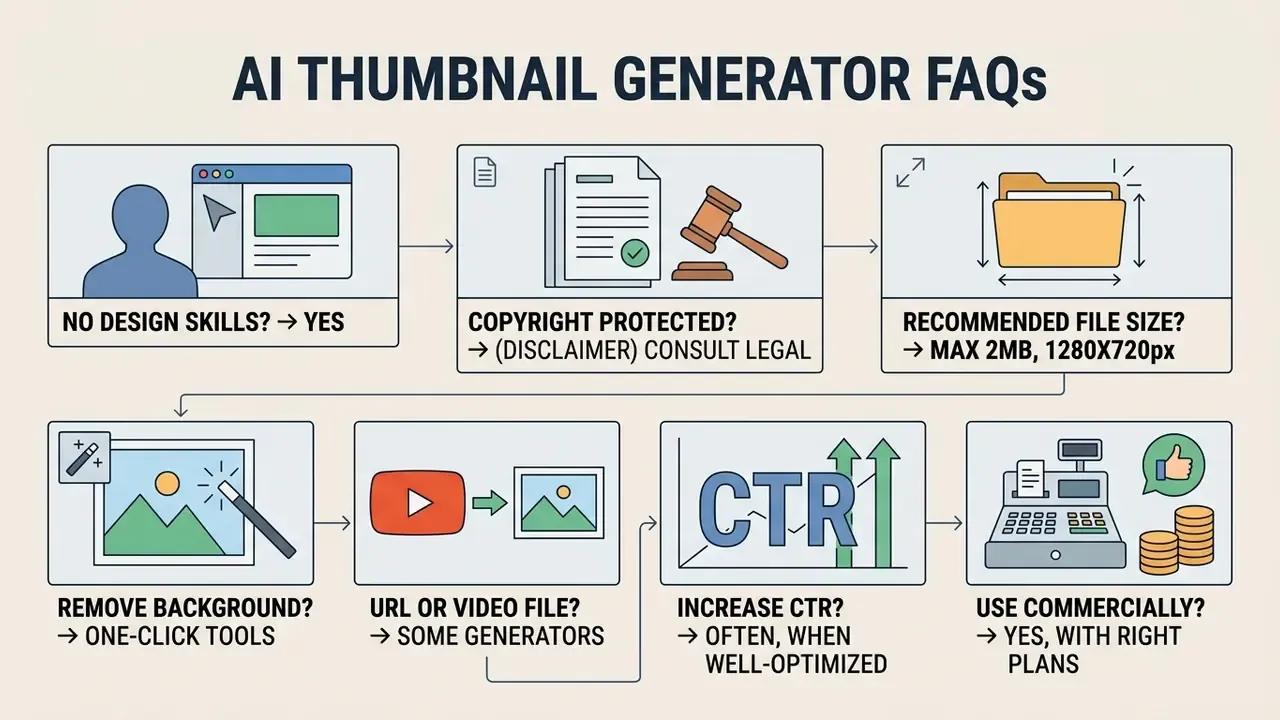
Yes. You can operate an ai thumbnail maker with no design skills needed at all. Modern generative tools handle layout composition, colour harmony, framing and subject isolation automatically from a simple text prompt. Major vendors state this explicitly: a description of five words or more is enough to produce a first set of candidates.
Describe the scene in plain text, upload a headshot or product photo if you have one, pick a style preset, and let the engine synthesise options in seconds.
Simple 4-Step Prompting Method for Beginners:
1. Subject: "Excited gamer wearing headphones."
2. Setting: "Dark room with glowing red cyber background."
3. Style: "Cinematic, high contrast, bold 3D render."
4. Aspect Ratio: "16:9 layout."
Then generate four to six variants, view them at reduced size, keep the clearest one. If the output misses, change one element of the prompt rather than all four, so you can tell what actually improved it.
Are AI-Generated Thumbnails Protected by Copyright?
Per guidance from the U.S. Copyright Office, purely autonomous AI-generated outputs created without human expressive control are not eligible for copyright protection (U.S. Copyright Office Report, 2025). Registration guidance further requires applicants to identify human authorship and disclaim AI-generated portions. Custom visual elements created, modified or substantially arranged by a human author retain separate protection. European Parliament research (2025) reaches a compatible conclusion: purely AI-generated output without meaningful human input is not eligible for protection in the EU. In practice, the human-authored layer, your photography, your typography, your composition decisions and your edits, is what you can defend.
«A perceptual study with 1,276 participants found accuracy in identifying synthetic images was close to chance (~50%), particularly when human faces were depicted.»
Because audiences cannot reliably distinguish synthetic imagery, disclosure obligations and internal provenance logging carry more weight than they appear to. Teams auditing incoming or outgoing assets can use AI image detection tools as one signal in a verification workflow, though detection remains probabilistic rather than definitive.
What Is the Recommended File Size for YouTube Thumbnails?
The standard recommended upload resolution is 1280×720 pixels, minimum width 640 pixels, 16:9 aspect ratio, with 3840×2160 px accepted as a higher-fidelity source. (Updated) The standard file-size limit is 2 MB for typical uploads, with larger allowances (commonly cited between 10 MB and 50 MB) on desktop and enterprise Studio upload paths depending on surface and account tier. Podcast thumbnails carry a separate 10 MB mobile limit. Accepted formats are JPG, PNG and GIF. Confirm the current cap in YouTube Studio for your account before assuming the larger allowance applies to you.
How Do I Remove the Background from My Photo in an AI Thumbnail Generator?
Most ai thumbnail creator apps include an integrated single-click background remover. Upload the source photo, click "Remove Background" in the edit panel, and the AI isolates the subject, leaving a transparent layer ready to overlay onto generated backgrounds. Keep the cutout as PNG to preserve alpha transparency before compositing, otherwise you will re-introduce a white halo at export.
Can I Generate a Thumbnail From a YouTube URL or a Video File?
Yes. Many tools accept a YouTube URL and auto-fetch the existing thumbnail as a style reference, or ingest a raw video file or transcript and extract high-emotion frames automatically. That removes prompt writing entirely for podcasters and gameplay creators whose best expression already exists in the footage. See the URL-to-thumbnail and video-to-thumbnail sections above for the full workflow.
Do AI Thumbnails Actually Increase CTR?
Not automatically. Peer-reviewed work shows that CTR-aware generation pipelines can outperform manual creatives, and that personalised thumbnails aligned with viewer interest dramatically outperform generic ones. But vendor claims of "+40%" or "+50% average CTR increase" are marketing figures without published methodology. Measure your own lift with a single-variable test, and always pair CTR with retention as a guardrail metric.
Can I Use AI Thumbnails Commercially?
It depends on the tier and the terms. Free tiers frequently restrict output to personal use and may append watermarks; paid tiers usually grant commercial usage rights. Separately, check whether the vendor reserves a licence to reuse your uploads for marketing or training. Ownership of the output and vendor reuse rights are two different clauses, and confusing them is how brand assets end up in someone else's ad. For licensing frameworks across enterprise image tools, see the AI Media Commercial-Use Hub.
Appendix A: Superseded Statements (Audit Trail)
Retained for transparency. Each item below was revised in the main text; the original wording is preserved here with the reason for change.
Reason for revision: source is not a verifiable publication and no URL exists; the 70% figure is vendor-reported and unreplicated. Replaced with a peer-reviewable pipeline study reporting compliance and preference deltas.
Reason for revision: ThumbnailTruth studies detection of misleading thumbnails and does not measure CTR uplift; publication year corrected to 2025. CTR claim re-sourced to CG4CTR (2024).
Reason for revision: cited date unverified and no URL provided. Reworded to describe the policy substance, including Shorts player-level labelling and automatic label application, with an instruction to confirm current wording in YouTube Help.
- Original: "According to research on AI-based personalization and thumbnail generation, generative pipelines reduce creation time by up to 70% compared to traditional manual editing (Thumblify AI-based Thumbnail Generation, 2024)."
- Original: "CTR improvements depend strictly on visual hook clarity, content relevance, and audience alignment (ThumbnailTruth, 2026)."
- Original: "YouTube guidelines mandate labeling synthetic or photorealistic media generated by AI when it depicts realistic events or modified human faces (YouTube Creator Guidance, 2026)."
- Original: "2 MB (Desktop up to 50 MB)" and "desktop uploads support files up to 50 MB."
Reason for revision: needs external verification. Reworded to "2 MB standard, with 10 to 50 MB allowances on desktop and enterprise Studio paths depending on tier and surface."
Technical Resources and Tool Indices
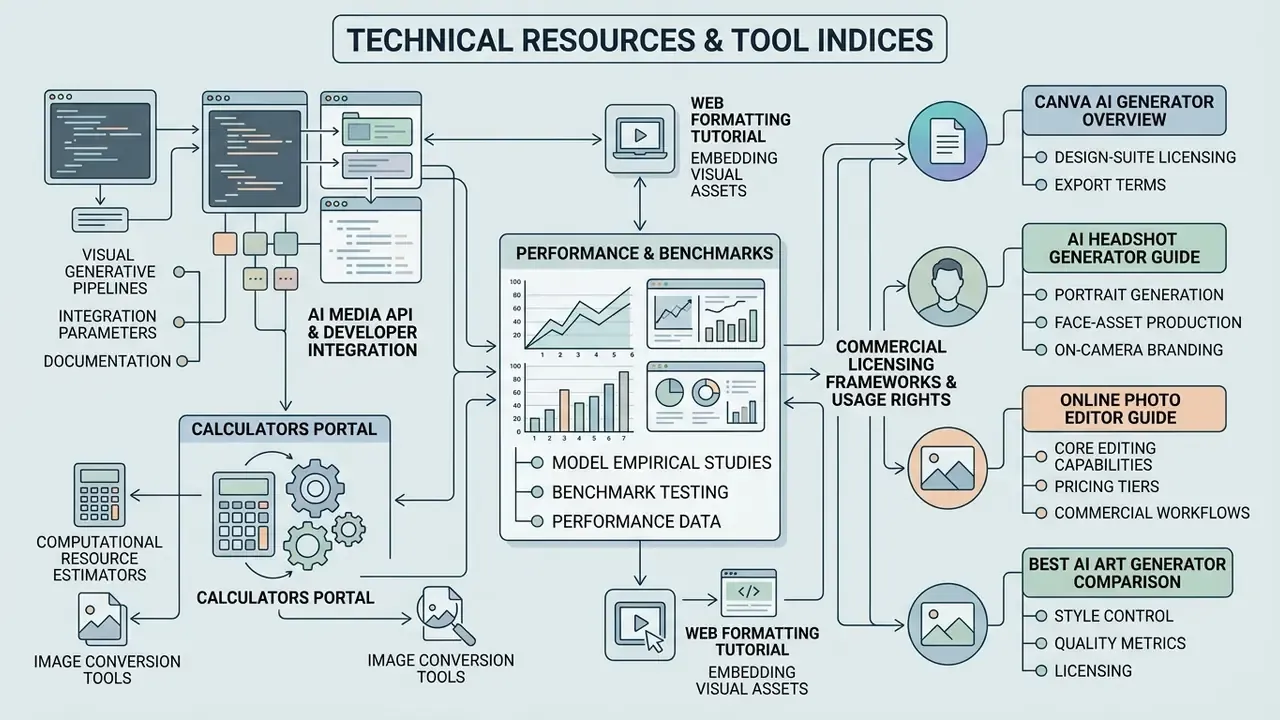
- Explore developer integration parameters for visual generative pipelines in our AI Media API documentation.
- Access computational resource estimators and image conversion tools via our calculators portal.
- Review empirical model performance studies and benchmark testing in our AI Media Benchmarks and Review Proof hub.
- Examine commercial licensing frameworks and usage rights across enterprise image tools at the AI Media Commercial-Use Hub.
- Compare design-suite licensing and export terms in our Canva AI Generator overview.
- Evaluate portrait and face-asset generation for on-camera branding in our AI headshot generator guide.
- Review core editing capabilities, pricing tiers and commercial workflows in our online photo editor guide.
- Compare style control, quality and licensing across creative models in our best AI art generator comparison.
- Learn advanced web formatting techniques for embedding visual assets in our tutorial on how to put image next to text html.
- Browse the full library of production playbooks in our index of AI Media Workflows.