Last verified: mid-2026. Model specifications, credit costs, and platform disclosure rules change frequently, so re-check vendor documentation before committing production budgets.
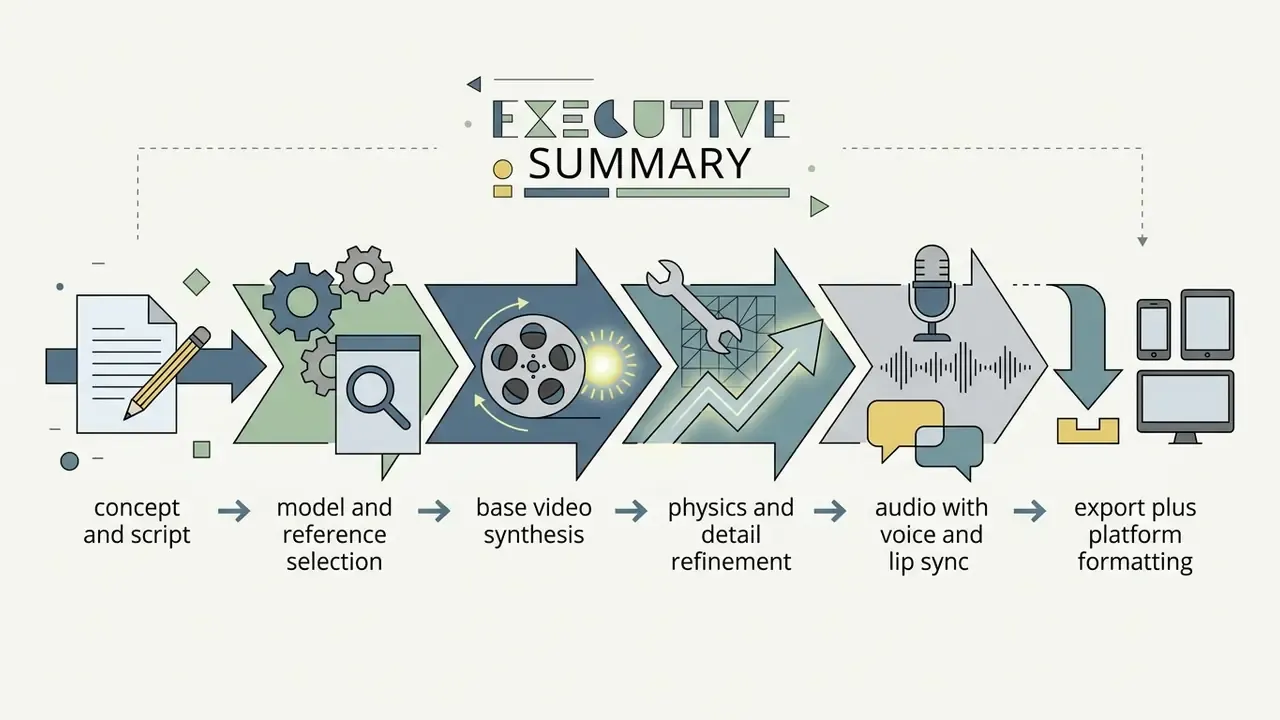
Executive Summary: What Actually Matters
- Render in 5-to-8-second chunks. Diffusion transformers accumulate visual drift beyond roughly 8 seconds per pass. Chain clips by using the final frame of clip N as the image-to-video seed for clip N+1.
- Reference-to-video (R2V) beats text-to-video for identity control. Pure text prompts drift in facial and body proportions; one to three locked reference images keep a single Bigfoot character stable across scenes, angles, and environments.
- Prompt structure matters more than adjectives. Cinematography terms (lens, framing, lighting direction, motion) outperform subjective buzzwords like "ultra-detailed" or "cutting edge".
- Governance is not optional. Log prompt, seed, model version, and reference assets for every render, disclose synthetic content on every platform that requires it, and never upload confidential or personally identifiable assets into consumer-tier generators.
- Budget for failure. Early iterations typically produce a 30 to 40% reject rate, so plan credits and reviewer time using a risk-adjusted rendering cost model rather than raw per-second pricing.
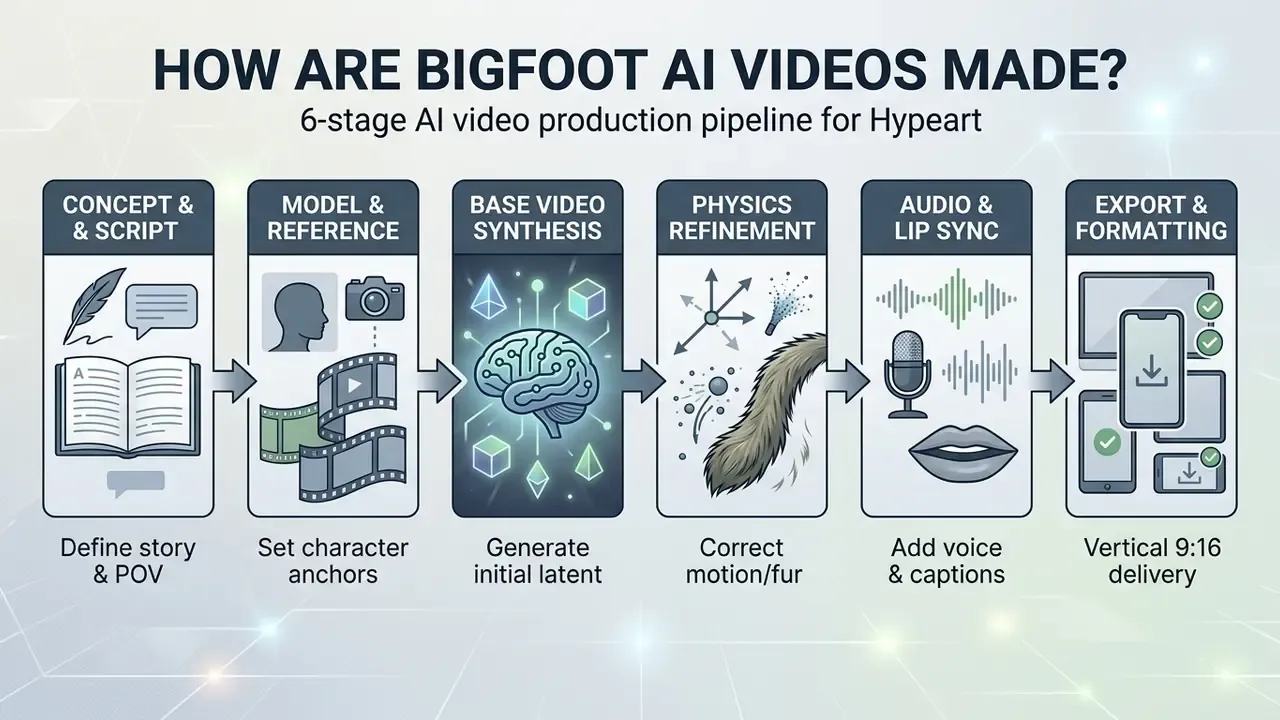
How Are Bigfoot AI Videos Made?
The technical process of making AI Bigfoot videos relies on text-to-video and image-to-video diffusion architectures that convert descriptive prompts into sequential frame batches. Modern generators process text tokens through spatio-temporal attention mechanisms, rendering consistent creature motion, environmental lighting, and camera behavior across short clip durations.
So when people ask how do people make the ai bigfoot videos that flood their feed, the honest answer is: they run a short, repeatable loop, twenty or thirty times, and publish the survivors.
That control requirement is the reason this guide separates generation from verification. Every stage below has both a creative output and a checkable artifact (prompt text, seed value, reference asset, render log) that lets you reproduce or reject a clip.
From a Simple Text Idea to an AI Bigfoot Video
Converting a concept into a generated clip requires encoding a descriptive prompt into a conditioning representation for a video diffusion transformer model. Readers new to the underlying methods can start with our primer on text-to-video AI tools before comparing specific platforms.
Systems like CogVideoX process textual condition tokens alongside patchified visual tokens through joint attention layers to denoise latent frames into 5-to-10-second continuous video sequences (Yang et al., 2025, CogVideoX: Text-to-Video Diffusion Models with an Expert Transformer).
"CogVideoX generates 10-second videos at 16 frames per second with 768×1360 resolution, using progressive training and multi-resolution frame packing."
The model parses the prompt into subject, action, location, and camera parameters, applying latent denoising steps to synthesize fluid motion. When generating multi-scene narratives, advanced frameworks utilize compositional scene parsers to construct temporal scene graphs, maintaining entity attributes across frame boundaries (MOVAI Authors, 2025, AI Powered High Quality Text to Video Generation).
"MOVAI improved LPIPS by 15.3%, FVD by 12.7%, and human preference scores by 18.9% over prior methods in complex multi-object scenes."
Practically, this means a single prompt is not one instruction but a bundle of conditioning signals. A Bigfoot clip that specifies creature identity, single action, environment, lens, and light direction gives the scene parser four independent anchors to hold stable. A prompt that only says "funny Bigfoot vlog" gives it none. Simple text prompts still work for exploration, but they buy variety at the cost of continuity.
What Makes a Bigfoot Vlog Look Realistic
Realism in an AI Bigfoot vlog depends on physically plausible creature locomotion, consistent fur dynamics, stable forest geometry, and believable handheld camera movement. Research on physical realism in generative video shows that viewers perceive footage as genuine when motion dynamics follow real-world mass and friction rules (PhyWorldBench Authors, 2025, PhyWorldBench: A Comprehensive Evaluation of Physical Realism in Text-to-Video Models).
"PhyWorldBench evaluated 12 models across 1,050 prompts: even the strongest systems periodically violate gravity and momentum-conservation laws."
Handheld camera sway, subtle breathing movements, lens imperfections, and natural outdoor lighting reinforce the visual perception of authentic first-person footage. Applying high-frequency detail preservation through super-resolution diffusion models helps retain coarse fur textures and environmental depth without introducing visual jitter (RealisVSR Authors, 2025, Detail-enhanced Diffusion for Real-World 4K Video Super-Resolution).
Recent physics-aware pipelines go further and place a simulator inside the generation loop. PhysGen couples rigid-body simulation with video diffusion to animate a single image under specified forces, while PSIVG reconstructs a 4D scene, runs a 3D physical simulator, and feeds the simulated trajectories back into the generator. For creature content, that is the difference between a Bigfoot that appears to step on mossy ground and one whose foot actually displaces the surface it lands on.
One small observation from review sessions: viewers rarely notice imperfect fur. They notice feet that slide.
Plan the Bigfoot Vlog Concept Before Generating
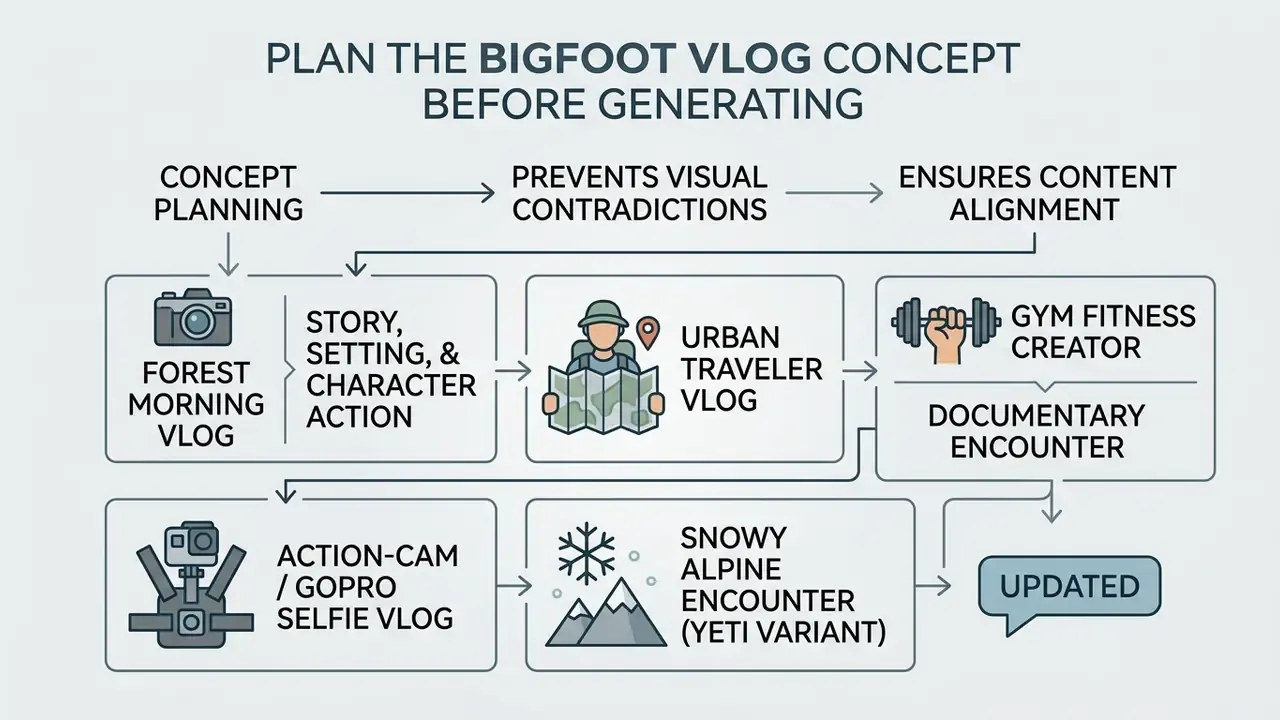
Effective narrative planning prevents visual contradictions and ensures the generated content aligns with viewer expectations across target distribution channels. Defining the scene setting, character action, and camera perspective before writing prompts reduces iteration cycles during base video synthesis, and it directly lowers credit burn.
Choose a Story, Setting, and Bigfoot Character Action
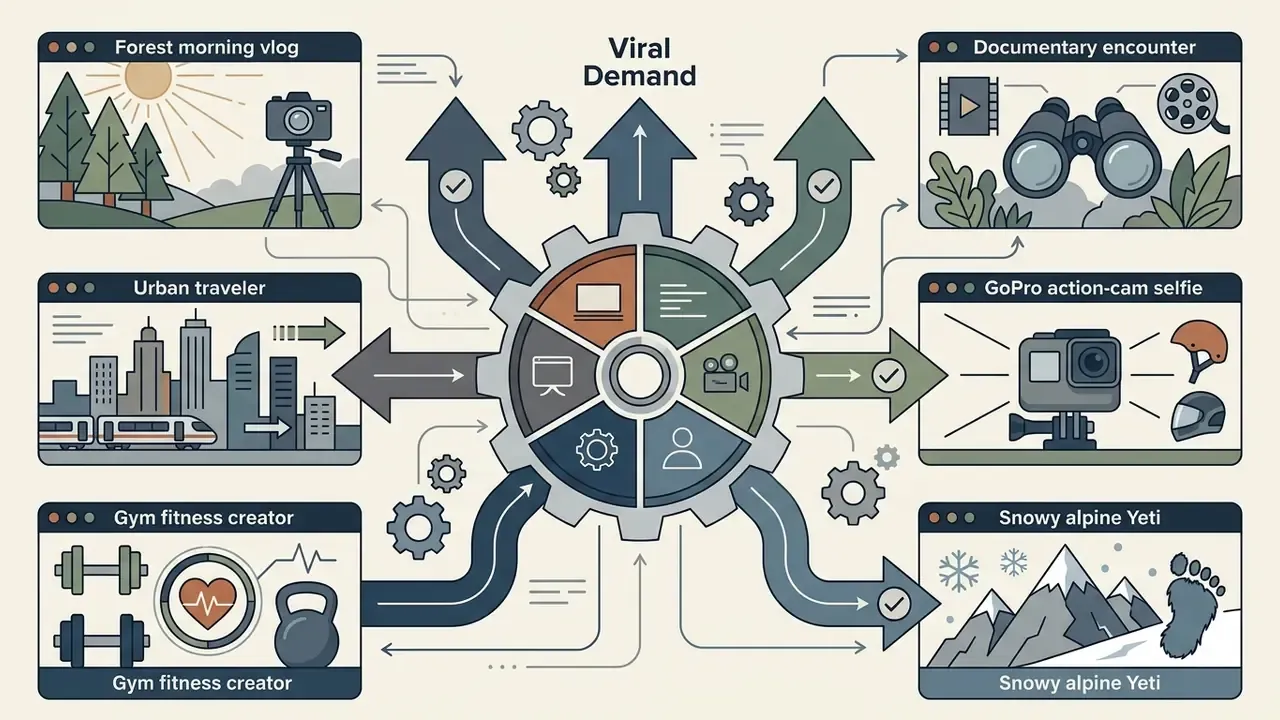
Selecting a clear narrative theme determines the required environmental lighting, subject interaction, and visual tone of the generated clip. Creators typically select from established content archetypes that pair specific locations with predictable character behaviors:
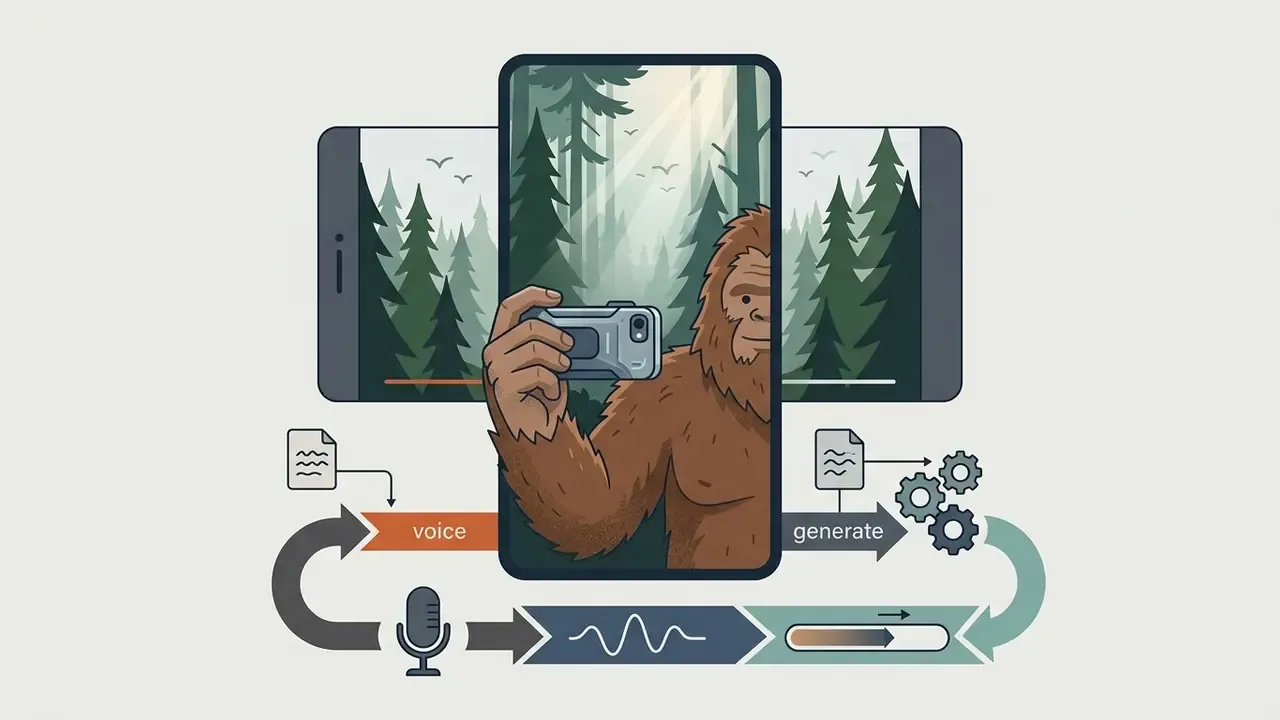
- Forest Morning Vlog Dense woodland, morning mist, stream crossings, handheld selfie POV, direct-to-camera body language.
- Urban Traveler Vlog City sidewalks, public transit hubs, evening streetlights, contrast between wild creature and urban architecture.
- Gym Fitness Creator Forest clearing or indoor gym layout, pull-ups, dumbbell exercises, humorous fitness creator presentation.
- Documentary Encounter Distant telephoto zoom, dense underbrush, rapid camera pan, raw wildlife footage aesthetic.
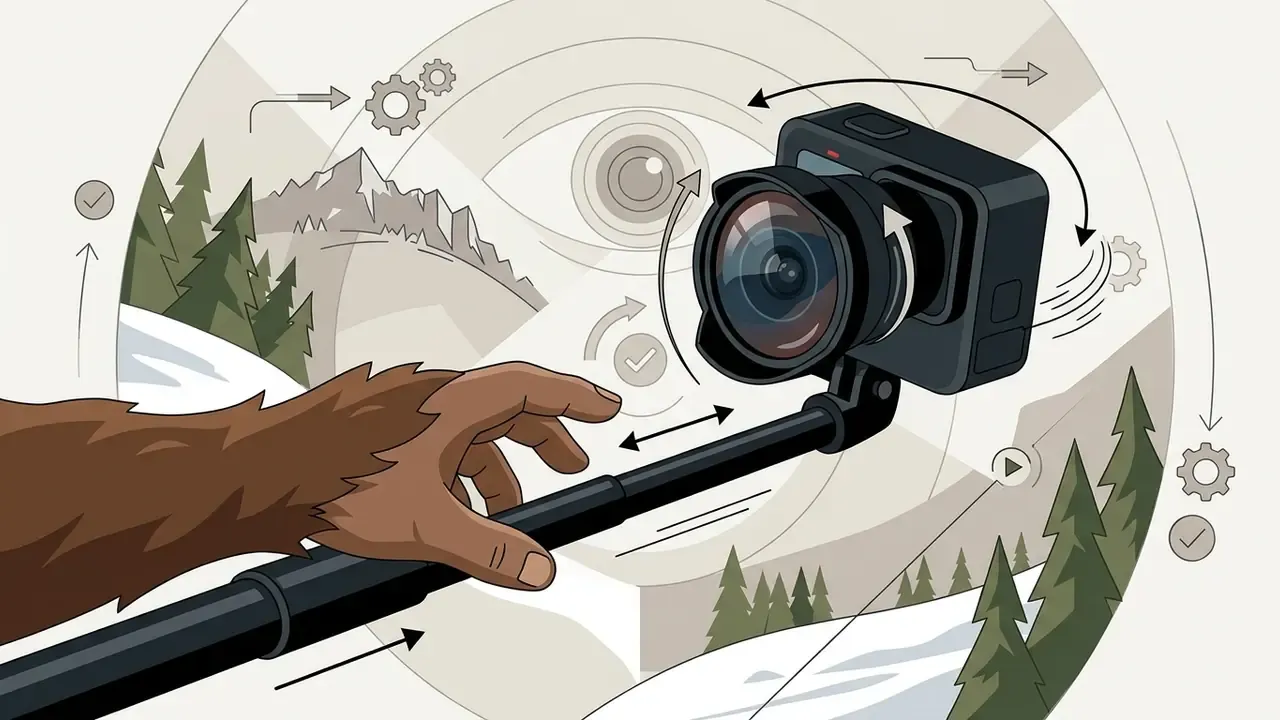
- Action-Cam / GoPro Selfie Vlog Ultra-wide 12mm lens angle, wide fisheye perspective, Bigfoot holding an outstretched selfie stick or sports camera, rapid movement, breathing fog on the lens, wide-angle barrel distortion at the frame edges.
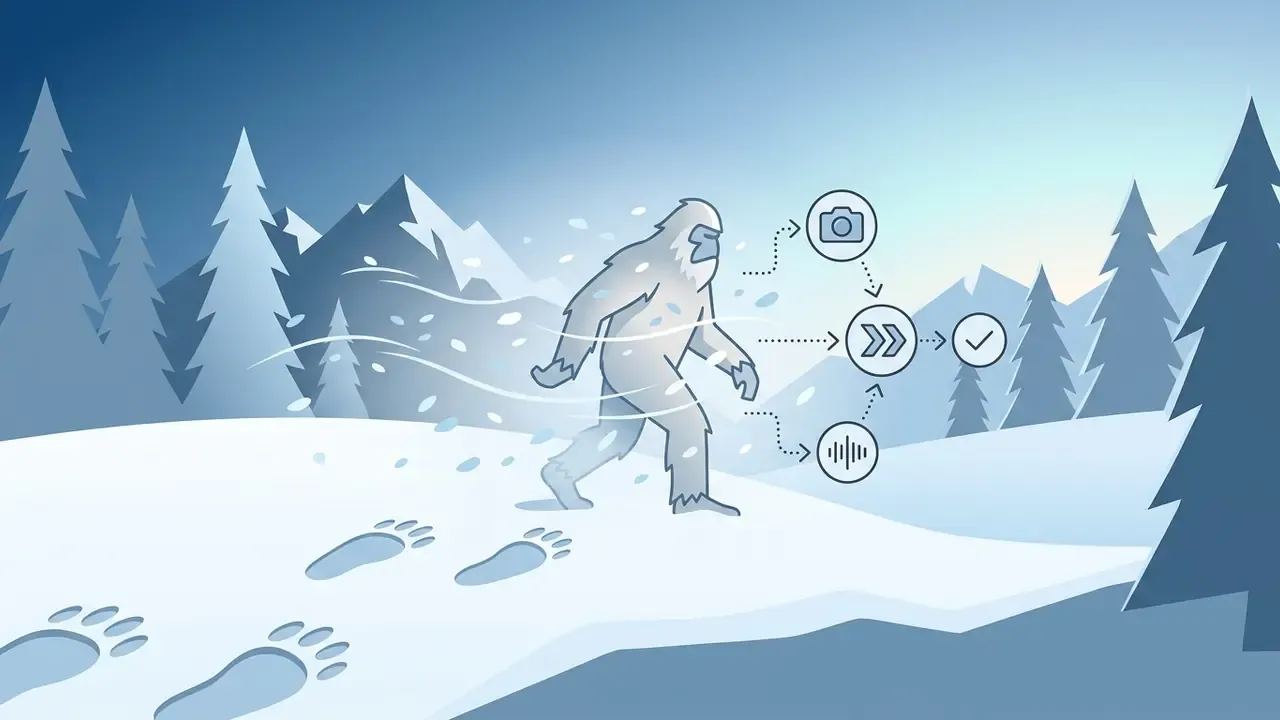
- Snowy Alpine Encounter (Yeti Variant) Deep winter pine forest, blizzard conditions, white and silver-tipped fur texture, heavy snowpack underfoot, fresh tracks at dawn, dramatic cold-blue atmosphere.
Pick a Format for TikTok, Instagram, or YouTube Shorts
Short-form video platforms enforce vertical framing and rapid visual hook delivery to maximize viewer retention within algorithmic recommendation feeds. TikTok, Instagram Reels, and YouTube Shorts prioritize full-screen 9:16 vertical video formats with centered focal points.
Platform specifications require specific aspect ratios and duration constraints for short-form video delivery:
- TikTok 9:16 vertical ratio (1080x1920 pixels), optimal duration 10 to 20 seconds, immediate visual hook in the first 2 seconds.
- Instagram Reels 9:16 vertical ratio (1080x1920 pixels), recommended duration under 90 seconds, clean central safe zone for UI overlays.
- YouTube Shorts 9:16 vertical or 1:1 square ratio, maximum duration 3 minutes, high contrast framing for mobile displays.
Empirical studies on short-form communication demonstrate that cross-posted vertical content achieves up to three times higher median view counts on recommendation-driven feeds compared to follower-restricted distributions (Zawacki & Bohon, 2023, Communicating Science Through Short-Form Video on Social Media, AGU).
"Median views on TikTok were three times higher than on Instagram Reels and twenty-five times higher than on YouTube Shorts for identical videos."
The ×25 differential between TikTok and Shorts for the same asset is a distribution argument, not a quality argument. Publish the same 9:16 master everywhere, but expect discovery-driven reach to concentrate on the platform whose recommendation graph depends least on existing subscribers.
Bigfoot Vlog Concept Directions


Choose the Right AI Bigfoot Video Generator
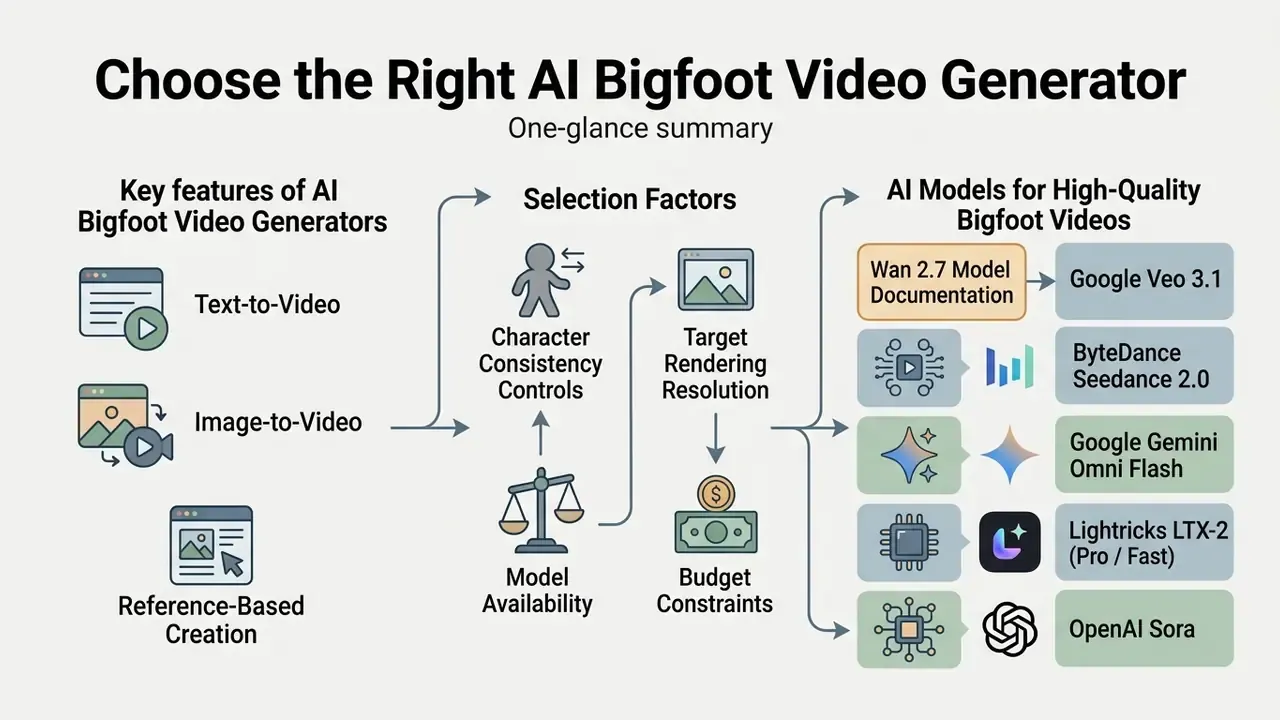
Selecting a video generation tool depends on required character consistency controls, target rendering resolution, model availability, and budget constraints. Creators compare pure text generation against image-conditioned and reference-guided workflows to determine the optimal balance of creative speed and character stability. Why choose one stack over another? Usually because of identity control and licensing clarity, not because of a flashier demo reel.
Text-to-Video, Image-to-Video, and Reference-Based Creation
Generation methodologies differ in how strongly they constrain character appearance across generated frames. Creators can shortcut the evaluation stage with our AI video generator comparison before spending credits. Pure text-to-video relies solely on descriptive prompts, making facial and body proportions susceptible to drift between generations.
Image-to-video utilizes a static starting image to lock the subject's initial appearance, applying motion vectors to animate the frame. For a deeper look at that specific mode, see our guide to image-to-video AI tools. Reference-based creation (Reference-to-Video, or R2V) processes one or more reference images alongside a text prompt, extracting structural identity embeddings to keep the Bigfoot character consistent across multiple distinct scenes and angles (Wan 2.7 Model Documentation).
The practical hierarchy for creature content is straightforward:
- Wan 2.7 Model Documentation
| Mode | Identity fidelity | Scene control | Best use for Bigfoot content |
|---|---|---|---|
| Text-to-Video (T2V) | Low, drifts between runs | High creative freedom | Exploration, one-off gags, style tests |
| Image-to-Video (I2V) | Medium, locked at frame 1 and decays over time | Motion applied to a fixed composition | Single continuous shot, chained clip sequences |
| Reference-to-Video (R2V) | High, identity embedding persists across scenes | Requires clean, evenly lit references | Recurring character, episodic series, multi-location vlogs |
For creators developing complete AI Media Workflows, choosing the right generation mode is crucial. Evaluating options through an AI Media Comparison guide, checking current performance via AI Media Benchmarks, or modelling credit spend with our calculators helps narrow down tool selection before committing render credits.
AI Models for High-Quality Bigfoot Videos
Contemporary video models offer varying trade-offs between physical accuracy, camera control, and visual aesthetics. Updated: instead of describing model quality qualitatively, use published numeric benchmarks. Evaluation frameworks report per-dimension scores that separate static prettiness from action fidelity:
"BRITE recorded scores of 0.82 for visual realism, 0.89 for audio-visual synchronization, and 0.79 for object-action binding accuracy on Runway Gen4.5."
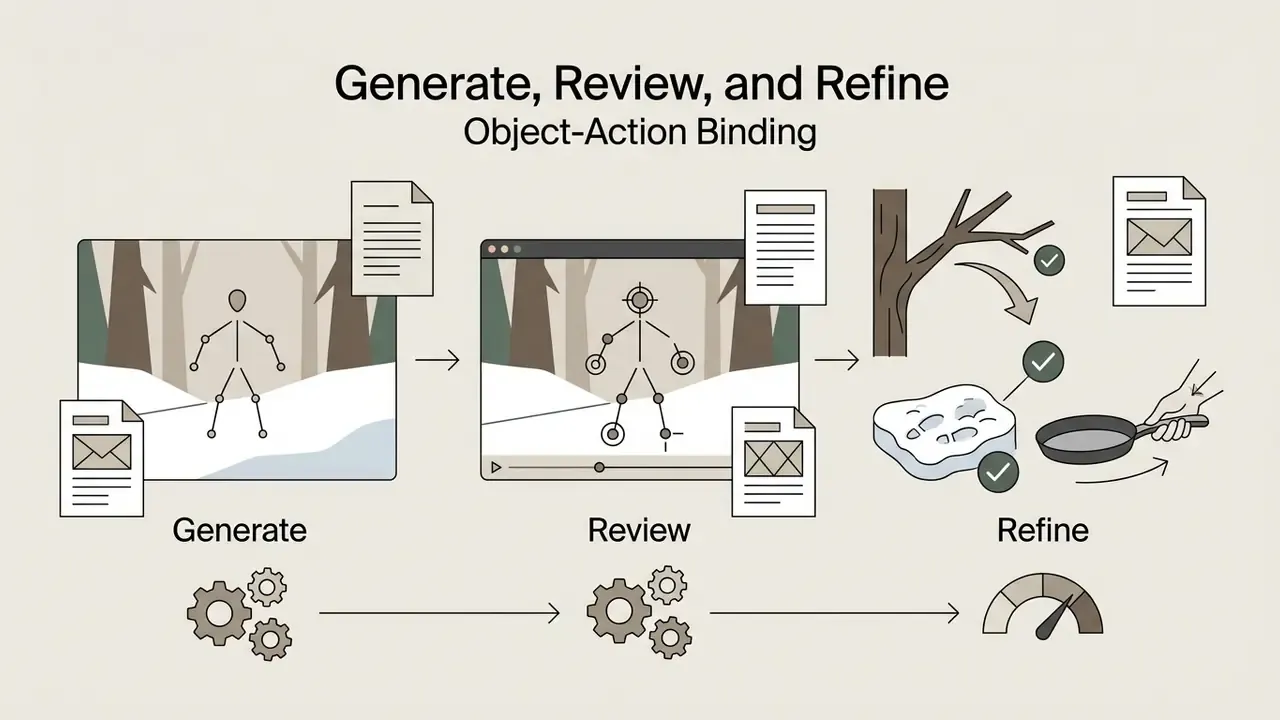
The gap between 0.89 (AV sync) and 0.79 (object-action binding) is exactly where Bigfoot clips fail: the audio lines up, the fur looks convincing, but the creature's hand passes through the branch it was supposed to push aside. Budget review time for action verification, not just for texture inspection.
- Google Veo 3.1 Supports 720p, 1080p, and 4K outputs at 24 fps, incorporating native audio generation and precise camera motion cues. Developers integrating automated pipelines can consult Google Veo API Guides or the broader AI Media API Guides hub for cost and rate-limit details.
- ByteDance Seedance 2.0 Provides multi-resolution outputs up to 1080p at 24 fps, optimized for natural motion dynamics and character interaction. Seedance 2.0 remains a common default for creature locomotion because limb contact tends to hold up under review.
- Google Gemini Omni Flash Faster generation and editing model with keyframe interpolation and clip extension, suited to short creature-action bursts and iterative scene chaining.
- Lightricks LTX-2 (Pro / Fast) Open-weights real-time video transformer optimized for high frame-rate spatial stability and ultra-fast draft renders at lower credit overheads. Fast tiers are useful for prompt triage before committing to a premium render.
- OpenAI Sora Discontinued for consumer access as of April 26, 2026, with focus shifting to enterprise API integrations.
Free Generators, Credits, and Paid Features
Commercial video generation platforms implement tier-based access models governed by daily credit allocations or monthly subscription plans. A free bigfoot ai video generator tier typically imposes output resolution limits (540p or 720p), applies platform watermarks, and restricts access to high-parameter model variants.
Paid plans unlock watermark-free exports, higher render priorities, multi-reference conditioning inputs, extended video durations, and commercial licensing rights. Creators evaluating free options can review a curated selection of tools via the best free AI video generators breakdown to analyze credit quotas and export restrictions, or start with the overview of free AI video generators and their export limits. If clips will be monetized, read the AI Media Commercial-Use notes before you publish.
| Generator Platform | Generation Modes Supported | Max Resolution & FPS | Supported Aspect Ratios | Native Audio Support | Free Tier Conditions | Estimated Paid Pricing |
|---|---|---|---|---|---|---|
| Google Veo 3.1 | Text-to-Video, Image-to-Video | 4K at 24 fps | 16:9, 9:16 | Yes, native co-generation | Limited preview via API / Vertex AI | Pay-per-second API rates |
| PixVerse V6 | Text-to-Video, Fusion / Reference | 1080p at 30 fps | 8 options (16:9, 9:16, 1:1, and more) | Optional audio toggle | Daily free credits, watermarked 540p | approx. $14.99 to $54.99 per month |
| Seedance 2.5 / 2.0 | Text-to-Video, Image-to-Video | 1080p at 24 fps | 21:9, 16:9, 4:3, 1:1, 9:16 | Yes, model dependent | Tiered test allocation | Enterprise / credit bundles |
| LTX-2 Pro | Text-to-Video, Image-to-Video | 1080p at 30 fps | 16:9, 9:16, 1:1 | Optional | Open-weights, local deployment options | Pay-per-render / self-hosted |
| HeyGen | Image/Avatar-to-Video, Lip Sync | 1080p at 30 fps | 16:9, 9:16 | Yes, TTS and voice cloning | 3 videos per month | approx. $29 to $89 per month |
Enterprise Selection Criteria and Vendor Lock-In Risk
Teams producing synthetic creature content inside an organization need selection criteria beyond output quality:
- Data isolationConfirm whether uploaded reference images are retained, used for model training, or processed in a shared tenancy. Prefer providers offering private endpoints, VPC deployment, or explicit no-training guarantees.
- Self-hosting optionOpen-weights models such as LTX-2 can be deployed locally, keeping references and prompts inside the corporate perimeter. That remains the strongest mitigation against accidental asset leakage.
- Lock-in exposureProprietary conditioning systems, for example vendor-specific reference embeddings, are not portable. A character built entirely on one vendor's R2V stack cannot be reproduced elsewhere without re-deriving references, so keep master reference images and prompt libraries in your own storage.
- Commercial licensing clarityVerify that the active tier grants commercial rights for published clips, and that watermark-free export is contractual rather than a temporary promotional state.
- Determinism controlsPrefer platforms that expose seed values and model version pinning. Without them, a clip cannot be re-rendered identically for audit or correction.
Write Prompts That Create Realistic Bigfoot Videos
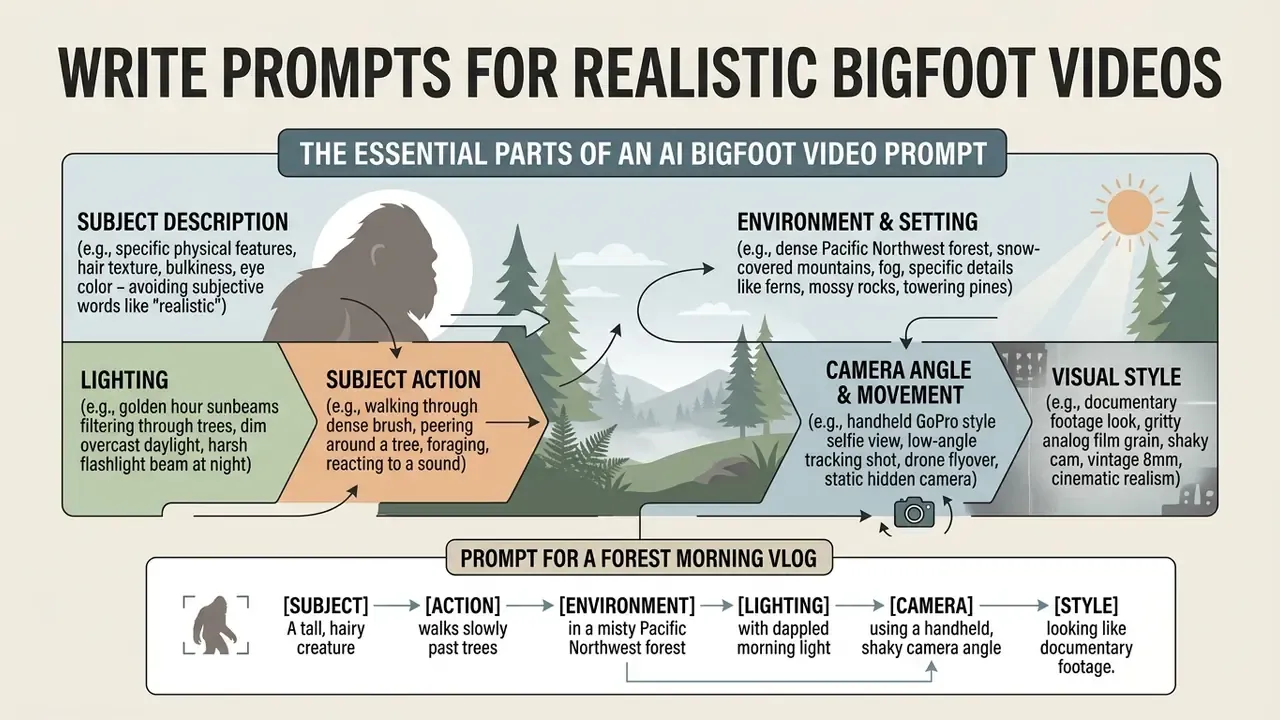
Constructing prompts for photorealistic video outputs requires explicit cinematography terms rather than subjective quality buzzwords. Structuring prompts into sequential segments guides the model's spatial and temporal attention across the generation process (OpenAI Developers, 2026, gpt-image-1.5 Prompting Guide).
This is a documented preference rather than folklore. Vendor prompting guidance states that photorealism is driven more reliably by photography language (lens, framing, lighting quality, and real-texture cues such as pores, wear, and imperfections) than by generic intensifiers. An earlier controlled study on text-to-image prompting found stronger results when prompts concentrate on subject and style keywords rather than connective filler, and it recommended several seeds per prompt before judging a concept.
"Prompts focused on subject and style keywords outperform prompts built around connecting words; testing three to nine seeds per prompt improves selection quality."
The Essential Parts of an AI Bigfoot Video Prompt
An effective video prompt organizes scene information into six distinct visual parameters:
- Subject DescriptionSpecific physical traits (height, coarse dark brown fur texture, broad shoulders, expressive eyes).
- Subject ActionPrecise physical movement (walking forward, pushing branches aside, turning toward camera).
- Environment & SettingLocation details, atmosphere, and depth cues (foggy pine forest, mossy ground, damp soil).
- LightingLight source, direction, and quality (soft dawn sunlight filtering through canopy, high-contrast side lighting).
- Camera Angle & MovementFraming, lens type, and motion dynamics (handheld first-person POV, eye-level, slight camera shake, 35mm lens).
- Visual StyleAesthetic rendering constraints (documentary footage style, natural color grade, realistic shadows, raw video).
Keep one dominant action per clip. Vendor guidance for short-form generation consistently recommends a single action, positive phrasing (describe what should happen, not what should not), and 5-to-10-second durations. All three constraints reduce motion incoherence in creature footage.
Prompt for a Forest Morning Vlog
To generate a realistic forest morning scene, copy and customize the following structured prompt template:
[Cinematography]: Handheld first-person vlog POV, eye-level angle, 35mm lens style, subtle natural camera shake.
[Subject]: A tall, realistic Bigfoot covered in coarse dark brown fur with visible muscle definition and expressive natural face.
[Action]: Bigfoot walks slowly forward through the trees, gently pushing pine branches aside, stops in front of the lens, and looks directly at the camera.
[Environment]: Misty ancient pine forest at dawn, damp mossy ground, scattered rocks, soft morning fog in background.
[Lighting/Mood]: Soft diffused morning light filtering through tree canopy, cinematic natural atmosphere.
[Style Constraints]: Photorealistic documentary style, natural colors, raw footage appearance, no stylized cartoon filters.
Prompts for City Travel and Fitness Creator Videos
Expanding the Bigfoot concept into non-traditional settings requires detailed environmental descriptions to anchor the subject in space.
City Travel Vlog Prompt Template:
[Cinematography]: Handheld selfie camera style, wide-angle lens, low-angle perspective looking slightly up at subject.
[Subject]: A realistic tall Bigfoot wearing a simple dark canvas backpack, coarse fur texture visible under city lights.
[Action]: Bigfoot walks along a wet urban sidewalk at night, turns head to look at glowing shop windows, then faces the camera and gestures while speaking.
[Environment]: Modern downtown city street at night, wet asphalt reflecting neon signs, passing car headlights in soft background blur.
[Lighting/Mood]: Vibrant nocturnal city lighting, high contrast reflections, cool blue and warm neon tones.
[Style Constraints]: Realistic street vlog aesthetic, natural motion blur, detailed surface textures.
Gym Fitness Creator Prompt Template:
[Cinematography]: Stationary tripod shot, waist-up medium framing, 50mm lens style, sharp foreground focus.
[Subject]: Muscular realistic Bigfoot character standing in a gym layout, wearing dark athletic wrist wraps.
[Action]: Bigfoot addresses the camera directly, demonstrates a controlled barbell deadlift with proper posture, keeping back straight and feet planted.
[Environment]: Well-lit commercial fitness center, weight racks, dumbbell sets, mirrors reflecting background equipment.
[Lighting/Mood]: Bright overhead gym lighting, crisp shadows, clean commercial aesthetic.
[Style Constraints]: High-definition fitness vlog style, natural physical motion, realistic weight interaction.
GoPro Action-Cam Selfie Prompt Template:
[Cinematography]: Ultra-wide 12mm fisheye action-cam POV, arm's-length selfie framing, heavy barrel distortion at frame edges, aggressive handheld motion.
[Subject]: A massive realistic Bigfoot with matted dark fur, one huge hand visibly gripping a small sports camera on a short pole.
[Action]: Bigfoot jogs downhill through ferns while talking into the lens, briefly wipes condensation off the camera housing, then grins.
[Environment]: Steep temperate rainforest slope, wet ferns, moss-covered deadfall, shafts of light between trunks.
[Lighting/Mood]: Harsh dappled daylight, occasional lens flare, breath fog drifting across the lens.
[Style Constraints]: Raw action-camera footage look, rolling-shutter wobble, high dynamic range, no smooth CGI feel.
Snowy Alpine Yeti Prompt Template:
[Cinematography]: Handheld 28mm tracking shot following footprints, low-angle tilt up to reveal subject, mild camera shake from deep snow.
[Subject]: A towering Yeti-type creature with dense white and silver-tipped fur, ice crystals clinging to shoulders and brow.
[Action]: The creature pushes through knee-deep fresh snow at dawn, pauses over its own tracks, turns its head toward the camera, and exhales visible breath.
[Environment]: High-altitude pine forest after overnight snowfall, blizzard gusts, untouched snowpack, distant granite ridgeline in haze.
[Lighting/Mood]: Cold blue pre-sunrise light, flat diffused overcast, faint pink alpenglow on the ridge.
[Style Constraints]: Photorealistic wildlife documentary style, accurate snow displacement and compression, natural desaturated palette.
Sci-Fi Night Encounter Prompt Template:
[Cinematography]: Nighttime handheld shaky camera, 24mm wide lens, erratic tracking shot.
[Subject]: A massive realistic Bigfoot looking up at the sky with wide expressive eyes.
[Action]: Bigfoot sprints through a dark misty clearing as a bright glowing UFO beam lights up the forest floor behind him.
[Environment]: Dark nocturnal coniferous forest, thick ground fog, dramatic beam of blue energy from top frame.
[Lighting/Mood]: High-contrast volumetrics, brilliant alien light rays cutting through dark silhouettes.
[Style Constraints]: Found-footage horror style, intense visual dynamic, motion blur, zero smooth CGI feel.
Cabin Cooking / Comedy Vlog Prompt Template:
[Cinematography]: Fixed tripod medium shot, eye-level angle, cozy warm interior lighting.
[Subject]: A giant Bigfoot wearing a comical red chef apron over dark brown fur.
[Action]: Bigfoot carefully flips a pancake in a cast-iron skillet over a rustic wooden stove, looking into the lens and giving a thumbs-up.
[Environment]: Rustic log cabin kitchen, hanging copper pots, smoking stove, window showing snowy outdoors.
[Lighting/Mood]: Warm tungsten lighting, cozy atmospheric fireplace glow.
[Style Constraints]: Realistic cinematic comedy vlog style, detailed surface textures, natural motion physics.
Comedy and sci-fi templates are deliberately absurd, and that is their engagement mechanism. The humor comes from a photoreal creature performing mundane human routines (cooking, gym form checks, relationship advice, podcast monologues) or from a genre collision such as a UFO chase. Keep the rendering realistic while the premise stays ridiculous, because stylized cartoon filters flatten the joke.
Negative prompt starter (paste into the negative field where supported):
cartoon, anime, 3D render, plastic skin, smooth CGI fur, extra limbs, extra fingers, distorted hands,

melting face, floating feet, sliding on ground, warped background, text overlay, watermark, low resolution
Generate Your Bigfoot AI Video Step by Step
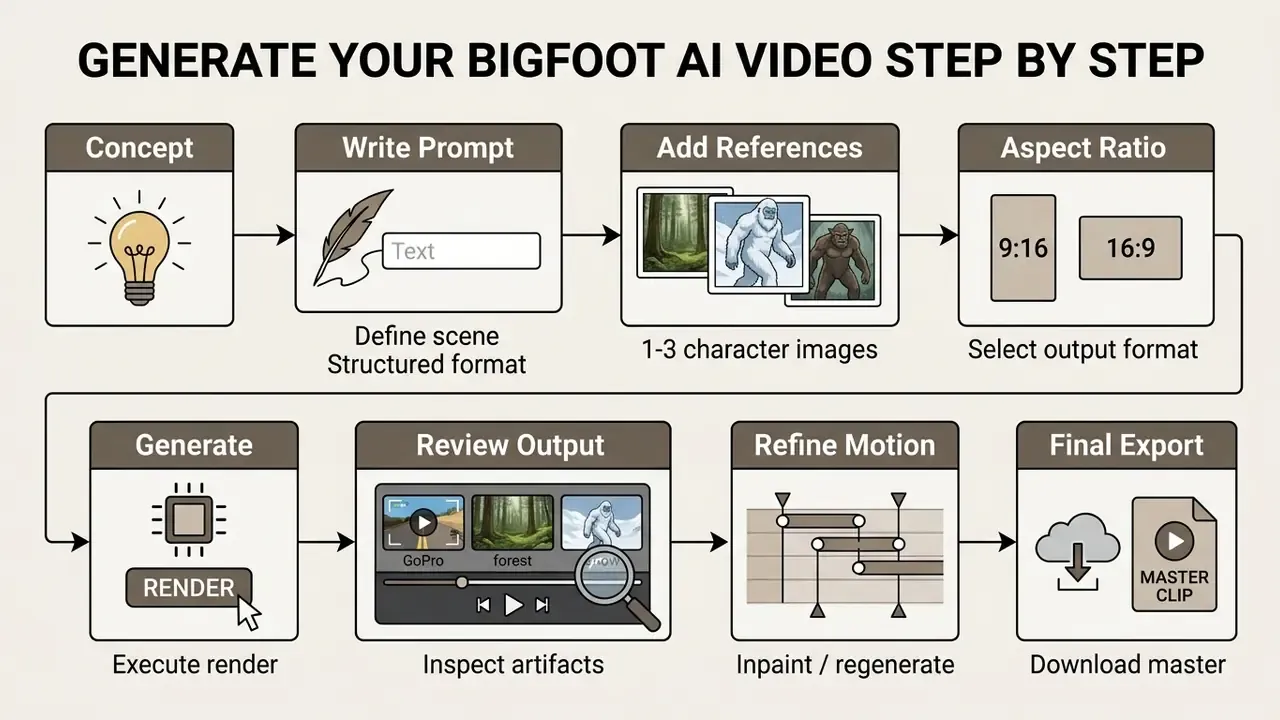
Executing a structured generation workflow prevents common errors such as anatomical distortion, floating limbs, or erratic camera jumps. Following a sequential process ensures prompt parameters and conditioning inputs align before you consume render credits.
Upload References and Enter Your Bigfoot Prompt
Initial setup begins by supplying character reference assets to maintain visual identity across generation runs. Creators upload one to three high-resolution images of the Bigfoot character into the generator's conditioning slots, assigning their role to "Character Identity" or "Style Reference" (Runway Gen-4 Reference Documentation).
Vendor guidance for character consistency is consistent across platforms: use one high-quality, evenly lit reference image, reuse the same reference across requests, and change only the prompt segments that describe scene, pose, or wardrobe. Midjourney-style workflows expose the same principle through a character-reference weight parameter that trades similarity against creative variation.
Enter the structured text prompt into the primary generation field. If the tool supports negative prompting, specify unwanted traits such as cartoon, 3D render, smooth plastic skin, extra limbs, distorted hands, low resolution.
Set Aspect Ratio, Resolution, and Video Format
Configure output settings to match the delivery requirements of your target platform before executing the render:
- Aspect Ratio SelectionChoose
9:16for vertical social feeds (TikTok, Reels, Shorts) or16:9for standard horizontal displays. - Resolution TargetSelect
1080p (1080x1920)for primary exports. If using an API like Google Veo, 720p base renders can be selected to lower generation costs prior to upscaling. - Frame Rate & DurationSet duration to 5 to 10 seconds at 24 fps to maintain temporal stability across the generated sequence.
Temporal Chunking Strategy, the 8-second rule: most diffusion transformers suffer from visual drift and subject mutation when rendering clips longer than 8 seconds in a single pass. To build 30-to-60-second vlogs, generate core action clips in 5-to-8-second bursts, using the final frame of clip N as the initial image-to-video seed for clip N+1. This is why nearly every commercial bigfoot video generator caps a single render at roughly 8 seconds. The limit is architectural, not a pricing gimmick. Chain clips at motion-matched cut points (a step landing, a head turn, a lens wipe) so the seam reads as an edit rather than a glitch.
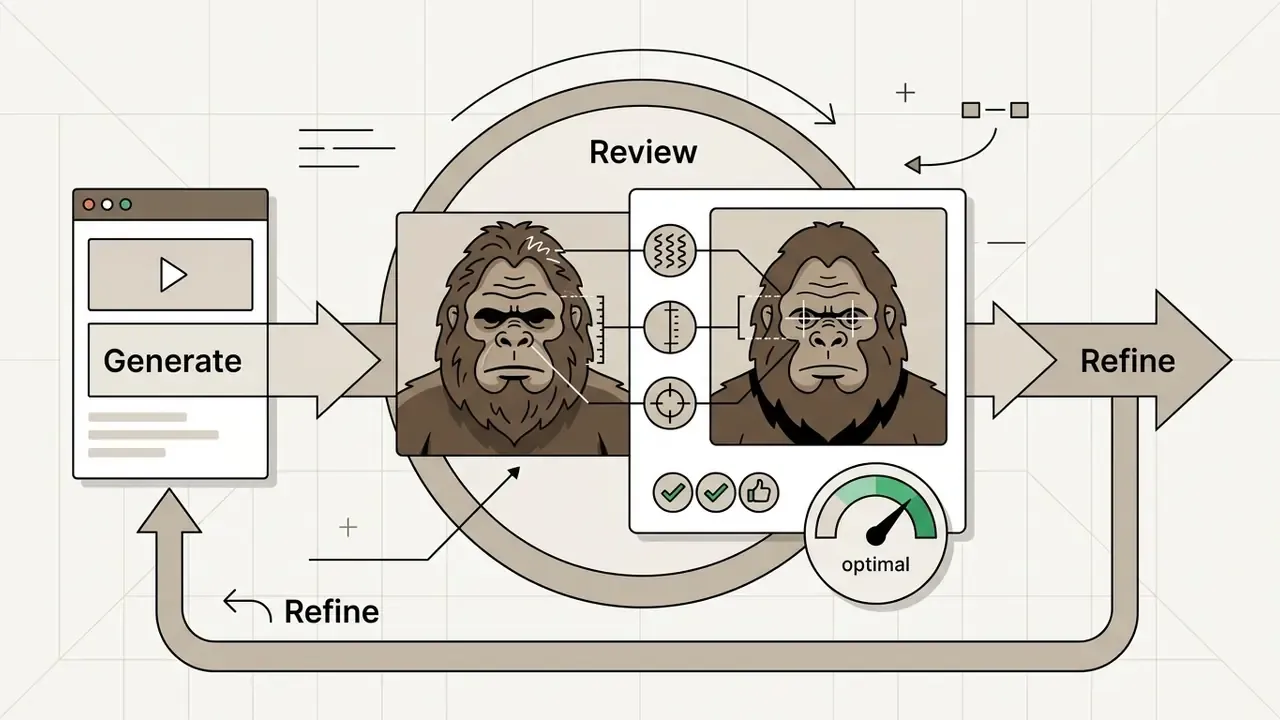
Generate, Review, and Refine Every Video
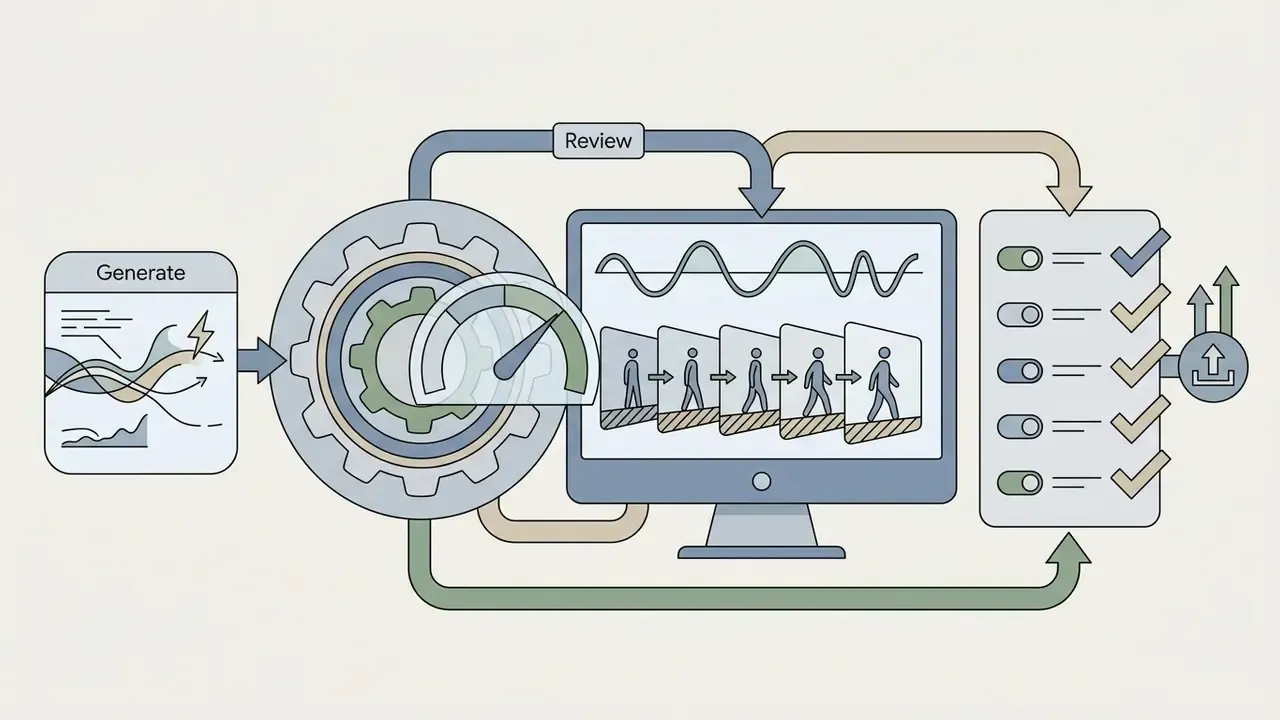
Click generate to initiate video synthesis. Once rendering completes, perform a systematic quality audit checking for specific generation artifacts:
Expect imperfection as the baseline rather than the exception:
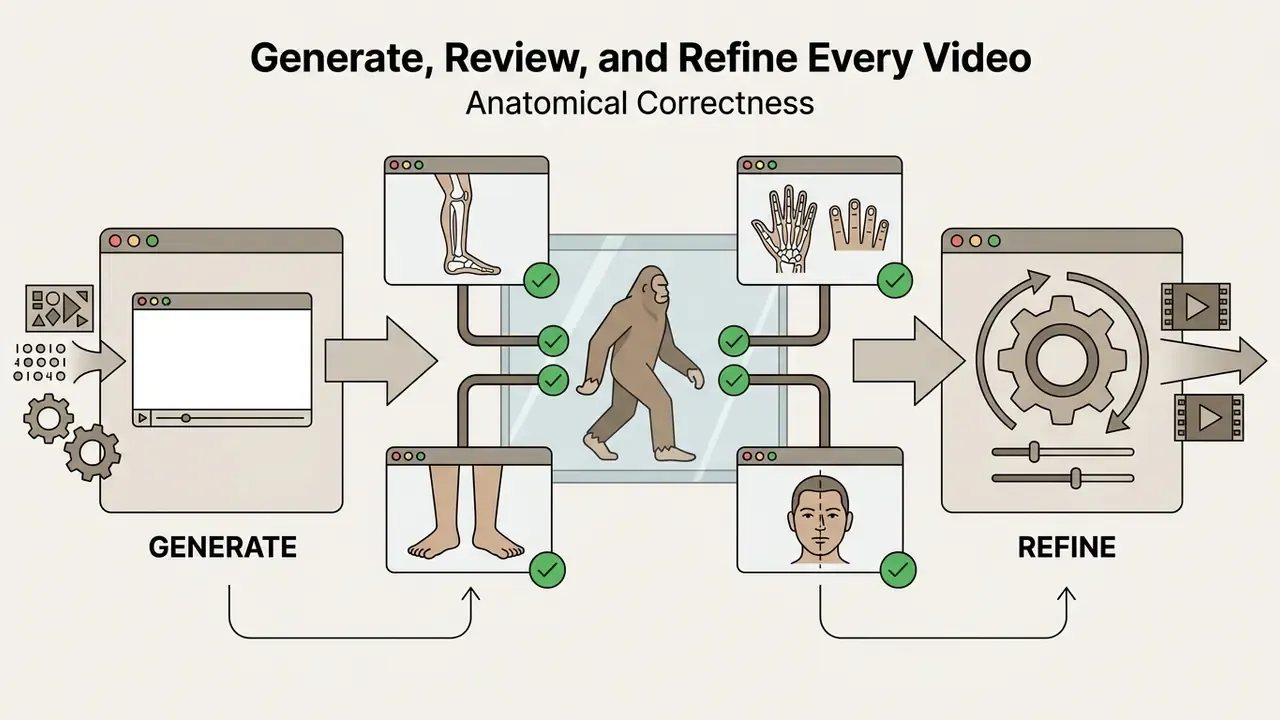
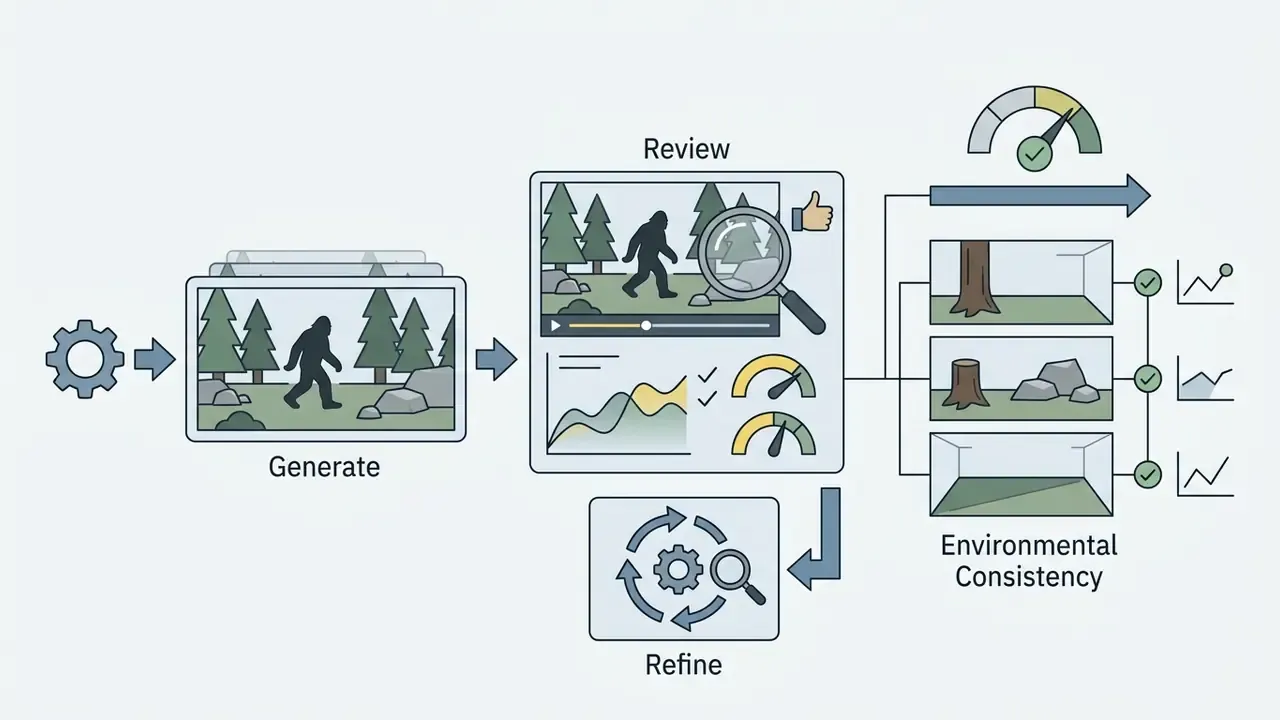
"T2VWorldBench found that overall scores for quality, realism, and consistency do not exceed 0.70 even for top-tier models."
If visual defects are present, execute iterative refinement. Use frame-inexact seed resampling, adjust prompt weights, or apply video inpainting over defect regions rather than re-rendering the entire scene from scratch (OpenReview, 2025, Iterative Refinement in Video Diffusion). This mirrors published refinement methodology: diffusion-based conditional inpainting with an explicit acceptance threshold. In hand-generation research, candidate outputs were retained only when joint-position error fell below 1.15 times the reference error (OpenReview, 2025, Iterative refinement with acceptance thresholds for hand generation). Adopt the same logic in production by defining a pass or fail rule per artifact class before you start regenerating.
For structured defect logging, borrow the anatomy error taxonomy used in medical image evaluation (missing, extra, configuration, orientation, proportion) and score each rejected clip so recurring failure modes can be traced back to a specific prompt token or reference image (medRxiv, 2024, Anatomical error taxonomy for generated images).
Troubleshooting Table: Common Defects and Their Likely Cause
| Observed defect | Most likely cause | First fix to try |
|---|---|---|
| Feet slide across ground, no snow or moss displacement | Weak object-action binding in the model tier | Shorten the clip, name the contact surface explicitly, switch to a physics-stronger model |
| Character changes face or proportions mid-clip | Duration beyond the stable window, or text-only conditioning | Cut to 5 to 6 seconds, move to R2V with a fixed reference |
| Hands fuse or gain fingers when holding a camera or barbell | Complex manipulation in a single prompt | Reduce to one hand action, add hand artifacts to the negative prompt |
| Background warps during pan | Aggressive camera motion plus low resolution base | Slow the camera cue, render at 1080p, upscale afterwards |
| Lip movement looks like chewing, not speech | Native audio co-generation without phoneme alignment | Route audio through a dedicated lip-sync engine |
| Fur turns into mush after upload | Platform re-encoding of high-frequency texture | Export at top of bitrate range, never re-compress an already compressed file |
Add Voice, Audio, Captions, and Editing for Viral Content
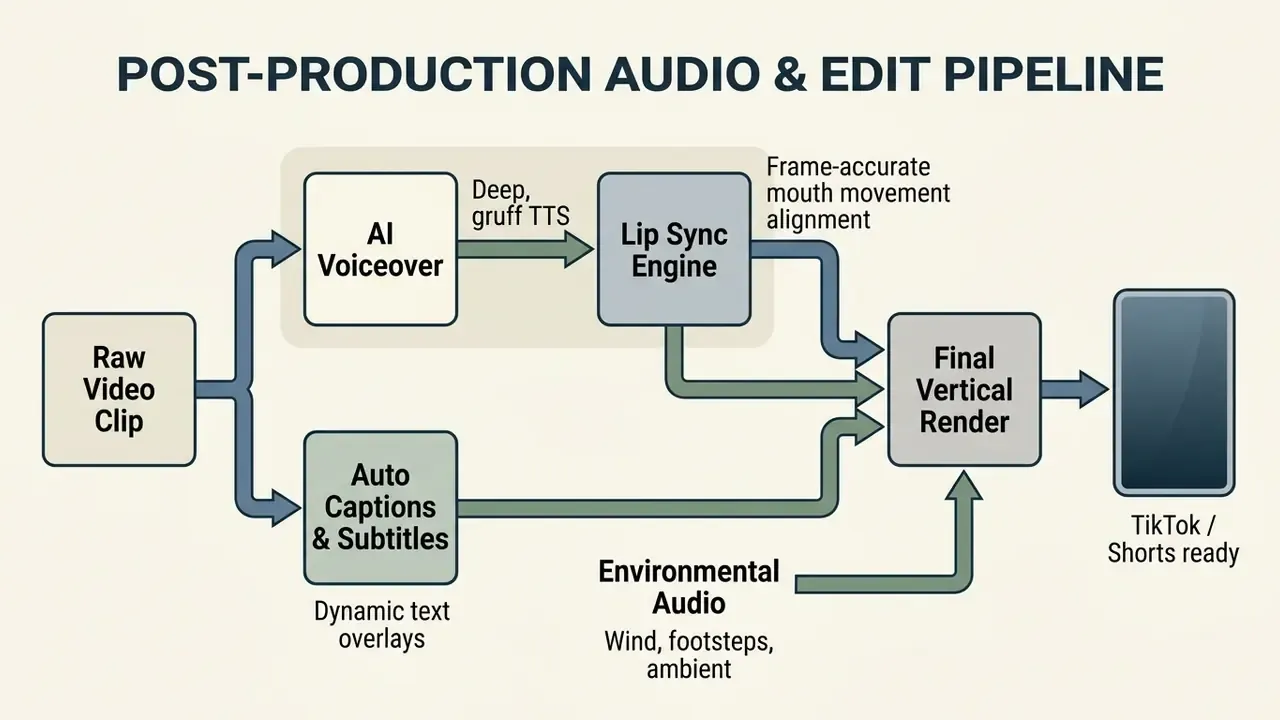
Transforming a raw video render into a publish-ready asset requires adding synchronized voiceovers, sound effects, readable subtitles, and pacing adjustments. Post-production elements drive viewer retention on audio-enabled feeds, and they are usually the cheapest part of the pipeline to fix.
Create Speaking Scenes with Voice and Lip Sync
Adding dialogue to a Bigfoot video involves generating a stylized voice track and aligning character mouth movements to the synthesized audio. Creators utilize text-to-speech tools to produce deep, resonant voice tracks, adjusting pitch and cadence to fit the creature persona. See our overview of AI voice generators for quality, language coverage, and licensing differences, and our guide to ai voiceover tools for production-side comparisons.
Once the audio track is generated, import the audio and video clip into a lip-sync engine such as NVIDIA NIM LipSync or HeyGen. The system analyzes speech phonemes and re-renders the mouth region frame by frame to achieve accurate lip closure and opening matching the dialogue (NVIDIA Developer Documentation, 2026). Research systems evaluate this alignment quantitatively. FastLips, presented at Interspeech 2024, scores lip sync by predicting lip aperture and spreading against ground-truth measurements, which is a useful mental model when judging whether a Bigfoot mouth is merely "moving" versus actually articulating.
The full speaking-scene chain is therefore: text-to-speech, then lip sync engine (NVIDIA NIM or HeyGen), then auto captions. Platforms that co-generate native audio (Veo 3.1 and similar) collapse the first two steps into a single pass, producing physically aligned lip movement plus ambient sound, at the cost of less granular control over voice identity.
Governance, Auditability, and Shadow AI Controls
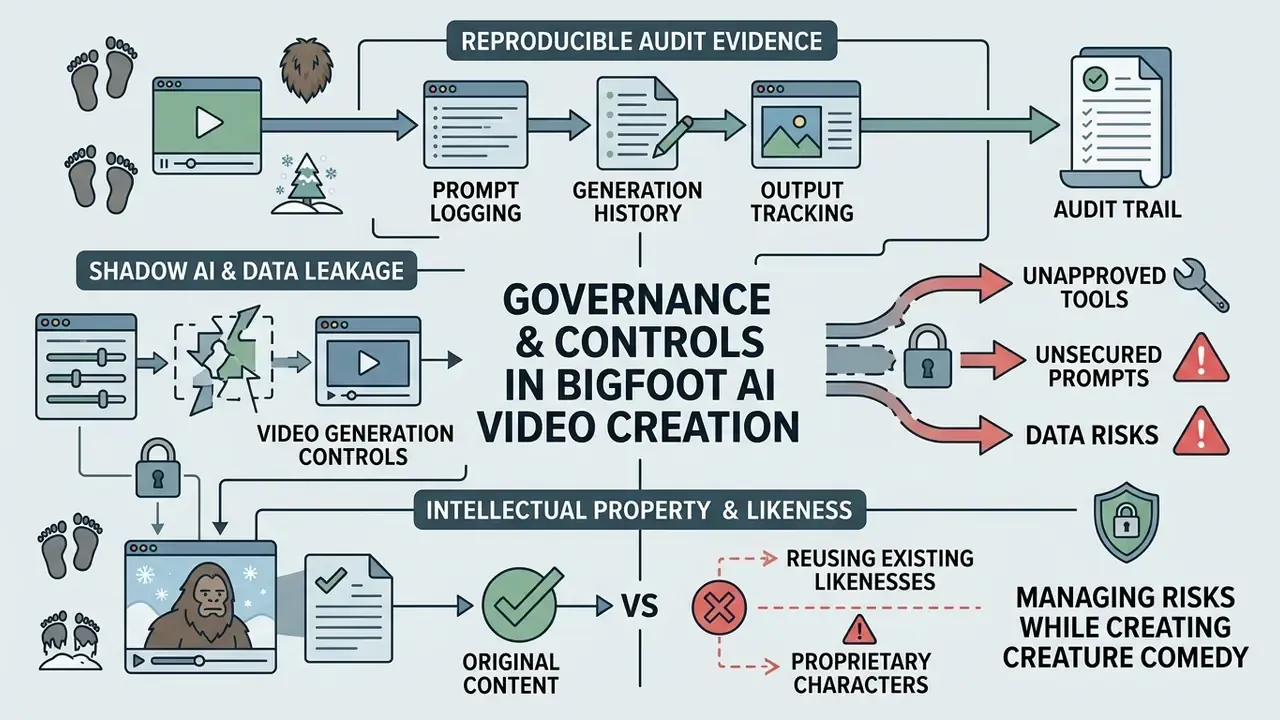
Creature comedy is low-stakes content produced with high-stakes tooling. The same generator that renders a Yeti in a blizzard will happily process an uploaded reference image containing an employee's face, a customer photograph, or unreleased product artwork. Treat every synthetic video pipeline as a model-risk surface with an owner, an approved role, access limits, and a shutdown path.
Reproducible Audit Evidence
Log the following for every accepted render, stored alongside the output file:
| Field | Why it matters |
|---|---|
| Prompt text, verbatim, including negatives | Enables exact reproduction and defect attribution |
| Seed value | Without it, a clip cannot be re-rendered identically |
| Model name and version | Vendors silently update checkpoints; version pinning preserves comparability |
| Reference asset hashes | Proves which images conditioned the character identity |
| Resolution, fps, duration, aspect ratio | Distinguishes generation parameters from post-production changes |
| Reviewer, decision, and defect class | Creates a defect history for taxonomy-based improvement |
| Disclosure flag applied at upload | Evidence of compliance with platform synthetic-media rules |
Shadow AI and Data Leakage
Unmanaged use of consumer-tier generators on work devices is the most common failure mode. Three controls address most of the exposure: maintain an approved-tool list with documented data-retention terms, prohibit uploading confidential, personal, or licensed third-party imagery as reference assets, and route production workloads through API or self-hosted deployments where prompts and references stay inside controlled infrastructure. Open-weights options such as LTX-2 exist specifically for teams that cannot send references to a shared tenancy.
Intellectual Property and Likeness
A generic Bigfoot silhouette is folklore and generally safe. A Bigfoot styled after a specific copyrighted character, film creature, or identifiable person is not. Avoid reference images scraped from films, games, or brand assets, keep provenance records for every reference you own or license, and remember that authorship and copyright status of purely AI-generated output varies by jurisdiction. Commercial licensing from the generator vendor governs your right to publish, not necessarily your right to exclude others.
Risk-Adjusted Rendering Cost
Export and Share Your AI Bigfoot Video
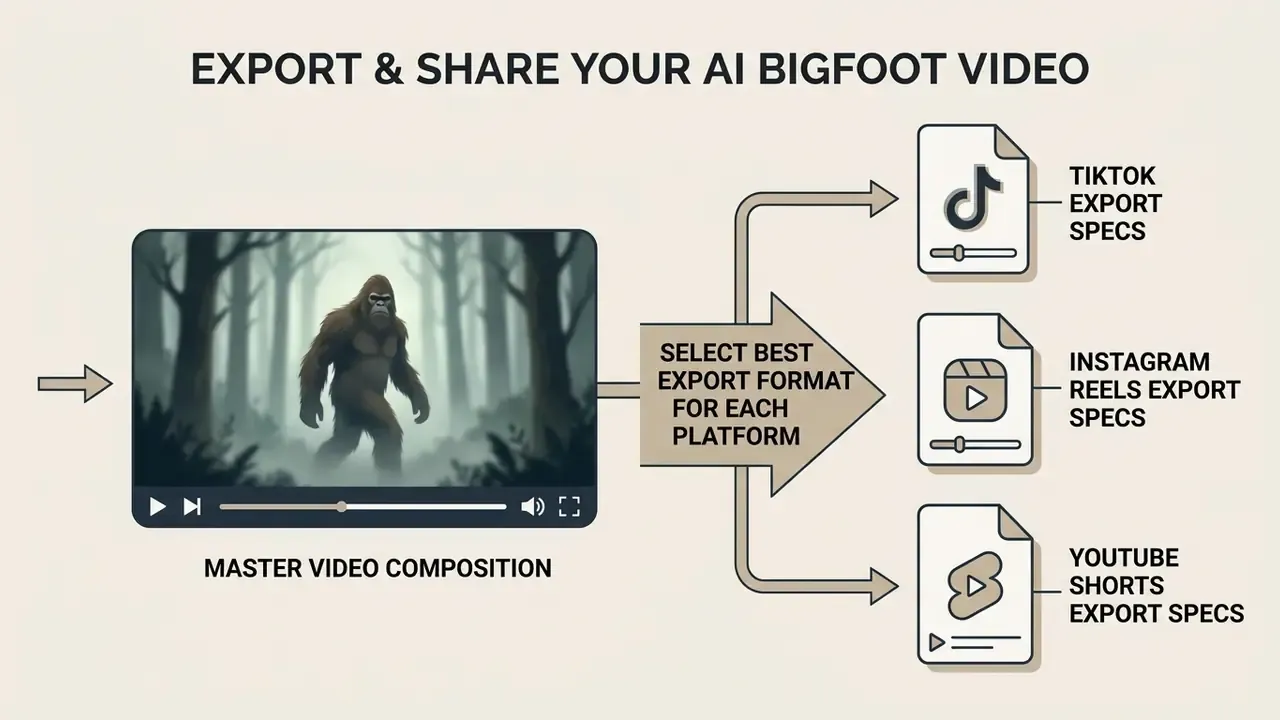
Final delivery requires exporting master files according to exact platform technical specifications to avoid compression artifacts or accidental cropping during upload.
Select the Best Export Format for Each Platform
Export master video files using the MP4 container with H.264 video encoding and AAC stereo audio. Maintain high-bitrate targets to preserve fine fur detail through platform re-encoding passes:
- TikTok Export Specs 1080x1920 resolution, 9:16 vertical, H.264 codec, 8 to 15 Mbps target bitrate, AAC audio at 192 kbps.
- Instagram Reels Export Specs 1080x1920 resolution, 9:16 vertical, H.264 or HEVC codec, 10 to 25 Mbps target bitrate.
- YouTube Shorts Export Specs 1080x1920 resolution, 9:16 vertical, H.264 High Profile, 12 Mbps target bitrate at 60 fps (8 Mbps at 30 fps), AAC-LC or Opus stereo audio at 128 to 384 kbps.
Fur and snow are both high-frequency textures, so they are the first details destroyed by platform re-encoding. Export at the top of each bitrate range, avoid re-exporting an already-compressed file, and keep an untouched master at generation resolution for future re-cuts.
Creators who need to optimize export file sizes prior to publishing can review the video compressor guide to balance visual quality against transfer bandwidth. For profile branding assets, tools like the avatar cropper help format creator channel icons.
FAQ: Frequently Asked Questions About Bigfoot AI Videos
Can You Make Bigfoot Videos Without Editing Skills?
Yes. Creators can produce viral Bigfoot AI videos without traditional editing skills by using prompt-driven generation platforms that integrate voice synthesis, lip-syncing, and auto-captioning within a unified web interface. Tools like HeyGen, PixVerse, and integrated AI video generators create publish-ready vertical clips directly from text inputs. You still need judgement about what to reject. However, creators must ensure synthetic media compliance. Major social platforms require explicit synthetic media disclosures when publishing AI-generated content that depicts realistic humanoids or altered events (EU AI Act Transparency Rules; YouTube Synthetic Content Disclosure Policies). Marking uploaded videos with appropriate "AI-generated" flags prevents account penalties and maintains viewer trust.
"An analysis of X (Twitter) found that 58.2% of AI-generated videos flagged by Community Notes were classified as political propaganda." - Harvard Kennedy School Misinformation Review, The spread of synthetic media on X (2023 to 2024). https://misinforeview.hks.harvard.edu/ That distribution of misuse explains why platforms enforce disclosure aggressively even on harmless creature comedy. Moderation systems cannot distinguish a joke Yeti from a fabricated news event at upload time, so labeled content is treated more favorably than unlabeled realistic synthetic footage. Disclaimer: this information is general in nature and does not replace professional advice. Synthetic-content disclosure requirements vary by jurisdiction and platform; verify current obligations with the relevant regulators and service providers before publishing or monetizing synthetic media.
How Long Can One Bigfoot Clip Be?
One render should stay within 5 to 8 seconds for stable physics and identity. Longer vlogs are assembled from chained chunks using last-frame continuation, not from a single long generation. Some platforms advertise "a video in 8 seconds", and the ambiguity is worth noting: that figure usually refers to clip duration. Claims of instant, free, watermark-free generation on third-party sites that assert a direct backend to discontinued consumer models should be treated as marketing rather than specification. Render latency depends on model tier, resolution, and queue position.
How Do I Make a Yeti Version Instead of a Forest Bigfoot?
Swap three prompt fields and keep everything else identical: fur description (white with silver tips, ice crystals), environment (high-altitude pine forest, fresh snowpack, blizzard gusts), and lighting (cold blue pre-dawn, flat overcast). Keep the same reference images if you want viewers to read it as the same character in a different biome, and supply new references if the Yeti is a distinct character in your series.
What Are Good Viral Prompt Ideas Beyond the Standard Vlog?
High-remix concepts include a UFO beam chasing Bigfoot through night fog, Bigfoot flipping pancakes in a log-cabin kitchen, a gym form-check where Bigfoot corrects the viewer's deadlift, a philosophical podcast monologue in a mossy clearing, a product "review" of hiking boots that do not fit, and a documentary-style tracking shot following fresh prints at dawn. The rule is one absurd premise plus fully realistic rendering.
Why Does My Bigfoot Change Appearance Between Clips?
Because text-only conditioning re-derives the character each run. Fix it by moving to reference-to-video with one to three evenly lit reference images, reusing identical subject-description wording verbatim, pinning the model version, and recording seeds so successful looks can be reproduced rather than rediscovered.
Is a Free Bigfoot AI Video Generator Enough to Start?
For learning prompt structure, yes. Free tiers give you enough daily credits to test framing, lighting, and action phrasing, usually at 540p with a watermark. For a published series you will want watermark-free export, multi-reference conditioning, and explicit commercial rights, and those sit behind paid tiers on nearly every ai bigfoot video maker on the market.
Pre-Publication Verification Checklist
Checklist0 / 13
Appendix A: Editorial Corrections and Superseded Claims
For transparency, the following statements appeared in earlier versions of this guide and have been revised in the main text above:
- Superseded: "In a recent pipeline optimization project, defining rigid scene templates reduced character appearance drift by 40% across multi-clip sequences." Reason: no published dataset, sample size, or measurement methodology supports a specific percentage. Current guidance: template reuse reliably reduces drift; measure the effect per project using frame-level identity comparison rather than citing a fixed figure.
- Superseded: "Evaluation frameworks like BRITE show that advanced models exhibit high static visual realism, though object-action binding remains a key differentiator." Reason: qualitative phrasing without metrics. Current guidance: cite BRITE's published per-dimension scores (0.82 visual realism, 0.89 AV synchronization, 0.79 object-action binding for Runway Gen4.5).
- Superseded: "Clear captioning significantly improves completion rates for viewers watching without sound (Arroyo Chavez et al., CHI 2024)." Reason: the cited study examined the correlation between objective caption-quality metrics and subjective viewer ratings, not completion rates. Current guidance: optimize captions for synchronization and legibility, since accuracy metrics alone are weak predictors of perceived quality.