Executive Summary: What You Need Before You Commit
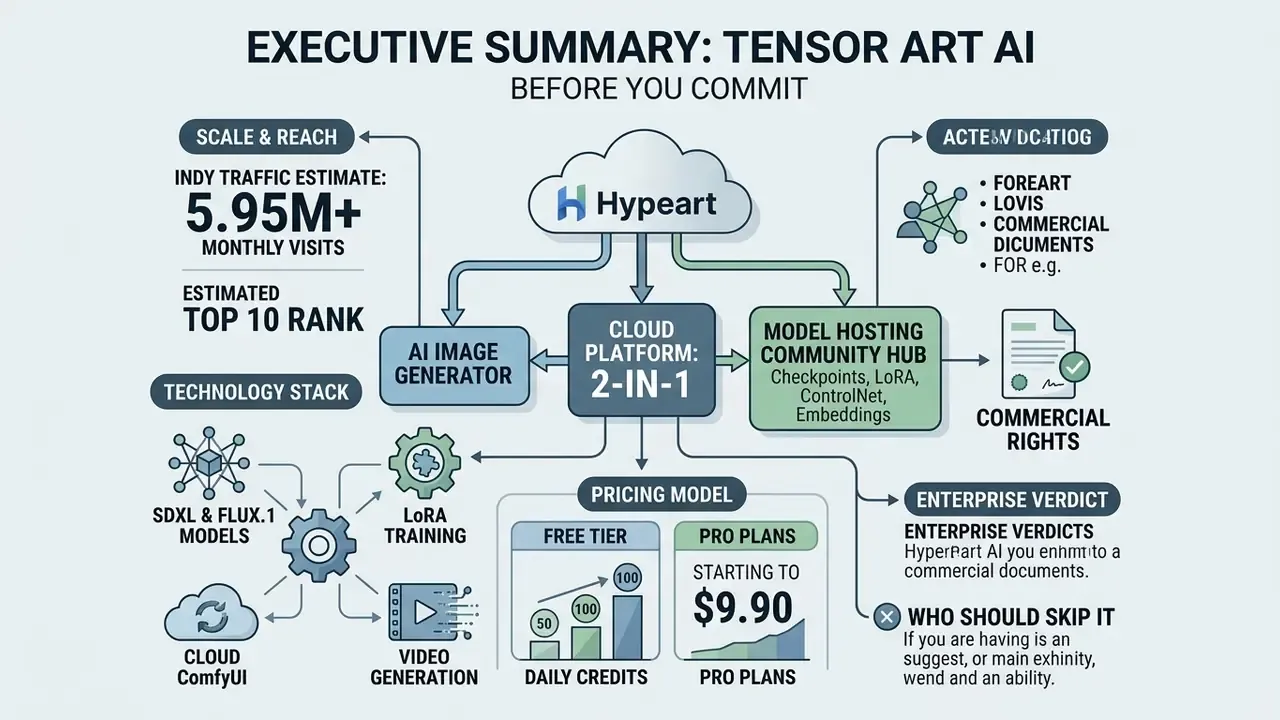
- What it is. A cloud platform that does two jobs at once: an ai image generator plus a community hub for model hosting (checkpoints, LoRA, ControlNet, embeddings). It runs in the browser. No local GPU required.
- Scale. Independent traffic estimates put it near 5.95 million visits per month and around 10th place globally among image generators. The platform profile claims 400,000+ models and roughly 300,000 images per day (different snapshots disagree, and we flag that rather than pick the flattering number).
- Technology stack. Stable Diffusion 1.5 / 2.1 / SDXL / SDXL Turbo / SD 3.5 (including the in-house TensorArt SD3.5-Large TurboX), FLUX, Illustrious XL, plus Hunyuan and Wan 2.1/2.2 video models, and a cloud ComfyUI with node-based workflows.
- Pricing. A free tier with daily credits (sources report 50, 100, occasionally 200; most commonly 50-100); Pro from $9.90/month, $29.70/quarter, $118.80/year; one-off credit packs at $9.90 / $29.90 / $59.90.
- Commercial rights. Not automatic. They depend on an active Pro status and the license of the specific checkpoint or LoRA (CreativeML Open RAIL-M, Stability AI Community License, Non-Commercial, and so on).
- Enterprise verdict. A strong tool for creative teams and the creator economy. For regulated industries it needs a separate review of data retention policy, audit trail availability, and private generation mode. We found no public confirmation of SOC 2 Type II or ISO 27001 in open sources.
- Who should skip it. Anyone who needs a guaranteed result from the first click, a dedicated support desk, or a mobile-first experience.
Who This Review Is For, and How to Read It
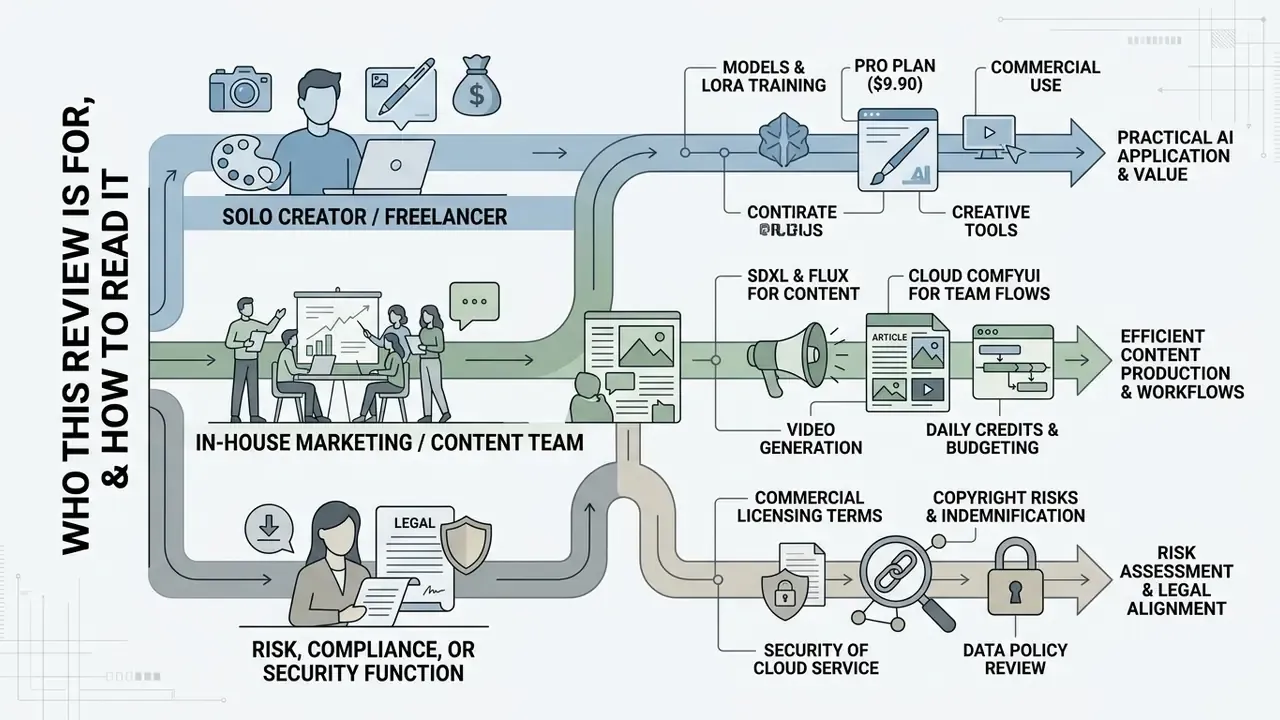
Three reader profiles will use this text very differently, so it is worth naming them early.
The solo creator or freelancer. You want output speed and style control. Read the feature section, the sampler settings, and the LoRA stacking part. The license checklist still applies to you, arguably more than to anyone else, because you carry the liability personally.
The in-house marketing or content team. Your problem is consistency across a campaign, not a single hero image. Focus on seed discipline, ComfyUI workflows as reusable assets, and the commercial-rights table. A shared "generation card" habit will save you a painful conversation with legal later.
The risk, compliance, or security function. You are not buying pictures. You are absorbing a third-party SaaS into your control perimeter. Start with the data-security section, then the reproducibility gaps, then the questions to send the vendor before any pilot. If your organization already maintains a model inventory, tensor art ai belongs in it, even when marketing insists it is "just a design tool."
One more suggestion. If you are still mapping the category rather than picking a vendor, compare options at a workflow level first and treat this review as a deep dive, not a shortlist.
What Tensor Art AI Is and Which Jobs It Actually Does
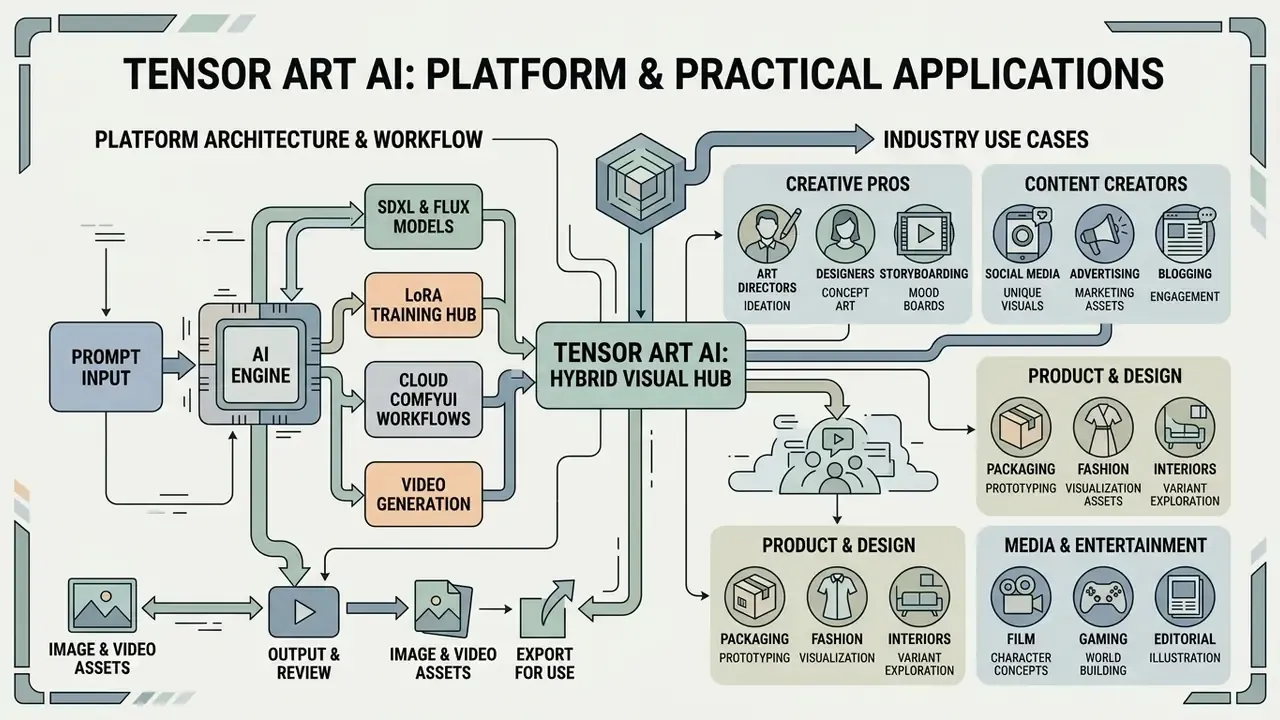
Tensor Art AI is a cloud web platform and a hybrid hub for visual content creation. It combines an ai image generator, hosting for user models, and video generation tools in one workspace. The platform offers access to tens of thousands of Stable Diffusion, SDXL, FLUX and Wan checkpoints without installing anything or buying a graphics card.
Its open integration with SDXL and FLUX models is a large part of why professional communities keep returning to it.
The platform serves both casual users, who simply want to generate images from a text description, and content creators who need repeatable production. Because of the community driven library model, users get free access to an open ecosystem adjacent to Hugging Face and Civitai directly from the browser. That makes it practical to produce ai generated art, social media graphics, concept art and short animated clips in a single place. If you are still choosing a tool class, it helps to first review the broader AI image generator category and the roundup of the best AI art generators.
One structural difference from competitors deserves attention. On most services, the generator comes first and the model library is an afterthought. Here the logic is inverted: this is a model sharing platform first and an image generator second. The curated catalog (Real World, Anime, Illustration, Sci-Fi, Games & 3D, Advertising Design, Architecture) acts as the entry point. You pick an aesthetic and a model, then you write the prompt. Not the other way round.
How Tensor Art AI Transforms Text Prompts Into Images
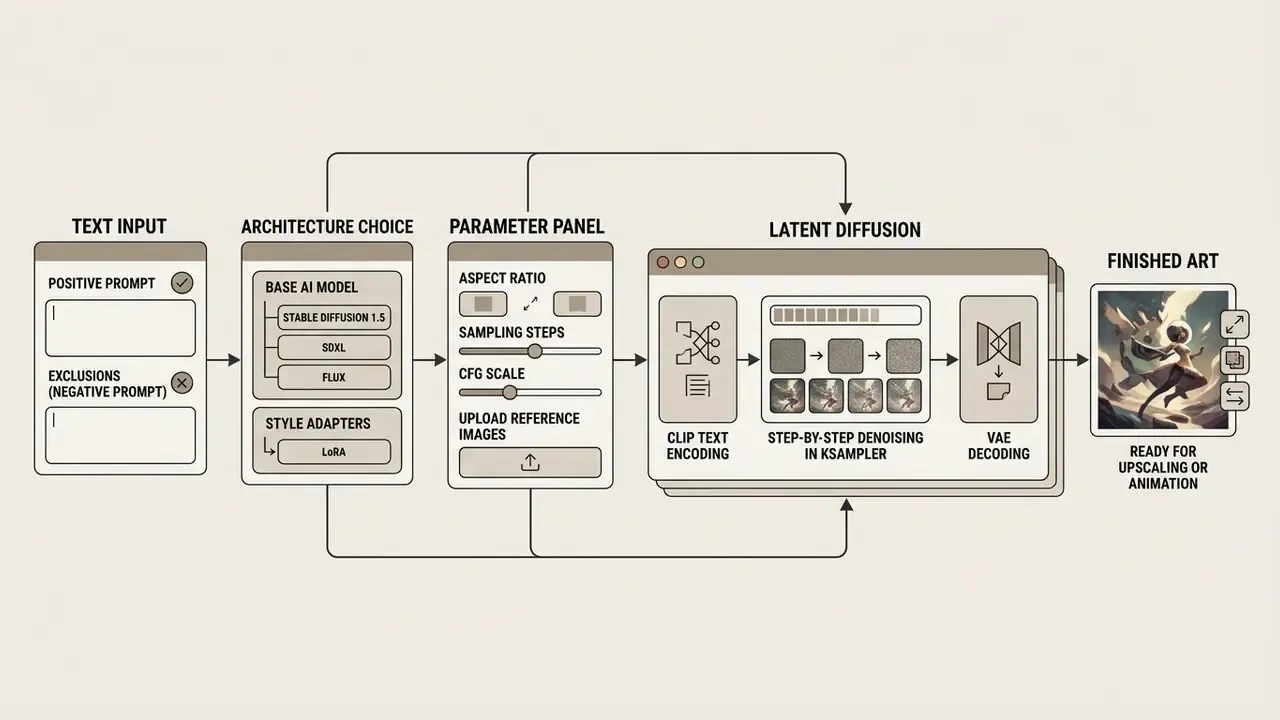
Tensor Art AI transforms text prompts into a finished image through multi-stage latent diffusion. First, a language encoder (CLIP Text Encode) interprets your keywords and stylistic tags, producing a semantic vector that steers the model.
Then the sampling algorithm (KSampler) gradually denoises random noise in latent space, forming structures that match your request. The final generation process is shaped directly by the chosen artistic styles, the CFG scale (how strictly the model follows the prompt), and any attached LoRA models. Finally, a variational autoencoder (VAE) decodes the latent representation into a high resolution pixel image.
There is an extra lever worth knowing: the built-in Enhance Prompt function rewrites your request into richer variants (subject, style, light, mood, background), which widens output diversity. According to the platform's own prompting guide, prompt structure directly determines composition and style. Obvious, maybe. Still routinely ignored.
Who Should Use Tensor Art AI
Tensor Art AI fits content creators, digital marketers, illustrators and indie game developers who need flexible stylistic control without spending money on hardware. The user friendly interface lets beginners launch a generation in a few clicks, while advanced users can fine-tune sampling parameters, ControlNet and LoRA stacking.
For everyday visual content work, the platform covers promo materials, covers, banners and avatars. Research by McCormack et al. (EvoMUSART, 2024), which analyzed more than three million user prompts from ArtStation-related platforms, found that most authors use generative networks for commercially oriented and decorative tasks.
That is exactly why precise style control through community-driven libraries becomes the deciding factor. Commercial work needs a repeatable aesthetic, not random creativity. A campaign with eight visuals in eight different moods is not a campaign. It is a mood board.
Industry Use Cases
| Industry / Niche | Tensor Art tool used | Practical outcome |
|---|---|---|
| E-commerce and retail | Img2Img + Background Removal | Swap studio product backgrounds for interior scenes in minutes |
| Architecture and design | ControlNet (Depth / Canny) + SDXL | Turn hand sketches and drawings into photoreal renders |
| Game development | Custom LoRA + Seed Control | Consistent character sprites, textures and environment concept art |
| Marketing and social media | Text-to-Video (Wan 2.2 / Hunyuan) | Animate static ad banners for Reels and Shorts in about two minutes |
| Anime / illustration | LoRA stacking + fixed Seed | Stylistically coherent storyboards and character sheets |
Key Tensor Art AI Features for Image and Video Generation
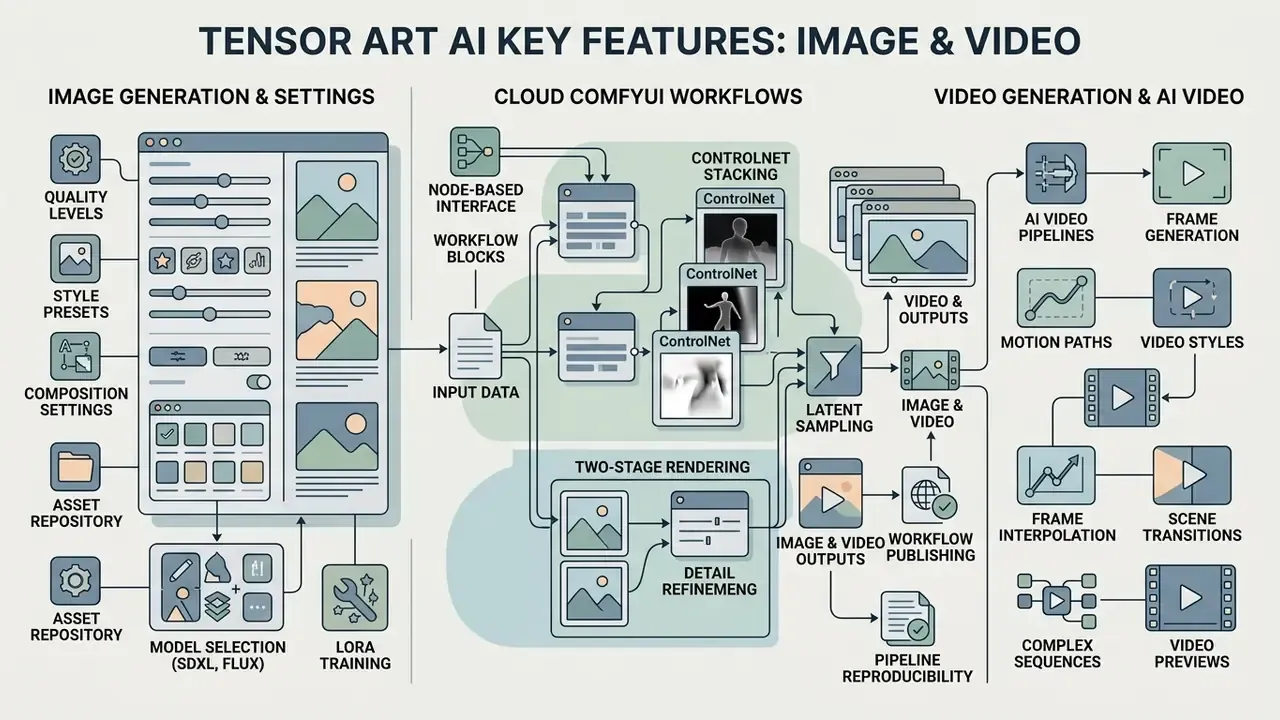
Tensor Art AI offers a feature set that goes well beyond a plain text-to-image box. The platform combines precise composition tools, resolution increase, local editing, and an ai video generator module.
Core capabilities include:
- Text-to-Image and Image-to-Image create original art or remix uploaded references.
- Advanced controls for composition ControlNet modules (OpenPose, Depth, Canny, QR Code) preserve a character pose or the geometry of a frame.
- Advanced editing built-in inpainting (inpaint / ADetailer) for faces and hands, plus background removal.
- Real-time Canvas the generation updates as you paint a rough sketch with a brush, which is genuinely useful for hunting composition fast.
- Magic Wand (prompt enhancer) one button expands and structures the prompt, adding light, style and detail tags. For beginners this is the quickest route to an acceptable result without studying prompt theory.
- Video generation short clips based on Wan 2.1/2.2, Hunyuan and SVD models.
Quality, Style and Composition Settings
To reach high resolution output and serious image quality, the platform exposes the whole diffusion parameter stack. You can pick aspect ratio presets or set exact pixel dimensions, tune negative prompt strength to suppress artifacts (blur, deformed fingers, stray text), and attach reference images in img2img mode with adjustable denoising strength.
The built-in upscaler (HD Restoration / Hires Fix) sharpens textures and small object detail. Some modern checkpoints support native output up to 1536×1536 px. Research by Zhao (SUPIR, 2024) showed that combining SDXL base models with LoRA modules during re-sampling produces a statistically significant gain in objective quality metrics.
Similar algorithms sit directly in the Tensor Art generation panel. If your actual job is upscaling archival or client material, it is worth comparing dedicated AI image upscalers, because a specialized tool sometimes behaves more predictably than Hires Fix inside a generator. The official documentation also warns that overly aggressive upscaler values trigger out-of-memory errors on the cloud side.
Cloud ComfyUI Workflows: Node-Based Visual Programming
For professional authors and technical AI artists, Tensor Art AI offers a full cloud ComfyUI environment. Unlike the standard Workbench interface, this node-based canvas lets you assemble complex custom generation pipelines without installing Python and its dependencies locally.
What ComfyUI in Tensor Art AI enables:
- Complex ControlNet stacking combine depth maps, OpenPose skeletons and segmentation masks in one graph.
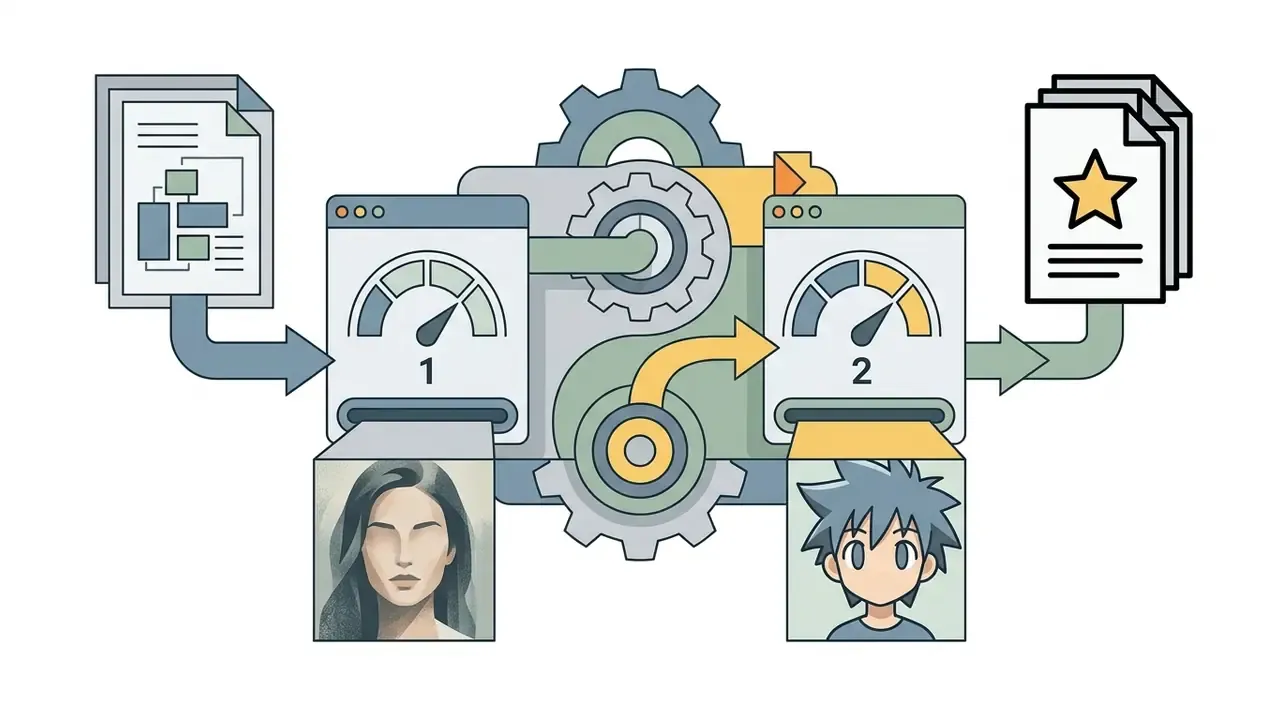
- Two-stage rendering pass a latent frame from FLUX into a specialized SDXL-based upscaler automatically.
- Saving and publishing workflows export node graphs as JSON, share them with the community, or monetize them.
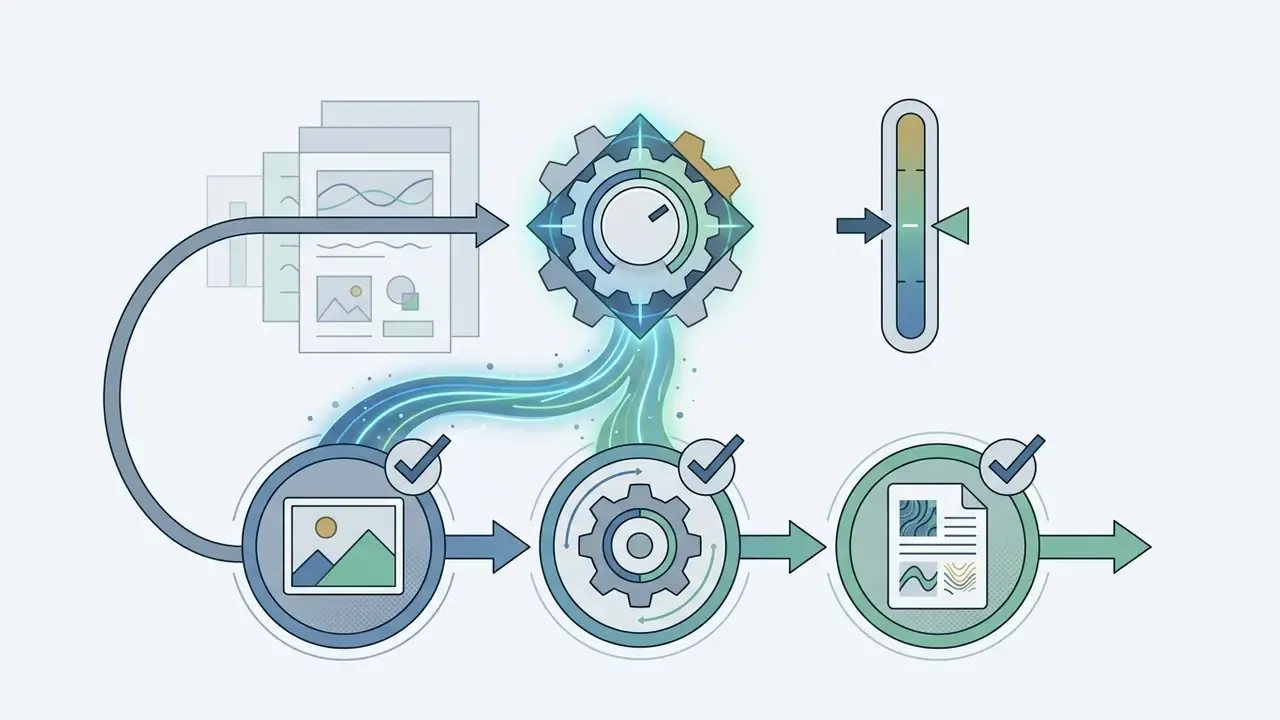
- Pipeline reproducibility the graph records the entire operation chain, so the same JSON plus the same seed returns a repeatable result. For teams that need a stable visual identity, this is the single most valuable feature on the platform.
A practical note. Cloud ComfyUI pays off where a manual sequence of five to seven operations (generate, inpaint the face, upscale, color-correct, remove background) runs dozens of times a week. Build the workflow once and the routine collapses into one button.
Video Generation and Working With AI Video
The video generation module turns static images or text descriptions into clips of roughly 1 to 8 seconds. The exact range depends on the model: Hunyuan tutorials mention 1-5 seconds, some workflows say 3-8 seconds, and the official SVD guide caps output at 4 seconds with 14 or 25 frames at 576×1024. The general mechanics of these models are unpacked in our piece on the AI video generator category.
Algorithms based on Wan 2.2 and HunyuanVideo handle motion with control over frame rate, camera trajectory and seed values. Four input scenarios are supported: text-to-video, image-to-video, first/last frame generation, and video-to-video with ControlNet.
Teams use an ai video generator inside creative workflows for character animation, dynamic social media posts, and bringing concept art to life. The mechanics behind text-to-video AI explain why a video prompt must describe motion character, not just the subject. You control motion intensity through the prompt and diffusion strength, which keeps anatomy from warping between frames.
Video economics differ from images. Per the platform's billing documentation, diffusion cost is calculated from frame count with a model coefficient, and peak hours add a ×1.25 multiplier. The practical takeaway: run test iterations at low FPS and short duration, then schedule the final render outside the peak window.
| Feature | What the tool does | Practical job in creative workflows |
|---|---|---|
| Text Prompt | Text description of scene, subject and style | Baseline visual content generation from scratch |
| Negative Prompt | Field for unwanted elements | Removes artifacts, anatomy defects, stray detail |
| Reference Images | Upload a source image (Img2Img / ControlNet) | Preserves composition, pose or color palette |
| Aspect Ratio | Presets plus custom frame proportions | Adapts format for banners, stories or print |
| Magic Wand | One-click prompt enrichment | Fast start for beginners with no tag syntax knowledge |
| Real-time Canvas | Live generation over a brush sketch | Finding composition and silhouette before final render |
| Advanced Editing | Local inpainting and background removal | Detail fixes, object replacement, subject isolation |
| LoRA Stacking | Up to six style adapters at once | Precise blending of artistic styles and character traits |
| ComfyUI Workflow | Cloud node pipelines with JSON export | Repeatable multi-stage production for teams |
| Video Generation | Text-to-Video and Img-to-Video animation | Animated content for social media and promos |
Before you wire the video module into a production process, run a comparison of AI video generators and assess available free AI video generators on duration, watermarks and export rights. Those three variables decide more purchases than raw quality does.
How to Use Tensor Art AI: Generating Your First Image
To start with the tensor art ai generator you only need a quick sign-up through Google or Discord. The platform grants starter daily credits, reportedly around 50-100 per day (the number depends on the pricing version, region and promotions; some reviews report up to 200). That is enough to begin creating images without attaching a card.
Step-by-step for a first run:
- Sign in and open Classic Workbench or the simplified interface.
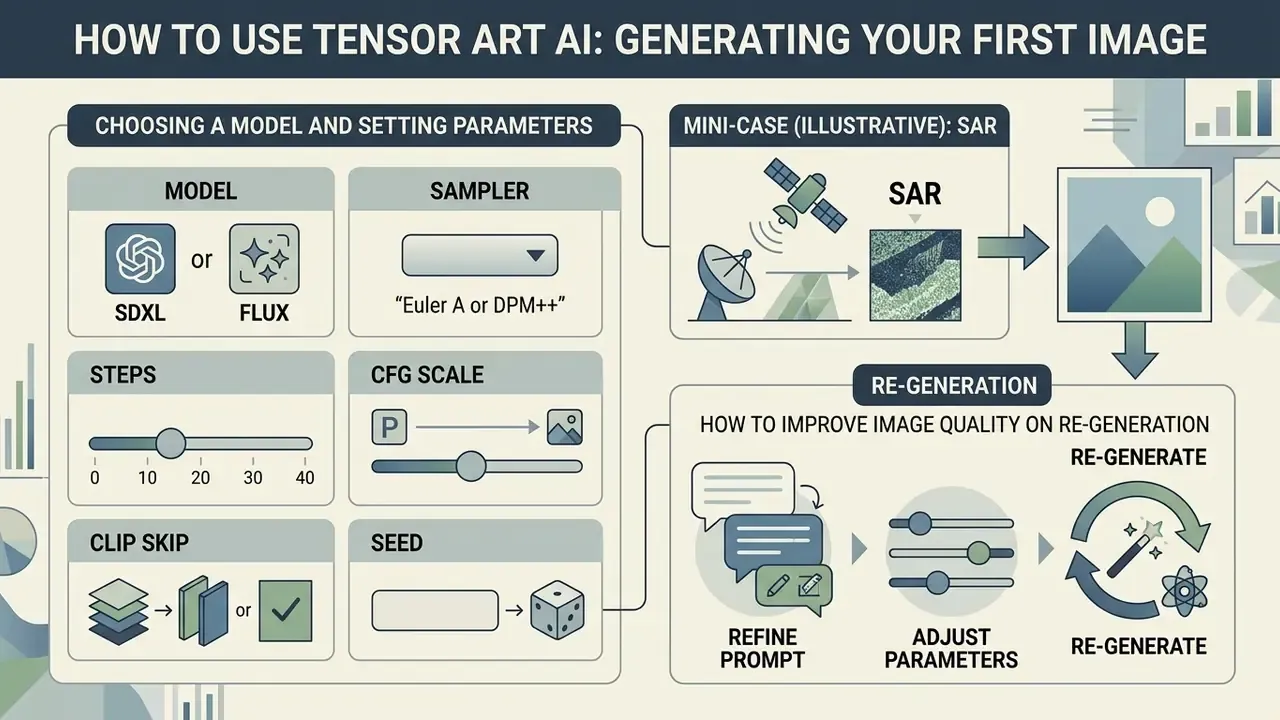
- In the model library, pick a base checkpoint (for example Stable Diffusion XL or FLUX).
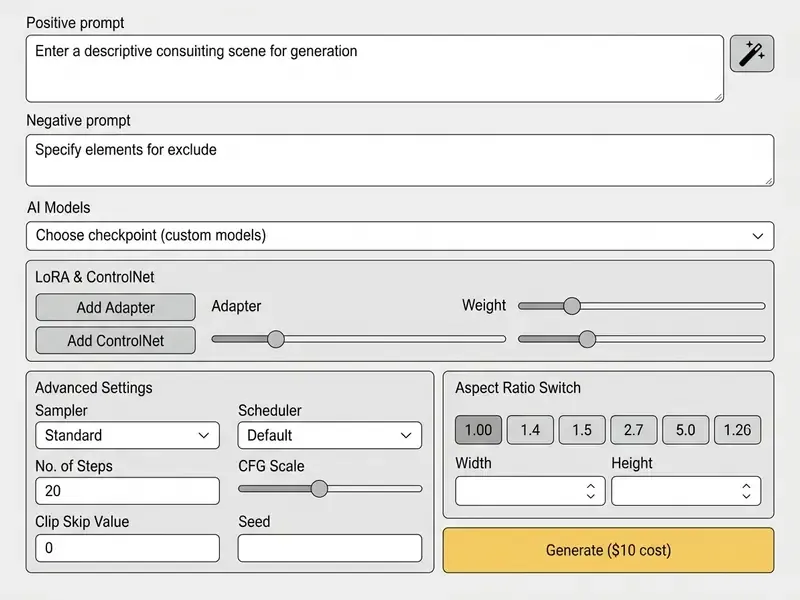
- Enter your request in the prompt field and list exclusions in the negative prompt. Press Magic Wand if you want the platform to add stylistic tags for you.
- Optionally enable Real-time Canvas and block out composition with a rough brush sketch; generation will follow the contour.
- Choose the aspect ratio and press Generate.
Choosing a Model and Setting Parameters
Picking the right ai models is the step that decides your visual style. For photorealism, choose specialized checkpoints such as Photoreal SDXL. For anime or comic stylization, SD 1.5 variants with attached LoRA or Illustrious XL work better. Model cards publish an ELO rating and supported resolutions (from 512×512 up to 1536×1536), which is the fastest way to rule out unsuitable checkpoints before spending credits.
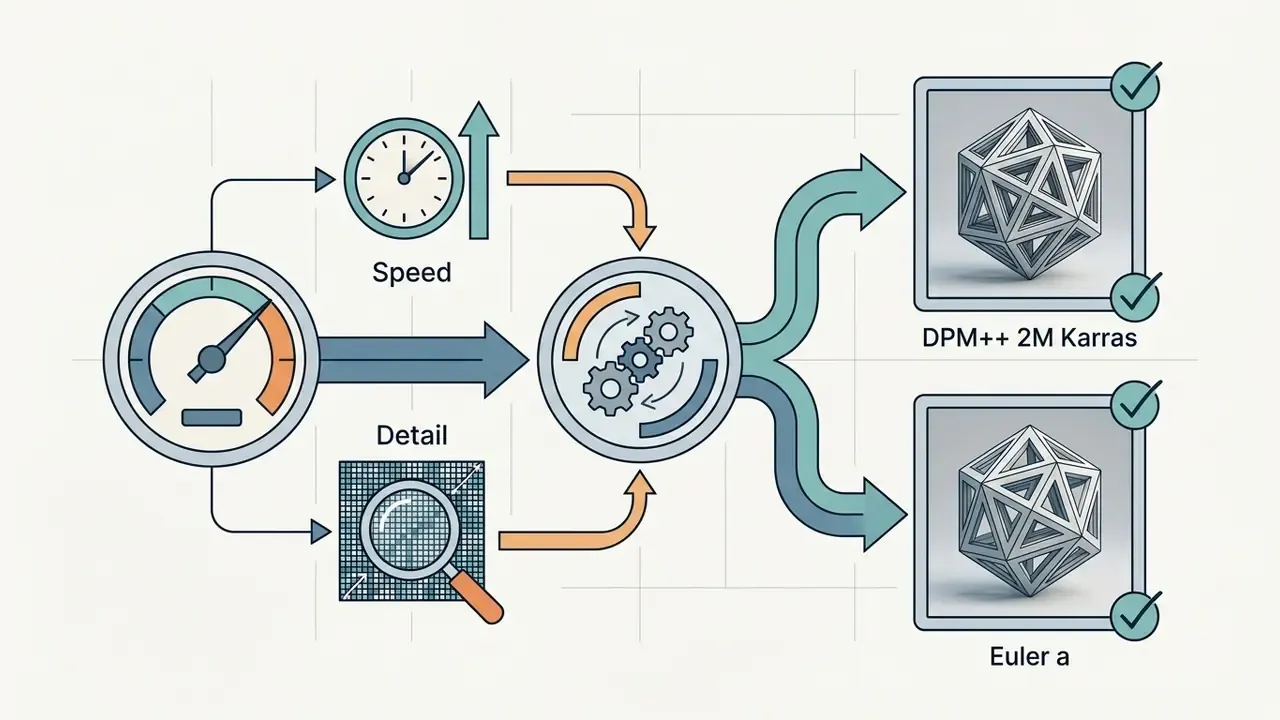
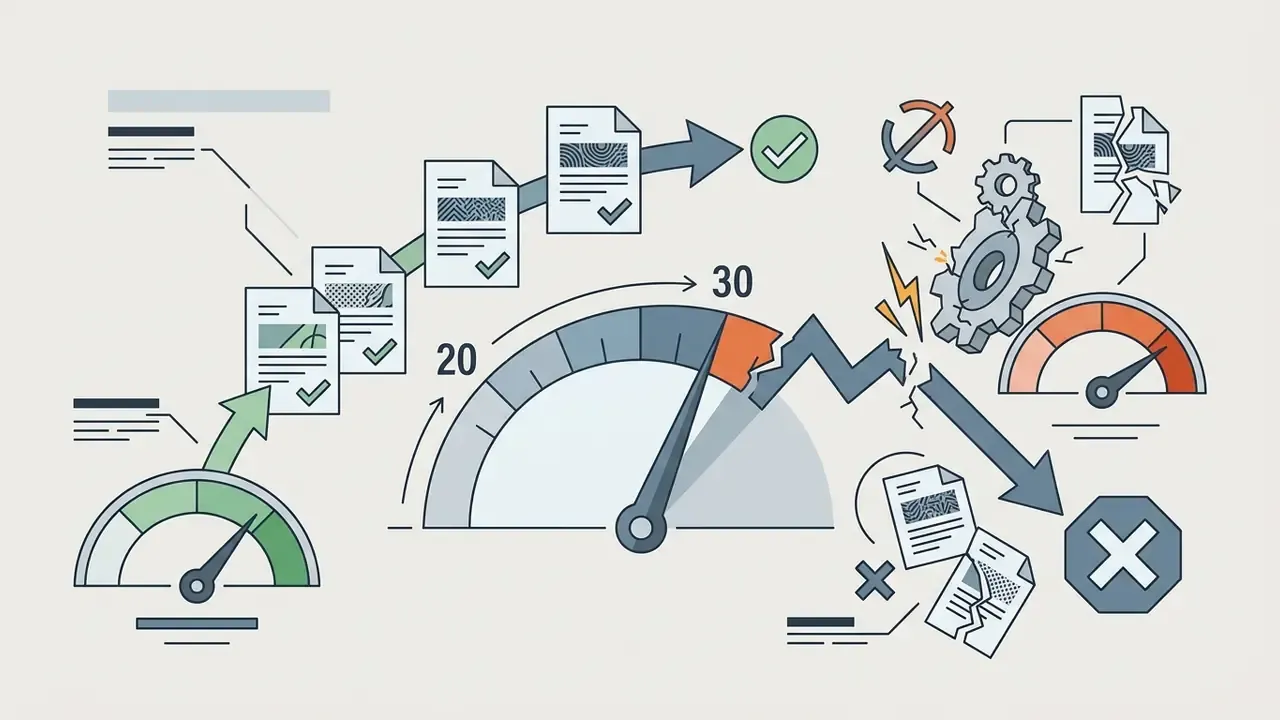
Recommended baseline settings before you generate:
How to Improve Image Quality on Re-Generation
If the output has small defects, do not throw away the prompt. Tensor Art AI gives you iterative levers.
To refine an image:
For descriptive metadata on the assets you ship, an ai alt text workflow pairs well with batch generation and saves manual cleanup before publishing.
- Sharpen the prompt
- add lighting detail (volumetric lighting, studio rim light) and texture cues (detailed skin pores, 8k resolution).
- Use the negative prompt
- enter blurry, bad anatomy, deformed hands, low quality.
- Apply HD Restoration (Hires Fix)
- enable upscaling at 1.5x-2.0x with Denoising Strength between 0.3 and 0.45. The platform's official guide recommends 20-30 steps and denoising around 0.4-0.5 for this stage. It removes blur and adds micro-detail without changing the base composition.
- Treat ControlNet as a second prompt
- the official Tensor Art remix guide uses two adapters (Canny + Depth) at weight 0.5 each, which keeps the contour fixed while the style changes completely.
- Change one thing at a time
- adjust a single parameter per iteration and record the seed. Otherwise you will never know which lever produced the improvement.
AI Models, LoRA and Custom Model Training in Tensor Art
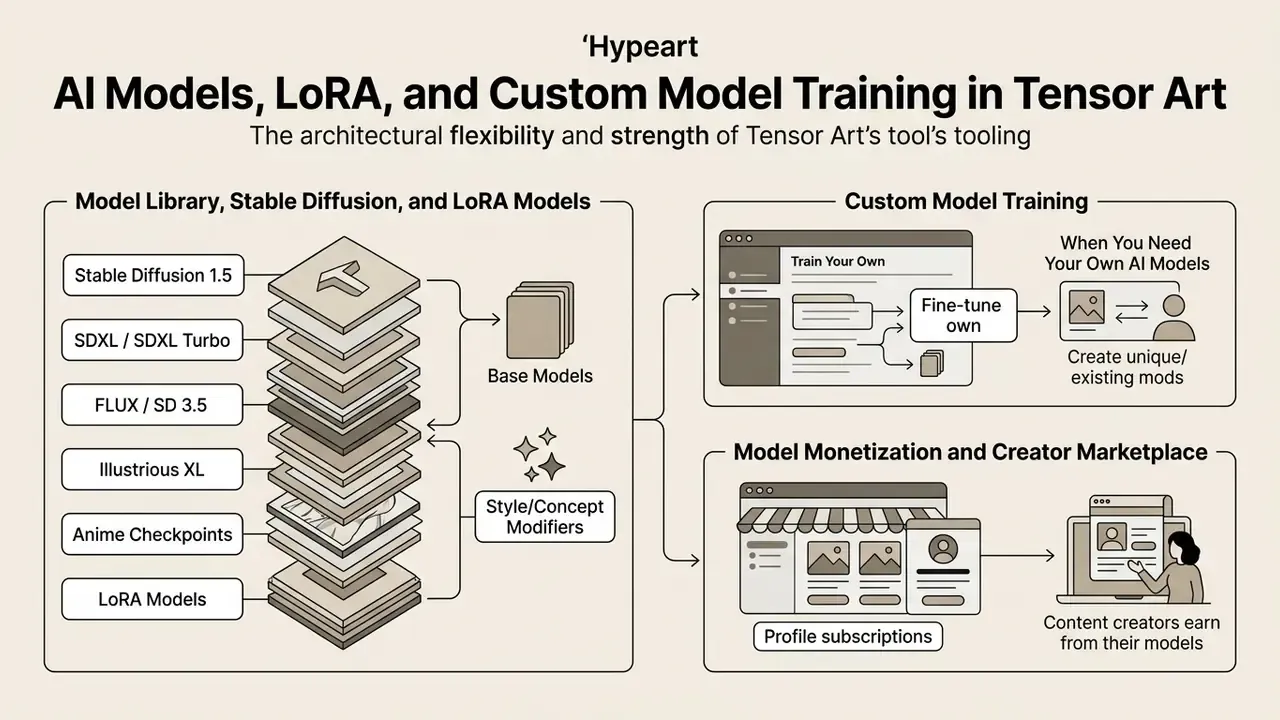
The core strength of tensor ai art tooling here is architectural flexibility. The platform supports the full Stable Diffusion ecosystem (1.5, 2.1, SDXL, SDXL Turbo, SD3, SD3.5) and allows model hosting for your own checkpoints plus creation of custom styles.
LoRA stacking lets you layer several narrowly specialized micro-models over one base checkpoint. One LoRA handles facial anatomy, another watercolor rendering, a third clothing design. Technically, the platform API describes LoRA as an array of objects with a model identifier and a weight, so multiple adapters combine legitimately in a single request. Work by Thakur & Vashisth (LCM-LoRA, 2023) showed that low-rank adaptation introduces new visual concepts while touching a minimal share of base weights.
Model Library, Stable Diffusion and LoRA Models
The model library holds more than 10,000 user and reprinted checkpoints according to independent reviews, while the platform profile claims 400,000+ models. The gap comes from different counting methods and the inclusion of reprinted versions. Each catalog entry carries a detailed card with compatibility tags, an ELO rating, and sample works with their original prompts.
Base version matters when you choose:

For remixing and style transfer from references, it helps to understand the wider class of image-to-image generators. In Tensor Art it is the same img2img mechanism, extended with ControlNet and your own LoRA training. If your inputs are personal photographs rather than sketches, the dedicated ai anime generator from photo category covers the consent and likeness questions in more depth.
When You Need Your Own AI Models and Custom Model Training
You need to train custom models when the standard library cannot reproduce a specific corporate style, a particular product, or a specific character face. Tensor Art AI provides cloud training through its web interface, no local setup required.
Building your own LoRA adapter:
- Prepare a dataset of 10-20 quality images at matching resolution (512×512 or 1024×1024). For complex multi-angle subjects, official guides mention sets of 50 to 200 frames.
- Write captions (Kohya-ss format annotations) including a trigger word.
- Configure training parameters: base mode (anime, reality, 2.5D, standard, custom, where Custom exposes SDXL, SD3, Hunyuan and FLUX), epochs (8-12), repeats, batch size, and learning rate around 0.0001-0.0002.
- Launch the fine tune on Tensor Art cloud GPUs, download the finished LoRA file, then publish it through the "Host my model" flow into the public gallery or a private repository.
One organizational detail that gets forgotten: training consumes credits and queue time, so estimate the budget first. In practice it is cheaper to test a style hypothesis with a combination of existing LoRA models and only then train your own adapter. I have watched teams skip that step and burn a week's credits on a dataset they later rebuilt anyway.
Research by Zhang et al. (2024) on fine-tuning diffusion algorithms for architectural design demonstrates that custom LoRA models let the network capture the unique geometric patterns of a dataset.
That effect is what turns a general generator into something closer to a precision design instrument.
Model Monetization and the Creator Marketplace
Tensor Art AI is not only a generator. It is also a marketplace for AI content developers. Authors who build popular LoRA adapters, style controllers or training checkpoints can earn passive income.
Ways to earn on the platform:
- Profile subscriptionssell paid access to exclusive LoRA models and ComfyUI workflows through the marketplace subscription system.
- Usage-based rewardsreceive a share when other users generate with your model.
- Selling custom workflowspublish closed ComfyUI graphs with a fixed unlock price in credits.
The legal condition is single and strict: you may sell access only to models you actually own the rights to. Platform rules explicitly require the original author's consent when reprinting someone else's model, and the service terminology places responsibility for using a model without a commercial license on the publishing author. Not on the platform. Read that sentence twice if you plan to monetize.
FACT CHECK / FUNCTIONALITY VERIFICATION (as of 2026)
Tensor Art AI Free Tier, Pricing and Commercial Use Conditions
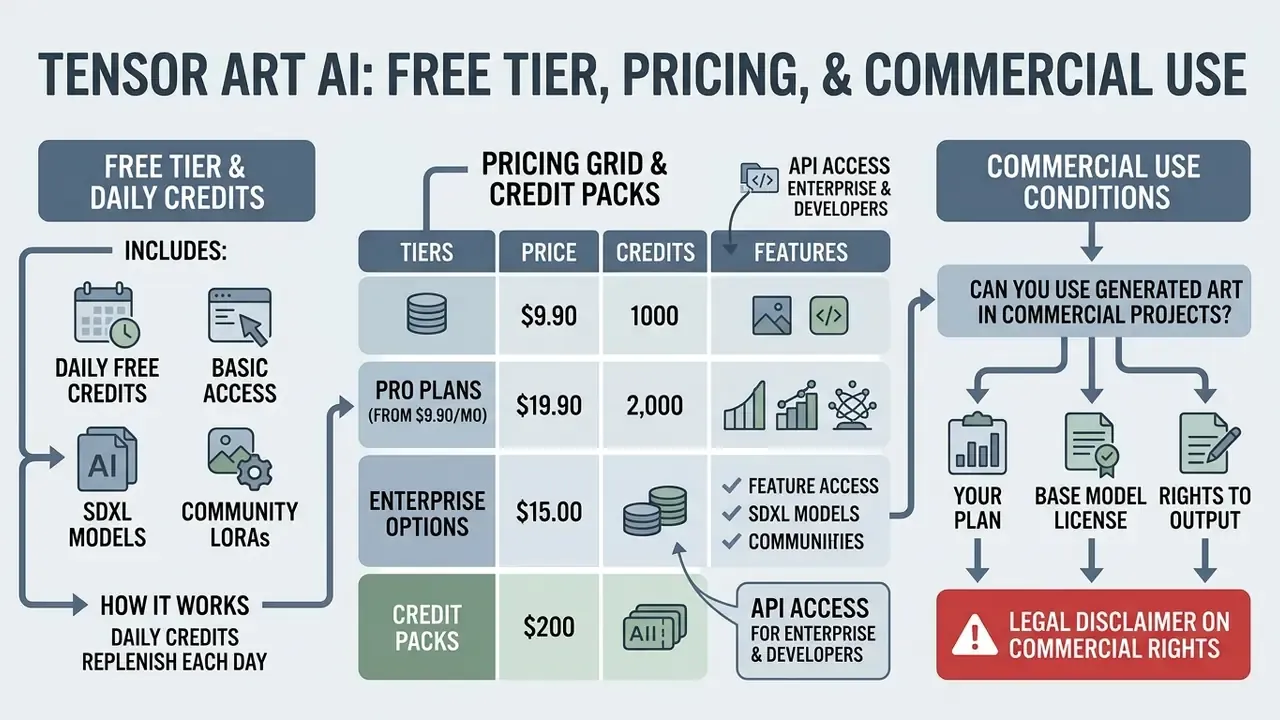
Tensor Art AI runs a freemium model. Free users receive renewable daily credits, while paid Pro subscriptions unlock a priority queue, private generation mode, and extended commercial rights to the results.
The tensor art ai free tier provides, per open sources, between 50 and 100 daily credits. Sources disagree here: some reviews report 50, others 100, a few mention up to 200. The platform periodically changes the grid and shows regional or promotional variants. Either way it is enough for 20-50 standard images per day. During peak hours, however (the platform's own notice cites the UTC 12:00-20:00 window), free requests wait in the shared queue and video generation costs rise by a ×1.25 multiplier.
What the Free Tier Includes and How Daily Credits Work
The free mode exists for exploring the generator and for non-commercial experiments. Before choosing a plan it is reasonable to look sideways at alternatives: the roundups of free AI image generators and free AI art generators compare limits, watermarks and export rights. Daily credits refresh every 24 hours and do not accumulate if you stay idle.
Main free tier limitations:
- All generated images are public and land in the shared community feed.
- Output resolution is capped, typically at 1536×1024.
- One parallel generation task, in the shared queue during peak hours.
- No commercial license for the resulting art.
Full Pricing Grid and Credit Packs
| Plan | Price | Credit allocation | Max resolution | Parallel tasks | Commercial rights |
|---|---|---|---|---|---|
| Free Tier | $0 | ~50-100 daily credits, refreshed every 24 h | 1536 × 1024 px | 1 task, shared queue | Personal use only |
| Pro Monthly | $9.90 / mo | 300 daily credits + 1,000 bonus | 3840 × 2160 px | Up to 10, priority | Commercial rights included |
| Pro Quarterly | $29.70 / qtr | 300 daily credits + 5,000 bonus | 3840 × 2160 px | Up to 10, priority | Commercial rights included |
| Pro Yearly | $118.80 / yr ($9.90/mo) | 300 daily credits + 25,000 bonus | 3840 × 2160 px | Up to 10, priority | Commercial rights included |
| Credit Pack Small | $9.90 one-off | 3,000 non-expiring credits | Per Pro status | Per Pro status | Depends on active Pro account |
| Credit Pack Medium | $29.90 one-off | 10,000 non-expiring credits | Per Pro status | Per Pro status | Depends on active Pro account |
| Credit Pack Large | $59.90 one-off | 30,000 non-expiring credits | Per Pro status | Per Pro status | Depends on active Pro account |
Credit consumption is not linear. It scales with resolution, model complexity, step count, and frame count for video. The annual plan wins over monthly not through a discount (the effective monthly price is the same $9.90) but through the one-time 25,000 credit bonus, which is effectively a large Credit Pack bundled in.
On Enterprise and API access. We could not find publicly published pricing for Team or Enterprise accounts, dedicated cloud GPU instances, or per-request API billing. The billing documentation describes the credit model, including the video diffusion formula, but not corporate SLAs. For a procurement process that means a direct sales inquiry is mandatory: you need contractual limits, an invoice offer, availability SLA, and privacy terms in writing. If predictable per-request cost and documented quotas are the priority, it is also worth studying the API economics approach on the Google Veo example.
Can You Use Generated Art in Commercial Projects?
Commercial work with generated art depends on two things: your current plan and the license of the specific base model or LoRA.
Per platform rules and independent legal reviews:
- Your plan.The free tier explicitly restricts results to personal, non-commercial purposes. A Pro subscription removes the platform-level restriction.
- Base model license.Rights to the art are governed by the checkpoint you used. SD 1.5 and SDXL models under CreativeML Open RAIL-M permit commercialization. SD 3 and SD 3.5 run under the Stability AI Community License: free for commercial use while organizational annual revenue stays below $1 million, above which an enterprise license is required. If you used a community LoRA or checkpoint whose author prohibited commercial use (Non-Commercial License), selling those images is not permitted.
- Rights to the output itself.In the platform's terms (2024 revision) the service does not claim ownership or copyright over generated images. That does not widen the model license, though. A narrow checkpoint license always overrides the platform's broad wording.
Research by Lovato et al. (2024), which surveyed 459 digital artists and rights holders, stresses that copyright questions in AI require strict transparency about dataset provenance.
When planning commercial campaigns, always check the Commercial Use tag on the model page. Adjacent legal nuances are covered in our pieces on Canva AI Generator and Google AI Image Generator; the comparison is useful if your platform choice is driven specifically by commercial production. For disputes and precedent tracking, you can also compare options across current cases before you standardize on a vendor.
⚠️ LEGAL DISCLAIMER ON COMMERCIAL RIGHTS
License Audit Checklist for LoRA and Checkpoints Before a Commercial Launch
Print it and walk through the items before publishing a campaign, not after.
Checklist0 / 10
Data Security, Reproducibility and Enterprise Compliance
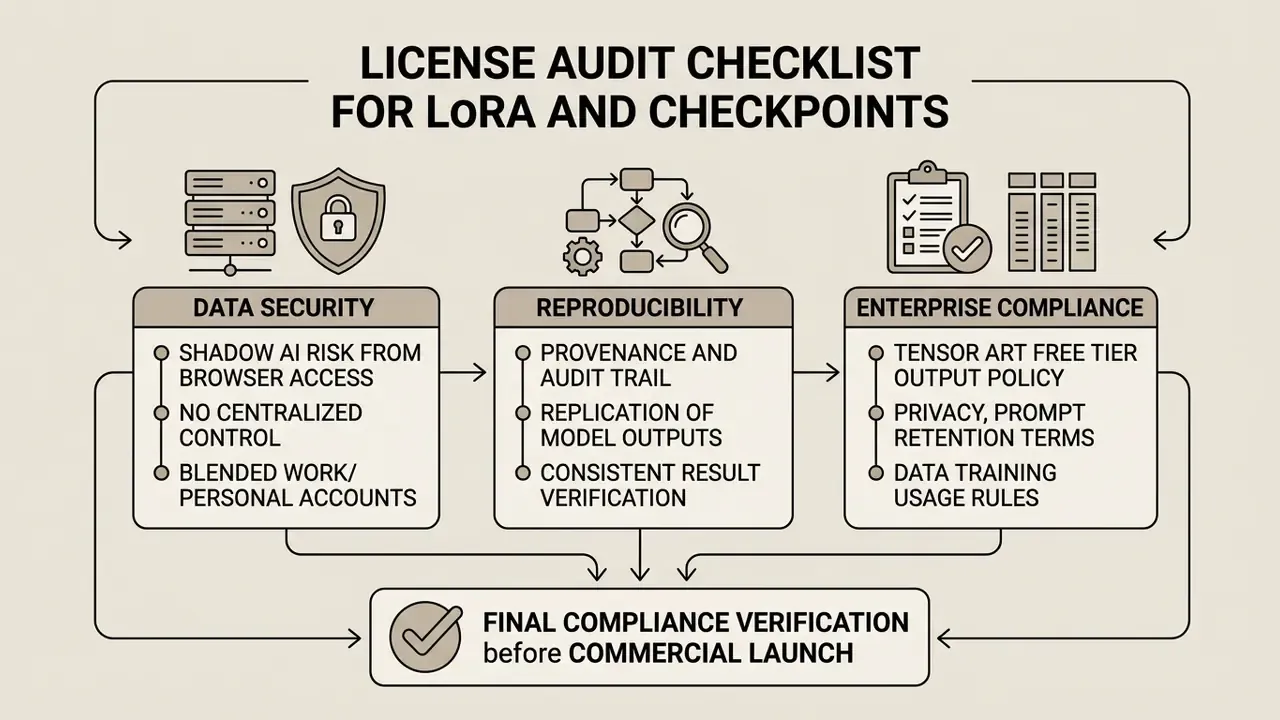
Shadow AI Risk: Why Browser Access Is the Problem
Tensor Art AI is a public SaaS available through ordinary Google or Discord sign-up, with no corporate SSO in the free tier. The practical consequence is predictable. Any employee can start using the platform without IT approval, uploading internal material: layouts, product photography, interface screenshots, and occasionally documents containing personal data.
Key risk factors:
- Public output on the free tier. Generated images go to the shared community feed by default. For an uploaded reference containing internal information, that is a direct leak.
- No centralized control. Without a corporate plan there is no single console for users, roles and logs.
- Blended personal and work accounts. A model trained by an employee on a corporate dataset inside a personal profile legally stays in that account, monetization rights included.
Minimum controls: place the platform domain in your allow or deny service register; state in the AI policy that client data and personal images must not be uploaded; require private mode (Pro) for any work task; and maintain a register of models used. None of this is exotic. It is inventory hygiene applied to a tool nobody classified as a model.
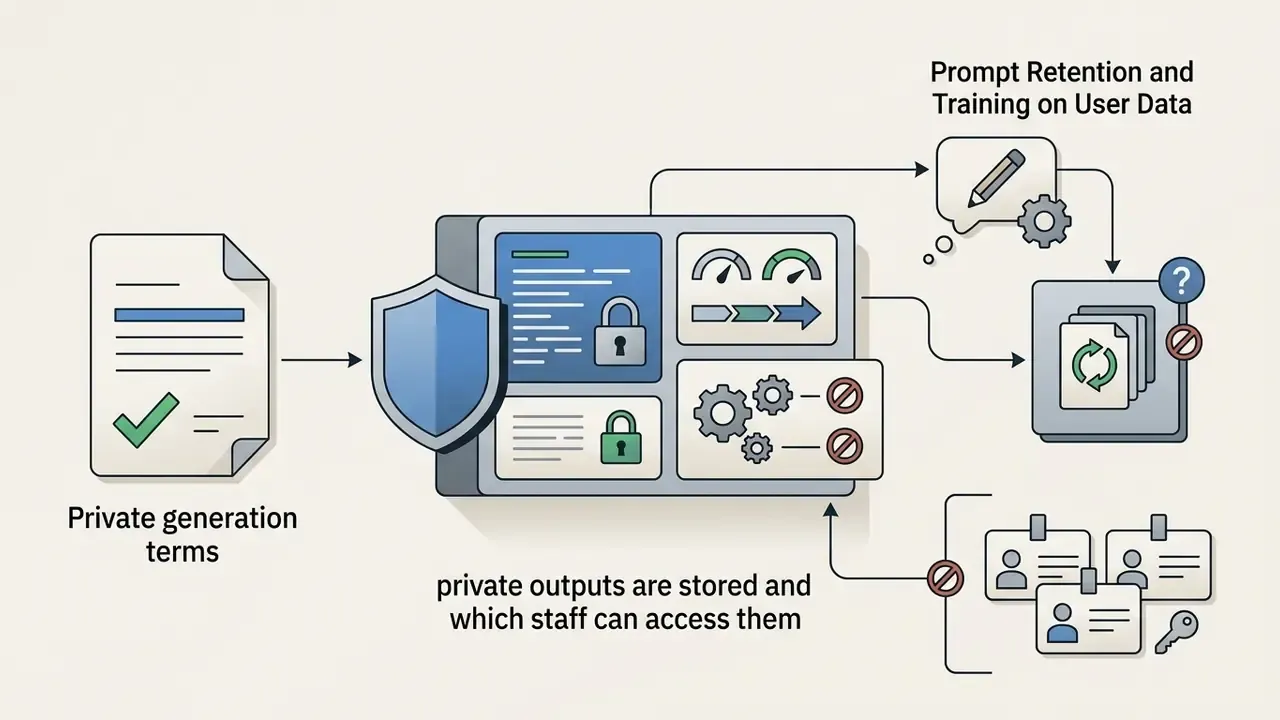
Privacy, Prompt Retention and Training on User Data
Honesty is required here. In the platform's open materials we found no published SOC 2 Type II or ISO 27001 certificates, nor an unambiguous public statement about retention periods for prompts and uploaded references, nor about whether user inputs feed model retraining. That does not mean protection is absent. It means regulated industries must obtain this in writing and lock it into a contract.
What to request from the vendor before a pilot:




Reproducibility, Provenance and Audit Trail
For model risk, reproducibility outranks quality. In Tensor Art AI it is technically achievable, but it is sustained by user discipline rather than by a corporate audit subsystem.
What works:
- Fixing seed and parameters. With the same seed, sampler, step count, CFG, checkpoint version, and LoRA set with weights, the result repeats.
- The ComfyUI graph as an artifact. An exported workflow JSON captures the whole pipeline. It is the best available analogue of a versioned production line.
- Generation metadata. Parameters attach to published works and post cards, which lets you reconstruct the conditions of a generation.
What is missing for an enterprise perimeter:
- An organization-level audit log (who generated what, when, with which model and which data) that exports for a regulator.
- Guaranteed metadata immutability. When a file is downloaded and re-saved, EXIF or PNG metadata can be lost.
- Organization-side versioning. A community model author can update or delete a checkpoint, and exact reproduction of a past generation becomes impossible.
The workaround we recommend to teams: keep a "generation card" for every commercial asset in an internal repository, meaning the file plus a JSON with prompts, seed, model versions, links to license cards, and the verification date. It costs about 30 seconds per image and it is the only way to answer "how exactly was this made?" a year later. Auditors do ask. Usually at the worst moment.
Tensor Art AI Pros and Cons: Should You Choose This Generator?
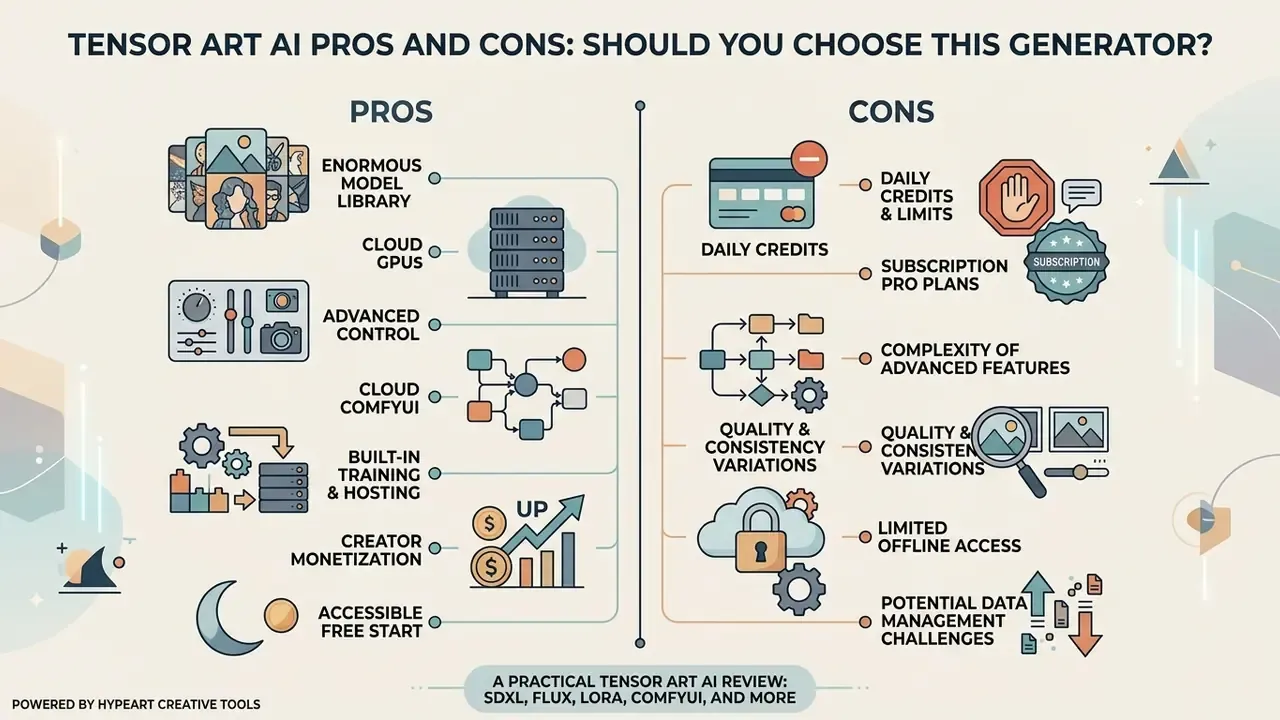
Tensor Art AI has established itself as one of the most flexible and feature-rich generators built on Stable Diffusion and FLUX. It is useful to view it in the context of the best AI image generators: the platform beats closed services such as Midjourney on granular control over style, pose and detail, but loses to them on interface polish.
Below is the matrix that helps you judge fit against your own workload.
Pros
- Enormous model library access to 10,000+ checkpoints and LoRA models (the platform claims far more) without downloading gigabytes locally.
- Cloud GPUs run heavy architectures (FLUX, SDXL, SD 3.5, Wan 2.2) from a weak laptop or a phone.
- Advanced control ControlNet, inpainting, upscaling, and multi-layer LoRA stacking.
- Cloud ComfyUI reproducible node pipelines with no local Python install.
- Built-in training and hosting create your own LoRA models in the browser and publish them through "Host my model".
- Creator monetization a marketplace with subscriptions and usage-based rewards.
- Accessible free start renewable daily credits with no watermark in most modes.
- Fast beginner onboarding Magic Wand and Real-time Canvas lower the entry barrier to a single click.
- Flexible content policy unlike heavily censored services (Midjourney, DALL·E 3), Tensor Art supports art models without broad blocking filters, adult content included, subject to basic legal norms and marketplace rules. For part of the professional audience this is decisive. For corporate use it demands internal restrictions instead.
Cons
When picking the right AI media tool, adjacent guides help. You can explore terminology in the AI Media Glossary, view the guide to head-to-head comparisons, or start from Hypeart AI Media Decision Support if you need the decision framework rather than a single product review. If you are specifically after generators without hard restrictions, read our ai art generator overview, or see how ai animate image workflows bring static graphics to life. For portrait-driven output, the ai art generator from photo guide, the AI headshot generator material, and the piece on AI image expansion (outpainting) cover the narrower jobs.
FAQ: Common Questions About Tensor Art AI
Can you use Tensor Art AI completely free?
Yes. The platform offers a free plan with daily credits that refresh every 24 hours, reportedly 50-100 per day. That covers several dozen standard images daily. The trade-offs: a public feed, one parallel task, lower maximum resolution, and no commercial license.
How does Tensor Art differ from Midjourney?
Midjourney is a closed proprietary model controlled through Discord with a polished house aesthetic. Tensor Art AI is an open web hub that lets you choose among thousands of community Stable Diffusion and FLUX models, attach ControlNet, build node pipelines in ComfyUI, and train your own LoRA. Midjourney wins on out-of-the-box predictability. Tensor Art wins on control and customization.
Is it safe to upload my own photos to create avatars?
Tensor Art processes data on cloud servers. Remember that on the free plan your results appear in the public feed. For confidentiality, use the private mode in a Pro subscription, never upload third-party photos without consent, and do not process client personal data on the platform without a separate legal opinion and a DPA.
Does Tensor Art AI have ComfyUI, and why does it matter?
Yes. The platform provides a cloud ComfyUI, a node-based visual programming environment. You need it for complex multi-stage pipelines (stacked ControlNets, a two-step FLUX to SDXL upscaler render) and for reproducibility: the graph exports to JSON and repeats the result exactly.
What does Pro cost, and is a subscription or a credit pack better?
Pro costs $9.90 monthly, $29.70 quarterly, or $118.80 yearly. The subscription suits regular work: 300 daily credits plus bonuses, priority queue, up to 10 parallel tasks. One-off packs ($9.90 / $29.90 / $59.90 for 3,000 / 10,000 / 30,000 credits) suit spiky projects, since those credits do not expire on a schedule.
Can you earn money from your own models?
Yes. Authors monetize LoRA models, checkpoints and ComfyUI workflows three ways: profile subscriptions, usage rewards when others generate with the model, and sales of closed workflows for credits. The condition is non-negotiable: you must hold the rights, and reprinting someone else's work requires the original author's consent.
What video durations are available?
Roughly 1 to 8 seconds per iteration depending on the model. Hunyuan tutorials describe 1-5 seconds, some workflows 3-8 seconds, and the official SVD guide caps output at 4 seconds (14 or 25 frames, 576×1024). Cost is computed from frame count with a model coefficient, plus the ×1.25 multiplier during peak hours.
Does the platform filter NSFW content?
Tensor Art sits in the flexible-policy camp. The hard filters typical of Midjourney or DALL·E 3 are absent, and adult models exist on the platform. That does not remove statutory limits or marketplace rules, and for corporate use it means you will need your own internal policy and moderation layer.
Is output reproducibility supported?
Yes, provided you fix the seed and every parameter (sampler, steps, CFG, clip skip, checkpoint version, LoRA list with weights). But the platform provides no organization-level audit trail, and a community model can be updated or deleted by its author. Critical assets therefore deserve your own generation card.
Is there an Enterprise plan, an API, or dedicated GPUs?
We could not find publicly published Enterprise pricing, SLAs, or a price list for dedicated instances in open materials; the billing documentation describes the credit model only. Corporate procurement will require requesting terms directly from the vendor.
About the Author and Review Methodology
Prepared by the AI Media editorial team. Our profile is applied reviews of generative tools with emphasis on the two things usually skipped: the real economics of use (credits, queues, peak multipliers) and the legal cleanliness of the output (model licenses, rights to results, applicability in commercial campaigns). The risk-assessment frame for this review was articulated by Marcus Hale, author.
How we gathered the data:
- Cross-checked independent 2025-2026 reviews on pricing, limits and functionality. Discrepancies (daily credit volume, model count) are flagged explicitly in the text instead of resolved in favor of the convenient number.
- Backed technical claims about LoRA, fine-tuning and re-sampling effects with academic sources: McCormack et al. (EvoMUSART, 2024), Zhao (SUPIR, 2024), Thakur & Vashisth (LCM-LoRA, 2023), Lovato et al. (2024), Zhang et al. (2024).
- Checked enterprise aspects (data retention, certifications, audit logs) against open sources. Where no public confirmation exists, we say so rather than speculate.
Last updated: 2026. Pricing, credit limits, model inventory and license terms shift; verify against the official platform site before making commercial decisions.
For more coverage of rights, licensing and production questions across tools, see the AI Media Commercial-Use hub.