Last updated: February 2026 · Reviewed for: prompt engineering accuracy, export specifications, and commercial licensing risk.
Executive Summary: Key Takeaways
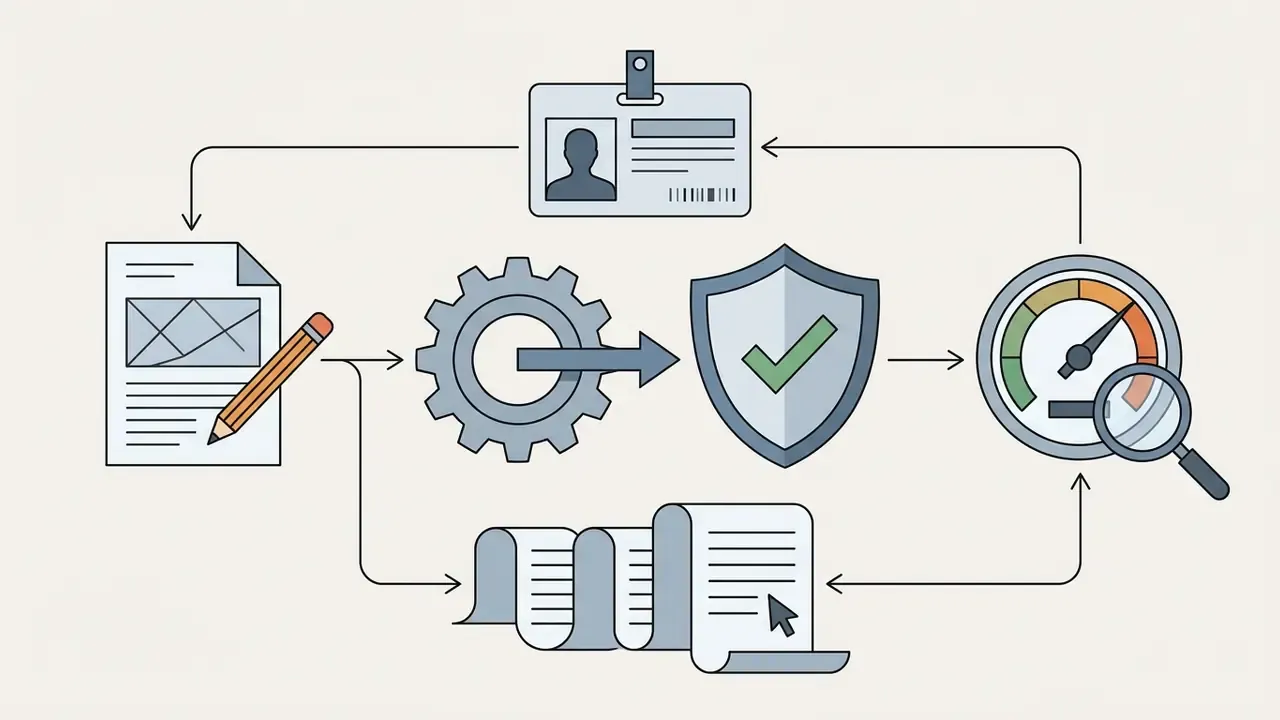
What Is an AI Logo Generator With Prompt and How Does It Work?
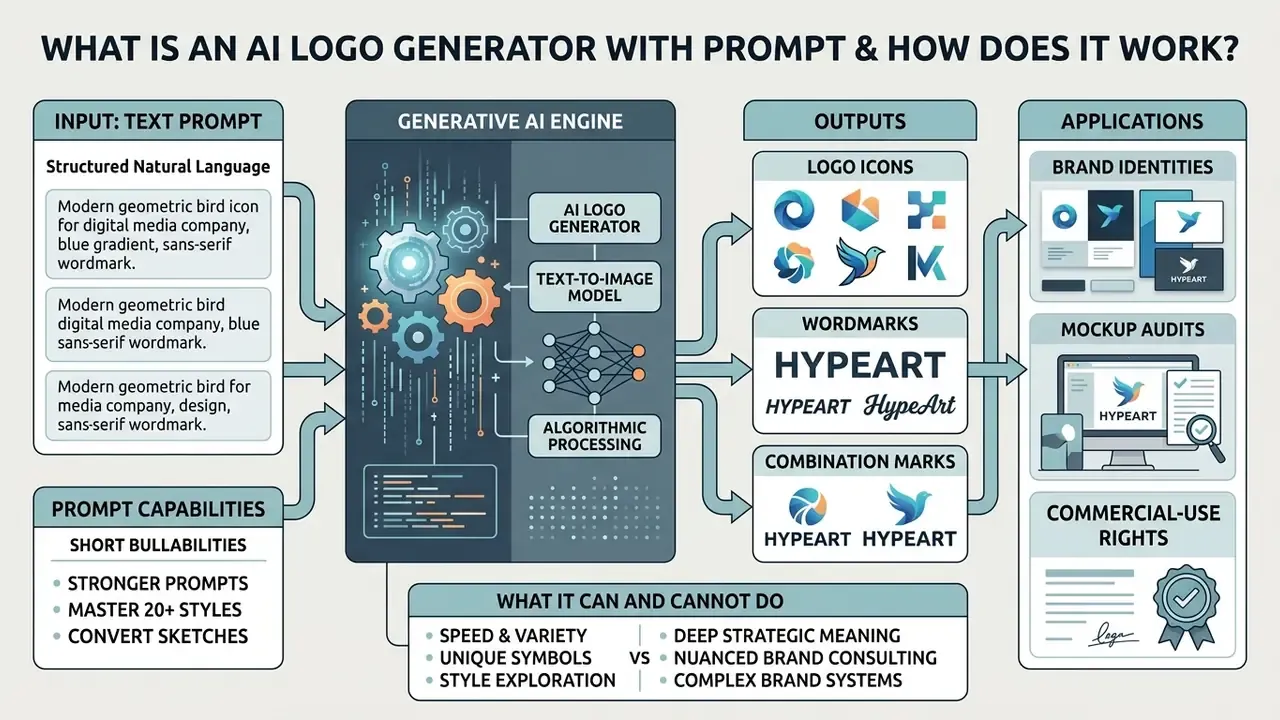
An ai logo generator with prompt is a generative AI software tool that translates structured natural language text descriptions into visual brand symbols, wordmarks, and combination marks. These systems lean on specialized generative AI architectures, primarily text-to-image diffusion models and Multimodal Diffusion Transformers (MM-DiT), to map textual semantic tokens onto visual features such as shapes, geometry, typography, and color palettes.
At a technical level, an ai art logo generator processes a text prompt through a text encoder to create high-dimensional embeddings. The diffusion backbone then removes Gaussian noise from a latent space tensor, step by step, guided by those text embeddings, until a coherent image emerges.
Modern tools like LogoDiffuser (arXiv, 2026) use joint attention mechanisms to balance text accuracy with pictorial elements.
“LogoDiffuser applies a training-free MM-DiT joint-attention mechanism that preserves glyph structure precisely across multilingual logo designs.”
When you use an ai image generator for logos, the platform produces several draft candidates, letting you select, refine, and convert raw raster diffusion outputs into clean vector assets suitable for commercial branding. To evaluate how underlying generative architectures handle different visual tasks, you can view the guide on generative media systems and compare capabilities across general-purpose AI image generators. One practical note before you start: the model does not know your market. It only knows your words.
Text prompts, logo icons, and wordmarks
A text prompt translates core brand concepts into distinct visual components, separating graphic symbols (logo icons) from stylized text (wordmarks). In an ai art logo design workflow, the prompt defines whether the system should generate a standalone symbol, a pure typographic mark, or a composite lockup combining both.
Logo icons work as standalone visual anchors. They need strict geometric clarity, minimal line complexity, and high contrast so the mark still reads on light and dark backgrounds. Enterprise identity systems formalize this separation: GlobalLogic maintains a dedicated icon set that may use gradients and sit on light or dark backgrounds, while Markforged permits the icon to appear without the wordmark but never the reverse, enforcing minimum widths of 20 px for the icon and 100 px for the full lockup.
Wordmarks, by contrast, rely on precise font classifications, letter spacing, weight, and kerning. Women’s World Banking, for example, defines its wordmark as specially drawn lettering derived from Le Monde Livre Standard, which is evidence that professional wordmarks customize a typeface rather than deploy a stock font unchanged. As enterprise identity frameworks show, wordmarks hold brand recognition through explicit typographic consistency, while graphical marks allow broader stylistic latitude.
“Semantic typographic logos harmoniously blend typeface and imagery, preserving legibility across varying levels of structural detail.”
An ai create logo from prompt workflow requires you to state whether you need an abstract symbol, a monogram, or custom lettering, so the resulting ai generator symbol aligns with your broader brand architecture. Useful prompt vocabulary for that decision: kerning (space between individual letter pairs), tracking (uniform letter spacing), x-height, stroke contrast, and typeface classifications such as geometric sans, humanist sans, transitional serif, or high-contrast display. Say “geometric sans, single weight, wide tracking” and the output changes materially. Say “clean font” and you get a lottery.
What AI-generated logo images can and cannot do
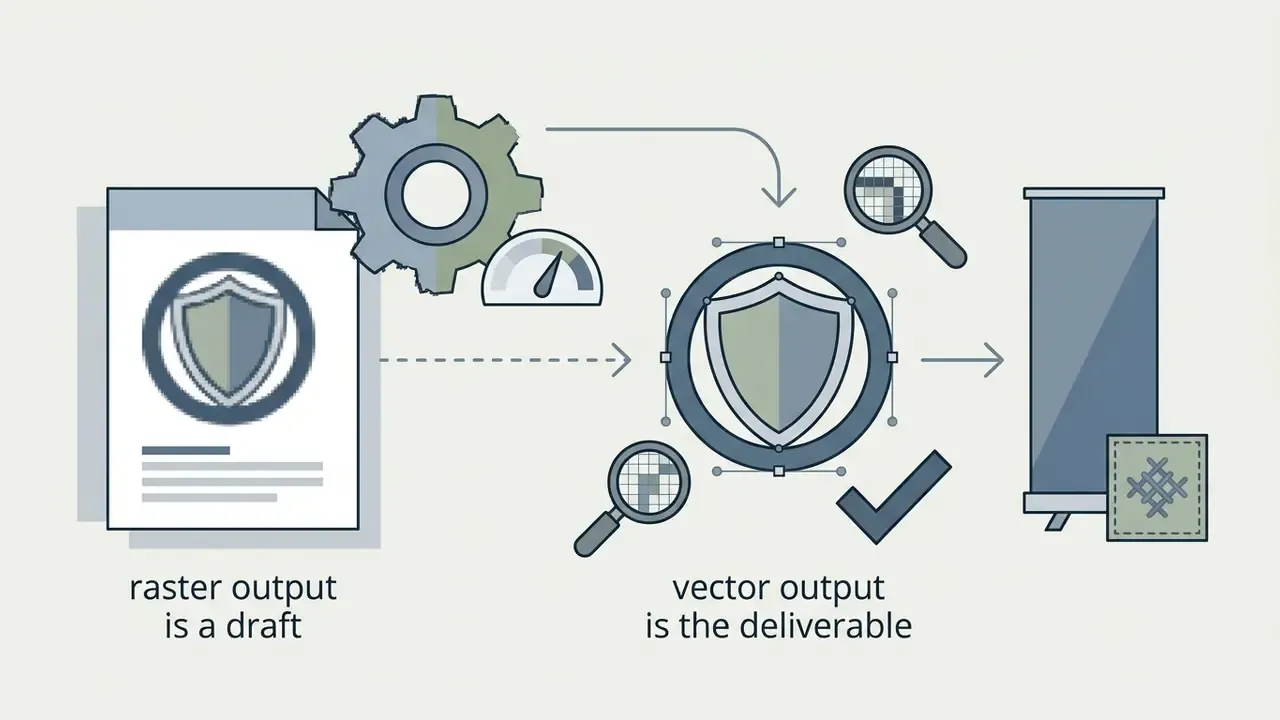
An ai generated images logo pipeline can produce dozens of creative concepts quickly, explore unexpected stylistic directions, and compress initial brand ideation from weeks to an afternoon. What it cannot do: guarantee trademark uniqueness, generate print-ready vector paths without post-processing, or reliably spell complex brand names without structured guidance.
Updated evidence base. Rather than lean on a generic industry synthesis, the limitation is documented directly in the model literature:
“Standard diffusion models struggle with precise glyph rendering because of weak text tokenization, producing distorted brand names under naive prompts.”
Diffusion models excel at synthesizing visual themes and color harmonies, yet they still trip over exact character rendering and vector spatial alignment. Peer-reviewed evaluations of consumer logo makers in 2024–2025 add three further constraints: layout solutions are often arbitrary, color instructions are followed inconsistently, and fine-detail adjustment controls are shallow. So while an ai image logo tool gives you immediate drafts, human review stays essential to audit typography, verify distinctiveness against existing market marks, and format assets for physical and digital reproduction. For a deeper look at model capabilities across creative tasks, see our breakdown of ai image models and our ranking of the best AI image generators.
A small governance point that gets missed: the same model that invents a beautiful abstract leaf may reproduce a shape already sitting in a competitor’s registration. Novelty of output is not evidence of legal availability.
How to Write a Prompt for an AI Logo Generator
Writing an effective prompt for an ai logo generator with prompt means building a multi-part formula that defines business context, visual symbols, stylistic constraints, and color rules. Vague words like "modern" or "beautiful" spend tokens without steering the model. Specific graphic-design terminology guides its latent attention.
To get consistent results when you generate logo options, the prompt should specify the core symbol, visual style (monoline, geometric, flat vector), the precise color palette (HEX codes or named primaries), and explicit negative constraints. Directing an ai create logo from prompt tool with clear negatives prevents the usual artifacts: realistic shadows, complex gradients, stray mockup scenes.
AI Logo Prompt Constructor Checklist
Copy and fill out this structured template to build precise prompts for any ai image creator logo platform:
Ready-to-copy template:
"Minimalist vector logo for [Brand Name], [Industry]. Featuring a [Central Symbol] as a clean graphic mark.
[Visual Style] style, crisp lines, simple geometry. Color palette: [Color 1] and [Color 2] on a plain white
background. Professional, scalable, high contrast.
--no photorealism, gradients, drop shadows, complex background"
Just describe the business in one clause, then stop describing feelings and start describing geometry. That single habit change lifts output quality more than switching platforms.
- Brand name and industry[Insert Brand Name] for a [specific industry / market niche]
- Logo type[pictorial mark / wordmark / combination mark / abstract symbol / emblem]
- Central symbol or icon[one core metaphor or visual icon, for example a stylized shield or a geometric leaf]
- Visual style and technique[flat vector, minimalist, monoline, Swiss design, geometric, negative space]
- Color palette[two or three specific colors or HEX codes, for example deep navy #0A192F and electric teal #64FFDA]
- Typography, if applicable[clean geometric sans-serif, elegant serif, bold modern display]
- Negative constraints--no photorealistic, realistic details, gradients, 3D shadows, complex background, extra text, mockup scene, tiny details
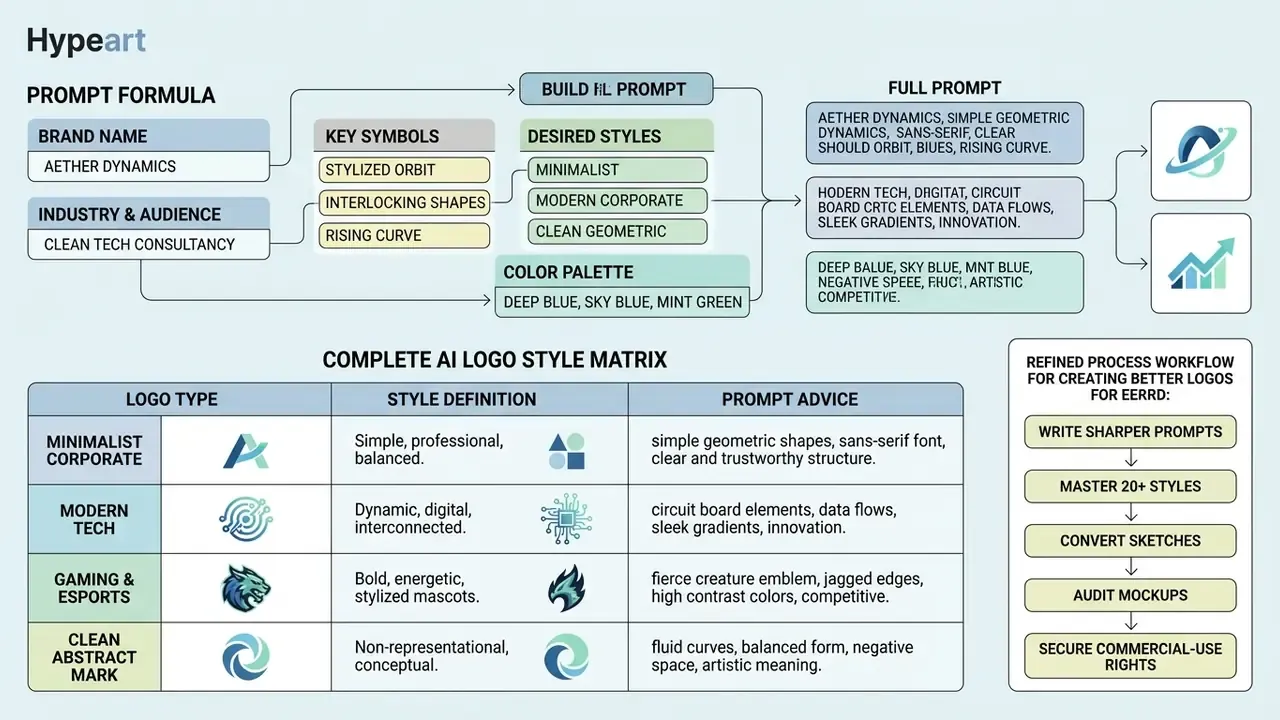
Prompt formula: brand, symbol, style, and color
The optimal prompt formula combines four core parameters: brand identity context, central symbol, graphic style, and color palette. Structuring those four blocks inside your ai generator image logo query produces balanced composition and visual clarity, and it makes results comparable between runs.
When you build a prompt for an ai image and logo generator, open with brand context to set the industry tone, then name the central symbol. Next, define the graphic technique ("flat vector mark", "geometric line art") to block photorealistic rendering. Finally, restrict the palette to two or three distinct tones. High quality here is mostly restraint.
Updated evidence base. The effectiveness of this structure rests on controlled design research rather than corporate style guides:
Established identity systems enforce the same discipline at the output stage. Institutional guidelines routinely bind a core brand color to one approved logo typeface, for instance a single named serif paired with a single signature red. Replicating that restraint inside the prompt prevents visual clutter and yields professionally designed, reproducible brand marks.
Prompt examples for different logo styles
Different brand positioning demands distinct visual aesthetics. Below are tested prompt structures for an ai chat logo generator or any diffusion-based logo tool, across key commercial styles:
Minimalist Corporate:
"Minimalist modern logo for a fintech platform named Vault, clean geometric lettermark V integrated with a lock silhouette, vector flat design style, navy blue and crisp white, professional logo presentation --no gradients, photorealism"Modern Tech & Social Media:
"Modern vector logo for a social app, abstract signal wave icon, flat monoline graphic design, vibrant purple and cyan palette, scalable icon layout, isolated on white background"Gaming & Esports:
"Esports channel logo, aggressive stylized falcon head inside a shield frame, esports mascot aesthetic, neon green and dark charcoal, sharp angles, bold vector lines"Clean Abstract Mark:
"Abstract geometric mark for an architectural firm, overlapping line geometry forming an infinity shape, Swiss design style, dual-tone black and gold, high contrast, clean white background"
To see how different prompt inputs move output quality across generative platforms, you can compare options across top-performing media generation engines, or start testing with free AI image generators.
Complete AI Logo Style & Aesthetic Matrix
To hit exact visual aesthetics across diffusion engines (Midjourney v6, DALL·E 3, Stable Diffusion XL), use these benchmark prompt modifiers:
| Visual Style | Target Aesthetics & Keywords | Practical Prompt Syntax Example |
|---|---|---|
| Vaporwave / Retro 80s | Chrome textures, neon magenta & cyan, grid horizon, retro-futurism | "Vaporwave vector logo for synthwave band 'NeonDrive', chrome palm tree icon, neon pink #FF007F and electric blue #00F0FF, 80s arcade aesthetic, clean vector paths --no gradients background, noise" |
| Pixel Art (8-Bit / 16-Bit) | Crisp pixel edges, limited color palette, nostalgic gaming look | "Pixel art mascot logo, 16-bit retro knight helmet, sharp pixel grid, bold outlines, vibrant primary colors, isolated on flat white background --no smooth gradients, anti-aliasing blur" |
| Line Art / Monoline | Single stroke weight, minimalist geometry, continuous line | "Monoline vector logo of a wolf head, single continuous line stroke, elegant golden balance, black line on white background, modern minimalist iconography --no fill color, shadows" |
| Glitch Art / Cyberpunk | Digital distortion, chromatic aberration, futuristic tech | "Cyberpunk tech logo for security startup, glitched lettermark 'X', RGB split effect, high contrast black and neon yellow, sharp geometric angles --no photorealism, complex background" |
| Watercolor / Organic | Soft paint washes, artistic ink bleeds, natural fluid shapes | "Organic watercolor logo for a botanical tea brand, hand-painted green tea leaf mark, subtle ink texture, soft muted tones, white background --no sharp vector lines, heavy dark borders" |
| 3D Geometric Isometric | Claymation texture, clean isometric projection, smooth lighting | "Isometric 3D geometric logo, floating cube structure forming letter 'C', matte finish pastel colors, soft ambient shadow, modern app icon aesthetic --no busy background, realistic noise" |
| Mandala / Sacred Geometry | Symmetrical radial pattern, intricate fine lines, balanced icon | "Sacred geometry logo for wellness studio, symmetrical mandala flower symbol, fine gold vector line art, centered composition, luxury branding --no asymmetrical elements, heavy solid fills" |
| Doodle / Hand-Drawn | Playful sketch lines, imperfect ink marks, casual personality | "Playful doodle logo for a children's cafe, hand-drawn coffee cup with happy face, casual ink sketch style, black ink on white paper background --no perfect geometric shapes, 3D renders" |
| Digital Painting / Pastel Art | Soft brush texture, layered pastel hues, editorial warmth | "Digital painting logo of an acorn in soft pastel hues, contained in circle badge, polished and modern, isolated white background --no harsh outlines, photographic realism" |
| Retro Comics / Pop Art | Halftone dots, bold ink outlines, saturated primaries | "Retro comics logo for a burger diner, bold ink outline mascot chef, halftone dot shading, red and cream palette, 1960s pop art print --no gradients, soft focus" |
| Cubism / Abstract Geometry | Fragmented planes, overlapping facets, angular abstraction | "Cubist abstract logo for a design studio, fragmented facets forming a human profile, angular planes, muted terracotta and slate, flat vector fill --no shading, realistic texture" |
| Gradient Tech Mark | Controlled duotone gradient, smooth mesh, SaaS aesthetic | "Modern SaaS logo, abstract looping ribbon icon, smooth two-stop gradient from #6C4DF6 to #21D4FD, glossy flat style, centered on white --no drop shadows, 3D bevel" |
| Children’s Drawing / Crayon | Naive shapes, crayon texture, high-energy color | "Children's drawing style logo for a toy brand, crayon-textured rainbow star, naive proportions, bright primary colors on white --no professional gradients, fine detail" |
| Sketch / Pencil Wordmark | Graphite strokes, hand lettering, artisanal feel | "Flat sketch-font wordmark logo of the letters 'RF', violet ink, simplistic composition emphasizing clarity and modernity, isolated white background --no shadows, photorealistic paper" |
| Emblem / Heritage Badge | Circular containment, banners, crest hierarchy | "Heritage emblem logo for a coffee roastery, circular badge with laurel border and bean icon, vintage letterpress feel, two-color black and cream --no gradients, texture overlays" |
| Negative Space Minimalism | Dual reading, figure-ground inversion, single-color | "Minimalist negative space logo of a mountain peak revealing an eagle silhouette, single flat navy color, geometric precision, white background --no gradients, outlines, text" |
| Vector Art / Flat Drawing | Clean fills, no strokes, poster-flat illustration | "Flat vector art logo of a lighthouse for a maritime consultancy, simple geometric fills, four-color limited palette, poster-flat rendering --no shading, perspective depth" |
| Neo-Brutalist / Bold Type | Oversized letterforms, hard edges, stark contrast | "Neo-brutalist wordmark logo 'BLOK', oversized condensed grotesque letters, hard right angles, pure black on safety orange --no gradients, softening effects" |
| Luxury Monogram | Interlocking initials, thin strokes, refined symmetry | "Luxury interlocking monogram logo of letters 'A' and 'V', thin high-contrast serif strokes, gold on deep charcoal, perfectly symmetrical --no ornaments clutter, 3D effects" |
| Sports & Fire Dynamics | Motion trails, spark accents, aggressive diagonals | "Dynamic sports logo combining a soccer ball and American football with fire and spark effects, diagonal motion trails, orange and graphite, white background --no photorealistic smoke" |
| Geometric Swiss / Grid | Modular grid, Bauhaus primitives, mathematical balance | "Swiss geometric logo for an architecture firm, modular grid construction from circles and squares, Bauhaus primary accents, black base, flat vector --no textures, hand-drawn lines" |
A note on style shopping: an ai art logo maker will happily render all twenty aesthetics for the same company. Only one of them fits a regulated financial brand. Pick the constraint first, then browse.
How to request readable text and suitable fonts
To get readable wordmarks from an ai generate logo image tool, the prompt must include explicit typographic constraints: single-line layout, letter case, and recognized typeface classifications. Generative models treat words as visual tokens rather than discrete vector fonts, so phrasing does most of the work on textual accuracy.
“Diff-Text uses rendered text sketches as priors and localized attention constraints, outperforming existing methods in recognition accuracy and natural integration.”
When prompting an ai chat logo maker, name the exact typographic style: "bold geometric sans-serif", "classic high-contrast serif", "clean humanist lettering". Platforms like Logofai and Mixfont run specialized font-matching pipelines that align generated text artwork with editable vector fonts during post-processing. Logofai, for instance, deliberately removes the font dropdown because the wordmark is drawn as artwork, exposing named fonts only in the downstream pairing step. Adding "single line text, centered placement, wide kerning" prevents overlapping characters and misspellings, which gives you a clear wordmark ready for brand deployment.
“TextFlux trains on 1% of the data required by competing methods and reaches high accuracy for new languages with fewer than 1,000 training samples.”
Importing custom typefaces. Advanced tools such as Renderforest and Canva let you bypass AI text rendering entirely by uploading proprietary TTF/OTF font files, binding human-designed typographic hierarchies directly to AI-generated icon assets. This hybrid path is the most reliable route to a legally cleaner, brand-consistent wordmark: the icon is machine-assisted, while the lettering stays a licensed, human-designed typeface under your existing font agreement. Before uploading, confirm that your font EULA permits logo use. Many foundry licenses treat logotype embedding as a separate commercial tier, and that clause has broken more than one launch calendar.
How to Generate and Customize an AI Logo
Building a complete logo with an ai logo generator with prompt follows a structured workflow: define the initial prompt, generate multiple drafts, select a primary design, fine-tune visual parameters, export vector masters. Few clicks to a draft, several hours to a deliverable. That gap is the honest part.
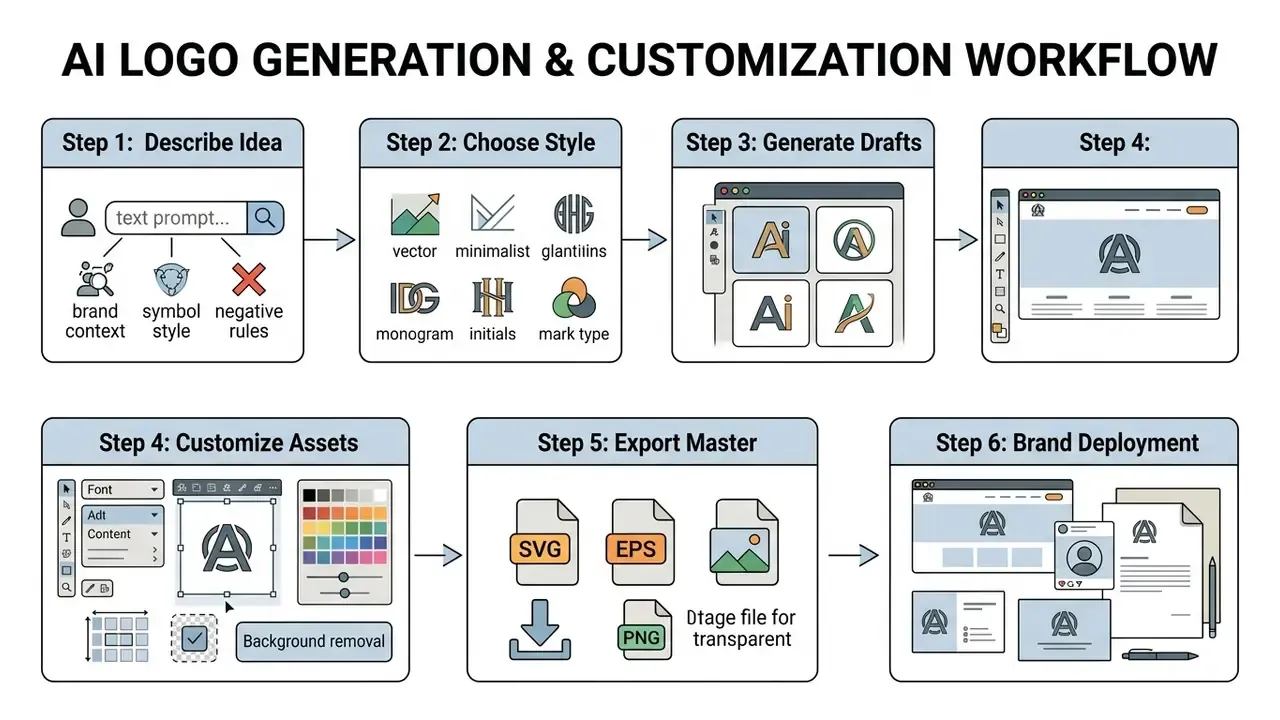
Schematic description for accessibility: a six-step linear workflow for an ai logo generator with prompt, running from prompt description through style selection, draft generation, asset customization, vector export, and brand deployment.
Generate multiple logo options from one prompt
Generating several logo options from a single prompt lets brand teams explore diverse interpretations of one core concept. Logo Diffusion produces up to four distinct candidates per prompt batch and keeps full prompt history for iterative comparison. Figma’s logo agent runs multiple prompts in parallel and keeps the entire prompt thread editable, while Scenith saves every generation in a History panel for later retrieval.
Parallel option generation speeds up the trade-off conversation between abstract symbols, literal icons, and typographic layouts. A centralized generation history lets design teams trace iterations, compare early concepts against refined outputs, and select the candidate that best carries the institution's brand strategy.
“A mixed-methods study of six branding projects found GenAI accelerates ideation but shifts effort toward post-generation verification and critical curation of variants.”
Reproducibility and seed logging (for model-risk and governance teams). Treat every accepted logo candidate as a versioned AI asset. Record, at minimum: the exact prompt string, the negative-prompt string, model name and release version, sampler, guidance scale, seed value, reference-image hash (if image conditioning was used), generation timestamp, and the name of the human reviewer who approved the output. Storing those parameters in an internal AI asset register makes generations re-derivable in front of auditors, supports authorship evidence for copyright claims, and heads off the common failure mode where a brand cannot reproduce its own mark six months later because the platform quietly upgraded its model.
Is that heavier than a marketing team expects? Yes. It is also the same inventory logic already applied to credit and AML models, just extended to a creative asset.
Refine colors, fonts, layout, and background
Once a primary concept exists, modern AI platforms offer built-in editors that refine specific elements without regenerating the whole image. You can adjust palettes, swap font pairings, retune layout spacing, and strip solid backgrounds.
Background removal is the step most teams underestimate. Built-in tools use automated segmentation models, such as Canva's Magic Studio or Adobe Firefly's background removal engine, to cut background pixels and export clean PNG files with a transparent background. Adobe Firefly’s remover accepts JPG/PNG/WEBP uploads up to 40 MB and returns a transparent PNG. FreeLogoDesign exposes explicit font and color controls inside its advanced editor while reserving transparent PNG/SVG output for paid plans. Fine-tuning typography and line kerning in a dedicated editor is what pushes the mark up to strict corporate presentation standards.
Practical post-processing checklist inside the vector editor: open the SVG layer tree, delete stray shapes left by vectorization, reduce redundant anchor points, convert strokes to outlines where production requires it, and save black, white, and one-color variants alongside the full-color master. Keep the layered source file, not only the flattened export. If you are building automated content workflows that pull in generated visual assets, you can browse the hub for implementation frameworks, and review platform-level customization options in our guide to AI logo generators.
Can AI Create a Logo From an Image, Photo, or Sketch? (Advanced Workflow)
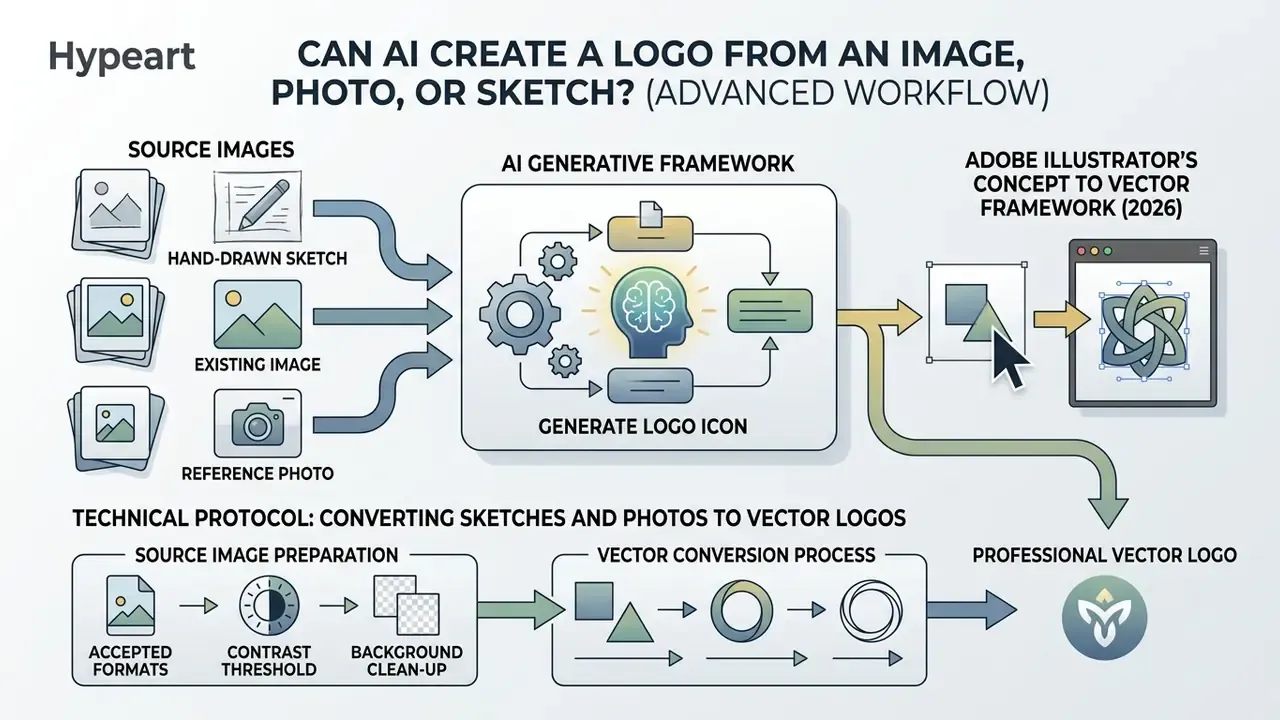
Yes. Modern generative frameworks can build professional logos from uploaded photos, reference images, or hand-drawn sketches. This image-to-logo workflow combines visual conditioning with text prompt parameters, so an ai image generator logo from text and image system preserves core shapes while applying graphic-design discipline on top.
Tools that support image conditioning, such as Adobe Firefly Generative Match, analyze uploaded reference images to extract structural contours, layout composition, or style rules, and expose sliders for style strength, color, tone, lighting, and composition. Whether you use an ai image creator logo platform to modernize a hand-drawn sketch, convert a pet portrait into a mascot mark, or adapt an existing symbol to a new visual language, reference-based generation gives tighter control over final geometry than text alone.
Using reference images to guide the logo design
Reference images let an ai image generation logo system adopt specific visual styles, structural proportions, or layout constraints while holding brand consistency. Instead of relying only on textual description, the reference image acts as a structural anchor for the model.
“Reference Guidance plugins contain 28.55M trainable parameters each and extend generation to non-Latin scripts by substituting a reference image for the text token.”
In an enterprise workflow, uploading an established symbol as a reference image lets the model generate context-specific layout variations, square app icons or horizontal website headers, without altering the primary mark. Updated framing: rather than citing a single corporate document as proof, note that nearly all published visual-identity systems, including institutional guidelines from engineering societies and large universities, impose the same three constraints on derivative assets: fixed clear space, defined minimum reproduction size, and locked silhouette proportions. Image-conditioned diffusion is useful precisely because it produces matching layout variants while those identity bounds stay enforceable in review. If geolocated campaign imagery is part of the same asset family, tools like an ai image location finder help verify where a reference photo actually came from before it becomes brand material.
Turning a sketch or existing image into a logo icon
Turning a hand-drawn sketch into a refined vector logo icon is one of the strongest applications of a modern ai art generator for logo workflow. The pipeline converts hand-drawn raster curves into clean vector geometry, removing drawing imperfections while keeping the original creative intent visible.
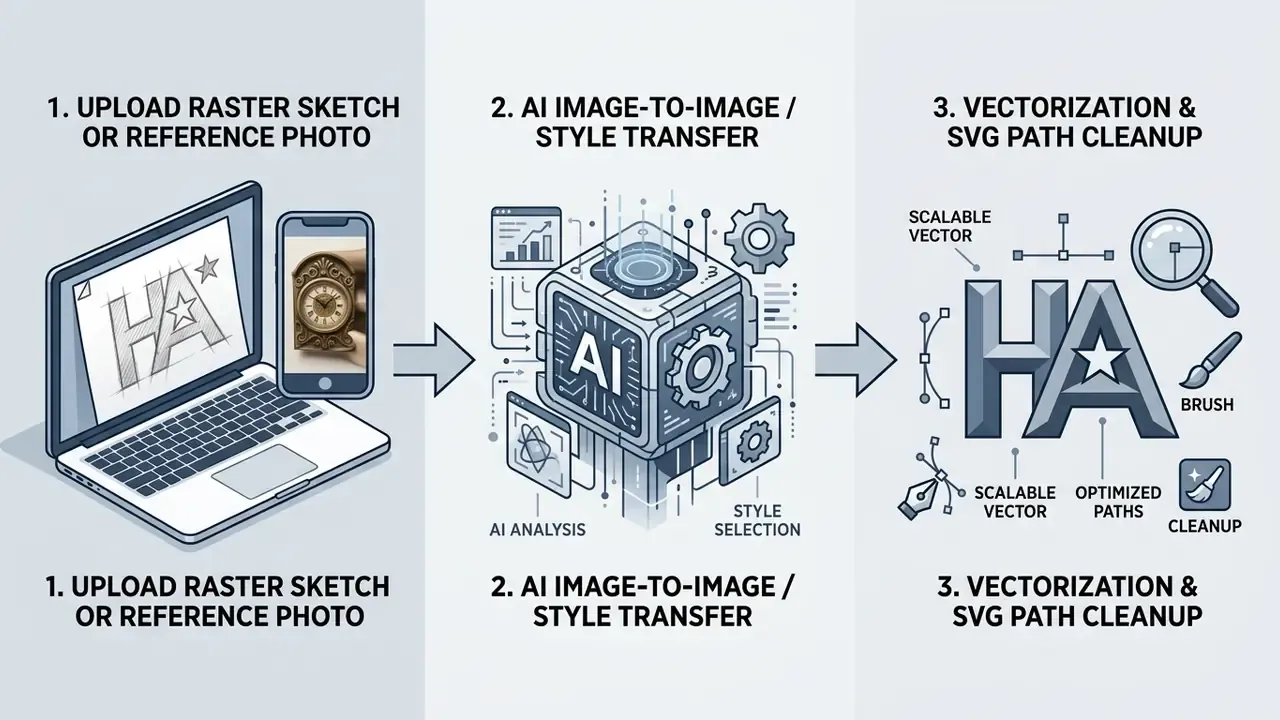
As documented in Adobe Illustrator's Concept to Vector framework (2026), raster traces and preliminary sketches can be re-interpreted into editable vector paths, with a control that sets how closely the result follows the reference image. Platforms like Vectorizer.AI and Logo Diffusion analyze bitmap pixels, detect primary geometric primitives, and output clean SVG paths usable directly in Illustrator, Figma, or Affinity Designer. For tooling comparisons, see our overview of image-to-image AI generators.
- Adobe Illustrator's Concept to Vector framework (2026)
Technical Protocol: Converting Sketches and Photos to Vector Logos
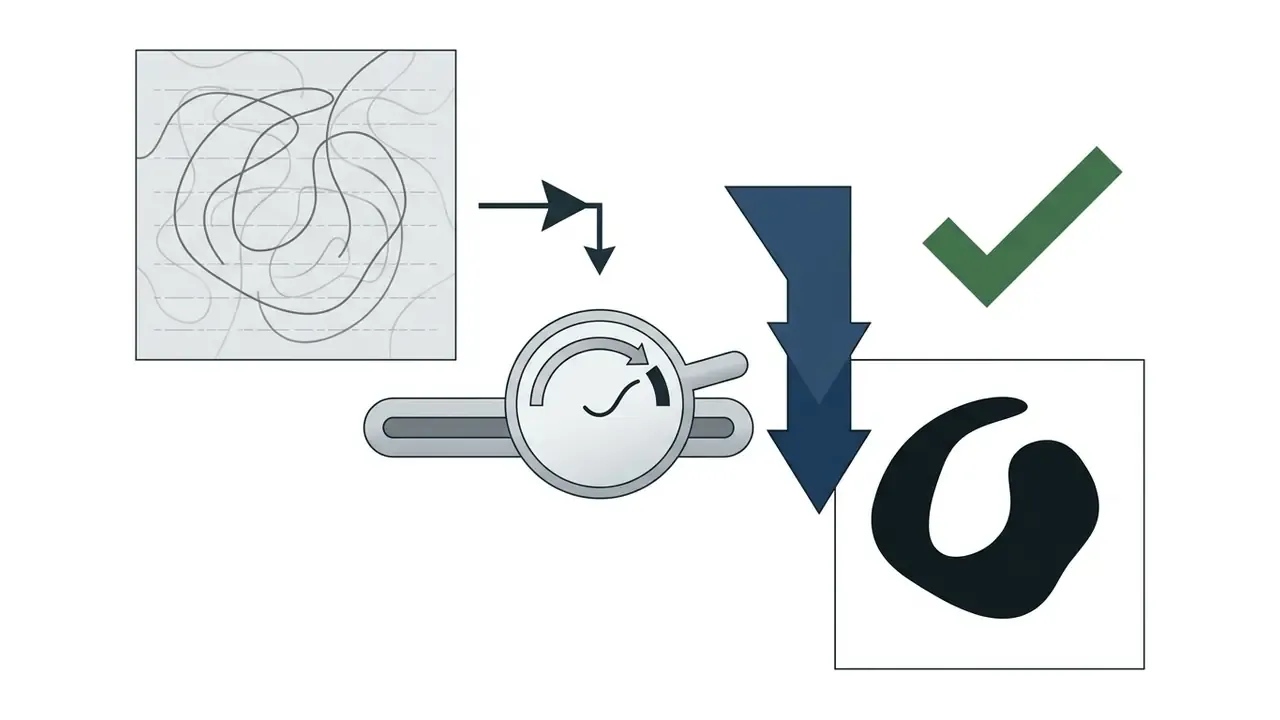
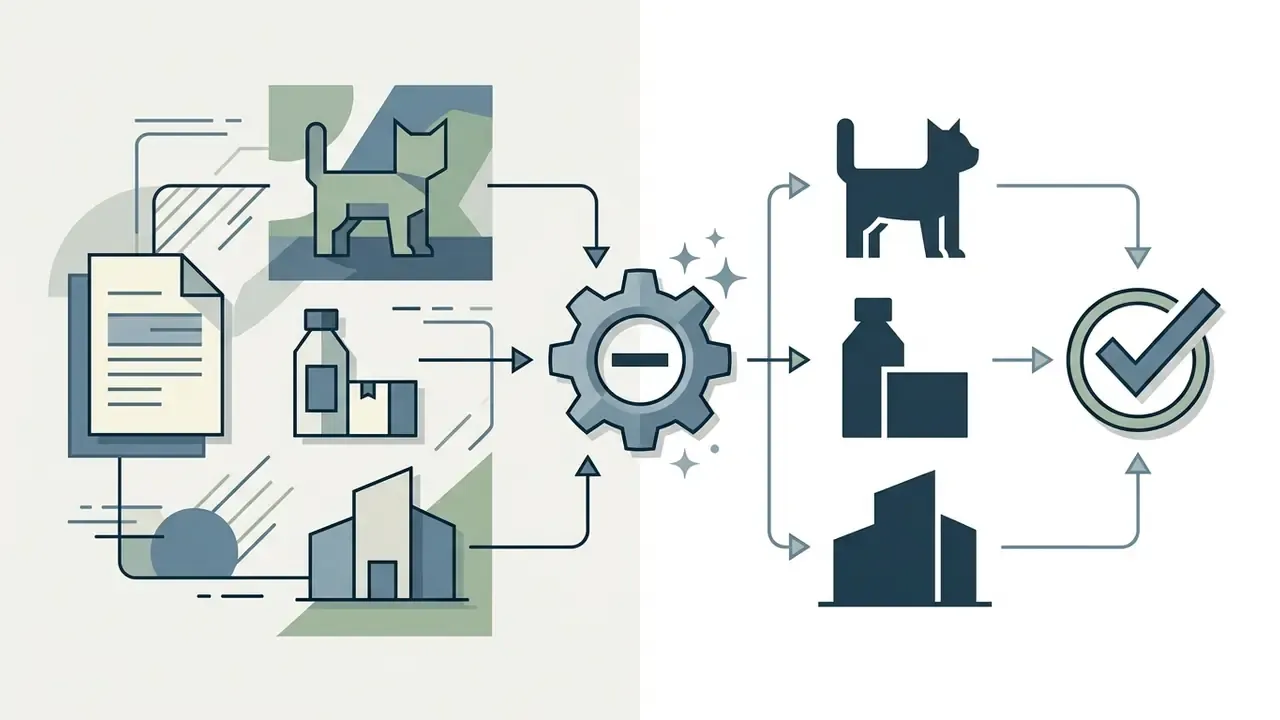
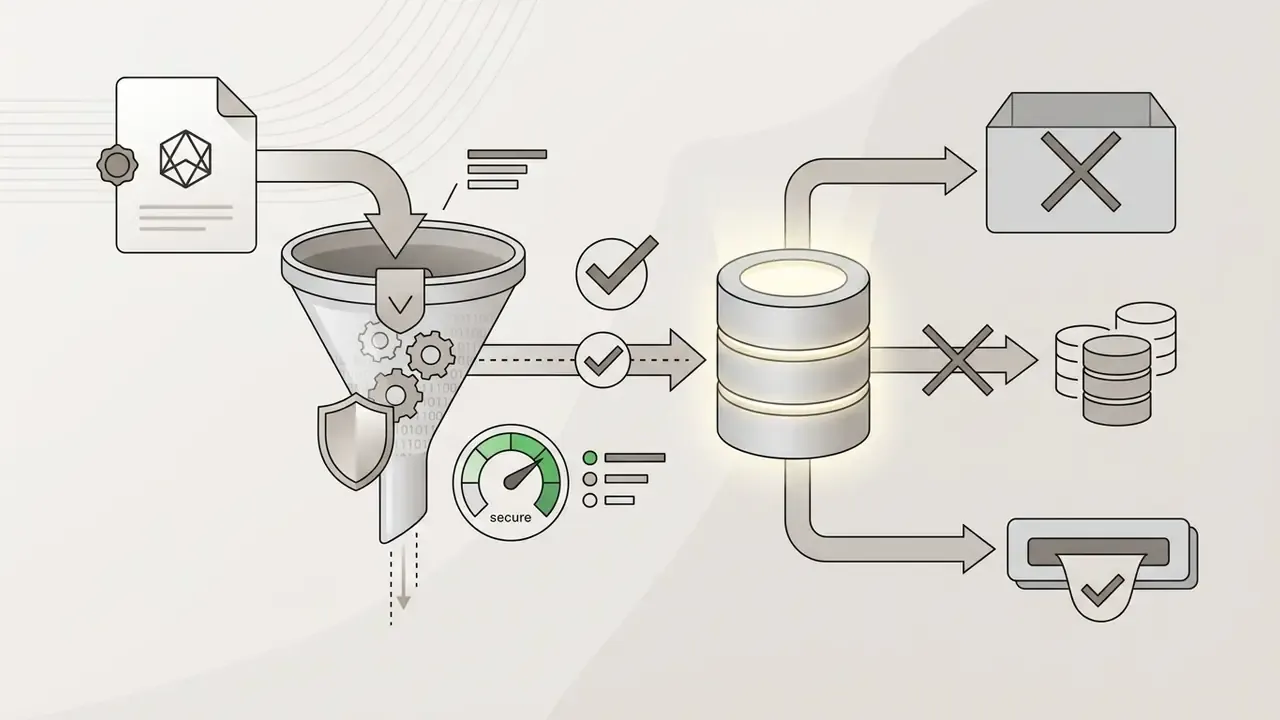
- Image-to-Image Conditioning Settings
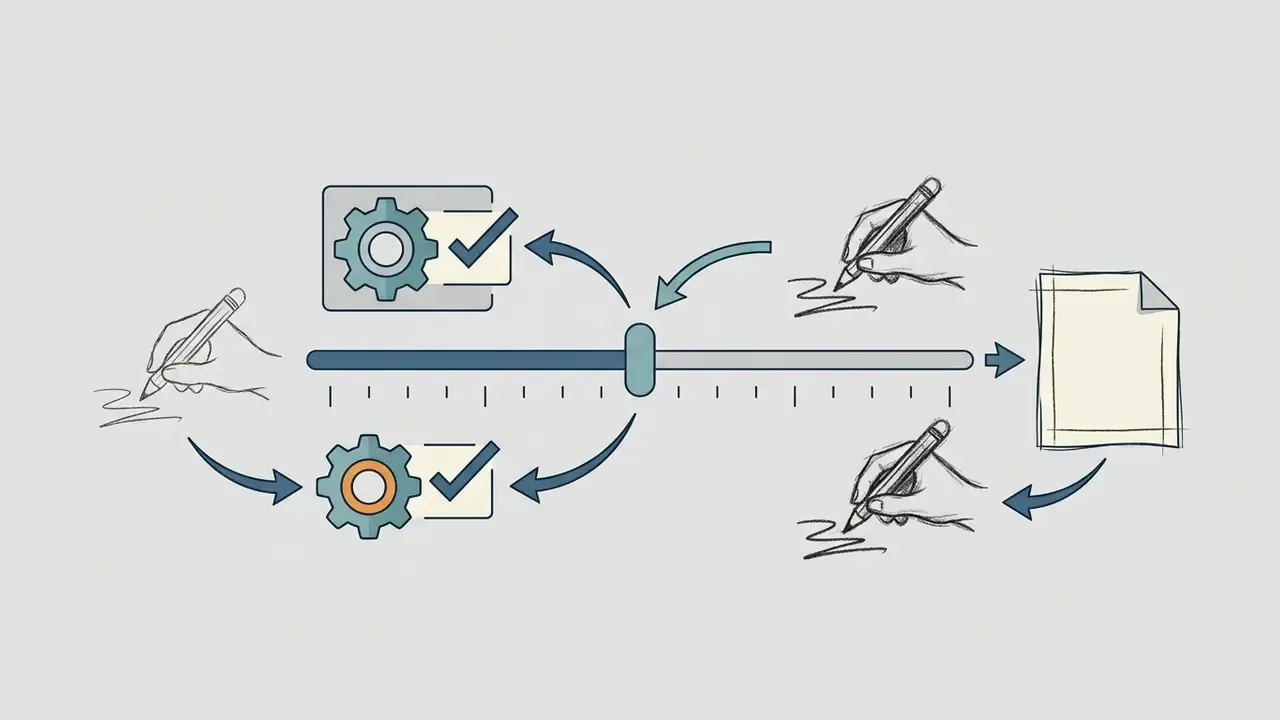
0.55 and 0.70. Higher values preserve rough drawn lines; lower values give the model room to correct hand irregularities.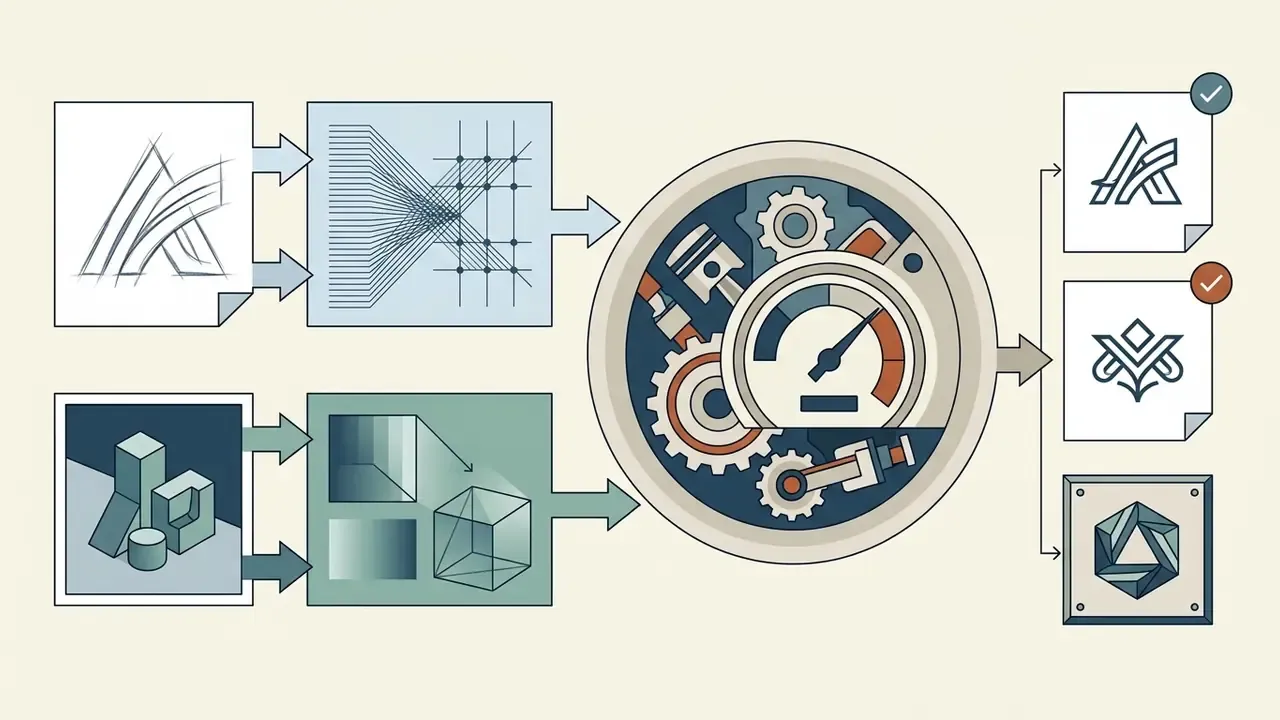
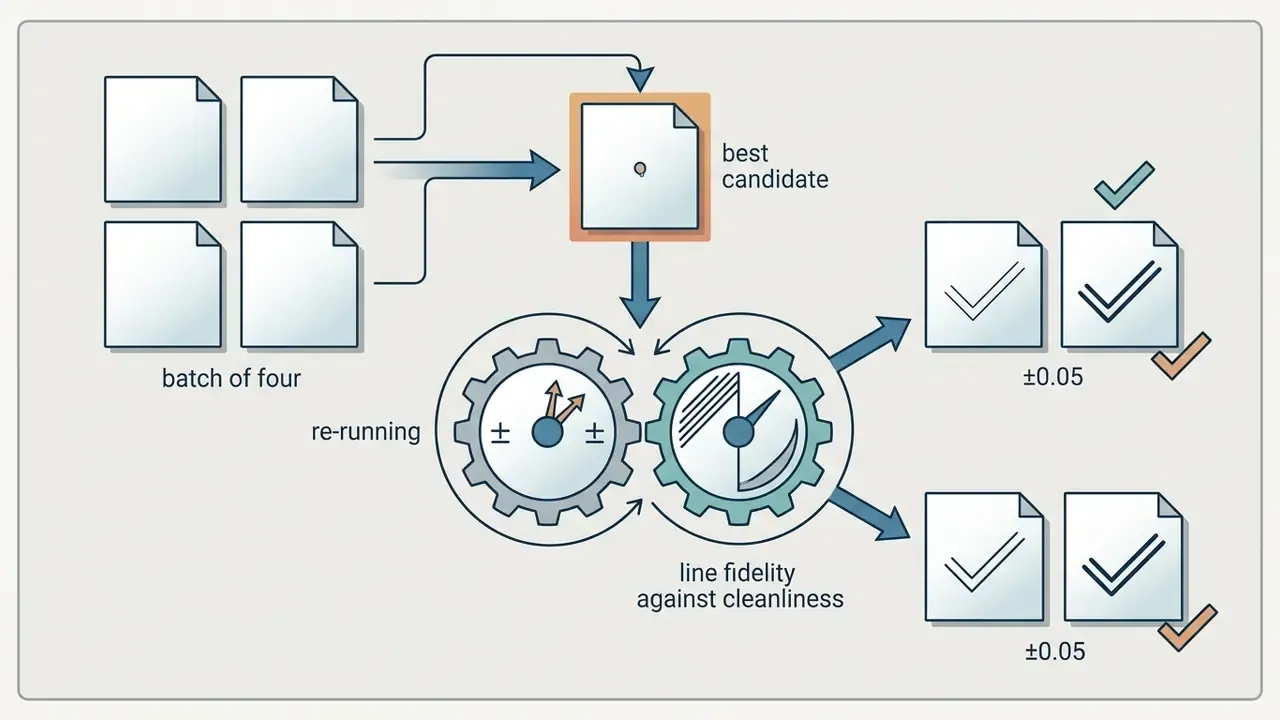
"Professional flat vector logo icon derived from uploaded sketch, stylized minimalist line art, clean SVG geometry, solid flat colors, navy blue on transparent background --image_weight 0.65 --no sketchy lines, paper texture, pencil shading"
- Conditioning Prompt ExampleConditioning Prompt Example
- Expected TurnaroundExpected Turnaround
Image-to-logo generation finishes in seconds on mainstream platforms. The human cost sits almost entirely in vector clean-up and typographic pairing, which is why teams should budget review time rather than generation time.
How to Evaluate an AI-Generated Logo Before Using It
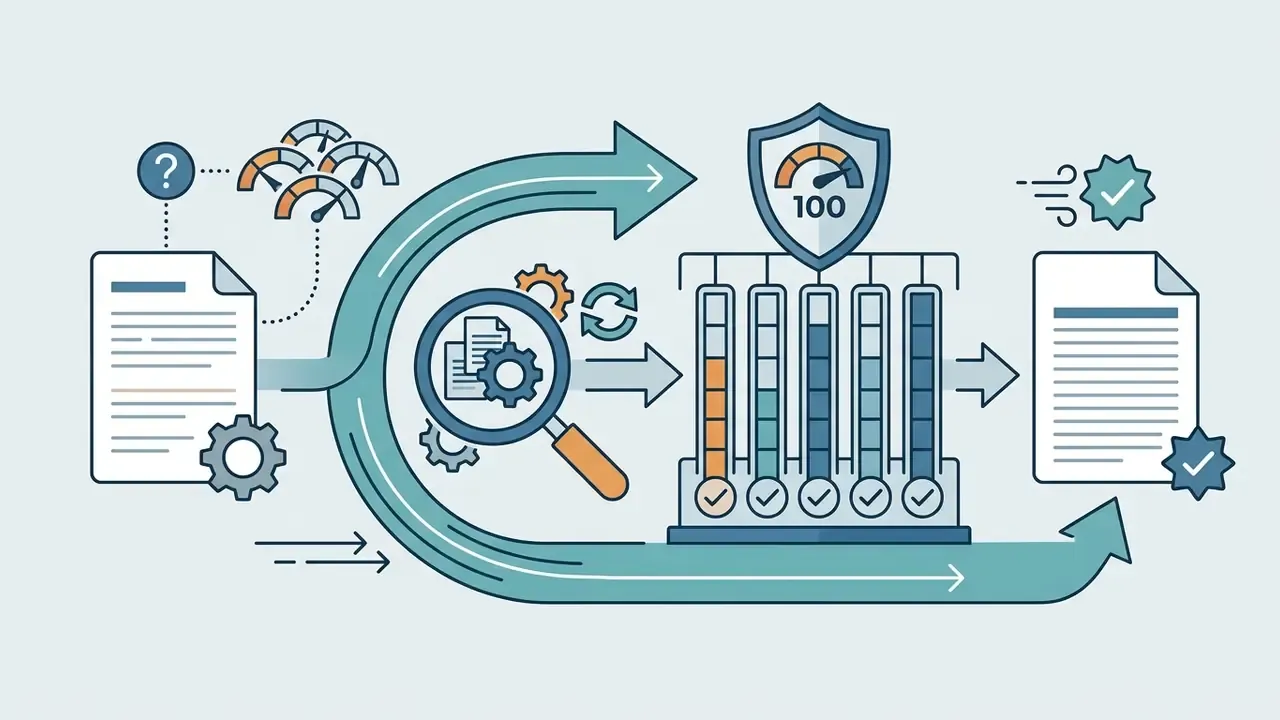
Before an AI-generated logo goes live across commercial touchpoints, it needs a structured evaluation covering brand alignment, technical scalability, distinctiveness, legal risk, and visual contrast. Sign off five review blocks in sequence: brand fit, distinctiveness, rights and trademark clearance, production readiness, and accessibility/legibility. Each block gets a named owner. Anonymous approval is not approval.
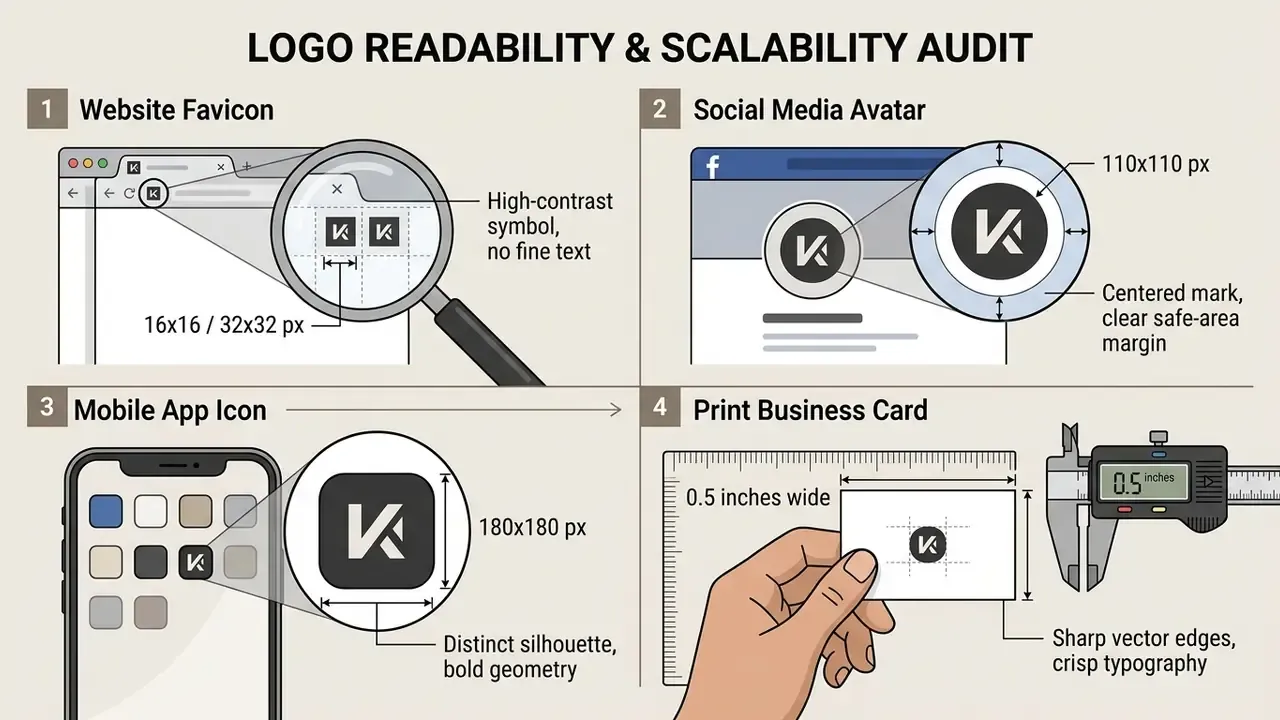
Check readability across social media and small sizes
Logos live in small digital environments: social media profile avatars, mobile app icons, website favicons. Testing readability at reduced scale tells you whether the mark survives real screen sizes.
“SceneTextGen applies a character-level encoder and a word-spotting loss that penalizes incorrect glyphs, improving text recognition accuracy in generated images.”
Testing an ai generator symbol at 32×32 pixels shows fast whether fine lines blur or delicate serifs vanish, which tells you if a simplified icon variant is required for small-scale use. Run the test on a phone, not on a 27-inch monitor at 200% zoom.
Check whether the logo fits your brand identity
Brand identity alignment measures how accurately the generated logo reflects the organization's values, market positioning, and audience expectations. A visual audit stops you from shipping marks that look appealing yet contradict the established corporate voice.
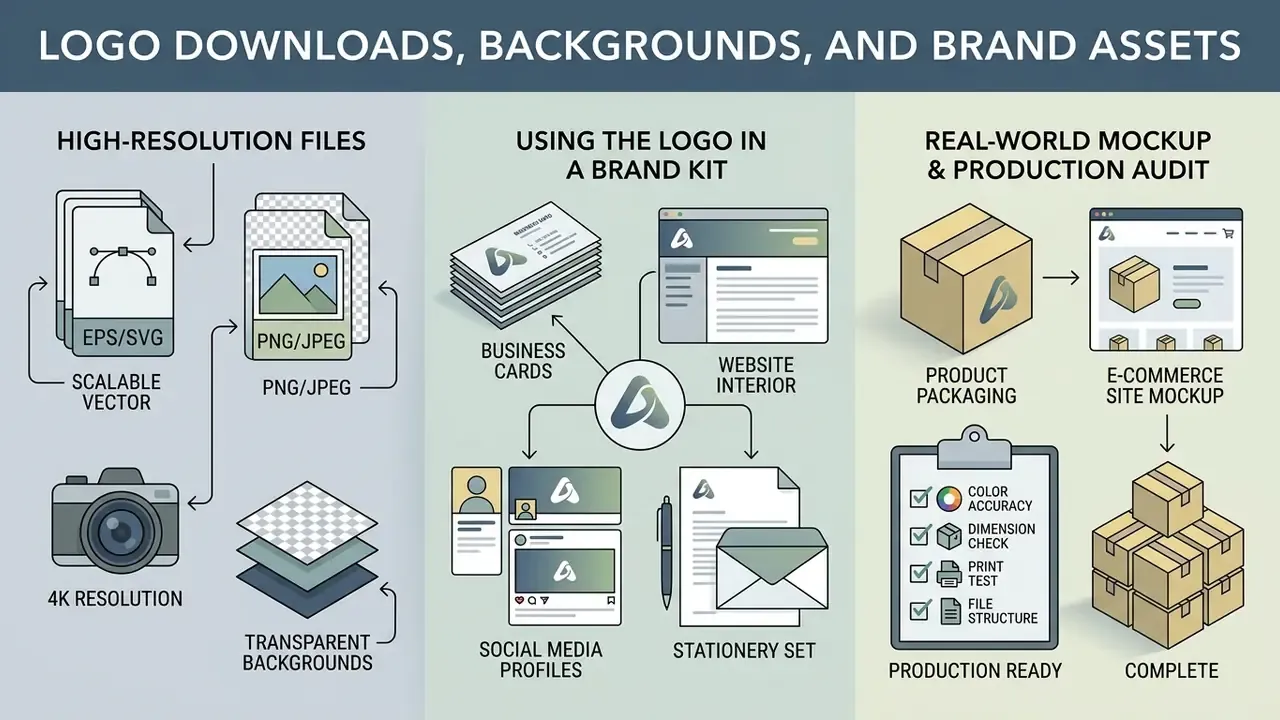
Logo Downloads, Backgrounds, and Brand Assets
Moving an AI-generated design into an operational corporate logo requires the right file formats, transparent background options, and complete brand kits packaged for print and digital channels.
| Application Scenario | Technical Requirement | Primary File Format | Secondary Format |
|---|---|---|---|
| Website Header | Responsive raster/vector, transparent background, web RGB | SVG | PNG (Transparent) |
| Social Media Profile | Square crop, 1:1 aspect ratio, centered placement | PNG (512x512 px) | JPG |
| Business Cards | Vector geometry, 300+ DPI, CMYK color space | PDF / EPS | Adobe Illustrator (AI) |
| Outdoor Signage & Print | Infinitely scalable vector, press-ready CMYK | EPS / SVG | Vector PDF |
| Mobile App Icon | Masked square, high-contrast graphic symbol | PNG (1024x1024 px) | SVG |
| Corporate Presentations | Transparent background, high contrast on dark/light slides | PNG / SVG | Vector PDF |
In short: SVG for the web and for signage, layered PDF or EPS for print vendors, square high resolution PNG for social profiles and app icons. All file formats included should mean vector plus raster, not raster alone.
A professional platform should deliver SVG and EPS on the day you pay for it. Several mainstream generators still list vector export as “coming soon” while charging for brand kits. Treat that as a disqualifying limitation, because raster-only delivery blocks signage, embroidery, and press production entirely.
High-resolution files and transparent backgrounds
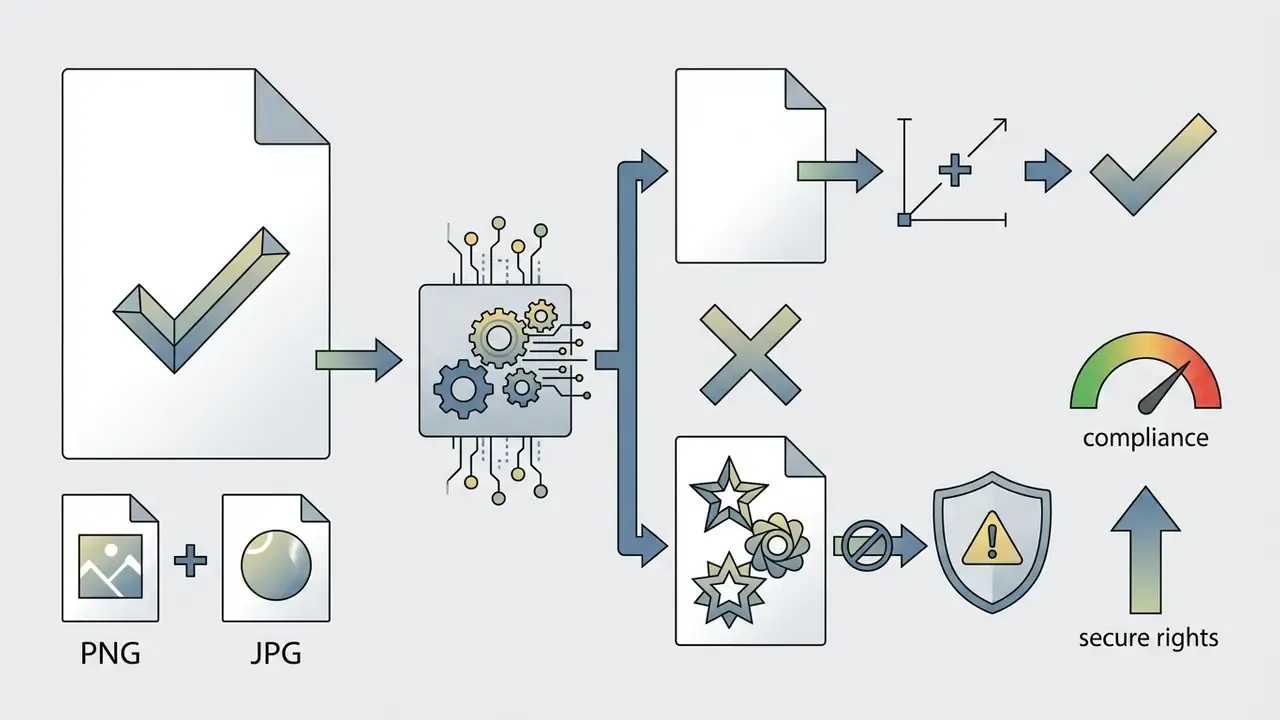
High resolution files and transparent backgrounds are mandatory for professional deployment across digital and print media. JPG files carry solid background pixels, while PNG and SVG support alpha transparency channels, letting the logo sit cleanly over photos, dark footers, or colored banners.
The W3C PNG specification defines transparency via explicit alpha data and the tRNS chunk. The bKGD chunk only supplies a suggested display background and creates no transparency at all, which is a distinction that trips up a surprising number of asset handoffs. An automated background remover strips background color data while preserving clean anti-aliased edges along the logo silhouette. For commercial print, vector formats like SVG and EPS beat high-resolution raster files, because vector path geometry scales without pixelation or quality loss. Where legacy raster assets must be enlarged before vectorization, review current AI image upscalers to recover edge definition first.
Real-World Mockup & Production Readiness Audit
Before final export, test how the generated vector logo behaves across physical merchandise, outdoor media, and digital motion:
| Production Medium | Physical / Technical Constraint | Validation Test Rule |
|---|---|---|
| Apparel & Embroidery | Minimum thread stroke thickness: 1.5 mm. No complex color gradients. | Convert the logo to monochrome black; verify that isolated elements do not overlap or break line continuity at 40 mm chest width. |
| Laser Engraving & Signage | Requires single-path vector geometry without self-intersecting loops. | Open the SVG in vector software (Illustrator/Figma) and run outline view (Ctrl+Y) to audit unclosed paths and stray nodes. |
| Corporate Merchandise | Screen printing limited to 2 to 4 spot PMS colors. | Test whether the logo retains visual impact when reduced to two solid Pantone colors without opacity blending. |
| Motion & Video Intros | Requires separated layer assets (icon mark isolated from wordmark). | Export icon and typography on transparent layers at 4K resolution (3840×2160 px) for motion-graphics timeline placement. |
| Packaging & Labels | Small-format reproduction, variable substrate color | Print a 15 mm-wide proof on both white and kraft stock; confirm counters and negative space stay open. |
| Vehicle & Large-Format Wrap | Viewing distance 5 to 20 m, extreme scaling | Scale the vector to 2 m width and inspect for node artifacts; verify stroke weights stay visually balanced. |
Once a mark passes this audit, extend it into animated intros and social motion assets, where video generation pipelines reuse the same layered files. Comparable workflow guidance is collected in our overview of animation makers.
How to Choose an AI Logo Maker for Commercial Use
Choosing an ai logo maker for commercial business applications means evaluating licensing contracts, intellectual property ownership, vector export availability, subscription tier limits, and, for regulated organizations, data-handling guarantees. Cost effective does not mean cheapest per month. It means lowest total cost including rework, clearance, and residual risk.
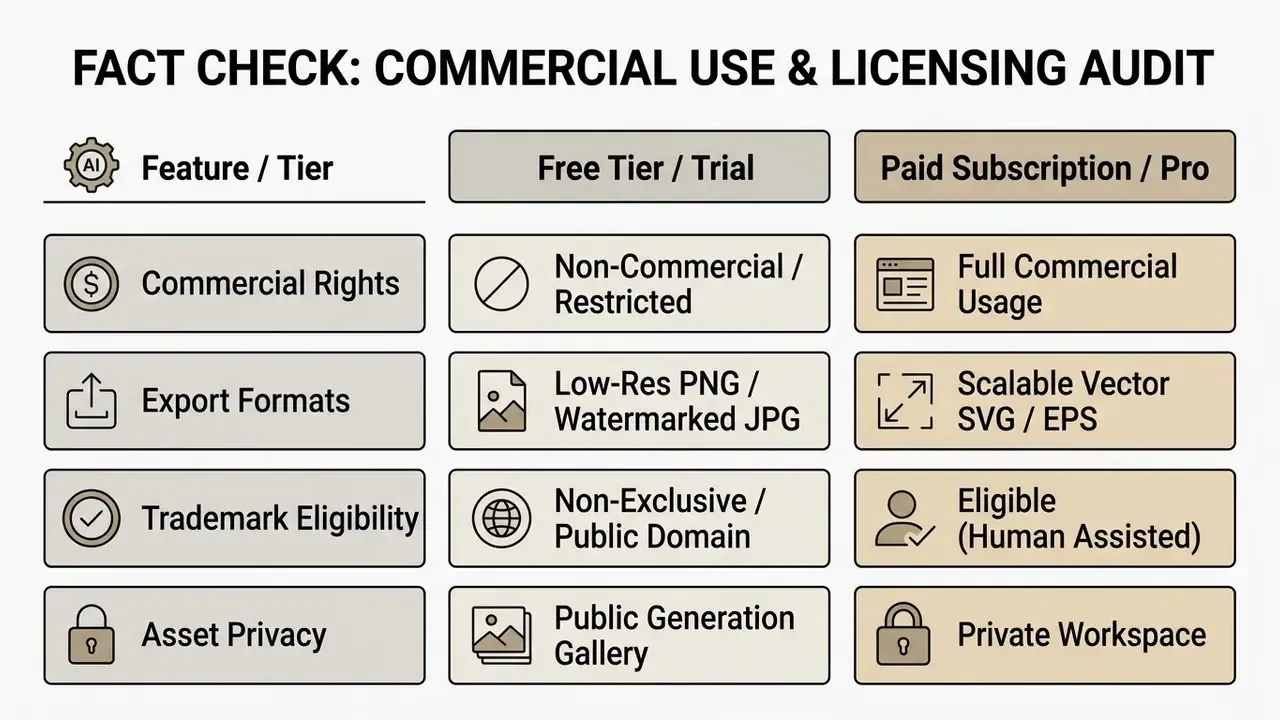
Before any AI-generated mark goes commercial, verify the platform terms of service against the live pricing page on the day of purchase. Free tiers often restrict commercial deployment or retain non-exclusive platform rights, while professional paid tiers grant full commercial usage rights plus high-resolution vector exports. Documented examples of that split include generators whose free plan explicitly forbids commercial use while paid tiers add unlimited SVG export and a commercial license, and tools where vector export is permitted on the free tier but only with attribution. For an overview of leading creative platforms and their commercial features, compare leading AI image generators and review style-specific engines in our best AI art generator comparison. Broader category context sits on the home page, where you can compare options across hubs.
Enterprise Privacy, Shadow AI, and Vendor Due Diligence
| Control Domain | Required Assurance | Verification Method |
|---|---|---|
| Data retention | No training on customer prompts or uploads; defined deletion window | Written DPA clause, not marketing copy |
| Workspace isolation | Private workspace; generations not published to public galleries by default | Test with a throwaway prompt and check the public feed |
| Security posture | SOC 2 Type II or ISO 27001 attestation; encryption in transit and at rest | Request the current report under NDA |
| Access governance | SSO/SAML, role-based permissions, admin audit log of generations | Admin console walkthrough |
| Sub-processors | Disclosed list of model providers and image-hosting sub-processors | Sub-processor page plus change notification terms |
| Output rights | Explicit commercial license, exclusivity option, indemnity scope | Terms of service and license addendum |
Pair these controls with the prompt and seed register described earlier, so that every externally visible brand asset traces back to an approved tool, an approved prompt, and a named human reviewer. Independence from a single vendor matters too: if one platform sunsets a model, your register should let a second engine reproduce an equivalent asset.
Commercial usage rights and logo ownership
Commercial usage rights govern how an organization can use, modify, and monetize AI-generated graphics. Corporate counsel must still separate contractual platform usage rights from formal copyright ownership. They are not the same thing, and conflating them is where most brand disputes start.
Under current policy from the U.S. Copyright Office Guidance on AI (2023-2026), purely AI-generated visual outputs created without meaningful human creative authorship cannot be registered for federal copyright protection.
“The U.S. Copyright Office ruled in early 2023 that a work produced with Midjourney, absent meaningful human authorship, is not protected by copyright.”
The Office’s 2025 report restates that copyrightability turns on human authorship: works containing more than de minimis AI-generated material require disclosure, and only human-authored contributions can be claimed in the registration.
Trademark law, however, runs on separate rails. A logo can function as a legally protected trademark provided it is used in commerce to identify distinct goods or services and does not create consumer confusion with existing marks. And when human designers exert real creative control, combining AI concepts, custom font kerning, manual vector path editing, and unique composite arrangements, those human-authored contributions become eligible for copyright registration.
“Copyright requires ‘conception-informed fixation’: where the designer controls conception, selection, and refinement, an AI-assisted logo can qualify for protection.”
To follow broader legal developments around generative media, explore current discussions on AI Litigation and intellectual property frameworks.
Intellectual Property Protection & Exclusive Buyout Protocols
Compliance & IP Audit Sign-Off Checklist
Run this checklist before any AI-assisted mark reaches a customer-facing surface:
Checklist0 / 6
Free AI logo generators versus paid plans
A free ai logo generator is fine for rapid prototyping. Free plans, though, almost universally impose technical and legal constraints that make outputs unsuitable for enterprise brand identity.
| Capability / Resource | Free AI Generator Tier | Paid Professional Tier |
|---|---|---|
| Output Resolution | Low-resolution (for example 512x512 px) | High resolution (4K+ raster and SVG) |
| Watermark Constraints | Embedded platform watermark | Clean output, no watermarks |
| Vector Export (SVG/EPS) | Restricted or paywalled | Fully unlocked editable vectors |
| Commercial License | Non-commercial or attribution required | Full commercial rights granted |
| Editing Suite | Basic color filters | Advanced font, layer, and path editing |
| Data Handling | Public gallery, prompts may be retained | Private workspace, no-training guarantees |
| Exclusivity | None, icon stays in the shared library | Optional exclusive buyout or de-listing |
Logo Diffusion reserves SVG vector downloads and full commercial licenses for paid subscribers. Canva ties SVG export to its Pro tier. Published logo-tool pricing in 2026 spans roughly $0 to $90 per month depending on commercial scope. Free plans on some image-to-logo services cap generations, for example ten image-to-logo runs with unlimited text-to-logo attempts, while keeping edits free.
“Under current U.S. doctrine, purely AI-generated works are not protected by copyright, whereas AI-assisted inventions may still be patentable.”
A logo generator free plan earns its place in brainstorming. Beyond that, upgrading to a paid tier or moving to dedicated tools is what secures high-resolution assets, transparent PNGs, and full commercial usage rights. Anyone comparing an ai image generator logos shortlist should also check whether the ai create image logo flow and the vector export sit on the same plan, since some vendors split them. For a side-by-side view of AI logo generator pricing and business rights, review the platform matrix before you commit a brand to one vendor.
Limitations and Open Questions
FAQ: Frequently Asked Questions About AI Logo Generators
Can I create an AI logo on a phone without design skills?
Yes. You can run an ai logo generator with prompt design on a phone or tablet through a browser-based platform or a native mobile app, with no design experience and no design skills required. Modern interfaces are built for touch screens, so you enter a text prompt, choose a visual style, and receive professional logos options in seconds. Adobe Express, for example, documents a complete mobile path: prompt input, optional reference images, editing, and transparent-PNG download.
“UX-practitioner research (DIS 2024) confirms GenAI tools are increasingly embedded in browser-based workflows, lowering the technical barrier for non-specialists.” , How Do UX Practitioners, Teams, and Companies Use GenAI in Design?, DIS (2024). Research synthesis, section 3.5. That said, design research points to precision limits worth respecting: peer-reviewed evaluations report arbitrary layout solutions, weak handling of company names and slogans, and shallow detail controls. Fine-tuning typography, verifying kerning, and exporting production-ready vector files (SVG/EPS) are simply easier on a desktop display. For first concepts, mobile generation is a fast and genuinely accessible entry point for a small business owner or a non-designer.
Does the AI keep my uploaded sketch or photo?
On reputable platforms, uploads are used only for AI analysis to produce your logo, are not shared with third parties, and are not published to public galleries. Retention policies differ, so confirm the specific data-processing terms before uploading unreleased brand material, and prefer vendors offering a documented no-training guarantee plus a private workspace.
Can an AI-generated logo be trademarked?
Yes, in principle. Trademark eligibility rests on use in commerce and distinctiveness, not on whether a machine assisted the drawing. AI generation does affect copyright: purely machine-generated output is not registrable, and a non-exclusive platform license means competitors may generate similar shapes unless you purchase an exclusive buyout. Run figurative-mark clearance and document human authorship before filing.
Who should own an AI logo asset inside a regulated company?
One named owner, usually the brand or marketing lead, with a second sign-off from legal or compliance. The owner keeps the generation record, the license file, and the production masters. Governance teams often place approved logo tools in the same inventory that tracks other AI systems, which prevents a mark from entering production through a personal account nobody can audit later.
How can I optimize and extend AI-generated visual assets for marketing?
Once the primary mark is final, extend your brand graphics across digital media with complementary generative tools. Teams can run an ai image prompt workflow to generate matching social media graphics, or use an ai image optimizer to compression-tune raster assets for fast web loading. Final touch-ups, meaning contrast, edge cleanup, and background variants, are handled efficiently with AI photo editors. If a campaign needs wider banner backgrounds, outpainting tools like an ai image generator extend the canvas without distorting the mark, and dedicated AI expand image utilities handle aspect-ratio changes for paid social placements. Before launch, check that your finalized mark is not colliding with an existing brand by running an AI reverse image search. Teams producing promotional video can fold AI graphics into broader production workflows; to evaluate platforms, read our guide on the best free ai video generator. For ongoing analysis of enterprise generative software, follow ai image news.
Appendix A: Editorial Notes and Source Corrections
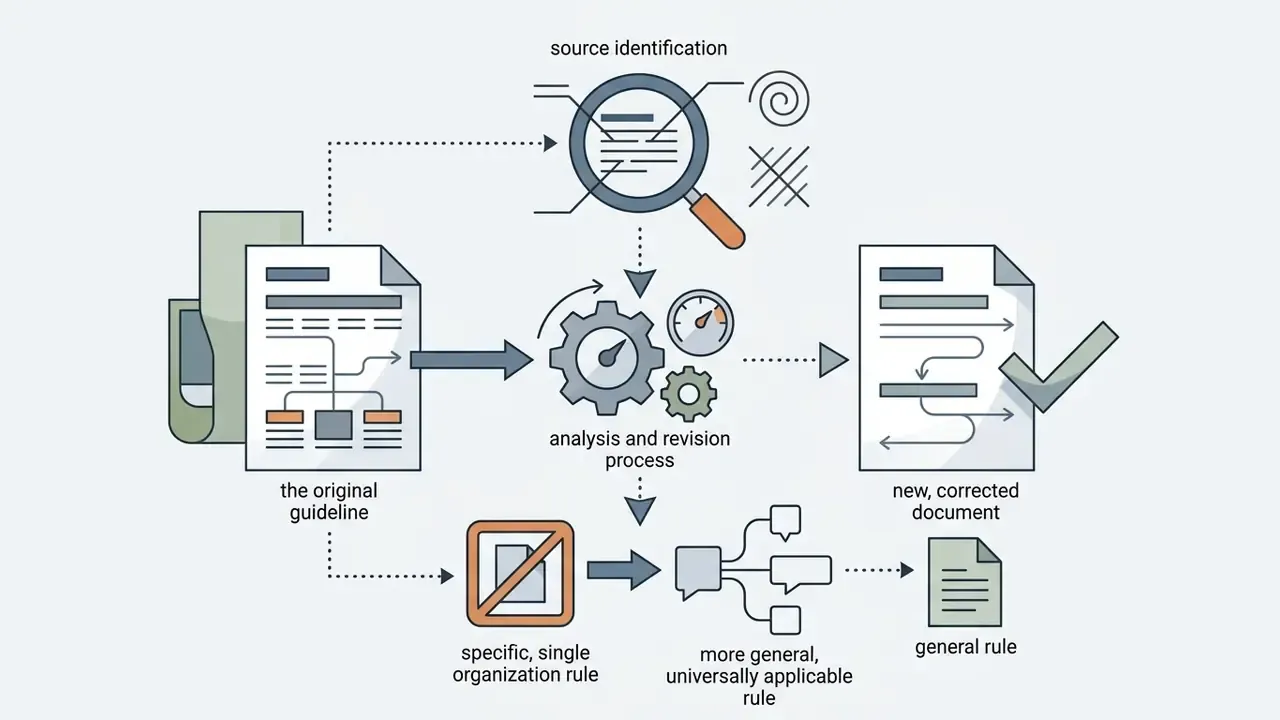
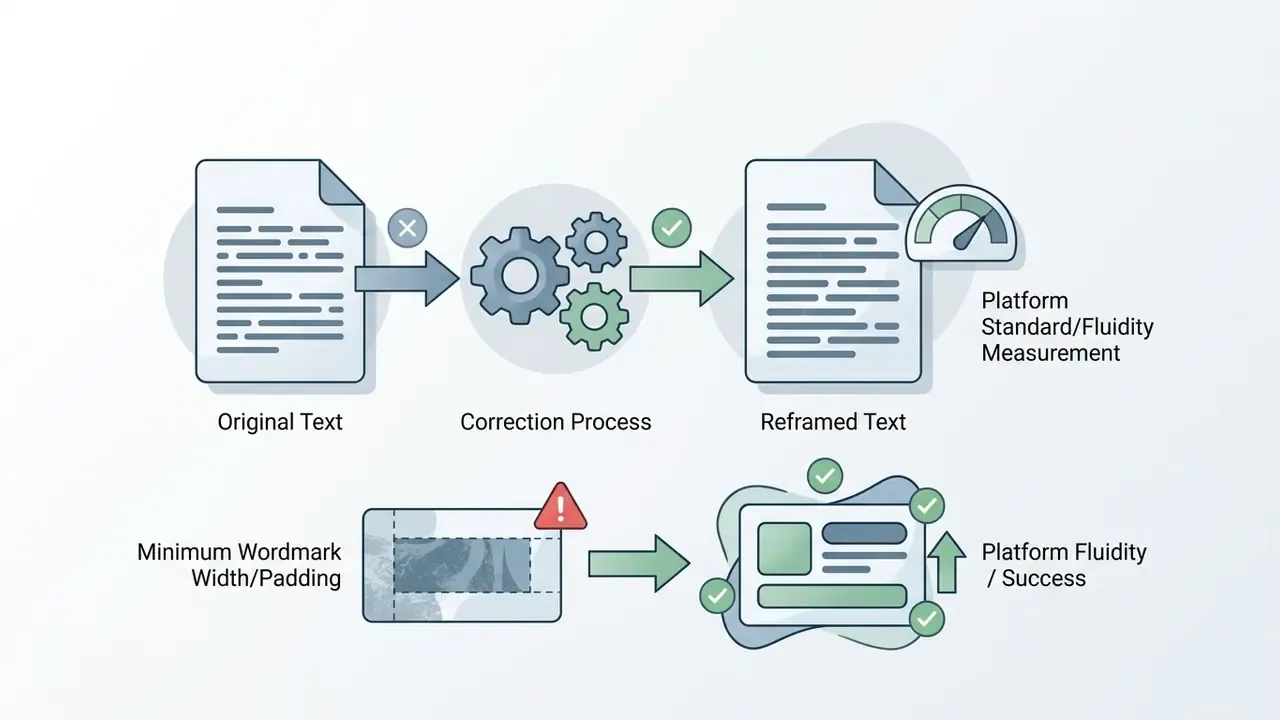
For transparency, the following statements from earlier revisions of this guide were reframed after source verification. The original phrasing is preserved here; corrected versions appear in the body text above.
Footer / Navigation