Executive summary
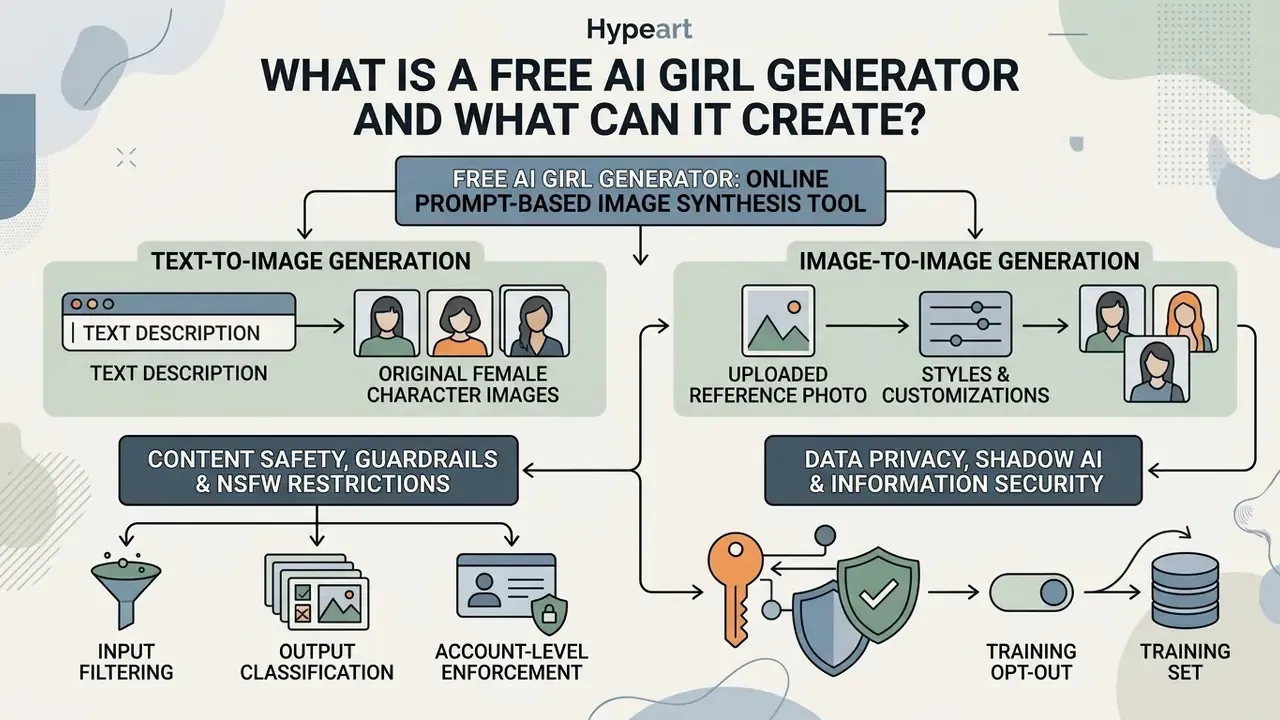
- A free AI girl generator is a browser-based image synthesis tool that produces female portraits, avatars and character art from a text prompt (text-to-image) or from an uploaded reference photo (image-to-image).
- "Free" is never uniform. Expect credit caps (for example 3 images per month, 5 credits per day, 50 credits per day or 100 images per day depending on the vendor), watermarks, reduced export resolution and personal-use-only licensing.
- Commercial use depends on the vendor's Terms of Service, on sufficient human authorship, and on avoiding real people's likeness. The U.S. Copyright Office confirms purely machine-generated expression is not registrable; state right-of-publicity law still applies.
- Mainstream cloud generators enforce automated NSFW and minor-protection filters. Attempting to bypass them typically triggers account flags or permanent bans.
Who this guide is written for, and what changed
Two very different readers land on this query. The first is a creator who wants a girl image generator that works in a mobile browser, for free, in under a minute. The second is a marketing, brand or risk owner who has to sign off on where those files end up. This guide serves both, but it refuses to pretend they carry the same exposure.
What changed since last year: EU transparency duties for synthetic human media now have a firm date (2 August 2026), the U.S. Copyright Office has published two AI reports rather than one, and several vendors quietly moved image models off their free API tiers. Terms read in 2024 are no longer a reliable guide. Re-read them.
An AI girl generator synthesizes female portraits, avatars, and character illustrations from natural-language descriptions or reference images. These web-based systems employ text-to-image and image-to-image diffusion models, allowing creators to produce realistic, anime, or stylized female visuals without manual canvas editing skills.
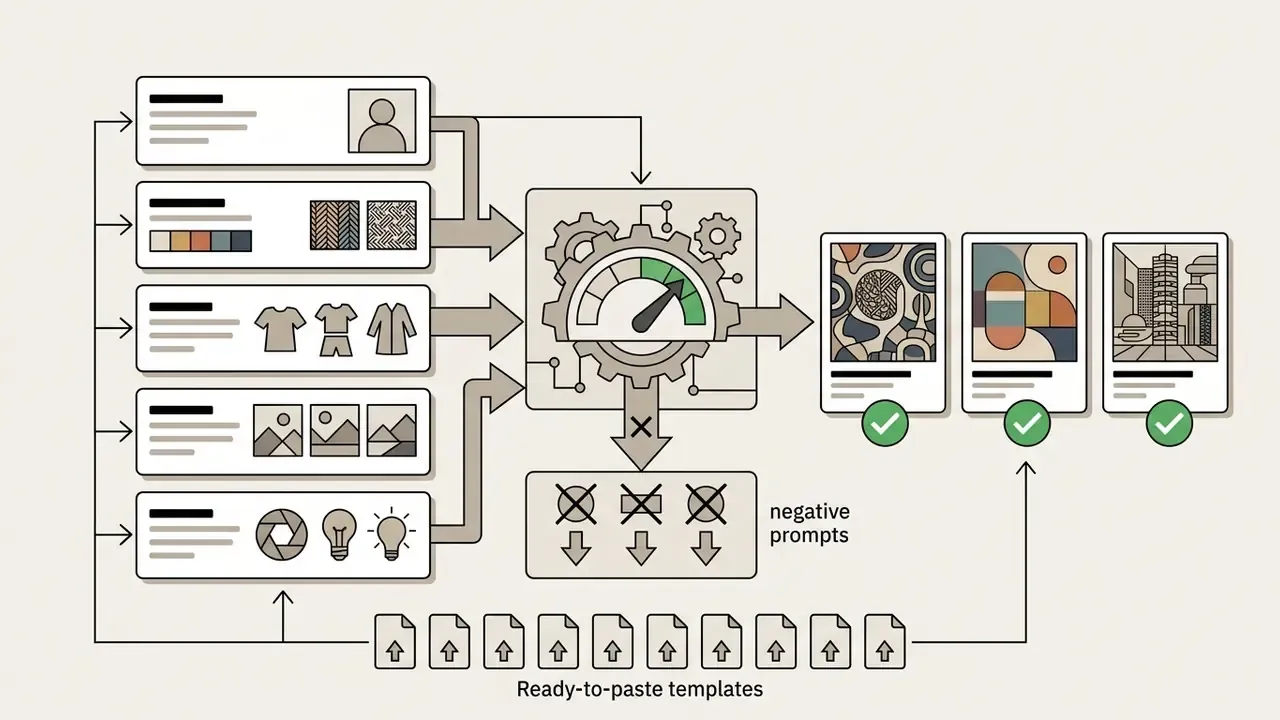
What Is a Free AI Girl Generator and What Can It Create?
The practical distinction is architectural. A graphics editor transforms pixels you already own, while a generator synthesizes a new raster image from learned image and caption patterns. That difference is exactly what creates both the speed advantage and the licensing questions discussed later. If you want a baseline comparison with conventional tooling, see our overview of online photo editors and of free photo editors and their export restrictions.
Search demand splits along the same line. Some people type "ai create a woman" or "ai art generator woman" looking for an original fictional character. Others type "ai girl generator from photo" and mean their own selfie. The tool is similar; the rights question is not remotely similar. Worth pausing on that before you upload anything.
Text-to-image generation for original female characters
Text-to-image generation converts structured text prompts into synthetic raster images by sampling latent representations in a diffusion model. Users describe subject traits, hair color, wardrobe, lighting, and environmental background to build a completely original character. These architectures reverse a noise-addition process to match textual conditioning vectors, enabling detailed visual alignment with written instructions.
«Diffusion models are trained to reverse the gradual addition of noise to data, reconstructing an image from a noised latent space under a text condition.»
Character-oriented documentation reinforces the same mechanic at the prompt level. The leading token set defines the subject (for example a single female subject tag), and every subsequent block, whether appearance, clothing, pose, style, lighting or environment, steers a narrower part of the latent search. Prompt order is therefore a control parameter, not a stylistic preference.
Image-to-image generation from a photo or reference
Image-to-image generation uses an input reference photo alongside textual guidance to alter visual style, camera perspective, or artistic medium while retaining underlying compositional elements. Readers evaluating this workflow as a separate tool class can compare dedicated image-to-image generators before choosing a platform.
Systems built on textual inversion and guided diffusion sampling stylize face portraits into anime or artistic mediums while keeping facial geometry legible.
«StyleClone improves stylization quality, better preserves the content of the source image, and delivers significantly faster inference than diffusion-based baselines.»
However, using source photographs requires explicit copyright clearance and consent from the subject to prevent intellectual property and privacy violations.
The similarity dial is explicit in most interfaces: conditioning or denoising strength. Low transformation strength preserves recognisable identity and suits retouching or restyling your own portrait. High transformation strength rebuilds facial structure and suits original imaginary characters. UK government copyright guidance also notes that simply making a copy of an image does not create a new copyright in that copy. Rights in the original still govern reuse.
Adjacent repair and enhancement tasks often get bundled into the same session, which is why teams end up mixing tools. If your reference photo has debris, timestamps or an unwanted background element, run ai image cleanup first; if it is an old black-and-white family portrait, an ai image colorizer is the correct starting point rather than a generator.
Content Safety, Guardrails, and NSFW Restrictions
Cloud-based AI girl generators enforce strict automated prompt filters and safety-checker algorithms to block non-consensual sexual content (NSFW), explicit nudity, sexualisation of minors, and violent imagery. Leading platforms use real-time text classification to restrict inappropriate tokens, plus post-generation image classifiers, ensuring compliance with app store policies (iOS/Android), payment-processor rules and corporate hosting terms. Attempting to generate illicit media triggers automatic account flags, prompt rejection, or permanent API access bans.
Three layers are typically stacked:
- Input filtering. Prompts are screened before generation; NIST's synthetic-content guidance describes pre-generation prompt filtering as a concrete control point for restricting unsafe outputs.
- Output classification. Rendered frames are scored and blocked post-hoc; research on defending against malicious diffusion-based editing lists input perturbation, instruction filtering and post-hoc classifiers as standard countermeasures.
- Account-level enforcement. Repeated violations escalate from silent rejection to suspension.
Mainstream vendors state this plainly. Public generator FAQs confirm that NSFW creation is not permitted on general-purpose platforms, and Adobe's generative AI user guidelines prohibit any use that violates law or harms others. Executive Order 14110 (2023) likewise directed safeguards against deceptive outputs and non-consensual intimate imagery of real individuals, and UK online-safety guidance treats sexual deepfakes as image-based abuse.
A related query cluster deserves a direct answer. Searches like "ai girlfriend generator free" and "ai wife generator" usually resolve to companion apps, not image tools, and they sit in a different risk class: persistent chat logs, intimate personal data, and stricter app-store scrutiny. Tools promising to remove clothing, including anything marketed as an ai image clothes editor, fall outside what a legitimate brand workflow can touch at all. That is not a policy preference. It is liability.
Practical implication for teams: if your creative brief requires suggestive or age-ambiguous imagery, the brief itself is the compliance failure, not the tool. Rewrite the brief.
Data Privacy, Shadow AI and Information Security
Free tiers are the most common entry point for Shadow AI, meaning unsanctioned tool use by employees. The material risk is not the picture. It is what travels with the prompt: unreleased campaign copy, customer photographs, internal product renders, or personally identifiable information embedded in an uploaded file.
Key controls to verify before allowing a free generator inside a business workflow:
- Training opt-out. Does the vendor use customer prompts and uploads to improve models? Public-sector guidance (for example the U.S. ACF generative AI policy, 2024) warns that public generative AI tools may retain prompts and files and reuse them for training.
- Retention window. How long are uploads stored, and can they be deleted on request?
- Personal data prohibition. UK Government guidance for civil servants states plainly that sensitive information and personal data must never be entered into generative AI tools.
- Jurisdiction and transfer. Where are GPUs and logs hosted, and does that satisfy GDPR/CCPA transfer requirements?
- Access logging. NIST's Generative AI Profile for the AI Risk Management Framework (2024) requires periodic monitoring for privacy risk and for exposure of PII in AI-generated content.
Illustrative editorial commentary from Marcus Hale, author: "Treat a free image generator the way you would treat any unmanaged digital worker. Give it an owner, an approved role, an access boundary, and a log. If none of that exists, you do not have a creative tool. You have an undocumented data egress path."
What "Free" Means in an AI Girl Generator
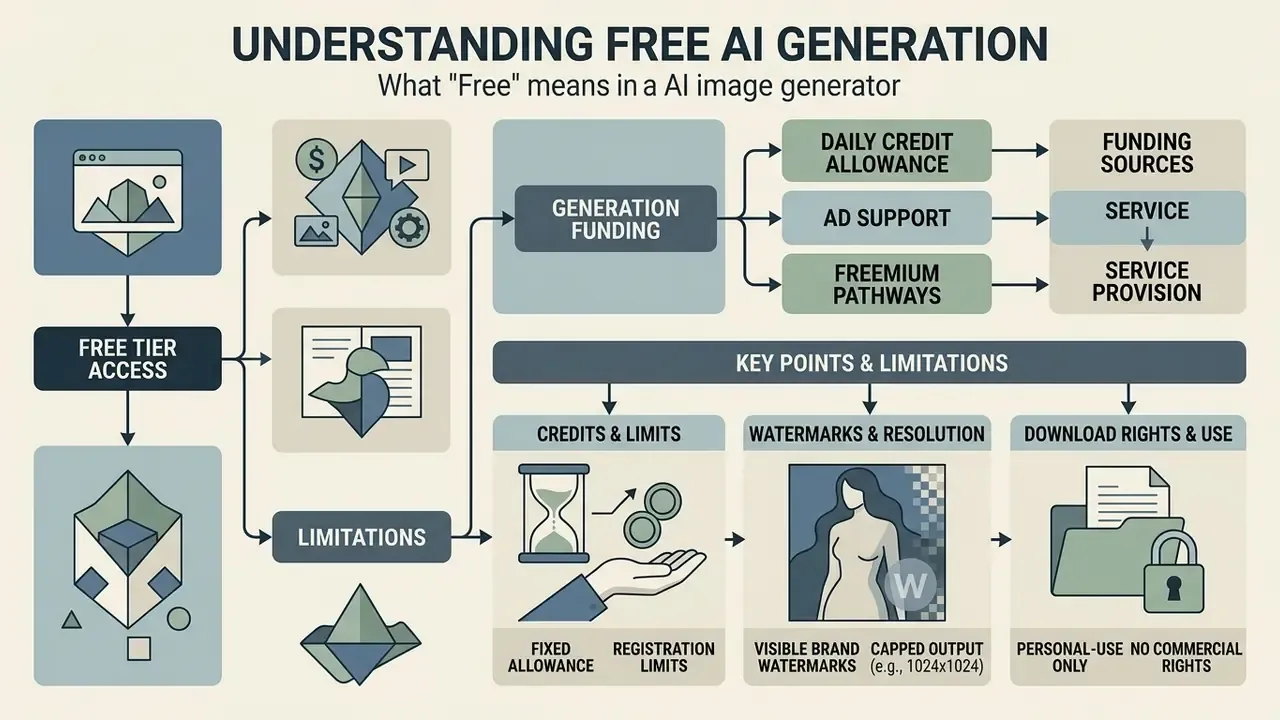
Free tier access in AI image generators typically provides basic generation capabilities funded through daily credit allocations, ad support, or freemium upgrade pathways. While these plans let users test prompt inputs and styling options, they often enforce structural restrictions on resolution, speed, queue priority, and export usage rights. Readers comparing entry-level access can also review free AI generators that work without sign-up.
Free credits, registration and generation limits
Most online generators grant users a fixed daily or monthly allowance of free credits, and the majority require account creation to prevent platform abuse and to meter usage. No peer-reviewed study of freemium economics in image generation was available at the time of writing, so the figures below are taken directly from vendor documentation and pricing pages rather than from research:
| Access model | Documented free allowance (vendor pages, 2026) |
|---|---|
| Browser tool, monthly quota | ~3 images per month, extendable with ~10 sign-up credits |
| Browser tool, daily credits | ~5 credits per day, resetting daily |
| Video/image studio credits | 50 credits per day (non-rolling) or ~100 credits per month depending on surface |
| Assistant-style chat generation | "Limited and slower image generation" with no published numeric cap |
| Design suite text-to-image | Lifetime rather than monthly quota (reported ~50 generations) |
| API access | Free tier frequently listed as "not supported" for image models |
Two structural conclusions follow. First, free credits usually do not roll over, so batch work must be planned per day. Second, a "free" web tier and a "free" API tier are different products: several vendors document image models as unavailable on free API tiers entirely.
One more practical wrinkle. Credit cost is rarely flat. Higher resolution, upscaling passes, style transfer and video extension frequently consume multiples of a base credit, so a stated "50 per day" can evaporate in a dozen serious renders. Plan the day's shot list, not the day's curiosity.
Watermarks, resolution and download rights
Free plan exports frequently, though not universally, carry visible brand watermarks or capped output resolution, with unwatermarked high-resolution downloads reserved for paid subscribers. Vendor terms vary enough that the restriction must be read per platform rather than assumed:
- Some vendors state that free and entry plans are personal-use only and that the watermark cannot be removed, including retroactively after upgrading.
- Reported free-tier download caps cluster around 480p to 720p for video-capable studios, with 1024×1024 or 2048×2048 typical for still images and 4K reserved for paid plans.
- Exceptions exist. At least one current pricing page documents watermark-free downloads and commercial use on the free tier, which demonstrates why per-vendor verification beats generalisation.
Additionally, vendor terms often restrict free-tier image downloads to personal, non-commercial use, requiring an active paid plan or commercial license grant before assets can be integrated into business projects.
| Feature / Control | Free Access Tier | Paid Subscription Tier | Model Governance Standard |
|---|---|---|---|
| Account Requirement | Registration or open trial | Verified corporate / personal account | Mandatory access control and logging |
| Daily Generation Limits | Restricted credit quota (e.g., 5-50/day) | Expanded or unlimited generation queue | Usage tracking and quota management |
| Watermark Inclusion | Visible brand overlay common | Unwatermarked export | Provenance and C2PA metadata tagging |
| Max Download Resolution | Standard resolution (480p to 720p) | High resolution (1024p to 4K) | Uncompressed asset delivery |
| Commercial Usage Rights | Personal use only (typical) | Full commercial license grant | Verified platform licensing terms |
| Data Retention / Training | Prompts and uploads may be reused | Configurable retention | Contractual no-training clause plus deletion SLA |
| Content Safety Controls | Vendor-default filters only | Configurable moderation thresholds | Documented filter testing and incident log |
For a broader side-by-side of entry-level tools, see our comparison of free AI image generators and of free AI art generators; if you prefer to start from category level, browse the hub.
Can You Use AI-Generated Girl Images Commercially?
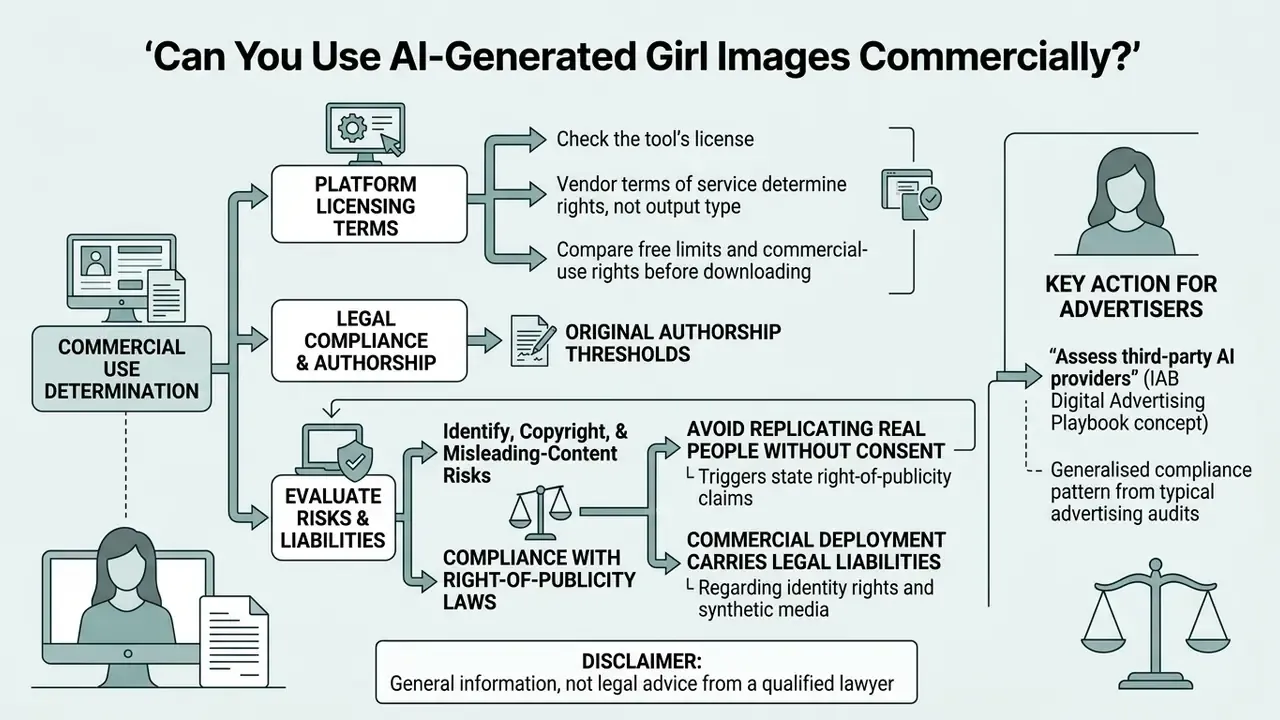
Commercial usage of AI-generated female images depends on platform licensing terms, original authorship thresholds, and compliance with right-of-publicity laws. Under current legal frameworks, businesses can use synthetic imagery in advertising and marketing only if the assets do not infringe existing copyrights or replicate the likeness of real individuals without permission. A structured overview of rights across tools is available in our guide to commercial use of AI image generators.
Check the tool's license before using images in business
Avoid identity, copyright and misleading-content risks
«Extending protection to material whose expressive elements are determined by a machine would undermine rather than further the constitutional goals of copyright.»
Furthermore, replicating a real person's identifiable face without consent triggers state right-of-publicity claims.
«As of 2020, 35 U.S. states recognised a right of publicity in some form, allowing claims against unauthorised commercial use of a person's name or likeness.»
Regional regulation adds a labelling layer. Under the EU AI Act (Regulation (EU) 2024/1689), the Article 50 transparency obligations, including clear disclosure for deepfakes and certain AI-generated public-interest content, apply from 2 August 2026, with the European Commission's Code of Practice on AI-generated content providing implementation guidance. A 2025 European Parliament study on copyright and generative AI notes separately that imitating an artistic style is not in itself copyright infringement, though it still carries legal and reputational risk.
How to Generate an AI Girl from a Text Prompt
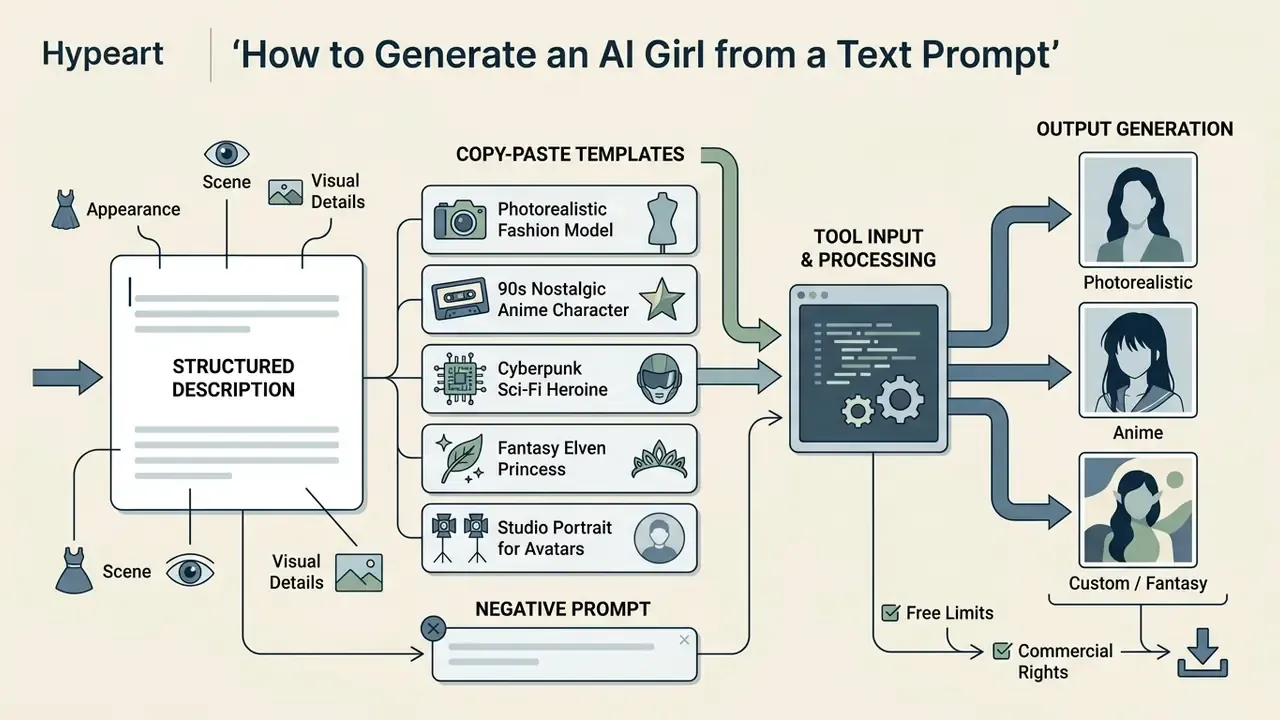
Generating an AI girl image from a text prompt requires entering a structured description into the tool's input box, configuring generation settings, and selecting the output option. The underlying neural network evaluates the prompt hierarchy, maps semantic keywords to visual tokens, and produces one or more candidate images within seconds.
Describe appearance, scene and visual details
Precise control over synthetic output relies on structured, layered descriptions covering subject demographics, facial expression, clothing, lighting, and environmental context. According to official prompting standards (Adobe Firefly prompt guidance, 2025; OpenAI GPT image prompting guide, 2025), placing core subject tags before lighting and camera descriptors yields predictable subject composition. OpenAI's guide recommends a consistent order of background and scene, then subject, then key details, then constraints, with camera and lens terms for photorealism. Defining attributes like hair color, posture, and clothing material lets you create custom AI girls without design skills.
«In a controlled study with 25 participants, CONFORM received 72 to 94% of votes for better prompt alignment in Stable Diffusion tests.»
Prompt Architecture Matrix
| Prompt component | Purpose | Example keywords |
|---|---|---|
| 1. Subject | Age, ethnicity, emotion | 20yo Scandinavian female, gentle smile |
| 2. Hair & Face | Hairstyle, make-up, eyes | long wavy chestnut hair, hazel eyes, natural freckles |
| 3. Outfit | Style, fabric, detail | oversized knitted beige sweater, denim jeans |
| 4. Environment | Location, time of day | cozy coffee shop, rainy day outside the window |
| 5. Camera & Lighting | Lens, light, depth | 85mm focal length, golden-hour light, cinematic bokeh |
| 6. Style & Format | Medium, aspect ratio | editorial photography, --ar 9:16 |
| 7. Negative prompt | Artefact suppression | distorted hands, extra fingers, blurry eyes, text, cropped face |
In a model risk assessment for a digital media workflow, an automated asset pipeline failed to deliver consistent marketing imagery because initial text prompts lacked specific camera angle and lighting parameters. After standardising prompt templates with explicit lens properties (for example an 85mm portrait lens and directional soft studio light), the editorial team recorded a substantial drop in generation rerolls and consistent aesthetic framing across campaign assets. To be precise about what that claim is: an internal editorial observation from a single workflow, not a controlled experiment. Magnitude will vary by model and brief. The reproducible takeaway is narrower and sturdier. Fixing optical and lighting parameters inside a template reduces variance.
If you struggle to describe what you want, invert the workflow. Feed a reference you already like into an ai image describer, harvest the vocabulary it returns, then rebuild your own prompt from those tokens. Cheap trick. Works surprisingly well.
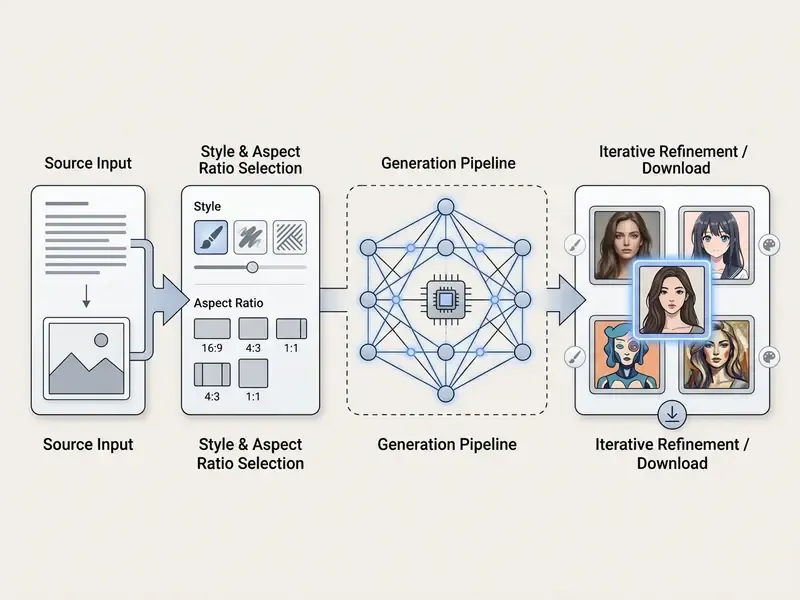
Choose a style, ratio and image model
Selecting an image style (realistic AI, anime style, fantasy girl, or 3D cartoon) directs the model to apply specific rendering aesthetics and brushwork parameters. Aspect ratios govern framing: 1:1 is optimized for profile avatars and general use, 3:4 for ads and social media, 4:3 for photography-style framing, 9:16 for vertical mobile content, and 16:9 for landscape banners and background-heavy scenes (Google Gemini and Imagen documentation, 2025). Model architecture dictates how accurately the system adheres to prompt constraints and maintains detail fidelity across different frame dimensions, a selection decision covered in our comparison of the best AI image generators.
Note that style exposure differs by vendor. Some platforms publish named presets (for instance a portrait-only manga preset alongside nine documented aspect ratios), while others treat style purely as prompt keywords such as realistic, anime, fantasy art, 3D or cartoonish. Verify which mechanism your chosen tool uses before building a template library.
Generate, refine and download high-quality images
Once settings are applied, clicking generate initiates the diffusion sampling process, returning candidate renders for evaluation. High quality and high resolution outputs are achieved by reviewing initial drafts, adjusting prompt tags, and applying upscaling pipelines like iterative refinement (Image Super-Resolution via Iterative Refinement, arXiv, 2021). Readers optimising final resolution can compare dedicated AI image upscalers. Final files can then be exported in standard formats such as PNG, JPEG, or WEBP.
«Users naturally structure prompts around key visual entities and attributes, then progressively add lighting, mood and style details to improve the result.»
Documented refinement pipelines follow the same loop at machine scale: generate at low resolution, review the mismatch between prompt and image, revise the prompt, then upscale with fewer denoising steps and repeat progressive passes for 2K and above. Test-time prompt refinement research (ICCV Workshop, 2025) and Idea2Img (ECCV, 2024) both formalise this draft, critique, revise cycle. For accessibility and archive hygiene, write an ai image description for each approved export instead of shipping files named download_07.png.
- Write a structured text prompt detailing subject appearance, wardrobe, environment, and lighting.
- Select the visual style preset (for example realistic AI portrait, anime, or 3D cartoon).
- Set the required aspect ratio (for example 1:1 square avatar or 9:16 vertical post).
- Click generate to initiate model sampling and review initial output candidates.
- Refine prompt descriptors, add negative prompts, or re-roll generation parameters to correct visual artifacts.
- Export and download the final high-resolution PNG or WEBP image file, and log the prompt, seed and vendor terms version.
How to Create an AI Girl from a Photo or Existing Image
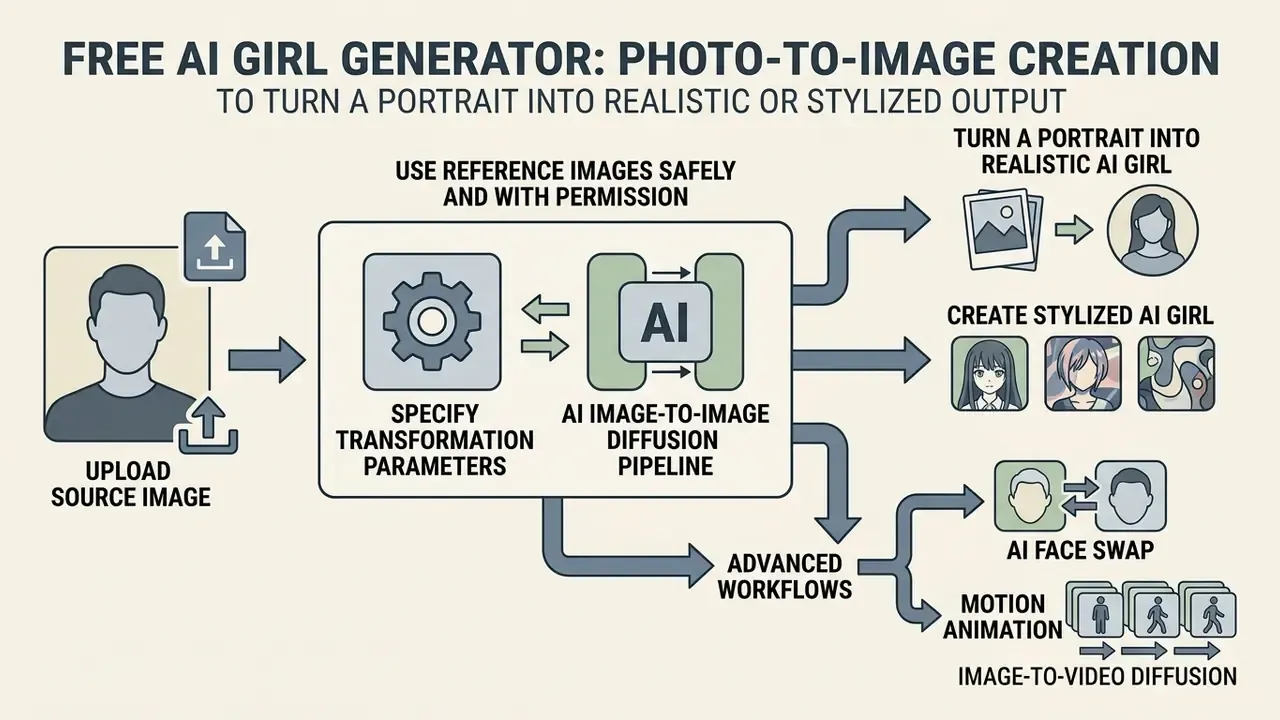
Creating an AI girl image from an existing photo requires uploading a source image to an image-to-image diffusion pipeline and specifying transformation parameters. The model reads the source geometry, applies the designated prompt or style filter, and generates a re-imagined output ranging from subtle facial enhancements to complete anime stylization. Adjacent editing workflows are covered in our guide to AI photo editors and to AI headshot generators; for terminology, view the guide.
Turn a portrait into a realistic or stylized AI girl
Image-to-image frameworks balance content preservation with stylistic transformation through adjustable conditioning strength parameters. High transformation strength replaces facial structure and background elements to yield fantasy or cartoon avatars, whereas low transformation strength preserves recognizable features while updating artistic textures (Matiyali et al., StyleClone, 2025). This lets users transform standard portraits into realistic AI girl visuals or anime style art while controlling feature retention.
Two research families sit behind these outcomes. Identity-preserving methods explicitly constrain facial structure: appearance-preserved portrait-to-anime translation (IEEE Transactions on Multimedia, 2024) reports anime portraits with "well-preserved appearances", and training-free stylisation frameworks (arXiv, 2025) target identity-preserved synthesis with fine-grained facial retention. Full-replacement methods regenerate geometry and suit original imaginary avatars better. On-device work such as Real-Time Portrait Stylization on the Edge (arXiv, 2022) demonstrates smartphone-speed cartoon and anime translation with roughly an order-of-magnitude computation reduction, which is why mobile browser tools can now stylise in seconds.
Composite scenes need a different tool again. If you want one generated character placed into a separate generated background, an ai image combiner usually beats trying to force both elements out of a single prompt.
Use Reference Images Safely and with Permission
Uploading third-party photographs to AI generators introduces legal exposure regarding privacy, personality rights, and copyright infringement. Federal policy guidance emphasizes that unauthorized digital replicas of real individuals present significant privacy and reputational risks.
«Existing federal laws are too narrowly drawn to fully address the harms posed by today's sophisticated digital replicas.»
Operators must confirm that source images are owned, explicitly licensed, or in the public domain before processing them through cloud-based generation pipelines. Note also that publicity statutes define "likeness" broadly. Hawaii's statute, for example, covers an image or other recognisable representation of a face or body, which sets the practical boundary for character art derived from real people.
Advanced Workflows: AI Face Swap and Motion Animation
Modern generative platforms extend static image creation into dynamic assets using two specialized pipelines:
- AI Face Swap. Replaces the facial region of a target base image with features from a source portrait using neural face-matching, keeping character representation consistent across different poses, outfits and scenes. This is the fastest route to a coherent recurring character, and the fastest route to legal exposure if the source face belongs to a real person who has not consented. Restrict face swap to your own likeness, to consenting models with signed releases, or to fully synthetic base faces.
- Image-to-Video Diffusion. Converts generated PNG assets into short MP4 loops (commonly three to five seconds, with some products documenting clips up to eight or sixty seconds) by applying motion vector fields such as subtle hair movement, eye blinking and background parallax. Audio-driven portrait animation research (EMO, 2024) shows single-image animation works across photographs, anime characters and painterly renders, which is why one still can seed an entire avatar sequence. Compare options in our overviews of AI video generators and image-to-video tools.
Both pipelines increase regulatory weight rather than reduce it. Animated synthetic humans fall squarely inside the deepfake-labelling scope of EU AI Act Article 50 and of platform-level AI disclosure rules.
AI Girl Image Styles and Customization Options
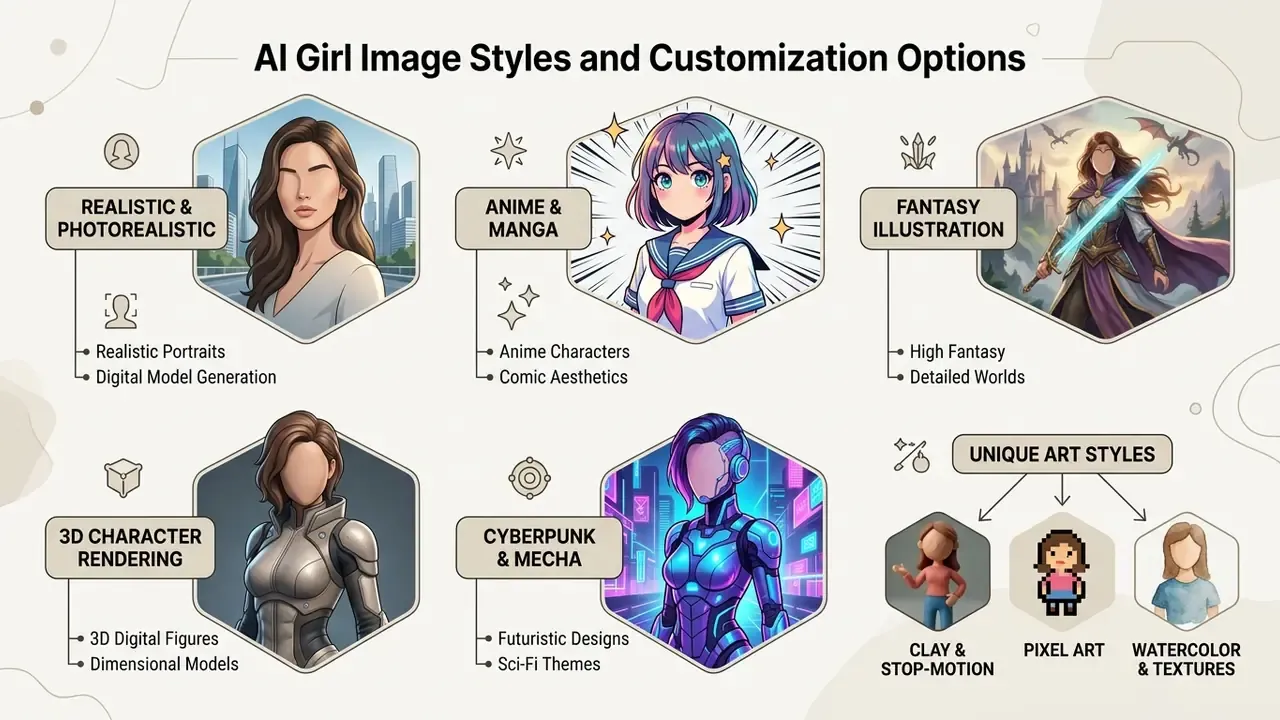
AI girl generators support diverse visual aesthetics, including photorealistic portraiture, Japanese anime, high-fantasy illustration, and 3D digital character rendering. Each style employs distinct prompt keyword structures, sampling configurations, and dataset weighting to fulfill specific creative requirements across digital publishing, gaming, and design.
Realistic AI portraits and AI women model generator images
Photorealistic portrait generation focuses on rendering natural skin textures, realistic hair strands, lighting reflections, and authentic wardrobe tailoring. Standard prompting templates (CreateVision, 2025; LLMBase, 2025) incorporate optical properties such as shallow depth of field, 85mm lens focal length, and soft directional light to mimic fashion photography, and specify ethnicity, skin pores, make-up, apparel layers, accessories and framing (for example "thigh-up shot" or "mirror selfie"). These outputs let creative teams generate synthetic model imagery for preliminary concept art and layout mockups. Note the wording carefully: an AI women model generator produces a fictional model, never a stand-in for a photographed person who exists.
Anime, manga, fantasy and cartoon girl styles
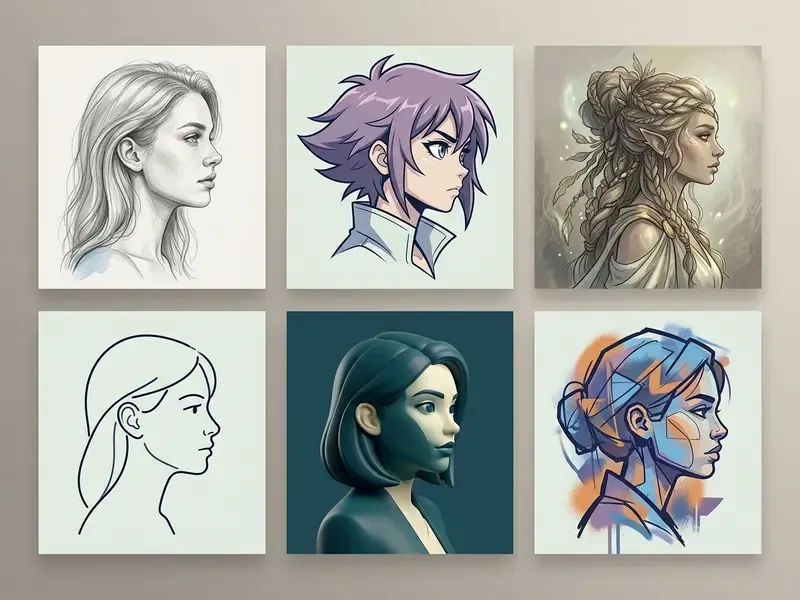
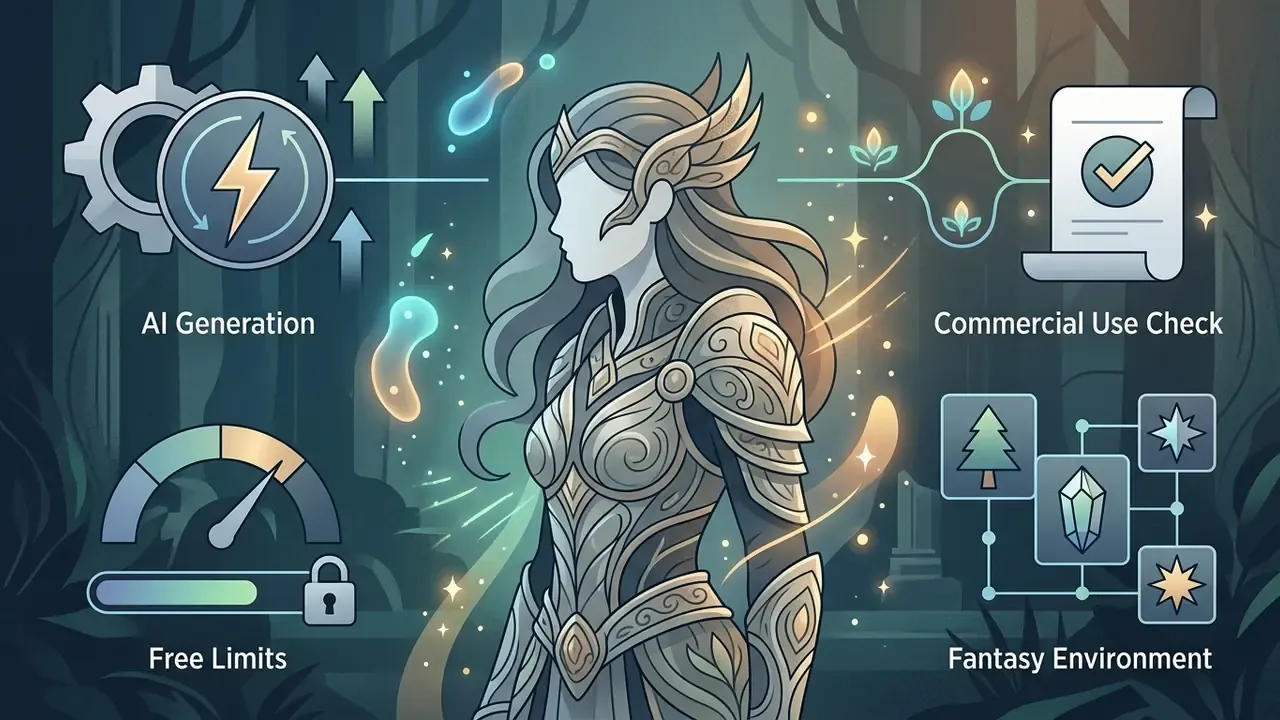
Stylized categories use distinct visual abstractions. Anime and manga feature clean linework and expressive eye proportions, with manga typically black-and-white using screentones and panel economy while anime is colour-based with cel shading. 3D cartoon styles incorporate volumetric depth, cast shadows and material shading. Fantasy girl art uses intricate armor or gown details with ethereal lighting plus pastel or sparkle motifs (Cambridge University Press, 2025; style guides, 2025). Popular substyles include chibi and super-deformed, moe, shonen action, magical girl, and Ghibli-adjacent naturalism, each identifiable by head-to-body ratio, eye scale and background treatment. Selecting these specialized styles turns basic character concepts into assets suitable for digital graphic novels, gaming avatars, and promotional illustrations. For Studio-Ghibli-adjacent output specifically, see our comparison of Ghibli-style AI image generators.
Beyond the four mainstream categories, current generators expose a wider set of niche filters worth testing:
Production-oriented guidance from official brand and character style guides adds a discipline layer: modular limbs, reusable heads, minimal anchor points, consistent scaling, colour-tint variation, silhouette exploration, turnaround sheets, expression sheets and pose studies. That is how a one-off generated image becomes a reusable character system.
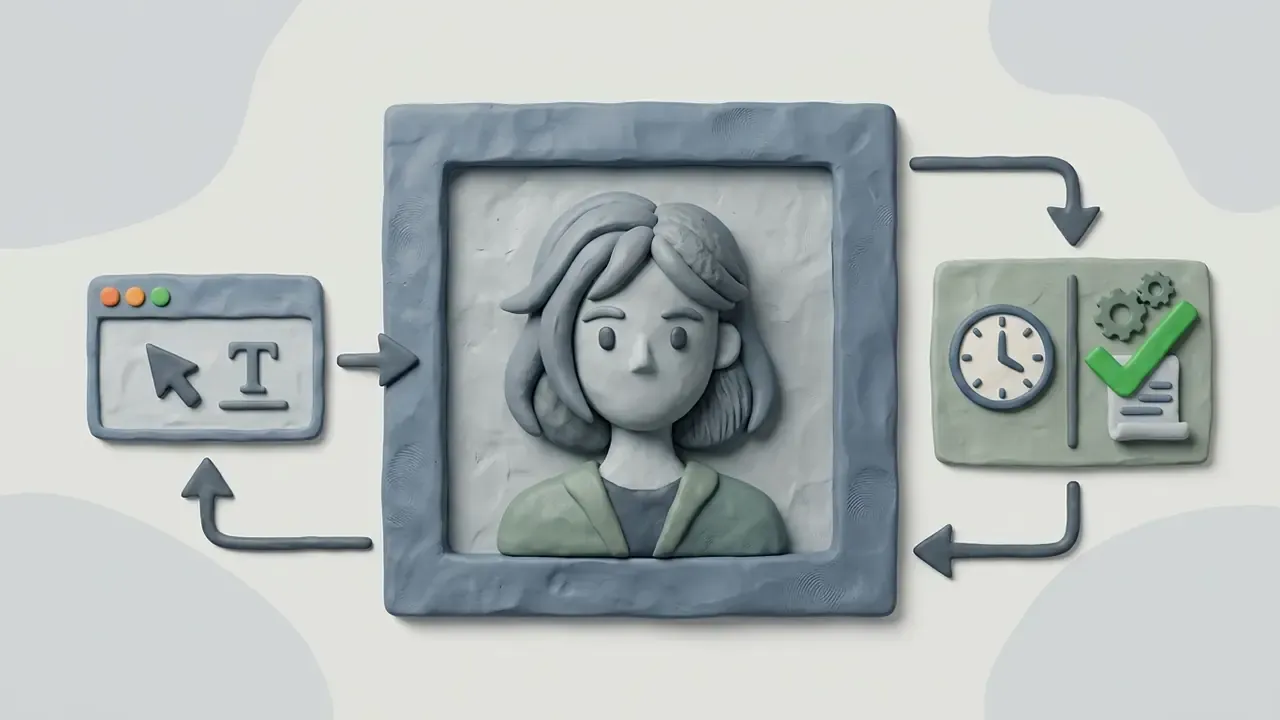
- Clay and stop-motion style
- sculpted plasticine look with tangible material texture and soft directional light.
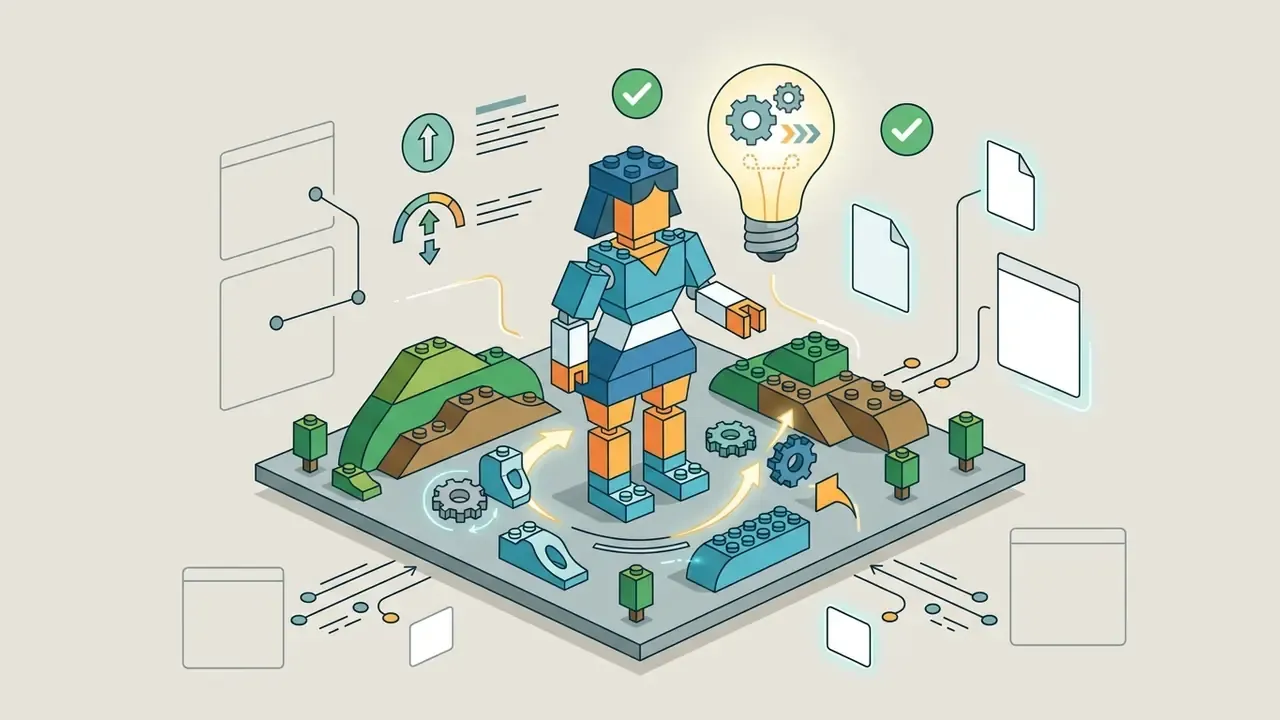
- Bricks and toy-block art
- characters rendered as construction-toy figures with studded surfaces and blocky proportions.
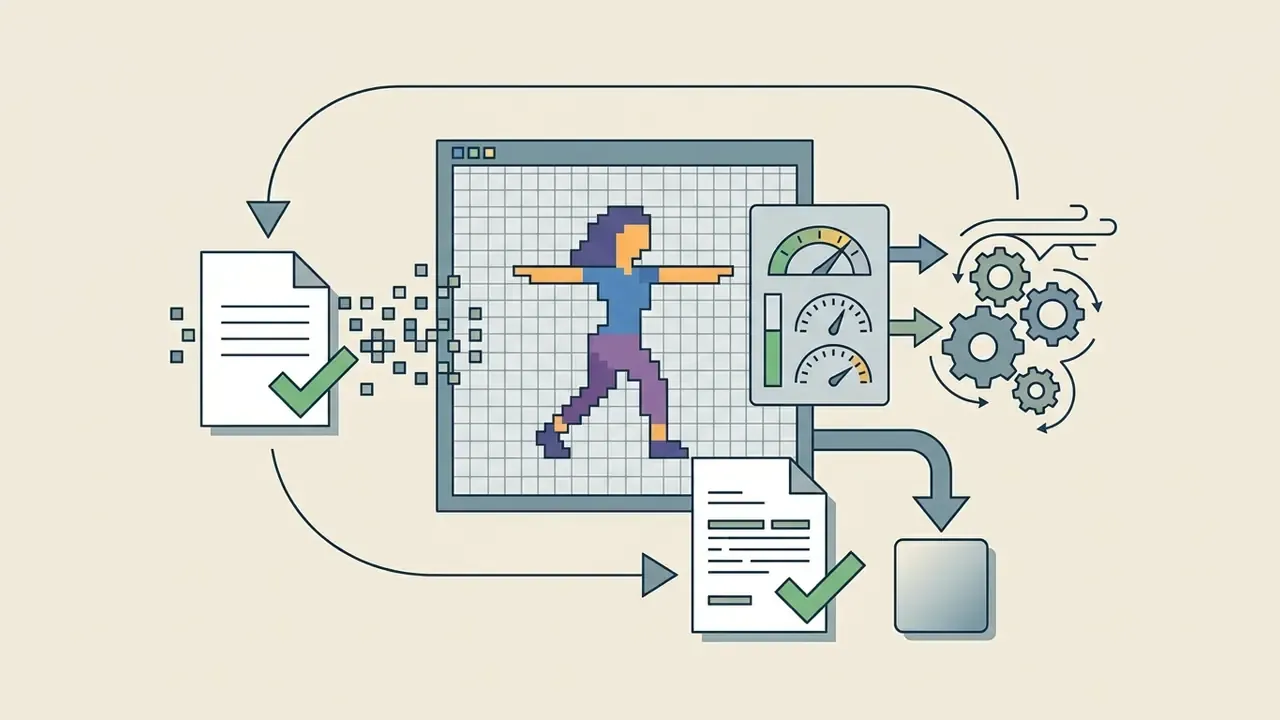
- Pixel art and retro 8-bit
- low-resolution sprite aesthetics for indie games and 2D avatars.
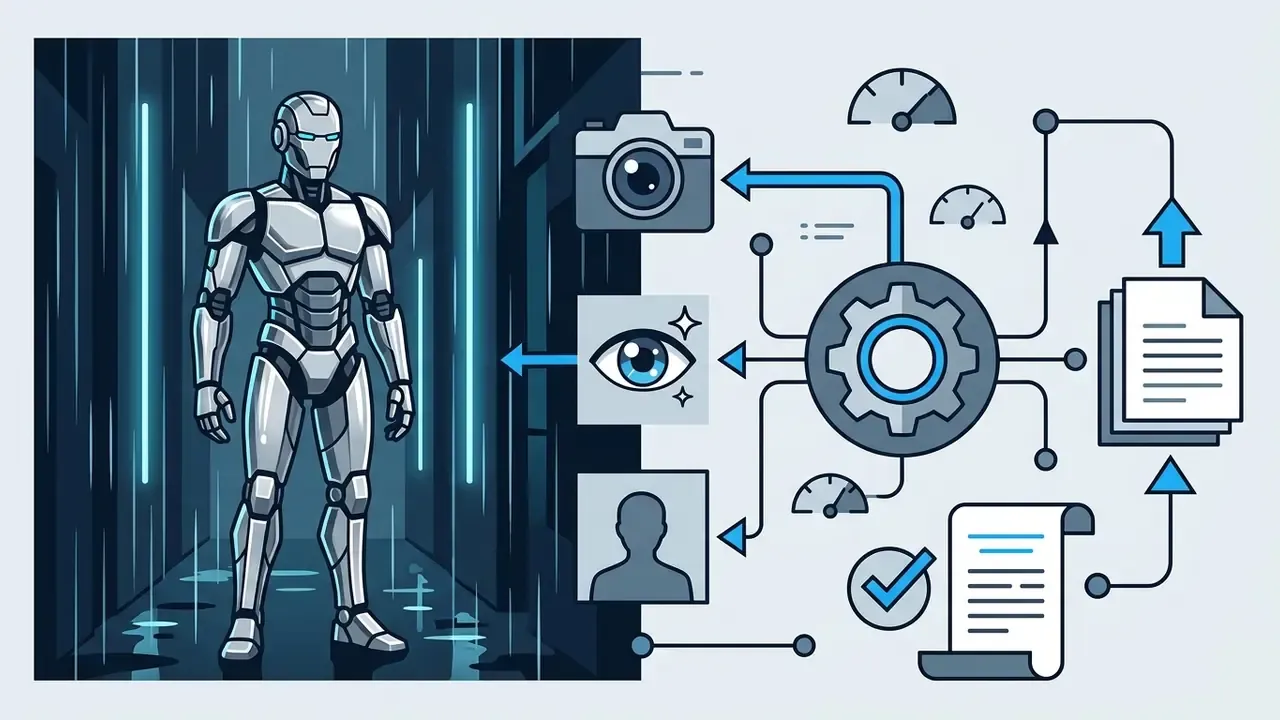
- Cyberpunk and mecha robot
- android heroines with neon accents, exposed servos and volumetric fog.
- Watercolor, line art and mosaic
- painterly and graphic illustration variants for editorial use.
- Sketch and ink
- monochrome line-drawing output for storyboards and concept passes.
- Kawaii cute portrait
- rounded proportions, pastel palettes, soft rim light.
- Wallpaper formats
- vertical 9:16 and desktop 16:9 renders optimised for lock screens and desktops.
- VTuber-ready avatar sheets
- front, three-quarter and expression variants for streaming overlays.
Customize appearance for a dream girl or character concept
Customizing synthetic female characters involves specifying unique combinations of hair color, facial features, posture, clothing layers, and thematic settings. Research on personalized image editing demonstrates that preference-aligned diffusion pipelines can adapt to granular user preferences without copying real individuals.
«C-DPO trains on 144,000 annotated preferences from 3,000 synthetic user profiles; in a study with 50 participants it consistently outperformed baselines on alignment with personal preference.»
Establishing original visual traits keeps character concepts distinct as creative works rather than unauthorized reproductions of real public figures. The U.S. Copyright Office notes that a character's name and general idea are not protected, only the original visual depiction or textual delineation, so the defensible asset is your specific rendered expression, documented and iterated by a human.
Practical Uses for AI Girl Images in Content and Design
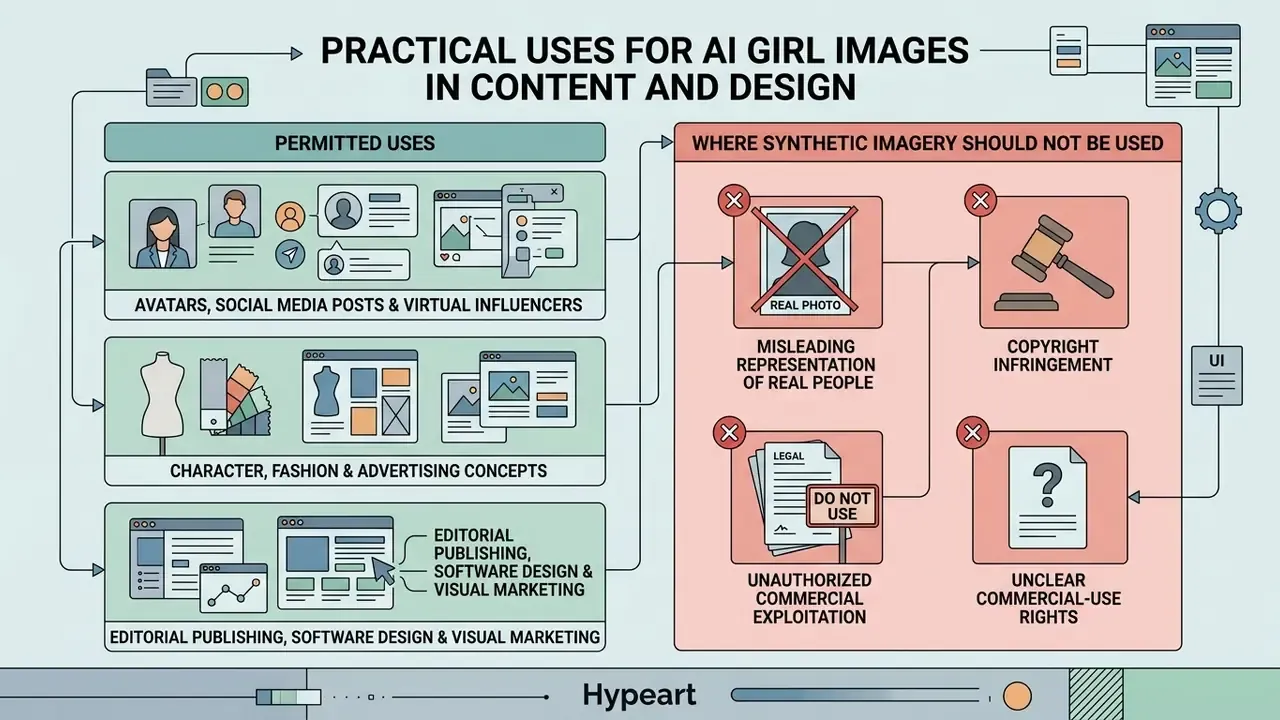
Synthetic female imagery provides creative visual assets across digital publishing, software design, and visual marketing workflows. Organizations use AI girl generators to produce marketing mockups, social media visuals, and design concepts while lowering initial visual asset production costs.
«Using 254,400 human evaluations, the study reports that AI-generated marketing imagery can surpass human-made images on quality, realism and aesthetics.»
Documented delivery formats span social posts, promotional flyers, banner ads, email newsletters, infographics, brochures and pitch decks, exported as PNG, PDF or PPT for campaign use (marketing design generator documentation, 2025).
Character, fashion and advertising concepts
In game development and fashion design, synthetic portrait generation accelerates preliminary ideation and concept exploration. Designers test color combinations, wardrobe layering, and character aesthetics before committing manual illustration or physical manufacturing resources, a workflow that pairs well with our comparison of the best AI art generators. Empirical game-development research (2026 university study) documents generators such as Leonardo AI, Scenario AI, Alpha 3D and Luma AI producing playable-adjacent assets, while fashion theses report Midjourney, DALL·E, Stable Diffusion and RunwayML used for sketching silhouettes, patterns and campaign imagery.
Disclosure matters in this category. Harvard SEAS AI marketing guidelines state that AI-generated images may be used for illustration or animation but must be labelled "Created using AI" when published, and several official brand guidelines require an explicit copyright-infringement check before publication. Used as internal mood boards and creative drafts, synthetic assets streamline visual iteration without presenting unverified AI outputs as final, legally protected assets.
Where synthetic imagery should not be used: as evidence, as a depiction of a real customer or employee, as a testimonial face, in regulated product claims, or anywhere the audience would reasonably assume the person photographed exists.
FAQ About Free AI Girl Generators
How can I make AI girl generator outputs match my text prompt accurately?
Improve prompt accuracy by structuring descriptors logically: start with subject age and demographics, then hair color, clothing, posture, background setting, camera lens properties, and lighting. Placing critical keywords early in the prompt gives them stronger conditioning weight inside the diffusion model. Add a negative prompt (distorted hands, extra fingers, blurry eyes, text, cropped face) to suppress the most common artifacts.
Why do generated images differ even when using the exact same prompt?
Text-to-image diffusion models use stochastic sampling, meaning each render begins from a random Gaussian noise pattern unless a fixed seed number is specified. Variations in initial noise vectors push the model along slightly different compositional paths during iterative denoising. Fix the seed if you need reproducible character consistency across a series.
Can I access a free AI girl generator on mobile browsers?
Yes. Most modern AI image generators are web-based applications optimized for mobile browsers, including Chrome, Safari, and Edge. They process image rendering on cloud GPU servers, so there is no need for dedicated desktop graphics hardware, which is why a web version performs essentially the same on a laptop and on iOS or Android without installing third-party software. Some vendors additionally ship native iOS apps, but a native app is not a technical requirement for generation.
Are free AI girl generators allowed to generate NSFW or explicit content?
No. Standard public AI girl generators enforce safety guardrails that automatically block sexually explicit (NSFW), violent, or non-consensual image generation, and they block any request involving minors. These filters protect privacy and keep platforms compliant with payment processor policies and mobile app store guidelines. Repeated attempts to bypass filters typically end in account suspension or a permanent API ban.
Can I upload a photo of a real person and restyle it?
Only with rights and consent. Use your own photographs, explicitly licensed stock, or public-domain images, and obtain a documented release before generating a recognisable likeness, especially for commercial use, where state right-of-publicity laws apply. Avoid uploading customer photographs or identity documents to any consumer free tier.
Can I convert a static AI girl image into an AI video clip?
Static images can be transformed into short video clips by exporting the generated PNG file into image-to-video tools or animation models. These specialized video generators apply camera movement and motion vectors to bring static character portraits to life, typically producing three-to-eight-second loops on free tiers. Synthetic video of human-like subjects carries additional labelling obligations.
Do free generators keep my prompts and uploads?
Frequently, yes. Public generative AI tools may retain prompts and uploaded files and, under some terms, reuse them to improve models. Check the vendor's privacy policy for retention windows, training opt-outs, and deletion rights before processing anything confidential.
Can I copyright an AI-generated girl character?
Purely machine-generated expression is not registrable in the United States. Protection attaches to sufficient human-authored expressive contribution, for example your own drawing, compositing, or substantial editing on top of the generated base. Keep records of the human creative steps if the character matters commercially.
What is the difference between an AI girl maker and an AI girlfriend app?
An AI girl maker is an image tool: you get files. A companion or "ai girlfriend generator free" app is a conversational product that stores dialogue, preferences and sometimes payment and location data. Different data footprint, different consent questions, different app-store rules. Do not treat them as one category in a vendor review.
Appendix: Governance Artefacts for Teams
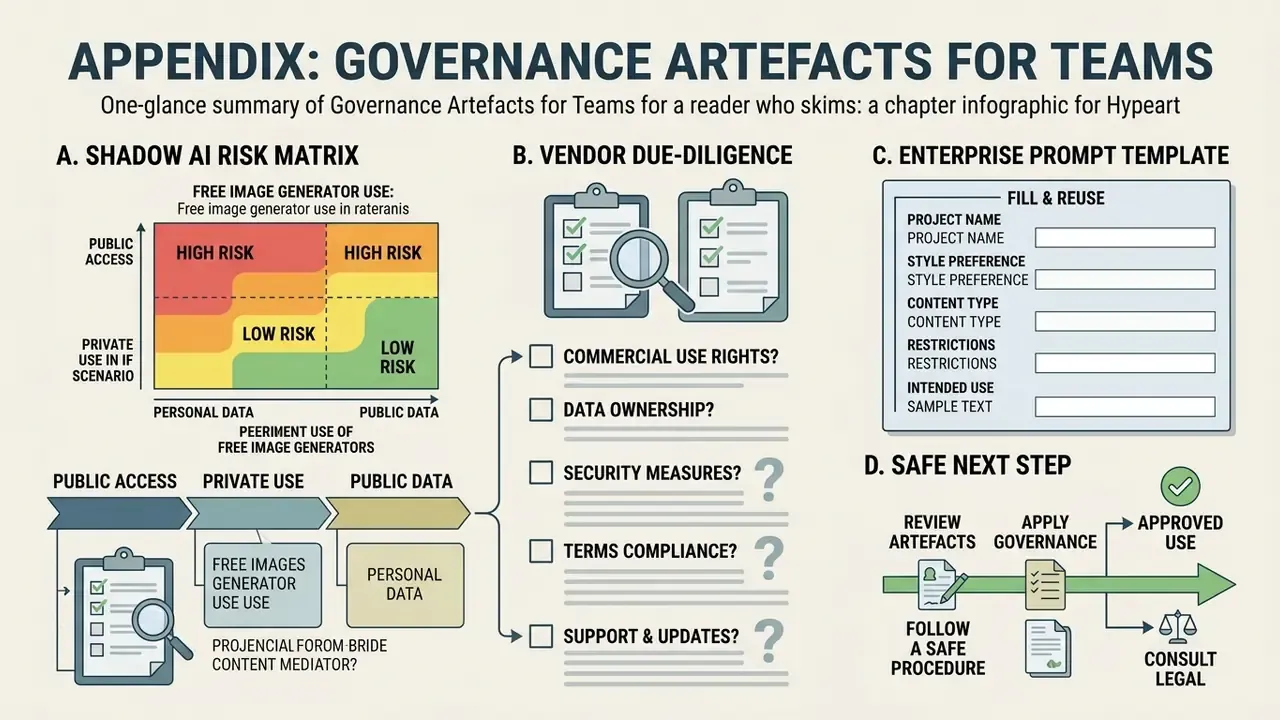
A. Shadow AI risk matrix for free image generators
| Risk category | Trigger | Likely impact | Primary control |
|---|---|---|---|
| Data leakage (confidentiality) | Unreleased creative or internal photos uploaded to a consumer tier | Loss of trade-secret status; vendor training on proprietary assets | Approved-tool list; contractual no-training clause; DLP on upload domains |
| Personal data (GDPR/CCPA) | Customer or employee photographs processed without a lawful basis | Regulatory exposure; data-subject complaints | Ban on personal data in prompts; consent records; DPIA for portrait workflows |
| Copyright / IP | Third-party photo or protected character used as reference | Infringement claim; campaign takedown | Reference-image provenance log; pre-publication IP check |
| Right of publicity | Recognisable real likeness in commercial output | State-law claims in the 35 or more jurisdictions recognising the right | Prohibit real-person likeness; face swap restricted to consenting sources |
| Licensing | Free-tier asset published commercially | Breach of vendor terms; forced asset replacement | Terms-version audit before launch; paid-tier migration for production |
| Disclosure | Unlabelled synthetic human media | EU AI Act Article 50 and platform-policy non-compliance from 2 Aug 2026 | AI label in creative; C2PA metadata preserved on export |
| Content safety | Prompt drifts into NSFW or age-ambiguous territory | Account ban; brand-safety incident | Brief review; prompt allow-list; moderation incident log |
B. Vendor due-diligence questions before approving a generator
- Does the current EULA grant commercial rights on the tier we actually use?
- Are any required features labelled beta or excluded from commercial use?
- Are prompts and uploads used for model training, and can that be disabled contractually?
- What is the retention window, and is deletion on request supported with an SLA?
- Where are inference and logs hosted, and is cross-border transfer covered?
- Are C2PA or equivalent provenance metadata written and preserved through export?
- What safety filters exist, and is there an incident-reporting channel?
- Is there an indemnity for IP claims arising from outputs, and what does it exclude?
C. Enterprise prompt template (fill and reuse)
[Subject]: {age} {ethnicity} female, {expression}
[Hair & Face]: {hair length/colour/texture}, {eye colour}, {make-up}
[Outfit]: {garment}, {fabric}, {accessories}
[Environment]: {location}, {time of day}, {weather}
[Camera & Lighting]: {focal length}, {aperture}, {light direction/quality}
[Style & Format]: {medium/style}, --ar {ratio}
[Negative]: distorted hands, extra fingers, fused limbs, blurry eyes,
watermark, text, logo, cropped face, plastic skin
[Governance]: seed={fixed}, tool={vendor + tier}, terms_version={date},
reference_source={owned/licensed/none}, consent_on_file={yes/no/NA}
D. A safe next step
Pick one live campaign. Inventory every AI tool it touched, note the tier and the terms version, and check whether a single asset was produced on a personal-use plan. That exercise usually takes an afternoon and tells you more about your real exposure than any policy document. For the full set of licensing guides by tool category, open the hub.