«In controlled enterprise workflows, automated creative tools need boundary controls before deployment, not after. Real operational value shows up when surreal visual generation sits on top of clear decision ownership, data protection and verifiable licence rights.» Marcus Hale, AI Governance and Model Risk Analyst
Executive Summary
- What it is.A "freaky AI generator" is not a formal product category. It is slang for text-to-image and image-to-image diffusion tools tuned toward surreal, eerie, uncanny and dark-dreamlike output: concept art, horror game assets, book covers, editorial visuals.
- How to control it.Output quality rides on four levers: guidance scale (CFG
7.0–12.0), diffusion steps (30–50), denoising strength for img2img (0.35–0.65), and a short, symptom-specific negative prompt. That is it. Everything else is taste. - Which model to pick.FLUX is fastest in the cloud and strongest on prompt adherence. Stable Diffusion (SDXL/SD3) gives the deepest control through LoRA and ControlNet. Midjourney delivers the best out-of-the-box surreal cinematography, but filters hard. DALL·E 3 is the most restricted for dark themes.
- Censorship reality.Mainstream cloud generators block tokens such as
blood,corpse,mutilatedorhorror. Metaphorical and art-historical substitutions keep the eerie mood without breaking Terms of Service. - Legal position.Under U.S. Copyright Office guidance (Part 2, 29 January 2025), prompt-only output is not protectable. Human selection, arrangement, compositing and editing can be. Commercial rights come from platform terms, not from copyright law. Two separate questions, and people mix them up constantly.
- Governance essentials.Log seed, prompt, negative prompt, model version and CFG for every published asset. Verify zero-data-retention terms. Ask whether the vendor offers IP indemnification before any enterprise rollout.
What a Freaky AI Generator Is and What Images It Produces
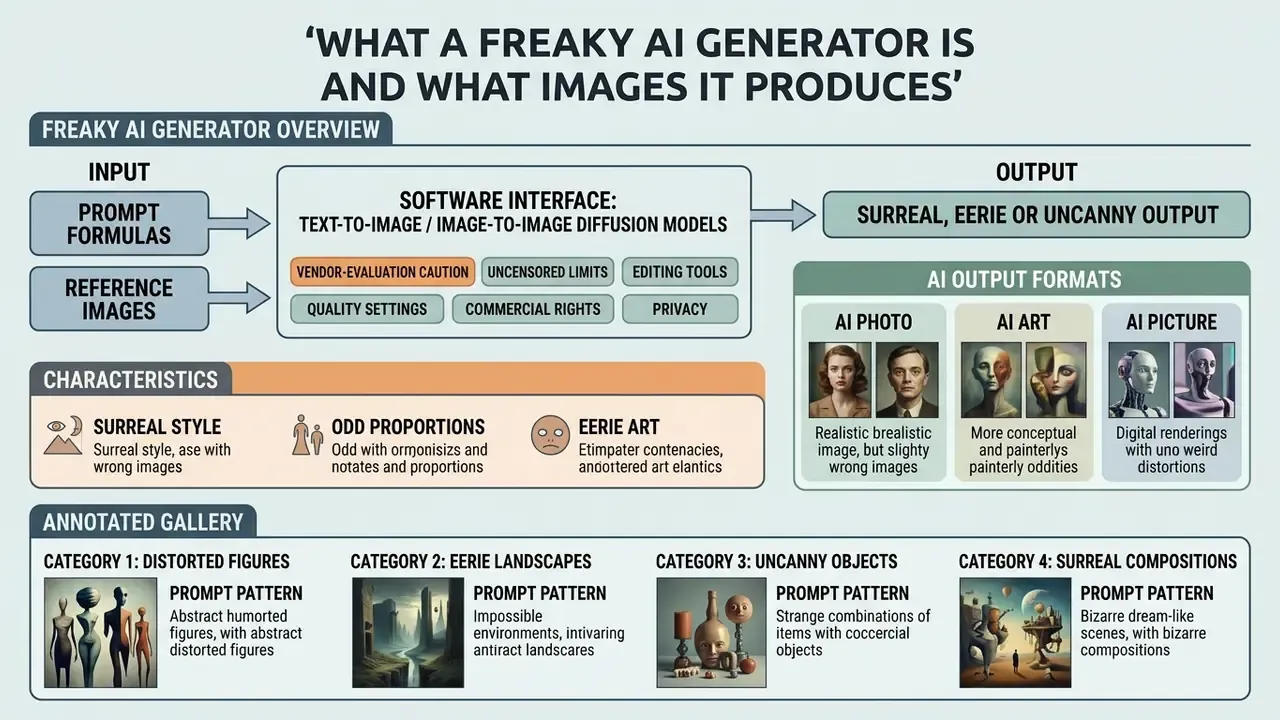
A freaky AI generator is a software interface powered by text-to-image or image-to-image diffusion models, configured to produce surreal, eerie or uncannily distorted output. These tools use deep neural networks to turn complex text prompts into unusual compositions: gothic concept art, dreamlike landscapes, stylized dark fantasy visuals.
The spectrum of freaky AI generation, a visual style map
| Style band | Dominant visual signal | Typical production use |
|---|---|---|
| AI Photo (uncanny realism) | Plausible lens physics with subtle anatomical error | Editorial, thriller marketing, ARG assets |
| Surreal / Dream Logic | Impossible scale, floating objects, illogical juxtaposition | Album covers, poster art, campaign teasers |
| Dark Dreamlike | Low-key palette, fog, corridor framing, shadow-heavy lighting | Horror games, book covers, music visuals |
| Biomechanical / Body Horror | Organic-mechanical fusion, translucent tissue, anatomy cutaways | Creature design, sci-fi concept art |
| Glitch / Digital Distortion | Chromatic aberration, CRT artifacts, scan noise | Streaming thumbnails, cyber-horror branding |
Modern generative systems lean on cross-attention mechanics to fuse visual concepts that rarely co-occur in natural training data. Feed them non-standard lexical combinations, and an ai freaky generator returns imagery marked by altered spatial geometry, unexpected lighting contrast and non-standard anatomical features. Primary applications: game design concept development, creative book illustration, digital media production, and plain old dark dreamlike aesthetic exploration. The label itself is marketing slang. Vendors describe the same territory as surrealism generation (Adobe Firefly), horror art generation (NightCafe), or uncanny and dreamlike imagery in academic literature.
Vendor-evaluation caution (worked example). Not every domain ranking for this query is a verifiable operating business. For instance, no verified information is available for hypeart.ai as an active operating company or registered US corporate entity, so any positioning around such a name stays strictly illustrative. Treat that as the standard test case. Before you wire any freaky ai generator into a production pipeline, check baseline architecture, prompt responsiveness, dataset governance, corporate registration and published terms. Teams that want a broader market view can compare AI art generators before committing budget.
Surreal Style, Odd Proportions and Eerie Art
Surreal AI generation relies on non-standard feature weightings in latent space. The result: intentional anatomical skewing, odd proportions and uncanny-valley cues, driven by contrasting stylistic tokens inside latent diffusion models.
Empirical face perception studies suggest that structural asymmetries, such as enlarged eye ratios, mismatched pupil alignment or elongated jawlines, sharply raise how eerie an image feels. (Editorial note: this reflects the direction of experimental face-perception literature on atypical facial proportions. Effect sizes vary by study design and by how photorealistic the stimulus is, so treat the mechanism as directional rather than quantified.) In freaky ai art, artists deliberately push these parameters to produce eerie art, dreamlike fantasy motifs and unsettling cybernetic structures.
«A taxonomy of prompt modifiers derived from a three-month ethnographic study of online text-to-image communities identifies six categories: subject terms, style modifiers, image prompts, quality boosters, repetition, and magic terms.»
By blending biological forms with mechanical or architectural elements, users create freaky ai images that ignore photorealistic convention while holding together visually. Coherent, but wrong on purpose.
«Participants could evaluate prompt quality and write descriptive text, but struggled with precise stylistic vocabulary, exactly the vocabulary required for eerie aesthetics.»
That single finding explains most failed attempts. The subject gets specified well; the style lexicon does not. Recurring markers documented across 2023–2026 analyses of uncanny AI output include deconstructed faces, elongated smiles, multiplied limbs, deformed hands with extra fingers, and human-like objects that read as simultaneously too human and not human enough.
AI Photo, AI Picture and AI Art: How the Output Formats Differ
The line between AI photo, AI picture and AI art runs through physics plausibility, surface texture rendering and the strictness of photographic constraints. AI photos simulate realistic camera optics and skin textures. AI art prioritizes expressive dream logic and stylized filters.
- AI Photo judged against real-world photographic cues, which means plausible light transport, depth of field, natural skin pores and anatomical consistency. Failure reads as implausibility, whether anatomical, functional, physics-based or sociocultural.
- AI Art favours artistic expression, abstract geometry, painterly texture and atmospheric lighting over physical realism. Surrealism generators bend texture and physics in service of style.
- AI Picture a broader commercial category bridging realistic rendering and stylized artwork, used loosely across general digital media workflows. It is a vendor label, not a formal standard.
When you work with a freaky ai photo generator, the model keeps realistic camera noise and lens physics while sliding in subtle structural anomalies. A freaky ai picture generator, by contrast, applies painterly or illustrative style profiles to convert an ordinary scene into surreal concept art. Readers weighing formats against tooling can review the best AI image generators before deciding which output class the project actually needs.
Annotated gallery brief: four freaky categories with prompt patterns
| Category | Prompt pattern | Resulting effect |
|---|---|---|
| Surreal | subject + surreal style cue + moody lighting + vivid colour accent | Illogical, dreamlike frame with high contrast |
| Dark Dreamlike | subject + fog/corridor composition + low-key palette + psychological-horror mood | Tense nocturnal cinematic still |
| Concept Art | subject + environment + reference style + composition + mood | Narrative, production-ready world-building frame |
| AI Photo | subject + lens + framing + skin/fabric texture + catchlights + shallow depth of field | Photograph-like output with an uncanny undertone |
Each gallery item should carry a visible caption plus alt text containing "freaky ai images" or "freaky ai art", so the example stays accessible to screen readers and indexable for search. No keyword stuffing in alt text, one natural phrase per image is enough.
How an AI Freaky Image Generator Works
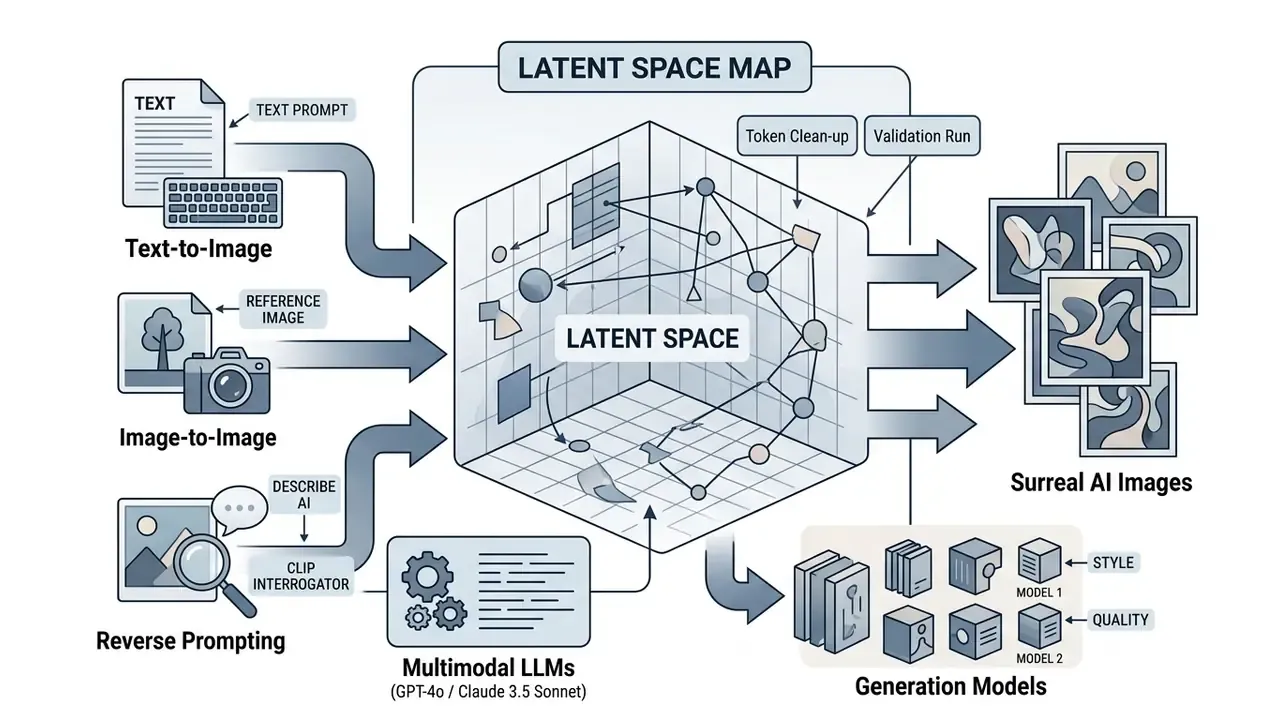
An ai freaky image generator maps natural language text prompts or reference images into a low-dimensional latent space. There, a diffusion model iteratively denoises Gaussian noise into structured visual output. Cross-attention mechanisms steer the model at each timestep using text embeddings.
Latent diffusion pipeline, step sequence
- Text or reference encoding. CLIP or T5 encoders convert language into vector embeddings; reference images are encoded into the same latent space and concatenated as additional UNet input.
- Noise initialization. A Gaussian latent tensor is sampled at the target resolution.
- Iterative denoising. Across 20–50 sampling steps, the UNet predicts and subtracts noise, guided by cross-attention on the conditioning vector.
- Guidance application. Classifier-free guidance scales the gap between conditional and unconditional predictions.
- Decoding. The VAE decoder converts the final latent back into pixel space.
«In ensemble architectures, early denoisers rely on text conditioning to form global content, while late-stage denoisers focus on detail and often ignore the text.»
That has a blunt practical consequence for surreal work. Strong stylistic tokens must dominate the early steps, which is why front-loading style anchors beats tacking them on at the end. To keep consistency across production runs, teams can explore the hub for technical documentation on model behaviour and conditioning layers.
Text-to-Image: Generating Freaky AI Images from a Description
Text-to-image synthesis converts written descriptors into visual features by matching text embeddings against trained visual distributions. Prompt structure decides whether you get coherent surrealism or unguided visual noise.
A well-built input to an ai image generator freaky pipeline names the subject, the environmental lighting, the lens parameters and the artistic style, explicitly. Research on prompt engineering by Liu and Chilton, analysing 5,493 generated images, shows that separating subject definitions from stylistic anchors yields markedly higher prompt alignment.
To structure queries properly, creators often consult specialized guides on how to format an ai image prompt for complex diffusion pipelines.
In practice, beginners get the fastest results from 1–3 clear sentences covering purpose, main subject, action, location, visual style and constraints. Then iterate one variable at a time. Rewriting the whole prompt after every render is how people burn 40 credits and learn nothing.
Image-to-Image: Working with a Reference Image
Image-to-image generation conditions diffusion on an uploaded reference image, using a set denoising strength to keep spatial layout while shifting artistic style. Lower denoising values preserve source geometry; higher values open the door to major stylistic transformation. Reference implementations define strength on a 0–1 scale, where 1.0 runs full denoising and effectively discards the input image.
When generating freaky ai with pictures, the input acts as a structural canvas. A denoising strength between 0.35 and 0.50 holds basic subject outlines while surreal textures and lighting go on top. Structural control networks such as ControlNet (canny edge or depth conditioning) let you lock the underlying geometry and push style controls to maximum intensity at the same time. Teams building reference-driven pipelines often benchmark image-to-image generators before standardizing on one vendor.
Reverse Prompting: Reading the Prompt Out of Someone Else's Reference (Describe AI)
Already have a surreal image whose style you want? Stop guessing and use Image-to-Prompt (Describe) tooling.
"Analyze this surreal artwork. Break down its visual components into a structured 5-part prompt for Stable Diffusion XL: Subject, Medium/Style, Lighting, Camera Framing, and Color Palette."
- CLIP Interrogator.Analyses the uploaded image and decomposes it into visual tags: subject, medium, lighting, artist style, quality boosters.
- Multimodal LLMs (GPT-4o / Claude 3.5 Sonnet).Produce a structured deconstruction of composition. Send the image with:
- Token clean-up.Strip abstract adjectives that carry no visual signal, then add concrete framing parameters such as
Dutch tilt angle,volumetric lighting,85mm lens,chiaroscuro. - Validation run.Regenerate at a fixed seed and compare against the reference, adjusting one token group per iteration.
Reverse prompting doubles as a governance tool. It documents why an asset looks the way it does, which feeds directly into the audit trail described in section [11].
Which Generation Models Shape Style and Quality
Diffusion architectures such as Stable Diffusion, Midjourney and FLUX set the speed, the customization ceiling and the baseline aesthetic of generated images. FLUX delivers high cloud generation speed, Stable Diffusion offers deep open-source tuning through LoRAs, and Midjourney excels at art-directed cinematic surrealism.
- Stable Diffusion (SDXL / SD3): highly customizable through fine-tuned LoRA models and ControlNet layers, and the obvious pick for precise control over uncanny facial features. LoRA triggers are invoked inline, for example
0.7is the adapter weight. - FLUX (Schnell / Dev): fast cloud inference (2–3 seconds per frame, 3–5 seconds local for Schnell) with superior prompt adherence and genuinely readable text rendering.
- Midjourney: high baseline aesthetic quality and cinematic lighting straight out of the box (30–60 seconds per image), with far less pipeline customization.
Comparative Matrix: Models for Freaky AI Art
| Platform / Model | Control depth (ControlNet / LoRA) | Handling of odd anatomy | Content-filter strictness | Generation speed | Licensing and commercial rights | Enterprise data retention |
|---|---|---|---|---|---|---|
| Stable Diffusion (SDXL / SD3) | High, full weight access, ControlNet, IP-Adapter | High, accepts atypical anatomical proportions | None when self-hosted locally | 5–15 s (GPU-dependent) | Open-RAIL; full rights on local deployment | Full, data never leaves your hardware |
| FLUX.1 (Dev / Pro) | Medium, LoRA ecosystem maturing fast | Excellent, precise adherence to complex prompts | Moderate, blocks explicit NSFW, permits eerie and dark art | 2–4 s (cloud inference) | Commercial licence on Pro; non-commercial on Dev | Varies by host, check provider terms |
| Midjourney v6 | Low, parameter-level control only | High, strong native art direction | Strict, frequent false positives on eerie, blood, mutilated | 15–30 s | Full commercial licence on paid tiers | Public-by-default galleries unless Stealth mode |
| DALL·E 3 | Minimal | Low, pulls toward standard proportions | Extreme, most dark and horror prompts refused | 10–20 s | Rights granted under paid subscription | Enterprise terms required for retention control |
Production block-diagram, from prompt to download: text prompts or reference image, then model and format selection, then generation, then review of variants, then refinement (inpaint, outpaint, upscale), then metadata logging, then download. Render this as an accessible ordered list in the DOM so arrows and captions are duplicated in text, not trapped inside a PNG.
To weigh model trade-offs across production environments, teams frequently compare architecture performance metrics alongside licensing parameters. Both matter; only one shows up in a demo.
How to Create a Freaky AI Image: Step-by-Step
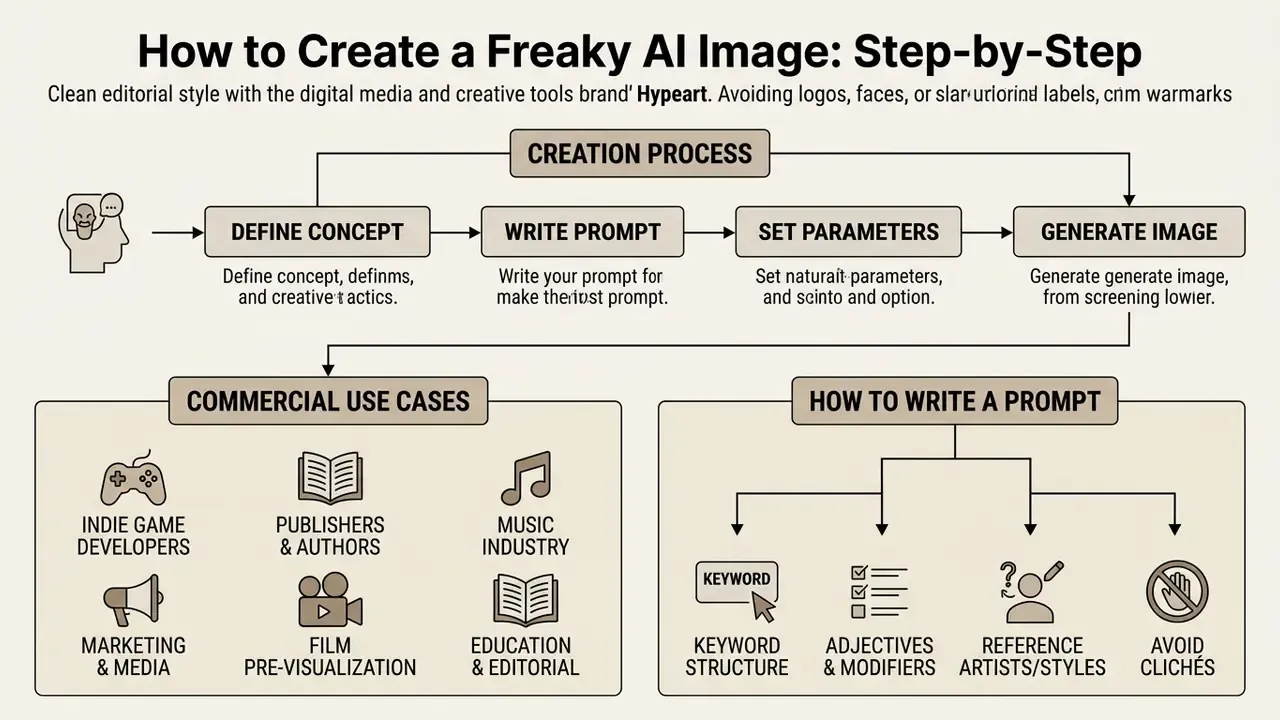
Business illustration first. In a hypothetical enterprise asset evaluation, a design team needed dark fantasy character assets for an interactive prototype. Unstructured keyword prompting gave them identity drift and broken hands. Shifting to a 5-part prompt structure plus ControlNet depth masks cut prompt revision cycles from 14 attempts to 2, with consistent 4K rendering and stable spatial alignment across the asset set. Illustrative, not a client case.
So, creating a freaky ai image with zero graphic design background comes down to four moves: pick an accessible interface, write a structured 1–3 sentence text prompt, set resolution parameters, then iterate through targeted edits. Following a settled pipeline cuts trial and error and gets you to high-resolution output faster. For streamlined execution, creative teams lean on standardized AI Media Workflows to connect text generation, visual conditioning and automated post-processing.
Commercial Use Cases for Freaky AI Art
- Indie game developers (GameDev) monster concept art, anomaly zones and environment textures at pre-production stage through Stable Diffusion plus ControlNet, with seeds logged so art direction stays consistent across a sprint.
- Publishers and authors dark fantasy and horror cover art, with documented human editing steps to support authorship claims later.
- Music industry album covers and streaming visuals (Spotify, Apple Music) in surrealism and digital-distortion styles.
- Marketing and media viral promo material and teasers built on atypical visual language, engineered to stop a thumb mid-scroll.
- Film and TV pre-visualization mood frames and creature silhouettes for pitch decks, produced faster than traditional matte painting.
- Education and editorial visualization of abstract or unsettling concepts where stock photography simply has no coverage.
How to Write a Prompt for Unusual AI Art
An effective surreal prompt follows a 5-part architecture: subject, surreal style anchors, lighting and atmosphere, composition and camera framing, then a targeted negative prompt block. Order the keywords logically and the model stops ignoring your secondary stylistic cues.
- Subject: "A cybernetic humanoid figure with intricate clockwork internal mechanisms."
- Style Anchors: "Dark surrealism, biomechanical concept art, inspired by gothic fantasy."
- Lighting/Atmosphere: "Volumetric fog, harsh rim lighting, bioluminescent blue highlights."
- Composition/Camera: "Wide-angle lens, Dutch tilt angle, centered symmetry, 8k resolution."
- Negative Prompts: "Blurry, oversaturated, normal human proportions, extra limbs, low resolution."
«A Prompt Expansion model that generates a set of expanded prompts from a single query scored higher on aesthetics and diversity than baseline approaches in a user study.»
Structuring queries with explicit style tokens helps an ai generator freaky engine read complex requests accurately. Authors can review structured templates for ai image prompts to set consistent prompt design rules across a team.
Ready-Made Prompt Library for Surreal Styles
For predictable strange output, start from tested token combinations rather than free-form description.
| Style category | Copy-ready prompt | Best-fit model | Negative prompt |
|---|---|---|---|
| Biomechanical Horror | A biomechanical creature fused with vintage brass clockwork, translucent skin, anatomical internal view, subtle HR Giger influence, volumetric shadow, 8k resolution, cinematic lighting | Stable Diffusion XL / SD3 | oversaturated, glossy skin, cartoon, extra limbs, low quality |
| Eldritch Liminal Space | An endless liminal hallway with melting architectural geometry, impossible angles, eerie fluorescent lighting, dark atmospheric fog, surreal uncanny atmosphere, analog photography style | FLUX.1 (Dev) | people, bright colors, photorealistic humans, cheerful, lowres |
| Dark Fantasy Portrait | Eerie porcelain doll mask with subtle structural cracks, elongated neck, asymmetrical mismatched pupils, dark gothic lace, chiaroscuro lighting, dark dreamlike aesthetic | Midjourney v6 | normal human proportions, symmetry, smiling, bright sunlight |
| Glitch and Digital Distortion | A distorted entity dissolving into chromatic aberration particles, CRT monitor artifacts, eerie visual noise, cybernetic nightmare, high-contrast monochrome with crimson accents | FLUX.1 (Schnell) | clean vectors, smooth gradient, traditional painting, blur |
| Uncanny AI Photo | Editorial portrait of a subject with faintly mismatched eye sizes, 85mm lens, shallow depth of field, natural skin texture, overcast window light, subtle unease | FLUX.1 Pro / SDXL + photo LoRA | illustration, painterly, plastic skin, heavy makeup, watermark |
Refining Generated Images in an AI Image Editor
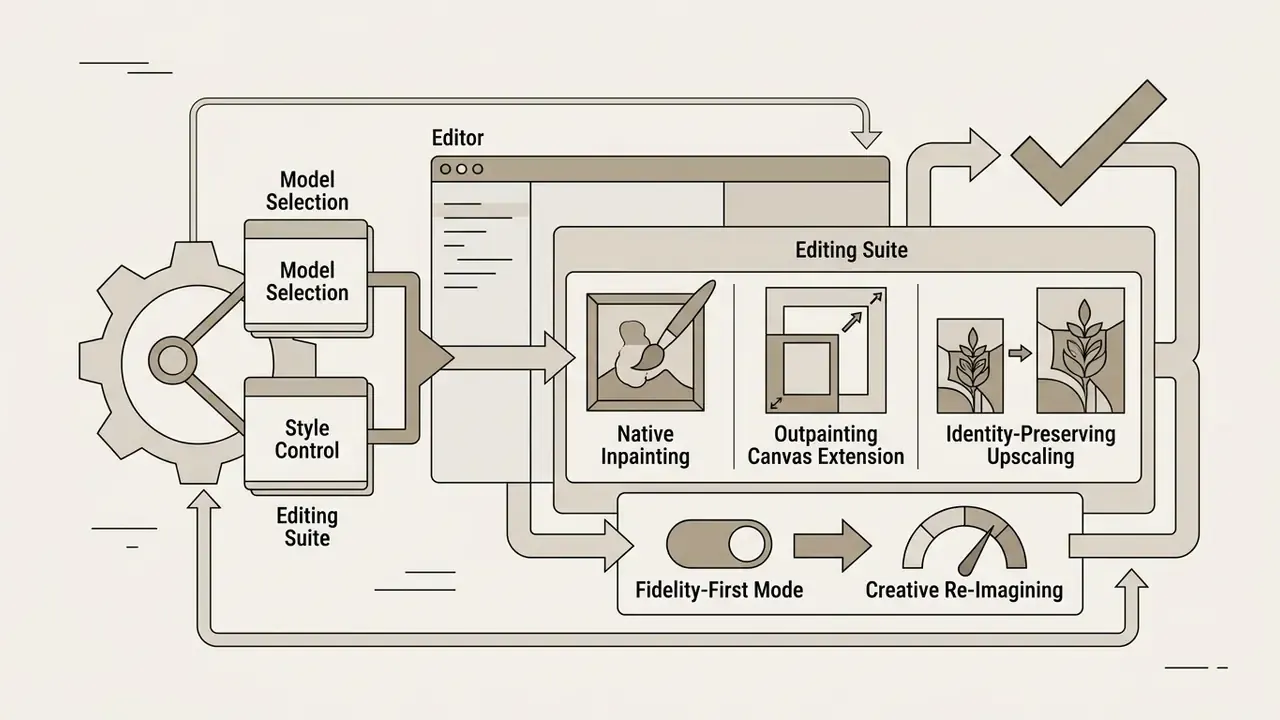
An AI image editor lets you make localized changes through inpainting, outpainting (AI Expand) and precision upscaling, without re-rendering the whole frame. Masked region editing swaps a specific element while the surrounding context and lighting stay put.
- Inpainting masks the problem area (a wrong hand, a stray artifact) and redraws only those pixels from a localized prompt.
- Outpainting (AI Expand) generates new canvas beyond the original borders, matching lighting and perspective. Vendor documentation describes it as mask-based expansion of a base image into a larger mask canvas.
- Upscaling raises pixel density with super-resolution models for high-resolution export. Prefer fidelity-preserving modes over "creative" modes when the art detail has to survive intact.
«A diffusion editor with pixel-wise guidance, trained on a small annotated set, outperformed GAN-based methods on edit quality and speed while leaving regions outside the mask untouched.»
An integrated ai image optimizer keeps fine detail enhancement from introducing new digital artifacts, and a survey of general-purpose AI photo editors helps match editing depth to the project budget. One caution from experience: creative upscalers love to invent teeth.
Preparing the Image for Download, Audit and Publication
Export preparation means choosing a lossless raster format such as PNG for master files, or optimized WebP for digital delivery, then scaling resolution. Linear resampling algorithms keep edge definition sharp across enlarged canvas sizes.
According to W3C PNG specifications (Third Edition, 2025), linear sample scaling keeps low-order bit distribution consistent when source raster data is scaled up to production canvas size. The specification defines the most accurate conversion as output = floor((input * MAXOUTSAMPLE / MAXINSAMPLE) + 0.5). Before the final download, check that fine textures, eye catchlights and edge contrast are artifact-free. Teams working at billboard or print scale should benchmark dedicated AI image upscalers instead of trusting in-app resolution scaling alone.
Checklist: preparing a freaky AI image for export
- Artifact inspection. Review eyes, fingers and texture seams at 100% zoom.
- Defect repair. Apply masked inpainting to fix blurred or malformed regions.
- Upscaling. Raise resolution to 2K or 4K using a fidelity-preserving super-resolution model.
- Format choice. PNG 24-bit for masters; WebP at 85–90% quality for web delivery.
- Metadata hygiene. Review EXIF and embedded prompt data before commercial publication.
- Final visual QA. Confirm the intentional strangeness survived post-processing, and that unintentional anatomy errors did not.
Audit trail: what to log for every published asset
| Field | Why it matters |
|---|---|
seed | Enables bit-level reproduction of the exact frame during dispute or review |
prompt + negative prompt | Documents creative intent and filter compliance |
model + version/checkpoint | Ties output to a known weight set for provenance |
CFG, steps, sampler, denoising strength | Reconstructs generation conditions |
reference image source + licence | Proves the input was owned, licensed or authorized |
human edit log (inpainting, compositing, retouch) | Supports authorship claims under 2025–2026 copyright guidance |
provenance metadata / C2PA status | Aligns with emerging labelling and transparency requirements |
Recording these fields turns a creative experiment into defensible evidence. Same logic NIST applies in its AI Risk Management Framework and Generative AI Profile (2024), where prompt and output control plus documentation are treated as risk-management obligations, not optional hygiene. For a bank's creative team, that distinction decides whether internal audit signs off or sends the campaign back.
Settings That Determine Freaky AI Picture Quality
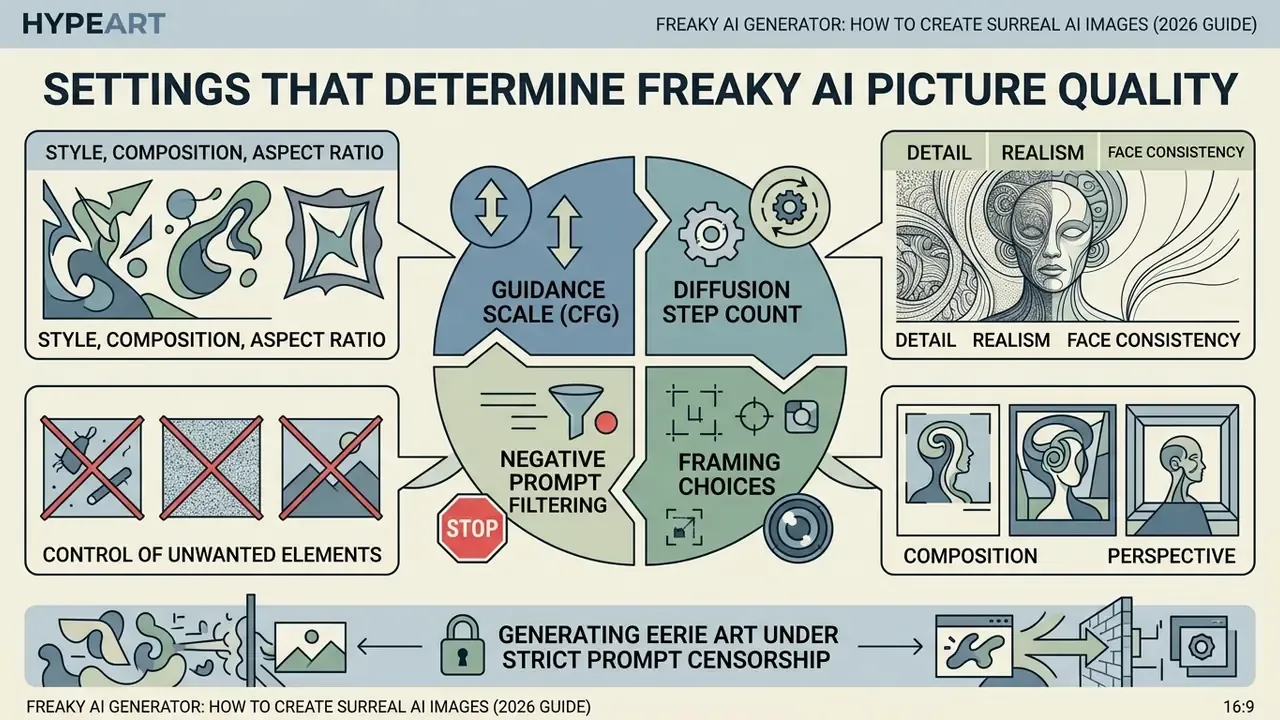
Image quality, realism and stylistic accuracy in freaky ai pictures come down to guidance scale (CFG), diffusion step count, framing choices and negative prompt filtering. Updated: published Stable Diffusion experiments report an effective classifier-free guidance range around 10–12, with roughly 50 iterations enough for convergence, while vendor documentation recommends 30–40 steps for production output. Treat the ranges below as calibrated starting points to re-test per model, scheduler and hardware, not as universal constants. Independent research also shows that restricting guidance to a limited noise interval can improve quality and speed together: FID on ImageNet-512 improved from 1.81 to 1.40 in one NeurIPS 2024 study. More guidance is not linearly better.
| Control Parameter | Recommended Setting | Impact on Surreal Output |
|---|---|---|
| Guidance Scale (CFG) | 7.0 – 12.0 | Higher values enforce strict prompt adherence; above 14.0 oversaturation artifacts creep in. |
| Diffusion Steps | 30 – 50 steps | Lets latent noise settle into sharp textures and precise background detail. |
| Denoising Strength | 0.40 – 0.65 | Controls how aggressively an img2img workflow rewrites the reference image structure. |
| Aspect Ratio | 16:9 / 9:16 / 1:1 | Shifts compositional tension and peripheral geometric distortion. |
| Sampler | DPM++ 2M Karras / Euler a | Affects texture grain and convergence stability at low step counts. |
| Seed | Fixed integer for iteration | Isolates the effect of each prompt change; mandatory for audit reproducibility. |
Style, Composition and Aspect Ratio
Aspect ratio selection changes perceptual tension and the centre-versus-edge spatial constraint inside a generated scene. Wide-angle framing increases marginal perspective distortion at the borders, which you can weaponize to heighten surreal atmosphere.
Pick an ultra-wide ratio (21:9) and the camera field of view expands, so straight lines near the canvas edges warp naturally. Perception research on frame proportion notes that as frame area grows, the centre feels less constrained by the border, while horizontal and vertical formats bias width or height emphasis respectively. In dark fantasy art and surreal landscape generation, this optical effect deepens the sense of space and reinforces the dreamlike quality of the environment. Placing a subject deliberately near the distorted periphery is one of the cheapest ways to make an image read as "wrong" without breaking anatomy at all.
Detail, Realism and Face Consistency
Holding facial identity and fine detail across multi-turn generations calls for dedicated identity-preservation frameworks. Published 2024 approaches include ID-Aligner (identity-consistency reward fine-tuning using face detection and recognition feedback), Infinite-ID (decoupling identity from semantics to keep style control while raising identity fidelity), and Arc2Face (trained on upscaled WebFace42M plus FFHQ and CelebA-HQ, reporting stronger face similarity than prior methods). Feature-decoupling algorithms combined with super-resolution upscaling reduce identity drift during rendering.
In a plain diffusion setup, re-prompting an eerie character usually produces face variance, sometimes a completely different person. Specialized identity loss networks preserve core facial embeddings across serial renders. That setup lets creators using a freaky ai photo generator change poses, lighting and environment while the character stays recognizably itself. Keep the two research families distinct: generation-side methods optimize identity preservation during synthesis, while face super-resolution methods restore identity from low-resolution input. Complementary objectives, not interchangeable ones.
Negative Prompts and Control of Unwanted Elements
Negative prompts suppress specific visual defects through mutual noise cancellation in latent space during the early diffusion iterations. Concise, symptom-focused negative terms remove extra limbs and blur without flattening the surreal style you actually wanted.
«NegOpt was trained on a corpus of 256,224 prompt samples collected from Playground AI and, through reinforcement-learning optimization, surpassed ground-truth negative prompts on the test set as measured by Inception Score.»
«A comprehensive 2024 analysis established that negative prompts first generate the unwanted object and then neutralize it through mutual cancellation in latent space, a mechanism directly applicable to targeted inpainting.» Understanding the Impact of Negative Prompts: When and How Do They Take Effect (2024), arXiv
Rather than pasting a generic 60-token negative block borrowed from a forum, name the exact artifacts you keep seeing. Roughly 3–8 symptom-specific terms beat a universal block, which tends to sand the deliberate weirdness right off the frame:
bad anatomy, extra fingers, missing fingers, fused limbs, blurry, lowres, jpeg artifacts, oversaturated
Automated prompt construction utilities, including an ai image prompt generator, often fold optimized negative tokens in automatically to speed production up.
Generating Eerie Art Under Strict Prompt Censorship
Cloud generators such as DALL·E 3 and Midjourney auto-reject prompts containing blood, corpse, mutilated, scary or horror. To dodge false-positive safety blocks while keeping the unsettling mood, swap in metaphorical and art-historical tokens:
- Instead of
scary monster, tryuncanny entity, otherworldly figure, distorted surreal creature - Instead of
gore / blood, trycrimson liquid, liquid porcelain, dark fluid contrast - Instead of
dead / corpse, trymotionless mannequin, frozen statuesque pose, pale marble skin - Instead of
horror style, trydark surrealism, chiaroscuro lighting, HR Giger aesthetic, gothic concept art - Instead of
mutilated body, tryfragmented sculpture, fractured porcelain form, deconstructed anatomy study
Two boundaries matter here, and they are not subtle. First, substitution is a false-positive remedy for legitimate artistic work. It is not a method for producing content a platform's Acceptable Use Policy prohibits outright. Second, if a brief genuinely needs unfiltered latitude, the compliant route is a local Stable Diffusion deployment under its own licence terms, not adversarial prompting against a hosted vendor's safety system. Anyone shopping for an uncensored ai image workflow should read that sentence twice, because the governance difference between "self-hosted under licence" and "jailbroken SaaS account" is the whole argument in an audit meeting. NIST's GenAI text-to-image challenge rules, for reference, hard-ban explicit sexual content, hate symbols, child exploitation and non-consensual imagery regardless of how the prompt is phrased.
Free Freaky AI Generator: What Is Available and Where the Limits Are
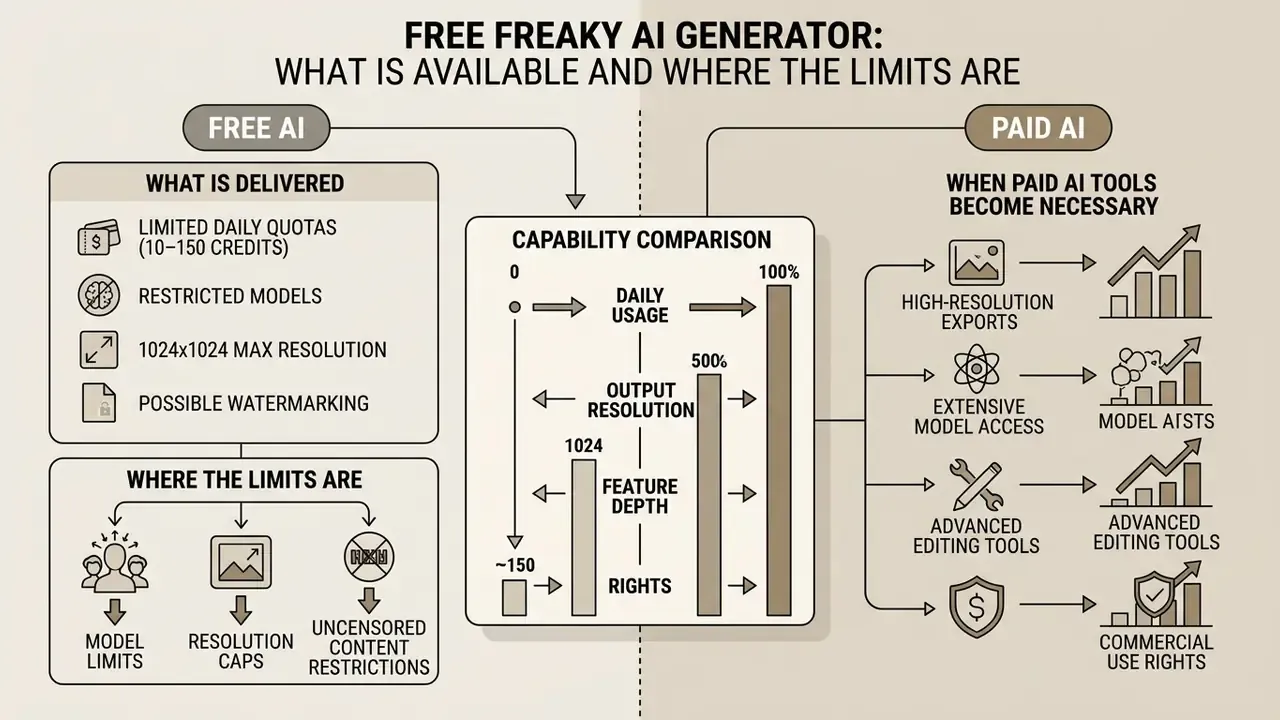
Free AI image generators typically ship with limited daily quotas (10–150 credits), a restricted model list, export resolution caps (usually 1024×1024) and possible watermarking. Paid tiers remove queues and unlock professional high-resolution scaling plus full commercial rights.
Anyone searching for a freaky ai generator free or freaky ai image generator free option can reach entry-level models without paying upfront, and that landscape is mapped in more detail across free AI image generators without sign-up. Commercial deployment, though, usually needs a paid subscription to secure explicit ownership grants and watermark-free exports. One notable exception is worth flagging: Midjourney's own documentation states that free trials are unavailable on both midjourney.com and Discord, so any surreal work there requires a paid subscription from the first render. To stay current on platform changes, no signup required, follow ai image news.
What a Free AI Image Generator Actually Delivers
Free-tier AI image tools give you basic text-to-image and image-to-image processing on standard base models. You can test surreal prompts and export at standard resolution, though daily caps and queue delays bite during peak hours.
Platforms running a free AI image generator model usually restrict concurrent generation slots and cap resolution at 1024×1024 pixels. Reported 2026 free allowances vary wildly by vendor and region: Leonardo.Ai is described at roughly 150 tokens per day with 1024×1024 output; Google's Gemini image workflows at approximately 20–50 images per day at around 1K to 2048×2048; smaller editors often hand out a handful of daily check-in credits with watermarked exports. Fine for prototyping and personal creative exploration. Rarely fine for production, since free services seldom support custom LoRA uploads, priority queues or serious API integration, and free-tier terms frequently exclude commercial use outright.
When Paid AI Tools Become Necessary
Subscription tools become necessary once the workflow needs priority generation speed, advanced outpainting (AI Expand), custom LoRA training, 4K export quality and verified commercial protection. Enterprise and commercial projects need paid licensing for clear usage terms, and readers evaluating premium models should weigh governance features as heavily as raw aesthetics. Why choose a paid tier at all? Because contractual certainty is the feature.
Free AI vs Paid AI, capability comparison
| Feature / Capability | Free AI Tier | Paid Pro Tier |
|---|---|---|
| Daily Volume Quota | 10–150 credits per day (roughly 15–100 images) | Unlimited or high-priority compute credits |
| Available Base Models | Standard open models (SD1.5, SDXL base) | Premium models (FLUX Pro, Midjourney v6, custom fine-tunes) |
| Reference Image / img2img | Often limited or unavailable | Full img2img, ControlNet, IP-Adapter conditioning |
| Export Resolution | Standard, up to 1024×1024 | High-resolution: 2K, 4K, upscaled |
| Watermark and Queue | May contain watermarks; standard queue speed | Watermark-free; priority queue access |
| Commercial Rights | Restricted to non-commercial or trial use | Full commercial ownership and licensing |
| AI Editor Features | Basic cropping and generation | Inpainting, outpainting (AI Expand), HD upscale |
| Enterprise Security and Data Retention | Inputs may be retained or used for service improvement; public-by-default galleries on some platforms | Zero-data-retention or private-session options, SSO, admin controls, contractual confidentiality |
| IP Indemnification | Not offered | Offered by some enterprise vendors for eligible output |
Those last two rows are the real dividing line for regulated organizations. Consumer tiers are priced for volume; enterprise tiers are priced for contractual risk transfer.
Commercial Use, Privacy and Safe Handling of AI-Generated Images
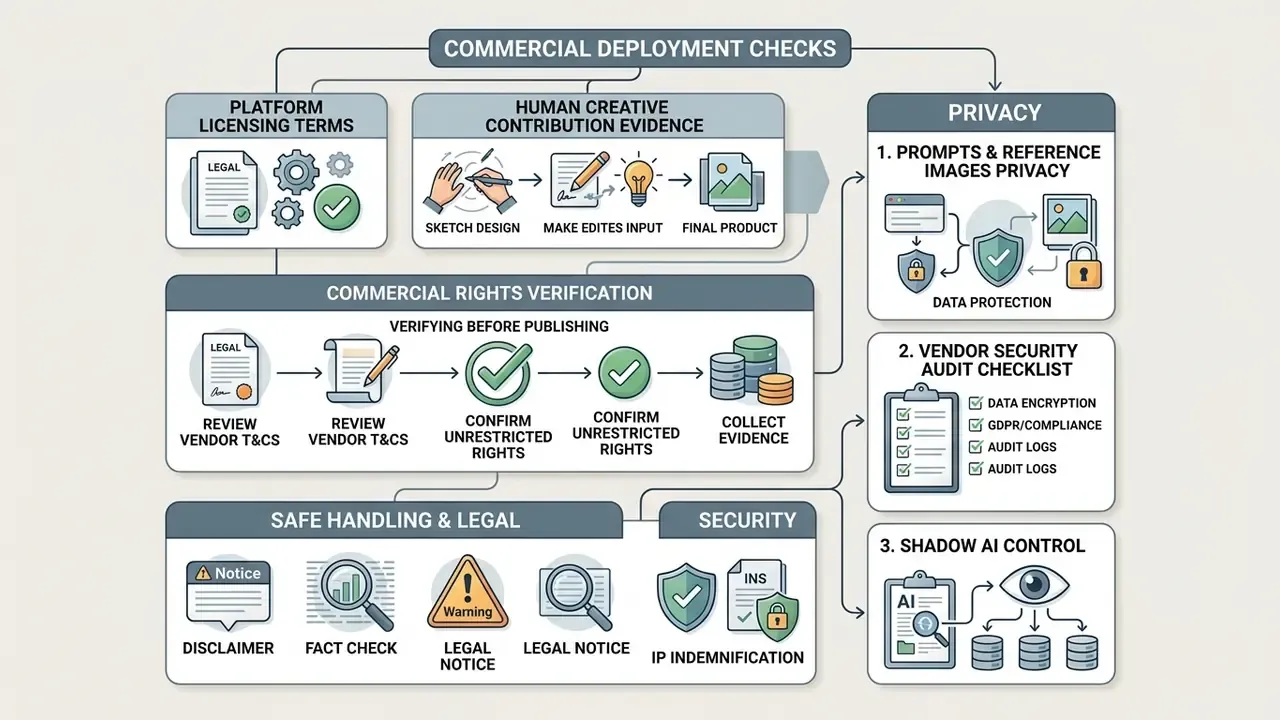
Commercial deployment of AI-generated images requires two checks: the platform licensing terms, and evidence of sufficient human creative contribution. Under 2025–2026 US Copyright Office guidance, prompt-only outputs stay uncopyrightable, while human selection, arrangement and post-generation editing establish protectable authorship.
Fact check and legal notice. According to the U.S. Copyright Office Report (Part 2, 29 January 2025), purely AI-generated visual outputs lacking human creative control do not qualify for federal copyright registration. Commercial users must verify platform Terms of Service for explicit commercial grants, ensure uploaded reference images are fully licensed, and document every human editing step (compositing, inpainting, manual retouching) to establish protectable authorship.
«A 2026 global review of AI legislation notes a consensus across major jurisdictions: autonomously created AI works receive no copyright protection, because authorship requires original human expression.»
Track two parallel regimes. The U.S. position is ownership-focused and assessed case by case. The EU approach in 2026 is provenance- and transparency-focused: the European Commission published a first draft code of practice on marking and labelling AI-generated content in December 2025, and opened consultation on reserving rights for text-and-data-mining under the AI Act in the same month. In the U.S., separate 2026 proposals, including H.R. 8893 on privacy-preserving provenance metadata and a federal framework limiting unauthorized commercial use of AI-generated digital replicas of voice or likeness, narrow what can lawfully be published even where copyright is unavailable.
IP indemnification. Copyright may be unavailable while infringement exposure stays very much alive. So enterprise buyers should ask whether the vendor offers contractual indemnification for third-party IP claims arising from eligible generated output, what the coverage caps are, and which conditions void it. Disabling safety filters, uploading unlicensed references, or using non-indemnified model variants usually do. A commercial-use grant and an indemnity are distinct promises; assume neither exists until it appears in the signed terms.
How to Verify Commercial Rights Before Publishing
Verifying commercial rights means reading the active Terms of Service for your specific account tier, confirming that beta or free-tier restrictions do not apply, and checking that outputs carry no third-party trademark or likeness problems.
Before you deploy ai generated images commercially:
- Confirm your account tier explicitly grants commercial usage rights. Several vendors restrict free-tier output to non-commercial use and exclude beta-feature output from commercial use entirely.
- Make sure reference images uploaded during img2img generation are owned or properly licensed.
- Document human creative contributions (layered retouching, composition adjustments) to support any copyright filing.
- Check Acceptable Use Policy clauses that may prohibit publication of otherwise lawful output.
- Record the terms version and date that governed your specific generation session.
«Part 2 of the U.S. Copyright Office study (29 January 2025) emphasizes that supplying a prompt without substantial creative control over the result does not make the user the author of an AI image.»
Organizations tracking regulatory developments often browse the hub to review case law precedents on digital copyright.
Privacy of Prompts and Reference Images
«DualMD reduces SSCD similarity from 0.60 for an undefended fine-tuned model to 0.52, while DistillMD lowers it to 0.27, with only marginal improvement in CLIP metrics.»
«Text-conditioned models replicate training images significantly more often than unconditional models, especially with duplicated data and highly specific captions.» Somepalli et al., Diffusion Art or Digital Forgery? Investigating Data Replication in Diffusion Models (CVPR, 2023)
To protect corporate IP, security leads negotiate enterprise zero-data-retention agreements, or deploy automated ai image recognition security layers to filter confidential data before processing. Public-sector guidance is blunt on the input side: the U.S. Department of Energy's Generative AI Reference Guide instructs users not to enter protected or nonpublic information into public GenAI tools, and NIST AI 600-1 requires encryption for data storage and transfer, plus anonymization, de-identification or differential privacy for training data.
Vendor Security Audit Checklist (Shadow AI Control)
| Check | What "pass" looks like |
|---|---|
| Corporate verifiability | Registered legal entity, published address, identifiable ownership |
| Data retention | Contractual zero-retention or configurable retention window |
| Training opt-out | Outputs and inputs excluded from model training by default on paid tiers |
| Encryption | Encryption in transit and at rest, documented key handling |
| Independent assurance | SOC 2 Type II, ISO 27001 or equivalent third-party attestation |
| Access control | SSO/SAML, role-based permissions, admin audit logs |
| Output visibility | Private-by-default generation, no public gallery exposure |
| Incident and deletion | Documented breach notification and verifiable file deletion |
| Shadow AI detection | Egress monitoring or CASB rules for unsanctioned generator domains |
Shadow AI is the dominant real-world risk in this category. Employees paste briefs, unreleased artwork and customer photos into consumer generators because the free tier is one click away, and nobody asked them not to. Publishing an approved-tool list with one sanctioned local or enterprise option works better than a blanket prohibition, which mostly just moves the activity to personal phones.
How to Choose the Best AI Image Generator for Freaky AI Art
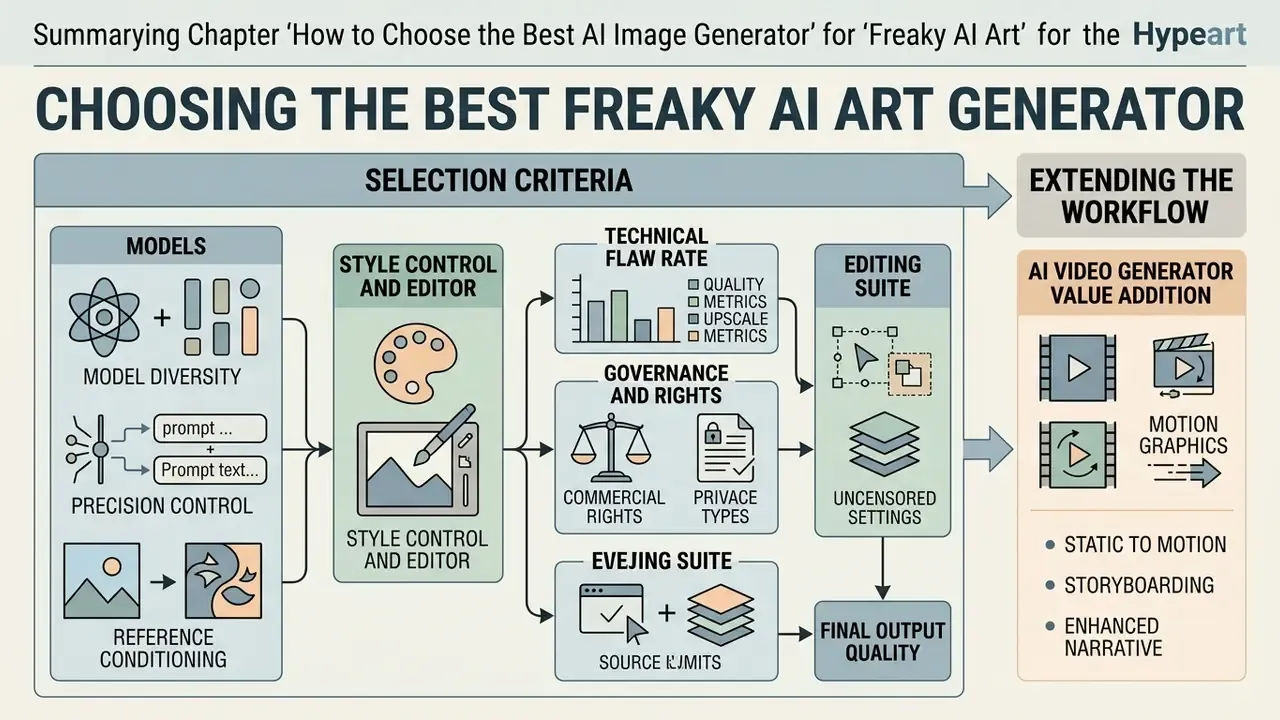
Selecting the best AI image generator for commercial use for surreal art means grading prompt fidelity, style customization depth, integrated editing tools, upscale quality and model governance standards. Match the tool to the artistic goal, whether that is rapid horror concept drafting or high-resolution commercial illustration.
Evaluating the best ai platform involves both raw generative capability and workflow integration flexibility. Organizations have to balance aesthetic performance against data security, model transparency and licensing clarity. NIST's 2025 GenAI (Pilot) Evaluation Plan for Image Generators frames this as measurable work, evaluating models by topic-based prompt performance and image quality, while the AI RMF argues trustworthiness must be built into design, use and evaluation rather than bolted on at launch. Bolted-on rarely holds.
Selection Criteria: Models, Style Control and Editor
A robust AI art system needs precise text-guidance controls, multi-channel reference image conditioning, and an integrated editor that supports mask-based inpainting and outpainting. Grade these parameters early and you avoid production bottlenecks during visual refinement later.
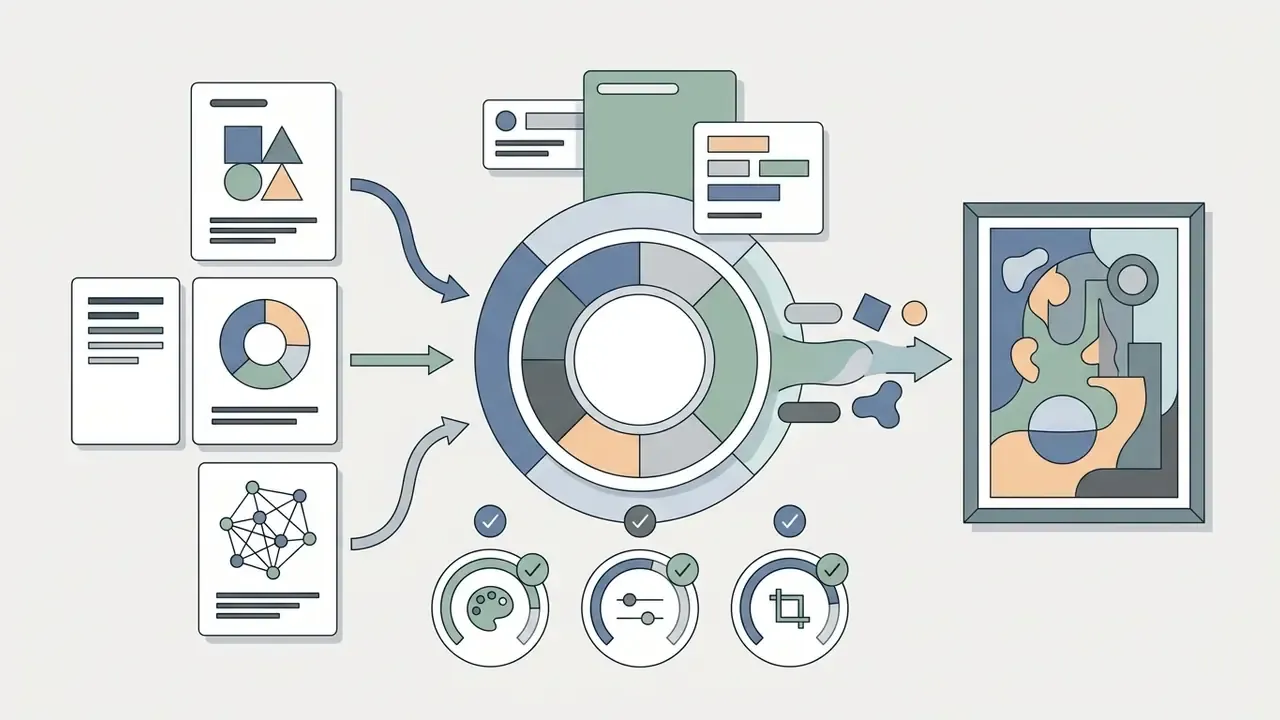
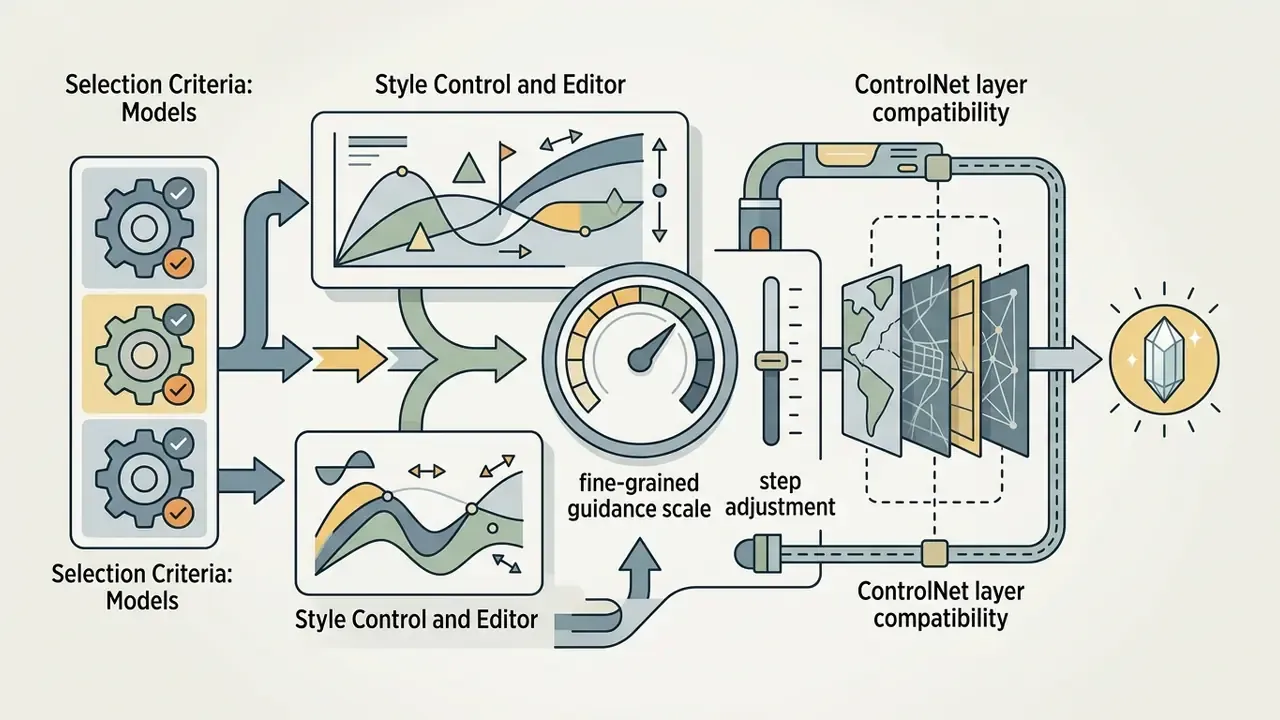
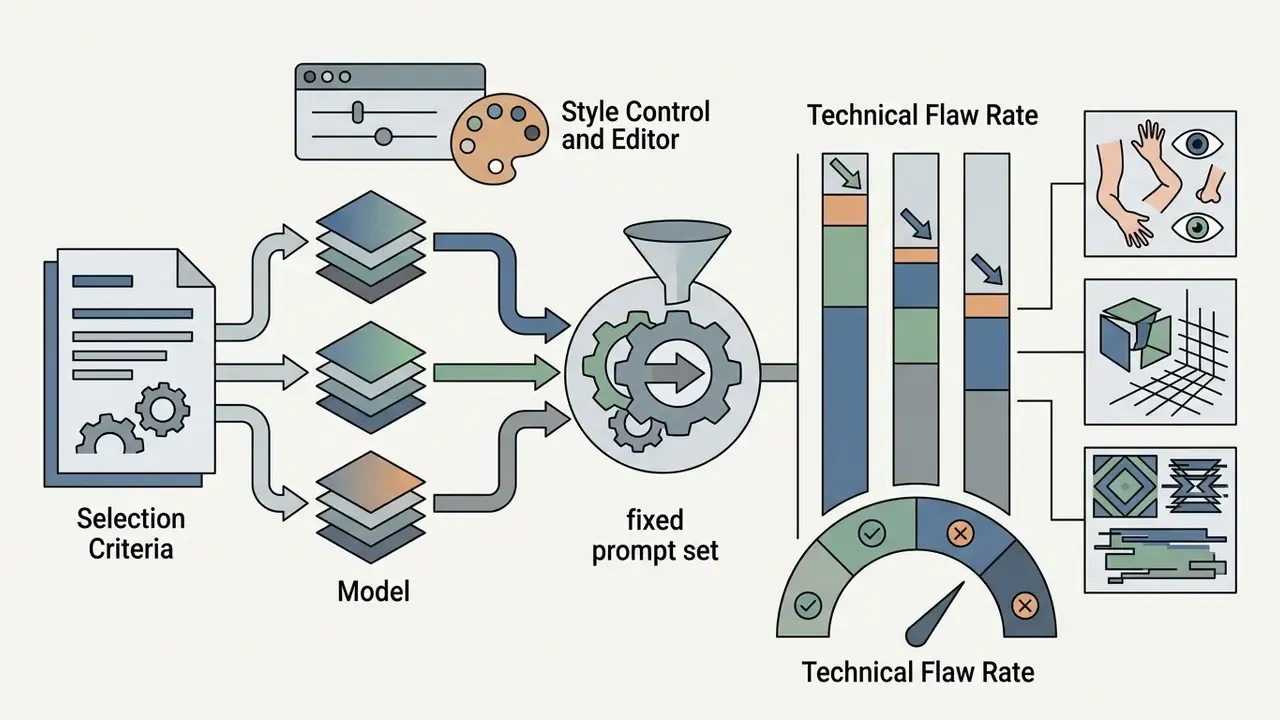
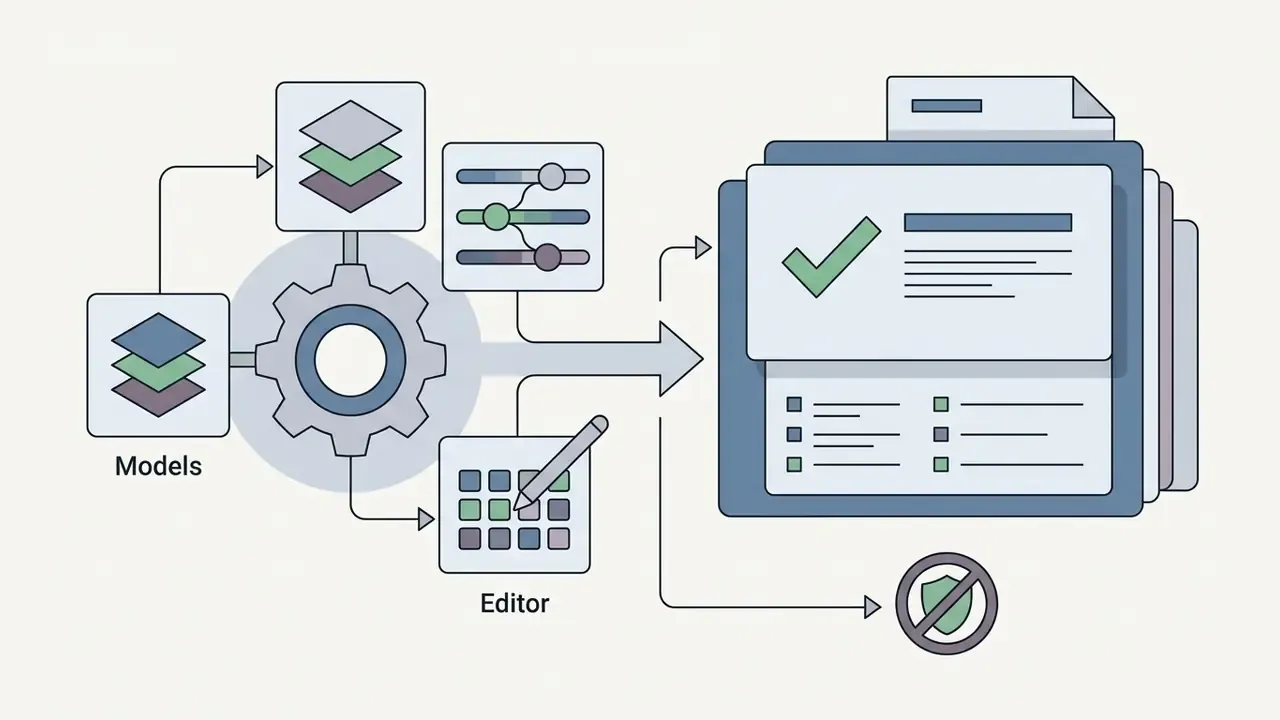
Read that criterion literally. For freaky art, a model that "misinterprets" a prompt in visually interesting ways can be more useful than one rendering the brief with clinical obedience. For brand-critical deliverables, invert the priority without apology.
Extending the Workflow: When an AI Video Generator Adds Value
An ai video generator complements static image work by using surreal AI art as a seed frame for image-to-video animation models, producing 2–4 second motion clips. Pair static diffusion generation with temporal motion models and still concept art becomes a moving sequence.
Converting static freaky ai pictures into video relies on image-to-video diffusion frameworks such as Stable Video Diffusion or Google Veo API endpoints. Stable Video Diffusion is documented as generating 2–4 second clips at 576×1024 from a single still input, which suits short surreal loops and insert shots; deployment APIs accept the still as an input_reference (URL, base64 or local file) alongside a motion prompt such as "smooth motion." By conditioning temporal noise on a high-resolution initial frame, an AI video generator synthesizes fluid atmospheric motion, drifting fog, shifting light, a small unsettling movement of the head, while the original surreal style and detail survive. Practically speaking, this is the cheapest way to turn one approved key frame into a social-first teaser without re-briefing the entire look.
Frequently Asked Questions (FAQ)
Do I need design experience to create freaky AI art?
No. A structured 1–3 sentence prompt plus one negative-prompt line is enough for a first usable result. The 5-part prompt architecture in section [9] substitutes descriptive precision for drawing skill.
Which model is best for eerie or horror-adjacent art?
Stable Diffusion locally, for maximum control and no filtering. FLUX.1 for speed and prompt adherence with moderate filtering. Midjourney v6 for the strongest native cinematic surrealism, if you accept strict filters.
Why does my horror prompt get rejected?
Hosted generators keep keyword blocklists. Replace explicit gore language with metaphorical or art-historical tokens (see section [15]), or move the work to a locally deployed model licensed for that use.
Can I sell freaky AI images commercially?
Usually yes under paid-tier terms. But the copyright status of prompt-only output is a separate question from your contractual permission to use it. Document human editing, verify the terms for your exact tier, and check indemnification.
What export format should I use?
PNG 24-bit for masters (lossless, per W3C PNG Third Edition), WebP at 85–90% for web delivery, and a fidelity-preserving upscaler to reach 2K or 4K.
How do I reproduce an image exactly later?
Log seed, model version, prompt, negative prompt, sampler, steps, CFG and denoising strength. Without the seed, exact reproduction is not possible. Not approximately, not at all.
Can I turn the image into video?
Yes. Image-to-video diffusion models generate 2–4 second clips conditioned on your still frame while preserving its style.
Appendix A: Superseded Citation Wording (Revision Log)
For transparency, two earlier formulations in this article were replaced with sourced, quantified versions in sections [15] and [21]:
- Superseded: "Research on negative prompt optimization (NegOpt, 2024) indicates that targeted negative lists improve Inception Score metrics by approximately 25%." Replaced because sample size, method and source link were all absent. See the NegOpt quotation in section [15]: 256,224 prompt samples, Playground AI corpus, RL optimization.
- Superseded: "…leaving public systems susceptible to membership inference attacks (DualMD research, 2024)." Replaced because no metrics or link were provided. See the DualMD quotation in section [21]: SSCD 0.60 to 0.52 with DualMD, 0.27 with DistillMD.
Explore commercial licensing standards, deployment compliance frameworks and enterprise creative guidelines via the AI Media Commercial-Use hub.