If you sit in a risk, compliance, or finance-transformation seat, read the next section first. It is written for you.
Executive Summary: Key Takeaways for Decision Makers
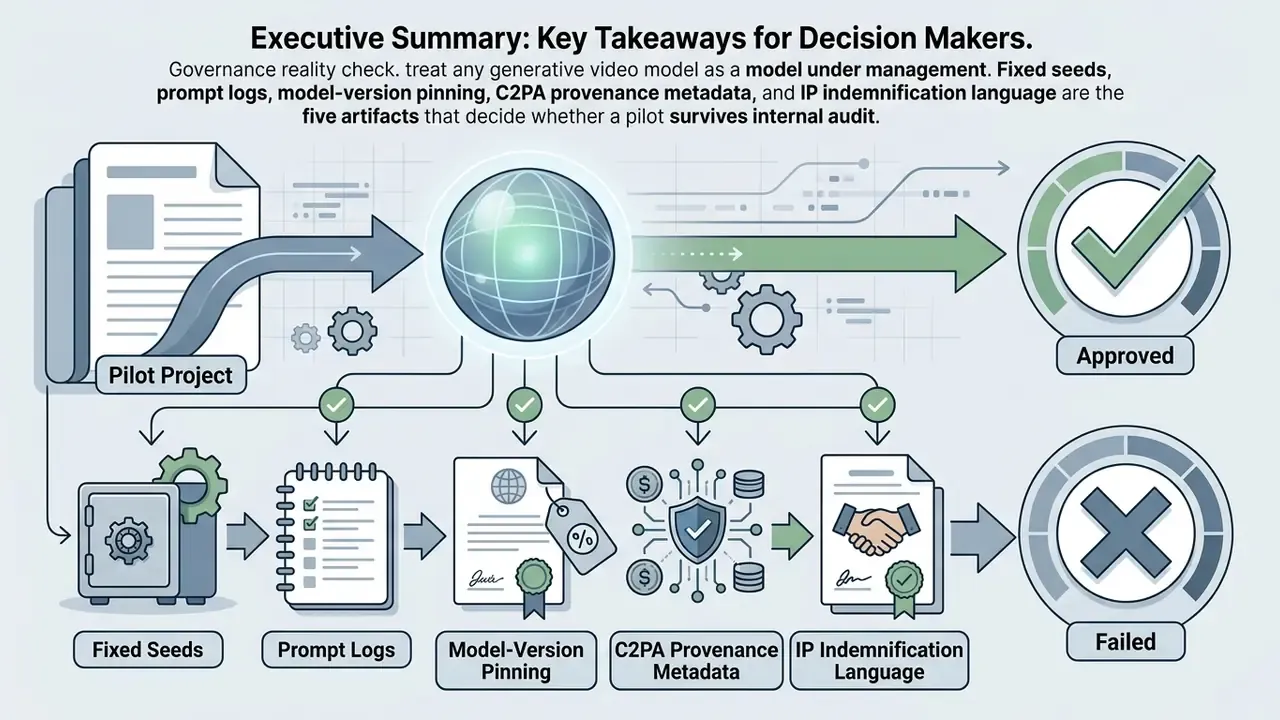
Short version for C-level, risk, and procurement leaders. The 2025 to 2026 generative video market is no longer differentiated by raw clip beauty. It is differentiated by control surfaces, audit evidence, and unit economics.
Regulated-industry note: pricing, licensing, and retention terms below reflect vendor documentation published through late 2025 and re-checked in early 2026. Re-verify every commercial term with the vendor before contract execution.

How we evaluate the best AI video generation tools in 2025
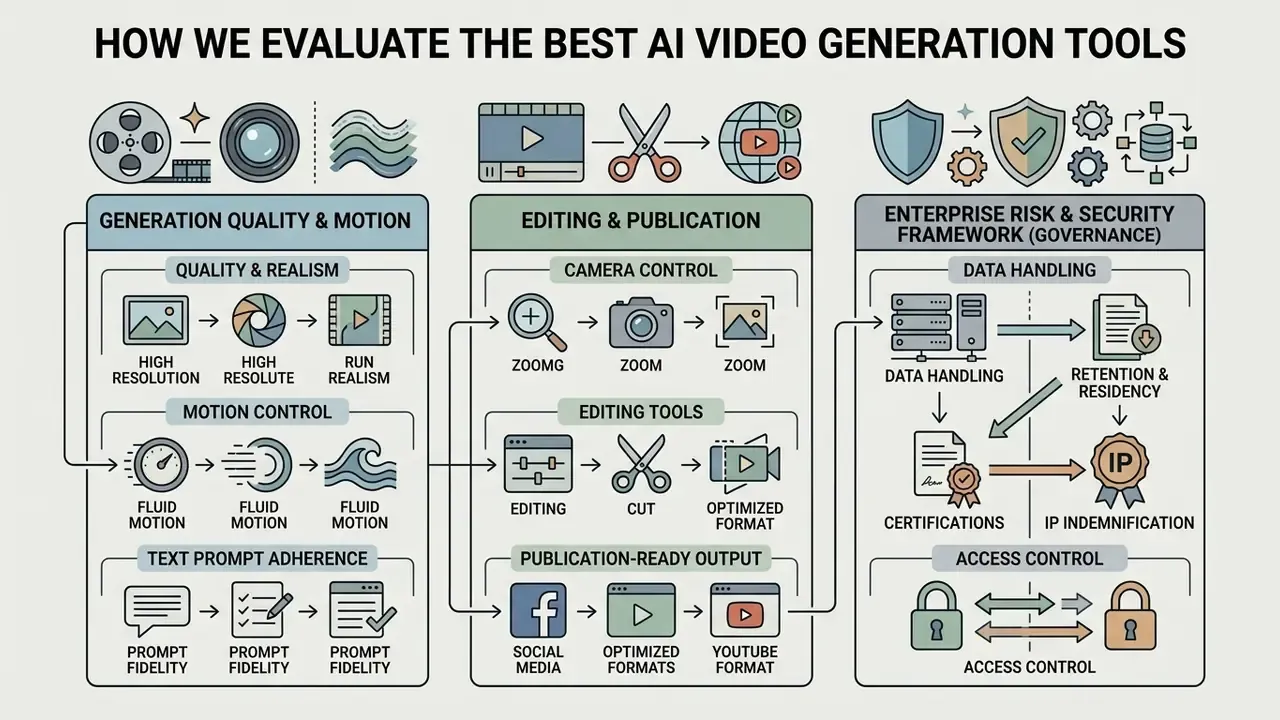
Ranking the top AI video generation tools 2025 needs a structured framework, not vibes. We measure text-to-video alignment, visual fidelity, temporal stability, and operational efficiency. Models run against standardized prompt suites so that output quality, natural motion, and instruction adherence are compared under controlled conditions.
"High-quality AI video must satisfy two criteria at once: look natural to a human viewer and precisely follow the user's textual instructions."
Our framework balances technical performance against practical enterprise requirements. The dimensions that carry weight: spatial sharpness, motion smoothness, camera control, learning curve, governance readiness, and whether the vendor offers transparent paid plans alongside a genuinely functional free tier. One more, often ignored: how many renders you throw away before you get a usable one.
Generation quality, motion realism, and text prompt adherence
Assessing generation quality means testing whether generative models preserve visual style, scene composition, and natural motion without physical artifacts. Performance has to be disentangled into separate dimensions: spatial quality, temporal flickering, subject identity consistency, and adherence to complex text prompts.
Physical accuracy stays the primary differentiator across high quality videos. Advanced diffusion-based video models process spatio-temporal volumes to hold subject consistency across frames, which limits geometry distortion and awkward motion blurring. Prompt alignment checks are simpler than they sound: does the subject match, does the camera move as instructed, does the lighting follow the text inputs?
"AIGCBench evaluates image-to-video algorithms with 11 metrics across four dimensions: control-video alignment, motion effects, temporal consistency, and video quality."
Newer suites push further. VBench-2.0 (2025) adds intrinsic-faithfulness axes: human fidelity, controllability, creativity, physics plausibility, commonsense. AIGVQA (ICCVW 2025) splits perceived quality into temporal quality, image quality, aesthetic quality, and text-video alignment. EvalCrafter (CVPR 2024) operationalizes the same logic with concrete metrics, including Imaging Quality, Motion Smoothness, Warping Error, CLIP Score, and CLIP-Temp Score.
The procurement implication is blunt. A single composite "quality score" tells you nothing useful. Ask for per-dimension results, and ask which prompt suite produced them.
Camera control, editing, and publication-ready video output
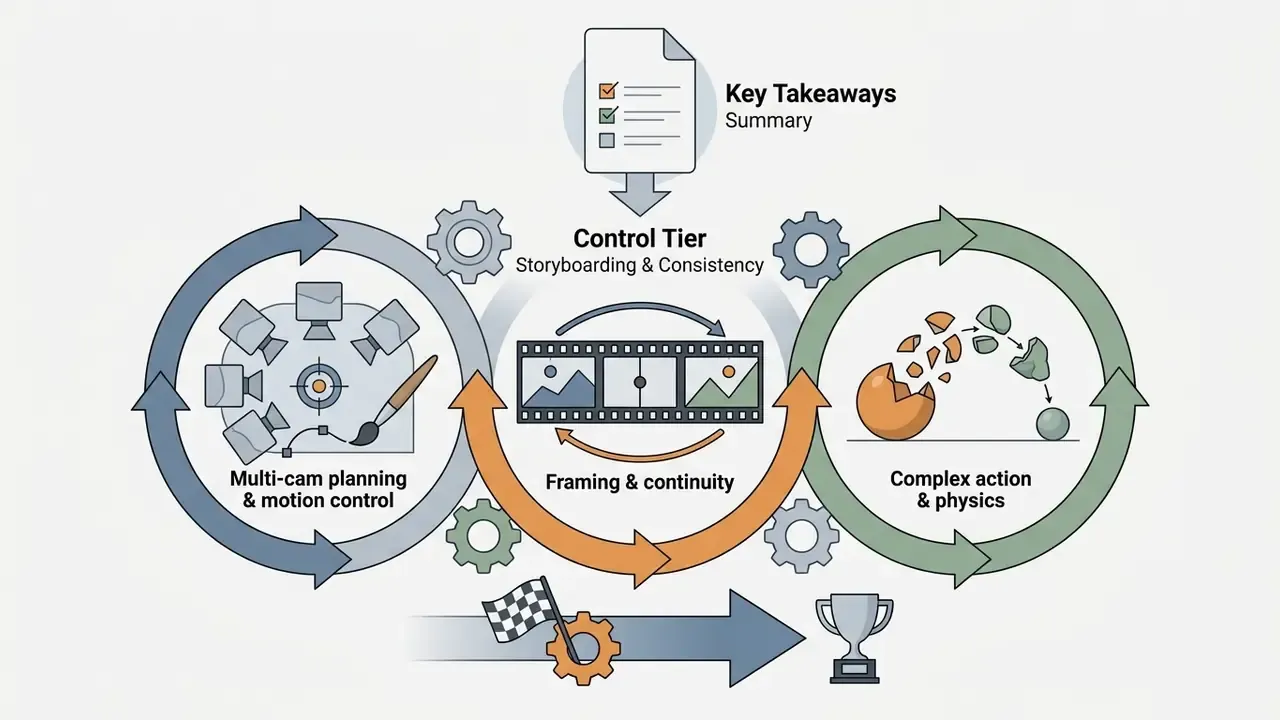
Commercial readiness depends on built-in editing features, camera control, and post-processing that produce complete videos without heavy external retouching. The strongest AI video generators expose explicit shot controls: pan, tilt, zoom, tracking, crane moves, plus in-model video editing tools.
Integrated features such as motion sync, lip sync, video extending, and AI upscaling cut post-production friction. Platforms that embed direct camera movement controls and scene restyling turn around polished videos noticeably faster, mostly because fewer assets leave the platform at all.
"THEval scores 85,000 videos from 17 models using 8 metrics across three dimensions, quality, naturalness and synchronization, reaching Spearman correlation ρ = 0.870 with human ratings."
Vendor documentation confirms the same direction of travel. Veo 3.1 accepts explicit framing and movement instructions (move back, zoom in, move up, move right) at 1080p and 4K. Gemini video-to-video editing supports character swaps, relighting, stabilization, and background modification inside a single model workflow. On the research side, CameraCtrl (2024) demonstrated plug-and-play camera-control modules for text-to-video diffusion. That is why camera direction is now a first-class parameter rather than a prompt accident.
Enterprise risk and security framework (governance dimension)
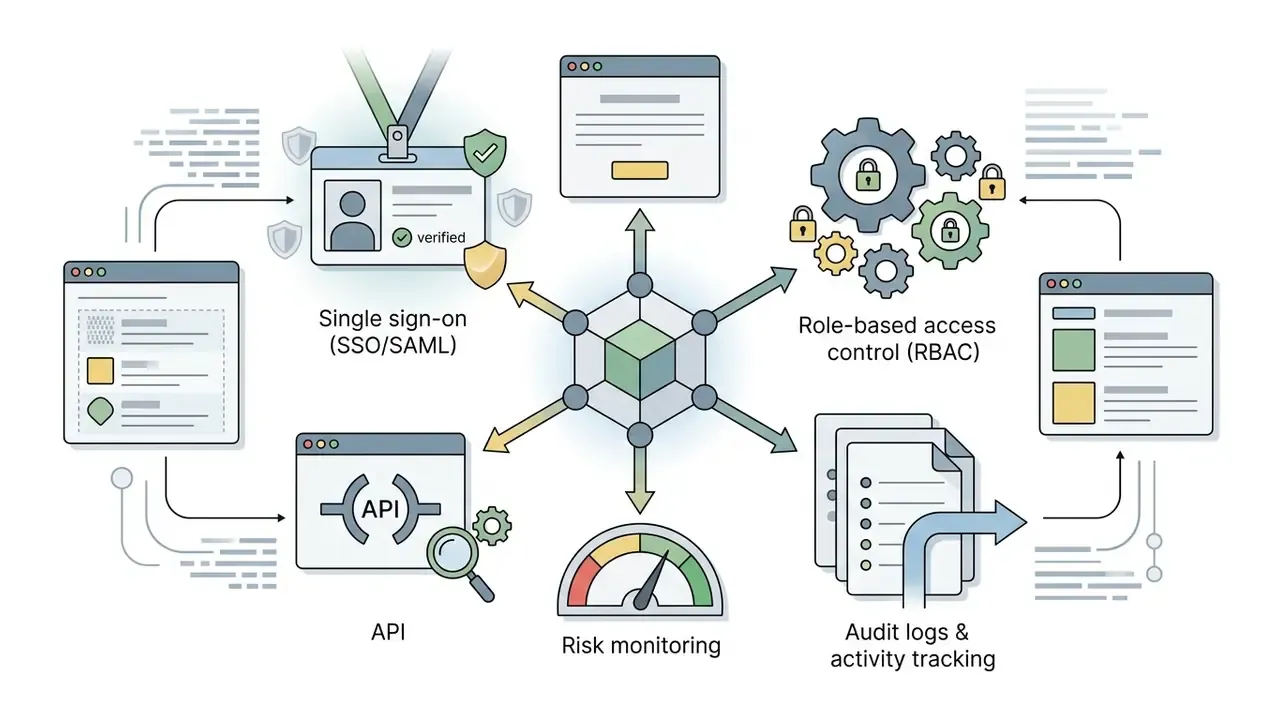
Technical quality is necessary but not sufficient for regulated deployment. Before a model enters a production content pipeline, score each vendor on six governance axes:

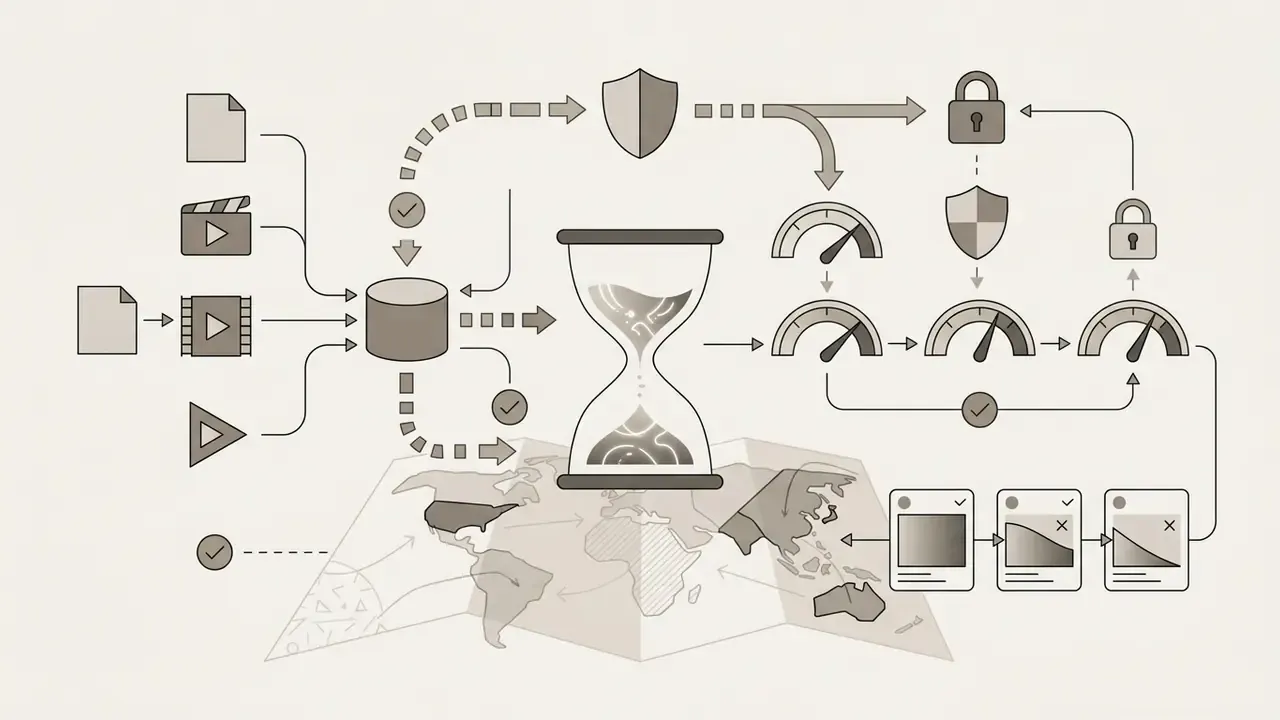

Methodology and testing scenarios (E-E-A-T):
Ranking: top AI video generation tools 2025–2026
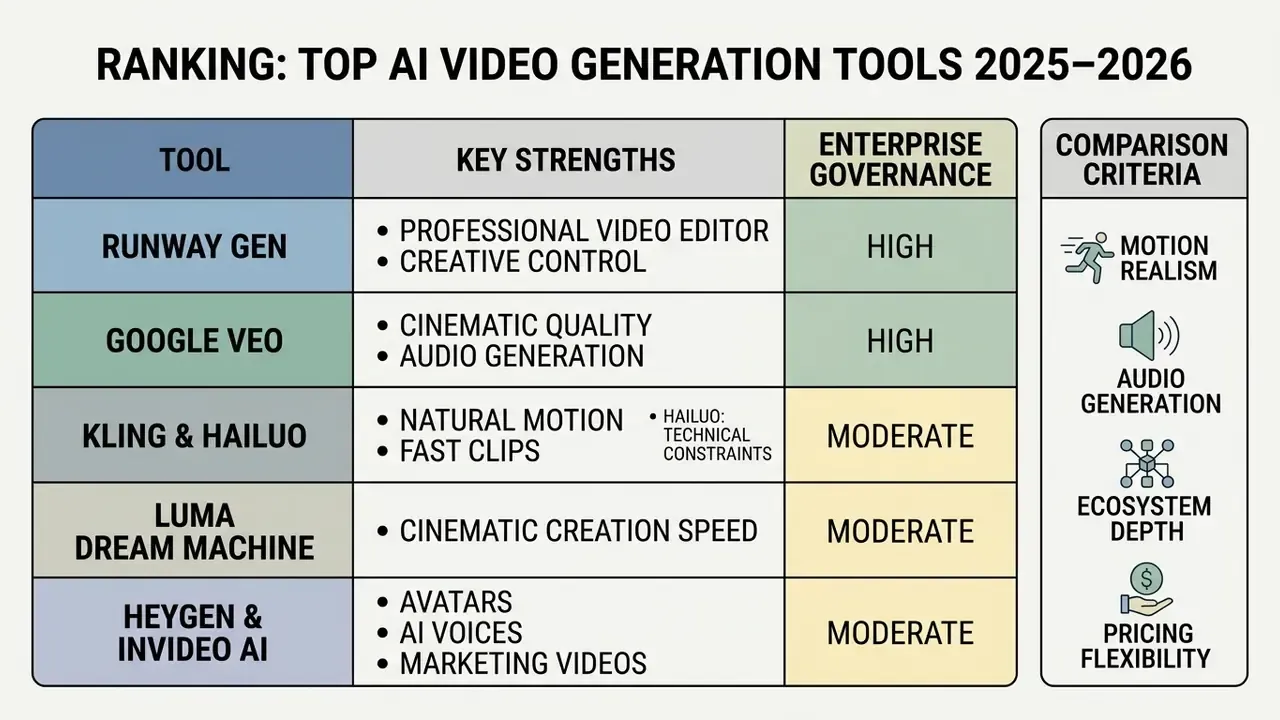
Picking the best AI video platform means comparing the top AI video generation tools 2025 across motion realism, audio generation, ecosystem depth, and pricing flexibility. The matrix below summarizes the leading AI video creation platforms 2025 on empirical performance, model capabilities, and market adoption. Think of it as an ai video generator list 2025 with the governance column attached. For a deeper side-by-side breakdown of leading AI video generators, continue with our dedicated comparison hub.
| Platform | Core Generation Type | Motion Realism & Physics | Audio Generation | Camera Control | Free Tier / Trial | Paid Plans Entry | Primary Use Cases |
|---|---|---|---|---|---|---|---|
| Runway Gen-4.5 | Text/Image-to-Video | Industry-leading camera choreography, beat sync | External / integrated audio tools | Advanced (pan / truck / handheld feel) | Free credits on trial | Standard ($12/mo), Pro ($28/mo) | Professional film production, VFX |
| Runway Gen-4 / Gen-3 | Text/Image-to-Video, Video-to-Video | High temporal stability; minor physics limits | External audio tools & integrations | Advanced (Pan, Tilt, Zoom, Speed, Motion Brush) | 125 one-time credits (watermarked) | Standard ($12/mo), Pro ($28/mo) | Film production, ad creatives, advanced VFX editing |
| Google Veo 3.1 | Text/Image-to-Video, Video-to-Video | Superior 4K physics & light rendering | Native synchronized audio, SFX & dialogue | Explicit framing & shot direction controls | 50 free credits/day via Google Flow | Google AI Plus ($4.99/mo) to Ultra ($199.99/mo) | Cinematic video, commercial campaigns, YouTube production |
| Seedance 2.5 | Text/Image-to-Video | High temporal physics & complex action clips | Native audio generation | Prompt-driven framing | Daily trial credits | Tiered credit plans | Studio-grade cinematic sequences |
| Kling 3.0 / Hailuo (MiniMax) | Text/Image-to-Video, Element Reference | High natural motion; smooth character tracking | Native stereo audio support (Hailuo/H3) | Frame-anchored camera tracking | Daily free trial credits (variable) | Tiered monthly plans | Short clips, high-action social clips, rapid prototyping |
| Wan 2.7 | Text-to-Video, open weights | Photorealistic motion, high prompt adherence | External audio | Standard camera movements | Free open-source tier | Compute-based usage (~$0.05–$0.20/s by resolution) | Custom pipeline integration, developer R&D |
| Alibaba Qwen | Multimodal Text/Image-to-Video | Natural lighting, complex scene composition | External / multilingual TTS | Prompt-driven angles | Free access / open weights | Pay-per-compute / API | International marketing (29+ language support) |
| Luma Dream Machine | Text/Image-to-Video | Strong camera dynamics; occasional Janus artifact | No native audio generation | Fluid natural camera motion | 10 clips/day (30 total free) | Standard ($29.99/mo), Pro ($99.99/mo) | Rapid cinematic concepting, visual ideation |
| HeyGen | Avatar Video, Text-to-Speech | Lifelike facial dynamics; expressive gestures | Native multi-language voice cloning & TTS | Fixed studio shot / framing presets | 1 credit free trial (up to 3 videos/mo) | Creator ($29/mo), Pro ($49/mo), Business ($149/mo) | Corporate training videos, talking head explainers, localized ads |
| InVideo AI | Prompt-to-Complete-Video | Relies on stock footage plus AI generated clips | Native AI voiceover & background music | Automated scene cuts & framing | Free plan with watermarks & export limits | Plus ($20/mo), Max ($48/mo) | Faceless YouTube Shorts, social media content, quick marketing |
"The GAIA dataset spans 9,180 video-action pairs across 510 categories with 971,244 human annotations along three dimensions: subject quality, action completeness, environment interaction."
Governance and procurement matrix (enterprise readiness)
| Platform | Deployment options | Prompt/output training by default | Provenance metadata | Access control | IP indemnification (documented) |
|---|---|---|---|---|---|
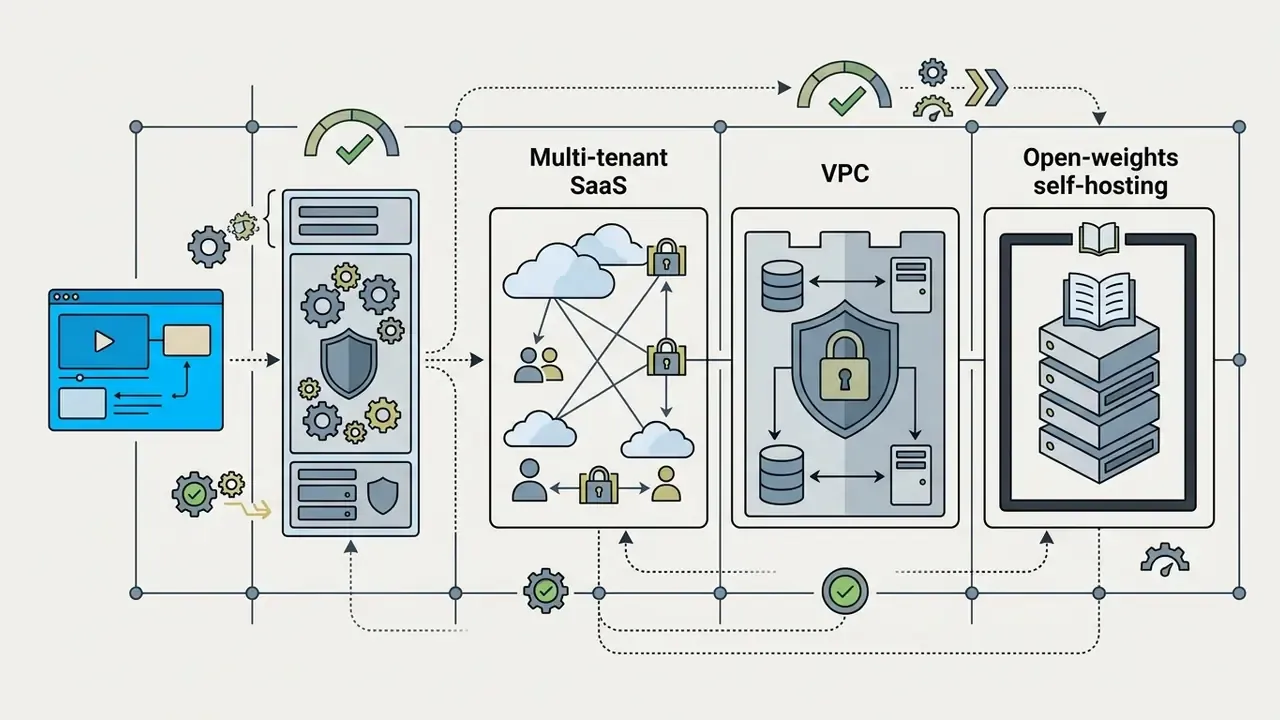
| Runway | SaaS plus API | Opt-out available on business tiers; verify in DPA | Watermark on free tier; metadata varies | Team seats, SSO on enterprise | Not publicly documented |
| Google Veo 3.1 | Google AI Studio / Flow (consumer), Vertex AI (enterprise) | Enterprise surface (Vertex AI) governed by Google Cloud terms | SynthID-class watermarking documented by Google | Google Cloud IAM, org policy, audit logging | Covered by Google Cloud generative AI indemnity terms; verify scope |
| Kling / Hailuo | SaaS plus API | Not clearly documented | Visible watermark on lower tiers | Account-level only | Not documented |
| Wan 2.7 / Alibaba Qwen | Open weights (self-host) or cloud API | Self-hosting removes vendor data exposure | Customer-controlled | Customer-controlled (your IdP) | N/A for self-hosted weights |
| HeyGen | SaaS plus API | Consent workflow required for avatar creation | Avatar consent records, watermark on free tier | SSO on Business tier | Not fully documented |
| InVideo AI | SaaS | Not clearly documented | Watermark on free plan | Seat-based | Not documented |
Note: vendor metrics and rate cards reflect documentation reviewed in late 2025 and re-checked in early 2026. Governance fields marked "not documented" mean the vendor's public materials stated no position at review time, so the gap must be closed contractually. To evaluate detailed pricing architectures across AI platforms, compare options directly.
Runway Gen: professional AI video editor and creative control
Runway Gen (Gen-4.5, Gen-4, and Gen-3 Alpha Turbo) offers an advanced AI video editor suite built for creators who need precise creative control and multi-cut management. The platform pairs fine-grained camera control, including pan, tilt, track, zoom, crane-style motion and handheld shake adjustments, with Motion Brush and multi-scene editing. For professional text-to-video generation, it is still the reference implementation.
Gen-4 (announced 31 March 2025) added image-conditioned generation with stronger subject, object, and style consistency. Gen-4.5 is documented for film-making concepts such as timed beats and camera choreography, and it has ranked first in blind preference leaderboards against comparable Google and OpenAI models. Runway's 2026 Edit Studio and Aleph line extends this into multi-cut editing: relighting, restyling, adding or removing elements, changing backdrop or time of day across existing footage.
In one model-risk validation exercise, a fintech media team converted static brand guidelines into 14 marketing video clips in 48 hours using Runway Gen-3.
Google Veo: cinematic video, audio generation, and output quality
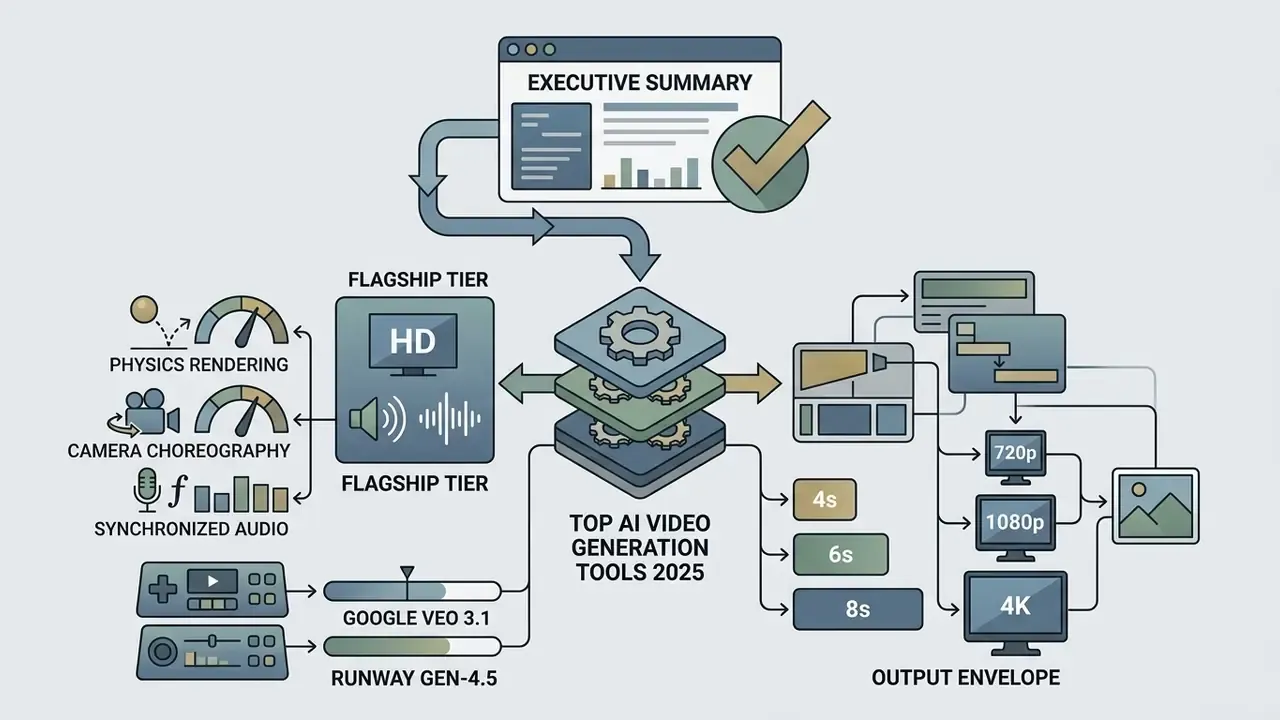
Google Veo, Veo 3.1 included, delivers state-of-the-art cinematic video at resolutions up to 4K, with native audio generation that synchronizes dialogue, ambient sound, and background noise. Integrated into Google AI Studio, Vertex AI, the Gemini app, and Flow, Veo 3.1 handles complex lighting, shadow play, and spatial physics well. Google positions it as an improvement on narrative control and image-to-video prompting versus Veo 3. The documented output envelope covers 4, 6, and 8-second clips in landscape and portrait at 720p, 1080p, and 4K.
For risk teams the surface distinction matters more than the model name. Flow and AI Studio are creator-facing entry points with credit-based consumer pricing. Vertex AI is the enterprise path, with IAM, organization policy, audit logging, and cloud contractual terms. Developers integrating Google's video capabilities into enterprise applications can view the guide on Google Veo API architecture and cost analysis.
Kling and Hailuo: natural motion and fast video clips
Kling 3.0 and Hailuo AI (MiniMax H3) focus on exceptionally smooth natural motion and high-action short clips. Kling's official product page documents true 4K output at 3840×2160, up to 60 FPS, and a maximum of 15 seconds per generation, with solid handling of complex human movement and physical collisions. MiniMax H3 and Hailuo 3.0 document up to 2K output with native stereo audio. Duration varies by source between 4 to 15 and 5 to 15 seconds at 24 FPS, which probably reflects product-page update timing rather than two different models.
These models are efficient when you need fast video clips with fluid character animation and believable physics, rather than complex multi-layer editing. Teams starting from a product photo or portrait should compare them against dedicated image-to-video animation workflows.
One evidence gap deserves naming. Neither vendor publishes a standardized numeric "physical correctness" score. Motion plausibility claims stay qualitative, so validate physics adherence on your own prompt set.
Luma Dream Machine: speed of cinematic video creation
Luma Dream Machine uses a scalable transformer architecture trained directly on video streams, which is how it delivers 5-second cinematic clips in one to three minutes. The Ray 3.14 iteration improves scene composition and visual style retention through dynamic camera maneuvers. Luma's own user guide claims up to 5x faster generation at 720p than Ray3, with stronger style consistency and better temporal coherence.
Motion and camera sweeps are compelling. Independent benchmarks, though, report scene identity loss and text rendering artifacts. One arXiv evaluation of 3D-consistent video generation measured Luma at 60.21% scene consistency and observed that the model can invent new structures instead of preserving the scene. That profile suits visual ideation, not typography-heavy or continuity-critical assets.
HeyGen and InVideo AI: avatars, AI voices, and ready-made marketing videos
HeyGen and InVideo AI specialize in automated video production: lifelike digital avatars, multi-language voice cloning, turnkey video marketing workflows. HeyGen's Avatar IV system delivers precise lip sync, expressive facial dynamics, and access to more than 300 AI voices, plus custom voice design, cloning, and API-level voice selection. Corporate training videos and talking head explainers are the obvious fit. Its Video Agent can build a complete avatar video from a single text prompt, choosing avatar, voice, and style automatically.
"VASA-1 supports online generation of 512×512 talking-face video at up to 40 FPS with negligible starting latency, setting the bar for commercial avatar platforms."
InVideo AI automates the whole video creation process: script generation, clip selection, synthetic narration, captions, all from one text prompt. Its lip-sync module matches mouth movements to any supplied voice or cloned audio. That makes it a popular tool for publishing social media content quickly, especially for lean teams without an editor on staff. Teams building narration libraries can compare options among AI voice generators before locking a vendor.
Model risk, audit trails, and compliance for generative video
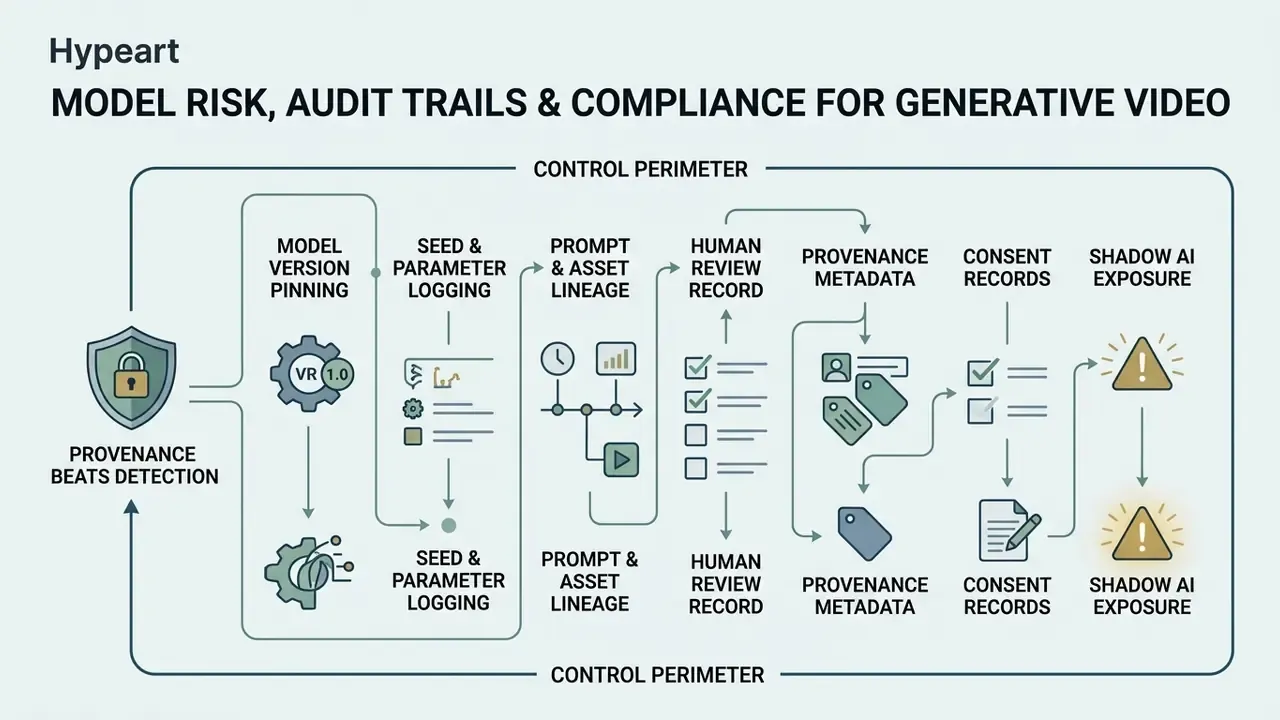
Generative video belongs inside the same control perimeter as any other production model. Regulated organizations should map video generation onto existing model-risk and AI-governance frameworks, not treat it as a marketing toy outside scope. Marketing is exactly where shadow AI usually starts.
Framework mapping. Under model-risk management principles familiar from SR 11-7, three obligations carry over directly: documented development and validation evidence, independent effective challenge before deployment, and ongoing performance monitoring. The NIST AI Risk Management Framework functions (Govern, Map, Measure, Manage) give you the complementary structure for documenting intended use, known failure modes, and mitigation owners.
Reproducibility and audit artifacts. For a generative video workflow to survive internal or external review, capture at minimum:
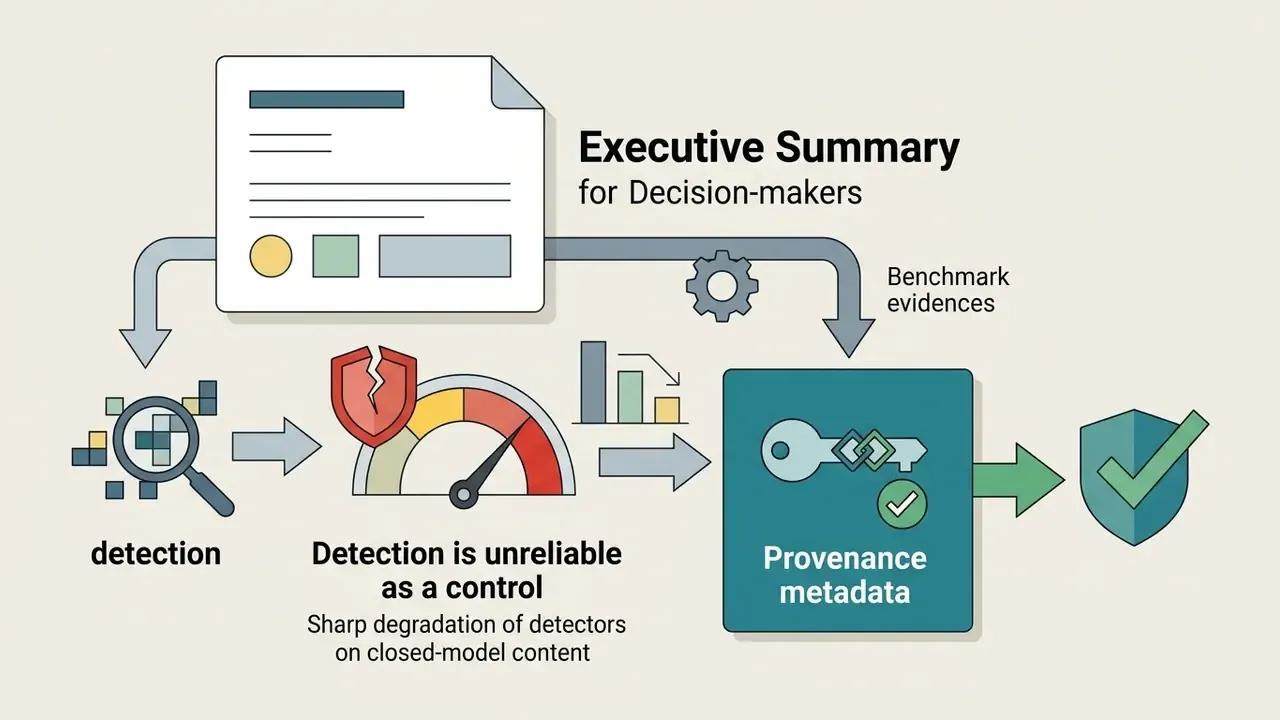
Why provenance beats detection. Relying on classifiers to catch synthetic media inside your own supply chain is fragile.
- Model version pinning
- the exact model and revision, for example Gen-4.5 versus Gen-4, Veo 3.1 versus Veo 3. Silent upgrades change output characteristics.
- Seed and parameter logging
- fixed seeds (our tests used seed 42), resolution, FPS, duration, aspect ratio, guidance settings.
- Prompt and asset lineage
- full prompt, reference images, uploaded footage, with retention aligned to records policy.
- Human review record
- reviewer identity, timestamp, and disposition of each asset (approved, edited, rejected).
- Provenance metadata
- C2PA-style content credentials or vendor watermarking. Google documents SynthID-class watermarking for Veo output, so downstream publishers can verify origin.
- Consent records
- for avatar and voice cloning, signed performer consent tied to the avatar identifier.
"AIGVDBench, covering 440,000+ videos from 31 models, shows an I3D detector reaching only 61.18% accuracy on closed-model content, versus 89.05% on image-to-video content."
Shadow AI exposure. The usual failure pattern is not a bad model. It is an unmanaged one. Staff paste confidential product roadmaps, customer imagery, or unreleased financial figures into a consumer free tier whose terms permit training on inputs. Mitigations worth enforcing: allow-list approved surfaces (enterprise API or VPC only), block consumer domains at the proxy, provide a sanctioned fast path so teams do not route around policy, and require enterprise SSO for every approved tool. Organizations checking whether third-party creative assets are synthetic can cross-reference AI image detectors as a secondary control, never as the primary one.
A note on assumptions: the audience behaviours described here, including who typically triggers shadow AI usage, remain working hypotheses until confirmed by your own analytics, interviews, or CRM data.
This section is informational and is not legal, compliance, or investment advice. Validate all control mappings with your own risk, legal, and privacy functions.
AI video generation tools by use case
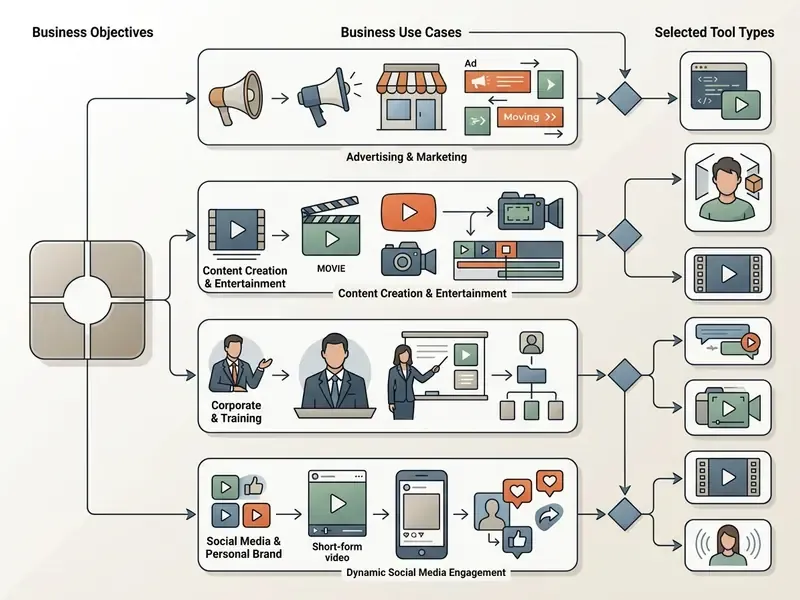
Choosing among ai tools for creating videos 2025 depends on workflow, required output format, and distribution channel. Dedicated video models serve distinct roles across commercial advertising, long-form YouTube production, music video synthesis, and enterprise communications. Market context supports the shift from experimentation to production: Grand View Research estimates the AI video generator market at USD 788.5 million in 2025, rising to USD 3,441.6 million by 2033, with marketing and advertising as the largest vertical.
AI tools for YouTube videos and YouTube Shorts
Automating YouTube video content means combining script generation, visual clip synthesis, and automated voiceovers into one publishing pipeline. With ai youtube video creation tools 2025, creators can assemble complete YouTube Shorts in minutes using automated prompt-to-video workflows, then finish inside standard YouTube video publishing workflows.
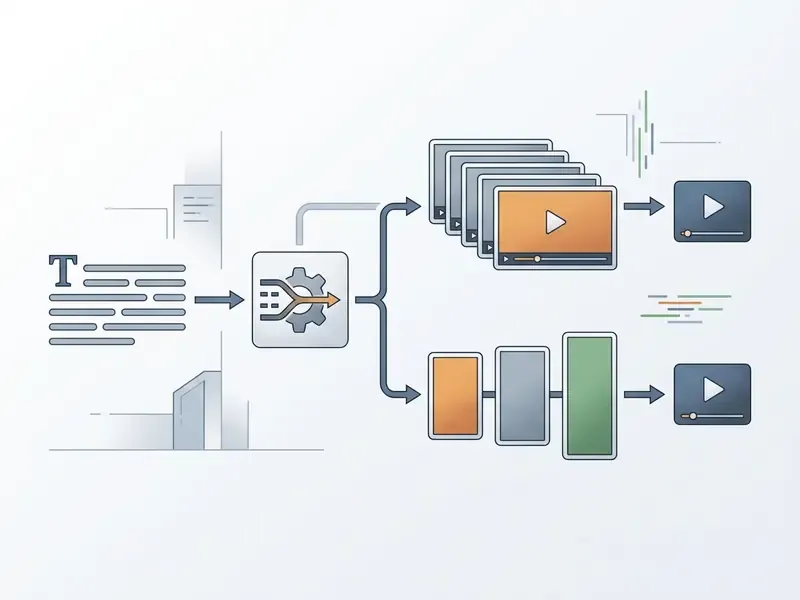
Vendor documentation across short-form tools converges on a three-stage pipeline: topic or keyword input, then script and scene generation, then AI voice selection (preset or authorized clone) with pronunciation review before publishing. Evidence caveat: these end-to-end claims come from product pages, not independent validation. Measure retention and completion on your own channel before scaling spend. To improve static assets before assembly, upscale source frames first, since input resolution quietly caps final output quality.
AI music video generator tools for clips and visual experiments
Stylized music videos need tight synchronization between visual motion and musical rhythm. An ai music video generator 2025 lets artists convert audio tracks into audio-reactive visual sequences through feature extraction and diffusion-based latent space traversal.
The academic lineage is clear. Stylizing Audio Reactive Visuals (NeurIPS Creativity Workshop, 2019) mapped extracted audio features into latent-space traversal. The Power of Sound (NVIDIA Research, 2023) conditioned Stable Diffusion on audio plus text prompts. Generating Music Reactive Videos by Applying Network Bending (2025) used audio features as direct generator parameters. From Sound to Sight: Towards AI-authored Music Videos (ICCVW 2025) segments a track, analyzes it with CLAP models to produce aligned text prompts, drafts a script with an LLM, then synthesizes and assembles clips with text-to-video diffusion.
Practical takeaway for anyone testing ai music video generator tools 2025: segment the track first, prompt per segment, and let tempo drive cut length. Fighting the beat in post is wasted effort.
AI avatars for explainers, talking head, and training videos
Enterprise onboarding and education programmes increasingly rely on avatar video to produce scalable training videos and explainer modules. Digital avatars remove studio recording entirely, and they enable multi-language localization through voice cloning.
"DAWN generates dynamic-length talking-head video in a single non-autoregressive pass, removing the error accumulation of autoregressive methods while maintaining speed and accurate lip motion."
Measured limitations. Rather than an unverifiable engagement claim, the defensible finding is narrower:
"THEval shows most algorithms handle lip synchronization well but struggle to render expressive detail without artifacts."
Supporting educational research aligns with that. A 2024 PMC study of educational video found avatar expressiveness, meaning visual attractiveness, emotional expressiveness, and natural movement, had a significant positive effect on learning outcomes, emotional experience, and engagement. User studies on avatar perception report that TTS-only pipelines score worse on realism and emotional expressivity than tightly synchronized speech-animation methods.
Regulated-industry applications. In banking and fintech the highest-value avatar use cases are narrow and repeatable: compliance and policy training refreshes (re-render a module when a regulation changes instead of rebooking a studio), multi-language localization of product explainers with identical approved scripts, internal change-management announcements, and branch or contact-centre onboarding. Two controls are non-negotiable. Signed performer consent tied to each avatar identifier, and a compliance sign-off gate on the script before rendering, never on the rendered asset alone.
Automating video production via API and MCP protocols
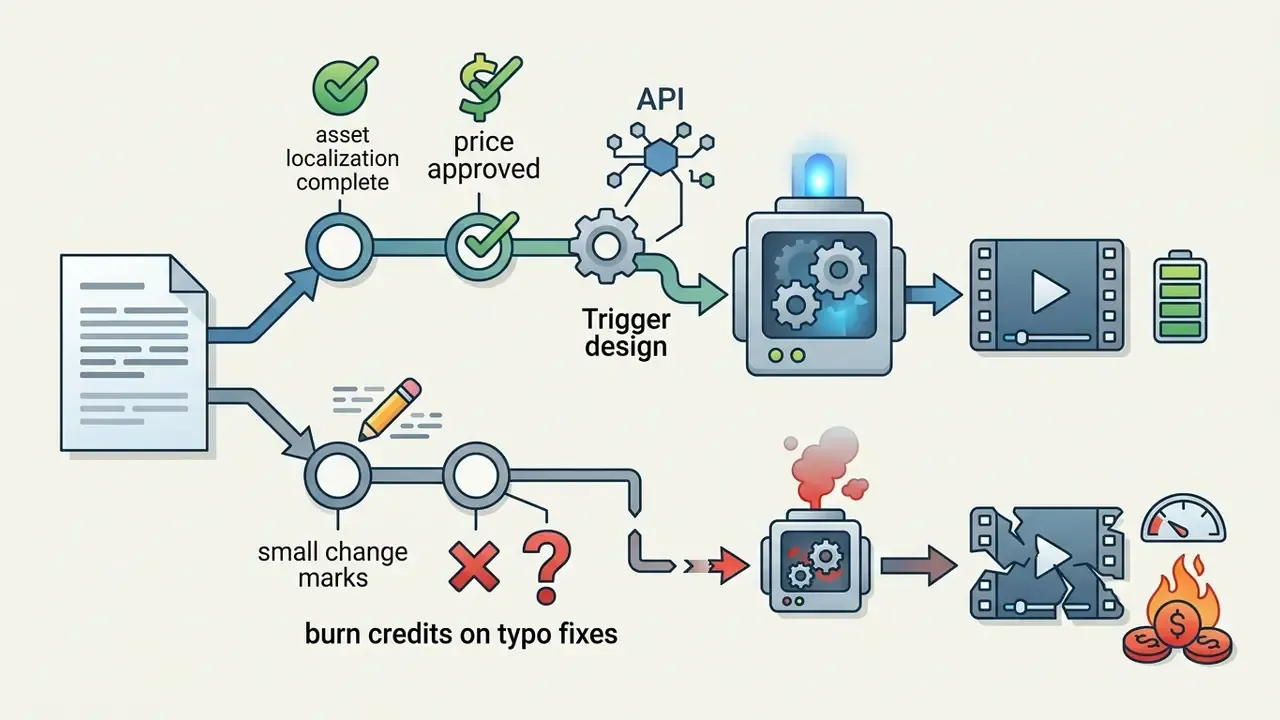
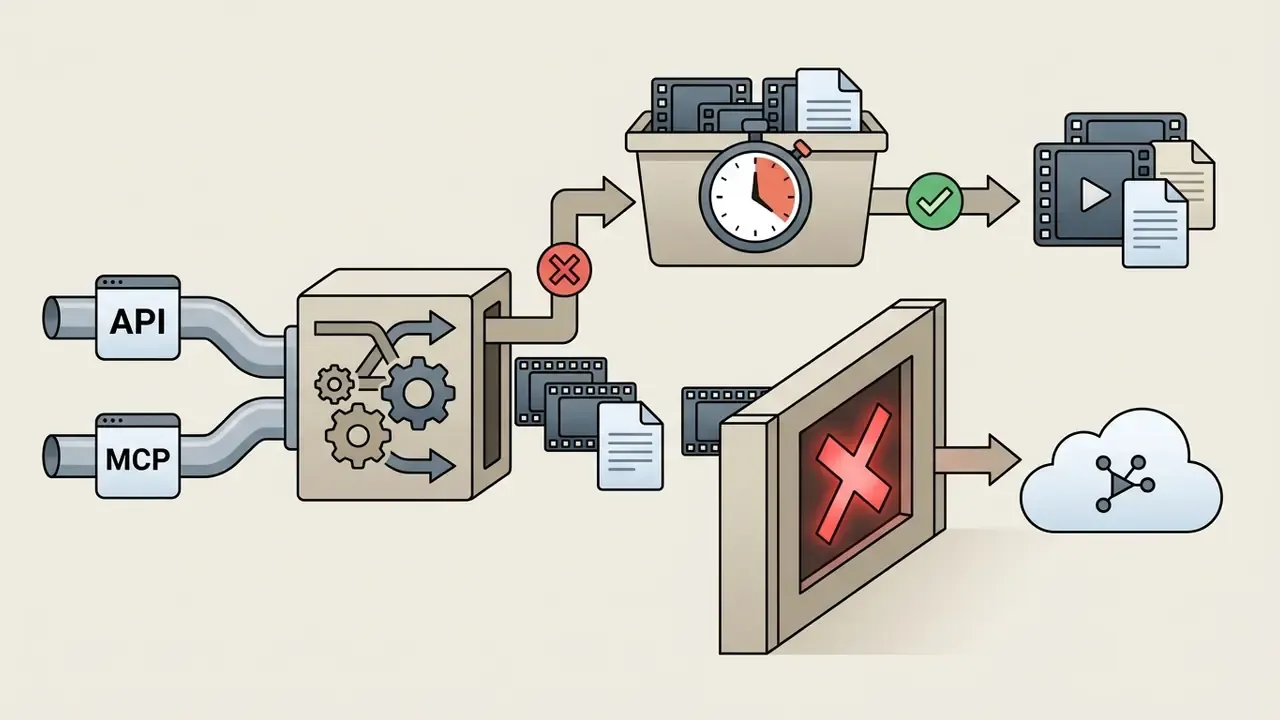
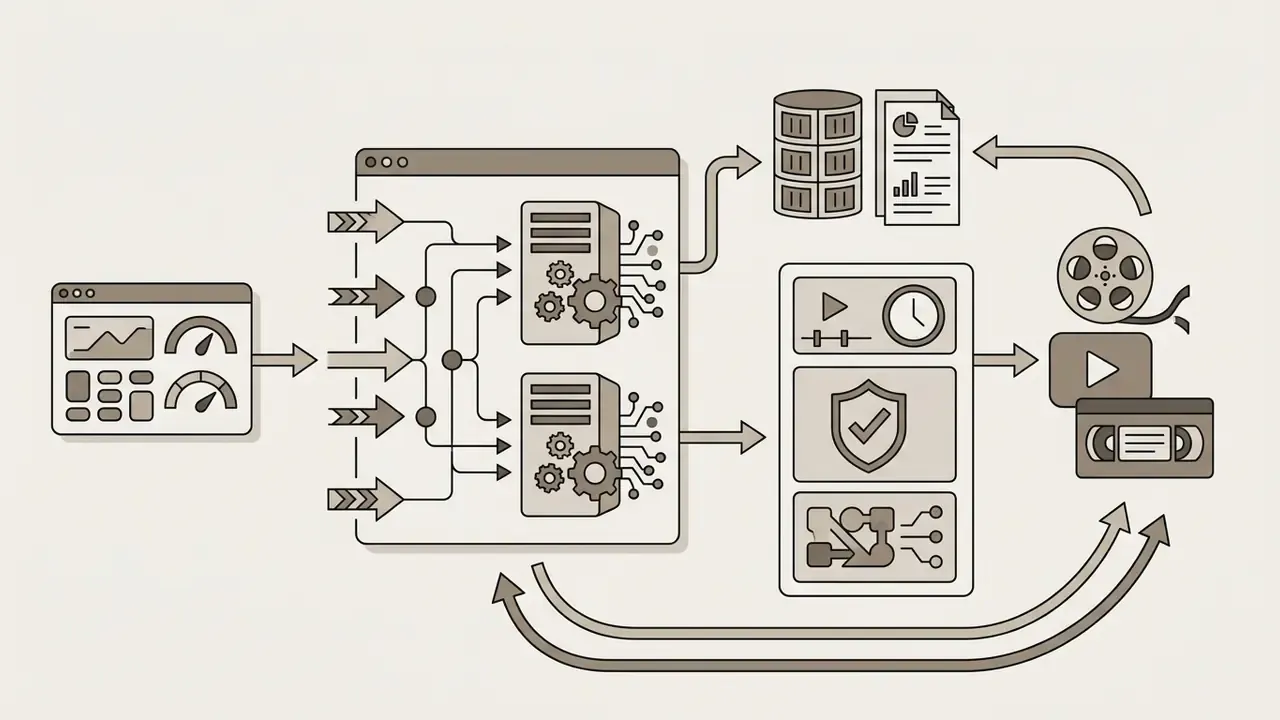
To scale marketing output, teams embed video generation into workflow chains with no human in the render loop. Using Model Context Protocol (MCP) servers and webhook integrations such as Zapier, clip creation runs end to end: a product-card update in the CRM triggers a 15-second promo in InVideo AI or HeyGen, which then auto-publishes to social channels.
Design notes for B2B pipelines:

Which AI models and features you need for consistent quality videos
Consistent quality videos come from understanding the underlying generative models and the steering controls available in modern platforms. Core capabilities: text-to-video diffusion, reference-anchored image-to-video animation, and post-generation editing features. This is also where ai image and video generation tools 2025 start to converge into a single asset pipeline.
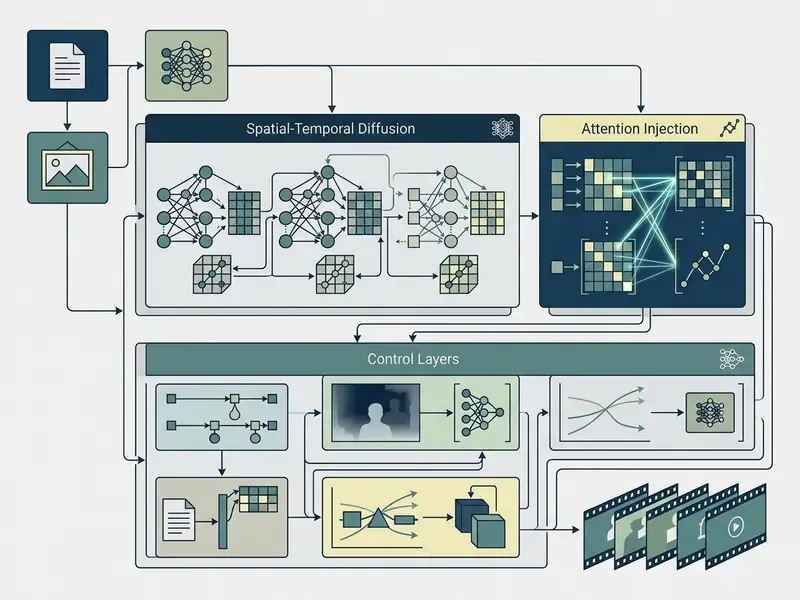
Consistency is now an explicit model objective, not a lucky output. GEN3C (CVPR 2025) targets long, temporally consistent video with precise camera control and 3D editing. VideoStudio (ECCV 2024) reports multi-scene generation with measured intra- and cross-scene consistency, best cross-scene score 77.3. Edit-A-Video (2024) uses attention-map injection plus temporal-consistent blending to preserve object attributes during text-guided edits. FastVideoEdit (2024) exploits consistency-model self-consistency to skip inversion. FlowV2V (2025) reframes editing as flow-driven image-to-video generation, reporting +13.67% DOVER and a 50.66% warping-error improvement on DAVIS-EDIT.
Text-to-video: how to generate AI videos from a text description
Text-to-video generation relies on 3D spatio-temporal diffusion architectures or video transformers that turn text prompts into sequential frames. Prompt engineering for video needs structured inputs: shot framing, subject actions, environmental lighting, explicit camera controls.
"CogVideoX generates 10-second videos (16 fps, 768×1360) using a 3D VAE that compresses both spatial and temporal dimensions, improving compression ratio and reconstruction fidelity."
Official vendor guidance converges on a four-part template. Runway's Text to Video Prompting Guide recommends a [camera] shot + subject + action + environment format with explicit lighting and composition components. Video Production with Generative AI (Rabowsky, 2024) similarly advises splitting prompts into scene, subject, and camera-movement sections.
Effective prompt structure:
Change one variable per iteration. If you alter camera move, subject action, and lighting at once, you cannot attribute the quality delta. That discipline is not just craft, it is what makes results defensible in a validation report. For a wider survey of methods and tooling, review our overview of text-to-video AI tools.
- Camera shot and movement
- "Wide cinematic tracking shot, slow push-in..."
- Subject and action
- "...a financial analyst reviewing glowing holographic charts..."
- Environment and lighting
- "...inside a minimalist modern office, soft volumetric dusk lighting..."
- Style and motion
- "Photorealistic 8k, natural movement, 24fps film grain."
Image-to-video: animating an AI image and controlling visual style
The ai video generation from images 2025 workflow uses a static source image as a structural anchor, applying motion controls while preserving character identity and visual style.
"Lumiere uses a Space-Time U-Net that generates the entire temporal duration of the video in a single pass, yielding global temporal consistency without cascaded super-resolution artifacts."
Techniques such as reference appearance encoding (Animate Anyone, CVPR 2024, which pairs a reference-image appearance encoder with a separate pose guider) and spatio-temporal attention over the first frame (ConsistI2V, which also uses low-frequency-band noise initialization) keep the subject stable across scene transitions. Video Storyboarding extends the same idea to multi-shot character consistency in a training-free setup. Method, in one line: anchor on the reference image, specify motion separately from appearance, and prefer high-resolution, well-lit source frames with an unobstructed face. Compare implementations across image-to-video AI tools before committing a pipeline.
Editing tools: motion sync, lip sync, extend, upscale, and multi-cam planning
Professional video workflows depend on precise editing tools to refine generated clips:
Free tiers, free credits, and paid plans: what AI video tools cost
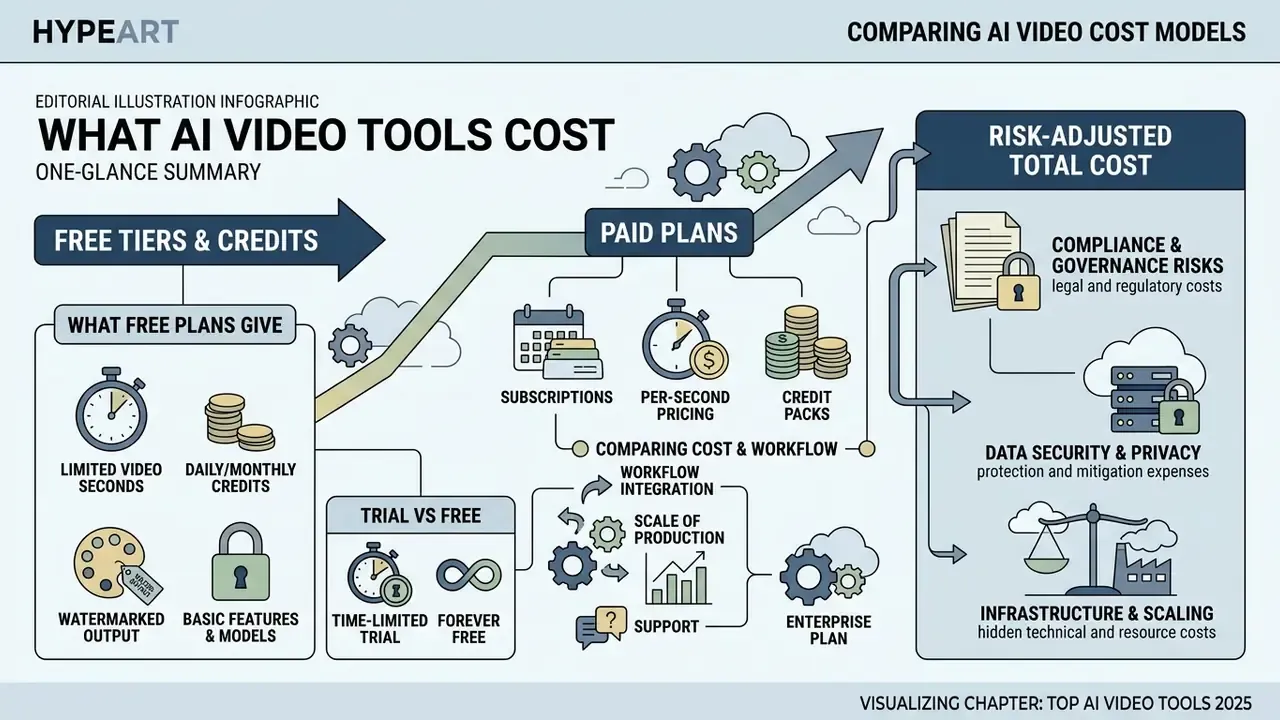
Pricing analysis means reading three things together: subscription tiers, compute credit consumption, and per-second generation cost. The table below sets out tiers, free credits, and output limits for leading platforms, including the options people search for as ai video generator free trial alternatives sora.
| Platform | Free Plan / Trial Credits | Output Watermark | Max Free Resolution | Standard Paid Tier | Compute Cost Metric |
|---|---|---|---|---|---|
| Runway | 125 one-time credits (do not refresh) | Yes (free plan) | 720p; 4-second cap on legacy free generations | $12/month (625 credits) | ~$0.29 per generated second |
| Luma Dream Machine | 10 clips/day (30 total) | No | 1360×752 | $29.99/month (120 clips) | ~$0.25 per generated clip |
| Google Veo 3.1 (via Google Flow & AI Studio) | 50 free credits/day | No on paid tiers | Up to 4K | Google AI Plus ($4.99/mo, 200 credits), Pro ($19.99/mo, 1,000 credits, no watermark), Ultra ($99.99/mo, 10,000 credits; $199.99/mo, 25,000 credits) | Pay-as-you-go API option available (~$0.50/s) |
| HeyGen | 1 credit free trial (up to 3 videos/month, no card) | Yes | 720p | $29/month Creator; $49 Pro; $149 Business (+$20/seat) | ~$2.00 per avatar minute |
| InVideo AI | 10 mins/week AI generation | Yes | 1080p | $20/month (50 mins/mo); business tiers $50–$150/seat | ~$0.40 per exported minute |
| Kling 3.0 / Hailuo | Daily free credits (variable) | Yes on lower tiers | 720p–1080p | Tiered monthly plans | Credit-metered per second |
| Wan 2.7 / Qwen (open weights) | Free self-hosted weights | No | Hardware-limited | Cloud API pay-per-second | ~$0.05 / $0.10 / $0.20 per second at 480p / 720p / 1080p |
Pricing verified against vendor pages in late 2025, re-checked early 2026, and subject to change without notice. To model cost projections for high-volume video workflows, use our platform to compare options and calculate compute expenses.
What a free AI video plan actually gives you
A free AI video plan gives you entry-level access for testing model fidelity, motion smoothness, and interface responsiveness. The constraints are strict, though: fixed watermarks, shorter clip durations (typically 4 to 6 seconds), lower rendering priority, non-refreshing one-time credits, and non-commercial licensing.
Realistically, a free tier produces test clips, not sustained production. Runway's 125 credits never renew. Hailuo's free path caps at 6-second 720p clips. Consumer Veo access is bounded by daily credits. Use free plans to check prompt adherence and physics accuracy before committing budget, then move to an enterprise surface. Anyone hunting no-cost options can explore our review of the best free AI video generator.
How to compare paid plans by cost and workflow
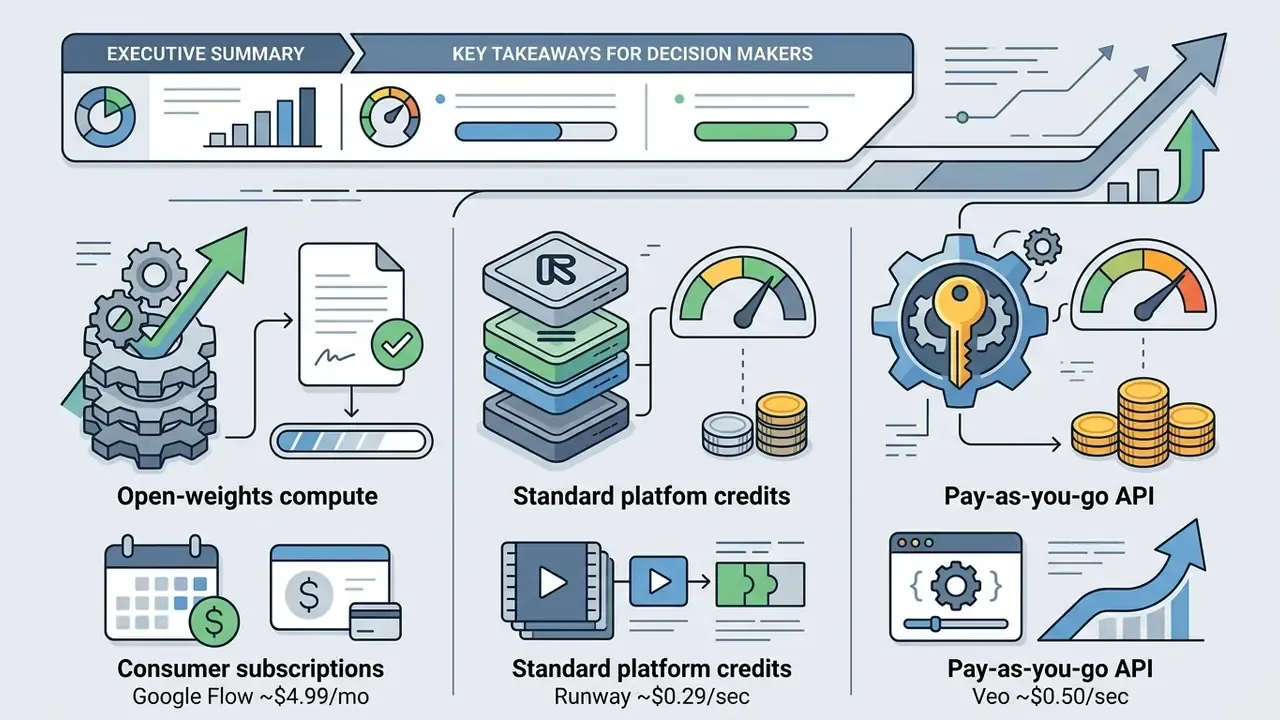
Comparing paid plans means calculating net cost per usable second of finished video, not headline subscription price. A $15 monthly plan with 625 compute credits translates to roughly 50 seconds of high-fidelity output, an effective ~$0.30 per second. Compare that against roughly $0.50 per second for Veo pay-as-you-go API billing, and $0.05 to $0.20 per second for open-weights cloud inference depending on resolution. That spread is why the best affordable ai video generator 2025 for one team is the wrong answer for another.
Risk-adjusted total cost of ownership. Subscription price is the smallest line item in a regulated deployment. Model the full cost:
TCO = (generated seconds ÷ acceptance rate × price per second) + human review hours × loaded rate + legal/compliance review + validation and monitoring effort + enterprise licensing delta
Two variables dominate. First, acceptance rate. If one render in four is usable, your true cost per delivered second is four times the rate card. Second, review labour. A 30-second compliance-adjacent clip may need script approval, brand review, and legal sign-off, which can exceed generation cost by an order of magnitude. Build the business case on cost per approved delivered asset, not per generated second, and re-baseline quarterly, because new model versions shift acceptance rates without warning.
When assessing software for enterprise deployment, review explicit commercial use rights, data privacy guarantees, retention terms, and API access limits before you sign.
How to choose an AI video generator for your task
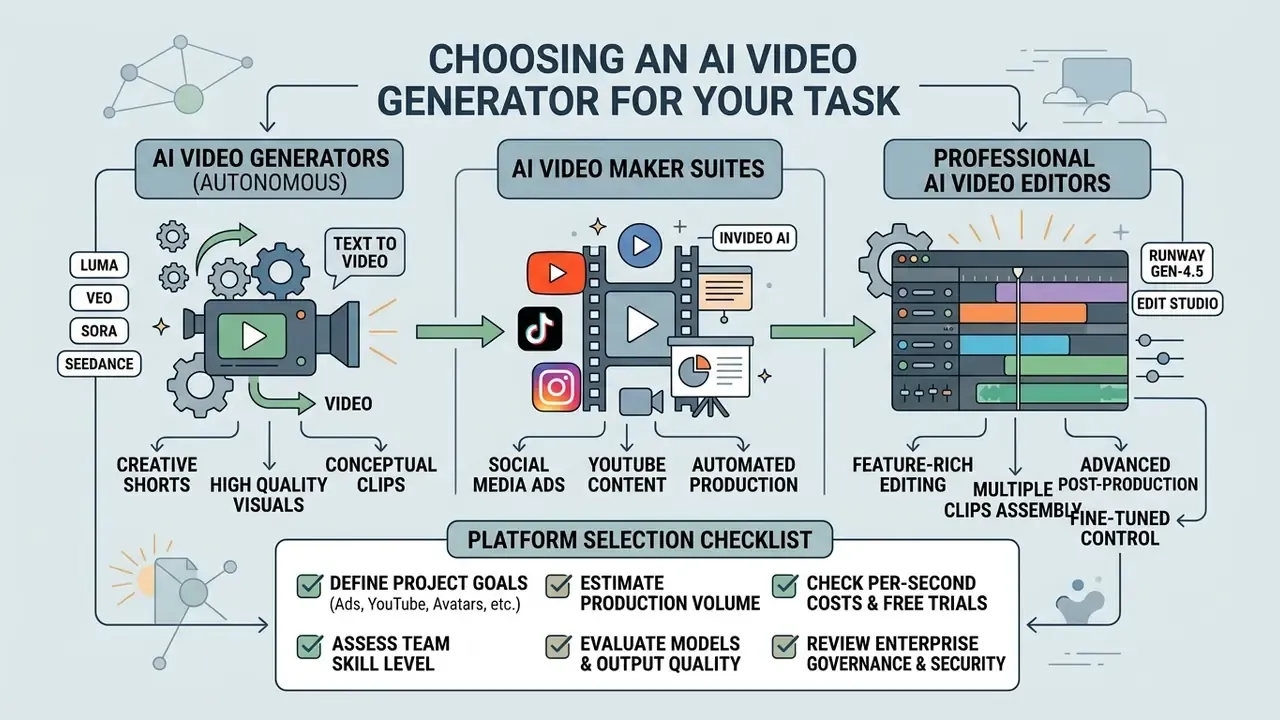
Choosing among ai video maker platforms 2025 means matching capability to team skill level, production volume, and security requirements. Decide first whether the work needs autonomous video generators, template-driven video makers, or advanced AI video editor suites.
Choosing between an AI video generator, a video maker, and an AI video editor
Terminology overlaps in vendor marketing, which is why any ai video generator app review 2025 should be read with care. A "maker" that auto-generates a full video from a document behaves like a generator. An "editor" is the clearest distinct class, because it exposes explicit editing controls and integrations. Judge by workflow scope, not by the label on the pricing page.
For comparative reviews of text-based generative tools, explore our evaluation of ChatGPT image generation or compare diffusion models in our Midjourney comparison overview.
Platform selection checklist before starting new video content
Work through the checklist below before kicking off a new video production workflow. Items 1 to 6 cover creative capability. Items 7 to 12 cover governance readiness for regulated environments.
Next steps and decision framework:
- Checked items 1, 2, 6, and 7: select advanced diffusion engines with director-grade controls, namely Runway Gen-4.5, Google Veo 3.1, or Seedance 2.5.
- Checked items 3 and 5: select dedicated avatar platforms such as HeyGen, and require signed performer-consent records.
- Checked items 4 and 6: choose integrated platforms with native audio, Google Veo 3.1 or Hailuo/MiniMax H3.
- Checked items 8, 9, and 12: route procurement through an enterprise surface (Vertex AI rather than consumer Flow), or evaluate open-weights options such as Wan 2.7 and Alibaba Qwen for self-hosted control.
- Checked items 10 and 11: make exportable generation logs and provenance metadata contract conditions before pilot approval.
- For broader multi-model comparisons, explore the hub for detailed side-by-side analysis.
Checklist0 / 12
FAQ: AI video generation tools, costs, and controls
Which AI video generator is best overall in 2025–2026?
There is no single winner, and anyone claiming otherwise is selling something. Veo 3.1 leads on cinematic realism plus native synchronized audio. Runway Gen-4.5 leads on camera choreography and multi-cut editing. Kling 3.0 leads on 4K duration headroom, up to 15 seconds at up to 60 FPS. Wan 2.7 and Qwen lead on deployment control. Run the same prompt suite across two or three candidates before deciding.
Can AI-generated video be used commercially?
Usually yes on paid tiers, but rights vary by plan and are frequently restricted on free tiers. Check commercial-use clauses, watermark removal conditions, and whether the vendor offers IP indemnification. Adobe Firefly remains the clearest example of indemnification attached to a specific plan.
How long can a single AI-generated clip be?
Documented maxima at review time: Veo 3.1 in 4, 6, and 8-second increments; Runway Gen-4.5 at 2 to 10 seconds; Kling 3.0 up to 15 seconds; MiniMax H3 at 4 to 15 seconds; Hailuo's common tier at 6 seconds. Longer pieces get assembled from multiple shots using extend and storyboard features.
Do these tools generate audio?
Veo 3.1 and MiniMax/Hailuo generate audio natively. Runway and Luma rely on external or integrated audio tooling. HeyGen and InVideo AI produce narration through TTS and voice cloning.
How do we make generative video auditable?
Pin the model version, log the seed and every generation parameter, retain prompts and reference assets, record human review disposition, and attach provenance metadata to exports. Detection classifiers are a weak secondary control, not a substitute for provenance.
What is the realistic cost per finished minute?
Rate-card math gives roughly $17 to $30 per generated minute at $0.29 to $0.50 per second. Divide by your acceptance rate, then add review labour, to get true cost per approved minute.
Who should own generative video inside a bank?
Ownership sits best with a named business owner in marketing or learning, with model risk performing effective challenge and internal audit testing the evidence trail. One owner, one escalation path, one shutdown mechanism. If nobody can switch the workflow off in an afternoon, it is not governed.
Disclosures and Vendor Verification Notice
Appendix A: Ninety-day controlled rollout and evidence log
A comparison table does not get you into production. This does. Use it as a starting template, then adapt the gates to your own risk appetite.
| Phase | Days | Primary activity | Required evidence | Decision gate |
|---|---|---|---|---|
| Scoping | 1–15 | Define use case, owner, prohibited content, and risk appetite | Intended-use memo, prohibited-use list, named business owner | Governance forum approves scope |
| Vendor diligence | 10–30 | DPA, retention terms, certifications, indemnification, deployment topology | Signed DPA, SOC 2 / ISO reports, retention schedule | Procurement and security sign-off |
| Controlled pilot | 30–60 | Fixed prompt suite, pinned model version, seeded runs, human review of every asset | Seed and parameter logs, reviewer dispositions, per-dimension quality results | Acceptance rate meets target |
| Validation | 55–75 | Effective challenge, failure-mode documentation, monitoring plan | Validation report, known limitations, monitoring thresholds | Model risk approves production use |
| Limited production | 75–90 | Live publishing with approval gates and credit guardrails | Provenance metadata on exports, cost per approved asset, incident log | Executive approval to scale or stop |
Add these items to your AI inventory record for each video workflow: model and revision, surface (consumer or enterprise), data classification permitted, owner, reviewer group, retention window, and shutdown procedure. An unmanaged workflow is the real finding in most audits. Not the clip quality.
One open question we cannot resolve for you: how much residual reputational risk your institution accepts on synthetic human likeness in customer-facing channels. That is a board conversation, not a procurement one.
Additional creative resources
Consolidated here so the main analysis stays focused on production and governance decisions:
- Visual generation and asset prep best free AI photo generator, best free AI photo enhancer, best free AI art generator, best AI art generator
- Brand assets as image-to-video anchors best free AI logo generator, best free ai logo maker 2025
- Audio companions for music-video workflows best free AI music generator, best free AI music generator 2025
- Voice and narration AI voice generator guide
- Delivery and optimization YouTube video editor workflows, video compressor guide, photo editor guide