If you sit in a control function at a bank or a mature fintech, this question is not really about art. It is about which vendor you can put in front of internal audit without flinching. So this comparison keeps two columns most reviews forget: who trains on your prompts, and who will indemnify you when a claim arrives.
Executive summary
If you only read one section, read this one:
| Priority | Recommended tool | Editorial rating (0–10) | Why |
|---|---|---|---|
| Everyday creation, conversational edits | ChatGPT Image (GPT-4o) | 8.8 | Highest documented GenEval prompt adherence, multi-turn editing |
| Photorealism + open control | FLUX.1 | 8.9 | Top human-preference ELO, open weights, local deployment |
| Enterprise legal safety | Adobe Firefly | 8.2 | Licensed training data, IP indemnification, no training on customer content |
| Typography and logos | Ideogram | 8.7 | Industry-leading embedded text accuracy |
| True vector / SVG output | Recraft | 8.6 | Native SVG export for icons and brand systems |
| Cinematic art direction | Midjourney | 8.1 overall (9.0 for pure art) | Unmatched aesthetic polish and style references |
| Google-native, high-volume pipelines | Gemini / Nano Banana Pro | 8.5 | 4K output, 14 aspect ratios, $0.039 per 1K image |
| Windows/Office-native free generation | Microsoft Copilot | 7.6 | OS-level access, free Boost credits |
| Flexible safety filters | Grok (xAI) | 7.9 | Least restrictive guardrails; weakest commercial safety |
Legal shortcut: purely prompt-generated images are not copyrightable in the United States, paid tiers are almost always required for commercial rights, and only a handful of vendors (Adobe, Canva) contractually promise not to train on your content. Details are in the commercial-use section below.
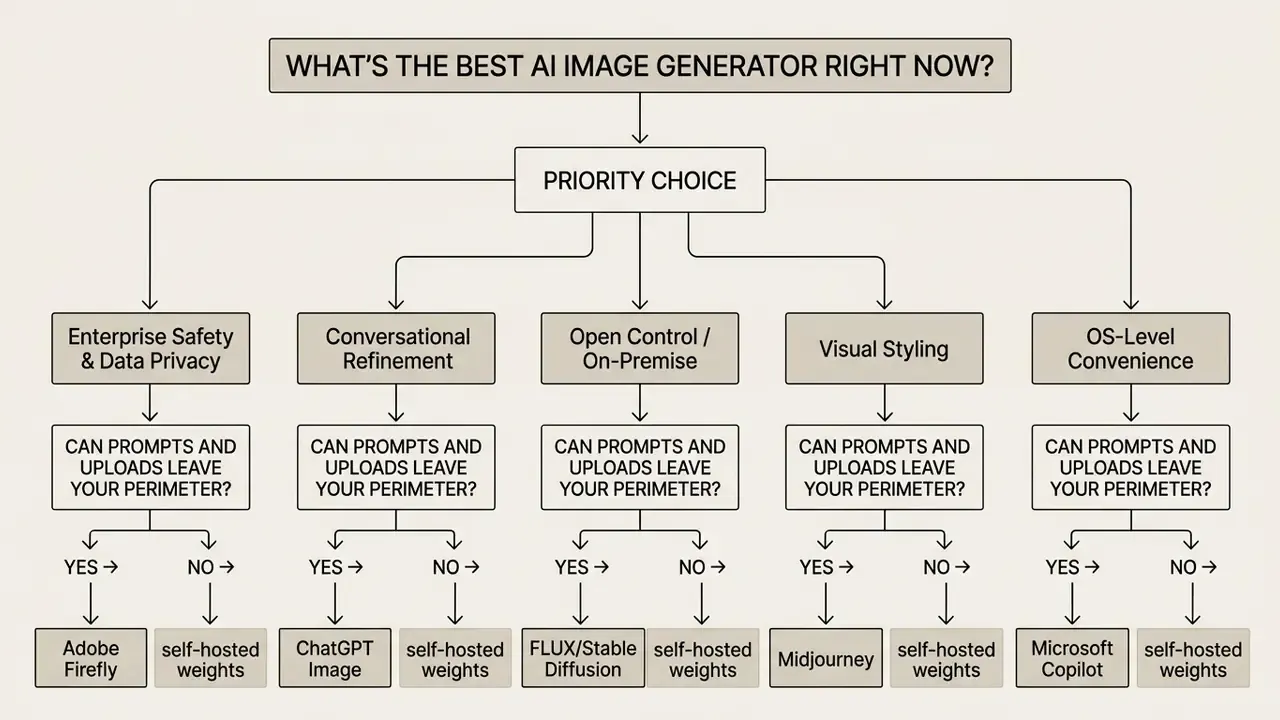
What's the best AI image generator right now?
The best AI image generator right now depends on your specific workflow requirements rather than a single universal standard. For everyday conversational creation and complex text prompts, ChatGPT Image (powered by GPT-4o) provides the strongest overall balance of prompt adherence and multi-turn editing. For enterprise graphic design and commercially safe workflows, Adobe Firefly leads due to its training on licensed assets and IP indemnification. For raw photorealistic quality and custom artistic control, FLUX.1 and Stable Diffusion 3.5 dominate open-weights deployment, while Midjourney remains the premier choice for cinematic AI art. For Google-native teams, Gemini's Nano Banana family delivers the cheapest high-volume pipeline, and for Windows users, Microsoft Copilot offers the most frictionless free access.
One caveat worth stating early. Ratings here reflect our own prompt suite, not a universal truth; two teams with different deliverables will rank the same tools differently, and that is fine.
How AI image generators work: diffusion vs. autoregressive models
Before comparing products, it helps to understand why two generators respond to the same prompt so differently. Every text-to-image system converts a text prompt into a matching image by mapping language embeddings onto pixels, but modern visual AI relies on two primary architectural approaches:
- Diffusion models (e.g., Midjourney, FLUX.1, Stable Diffusion 3.5, Firefly).Generation starts with a field of pure Gaussian noise. The model then iteratively removes noise across roughly 20–50 sampling steps, progressively reverse-engineering an image that matches the prompt embeddings. More steps generally mean more coherent structure; fewer steps mean faster, rougher output. This architecture excels at texture, lighting realism, and stylistic variety.
- Autoregressive and multimodal transformers (e.g., GPT-4o Image, Gemini Flash Image).These systems treat image tokens much like words in a sentence, predicting the next visual patch based on spatial and conversational context. Because the same model reasons over text and pixels simultaneously, it delivers superior in-image text rendering, better object counting, and stronger multi-turn instruction following, at the cost of slower generation and often a single image per request.
The practical implication is simple. If you need legible signage, infographics, or a poster headline, favour a multimodal transformer. If you need painterly texture, grain, cinematic lighting, or fine-tuned stylistic control, favour a diffusion model. Training itself is shared ground: billions of image-text pairs teach the neural network what "a dog," "the colour red," or "golden hour" means before any rendering logic applies.
Why does the architecture matter to a risk owner? Because how image generators work determines which defects you will be reviewing. Diffusion pipelines fail on hands and spelling. Transformer pipelines fail on speed and batch volume. Different review budgets, same deadline.
How to pick the best AI image generator for your needs
Selecting the right AI image generator requires matching your technical requirements against six core functional capabilities. Before purchasing a subscription or buying generation credits, buyers must evaluate prompt adherence, photorealism fidelity, embedded typography rendering, image-to-image editing, usage limits, and commercial usage rights. Applying this framework before you read the category winners prevents anchoring on a brand name instead of a requirement.
Checklist0 / 10
A small practical note from testing: teams almost always evaluate the first two boxes and skip the last three. That order is backwards. Quality differences between the top five tools are now narrow; retention policy and licensing differences are not.
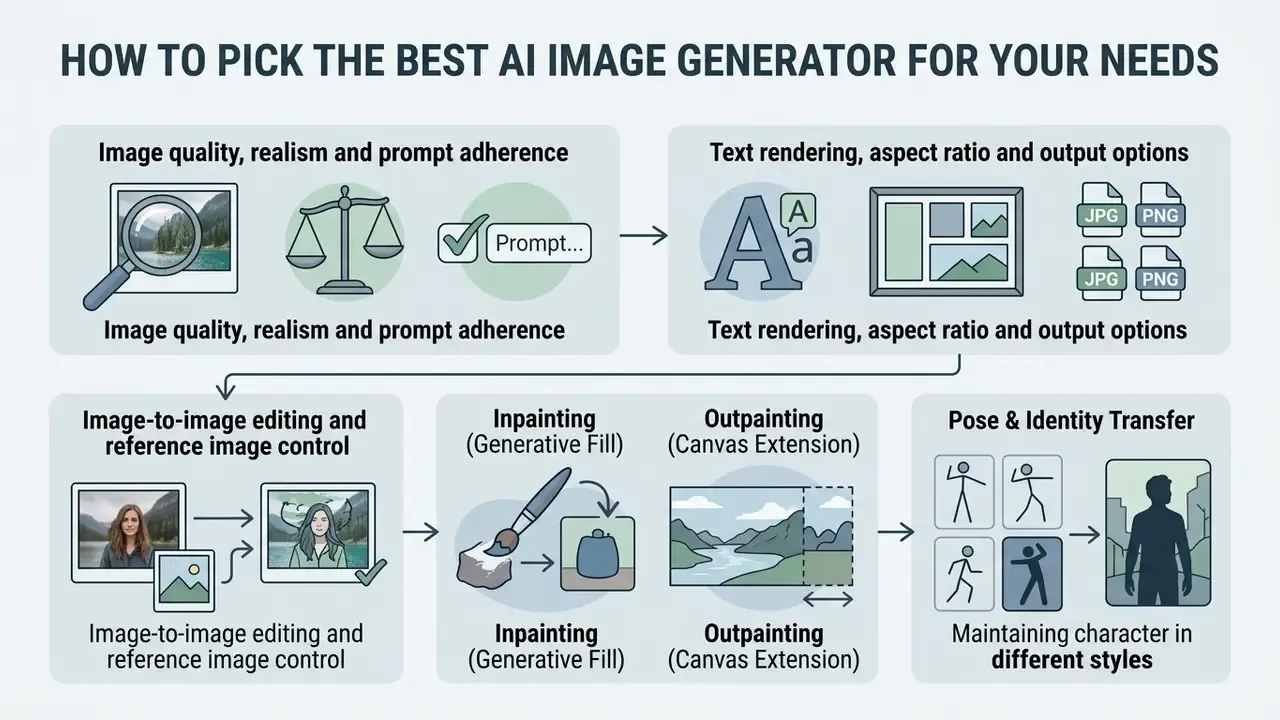
Image quality, realism and prompt adherence
Evaluating image quality requires distinguishing between raw visual fidelity and instruction following. Historical benchmarks like Fréchet Inception Distance (FID) measure feature distribution similarity between generated and real images, where lower scores signify higher visual quality. Modern diffusion models achieve low FID scores (GLIDE at 12.24, Imagen at 7.27, SD 12.63) compared to older autoregressive systems like CogView (27.10).
However, low FID does not guarantee that a model follows your text description. A generator may produce a photorealistic image that ignores specific prompt instructions. Modern benchmarks utilize CLIP scores and compositional frameworks like GenEval to verify that objects, colors, and spatial arrangements match the text prompt accurately.
Text rendering, aspect ratio and output options
Generating embedded, legible text within AI images has historically presented technical challenges, but state-of-the-art models now support readable typography. Benchmarks on long-text generation show that multimodal LLMs like GPT-4o and specialized architectures like Qwen Image significantly outperform pure diffusion models in OCR word-level accuracy and character error rates.
https://arxiv.org/abs/2501.09853
Specialised engines close the gap from the other direction: Seedream 3.0's technical report claims roughly 94% character availability for Chinese and English text, and Ideogram continues to lead commercial tools for short headline typography.
Aspect ratio flexibility and output resolution are equally vital for multi-platform distribution. Leading tools allow custom aspect ratio parameters (16:9, 9:16, 1:1, 21:9) and native rendering up to 2K or 4K high resolution output. Google's Nano Banana family documents 14 supported ratios with 0.5K/1K/2K/4K output modes, while OpenAI's API caps the longer-to-shorter edge ratio at 3:1. This ensures graphics can be exported directly for social media, print, or web applications without a second crop pass. Teams producing brand marks and wordmarks should also review dedicated AI logo generators, because logo work demands vector cleanliness rather than raster realism. To evaluate specialized video output workflows alongside static graphics, creators can browse the hub for detailed benchmark performance data. For video creators targeting mobile formats, examining the best reel maker app helps streamline multi-format publishing, and iPhone-first teams can compare the best video editor for iphone.
Image-to-image editing and reference image control
Advanced workflows rely on reference images to guide generation rather than building visuals strictly from text description. Image-to-image controls allow users to upload existing images as structural, compositional, or style references.
Key editing capabilities include:
The ability to combine images matters more than raw generation quality in most brand workflows. You rarely start from nothing; you start from a product shot that legal already cleared.
Teams expanding static visual assets into motion graphics can review options in our best text to video ai comparison guide.
- Inpainting (Generative Fill)
- Regenerating a masked region of an existing image based on a new prompt while leaving surrounding pixels untouched. FLUX.1 Fill, for example, accepts either an image plus a separate black/white mask or a single PNG/WebP with alpha transparency, regenerating white or transparent areas.
- Outpainting (Canvas Extension)
- Extending image boundaries beyond original frames while maintaining contextual lighting and background continuity.
- Pose & Identity Transfer
- Applying ControlNet or IP-Adapter modules to maintain character facial structure across different visual environments. Vendor documentation typically separates character references (identity), composition references (framing and placement), and style references (aesthetic traits only).
Best AI image generators by category: quick winners
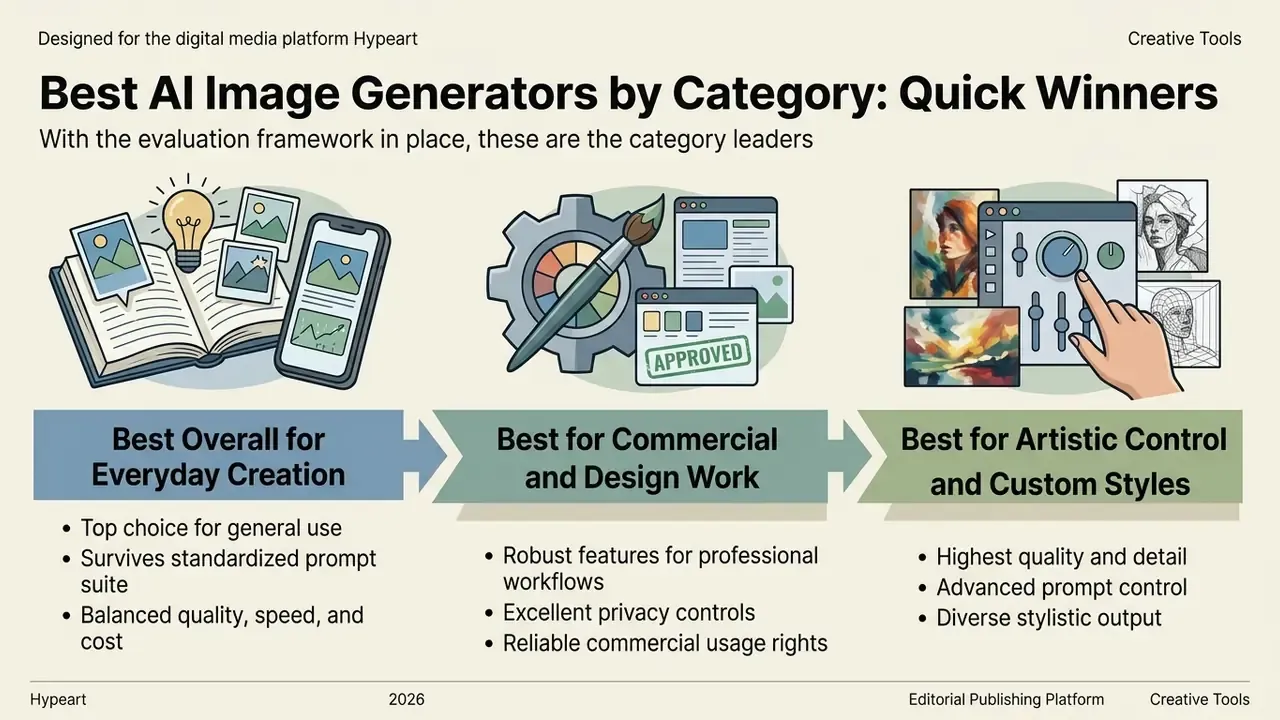
With the evaluation framework in place, these are the category leaders that survived our standardized prompt suite.
Best overall AI image generator for everyday creation
ChatGPT Image is the best AI generator for photos and everyday visual creation because it combines high prompt adherence with simple conversational editing. Operating on OpenAI's native GPT-4o multimodal architecture, it allows users to refine generated images through iterative dialogue without re-writing complex prompts.
Quantitative benchmarks reinforce this position. On the GenEval benchmark, which tests multi-object composition, attribute binding, and spatial localization, GPT-4o achieved an industry-leading overall score of 0.84 (GPT-ImgEval Technical Report, arXiv preprint, 2025). It scored 0.99 on single-object rendering, 0.92 on color recognition, and 0.85 on counting tasks. For creators needing quick visual assets, social graphics, or concepts from a simple prompt, it eliminates technical friction while maintaining image quality.
OpenAI's own product documentation adds an operational advantage: images render up to 4× faster in the current release, generations can be queued in parallel, and facial likeness is retained more consistently across edits, although complex prompts can still take up to two minutes via the API.
Best AI image generator for commercial and design work
Adobe Firefly is the top choice for commercial design because its training dataset relies exclusively on Adobe Stock, openly licensed content, and public domain material. This controlled dataset enables Adobe to offer enterprise IP indemnification against copyright infringement claims for qualifying workflows. Adobe also states that it does not use Creative Cloud subscribers' personal content to train generative models, a decisive factor in regulated industries.
Beyond legal protections, Firefly integrates directly into Creative Cloud applications like Photoshop, Illustrator, and Adobe Express. Graphic designers can execute generative fill, extend image boundaries, and adjust brand assets using familiar tools. For teams managing marketing campaigns, social posts, and corporate collateral, Firefly bridges high-quality AI generation with professional design software. You can explore commercial licensing structures across creative tools for deeper analysis of ownership, indemnity, and tier restrictions, or explore the hub for category-level licensing breakdowns. Updated: if your design team relies on desktop environments, reviewing our guide to the best photo editor for mac can further optimize your visual creation pipeline.
Best AI image generator for artistic control and custom styles
FLUX.1 (developed by Black Forest Labs) and Stable Diffusion 3.5 offer the highest level of fine-grained artistic control and custom art style control currently available. As 12-billion parameter rectified flow transformers, FLUX models allow creators to fine tune visual outputs using ControlNet structural guidance and custom LoRA adapters.
In human preference evaluations, FLUX.1 consistently achieves higher ELO ratings than competing systems. Evaluators repeatedly rate its visual texture, lighting balance, and prompt execution above Midjourney and SD3.
"FLUX.1 surpasses Midjourney, DALL·E 3, SD3 and SDXL on human-preference ELO ratings in pairwise comparisons."
For artists and developers seeking deep fine-tuning capabilities, open-weights diffusion models provide full control over rendering parameters without platform lock-in. Readers weighing stylistic range across the wider market can also compare dedicated AI art generators by style control and licensing, or see the overview of substitute platforms if a preferred vendor fails procurement review.
How we measure quality: every benchmark in one place
Because scores are scattered across academic papers and vendor reports, this consolidated block collects the metrics referenced throughout the article so you can compare like with like.
| Metric | What it measures | Reference values | Source |
|---|---|---|---|
| GenEval | Compositional prompt adherence: counting, colour, position, attribute binding | GPT-4o overall 0.84; 0.99 single object; 0.92 colour; 0.85 counting | GPT-ImgEval (arXiv, 2025) - https://arxiv.org/abs/2504.02782 |
| FID (MS-COCO) | Statistical distance to real image distributions (lower = better) | ERNIE-ViLG 2.0 6.75; Imagen 7.27; GLIDE 12.24; SD 12.63; CogView 27.10 | Diffusion survey (arXiv, 2024) - https://arxiv.org/abs/2303.07909 |
| Human-rated FID / perception | Perceived realism by human evaluators | DALL·E 9.00; Imagen 10.43; Stable Diffusion 15.95 | Perception study (2024) - https://arxiv.org/abs/2408.08637 |
| TextAtlasEval | OCR accuracy and CLIP alignment for dense in-image text | GPT-4o leads all subsets | TextAtlas5M (arXiv, 2024) - https://arxiv.org/abs/2501.09853 |
| Human-preference ELO | Pairwise win rate across prompts | FLUX.1 > Midjourney, DALL·E 3, SD3, SDXL | FLUX.1 Technical Report (2025) - https://arxiv.org/abs/2501.00952 |
| Factual accuracy (T2I-FactualBench) | Knowledge-intensive, multi-concept fidelity | SD v1.5 scores 37.6 on multi-concept tasks | T2I-FactualBench (arXiv, 2024) - https://arxiv.org/abs/2501.03911 |
| Scientific plausibility (ScienceT2I) | Physical and scientific correctness of implicit prompts | No model above 50/100 across 18 tested systems | ScienceT2I (arXiv, 2025) - https://arxiv.org/abs/2501.09038 |
| Hallucination detection | Objects, attributes and relations invented by the model | Scene-graph + LLM-QA correlates better with humans than CLIP alone | Hallucination Evaluation for T2I Diffusion Models (arXiv, 2024) - https://arxiv.org/abs/2405.08840 |
Treat these numbers as directional. Benchmarks lag model releases by months, and vendors publish the subsets that favour them.
Best AI image generators compared: ChatGPT, Gemini, Firefly, Midjourney and more
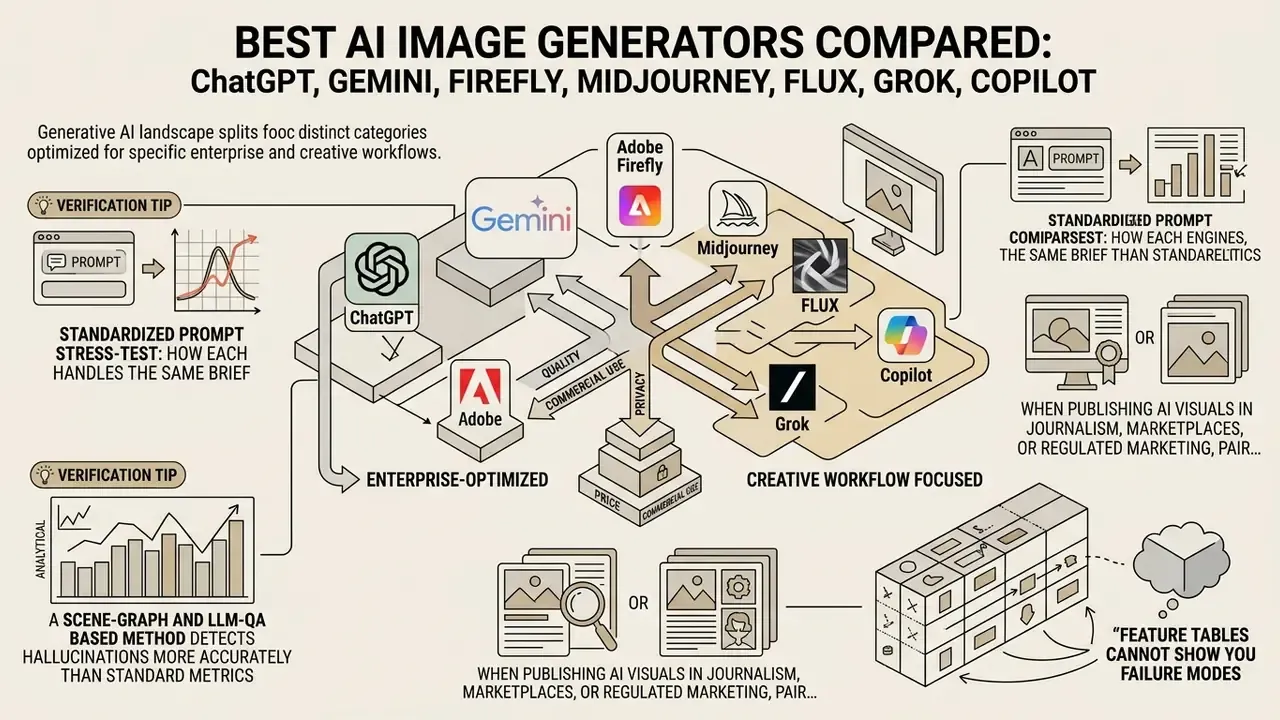
The current generative AI landscape splits into distinct tool categories optimized for specific enterprise and creative workflows. Comparing multiple models across prompt adherence, typography accuracy, editing capabilities, data retention, and commercial licensing clarifies which system fits your operational requirements. Buyers should also budget review time for hallucinations: invented objects, impossible geometry, or fabricated label text. Standard fidelity metrics do not catch them.
| Platform | Core Model Architecture | Primary Specialty | Text Rendering Accuracy | Image-to-Image / Editing | Commercial Safety & Rights | Data Privacy / Prompt Retention | Pricing Model | Editorial Rating (0–10) |
|---|---|---|---|---|---|---|---|---|
| ChatGPT Image | Native GPT-4o Multimodal | Conversational editing & prompt adherence | Excellent (High OCR accuracy) | Native multi-turn conversational edits | Full user commercial rights; non-exclusive | Trains on user data by default; opt-out in settings; enterprise/zero-retention terms available | Free tier available; Plus at $20/mo; API token pricing | 8.8 |
| Google Gemini / Nano Banana | Gemini 3.1 Flash / Pro Image | Fast generation & Google ecosystem integration | Strong | Multi-turn prompt adjustments | Allowed under Google commercial terms | Consumer tier may use data to improve products; Vertex AI enterprise terms differ; SynthID watermark applied | Free tier in Gemini App; API $0.039–$0.240/img | 8.5 |
| Adobe Firefly | Firefly Image 3 / Vector Model | Commercially safe graphic design | Moderate | Generative Fill & Expand | Commercially safe; Enterprise IP indemnity | No training on subscriber content (Adobe Stock submissions excepted) | Free tier (limited); Standard $9.99/mo (2,000 credits) | 8.2 |
| Midjourney | Proprietary Diffusion | Cinematic AI art & visual style | Moderate (Improving in v6+) | Vary Region, Pan, Zoom, Style Ref | Allowed on paid plans ($10+/mo) | Prompts may improve services; outputs public in gallery unless Stealth mode (higher tiers) | Paid only: $10 to $120/month | 8.1 (9.0 for pure art) |
| FLUX.1 (Black Forest Labs) | 12B Rectified Flow Transformer | Photorealism & open-weights fine-tuning | Strong | Mask-based fill & ControlNet | Open-weights / Commercial depends on tier | Self-hosted = no external retention; hosted API depends on provider | Free open-weights; API/Cloud credit pricing | 8.9 |
| Stable Diffusion 3.5 | Multimodal Diffusion Transformer (MMDiT) | Local execution & custom LoRA training | Moderate | Complete img2img & ControlNet support | Free <$1M revenue (Community License) | Fully private when self-hosted | Free open-weights; self-hosted compute costs | 8.0 |
| Canva AI Generator | Multi-engine (Element / Magic Media) | Drag-and-drop marketing templates | Strong (via design canvas) | Magic Edit, Magic Expand, BG Remover | Commercial rights on paid tiers | No training on your content; generated images private | Free tier available; Pro at $15/mo | 7.5 |
| Leonardo AI | Fine-tuned Diffusion (Phoenix/Kino) | Game assets & concept art | Moderate | Image Guidance & ControlNet | Commercial rights on paid plans | Free-tier outputs are public; privacy improves on paid tiers | Free (150 daily tokens); Paid from $12/mo | 7.8 |
| Ideogram | Proprietary Text-Focused Diffusion | Typography, logos & vector-style graphics | Exceptional (Industry leader) | Palette & style reference | Commercial rights on paid tiers | Free-tier generations public; private mode on paid plans | Free tier (10 slow credits/day); Paid from $8/mo | 8.7 |
| Recraft | Vector & Raster Diffusion Engine | True SVG export & brand iconography | Strong | Canvas region editing & vector style | Full commercial rights on paid tiers | Free-plan images publicly visible; paid plans private | Free (30 daily credits, non-commercial); Pro $10/mo | 8.6 |
| Grok (xAI) | Grok 3 / Grok 4 image stack | Flexible safety filters, dark-fantasy and adult concept work | Moderate | Basic edits; image-to-video extension | Personal / X-ecosystem use; weakest enterprise guarantees | Prompts used within X/xAI ecosystem; no enterprise indemnity | Bundled with X Premium / paid xAI tiers | 7.9 |
| Microsoft Copilot Image Creator | DALL·E-class engine inside Copilot | Windows 11, Edge and Microsoft 365 native generation | Excellent | Background and object removal; prompt-based edits | Allowed under Microsoft Services Agreement (non-enterprise) | Microsoft 365 commercial data protection applies on work accounts | Free with Boost credits; Copilot Pro tiers | 7.6 |
Reading the matrix in one line: quality columns cluster, governance columns diverge. Head-to-head breakdowns of individual pairings are in the versus library, where you can open the hub for model-versus-model detail.
Standardized prompt stress-test: how each engine handles the same brief
Feature tables cannot show you failure modes. To expose them, every platform received an identical brief with no tool-specific tuning, three generations per engine, best-of-three selected:
**Benchmark Prompt:** "A professional female architect sitting at a wooden desk in a sunlit studio, holding a stylus, detailed blueprint visible, 8k resolution, photorealistic, natural skin texture --ar 16:9"
Comparative Tool Matrix
Markdown comparison table evaluating top AI image generators across core performance metrics, privacy posture, editorial rating, and commercial terms.
| Engine | Anatomy & Hands | Text on Blueprint | Lighting / Photorealism |
|---|---|---|---|
| ChatGPT Image (GPT-4o) | Clean five-finger grip on stylus; mild wrist stiffness | Legible pseudo-technical labels and dimension callouts | Soft, slightly flattened window light; convincing skin texture |
| Gemini / Nano Banana Pro | Accurate hands; occasional over-smoothed knuckles | Sharpest lettering of the group; plausible drawing annotations | Strongest photorealism at 2K–4K; natural falloff from the window |
| FLUX.1 [dev] | Best micro-detail in tendons and nails | Text readable but partly invented glyphs | Best-in-test: true depth of field, believable dust-in-light |
| Midjourney | Elegant pose, occasional extra finger artifact | Decorative rather than readable line work | Most cinematic grade, but drifts toward editorial fantasy |
| Adobe Firefly | Safe, commercial-stock anatomy; stiffer gesture | Blurred placeholder text on the sheet | Even studio lighting; least "photographic" of the top tier |
| Stable Diffusion 3.5 | Requires ControlNet/hand LoRA to stabilise fingers | Text mostly illegible without a text-specific LoRA | Good realism after a refiner/upscaler pass |
| Ideogram | Acceptable anatomy, softer detail | Fully readable blueprint labels, the typography winner | Editorial rather than photographic light |
| Recraft | Stylised, non-photoreal figure by design | Crisp vector-grade lettering | N/A for photorealism; excels in flat/vector renditions |
| Leonardo AI | Concept-art anatomy; hands need a second pass | Partial text with character errors | Strong stylised lighting, mild plastic skin |
| Canva AI | Simplified anatomy suitable for templates | Generic placeholder text | Bright, marketing-friendly lighting |
| Grok | Inconsistent hands across seeds | Frequent garbled text | Competent realism, weakest consistency |
| Microsoft Copilot | Reliable hands, low detail density | Surprisingly legible short labels | Clean but low-dynamic-range lighting |
Reading the test: hands and in-image text are still the two defects that force a reshoot. If a deliverable contains readable text, shortlist Gemini, Ideogram, or GPT-4o. If it contains hands and skin at large print sizes, shortlist FLUX.1 or Nano Banana Pro and budget a retouching pass. Three generations per engine is a small sample, and we would not defend a half-point rating gap on that basis. The directional pattern held across repeats.
Can you use AI-generated images commercially?
(This section originally appeared near the end of the article; it has been moved forward because legal clearance is a purchase blocker, not a footnote.)
Yes, you can use AI-generated images commercially, provided that the platform's Terms of Service grant commercial rights on your plan tier and the generated visual does not infringe existing trademarks or copyrighted characters.
However, legal nuances surrounding AI copyright ownership must be managed carefully:
- Copyrightability: Under US Copyright Office guidance, purely machine-generated images created via simple text prompts lack human authorship and cannot be registered for copyright protection. They enter the public domain.
"Images generated solely by AI, without meaningful creative human contribution, are not eligible for copyright protection." - US Copyright Office, Copyright and Artificial Intelligence, Part 2: Copyrightability (2024). https://www.copyright.gov/ai/copyright-and-artificial-intelligence-part-2-copyrightability-report.pdf
- Human Authorship Protection: Visuals created through substantial human modification, such as combining AI elements in complex graphic layouts, manual retouching, or multi-step image editing, can receive copyright protection for the human-authored modifications. The Zarya of the Dawn registration remains the reference precedent: the human-authored arrangement was protected, the individual AI images were not.
- Enterprise IP Indemnification: Providers like Adobe Firefly offer contractual indemnification protecting enterprise customers against third-party copyright claims arising from Firefly image outputs. Coverage is scoped to eligible entitlements and generally available features, not to every experimental model in the app.
- Jurisdictional divergence: UK law can protect certain computer-generated works without an identifiable human author, whereas US law does not. Multinational teams should clear rights in the jurisdiction of publication, not only of production.
- Free tiers are usually non-commercial: Recraft's free plan makes images publicly visible and excludes commercial licensing, and Leonardo's free outputs are public. Paid plans are typically the trigger for commercial rights.
- Stock images still have a role: where a claim would be expensive and the asset is generic, licensed stock photo libraries remain the cheaper risk position. Generation is not automatically the frugal choice once legal review time is priced in.
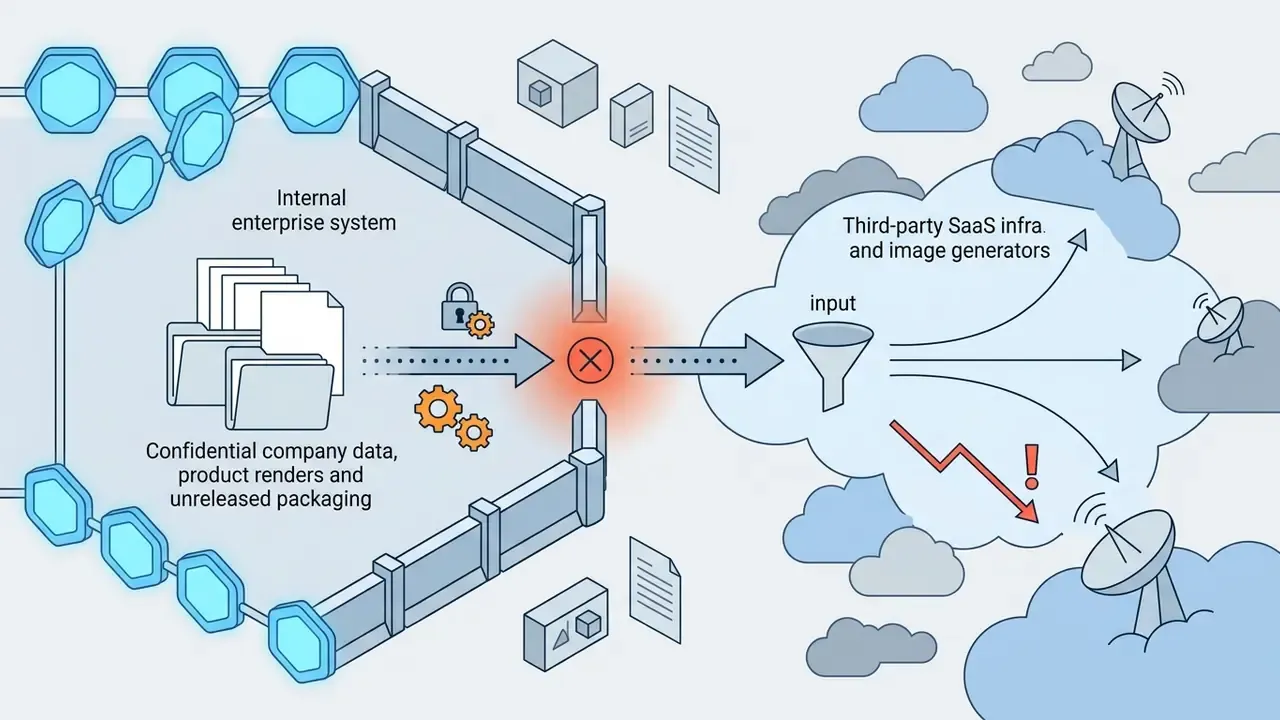
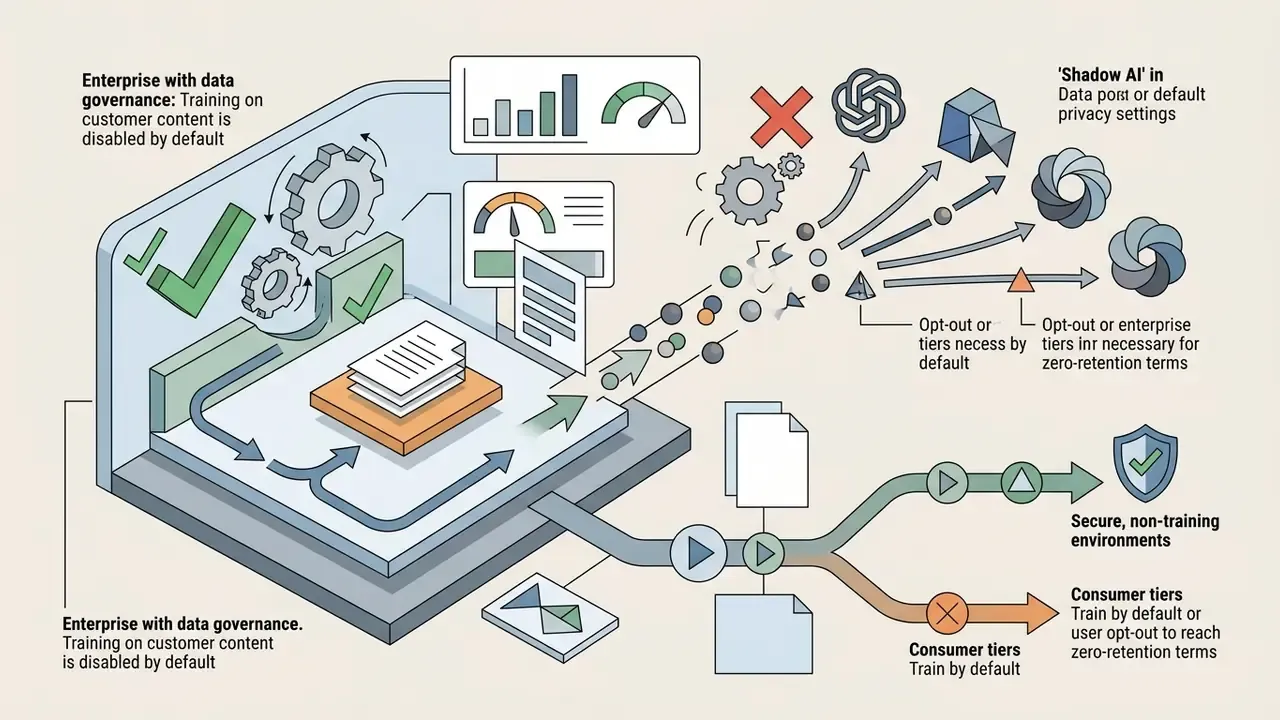
Enterprise data governance and Shadow AI risk
For organisations operating under model-risk management frameworks (for example, the supervisory expectations in SR 11-7 style guidance, NIST's AI Risk Management Framework, or ISO/IEC TS 25058:2024), tool choice is a control decision, not a creative one.
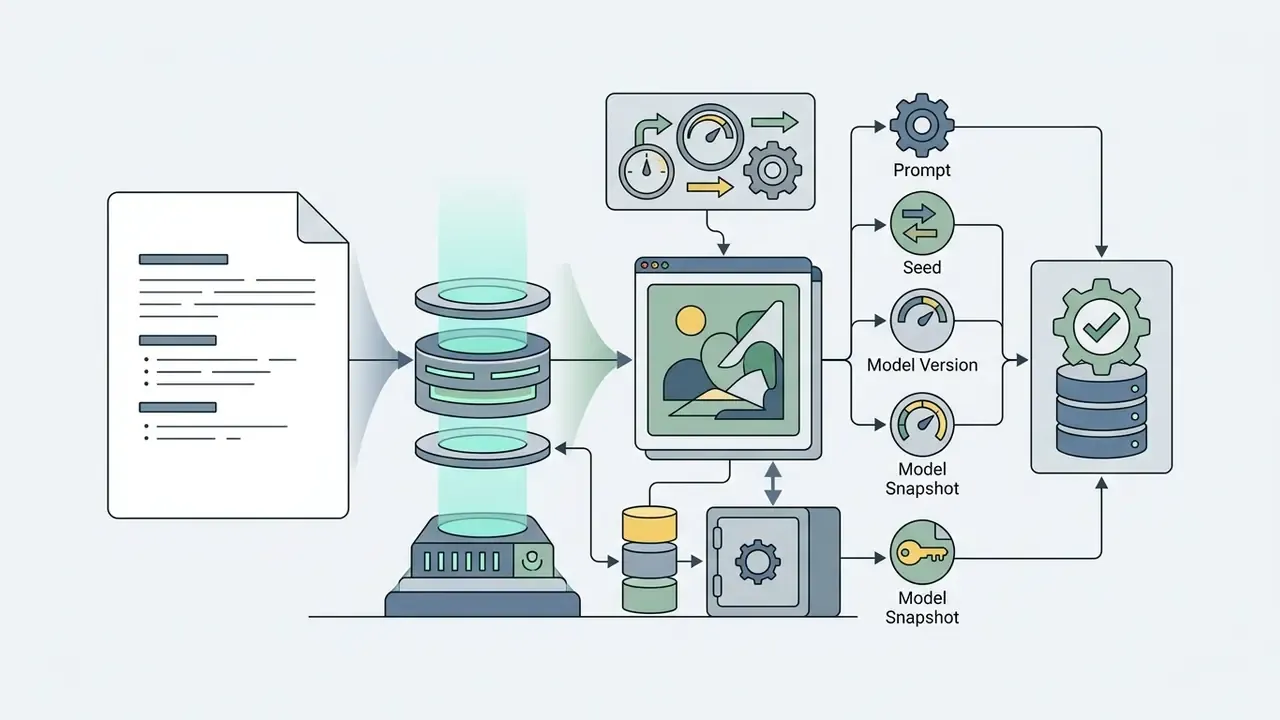
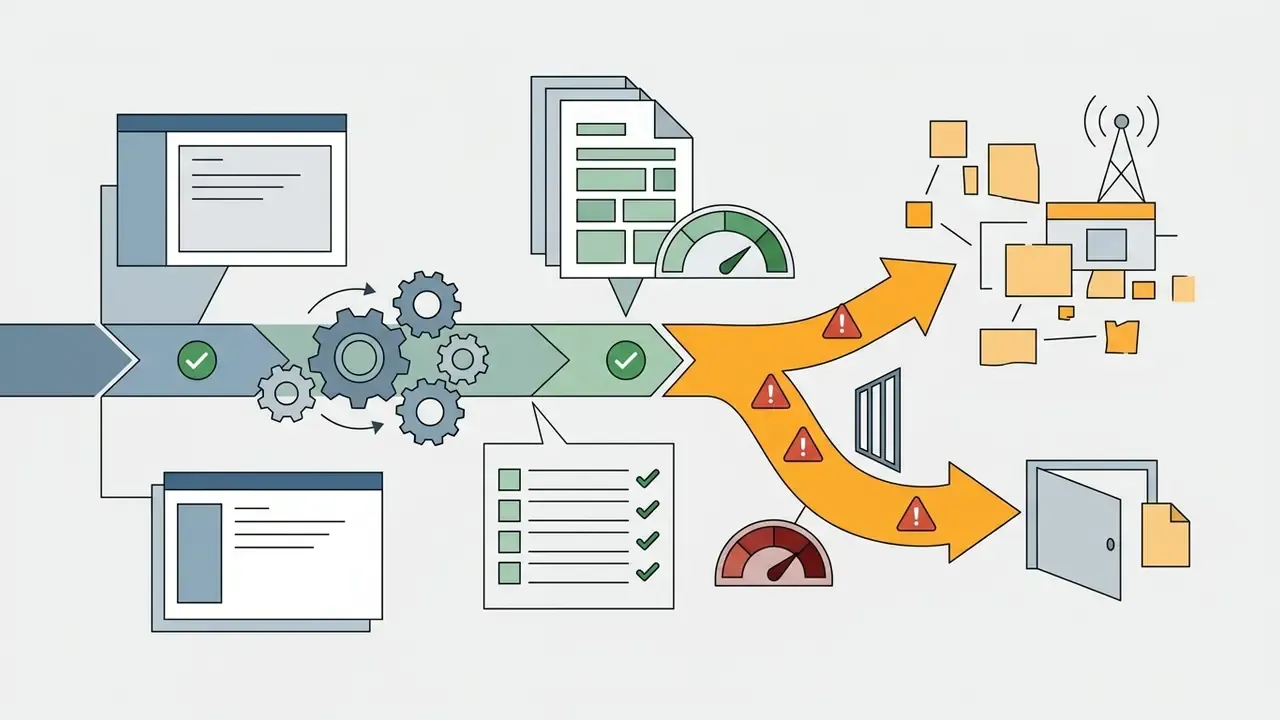
No evidence, no autonomy. Applied here, that means an image pipeline gets an owner, an approved scope, a retention policy, and a logged prompt trail before it touches a customer-facing channel.
Cost of control, not just cost of credits. A realistic total cost of ownership for visual AI is: subscription or API spend + secured environment (or self-hosted GPU) + rights clearance time + defect and hallucination review + legal review of high-exposure assets. Credit-metered pricing is the least predictable line item when generation is rolled out organisation-wide, because usage scales with headcount rather than with output value. Teams can model these variables and compute a risk-adjusted cost per approved asset with our operational planning tools, and compare tier structures side by side when you open the hub.
Tool-by-tool deep dives
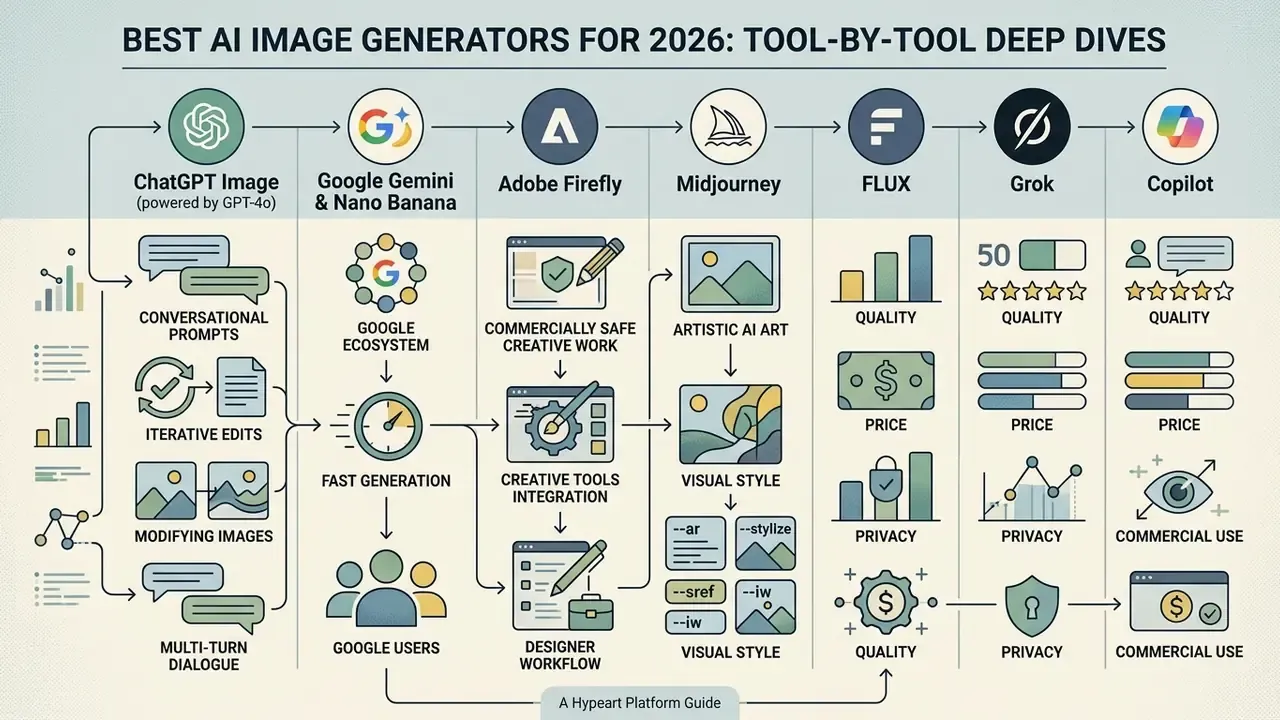
ChatGPT Image: best for conversational prompts and iterative edits
ChatGPT Image (powered by GPT-4o) excels at multi-turn conversational editing, allowing users to modify generated visuals naturally. Rather than re-entering complete text descriptions, creators can highlight specific image areas or request incremental changes directly in chat.
In enterprise prompt-adherence testing, GPT image output significantly outperformed pure diffusion models on complex multi-object spatial tasks (GPT-ImgEval, 2025). It maintains visual context across dialogue turns, reducing composition drift when adjusting lighting, background elements, or subjects.
OpenAI's own guidance recommends small, targeted revisions ("keep everything the same, change only X") specifically to prevent composition drift, and the input_fidelity parameter in the images-edit endpoint controls how strongly source details are preserved. Updated: to evaluate how conversational visual generation compares against alternative tools, see our analysis of ChatGPT image generation versus alternative tools for direct model-versus-model breakdowns.
Google Gemini and Nano Banana: best for Google users and fast image generation
Google's Gemini image models, including Gemini 3.1 Flash Image and the Nano Banana architecture, are engineered for high-speed, high-volume visual generation. Integrated across Google Workspace, Google AI Studio, Vertex AI, Search, Lens, Flow, and Google Ads, these models allow users to generate images rapidly from natural language inputs.
Gemini models support 14 aspect ratios and flexible resolution controls (0.5K to 4K output options). Pricing structures for developers operate on a per-image token rate ($0.039 per 1024×1024 image for Flash Image, rising to roughly $0.240 for 4K Pro output), making it highly cost-effective for automated enterprise image pipelines. Nano Banana Pro is currently the strongest model for infographics and legible in-image text, though factual content inside generated graphics must always be proofread. A generator can spell a number perfectly and still get the number wrong. Note also that Google applies SynthID provenance watermarking to generated output, which helps when you later need to prove what was synthetic. Teams assessing access tiers can review Google AI Image Generator features and commercial terms before standardising on the API.
Adobe Firefly: best for commercially safe creative work
Adobe Firefly addresses enterprise risk management by training exclusively on licensed Adobe Stock images, openly licensed material, and public domain content. This controlled training data structure allows Adobe to offer enterprise customers IP indemnification for qualifying Firefly outputs.
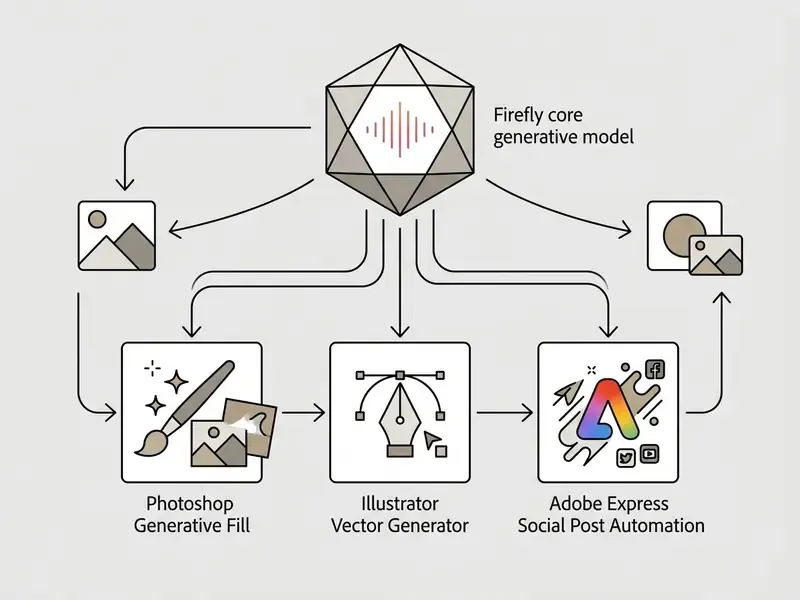
Firefly powers key features across Creative Cloud, including Photoshop's Generative Fill, Generative Expand, and vector graphic generation in Illustrator. Firefly's app now also brokers partner models (including third-party engines) on paid tiers, so teams can compare outputs without leaving Adobe's licensing envelope. Unused monthly generative credits reset each billing cycle and do not roll over, which keeps cost predictable for creative agencies; published tiers run from Standard at $9.99 per month (2,000 credits) to Premium at $199.99 per month (50,000 credits). Teams evaluating comprehensive desktop editing options can explore our best video editor review to align static and motion workflows.
Midjourney: best for artistic AI art and visual style
Midjourney remains the benchmark platform for artistic polish, painterly aesthetics, and cinematic visual styling. Accessible via its dedicated web interface and Discord, it relies on precise parameter syntax to control outputs:
While Midjourney lacks direct integration with enterprise design software, its quality images make it the preferred tool for concept artists, visual storytellers, and mood board creation. Note two governance caveats: generations are public in the Community Showcase unless you use Stealth mode on higher tiers, and the platform's ability to render recognisable protected characters has drawn active litigation. Good reason to avoid character-adjacent prompts in commercial work. Readers weighing subscription value can consult our evaluation of Midjourney versus competing image tools.
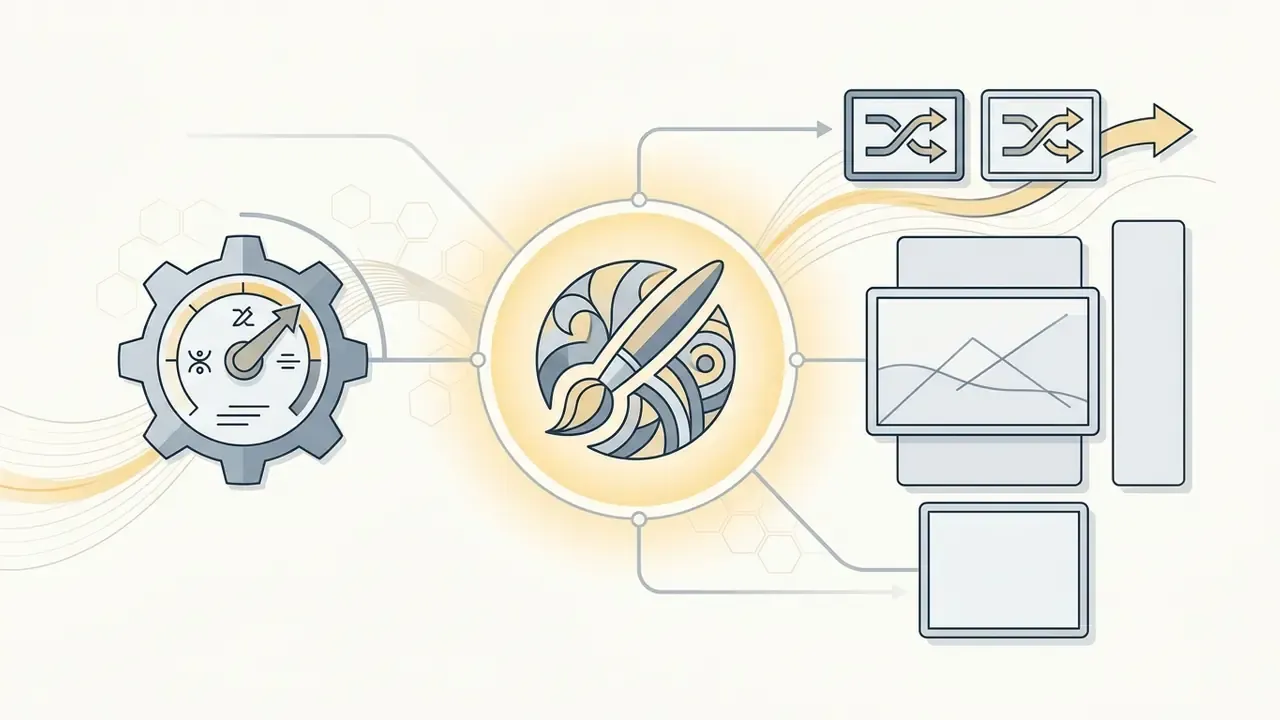
--ar Sets exact aspect ratios (for example --ar 16:9, --ar 2:3); the default is 1:1 and decimals are not accepted.
--stylize (or --s) Controls artistic flair on a scale from 0 to 1000 (default: 100); lower values follow the prompt more literally.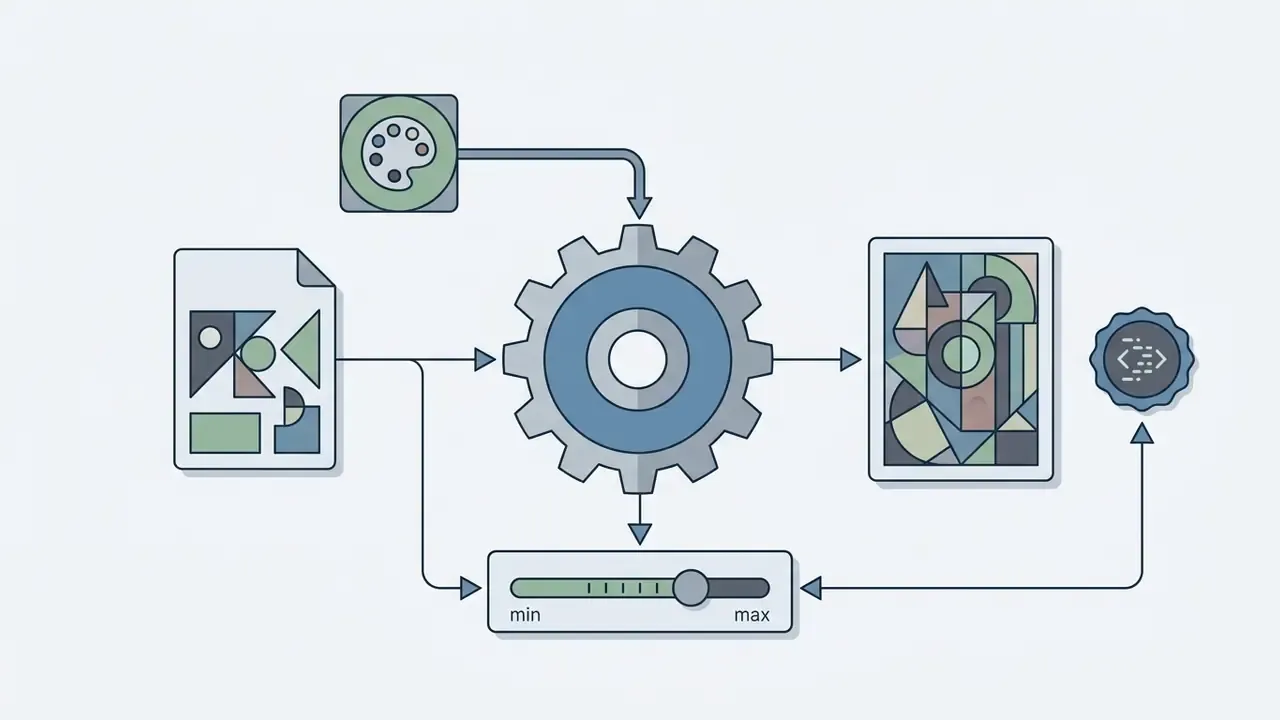
--sref Applies style reference images to transfer visual aesthetics onto new subjects, with --sw (0–1000) adjusting reference strength. The Style Creator can turn selected images into reusable style codes.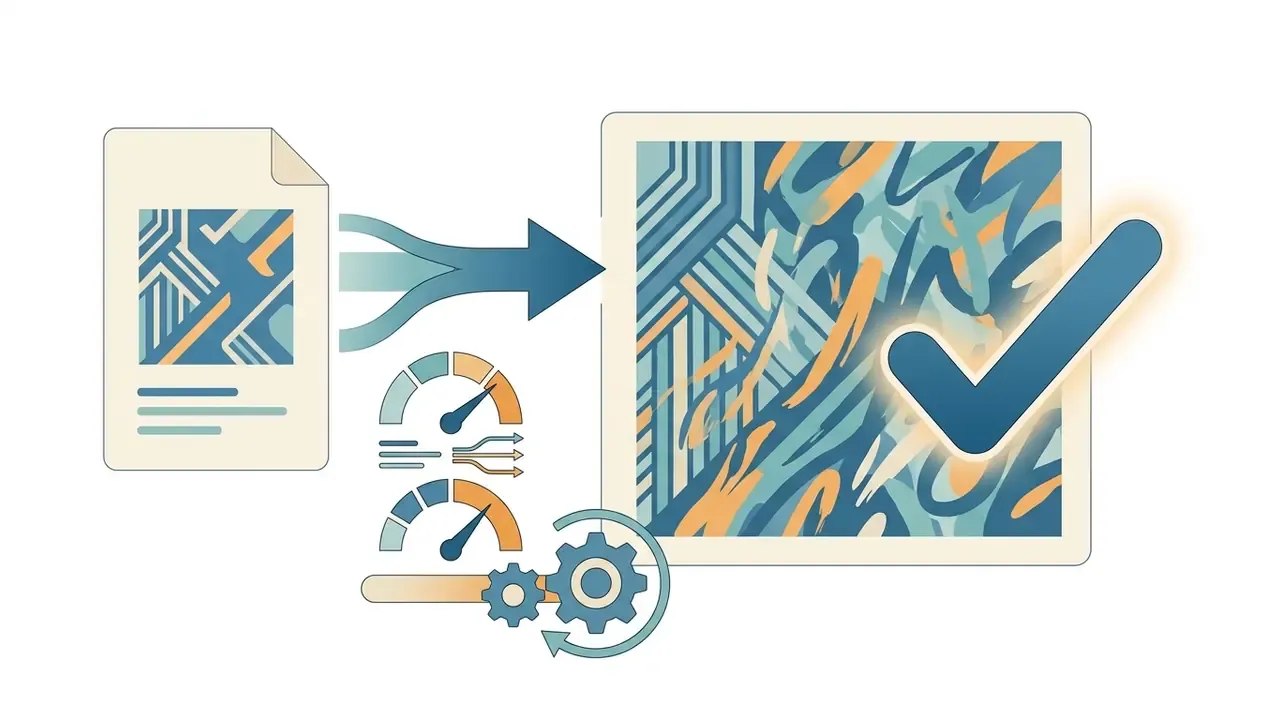
--iw Controls how strongly an image prompt influences the result.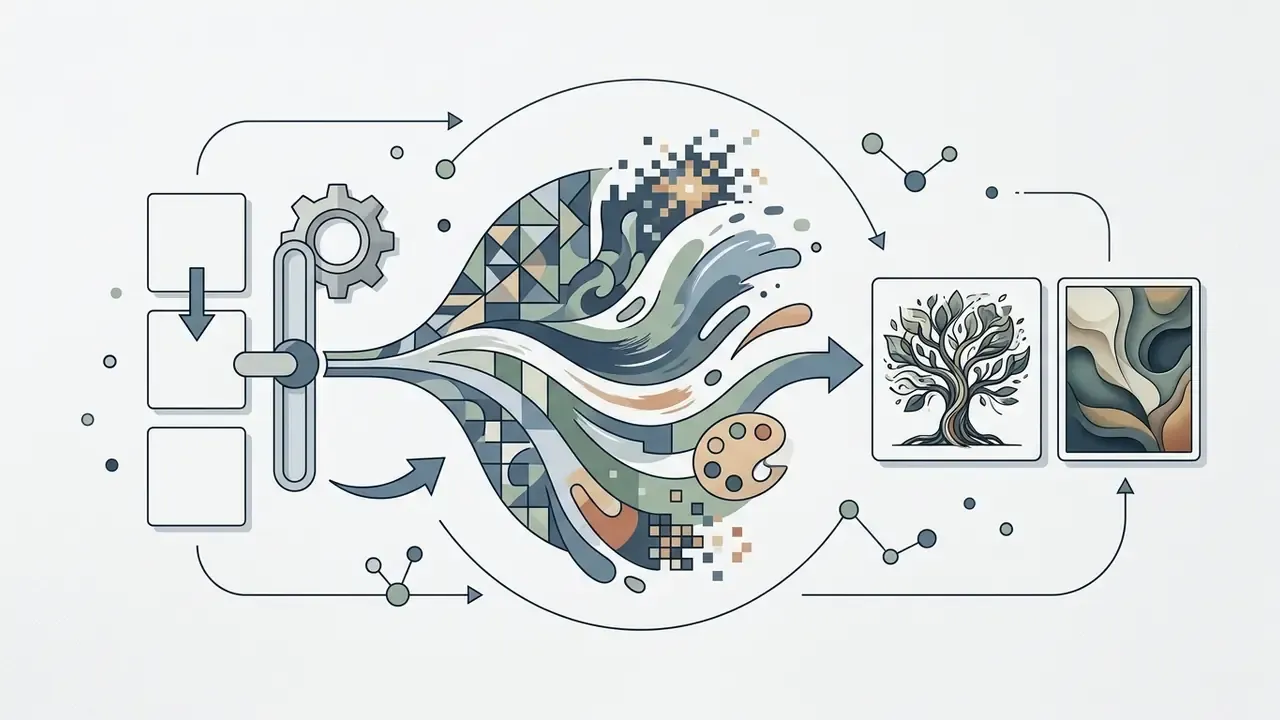
--v Selects the model version.FLUX and Stable Diffusion: best for customization and open-source workflows
FLUX.1 (by Black Forest Labs) and Stable Diffusion 3.5 (by Stability AI) represent the state of the art in open source generative AI. Designed as rectified flow transformers and multimodal diffusion transformers (MMDiT), these models can be executed locally on private hardware or deployed via cloud APIs.
Local execution through node-based interfaces like ComfyUI allows developers to stack LoRA fine-tuning modules, ControlNet depth/canny filters, and custom upscalers. ComfyUI documents 12B FLUX.1-Depth-dev and FLUX.1-Canny-dev models plus their LoRA variants for structural guidance. For resolution-critical print deliverables, pair local generation with dedicated AI image upscalers for resolution enhancement. For organizations with strict data privacy requirements or specialized visual domains such as medical imaging or architectural design, open-weights image generation models offer complete control over weights and pipelines, and critically, no prompt egress at all.
Open weights do not mean unlimited capability, however:
https://arxiv.org/abs/2501.09038
Hardware and deployment requirements
| Model | Minimum VRAM | Recommended Interface | Quantization Options |
|---|---|---|---|
| FLUX.1 [dev] | 12 GB VRAM | ComfyUI / Forge | FP8 / Q4_K_S |
| Stable Diffusion 3.5 Large | 8 GB VRAM | Automatic1111 / ComfyUI | FP16 / TensorRT |
In practice, a 12 GB consumer GPU runs FLUX.1 [dev] at FP8 with acceptable latency, while 24 GB cards allow full-precision inference plus LoRA training. Model files live in models/unet, with matching CLIP and VAE components loaded alongside the checkpoint; ControlNet checkpoints and LoRA adapters are added through Apply ControlNet and Load LoRA nodes. Budget for GPU amortisation and engineering time. Self-hosting shifts cost from subscriptions to infrastructure and staff, which usually reads better to a CISO and worse to a CFO.
Canva, Leonardo AI, Ideogram and Recraft: best for design-focused tasks
Specialized design tools address niche creative requirements that general-purpose generators do not fully satisfy:
Developers seeking to integrate these capabilities directly into software applications can compare options in our developer API hub.
Grok and Microsoft Copilot: best for uncensored prompts and Windows integration
For workflows requiring flexible safety guardrails, such as adult, horror, or dark-fantasy concept design, xAI's Grok provides the least restricted generation pipeline of any mainstream assistant, and can extend generations into short video. That flexibility comes with real trade-offs: image fidelity and prompt adherence lag the leaders, there is no enterprise IP indemnification, and xAI has tightened deepfake filters around identifiable public figures. Generating likenesses of real people remains legally and ethically hazardous regardless of what the interface permits, and several jurisdictions now treat non-consensual synthetic imagery as an offence.
Meanwhile, Microsoft Copilot embeds image generation directly into Windows 11, the Edge browser, and Microsoft 365, making it the most accessible free utility for OS-level tasks: generating a slide illustration, removing a background, or erasing an object without opening a separate app. Underlying image quality trails Gemini and GPT-4o, but for work accounts it inherits Microsoft 365 commercial data protection, which is often the deciding factor in enterprise environments. Readers can review access requirements and terms in our overview of the Microsoft AI Image Generator.
What is the best AI image generator based on an image or photo?
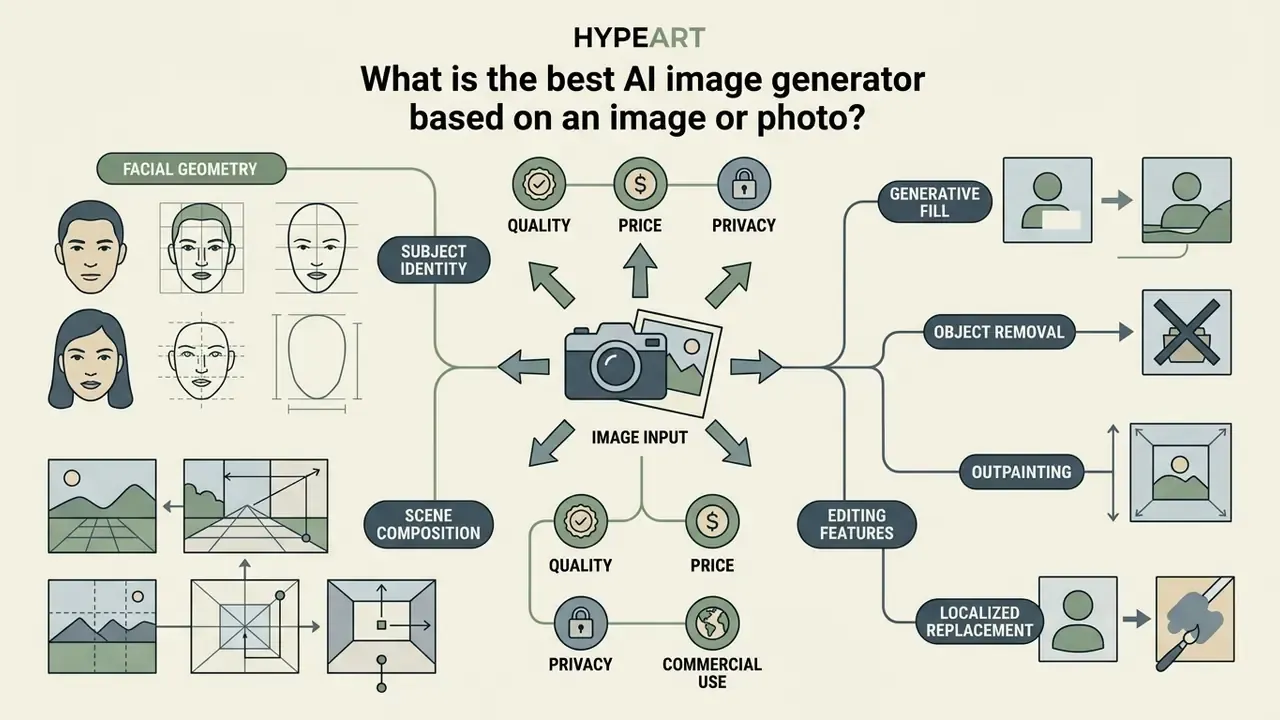
The best AI image generator based on image input is one that maintains subject identity, facial geometry, and scene composition while applying requested style or environment modifications. The best AI image generator from photo workflows uses reference guidance frameworks such as ControlNet, IP-Adapter, and native multimodal image-to-image pipelines to prevent composition distortion during generative edits. For a deeper comparison of image-to-image generators for transformations, including identity retention benchmarks, see our dedicated guide to the best photo to ai generator options.
Creating AI images from uploaded photos and reference images
Generating new images from uploaded images requires isolating character identity, structural composition, and aesthetic style. Single-image personalization models such as UniPortrait and Leonardo Image Guidance separate these variables, allowing users to keep a person's facial features identical while altering background settings, clothing, or lighting. Research on unified identity personalization reports high face fidelity combined with free-form text control and diverse layout generation within a single framework.
In open-source workflows, Stable Diffusion img2img pipelines rely on a parameter called "denoising strength" (ranging from 0.0 to 1.0). Lower denoising values (0.2–0.4) retain original photo geometry while making subtle adjustments; higher values (0.7–0.9) introduce dramatic artistic changes while preserving basic subject outlines. ControlNet gives the tightest composition match, while IP-Adapter transfers interpretation and identity cues from the reference photo.
One governance flag: uploading a customer's or employee's face into a consumer-tier generator is a biometric data event in several US states. Check counsel before, not after.
Editing photos with generative fill and AI image tools
Generative fill simplifies photo editing by combining localized selection masks with generative text prompts. Rather than replacing an entire image, users highlight unwanted objects, blemishes, or background regions for targeted regeneration. Readers comparing standalone editors can review our overview of AI photo editors for automated editing.
Key photo editing capabilities across modern platforms include:
Updated: creators working on mobile devices can consult our evaluation of mobile video editing tools to complement photo tools. When managing large image export libraries, using a best video compressor for asset packaging keeps delivery sizes optimized.
Free plans, paid plans and commercial use: what should you know?
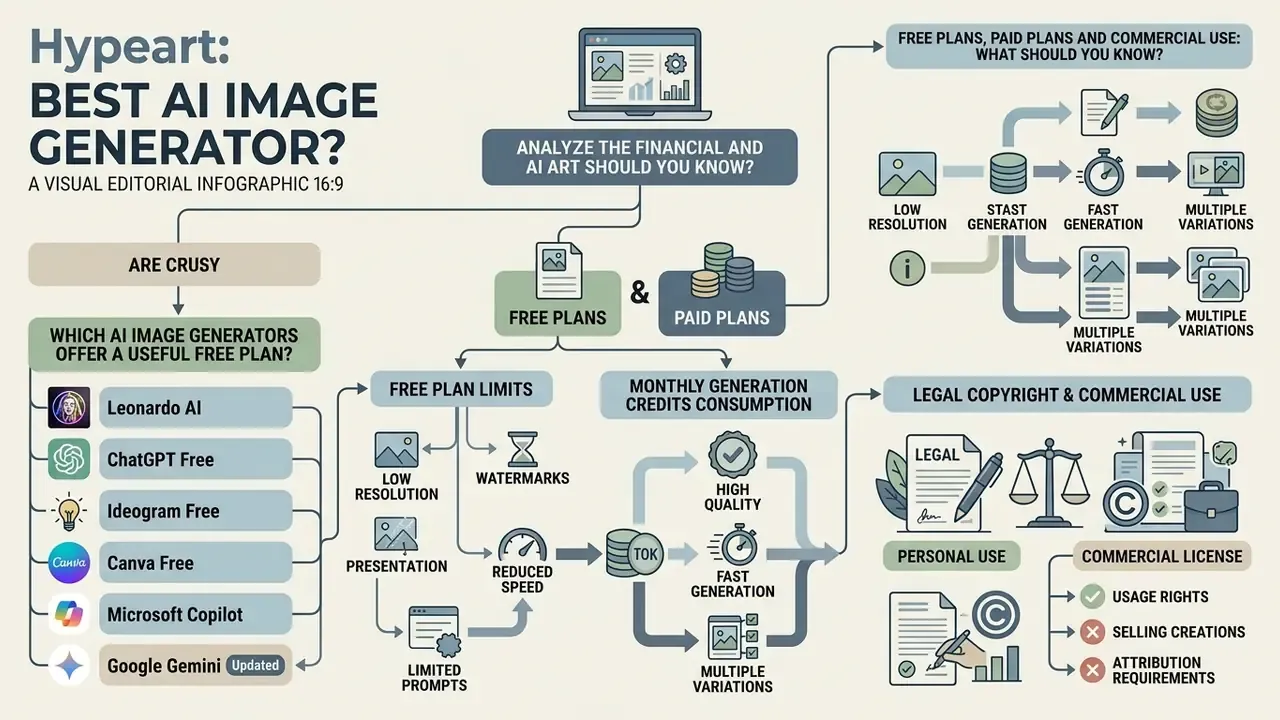
Understanding the commercial and financial landscape of AI image generators requires analyzing free plan limits, monthly generation credits consumption, and legal copyright ownership terms. Free tiers provide limited access for testing; commercial business usage typically requires paid plans that grant explicit commercial usage rights.
| Platform | Free Access Tier | Paid Subscription Entry | Monthly Credit Allocation | Trains on User Data? | Commercial Usage Rights |
|---|---|---|---|---|---|
| ChatGPT Image | Limited free generation | $20/month (Plus); Go tier from ~$8 | Subscription bundled / Unlimited conversational caps | Yes (opt-out available in settings) | Granted for both free and paid outputs |
| Google Gemini | Free access in Gemini App | Pay-as-you-go API | Token-based per image ($0.039–$0.240) | Yes on consumer tier; enterprise terms differ | Granted under Google terms |
| Adobe Firefly | 25 monthly generative credits | $9.99/month (Standard) | 2,000 credits/mo (Standard) to 50,000 (Premium); no rollover | No (strict enterprise privacy) | Granted; includes enterprise IP indemnity |
| Midjourney | None (Trial disabled) | $10/month (Basic) | 3.3 hours Fast GPU/mo ($10) to Unlimited ($30+) | Yes; public gallery on basic tiers, Stealth on Pro | Granted on paid plans ($10+/mo) |
| Stable Diffusion 3.5 | Free open-weights download | Compute costs / Commercial License | Self-hosted compute (DreamStudio: 1,000 credits ≈ $10) | No when self-hosted | Free <$1M annual revenue; Enterprise tier required above |
| Leonardo AI | 150 daily tokens (24-hour reset, no rollover) | $12/month (Apprentice) | 8,500 tokens/month (Paid) | Yes; free outputs are public | Granted on paid plans; Free outputs are public |
| Ideogram | 10 slow credits/day | $8/month (Basic) | 400 priority credits/month | Yes on free tier; private mode on paid | Granted on paid plans |
| Recraft | 30 daily credits | $10/month (Pro) | 1,000 priority credits/month | Free-plan images publicly visible | Granted on paid plans; Free outputs public |
| Canva AI | Limited Magic Media generations | $13–$15/month (Pro) | Plan-based generation caps | No; images kept private | Granted on paid tiers |
| Microsoft Copilot | Free with daily Boost credits | Copilot Pro tiers | Boost credits refresh daily | Work accounts covered by M365 data protection | Granted under Microsoft Services Agreement |
| Grok (xAI) | Limited via X Premium | Bundled with paid X / xAI tiers | Tier-based generation limits | Yes, within X/xAI ecosystem | Personal use; no enterprise indemnity |
Note: Pricing and licensing terms verified as of early 2026; always review official vendor terms before commercial deployment.
Workflow Automation Note: Tools like ChatGPT, Gemini, and Recraft support webhooks and Zapier/Make integrations. You can trigger image creation automatically from incoming CRM leads, Google Form submissions, or new product SKUs, then route the output into an approval queue instead of publishing unreviewed. Developers can compare endpoint pricing and rate limits in our API hub.
Human-in-the-Loop Alternative: If prompt engineering proves too time-intensive, or if the deliverable requires a custom LoRA trained on your own product photography, hiring professional generative AI artists through platforms like Fiverr or Upwork can bridge the technical skill gap for a fraction of an internal hiring cycle. Entry-level image-generation gigs commonly start around $10, with model-training work priced per dataset.
Workflow Automation Note: Tools like ChatGPT, Gemini, and Recraft support webhooks and Zapier/Make integrations. You can trigger image creation automatically from incoming CRM leads, Google Form submissions, or new product SKUs, then route the output into an approval queue instead of publishing unreviewed. Developers can compare endpoint pricing and rate limits in our API hub.
Human-in-the-Loop Alternative: If prompt engineering proves too time-intensive, or if the deliverable requires a custom LoRA trained on your own product photography, hiring professional generative AI artists through platforms like Fiverr or Upwork can bridge the technical skill gap for a fraction of an internal hiring cycle. Entry-level image-generation gigs commonly start around $10, with model-training work priced per dataset.
Which AI image generators offer a useful free plan?
Several platforms offer free AI image generation with functional limits, though feature access varies significantly:
- Leonardo AI Provides 150 daily tokens that reset every 24 hours, one of the most generous free tiers for concept art. Compare free AI image generators by quality and limits before committing to a paid tier.
- ChatGPT Free Allows limited image generation daily using native GPT-4o, ideal for occasional conversational visual creation.
- Ideogram Free Offers 10 slow credits daily for text-heavy graphics and logos.
- Canva Free Includes basic access to Magic Media tools within standard design canvas constraints, with a hard generation ceiling.
- Microsoft Copilot Free daily Boost credits with no separate subscription, accessible directly from Windows and Edge.
- Google Gemini Free Nano Banana generations in the Gemini app, with the Pro "Thinking" model limited before upgrade.
How to generate better AI images with text prompts
Generating high-quality AI visuals requires applying structured prompt engineering strategies tailored to the underlying model architecture.
Empirical work adds two practical rules: subject and style keywords outperform connective filler words, and testing 3–9 seeds per prompt gives a representative sample of what a model can do with your brief before you conclude the prompt is wrong.
Write prompts that produce high-quality images
Constructing effective text descriptions requires following a logical descriptive hierarchy rather than relying on empty buzzwords like "photorealistic" or "hyperdetailed."
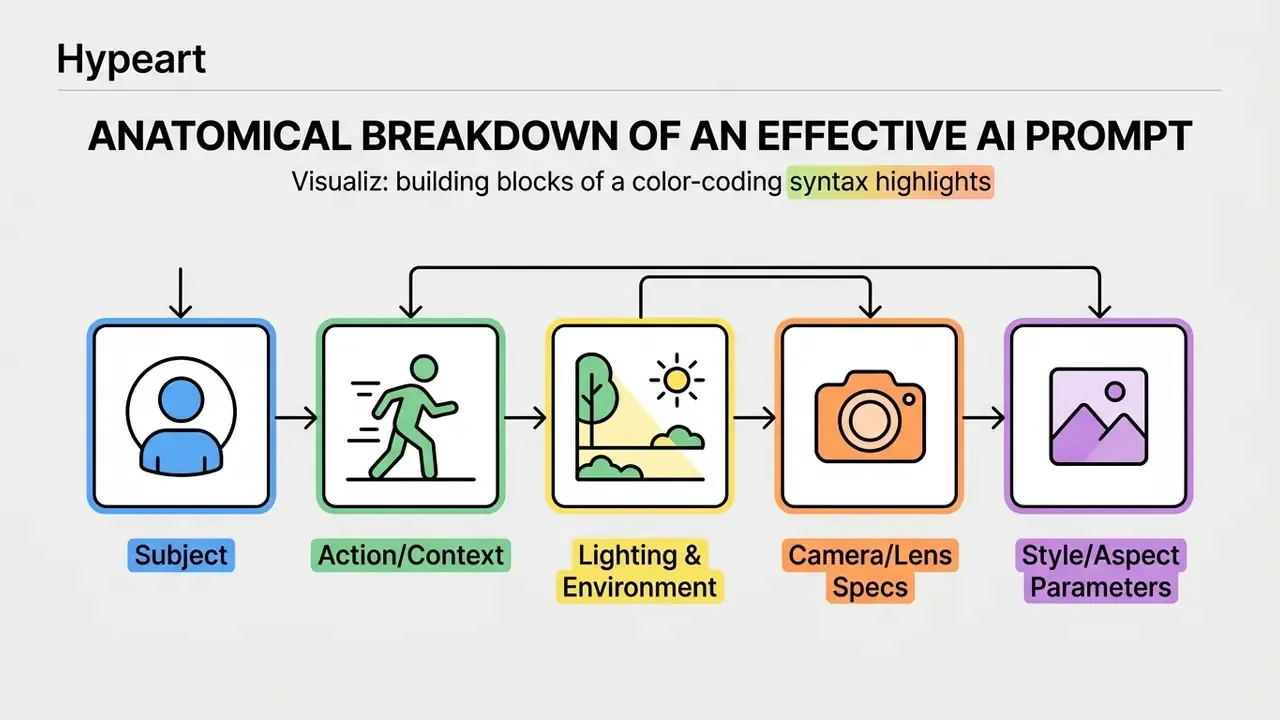
Follow this proven prompt structure:
- Core Subject & ActionClear description of the primary focus ("An executive woman in a dark navy suit reviewing financial reports on a tablet").
- Setting & EnvironmentDetails regarding the background and physical context ("Inside a modern glass-walled skyscraper office overlooking a city skyline").
- Lighting & Color PaletteExplicit lighting conditions ("Warm golden hour sunlight streaming through windows, creating soft rim lighting and gentle shadows"). Useful vocabulary: golden hour for warm soft light, overcast for flat shadow-free light, rim light for edge glow, diffused light for soft wrap-around, harsh direct light for strong shadows.
- Camera & Photographic SpecsSpecific lens and camera parameters ("Shot on 35mm lens, f/2.8 aperture, shallow depth of field, subtle film grain"). Body and grading references such as anamorphic flare or teal-and-orange grading also shift output reliably.
- Technical ParametersAspect ratio and model parameters (
--ar 16:9 --stylize 120), plus anegative_promptfield where the API supports one to exclude unwanted elements.
Refine generated images in stages instead of starting over
Rather than discarding an image and generating a completely new prompt when a single detail is incorrect, leverage iterative multi-turn editing.
Effective refinement strategies include:
- Conversational Adjustments In ChatGPT Image, submit targeted revisions like "Keep the background and subject identical, but change her tablet to a physical paper folder." Carrying prior image context (or
previous_response_idin the API) preserves the scene across turns. - Seed Retention Re-use the same random seed number across generations to maintain scene lighting and character resemblance while adjusting minor details, and log that seed for audit reproducibility.
- Masked Inpainting Use tools like Photoshop Generative Fill or Midjourney Vary Region to highlight the specific defective element, say an anatomical error in hands, and regenerate only that masked region.
- Generate Multiple Variants Produce multiple images from one brief at different seeds, then select rather than iterate. Cheaper than five rounds of correction.
- Fidelity Control Where available, raise
input_fidelity(or lower denoising strength) to keep source details intact during an edit instead of regenerating the whole frame.
For teams looking to model project costs and compute resource allocations for visual pipelines, you can explore the hub to access operational planning tools.
FAQ: risk, privacy and compliance
Is it safe to upload internal brand assets to a free AI image generator?
No, unless the vendor's terms for your specific tier state that content is not used for training and is not publicly visible. Free tiers at Recraft, Leonardo, and Ideogram publish or reuse outputs by default. Firefly and Canva state they do not train on customer content.
Can prompts leak confidential information?
Prompts are transmitted, logged, and on consumer tiers often retained for service improvement. Treat a prompt like an email to a third party. Sensitive briefs belong in a zero-retention enterprise agreement or a self-hosted FLUX/Stable Diffusion contour.
How do we control Shadow AI in a creative team?
Publish an allow-list of approved generators with the sanctioned tier for each, provide a fast internal path so deadlines do not push staff to unapproved bots, monitor egress to generator domains, and require prompt plus seed logging for any published asset.
Can we copyright an AI-generated campaign visual?
Not the raw generation. Under US Copyright Office guidance, protection attaches only to meaningful human-authored contributions: layout, composition, retouching, and combination of elements. Document that human contribution during production, not retroactively.
Which tool should a regulated enterprise standardise on?
Firefly for indemnified commercial output, Gemini via Vertex AI or GPT-4o under enterprise terms for volume pipelines, and self-hosted FLUX.1 for anything that cannot leave the perimeter. That split is a hypothesis about your risk appetite, not a universal answer.
How do we verify whether an image is AI-generated?
Check provenance metadata (Google applies SynthID to Gemini output), preserve C2PA-style credentials where available, and run suspect assets through AI image detectors. Disclose AI use when publishing.
Key Takeaways: Choosing Your AI Image Generator
- For Everyday Creation & Conversational Flexibility: ChatGPT Image (GPT-4o) is the best overall choice due to its industry-leading GenEval prompt adherence (0.84) and intuitive multi-turn dialogue edits.
- For Enterprise Graphic Design & Legal Safety: Adobe Firefly provides commercially safe training data guarantees, enterprise IP indemnification, no training on subscriber content, and native integration into Photoshop, Illustrator, and Adobe Express.
- For Cinematic Art & Visual Styling: Midjourney remains the premier platform for painterly polish, artistic depth, and precise parameter styling controls (
--sref,--sw,--stylize). - For Customization & Open-Source Control: FLUX.1 and Stable Diffusion 3.5 offer open-weights flexibility, local execution in ComfyUI from 8–12 GB VRAM, and custom LoRA fine-tuning for technical or privacy-constrained workflows.
- For Typography & Vector Design: Ideogram leads in readable text rendering, while Recraft is the top choice for native SVG vector export.
- For Free, OS-Level and Unrestricted Use: Microsoft Copilot is the most accessible free option inside Windows and Microsoft 365, while Grok offers the loosest safety filters, with the weakest commercial and legal guarantees of any tool here.
A safe next step, if you own the control side of this decision: pick one deliverable type, run it through two shortlisted tools, and score the output on defect rate and evidence trail rather than on first impression. That pilot costs a week and settles most internal arguments.
For a full side-by-side ranking, see our comparison of the leading AI image generators by quality and pricing.
Internal Hub Navigation
- To explore direct platform feature comparisons and category rankings, see the overview.
- For endpoint economics and integration patterns, visit the developer API hub.
- To model spend, credits, and cost of control, use the planning calculators.