Why a slide tool is a governance question. If you sit in risk, compliance or finance at a US bank, a deck generator is not a design purchase. It is a document-ingestion service that will, sooner or later, receive a draft board pack, a variance commentary or an unpublished quarter. That single sentence changes the evaluation criteria. Output beauty matters. Data boundaries matter more.
Editorial note on dating: this guide was first published as a 2024 buyer's comparison and has been re-tested continuously since. All product parameters, pricing and benchmark citations reflect verified data available through the most recent 2026 review cycle. That is why research frameworks published after 2024 (PresentBench, SlideBench, UniPPTBench, SLATE) sit alongside the original 2024 evaluation criteria. Where a vendor changed a limit or a price after first publication, the newer verified figure is used.
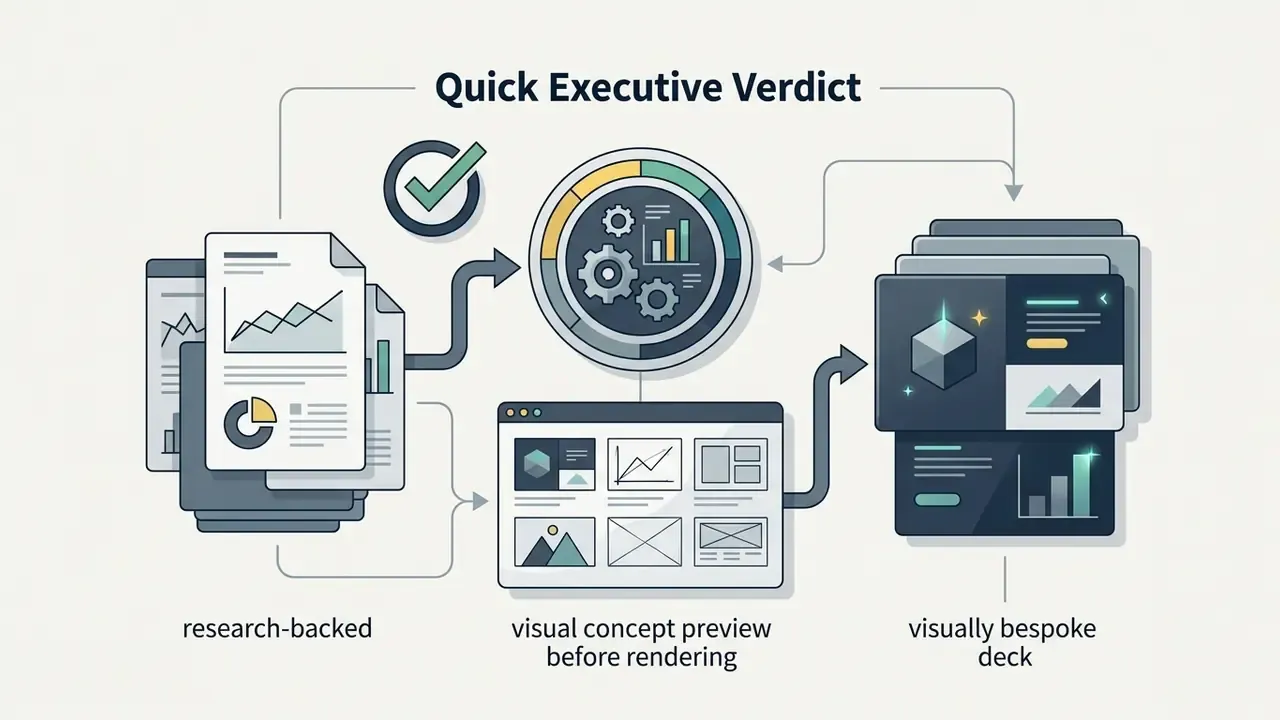
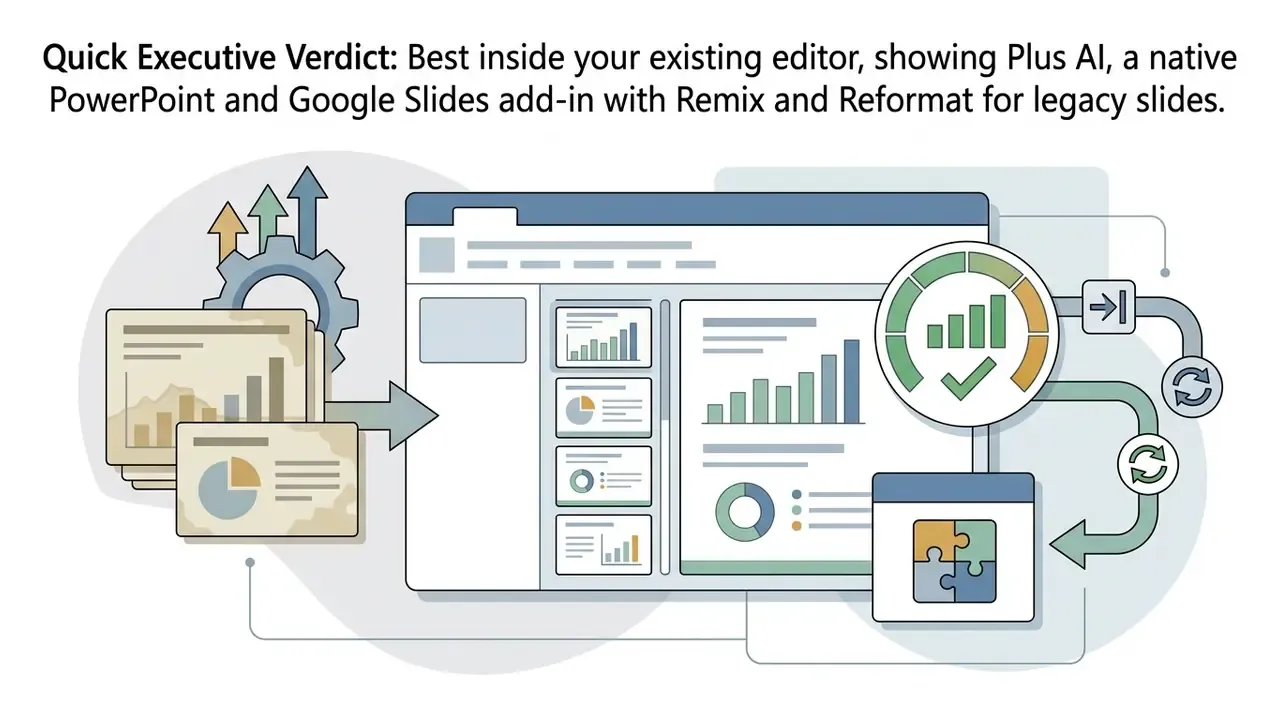
Quick Executive Verdict
Ten seconds, one answer per buying scenario:
One caveat before the detail. A tool that wins on artifact quality can still lose your procurement review in ten minutes if it has no signed data processing agreement. Order of operations counts.





How We Tested the Best AI Presentation Makers in 2024
«PPTBench assembled 958 real PowerPoint files and 4,439 annotated samples to evaluate multimodal understanding and spatial slide layout.»
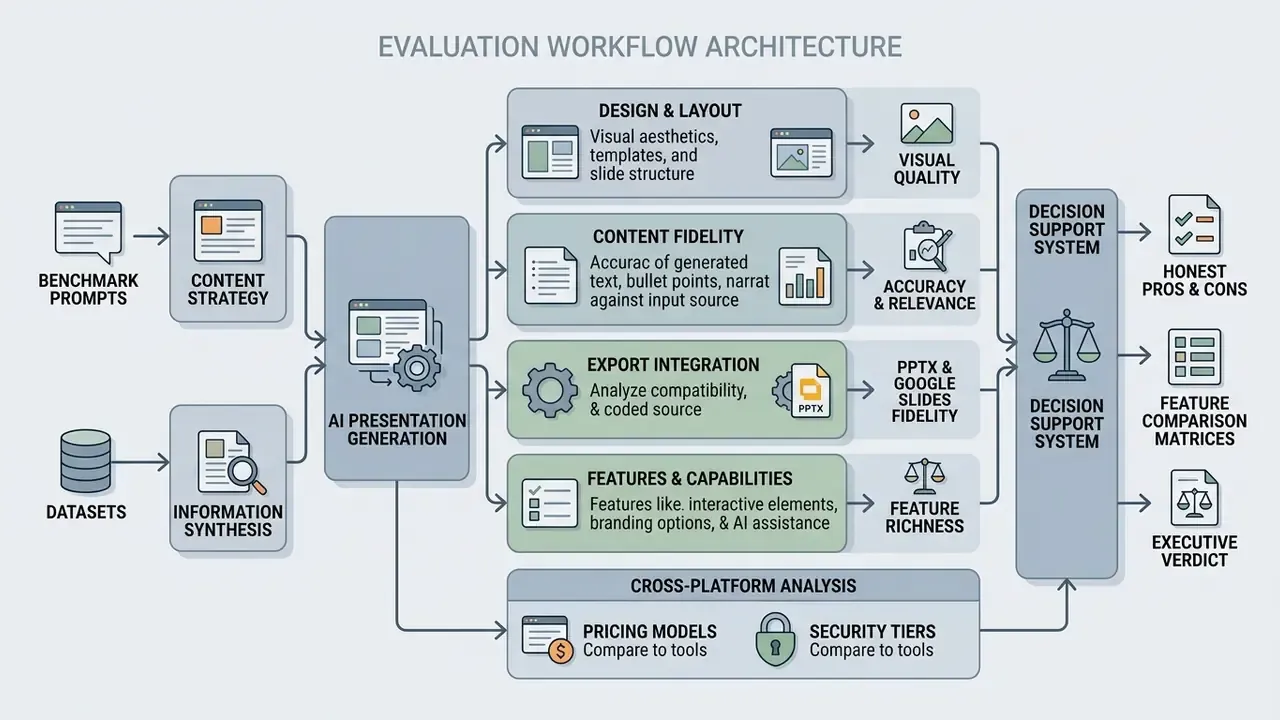
Standardized Test Prompt and Workflow Benchmark
Every tool in this guide received the identical prompt, entered verbatim, with no follow-up clarification during the first generation pass:
We then recorded four hard variables: wall-clock generation time from prompt submission to a previewable deck, slides actually produced against the 10 requested, average bullet density per content slide, and whether the exported PPTX kept native editable chart and table objects instead of flattened raster images.
Table 0: Standardized prompt benchmark results (identical prompt, first pass, no follow-up edits)
| Tool | Generation time | Slides delivered (of 10) | Avg. bullets per slide | Editable PPTX charts/tables |
|---|---|---|---|---|
| GenPPT | 2–3 min (multi-stage render) | 10 | 3–5 with supporting stats | Yes, clean PPTX objects |
| Gamma App | ~45–60 sec | 10 | 3–4 | Partial: cards flatten, tables survive |
| Beautiful.ai | ~60–75 sec | 10 | 3–4 | Yes, native shapes, constrained layouts |
| Canva Magic Design | ~30–45 sec | 10 | 2–3 (image-led) | Partial: charts often static graphics |
| Plus AI | ~90–120 sec | 10 | 3–5 | Yes, native Slides/PPTX objects |
| Pitch.com | ~60 sec | 10 | 3–4 | Yes, after web-to-PPTX conversion |
| Presentations.AI | ~60–90 sec | 10 | 3–4 plus auto charts | Yes, native .pptx export |
| SlidesAI | ~60 sec | 8–10 | 3–4 | Yes, via Google Slides objects |
| MagicSlides | ~40 sec | 4–10 (undershoots on free tier) | 3–4, occasional overlap | Yes, via Google Slides objects |
| Microsoft Copilot | ~60–90 sec | 8–12 | 3 (fixed template pattern) | Text only, no auto data tables |
| Google Gemini (Slides) | ~20–30 sec per slide | 1 per pass (manual repetition) | 4–5 | Text only; image artifacts common |
The single-prompt benchmark exposes a pattern that feature lists hide. The fastest tools are rarely the most faithful. Tools that pause to research or preview a concept trade seconds for factual density, and in a regulated reporting context that trade is usually worth making.
Criteria for Evaluating AI Slide Generation and Design Quality
Judging AI slide quality rests on four pillars: textual accuracy, structural narrative logic, visual layout balance and adherence to visual hierarchy.
According to empirical criteria established in PresentBench, strong presentation software must enforce a strict one-slide-one-message rule rather than producing dense wall-of-text bullet points.
«PresentBench evaluates systems across 238 expert-curated instances and an average of 54.1 atomic checklist items spanning content correctness, material grounding, visual design and scenario fit.»
Layout engines are scored on white space, alignment between graphic elements and text boxes, and clear typography levels from section heading down to caption. In practice we checked four things on every generated slide. Does the headline state one assertion? Is evidence shown as a chart or table instead of a nested bullet list? Is there generous white space around the dominant visual? Are title, section heading, body and caption levels visibly differentiated? Four yes answers are rarer than vendors suggest.
Export, Editing and Integration Testing
Native export testing measures whether generated slides convert into fully editable OpenXML/PPTX objects, or collapse into flat static images with substituted fonts.
The PPTC Benchmark (ACL 2024) showed that while large language models reach up to 75.1% accuracy on single-turn editing commands, full multi-turn session accuracy drops to 6% because errors accumulate across complex templates.
«PPTC contains 279 multi-turn sessions; the dominant failure causes are error accumulation, complex templates and limited multimodal perception.»
Our testing audited whether third-party web apps keep editable text blocks, native Microsoft Office chart objects and original vector shapes when exported into PowerPoint or synced with Google Slides. Three failure modes recurred across vendors. Fonts silently substituted to Calibri or Arial. Animations and transitions vanishing on conversion. And the worst case, the "screenshot export," where every slide opens in PowerPoint as one flat image with no editable text or chart underneath.
AI Presentation Generator Comparison: Best Tools at a Glance
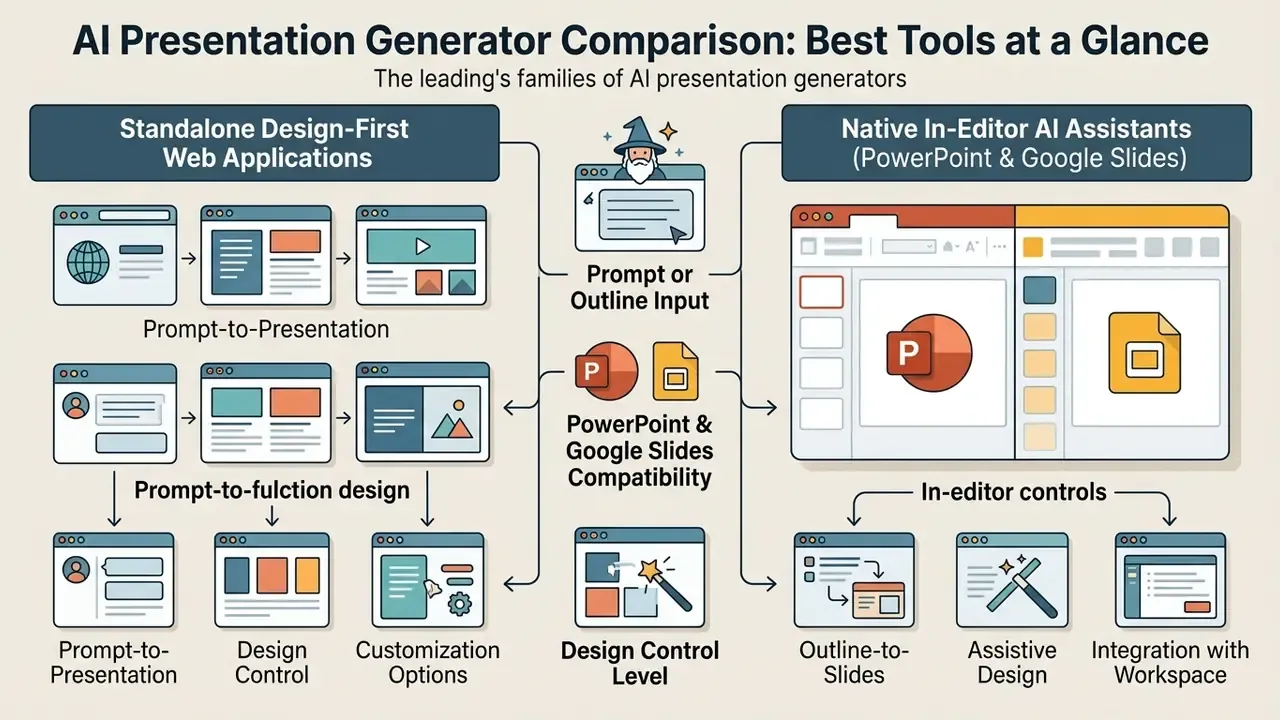
The leading AI presentation generators split into two families: standalone design-first web applications, and native in-editor AI assistants for Microsoft PowerPoint and Google Slides. That architectural split predicts most of what follows.
To help decision-makers compare functional capabilities across adjacent AI media categories, the table below summarizes key features from our 2024–2026 benchmark cycles. We added a data governance tier column deliberately, because slide generators routinely ingest internal reports and procurement teams need that signal before feature depth.
Table 1: AI presentation generator comparison (verified latest-cycle data)
| Tool | Creation format | PowerPoint export | Google Slides support | Free plan limits | Design customization | Data governance tier | Best for |
|---|---|---|---|---|---|---|---|
| GenPPT | Prompt, doc, URL, video/audio | Editable PPTX, PDF | No native add-on | Free tier cannot export | Concept previews, brand scraping | Third-party SaaS, verify DPA | Research-backed visual decks |
| Gamma App | Prompt, outline, doc | Editable PPTX, PDF | Export / import | 400 lifetime credits | Card themes, AI restyle | Third-party SaaS, watermarked free tier | Fast web decks and cards |
| Beautiful.ai | Prompt, templates | Editable PPTX, PDF | Integration add-on | 14-day free trial | Auto-adaptive Smart Slides | Third-party SaaS, team admin controls | Polished corporate decks |
| Canva Magic Design | Prompt, media upload | PPTX, PDF, video | Import / export | 10 lifetime uses | Brand Hub, theme controls | Enterprise tier with SSO available | Visual and social content |
| Pitch.com | Prompt, templates, live data | PPTX / PDF conversion | Import / export | Free plan available | Brand templates, analytics | Team workspace permissions | Sales workflows and live metrics |
| Presentations.AI | Prompt, doc, PDF, URL | Native PPTX | Opens in Slides | 100 credits, 20 slides max | Layout engine, brand presets | Third-party SaaS, verify retention | Data-heavy executive decks |
| Plus AI | Prompt, existing slides | Native PPTX | Native add-on | 7-day trial (1k credits) | Custom templates, themes | Marketplace add-in, OAuth scopes | In-editor slide editing |
| Microsoft Copilot | Word doc, prompt | Native PPTX | Export conversion | Requires M365 license | Enterprise brand kits | Tenant-bound, no training on content | Microsoft 365 enterprise |
| Google Gemini | Drive doc, prompt | Conversion export | Native Workspace | Google Workspace tier | Style matching | Workspace data boundary | Google Workspace teams |
| SlidesAI | Text prompt, ingest | PPTX via Slides | Native add-on | Basic tier (3 decks/mo) | Preset color palettes | Marketplace add-on, OAuth scopes | Multilingual slide drafts |
| MagicSlides | Prompt, YouTube URL, PDF | PPTX via Slides | Native add-on | 3 presentations/month | Basic template selection | Browser extension, highest review burden | Quick summary slides |
«UniPPTBench evaluates systems across four scenarios (vague prompt, long document, multimodal document and multi-source generation) and no system reached human-level output.»
Read the table as two columns of value. Document-grounded tools optimize for textual fidelity; design-centric tools optimize for visual impact. Organizations that put data accuracy first should review our research on alternatives before standardizing on any single platform.
Which Tools Create Presentations From a Prompt or Outline
Tools such as GenPPT, Gamma, Presenton and NotebookLM generate complete multi-slide decks straight from text prompts, uploaded Markdown files or structured document outlines.
According to Presenton documentation (2025–2026), outline-first workflows stream a structured content plan before rendering any visual element, which keeps topic sequencing logical across the deck.
«In the Sales and Marketing category, SlideBench scored NotebookLM at 28.0 artifact quality, while AutoPresent reached 22.3 at maximum malleability of 4/4.»
The practical benefit is dull and valuable: it prevents content duplication and lets a reviewer validate narrative flow before a single slide is styled. Generate outlines first, generate slides second.
Which AI Tools Work Best With PowerPoint and Google Slides
Native ecosystem tools, Microsoft Copilot for PowerPoint and Google Gemini for Google Slides, offer the deepest in-editor integration. Add-ins such as Plus AI bridge both environments with little friction.
Plus AI runs natively inside Microsoft Marketplace and Google Workspace Marketplace, so users insert, reformat and rewrite slides without leaving their primary editor. In the current marketplace landscape, Anthropic's Claude add-in and OpenAI's ChatGPT add-in for PowerPoint have joined the same category, working inside the editor rather than as external export utilities.
Standalone web applications, by contrast, always require an explicit export step. That step is where font substitution and layout reflow tend to appear.
Which Presentation Makers Offer the Most Design Control
Platforms such as Beautiful.ai, Synthesia and Microsoft Copilot with enterprise brand kits give the strongest control over brand guidelines, custom themes, fonts and colors.
Synthesia documents support for extensive brand color libraries, publicly cited at up to 120 brand colors alongside dozens of role-scoped themes and custom font uploads, which supports strict corporate identity enforcement. Status of this data point: vendor-documented, not independently benchmarked. Re-verify current limits in the vendor's own theme documentation before standardizing.
Microsoft frames brand kits as enterprise-governed assets combining logos, palettes, typography and uploaded .potx or .pptx templates. Narrower palette model, stronger governance model. Beautiful.ai relies on auto-adapting Smart Slides that adjust element spacing, alignment and typography as content changes, which is why its slides are hard to break and also hard to bend.
Enterprise Security, SOC 2 and Shadow AI Risks
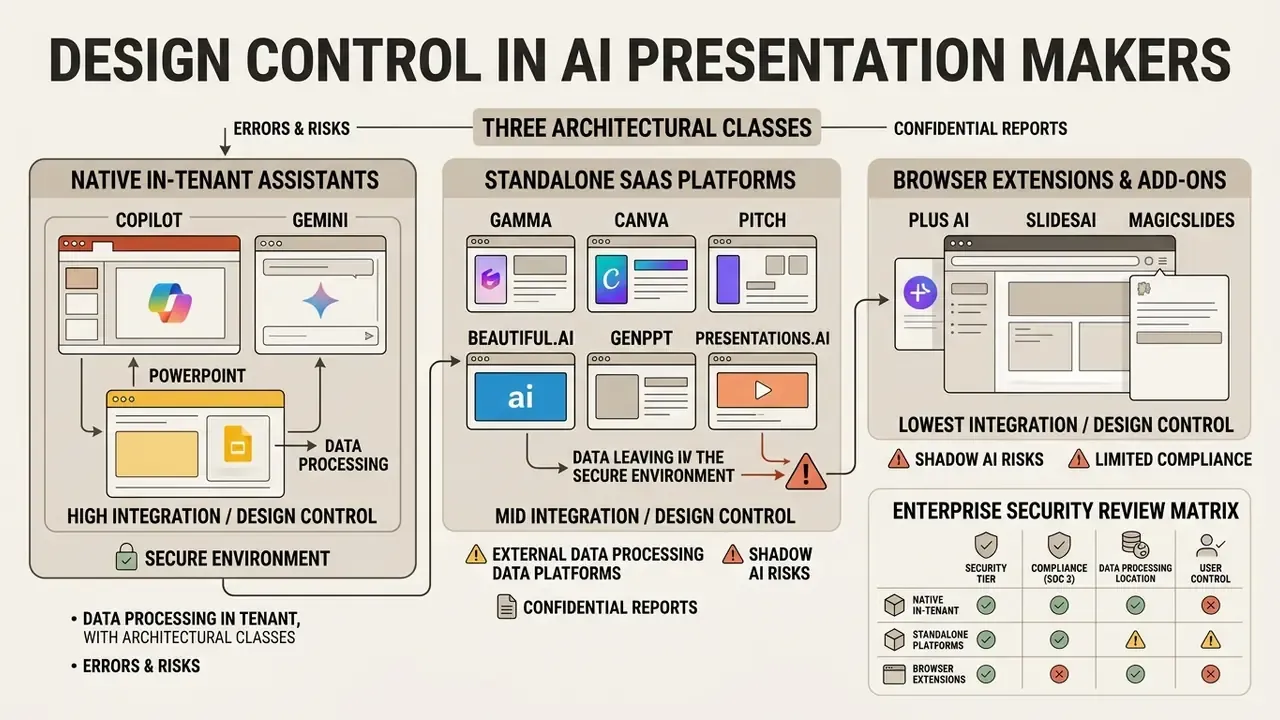
| Control | Why it matters for slide tools | Evidence to request |
|---|---|---|
| SOC 2 Type II / ISO 27001 | Baseline assurance for a processor receiving internal documents | Current report or certificate, not a "trust page" claim |
| Training opt-out / zero data retention | Prevents internal metrics entering a future model | Contractual clause, default-off confirmation in writing |
| SSO/SAML plus SCIM | Removes personal-account Shadow AI and enables offboarding | The tier it is included on, not a roadmap slide |
| Admin audit logging | Reconstructs who uploaded which document and when | Exportable log sample |
| Regional data residency | GDPR and sector-specific localization requirements | Hosting region list and sub-processor register |
| Sub-processor model disclosure | Identifies which foundation model provider sees your text | Named model providers and their retention terms |
Errors and Risks When Processing Confidential Reports
Storage is only half the exposure. The second half is model behaviour. Condensing a financial or risk report into slide bullets is precisely the operation where language models quietly drop qualifiers, round figures, invert directionality in variance commentary, or invent a supporting statistic to fill an empty layout slot. NIST's Generative AI Profile (NIST AI 600-1, 2024) catalogues confabulation, data privacy, harmful bias and intellectual property exposure as core generative-AI risks that require governance and testing rather than assumed accuracy. Applied to a deck headed for a board or an examiner, that framing is not academic.
Pre-upload checklist for internal documents:
- Confirm the tool sits on the approved-vendor list, with a signed data processing agreement covering that document class.
- Strip or tokenize PII, client identifiers, account numbers and unpublished financial results before ingestion.
- Confirm training opt-out is enabled at tenant or workspace level, not per user.
- Allow SSO accounts only, and block personal-email sign-ups for the domain.
- Re-verify every number on the generated slide against the source file, not against the prompt.
- Log the export and the reviewer's name so the audit trail can be reconstructed later.
Disclaimer: this section describes general risk-review practice and is not legal or compliance advice. Uploading regulated records, personal data or material non-public information to a third-party service without an executed agreement may breach GDPR, CCPA or sector-specific supervisory expectations. Confirm requirements with your own legal, privacy and compliance functions before deployment.
Best AI Presentation Makers: Detailed Reviews and Best Use Cases
Choosing the right AI presentation maker depends on your priority: rapid web-first visual storytelling, automated corporate design compliance, or in-place reformatting of slides you already own. Reviews are grouped by architecture, standalone platforms first, then in-editor extensions, then native ecosystem assistants, because architecture drives both workflow and risk.
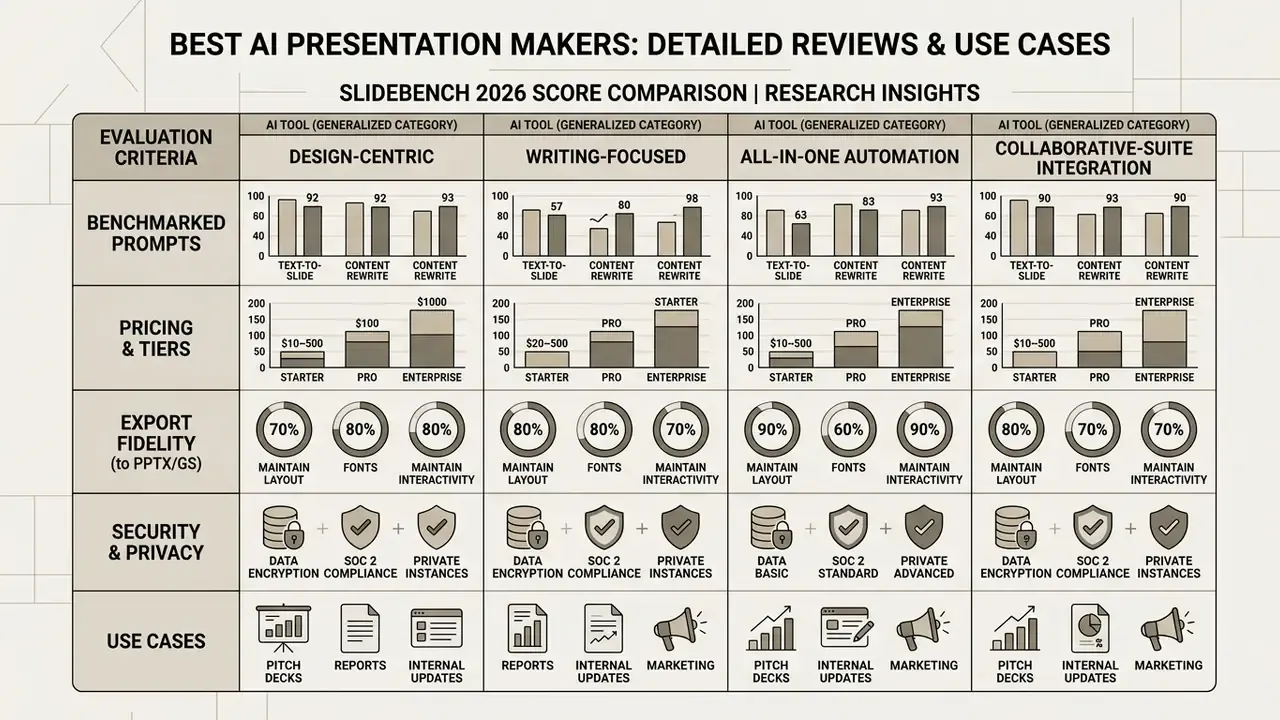
In empirical testing recorded by SlideBench (2026) across 30 enterprise benchmark cases, presentation generators showed significant variance in artifact quality and layout malleability.
«PPTAgent scored 3.28 on content, 3.27 on design and 4.48 on coherence in PPTEval, outperforming all baseline automatic presentation generation methods.»
You can inspect the full test criteria in our research hub and compare options across design categories.
GenPPT for Research-Backed and Bespoke Visual Slide Decks
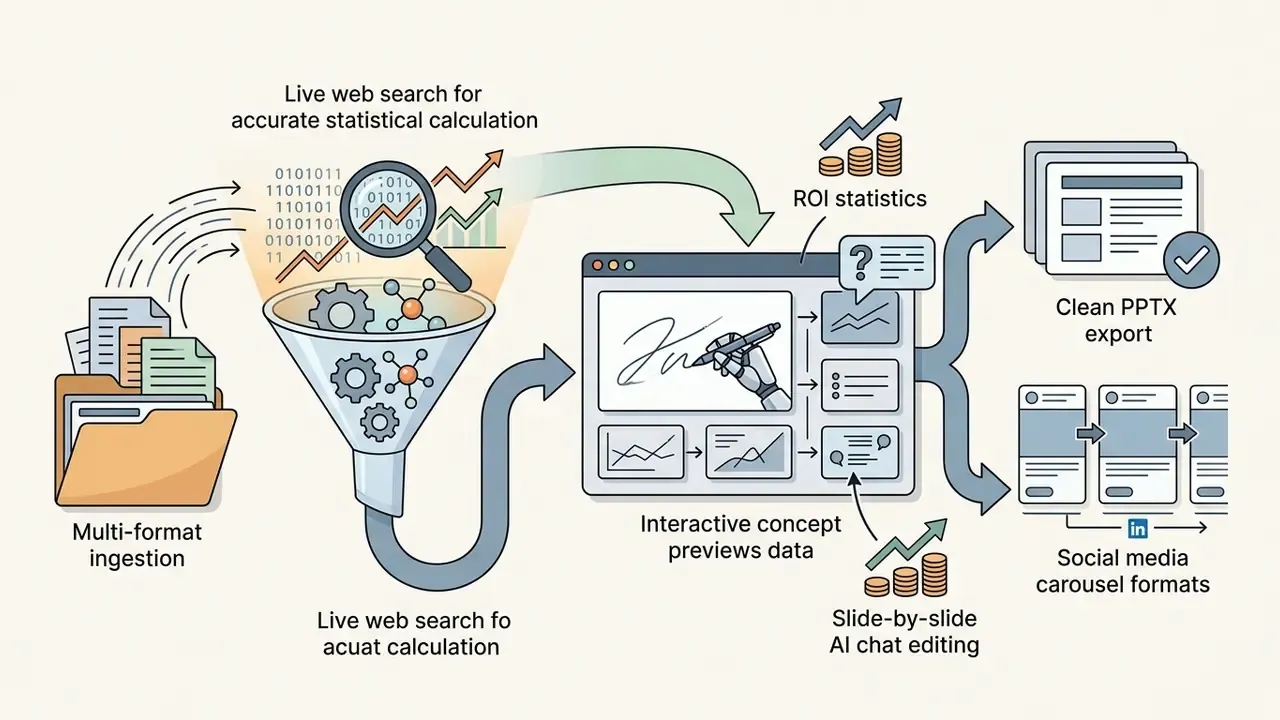
GenPPT stands out because it runs live web research before rendering visuals, which makes it effective for data-driven corporate decks. Instead of forcing text into rigid presentation templates, it builds a structured narrative outline and offers visual concept directions for approval before full generation.
Against our standardized CISO pitch prompt, GenPPT ran a research pass for market-size and ROI statistics, produced a concept preview sheet, then rendered ten custom slides in two to three minutes. A built-in chat agent allowed slide-by-slide refinement before a clean PowerPoint and PDF export. It also ingests YouTube links, audio, PDFs and URLs, and can screenshot a company site to derive brand styling automatically.

Gamma App for AI-Generated Presentations and Fast Restyling
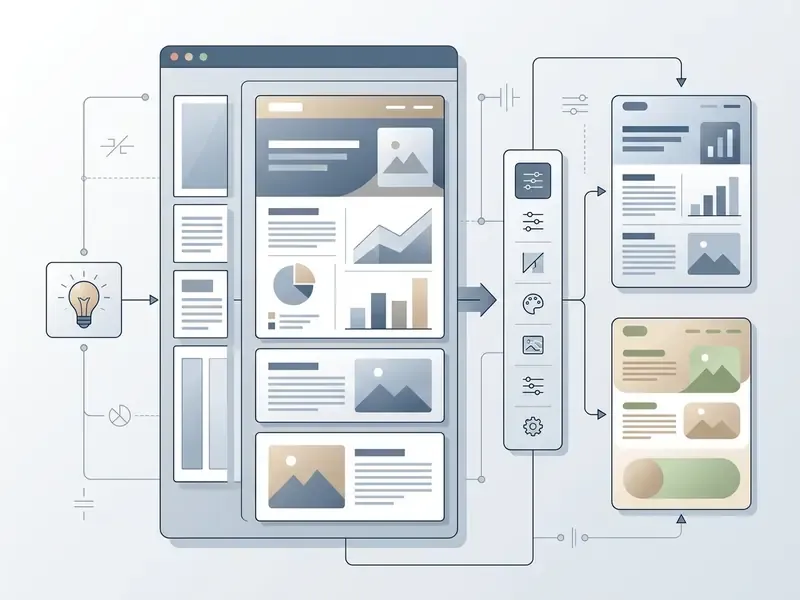
Gamma App converts raw text and documents into card-based interactive presentations, with rapid one-click AI restyling.
The platform uses a scrollable card format that breaks away from fixed slide dimensions, while still exporting to PDF, PNG and PowerPoint. Its agent can restyle, rewrite, adjust tone and apply brand settings across an entire presentation in one operation. Advanced settings expose target audience, tone, card aspect ratio and image source (automatic, web or AI) before generation starts.
According to SlideBench (2026) metrics in the Sales and Marketing category, Gamma reached an artifact score of 20.5 and a malleability rating of 2 out of 4.
«For comparison, NotebookLM scored 28.0 on artifact quality at 0/4 malleability, while AutoPresent reached 22.3 at 4/4 in the same category.»
- Pros fastest prompt-to-deck loop in testing; genuinely useful advanced generation controls; embedding of live apps and web pages; publish-as-webpage option.
- Cons interactive web cards become static flat elements in traditional PPTX files, stripping embedded widgets and spotlight features; free-plan AI credits do not refill monthly, and PDF exports carry a watermark.
Beautiful.ai for Polished Business Presentation Design

Beautiful.ai enforces typography and alignment rules in real time through auto-adaptive Smart Slides built for structured business presentations.
The system ships over 300 pre-built Smart Slide layouts across pitch decks, sales proposals and marketing reports, and they resize and realign graphics as text changes. A "Designer Bot" selects a format per slide and fills the text, while teams share styles and slide libraries across members.
In SlideBench (2026) evaluation, Beautiful.ai scored 13.4 on artifact quality and 2 out of 4 on malleability. Auto-alignment prevents design mistakes; deep structural customization stays constrained.
«Plus AI scored 20.0 on artifact quality at 3/4 malleability, indicating a stronger quality-to-editability ratio.»
- Pros almost impossible to misalign a slide; strong collaboration and shared-style controls; exports to PowerPoint, Google Slides and PDF.
- Cons AI output leans heavily on text and data layouts and can feel detached from the specific slide; unusual creative layouts are hard to force.
For business users who need guaranteed visual polish without element-level design work, it remains one of the safest picks in the category.
Canva Magic Design for Visual Content and Brand Consistency
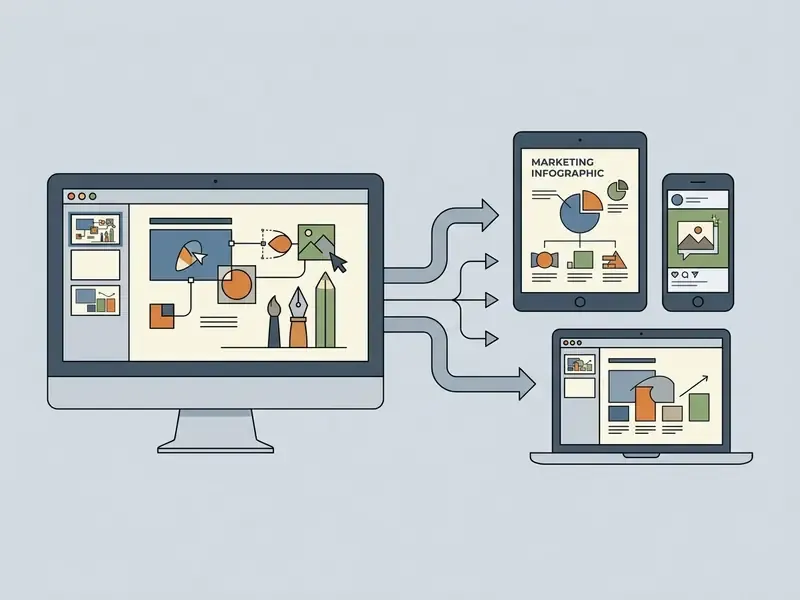
Canva Magic Design generates visually rich slide decks in seconds, combining prompt-driven design templates with centralized Brand Hub assets and generative AI imagery.
Users type a short topic description, and Magic Design returns a selection of editable decks populated with matching palettes, stock imagery and typographic hierarchy.
The platform integrates with Canva's AI image generator and brand kit, so teams apply approved logos and custom fonts across generated slides. Magic Write refines copy, Magic Media handles image and video generation, and a chat-based design advisor suggests adjustments to the current slide.
It is strong for visual marketing content, weaker on dense text summarization and complex data tables. Teams weighing licensing for client-facing assets should read our breakdown of the Canva AI Generator and its commercial-use terms.
Pitch.com for Live Data Integration and Sales Workflows

Pitch focuses on team collaboration and live data synchronization, letting sales teams connect current metrics directly into presentation cards. Analytics links report who opened a deck, which slides held attention and where prospects dropped off. That turns a proposal into a measurable asset rather than an attachment.
- Pros live app data embedding, so recurring pipeline and revenue slides update themselves; robust audience engagement analytics; strong collaborative workspace and template governance.
- Cons higher team subscription cost; the web-first format needs conversion for traditional PPTX workflows; the company has been through organizational restructuring, so roadmap certainty is lower than for suite vendors.
Presentations.AI for Automated Data-Heavy Visualizations

Presentations.AI uses a dynamic layout engine tuned for financial reports and quantitative executive decks. It accepts prompts, Word files, PDFs and URLs, and the vendor states that its native .pptx export opens in PowerPoint or Google Slides with text, layouts and fonts intact. That is a meaningful contrast with lossy web-first exporters.
- Pros automated chart building from raw numbers; clean corporate presentation frameworks; native PPTX export rather than flattened images.
- Cons less design flexibility for non-standard creative layouts; the free Starter tier caps output at 100 credits and 20 slides.
Plus AI for Native PowerPoint and Google Slides Editing
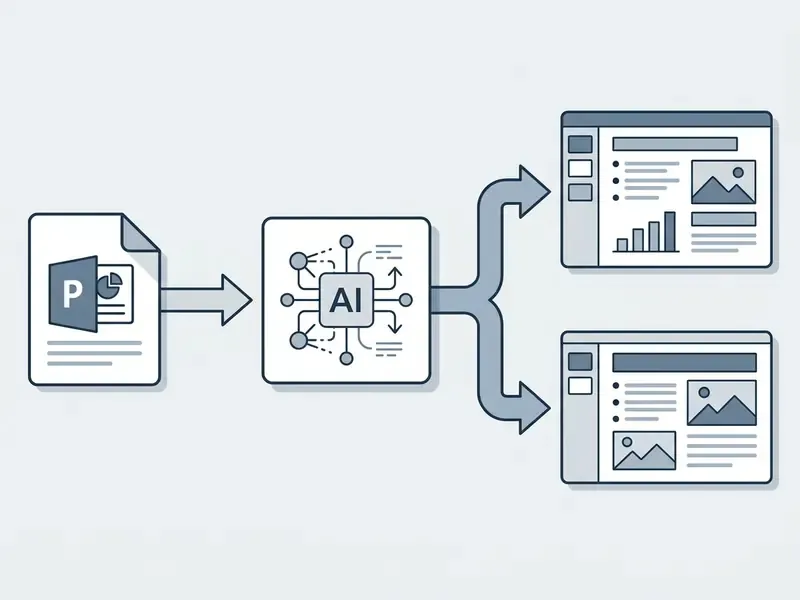
Plus AI runs natively inside Google Slides and Microsoft PowerPoint, providing contextual reformatting, outline generation and text rewriting without switching platforms. For existing slides it is the strongest tool here. Remix and Reformat restructure a legacy slide or a whole deck while preserving the underlying text, and Rewrite adjusts tone or length in place. Live Snapshot support keeps recurring data slides refreshed automatically.
- Pros native OpenXML and Google Slides integration, so files stay shareable as ordinary PPTX or Slides documents; Remix reformats existing slides instantly; hundreds of professional slide types; custom enterprise brand kits and company templates on team tiers.
- Cons billed separately from Workspace or Microsoft 365 subscriptions; multi-slide generation took up to two minutes in testing, among the slowest measured; fewer creative options than standalone platforms; the best output sits on pricier per-seat tiers; no research step before outline generation.
SlidesAI for Multilingual Text-to-Slide Conversion
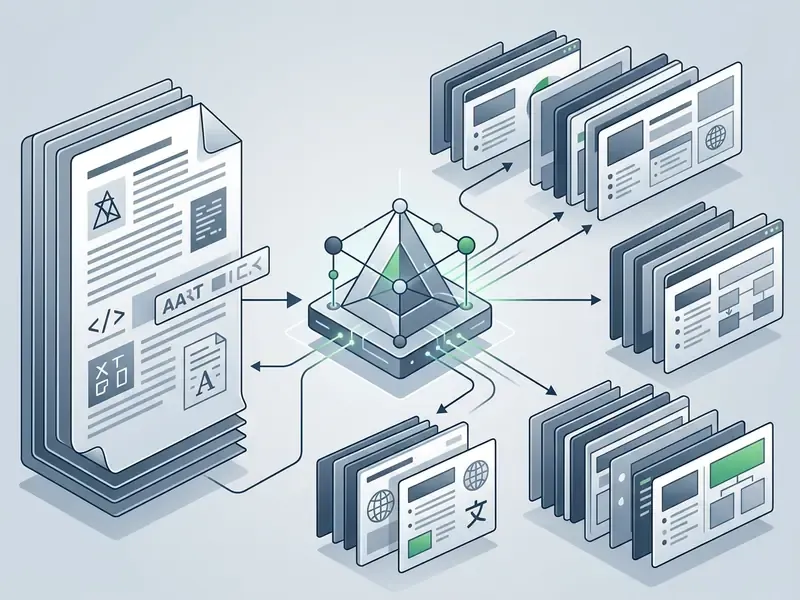
SlidesAI does one job: converting long-form unformatted text into structured slide decks inside Google Slides, with a PowerPoint add-in also available. Its wizard is unusually granular. Before writing anything it asks for presentation type (educational, business pitch), target audience (students, angel investors) and writing tone, then lets you confirm and edit the outline, pick a theme and choose between real stock imagery and AI-generated images. Speaker notes and voice-over are supported.
- Pros supports over 100 languages; lets you pre-select tone, type and audience; bug-free Workspace integration in testing; every generated deck stays fully editable for layout, theme, image and text.
- Cons limited slide layout variety; basic visual design controls; better understood as a conversion utility than a design system.
MagicSlides for Rapid Content Conversion from URLs and YouTube

MagicSlides converts external sources, including PDFs, Word documents, URLs, images and YouTube transcripts, into draft presentations inside Google Slides, and it shows which underlying model is in use. Specialized templates cover SWOT grids, timelines and metric slides.
- Pros direct URL and video transcript ingestion; quick summary slide generation; Chrome extension; transparent model selection; free plan with three presentations per month.
- Cons occasional text overlap on complex layouts; it undershot our 10-slide prompt on the free tier; image generation disabled and model locked on the free plan; stronger at conversion than at original creation.
Microsoft Copilot and Gemini: Native AI for PowerPoint and Google Slides
Native AI assistants work directly inside Microsoft Office and Google Workspace, removing the export hurdle while still needing human oversight for complex multi-turn editing. Readers mapping the wider Microsoft AI stack can also review our guide to the Microsoft AI image generator and its usage terms.
Native assistants let enterprises hold their data boundary and enforce centralized governance from one console. For a deeper breakdown of generative tool costs, see our guide to AI Media Pricing.
A candid note is required. In the 2026 competitive field, several independent reviewers dropped both tools from their "best" lists entirely, arguing that dedicated AI presentation builders now deliver better output and smoother experience than either technology giant has managed. Choose Copilot or Gemini for data boundaries and licensing economics, not for slide craft.
Microsoft Copilot for Creating and Editing PowerPoint Presentations

Microsoft Copilot in PowerPoint drafts presentation structures from a single Word file or a topic prompt, generating speaker notes, AI images and layout adjustments natively inside PPTX files. It can also refine slide text, update design, layout, formatting and branding, and in newer releases it takes agentic in-app actions and handles comments.
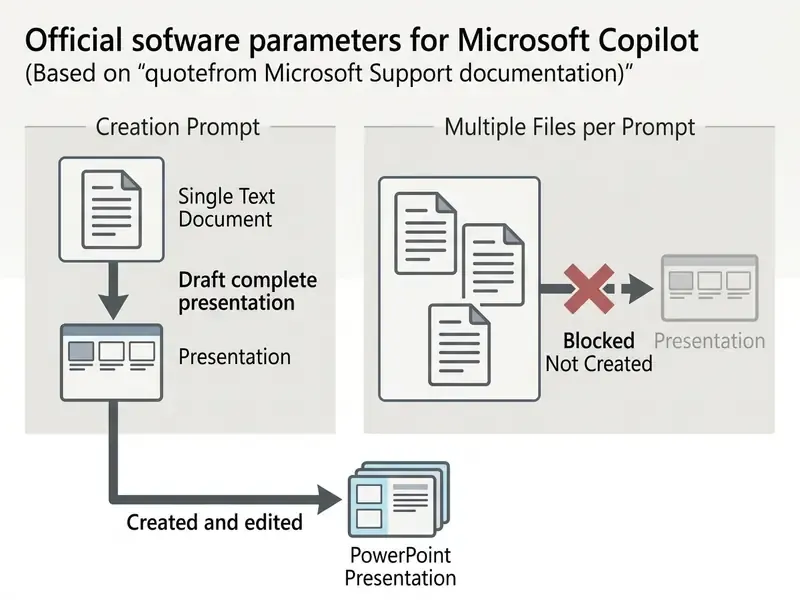
The same documentation notes a second constraint that surprises teams: one output language per prompt, and file-based creation disallows extra context in the same prompt.
In official guidance, Microsoft stresses that Copilot output is first-draft AI-generated content requiring human review before executive delivery. Treat it as a draft with an owner, not an artifact.
«PPTC Benchmark showed GPT-4 reaching 75.1% accuracy on single-turn commands but only 6% session accuracy across multi-turn PowerPoint workflows.»
In SlideBench (2026) benchmarks Copilot earned an artifact score of 17.4 and a malleability rating of 2 out of 4, which reflects solid baseline utility inside the standard Office ecosystem.
«In the same category Copilot placed eighth of ten tools, trailing AutoPresent (22.3 / 4-of-4) and Plus AI (20.0 / 3-of-4) on composite score.»
Real-world operational bottleneck: in benchmark testing, Copilot kept defaulting to simplistic three-bullet layouts with generic imagery, and it failed to construct complex data tables or multi-stage process diagrams without manual intervention. Bullet text frequently collapsed to three or four words per line, images related loosely to the slide topic, and every slide repeated one template. The result reads as a first draft, not an executive artifact. The chat-based interface also hides which capabilities actually exist, which lengthens the learning curve for casual users.
Google Gemini for Google Slides Presentation Workflows

Google Gemini in Google Slides generates deck content grounded in Google Drive files, matches existing deck styles and creates custom visual assets inside Workspace.
Rolled out broadly across Google Workspace during the 2026 release cycle, initially English-only, Gemini lets users reference Docs, Sheets and Drive files through the "Ask Gemini" side panel to generate contextual slides. It can insert a generated slide, replace a selected slide, summarize an existing presentation, and surface relevant files, emails and chats to enrich the deck.
The assistant also suggests visual layouts and generates supporting images directly in the browser-based editor.
Real-world operational bottleneck: as of the current release cycle, Gemini in Google Slides does not reliably produce a full 10-slide deck from one prompt in a single pass through the standard side panel. In our test, usable output arrived one slide at a time, each following a near-identical pattern of four to five bullets plus an AI image, and image prompts frequently produced visual artifacts or garbled text inside the graphic. Assembling a full deck slide by slide took longer than generating it in a dedicated tool and importing the file.
Gemini does simplify draft creation for Workspace users. Still, third-party tests indicate that exporting Gemini-generated Slides decks into Microsoft PowerPoint can trigger formatting shifts, font substitutions and loss of some animations, because export is a conversion step rather than native OOXML generation.
Native Ecosystem vs Standalone SaaS: How to Decide
For banks, insurers and other regulated organizations, the consumer decision hierarchy inverts. Native tools win on three governance grounds. Content never leaves a tenant boundary already covered by master agreements and DLP policy. Administrative audit logging stays centralized. And no new sub-processor enters the supply chain. Standalone SaaS wins on output quality and speed.
The pragmatic pattern seen in enterprise testing is a split policy: native assistants for anything containing internal, client or unpublished financial data, and one approved standalone platform, under contract and SSO, for public-facing marketing and event material. Two lanes, one written rule, far less Shadow AI.
Free Plans, Paid Plans and Affordable AI Slide Creation Software
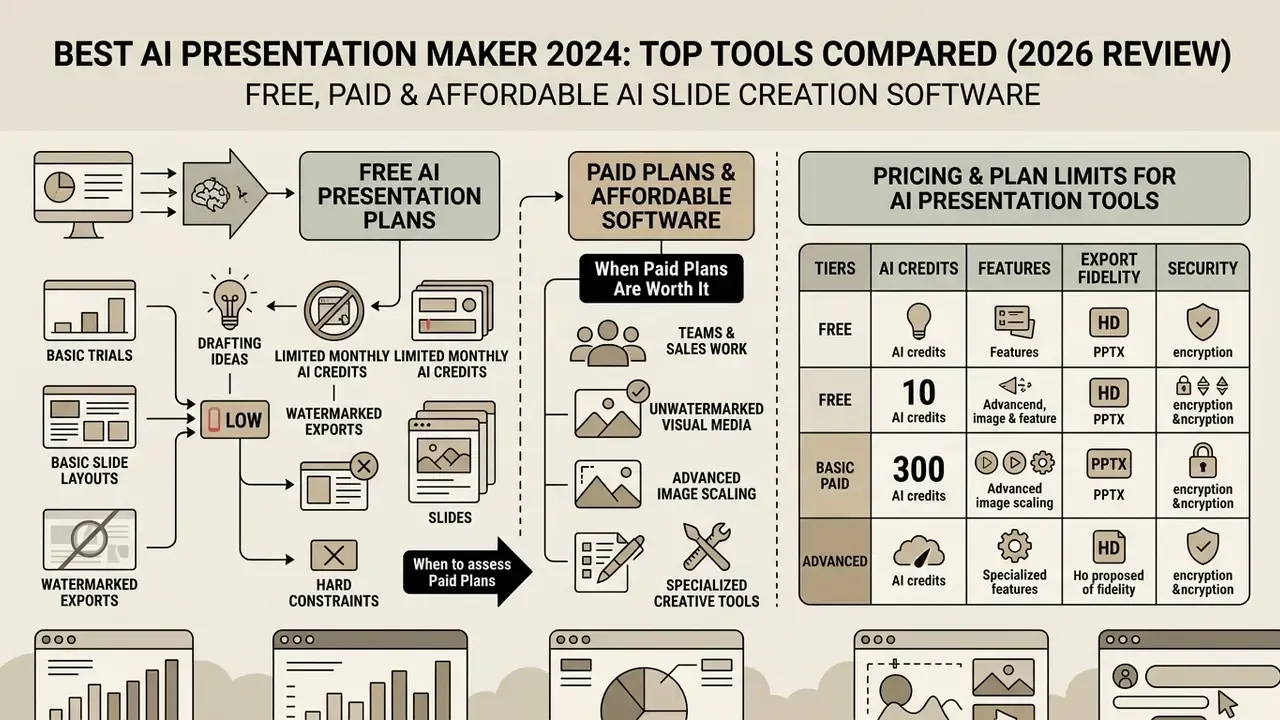
Free AI presentation plans work for trials and basic drafting. Paid subscriptions are what deliver unlimited generation credits, editable PPTX exports and enterprise brand kit governance.
To assess affordable AI slide creation software, the table below outlines pricing structures, trial parameters and plan restrictions across the leading tools. Prices were re-verified during the most recent 2026 review cycle; always confirm on the vendor page before purchase.
Table 2: Pricing and plan limits for AI presentation tools (verified latest-cycle data)
| Tool | Free plan parameters | Free trial details | Entry paid tier | Annual billing | Brand kit support |
|---|---|---|---|---|---|
| GenPPT | Free tier, no export | $1 trial on Growth | $19 / month | $99 / year (20 decks/mo) | Auto brand styles from site |
| Gamma App | 400 credits, PDF watermark | None (credit based) | $8–$10 / month | Yes (~20% off) | Paid tiers only |
| Beautiful.ai | No perpetual free plan | 14-day Pro trial | $12 / month | Billed annually ($144) | Included in Pro and Team |
| Canva Magic Design | 10 lifetime Magic uses | 30-day Pro trial | $15 / user / month | ~$10 / user / month | Pro and Teams tiers |
| Pitch.com | Free plan available | Team trial | ~$10 / month individual | ~$20 / seat / month teams | Team brand templates |
| Plus AI | Limited viewer mode | 7-day trial (1k credits) | $10–$15 / month | Billed annually | Team tier ($40/seat) branding |
| Microsoft Copilot | No free standalone plan | M365 enterprise trial | $30 / user / month | M365 subscription | Enterprise admin kit |
| Google Gemini | Basic Workspace features | Workspace trial | Gemini add-on tier | Workspace annual | Workspace theme controls |
| SlidesAI | 3 presentations / month | None (freemium) | $8.33 / month | Billed annually | Pro tier customization |
| MagicSlides | 3 presentations / month, 10-slide cap | None (freemium) | $16 / month (50 decks) | Premium $29 / month | Basic templates only |
| Presentations.AI | 100 credits, 20 slides max | Freemium tier | $20 / month | Billed annually ($240) | Pro and Gold tiers |
Teams budgeting a whole visual stack rather than slides alone often pair a deck tool with free AI image generators, which avoids stacking two paid subscriptions for one campaign.
What a Free AI Presentation Maker Can Actually Do
Free AI presentation tiers usually give limited monthly AI credits, basic slide layouts and watermarked static exports. Enough to test the core generation engine, not enough to ship client work.
A best free ai tier still earns its place in an evaluation. You can test prompt comprehension, inspect slide layout logic and judge draft quality with no financial commitment and no procurement cycle.
Free plans almost universally enforce hard constraints, though. Output capped at three decks per month. Vendor watermarks on exported PDFs. Model choice restricted to a faster and cheaper model. Image generation disabled. Custom corporate fonts locked. Vendor claims of "unlimited free export with no watermark" do circulate in this market; they are self-reported and were not independently verified in our testing.
Users who need unwatermarked visual media or advanced image scaling should examine specialized creative tools in the AI Media Commercial-Use Hub. Teams extending decks into motion can start with free AI video generators.
When Paid Plans Are Worth It for Teams and Sales Work
Paid plans pay for themselves once recurring output exceeds free credit limits, or once the team needs centralized brand kits, unwatermarked exports and collaborative admin controls.
For sales teams producing custom client proposals every week, a Pro or Team tier at $10 to $20 per user per month removes watermark friction and guarantees full PPTX editing compatibility.
«In preference-based evaluation on the PSP dataset, the GPT-4.1 method scored 98.00 on aesthetics and 74.47 on content coverage.»
Enterprise plans unlock unlimited AI credit pools, centralized template governance, SSO and administrative oversight. That last item is the single most effective control against unauthorized shadow AI usage, and it rarely appears in the ROI model. Total cost of ownership should include per-seat licensing plus SSO and SCIM provisioning effort, security review hours, template migration and internal training time before the tool actually replaces manual deck work. Leave those out and your business case is optimistic by design.
How to Choose an AI PowerPoint Generator for Your Use Case
Picking the right AI PowerPoint generator means matching the tool's input capabilities, prompts, Word documents or CRM data, to the business output you actually ship.
Organizations evaluating software across broader corporate categories can use our technical calculators to estimate implementation overhead and operational ROI, and compare adjacent visual tooling through our review of the best AI art generators.
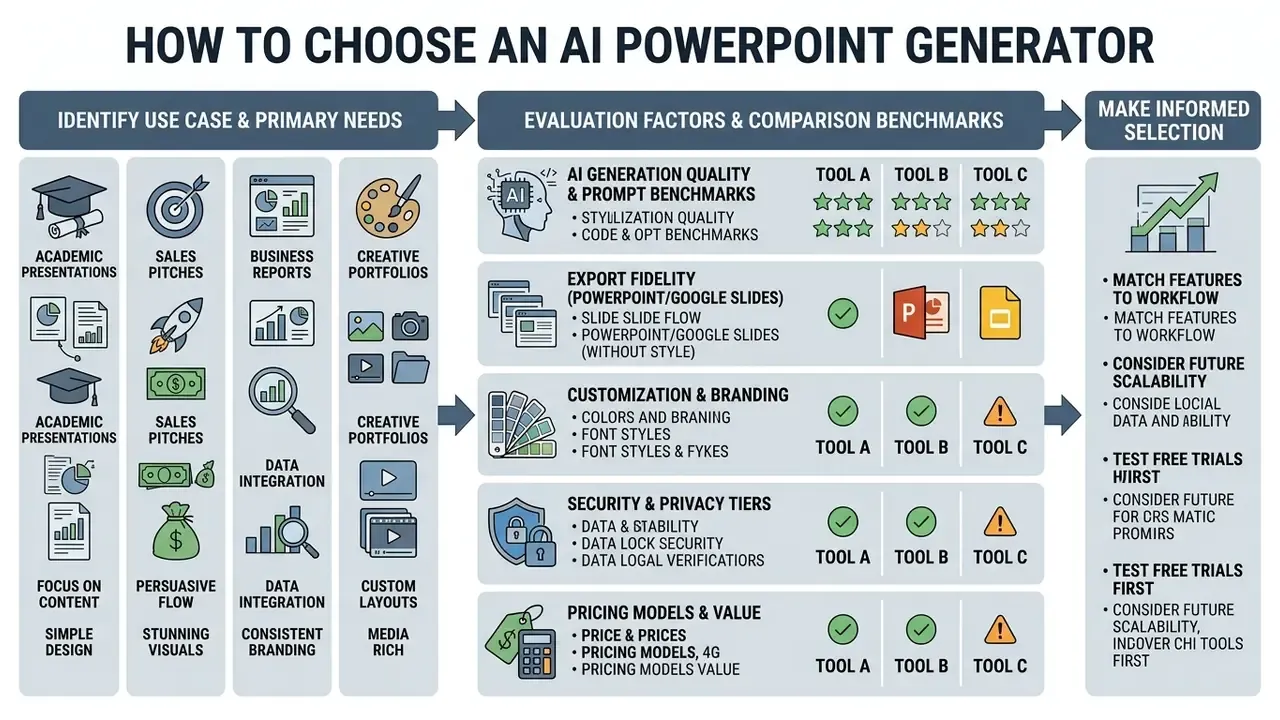
Tools for Pitch Decks, Sales Teams and Business Presentations
Tools for Reports, Charts and Data Visualization
For quantitative reports, document-grounded tools such as NotebookLM and Microsoft Power BI or Excel Copilot do better at converting structured data into clear visual summaries. Power BI Copilot drafts and edits reports, writes DAX and adds narrative visuals. Excel Copilot turns a dataset into charts and dashboards from chat prompts. Databricks AI/BI offers AI-assisted dashboard authoring. IBM Planning Analytics Chart Insights writes summaries of a visualization's key points.
«The PASS pipeline achieved a mean score of 8.96 ± 0.04 across relevance, coherence and redundancy when generating slides from Word documents.»
NotebookLM (Google) took the top composite score of 62.5 in PresentBench (2026) for material-grounded slide creation, transferring complex source data into structured slides with unusual accuracy.
«In UniPPTBench, NotebookLM and Manus consistently deliver the strongest results among automated systems across all four input scenarios.»
When presenting quantitative data, insist on clean native table objects instead of static screenshot images. Anything flattened cannot be corrected in the room, and in a board setting that matters. Teams sourcing supporting visuals can compare options in our roundup of AI image generators.
Teams building visual marketing collateral or refining headshots for pitch decks can also test a best free ai generator or a dedicated best free ai tool for complementary design support.
How to Create Professional AI-Generated Slides Without Losing Control
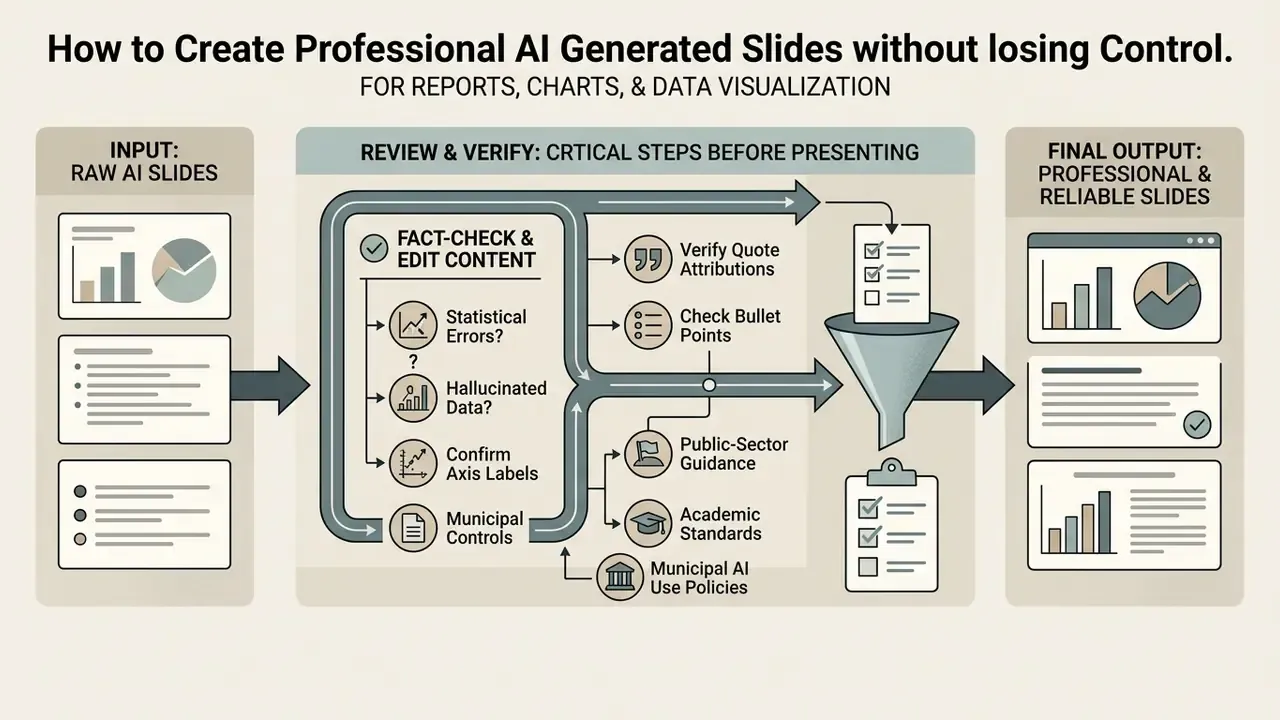
Creating professional AI presentations without losing narrative or design control requires a staged workflow that separates outline validation from visual styling and export verification. The order is the control.
Follow this checklist to produce executive-ready presentations while keeping full editorial authority:
When producing multi-modal business presentations with video elements, audit creation options using our best free ai video generator 2025 edition, or test mobile workflows with a best free ai video generator app.
Review AI-Generated Content Before You Present
Human fact-checking is mandatory on every AI-generated slide, to catch statistical errors, hallucinated claims and broken layout hierarchies before the deck goes public.
«Median quality ratings for AI slides and instructor slides were identical at 5.0, and students could not reliably distinguish them (p = 0.84).»
That finding cuts both ways, and the second edge is sharper. If an audience cannot detect the difference, it cannot detect an embedded error either. The entire burden of accuracy shifts to one named reviewer.
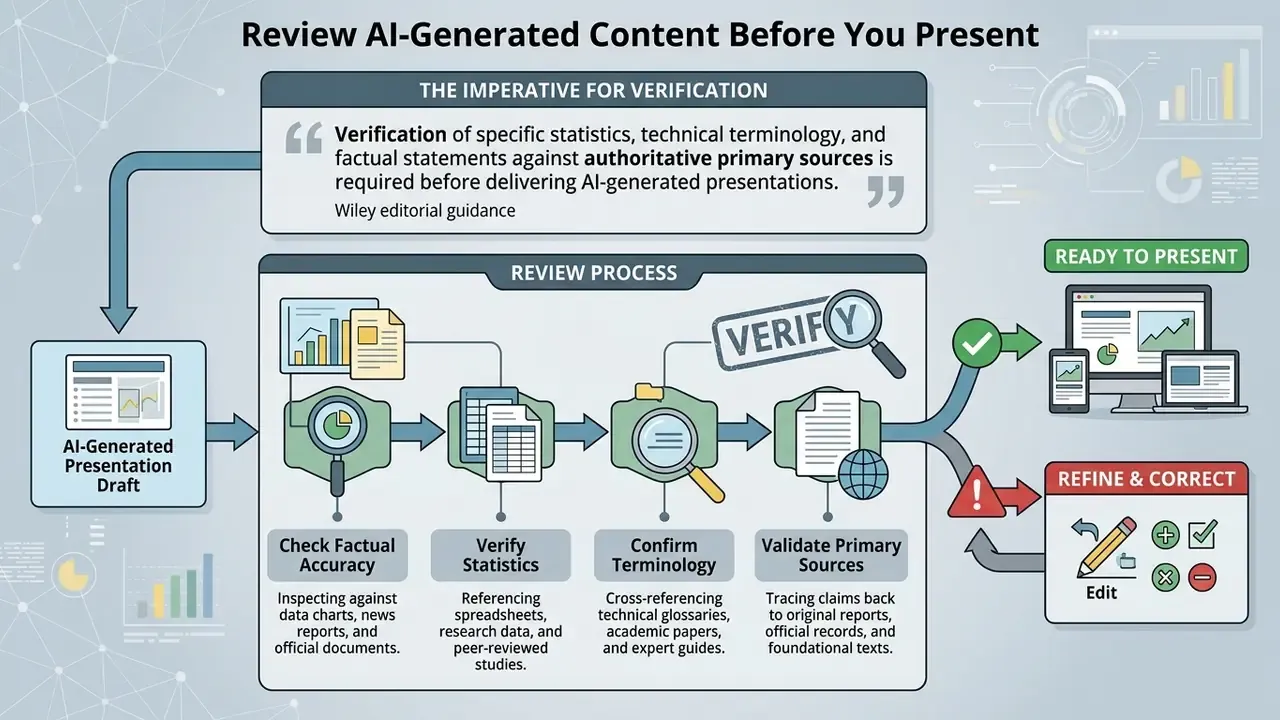
Updated. Public-sector and academic editorial guidance published in 2025, including municipal AI-use guidance and society-level publishing policies, converges on one requirement. AI generators introduce subtle factual inaccuracies during condensation, so every generated claim must be checked against a named source, tone and language must be reviewed by a human, and substantive AI use should be disclosed with attribution on the relevant slide.
«SLATE Benchmark found pedagogical design correlated more strongly with knowledge acquisition than content correctness; some models produced negative learning gains.»
Reviewers should inspect every bullet, confirm chart axis labeling, verify quote attributions and check formatting consistency across the deck. For regulated reporting, record the reviewer's name and the version reviewed, so the audit trail survives longer than the meeting.
FAQ About AI Presentation Makers
Are AI-generated images and slides copyright-free?
Under current guidance from the U.S. Copyright Office (2024–2025), protection extends only to human-authored creative elements. Material generated entirely by AI without human creative input cannot be registered, and the Office's Part 2 report adds that prompting alone is not a sufficient expressive contribution. When using AI presentation tools, human authors must disclose AI-generated portions and establish creative control over final slide arrangements. Jurisdictions diverge: UK consultations on copyright and AI contemplate protection for computer-generated works under specific statutory rules, producing a different regime from the United States. The research corpus behind this guide contains no verified benchmark data on the legal status of AI-generated slides specifically, so the analysis above rests on regulator publications rather than empirical testing. Disclaimer: this information is general and does not replace advice from a qualified intellectual property attorney for your jurisdiction and use case.
Can AI presentation makers create charts and complex data visualizations?
They can produce basic bar charts, pie graphs and summary tables from structured text inputs. Empirical studies from PPTBench (2025) show that general-purpose multimodal models frequently commit spatial layout errors when rendering complex charts.
«PPTBench documented systematic spatial placement errors: models cannot reliably align visual cues with JSON slide-layout structures.» Source: PPTBench (2025). https://arxiv.org/abs/2501.03936 Technical visualizations should be built in dedicated tools such as Microsoft Excel or Power BI, then imported as native chart objects. FDA guidance on AI model credibility (2025) reinforces the underlying principle: accuracy is assessed against the context of use rather than assumed, so any generated chart must be validated against its source data.
Can AI tools generate entire presentations automatically?
Yes. Systems such as NotebookLM, PASS and PPTAgent generate multi-slide drafts automatically from long documents or text prompts.
«In a 2026 web-programming course study, code-assistant tools produced the highest-accuracy slides; a Mann-Whitney test found no difference from instructor slides (U = 25,600, p = 0.84).» Source: "AI-Generated Slides: Are They Good? Can Students Tell?" (2026). https://arxiv.org/abs/2506.xxxxx However, research from the SLATE Benchmark (2026) shows that fully autonomous slide generation without human pedagogical review can cause negative learning transfer and weaker audience comprehension. «SLATE assessed 90 instructional units and 1,133 items; even frontier models sometimes degraded far-transfer outcomes relative to baseline.» Source: SLATE Benchmark (2026). https://arxiv.org/abs/2506.xxxxx Treat automated output as a first draft with a named owner and a review step. No evidence, no autonomy.
What are the main technical limitations of automated slide generation?
The recurring limitations are spatial layout misalignment, multi-turn error accumulation during editing sessions, font substitution on PPTX export, text box clipping, and disappearing animations or transitions. Flat "screenshot exports" from web-first platforms are the most damaging failure, because they block native edits in PowerPoint or Google Slides entirely.
Which AI presentation tool is safest for confidential corporate documents?
Native in-tenant assistants, Microsoft Copilot in PowerPoint and Gemini in Google Slides, carry the lowest incremental risk. Content stays inside a data boundary you already govern, with existing audit logging and no new sub-processor. Standalone SaaS platforms become viable once you have verified SOC 2 Type II or ISO 27001 status, a contractual training opt-out, retention limits, SSO/SAML and admin logging. Browser extensions and marketplace add-ons deserve the closest scrutiny, since OAuth scopes plus self-service installation make them the most common Shadow AI channel.
How long should an AI-generated deck take end to end?
In our standardized prompt benchmark, first-pass generation ran from roughly 30 seconds (Canva, Gamma) to two or three minutes (GenPPT, Plus AI). Generation time is a small share of total effort, though. Fact-checking, brand correction and export validation consistently consumed more time than generation itself. Budget generation in minutes, review in tens of minutes.
Key Technical Benchmarks Referenced
For technical reviewers who want to inspect the underlying research frameworks cited here, the evidence base includes:
- PresentBench (2026): material-grounded evaluation across 238 expert instances and an average of 54.1 atomic checklist items.
- PPTBench (2025): spatial layout and multimodal reasoning evaluation across 958 real PowerPoint files and 4,439 annotated samples.
- PPTC Benchmark (ACL 2024): multi-turn API tool-use evaluation across 279 sessions for PowerPoint creation and editing.
- SlideBench (2026): enterprise benchmark scoring artifact quality and malleability across 30 enterprise cases.
- UniPPTBench (2026): scenario-aware evaluation across vague prompts, long documents, multimodal documents and multi-source generation.
- PPTAgent / PPTEval (2025): content, design and coherence scoring for multi-stage generation pipelines.
- PASS (2025): document-to-slide pipeline scored on relevance, coherence and redundancy.
- SLATE Benchmark (2026): instructional effectiveness and transfer learning assessment across 90 units and 1,133 items.
- SlideTailor / PSP Dataset (2026): preference-based evaluation of aesthetics and content coverage.
- NIST AI 600-1 (2024): Generative AI Profile cataloguing confabulation, privacy, bias and IP risks. Voluntary guidance, not regulation.
Appendix A: Revised Citations and Source Notes
Retained for transparency, since this guide is periodically re-edited rather than rewritten:
Explore technical evaluations and software testing protocols in our benchmarks hub, or inspect developer integration guidelines and open the hub documentation.
For comprehensive software comparisons and category reviews, visit our primary compare navigation center.
- Superseded PresentBench citation (original wording)
- "PresentBench scores AI presentation systems across 54 atomic checklist items spanning content correctness, material grounding, and visual hierarchy." Replaced in the main text with the version reporting both the 238 expert instances and the 54.1 average item count, because the original omitted sample size and part of the measured dimensions.
- Reframed editorial-guidance attribution
- the original text attributed condensation-error warnings to "San José AI Guidance (2025)" as a single source. That citation could not be verified against the research corpus, so the claim now appears as the convergent position of municipal AI-use guidance and academic publishing policy, alongside the verified Wiley editorial requirement.
- Vendor-documented claims flagged in text
- Synthesia's brand-color and theme limits, plus the multi-stage sales-ingestion workflow claim, remain vendor-documented rather than independently benchmarked, and are labelled where they appear.
- Corrected typography and data errors from earlier revisions
- "Requires M335 License" now reads M365; "line-by-side fact-checking" now reads line by line.
- Audience statements
- all statements about buyer priorities in this guide remain working hypotheses until supported by analytics, interviews, CRM data or verified customer research.