Last updated: 2026 · Reviewed by: editorial benchmarking team (generative imaging, licensing, and model-risk review)
Teams in regulated environments have a second question layered on top. Where does the file go, and for how long? We treat that as a selection criterion, not a footnote.
Key takeaways
- Best for social media and design teams Canva Magic Expand, with preset ratios inside the design editor, but on paid plans only (Pro, Teams, Education, Nonprofits).
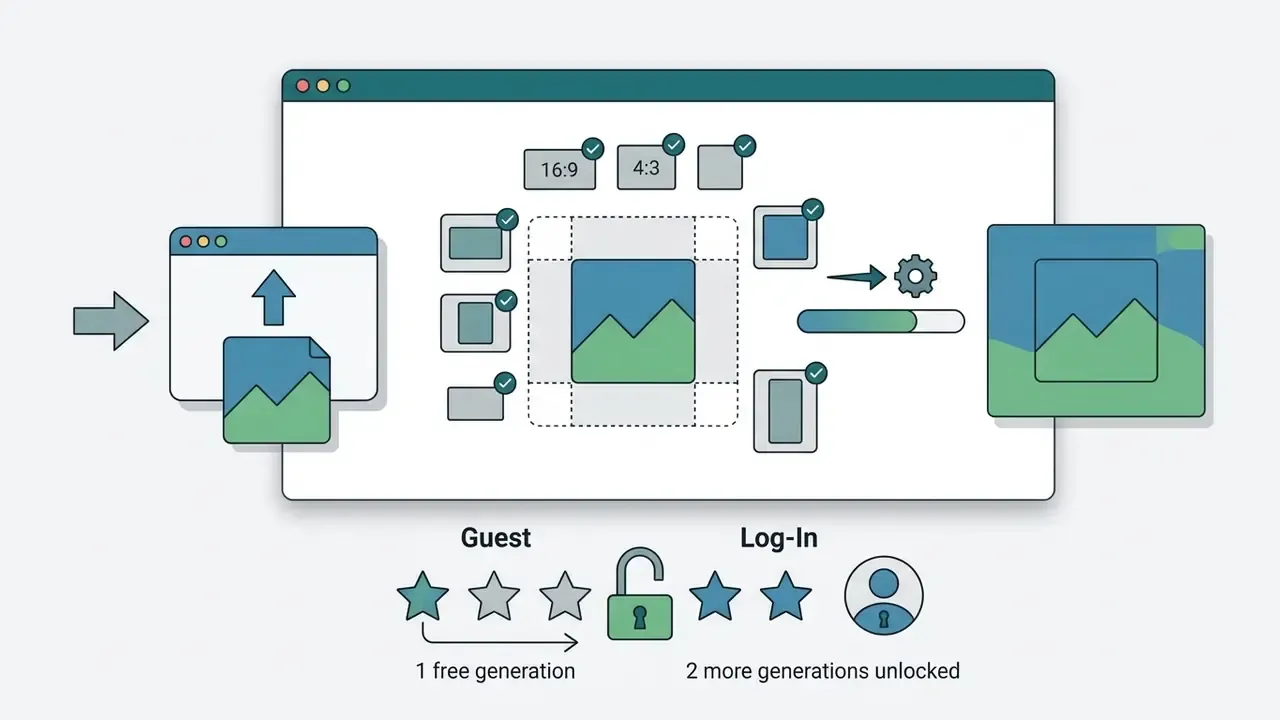
- Best for product photos and portraits Fotor AI Photo Expander, offering original-resolution export, prompt-guided fill and one free guest generation without sign-up.
- Best for developers and automation Google Vertex AI Imagen plus Freepik/Flux Expand APIs, with mask-based precision, pay-per-use metering and batch pipelines.
- Best for maximum control Stable Diffusion (SDXL + ControlNet Inpaint), with arbitrary canvas dimensions,
grow_mask_byandcontrolnet_conditioning_scaletuning, self-hosted and free software (a GPU with at least 8 GB VRAM is required). - Best for one-click browser work Adobe Firefly Generative Expand and Pixelcut, minimal steps, credit-limited free tiers, friendly on a mobile browser.
- Upload rules that matter most JPG/JPEG/PNG are universally supported; TIFF and GIF only on some platforms; most browser tools cap uploads at 10 MB (Pixelcut allows up to 25 MB).
- Privacy baseline to demand HTTPS/TLS transmission, automatic deletion within 24 hours, explicit GDPR compliance, and a documented no-training policy for enterprise files.
Best AI image extender tools at a glance
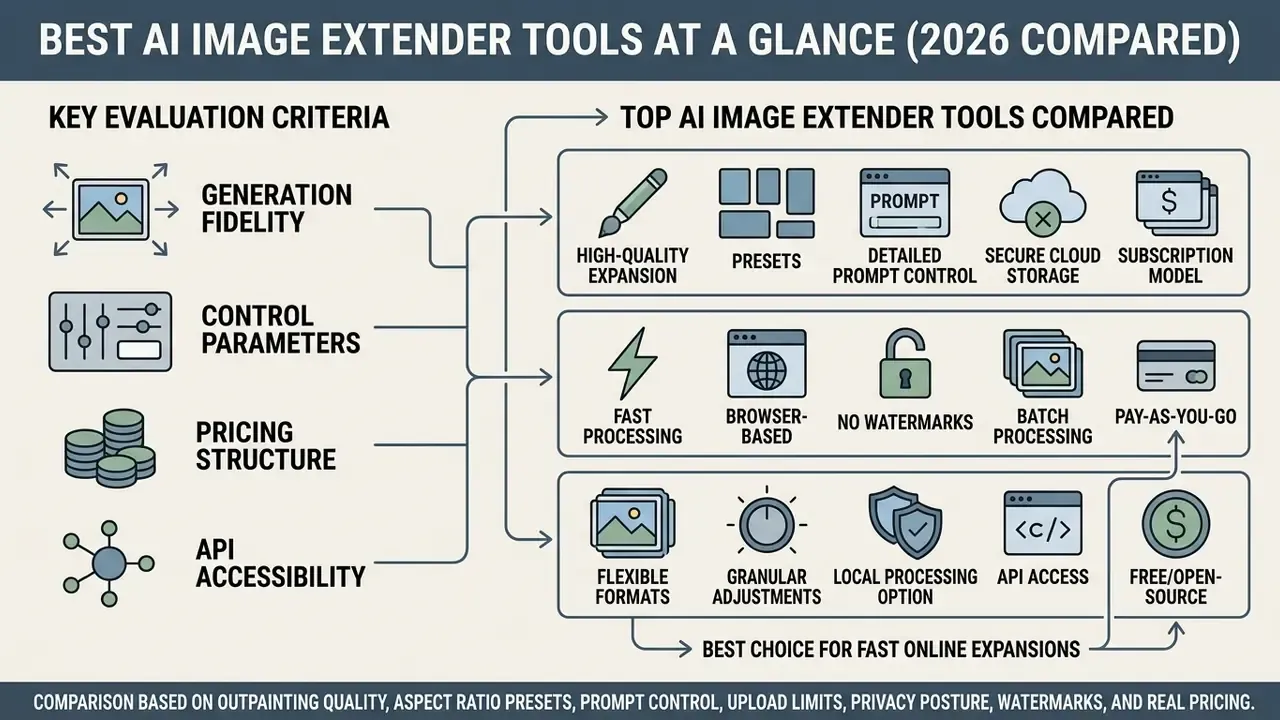
The best AI image extender tools vary widely in generation fidelity, control parameters, pricing structure and API accessibility. Choosing between them is really a trade: processing speed on one side, seam blending quality and aspect ratio flexibility on the other.
A caveat before the table. Phrases like "ai picture extender with highest reviews" or "best rated ai picture extender service" usually reflect marketplace ratings, not measured output quality. We separate the two deliberately.
Table 1. Comparison of leading AI image extender tools (2026 evaluation)
| Tool / Model | Expanded area quality | Aspect ratio controls | Text prompt support | Upload formats / size cap | Free tier / access limits | Primary use case |
|---|---|---|---|---|---|---|
| Canva (Magic Expand) | High (seamless background continuation) | Presets (1:1, 16:9, 9:16) and freeform | Limited (automatic context expansion) | JPG, PNG, HEIC (editor upload rules) | Paid only (Pro / Teams / Education / Nonprofits) | SMM design and layout reframing |
| Adobe Firefly (Generative Expand) | High (mask-guided, strong lighting match) | Presets 1:1, 9:16, 16:9 plus draggable borders | Supported (optional prompt) | JPG, PNG (browser upload) | Free with an Adobe account, limited generative credits | Portraits, hero banners, quick reframing |
| Fotor AI Photo Expander | Moderate to high (clean edge matching) | Custom and standard ratios | Optional text guidance | JPG, JPEG, PNG | 1 guest generation, plus 2 after login; Pro from $8.99/mo | E-commerce product photos and portraits |
| Freepik / Flux Expand | High (strong texture generation) | Preset ratios and directional expansion | Supported (prompt-driven fill) | JPG, PNG via UI and API payloads | Limited free tier / API metering | Graphic asset generation and vector workflows |
| Stable Diffusion (SDXL / ControlNet) | Very high (custom model dependent) | Arbitrary pixel dimensions | Full custom text prompt control | Any raster format your pipeline decodes; no cloud cap | Open-source, self-hosted (free software, GPU cost) | Advanced creative projects and custom pipelines |
| Google Vertex AI (Imagen) | Enterprise-grade (mask-guided precision) | Custom canvas and mask configuration | Full natural language control | Raw reference image, mask must match dimensions, 10 MB limit | Commercial pay-per-use API | Automated enterprise workflows |
Selecting a top AI image extender platform mostly comes down to how much technical complexity you are willing to own. Canva offers the most user friendly ai picture extender interface for quick marketing graphic edits, and it resizes images inside the same editor where the layout lives. Developers who need programmatic uncropping tend to rely on API-first services or a custom Stable Diffusion pipeline instead. To evaluate complete platform ecosystems, you can compare top-tier generative design environments, or read the dedicated breakdown of AI outpainting tools for commercial use.
One more framing note. If your search was literally "is it best ai to expand images", the honest answer is that there is no single winner. There is a best fit per scenario, which is what the matrix further down tries to capture.
How AI image expander services were evaluated
AI image expander tools were benchmarked on a standardized test set of four image types: a single-subject portrait photo, a centered product photo, a vertical shot, and a wide banner background. Scoring focused on four things: border seam continuity, texture repetition artifacts, color temperature matching, and object boundary preservation. Readers building a broader editing stack can also consult the reference guide to online photo editors for complementary retouching steps.
Boundary continuity in outpainting research is scored with Peak Signal-to-Noise Ratio (PSNR) and Structural Similarity Index (SSIM), alongside perceptual metrics such as Learned Perceptual Image Patch Similarity (LPIPS) and distribution-level metrics such as Fréchet Inception Distance (FID). Updated evidence base:
Models that rely purely on unconditioned latent fill frequently produce blurring or repetitive patterns along the original frame edges. You see it first in fabric, brick and foliage. Reward-tuned pipelines measurably reduce these defects:
«ByteEdit-Outpainting reports a 388% improvement in perceived quality and a 135% improvement in consistency versus its baseline diffusion model on UserBench.»
In one evaluation scenario, a digital marketing team needed to convert a tightly cropped 1:1 product shot into a 16:9 web hero banner. Testing a mask-conditioned outpainting workflow against basic stretching removed the edge distortion, expanded the background canvas cleanly, and lifted visual engagement on the landing page without a costly reshoot. Small change, no new photographer invoice.
Source file requirements and upload rules
Most generation failures start before the model ever runs. Align the input file with platform constraints and the majority of avoidable seam defects disappear.
- Supported formats
- PNG (recommended when crisp edges or transparency matter), JPG/JPEG (universal), TIFF (print and prepress workflows, supported by YouCam-class tools), GIF (first frame only), WebP (supported by several newer web editors such as Evoto).
- Maximum file size
- roughly 10 MB for most browser services (Monica AI states «Support: JPG, JPEG, PNG. Max file size: 10 MB»); Pixelcut accepts inputs up to 25 MB; Google Vertex AI Imagen enforces a 10 MB limit and requires the mask to match the reference image dimensions exactly; self-hosted SDXL pipelines are limited only by VRAM.
- Batch limits
- many free web tools process one image per upload, so catalog work needs API access or a paid batch plan.
- Resolution rule
- always upload the highest-resolution original you have. Re-expanding an already expanded file compounds generative error and visibly softens fine detail at the new seams. YouCam warns about exactly this: «expanding an already-expanded image again can soften fine detail.» Choose the final aspect ratio before the first generation.
- Transparency rule
- SDXL outpainting documentation recommends replacing a transparent background with a solid fill (white, usually) before generation, otherwise the model treats the alpha region as unusable context.
Best choice for fast online expansions
For non-technical users who need an answer in the next five minutes, a web-based online image extender is the pragmatic pick: upload images, select a target aspect ratio, click generate, done in seconds. Platforms like Adobe Firefly Generative Expand and Pixelcut compress the whole uncrop process into a few clicks in the browser.
These tools remove technical overhead by calculating canvas padding automatically and inferring surrounding background textures. You drag canvas borders or pick a preset, say 16:9 for a YouTube thumbnail or 9:16 for Instagram Stories, then download a high quality image file. To inspect dedicated workflow benchmarks, view the guide detailing generative output speeds across online utilities.
Mobile AI outpainting (iOS and Android). Most web services, Monica, Pixelcut, Fotor and Firefly among them, are responsive and require no app install. Monica's documentation confirms that uncropping runs directly in a phone browser. When working from mobile, disable screen auto-rotation before you start, use pinch-to-zoom to place canvas handles precisely, and verify the export is the full-resolution file rather than the on-screen preview. Tapping without zooming is the single most common cause of an accidentally offset mask on small screens.
In-depth review of the best AI tools for extending images
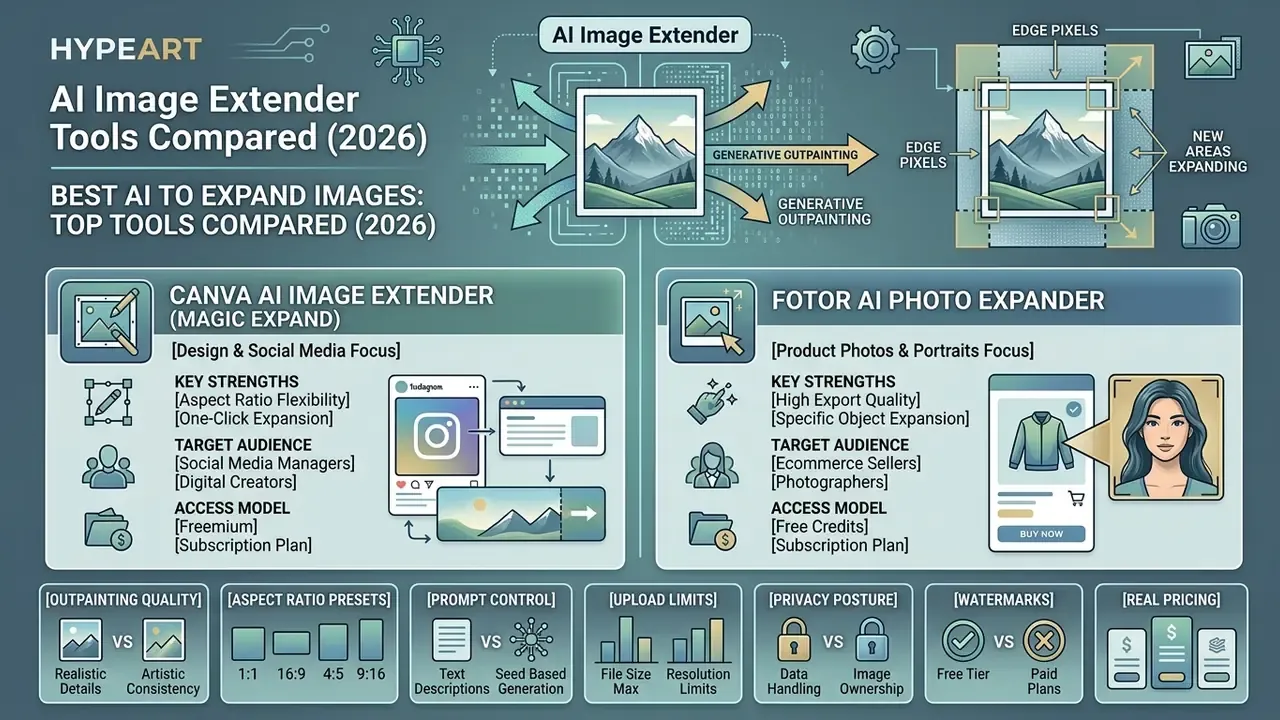
Modern AI models use generative outpainting to read the edge pixels of a source image and generate new content that continues the original scene. The leading products differ in how much of that process they hand back to you.
Fotor AI Photo Expander for product photos and portraits
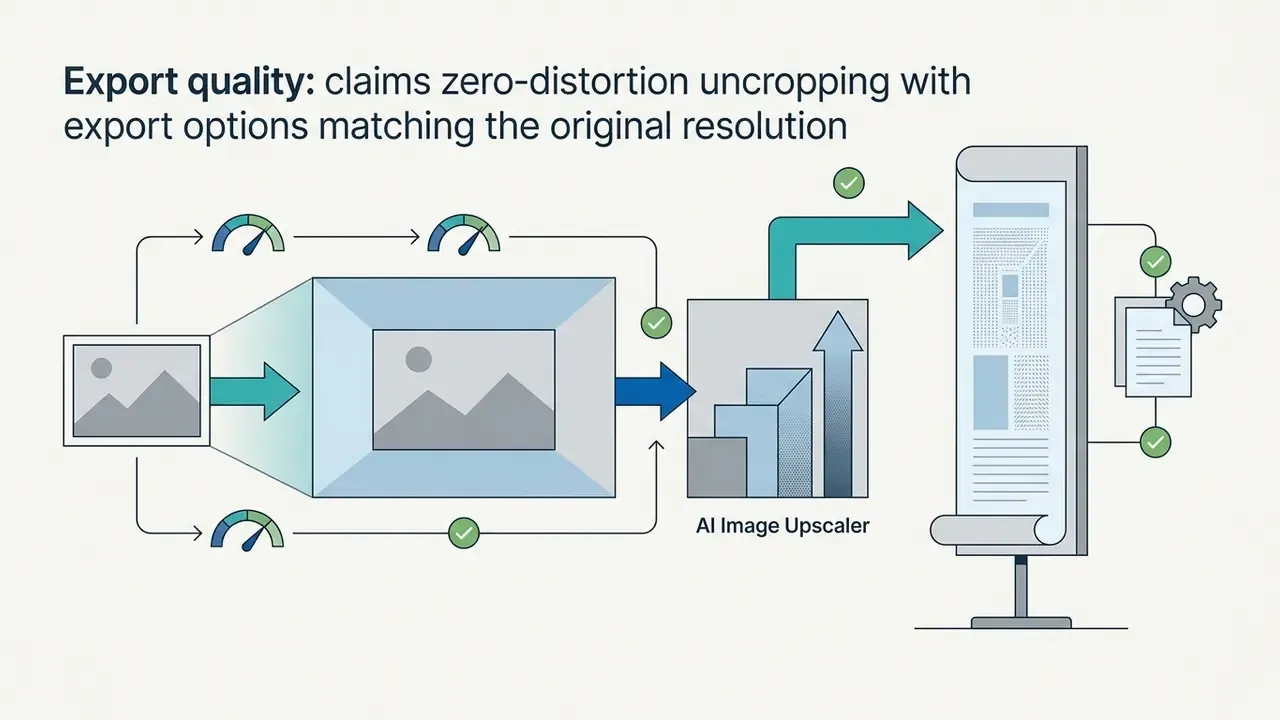
Fotor offers a specialized ai photo expander built to uncrop portrait photos and promotional product images while holding the original photo's resolution.
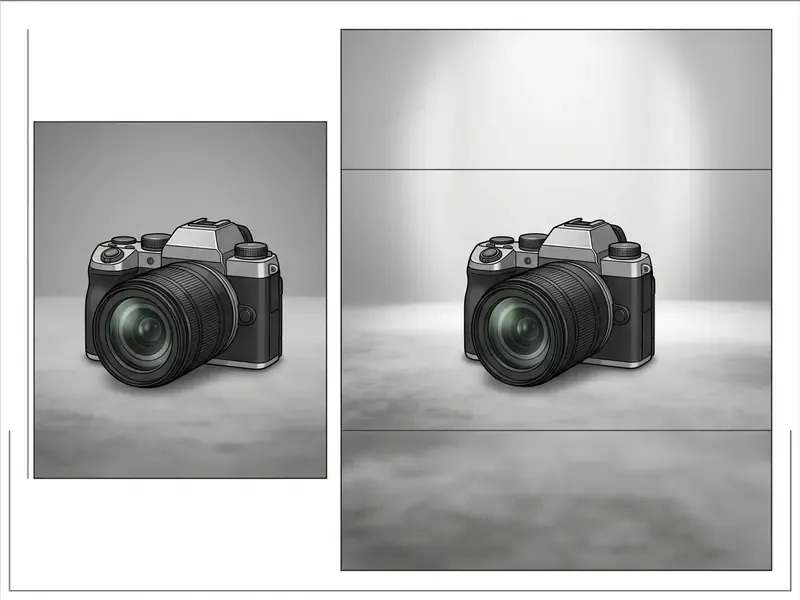
Fotor works particularly well for e-commerce sellers who need consistent background fills across varied catalog aspect ratios. Object-aware architecture is the reason a specialized photo expander beats a generic inpainting checkpoint on catalog work:
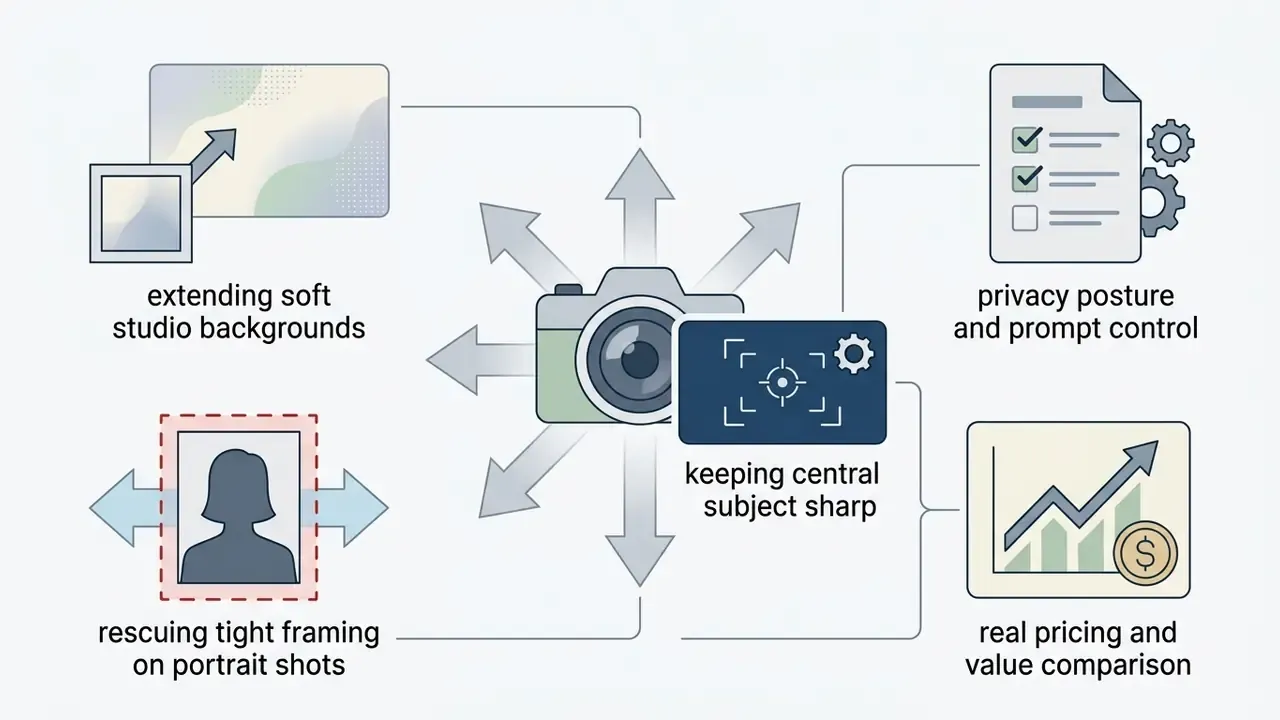

«Salient-object-aware background generation reduces object expansion by a factor of 3.6 versus Stable Diffusion 2.0 Inpainting while keeping comparable visual metrics.»
Freepik and online AI outpainting tools
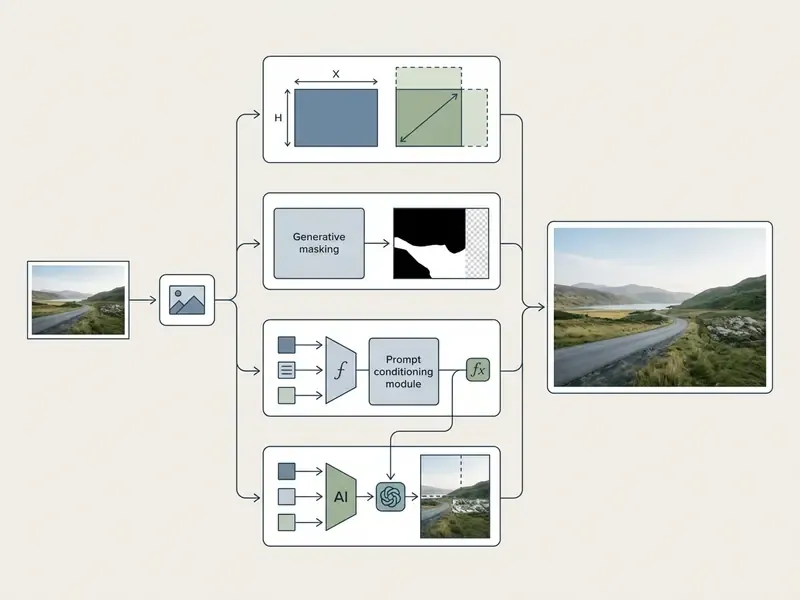
Freepik's ai outpainting tools, powered by Flux Pro expansion architectures, generate new content beyond the original frame using optional text prompts.
Freepik suits creators who want manual control over prompt details and access to a broad commercial asset library in the same place. That combination is rarer than it sounds.
- Core features
- prompt-guided outpainting, high-texture background extension, and integrated vector plus raster asset design.
- Developer integration
- API endpoints for automated programmatic canvas expansion (Freepik API Documentation, 2026).
- Free tier rules
- limited free generation credits, with commercial licenses required for unwatermarked high-resolution exports.
Stable Diffusion for flexible AI image expansion
Stable Diffusion, meaning SDXL combined with ControlNet Inpaint/Outpaint models, hands technical users full parametric control over the outpainting process.
- Advanced control precise adjustment of denoising strength,
controlnet_conditioning_scaleandcontrol_guidance_end, plus fully custom text prompts (Hugging Face Diffusers Documentation, 2026). - Infrastructure requirements local GPU hardware (VRAM of 8 GB or more) or dedicated cloud instances running ComfyUI or AUTOMATIC1111. The
controlnet-inpaint-dreamer-sdxlcheckpoint is typically run at denoising 1.0 for outpaint tasks. - Model customization supports specialized LoRAs and fine-tuned checkpoints for distinct artistic styles or architectural rendering. If you are still choosing a generation backbone, compare the best AI art generators before committing to a pipeline.
For complex creative projects that need localized outpainting without boundary artifacts, Stable Diffusion remains the flexibility baseline. Research on one-step positional-query diffusion shows how fast efficiency is moving:
«PQDiff performs 11.7× outpainting in 10.2% of the time required by a comparable state-of-the-art method, reaching FID 21.512 on Scenery.»
To explore full API capabilities for custom deployments, explore the hub covering endpoint structures and serverless pricing.
Google Vertex AI Imagen for enterprise pipelines
Vertex AI exposes outpainting as a configurable processing step rather than a consumer editor. You submit a raw reference image, a mask of identical dimensions and an optional prompt, then the model fills the new canvas. Google documents a 10 MB input limit, recommends 35 edit steps for outpainting tasks, and warns that expanding to 200% or more of the original size increases distortion risk (Google Cloud Vertex AI documentation, 2026, https://docs.cloud.google.com/vertex-ai/generative-ai/docs/image/edit-outpainting). Firebase AI Logic documents the same flow for mobile and web app integration. Enterprise buyers evaluating adjacent capabilities can also review Google's AI image generation terms.
For a governance-minded buyer, this is the important distinction: an API with documented limits and a retention contract is auditable. A consumer web tool with a marketing page usually is not.
How to choose the most reliable AI for expanding photos
Picking the most reliable ai for expanding photos means judging how a model balances boundary seam continuity, aspect ratio handling and prompt compliance. Reviews help. Test images help more.
Table 2. AI image extender selection matrix by application scenario
| Scenario | Primary selection criteria | Key risk to avoid | Recommended tool type |
|---|---|---|---|
| Social media posts | Speed, aspect ratio presets (1:1, 9:16) | Awkward cropping of the subject | Integrated editor (for example Canva) |
| E-commerce product photos | Subject identity preservation, clean lighting match | Object expansion and border warping | Salient-object aware outpainter (for example Fotor) |
| Portrait and family photos | Natural texture continuation, face preservation | Unnatural facial attribute stretching | Mask-guided web extender (for example Firefly) |
| Website wide banners | Large canvas expansion (3:1, 16:9), horizon continuity | Seam lines and repetitive tiling | Advanced diffusion or flow model (for example Flux) |
| Custom creative projects | Prompt guidance, fine parameter tuning | Semantic drift from the source theme | Self-hosted diffusion (for example SDXL + ControlNet) |
No matching rows Clear one or more filters to restore the matrix.
Read that matrix as a shortlist generator, not a verdict. Two tools in the same row can still behave differently on your specific lighting.
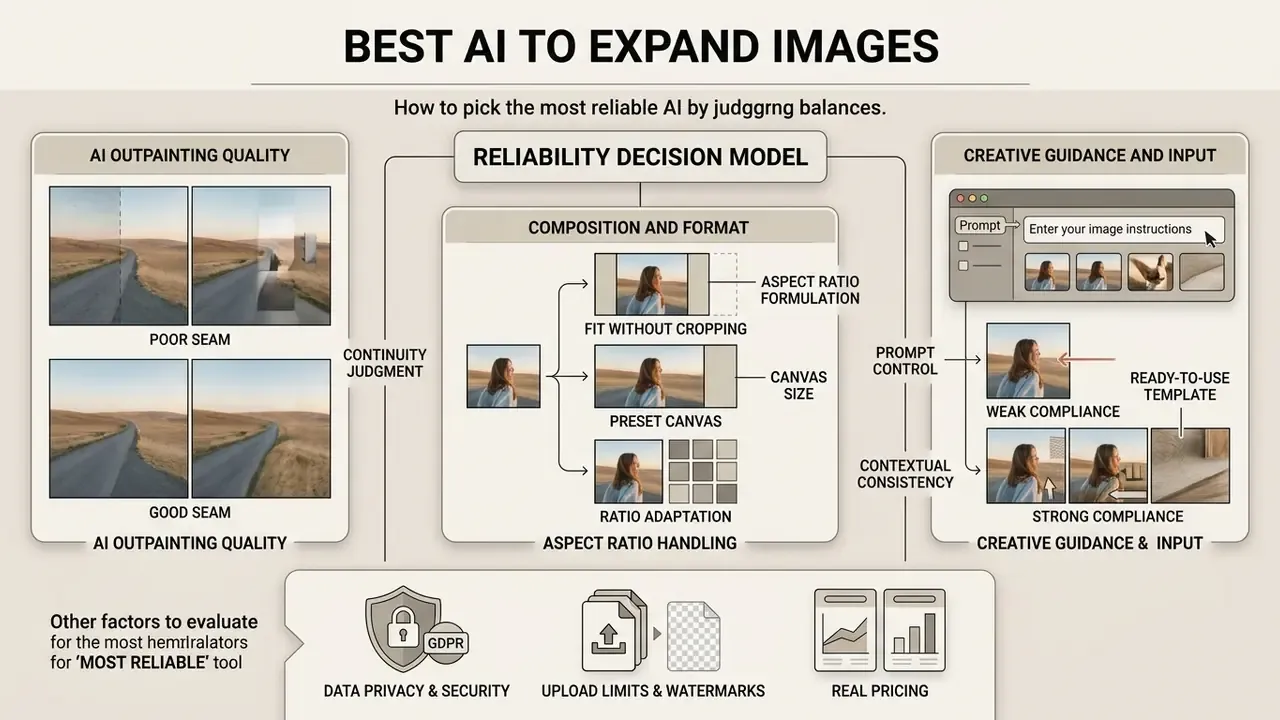
Quality of new pixels and visual consistency
«Canvas reaches 84.0% product no-defect and 47.2% overall no-defect across 996 images, versus 26.2% for GPT-Image 1.5 and 28.2% for FLUX.1 Kontext.»
Specialized models use position-query embeddings or salient-object masking to stop the model from expanding the subject itself, a defect known as «object expansion». Eshratifar et al. (CVPR Workshops, 2024) introduce an annotation-free object-expansion metric and report a 3.6× reduction in the defect while holding FID roughly constant. Peer-reviewed work also shows that consistency can be tested by re-inpainting the same region twice and measuring PSNR/SSIM/LPIPS distance between passes (Re-Inpainting Self-Consistency Evaluation, 2024), while ECCV 2022 research defines Perceptual Artifact Ratio (PAR) as the share of objectionable generated area.
In practice, evaluation means inspecting the generated seam at 100% zoom and asking whether the transition is genuinely invisible. Residual softness can usually be cleaned with an AI image enhancer pass rather than a full regeneration.
Aspect ratio, canvas size, and expansion without cropping
Changing aspect ratios without distorting the central subject requires expanding the outer canvas instead of stretching or cropping the internal frame.
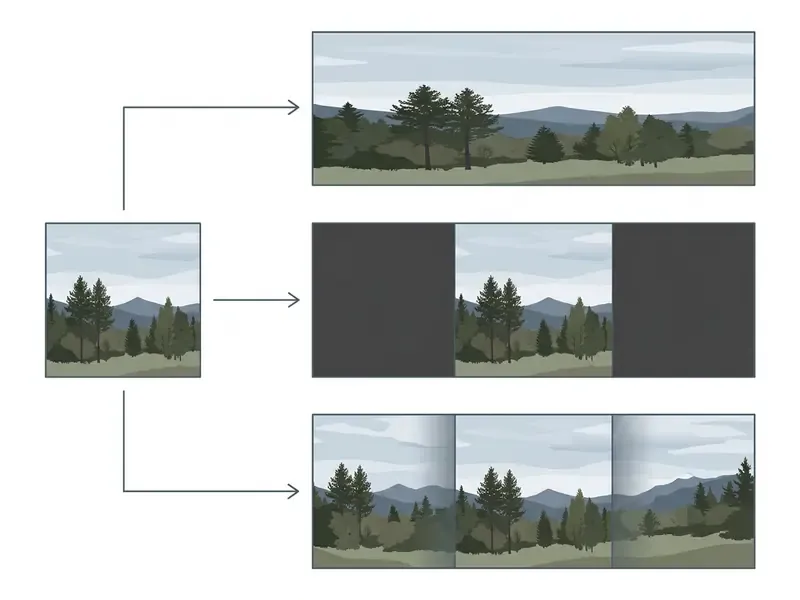
Updated formulation. In geometric resizing an image can either be fitted proportionally, which leaves padding or letterboxing, or filled edge to edge, which forces a crop or a distortion. The W3C SVG preserveAspectRatio model formalizes the trade-off: meet preserves the full image with empty space, slice preserves proportions but discards overflow. Full-frame fill and zero-crop cannot both hold. Generative AI breaks the deadlock by extending canvas size outward, placing new pixels into the empty spaces while leaving the original frame untouched.
Aspect ratio adaptation matrix by platform and task:
| Target format | Aspect ratio | Resolution (px) | Recommended expansion direction | Generation notes |
|---|---|---|---|---|
| YouTube thumbnail | 16:9 | 1280×720 (min width 640) or 1920×1080 | Horizontal (left/right) | Keep about 30% of width clear for typography; leave the bottom-right free for the duration stamp |
| Instagram Stories / Reels / TikTok | 9:16 | 1080×1920 | Vertical (up/down) | Extend sky and floor; never stretch faces |
| Instagram feed post | 1:1 / 4:5 | 1080×1080 / 1080×1350 | Evenly on all sides | Preserve central symmetry |
| Pinterest Pin | 2:3 | 1000×1500 | Vertical (upward) | Reserve the top third for the headline overlay |
| E-commerce / web hero banner | 3:1 | 1200×400 | Ultra-wide horizontal | Use a subject-protection mask; watch horizon continuity |
| LinkedIn / profile visuals | 1:1 | 1080×1080 | Symmetric | Avoid cropping shoulders or logos |
For complementary media processing utilities, you can evaluate the best video editor options for reframing motion content, or the mobile-first take in the best video editor for iPhone comparison. If you need a rough cost model for a mixed image and video pipeline, see the overview of planning calculators.
Text prompt conditioning and control of the expanded area
A text prompt lets you direct which objects, background textures or architectural elements appear in the newly generated canvas regions. Leave it blank and the model guesses.
Updated evidence base. Amazon's outpainting guidance states that the prompt should describe the whole image, including the unchanged parts, because the model replaces background rather than merely padding it. Research on spatially aware conditioning goes further:
Spatially guided architectures let you specify regional prompts, for example «add a sunlit forest to the left background», which keeps the model from hallucinating irrelevant background objects. Kandinsky's demo documentation confirms that prompts are optional, yet they remain the main lever for controlling an otherwise empty extended region.
Ready-to-use prompt templates for controlled AI outpainting:
| Scenario | Prompt | Expected generation result |
|---|---|---|
| Landscape / travel | dramatic sunset sky, fluffy clouds, volumetric lighting, wide angle, highly detailed horizon | Builds out sky and side margins without duplicating subjects |
| E-commerce / product | clean studio background, soft shadows, minimal aesthetic, neutral grey marble surface | Creates a seamless studio podium without altering the product |
| Portrait / studio | cinematic bokeh background, soft ambient office lighting, professional portrait environment | Continues blurred background while preserving shoulder and hair contours |
| Architecture | extending modern city building facade, glass windows reflecting sky, photorealistic architecture | Correctly continues geometric building lines |
| Simple ratio fix | extend the sky, blur the background, zoom out and add dramatic clouds | Minimal steering for fast social resizing |
| Negative guardrails | no people, no text, no logos, no additional products, no duplicated objects | Suppresses hallucinated extra subjects in wide expansions |
Counter-example: a vague prompt such as nice background on a 3:1 expansion usually returns tiled texture repeats and a second, ghosted copy of the main subject, the classic object-expansion failure. Name the environment, the light direction, and what must not appear. For prompt-heavy creative projects, compare interfaces across the best AI art generators.
Data privacy, security, and GDPR
When you choose an online image extender, the retention policy matters as much as output quality. Especially for unreleased product shots, client portraits or internal brand assets.
- Encryption in transit: uploads should travel strictly over HTTPS with modern TLS. Monica AI states that «all transmissions are encrypted via HTTPS; images are temporarily stored only during processing and immediately deleted from our servers afterwards.»
- Retention windows: cloud services typically keep files from minutes to 24 hours before automatic, non-recoverable deletion. Fotor publishes both a 24-hour and a one-hour figure in different FAQ answers, so the conservative planning assumption is «deleted automatically within 24 hours».
- GDPR posture: vendors serving EU users should state compliance with GDPR-class data-protection standards and avoid third-party data sharing. Monica AI documents this explicitly.
- No-training guarantees: enterprise-grade platforms (Adobe Firefly, Google Vertex AI) commit that customer images are not used to retrain public models. Self-hosted SDXL removes third-party exposure entirely, which is the usual answer for regulated data.
- Governance checklist: Hong Kong's 2026 Generative AI Technical and Application Guideline recommends disclosing evaluation metrics and reviewing test results regularly, while the U.S. Department of Energy's 2024 Generative AI Reference Guide cites NIST's «Valid and Reliable» trait, meaning the system performs as required, without failure, under defined conditions. Both map neatly onto vendor due diligence for outpainting tools.
- Practical rule for compliance teams: classify assets first. Public marketing imagery can go to any reputable SaaS; identifiable persons, medical images or pre-launch products belong in a self-hosted or contractually covered enterprise pipeline.
One small operational habit is worth more than a policy binder here: log which tool touched which asset. When someone asks nine months later whether a synthetic background went into a regulated disclosure, you will want that record.
Free vs paid AI image extender: what you get without paying
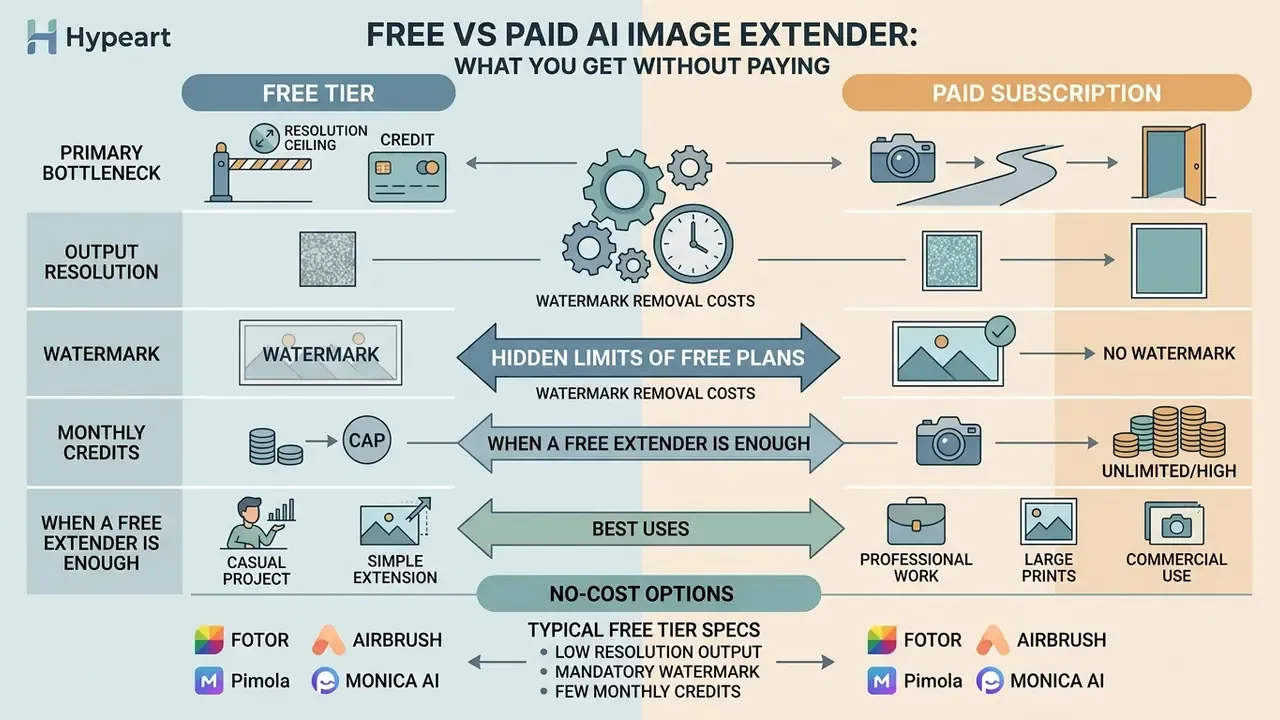
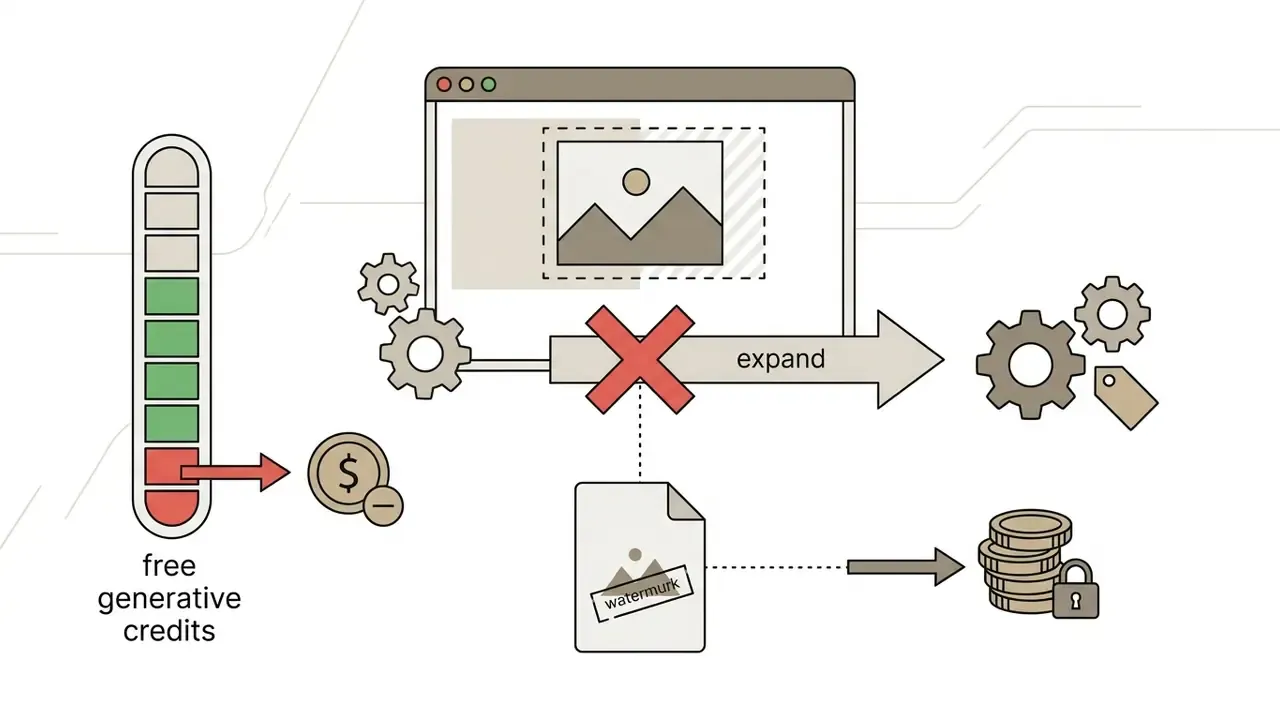
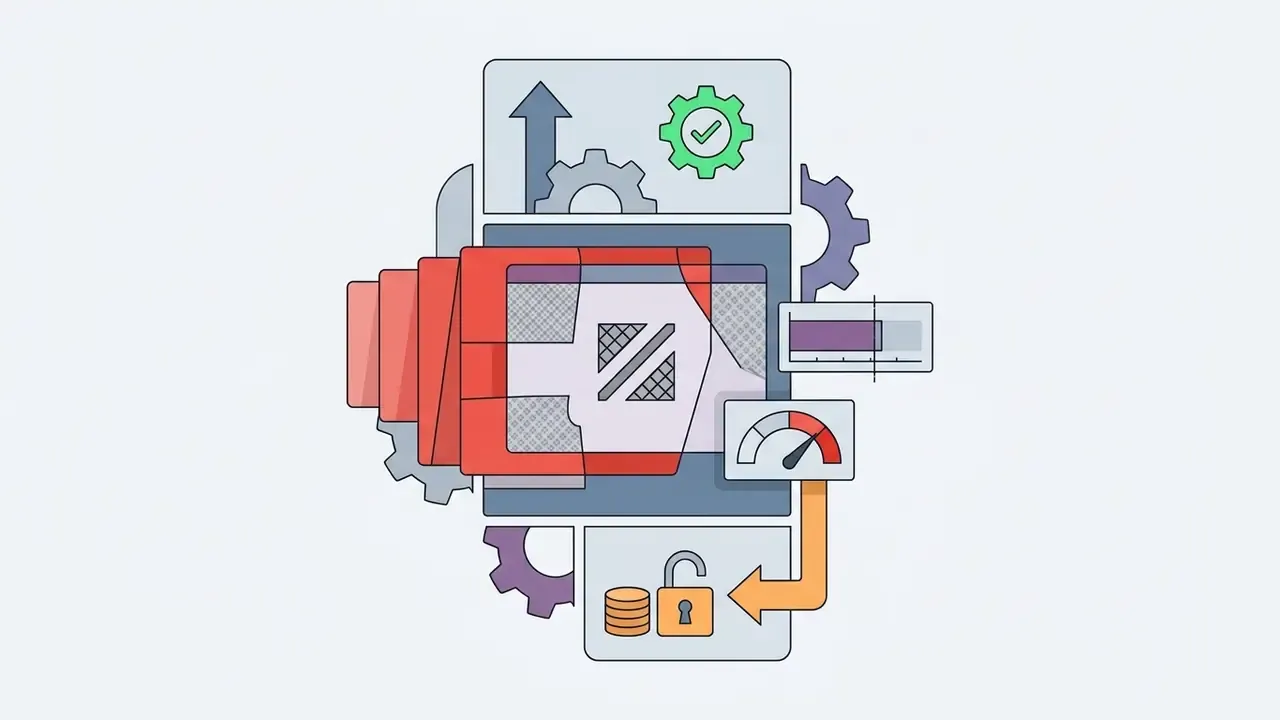
Comparing a free tier against a paid subscription means finding the specific bottleneck: output resolution ceiling, watermark, or monthly credit cap. Usually it is one of the three.
When a free AI image extender is enough
Free ai outpainting tools are genuinely adequate for quick personal photo edits, basic social media resizing and casual creative experimentation.
If your project involves personal visual assets or simple social drafts, free ai image tools cover it without financial commitment. To compare zero-cost creative options, explore the best free ai art generator breakdown, or the reference notes on free photo editors and their export restrictions.


When you need a paid service or advanced AI
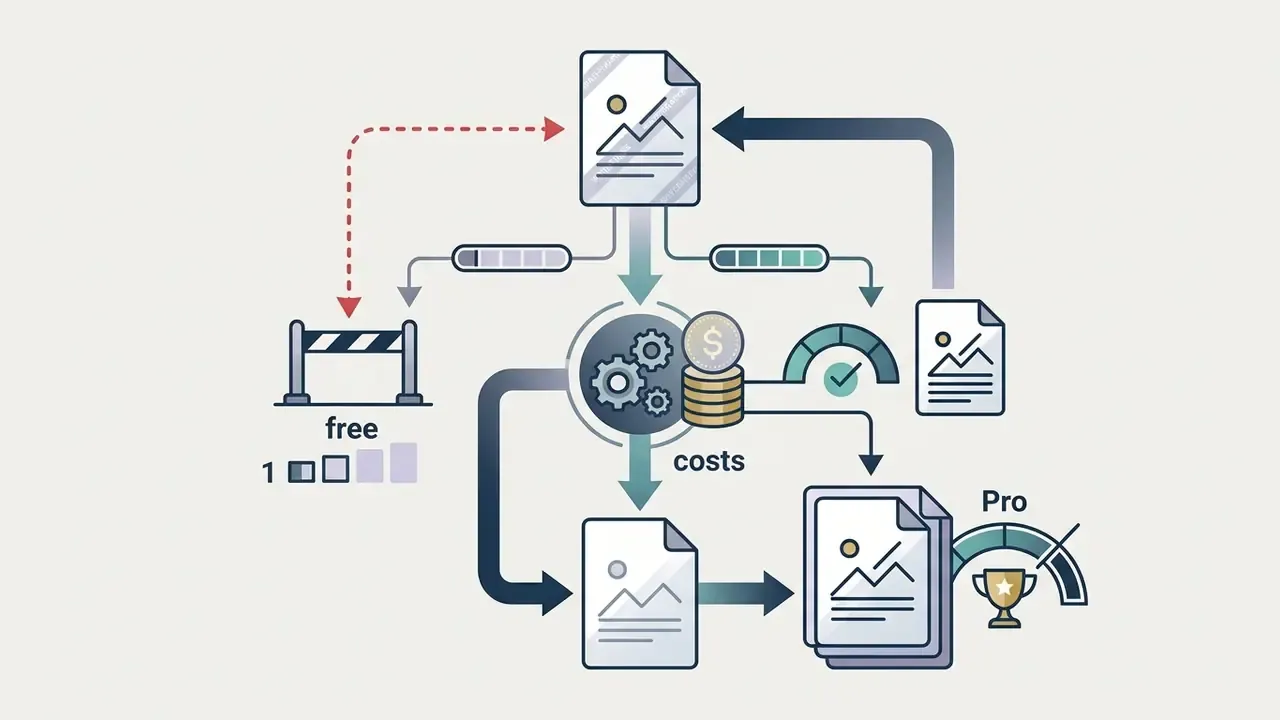
Commercial content production, high-resolution print graphics and professional catalog editing need paid subscriptions or API credit allocations. No way around it at volume.
- Commercial requirements high quality exports (up to 4K or 8K), batch processing, watermark removal and explicit commercial usage rights. Updated formulation: stock-style platforms tie all three together, since licensing an asset is what removes the watermark and unlocks delivery at the highest available resolution, commonly documented up to 8K alongside SVG export and upscaling. Read the current plan terms of the specific vendor rather than assuming parity across tools.
- Enterprise features dedicated fine-tuned models, SOC 2 compliance, no-training guarantees, custom API integrations and SLA-backed generation speeds.
- Trigger to upgrade hitting a resolution ceiling, exhausting monthly credits, seeing seam blur on high-DPI assets, or needing bulk canvas expansion across an enterprise catalog.
- Cost modelling subscription tools charge per month regardless of output count; API tools (Vertex AI, Freepik, Runware, Deep Image) charge per generation, which is usually cheaper below a few hundred images and more expensive above that. Self-hosted SDXL converts the cost into GPU time plus engineering maintenance, which is a real line item, not a rounding error.
Best use cases for an AI photo expander
AI image expansion solves composition and layout constraints across digital publishing, e-commerce merchandising and historical photo restoration.
AI expansion for product photos and marketing visuals
E-commerce listings need uniform product photo aspect ratios, typically 1:1 or 4:5, across diverse marketplace channels.

In a commercial deployment studied by Pinterest, specialized background outpainting models (Pinterest Canvas) produced an 18.0% engagement lift for background enhancement and a 12.5% engagement lift for aspect-ratio outpainting in live platform A/B tests.
«Background enhancement produced an 18.0% engagement lift and aspect-ratio outpainting a 12.5% engagement lift in online A/B tests with real users.»
Preserving the product's exact boundaries while adding contextual studio background pixels prevents customer confusion about product specifications. That is not a cosmetic point; it is a returns-and-claims point. Best practice from vendor workflows is consistent: set the target ratio first, mask only the blank area plus a narrow overlap into the real image, keep logos and readable text outside the mask, expand in small increments rather than one large jump, then inspect seams, shadows and repeated texture at 100% zoom. Teams exploring adjacent transformations can review image-to-image generators for style and scene variants.
Processing order: remove the background before or after expanding the frame?
- Option A, remove background after generation (recommended). Expand the complete original photo so the model can read real lighting and shadow falloff around the object. Once outpainting is finished, cut out or replace the background as a single layer with a background remover. This produces the most physically plausible contact shadows.
- Option B, expand a cut-out PNG with a transparent background. If you must start from an isolated object, supply an explicit environment prompt, for example
place product on wooden table, soft daylight from the left. Without a prompt, the generative block invents arbitrary textures along the transparent edges. SDXL pipelines additionally require flattening transparency to a solid fill before generation.
- Either way
- expand the canvas to the final print or layout dimensions first, then upscale for resolution. In that order the model has more real image to reference.
Uncropping old, family, and portrait photographs
Restoring old photos and family archives often means recovering composition space lost to physical damage or awkward framing at the moment of the shot.
Uncropping algorithms fill in missing details such as extended skies, cropped limbs or incomplete architectural backdrops, without touching the subjects' facial features. Diffusion-based recovery generalizes surprisingly well, even in demanding technical domains:
How to expand images with AI: step-by-step workflow
Getting high initial output quality from AI canvas extension is mostly about following the same order every time.
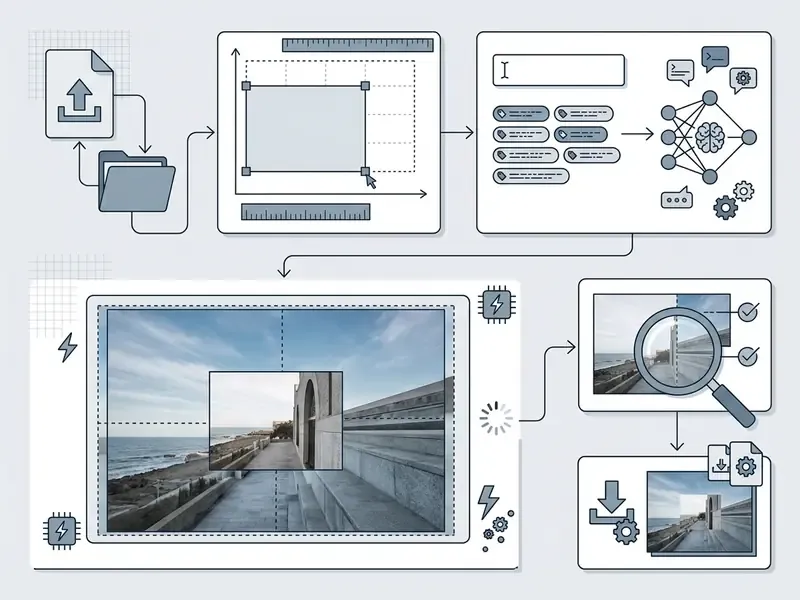
Follow that sequence and you waste fewer credits, which matters once a team is producing hundreds of assets a month. For broader automation options across marketing stacks, evaluate available commercial use ai tools resources.
- Upload the source image
- pick a high-resolution, uncompressed file (PNG or a clean JPEG) under the platform's size cap and center it in the workspace canvas.
- Define canvas size and aspect ratio
- choose the target dimensions (16:9, 9:16, 1:1, 3:1 or custom pixel bounds) and position the source image to set the expansion direction. Avoid exceeding roughly 200% of the original area in one pass.
- Configure the text prompt (optional)
- describe the background elements, lighting style and environmental textures you want, add negative guardrails, or leave it blank for automatic context fill.
- Execute generation
- run outpainting with an appropriate model checkpoint, 30 to 35 sampling steps for mask-based APIs, and mask feathering of 5 to 10 px. If the first attempt returns repetitive or offset edges, just click generate again. Outpainting results vary between runs on the same input.
- Inspect seams and download
- review the transition region at 100% zoom for artifacts or texture duplication, then export at full resolution rather than the preview size.
Preparing the source image before AI outpainting
Pre-processing the input file prevents edge artifacts and improves the model's context recognition.
- Resolution alignment: input images should ideally match the native resolution the model expects, for example 1024×1024 for SDXL-based outpainters (Hugging Face Diffusers Guide, 2026). Architecture research shows that resolution flexibility is improving quickly:
Spend two minutes on file prep and the model receives clean spatial context for everything downstream.
- Border cleaning
- crop out thin white borders, watermarks or compression halos along the outer edges before expansion. Models read edge artifacts as context and will happily replicate them across the new canvas.
- Mask feathering
- apply a 5 to 10 pixel mask expansion (
grow_mask_by) at the transition boundary for smoother blending between real and generated pixels (ComfyUI Inpainting Documentation, 2026). - Transparency handling
- replace alpha regions with a solid fill before SDXL outpainting.
- Coarse-to-fine order
- NIST research on image inpainting describes filling at the coarsest downsampled level, then upsampling and repeating until the original resolution is restored. Same logic behind «expand first, upscale second».
Verifying the result without losing quality
Post-generation QA means inspecting boundary lines, checking texture patterns and verifying subject fidelity. Skipping it is how defective assets reach a campaign.
Checklist0 / 7
An enterprise design lead once had to adapt 500 catalog images for a wide-screen display network. A standardized QA protocol, seam inspection at 100% zoom plus a secondary sharpening pass, caught 15 defective outputs before launch. Fifteen out of five hundred sounds small until one of them is the hero frame.
If minor seam artifacts or slight blur show up along the generated edge, running the expanded image through an AI image enhancer or upscaler cleans fine detail without changing scene geometry. Perceptual super-resolution research frames the acceptance criteria as fidelity preservation, detail enhancement and smoothness, with the result matching the input's general appearance and avoiding unnatural high-frequency artifacts (Visual-Quality Optimizing Super Resolution, Peking University / CIG, 2009, https://web.cecs.pdx.edu/~fliu/papers/jcgf09.pdf), while the ICCV 2025 VQualA challenge targets generated-content defects such as checkerboard patterns and texture degeneration. To inspect specialized software for media size optimization, review the best video compressor selection.
Where AI outpainting still fails
Honest limits matter more than marketing claims when you are planning a production workflow.
- Full-body anatomy extending a portrait downward to reveal legs or hands regularly produces distorted limbs, extra fingers or mismatched shoe geometry.
- Legible text and signage generated storefront signs, packaging copy and logos are usually nonsense. Keep readable text outside the mask.
- Hard, directional lighting crisp shadows are harder to continue than soft studio light, so expect seam mismatch on high-contrast scenes.
- Complex structured scenes crowds, dense architecture, repeating tile patterns and reflective surfaces raise artifact risk. Peer-reviewed outpainting work reports weaker results when opposite-edge context differs or the scene is complex.
- Very large expansions Google Cloud warns about distortion once expansion reaches 200% or more of the original size. Expand in stages, or reshoot.
- Re-expansion each additional pass compounds generative error and softens previously generated seams.
- «Restoration» is reconstruction outpainting invents plausible pixels, it never recovers the information a crop removed. For evidentiary, archival or medical use, document that the added area is synthetic.
That last bullet is the one governance reviewers care about most. Label synthetic regions, keep the original, and the conversation stays short.
FAQ: frequently asked questions about AI image extenders
Is AI image extension the same as an image upscaler?
No. AI image extension (outpainting) and AI image upscaling do fundamentally different jobs. An AI image extender creates new visual content outside the original frame, expanding the canvas and changing the composition's aspect ratio (Google Cloud Imagen Documentation, 2026). An AI image upscaler, sometimes marketed as an image enlarger, increases resolution and pixel density of an existing image without altering its borders or adding new scene elements (CVPR/NTIRE super-resolution literature defines the task as upscaling 720p or 1080p inputs to 4K). Outpainting generates missing environment pixels; upscaling sharpens the pixels you already have. Many professional workflows use both: extend the canvas first with an ai image extender, then upscale the composite file for final high-resolution export.
What file formats and sizes can I upload?
JPG/JPEG and PNG are accepted virtually everywhere. TIFF and GIF (first frame) are supported by some tools such as YouCam, and WebP works in several newer web editors. Most browser services cap uploads around 10 MB, Pixelcut accepts up to 25 MB, and Google Vertex AI enforces a 10 MB limit with a mask matching the source dimensions. Self-hosted SDXL has no vendor cap on file size, only VRAM.
Can I control what the AI generates in the expanded area with a text prompt?
It depends on the tool. Fotor, Freepik, Monica, Firefly, Vertex AI Imagen and Stable Diffusion all accept prompts. Some automatic extenders, YouCam among them, deliberately continue the existing scene with no prompt field at all. Use the prompt template matrix above and include negative guardrails such as no people, no text, no duplicated objects.
Can I use AI-expanded images commercially without copyright risk?
Commercial use depends on the vendor's license, not on the technology. Paid or licensed exports typically remove watermarks and grant commercial rights; free tiers often do not. Keep the original source file, confirm you hold rights to the input photo, and check whether the vendor's terms permit commercial distribution and whether they retain any license over your outputs. See the commercial use guidance for terms-by-vendor detail. General information, not legal advice.
How does spatial masking prevent subject distortion?
Mask-based outpainting restricts generation to pixels outside the protected region, so the model can only write into the new canvas. A 5 to 10 px feathered overlap (grow_mask_by) blends the boundary, while salient-object masking flags the subject so the model does not continue it outward. That is the mechanism behind the 3.6× reduction in object expansion reported by Eshratifar et al. (CVPR Workshops, 2024).
Should I remove the background before or after expanding?
After, in most cases. Expanding the full photo first lets the model read real lighting and shadows. If all you have is a transparent PNG, supply an explicit environment prompt and flatten the alpha channel to a solid fill before generation.
Do expanded images have watermarks?
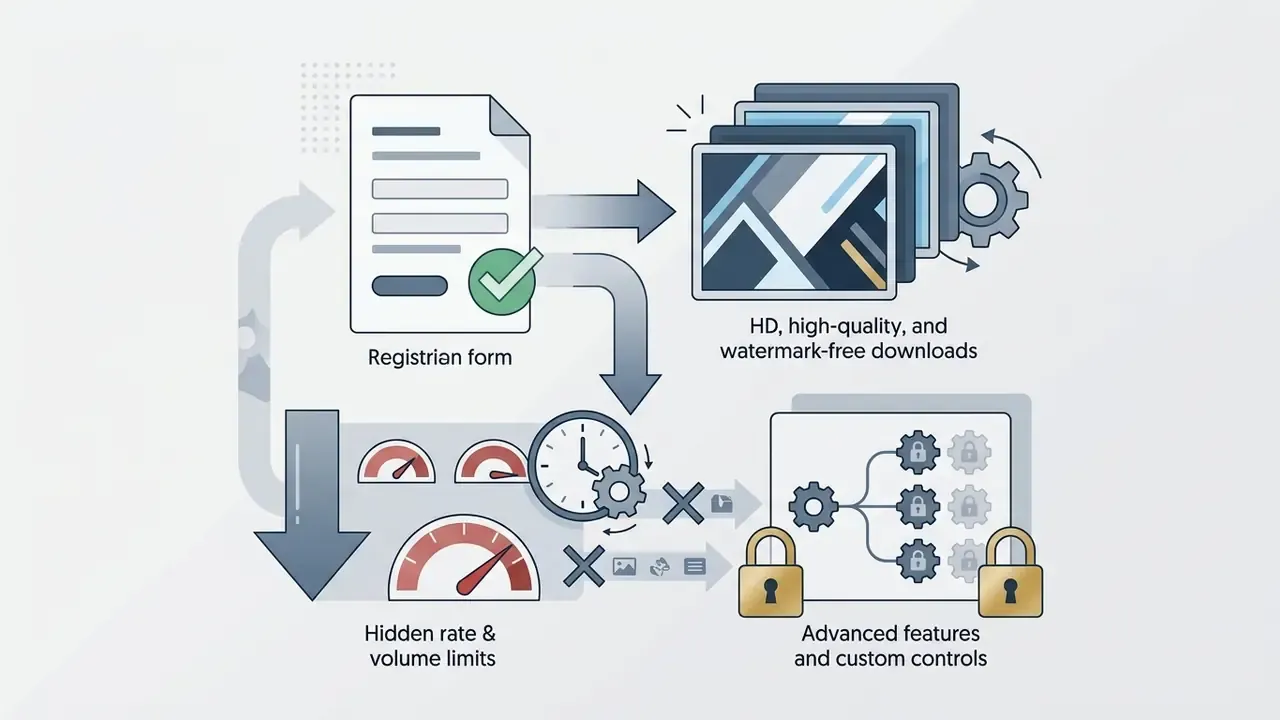
It varies by vendor. Monica delivers HD watermark-free downloads on its free trial after registration; Fotor advertises no watermarks on free trial generations; Airbrush watermarks free downloads and charges $0.80 per clean image; Neural.love watermarks free outputs; Canva requires a paid plan for the feature entirely.
Can I uncrop a photo on my phone?
Yes. Monica, Pixelcut, Fotor and Firefly all run in a mobile browser with no app install. Lock screen rotation, pinch-to-zoom before dragging canvas handles, and download the full-resolution file rather than the preview.
Are my uploads private?
Reputable services encrypt uploads over HTTPS and delete files automatically. Monica states immediate deletion after processing; Fotor publishes a 24-hour window in one place and one hour in another. For regulated or pre-launch assets, prefer enterprise platforms with documented no-training policies, or run SDXL locally. To evaluate alternative generation platforms, explore the alternatives hub, or compare competing generator workflows in the see the overview section. If you need to assess zero-cost image creation capabilities, view the free ai image tool overview.
Appendix A: citation revision log
For transparency, the following earlier source attributions were superseded during the 2026 update because they lacked authors, publication identifiers or measurable data. The superseded wording stays here; the main text now carries the verified replacements.
- CVPR InOut Evaluation Benchmark (no year, authors or URL), replaced in the evaluation section by Yang et al., VIP, ACCV 2024 (FID 10.717 on Scenery). The InOut line of work (CVPR 2022) remains valid as an older baseline that pairs FID and LPIPS with a user study.
- IEEE Review of Deep Learning-Based Image Inpainting, 2024, replaced by ByteEdit (2024) with quantified quality and consistency gains. The original review's qualitative artifact taxonomy (blur, repeated patterns, structural discontinuity, color mismatch) is retained descriptively in the text.
- IEEE Transactions on Pattern Analysis and Machine Intelligence, 2024, replaced by the Pinterest Canvas defect-rate audit (arXiv 2026).
- AWS Nova Prompting Guide, 2026, retained only for its operational instruction («describe the whole image»), with quantified prompt-control evidence now sourced from VIP (ACCV 2024, FID 3.010 on WikiArt).
- Pixelcut Documentation, 2026 and Adobe Stock / Express Licensing Terms, 2026, retained as vendor terms with an explicit note that plan limits change and must be re-verified. Vendor documentation is not an independent source.
- YouTube Creator Guidelines, retained for thumbnail specifications (1280×720, 16:9, 640 px minimum width, bottom-right safe area). The click-through-rate claim is now presented as a legibility convention rather than a studied effect.
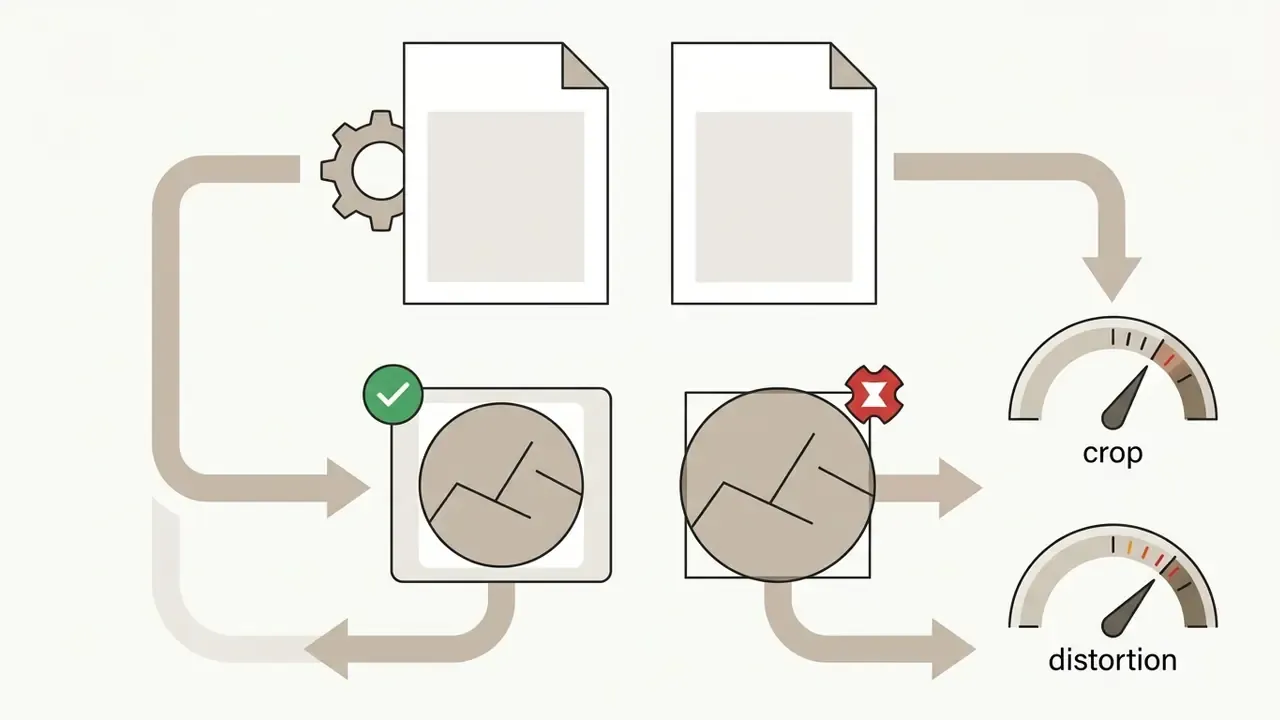
preserveAspectRatio behaviour (meet versus slice), which illustrates the crop-versus-distortion trade-off but is not an image-quality study.About this review
What to re-verify before you buy
Vendor pricing, upload limits and retention policies change faster than any review cycle. Before a purchase decision, re-check five things in the vendor's own documentation: current per-seat or per-generation price, monthly credit allowance, maximum export resolution, file retention window, and whether customer uploads are excluded from model training. If a vendor cannot answer the last two in writing, that is your answer.