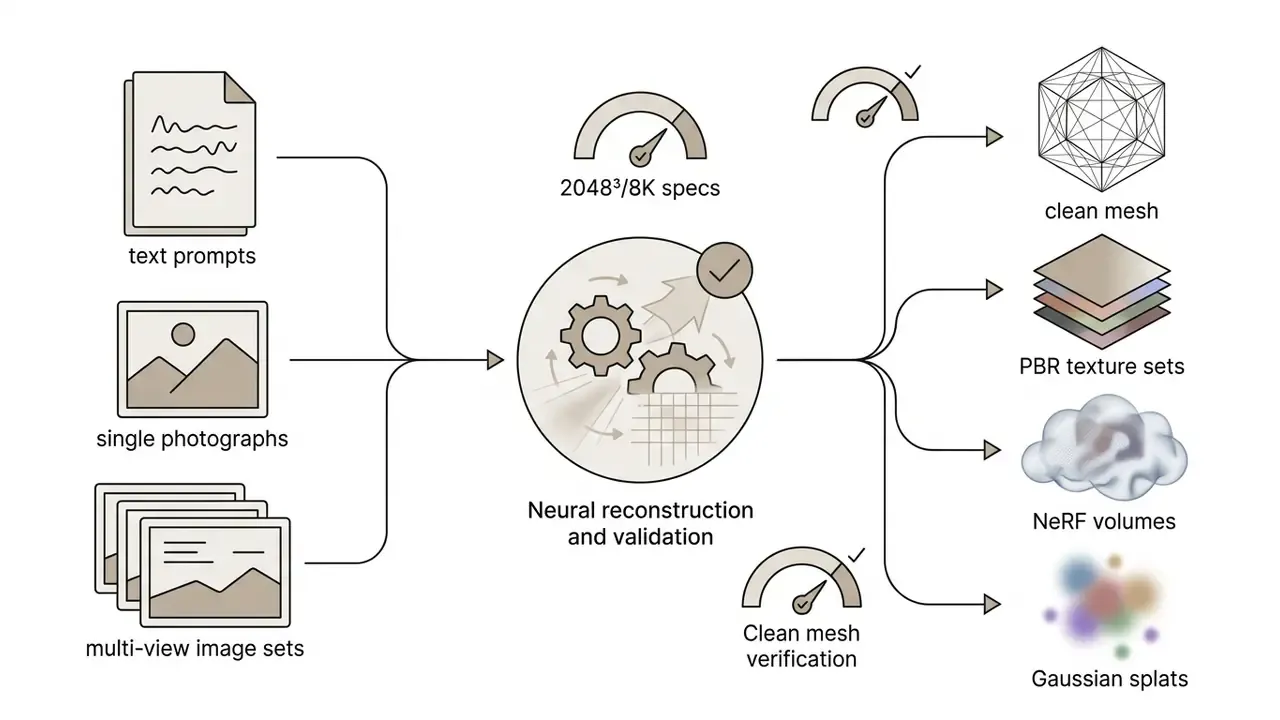
An ai 3d model generator turns natural language descriptions or 2D image inputs into fully realized three-dimensional digital assets: polygon meshes, surface textures, and volumetric spatial representations. By deploying machine learning architectures such as Score Distillation Sampling (SDS), multi-view diffusion, and feed-forward transformers, these tools automate complex spatial modeling pipelines across game development, industrial design, virtual production, and additive manufacturing.
If you are approving budget rather than moving vertices, the question is narrower: can the output be validated, licensed, and audited? That question runs through everything below.
Executive Summary
Who This Guide Is For and How to Read It
Three readers tend to land on a page about a 3d ai generator, and they want different things.
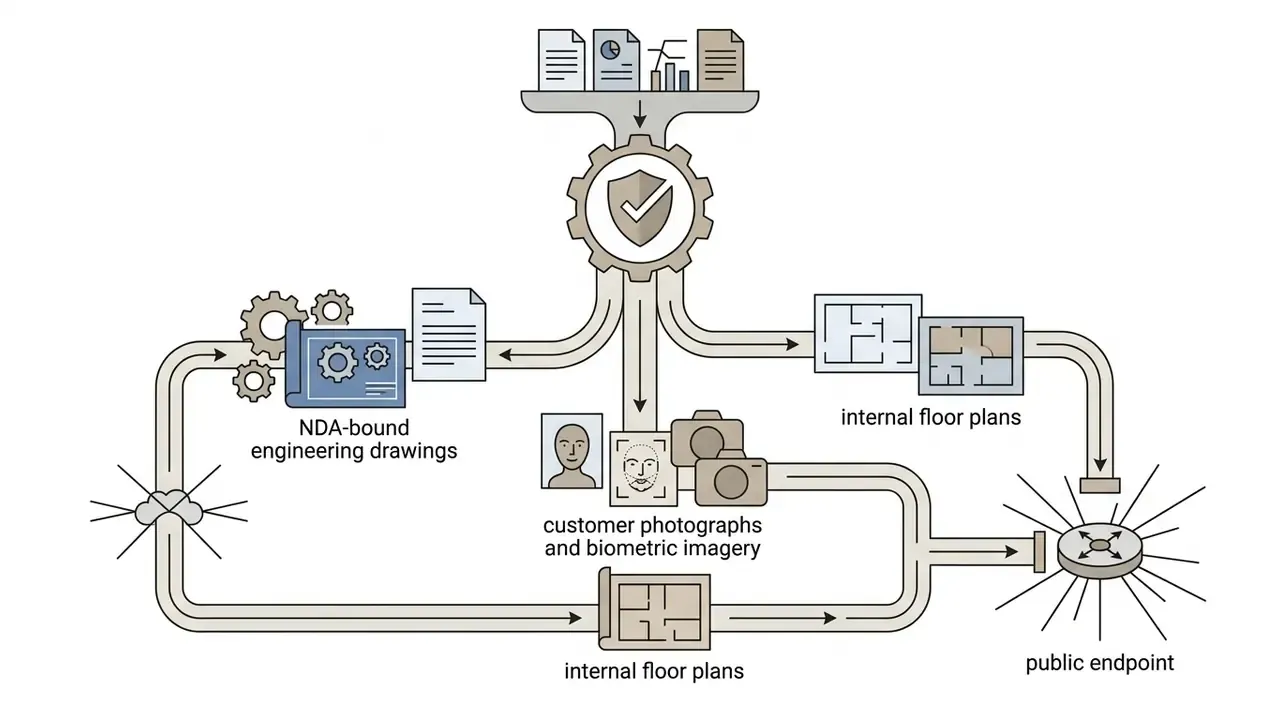
The artist wants prompt discipline, mesh quality, and export formats. The studio lead wants throughput per artist-week and fewer failed generations. The risk owner wants to know what happens when an engineer uploads an NDA-covered drawing into a free web tool at 11 p.m.
This guide serves all three, in that order of depth. Sections 1 through 5 are craft and pipeline. Section 6 is governance, security, and Shadow AI control, written for control functions rather than for creative teams. Sections 7 and 8 cover selection criteria and money, including the part vendors rarely publish: the cost of cleanup.
One caution before we start. Vendor specification sheets in this market move fast, and numbers quoted here reflect published claims as of early 2026. Verify against current documentation before you sign anything.
What an AI 3D Model Generator Is and What It Produces
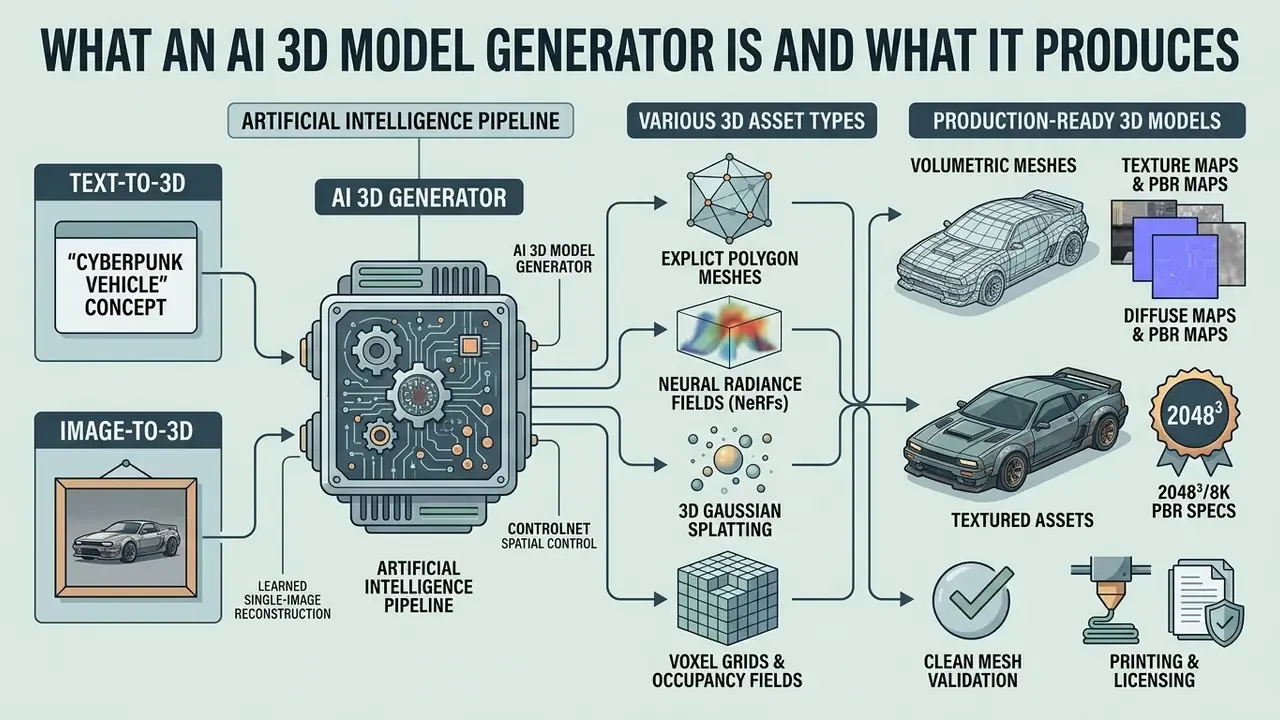
An ai 3d model generator is an artificial intelligence pipeline that converts text prompts or 2D image references into three-dimensional assets: volumetric meshes, texture maps, and spatial scene parameters. Modern 3d asset generator ai systems synthesize digital objects by predicting spatial depth, surface orientation, and occluded geometry from visual or textual inputs. These tools drastically accelerate standard 3D asset creation by replacing manual polygonal sculpting with automated neural reconstruction.
«Contemporary generators synthesize 3D objects by predicting spatial depth, surface orientation, and occluded geometry from visual or textual inputs.»
The output types produced by a 3d ai generator vary with the underlying model representation and the target workflow:
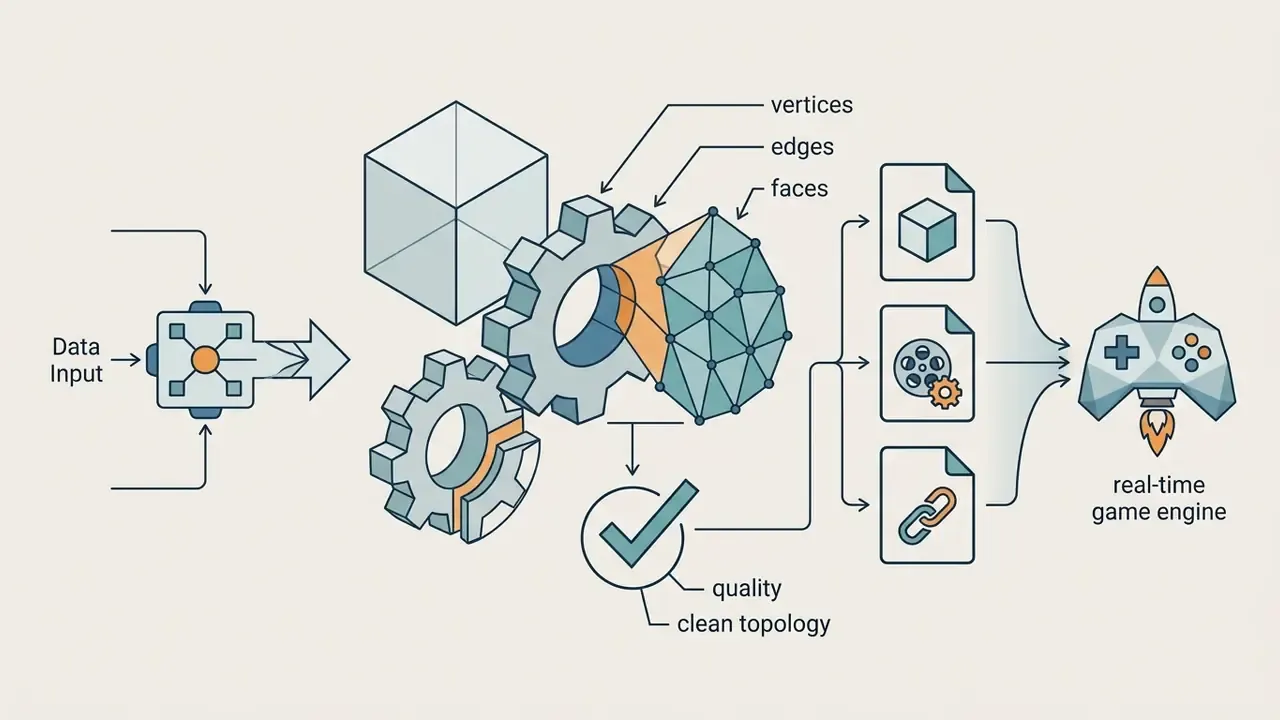


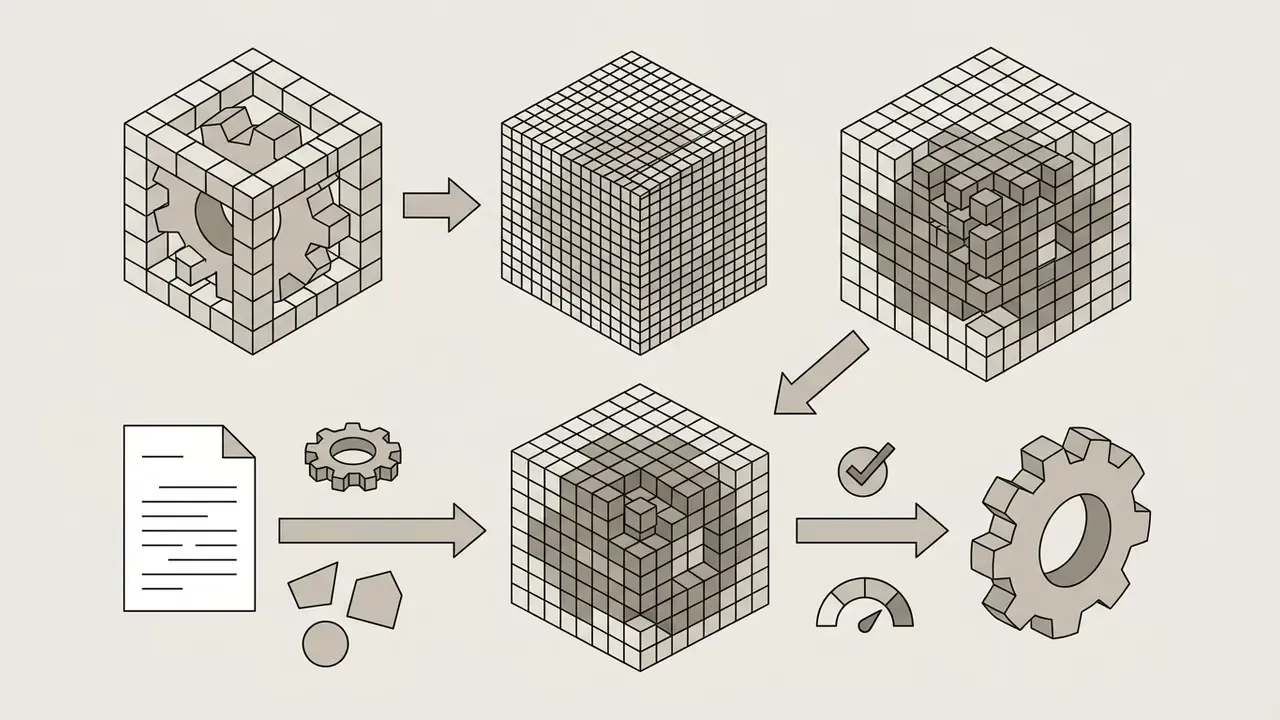
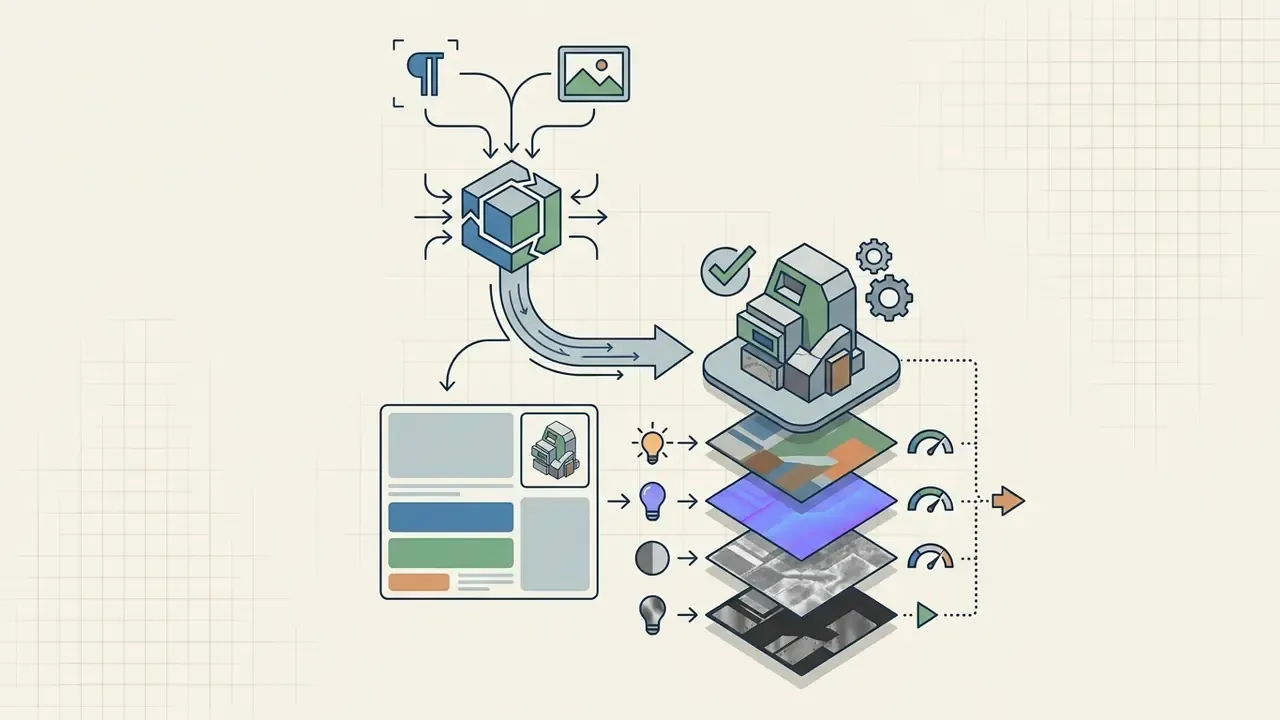
Industries use 3d models generated by AI across distinct object classes: stylized or photorealistic character avatars, hard-surface props, architectural assets, environment kits, and physical product prototypes. A 3d ai model maker aimed at e-commerce optimizes for dimensional accuracy; one aimed at concept art optimizes for silhouette appeal. Same technology, different acceptance criteria.
Text-to-3D: Generating a 3D Model from a Text Description
Text-to-3D generation synthesizes three-dimensional geometry and textures directly from descriptive natural language prompts, using score distillation sampling and 3D latent diffusion. The pipeline leverages large pre-trained text-to-image models to guide a 3D representation (a Gaussian splat or a NeRF field, typically) toward alignment with the prompt through iterative optimization. Contemporary surveys group these pipelines into three families: feed-forward generators, optimization-based SDS-driven generation, and view-reconstruction approaches.
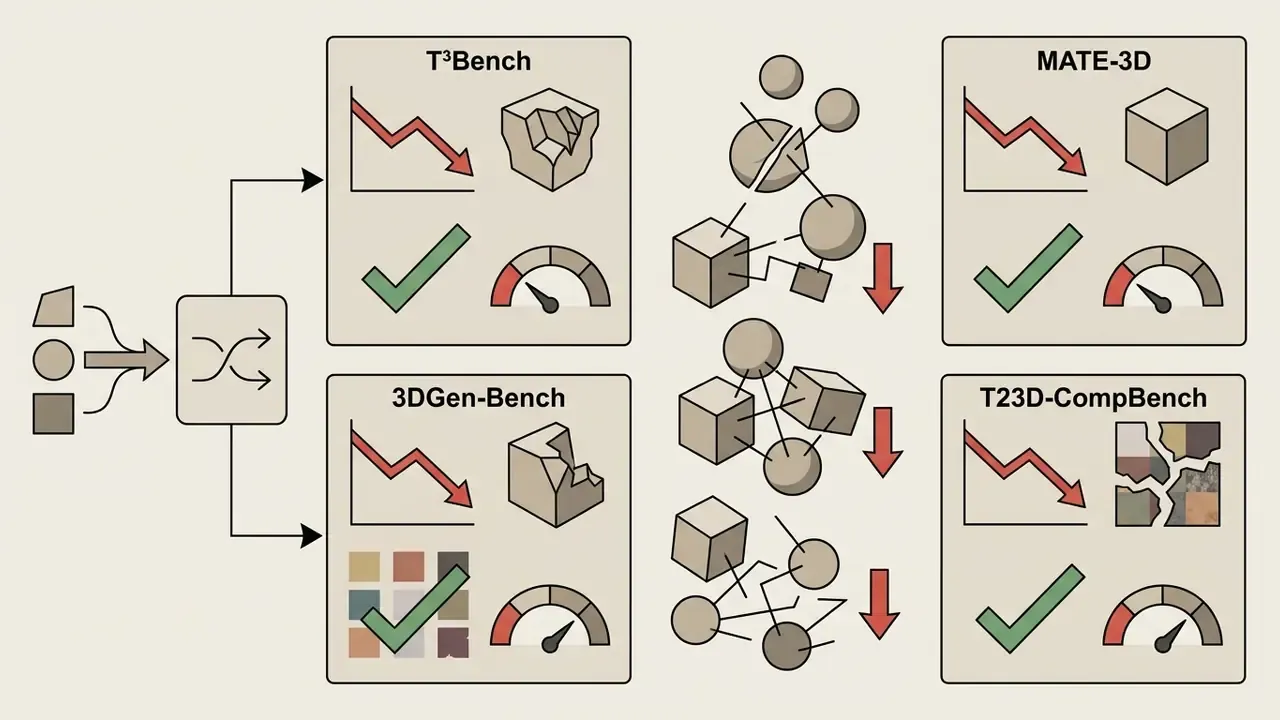
Text-to-3D methods perform with high fidelity on single isolated object descriptions, for example "a medieval wooden chest, highly detailed, PBR textures". Performance drops sharply once prompts describe multi-object compositions or intricate spatial surroundings.
«T³Bench found that all ten evaluated methods show a marked quality drop when moving from single objects to multi-object scenes.»
To get usable output, describe the core subject, specific material qualities, visual style, and lighting context, and skip the narrative. Documented failure modes in SDS pipelines include distorted meshes, over-saturated textures, objects silently missing from compound prompts, and the "Janus problem" of duplicated frontal features across views. That last one is easy to miss in a hero render and impossible to miss in a turntable.
Image-to-3D: Creating a 3D Model from an Image
Image-to-3D generation reconstructs geometry and surface textures from one or more 2D source images, using feed-forward reconstruction networks or multi-view diffusion. Models such as Large Reconstruction Models (LRM) and TripoSR infer occluded side and back views by analyzing a single frontal RGB photograph, predicting depth maps and back-projecting them into clean surface geometry. This is the mechanism behind most tools marketed as a 3d ai generator from image or a 3d ai photo generator.
«TripoSR generates an explicit 3D mesh from a single image in under 0.5 seconds, roughly an order of magnitude faster than LRM at comparable quality.»
Precise Spatial Control: ControlNet and Partial Edit
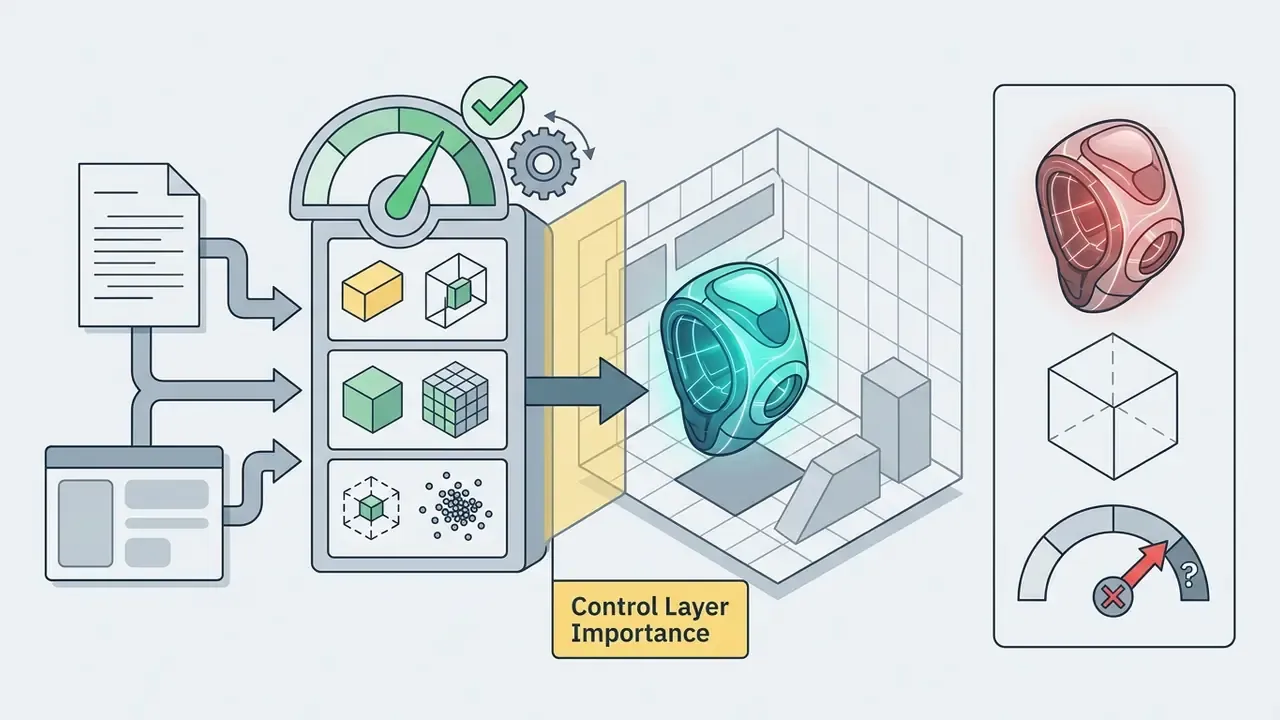
Unguided stochastic generation is the single largest source of unusable output in production pipelines. The silhouette looks plausible, but proportions, footprint, or placement inside a scene are wrong. Spatial guidance layers, collectively marketed as 3D ControlNet, constrain the generator with explicit geometric conditions instead of language alone.
- Bounding Box ControlNet. The artist defines an oriented bounding box that fixes overall dimensions, aspect ratio, and the object's footprint in the scene. The generator must synthesize geometry inside that volume, which makes generated props directly compatible with level-design grids, shelf planograms, or print-bed dimensions.
- Voxel ControlNet. A coarse voxel block-out, built in seconds in any DCC tool or sculpted in the browser, is passed as a hard structural prior. The network adds surface detail while preserving low-resolution mass distribution. It remains the most reliable way to lock proportions for characters, vehicles, and architectural elements.
- Point Cloud ControlNet. A sparse point cloud, hand-authored, LiDAR-scanned, or extracted from photogrammetry, drives the reconstruction. This is the preferred path when a real physical object must be matched dimensionally rather than stylistically.
- Partial Edit (masked local regeneration). Instead of regenerating the whole asset, the user masks a polygon region (a helmet, a handle, a logo plate) and re-runs generation or re-texturing only inside that mask. Surrounding geometry, UVs, and materials stay byte-identical, which preserves downstream rigs and material assignments.
- Smart low-poly optimization. After detail generation, an optimization pass rebuilds the asset as a cleaner low-poly mesh with smoother surfaces and a user-defined polygon budget, avoiding a separate manual decimation step.
- Multi-view guidance and free retries. Feeding calibrated front, side, and top reference sheets, combined with fixed-seed retries, turns generation from a lottery into a bounded iteration loop, commonly V1 to V4 variant sets per prompt.
Practical control matrix
| Control mechanism | What it fixes | Typical input | Best-fit scenario |
|---|---|---|---|
| Bounding Box ControlNet | Overall dimensions, footprint | 3D box / numeric extents | Scene assembly, print-bed fit, e-commerce dimensional accuracy |
| Voxel ControlNet | Mass distribution, proportions | Coarse voxel block-out | Characters, vehicles, hard-surface props |
| Point Cloud ControlNet | Metric accuracy to a real object | Sparse point cloud / scan | Digital twins, replacement parts, heritage capture |
| Partial Edit | Local detail without full regeneration | Polygon mask plus prompt | Variant families, logo swaps, damage passes |
| Fixed seed plus variants | Reproducibility of base geometry | Seed value | A/B iteration on materials and style |
| Smart low-poly | Runtime performance | Target polycount | Mobile, WebGL, VR budgets |
How to Create a 3D Model with AI: From Idea to File
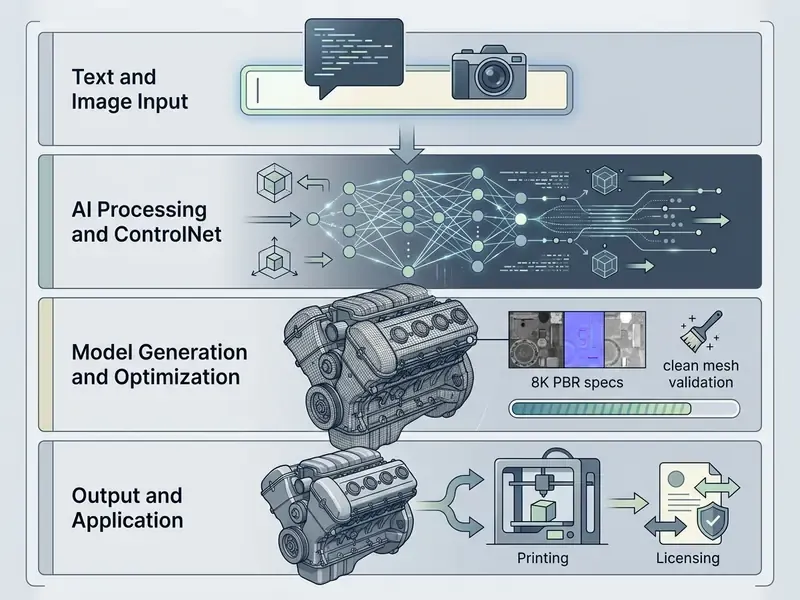
Creating a production-ready asset with a 3d file ai generator follows a standardized pipeline: concept input selection, neural shape synthesis, quality verification, target format export, and deployment.
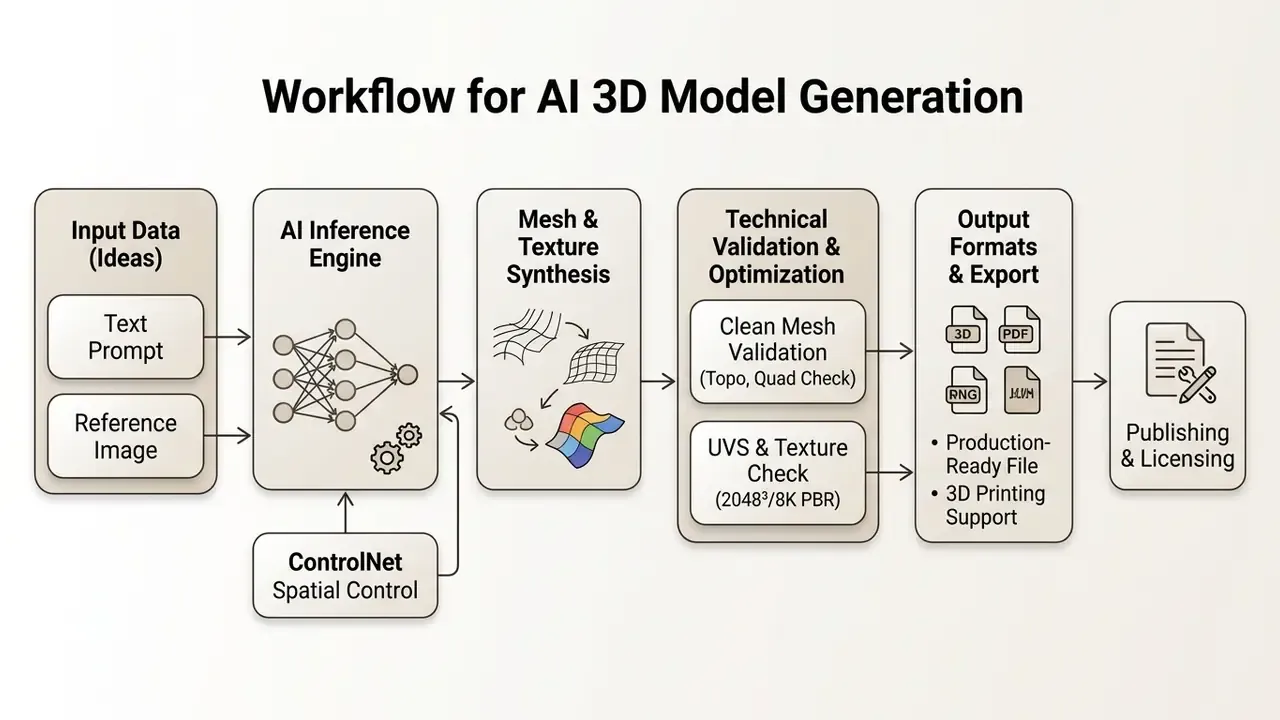
How to Prepare Text or Images for Accurate Generation
High-precision geometry depends directly on input quality. For text prompts, structured formatting prevents semantic ambiguity and spatial distortion:
«Long compound prompts containing multiple objects and attributes lower quality scores across all twelve evaluated dimensions.»
- Subject specification
- name the object explicitly, for example "gothic stone gargoyle".
- Material attributes
- define surface properties, such as "weathered granite, rough stone texture, mossy details".
- Constraint terms
- add framing constraints like "single centered object, full view visible, isolated on clean white background".
- Length discipline
- effective image-to-3D and text-to-3D prompts typically run 5 to 20 words. Narrative sentences degrade geometry.
- Reference labeling
- when several references are supplied, name and index each one and state its role (silhouette reference, material reference, layout reference), so the model does not average conflicting signals.
For image inputs, optimal reconstruction requires a high-resolution, well-lit photograph of a single subject with clear edge definition, minimal motion blur, and no background occlusion. Photogrammetric principles apply: reference photos taken at standard three-quarter front angles let feed-forward models such as LRM infer hidden volume accurately. In advanced content pipelines, teams standardize reference sets and prompt metadata using AI tools that generate images from images before starting 3D neural inference.
Generation, Variants, and Model Refinement
Once inputs are processed, the engine executes a coarse-to-fine pipeline. The network first computes an initial volumetric occupancy grid or Gaussian point cloud that establishes the global silhouette. Secondary passes refine high-frequency detail, applying algorithms such as ISOMER or Marching Cubes to extract explicit triangular meshes from implicit distance fields. Latent-diffusion pipelines such as CraftsMan extend this with continuous remeshing and differentiable rendering, optimizing vertices directly after mesh extraction.
During iteration, artists produce candidate variations by adjusting seed values while holding prompt conditions fixed. Advanced tools support interactive mesh refining: local texturing passes, hole filling, smoothing of jagged polygon boundaries, and normal recalculation, all inside the web workspace before final export. Where raw observations are corrupted by scan noise or partial capture, research pipelines project the point cloud into an atlas, inpaint missing regions with a denoising U-Net, then map the result back before mesh generation.
Worth saying plainly: the second or third generation is usually the one you keep. Budget for that.
Model Export and File Format Selection
Exporting requires converting internal implicit representations into industry-standard interchange formats tailored to specific pipelines:
- FBX (Filmbox) preserves polygon mesh geometry, UV maps, skeleton hierarchies, and animation rigging. Essential for Unity and Unreal Engine.
- OBJ legacy geometry format carrying vertex data and basic material definitions (.MTL). Universally compatible with Blender, Maya, and 3ds Max for static asset editing.
- GLTF/GLB modern, lightweight open runtime format carrying embedded PBR textures, node hierarchies, and animations. Ideal for web viewers and AR; glTF is also the 3D payload standardized for PDF RichMedia annotations in ISO/TS 32007:2024.
- USDZ Apple-standard zero-compression archive optimized for iOS augmented reality.
- PLY point-cloud and vertex-color friendly format used for scan-derived intermediates.
- STL / 3MF surface geometry formats used for 3D printing and additive manufacturing.
Export capability across platforms can be explored further in the comprehensive AI Media Comparison guide and the dedicated AI Media Commercial-Use Hub. One practical check before purchase: confirm that the format you need is available on your tier, not merely on the vendor's feature page.
How to Evaluate AI 3D Model Quality Before Use
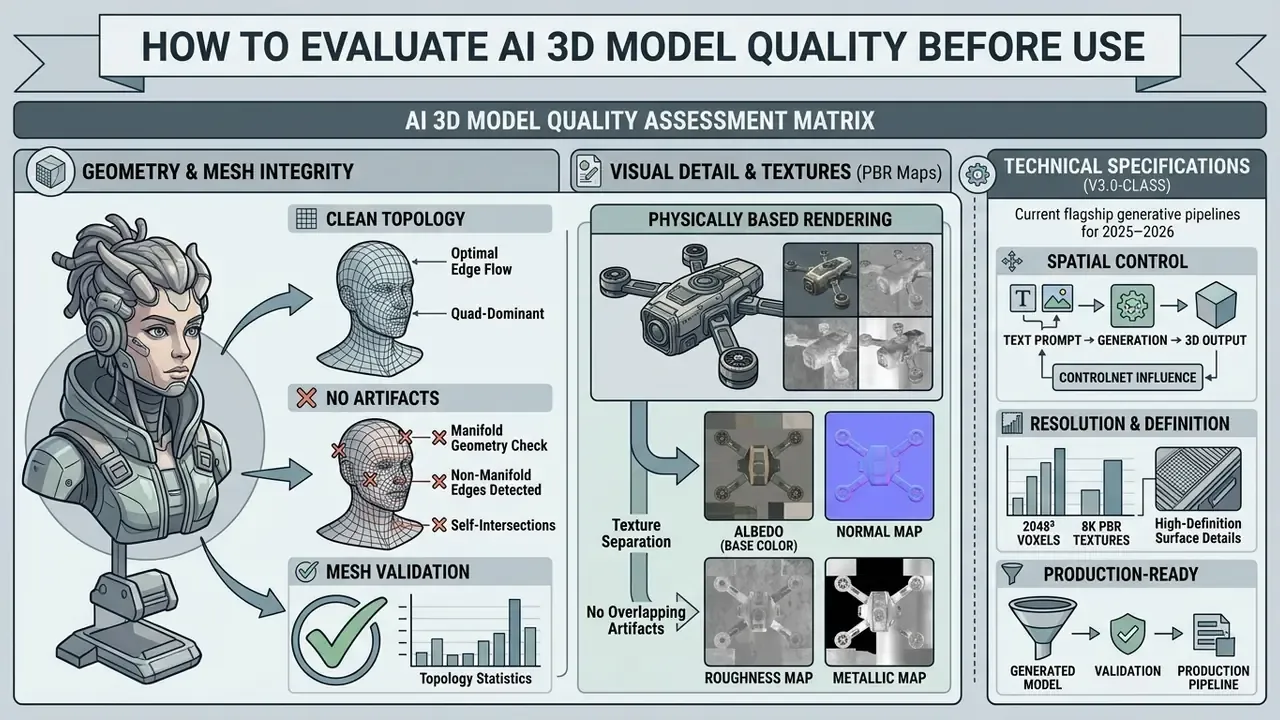
Evaluating a generated model before production integration means validating geometric integrity, texture channel separation, and topological edge flow against explicit technical criteria. Not vibes.
«Evaluating generative AI for enterprise asset pipelines requires moving beyond technical novelty to auditable geometry, deterministic risk bounds, and verifiable license rights.»
«MATE-3D collected 107,520 human annotations across four dimensions, semantic alignment, geometry quality, texture quality, and overall quality, for 1,280 textured meshes.» - MATE-3D: Multi-Attribute Text-to-3D Generation Evaluation Benchmark (2024). https://arxiv.org/abs/2412.01112
Recent benchmarks converge on the same evaluation split: prompt adherence, geometry quality, texture quality, surface quality, and multi-view consistency, scored either by trained human annotators or by vision-language judges. Older baselines collapsed this into "quality plus alignment". The 2025–2026 benchmarks deliberately split quality into finer subscales, because coarse scoring hid geometry failures behind attractive textures.
AI 3D model quality assessment matrix
| Evaluation criteria | Technical requirement / pass standard |
|---|---|
| Geometric integrity | Watertight manifold surface; zero disconnected vertices |
| Topological cleanliness | Consistent polygon face orientation; no self-crossings |
| PBR texture channels | Decoupled Albedo, Normal, Roughness, Metallic (2K or 4K) |
| Multi-view consistency | No duplicated frontal features; stable silhouette |
| Prompt or reference match | Semantic alignment score verified against the brief |
| Real-time performance | Polygon count aligned with target engine LOD budget |
| Printability | Zero holes, zero non-manifold edges, positive volume |
Geometry, Detail, and Clean Mesh
A clean mesh is defined topologically by structural coherence: zero isolated vertices, zero non-manifold edges (edges shared by more than two faces), zero overlapping face geometry, and a fully closed outer surface. Raw neural output frequently contains floating artifacts, inverted normals, or self-intersecting polygon patches. Note the definition: clean-mesh compliance is topological integrity, not a single numeric polygon threshold.
Validation means running automated mesh inspection in software such as MeshLab or Blender. Cleanup routines merge duplicate vertices within a spatial threshold, recalculate face normals outward, remove unreferenced vertices and non-manifold edges, and clip degenerate triangles so the model stays stable during physics simulation or volumetric rendering. A printability report should read: watertight = yes, holes = 0, non-manifold edges = 0, volume greater than zero.
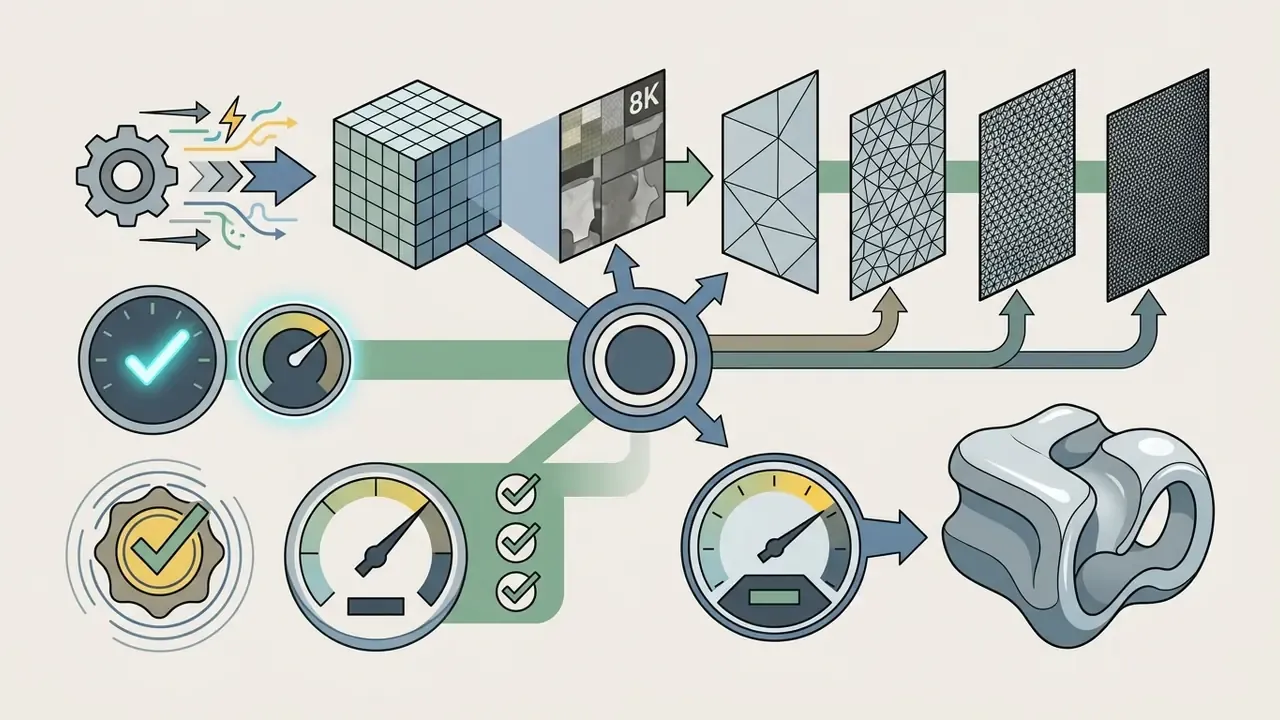
Technical specifications of current flagship generative pipelines (V3.0-class, 2025–2026):
| Parameter | Current industry range | Notes |
|---|---|---|
| Volumetric grid resolution | up to 2048³ voxels | Advertised as an industry-first ceiling; drives fine surface curvature and thin features |
| PBR texture resolution | 1K on free tiers, 2K/4K standard, 8K (8192×8192) upscale | 8K is production-oriented for hero assets and close-up renders |
| Mesh density tiers | Fast / Low-Poly roughly 5k to 10k tris; Standard 20k to 50k; Pro 100k to 200k; Ultra 200k to 500k+ | Tier choice also drives credit cost, typically on a 20 / 50 / 100 / 200 credit scale |
| Generation latency | about 4 s (extreme-low effort), 9 s, 20 s, 40 s, up to 80–180 s (extreme-high or PBR-enabled) | Untextured fast tiers finish in 5 to 30 s; high-poly plus PBR runs can reach about 3 minutes |
| Texture cost multiplier | roughly 3× mesh cost when PBR is enabled | Budget PBR passes explicitly, not as an afterthought |
Choosing a tier is an engineering decision, not a taste preference. A Fast/Low-Poly tier at 5k triangles is correct for a mobile background prop. Ultra at 2048³ with 8K maps is justified only for hero assets, cinematic renders, or high-detail resin printing. Paying Ultra rates for background rubble is how per-asset costs quietly triple.
Texture, PBR, and Visual 3D Art Quality
Good 3d ai art depends on true Physically-Based Rendering texture sets rather than flat images with baked-in lighting. A professional PBR package has four distinct maps:
- Albedo (base color)pure surface color, free from ambient shadows, directional highlights, or pre-rendered occlusion.
- Normal mapRGB surface vector map simulating fine displacement, crevices, and bumps without adding polygon overhead.
- Roughness mapgrayscale map defining light diffusion and specular blur across surface regions.
- Metallic mapbinary or grayscale map classifying surface areas as metallic (conductive) or dielectric.
Modern texturing engines add a "remove lighting" pass that strips baked illumination from the albedo channel, plus an HD pass that lifts output to 2K/4K, and 8K on premium tiers. Research implementations of text-to-texture convolutional map optimization and geometry-conditioned PBR synthesis confirm that material channels can be produced jointly with geometry rather than painted afterwards.
Visual verification means placing the textured model in a viewport under rotating HDR lighting to confirm that reflections, material transitions, and seams stay artifact-free. Inspect UV boundaries specifically: seam-adjacent stretching is the defect most likely to survive automated checks and reach a client review. Teams comparing output quality across generative media, including anyone assessing a 3d art ai generator against a 2D stack, can cross-reference criteria used for AI art and visual content generators.
Topology and Production Preparation
Meshes extracted from neural implicit fields, whether via Marching Cubes or FlexiCubes, typically show dense chaotic triangulation that is unsuited to character rigging or real-time deformation. Production preparation requires retopology: rebuilding the high-density mesh into a clean, low-poly, quad-dominant structure, described in real-time rendering literature as tracing the high-poly surface with a lower-density control mesh.
Automated retopology tools such as Autodesk 3ds Max Retopology Tools or QuadRemesher construct uniform polygon loops along natural surface contours and deformation zones (elbows, knees, facial muscles), producing consistent face spacing before conversion to editable poly.
«Topology-aware latent diffusion guided by persistent homology achieves the strongest FID in chair and table categories, delivering connectivity diversity without sacrificing quality.»
This step cuts polygon counts hard while preserving silhouette detail, which keeps real-time rendering stable in game engines. Autoregressive mesh generators such as MeshGPT push in the same direction from the generation side, producing compact meshes with sharp, artist-like edge flow rather than dense isosurface soup.
Where AI 3D Models Are Deployed
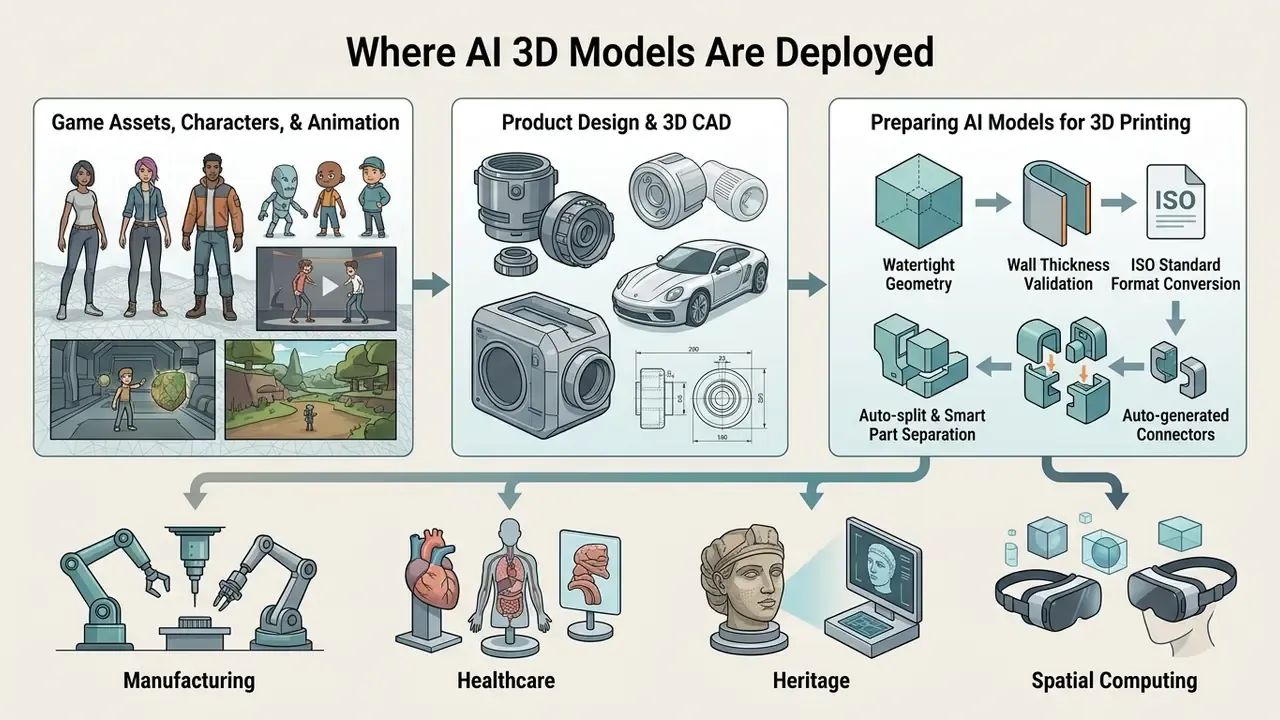
AI 3D generators serve distinct technical workflows across entertainment, manufacturing, product design, healthcare, heritage, and spatial computing. Documented professional applications include text and image-driven asset generation, CAD and generative design, medical image reconstruction and surgical planning, patient-specific implants, architectural optimization, and heritage reconstruction from laser scanning.
Deployment map by domain
| Domain | Typical tasks | Pipeline emphasis |
|---|---|---|
| GameDev and VFX | Character art, environment kits, auto-rigging, 600+ motion presets | Polygon budgets, clean topology, engine import |
| Product design | CAD ideation, rapid form prototyping, B-Rep conversion | Form studies, later parametric re-authoring |
| 3D printing | 3MF/STL export, watertight validation, auto-split | Manifold geometry, wall thickness, build volume |
| AR and e-commerce | USDZ previews, 360-degree configurators | Dimensional accuracy, file weight |
| AEC and heritage | Scan-to-mesh, client demonstrations | Metric fidelity from point clouds |
| Healthcare | Volumetric reconstruction, surgical planning | Validation rigor, regulated data handling |
Game Assets, Characters, and Animation
In game development, a 3d character ai generator enables fast concept iteration for background NPCs, environment props, and hero prototypes. Studios generate base meshes from concept sketches, remesh to fit engine polygon budgets, and apply automated UV unwrapping.
«Gen-3Diffusion synchronizes 2D and 3D diffusion models to produce realistic avatars with high-detail geometry and texture suitable for game engines.»
Automatic neural rigging now covers bipedal humanoid and quadrupedal skeletal structures. After mesh generation, the network places bone hierarchies, computes skinning weights, and exposes a motion library of 600+ presets, including walk cycles, idles, runs, jumps, attacks, and gestures, applied before export. Meshes can alternatively be transferred to external auto-rigging services such as Mixamo, or processed with research rigging frameworks (Puppeteer, presented in the NeurIPS 2025 program, which rigs and animates an existing mesh; treat it as research-stage tooling, not an SLA-backed service).
A realistic gamedev pipeline looks like this:
Compatibility targets typically include Unity, Unreal Engine, Godot, Blender, and Maya, with FBX, GLB, OBJ, and USDZ export. Production teams building interactive narrative layers alongside 3D characters often pair asset generation with an AI voice generator for dialogue and an animation maker for 2D-to-motion sequences, while teams comparing motion tooling for cinematics can review AI video generators for animation projects. For younger-audience titles, casting decisions may also involve an ai child voice toolset, which carries its own consent and disclosure questions.
Product Design and 3D CAD
Product designers and industrial engineers deploy 3d cad ai generator and 3d design ai generator tools during early concept exploration, synthesizing base spatial forms and ergonomic shells from natural language prompts.
Documented enterprise practice starts with concept inspiration rather than final CAD geometry. Autodesk research integrating text-to-image models into Fusion 360 workflows (3DALL-E, DIS 2023) generated 2D conceptual imagery to support early CAD ideation, and 2026 survey work on AI-driven generation of 3D CAD models shows the field moving from image-based inspiration toward direct script and model generation. Public-sector materials on generative AI prompt engineering for additive manufacturing likewise describe prompt-driven design workflows and curated CAD and specification datasets used to train generative design models.
«Physically compatible modeling embeds mechanical constraints directly into reconstruction, ensuring generated objects are manufacturable at generation time.»
Integrated tools such as Autodesk Fusion 360 let designers convert generative concept meshes into editable parametric boundary representations (B-Reps), accelerating drafting and reducing initial modeling overhead. The constraints remain real: generative meshes carry no feature history, no tolerances, and no GD&T annotations. They are form studies, and they must be re-authored parametrically before engineering release. Anyone selling them internally as "CAD-ready" is setting up a painful review meeting.
Preparing AI Models for 3D Printing
Preparing AI-generated models for additive manufacturing means meeting strict geometric and structural constraints:
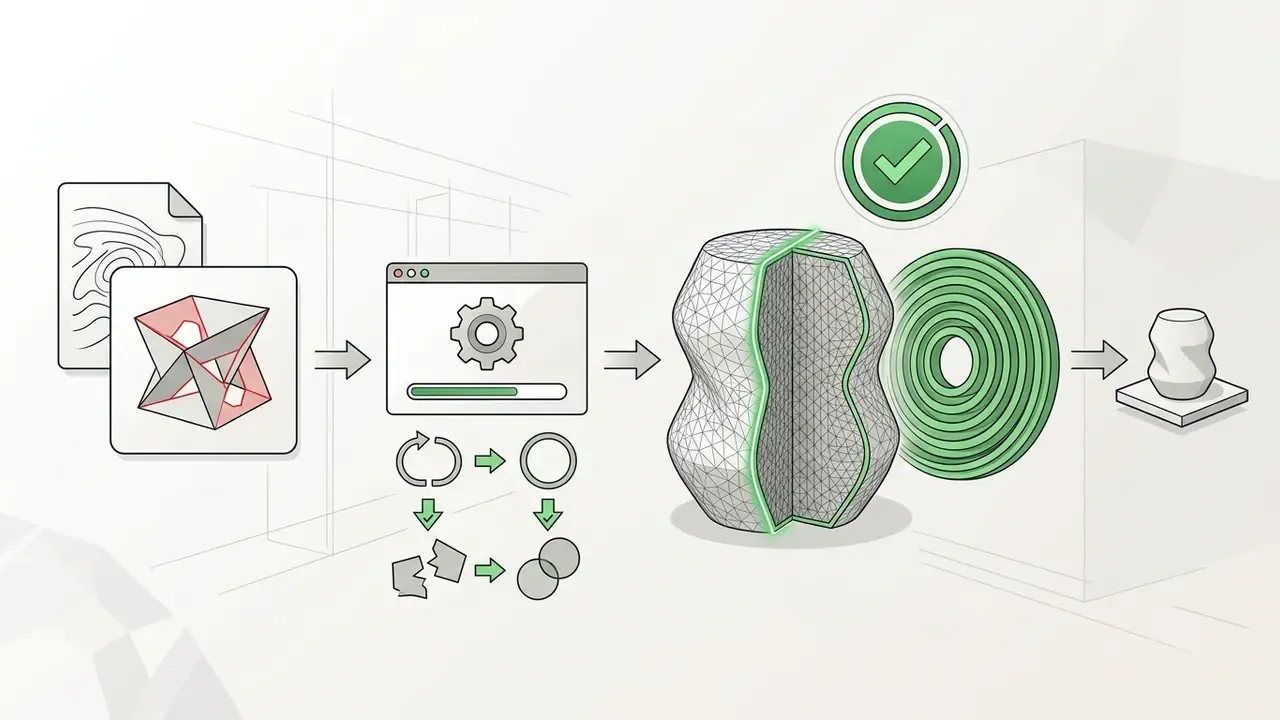

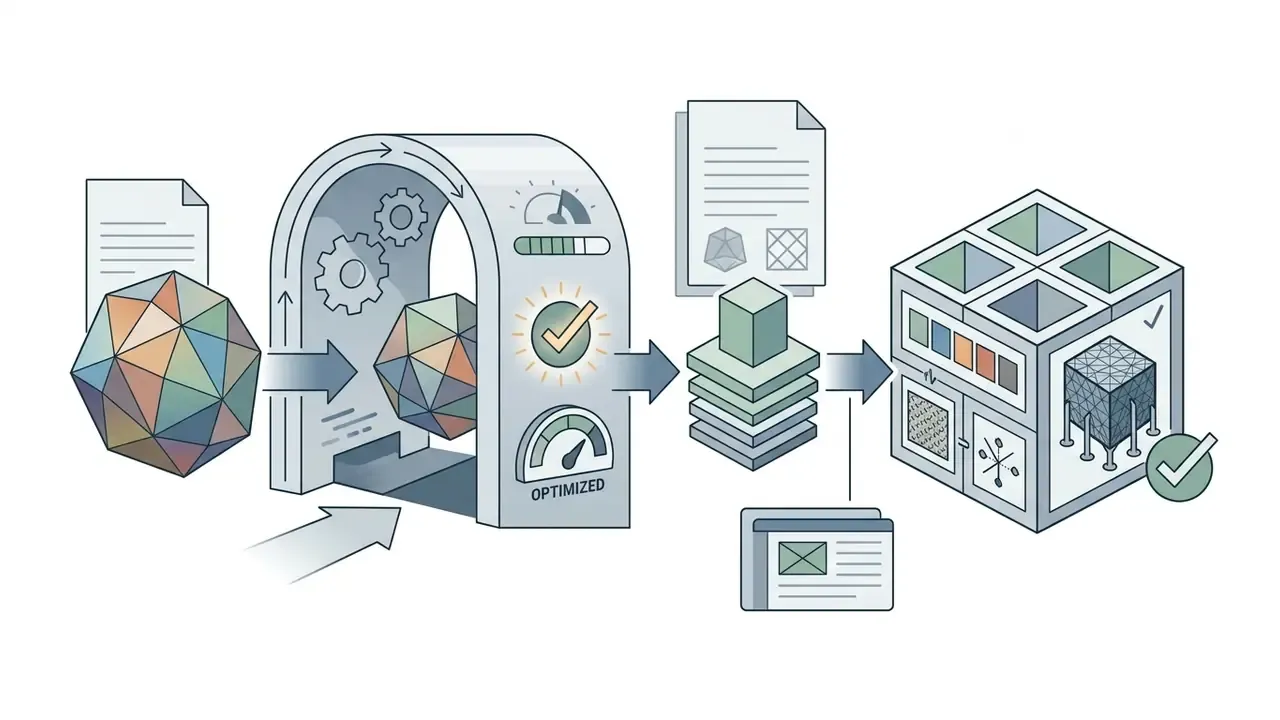
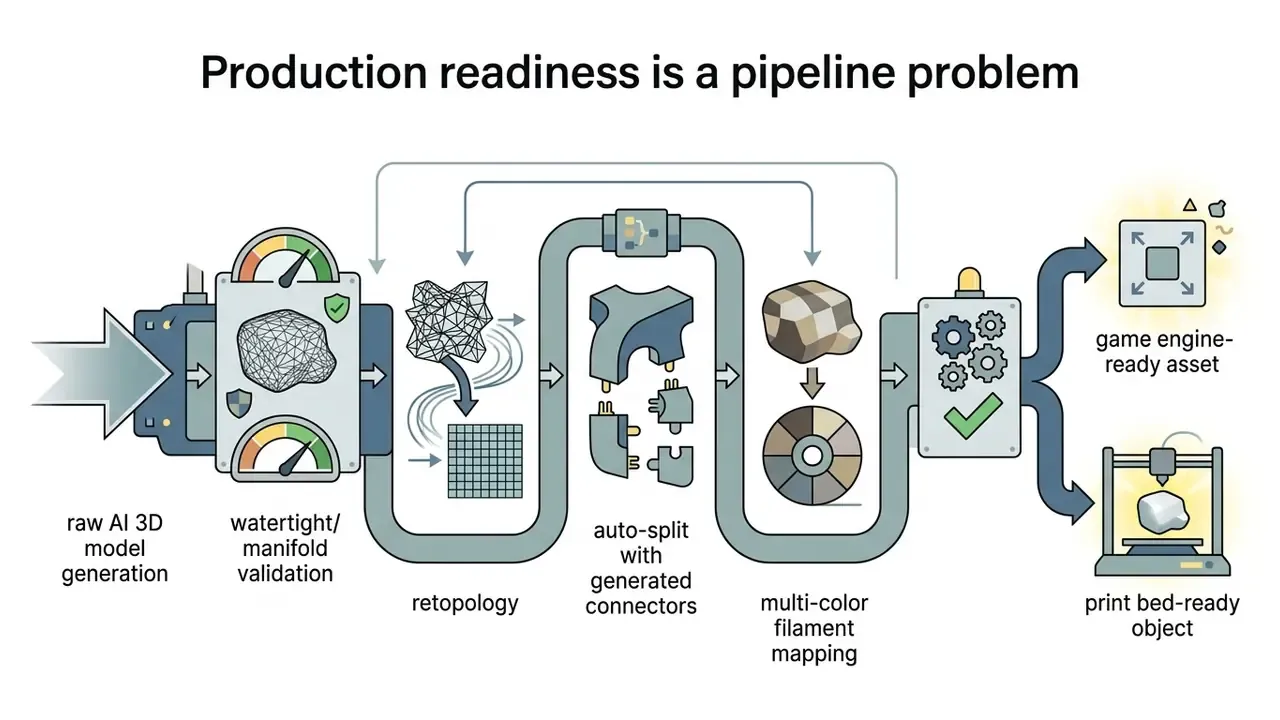
Beyond basic validation, current AI print pipelines automate three steps that used to require manual CAD work:
- Auto-split (smart part separation). When a model exceeds the build volume or carries overhang-heavy geometry, the algorithm segments it into multiple watertight parts, picks cut planes that minimize visible seams, and pre-arranges parts on the build plate.
- Auto-generated connectors. At each cut plane the system generates mating features (pins and sockets, dovetails, keyed shafts) with clearance tolerances suited to FDM or resin, so printed parts assemble mechanically instead of depending on glue alone.
- Multi-color filament mapping. Texture zones are detected and converted into discrete color regions with clean boundaries, then mapped to filament slots. Output is exported as
.3mfwith per-region material assignments for native loading into Bambu Studio, OrcaSlicer, PrusaSlicer, Creality Print, Ultimaker Cura, Snapmaker, Elegoo Slicer, or Lychee Slicer. - Smart arrangement and auto-repair. Orientation is selected for minimum support material and maximum layer-adhesion strength, and a printability check re-scans every export, repairing residual non-manifold edges before slicing.
- Publishing and fulfilment. Validated assets are commonly published to maker platforms (MakerWorld, Printables, Thingiverse) or routed to print-and-ship services for users without a printer, covering both FDM and resin workflows.
Print-readiness checklist
| Check | Pass condition | Tool |
|---|---|---|
| Watertight shell | Holes = 0 | Slicer, MeshLab, built-in printability report |
| Manifold edges | Non-manifold edges = 0 | Blender clean-up, mesh inspector |
| Positive volume | Volume greater than 0, normals outward | 3MF validator |
| Wall thickness | At or above process minimum (0.5 to 1.2 mm) | Thickness analysis |
| Build-volume fit | Fits plate, or auto-split applied | Auto-split plus arrangement |
| Assembly features | Connectors generated at all cut planes | Auto-generated connectors |
| Color separation | Region boundaries clean, filament slots mapped | Multi-color mapping to .3mf |
Enterprise Governance, Security, and Shadow AI Control
| Deployment mode | Data exposure | Typical fit |
|---|---|---|
| Public SaaS, free tier | Highest: public galleries, attribution licenses | Non-confidential concepting only |
| Public SaaS, paid or private tier | Medium: private assets, vendor-side processing | Marketing, non-sensitive product visuals |
| Enterprise SaaS with SSO and audit | Controlled: SAML 2.0 SSO, IdP integration, domain-restricted sign-in, role-based access, audit logs, encrypted storage | Cross-team production with governance |
| Private cloud, VPC, or on-premise (open-weight models) | Lowest: data never leaves the perimeter | NDA drawings, regulated data, defense and health |
Enterprise-grade offerings in this market now advertise single sign-on (SAML 2.0), identity-provider integration, domain-based access, centralized user and team management, shared asset workspaces, audit controls, encrypted storage, and privacy controls. Treat those as procurement requirements, not premium extras, and request current security attestations (SOC 2 Type II or ISO/IEC 27001, for example) directly from the vendor rather than inferring them from a marketing page.
3. Wire the generator into Model Risk Management. Every accepted asset should carry a validation record: model and version used, seed, prompt and reference hashes, mesh validation results (watertight status, non-manifold count, volume), texture channel checks, human reviewer identity, and license tier at time of generation. Store those artefacts with the asset so an auditor can reconstruct provenance months later. Human-aligned scoring metrics such as HyperScore and Rank2Score can be logged next to manual sign-off, which turns a subjective acceptance decision into a repeatable threshold.
Ownership matters as much as logging. Name the person who approves assets for customer-facing use, and name their escalation path. No evidence, no autonomy.
4. Suppress Shadow AI actively. Controls that actually work:
- Publish a short allowed-tools list and block unapproved 3D generation domains at the egress proxy.
- Provide a sanctioned, funded alternative. Shadow AI is usually a symptom of an unmet workflow need, not defiance.
- Log and review credit-purchase transactions on corporate cards as a detection signal for unsanctioned tooling.
- Run periodic prompt-and-upload sampling reviews inside sanctioned workspaces.
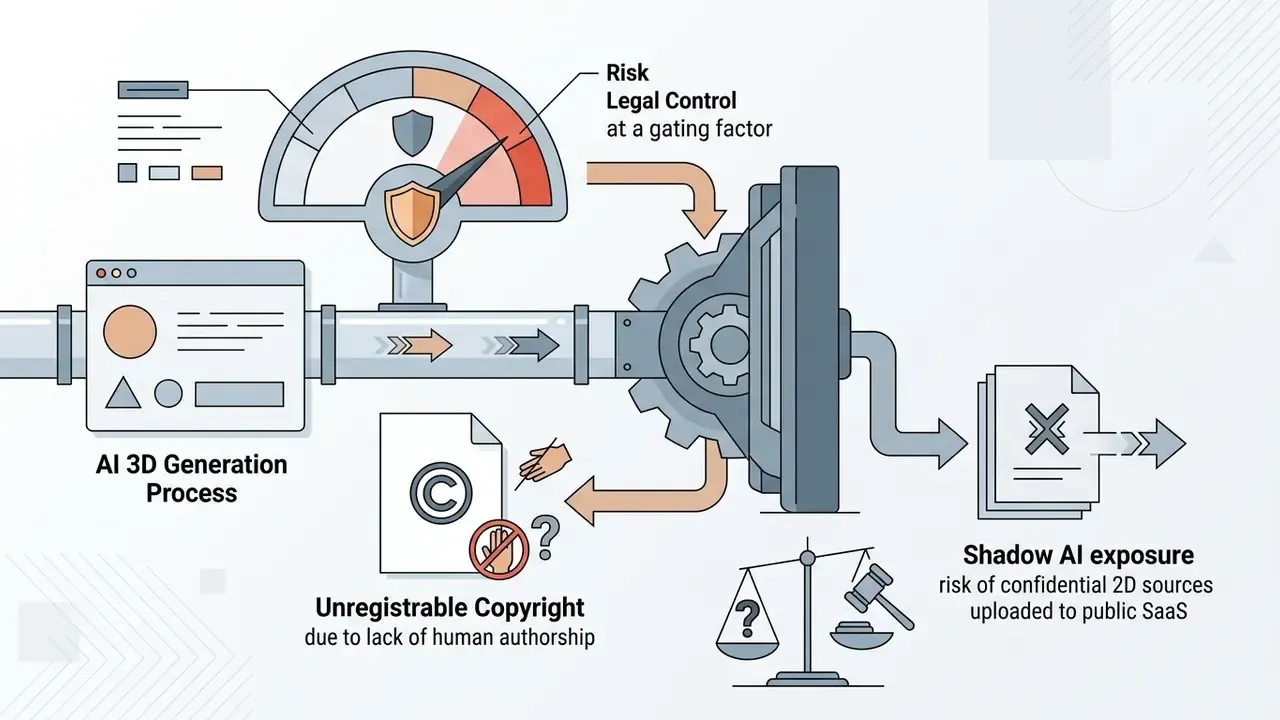
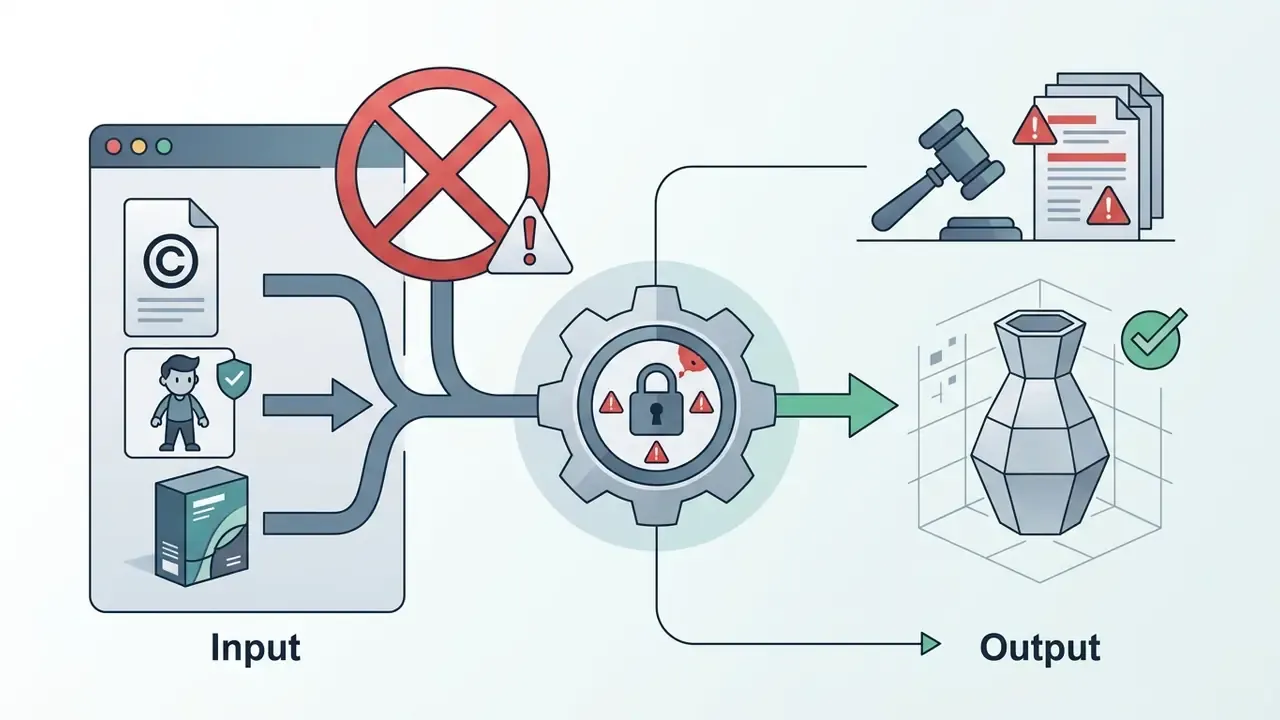
5. Define prohibited use cases explicitly. Common institutional red lines: generating photorealistic biometric avatars or likenesses of identifiable individuals without documented consent; reconstructing third-party branded products for commercial resale; uploading NDA-covered CAD or architectural drawings to public SaaS; producing assets that will be presented to customers as human-authored where disclosure is required; and using free-tier assets under attribution licenses in customer-facing collateral without attribution.
6. Institutional application examples. Sanctioned, low-risk uses in financial and enterprise settings include branch and workspace layout visualization from floor plans, AR product and card visualizations for marketing, digital twins of collateral assets (equipment, vehicles) generated from inspection photographs held under existing consent, training-simulation environments, and internal exhibition or event prop prototyping. In each case the source imagery is internally owned and the output does not identify customers. Governance teams that already run reporting dashboards through an ai chart generator can log 3D asset validation metrics in the same review pack rather than inventing a parallel process.
Procurement checklist for an enterprise AI 3D generator
- Written data-retention and no-training-on-customer-data commitment
- Private-by-default asset visibility on the purchased tier
- SSO/SAML, RBAC, audit logs, and team workspace controls
- Current security attestation supplied by the vendor
- Explicit commercial-use grant in the contract, not only in marketing copy
- Documented indemnification position on third-party IP claims
- API rate limits, SLA, and incident-response contacts
- Export format coverage matching internal pipelines (FBX, GLB, USDZ, 3MF)
- Deletion and offboarding process for generated assets and prompts
- Validation logging exportable for internal audit
One open question remains unresolved across the market: nobody has published a widely accepted standard for how much human editing converts generated geometry into protectable authorship. Until that settles, document the human contribution as you go.
How to Choose an AI 3D Generator for Your Workflow
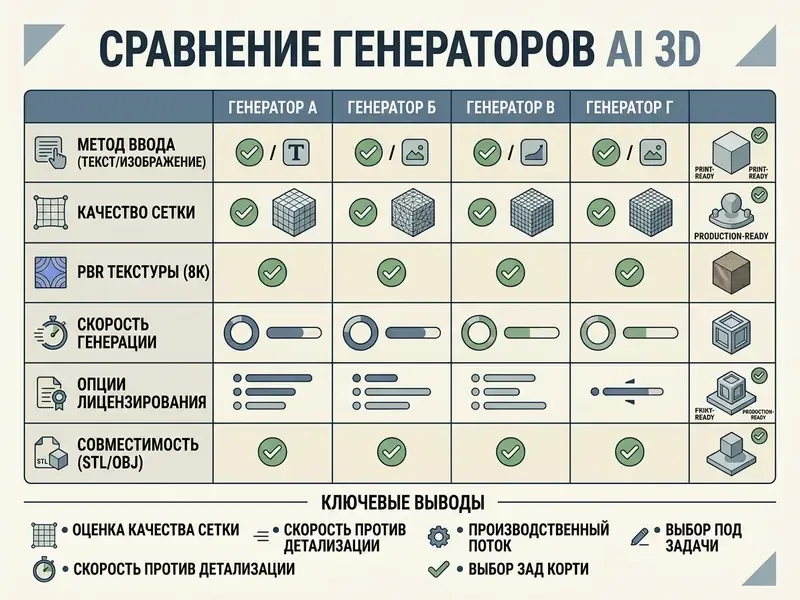
Selecting a 3d ai creator or 3d ai maker means evaluating functional parameters against pipeline demands, not chasing leaderboard positions.
«Among text-to-3D methods, MVDream leads with an Elo of 1177.66, followed by LucidDreamer (1112.21) and Magic3D (1088.93), based on 11,200 models from 19 generators.»
Rankings differ across benchmarks because task sets, annotation depth, and scoring methods differ. 3DGen-Bench uses large-scale human preference, Eval3D adds scene graphs and dense annotations, and 4DWorldBench scores perceptual quality, condition alignment, physical realism, and temporal consistency. There is no universal best model, only best fit per task class.
Comprehensive comparison of representative AI 3D generators
| AI platform / tool | Primary input types | Spatial control | PBR texture support | Clean mesh / retopology | Supported export formats | API access | Commercial use license |
|---|---|---|---|---|---|---|---|
| Meshy (V7 pipeline) | Text, single image, chat agent | Multi-view refs, target polycount, Low Poly Mode | Full PBR (Albedo, Normal, Roughness, Metallic), HD 4K | Configurable target polycount and remeshing; printability auto-repair | FBX, OBJ, GLTF/GLB, STL, USDZ, 3MF | REST API plus Blender, Unity, Unreal, Maya, 3ds Max, Godot plugins | Allowed on paid plans (CC BY 4.0 on free) |
| Hyper3D / Rodin-class | Text, single and multi-view image | Bounding Box, Voxel, Point Cloud ControlNet; Partial Edit | PBR materials with ready-to-use UVs | Smart low-poly optimization | STL, FBX, OBJ, GLB, GLTF, USDZ | REST API plus native DCC plugins | Paid and enterprise tiers for commercial pipelines |
| 3D AI Studio | Text, single image | Prompt plus reference guidance | Generated PBR textures | Standard mesh output | GLB, FBX, OBJ | REST API available | Full commercial rights granted |
| TripoSR / LRM | Single RGB image | None (feed-forward) | Basic texture extraction | Raw triangular surface | OBJ, PLY | Open source codebase | MIT permissive license |
| Sloyd AI | Text, parametric controls | Parametric sliders (deterministic) | Procedural texturing | Clean low-poly quad topology | FBX, OBJ, GLTF | SDK and plugin API (Unity, Unreal, Godot, Maya, Blender) | Commercial subscription tier |
| Hunyuan3D-class open pipelines | Image, multi-view | Geometry-conditioned texture stage | Production-ready PBR materials | Two-stage shape plus texture synthesis | GLB, OBJ, FBX, STL, USDZ, PLY | Self-hosted, open weights | Governed by the model license; verify per release |
Read the table this way. If dimensional accuracy matters, prioritize spatial control columns. If your bottleneck is artist cleanup, prioritize retopology and printability automation. If your bottleneck is procurement, the licensing column decides the shortlist before anything else does. Teams selecting tooling across the wider creative stack can cross-check methodology against the best AI art generators comparison, which applies the same licensing and control-parameter framework.
Generation Capabilities and Output Control
Serious users need fine-grained control instead of unguided stochastic generation. The mechanisms that matter:
- Fixed seed locks. Locking the seed lets creators adjust prompt phrasing or camera distance while keeping base geometry consistent. Note the caveat: platforms such as Midjourney state that seeds lock initial noise states but do not guarantee style transfer across rewritten prompts, and API documentation from Getty Images and ByteDance Seedream confirms reproducibility only when prompt, parameters, seed, and model version are all identical.
- Multi-view guidance. Calibrated front, side, and top references enforce adherence to character concept sheets.
- Spatial conditioning. Bounding box, voxel, and point cloud conditions constrain volume and proportion, as covered in the ControlNet section above.
- Partial edit. Masked local regeneration builds variant families without breaking existing UVs and rigs.
- Target polygon budgeting. Specifying low-poly (around 5,000 tris) or high-poly (100,000+ tris) constraints at generation time prevents downstream remeshing bottlenecks.
- Effort and thinking tiers. Selecting compute effort, from extreme-low to extreme-high, trades latency against geometric fidelity, so artists can explore cheaply and finalize expensively.
Export Formats, API, and 3D Pipeline Compatibility
Enterprise content pipelines need automated asset transfer. Leading generators expose REST APIs that accept prompt or image payloads asynchronously and return signed download URLs for GLB or FBX files, plus endpoints for texturing, remeshing, and animation.
Direct integration comes through native plugins for Blender (4.1+), Maya, 3ds Max, Unreal Engine, Unity, Godot, Omniverse, ZBrush, and Roblox. These plugins let artists trigger generation, inspect meshes, apply automatic retopology, bake textures, and import assets into the active viewport in one step. Some platforms remain export-only, offering compatibility through GLB, FBX, or OBJ rather than native plugins, which is a meaningful difference for studios that automate asset ingestion. Programmers implementing custom generative pipeline integrations can see the overview of developer endpoints, and teams costing out API-driven media generation can compare it with an API implementation guide for generative video. Where documentation is thin, an ai chat generator layered over vendor docs can speed up onboarding for engineers, provided prompts stay free of confidential payloads.
Free AI 3D Generators, Credits, Commercial Use, and Total Cost
Evaluating a 3d ai generator free or 3d ai model generator free tier means understanding recurring credit limits, processing queues, and intellectual property constraints. The same applies to anything marketed as a 3d ai art generator free entry point.
Commercial rights and credits overview
| Tier type | Credit and usage rules |
|---|---|
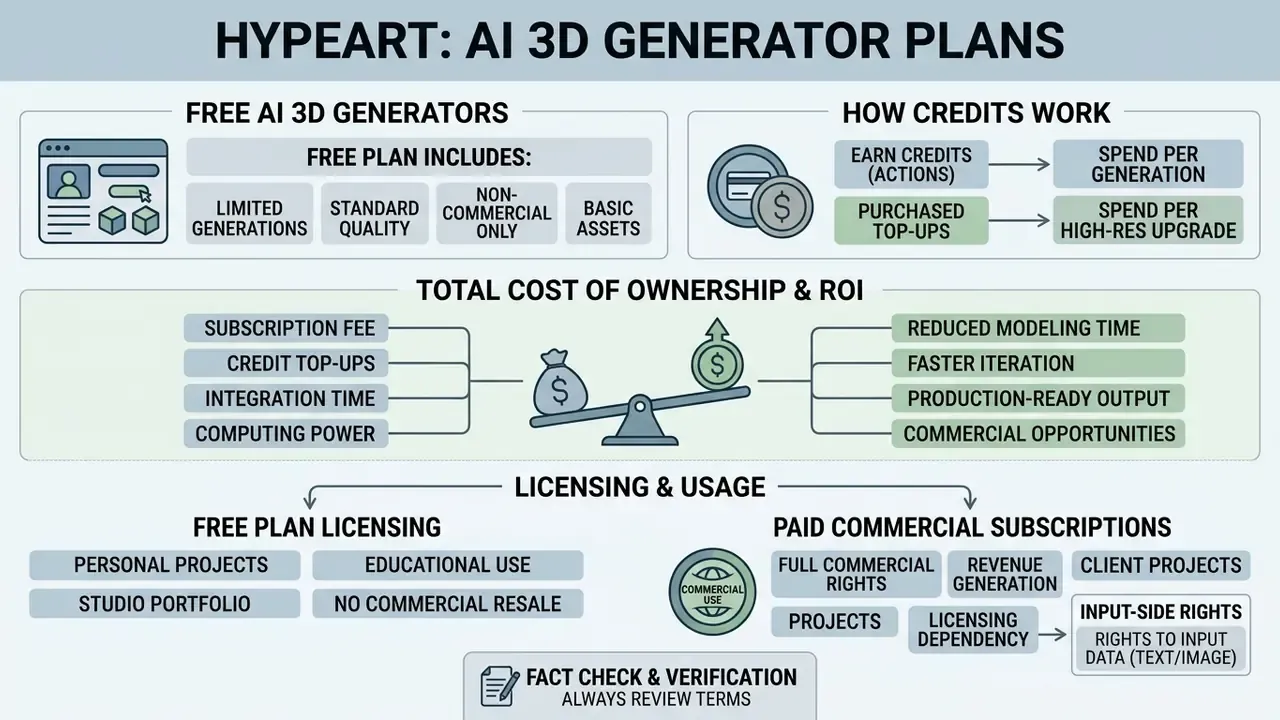
| Free access tier | Recurring monthly allotment (for example 100 credits per month); public assets; non-commercial or CC BY 4.0 attribution licensing; limited mesh tiers (Fast and Standard) and 1K textures |
| Paid commercial subscription | Private asset generation; full commercial ownership rights; priority queue; all mesh tiers; 4K to 8K PBR export; API access |
| Enterprise | SSO, RBAC, audit logs, custom retention, negotiated indemnity |
What the Free Plan Includes and How Credits Work
Most commercial platforms offer limited free tiers driven by credit systems. Meshy, for example, grants 100 free credits per month, resetting on the first of each month at 00:00 UTC with no rollover, where a single text-to-3D asset consumes roughly 5 to 10 credits. Other services meter differently: mesh-density tiers priced at about 20 / 50 / 100 / 200 credits for Fast, Standard, Pro, and Ultra, with PBR texturing multiplying the total by around three. Some video-adjacent platforms grant rolling allowances instead, such as 66 credits per 24 hours. Readers exploring no-friction entry points can review free AI generators without sign-up for comparable access patterns, and anyone testing unrestricted chat-style interfaces should read up on ai chat no filter tools before routing work data through them.
Free plans enforce technical constraints: lower priority queues, capped polygon densities, restricted 1K texture maps, limited export formats, slower processing, and public asset visibility in community galleries. To calculate compute costs and pricing across generative media formats, view the guide for cost estimation, or explore the hub to review enterprise subscription models.
Total Cost of Ownership and ROI
Credit price is the smallest line item in a governed pipeline. A defensible TCO model looks like this:
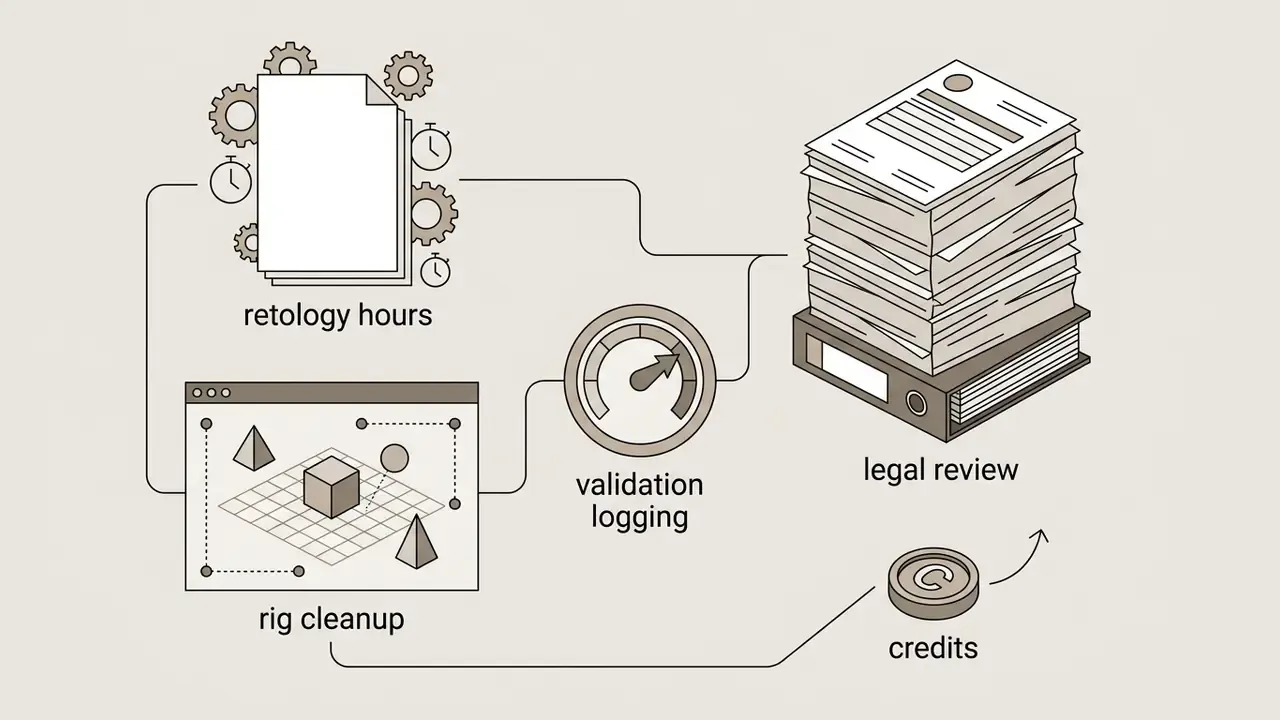
TCO per accepted asset = [(credits consumed × credit price × attempts per accepted asset) + (artist hours for retopology, UV, and rig cleanup × loaded hourly rate) + (validation and QA hours × loaded rate) + governance overhead (legal review, logging, audit allocation) + tooling and plugin maintenance] ÷ assets accepted
Worked illustration for a mid-size studio (indicative figures, not a vendor quote):
| Cost component | Low-complexity prop | Hero character |
|---|---|---|
| Credits, including failed attempts | about $0.30 to $1.50 | about $3 to $12 |
| Retopology and UV cleanup | 0.2 to 0.5 h | 3 to 8 h |
| Rig and animation validation | not applicable | 2 to 6 h |
| QA and validation logging | 0.1 h | 0.5 to 1 h |
| Legal and license review (amortized) | negligible | material for customer-facing use |
| Dominant cost driver | Artist time | Artist time plus review |
Two consequences follow. First, tools that reduce manual cleanup (printability auto-repair, smart low-poly, auto-split with connectors, quad-dominant output) deliver far more savings than a cheaper credit. Second, ROI should be measured as assets accepted into production per artist-week, not generations per month. Failure-refund and free-retry policies directly reduce the "attempts per accepted asset" multiplier, so they are a financial term, not a support detail.
If a finance partner asks for one metric, give them that one. It survives scrutiny.
Rights to Generated Models and Commercial Use
«Peer-reviewed literature from 2023–2025 does not establish the legal status of AI-generated 3D assets; these questions are governed by platform policy rather than academic consensus.»

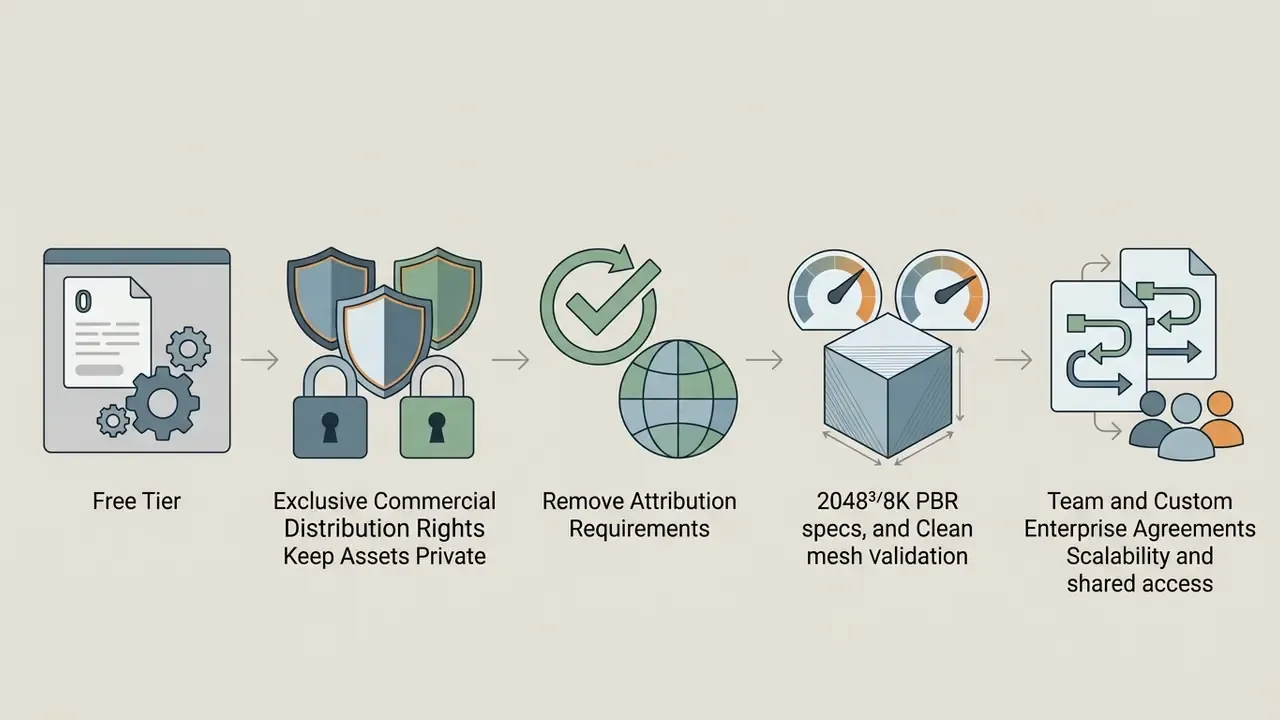

Company note: Regarding hypeart.ai, no verified information is available on operational status, product offerings, customer base, regulatory certifications, or usage terms. We are not asserting a USP that has not been verified.
FAQ About AI 3D Model Generators
What to Do When AI 3D Generation Fails
When a generation fails, producing geometric distortion, texture ghosting, missing limbs, or incomplete mesh volume, work through these steps in order:
- Isolate the subject. Remove complex backgrounds from input images and keep high contrast between the object and a clean white background.
- Simplify the prompt. Strip narrative clauses, keeping subject, material qualities, and framing constraints, for example "single centered sword, isolated, full view".
- Check image occlusion. Reference photographs should not carry heavy shadows or crop essential outer boundaries. Filter blurry or noisy frames from multi-view sets.
- Add a spatial constraint. Supply a bounding box or coarse voxel block-out so the network cannot drift on proportions.
- Execute mesh inpainting. Use editor tools to fill volumetric gaps, recalculate inverted normals, and apply smoothing passes. Research pipelines address the same three failure classes with joint pose-geometry-texture optimization (distortion), texture inpainting (artifacts), and multi-view or 3D inpainting of occluded regions (incompleteness).
- Score before re-running. Diagnose what failed rather than re-rolling blindly. Blind re-rolls are where credit budgets go to die.
«HyperScore and Rank2Score, trained on human annotations, predict semantic alignment, geometry quality, and texture quality substantially more accurately than traditional metrics.» - MATE-3D: Multi-Attribute Text-to-3D Generation Evaluation Benchmark (2024). https://arxiv.org/abs/2412.01112 Infrastructure-side failures are separate from model-side failures: generation timeouts, invalid or oversized uploads, unsupported formats, browser or WebGL errors, and disabled hardware acceleration. Reduce file size, split large batches, verify format support, and confirm the upload finished before submitting.
What Happens If a Generation Fails and How Retries Work
In commercial systems, when a task fails because of a service or system issue, the credits consumed are automatically refunded to the balance. Depending on plan level, users also receive 3 to 15 free retries, letting them re-run the same input, with the seed fixed where supported, and refine the prompt without spending more credits. Retry counts and refund history are usually visible on the task page and in credit-usage details. For budgeting, treat the retry allowance as part of effective unit cost: a plan with generous refunds and 15 retries can be cheaper per accepted asset than a nominally cheaper plan with none.
Where to Get Technical Support for an AI 3D Tool
Support for commercial AI 3D generators arrives through three formal channels:
- Documentation hubs. Official platform docs covering API endpoints, REST payloads, troubleshooting guides, FAQ sections, video tutorials, and DCC plugin installation. Some vendors now ship a documentation assistant built with an ai chatbot maker, which is convenient but should not receive confidential asset details.
- Community support channels. Dedicated Discord servers with developer channels, bug reporting threads, and technique sharing; vendor forums and GitHub issue trackers (as used by developer-oriented ecosystems such as NVIDIA Omniverse) fill the same role for engineering questions. Visual troubleshooting is easier in tools that support ai chat with pictures, since a screenshot of a broken normal map explains more than three paragraphs.
- Helpdesk ticket systems. Enterprise support portals and support email addresses reached through platform dashboards, covering account management, billing, and service level agreements. When filing a ticket, include the registered account email, task ID, exact error text, and a screenshot. That is the standard information set most vendors request first.
What Source File Formats Yield the Best Results for Image-to-3D Conversion
High-resolution PNG or JPG images with uncompressed detail, neutral studio lighting, clear edge contrast, and a centered subject give the highest reconstruction fidelity. Multi-view inputs should include calibrated front, side, and three-quarter angle shots, with blurry frames removed and resolution normalized before upload.
Can AI-Generated 3D Models Be Animated Immediately After Generation
Some platforms auto-rig humanoid and quadruped meshes directly and apply motion presets from libraries of 600+ animations. For hero assets and deformation-heavy characters, retopology into clean quad-dominant topology, UV unwrapping, and weight-paint verification (in Blender, Maya, or through Mixamo) remain necessary before production animation.
What Geometry and Texture Resolution Can Current Generators Reach
Flagship 2025–2026 pipelines advertise volumetric grid resolutions up to 2048³ and PBR texture output up to 8K (8192×8192), with mesh-density tiers spanning roughly 5k triangles on Fast up to 500k+ on Ultra. Generation time scales with that, from about 4 seconds on turbo tiers to roughly 180 seconds for high-poly assets with full PBR.
Can a Large Model Be Printed If It Exceeds the Build Plate
Yes. Auto-split segments the asset into watertight parts sized to the build volume, generates mating connectors (pins and sockets) at each cut plane, and pre-arranges parts on the plate. Exporting as 3MF preserves color regions and per-part material assignments for Bambu Studio, OrcaSlicer, PrusaSlicer, or Cura.
Are Free-Tier AI 3D Models Legally Protected for Commercial Resale
In most cases, no. Free tiers usually operate under CC BY 4.0 licenses or public gallery restrictions. Full commercial rights and private ownership typically require an active paid subscription according to vendor Terms of Service, and copyright registration of purely AI-generated output is generally unavailable without substantial human authorship.
Are Uploads and Generated Models Private, and Are They Used for Training
This is vendor and tier specific. Some platforms state that generated models are visible only to the account owner unless shared, that files are encrypted in transit and at rest, and that uploads serve only to provide the generation service rather than to train models. Confirm the exact retention, deletion, and training-use terms in the privacy policy for the tier you purchase, before uploading anything confidential.
Can I Use an AI 3D Generator on NDA-Covered Engineering Drawings
Not on public SaaS tiers. Confidential CAD, architectural, or customer-identifying material should be processed only in a private cloud, VPC, or on-premise deployment, with a contractual no-training commitment and documented retention limits.
Appendix A: Editorial Corrections Log
For transparency and auditability, the following claims from earlier revisions of this article were revised during technical fact-checking. Original wording is preserved alongside the reason for the change.
| Original wording (superseded) | Status | Replacement in current text |
|---|---|---|
| "According to T³Bench benchmark research (He et al., 2024)", cited without figures, methodology, or URL | Replaced | Direct quoted finding with full citation and URL (ten evaluated methods, single-object versus multi-object degradation) |
| "(TripoSR generates explicit meshes in under 0.5 seconds)", parenthetical claim without source | Replaced | Quoted citation to TripoSR (2024) with arXiv URL and comparative speed context |
| "According to research published by NIST (2024–2026)", unverified source with an invalid date range | Replaced | Autodesk 3DALL-E (DIS 2023), the 2026 CAD-generation survey, and public-sector prompt-engineering materials, plus a cited physically-compatible modeling paper |
| "Puppeteer (NeurIPS 2025)" presented as a production tool | Qualified | Retained with explicit research-stage framing alongside production auto-rigging capabilities |
| Outbound links to unrelated AI voice and chat utilities | Replaced | Topically relevant internal links on image generation, art generators, animation, voice, support, and API cost modeling |
| Expert quotation placed in the introduction before terminology was defined | Relocated | Moved into the quality-evaluation section, where auditable geometry and license verification are discussed |
| Anchor-linked table of contents | Replaced | Reader-orientation section describing who each part of the guide serves |
To explore the complete glossary of artificial intelligence terms and asset generation guides, please view the guide in our central reference library.