What You Need to Know in 30 Seconds
An ai logo maker app turns a business name, an industry tag, and a short text prompt into complete identity concepts, including icon, typography pair, and color palette, in seconds. Generation and on-screen editing are usually free. Scalable SVG/EPS master files, watermark-free exports, and commercial licenses normally sit behind a one-time payment of roughly $20 to $65 or a subscription.
Raw AI output is a draft, not a deliverable. Expect to fix kerning, optical balance, and contrast, then run reverse-image and USPTO trademark checks before launch. Purely AI-generated artwork is not protected by copyright in the United States. An AI-assisted logo can still be registered as a trademark and used commercially under a platform license.
How to Use This Guide
Different readers arrive with different questions, so here is the fastest route through the material.
- Founder launching this week: read the five-step workflow, then the prompt recipes, then the file-format list.
- Marketing lead standardizing a stack: start with the platform comparison table and the brand kit architecture block.
- Risk, compliance, or procurement reviewer: go straight to the free-tier verification checklist, the shadow AI alert, and the commercial-rights section.
- Anyone about to print: do not skip the IP clearance steps. That is where money actually gets lost.
One honest caveat before we start. Pricing tiers on these platforms change often, sometimes quarterly, so treat every figure here as an indicative benchmark and verify on the vendor's own pricing page.
What an AI Logo Maker App Can Create for Your Brand
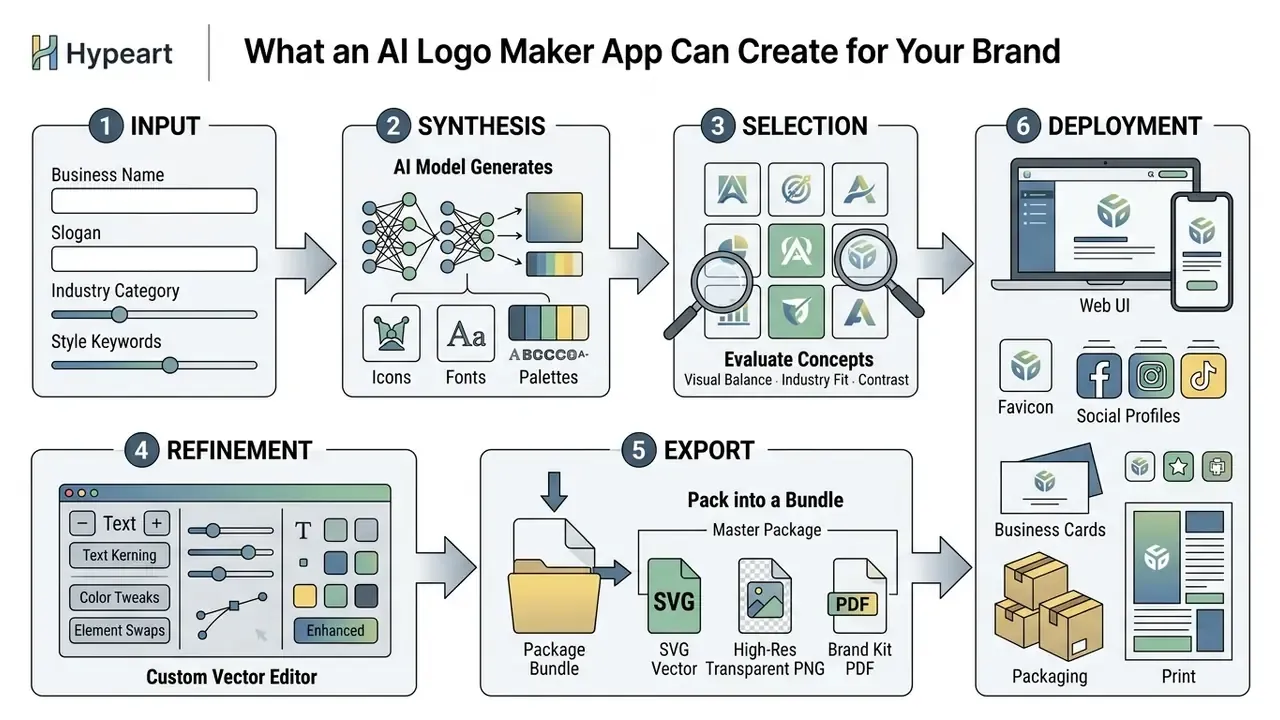
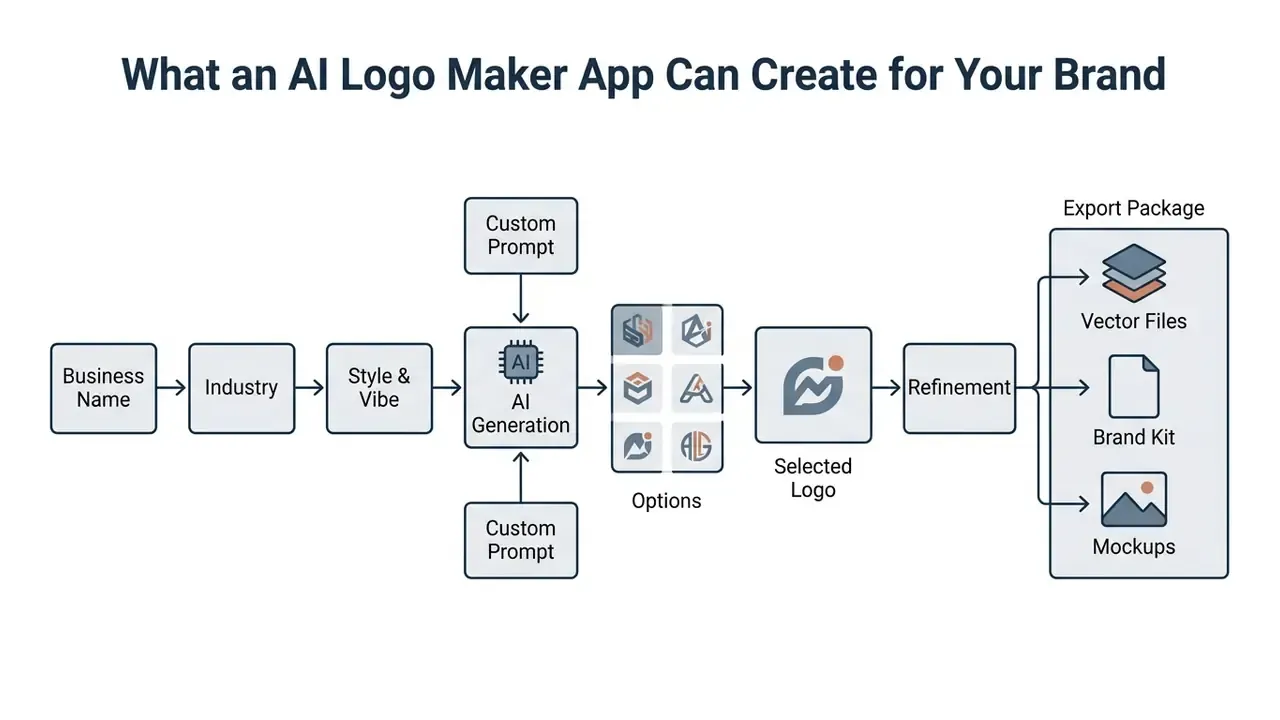
An ai logo maker app uses generative models to transform business names, industry category tags, and descriptive text prompts into complete visual identity concepts containing icons, typography pairs, and color palettes. Modern platforms synthesize thousands of generated logos in seconds. That gives startups and mature businesses an automated foundation for commercial branding, and a much shorter path from idea to first draft.
From Business Name and Prompt to AI-Generated Logo Ideas
Inputting a business name and a descriptive prompt lets an ai app logo generator convert raw text into symbolic marks by mapping semantic attributes to graphic features. Generative diffusion architectures and neural networks read prompt attributes, then propose icon forms, font structures, and visual themes. These are the same underlying architectures used by general-purpose AI image generators that businesses increasingly deploy for wider marketing assets.
Research on generative design workflows confirms that prompt-driven ideation accelerates early visual exploration. An empirical study on logo design platforms published in Dergipark (2024) evaluated text-to-image synthesis models across core design criteria, including simplicity, memorability, and message delivery. The evaluation showed that while an ai app logo generator rapidly produces diverse logo ideas matching broad visual descriptions, human conceptual oversight remains essential for cultural nuance and narrative coherence.
"AI rapidly generates diverse logos from textual descriptions, yet struggles significantly with conceptual depth, cultural references, and narrative coherence."
When reviewing logo concepts generated from text prompts, enterprise brand teams often assess parallel digital media assets at the same time. Organizations examining multi-modal AI adoption can evaluate comparative tool performance through our AI Media Comparison overview.
How to Create a Logo with an AI App in Five Steps
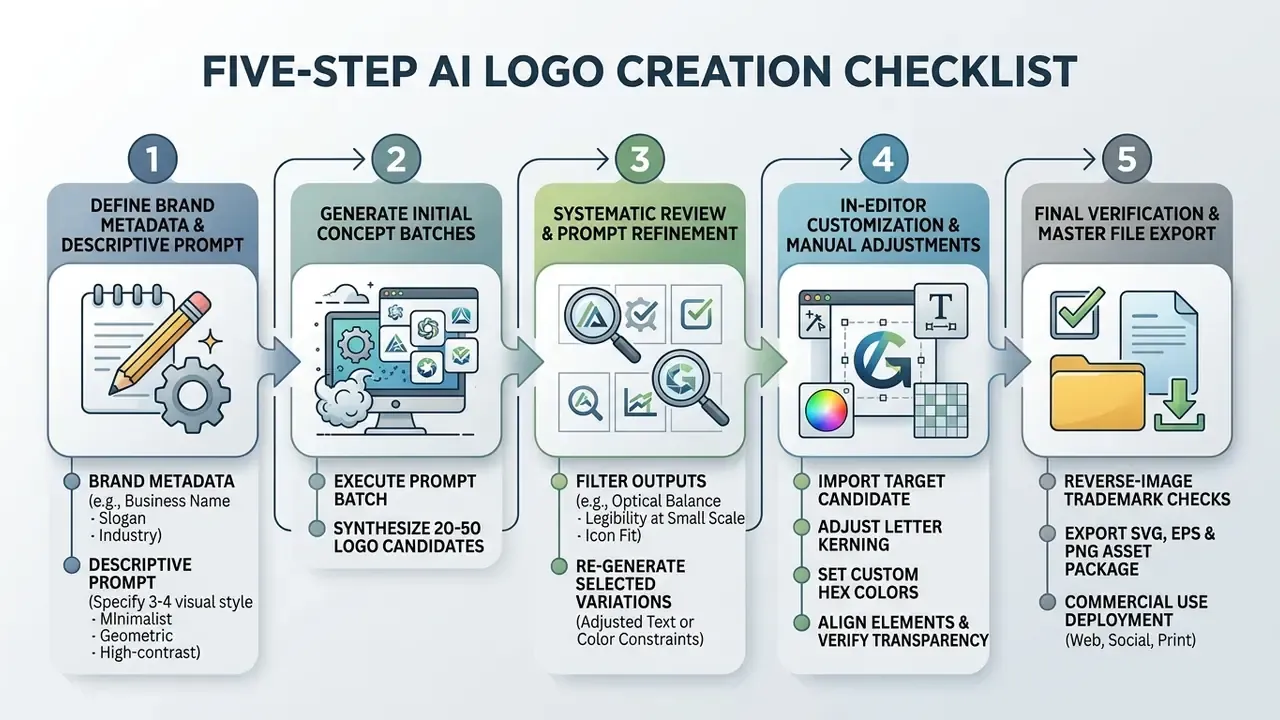
Creating a production-ready logo with an ai logo creator app follows a five-step workflow that balances automated concept synthesis with deliberate human oversight. A structured sequence prevents premature convergence on generic designs and protects technical compatibility across deployment media.
Enter Your Business Name and Describe the Brand
The first phase requires your exact business name, an optional tagline, the industry sector, and a structured text prompt describing the aesthetic you want. Prompt-engineering practice for text-to-image models agrees on one point: spelling brand names out clearly inside quotation marks, and stating strict visual constraints upfront, measurably improves text rendering accuracy inside generated images. Ordering the prompt as scene or background, then subject, then key details, then constraints also reduces cluttered, over-decorated output.
Structure every logo prompt around four fields: legal entity name, industry domain, primary target audience, and three explicit design traits, for example "clean line art, solid fill, high contrast". Adding one "overall feel" word, such as trustworthy, playful, or technical, gives the model a tonal anchor. Clear parameters keep the model from producing visually noisy concepts. Prompts of five words or fewer produce generic results almost every time.
Copy-Paste Prompt Recipes by Industry
| Industry / Brand Style | Copy-Paste AI Prompt Formula | Expected Visual Output |
|---|---|---|
| Tech / AI Startup | Minimalist vector logo for a tech startup named "Aether", geometric abstract mark combining overlapping glass cubes, neon blue and deep purple, white background, high contrast, flat design --no gradients | Clean geometric emblem with modern typography |
| Organic / Eco-Retail | Eco-friendly emblem for organic brand named "Verde", stylized green leaf combined with line-art sun, earthy green and warm beige palette, hand-drawn vector aesthetic | Line-art badge with natural tones |
| Corporate / Finance | Solid monogram logo with initials "M" and "H" for financial advisory, bold serif typography, navy blue and gold color palette, corporate trust vector mark | High-trust corporate monogram |
| Modern Cafe / Bakery | Retro-modern badge logo for "Baker & Co", minimalist coffee bean and wheat icon, warm terracotta and cream colors, clean sans-serif wordmark | Vintage-inspired flat mark |
| Cyberpunk / Gaming | Futuristic mascot logo, stylized cyberpunk wolf head, sharp angular lines, vibrant magenta and cyan, dark background outline | High-impact gaming logo |
| Handwritten / Lifestyle | Handwritten wordmark logo with the name "Luna", casual script font, soft pastel colors, balanced negative space, scalable at small sizes | Personal, human-feeling logotype |
When a platform supports vector-native generation, name the style explicitly, for example Geometric Logo, Sharp Drawn Logo, or Playful Typographic, and wrap the literal brand text in quotation marks so the model embeds it instead of paraphrasing it.
Generate, Review, and Re-Generate Logo Designs
Once parameters are set, trigger the model and let it produce candidates. Operational data from industry surveys indicates that users generate an average of 4.1 logo batches per session, testing at least two distinct style directions before settling on a target mark.
"Users generate an average of 4.1 logos per session, 84% test at least two styles, and 66% return to edit within seven days."
Systematic evaluation means filtering outputs through strict quality criteria: icon clarity, typographic readability, and visual distinction. Rather than discarding imperfect outputs immediately, apply targeted prompt revisions, adjusting color parameters or layout flags, and re-generate refined variations from the most promising silhouettes. The disciplined loop looks like this: generate broadly, filter by brand fit and silhouette legibility, regenerate only shortlisted concepts with narrow prompt deltas, then repair remaining defects manually. Shortlisting features, the heart or favorite icons, exist precisely to preserve promising silhouettes across generations. Re-rolling the whole batch is usually wasted credits.
Customize the Selected Logo Before Download
After choosing a mark, open it in the platform editor and do the manual work. Inspect optical alignment, adjust letter spacing (kerning), verify baseline harmony between mark and text, and lock exact brand hex values. Kerning is judged optically, not numerically: balance the perceived white space between letter silhouettes instead of equalizing measured gaps. Align icon and wordmark on a shared baseline, and aim for equal visual mass so neither element overpowers the other.
Micro Case: Before / After Refinement
BEFORE (raw AI output) AFTER (30 minutes of editing)
A E T H E R (uneven gaps) AETHER (optically kerned)
icon 14% taller than text icon cap-height matched to wordmark
#2F6BFF on #1B1F27 (2.6:1) #6AA6FF on #0F172A (7.1:1, WCAG AA)
mark floats 3px above base mark and text share one baseline
Manual adjustment before export is what establishes visual uniqueness and reliable readability across screens and print. Once customization is finished, confirm transparent background settings, then download the file package. Raster derivatives can be polished further with dedicated AI photo editors when a campaign needs composite imagery around the mark.
The empirical case for human refinement is fairly blunt:
"The AI group produced concepts faster, but the non-AI logo won on clarity, adaptability, and commercial applicability."
How to Choose the Best AI Logo Generator App
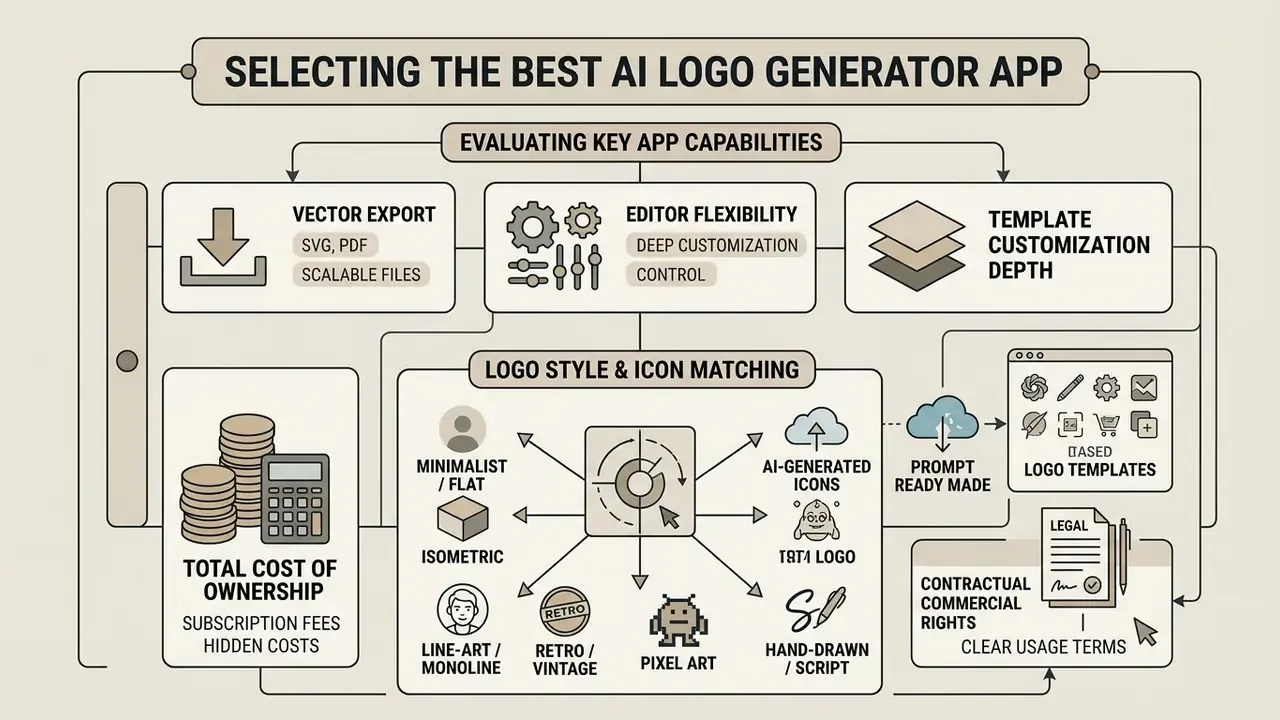
Selecting the best logo maker app means evaluating vector export capability, editor flexibility, template customization depth, total cost of ownership, and contractual commercial license terms. Readers comparing tool categories can also consult our dedicated guide to AI logo generators for definitions and architecture notes. Operational leaders should separate simple raster image generators from true vector-based design engines capable of producing scalable corporate assets. The distinction sounds academic until a print vendor rejects your file.
AI-Generated Icons, Templates, and Logo Style Matching
Style matching in an ai logo generator app works by constraining outputs to domain-specific visual metaphors, industry conventions, and geometric contrast rules. Advanced platforms read your business category, then select relevant templates, icon sets, and typographic hierarchies tuned to sectors such as financial services, technology, healthcare, or retail. Vendor engineering guidance for app icons is consistent: the mark should act as a metaphor for the product's value proposition, avoid embedded typography, and hold contrast in both light and dark interface modes.
A multi-stage brand design study by Younjung Hwang (2025) evaluated AI-assisted logo output across sequential refinement stages. The research found that AI models excel at initial style matching and layout scaffolding, reaching evaluation scores up to 4.5 out of 5 when combined with expert review.
"AI-assisted designs reached a mean score of 4.5 out of 5 at the final stage, but only after substantial human refinement of iconography and typography."
Raw model outputs still gravitate toward generic visual tropes. Users have to filter and customize icons deliberately to reach real brand differentiation.
"Creative support from AI significantly increases intention to use the tool, while perceived risk exerts a strong inhibiting effect."
Selecting the Right Icon Art Style
Modern AI logo generators support roughly 14 primary art styles. When engineering your prompt, name one of these vectors:
- Minimalist / Flatclean lines, solid shapes, zero drop shadows.
- Isometric3D geometric orientation on a 30-degree grid.
- Line-Art / Monolineuniform stroke weight forming continuous shapes.
- Retro / Vintagebadge-enclosed layouts with muted or warm palettes.
- Pixel Artgrid-aligned block graphics for web3 and gaming brands.
- Hand-Drawn / Scriptorganic curves and humanistic stroke variation.
- Abstract / Geometricmathematical polygons carrying symbolic meaning.
- Mascot / Characterstylized avatars and central brand figures.
- Lettermark / Monograminterlocked typography built from brand initials.
- Wordmark / Logotypecustom typographic treatment of the full business name.
- Emblem / Cresttext embedded inside a shield or circle.
- Ink & Brushcalligraphic, high-texture strokes with strong dynamics.
- 3D Gradientsmooth chromatic transitions and depth mapping.
- Gradient Outlinehigh-contrast neon boundaries on dark or transparent bases.
Lock one style per project. Keep stroke weight, sizing, palette, and exclusions identical across the batch, then review candidates in groups rather than one at a time. Batch review is the fastest way to catch stylistic drift inside a generated icon set.
Integrated AI Slogan Generation
If the brand has no tagline yet, use structured slogan prompting across six tones:
- Professional "Precision Engineering for Global Scale"
- Bold / Disruptive "Redefining Digital Infrastructure"
- Minimal / Clean "Simplicity, Amplified"
- Witty / Playful "Code Hard, Coffee Harder"
- Inspirational "Building the Future of Tech"
- Friendly / Approachable "Your Partner in Growth"
Pair the chosen tagline with a coordinated heading and supporting font combination, so the slogan never competes with the primary wordmark for attention.
Customization Tools: Text, Fonts, Colors, and Layouts
Built-in editing tools in a logo maker app ai let users adjust vector paths, modify typography kerning, change hex codes, and rearrange composition layouts before export. Fine-grained controls are what turn a standard AI draft into a polished mark that meets corporate accessibility and legibility standards. Four control groups deserve an audit in any editor: typography (family, weight, case, letter and line spacing), theme color (HEX/RGB entry, palette shuffling, eyedropper, per-layer icon recoloring), layout (horizontal, stacked, enclosed, badge variants), and element replacement (swapping icons or uploaded imagery without rebuilding the design).
Here is an illustrative composite scenario rather than a named client engagement. In a rebranding initiative at a regional financial services provider, the brand strategy team used an ai logo creator app to generate 40 concept variations based on core company values. The team shortlisted one mark, imported the vector elements into a dedicated editor to fix optical font spacing, then applied a strict high-contrast palette matching WCAG AA thresholds. The hybrid process cut total design lead time by roughly 65% while producing an auditable, enterprise-ready brand mark. Treat that number as a hypothesis for your own workflow, not a benchmark.
Files, Download Options, and Brand Kit Features
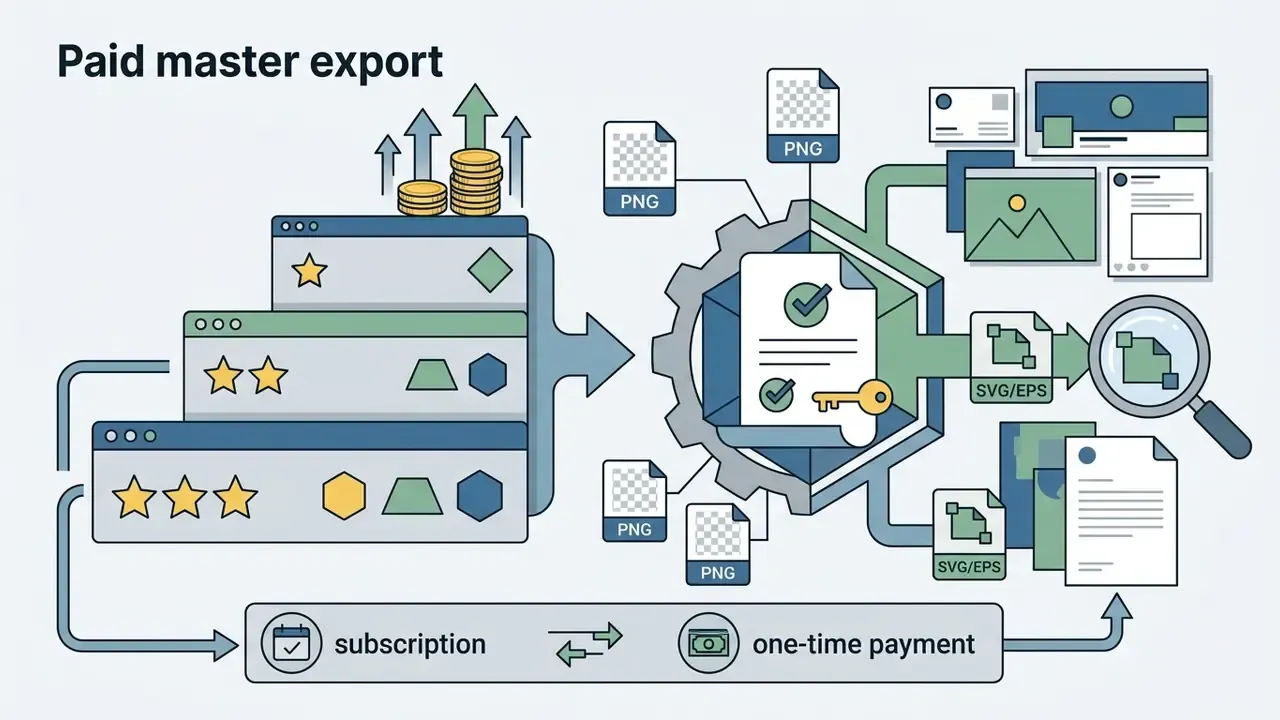
Comprehensive logo maker apps package exported assets into structured brand kits: master vector files (SVG, EPS, PDF), web-optimized raster images (transparent PNG, JPG), hex-coded color system guides, and pre-formatted marketing templates. When evaluating platforms, verify whether master vector downloads sit in the baseline fee or only in high-tier subscriptions. That single line item drives most surprise costs.
| AI Logo Maker Platform | Icon & Template Editing Depth | Native Vector Export (SVG/EPS) | Integrated Brand Kit | Commercial Usage Rights | Indicative Pricing | Mobile Availability |
|---|---|---|---|---|---|---|
| Recraft | High (path-level vector editing) | Yes (native SVG) | No (focuses on vector assets) | Full on paid plans | Free credits / ~$12 to $48 per month or credit packs | Web app (mobile browser) |
| Looka | Medium (in-app layout and color controls) | Yes (premium tier) | Yes (300+ marketing assets) | Full ownership on purchase | $20 basic file / ~$65 premium vector pack / annual brand kit | Web app (responsive) |
| Canva AI | High (full canvas editor ecosystem) | Yes (Pro tier) | Yes (centralized Brand Hub) | Granted under platform terms | Free tier with capped prompts / ~$12 to $15 per month Pro | Native iOS and Android apps |
| Ideogram | Low (text prompt iterative tweaks) | No (raster output only) | No | Granted on paid tiers | Free daily credits / ~$8 to $20 per month | Native iOS and Android apps |
| VistaPrint AI | Medium (standard template adjustments) | Yes (high-res packages) | Partial (print-ready files) | Granted upon purchase | Free create and download tier / paid print bundles | Web app (responsive) |
| Turbologo | Medium (guided editor, brand kit flow) | Yes (SVG/PDF on paid download) | Yes (cards, socials, website builder) | Full commercial rights after purchase | Free design / one-time download fee (~$20 to $40 equivalent) | Web app (responsive) |
Reading the table in one line: if vector output and license clarity matter more than template volume, Recraft and Looka lead; if you need one ecosystem for logo plus every downstream asset, Canva sits closer to that job. Readers benchmarking wider creative stacks can extend the comparison to leading AI image generators before standardizing on a single vendor. To estimate operational expenditure when rolling automated asset generators out across larger creative teams, consult our interactive AI Media Calculators resource.
How to Make an AI Logo Look Professional and Unique
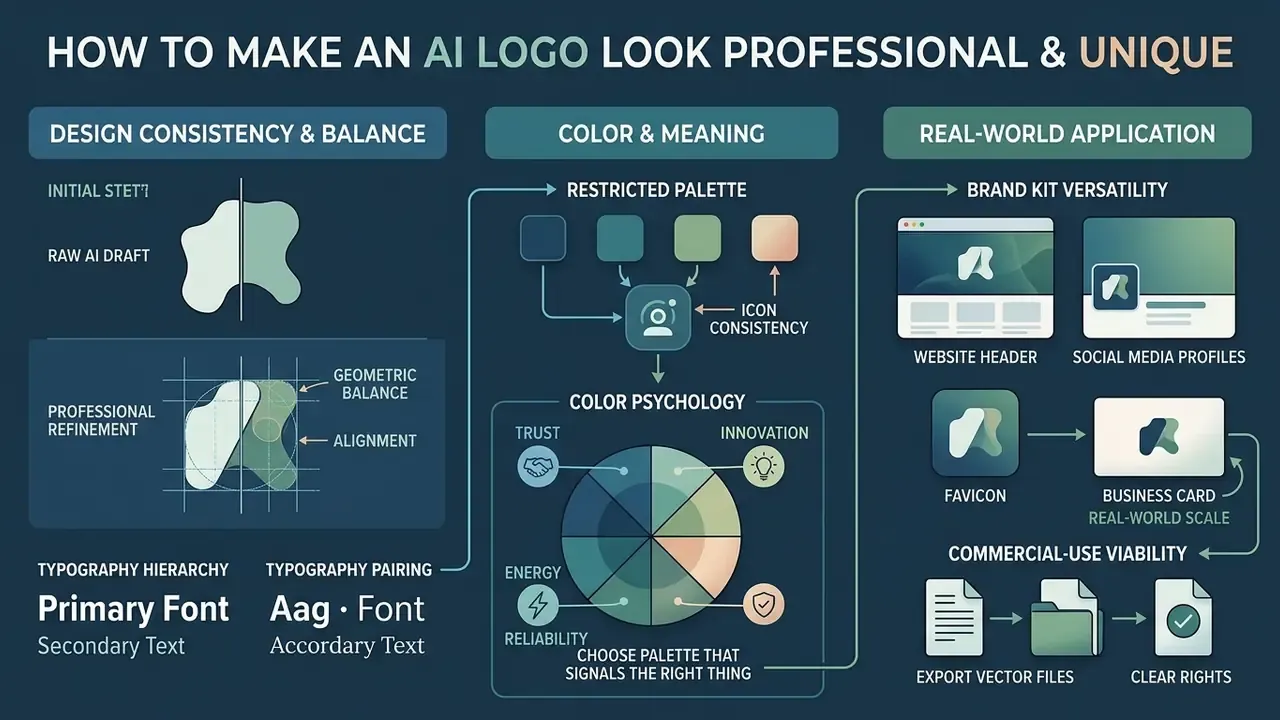
Turning an AI draft into a commercially viable logo demands adherence to design fundamentals: geometric balance, typography hierarchy, contrast control, and real-world scale testing. Academic evaluations show that unrefined AI logos frequently suffer from visual imbalance and composition clutter when accepted without human intervention.
Match Icon Style, Typography, and Color Palette
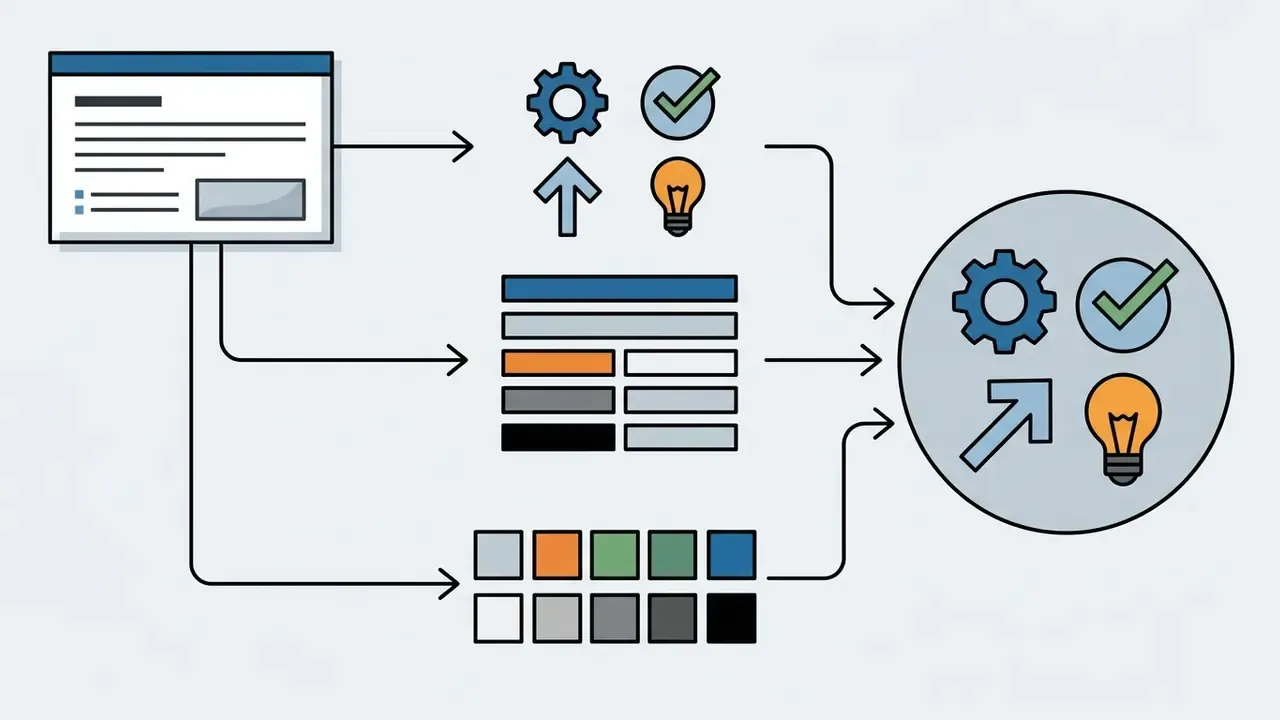
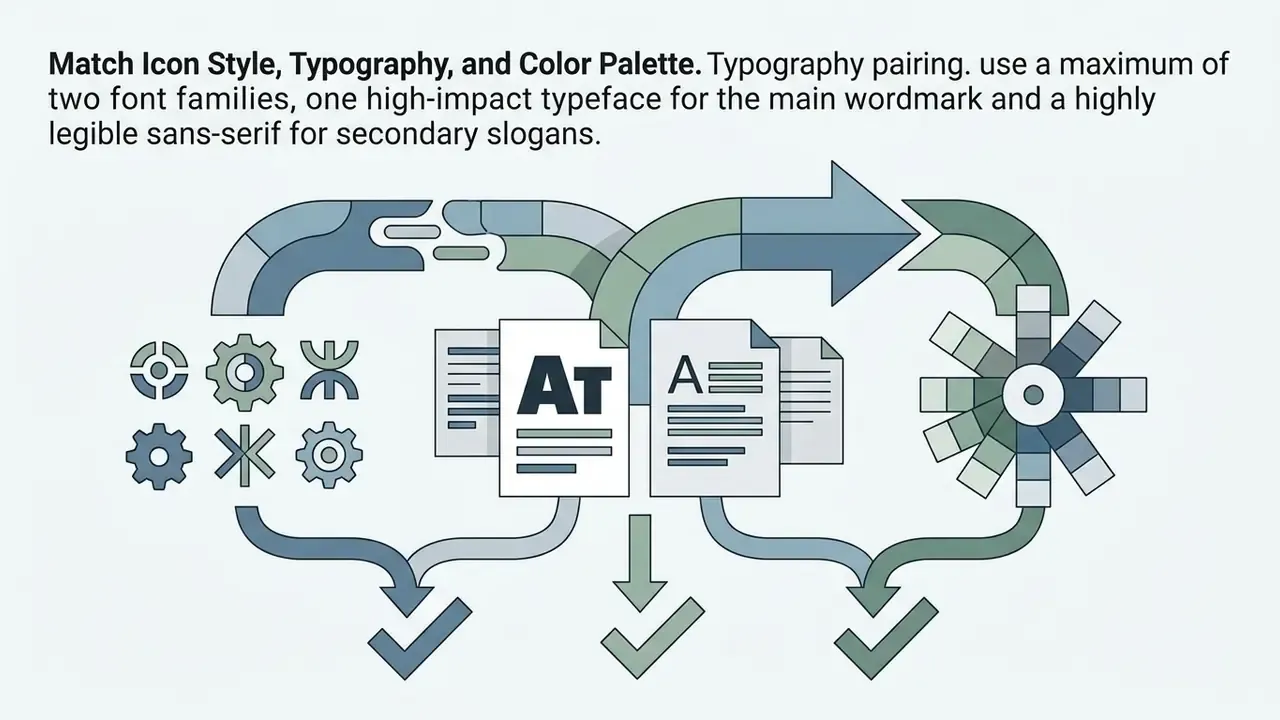
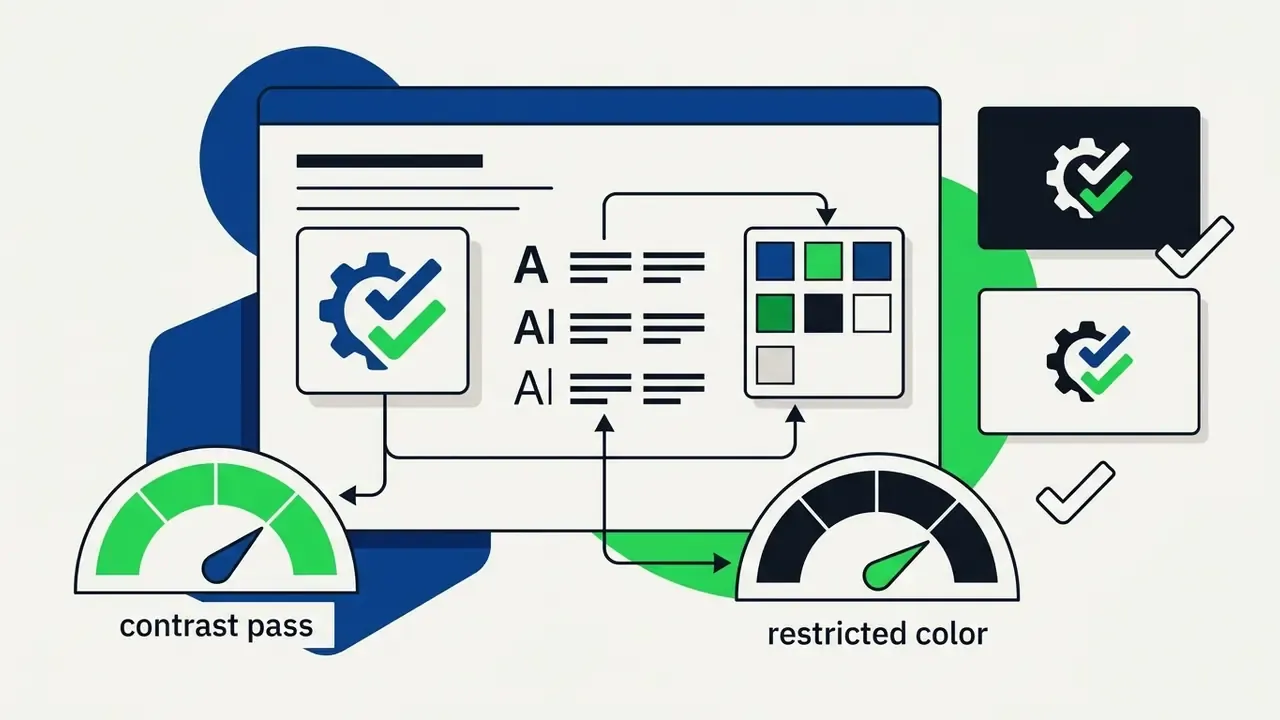
Visual unity comes from pairing one icon style with appropriate font families and a restricted color scheme. Multi-stage evaluation research on generative brand design (Younjung Hwang, 2025) found that raw AI outputs often fail three foundational criteria, proportion, optical balance, and visual unity, and that expert review is what lifts scores at the final stage.
To correct those structural defects, enforce clear visual rules:
Color Psychology: Choosing a Palette That Signals the Right Thing
| Color Family | Emotional Signals & Psychological Impact | Ideal Industry Sectors | Recommended Hex Pairing Example |
|---|---|---|---|
| Blue | Trust, security, stability, technical competence | Finance, Healthcare, Tech, Legal | Primary: #0F172A, Accent: #38BDF8 |
| Green | Growth, health, sustainability, prosperity | Eco-Brands, Organic Food, Wealth Management | Primary: #14532D, Accent: #4ADE80 |
| Red | Urgency, passion, energy, high impact | Food & Beverage, Sports, Entertainment | Primary: #991B1B, Accent: #F87171 |
| Purple | Luxury, wisdom, innovation, exclusivity | Premium Services, Web3, Creative Studios | Primary: #581C87, Accent: #C084FC |
| Yellow / Gold | Optimism, warmth, premium quality, caution | Hospitality, Construction, Luxury Goods | Primary: #78350F, Accent: #FBBF24 |
| Orange | Approachability, creativity, affordable energy | E-commerce, Youth Brands, Logistics | Primary: #7C2D12, Accent: #FB923C |
| Teal / Cyan | Clarity, precision, digital calm | SaaS, Telecom, Medical Devices | Primary: #134E4A, Accent: #2DD4BF |
| Pink / Magenta | Modern boldness, empathy, lifestyle appeal | Beauty, Fashion Tech, Community Apps | Primary: #831843, Accent: #F472B6 |
| Brown / Earth | Craft, heritage, natural materials | Coffee, Furniture, Artisanal Retail | Primary: #44403C, Accent: #D6C7A1 |
| Black / Dark Gray | Authority, elegance, sophistication, minimalism | High Fashion, Architecture, Premium Tech | Primary: #09090B, Accent: #71717A |
| White / Neutral | Openness, simplicity, clinical clarity | Medical, Minimal DTC Brands, Interiors | Primary: #FFFFFF, Accent: #E4E4E7 |
Always verify the final pairing against WCAG AA contrast thresholds in both light and dark contexts. A palette that looks confident on a white presentation slide can collapse on a dark mobile navigation bar.
Check the Logo in Real-World Brand Uses
A logo design has to hold clarity and impact across every application environment, physical and digital. Established design-testing practice is unambiguous about method: evaluate brand assets on the actual surfaces where they will appear, with defined test prompts and structured participant feedback, rather than judging isolated graphics on a blank screen.
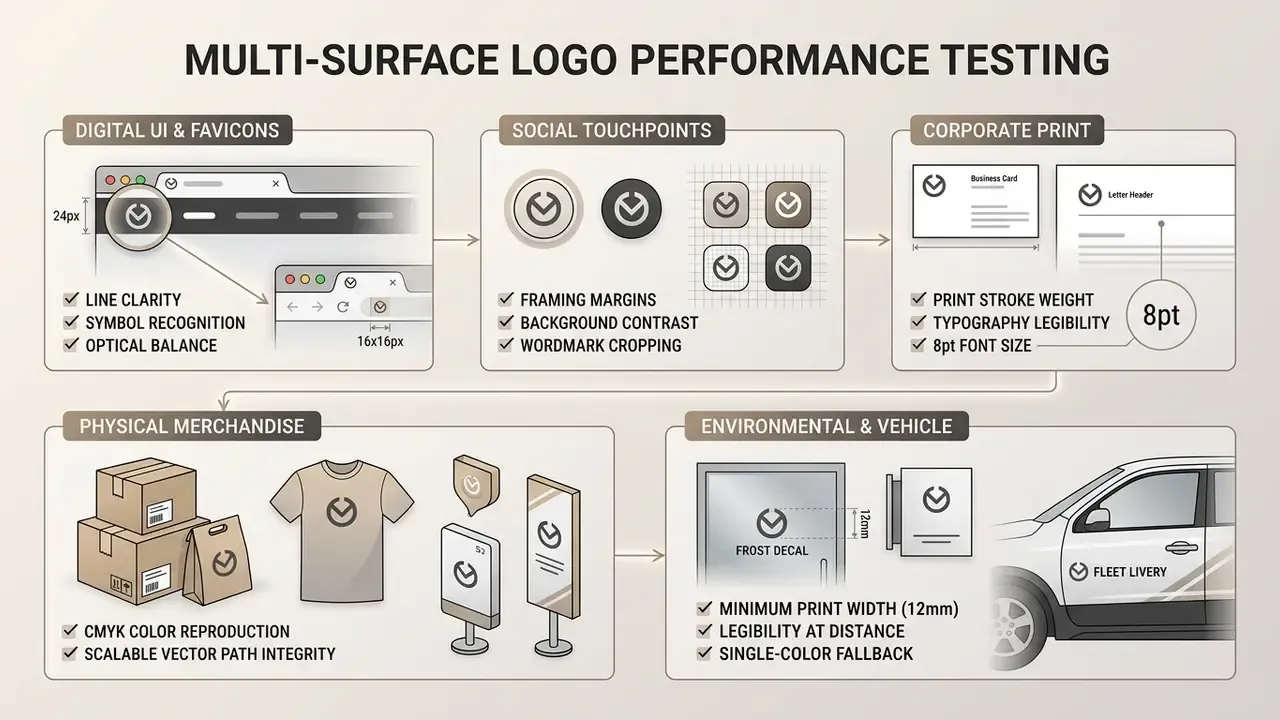
Testing candidates across simulated mockups exposes scaling defects, awkward negative space, and typography failures before you commit budget to commercial printing or web development. Cheap to catch now. Expensive later.
Are Free AI Logo Generator Apps Really Free?
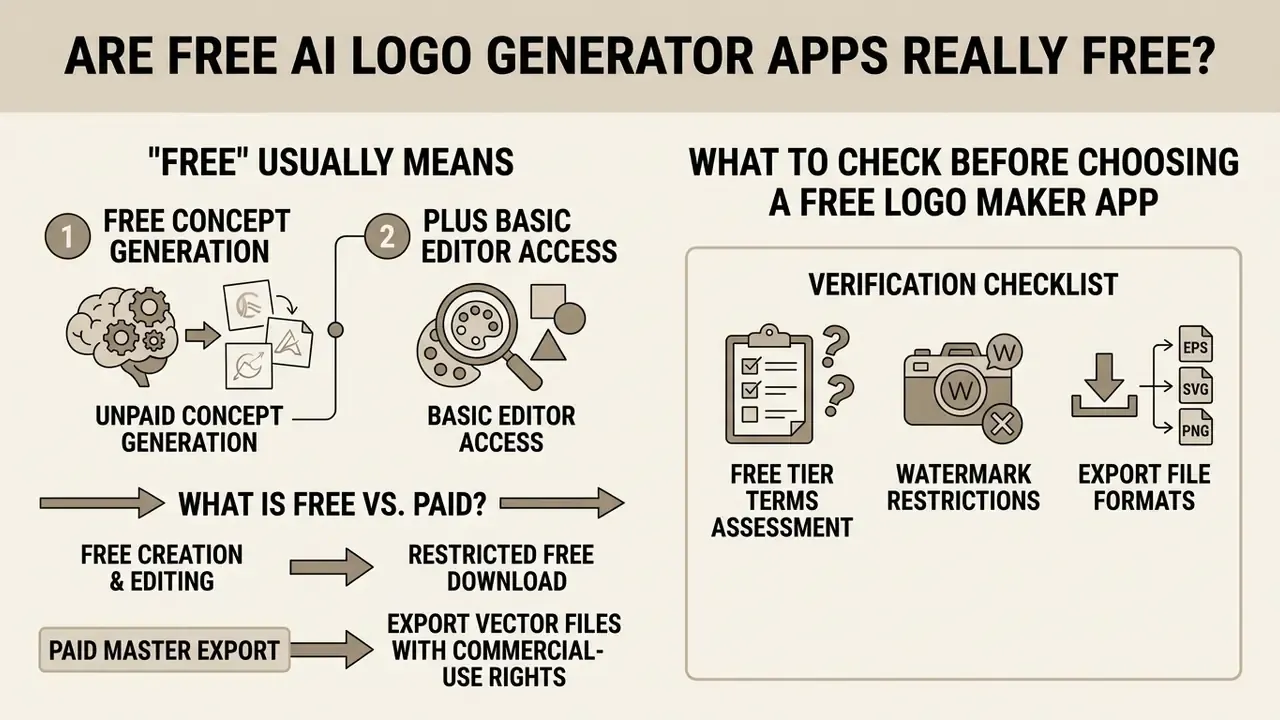
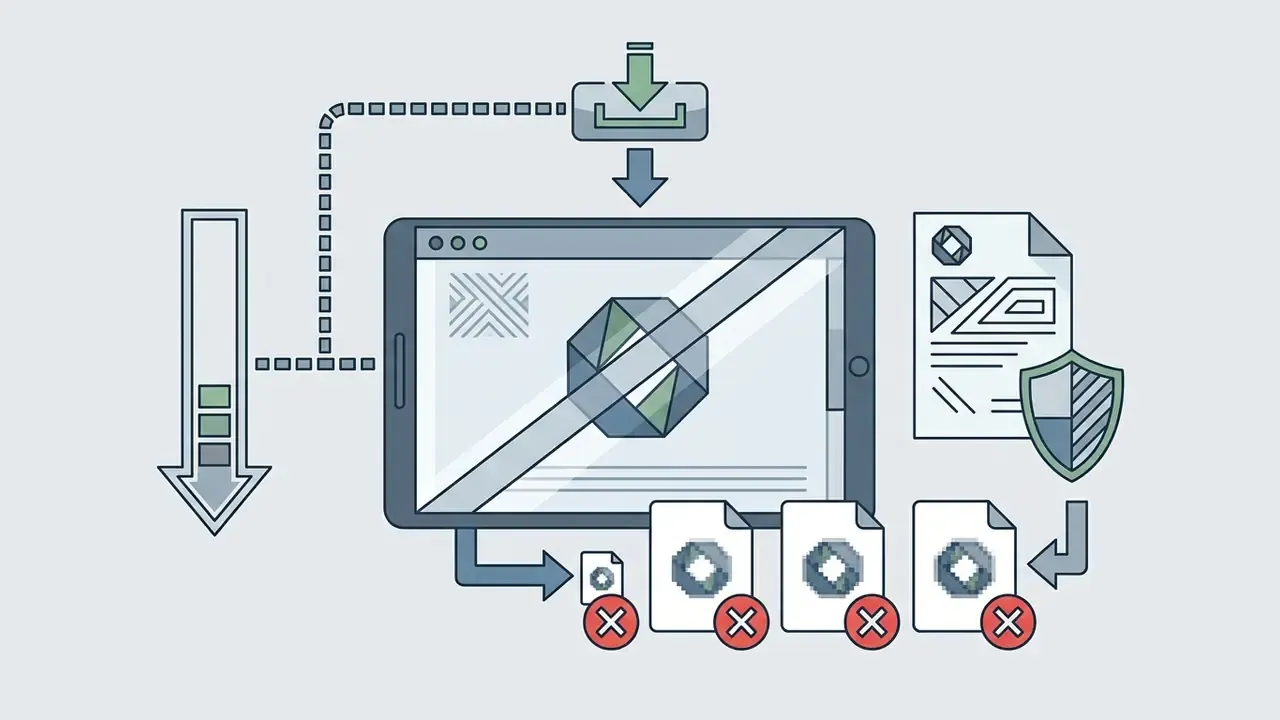
In this market, "free" usually means unpaid concept generation plus basic editor access. Downloading high-resolution raster files, master vector assets, or securing a commercial usage license generally costs money. Understanding the tier boundaries prevents unpleasant surprises the week before launch.
Free Generation, Free Editing, and Free Download Are Different
Vendors segment capabilities across separate operational tiers. An ai logo generator app free plan typically lets users enter prompts, generate candidates, and test editing tools on screen without submitting payment details.
"AI logo tools cut average design time by 88%; 72% of companies report lower branding costs, with a typical premium package priced around $29."
Exporting usable files is where restrictions appear:
Watch three specific traps: watermarks baked into low-resolution files, vector formats gated one tier above the package you bought, and "royalty-free" wording that quietly covers personal use only until an upgrade removes the restriction.
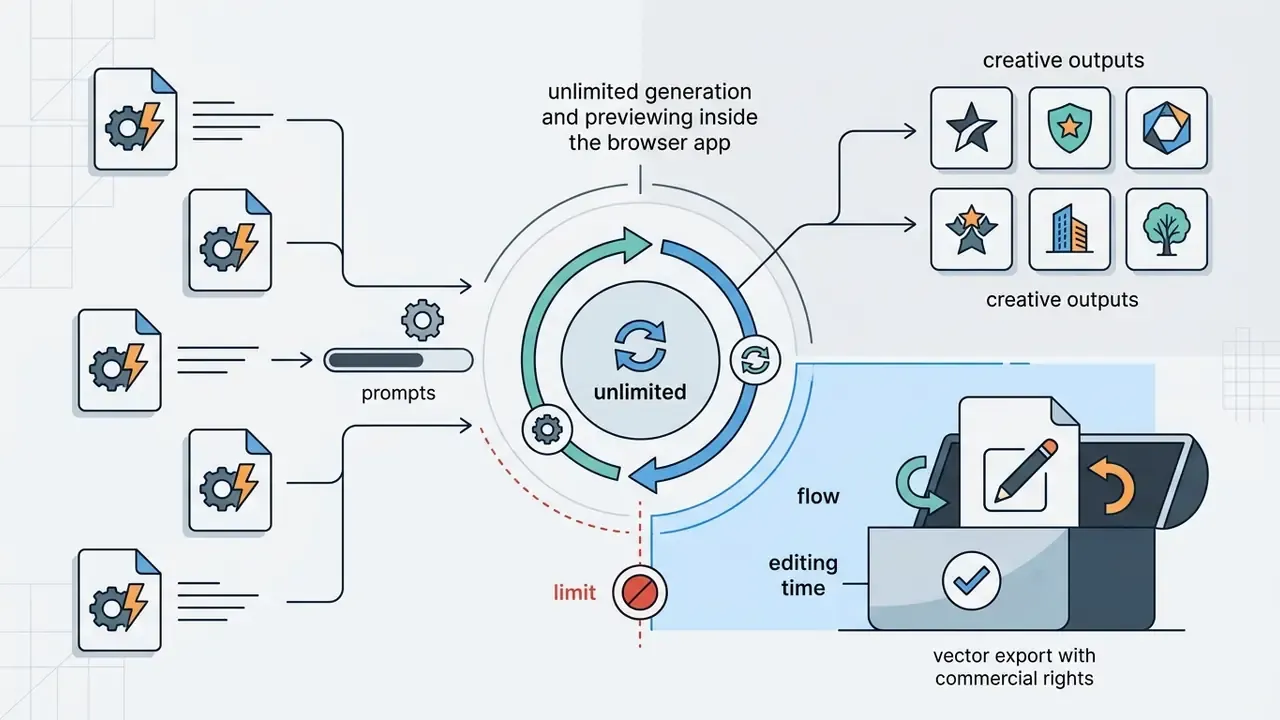
What to Check Before Choosing a Free Logo Maker App
Before spending design hours inside a free ai logo generator app, run a documentation check.
Verification Checklist: Free Tier Terms Assessment
Verify each item on the vendor's own pricing and terms pages, not on review aggregators. Terms change quietly.
Shadow AI and Data Privacy Alert
Organizations evaluating broader creative AI software can review licensing and deployment terms in our AI Media Support hub.
Commercial Use, Copyrights, and Logo File Rights
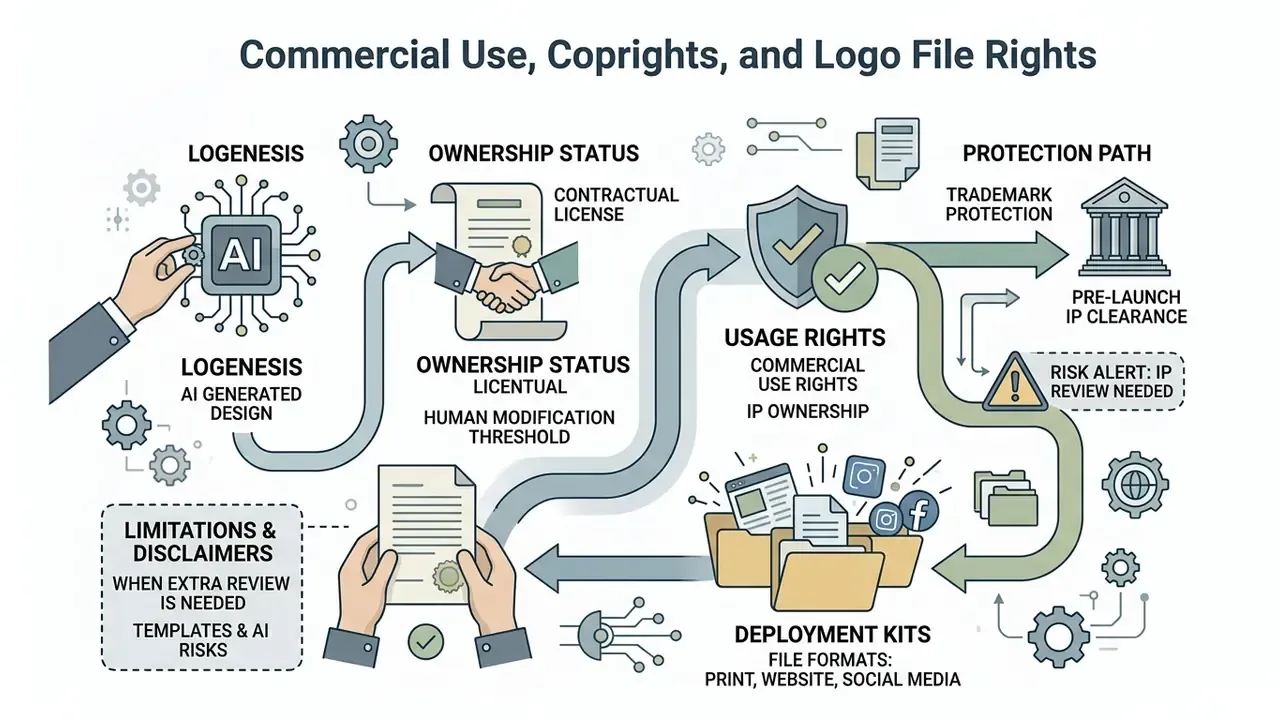
Commercial rights, intellectual property ownership, and trademark registration all sit on the critical path to launch. The legal frameworks governing machine-generated graphics distinguish sharply between contract-based commercial licenses, statutory copyright protection, and registered trademark rights. Mixing those three up is the single most common mistake in this space.
Commercial License and Ownership of the Generated Logo
In the United States, statutory copyright protection requires human authorship. Official guidance from the U.S. Copyright Office (2025) and judicial rulings such as Thaler v. Perlmutter establish that graphics generated entirely by AI models, with no human creative contribution, cannot be copyrighted.
Commercial usability, though, runs on a separate track from copyright:
- Contractual license
- vendors such as Looka, Canva, and Recraft grant commercial usage rights through service contracts upon purchase, permitting business use on websites, ads, and packaging. Terms differ sharply by tier: some platforms tie commercial rights permanently to an active paid plan, while free tiers explicitly forbid commercial use or limit files to personal projects.
- Human modification threshold
- to establish copyright over an AI-assisted mark, human designers must make substantive, non-trivial creative changes, such as redrawing vector paths, customizing letterforms, or assembling complex multi-element compositions.
- Trademark protection
- businesses can register an AI-assisted logo as a trademark with the USPTO, provided the mark functions as a distinctive source identifier in trade and does not create a likelihood of confusion with existing registrations. Readers weighing broader asset rights can also review our analysis of commercial use of AI-generated images.
"In the EU, AI-assisted works are protected where a human exercised sufficient creative control; in the UK, authorship of computer-generated works vests in the person who arranged their creation."
Jurisdiction changes the answer, then. A U.S.-only analysis is insufficient for brands trading across borders: the same file can be unprotected in one market and protected in another, depending on how much documented human creative control shaped the final mark. Keep an evidence trail, including prompt history, editor revision logs, and exported intermediate files, because that record is what substantiates human authorship claims later. Teams facing complex copyright or media licensing disputes can open the hub for deeper legal analysis resources.
When Templates and AI-Generated Designs Need Extra Review
Pre-designed templates and raw model outputs carry real intellectual property risk. A technical benchmark study on IP guardrails in generative image models, published on arXiv, evaluated fourteen major text-to-image systems for intellectual property reproduction using automated detection.
Risk Alert: Pre-Launch IP Clearance Requirements
- Legal counsel review: engage specialized IP counsel to clear high-value corporate identities before physical printing or national campaigns.
- Read the live license: confirm current platform terms on the day you buy, not the terms you read last quarter.
Teams standardizing on a single design suite can review platform-specific licensing detail in our Canva AI Generator breakdown, or explore the hub for enterprise licensing frameworks across asset types.
Use Your AI Logo Beyond the App
A finished logo is the anchor for a full corporate identity system. Expanding one mark into a scalable visual language requires brand guidelines, color system standards, and asset usage rules across every communication touchpoint.
Build a Consistent Brand Kit from the Logo Design
Building an enterprise brand kit means extracting structural parameters from the finalized logo and using them to govern all external media creation. Teams sourcing supporting visuals can benchmark tooling through our comparison of AI art generators. A standard style guide packages master assets alongside operational usage rules.
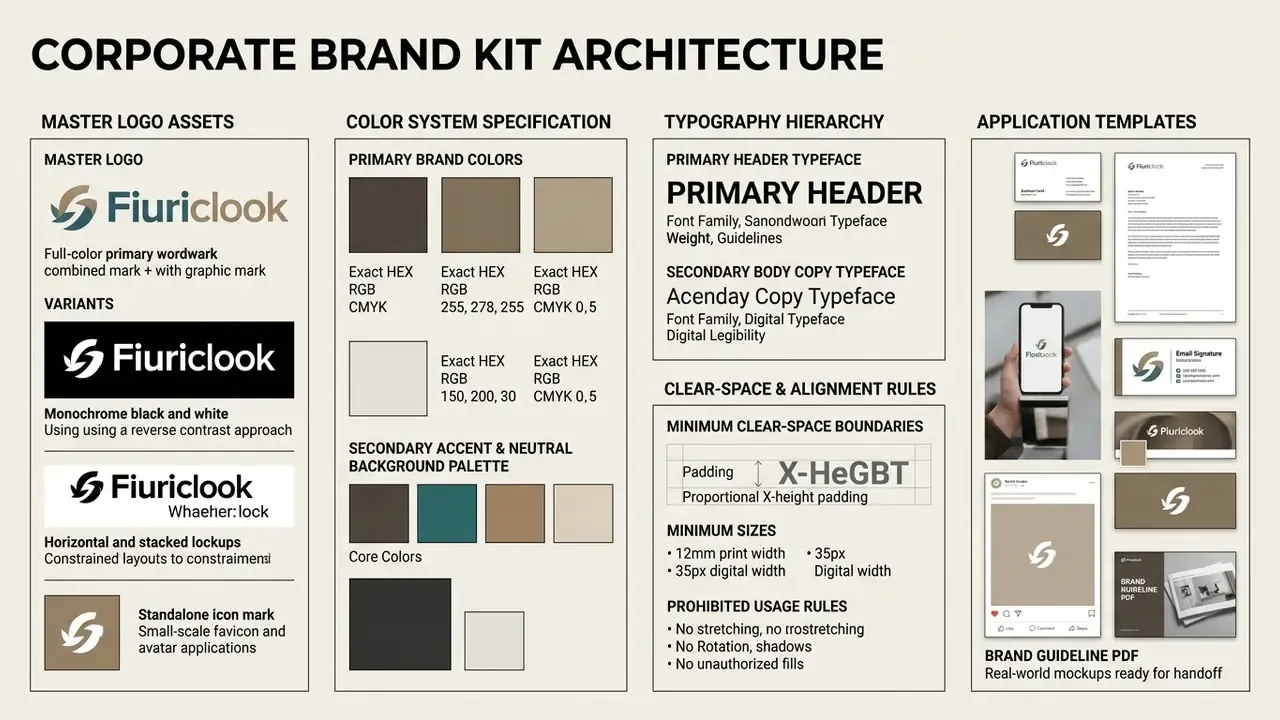
Keep the mark in vector form as the single source of truth. Resize it proportionally and in full, and never rebuild print assets from web-optimized files: production printing needs vector output or 300-dpi raster derivatives.
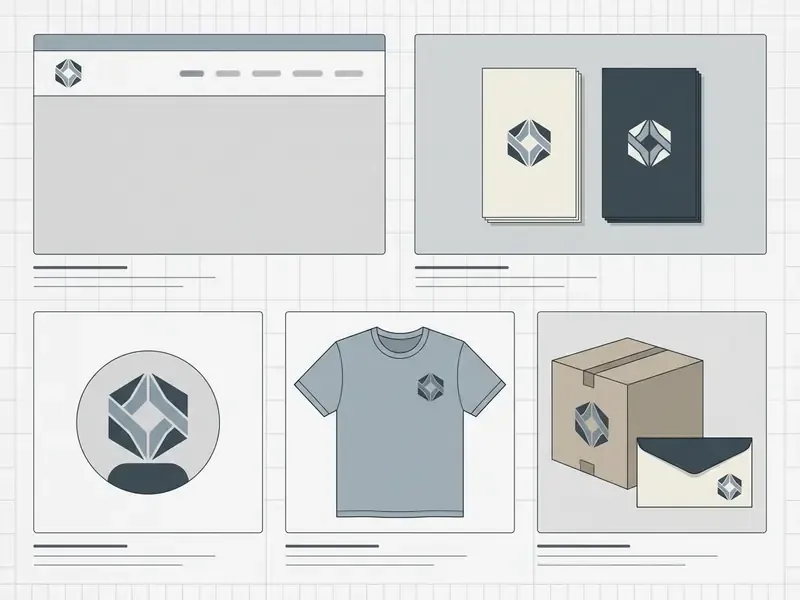
Apply the Logo to Website, Business Cards, and Packaging
Deployment across physical and digital channels demands precise technical management. Web implementations should embed vector SVG files in site headers for sharp rendering on high-DPI mobile screens, paired with a simplified 32x32 favicon.
For physical applications, including stationery, packaging, and printed merchandise, convert color profiles from digital RGB to print CMYK. Enforcing minimum print dimensions, for example a 12mm minimum width for printed wordmarks, keeps typography legible during high-volume manufacturing. On packaging, place the mark on the primary display panel; on apparel, use the standard prominent garment locations. Apply identical clear-space rules in both cases.
Expanding Your Brand Kit: AI Websites and Digital Cards
Once master SVG files exist, modern AI ecosystems allow near-instant deployment into digital presence tools:
Organizations extending brand identity across digital presence can deploy master assets into our AI Website Builder or customize enterprise asset kits via our Brand Management Hub. Teams evaluating commercial subscriptions can view the guide to plan tiers, or compare options for programmatic asset generation.
Limitations and Open Questions
Two things in this space remain genuinely unsettled, and pretending otherwise would be dishonest.
First, the authorship threshold. Nobody can tell you exactly how much editing converts unprotected AI output into a protectable authored work. Guidance points to substantive human creative contribution, but the boundary is being drawn case by case.
Second, license durability. Several platforms tie commercial rights to an active subscription rather than to a completed purchase. What happens to files already printed on 40,000 packaging units if that plan lapses? Read the clause. Ask the vendor in writing. Keep the reply.
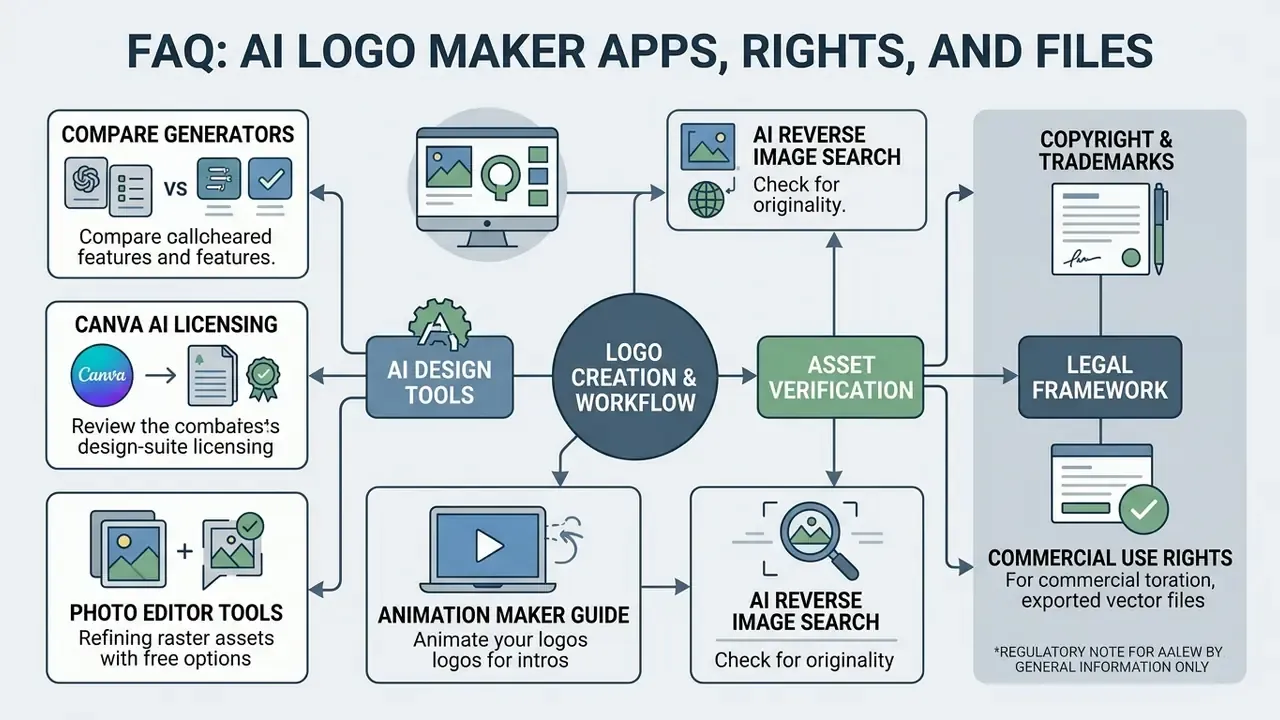
FAQ: AI Logo Maker Apps, Rights, and Files
Can I trademark a logo made by an AI logo maker app?
Usually, yes. Trademark law protects marks that function as distinctive source identifiers in commerce, and there is no special prohibition on AI-assisted artwork. Registration still depends on distinctiveness, actual use in commerce, and the absence of a likelihood of confusion with earlier marks. Copyright is the separate question, and that one requires human authorship.
Do I own the copyright to my AI logo after I pay for it?
Payment buys a contractual commercial-use license, not automatic copyright. Some competitors claim buyers "receive all copyrights"; that is legally inaccurate for raw AI output in the United States, where the Copyright Office confirms that material generated without human authorship is not protected. Substantive human modification, meaning redrawn vector paths, custom letterforms, or original composition, is what creates a protectable authored contribution.
What should I do if the AI generates something that looks like an existing brand?
Discard the candidate instead of lightly editing it. Then run a reverse-image search and a USPTO TESS search on your shortlisted mark, document both checks, and escalate borderline cases to IP counsel before printing or launching.
Which file formats do I actually need?
Minimum viable package: SVG as the web master, EPS or PDF for print handoff, transparent PNG at multiple densities for social and email, a 32×32 or SVG favicon, and archival .ai and .psd masters. Print vendors may also specify PDF/X.
Are free AI logo generators genuinely free?
Generation and editing usually are. Watermark-free, high-resolution, and vector exports commonly are not. Expect roughly $20 to $65 one-time or a subscription, with free tiers often capped by monthly prompt limits and personal-use-only licenses.
Do these tools work as mobile apps?
Some do natively: Canva and Ideogram ship iOS and Android apps. Others, including Recraft, Looka, VistaPrint AI, and Turbologo, run as responsive web applications in a mobile browser. Verify vector export availability on mobile specifically, since some editors restrict format options outside desktop.
How long does the whole process take?
Generation takes seconds; a defensible commercial result takes longer. Budget 15 to 60 minutes for prompt iteration and editor refinement, plus separate time for trademark clearance and mockup testing before launch.
What should a governance reviewer ask before approving a tool?
Four questions: who owns this tool internally, what data can be entered into it, where does output evidence get stored, and what happens to our license if the subscription stops? If any answer is missing, the tool is not ready for regulated brand work.
Reference Glossary and Ecosystem Links
To navigate specialized AI design tools, enterprise licensing models, and workflow guides across our technical resource hub, use the directory below:
- Design and brand asset tooling:
- Compare visual generation platforms in our best AI art generator analysis.
- Review design-suite licensing detail in our Canva AI Generator overview.
- Refine exported raster assets with the tools covered in our photo editor guide, or review no-cost options in our free photo editor breakdown.
- Animate a finished mark for intros and product demos using our animation maker guide.
- Verify originality before launch with the tools listed in our AI reverse image search comparison.
Regulatory note: sections covering copyright, trademarks, and licensing are provided for general information only and do not constitute legal advice. Verify current platform terms and consult qualified counsel before commercial launch.
- Core technical index
- open our primary glossary index for technical definitions, architectural standards, and AI compliance terminology.
- Commercial asset deployment
- examine enterprise licensing frameworks, IP protection standards, and usage compliance guidance in our commercial use documentation.