«Without verifiable rights and controlled output parameters, autonomous media deployment introduces unacceptable operational and regulatory exposure.»
This guide covers how text-to-music systems actually work, a step-by-step creation framework, prompt templates you can reuse, the wider AI audio toolkit (vocal removal, voice swapping, lyric in-painting, sound effects), and the regulatory, copyright, data-privacy, and licensing requirements that govern commercial AI music deployment in 2026. For a compliance or risk owner inside a bank or a mature fintech, the last part is the whole ballgame: audio quality rarely triggers an audit finding, but an unlicensed campaign track or a leaked prompt does.
Executive summary
- Workflow Every mainstream platform reduces song creation to three controllable stages: prompt or lyric input, parameter selection (genre, mood, vocal, tempo, sliders), and render/export. No music theory or DAW experience is required.
- Prompt precision drives quality Structured prompts built on
[Genre] + [Mood] + [Instrumentation] + [Tempo] + [Use case]cut output variance from 45–60% down to 15–22% compared with vague tag lists. - The toolkit is wider than generation Vocal removers, singing voice conversion (AI covers), lyric in-painting, stem splitters, and text-to-SFX engines cover most post-production needs without a studio.
- Rights are conditional, not automatic Free tiers are almost universally non-commercial; commercial licences are tied to active paid plans, and purely machine-generated audio is not copyrightable in the U.S. or EU.
- Governance is the gating risk for organisations Prompt and lyric confidentiality, model-training opt-outs, provenance metadata (EU AI Act, applying from 2 August 2026), and an auditable inventory of generated assets need resolving before any track reaches a public channel.
Before you generate: three questions worth answering
Most failed AI music projects fail at the same three points, not at the render stage. Answer these first and the rest of the workflow gets simple.
- What is the asset for?A 10-second podcast sting, a 3-minute campaign single, and a looping e-learning bed need different tempos, densities, and durations. Decide before you write the prompt, not after the third render.
- Who signs off on the rights?If the track will run in a paid ad, on a customer-facing channel, or inside a monetised feed, a paid commercial tier plus archived licence evidence is the minimum. Free output is for testing.
- What may leave the perimeter?Prompts and lyrics travel to a vendor. Unannounced product names, launch dates, and executive messaging do not belong in a consumer-grade generator. Classify first, paste second.
What is an AI song generator and what can it create?
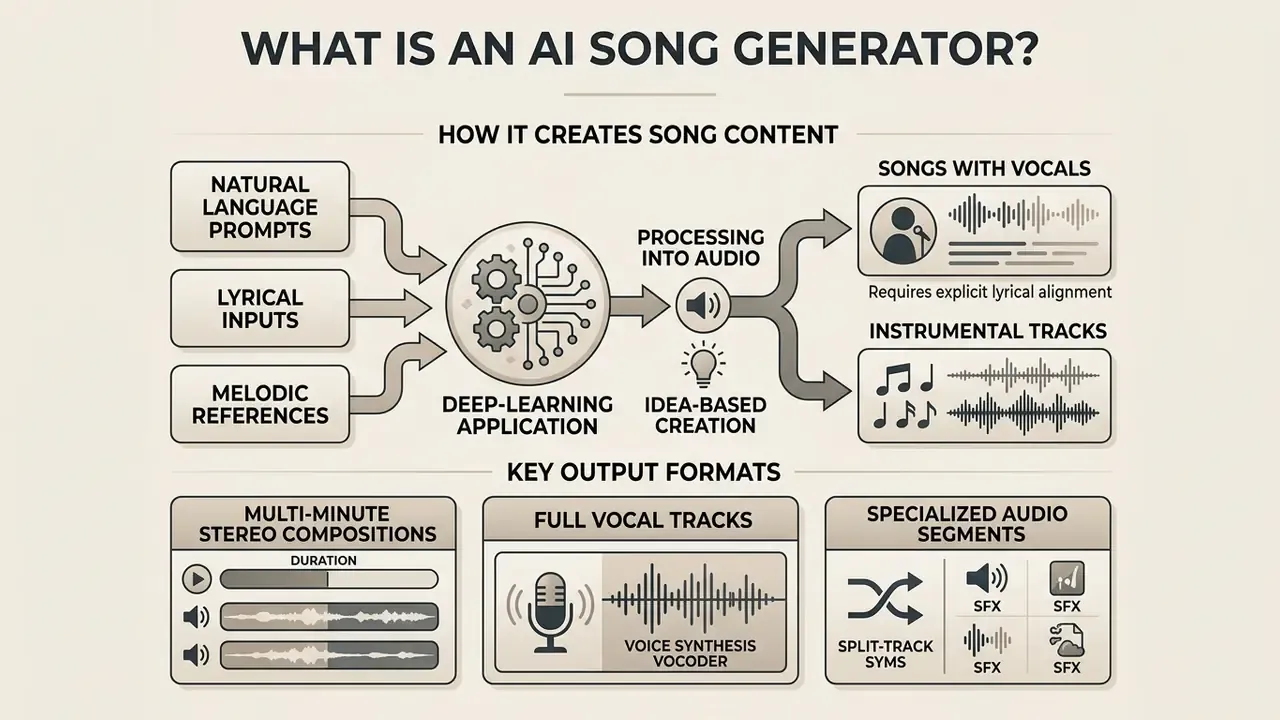
An AI song generator is a deep-learning application that converts natural language text prompts, lyrical inputs, or melodic references into complete polyphonic compositions or symbolic scores. These platforms combine transformer architectures, diffusion models, and adversarial networks to synthesise chords, rhythm, instrumentation, and vocal lines in one pass.
«Systematic reviews classify music generation approaches into parametric, text-based, and visual systems, noting text-driven generators are especially attractive to non-musicians.»
Depending on configuration and intent, an AI song generator can produce multi-minute stereo compositions across genres, standalone instrumental beds, or short functional cues. By replacing manual scoring and complex DAW routing, an AI music generator create songs online directly from text prompts, which puts composition within reach of non-musicians and turns a song maker or ai generated music maker into a practical editing asset for content teams. Expectations about reach, however, should be calibrated against measured platform behaviour rather than vendor demos:
«Empirical analysis of Spotify showed roughly 93% of AI tracks receive minimal listens and are rarely surfaced by platform recommendation systems.»
Read that number carefully. Generation is cheap; distribution is not.
Songs with vocals, instrumental tracks and background music
AI song generators produce three primary output formats, each tied to a different production requirement: full compositions with synthesised vocals, standalone instrumental arrangements, and functional background music designed to sit under visuals or speech.
Full vocal tracks require explicit lyrical alignment, with dedicated voice synthesis vocoders mapping written text to natural prosody and melody (SongGen, 2025). Commercial delivery guidelines matter here too: the Apple Music Style Guide mandates that synthesised vocalists and primary backing split-track details appear explicitly in track metadata. Instrumental tracks strip vocal presence entirely, which prevents frequency overlap with a voiceover in podcasts or instructional video. Background music works as low-distraction cue material, and broadcast cue-sheet standards categorise background instrumental and background vocal usages separately for rights licensing.
Content teams evaluating specialised tools can review our analysis of the udio ai music generator, and anyone pairing generated audio with moving images can compare options among free AI video generators or learn how to turn photo into video for simple lyric visuals.
Text-to-song, lyrics-to-song and idea-based music creation
Text-to-song models process descriptive prompts into structured audio. Lyrics-to-song architectures do something different: they map written verses directly onto synthesised melody and vocal lines. In a text-to-song workflow, a single autoregressive transformer conditions output on attribute tags such as genre, mood, tempo, and timbral descriptors (ACL 2024 Text-to-Song). Lyrics-to-song pipelines such as YuE use an autoregressive framework where the lyric text is the primary conditioning input, aligning syllabic onsets with generated vocal pitches and backing arrangements (YuE, 2026).
«MusiConGen applies temporal conditioning over rhythm and chords, letting text descriptions and musical priors jointly determine the genre and mood of the track.»
Idea-based creation bridges both approaches. High-level thematic descriptions, visual cues, or mood constraints feed multi-stage generation stacks that parse the creative brief, extract musical attributes, and synthesise cohesive ai generated music with consistent verse-to-chorus transitions. Teams experimenting with text-side inputs can also reference our guide on using an uncensored ai text generator for unconstrained creative drafting, though in a regulated environment unconstrained drafting deserves its own review step.
How to create a song with AI in three steps
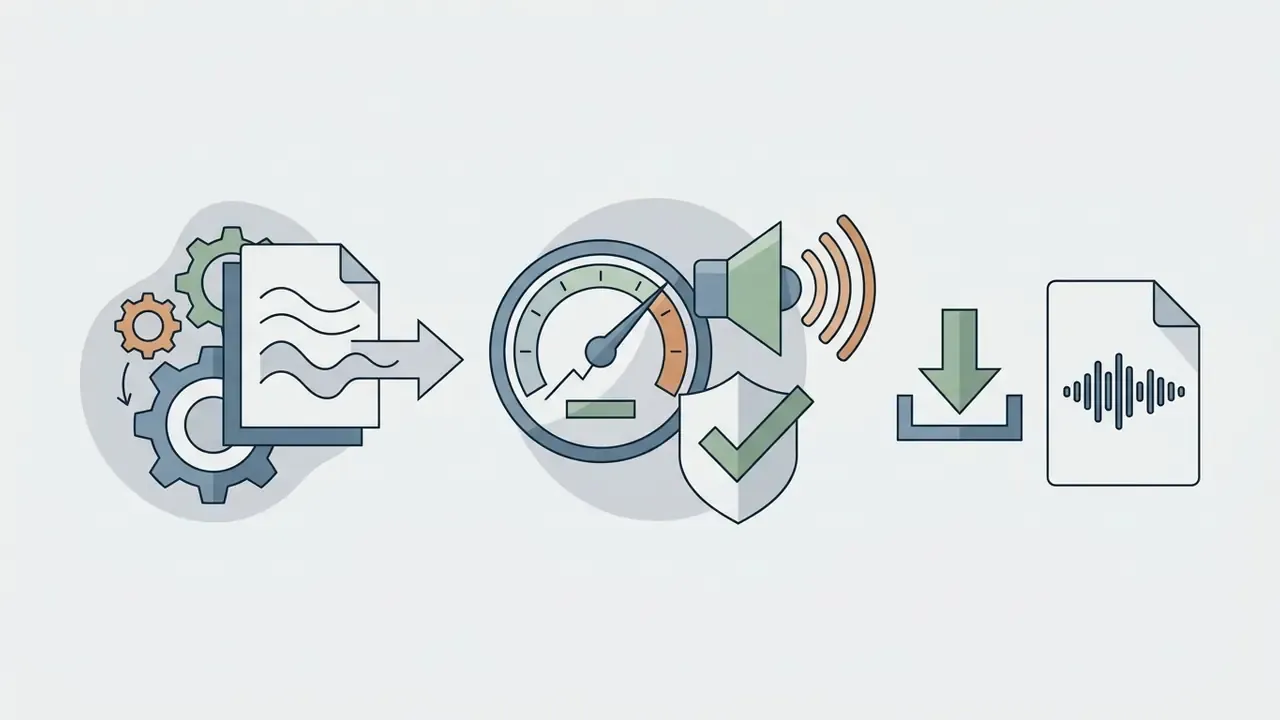
Creating an AI song takes three sequential steps: submit a structured prompt or lyric block, select musical attributes such as genre and vocal type, then generate the audio for evaluation and download. That standard workflow lets creators create a song with ai with zero sound-engineering background.
«Users typically run several generation and prompt-refinement iterations before settling on a final track.»
Cloud engines split composition into input, configuration, and export phases, so anyone trying to ai create your own song or run an ai music create cycle gets a fast turnaround. An ai maker music environment, or an ai generated song maker free tier, gives immediate access to high-quality rendering without local hardware.
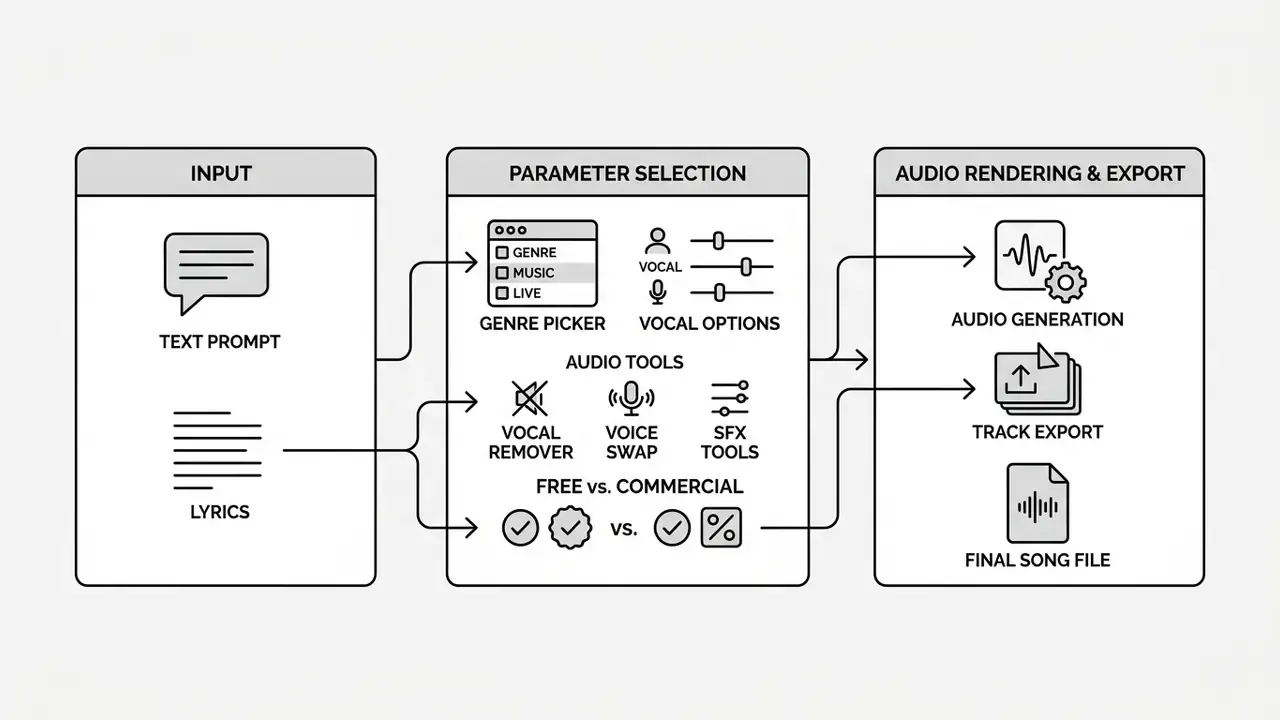
Each stage maps directly to user-configurable settings in the interface, which is what gives you operational control over the final track. Nothing here is magic; it is parameter discipline.
Enter a prompt, description or lyrics
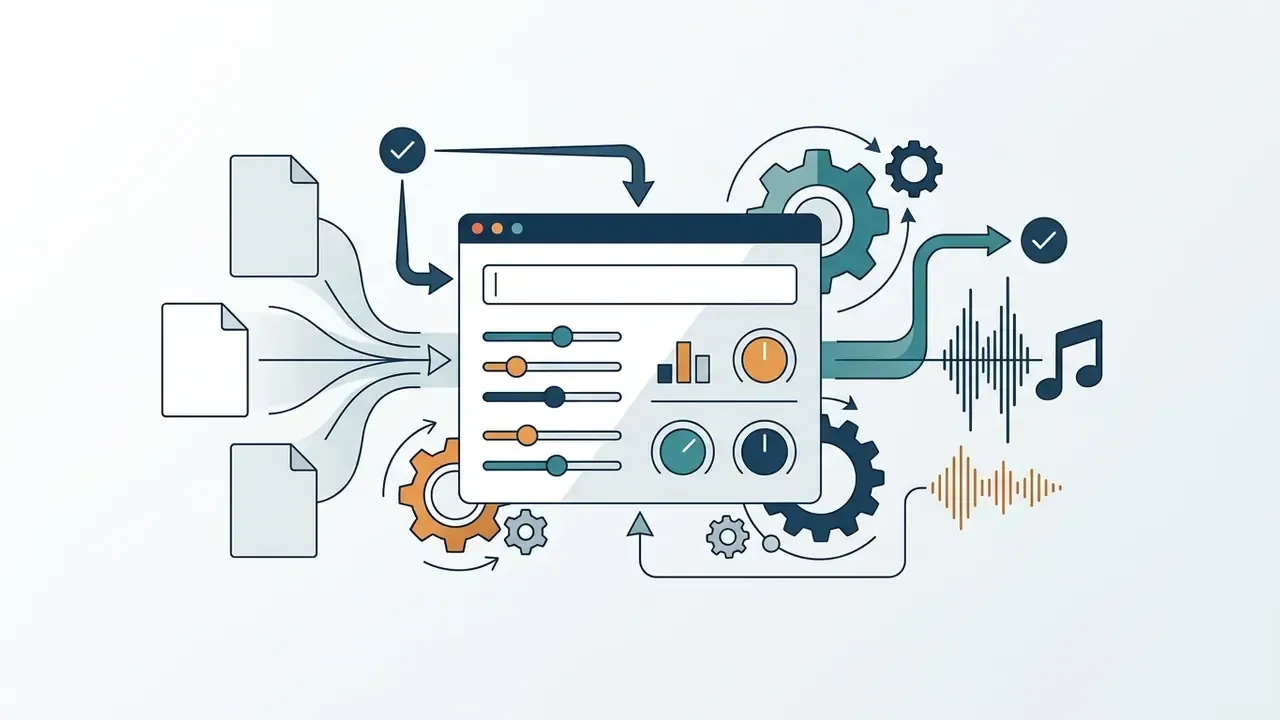
The input phase means plain-language instructions, structured tag prompts, or finished lyrics that define theme, narrative arc, and musical boundaries. Formulating prompts along NIST SP 1353 draft guidance involves stating context, objective, constraints, and target audio attributes in direct language. When inputting completed lyrics, mark verse, chorus, and bridge sections with standard formatting so the singing voice synthesis model parses them correctly. Interface design standards under W3C WCAG 2.1 require explicit input instructions where specific text formats or section tags are mandatory, which is one reason good tools show a lyric template. Setting clear constraints at input prevents acoustic ambiguity and aligns output with the production goal when you ai create a song.
Select genre, style, voice and song format
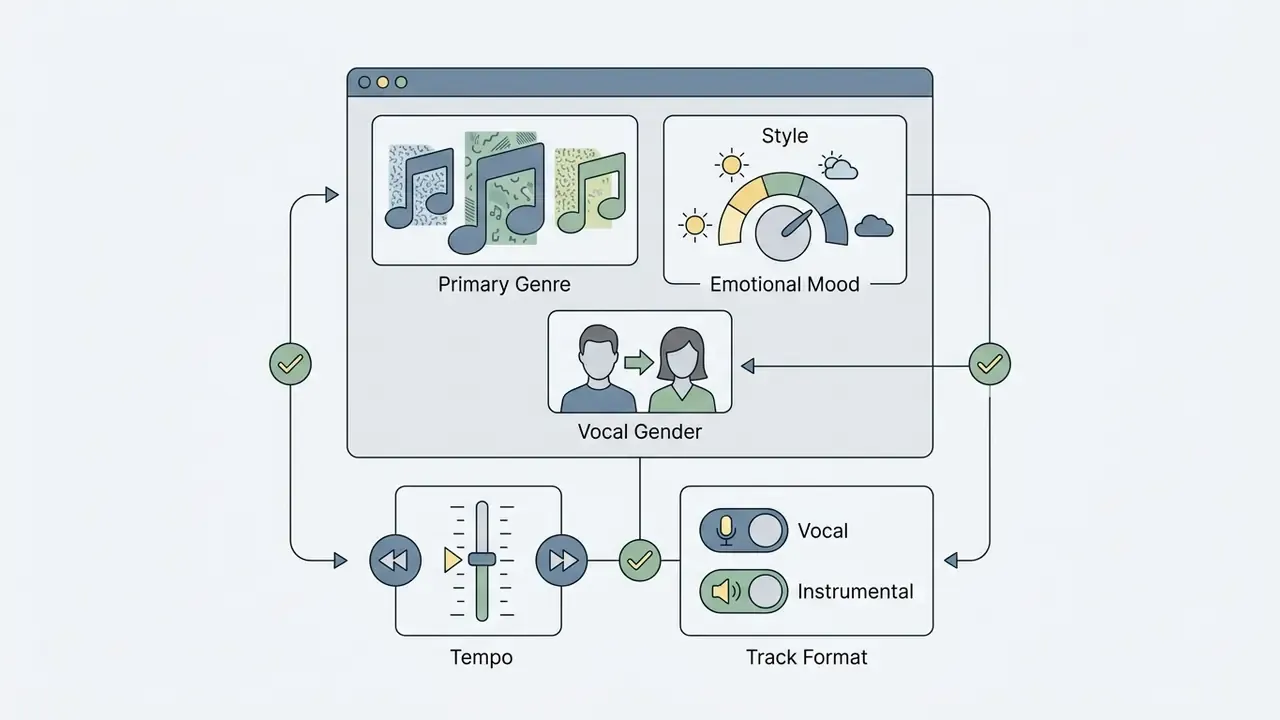
Configuration controls define target genre, mood, tempo, vocal gender, or a strictly instrumental format. Platform documentation for Google Lyria and MiniMax Music 2.6 exposes parameter fields for male, female, or neutral voice models alongside specific vocal style descriptors (Google Lyria Prompt Guide, 2026). An instrumental-only toggle strips vocal elements from the arrangement and returns a clean backing bed. Style tags give finer control over acoustic texture, spatial reverb, and production era. Fixing these parameters before synthesis reduces generation variance and improves consistency across the batch of rendered options.
Fine-tuning advanced model generation sliders
Advanced cloud engines expose granular controls that change how strictly the model follows your prompt:
- Creativity / weirdness slider (0.0 to 1.0) Controls sampling temperature in the autoregressive transformer. Low settings (0.2 to 0.4) give predictable, radio-friendly progressions; high settings (0.7 to 0.9) introduce unexpected harmonic shifts and experimental instrumentation.
- Style influence / prompt strength (1% to 100%) Dictates how aggressively the diffusion model enforces genre tags over lyrical pacing. Set 70 to 85% for strict genre alignment.
- Complexity and texture controls Adjust the density of active instrument layers. Low complexity produces minimalist arrangements suitable for voiceover; high complexity stacks background synths, backing harmonies, and secondary percussion.
- Target duration pacing Specify exact length, from 15-second social stings up to extended 8-minute compositions.
- Model version selection Newer releases improve prompt adherence, transient clarity, and drum-bass alignment. Pinning one version keeps a campaign's sonic identity stable across months of production, which matters more than most teams expect.
Generate, listen and download the track
The final stage renders variants for acoustic review before export in uncompressed or compressed formats. Evaluation frameworks use Fréchet Audio Distance (FAD) to measure spectral fidelity, while variance-shift metrics assess sample diversity across repeated runs from an identical prompt (Evaluation of Generative Audio Literature, 2025).
«MusicFlow achieves superior audio quality and text alignment while using 2–5× fewer parameters and 5× fewer iterative steps than baseline models.»
Listening tests let you audit vocal clarity, instrument balance, and dynamic range. Once validated, export as uncompressed WAV or FLAC for post-production, or MP3 and OGG for fast distribution. Teams moving straight into the edit bay can align exports with their YouTube video editor workflow, trim delivery weight with a video compressor, and clean up archival footage with an unblur video online tool before the final mix.
How to write prompts for better AI-generated music
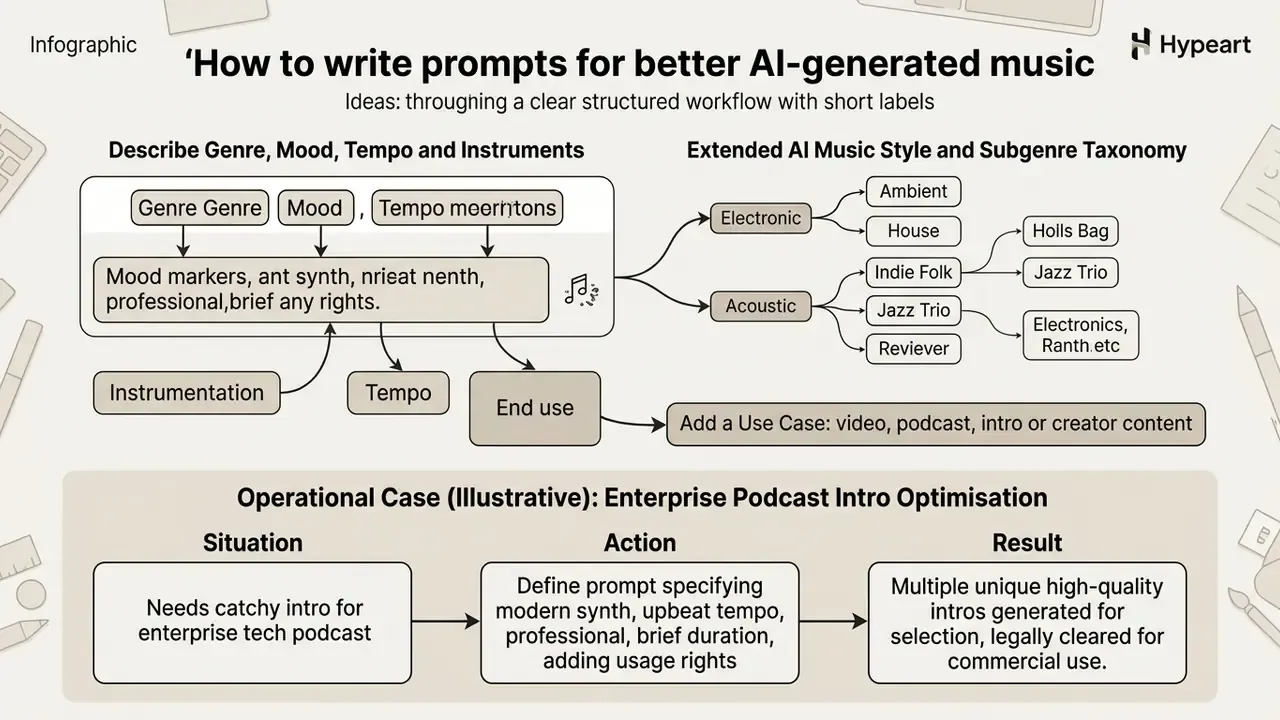
Effective prompt engineering for music relies on structured specifications: genre descriptors, mood markers, instrumentation, tempo, and the intended end use. Published prompt guidance from Google Lyria and ElevenLabs indicates that structured, descriptive prompts reduce result variability from 45–60% down to 15–22% versus vague tags.
«Structured prompts with explicit genre, tempo, and instrument tags reduce result variability from 45–60% to 15–22% versus vague descriptions.»
So instead of generic adjectives, creators running an ai for create music workflow or using ai melody generator tools write specs. Naming the exact output requirement, whether an ai intro music generator bed or an ai intro song generator cue, helps the music generator deliver balanced frequency distribution suitable for professional media mixing.
[Genre & Style] + [Mood & Atmosphere] + [Instrumentation] + [Tempo / BPM] + [Use Case Constraints]

Example: "Cinematic orchestral fantasy, dark melancholic atmosphere, string section and French horns, 120 BPM, low-energy bed for podcast background."
Describe genre, mood, tempo and instruments
Precision here means numbers and instruments, not adjectives. Official prompt design guidelines establish a core formula: [Genre & style] + [Mood] + [Instrumentation] + [Tempo & rhythm] (Google Lyria, 2026). Explicit numerical tempo cues such as "120 BPM" or "driving 140 BPM" push the transformer to sample rhythmic tokens inside exact time constraints (ElevenLabs Docs, 2026). Naming key instruments, for example "upright acoustic bass and brush snare", forces the model to prioritise specific timbral profiles in the synthesis stack.
| Prompt Component | Purpose | Recommended Terminology | Example |
|---|---|---|---|
| Genre & Style | Establishes the foundational musical framework | Synthwave, Baroque, Lo-Fi Hip Hop, Cinematic | "Modern cyberpunk synthwave" |
| Mood | Defines emotional resonance and tonality | Melancholic, energetic, tense, uplifting | "Dark suspenseful mood" |
| Instrumentation | Dictates active sound sources and timbres | Analog synths, string quartet, acoustic piano | "Analog bass synths and distorted drums" |
| Tempo / BPM | Controls cadence and dynamic pacing | 80 BPM, 120 BPM, fast 140 BPM, slow ambient | "Steady 110 BPM rhythm" |
| Vocal Style | Guides singing voice synthesis, where used | Female alto, male baritone, distant choir | "Clear female vocal lead" |
«Mustango uses detailed captions specifying chords, tempo, and key, for example "a 120 BPM funk groove in C minor", to precisely steer generated structure.»
Defining each component prevents stylistic drift and keeps multi-track output consistent across sequential sessions. It also makes your prompts reproducible, which is exactly what an auditor will ask for later.
Extended AI music style and subgenre taxonomy
For precise sonic output, combine a primary genre with specialised subgenre tags:
| Musical Category | Primary & Niche Subgenres | Key Timbral Descriptors |
|---|---|---|
| Rock & Metal | Alternative Rock, Nu Metal, Hard Rock, Hardcore, Doom Metal, Mathcore, Grungegaze, Psychobilly, Pop Punk, Oi, Slowcore | Distorted high-gain guitars, aggressive double-bass drums, raw vocal energy |
| Hip-Hop & Urban | UK Drill, Sad Rap, Abstract Hip Hop, West Coast Rap, Jazz Hip Hop, Boom Bap, Corridos Tumbados | 808 sub-bass glides, sharp hi-hat rolls, syncopated vocal delivery |
| Electronic & Dance | Cyberpunk Synthwave, Dark Wave, House, Techno, Trance, Dubstep, EDM, Electropop, Disco | Analog sawtooth synths, sidechained compression, 128–140 BPM driving beat |
| Acoustic & World | Celtic Rock, Celtic Music, Shamisen Folk, Spanish Acoustic, Samba, Salsa, Latin, Reggae, Honky Tonk, Afrobeat, Accordion Folk | Traditional string resonance, natural room reverb, polyrhythmic percussion |
| Cinematic & Classical | Film Score, TV Theme, String Quartet, Violin Solo, Light Opera, Musical, Dark Ambient, Modal Jazz, Big Band, Swing | Orchestral crescendos, dynamic brass swells, spatial room reflections |
| Pop, Soul & Indie | Pop Rock, Indie Music, Funk, Soul, Soul Jazz, Blues, Country, Folk, Dark Folk, Spiritual, Anime / J-Pop / Anisong | Bright vocal-forward mixes, warm analogue compression, hook-driven melodies |
Teams drafting prompt copy and style tags at scale can systematise the process the same way they manage visual assets in a Canva AI generator workflow: one shared template library, one owner, version history.
Add a use case: video, podcast, intro or creator content
Naming the target use case in the prompt keeps energy level, duration, and frequency space compatible with voiceover. Updated for 2026: production guidance for spoken-word formats generally recommends a recognisable opening motif of roughly 5 to 15 seconds before the music drops into a speech-safe bed. Common editing practice places that bed clearly below dialogue level, often described as around 20 to 25 dB under the voice, though exact values depend on your loudness target, platform normalisation, and monitoring chain, so verify them in your own mix (Podcast Production Guidelines, 2026). Video background prompts should request low-energy, non-melodic structures so the score does not compete with the narrative visuals.
Operational case (illustrative): enterprise podcast intro optimisation
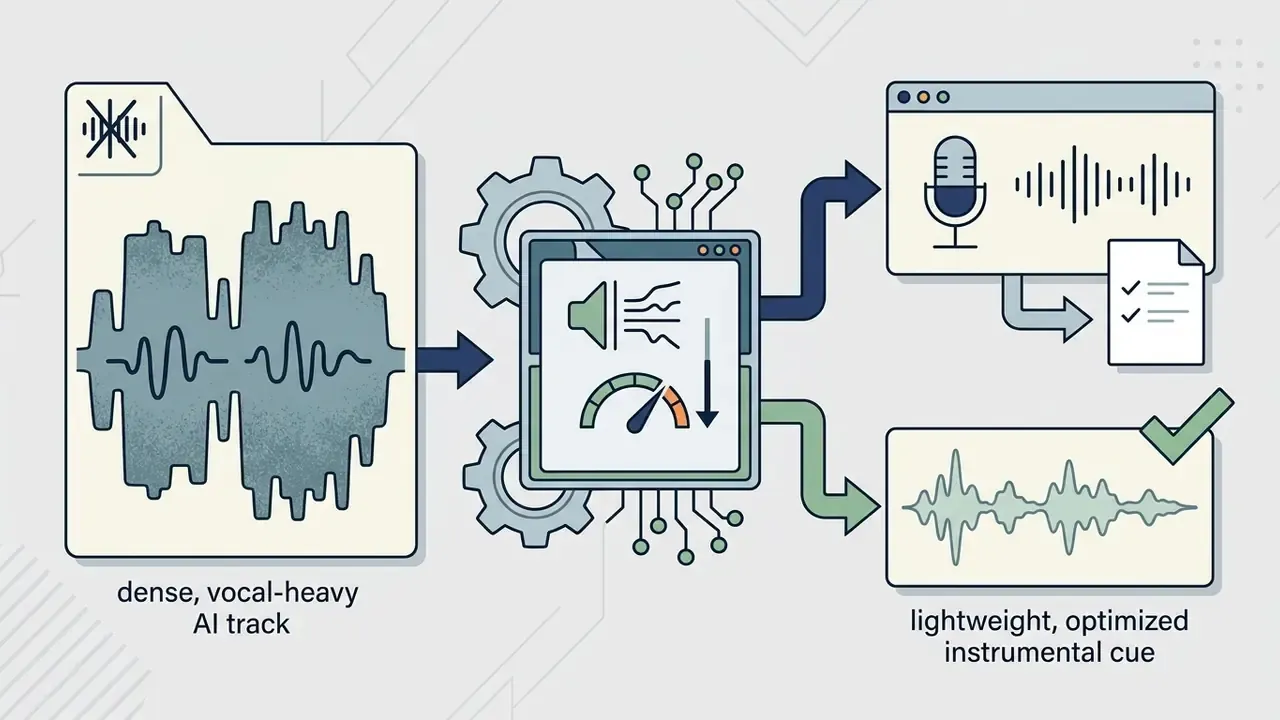
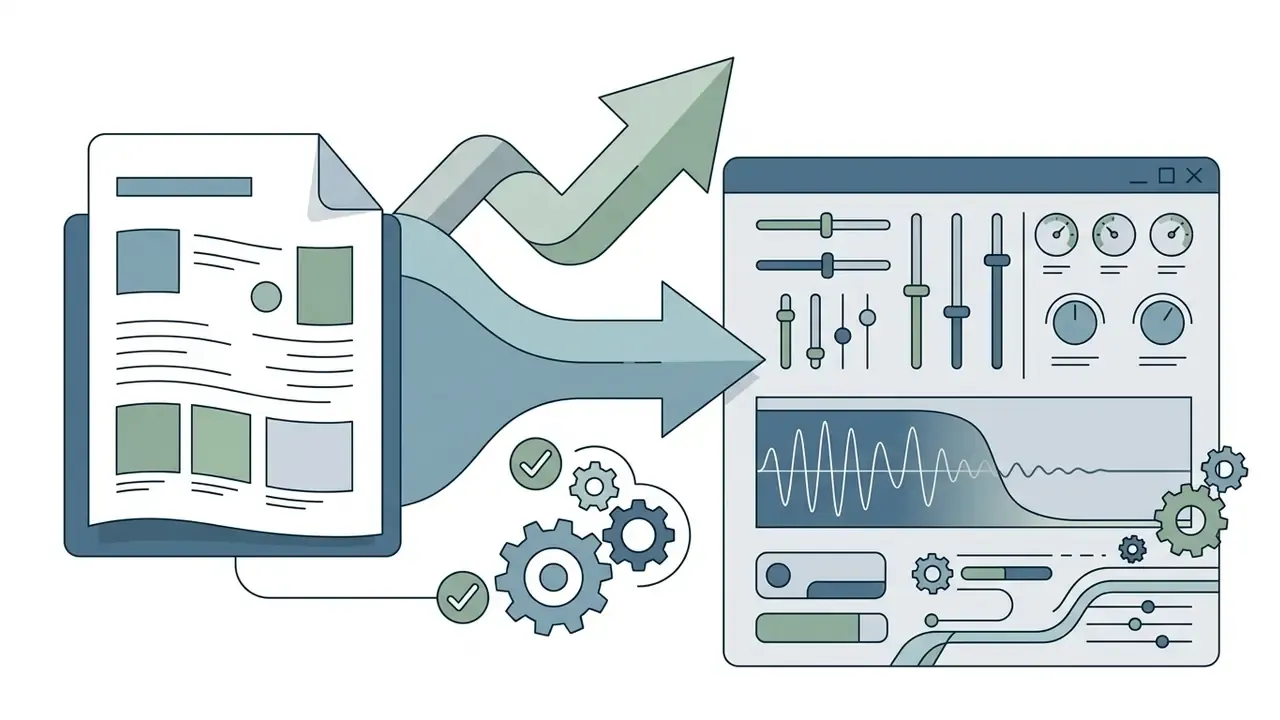
"Lo-fi ambient synth, low-energy, no vocals, speech-safe frequency bed, 10-second sting fading out to -22 dB".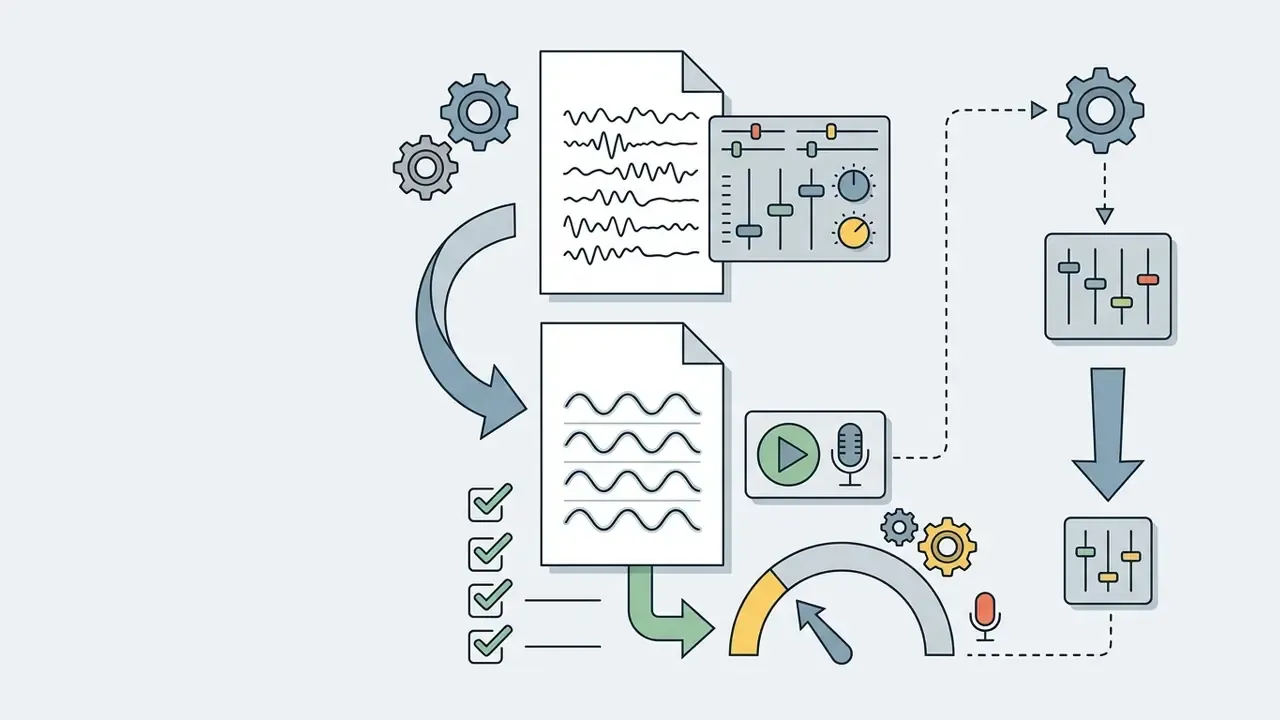
Create songs from lyrics, vocals or a melody idea
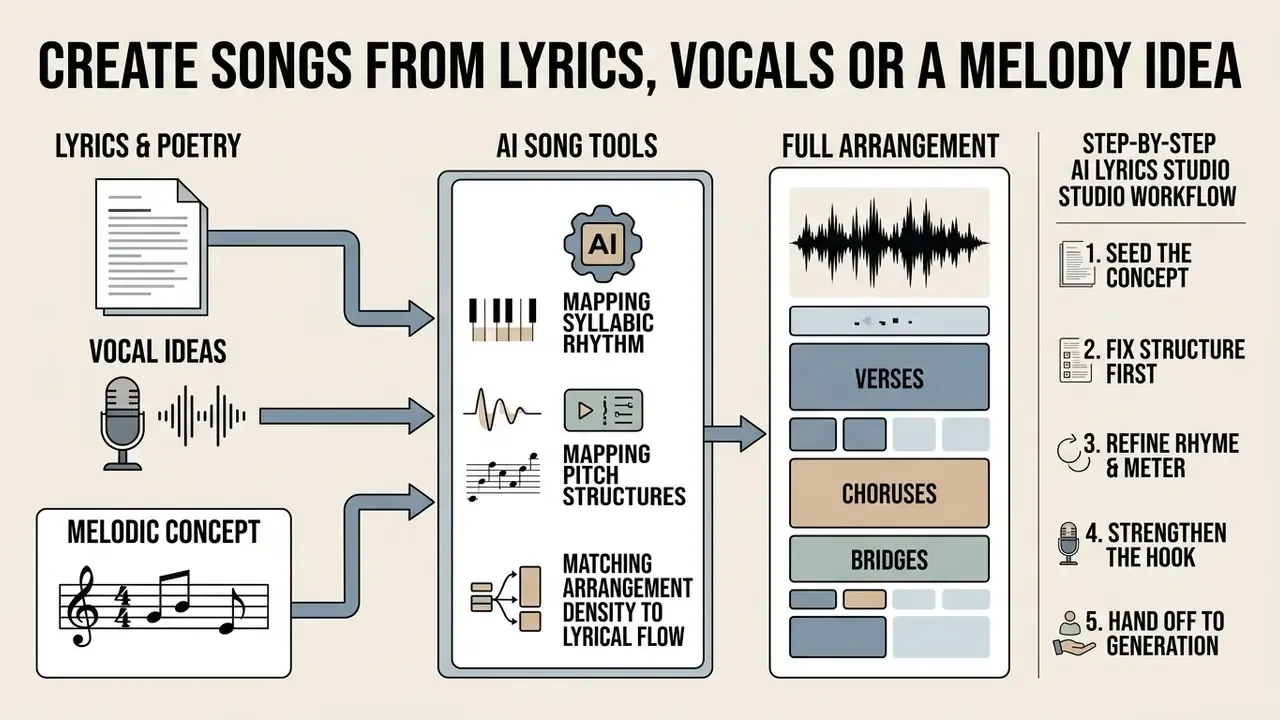
AI song tools turn raw lyrics or a basic melodic concept into a full arrangement by mapping syllabic rhythm onto pitch structures and matching arrangement density to lyrical sections. Systems such as SongGen and YuE parse input text into sentences and syllables, then allocate onset times and durations to fit the vocal melody (ISMIR, 2022).
«MetaScore, a dataset of ~963,000 music scores with tags and LLM-generated captions, lets models interpret instrument, genre, and complexity labels for symbolic generation from free text.»
Users working through an ai chat song maker or an ai for song creation suite can build custom vocal arrangements without touching notation. An ai custom song generator lets non-musicians ai create songs from a written idea, and ai melody generator tools handle the harmonic scaffolding. Enterprise teams deploying spoken voice assets next to sung material can consult our AI Voice Generator Guide.
Turn lyrics and poetry into a complete song
Bracketed section tags such as [Verse], [Chorus], and [Bridge] let AI singers parse transitions and vocal dynamics correctly. Documentation from ACE-Step and SmartChord confirms these tags act as parsing directives, signalling changes in arrangement density, tempo, and vocal intensity (ACE-Step Docs, 2026). Write repeated chorus text out in full rather than using shorthand labels, otherwise the synthesis engine may skip repeated lines entirely.
[Verse 1]
Late night lights across the city grid,
Tracing patterns that the shadows hid.
[Pre-Chorus]
Signals cross inside the dynamic line,
Waiting for the system to align.
[Chorus]
Hold the focus, clear the noise,
Digital steady in a human voice.
Explicit section tags align lyrical cadence with the generated hook and prevent structural overlap during synthesis.
Step-by-step AI lyrics studio workflow
Dedicated lyric workspaces turn a single theme into a performable text in five controlled passes, with autosave, version history, and undo/redo preserving every intermediate draft:
- Seed the concept. Enter theme, mood, genre, and three to five keywords (for example: "resilience, night shift, city rain, uplifting, indie rock"). Generate two or three candidate drafts rather than one.
- Fix the structure first. Lock the section map (
[Intro],[Verse 1],[Pre-Chorus],[Chorus],[Verse 2],[Bridge],[Outro]) before polishing individual lines, so the arrangement gets a predictable dynamic curve. - Refine rhyme and meter line by line. Use targeted assistant actions: next line, rewrite selection, continue section, improve rhyme, tighten rhythm. Keep syllable counts consistent within paired lines. Uneven syllable density is the single most common cause of rushed or slurred AI vocals.
- Strengthen the hook. Ask for five alternative chorus hooks under nine syllables, then pick the version with the clearest stressed-syllable pattern for the target BPM.
- Hand off to generation. Send the finished lyric block to the song engine with custom mode enabled and instrumental mode disabled, then set style, voice, and duration sliders as described above.
Human editorial control at each pass is also what preserves the human-authorship argument behind any later copyright or royalty claim. Skip the passes, and you have a licence but no authorship.
Generate an original melody and arrangement from an idea
Generative systems build arrangements from abstract ideas by passing conditioning vectors into transformer or diffusion decoders that synthesise multi-instrumental backing around a melodic contour. Models such as MG2 use contrastive language-music pretraining to align text concepts with melody representations, with retrieval-augmented diffusion retaining intrinsic harmonic structure.
«MG2 outperforms existing open-source text-to-music models on MusicCaps and MusicBench while using under one third of the parameters and less than 1/200 of the training data.»
Sketch-based systems such as Drawlody convert hand-drawn pitch contours directly into coherent monophonic MIDI and stereo audio (IEEE TMM, 2024). Diffusion models such as Moûsai compress raw audio into latent space before text-conditioned generation, producing dense multi-instrumental arrangements that still reflect the initial genre and mood prompt (Moûsai Model, 2023). Hum an idea, sketch a contour, describe a scene: three doors into the same room.
Edit, export and reuse AI-generated tracks
Modern AI audio platforms support post-generation refinement through stem separation, vocal replacement, style transfer, and high-fidelity export. An ai generated music maker or ai generated song maker does more than synthesise: operators can manipulate generated tracks and re-export high-resolution audio on demand. These editing functions let media teams prepare individual stems, rebalance the arrangement, and format the download for a digital asset pipeline.
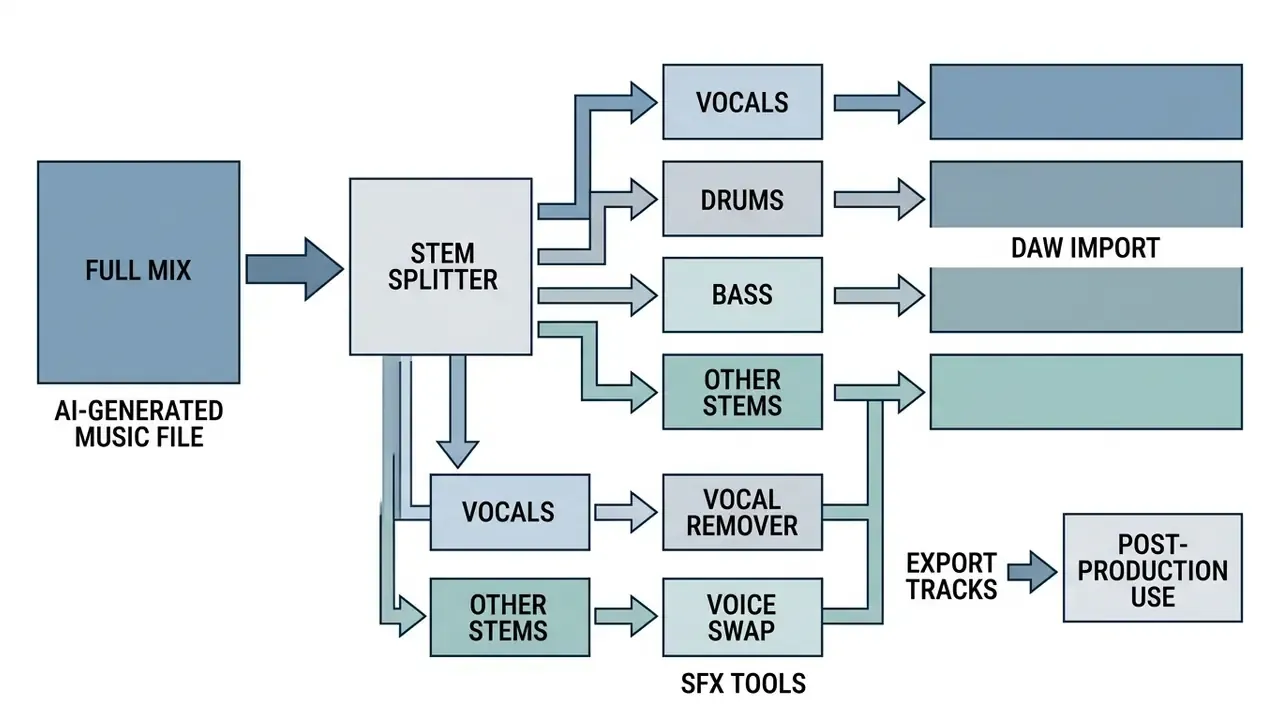
AI audio editing toolkit: stem removal, vocal swapping, and lyric editing
Modern AI audio suites go well past text-to-music, offering dedicated post-production tools to edit, remix, and re-voice existing files:
- AI vocal remover and stem separatorPhase-cancellation and mask-based separation algorithms isolate vocals from backing instrumentation with near studio-grade precision. Strip the lead vocal and any AI song becomes a clean backing track for karaoke, video scoring, sampling, or remixing.
- AI song covers and voice swappingFeed a reference track into a singing voice conversion (SVC) engine and swap the original vocal timbre for a different AI-generated or custom-trained voice identity while keeping pitch, vibrato, and timing intact. Voice-identity rights must be cleared separately. Mimicking an identifiable performer without consent creates publicity-rights exposure independent of copyright.
- AI lyric changer and in-paintingRather than regenerating the whole composition, dynamic lyric editing lets you highlight specific vocal lines in a rendered track, rewrite the text, and re-synthesise only that segment while the drum and instrumental arrangement stays untouched.
- Genre conversion and remasteringOne-click genre transfer re-renders an existing arrangement (pop to lo-fi, rock to orchestral) while retaining melody and lyrics, which is handy for regional or platform-specific variants of one approved campaign track.
Refine style, vocals and instrumental versions
Post-processing uses stem splitters to separate vocal and instrumental layers, enabling style transfer or a pure instrumental (minus) version. Platforms such as SOUNDRAW and ACE Studio provide stem isolation endpoints that split a generated mix into separate WAV channels for vocals, drums, bass, and secondary instrumentation (SOUNDRAW FAQ, 2026).
«Singing voice conversion algorithms alter vocal timbre while preserving pitch and lyrical content, enabling voice-type replacement without changing the composition.»
Removing the vocal stem yields instrumental beds suitable for commercial presentations or karaoke releases. Suno-class APIs additionally expose four-track splits or full twelve-track instrument isolation, which makes programmatic stem retrieval part of an automated asset pipeline rather than a manual chore.
Download audio for projects and content workflows
Exporting for professional media integration means choosing the right format, sample rate, and bitrate, with 48 kHz uncompressed WAV as the broadcast standard. IETF specification RFC 3003 defines the audio/mpeg type for MP3, while uncompressed WAV containers store linear PCM and preserve full frequency bandwidth (RFC 3003, IETF). Video editing timelines need 48 kHz audio to avoid frame-sync drift on render. MP4 exports with a burned-in visualiser suit rapid social distribution; OGG remains useful for game engines and web players.
Creators pairing audio with generated motion assets can review technical access in the Google Veo AI video generator API guide, plan sequences with an animation maker, or turn picture into short animated clips for lyric videos. If your workflow starts from social references, a twitter video downloader online can help you archive the source material you are matching against, with the usual caveat that source rights still apply.
AI background music generator for creators and commercial projects
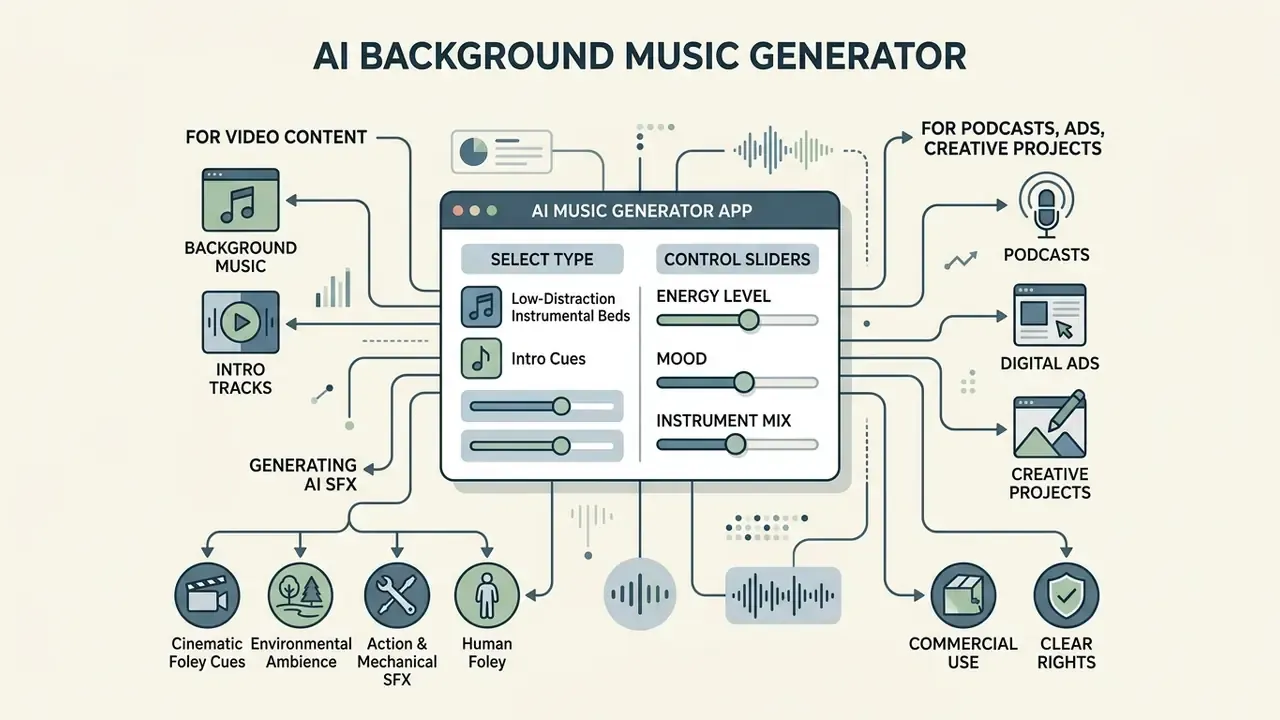
An ai background music generator app produces low-distraction instrumental beds and intro cues engineered to sit under video, podcasts, and corporate presentations. Platforms built for an ai music generator for creator workflow evaluate visual rhythm and narrative pacing to deliver background music and ai intro music generator assets that match the cut. Managing licence terms for commercial music use keeps those deployments compliant across distribution channels.
Background music and intro tracks for video content
Video beds need tempo and dynamic range matched to scene cuts, narrative pacing, and platform clearance rules on TikTok, YouTube, and Instagram Reels. TikTok requires branded commercial content to use pre-cleared tracks from the Commercial Music Library or supply official Music Usage Confirmation for external uploads (TikTok Business Music Policy, 2026).
«The SymMV dataset contains 1,140 video–music pairs with chord, melody, and accompaniment annotations spanning more than 10 genres and 76.5 hours of content.»
The V-MusProd framework uses that corpus to align chord structure and dynamic energy with visual semantics and motion vectors.
«VidTune generates multiple soundtrack variants from text prompts and video context, exposing valence and energy through thumbnails for fast creator selection.»
Creators verifying that reference visuals and thumbnails are clean before publication can fold AI reverse-image-search tools into the same pre-flight check.
Generating AI sound effects (SFX) and cinematic foley cues
Beyond melody, text-to-audio models turn descriptive prompts into realistic non-musical effects and ambient layers for film and audio production. Switch the prompt into non-melodic acoustic mode and you can synthesise:
- Environmental ambience heavy rain on a tin roof, forest wind, or a bustling city street.
- Action and mechanical SFX roaring high-tech engines, laser passes, door slams, mechanical gear shifts.
- Human foley group laughter, a child's giggle, footsteps on gravel, subtle crowd murmur.
When prompting for SFX, drop genre and tempo tags and focus on spatial characteristics: "Acoustic sound effect, close-mic recording of thunderous rain and distant thunder, high stereo width, no music." Render SFX as uncompressed WAV so that pitch shifting, time stretching, and layering in the DAW do not compound codec artefacts.
Songs and tracks for podcasts, ads and creative projects
Using AI audio in advertising, podcasts, and presentations brings disclosure duties whenever generated tracks imitate human speech or performance.
«IAB Canada requires audio disclosures before or after media segments when synthetic voices create ambiguity about performer identity.»
Podcast distribution policies, including RSS.com's 2026 standards, require feed metadata flagging whenever synthetic voices narrate content or read generated scripts (RSS.com Podcast Terms, 2026). Updated: several jurisdictions have moved toward mandatory disclosure of synthetic human performers in commercial advertising, with New York's synthetic-performer provisions the most frequently cited example. Obligations differ materially by state and country, so counsel should confirm the specific rules for each market before a campaign airs.
Specialised production use cases for AI audio
Free AI music generators, pricing and commercial-use rights
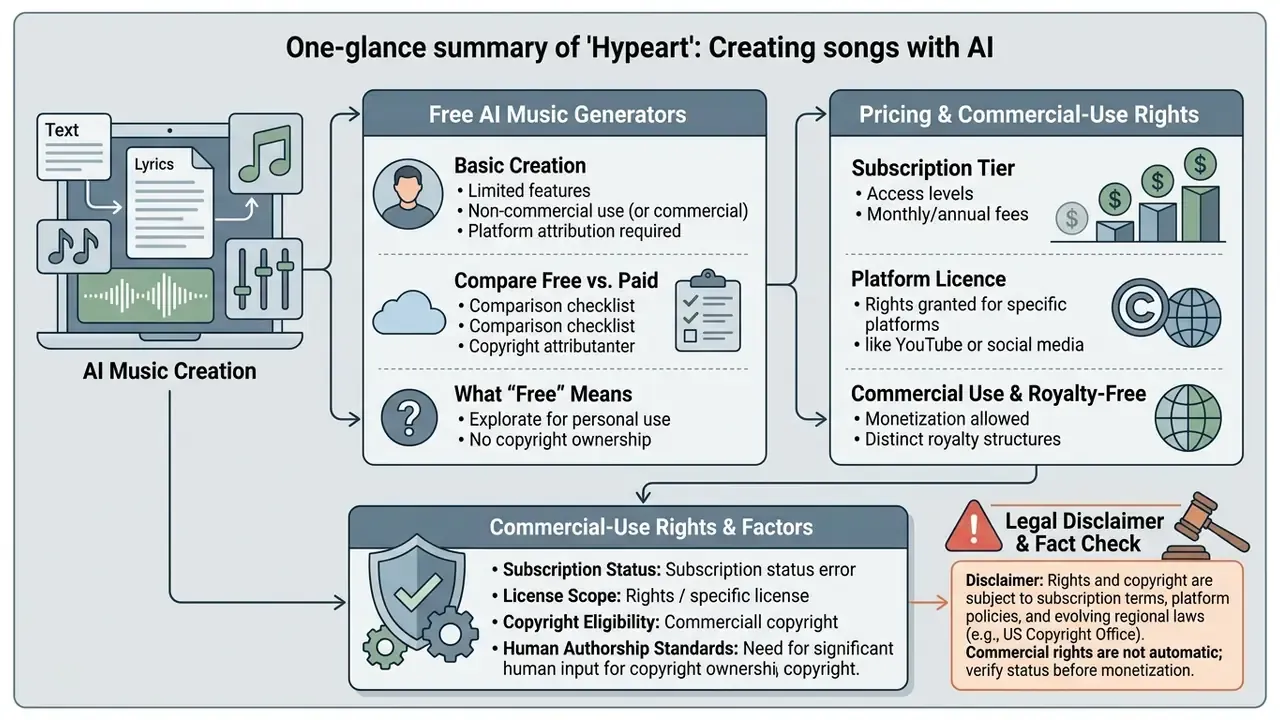
Commercial-use rights for AI-generated music depend on subscription tier, platform licence, and regional legal standards on human authorship and copyright eligibility. Platforms marketing an ai music generator commercial use model, or an ai music generator commercial use free tier, enforce hard boundaries between unpaid evaluation and paid commercial rights. Working out whether an ai music generator free commercial use option or an ai music generator free for commercial use licence genuinely clears copyright exposure matters before any free music asset enters a commercial channel.
«Suno and Udio offer roughly 100 USD/year subscriptions for about 500 songs per month; per-song cost falls below 0.02 USD with generation time around one minute.»
Because per-track cost is now negligible, the binding constraint on enterprise adoption is no longer price. It is rights verification, vendor indemnification, and data handling.
Table: Comparative analysis of AI music generators, pricing tiers, commercial licensing and enterprise controls (2026)
| Platform / Generator | Model Architecture | Free Tier Limits | Paid Subscription Tier | Commercial Use Rights | Royalty & Ownership Terms | Enterprise / Data Controls (verify in ToS) |
|---|---|---|---|---|---|---|
| Suno | Proprietary autoregressive transformer | 50 credits/day (~10 songs), non-commercial only | Pro ($10/mo) / Premier ($30/mo); 500+ songs/mo | Granted on paid tiers via approved download flow | 100% royalties retained by paid user; 0% to platform | SaaS only; check prompt-retention and training opt-out terms; indemnification not standard on consumer tiers |
| Udio | Proprietary diffusion / audio model | Daily credit caps, mandatory platform attribution | Standard / Max tiers (~$100–$300/yr) | Restricted on free; granted under active paid plans | Commercial licence tied to active subscription state | SaaS only; rights lapse risk if subscription ends, so archive licence evidence per asset |
| DiffRhythm | Open-source diffusion model | Free local execution (requires GPU hardware) | N/A (self-hosted open source) | Governed by repository licence (for example Apache 2.0 / CC) | User retains output rights subject to model terms | Strongest data-residency posture: prompts and lyrics never leave your infrastructure |
| ACE-Step | Open-source transformer pipeline | Free local execution (sub-minute generation) | N/A (self-hosted open source) | Governed by open-source code/weights licence | No platform royalty obligations; check training-set terms | Self-hosted; audit model card and training-data provenance before production use |
| Tunee AI | Proprietary audio synthesis | Limited daily generation caps | Monthly commercial plan | No commercial rights on free; personal evaluation only | Platform retains copyright on free plan; attribution required | Attribution obligation on the free tier conflicts with most brand-asset policies |
Reading the licence matrix before generation prevents infringement claims and demonetisation on distribution networks. For procurement, three vendor questions carry the most weight: (1) is there a written commercial licence that survives subscription cancellation for already-published assets; (2) is there any IP indemnification for third-party infringement claims; (3) can prompt, lyric, and uploaded-audio data be excluded from model training? Ask in writing. Verbal assurance from a sales engineer is not evidence.
Operators modelling cost structures can consult our AI Media Pricing Guides, review AI Media Comparison Matrices, and benchmark licence language against the commercial-use terms of AI image generators.
What "free" means for AI-generated songs
Free plans across commercial AI music tools usually restrict use to personal non-commercial evaluation, cap daily generations, enforce public licensing, or demand attribution. Suno, for instance, restricts free-account output strictly to non-commercial evaluation, granting 50 daily credits while retaining platform ownership of generated audio (Suno Terms of Service, 2026).
«Only two open-source models, DiffRhythm and ACE-Step, can generate full-length songs on consumer GPUs in under a minute without a subscription.»
Open-weight models therefore allow free local execution with no subscription fee, at the cost of local GPU capacity and some technical fluency. Proprietary free tiers often mandate public attribution, such as publishing "Created with Tunee AI" alongside the stream, and that obligation typically fails brand-asset review in a regulated organisation. Similar free-tier restrictions apply across adjacent media categories, as documented in our guide to free photo editors.
Commercial use, royalty-free status and copyright checks
«Under UK law, computer-generated works with no human author are protected for 50 years from creation; proposed reforms could remove that protection entirely.»
Legal disclaimer and fact check
Commercial licensing rights, copyright protection, and royalty distribution rules for AI-generated audio vary by service terms, subscription status, and regional legal framework. The U.S. Copyright Office requires sufficient human authorship for registration, while EU AI Act rules mandate machine-readable content labelling from 2 August 2026. Organisations should audit vendor Terms of Service and verify licensing status before publishing or monetising AI-generated audio. Informational only; not legal advice.
Enterprise data privacy, Shadow AI and governance controls
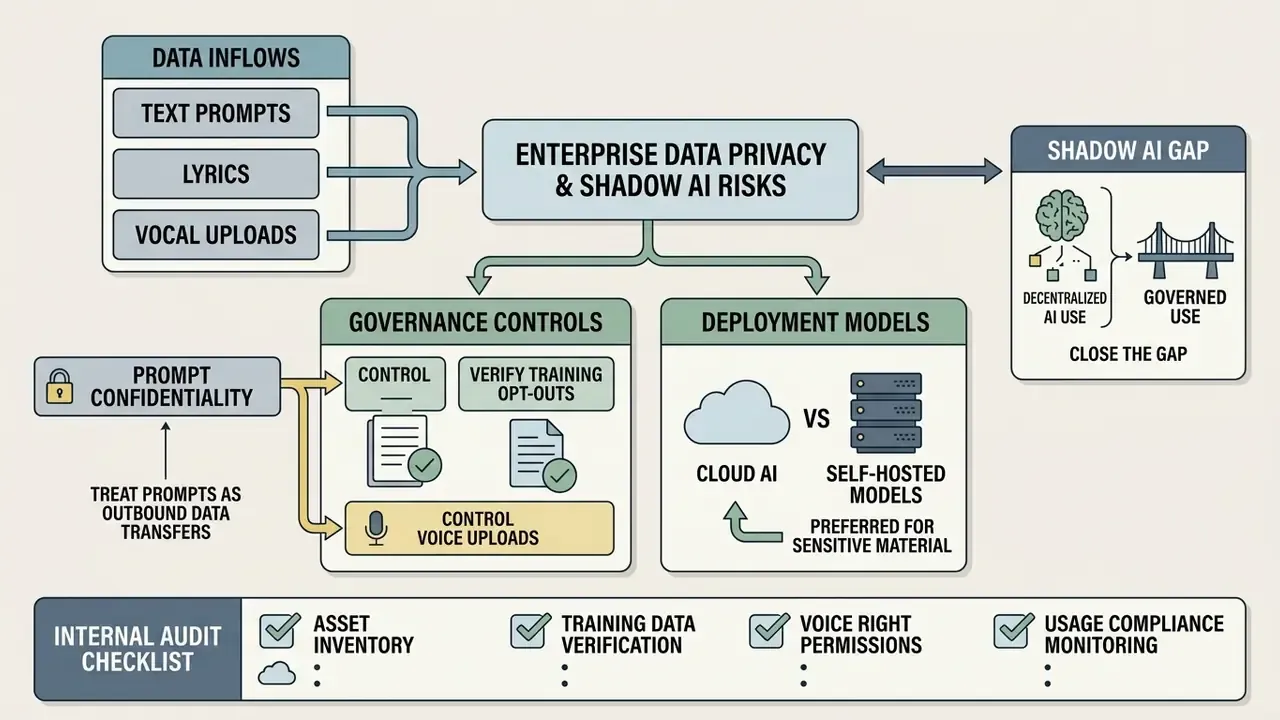
For regulated organisations, the dominant risk in AI music adoption is not audio quality. It is uncontrolled data flow. Prompts, lyric drafts, and uploaded reference audio routinely contain unreleased campaign names, launch dates, executive messaging, or brand strategy, and all of it leaves the perimeter the moment someone pastes it into a consumer-grade generator.
Prompt confidentiality and IP leakage
- Treat prompts as outbound data transfers. A lyric block naming an unannounced product is a disclosure event, however informal the interface feels. Classify prompt content before submission and prohibit confidential material on consumer tiers.
- Verify training opt-outs in writing. Confirm whether prompts, uploaded audio, and outputs may be retained or used for further training, and whether opt-out exists on your tier, not only on enterprise plans.
- Control voice uploads. "Use my voice" and cloning features process biometric-adjacent data. Get documented consent from any identified person whose voice or likeness is uploaded, and record the retention period.
- Prefer self-hosted models for sensitive material. Open-weight engines such as DiffRhythm and ACE-Step keep prompts and lyrics inside your own infrastructure, removing third-party retention risk at the cost of GPU capacity and internal maintenance.
- Close the Shadow AI gap. Unsanctioned use is the default where no approved tool exists. Publish one approved generator, one approved licence tier, and one export path, and the incentive to route work through personal accounts largely disappears.
AI audio governance and internal audit checklist
Run this before any AI-generated track reaches a public or customer-facing channel:
- Asset inventoryIs the track registered in the unified AI asset inventory with model name, model version, generation date, and requesting business unit?
- Prompt recordAre the exact prompt, lyric text, and slider configuration archived for reproducibility and dispute defence?
- Human authorship logIs the human contribution (lyric authoring, structural editing, arrangement selection, mix decisions) documented well enough to support a copyright position?
- Licence evidenceIs a dated screenshot or invoice proving an active commercial-rights tier at the moment of download stored with the asset?
- Indemnification statusHas legal reviewed the vendor's position on third-party infringement claims?
- Data handlingWas confidential content excluded from the prompt, and is the training opt-out confirmed for the tier used?
- Voice and likeness clearanceFor any cloned, swapped, or uploaded voice, is documented consent on file?
- Provenance and disclosureIs machine-readable AI marking present, and is the required on-air or in-feed disclosure prepared per channel (EU AI Act, podcast feed metadata, advertising rules)?
- Platform complianceDoes the destination channel (YouTube, TikTok, Reels, streaming DSPs) permit this asset class, and is Music Usage Confirmation supplied where required?
- Similarity screeningHas the output been checked for unintended resemblance to identifiable recordings, melodies, or performer timbres?
- Technical delivery specIs the export format right for the destination (48 kHz WAV for video timelines, MP3/OGG for distribution, MP4 for social)?
- Retention and takedown pathIs there a named owner and a documented process for withdrawing the asset if a rights claim or policy change lands?
Twelve items sounds heavy. In practice, once the inventory field and the licence-evidence step are automated, the rest takes a few minutes per asset.
FAQ about creating music with AI
Most questions about AI music generators come down to technical barriers, hardware needs, and whether formal training is required for commercial-grade audio. Non-musicians regularly ask whether they can ai create me a song or ai create music without reading notation, and whether one person can ai create song files fast enough for a weekly content calendar. Cloud interfaces now let anyone use a text-based song generator to generate polished ai music in seconds.
Do you need music production experience to use an AI song maker?
No. Text-to-music interfaces interpret natural language and return finished compositions, so formal production training is not a prerequisite. Testing shows that structuring prompts with explicit genre, mood, and instrument parameters cuts output variance from 45–60% to 15–22% (MUSHRA Study, 2025).
«Non-musicians (n=57) showed accuracy comparable to musicians in identifying track origin and were broadly open to AI tools.» Source: "Perceptions of AI-generated and co-created music among listeners" (2025). https://arxiv.org Automated mastering narrows the skill gap further: engines such as LANDR are trained on professionally mastered reference catalogues, which standardises frequency balance, loudness, and dynamic range. Research comparing conditional and unconditional generation reports more than a 20% improvement in perceived technical quality when generation is explicitly conditioned, which suggests clear direction, not studio experience, is the main quality lever (conditional music generation thesis, 2026). «Consumers initially expect less enjoyment from AI music than from human music, but the gap narrows substantially after listening.» Source: "Consumer Dilemmas in Responses to AI-Generated Music", Wiley (2023/2024). https://arxiv.org Content managers auditing published media alongside music workflows can use AI reverse-image-search and verification tools to confirm accompanying visuals are cleared for the same campaign.
Can AI song generators create sound effects, not just music?
Yes. Text-to-audio models generate non-musical audio when the prompt describes acoustic events rather than genres: engine roars, rain on metal, footsteps, crowd murmur, laughter. Drop genre, BPM, and vocal tags, and specify microphone distance, stereo width, and the absence of music instead.
Can I monetise AI-generated music on YouTube, Spotify or TikTok?
Monetisation depends on three conditions, all of which must hold at once: an active commercial licence tier at the moment of download, platform-level acceptance of AI-generated audio (which varies and includes badge or demonetisation policies on some DSPs), and any required disclosure. Free-tier output is almost universally barred from monetisation.
Who owns an AI-generated song?
Usually you hold a contractual licence from the platform, not a full copyright. In the U.S. and EU, purely machine-generated audio without meaningful human creative input is not copyrightable; protection attaches only to identifiable human authorship such as original lyrics, structural selection, and arrangement decisions. Read any "100% copyright" claim against that baseline.
How long can an AI-generated song be, and what formats can I export?
Current commercial engines render from 15-second stings up to roughly 8-minute compositions. Export options generally include MP3, M4A, WAV, OGG, MP4 video, and per-stem ZIP archives. Use 48 kHz WAV whenever the track enters a video timeline.
Which languages and vocal types are supported?
Mainstream platforms support 20+ languages and expose male, female, and neutral vocal models plus duet and instrumental modes. Choir and backing-vocal textures are normally requested through style descriptors rather than as a separate vocal-gender setting; [Chorus] stays a structural section tag, not a voice type.
Internal hub navigation
Explore technical specs, licensing guides, and tool comparisons in our AI Media Glossary, and review adjacent creator toolchains including online photo editors and AI voice generators.