Why should a risk-aware organization care about small illustrations? Because clipart travels. It lands in board decks, customer portals, onboarding screens, and printed collateral, and every one of those surfaces carries a license question and a provenance question.
Executive Summary: Key Takeaways
| Question | Short answer |
|---|---|
| What is AI clipart? | Prompt-synthesized raster or vector illustration produced on demand by diffusion or text-to-vector models, not retrieved from a fixed stock library. |
| Which formats matter? | 32-bit PNG and WEBP for true alpha channels; SVG for infinite scaling and plotter cutting; PDF/CMYK for print. |
| How is transparency achieved? | Native RGBA pipelines (background="transparent") plus negative prompts excluding backdrops, shadows, and checkerboard artifacts. |
| Can I sell the output? | Only after verifying tier-specific Terms of Service; Midjourney requires Pro/Mega above $1M annual revenue, Adobe and Recraft grant commercial rights on paid tiers. |
| What about photos and voice? | Image-to-Image with ControlNet Lineart converts photos into clipart; voice dictation transcribes spoken prompts into structured prompt text. |
| What does governance require? | Prompt logs, seed records, C2PA/Content Credentials provenance metadata, and DLP rules preventing confidential terms in prompts. |
What this guide covers
What Is AI Clipart and How It Differs From Ordinary Clip Art
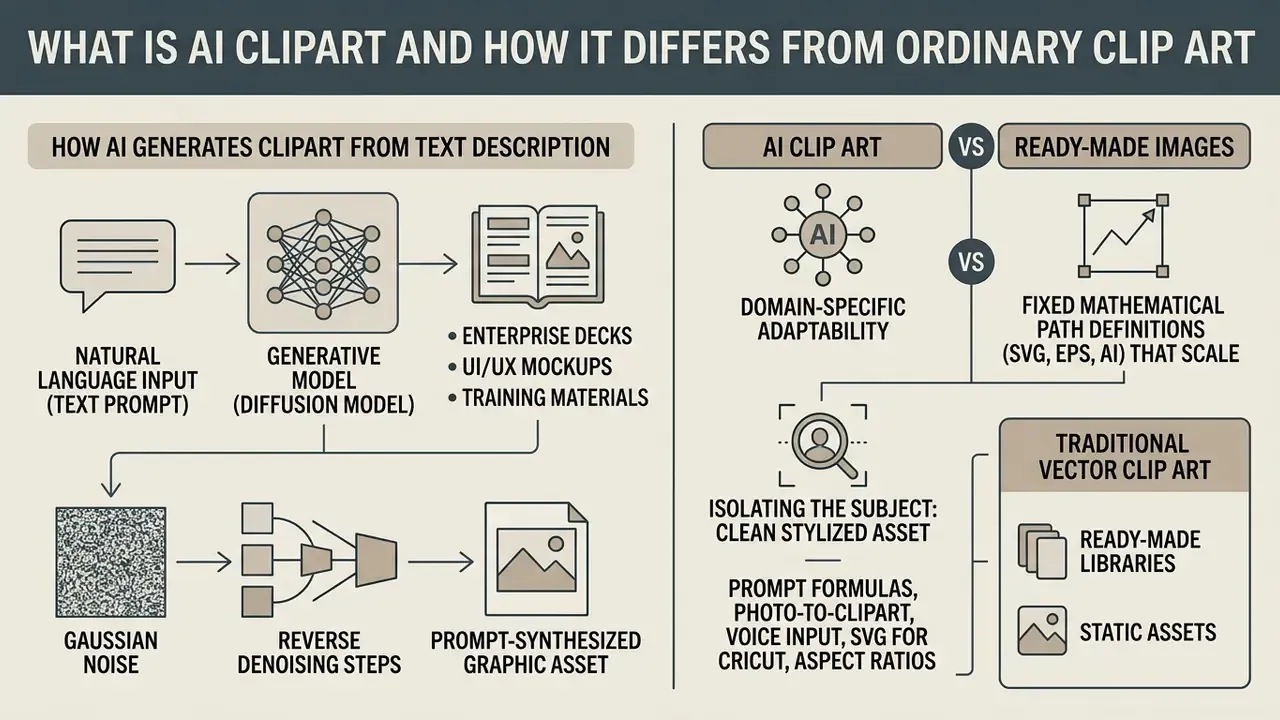
AI clipart is a prompt-synthesized graphic asset generated by generative models to serve a specific communication need: enterprise decks, UI/UX mockups, training materials, marketing collateral. Traditional stock clip art is pre-rendered and static, sitting in a fixed database as raster or vector files. Generated clipart, by contrast, is constructed at run-time from a natural language description, with ai image inputs and text conditioning shaping the result.
Traditional vector clip art relies on fixed mathematical path definitions (SVG, EPS, AI) that scale infinitely without losing fidelity. Traditional raster clip art is a rigid pixel matrix at a pre-determined resolution. Generative clip art ai synthesis instead uses diffusion processes or text-to-vector neural pipelines such as SVGDreamer or NeuralSVG to build the asset when you ask for it (Phygital Plus, 2026; Ima Studio, 2025).
The real advantage of ai image clipart is domain-specific adaptability. Instead of trawling a stock catalog for an approximate match, designers and operations teams brief an ai clipart generator on exact subject attributes, lighting rules, palette, and foreground isolation. Enterprise workflows often pair graphic models with an ai caption generator to automate asset tagging, or evaluate production-level model integrations through our api suite.
One caution before the mechanics. Speed is not the hard part anymore; evidence is.
How an AI Image Generator Creates Clipart From a Text Description
An ai image clipart generator converts natural language input (a text prompt) into a clean, stylized asset through iterative latent-space denoising.
«Diffusion models synthesize images by adding detail step by step, unlike language models, which generate text word by word.»
The underlying diffusion model starts from gaussian noise, then applies reverse denoising steps conditioned on textual embeddings extracted by language transformers (OpenAI API Reference, 2026).
Isolating the subject is the defining requirement of functional clip art. The pipeline achieves it through explicit conditioning parameters or specialized RGBA variational autoencoders (VAEs). Setting background="transparent" together with negative prompts such as "no backdrop, no shadows, no checkerboard" pushes the network to assign non-zero alpha values strictly to foreground pixels. A single request can return several distinct variations, typically 4 to 6 through the n parameter, so an operator picks the best layout or refines a stubborn geometric detail in seconds rather than hours.
Compositional diffusion research goes further and describes foreground/background isolation by segmenting regions with masks and denoising them separately. That mechanism explains something practitioners notice quickly: mask-conditioned generators produce sharper cutouts than post-hoc background removal alone.
When to Choose AI Clip Art Instead of Ready-Made Images
Choosing ai clip art over stock photography or a legacy illustration library makes sense when a project needs exact visual consistency, a niche subject, or same-day customization. Stock libraries are bounded by whatever contributors uploaded in the past. Ask them for an illustration of a proprietary reconciliation workflow, a regulatory reporting pipeline, or a hyper-specific compliance concept, and the search results thin out fast.
Generative clipart ai allows real-time adaptation of style, palette, and composition. Comparative reviews put AI generation ahead on speed, originality, and rare or physically impossible compositions, while stock still wins on predictable photographic realism. Teams still weighing engines can review the best AI image generators before standardizing on one ai clipart generator.
When a visual identity system is being built from scratch, organizations often combine graphic generators with naming and branding utilities, for example an ai business name tool, so that voice and visuals stay aligned across touchpoints.
How to Choose an AI Clipart Generator for Your Tasks
Selecting a clipart generator ai comes down to a handful of functional criteria: model architecture, native transparency handling, vector versus raster output, export formats (PNG, WEBP, SVG), and vendor licensing. Procurement leaders in regulated settings weigh raw output quality against compliance, auditability, and intellectual property rights (U.S. Copyright Office, 2025).
«Copyright does not extend to ideas or functional elements, only to the specific way an author expresses them.»
When evaluating an ai for clipart tool, decide first whether you need editable vector output (SVG via path optimization) or high-resolution raster files with genuine alpha channels. Adobe Firefly, Recraft, Leonardo.ai, and Midjourney trade off differently across commercial indemnification, rendering speed, and custom style locking (Adobe, 2026; Recraft, 2026). Request security attestations too, SOC 2 Type II reports and ISO/IEC 27001 certificates, before any generator touches a regulated environment. Teams assessing multi-modal AI spend can work through vendor analysis in our AI Media Comparison Matrices to set a baseline procurement standard.
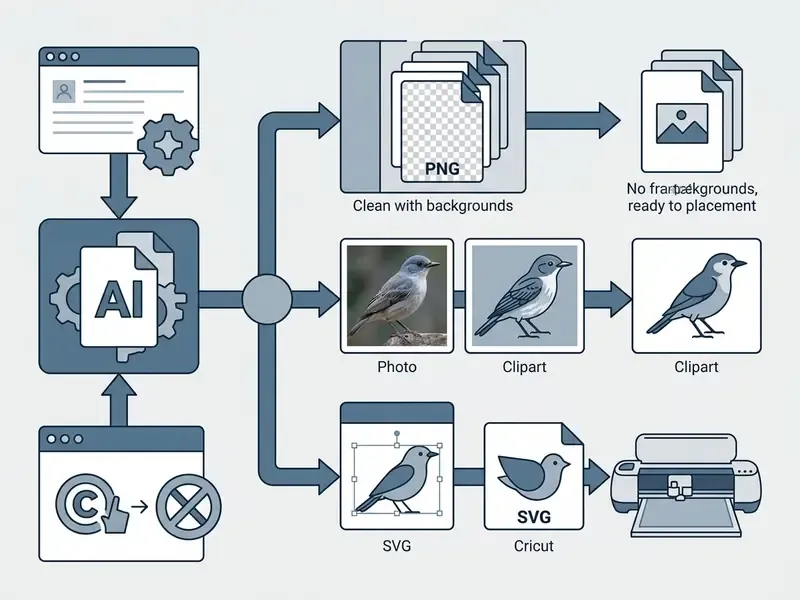
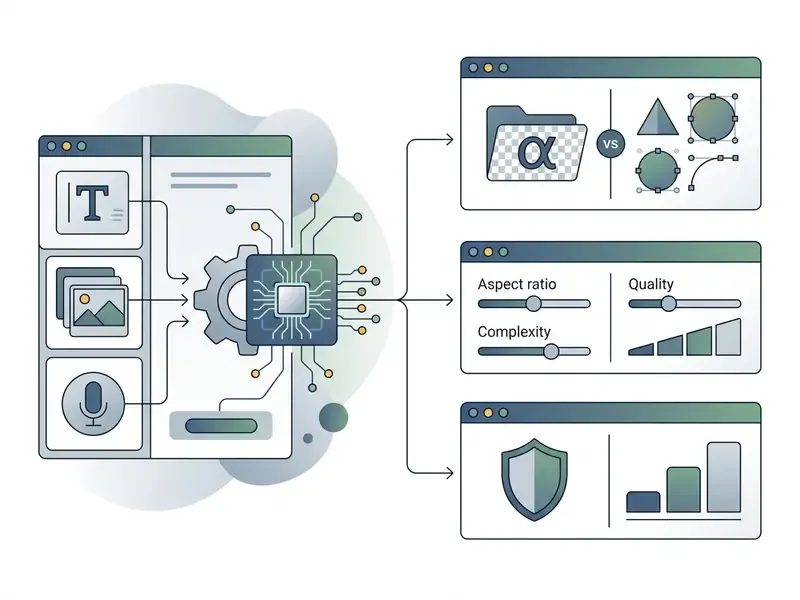
Table 1. Comparison of AI clipart generation platforms and operational capabilities (2026)
| Platform / Tool | Primary output formats | Native transparency | Style consistency and locking | Commercial license terms | Free tier / evaluation cap |
|---|---|---|---|---|---|
| Adobe Firefly / Express | PNG, PDF, SVG (via Illustrator) | Native background removal and transparency | Style reference images and preset controls | Full commercial rights on paid tiers; indemnification offered | Limited free credits, evaluation usage only (Adobe, 2026) |
| OpenAI (Image API / DALL·E) | PNG, WEBP (raster up to 3840x2160) | Native background="transparent" parameter | Prompt conditioning and seed control | Commercial ownership per OpenAI Terms of Service | Pay-per-token/image API model (OpenAI, 2026) |
| Recraft AI | PNG, SVG, Lottie, JPG | Native vector path and RGBA raster export | Custom style creation and style ID lock | Commercial rights on paid subscription tiers | Daily credit allocation, public output registry (Recraft, 2026) |
| Midjourney | PNG (raster) | Post-process alpha masking required | Style Tuner (--sref) and seed tracking | Commercial rights require Pro/Mega plan if revenue above $1M per year | Trial access restricted or tier-limited (Midjourney, 2026) |
Styles, Variations, and Unified Design for Clipart Packs
Cohesive clipart packs demand strict control over style tokens, palettes, and sampling seeds. In diffusion models, a matching set of 10 to 20 assets will not survive loose prompting; a small change in phrasing shifts line weight, shading depth, and character proportion (Ima Studio, 2025).
To hold an art generator batch together, operators lean on three methods:
- Style presets and style IDs fixed visual tokens, for example "flat vector, 2px clean black outline, restricted corporate palette, isolated subject".
- Seed locking and reference conditioners reused generation seeds, or control reference images supplied through IP-Adapter or ControlNet pipelines.
- Structured prompt matrices a constant style prefix with only the core subject noun phrase swapped.
Academic work on book-scale image generation frames consistency as four things at once: stable palette, stable lighting, stable material rendering, and coherent character identity. Those are the same four axes a reviewer should audit when a finished pack lands for sign-off.
Transparent Background, Resolution, and Download Formats
Useful assets need native alpha support, clean edge anti-aliasing, and a resolution that matches the destination. A frequent failure in lower-tier tools is pseudo-transparency: the model paints a fake grey-and-white checkerboard directly into the RGB channels instead of writing a true 4-channel RGBA image. It looks right in a thumbnail. It breaks in production.
Advanced models use dedicated RGBA VAE pipelines, AlphaVAE among them, or post-processing segmentation masks to separate the foreground cleanly.
«AlphaVAE, trained on 8,000 images, outperforms LayerDiffuse by +4.9 dB PSNR and +3.2% SSIM, delivering cleaner transparent backgrounds.»
For web and interface delivery, WEBP and 32-bit PNG give the best compression-to-quality ratio. For print or scalable UI work, passing high-resolution PNG outputs through vectorization engines yields resolution-independent paths and zero pixelation at any display scale. In the OpenAI Image API, gpt-image-2 accepts arbitrary WIDTHxHEIGHT values where both dimensions divide by 16, with aspect ratios constrained between 1:3 and 3:1 and a documented maximum of 3840×2160.
Choosing an Aspect Ratio for the Task
1:1(--ar 1:1) for app icons, sticker packs, avatars, product cards.16:9(--ar 16:9) for web banners, presentation headers, background illustrations.9:16(--ar 9:16) for Stories and vertical mobile interfaces.4:3and3:4(--ar 4:3) for print materials, worksheets, editorial layouts.
Banner adaptation is layout-dependent rather than freely scalable. IAB display and mobile creative guidelines define fixed size families (for example 180×150 to 600×150, and 160×600 to 600×600), so foreground elements need padding to survive dynamic cropping.
How to Create AI Clipart: From Idea to Finished File
Producing professional ai clipart images follows a five-stage pipeline: task definition, prompt composition, model execution, edge refinement, format export. Skip the preparation and you get inconsistent assets, background residue, or a licensing problem discovered after publication.
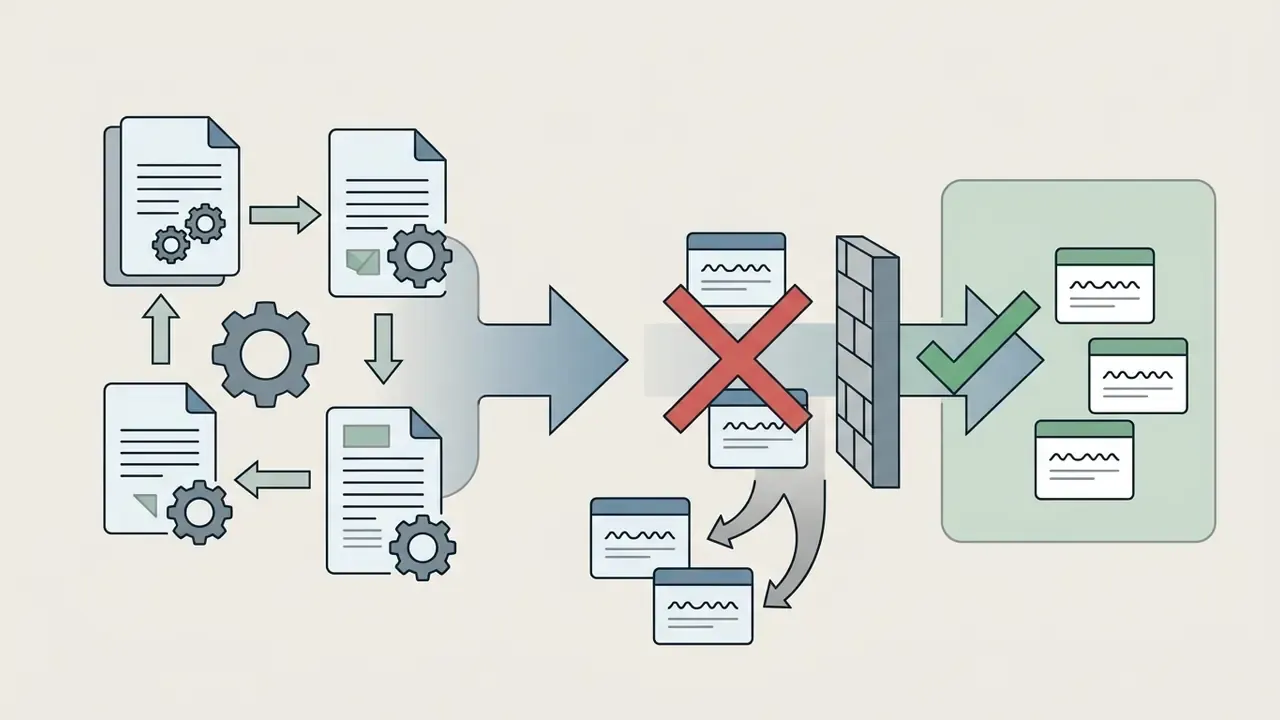
Treat visual generation as a repeatable production workflow, not trial-and-error in a browser tab. In regulated organizations, insert an approval gate between Step 3 and Step 4: a design-system owner validates style conformance, and a compliance reviewer confirms no third-party marks slipped into the output.
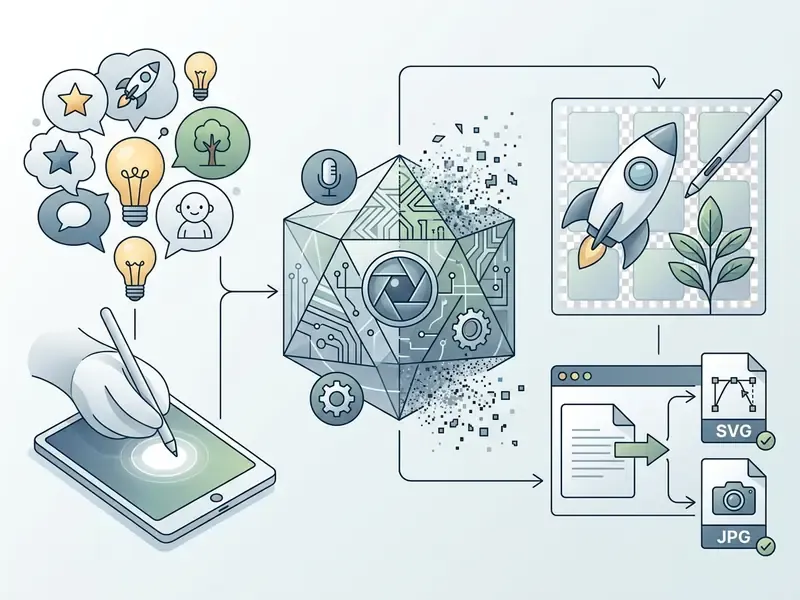
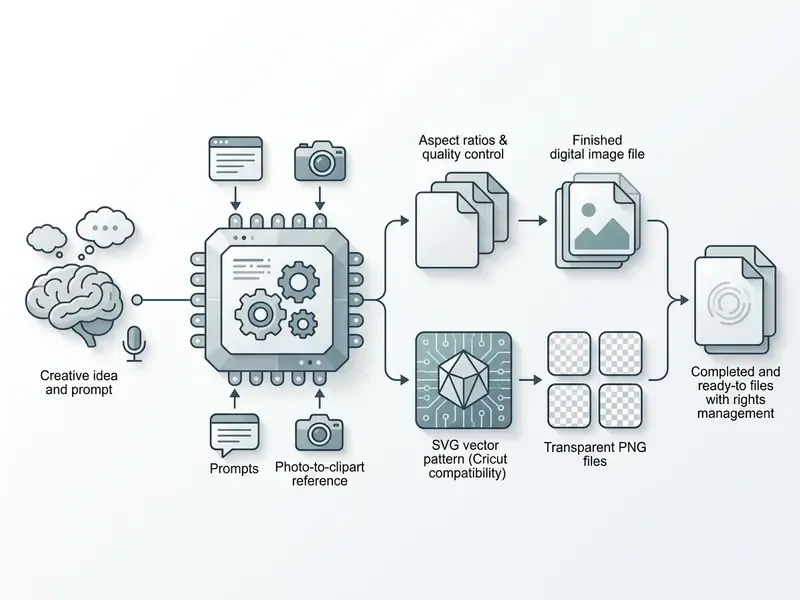
Step 1: Conceptualization and asset scope definition.
Define the subject, the medium (web, print, UI), the aspect ratio, and the background isolation requirement.
Step 2: Prompt engineering and parameter conditioning.
Write a structured prompt with subject parameters, explicit style descriptors, and negative constraints such as
background="transparent".Step 3: Model execution and batch variant sampling.
Generate through clip art generator interfaces or API endpoints, requesting 4 to 6 initial variations per call.
Step 3.5: Design and compliance approval gate.
Route candidates to the design-system owner for style-token conformance, and to compliance for trademark, likeness, and brand-safety screening, before anyone spends effort on refinement.
Step 4: Refinement, masking, and edge cleanup.
Inspect foreground borders for anti-aliasing halos; apply localized inpainting or automated background removal to finish the transparency.
Step 5: Export, metadata tagging, and file preparation.
Save as 32-bit PNG or SVG, embed provenance metadata, and store the file in the internal asset repository.
How to Write a Prompt for Clean, Legible Clip Art
A working prompt for a clip art ai asset needs structural clarity: primary subject, explicit style, color constraints, framing, background isolation. Design-guideline research from CHI 2022 recommends concentrating on subject and style keywords instead of connective words, and confirms that initial images plus multiple seeds measurably improve relevance.
A robust structure looks like this:
[Style keyword] + [Primary subject] + [Action/Pose] + [Color palette] + [Composition/Framing] + [Background constraint]
- Ineffective prompt: "An icon for banking." Result: cluttered backgrounds, realistic shading, inconsistent borders.
- Effective prompt (enterprise): "Flat vector icon of a secure digital banking transaction pipeline, shield and arrow motif, minimal 2D style, 3px bold outlines, restricted palette navy
#002060and amber#FFC000, centered composition, isolated subject on a fully transparent background, no background elements, no shadows, no checkerboard." - Effective prompt (consumer/education): "Flat vector illustration of a beagle sitting and reading an open book, minimal 2D style, bold outlines, vibrant pastel colors, centered composition, isolated subject on a transparent background, no background elements, no shadows."
Negative prompt baseline: no background, no backdrop, no scenery, no shadows, no checkerboard, no watermark, no text, no gradient mesh.
Copy-Paste Prompt Matrix
| Purpose | Ready-made prompt construction |
|---|---|
| Flat vector / UI | Flat 2D vector clipart of [object], vibrant colors, solid line art, isolated on transparent background, no background --ar 1:1 |
| Enterprise / fintech icon | Flat vector icon of [process], geometric minimal style, 3px uniform stroke, two-color corporate palette, isolated on transparent background, no shadows --ar 1:1 |
| Cricut / cutting | Minimal silhouette vector of [object], bold clean black outlines, simple closed shapes, isolated white background, SVG path style |
| Kids' sticker | Cute kawaii sticker clipart of [character], pastel soft colors, thick white stroke border, isolated transparent background |
| Watercolor set | Watercolor clipart of [object], soft washes, hand-painted texture, isolated on transparent background, consistent palette across set |
Using Voice Input (Voice-to-Clipart)
On mobile devices or through a voice assistant, dictate the core formula as "[Subject] + [Style] + transparent background". Spoken example: "Generate a flat vector clipart of a red apple, minimalist style, white outlines, on a transparent background with no shadows." The transcription layer turns speech into structured prompt text, and the generator appends your stored negative tags afterwards. Voice entry is fastest for exploratory ideation, classrooms, and workshops where typing interrupts the flow. For production assets, read the transcribed string before submitting, because speech-to-text drops parameter tokens such as --ar 1:1 more often than you would expect.
How to Turn a Photo Into Stylized AI Clipart (Photo-to-Clipart)
To convert a photo or a pencil sketch into clean clipart, use Image-to-Image mode with a moderate style strength (Denoising Strength or Image Weight around 0.5 to 0.6), or a structure-control adapter such as ControlNet Lineart or Canny.
Step-by-step algorithm:
- Upload the source photo into the generator, for example Recraft, or Midjourney via
--iwand an image reference. - Enter the text prompt:
Vector flat clipart of [subject], isolated on transparent background, minimal 2D, bold outline. - Activate
ControlNet Lineartso the model keeps the source contours while replacing photographic detail and texture with vector stylization. - Run automatic background removal, then trace the cleaned raster through Potrace or a native AI-to-SVG converter if editable paths are required.
- Compare the result against the source at 100% and 25% zoom. Photo-derived clipart often retains lens perspective that clashes with a flat icon set; when that happens, reduce image weight and re-run.
How to Refine Generated Clipart
Refinement means localized inpainting, edge cleaning, and color correction to remove residual artifacts. Even strong diffusion models still produce the occasional geometric defect: floating pixels, an asymmetric line, an unclosed border.
«VisualPrompter automatically detects missing concepts in generated images and refines prompts, reaching new state-of-the-art text-image alignment accuracy.»
Production tooling supports mask-based repainting directly. Vertex AI exposes edit_mode="inpainting-insert", and comparable DALL·E-style workflows let an operator select an area, enter a prompt, and regenerate only the masked region. Peer-reviewed work from 2024 to 2025 adds reference guidance and correspondence guidance, preserving global structure while local detail changes. For lighter cleanup, AI photo editors handle localized inpainting or background removal without a full regeneration cycle.
Production case (enterprise UI icon set), illustrative and composite. A marketing team synthesized 150 custom icons for a client portal. Situation: the first raster batch carried faint grey halo artifacts along transparent borders, which broke dark-mode display. Action: engineering added a secondary RGBA thresholding script alongside mask-based inpainting to recalibrate alpha edge values automatically. Result: border anti-aliasing errors dropped to zero, and all 150 assets rendered cleanly in both dark and light themes. Numbers here are illustrative rather than an audited client outcome.
How to Download and Prepare AI Clipart Images for Use
Getting ai clipart images ready for deployment means checking resolution, validating alpha channel integrity, and optimizing file weight. Save an RGBA image as a standard 24-bit JPEG and the alpha channel flattens, turning transparent regions into a solid white or black slab (OpenAI, 2026).
When exporting PNG assets, keep non-premultiplied alpha to avoid dark border fringes during compositing. The PNG specification stores alpha per pixel, and premultiplied source data must be divided by alpha before export. For scalable digital or print use, run high-resolution PNG output through a vectorization engine such as Potrace or a native AI-to-SVG converter to get resolution-independent paths (Canva, 2026).
Pre-flight checklist before handing files to a client:
- Open the PNG on both a black and a white artboard to catch halo fringes.
- Confirm the file is 32-bit RGBA, not 24-bit RGB with a painted-in white square.
- For SVG, verify closed paths and remove stray sub-paths under 2 px.
- Check DPI and color space against the destination: 300+ DPI, CMYK for print.
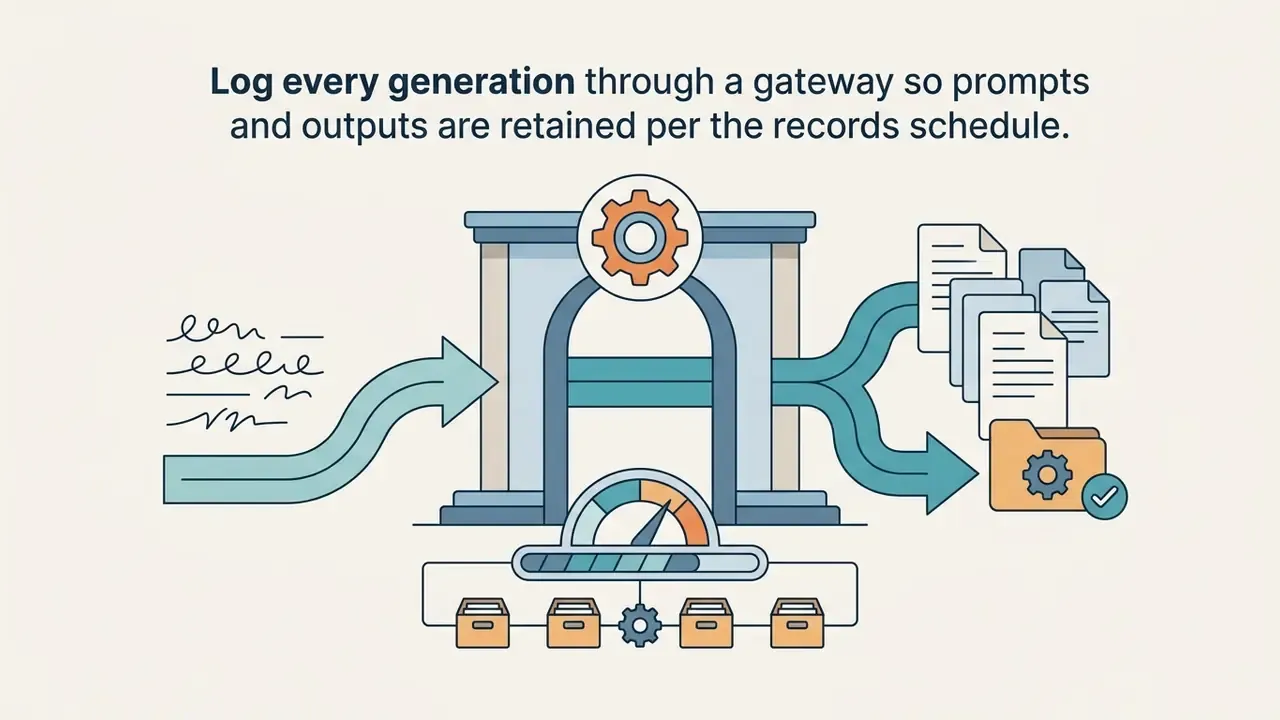
- Archive the prompt, seed, model version, and license receipt with the asset.
AI Clipart Styles and Application Ideas for Different Projects
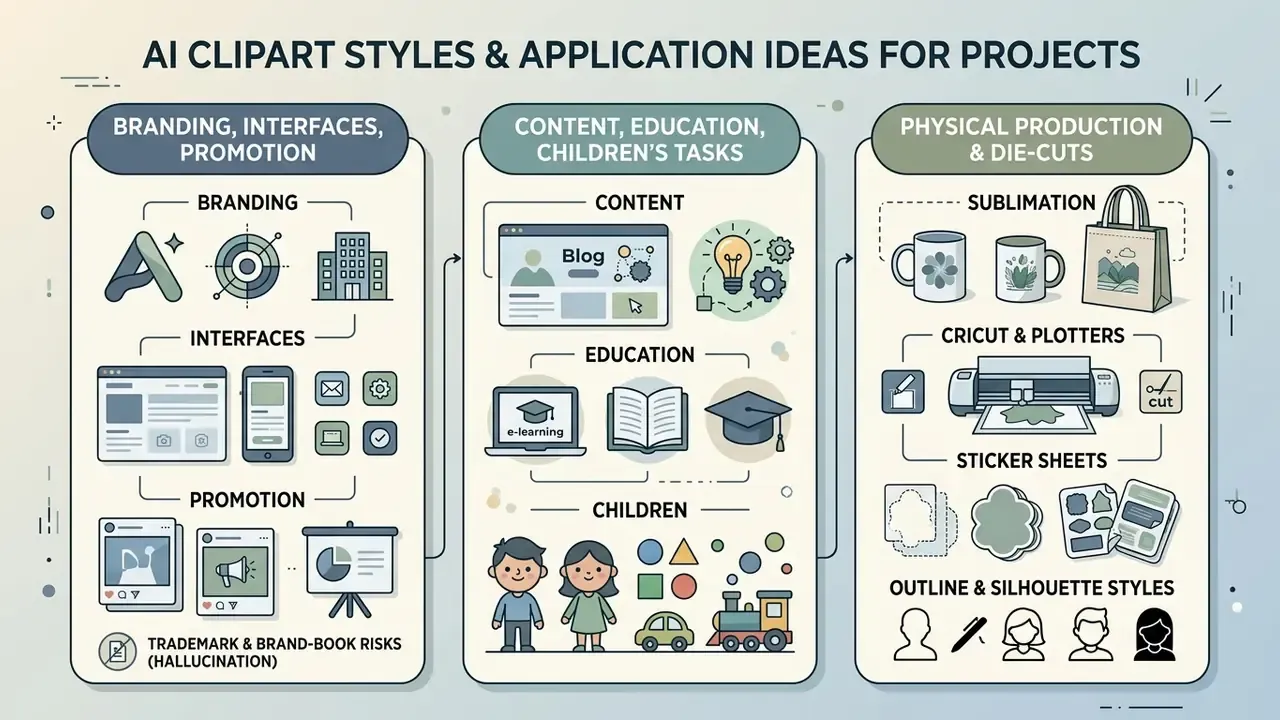
Style choice follows audience and channel, nothing else. Clipart covers a wide spectrum of ai art execution: flat minimalist vector, hand-drawn watercolor, bold sticker outlines, line art, kawaii, retro, geometric, 3D isometric (VEED, 2026; MyAIArt, 2026).
Match visual complexity to the communication goal. For engineering blueprints or technical document assets, teams frequently pair illustrations with dedicated drawing utilities such as an ai cad drawing generator to keep dimensional logic intact. Document-heavy collateral tends to pull in adjacent tooling as well, from an ai brochure maker to an ai business card generator, so plan a shared style token set before those channels drift apart.
AI Clipart for Branding, Interfaces, and Promotion
In branding, UI/UX design, and campaign work, AI clipart functions as scalable micro-illustration. Digital products absorb flat vector icons, empty-state illustrations, onboarding slides, promotional banners, packaging mockups, and internal design-review boards (Venngage, 2026; Carnegie Mellon Brand Standards, 2025).
Brand integrity depends on enforcing exact corporate hex codes, line weights, and geometric proportions across every generated asset. Carnegie Mellon's 2025 brand standards allow AI-generated conceptual illustration in marketing material but require the tag "Image created using AI," and transparency frameworks published by advertising associations recommend disclosure whenever an AI assistant contributed to creative output. Updated: rather than asserting a binding 2026 mandate, the defensible formulation is that provenance labeling is an emerging voluntary-to-regulatory expectation. The EU AI Act's transparency obligations for machine-readable marking of AI-generated content apply from 2 August 2026, while U.S. practice is currently driven by institutional brand policy.
«NeuralSVG generates layered SVG structures directly from text prompts, simplifying isolation and editing of brand elements inside design tools.»
Trademark and brand-book hallucination risk. Diffusion models trained on web-scale imagery retain latent representations of registered marks. Prompt a generic category, "banking app icon," "sportswear logo mark," "coffee cup badge," and the model can return shapes and color pairings uncomfortably close to protected trademarks of a regulator, competitor, or partner. Mitigations: ban brand names in prompts, run reverse-image search on every candidate before release, and require trademark clearance sign-off for any mark-like glyph heading into customer-facing collateral.
AI Clip Art for Content, Education, and Children's Creative Tasks
In education, clarity beats decoration. Teachers, instructional designers, and content creators use cute ai clipart with AI art generators for interactive worksheets, reward badges, vocabulary flashcards, e-learning visuals, and classroom decoration (Clearly, 2026; Media.io, 2025). Simple cartoon styles, high-contrast outlines, and cheerful palettes hold attention without overloading a young learner.
«All three image types increased satisfaction, but seductive images reduced learning outcomes, confirming the coherence principle in multimedia learning.»
The implication for clipart is blunt: decorative detail that carries no instructional meaning should be removed from the prompt, not added to it.
AI Clipart for Physical Production: Cricut, Plotters, and Sublimation
Clipart for cutting plotters (Cricut, Silhouette) and sublimation printing on apparel or mugs demands stricter geometry than screen use:
- Cricut and Silhouette clipart needs closed vector paths in SVG, with no stray pixels or open contours. Use the prompt tags
clean closed lines, single path silhouette, vector SVG, re-trace the raster through Potrace, then delete sub-paths smaller than the blade's minimum kerf. - Sublimation clipart needs at least 300 DPI and CMYK conversion. Export 32-bit PNG with a carefully feathered alpha edge to avoid dark halos when the design transfers onto fabric, and test one proof before a batch run.
- Sticker sheets benefit from a uniform white stroke of 3 to 6 px at final size, so the cut line stays visible, plus at least 2 mm of bleed inside the die-cut path.
- Outline and silhouette styles also serve coloring pages, laser engraving, and vinyl signage, where a single-weight contour matters more than shading fidelity.
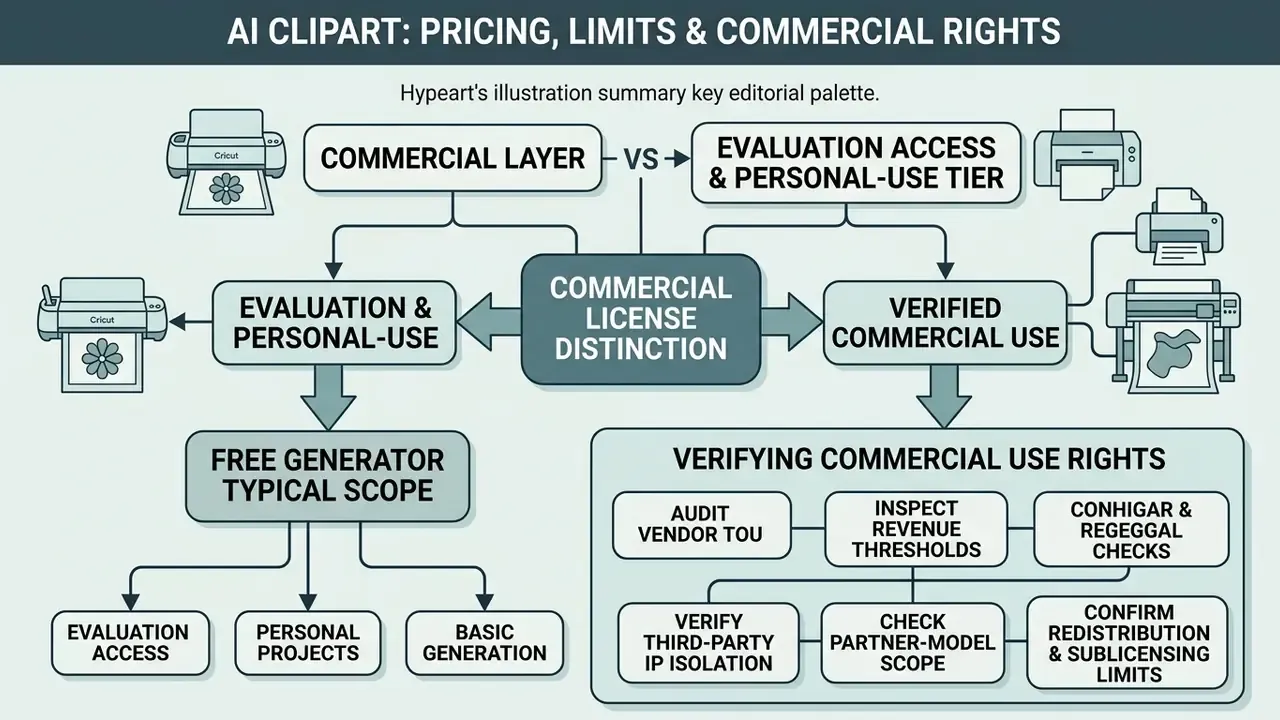
Free AI Clipart: Pricing, Limits, and Commercial Use
«If copyright protection for AI-generated works exists at all, it is likely to be "thin": the aspects that make an AI output valuable may not be protected by copyright.»
The U.S. Copyright Office's 2023 and 2025 guidance reinforces the point: copyright protects the human author's own contributions, and AI-generated portions must be identified at registration. In the EU, transparency rules require machine-readable marking of AI-generated image, audio, video, and text content from 2 August 2026. So the same clipart file can be compliant in one jurisdiction and non-compliant in another. Worth pausing on that.
Free plans enforce fairly predictable limits: watermarked previews, daily credit caps of roughly 3 to 10 generations, public gallery publishing, and low-resolution raster exports at 480p or 720p. Paid tiers unlock high-resolution downloads (4K or SVG vector), private generation, and formal commercial rights (Clearly, 2026; Pika Review, 2026). Cost structures across commercial tools are broken down in our AI Media Pricing resource center, and unit-economics modeling lives one step further, so explore the hub when you need per-asset cost figures.
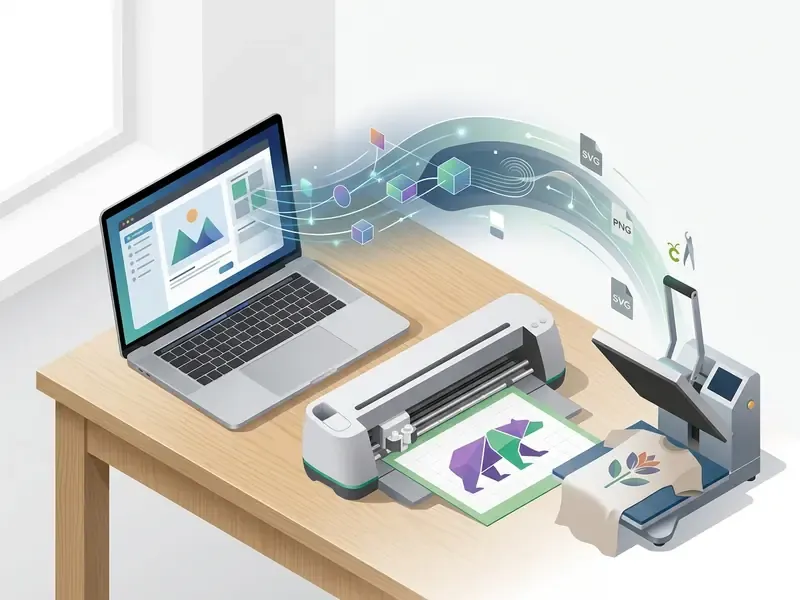
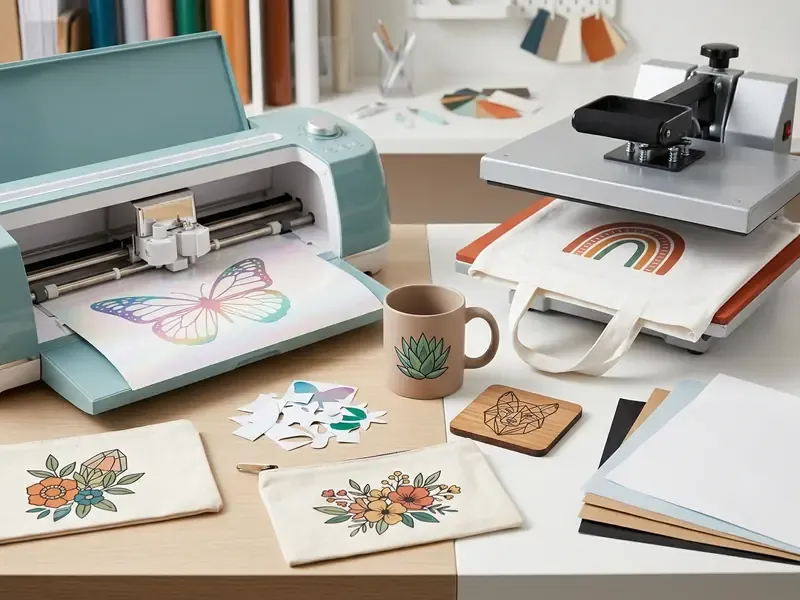
Table 2. General pricing tiers and licensing terms for AI clipart generators (2026 baseline)
| Access tier | Generation limits | Watermark status | Export resolutions and formats | Commercial usage rights | Public vs. private generation |
|---|---|---|---|---|---|
| Free / trial tier | 3 to 10 credits daily, or a limited initial allocation | Visible watermark or embedded metadata tag | Low to medium: 480p to 720p PNG | Restricted to non-commercial and personal use (Clearly, 2026) | Generations posted to public community galleries |
| Pro / paid subscription | Unlimited or high credit caps, 1,000+ monthly | No visible watermark, clean exports | High-res: 4K PNG, WEBP, native SVG vector | Full commercial license for client projects | Private generation modes enabled |
| Enterprise tier | Custom API volume allocations | Custom enterprise metadata tagging | Uncompressed full-resolution and raw vector output | Commercial usage with copyright indemnification | Isolated private cloud or enterprise tenant storage |
What a Free AI Clipart Generator Usually Includes
Free tiers on entry-level platforms are a reasonable evaluation path and a decent sandbox for personal experiments. You can type basic prompts, test the style presets, and pull low-resolution previews without spending anything. Observed allocations cluster around 3 to 10 credits, daily or one-off, with SVG export and private generation gated behind payment.
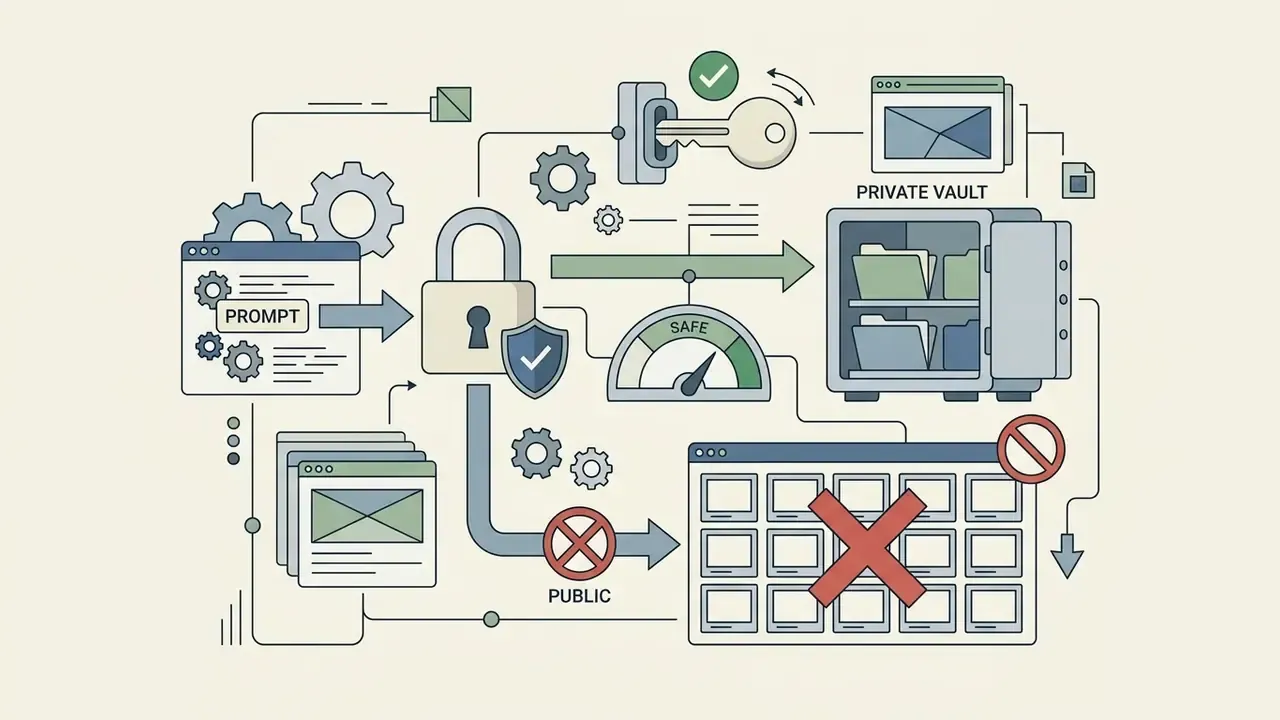
There is a catch, and it is not the watermark. Many free tiers mandate public disclosure, storing every generation in an indexed, searchable public gallery. That becomes a material confidentiality issue the moment a prompt references an unreleased product name. Transparent PNG and editable SVG export are usually locked behind the paywall as well (SVGverseAI, 2026).
How to Verify Commercial Use Rights for AI Clipart
Before publishing, selling, or delivering generated clipart to a client, review vendor Terms of Service and any local regulatory requirements (Adobe, 2026; Magnific, 2026).
«Institutional reports recommend clear attribution and use policies, because copyright risks tied to training data are real and must be managed through policy, not legal doctrine alone.»
E-E-A-T placeholder
For a deeper read on legal liability and copyright exposure, consult our specialized analysis and view the guide compliance report.
Governance, Audit Trail, and Shadow AI Controls
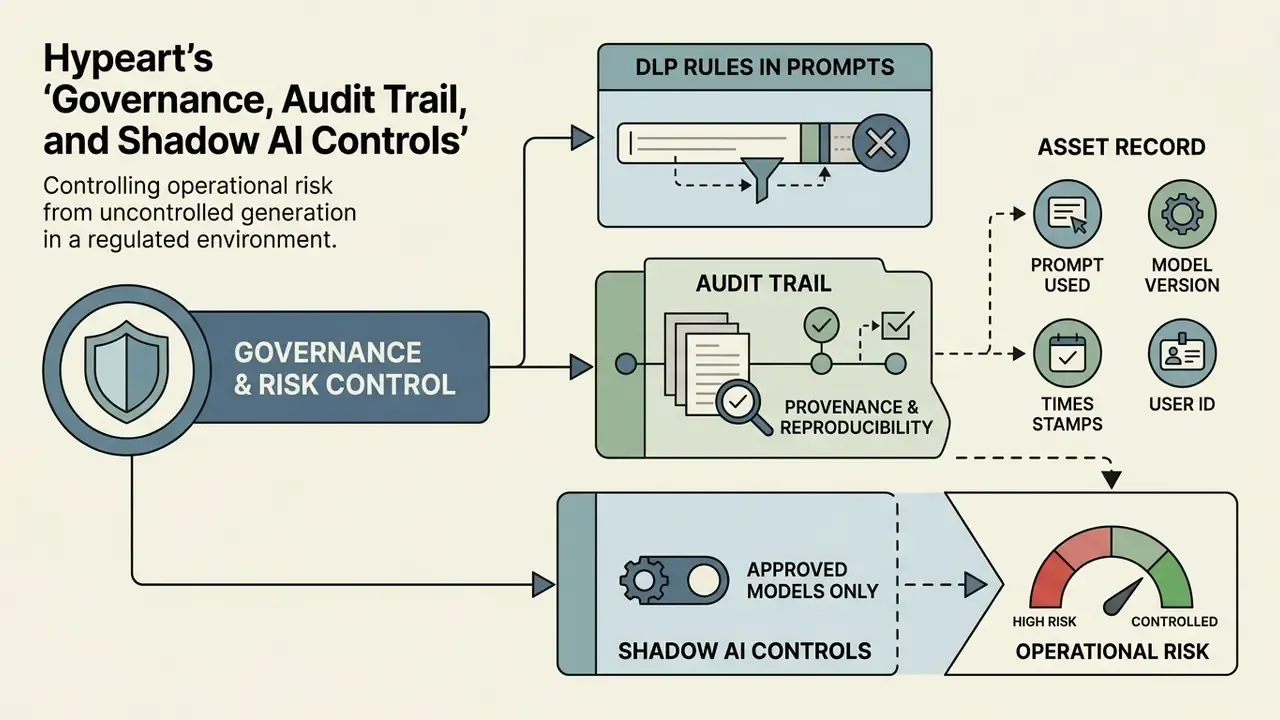
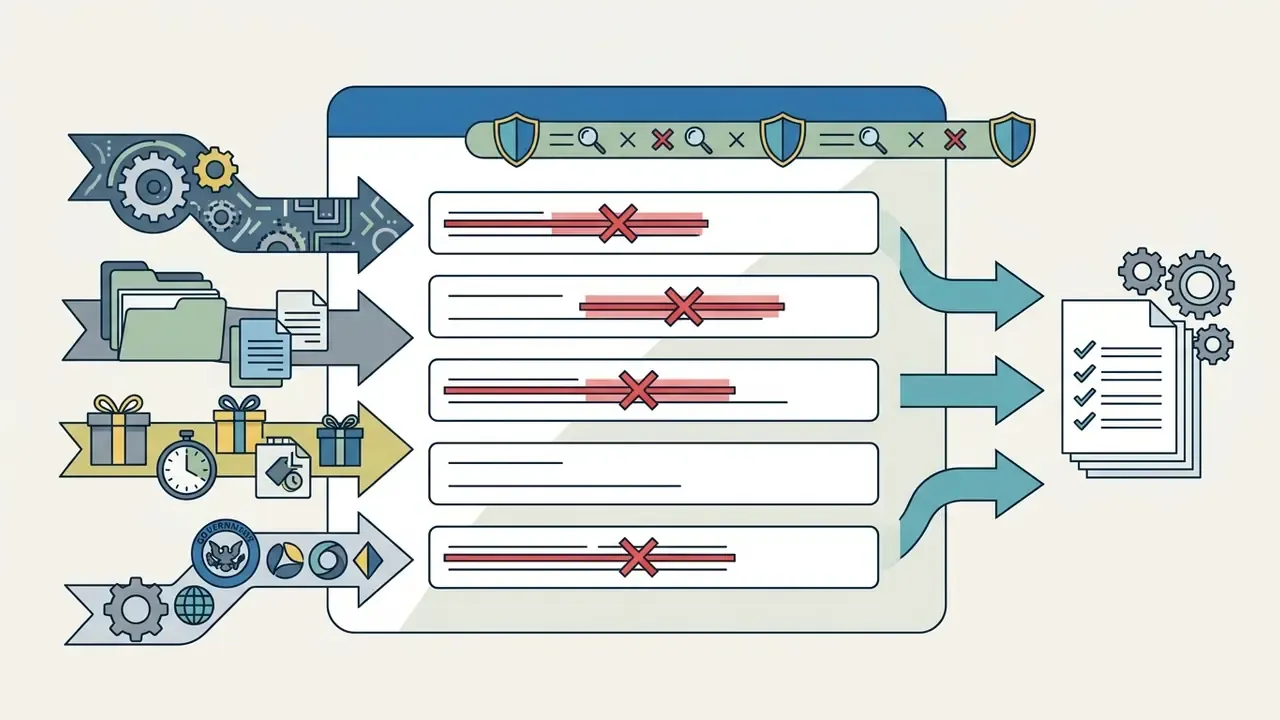
Uncontrolled generation is the dominant operational risk in a regulated environment. Employees paste confidential product names, customer segments, or unreleased brand marks into consumer-grade generators whose free tiers publish prompts to a public gallery. No malice. Just convenience.
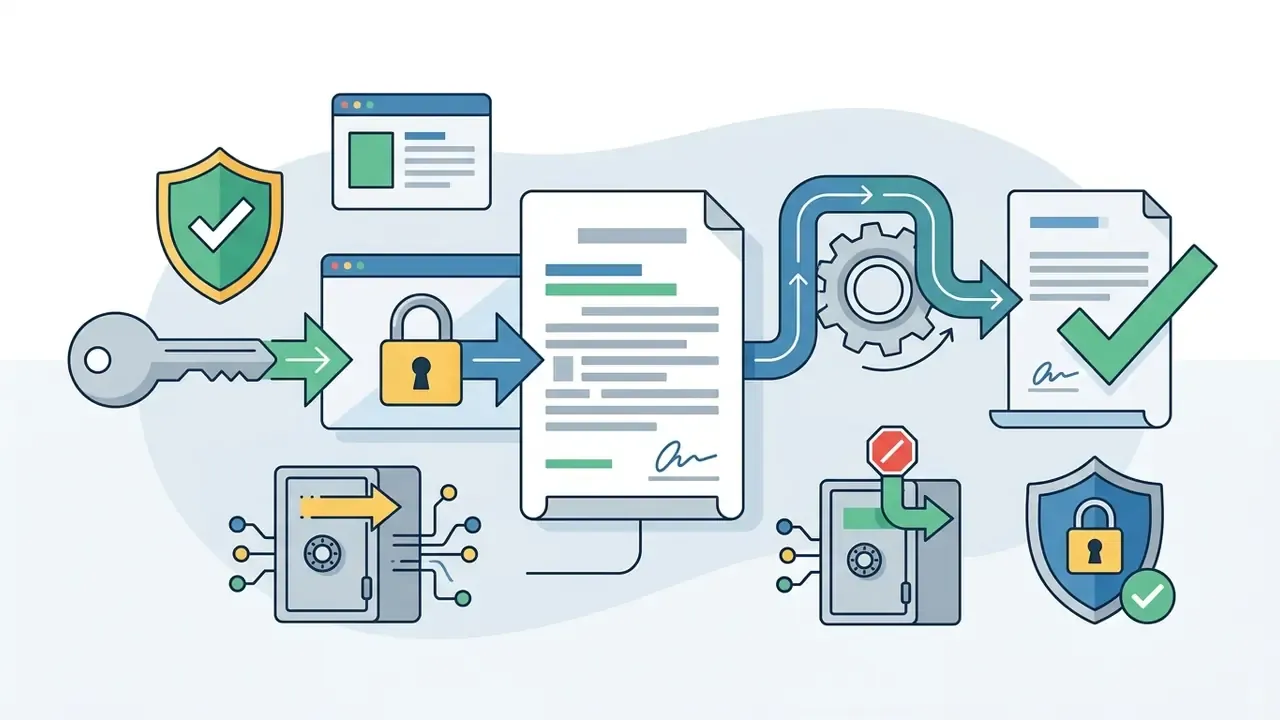
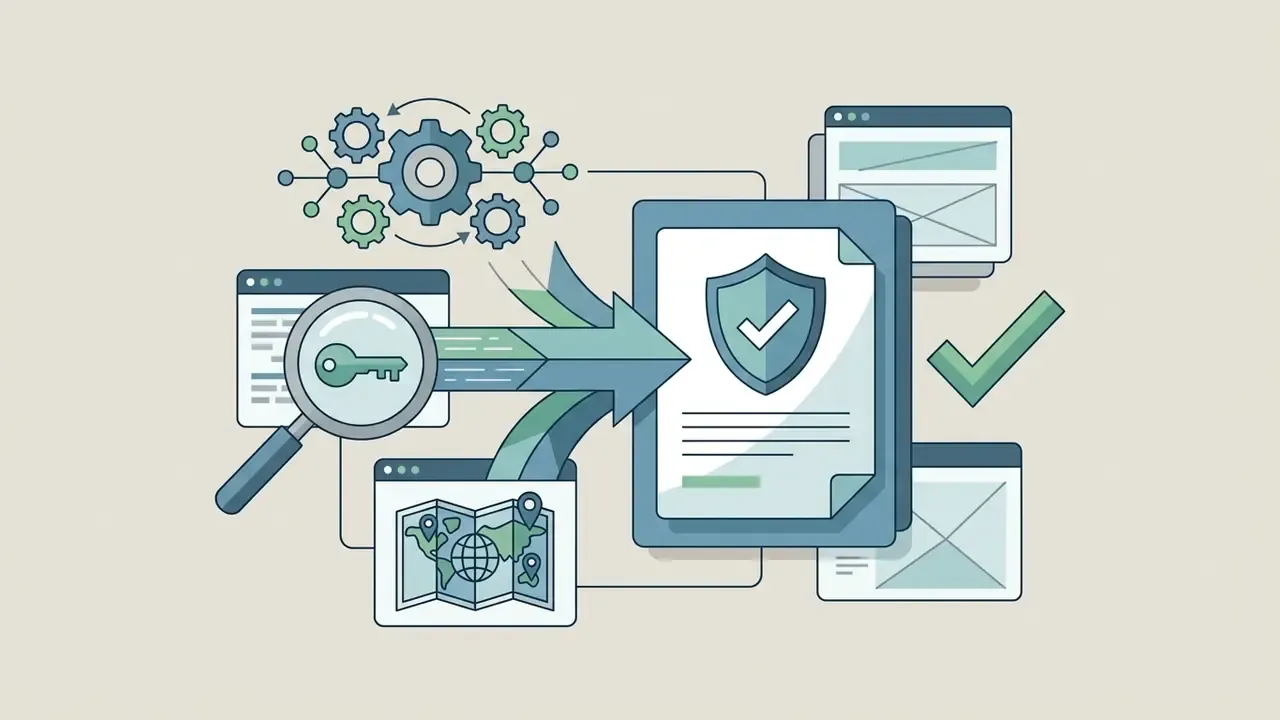
Provenance and reproducibility. NIST guidance on synthetic content describes provenance tracking through metadata and overt or covert watermarks applied at generation time, with fields covering creator, date and time, modifications, and sources. In practice that maps to the C2PA and Content Credentials standard, which embeds tamper-evident manifests describing model, prompt, and edit history inside PNG, JPEG, or SVG containers. Adobe's free-tier exports already carry Content Credentials instead of a visible watermark, which is exactly why "no watermark" does not mean "no provenance signal."
Minimum audit record per asset:
| Field | Example value | Why auditors ask |
|---|---|---|
| Model and version | gpt-image-2, 2026-03 build | Reproducibility of output |
| Full prompt and negative prompt | stored verbatim | Demonstrates intent, absence of brand names |
| Seed / style ID | --seed 482913, Style ID sty_7f2 | Re-generation for dispute resolution |
| Tier and license receipt | Pro subscription invoice ID | Proves commercial rights at the time of use |
| Provenance manifest | C2PA manifest hash | Content authenticity verification |
| Approver | design owner plus compliance reviewer | Segregation of duties |
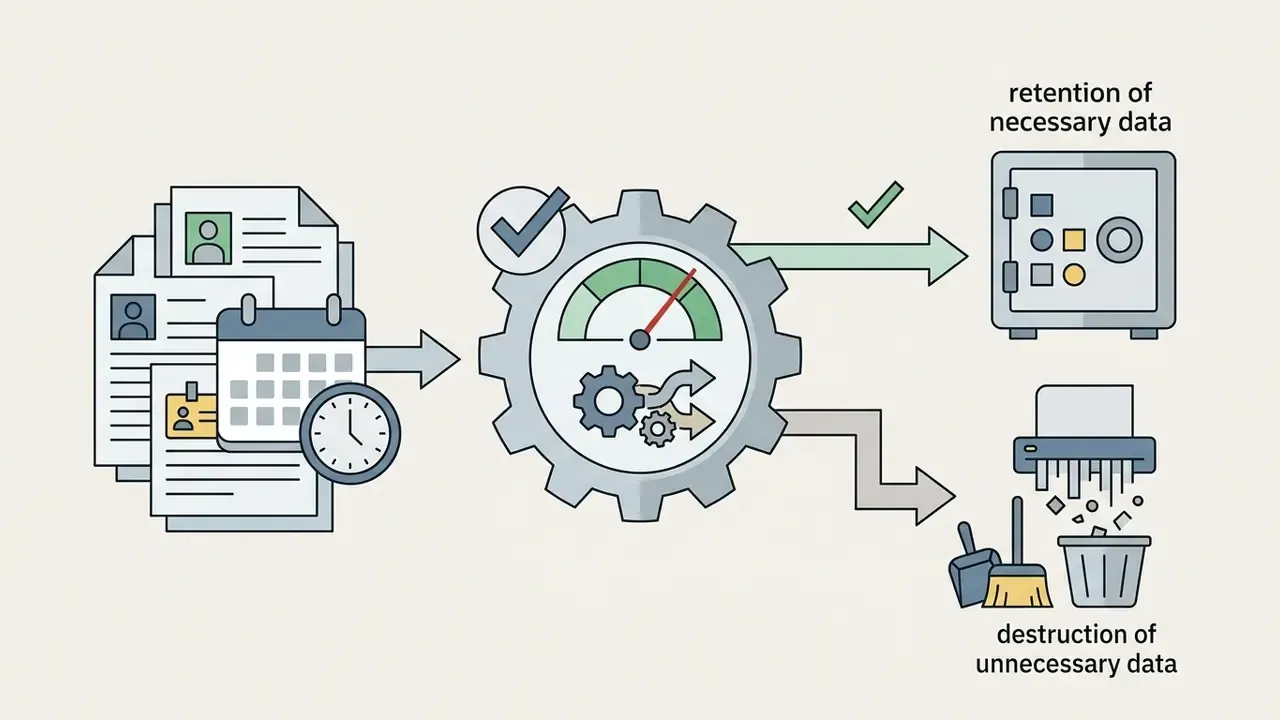
One open question remains unresolved, and it is worth stating plainly: there is still no settled market practice for validating a generative image model the way model risk teams validate a credit scorecard. Style conformance and trademark screening are controls, not validation. Treat the gap as a documented limitation rather than a solved problem.
How to Use AI Clipart in Finished Projects
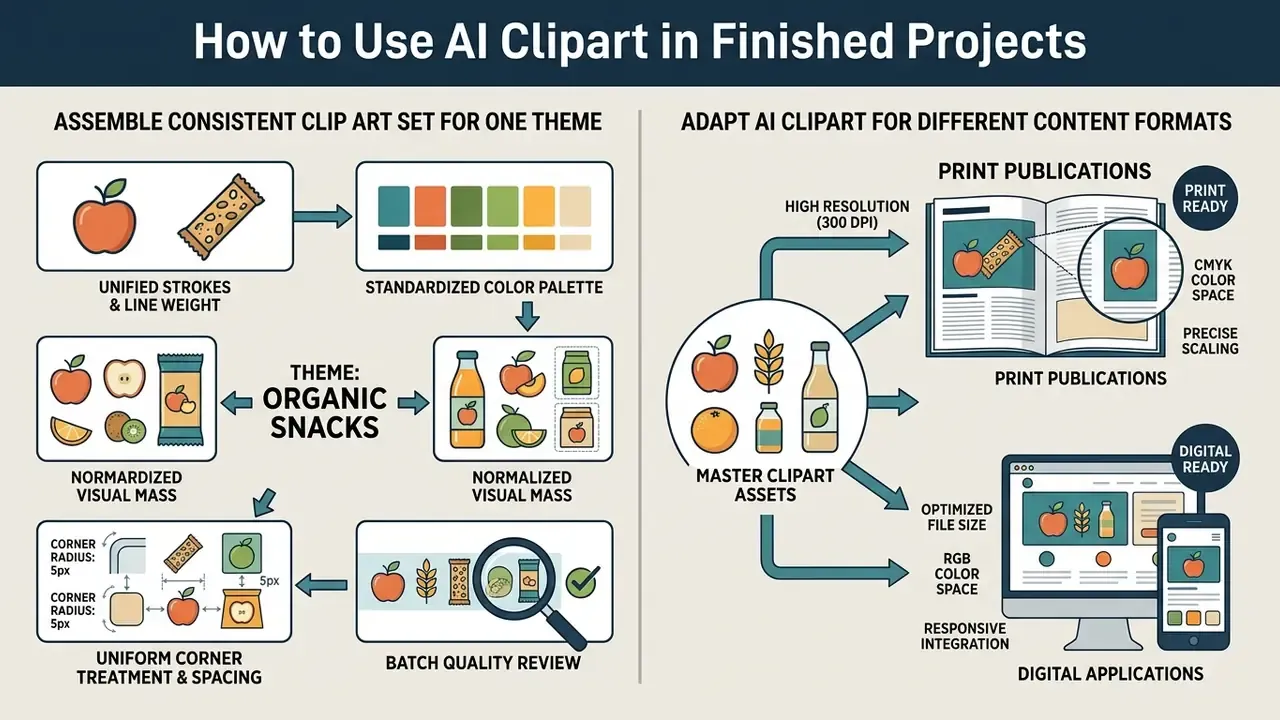
Integrating generated assets into commercial design systems, published media, or applications requires unified visual standards, consistent proportional scaling, and disciplined metadata management (NIST AI RMF, 2026).
Uncontrolled use produces visual fragmentation, where illustrations inside a single deck or app clash in line weight, shading perspective, or color intensity. Accessibility packaging matters just as much. W3C EPUB Accessibility 1.2 requires accessibility metadata such as accessibilityFeature, accessibilityHazard, accessModeSufficient, and conformsTo, and user-facing surfaces should expose screen-reader status plus an accessibility summary. Every clipart asset therefore ships with alt text, not only with pixels. For broader implementation protocols, view the guide framework.
How to Assemble a Consistent Clip Art Set for One Theme
A cohesive pack starts with a written design specification, drafted before the first asset is generated.
«UF-FGTG delivers an average 5% improvement across six quality and aesthetic metrics when prompts are structured across multiple levels of granularity.»
To hold 10 to 30 icons or illustrations together:
- Fix stroke and line weight. Standardize the stroke, for example "consistent 3px solid black outline".
- Enforce color palette tokens. Specify exact values, for example "limited flat palette: navy blue
#002060, warm amber#FFC000, neutral light grey background". - Normalize visual mass. Scale elements by perceived visual weight rather than by bounding box alone. Equal pixel dimensions are not enough once the set is reviewed together.
- Standardize corner treatment and spacing. Define corner radius and internal padding rules first, then apply them to every asset without exception.
- Batch quality review. Lay all pack elements side by side on one artboard and replace the outliers. Teams needing volume capacity can start from the best free AI image generators before committing to a paid batch pipeline.
How to Adapt AI Clipart for Different Content Formats
Adapting one ai image clipart asset across web banners, mobile screens, print documents, and social posts calls for format-specific optimization (IAB Creative Guidelines, 2026; Apple Human Interface Guidelines, 2026).
- Print publications (DPI and color space). High-resolution exports at 300+ DPI converted to CMYK profiles, ideally in SVG or PDF containers to prevent pixelation (Apple, 2026).
- Mobile UI and applications. Lightweight scalable vectors (SVG) or losslessly compressed 32-bit WebP tuned for dark and light themes. Outline any lettering so text rendering does not shift during scaling.
- Digital banners and advertising. Preset aspect ratio fitting (16:9, 1:1, 9:16) with foreground elements padded against awkward cropping across dynamic viewports (IAB, 2026).
- Presentations and documents. Place PNG or SVG clipart into decks and PDFs at final display size. Adobe Express and Foxit PDF Editor both support inserting generated images directly into a document layout.
- Specialty subject sets. Product-category illustration frequently needs its own reference discipline; a dedicated ai car generator style pass, for instance, keeps proportion and perspective stable across a vehicle icon family.
FAQ About AI Clipart Generators
Do You Need Design Skills to Create AI Clipart?
No, advanced design skill is not mandatory, though visual literacy and prompt discipline visibly improve output. Basic text-to-image generation lets anyone produce a stylized asset from plain language.
«Participants without professional design training used AI-generated images to avoid design fixation and to create reference material for sketching.» Liu, Beyond Text-to-Image: Multimodal Prompts to Explore Generative AI, CHI EA 2023 (N=13). https://doi.org/10.1145/3544549.3585628
Production-grade consistency is another matter. Managing alpha transparency edge anti-aliasing, vector path optimization, and brand color alignment does require the basics of composition, color theory, and framing. Non-designers close the gap with structured style presets, prompt templates, and automated background removal.
Does an AI Clipart Generator Support Multiple Languages?
Most modern clipart generator systems accept multilingual prompts. Vendor pages commonly advertise 20+ languages, including English, Spanish, Hindi, Arabic, Chinese, and Japanese. Accuracy and visual quality still peak in English, since large vision-language models often translate non-English prompts internally before latent-space sampling (NeurIPS, 2023).
«Technical prompt-optimization research, including Promptist and NeuroPrompts, was conducted exclusively on English-language datasets, which limits how far those findings generalize to other languages.» Rosenman, Lal and Howard, NeuroPrompts, EACL 2024. https://aclanthology.org/2024.eacl-demo.22/
For critical commercial work, clear English yields the most predictable result. Where a non-English prompt is required, translate the style and constraint tokens into English while keeping the subject in the source language, then compare both outputs side by side.
How Private Are Images Created in an AI Clipart Generator?
Privacy depends entirely on the tier and the vendor's data governance. On free or public tiers, images are processed in shared cloud environments and indexed in public community galleries.
Disclaimer: this information is general in nature and does not replace consultation with a data protection specialist or a GDPR/CCPA attorney.
Enterprise tiers typically guarantee private generation, encryption in transit and at rest, and explicit commitments that user prompts and synthesized images will not be used to train public foundation models (EDPB Opinion 28/2024; GDPR Article 5, 2026).
«The Cornell report notes that generative models are trained on large volumes of web data, creating real risks for the confidentiality of users' intellectual property.» Cornell University, Generative Artificial Intelligence for Education and Pedagogy (2024). https://teaching.cornell.edu/generative-artificial-intelligence
Organizations handling sensitive intellectual property should read the vendor's privacy documentation against their own data protection standard, not against the marketing summary. For help with account configuration or corporate access, visit AI Media Support.
Can AI Clipart Be Sold on Marketplaces?
Yes, when three conditions hold at once: the active tier grants commercial rights, the output contains no third-party trademarks or recognizable likenesses, and the marketplace permits AI-generated listings with the required disclosure. Several stock platforms require submitters to hold all necessary rights to AI submissions, which pushes the verification burden squarely onto the seller.
What File Formats Should I Request?
PNG (32-bit) for transparent raster use, WEBP for web delivery weight, SVG for infinite scaling and plotter cutting, and PDF or CMYK-converted vector for commercial print. Avoid JPEG for anything that needs transparency, since the format has no alpha channel at all.
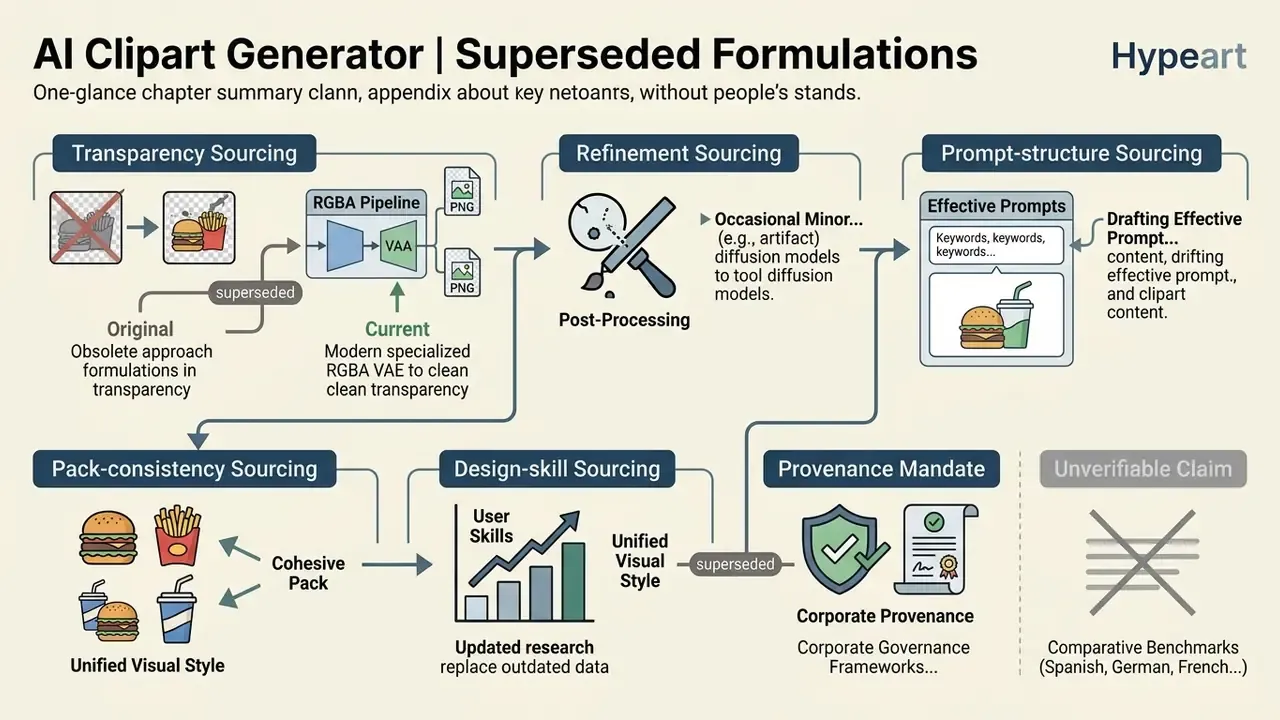
Appendix A: Superseded Formulations
Navigation and Resource Hub
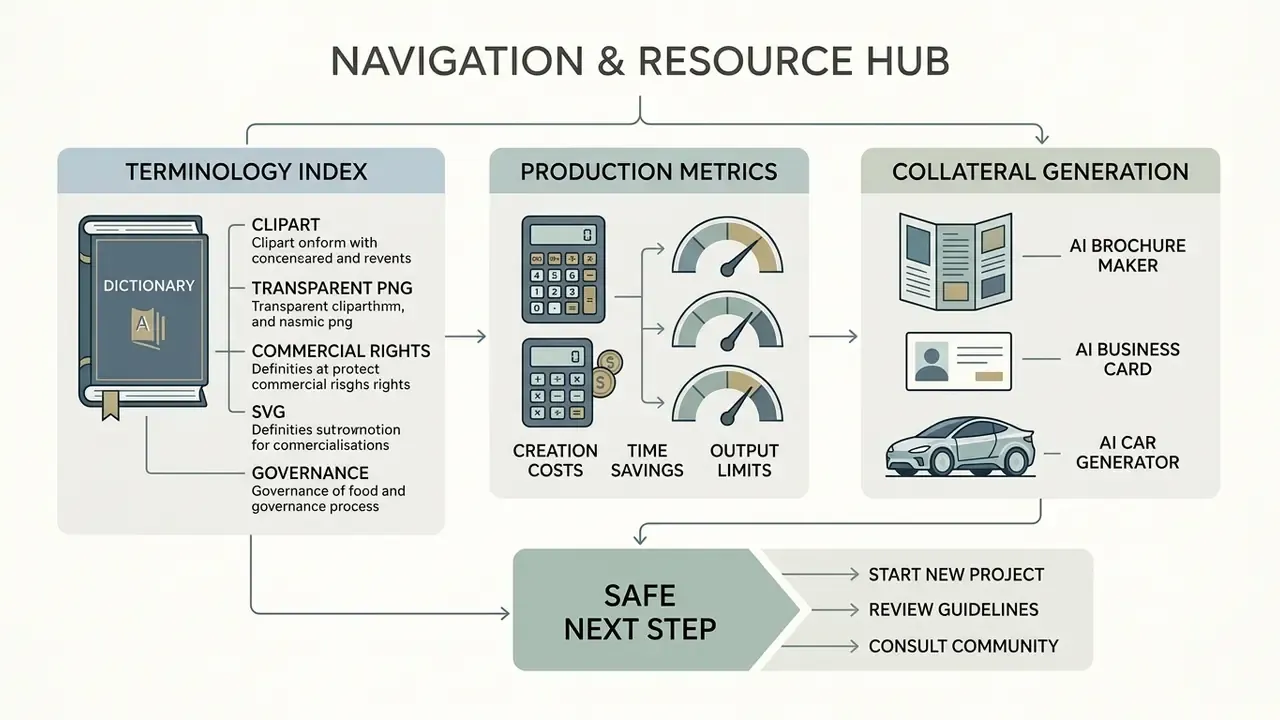
Contextual resources for adjacent generation tasks, kept separate from the governance narrative above:
- Terminology index and definitions: compare options
- Production metric calculators: calculators
- Document and collateral generation: ai brochure maker, ai business card generator, ai car generator
Safe next step. Pick one internal use case, a slide-deck icon set is usually the least sensitive, run it through the five-stage pipeline with the audit record attached, and review the result with design and compliance together. Small scope, real evidence, no rush.