Three things to know first
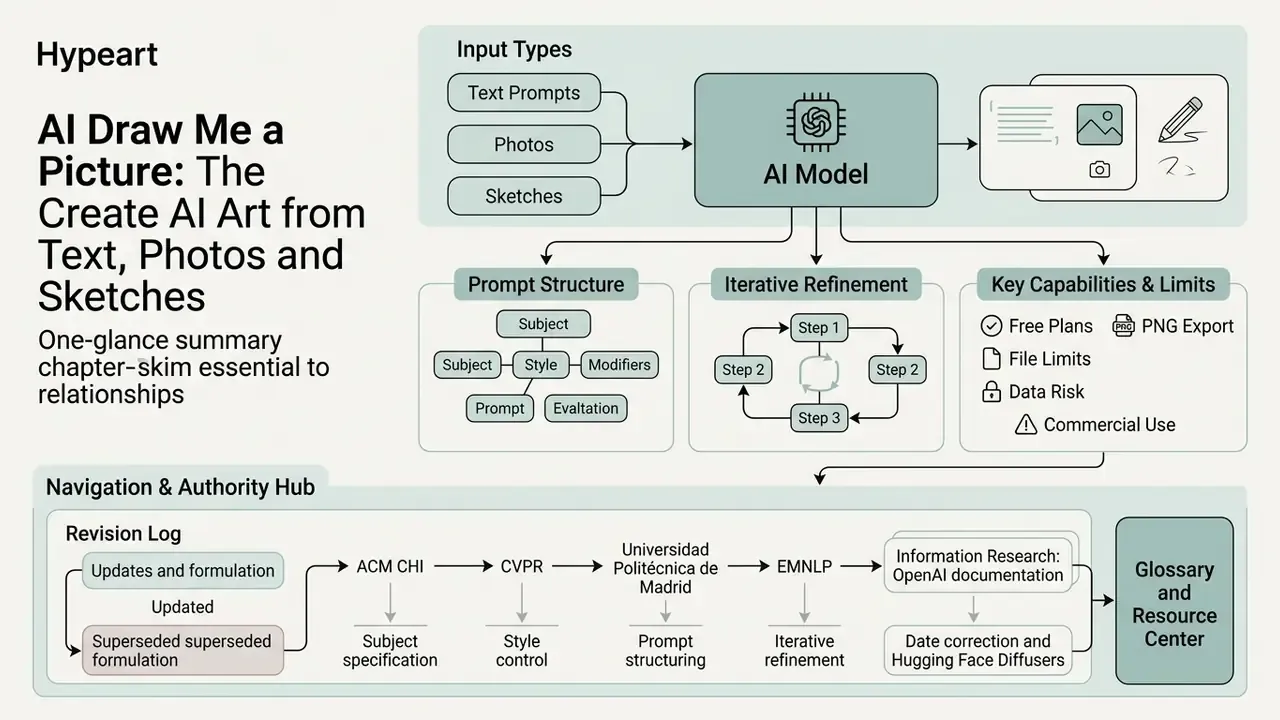
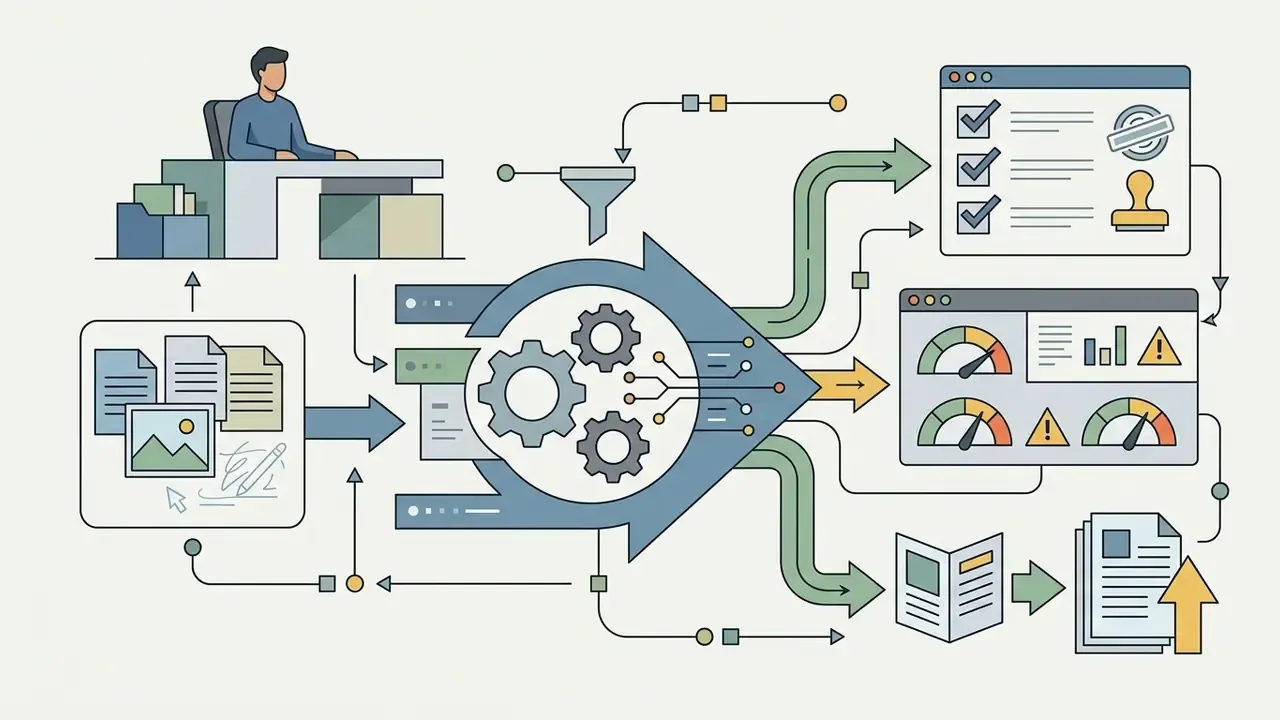
- Three input paths, one workflow.A request to “AI draw me a picture” resolves into text-to-image (prompt only), image-to-image (photo conditioning) or sketch-to-image (structural conditioning through ControlNet-style adapters). The technical difference is what constrains the denoising process, not how pretty the interface looks.
- Prompt structure beats prompt length.Splitting a prompt into discrete slots (Subject, Setting, Style, Lighting, Details) measurably improves visual coherence and structural similarity of outputs. Iterative refinement beats one heroic single-pass attempt. Every time.
- Ownership is not the same as generation.Producing an image does not automatically create copyright or commercial rights. Licensing depends on the vendor contract, revenue thresholds and the level of documented human authorship. And reference uploads carry data-leakage risk that has to be governed, not hoped away.
What this guide covers
Then it gets practical. Prompt structure with a fill-in template. Shading and linework vocabulary. Editing, PNG export with alpha transparency, and sharing. Free tiers versus paid plans versus enterprise contracts. An illustrative financial-services example of routing image generation through logged, contracted channels. A twelve-point shadow AI checklist you can hand to procurement. A FAQ for the questions that keep coming back. And an appendix that records which earlier citations were replaced, and why.
If you are a risk or compliance owner rather than a designer, sections four, five and nine are the ones that matter to you.
The phrase "AI draw me a picture" describes an automated request sent to a generative image system to create visual content from input data. Modern artificial intelligence platforms interpret user prompts, source photos, or line drawings to synthesize new digital artwork within seconds. The practical decision for any team is not whether the output looks impressive. It is whether that output is reproducible, structurally controllable and licensable.
For a bank or a mature fintech, that distinction has teeth. An unlogged marketing image generated on a consumer account is a small creative win and a small governance hole. Multiply it by four hundred employees and the hole stops being small.
What does “AI draw me a picture” mean?
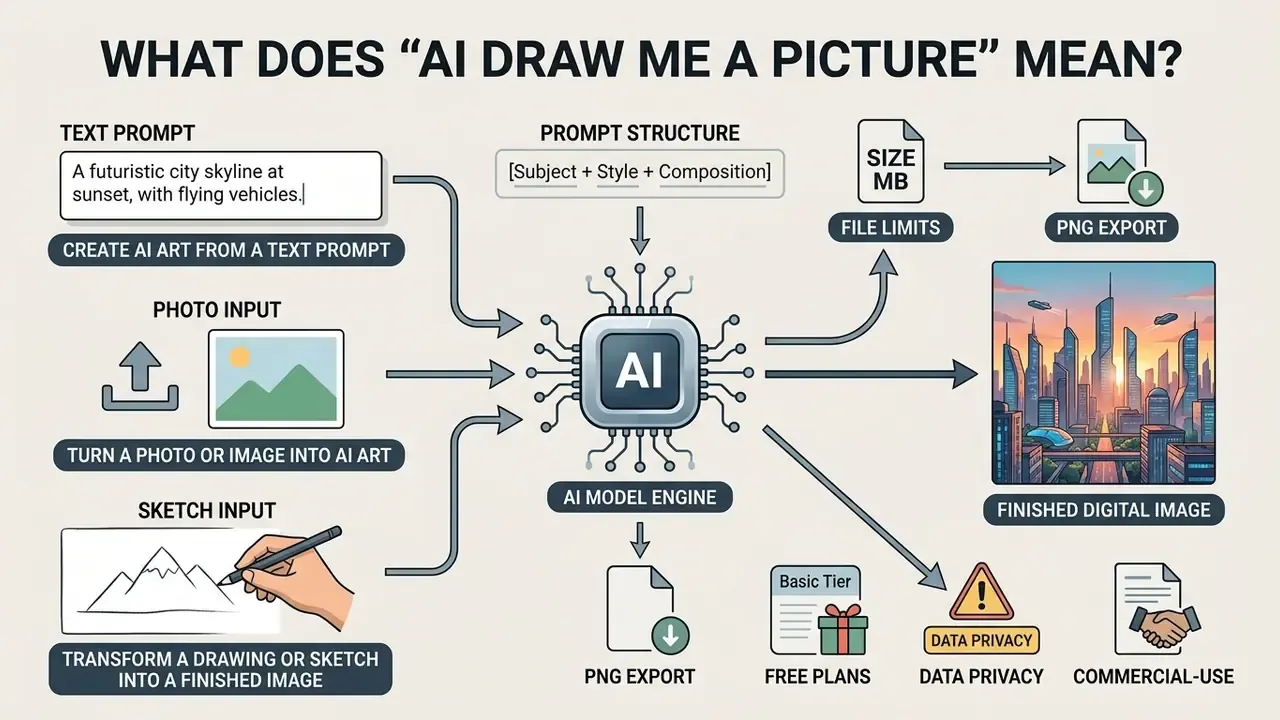
An AI draw me a picture request refers to using artificial intelligence models to convert text descriptions, uploaded photographs, or rough sketches into complete digital images. Generative systems use deep neural networks, primarily denoising diffusion models, to process user inputs and construct coherent visual outputs.
Modern artificial intelligence platforms interpret user prompts, source photos, or line drawings to synthesize new digital artwork within seconds. Readers who want to move straight from mechanism to tool selection can compare AI image generators across output quality, control surfaces and licensing terms.
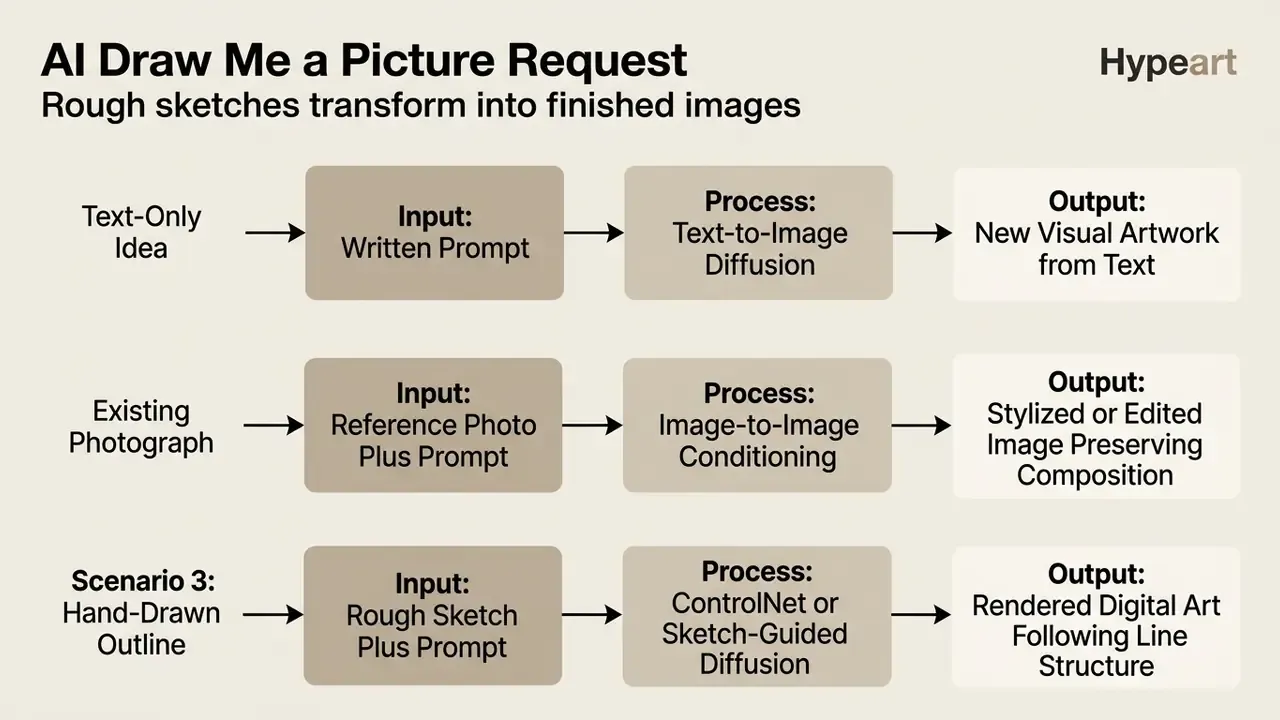
These systems operate across three primary modes: text-to-image synthesis, image-to-image transformation, and sketch-guided generation. Each mode applies different technical constraints to guide the neural network toward the target output.
«Diffusion models progressively add noise to training images, then train a network to reverse that process, generating samples from random noise.»
Create AI art from a text prompt
Text-to-image generation creates visual artwork directly from written language using a text encoder and a diffusion UNet or transformer backbone. The system maps text tokens into a latent space through cross-attention mechanisms, guiding random noise toward a structured composition.
In practice, each prompt token becomes an embedding, and cross-attention layers bind that meaning to specific spatial regions during denoising. Which is why changing a single word can move an object, alter a material or restructure a whole scene. Swap "brass" for "chrome" and the lighting model changes with it.
According to OpenAI's official image generation documentation, modern text-to-image models translate natural language descriptions into spatial visual features without requiring initial image files. Inputs may be supplied as plain text, a URL, Base64 image data or a file ID. Users can create AI artwork by describing scenes, objects, or abstract concepts in plain text, no drawing tablet involved.
«TIPO expands simple user prompts into more detailed versions while preserving the original intent, improving visual quality and coherence.»
Turn a photo or image into AI art
Image-to-image transformation uses an existing photo or graphic as a structural and semantic reference for generating a new image. The system adds noise to the source image's latent representation and denoises it according to new text prompts or style conditioning.
Technical documentation for the Hugging Face Diffusers library (v0.30+) specifies that image-to-image pipelines take both a text prompt and an initial image, preserving overall composition, subject positioning, and spatial layout while applying new artistic styles. For detailed technical evaluations of image transformation platforms, operators can explore the hub to analyze structural preservation features.
This approach lets you transform realistic photos into paintings, digital illustrations, or stylized graphics while retaining the original subject's pose. A short comparison of image-to-image generators helps match a conditioning method to a production requirement. Making ai art from a picture is now closer to a slider adjustment than a craft skill.
«Diffusion models support image-to-image editing through masks, textual instructions and reference images, preserving structure while changing style.»
Where pose or object identity must survive the transformation, spatial conditioning networks do the heavy lifting. ControlNet-class adapters accept edge maps, depth maps, segmentation masks or pose skeletons, and object-preservation methods retain the size, placement and colour of critical elements instead of re-inventing them. A brand logo, for instance, should not get "creatively interpreted" halfway through a render.
One narrow but common use case: identity and document photography sits outside this workflow entirely. Compliance-grade portraits belong in a rules-based passport photo editor rather than a generative model, since regulators want an unaltered capture, not a synthesized likeness. A passport photo editor with fixed crop templates is the safer tool there.
Transform a drawing or sketch into a finished image
Sketch-to-image generation converts hand-drawn outlines or line art into fully rendered digital artwork using spatial conditioning networks. Frameworks such as ControlNet allow models to treat line paths as structural boundaries while inferring missing textures, lighting, and colors. That is the core of ai art from drawing workflows.
«Block and Detail uses a two-pass ControlNet algorithm: the first pass follows strokes strictly, the second adds variation through re-noising.»
«Wu et al. split scene generation into object and scene levels: each object sketch is converted separately, then foreground and background are merged.» Sketch-Guided Scene Image Generation (2024). https://arxiv.org/abs/2407.06469
Adobe Firefly guidance (2025) confirms that strength sliders let users control how strictly the model follows the original sketch lines. This is what allows an ai art sketch generator to turn rough pencil doodles into finished concept art, including imperfect, incomplete or low-contrast drafts. Abstraction-aware sketch adapters are explicitly designed to interpret amateur linework rather than clean vector paths. Your shaky biro outline is a valid input.
How to generate an AI drawing step by step
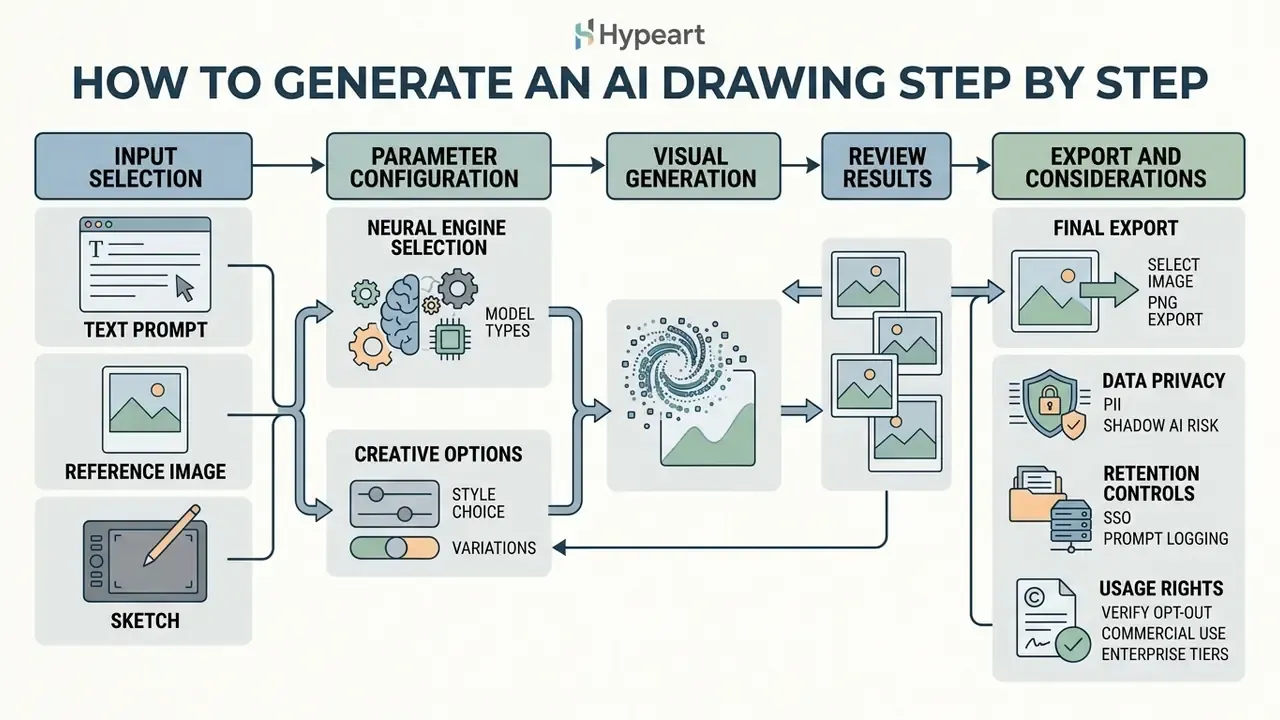
Generating an ai drawing image involves a structured workflow: input selection, parameter configuration, visual generation, then final export. Following a systematic procedure is what makes results reproducible across different generative platforms, which matters far more in an audited environment than in a hobby project.
Standard generative workflows require selecting an appropriate model, defining visual parameters, evaluating multiple outputs, and downloading the final asset in a suitable format.
Selecting the right neural engine for your workflow
Model choice constrains everything downstream: prompt adherence, typography quality, anatomical accuracy and how strictly structure is preserved. Multi-model environments (Firefly, for example, now routes prompts to partner models such as GPT Image, Gemini with Nano Banana and FLUX from a single canvas) make engine selection an explicit workflow step rather than a platform lock-in. Users hunting for an ai art generator gpt experience are usually describing exactly this: conversational prompting on top of a hosted image model.
| Engine | Strongest at | Typical workflow fit |
|---|---|---|
| FLUX.1 (Dev / Schnell) | Photorealistic prompt adherence, complex typography, hand and finger structure | Product visuals, packaging mockups, text-in-image assets |
| Midjourney v6 | Cinematic lighting, painterly composition, stylistic consistency | Mood boards, editorial illustration, concept exploration |
| DALL·E 3 / GPT Image | Long conversational prompts, multi-clause instructions, in-chat iteration | Rapid drafting, marketing copy-to-visual pipelines |
| Stable Diffusion XL + ControlNet | Exact spatial boundary preservation, pose, depth and edge conditioning | Sketch-to-image, architectural wireframing, character sheets |
| Adobe Firefly Image models | Licensed and public-domain training data, commercial indemnification posture | Regulated corporate use, brand-safe asset production |
| Gemini image models (Nano Banana) | Multi-turn editing, reference-driven consistency | Iterative revision cycles inside a single session |
Write a clear prompt for the image generator
Writing an effective prompt means defining the primary subject, surrounding environment, visual medium, and lighting parameters in structured language. The prompt acts as the primary conditioning signal that guides the network's denoising process.
A 2024 prompt engineering study published by IEEE highlights that explicitly identifying main objects, background elements, and framing parameters prevents visual ambiguity in generative outputs. Avoid vague buzzwords. "Epic" and "stunning" tell the model almost nothing; "backlit, 85mm, shallow depth of field" tells it a great deal. Clear descriptions help the system interpret intent accurately on the first generation pass.
Upload a reference image, photo or drawing
Uploading a reference asset gives the generator spatial, color, or compositional boundaries before processing begins. Most platforms accept JPEG, PNG or WEBP files through drag-and-drop interfaces or dedicated upload buttons.
Getty Images API documentation (2025) notes that user-uploaded reference images must be registered and processed into latent embeddings to guide generation successfully. Uploads to the same URL overwrite each other, and licensed creative assets must be licensed before they can serve as references. When attempting an ai draw from image workflow, a moderate reference weight (typically 0.3 to 0.7) prevents the model from either ignoring the reference or copying it wholesale.
Technical input and output constraints
| Parameter | Typical production limit | Why it matters |
|---|---|---|
| Supported input formats | JPEG (JPG), PNG, WEBP | Unsupported containers fail before encoding |
| Maximum upload size | 100 MB per image | Larger files are rejected at the ingest layer |
| Minimum input dimensions | 512 × 512 pixels | Below this, latent spatial detail degrades and edges smear |
| Files per request | One image at a time on most consumer endpoints | Batch uploads require API access |
| Standard export resolution | Up to 2000 × 2000 pixels | Web, deck and social delivery ceiling on mainstream tools |
| Upscaled export | Up to 4096 × 4096 pixels via neural upscaling | Required for print and large-format output |
| Export formats | PNG (lossless, alpha) and JPEG (lossy, no alpha) | Alpha transparency only survives in PNG |
Data privacy, PII and shadow AI risk
Reference uploads are the highest-risk step in the entire workflow, because they move real source material outside the organisational boundary. Before any employee uploads a photo, scan or draft to a public generator, three checks apply.
- Never upload personal data, identity documents, client records, unreleased product imagery or anything covered by confidentiality obligations into a consumer-tier generator. Prompts and attachments may be retained, reviewed or used for model improvement unless the contract says otherwise.
- Verify the training opt-out. Vendor terms differ. Output ownership clauses and input-training clauses are separate provisions, and a plan can assign you the output while still reserving the right to train on what you uploaded.
- Prefer enterprise tiers with retention controls, prompt logging and SSO for any workflow touching regulated material. NIST's generative AI guidance treats personal-data use in model training as an explicit privacy risk that must be examined, disclosed and aligned with applicable law.
A blunt framing, but useful: if you would not email the file to an unvetted third party, do not paste it into a free image generator.
Choose a style and generate several results
Selecting a visual style establishes the overall rendering technique, whether photorealism, watercolor, pencil sketch, or vector illustration. Most platforms provide style presets or accept explicit medium descriptors directly in the prompt text.
OpenAI's image prompting guidance recommends generating three to nine seed variations for a single prompt to evaluate different compositional arrangements. That recommendation traces back to CHI-published design guidelines for prompt engineering, which found no single prompt permutation dominates across seeds. Reviewing multiple ai drawn pictures side by side lets creators identify the most accurate output before moving to fine-tuning or export. Batch first, judge second.
How to write prompts that produce better AI images
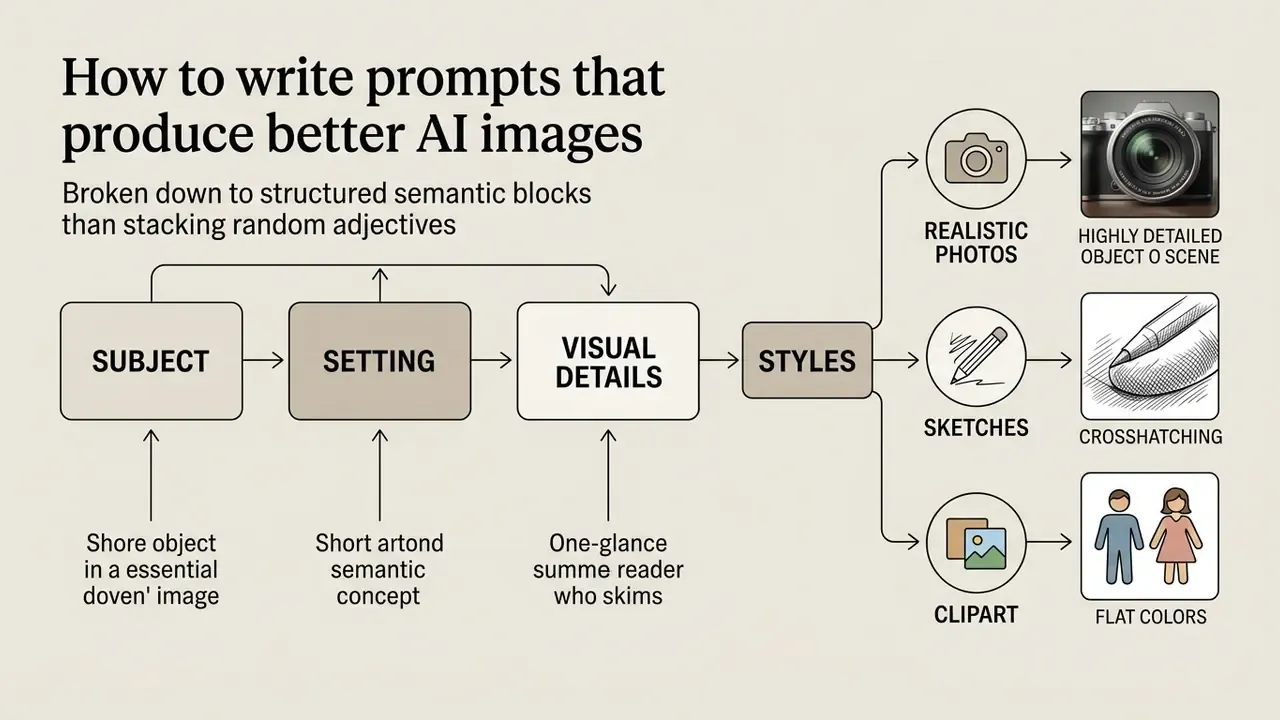
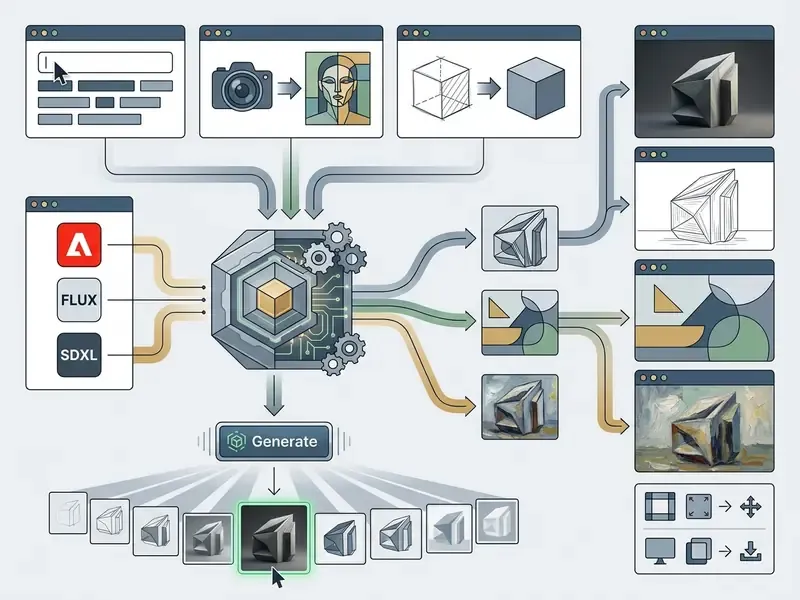
Writing prompts that produce higher-quality ai drawn images depends on structuring text input into clear semantic blocks rather than stacking random adjectives. Structured prompts reduce ambiguity during cross-attention mapping in diffusion UNets.
Key components of an optimal prompt: subject specification, environmental context, visual style descriptors, lighting parameters, and framing constraints. Five slots, not fifty adjectives.
«SSP automatically appends camera descriptions to prompts, improving semantic consistency by 16% and safety metrics by 48.9% over baselines.»
Describe the subject, setting and visual details
Subject descriptions should establish character attributes, object types, actions, and spatial relationships within the frame. Setting details define background, time of day, atmospheric conditions, and architectural context.
«In PromptCharm, novices describing subject, context and style reached an SSIM of 0.648 versus 0.479 for the baseline tool.»
Specify realistic, sketch and clipart styles
Style keywords direct the network to replicate specific art mediums, surface textures, and rendering tools. Using established technical terminology keeps visual translation consistent across different generative engines.
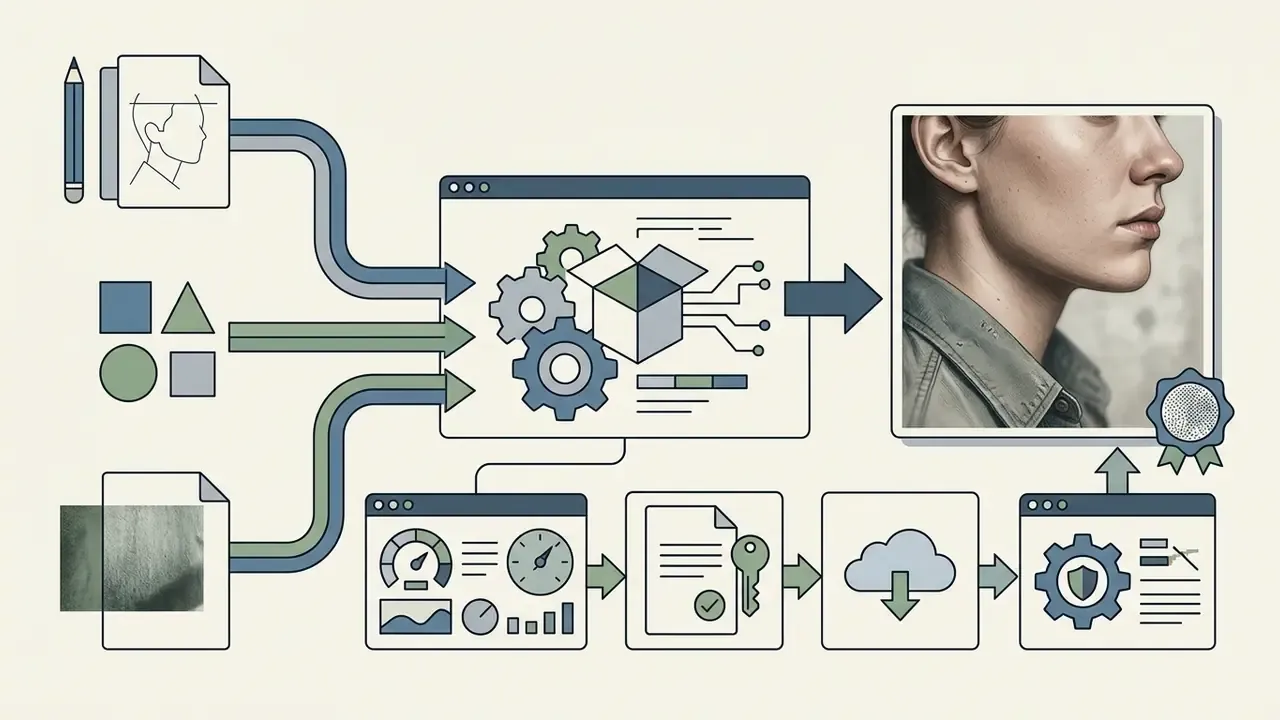
photorealistic, 35mm lens, natural daylight, shallow depth of field, subtle skin texture. Add micro-imperfections (visible pores, fabric wear, dust particles) to suppress the plastic look that gives ai drawing realistic attempts away.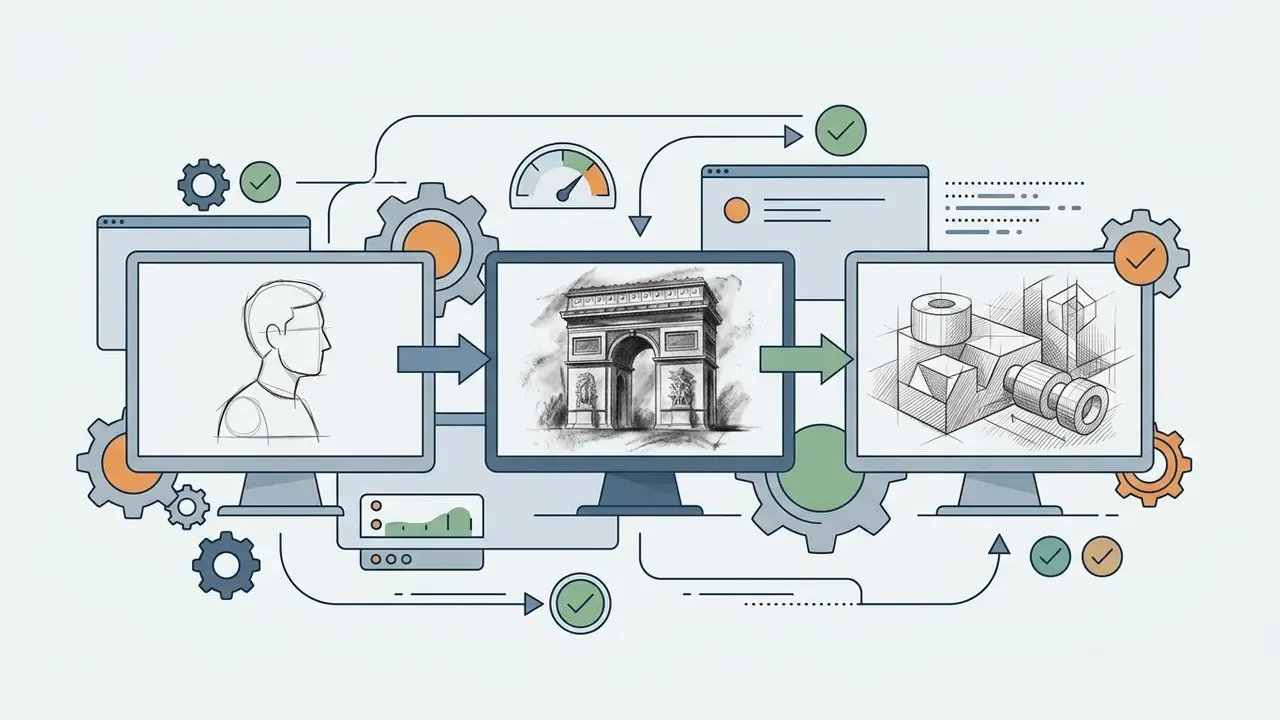
pencil sketch, charcoal drawing, hatched line art, graphite shading, rough outline.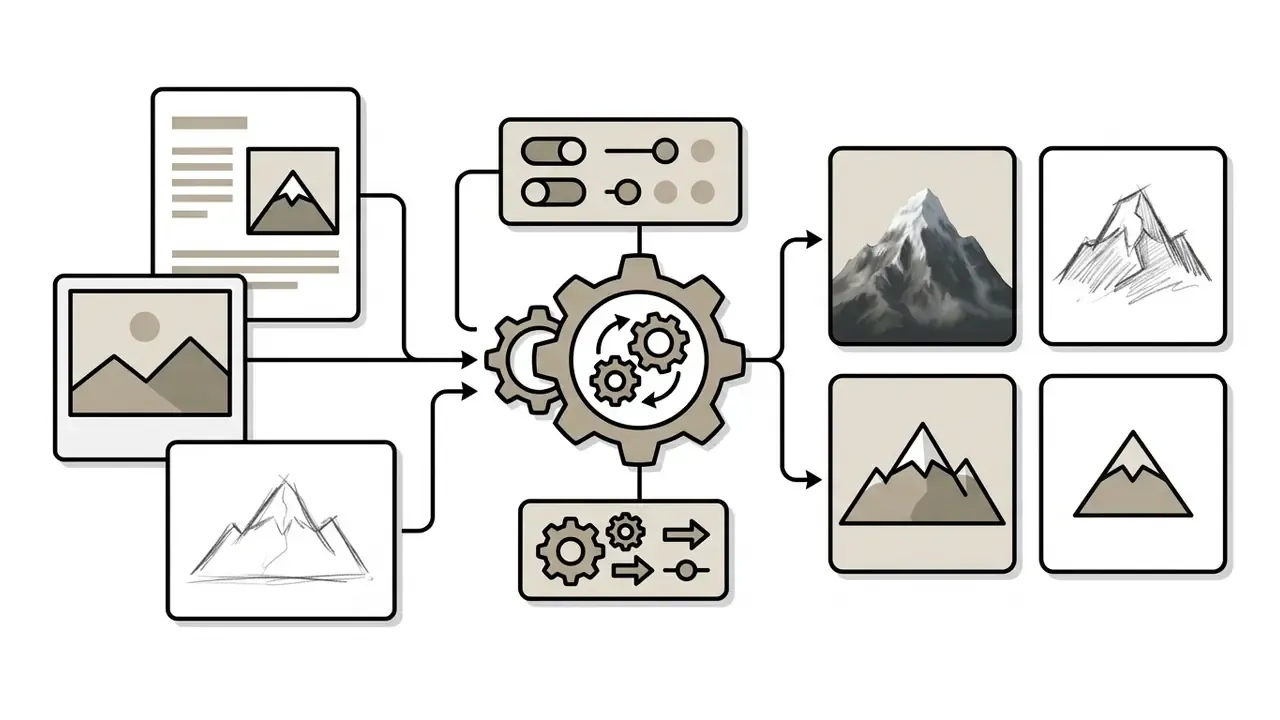
flat vector clipart, isolated on white background, bold outlines, minimalist icon, graphic illustration. This is the vocabulary that makes an ai clipart image generator behave predictably, and most free tiers handle it well enough for internal decks.Advanced drawing and shading techniques
- Crosshatching
intricate crosshatching,layered pen shading,dense diagonal strokes,etching-style tonal build-up. - Stippling and pointillism
stippled ink dotwork,fine-point stippling texture,monochrome dot shading. - Geometric pen and technical line art
vector geometric pen outline,architectural drafting style,precision mechanical ink lines,isometric linework. - Ink outline and blackwork
bold ink outline,brush-pen contour,high-contrast black fills,manga-style inking. - Doodle and quick gesture sketch
loose graphite doodle,spontaneous notebook sketch,minimalist gesture drawing,heavy stroke hand-drawn look. - Charcoal and mixed media
smudged charcoal shading,conté crayon texture,toothy paper grain.
When working with platforms like openart ai, explicit style descriptors help maintain consistent asset branding across a digital media library. Teams working without a paid subscription can benchmark the best free AI art generators for style-preset breadth before committing budget.
Practical commercial and creative applications
Style vocabulary only pays off when mapped to a delivery target. The most common production use cases for AI drawing tools:
- Tattoo design and flash sheets convert ideas into high-contrast monochrome linework with
stencil-ready line art,blackwork tattoo design,fine-line botanical motif. - Logo and icon drafting generate clean vector-like concepts with
minimalist brand mark,flat vector geometry,isolated white background, then trace to true vector in a design app. - Character concept art run sketch-to-image over rough pencil drawings to produce rendered model sheets with defined ambient occlusion, consistent silhouette and turnaround views.
- Portraits, pet art and mood boards stylized likenesses for gifts, personal projects and internal visual notes.
- Cartoons, comics and storyboards panel-level line art and consistent character framing for sequential narratives. Storyboard frames often end up in a rough animatic, which is where a free editor such as openshot video editor fills the gap between still panels and timed sequence.
- Architectural and product wireframing transform napkin doodles into photorealistic renders via ControlNet depth maps, keeping proportions and sightlines intact.
- Fashion and textile concepts silhouette exploration, print repeats and colourway variants from a single croquis.
- Classroom and workshop projects low-friction visual drafting for teaching composition, style history and iteration discipline.
- Pitch decks, ads and merchandise finished assets for slides, campaign visuals, packaging and print-on-demand items, subject to the licensing checks below.
Refine the prompt after the first generation
Prompt refinement is an iterative evaluation process where creators adjust text inputs based on defects observed in initial outputs. Change one parameter at a time. That is how you isolate which prompt terms control which visual features. Published refinement loops all share the same shape: generate, inspect the defect, revise one element, regenerate, then stop either after a fixed iteration count or when feedback stops improving the result.
«Participants adapted DALL·E prompts over 25 minutes; gains split roughly evenly between model improvement and changes in prompting strategy.»
Updated: the unlinked 2025 EMNLP citation has been replaced by the user study above; the original sentence is archived in Appendix A. If an initial image lacks background depth, add explicit environmental details rather than rewriting the primary subject description. Rewriting everything at once is the fastest way to lose track of what worked.
| Field Name | Description | Realistic Photo Example | Pencil Sketch Example | Clipart Vector Example |
|---|---|---|---|---|
| Subject | Primary character or object | A vintage brass pocket watch | A vintage brass pocket watch | A vintage brass pocket watch |
| Setting | Location and background | Resting on a dark wooden desk | Resting on a plain white surface | Isolated background |
| Style | Visual medium or artistic genre | Photorealistic macro photograph | Detailed graphite pencil sketch | Minimalist flat vector clipart |
| Lighting | Light source and mood | Warm side-lighting with soft shadows | High-contrast monochrome shading | Clean uniform flat lighting |
| Details | Fine textures and framing | Visible gear scratches, 50mm lens | Cross-hatched lines, paper texture | Bold black outlines, simple fills |
| Constraints | Hard rules the model must not break | No text, no reflections of the camera | No colour, no digital gradients | Transparent background, no shadow |
Edit, save and download AI-generated images
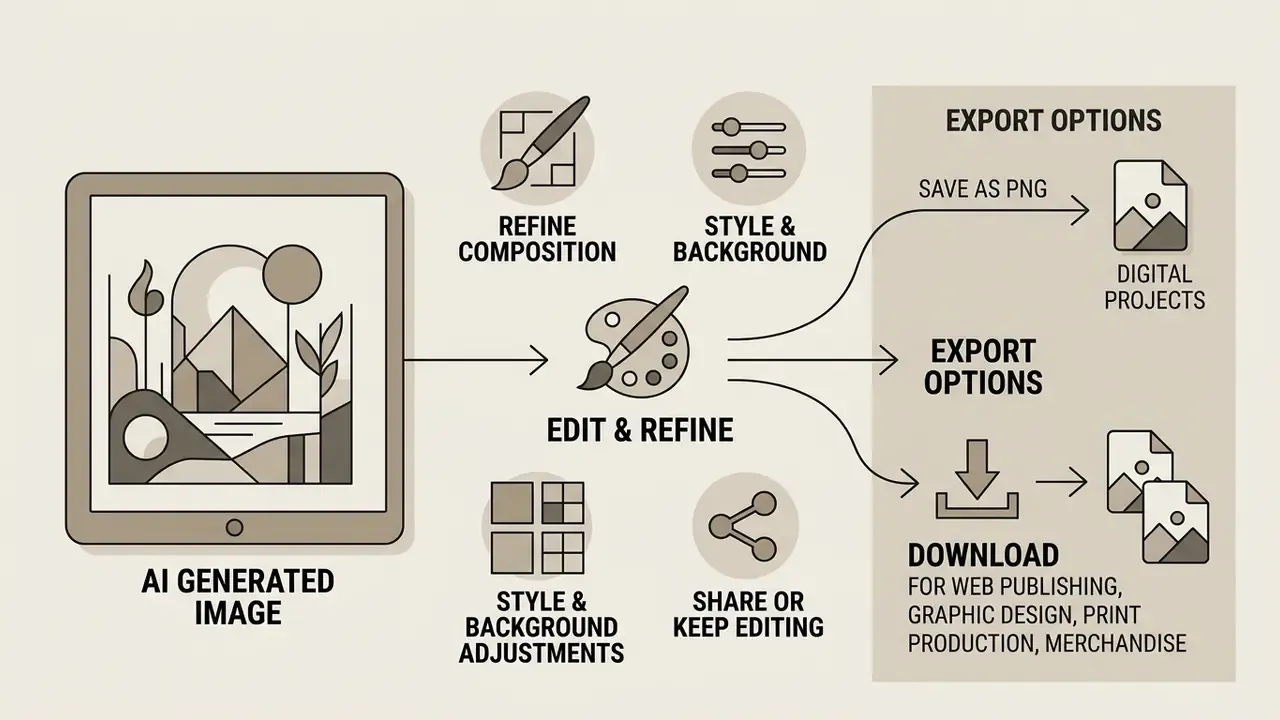
Post-generation editing and proper file export ensure that an ai drawing picture meets technical requirements for web publishing, graphic design, print production, merchandise and pitch materials. Modern generative environments integrate secondary editing tools such as inpainting, outpainting, and background removal directly into the export workflow. Where output quality must be lifted before delivery, dedicated AI image enhancers cover denoising, sharpening and artefact repair.
Saving assets in losslessly compressed formats preserves visual fidelity and the transparent background data that professional design projects depend on.
Refine composition, style and background
Post-processing tools let creators adjust specific regions of a generated image without re-generating the whole canvas. Inpainting replaces selected masked areas based on new text prompts, while background replacement isolates foreground subjects automatically.
«Diffusion editors use masks and textual instructions to replace objects and backgrounds while preserving lighting and foreground boundaries.»
Google Vertex AI documentation highlights that automated object segmentation masks allow operators to swap background environments while preserving foreground subject lighting and edge boundaries. Custom masks and brush-based Remove/Restore controls give finer manual control when segmentation misses a boundary, which happens most often on hair, glass and fine mesh. Teams implementing specialized artistic filters, such as an openart studio ghibli filter, can restyle background elements while keeping core character designs unchanged.
Save AI art as PNG for digital projects
Saving generated artwork in Portable Network Graphics (PNG) format preserves crispness and supports full alpha-channel transparency. PNG uses lossless compression, which prevents the color distortion and blocky artifacting common in standard JPEG output.
According to the W3C PNG Specification (Third Edition), 32-bit PNG files store 8 bits of alpha channel data per pixel, allowing complete or partial transparency for web elements and graphic overlays. An alpha value of zero is fully transparent, the maximum value is fully opaque, and indexed-colour images carry transparency through a tRNS chunk instead. Alpha channels require 8-bit or 16-bit samples and are unavailable below 8 bits per sample.
Downloading an ai art png file with a transparent background enables clean integration into landing pages, presentation decks, and vector design tools. Mainstream generators cap standard downloads at 2000 × 2000 pixels, so print-bound assets should be routed through AI image upscalers to reach 4K-class dimensions without visible interpolation.
Free AI art generators, plans and commercial use
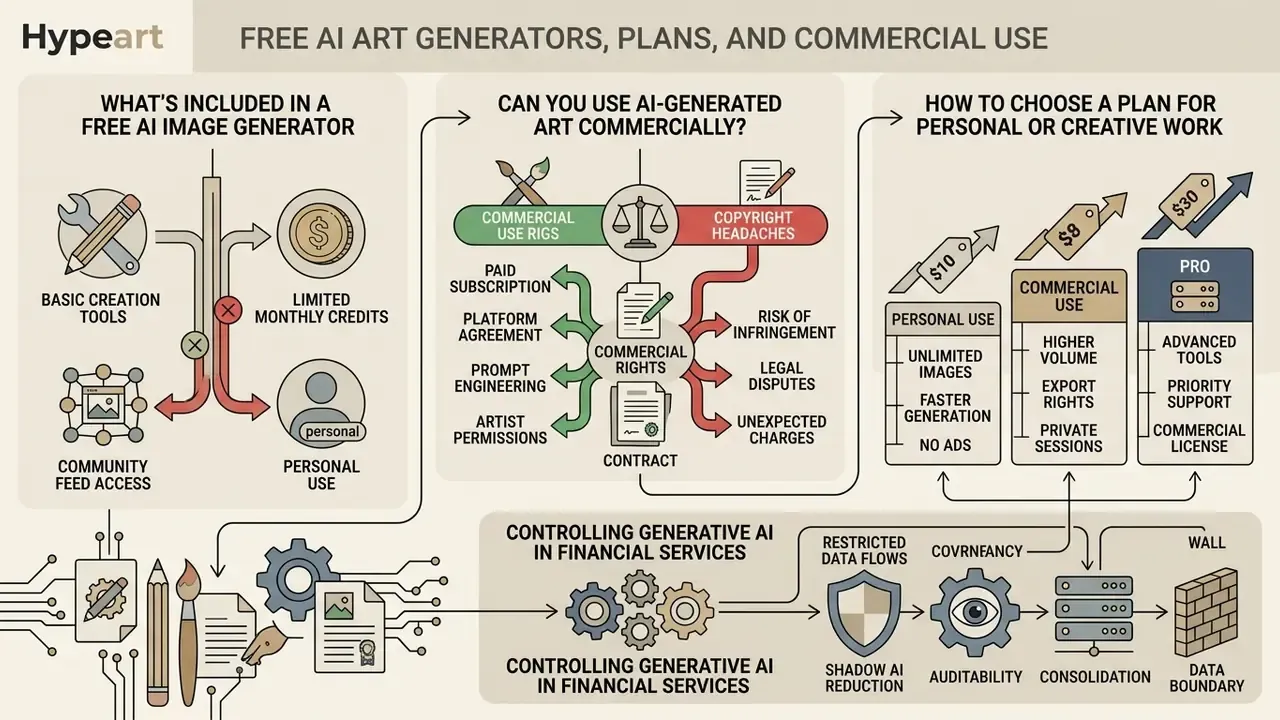
Understanding the financial and legal frameworks governing AI image platforms prevents copyright headaches and unexpected subscription charges. Platforms offer several pricing tiers, from limited free access to enterprise plans with full commercial usage rights.
Legal status and licensing terms vary significantly between providers, and depend heavily on user location and operational context.
What is included in a free AI image generator
Free tiers generally provide a fixed daily or monthly allocation of generation credits, basic resolution choices, and standard queue priorities. Many public platforms require a user account to track usage limits and enforce terms of service. Searches for ai draw me a picture free and ai clipart free usually land here.
As of February 2026, platform documentation shows diverse free-tier terms:
Can you use AI-generated art commercially?
Commercial usage rights for AI art depend on both the provider's contract terms and regional intellectual property law. Generating an image on a platform does not automatically grant exclusive legal ownership or copyright protection, a distinction unpacked further in this review of the commercial use of AI image generators.
Guidance from the U.S. Copyright Office states that purely AI-generated outputs without human creative intervention cannot be copyrighted in the United States. Its 2025 copyrightability report reiterates that prompts alone do not establish authorship, and that only sufficiently controlled human contributions are registrable. A 2025 European Parliament study reaches a parallel conclusion for the EU: outputs without substantial human intervention are not copyrightable.
Platforms such as OpenAI and Midjourney do assign commercial output usage rights to paid subscribers through contractual terms of service. Revenue thresholds matter too:
«The Stability AI Community License permits free commercial use for organisations with annual revenue up to US$1 million; above that threshold an enterprise licence is required.»
«Copyright analysis shows that infringement questions around model training and the legal status of generated outputs remain subject to ongoing litigation.» Generative AI Art: Copyright Infringement and Fair Use, SSRN (2024). https://papers.ssrn.com/sol3/papers.cfm?abstract_id=4785597
The practical consequence for regulated buyers is uncomfortable but worth stating plainly. Outputs may be simultaneously uncopyrightable (no exclusivity for you) and contract-restricted (limits on how you may use them). Document human creative input, keep prompt and revision logs, avoid feeding third-party IP into prompts, and check whether the output reproduces a substantial part of an identifiable protected work. Always review platform licensing rules before placing generated visuals in commercial advertising, product packaging, or corporate branding.
This information is general in nature and does not replace advice from a qualified professional. Verify current terms and consult counsel before deploying AI-generated assets in regulated or high-value contexts.
How to choose a plan for personal or creative work
Selecting an appropriate plan means evaluating monthly generation volume, required output resolution, editing tool access, and commercial license terms. Personal projects can often live on free tiers. Commercial applications need paid subscriptions with explicit commercial indemnification. Side-by-side specifications for leading AI image generators shorten this evaluation considerably.
Four contract checks should drive the decision: output ownership, commercial-use permission, input and data handling (including training opt-out and retention), and hard plan limits. Ownership and training clauses are independent. A vendor can assign you the output while retaining rights over what you uploaded.
«Midjourney grants users a perpetual, non-exclusive licence to created assets, while retaining the right to remove content in response to copyright claims.»
| Plan Tier | Registration & Access | Generation Limits | Editing & Inpainting Tools | Data Opt-Out / Retention | SSO & Prompt Audit | Commercial Usage Rights | Recommended Use Case |
|---|---|---|---|---|---|---|---|
| Free Tier | Varies (some anonymous, most require an account) | Low (for example 2 to 20 images/day or limited credits) | Basic crop and global style filters | Usually none; inputs may be used for improvement | None | Non-commercial and personal exploration only | Personal learning, testing prompt ideas, casual use |
| Standard Paid Plan | Mandatory (user account required) | Medium to high (for example 200 to 1,000 generations/month) | Full inpainting, background removal, upscaling | Partial opt-out on some vendors; retention windows vary | Rare; no centralised logging | Permitted by contract terms (subject to ToS) | Freelance design, content marketing, web publishing |
| Enterprise Plan | Mandatory (corporate account with SAML/SSO) | Unlimited or enterprise custom quotas | Advanced API access, custom model fine-tuning | Contractual no-training clause, defined retention, regional hosting | SAML/SSO, prompt audit logging, GRC/MRM integration | Full commercial license with vendor indemnification | Enterprise branding, ad agencies, regulated commercial use |
To project operational spend across several creative software tools, teams can browse the hub for automated cost analysis calculators.
Practical example: controlling generative AI in financial services
The following scenario is illustrative and composite, not a client record. In it, a regional financial services organisation needs automated visual asset generation for internal compliance documentation. It evaluates four generative vendors against a fixed scorecard covering output consistency, structural control, data-retention terms, SSO support and indemnification language. It then implements strict prompt logging and deploys paid enterprise tiers with commercial indemnification clauses.
Operational outcomes in the scenario:
The pattern generalises. Governance for image generation is less about restricting creativity than about routing it through logged, contracted, revocable channels. Whether the same control set holds for agentic pipelines that generate assets without a human in the loop remains an open question, and we would treat that as unresolved.
- Consolidation
- four candidate vendors reduced to two approved engines, with all other image generators blocked at the network layer.
- Shadow AI reduction
- unsanctioned consumer-tool usage for visual assets drops sharply, because teams receive an approved, SSO-gated alternative rather than a prohibition alone. Bans without substitutes tend to fail.
- Auditability
- every generation request captures prompt text, engine, model version, operator identity and output hash, producing a reviewable trail for internal audit and model-risk reporting.
- Data boundary
- contractual no-training clauses plus an internal ban on uploading PII, client records or unreleased documentation as reference images.
Shadow AI assessment checklist
Before approving any AI drawing tool for employee use, confirm each item:
- Are the terms of service and licence scope documented and dated in the vendor file?
- Does the plan grant explicit commercial-use rights for the intended output?
- Is there vendor indemnification for third-party IP claims?
- Is there a contractual no-training clause covering prompts and uploaded reference images?
- What is the data-retention window, and can it be shortened or zeroed?
- Where is data processed and stored (region, sub-processors)?
- Does the tool support SAML/SSO and role-based access?
- Are prompts and outputs logged in a form exportable to GRC or MRM systems?
- Is PII, confidential or client-identifiable material blocked from upload by policy and by control?
- Are model versions pinned or at least disclosed, so outputs remain reproducible?
- Is there a documented human-authorship step to support copyright claims?
- Is there an incident path if an output is alleged to infringe, or if sensitive input leaks?
Fact Check: Commercial Compliance Notice
Terms of service and commercial licensing rules change frequently across AI platform providers. Always verify current licensing terms, data privacy clauses, retention policies and commercial usage rights on the vendor's official website before using AI-generated visual assets in commercial marketing, corporate branding, or client deliverables.
FAQ about AI drawing generators
Do I need drawing skills to create AI art?
No. Traditional drawing skills are not required to generate high-quality AI art with modern generative image tools. These generators translate natural language prompts, descriptive visual terms, and style choices into complete digital artwork automatically.
«In PromptCharm, novices without generative-model experience produced images with an SSIM of 0.648, well above baseline tooling.» Wang et al., PromptCharm, CHI (2024). https://arxiv.org/abs/2403.04014 Updated: this replaces the previously cited Information Research (2024) reference, which lacked a verifiable link; it is archived in Appendix A. Users focus on prompt structure, compositional framing, and iterative selection rather than manual brushwork. The transferable skill is critique and iteration, not draughtsmanship.
Do I need an account to use an AI art generator?
Account requirements depend entirely on the platform provider and service tier. Many hosted platforms require registration to track credit limits, enforce safety guidelines, and manage image history. Several public web services, including DeepAI and FreeGen, let users generate basic images without creating an account or logging in. Comparable no-registration access is documented by Raphael AI, Creen AI, Vheer and Pixelbin for basic generation. A curated list of no-sign-up AI image generators shows where anonymous access ends and registration begins. Advanced editing, high-resolution downloads, and commercial licensing almost always require a registered account.
How does an AI drawing generator create an image?
An AI drawing generator creates an image using deep learning algorithms, primarily diffusion models, to reverse a process of gradual data randomization. The model starts with a frame of pure Gaussian noise and iteratively removes noise across multiple timesteps.
«The architecture combines a VAE encoder, a time-conditioned U-Net and a CLIP text encoder; the loss minimises MSE between predicted and actual noise.» Hei et al., User-Friendly Framework for Model-Preferred Prompts (2024). https://arxiv.org/abs/2402.12760 During denoising, text encoders (such as CLIP) or spatial adapters (such as ControlNet) feed user prompts, photos, or sketches into cross-attention layers. Those inputs act as mathematical constraints, guiding the network to synthesize coherent visual patterns, lighting, and textures that match the request. Readers ready to translate that mechanism into a purchase decision can review the best AI art generators by quality, control and licensing.
What are the system requirements to run modern AI drawing generators?
Web-based generators need an operating system running at least Windows 10, macOS 12, iOS 17.4, or Android 9.0, with a minimum of 4 GB RAM. Supported browsers include Chrome (v113+), Edge (v113+), Firefox (v113+) and Safari (v17.4+); several vendors also ship standalone mobile apps. For local open-source setups such as Stable Diffusion via Automatic1111 or ComfyUI, practical minimums are a dedicated GPU with at least 8 GB VRAM (NVIDIA RTX class recommended), 16 GB system RAM, and 30 to 50 GB of free disk space for model checkpoints.
What file formats, sizes and resolutions are supported?
Inputs are typically JPEG (JPG), PNG or WEBP, up to 100 MB per file, with a minimum of 512 × 512 pixels; smaller images are rejected or must be resized first. Only one file can usually be uploaded per request on consumer endpoints. Downloads are commonly offered as JPEG and PNG, with a maximum standard export resolution of 2000 × 2000 pixels; larger deliverables require an upscaling pass. Transparency survives only in PNG, since JPEG has no alpha channel.
Which model should I pick for a specific job?
Use FLUX.1 for photoreal detail and in-image text. Midjourney for cinematic and painterly styling. DALL·E 3 or GPT Image for long conversational instructions. SDXL with ControlNet when the output must obey an existing sketch, pose or depth map. Firefly-class models are the default where licensed training data and commercial indemnification are procurement requirements rather than nice-to-haves.
Can I turn an AI sketch back into a photorealistic image?
Yes. Run the sketch back through an image-to-image or sketch-to-image pass with a photorealistic prompt and a moderate conditioning strength (0.3 to 0.7). That adds colour, texture and lighting while retaining the line structure. Repeating the cycle, sketch to render to mask-and-refine, is the standard path from concept to finished asset. For creators comparing model behaviour across chat-based tools, the analysis of ChatGPT image generation versus alternatives clarifies how prompt handling differs between engines. Organizations managing subscription budgets across design software can explore the hub to evaluate corporate software licensing structures. To evaluate technical support frameworks across generative media suites, design leaders can compare options and inspect platform SLA standards. Teams analyzing multi-model performance matrices can review AI Media Comparison Matrices to baseline rendering speeds. Developers building custom generation pipelines can consult the api reference documentation for REST endpoints. For legal guidelines on corporate asset usage, operators can browse the hub to examine licensing standards, or see the overview of copyright court cases.
Appendix A: editorial revision log
https://arxiv.org/abs/2407.06469