Last updated: August 2026. Reviewed for factual accuracy, vendor pricing status, and regulatory alignment (US Copyright Office guidance, EU AI Act Article 50).
Executive Summary
- What it does A specialized conditional diffusion pipeline maps a garment photo (flat lay, ghost mannequin, hanger shot, or CAD render) onto a virtual human figure, producing publish-ready on-model catalog imagery in 5 to 17 seconds per frame.
- What "good" looks like Leading fashion-native foundation models report FID below 4.0 on VITON-HD, LPIPS around 0.05, and a usability rate (images publishable without retouching) above 85%.
- The commercial standard A complete product card needs a coordinated four-view set: front hero, three-quarter angle, side profile, and back view, all generated from a single upload with identical model, lighting, and grade.
- The consistency problem Identity-preserving attention adapters and frozen face and body reference vectors keep the same virtual model across hundreds of SKUs. That is the single biggest difference between a pretty demo image and a usable catalog.
- The economics A 100-SKU traditional shoot typically costs roughly $2,800 and 7 to 10 days. An AI pipeline for the same set runs closer to $230 and a few hours, a cut of about 90% before you count avoided reshoots.
- The legal frame Purely machine-generated output is not registrable for copyright in the US. Consumer-facing AI human imagery in the EU must be disclosed. Free tiers frequently prohibit commercial use outright.
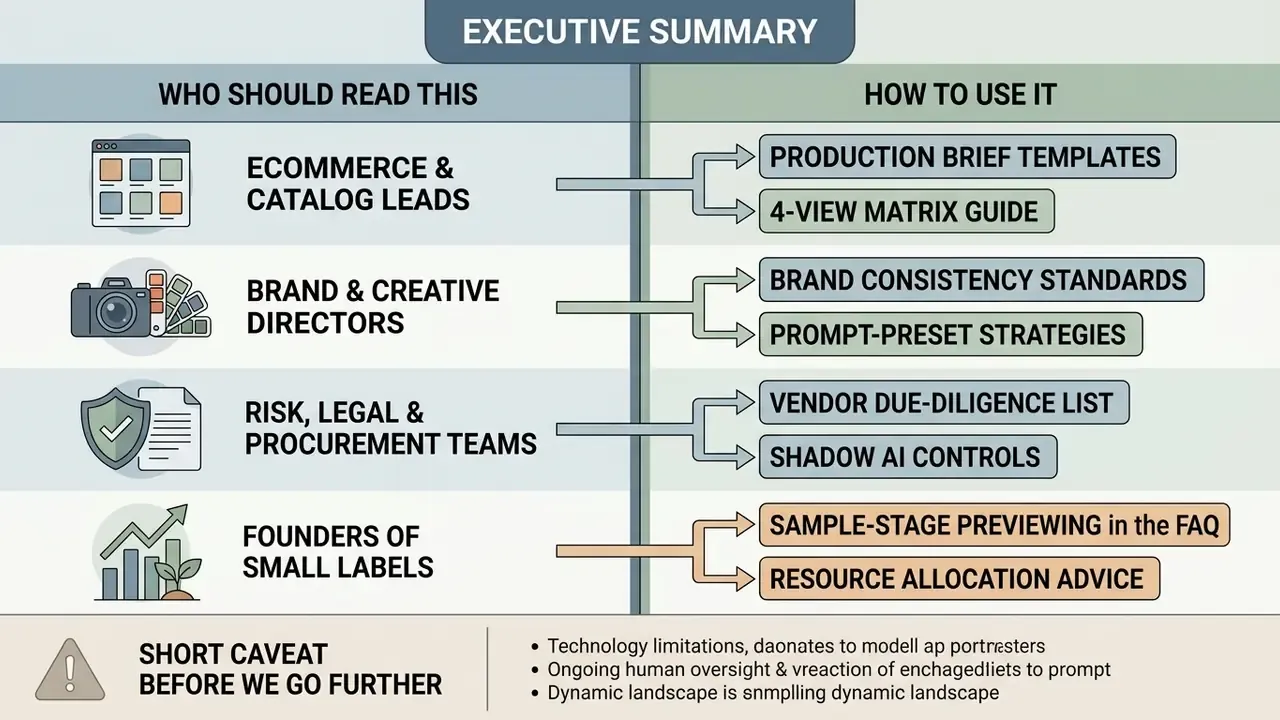
Who Should Read This, and How to Use It
What Is an AI Fashion Model Generator and What Images Does It Create
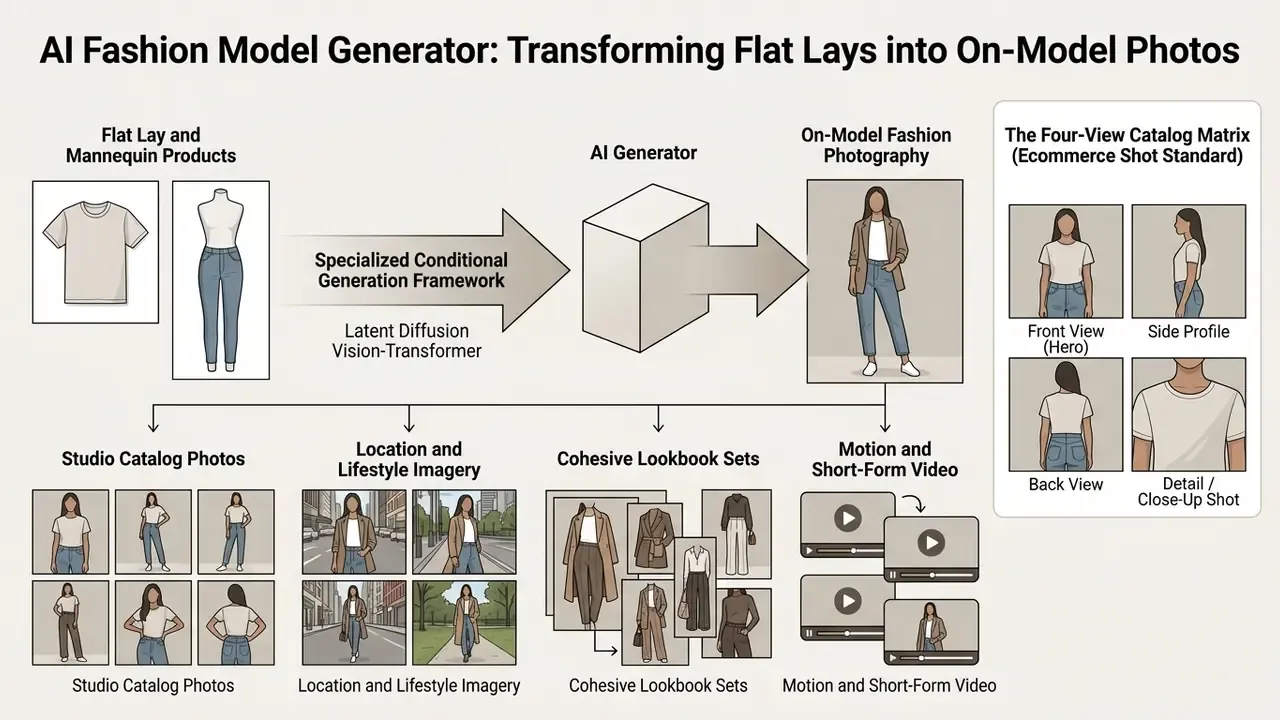
An AI fashion model generator is a specialized conditional generation framework, typically built on latent diffusion or vision-transformer architectures, that maps product photos onto virtual human figures. These systems produce high-fidelity ai generated model images with natural fabric draping, plausible shadow interaction, and realistic lighting, while keeping the original garment structure intact. In academic literature the same core function appears under the names virtual try-on (VTON) and person image generation, and current surveys split the field into GAN-based and diffusion-based method families.
From Flat Lay and Mannequin to On-Model Fashion Photography
Turning raw product imagery into professional on-model photos relies on conditional spatial warping and feature-guided diffusion. Systems ingest source inputs such as flat lay product photos, ghost mannequins, or layflat garment captures, then separate the garment geometry from its original background.
Research shows that models like CatVTON and IDM-VTON do this by processing masked person images alongside reference garment tensors, which removes the need for traditional manual retouching.
The practical consequence of that parameter efficiency is operational, not academic. Because only a thin garment-conditioned branch is trained, vendors can serve fine-grained controllable garment synthesis at studio quality within seconds per frame, preserving fabric texture, seam placement, and natural drape across custom poses. Commercial documentation reflects exactly that latency envelope: production try-on APIs return a 2K or 4K on-model photo from a flat-lay input plus a mannequin ID, and self-serve tools quote 5 to 17 seconds per generated image.
What AI-Generated Fashion Images You Can Get
Enterprise-grade ai fashion image generator stacks output a wide spectrum of visual assets built for digital commerce and brand marketing:
- Studio catalog photos High-key, clean-background shots showing full-length, 3/4 angle, and detail close-up views.
- Location and lifestyle imagery Contextual campaign visuals placing models in urban streetscapes, architectural interiors, or outdoor natural environments.
- Cohesive lookbook sets Multi-image collections holding identical model identity, ambient lighting, and color grading across several outfits.
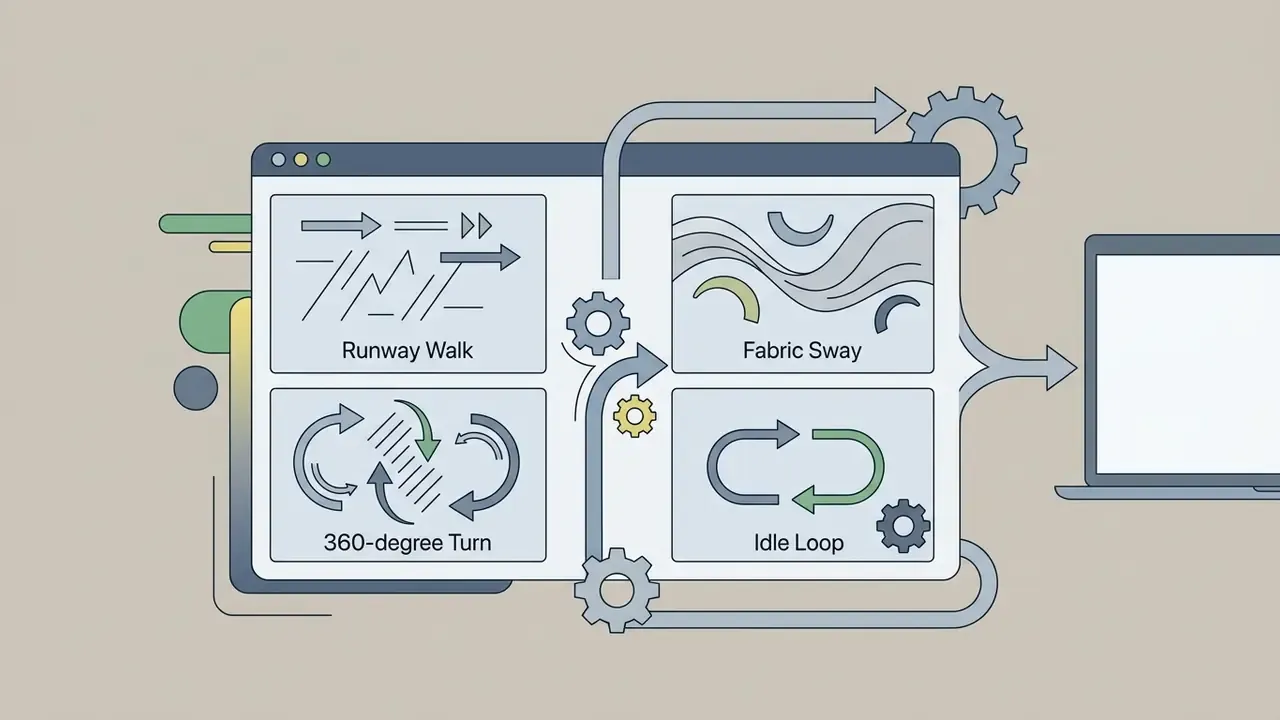
- Motion and short-form video Temporally consistent 64-frame clips simulating runway walks and dynamic fabric movement, an area where dedicated AI video generators now overlap directly with fashion tooling.
Beyond those four asset families, mature workflows also classify outputs by pose (front, 3/4, profile, back, seated, walking), by lighting recipe (golden-hour natural, overcast editorial, studio softbox, high-key commercial), and by environment (seamless studio, street, interior, landscape). Treating lighting as a separate, locked descriptor rather than an incidental part of the prompt is what makes a 40-image drop look like one planned shoot. Small discipline. Large visual payoff.
The Four-View Catalog Matrix (Ecommerce Shot Standard)
When a product card is generated from a single flat lay, the system should output one coordinated set of four base angles, not four unrelated generations:
- Front view (hero): Full-length frontal frame, neutral studio pose, focus on silhouette and overall fit. This is the marketplace main image.
- Three-quarter (3/4) angle: A 45-degree rotation that communicates depth, sleeve cut, and side seam construction.
- Side or profile view: Lateral angle used to verify fabric thickness, chest and waist fit, and dart placement.
- Back view: Rear angle showing zippers, closures, hoods, yokes, or back prints.
Across all four frames, the garment, model identity, lighting direction, and background must stay locked. If any one of those four variables drifts, the set reads as synthetic and the shopper quietly loses fit confidence.
When auditing underlying tool architectures, engineering teams often evaluate an ai architecture generator to benchmark generative system topologies for enterprise workloads.
How an AI Fashion Model Differs from a Generic Image Generator
Specialized fashion generators differ fundamentally from generic text-to-image engines like Midjourney or standard Stable Diffusion backbones. It is a distinction worth reviewing alongside a broader survey of the best AI image generators. Generic engines optimize for broad visual aesthetics, and they frequently distort seams, print patterns, and button placement. A ai fashion models generator built for product truth prioritizes strict garment fidelity instead.
Garment-centric frameworks feed explicit garment masks and reference feature maps directly into denoising UNet self-attention layers.
This is what keeps generated ai generated model photos faithful to exact cutlines, brand logos, and textile patterns. Structure-aware methods published at CVPR use the garment mask explicitly to preserve silhouette and geometry, while garment-centric outpainting sidesteps learned cloth deformation altogether by generating outward from a segmented garment image, reporting faithful retention of characters and patterns. Generic engines, by contrast, are benchmarked on photorealism alone. A 2025 comparative study found one general model excelled at fabric texture yet drifted into stylized, non-literal renderings that are unusable as product truth.
For brands exploring creative styling or assessing aesthetic quality, modules like an ai art critic or an ai art app add useful taxonomy. Still, specialized fashion generators remain essential for production-grade product visualization. Teams comparing broader creative stacks can also review the best AI art generators to see where aesthetic tooling ends and product-fidelity tooling begins.
AI Video and Runway Motion Generation
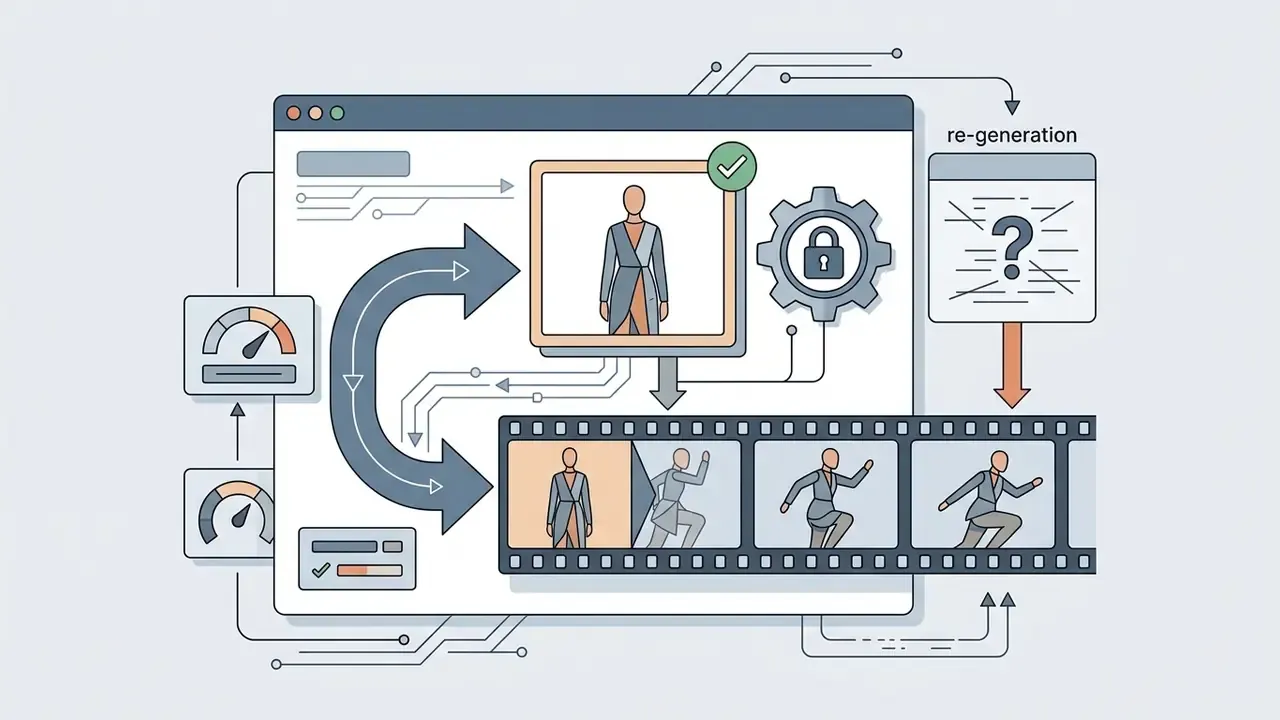
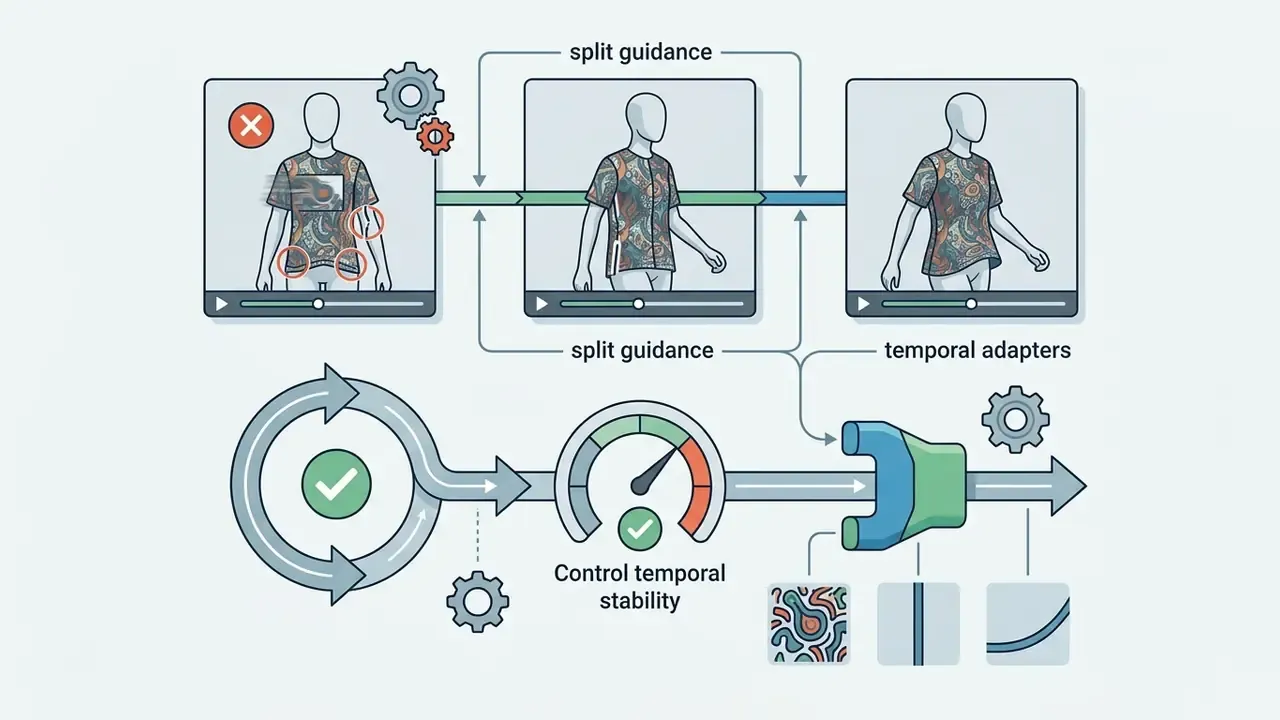
Static frames are no longer the whole deliverable. Product detail pages, paid social, and marketplace video slots all consume short motion assets, and fashion-native video try-on has matured into a documented workflow rather than a research curiosity. This is also where the ai fashion show generator category lives.
Technically, 2D diffusion backbones are "inflated" with temporal attention modules so garment identity survives across frames instead of flickering.
Credit economics differ sharply here. Vendors commonly price one photo at 1 credit and one video at 5 credits, so motion assets belong to hero SKUs rather than the full catalog tail. Teams selecting tooling can compare the best AI video generators before committing to a fashion-specific vendor.
Which Products and Tasks Use AI Fashion Models
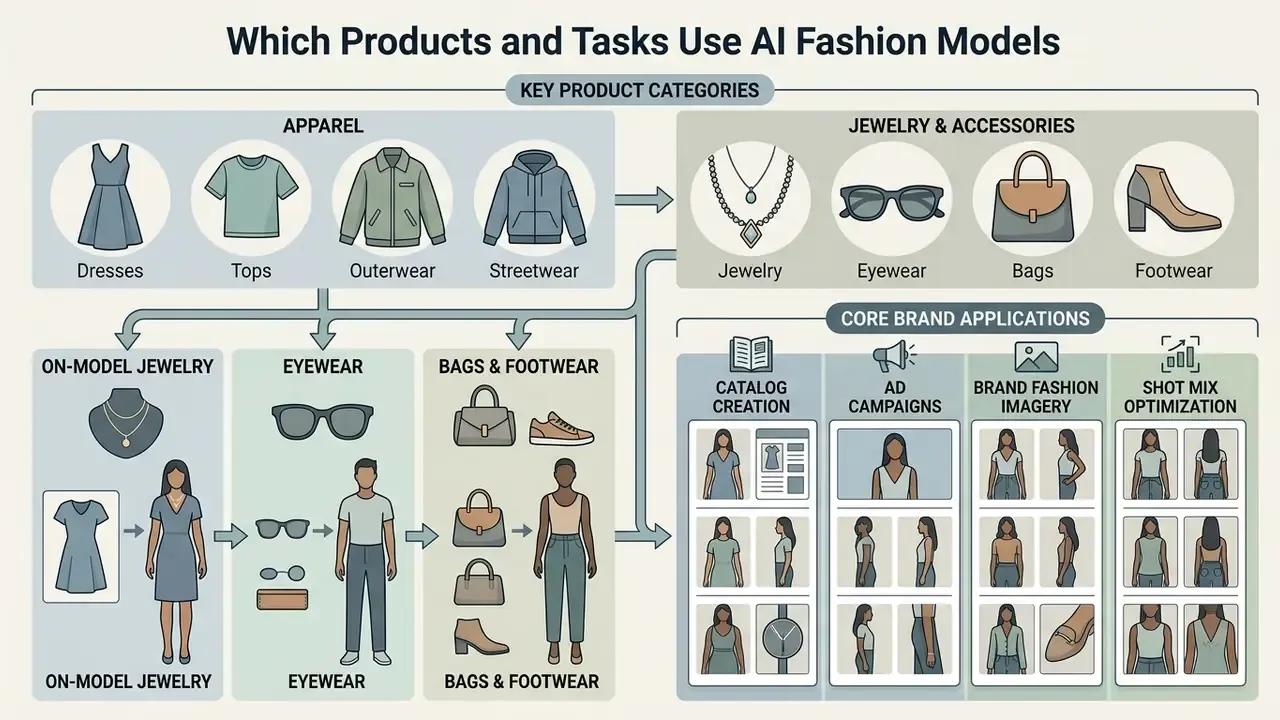
Brands deploy an ai image generator for clothing brand workflow across diverse product lines to accelerate catalog creation and cut traditional photoshoot overhead. From core apparel to intricate hardware, AI models handle distinct spatial alignment rules for each product category.
Apparel: Dresses, Tops, Outerwear, and Streetwear
Apparel generation demands precise handling of fabric weight, sleeve length, and tailoring contours. Upper-body garments, dresses, outerwear, and streetwear are the highest volume use cases for an ai clothing image generator.
Large-scale datasets show that fit-aware diffusion models can synthesize layering, sleeve folds, and waistline drape with real accuracy.
That size-mismatch coverage matters commercially. It is what lets a generator render the same hoodie convincingly on a slim body and a plus-size body without collapsing the silhouette. Semantic generation must first infer garment class and sleeve or length structure, then warp the piece to the target body shape and posture. Which is precisely why category selection ("top", "bottom", "one-piece", "outerwear") is a mandatory input on most production tools rather than a convenience toggle.
Jewelry, Bags, Footwear, and Other Accessories On-Model
Small-scale merchandise demands targeted spatial placement and high-resolution detail retention. Demonstrating accessories such as eyewear, luxury handbags, jewelry, hats, and footwear requires specialized wearable placement zones (wrist, neck, ear, ankle, foot, or the bridge of the nose). This is also the core promise of an ai avatar generator custom clothing accessories workflow.
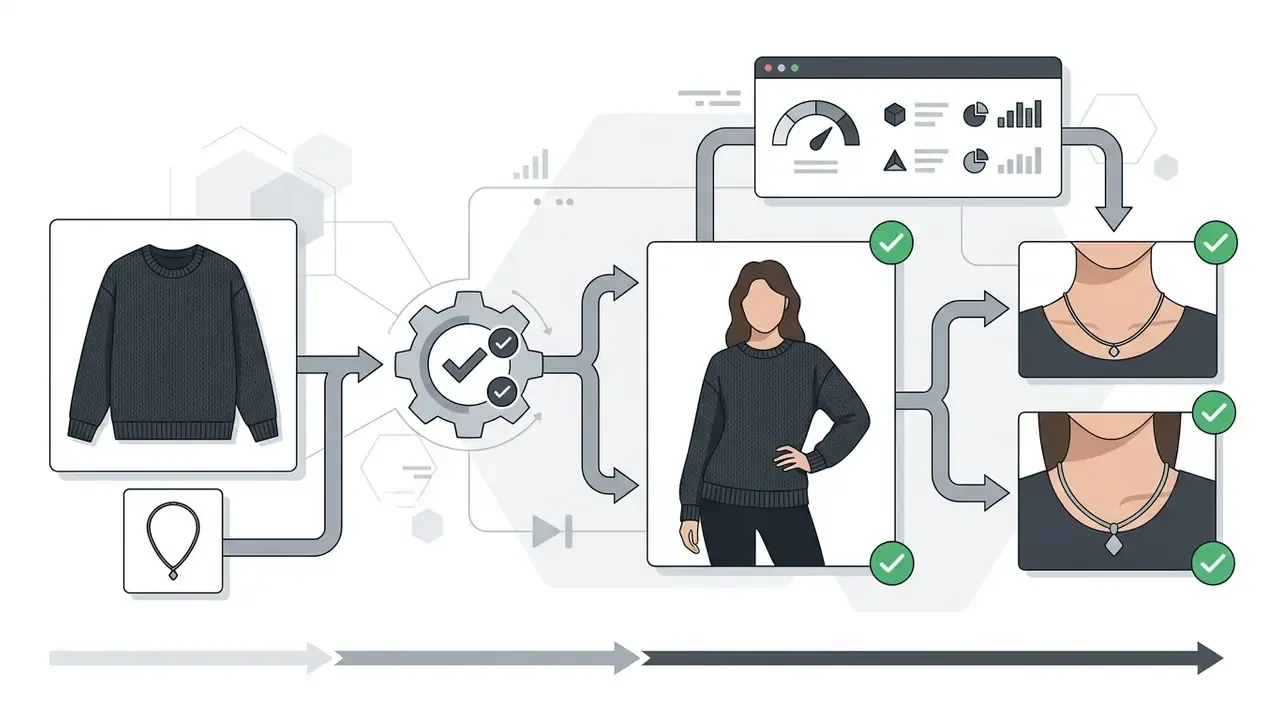
- Jewelry Needs macro close-ups and precise scale matching to avoid size distortion. Vendor guidance recommends sourcing from a real person already wearing the item, since that anchors true scale. The face does not have to be visible.
- Eyewear Needs frame visibility with intact temple arms fitted naturally to facial contours. Partially occluded temples degrade output quality.
- Bags and footwear Need multi-angle displays showing structural stiffness, straps, hardware, and interior volume. Marketplace rules frequently mandate an interior shot for bags and backpacks, plus a single-shoe main image with side and sole angles as secondaries.
Photorealistic accessory synthesis is still the hardest sub-problem in the field. Research on jewelry and watch try-on treats it as a distinct open task, so accessory categories deserve a stricter manual review gate than apparel does.
Recommended Shot Mixes by Product Category
Different products need different visual proof. The table below turns that principle into a repeatable production brief:
| Product category | Recommended image set | Primary proof for the shopper |
|---|---|---|
| Dresses & full-length garments | Full-body hero, alternate pose, half-body crop, fabric detail close-up | Length, silhouette, drape, hemline, movement |
| Tops, shirts, sweaters, layering | Half-body hero, alternate half-body pose, fabric detail, full-body outfit context | Neckline, sleeve shape, texture, fit |
| Jackets & outerwear | Full-body silhouette, half-body context, closure and hardware detail, lifestyle frame | Volume, collar, lining, closure quality |
| Streetwear & casualwear | Full-body lifestyle, candid half-body, print or graphic detail, alternate pose | Styling context, graphic fidelity, movement |
| Jewelry & small accessories | Hand or ear detail, portrait detail, half-body context, styled full-body | Scale, material, on-body proportion |
| Bags, scarves, hats, shoes | Full-body carrying or wearing shot, half-body detail, hardware close-up, lifestyle frame | Proportion, styling, construction |
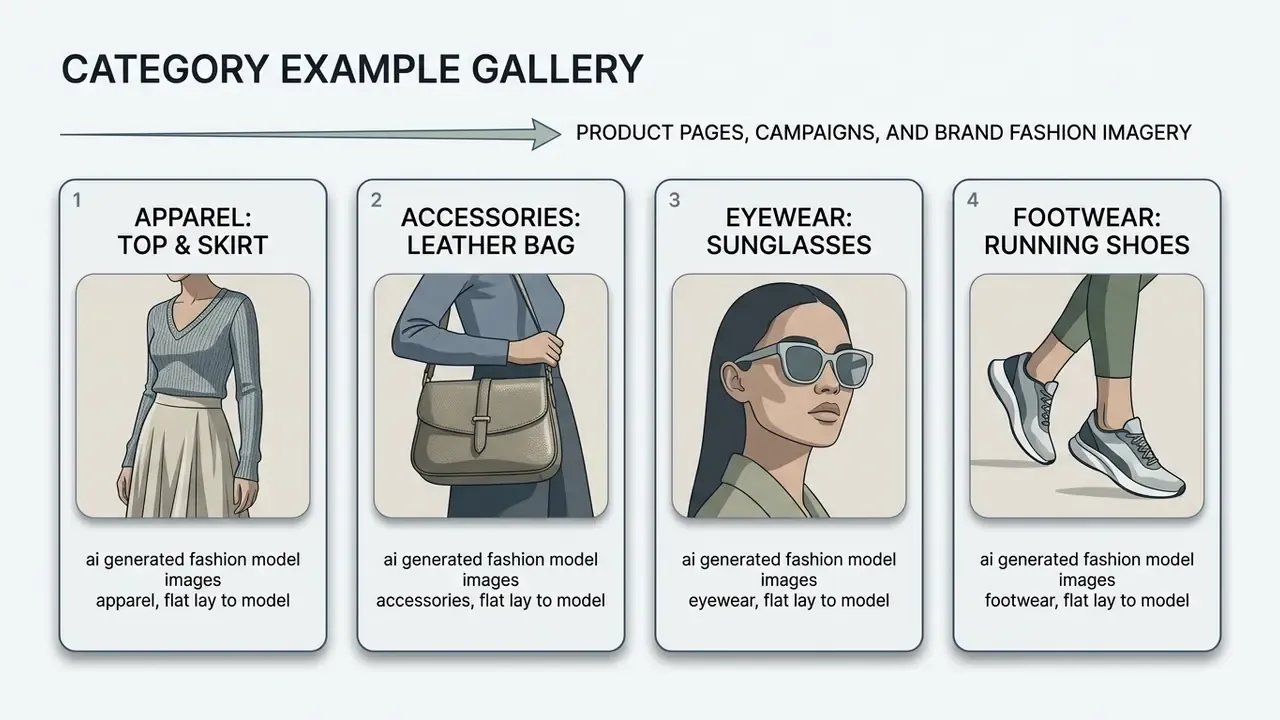
Product Pages, Campaigns, and Brand Fashion Imagery
Deploying ai generated images for clothing brand catalogs lets teams scale quickly across ecommerce channels, lookbooks, and ad campaigns. Modern platforms require consistent main images. Amazon, for instance, requires a frontal on-model main image on a pure white background with the product occupying at least 85% of the frame, alongside editorial lifestyle shots. Other retail partners specify their own minimums, such as at least one bust view, one cropped model view, and one to two detail images.
Replacing traditional studio setups with automated generation lets brands produce multi-angle imagery for a full seasonal collection within hours. Lookbooks in particular should be produced as a locked set: same model, same lighting recipe, same three to five core colors, same composition rules across every look. To evaluate adjacent image processing tools for post-production editing, teams can compare functional capabilities across software stacks, or review general-purpose photo editors for final crop and export work.
How to Create AI Model Photos from a Garment Image
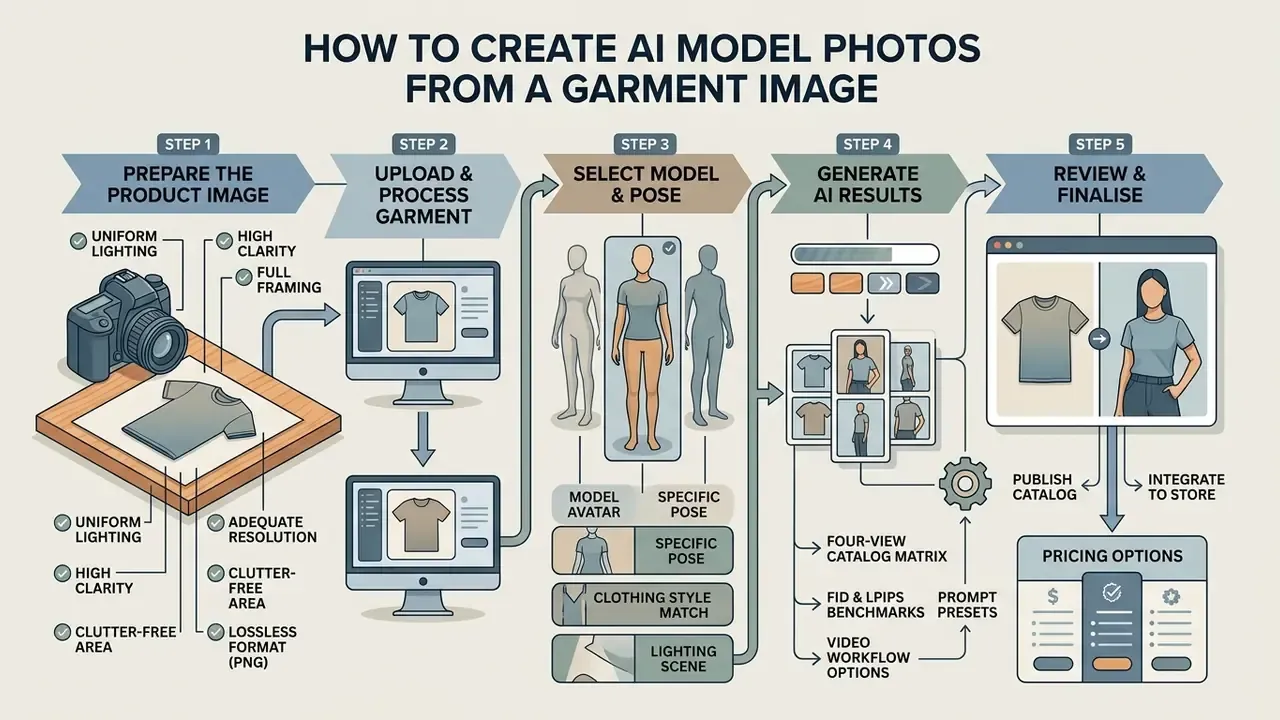
Generating high-impact catalog shots takes a systematic five-step pipeline on an ai fashion model generator online platform. Following strict image preparation rules prevents generative artifacts and protects catalog consistency.
Prepare the Product Image for Upload
The foundation of any successful generation is a clean source photo. For reliable ai model clothing generator processing, input images should meet commercial quality standards:
- Lighting and clarityEven, diffused studio lighting without harsh shadows or color casts, crisp focus edge to edge.
- FramingThe garment must occupy 80% or more of the frame, presented on a plain or transparent background.
- ResolutionHigh-resolution source captures, minimum 800×800 pixels, uncompressed PNG or high-quality JPG. Some try-on APIs enforce a hard floor of 512×512 px, but 800×800 is the practical minimum for 2K output.
- Clutter freeNo extraneous props, hangers, or distracting brand tags unless integrated into the garment itself, and no company logo overlays that are not part of the product.
- No destructive compressionAvoid re-saving through chat apps or downsampling pipelines. Lossy artifacts get amplified by diffusion, never repaired.
Public procurement image standards codify most of these rules. The U.S. General Services Administration vendor photo guidance requires well-lit, crisp images showing the entire product at a minimum of 800×800 px, with the product occupying up to 80% of the frame and no props that are not included in the sale.
Choose the Model, Pose, Style, and Background
Once the garment image is uploaded, operators define model parameters and scene aesthetics:
- Avatar selection Choose ethnicity, age band, and body type matching target market statistics. Validated avatar libraries are built systematically, and one research library used 42 base avatars across seven racial groups and two genders, because ad-hoc selection just reproduces dataset bias. Surveys note that try-on datasets skew heavily toward adult Caucasian women in Western clothing, so deliberate diversification is a correction, not a nicety.
- Body-type matching A 2025 study found that shoppers with higher body esteem preferred virtual models whose body size matched their own. That supports offering multiple size renders per SKU rather than one idealized figure.
- Pose and shot type Full-length frontal, 3/4 angle, side, back, or close-up detail perspectives, ideally as the complete four-view set described above.
- Scene and lighting Studio softbox illumination, bright high-key lighting, or outdoor natural backdrops. Pick one and lock it for the whole collection.
For teams building complete media workflows, review the AI Media API Guides to wire automated background removal and parameter presets into an existing CMS pipeline.
Generate, Review, and Download the Images
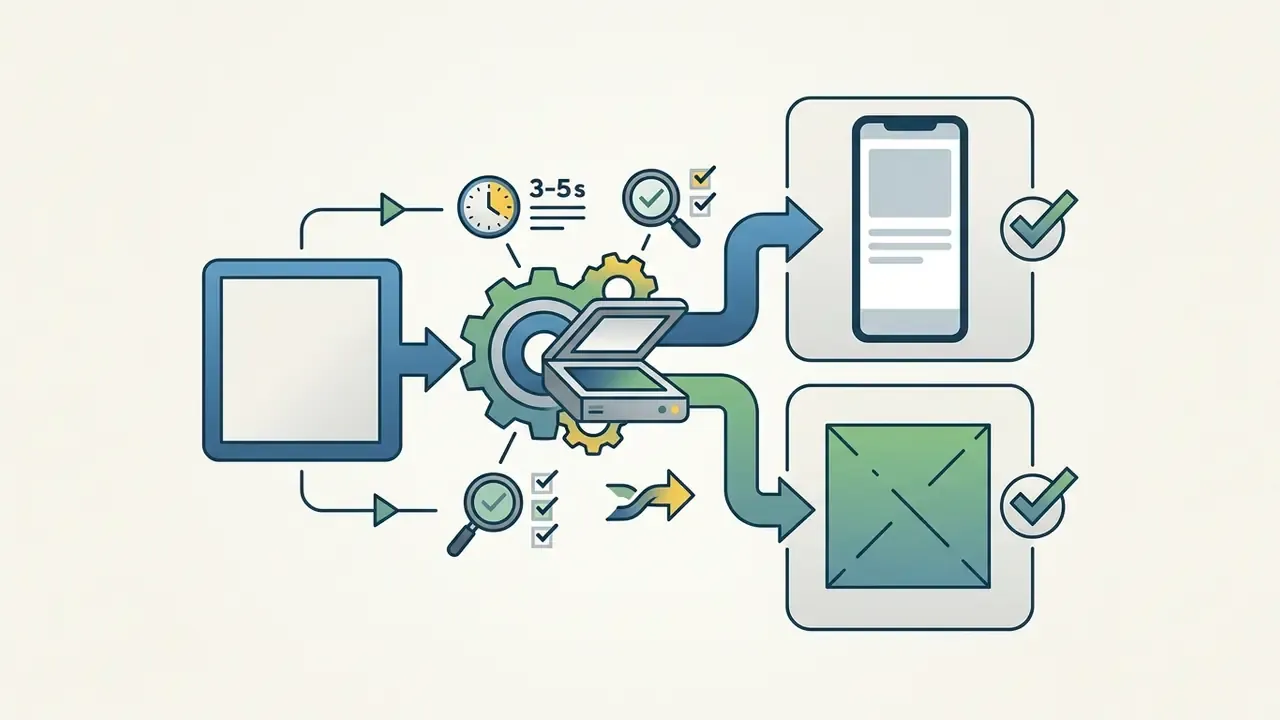
Click generate to start the diffusion pipeline, which typically completes in 5 to 15 seconds per image. Before approving ai generated model photos for commercial publishing, run a three-stage quality check. This is the step teams skip, and it is the step that creates returns.
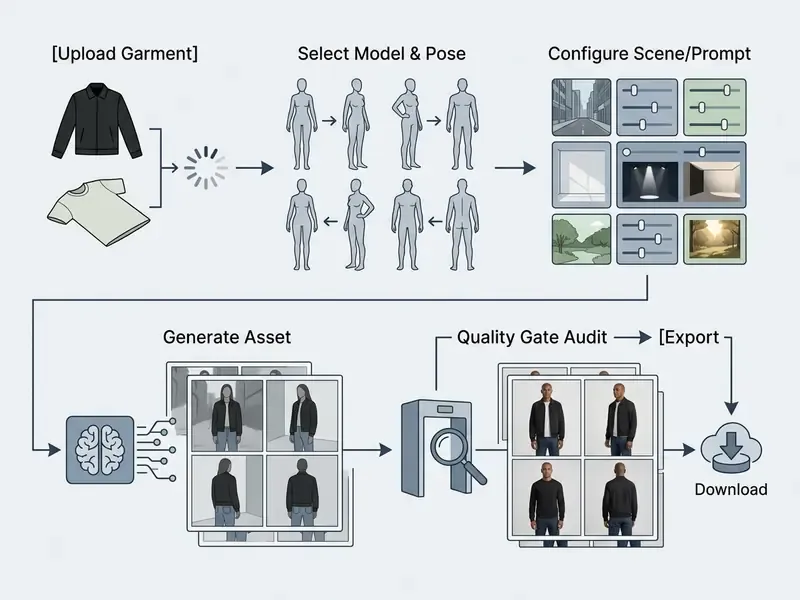
The three-stage quality gate:
- Product fidelityDo color, print scale, neckline, closure, hem length, and hardware match the physical SKU and the catalog attributes?
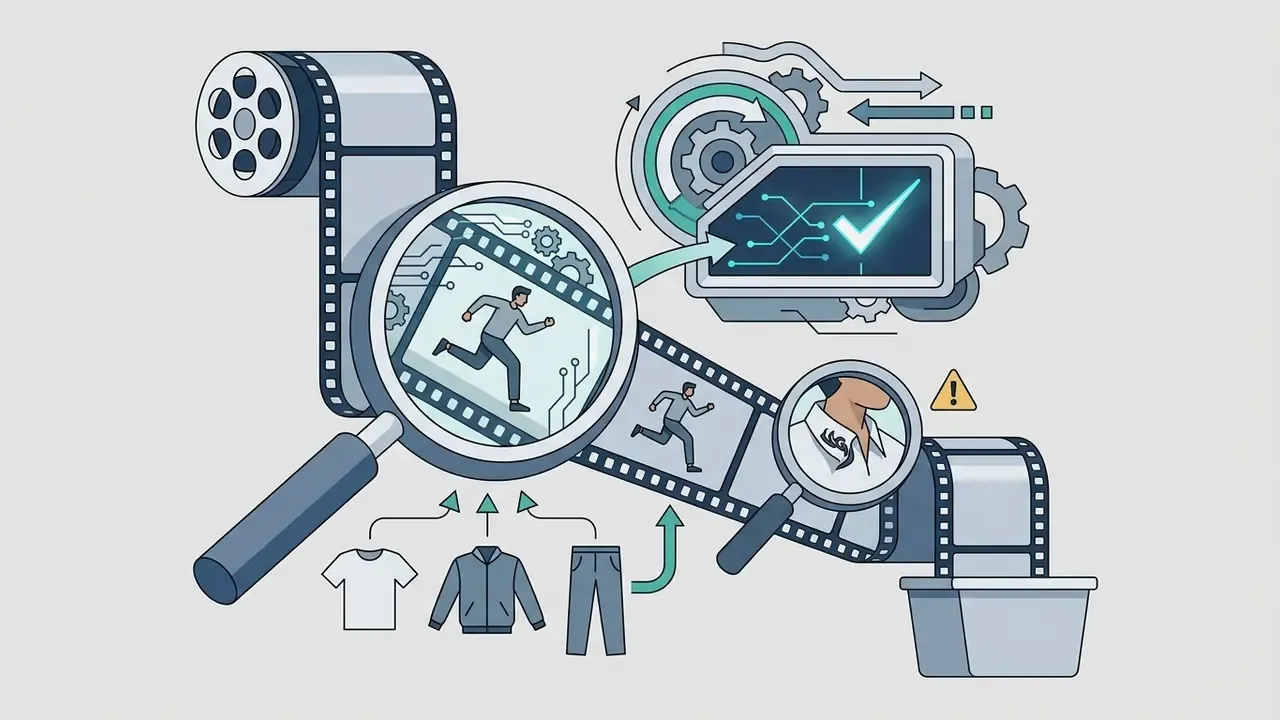
- Artifact and compliance scanAny extra fingers, phantom buttons, hallucinated jewelry, warped text, broken seams, or background elements that violate marketplace rules?
- Provenance and labelingIs the generation logged, and does the asset carry the metadata or disclosure required in the market where it will run?
Inspect output seams, print clarity, and skin-to-fabric boundaries. If artifacts appear, re-run with adjusted prompt weights or refined masking, or repair locally with AI photo editors instead of regenerating the whole frame. Approved assets export as high-resolution PNG or JPG. Brands planning custom workflows can view the guide to estimate generation credit consumption.
This gate structure mirrors public-sector guidance. NIST's synthetic-content controls recommend recording whether content was created or edited by an AI tool, GS1 US best practices require image-to-product-data consistency, and integrity frameworks emphasize traceable origin, integrity, and revision history.
How to Achieve Realistic Garments and Consistent AI Models Across a Collection
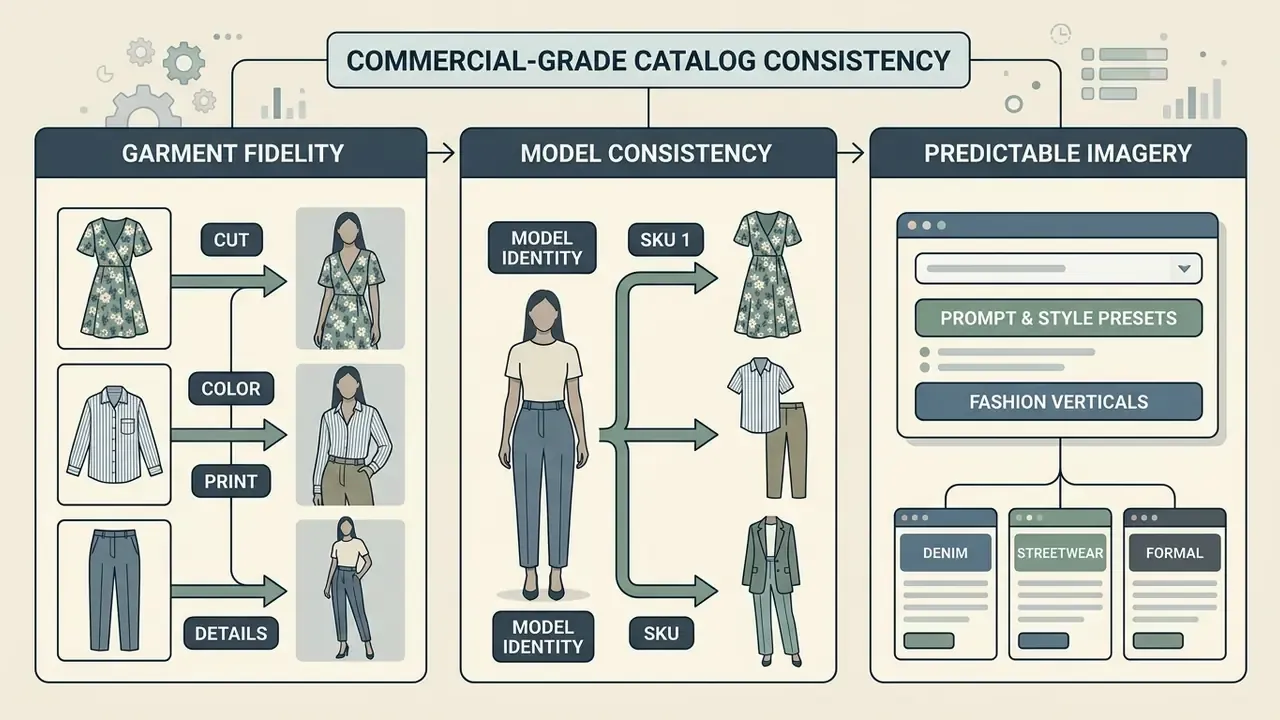
Commercial-grade catalog consistency means preserving two things at once: garment fidelity and model identity, across hundreds of distinct SKUs.
Preserving Cut, Color, Print, and Product Details
To eliminate fabric distortion during ai fashion photography generation, specialized systems lean on Thin-Plate Splines (TPS) landmark warping and UV position mapping. These techniques anchor garment seamlines, text logos, and button configurations to a 3D surface mesh before neural rendering. Published pipelines combine landmark detection and garment segmentation, transfer texture onto the UV map with TPS, then inpaint self-occluded UV regions. Newer work uses a 2D UV position map plus global 3D mesh structure to keep textures coherent and suppress seam distortion. Material-level methods such as FabricDiffusion extract normalized, tileable texture and PBR maps, then render under neutral white environment lighting specifically to avoid color bias.
Rather than leaning on an internal anecdote, the accuracy claim here is anchored to published benchmarks.
In practical terms, an 86% usability rate means roughly one in seven frames still needs human intervention. That is exactly why mask-conditioned pipelines get paired with a mandatory review gate rather than blind trust. Brands digitizing print-heavy collections (graphic tees, all-over patterns, placement prints) should treat pattern registration as the primary failure mode and enforce spatial UV anchors plus feature-preservation masks on every generation, because the measurable payoff is fewer physical samples and fewer reshoots per drop. Evaluation vocabulary is converging too: recent garment-generation papers report FID, LPIPS, SSIM, and KID, plus task-specific terms for logo position and color retention. Dedicated benchmarks now score preservation of visual pattern, text characters, sleeve style, and holistic garment shape as separate axes.
Reusing One AI Model Across Different SKUs
Catalog coherence requires the same virtual model identity across different outfit listings. Platforms achieve this with AI Model Swap and face or identity preservation modules, that is, identity-conditioned attention adapters and face-swap architectures that explicitly disentangle identity from attributes. Published methods in this family replace or hold identity while preserving pose, expression, hair, background, skin tone, and illumination. Diffusion-based approaches with adaptive attention layers keep a source identity stable while target pose and scene change. On the vendor side, the operational equivalent is a canonical reference image plus a duplicated composition template per SKU, where only the garment and the scene prompt vary.
By freezing a canonical face and body reference vector, operators swap garment overlays across SKUs without shifting facial structure, skin tone, or hair texture.
That is what keeps a digital storefront visually unified. Practically, treat the model reference as a versioned asset: one identity ID per collection, stored with its seed, pose set, and lighting recipe, so a mid-season restock reproduces the original look instead of introducing a near-miss twin. The same identity-preservation logic underpins adjacent tooling such as AI headshot generators, which is a useful reference point when you are stress-testing face fidelity claims.
Prompt and Style Presets for Predictable Fashion Imagery
Structured prompting keeps visual alignment stable across generative batches. Lock lighting, camera angle, and color palette across every prompt:
[Base Model Ref: Identity #402, 28yo athletic female] + [Shot Type: Full-body frontal, 85mm lens, f/2.8] + [Lighting: Studio softbox, clean white background] + [Garment Condition: Matched to uploaded SKU]
Avoid open-ended aesthetic descriptors. Keep prompt variables restricted to pose adjustments and garment references. Current practitioner guidance converges on the same rule set: lock a model reference, a style reference, and a lighting reference in every prompt, reuse a base model prompt with angle modifiers placed at the start, and hold three to five core colors constant across an entire set.
Ready-to-use presets by fashion vertical. Each block keeps the same four-slot grammar (model, shot spec, environment, garment lock) so batches stay comparable:
[STREETWEAR]
Base Model: Male 24yo, urban aesthetic, relaxed posture
Shot Spec: Full-body outdoor lifestyle, 35mm lens, f/4.0, natural daylight
Environment: Minimalist concrete streetscape, subtle directional shadows
Garment Lock: Preserved uploaded SKU [Hoodie/Denim], strict graphic and seam adherence
[HIGH FASHION / RUNWAY]
Base Model: Female 22yo, editorial pose, high-fashion expression
Shot Spec: High-key studio lighting, 85mm portrait lens, eye-level angle
Environment: Seamless grey studio backdrop, sharp key light with soft fill
Garment Lock: Preserved uploaded SKU [Couture Dress], exact drape and fabric sheen
[SPORTSWEAR / ACTIVE]
Base Model: Female 27yo, athletic build, mid-motion yoga or stride pose
Shot Spec: Full-body, 50mm lens, f/3.2, bright even daylight, 1/1000s freeze
Environment: Clean gym interior or open track, low-clutter background
Garment Lock: Preserved uploaded SKU [Leggings/Technical Top], panel lines and reflective trim intact
[EVENING WEAR / LUXURY]
Base Model: Female 30yo, elegant standing pose, minimal styling
Shot Spec: Three-quarter body, 85mm lens, f/2.0, single soft key with rim light
Environment: Dark neutral interior, controlled specular highlights
Garment Lock: Preserved uploaded SKU [Gown], bead placement and sheen preserved
[VINTAGE / RETRO CATALOG]
Base Model: Male or female, period-appropriate hair and posture
Shot Spec: Full-body frontal, 50mm lens, f/5.6, warm tungsten-balanced light
Environment: Muted paper-toned backdrop, subtle film grain
Garment Lock: Preserved uploaded SKU [Vintage piece], original fade, wear, and label retained
Creators exploring general generative art tools beyond fashion can review the broader ai art generator category or test styles on free AI image generators before committing credits. One caution: enterprise fashion deployments need strict adherence to commercial brand guidelines and should never rely on unlicensed community checkpoints for product imagery.
How to Choose an AI Fashion Model Generator for a Brand or Store
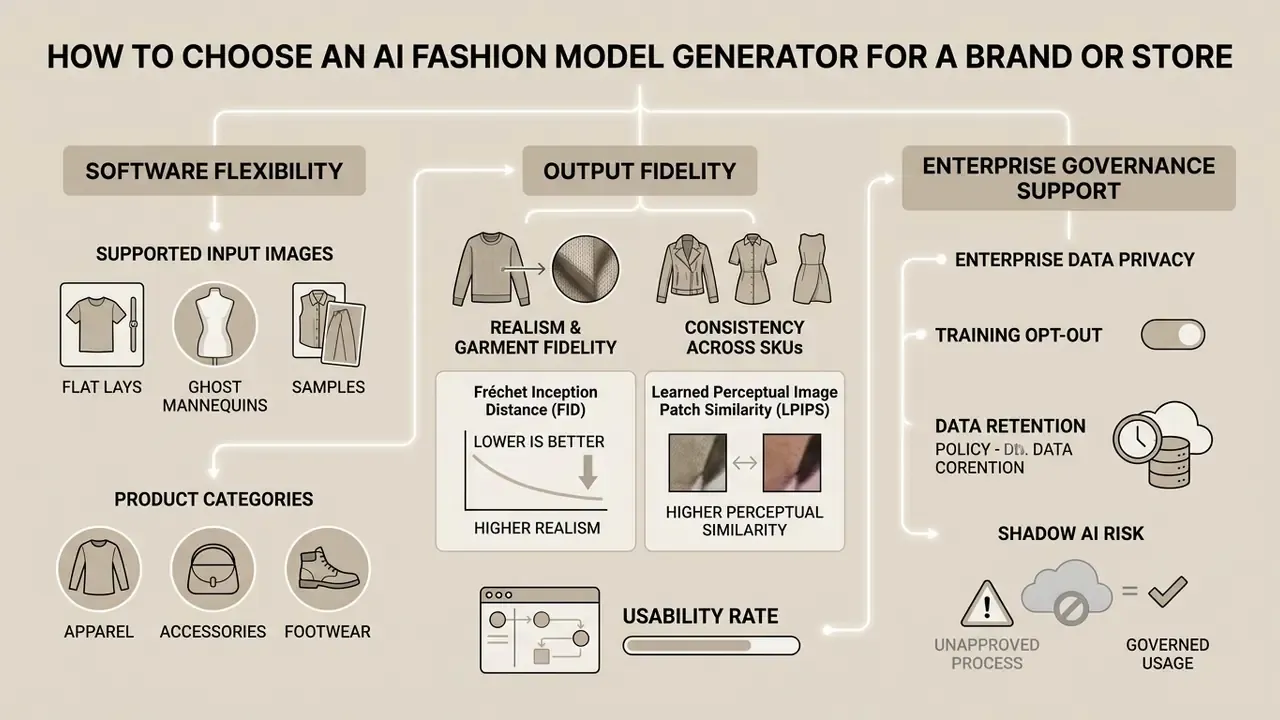
Selecting the right ai image generation tools for fashion photography means weighing software flexibility, output fidelity, and enterprise governance support. In that order? Not quite. For a regulated or brand-sensitive buyer, governance usually decides the shortlist before quality does.
Supported Input Images and Product Categories
Make sure the platform accepts your primary input assets: flat lay photos, ghost mannequin shots, hanger shots, existing on-model images, or technical CAD drawings. Verify category compatibility across apparel, footwear, bags, and small accessories, and check for hard ingestion limits. Some platforms cap accepted image formats, resolution floors, or the number of product references per generation, typically three to five. Multi-reference support matters when a single SKU needs front print, back print, and hardware detail resolved in one pass.
Realism, Garment Fidelity, and Consistency Across SKUs
Evaluate platforms with standardized computer vision metrics:
- Fréchet Inception Distance (FID): Measures overall visual realism against real photography. Lower is better, and top models achieve FID under 4.0.
- Learned Perceptual Image Patch Similarity (LPIPS): Assesses texture and structural preservation.
- Usability rate: The share of generated images publishable without manual retouching. Leading foundation models exceed 85%.
That 67 to 68% open-source ceiling is the number worth internalizing. A self-hosted stack will demand roughly twice the manual retouching labor of a fashion-native commercial model, which usually erases the license savings at catalog scale. So ask vendors to run your own five hardest SKUs, namely a fine stripe, a small logo, a sheer fabric, a metallic trim, and a placement print, then score the results. Demo galleries prove nothing about your assortment.
Enterprise Data Privacy and Shadow AI Risk
For brands, the biggest non-obvious exposure is not output quality. It is uploading unreleased seasonal designs to an unvetted public endpoint. Procurement should require documentary evidence, not feature claims:
- Training opt-out A written guarantee that uploaded garment images and generated outputs are never used to train or fine-tune shared models.
- Data retention Defined retention windows and deletion on request, ideally with per-project purge.
- Security documentation Current security posture and audit artifacts (for example SOC 2 or equivalent), plus a published privacy policy and transparency statement.
- Training-data provenance Disclosure of what the vendor's base model was trained on, since that determines your downstream IP exposure.
- Shadow AI control One approved tool and account structure, so designers do not paste pre-launch samples into consumer chat apps. Every unsanctioned upload is an unlogged disclosure of unreleased IP.
- Access and audit logging Per-user generation logs that let you reconstruct who produced which asset, with which inputs, and when.
Vendor due-diligence frameworks in this space consistently ask for the governance framework, transparency statement, privacy policy, security documentation, and training-data sources. Treat any gap in that list as a finding, not a formality.
Integration Scenarios by Seller Type
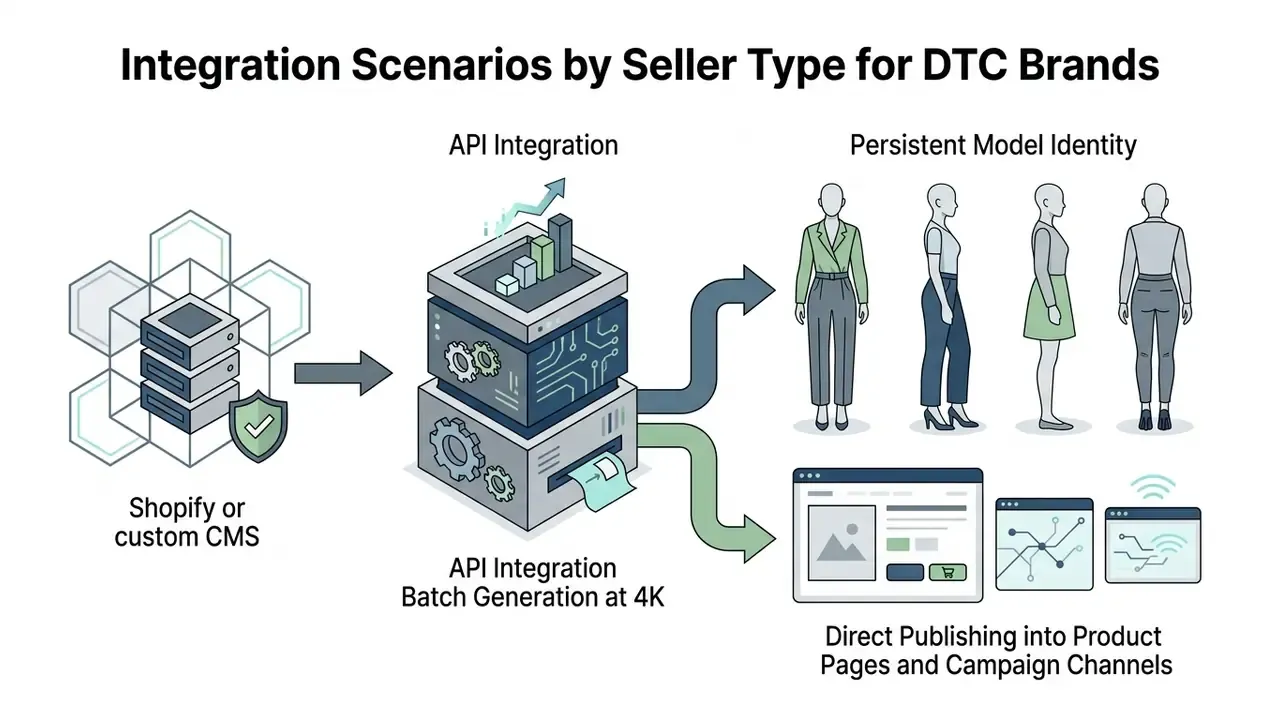
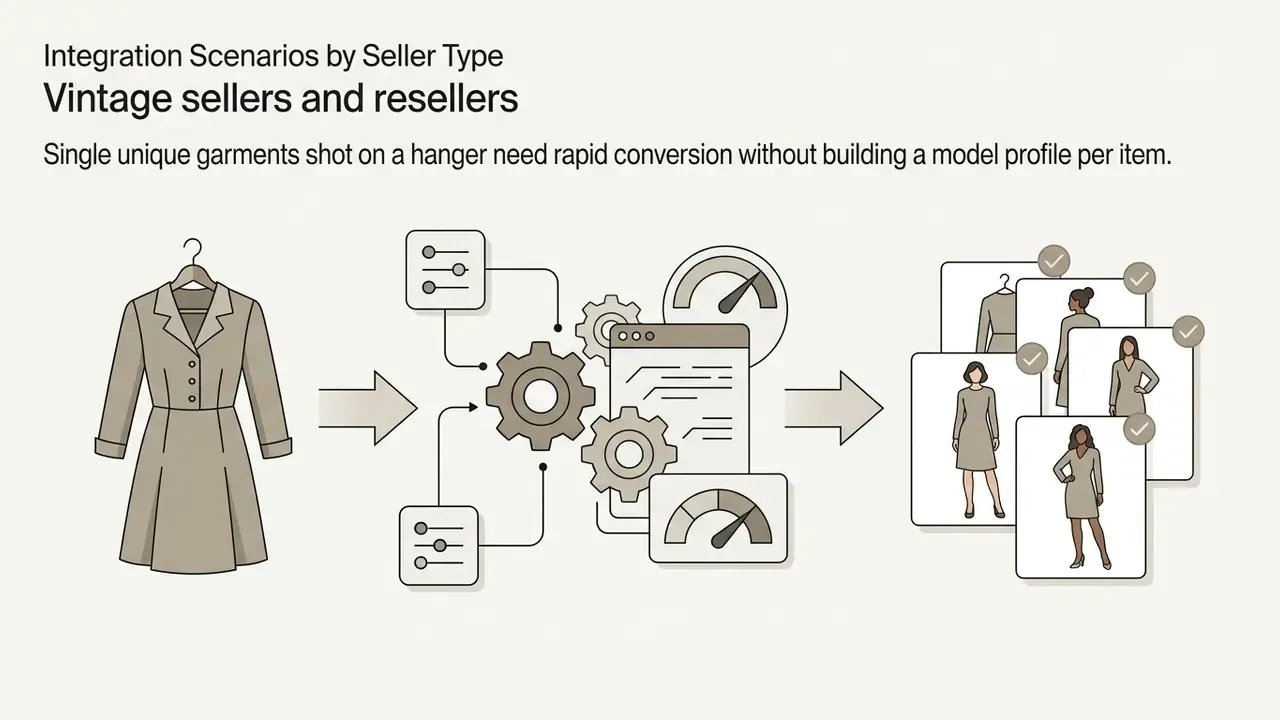
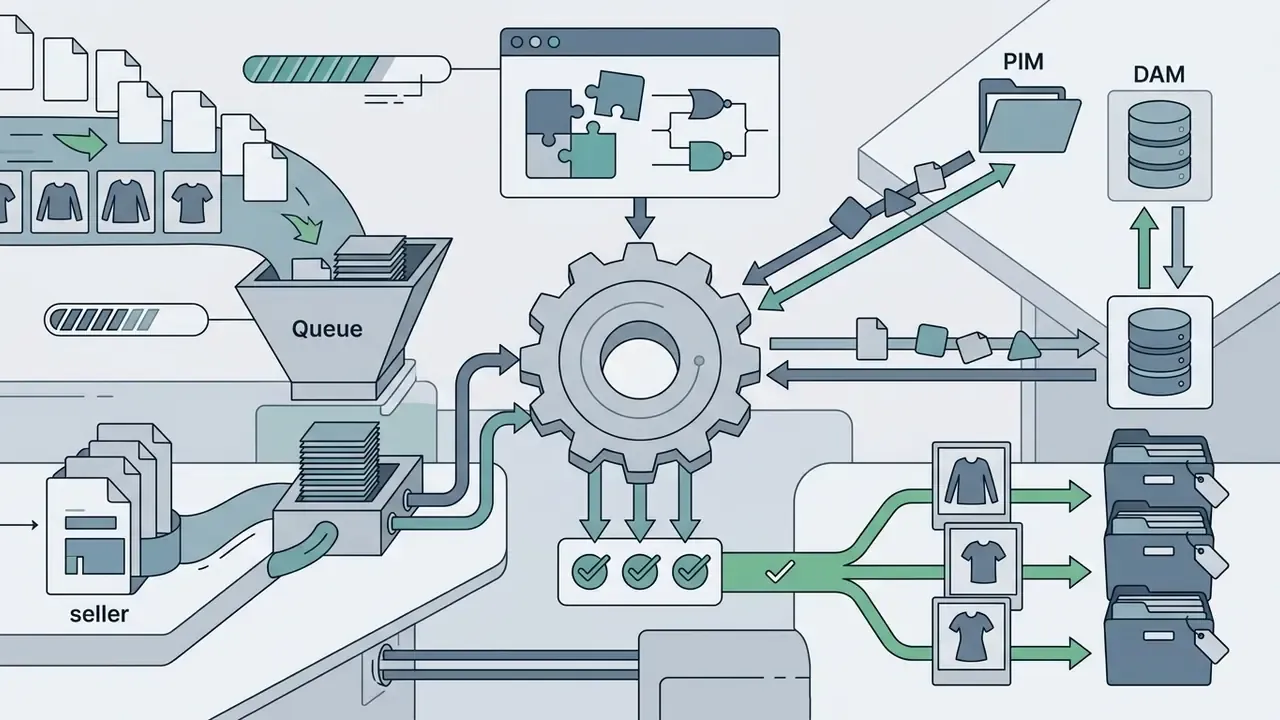
Requirements diverge sharply by business model, so the same tool can be an excellent or a terrible fit:

Tools That Extend the Fashion Workflow
Modern platforms offer more than static image generation: background removal, automated upscaling, virtual try-on API integration, model swap, and short-form video synthesis. Documented feature sets confirm this consolidation. Leading APIs now expose try-on, model creation and swap, background manipulation, and image generation from a single endpoint family, while other stacks split image-to-video and batch background removal into separate services.
The transfer to AI on-model imagery is direct. Richer, more immersive visual proof drives engagement and advocacy, which is why motion and multi-angle sets tend to outperform a single static hero frame.
| Platform / Criterion | Supported Inputs | Garment Fidelity Control | Model Consistency | Free Tier / Trial | Commercial Usage Rights |
|---|---|---|---|---|---|
| Botika | Flat lay, mannequin, existing model photo | High (credit-based; 1 credit per photo, 5 credits per video) | High (template reuse, Shopify-native) | 8 free credits; paid from about $22 to $25 per month | Allowed on paid plans; vendor states outputs are free of usage-rights fees |
| Lalaland.ai | 3D CAD, flat lay | High (custom avatars) | High (multi-size models) | Free tier: 1 model per size, 5 poses per size, 3 trial renders | Included in paid subscription (€600 to €900 per month tiers) |
| FASHN | Flat lay, model photo, accessories | High (API, inpainting, model swap) | High (model swap, identity retention) | Pay-per-use API | Enterprise commercial rights |
| Modelia | Flat lay, mannequin, multi-garment | Medium-high (Shopify-native, prompt-driven) | Medium-high (video plus stills) | Free plan about 50 credits per month, watermarked | Paid plans required for unwatermarked commercial output |
| HuHu AI | Flat lay, hanger, ghost mannequin, model photo | High (attribute controls, niche categories) | High (custom model from reference) | Free plan, watermarked | Paid from about $20 per month |
| Hypeart.ai | Unverified | No verified info available | No verified info available | No verified info available | No verified info available |
Free Tiers, Pricing, and Commercial Use of AI Fashion Images
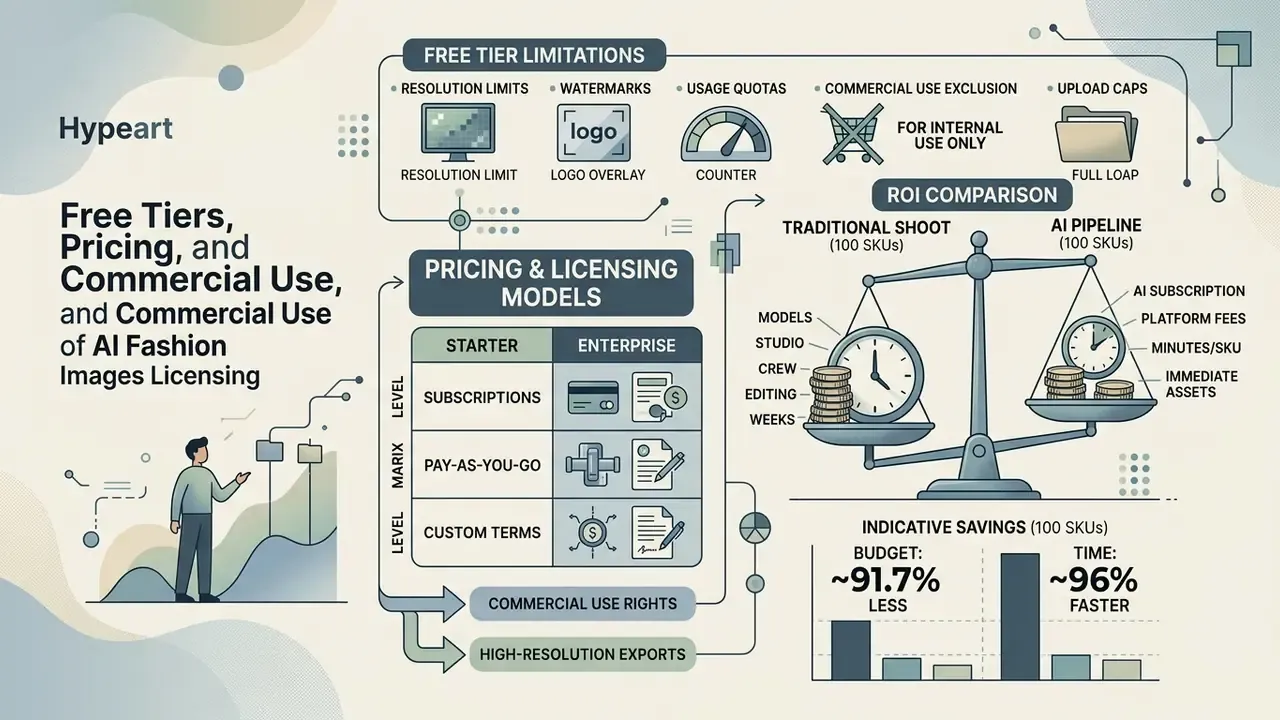
Licensing and usage rights decide whether generated assets can ship at all. Check them before publishing, not after.
What to Check in a Free AI Fashion Model Generator
When testing an ai fashion model generator free online tier, or any ai clothing model generator free plan, read the functional restrictions carefully:
- Resolution limits Free tiers often cap output at 480p or 720p, so print-ready or 4K assets require a paid upgrade, or a pass through dedicated AI upscalers to raise resolution.
- Watermarks Free exports frequently carry platform branding, and some watermarks are explicitly non-removable.
- Usage quotas Trial accounts typically cap generation at 5 to 10 credits total, 2 images per day, roughly 30 generations per month, or a one-time credit grant that never refreshes.
- Commercial-use exclusion Several vendors permit commercial use only for paid subscribers and restrict free output to non-commercial use. This is the single most expensive detail to miss.
- Upload caps Trials often limit distinct product uploads, five is common, which quietly prevents a realistic catalog test.
Free-tier terms conflict across vendors. Some prohibit commercial use on free plans outright, others claim to allow it, and full-access pricing commonly lands in the $10 to $30 per month band. There is no market-wide rule here, only per-vendor terms. Read them per account, and again at renewal. Also worth noting: an ai clothing model generator online free search result is often a limited demo of an enterprise product, not a smaller product.
ROI: Traditional Shoot vs AI Pipeline (100 SKUs)
| Line item | Traditional photoshoot | AI fashion pipeline |
|---|---|---|
| Studio rental | $500 | $0 |
| Model fees | $800 | $0 |
| Photographer plus retoucher | $1,200 | $0 |
| Sample logistics and shipping | $300 | $0 |
| Subscription or API credits | n/a | $80 |
| Operator time | n/a | $150 |
| Total | $2,800 | $230 |
| Turnaround | 7 to 10 days | about 3 hours |
Indicative saving: roughly 91.7% of budget and about 96% of time. Two adjustments before you present this internally. First, add a retouching line equal to roughly 14% of frames at an 85%-plus usability rate. Second, add credit cost for motion assets at the typical 5:1 video-to-photo credit ratio. Note also that vendor pricing spans self-serve and enterprise tiers inside the same brand. One public page may advertise "from $25 per month" while another quotes "$10K+ per shoot", so model both scenarios. To project operational costs and compute limits across media workflows, operators can browse the hub of calculation tools.
Rights to Use AI-Generated Images in Advertising and Product Listings
Commercial deployment requires explicit copyright and licensing compliance. In the United States, current Copyright Office guidance maintains that purely machine-generated outputs lacking human creative control are not eligible for copyright registration. The Office's 2025 Part 2 report states plainly that prompts alone do not make the user an author. Human-authored contributions still count, though, including custom arrangement, selection, and manual post-editing, and hundreds of mixed human and AI works have been registered with protection limited to the human contribution.
Jurisdictions diverge. The UK still recognizes computer-generated works with no human author for 50 years from creation, assigning authorship to the person making the necessary arrangements. UK guidance also confirms that AI output reproducing a substantial part of a protected work can infringe without a licence. The EU has no unified rule on AI-output authorship, and human involvement remains the operative criterion.
Under the EU AI Act transparency rules (Article 50), consumer-facing marketing campaigns using AI-generated human imagery must disclose synthetic generation. Minor edits such as lighting cleanup are generally excluded from that threshold. Industry frameworks add a second layer: IAB's AI Transparency & Disclosure Standards V2 applies a risk-based disclosure framework to consumer-facing advertising creative, and current practice for product pages is to label AI imagery adjacent to the image when it substitutes for photography.
For your own uploaded product photos, the core question is rarely ownership of the file. It is whether the image contains third-party copyrighted elements, brand trade dress, licensed prints, or reused source material. And publishing a photo publicly grants nobody permission to use it in advertising, or to train models on it.
Fact Check & Legal Verification Notice:
Auditability and Compliance Checklist
Run this before any AI-generated fashion asset goes live:
Checklist0 / 10
FAQ About AI Fashion Model Generators
Do these services support male model generation (ai male model generator)?
Yes. Modern fashion generators include extensive male model rosters across ethnicities, ages, and builds, including athletic, slim, and plus-size figures. Public rosters are substantial: one vendor advertises 50 or more pre-trained male models with 27 public looks, and mobile apps list mixed libraries of 67 diverse women and men.
Can I display custom accessories and jewelry?
Yes. Specialized platforms support targeted placement zones such as hand, wrist, neck, ear, ankle, foot, and the bridge of the nose, for jewelry, watches, sunglasses, hats, and handbags, holding accurate scale and reflection properties. For jewelry specifically, sourcing from a photo of the item already worn by a real person reduces size distortion, and the face does not need to be visible.
Are there mobile apps (ai fashion model generator app)?
Several vendors ship iOS and Android applications, VogueShot among them, built for mobile catalog creation. Desktop web platforms still offer more control over spatial masking and export resolution. Treat mobile as a concepting and social-content surface, not the primary catalog pipeline.
How does an AI fashion show generator work?
Video tools inflate 2D diffusion models with temporal attention modules, taking static garment photos and synthesizing 64-frame clips of virtual models walking a runway or posing in dynamic studio environments. It is the same class of tooling covered in our roundup of the best AI video generators.
«Fashion-VDM generates 64-frame, 512px videos in a single pass, using split classifier-free guidance to preserve garment detail throughout the sequence.»
Source: Fashion-VDM: Video Diffusion Model for Virtual Try-On, SIGGRAPH Asia (2024). https://johannakarras.github.io/Fashion-VDM/
Commercial runway tools layer scene controls on top: virtual models, runway environments, music, and camera-angle selection generated from uploaded designs.
Is an AI fashion model generator the same as virtual try-on?
They share the underlying architecture but serve different users. A fashion model generator produces seller-side catalog imagery with a chosen virtual model. Shopper-facing virtual try-on renders the garment on the customer's own body or a body-measurement proxy, and it is optimized for fit preview rather than brand-consistent product photography.
How many product references should I upload per SKU?
One clean flat lay is the minimum. Add references, usually up to three to five, when the item has a distinct back print, complex closure, lining, or hardware that a single frontal frame cannot resolve. More references reduce hallucination risk on the exact details shoppers zoom into.
Do I need to write prompts?
Not always. Template-driven ecommerce tools generate coordinated sets from a model and shot-type selection with no prompt at all. Prompting earns its keep when you need specific lifestyle environments, editorial lighting, or repeatable style locks across a large collection, which is where the preset grammar above pays off.
How long does generation take, and how does it scale?
Single images typically return in 5 to 17 seconds. Below roughly 100 SKUs, browser-based tools are enough. Above that, prioritize API access, workflow builders, and platform integrations, because manual per-SKU generation becomes the bottleneck long before the model does.
Is this worth it for a small brand?
Usually yes, for one reason: sample-stage previewing. Turning first samples and flat lays into on-model concepts before booking a shoot removes the most common cause of wasted production budget, which is discovering a styling or fit problem on shoot day.
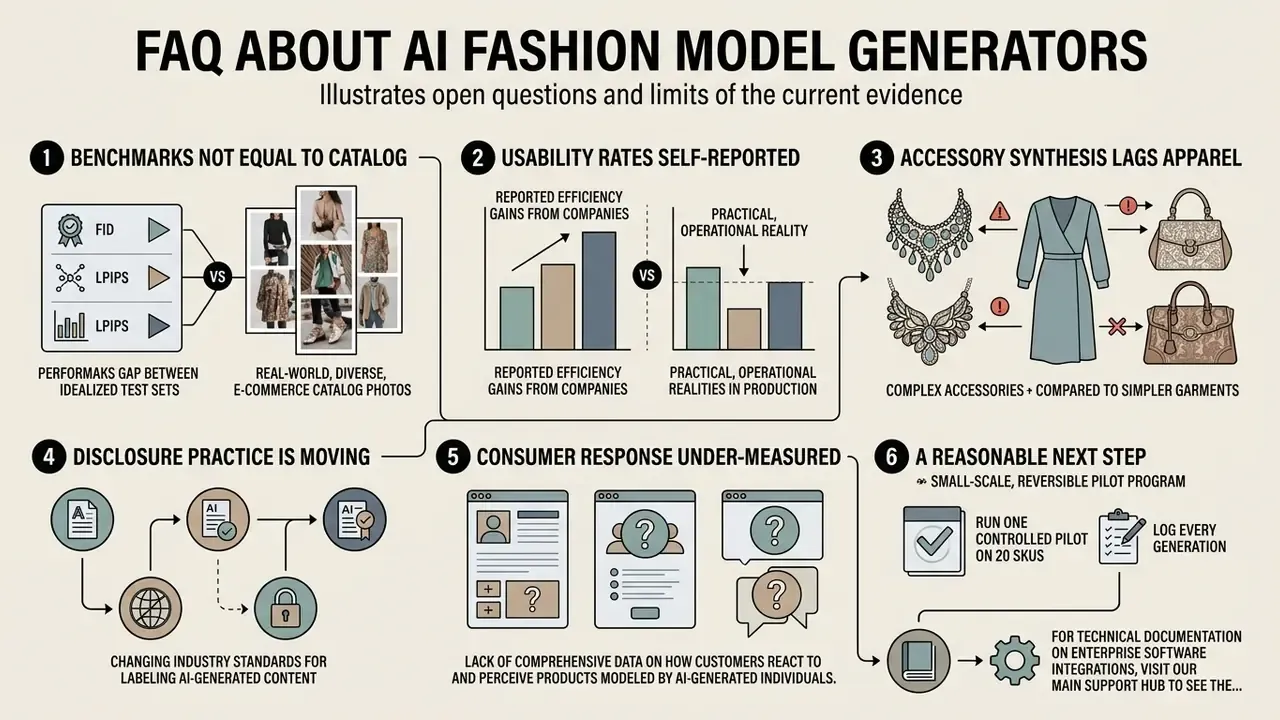
Open Questions and Limits of the Current Evidence
Additional Resources & Reference Links
- For technical documentation on enterprise software integrations, visit our main support hub to see the overview.
- To explore legal frameworks around synthetic content usage rights, read about AI Litigation and Case Timelines.
- To review foundational terminology across digital media processing, visit the primary glossary to see the overview.
- To extend backgrounds and reframe generated assets for different channel aspect ratios, review AI outpainting and image expansion tools.