In short: an AI haircut generator rebuilds the hair region of your portrait with a diffusion or GAN model while keeping your face intact. Free tiers usually give 1 to 30 credits at 512 to 1024 px with watermarks; paid tiers unlock 4K exports, reference uploads, and commercial licences. Treat every output as a consultation reference, not a guaranteed salon result.
On this page: what the tool changes, how to use it step by step, available cuts, 2026 trends and colors, face-shape matching logic, realism and limits, free versus paid economics, commercial, privacy and copyright rules, FAQ, and a deployment risk checklist.
What Is an AI Haircut Generator and What Can It Change?
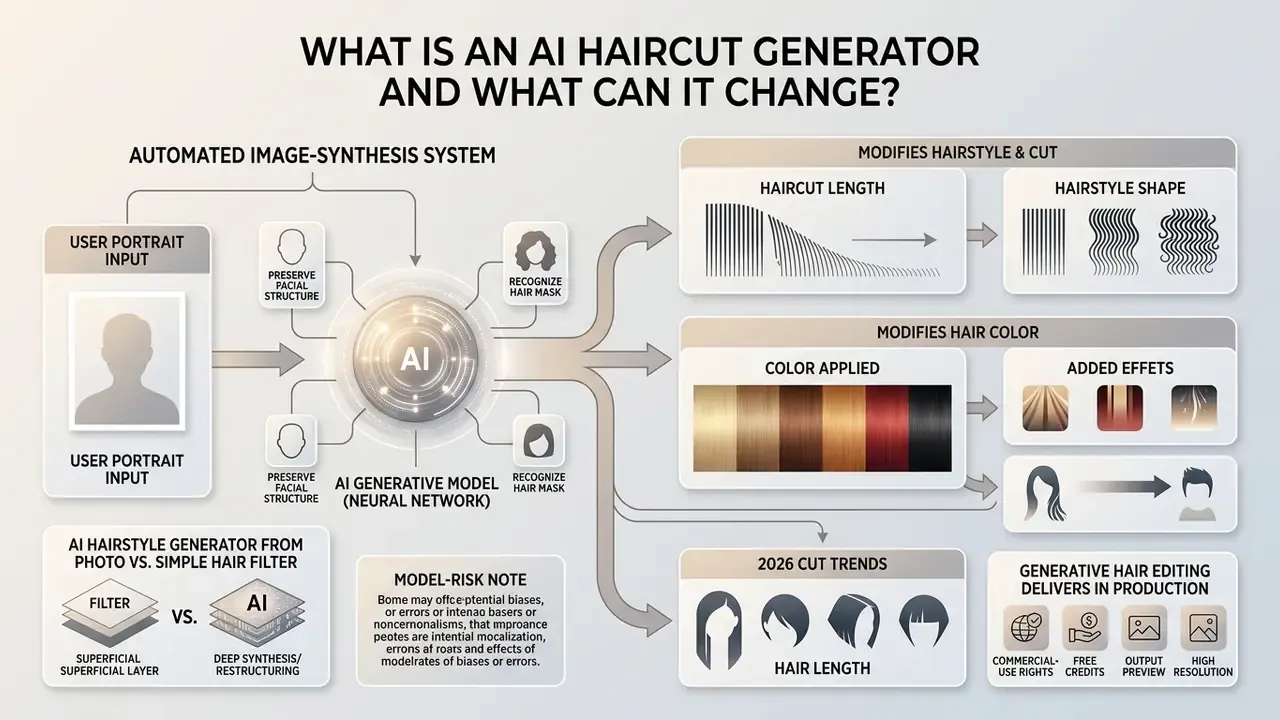
An AI haircut generator is an automated image-synthesis system that modifies hairstyle, hair length, and hair color on a digital portrait while preserving facial structure. It replaces or overlays hair regions using latent diffusion models or generative adversarial networks (GANs).
Put plainly: the model repaints your hair and leaves your face alone. That single design decision is what separates a serious pipeline from a novelty toy.
AI hairstyle generator from photo vs. a simple hair filter
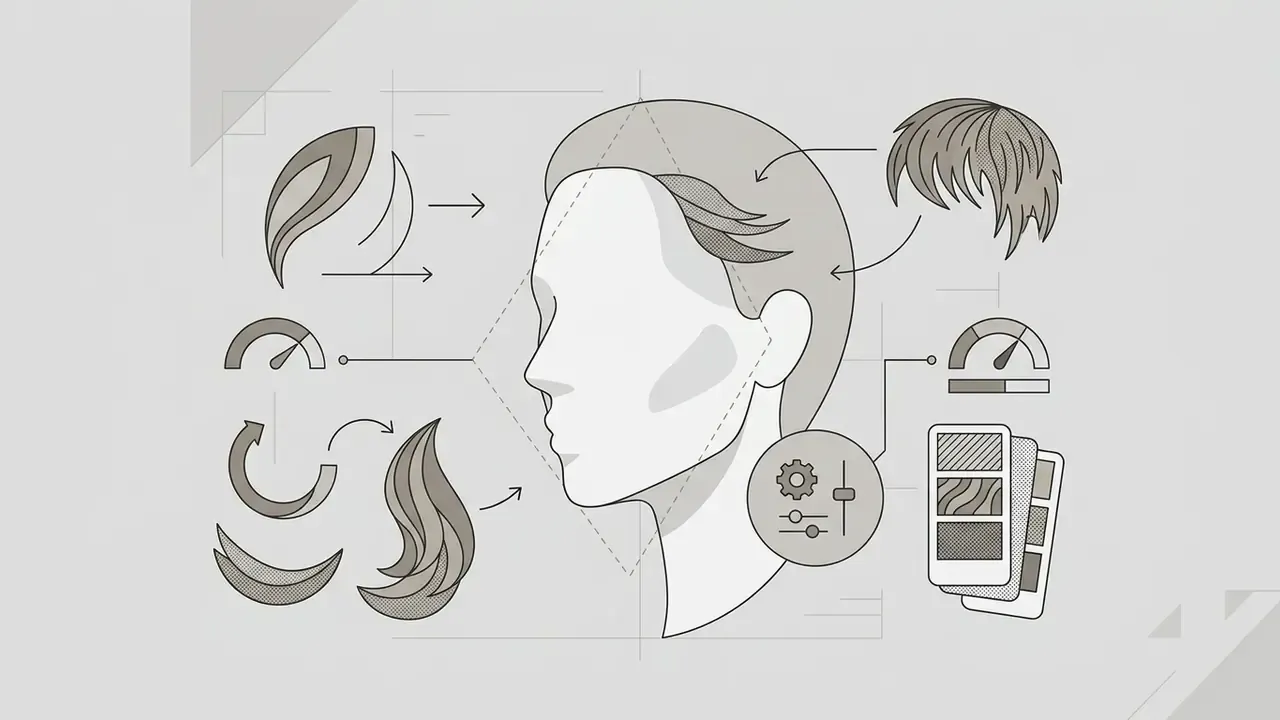
An ai hairstyle generator from photo synthesizes new pixels based on 3D geometry and latent diffusion, whereas a simple ai hair filter overlays a static 2D graphic. Generative models explicitly separate hair masks from identity features to preserve anatomical consistency.
Simple filters distort hair at angled poses and fail the moment lighting changes. Modern diffusion frameworks such as HairFusion (arXiv, 2024) use hair-agnostic masks and cross-attention alignment to generate believable hair textures instead of pasting a wig on top of your head.
Rather than a vague nod to research, the mechanism here is measurable. Multi-view latent optimization with perceptual (LPIPS) and pixel-level (MSE) supervision is what lets these systems remove hats, extend or shorten length, and still keep the jawline, eye spacing, and identity stable. Related work such as HairMapper (CVPR 2022) removes hair through latent editing plus Poisson blending, while HairDiffusion (NeurIPS 2024) decouples hairstyle and hair color in latent space. That decoupling is the reason newer ai hairstyle changer tools handle "same cut, different shade" requests cleanly instead of scrambling both at once.
Model-risk note. Because these pipelines operate on facial geometry, they touch biometric-adjacent data. Any deployment should account for impersonation and spoofing risk. A synthesized portrait that preserves identity landmarks can be misused in identity-verification flows, so consultation outputs should never be pushed into KYC, onboarding, or access-control pipelines. No evidence, no autonomy: if you cannot reproduce how an image was generated and by whom, it does not belong near a control.
Haircuts, hairstyles, hair color, and added hair
An ai haircut generator can modify length, volume, fringe, hair color, and hair density on an uploaded image. It supports adding full hair volume to thinning or balding areas, or shortening long hair into a structured cut.
Systems such as Stable-Hair (arXiv, 2024) and HairPort use dedicated Bald Converters to strip existing hair before synthesizing a new hairstyle. That intermediate step is what allows an ai add hair to photo function to work on shaved or balding scalps rather than smearing texture over bare skin.
How to Use an AI Hairstyle Generator Online
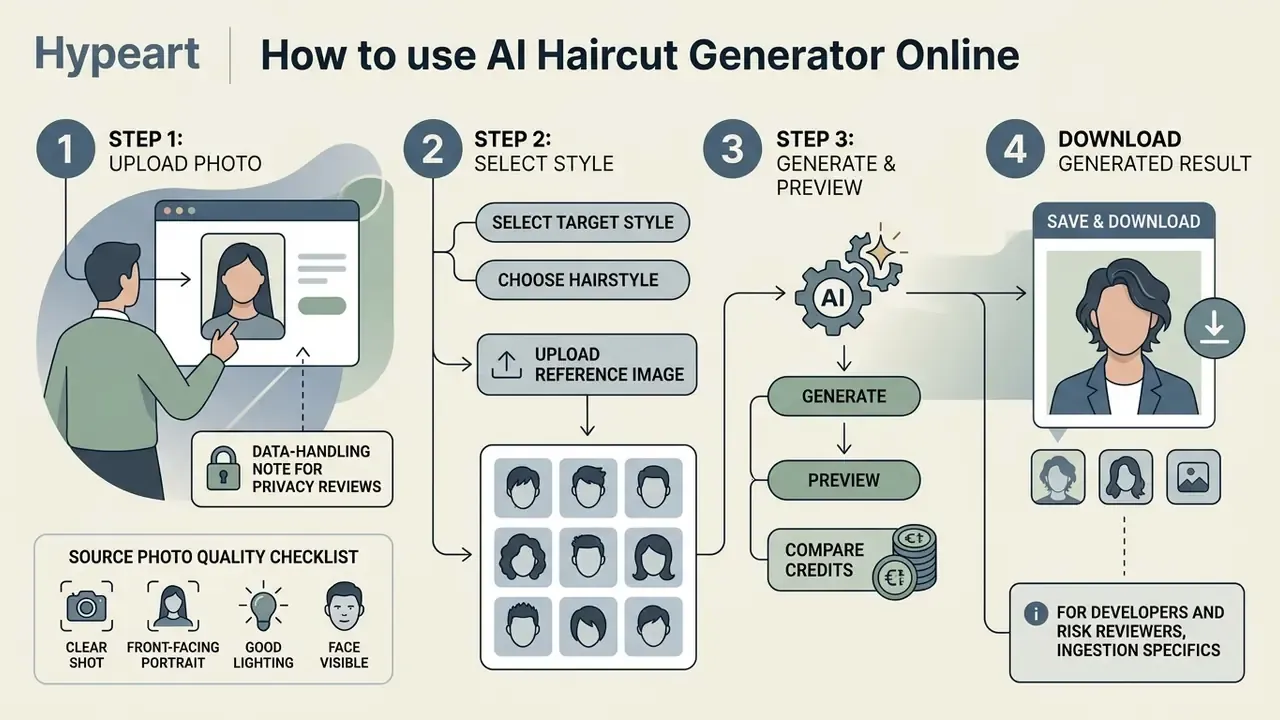
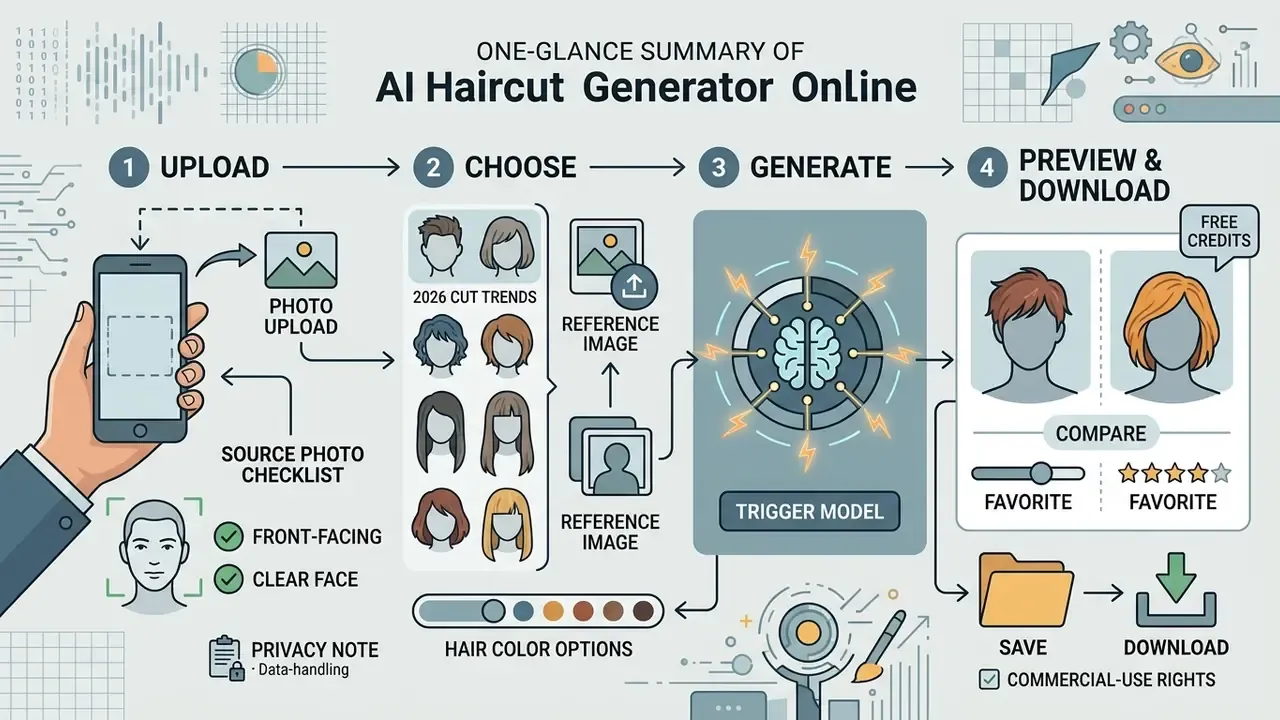
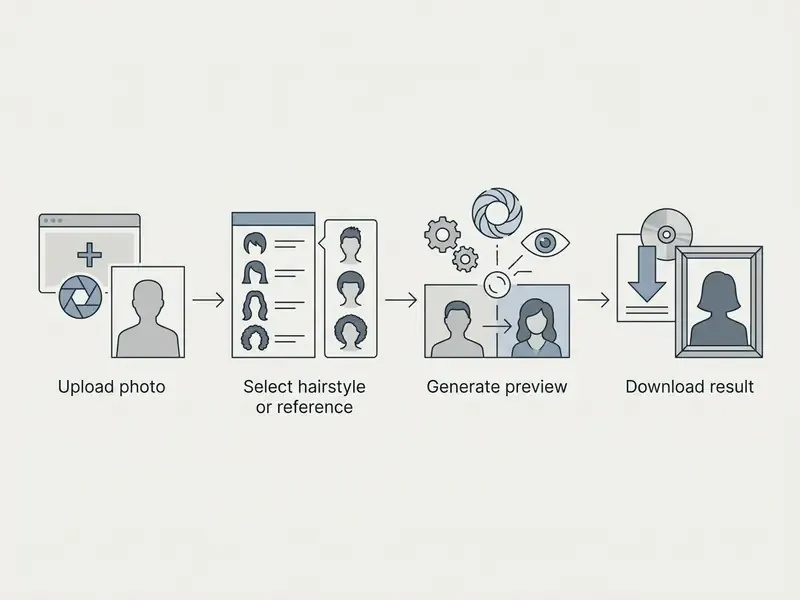
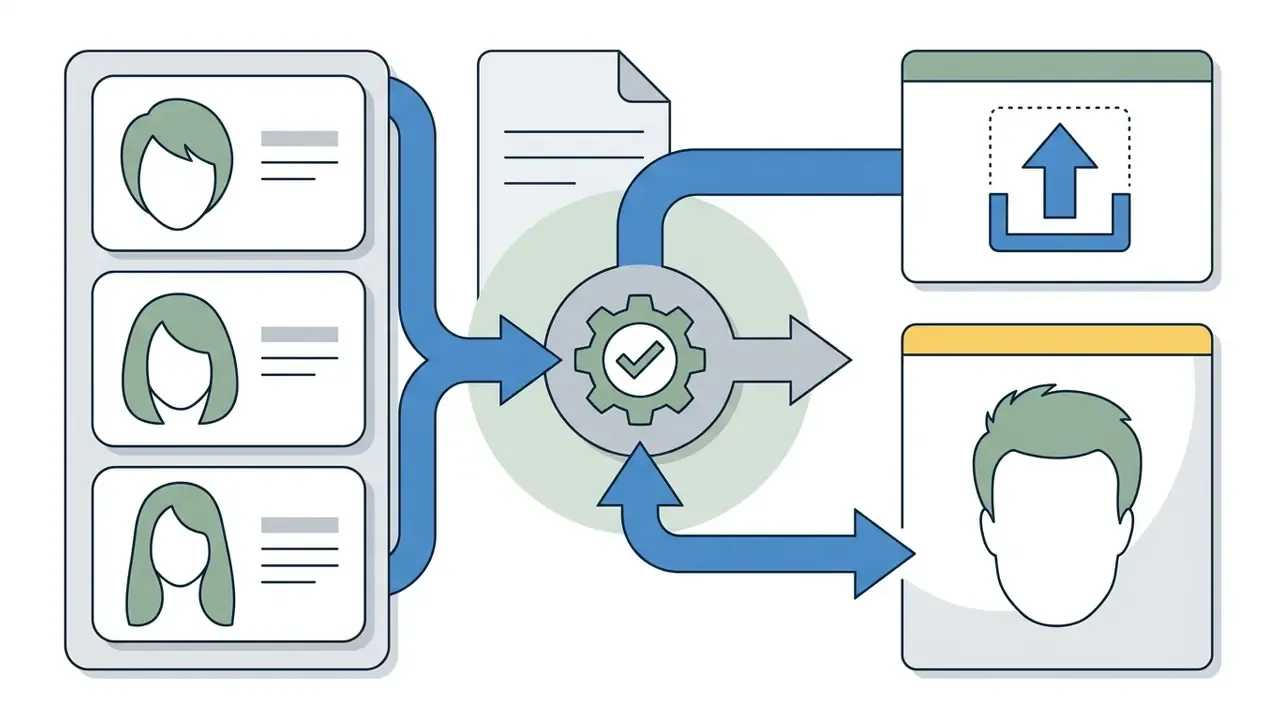
Using an ai haircut generator online requires four moves: upload a front-facing portrait, select a target style or reference photo, trigger the model, and download the generated image. On modern cloud infrastructure the whole loop finishes in under thirty seconds.
Upload a clear photo that preserves your face
Accurate generation needs a clear, well-lit portrait with a visible hairline, a centered face angle, and nothing covering the features. High-resolution input lets facial landmark detectors map proportions properly.
Rather than citing a single lux threshold, follow the capture practices that facial-image guidance consistently agrees on: uniform illumination without hot spots or cast shadows, an eye-level camera position, a strictly frontal pose, sharp focus across the whole face, low JPEG compression, and hair moved away from the forehead, ears, and jawline so the hairline stays visible. Documented product pipelines then map facial landmarks to derive geometry:
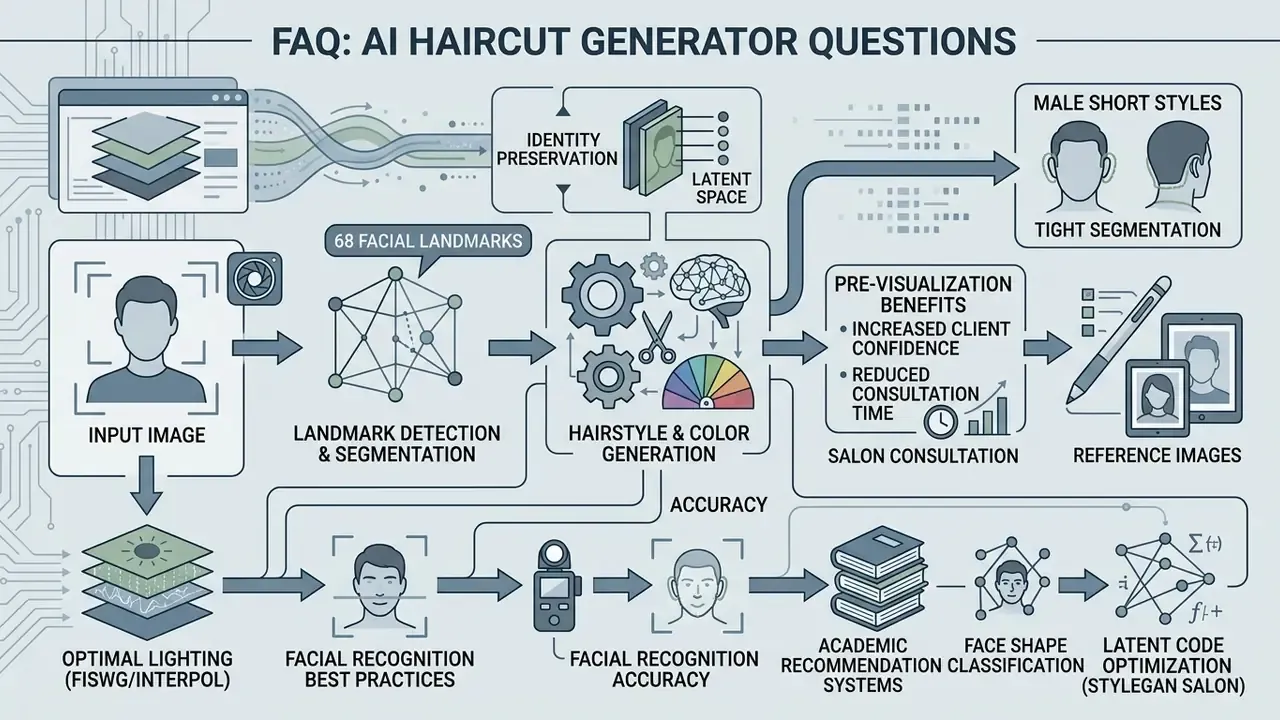
«HaircutAI maps 68 facial landmark points, including jaw angle, forehead-to-chin ratio and cheekbone width, to classify face shape.»
When users upload a photo with hair pulled back, landmark detection is measurably more precise. An obscured forehead or a heavily compressed file increases processing errors and distorts hair-root alignment. Any ai hairstyle generator upload photo flow lives or dies on this first step.
Data-handling note for privacy reviews. Portraits used for hairstyle generation are personal data, and in several jurisdictions facial geometry can be treated as biometric or sensitive data. Before uploading client images at scale, confirm in the vendor's documentation whether processing is ephemeral (image deleted immediately after inference) or persistent (stored in an account gallery, used for model training, or retained in logs). Ask for retention periods in days, deletion endpoints in the API, sub-processor lists, and independent security attestations such as SOC 2 Type II or ISO/IEC 27001. Some consumer tools state that uploads are used only for processing and destroyed afterwards. That claim belongs in a contract, not in marketing copy. Intake teams often formalise the consent step with a structured ai form generator so every upload carries a logged permission record.
Choose a hairstyle or upload a reference image
Users can pick a pre-rendered template from a catalog or supply a custom reference photo to guide the hairstyle changer. Template workflows apply standardized cuts; reference inputs condition the model on specific textures, layers, or colors.
Enterprise documentation, including Perfect Corp's AI Hairstyle API (2026) and AILabTools, supports both predefined template IDs and dual-image reference conditioning. AILabTools advertises hundreds of preset hairstyles alongside reference-based transfer, and Perfect Corp separates its Template API from the reference-image path introduced in the V2.0 engine. Reference-based transfer extracts latent hair features from a target image and aligns them to the user's face shape.
«HairFusion uses an Align-CA module to precisely align the reference hairstyle with the face, accounting for differences in head pose.»
So you can request a specific cut: textured layers, curls, curtain bangs, or whatever is in a magazine clipping, a saved social-media image, or a friend's photo instead of the closest preset. Teams benchmarking engine quality across use cases can also compare general-purpose AI image generators that expose reference conditioning and inpainting controls.
Generate, compare, save, and download the result
The generation stage processes the source image, produces one or more style variations, and returns a side-by-side preview. From there users refine parameters, save the variants they like, and download high-resolution files.
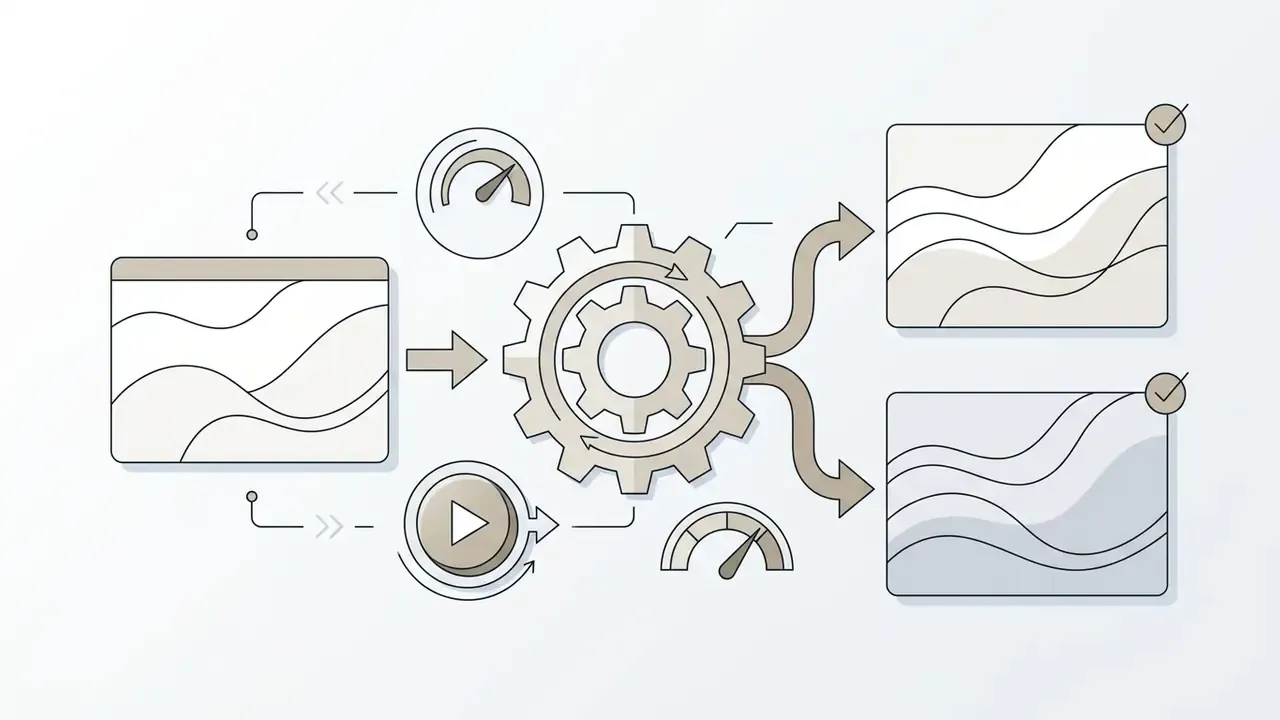
Processing speed depends on the architecture. Latent diffusion models sample in asynchronous batches, so several options can render at once. Applications then let users compare active outputs against earlier iterations before downloading. Comparison discipline matters more than people expect: use the same source photo for every style you test, generate three or four candidates in one batch, and judge them against each other in a before/after view rather than one at a time. For adjacent portrait work, many people pair this step with an AI headshot generator for profile photos or a free photo editor for final cropping and export.
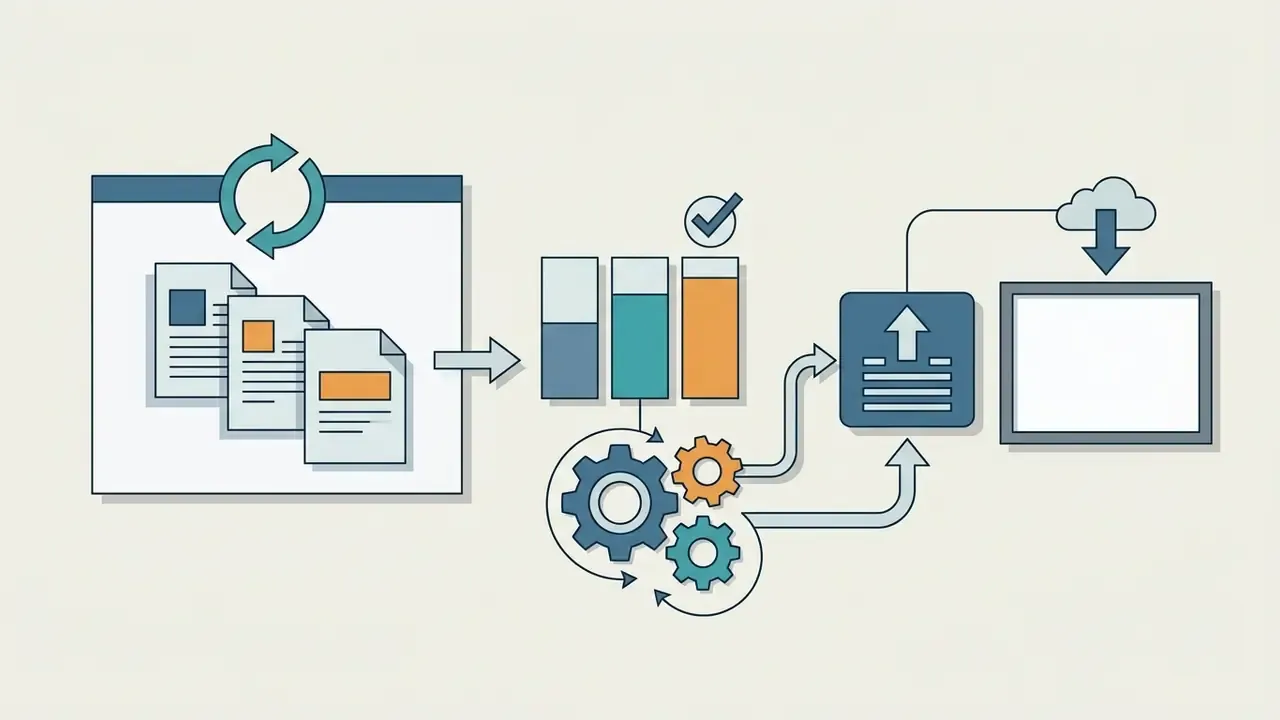
For developers and risk reviewers, ingestion specifics. Commercial hairstyle APIs typically accept JPG, PNG, or WEBP up to roughly 10 MB, return an asynchronous task ID, and require polling for the finished asset. Validate three points during integration: whether the endpoint accepts a template ID, a reference image, or both; the maximum number of concurrent tasks per key; and whether generated assets are served from a signed, expiring URL. Log only task metadata, never the raw portrait, and route uploads through a consent-gated intake step. Documenting that flow visually helps in audit walkthroughs, and an ai flowchart generator is usually faster than drawing it by hand.
Which AI Hairstyles and Haircuts Can You Try?
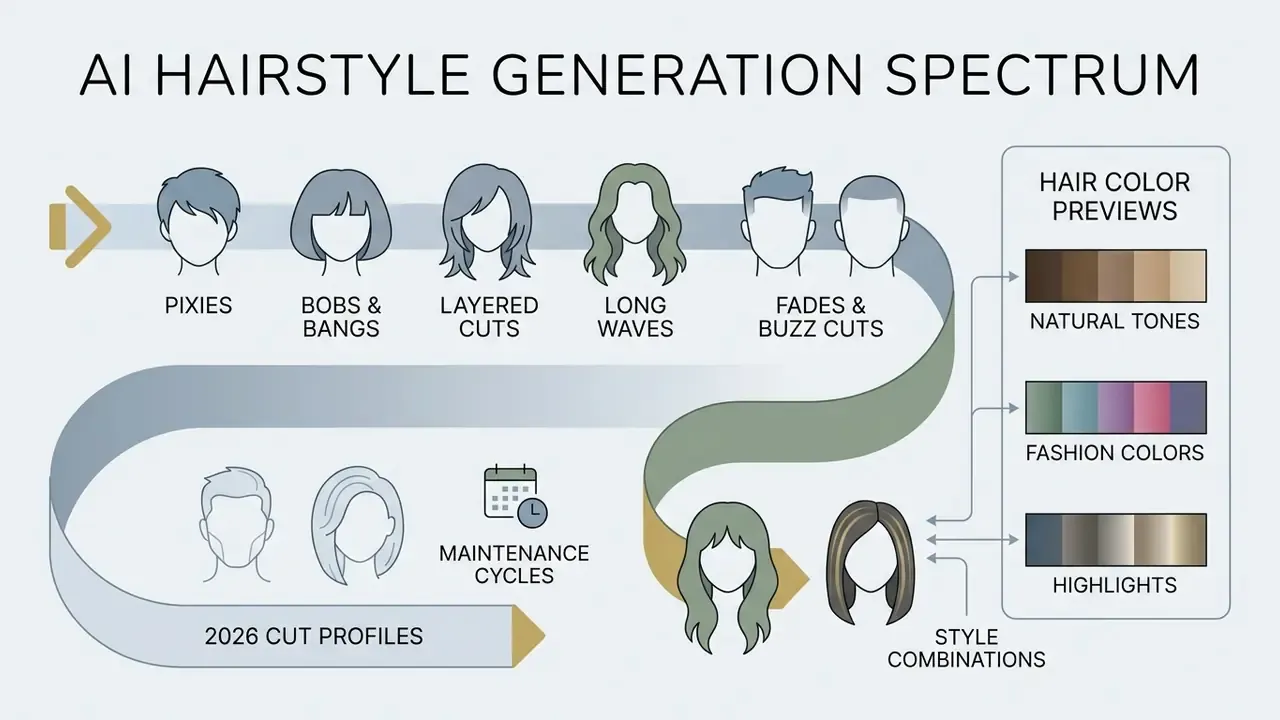
An ai generator for hairstyles covers a broad spectrum of cuts: pixies, bobs, layered cuts, long waves, fades, and buzz cuts. It also handles diverse natural hair textures, from pin-straight strands to tight coily patterns.
Short cuts, bobs, bangs, layers, and long waves
Female options span short pixie crops, classic bobs, curtain bangs, face-framing layers, and long wavy styles. Generative models adjust length and volume along the vertical axis of the head mesh.
Recent taxonomy research (Hairmony, 2024) sorts female cuts into distinct structural classes in order to train balanced generative models.
«Stable-Hair encodes reference hairstyles with high fidelity, capturing detailed shapes of short cuts, bobs, bangs, and textured styles.»
An ai long hair generator extends hair past shoulder level while keeping realistic strand weight and fall. You can test a structural change such as a pixie bob hybrid or soft curtain bangs without touching your natural length. Catalogs in 2026 also cover blunt lobs, butterfly cuts, beach waves, space buns, boxer braids, crown braids, wet-look slicked styles, and pastel or gradient color treatments such as cherry-blossom pink or hidden-layer blue.
Trending 2026 cut profiles and maintenance cycles
The hidden cost of a haircut is not the appointment. It is the trim interval and the daily styling minutes. A cut that photographs perfectly in a preview can still become a regret if it demands a salon visit every four weeks. The table below maps four of the most requested 2026 profiles to face geometry, texture compatibility, and upkeep.
| 2026 Style Profile | Target Face Geometry | Natural Hair Match | Maintenance & Trim Cycle | Daily Styling Investment |
|---|---|---|---|---|
| Old Money Bob (blunt, no layers) | Oval, heart, long | Straight to wavy | Trim every 8 to 10 weeks | Low (about 5 min) |
| Bixie Cut (bob and pixie hybrid) | Round, oval, diamond | Fine to medium | Trim every 4 to 6 weeks | Medium (about 10 min) |
| Soft Wolf Cut (shaggy layers) | Round, square | Wavy to curly | Trim every 6 to 8 weeks | Medium to high (about 15 min) |
| Bottleneck Bangs (curved fringe) | All face shapes | Straight to wavy | Trim every 3 to 4 weeks | Medium (about 10 min) |
Adjacent 2026 directions worth previewing before you commit: curtain waves with a center part (the most requested fringe of the season), the chin-length bob with lightly layered ends, soft mullets, face-framing lobs, and the modern vintage updo. Texture changes how a shape falls. The same wolf cut reads as a loose shag on straight hair and as a fuller silhouette on coily hair, so generate it on your own photo instead of trusting a model shot.
AI hairstyle generator for men and male short hair
An ai haircut generator men tool specializes in male short hair, low or skin fades, undercuts, quiffs, and textured crops. Text prompts and preset filters let men preview precise barbering options, which is usually where an ai hair generator men search actually ends.
Prompt structures for male generation combine the haircut name, top length, side fade gradient, and finish texture. For example: "high skin fade, textured top, keep face and features unchanged," or "curly undercut, skin fade on sides, realistic curl rendering." Prompt guides in 2026 formalise the template as [length] + [style name] + [texture/finish] + [color detail] + [lighting cue] + [face-preservation note]. Selecting an ai hairstyle online free male short hair preset renders sharp side tapers while preserving facial hair and eye positions. Free male-oriented tiers marketed as an ai hairstyle generator male free option usually cap resolution rather than style choice.
Advanced male prompt libraries go well beyond standard tapers: the modern broccoli cut, low and mid skin fades, pompadours, slicked middle parts, textured quiffs, French crops, Caesar cuts, ivy league cuts, faux hawks, man buns, samurai top knots, buzz cuts with carved side patterns, and short dreadlocks. Modern segmentation masks are what prevent distortion along facial-hair lines and ear boundaries during high-contrast style shifts.
The requirement for tight segmentation around ears and necklines is best evidenced by volumetric methods that model head geometry directly, which is precisely where GAN baselines lose edge fidelity. Teams building male portrait pipelines frequently pair an ai generator haircut preview with AI headshot generators for LinkedIn-grade output. Barbershop training teams sometimes go further and turn the style taxonomy into a study deck with an ai flashcard maker for new staff.
Hair color previews and style combinations
Virtual hair color try-on lets users test natural shades, bold highlights, balayage, or pastel tones alongside a specific haircut. The model applies color parameters to the synthesized hair region without shifting skin tones.
Enterprise try-on solutions such as Perfect Corp and Garnier offer more than 80 hair color shades integrated with multi-style engines. Perfect Corp's showcase pairs 12 core colors with a library of over 190 styles across photo and live camera modes. Diffusion architectures handle color and geometry at the same time, so a blonde shade can sit on a layered bob, or brunette highlights on curly waves.
One practical caveat, and it catches people out. AI color previews read most accurately on hair close to its natural undertone. On heavily processed or previously color-treated hair, the preview near the roots can differ from the mid-lengths, because the model maps the new shade onto the tone it detects in the uploaded photo rather than onto your true underlying pigment.
How to Choose a Hairstyle That Suits Your Face
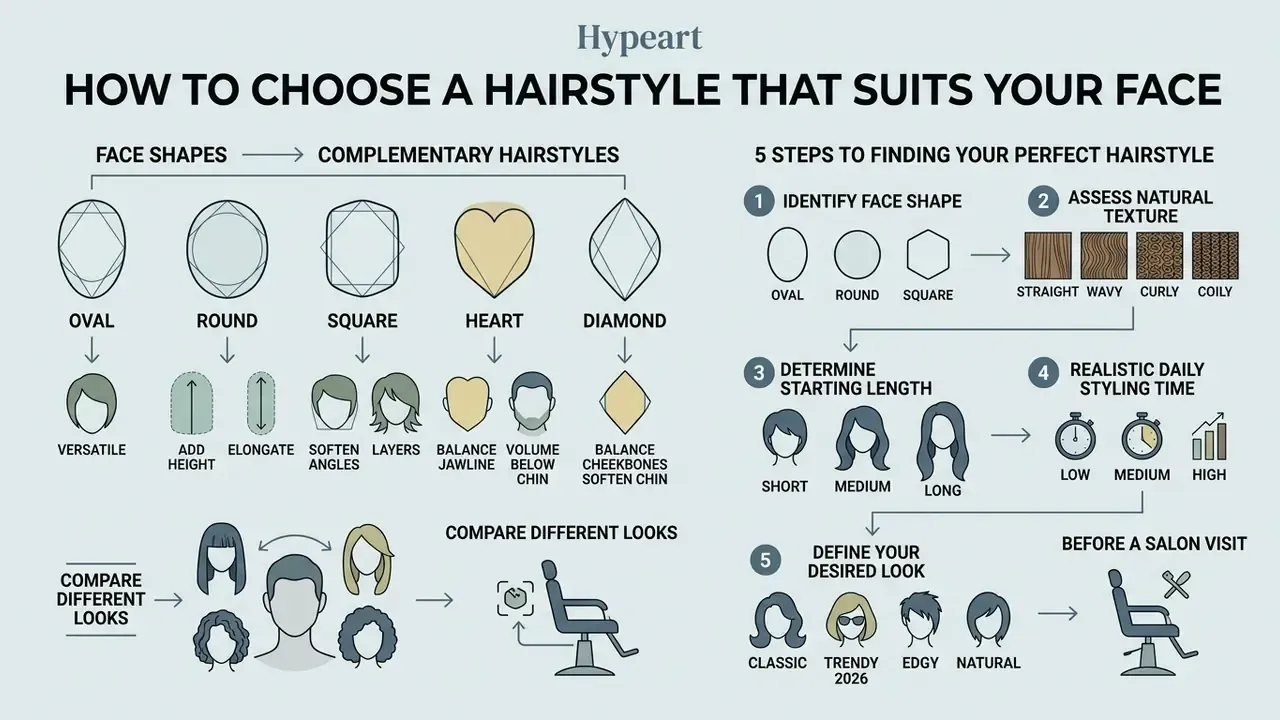
Choosing a flattering haircut means matching geometric face shapes, such as oval, round, square, or heart, with complementary hair volume, length, and texture. An ai free hairstyle generator analyzes facial proportions to recommend balanced options.
Face shape, starting length, and natural hair texture
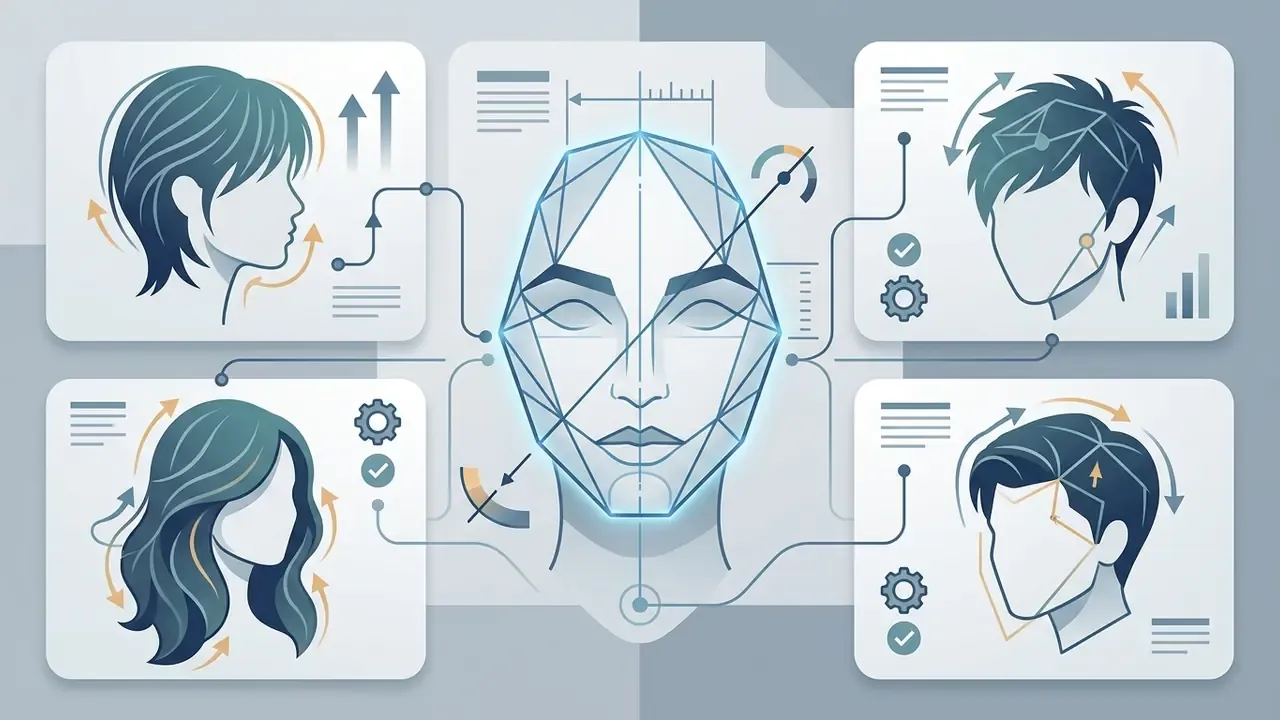
Facial landmark analysis calculates ratios between cheekbones, jawline, and forehead to identify face shape. Matching algorithms pair those measurements with starting hair length and texture to determine optimal cut geometry.
«The system computes 19 geometric features from 68 facial landmarks to classify faces into five shapes: heart, oblong, oval, round, and square.»
An earlier version of this article referenced journal names without a specific method. That has been replaced with a documented system and methodology. Applied guidance follows the same geometry:
- Oval faces are roughly 1.5 times longer than wide and suit almost any cut, unless texture or density intervenes.
- Round faces benefit from height and volume at the crown with closer sides, which visually elongates proportions; chin-length shapes work well.
- Square jawlines call for soft framing layers that soften the temples and jaw while keeping the silhouette close to the head.
- Heart shapes need volume around the chin plus a fringe or bangs to balance a wider forehead against a narrow chin.
- Long or rectangular faces suit width rather than added height: curtain bangs, collarbone bobs, layered waves, or a textured fringe.
Coarse or curly textures change how a cut settles, so algorithms have to adjust volume predictions. Training manuals note that coarse hair shapes easily in close-cropped forms, while fine hair needs blunt lines to read as dense.
Bias and fairness check. Recommendation quality is only as good as the training distribution. A 2025 review of AI hairstyle systems reports weaker representation of curly and coily textures and limited customization for Black hair, and the Hairmony taxonomy work exists specifically to rebalance hairstyle datasets. Before deploying a recommender commercially, test outputs across skin tones, curl patterns, and hairline types, and record per-segment failure rates. A system that performs well only on straight hair is a fairness defect, not a cosmetic quirk.
Compare different looks before a salon visit
Generating several previews lets clients test safe, realistic, and bold concepts before they sit in a professional's chair. Visual references cut down on miscommunication during the pre-cut consultation. Creators building mood boards around those previews can also review broader AI art generators for concept boards and campaign visuals.
Documented salon-consultation workflows recommend testing three haircut families, safe, realistic, and bold, plus one or two color directions, then saving the strongest one or two references to bring to the appointment. The published guidance also frames the key question for the stylist: does this cut fit my real texture, density, growth direction, and maintenance routine? That converts a preview from an image choice into a feasibility check, with the stylist validating what is technically possible on real hair. Clients can explore several options, review a summary guide on external style directions, or check pricing tiers across platforms before committing to a physical cut.
Step 1. What is your face shape? Oval / Round / Square / Heart / Long / Diamond / Not sure.
Why it matters: the outline of a cut interacts with your jawline and cheekbones more than any other factor.
Step 2. What is your natural hair texture? Straight / Wavy / Curly / Coily.
Why it matters: texture decides how a shape falls and how long it takes to style, independent of face shape.
Step 3. What length are you starting from? Short above the chin / Medium shoulder-length / Long past the shoulders.
Why it matters: starting length determines how reversible the change is. Previewing matters most when you go shorter.
Step 4. How much time will you really give to daily styling and routine trims? Low maintenance (under 5 minutes, 10-week trims) / Moderate styling (about 10 minutes, 6-week trims) / High precision (15+ minutes, 4-week trims).
Why it matters: every cut carries a hidden time cost. Matching upkeep to what you will actually do is what keeps a good cut from turning into regret.
Step 5. What look are you going for? Low-key and polished / Bold and trend-forward / Soft and romantic / Edgy and structured.
Why it matters: this is the only subjective input, and it breaks ties between equally valid options.
How Realistic Are AI Haircut Generator Results?
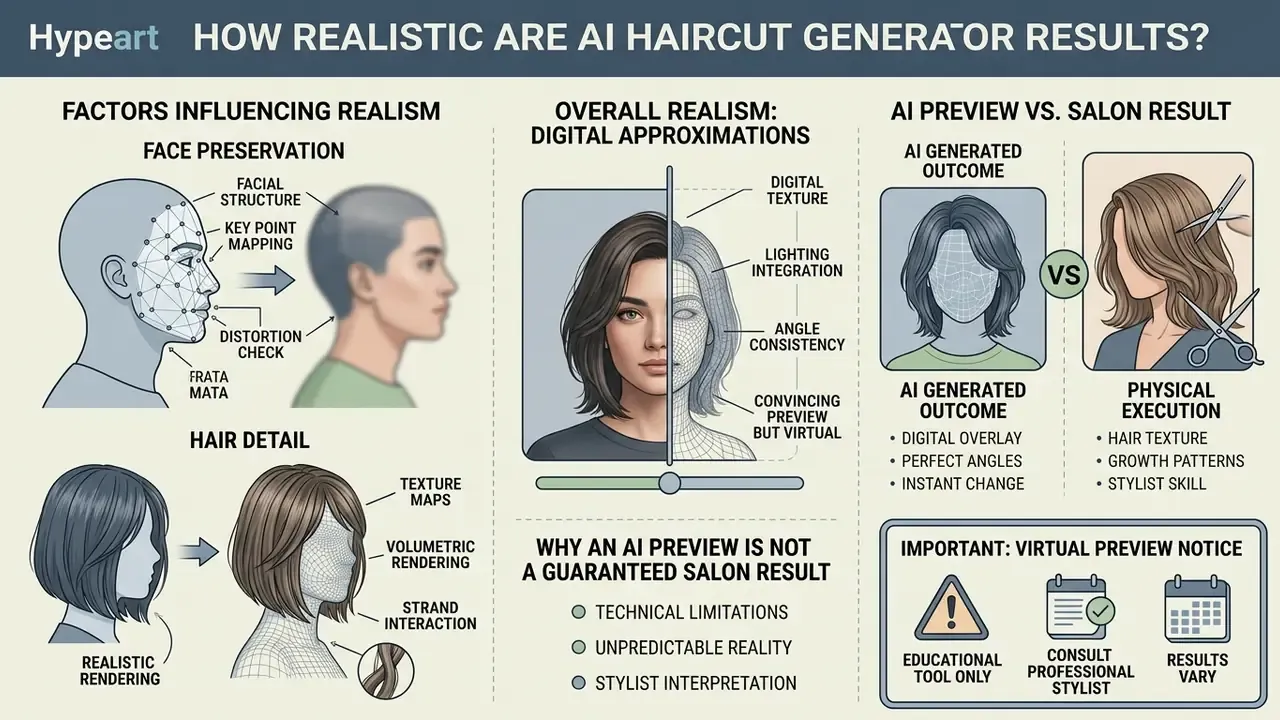
AI haircut previews look convincing under good lighting and a clean angle, but they stay digital approximations. They do not simulate real-world hair physics, elasticity, or individual growth whorls.
What affects realistic face preservation and hair detail?
Face preservation depends on photo resolution, uniform lighting, low-compression files, and a clearly visible hairline. Shadows, motion blur, or crushed JPEGs reduce segmentation accuracy and produce edge artifacts.
Advanced neural rendering models such as HairNeRF (ICCV 2023) reach high structural accuracy by modeling head geometry in 3D volumetric space.
«HairFusion reports substantially lower FID and LPIPS than prior baselines, along with improved identity-similarity scores in hairstyle transfer.»
Failures still happen, though, when an input photo carries heavy shadow or an extreme head tilt. High-contrast images preserve individual strands, layers, and curls far better than low-resolution uploads. Production failure modes worth watching during QA include catalog echo (the output drifting toward a template face), no-op results where nothing visibly changes, identity transfer or prior drift, timid under-transformation, and outright segmentation collapse under poor capture conditions.
Why an AI preview is not a guaranteed salon result
An AI preview is a 2D digital model. It cannot account for hair porosity, scalp cowlicks, past chemical treatments, or the stylist's hands. Physical hair behaves differently from generated pixels.
Hair-simulation literature documents unresolved computational limits in real-time light reflection, strand collision, curvature, and movement, and VFX pipelines deliberately separate a fast preview pass from a final render module. That separation is exactly why a preview and a production-quality result are not the same artifact. Industry documentation says the quiet part out loud:
An ai hair image generator renders ideal symmetry. Actual texture, density, porosity, elasticity, and daily maintenance dictate the real outcome, and the stylist's execution with products, tension, and thermal tools determines the finished shape.
Is There a Free AI Hairstyle Generator?
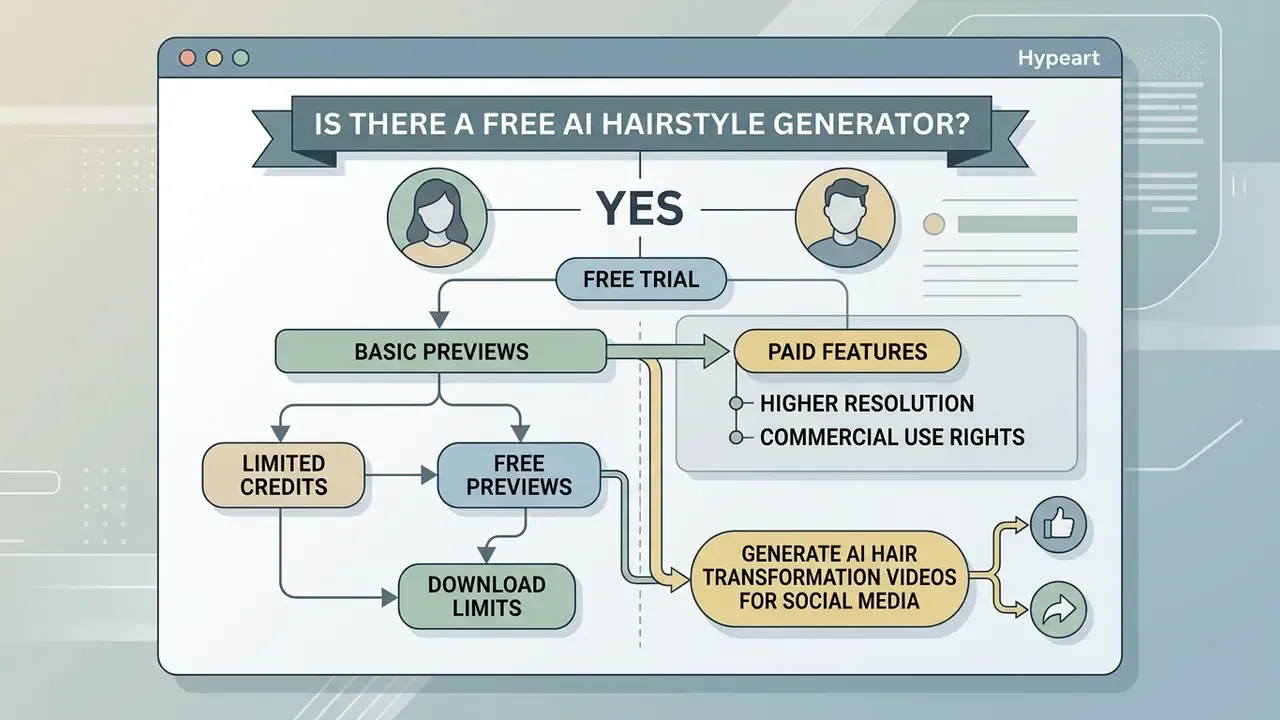
Yes. Many platforms offer an ai hairstyle generator free trial or a free credit allocation for basic previews. Advanced features, though, including high-resolution downloads, custom reference uploads, and watermark removal, usually sit behind paid credits or a subscription.
Free previews, credits, and download limits
Free tiers typically provide 1 to 30 generation credits, standard-definition outputs (512x512 or 1024x1024), and occasional watermarks. Enough to evaluate the basics before upgrading.
Standard platform mechanics grant daily or monthly token refreshes for an ai hair generator free experience. Observed patterns range widely: one free try-on per browser per day, three free credits without signup, five starter credits per new account, 30 free credits where a cut costs 10 and a color change costs 5, or roughly 100 low-resolution generations per day on an ai hairstyle generator online free plan.
Once the free credits are gone, unwatermarked images or high-resolution files require a credit pack. Readers comparing entry-level limits can review free AI image generators for watermark and resolution policies, which is also where most ai image generator hairstyles free claims fall apart on inspection. Users who need continuous processing or cost estimation can open the hub for calculators, or contact the team to see the overview of support options.
When paid features may be useful
Paid subscriptions and credit bundles make sense when you need 4K resolution, multi-reference uploads, batch generation, or commercial usage rights. Documented paid tiers in this category cluster around $2.99 to $3.99 for one-time credit packs, roughly $3.99 to $12 per month for subscriptions, and about $141 per year for high-volume plans bundling 1,500 credits per month or 18,000 credits annually. Useful anchors for TCO modelling before an enterprise rollout, and a reminder that control costs belong in the same spreadsheet as licence costs.
Professional creators and commercial teams gain from expanded catalogs, raw image export, and custom mask controls. Better model selection produces cleaner strand detail and steadier background preservation. Vendor documentation for premium engines lists 4K UHD output, multi-reference conditioning (from 10 reference URLs up to 16 uploaded images, depending on API design), multi-image fusion, and mask-based inpainting for localized edits. Users needing print-scale output can pair generation with AI image upscalers, and those comparing platform tiers can view the guide before signing anything.
| Feature Category | Free Preview Tier | Credit-Based Tier | Premium / Paid Subscription |
|---|---|---|---|
| Typical Price | $0 | ~$2.99 to $3.99 per credit pack | ~$3.99 to $12 / month (or ~$141 / year) |
| Generation Volume | 1 to 3 free tries (or up to 30 starter credits) | 20 to 200 monthly credits | Unlimited or high-priority queue; 1,500+ credits/month |
| Available Styles | Basic catalog templates | Full template library | Custom reference image upload |
| Output Resolution | Standard (512px to 1024px) | High Definition (1024px) | Ultra HD / 4K Resolution |
| Watermark Status | Watermarked output | Unwatermarked export | Unwatermarked export |
| Fine Editing Controls | Not available | Basic color adjustments | Advanced mask and prompt editing |
| Commercial Rights | Usually excluded | Varies by vendor terms | Typically included; verify licence text |
Can Salons, Creators, and Businesses Use AI Hairstyle Images Commercially?
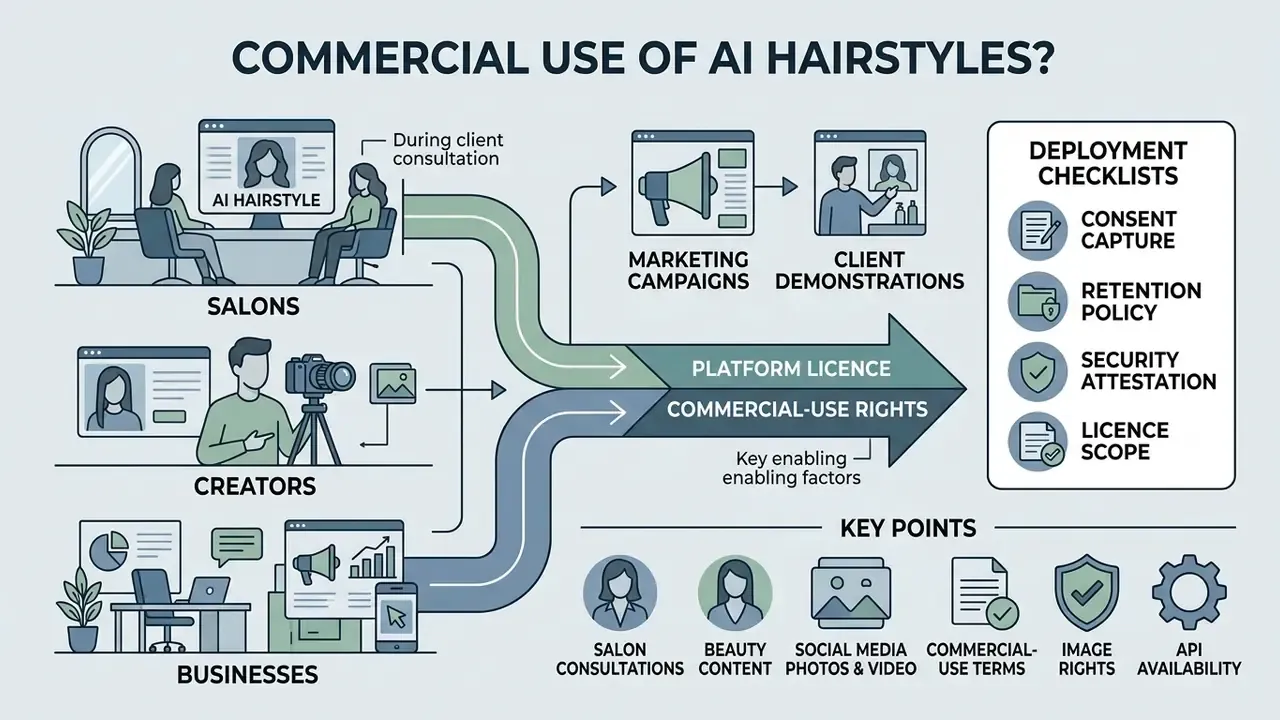
Salons, beauty bloggers, and digital agencies can use generated hairstyle images for client consultations and marketing campaigns, provided the platform's commercial licence permits it and user privacy rights are respected. Both conditions, not one.
Salon consultations and client hairstyle demonstrations
Hair salons fold virtual try-on tools into intake consultations to show potential cuts and colors before anyone picks up scissors.
Documented salon-facing workflows describe the same three-step loop: upload the client selfie, choose the style, review the photorealistic preview. The output functions as a communication bridge, replacing abstract verbal description with a shared visual reference.
Peer-reviewed and industry work supports the same framing. A 2024 case study on AI-based virtual hairstyle simulation and SIGGRAPH Asia 2024's Digital Salon both treat the preview as a consultation and grooming aid, while a 2025 review of AI personalization notes that virtual try-ons let clients see a cut or color before the procedure. Stylists upload a client selfie during intake to test multiple length and shade variations on screen. Operations teams can standardize consent-gated intake by pairing the tool with structured client-preference forms and a documented image-retention policy.
Commercial-use terms, image rights, and API availability
Commercial deployment requires reviewing vendor terms on copyright ownership, user consent, and data privacy. Enterprise platforms provide API access for integration into existing software.
«Purely machine-generated outputs cannot be copyrighted without human creative contribution.»
The practical consequence: where a human contributes selection, arrangement, or substantive modification, that contribution may be protectable, and AI-generated portions must be disclosed in a registration application. Businesses deploying an ai image generator hairstyles pipeline must secure explicit user consent for facial-data processing under frameworks such as GDPR, the EU AI Act's transparency obligations, and US state privacy laws. Regional rules differ in emphasis. Australia's OAIC guidance stresses valid consent and opt-out mechanisms for training on personal information, while China's Interim Measures for generative AI add data-minimisation duties over user inputs and logs. Vendor terms, in turn, generally prohibit generating content that infringes third-party copyright, privacy, or publicity rights, and that is the clause which most directly governs uploaded client photos.
Teams formalising licensing should review our overview of AI image generators for commercial use and, for reference-conditioned pipelines, image-to-image AI generators. Developers can integrate at scale through an api endpoint, or view the guide to compliance requirements. For disputes over asset usage and intellectual property, organizations can compare options before escalating.
Deployment risk checklist for salons and retail chains
Before rolling an ai hair cut generator into a multi-location or retail workflow, confirm each line:
- Consent capture.Explicit, logged, revocable consent for facial-image processing at the point of upload.
- Retention policy.Documented deletion window, deletion API, and written confirmation that images are not used for model training without separate consent.
- Security attestation.SOC 2 Type II or ISO/IEC 27001 evidence, sub-processor list, and data-residency terms.
- Licence scope.Written confirmation that outputs may be used in advertising, on social channels, and in printed in-salon materials.
- Synthetic-media labelling.Machine-readable AI markers plus visible disclosure on every published asset.
- Fairness testing.Measured performance across skin tones, curl patterns, hairlines, and age groups, with per-segment failure logs.
- Client-expectation control.The virtual preview notice shown in-product and repeated verbally at consultation.
- Fallback process.A defined stylist-led path when generation fails or the client rejects every preview.
- Cost ceiling.Credit consumption modelled per consultation, with alerting before overage.
- Human review.No decision affecting a client is taken solely on model output.
FAQ: AI Haircut Generator Questions
How can I see what I would look like with different hairstyles for free?
Upload one clear, front-facing portrait to a free tier, generate three or four styles from that same photo, and compare them side by side. Most free ai hairstyle plans allow between one and thirty credits before payment is required.
How realistic is the AI preview?
Realistic enough to judge silhouette, length, fringe, and colour direction. Not precise enough to predict how your porosity, density, or cowlicks will behave. Treat it as a reference, not a promise.
Will the AI change my face?
Well-engineered pipelines mask the hair region and preserve the face, pose, clothing, and background. Identity drift is a known failure mode, so reject any output where your features have visibly shifted.
Does it work for men's cuts?
Yes. Fades, tapers, undercuts, quiffs, crops, pompadours, broccoli cuts, slicked middle parts, man buns, and buzz cuts are all standard prompt targets.
Can I upload a specific hairstyle instead of choosing a preset?
On engines that support reference conditioning, yes. The model maps the cut, colour, and texture from your reference image onto your own face.
Does a failed generation consume a credit?
On most consumer tools, credits are counted only after a successful result is returned. Confirm it in the vendor's terms, since policies vary.
Can I preview colour and cut together?
Yes. Diffusion engines that decouple hairstyle and colour in latent space apply a shade to a chosen cut in one pass, although processed hair can render less predictably at the roots.
Can salons use the outputs commercially?
Only if the licence grants it and the client has consented to facial-data processing. Verify both in writing.
Appendix A: Editorial revision log
Appendix B: Terms used on this page
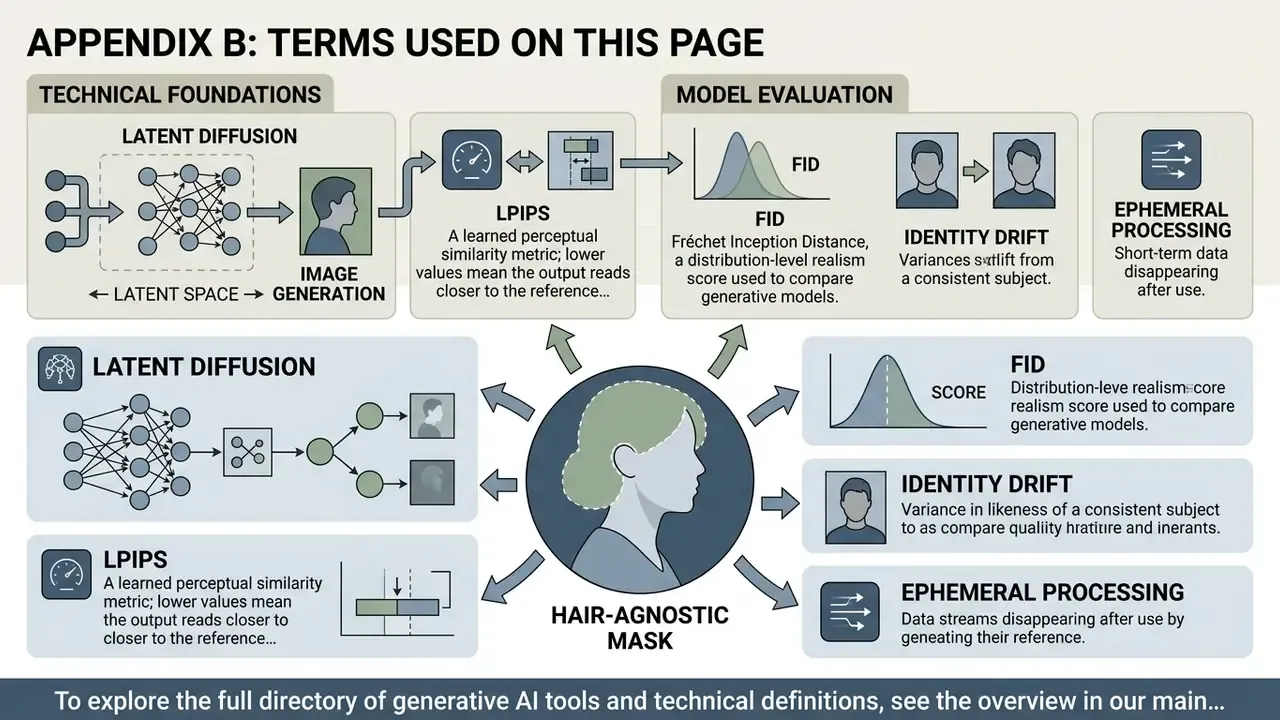
- Hair-agnostic mask. A segmentation mask that removes existing hair information before synthesis, so the new style is not biased by the old one.
- Latent diffusion. Image generation performed in a compressed latent space rather than at pixel level, which is what makes 512 to 1024 px previews render in seconds.
- LPIPS. A learned perceptual similarity metric; lower values mean the output reads closer to the reference for a human viewer.
- FID. Fréchet Inception Distance, a distribution-level realism score used to compare generative models.
- Identity drift. A failure mode where the generated face no longer matches the uploaded person. Grounds for rejecting an output outright.
- Ephemeral processing. Vendor handling where the uploaded portrait is deleted immediately after inference, with no gallery or training retention.
To explore the full directory of generative AI tools and technical definitions, see the overview in our main knowledge index.