Executive Summary
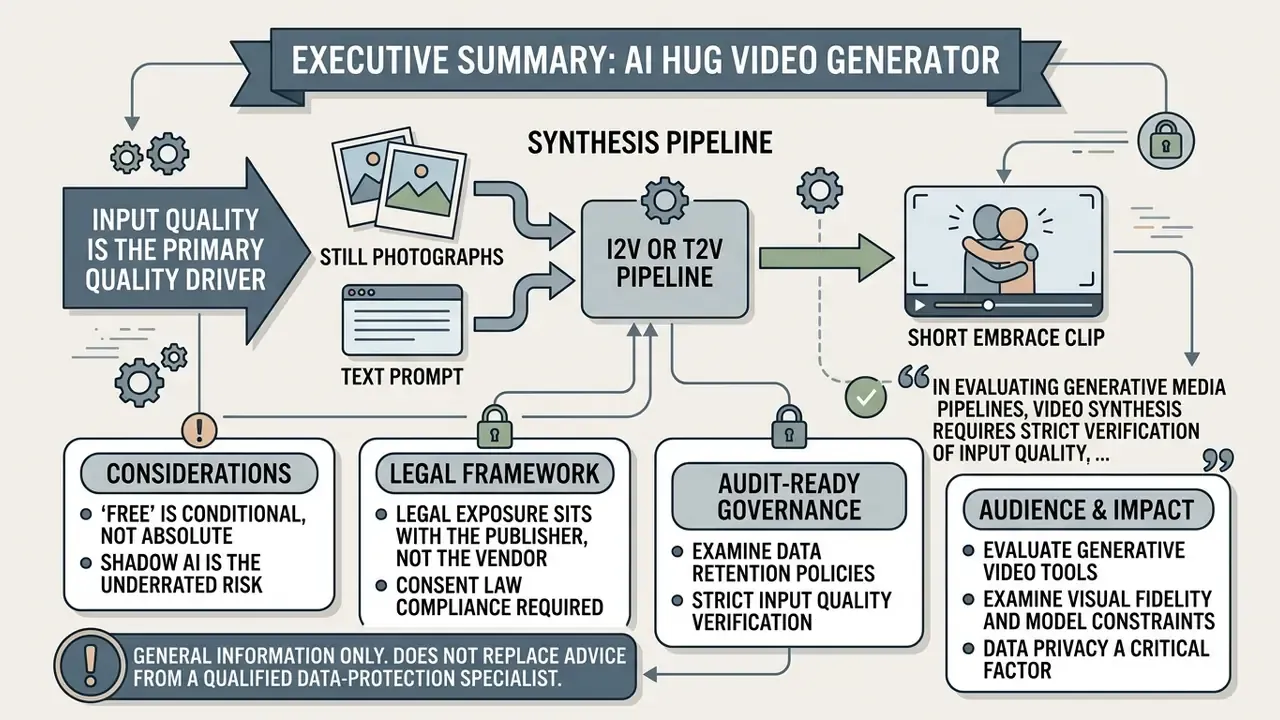
- What it is. An AI hug video generator is an image-to-video (I2V) or text-to-video (T2V) pipeline that synthesizes a short embrace clip from one or two still photographs, or from a written prompt. There is no standardized "hug model." The effect is a use case running on top of diffusion-transformer and latent-video-diffusion architectures.
- Input quality is the primary quality driver. Frontal poses within roughly 5 degrees of rotation, facial heights above ~200 pixels, balanced three-point lighting, matched camera angles, and payloads under 20 MB in JPG/JPEG/PNG/WEBP/BMP/AVIF/GIF reduce hand fusion, face warping, and blur far more reliably than prompt tuning alone.
- "Free" is conditional, not absolute. Free and guest tiers generally cap output at 720p, apply watermarks or provenance metadata, allocate limited daily credits, and grant personal-use-only licenses. Commercial deployment almost always requires a paid tier.
- Legal exposure sits with the publisher, not the vendor. Right-of-publicity statutes (Florida § 540.08, Nevada NRS 597.790), the EU AI Act Article 50 disclosure duty, Utah's synthetic-media amendments, and C2PA provenance expectations apply to your published asset. Written model releases, visible synthetic-media labels, and retained prompt and source logs are the minimum evidence set.
- Shadow AI is the underrated risk. Employees uploading colleague or client photographs to consumer generators in guest mode transfer facial biometrics to third-party servers outside any DLP boundary. Governance teams should treat these tools as registered third-party processors or block them outright.
This article is general information and does not replace advice from a qualified data-protection specialist or legal counsel.
Who should read this and why it matters now. Two readerships collide on this topic. Creators want a working recipe for a free hug video. Risk owners at banks, insurers, and mature fintechs want to know what happens when marketing, HR, or a well-meaning relationship manager uploads a recognizable face into an unvetted consumer tool. Both needs are legitimate, so this guide runs the mechanics first, then the economics, then the control framework. If you sit in second line, the sections on guest mode, retention, disclosure duties, and the audit checklist are the operative ones. If you sit in content production, start with photo specs and keyframing. Honestly, most failed clips trace back to a bad source photo rather than a bad model.
Evaluating generative video tools requires examining visual fidelity, model constraints, data privacy, and usage rights. An AI hug video generator turns static photographs or textual prompts into short, animated clips showing two people or characters embracing. Understanding how these video diffusion systems operate lets creators and organizations produce realistic content while keeping technical and legal risk inside a stated appetite.
What Is an AI Hug Video Generator?
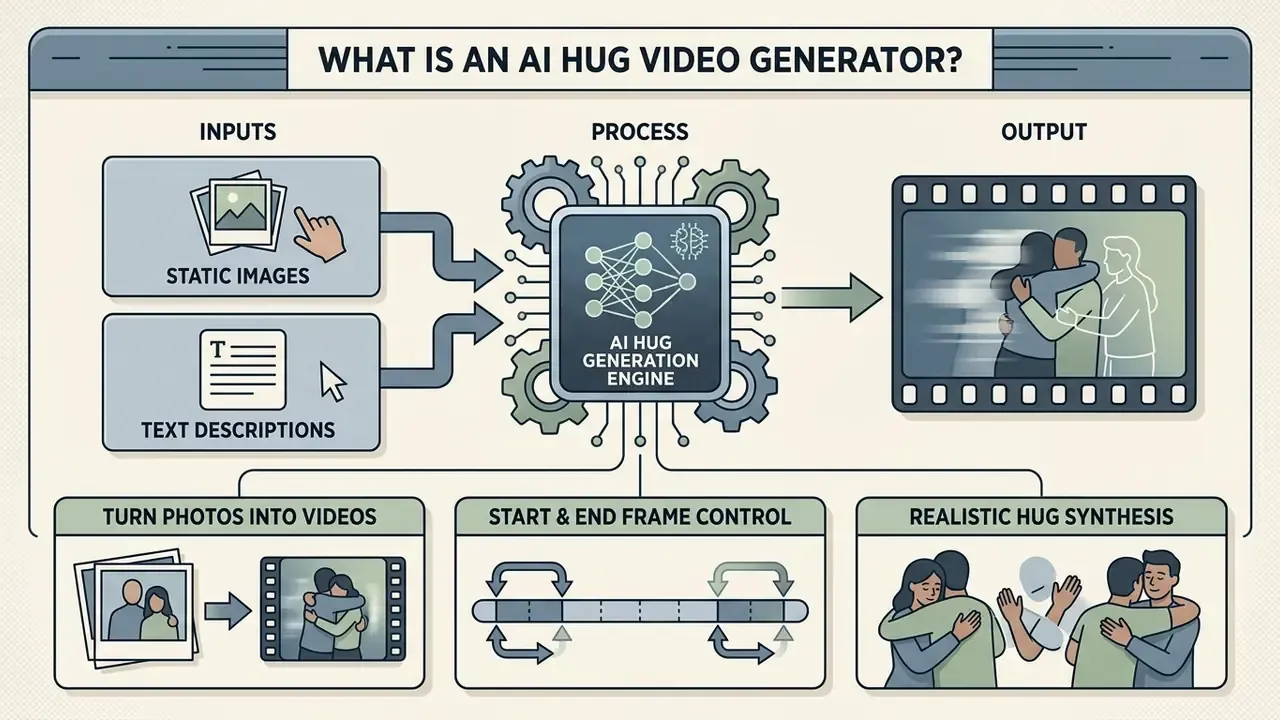
An AI hug video generator is an image-to-video or text-to-video tool that synthesizes realistic hugging videos from static source images or text descriptions. By 2026, the underlying market for short-form AI video generation is projected to reach USD 946.4 million, with a 19.5% compound annual growth rate through 2032, driven by advances in diffusion transformers and latent video diffusion architectures (Grand View Research, 2026).
"Diffusion transformers model spatial, temporal and view dimensions simultaneously, enabling 360-degree video generation with complex motion from a single image."
Rather than filming anything, users open an ai hug video generator or an ai hugging video generator and build an emotional video hug from still inputs. These models process spatial relationships, facial identities, and body postures, then render smooth temporal movement. The output is a short clip: one of those ai hugging videos you see in reunion montages, suitable for personal keepsakes or, with the right license, a digital campaign. Worth stating plainly: "AI hug video" is not a formal product category in vendor or standards documentation. It is a template-driven use case layered on general-purpose video diffusion pipelines such as CogVideoX, Tora, LTX-Video, SANA-Video, Latte, and GenTron.
That distinction matters for model risk. You are not validating a hug model. You are validating a general-purpose generative video service plus a preset, which means the vendor can silently swap the engine underneath a template between two renders.
Turn Photos into AI Hugging Videos
Converting static photos into dynamic hugging videos relies on identity-preserving image-to-video diffusion frameworks. Modern systems extract facial keypoints and skeletal alignment from uploaded photographs, then predict motion trajectories across consecutive frames, letting two static subjects lean in and embrace using image-to-video AI tools.
"HVG generates multi-view, spatio-temporally consistent video from a single image with 3D pose and viewpoint control."
Research on pose-guided synthesis, such as DreamPose and Animate Anyone, shows that deep neural networks can hold original clothing textures, hair detail, and facial proportions through complex body contact.
"DreamPose sets three animation objectives: fidelity to the input image, visual quality, and temporal stability across frames."
The 2026 research frontier for two-person stitching is explicitly identity-preserving I2V: reward-guided optimization for identity retention, diffusion-transformer video face swapping (DreamID-V), and identity image and text fusion (EchoVideo). These are the mechanisms that let a photo of person A and a separate photo of person B become one coherent embrace instead of two mismatched cut-outs.
Create a Hug Video from Photo or Text
Generating a hug video can begin with source images or with natural language prompts. Photo-based generation keeps precise facial likeness and visual context, which suits real individuals or existing brand assets. Text-to-video generation builds the whole scene from a written description, offering wide creative freedom at the cost of exact identity control (Hugging Face T2V documentation, 2025).
"Prompt-A-Video shows that LLM-refined prompts achieve higher win-rates in subjective human evaluation than original prompts."
Advanced workflows combine text-to-video AI prompts with reference images to control both lighting and body motion. The trade-off is straightforward. Photo input constrains motion to what the starting frame allows, while text-only generation sacrifices fidelity to a specific person's face, clothing, and setting. For broader creative options, users can consult the main glossary or try adjacent tools such as an ai french kiss generator.
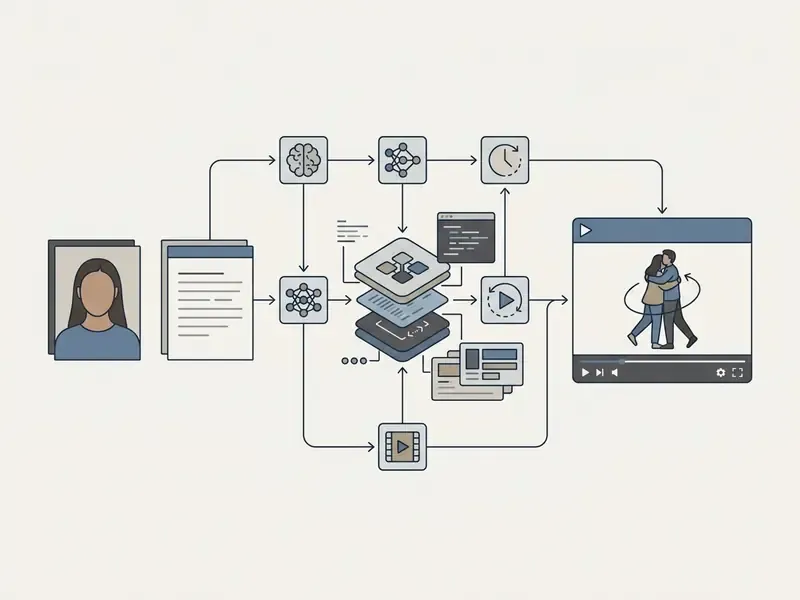
Pipeline in plain text: input source (photo for I2V, or text for T2V) feeds the processing engine, which performs pose extraction and latent motion synthesis, and then returns a preview and a rendered MP4 export. Each arrow in that chain is also a control point, which is why the governance table later in this guide follows the same order.
How to Make People Hug with AI Video Free
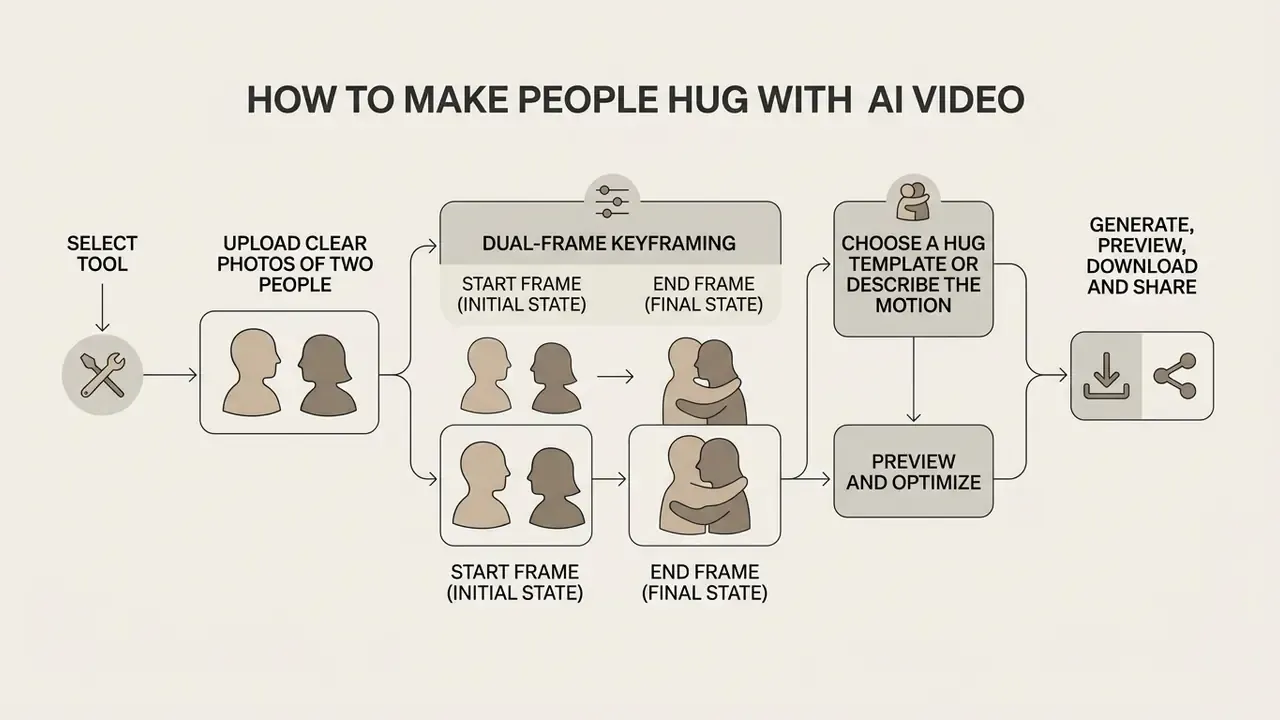
To make people hug ai video free, users follow a structured pipeline that converts static subject data into smooth motion. Consumer platforms lean on dedicated motion templates to automate spatial alignment between two subjects. When configuring an ai generator hugging each other, input resolution has a direct effect on motion stability. An ai hug free video generator or free ai hug video maker lets individuals test creative concepts with no upfront software spend, and any video ai hug generator free still rewards a disciplined sequence of steps over guesswork. Skip the discipline and you get melted fingers.
Upload Clear Photos of Two People
High-quality video synthesis demands clear, high-resolution source photographs. Biometric image guidelines specify that facial poses should stay within 5 degrees of frontal rotation on roll, pitch and yaw, with both eyes visible and unobstructed by hair or glasses (FISWG capture and equipment guidance; ICAO portrait quality guidance, 2025, square-on view requirement). Balanced three-point lighting prevents deep shadows that push neural networks to misread facial contours, and it removes flash reflections and red-eye artifacts (NIST/ANSI portrait capture recommendations, 2025). ISO/IEC 29794-5 adds an explicit occlusion-prevention requirement: no hair across the eyes, visibility from crown to chin and ear to ear.
"DreamPose confirms that high-quality photos with clear faces and torso deliver input fidelity and temporal stability in animation."
Users can upload a single photograph containing two individuals or submit two separate photos for identity stitching. Obtained (updated): modern I2V engines accept source media in standard and next-generation compression formats, including JPG, JPEG, PNG, WEBP, BMP, AVIF, and animated GIF. Individual image payloads should stay under 20 MB per upload to avoid server timeouts during spatial coordinate mapping.
| Upload Parameter | Recommended Specification | Failure Mode If Ignored |
|---|---|---|
| Accepted formats | JPG, JPEG, PNG, WEBP, BMP, AVIF, GIF | Silent rejection or forced re-encode artifacts |
| Max file size | 20 MB per image | Upload timeout during coordinate mapping |
| Facial height | > 200 px per subject | Loss of fine facial detail, identity drift |
| Head rotation | ≤ 5° roll / pitch / yaw (ideal); ≤ 45° yaw (tolerable) | Synthesized "hidden" facial planes, warping |
| Lighting | Balanced three-point, no hard shadows | Misread facial contours, flicker between frames |
| Occlusion | None across eyes, nose bridge, mouth corners | Melting features, unstable keypoint tracking |
| Photo count | 1 photo with two subjects, or 2 single-subject photos of matching aspect ratio | Scale mismatch, mismatched perspective |
Dual-Frame Keyframing: Start Frame and End Frame Control
For trajectory stability, advanced architectures (Seedance 2.5 and Kling AI among them) let creators specify dual keyframes instead of a single conditioning image:
- Start Frame (initial state) defines subject identities, initial separation distance, wardrobe, and room setting.
- End Frame (final state) establishes the precise contact point of the embrace, removing visual clipping, arm warping, or fused limbs at the moment of maximum occlusion.
Workflow: upload the source image as the Start Frame, upload a reference pose photo as the End Frame, keep both frames within the same aspect ratio and resolution class, then set a low motion-intensity score (0.3 to 0.5) so the model interpolates in time rather than inventing motion. Interfaces exposing this control typically accept JPG, JPEG, PNG and WEBP up to 20 MB per keyframe slot. When only one frame is supplied, the engine has to extrapolate the final pose, and that is exactly where hand fusion and facial deformation show up most often.
Choose a Hug Template or Describe the Motion
Selecting a motion template applies pre-calculated motion vectors tuned for gentle, warm, or celebratory embraces. Writing a custom motion prompt instead gives direct control over timing, body language, and facial expression. Effective prompt structures define five elements: scene setting, subject relationship, initial motion build-up, body embrace contact, and post-hug reaction (DocsBot AI prompt framework, 2024).
"DirectorLLM converts text prompts into discretized pose tokens through a Llama 3-based LLM, then interpolates them into a smooth motion trajectory."
Older storyboard-animation guidance still helps with emotional coding: warmth reads through grinning faces and downward eye curves, while frowns, compressed mouths, lowered heads, and averted gaze read as distance (Carnegie Mellon, Guidelines for Depicting Emotions in Storyboard Animation). Preset style vocabularies on consumer platforms (reunion hug, romantic hug, bear hug, side hug, back hug, airport arrival, sunset beach) are shorthand for those same five prompt elements. Teams mapping multi-step visual production often document motion sequences with an ai flowchart generator, and comparing behaviour across AI video generators shows quickly which engines honour prompt detail and which quietly ignore it.
Model Governance Control Points Across the Pipeline
Consumer instructions describe how to generate. Risk and compliance functions need to know where to intervene. The table maps each stage to a control owner and a retained artifact.
| Pipeline Stage | Primary Risk | Control Point | Evidence Artifact |
|---|---|---|---|
| Tool selection | Unregistered third-party processor (Shadow AI) | Vendor in approved SaaS register; DPA reviewed | Vendor risk assessment, signed DPA |
| Photo upload | Biometric data egress; missing consent | Consent verified before upload; DLP rule on image POST to unapproved domains | Signed model release; DLP log entry |
| Prompt configuration | Reputational or defamatory depiction | Prompt review against acceptable-use policy | Stored prompt string plus reviewer sign-off |
| Generation | Model or version drift, license mismatch | Record engine name, version, tier | Model card reference, plan invoice |
| Preview & QA | Artifacts creating misleading depiction | Human review before export (four eyes) | QA checklist, reviewer name and date |
| Export & publish | Missing synthetic-media disclosure | On-screen label for full clip duration, C2PA metadata retained | Published asset copy, provenance manifest |
| Retention | Indefinite storage of facial biometrics | Confirm vendor purge window; opt out of training | Retention policy screenshot, opt-out confirmation |
What Makes AI Hug Videos Look Realistic and Natural?
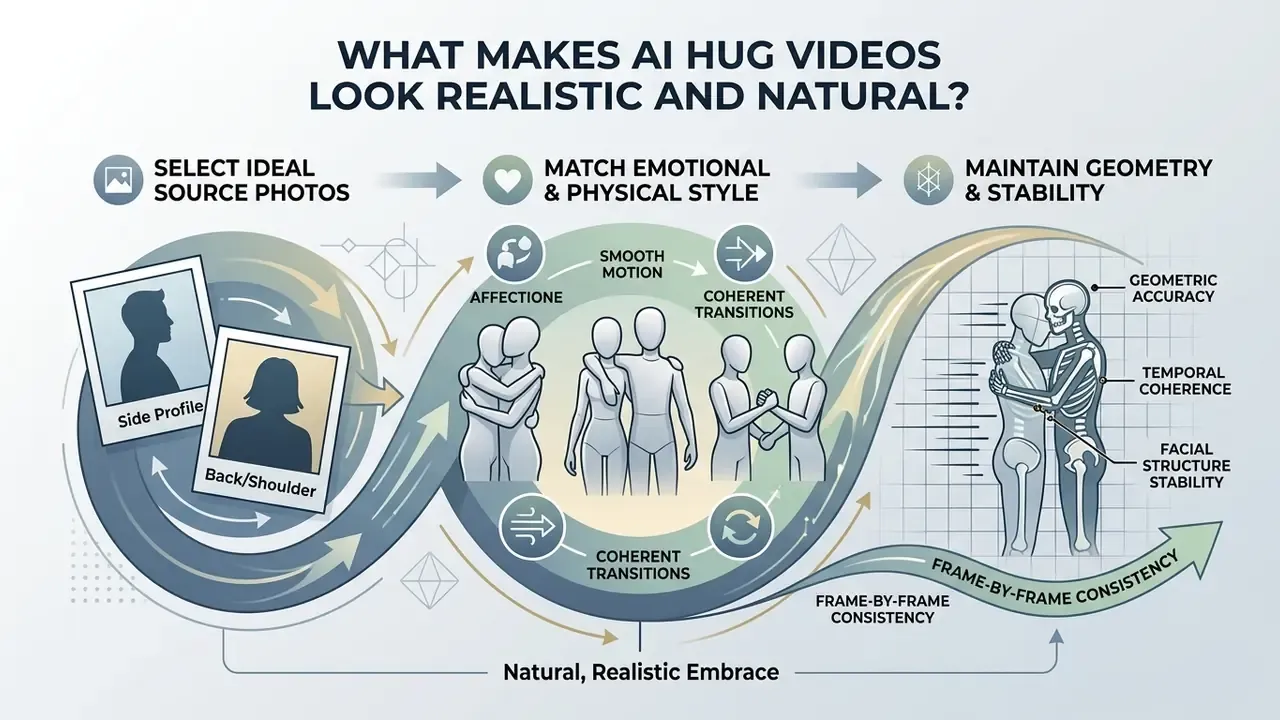
A realistic and natural embrace depends on physical geometry, temporal coherence, and facial stability across every frame.
"Allegro evaluates models across six dimensions: video-text relevance, appearance distortion, aesthetics, motion naturalness, motion amplitude, and overall quality."
Because body contact creates complex occlusions, diffusion models keep hitting edge cases where hands, hair, or clothing overlap. A lifelike result depends on choosing a source photo with strong lighting contrast and anatomically plausible proportions. High-resolution images give the latent model enough signal to hold fine anatomical features. Inspecting the finished ai hug video protects the subtle emotional nuance you were after and catches distortion before publication. Recent literature frames generated-video quality across visual fidelity, temporal consistency, semantic alignment and physical consistency, which is a workable four-axis rubric for internal acceptance testing.
Choose Photos That Work Well for Hug Animation
Photos that behave well in generation show subjects facing the camera with facial heights above 200 pixels; smaller crops lose the detail the model needs to hold identity through occlusion (likeness-synthesis capture guidance, 2024, corroborated by the biometric portrait standards cited above). Camera angles between the two subjects should match closely, since pairing a high-angle shot with a low-angle shot creates severe perspective conflict during motion interpolation. Off-angle perspectives beyond 45 degrees yaw raise the risk of facial deformation as the model synthesizes hidden facial planes (Quantifying Facial Distortion in Modern Digital Photography, Washington University in St. Louis, 2024. https://profiles.wustl.edu/en/publications/quantifying-facial-distortion-in-modern-digital-photography/). Short camera-to-subject distance is itself a distortion source, independent of the model. A selfie taken at arm's length already carries warped proportions before any diffusion step touches it.
"One Shot, One Talk reconstructs a full-body animatable avatar from a single image, outperforming methods that require video input."
Professional creators often benchmark output quality against the standards set by AI headshot generators before attempting complex motion animation.
Match the Hug Style to the Image
The chosen motion trajectory has to agree with the subjects' initial posture. Side-by-side standing poses move naturally into gentle shoulder embraces or side hugs; research on family photography shows that photographed hugs are most often arranged side-by-side or one-behind-another when subjects orient toward the camera, rather than face-to-face. Forcing a full frontal romantic embrace from subjects seated back-to-back produces severe spatial clipping and arm boundary fusion. Matching movement intensity to the existing body language yields smoother pose interpolation and fewer glitches.
"InterVAE encodes two-person motions jointly, preserving full information about individual movement and inter-personal interaction."
A practical caveat on pose inference: 2025 camera-angle validation work on OpenPose found joint-angle estimation reasonable overall but weakest at the shoulders across viewing angles, precisely the joint that defines an embrace. Strong oblique angles and foreshortening therefore reduce the reliability of automatic hug-style classification, which is why calm oblique side-by-side compositions outperform dramatic dynamic angles.
Beyond the frontal embrace (updated). Diffusion models can be prompted for secondary emotional interactions, including hand-holding, soft cheek kisses, back hugs, high-fives, and gentle shoulder taps. To avoid mesh-overlap artifacts during cheek contact, specify a slower motion vector in the prompt (for example, "gentle slow-motion cheek touch") and lower the motion-intensity slider. The same source image can be re-run through several interaction styles, which is a cheaper way to find the right emotional register than rewriting the whole prompt from scratch.
AI Hug Video Ideas for Personal and Social Content
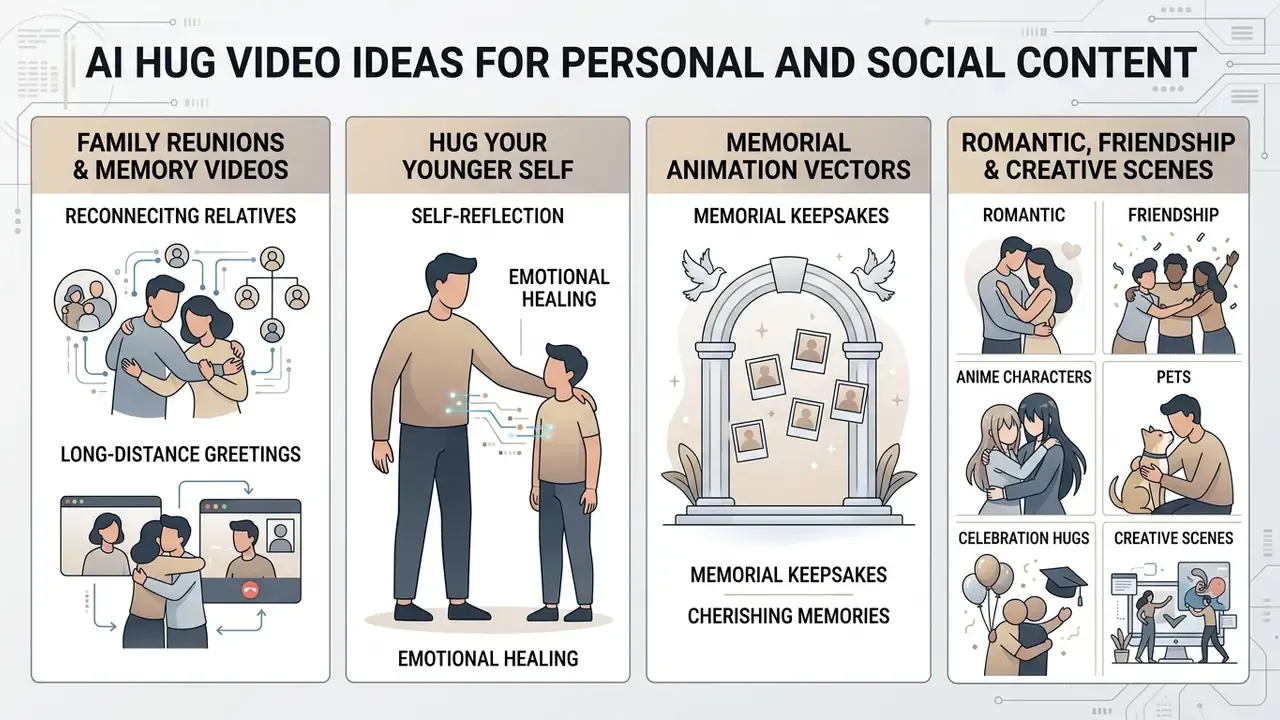
Creating ai hugging videos opens novel routes for emotional storytelling, digital greetings, and short-form social content. Heartfelt hug videos let people mark personal milestones across channels. A heartwarming video embrace pulls a positive reaction from viewers almost reflexively. Capturing a genuinely emotional moment through synthetic video brings static memories into movement. Whether you are building a simple hugging video or running an ai image generator hugging love one workflow, the creative direction you pick drives engagement more than the engine does.
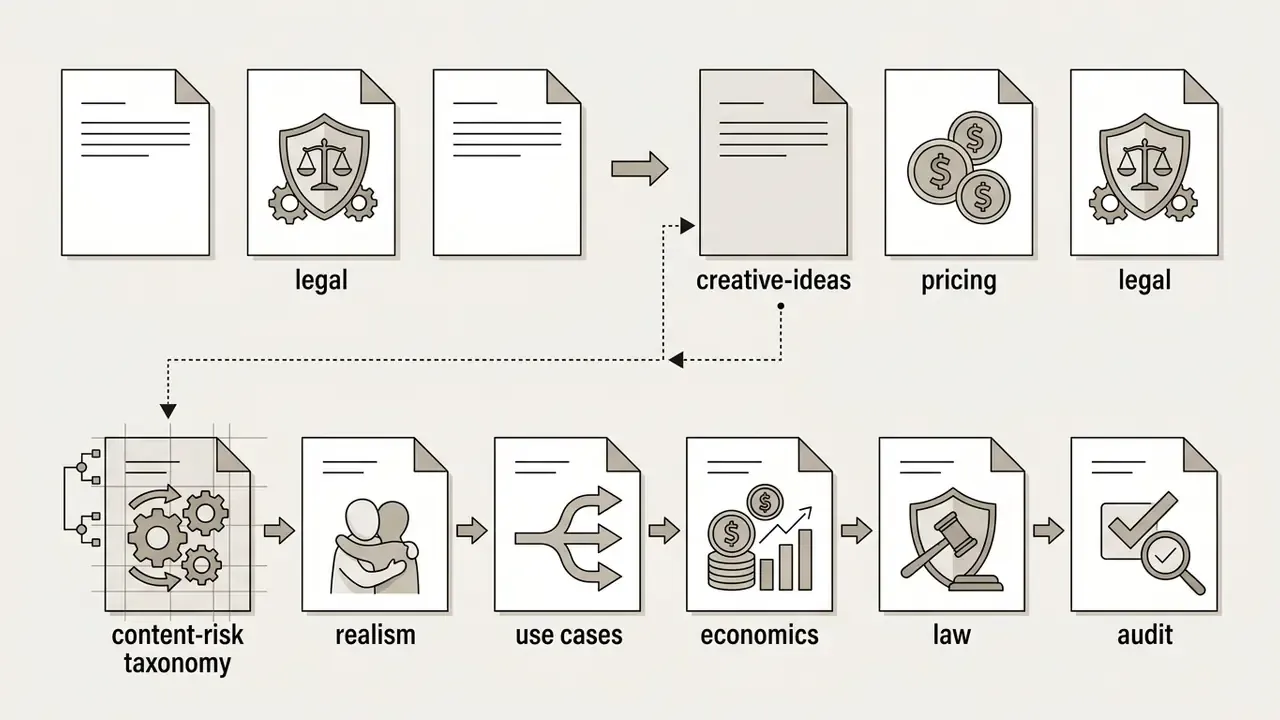
For risk teams, this section doubles as a content-risk taxonomy. Scenarios with identifiable living people carry consent and publicity exposure. Scenarios with deceased individuals carry post-mortem consent and dignity considerations. Scenarios with stylized characters, avatars, pets and creatures carry the lowest likeness risk, though IP questions can still surface.
Family Reunions and Memory Videos
Family memory videos often merge historical, monochrome, or physically separated photographs into one cohesive embrace. Animating older portraits lets families visualize multi-generational connection. Ethical practice here starts with transparent labeling, so viewers know the motion was generated rather than filmed.
"PAI defines indirect disclosures, provenance signals embedded in synthetic media, as a key instrument for distributors assessing content."
For historical-photo animation, provenance and tamper-evident labeling matter as much as consent: viewers should be able to distinguish the original archival image from the modified derivative, which is the core purpose of C2PA-style source-chain documentation. Supporting materials, such as event announcements, can be produced alongside these videos with an ai flyer generator, educational memory tools like an ai flashcard maker, or general-purpose animation makers.
"Hug Your Younger Self" and Memorial Animation Vectors
Two viral directions dominate short-form platforms:
- Self-reflection and healing ("younger self hug"). Combining a current high-resolution portrait with a restored childhood photograph, users deploy latent diffusion to simulate an embrace across time. This needs matched skin tones, harmonized grain and color spaces, and equalized subject scale before synthesis; a childhood print shot on film will otherwise read as a foreign object pasted into a digital frame. The format suits life-reflection projects, mental-wellness storytelling and inspirational sharing, and it carries low third-party consent risk because both subjects are the same person.
- Memorial keepsakes. Recreating physical closeness with deceased relatives demands precise identity-preserving parameters. Use front-facing historical photographs with low facial occlusion to prevent structural deformation, keep motion amplitude conservative, and avoid putting words or expressions on the deceased that they never had. Ethically, informed consent from surviving family members, purpose limitation, and visible disclosure of synthetic elements are the baseline controls; in several jurisdictions post-mortem image consent sits with children and a surviving spouse, or with parents where no such relatives exist. Where the depiction is public rather than private, treat it as a high-sensitivity asset and document the approval chain.
This is general information, not legal advice on post-mortem publicity or personality rights in your jurisdiction.
Romantic, Friendship and Celebration Hugs
Short vertical videos in 9:16 are the dominant packaging format across TikTok, Instagram Reels, and YouTube Shorts, and vendor tooling is explicitly optimized for that frame. Popular formats include anniversary tributes, long-distance friendship greetings, airport-reunion scenes, sunset-beach embraces, and holiday messages. Ambient lighting effects, cozy backgrounds, and a fitting soundtrack raise emotional resonance while keeping visual polish.
"The M4V user study used 50 video prompts from VBench and the internet; participants rated aesthetics, motion smoothness and semantic consistency on a 1 to 5 scale."
Those three axes, aesthetics, motion smoothness, semantic consistency, make a usable internal scorecard before publication. If any one of them fails on preview, regenerate instead of posting.
Anime Characters, Pets and Creative Scenes
Generative video pipelines reach past human subjects into anime illustration, 3D avatars, pets, and fantasy creatures. Recent work supports each branch: Motion Avatar (2024) generates customizable human and animal avatars with motion from text queries; SMAL-pets (2026) produces editable animal avatars from a single input image; Muses (2026) builds non-existent fantasy 3D creatures using graph-constrained skeleton design and image-guided texture modeling.
"Animate Anyone frames character animation as video synthesis from a still image under pose control signals, with emphasis on identity consistency."
Stylized art reduces viewer scrutiny of subtle anatomical realism, which sidesteps uncanny-valley effects. Animating digital mascots or pets embracing gives brand channels entertaining content without human model releases. For a regulated organization piloting the workflow, that is the lowest-risk starting point, and it is where I would begin.
Is an AI Hug Video Generator Really Free?
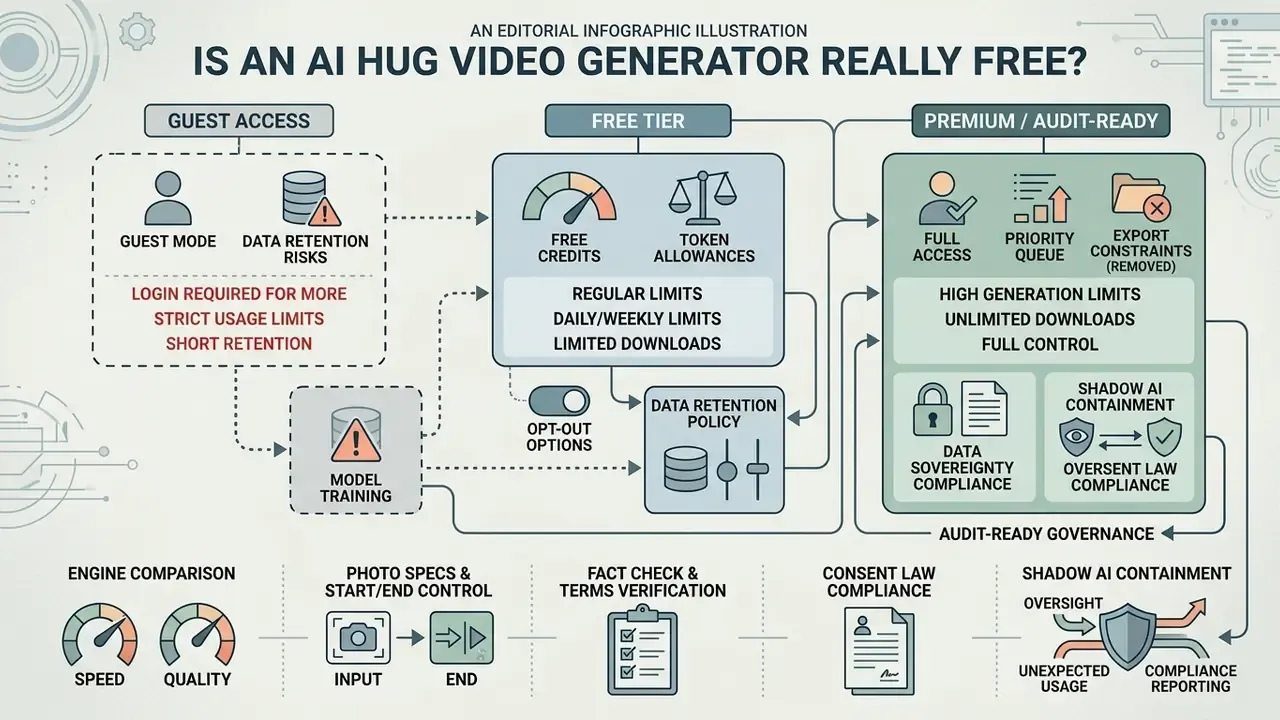
Finding a genuinely free ai hug video generator free service means reading access rules, token allowances, and export constraints, the same evaluation logic used when comparing free AI video generators in any category. Most vendors structure a free ai hug generator tier around daily renewable tokens or one-time promotional credits. Choosing a free ai hug video generator buys temporary access, yet clean high-definition exports usually sit behind a subscription. Assessing an ai hug free service also means checking whether rendered files carry prominent brand watermarks. Knowing how a free ai video hug generator meters usage prevents an unpleasant paywall at export time, and the same applies to any free hug ai video generator promoted as unlimited.
Free Credits, Generation Limits and Downloads
Obtained (updated). Reported free allowances vary widely by vendor, region, account state and test date, so treat any single number as a snapshot rather than a specification. The repeatable pattern across 2026 vendor documentation and third-party tests: a small pool of daily or monthly credits (commonly single digits to low tens per day, some monthly pools in the dozens), 720p as the free ceiling, shorter clip durations of roughly 4 to 5 seconds, standard-priority queues, and a per-generation cost of a few credits per clip. Documented examples include monthly pools around 80 credits with about 4 credits per hug video on one platform, one-time trial pools near 125 credits on another, and daily pools reported anywhere from 5 to 66 credits elsewhere. Watermark policy is not uniform: some free exports are clean, others carry brand marks, and several embed provenance metadata even when no visible mark appears.
"M4V demonstrates that training strategies on publicly available datasets can reach high text-to-video quality without proprietary data."
Higher resolutions such as 1080p or 4K, plus priority rendering, stay reserved for paid plans in most catalogues. To compare pricing structures and tier limits, open the hub for detailed cost evaluations, or review the ranked best free AI video generators for side-by-side credit and watermark data.
A note for finance-adjacent readers: the sticker price is rarely the real cost. Add review time, storage of evidence artifacts, and the occasional regeneration cycle, and a "free" clip published externally can consume more controlled hours than the paid tier saves. Risk-adjusted, not nominal, is the right lens.
Guest Mode Without Login, Data Retention and Model-Training Opt-Out Risks
Some web platforms advertise guest access, letting users synthesize videos without an account, and at least one vendor states that its ai hug video generator free without login returns a watermark-free download. Immediate testing is genuinely useful. Still, vendor terms often restrict file caching, local downloading, archiving, reproduction, and public distribution (HUGOAI Terms of Service, 2025). That gap between feature marketing and legal terms is the practical trap: the button says "download," the terms say "do not reproduce or distribute." Guest sessions also tend to lack account dashboards, so clips vanish when the tab closes, and no audit trail survives.
Uploading personal photographs to a web platform calls for reading retention practice first. Enterprise AI providers publish purge schedules: OpenAI states deleted personal data is removed within 30 days, with longer retention only for safety, legal or de-identification reasons, and its API data processing addendum sets a 30-day customer-data window; Anthropic states deleted Claude conversations disappear from history immediately and from back-end systems within 30 days, with a five-year window applying only where users allow model training. Consumer photo products vary more: some purge source photos 30 days after gallery generation, some purge automatically after 30 days and pledge no training use without explicit consent, and at least one vendor in the facial-recognition space retains training datasets for up to ten years unless deletion is requested.
Verify whether a platform reserves rights to use uploaded private photos for training public networks. Opting out of training protects facial biometrics from open-ended retention. Where possible, strip metadata and crop unnecessary background context with AI photo editors before upload.
"PAI recommends embedding provenance signals in synthetic media and actively seeking consent when using the likeness of real people."
| Access Tier | Registration Required | Daily Credits | Max Resolution | Watermark | Commercial License |
|---|---|---|---|---|---|
| Guest mode | No | 1 to 3 clips | 720p | Yes (or provenance metadata) | Personal use only |
| Free account | Yes | ~5 to 66 credits (vendor-dependent) | 720p | Yes / optional | Personal use only |
| Paid subscription | Yes | Unlimited / high cap | 1080p / 4K | No | Full commercial rights |
Table summary: free access tiers enforce lower output resolution, lower processing priority, visible watermarks, and non-commercial usage restrictions compared with paid subscriptions.
- Server retention limits for source media (24-hour versus 30-day auto-deletion).
- Explicit opt-out toggles for AI model training data collection.
- Licensing definitions separating personal trial usage from paid commercial rights.
- Whether guest-mode downloads are contractually permitted, not merely technically possible.
This information is general in nature and does not replace consultation with a data-protection specialist or legal adviser.
Shadow AI containment for regulated organizations. The realistic enterprise failure mode is not a rogue marketing campaign. It is an employee uploading a team photograph or a client portrait to a consumer hug generator from a corporate device during a lunch break. Because these tools accept plain image POST requests over HTTPS, the transfer looks like ordinary web traffic. Practical containment steps: (1) add known generative-media domains to the CASB catalogue and classify them as high-risk unless a DPA exists; (2) write DLP rules that inspect outbound multipart image uploads for facial content to uncategorized SaaS destinations and quarantine rather than silently block, so security can measure demand; (3) maintain a Shadow AI register populated from CASB discovery and reconcile it monthly against the approved-vendor list; (4) provide one sanctioned, contracted alternative. Demand does not disappear when tools are blocked. It migrates to personal devices, where visibility is zero.
How to Choose a Free AI Hug Video Generator Online
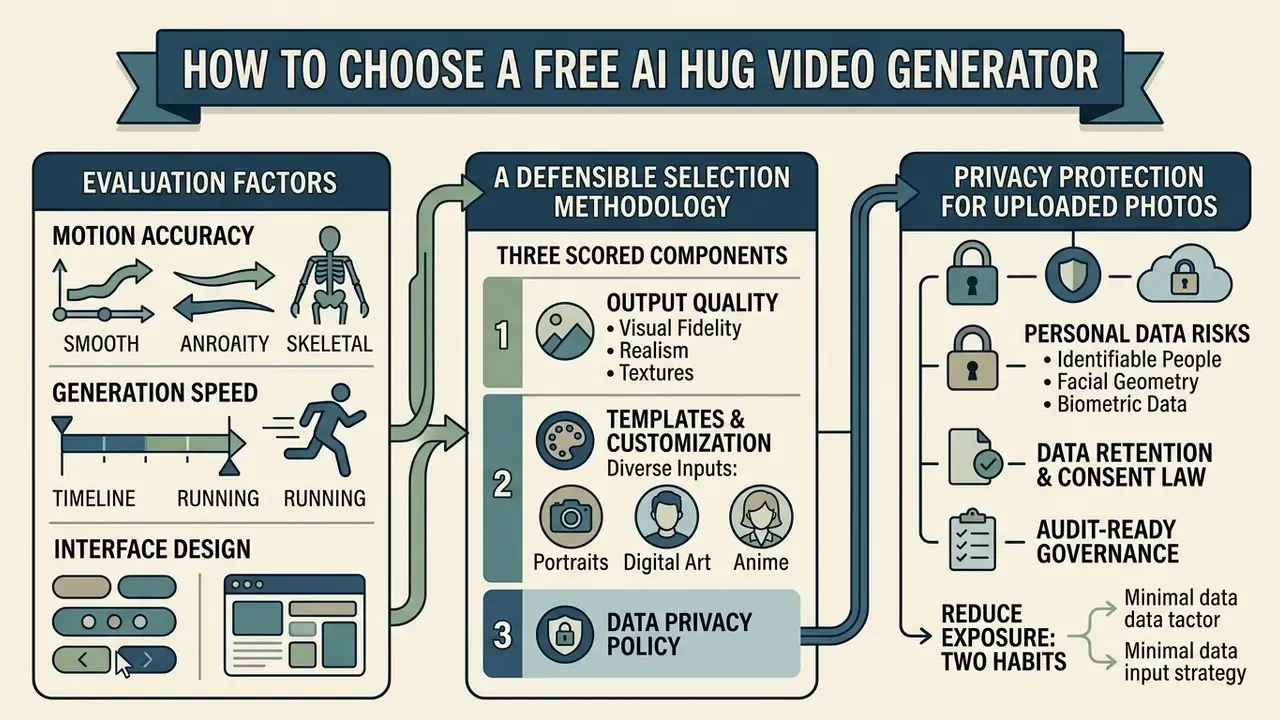
Selecting an ai hug video generator free online tool means weighing motion accuracy, generation speed, interface design, and data privacy policy. An ai hugging video generator free online service produces short clips inside the browser with no heavy desktop install, which matters when procurement will not approve new endpoint software this quarter. Evaluating an ai hug video free online option comes down to testing how the tool handles your own upload files, and running trial prompts to see whether the engine can generate stable human interaction twice in a row. Consistency beats a single lucky render.
A defensible selection methodology has three scored components: (1) output quality across visual fidelity, temporal consistency, semantic alignment and physical consistency; (2) configurability, measured by controllable parameters (duration, aspect ratio, motion intensity, camera motion, dual keyframes, negative prompts) and the availability of human oversight before export; (3) data protection, measured by privacy-by-design evidence, documented legal basis, retention windows, deletion mechanics, and whether customer data feeds model training. Privacy-regulator guidance for commercial AI products adds a fourth practical question: does the buyer keep access to input and output data, and can that access be exported for audit? Comparing platforms through AI Media Comparison Matrices helps identify services that balance rendering quality against user privacy.
Templates, Customization and Supported Inputs
Robust engines accept diverse visual inputs: human portraits, stylized digital art, anime illustration, anthropomorphic characters. Advanced platforms expose granular motion control over camera pan, tilt, zoom, and motion intensity (Luma Dream Machine API specifications, 2026, including a dedicated camera-motions endpoint). Structural conditioning tools such as ControlNet go further, conditioning generation on human pose, depth maps and canny edges, with a conditioning scale that tunes how strongly the control input constrains output. That scale is the closest public analogue to "how much should the model obey my reference pose." Platforms supporting both image-to-video and text-to-video give the widest creative range. For custom text overlays or branding assets, creators can pull stylized typography from an ai font generator or structure feedback collection with an ai form generator.
Privacy Protection for Uploaded Photos
Photographs of identifiable people are personal data, and facial geometry can qualify as biometric data under several US state statutes and most non-US regimes. Before creating personal hugging videos, confirm four things in writing. First, the documented legal basis or consent record covering the upload. Second, the retention window for source media and rendered output, ideally with an explicit auto-deletion clock. Third, the deletion mechanic: is there a self-service delete, and does it propagate to backups within a stated period? Fourth, whether the vendor trains on customer uploads by default and whether a toggle exists to opt out.
Two more habits reduce exposure at close to zero cost. Crop the frame to the subjects so that office badges, screens, and whiteboards never leave the building, and strip EXIF metadata so GPS coordinates and device identifiers do not travel with the file. For anything touching clients, employees, or minors, route the work through a contracted vendor with a DPA rather than a guest-mode page. It is a slower path. It is also the only one that survives a review.
2026 Engine Comparison: Seedance, Wan, MiniMax and Kling
Vendor front-ends increasingly let users pick the underlying engine, and that choice affects duration, resolution, audio and identity stability more than any template does.
| AI Model Engine | Max Duration | Native Resolution | Key Strengths | Best For |
|---|---|---|---|---|
| Seedance 2.5 Pro | 5 – 10s | 1080p | Fast rendering, strong multi-subject identity lock, dual-keyframe support | Two-photo stitching |
| Wan 3.0 | Up to 30s | 1080p | Native audio synthesis, long temporal coherence, stronger continuity | Storytelling and ads |
| MiniMax H3 | 4 – 15s | 720p / 1080p (2K via regenerate) | Handles physical contact occlusion well; up to 9 reference images | Realistic human hugs |
| Kling AI (1.5 / 3.0 line) | 3 – 15s | 1080p / 4K mode | High prompt adherence (2,500-character cap), flexible camera controls | Dynamic action embraces |
Can You Use AI Hug Videos for Commercial Use?
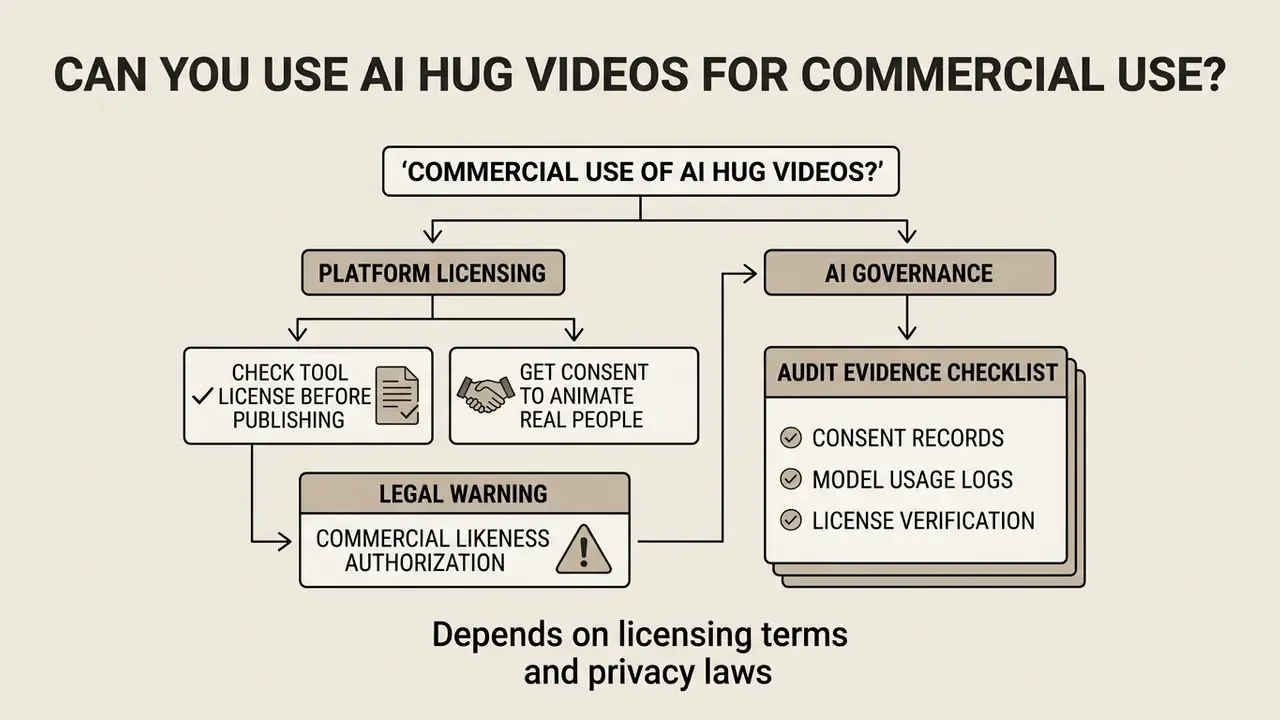
Whether an ai hug video generator output can appear in commercial marketing, corporate media, or monetized channels depends on platform licensing and privacy law. Running an ai video generator hugging pipeline for advertising requires explicit usage rights across every underlying asset. A compliant hug ai video generator keeps generated media clear of third-party intellectual property, and a hug ai video generator free tier rarely clears that bar on its own. Respecting copyright in source photos and images shields the organization from liability. Evaluate the terms before any publishable use, not after the campaign ships.
Check the Tool License Before Publishing
Free tier licenses almost universally restrict output to non-commercial, personal usage. Luma's published plan structure is representative: free and Lite outputs are personal-use-only and keep watermarks, while commercial rights begin at Plus, Unlimited and Enterprise tiers. Monitored video platforms use digital watermarks and embedded C2PA metadata to track asset provenance and plan tier status (C2PA Content Credentials Standard, 2026).
"PAI identifies seven best practices supporting transparency, safety and digital dignity, including separating harmful from creative uses."
Commercial deployment, including digital advertisements, social campaigns, and client deliverables, requires a paid plan that explicitly grants commercial exploitation rights (Luma AI commercial license terms, 2026). Note that some image-generation providers grant broad commercial rights even on free credits (OpenAI's help documentation states DALL·E images may be sold and merchandised under policy terms), so "free equals non-commercial" is a strong default rather than a universal law. Read the tier you are actually on. To review commercial usage frameworks across digital tools, compare options or evaluate the leading AI video generators before a public campaign launches.
Get Consent to Animate Real People
Animating identifiable individuals into synthetic scenes carries real legal and ethical obligations. United States statutes prohibit using a person's name, portrait, photograph, or likeness for commercial trade without documented consent (Florida Statutes § 540.08, which permits express written or oral consent; Nevada NRS 597.790, which requires written consent). State and international rules also mandate clear, visible disclosure on synthetic media depicting real people (EU AI Act Article 50, 2024; Utah Generative AI Amendments, 2024). The EU obligation is broad: anyone deploying a system that generates or manipulates image, audio or video deepfakes must disclose the artificial origin in an appropriate, timely, clear and visible manner, and where possible identify who generated or manipulated the content. Utah's rule is narrower but more operationally specific: video disclosures must remain visible for the full duration of the AI-generated portion, and online digital audio or visual advertising also requires tamper-evident provenance metadata. Sector rules keep appearing: 2026 California proposals would require health-related advertising using AI-generated or substantially altered images of people to disclose that the depicted person is not a health care provider.
Outside the United States, image-consent regimes work differently. Article 152.1 of the Russian Civil Code, for example, permits publication and further use of a citizen's image, including photographs, video recordings and artworks, only with that person's consent, extends consent post-mortem to children and a surviving spouse (or parents where none exist), and exempts public-interest use, images captured in open public places where the person is not the main subject, and paid posing.
"PAI stresses the need to actively obtain consent when using the likeness of real people, including complex post-mortem representation scenarios."
Legal warning: commercial likeness authorization
This information is general in nature and does not replace consultation with a qualified lawyer on right-of-publicity, personality rights, or synthetic-media legislation in your jurisdiction.
AI Governance and Audit Evidence Checklist
| # | Control | Evidence Required | Owner | Pass / Fail |
|---|---|---|---|---|
| 1 | Vendor is on the approved third-party register with a signed DPA | Vendor risk file, DPA reference | Third-Party Risk | ☐ |
| 2 | Written consent or model release for every identifiable living subject | Signed release, dated | Legal | ☐ |
| 3 | Post-mortem authorization where the subject is deceased | Family authorization record | Legal | ☐ |
| 4 | Source photographs lawfully held; archival image licensing verified | Provenance note, license | Content Owner | ☐ |
| 5 | Prompt string, negative prompt, model name and version logged | Generation log entry | Creator | ☐ |
| 6 | Engine tier verified as commercial-rights-bearing | Subscription invoice or plan page capture | Procurement | ☐ |
| 7 | Human review performed on preview before export (four eyes) | QA sign-off with reviewer names | Marketing QA | ☐ |
| 8 | Visible synthetic-media disclosure present for full clip duration | Published asset copy | Compliance | ☐ |
| 9 | C2PA or provenance metadata retained and not stripped on re-encode | Provenance manifest check | Digital Ops | ☐ |
| 10 | Vendor retention window documented; model-training opt-out enabled | Policy capture, opt-out confirmation | Privacy Office | ☐ |
| 11 | Uploaded biometrics routed only through sanctioned tooling (no guest mode) | DLP/CASB log excerpt | Security | ☐ |
| 12 | Incident path defined for takedown or withdrawal of consent | Runbook reference | Compliance | ☐ |
FAQ About Free AI Hug Video Generators
What video resolutions and file formats are supported by free AI hug generators?
Most free tools export finalized clips as MP4 at 720p (1280x720) with a 24 fps frame rate; some interfaces expose 480p as a standard-quality option. Paid tiers add 1080p Full HD and 4K exports, along with MOV or WebP containers. On the input side, common accepted formats are JPG, JPEG, PNG, WEBP, BMP, AVIF and animated GIF, typically capped at 20 MB per file.
Can I generate a hugging video using separate photos of two individuals?
Yes. Modern image-to-video platforms support dual-image input. The network extracts facial features from each photo, aligns both subjects into a shared coordinate space, and synthesizes the interaction. For best results, both photos should share aspect ratio, similar subject scale, and comparable camera height.
What is the difference between one photo and two photos as input?
A single photograph containing both subjects preserves the original spatial relationship, lighting and background, so the model only has to invent motion. Two separate portraits require identity stitching: the engine must place two independently lit, independently scaled subjects into one coordinate space, which raises the risk of mismatched perspective. Use the single-photo path when it exists, and reserve two-photo stitching for people who were never photographed together.
How do Start Frame and End Frame inputs work?
Dual-keyframe interfaces accept two conditioning images. The Start Frame fixes identities, distance and setting; the End Frame fixes the final contact pose. The model then interpolates between them instead of extrapolating forward from one frame. Keep both frames in the same resolution class and set motion intensity low, roughly 0.3 to 0.5, for the smoothest interpolation.
What should I do if the generated video contains facial distortion or unnatural hand movements?
Re-run generation using higher-resolution source photos with frontal lighting and un-occluded faces. Simplifying the motion prompt or lowering motion intensity also reduces distortion. Persistent hand errors, meaning missing, extra or fused fingers, respond best to tighter framing, native-resolution generation and localized inpainting rather than prompt rewrites. Facial distortion can also originate in the source photo itself when camera-to-subject distance was very short.
Do free AI hug video generators store my uploaded images permanently?
Reputable platforms hold uploaded source photos in server caches for 24 hours to 30 days before automatic deletion, and major providers document a 30-day removal window after a deletion request. Some services extend retention to multi-year windows, but only where the user has explicitly permitted model training. Read the Privacy Policy to confirm your media is not used to train public models, and disable training wherever a toggle exists.
Is there a genuinely free AI hugging app or free AI hugging video generator that works without registration?
Several web generators advertise guest access with no login, and at least one documents watermark-free downloads in that mode. Be aware that a widely repeated claim naming Replika as a free "AI hug" app is inaccurate: Replika is a conversational companion chatbot with a 3D avatar, not a photo-to-video hug synthesis tool, and it should not be cited in this workflow. Verify the guest-mode terms of service before trusting a download button.
Can I apply several interaction styles to the same photo?
Yes. Most interfaces let you re-run one source image through multiple presets, including front hug, back hug, side hug, hand-holding, cheek kiss and high-five, with each generation consuming credits. Re-running styles is usually faster and cheaper than rewriting a long prompt, and it is the quickest way to find the emotional register that matches the photo's original body language.
Are AI generated hugging video free tiers safe for corporate use?
Generally, no, at least not as a default. An ai generated hugging video free tier typically lacks a DPA, an auditable log, a documented retention clock, and a commercial license. For a bank or a regulated fintech, that combination fails on evidence rather than on quality. Test freely with stylized characters or your own likeness; route anything involving clients, employees, or minors through a contracted vendor. And if colleagues keep circulating videos ai hug experiments in chat, treat that as a demand signal, then sanction one tool instead of pretending the demand will fade. Once the shortlist is set, compare the ranked best AI video generators to match engine capability, license tier and retention policy to your actual use case.
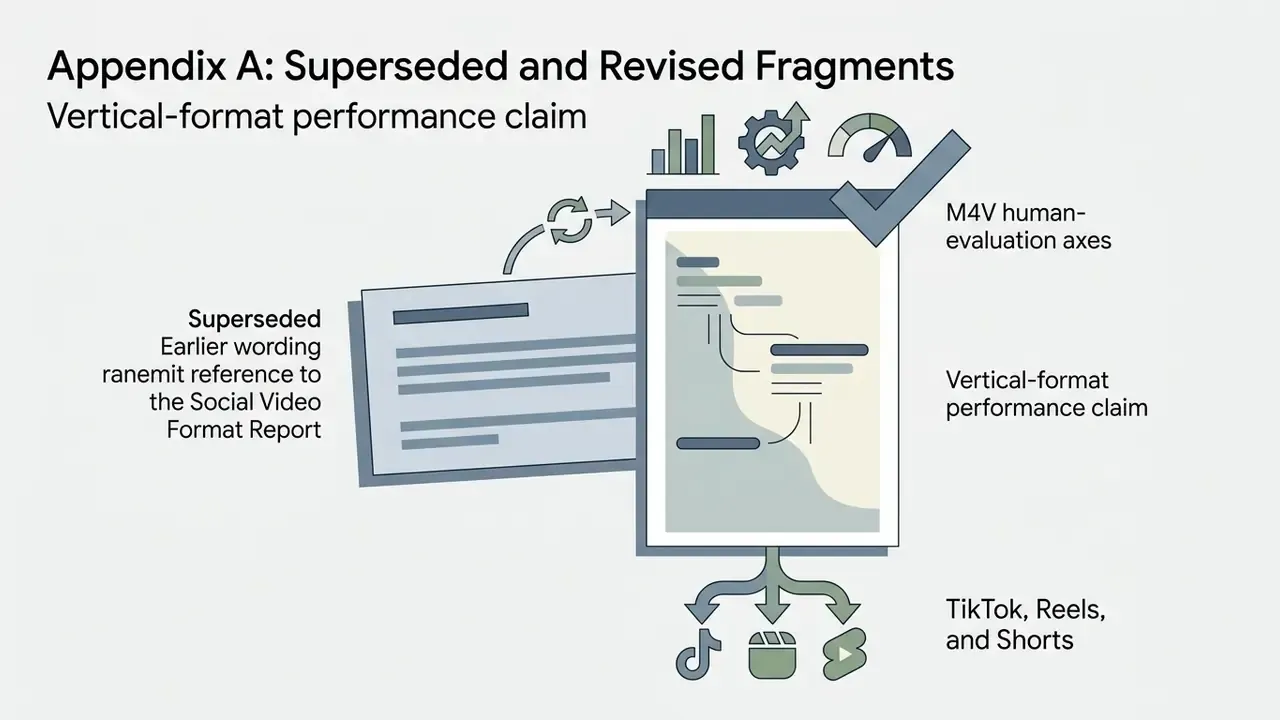
Appendix A: Superseded and Revised Fragments
Retained for transparency and version traceability. Each entry shows earlier wording and the reason for revision.



Media and Developer Resources
To test platform integrations, inspect API endpoints, or review troubleshooting documentation, consult the technical hubs. Developers building automated media workflows can read the AI Media API documentation. For platform issues, visit AI Media Support and Troubleshooting. To explore litigation considerations around synthetic media, explore the hub, or browse the hub for operational calculators.
Footer navigation / authority link:
Return to the main glossary hub for terminology, AI media guides, and technical specifications.