Reviewed and updated: editorial team, AI Media Research Desk, 2026. This guide combines hands-on production workflows (media intake, timing, export, venue playback) with the licensing and AI-governance checks used when memorial media is produced for families, funeral providers, hospices, and employers.
What this guide covers: what a tribute video maker actually does, a step-by-step production workflow, templates, AI memorial tools, editor features and venue playback, pricing and watermarks and commercial use, how to choose a tool, plus a short FAQ.
What Is a Tribute Video Maker?
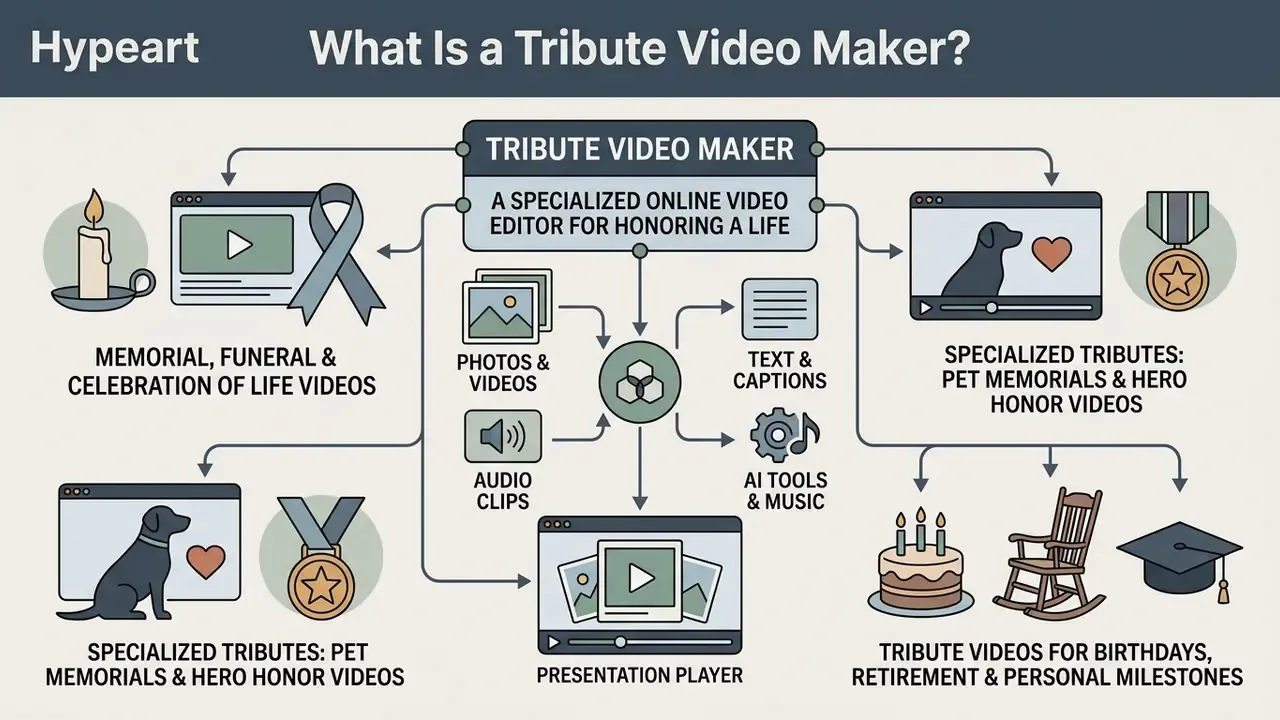
A tribute video maker is a specialized online video editor built to gather photos videos, audio clips, and text into a structured presentation that honors a person's life or marks a significant milestone. These tools speed up video creation by supplying pre-built visual structures, transition effects, and audio synchronization controls for honoring a loved one, a family member, or a colleague, at solemn and celebratory events alike.
Functionally, these platforms combine four capabilities: multi-contributor media intake (usually through one shared upload link), timeline assembly with preset pacing, text and music layering, and export presets tuned to venue projectors or social platforms. Outputs arrive as MP4 or MOV files in 1080p or 4K, or as a private streaming link for the family archive. Nothing exotic. The value sits in the pacing presets and the intake link, not in the rendering engine.
Memorial, Funeral and Celebration of Life Videos
A memorial video works as a permanent digital record that preserves the narrative and the personality of a loved one across life stages. Shown during a memorial service, a funeral slideshow leans on dignity, quiet reflection, and ceremony timing (usually 3 to 7 minutes), while a celebration of life video takes an uplifting tone focused on accomplishments, family stories, and shared humor.
The three formats overlap in raw material but differ in editorial emphasis. A funeral slideshow is ceremony-specific, shorter, restrained, built from simple fades and single-image slides. A memorial video is broader and more narrative, mixing candid photos, hobbies, places, and recorded messages. A celebration of life video is deliberately lighter: favorite songs, a well-told joke, achievement highlights.
Research on digital memorialization supports something families often notice on their own, that assembling these artifacts is part of grieving, not merely a production task.
«Digital memorialization emerged as a core theme across 61 studies; memorial slideshows and curated media are used in funeral services and online commemorations.»
«Parents used photos, videos, text, and music to craft memorial artifacts, aiming to tell a coherent life story and preserve personality.» Doctoral dissertation on bereaved parents and digital memorials, University of Minnesota (2024)
Specialized Tributes: Pet Memorials and Hero Honor Videos
Tribute Videos for Birthdays, Retirement and Personal Milestones
In celebratory contexts, a video tribute gathers personal memories from many contributors to mark milestone birthdays, anniversaries, or work retirements. Editors make this practical by letting dispersed friends and family members upload raw video clips and written messages into one shared project folder through a single link.
Three presentation formats recur across celebration tributes: a slide-style montage set to music; a narrated opening and closing with real recorded messages in the middle; and a themed group "video gift" with titles, music, and reordered clips. For birthdays, keep the tone light and personal, anchored by one shared story. For retirements, the standard pattern is to invite coworkers, friends, and family, collect video messages and photos, then arrange clips, add music, and share the finished montage.
Custom messages and personal photos give the final birthday video or retirement montage a personal touch that generic slideshow generators cannot fake. Clinical research on reminiscence software backs up the emotional value of that curation work.
«Preliminary evidence indicated that GoodTimes was usable and beneficial, promoting recollection of past experiences and potentially enhancing psychological well-being.»
If you are exploring broader creative visual assets, resources such as our guide to jesus ai art explain thematic AI media stylization, while our overview of animation makers covers motion-graphics options for celebratory titles. For branded programs, orders of service, or printed keepsake cards, our collection of letterhead examples with logo shows how funeral providers keep typography consistent between screen and paper.
How to Make a Tribute Video from Photos and Videos
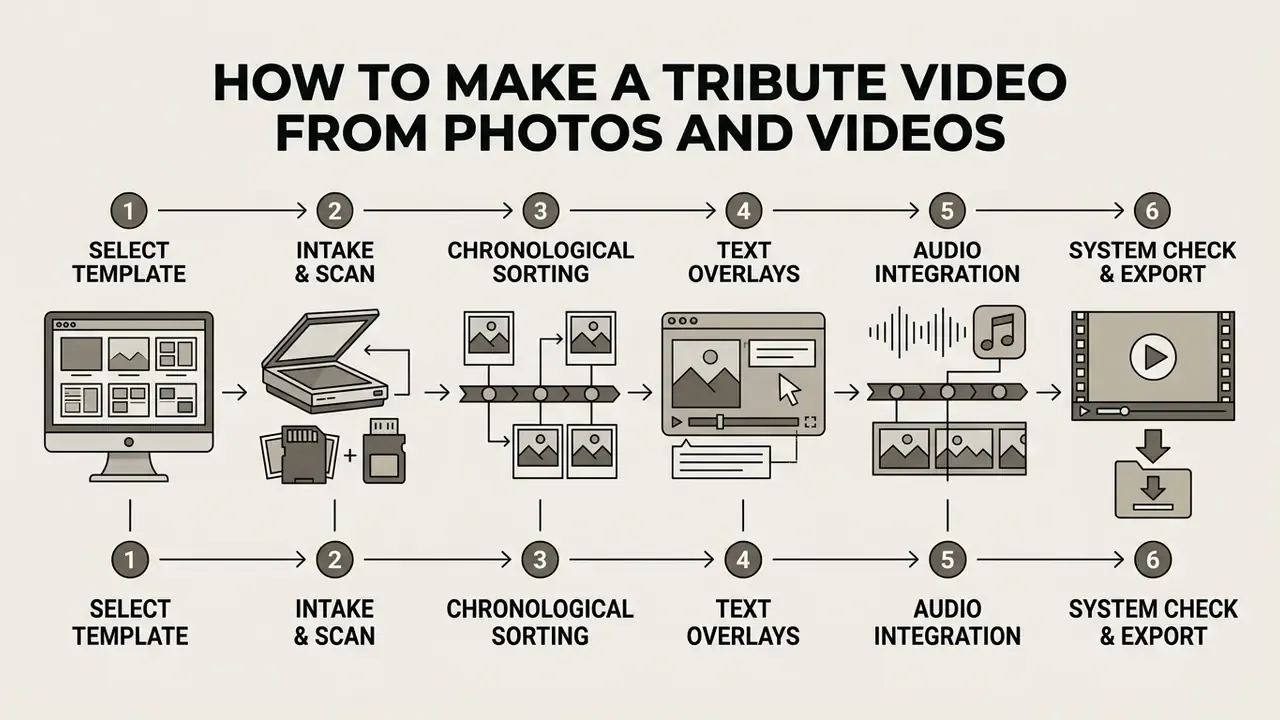
Building a memorial slideshow with a slideshow maker or online video editor follows a predictable workflow: media intake, editorial selection, text integration, audio sync, final export. Set the workflow first, before browsing templates. That order prevents the most common failure mode, which is a beautiful template that cannot absorb the photo count or the aspect ratios you actually have.
6-Step Memorial Video Creation Workflow
Checklist0 / 6
Collect and Organize Photos, Videos and Messages
Add Text, Dates, Quotes and Personal Messages
Text carries the narrative context and much of the emotional weight in a touching tribute. Creators should add text overlays with the full legal name, birth and passing dates, favorite quotes, or excerpts from a eulogy video presentation. When you are assembling written contributions from several friends and family members, hold typography and contrast steady so captions stay readable on venue projectors.
Keep captions brief. Guidance from funeral-service providers converges on the same shape: open with the person's name, life dates, and one meaningful quote, then close with a short farewell line. When soliciting contributions, ask each person for one specific memory, story, lesson, or detail rather than open-ended praise. Specificity produces usable captions; generic tribute language produces interchangeable text nobody remembers.
Placement inside the ceremony varies. Some programs open with the tribute video before the welcome, others place it right after the eulogy for emotional resolution. Confirm the running order with the celebrant before you finalize opening and closing frames.

If you plan to narrate rather than caption, write to roughly 130 to 150 words per minute of finished video, and record in a quiet room with the microphone slightly off-axis to avoid plosives. Research on AI-assisted reminiscence shows that structured prompts genuinely help contributors surface material they would not volunteer on their own.
«AI-generated questions supported individuals in recalling the past, provided new insights about the other person, and encouraged reflection on cherished memories.»
Add Music and Finish the Memorial Slideshow
To add music well, pick one or two instrumental or acoustic tracks that match the person's character and the total runtime. Working in a memorial video maker with music, editors align slide transitions with musical phrases and duck the audio under voiceovers or video clips.
Practical mixing rules: keep background music around −18 to −22 dB under spoken narration, apply a two-second fade-in at the open and a three-second fade-out at the close, and avoid tracks with abrupt tempo changes that will fight your transitions. Where song order and photo order both carry meaning, sequence images to the lyrical arc instead of a fixed slide duration.
Licensing deserves attention before export, not after. U.S. music licensing splits rights into distinct categories, and audiovisual use sits in a different category from venue playback (U.S. Copyright Office, Licensing Overview, 2025). Embedding a commercial recording into the exported file is a synchronization question. Playing it aloud in a room is a public-performance question. Two permissions, two owners, often two invoices.
Before final export, run an end-to-end review for spelling, cropping, and audio levels, then play the finished file on the actual venue equipment. For complex audio-visual projects, technical benchmarks in our AI Media Pricing Guides help with choosing a production environment, our video compressor guide explains how to shrink a file for email or USB delivery without visible quality loss, and our AI Media Calculators estimate runtime, render credits, and storage before you commit to a plan.
Tribute Video Templates for Memorials and Funerals
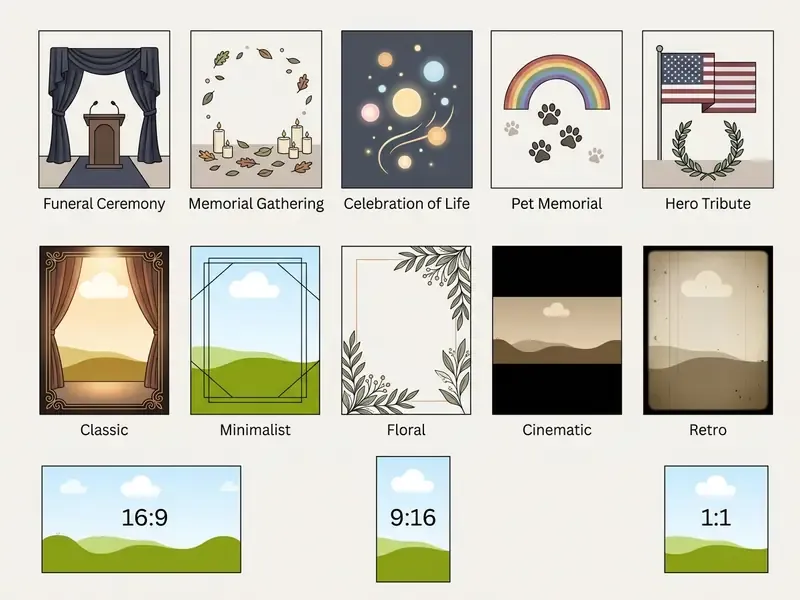
A tribute video template hands you a pre-formatted structure with coordinated typography, color palettes, motion effects, and media placeholders built for memorial events. A specialized memorial video template or funeral video template removes the manual timing and visual design work, keeping photos, text overlays, and audio aligned.
Market templates in 2026 cluster around a predictable set of styles: elegant black-and-white, minimalist, cinematic, floral, bokeh, collage, and retro. Palettes trend toward dark blue, ivory, beige, gold, sepia, and deep red accents. The typography convention is stable too: serif headings paired with a clean sans-serif for body captions.
Funeral Memorial Video Templates
A dedicated funeral memorial video template or funeral video tribute template relies on restraint: muted color schemes (deep blue, ivory, dark gray, sepia), classical serif typography, gentle fade transitions. These templates prioritize legibility on a large screen at a memorial service and split media into clear chapters, such as early years, family life, military or career service, and final remembrances.
Venue-side design conventions are consistent across funeral providers. Use 16:9 widescreen. One photo per slide rather than multi-image grids. Keep transitions to simple fades. Hold each image on screen between three and six seconds. Some liturgical guidance goes further, restricting multi-image presentations to the vigil and permitting only a single image during the gathering rite, which is worth confirming with the officiant when the service is held in a place of worship.
Free Memorial Video Templates and Customization
Plenty of platforms publish free memorial video templates and funeral video template free options that let creators combine photos, edit text elements, and swap background music with no upfront payment. You can upload high-resolution scans, add text for names and dates, insert eulogy quotes, and apply soft visual filters.
Free-tier customization usually covers replacing placeholder media, editing names, dates, and quotes, changing fonts and colors, and adjusting pacing or transitions. What varies is disclosure. Some vendors publish concrete upload caps (video files up to 1 GB, images under 50 MB, for example), while others advertise templates as "fully customizable" without saying which features sit behind the paywall. Assume nothing about watermarks or export resolution until you have run a test export. Five minutes now, no panic later.
Advanced editing workflows often lean on tools detailed in our guide to kapwing ai video for timeline pacing and element sequencing, while our roundup of free photo editors covers no-cost preparation of scanned prints.
AI Memorial Video Generator: What AI Can Help Create
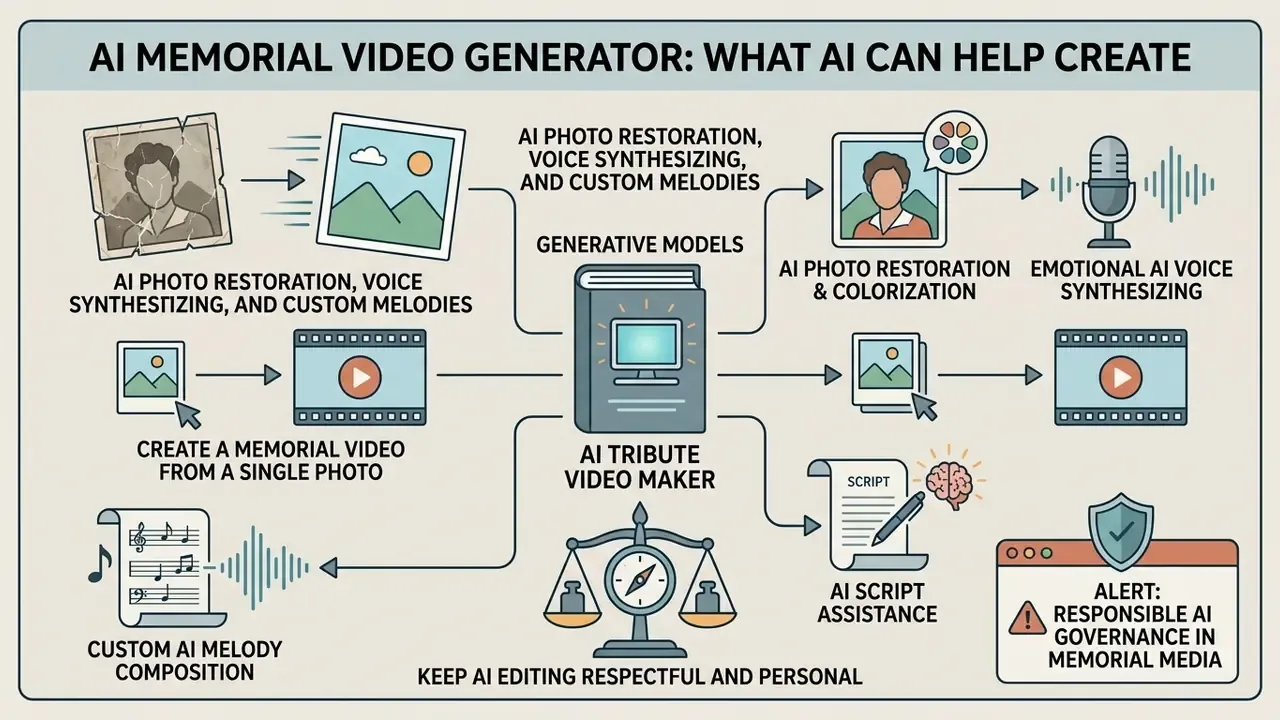
An ai memorial video generator uses generative models to automate narrative structuring, restore images, and add subtle motion to static pictures. Ai video generation compresses production timetables, yes, but editorial oversight stays mandatory, because unnatural visual distortion is the default failure, not the exception.
In practice, 2026-era tools can animate still portraits in one to two minutes, accept prompt-based motion control over facial expression, body movement, and camera angle, and auto-generate a short script with synchronized voiceover from uploaded text. What they cannot reliably do is preserve identity, anatomical integrity, and factual accuracy without a human in the loop.
Create a Memorial Video from a Single Photo
Using Image-to-Video models, an ai memorial video generator can turn a single high-resolution memorial photo into a short animated sequence with natural eye blinks, a soft head turn, and background depth.
Peer-reviewed portrait-animation research documents the mechanics. EMO (ECCV 2024) generates an expressive video from one portrait synchronized to audio without 3D representations or predefined motion templates. SPACE (ICCV 2023) targets lip sync, natural facial expression, and head motion from a single image plus speech audio. MuseTalk (2024/2025) uses mouth inpainting for real-time visual dubbing. Newer methods add text prompts and motion frames as extra conditioning signals, which gives editors finer control over how much movement gets introduced.
Pipeline architecture matters for quality control, because most tools generate an anchor frame before animating it:
«The text-to-image-to-video pipeline first generates a realistic anchor image from a textual prompt, then animates it into a video with frame-wise consistency.»
Creators interested in synthetic video modeling can explore technical workflows in our breakdown of the kling ai video generator, and our guide to AI headshot generators covers portrait-quality benchmarks relevant to memorial stills. One caution on adjacent consumer tools: the same portrait-animation stack powers novelty apps like a kissing ai generator, and that class of stylization has no place in memorial media. Same technology, entirely different consent context.
AI Photo Restoration, Voice Synthesizing, and Custom Melodies
Beyond portrait animation, generative models now handle production tasks that used to require a specialist:
- AI Photo Restoration & ColorizationNeural image enhancement repairs scratched scans, corrects faded color, fixes exposure and temperature, and upscales low-resolution historical photographs toward crisp 4K assets. This is the single highest-impact AI feature for memorial projects, since most family archives are dominated by degraded prints. Related techniques for filling missing borders appear in our guide to AI image expansion.
- Emotional AI Voice SynthesizingSpeech-to-speech models can synthesize a clear voiceover from archival audio of the deceased, letting an audience hear a familiar tone again. Ethical notice: voice cloning should be strictly limited to reading family-approved text, a written letter, a favorite poem, a historic passage, with unanimous family consent and clear on-screen labeling. It should never generate statements the person never made.
- Custom AI Melody CompositionGenerative audio tools compose unique, royalty-free acoustic or orchestral arrangements matched to the exact runtime of the slideshow, which removes both repetitive loops and third-party synchronization licensing. For memorial work this is frequently the cleanest legal path to a scored tribute.
- AI Script AssistancePrompt-driven script generators can draft chapter headings, transitions, and closing lines from a topic and a few key points, which helps under time pressure. Always rewrite the output in the family's own language before export. Generated condolence phrasing reads generic to the people who knew the person best.
Keep AI Editing Respectful and Personal
Automation streamlines video creation, but the personal touch still depends on manual oversight. Configure AI animation models conservatively so they do not produce warped features, artificial expressions, or synthetic movements that misrepresent the deceased. Current ethical guidance recommends subtle motion, a blink, a soft smile, a slight head turn, rather than dramatic re-animation, and warns explicitly against marketing the technology as "bringing someone back."
Empirical research warns that aggressive AI manipulation of original imagery can alter authentic family memories. That finding, more than any style preference, is the strongest practical argument for restrained edits and archived originals.
«AI-edited images distort participants' memories of originals, increasing false memories and confidence; converting images into videos further amplifies false memory formation.»
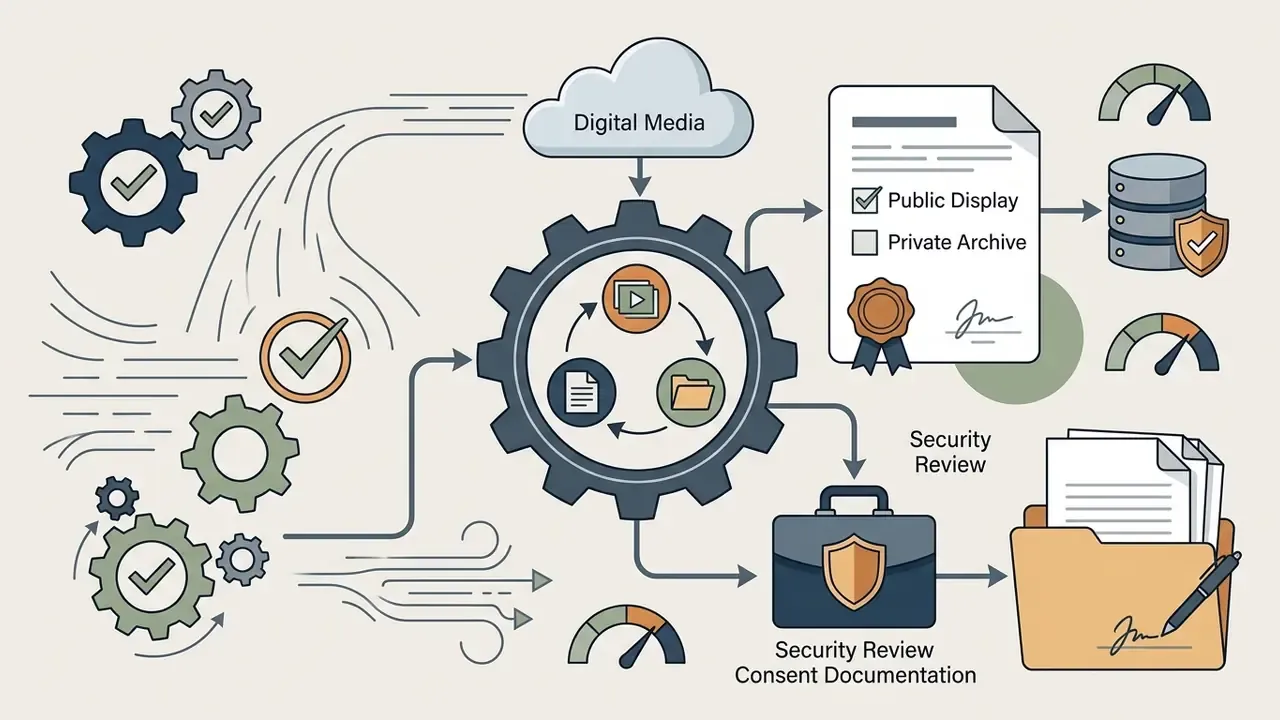
Consent architecture deserves explicit planning too. Recent scholarship on posthumous AI recommends layered authorization: premortem consent as the default, then authorization by a designated family steward or executor, then objection and withdrawal rights for close relatives, with separate permissions for a public memorial page, a private family archive, and any interactive agent.
«Posthumous data use should be governed by relationship-based and values-based end-of-life planning, ensuring the deceased's preferences and family expectations are respected.»
ALERT: Responsible AI Governance in Memorial Media
Features to Look for in the Best Memorial Video Maker
Choosing the best memorial video maker means balancing ease of use, formatting flexibility, audio-visual control, export options suited to venues and digital platforms, and, for organizations, data-handling guarantees.
| Feature Category | Basic Online Editor | Dedicated Tribute Video Maker | Enterprise / Advanced AI Platform |
|---|---|---|---|
| Templates | Generic slideshow grids | Event-specific (Funeral, Memorial, Celebration, Pet, Hero) | Custom branding & dynamic AI templates |
| Media Uploads | Standard JPEG/PNG support | Multi-user cloud intake links | Batch cloud import with auto-restoration |
| Text & Captions | Static text boxes | Subtitle sync & eulogy text overlays | Automated AI voiceover & transcript generator |
| Audio Controls | Single audio track | Multi-track audio mixing & ducking | Beat-synced transitions & AI audio cleaning |
| AI Features | Basic pan-and-zoom | Photo repair, photo-to-video generation | Neural face animation, voice synthesis, AI melody, auto-scripting |
| Average Production Speed | 2–4 hours (manual assembly) | 45–90 minutes (template-assisted) | 10–15 minutes (AI-assisted draft + human review) |
| Export Formats | 720p/1080p MP4 | 1080p/4K MP4, MOV, offline backup | 4K master export, broadcast formats, web links |
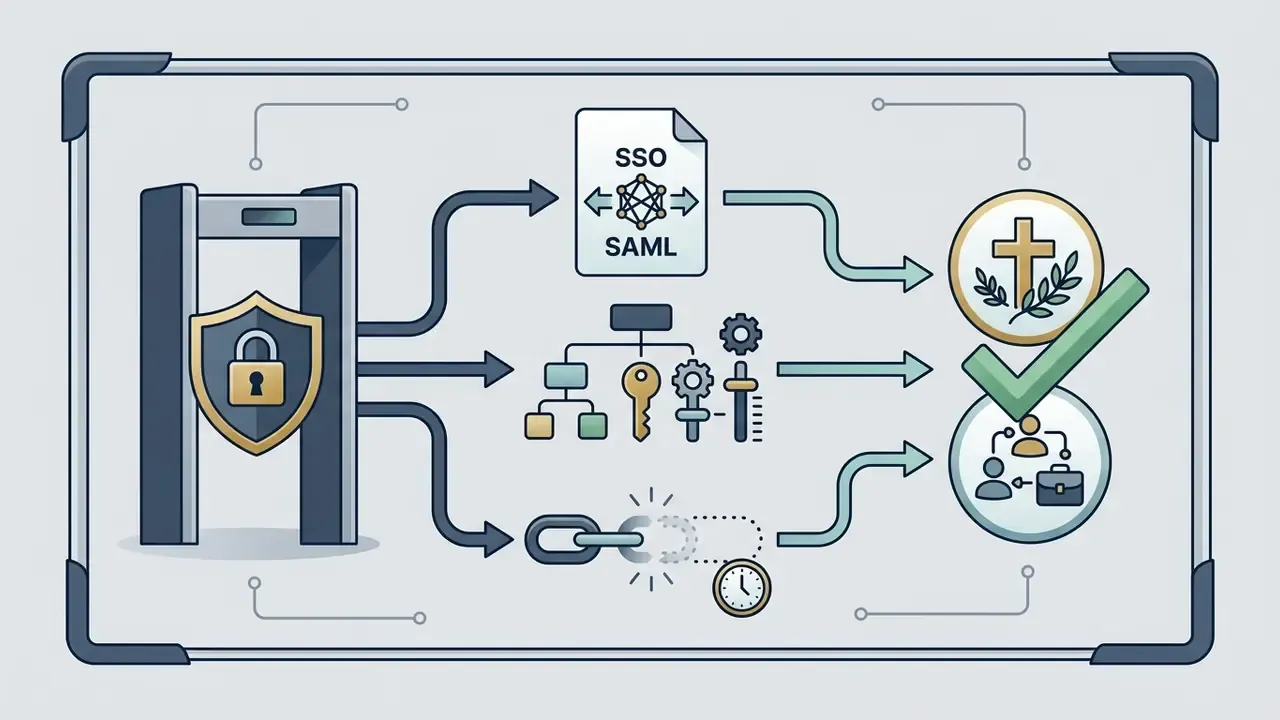
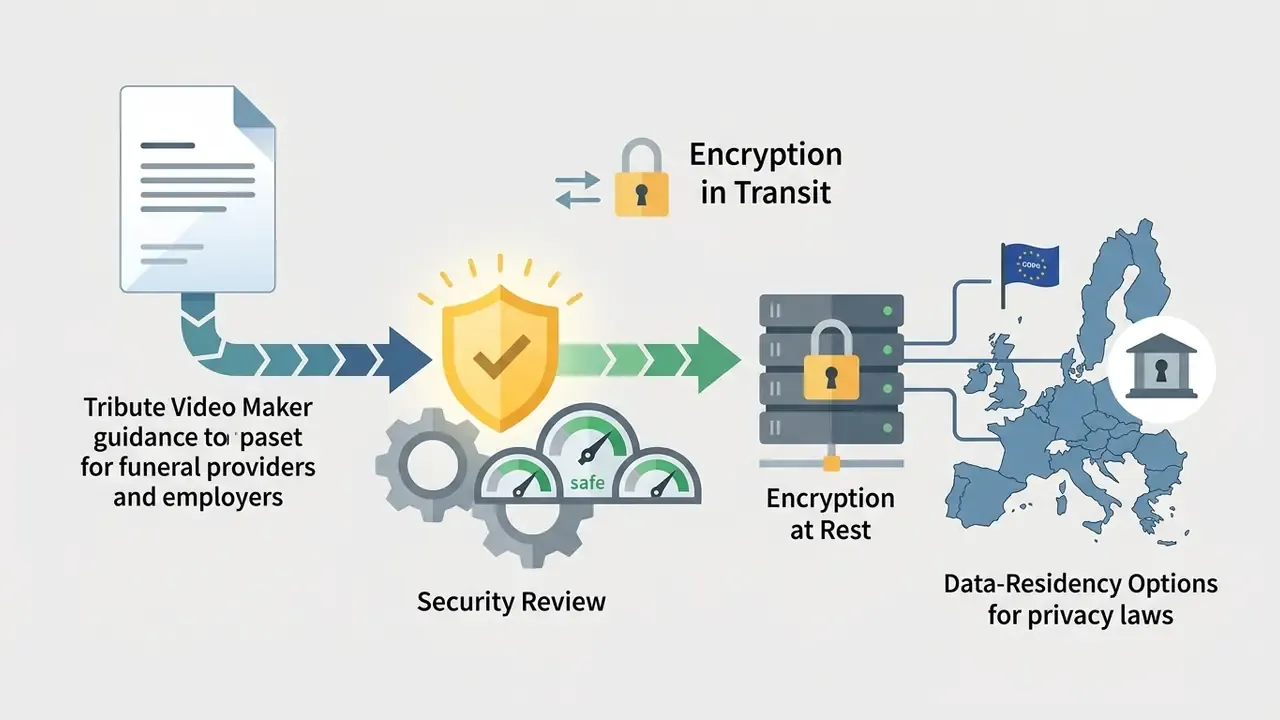
| Security & Data Privacy | Public SaaS, terms vary | Private share links, account-level access | SSO/SAML, encryption at rest and in transit, contractual no-training guarantee, retention controls |
Summary: basic editors suit quick personal projects. Dedicated tribute platforms add the multi-user collection and ceremony-ready export tools most families actually need. Enterprise platforms add the access control and data-handling terms that funeral groups, hospitals, and employers require before anyone uploads identifiable images.
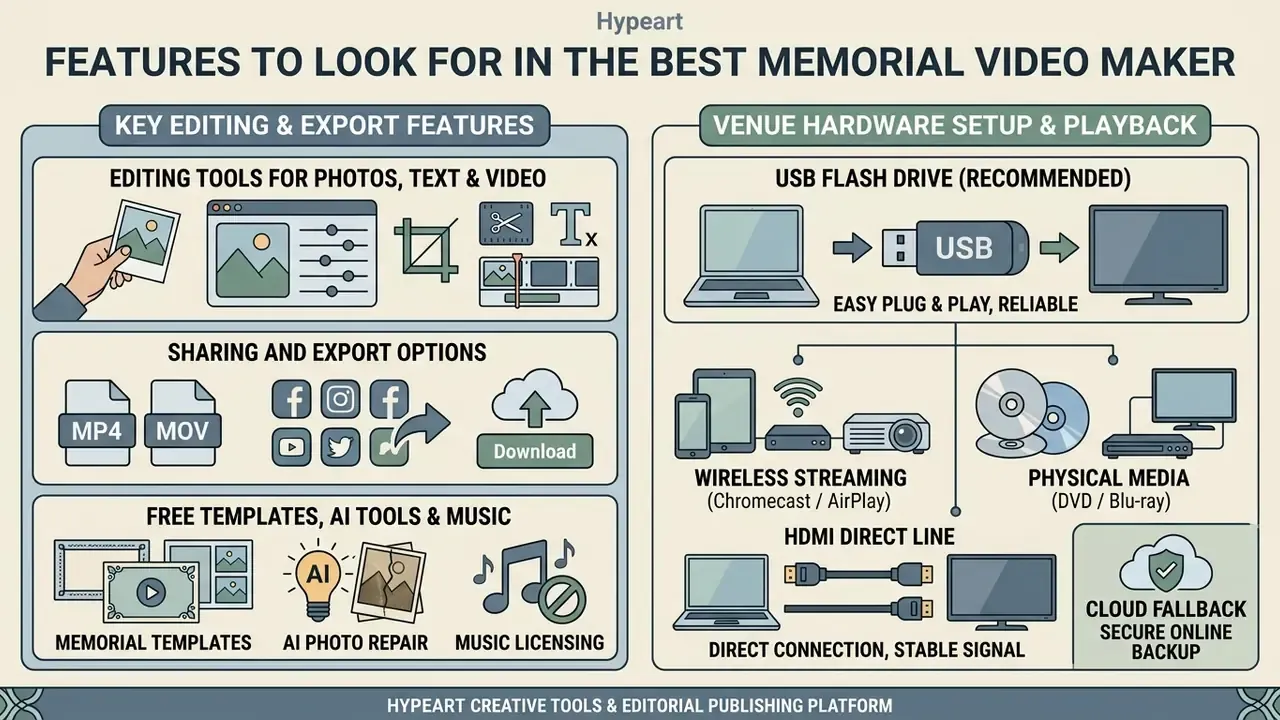
Editing Tools for Photos, Text and Video Clips
A capable video editor or online video editor needs precise control to combine photos, trim video clips, set slide display durations (typically 3 to 5 seconds per image), and apply cross-fade transitions. Advanced video editing features such as color correction for older scanned photos, frame cropping, split, and text animation let creators assemble a polished slideshow video without installing desktop software.
Feature parity across mainstream web editors is now high. Crop, trim, split, transitions, text overlays, filters, stickers: documented in every major browser-based editor. The real differentiators for tribute work are narrower, per-slide duration control, batch pacing (applying one duration to 60 images at once), audio ducking, and export presets that behave the same way twice.
Venue Hardware Setup: How to Play Your Video at the Service
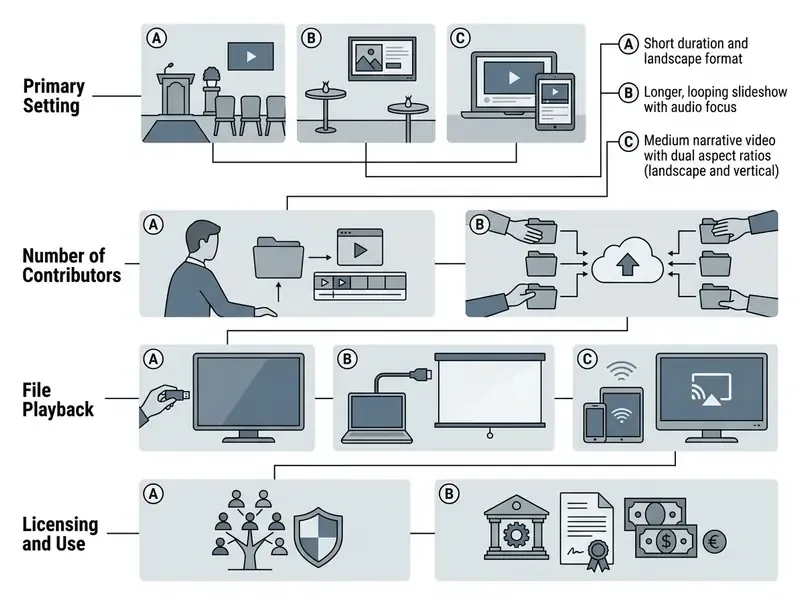
To keep playback smooth during a funeral or memorial service, prepare your media using one of these standard methods, and test it on the venue equipment rather than on your laptop alone:
- USB Flash Drive (recommended) Export as 1080p MP4 (H.264 video, AAC audio). Format the drive as FAT32 or exFAT for compatibility with commercial smart TVs and venue media players. Name the file simply (
SmithTribute_1080p.mp4) and carry two copies on separate drives. - Wireless Streaming (Chromecast / AirPlay) Connect your laptop, phone, or tablet to the venue Wi-Fi in advance and test screen mirroring at least 30 minutes before guests arrive. Verify that audio routes to the venue speakers rather than the device speaker, and disable notifications and auto-sleep.
- Physical Media (DVD / Blu-ray) If the venue runs legacy AV equipment, author a standard video DVD and enable auto-loop for continuous playback during a reception or visitation.
- HDMI Direct Line Connect a laptop to the projector by HDMI, set display mode to "Duplicate," lock the output to a fixed 16:9 resolution, and confirm audio output is switched to HDMI. Bring adapters for USB-C and Mini DisplayPort.
- Cloud Fallback Keep an unlisted streaming link as a backup in case the local file fails, and confirm the venue has usable bandwidth before relying on it.
Codec mismatches, silent HDMI audio, and stretched 4:3 output are the three failures that show up most often on the day. Our AI Media Support and Troubleshooting resources walk through each of them step by step.
Free Tribute Video Maker: Pricing, Watermarks and Commercial Use
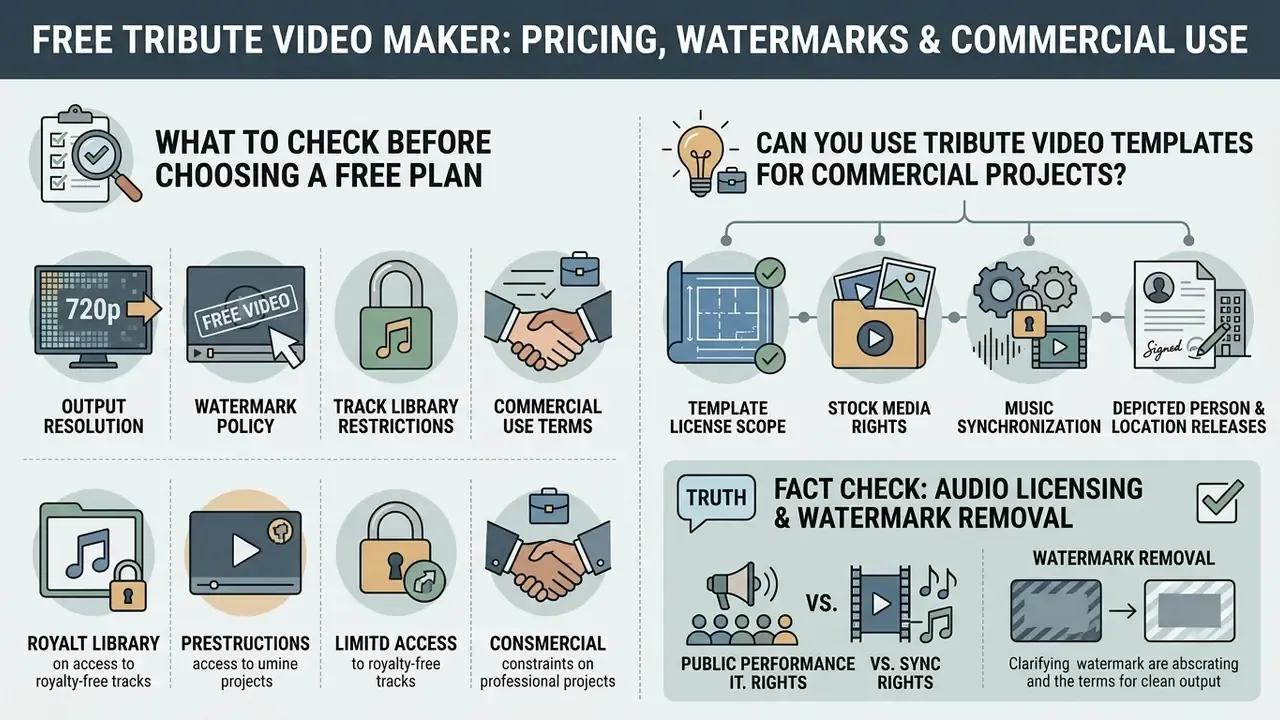
Evaluating a free tribute video maker comes down to four things: output resolution, watermark policy, track library restrictions, and licensing terms for commercial organizations such as funeral homes or digital media agencies.
What to Check Before Choosing a Free Plan
A free memorial video maker or free online tribute video maker is a reasonable way to test editor features, though free tiers carry operational constraints. Check whether the plan applies a visible watermark, limits export to 720p, caps video length (some tiers stop at three to six minutes), rations daily render credits, or locks the royalty-free audio library.
Free-tier models split into two broad patterns. Some platforms permit non-commercial use with a licensed royalty-free audio library and no watermark, publishing upload caps instead of feature locks. Others hand out limited sign-up credits, stamp a watermark, cap resolution at 720p, and reserve commercial rights for paid plans. Comparing options through hubs like our AI Media Pricing Guides helps you avoid an unexpected paywall the night before a service.
Can You Use Tribute Video Templates for Commercial Projects?
Using a tribute video maker to produce commercial deliverables, such as custom video services sold by funeral directors or agencies making marketing videos, requires explicit commercial licensing. Free personal tiers generally prohibit monetization and marketing reuse outright.
Updated, what "commercial rights" actually has to cover. Event planners, funeral providers, and agencies need four separate permissions, because a single "commercial license" badge rarely covers all of them:
- Template license scope.Permitted uses, media, term, territory, attribution, and termination must name client work and advertising explicitly.
- Stock media rights.Images, footage, and fonts embedded in the template need their own commercial grant.
- Music synchronization.Embedding a recording into the exported file is a reproduction and synchronization matter, separate from playing it in a venue. Where a bereaved family hires a vendor to produce a memorial video, commercial music typically requires separate permission for reproduction and for online transmission.
- Depicted-person and location releases.Releases for identifiable individuals, plus written permission where cemetery or venue footage is used commercially. Some cemetery authorities require written approval for commercial filming and for reuse of existing site imagery.
Add an indemnification review to that checklist. Confirm whether the platform indemnifies you against third-party rights claims arising from AI-generated music, AI-generated visuals, or template stock assets, and at which plan tier that protection actually begins. Vendors rarely volunteer this detail; ask in writing.
FACT CHECK: Audio Licensing and Watermark Removal
Security Review for Funeral Providers and Employers
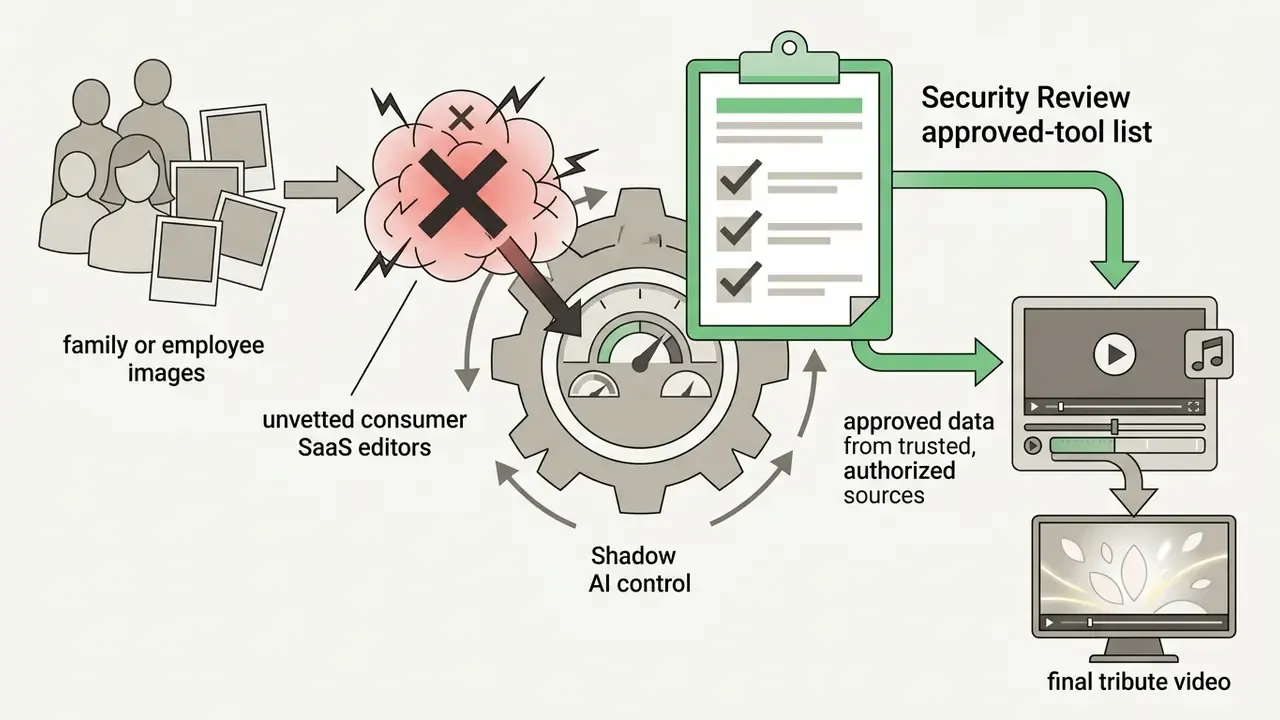
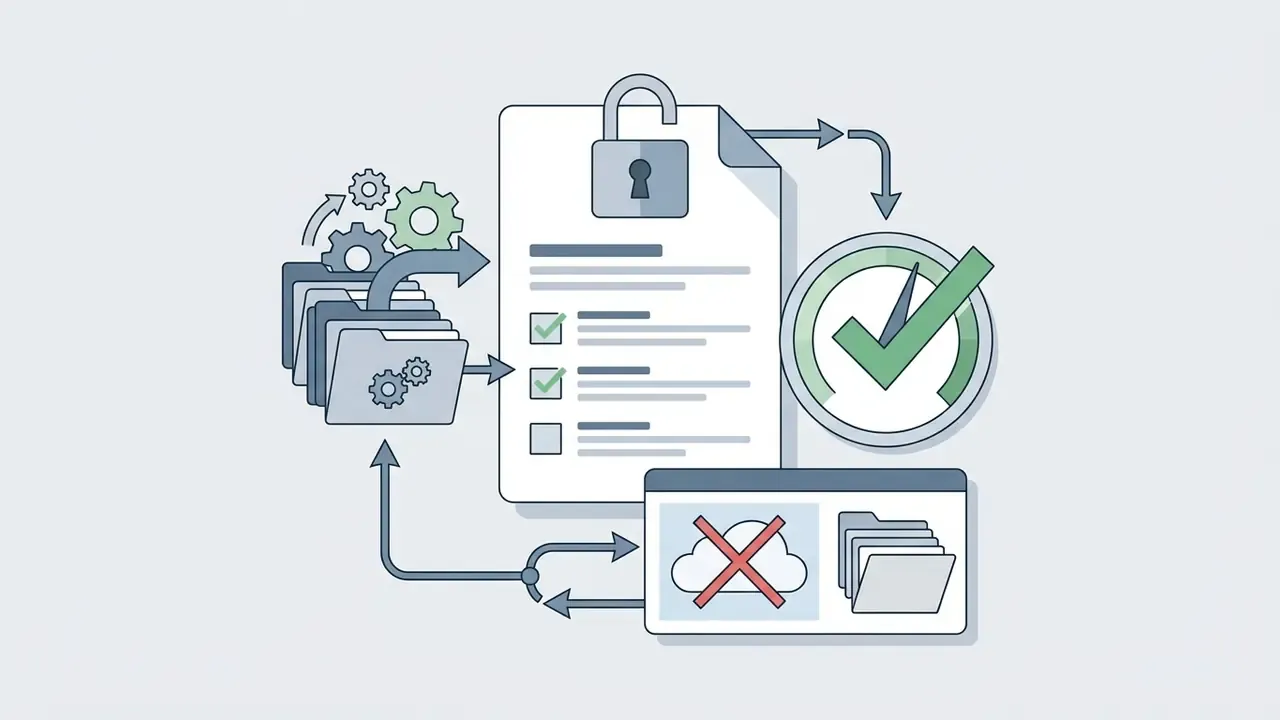
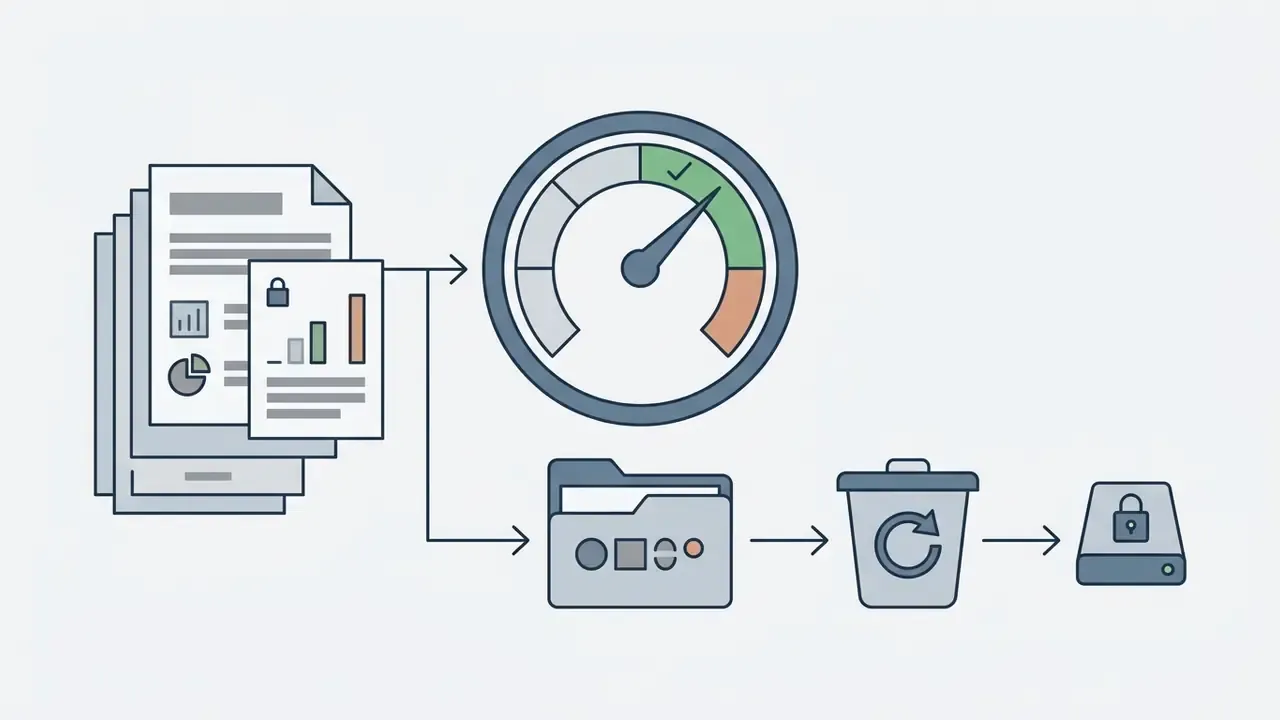
If a tribute video is produced inside an organization, a funeral group, hospice, HR department, or agency, the upload itself is a data-handling event. Family photographs and portraits are identifiable personal data. Before staff paste sensitive media into a free public editor, run this check:
Who owns the decision to approve a new editor? Name that person before the first upload, not after an incident.
Which Tribute Video Maker Is Right for Your Needs?
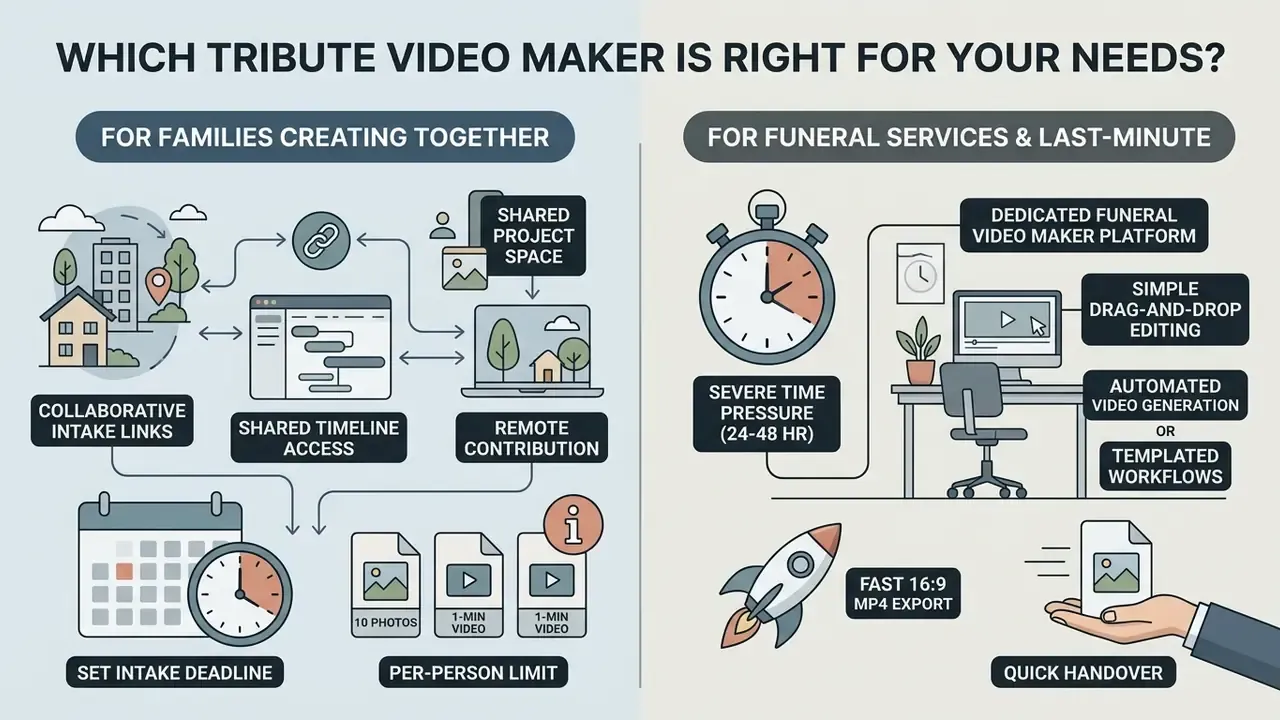
Picking the right funeral video maker or memorial video maker free tool depends on available production time, editorial experience, material volume, collaboration needs, and, for organizations, security terms.
For Families Creating a Video Tribute Together
When relatives contribute from several cities, choose a platform with collaborative intake links and shared cloud folders. Tools that let family members upload photos, record video messages, and leave narrative notes straight from a mobile browser save the main editor from wrangling dozens of email attachments into one coherent memorial slideshow.
Set a hard intake deadline and a per-person contribution limit, for example ten photos and one 60-second message. Open-ended collection is the leading cause of missed service deadlines, and it is also the fastest route to family friction. Use invitation-only links and private cloud folders rather than public sharing, and agree in advance who holds final editorial approval. One editor, one deadline, fewer arguments.
For Funeral Services and Last-Minute Presentations
FAQ: Frequently Asked Questions About Tribute Video Makers
How Long Should a Memorial Slideshow Be for a Funeral Service?
Updated: Practitioner guidance converges on a service tribute of roughly three to seven minutes, each image held three to five seconds. UCiM's memorial-service photo tribute guidelines recommend 3 to 4 seconds per slide and a maximum length of 6 to 7 minutes. Other funeral-industry guidance suggests 60 to 100 photos at 3 to 4 seconds each for a 4 to 5 minute slideshow, or 40 to 50 photos for a 3 to 4 minute version. Treat all of these as venue-dependent practice norms rather than one standard, and confirm the local limit. For continuous playback during receptions or visitations, configure the video to loop with a longer runtime containing 80 to 120 images.
What Should You Say in a Tribute Video?
Use short, specific captions rather than long paragraphs: full name and life dates in the opening frame, one meaningful quote, chapter headings that name the person's roles, and brief messages from family or close friends. Ask each contributor for one concrete memory, lesson, or detail. Close with a single line naming the person's impact.
How Do You End a Memorial Video?
End on a still portrait held four to six seconds with a short closing line ("Forever in our hearts," "Until we meet again"), then fade audio and video together. Avoid an abrupt cut to black while music is still playing. To the audience it reads as a technical error, not as an ending.
Can You Make a Pet Memorial Video the Same Way?
Yes, with two adjustments. Expect mixed vertical and horizontal phone footage, so pick a template that handles multiple aspect ratios gracefully, and keep the runtime shorter, typically 2 to 4 minutes, since pet archives are clip-heavy rather than portrait-heavy.
Is It Legal to Use a Favorite Song in a Memorial Video?
Playing a song aloud at a venue and embedding it in an exported video file are two different permissions. Venue playback may fall under a public-performance license held by the location. Embedding the recording into the file requires synchronization clearance from the rights holder. Royalty-free libraries and AI-composed melodies sidestep both issues for shareable and commercial versions.
Do Free Plans Add a Watermark?
It depends on the vendor. Some free tiers export clean high-resolution MP4 files and limit only video length or upload size. Others add a small watermark, cap output at 720p, and restrict commercial use until you upgrade. Run a short test export before you commit a real project to a platform. Additional technical resources, platform evaluations, and media licensing guides live in our AI Media Commercial-Use Hub, our analysis of tools such as the kaiber ai video generator, and the digital asset rights standards covered in our section on litigation.
Appendix A: Superseded Formulations Retained for Transparency
For editorial traceability, earlier phrasings replaced in this revision are preserved below alongside their corrected versions:
- Earlier: "Aim for 10 to 15 photos per minute of finished video to ensure comfortable viewing pacing." Updated: retained as a practice-based planning norm (60 to 100 photos for a 3 to 8 minute video), explicitly flagged as venue-dependent rather than standardized.
- Earlier: "A memorial slideshow … should run between 3 and 7 minutes, containing approximately 30 to 60 photos displayed for 3 to 5 seconds each." Updated: reframed with attributed venue guidance (UCiM 3 to 4 seconds per slide, 6 to 7 minute maximum) and alternative photo-count models.
- Earlier: generic references to unnamed licensing guidelines. Updated: replaced with named, citable sources (U.S. Copyright Office licensing overview; Musicbed license terms; Adobe Stock usage FAQ; Shutterstock license agreements).
Editorial Note and Correction Policy
This guide is reviewed on a rolling basis, and the practice norms above are restated as norms, not standards, because venue rules keep shifting. Two limitations are worth stating plainly. First, vendor free-tier terms change without notice, so any watermark or resolution claim should be verified by test export. Second, the audience assumptions behind the security checklist remain hypotheses until confirmed by interviews with funeral providers and compliance teams. If you spot an outdated figure or a broken licensing reference, send it to the AI Media Research Desk with the source URL and we will update the passage with attribution.