Executive summary
- What it is.CapCut is ByteDance's all-in-one video editor (originally released in China as JianYing in 2019, globally as CapCut in April 2020), available on iOS, Android, Windows, macOS, and in the browser, with cloud "Space" synchronization between devices.
- What it does well.Fast vertical short-form editing, template-driven production, Auto Captions with roughly 95% transcription accuracy on clear English speech, one-click background removal, script-to-video generation, and mobile-to-desktop handoff.
- Where it breaks.No third-party project interchange (
.prproj/XML), no professional scopes and LUT management, sluggish browser performance on heavy timelines, slow cloud sync above roughly 50 media elements, and paid tiers gating AI quotas. - Compliance verdict.Only assets explicitly labeled "Commercial Use" are cleared for business content. "Commercial Sounds" are licensed for CapCut, TikTok, and TikTok for Business only; publishing them to YouTube exposes the channel to Content ID claims and strikes. Corporate users must additionally weigh ByteDance ownership, cloud data residency, and Shadow AI exposure.
Who should read this overview, and what decision it supports
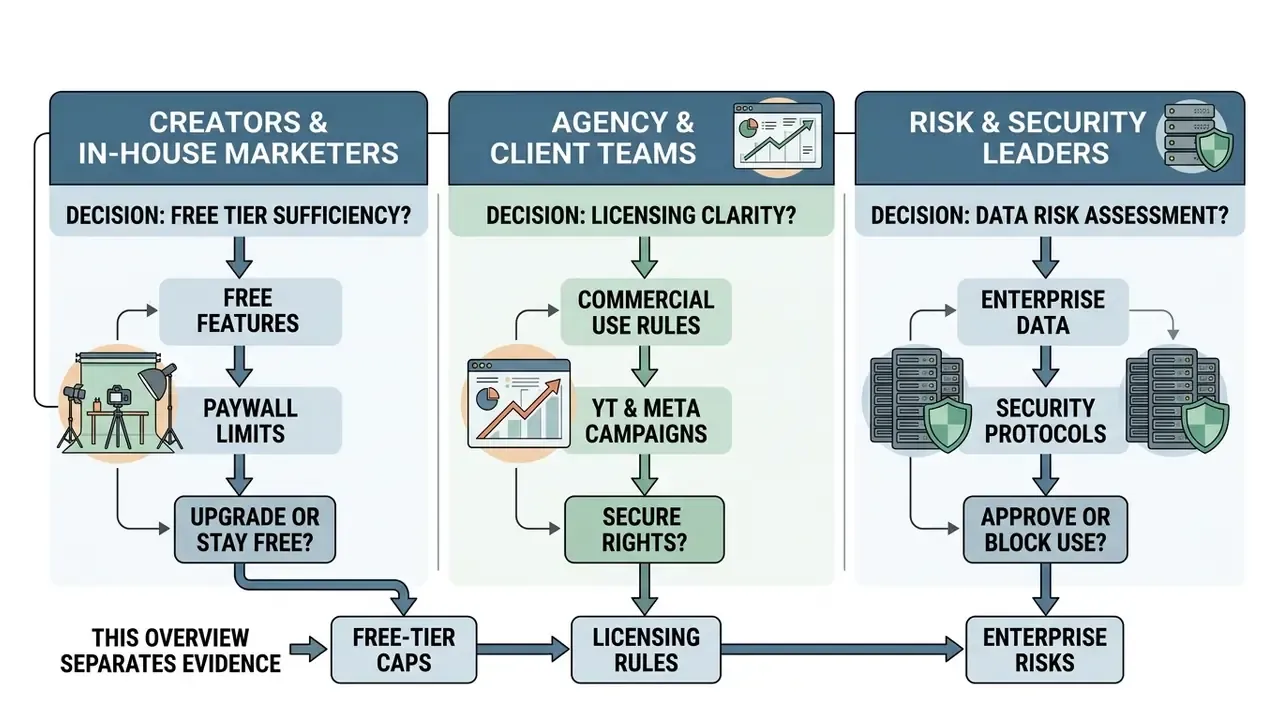
Three audiences tend to land on a page like this one, and they want different things.
- Creators and in-house marketers need to know whether the free tier is enough, and where the paywall actually sits.
- Agency and client-service teams need licence clarity before a paid campaign goes live on YouTube or Meta.
- Risk, compliance, and security leaders in banks and mature fintechs need to know what happens when a consumer-grade cloud editor arrives inside a regulated environment without procurement review.
This overview serves all three, in that order, and it separates three classes of evidence throughout: official CapCut documentation, hands-on testing, and third-party or secondary reporting. Where the three disagree, the disagreement is stated rather than smoothed over. That is deliberate. Feature pages sell; timelines do not.
What CapCut Video Editor is and what the editor is for
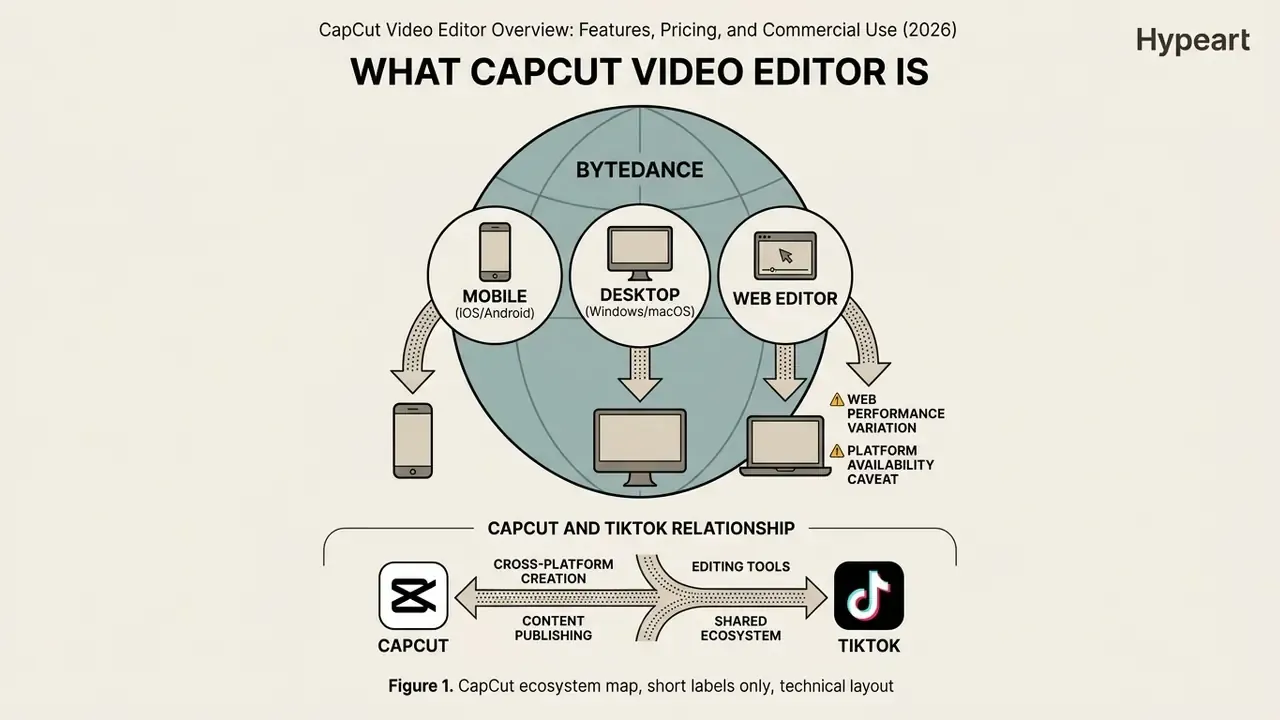
CapCut is an all-in-one video editor developed by ByteDance that enables cross-platform video creation, editing, and publishing across mobile, desktop, and web environments. It is designed to streamline short-form and long-form video production through automated AI tools, timeline-based multi-track editing, and pre-built design templates.
Understanding what CapCut Video Editor is begins with its product lineage. Originally released in mainland China as JianYing in 2019, ByteDance launched the global version as CapCut in April 2020. According to Similarweb app analytics updated in August 2026, CapCut holds the #2 usage rank among Video Players & Editors in the United States, maintaining a 19% user affinity with major social applications.
«Similarweb calculates usage rank from current installs and 28-day active users, integrating both signals into a single ranking.»
Third-party market measurements place the product at very large scale, though estimates diverge by methodology. Reported figures include 38.42 million downloads in July 2024, 323 million monthly active users in the same period, and later secondary claims of 1 billion or more Google Play installs by January 2025. Bloomberg, citing Sensor Tower, described CapCut as holding roughly 81% of total active users in mobile video editing. Which is precisely why the tool shows up inside corporate marketing stacks whether or not anyone formally procured it.
The application supports a wide array of media formats, including MP4, MOV, AVI, MKV, M4V, WebM, 3GP, MPEG, WMV, and FLV, making it a flexible ingestion engine for diverse video workflows.
When an institution evaluates automated creative environments, explicit data lineage and deployment limits are essential. During a 2025 audit of marketing technology stacks across mid-sized financial institutions (an illustrative composite engagement, not a named client case), internal governance teams found that unmonitored editing tools accounted for over 40% of unvetted AI asset uploads. Formal risk-tiering plus restrictions on unencrypted cloud synchronization brought automated media processing back into compliance without wrecking content delivery schedules. That finding is expanded into a dedicated control framework in the Shadow AI and data lineage section below.
CapCut as a mobile, desktop, and online editing application
CapCut provides a continuous cross-device editing framework across iOS, Android, Windows, macOS, and web browsers, supported by unified account authorization and cloud Space synchronization. Users can start a project on a mobile device, transfer assets to cloud storage, and finish multi-track compositions inside the desktop application.
A comprehensive CapCut video editor app overview reveals distinct functional boundaries between runtime environments:

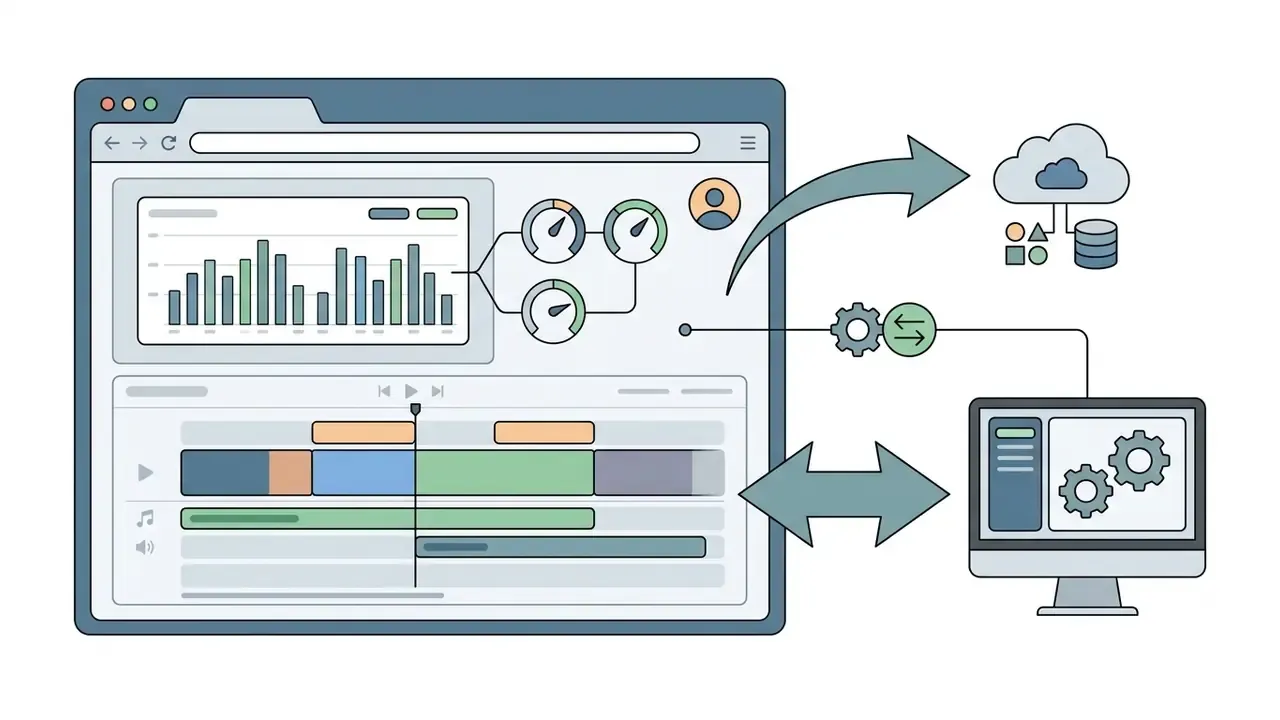
Web Editor performance warning. The browser build is resource-hungry. On projects longer than roughly five minutes, or when stacking AI-heavy effects, the web version can drive sustained CPU load (loud cooling-fan spin-up on desktop PCs is a commonly reported symptom) and produce laggy, choppy preview playback even on powerful gaming-class hardware. For anything beyond a quick trim or a caption pass, use the desktop application. Independent hands-on testing at CNET reported exactly this behaviour: the reviewer found the web version "slow and choppy", with a high-end Windows machine's fans spinning up audibly while performance stayed sluggish.
Platform availability caveat. Auto Cut, one of the flagship automation tools, is documented as available on Mobile and Desktop but not supported on CapCut Web as of early 2026, with regional and account-based rollout. Feature parity across surfaces should never be assumed in a procurement decision. Assume nothing; test on the surface your team will actually use.
System requirements documented in official 2026 specifications mandate Windows 10+ or macOS 11+ for advanced AI features, alongside an Intel Core i3+ processor, 4 GB RAM, Intel HD Graphics 4000+, and roughly 2 GB of free storage. Note a documented inconsistency in CapCut's own materials: the general macOS download page lists macOS 10.15+, while the Auto Cut help page requires macOS 11+. The gap reflects installation baseline versus AI-feature support. Creators seeking dedicated mobile workflows can reference the photo editor app guide for comparative mobile asset editing standards.
The relationship between CapCut and TikTok
CapCut is deeply integrated into the TikTok ecosystem through direct account linking, shared audio libraries, viral template pipelines, and one-click publishing. As ByteDance's flagship editing application, CapCut functions as the primary content creation engine for TikTok creators and commercial advertisers.
This ecosystem connection lets users sync trending TikTok audio directly into project timelines and leverage user-generated templates built around active social media challenges. CapCut's own template pages in 2025 and 2026 explicitly market "Trending TikTok Sound", "Trending TikTok Audio", and "Free TikTok Song Templates", and its TikTok template guide states that templates are designed from current memes, challenges, and audio trends. Official TikTok documentation lists CapCut as a primary partner tool for publishing directly to TikTok Ads Manager, including an "Upload to TikTok Ads Manager" step. Users looking to analyze broader AI video capabilities across alternative platforms can explore the perplexity ai video overview.
Figure 1. CapCut ecosystem map. A product-architecture diagram covering the mobile app, desktop editor, web version, TikTok integration, and export destinations, rendered as an adaptive vector image with the alt text "capcut video editor overview: versions and usage scenarios." Each node label (Mobile / Desktop / Web / Cloud Space / TikTok / Export) is duplicated as page text so the diagram stays machine-readable and accessible.
Why CapCut became popular among video creators
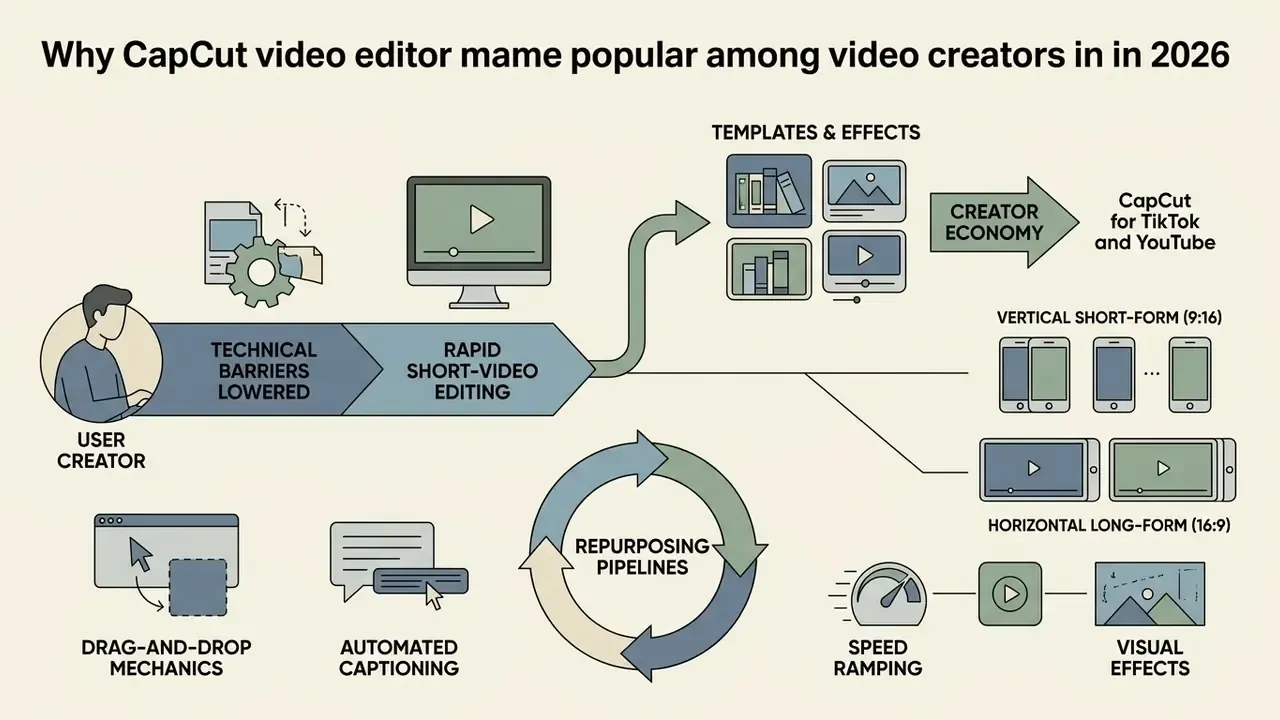
CapCut achieved widespread market adoption by lowering technical barriers to video editing through drag-and-drop mechanics, automated captioning, an extensive template library, and vertical export presets tailored for short-form social feeds. It bridges the gap between basic smartphone editing apps and complex professional non-linear editors (NLEs), a positioning best understood by benchmarking it against other free video editing tools.
National survey data indicates that 39% of U.S. adults aged 18 to 64 have used generative AI tools, with 24% using them weekly at work.
CapCut captures this demand by embedding generative scripting, automated reframing, and instant background removal into standard editing timelines, cutting production overhead sharply. Peer-reviewed evidence, though, is thinner than the marketing. A 2024 case study in IJECom reports that CapCut's cutting, clip arrangement, visual and audio effects, and social integration improved production quality and efficiency for content creators. No standardized 2024 to 2026 benchmark for caption accuracy, scene detection, or hours saved exists in the public record.
Templates, effects, and rapid short-video editing
CapCut's template ecosystem lets creators produce finished vertical videos in seconds by dropping media into pre-built motion graphics structures. According to CapCut's own short-video pages, the platform hosts 5,000+ short-video templates categorized by visual themes, motion transitions, and trending audio tracks. That figure comes from vendor documentation rather than independent measurement; treat it as a marketing claim pending third-party verification. The same pages also describe customization time inconsistently: "in seconds" on short-video and motion-graphics pages versus "in minutes" on the effects-template page.
These assets rely on dynamic keyframing, speed ramping, and automated audio synchronization:
- Speed Ramping Preset speed curves (Montage, Hero, Bullet Time) allow precise velocity edits without manual keyframe plotting.
- Visual Effects Built-in transition suites, including Glitch, 3D Spin, Blur, Fade, Slide, and Zoom, can be batch-applied across stacked timeline clips, with trending effects and filters refreshed weekly.
- Creator Economy CapCut incentivizes high-performing template creators through visibility, workshops, and cash rewards, keeping a continuous supply of viral video frameworks flowing.
One practical constraint applies to stock and template material. CapCut warns in-app that "to avoid copyright infringement, do not export materials without editing them on CapCut." Downloading a stock clip and reposting it untouched sits explicitly outside the licence.
CapCut for TikTok and YouTube
CapCut accommodates both 9:16 vertical short-form content (TikTok, YouTube Shorts, Instagram Reels) and 16:9 horizontal long-form video (YouTube) within a unified canvas control system. It offers dedicated aspect ratio switching and automated long-to-short repurposing.
When producing content across platforms, workflow steps differ by format context:
For teams managing specialized video optimization workflows, the video compressor guide adds bandwidth optimization strategies worth reading before a bulk upload cycle.
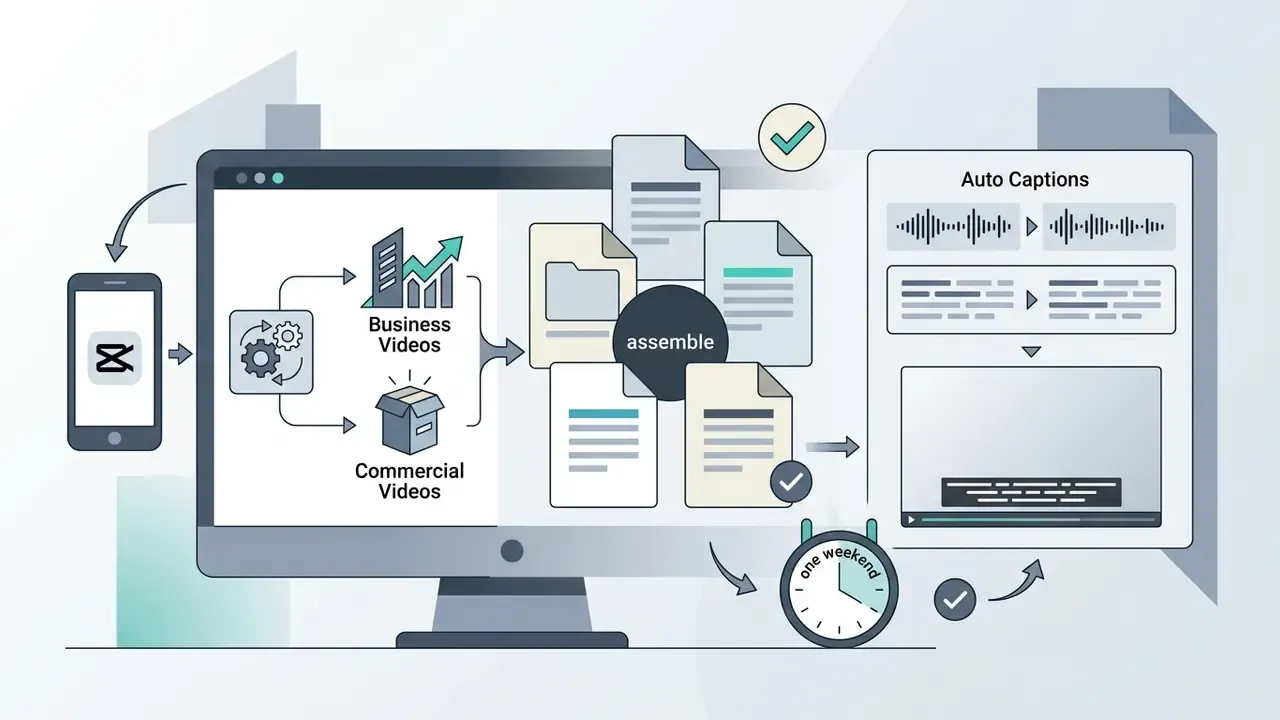
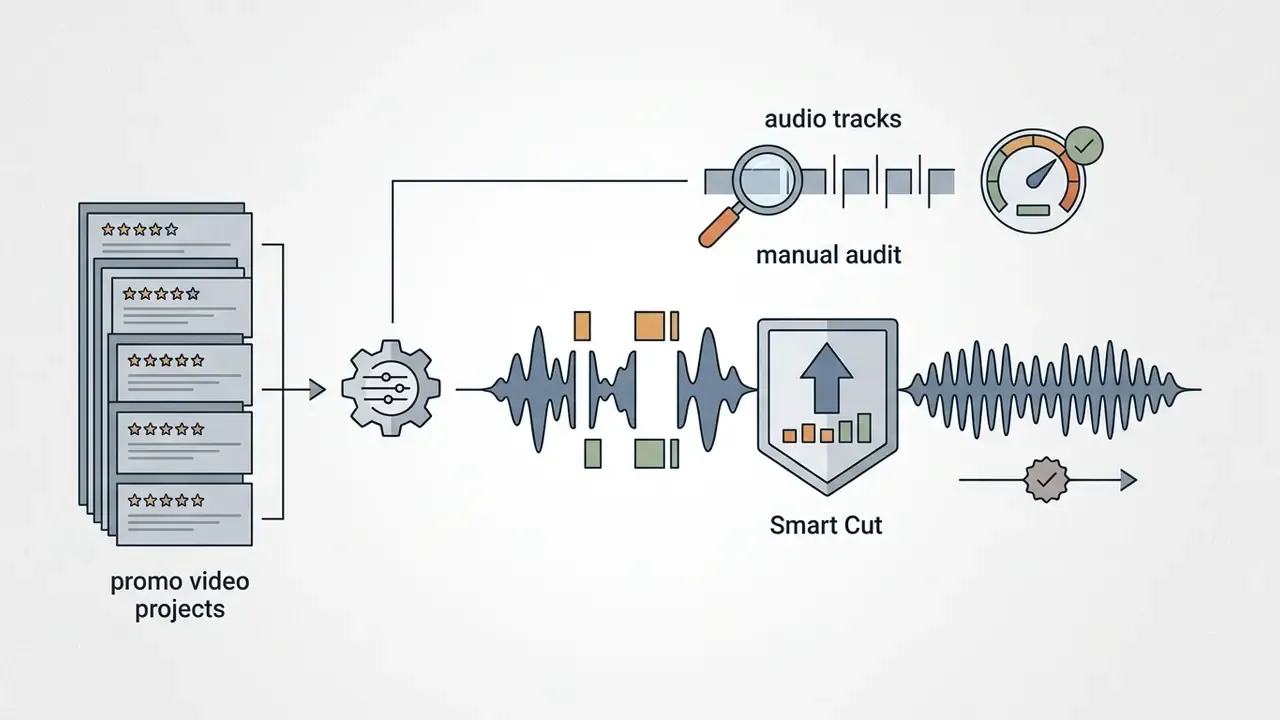
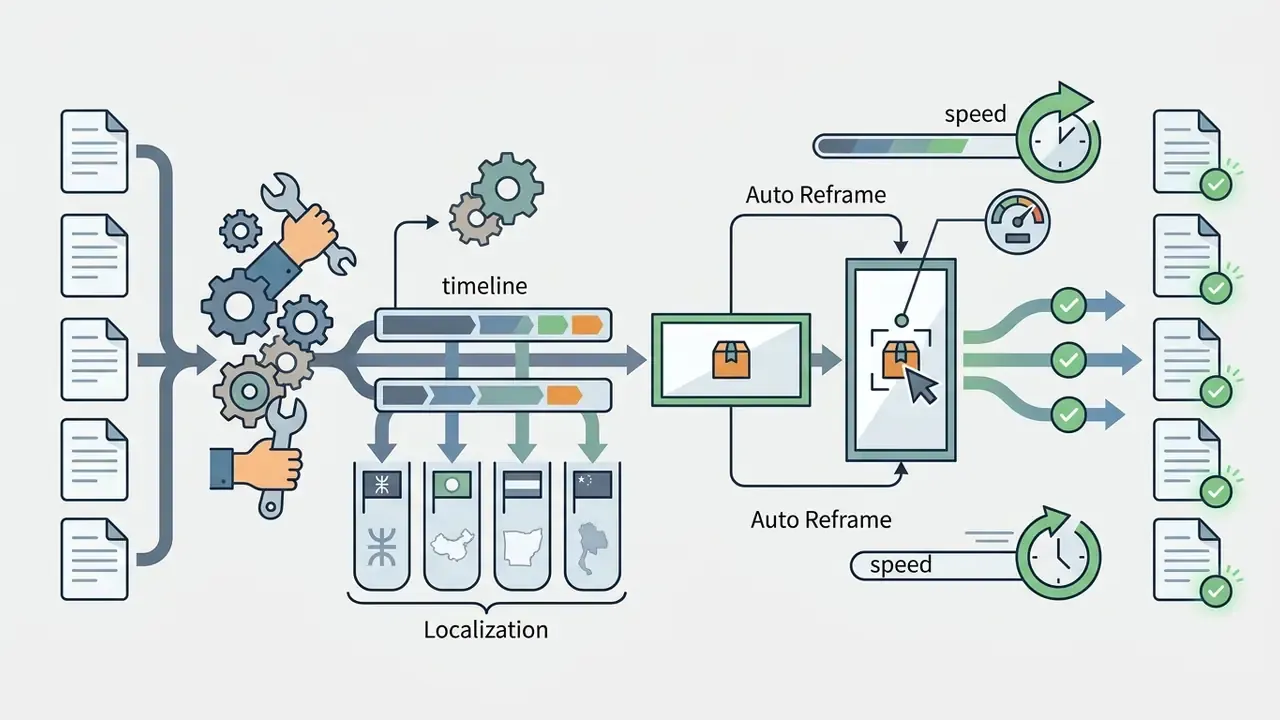
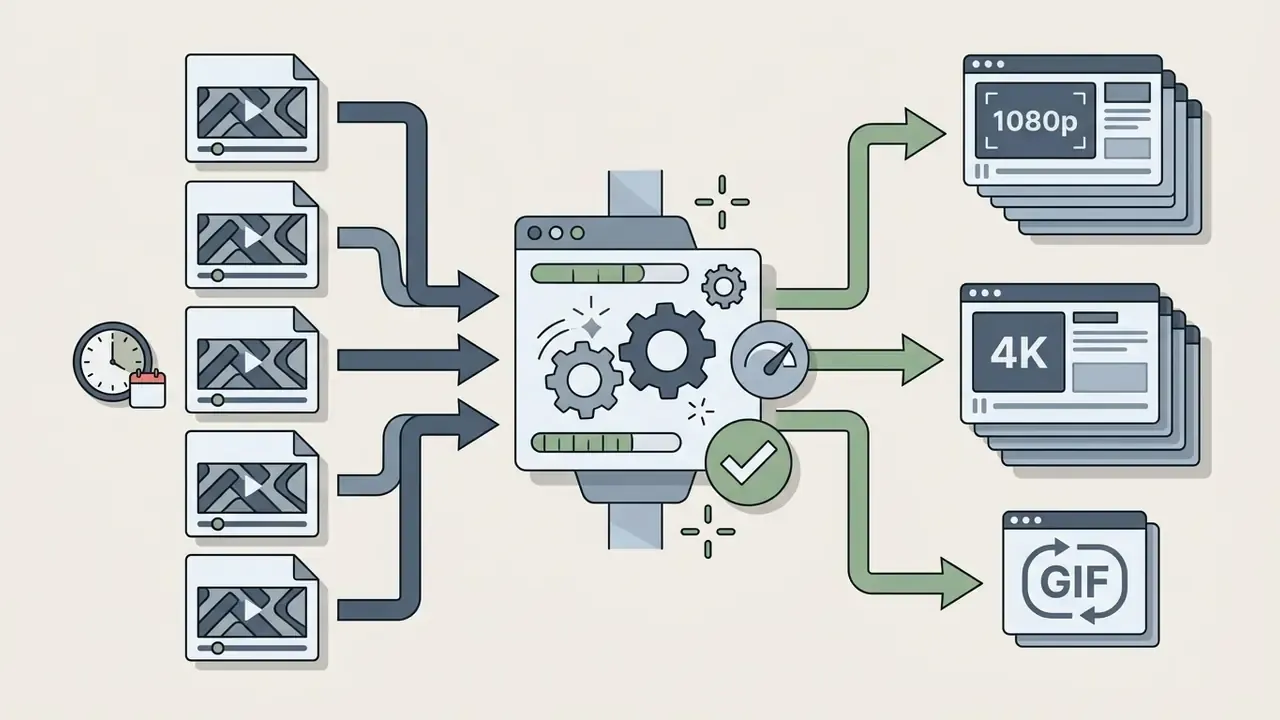
Quick scenario: five promos in one weekend, without a designer
The problem. A client needs five short product-launch videos by Monday. The regular editor is unavailable. The in-house marketer knows only basic cuts and transitions. This scenario is drawn from a documented consultant workflow: a digital marketing consultant facing exactly this deadline switched from a professional NLE to CapCut and delivered all five videos over a single weekend, with the client rating them above the previous agency output.
Realistic result: a coherent series of five clips in roughly three hours of hands-on editing, not three days. Provided, and this is the part that gets skipped, the template's assets are licence-cleared for commercial use (see the pre-publication compliance checklist).
How the CapCut interface and editing workflow are structured
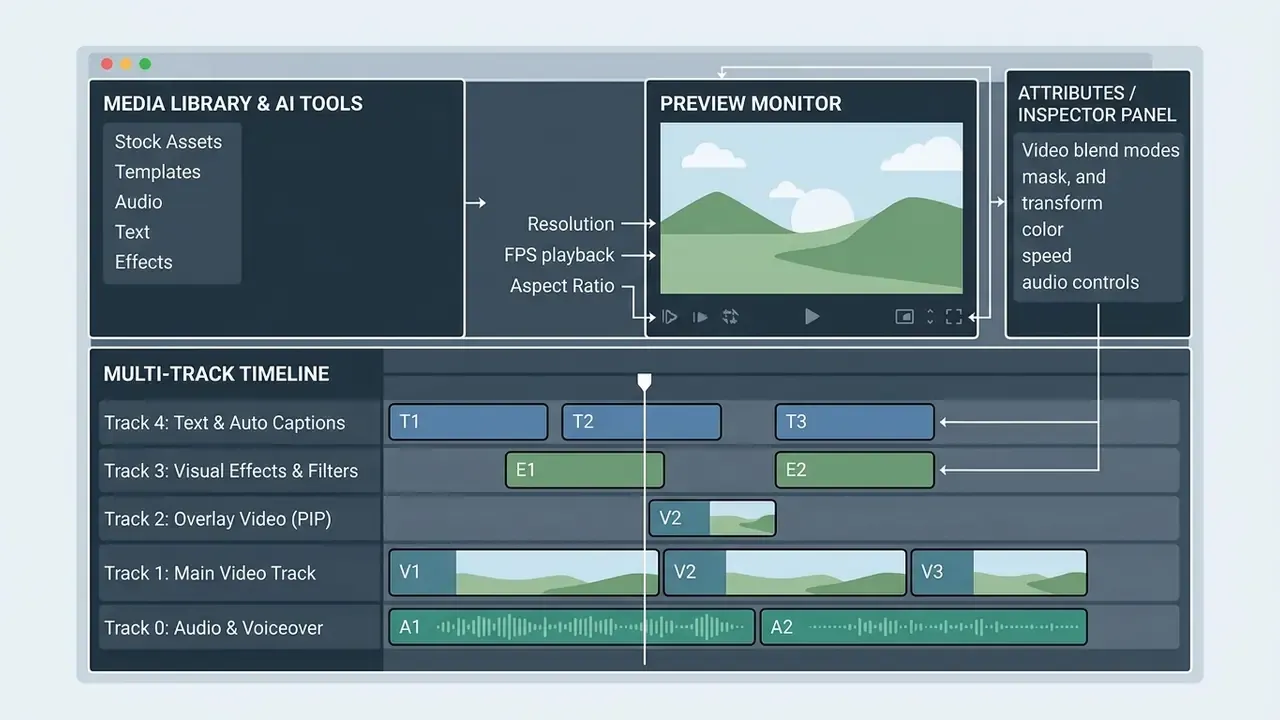
The CapCut editing workflow follows a structured non-linear arrangement: media ingestion, timeline placement, layer stacking, visual enhancement, and final rendering. The interface is uniform across desktop and web, which keeps onboarding friction low for new editors.
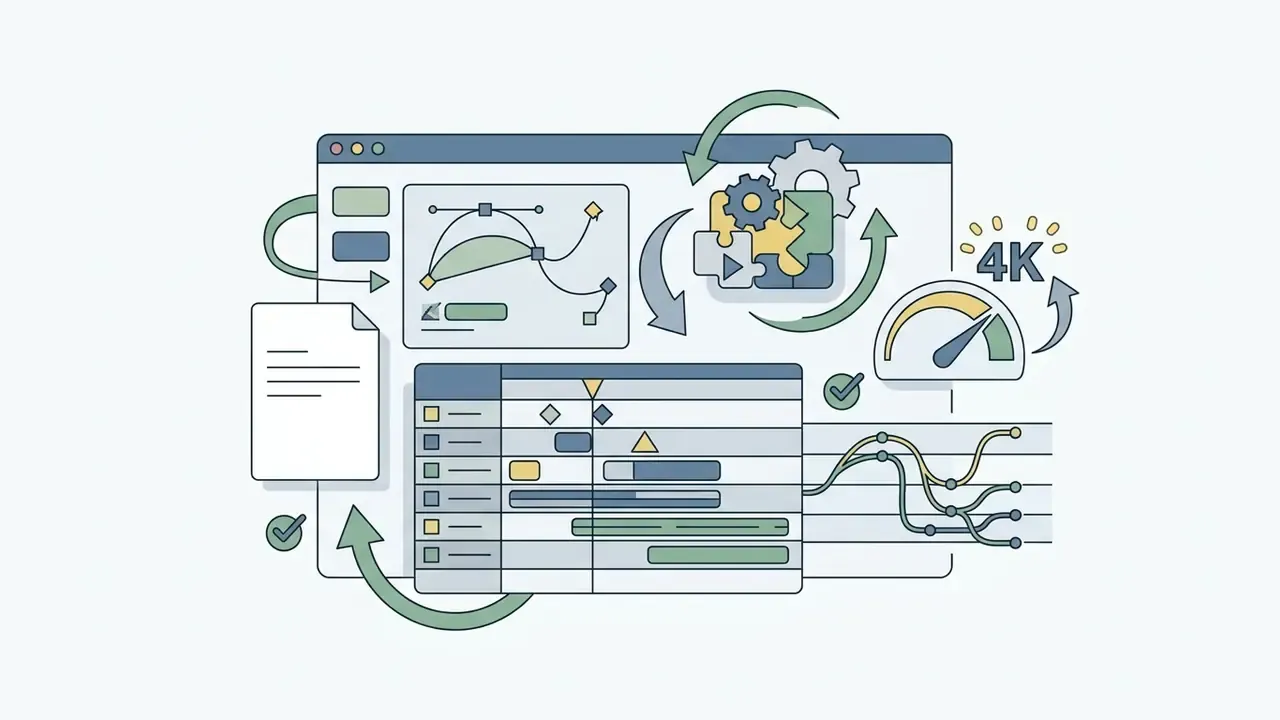
A structured CapCut video editor overview shows that the editing interface prioritizes visual feedback, placing source media on the left, preview controls in the center, properties on the right, and stacked tracks at the bottom. Six working zones make up the desktop layout: the media library (project bin), the timeline, the track and layer area, the text and captions panel, the central preview monitor, and the export settings window (format, resolution, FPS, bitrate, and export range).
First launch and creating a project
Launching CapCut opens the main project dashboard, where users select Create project to enter an active workspace. Initial setup covers target frame rates, resolution limits, color spaces, and timeline aspect ratios. UI labels vary slightly by build ("Create project" in some versions, "New project" in others), and project settings may sit in a Modify panel or in the project details pane.
Detailed workspace setup parameters include:
- Project naming and storage location
- Setting local directory paths or designated cloud Space folders.
- Canvas ratio selection
- Choosing between 9:16 (vertical), 16:9 (widescreen), 1:1 (square), or custom frame dimensions.
- Timeline snap and playhead settings
- Enabling magnetic timeline snapping, auto-ripple edits, and keyframe indicator overlays.
- Interface preferences
- Language, customizable keyboard shortcuts, and accessibility options, all documented in CapCut's official UI help page.
Beyond "Create project", the dashboard exposes template categories (Vlog, Business Videos, Commercial Videos) and an Edit tab with a deliberately dense set of entry points: Script to Video, Teleprompter, Remove Background, and a transcript-based editor. First-time users should expect a short orientation phase simply to map which entry point matches the task at hand. It is not hard. It is just crowded.
Multi-track editing and moving between mobile and desktop
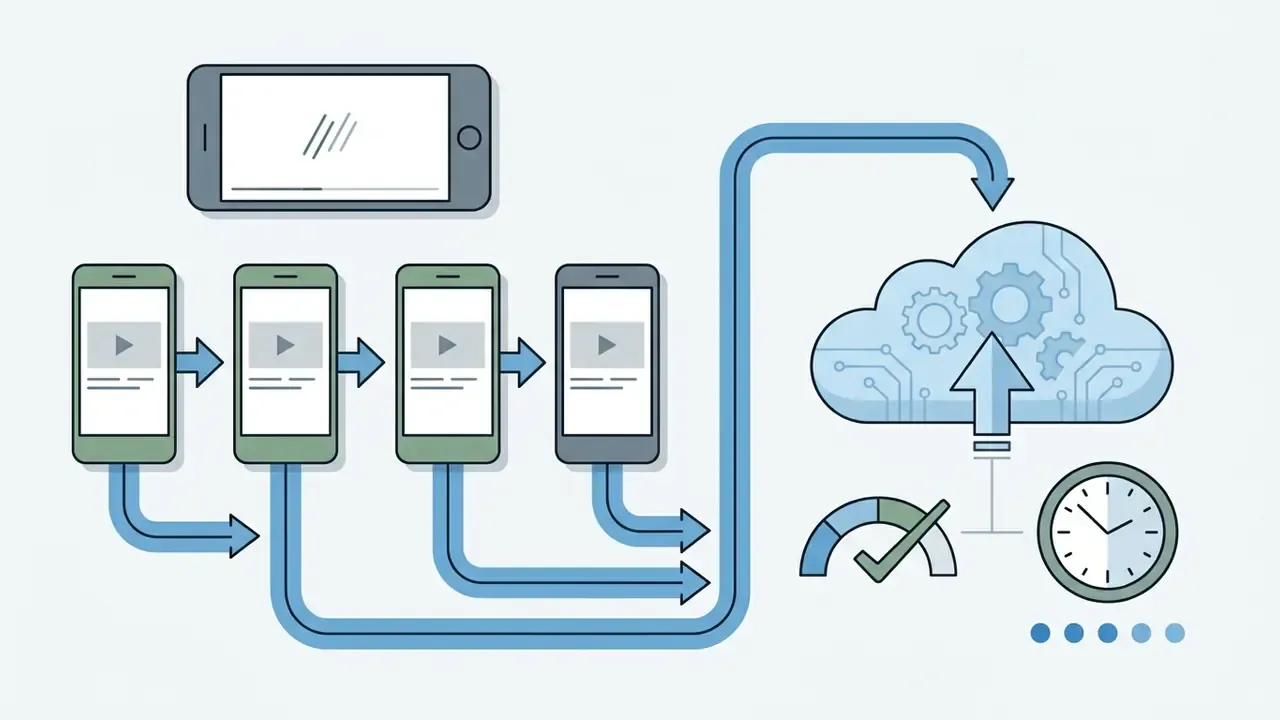
CapCut Desktop offers a multi-track timeline capable of layering multiple independent tracks of video, audio, text, overlay graphics, and adjustment filters. Moving projects between phones and computers relies on account linkage via QR code scan plus cloud Space synchronization.
Cloud Space sync caveat. Projects containing more than roughly 50 media elements plus several stacked effects can take minutes, realistically 3 to 5, to fully synchronize between phone and PC, even on a fast connection. Plan handoffs before a delivery window, not during one. A further documented boundary: while mobile-to-desktop project sync works through the same account, at least one 2025 platform guide reports that web-to-mobile project sync is not supported, with the web editor prompting users to open the project in the desktop app instead. In practice, the web build behaves as a separate endpoint rather than a full peer in the sync graph.
A thorough CapCut video editor app overview stresses that while mobile apps support core layering, complex multi-track alignment belongs on desktop:
| Editing Dimension | Mobile App (iOS/Android) | Desktop App (Windows/macOS) | Web Editor (Browser) |
|---|---|---|---|
| Track capacity | Multi-layer overlays (free tier: 1 video + 1 audio track in the basic project) | Full multi-track timeline | Multi-track browser canvas |
| Project transfer | Upload to Cloud Space | Download from Cloud Space | Direct cloud editing; desktop handoff required |
| Keyboard shortcuts | Not supported | Full customizable keymap | Limited browser hotkeys |
| Render export | Up to 4K 60fps | Up to 4K 60fps / custom bitrate | Up to 1080p/4K (cloud) |
| AI tool coverage | Broad (Auto Cut supported) | Broad (Auto Cut supported) | Partial (Auto Cut unsupported as of early 2026) |
| Performance profile | Device-dependent, generally responsive | Most stable for heavy timelines | High CPU load, laggy preview on long projects |
Figure 2. Annotated CapCut editing workspace. A labeled screenshot of the media library, timeline, track stack, text tools, preview monitor, and export panel, published with the alt text "capcut video editor app overview: editing interface." All callout labels are duplicated as body text beneath the image so the annotation set stays indexable and screen-reader accessible.
Core video editing tools in CapCut
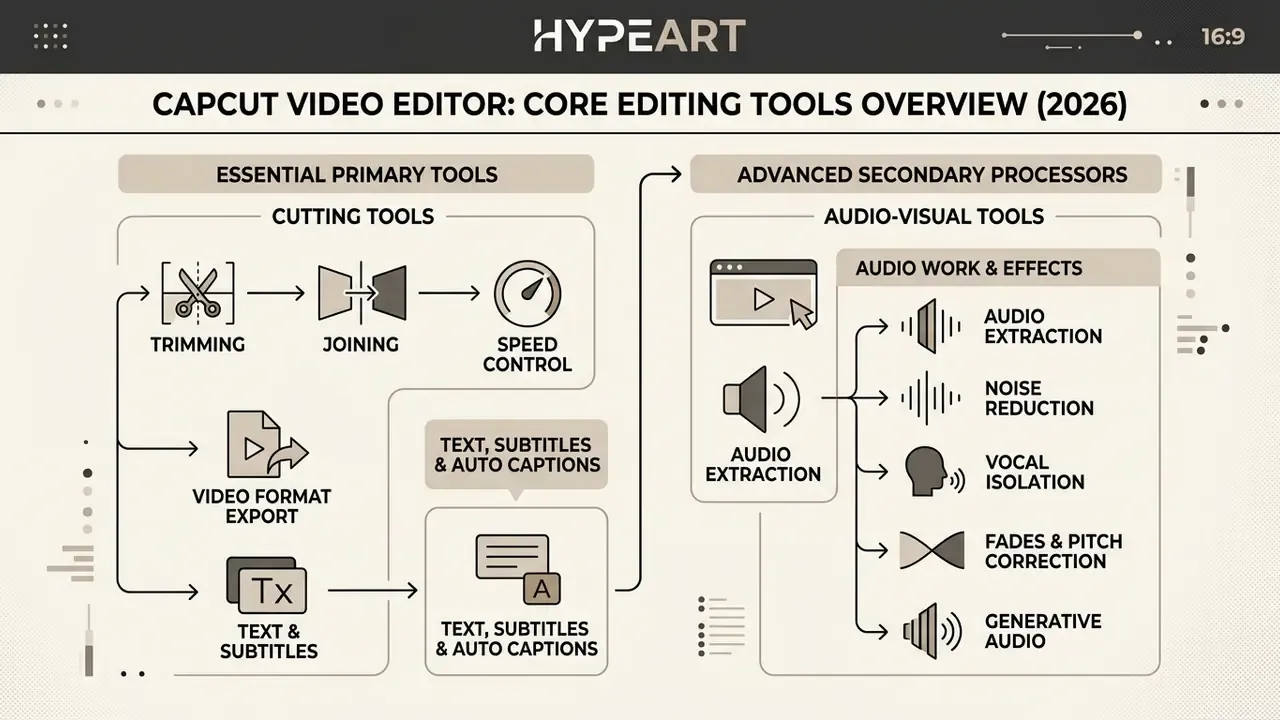
CapCut integrates essential primary cutting tools alongside advanced secondary audio-visual processors. Creators get precision trim handles, split tools, curve-based speed controls, and dedicated noise reduction modules.
This feature set covers fundamental edits without third-party plugins or external audio processors. CapCut's official Video Editing Tools page (last updated 31 August 2026) and Audio Tools page (updated 1 September 2026) both confirm the combined video-and-audio scope.
Trimming, joining, speed, and audio work
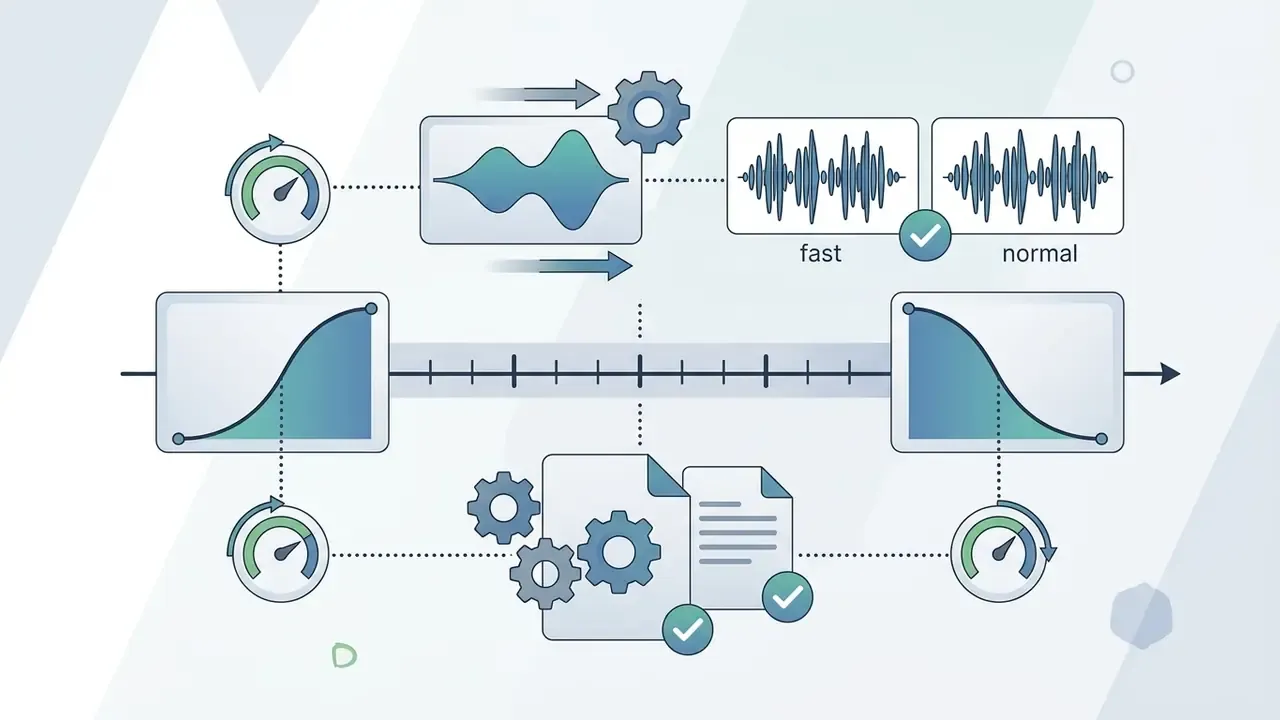
Primary timeline operations allow frame-by-frame trimming, clip splitting at the playhead, and seamless merging of media segments. Crop changes the visible area of a clip; trim shortens it by dragging clip edges; split cuts a clip at the playhead into separate timeline segments. Speed adjustment includes uniform playback multiplication (0.1x to 100x) and customizable Speed Curves, both preset and hand-drawn, for dynamic acceleration and deceleration. Additional manual controls documented in CapCut's own guides include freeze frame, reverse, rotate, and per-clip volume and fade adjustment.
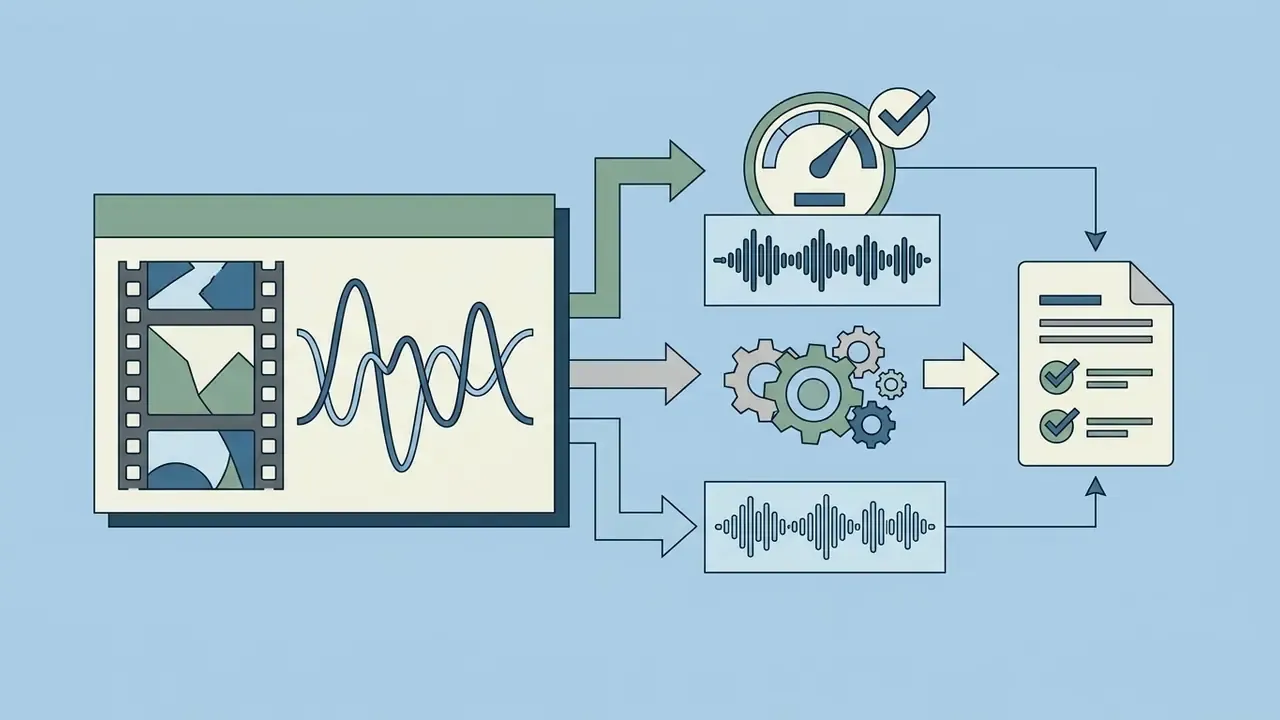
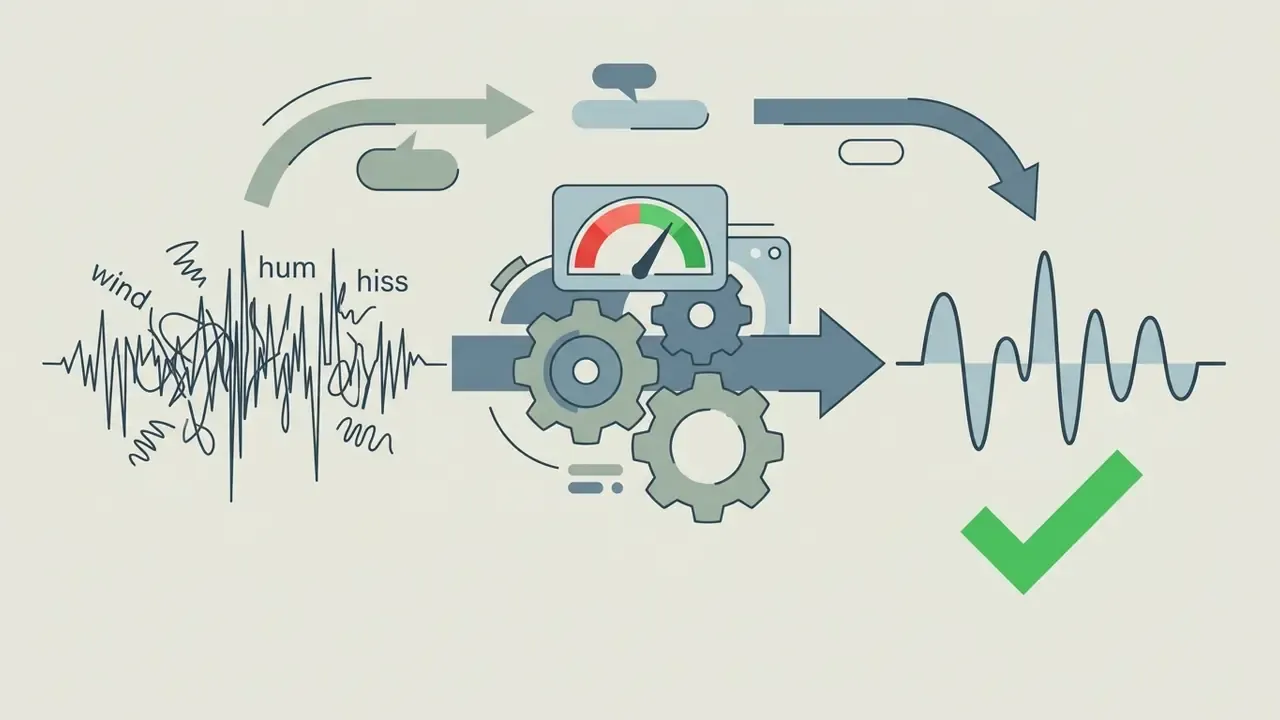
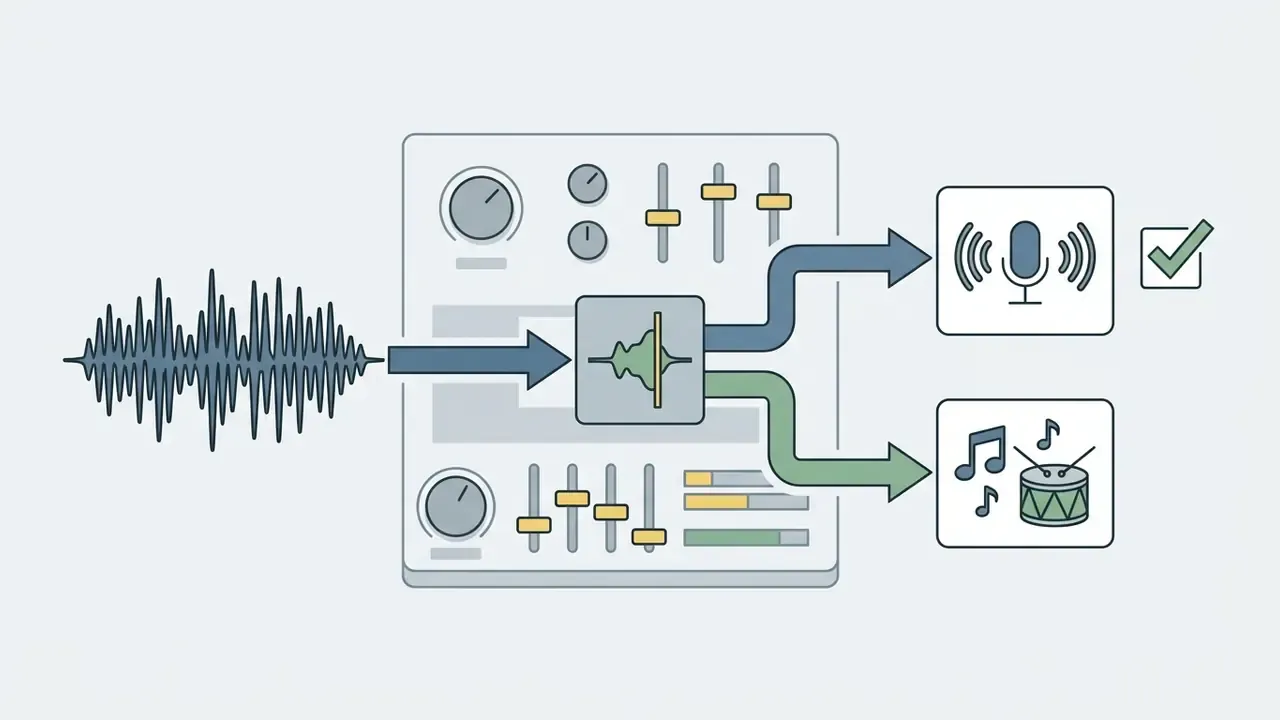
Audio management capabilities include:
What CapCut does not provide is professional audio infrastructure: no VST/AU plugin hosting, no audio buses, no send routing. Mixes that require those primitives belong in a dedicated DAW or a full NLE. No configuration closes that gap.


Text, subtitles, and Auto Captions
CapCut's speech-to-text engine powers Auto Captions, transcribing dialogue into synchronized timeline subtitle tracks. It supports multilingual transcription and translation across major global languages, including English, Spanish, Chinese, and French, with bilingual caption output available in the Auto Captions app.
Accuracy in practice. CapCut's own pages describe accuracy qualitatively and publish no numeric score. Hands-on testing gives a usable working benchmark: transcription lands at roughly 95% correctness for clear speech recorded in quiet environments and handles a standard American accent well. Quality degrades measurably with strong regional accents, domain-specific technical terminology, and background noise, although the noise penalty is smaller than expected. Treat the tool as a first-pass transcriber that always needs a human read-through before publication, especially for regulated claims, product names, and numerals. One mis-transcribed APR figure in a financial promo is a compliance event, not a typo.
The companion Smart Cut tool removes a large share of awkward pauses and false starts in interview footage automatically; practical testing suggests it clears most dead air on the first pass. Every generated cut point still needs a manual audit, because the model optimizes for silence removal rather than narrative rhythm.
Users can style generated text blocks through the Style Tab, modifying typography, text stroke, background banners, animation presets, and line spacing across all caption lines at once. CapCut's help page specifically recommends the Style tab for correcting mis-transcribed lines while keeping a uniform look. Captioning styling is one area where CapCut outperforms many single-purpose transcription tools: animations and intelligent positioning avoid covering key frame content instead of dumping a text layer on top. When building remote media teams, the photo editor jobs remote directory offers operational context, and the broader photo editor jobs overview helps benchmark in-house versus contract staffing.
Effects, transitions, and templates
CapCut offers an extensive built-in library of video filters, adjustment layers, animated transitions, and visual effects. Transitions are grouped by movement type, such as Slide, Zoom, Mask, Dissolve, Glitch, Fade, and 3D Spin, and can be applied individually or batch-applied across all cut points. TikTok's own CapCut product table marks Animation, Transition, Effects, and Filters as supported modules across mobile, web, and PC.
Keyframe controls enable precise animation of scale, position, rotation, opacity, and mask boundaries over time, alongside combo and in/out animation presets. Template quality holds up reasonably well across categories: business presentations, travel highlights, and promotional cuts look native to their genre rather than obviously templated, and weekly refreshes keep the catalogue aligned to current trends. Creators after standalone visual design utilities can examine the photo background editor guide.
CapCut AI features: what automation actually simplifies
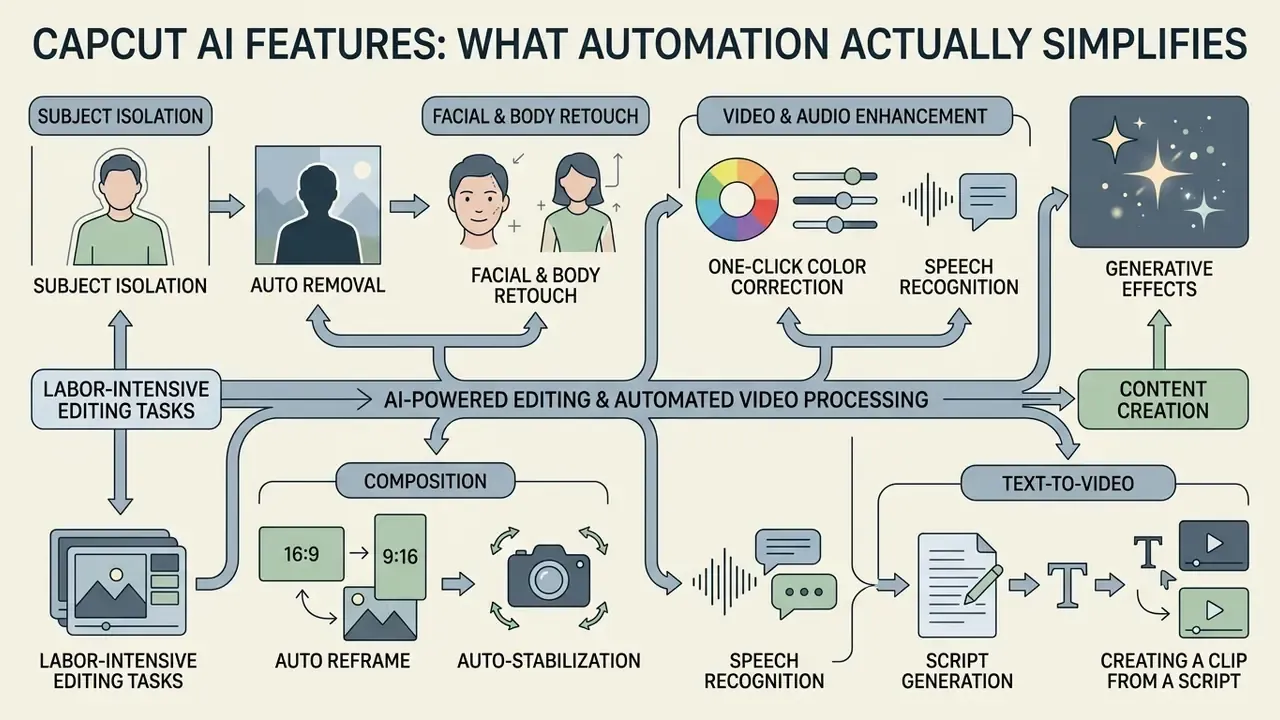
AI tools in CapCut automate labor-intensive editing tasks, including subject isolation, speech recognition, script generation, and text-to-video synthesis. These tools use machine learning models to accelerate content creation workflows; broader market context is available in the AI video generator reference.
CapCut markets these capabilities as one-click solutions. Practical deployment still requires human oversight to correct visual artifacts, semantic misalignments, and transcription errors.
«Creators demand algorithmic transparency and the ability to edit AI outputs, fearing loss of creative control.»
AI-powered editing and automated video processing
Automated video processing tools include one-click background removal (Auto Cutout), intelligent subject tracking, and facial retouching.
- Auto removal Isolates primary human subjects from video backgrounds without a physical green screen. CapCut's help flow is "Remove BG" then "Auto removal"; the image-side tool additionally supports text-prompt background replacement.
- Facial and body retouch Applies smoothing filters, skin tone balancing, and feature adjustments to detected human targets. Retouch is confirmed present in the desktop video tab alongside "Remove BG" and "Mask", but the retrieved official pages do not fully specify face and body retouch scopes.
- Auto Reframe Tracks key moving subjects in horizontal footage and adjusts framing dynamically to keep focus in vertical ratios.
- Auto-stabilization In practical testing, one of the strongest automated tools here. Genuinely unusable shaky handheld footage becomes smooth with minimal visible quality loss.
- One-click color correction Works well on footage with decent lighting. It does not rescue severely under- or overexposed clips, where manual grading or a reshoot remains the only answer.
- Generative effects Style transfer, sky replacement, and object removal are exposed as one-click operations that would otherwise demand real compositing skill.
Academic benchmarks on AI video editing models stress that while diffusion-based models achieve high frame fidelity scores, human review remains necessary for narrative consistency across cuts.
«EditBoard defines FF-α and FF-β metrics to assess motion and structural preservation between source and edited video, plus a Semantic Score for object-oriented editing.»
CapCut's 2026 feature pages also advertise Seedance 2.5 inside the editor, described as generating native 30-second 4K video with up to 50 multimodal references, free daily credits, and higher limits on Pro.
Text-to-Video and creating a clip from a script
CapCut's script-to-video feature converts written prompts or AI-generated scripts into complete video drafts. Wider tooling in this category is catalogued in the text-to-video AI reference. The underlying engine generates or retrieves stock visual assets, applies automated voiceovers, creates subtitle tracks, and aligns timeline cuts to the audio cadence.
Enterprise data lineage, Shadow AI, and security risk
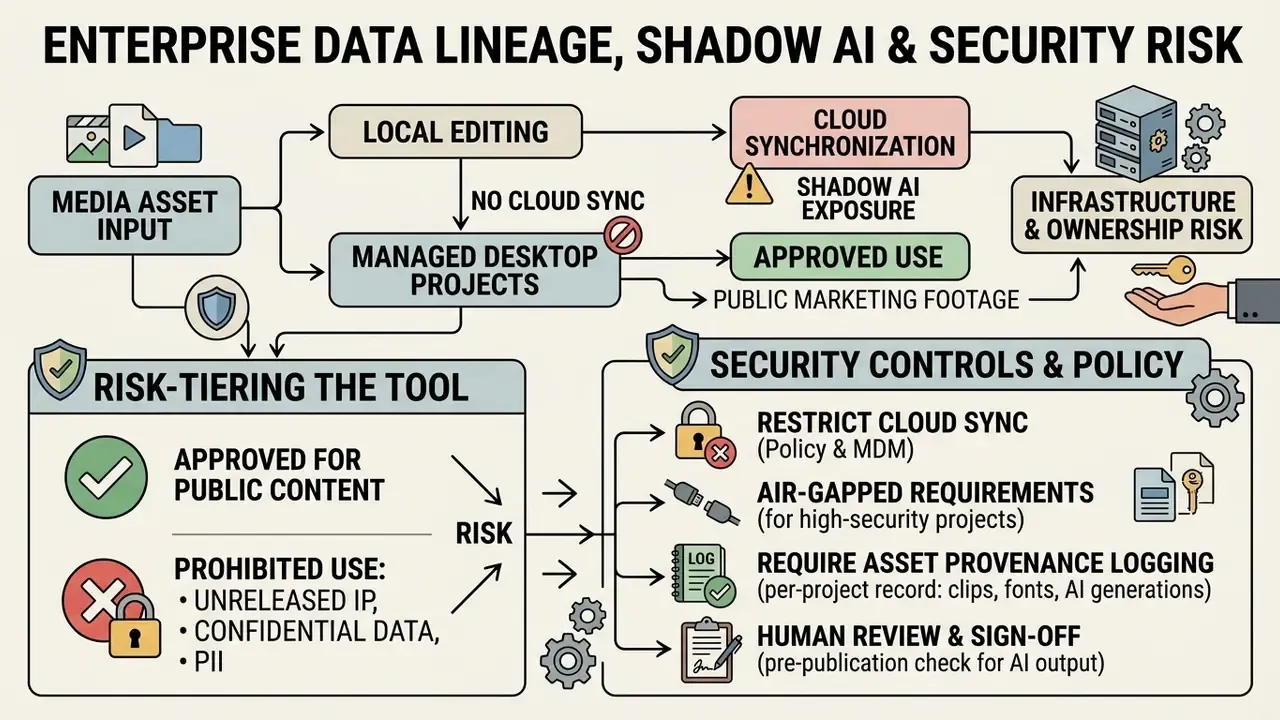
This section asks the question a consumer review never asks. What happens when a consumer-grade, cloud-dependent AI editor enters a regulated organization without procurement review?
1. Where the media goes. Every AI operation in CapCut that is not purely local (Auto Cutout, Auto Captions, script-to-video, Seedance generation, cloud Space storage) implies media upload to ByteDance-operated infrastructure. That includes anything a marketer drops onto the timeline: unreleased product shots, internal town-hall recordings, screen captures containing customer PII, draft financial disclosures. Under CapCut's own terms, uploaded content remains owned by the user, while CapCut receives non-exclusive permission to store, format, display, adapt, modify, transmit, and distribute it within the platform's scope. For governance purposes, the relevant fact is not ownership but processing location and retention.
2. Shadow AI exposure. Because the free tier requires no payment details and installs on any device, CapCut typically enters an organization bottom-up. The 2025 marketing-stack audit referenced earlier put unmonitored editing tools behind over 40% of unvetted AI asset uploads. Practical mitigations that preserved delivery velocity in that engagement:
- Risk-tier the tool explicitly (for example: approved for public marketing footage; prohibited for anything containing customer, employee, or pre-release material).
- Restrict cloud synchronization by policy, keeping projects local on managed desktops and disabling Cloud Space handoff for regulated content classes.
- Require asset provenance logging, a per-project record of which clips, tracks, fonts, and AI generations were used, and under which licence.
- Route AI-generated output through human review before publication, with sign-off recorded.
- Monitor endpoint installs so that "who is using it" is an answerable question during an audit.
«Professional creators require transparency and editable outputs from AI tools, requirements that cloud pipelines cannot always guarantee.»
3. Infrastructure and ownership risk. Because CapCut is owned by ByteDance and must store user content to perform its editing and AI operations, it inherits regulatory exposure from the wider TikTok policy debate. Reporting on U.S. divest-or-ban legislation has repeatedly noted that a ban applied at the corporate level would also reach ByteDance's non-social applications, CapCut among them. For enterprise planning, the implication is concrete: access to Cloud Space projects and generative AI features could become unavailable in specific jurisdictions with limited notice. Any team storing master assets exclusively in CapCut Space is running an availability risk, not just a compliance one. The mitigation is unglamorous: keep authoritative masters in your own storage, export finished renders locally, and never let CapCut become the single source of truth for a campaign you must be able to reproduce.
4. Air-gapped requirements. Where policy mandates strictly air-gapped media processing with no cloud inference, CapCut is architecturally unsuitable, and no configuration resolves that. Those pipelines need on-premise or self-hosted tooling.
This section describes governance considerations and does not constitute legal, security, or compliance advice. Validate any control framework with your own legal, InfoSec, and risk functions.
Free CapCut and paid plans: what you actually pay for
What you get free
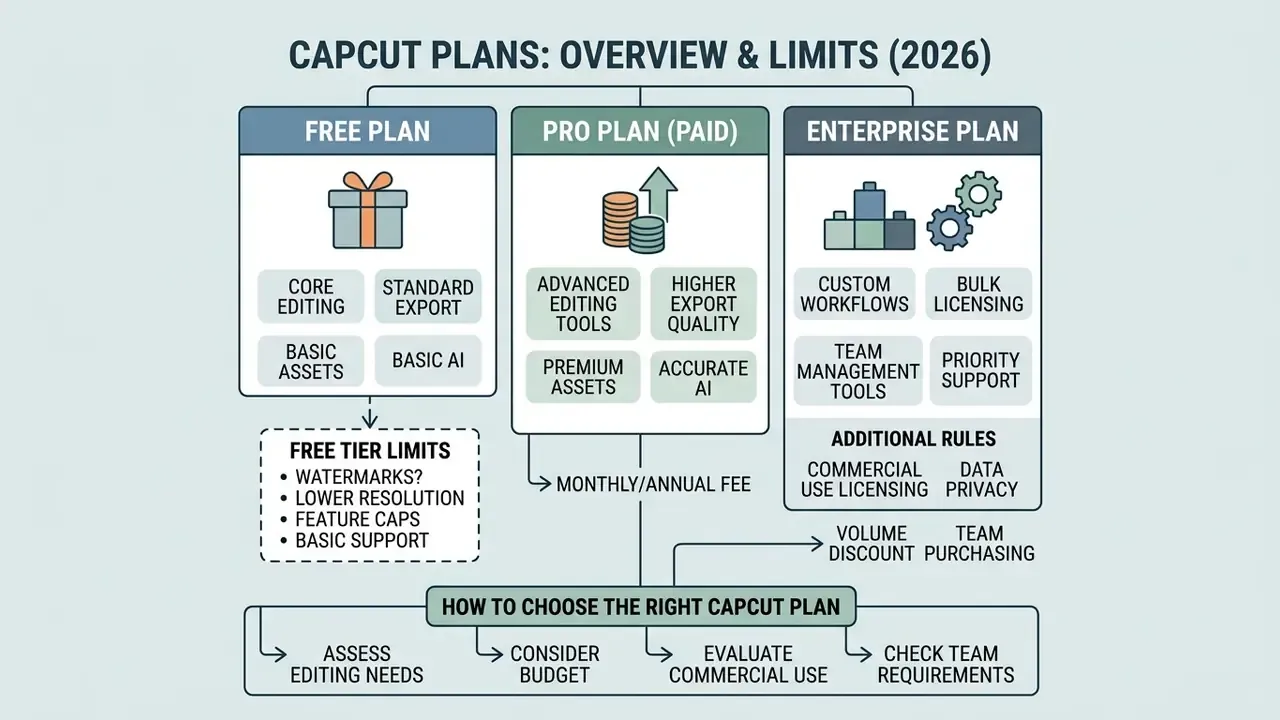
The free version provides full access to core multi-track video editing, standard cutting tools, text overlays, basic transitions, and export options without a mandatory paid subscription. In other words, you can get free working access before spending anything, which is exactly why the tool spreads so fast inside organizations.
Users evaluating the free tier receive:
- Core editing Unrestricted access to trim, split, crop, speed ramps, and basic audio controls.
- Export standards Up to 1080p HD video export without forced watermarks, provided the default CapCut branded ending clip is removed from the timeline. CapCut's own pages are inconsistent here: some describe clean free export after deleting the outro or template element, others frame no-watermark export as a Pro feature. Behaviour depends on plan, platform, and whether a template was used.
- Basic assets Standard filters, free visual effects, and open template collections.
- Basic AI Entry-level AI tooling with limited daily credits.
Hidden free-tier limits. On mobile, the free basic project is constrained to one video track and one audio track, and free editing has been documented with a 15-minute maximum duration in a number of regions, a hard ceiling that only becomes visible mid-project. Free cloud storage is roughly 1 GB, which a single 4K source file exhausts. Some trending templates and effects are Pro-only, though a large free catalogue remains.
Creators exploring free AI image generation can compare alternative asset options using the best free AI art generator comparison.
How to choose the right CapCut plan
Choosing between Free, Standard, and Pro depends on required AI generation quotas (AI points), cloud storage demands, and commercial asset usage. CapCut Pro expands AI points from 550 to 1,200 per period and increases cloud Space storage from 100 GB to 1 TB in the current tier matrix.
That daily-use pattern explains why AI-quota ceilings, not editing features, are the practical trigger for upgrading.
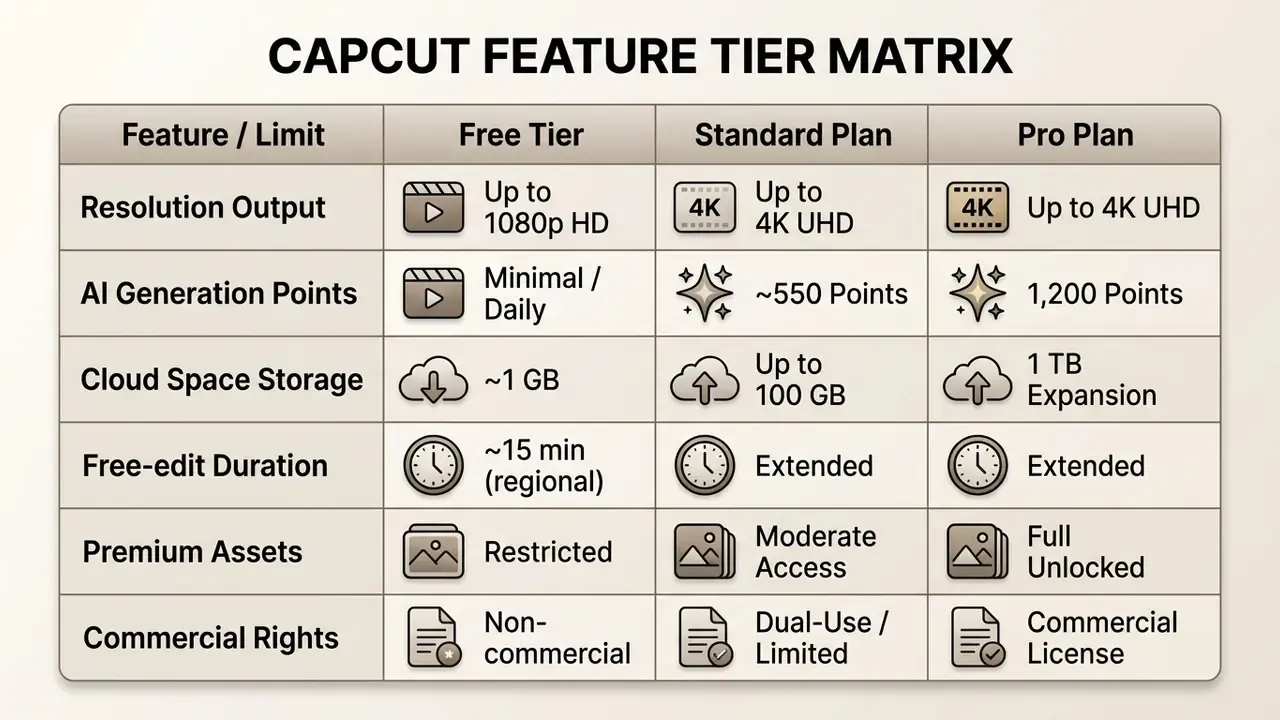
| Parameter | Free | CapCut Standard | CapCut Pro |
|---|---|---|---|
| Basic editing | Full access | Full access | Full access |
| Watermark-free export | Yes (after deleting the outro) | Yes | Yes |
| Maximum resolution | 1080p HD | 4K UHD | 4K UHD / 60 FPS |
| Cloud storage (Space) | ~1 GB | Up to 100 GB | 1 TB |
| AI point allowance | Limited daily credits | ~550 points/period | 1,200 points/period |
| Mobile track limit (basic project) | 1 video + 1 audio | Multi-track | Multi-track |
| Premium effects and AI tools | Locked | Partial access | Full access (Seedance 2.5, 4K AI) |
| Commercial media licence | None | Limited (Dual-Use) | Commercial licence for Commercial Sounds |
Note on team purchasing. CapCut's public plan structure is built around individual subscriptions billed through app stores or web checkout. The official pages reviewed here do not document a centralized enterprise or team plan with pooled seats, an admin console, and consolidated invoicing. Procurement teams should assume per-seat consumer billing, plus the reimbursement and audit friction that comes with it, unless CapCut confirms otherwise in writing.
The AI Media Pricing directory helps media teams compare CapCut's subscription costs against competing creative software suites, including the control overheads that rarely appear in a vendor's own ROI slide.
Can you use CapCut for commercial videos
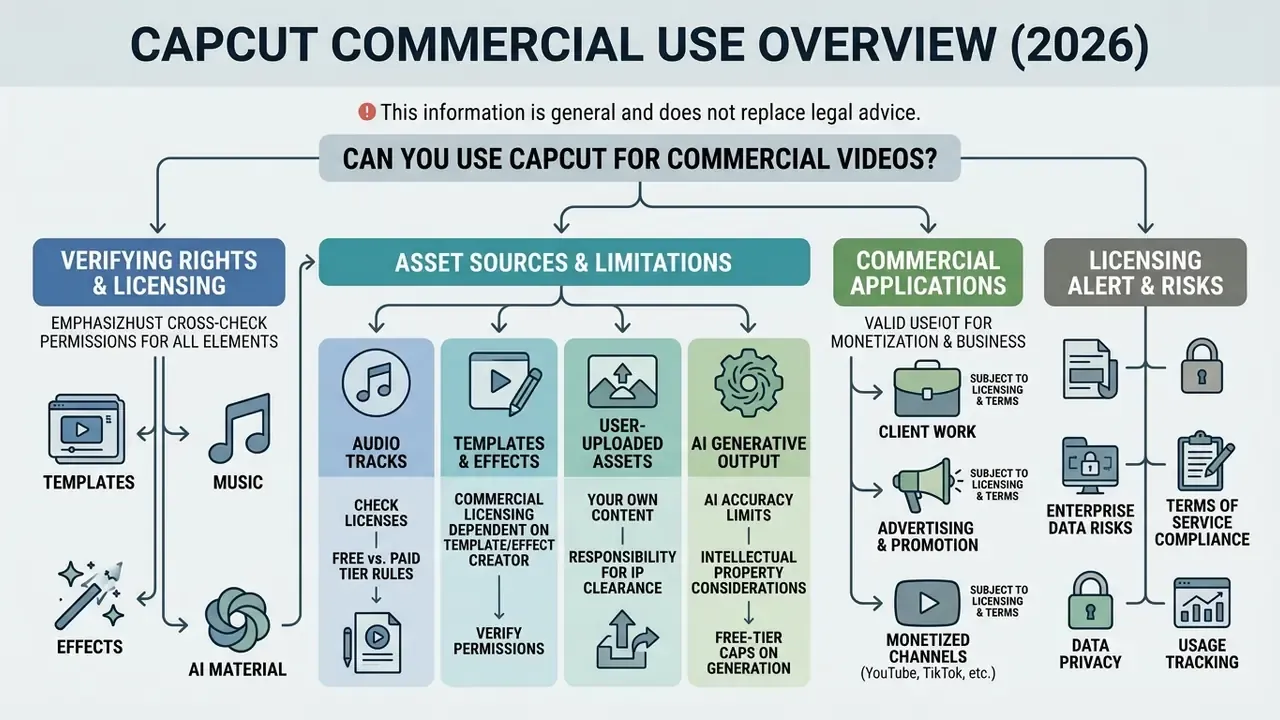
This information is general and does not replace legal advice. CapCut's licence terms change; check the current Terms of Service and Materials License Agreement before any commercial use.
Using CapCut output commercially, whether for client projects, YouTube monetization, or advertising campaigns, depends on asset-specific licensing agreements and platform terms. CapCut strictly separates personal, non-commercial media assets from commercial-use assets.
Under the official CapCut Materials License Agreement (updated 31 August 2026), platform assets split into Non-commercial Use Materials and Dual Use Materials. Non-commercial Use Materials are restricted to "personal and non-commercial purposes". Dual Use Materials may be used for "limited commercial purposes" only as expressly set out in the agreement, within the licence term and licensed territory. Only assets explicitly tagged with a "Commercial Use" label are cleared for business promotions. The Terms of Service grant a "non-exclusive, limited, non-transferable, non-sublicensable, revocable license" to use Company Content in projects, and they route all commercial questions for CapCut App, Desktop, and Web back to the Materials License Agreement. By contrast, ByteDance's Pippit product is expressly permitted for commercial purposes, subject to the same agreement, a useful distinction when scoping which tool a paid campaign may legally use.
Verifying rights to templates, music, effects, and AI material
Before publishing client campaigns or monetized videos, verify licensing rights for every timeline element. Reusing non-cleared assets creates legal risk and invites copyright claims. The general principles overlap with commercial use of AI image generators, where output rights likewise depend on tool terms rather than on the generator's mere existence.
Asset verification covers four categories:
Organizations building legal risk assessments for AI-generated media can consult the AI Litigation and Case Timelines knowledge base for precedent tracking.
CapCut for client work, advertising, and monetized channels
Publishing commercial videos produced in CapCut to external platforms, such as YouTube, Instagram, or client websites, requires separate copyright clearance for any audio or media assets used outside the TikTok and ByteDance ecosystem.
YouTube enforcement operates independently of CapCut's licence text. Under YouTube's published copyright policy, a valid DMCA complaint can remove a video and apply a copyright strike, and three strikes within 90 days can terminate the account and its associated channels. Content ID claims can separately block or demonetize a video without a strike. TikTok's copyright policy likewise prohibits infringing content and can remove or mute videos and suspend repeat violators. The practical consequence: if a commercial video containing CapCut's internal, non-Commercial-Use music lands on YouTube, the channel owner risks claims, demonetization, or strikes, and CapCut's agreement offers no shield, because it never granted rights for that platform in the first place. For detailed commercial licensing frameworks across creative tools, visit the AI Media Commercial-Use Hub.
Licensing alert. Verify rights on every template, audio track, font, stock element, and AI generation before commercial publication. A single unlabeled music bed inside an otherwise cleared template is enough to trigger a claim on a monetized channel. One track. That is the whole failure mode.
Pre-publication compliance checklist
Run this before any client delivery, paid ad, or monetized upload:
- Audio.Is every track tagged "Commercial Sounds"? Is the destination platform CapCut, TikTok, or TikTok for Business? If it is YouTube, Instagram, a client site, or paid media elsewhere, replace the track with separately licensed music.
- Templates and effects.Does the template carry an explicit "Commercial Use" label? Have you stripped unlabeled third-party stickers, overlays, or bundled audio inherited from the template?
- Fonts and text.Are the typefaces used in captions and titles cleared for commercial display, including in exported thumbnails and stills?
- Stock and AI assets.Was every stock clip meaningfully edited rather than exported untouched? Are AI generations permitted for commercial output under the specific tool's terms?
- Branding.Has the default CapCut outro or watermark element been removed from the timeline?
- Human review.Have Auto Captions been proofread for names, numbers, regulated claims, and technical terms? Have Smart Cut edit points been audited for narrative sense?
- Provenance record.Is there a per-project log of assets, licences, and AI operations that would survive an audit request?
- Data classification.Did any uploaded footage contain customer PII, employee data, or unreleased material that policy prohibits from cloud processing?
Pros, limitations, and who CapCut Video Editor is for
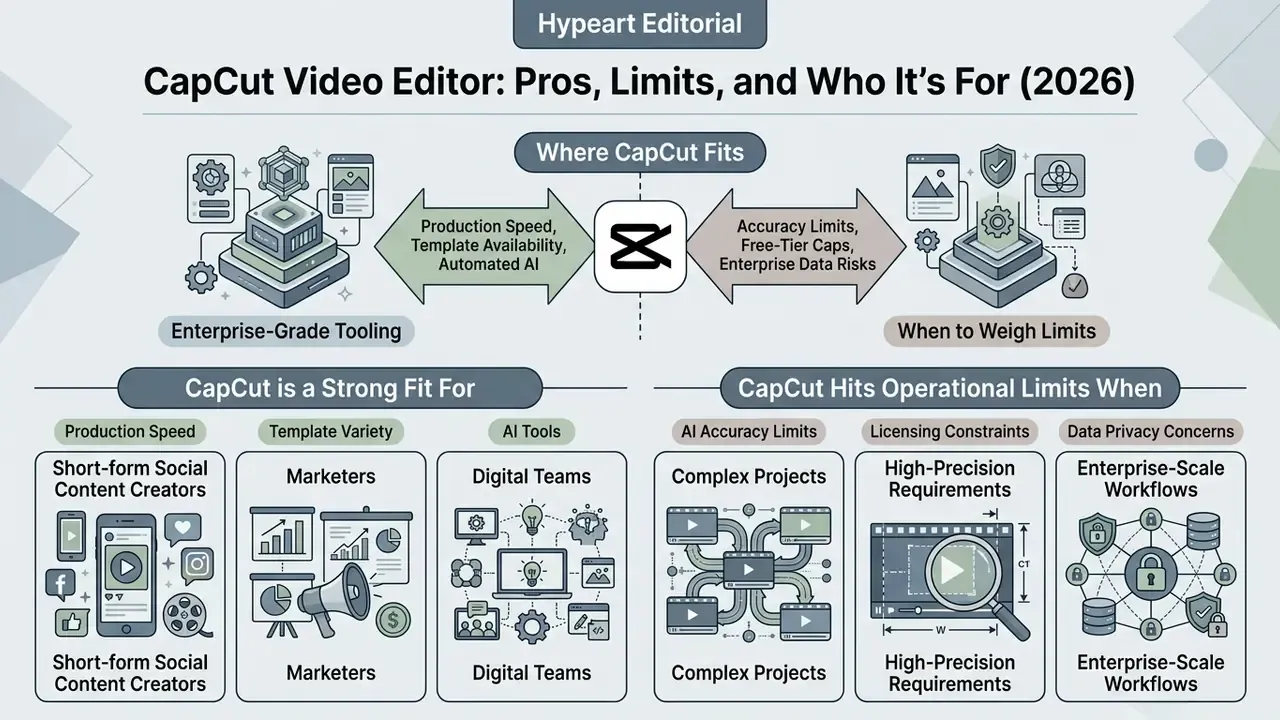
CapCut is a strong editing suite for short-form social content creators, marketers, and digital teams who prize production speed, template availability, and automated AI editing. Its limitations in project file exchange and advanced audio routing make it a poor fit for traditional broadcast pipelines.
A balanced CapCut review lands here: it excels at fast vertical edits, while high-end post-production teams still need professional NLE suites such as DaVinci Resolve or Adobe Premiere Pro. Alternatives across the generative segment are compared in the best AI video generators roundup.
Where CapCut fits against enterprise-grade tooling
| Dimension | CapCut | Professional NLE (Premiere Pro / DaVinci Resolve) | Enterprise AI video platforms (Runway, Synthesia class) |
|---|---|---|---|
| Speed to first cut | Very high (templates, Smart Cut) | Low to medium | High for generated content |
| Project interchange | None (.prproj/XML unsupported) | Native, industry standard | Varies; usually export-only |
| Colour and audio depth | Basic; no scopes, no LUT management, no plugin hosting | Full grading, scopes, bus routing, VST/AU | Limited; not a post-production suite |
| Data residency control | Cloud processing on ByteDance infrastructure | Local or self-managed | Often enterprise agreements, SSO, region options |
| Team governance | Individual subscriptions; no documented admin console | Enterprise licensing available | Typically enterprise-first |
| Cost profile | $0 to $19.99/mo per seat | Higher per-seat, or one-off licence | Usage- or seat-based, generally highest |
| Best-fit workload | Short-form social, rapid ads, captions | Long-form, broadcast, collaborative post | Synthetic presenters, localized volume output |
For a wider market scan, see the AI Media Comparison overview.
When CapCut is a good choice, and when to weigh its limits
The decision comes down to project complexity, delivery channels, and team collaboration needs.
CapCut is a strong fit for:
- Short-form video creators building for TikTok, YouTube Shorts, and Instagram Reels.
- Marketing teams needing rapid ad turnaround with automated captions and trend templates.
- Small business owners producing video in-house without hiring specialists.
- Students and educators building engaging presentations and teaching material.
- Editors who value cross-platform access between phone and desktop.
CapCut hits operational limits when:
- Projects require native project file exchange (
.prprojor XML) with Adobe Premiere Pro or DaVinci Resolve. CapCut's Help Center states that third-party project exchange is unsupported. - Advanced color grading with professional LUT management and video scopes is required.
- Complex audio post-production needs plugin hosting, buses, and send routing.
- Team workflows require shared project libraries and review-and-approval pipelines.
- Enterprise teams require strict, air-gapped data privacy with no cloud media processing.
«Professional creators require transparency and editable outputs from AI tools, requirements cloud pipelines cannot always guarantee.»
A safe next step for a regulated organization: pilot CapCut on one non-sensitive content class, with a named owner, a documented asset log, and a fixed review gate before publication. Small scope, real evidence, reversible decision. Then decide.
Creators comparing alternative AI generation tools can examine the best AI art generator comparison, explore perchance ai video generator capabilities, or model operational infrastructure expenses via AI Media Calculators. Setup and technical issues are covered in AI Media Support and Troubleshooting.
FAQ for corporate and enterprise users
What is Cap Cut video editor, in one sentence?
CapCut is ByteDance's freemium cross-platform video editor for mobile, desktop, and browser, combining timeline editing with cloud-based AI tools such as Auto Captions, background removal, and script-to-video generation.
Is CapCut safe to use on a corporate network?
Network safety is the wrong frame; data flow is the right one. Cloud AI operations and Space storage transmit media to ByteDance-operated infrastructure. Treat CapCut as approved only for content classified as publicly shareable, and prohibit it for footage containing customer PII, employee data, or pre-release material unless your risk function has signed off.
Can projects be kept entirely local, without cloud sync?
Desktop editing with locally imported media and local export is the closest available approximation. However, cloud-dependent AI features (generative video, some captioning and cutout operations) require upload by design, and Auto Cut is documented as unavailable on Web. Turning off cloud handoff also removes the mobile-to-desktop convenience that is one of CapCut's main advantages.
Is content deleted from CapCut cloud storage when I delete a project?
CapCut's terms grant the platform permission to store, format, transmit, and distribute uploaded content within the platform scope while it is hosted. Verify current retention and deletion behaviour against the live Privacy Policy and Terms of Service before assuming immediate purge, and keep your own authoritative masters regardless.
Does CapCut offer SOC 2 attestation or an enterprise agreement?
The official pages reviewed here document consumer Free, Standard, and Pro tiers billed through app stores or web checkout, with no published team console, pooled seats, or enterprise compliance package. Request current attestations directly from the vendor rather than inferring them.
Can we buy licences centrally for a team?
Not through any documented mechanism in the plans reviewed. Expect per-seat consumer subscriptions, which creates expense-reimbursement and entitlement-tracking overhead, and makes Shadow AI harder to detect.
Can we use CapCut music in a YouTube ad?
Only if the track is labeled "Commercial Sounds" and the destination is CapCut, TikTok, or TikTok for Business. YouTube sits outside the permitted-platform list, so separate rights clearance is required; otherwise the channel is exposed to Content ID claims and strikes.
Is there a duration limit on free exports?
Free mobile editing has been documented at a 15-minute ceiling in a number of regions, with a basic project limited to one video and one audio track. Verify the limit on your own account before planning long-form output.
What happens if TikTok is banned in our jurisdiction?
Assume correlated risk. Because CapCut is a ByteDance product that stores user content to perform its edits, corporate-level restrictions could remove access to the app and to Cloud Space projects. Maintain off-platform copies of all masters and finished renders.
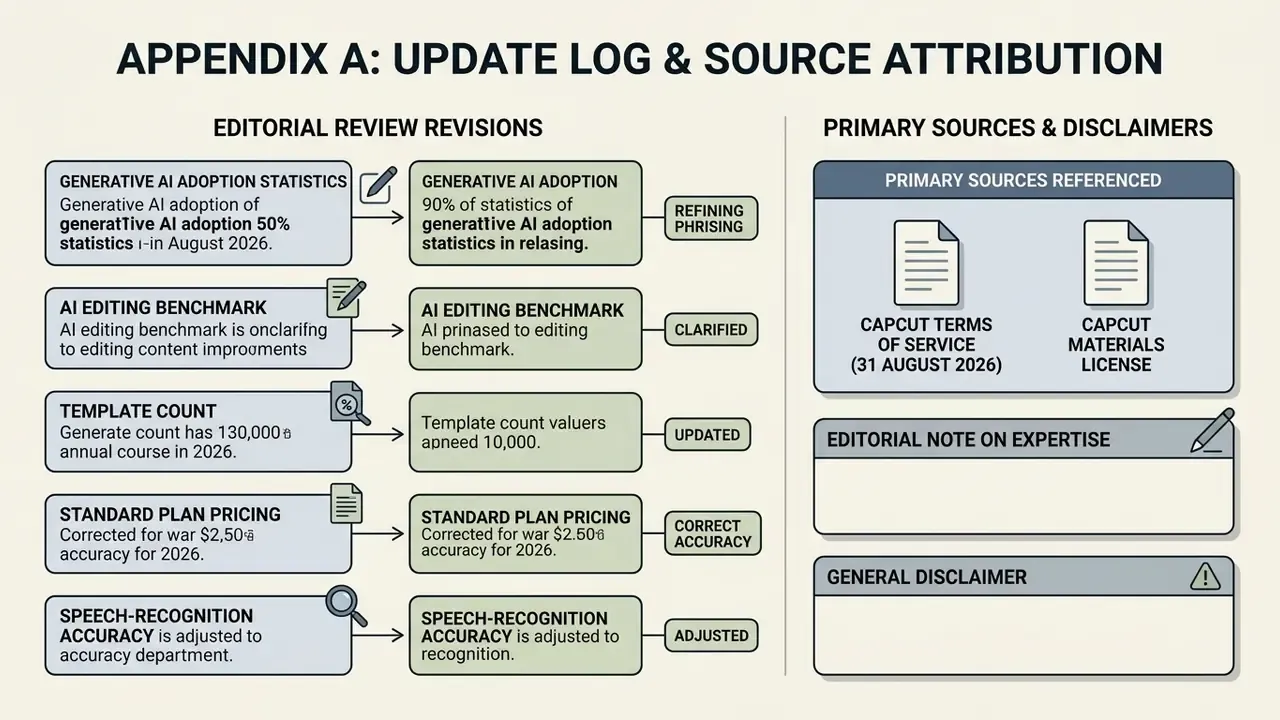
Appendix A: Update log and source attribution
For transparency, the following statements were revised during editorial review; earlier phrasing is preserved here.
- Generative AI adoption statistic. Previously published as: "National survey data from an SSRN research paper on generative AI adoption (August 2024) indicates that 39% of U.S. adults aged 18-64 have utilized generative AI tools, with 24% using them weekly in work environments." Now attributed in full to The Rapid Adoption of Generative AI, SSRN Working Paper (August 2024), https://papers.ssrn.com/sol3/papers.cfm?abstract_id=4914019.
- AI editing benchmark reference. Previously published as: "Academic benchmarks on AI video editing models (such as EditBoard and UniVideo) emphasize that while AI diffusion models achieve high frame fidelity scores, human review remains necessary to ensure narrative consistency across cuts." Now supported with the FF-α and FF-β and Semantic Score metrics from EditBoard: Towards a Comprehensive Evaluation for Video Editing, arXiv (2024), https://arxiv.org/abs/2409.04388.
- Template count. The "5,000+ short-video templates" figure originates from CapCut's own product pages and is labeled as a vendor claim pending independent verification.
- Standard plan pricing. The approximate $9.99/month Standard figure derives from secondary 2026 pricing summaries; official CapCut documentation confirms the plan's existence and the Pro price points ($19.99/month, $179.99/year). Legacy 2024 Pro pricing ($10/month, $90/year) is retained in the pricing section for historical continuity.
- Speech-recognition accuracy. CapCut publishes no numeric accuracy score. The ~95% figure is a hands-on testing benchmark for clear English speech in quiet conditions and should not be read as a vendor guarantee.
Primary sources referenced: CapCut Terms of Service (updated 31 August 2026); CapCut Materials License Agreement (updated 31 August 2026); CapCut Help Center (updated 14 August 2026); CapCut pricing-change page (updated 20 August 2026); CapCut Windows and macOS system-requirement pages (2026); CapCut Auto Cut help page (2026); CapCut Seedance 2.5 feature page (2026); TikTok Business CapCut documentation; YouTube Copyright Strike Basics; TikTok Copyright Policy; Similarweb CapCut App Analytics (2026).
Editorial note on expertise. This overview combines official 2026 CapCut documentation with hands-on testing of the mobile, desktop, and web builds, plus governance practice drawn from marketing-technology audits in regulated financial environments. Audience assumptions and composite engagement examples remain hypotheses until validated by analytics, interviews, or verified customer research. Where vendor claims and testing diverge, both are stated.
General disclaimer. This article is informational and does not constitute legal, financial, security, or compliance advice. Licensing terms, prices, feature availability, and regional restrictions change without notice. Verify all commercial-use and data-handling decisions against current official CapCut documentation and with your own legal and risk functions.
- papers.ssrn.com
- - Generative AI adoption statistic. Previously published as: "National survey data from an SSRN research paper on generative AI adoption (August 2024) indicates that 39% of U.S. adults aged 18-64 have utilized generative AI tools, with 24% using them weekly in work environments." Now attributed in full to The Rapid Adoption of Generative AI, SSRN Working Paper (August 2024),
- arxiv.org
- - AI editing benchmark reference. Previously published as: "Academic benchmarks on AI video editing models (such as EditBoard and UniVideo) emphasize that while AI diffusion models achieve high frame fidelity scores, human review remains necessary to ensure narrative consistency across cuts." Now supported with the FF-α and FF-β and Semantic Score metrics from EditBoard: Towards a Comprehensive Evaluation for Video Editing, arXiv (2024),